


Overview
---
Special update: The Sony A7S II was named Best Low Light Camera in our 2015 Camera of the Year awards!
---

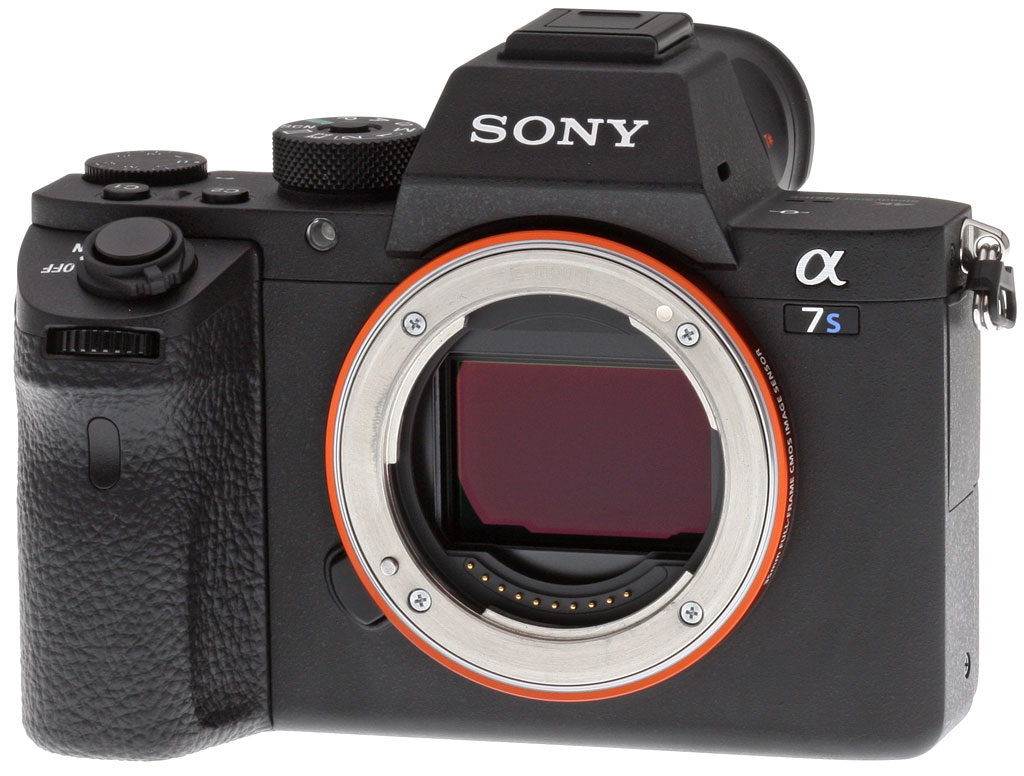
After the "Mark II" refreshes of the venerable Sony A7 and A7R cameras earlier this year, the Sony A7S remained the last of the three still in its first generation stage. So, it's no surprise that Sony has come along to bring this large-pixeled, ultra-high ISO shooting camera up to speed with a "Mark II" refresh of its own.
Sporting the familiar, updated A7-series body design, the new Sony A7S II looks practically identical to the A7R II, aside from the model-specific branding. In one minor detail, unlike the A7 II, the A7S II shares the locking mode dial that was introduced with the A7R II. The Sony A7S II also features the much-welcomed ergonomic refreshes that were debuted on the earlier A7 II, including the repositioned front control dial and shutter-release button as well as re-contoured handgrip and all-around beefier, stronger magnesium alloy body and lens mount.
The big changes, however, are all under the hood. Though the Sony A7S II maintains the same unique, large-pixel 12.2-megapixel full-frame CMOS sensor as its predecessor, the sensor has been incorporated into Sony's impressive 5-axis Image Stabilization system as in the other Mark II models, which works for both stills and video. With its SteadyShot INSIDE system providing up to 4.5 stops of correction combined with the camera's impressive ISO range up to an expanded ISO 409,600 equivalent (like the predecessor), the Sony A7S II makes easy work of capturing images and video in extremely low-light situations. Furthermore, the BIONZ X image processor features tweaked processing algorithms, with a particular focus on the mid to high ISO sensitivity range, for improved image quality and detail for both still images and video.

Seeing as the Sony A7S model was heavily emphasized not only as a stills camera, but also as a professional video powerhouse, it's also no surprise that the video features of the A7S II get improved as well. The original A7S was the first of the Sony A7 family to feature 4K Ultra HD video capture capabilities, however, it came with a large caveat: you needed an external HDMI capture/recorder device since the camera was incapable of recording 4K video internally to the memory card. The A7R II changed this, being the first full-frame Sony A7-series model to provide internal 4K recording, and the new Sony A7S II now supports this capability as well. This should certainly make A7S video shooters very pleased, as it undoubtedly simplifies the video workflow considerably and makes on-the-go shooting of 4K UHD video with this model much easier. It should be noted that despite its video-centric focus, the A7S II does not support Cinema 4K (4096 x 2160) video resolution.

Like the A7R II, the new A7S II's 4K Ultra HD video recording uses full pixel readout of the large full-frame sensor without pixel binning for reduced moiré and aliasing artifacts. Also like the A7R II, the Sony A7S II allows for simultaneous clean HDMI output up to a 4K 4:2:2 signal, while still recording up to 4K XAVC S video internally (though Sony does specify that the rear LCD display will go blank while streaming a 4K signal). The camera also comes with a nifty HDMI cable lock protector to help prevent the cable from coming loose.

Other video improvements includes new, additional cinema-oriented Picture Profiles called S-Gammt3.Cine/S-Log3 and S-Gamut3/S-Log3. Using these S-Log3 and S-Log2 profiles, the A7S II is said to provide up to 14 stops of dynamic range with 1300% wider dynamic range than a non-Picture Profile video for improved color grading and smoother gradations between highlights and shadows. The S-Log3 gamma profile is said to improve tonal gradation between shadow areas up to the mid-tone, or around 18% gray. The special S-Gamut3.Cine conforms to the wider color gamut of the DCI-P3 color space for use with digital cinema work or other professional video applications where 100% accurate color is necessary.

The A7S II also provides a new Gamma Display Assist function, which provides a more natural, stronger contrast appearance on the camera's LCD screen while still capturing video with S-Log2 or S-Log3 flatter image profiles. (Gamma Display Assist is not available via HDMI out to external displays, however.) The camera also features an improved, more adjustable zebra function when shooting in these flatter gamma picture profiles.

In addition to 4K video capture at 30p or 24p at up to 100Mbps bit rate, the A7S II also has Full HD recording up to 60p at 50Mbps in XAVC S mode, as well as a 1080/120p frame rate at both 100Mbps and 60Mbps for improved slow-motion effects. Full HD video capture also uses the full width of the full-frame image sensor without line skipping or pixel binning, like the A7R II, for highly-detailed high-def video. The camera can also record some in-camera High Frame Rate video, though not nearly as slow as the nifty HFR modes in the new RX100 IV and RX10 II. Nevertheless, capturing at 120fps , the A7S II can record a 4x or 5x Full HD slow motion video -- a first for a full-frame sensor camera -- with the final output frame rate of 30p or 24p, respectively.

Autofocus performance is also said to have been improved on A7S II, for both stills and video. The camera now has 169 total AF points -- up from just 25 points -- for better accuracy and precision as well as being twice as fast for video recording according to Sony. Unlike the A7 II and A7R II, the A7S II's AF system remains contrast-detect only rather than a hybrid AF system. Sony states that given the low noise capabilities of the sensor, the A7S II maintains the same -4EV autofocusing functionality of its predecessor.
The A7S II also features additional autofocus modes, including Enhanced Eye AF, even in continuous AF mode that will track a moving subjects eye through the frame. The camera also gains Expand Flexible Spot AF point mode, which provides "helper" AF points should the subject move out from behind the primary AF point.
Like the A7R II, the electronic viewfinder sees a refresh to Sony's 2,359K-dot XGA OLED Tru-Finder with 0.78x magnification (up from 0.71x in the original). The EVF has been completely revamped with a new four-lens construction, including double-sided aspherical elements and Zeiss T* coating to insure crisp image resolution and minimal surface reflection, respectively.

Build-wise, the Sony A7S II features the same magnesium alloy construction as its sibling "Mark II" A7-series cameras. As with other A7-series Mark II cameras, Sony states the A7S II is sealed for dust and moisture resistance, though it's not waterproof or splashproof. There are seals around the buttons and dials, and the "double-layered structure interlocking panels" as part of the mag-alloy body construction help provide the environmental sealing capabilities.
The shutter mechanism, as with the A7R II, has been built to withstand over 500,000 actuations. The shutter's braking system is said to reduce shutter vibrations from the mechanical front and rear curtains by about a 50% compared to the original A7S. For further vibration reduction, the A7S II features an electronic front curtain. However, for complete vibration-free shooting, a Silent Shooting mode offers completely silent operation with an all-electronic shutter. The Silent Shooting mode can also be used with the 5fps Speed Priority Continuous burst shooting mode, which can be particularly helpful when photographing sound-sensitive subjects like wildlife.
Speaking of burst shooting, the Sony A7S II is certainly not designed as speed-demon for sports and action photography. With Speed Priority Continuous mode -- where AF is fixed at the first frame -- the A7S II cranks out images at 5 frames per second, though with standard Continuous Shooting mode, the burst rate drops to just 2.5fps.

Finally, like the previous model and other A7-series cameras, the Sony A7S II includes built-in Wi-Fi and NFC connectivity for remote control capabilities and easy sharing. The camera also supports Sony's PlayMemories line of installable camera apps, which lets users add additional camera functionality via downloadable apps for things like time lapse and special effects.
The Sony A7S II started shipping in October 2015, and is sold body-only -- just like the predecessor -- for an estimated retail price of US$3,000.
In the Box
The Sony A7S II body-only retail box (as reviewed) contains the following items:
- Sony ILCE-7SM2 Camera Body
- NP-FW50 Lithium-Ion Rechargeable Battery (1020mAh)
- BC-VW1 Battery Charger
- AC-UUD11 AC Adapter
- Shoulder Strap
- Body Cap
- Multi-Interface Shoe Cover
- Eyepiece Cup
- Cable Protector
- Micro-USB Cable
Recommended Accessories
- Large capacity SDHC/SDXC memory card. (SDXC U3 memory card required for 100Mbps XAVC S video format.)
- High Quality Lenses
- Sony VGC2EM Vertical Battery Grip (~US$350)
- Sony HVL-F20M External Flash (~US$150)
- Small/Medium Carrying Bag
Optics
Viewfinder Test Results
Coverage
Excellent accuracy from the EVF and LCD monitor.
 |
 |
|
OLED EVF
|
LCD Monitor
|
The Sony A7S II’s OLED electronic viewfinder and LCD monitor both show essentially 100% coverage. Excellent performance.
The images above were taken from our standardized test shots. For a
collection of more pictorial photos, see our
Sony Alpha ILCE-A7S II Photo Gallery
.
Exposure
Color
Saturation & Hue Accuracy
Bright colors with typical hue accuracy.
 |
||||
|
ISO Sensitivity |
||||
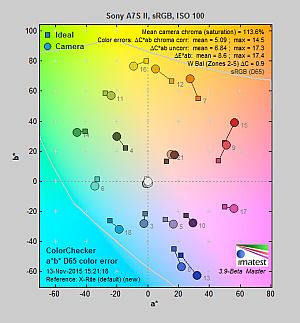
| In the diagram above, the squares show the original color, and the circles show the color that the camera captured. More saturated colors are located toward the periphery of the graph. Hue changes as you travel around the center. Thus, hue-accurate, highly saturated colors appear as lines radiating from the center. Mouse over the links to compare ISOs and click on the links for larger images. | ||||
Saturation. The Sony A7S II’s mean default color saturation is 113.9% at base ISO or in other words, oversaturated by 13.9%. That’s just a bit above average these day, but unusually, mean saturation actually increases with sensitivity up to ISO 102,400 where it reached a peak of 117.3% before falling to a minimum of 111.6% at ISO 409,600 (which is still above average). Cameras often reduce saturation at higher ISOs to reduce the appearance of chroma noise, but like its predecessor, the A7S II does follow that trend. As usual, reds and dark blues are boosted the most, but not as much as we often see. Most other colors are pushed just a bit, though yellow and light green are slightly undersaturated which is quite common. Overall, saturation levels are quite pleasing to our eyes, and you can of course tweak saturation to your liking. Most consumer digital cameras produce color that’s more highly saturated (more intense) than found in the original subjects. This is simply because most people like their color a bit brighter than life.
Skin tones. The Sony A7S II does fairly well with Caucasian skin tones when white balance is adjusted to match the lighting. Brighter flesh tones have a healthy-looking pinkish tint, though darker areas are nudged slightly toward orange. Still, pretty good results here. Where oversaturation is most problematic is on Caucasian skin tones, as it’s very easy for these “memory colors” to be seen as too bright, too pink, too yellow, etc.
Hue. Like many cameras, the Sony A7S II pushes cyan toward blue, orange toward yellow and yellow toward green, but shifts are fairly minor. (The cyan to blue shift is actually fairly minor and very common among the digital cameras we test; we think it’s a deliberate choice by camera engineers to produce better-looking sky colors.) With an average “delta-C” color error of 5.09 after correction for saturation at base ISO, overall hue accuracy is about average, with accuracy only moderately lower at higher ISOs. Hue is “what color” the color is.
 |
 |
 |
| See full set of test images with explanations See thumbnails of all test and gallery images |
||
Sensor
Exposure and White Balance
Indoors, incandescent lighting
Warm color with Auto white balance; Incandescent is pretty good, and Manual is very good. Average exposure compensation required.
 |
 |
| Auto White Balance +0.3 EV |
Incandescent White Balance +0.3 EV |
 |
|
| Manual White Balance +0.3 EV |
Indoors, under normal incandescent lighting, color balance is a bit too warm and orange with the Auto white balance setting. Results with the Incandescent setting are quite good, though, and only slightly warm, while the Manual setting is the most accurate. The Sony A7S II required +0.3 EV positive exposure compensation here which is about the average required for this shot, though images are little bright. (Our test lighting for this shot is a mixture of 60 and 100 watt household incandescent bulbs, a pretty yellow light source, but a very common one in typical home settings here in the U.S.)
Outdoors, daylight
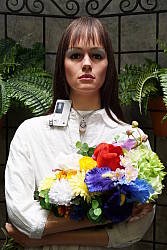
Excellent results under harsh lighting, with very good handling of contrast, color, and exposure.
 |
 |
| Manual White Balance, +0.7 EV |
Auto White Balance, 0 EV |
Outdoors, the Sony A7S II performed very well. +0.7 EV exposure compensation was required to keep the mannequin’s face reasonably bright in our “Sunlit” Portrait shot, which is average among the cameras we’ve tested. Contrast is a little high as you might expect under such harsh lighting, but the camera did a great job of holding onto bright highlights and detail in the shadows, even without the help of Sony’s Dynamic Range Optimization (DRO) feature. We preferred Manual color balance for the “Portrait” shot though, as Auto white balance produced skin tones that were a touch warm and yellow. Default exposure is very good in our Far-field shot (above right), with very few highlights blown or shadows lost, again with DRO disabled. The Far-field shot with Auto white balance also has good color, though perhaps just a touch cool. Overall, great performance in harsh lighting, especially considering DRO was off for these shots.
See full set of test images with explanations
See thumbnails of all test and gallery images
Resolution
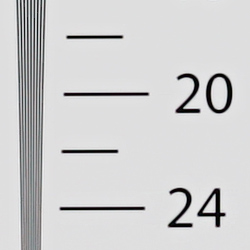
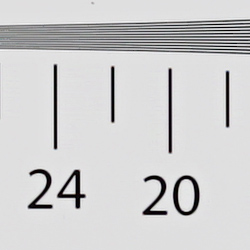
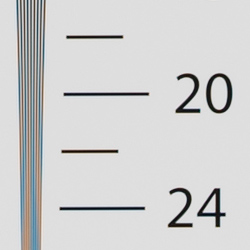
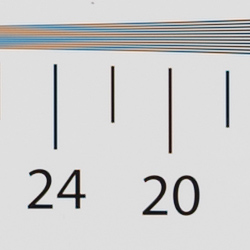
~2,100 lines of strong detail from JPEGs, about the same from RAW files.
 |
 |
| Strong detail to ~2,100 lines horizontal Camera JPEG |
Strong detail to ~2,100 lines vertical Camera JPEG |
 |
 |
| Strong detail to ~2,100 lines horizontal ACR converted RAW |
Strong detail to ~2,100 lines vertical ACR converted RAW |
An in-camera best quality JPEG of our laboratory resolution chart reveal sharp, distinct line patterns up to about 2,100 lines per picture height in the horizontal direction and to about 2,100 lines per picture height in the vertical direction. Some may argue for higher numbers, but lines begin to merge here and mild aliasing artifacts occur even earlier, at about 1,800 lines. Complete extinction of the pattern doesn’t occur until between 2,600 and 2, 700 lines in both directions. Adobe Camera Raw wasn’t really able to extract more resolution here from a RAW file, but it produced a lot more color moiré both before and past the resolution limits, as it often the case. Use these numbers to compare with other cameras of similar resolution, or use them to see just what higher resolution can mean in terms of potential detail.
See full set of test images with explanations
See thumbnails of all test and gallery images
Sharpness & Detail
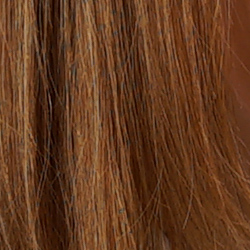
Excellent sharpness, with few sharpening artifacts. Mild noise suppression visible in the shadows and areas of low contrast.
 |
 |
| Excellent definition of high-contrast elements with very low sharpening artifacts. |
Subtle detail: Hair Noise suppression tends to blur detail in areas of subtle contrast. |
Sharpness. The Sony A7S II captures very sharp, crisp images overall, and it doesn’t leave behind heavy sharpening halos around edges with high contrast that we often see, such as around the lines and letters of our olive oil bottle label crop (above left). Excellent results here. Edge enhancement creates the illusion of sharpness by enhancing colors and tones right at the edge of a rapid transition in color or tone.
Detail. The crop above right shows relatively mild noise suppression in the darker areas of the mannequins’s hair. Only a small number of low-contrast strands are smudged together, while higher contrast strands remain distinct. Excellent results here as well. Noise-suppression systems in digital cameras tend to flatten-out detail in areas of subtle contrast. The effects can often be seen in shots of human hair, where the individual strands are lost and an almost “watercolor” look appears.
RAW vs In-Camera JPEGs
As noted above, the Sony A7S II produces in-camera JPEGs with sharp, crisp detail. Additional detail can often be obtained from carefully processing RAW files with a good converter, so let’s have a look:
| Base ISO (100) | |
 |
 |
 |
 |
 |
 |
|
Camera JPEG, defaults
|
RAW via Adobe Camera Raw
|
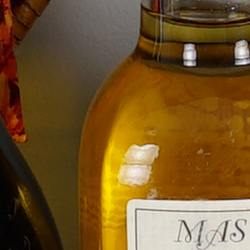
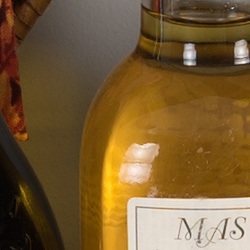
In the table above, we compare a best quality in-camera JPEG taken at base ISO using default noise reduction and sharpening (on the left) to the matching RAW file converted with Adobe Camera Raw 9.1 via DNG Converter 9.4 with some moderate but tight unsharp masking applied in Photoshop (250%, radius of 0.3 pixels, and a threshold of 0).
As you can see, the Adobe Camera Raw conversion does contain more fine detail, especially in the red-leaf swatch which so many cameras struggle with, though the camera does a little better at bringing out detail in the pink fabric. Color in the ACR conversion is also more accurate. And because the Sony A7S II produces very low noise levels, there’s almost no additional noise to be seen when using ACR’s default noise reduction, which is often not the case. Although the A7S II does a very good job at rendering most of the available detail without many sharpening artifacts (at least at base ISO), discerning users will likely still want to shoot in RAW mode to get the most out of the A7S II’s sensor (as well as a lot more latitude for post-processing).
ISO & Noise Performance
Outstanding high ISO performance.
|
Default High ISO Noise Reduction
|
 |
 |
 |
| ISO 50 | ISO 100 | ISO 200 | 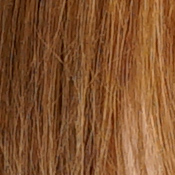 |
 |
 |
| ISO 400 | ISO 800 | ISO 1600 |
 |
 |
 |
| ISO 3200 | ISO 6400 | ISO 12,800 |
 |
 |
 |
| ISO 25,600 | ISO 51,200 | ISO 102,400 |  |
 |
| ISO 204,800 | ISO 409,600 | |
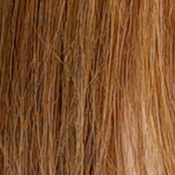
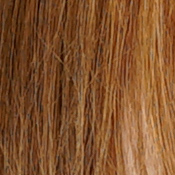
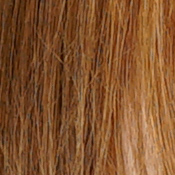
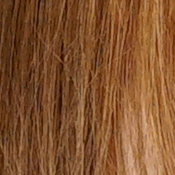
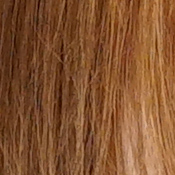
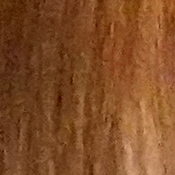
The Sony A7S II’s in-camera JPEG images are very clean and detailed at ISOs 50 through 400, with almost no degradation in image quality as ISOs increase within this range. ISOs 800 through 12,800 show a nice, progressive decline in image quality, with pretty good detail left at 12,800 for such a high ISO. At ISO 51,200, luma noise starts to become prominent, chroma noise more noticeable, and image quality drops off rapidly from there, with the top two ISOs looking more like paintings than photographs. Still, outstanding high ISO performance that’s very similar to its predecessor.
As always, see the Print Quality section below for maximum recommended print sizes at each ISO.
A note about focus for this shot: We used to shoot this image at f/4, however depth of field became so shallow with larger, high-resolution sensors that it was difficult to keep important areas of this shot in focus, so we have since started shooting at f/8, the best compromise between depth of field and sharpness.
Extremes: Sunlit, dynamic range and low light tests
Excellent highlight and shadow detail in harsh lighting. Very good low-light performance, capable of capturing bright images in near darkness.
 |
 |
 |
| +0.3 EV | +0.7 EV | +1.0 EV |
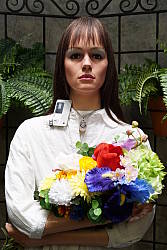
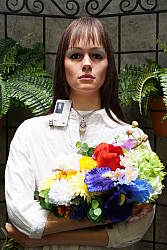
Sunlight. The Sony A7S II handled the deliberately harsh lighting in the test above very well. We preferred the +0.7 EV exposure here, as the +0.3 EV exposure is a touch dim in the face while the +1.0 EV exposure had too many blown highlights. Contrast is a little high, but shadow and highlight detail are both excellent. Despite the bright appearance, only a few highlights are blown in the mannequin’s shirt and white flowers at +0.7 EV, though the red channel is clipped in some of the flowers as is often the case, as well as in specular highlights where you’d expect clipping. There are some dark shadows however they’re quite clean, though very deep shadows are posterized as expected. Overall, excellent performance here.
See below for results with Dynamic Range Optimization and High Dynamic Range features enabled.
Because digital cameras are more like slide film than negative film (in that they tend to have a more limited tonal range), we test them in the harshest situations to see how they handle scenes with bright highlights and dark shadows, as well as what kind of sensitivity they have in low light. The shot above is designed to mimic the very harsh, contrasty effect of direct noonday sunlight, a very tough challenge for most digital cameras. (You can read details of this test here. In actual shooting conditions, be sure to use fill flash in situations like the one shown here; it’s better to shoot in open shade whenever possible.)
|
Outdoor Portrait DRO Comparison (0 EV)
|
|
 |
DRO Setting: |
 |
|
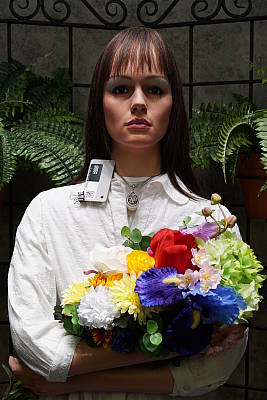
Dynamic Range Optimization is Sony’s name for their dynamic range enhancement technology. DRO divides the image into small areas, analyzes the range of brightness of each area, and adjusts the camera’s image processing parameters accordingly to make the best use of the available dynamic range. Auto DRO is enabled by default on the Sony A7S II. You can also set the level manually, from 1 (“weak”) to 5 (“strong”), or turn it off. As one would expect, DRO is only available for JPEG files.
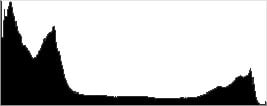
The above thumbnails and histograms show the effects of the various levels of DRO on our “Sunlit” Portrait shot with no exposure compensation. Mouse over the links on the right to load the associated thumbnail and histogram, and click on the link to visit the full resolution image. As you can see from the thumbnails and histograms, increasing DRO progressively boosts shadows and midtones while leaving highlights essentially intact. The Auto setting produced a better overall exposure compared to the default exposure without DRO, and the five manual levels give quite a bit of control over the effect.

Above, you can see the effect of DRO settings on our Far-field shot. The default Auto setting produced a nicely balanced exposure, despite the harsh lighting. A useful feature.
High Dynamic Range. The Sony A7S II’s HDR mode takes three images in rapid succession, one nominally exposed, one underexposed, and one overexposed, then combines them into one high dynamic range JPEG automatically. Lighter areas from the underexposed image are combined in-camera with darker areas from the overexposed image to produce an image with compressed tonal range. The camera then saves a single composite image, as well as the nominally exposed image. The overlaid images are micro-aligned by the camera, but it can only correct for so much movement. If the camera can’t micro-align successfully, an icon indicating HDR capture failed will appear. For best results, the subject should not move or even blink, so it’s not really intended for portraits. There is also a manual mode where you can select 1 EV (“weak”) to 6 EV (“strong”) difference in exposures.
Mouse over the links to load the associated thumbnail and histogram, and click on the link to visit the full resolution image. As you can see, the Auto setting did a pretty good job, with an effect somewhere between the 2 and 3 EV manual settings. The higher the manual setting, the more highlights were toned-down and shadows opened up, but as you can see higher settings can produce flat and unnatural results with this subject.
Above, you can see the effect of HDR settings on our Far-field shot. Watch out for ghost images from subject movement during the capture sequence, though, as can be seen in some of the shots above. Still, Sony has one of the better in-camera HDR implementations we’ve seen.
Dynamic Range Analysis (RAW mode). While we once performed our own dynamic range measurements based on in-camera JPEGs as well as converted RAW images (when the camera was supported by Adobe Camera Raw), we’ve switched to using DxO Labs’ results from their DxOMark website. As technology advanced, the dynamic range of modern high-end cameras in some cases exceeded the range of the Stouffer T4110 density scale that we used for our own measurements. DxO’s approach based on RAW data before demosaicing is also more revealing, because it measures the fundamental dynamic range of the sensor, irrespective of whatever processing is applied to JPEGs, or to RAW data by off-the-shelf conversion software.
In the following, we use DxO’s “Print” dynamic range results, which are scaled based on camera resolution. As the name suggests, this scaling corresponds to the situation in which you print at a given size, regardless of how many megapixels the camera might have. (In other words, if you’ve decided to make a 13×19 inch print, that’s the size you’re printing, whether the camera’s resolution is 16 or 300 megapixels.) For the technically-minded, you can find a discussion of the reasoning behind this here on the DxOMark website. Also note that DxO Labs uses a signal-to-noise (SNR) threshold of 1 when defining the lower boundary of acceptable luminance noise in their dynamic range measurements, which corresponds to the “Low Quality” threshold of the Imatest software we used to use for this measurement.
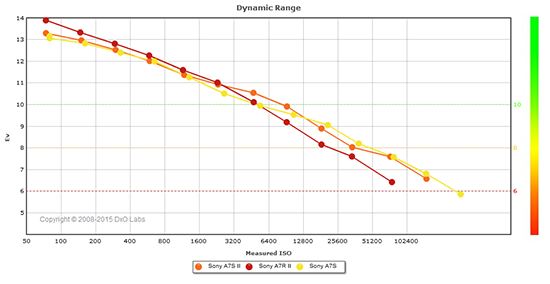 |
Here, we compare the 12-megapixel Sony A7S II to its predecessor the A7S, as well as to its sibling the 42-megapixel A7R II. The graph above is interesting, as it shows the Sony A7R II provides significantly better dynamic range at base ISO, with the A7R II managing 13.9 EV versus the A7S II’s 13.3 EV and the A7S’s 13.06 EV. But keep in mind this is Printed dynamic range, so the A7R II’s significantly higher resolution puts it at an advantage when printed at the same size, since the higher resolution camera will have more of its noise averaged out when downsampled during the normalizing process. (And indeed, if we compare the “Screen” results, we’ll see the A7R II’s dynamic range drop down to values lower than the A7S II’s.)
As expected, the A7S II’s dynamic range is very similar to its predecessor at most ISOs, but curiously it’s noticeably better at some sensitivities such as ISO 6400 (10.54 vs 9.94 EV) and slightly worse at others (such as 8.89 vs 9.05 EV at ISO 25,600). But where the Sony A7S II and A7S really shine is at high ISOs, where they both have an advantage of up to just over an f-stop (7.59 vs 6.42 EV @ ISO 102,400 ) over the A7R II. Click here to visit the DxOMark page for the Sony A7S II for more of their test results and additional comparisons.
| 1 fc 11 lux |
1/16 fc 0.67 lux |
1/16 fc No NR |
|
|---|---|---|---|
| ISO 100 |
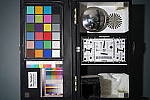 2s, f2.8 |
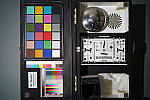 30s, f2.8 |
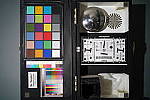 30s, f2.8 |
| ISO 3200 |
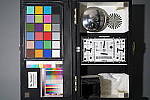 1/15s, f2.8 |
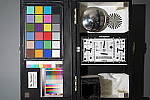 1s, f2.8 |
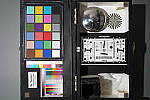 1s, f2.8 |
| ISO 409600 |
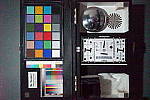 1/2000s, f2.8 |
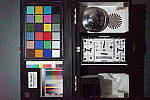 1/125s, f2.8 |
 1/125s, f2.8 |
Low Light. The Sony A7S II performed extremely well in our low light tests, producing bright images down to the lowest light level we test at (1/16 fc). Noise is practically nonexistent at ISO 100, and very low at ISO 3200. Some very fine luma and chroma noise can be seen at ISO 3200 with noise reduction minimized (right-most column), however it has a tight “grain” which isn’t objectionable. As expected, noise is very high at the highest ISO of 409,600. We didn’t notice any significant issues with hot pixels or banding (fixed pattern noise), however there could be a little heat blooming from the bottom left at the highest ISO. We say “could” because at such a high sensitivity, the red cast could just be side effect of slightly uneven lighting.
Auto white balance did a very good job here, producing a fairly neutral, just slightly cool color balance.
The Sony A7S II’s autofocus system was able to focus on our target quickly and accurately well below the 1/16 foot-candle light level unassisted with an f/2.8 lens. (We estimate the lower limit is around only 0.007 foot-candles, which is equivalent to the light produced by a single candle a bit less than 12 feet away!) That’s outstanding for a mirrorless camera and better than most DSLRs. The Sony A7S II however failed to autofocus at all with its AF assist lamp enabled in our standard lab test, as its very bright light overwhelmed the camera’s autofocus system. Real-world assisted low-light autofocus performance will of course vary with lens, subject type, distance, etc.
How bright is this? The one foot-candle light level that this test begins at roughly corresponds to the brightness of typical city street-lighting at night. Cameras performing well at that level should be able to snap good-looking photos of street-lit scenes. (A useful trick is to just prop the camera on a convenient surface, and use its self-timer to release the shutter. This avoids any jiggling from your finger pressing the shutter button, and can work quite well when you don’t have a tripod handy.)
NOTE: This low light test is conducted with a stationary subject, and the camera mounted on a sturdy tripod. Most digital cameras will fail miserably when faced with a moving subject in dim lighting. (For example, a child’s ballet recital or a holiday pageant in a gymnasium.) Thanks to its large sensor and huge pixels, the Sony A7S II autofocuses in extremely low light, but you still shouldn’t expect a quick autofocus lock with moving subjects.
Output Quality
Print Quality
High-quality prints up to 24 x 36 inches at ISO 50-400; Nice 8 x 10 inch prints all the way up to ISO 12,800; and usable 4 x 6 inch prints at a whopping ISO 102,400!
ISO 50 through 400 prints all look practically identical, with great detail and vibrant colors, and we see no discernible noise as the ISO increases up to ISO 400. Despite the rather low-resolution 12-megapixel full-frame sensor, we nonetheless find prints up to 24 x 36 inches look very good across this range of sensitivities. At this print size, we are pushing the limits of the 12MP full-frame sensor, and at close inspection, you can see some pixelation. However, at normal viewing distances for prints of this size, they look nice and crisp.
ISO 800 images begin to show an increase in shadow noise, which is quite visible at 24 x 36 inches, however backing down to 20 x 30 inches shows excellent results. Again, there’s a hint of pixelation visible at close inspection, but a 20 x 30 print is quite large, and nevertheless looks great, with nice detail and colors at a normal viewing distance.
ISO 1600 prints show a bit more noise than ISO 800, but detail is still quite good. We’re calling it at 16 x 20 inches for this sensitivity, however a 20 x 30 inch print might be usable for less critical applications.
ISO 3200 images look practically identical to ISO 1600, and therefore print to the same size and still display the same level of fine detail and great color rendition.
ISO 6400 prints show an increased level of noise, but up to 13 x 19 inches, prints look impressive with noise remaining under control. Visible noise is still mainly constrained to the shadows, and detail elsewhere looks quite good; even the tricky red-leaf fabric of our Still Life target still shows detail at this print size.
ISO 12,800 images finally begin to soften detail in the tricky red-leaf fabric, as noise becomes stronger. However, a nice 8 x 10 print is certainly possible at this rather high ISO level with lots of fine detail.
ISO 25,600 prints still show a good level of detail at similar print sizes to the previous sensitivity, but noise is visibly higher, forcing us to limit prints to just 5 x 7 inches.
ISO 51,200 images show just a hint more noise than the previous ISO sensitivity, but we’re calling 5 x 7 inch prints as the limit for this ISO, too, as we can’t see a significant impact on print quality.
ISO 102,400 prints are normally unfeasible, but the A7S II bucks the trend with a totally usable 4 x 6 inch print! Though a small print, a 4 x 6 at this sensitivity shows surprisingly nice detail and good colors.
ISO 204,800 and 409,600 images are both too noisy and lacking in fine detail to be considered usable for making prints.
The Sony A7S II, as with its predecessor, manages a fantastic performance in the print department. Though it only features a relatively low-resolution 12-megapixel full-frame sensor, the Sony A7S II still manages some rather large prints, especially at the lower ISOs. Up to ISO 400 the A7S II can print all the way up to 24 x 36 inches. While you see some pixelation at very close inspection, from a normal viewing distance for a print of this size, detail is crisp and colors are vibrant and pleasing. Raising the ISO sensitivity to levels where other cameras struggle for sizable prints, the A7S II manages a pleasing 8 x 10 print all the way up at ISO 12,800. However, what’s truly eye opening is the fact that you can get an acceptable 4 x 6 inch print all the way up to ISO 102,400! We’ve yet to come across another camera that can pull this off. Going higher than this ISO sensitivity, however, we do find prints are too noisy and lack fine detail to make acceptable prints.
The images above were taken from our standardized test shots. For a
collection of more pictorial photos, see our
Sony Alpha ILCE-A7S II Photo Gallery
.
Not sure which camera to buy? Let your eyes be the ultimate judge!
Visit our Comparometer(tm)
to compare images from the Sony Alpha ILCE-A7S II with those from other
cameras you may be considering. The proof is in the pictures, so let
your own eyes decide which you like best!
Performance
Timing and Performance
Generally good performance overall for its class, but with some sluggish areas.
| Startup and Play to Record | ||
|---|---|---|
|
Power on |
~2.9 seconds
|
Time it takes to turn on and capture a shot. |
|
Play to Record, |
~1.1 seconds
|
Time until first shot is captured. |
Powerup to first shot was quite sluggish at about 2.9 seconds and slower than the A7S’s 2.0 seconds. Switching from Play to Record mode and taking a shot was more reasonable at 1.1 seconds, but that’s over twice as long as the A7S’s 0.5 second in our test results.
| Shutter Response (Lag Time) | ||
|---|---|---|
|
Full Autofocus, |
0.190 second
|
Time from fully pressing shutter button to image capture, with the lens already at the proper focal distance setting. (AF timing performed with the Sony FE 35mm f/2.8 lens.) |
|
Manual Focus |
0.111 second
|
For most cameras, shutter lag is less in manual focus than autofocus, but usually not as fast as when the camera is “prefocused”. |
|
Prefocused |
0.021 second
|
Time to capture, after half-pressing and holding shutter button. |
The Sony A7S II’s autofocus speeds were very good for a mirrorless ILC, and competitive with prosumer DSLRs in our static tests. The Sony A7S II’s full-autofocus shutter lag (with the subject at a fixed distance) was 0.190 second in Single-area AF mode. This is just slightly slower than the A7S’s 0.178s with the same settings and lens. When manually focused, the Sony A7S II’s lag time dropped to 0.111 second, a little faster than the A7S’s 0.129 second. The Sony A7S II’s prefocused shutter lag time was only 21 milliseconds,which is again a little faster than the A7S’s 24 milliseconds, and much faster than DSLRs. Note that these tests we done with Electronic First Curtain shutter enabled, which is the default setting. We did not test the A7S II in all-mechanical shutter mode, however with the A7S full AF shutter lag tested almost twice as long, and prefocused shutter lag was seven times longer.
To minimize the effect of different lens’ focusing speed, we test AF-active shutter lag with the lens already set to the correct focal distance.
| Cycle Time (shot to shot) | ||
|---|---|---|
|
Single Shot mode |
0.56 second
|
Time per shot, averaged over a few frames (we no longer test for buffer depths in single-shot mode). |
|
Single Shot mode |
0.60 second
|
Time per shot, averaged over a few frames (we no longer test for buffer depths in single-shot mode). |
|
Early shutter |
No
|
Some cameras don’t snap another |
|
Speed Priority |
0.20 second
(5.00 fps); 63 frames; 22 seconds to clear* |
Time per shot, averaged over buffer length of 63 frames, then slows to an average of 0.55s or 1.82 fps when buffer is full. |
|
Speed Priority |
0.20 second
(5.00 fps); 28 frames; 15 seconds to clear* |
Time per shot, averaged over buffer length of 28 frames, then slows to an average of 0.72s or 1.38 fps when buffer is full. |
|
Speed Priority |
0.20 second
(5.00 fps); 25 frames; 19 seconds to clear* |
Time per shot, averaged over buffer length of 25 frames, then slows to an average of 0.91s or 1.10 fps when buffer is full. |
|
Flash Recycling |
N/A
|
Flash at maximum output. (No built-in flash.) |
|
*Note: Buffer clearing times measured with a SanDisk Extreme Pro 95MB/sec UHS-I SDHC card. Slower cards will produce correspondingly slower clearing times. Slow cards may also limit length of bursts in continuous mode. ISO sensitivity and noise reduction settings can also affect cycle times and burst mode performance.
|
||
Single-shot cycle time was 0.56 second when shooting Large/Extra Fine JPEGs (using default Electronic First Curtain shutter). This increased slightly to about 0.6 second when shooting uncompressed RAW + Large/Fine JPEG files, but that’s still quite fast. (Note that we no longer test single-shot mode with just RAW files, as the results are usually somewhere in between JPEG and RAW+JPEG. Also note that the A7S II cannot shoot Extra Fine JPEGs together with RAW files, falling back to Fine quality JPEGs when shooting in RAW+JPEG mode.)
Speed Priority Continuous mode managed five frames per second exactly meeting Sony’s spec, though keep in mind autofocus is fixed at the first frame of a burst in this mode. (Unlike some other Sony A7-series cameras, the A7S II does not have on-sensor phase-detect AF pixels, so continuous autofocus is not supported in Speed Priority mode.)
Buffer depths were excellent even in Speed Priority mode, ranging 63 Extra Fine JPEGs to a worst case of 25 uncompressed RAW+JPEG frames. Note, though, that our target for this test was designed to be difficult to compress, so maximum burst lengths should be even longer with typical subjects when shooting JPEGs.
Buffer clearing times were long when shooting in Speed Priority mode, especially when shooting Extra Fine JPEGs. The camera does however let you make adjustments or take additional shots while writing to the card.
To see how much of a penalty shooting with the new uncompressed RAW option is for continuous mode in terms of buffer size and clearing times, we also shot with compressed RAW, and here are our results side-by-side:
| Continuous Modes: Uncompressed vs Compressed RAW | ||
|---|---|---|
|
Mode
|
Uncompressed RAW
|
Compressed RAW
|
|
Speed Priority |
0.20 second
(5.00 fps); 28 frames; 15 seconds to clear |
0.20 second
(5.00 fps); 37 frames; 9 seconds to clear |
|
Standard |
0.27 second
(3.72 fps); 31 frames; 15 seconds to clear |
0.27 second
(3.72 fps); 71 frames; 19 seconds to clear |
As you can see in the table above, switching from uncompressed to compressed RAW files in Speed Priority Continuous mode increased the buffer depth by almost a third from 28 frames to 37 frames, and it reduced clearing time from 15 to 9 seconds. When shooting in Standard Continuous mode (which supports continuous AF), RAW mode buffer depth more than doubled from 31 to 71 frames, but clearing time actually increased from 15 to 19 seconds because of the much deeper buffer.
Incidentally, we did confirm the A7S II’s uncompressed RAW files are indeed 14 bits by examining their linear data histograms in RawDigger, but only in single-shot mode. In either standard or Speed Priority continuous mode (and we believe in Silent Shutter, multi-shot and continuous bracketing modes as well), the effective bit-depth is reduced to 12 bits and converted to a 14-bit space. However these “12-bit” files are still uncompressed in the sense that they don’t use Sony’s lossy delta encoding as do compressed files. This drop in effective bit-depth to 12 bits in continuous modes is not new, though, as prior “14-bit” Sony models did the same thing before compression. We speculate this is probably due to sensor read-out speed limitations in 14-bit mode, as a number of cameras from different manufacturers are known to reduce sensor bit-depth in continuous or all-electronic shutter modes for performance reasons.
Bottom line, apart from slower power-on to first shot and play to record times, the Sony A7S II offers performance very similar or slightly improved over its predecessor, though unfortunately buffer clearing is still slow. The addition of an uncompressed RAW format is a welcome option, however the camera only produces true 14-bit ARW files in single-shot mode.
Battery Life
Decent battery life for a mirrorless camera.
| Operating Mode | Battery Life |
|---|---|
|
Still Capture,
(CIPA standard, LCD Monitor) |
370 shots
|
|
Still Capture,
(CIPA standard, EVF) |
310 shots
|
The Sony A7S II uses a custom NP-FW50 rechargeable lithium-ion battery pack for power, and comes with a dedicated charger and an AC adapter for in-camera charging via USB. The battery is rated for 370 shots per charge when using the LCD monitor and 310 shots when using the electronic viewfinder, according to the CIPA standard. Although that’s down 10 shots compared to its predecessor, battery life is still pretty good for a full-frame mirrorless camera, but poor compared to most DSLRs. An optional VG-C1EM vertical grip is available which doubles battery life with two batteries.
The table above shows the number of shots the camera is capable
of (on a fully-charged rechargeable battery), based on CIPA battery-life
and/or manufacturer standard test conditions.
(Interested readers can find an English translation of the CIPA DC-002 standards document here. (180K PDF document))
Image Quality
Since the Sony A7S II has a relatively low-resolution sensor by today’s standards, we’ve decided to do something different this time around for our image quality comparison page. First, we’ll do our standard in-camera JPEG comparisons to its predecessor, the A7S, to see what, if anything, has changed. But instead of comparing to much higher resolution full-frame cameras at 100%, we’ll compare them all normalized to the A7S II’s 12-megapixel image size. However, because we needed to resample the higher-resolution images anyway, we’ve decided to compare raw files processed via Adobe Camera Raw with no noise reduction or sharpening applied. This should give a more accurate representation of how the various sensors compare in terms of noise and detail when normalized to the same size. But remember, you can still always go to our world-renowned Comparometer to compare our standard Sony A7S II JPEGs to any camera we’ve ever tested across all ISOs.
As mentioned above, we’ll first look at in-camera JPEGs at the usual ISOs to see if the A7S II’s image quality has changed compared to its predecessor.
Sony A7S II vs Sony A7S at Base ISO (JPEG)
 |
 |
 |
 |
 |
 |
|
Sony A7S II at ISO 100
|
Sony A7S at ISO 100
|
|
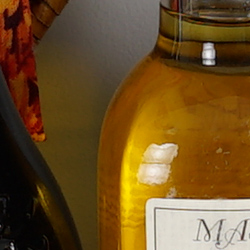
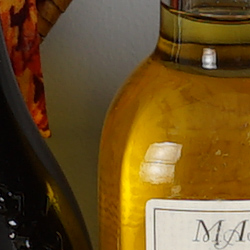
As expected, the Sony A7S II produces in-camera JPEGs that are very similar to its predecessor at base ISO in terms of noise and detail, however we do see the difficult red-leaf fabric is rendered slightly better by the A7S. This is likely related to the slightly lower color sensitivity scores reported by DxOMark for the newer model. |
|
Sony A7S II vs Sony A7S at ISO 1600 (JPEG)
 |
 |
 |
 |
 |
 |
|
Sony A7S II at ISO 1600
|
Sony A7S at ISO 1600
|
|
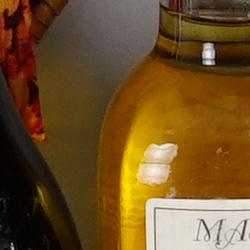
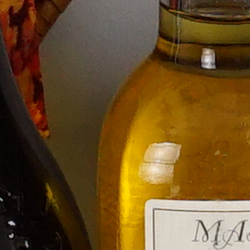
Again, very similar image quality at ISO 1600, but we continue to see the A7S do a little better than the A7S II in our tricky red-leaf fabric. |
|
Sony A7S II vs Sony A7S at ISO 3200 (JPEG)
 |
 |
 |
 |
 |
 |
|
Sony A7S II at ISO 3200
|
Sony A7S at ISO 3200
|
|
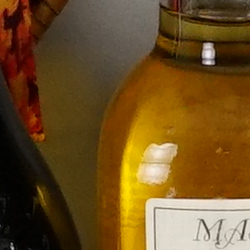
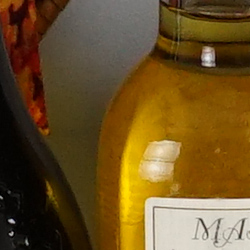
Once again, it’s the older model with a slight edge in the red-leaf fabric, but both do extremely well at this sensitivity. |
|
As mentioned previously, 12 megapixels is a pretty low resolution these days, and a lot of readers are probably wondering how the A7S II compares to higher resolution full-frame models. However, directly comparing cameras with pixel counts that vary by more than 2x is quite difficult at 100% and doesn’t really make a whole lot of sense. So below we’ve decided to compare normalized high-ISO raw files processed in Adobe Camera Raw with no noise reduction or sharpening applied and with other settings left at their defaults. After conversion, we resampled the higher resolution cameras down to 12 megapixels for a more meaningful comparison, using Photoshop’s standard bicubic interpolation. We didn’t use the “Sharper” or “Automatic” options as is often done for downsampling, because it tended to oversharpen the images. The native 12-megapixel A7S II and A7S converted raw files also have no noise reduction or sharpening applied, so keep that in mind.
On to our RAW comparisons…
Sony A7S II vs Sony A7S at Base ISO (RAW)
 |
 |
 |
 |
 |
 |
|
Sony A7S II at ISO 100
|
Sony A7S at ISO 100
|
|
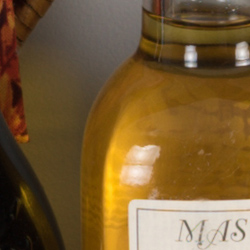
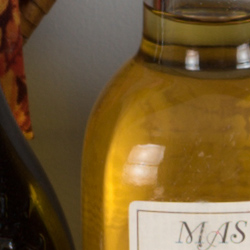
Comparing A7S II and A7S converted raw files at base ISO with no noise reduction or sharpening applied shows results similar to what we saw with the in-camera JPEGs: Almost identical images in terms of detail and noise, but the A7S does slightly better with our tricky red-leaf fabric with higher contrast and lower noise, while rendering some colors slightly differently as well. |
|
Sony A7S II vs Sony A7 II at Base ISO (Normalized RAW)
 |
 |
 |
 |
 |
 |
|
Sony A7S II at ISO 100
|
Sony A7 II at ISO 100
|
|
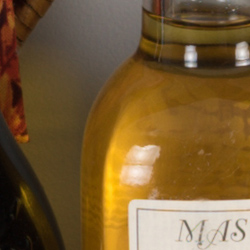
Here we’re comparing the 12-megapixel A7S II to its latest 24-megapixel sibling, the Sony A7 II, resampled down to 12 megapixels. As you can see, even after being converted to 12-megapixels, the A7 II renders fine detail noticeably better than the A7S II with better sharpness, but moiré patterns are evident in the red-leaf fabric. However, if you click on the crops and view the full target, you’ll see it’s the A7S II’s image that has more aliasing artifacts in the form of color moiré in the Pure Brewed label. This is mostly because the distances and frequencies involved are such that moiré happens to generated from the finer thread pattern in the red-leaf fabric by the higher resolution A7 II, while the A7S II generates it from detail repeating at a lower frequency in the Pure Brewed label. Bottom line, though, the A7 II produces better detail and just slightly higher noise levels at base ISO when normalized like this. And keep in mind the A7S II’s images will require additional sharpening to match the sharpness from the A7 II, which will increase the appearance of noise. (You can view the A7 II’s full-res version by clicking here.) |
|
Sony A7S II vs Sony A7R II at Base ISO (Normalized RAW)
 |
 |
 |
 |
 |
 |
|
Sony A7S II at ISO 100
|
Sony A7R II at ISO 100
|
|
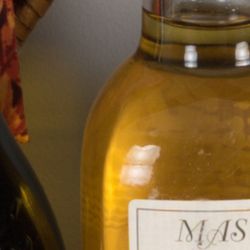
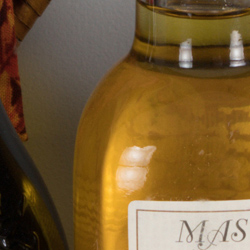
In this comparison, we pit the 42-megapixel Sony A7R II normalized to the same image size against the A7S II. As expected, we see much better detail and crispness from the much higher-resolution A7R II which has no AA filter, though again, it generated moiré patterns in the red-leaf fabric as well as in the Samuel Smith logo (click the crops to see the entire target). Noise is a bit higher from the A7R II, but it’s still quite low at base ISO and keep in mind: a) the A7S II requires sharpening to match the A7R II’s sharpness which exacerbates noise and b) the added detail from the A7R II will allow you to get away with stronger noise reduction before impacting detail to the point where the A7S II’s detail is better. (You can view the A7R II’s full-res version by clicking here.) |
|
Sony A7S II vs Nikon D810 at Base ISO (Normalized RAW)
 |
 |
 |
 |
 |
 |
|
Sony A7S II at ISO 100
|
Nikon D810 at ISO 64
|
|
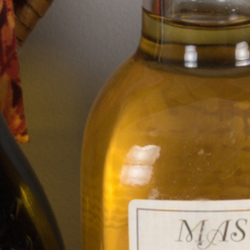
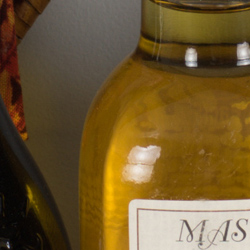
It’s a similar story compared to the AA-filterless 36-megapixel Nikon D810. Again, better detail from the higher-resolution camera even after resampling, but with aliasing in the red-leaf fabric and bottle labels. This time, though, noise levels are quite comparable. (View the D810’s full-res version by clicking here.) |
|
Sony A7S II vs Canon 5DS R at Base ISO (Normalized RAW)
 |
 |
 |
 |
 |
 |
|
Sony A7S II at ISO 100
|
Canon 5DS R at ISO 100
|
|
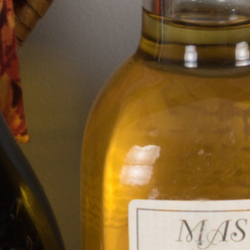
Here’s a comparison with the highest-resolution full-frame DSLR currently available, the AA-filterless 50-megapixel 5DS R. Again we see stronger, crisper detail from the resampled 5DS R image, but with aliasing artifacts in the red-leaf pattern and Samuel Smith label. Noise levels are however noticeably higher from the Canon, but again, keep in mind the difference in sharpness and detail. (View the 5DS R’s full-res version by clicking here.) |
|
Since ISO 1600 isn’t really a challenge for this class of camera, we’ll jump to ISOs 6400 and 12800. Remember these are raw files converted with no noise reduction or sharpening applied, with the higher-resolution cameras normalized to 12 megapixels.
Sony A7S II vs Sony A7S at ISO 6400 (RAW)
 |
 |
 |
 |
 |
 |
|
Sony A7S II at ISO 6400
|
Sony A7S at ISO 6400
|
|
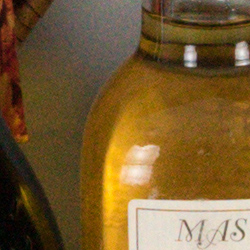
As expected, at ISO 6400, the A7S II and A7S produce practically identical results with minor differences limited to color response. |
|
Sony A7S II vs Sony A7 II at ISO 6400 (Normalized RAW)
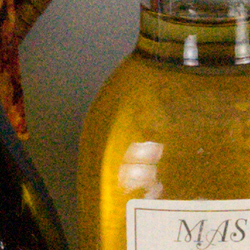
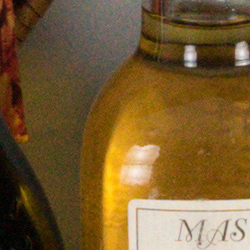 |
 |
 |
 |
 |
 |
|
Sony A7S II at ISO 6400
|
Sony A7 II at ISO 6400
|
|
Here at ISO 6400, we immediately see the A7S II has much less noise than the A7 II, but as expected, detail and sharpness are better from the A7 II, though moiré is still visible in the red-leaf swatch. (View the A7 II’s full-res version by clicking here.) |
|
Sony A7S II vs Sony A7R II at ISO 6400 (Normalized RAW)
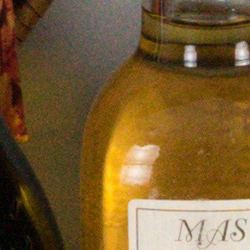 |
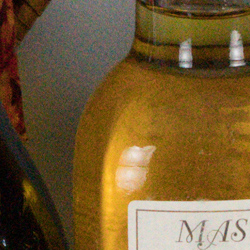 |
 |
 |
 |
 |
|
Sony A7S II at ISO 6400
|
Sony A7R II at ISO 6400
|
|
Again, the A7S II produces lower noise levels at ISO 6400 but the A7R II is sharper with noticeably more detail, though moiré patterns are still visible. (You can view the A7R II’s full-res version by clicking here.) |
|
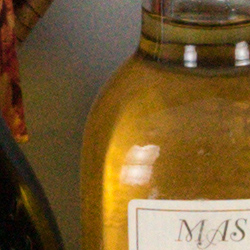
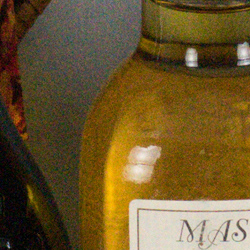
Sony A7S II vs Nikon D810 at ISO 6400 (Normalized RAW)
 |
 |
 |
 |
 |
 |
|
Sony A7S II at ISO 6400
|
Nikon D810 at ISO 6400
|
|
It’s a very similar story with the D810, with higher noise but finer, crisper detail. Again, as we’ve seen from all the high-resolution cameras in the comparison, moiré patterns are quite evident in the red-leaf swatch. (View the D810’s full-res version by clicking here.) |
|
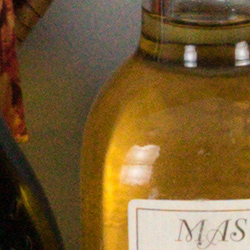
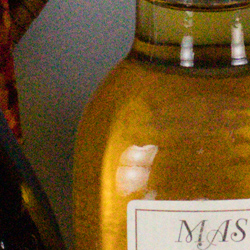
Sony A7S II vs Canon 5DS R at ISO 6400 (Normalized RAW)
 |
 |
 |
 |
 |
 |
|
Sony A7S II at ISO 6400
|
Canon 5DS R at ISO 6400
|
|
The Canon 5DS R isn’t known for its high ISO performance, so it’s no surprise noise is still significantly higher after being resampled down to 12 megapixels, however fine detail and sharpness is better. Again, we see some moiré patterns in the red-leaf swatch from the much higher-resolution Canon. (View the 5DS R’s full-res version by clicking here.) |
|
Now, let’s compare ISO 12800, the highest sensitivity common to all six cameras in this comparison.
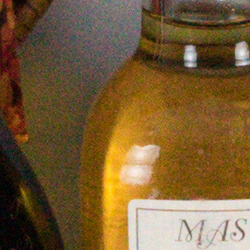
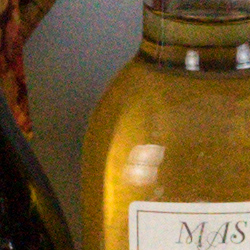
Sony A7S II vs Sony A7S at ISO 12800 (Normalized RAW)
 |
 |
 |
 |
 |
 |
|
Sony A7S II at ISO 12800
|
Sony A7S at ISO 12800
|
|
Once again, as expected the two 12-megapixel siblings produced nearly identical results at ISO 12800 except for minor differences in color and the red-leaf fabric. |
|
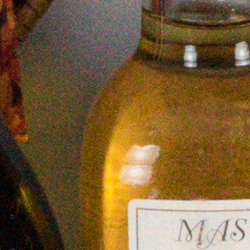
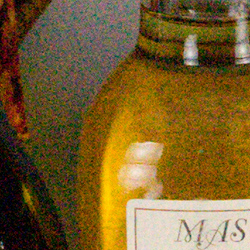
Sony A7S II vs Sony A7 II at ISO 12800 (Normalized RAW)
 |
 |
 |
 |
 |
 |
|
Sony A7S II at ISO 12800
|
Sony A7 II at ISO 12800
|
|
The A7S II still produces lower noise at ISO 12800, but this time the higher noise from the A7 II interferes with detail to the point of making the A7S II the better performer at this sensitivity even with the A7 II resized down to 12 megapixels. (View the A7 II’s full-res version by clicking here.) |
|
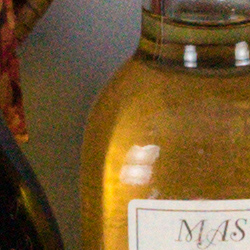
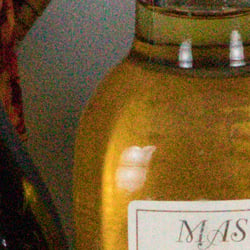
Sony A7S II vs Sony A7R II at ISO 12800 (Normalized RAW)
 |
 |
 |
 |
 |
 |
|
Sony A7S II at ISO 12800
|
Sony A7R II at ISO 12800
|
|
This is a very interesting comparison. The Sony A7R II is definitely noisier, but not by a whole lot when normalized. And it continues to produce a sharper image with better detail, so in the end which one would produce a better image after noise reduction is applied will likely depend more on your software and workflow than which camera. For example, when using one of our favorite raw converters (DxO Optics Pro 10 with PRIME noise reduction) to convert ISO 12800 .ARW files from both cameras using the same default settings, we found the resized A7R II image contained noise levels very similar to the A7S II’s, yet contained noticeably better detail. (You can view the A7R II’s full-res version by clicking here.) |
|
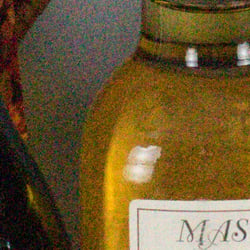
Sony A7S II vs Nikon D810 at ISO 12800 (Normalized RAW)
 |
 |
 |
 |
 |
 |
|
Sony A7S II at ISO 12800
|
Nikon D810 at ISO 12800
|
|
It’s a similar story compared to the Nikon D810 at ISO 12800: Lower noise, but less detail. After running both through DxO Optics Pro with PRIME noise reduction, the A7S II still came out ahead in terms of noise, but only slightly, while the D810 still managed better detail. (View the D810’s full-res version by clicking here.) |
|
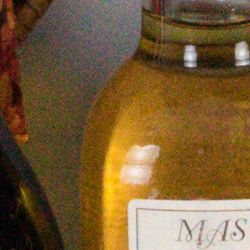
Sony A7S II vs Canon 5DS R at ISO 12800 (Normalized RAW)
 |
 |
 |
 |
 |
 |
|
Sony A7S II at ISO 12800
|
Canon 5DS R at ISO 12800
|
|
Noise levels are much higher from the Canon 5DS R at its extended high ISO limit, but its much higher resolution helps when images are normalized, and it does retain better detail. The A7S still comes out ahead overall at ISO 12800, but who’d have thought the 5DS R which isn’t considered a great high ISO performer could even come close to the low-light champ when normalized. After the same treatment in DxO Optics Pro with PRIME NR, noise levels are just a bit higher from the Canon, but detail is also generally better, except in the red-leaf fabric. Be aware, though, that ISO 12800 is the Canon’s top extended ISO whereas the A7S II tops out at a native ISO of 102,400 and an astronomical extended ISO of 409,600. (View the 5DS R’s full-res version by clicking here.) All this to say that significantly higher resolution full-frame cameras can give the Sony A7S II a run for the money when normalized down to the same 12-megapixel resolution. So if you need more resolution than the A7S II offers at lower ISOs yet still want great high ISO performance and are willing to work with resized converted raw files, a much higher resolution camera may make more sense allowing you to tradeoff resolution for high ISO performance. |
|
Sony A7S II vs. Sony A7S, Sony A7 II, Sony A7R II, Nikon D810, Canon 5DS R
 |
 |
 |
 |
 |
 |
 |
 |
 |
 |
 |
 |
 |
 |
 |
 |
 |
 |
| Sony A7S II ISO 100 ISO 6400 ISO 12800 |
Sony A7S ISO 100 ISO 6400 ISO 12800 |
Sony A7 II ISO 100 ISO 6400 ISO 12800 |
Sony A7R II ISO 100 ISO 6400 ISO 12800 |
Nikon D810 ISO 64 ISO 6400 ISO 12800 |
Canon 5DS R ISO 100 ISO 6400 ISO 12800 |
| Detail comparison. In terms of high-contrast detail, we can see the higher-resolution models all produced better detail and contrast than the A7S II and A7S when normalized, even at ISOs 6400 and 12800. Interestingly, the A7S II and AS7 images both contain a lot more color moiré in the fine lines of the text, however this will vary with the subject, distance, and even what raw converter you use. Adobe Camera Raw’s demosaicing algorithm tends to generate more false colors than some other converters we’ve tried, which is one reason we don’t typically do raw comparisons. And as you can see, the other cameras also have false colors in the text at the higher ISOs, but because they are higher resolution, the patterns just happen to be less obtrusive with this subject. | |||||
Sony A7S II Print Quality
High-quality prints up to 24 x 36 inches at ISO 50-400; Nice 8 x 10 inch prints all the way up to ISO 12,800; and usable 4 x 6 inch prints at a whopping ISO 102,400!
 ISO 50 through 400 prints all look practically identical, with great detail and vibrant colors, and we see no discernible noise as the ISO increases up to ISO 400. Despite the rather low-resolution 12-megapixel full-frame sensor, we nonetheless find prints up to 24 x 36 inches look very good across this range of sensitivities. At this print size, we are pushing the limits of the 12MP full-frame sensor, and at close inspection, you can see some pixelation. However, at normal viewing distances for prints of this size, they look nice and crisp.
ISO 800 images begin to show an increase in shadow noise, which is quite visible at 24 x 36 inches, however backing down to 20 x 30 inches shows excellent results. Again, there’s a hint of pixelation visible at close inspection, but a 20 x 30 print is quite large, and nevertheless looks great, with nice detail and colors at a normal viewing distance.
ISO 1600 prints show a bit more noise than ISO 800, but detail is still quite good. We’re calling it at 16 x 20 inches for this sensitivity, however a 20 x 30 inch print might be usable for less critical applications.
ISO 3200 images look practically identical to ISO 1600, and therefore print to the same size and still display the same level of fine detail and great color rendition.
ISO 6400 prints show an increased level of noise, but up to 13 x 19 inches, prints look impressive with noise remaining under control. Visible noise is still mainly constrained to the shadows, and detail elsewhere looks quite good; even the tricky red-leaf fabric of our Still Life target still shows detail at this print size.
ISO 12,800 images finally begin to soften detail in the tricky red-leaf fabric, as noise becomes stronger. However, a nice 8 x 10 print is certainly possible at this rather high ISO level with lots of fine detail.
ISO 25,600 prints still show a good level of detail at similar print sizes to the previous sensitivity, but noise is visibly higher, forcing us to limit prints to just 5 x 7 inches.
ISO 51,200 images show just a hint more noise than the previous ISO sensitivity, but we’re calling 5 x 7 inch prints as the limit for this ISO, too, as we can’t see a significant impact on print quality.
ISO 102,400 prints are normally unfeasible, but the A7S II bucks the trend with a totally usable 4 x 6 inch print! Though a small print, a 4 x 6 at this sensitivity shows surprisingly nice detail and good colors.
ISO 204,800 and 409,600 images are both too noisy and lacking in fine detail to be considered usable for making prints.
The Sony A7S II, as with its predecessor, manages a fantastic performance in the print department. Though it only features a relatively low-resolution 12-megapixel full-frame sensor, the Sony A7S II still manages some rather large prints, especially at the lower ISOs. Up to ISO 400 the A7S II can print all the way up to 24 x 36 inches. While you see some pixelation at very close inspection, from a normal viewing distance for a print of this size, detail is crisp and colors are vibrant and pleasing. Raising the ISO sensitivity to levels where other cameras struggle for sizable prints, the A7S II manages a pleasing 8 x 10 print all the way up at ISO 12,800. However, what’s truly eye opening is the fact that you can get an acceptable 4 x 6 inch print all the way up to ISO 102,400! We’ve yet to come across another camera that can pull this off. Going higher than this ISO sensitivity, however, we do find prints are too noisy and lack fine detail to make acceptable prints.
Field Test
Big improvements make their way to Sony’s low-light champ
by Jeremy Gray | Posted 12/11/2015
 |
|
Sony FE 70-200mm f/4 G OSS at 200mm, f/4, 1/250s, ISO 320
This image has been modified slightly. Click for original image. |
Introduction
The Sony Alpha 7S II is Sony’s new update to the original mirrorless interchangeable lens Alpha 7S camera that was released in April 2014. Although the A7S II features the same 12.2-megapixel full-frame CMOS sensor as the original, there are numerous upgrades, such as the addition of internal 4K recording, a 5-axis image stabilization system, and tweaks to the camera body itself. If you’re looking for a camera that can capture excellent images in any lighting situation, the A7S II is for you.
 |
|
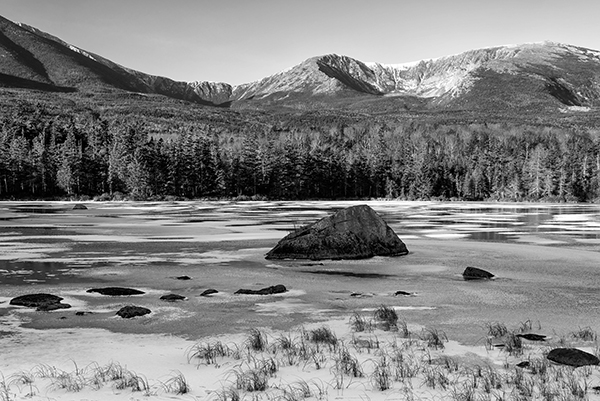
Sony FE 24-70mm f/4 ZA OSS at 42mm, f/8, 1/6s, ISO 100
This image has been modified slightly. Black and white conversion done in post. Click for original image. |
Key Features
- 12.2-megapixel full-frame CMOS sensor
- Uncompressed 14-bit RAW files
- 169-point contrast detect AF
- 5-axis image stabilization
- Internal 4K recording
- 0.51″ OLED electronic viewfinder with 0.78x magnification
 |
Packing a lot of features into a small space
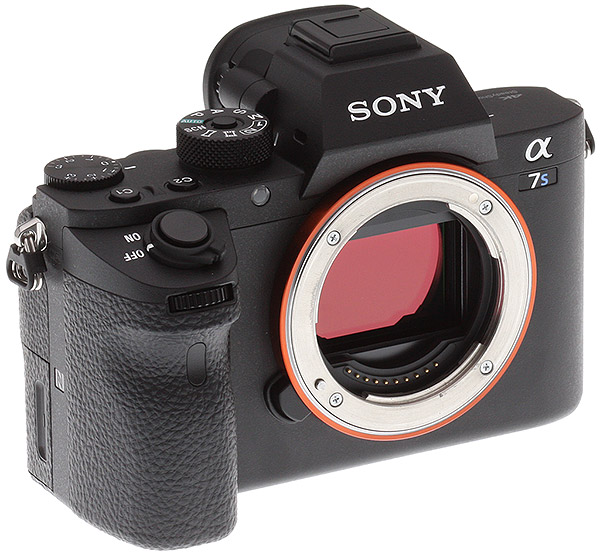
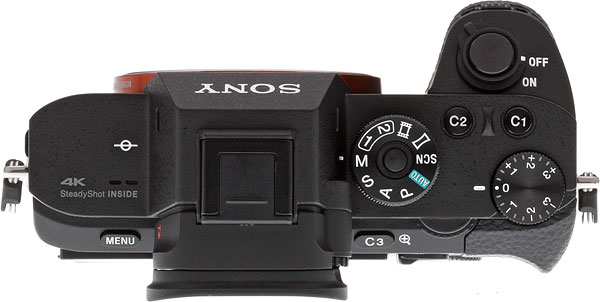
Despite having a full-frame sensor, the A7S II is a small camera body; it weighs only 22.1 ounces (627 grams) with the battery and has dimensions of 4.7 x 2.7 x 1.5 inches (119 x 69 x 38 millimeters). Compared to other full-frame cameras I’ve used, the A7S II is definitely the smallest and lightest. In fact, it’s even smaller than a number of cameras I’ve used with smaller sensors. Where other small camera bodies have sometimes come up short is with their physical controls; there is often a compromise made to ensure a compact camera body. This is not the case with the A7S II as it has numerous physical controls including dual command dials, an exposure compensation dial, and four customizable function buttons (although other buttons can be customized as well). Compared to the original A7S, the A7S II has a repositioned shutter release and command dials and a re-contoured front grip. I’ve not used the original A7S, but I can say that the A7S II feels very good in my hands.
 |
The electronic viewfinder on the A7S II is upgraded as well with 0.78x magnification replacing the 0.71x one found on the original A7S. The 0.51″ OLED EVF works well and with 2.35-million dots, it’s very sharp. The EVF has also seen upgrades to its construction, it now has double-sided aspherical elements and Zeiss T* coating to produce a sharper display and to reduce reflection. I highly recommend changing the default settings so that the camera switches between the EVF and the rear display automatically. The eye sensor works well in many situations and it’s much more convenient. It also allows you to free up a custom button that is used for switching between the EVF and rear display by default. Speaking of the rear display, it’s 3″ and has 1,228,800 dots, making it very crisp and bright. The display tilts, although it is not a tilt swivel display. In addition, it isn’t a touchscreen, which is a disappointment. Overall, the A7S II is a very comfortable camera body to use with extensive control despite its compact camera body. Ergonomically, the controls are all positioned in easy-to-reach locations as well.
 |
Superb sensor captures great images
Utilizing the same 12.2-megapixel full-frame CMOS sensor as the original A7S, the A7S II isn’t going to blow you away with its resolving power. What it will do, however, is allow you to capture high-quality images in situations where many other cameras cannot. The A7S II boasts fantastic low light capabilities thanks to its relatively low-resolution sensor and larger per-pixel size. It’s not all the same as its predecessor though, because the A7S II’s BIONZ X image processor has been tweaked to provide better image quality and sharpness at higher ISOs than the original A7S.
 |
|
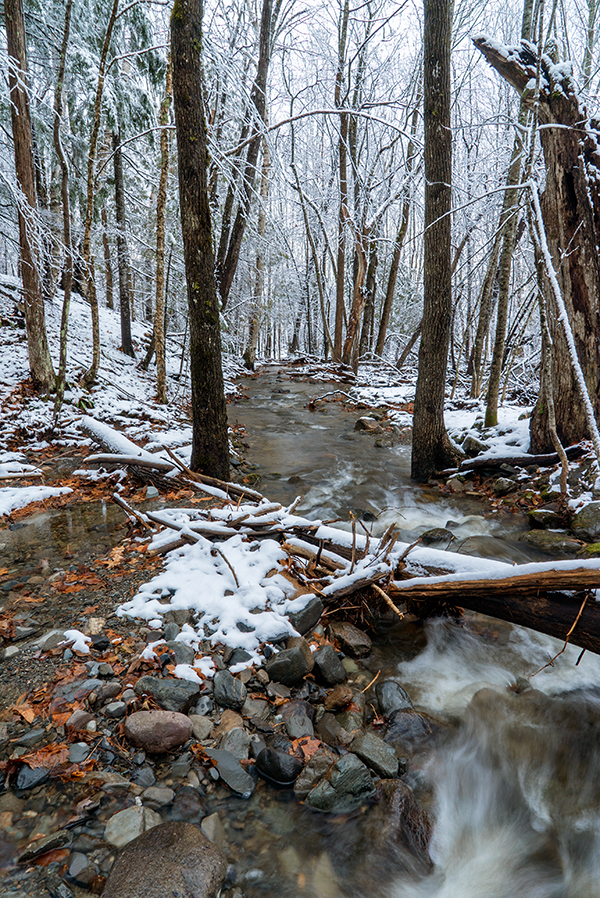
Sony FE 24-70mm f/4 ZA OSS at 24mm, f/11, 1/10s, ISO 100
This image has been modified. Exposing for the snow, I was able to increase shadows dramatically to get this final image. Click for original image. |
Sony is well-known for the dynamic range performance of their sensors and the A7S II continues that trend, providing impressive results. Thankfully, the A7S II now offers uncompressed RAW recording as well, so you’ll have access to even more data than before. The uncompressed RAW files are quite a bit larger than the compressed ones, but as can be seen further below, they don’t come with a big performance drop-off.
Although you’ll take the best advantage of the great sensor by shooting in RAW, the A7S II captures good JPEG images too. Colors are vibrant and accurate, and tonal transitions are smooth. There are many adjustments you can make in-camera to saturation, contrast, and sharpness, so it is easy to capture images that have the look that you like. Personally, I opt for the “vivid” Creative Style in many situations because it provides JPEG files with just a bit of extra pop, although the contrast is a bit heavy for my tastes at the default setting.
 |
|
Sony FE 70-200mm f/4 G OSS at 200mm, f/4, 1/250s, ISO 500
This image has been cropped. Click for original image. |
In the current camera market, it’s unusual to see a new full frame camera come out with a 12.2-megapixel sensor. The high ISO performance (more on that later) of the A7S II is definitely impressive, but the resolution of images does leave a bit to be desired. You can make very good prints from the A7S II, even 16 x 20 and above, but there are times when more megapixels is simply better, such as when you need to crop an image or want to make very large prints. In any case, this is likely not the camera for landscape photographers even though it has excellent image quality.
Incredible low light performance sets the new standard
 |
|
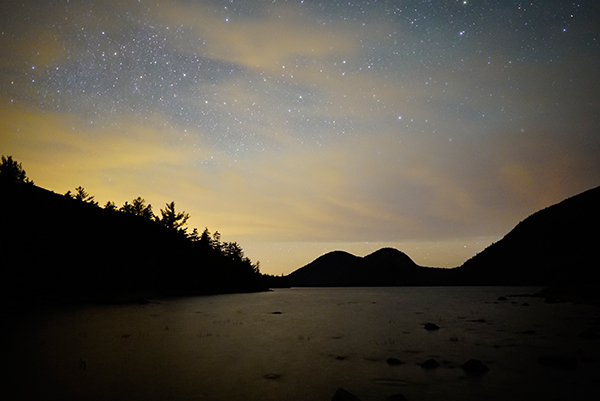
Sony FE 28mm f/2, f/2, 20s, ISO 6400
This image has been resized. Click for original image. |
Low light performance is where the A7S II really shines. With a native ISO range of 100-102,400 (expandable to 50-409,600), it is a low light monster. While this isn’t a step up from the original A7S on paper, Sony says that there have been improvements made to mid- and high-ISO performance. Simply put, the A7S II allows you to capture great images in conditions that many other cameras cannot and this capability creates opportunities.
|
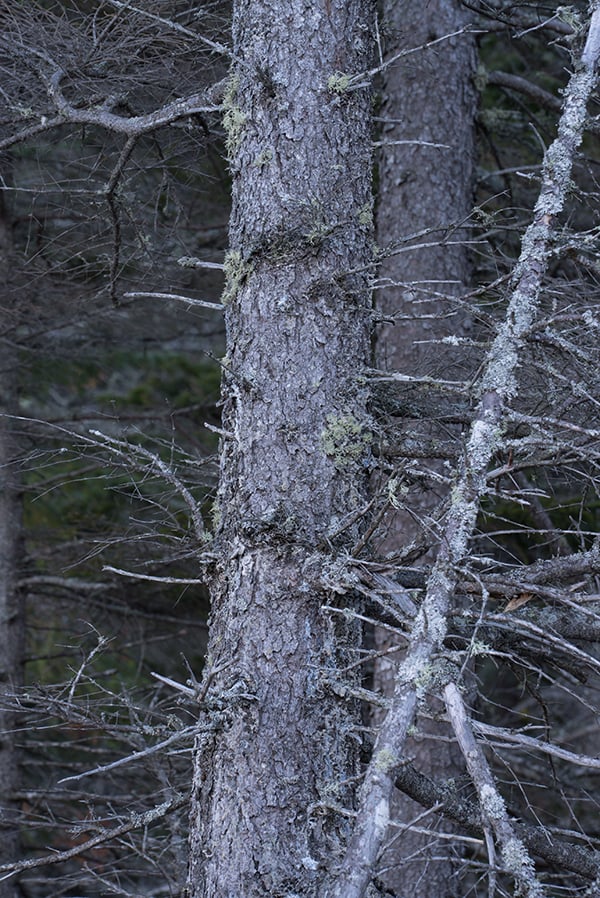
Sony A7S II Noise Comparison 100% Center Crops from RAW images (Click images for full-size files)
RAW files resized in Photoshop with default sharpening and noise reduction turned off |
|
 |
|
|
ISO 100 Full Scene
|
|
 |
 |
|
ISO 50
|
ISO 100
|
 |
 |
|
ISO 200
|
ISO 400
|
 |
 |
|
ISO 800
|
ISO 1600
|
 |
 |
|
ISO 3200
|
ISO 6400
|
 |
 |
|
ISO 12800
|
ISO 25600
|
 |
 |
|
ISO 51200
|
ISO 102400
|
 |
 |
|
ISO 204800
|
ISO 409600
|
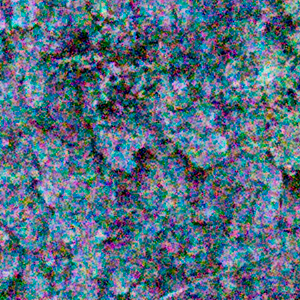
Although capable of shooting at a staggering ISO 409,600, the native range of the A7S II tops out at 102,400. Unfortunately, ISO 102,400 isn’t really usable, in my opinion, due to the high amount of noise. However, with a bit of noise reduction I was able to get usable images at up to ISO 25,600. Even RAW images at ISO 51,200 could be worked into something usable, albeit quite soft by the time the severe noise was reduced to acceptable levels. At ISO 51,200, another issue becomes visible however: red tinting along the edge of the image. You can see this in the 100% crop of a RAW image captured at ISO 51,200 below (I have performed noise reduction on the image to reduce the impact of the visible noise throughout the image).
 |
|
Processed RAW file taken at ISO 51200. This is a 100% crop from the right edge of the image. You can see the red tinting along the edge.
|
For maintaining really high-quality RAW images, I personally wouldn’t push the A7S II past ISO 6400, but even ISO 12,800 can be processed into sharp final images with acceptable levels of noise. It’s really incredible to see how clean RAW files are from the A7S II at ISO 1600, an ISO speed that I regularly use for my own wildlife work and a speed that would’ve been pushing a digital camera past its limits not all that long ago.
With noise reduction set to normal, the A7S II produces usable JPEG images up to ISO 25,600. As with RAW images, there is red tinting that becomes distracting at ISO 51,200, but a bit of cropping would take care of that issue. JPEG images at ISO 25,600 maintain good detail and the default noise reduction does a good job of balancing noise reduction with maintaining a detailed image. The noise reduction creates a pattern that can be a bit distracting when viewing files at 100%, however, as out of focus areas take on a speckled and rough appearance that looks very digital. This effect is dramatically less at ISO 12,800 and basically gone by ISO 6400, where JPEG files just look really good.
|
Sony A7S II Noise Reduction Comparison: ISO 25600, 100% crops from JPEG files (click for full images)
|
||
 |
 |
 |
|
Noise Reduction Default
|
Noise Reduction Low
|
Noise Reduction Off
|
The default noise reduction does a good job at preserving details while also removing a lot of noise. The ‘low’ setting does well too, providing slightly sharper images with minimally more visible noise. There really isn’t a big difference between the normal and low settings. Noise reduction ‘off’ is best avoided, in my opinion, because it makes JPEG files look very noisy and in dire need of post-processing at high ISO speeds. I would shoot RAW + JPEG with the A7S II with noise reduction set to normal. It provides a very solid JPEG file at very high ISOs and you have the RAW file to work with if you need more fine-tuned noise reduction. Overall, the built-in noise reduction works really well and allows the A7S II to produce good JPEG images at very high ISO speeds.
 |
|
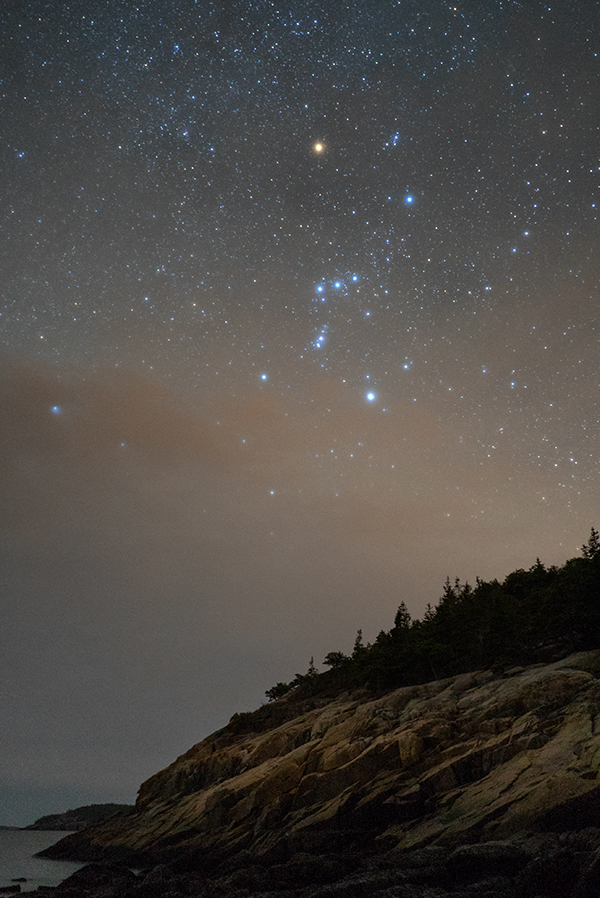
Sony FE 28mm f/2, f/2, 15s, ISO 6400
This image has been modified slightly. Click for original image. |
Perhaps in an effort to save space on the top of the camera, or maybe because you won’t often need to use a flash with the high ISO capabilities of the A7S II, there is no built-in flash. When an external flash is in use, the A7S II offers your standard fare of flash options, such as flash exposure compensation and flash sync options and the maximum flash sync is 1/250s.
Actually using the camera in low light is great. Paired with a fast lens, such as the 28mm f/2, it is easy to use the camera at night because the high ISO capabilities are so good that you can get a good live view image in even the darkest conditions. The eye sensor is unsurprisingly a bit finicky in the dark, however, so I recommend turning it off (if you turned it on) when working at night. Manually focusing is a breeze at night too, with the live focus scale on the display (or EVF) providing real-time feedback.
 |
|
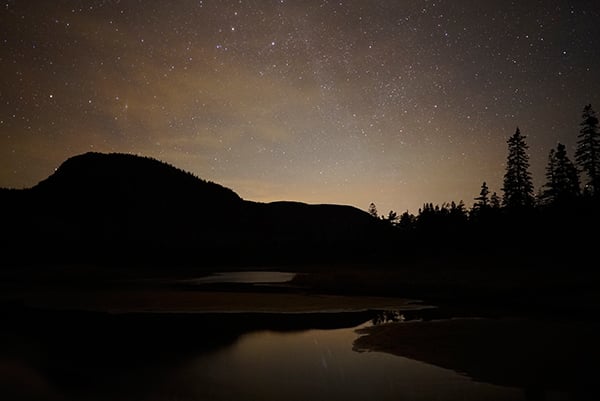
Sony FE 28mm f/2, f/2, 13s, ISO 5000
This image has been resized. Click for original image. |
Overall, the A7S II is incredible in low light. RAW performance is very good and I would not hesitate to use the A7S II up to ISO 6400 and even ISO 12,800 if the need arose. JPEG images with normal or low noise reduction look good until ISO 25,600, but ISO 51,200 and above will need considerable work to turn into usable files at any reasonably large image size. If you need to capture high-quality images in low light, you’ll be hard-pressed to find a better option than the A7S II.
In the field, the A7S II is comfortable, capable and configurable
The camera body itself provides easy and quick access to many important menus. The exposure compensation dial on the top deck of the camera provides quick access to up to five stops of exposure compensation in one-third stop increments, and the customizable C1 and C2 buttons right above the dial and the C3 button just to the left of the command dial on the back of the camera are all easy to reach and can be programmed to any of a wide variety of camera settings, including ISO, focus settings, white balance, metering mode, and much more.
There are a few aspects of how the camera handles out in the field that I don’t like quite as much, however. The mode dial has a locking mechanism, which means that it’s slower and more difficult to rotate with one hand. Some people may consider a locking mode dial a feature, but I very rarely accidentally rotate mode dials on my cameras, so a locking mechanism feels unnecessary to me personally. Additionally, the buttons on the back of the camera, with the exception of the C3 and Menu buttons, are small and they sit relatively flush against the camera. These buttons can be difficult to press when trying to make quick settings adjustments.
 |
|
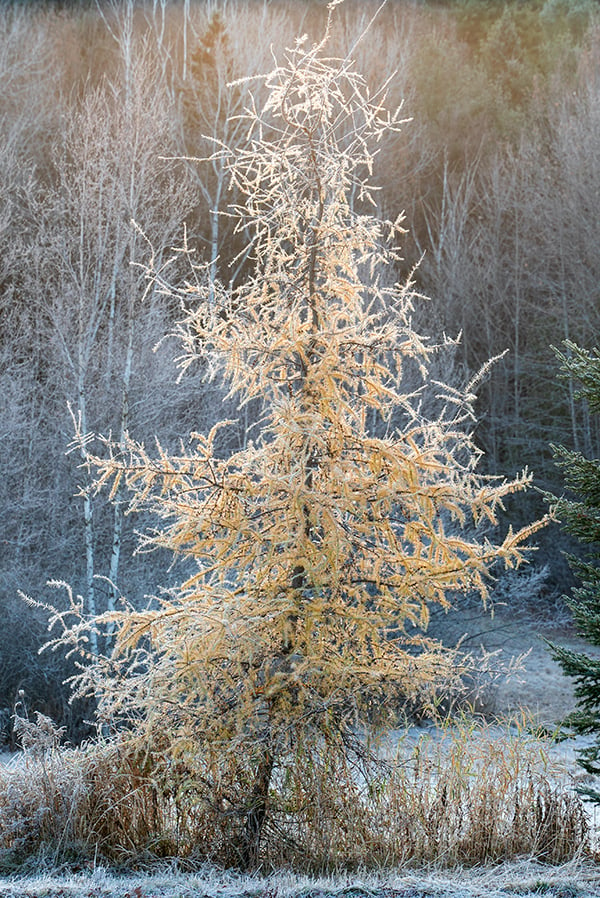
Sony FE 70-200mm f/4 G OSS at 158mm, f/8, 1/160s, ISO 320
This image has been modified slightly. Click for original image. |
The lack of a touchscreen becomes most apparent when using the function menu, which is accessed by pressing the Fn button above the control dial on the back of the camera. The menu itself provides access to many useful settings, such as drive mode, metering mode, focus area, focus mode, and ISO settings, but moving around the menu and changing settings using the dials can be slow and tedious.
The 1200-zone metering system in the A7S II works well and there are multi-segment, center-weighted, and spot metering modes available. For situations in which exposure compensation is necessary, the dedicated exposure compensation dial on the top deck of the camera is easily reachable while shooting. Most of the time, the camera does a good job with exposure and compensation isn’t necessary. When shooting in the snow, however, exposure compensation was needed because the camera wanted to expose the snow as gray, but this is not unusual. Regarding white balance metering, I felt that the A7S II had a tendency to make images a bit too cool, but shooting RAW allowed me to address this quickly in post-processing.
Among the camera’s various modes, the Sweep Panorama exposure mode lets you to create a single panoramic image from multiple images. You select from ‘standard’ or ‘wide’ panorama sizes. It’s an easy to use mode, but the final image is only 1,856 pixels tall so it isn’t going to provide you with the high resolution results you can could get by manually stitching your own panorama.
 |
|
Sony FE 70-200mm f/4 G OSS at 200mm, f/4, 1/800s, ISO 100
This image has been modified slightly. Click for original image. |
With excellent high ISO capabilities, the A7S II’s auto ISO option is very useful. The A7S II includes the ability to set minimum shutter speed in addition to being able to select from a variety of settings that will change with focal length. By selecting ‘fast’ or ‘faster’ for example, when using auto ISO, the camera will use shutter speeds 1 or 2 stops faster than the camera’s default shutter speed at the given focal length. By selecting ‘slow’ or ‘slower,’ shutter speeds are 1 or 2 stops slower than the default, and thus bias exposure settings toward lower ISOs.
The A7S II offers in-camera HDR shooting, as well, with both an HDR Auto mode and HDR EV (you can select from 1-6 EV in 1 EV increments). You are not able to capture HDR images when recording RAW files, however, and you can’t use Auto HDR when shooting in Intelligent Auto, Superior Auto, Sweep Panorama, or Scene Selection modes.
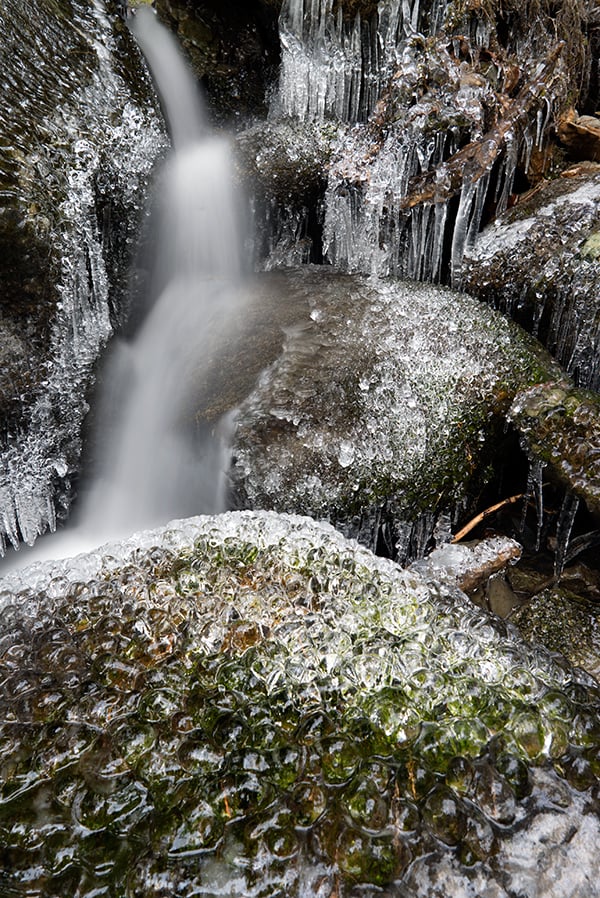 |
|
Sony FE 24-70mm f/4 ZA OSS at 27mm, f/8, 5s, ISO 50 |
The 5-axis image stabilization from the A7 II has been brought to the A7S II. The 5-axis image stabilization system corrects for yaw and pitch, x and y, and roll movements that can blur your image. When using one of the many E-mount lenses that have built-in image stabilization, the A7S II will complement the lens’ stabilization by adding in the additional axes of stabilization support that the lens lacks so that they work together rather than on top of each other.
 |
|
Sony FE 70-200mm f/4 G OSS at 200mm, f/8, 1/50s, ISO 100
This image has been resized. The A7S II’s excellent image stabilization allowed me to capture a sharp image at 200mm with a shutter speed of only 1/50s. Click for original image. |
Overall, the A7S II works very well in the field. The changes to the camera body pay dividends as the camera is comfortable to use for extended periods of time. And if you do plan to use the A7S II for an extended period of time, you should bring a spare battery along with you because the camera chews through its small batteries quite quickly. According to CIPA, it’s rated for 370 still captures when using the LCD and 310 still captures when using the EVF. Video recording will drain the battery even quicker. Autofocus and metering performance are top-notch, and with the improvements to auto ISO capabilities, the A7S II is a very versatile camera.
Burst shooting rates disappointing & menus feel sluggish
The A7S II is not a particularly fast camera for being only 12-megapixels. In Speed Priority Continuous mode, it shoots at a maximum of 5fps. In Speed Priority Continuous mode, continuous AF is not available, so its utility depends greatly on the subject you’re shooting as autofocus is locked when you capture the first frame. In Continuous shooting with full AF performance, continuous shooting speeds drop to approximately 2.5fps. Buffer depths are pretty good with the A7S II, capable of shooting approximately 64 JPEG Extra Fine, approximately 28 uncompressed RAW images, and approximately 25 JPEG Extra Fine/Uncompressed RAW images before the buffer is exhausted. The camera clears the buffer in 22, 15, and 19 seconds respectively, which is decent. The BIONZ X image processing engine does a good job overall, but the continuous shooting speeds are somewhat disappointing.
One aspect of the A7S II that surprised me is how sluggish the menu system felt at times. Trying to make adjustments occasionally felt clunky and going through image playback became slow at times.
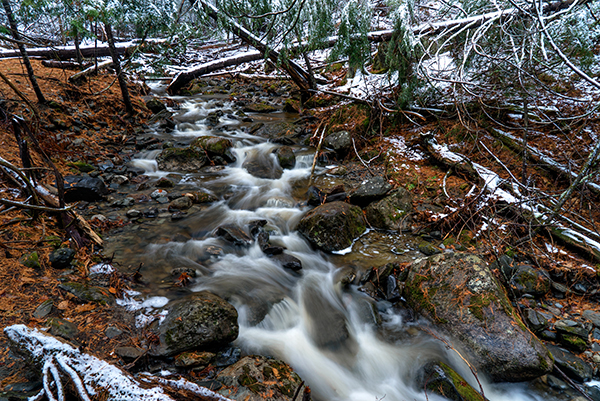 |
|
Sony FE 24-70mm f/4 ZA OSS at 24mm, f/8, 1s, ISO 100
This image has been modified slightly. Click for original image. |
Menu system in need of refinement
While the camera body itself is laid out really well, with a wide array of controls and usability features, the menu system can be frustrating to deal with, particularly when trying to change certain settings out in the field. The camera offers little in the way of explanation as to why certain menu options are grayed-out at times and forces you to scroll through menus to change settings that it should be able to change automatically.
For example, if you want to capture an HDR image while the camera is set to record RAW and JPEG images, the menu will tell you that the operation is not available. Rather than allow you to set the image quality to JPEG from there, you instead have to press OK, back out of the DRO/Auto HDR menu by pressing the ‘Menu’ button, scroll over four tabs to the left and then select Quality and toggle down to a JPEG quality setting. Once you’ve done this, you have to go back to the DRO/Auto HDR menu to change the settings. When you want to return to shooting regular images, you presumably want to record them in RAW quality as you had been before, but you now have to go back through this process again.
This may not sound like a big deal, and in many ways it isn’t, but this sort of process is very common to the A7S II’s menu system, and it becomes annoying and time-consuming. If Sony could put additional effort into streamlining their menu system, using their already great camera would become even more enjoyable. If there are particular options you want quick access to, such as file quality, you can assign it to a custom button, but that means that you’ll likely have to make difficult decisions regarding which functions get shortcuts and which stay relegated to the clunky menu system.
 |
|
Sony FE 90mm f/2.8 Macro G OSS, f/7.1, 1/100s, ISO 320
This image has been resized. Click for original image. |
Internal 4K recording tops an impressive suite of video features
There are numerous improvements to the A7S II’s video performance and features, including the inclusion of internal 4K recording with full pixel readout and no pixel binning (which leads to reduced moir and aliasing artifacts). Internal 4K is major convenience upgrade from the original A7S, which offer 4K video but only via HDMI. In addition, the A7S II offers clean HDMI 4K output, 1080p resolution video at up to 120fps (HFR mode), and headphone and mic inputs. For video editors, the A7S II also includes flat cinema profiles for color grading including the addition of the S-Log3 picture profile. When using these profiles, to help with achieving focus and seeing the real-time video, there is a Gamma Display Assist Function which makes the video appear more natural on the screen when recording in a flat profile.
Although there are many features on the A7S II for video professionals, good performance is also there for people like me who are primarily still photographers but would like to be able to capture high-quality video from time to time. The A7S II deals with changes in lighting conditions with ease and makes seamless changes to shutter speed and aperture. It also does a great job maintaining focus, even when recording moving objects or changing composition.
As anticipated, recording video in low light is no problem at all for the A7S II. It records high-quality video at very high ISO settings. While the A7S II cannot record video below the native ISO 100, it has access to the high expanded ISO settings all the way up to 409,600.
The movie REC button is in a decent location, but it isn’t perfect. It can be difficult to press while maintaining a good grip on the camera because the button is basically on the right side of the camera. You can assign other buttons on the camera to serve the movie REC function though, so it isn’t a big deal.
The internal 4K video recording is excellent with the A7S II, although you will need an SDXC Class-10 memory card to record in 4K resolution. Quality is very good and the rolling shutter effect is handled well. 1080p video is good as well, although it certainly isn’t what most people purchasing an A7S II are interested in. The 120fps video recording at 1080p is excellent, and a nice feature to have for recording slow motion video. 4K video recording is limited to 30fps, so those looking for 60fps recording (or higher in the case of the A7S II) will need to record at 1080p resolution.
Smart Remote application offers good control and performance
Sony’s Smart Remote Control application is quite good and offers a lot of control, but getting the application up and running was time consuming. I had to update the application in the A7S II, which required me to sign into my Sony Entertainment Network account. This was tedious to do on the A7S II because entering an email address and password without a touchscreen takes quite a while, after already having to enter in a wireless router password in the same way. The application store itself is very slow to load. To avoid this, you can plug your camera into your computer and run the PlayMemories Home application. For whatever reason, the application kept crashing for me, so I had to do everything on the camera itself.
|
Panasonic Image App Screenshots
|
|
 |
 |
Once the application was downloaded, setting the camera up with my iOS device was straightforward. The A7S II does have NFC, so for Android users, the process of connecting your device to the camera should be quick. With the camera connected, the application on my phone provided a lot of control and an impressive real-time feed to the phone’s display. I had control over shutter speed, aperture, exposure compensation, ISO, and could use my finger to move the AF point around the screen. One strange thing was that when using the A7S II in portrait orientation, the image on the phone didn’t rotate to correctly orient itself. With that said, the application is good overall and provides all of the features I expect from a smart remote application.
Sony A7S II Field Test Summary
A very impressive camera for low light shooting
What I like:
- Improved ergonomics make the A7S II comfortable to use
- 169-point contrast detect AF system does a good job
- Low light performance is superb
- Internal 4K recording produces high-quality video
What I dislike:
- Menu system is clunky
- Continuous autofocus performance is decent, but you can’t shoot faster than 2.5fps with continuous autofocus enabled
- Battery life is disappointing for a camera of this class
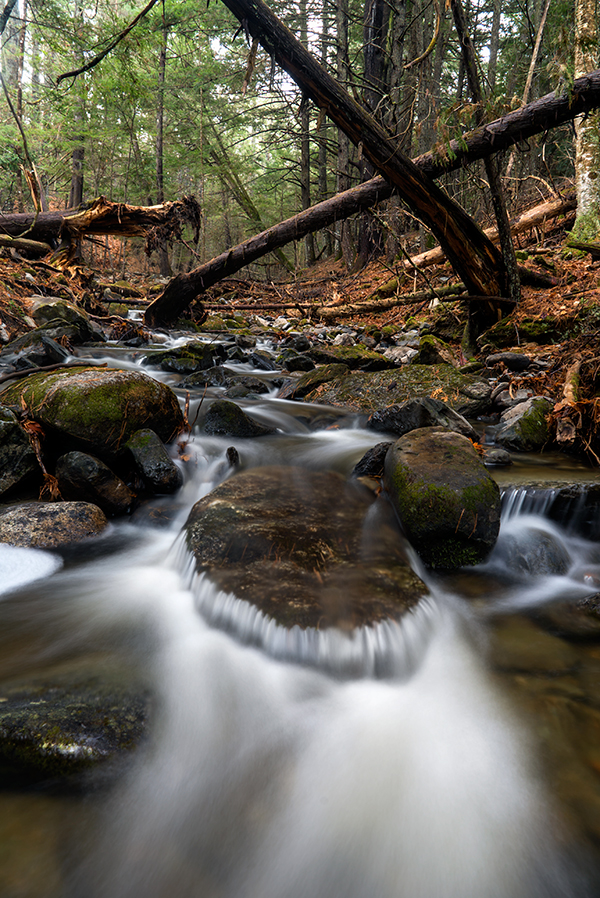 |
|
Sony FE 24-70mm f/4 ZA OSS at 24mm, f/9, 5s, ISO 50
This image has been modified slightly. Click for original image. |
The Sony Alpha 7S II combines a well-designed, and compact, camera body with a 12.2-megapixel full-frame sensor that has a staggering native ISO range of 100-102,400. Add in improved autofocus relative to the original A7S and internal 4K video recording, and you have a compelling and full-featured mirrorless camera. The menu system could use refinement, and the continuous autofocus and shooting speeds leave something to be desired, but ultimately the A7S II is a great camera.
What it lacks in resolving power, the A7S II makes up for with its excellent low light capabilities and high ISO performance. For photographers needing a camera that delivers great image quality in a wide variety of situations, it’ll be difficult to find a better camera than the A7S II.
High ISO Noise Reduction
Like its predecessor, the Sony A7S II offers only three High ISO Noise Reduction settings: “Off”, “Low” and “Normal” (default). The user manual doesn’t say at what sensitivity High ISO Noise Reduction begins to be applied, so we’ve included crops from ISO 50 on up to find out.
See for yourself how the the default and lowest noise reduction settings compare to RAW files with no noise reduction or sharpening applied. Click on any of the crops below to see the corresponding full-sized image.
| High ISO Noise Reduction Comparison In-Camera JPEGs vs RAW Simulated Daylight |
|||
|
Normal
|
Off
|
RAW (No NR)
|
|
| I S O 5 |
 |
 |
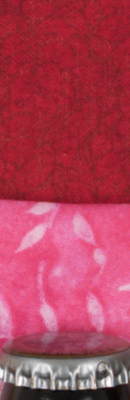 |
 |
 |
 |
|
 |
 |
 |
|
|
Normal
|
Off
|
RAW (No NR)
|
|
| I S O 1 |
 |
 |
 |
 |
 |
 |
|
 |
 |
 |
|
|
Normal
|
Off
|
RAW (No NR)
|
|
| I S O 2 |
 |
 |
 |
 |
 |
 |
|
 |
 |
 |
|
|
Normal
|
Off
|
RAW (No NR)
|
|
| I S O 4 |
 |
 |
 |
 |
 |
 |
|
 |
 |
 |
|
|
Normal
|
Off
|
RAW (No NR)
|
|
| I S O 8 |
 |
 |
 |
 |
 |
 |
|
 |
 |
 |
|
|
Normal
|
Off
|
RAW (No NR)
|
|
| I S O 1 |
 |
 |
 |
 |
 |
 |
|
 |
 |
 |
|
|
Normal
|
Off
|
RAW (No NR)
|
|
| I S O 3 |
 |
 |
 |
 |
 |
 |
|
 |
 |
 |
|
|
Normal
|
Off
|
RAW (No NR)
|
|
| I S O 6 |
 |
 |
 |
 |
 |
 |
|
 |
 |
 |
|
|
Normal
|
Off
|
RAW (No NR)
|
|
| I S O 1 |
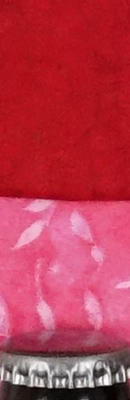 |
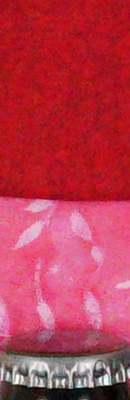 |
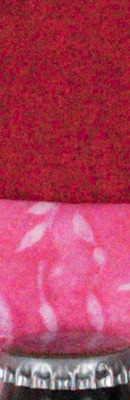 |
 |
 |
 |
|
 |
 |
 |
|
|
Normal
|
Off
|
RAW (No NR)
|
|
| I S O 2 |
 |
 |
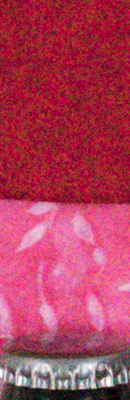 |
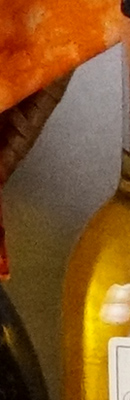 |
 |
 |
|
 |
 |
 |
|
|
Normal
|
Off
|
RAW (No NR)
|
|
| I S O 5 |
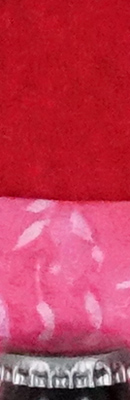 |
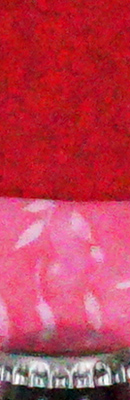 |
 |
 |
 |
 |
|
 |
 |
 |
|
|
Normal
|
Off
|
RAW (No NR)
|
|
| I S O 1 |
 |
 |
 |
 |
 |
 |
|
 |
 |
 |
|
|
Normal
|
Off
|
RAW (No NR)
|
|
| I S O 2 |
 |
 |
 |
 |
 |
 |
|
 |
 |
 |
|
|
Normal
|
Off
|
RAW (No NR)
|
|
| I S O 4 |
 |
 |
 |
 |
 |
 |
|
 |
 |
 |
|
As you can see, the Sony A7S II’s default High ISO Noise Reduction already has a noticeable effect at sensitivities as low as ISO 50, and the “Off” setting really isn’t off (which is almost always the case), as the A7S2 II still applies fairly strong noise reduction with that setting at high ISOs.
Conclusion
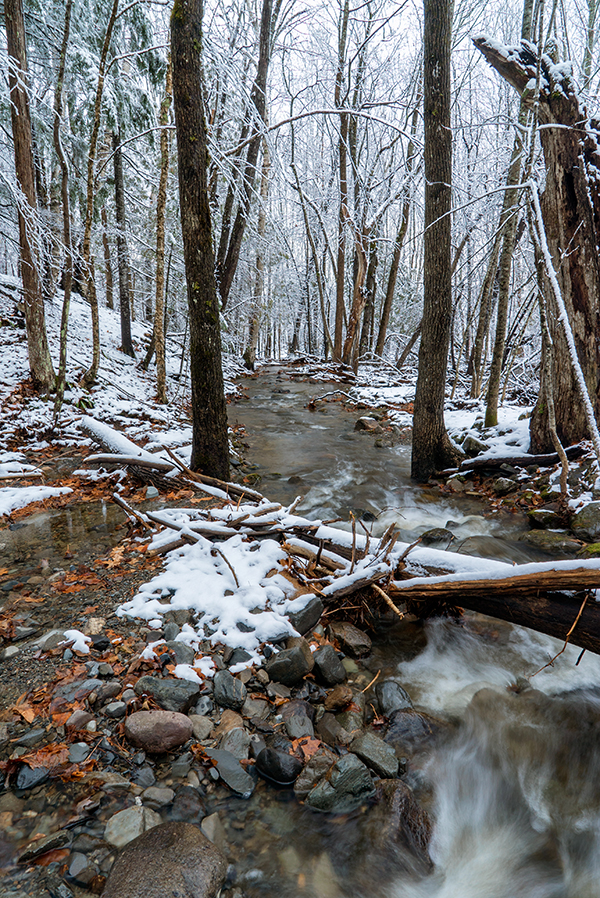 |
|
Sony FE 24-70mm f/4 ZA OSS at 24mm, f/11, 1/10s, ISO 100
This image has been modified. Click for original image. |
Following up on their impressive low-light camera, the A7S, Sony has made an incremental, yet impressive, upgrade with the new Sony A7S II. While the sensor remains unchanged, Sony has reworked the image processing engine to provide even better high ISO performance. Considering how impressive the original A7S was at high ISOs this is quite a feat. Furthermore, the camera underwent a face-lift like its Mark II sibling with improved controls and ergonomics, as well as gaining Sony’s impressive 5-axis image stabilization technology.
Relatively compact camera body doesn’t skimp on controls
Featuring a refined design, which saw the front control dial and shutter release button repositioned into more user-friendly position like the other A7-series “Mark II” revisions, the A7S II is a well-built and solid-feeling camera. The front grip, while not massive, is big enough to provide ample grip. The body and lens mount have both been strengthened compared to the original A7S as well.
|
The electronic viewfinder also saw improvement, which we liked a lot. Improving from 0.71x magnification to 0.78x magnification and featuring double-sided aspherical elements and Zeiss T* coating, the A7S II’s electronic viewfinder proved to work very well. The 3″ tilting rear display is very nice, too, although its lack of touch functionality remains unfortunate.
Relatively low-megapixel sensor captures great images
To provide impressive high ISO performance, there often must be a compromise. In the case of the Sony A7S II, that compromise is resolving power. Packing only a 12-megapixel full-frame CMOS sensor, the A7S II will not be able to match other modern full-frame cameras in terms of resolution, but this doesn’t mean that it can’t deliver high-quality, sharp images. Both JPEG and RAW image performance is impressive with detailed, vibrant images. JPEG images perform particularly well as we found that the A7S II produces very sharp, detailed images with minimal sharpening artifacts and little loss of detail due to noise suppression as the ISO rises.
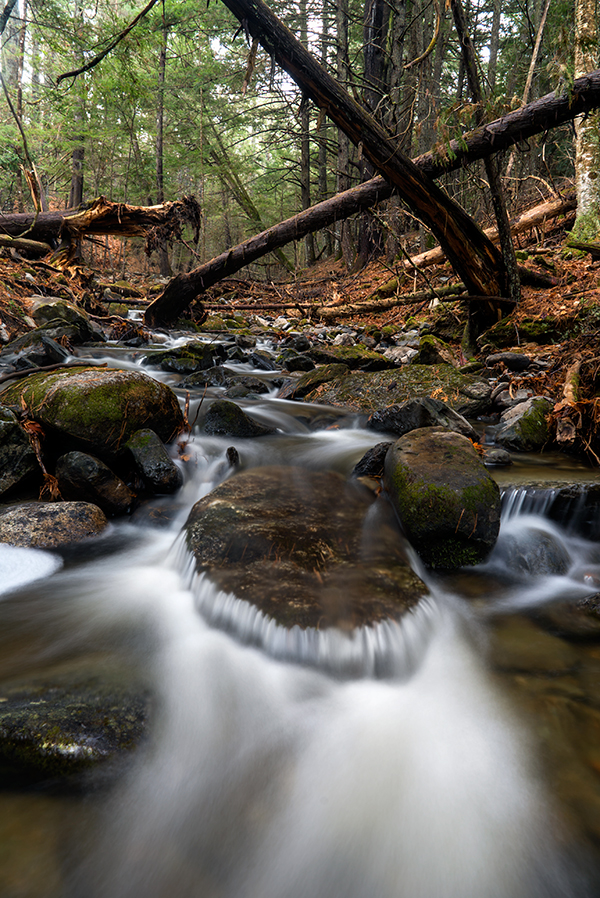 |
|
Sony FE 24-70mm f/4 ZA OSS at 24mm, f/9, 5s, ISO 50
This image has been modified slightly. Click for original image. |
Recording RAW images really brings out the best that the A7S II has to offer, however, allowing incredible latitude for making exposure adjustments and delivering images with impressive dynamic range. Thankfully Sony has also added uncompressed RAW image recording capabilities for the A7S II, allowing users access to even more data than before. When looking at the dynamic range of RAW files, the advantages of the lower-resolution sensor become evident. Even when looking at normalized results, the A7S II bests the impressive Sony A7R II at ISO 102,400 by over a stop. At many ISOs, the A7S II matches or slightly beats its predecessor, although oddly the original A7S does win out at a few ISOs, such as 25,600.
No surprises here: excellent high ISO performance
On the topic of high ISO performance, this is where the A7S II truly shines. At ISO 100, there is essentially no noise at all. Even up to ISO 3200, noise levels remain low. The A7S II is capable of shooting all the way up to ISO 409,600, although its native ISO stops at 102,400. Of course, at its highest ISO speeds, noise is high. Nonetheless, we found that you can produce an acceptable 4″ x 6″ print at ISO 102,400! 24″ x 36″ prints looked good up to ISO 400 with ISO 800 dropping acceptable print quality down to the 20″ x 30″ print size, which is still impressive. 8″ x 10″ prints looked good even up to ISO 12,800.
To further improve its low-light shooting capabilities, the A7S II gains the 5-axis I.S. system like the other two revised A7-series models. As with those models, the 5-axis in A7S II works very well, allowing us to shot with much slower shutter speeds than we’d typically get away with for a given lens.
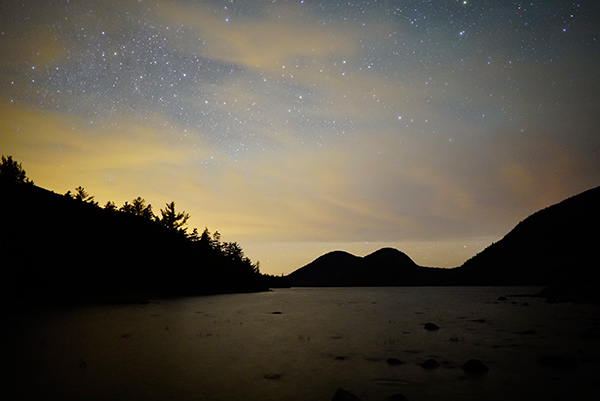 |
|
Sony FE 28mm f/2, f/2, 20s, ISO 6400
This image has been resized. Click for original image. |
Improved autofocus makes this a dependable camera in the field
Compared to the A7S’ 25 autofocus points, the A7S II has 169 total AF points. Our experience backs up Sony’s claim that it is more accurate and faster overall. The A7S II had very good autofocus speeds for a mirrorless interchangeable lens camera, and its speeds were competitive with prosumer DSLR cameras, despite having only contrast-detect autofocus. In the field, the increased number of autofocus points proved invaluable as the A7S II was able to consistently capture sharp images, even in difficult conditions and with fast-moving subjects. Low-light autofocus capabilities were also excellent, rated to focus down to -4EV (like its predecessor).
In addition to increased AF points, the A7S II also brings new autofocus modes and features to the table. Enhanced Eye AF allows the camera to follow a subject’s eye even when they’re moving through the frame. The new Expand Flexible Spot AF point mode helps keep focus on a subject even when it moves outside the autofocus point.
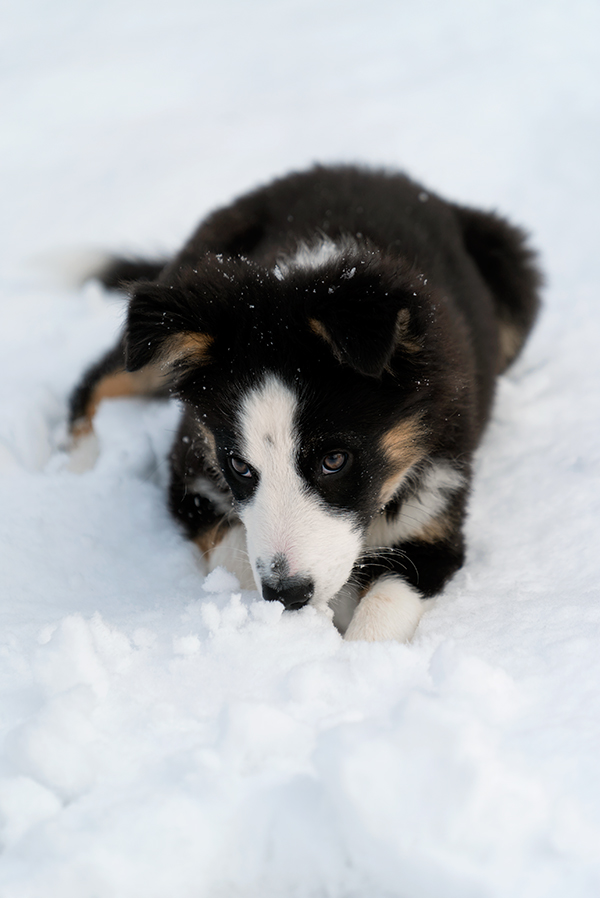 |
|
Sony FE 70-200mm f/4 G OSS at 200mm, f/4, 1/800s, ISO 100
This image has been modified slightly. Click for original image. |
Despite low megapixel count, the A7S II is not very fast
Unlike some of its A7-series siblings, the Sony A7S II does not have on-sensor phase-detect autofocus pixels, which means that it cannot autofocus in Speed Priority mode. In this Speed Priority mode, AF is locked with the first frame, and then the camera continuously shoots at 5 frames-per-second, which is good for its class but not particularly fast. Buffer depth and clearing times are somewhat unimpressive considering the relatively small files, with uncompressed RAW files slowing the camera down to 1.4 fps after 28 frames and taking 15 seconds to clear (these times will vary with the SD card used). Buffer depth is however pretty good with compressed RAW files (37 frames) with a better clearing time (9 seconds). It is also worth noting that the uncompressed RAW files, while 14-bit when shooting single frames, are actually 12-bit converted to 14-bit in continuous modes and Silent Shooting mode, which is not new for 14-bit Sony cameras.
A multitude of video features and excellent performance
Using full pixel readout when recording 4K Ultra HD video, the A7S II produces detailed 4K video with reduced amounts of moiré and aliasing artifacts. Cinematic Picture Profiles, including a new S-Log3 profile — in addition to S-Log2 — provide up to 14 stops of dynamic range. When using these new profiles, the A7S II’s new Gamma Display Assist function proves useful, showing a more natural video on the camera’s rear display. The A7S II’s 5-axis stabilization system works for video as well, allowing for much smoother, more pleasing handheld video. Given the E-mount’s vast compatibility with various adapters and third-party lenses, the flexibility to use lots of different optics with the benefit of image stabilization is a huge plus. In addition to the extensive video feature set we found that the A7S II’s video performance was itself very good. In both 4K and Full HD resolutions, the A7S II captures detailed video with good exposure and accurate autofocus.
Sony A7S II offers refinements to an already excellent camera
The Sony A7S II may be an incremental upgrade over the A7S in some ways, but the improvements are impressive overall. Combining a refined camera body, improved autofocus, and many notable upgrades, the A7S II is a great camera. If you’re looking for high resolution you may want to look elsewhere, but if you’re looking for excellent low light performance and lots of video features then you need look no further than the Sony A7S II, which nabs a sure-fire Dave’s Pick just like its predecessor.
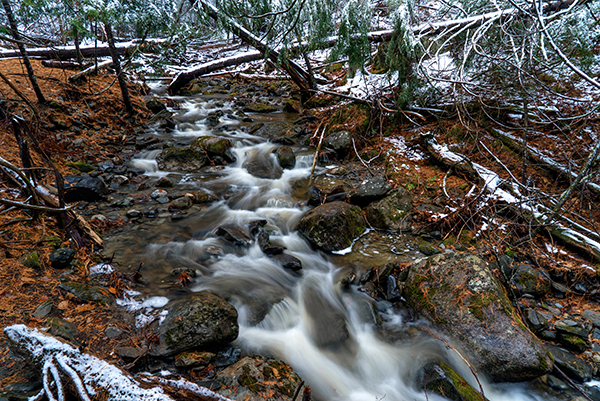 |
|
Sony FE 24-70mm f/4 ZA OSS at 24mm, f/8, 1s, ISO 100
This image has been modified slightly. Click for original image. |
Pros & Cons
- Outstanding high ISO performance, very similar to its predecessor
- Excellent JPEG image quality at low to moderately high ISOs
- Very good dynamic range
- 5-axis image stabilization system works very well for both stills & video
- Fast single-shot AF speeds and very low shutter lag (with electronic first curtain shutter)
- Very good buffer depths especially with compressed RAW
- Large high-res electronic viewfinder
- Decent battery life for its class, but slightly lower than A7S
- Fast 1/250s flash sync speed
- Silent Shooting mode (Is truly silent, but see related Con)
- DRO helps with high contrast scenes
- In-camera HDR works well
- Useful Hand-held Twilight and Anti Motion Blur modes
- Sweep Panorama Mode
- Now offers uncompressed RAW mode (14-bit in single-shot, 12-bit in most other modes)
- Can now record high quality 4K UHD video internally
- Full HD video up to 120fps
- Clean HDMI out
- Improved AF system (but still contrast-detect only)
- Able to autofocus in extremely low light
- Redesigned camera body is very good with better control placement
- Many more AF points than the original A7S
- Built-in Wi-Fi & NFC connectivity, but iOS app can be tedious to setup
- 12 megapixels may not be enough resolution for some applications
- Some high resolution full-frame cameras can challenge high ISO performance when re-sampled down to 12 megapixels
- Slower startup than A7S (2.9s vs 2s)
- No on-sensor phase-detect autofocus
- Underwhelming continuous shooting performance considering the resolution
- Continuous AF not supported in 5 fps “Speed Priority” burst mode
- No lossless RAW compression option, though new uncompressed RAW files aren’t too large because of the low resolution
- Silent Shooting mode (fully electronic shutter) reduces image quality slightly
- Single card slot (but supports SD or MS Pro Duo cards)
- No built-in flash
- Menus can be clunky, confusing and sluggish to navigate
Follow Imaging-Resource.com on Twitter!