



Overview
by William Brawley, Jaron Schneider, Brent Durand, Jeremy Gray, Mike Tomkins, and Zig Weidelich
Hands-on Preview: 04/19/2017
Review finalized: 10/06/2017

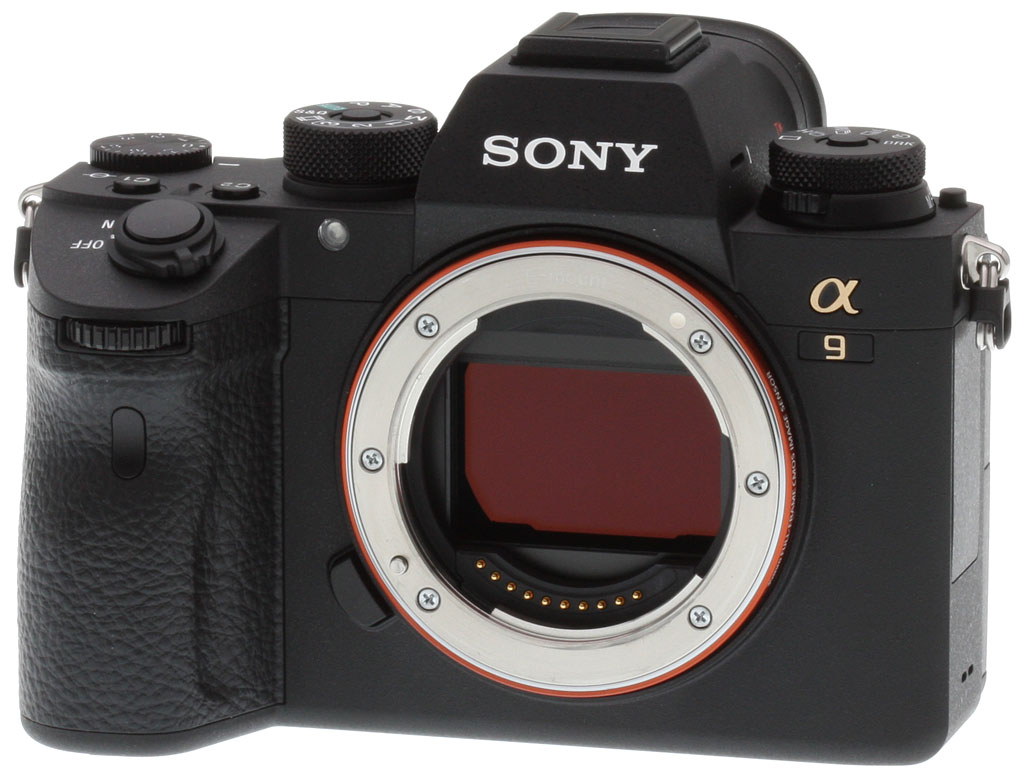
Answering the calls of the most demanding professional photographers, Sony has started a new E-mount camera series with the full-frame A9. This brand-new camera combines a new, state-of-the-art image sensor with a new autofocus system and a variety of new features and improvements to their proven and popular approach to mirrorless cameras. Let's look at the features and specifications of the A9.
Sony A9 Key Features
- Durable camera body that retains the compact form factor of previous full-frame E-mount bodies
- Joystick and AF-On button for enhanced autofocus control
- Higher-capacity battery
- 3-inch touchscreen display
- High-resolution, 120 frames per second electronic viewfinder with no blackout
- 5-axis in-body image stabilization
- 24.2-megapixel stacked back-illuminated full-frame CMOS sensor
- ISO 100 to 51,200, expandable to 50-204,800
- Up to 20 frames per second continuous shooting
- UHS-II support
- 4K video with full-pixel readout
Camera body
While the A9 shares similar design elements with the Sony A7 series of cameras, it has a few differences that should satisfy Sony shooters. On the top deck of the camera, one of these changes are stacked, independent Drive and Focus Mode dials. No longer will you need to scroll through menus or set a custom function for switching the focus mode. Both dials are lockable as well to prevent accidental changes to settings during shooting.

The back of the camera has seen changes as well. There is now a dedicated AF-On button, perfect for photographers who enjoy using back-button autofocus techniques. Below the AF-On button and to the right of the display more on that in a bit is a new multi-selector joystick. This multi-selector provides direct, immediate control over autofocus points or for scrolling through images during playback. Astute readers will also note that the video record button has been moved next to the EVF, which puts it within natural reach of your thumb.

The A9 includes numerous ease-of-use changes as well, some of which may not be immediately apparent but will help make the camera more user-friendly. There is a new My Menu feature. This dedicated menu allows users to store and customize up to 30 menu items for quick recall. You can also designate certain settings, such as shutter speed, aperture, AF area and more, to be recalled when holding function buttons. Regarding focus settings in particular, you can register frequently used focus area settings for future use and can use separate or identical focus areas and points for horizontal or vertical-orientation shooting. Customizability matters for many users and in total, there are 11 buttons on the A9 which can be customized and reassigned to control up to 72 different functions.

Designed to meet the exacting standards of professionals, the A9 includes numerous reliability and usability improvements over the A7 series of cameras. The magnesium alloy body has dust and moisture resistance around most of its controls and buttons, allowing the camera to be used in demanding situations, although note that it is not guaranteed to be 100 percent dust and moisture proof despite its seals and tongue-and-groove joints.
There have also been changes to the E-mount itself. Sony has increased the rigidity of the mount and added a pair of screws (bringing the total to six) so that the mount will remain durable and strong when supporting heavy telephoto lenses.

The A9 can be used longer between charges as well, as the new NP-FZ100 battery provides twice the life of the previous NP-FW50 battery, CIPA-rated at approximately 480 still frames on a charge when using the electronic viewfinder, and 650 shots with the LCD monitor. There is an optional VG-C3EM vertical battery grip available which can double battery life, and the optional NPA-MQZ1K Multi Battery Adaptor Kit can hold up to four batteries and act as external power source.
Looking at the right side of the camera, we find dual media slots. The A9 supports SD/SDHC/SDXC memory cards but one of its slots can also use a Memory Stick Duo card. Unlike previous Sony cameras, the A9 now features UHS-II card support, but only in one slot. The second slot unfortunately only supports up to UHS-I.

Workflow is critical for photographers on strict deadlines, so Sony has included wired LAN (Ethernet) support for FTP file transfer. Further workflow improvements include new PC remote storage options, faster startup, copyright information embedding, a flash sync terminal, the ability to have the camera automatically shut off at certain temperatures and the ability to edit the first three characters of file names.
Additional wired connectivity includes a Multi Micro USB 2.0 data port which also supports a wired remote, tethering, USB power and in-camera charging, a Micro (Type-D) HDMI port, 3.5mm headphone and external mic jacks, and a Multi Interface hot shoe. The A9 also has an IR receiver in the grip with support for the RMT-DSLR1 and RMT-DSLR2 Wireless Remote Commanders.

The A9 also includes wireless via Wi-Fi, NFC and Bluetooth functionality. In addition to being able to remotely control the camera and transfer images wirelessly with PlayMemories Mobile on your smartphone, the camera can also embed location data from your phone into captured images.
With a newly-developed 5-axis optical image stabilization unit built into the body, the A9 is stated to offer up to five stops of vibration reduction. And since stabilization is applied to the live view image, it helps keep your shots properly composed even when shooting in low light or using a long, heavy lens.
The A9 includes a 3-inch type 1,440K-dot touchscreen LCD. This is the first pro-oriented Sony camera to include a touchscreen display and allows functionality such as Touch AF. The monitor tilts as well, a maximum of 107° upward and a maximum of 41° downward. The display includes WhiteMagic technology (white pixels in addition to red, green and blue) designed to help the display be viewable even when used in bright lighting conditions.
The A9 is all about speed. Being able to capture images quickly doesn't mean much to sports shooters in particular if you don't have a good viewfinder experience. We have seen Sony give attention to viewfinder speed and performance in many of its recent cameras, but the A9 aims to take it to the next level with zero viewfinder blackout, even when shooting at 20 frames per second, and a direct viewfinder image of the subject during tracking and capture.

Looking at the viewfinder itself, it is a 0.5-inch OLED viewfinder with 3,686K dots and it operates with a 120fps refresh rate (60fps live-view refresh rate). The Tru-Finder EVF features a generous 0.78x magnification and 100% coverage. The viewfinder also has Zeiss T* coating to reduce reflections.
Paired with the viewfinder is a hybrid shutter mechanism. The mechanical shutter has been refined and offers lower vibration than previous mechanical shutters. Further, the shutter is rated for 500,000 cycles. The silent, zero-vibration electronic shutter offers shutter speeds up to 1/32,000s and is said to offer minimal distortion. The mechanical shutter tops out at 1/8,000s, but both can shoot with shutter speeds as slow as 30 seconds. The mechanical shutter also offers a bulb setting. Further, flash sync speed is 1/250s.
Sony A9 Shooting Features
The A9 is the first full-frame camera to utilize a Sony Exmor RS back-illuminated image sensor with a stacked structure. This stacked design is engineered to offer faster readout. In fact, Sony states that the new sensor is 20 times faster than their previous front-illuminated CMOS image sensor found in the A7 II. The pixel layer of the image sensor sits on top of a separate pixel layer which has a high-speed signal processing circuit and integral memory which both sit above the Bionz X image processing engine, which itself includes a new front-end LSI to reduce noise while improving image detail over a wider ISO range.

The 24.2-megapixel Exmor RS CMOS sensor can capture uncompressed or compressed 14-bit RAW images across a wide ISO range of 50 to 204,800, although the native ISO range is 100 to 51,200. Sony is claiming 14-stop dynamic range from the new sensor. Further, the sensor includes a charge protection coating on its optical filter and an image sensor shift mechanism to help keep dust off the sensor.
With a 1200-zone evaluative metering sensor, the Exmor RS CMOS sensor-based metering system of the A9 has a working range of -3 EV to 20 EV. The metering modes include Multi-segment, Center-weighted, Spot (standard and large options are available), Entire Screen Average and Highlight. Exposure compensation is available for +/-5 EV in 1/3 and 1/2 EV steps. Users can also set a standard exposure value of +/-1 EV in 1/6 stop increments which can be set independently for each metering mode.
Regarding spot metering, the A9 can link either a standard or large spot metering area to flexible or expanded spot focus areas. The highlight metering mode helps prevent blown highlights by detecting the brightest area in the frame and the average mode is designed to provide consistent exposure even when changing composition.
The A9 offers more customization to Auto ISO. You can set the shutter speed above which the ISO changes when the camera is set to P or A shooting modes. You can specify a low ISO Auto limit for minimizing motion blur when shooting a moving subject as well.

The A9 uses Sony's latest hybrid 4D Focus autofocus system. This autofocus system includes 693 phase-detection points which cover 93% of the image area. In addition to these 693 PDAF points, there are also 25 contrast-detection autofocus points. The end result is a hybrid autofocus system which Sony claims is 25% faster than the autofocus system in the Sony A7R II.
Autofocus isn't solely about speed, however, as accuracy, low-light performance and modes matter too. The A9 includes enhanced Eye AF, providing approximately 30 percent better eye accuracy compared to the Sony A7 II. Face detection has seen improvement. Low light autofocus is rated down to -3.0 EV with an f/2.0 lens, which while not rated for as low light as some professional DSLR cameras, is still very low. The A9 offers an expand flexible spot mode, designed for moving subjects, which can automatically shift focus to one of eight adjacent autofocus points when tracking a subject.
For users with A-mount lenses, it is worth pointing out that the A9 is designed to work well with adapted A-mount lenses as well. Granted, continuous tracking AF caps the burst rate at 10 frames per second with A-mount lenses mounted using the LA-EA3 adapter, but that should still prove plenty fast for many users. See this Sony support page for the various continuous shooting and AF tracking capabilities, as it heavily depends on the lens and adapter type.

Photographers looking for extra reach and using the A9 in APS-C mode (either with a full-frame lens or an APS-C lens) will still be able to utilize many autofocus points. When shooting with a full-frame lens in the APS-C format (10 megapixels), the A9 can use 299 phase-detection autofocus points. When using an APS-C lens, the number drops to 221 PDAF points and 25 contrast-detect AF points.
Speed. That is clearly the primary focus for Sony with the A9 and its specifications are impressive. According to Sony, the camera can capture up to 241 full-resolution compressed RAW images (or 362 max-quality JPEG images) at a blazing fast 20 frames per second. Not only that, but the camera is doing this with full AF/AE tracking and without viewfinder blackout. The A9 calculates AF and AE up to 60 times per second, allowing what Sony says is improved tracking of subject movement and changes in lighting conditions.
If you want to shoot RAW+JPEG or uncompressed RAW, Sony’s published specifications claim 222 RAW+JPEG frames, 128 uncompressed RAW frames and 118 uncompressed RAW+JPEG image buffer depths. These numbers are similar to what the A9 managed in the lab. Unfortunately, buffer clearing still takes a long time (especially with such deep buffers), even with a fast UHS-II card. See our Performance page for details.

Sony A9 Video: 4K UHD video at 100Mbps
The A9 records 4K UHD (3840 x 2160 resolution) video with full pixel readout and no pixel pinning. This allows the camera to condense up to 2.4 times the necessary data for 4K video into a 4K output. The camera offers clean HDMI output for both 4K and Full HD video to external recorders or monitors and the camera can simultaneously record internally and externally.
4K video can be recorded with a bit-rate up to 100Mbps and frame rate as fast as 30 frames per second in the XAVC 4K file format. Full HD video can be recorded at up to 120fps using the XAVC S HD recording format with a 100Mbps bit-rate. Regarding frame rate, the A9 records video from 1 frame per second up to 120fps in Full HD quality, allowing recording of 60x quick motion to 5x slow motion video. Slow and Quick motion effects can be previewed in camera, eschewing the need for post production.
Autofocus performance is improved for video recording thanks to the new hybrid 4D Focus system. There is now a wider AF area that covers the same amount of the frame as still images and focus tracking is said to be better as well.

Sony A9 Pricing and Availability
The A9 began shipping from May 25th with a price tag of about US$4,500 (CAD$6,000) for the body only.
Alongside the camera, Sony introduced a variety of accessories for the A9. In addition to the new NP-FZ100 battery (~US$80), VG-C3EM vertical grip (~US$350) and NPA-MQZ1K multi-battery adaptor kit (~US$400) mentioned earlier, Sony has released a GP-X1EM grip extension (~US$130), FDA-EP18 eyepiece cup (US$11) with locking mechanism, and a shatterproof PCK-LG1 glass screen protector (US$28) for the new touchscreen display.
In the Box
The Sony A9 box (as tested) contains the following items:
- Sony Alpha ILCE-9 Body
- NP-FZ100 Rechargeable Lithium-Ion Battery
- BC-QZ1 Battery Charger
- AC-UUD12 AC Adapter
- Power Cord
- Cable Protector
- Body Cap
- Accessory Shoe Cap
- Eyepiece Cup
- Micro USB Cable
- Shoulder Strap
- Sony 1 Year Limited Warranty
Recommended Accessories
- Large capacity SDHC/SDXC memory card. Faster UHS-II types are recommended.
- Full-frame E-mount lenses
- Extra NP-FZ100 Battery
- VG-C3EM Vertical Grip
- External P-TTL Flash such as the HVL-F45M
- Camera Bag
Optics
Viewfinder Test Results
Coverage
Excellent accuracy from the EVF, very good from the LCD monitor.
 |
 |
|
OLED EVF
|
LCD Monitor
|
The Sony A9’s electronic viewfinder shows essentially 100% coverage in our tests. Excellent performance here. Interestingly, the LCD monitor’s coverage in record mode was a little loose at closer to 99%. Still, very good.
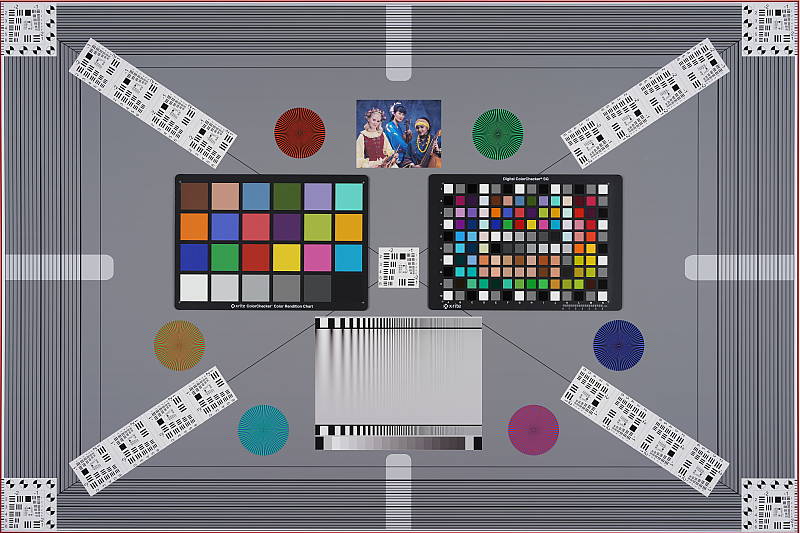
The images above were taken from our standardized test shots. For a
collection of more pictorial photos, see our
Sony Alpha ILCE-A9 Photo Gallery
.
Exposure
Color
Saturation & Hue Accuracy
Slightly below average mean saturation with good overall hue accuracy.
 |
||||
|
ISO Sensitivity |
||||
|
|
||||
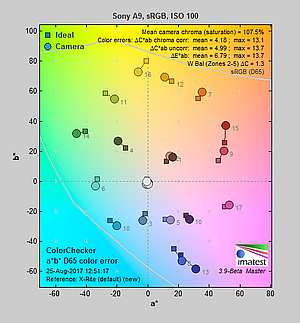
| In the diagram above, the squares show the original color, and the circles show the color that the camera captured. More saturated colors are located toward the periphery of the graph. Hue changes as you travel around the center. Thus, hue-accurate, highly saturated colors appear as lines radiating from the center. Mouse over the links to compare ISOs and click on the links for larger images. | ||||
Saturation. The Sony A9’s mean default color saturation is 107.5% at base ISO or in other words, oversaturated by 7.5%. That’s just a bit below average these days, and mean saturation gradually falls as ISO rises, to a minimum of 100% at ISO 204,800. That’s not unusual, though, as cameras often reduce saturation at higher ISOs in an attempt to reduce the appearance of chroma noise. As usual, reds and dark blues are boosted the most, but not as much as we often see. Most other colors are pushed just a bit, though yellow and light green are undersaturated which is quite common. Overall, saturation levels are still pleasing though a little muted compared to most cameras, but you can of course tweak saturation to your liking. Most consumer digital cameras produce color that’s more highly saturated (more intense) than found in the original subjects. This is simply because most people like their color a bit brighter than life.
Skin tones. The Sony A9 did a good job with Caucasian skin tones when using Manual white balance in the lab, with Auto white balance producing just slightly warmer results. Brighter flesh tones have a healthy-looking pinkish tint, though darker areas are nudged slightly toward orange. Still, pretty good results here. Where oversaturation is most problematic is on Caucasian skin tones, as it’s very easy for these “memory colors” to be seen as too bright, too pink, too yellow, etc.
Hue. Like many cameras, the Sony A9 pushes cyan toward blue, red toward orange, orange toward yellow and yellow toward green, but most shifts are actually quite minor. The yellow toward green shift combined with its desaturation does make some yellows look a bit dingy, though, and the cyan toward blue shift is so slight that blue skies my not appear as deep blue as from other cameras. With an average “delta-C” color error of 4.18 after correction for saturation at base ISO, overall hue accuracy is actually above average, with accuracy only moderately lower at higher ISOs. Hue is “what color” the color is.
 |
 |
 |
| See full set of test images with explanations See thumbnails of all test and gallery images |
||
Sensor
Exposure and White Balance
Indoors, incandescent lighting
Warm color with default Auto white balance; Incandescent is pretty good, and Manual is very good. Average exposure compensation required.
 |
 |
| Auto White Balance +0.3 EV |
Incandescent White Balance +0.3 EV |
 |
|
| Manual White Balance +0.3 EV |
Indoors, under typical incandescent lighting, color balance is a bit too warm and orange with the default Auto white balance setting. In addition to the default “AWB Standard” mode, the A9 gives you the option to prioritize the ambient light color (“AWB Ambience” mode), or the reproduction of accurate whites (“AWB White” mode). However, we did not test those options in the lab. Results with the Incandescent setting are quite good, though, and only slightly warm. The Manual setting is the most neutral and accurate. The Sony A9 required +0.3 EV positive exposure compensation here which is about the average required for this shot, though images are little bright. (Our test lighting for this shot is a mixture of 60 and 100 watt household incandescent bulbs, a pretty yellow light source, but a very common one in typical home settings here in the U.S.)
Outdoors, daylight
Very good handling of contrast, color, and exposure in harsh lighting.
 |
 |
| Manual White Balance, +0.3 EV |
Auto White Balance, 0 EV |
Outdoors, the Sony A9 performed very well in challenging lighting. +0.3 EV exposure compensation was required to keep the mannequin’s face reasonably bright in our “Sunlit” Portrait shot, which is less than the average amount required from the cameras we’ve tested. Contrast is a little high as you might expect under such harsh lighting, but the camera did a great job of holding onto bright highlights and detail in the shadows, even without the help of Sony’s Dynamic Range Optimization (DRO) feature. We preferred Manual color balance for the “Portrait” shot though, as Auto white balance produced skin tones that were a touch warmer and yellow. Default exposure is very good in our Far-field shot (above right), perhaps just a touch dim but with very few highlights blown, again with DRO disabled. There are some very deep shadows, however detail is quite good and noise is well-controlled. The Far-field shot with Auto white balance also has good color, though perhaps just a touch cool. Overall, great performance in harsh lighting, especially considering DRO was off for these shots.
See full set of test images with explanations
See thumbnails of all test and gallery images
Resolution
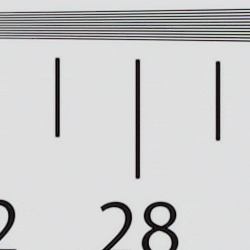
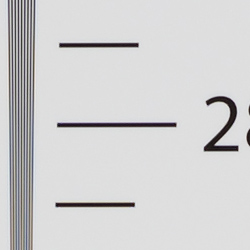
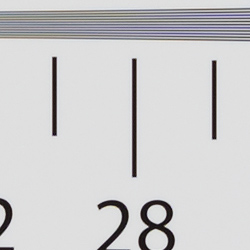
~2,850 lines of strong detail from JPEGs, about the same from RAW files.
 |
 |
| Strong detail to ~2,850 lines horizontal Camera JPEG |
Strong detail to ~2,850 lines vertical Camera JPEG |
 |
 |
| Strong detail to ~2,850 lines horizontal ACR converted RAW |
Strong detail to ~2,850 lines vertical ACR converted RAW |
An in-camera best quality JPEG of our laboratory resolution chart reveal sharp, distinct line patterns up to about 2,850 lines per picture height in the horizontal direction, and to about 2,850 lines per picture height in the vertical direction. Some may argue for higher numbers, but lines begin to merge here and mild aliasing artifacts occur much earlier, at about 2,100 lines. Complete extinction of the pattern doesn’t occur until about 3,800 lines in both directions. Adobe Camera Raw wasn’t really able to extract more resolution here from a RAW file, but it produced a lot more color moiré both before and past the resolution limits, as it often the case. Use these numbers to compare with other cameras of similar resolution, or use them to see just what higher resolution can mean in terms of potential detail.
See full set of test images with explanations
See thumbnails of all test and gallery images
Sharpness & Detail
Excellent sharpness, with few sharpening artifacts. Mild noise suppression visible in the shadows and areas of low contrast.
 |
 |
| Excellent definition of high-contrast elements with very low sharpening artifacts. |
Subtle detail: Hair Noise suppression tends to blur detail in areas of subtle contrast. |
Sharpness. The Sony A9 captures very sharp, crisp images overall, and it doesn’t generate heavy sharpening halos around edges with high contrast that we often see, such as around the lines and letters of our olive oil bottle label crop (above left). Excellent results here. Edge enhancement creates the illusion of sharpness by enhancing colors and tones right at the edge of a rapid transition in color or tone.
Detail. The crop above right shows relatively mild noise suppression in the darker areas of the mannequins’s hair. Only a relatively small number of low-contrast strands are smudged together, while higher contrast strands remain distinct. Excellent results here as well. Noise-suppression systems in digital cameras tend to flatten-out detail in areas of subtle contrast. The effects can often be seen in shots of human hair, where the individual strands are lost and an almost “watercolor” look appears.
RAW vs In-Camera JPEGs
As noted above, the Sony A9 produces in-camera JPEGs with sharp, crisp detail. Additional detail can often be obtained from carefully processing RAW files with a good converter, so let’s have a look:
| Base ISO (100) | |
 |
 |
 |
 |
 |
 |
|
Camera JPEG, defaults
|
RAW via Adobe Camera Raw
|
In the table above, we compare a best quality in-camera JPEG taken at base ISO using default noise reduction and sharpening (on the left) to the matching RAW file converted with Adobe Camera Raw 9.1 via DNG Converter 9.12 with some moderate but tight unsharp masking applied in Photoshop (300%, radius of 0.3 pixels, and a threshold of 0).
As you can see, the Adobe Camera Raw conversion does contain slightly more fine detail, though the difference is quite minor here at base ISO, and the camera produces higher contrast which give JPEGs better “pop.” (You can of course dial up the contrast in ACR to match.) Color in the ACR conversion is more accurate, though, particularly in yellows and blues. Noise is a bit higher with ACR’s default noise reduction, though that’s usually the case.
Bottom line: The Sony A9’s JPEG engine does a great job, producing crisp, detailed images here at base ISO without introducing sharpening artifacts, however discerning users will likely still want to shoot in RAW mode to make the most out of the A9’s excellent sensor.
ISO & Noise Performance
Excellent high ISO performance.
|
Default High ISO Noise Reduction
|
 |
 |
 |
| ISO 50 | ISO 100 | ISO 200 |  |
 |
 |
| ISO 400 | ISO 800 | ISO 1600 |
 |
 |
 |
| ISO 3200 | ISO 6400 | ISO 12,800 |
 |
 |
 |
| ISO 25,600 | ISO 51,200 | ISO 102,400 |  |
| ISO 204,800 | ||
The Sony A9’s in-camera JPEG images are very clean and detailed at ISOs 50 through 800, with almost no degradation in image quality as ISOs increase within this range. ISOs 1600 through 12,800 show a nice, gradual decline in image quality, well-controlled chroma noise, and a good amount detail left at 12,800 for such a high ISO. At ISO 25,600, luma noise starts to become prominent, noise reduction artifacts are more noticeable, chroma noise becomes visible, and image quality drops off more rapidly from there, with the top two ISOs looking more like paintings than photographs.
Still, excellent high ISO performance for its class, with area-specific noise reduction that hangs onto more high-frequency detail and produces fewer artifacts around high-contrast edges than some prior Sony models.
As always, see the Print Quality section below for maximum recommended print sizes at each ISO.
A note about focus for this shot: We used to shoot this image at f/4, however depth of field became so shallow with larger, high-resolution sensors that it was difficult to keep important areas of this shot in focus, so we have since started shooting at f/8, the best compromise between depth of field and sharpness.
Extremes: Sunlit, dynamic range and low light tests
Excellent highlight and shadow detail in harsh lighting. Very good low-light performance, capable of capturing bright images in near darkness.
 |
 |
 |
| 0 EV | +0.3 EV | +0.7 EV |
Sunlight. The Sony A9 handled the deliberately harsh lighting in the test above very well. We preferred the +0.3 EV exposure here, as the default 0 EV exposure is a touch dim in the face while the +0.7 EV exposure had too many blown highlights. Contrast is a little high, but shadow and highlight detail are both excellent. Despite the bright appearance, only a few highlights are blown in the mannequin’s shirt and white flowers at +0.3 EV, though the red channel is clipped in some of the flowers as is often the case, as well as in specular highlights where you’d expect clipping. There are some dark shadows however they’re quite clean and detailed, though very deep shadows are posterized as expected. Overall, excellent performance here.
See below for results with Dynamic Range Optimization and High Dynamic Range features enabled.
Because digital cameras are more like slide film than negative film (in that they tend to have a more limited tonal range), we test them in the harshest situations to see how they handle scenes with bright highlights and dark shadows, as well as what kind of sensitivity they have in low light. The shot above is designed to mimic the very harsh, contrasty effect of direct noonday sunlight, a very tough challenge for most digital cameras. (You can read details of this test here. In actual shooting conditions, be sure to use fill flash in situations like the one shown here; it’s better to shoot in open shade whenever possible.)
|
Outdoor Portrait DRO Comparison (0 EV)
|
|
 |
DRO Setting: |
 |
|
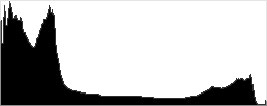
Dynamic Range Optimization is Sony’s name for their dynamic range enhancement technology. DRO divides the image into small areas, analyzes the range of brightness of each area, and adjusts the camera’s image processing parameters accordingly to make the best use of the available dynamic range. Auto DRO is enabled by default on the Sony A9. You can also set the level manually, from 1 (“weak”) to 5 (“strong”), or turn it off. As one would expect, DRO is only available for JPEG files.
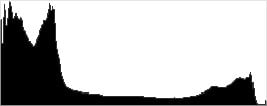
The above thumbnails and histograms show the effects of the various levels of DRO on our “Sunlit” Portrait shot with no exposure compensation. Mouse over the links on the right to load the associated thumbnail and histogram, and click on the link to visit the full resolution image. As you can see from the thumbnails and histograms, increasing DRO progressively boosts shadows and midtones while leaving highlights essentially intact. The Auto setting produced a better overall exposure compared to the default exposure without DRO, and the five manual levels give quite a bit of control over the effect.

Above, you can see the effect of DRO settings on our Far-field shot. The default Auto setting produced a nicely balanced exposure, despite the harsh lighting. A useful feature.

High Dynamic Range. The Sony A9’s HDR mode takes three images in rapid succession, one nominally exposed, one underexposed, and one overexposed, then combines them into one high dynamic range JPEG automatically. Lighter areas from the underexposed image are combined in-camera with darker areas from the overexposed image to produce an image with compressed tonal range. The camera then saves a single composite image, as well as the nominally exposed image. The overlaid images are micro-aligned by the camera, but it can only correct for so much movement. If the camera can’t micro-align successfully, an icon indicating HDR capture failed will appear. For best results, the subject should not move or even blink, so it’s not really intended for portraits. There is also a manual mode where you can select 1 EV (“weak”) to 6 EV (“strong”) difference in exposures.
Mouse over the links to load the associated thumbnail and histogram, and click on the link to visit the full resolution image. As you can see, the Auto setting did a pretty good job, with an effect somewhere between the 2 and 3 EV manual settings. The higher the manual setting, the more highlights were toned-down and shadows opened up, but as you can see higher settings can produce flat and unnatural results with this subject.

Above, you can see the effect of HDR settings on our Far-field shot. Watch out for ghost images from subject movement during the capture sequence, though, as can be seen around the leaves of some of the shots above. Still, Sony has one of the better in-camera HDR implementations we’ve seen.
Dynamic Range Analysis (RAW mode). While we once performed our own dynamic range measurements based on in-camera JPEGs as well as converted RAW images (when the camera was supported by Adobe Camera Raw), we’ve switched to using DxO Labs’ results from their DxOMark website. As technology advanced, the dynamic range of modern high-end cameras in some cases exceeded the range of the Stouffer T4110 density scale that we used for our own measurements. DxO’s approach based on RAW data before demosaicing is also more revealing, because it measures the fundamental dynamic range of the sensor, irrespective of whatever processing is applied to JPEGs, or to RAW data by off-the-shelf conversion software.
In the following, we use DxO’s “Print” dynamic range results, which are scaled based on camera resolution. As the name suggests, this scaling corresponds to the situation in which you print at a given size, regardless of how many megapixels the camera might have. (In other words, if you’ve decided to make a 13×19 inch print, that’s the size you’re printing, whether the camera’s resolution is 16 or 300 megapixels.) For the technically-minded, you can find a discussion of the reasoning behind this here on the DxOMark website. Also note that DxO Labs uses a signal-to-noise (SNR) threshold of 1 when defining the lower boundary of acceptable luminance noise in their dynamic range measurements, which corresponds to the “Low Quality” threshold of the Imatest software we used to use for this measurement.
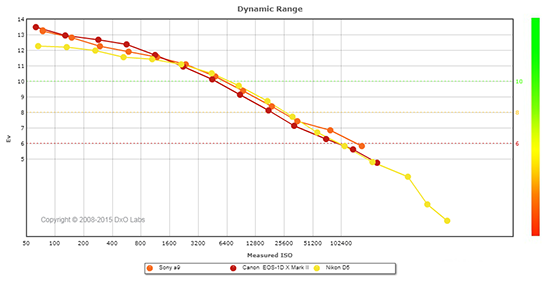 |
Here, we compare the 24-megapixel Sony A9 to two pro sports DSLR rivals, the 20-megapixel Canon 1DX Mark II and the 20-megapixel Nikon D5.
As you can see, the Sony A9’s dynamic range is similar to that of the Canon 1DX Mark II’s. At base ISO, the Canon has a slight advantage with a peak dynamic range of about 13.5 EV versus about 13.2 for the Sony, but the Sony catches up at ISO 1600 and offers slightly better dynamic range at higher ISOs with up to about 1/2 EV advantage at ISO 102,400.
The Sony A9 offers significantly better dynamic range than the Nikon D5 at low ISOs, with almost a full stop advantage at base ISO (13.2 vs 12.3 EV). At intermediate ISOs, the two cameras a virtually neck-and-neck, however the Sony takes a slight lead at its highest two ISO settings.
Overall, very good dynamic range for a full-frame camera, especially for a sports shooter. Click here to visit the DxOMark page for the Sony A9 for more of their test results and additional comparisons.
| 1 fc 11 lux |
1/16 fc 0.67 lux |
1/16 fc No NR |
|
|---|---|---|---|
| ISO 100 |
 2s, f2.8 |
 30s, f2.8 |
 30s, f2.8 |
| ISO 3200 |
 1/15s, f2.8 |
 1s, f2.8 |
 1s, f2.8 |
| ISO 51200 |
 1/250s, f2.8 |
 1/15s, f2.8 |
 1/15s, f2.8 |
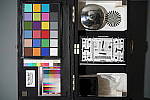
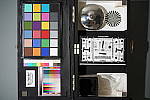
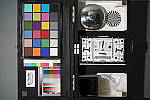
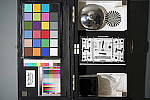
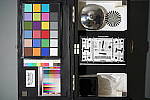
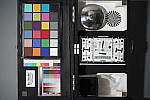
Low Light. The Sony A9 performed extremely well in our low light tests, producing bright images down to the lowest light level we test at (1/16 fc). Noise is practically nonexistent at ISO 100, and very low at ISO 3200. Some very fine luma and chroma noise can be seen at ISO 3200 with noise reduction minimized (right-most column), however it has a tight “grain” which isn’t objectionable. As expected, noise is much higher at the highest native ISO of 51,200, though it’s still fairly fined-graned and images are still usable.
Auto white balance did a very good job here, producing a fairly neutral, just slightly cool color balance even at the lowest light level.
We didn’t notice any significant issues with hot pixels, heat blooming or banding (fixed pattern noise).
Low-light AF: In the lab, the Sony A9’s autofocus system was able to focus unassisted on our legacy low-contrast target down to -2.3 EV with an f/2.8 lens, which is a bit disappointing for the class of camera. (Sony rates the A9’s low-light AF sensitivity at -3.0 EV but at f/2.0 which is a stop faster than the lens we test with, so it appears the A9 does meet Sony’s spec even with our low-contrast target.) However the Sony A9 was able to autofocus on our newer high-contrast target down to about -6.1 EV, which is excellent. And with the Sony A9’s AF assist lamp enabled, the camera was able to autofocus on both targets in complete darkness.
How bright is this? The one foot-candle light level that this test begins at roughly corresponds to the brightness of typical city street-lighting at night. Cameras performing well at that level should be able to snap good-looking photos of street-lit scenes. (A useful trick is to just prop the camera on a convenient surface, and use its self-timer to release the shutter. This avoids any jiggling from your finger pressing the shutter button, and can work quite well when you don’t have a tripod handy.)
NOTE: This low light test is conducted with a stationary subject, and the camera mounted on a sturdy tripod. Most digital cameras will fail miserably when faced with a moving subject in dim lighting. (For example, a child’s ballet recital or a holiday pageant in a gymnasium.) Thanks to its hybrid AF system and large sensor, the Sony A9 autofocuses in extremely low light, but you still shouldn’t expect a quick autofocus lock with moving subjects.
Output Quality
Print Quality
Excellent, high-quality prints up to at least 30 x 40 inches up to ISO 800; Very good prints up to 13 x 19 at ISO 6400; Usable 5 x 7 inch print at ISO 51,200.
 ISO 50/100/200 images all look fantastic with crisp detail and vibrant colors that can make wonderful prints all the way up to a massive 30 x 40 inches. At this size, you are pushing the resolving power of the 24-megapixel sensor, as you can see very subtle pixelation upon really close inspection. However, the viewing distance necessary for this size makes for a crisp, highly detailed print.
ISO 400 prints look very similar to the lower ISOs, with only a slight hint of luminance noise appearing in shadow areas. However, regarding overall print quality, this didn’t affect print size limits in our testing, and we’re more than willing to print up to 30 x 40 inches at this ISO — excellent fine detail all around.
ISO 800 images, as expected, show a bit more noise that the previous ISO, and here, a 24 x 36-inch print looks fantastic. However, overall noise is still so low, and fine detail is still visible and sharp that a 30 x 40-inch print is definitely acceptable at this sensitivity, especially given the normal viewing distance for a print of this size.
ISO 1600 prints show an increase in noise — as expected — but it’s mainly still concentrated in the shadows and some low-contrast areas (our notorious red-leaf fabric swatch is definitely showing a big reduction in detail). Still, a 24 x 36-inch print looks great at this ISO, showing lots of detail and pleasing colors.
ISO 3200 images display stronger noise as well as noticeable signs of noise reduction processing. We’re playing it safe and calling the maximum print size at 16 x 20 inches for this ISO. However, it’s right on the cusp; a 20 x 30-inch print it probably doable with careful post processing.
ISO 6400 prints display more noise, and although it’s far from severe, it definitely causes a reduction in fine detail, making a 13 x 19-inch print the maximum size we’re willing to endorse here.
ISO 12,800 images show stronger noise, and detail throughout certainly takes a hit, but noise is still far from obnoxious, to the point that the A9 is capable of a nice 8 x 10 inch print. Even further, an 11 x 14-inch print could be doable for less critical applications or with careful post-processing.
ISO 25,600 prints top-out at 5 x 7 inches. Noise as well as noise reduction artifacts are quite strong now, and they take a toll on fine detail.
ISO 51,200 images also offer usable prints up to 5 x 7 inches, which look surprisingly clean at this print size given this high sensitivity.
ISO 102,400/204,800 prints are, sadly, much too noisy and lacking in fine detail for us to consider usable for quality prints.
Sony’s new flagship full-frame 24-megapixel mirrorless camera turned in a fantastic performance in our print quality analysis. From its extended base ISO of 50 all the way up to ISO 800, you’re basically free to print up to whatever size you desire. Our testing stops at 30 x 40-inch prints, which, to our eyes, was hitting the resolving power of the A9’s sensor, but still produced fantastic prints given the viewing distance required for that size. Up to ISO 800, fine detail is excellent, color rendition looks vibrant and pleasing, and noise as the ISO rises within this range is very well controlled — if barely an issue at all. Even as the ISO rises into the mid- to upper-tiers, print sizes remain large and noise is well under control. Even at ISO 6400, for example, the Sony A9 offers an impressive 13 x 19-inch print size. The camera even manages to offer a pleasing 5 x 7 inch print all the way up to ISO 51,200. However, the Sony A9’s two expanded high ISOs of 102,400 and 204,800 should both be avoided if print-making is your end goal.
The images above were taken from our standardized test shots. For a
collection of more pictorial photos, see our
Sony Alpha ILCE-A9 Photo Gallery
.
Not sure which camera to buy? Let your eyes be the ultimate judge!
Visit our Comparometer(tm)
to compare images from the Sony Alpha ILCE-A9 with those from other
cameras you may be considering. The proof is in the pictures, so let
your own eyes decide which you like best!
Performance
Timing and Performance
Phenomenal burst speeds and buffer depths, though buffer clearing is incredibly slow for JPEGs.
| Startup/Play to Record | ||
|---|---|---|
|
Power on |
~1.2 seconds
|
Time it takes to turn on and capture a shot. |
|
Play to Record, |
~1.0 second
|
Time until first shot is captured. |
The Sony A9’s startup time (power on to first shot) was relatively fast for a mirrorless camera, but sluggish compared to most DSLRs. Switching from Play to Record mode and taking a shot was just a bit faster.
| Shutter Response (Lag Time) | ||
|---|---|---|
| Mechanical Shutter (EFCS On/Off) | ||
|
Full Autofocus, |
0.216 / 0.355 second
|
Time from fully pressing shutter button to image capture, with the lens already at the proper focal distance setting. |
|
Manual Focus |
0.097 / 0.249 second
|
For most cameras, shutter lag is less in manual focus than autofocus, but usually not as fast as when the camera is “prefocused”. |
|
Prefocused |
0.020 / 0.165 second
|
Time to capture, after half-pressing and holding shutter button. |
| Electronic Shutter | ||
|
Full Autofocus, |
0.231 second
|
Time from fully pressing shutter button to image capture, with the lens already at the proper focal distance setting. |
|
Manual Focus |
0.119 second
|
For most cameras, shutter lag is less in manual focus than autofocus, but usually not as fast as when the camera is “prefocused”. |
|
Prefocused |
0.038 second
|
Time to capture, after half-pressing and holding shutter button. |
The Sony A9’s full-autofocus shutter lag (with the subject at a fixed distance) was good although not exceptional, measuring in at 0.216 second in Single-area (Center) AF mode with the Sony Zeiss 35mm f/2.8 lens. This was with the mechanical shutter and electronic first curtain shutter (EFCS) enabled by default. With EFCS disabled, full AF shutter lag increased to 0.355 second. With the fully electronic shutter, full AF shutter lag was 0.231 second, a little slower than with EFCS.
When manually focused, the Sony A9’s shutter lag dropped to 0.097 second with EFCS, or 0.249 second without. With the fully electronic shutter, manual focus shutter lag was 0.119 second.
The Sony A9’s prefocused shutter lag was only 0.020 second with EFCS, which is very fast. Without EFCS, prefocused shutter lag increased dramatically 0.165 second, but with the fully electronic shutter, it was only 0.038 second.
To minimize the effect of different lens’ focusing speed, we test AF-active shutter lag with the lens already set to the correct focal distance.
| Cycle Time (shot to shot) | ||
|---|---|---|
|
Single Shot mode |
< 0.3 second
(All shutter modes) |
Time per shot, averaged over a few frames (we no longer test for buffer depths in single-shot mode). |
|
Single Shot mode |
< 0.3 second
(All shutter modes) |
Time per shot, averaged over a few frames (we no longer test for buffer depths in single-shot mode). |
|
Early shutter |
No
(All shutter modes) |
Some cameras don’t snap another |
| Mechanical Shutter | ||
|
Continuous Hi |
0.20 second
(4.99 fps); 553 frames 254 seconds to clear* |
Time per shot, averaged over 553 frames, then slowed to 0.69s or 1.44 fps when buffer was full. |
|
Continuous Hi |
0.20 second
(4.99 fps); Unlimited (?) frames; 5 seconds to clear* |
Time per shot averaged over ~535 frames with no apparent limit. |
|
Continuous Hi |
0.20 second
(5.00 fps); Unlimited (?) frames; 66 seconds to clear* |
Time per shot averaged over ~340 frames with no apparent limit. |
|
Continuous Hi |
0.20 second
(5.00 fps); 241 frames total; 38 seconds to clear* |
Time per shot, averaged over 241 frames, then slowed to an average of about 0.45s or 2.22 fps when buffer was full with a lot of variation. |
|
Continuous Hi |
0.20 second
(4.99 fps); 181 frames total; 48 seconds to clear* |
Time per shot, averaged over buffer length of 181 frames, then slowed to an average of 0.49s or 2.05 fps when buffer was full with a lot of variation. |
| Electronic Shutter | ||
|
Continuous Hi |
0.05 second
(20.00 fps); 364 frames total; 236 seconds to clear* |
Time per shot, averaged over 364 frames, then slowed to an average of about 0.08s or 12.68 fps when buffer was full with a lot of variation. |
|
Continuous Hi |
0.05 second
(20.00 fps); 240 frames total; 45 seconds to clear* |
Time per shot, averaged over 240 frames, then slowed to an average of about 0.29s or 3.40 fps when buffer was full with a lot of variation. |
|
Continuous Hi |
0.05 second
(20.00 fps); 225 frames total; 87 seconds to clear* |
Time per shot, averaged over 225 frames, then slowed to an average of about 0.40s or 2.50 fps when buffer was full with a lot of variation. |
|
Continuous Hi |
0.08 second
(11.98 fps); 126 frames total; 36 seconds to clear* |
Time per shot, averaged over 126 frames, then slowed to an average of about 0.41s or 2.46 fps when buffer was full with a lot of variation. |
|
Continuous Hi |
0.08 second
(11.98 fps); 116 frames total; 46 seconds to clear* |
Time per shot, averaged over buffer length of 116 frames, then slowed to an average of 0.48s or 2.10 fps when buffer was full with a lot of variation. |
|
*Note: Buffer clearing times measured with a 64GB Lexar Pro 2000x UHS-II SDXC card. Slower cards will produce correspondingly slower clearing times. Slow cards may also limit length of bursts in continuous mode. ISO sensitivity and noise reduction settings can also affect cycle times and burst mode performance.
|
||
Single-shot cycle times were very fast, at less than 0.3 second for both Large/Extra Fine JPEGs and RAW + Large/Fine JPEG frames, regardless of shutter type. (Note that we no longer test single-shot mode with just RAW files, as the results are usually somewhere in between JPEG and RAW+JPEG modes. Also note that the A9 cannot capture highest quality “Extra Fine” JPEGs together with RAW, dropping to “Fine” quality JPEGs when shooting RAW+JPEG.)
Incidentally, we have confirmed single-shot uncompressed RAW files are indeed 14 bits, even with the electronic shutter, however the A9’s lossy compression reduces the effective bit depth to 13 bits in single-shot mode in addition to being delta-encoded.
With the mechanical shutter, the Sony A9’s top burst speed is a claimed 5 frames per second no matter the file type, and we were able to confirm that in the lab. With the electronic shutter, the top burst speed is 20 frames per second for JPEGs, compressed RAW or compressed RAW+JPEG files, which we also confirmed in our tests. When shooting uncompressed RAW files, the top burst speed dropped to about 12 frames per second, as advertised. We have also determined that all continuous mode RAW files are 12 bits, whether compressed or uncompressed.
Buffer depths were excellent, ranging from a minimum of 116 uncompressed RAW+JPEG files at 12 frames per second in the worst case to unlimited frames (limited only by the capacity of the card) when shooting compressed RAW at 5 fps with the mechanical shutter. At the top speed of 20 fps, the Sony A9 was able to shoot 364 JPEGs, 240 compressed RAW or 225 compressed RAW+JPEG files before slowing, which is within a couple frames of their specs.
Unfortunately, even with one of the fastest UHS-II cards on the market (a Lexar Pro 2000x UHS-II SDXC card) installed in the one slot that supports UHS-II, clearing the buffer can take a long time, particularly with JPEG files. The worst-case buffer clearing time in our tests was a glacial 254 seconds or over 4.2 minutes after shooting a max-length burst of best quality JPEGs at 5 fps, which fell slightly to 236 seconds after shooting 364 JPEGs at 20 fps. Buffer clearing was faster when shooting RAW files, but could still take well over half a minute for long bursts. (It appears the A9 is doing some JPEG processing while it writes them to the card as RAW files are written to the card roughly 4 to 5x faster than JPEGs by our estimation.) Only when shooting compressed RAW at 5 fps was the camera able to clear its buffer in near real-time, essentially keeping up with the capture rate. The Sony A9 does let you change some settings and view just-shot images while the buffer is clearing, however access to the menu system is unavailable.
Bottom line, the Sony A9 is capable of some astonishing performance with up to a class-leading 20 fps burst speed with very deep buffers, however there are some caveats to consider including slow buffer clearing (particularly with JPEG files which are favored by many pro sports shooters), menu lockout during clearing, and needing to use e-shutter and compressed RAW to attain that speed. Power-on to first shot was a bit sluggish compared to a DSLR, though, and while single-shot AF speeds were good, they were nothing to write home about. Shutter lag with EFCS or e-shutter was however very low and cycle times were incredibly fast.
Battery
Battery Life
Very good battery life for a mirrorless camera.
| Operating Mode | Battery Life |
|---|---|
|
Still Capture,
(EVF, CIPA standard) |
480 shots
|
|
Still Capture,
(LCD Monitor, CIPA standard) |
650 shots
|
The Sony A9 uses a custom NP-FZ100 rechargeable lithium-ion battery pack for power, and comes with a single battery, a dedicated battery charger and an AC adapter for in-camera charging via USB. While CIPA-rated battery life is well above average for a mirrorless camera, it’s still well below most prosumer and pro DSLRs when using their optical viewfinders. We recommend purchasing a second battery and consider getting the optional VG-C3EM portrait battery grip which doubles battery life with a second battery installed.
The table above shows the number of shots the camera is capable
of (on a fully-charged rechargeable battery), based on CIPA battery-life
and/or manufacturer standard test conditions.
(Interested readers can find an English translation of the CIPA DC-002 standards document here. (180K PDF document))
Image Quality
Below are crops taken from our laboratory Still Life target comparing the Sony A9’s image quality to other current sports-orientated flagship cameras: the Canon 1DX Mark II, Nikon D5, Olympus E-M1 Mark II and Sony A99 Mark II. We’ve also included its closest sibling in terms of resolution, the 24-megapixel Sony A7 Mark II, to better see how image quality has changed since its release. Note that these shots were taken with the Sony A9’s mechanical shutter using the self-timer for best image quality (as we do for all cameras that offer a choice of shutter modes). We will be examining the effect of the electronic shutter on image quality in our full test results once we have finished testing the Sony A9 in the lab.
NOTE: These images are from best quality JPEGs straight out of the camera, at default settings including noise reduction and using the camera’s actual base ISO (not extended ISO settings). All cameras in this comparison were shot with our very sharp reference lenses. Clicking any crop will take you to a carrier page where you can click once again to access the full resolution image as delivered straight from the camera. For those interested in working with the RAW files involved: click these links to visit each camera’s respective sample image thumbnail page: Sony A9, Sony A99 II, Sony A7 II, Canon 1DX II, Nikon D5 and Olympus E-M1 II — links to the RAW files appear beneath those for the JPEG images, wherever we have them. And remember, you can always go to our world-renowned Comparometer to compare the Sony A9 to any camera we’ve ever tested!
Sony A9 vs Canon 1DX Mark II at Base ISO
 |
 |
 |
 |
 |
 |
|
Sony A9 at ISO 100
|
Canon 1DX Mark II at ISO 100
|
|
Here we compare the 24-megapixel Sony A9 to Canon’s top-of-the-line sports DSLR, the 20-megapixel EOS-1 DX Mark II. The higher-resolution Sony A9 does resolve a bit more detail in most areas, however theoretical resolving power is actually pretty close, with the Sony only offering about a 9.6% advantage in linear resolution not including the impact of different AA filters. The Sony image is however much crisper thanks to a more advanced sharpening algorithm that not only brings out more fine detail, but also avoids the unsightly sharpening halos Canon’s default processing generates along high-contrast edges. (Canon’s Fine Detail Picture Style does a better job rendering fine detail with reduced sharpening halos, however we always compare default processing here.) The Canon’s default noise reduction also blurs our tricky red-leaf swatch already here at ISO 100, while the Sony image renders much more of the fine thread-pattern that the Canon likely treats as noise. The Canon produces more accurate colors overall, but the Sony isn’t too bad with less green-to-yellow and pink-to-red shifting than we’ve seen from some past Alpha models, though it still desaturates yellows and light greens more than we’d like to see. Both cameras show some moiré patterns in the red-leaf swatch and elsewhere, though the Sony’s is perhaps a bit more pronounced, suggesting it has a weak anti-aliasing filter if it has one at all. |
|
Sony A9 vs Nikon D5 at Base ISO
 |
 |
 |
 |
 |
 |
|
Sony A9 at ISO 100
|
Nikon D5 at ISO 100
|
|
Here’s another comparison to a direct competitor with slightly lower resolution, the 20-megapixel Nikon D5 DSLR. Nikon’s sharpening is more aggressive than Canon’s, so its image has a similar amount of crispness and “bite” to it as the Sony’s, but again sharpening halos are much more visible from the Nikon along high-contrast edges. Blurring in our troublesome red-leaf swatch isn’t as pronounced as the Canon’s was, however the Sony still easily bests the Nikon in this area, resolving more of the fine thread pattern with higher contrast and less blurring. Colors from the Nikon are however more pleasing with more accurate pinks, yellows and greens. |
|
Sony A9 vs Olympus E-M1 II at Base ISO
 |
 |
 |
 |
 |
 |
|
Sony A9 at ISO 100
|
Olympus E-M1 II at ISO 200
|
|
In this comparison we pit the Sony A9 against the 20-megapixel Micro Four Thirds Olympus E-M1 Mark II. Hardly a fair comparison if you just consider the relative sensor sizes alone, however the E-M1 II is capable of 15 fps burst shooting with the mechanical shutter (the A9 tops out at 5 fps) and up to a whopping 60 fps with electronic shutter (versus 20 fps for the A9), and it has fast hybrid AF as well, so it competes with the Sony in terms of performance. Once again, the Sony captures a bit more detail with a slightly crisper image, but its sharpening algorithm does not generate obvious halos along high-contrast edges like the Olympus does. And again, the Sony does a much better job with our challenging red-leaf swatch with the Olympus blurring a lot of the fine detail away while leaving some lighter pixels behind. Like the other contenders, colors are however more pleasing and accurate from the Olympus. |
|
Sony A9 vs Sony A7 II at Base ISO
 |
 |
 |
 |
 |
 |
|
Sony A9 at ISO 100
|
Sony A7 II at ISO 100
|
|
Here we decided to compare the Sony A9 to its closest mirrorless sibling in terms of resolution, the 24-megapixel Sony A7 II, just to see how default image processing at the same resolution has progressed since the A7 II came out in late 2014. As you can see, image quality here at ISO 100 is similar in most areas, however the new Sony A9 does a much better job with fine detail in our tricky red-leaf swatch, resolving many of the individual threads that the A7 II blurs away as if noise. The Sony A9 image also looks slightly crisper, and color has improved as well. It’ll be interesting to see how they compare at higher ISOs but there is a definite improvement in the fabrics here at base ISO. |
|
Sony A9 vs Sony A99 II at Base ISO
 |
 |
 |
 |
 |
 |
|
Sony A9 at ISO 100
|
Sony A99 II at ISO 100
|
|
And finally, we decided to compare the A9 to Sony’s other sports-oriented full-frame ILC, the 42-megapixel A99 Mark II. It’s capable of burst speeds of up to almost 12 fps which is very impressive given the resolution. Here we can see the A99 II easily out-resolves the 24-megapixel A9, capturing noticeably more detail while still producing a very crisp image with few sharpening artifacts, but as expected, noise levels are a little higher from the A99 II. Colors are similar, though again the A9 offers a slight improvement over the A99 II in terms of accuracy. |
|
Sony A9 vs Canon 1DX Mark II at ISO 1600
 |
 |
 |
 |
 |
 |
|
Sony A9 at ISO 1600
|
Canon 1DX Mark II at ISO 1600
|
|
Here at ISO 1600, the Sony A9 still produces a crisper, more detailed image with fewer sharpening artifacts. However luma noise is a bit higher than the Canon in flatter areas, and the Sony’s area-specific noise reduction did produce some artificial-looking artifacts, such as some darker and lighter pixels in the red-leaf swatch which produced a slight “salt and pepper” effect. Canon’s more traditional approach to noise reduction did soften the entire image more, but noise appears more natural and consistent. |
|
Sony A9 vs Nikon D5 at ISO 1600
 |
 |
 |
 |
 |
 |
|
Sony A9 at ISO 1600
|
Nikon D5 at ISO 1600
|
|
The comparison to the Nikon D5 is similar to that of the Canon 1DX II, with the Sony generating a crisper, more detailed image with almost no sharpening halos, but with slightly higher noise along with some unwanted noise reduction artifacts. |
|
Sony A9 vs Olympus E-M1 II at ISO 1600
 |
 |
 |
 |
 |
 |
|
Sony A9 at ISO 1600
|
Olympus E-M1 II at ISO 1600
|
|
Unsurprisingly, the full-frame Sony A9 easily bests the Olympus E-M1 II here at ISO 1600, with a much crisper, more detailed image. As the Olympus work hard to keep noise under control it distorts, blurs and smudges fine detail, especially in our red-leaf swatch. |
|
Sony A9 vs Sony A7 II at ISO 1600
 |
 |
 |
 |
 |
 |
|
Sony A9 at ISO 1600
|
Sony A7 II at ISO 1600
|
|
Both of these siblings produce very crisp images with good detail, however noise does appear a little higher from the A9 in flatter areas, and as mentioned previously, the revised area-specific noise reduction retains more fine detail in our red-leaf swatch. However, the A9 leaves behind small areas with well-defined individual thread patterns while blurring other areas that results in a somewhat peppered look compared to the smoother but more blurred rendering from the A7 II. |
|
Sony A9 vs Sony A99 II at ISO 1600
 |
 |
 |
 |
 |
 |
|
Sony A9 at ISO 1600
|
Sony A99 II at ISO 1600
|
|
The 42-megapixel A99 II still handily out-resolves the A9 here at ISO 1600 while still producing a somewhat crisper image as well. As expected, noise is higher from the A99 Mark II, however anti-noise processing does not produce the unwanted noise reduction artifacts seen the A9’s red-leaf swatch. |
|
Sony A9 vs Canon 1DX Mark II at ISO 3200
 |
 |
 |
 |
 |
 |
|
Sony A9 at ISO 3200
|
Canon 1DX Mark II at ISO 3200
|
|
The Sony A9 still manages to produce a crisper, slightly more detailed image than the Canon 1DX II at ISO 3200, however luminance noise is higher and has a less consistent grain patter in flatter areas, making it look less film-like than the Canon’s noise grain. Both camera start to struggle to faithfully reproduce the tricky red-leaf fabric, though the Canon does a better job here, with a smoother but less distorted rendering. |
|
Sony A9 vs Nikon D5 at ISO 3200
 |
 |
 |
 |
 |
 |
|
Sony A9 at ISO 3200
|
Nikon D5 at ISO 3200
|
|
It’s a similar story here with the Sony producing a crisper, slightly more detailed image while the Nikon produces a smoother, slightly cleaner image with a more film-like grain structure. The Nikon also does a bit better in the red-leaf pattern with much of the apparent detail from the Sony more distorted than from the Nikon. |
|
Sony A9 vs Olympus E-M1 II at ISO 3200
 |
 |
 |
 |
 |
 |
|
Sony A9 at ISO 3200
|
Olympus E-M1 II at ISO 3200
|
|
The Olympus E-M1 II does very well for a Micro Four Thirds camera, but it simply can’t compete with a good full-frame sensor in terms of noise, which means its noise reduction processing has to work a lot harder to keep noise in check with fine detail and crispness suffering more as a consequence. Despite the stronger noise reduction, the Olympus also shows slightly higher luminance and chrominance noise than the Sony, and fine detail in our red-leaf swatch is all but gone now. |
|
Sony A9 vs Sony A7 II at ISO 3200
 |
 |
 |
 |
 |
 |
|
Sony A9 at ISO 3200
|
Sony A7 II at ISO 3200
|
|
Here at ISO 3200, the Sony A9 leaves behind a little more luminance noise than the A7 II which is visible in the flatter areas, but the noise “grain” appears a little tighter and more consistent, and fine detail is better in our mosaic crop. The A7 II does a bit better overall with our tricky red-leaf swatch as well as the pink fabric even though the A9 still manages to hold onto at least some of the fine thread pattern in the red-leaf fabric. It’s a difficult call as to which one actually produced the better overall image as it depends a lot on personal preference, though we give the edge to the A9 here. |
|
Sony A9 vs Sony A99 II at ISO 3200
 |
 |
 |
 |
 |
 |
|
Sony A9 at ISO 3200
|
Sony A99 II at ISO 3200
|
|
Noise is definitely higher in the A99 II image here at ISO 3200, but it still retains significantly more detail than the A9 while remaining very crisp. Overall, we think the A99 II is still the better performer here as there is a lot more detail to tradeoff against noise, especially if you reduce its image size down to the same resolution. |
|
Sony A9 vs. Canon 1DX Mark II, Nikon D5, Olympus E-M1 II, Sony A7 II, Sony A99 II
 |
 |
 |
 |
 |
 |
 |
 |
 |
 |
 |
 |
 |
 |
 |
 |
 |
 |
| Sony A9 ISO 100 ISO 3200 ISO 6400 |
Canon 1DX Mark II ISO 100 ISO 3200 ISO 6400 |
Nikon D5 ISO 100 ISO 3200 ISO 6400 |
Olympus E-M1 II ISO 200 ISO 3200 ISO 6400 |
Sony A7 II ISO 100 ISO 3200 ISO 6400 |
Sony A99 II ISO 100 ISO 3200 ISO 6400 |
| Detail comparison. High-contrast detail is also important, pushing the camera in different ways, so we like to look at it separately here. All the full-frame cameras do well here, with the A99 II easily coming out on top with the best detail and contrast, few sharpening halos, as well as very little degradation as ISO is increased within this range. Interestingly, contrast from the A7 II appears a bit better than the A9 but otherwise they appear very similar. The Canon shows the lowest contrast of the full-frame models while the Nikon D5 arguably shows the highest, but both contain obvious sharpening halos. Unsurprisingly, the Micro Four Thirds Olympus E-M1 II trails the pack here with its smaller sensor, especially as ISO rises. | |||||
Sony A9 Print Quality Analysis
Excellent, high-quality prints up to at least 30 x 40 inches up to ISO 800; Very good prints up to 13 x 19 at ISO 6400; Usable 5 x 7 inch print at ISO 51,200.
ISO 50/100/200 images all look fantastic with crisp detail and vibrant colors that can make wonderful prints all the way up to a massive 30 x 40 inches. At this size, you are pushing the resolving power of the 24-megapixel sensor, as you can see very subtle pixelation upon really close inspection. However, the viewing distance necessary for this size makes for a crisp, highly detailed print.
ISO 400 prints look very similar to the lower ISOs, with only a slight hint of luminance noise appearing in shadow areas. However, regarding overall print quality, this didn’t affect print size limits in our testing, and we’re more than willing to print up to 30 x 40 inches at this ISO — excellent fine detail all around.
ISO 800 images, as expected, show a bit more noise that the previous ISO, and here, a 24 x 36-inch print looks fantastic. However, overall noise is still so low, and fine detail is still visible and sharp that a 30 x 40-inch print is definitely acceptable at this sensitivity, especially given the normal viewing distance for a print of this size.
ISO 1600 prints show an increase in noise — as expected — but it’s mainly still concentrated in the shadows and some low-contrast areas (our notorious red-leaf fabric swatch is definitely showing a big reduction in detail). Still, a 24 x 36-inch print looks great at this ISO, showing lots of detail and pleasing colors.
ISO 3200 images display stronger noise as well as noticeable signs of noise reduction processing. We’re playing it safe and calling the maximum print size at 16 x 20 inches for this ISO. However, it’s right on the cusp; a 20 x 30-inch print it probably doable with careful post processing.
ISO 6400 prints display more noise, and although it’s far from severe, it definitely causes a reduction in fine detail, making a 13 x 19-inch print the maximum size we’re willing to endorse here.
ISO 12,800 images show stronger noise, and detail throughout certainly takes a hit, but noise is still far from obnoxious, to the point that the A9 is capable of a nice 8 x 10 inch print. Even further, an 11 x 14-inch print could be doable for less critical applications or with careful post-processing.
ISO 25,600 prints top-out at 5 x 7 inches. Noise as well as noise reduction artifacts are quite strong now, and they take a toll on fine detail.
ISO 51,200 images also offer usable prints up to 5 x 7 inches, which look surprisingly clean at this print size given this high sensitivity.
ISO 102,400/204,800 prints are, sadly, much too noisy and lacking in fine detail for us to consider usable for quality prints.
Sony’s new flagship full-frame 24-megapixel mirrorless camera turned in a fantastic performance in our print quality analysis. From its extended base ISO of 50 all the way up to ISO 800, you’re basically free to print up to whatever size you desire. Our testing stops at 30 x 40-inch prints, which, to our eyes, was hitting the resolving power of the A9’s sensor, but still produced fantastic prints given the viewing distance required for that size. Up to ISO 800, fine detail is excellent, color rendition looks vibrant and pleasing, and noise as the ISO rises within this range is very well controlled — if barely an issue at all. Even as the ISO rises into the mid- to upper-tiers, print sizes remain large and noise is well under control. Even at ISO 6400, for example, the Sony A9 offers an impressive 13 x 19-inch print size. The camera even manages to offer a pleasing 5 x 7 inch print all the way up to ISO 51,200. However, the Sony A9’s two expanded high ISOs of 102,400 and 204,800 should both be avoided if print-making is your end goal.
Field Test Part I
Field Test Part II
High-speed sports shooting straight from NYC
by William Brawley | Posted 04/27/2017
(Formerly known as “Sony A9 Gallery Supplement.)
 |
|
FE 24-70mm F2.8 GM: 32mm, f/5.6, 1/1250s, ISO 6400
|
IR publisher Dave Etchells and I had an opportunity to shoot with the all-new Sony A9 following the big press conference announcing the camera in New York City last week. We’ve now be given the green light to publish full-resolution, real-world images (both RAWs and JPEGs) from this new flagship Alpha camera. Better still, we’re told these are final image quality, so this is it! To get our initial take on the camera with some important shooting notes, read on below, but if you simply want to cut to the chase, jump on over to our Sony A9 Gallery Page for a full bevy of sample images.
Given the A9’s reported pro-level chops when it comes to autofocus, particularly continuous AF, as well as its super-quick 20 frames per second burst shooting capabilities, it was no surprise that Sony organized a variety of high-speed sporting events for us to photograph. The morning session consisted of both ice hockey and figure skating, while the afternoon shooting took place in a massive track and field training facility hosting a variety of Olympic-style sports, such as running (50m dash, baton relay, etc), pole vaulting and triple jump, as well as cheerleading, table tennis and taekwondo.
Needless to say, given its speed, both Dave and I shot a massive amounts of frames with the A9. I managed just shy of 4000 RAW+JPEG frames on a single 128GB UHS-II memory card, while Dave dumped his card at mid-day, freeing up even more space, and finally capturing nearly 7,000 total images in the end. And as we recently discussed, a single Sony A9 battery had enough juice to last each of us the entire day!
 |
|
FE 70-200mm F2.8 GM: 113mm, f/2.8, 1/1250s, ISO 1600, +0.3EV
|
 |
|
FE 24-70mm F2.8 GM: 36mm, f/2.8, 1/2000s, ISO 3200, +0.7EV
|
 |
|
FE 70-200mm F2.8 GM: 200mm, f/2.8, 1/1250s, ISO 1600, +0.3EV
|
The A9’s 20fps burst is scary-fast!
The Sony A9 can indeed fire off shots extremely quickly. The 20fps burst is, frankly, a little scary. Coupled with the nearly silent electronic shutter (or the completely silent Silent Shooting mode) you can fire off frame after frame in practically no time! We’re still waiting on getting our review copy of the Sony A9 into the lab, so our full assessment is forthcoming, but from the shooting we’ve done so far, the buffer performance is also very good. Sony claims the camera can handle over 240 raws until the buffer fills, but I, personally, never reached that amount since the action I witnessed all happened so quickly. I think my longest continuous sequence was somewhere around 70+ frames — which is a ton of shots in and of itself.
|
This animation demonstrates the impressive burst sequence capabilities of the A9.
To download the video of this animation, please click here. |
Sony A9’s AF performance is so far very solid with only a few missteps
As for autofocus performance, no final judgments yet, as we need to spend more time with the camera, but so far things look very impressive. For the vast majority of shots, the A9 nailed the focus. Only rarely did the camera lose focus during a long burst, and in my experience, it never completely lost focus of a subject (i.e. losing the subject and shifting focus to the far-off background). I even experienced a few sequences where I had to deal with a big obstruction. For example, in the sequence animation shown below, I was tracking a hockey player, only to eventually have my view blocked by another player. But once my subject passed by out from behind the obstruction, the camera soon regained focus on my intended subject.
Occasional (rare) hiccups
Dave had a couple of sequences (out of many dozens he shot that day) where the camera did just lose it entirely; in one, the camera showed it was tracking a runner in a 50-meter dash from the very beginning, but was actually focusing halfway up the track, and didn’t start actually tracking until the runner arrived at that point. In another, it started tracking a group of runners just fine, but then jumped to the background when they were a third of a way down the track, and stayed there.
It’s important to note that these extreme focus losses represented a tiny minority of the shots we captured (as noted, I never had that happen myself) but they were concerning because the camera showed focus points dancing over the subjects the whole time. While we were told that image quality was final for these samples, it’s possible that the AF code wasn’t final. Again, we’ll know more once we can get our hands ona final production sample.
|
Note that this sequence was intentionally slowed down to show the point at which the player was obstructed, the camera briefly lost focus, and then re-gained it.
To download the video of this animation, please click here. |
While I didn’t have any any complete focus losses, I did find a few sequences where the camera successfully tracked a good number of frames of the sequence before showing a few soft images that were more often than not slightly front-focused; almost as if the tracking prediction algorithm was a bit too aggressive, jumping the gun a bit. On more than one occasion, this behavior ended up being rather frustrating, as I felt the A9 missed focus on my single favorite frame of a sequence, or the “money shot.”
I mostly used Expand Flexible Spot as well as Lock-On AF: Expand Flexible Spot AF modes. Dave used the Lock-On AF: Expand Flexible Spot option for most of his morning shooting, but that set of results turned out to be marred by too-slow shutter speeds in many cases. (We found best results with 1/1,600, 1/2,000 or higher.) In the afternoon, he switched to the camera’s Wide-Area AF mode, and was generally very happy with the results. (Interestingly, a Sony Tokyo staff member told him that the AF engineers described the wide-area auto mode as “very strong”, seeming to suggest that it was the most sophisticated of the lot.)
 |
|
FE 24-70mm F2.8 GM: 51mm, f/5, 1/1000s, ISO 6400
|
While wide-area worked very well for him in the afternoon’s track & field shooting, Dave did find that it did poorly in the case of the high-jumper, having trouble tracking her against the busy background behind her, during her run-up, and then tracking her as she went over the bar. Switching to lock-on flexible spot mode worked quite a bit better for shooting her.
We never really touched another key AF setting on the camera, namely the “sensitivity” adjustment. This controls how “sticky” the AF tracking is, when an interfering object passes between the camera and the subject. Sony had the cameras set midway between the two extremes, and we wondered whether adjusting it one way or the other might have improved tracking on some of our shots. (Would setting it to the more sensitive end of the scale have helped with the few front-focus situations mentioned above?) In the case of the pole vault, Dave was sitting off to the side, right near one of the uprights. The camera had no problem most of the time, but in a couple of sequences jumped to the upright when it came in between the athlete and the camera, and then faithfully tracked the upright until it was out of the frame. Clearly, that was a situation that called for the more “sticky” end of the sensitivity range, something we would have thought of if we’d had more experience with the camera (or had been pro sports shooters, for that matter).
Face/Eye-detect all the time (in wide area mode)?
We’re not sure how much it applies to other focus modes, but Dave noticed while using the wide-area auto mode that the camera really seemed to be aware of faces, even though it didn’t always put a face-detect box around them in the viewfinder. Looking at sequence after sequence, it seemed that the A9 was working hard to keep the athletes’ faces in focus, which seemed to translate into focus that looked good overall. In portrait shots, the camera seemed to just go for eye focus, even if you weren’t explicitly telling it to. (That’s an option, via a button-press prior to releasing the shutter.)
Like a lot of high-end interchangeable-lens cameras, the Sony A9 has an array of AF settings, including the aforementioned tracking sensitivity control. Also, neither of us are professional sports shooters. (Dave chimes in here, saying especially not him 😉 So your mileage may vary, especially if you’re experienced in the field.
Smart autofocus: Motion-detection to find the subject
A bit of a side note on something about the A9’s autofocus that we don’t think we’ve seen before, at least not at this level: AF systems have been using image information to find subjects for a long while now; face detection has been around since the digicam era. The Sony A9 adds a new wrinkle, though, using motion within the scene to identify the subject. Waiting for the 50-meter dash to start (with the runners at the far end of the track) and with the camera in wide-area mode, Dave noticed a couple of times that the clusters of AF points displayed in the viewfinder would sometimes jump all over the place, hunting for a subject; up to the skylights, to the runners, off to the side and around again. The camera hunted until one of the runners moved, at which point it locked onto them. At that range (~50 meters away), the distance information wasn’t enough to figure out that the runners were the subject, all else being equal. But even the slightest movement relative to the rest of the scene (as little as a runner shifting their weight from one side to the other), the camera immediately locked on.
And it’s important to note that we’re talking about relative movement within the frame; the A9 seemed able to find moving subjects even in the face of camera movement, although we’ll want to check that out further once we get a test sample of our own.
Bottom line: 90+% “keepers”
In our experience, while the Sony A9’s autofocus isn’t perfect, we saw 90%+ “keeper” rates in most of our continuous-shooting series, and that’s pretty darned good.
|
Using 1/4000s shutter speed to capture sharp frames, I needed to use ISO 25,600 for this sequence with the new 100-400mm f/4.5-5.6 GM lens. Despite the higher ISOs, I could tell that nearly every frame of this long sequence was in sharp focus.
To download the video of this animation, please click here. |
 |
 |
 |
 |
|
In this short 4-frame sequence from the longer sequence above, you can see how the first shot at the top is sharp on the runner’s face, but then the camera slightly misses focus for the immediately following two frames before regaining it once more in the last shot here at the bottom.
|
 |
|
FE 100-400mm F4.5-5.6 GM OSS: 345mm, f/5.6, 1/2500s, ISO 25,600
|
 |
|
FE 70-200mm F2.8 GM: 138mm, f/2.8, 1/2000s, ISO 5000, +0.3EV
|
 |
|
FE 70-200mm F2.8 GM: 200mm, f/2.8, 1/2000s, ISO 6400, +0.3EV
|
Lastly, let’s discuss the all-important image quality. Again, we still need to get the A9 into our lab for testing, but from these gallery images so far, the A9 offers solid image quality. Since most of the shooting was both indoors and using really fast shutter speeds, I ended up with a vast majority of images at higher ISOs, including some very high ISOs. Factor in the new 100-400mm f/4.5-5.6 GM lens, and I was easily hitting ISO 25,600 at 400/5.6 in order to capture crisp shots of runners barreling down the track. Looking at the JPEGs, the default noise reduction is definitely apparent, especially at these tip-top ISO levels (no surprise there, really), but NR processing was also quite noticeable in lower-contrast areas like the subjects’ hair or facial features, even down to around ISO 3200. Despite the NR processing, the high ISO shots look quite impressive unless you zoom all the way in for the higher ISO’s.
 |
|
FE 24-70mm F2.8 GM: 49mm, f/2.8, 1/125s, ISO 500
|
|
We shot at very high ISOs all day, to get high enough shutter speeds indoors to freeze the action. Slowing down a bit, Dave took this portrait shot of the high-jumper athlete. It was still at ISO 500, but the crispness and clarity of the image stood out. Here again, even though he was in wide-area AF mode, the camera zeroed in on the subject’s eye, resulting in perfect focus. (Note how the catchlights in her eye are perfectly sharp, with the depth of field so shallow that the tip of her nose is just starting to go past the depth of field at this aperture.)
|
Another thing the portrait shot above shows is how far Sony’s come with their sharpening algorithms. Take a look at this full-sized crop of the woman’s eye, and see just how sharp her eyelashes are, without any hint of over-sharpening halos. After years of working around camera sharpening algorithms (dialing down sharpening all the way, then using strong, tight unsharp masking in Photoshop; radius of 0.3 pixels, strength of 200-300%, for instance), we feel like we can finally trust the A9’s in-camera sharpening to do a good great job.
 |
|
FE 24-70mm F2.8 GM: 49mm, f/2.8, 1/125s, ISO 500 (1:1 camera to screen pixels)
|
|
Sony’s really cracked the code for great sharpening. This was shot at ISO 500, so things would be even more crisp at base. But check out the sharpest edges of the eyelashes, and the catchlights in the eye. There’s no sign at all of haloing or over-sharpening artifacts. Finally, we can trust the camera’s sharpening and not have to process everything through Photoshop to get crisp results.
|
So far, things are looking really promising for the new Sony A9 flagship camera, especially in the critically difficult sports shooting arena. Please stay tuned for more in our Sony A9 review!
For more real-world gallery images
head over to our Sony A9 Gallery Page.
Field Test Part III
The A9 body is the best full frame mirrorless design from Sony yet
by Jaron Schneider | Posted 07/14/2017
 |
|
FE 70-200mm F2.8 GM OSS: 198mm, f/2.8, 1/4000s, ISO 2500
|
Introduction: A bigger, better, higher-performance Sony mirrorless camera
I have shot with every full frame Sony mirrorless that they have released, and it’s been a fun ride watching them iterate and improve on their design over the last few short years. Originally, their ILC camera design was supposed to be as small and compact as possible, and it felt like Sony was willing to make more sacrifices to the camera’s performance and comfort level in order to achieve this. With the A9, it appears that Sony has finally been willing to strike some kind of a middle ground. With a body that’s slightly larger than the A7R II (which was slightly larger than the A7R), the A9 boasts a minor size boost and in exchange a more comfortable grip, larger battery and better heat sinking than its predecessors.
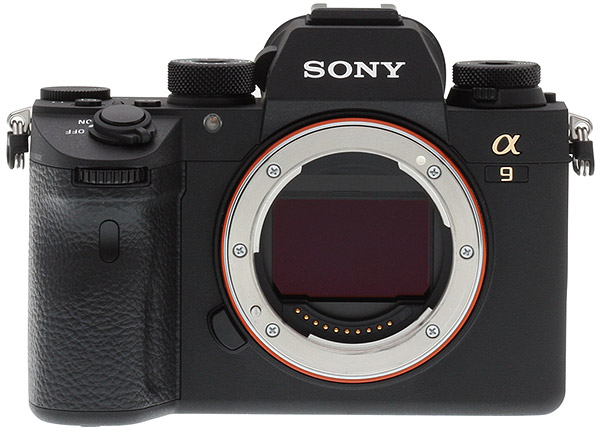 |
The A9 keeps much of what Sony users will find familiar while doing a little to make their camera more comfortable for those with larger hands. I used the camera exclusively without the optional battery grip and found it to be quite comfortable to hold. I, however, do not have the largest hands. In contrast, two of my friends who do have larger hands found it to still be smaller than they would have liked, with both their pinkie finger and ring finger not fitting into the given grip space and being forced to press up against the bottom of the battery compartment, which is not very comfortable. This can easily be solved by using the battery grip, but that’s not the most elegant “solution” to the problem to them.
What’s odd is that if the camera as a standalone was large enough for their hands (let’s pretend the battery grip was always part of the body design, and the camera was simply larger as a result), they would like the way the camera felt. But suddenly asking them to add a peripheral to achieve that was going too far, and they didn’t like that suggestion of being forced to use the grip.
I don’t think they alone share this somewhat paradoxical view. It’s not uncommon to want the camera in its original state to simply work, and having to purchase and always include a peripheral isn’t the most desirable situation. That said, it’s also possible they didn’t want to like the A9, which happens to be a very popular stance for some reason.
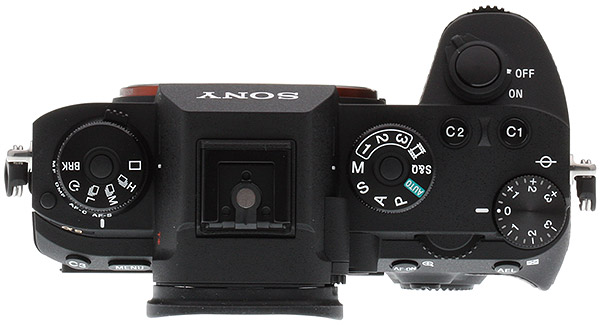 |
The Sony A9’s new battery lets you keep shooting throughout the day
Moving on, the larger grip was added to the A9 to allow for a larger compartment for Sony’s new battery. The new one is noticeably larger but still only about 2/3 the size of the somewhat ubiquitous Canon LP-E6 battery, for example. So, it’s still very small compared to the competitor batteries, yet its performance was quite impressive. Combined with the A9’s vastly improved power efficiency, the new battery has pretty much quelled my rage regarding the short battery life of Sony cameras. In multiple instances I have shot for hours upon hours, both actively and stopping to check images, and at no point did I ever have to replace the battery or stop due to it dying.
In Santa Barbara, I shot with the camera often and intermittently starting at dawn and did not stop until past three in the afternoon. The battery never made it below 50%. During my overheating tests, I fired over 4000 shots (8000 files of both JPEG and RAW), and the battery never fell below 70%. During the baseball game, in which I shot through eight innings non-stop, the battery never went below 60%.
This is exactly the kind of performance I and many like me have come to expect out of traditional DSLRs, except the A9 is capable of it with a full-time electronic viewfinder. The power consumption and battery changes Sony made in their A9 over their previous full frame professional bodies is nothing short of spectacular. For those who have been waiting for mirrorless to catch up to DSLRs, the A9 is making an extremely strong case that such a time has arrived.
 |
|
FE 24-70mm F2.8 GM: 30mm, f/8, 1/400s, ISO 100
|
Weather “resistance” may limit the A9 as a “workhorse” camera
Though I have not broken my A9 yet, it’s only because I’ve tried to be careful with it. And that’s kind of a fundamental issue with the Sony cameras when it comes to actually considering them “workhorses.” Compared to its larger and beefier competitors like the D500, D5 or 1DX Mark II, the Sony A9 feels far more frail. Is it as frail as it appears? Probably not, but by the nature of its build and lack of true weather sealing (the carefully worded weather “resistance” is meant as a warning from Sony: don’t actually get it wet or covered in sand) means you will find it much easier to break than its rugged competitors.
In fairness, I have shot with the A9 in very moist environments (right next to a thundering waterfall) and in very dusty and hot environments (horse track in Santa Barbara), and it’s no worse for wear. I’ve also seen many instances of Sony cameras doing just fine in somewhat extreme environments. I have also seen them outright fail due to moisture levels. It’s a known issue, and one Sony has yet to address.
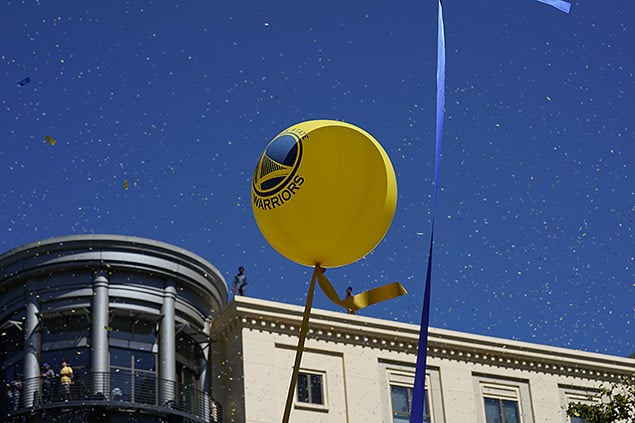 |
|
FE 70-200mm F2.8 GM OSS: 70mm, f/5.6, 1/800s, ISO 100, -0.3EV
|
When all is said and done, my only real complaint in these environments is changing lenses. With no mirror to protect the sensor, if you encounter any kind of blowing water or dust (think wind, or just air currents) it is very much inevitable you will get something on the sensor. If you forget to turn the camera off before switching lenses, this chance increases by a huge margin (when the camera is on and the sensor is charged, it becomes a literal magnet for dust particles). Though a DSLR does have a mirror to protect the sensor in these kinds of situations, if there really was a dust storm blowing dirt around, you would still get dust and dirt inside the camera while changes lenses. Is it better or worse? Hard to say. It may just be a “mental thing” with me when it comes to this kind of camera build. I’m more afraid of the dust than perhaps I need to be.
As far as the physical placement of buttons, dials and knobs, the A9 does not stray from the tried-and-true design decisions of the A7R II or the A7S II. It feels very much the same to use, and everything is precisely where I expected to find it. The top of the body has three knobs: one for shooting speed/mode, one for camera mode and one for exposure compensation. The shooting speed/mode dial also has a smaller dial built into it that lets you change which type of focusing you want the camera set to (manual, direct manual, AF-C and AF-S). Both this dial and the shooting speed/mode dials use locking buttons to prevent accidental changes. For the shooting speed/mode dial, you have to simultaneously press a button in the middle of the dial while turning the dial in order to adjust the mode. For the focusing dial, a small button to the bottom left of the dial must be pressed and held down while turning in order to adjust the focusing type. Both can be done with one hand, and though it takes a bit of getting used to, it’s easy to get the hang of.
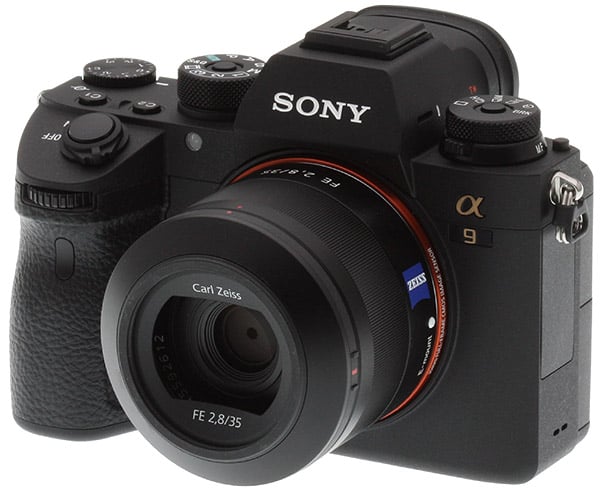 |
The camera mode dial also has a center button that must be held in order to adjust, but the exposure compensation dial does not have a lock button of any kind.
In addition to the on/off switch and trigger button, the A9 also has two custom settings buttons on top of the camera that can be mapped to your choosing. There are no buttons on the face of the camera at all — save for the front control dial on the grip — in contrast with what you find on something like the Nikon D500.
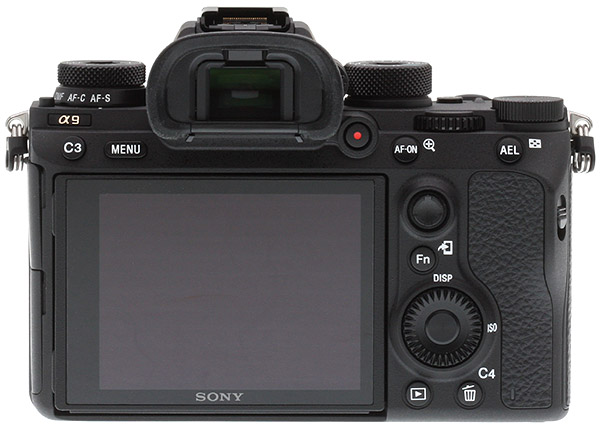 |
The rear of the camera is also familiar, with two more custom settings buttons (one which shares a function with the trash icon), and the Menu, AF-On/magnify, AEL, Fn, and Play buttons. There is the same rotating dial near the bottom right of the camera for moving through settings or the menu as well as the “enter” key in the center of that dial. The A9 also has an omni-directional joystick above that dial.
The Fn key works as expected and as it does on other models, which is to give you access to a host of options on the main screen that may be slower to find using either the menu key or other buttons. This is actually less of a problem on the A9 as it is on something like the RX100, which has fewer physical buttons, but it’s nice that it’s consistent across Sony cameras.
Finally, a touchscreen on a full-frame Sony mirrorless camera
The rest of the rear of the camera is taken up by the articulating touch screen, the “touch” part of that being a first for Sony’s full-frame mirrorless cameras. Unfortunately, it’s not a full-time touch screen and is only helpful for touch to focus in photo and video. You cannot use it to navigate any menu or select anything on screen except for touch focus.
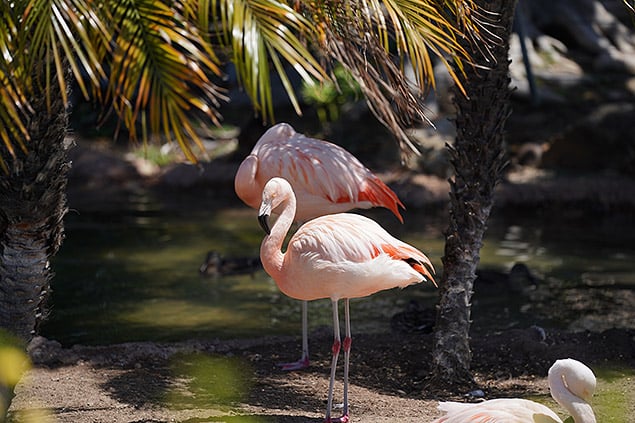 |
|
FE 70-200mm F2.8 GM OSS: 200mm, f/3.2, 1/1600s, ISO 100, -0.7EV
|
Speaking of touch focus, though it’s nice that Sony finally included a touch screen on the A9. I go into more detail regarding the touch-to-focus in the video section (as it works the same in live view for stills as it does in video, but has more of a video-centric feel to its addition).
On the positive side, the A9 does not hunt or rapidly shift focus when you tap to focus in video. Focus shifts smoothly, and mimics how a manual rack focus would look. When tapping to focus in stills mode, however, it does not actually work perhaps as expected, in my opinion. When you tap on the screen, you are simply moving the focus area. In order to actually focus there, however, you still have to activate the focus (either back button focus, half press on the shutter, etc). I was expecting it to automatically adjust focus where I tapped, but this was not the case. Oddly, that grey focus box would be a welcome addition to the video mode, which would show me where the camera believes I touched. We don’t get that for every autofocus mode, however, and it only appears for video mode if you have the autofocus mode set to Flexible Spot or Expand Flexible Spot.
I suppose some touch functionality is better than none, but the implementation here feels incomplete.
As for the quality of the screen, it is as expected: bright, easy to see in nearly all lighting conditions, and it articulates in a way that made shooting in crowds a huge boon. During the Golden State Warriors celebration parade, I held the A9 above the heads of those around me in order to get certain shots, and I was able to use the articulating screen to assure I was getting what I wanted in frame. This is a massive benefit over my other go-to action camera, the 1DX Mark II as that camera does not have an articulating screen, and in the same situation I would be forced to guess where my subjects were and “spray and pray.”
 |
|
FE 70-200mm F2.8 GM OSS: 200mm, f/5.6, 1/1000s, ISO 100, -0.3EV
|
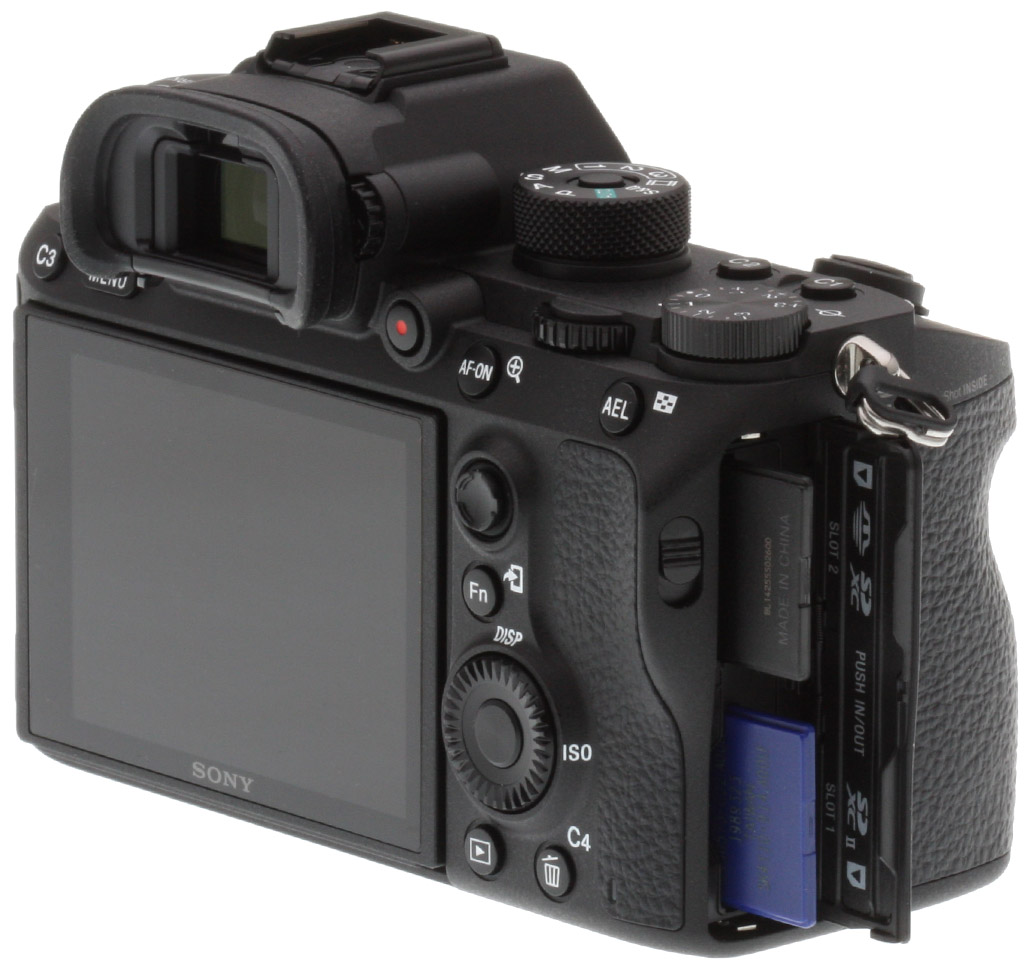
The right side of the A9 holds the battery and two memory cards. The dual memory card slot was an absolute must for this camera, but unfortunately it wasn’t executed in a way that would maximize the best-case scenario for the A9: only one of the two slots is UHS-II. When shooting at maximum burst speed, it would be nice to send JPEGs to one card and RAWs to the other, but in doing so you will be limited to the maximum shooting speed of the slowest card slot. For most, this will mean sending RAWs to slot one with a UHS-II card, and JPEGs to slot two with a UHS-I read speed. You will get decent performance here, but not the sustained 20 frames per second shooting that I have come to expect when writing all data to one UHS-II card.
I found that I would get around 117 RAW+JPEG files written to a UHS-II card before the buffer kicked in, which very closely matched our lab testing. When I separated the writing to two cards, RAWs to UHS-II and JPEGs to UHS-I, I was able to fire 110 shots before the buffer kicked in.
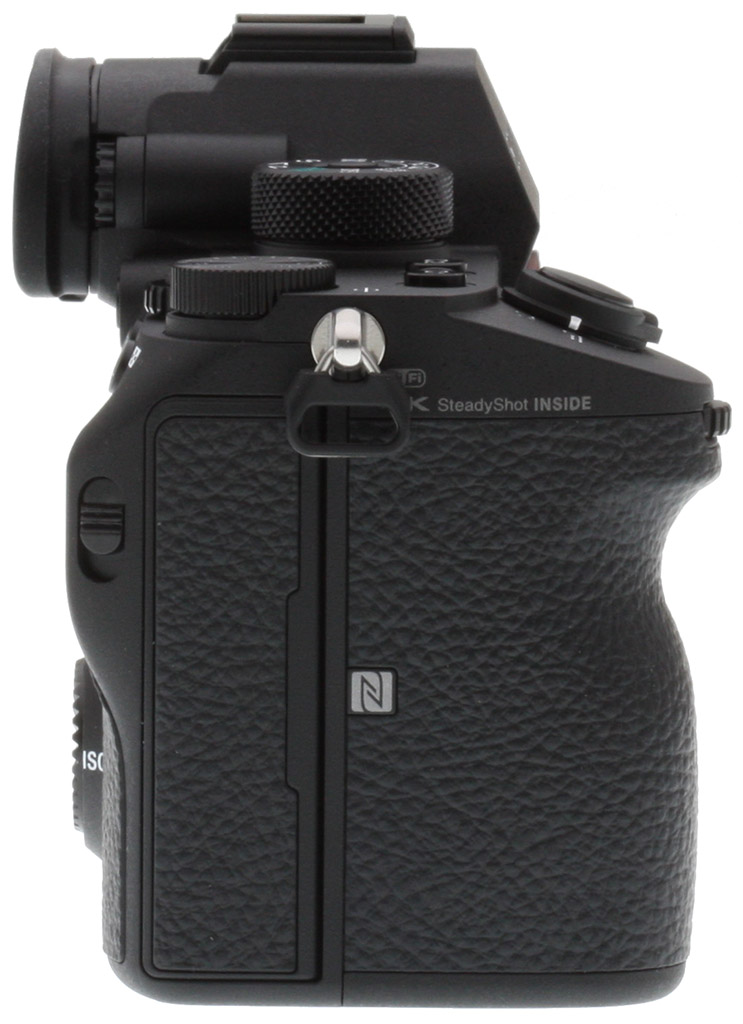
This is not a huge difference, but it is noticeable. Where you will notice the difference is in buffer clearing: the full buffer clearing time felt greatly increased. While it took about 30 seconds to clear the buffer fully after firing that many shots, it took closer to a minute to do so writing across both card slots. That is where you will feel the biggest difference between UHS-I and UHS-2, and it can become frustrating waiting for a buffer to clear. Also, as is the case with every other Sony full frame mirrorless ILC before it, you cannot access the menu of the A9 while it is writing to a card. You can change your camera settings and you can view images (albeit slowly) as they are writing, but you cannot get to the meat of the A9’s systems while you wait for the buffer to clear.
For those curious, writing to UHS-II with RAW only, I was able to get exactly 120 shots before the buffer kicked in.
To wrap, the A9 will record simultaneous stills (redundantly), simultaneous movie files (redundantly), simultaneous recording of stills and movie files, sort JPEG/RAW, sort still/movie, and copy.
The left side of the A9 plays host to six different ports: 3.5mm microphone jack, headphone jack, microHDMI, microUSB, flash sync as well as a standard Ethernet jack — something not seen on earlier A7-series cameras. The inclusion of all these ports is great, and should cover just about anything you want to do with the A9.
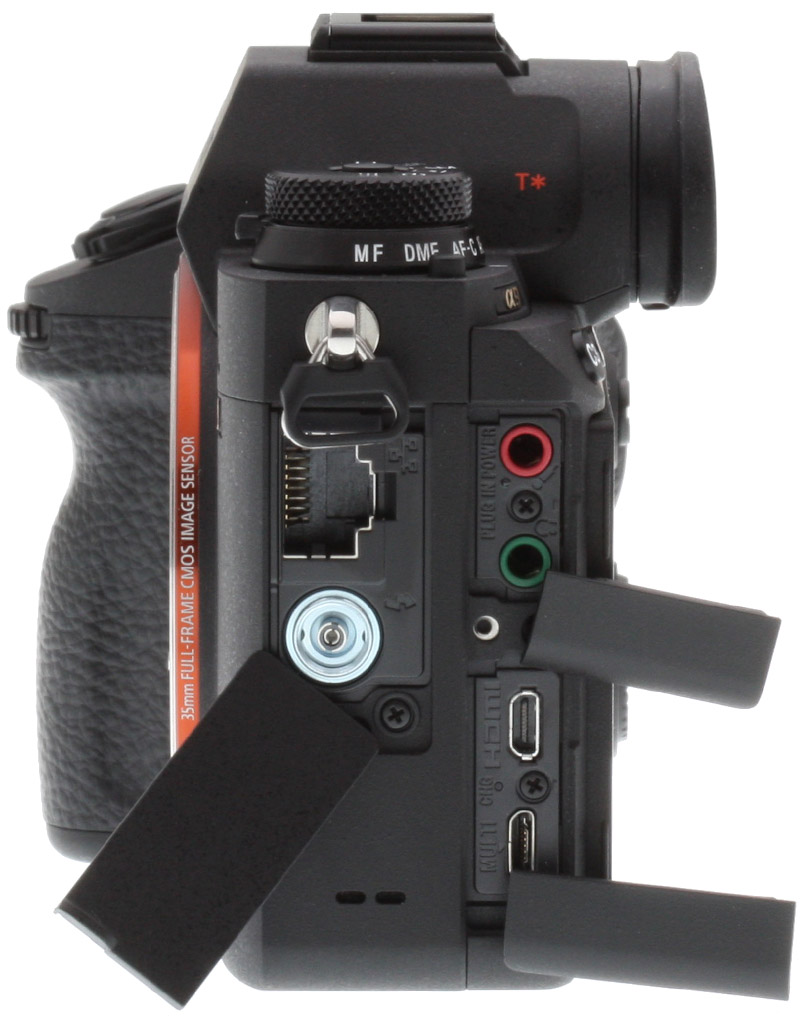
The microHDMI has to be the most annoying of the ways to offer HDMI (as the design itself of that kind of cable/port is very flimsy and easy to break), but it’s understandable given the lack of remaining space on the small body.
The only other note on these ports is that when the doors to those ports are all closed, there is no outward labeling of what port is where, which can mean fumbling for a bit to find the which of the three doors you wanted. I say this is an issue because after four years of shooting with three or four different cameras, I can confidently say I never have a firm grasp of which port is where on what body. Some indication on the side of the camera is always welcome.
The A9 has yet to overheat, even when working heavily while subjected to high ambient temperatures
Going back to the size of the A9 compared to its predecessors, I for one am extremely grateful that Sony finally acquiesced to letting their camera get larger. The new battery lasts much longer than any other Sony camera I’ve shot since their push into mirrorless (as mentioned above), and the way the new body is able to dissipate heat means not only has my test unit never overheated, it has never even indicated to me that it was reaching temperatures above recommended levels.
I would like to fully wrap up our test of overheating with some data we pulled from the image files as well as a third and final test of the camera’s ability to manage heat.
One of the first tests I did was on overheating, and you can see that full test and result here. What we did not publish at the time was the camera’s internal temperature, both the sensor and the battery compartment. We now have that information by reading the EXIF data on the files:
From the first part of the test (left in the sun on the porch in San Diego):
- Camera Temperature: 30 ºC
- Battery Temperature: 28.9 ºC
From the second part of the test (left in the car in the sun in San Diego):
- Camera Temperature: 45 ºC
- Battery Temperature: 48.9 ºC
After that test, I then took the A9 to Sacramento to photograph a baseball game, and as luck would have it, I was again able to gauge how well the A9 handled heat. When we arrived, the ambient temperature was 40 ºC (104 degrees Fahrenheit). I shot while standing in that heat, and then continued shooting well past sunset. The camera got hot, but never overheated:
From the beginning of the game (third base line):
- Camera Temperature: 38 ºC
- Battery Temperature: 40 ºC
From the seventh inning (first base line):
- Camera Temperature: 43 ºC
- Battery Temperature: 45.6 ºC
If you would like to verify these numbers yourself, you can download the RAW files here: First test, second test, third test, fourth test.
While the A9 got its hottest during my test of leaving it in the car in the sun, the more “real world situation” of using it on a blistering hot day in Sacramento subjected the body to some serious heat; heat I am certain would have caused the A7R II to shut down and refuse to operate. For some reason many want to be able to point to something, anything, to say that this camera fails in some regard to older mainstay cameras. That said, I am 100% confident that overheating does not plague this camera, and that it can’t be pointed to as a weakness.
The Sony A9 autofocus system is simply outstanding
The Sony A9 offers a lot to be excited about, but the number one jaw-dropper at its reveal was the autofocus it showed: it was phenomenal. In demonstrations, the A9 looked to outclass just about any other camera on the market, and was at the very least the best autofocus system anyone had ever put into a mirrorless camera.
 |
|
FE 70-200mm F2.8 GM OSS: 200mm, f/2.8, 1/4000s, ISO 3200
|
After testing, I am confident that the second statement is 100% true, but the “fight” for best autofocus in a sports camera is still up for debate.
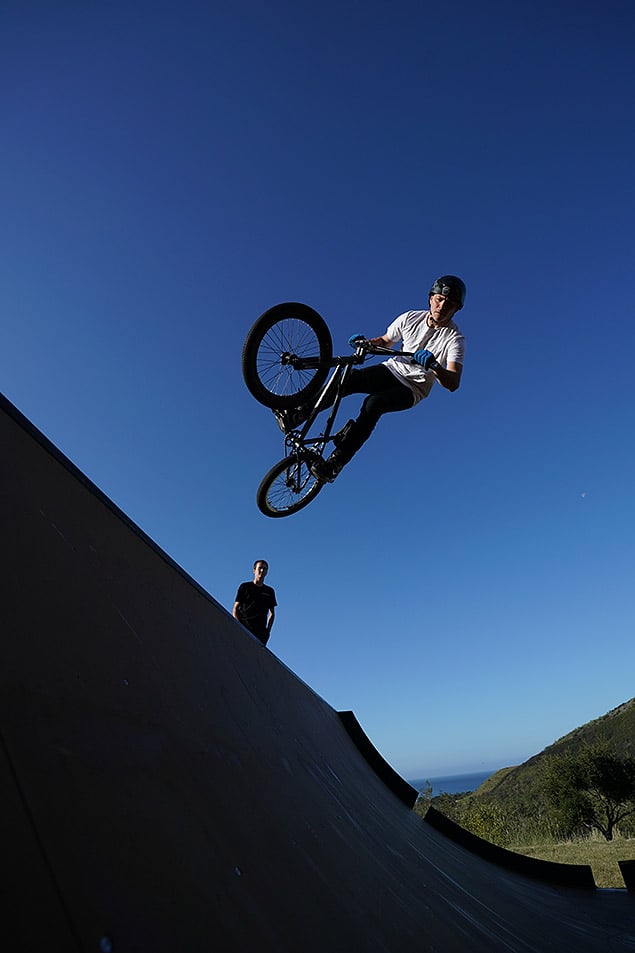 |
|
FE 16-35mm F2.8 GM: 16mm, f/5.6, 1/3200s, ISO 400, -0.7EV
|
In most situations, especially at wider angles, the Sony A9 never missed a shot. This is best exemplified by the images from the horse track and the bike ramp. Even backlit, the A9 was very reliable.
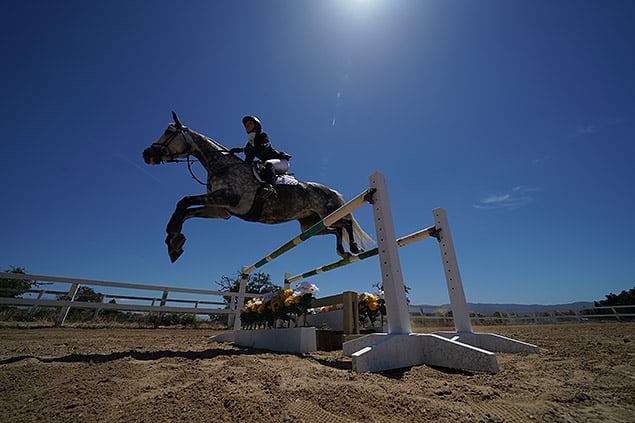 |
|
FE 12-24mm F4 G: 12mm, f/6.3, 1/1000s, ISO 100, -0.7EV
|
During a baseball game, the A9 also shined. There were only a few shots where I experienced the camera miss the subject I wanted to focus on, and that was due to other objects (read: first/third base coaches) standing in the way of the player I wanted to follow moving between infielders.
 |
|
FE 70-200mm F2.8 GM OSS: 200mm, f/3.2, 1/1250s, ISO 1250
|
 |
|
FE 70-200mm F2.8 GM OSS: 200mm, f/2.8, 1/4000s, ISO 2500
|
I did take a sample video where I tasked the A9 to follow a batter as he rounded first base, and this was perhaps the most impressive example of autofocusing I saw out of the A9. While racking out, following the runner and having a coach enter the frame, the A9 never once lost focus on the batter.
The only time I had trouble with the A9’s focusing was during the Warriors championship celebration parade. Multiple times while attempting to get shots handheld, the A9 missed focus. Where I experienced virtually no failures across three other major shoots I did with the A9, that fail rate spiked dramatically during the Warriors parade. I’m still not certain why, as the lighting was ideal during the parade and in many shots, my angle of view was completely unobstructed. I even tried different autofocus settings to try and improve the results, it still failed at critical times. There are several images of the team that have missed critical focus, choosing to grab the foreground rather than faces (even when faces are more centered than the foreground). Of these, the shots I took of Kevin Durant are most forgivable due to the speed his bus was moving and my position to him.
 |
|
Missed Focus
FE 70-200mm F2.8 GM OSS: 155mm, f/5.6, 1/800s, ISO 100, -0.3EV |
While it did fail to nab perfect focus a few times, I have to remind myself that I was able to capture around 2000 photos of that event, and of those 2000 photos only a small fraction failed in focus. It just so happens that those failed images I really wanted.
 |
|
Missed Focus
FE 70-200mm F2.8 GM OSS: 70mm, f/5.6, 1/100s, ISO 100, -0.3EV |
So while the A9 autofocus system is remarkable and exceedingly impressive, it is not infallible.
I also noticed that the A9 with the Sony 70-200mm f/2.8 also has a motion blur problem if you’re not totally steady when firing under 1/320 second. I believe that in a well lit situation, at ISO 100 and f/5.6 at 200mm, I should be able to slightly move the camera and still capture tack sharp images as low as 1/160 second. However, both at the parade and in testing later in a similar lighting environment, I found that I can’t move the camera much or I would see motion blur in many or all of the images captured.
 |
 |
|
FE 70-200mm F2.8 GM OSS: 200mm, f/5.6, 1/160s, ISO 100, -0.3EV
|
The motion blur I experienced with photographing Steph and Aesha Curry at the parade I retested in similar lighting, shade and peeking sun, with the same shutter speed, aperture and ISO. I gently swayed the camera as I shot in High burst mode to simulate the situation I experienced at the parade.
 |
 |
|
FE 70-200mm F2.8 GM OSS: 200mm, f/5.6, 1/160s, ISO 100
|
Both at the parade and during my tests, the lens was set to IS mode 1, and the camera’s built-in OSS was also activated. When I did so, the same motion blur occurred. I even increased the shutter speed a bit to try and alleviate it, but it still occurred as high as 1/320 second.
 |
 |
|
FE 70-200mm F2.8 GM OSS: 198mm, f/6.3, 1/320s, ISO 100
|
This kind of motion blur remains one of my few concerns with the A9. Based on pure specifications of the shot, there should be no reason to see this kind of blur in the images. I’m not “swinging” the camera around madly, simply swaying gently as I would expect to in a crowd or event situation. I would expect images shot as low as 1/125 second to provide enough speed to capture the image without blur, and especially at 1/160 where I was during the parade, but even as high as 1/320 second I’m still seeing it.
This was, by the way, all while the camera showed the subject in focus. I know that it was capable of it, as a few of the shots did come out sharp. So it’s not the autofocus so much as something else.
Editor’s Note: The FE 70-200mm f/2.8 GM OSS lens used for these images shipped with firmware version .01. There has since been a firmware update. We will revisit this blurring issue once the camera and lens returns to our lab and undergoes a firmware update.
Back to the autofocus though, I think I need to stress how good it actually is. Though it can sometimes fail to grasp what you might want specifically, it is quite good most of the time and excellent at tracking. Though many can complain about things like size, ruggedness, and before, battery life and overheating, I have yet to hand the A9 to a skeptic and not see them marvel at both the speed and accuracy of the camera. It is excellent in this regard, and that should not be ignored. Sony has done something truly great with autofocus on a mirrorless sensor, and the hurdle they have been trying to get over appears to finally have been jumped.
 |
|
FE 24-70mm F2.8 GM: 70mm, f/2.8, 1/2000s, ISO 100, -0.3EV
|
The Sony A9 offers excellent image quality & dynamic range
Sony has for the last few years shown to have the absolute top-tier sensor tech, and it’s why their imaging business is booming. So it’s never been a point of contention that Sony’s sensors are the best things about their cameras.
But in a strange turn, one of the largest concerns expressed to me by critics and prospective buyers has been, outside of the overheating question, if the dynamic range was “any good.” I was asked this question so many times that I began to subconsciously question it myself, even going so far as to assume it wasn’t the best when having a conversation with a Sony engineer earlier this summer. And, as if to back up my seeded beliefs, the Sony engineer did not disagree or correct me when discussing the dynamic range shortcomings.
So, that must mean the camera has poor or sub-par dynamic range, right? Well, DxO published their findings on the Dynamic Range, and said this on the matter:
“On unprocessed RAW files, it achieves excellent color depth of over 20 bits and good color depth (over 17 bits) at ISO 1600 and ISO 6400, respectively. Dynamic range is even more impressive, with the a9 benefitting from the same performance uplift at mid-ISO sensitivities as the A7R II, to offer excellent dynamic range of over 10EV up to ISO 6400.”
You can see for yourself the full breakdown of dynamic range at DxO, and since we no longer do in-house dynamic range testing, we recommend them as the best source for such results. For my particular evaluation, I just want to see how much I can get out of the highlights and shadows of an image, because in a totally practical sense, that’s really all I ever use when it comes to dynamic range in my own images.
And looking at my test shots, I have to agree with DxO’s findings: the dynamic range is absolutely what I would hope to find in a high-end camera and gives me the latitude to do basically whatever I might want in post. Let’s take this image, as an example:
 |
You’ll notice that the sunset is clearly blowing out parts of the sky, and due to the extreme nature of that light, the foreground is nearly silhouetted. At the very least, the roof of the building is totally black.
I decided to bring the shadows up as much as possible in post:
 |
 |
You’ll see that the roof not only fully comes into view, but you can see the details of the individual shingles therein. Is it totally clean? No, but it was also completely black in the original image I shot, so getting any detail at all is very welcome.
Next, I took the exposure down in the other direction, to see if I could get the sky properly exposed:
 |
Looks good to me. The sky is very much no longer overexposed, showing that I can bring parts of an image that are very much blown out and recover them to proper exposure.
Below is one more example, with the shadows brought up in a severely underexposed image:
 |
 |
Looking back, I’m not really sure where the concern over dynamic range originated, but I’m confident in the A9’s sensor now after doing my own testing and looking at what DxO found.
Moving on to ISO, let’s first look at the ISO performance in stills and then in video, because the results are significantly different.
|
Sony A9 ISO Range Comparison: 100% crop from straight-out-of-camera JPEGs
|
|
 |
 |
|
ISO 100
|
ISO 200
|
 |
 |
|
ISO 400
|
ISO 800
|
 |
 |
|
ISO 1600
|
ISO 3200
|
 |
 |
|
ISO 6400
|
ISO 12800
|
 |
 |
|
ISO 25600
|
ISO 51200
|
 |
 |
|
ISO 102400
|
ISO 204800
|
My opinion of how “good” the ISO performance is on the A9 depends on how much I’m willing to zoom in. If I do a true “pixel peep,” the camera performs well until about ISO 10,000. Even a bit further, the ISO is still passable. Only at ISO 20,000 do I believe the noise rises and image quality falls to a point of unusable.
 |
 |
|
ISO 10000
|
ISO 20000
|
However, if I’m looking at these images at less than 100%, which is more likely given the intended use of this camera, I am comfortable saying the ISO looks quite passable up as high as 25,600. It’s not “good” by any means, but the level of noise and image quality isn’t so bad as to take away from the content of the image. In this regard, the camera performs exceedingly well.
In video, however, the noise that I am fine with in photos appears much more prominently and much sooner. Starting as low as ISO 6400, I start to notice video quality degradation, and sharpness falloff. It’s not bad by any stretch of the imagination, but if combined with clips taken at lower ISOs, the contrast in quality would be noticeable. Beyond that, my true ceiling of use would be ISO 12,800. The high level of noise and lack of sharpness is very visible here, and I would not recommend using ISOs this high unless quality of footage is secondary to what is being captured.
 |
|
FE 70-200mm F2.8 GM OSS: 200mm, f/2.8, 1/4000s, ISO 2500
|
Sony A9 Field Test Summary
For a wildlife, event or sport shooter, Sony has made a miracle with its A9. It’s fast and lightweight without being too small, and addresses just about every problem mirrorless has had up to this point. It has a great battery life and does not overheat. Sony even made the A9 give more feedback about how long you might have to wait to access the menu when writing to a card by showing the status of the card writing in the Playback menu (which you can access when it is actively writing). For me personally, these were all the most major concerns I had with Sony mirrorless up to this point, but they went one step further and put one of the fastest and most accurate autofocus systems I’ve ever encountered into the A9 as well. Is it the best? No, but it’s darn close. The fact that a mirrorless is even in that conversation now is a huge step for the format.
Because of the A9, there is little left to point to that show the format as being inferior to a traditional DSLR. That gap has closed.
For Sony, the question now is not if the A9 can compete, which it very easily can, but whether it can finally turn Nikon and Canon users away from their 1D- and D5-type cameras. That we will have to wait to see, but from a pure technology and usability standpoint, there is no reason to believe that can’t or won’t happen.
Field Test Part IV
Blazing up the trail to Mt. Whitney
by Brent Durand | Posted 08/08/2017
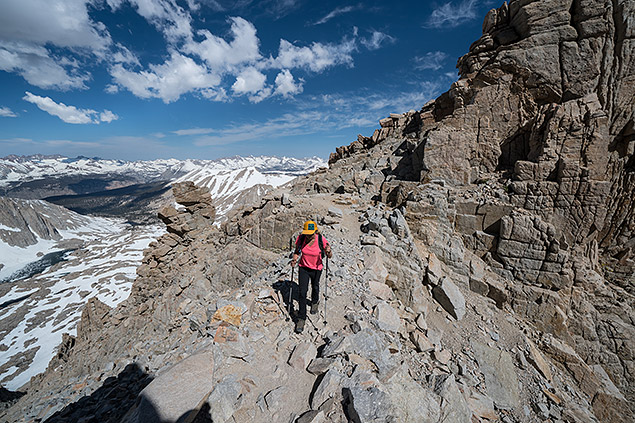 |
|
Sony FE 12-24mm F4 G lens, f/11, 1/320s, ISO 100, 12mm
Note: This image has been edited. Please click for original. |
The Sony A9 arrived on the scene this past April, offering pro shooters a blazing fast, versatile, full frame mirrorless camera. The A9 is built around an all-new, full-frame backside-illuminated 24.2MP stacked CMOS sensor, which places the photodiodes closer to the surface of the sensor. This design, combined with its uniquely integral memory, enables the lighting-quick burst shooting and very deep buffers that make this camera stand out to action shooters. The A9 is capable of shooting 20fps with no blackout and 60 autofocus and exposure calculations per second. Additionally, the backside-illuminated design allows more light to reach each pixel, which (in theory at least) produces better image quality and high-ISO performance.
I recently had a chance to shoot the A9 in some fun conditions while hiking California’s iconic Mt. Whitney. Needless to say, I was excited to take the A9 on the hike with the new Sony FE 12-24 F4 G ultra-wide zoom lens. Here are a few thoughts from the field…
To me, the Sony A9 feels just like a DSLR even though it is a much smaller body. A deep grip makes it easy to hold, even with gloves, and the intuitive control layout helps you quickly change settings to match shooting conditions.
Four different custom buttons allow you to configure the camera to quickly access the settings you use the most. For example, the A9 features 5-axis image stabilization (Steady Shot), so instead of digging through the menu to turn this on and off, I simply assigned it to the C3 button. After that it’s just two button presses to turn IS on and off. The Fn button, also, is really useful for accessing settings you haven’t assigned to custom buttons.
This customization is really important for shooters who need to quickly access the settings they use the most, whether shooting sports, weddings or wildlife. The only control and ergonomic issues I had after initial setup stemmed from my Canon habits or from trying to find items in the Sony menu.
 |
|
Sony FE 12-24mm F4 G lens, f/8, 1/1250s, ISO 80, 12mm (+1 EV in Lightroom)
Note: This image has been edited. Please click for original. |
I just had to try this out! As advertised, the burst is insanely fast. With a DSLR, you see the mirror blackout in between each frame, whereas with the mirrorless Sony A9 the picture doesn’t black out. It doesn’t even flutter. This helped to keep precise composition through the sequences. The autofocus, set to AF-C and Zone Focus Area, had no problem tracking my walking subject.
Note that burst shooting at 20fps requires a UHS-II SDXC memory card; I used a Sony 64GB card with 300 MB/s write speed. The A9 lets you shoot multiple bursts, and if you press the playback button you’ll see an icon displaying the camera’s status in writing to the card and clearing the buffer.
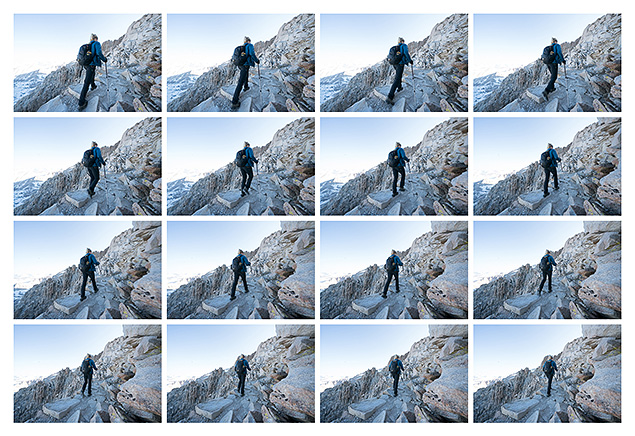 |
|
Sony A9 20fps Burst Sequence
|
Sony’s 5-axis image stabilization is a great feature for those scenes without much movement and where you don’t want to bump the ISO up. It proved useful in capturing the image below, where a 1/30s shutter speed might have introduced camera shake.
 |
|
Sony FE 12-24mm F4 G lens, f/22, 1/30s, ISO 320, 12mm
Note: This image has been edited. Please click for original. |
Dynamic range, color tonality and overall image quality are the main reasons many of us shoot full frame. The Sony A9 easily handled the challenges of shooting on the trail, combining the best features of sports/action photography with full frame image quality at the pixel level. In one word, the A9 is versatile. Below is a small collection of shots that show off the A9’s ability to produce high quality images in a variety of shooting conditions.
For a more technical analysis of image quality be sure to read our earlier in-depth Sony A9 Field Test Part II. For more of my images shot with the A9, check out my Sony FE 12-24mm F4 G Lens Field Test.
 |
|
Sony FE 12-24mm F4 G lens, f/4, 10s, ISO 6400, 18mm
Note: This image has been edited. Please click for original. |
 |
|
Sony FE 12-24mm F4 G lens, f/6.3, 1/250s, ISO 800, 24mm
Note: This image has been edited. Please click for original. |
 |
|
Sony FE 12-24mm F4 G lens, f/18, 1/60s, ISO 100, 12mm
Note: This image has been edited. Please click for original. |
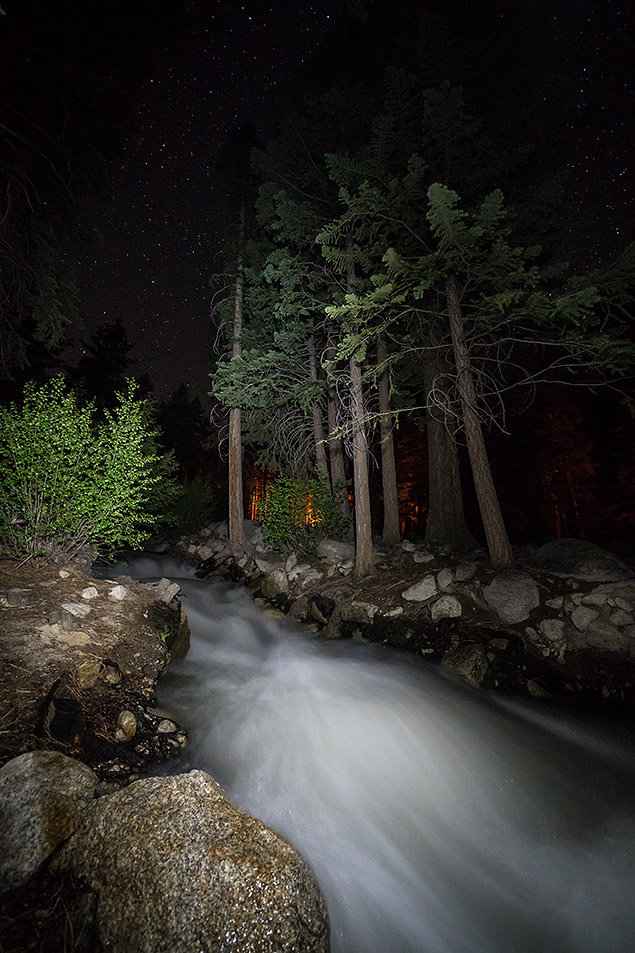 |
|
Sony FE 12-24mm F4 G lens, f/4, 10s, ISO 6400, 12mm
Note: This image has been edited. Please click for original. |
 |
|
Sony FE 12-24mm F4 G lens, f/11, 1/320s, ISO 320, 13mm (Minor white balance adjustment in Lightroom)
Note: This image has been edited. Please click for original. |
I was worried about battery life on the 2-day Mt. Whitney trip, where temperatures where to drop to freezing. Sony introduced new, larger batteries for this model, and the A9 battery life blew away my expectations. I packed three batteries as well as a battery charger, and ended up using just one battery for the entire trip. Very solid. I have only myself to blame for carrying that extra weight up the hill!
No matter how many 10s of hours I log with Sony cameras, the picture I see on the electronic viewfinder has always felt “off” compared to the scene reflected off a mirror of a DSLR, but using the A9’s 3686k dot electronic viewfinder was the first time I could really feel how an image would look once loaded on the computer. I used the viewfinder to shoot and to review images and while it’s still not the same shooting experience, I think this makes the DSLR-to-mirrorless transition easier for those who have felt the same.
 |
|
Sony FE 12-24mm F4 G lens, f/11, 1/640s, ISO 320, 24mm
Note: This image has been edited. Please click for original. |
Sony A9 Field Test Part III Summary
The Sony A9 is a sweet camera. I didn’t use it for video and cannot speak about those features, media quality, or even reported overheating issues, but I can say that I’m really impressed with the body and photo features. The price not cheap, but then again, this camera is marketed to pros who would otherwise be looking towards the Canon 1D X Mk II or Nikon D5. The A9 proved insanely fast and capable in capturing the limited action I saw, while also sensitive in soft landscape light — a versatile camera that I’d be stoked to take into the field again.
Video
Check out the links below for more sample images, videos and image quality analysis:
-
Sony Alpha ILCE-A9 Optics page
(Crops from images shot with the camera’s kit lens, if sold as a kit) -
Sony Alpha ILCE-A9 Sample Images page
(Index to all standard test shots, with explanations) -
Sony Alpha ILCE-A9 Thumbnails page
(Thumbnails of all shots, including RAWs, with EXIF data) -
Sony Alpha ILCE-A9 Gallery page
(Regular photos taken with the Sony Alpha ILCE-A9)
by Jaron Schneider | Posted 07/25/2017
Sony A9 Video Speeds & Feeds
In terms of video, let’s talk a bit about what the Sony A9 offers. The A9 offers video recording in multiple formats:
- 3840 x 2160p at 24, 25, 30 fps (100 Mbps XAVC S)
- 3840 x 2160p at 24, 25, 30 fps (60 Mbps XAVC S)
- 1920 x 1080p at 100, 120 fps (100 Mbps XAVC S)
- 1920 x 1080p at 100, 120 fps (60 Mbps XAVC S)
- 1920 x 1080p at 24, 25, 30, 50, 60 fps (50 Mbps XAVC S)
- 1920 x 1080p at 50, 60 fps (28 Mbps AVCHD)
- 1920 x 1080i at 50, 60 fps (24 Mbps AVCHD)
- 1920 x 1080i at 50, 60 fps (17 Mbps AVCHD)
- 1920 x 1080p at 24, 25 fps (24 Mbps AVCHD)
- 1920 x 1080p at 24, 25 fps (17 Mbps AVCHD)
- 1920 x 1080p at 50, 60 fps (28 Mbps MP4)
- 1920 x 1080p at 25, 30 fps (16 Mbps MP4)
- 1280 x 720p at 25, 30 fps (6 Mbps MP4)
The Sony A9 offers both NTSC- and PAL-specific video frame rates in addition to the cinema-friendly 24 frames per second (23.976fps). (30p and 60p are actually 29.97 and 59.94 frames per second, respectively, to be precise.)
In addition, Slow and Quick Motion frame rates are available at 1920 x 1080p for up to a 60x quick motion effect and up to a 5x slow motion effect (50 Mps; sound is not recorded):
- NTSC capture options: 1fps, 2fps, 4fps, 8fps, 15fps, 30fps, 60fps, 120fps
- NTSC playback options: 24fps, 30fps, 60fps
- PAL capture options: 1fps, 2fps, 3fps, 6fps, 12fps, 25fps, 50fps, 100fps
- PAL playback options: 25fps, 50fps
That’s a lot of options, but you’ll notice there is no 4Kp60, which is a bit disappointing, though not unexpected. The A9 was not marketed as a strong video camera, as it’s use case is most certainly more geared towards action-oriented photographers.
But that isn’t to say there aren’t interesting tidbits and inclusions regarding the Sony A9’s video worth looking at.
Sony A9 Video Quality
All video clips, both in 4K and 1080p, look really, really good. As I’ve come to expect from Sony, the pure image quality, color rendition and dynamic range are very good, the weakest of these being video dynamic range in the case of the A9. In post, you can get some details out of shadows, but if you push too hard, you can expect to see a lot of noise.
Starting as low as ISO 6400, I start to notice image quality degradation and sharpness falloff. It’s not bad by any stretch of the imagination, but if combined with clips taken at lower ISOs, the contrast in quality would be noticeable. Beyond that, my true ceiling of use would be ISO 12,800. The high level of noise and lack of sharpness is very visible here, and I would not recommend using ISOs this high unless quality of footage is secondary to what is being captured.
The Sony A9 records audio in XAVC S:LPCM 2-channel, AVCHD in Dolby Digital (AC-3) 2-channel and Dolby Digital Stereo Creator, and in MP4 with MPEG-4 AAC-LC 2-channel.
It should also be noted that Sony did not include their S-LOG profile on the A9, which is somewhat strange given that they include it on so many other cameras, like the A7S and even something like the RX100. They do have a “Neutral” creative style, which is close to LOG, and that is where you’ll want to be if you want to get the most out of the dynamic range of the A9.
The Sony A9, however, does something I have never seen in any camera before: it will crop in at 4Kp30. There is no crop difference between 1080p and 4K in 24p, but with 4K at 30p (in both 100Mbps and 60Mbps settings), the A9 crops in noticeably by about 1.2x. It is the only video format that has a crop, and it’s extremely unusual to see any difference between 24p and 30p in video of the same quality level. This is highly irregular. As such, I don’t recommend shooting in 4Kp30 to avoid that crop. For a visual on what the crop looks like, you can see it in the video examples provided with this review — see video above or the video framegrabs below:
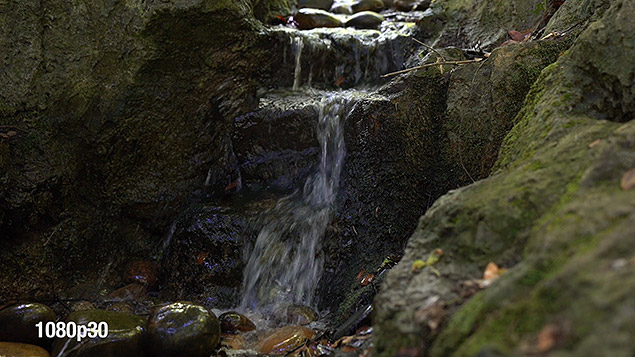 |
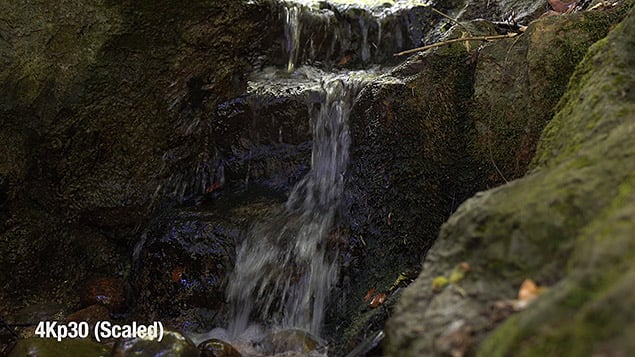 |
 |
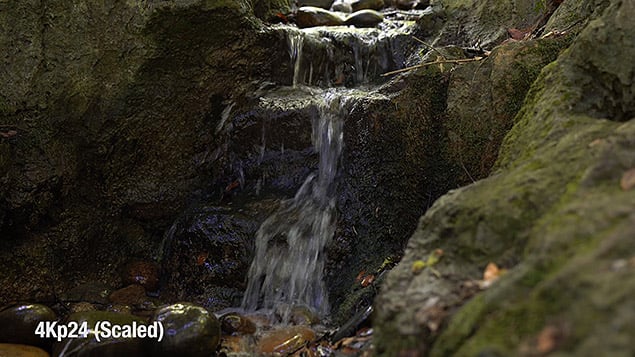 |
The A9 also offers three levels of slow motion at 1080p, and all three of them, quality-wise, look great. Sharpness, quality and color rendition are all very well preserved, and though clips won’t look as sharp or as clean as the A9’s 4K footage, it’s much better than most 1080p available in DSLRs, and the slow motion will prove extremely useful for those looking to diversify their video portfolio.
Sony A9 Video Autofocus
The AF on the A9 in video is superb. It’s really worth taking a look specifically at the baseball clip we have and watch how smart the AF is in keeping track of a moving subject even as he moves behind another subject. It actually tracks him as he moves to different, farther-away focus points even when he’s not the most prominent item in the frame anymore.
The touch screen on the A9, a first for a Sony full frame mirrorless, is quite useful for those who want to use AF in video. Like on Canon DSLRs with touch screens and the Nikon D500, for example, you can tap areas of the screen and have the camera auto adjust focus to those areas. In this regard, the Sony A9 is more akin to the feel of autofocus on a Canon DSLR with a Dual Pixel sensor or other cameras with phase-detect AF as opposed to the poor, prone-to-“hunting” Live View AF operation of the D500 that uses contrast-detect AF. That is to say, the A9 touch-to-focus autofocus is very much in line with how a human would rack focus in and out. The focus is deliberate, but not too slow. It also does not “hunt” or rack around looking for a focus point, but instead flows in and out very nicely.
Unfortunately, Sony didn’t really implement the feedback of touch very well; it’s a bit of a disappointment. It offers no visual or tactile feedback on where you’re tapping to focus, so you’re never really quite sure what the A9 thinks you’re trying to focus on until it has already started to shift focus. It also does not feel particularly responsive. In multiple cases, if I am not choosing to tap directly on the center of the screen, the A9 feels like it is ignoring my commands. I found myself repeatedly tapping the screen to get some kind of response out of it, before it finally started to rack focus to where I was tapping. This sometimes was only achieved by physically moving the camera and centering that which I wanted to focus on, and re-tapping once it was centered in the frame.
Also, bizarrely, the touch operation does not extend to the menu of the A9 where it would be most useful navigating the huge number of pages. Suffice it to say, it’s not the most elegant implementation of touch on a camera, but at least Sony is starting to bring it in as a feature.
Sony A9 Video Connectivity & Storage
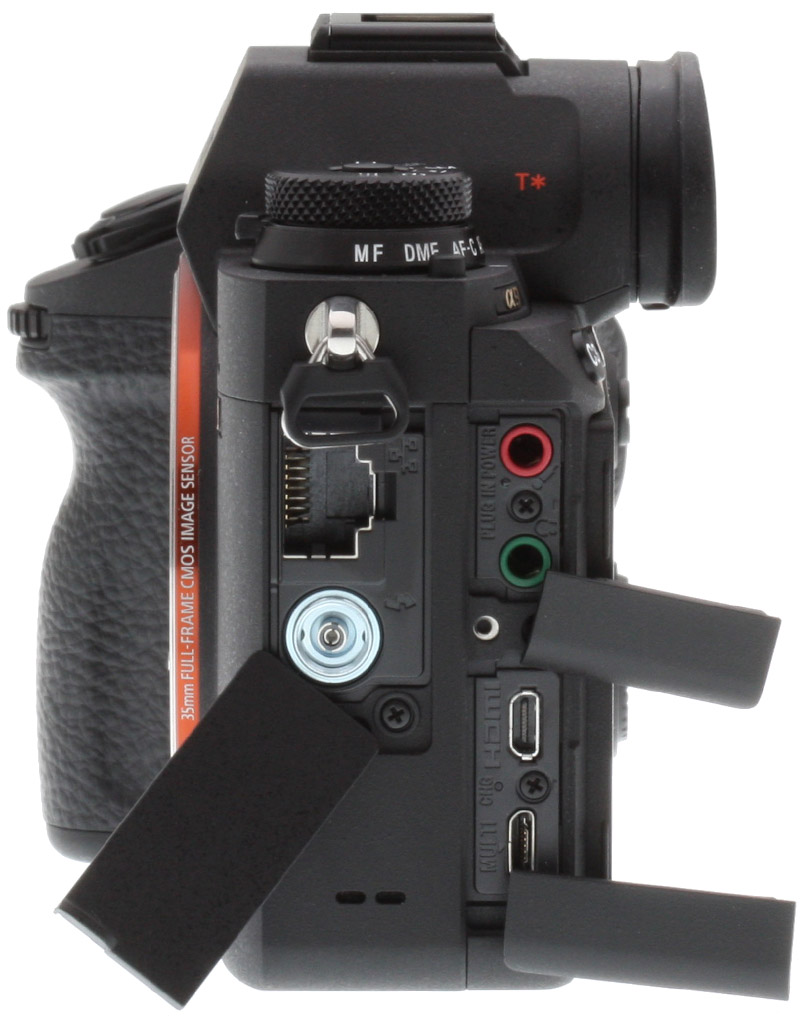
As mentioned in the field test, the A9 includes both a headphone and mic jack, which are must-haves for video shooters. There is also a micro HDMI port, which helps for those plugging in external recorders.
For the HDMI output, the A9 offers the following:
- 3840 x 2160 (30p)
- 3840 x 2160 (25p)
- 3840 x 2160 (24p)
- 1920 x 1080 (60p)
- 1920 x 1080 (60i)
- 1920 x 1080 (50p)
- 1920 x 1080 (50i)
- 1920 x 1080 (24p)
- YCbCr 4:2:2 8-bit / RGB 8-bit
On that last bullet, note that internally the camera records in xvYCC standard color space, and x.v.Color when connected via HDMI cable. In both cases, video is compatible with TRILUMINOS Color. 4:2:2 is nice, though it’s only 8-bit. This is pretty expected though, given that, as mentioned, the camera is not really designed to be a video machine. It just so happens to take good video.
The dual card slot is not fully utilized for video, unfortunately, as you cannot record proxy files when shooting video (4K to one card, 720p or other low-bitrate option to the second, for example). The A9 will record simultaneous stills, simultaneous movie files (redundantly), simultaneous recording of stills and movie files, sort JPEG/RAW, sort still/movie, and copy.
Sony A9 Video Features Summary
Overall, the video performance of the Sony A9 is excellent, with the exception of a few minor quibbles. The lack of 60p in 4K is disappointing, the ISO falloff is a bit worse than anticipated, and the feedback from using the touch screen could be improved. It is also very strange too see a crop at 4Kp30. That said, in most situations the video is outstanding, and it’s a very solid choice for just about anyone below professional level, and a very solid B camera for those at that professional level already shooting with other Sony ILCs.
Pros:
- Offers 4K Ultra HD video with clean HDMI out UHD 4:2:2 8-bit, and visual quality is excellent
- Offers 1080p60, as well as 1080p100 and 1080p120. All three of these show little to no degradation of quality in order to achieve slow motion
- Offers solid continuous autofocus (though see Con)
- Good ISO performance, but with steep falloff at about ISO 10,000
- Comes with built-in headphone jack and mic jack
Cons:
- 4K video is cropped in by about 1.2x at 30p
- Using touch to focus with the continuous autofocus is tricky, as there is no visual or haptic feedback on what the camera understands the user to be selecting
- For its price and time period of its release, not seeing 4Kp60 is a bummer
Technical Info
by Mike Tomkins | Posted: 04/25/2017
Although the Sony A9 looks quite similar to the A7-series at first glance, it sports a newly-designed body featuring magnesium alloy panels at front, top and rear, as well as a magnesium alloy internal frame supporting this external structure. The lens mount is also now said to be more rigid, with six screws instead of four to give it sufficient strength for use with heavy telephoto lenses.
The Sony A9 body is said to be comprehensively sealed for dust and moisture resistance, although the company doesn’t specify how many seals are included in total.
Inside its weather-sealed body, the Sony A9 sports the world’s first stacked 35mm full-frame CMOS image sensor. The Exmor RS-branded sensor combines a high-sensitivity backside-illuminated design with on-chip memory, allowing for a claimed 20x improvement in readout speed. It also features gapless microlenses.
The sensor has a 3:2 aspect ratio and an effective resolution of 24.2 megapixels from a 28.3-megapixel total resolution. Dimensions of the chip are 35.6 x 23.8mm.
Output from the new image processor is handled by the latest variant of Sony’s BIONZ X image processor. Compared to previous versions, it’s said to feature a newly-developed image processing algorithm which reduces noise levels across the sensitivity range.
Together, the new stacked sensor and refined processor allow truly spectacular performance, so long as you’re willing to use an electronic shutter. (And according to Sony, doing so should prove less of a compromise with fast-moving subjects, as it has greatly reduced the amount of rolling shutter effect that would otherwise send you running for your mechanical shutter.)
At full resolution with an electronic shutter, the Sony A9 is capable of capturing as many as 20 frames per second, and that’s complete with autofocus and autoexposure adjustment between frames. If that’s overkill for your needs, reduced rates of 10 or 5 fps are also available. But if you opt to disable electronic shutter in favor of the mechanical one, performance is slashed to a maximum of five frames per second, with an even more modest 2.5 fps rate available in Continuous Lo mode.
Burst depth is claimed to be 362 JPEG frames regardless of compression level, or 241 compressed raw frames. Capture both raw and JPEG simultaneously, and this is reduced just slightly to 222 frames. Finally, you can also opt for uncompressed raw, in which case you should see a buffer depth of 128 raw or 118 raw+JPEG frames, but maximum burst speed is limited to 12 fps when shooting uncompressed raw. These numbers are similar to what the A9 managed in the lab.
If you’re shooting an Alpha-mount lens on Sony’s LA-EA3 adapter, performance is more limited than for E-mount optics, but still pretty swift at up to 10 frames per second. (See this Sony support page for the various continuous shooting and AF tracking capabilities, as performance heavily depends on the lens and adapter type.) And as if that wasn’t already plenty, the Sony A9 is also capable of performing autofocus and autoexposure calculations a whopping 60 times per second!
It’s not just performance that’s generous, either; the Sony A9 also offers a very wide sensitivity range. By default, everything from ISO 100 to 51,200 equivalents with a mechanical shutter, or 100 to 25,600-equivalents with an electronic shutter. And if that’s not enough, both ends of the range can be expanded if you’re using the mechanical shutter to encompass everything from ISO 50 to 204,800 equivalents. The electronic shutter can also reach down to ISO 50 equivalent but remains capped at 25,600-equivalent at the upper end of the range.
For movie capture, sensitivity ranges from ISO 100 to 51,200-equivalents.
Like other A-series mirrorless bodies, the Sony A9 offers up the company’s E-mount on which to mount lenses. Either full-frame FE or sub-frame E lenses are accepted, but if you use the latter then there’s an unavoidable sensor crop which reduces the maximum resolution to just ten megapixels.
You can also use Sony’s A-mount lenses courtesy of the LA-EA-series mount adaptors. And of course, a wide range of third-party lenses are available, or can be mounted on the Sony A9 courtesy of a variety of first and third-party adapters. (Note that many of these adapters will not allow for features like autofocus, autoexposure or stabilization, however.)
The Sony A9’s autofocus system is impressively point-rich, with a total of 693 phase-detection autofocus points covering some 93% of the image area. The sheer number of points makes the A9’s stunning 20 fps burst capture rate with AF adjustment between frames all the more impressive. And thanks to the availability of a touch-screen display with Touch Focus function, choosing from the huge selection of AF points should be as easy as the tap of a finger.
Of the 693 total points, 221 are also available with APS-C subframe lenses, and 299 are available with full-frame lenses and an APS-C crop active. There are also 25 contrast-detection AF points. The AF system has a working range of -3 to +20 EV at ISO 100 with an f/2.0 lens attached, and there’s an AF assist illuminator with a range of 0.3 to 3 meters when shooting with the FE 28-70mm F3.5-5.6 OSS zoom lens mounted.
Face detection autofocus is also available, and is now said to offer 30% better eye detection thanks to more accurate face detection algorithms that can better deal with angled or partially-shaded faces.
The Sony A9 features a new in-body, sensor-shift type five-axis image stabilization system which Sony claims is capable of providing a five stop corrective strength. (That figure was determined using the Planar T* FE 50mm F1.4 ZA lens.)
Wondering what the five axes are? They’re side-to-side roll around the central axis of the lens, as well as front-to-back tilt, left-to-right yaw and both vertical and horizontal translational motion.
As noted earlier, the Sony A9 includes dust and moisture-resistant seals in its design, but like almost any camera, dust can still make it into the body during lens changes or (depending on the lens design) while zooming or focusing.
To help handle that, Sony has applied an anti-static coating over the image sensor’s cover glass to help prevent dust from adhering in the first place. Once dust particles do get stuck over the sensor, the A9 relies on its sensor shift mechanism to try and shake them free. Subjectively, we don’t find sensor shift-based dust reduction systems to be as effective as those based around a piezoelectric element which can vibrate the sensor at much higher frequencies, but a sensor shift-based system is still preferable to none at all!
Sony is making a big deal about the viewfinder in its new Sony A9 camera, and for good reason: It’s where one of the camera’s most significant advantages over a DSLR can be found.
When shooting with a DSLR, there’s a brief but noticeable interruption to the viewfinder image every time you trip the shutter, and at the precise moment of image capture, you can see nothing at all through it. If you want to be certain that you got the shot, you’ll instead need to review it post-capture, perhaps missing the chance for another, even better image. But the Sony A9 avoids that concern, as it now has the performance to offer a totally blackout-free viewfinder image. You can see what you’re framing, uninterrupted and close to real time at 60 frames per second during continuous burst capture when using the electronic shutter. A 120 frames per second refresh rate is available when not using the electronic shutter.
And the viewfinder is impressive for more than just its speed. It also has a very high 3,686,000-dot resolution from an Organic LED panel. That resolution equates to around 1,280 x 960 pixels in a 4:3-aspect, SXGA array (or Quad VGA), and it comes paired with a Zeiss T* coating to reduce reflections and improve contrast, as well as a fluorine coating on the outermost lens element to help prevent smudges, dust and dirt from adhering.
Magnification is 0.78x, as measured with a 50mm lens at infinity, and the viewpoint is 23mm from the eyepiece lens, or 18.5mm from the eyepiece frame. Sony rates its viewfinder at 100% coverage, and has provided five step brightness and color temperature controls to allow you to tune it to your tastes. (Brightness can also be adjusted automatically, should you prefer.)
When you’re not using the viewfinder, you’ll be interacting with the Sony A9 through its 2.95-inch, 1,440,000-dot rear-panel LCD monitor. It’s mounted on a tilting articulation mechanism which allows it to be flipped upwards by some 107°, or downwards by around 41°.
And in a first for a Sony flagship camera, it comes accompanied by a touch-screen overlay which also allows the LCD to serve double-duty as an input device. It can’t be used to control menus or interact with on-screen displays, though, only to select a subject on which to autofocus.
Not surprisingly for a camera aimed at pros, the Sony A9 doesn’t include a built-in flash strobe. It does, however, provide the flash connectivity that Sony-friendly pros will be looking for: The company’s proprietary Multi Interface Shoe (which can accept Sony Alpha strobes natively or be adapted to work with earlier Sony AAS / Minolta iISO strobes) and a standard PC sync terminal. Sony’s P-TTL flash metering system is supported, with X-sync at 1/250 second. +/-3 EV of flash compensation is available in 1/3 or 1/2 EV steps. Wireless and high-speed sync modes are supported with compatible flash units.
The Sony A9 provides all of the exposure modes you’d expect to see in a pro-friendly camera, plus a few extras. There are, of course, Programmed Auto, Aperture-priority, Shutter-priority and Manual modes. There’s also an Intelligent Auto mode, plus a Movie mode which itself allows Program, Aperture or Shutter-priority and Manual exposure, and a Slow & Quick Motion movie mode which provides the same four options.
Exposures are determined using the image sensor, and the scene is broken down into 1,200 zones by the evaluative metering system. Multi-segment, center-weighted, spot (with two size options), average and highlight metering options are available. There’s also +/-5 EV of exposure compensation in 1/3 or 1/2 EV steps, although the physical exposure compensation dial can only function within a +/-3 EV range. The metering system has a working range of -3 to 20 EV at ISO 100 with an f/2.0 lens.
As mentioned previously, the Sony A9 has both a mechanical shutter, and an electronic shutter function with minimal rolling shutter effect. Shutter speeds with the physical shutter mechanism range from 1/8,000 to 30 seconds plus bulb, while the electronic shutter allows for vibration-free and silent shooting from 1/32,000 to 30 seconds plus bulb. The top 1/32,000 speed is only available in Shutter-priority or Manual exposure mode, though; other modes are limited to 1/16,000 second.
The Sony A9 doesn’t just use its spectacular performance for still images. It’s also capable of recording movies at up to Ultra High Definition 4K (3,840 x 2,160 pixel) resolution. Full-pixel readout is used across the entire sensor width, and there’s no pixel binning, providing a 6K feed off the sensor at 24 frames per second, however there is about a 1.2x crop for 4K video at 30 frames per second. This is then downsampled at capture time to create a high-quality 4K output with a bit rate of up to 100 Mbps and a choice of XAVC S, AVCHD or MP4 compression types.
You can also record Full HD (1,920 x 1,080 pixel) footage at up to 120 frames per second, and HD (1,280 x 720 pixel) footage at a fixed 30 frames per second. And courtesy of the Slow & Quick Motion modes, you can record with frame rates from one to 120 frames per second in eight steps, allowing for anything from a 60x quick-motion effect to a 4x slow-motion effect while still providing a decent frame rate for your viewers.
All of this in itself isn’t so different to what we’ve seen in other recent high-end Sony cameras, but the Sony A9 brings more to the table courtesy of its more powerful autofocus system, its touch-screen control for easy subject selection, and its in-camera five-axis image stabilization system. Sony says that the autofocus system has “nearly the same width” for movie capture as it does for stills, and notes that it can now caters to even slower focus transitions if desired. And rolling shutter is said to have been greatly reduced, too, something that should make the A9’s videos much more suitable for quick-moving subjects.
As is quickly becoming the norm even in interchangeable-lens cameras, the Sony A9 includes in-camera 2.4GHz 802.11b/g/n Wi-Fi wireless communications capability. This comes accompanied by both Bluetooth 4.1 and NFC radios, allowing not just for wireless transfer of images and remote control of the camera, but also for low-power geotagging based on information provided via Bluetooth from your smartphone, and easy pairing and sharing for Android users simply by bumping phone and camera together.
It’s the wired connectivity which will really get the pros salivating, though. That’s because Sony has included not only the usual array of Micro USB 2.0, Type-D HDMI, PC sync, microphone and headphone terminals, but also a 100Base-T Ethernet terminal for FTP file transfer. And even better, images can be encrypted and sent via FTPS connection, should you prefer.
The Sony A9 features dual card slots, each with its own specification. The lower slot of the two accepts only SD cards, and is compatible with the higher-capacity SDHC / SDXC types, as well as the higher-speed UHS-I and UHS-II types. The upper slot offers all of this except the UHS-II compatibility, instead providing only the rather slower UHS-I support, but if you’re a Sony fan, you’ll also be able to use your Memory Stick Duo cards in this slot.
Data can be copied between cards in-camera, and you have a choice of recording data to both slots simultaneously to provide a backup in case of card failure, or segregating file types so that stills are saved to one card and movies the other, or so that JPEGs are recorded to one card and raws to the other.
Two raw formats are on offer in addition to the default compressed JPEG file format. You can choose from either 14-bit uncompressed raws for maximum image quality, or compressed raws for a greater buffer depth. As mentioned previously, uncompressed raw can only be captured at up to 12 frames per second, and the effective bit depth drops to 12 bits in continuous mode regardless of frame rate or shutter type (confirmed with a production camera in the lab). There are three JPEG compression options: Extra Fine, Fine and Standard. You can, of course, also shoot both raw and JPEG formats at the same time, regardless of which raw file type you opt for, though like prior Sonys, JPEG quality is fixed to Fine when shooting raw+JPEG.
Sony has developed a new NP-FZ100 battery pack which makes its debut in the Sony A9. That’s a bit of a double-edged sword if you’re already a Sony shooter, as you won’t be able to use your existing battery packs in this camera. What you will be able to do, though, is shoot a heck of a lot more content on each battery charge than in previous models, as the new battery provides 2.2 times as much capacity.
According to Sony, battery life should be on the order of 650 shots on a charge when using the LCD monitor, or 480 shots on a charge with the viewfinder, and that’s to CIPA testing standards which mean there’s a lot of switching the camera on and off, leaving it idle between shots, and so forth. In the real world, you’ll very likely get many more shots on a charge, especially if you’re rattling off lengthy bursts.
For movie capture, battery life is predicted to be on the order of 195 minutes with the LCD monitor, or 105 minutes with the viewfinder.
And if that’s not enough, you’ll be able to double all of these figures if you purchase the optionally-available VG-C3EM portrait / battery grip accessory, which can hold two batteries at once. Close to a thousand shots even when shooting through the viewfinder? Sign us up!
In-camera battery charging is supported and an AC-UUD12 AC/USB power adapter is included.
Tech2
A true mirrorless monster
by William Brawley | Posted 04/19/2017
 |
|
The Sony A9 with FE 100-400mm f/4.5-5.6 GM OSS lens & battery grip.
|
After the press conference of Sony’s surprise unveiling of their latest flagship Alpha camera, the Sony A9, I was able to get some brief hands-on time with the new camera. With various units set up around a few indoor sporting demonstrations, I was able to get a sense of just how fast and nimble this new full-frame mirrorless camera really is. Unfortunately, these demo cameras had taped-up card slots, so no sharing of any photos taken with the camera today. (But stay tuned!)
The Sony A9 is all about speed and performance
First and foremost, this camera is all about speed and performance. Thanks to its stacked sensor design, the A9 can shoot at up to 20 frames per second for over 200 frames in RAW or RAW+JPEG mode. The stacked sensor design, first seen in the 1-inch-type RX100 IV, sees the A9 now brings that tech up to full-frame. The on-board memory and signal processing handles the massive data load extremely quickly, giving you that nimble high-speed burst capability. In my brief experience with the camera thus far, let me tell you that it is indeed fast. Very fast. In a sports-shooting scenario, you can fire off bursts of shots in quick succession, or mash the shutter button for tons of frames to make sure you nail the precise moment.
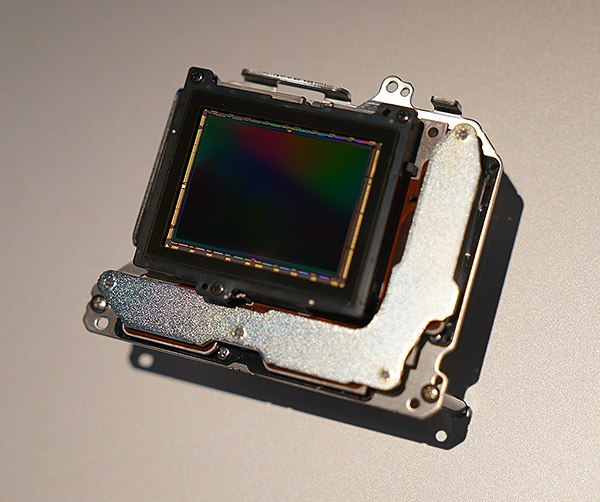 |
After firing off a big burst of shots, the camera, of course, immediately begins processing and writing images to your memory card, or cards. As I’ve experienced before with Sony cameras, certain operations, like trying to access the menu, while the camera is writing to the card are unavailable, which is a little frustrating. The inclusion of a UHS-II card slot speeds things up dramatically in this regard, so you’ll spend less time locked out of the camera. I do wish that the A9 had two UHS-II slots, but alas one slot is still UHS-I. But, hey, two card slots are better than one, so I’ll take it.
It should be noted that the 20fps burst rate is available for electronic shutter only. Switching to mechanical shutter mode, the burst drops down dramatically, to just 5fps at the fastest.
Coupled with its impressive continuous shooting capabilities is the A9’s super-fast hybrid autofocus system. Sporting a whopping 693 phase-detection AF points, the A9’s autofocus coverage is practically the entire sensor. My initial impression is that AF performance is very good. The camera was quick and decisive to both acquire and adjust focus, and it seemed to track moving subjects very quickly. Of course, not being able to see the images on my computer, it’s hard to know if the camera nailed every shot in a burst sequence, but my take is that it performed very well. Needless to say, I can’t wait to try it out in the field with some tricky sports, especially difficult indoor sports like basketball.
|
Sony A9 Hands-On: AF & Burst Shooting
|
The lack of viewfinder blackout is awesome
The new EVF on the A9 is also fantastic. The A7R II, which I had by my side, already has a great-looking EVF, but the one on the A9 has an even higher resolution 3686k-dot screen, making for an even better user experience. One of the big features about the Sony A9 is the blackout-free shooting experience. In both the EVF, and on the LCD, the camera does not blackout between frames when continuously shooting with the electronic shutter.
In normal single-shot or mechanical shutter shooting modes, the EVF’s refresh rate is set at 120fps, making it easy to follow moving subjects. When using the blackout-free electronic shutter-based continuous shooting mode, the viewfinder frame rate is pegged at 60 fps. That’s still plenty fast, and given the cool blackout-free operation, it feels very easy and very responsive to follow and track fast-moving subjects, as well as not miss decisive moments.
The A9 is super-quiet when using the electronic shutter
Sony made a big point about how quiet the A9 is, especially highlighting Silent Shooting mode, which has been included in a number of previous Alpha mirrorless cameras, such as the A7S II and A7R II, for example. This mode, using the electronic shutter, makes shooting completely silent, which is great for photojournalist and other documentary photography work as well as wildlife photographers; key demographics for the Sony A9. But, even when not using Silent Shooting mode, the electronic shutter operation on the A9 is incredibly quiet. Now, if you switch to the mechanical shutter, then yes, you hear noticeable “ka-chunk” sounds when you fire off a shot. Given the performance advantages on the A9 when using the electronic shutter, I’d be hard-pressed to opt for the mechanical one.
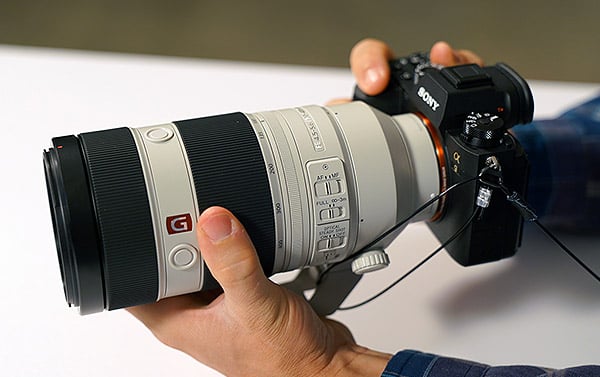 |
|
The Sony A9 with FE 100-400mm f/4.5-5.6 GM OSS lens
|
Familiar A7-style body, but with nice improvements
Design-wise, the Sony A9 looks quite similar to its A7-series brethren, but there are a handful of thoughtful new additions to the A9’s body design. For starters, there’s now a second top-deck dial on the left side of the EVF. This dual-layer dial has a locking top dial for drive mode settings, while the bottom layer controls focusing modes. The bottom dial here is very reminiscent of the drive mode on a number of Nikon DSLRs; there’s an unlock button that you press and hold with your thumb while your index finger rotates the dial via a small tab. This secondary dial is quite handy overall, as it provides a fast, physical adjustment to two very important and highly-used settings. You spend less time diving into menus and more time shooting.
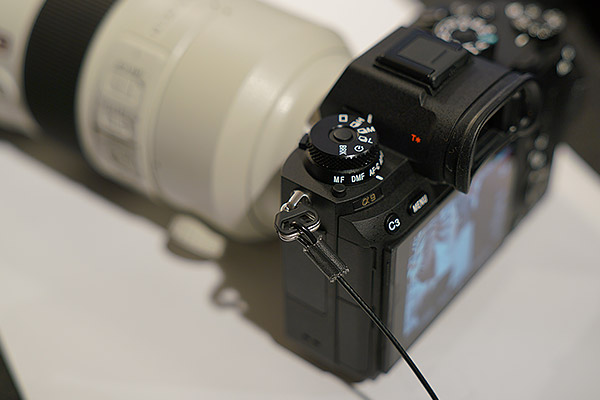 |
Another new addition to the camera’s controls is the introduction of a joystick control on the rear of the camera, taking the place of the AF/MF/AEL switch lever seen on the A7-series models (since focus mode is now up in that top-deck dial). The rather large and flat joystick control works very well to make on-the-fly focus point changes when using AF modes like Flexible Spot. The joystick control is responsive and solid, while at the same time not feeling flimsy or fiddly. In other words, I didn’t feel as though I’d accidentally press it or make incorrect adjustments.
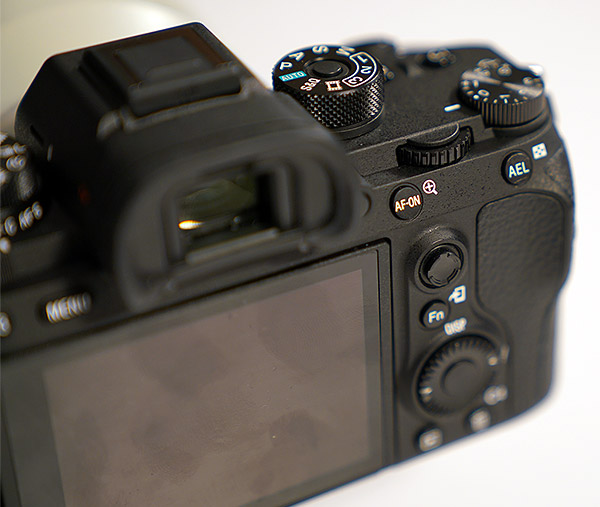 |
In addition to the joystick control, the A9 also gains a dedicated AF-ON button, which is super helpful for those who use back-button focusing. There’s also a dedicated auto-exposure lock button off to the right as well.
The rest of the controls feel very similar to those on the Mark II series of A7 models, so if you’re already familiar with the Sony A7, the A9 is a no brainier to pick up and use. Comfort-wise the A9 feels great in the hand and, again, very similar to the A7-series. Dials and controls feel sturdy and the grippy material around the handgrip provides a solid hold. Given its compact nature, I do find that my pinky finger doesn’t quite fit on the grip when hold the camera; I often myself wrapping my little finger underneath the base of the camera. I find myself doing this with a gripless E-M1 Mark II, for example, as well. If I were shooting longer, heavier glass, such as an adapted Sony A-mount telephoto lens or even the 70-200mm f/2.8 G Master lens, I’d prefer the camera to be bit “taller” or simply resort to a battery grip. And given the new battery grip design for the A9, with space for a second battery, that seems like a win-win; more comfort and much longer battery life.
|
Sony A9 Hands-On: Battery Life
|
Lastly, the Sony A9 is the first full-frame Sony mirrorless model to offer touchscreen functionality. (Finally!) The implementation is fairly limited, but arguably put to use for the most appropriate function: touch-to-focus — simply tap the screen where you want the AF point, or you can tap and drag your finger around the screen to move the AF point. You can’ÂÂt, however, navigate menus or interacting with on-screen displays.
Hands-on with the new 100-400mm GM lens
And speaking of longer lenses, I also had some hands-on time with the new FE 100-400mm f/4.5-5.6 GM OSS lens. For such a versatile telephoto range, the new Sony 100-400mm GM lens is incredible compact. In fact, from a distance, I often got it confused with the Sony 70-200mm f/2.8 GM lens; it’s that compact. Compared to other 100-400mm lenses for full-frame DSLRs, the Sony 100-400mm GM lens is indeed very compact and lightweight. On a non-gripped A9 body, it balances decently well, but I’d personally enjoy using a grip when this lens is attached.
 |
Like the 70-200mm GM lens, the new 100-400mm sports a similar overall design, complete with a stylish white paint job. The zoom and focus rings feel very smooth. The zoom ring has adjustable tension, letting you personalize how light or stiff the zoom action is. In the full “loose” position, the zoom ring was very smooth and easy to rotate, but if you hold the lens downward it can extend on its own a bit (a.k.a. “lens creep”) so make sure and either lock the zoom or adjust the tension accordingly depending on how you’ll be using and carrying it.
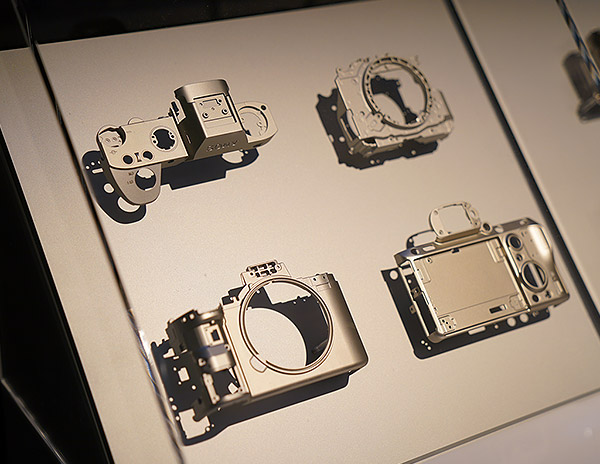 |
Wrap-up
Overall, the Sony A9 looks to be a total beast of a camera. Performance-wise, the camera is just amazingly fast, at least from my initial impressions. With the A9, Sony has taken aim at the flagship DSLRs like the Canon 1D X Mark II and Nikon D5. The Sony A9 takes what made the A7-series great, such as their excellent image quality and compact design, and kick things up a notch, a big notch, to bring the performance and speed aspects needed by professional sports, wildlife and press photographers.
Tech3
Try as we might, we could not make the Sony A9 overheat
by Jaron Schneider | Posted 06/16/2017
When the Sony A9 first became available to the public, just about immediately a video surfaced online complaining about it overheating in what should have been a relatively unchallenging environment. In that video, the photographer said that within 20 minutes of shooting in 81 degree Fahrenheit weather, the camera warned him that the internal temperature was getting too high, and that it was soon to overheat. When I saw this video, I was shocked. I and other members of the Imaging Resource staff had already shot extensively with the A9 and found it to work outstandingly in all cases. I personally shot with it outside in Santa Barbara in the sun for a full day with no problems, so it seemed odd that this one person was struggling with the camera overheating. We decided that we had to test for ourselves if we could get the camera to overheat.
Before I go over the test, I want to make it clear that I did install the new firmware that Sony released for the A9 before I conducted the test. The firmware likely tells the A9 where to set the threshhold for warning users about a possible overheat, not preventing overheating altogether (that seems impossible for just a firmware update). So the firmware update should not have changed the camera’s propensity to overheat, only how long it would go before warning you that it was about to.
I conducted two separate tests: 1) Leaving the camera out in the sun and then filling two memory cards (shooting at the highest frames per second the camera is capable, and also JPEG+RAW) and 2) Leaving the camera in a car for what eventually amounted to one and a half hours in the sun and attempting to operate it.
I left the camera on the porch of my hotel room in San Diego for thirty minutes before I attempted to shoot with it. On this particular day, the temperature was in the mid-70s (Fahrenheit) thanks mainly to a light sea breeze. In direct sun however, it felt much warmer (as you can imagine). After waiting half an hour, I proceeded to fill one entire 128 gigabyte memory card (UHS-II) shooting at the highest frame rate possible to JPEG and RAW, then I swapped the card with another 128 gigabyte card (UHS-II as well) and proceeded to fill that card as well. By the end of the test, I had shot over 4400 images totaling nearly 9000 files in under an hour.
By the end of the test, the camera was not really any warmer to the touch than when I started, and still had 72% battery remaining.
I figured this was not going to suffice as a result on its own, so I decided to up the ante a bit and try something else.
 |
I took the lens off the camera and placed the A9 in the back window of my rental car and drove to a place where it would sit in maximum sunlight. I then went for a walk. An hour later, I drove to another spot (chasing sunlight) and waited an additional 20 minutes. I then drove back to my hotel parking lot, and took the camera out of the car and replaced the lens on it. On this particular day, it was again in the mid 70s outside with a light breeze, so the inside of my car on a black surface with no breeze was far warmer than that. The A9 was physically hot to the touch, espcially the metal hotshoe; I could not touch the hotshoe for very long as it burned.
After replacing the lens on the camera, I shot around 400 images before I realized that instead of getting hotter, the A9 was actually cooling off in my hands. No matter what I tried, I could not even get the camera to warn me about possible overheating let alone actually overheating it.
Though I do not doubt that the situation in the original video that sparked this controversy actually happened, after updating the firmware (and honestly, even before as I was shooting in very warm environments prior to this test) it is extremely challenging to overheat the A9. I say that as even though I was actually trying to make the camera overheat, I could not.
Note: I am aware that I cannot prove how hot it was in my car or how hot it was outside, but I have no reason to make this up. I have gone on record multiple times complalining about Sony’s A7R II overheating, and I legitimately was trying my utmost to make the A9 fail. I could not. Also take note how I do not have a battery grip on the A9, one of the proposed solutions to the overheating problem. Even using just the single internal battery, the camera did not overheat.
Conclusion
by William Brawley | Posted: 10/06/2017
Though we as an organization avoid reporting on rumors and speculation of future camera products, we can’t help but get just as excited as the next person speculating about upcoming new gear! One of the most hyped and most rumored cameras in recent years has been the Sony A9. Sony’s A7-family of full-frame mirrorless models have been a tremendous hit with photographers and videographers, both professionals and enthusiasts. Given the range of different A7 models, each with varied capabilities and features, folks were extremely curious about where Sony would go next. With a growing catalog of lenses, a refined and compact body design, and high-performance phase-detect autofocus — to name a few — there were fewer and fewer areas left where DSLRs had the clear advantage over Sony’s mirrorless cameras.
 |
|
FE 70-200mm F2.8 GM OSS: 182mm, f/2.8, 1/4000s, ISO 2500
|
At last, with the A9, Sony takes aim squarely at the flagship DSLRs from Canon and Nikon, the 1D X Mark II and D5, respectively. For many professional photographers, the idea of a small, lightweight mirrorless camera is an attractive prospect, but they often demand true workhorse cameras — ones that are tough, reliable, accurate and at the end of the day let them get the shots they’re after. For many shooters, current mirrorless cameras do just fine in a professional environment, however for sports and action photographers, especially, flagship DSLRs still have the edge in the speed, performance and accuracy departments over a mirrorless camera.
That is, until now.
Thanks to the all-new, stacked, full-frame sensor, which combines a back-illuminated design with on-board DRAM memory, and the latest BIONZ X image processor, the A9 makes some pretty bold performance claims on its spec sheet. Competing against the likes of the 1D X Mark II and D5 flagship DSLRs, the A9 needs to be top-notch in its speed and accuracy, and for the most part, Sony succeeded here.
Impressively, the Sony A9, both in our lab tests and in the field, offers astonishing performance in many areas, including its class-leading 20fps continuous shooting rate, even at full resolution and with RAW+JPEGs. 20fps is scary-fast and can add a level of complexity to your workflow — be prepared to shoot LOTS of photos! You’ll rack up tons of images in no time, so have lots of high-capacity memory cards on-hand and lots of hard drive space available.
 |
|
FE 100-400mm F4.5-5.6 GM OSS: 339mm, f/5.6, 1/2000s, ISO 25,600
|
Equally impressive alongside the 20fps burst is the A9’s autofocus system. The big story here is continuous AF, which proved excellent during our testing. Single-shot AF was fine, but nothing remarkable based on our numbers, but it got the job done. And for a sports- and action-centric camera, the A9 excelled beautifully and rarely missed a shot when it came to C-AF thanks to its sophisticated phase-detect AF and excellent subject tracking capacities.
But, despite its impressive burst rates, the A9’s performance is not without caveats. First, the 20fps works only with electronic shutter; mechanical shutter only gets you 5fps. We didn’t spot much if any rolling shutter artifacts with the electronic shutter, so that’s a big relief. With 20fps, thankfully, the Sony A9 also has a very generous buffer capacity, but buffer clearing times were disappointingly sluggish, even with a UHS-II card. Buffer clearing was particularly slow with JPEGs, which is interesting and concerning, especially considering that many pro sports photographers, for example, rely on JPEGs during assignments for their smaller file sizes and faster transmit times back to photo editors. In our tests, the A9 took just under four minutes to clear a 350+ JPEG buffer, whereas it took 36 seconds to clear 126 uncompressed RAW files.
Like many other Sony cameras, the A9 still locks you out of the menus while the buffer is clearing; another frustration. However, given the A9’s level of button customization, you can somewhat workaround this Menu-lockout limitation. The camera provides a variety of Menu-specific functions that can be assigned to any number of the A9’s buttons. During buffer clearing, the A9 still lets you access the main Function (Fn) shortcut menu, as well as any of the Menu functions you custom-set to a button. So, though you can’t access the full Menu while the buffer is clearing, you can still access certain menu items that have been pre-assigned to a custom button — it makes the Menu lockout issue slightly less frustrating.
Overall, though the Sony A9 is very quick and nimble, letting you easily capture fast action and sports subjects. The camera does need some tweaking and may require a few changes from your typical camera setup and workflow, such as enabling electronic shutter mode and using compressed RAW format in order to squeeze out the maximum shooting performance of the camera.
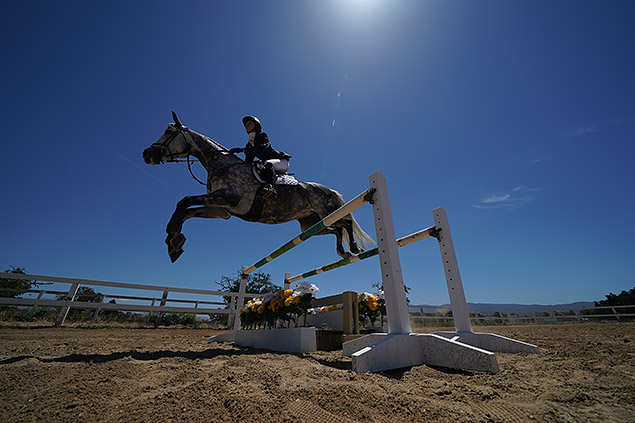 |
|
FE 12-24mm F4 G: 12mm, f/6.3, 1/1000s, ISO 100, -0.7EV
|
Image quality overall is excellent with the A9, both at low ISOs and at higher sensitivities. The camera’s JPEG engine works well at balancing detail with noise reduction as the ISO climbs. In both real-world shooting and lab testing, the A9 did very well up to ISO 12,800. Images still had a good amount of detail with controlled noise; an 8 x 10 inch print looks great at this ISO. Given Sony’s strengths in this area in other cameras, it’s not surprising for the A9 to excel here as well. Nonetheless, for a camera designed for versatility, it’s great to see that the A9 can handle difficult lighting conditions.
 |
|
FE 12-24mm F4 G: 18mm, f/4, 10s, ISO 6400
|
Dynamic range was also excellent, especially for a sports- and action-centric camera, which allowed for lots of flexibility in post production. Compared to its two main rivals, the A9 offers similar dynamic range performance to the 1D X II, edging ahead of the Canon at higher ISOs, while besting the D5 at low ISOs, in particular, and keeping pace with it at higher levels.
While the primary use of the Sony A9 will likely be for sports photography, it’s still a very capable video shooter just like Sony’s A7-series full-frame cameras. 4K video is offered up to 30p frame rate, and the quality is excellent — detail, color and dynamic range are all very good — even at higher ISOs (up to around ISO 10,000). The A9 oddly crops 4K/30p video slightly, yet doesn’t for 4K/24p. For a $4500 professional-level camera, the lack of 4K/60p is also a bit surprising, though you can get higher framerates with Full HD settings — all of which look great. The A9 offers clean HDMI output as well as headphone and microphone jacks, but lacks other cinema-focused features like S-LOG picture profiles. As with stills, the AF performance with video is stellar, but the touchscreen felt imprecise with no visual feedback as to where you’re placing the AF point. Overall, the Sony A9 is a solid video camera, though perhaps not as a primary cinema rig; certainly a solid B-camera or other secondary video camera.
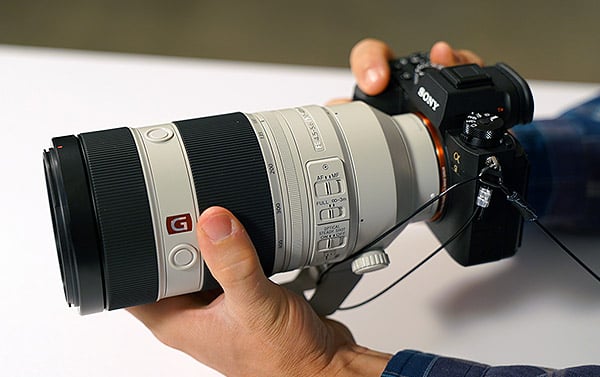 |
Design-wise, the Sony A9 remains very similar to its A7-series siblings — compact, modern styling with a deep handgrip and numerous physical controls — yet with some new features and improvements to better suit professional photographers. The addition of the dedicated drive mode/speed + AF mode combo dial makes it super quick to change critical shooting modes without having to dive into the menu — something pros out in the field will certainly appreciate. (We’d love to see this dial implemented on future Sony cameras.) Further, the joystick-like control on the rear again reinforces the A9’s focus on speed and quick access — this control designed for instant movement of the A9’s numerous AF points.
The all-magnesium alloy body feels very solid and robust. Sony advertises “dust- and moisture-resistance” including seals around button and controls. The camera feels built to a more rugged degree than the A7-series, but is the A9 as weather-sealed as flagship DSLRs from Canon and Nikon? That remains to be seen.
The A9 is one of the rare Sony mirrorless cameras to offer a touchscreen, and their first full-frame E-mount camera to do so. Like the Canon 1D X II, however, the A9’s touchscreen is limited in functionality and only implemented for tap-to-focus. We suspect many long-time pros will be fine with this arrangement, opting to stick with the viewfinder for most shooting. And the electronic viewfinder itself is fantastic. Bright, large and crisp, the A9’s EVF provides an accurate view with 100% frame coverage.
Compared to the A7-series, the A9 offers a couple very important upgrades to meet the demands of pros: battery life and dual memory cards. The compact size of the A7 models meant compromising with smaller batteries, especially compared to DSLRs. Plus, an optical viewfinder uses far less power than the constantly-in-use EVF and LCD screen of a mirrorless camera. The Sony A9 offers an all-new, larger-capacity battery, and it works extremely well. Although its CIPA rating is still well below that of a DSLR, the bigger battery lets the A9 easily last throughout the day, even after shooting thousands of frames based on our real-world testing.
The dual memory cards are a new feature for a Sony mirrorless camera, too, letting you have an instant backup card for your shots, or simply record RAW to one and JPEGs to another, for example. However, the fact that both slots are not UHS-II-compatible (only one is) is rather disappointing.
 |
|
FE 12-24mm F4 G: 24mm, f/6.3, 1/250s, ISO 800
|
Summary: Sony knocks it out of the park with their first “flagship” mirrorless
All in all, the Sony A9 is a stunning technological achievement. The speed and performance offered in such a small, compact camera is amazing. The camera’s 20fps burst with continuous AF is scary — it works very well, but you’ll fill your memory card(s) very quickly if you’re not careful. The A9’s image quality performance is top-notch, as well, and the camera’s speed and AF capabilities are excellent, though not without its a few downsides. Regardless, the A9 feels like a true professional-grade camera aimed at professionals, that also happens to be a mirrorless camera. Time will tell as to whether or not the A9 has enough “oomph” to sway the professional folks away from the tried-and-true world of flagship DSLRs, but the Sony A9 is seriously worth giving a try. Job well done, Sony.
Pros & Cons
- Stacked, backside-illuminated 24MP full-frame sensor offers incredible performance
- Higher resolution than other sports shooters
- Great high ISO performance
- Very good dynamic range for a sports shooter
- Excellent JPEG engine (apart from sub-par color)
- 5-axis in-body image stabilization
- 693 phase-detect AF points
- Phenomenal 20fps burst speed with AF/AE
- Very deep buffers
- Very low shutter lag
- Fast e-shutter
- Large, high-res EVF with excellent coverage
- Dual card slots (but see related con)
- Larger battery offers very good battery life for a mirrorless
- Optional grip doubles battery life
- Supports USB charging
- Built-in Wi-Fi, NFC and Bluetooth
- Ethernet port
- Rugged, weather-sealed construction
- Lots of customizable controls
- New dedicated AF mode/Drive speed dial
- Touchscreen LCD, but limited in functionality
- 4K Ultra HD video with clean HDMI out @ UHD 4:2:2 8-bit
- Excellent video quality
- 1080p video @ 60p, 100p & 120p
- C-AF for video is very good
- Headphone, microphone jacks
- Sluggish power-on time compared to pro DSLRs
- Slow buffer clearing even with fast UHS-II card
- Can’t access menus while buffer is clearing (Function menu & custom buttons still work, though)
- Only one card slot supports UHS-II
- Default JPEG colors a bit muted
- Somewhat cool auto white balance outdoors
- Still no lossless RAW compression option
- Burst rate limited to 5fps with mechanical shutter, and 12 fps with uncompressed RAW
- 4K video is cropped in by about 1.2x at 30p
- No visual feedback for tap-to-focus in video
- Lacking 4K/60p video option
- Expensive (but it is competing against $5/6K flagship DSLRs)
Follow Imaging-Resource.com on Twitter!