


Overview
by Dave Etchells, Shawn Barnett, Mike Tomkins, Zig Weidelich and Dave Pardue
Hands-on Preview and Walkthrough by Shawn Barnett
Posted 09/12/2012
Field Test by Dave Etchells
Posted 02/23/2013
Only a handful of cameras have made us want to utter expletives of happy astonishment: "Holy Mackerel, they finally did it!" Yes, it's real: Sony shoehorned a full 35mm-sized sensor with a fast 35mm prime lens into a nearly pocket-sized camera called the Sony Cyber-shot RX1. It's official: you can go ahead and think of "RX" as code for Rex, because the King of Compact Cameras is here.

We'd been expecting a super-pro digital SLR above the A99 (a camera we'd already seen, which was announced simultaneously), but we didn't expect a camera that would make all the early Sony RX100 buyers utter a few expletives of their own. But before you feel chagrined, note that the price of this 24-megapixel, full-frame, fixed-lens compact camera is a comparatively high $2,800. Whoa.
A few in the press room at launch barely stifled a few guffaws at the price, because up to that point we'd been thinking it compared to the RX100, which comes in at a high $650 relative to its pocket competition -- but not that high. Yet when you step back and realize the RX1 has the potential to go head-to-head with cameras such as the Canon 5D Mark III, Nikon D600 and Leica M9 -- each with a high-quality 35mm prime lens attached --that price makes a little more sense. Yes, that's a 24-megapixel, full-frame sensor with a Carl Zeiss Sonnar 35mm f/2 T* lens in a body not much bigger than the RX100, and with all of its bells and whistles. Holy Supercameras. The Sony RX1 can also record Full HD at up to 60p. Fast autofocus, great controls and the pleasantly small body made us restless to get the Sony RX1 in for testing.
A quick walkthrough

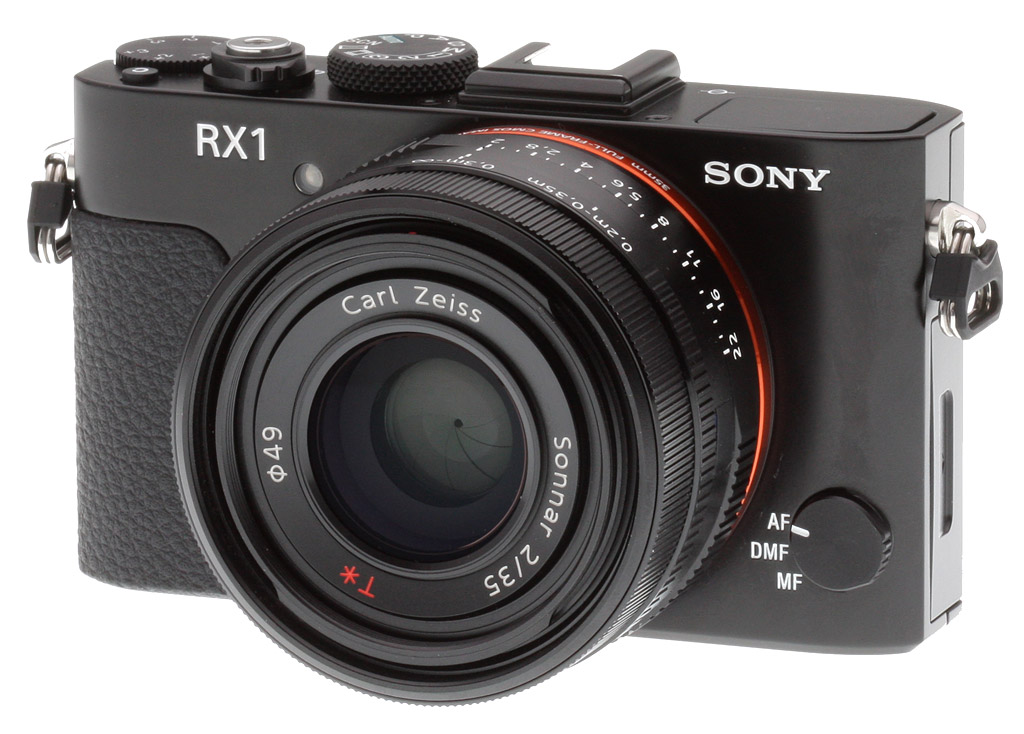
The front of the Sony RX1 is pleasantly simple, with a small leather-like grip, a bold but simple product name and an AF-assist lamp. Right of the lens is the three-position focus mode switch. Sony said a lot of effort had been put into the Carl Zeiss lens to make it small while maintaining exceptionally high quality worthy of the 24-megapixel full-frame sensor.

Starting with the lens controls, the front ring is for manual focus, the second ring sets Macro and Normal focus modes, and the back ring is for aperture.
A hinged pop-up flash is recessed in the top deck, rising up and leaning forward not unlike the flash in the RX100. The Sony RX1 also includes the new Sony multi-interface hot shoe with data contacts under the hood.
A simple Mode dial and Exposure compensation dial are placed in traditional locations, and the power switch rings the shutter button. And yes, that's a threaded shutter release button, which will work with a traditional mechanical cable release.
Small strap lugs are used to keep the design small, which means the Sony RX1 requires the sometimes noisy D-rings. Those shooting video will do well to remember to remove the strap and D-rings before shooting anything important on a windy day.

And finally to the view photographers will see most often, the back, which reveals the bulk of the Sony Cyber-shot RX1's controls. Because the lens rings are dedicated to the lens controls, the Sony RX1 doesn't have the nifty programmable front control ring found on so many premium pocket cameras (such as the RX100, Canon S100 and Panasonic LX7). Instead, the RX1 has two dials on the rear.
Since the RX1 is a little larger that those pocket cams, there's more room for controls on the back, making the buttons and dials easy to activate without a cramped feeling. Sliding the flash release right pops up the flash.
A Movie record button appears far right of the thumb grip, an odd placement, but one at least unlikely to be activated by accident. Menus and operation reminded me of the RX100, and autofocus and shutter lag were quite snappy.
Initial hands-on analysis

It takes a sweet lens to do justice to that 24-megapixel Sony sensor, but Sony certainly has stepped up by making it an 35mm f/2 Carl Zeiss Sonnar T*. Sweet indeed!
It wasn't so long ago that pro and intermediate photographers, in addition to their professional gear, would carry good quality, pocketable cameras, such as the Olympus XA or Stylus, which had fixed 35mm lenses and took full-frame 35mm film. Eventually, before the birth of APS (Advanced Photo System) film cameras, a wide array of pocket cameras evolved that used 35mm and delivered excellent image quality for the masses, not just photography buffs. Though it's priced too high to compare to the Olympus Stylus, the Sony RX1 is aimed at a more serious, well-heeled set of photographers -- the pro or serious enthusiast looking for a high quality camera that's also easy to bring along. It's made for those who would gravitate to the Leica M9, or who, back in the film days, would have spent a lot of money on a Contax G or T-series film camera -- cameras with their own acclaimed Carl Zeiss lenses. The Sony RX1, whether it's for you or not, answers a sincere desire in the marketplace for a return to that full-frame sensor size with excellent quality optics in a very small package.
Sony engineered the body and optic so tightly around the large sensor, they say there was no way to make it an interchangeable lens system. They chose just the right focal length for the traditional street photographer -- 35mm -- and made the lens as fast as they reasonably could while maintaining a very small size.
Sony RX1 Field Test
by Dave Etchells
I love this camera! Let's just get that out of the way at the beginning, so you won't wonder where I'm coming from. I see a lot of cameras in my job as publisher at Imaging Resource, so it takes a bit to get me excited about a new model, but the Sony RX1 simply blew me away from the moment I set eyes on it. If you insist on knowing why, I've written a few thousand words that you can read below, but if you'd like to save the time (and have the money), just go buy one -- you'll almost certainly be glad you did. (Here, I'll help you out; here's a couple of links to our affiliates Amazon and Adorama -- you'll be happy, and you'll help support us in the process. :-)
Great things in a tiny package
The first thing that hit me when I saw the Sony RX1 for myself was just how small it is. It's hard to get a sense for this from typical product shots, so I took a couple of photos to help convey a sense of scale. The shots below show it in comparison to an average-sized hand, and beside a current higher-end digicam. These may help a little, but still won't adequately prepare you for the first time you see and hold the RX1 for yourself: It's hard to imagine how Sony's managed to cram a full-frame sensor in there, let alone designed a lens that small that can cover it. The Sony RX1 is literally the size of some larger digicams, yet sports a full 36x24mm (well, almost, at 35.8×23.9mm), 24-megapixel sensor, and one of the best lenses we've yet seen on a fixed-lens camera.


The next thing that struck me when I finally laid hands on the RX1 was the sense of quality it exudes. You'd certainly hope for quality construction in a camera retailing for $2,800, but it's nice to see that expectation met, and it was a joy to experience, after handling hundreds (and hundreds) of lesser cameras built to meet lower price points. The body itself is all metal, the only exceptions being a rubber handgrip, plastic doors for the ports and battery compartment, the cover for the popup flash head, and apparently the LCD cover screen. (More on that last one in a minute; one of my very few gripes about the camera.)
Just-right control feel

The controls of the Sony RX1 continue the sense of quality, with just the right balance between stiffness and ease of use. This balance is surprisingly subtle and difficult to achieve, at least judging from the number of times we've seen manufacturers have a hard time with it. Get it wrong one way, and control settings can change with the least jostle, bump or errant brush of a pinky. Get it wrong the other way, and you end up with sore fingers after using the camera for a while, and possibly even missed shots because you couldn't get a control to change quickly when you needed it to. It's ultimately a matter of personal preference, but for my part, I found the RX1's controls just about right. The EV-adjust and Mode dials both take enough force to move that it's very unlikely they'll ever get changed inadvertently, but they stop short of being so stiff as to be awkward. (OK, if it were up to me, I'd probably make them just slightly less stiff, but they're really fine as they are.) The buttons sprinkled around the camera are equally a good balance between too stiff and too easy, with a nice breakaway feel so you'll know when you've pressed one.

Finally, the lens controls remind me of the high-quality, manual-focus lenses of yore, in the smooth and precise way they operate, even though focus control in the RX1 is "fly by wire" -- with no mechanical coupling between the focus ring and the optics themselves. I wish this last were otherwise, but the demands of modern autofocus mean there's just no way a focus ring could be direct-coupled and have the buttery smoothness of old MF lenses without auofocus being unbearably slow and power-hungry.
Holding the camera in my hand, the slight lip and frictive surface of the textured rubber grip on the front provided good purchase for my fingers, and the raised thumb ridge on the back worked pretty well too. I think I'd like the thumb ridge slightly thicker (perhaps a millimeter or so), but I nonetheless felt I could get a pretty good grip on the camera. I could certainly snap a shot single-handed, but found myself using a two-handed grip almost all the time: Pretty much all of the controls are on the right side, so you'll find yourself supporting the camera with your left hand while you make adjustments with your right, and of course, you'll use your left hand to make any aperture adjustments anyway.

Speaking of aperture adjustments, it was amusing watching myself when I first started shooting with the camera, as I wasn't used to having mechanical aperture and exposure compensation controls available. It was embarrassing to see how long I spent pressing buttons and staring at the LCD in aperture-priority mode, wondering why the heck I couldn't change the aperture with one of the rear control dials. I guess it says something about how much more time I've now spent shooting with digital than I had with film earlier in my life. Once I got over the embarrassment, I quickly came to love the physical EV adjustment dial, but was surprised to find myself wishing for a rear-panel aperture adjustment. The old-style aperture ring feels wonderful, but I actually found it a little awkward having to shift my hand position as I held the camera higher or lower.
Ultra-flexible control customization
If you're like me, you enjoy taking pictures more than fiddling with camera controls. Nothing saps my picture-taking pleasure faster than endless deep dives into a menu system to get the shots I want. As a result, I think a lot of my pleasure in using the Sony RX1 came down to its ultra-configurable user interface. The ability to assign specific functions to various user-interface buttons is nothing new, but the Sony RX1 gives you more options (a total of 25 can be randomly assigned to buttons) and lets you configure more of the available buttons than is common.

Super Custom. 3 of the 4 directions on the dial are user-customizable.
While the RX1 offers more configurability than most cameras, that by itself doesn't explain why I took such advantage of it, let alone so quickly. After some pondering, I think it comes down to this: no labels. On most cameras, most of the buttons and controls have labels associated with them. You know; the four-way controller has the four directions labelled something like self-timer, white balance, flash and ISO. Or whatever. While some cameras will let you override these default functions, the labels are still staring you in the face. You have to remember; "Oh yeah, that control says WB, but I've actually reassigned it to metering pattern." At an even more basic level, the label says "this is what this button does", so it may not even occur to you to make it do something else.
On the Sony RX1, only the "up" direction of the four-way controller is labelled (DISP), and that's the function it always has. The other three directions carry no labeling at all. There's a button labeled "Fn" on the camera's rear panel, and one labeled "C" on the top, but those are entirely generic labels that actually suggest you should assign a function to them. The only configurable button that carries a label is the one for AEL (auto exposure lock).
The lack of labelled default functions meant that the RX1 immediately confronted me with the question of what I wanted the controls to do. So I went ahead and assigned my own functions to them, where with another camera I might not have bothered. The result was a huge improvement in my shooting experience.
I realize I'm spending a lot of time on the RX1's user interface, but that's because it had such a profound impact on my experience with the camera. Here's an example: My first real outing with the camera was in San Francisco, where the tall buildings resulted in a lot of tall/narrow subjects, but where street-level shooting subjects better fit the camera's native 3:2 aspect ratio. No problem, I set the right 4-way button to control aspect ratio, so I could switch from one to the other in a heartbeat. It was a bright, sunny day, so dynamic range was an issue with a lot of subjects. No problem, I assigned the left 4-way button to bring up the DRO/HDR controls. The mix of sunlight and shadows, combined with a clear blue sky also meant that white balance was pretty variable, so I assigned the down-button to white balance. At first, I thought I'd be using the digital zoom feature more, so I initially put that on the "C" button, but as I moved from outdoors to in and back again, I fairly quickly decided that having the ISO setting there made more sense.
The result of all this was that I had exactly the functions I most used right at my fingertips, so I spent very little time in the menus, and lots more time actually taking pictures and enjoying myself. I've always been a big fan of buttons rather than menu controls, but the flexibility of the Sony RX1's control system took it to a whole new level for me.
|
RX1: Smart Teleconverting
|
 |
|
With no magnification (1.0x)
|
 |
|
With Smart Teleconverter (2.0x)
|
|
These two comparison images taken from the same location show the power of the Sony RX1's Smart Teleconverter function, which allows for crop-zooming without significant image quality deterioration at a magnification of 1.4x and 2.0x. The RX1 also comes with Clear Image Zoom and Digital Zoom technologies (although if you value your sanity, don't bother trying to figure out the difference between these three options using the manual!). The RX1's 24-megapixel resolution and ultra-crisp lens make crop-magnification much more useful than you might expect.
|
A panoply of well-considered features and settings
Beyond the RX1's design and handling, it functions superbly as a camera. There are all the controls and options you could hope for, and in my experience, they all worked very well. Taking white balance as an example, it has all the white balance settings you could ask for, including no less than four different settings for fluorescent lighting, three separate custom settings, and the ability to apply manual adjustments to every setting separately, using the by now familiar cyan-red/green-magenta (A-B/G-M) color map. There was one nice tweak that I'd never seen before, though, in that the custom white balance setting process displays the color temperature the camera has chosen, as well as the A-B/G-M adjustment it applied. I really liked the added info, compared to just having the camera produce the adjustment with no added information.
Sony's dynamic-range expansion options worked as well as they always do, with 5 levels of "DRO" (Dynamic Range Optimization), and HDR exposure ranges as high as 6EV. Both the DRO and HDR options have an available Auto setting as well. In both cases, the results were as natural as could be hoped, meaning that the tonal distortion of high levels of HDR was no more than you'd expect from 6EV of dynamic range compression. Also important for hand-held HDR photography, the Sony RX1 micro-aligns the separate images before combining them, so the results are about as sharp as single-shot images would be.

I liked the RX1's user interface quite a bit. Some of the settings are displayed as "virtual dials" on the LCD while you're changing them. The 13 creative styles provide a wider range of options than found in most cameras, with settings for things like high-key and low-key shots, as well as the conventional Portrait, Landscape, and Sunset settings. I particularly like that Sony lets you adjust contrast and color saturation for each creative style separately. This is also where you can dial back (or boost) the camera's default image-sharpening setting as desired. I didn't change it on any of my gallery shots with the camera, but I usually dial back a little from cameras' default sharpening settings, so I can do a better job in Photoshop later.
Of course, there are also the unique multi-shot scene modes pioneered by Sony, including the incredibly useful Handheld Twilight mode, and the incredibly fun Sweep Panorama mode. The former helps you capture sharp images when shooting hand-held in low light conditions. It does so by snapping a number of shorter exposures, micro-aligning them, and then adding them all together to end up with the same exposure level as a single, longer one. The net result is you can shoot a good two stops slower than you'd normally be able to without using a tripod. Sweep Panorama is probably familiar to everyone by now; you can capture a panoramic shot by just holding down the shutter button and "sweeping" the camera in front of you. The RX1 snaps dozens of shots, and stitches slices from each into a surprisingly seamless panorama.
One added note about Sweep Panorama, that accounts for some of why I find it so handy: Most people only think of panoramas for horizontal shots, but they can be incredibly useful for vertical shots as well. I enjoy hiking when I have the time (ie, seldom), and Sweep Panorama is often the only way to capture the full height of a waterfall, working exceptionally well for that purpose. The same could be true of tall buildings in a city, or for that matter any other tall subject that's too close to fit into the frame.
|
Sony RX1 Creative Effects Modes
|
||
 |
 |
 |
|
Auto (Standard)
|
Handheld Twilight
|
Pop Color
|
 |
 |
 |
|
Toy Camera
|
High Contrast Monochrome
|
Watercolor
|
 |
 |
 |
|
Illustration
|
Retro
|
HDR Painting
|
|
The Sony RX1 offers a nice range of useful filters and creative effects that are tastefully done, and most come with adjustment settings that let you vary the amount of creative processing applied. The above examples were shot in a low-light setting, further showing off the impressive skills the RX1 has to offer.
|
||
Performance, optics and image quality -- oh my!
Beyond its ground-breaking size, what really thrills me about the Sony RX1 is its image quality -- and its phenomenal lens. Ultimately, it all comes down to the pictures a camera can deliver, and the RX1 delivers in spades across the full spectrum of lighting conditions and subjects. Image quality isn't just good, it's exceptional. Having a sensor derived from that in the Sony A99, this comes as no surprise: That camera takes great photos as well, and the RX1 more than matches it. Whether it's due to its extraordinary lens, or to a weaker low-pass filter, images from the Sony RX1 are noticeably sharper than those of its translucent-mirror big brother at low ISOs, and significantly so at higher sensitivities where better noise-reduction processing could be playing a role.
What's remarkable to me is just how well the Sony RX1 stacks up against the best the field has to offer. (See the image crops below for specific examples, or help yourself to our Comparometer to compare all our test images, to your heart's content.) And when I say "the best the field has to offer," that's without limitation. Images from the RX1 can be put up against those from literally any 35mm-sensor camera currently on the market and they hold their own, if not better the competition. It's no surprise that the 36-megapixel Nikon D800 out-resolves the RX1 at low ISO, but the D800's smaller pixels exact a price at higher ISOs, where the balance tips in favor of the RX1 again.
 |
|
City by the bay: f/6.3; 0.8 sec shutter speed; ISO 3200; 16:9 aspect ratio
|
|
If you've almost made the decision to buy an RX1 and just need one more extra shove, click on the image above and view the high-resolution (original, straight from the camera) version at its full size. It's too big for most monitor screens but that's OK: Go ahead and zoom to 100% so you can see just how good a shot taken at ISO 3200 can really look!
|
I really liked the Sony RX1's file quality, especially in its RAW images. There's a lot of latitude for making even significant tonal adjustments; detail comes up out of the shadows without complaint, and with surprisingly little noise. The tonality holds together very well also, with little or no sign of posterizing (quantizing) in the image unless you get really crazy with the tone curves. Where Sony has sometimes struggled with high-ISO noise reduction in the past, the RX1 does an excellent job of preserving subtle detail, and any remaining noise has a nice, fine-grained "filmic" appearance to it. There's also almost no chroma noise, so high-ISO shots look great when enlarged. It really seems like Sony has made some sort of breakthrough in how they handle noise; the RX1 and the A99 are a real step up from their earlier efforts in this area.
The RX1's color and white balance were positives, as well. Color's a very personal thing, so this is an area where your mileage may definitely vary, but to my eye the RX1's colors are bright and clean, but always very believable. Like most people, I prefer the color in my photos to be slightly brighter than life, a preference most cameras on the market accommodate to one extent or another. In my opinion, the RX1 gets this just right, but if you feel otherwise, it's easy to make fairly fine-grained adjustments to saturation and contrast in each of the Creative Style settings.
 |
|
f/2.5; 1/60 shutter speed; ISO 1600
|
 |
|
f/4; 1/50 shutter speed; ISO 2000
|
 |
|
f/4; 1/60 shutter speed; ISO 3200
|
|
Low light is no problem for the Sony RX1. The large aperture Carl Zeiss lens collects plenty of light to send to the full-frame high resolution sensor, and higher ISO settings produce images with amazingly low noise compared to what most of us are accustomed to seeing.
|
When it came to white balance, the Sony RX1 handled difficult and mixed lighting with ease. For me, the test of a white balance system is whether the photos match my perception of the subject when I shot it. This is surprisingly difficult to pull off; the human visual system is incredibly adaptable, and can easily handle both a range and mixtures of color temperature that would give most cameras fits. In my shooting with it, the RX1 did really well in this regard, whether coping with daylight, incandescent, fluorescent or awkward mixtures of any or all of these. While we exercised its various white balance options in the lab, in my personal shooting, I rarely if ever felt a need to use anything but Auto. I've almost never found this to be the case with other cameras.
Then there's the lens. (Ah, the lens!) Because our SLRgear lens testing involves cross-calibration between bodies by shooting with a "calibration lens", we can't directly calibrate results for the RX1's lens against those tested on other cameras. Even without close calibration, though, it's clear that the Sony RX1's lens is the sharpest, most uniform full-frame 35mm optic we've ever seen. Period, full stop. Shooting with the camera, it was just amazing to me that I could shoot wide open at f/2, and not feel that the large aperture was in any way compromising the quality of my images. My shots were sharp from corner to corner, even at f/2. Not having to worry about stopping down unless I chose to for photographic reasons was truly liberating. Needing to find the "sweet spot" of the lens became a non-issue.
In creating the lens for the RX1, Sony's lens designers took an approach we're seeing more and more lately, taking advantage of the ability to correct images digitally to allow more latitude in some aspects of the lens design. In the case of the RX1's lens, the designers allowed significant geometric distortion and light falloff (shading, aka vignetting), to help them achieve the excellent corner to corner sharpness. Uncorrected chromatic aberration is actually on the low side of normal as well, but after processing through the camera's optional correction algorithm, it becomes truly negligible. The result is a remarkable lens in virtually every aspect: This is by far the highest optical quality we've seen from any full-frame lens of equivalent focal length, including 35mm primes costing $1,500 or more. The one minor fly in the ointment is that the shading correction (which applies to both JPEG and RAW files, but can be turned off) introduces a slight magenta-to-cyan color shift across the frame. See the section below for full details on this, but it's pretty subtle; We saw it in the lab, but I never saw it in shots I took with the camera, even when I was trying to highlight the issue.
 |
 |
 |
|
The RX1: Closing in on the treasure
|
||
|
The above images feature a shot with the macro ring of the lens set to its macro setting (left), a crop of the shot for artistic purposes (center), and finally a full size crop of the macro shot to further showcase the cropping power that such a high resolution sensor and excellent lens quality can achieve.
|
||
Technical problems: Exposure bias and color tints
In all of my shooting with it and all our lab tests, the Sony RX1's image quality was simply stellar, and its operation flawless. Well, almost. I did find that I was adding about +2/3 EV of exposure compensation to many of my shots. I found I could pretty well just leave the exposure compensation dial set to +2/3 and be happy with the resulting exposure unless it was a contrasty scene with a strong highlight, in which case +1/3 or no compensation worked better to hold onto the highlight detail. This was likely a deliberate choice on Sony's part, and given the price point of the camera, one that's probably justified: Experienced digital shooters know that once you've lost your highlights, they're gone forever, so you generally want to be very conservative in your exposures to preserve them. This means exposing shots a fair bit darker than you would if you were just looking for pretty pictures to use straight from the camera. If you're that type of shooter, you'll be happy with the RX1's uncompensated exposure choices; if you're not, just dial in +2/3 EV of exposure compensation as your personal default.
We did encounter one really perplexing issue in some of our lab shots, namely that they showed a red/magenta to cyan color cast across the images; a very slight reddish/magenta color cast on the left faded into an equally slight cyan cast on the right. The thing is, this color shading didn't appear in all our shots, just some of them in both RAW and JPEG. After a good bit of head-scratching and a couple days of chasing the issue, we finally tracked it down to the RX1's shading compensation. With shading compensation enabled, we got relatively uniformly-exposed frames, but also with the color tints. With shading compensation off. we got darker corners, but no sign of the tint.
|
Sony RX1 -- shading correction on
|
|||
 |
 |
 |
 |
|
Grip Up
|
Grip Down
|
Grip Up
(huge saturation boost) |
Grip Down
(huge saturation boost) |
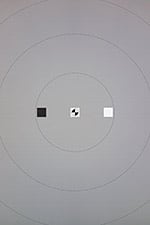
The table above shows thumbnails of original images displaying the problem, as well as versions of the same shots that had their color saturation boosted by 100% in Photoshop to make the color tinges obvious. The thumbnails above link to the full-sized shots if you click on them and want to analyze them yourself. In the as-shot images on the left, if you look closely at the tops and bottoms, you'll be able to see the red/cyan or cyan/red tint difference between them. The two shots on the right had the color saturation amped up to 100 in Photoshop, to make the faint color tints glaringly obvious.
These shots were captured with the camera on a tripod, looking at our flash range/uniformity target. The target was illuminated with our carefully-balanced HMI studio lights, so illumination was uniform to less than 1/10 EV. (The slightly dark corners in the shots seen here were caused by uncorrected shading (aka vignetting) in the camera itself.) To make it easier to see the problem, as well as to demonstrate that it wasn't caused by our lighting, senior tech Luke shot two images within less than a minute of each other -- one with the camera positioned grip-up, the other with it mounted grip-down, pointing at the same target. Having the images inverted next to each other makes it relatively easy to see the subtle differences between them in their unmodified state, but the saturation-boosted versions don't need any close juxtaposition to see the differences.
|
Sony RX1 -- shading correction off
|
|||
 |
 |
 |
 |
|
Grip Up
|
Grip Down
|
Grip Up
|
Grip Down
|
The two sets of thumbnails above show the same subject, shot just moments later, but with shading correction turned off. (Actually, these were shot interspersed with the first set of examples, with both shots in each camera orientation taken together.)
The good news is that shading compensation is done in firmware, so this should be something relatively easy for Sony to fix. In the meantime, though, the bad news is that Sony bakes the shading compensation into the RX1's RAW files, so they aren't truly "raw" in that sense. If you want to avoid the issue entirely, you're going to have to turn shading compensation off, even if you're shooting RAW, and then handle any shading corrections in Photoshop.
Moiré than we bargained for
In the face of ongoing consumer demands for crisper-looking high resolution images, manufacturers have been backing off on the strength of the low-pass filters in their cameras, and in some cases, eliminating them entirely. This does produce sharper-looking images, but as they say, there's never a free lunch: The low-pass filters were there for a reason, which is to reduce various forms of aliasing. In digital images, you'll typically notice aliasing in three ways, either as raggedness ("stairsteps") in angled high-contrast edges, in the form of moiré patterns or as color artifacts (really a subset of moiré patterns).
The inevitable result of dialing back or eliminating low-pass filters in digital cameras is that artifacts and moiré patterns will rear their ugly heads. Note that it isn't a matter of just using clever image processing algorithms to get rid of them. While some forms may be subject to detection and removal, by definition, aliasing is impossible to completely distinguish from valid image data.

We bring this up, of course, because we found evidence of aliasing in the RX1's images, in both still and video captures. The crop to the right shows one of the more noticeable examples of aliasing we found, in a brick wall of a local City Hall, while the video clip shows moiré patterns in a neighbor's house. The latter are among the most severe we've seen with that particular subject.
The good news is that moiré patterns are only likely to be found in man-made structures, where there are repeating patterns or textures not found in the natural world. A nature photographer would probably never notice a moiré in their subjects, but someone shooting a lot of buildings and architectural details could run across them quite often.
As noted, the RX1 isn't the only camera these days that's prone to moiré issues: They're present in the Nikon D800 (both the normal and "e" version; the low-pass filter in the standard D800 is fairly weak, a big part of why its images are so crisp), the Nikon J1 and V1, to a lesser extent in the Olympus E-P3, of course in the Pentax K-5 II s (the version with no low-pass filter), in the very sharp Panasonic FZ200, to a lesser extent in the Samsung NX1000 and Sony's own NEX-7, and doubtless many others we haven't taken time to tally here.
As with everything else, you'll have to decide whether this will affect your own photography or not. If it bothers you, you're going to have to give up some sharpness to get rid of it, since the only cure is an image with less high-frequency detail. If you don't want to give up superior sharpness in all your photos for the sake of the moiré problems in a few, there is a workaround; when faced with a problematic subject, just throw the focus very slightly off in one direction or another. The resulting softer image won't contain the too-high spatial frequencies that were the cause of the problem, so the moiré patterns should disappear. The only trick with this off-focus workaround is to blur things slightly enough so you don't end up with an over-soft image. Another possible workaround is to use a small aperture if the extra depth of field and longer exposure aren't detrimental to the shot. Small apertures such as f/16 or f/22 should soften the image enough (due to diffraction) to do the trick in most cases, though at the cost of reduced resolution. The Sony RX1's lens is very sharp wide open, so shooting at large apertures likely won't be as successful at reducing aliasing artifacts as with most SLR lenses.
The video moiré seems more severe. If you intend to record a lot of video of man-made objects, the Sony RX1 might not be for you. Speaking personally, I'm much more interested in photos of people and nature than I am shots of city scenes, so the level of moiré the RX1 seems prone to wouldn't be an issue for me. Others with different shooting preferences obviously might feel differently.
The feature that didn't make it (Continuous Autofocus)

Prototype focus mode switch.
We didn't initially pay much attention to the Sony RX1's focus tracking, as it wasn't highlighted as a particular feature, nor was it one that would have much impact on our own use of the camera. As we were finalizing the review, though, tech editor Zig noted that Sony's online documentation for the RX1 said that tracking focus "tracks the subject and adjusts the focus automatically even when the subject is moving", and also that "The focus setting for the first shot is used for following shots" in Speed Priority mode. He asked us to confirm that the focus didn't track in Speed Priority mode, but did in normal Continuous Shooting mode. Much to our surprise, we couldn't get the camera to track focus at all in continuous shooting mode, regardless of the tracking AF setting!
Say what? We clearly remembered seeing an AF-C (continuous AF) option on the camera somewhere, but couldn't find it on our production sample. Checking photos of the prototype body (including Sony's own initial PR shots), we saw that there was indeed an AF-C setting on the focus mode dial that apparently was deleted from production models. There's also an obvious gap in the Fn button settings display, where the focus mode setting would normally appear. When autofocus is enabled, the camera displays AF-S in still image mode, but AF-C in video mode.

Production focus mode switch.
This suggests that there was a problem with continuous AF that Sony wasn't able to solve before the design and firmware were frozen for final production. However, AF-C is still the default for video shooting (as noted, an AF-C indicator appears on the LCD screen in movie mode), so perhaps it was just a matter of not being able to maintain still-resolution focus accuracy, and the feature worked fine for video recording. Resolving to find out, we did a series of AF tests in video mode, both with and without subject tracking enabled.
The video AF tracking results were extremely disappointing; the camera had great difficulty tracking a subject moving at any speed. While still-mode autofocus is both reasonably fast and dead-on when shooting one image at a time (pressing the shutter for each shot), the focus is fixed on the first shot in a series in continuous-shooting mode, regardless of the tracking setting in the menus. And in video mode, continuous autofocus is almost entirely non-functional. Never mind our usual AF-tracking acid test with a car moving at 30 mph, we couldn't get the RX1 to track a person moving at a leisurely stroll.
See our Sony RX1 Video page for sample videos and more details.
There's no way around it, this is a significant failing. Speaking for ourselves (the various editors who've been involved in writing this review), it wouldn't keep any of us from buying an RX1, since we don't really care about tracking AF in video that much, and with its wide-angle lens, we wouldn't be using the camera for sports shooting either. It's a simply phenomenal still camera, with an incredible lens and a great user interface, truly a joy to shoot with, and we'd happily buy and use it on that basis. If you're a non-sports still-shooter, we expect you'll feel the same. We think that people interested in shooting sports or video will likely be attracted to other cameras in the first place.
Is this something that could be fixed in firmware? Impossible to say, but if it was a straightforward fix, it would have been applied before the camera started shipping. It's our guess (and admittedly nothing more than that) that the problem goes deeper than firmware, down to the mechanics or electronics of the camera/lens system itself.
Accessory eye-level viewfinders
The Sony RX1 has two different external viewfinders available as accessories, the FDA-V1K optical viewfinder, and the FDA-EV1MK electronic viewfinder, using OLED technology. Sony shipped samples of both for our evaluation.

I'll start with the optical viewfinder, which bears the Zeiss logo. I can certainly believe that it contains Zeiss optics, because it provided a remarkably sharp, distortion- and chromatic aberration-free view. It was also very bright; objects viewed through it actually looked brighter to my eye than when viewing them directly.
While the Sony RX1's optional Zeiss viewfinder is a beautiful piece of optics, I still honestly didn't see the appeal of it. It basically gives you a less accurate view, with vexing parallax issues for close subjects, and none of the incredibly useful information readouts available on the LCD or EVF. At $600, the FDA-V1K is more expensive than the EVF to boot. I'm sure some purists will love it, but I'd opt for the EVF any day.

The RX1's optional FDA-EV1MK EVF has all the usual benefits of its class, including the ability to simulate exposure effects (including picture styles and creative filters), the (optional) availability of all the camera status indicators normally seen on the screen, as well as things like the camera orientation display to help you keep your horizons flat and verticals vertical. In terms of sharpness, viewfinder optics, and general utility, it's clearly one of the best EVFs on the market.
Unfortunately, the EVF stills falls prey to the dynamic range limitation it shares with every other EVF I've ever looked through. While the RX1's EVF is better than many, it still blows highlights and plugs shadows, making it difficult to compose shots where there's significant subject detail in either.
My griping about EVFs aside, though, there are a lot of advantages to being able to hold a camera to your eye, and I certainly appreciate the exposure simulation and information display a good EVF offers. Bottom line, I think the Sony RX1's EVF would be a good investment. At $450 list price, it isn't cheap, but it's not out of line with the cost of the camera itself, and it is indeed a very high-quality EVF.
Bottom line: The joy of photography

Even though I missed having a zoom lens, I can honestly say I haven't in recent memory had as much fun with a camera as I did with the Sony RX1. I couldn't be happier with the quality of the images it delivered, the lens was a revelation (you mean I really, really don't have to stop down to get a sharp image?), and the customizable controls meant I spent a lot more time taking pictures than digging through menus.
I've waxed euphoric about the RX1's image quality above, but it really deserves special mention when summing up my experience with the camera. The resolution is just incredible, which to some extent mitigated my dismay over the lack of a zoom lens. Frankly, you can make a perfectly nice 8 x 10-inch print with just 6 megapixels (3 megapixels, if you're planning to hang it on a wall and not squint at it). This means you can crop away half of the frame and still have enough resolution to make a very nice print to sit on the side table or hang on the wall. Going to 3 megapixels, you can crop away 7/8 of the frame, and 99% of your friends still won't be likely to notice. Cropping, of course, is what the RX1's digital telephoto does, and this is perhaps the first camera I've shot where I considered that a reasonable option.
Resolution is only a small part of it, though -- the ability to shoot at crazy-high ISOs with a pocket camera changes the game in important ways. Just as the lens freed me from worrying about staying in its sweet spot, the Sony RX1's super-clean high ISO files meant I could by and large stop worrying about ISO as well. I mean, with a tack-sharp f/2.0 lens and ISO 6400 that'll make decent 11 x 14 inch prints, who needs a flash? I often carry a pocket camera of some sort when I don't want to lug along a bulky DSLR, but it's always a painful experience, knowing how poor the images will be indoors or after dark. With the RX1, that concern completely fell away. The word I keep coming back to is "liberating": The RX1 liberated me from a whole range of concerns I'm accustomed to dealing with, and let me concentrate on taking the pictures I wanted.
As noted above, we did find some limitations and foibles that the RX1 was subject to, but they had very little impact on my own shooting, and wouldn't in any way keep me from purchasing an RX1 if I were in the market. At least for the sort of photography I'm interested in, the positives vastly outweigh the few negatives.
 |
|
f/2; 1/1600 shutter speed; ISO 100
|
|
The Sony RX1's f/2 lens paired with its full-frame sensor makes for great isolation between your subjects and the background. Background objects are far out of focus, but some objects at intermediate distances here show what I think is probably double-line or nisen-bokeh, making for distractingly sharp edges and doubling in some of the objects. Bokeh from a given lens can vary widely, depending on how close the lens is focused, the distances to background objects, and whether you're looking at foreground or background objects. The photo above was shot wide-open, at f/2, with the camera quite close to the trying-to-be-patient Yoshi. (Probably a foot and a half to two feet, if memory serves.) The RX1's bokeh was a lot nicer-looking when the main subject wasn't so close -- but the wide-angle lens means you'll often want to get close, to fill the frame with your subject.
|
Too expensive or bargain priced?

If there's any one aspect of the Sony RX1 that's been bandied about the 'net, it's the price. For most people, $2,800 seems an awfully high price for a small-body camera with a fixed lens, regardless of quality. Personally, I think that people who feel that way aren't framing their evaluation properly. While SLRs do give you the option of changing lenses, let's look at the equation simply in terms of price and image quality. The cheapest full-frame SLR you can buy these days is either the Canon 6D or Nikon D600, depending on who's bundling what or sneaking under the MAP price on any given day. Figure $1,900 - $2,000 for the body only at typical street prices. Then there's the matter of a lens. The contenders here are the Canon 35mm f/1.4, at roughly $1,400 street price, or the Nikon 35mm f/1.4 at about $1,600 street. Granted, both of these lenses are a full stop faster than the RX1's, but both are also softer in the corners than the RX1 is at f/2. The Canon 35mm f/2 and Nikon 35mm f/2 are both much cheaper, but the Canon is significantly softer in the corners at f/2 on full-frame bodies, and the Nikon almost certainly is too (as far as we can tell; we haven't tested the Nikon 35mm f/2 ourselves).
If you tally these numbers for lens plus body, you'll end up with something between $3,300 and $3,500 for much bulkier systems that the RX1 actually betters in many respects. True, you can change lenses on the bigger systems, but they're also a lot bigger, not to mention $500 to $700 more expensive. Alternatively, you can compare the Sony RX1 with a manual-focus Leica M, at $7,000 for the body and around $3,000 for the 35mm f/2 Summicron M lens. Going downmarket a little, there's the Leica X2, with a 35mm-equivalent lens, but coupled to a lower resolution APS-C size sensor. (I can hear the Leica fans screaming about the superiority of the M over the RX1, but honestly, guys, do even you think it's $7,000 better? You could literally buy three RX1's for the cost of a Leica 35mm kit.)
Given these comparisons, you could make the argument that the Sony RX1 is actually bargain priced. I won't go that far myself, but I do think $2,800 is a fair price for what you get.
At the end of the day, my experience with the Sony RX1, again, was all about the joy of photography. The camera's stellar capabilities and handling let me get the shots I wanted with very little fuss, and very little thought about the camera itself. For me, that's something that happens all too seldom, and is an accomplishment of the highest order.
Sony RX1 Image Quality Comparison
Below are crops comparing the Sony RX1 with the Sony A99, Sony NEX-7, Nikon D600, Nikon D800 and Canon 5D Mark III.
NOTE: These images are best quality JPEGs straight out of the camera, at default settings including noise reduction. All interchangeable lens cameras in this comparison were shot with our very sharp reference lenses.
Sony RX1 versus Sony A99 at ISO 100
 |
 |
 |
 |
 |
 |
|
Sony RX1 at ISO 100
|
Sony A99 at ISO 100
|
|
Going up against the Sony A99 (which uses a variant of the same sensor), coupled with our very sharp Sigma 70mm f/2.8 lens, the Sony RX1 is noticeably sharper, particularly in the mosaic bottle crop and in the pink fabric. The RX1's lens is really spectacular, and we believe Sony also backed off on its low-pass filter. |
|
Sony RX1 versus Sony NEX-7 at ISO 100
|
 |
|
 |
|
 |
|
Sony RX1 at ISO 100
|
Sony NEX-7 at ISO 100
|
|
The Sony RX1 seems better compared to the very sharp Sony NEX-7. It's difficult to see a difference between them at ISO 100, which is significant given the NEX-7's APS-C sensor size, though the RX1 shows less noise in the shadows. The NEX-7 renders the pink swatch a little more magenta in this shot, while the RX1 gets is closer to correct. |
|
Sony RX1 versus Nikon D600 at ISO 100
|
 |
|
 |
|
 |
|
Sony RX1 at ISO 100
|
Nikon D600 at ISO 100
|
|
Again a pretty close match between the Sony RX1 and Nikon D600, though we give the edge to the RX1 here. Certainly the pink swatch includes a clear thread pattern, though the D600 gets the pink closer to right. |
|
Sony RX1 versus Nikon D800 at ISO 100
|
 |
|
 |
|
 |
|
Sony RX1 at ISO 100
|
Nikon D800 at ISO 100
|
|
Obviously the Nikon D800's 36.3-megapixel sensor is going to show quite a bit more detail, but it's a worthy comparison. |
|
Sony RX1 versus Canon 5D Mark III at ISO 100
|
 |
|
 |
|
 |
|
Sony RX1 at ISO 100
|
Canon 5D Mark III at ISO 100
|
|
The Canon 5D Mark III's 22.3-megapixel sensor captures slightly less detail due to image size, but does well enough at this ISO setting. Note the softer representation of threads in the pink swatch, though. |
|
Most digital SLRs and CSCs will produce an excellent ISO 100 shot, so we like to push them and see what they can do compared to other cameras at ISO 1,600, 3,200, and 6,400. Recent advances in sensor technology have made ISO 1,600 look a lot more like ISO 100, but there are still cameras whose quality starts to fall apart at this setting. We also choose 1,600 because we like to be able to shoot at least at this level when indoors and at night.
Sony RX1 versus Sony A99 at ISO 1,600
 |
 |
 |
 |
 |
 |
|
Sony RX1 at ISO 1,600
|
Sony A99 at ISO 1,600
|
|
ISO 1,600 starts to undo the mystique of the A99, possibly due to the translucent mirror technology in the A99, which likely reduces the ISO sensitivity by a third of stop or so. (It could also just be more-advanced noise-reduction processing in the RX1, though.) Its noise suppression has trouble with the mosaic image, whereas the RX1's image looks pretty clean. |
|
Sony RX1 versus Sony NEX-7 at ISO 1,600
|
 |
|
 |
|
 |
|
Sony RX1 at ISO 1,600
|
Sony NEX-7 at ISO 1,600
|
|
The NEX-7's smaller sensor size is also revealed as ISO rises, as its noise suppression cranks up to deal with difficult areas of the mosaic image. The background behind the olive oil bottle, and indeed the area where two meet is also muddled by noise suppression. The pink swatch of the NEX-7 looks terrible. |
|
Sony RX1 versus Nikon D600 at ISO 1,600
|
 |
|
 |
|
 |
|
Sony RX1 at ISO 1,600
|
Nikon D600 at ISO 1,600
|
|
Nikon's D600 leaves behind a bit more luminance and chroma noise, following Nikon's generally more conservative approach to noise suppression, and as a result maintains more detail in the red leaf swatch than the RX1. Note that some of those colors between the grout lines in the mosaic image are actually there, and the Nikon D600 leaves them while the RX1 cleans them up. The D600 completely loses detail in the pink swatch, though. |
|
Sony RX1 versus Nikon D800 at ISO 1,600
|
 |
|
 |
|
 |
|
Sony RX1 at ISO 1,600
|
Nikon D800 at ISO 1,600
|
|
Packing more pixels into the same full-frame space with essentially the same Sony technology does have a price. (The D800's sensor is made by Sony's sensor division.) In this case it's what the D800's noise suppression does to some fine detail, particularly the mosaic image. Yet the D800 still holds on to the basic thread pattern in the red leaf swatch, as well as the threads in the pink swatch. Sony's shadows look cleaner than the D800 as well. |
|
Sony RX1 versus Canon 5D Mark III at ISO 1,600
|
 |
|
 |
|
 |
|
Sony RX1 at ISO 1,600
|
Canon 5D Mark III at ISO 1,600
|
|
The Canon 5D Mark III looks quite similar to the RX1, though it finds a little less detail in the mosaic image and pink swatch. It's a close contest compared to some of the others, a more even match. |
|
Today's ISO 3,200 is yesterday's ISO 1,600 (well, almost), so below are the same crops at ISO 3,200.
Sony RX1 versus Sony A99 at ISO 3,200
 |
 |
 |
 |
 |
 |
|
Sony RX1 at ISO 3,200
|
Sony A99 at ISO 3,200
|
|
Your eyes can tell you plainly that the Sony A99's noise processing is a little more aggressive here. |
|
Sony RX1 versus Sony NEX-7 at ISO 3,200
|
 |
|
 |
|
 |
|
Sony RX1 at ISO 3,200
|
Sony NEX-7 at ISO 3,200
|
|
The virtues of full frame at high ISO are shown once again when comparing the RX1 to the NEX-7, where the mosaic label's detail suffers particularly. |
|
Sony RX1 versus Nikon D600 at ISO 3,200
|
 |
|
 |
|
 |
|
Sony RX1 at ISO 3,200
|
Nikon D600 at ISO 3,200
|
|
As we often say, Nikon's more conservative approach to noise suppression leaves behind slightly more noise, but at the same time preserves more subtle image detail. Note, though, the brighter orange blotches in the D600's shot, both in the shoulder of the olive oil bottle and on the face of the mosaic character. |
|
Sony RX1 versus Nikon D800 at ISO 3,200
|
 |
|
 |
|
 |
|
Sony RX1 at ISO 3,200
|
Nikon D800 at ISO 3,200
|
Looking in many areas considerably less processed than fine elements of the RX1 image, the Nikon D800's detail holds up surprisingly well despite a greater level of luminance noise. The orange blotches are still present in the D800 image, though, where the RX1 is comparatively smooth, if somewhat more muted in color. (Not a significant criticism; both cameras do remarkably well at ISO 3,200). |
|
Sony RX1 versus Canon 5D Mark III at ISO 3,200
|
 |
|
 |
|
 |
|
Sony RX1 at ISO 3,200
|
Canon 5D Mark III at ISO 3,200
|
|
The RX1 retains more detail in the mosaic label, and its contrast increases (or else the exposure is simply darker), but both images are very close. The 5D Mark III is perhaps a bit smoother overall. |
|
Detail: Sony RX1 versus Sony A99, Sony NEX-7, Nikon D600, Nikon D800 and Canon 5D Mark III.
 |
 |
 |
 |
 |
 |
 |
 |
 |
 |
 |
 |
 |
 |
 |
 |
 |
 |
| Sony RX1 ISO 100 ISO 3,200 ISO 6,400 |
Sony A99 ISO 100 ISO 3,200 ISO 6,400 |
Sony NEX-7 ISO 100 ISO 3,200 ISO 6,400 |
Nikon D600 ISO 100 ISO 3,200 ISO 6,400 |
Nikon D800 ISO 100 ISO 3,200 ISO 6,400 |
Canon 5D Mk III ISO 100 ISO 3,200 ISO 6,400 |
| Detail comparison. High-contrast detail is also important, pushing the camera in different ways, so we like to look at it as well. Each of these cameras does very well, with the only one unable to properly render the lines inside the letters at ISO 6,400 being the APS-C NEX-7. The Canon 5D Mark III stands out for its greater contrast in this crop, which certainly gives its image a lot more pop. It also has the brightest halos around the dark elements, though, so some of that pop is due to more heavy-handed sharpening. It's remarkable just how well all of these full frame cameras render this detail at all three ISO settings. It may be the first time none of the cameras we're comparing seemed even a little bit challenged at ISO 6,400. Suffice it to say that the Sony RX1 does very well against some pretty impressive competition. | |||||
Sony RX1 Print Quality
Absolutely gorgeous printed images across the entire ISO spectrum. With the Sony RX1 and a good printer, your walls will run out of room.

ISOs 50/100/200 images create stunning 30 x 40 inch prints, and capable of excellent wall-display prints up to 40 x 60.
ISO 400 looks great at 24 x 36, with only minor softening in our red swatch, and makes an excellent wall-display print at 36 x 48.
ISO 800 yields a sharp 20 x 30, with crisp detail and again only minor softening in the red channel. Capable of wall prints up to 30 x 40.
ISO 1,600 prints look very good at 16 x 20, with nice detail and color renditioning for ISO 1600, even slightly out-performing its DSLR brother the A99 here by 1 print size. Capable of a nice 24 x 36 inch wall display, which really is remarkable at this ISO.
ISO 3,200 makes a nice 13 x 19 inch print, if just slightly grainy in some of the flat, shadowy areas of our target. Excellent prints here at 11 x 14, with a usable wall print at 16 x 20.
ISO 6,400 prints well at 8 x 10, which is yet again excellent for this ISO. 11 x 14s are quite usable with some minor softness in some areas and a mild film grain look in others.
ISO 12,800 prints a crisp 5 x 7, with generally nice detail and only minor softness in our red swatch.
ISO 25,600 capable of a nice 4 x 6 print, and a usable 5 x 7, with amazing color for such a high ISO.
Summary: Does it say anything revealing about a camera's printed image quality that when we printed an 8 x 10 at ISO 6,400, looked at it with amazement, and naturally assumed we must have somehow made a mistake and were in reality looking at ISO 400 instead? That's what happened in several cases while printing the RX1's images. Its shots inspire a real wow factor, especially for this camera's price range and small size in comparison to cameras with rival image quality.
In the Box
The retail package contains the following items:
- Sony Cyber-shot RX1 camera
- Lithium-ion battery NP-BX1
- AC Adaptor AC-UD11
- Micro USB cable
- Shoulder strap
- Lens cap
- Shoe cap
- Cleaning cloth
- Instruction manual
Recommended Accessories
- Large capacity SDHC/SDXC memory card. 16GB Class 10 should be a minimum.
- RX1 Leather jacket case (~US$250)
- Extra rechargeable battery pack (~US$50)
- Standalone battery charger (~US$50)
- RX1 Accessory Kit (battery, charger and cable) (~US$70)
- RX1 Optical viewfinder (~US$600)
- RX1 Electronic viewfinder (~US$450)
- RX1 Lens hood (~US$180)
- External flash
Sony RX1 Conclusion
| Pro: | Con: |
|---|---|
|
|
The Sony RX1 is a remarkable camera in almost every respect, from the full-frame sensor hiding inside its incredibly compact body, through its excellent lens, great feature set, and superb image quality. Its fixed prime lens means you have to "zoom" with your feet, but it's a great focal length for street photography, and the camera's 24-megapixel sensor means digital zoom produces images with enough resolution to make good-looking prints at reasonable sizes (fine-looking 8 x 10s at a 2x zoom, for instance).
Much of what makes the Sony RX1 such an enjoyable camera to shoot with comes down to its great user interface, and the extent to which it can be customized to fit your particular needs. Three custom presets are like having three different bodies set up and ready to go for different shooting situations. And regardless of the shooting mode you're in, the array of highly configurable buttons mean your most important settings are always just a button-press away, letting you concentrate on shooting rather than menu navigation.
Beyond its basic picture-taking chops, the Sony RX1's broad array of scene modes and custom filter settings enable a lot of creativity in-camera, while special multi-shot modes like Handheld Twilight and Sweep Panorama expand shooting opportunities in genuinely useful ways.
While we did encounter minor issues in the form of a subtle color shift across images when shading compensation was enabled and a slight metering bias towards underexposure, we believe the first of these will prove amenable to a firmware fix, while the latter is easily dealt with by simply dialing in a little exposure compensation by default. Neither detracted significantly from the sheer pleasure of using the camera.
We never thought we'd find ourselves saying that a $2,800 compact camera was a good deal, but if ever one qualified as such, the Sony RX1 is it. What's perhaps most exciting about the Sony RX1 is the way it completely redefines expectations of what a compact camera can accomplish. With the RX1, Sony has thrown down the gauntlet to the rest of the camera industry; it'll be interesting to see who, if anyone, rises to the challenge. Meanwhile, the Sony RX1 sets a new benchmark for compact camera performance, earning it a resounding Dave's Pick as one of the best -- if not the outright best -- cameras of 2012.
Optics
Lens Test Results
Fixed 35mm lens
Excellent performance from the 35mm f/2 Carl Zeiss fixed lens.
 |
 |
| 35mm @ f/8 | 2x Clear Image Zoom |
 |
 |
| 4x Standard Digital Zoom | 2x CIZ + 2x Standard Digital Zoom |
The Sony RX1 is equipped with a fixed Carl Zeiss-branded 35mm f/2 lens, and since the RX1 has a full-frame sensor, there is no “crop factor.” Construction consists of 8 elements in 7 groups, with a 9-bladed diaphragm providing a minimum aperture of f/22.
Sharpness and contrast are excellent at f/8 across most of the frame, and chromatic aberration isn’t an issue in these images since the camera suppresses it (see below). Performance in the corners is very good, with just a hint of softening and very little coma distortion. See below for comments on macro, geometric distortion, performance wide open, chromatic aberration, etc.
Digital Zoom
The Sony RX1 offers three types of digital zoom which should come in really handy for a wide-angle fixed-focal-length camera. Sony’s new Clear Image digital zoom is available with up to 2x magnification, standard digital zoom up to 4x, and Smart Zoom is available where the camera crops away the unused portion of the image when a lower resolution is selected. You can combine the various zooms as well, but maximum total zoom is 4x at full resolution increasing to 9.1x at the small image size (4.6MP). There are also 1.4x and 2.0x “digital teleconverter” modes which just crop the full-res image.
Clear Image zoom does a decent job at 2x magnification, though there’s still a noticeable loss of fine detail and some visible aliasing artifacts, despite Sony’s claim of being “nearly equivalent” to optical zoom. 2x Clear Image zoom combined with 2x standard digital zoom shows fewer aliasing artifacts than just 4x standard digital zoom, but results are also softer with lower contrast. It’s probably best to avoid using digital zoom altogether and instead crop, upsize and sharpen as required during post processing, as the RX1’s 24 million high-quality pixels offer a lot of latitude when it comes to cropping.
Macro
A larger-than-average minimum coverage area, with excellent detail. Flash exposure is uneven and dim.
 |
 |
| Macro @ f/8 | Macro with Flash |
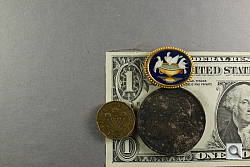
The Sony RX1 captured a fairly large minimum area measuring 5.33 x 3.55 inches (135 x 90 millimeters) in Macro mode. Detail is excellent over most of the frame at f/8, while corners and edges are just slightly soft. (Most lenses have some softening in the corners at macro distances.) The flash throttled down a bit too much, and coverage is offset to the upper-left quadrant, leaving the bottom and right sides quite dark. Overall, the flash image is dim and unevenly exposed, so plan on using external lighting for macro shots at closer distances.
Geometric Distortion
About average geometric distortion.
| Barrel distortion is ~0.7 percent |
 |
The Sony RX1’s lens produces about 0.7 percent complex barrel distortion, which is about average for cameras we’ve tested, including those with zoom lenses. Distortion is slightly asymmetrical though, which could make perfect correction more difficult. This is the tendency for the lens to bend straight lines outward (like a barrel — usually at wide-angle) or inward (like a pincushion — usually at telephoto).
Note that the Sony RX1 offers in-camera Distortion Correction for JPEGs. See below for details.
Chromatic Aberration and Corner Sharpness
Low to moderate levels of CA (the camera suppresses it). The lens produces pretty sharp corners even when wide open.
|
Aperture: f/2
|
|
 |
 |
| f/2: Upper right C.A.: Moderate Softness: Fairly sharp |
f/2: Center C.A.: Very low Softness: Very sharp |
|
Aperture: f/8
|
|
 |
 |
| f/8: Upper right C.A.: Low Softness: Sharp |
f/8: Center
C.A.: Very low |
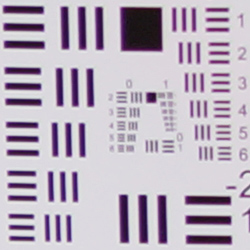
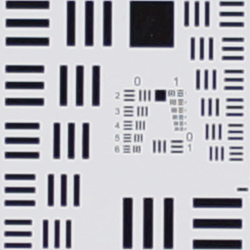
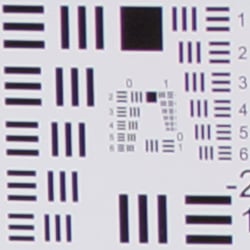
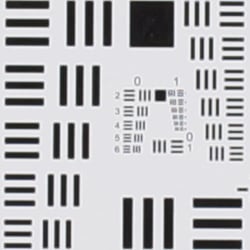
Chromatic Aberration. Chromatic aberration in the corners is moderate and somewhat noticeable in these shots, especially with shading correction applied which lightens corners significantly when the lens is wide open (see below). The center of the image shows almost no CA. Stopping-down to f/8 helps reduce the appearance of CA in the corners, though it’s still slightly visible.
Corner Softness. Wide open at f/2, the RX1’s lens is quite sharp across the frame, with only very minor softening in the corners. There’s some loss of contrast in the corners, but that’s also likely due to the shading and CA correction applied (see below). When stopped down to f/8, corners have better sharpness and contrast, but are still just a hair softer than center which is very sharp. Still, exceptional corner performance for a 35mm full-frame lens.
Corner Shading. There’s very little corner shading (“vignetting”) in JPEGs, as the Sony RX1 corrects for it by default (see below). We measured about 1/3 EV of fall-off in the corners at f/2, falling to about 1/4 EV at f/8. You can however see hints of the “tint issue”, where Sony’s lens shading correction produces a subtle cyan-to-red color tint across the frame. More on that below.
Lens Corrections
The Sony RX1 includes the ability to automatically correct for geometric distortion, chromatic aberration, and lens shading (vignetting), as images are captured.
Geometric Distortion
| Barrel distortion is ~0.1 percent |
 |
Above, you can see with Distortion Correction enabled, the lens shows significantly less geometric distortion (~0.1% versus ~0.7%) in JPEGs, though edges are cropped away in the process. Because distortion wasn’t very symmetrical to begin with, the corrected image shows some pincushion on the left vertical edge, while the right still shows some barrel distortion. The default Distortion Correction setting is Off.
Chromatic Aberration
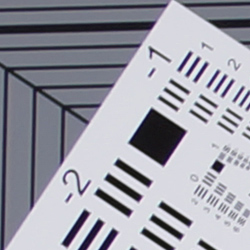
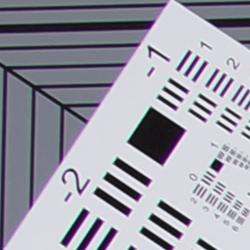
| CA Correction Auto | CA Correction Off |
 |
 |
| f/5.6: Upper left C.A.: Moderately low |
f/5.6: Upper left C.A.: Higher and brighter |
As you can see, lateral chromatic aberration is higher and much brighter with Chromatic Aberration Correction disabled, so the Sony RX1 does a pretty good job at eliminating most of it in JPEGs. The default for this setting is Auto.
Lens Shading
| Aperture: f/2 | |
| Auto | Off |
Mouse-over the links above to see the difference Lens Shading Correction makes when wide-open at f/2 (the worst-case scenario). The default setting for this correction is Auto, which means the camera will apply Shading Correction depending on the current aperture and perhaps other shooting conditions.
As you can see, corners are brightened significantly without affecting brightness at the center, so lens shading is quite pronounced at maximum aperture. (We measured just under 1 EV of fall-off in the corners at f/2, and just over 1/2 EV at f/8.) The corrected image does however exhibit a slight cyan tint on left side shifting to a slight red tint on the right side of the frame, which is not present in the uncorrected image. We’ve found that corresponding raw files have this tint as well, so it appears Sony is baking lens shading correction into RX1 raw data. Hopefully Sony will release a firmware fix to address this anomaly, though we haven’t received confirmation from the company on this issue yet. In the meantime, we recommend shooting with Shading Correction disabled and correcting corner shading in software. See this news article for more details on the Sony RX1 shading correction tint issue.
Overall, though, excellent performance from the Sony RX1’s 35mm f/2 lens, and it’s nice to be able to individually control the application of available lens corrections.
Sony RX1 Viewfinder Accuracy
Viewfinder Test Results
Coverage
Excellent accuracy from the LCD monitor.
 |
|
LCD Monitor
|
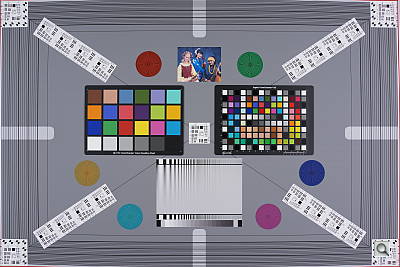
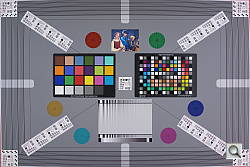
The Sony RX1’s LCD monitor shows essentially 100% coverage. This is excellent performance, though not a surprise given its image is derived from the main imaging sensor.
 |
 |
|
Optional Optical Viewfinder
|
Optional Electronic Viewfinder
|
The optional FDA-V1K optical viewfinder is a little loose with about 103% coverage in our test, so we captured slightly less than what we saw. Coverage will vary with distance to the subject, though. The optional FDA-EV1MK electronic viewfinder is however quite accurate, at about 100% coverage.
The images above were taken from our standardized test shots. For a
collection of more pictorial photos, see our
Sony Cyber-shot DSC-RX1 Photo Gallery
.
Exposure
Color
Saturation & Hue Accuracy
Slightly higher than average default saturation, with about average hue accuracy.
 |
|||
|
ISO Sensitivity |
|||
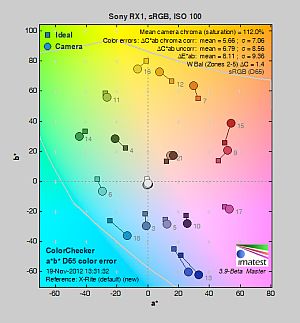
| In the diagram above, the squares show the original color, and the circles show the color that the camera captured. More saturated colors are located toward the periphery of the graph. Hue changes as you travel around the center. Thus, hue-accurate, highly saturated colors appear as lines radiating from the center. Mouse over the links to compare ISOs and click on links for larger images. | |||
Saturation. Like most cameras, the Sony RX1 pushes strong reds, dark blues and dark green, but it actually undersaturates light green, yellow and cyan tones slightly. The RX1’s mean default color saturation is 112% at base ISO, or in other words its images are oversaturated by 12%, which is just slightly higher than average these days. Saturation remains fairly consistent up to ISO 6,400, but drops slightly at 12,800 and 25,600. Overall, we found default saturation levels quite pleasing, and you can of course tweak saturation to your liking, or choose a different color mode. Most consumer digital cameras produce color that’s more highly saturated (more intense) than found in the original subjects. This is simply because most people like their color a bit brighter than life.
Skin tones. The Sony RX1 produces fairly natural Caucasian skin tones that are slightly oversaturated when white balance is adjusted for the lighting. Lighter skin tones are pinkish, though darker areas are nudged toward yellow and orange. Still, pretty good results. Where oversaturation is most problematic is on Caucasian skin tones, as it’s very easy for these “memory colors” to be seen as too bright, too pink, too yellow, etc.
Hue. Like many cameras, the Sony RX1 pushes cyan toward blue, red toward orange, orange toward yellow and yellow toward green, but shifts are minor to moderate. (The cyan to blue shift is very common among the digital cameras we test; we think it’s a deliberate choice by camera engineers to produce better-looking sky colors.) With an average “delta-C” color error of 5.66 after correction for saturation, the RX1’s JPEG hue accuracy is about average at base ISO, falling slightly as ISO increases. Hue is “what color” the color is.
Saturation Adjustment
The Sony RX1 has a total of seven saturation settings available, three above and three below the default saturation. This covers a pretty wide range of saturation levels. Saturation also had little effect on contrast, which is how it should work.
| Saturation Adjustment Examples | ||||
 |
 |
 |
 |
 |
| -3 | -1 | 0 | +1 | +3 |
The table above shows results with five of the seven saturation settings, including the default and the two extremes. Click on any thumbnail above, then click again to see the full-sized image.
 |
 |
 |
| See full set of test images with explanations See thumbnails of all test and gallery images |
||
Sensor
Exposure and White Balance
Indoors, incandescent lighting
Warm cast with Auto, slightly warm with Incandescent, good with Manual, and a touch cool with Kelvin white balance settings. Average exposure compensation required.
 |
 |
| Auto White Balance +0.3 EV |
Incandescent White Balance +0.3 EV |
 |
 |
| Manual White Balance +0.3 EV |
2,600 Kelvin +0.3 EV |
Indoors, under normal incandescent lighting, color balance is overly warm and orange with the Auto white balance setting and a little disappointing given the camera’s price point. Results with the Incandescent setting are better but still a touch warm and orange/yellow. The Manual setting is fairly accurate, though it has a slightly green bias. The 2,600 Kelvin setting which should match the color temperature of our lights resulted in a slightly cool, bluish image. The Sony RX1 required +0.3 EV positive exposure compensation here, which is about average for this shot. (Our test lighting for this shot is a mixture of 60 and 100 watt household incandescent bulbs, a pretty yellow light source, but a very common one in typical home settings here in the U.S.)
Outdoors, daylight
Very good performance in harsh daylight lighting.
 |
 |
| Manual White Balance, +0.7 EV |
Auto White Balance, 0 EV |
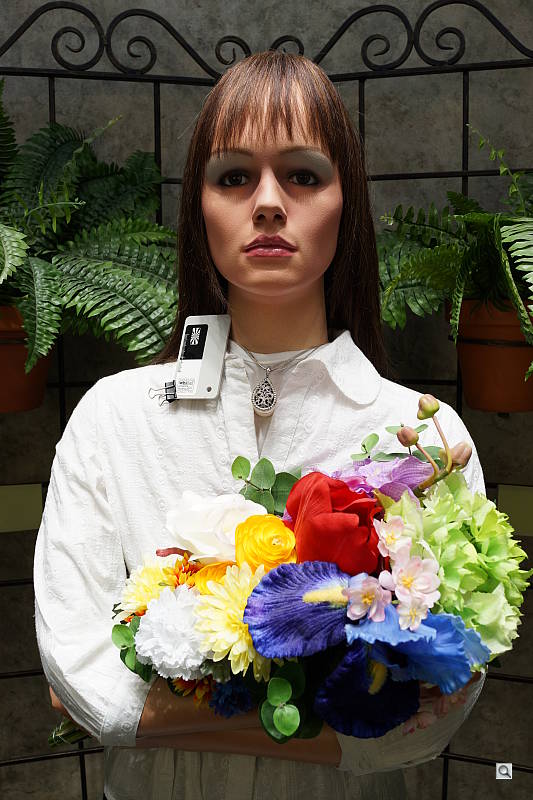
Outdoors, the Sony RX1 performed very well in our tests. +0.7 EV exposure compensation was required to keep the mannequins’s face bright in our “Sunlit” Portrait shot. The average among the cameras we’ve tested is +0.7 EV, so the RX1’s performance here is typical. Contrast is a little high as it usually is under such harsh lighting, but the RX1 did a great job of holding onto detail in both the shadows and bright highlights, even without the help of Sony’s Dynamic Range Optimization (DRO). Color balance is good with Manual white balance, though Auto WB resulted in skin tones that were a little too orange.
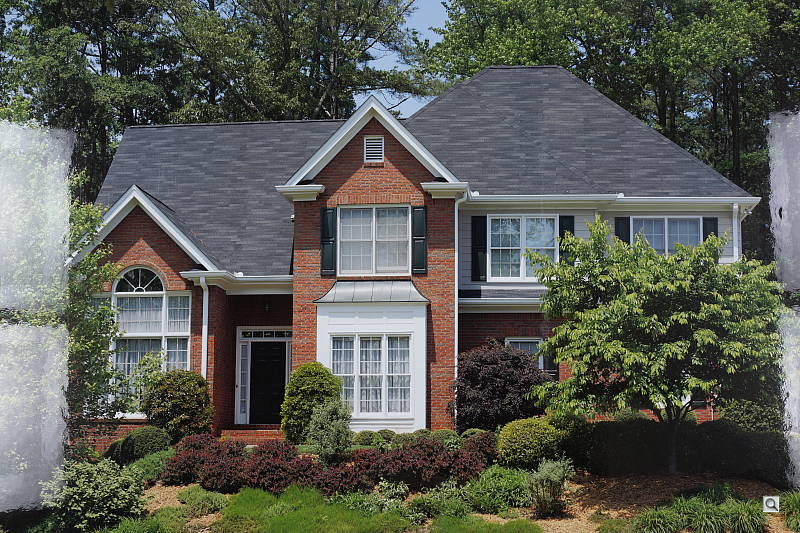
Default exposure is fair in our Far-field shot, just a touch underexposed but with almost no highlights blown, again with DRO disabled. The RX1 produced some very dark shadows in the foliage and branches, but the camera kept the main subject well exposed. (With DRO enabled by default, overall exposure is quite good.) The Far-field shot with Auto white balance produced very good, vibrant color, just a touch on the cool side. Overall, a very good performance in harsh lighting, especially considering DRO was off for these shots.
See full set of test images with explanations
See thumbnails of all test and gallery images
Resolution
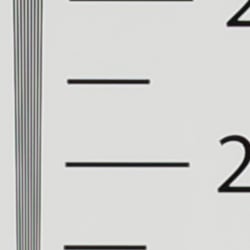
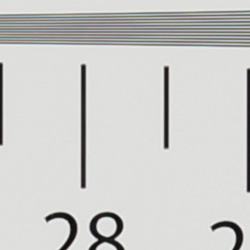
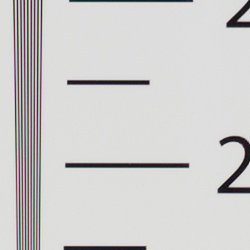
Very high resolution, ~2,700 lines of strong detail from JPEGs, up to about 2,800 lines from raw files.
 |
 |
| Strong detail to ~2,700 lines horizontal Camera JPEG |
Strong detail to ~2,700 lines vertical Camera JPEG |
 |
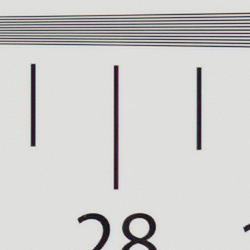 |
| Strong detail to ~2,750 lines horizontal ACR converted RAW |
Strong detail to ~2,800 lines vertical ACR converted RAW |
In-camera Extra Fine JPEGs of our laboratory resolution chart reveal sharp, distinct line patterns down to about 2,700 lines per picture height in both horizontal and vertical directions. Some may argue for higher numbers, but aliasing artifacts start to interfere at this resolution. Complete extinction of the pattern doesn’t occur until about 3,400 to 3,600 lines, though. Adobe Camera Raw was able to extract perhaps 100 lines more of resolution here from matching raw files, but produced more obvious color moiré making it difficult to judge. (The Sony RX1 seems to have a fairly weak anti-alias filter, so it appears to be a little more susceptible to color moiré than the average camera.)
Use these numbers to compare with other cameras of similar resolution, or use them to see just what higher resolution can mean in terms of potential detail.
See full set of test images with explanations
See thumbnails of all test and gallery images
Sharpness & Detail
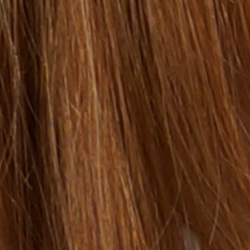
Excellent detail, with only minor edge-enhancement on high-contrast subjects. Very good detail in the shadows and areas of low contrast.
 |
 |
| Excellent definition of high-contrast elements with only minor sharpening artifacts. |
Subtle detail: Hair Noise suppression tends to blur detail in areas of subtle contrast. |
Sharpness. The Sony RX1 captures sharp, crisp images with phenomenal detail. There are only minor edge enhancement artifacts on high-contrast subjects such as small sharpening halos around larger tree branches and pine cones in the image above left. Fine detail in the smaller branches and pine needles show very little edge enhancement, and excellent definition. Really great results here. Edge enhancement creates the illusion of sharpness by enhancing colors and tones right at the edge of a rapid transition in color or tone.
Detail. The crop above right shows fairly mild noise suppression in the darker areas of the mannequin’s hair. While a number of low-contrast strands are smudged together especially in the shadows, results here are very good, especially given the conservative levels of sharpening. Noise-suppression systems in digital cameras tend to flatten-out detail in areas of subtle contrast. The effects can often be seen in shots of human hair, where the individual strands are lost and an almost “watercolor” look appears.
As you can see in the crop on the right, false colors and moiré are quite visible in the window shade and even in the brick wall of our Far Field shots. (Click on the crop to access the full resolution image.) We’ve also seen aliasing artifacts in some of our studio shots, and in some of our gallery shots. We don’t think it’s a deal-breaker, but it is something to be aware of especially if you shoot a lot of man-made subjects with repeating patterns, such as buildings, fabrics, etc. Techniques than can be used to reduce or avoid false colors and moiré patterns include shooting at a smaller aperture so that lens diffraction acts as an anti-alias filter, defocusing slightly, shooting at higher ISOs, and post-processing particularly with raw files.
Raw vs In-Camera JPEGs
As noted above, the Sony RX1 offers fantastic detail straight out of the camera. As is often the case, though, a bit more detail can often be obtained from carefully processing raw files with a good converter, as can be seen below.
In the table above, mousing over a link at the bottom will load the corresponding crop in the area above, and clicking on the link will load the full resolution image. Examples include (from left to right): an in-camera Extra Fine JPEG, the similar raw file processed through Sony’s Image Data Converter version 4.2 software at default settings, and the same raw file converted with Adobe Camera Raw, then sharpened in Photoshop using unsharp mask at 300% with radius 0.3.
As you can see, the Sony IDC conversion at default settings is oversharpened compared to the in-camera JPEG, however fine detail is a little more distinct. (Color rendering is also slightly different.) The Adobe Camera Raw conversion shows the most detail while keeping sharpening artifacts to a minimum, but it also reveals a bit of noise in flat areas such as the sky. Noise levels at base ISO are however so low that it’s not in the least objectionable. Bottom line, the Sony RX1 can produce images that compete with the best full-frame DSLRs when working from raw files, in a form factor that’s not much larger than a pocket camera. Truly remarkable!
ISO & Noise Performance
Very good noise versus detail performance up to ISO 3,200.
|
Default High ISO Noise Reduction
|
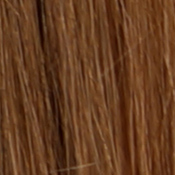 |
 |
 |
| ISO 50 | ISO 100 | ISO 200 |
 |
 |
 |
| ISO 400 | ISO 800 | ISO 1,600 |
 |
 |
 |
| ISO 3,200 | ISO 6,400 | ISO 12,800 |
 |
||
| ISO 25,600 | ||
ISOs 50 through 400 are very clean and almost identical in terms of noise. At ISO 400, we do see a touch of softening due to noise reduction, but images still have excellent detail. ISOs 800 and 1,600 show progressively less detail along with incremental levels of noise, however fine detail remains very good. ISO 3,200 shows a slightly larger decline in image quality with more visible luma noise and noise reduction artifacts, though detail is still quite good and chroma noise well controlled. ISO 6,400 starts to look a little grainy on screen, with stronger luma noise and more obvious sharpening artifacts, though there’s a moderate amount of fine detail left intact. ISO 12,800 and especially 25,600 images contain quite a bit of luma noise and much stronger noise reduction obliterating fine detail. There’s also a lot of chroma noise in the form of purple and yellowish blotches, particularly in shadows. Saturation and exposure also drop at ISO 6,400 and above, though a drop in saturation is quite common at high ISOs.
Overall, though, you won’t find better high ISO performance at such a high resolution in such a small package. As always, see the Print Quality section below for maximum recommended print sizes at each ISO.
| Multi-frame Noise Reduction | ||
 |
 |
|
| Default NR, 1/2,000s, ISO 12,800 | Multi-frame NR, 1/2,000s, ISO 12,800 | |
 |
 |
|
Multi-frame Noise Reduction. This feature is similar to Sony’s Hand-held Twilight mode which shoots a burst of six images with a single press of the shutter button and combines all six images into one composite image with reduced noise. But unlike Hand-held Twilight, Multi-frame NR gives you control over the ISO, aperture and shutter speed used, so you may still need to use a tripod depending on the exposure parameters you select. As you can see above, the image captured with Multi-frame Noise Reduction (right) is cleaner than the standard image (left) despite both being shot at ISO 12,800, but it’s also a bit softer. Multi-frame NR images do look better with some extra sharpening applied, though, and an added bonus is that up to ISO 102,400 equivalent is available for JPEGs (raw files are not supported).
 |
 |
 |
 |
|
ISO 3,200
High ISO NR = “Off” |
ISO 3,200
High ISO NR = “Normal” |
Noise Reduction Oddity. The Sony RX1’s “Off” High ISO NR setting smudges the red leaf pattern in our Still Life target much more than the “Normal” or “Low” settings at higher ISOs. The Normal setting does reduce both chroma and luma noise compared to the Off setting, though, as can be seen in the lower crops. We’ve seen similar behavior with older Sony models such as the A55/A35/A33 and NEX-5/3, as well as with the new Sony A99, unfortunately.
Extremes: Sunlit, dynamic range and low light tests
Very high resolution with excellent highlight and shadow detail. Very good low-light performance, capable of capturing bright images in near darkness.
 |
 |
 |
| +0.3 EV | +0.7 EV | +1.0 EV |
Sunlight. The Sony RX1 handled the deliberately harsh lighting in the test above very well. We preferred the +0.7 EV exposure here, as the +0.3 EV exposure is a touch dim in the face and the +1.0 EV is a bit too bright. Contrast is a little high as it usually is in this shot, but both highlight and shadow detail are very good. Despite the bright appearance, very few highlights were blown in the mannequin’s shirt and face at +0.7 EV, though the red channel is clipped in some of the flowers as is often the case, and specular highlights were lost where you’d expect clipping. There are virtually no lost shadows which is also very good, though very deep shadows are posterized. However, that’s not really an issue except perhaps for those trying to recover a severely underexposed image.
For best results, be sure to use fill flash in situations like the one shown above; it’s better to shoot in the shade when possible. See below for results with Dynamic Range Optimization and High Dynamic Range features enabled.
Because digital cameras are more like slide film than negative film (in that they tend to have a more limited tonal range), we test them in the harshest situations to see how they handle scenes with bright highlights and dark shadows, as well as what kind of sensitivity they have in low light. The shot above is designed to mimic the very harsh, contrasty effect of direct noonday sunlight, a very tough challenge for most digital cameras. (You can read details of this test here. In actual shooting conditions, be sure to use fill flash in situations like the one shown here; it’s better to shoot in open shade whenever possible.)
Dynamic Range Analysis
A key parameter in a digital camera is its Dynamic Range, the range of brightness that can be faithfully recorded. At the upper end of the tonal scale, dynamic range is dictated by the point at which the RGB data “saturates” at values of 255, 255, 255. At the lower end of the tonal scale, dynamic range is determined by the point at which there ceases to be any useful difference between adjacent tonal steps. Note the use of the qualifier “useful” in there: While it’s tempting to evaluate dynamic range as the maximum number of tonal steps that can be discerned at all, that measure of dynamic range has very little relevance to real-world photography. What we care about as photographers is how much detail we can pull out of the shadows before image noise becomes too objectionable. This, of course, is a very subjective matter, and will vary with the application and even the subject matter in question. (Noise will be much more visible in subjects with large areas of flat tints and subtle shading than it would in subjects with strong, highly contrasting surface texture.)
What makes most sense then, is to specify useful dynamic range in terms of the point at which image noise reaches some agreed-upon threshold. To this end, Imatest computes a number of different dynamic range measurements, based on a variety of image noise thresholds. The noise thresholds are specified in terms of f-stops of equivalent luminance variation in the final image file, and dynamic range is computed for noise thresholds of 1.0 (low image quality), 0.5 (medium image quality), 0.25 (medium-high image quality) and 0.1 (high image quality). For most photographers and most applications, the noise thresholds of 0.5 and 0.25 f-stops are probably the most relevant to the production of acceptable-quality finished images, but many noise-sensitive shooters will insist on the 0.1 f-stop limit for their most critical work.
JPEG.
Raw.
Contrast Adjustment
We really like it when a camera gives us the ability to adjust contrast and saturation to our liking. It’s even better when those adjustments cover a useful range, in steps small enough to allow for precise tweaks. Just as with its saturation adjustment, the Sony RX1’s contrast setting meets both challenges.
|
Minimum Contrast
|
|
 |
 |
| Contrast set to lowest, +0.3 EV |
Contrast set to lowest, 0 EV |
At its lowest contrast setting, the Sony RX1 did a really excellent job of preserving highlight detail, while maintaining natural-looking skin tones, and holding nice detail in the shadows. Overall, very good results here.
| Contrast Adjustment Examples | ||||
 |
 |
 |
 |
 |
| -3 | -1 | 0 | +1 | +3 |
The table above shows five of the seven contrast setting, including the default and two extremes. It’s pretty hard to evaluate small differences in contrast on small thumbnails like these, so click on any thumbnail to go to the full-size image.
One very nice feature of Sony’s contrast adjustment is that it doesn’t affect color saturation very much. Contrast and saturation are actually fairly closely coupled, it’s a good trick to be able to vary one with out the other changing as well.
|
Outdoor Portrait DRO Comparison
|
|
|
|
DRO Setting: |
Dynamic Range Optimization is Sony’s name for their dynamic range enhancement technology. DRO divides the image into small areas, analyzes the range of brightness of each area, and adjusts the camera’s image processing parameters accordingly to make the best use of the available dynamic range. Auto DRO is enabled by default on the Sony RX1. You can also set the level manually, from 1 (“weak”) to 5 (“strong”), or turn it off. As one would expect, DRO is only available for JPEG files.
The above thumbnails and histograms show the effects of all levels of DRO on our “Sunlit” Portrait shot with +0.3 EV exposure compensation. Mouse over the links to load the associated thumbnail and histogram, and click on the links to visit the full resolution image. As you can see from the thumbnails and associated histograms, the Auto DRO setting boosted shadows and mid-tones a bit without blowing additional highlights, and the five manual levels give you a good bit of control over the effect for tricky lighting like this.
Above, you can see the effect of DRO settings on our Far-field shot. The default Auto setting produced a nicely balanced exposure by opening up the shadows, despite the harsh lighting. Very good job here.
High Dynamic Range. The Sony RX1’s HDR mode takes three images in rapid succession, one nominally exposed , one underexposed, and one overexposed, then combines them into one high dynamic range JPEG automatically. Lighter areas from the underexposed image are combined in-camera with darker areas from the overexposed image to produce an image with increased dynamic range. The camera then saves a single composite image, as well as the nominally exposed image. The overlaid images are micro-aligned by the camera, but it can only correct for so much movement. If it can’t micro-align successfully, an icon indicating HDR capture failed will appear. For best results, the subject should not move or blink, so it’s not really intended for portraits. There is also a manual mode where you can select 1 EV (“weak”) to 6 EV (“strong”) difference in exposures.
Mouse over the links to load the associated thumbnail and histogram, and click on the links to visit the full resolution image. As you can see, the Auto setting produced results very similar to the 2 EV manual setting. The higher the manual setting, the more highlights were toned-down and shadows opened up, but higher settings can produce flat and unnatural results with this scene.
Above, you can see the effect of HDR settings on our Far-field shot. Watch out for ghosting from subject movement during the capture sequence, though, as can be seen in some of the shots above.
| Â | 1 fc 11 lux |
1 fc MFNR |
1/2 fc 5.5 lux |
1/4 fc 2.7 lux |
1/8 fc 1.3 lux |
1/16 fc 0.67 lux |
1/16 fc No NR |
|---|---|---|---|---|---|---|---|
| ISO 50 |
 1.6 s f2.0 |
N/A |
 3.2 s f2.0 |
 6 s f2.0 |
 13 s f2.0 |
 25 s f2.0 |
 25 s f2.0 |
| ISO 100 |
 0.8 s f2.0 |
 0.8 s f2.0 |
 1.6 s f2.0 |
 3.2 s f2.0 |
 6 s f2.0 |
 13 s f2.0 |
 13 s f2.0 |
| ISO 200 |
 0.4 s f2.0 |
 0.4 s f2.0 |
 0.8 s f2.0 |
 1.6 s f2.0 |
 3.2 s f2.0 |
 6 s f2.0 |
 6 s f2.0 |
| ISO 400 |
 1/5 s f2.0 |
 1/5 s f2.0 |
 0.4 s f2.0 |
 0.8 s f2.0 |
 1.6 s f2.0 |
 3.2 s f2.0 |
 3.2 s f2.0 |
| ISO 800 |
 1/10 s f2.0 |
 1/10 s f2.0 |
 1/5 s f2.0 |
 0.4 s f2.0 |
 0.8 s f2.0 |
 1.6 s f2.0 |
 1.6 s f2.0 |
| ISO 1600 |
 1/20 s f2.0 |
 1/20 s f2.0 |
 1/10 s f2.0 |
 1/5 s f2.0 |
 0.4 s f2.0 |
 0.8 s f2.0 |
 0.8 s f2.0 |
| ISO 3200 |
 1/40 s f2.0 |
 1/40 s f2.0 |
 1/20 s f2.0 |
 1/10 s f2.0 |
 1/5 s f2.0 |
 0.4 s f2.0 |
 0.4 s f2.0 |
| ISO 6400 |
 1/80 s f2.0 |
 1/80 s f2.0 |
 1/40 s f2.0 |
 1/20 s f2.0 |
 1/10 s f2.0 |
 1/5 s f2.0 |
 1/5 s f2.0 |
| ISO 12800 |
 1/160 s f2.0 |
 1/160 s f2.0 |
 1/80 s f2.0 |
 1/40 s f2.0 |
 1/20 s f2.0 |
 1/10 s f2.0 |
 1/10 s f2.0 |
| ISO 25600 |
 1/320 s f2.0 |
 1/320 s f2.0 |
 1/160 s f2.0 |
 1/80 s f2.0 |
 1/40 s f2.0 |
 1/20 s f2.0 |
 1/20 s f2.0 |
| ISO 51200 |
N/A |  1/640 s f2.0 |
N/A | N/A | N/A | N/A | N/A |
| ISO 102400 |
N/A |  1/1250 s f2.0 |
N/A | N/A | N/A | N/A | N/A |
Low Light. The Sony RX1 performed very well in our low light test, producing bright images down to the lowest light level we test at (1/16 fc) at all ISO settings. Noise is very well controlled up to ISO 3,200, though as expected, at higher ISOs there are moderate to high amounts of fine luminance noise and some blotchy chroma noise.
Auto white balance did a very good job here producing a nearly neutral color balance, just slightly on the cool side at most ISOs and light levels, though there’s a small shift towards red at lower ISOs and light levels.
We didn’t detect any significant issues with hot pixels and only a slight hint of horizontal banding is visible at the highest ISOs, though a small amount of heat blooming is present at the bottom of the frame at the highest ISOs and lowest light levels.
We’ve included a column showing Sony’s Multi-frame Noise Reduction feature at one foot-candle in the above table. ISO 50 isn’t supported, but the feature extends ISO equivalents to 102,400. If you compare MFNR images to their standard counterparts in the first column, you will see they contain much lower levels of noise at higher ISOs (multiple images are merged together to average out noise), but they’re also just a touch soft from the averaging process, particularly at very high ISOs. Images at ISOs 51,200 and 102,400 are still pretty noisy, though, and they show noticeable banding (pattern noise) as well as heat blooming (reddish tint emanating from the bottom of the frame). Still, a very nice feature when you need to shoot static subjects handheld in low light.
The Sony RX1’s autofocus system was able to focus on the subject down to well below the 1/16 foot-candle light level unassisted, and in complete darkness with its built-in focus assist lamp enabled. Focusing speed does slow down dramatically below 1/16 fc, but it’s nice to know you can still autofocus in extremely low light with the RX1. Excellent results here.
How bright is this? The one foot-candle light level that this test begins at roughly corresponds to the brightness of typical city street-lighting at night. Cameras performing well at that level should be able to snap good-looking photos of street-lit scenes.
NOTE: This low light test is conducted with a stationary subject, and the camera mounted on a sturdy tripod. Most digital cameras will fail miserably when faced with a moving subject in dim lighting. (For example, a child’s ballet recital or a holiday pageant in a gymnasium.) Thanks to their larger sensors, compact system cameras like the Sony RX1 tend to do better than point & shoots, but you still shouldn’t expect a quick autofocus lock with moving subjects. (A useful trick is to just prop the camera on a convenient surface, and use its self-timer to release the shutter. This avoids any jiggling from your finger pressing the shutter button, and can work quite well when you don’t have a tripod handy.)
Output Quality
Print Quality
Wow…gorgeous printed images across the ISO spectrum. With the Sony RX1 and a good printer, your walls will run out of room!
ISO 400 looks great at 24 x 36 with only minor softening in our red swatch, and makes an excellent wall display print at 36 x 48.
ISO 800 yields a sharp 20 x 30, with crisp detail and again only minor softening in the red channel. Capable of wall prints up to 30 x 40.
ISO 1,600 prints look very good at 16 x 20, with nice detail and color renditioning for ISO 1600, even slightly out-performing its DSLR brother the A99 here by one print size. Capable of a nice 24 x 36 inch wall display, which really is remarkable at this ISO.
ISO 3,200 makes a nice 13 x 19 inch print, if just slightly grainy in some of the flat, shadowy areas of our target. Excellent prints here at 11 x 14, with a usable wall print at 16 x 20.
ISO 6,400 prints well at 8 x 10, which is yet again excellent for this ISO. 11 x 14s are quite usable with some minor softness in some areas and a mild “film grain” look in others.
ISO 12,800 prints a crisp 5 x 7, with generally nice detail and only minor softness in our red swatch.
ISO 25,600 capable of a nice 4 x 6 print, and a usable 5 x 7, with amazing color for such a high ISO.
Summary: Does it say anything revealing about a camera’s printed image quality that when we printed an 8 x 10 at ISO 6,400, looked at it with amazement, and naturally assumed we must have somehow made a mistake and were in reality looking at ISO 400 instead? That’s what happened in several cases while printing the RX1’s images. Its shots inspire a real “wow” factor, especially for this camera’s price range and small size in comparison to cameras with rival image quality. It is in the running for our 2012 Camera Of The Year; by the time this full review goes to print we wouldn’t be surprised if we’d already crowned it the victor, and for good reason!
The images above were taken from our standardized test shots. For a
collection of more pictorial photos, see our
Sony Cyber-shot DSC-RX1 Photo Gallery
.
Not sure which camera to buy? Let your eyes be the ultimate judge!
Visit our Comparometer(tm)
to compare images from the Sony Cyber-shot DSC-RX1 with those from other
cameras you may be considering. The proof is in the pictures, so let
your own eyes decide which you like best!
Performance
Timing and Performance
Generally good performance.
| Startup/Shutdown | ||
|---|---|---|
|
Power on |
~1.7 seconds
|
Time it takes to turn on and capture a shot. |
|
Shutdown |
~1.5 seconds
|
How long it takes camera to turn off before you can remove the memory card. |
|
Buffer clearing time |
21 seconds after 15 Large/Extra Fine JPEGs*
|
Worst case buffer clearing time. — This is the delay after a set of shots before you can remove the card. |
|
23 seconds after 15 RAW files*
|
||
|
28 seconds after 12 RAW+ LF JPEG files*
|
||
|
*Note: Buffer clearing times measured with a SanDisk Extreme Pro 95MB/sec UHS-1 SDHC card. Slower cards will produce correspondingly slower clearing times. Slow cards may also limit length of bursts in continuous mode. ISO sensitivity and noise reduction settings can also affect cycle times and burst mode performance.
|
||
Startup time is much slower than most DSLRs, but not bad for a “compact” camera. Buffer clearing times are pretty slow, though, even with a very fast 95MB/s card. We don’t believe the Sony RX1 takes advantage of faster UHS cards.
| Mode Switching | ||
|---|---|---|
|
Play to Record, |
~1.1 seconds
|
Time until first shot is captured. |
|
Record to Play |
~1.4 seconds
|
Time to display a large/extra fine JPEG file immediately after capture. |
|
Display |
~0.5 second
|
Time to display a large/extra fine JPEG file already on the memory card. |
Mode switching times are fairly good.
| Shutter Response (Lag Time) | ||
|---|---|---|
|
Full Autofocus, |
0.271 second
|
Time from fully pressing shutter button to image capture, with the lens already at the proper focal distance setting. |
|
Full Autofocus, |
0.272 second
|
Time from fully pressing shutter button to image capture, with the lens already at the proper focal distance setting. |
|
Full Autofocus, |
0.379 second
|
Time from fully pressing shutter button to image capture, with the lens already at the proper focal distance setting, Auto flash enabled. |
|
Continuous AF |
N/A
|
This mode usually shows no speed increase with our static subject; we have no way to measure performance with moving subjects. |
|
Manual Focus |
0.038 second
|
For most cameras, shutter lag is less in manual focus than autofocus, but usually not as fast as when the camera is “prefocused”. |
|
Prefocused |
0.016 second
|
Time to capture, after half-pressing and holding shutter button. |
The Sony RX1’s autofocus and shutter lag times are surprisingly quick. Full autofocus shutter lag is about 0.27 second in both Single-area (center) and Multi-area AF modes. That’s a bit slower than most DSLRs, but quite fast for a camera using contrast-detect AF. With the flash enabled, the RX1’s full AF shutter lag increases to 0.38s to account for the preflash metering, but that’s still quite good. The Sony RX1 does not offer a Continuous AF mode for still capture.
When manually focused, the Sony RX1’s shutter lag drops to only 0.038 second, which is very fast. The RX1’s prefocused shutter lag is only 0.016 second, much faster than any DSLR or Compact System Camera we’ve tested, though some point & shoot cameras we’ve tested were a bit faster. Still, excellent shutter lag.
To minimize the effect of different lens’ focusing speed, we test AF-active shutter lag with the lens already set to the correct focal distance.
| Cycle Time (shot to shot) | ||
|---|---|---|
|
Single Shot mode |
0.89 second
|
Time per shot, averaged over 15 shots, 12 seconds to clear.* |
|
Single Shot mode |
0.93 second
|
Time per shot, averaged over 10 shots, 9 seconds to clear.* |
|
Single Shot mode |
1.04 seconds
|
Time per shot, averaged over 9 shots, 14 seconds to clear.* |
|
Early shutter |
No
|
Some cameras don’t snap another |
|
Continuous Mode |
0.40 second (2.52 frames per second);
18 frames total; 21 seconds to clear* |
Time per shot, averaged over 18 shots, then slows to an average of about 1.55s or 0.65fps when buffer is full. |
|
Speed Priority Continuous Mode |
0.20 second (5.13 frames per second);
15 frames total; 21 seconds to clear* |
Time per shot, averaged over 15 shots, then slows to an average of about 1.56s or 0.64fps when buffer is full. |
|
Speed Priority Continuous Mode |
0.19 second (5.19 frames per second);
15 frames total; 23 seconds to clear* |
Time per shot, averaged over buffer length of 15 frames, then slows to an average of about 1.59s or 0.63fps when buffer is full. |
|
Speed Priority Continuous Mode |
0.20 second (5.12 frames per second);
12 frames total; 28 seconds to clear* |
Time per shot, averaged over buffer length of 12 frames, then slows to 2.28s or 0.44fps when buffer is full. |
|
Flash Recycling |
8.2 seconds
|
Flash at maximum output. |
|
*Note: Buffer clearing times measured with a SanDisk Extreme Pro 95 MB/sec UHS-1 SDHC card. Slower cards will produce correspondingly slower clearing times. Slow cards may also limit length of bursts in continuous mode. ISO sensitivity and noise reduction settings can also affect cycle times and burst mode performance.
|
||
Single-shot cycle times are good for a compact camera at about 0.9 second for JPEGs or RAW files, and just over a second for RAW+JPEG, but that’s quite a bit slower than most DSLRs.
In standard Continuous mode, the RX1 captures Large/Extra Fine JPEGs at about 2.5 frames per second. Speed Priority Continuous mode bumps that to just over 5 frames per second. Neither mode seems to adjust exposure or focus during a burst as far as we can tell (even with “Tracking Focus” engaged), and there are no restrictions to aperture.
Buffer depth for Large/Extra Fine JPEGs is pretty good at 18 frames in our test. You may be able to do better with typical subjects (our target for this test is designed to be difficult to compress), and buffer depth with Fine JPEGs should be even better. When shooting in Speed Priority Continuous mode, buffer depth for JPEG or RAW files drops a bit to 15 frames, but that’s still pretty good given the file sizes. When shooting RAW+JPEG, buffer depth drops again to 12 frames, also not bad. Buffer clearing is however rather sluggish, even with one of the fastest UHS-I compliant SDHC cards available. We don’t believe the Sony RX1 takes advantage of the faster UHS interface mode these cards offer.
The built-in flash takes a rather long 8.2 seconds on average to recycle after a full discharge.
| Download Speed | ||
|---|---|---|
|
Windows Computer, USB 2.0 |
10,608 KBytes/sec
|
Typical Values: |
Download speeds are pretty fast, quick enough that you likely won’t feel the need for a separate card reader, even with large memory cards. (Note that this test was performed with a SanDisk Pro 95MB/sec UHS-1 card: Slower cards would likely show slower transfer times.)
Bottom line, the Sony RX1’s performance is generally pretty good. Startup time won’t compete with most DSLRs, but is pretty good compared to most Compact System Cameras and digicams, though there’s no zoom to extend. Full autofocus is only slightly slower than most consumer SLRs but competitive with the average CSC, and faster than most compacts. Single-shot cycle times again aren’t as fast as a DSLR, but are comparable to CSCs and faster than most compacts. Speed Priority Continuous mode is not bad for the resolution, however buffer clearing is rather slow, as is flash recycling. The lack of a Continuous AF mode also makes the RX1 unsuitable for most sports or action photography, but given the camera’s nature and wide-angle lens, that’s no real surprise.
Battery
Battery Life
Somewhat short battery life.
| Operating Mode | Battery Life |
|---|---|
|
Still Capture,
LCD in High Quality Mode (CIPA standard) |
220 shots
|
|
Still Capture,
LCD in Standard Quality Mode (CIPA standard) |
270 shots
|
The Sony RX1 uses a custom NP-BX1 rechargeable lithium-ion battery pack for power, and comes with both a single battery and a USB charger for in-camera charging. The battery is rated for 220 shots per charge with LCD Quality set to High using the CIPA standard, which includes 50% flash shots with the built-in flash. Setting LCD Quality to Standard increases battery life to 270 shots per charge. That’s pretty good given the size of the camera and sensor, but quite short compared to DSLRs and most CSCs. We strongly recommend getting a second battery for your RX1 if you plan any extended outings.
The table above shows the number of shots the camera is capable
of (on a fully-charged rechargeable battery), based on CIPA battery-life
and/or manufacturer standard test conditions.
(Interested readers can find an English translation of the CIPA DC-002 standards document here. (180K PDF document))
Video
Check out the links below for more sample images, videos and image quality analysis:
-
Sony Cyber-shot DSC-RX1 Optics page
(Crops from images shot with the camera’s kit lens, if sold as a kit) -
Sony Cyber-shot DSC-RX1 Sample Images page
(Index to all standard test shots, with explanations) -
Sony Cyber-shot DSC-RX1 Thumbnails page
(Thumbnails of all shots, including RAWs, with EXIF data) -
Sony Cyber-shot DSC-RX1 Gallery page
(Regular photos taken with the Sony Cyber-shot DSC-RX1)
If you’ve even skimmed our Sony RX1 review, you’ll know that we’re wild about its abilities as a camera for still photography. Given that Sony has been in the video business for a long time, and has delivered great video performance on many of their recent still camera models, though, it came as an unpleasant surprise to us that the RX1 wasn’t similarly capable in the video area. Its DSLR brother the A99 got high marks from us in the video department, as did its little brother, the much lower priced RX100, but despite all that, the plain fact is that the RX1 is nearly unusable as a good video camera, because its autofocus tracks painfully slowly, if at all. So unless you’re planning on using manual focus exclusively (which would be difficult at best with a camera this size and using the LCD as your guide), we just don’t think the RX1 makes the grade for video in most instances.
We aim to be thorough, however, so for anyone interested in learning more about the RX1’s video capabilities, below are the basic specs as well as our usual battery of tests.
Sony RX1 Basic Video Specs
- 1,920 x 1,080 (Full HD), 1,440 x 1,080 (Anamorphic HD) and 640 x 480 (VGA) recording
- MPEG-4 AVC/ H.264 compression, either High Profile (AVCHD) for Full HD, or Main Profile for lower-res video
- AVCHD recorded at 60p, 60i or 24p on NTSC models; 50p, 50i or 25p on PAL models
- MPEG-4 1,440 x 1,080 recorded at 30p on NTSC models, 25p on PAL models; VGA is 30p regardless of region.
- Full-time autofocus during video recording, with continuous AF tracking, although in our test this performed very poorly. Manual focus is also available, although there’s no option for a magnified MF-assist view.
- Dedicated Movie Mode
- Program Auto, Aperture Priority, Shutter Priority and Full Manual exposure modes in Movie Mode.
- Stereo audio recording via built-in microphones, with available external microphone jack
- Optional digital image stabilization only
- Up to 4x digital zoom is available, which can be adjusted before and during recording
- Adjustable White Balance
- Creative Styles tone presets and Picture Effect image styles available in video recording
Sony RX1 Video: Image Size, Frame Rate, and Encoding
The Sony RX1 records at three different video resolutions, and can record high-definition movies in either AVCHD (2.0) or MPEG-4 formats. Stereo audio is recorded during movie capture, encoded as Dolby Digital (AC-3) for AVCHD and AAC-LC for MPEG-4.
The table below shows the specs for various video recording options:
|
Sony RX1 Video Options
|
|||
|---|---|---|---|
|
AVCHD Format (.MTS files)
|
|||
|
Menu Designation
|
Resolution
|
Frame Rate
|
Approx. Bitrate
|
|
60i / 50i 24M (FX)
|
1,920 x 1,080
(16:9 aspect ratio) |
59.94i / 50i
|
24 Mbps
|
|
60i / 50i 17M (FH)
|
59.94i / 50i
|
17 Mbps
|
|
|
60p / 50p 28M (PS)
|
59.94p / 50p
|
28 Mbps
|
|
|
24p / 25p 24M (FX)
|
23.97p / 25p
|
24 Mbps
|
|
|
24p / 25p 17M (FH)
|
23.97p / 25p
|
17 Mbps
|
|
|
MPEG-4 Format (.MP4 files)
|
|||
|
Menu Designation
|
Resolution
|
Frame Rate
|
Approx. Bitrate
|
|
1440×1080 12M
|
1,440 x 1,080
(16:9 aspect ratio, 1.33:1 aspect rectangular pixels) |
29.97p
|
12 Mbps
|
|
VGA 3M
|
640 x 480
(4:3 aspect ratio) |
29.97p
|
3 Mbps
|
As stated above, the RX1 offers the choice of three video recording formats, although the choice of format is made for you, depending on whether you’re shooting at Full HD or a lower resolution. The RX1’s Full HD video is recorded using the newer AVCHD 2.0 format, which is based upon MPEG-4 AVC / H.264 High Profile compression. At 1,440 x 1,080 pixels or below, the RX1 still uses MPEG-4 AVC / H.264 compression, but abiding by the Main Profile type. The High Profile compression scheme produces better video quality than Main Profile. Note that 1,440 x 1,080 mode uses rectangular pixels (1.33:1), so movies are 16:9 aspect ratio, despite pixel dimensions that would suggest a 4:3 ratio. Compared to AVCHD, the regular MPEG-4 files are a bit less efficient in their use of memory card space for a given image quality level, but are more widely supported, and are often a bit easier for older computers to play. Continuous movie recording is limited to approximately 29 minutes regardless of file format, and the maximum movie file size is 2GB. Sony recommends use of at least a Class 4 Secure Digital card, or a Memory Stick Pro Duo Mark 2 / Memory Stick PRO-HG Duo card to avoid issues with write speeds during video capture.
Sony RX1 Continuous Autofocus Tracking
As we stated in our overview of the RX1, continuous AF (which is only available in video mode) is virtually useless. In our testing, it rarely tracked moving objects, even very slow-moving ones, and when it did manage to acquire focus it did so painfully slowly. This was a little hard to believe; perhaps our human features and clothing were just too subtle for the camera to lock focus on — would higher contrast and sharp detail help?
We tried carrying the large black and white focus target we use in our AF-tracking car tests with us, to give the AF system something really easy to focus on, and found that it helped in some shots but not others. The videos below show examples of both conditions. In the test with the subject — senior tech Luke Smith, in all his sartorial splendor 😉 — walking without the focus target, the camera never came close to tracking his motion. (Note how sharp the background detail remains as he approaches the camera and passes in front of it.) We even tried having him stop in front of the camera and waiting for the AF to finally catch up, but it did so only very occasionally. In the clip with the focus target, the RX1 did manage to track the subject sometimes, but it still wasn’t 100%.
In earlier attempts at this test, the RX1 never locked onto the special focus target at all. (The conditions where it failed completely were a little different than those seen below, in that surrounding trees cast shadows on the subject as he moved through the scene. Changing shadows could confuse a contrast-detect AF system, but again, the subject was moving very slowly.) Some have remarked that Sony AF systems seem to have a fairly large focus area, and so sometimes focus on the background rather than the subject. In these walking tests, though, the camera never focused at all, even when the subject filled a large portion of the frame.
Do all RX1’s show the same behavior? We strongly suspect this is the case; we checked two samples, the one Sony sent us to test, and one that senior tech Luke purchased for himself at retail. Neither passed the walking-subject test.
As noted in the feature list earlier, manual focus is also available in movie mode, but there’s no magnified focus-assist view available to help you focus. It makes sense that such a mode wouldn’t be available during video recording itself, but why not offer it before recording begins? With no magnified MF-assist view available in movie mode, manual focusing is a very hit-or-miss proposition. We hope Sony will provide a firmware update at some point that will enable a zoomed view (and focus peaking?) in movie mode, prior to the start of recording.
Sony RX1 Moiré Test & Rolling Shutter Artifacts (“Jello Effect”)
As you can see from the test video below, moiré is also a significant issue with the RX1. It is quite evident throughout the test in many areas of the house, and while you may not always be shooting architectural objects, the issue is prominent enough to affect a lot of potential shooting situations, where any geometric patterns are present in the shot. To really get a feel for how prominent the issue is here, download the original, and you’ll be able to see the effects in much greater clarity. Even on the compressed YouTube version, though, the moiré is obvious. In the first part of the clip, notice the roof at the top left, which takes on a shimmering effect, then observe the long portion of the gutter, which almost appears to ripple. In the full resolution original you can see additional examples in the brick patterns as well.
Almost all video-capable still cameras on the market distort moving objects, or the entire scene, if the camera is being panned quickly to some extent. The technical term for this is “rolling shutter artifacts,” but many users simply call it the “Jello effect,” because the image can jiggle and sway like Jello as the camera is moved. This occurs because the image is captured and read out line by line, so the bottom of an object may no longer be underneath the top of it by the time the camera gets around to capturing that part of the frame.
In the case of the RX1, rolling shutter artifacts are clearly present, but nowhere near as bad as we’ve seen with some cameras. The 30p MP4 and 24p AVCHD test videos showed more rolling shutter artifacts than the 60p AVCHD video, which is similar to what we’ve observed in other cameras. The higher frame rate helps reduce the rolling shutter effect.
There are plug-ins out there to fix rolling shutter when editing your footage on the computer, but software correction is not a surefire solution. It’s simply something that you must keep in mind when moving the camera while recording video. If you just pan slowly while filming, you’re not likely to notice it much at all.
Sony RX1 Exposure Control
For more advanced shooters, the RX1 does offer full manual exposure adjustments, as well as the standard Program Auto, Aperture Priority and Shutter Priority exposure modes. While the RX1 lets you start recording video in any still image shooting mode, using the standard P, A, S and M modes for video is not as straight forward as simply turning the top control dial to the corresponding mode. There are video-specific Program Auto, Aperture Priority, Shutter Priority and Manual Exposure modes that must be activated from the “Fn” menu, and can only be activated if the top dial is set to Movie mode, as indicated below.
Movie Mode. Be sure to rotate dial to this mode in order to use the full range of exposure modes for video recording.
For example, if you are using the regular Program, Aperture Priority, Shutter Priority or Manual mode for still images, once video recording has begun, the shutter speed and aperture cannot be changed. Even if the aperture or shutter speed values are pre-selected prior to video recording, once recording has begun, the camera ignores those values and automatically adjusts them for a proper exposure. Casual video shooters will welcome this behavior, as it makes getting the proper exposure in video much easier, just point and record. More advanced users may be frustrated unless they read the manual (or this review), and rely upon the video-specific PASM options available only in movie mode.
Regardless of what mode the camera is in, users do have the ability to adjust the ISO sensitivity and the exposure compensation during video recording, although exposure compensation is reduced to +/-2 EV steps rather than the +/- 3 EV steps shown on the dial. Users are given the ability to change the white balance settings for video recording, metering mode (although there doesn’t seem to be any effect on video exposure) and the Creative Styles color tones, such as Sepia, Black & White and Vivid. The various Picture Effects presets are also available in video mode.
Sony RX1 Image Stabilization
Sony’s SteadyShot image stabilization technology is available during video recording with a simple On/Off toggle in the video menu. Note that stabilization is digital only, as the RX1 lacks any form of optical or mechanical image stabilization. It also induces a focal length crop of almost 1.2x for 16:9 video.
Sony RX1 Audio Recording
The RX1’s audio capabilities are very similar to those of the popular NEX-7. The RX1 can record audio via an internal stereo microphone system comprised of two small mics on top of the camera on either side of the hot shoe mount. While we are not able to objectively test this, the theory behind the larger-than-normal separation of the left and right microphones is to provide a better stereo effect.
For the more advanced shooter wishing to use an external microphone, the RX1 has a 3.5mm microphone jack located on the left side of the camera. While these users might cheer at the inclusion of a mic jack, they’ll soon grumble at the fact that there is no manual audio level control in the camera. The only audio options available are to disable audio recording altogether or to switch on a Wind Noise Reduction filter. It’s also worth noting that there is no headphone jack for monitoring audio, either. This is a feature that is just starting to appear on higher-end video-capable still cameras, but video is clearly not the focus of the RX1. For more advanced audio recording features, the only choice for advanced shooters will be to use an external audio recorder and sync the audio track in post production.
Sony RX1 Recording/Playback User Interface
The RX1 makes quick, point-and-shoot video recording from any exposure mode very simple, by having a record button next to the thumb rest. As noted earlier, though, many of the exposure settings and adjustments are chosen for you automatically by the camera unless you’re in the dedicated Movie Mode. In Movie Mode, there are video-specific Program Auto, Aperture Priority, Shutter Priority and Manual exposure modes, that give users the ability to really fine-tune the look and feel of their videos. As in the still shooting modes, users can toggle through a wide variety of information overlays for the LCD screen both before and during video recording.
We were all set to praise the inclusion of the Manual Focus Assist (MF Assist) screen magnification and Focus Peaking features that appeared on the NEX-7 and NEX-6 models, but as noted earlier, these features ONLY work in still image modes on the RX1. When manually focusing in still image modes, simply rotate the focus ring on the lens, and the screen instantly magnifies for a nice, close up view allowing you to easily and accurately check your focus. The RX1 also features Focus Peaking. This option, which can be turned on and off in the menu system, displays a colored overlay on the surfaces and edges of the parts of your shot that are in focus. This feature makes it much easier to manually focus quickly and more accurately, since you can easily what part of your shot is in focus.
These would be very nice features for users wanting to manually focus when shooting video, but they are not available in RX1’s Movie mode. Users are left to make a trade-off: A) access full exposure controls such as full Manual exposure by using Movie Mode, but forgo manual focusing, or B) have easier manual focusing capabilities prior to recording by using still image modes, but give up the flexibility of true PASM exposure options. (It should be noted here that both the NEX-6 and NEX-7 offer live focus peaking both before and during video recording. Why not on a camera selling for several times the price?) Even in still-image modes, while focus peaking is available prior to the start of video recording, it’s turned off once recording begins.
Note that Sony’s Direct Manual Focus (DMF) mode also does not work during video recording.
Image and video playback on the RX1 is the same, odd setup as on most of Sony’s Alpha and NEX lineup. You can’t view images and video in sequential order; you can either view photos or video, but not both. For example, suppose you shot some photos, then a couple videos, followed by a few more photos. Since a photo was the last file recorded, when you press the playback button, you’ll be presented with just still images. When scrolling back through the files, it will appear to have skipped right over the video files you just captured. In order to see the video, you have to select the appropriate media format in the menu system of playback mode. Even the two video formats are in separate folders/categories that must be selected individually in order to review and playback.
Computer Requirements for Viewing HD Video
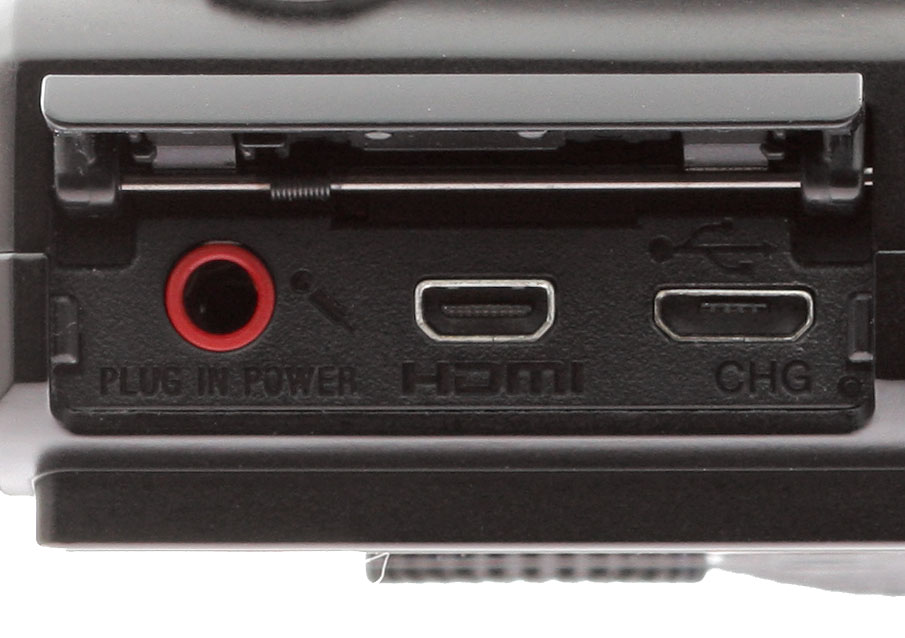
A typical computer these days has little trouble dealing with still images, but high-definition video can be another matter. Depending on the file format involved, it can take a pretty beefy computer to handle HD-resolution video playback without stuttering or dropping frames. The AVCHD image compression used by the Sony RX1 is one of the more compute-intensive formats, and its high maximum resolution of 1,920 x 1,080 pixels resolution means there’s a lot of data in each frame to deal with. The net result is that you’ll need a reasonably recent computer to play the RX1’s Full HD video files smoothly, and will want a pretty powerful machine for Full HD video editing.
You can of course view your movies on a high definition TV via the Micro HDMI (Type-D) output. If a standard-def TV is your only choice, though, you’re out of luck, as the RX1 doesn’t offer any form of standard-def video output connectivity.
Flash
Flash Test Results
Coverage and Range
Excellent flash range thanks to the fast lens, though with somewhat narrow coverage. Our standard indoor portrait shot required less than average exposure compensation.
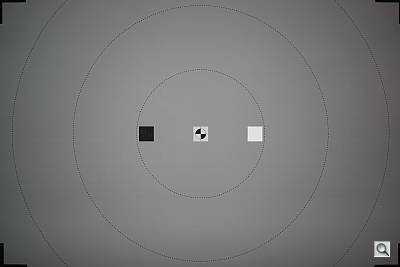 |
|
| Flash Coverage | |
 |
 |
| Normal Flash +0.3 EV |
Slow-Sync Flash 0 EV |
Coverage. Flash coverage is a little narrow especially considering the RX1’s 35mm lens isn’t very wide, leaving dim corners in our flash coverage test image. Note that Shading Correction was enabled by default for this shot, so corner shading from the lens itself is compensated for here.
Exposure. Our Indoor Portrait test scene is well exposed with +0.3 EV flash exposure compensation, which is a little less than the average amount of flash exposure compensation required for this scene (+0.7 EV). The camera’s Slow-Sync flash mode produced overly bright results with no flash exposure compensation, along with a strong orange cast from the ambient lighting, particularly in the shadows.
| Flash Range | |||||
|---|---|---|---|---|---|
| 6 ft | 7 ft | 8 ft | 9 ft | 10 ft | 11 ft |
 1/80 sec f2.0 ISO 200 |
 1/80 sec f2.0 ISO 200 |
 1/80 sec f2.0 ISO 200 |
 1/80 sec f2.0 ISO 200 |
 1/80 sec f2.0 ISO 200 |
 1/80 sec f2.0 ISO 200 |
| 12 ft | 13 ft | 14 ft | 15 ft | 16 ft | |
 1/80 sec f2.0 ISO 200 |
 1/80 sec f2.0 ISO 200 |
 1/80 sec f2.0 ISO 200 |
 1/80 sec f2.0 ISO 200 |
 1/80 sec f2.0 ISO 200 |
|
ISO 200 Range. The RX1’s flash shots remained bright all the way to 15 feet in our ISO 200 range test. Excellent performance, helped by the fast f/2 lens.
| Manufacturer-Specified Flash Range |
|---|
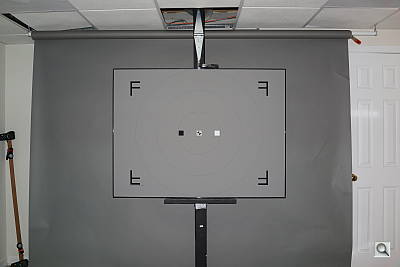 9.8 feet ISO 100 |
Manufacturer Specified Flash Test. The Sony RX1’s built-in flash is rated with a Guide Number of 6 meters or 19.7 feet at ISO 100. That works out to about 9.8 feet at f/2 and ISO 100. In the test shot above, the RX1 performs as Sony says it will, producing a bright flash exposure at the rated distance and ISO sensitivity.
Our standard test method for flash range uses a fixed setting of ISO 100, to provide a fair basis of comparison between cameras. We’ve now also begun shooting a shot using the manufacturer-specified camera settings, at the range the company claims for the camera, to assess the validity of the specific claims.
High ISO Noise Reduction
The Sony RX1 offers three high ISO noise reduction settings: “Off,” “Low,” and “Normal,” with Normal being the default. The user manual does not say at what ISO high ISO noise reduction kicks in, so we’ve included crops starting from ISO 50. There’s also a separate Multi-frame Noise Reduction option which combines several frames to average out noise.
See for yourself how the four noise reduction settings work under daylight-balanced lighting. Click on any of the crops below to see the corresponding full-sized image.
| Sony RX1 Noise Reduction Comparison Daylight-balanced illumination |
||||
|
Off
|
Low
|
Normal
|
Multi-frame
|
|
|
I
S O 5 |
 |
 |
 |
Multi-frame NR
not supported at ISO 50 |
 |
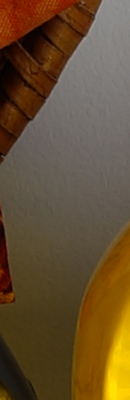 |
 |
||
 |
 |
 |
||
|
Off
|
Low
|
Normal
|
Multi-frame
|
|
|
I
S O 1 |
 |
 |
 |
 |
 |
 |
 |
 |
|
 |
 |
 |
 |
|
|
Off
|
Low
|
Normal
|
Multi-frame
|
|
|
I
S O 2 |
 |
 |
 |
 |
 |
 |
 |
 |
|
 |
 |
 |
 |
|
|
Off
|
Low
|
Normal
|
Multi-frame
|
|
|
I
S O 4 |
 |
 |
 |
 |
 |
 |
 |
 |
|
 |
 |
 |
 |
|
|
Off
|
Low
|
Normal
|
Multi-frame
|
|
|
I
S O 8 |
 |
 |
 |
 |
 |
 |
 |
 |
|
 |
 |
 |
 |
|
|
Off
|
Low
|
Normal
|
Multi-frame
|
|
|
I
S O 1 |
 |
 |
 |
 |
 |
 |
 |
 |
|
 |
 |
 |
 |
|
|
Off
|
Low
|
Normal
|
Multi-frame
|
|
|
I
S O 3 |
 |
 |
 |
 |
 |
 |
 |
 |
|
 |
 |
 |
 |
|
|
Off
|
Low
|
Normal
|
Multi-frame
|
|
|
I
S O 6 |
 |
 |
 |
 |
 |
 |
 |
 |
|
 |
 |
 |
 |
|
|
Off
|
Low
|
Normal
|
Multi-frame
|
|
|
I
S O 1 |
 |
 |
 |
 |
 |
 |
 |
 |
|
 |
 |
 |
 |
|
|
Off
|
Low
|
Normal
|
Multi-frame
|
|
|
I
S O 2 |
 |
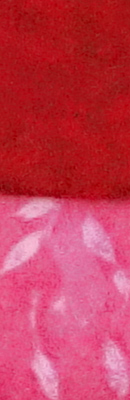 |
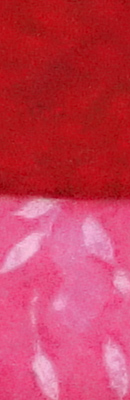 |
 |
 |
 |
 |
 |
|
 |
 |
 |
 |
|
|
Off
|
Low
|
Normal
|
Multi-frame
|
|
|
I
S O 5 |
ISO 51,200
not supported without MF NR |
ISO 51,200
not supported without MF NR |
ISO 51,200
not supported without MF NR |
 |
 |
||||
 |
||||
|
Off
|
Low
|
Normal
|
Multi-frame
|
|
|
I
S O 1 |
ISO 102,400
not supported without MF NR |
ISO 102,400
not supported without MF NR |
ISO 102,400
not supported without MF NR |
 |
 |
||||
 |
||||
It appears the Sony RX1 starts to apply noticeable High ISO Noise Reduction at ISO 400, as you can see the varying levels of noise reduction applied from then on. Sony says noise reduction is not applied to RAW files.
Clearly, the Off setting is not really off, as is often the case. It’s also interesting that the Off setting smears our red leaf cloth much more than the Low and Normal settings, though chroma and luminance noise is higher. This appears to be the same bug we’ve seen in other Sonys, including the SLT-A99. The Low setting leaves a little more luminance noise than the Normal setting. Overall, the Normal setting provides a pretty good balance between noise and detail, but you’ll want to shoot in RAW mode for maximum control over the noise versus detail trade-off.
Multi-frame Noise Reduction is not available at ISO 50, but extends ISO range to 102,400. It produces the cleanest images, however detail is a little soft even at low ISOs. Note that Multi-frame Noise Reduction is not available in RAW or RAW+JPEG modes, and the flash, D-Range Optimizer and Auto HDR cannot be used.
RAW Files
We used to convert raw files used for comparison crops with dcraw (an excellent freeware raw converter), as we could count on dcraw not to apply any noise reduction, sharpening or other corrections. Lately, though, we’ve switched to Adobe Camera Raw with its noise reduction and sharpening options set to zero. We’ve found conversions made with recent versions of ACR to be almost identical to dcraw when dcraw’s demosaicing option is set to match ACR’s method, so we’re pretty sure ACR isn’t applying any noise reduction “under the hood” like it used to.
Below are crops from Sony RX1 raw files compared to raw files from high-resolution full-frame DSLRs:
| Sony RX1 versus Canon 5D Mark III, Nikon D600, and Sony A99 Raw, no Noise Reduction, no Sharpening, Simulated Daylight |
||||
|
|
Sony
RX1 |
Canon
5D Mark III |
Nikon
D600 |
Sony
Alpha A99 |
|
I
S O 5 |
 |
 |
 |
 |
 |
 |
 |
 |
|
 |
 |
 |
 |
|
|
I
S O 1 |
 |
 |
 |
 |
 |
 |
 |
 |
|
 |
 |
 |
 |
|
|
I
S O 2 |
 |
 |
 |
 |
 |
 |
 |
 |
|
 |
 |
 |
 |
|
|
I
S O 4 |
 |
 |
 |
 |
 |
 |
 |
 |
|
 |
 |
 |
 |
|
|
I
S O 8 |
 |
 |
 |
 |
 |
 |
 |
 |
|
 |
 |
 |
 |
|
|
I
S O 1 |
 |
 |
 |
 |
 |
 |
 |
 |
|
 |
 |
 |
 |
|
|
I
S O 3 |
 |
 |
 |
 |
 |
 |
 |
 |
|
 |
 |
 |
 |
|
|
I
S O 6 |
 |
 |
 |
 |
 |
 |
 |
 |
|
 |
 |
 |
 |
|
|
I
S O 1 |
 |
 |
 |
 |
 |
 |
 |
 |
|
 |
 |
 |
 |
|
|
I
S O 2 |
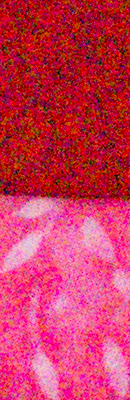 |
 |
 |
 |
 |
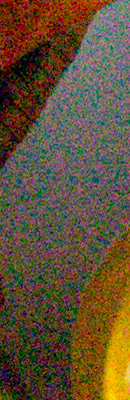 |
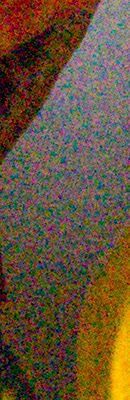 |
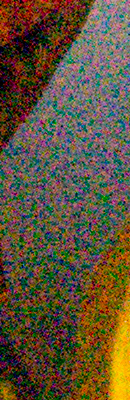 |
|
 |
 |
 |
 |
|
|
I
S O 5 |
N/A,
ISO 51,200 not supported. |
 |
N/A,
ISO 51,200 not supported. |
N/A,
ISO 51,200 not supported. |
 |
||||
 |
||||
|
I
S O 1 |
N/A,
ISO 102,400 not supported. |
 |
N/A,
ISO 102,400 not supported. |
N/A,
ISO 102,400 not supported. |
 |
||||
 |
||||
|
Sony
RX1 |
Canon
5D Mark III |
Nikon
D600 |
Sony
A99 |
As you can see, the Sony RX1 holds its own against leading full-frame SLRs from Canon and Nikon. The Canon 5D Mark III and Nikon D600 do better in terms of noise at very high ISOs, but it’s pretty close. The Sony RX1 even bests the Sony A99 which uses a very similar sensor, but is at a slight disadvantage because its transmissive mirror reduces the amount of light reaching the sensor. Truly remarkable performance from a “compact “camera.
Techinfo
by Mike Tomkins
|
The story of the Sony Cyber-shot RX1 is one that begins and ends with its Exmor-branded, 35mm full-frame CMOS image sensor, said to have 2.4x wider dynamic range than that in the Sony Alpha DSLR-A900 from just four years ago. It’s the first compact camera to feature a full 35mm frame-sized image sensor, shown at left in the picture above. The difference in size is massive, even when compared to the typical APS-C sized sensor (center) found in most SLRs and mirrorless cameras–a sensor most photographers think of as being large. At right is an example of the 1/2.3-inch sensor found in several premium compact cameras. By comparison, it looks much like a postage stamp, with a vastly smaller area available to gather light. The Sony RX1’s image sensor has an effective resolution of 24.3 megapixels, and a total resolution of 24.7 megapixels. Sensitivity ranges from ISO 100 to 25,600 equivalents, and can be expanded at the bottom end of the range to as low as ISO 50 equivalent. A Multi-Frame NR function can extend this to ISO 102,400 equivalent at the upper end of the range. For movies, there’s a narrower sensitivity range of ISO 100 to 6,400 equivalents. |
|
|
The full-frame imager is coupled with a Sony BIONZ image processor which allows full-resolution burst shooting at a rather sedate 2.5 frames per second in standard continuous mode. A Speed Priority Continuous mode raises this to five frames per second. |
The other truly dominant feature of the Sony RX1 is its lens. With a full-frame sensor, the Carl Zeiss Sonnar T*-branded optics must provide for a much larger image circle than any other compact camera. As the sizeable element above shows, doing so requires a not-insignificant amount of glass! |
|
Sadly, a zoom lens was simply out of the question while retaining any measure of pocketability, and so the RX1 instead features a 35mm prime lens with an f/2 maximum aperture. The minimum aperture is f/22, and there’s a physical aperture dial. The RX1’s lens design includes eight elements in seven groups, of which three are aspherics. One of these, says Sony, is an Advanced Aspherical element, a technology introduced in the HX20, WX100, and W690 earlier this year. There’s a nine-bladed aperture for pleasing bokeh in out of focus areas, and a T* coating to reduce ghosting and flare. The lens barrel is equipped with a 49mm thread for screw on filters. Ordinarily, the minimum focusing distance is 9.5 inches (24cm). In Macro mode, this falls to 5.5 inches (14cm) from the front lens element. The maximum magnification is 0.26x. Camera shake-induced blur is somewhat less of an issue, given the RX1’s large sensor area, bright lens, and relatively wide-angle view. Still, it’s a bit of a shame that the RX1 lacks any form of mechanical image stabilization. There is an electronic stabilization function, but it applies only for movie capture and induces a focal length crop of almost 1.2x for 16:9 video. |
|
|
At first glance, the RX1’s image sensor seems to be the same as that in the Alpha A99 digital SLR: resolution, size, and sensitivity range are all the same. Where that camera has on-chip phase detection AF, though, the RX1 relies solely on contrast detection. Sony says the RX1’s sensor is a variant with no PDAF points. The contrast detection system has 25 autofocus points, selected automatically or manually. Multi, Center and Flexible Spot area modes are available. Focus modes available are: Autofocus (AF), Manual Focus (MF) and Direct Manual Focus (DMF). The latter lets you focus manually, with an AF operation to get you in the ballpark. Note that Continuous AF mode for stills has been dropped on production units, so the separate “S” and “C” settings seen on some prototype units no longer exist, replaced by the single “AF” setting which enables Single-shot AF in still mode and Continuous AF in movie mode. |
|
|
The Sony RX1 excludes a built-in viewfinder, in favor of a smaller body size. However, Sony is offering two viewfinder accessories paired to the RX1. A shoe-mounted optical viewfinder, shown above, is one option. The other is an XGA OLED Tru-Finder electronic viewfinder that mates to contacts in the front of the new Multi Interface Shoe. |
There’s also a three-inch LCD panel with VGA (640 x 480 pixel) resolution. Sounds pretty standard, until you look at the dot count. It’s a Sony WhiteMagic display with four dots per pixel, for a total of 1,228,800 dots. As well as red, green, and blue dots, there are white dots that are used to boost brightness outdoors, and reduce power consumption indoors. |
|
A built-in auto popup flash strobe is included, with a guide number of six meters (ISO 100). With Auto ISO, range is rated as 0.75 to 21.7 meters. Boosting the sensitivity to ISO 25,600 raises this to as high as 43.4 meters. Flash modes include Auto, Fill-flash, Slow sync, Rear sync, Off, and Wireless. Maximum sync speed is 1/4000s, thanks to the RX1’s leaf shutter. |
There’s also a new Multi Interface Shoe, in place of Sony’s usual proprietary shoe. Intelligent contacts sit at the front, and the new shoe is also compatible with ISO 518 dumb strobes. As well as flash strobes, the Multi Interface Shoe supports accessories. We’ve already mentioned the optional electronic and optical viewfinders; Sony says other choices will include clip-on LCD monitors and thumb grips. |
|
The Sony RX1 includes the usual array of exposure modes that you’d find on an interchangeable-lens camera–Auto, Program, Aperture- and Shutter-priority, and Manual–plus three handy User modes that save settings for later recall. There’s also a consumer-friendly Scene position, a dedicated Movie mode, and a Panorama mode. The Program mode includes a program shift function that lets you bias exposure in your chosen direction, while still leaving all variables under automatic control. |
Metering modes are also much as you’d expect. There’s a selection of Multi-Segment, Center-weighted, and Spot options, all metered with the main image sensor. Sony hasn’t yet disclosed how many zones the Multi-segment metering system uses. Exposure compensation is handled with a photographer-friendly physical dial on the top of the camera. A useful range of +/- 3.0 EV of exposure compensation is available, set with a fixed step size of approximately 1/3 EV. |
|
The Sony RX1 offers shutter speeds ranging from 1/4,000 to 30 seconds, though since it uses a leaf (diaphragm) shutter, that top speed is only available at apertures of f/5.6 or smaller. Maximum shutter speed drops to 1/3,200 at f/4 and 1/2,000 at f/2. In Manual mode, there’s also a Bulb position for manual control of shutter duration. Maximum exposure time is 50 minutes plus, apparently limited only by battery life. White balance modes include Auto, nine presets including Flash and four fluorescent options, custom, direct color temperature input, and color filter. |
|
|
Sony includes its Multi-Frame Noise Reduction function in the RX1. This is similar to the Handheld Twilight scene mode, but allows direct control of sensitivity. By combining multiple shots in-camera, a much greater sensitivity limit of ISO 102,400 equivalent is unlocked. |
Although there’s not an optical zoom lens, Sony’s 2x Clear Image Zoom is available. This is a variant of digital zoom that tries to improve quality by using pattern matching. It’s still interpolating (read: guessing) the missing data, but it’s doing so in a more intelligent manner that Sony has claimed to be “nearly equivalent” to optical zoom. Standard digital zoom is also available up to 4x. |
|
‘Clear Image Zoom’ is based on Sony’s rather clumsily-named ‘By Pixel Super Resolution’ algorithms, as is the Auto Portrait Framing function. When enabled, this saves two copies of each image you capture. The first is untouched; the second uses face detection to locate your subject, crops the image based on a rule-of-thirds algorithm for what the camera feels to be a more pleasing layout, and resamples the result back up to the same resolution as the original shot, thereby making it seem as if the camera has simply gone back in time and retaken the image with different framing. Of course, the other creative functions found on recent Sony models are all present: Picture Effects, High Dynamic Range and Dynamic Range Optimizer, Sweep Panorama, and a digital level gauge. |
|
|
The Sony RX1 can capture 1080p AVCHD version 2.0 video at rates of 60p/i, 50p/i, 25p, or 24p. There’s also HDV (Anamorphic HD) and VGA capture in MPEG-4 AVC at a rate of 30p, but strangely, no 720p mode. Otherwise, though, the video feature set is very rich by fixed-lens camera standards. |
|
|
Manual exposure control is available, and there’s electronic SteadyShot image stabilization. As well as an onboard stereo microphone–the two ports on either side of the flash shoe–there’s also external stereo microphone connectivity (3.5mm jack). Even more impressively for a fixed-lens camera, you can mount an external LCD panel in the accessory shoe. |
|
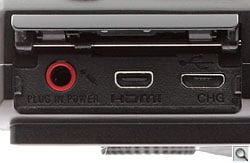 |
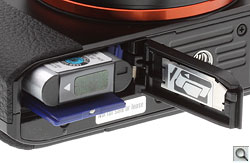 |
As well as the accessory shoe and stereo microphone jack we’ve already mentioned, the RX1 includes a Micro USB 2.0 port with recharging capability, and a Micro (Type-D) HDMI high-definition video port with support for “BRAVIA” Sync Consumer Electronics Control (CEC). Images are saved as JPEG or 14-bit raw files. The Sony RX1 stores data on SD, SDHC, or SDXC cards, or Sony’s own Duo, Pro Duo, or Pro HG Duo types. Power comes courtesy of the same NP-BX1 lithium ion rechargeable battery used in the Sony RX100. Where Sony rated that camera as good for 330 shots on a charge, the RX1 manages 220 shots to CIPA testing standards. If you change the LCD Quality setting from High to Standard to reduce its power consumption, the RX1’s battery life increases to 270 shots. That’s pretty impressive, given the much larger sensor, albeit there’s no zoom motor to drive between shots. |
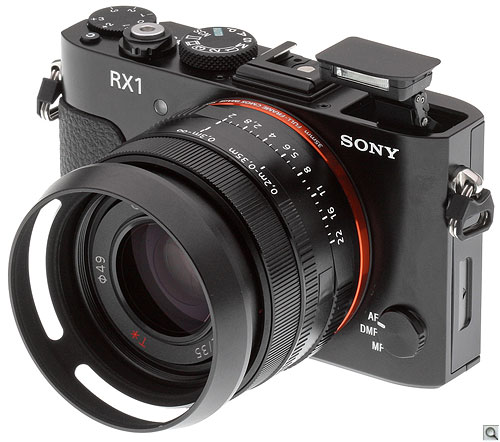 |
|
|
The Sony Cyber-shot DSC-RX1 began shipping in the U.S. market from December 2012. Pricing is set at around US$2,800 for the camera with battery, AC adapter, Micro USB cable, shoulder strap, lens cap, shoe cap, cleaning cloth, instruction manual, and PlayMemories Home software. List pricing for additional NP-BX1 batteries is set at US$50. A dedicated battery charger (the RX1 does not ship with one) is available for US$50, or you can buy a kit with charger and a spare battery for US$70. The optical viewfinder accessory costs US$600, while the electronic viewfinder is US$450. The thumb grip is priced at US$250, a lens hood at US$180, and a jacket case at US$250. |
|
Pricing and availability
The Sony Cyber-shot RX1 began shipping in the U.S. market in December 2012, priced at US$2,800.