



Overview
By Mike Tomkins
Posted: 05/16/2014
Last edited: 01/25/2017
- - -
Review Update:
The RX100 III earned a lot of praise in our Best Compact Camera Under $1,000 article. Since the debut of the RX100 III, two more models have been released, the RX100 IV and RX100 V, each earning our top pick for Best Premium Compact Camera for 2015 and 2016, respectively.
- - -

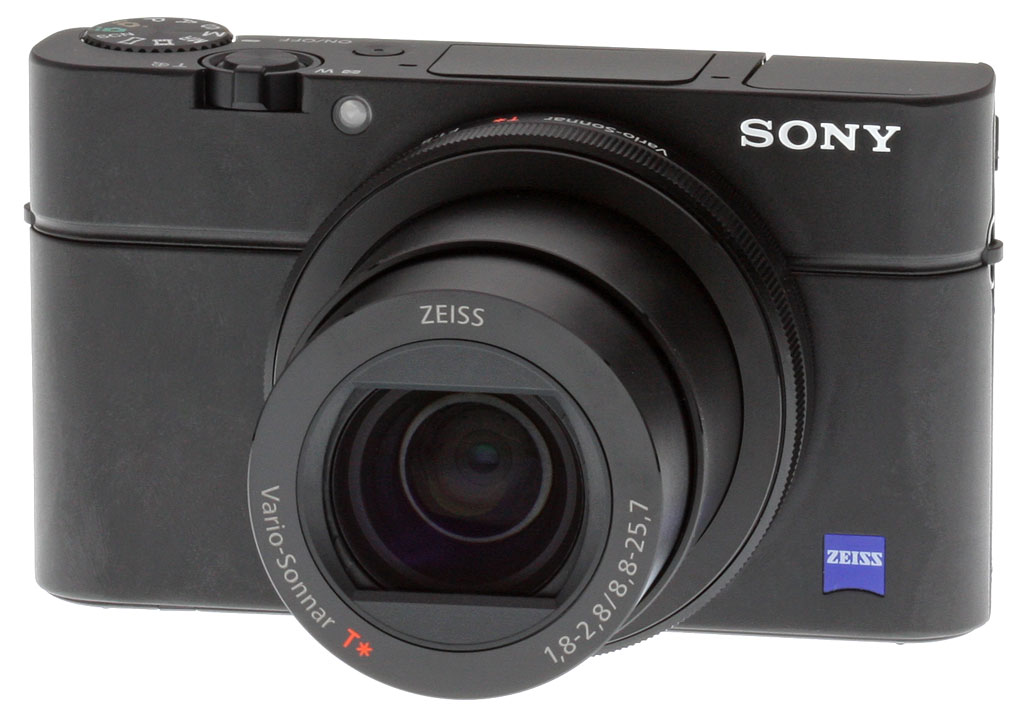
The most exciting series of pocket-friendly cameras on the market just got even more exciting! Sony has taken the design of its incredibly popular Cyber-shot RX100 and RX100 II, and overhauled them to produce -- you guessed it -- the 20-megapixel Sony RX100 III. And boy, is this ever one cool camera, with major updates throughout.
Changes include a brand-new lens that's bright across the zoom range, plus Sony's latest-generation BIONZ X image processor, improved autofocus, a selfie-friendly 180-degree tilting LCD, and a clever pop-up electronic viewfinder.
And the RX100 III makes a much better movie shooter, too, providing better stabilization, full-sensor video capture, zebra striping, and even a clean HDMI output function.
Announced two years ago, the original RX100 remains one of our very favorite cameras. Between that model and the followup RX100 II, Sony won our Pocket Camera of the Year award twice in a row. That gives the Sony RX100 III some mighty big shoes to fill, but it's more than up to the job.

For our money, the new Zeiss Vario-Sonnar T*-branded lens is clearly the big story. It's bright across the zoom range, starting from f/1.8 at wide angle, and remaining at f/2.8 by the telephoto position. The tradeoff is that it's also a little wider, with a 35mm-equivalent range of 24-70mm, and the overall zoom range is curtailed, down from 3.6x in the earlier cameras to 2.9x in the new one.

Sensor resolution is still a high 20.2 megapixels, from the exact same backside-illuminated chip used in the RX100 II. The RX100 II adds a built-in, 3EV neutral density filter, though, making it more likely you'll be able to take advantage of the wide aperture to blur backgrounds or avoid diffraction, even in bright light.
And the even cooler news is that there's now a built-in, pop-up electronic viewfinder, there when you need it and hidden when you don't. Its inclusion makes the Sony RX100 III seem altogether more grown-up. Sure, you can still frame at arm's length if you want, but if you want to a steadier, tripod-like stance with the camera to your eye, now you can do that too. And given its size, it's a very nice viewfinder, as well. But to make room for the viewfinder, this model must forego a flash hot shoe, as did the original RX100.
Inside, the next-generation Sony BIONZ X image processor replaces the earlier BIONZ chips used by the RX100 and RX100 II. That makes the RX100 III a noticeably swifter camera in most areas, and that performance increase is coupled to an improvement in buffer depths.

Another nice touch is an updated LCD articulation mechanism. This can now tilt upwards 180 degrees, or downwards by 45 degrees. That means it's still great for shooting high above your head or low to the ground, but it also makes the camera well-suited to shooting selfies at arm's length.
As we mentioned, Sony has also upgraded the RX100 III's movie capture capabilities in quite a few areas. Most notably, thanks to the new BIONZ X image processor, the new camera now records video by offloading the entire image sensor contents for every frame, and then downsampling to the output resolution. There's also a new XAVC S compression option, with a resolution of 1,920 x 1,080 pixels (Full HD) or below, and a bit rate of 50Mbps. And the RX100 III bests its predecessors in the video stabilization department, too, thanks to new SteadyShot Intelligent Active Mode technology.

Like its direct predecessor, the Sony RX100 III also sports built-in Wi-Fi wireless networking connectivity, as well as Near Field Communications tech for fast pairing with Android cameras. The RX100 III also adds support for Sony's PlayMemories Camera Apps, which add functionality to the camera -- sometimes for free, sometimes as a paid extra. Available apps include such things as time-lapse and star trail, and they're installed via Wi-Fi.
As well as its wireless connectivity, the Sony RX100 III also sports both the aforementioned Micro HDMI port for high-def video output, and a USB 2.0 High Speed data port for connection to your computer. Images and movies are stored on a single slot compatible with either Secure Digital or Memory Stick Duo cards, and this is also compatible with SDHC, SDXC and UHS-I SD cards, not to mention PRO Duo, Pro Duo High Speed or PRO HG MS Duo cards.

Power comes courtesy of a rechargeable NP-BX1 lithium-ion battery pack, the same type used by both earlier RX100 cameras, and the battery is charged in-camera via the Multi Terminal Micro USB port. Sony rates battery life as 320 shots using the LCD monitor, or 230 shots with the electronic viewfinder, to CIPA standards. That's a little less than either the RX100 (330 shots) or RX100 II (350 shots), but still pretty good for the class.
In the Box
The Sony RX100 III retail box ships with the following items:
- Sony RX100 III camera
- NP-BX1 lithium-ion rechargeable battery pack
- AC-UB10 USB charger (charges battery in-camera)
- Wrist strap
- Shoulder strap adapter
- Micro USB cable
- Instruction manual
- Warranty card
Recommended Accessories
- Extra NP-BX1 lithium-ion rechargeable battery pack for extended outings
- BC-TRX battery charger, so you can charge a spare battery while using the camera
- Large capacity SDHC/SDXC memory card. Given the high resolution and large file sizes of the RX100 III, 32GB is a good tradeoff between cost and capacity. If you plan to capture high-definition movie clips, shoot image bursts, or shoot in raw format, Sony recommends you look for cards with markings indicating Class 4 or higher. (A surprisingly low requirement; personally we'd opt for at least Class 6. Smaller numbers are slower cards.)
- AG-R2 attachment grip, or one of Richard Franiec's excellent accessory grips
- LCJ-RXF-B premium jacket case and/or PCK-LM15 LCD protective cover if you like to treat your cameras like gold dust
- Small camera bag or medium to large pocket. ;-)
Ready to Order? Support this site by purchasing through a trusted Imaging Resource affiliate now:
(No added cost to you, a big help to us)
Optics
Lens Test Results
Zoom
A shorter than average zoom, with above average performance.


The Sony RX100 III is equipped with a 8.8-25.7mm lens, offering a fairly limited optical zoom ratio of about 2.9x, translating to a 35mm-equivalent focal range of about 24-70mm. The lens is however very fast (bright), with a maximum aperture ranging from f/1.8 at wide angle to f/2.8 at telephoto, which is excellent for low-light shooting and provides reduced depth-of-field for better subject isolation. As is often the case with fast compact lenses, though, maximum aperture does fall-off rather quickly as you zoom, already reaching f/2.8 somewhere between 28 and 35mm equivalent. The following table reflects the maximum and minimum apertures as reported by the camera at popular focal lengths:
|
Focal length (eq.)
|
24mm
|
28mm
|
35mm
|
50mm
|
70mm
|
|
Max. aperture
|
f/1.8
|
f/2.5
|
f/2.8
|
f/2.8
|
f/2.8
|
|
Min. aperture
| f/11 at all focal lengths | ||||
Far-field performance in general is quite good at f/5.0 as shown above, with good sharpness and contrast across most of the frame, low chromatic aberration (the RX100 III suppresses it) and only minor softening and coma distortion in the corners at full wide angle. Performance at full telephoto is even better with excellent sharpness and contrast across almost the entire frame, though some vignetting can be see in the extreme corners. See below for lab results on macro performance, geometric distortion, corner softness, etc.
Macro
A larger than average sized minimum coverage area, with very good detail. Flash throttled down well, but illumination is not centered and the lens casts a large shadow at minimum distance.


The Sony RX100 III captured a larger than average sized minimum area measuring 3.54 x 2.36 inches (90 x 60 millimeters). Sharpness over much of the frame is very good, but corners show quite a bit of softness even at f/8 (most lenses show some softening in the corners at macro distances). The flash did a good job throttling down, but illumination is not centered and the lens casts a large shadow in the bottom half of the frame. You'll likely want to use external lighting for the closest RX100 III macro shots.
Geometric Distortion
Very low distortion in camera JPEGs, but very high in uncorrected RAW files at wide angle.
| Camera JPEGs |
| Mixed distortion at wide angle is less than ~0.1 percent |
 |
| Barrel distortion at telephoto varies from ~0.1 to ~0.2 percent |
 |
| Uncorrected RAW |
| Barrel distortion at wide angle is about 4 percent |
 |
| Complex pincushion distortion at telephoto is about 0.3 percent |
 |
Thanks to in-camera distortion correction, there's almost no geometric distortion in the RX100 III's JPEG files, though what distortion there is asymmetrical. At full wide angle, we measured just 0.04% pincushion distortion along the top edge, but about 0.1% barrel distortion along the bottom edge. At full telephoto, barrel distortion along the top edge is about 0.1%, increasing to about 0.2% along the bottom edge. Still, very low geometric distortion overall. This is the tendency for the lens to bend straight lines outward (like a barrel -- usually at wide-angle) or inward (like a pincushion -- usually at telephoto).
To see how much correction is taking place in the camera, we converted RAW files from the above shots with RawDigger, which does not correct for distortion. As you can see at wide angle, barrel distortion is extremely high, between 4.0 and 4.1% depending on which edge is measured, while telephoto shows complex, "moustache-shaped" pincushion distortion at a low 0.2 to 0.3%.
We expect to see fairly significant distortion in uncorrected RAW files in fast, compact lenses, as allowing this gives the lens designers greater flexibility in optimizing center sharpness and other aberrations, as well as in reducing cost, size, and weight. The downside is that the distortion correction contributes additional blurring to the corners of the frame where pixels are "stretched" during correction and where lenses are usually already a bit soft. Note that most RAW converters are capable of applying distortion correction automatically, as specified by the manufacturer.
Chromatic Aberration and Corner Sharpness
Low to very low chromatic aberration in JPEGs. The lens produces some soft corners wide-open, though corner sharpness improves stopped-down.
|
Aperture: maximum
|
|
 |
 |
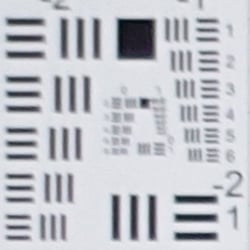
| Wide at f/1.8: Upper left C.A.: Very low Softness: Soft |
Wide at f/1.8: Center C.A.: Very low Softness: Sharp |
 |
 |
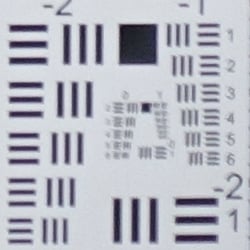
| Tele at f/2.8: Lower right C.A.: Low Softness: Moderately soft |
Tele at f/2.8: Center C.A.: Very low Softness: Sharp |
Chromatic Aberration. Thanks to effective in-camera chromatic aberration suppression, there's very little to virtually no CA to be seen in the corners at either wide angle or telephoto in JPEGs. As expected, though, uncorrected RAW files (see below) show much more CA than seen above.
Corner Softness. Wide-open at full wide angle, the lens showed a little decentering, with the upper corners showing more softness than the lower ones. The center is quite sharp, but softening from the upper corners extends a fair bit into the frame. At full telephoto, corner sharpness is better all around, but the pattern changed, with upper and lower left corners quite sharp and the lower right somewhat soft. The center is again quite sharp, as is most of the frame.
Vignetting. There's some vignetting (corner shading) as well, shown by how much darker the corner crops above are than those from the center, particularly at the telephoto end.
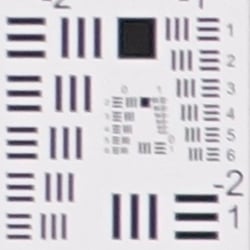
|
Aperture: f/5.6 (W)
|
|
 |
 |
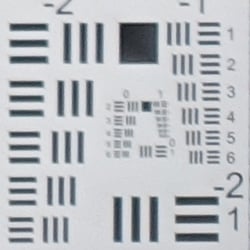
| Wide at f/5.6: Upper left C.A.: Low Softness: Moderately soft |
Wide at f/5.6: Center C.A.: Very low Softness: Sharp |
 |
 |
| Tele at f/5.6: Lower right C.A.: Low Softness: Slightly soft |
Tele at f/5.6: Center C.A.: Very low Softness: Sharp |
F5.6: As is often the case, stopping down a few clicks significantly improved corner performance at both wide angle and telephoto, however the same corners were still softer than the others due to decentering. We can also still see some vignetting at full telephoto, though it's no longer present at wide angle.
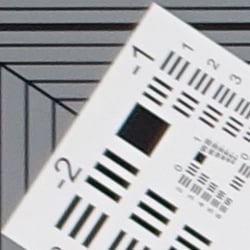
Chromatic Aberration Correction
| In-camera JPEG | Uncorrected RAW |
 |
 |
| Wide (f/5.6): Upper left CA: Low |
Wide (f/5.6: Upper left CA: Moderately high |
 |
 |
| Tele (f/5.6): Upper left CA: Low |
Tele: (f/5.6): Upper left CA: Moderately high |
As you can see in the crops from uncorrected RAW images on the right (taken from ARW files converted with RawDigger), the RX100 Mark III's lens produces moderately high and bright chromatic aberration at both maximum wide angle and full telephoto. But the RX100 III's processor does a great job suppressing CA in camera JPEGs (crops on the left). Note that most RAW converters should also automatically suppress CA when converting the RX100M3's ARW files.
Overall, very good performance from the RX100 Mark III's lens, especially considering how fast (bright) and wide it is, though telephoto reach and macro performance isn't as good as its predecessors'.
Sony RX100 III Viewfinder
Viewfinder Test Results
Coverage
Excellent accuracy from the LCD monitor and electronic viewfinder.


The Sony RX100 III's LCD monitor and EVF both provide close to 101% coverage at full wide angle and essentially 100% at telephoto. This is excellent performance, especially considering the amount of geometric distortion correction taking place at wide angle.
The images above were taken from our standardized test shots. For a collection of more pictorial photos, see our Sony Cyber-shot DSC-RX100 III Photo Gallery .
Exposure
Color
Saturation & Hue Accuracy
Slightly below average saturation levels and hue accuracy.
 |
| In the diagram above, the squares show the original color, and the circles show the color that the camera captured. More saturated colors are located toward the periphery of the graph. Hue changes as you travel around the center. Thus, hue-accurate, highly saturated colors appear as lines radiating from the center. Click for a larger version. |
Saturation. The Sony RX100 III pushes some colors likes strong reds, dark blues, dark greens, purples and browns, but not as much as many camera, and it actually undersaturates light green, yellow and aqua tones moderately. The RX100 III's overall color saturation (8.1% oversaturated) is a little lower than average these days, but the camera generally produces attractive yet realistic colors in its images. You can of course tweak saturation to your liking, or choose a different color mode. Most consumer digital cameras produce color that's more highly saturated (more intense) than found in the original subjects. This is simply because most people like their color a bit brighter than life.
Skin tones. Here, the Sony RX100 III did fairly well, producing reasonably natural-looking Caucasian skin tones that were a bit on the warm side, though they can sometimes appear overly pinkish depending on the ambient lighting. Where oversaturation is most problematic is on Caucasian skin tones, as it's very easy for these "memory colors" to be seen as too bright, too pink, too yellow, etc.
Hue. The Sony RX100 III shifts cyan toward blue, orange toward yellow, and yellow toward green by moderate amounts, but most other shifts are very minor. The cyan to blue shift is very common among the digital cameras we test; we think it's a deliberate choice by camera engineers to produce better-looking sky colors, and we don't find the resulting color objectionable. The RX100 III's handling of yellows and yellow-orange colors is one of its weaknesses: Yellows are rendered closer to a yellow-green, and significantly undersaturated as well. With a mean "delta-C" color error of 5.75 after correction for saturation, hue accuracy is slightly below average, but still pretty good overall. Hue is "what color" the color is.
Sensor
Exposure and White Balance
Indoors, incandescent lighting
Auto setting produced overly warm results, though Incandescent was just slightly warm. Manual was pretty accurate, just slightly cool. No exposure compensation required.


Indoors, under normal incandescent lighting, color balance was warm and orange with the Auto white balance setting. Results with the Incandescent setting were pretty good, just a bit warm. The Manual setting was the most accurate, just slightly on the cool side with a very minor green shift. (Note: The RX100 III also has a Kelvin Temperature White Balance option, however we did not test that mode.) The Sony RX100 III required no exposure compensation while most cameras require about +0.3 EV for this scene, so the RX100 Mark III performed better than average in terms of exposure here. (Our test lighting for this shot is a mixture of 60 and 100 watt household incandescent bulbs, a pretty yellow light source, but a very common one in typical home settings here in the U.S.)
Resolution
Very high resolution, ~2,500 to ~2,600 lines of strong detail.


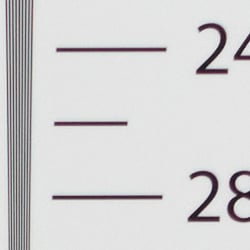
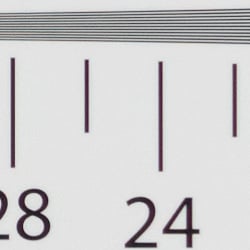
In camera JPEGs of our laboratory resolution chart revealed sharp, distinct line patterns down to about 2,600 lines per picture height in the horizontal direction, and about 2,500 lines per picture height in the vertical direction. Some may argue for more, but aliasing artifacts start to interfere at that point. Complete extinction of the pattern didn't occur until about 3,200 to 3,400 lines. Adobe Camera Raw produced similar results though complete extinction of the pattern didn't occur before the limits of our chart and color moiré was more visible. Use these numbers to compare with other cameras of similar resolution, or use them to see just what higher resolution can mean in terms of potential detail.
Sharpness & Detail
Crisp images with good detail, but area-specific noise reduction and sharpening can produce an overprocessed look, especially at higher ISOs.


Sharpness. The RX100 III produces very crisp, sharp looking images without obvious sharpening haloes, but Sony's revised area-specific noise reduction and sharpening algorithms can lead to some unnatural or slightly crude looking results (see RAW conversion example below). Edge enhancement creates the illusion of sharpness by enhancing colors and tones right at the edge of a rapid transition in color or tone.
Detail. The crop above right shows good detail for the class of camera, with moderate levels noise suppression in the darkest areas of the mannequins's hair, and almost no chroma noise. Quite a few individual strands are smudged together in areas of low contrast at base ISO, but performance here is actually quite good considering the size and resolution of the sensor. Noise-suppression systems in digital cameras tend to flatten-out detail in areas of subtle contrast. The effects can often be seen in shots of human hair, where the individual strands are lost and an almost "watercolor" look appears.
RAW vs In-Camera JPEGs
As noted above the Sony RX100 III produces sharp, crisp and clean images, but fine detail can suffer as a result of aggressive default processing. Compare a base ISO in-camera JPEG to an Adobe Camera Raw conversion below to see what we mean.
|
Base ISO (125)
|
|
 |
 |
 |
 |
 |
 |
|
Camera JPEG, defaults
|
RAW via Adobe Camera Raw
|
In the table above, we compare an in-camera JPEG taken at base ISO using default noise reduction and sharpening (on the left) to a matching RAW file converted with Adobe Camera Raw 8.6 using default noise reduction with strong but tight unsharp masking applied in Photoshop (in this case 400% USM with a radius of 0.3 pixels and a threshold of 0).
As you can see, ACR produced quite a bit of additional detail that isn't present in the JPEG from the camera. Fine detail in the mosaic crop for example is more realistic and refined-looking from the ACR conversion, while the in-camera JPEG is much cleaner and more contrasty, but isn't as detailed or accurate. This is also true of the fabric crop, where ACR was able to resolve much of the thread pattern in the red-leaf swatch which the camera's JPEG engine presumably treats as noise, and also does a much better job reproducing fine detail in the pink fabric. But as is usually the case, more noise can be seen in the RAW conversion particularly in flat areas as shown in the bottle crop, thanks to ACR's light default noise reduction. You can of course apply stronger noise reduction (default ACR NR used here) to arrive at your ideal noise versus detail tradeoff. Color is improved as well, with ACR producing slightly warmer and more accurate colors while removing much of the yellow-to-green shift seen in the JPEG bottle crop. Bottom line: You can do noticeably better than the camera with a good RAW converter, provided you're willing to apply your own noise reduction and sharpening to taste.
ISO & Noise Performance
Very good high ISO performance for a camera its size, though perhaps not quite a good as its predecessor (at least in JPEGs)
|
Default High ISO Noise Reduction
|
 |
 |
 |
| ISO 80 | ISO 125 | ISO 200 |
 |
 |
 |
| ISO 400 | ISO 800 | ISO 1600 |
 |
 |
 |
| ISO 3200 | ISO 6400 | ISO 12,800 |
ISO 80 and 125 produce very similar results, with very clean, crisp images containing almost no chroma noise. ISO 200 shows a very minor drop in image quality as noise reduction ramps, but fine detail is still quite good. ISO 400 shows an additional small step down in detail with very good overall image quality, but stronger sharpening attempts to compensate, making luminance noise more visible in some flatter areas. At ISO 800, luminance noise is more noticeable, accentuated by fairly aggressive sharpening, but chroma noise is still welll-controlled. ISO 1600 is noticeably softer thanks to stronger noise reduction and more visible luma noise, but chroma noise is still very low. At ISO 3200, fine detail takes a larger hit, and the camera's aggressive processing produces images with a somewhat crystalline look. Image quality drops off very quickly from here, with ISOs 6400 and 12,800 looking more like impressionistic paintings than photos, with an almost hammered looked to flatter areas. Chroma noise in the form of diffuse purple and/or yellow blotches is also visible in darker midtones and shadows.
Overall, though, high ISO performance is much better than average for a pocket camera, though perhaps not quite a good as expected due to somewhat clumsy default JPEG processing. We're of course pixel-peeping to an extraordinary extent here, since 1:1 images on an LCD screen have little to do with how those same images will appear when printed. See the Print Quality section below for our evaluation of maximum print sizes at each ISO setting.
Dynamic Range Analysis (RAW mode)
While we once performed our own dynamic range measurements based on in-camera JPEGs as well as converted RAW images (when the camera was supported by Adobe Camera Raw), we've switched to using DxO Labs' results from their DxOMark website. As technology advanced, the dynamic range of modern high-end cameras in some cases exceeded the range of the Stouffer T4110 density scale that we used for our own measurements. DxO's approach based on RAW data before demosaicing is also more revealing, because it measures the fundamental dynamic range of the sensor, irrespective of whatever processing is applied to JPEGs, or to RAW data by off-the-shelf conversion software.
In the following, we use DxO's "Print" dynamic range results, which are scaled based on camera resolution. As the name suggests, this scaling corresponds to the situation in which you print at a given size, regardless of how many megapixels the camera might have. (In other words, if you've decided to make a 13x19 inch print, that's the size you're printing, whether the camera's resolution is 16 or 300 megapixels.) For the technically-minded, you can find a discussion of the reasoning behind this here on the DxOMark website. Also note that DxO Labs uses a signal-to-noise (SNR) threshold of 1 when defining the lower boundary of acceptable luminance noise in their dynamic range measurements, which corresponds to the "Low Quality" threshold of the Imatest software we used to use for this measurement.

Since the RX100 Mark III's dynamic range is essentially the same as both of its predecessors, we decided to compare the Mark III to another 1"-type camera, the Nikon 1 J4, as well as to a more typical premium compact with a much smaller 1/1.7"-type sensor, the Canon S120. You can always compare other models on DxOMark.com.
As you can see from the above graph (click for a larger image), the Sony RX100 Mark III's dynamic range is quite good, ranging from 12.27 EV at the lowest ISO, to a 6.55 EV at the highest. And it's significantly better than the Nikon at low to moderate ISOs, with up to a ~1.7 EV advantage at the ISO 200 setting. At the intermediate ISO of about 800, the two cameras perform essentially the same in terms of dynamic range, but the Sony starts pulling away from the Nikon again at higher ISOs.
Interestingly, the advantage compared to the Canon S120 isn't that great at low ISOs, with the S120 managing 11.86 EV of dynamic range versus the RX100 M3's 12.27 EV, but the Sony slowly pulls ahead with more than a full EV advantage at the highest ISOs.
Overall, excellent performance from the RX100M3. Click here to visit the DxOMark page for the Sony RX100 III for more of their test results and additional comparisons.
Output Quality
Print Quality
Very good 24 x 36 inch prints at ISO 80/125/200; a good 11 x 14 at ISO 1600; a nice 4 x 6 at ISO 12,800.
 ISO 80/125 yield a good 24 x 36 inch print, with nice detail, depth, contrast and color. 36 x 48 inch prints are fine for wall display purposes here.
ISO 200 also prints a good 24 x 36 inch print, with only the mildest hint of noise apparent in flatter areas of our test target.
ISO 400 shots are good at 20 x 30 inches, again with only minor but acceptable noise in shadowy areas of our target.
ISO 800 shows a bit too much noise in these same low contrast areas to call a 16 x 20 inch print "good" here, as we did with the previous two RX100 models, though it's certainly usable for less critical applications. Sharpening and noise reduction at default JPEG settings have increased in aggressiveness compared to the first two models, resulting in a bit sharper detail but at the expense of increasing noise levels. 13 x 19 inch prints work fairly well here.
ISO 1600 prints warrant a reduction in size to 11 x 14 inches here. Where the RX100 II was able to yield a good 13 x 19, noise levels prevent that size here in the mk III.
ISO 3200 has results similar to 800/1600, where the mk III requires a size lower at default settings due to over-aggressive processing artifacts, and we can only call 8 x 10's good here.
ISO 6400 produces a good 5 x 7 inch print, bringing it back in stride with the mk II.
ISO 12,800 yields a good 4 x 6 inch print, again in stride with the mk II and capable of a good print at its highest ISO setting (not all camera models can do that!).
The Sony RX100 III takes a slight step backwards in the JPEG print quality department as compared to the great strides the RX100 II made. Aggressive default sharpening and noise processing results in visible noise and artifacts in the middle range ISOs that force a print size reduction compared to the mk II across 3 middle-range ISO settings. It's very likely that conversions from RAW files will yield larger sizes and restore parity with the mk II, though. Also keep in mind the Mk III's faster lens above approximately 35mm equivalent, giving it improved light-gathering capability and therefore better low-light performance potential when shooting wide open.
The RX100 II was such a big leap ahead for what a premium compact could achieve in low light performance, so we'd hoped for the trend to continue but, at least with JPEG print quality, this is not the case. Still, it's an amazing camera for its size, even with the slight step back from its predecessor in low light JPEG image quality, and RAW shooters will still enjoy arguably the best image quality the form factor has to offer to date.
Sony RX100 III Flash
Flash Test Results
Coverage, Exposure and Range
A weak flash with narrow coverage, but range is helped by the fast lens.


Coverage. Flash coverage was quite uneven at wide angle, leaving very dark corners and edges in our flash coverage test image. Narrow coverage at wide angle isn't unusual, though, and some of the corner darkening is likely from the lens itself. We no longer test flash coverage at telephoto, as it is invariably better, making wide angle the worst case scenario.
Exposure. Our Indoor Portrait test scene came out quite dim in our normal flash test at f/4 and ISO 200, even with +1.0 EV flash compensation and a relatively slow 1/30s shutter speed. Slow-sync mode was brighter as you'd expect, with its slow shutter speed of 1/5s capturing more of the warm, ambient light. Results in full auto mode were however very bright and almost washed out, though the Sony RX100 III raised ISO to 400 to achieve that. Note that the RX100 III tends to use a slightly slow shutter speed of 1/30 or 1/40s with the flash in dim situations even at full telephoto, which could lead to some subject motion blur.
| Manufacturer-Specified Flash Range |
|---|
| Telephoto |
 18.7 feet ISO 2000 |
Manufacturer Specified Flash Range Test. The Sony RX100 III's flash range is rated 15m or 49'2" at wide angle, and 5.7m or 18'8" at telephoto, with ISO sensitivity set to Auto. 49'2" is too long for our lab but at the range specified at full telephoto above, the Sony RX100 Mark III produced a well-exposed flash target, though it boosted ISO to 2000 to achieve that result. We shoot this test shot using the manufacturer-specified camera settings, at the range the company claims for the camera, to assess the validity of the specific claims.
The images above were taken from our standardized test shots. For a collection of more pictorial photos, see our Sony Cyber-shot DSC-RX100 III Photo Gallery .
Not sure which camera to buy? Let your eyes be the ultimate judge! Visit our Comparometer(tm) to compare images from the Sony Cyber-shot DSC-RX100 III with those from other cameras you may be considering. The proof is in the pictures, so let your own eyes decide which you like best!
Performance
Timing and Performance
Generally excellent performance, with improvements over the Mark II.
| Startup/Shutdown/Play to Record/Buffer Clearing | ||
|---|---|---|
| Power on |
~2.0 seconds
|
Time it takes for LCD to turn on and lens to deploy and capture a picture. |
|
Shutdown |
~2.0 seconds
|
How long it takes to retract lens. |
|
Play to Record, |
~0.8 second
|
Time until first shot is captured. |
| Buffer clearing time |
12 seconds
after 48 LXF JPEGs* 13 seconds after 26 RAW files* 19 seconds after 23 RAW+JPEG files* |
Worst case buffer clearing time. -- This is the delay after a set of shots before you can remove the card. Some cameras won't retract their lenses and shut down until the buffer is cleared. |
|
*Note: Buffer clearing times measured with a SanDisk Extreme Pro 95MB/s UHS-I SDHC memory card. Slower cards may produce correspondingly slower clearing times.
|
||
The Sony RX100 III is faster than the Mark II at powering up and taking a shot (2.0 vs 2.8s), though shutdown is about the same. Worst-case buffer clearing times are good considering the deep buffers.
|
Shutter Response (Lag Time)
|
||
|---|---|---|
| Full Autofocus Wide |
0.149 second
|
Time from fully pressing shutter button to image capture, zoom lens at wide angle position. |
| Full Autofocus Tele |
0.147 second
|
Time from fully pressing shutter button to image capture, zoom lens at telephoto position. |
|
Full Autofocus |
0.321 second
|
Time to capture while forcing flash to fire, zoom lens at wide angle position. |
Manual Focus |
0.051 second
|
For most cameras, shutter lag is less in manual focus than autofocus, but usually not as fast as when the camera is "prefocused". |
| Prefocused |
0.011 second
|
Time to capture, after half-pressing and holding shutter button. |
Full autofocus shutter lag is very fast at 0.149 second at wide angle, and 0.147 second at telephoto. The lag at wide-angle is the same as the Mark II's, but telephoto is faster (versus 0.195s), likely because of the brighter lens. Enabling the flash raises full autofocus shutter lag to 0.321 second, which is still pretty fast and about the same as the Mark II. Manual focus lag is a very fast 0.051 second, a little slower than the Mark II's 0.029s, but still very quick. Prefocused shutter lag is only 0.011 second, which is incredibly fast and the same as the Mark II.
|
Cycle Time (shot to shot)
|
||
|---|---|---|
| Single Shot mode |
< 0.25 second
|
Time per shot, averaged over 18 shots, 15 seconds to clear.* |
| Single Shot mode |
< 0.25 second
|
Time per shot, averaged over 20 shots, 10 seconds to clear*. |
|
Single Shot mode |
< 0.25 second
|
Time per shot, averaged over 15 shots, 15 seconds to clear.* |
| Early shutter |
No
|
Some cameras don't snap another shot if you release and press the shutter too quickly in Single Shot mode, making "No" the preferred answer. |
|
Speed Priority Continuous mode |
0.10 second (10.00 frames per second);
48 frames total; 12 seconds to clear* |
Time per shot, averaged over 48 shots, then slows to an average of 0.53 second or 1.90 fps. |
|
Speed Priority Continuous mode |
0.15 second (6.72 frames per second);
26 frames total; 13 seconds to clear* |
Time per shot, averaged over 26 shots, then slows to an average of 0.60 second or 1.66 fps. |
|
Speed Priority Continuous mode |
0.15 second (6.73 frames per second);
23 frames total; 19 seconds to clear* |
Time per shot, averaged over 23 shots, then slows to an average of 0.86 second or 1.16 fps. |
| Continuous mode |
0.30 second (3.33 frames per second);
50+ frames total; 9 seconds to clear* |
Time per shot, averaged over 50 shots with no signs of slowing. |
| Continuous mode |
0.36 second (2.81 frames per second);
50 frames total; 13 seconds to clear* |
Time per shot, averaged over 50 shots, then slows to an average of 0.59 second or 1.69 fps. |
|
Continuous mode |
0.35 second (2.86 frames per second);
31 frames total; 19 seconds to clear* |
Time per shot, averaged over 31 shots, then slows to an average of 0.85 second or 1.18 fps. |
| Flash recycling |
3.6 seconds
|
Flash at maximum output. |
| *Note: Buffer clearing times measured with a SanDisk Extreme Pro 95MB/s UHS-I SDHC memory card. Slower cards will produce correspondingly slower clearing times. Slow cards may also limit length of bursts in continuous mode. ISO sensitivity also affects cycle times and burst mode performance, with higher ISOs generally increasing cycle times and reducing burst performance. |
||
Single-shot cycle times are outstanding (probably the fastest we've measured for a P&S), at under a quarter second no matter the file type. That's faster than the Mark II's ~0.5 to 0.6 second range.
Speed Priority Continuous mode captures Large/ ExtraFine JPEGs at 10.0 fps for 48 frames, taking 12 seconds to clear with a fast 95MB/s UHS-I SDHC card. That's about the same speed as the Mark II, but buffer depth has improved from dramatically from 13 frames. In RAW mode, the frame rate drops to 6.7 fps for 26 frames with 13 seconds to clear, or 23 RAW+JPEG frames with 19 seconds to clear. That's both faster and deeper than the Mark II's 4.9 fps for 13 RAW frames and 4.5 fps for 10 RAW+JPEGs frames. Note that AF and exposure are locked at the first frame of a burst in this mode.
In standard continuous mode, large/xfine JPEGs are captured at 3.3 fps indefinitely with 9 seconds to clear, 50 RAW frames at 2.8 fps with 12 seconds to clear, and 31 RAW+JPEG frames at 2.9 fps with 19 seconds to clear. The Mark II was slower with shallower buffers, ranging from 2.4 to 2.9 fps with buffer depths ranging from 12 JPEGs to 8 RAW+JPEG frames.
The Sony RX100 III's flash recycles in about 3.6 seconds after a full-power discharge. That's also faster than the Mark II, but the Mark III's flash is weaker.
Bottom line, the Sony RX100 Mark III's performance is generally excellent, and improved over the Mark II in almost all respects. It's very fast at autofocus, shutter lag, single-shot cycle times and JPEG continuous mode. Burst speed still drops when shooting RAW, however not as much as the Mark II, and buffers are much deeper.
Battery
Battery Life
Above average battery life.
|
Operating Mode
|
Number of Shots
|
|---|---|
|
Lithium-ion Rechargeable Battery,
(CIPA standard) |
320
|
The Sony RX100 III's battery life has a CIPA rating of 320 shots per charge, which is above average for its class, though a little lower than the Mark II's 350 shots.
The table above shows the number of shots the camera is capable of (on a fully-charged rechargeable battery as appropriate), based on CIPA battery-life and/or manufacturer standard test conditions.
(Interested readers can find an English translation of the CIPA DC-002 standards document here. (180K PDF document))
Image Quality
Below are crops comparing the Sony RX100 III with the Sony RX100 II, Canon G1X II, Nikon J4, Olympus Stylus 1 and Panasonic GM1. We chose to include a variety of sensor sizes in this comparison to show what you could expect as ISO rises, as all models listed are in roughly the same general price bracket here.
NOTE: These images are best quality JPEGs straight out of the camera, at default settings including noise reduction and using the actual base ISO (not extended ISO settings). Your own results with RAW conversions may of course vary somewhat. All interchangeable lens cameras in this comparison were shot with our very sharp reference lenses.
Sony RX100 III versus Sony RX100 II at base ISO
 |
 |
 |
 |
 |
 |
Sony RX100 III at ISO 125 |
Sony RX100 II at ISO 160 |
At first glance the RX100 III crops seem to pop off the page and appear sharper overall, but a careful study shows unnatural sharpening artifacts, while the older mk II images look far more realistic and natural. This sharpening can be turned down for JPEG shooting in-camera, and of course RAW conversions can be made to order, but it's important to remember that unless you want this much sharpening applied at base ISO, it's advisable to turn this setting down before shooting. |
|
Sony RX100 III versus Canon G1X II at base ISO
|
 |
|
 |
|
 |
Sony RX100 III at ISO 125 |
Canon G1X II at ISO 100 |
The G1X II has a much larger sensor than the RX100 III, with more than twice the surface area, but roughly 7mp less overall resolution. This makes for a somewhat challenging comparison. As with the RX100 II, the G1X II does appear more natural here at base ISO overall, regardless of the resolution difference. |
|
Sony RX100 III versus Nikon J4 at base ISO
|
 |
|
 |
|
 |
Sony RX100 III at ISO 125 |
Nikon J4 at ISO 160 |
Here we have two 1" type sensors, with the RX100 III having slightly more resolution, but it's fairly close. The RX100 III clearly shows more fine detail in all areas, but again is over-sharpened, while the J4 has difficulty resolving fine detail in most areas, especially the fabric swatches. |
|
Sony RX100 III versus Olympus Stylus 1 at base ISO
|
 |
|
 |
|
 |
Sony RX100 III at ISO 125 |
Olympus Stylus 1 at ISO 100 |
The Stylus 1 has a sensor less than half the size of the mk III, and far less resolution, making for an odd comparison. The first two crops from the Stylus 1 look nice and very natural here at base ISO, but the small sensor has trouble resolving the fabric swatches. |
|
Sony RX100 III versus Panasonic GM1 at base ISO
|

|
|

|
|

|
Sony RX100 III at ISO 125 |
Panasonic GM1 at ISO 200 |
The GM1 has a much larger sensor, not quite as large as the G1X II but close, and roughly 4mp less resolution than the RX100 III. Of all cameras in this comparison, it produces the most consistent images of any camera, not really losing out in any of the target areas. Its default settings are not dialed to be as sharp, but the result is more natural and sharpening easily added in post. |
|
Most digital SLRs and CSCs will produce an excellent ISO 100 shot, so we like to push them and see what they can do compared to other cameras at ISO 1600, 3200, and 6400. Recent advances in sensor technology have made ISO 1600 look a lot more like ISO 100, but there are still cameras whose quality starts to fall apart at this setting. We also choose 1600 because we like to be able to shoot at least at this level when indoors and at night.
Sony RX100 III versus Sony RX100 II at ISO 1600
 |
 |
 |
 |
 |
 |
Sony RX100 III at ISO 1600 |
Sony RX100 II at ISO 1600 |
And now the real fun begins, as virtually everything but the best full frame cameras start to show strain at ISO 1600 and above, so it's nice to gauge just which ones handle it the best and which struggle more. The RX100 III's aggressive default processing shows odd and unwanted artifacts in some areas, notably the mosaic tiles, while the mk II delivers more consistent imagery, though obviously not very detailed. |
|
Sony RX100 III versus Canon G1X II at ISO 1600
|
 |
|
 |
|
 |
Sony RX100 III at ISO 1600 |
Canon G1X II at ISO 1600 |
The larger G1X II sensor shines here, able to resolve fine detail in most areas that the RX100 III lacks in. There are some apparent NR artifacts, but they're manageable and minor compared to the RX100 III. |
|
Sony RX100 III versus Nikon J4 at ISO 1600
|
 |
|
 |
|
 |
Sony RX100 III at ISO 1600 |
Nikon J4 at ISO 1600 |
There's not enough detail left in the J4 images to be of much use in a photograph here, although neither camera produces worthwhile results at this ISO. This is fairly common for this sensor size though. |
|
Sony RX100 III versus Olympus Stylus 1 at ISO 1600
|
 |
|
 |
|
 |
Sony RX100 III at ISO 1600 |
Olympus Stylus 1 at ISO 1600 |
Similarly, this ISO begins to be too high for a 1/1.7" sensor as found in the Stylus 1. |
|
Sony RX100 III versus Panasonic GM1 at ISO 1600
|
 |
|
 |
|
 |
Sony RX100 III at ISO 1600 |
Panasonic GM1 at ISO 1600 |
As with base ISO, the GM1 wins against all cameras in this heat for consistently good imagery with the fewest unwanted processing artifacts. A nice job for this ISO, and would likely yield usable images in most shooting situations. |
|
ISO 3200 is generally an area for APS-C and Full Frame size sensors, but it's worth taking a look to see if any of the cameras in this comparison can match stride here given today's powerful in-camera processors.
Sony RX100 III versus Sony RX100 II at ISO 3200
 |
 |
 |
 |
 |
 |
Sony RX100 III at ISO 3200 |
Sony RX100 II at ISO 3200 |
This ISO is clearly too high for most sensors of this size, although the RX100 II certainly handles the noise much better, with images that appear much cleaner than the mk III. |
|
Sony RX100 III versus Canon G1X II at ISO 3200
|
 |
|
 |
|
 |
Sony RX100 III at ISO 3200 |
Canon G1X II at ISO 3200 |
The G1X II looks surprisingly good in the bottle crop for this ISO, but then loses fine detail in the other crops. Still, it yields images far superior to the RX100 III here. |
|
Sony RX100 III versus Nikon J4 at ISO 3200
|
 |
|
 |
|
 |
Sony RX100 III at ISO 3200 |
Nikon J4 at ISO 3200 |
As with ISO 1600, these two cameras clearly weren't designed to be pushed to this ISO. |
|
Sony RX100 III versus Olympus Stylus 1 at ISO 3200
|
 |
|
 |
|
 |
Sony RX100 III at ISO 3200 |
Olympus Stylus 1 at ISO 3200 |
Ditto for the smaller-sensored Stylus 1, which is really designed to remain at ISO 800 and below. |
|
Sony RX100 III versus Panasonic GM1 at ISO 3200
|
 |
|
 |
|
 |
Sony RX100 III at ISO 3200 |
Panasonic GM1 at ISO 3200 |
The GM1 finally begins to show signs of strain here, as its sensor is still only about a quarter the size of a full frame offering designed to handle this ISO, but it puts forth a gallant effort here regardless, and will likely yield usable images in less critical shooting situations at this ISO. |
|
Detail: Sony RX100 III versus Sony RX100 II, Canon G1X II, Nikon J4, Olympus Stylus 1 and Panasonic GM1.
 |
 |
 |
 |
 |
 |
 |
 |
 |
 |
 |
 |
 |
 |
 |
 |
 |
 |
| Sony RX100 III ISO 125 ISO 3200 ISO 6400 |
Sony RX100 II ISO 160 ISO 3200 ISO 6400 |
Canon G1X II ISO 100 ISO 3200 ISO 6400 |
Nikon J4 ISO 160 ISO 3200 ISO 6400 |
Olympus Stylus 1 ISO 100 ISO 3200 ISO 6400 |
Panasonic GM1 ISO 200 ISO 3200 ISO 6400 |
| Detail comparison. Ah... fine detail. Certain types of photography require the ability to render fine detail, and this crop of the "Pure" bottle lettering helps separate those that can. The RX100 III's aggressive sharpening lends itself to this crop, as it looks rather good compared to the mk II and the Stylus 1 and holding it's own against the rest. It loses ground though as ISO rises and the two cameras with larger sensors are still able to resolve some detail in the lettering, especially the GM1. This is one of the reasons why we chose to show different sensor sizes here, so that you would know what you were getting and giving up at this general price point. | |||||
Very good 24 x 36 inch prints at ISO 80/125/200; a good 11 x 14 at ISO 1600; a nice 4 x 6 at ISO 12,800.
ISO 80/125 yield a good 24 x 36 inch print, with nice detail, depth, contrast and color. 36 x 48 inch prints are fine for wall display purposes here.
ISO 200 also prints a good 24 x 36 inch print, with only the mildest hint of noise apparent in flatter areas of our test target.
ISO 400 shots are good at 20 x 30 inches, again with only minor but acceptable noise in shadowy areas of our target.
ISO 800 shows a bit too much noise in these same low contrast areas to call a 16 x 20 inch print "good" here, as we did with the previous two RX100 models, though it's certainly usable for less critical applications. Sharpening and noise reduction at default JPEG settings have increased in aggressiveness compared to the first two models, resulting in a bit sharper detail but at the expense of increasing noise levels. 13 x 19 inch prints work fairly well here.
ISO 1600 prints warrant a reduction in size to 11 x 14 inches here. Where the RX100 II was able to yield a good 13 x 19, noise levels prevent that size here in the mk III.
ISO 3200 has results similar to 800/1600, where the mk III requires a size lower at default settings due to over-aggressive processing artifacts, and we can only call 8 x 10's good here.
ISO 6400 produces a good 5 x 7 inch print, bringing it back in stride with the mk II.
ISO 12,800 yields a good 4 x 6 inch print, again in stride with the mk II and capable of a good print at its highest ISO setting (not all camera models can do that!).
The Sony RX100 III takes a slight step backwards in the print quality department as compared to the great strides the RX100 II made. Aggressive default sharpening and noise processing results in visible noise and artifacts in the middle range ISOs that force a print size reduction compared to the mk II across 3 middle-range ISO settings. It is highly possible that conversions in RAW will yield larger sizes, but certainly not a guarantee. The RX100 II was such a big leap ahead for what a premium compact could achieve in low light performance, so we'd hoped for the trend to continue but, at least with print quality, this is not the case. Still, it's an amazing camera for its size, even with the slight step back from its predecessor in low light image quality.
Field Test
Sony RX100 III Field Tests
Field Test Part II
Up, up and away!
By Mike Tomkins | Posted: 06/18/2014

For the second review in a row, I'm going airborne. This time, I'm taking the Sony RX100 III on a rare photo opp in a vintage Ford Tri-Motor!
Back in 2012, Sony turned the compact camera market on its head, launching the Sony RX100. Prior to its arrival on the scene, you had two choices if you wanted a reasonably large sensor and a zoom lens: go with an interchangeable-lens camera, or go with the Canon PowerShot G1 X, a relatively chunky, coat pocket camera. And then along came Sony with a camera sporting twice the sensor area of typical enthusiast compacts, yet in a body that easily slipped in a pants pocket.
I was among the many photographers who immediately saw the Sony RX100's possibilities, and no sooner had we completed our review than I bought one of my very own. Two years is a long time in the camera market, though. At this point in the RX100's life cycle, Sony is likely hoping that its follow-up RX100 III earns some upgrades from photographers like me, not just purchases from brand-new customers.
But is it time for me to upgrade, or am I better staying with my RX100? That's something I'm hoping to answer during my time with the camera. I'm lucky to have all three cameras -- the RX100, RX100 II, and RX100 III -- on my desk as we speak, so I can make a completely valid side-by-side comparison.
Upon taking the Sony RX100 III out of the box, my first reaction was that it wasn't quite as comfortable in-hand as my original RX100. The body is about the same thickness as that of the RX100 II, which is to say that it's a fair bit thicker than my first-generation camera. It's also a little heavier than the 'II, and quite a bit heavier than the RX100.
(Weight increased 17% between first and second generations, and has gone up another 3% for the third generation. That makes the RX100 III about 21% heavier than my camera.)
 |
Constructed in Dearborn, Michigan in 1929, the Tri-Motor is a beauty despite her many years. You might recognize her from an appearance in the 2009 Hollywood movie Public Enemies, with Johnny Depp and Christian Bale. I was amazed to find that her control cables run external to the fuselage! |
Part of the problem is that, save for a tiny leatherette pad on the thumb grip, the RX100 III is very smooth, just like its predecessors. The lens barrel is also a little longer and wider, and sits just slightly higher and further left on the camera body than in either earlier model, and that's moved the center of gravity further left. The larger, relocated lens is also likely why Sony has issued a new leather jacket case for the RX100 III.

Of course, I'm nitpicking here in comparison to the incredibly-compact RX100. Compared to other large-sensor, fixed-zoom cameras, the RX100 III is still extremely small. It also feels extremely solid, and evokes a sense of quality. It's just a shame that it no longer feels like a pants pocket camera -- at least, not unless your pants pockets are much looser than mine.

The control cables I mentioned earlier, shown up close. For nearby subjects like this, the RX100 III can isolate your subject from the background without any fake depth-of-field blur trickery, unlike most pocket-friendly cameras.
(Admittedly, although my RX100 fits in my pocket, I seldom put it there anyway, because I like to baby expensive gadgets like these. But then, that's more true than ever of RX100 III, which is a little pricier than the original model.)
And there's a simple solution to correct its handling compared to the earlier models, too. Until now, I never really felt the need for third-party grip on my RX100. If I owned the RX100 III, though, I'd definitely look to Richard Franiec and pick up one of his excellent grips. We have one on our RX100 II, and it's an extremely nice accessory. It feels completely stock, and noticeably improves the handling. Where I consider it optional on the earlier models, I'd say it's almost a required purchase on the RX100 III, at least if you have large hands, as I do.
The Sony RX100 III's user interface is similar to that of the earlier cameras, but it has been refined a little. Where previously there were seven main tabs, each of which had a list of pages shown alongside its icon when selected, now there are two levels of tabs. At top are six main tabs -- Camera, Settings, Wi-Fi, PlayMemories Apps, Playback, and Setup -- with the various page numbers arrayed beneath.
The Movie, Card and Date/Time menus from the earlier cameras have been subsumed into other menus, and the result feels more logical. (It also wastes less screen real-estate, given that the Date/Time menu of the earlier cameras had only two items.) The slight price to pay for this change is that there are now only six items per menu page, instead of seven, leading to a slight increase in the number of pages spanned by each menu. I do think that exposure bracketing -- hidden under the Drive Mode option -- feels a bit hidden, just as it did in earlier models, but otherwise I'm happy with this updated user interface.
 |
The hills in the distance were an unexpected capture in this cockpit shot, and emphasize how low we were flying. The cockpit is raised quite a bit higher than the passenger cabin, and with seatbelts fastened throughout the flight, I couldn't see out its windows myself. I shot this with my arms outstretched and the RX100 III's LCD tilted down towards me, which helped get the framing I wanted. |
I had quite the event planned for my first shooting experience with the Sony RX100. The Experimental Aircraft Association's beautiful 1929 Ford Tri-Motor, one of the earliest all-metal passenger aircraft with an enclosed cabin, was in town for the weekend -- and the EAA was offering flight experiences. As if that wasn't enough, a local car club provided some more period feel with some vintage autos. Several exhibits also accompanied the event, including one showing reconstructions of Henry Ford's first engines. All very cool!
It wasn't cheap, but I told myself that this was pretty much a once-in-a-lifetime opportunity, got my reservation in, and with my wife, headed over to Knoxville's Downtown Island Airport, just minutes from the heart of the city. As it happened, it became a twice-in-a-lifetime experience for me, as I enjoyed it so much I went back the following day with my five year old son, and did it all over again.
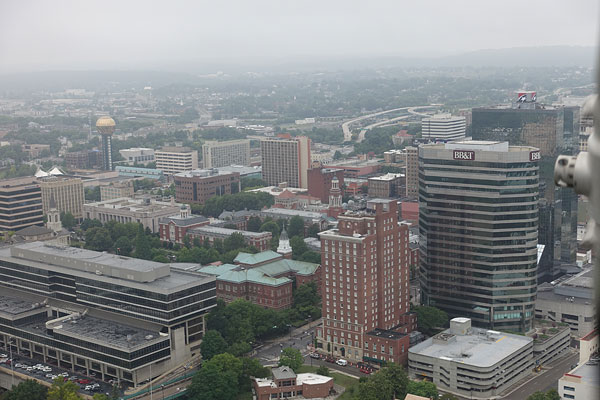 |
The weather sadly didn't cooperate on the first day's shooting, with storms and a low overcast right as my flight time arrived. Still, I got some cool shots nonetheless, and with visibility so low, our pilot kept us incredibly low throughout the flight. It made for quite an experience! Note the prop spindle peeking in at frame right -- my seat directly behind the cockpit rather limited my framing opportunities, between the propeller, engine, wing, undercarriage and control cables directly outside! |
Each flight experience has just 15 minutes of airtime, so for the most part, I kept my shooting confined to the ground so I could soak in the experience while I was in the air. The EAA staff and volunteers pretty much gave us free reign to roam around the aircraft between flights, shooting photos inside and out, and just generally lusting over a piece of aviation history.
Ford isn't really a name you associate with flying, having left the industry after the depression and the arrival of Douglas' faster, longer-ranging and yet more economical DC-3. Still, they sure knew how to build them, because this old lady looked as stunning approaching her 85th birthday as the day she rolled out of the factory in Dearborn, Michigan.
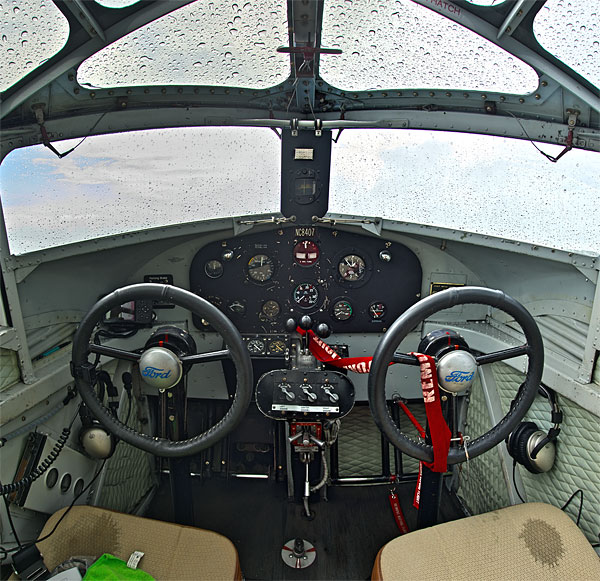 |
The RX100 has a wider lens than its predecessors, but even a 24mm-equivalent wide angle wasn't enough for the Tri-Motor's unbelievably cramped cockpit. It's hard to believe two people can fit in here. I ended up shooting two HDR image series, then merging and stitching them on my PC. I'm not normally a big fan of crunchy, oversaturated and overprocessed HDR, but I think it adds to the mood here. |
Although we had a little rainstorm on that first day's shooting, I was mostly shooting in good (or at least, bright) light throughout the event, so didn't yet see the benefit of the RX100 III's wider aperture at telephoto. Nor have I yet done much high ISO shooting, for the same reason. Almost all of my shots so far have been at ISO 800 or below.

Another detail shot of the Tri-Motor. The tail wheel is a freewheeling castor, and the bungee cords on either side help it return to the center position after a turn! Low tech, but clever.
I definitely noticed the shortened zoom range though, and found myself wishing for more telephoto quite often. There's definitely a sense of compromise in the achievement of that brighter aperture. But with that said, thanks to the RX100 III's 20.1-megapixel sensor, there's a lot of resolution. That makes cropping post-capture a realistic possibility when the zoom isn't sufficient, so long as you don't need a huge print.
Sadly, that doesn't work when you need a greater wide-angle, as I did in the Ford Tri-Motor's amazingly cramped cockpit. Although I'm not a pilot myself, I'm a bit of a plane nut who feels right at home in a busy cockpit full of dials, switches and gauges, but even I was a little taken aback by how little space there was for pilot and co-pilot on a flight that could be up to four hours in length. It's something I wanted to capture in an HDR shot shortly after the rainstorm ended, but I simply couldn't fit more than half the cockpit in the frame even at extreme wide-angle.
And that's despite the especially-wide lens of the RX100 III -- it would have been even more challenging with my RX100 or the RX100 II. In the end, I took two handheld HDR series, which I then merged in Unified Color's HDR Expose, and stitched using Hugin. The result, given that it was largely automatic, wasn't too shabby. There were a few little stitching errors at top and bottom of the stitch that I cropped out, and a couple more can be seen in my final shot if you look closely enough, but it gets the sense of claustrophobia across, I think. And the crunchy, HDR look fits quite nicely with the subject, windows covered in raindrops. (A little rain even makes it through the cracks, dripping onto the pilots' seats and into the passenger cabin.)
 |
Thru the looking glass: Even up close like this, the RX100 III's 1.0-inch type image sensor means it won't rival an APS-C or Micro Four Thirds sensor for depth-of-field blur. Still, it definitely does better than most compacts in this regard. |
So far, image quality seems pretty good. There's lots of detail in the RX100 III's images, enough that in my shots of the cockpit in flight, you can just pick out a little very subtle moiré in the pilot's shirt. (I do mean subtle, though -- you have to look fairly closely to notice it, and I'm not seeing moiré as an issue at this point.)
The few high ISO shots I've taken have had reasonably noise / detail levels, but I'm aware that this is an area in which the RX100 II (which shares the same sensor) lagged its predecessor a little, so I'll be taking a closer look at it in low light in a later Field Test. In most respects, so far, image quality seems to be quite similar to that I've gotten used to with my RX100 -- and that's a good thing, because for a pocketable camera, it does a pretty great job, all things considered.

Startup time is just slightly faster than that of my RX100 or the RX100 II. It's not a night and day difference, but it's nevertheless noticeable and worthwhile. The lens actually extends in an identical time, but once extended the live view image appears (and the first shot can be fired) perhaps a quarter-second earlier. That might be the difference between getting or missing an unexpected shot, so it was a pleasant surprise.

With the engine outside my window, I tried shots with the prop blurred out, and with a fast shutter speed to freeze it. With a bit more time to experiment and get the right shutter speed, a half-turn or so would probably have looked best.
In other respects, performance seemed near-identical, although I've yet to try burst-shooting. (And I understand the burst depth has been improved.) All three cameras seem to focus and shoot single images in near-identical time, as far as I can tell.
Since these were introduced on the RX100 II, a camera I didn't personally review, the built-in Wi-Fi and tilting screen are also new to me. The tilting mechanism has actually been improved since the RX100 II, as well, and now allows the screen to be flipped up 180 degrees, perfect for selfies.
In other respects, though, the screen seems similar to that of the earlier cameras. It's a Sony WhiteMagic type with red, green, blue and white subpixels, and is brighter than most for better outdoor visibility.
Almost immediately, I had the Wi-Fi up and running, and I found this quite handy for getting my images onto Facebook. This was something I did with my RX100 as well, but there I had to rely on a third-party, Wi-Fi equipped Eye-Fi Mobi SD card. It's much nicer to have an integrated solution, and feels more seamless.
(My Eye-Fi card sometimes wouldn't transfer images, or would take a long time to start the transfer, and since the process was entirely automatic, that could get a bit frustrating as there was no way to intervene except to power-cycle the camera and tablet, then try taking more photos. No such trouble here.)
And that about wraps things up for my first Field Test with the Sony RX100 III. If you have any questions about the camera or features you want to see tested, I'll be shooting with it for a while more yet (and can make side-by-side comparisons with the earlier models where applicable), so don't be shy about making requests in the comments at the end of the review.

For my next Field Test, I take the Sony RX100 III to the Virginia coast for some low-light / high ISO shooting, and make some side-by-side, real-world image quality comparisons with the RX100 and RX100 II. Click here for Part II of my Sony RX100 II Field Test!

Field Test Part III
Time for a road trip!
By Mike Tomkins | Posted: 07/08/2014

With Knoxville wrapped in a blanket of clouds and rain, I headed out of town to coastal Virginia with the RX100 III and its siblings, pausing on the way for lunch in Marion, Virginia. See the same shot in the RX100 and RX100 II galleries.
Right as I was getting ready to take the Sony RX100 III out for some more gallery shooting, the weather here in Knoxville, Tennessee took a turn for the dreary. There was only one solution: It was time for an impromptu, out-of-town trip. My family agreed that they could use a change of scenery, while I could use some sunlight and interesting subjects for the gallery.
We decided it had been too long since we saw the sea, so we headed out of town for a whirlwind long weekend in Norfolk, Virginia. Why Norfolk? Simply put, it was the nearest seaside destination with a sunny forecast, and as a navy town I figured it would also have some interesting sights.
Before hitting the road early on a Saturday morning, I packed a camera bag with the Sony RX100 III, RX100 II, and my own, original RX100, plus an assortment of batteries, chargers and flash cards. I planned to shoot mostly with the RX100 III, but nevertheless wanted to have its siblings along for a few side-by-side comparison shots.
On the way to Norfolk, we stopped to grab lunch at a quirky little restaurant -- part of a chain, as it turns out -- called Macado's. The food was delicious, but it was the eclectic decor that really grabbed by attention. It struck me as ripe for a few photos, so I ran back out to the car to grab the RX100 and RX100 II for a few side-by-side low-light comparisons.
There wasn't a night-and-day difference between the three cameras, but I had to give the prize to the RX100 III. It returned the most detailed-looking shots out-of-camera, although that does appear to be down to sharpening at least in part. The downside to this is that there are slightly more noticeable haloes from the RX100 III than its siblings when viewed at 1:1 resolution. The RX100 III also had noticeably better noise performance than did my RX100, as did the RX100 II. (Between the two newer cameras, it was a much closer thing.)
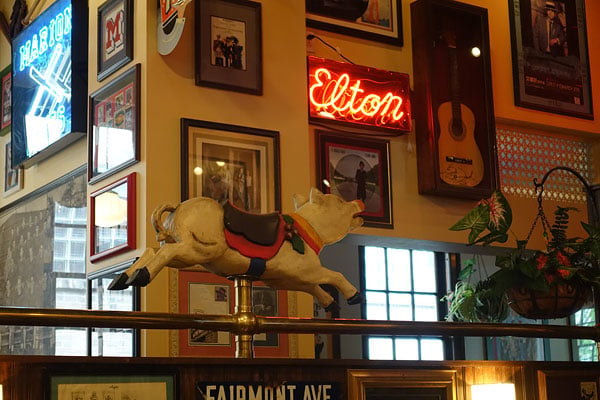

I found myself, once again, missing the added telephoto of the earlier models almost straight away, though. While dodging busy wait staff and trying to stay out of other customers' way, I was finding it difficult to get my framing anything like similar from camera to camera, so I wanted to shoot a quick series from my tabletop, to help keep framing consistent. Both the RX100 and RX100 II got me the composition I wanted just fine, but the RX100 III's weaker telephoto meant I couldn't frame as tightly -- at least, not without zooming with my feet. That meant a rather wider composition than I wanted, but its brighter lens at telephoto also meant noticeably less noise for its shot than the earlier models showed.



With my hunger (and briefly, my need for photos) sated, we hopped back in the car and continued on our way to the way to the sea. Despite leaving Knoxville reasonably early, we arrived in Norfolk quite a bit later than we'd hoped, and well after sunset. "Ah well," we tiold ourselves, "Let's save the beach for tomorrow." Eight-plus hours on the road meant that we were exhausted anyway, so we got a somewhat early night instead.
The next morning, having discovered that our hotel didn't provide a free breakfast, we ran out to a nearby restaurant, Yorgo's Bageldashery. I'm no bagel aficionado, but these struck me as the real deal, and with an admirably generous heaping of lox they were truly superb. Before we went inside for our food, though, my son spotted a fire engine, and being a five year old, immediately wanted a photo of this incredibly exciting vehicle. Who was I to say no?

Unable to remember which settings I'd fiddled with the previous day, I decided to reset the camera. Still rather sleepy-headed and yet rushing to get the shot, I performed the reset using the RX100 III's Initialize option, rather than the Camera Settings Reset. Sony has reversed the order of the reset options since my RX100, though, and and simultaneously combined the Record and Custom Settings reset, so I actually reset everything right down to the camera's clock. I suppose that I'm too used to having to skip the first option on my own camera, but in fairness to Sony, I should've paid attention to the double-prompt.
By the time I'd reset the clock and calendar, the fire engine had started moving. I hurried to get a shot and promptly forgot to reenable raw+JPEG capture. Whoops! Still, I'm rather pleased with the image. There's lots of detail in the front of the truck, and while a little more motion blur elsewhere would've been nice -- it was moving fairly slowly as it pulled into the junction -- my son was still thrilled to see the truck on the RX100's LCD.

Breakfast done, we headed back to the hotel to take a walk along Norfolk's harbor, before grabbing a few things and heading to Virginia Beach. On the drive back to the hotel, I spotted a decommissioned World War II battleship at the end of the street -- definitely not something you see every day. There was no question that it was worth a photo, but I didn't want to block the road and couldn't park, so I got a quick snap out the driver's side window while I waited for the traffic light.
The Sony RX100 III's bright WhiteMagic LCD helped me get that shot at arm's length, despite bright, direct sunshine right behind my shoulder. Admittedly, looking at the sunlit screen from an awkward angle out the window, I couldn't see perfectly, and so I got the framing a little higher and further left than I'd wanted. Still, I was close and managed a reasonably level horizon, too. With many cameras, I'd have been unable to see anything at all under direct sunlight like this.
 |
The framing might not be perfect -- I wanted it a little further right and downwards -- but for a spur-of-the-moment shot at arm's length (and an awkward angle) out of a car window, this really isn't too far off. With a lesser LCD monitor than that on the RX100 III, I'd never have gotten even close. |
And once we were back at our waterfront hotel, I scored a few more nice shots around the docks, as well. That was fortunate indeed, because once we got to Virginia Beach, we found it to be absolutely packed. Since landlocked Tennessee is so far from the ocean, we all wanted to swim without worrying about somebody stealing our gear. The RX100 III's relatively high pricetag for a compact, fixed-lens camera meant that I left it safe in the trunk of our car, along with almost everything else, quite some trek away from the beach in a crowded, multi-storey car park.
Only our smartphone came along for the beach trip, and that only in case we got an emergency phone call. But that, of course, meant it took over the photo duties as well. After a few hours in Virginia Beach (and hoping for better luck, not to mention some space to ourselves), we tried the nearby Sandbridge Beach. Online reviews suggested this was much less busy a spot, but here too was packed, and with another long walk for parking, the camera once again stayed in the car.


That's the difficulty camera manufacturers face these days. We daren't leave our phones behind, and since they mostly sport at least usable cameras these days, it's far too easy to talk yourself out of taking a real camera.
And this being a whirlwind weekend trip, after those two beach visits, it was over all too soon. We had to hit the road by lunchtime the following day, looking forward to an eight-plus hour drive once more. Although as it turned out, simply didn't have the energy for all that driving, so we stopped midway and spent another night in Roanoke, Virginia. When we woke up the following morning, we were glad we'd stopped: Our unintentional layover turned out to be an interesting and quite photogenic town, and one we hope to get back to soon.

The Texas Tavern is apparently a Roanoke institution, and it's signage reflects its long history. See this photo from the RX100 and RX100 II, also.
Before hitting the hay, though, we grabbed a late dinner at the historic Texas Tavern. I loved their retro signage so much that I set up another three-way comparison between each of the RX100 siblings. This time, I aimed not only for roughly the same framing, but also set all three cameras to ISO 3200, and shot in aperture priority at maximum aperture.
That gave the RX100 III a slight advantage, since it's brighter in the middle of its zoom range. My original RX100 definitely lagged its siblings at higher sensitivities. The RX100 II and III were closer, but the III's greater sharpening seemed to emphasize its noise a little more, giving it a less film-like appearance. This was particularly noticeable in the partially-illuminated area behind the neon sign.
Liking what we saw of Roanoke when we awoke, we decided to make another day of it the following morning, and spent some time strolling around town before heading back in the afternoon. I snapped a couple more side-by-side comparisons, which you'll see in the galleries for the RX100 III, RX100 II, and RX100. In daylight, there really wasn't much in it between the three. The RX100 III had slightly sharper out-of-camera results, but otherwise images from the trio seemed very similar.
That's good news as far as I'm concerned, because I'm very happy with the results I get from my RX100. Compared to anything else I can slip in a pocket and forget, and which sports a bright zoom lens, image quality is absolutely superb. Sure, it doesn't match your interchangeable-lens camera, but chances are that the RX100 III will be the camera that's with you when you need it.
And while initially I was put off somewhat by the RX100 III's increased size and weight compared toits predecessors -- and especially to my own RX100 -- I've come to realize that it's actually not a big deal at all. As I said in my previous Field Test, I don't tend to put my RX100 in my pocket too often because I have a nice, leather case for it. (And also, because it cost a fair bit, so I like to treat it gently.) Still, during my RX100 III review I've consciously forced myself to put it in my pants pocket several times, and once it's in there I'd be hard-pressed to tell which camera I was carrying.

Lots of color on the streets of downtown Roanoke. See this photo from the RX100 and RX100 II, also.
All of which goes to prove the old saw that you shouldn't judge a book by its cover, because side-by-side with my RX100 I really thought the RX100 III would simply be too uncomfortable in my pocket. It's most definitely not. The difference is much more subtle than at first it seems.
And for that extra size, you get a viewfinder which -- while I skip it most of the time in favor of arm's length shooting -- I've found useful a fair few times already in very bright sunlight. (Did I mention it was sunny in Virginia? I came back with the worst sunburn I've had in decades, despite liberal application of suntan lotion!)
Sure, you can see the RX100 III's display quite well even under direct, fairly bright sunlight, but you can see the viewfinder better. And for bonus points, it even powers the camera on automatically when opened. Its exit pupil is perhaps a little narrow, and the viewfinder magnification a bit on the low side, but when it comes down to it, that's not really very important if it's a choice between that or not being able to see well enough to frame the image in difficult conditions. And even with a WhiteMagic LCD, that can happen under very direct sunlight, as I found a few times on this trip.
I still have a few more things I want to test on the RX100 III before I complete my review, but I think I'm pretty much persuaded now. If you can live without the extra telephoto reach, this is quite a bit more camera for only a little more size and cost. Were I in the market to buy an RX100-series camera today, I think the RX100 III would be the one I'd pick -- and you probably should as well.

Field Test Part IV
Answering your questions (and mine, too!)
By Mike Tomkins | Posted: 07/22/2014
And so, I've reached the end of my Sony RX100 III Field Test, with the third and final section. For my last report, I wanted to answer some of the reader questions I've received, and to take a look at a few features I'd not yet had the chance to try. Topics for discussion include a look at image stabilization (and how it compares to that of earlier models), some flash testing, and a quick walkthrough of the newly-added PlayMemories Camera Apps. Last of all, I take a look at video capture, an area that has seen some important improvements.
Image stabilization comparison
I'll start with image stabilization, since that's probably the most important feature of the group. I received reader requests to compare the Sony RX100 III's stabilization capability to that of the earlier RX100 and RX100 II, which have apparently drawn some criticism from users since those cameras' launch. (Personally, I haven't found stabilization particularly troublesome on the earlier models, but I think I have a fairly steady hand, which may have helped to bolster my impression.)
I decided to do a reasonably scientific test, or at least as much so as is possible with something so subjective, and without access to a dedicated testing rig. I shot photos of the exact same scene from the same distance with all three cameras, prefocused and using shutter priority and auto ISO sensitivity, and gradually reducing the shutter speed. Exposure wasn't locked, but that wasn't really important given that the shutter speed didn't vary from shot to shot.
All three cameras were fixed to a 50mm-equivalent focal length, shooting a bouquet of flowers from a distance of around 1.5 feet under moderate indoor lighting. Focus was set a bit back from the front of the flowers so that if I didn't get exactly the same distance for each shot, some part of them would still be in focus.
 |
For my stabilization test, I placed a bouquet of cut flowers in a moderately well-lit room, then shot them with the RX100, RX100 II and RX100 III at all shutter speeds from 1/60 to one second, with fixed focus and focal length. The test showed Sony has improved SteadyShot performance in the RX100 III. |
Since the flowers were on a table top, I sat down so that I wouldn't have to bend over. To be realistic, I didn't brace the camera or my arms against my body, the table, or anything else. Instead, I shot with my arms outstretched a little. (That might be a bit unfair to the RX100 III, as I could probably have gotten slightly better results with its popup viewfinder, holding the camera to my eye. The same would be true for the RX100 II, though, if using its optional accessory viewfinder.)
I should also note that I'm aware that as much as this was a test of the camera, it was also testing my skills in shooting steadily. (In fact, once I started to get blurred shots at the slower shutter speeds, I usually knew whether a particular shot would be blurred even before I saw the review image on the LCD monitor, just because I could sense my hands moving.) I tried to account for that, though, shooting each camera for five exposures at each shutter speed. I also stepped through the cameras at each shutter speed, so that I wouldn't be significantly more tired when shooting with one model than its rivals come the end of the test. (And for good reason: With a total of 270 shots captured between the three cameras, I'm sure my ability to remain steady was flagging towards the end of the test.)
The exposures started from 1/60 second so I could be sure of a sharp shot, and I tried every shutter speed all the way down to an unrealistically-slow full second. I then made a spreadsheet, assigned a point score from one to three for each shot -- one being perfect, two being at least reasonably near-sharp when viewed 1:1, and three being significantly blurred -- , and averaged to get a score for each shutter speed. I should note here that even quite a few of the shots I called significantly blurred would've been fine or at least usable at smaller print sizes. If a shot showed noticeable doubling rather than just softness when viewed 1:1, though, I gave it a three.
 |
 |
 |
|
At 1/13 second, 1:1 detail crops from the Sony RX100 III (top left) were predominantly sharp and near-indistinguishable from those at faster shutter speeds. The RX100 II image (top right) shows results more typical from the earlier cameras at the same shutter speed. (This is a result I called as slightly soft, although it'd still be perfectly usable for moderate print sizes.) Beneath is an image from the RX100 III at 1/60th second for comparison. Note that since the test was of necessity handheld, framing varies a little, as do the point of focus and exposure level. I've cropped with the sharpest area in each image visible, and although brightness varies, all cameras used the same focal length and shutter speed, with similar apertures. |
|
And the results: With the RX100 III, anything down to 1/30 second was perfect. With its predecessors, I started to get the first soft shots at 1/40 second, just a little sooner than the newer camera.
Continuing on down to 1/13 second with the RX100 III, I still managed sharp shots most of the time. Other than a sole outlier at 1/25 second, no shot was significantly blurred, but some of them were a bit soft. With the RX100 and RX100 II, I didn't get as many sharp shots at 1/30th or below, and by 1/15th of a second I was starting to get some significantly blurred shots, as well -- so again, the RX100 III did better than the earlier models.
(Interestingly, to this point the original RX100 also seemed to be doing a little better than the RX100 II, though the difference was fairly slight. There's no obvious reason for this, since they share the same lens and stabilization system. All I can think of to explain this is that I am more familiar with trying to hold that camera's slightly slimmer body steady, since I actually own it.)
At 1/10th of a second or below, sharp shots from the RX100 III were in the minority, but I still got a couple as low as 1/6th second, and only a few were significantly blurred. By contrast, most shots from the RX100 and RX100 II were already unusable at 1/8th of a second or slower, although even these earlier cameras just occasionally managed a sharp shot at fairly low shutter speeds.
 |
All three cameras were capable of sharp handheld exposures at surprisingly low shutter speeds, given five shots in a row to up the odds a little. Here is another 1:1 crop of the slowest sharp image from the RX100 III, shot at 1/6th second. Overall, the RX100 III turned in more sharp or almost-sharp images at slow shutter speeds than did both earlier models, and it was pretty clear to me that its stabilization system was an improvement. |
The slowest shot from the original RX100 showing good detail was at 1/8th second, while the RX100 II -- which seemed to do a fair bit better at really slow shutter speeds -- managed one sharp shot apiece at 1/8th, 1/6th, 1/4, and even 1/2 second. These, though, were rare finds among a morasse of unusably-blurred shots.
While the RX100 III didn't happen to manage any perfectly sharp shots below 1/6th second, I'd put that down more to the luck of the draw than anything else. It got close a few times, scoring a couple of near-misses as slow as 1/2 second, and the shots it captured weren't typically as badly blurred as those from the earlier models at the longer shutter speeds. Arguably, many of them would've been usable for small prints, even a couple that were handheld with a 0.8 second exposure!
So to answer the reader question, yes -- in my opinion I'd say that the RX100 III's stabilization system is noticeably better than that of its siblings. But honestly, I don't see that the earlier models are too shabby, either, as down to say 1/10th or 1/13th second they can still turn in useful shots, and occasionally quite sharp ones at even slower shutter speeds.
I also learned that it's definitely worth shooting several exposures when your shutter speed is slow, even if your subject is quite static. It seemed that in the middle of a five-shot series, I'd usually get better results than I did with the first or last couple of frames. (Which is perfectly logical, as it's harder not to move the camera in anticipation of starting or ending a series, compared to when you've got a rhythm going in the middle of the series.) And these were all captured in single-shot mode -- I'd guess I could've gotten even more usable exposures simply be shooting in continuous mode with the shutter button held down.
Flash
Another request from readers was that I discuss the RX100 III's flash options.
Perhaps the most important thing to note is that the hot shoe of the RX100 II is gone, removed in the interests of saving space and making room for the popup viewfinder. Personally, I don't have a problem with that change -- I wouldn't be likely to carry a chunky, external flash strobe when shooting with a small camera like this, as it would negate its portability. And while some cameras come with tiny tilt-up strobes that add little to the camera size, they're typically not much better than built-in strobes in terms of output. At least a built-in strobe won't get left at home by mistake, though.
The popup strobe now sits over the middle of the lens, and that brings it just a little closer to its optical center, but I didn't notice any real difference in terms of red-eye. Like that of the earlier models, it's spring-loaded and can be tilted with a fingertip to serve as a bounce flash -- at least, so long as you have a relatively low ceiling -- although I doubt that it's really an intentional feature of the design.
 |
 |
Since I already had the flowers handy, I used them for a quick test of the RX100 III's flash sync performance too, albeit not the most flatteringly-lit one. Top is a 1/2,000 second exposure with flash, evenly lit across the frame. Beneath is an exposure with identical aperture and shutter speed, but without flash the camera had to push sensitivity from ISO 200 to 6,400, and still couldn't manage the same exposure level. So yes, dear readers, the RX100 III is still capable of flash sync at all shutter speeds with its internal strobe. Given its lesser-performing strobe and lack of external flash connectivity, though, it's not going to be as useful a feature as with the earlier models. |
However, it's also rather less powerful than that of the RX100 and RX100 II, perhaps because of the need to cover a 24mm wide-angle instead of the earlier models' 28mm wide-angle. That means you're going to either need to be closer to your subject to get a usable flash exposure, or to use a higher sensitivity, increasing noise levels. If you're a fan of the bounce flash trick, that's a shame because when you bounce off a ceiling, you're effectively increasing the distance to your subject and likely losing a fair bit of your flash output to the fact that the ceiling won't be a perfect reflector. You'll find that trick less useful than with the RX100 III's siblings.
Now, the good news. I tested, and I confirmed that just as with its predecessors, the Sony RX100 III will sync flash at any shutter speed -- even 1/2,000 second. Again, the reduced flash strength means you'll need to be closer than ever to your subject for fill flash to be useful, but if you're close enough, it should work regardless of shutter speed.
And at this point, I wanted to test what would happen if I used a flash-triggered slave strobe to boost the RX100's output, but sadly I couldn't do so. The reason? I was planning on using my extremely aged Digi-Slave Pro strobe, a modified Vivitar 285 HV made by SR Electronics which I've had for close to 15 years. It's sat unused for quite a while, though, and when I took it out of the box I found that it had finally gone to the big flash strobe graveyard in the sky. Ah well, such is life. That pairing (or one like it) should work, though, allowing off-camera flash within a short distance as well. You'll just have to set your exposure manually, as the RX100 III's metering system won't be expecting the extra flash output.
Wi-Fi and PlayMemories Camera Apps
Among the features which the Sony RX100 II added beyond what's available in my RX100 was in-camera Wi-Fi wireless networking connectivity, plus Near-Field Communications for quick setup with Android devices. (Apple still stubbornly refuses to support the standard in its products, which is a shame given how quick and simple it makes Wi-Fi pairing.)
The RX100 III retains the Wi-Fi and NFC support, and adds Sony's proprietary PlayMemories Camera Apps into the mix. I've used them in the past on some of Sony's other cameras, but it's the first time they've been provided in an RX-series model. They're not what you'd typically think of as "apps", in that third parties can't develop them -- only Sony itself can choose which apps to make available for any given camera. And many of their functions are things that other cameras already offer free of charge, straight out of the box.
Still, a few are fairly unusual -- in some cases even unique. As of this writing, Sony offers a choice of 15 apps for the RX100 III, excluding foreign-language equivalents of the standard English on-screen keyboard. Of these 15 apps, the majority are available for a one-time fee that's additional to the cost of the camera itself, although a few apps -- including one which is arguably the most useful of the bunch -- are free.
 |
The Sony RX100 III's new PlayMemories Camera Apps are of varying utility. Personally, I found the Smart Remote Control app by far the most interesting. Through your smartphone's screen it lets the camera do something that, by itself, it can't: touch autofocus! |
Three apps are priced at US$10 apiece, and another six cost US$5 each, potentially adding US$60 to the cost of your camera to get these value-added features. (That's 7.5% of the camera's list price!) Of remaining apps, two are uploaders and three are keyboards, so only the My Best Portrait, Smart Remote Control, Picture Effect+ and Photo Retouch add particularly interesting camera features without any extra cost.
I have to say, I think the pricing is a bit on the steep side. Smartphone apps which can potentially do a whole lot more often run as little as US$1-3, and can follow you from device to device without an extra charge. By contrast, Sony's apps are tied solely to its cameras and many of them only serve a single, relatively narrow purpose. You don't have to buy them, though, so I won't complain too strongly.
The full list of apps available right now for Sony RX100 III owners is My Best Portrait (free), Smart Remote Control (free), Star Trail ($10), Smooth Reflection ($5), Liveview Grading ($10), Flickr Add-on (free), Motion Shot ($5), Portrait Lighting ($5), Light Shaft ($5), Bracket Pro ($5), Time-lapse ($10), Multiple Exposure ($5), Picture Effect+ (free), Photo Retouch (free), Direct Upload (free), and four keyboards -- International, Japanese, Chinese and Korean (all free).
To download, update, or use any of these -- even those which are already installed on the camera -- you'll first need to register for an account on Sony's website, and provide a working email address. You have to sign up from your computer first, and then log in on the camera, a process which is unnecessarily clunky and awkward, particularly if you're a big believer in secure passwords.
 |
The Smart Remote Control app provides a live view feed that's smooth and with minimal lag, at least if your smart devices is fairly near the camera. You can change the live view quality if the connection is problematic, however, reducing bandwidth and hopefully improving the situation. |
The on-screen keyboard is about as good as it could be, doing its best to make it obvious which letters you've typed, and whether you've typed the same letter twice in a row. Still, it would be so much easier if Sony simply set the system up so that you typed a code shown on the camera's screen using your PC's physical keyboard, rather than having to hunt-and-peck for letters on an onscreen keyboard without a touch screen, by pressing the four-way controller keys dozens or perhaps hundreds of times.
And it's also a bit curious that the sign-in screens look like regular HTML, rather than being tailored to the camera's display. (You even have to scroll up and down the screen to see the password field beneath that for the username!)
I wanted to be able to say that the good news was you only have to enter your username and password once, but sadly that wasn't the case. While there's a checkbox to remember your username, your password isn't stored in the camera, and I found myself forced to log in a second time after updating the remote control app, without ever disconnecting from my Wi-Fi network, powering the camera off, or even leaving it unattended. Why the need to log in twice in the space of less than two minutes, I'm not quite sure.
But enough of that critique, what of the apps themselves? Well of the bunch, by far the most useful in my opinion is Smart Remote Control, which is thankfully also free. This lets you see a remote live view from your smartphone or tablet's screen, so long as you have the free app installed on Android or iOS devices, of course.
 |
Although you can't switch modes from the app itself, you can do so from the camera body, at which point the variables which can be adjusted change from grey to white text. Tap on the variable and it turns orange, with a tape of available values shown above. Drag side to side on the tape to browse, and then tap the figure you want to make a selection. It's simple and intuitive. |
There's minimal lag when the two devices are up close to each other, and it didn't start getting a bit stuttery with my HTC One X+ smartphone until I was at a distance of around 10 feet, plenty to help frame a group portrait before firing the shutter remotely. The connection degraded to the point where I felt it unusable once I'd walked around 30 feet, and put an inside wall in between myself and the camera. That range could likely be improved with a third-party Wi-Fi extender, though.
Although the app won't let you control the exposure mode remotely, it will allow exposure variables (shutter speed, aperture and ISO sensitivity) to be adjusted as applicable in the current shooting mode set on the camera body, and you can change modes with the physical mode dial without first disconnecting the camera. The app also allows remote zoom control, touch focus (adding a handy function which the camera body itself lacks!), and remote shutter release.
Through an on-screen menu, you can also control white balance, self timer, review image size, and live view quality (standard or image quality priority). You can also set how long to review images on the phone or tablet, and whether to automatically save the review image, saving you manually transferring images from camera to smart device if you decide you like them.
This app was a whole lot of fun, and pretty useful too. My second favorite was the Picture Effect+ app, which works on the camera's own screen or viewfinder, and provides quite a range of pre-capture filter effects. They're not particularly unusual, and they greatly curtail the options available to you through the menu system -- most significantly, forcing you to shoot in JPEG mode -- but they do provide a lot of creative freedom without having to rely on your smart device. I did wish that browsing through the options was a bit faster, though.
 |
Once an image is captured, a large review image is shown. By default it's 1,616 x 1,080 pixels in size, giving you a good tradeoff between ability to judge focus and swift file transfer. Smartphone paradigms are respected, so you can for example pinch to zoom and drag to pan this review image. You can set the smartphone app to retain this image, if you don't need the maximum quality for sharing on social networks straight out of the camera. You can also set the app to simply transfer full-res images instead, however. |
In full, the list of Picture Effect+ options is Partial Color+ (converts image to black and white except for one or two user-selected color ranges), High Contrast Mono, Soft Focus (three steps), HDR Painting (a true three-shot HDR with three-step strength control), Rich-tone Mono. (black and white three-shot HDR), Miniature+ (miniature effect in three positions horizontally or vertically; can be combined with retro / toy camera effects), Watercolor, Illustration (three steps), Toy Camera+ (normal, cool, warm, green, magenta; combined with lo, mid or high vignetting), Pop Color, Posterization (color or B&W), Retro Photo, and Soft High Key+ (pink, blue, green).
The remaining free apps I didn't find terribly interesting, nor particularly relevant to the target market for a camera at this price point. Photo Retouch works post-capture, and allows a Soft Skin Effect (but only if a face is detected), image resizing and cropping (called "Framing"), rotation (called Horizontal Adjustment, it has very fine steps and a generous range, but is very slow!), brightness control, contrast control, and saturation control.
My Best Portrait, meanwhile, is a mixture of pre- and post-capture processing. It provides an optional seven-step skin brightening function coupled with optional three-step skin softening. These are set once pre-capture (with a chance to preview the effect by capturing an image), and then your chosen settings are remembered for subsequent shots unless you opt to change them.
Post-capture, you can then add catch-lights to your subject's eyes. There are seven catchlight types (a couple of useful ones, plus a somewhat schmaltzy selection of hearts, stars and so forth), and you can adjust the size, brightness, and position (this last is tweaked separately for each eye). The app doesn't attempt to detect the edge of the eye, so will happily overlap a catchlight onto your subject's eyelids if you let it. The user interface shows you a wider view of your subject's face cropped in to the eye area, as well as closeups of each eye, so you can see reasonably well where you're placing each catch-light.
If I were to buy the camera, I'd probably only bother installing the first two apps, and skip the others -- at least, unless any of the paid apps caught my eye. Those two apps do make the overall feature worthwhile, though, so I'm glad it's been added even if I'm not a huge fan of paying so much for first-party apps on a single-purpose device.
Sony has overhauled the RX100 III's feature set, and it now offers an alluring combination: Much better video quality, and handier performance to boot. Cool! Here, we're looking at a Full HD clip shot at 60 frames per second with XAVC S compression. Download RX100 III XAVC S-compressed Original |
Video
And so we come to the final feature I wanted to test: Video. Here, Sony has made quite a few changes. Perhaps most significantly, the Sony RX100 III now reads off the whole sensor when recording video, and then downsamples post-capture. Most cameras -- the RX100 and RX100 II included -- only read off a small portion of the sensor area, skipping lines in between to reduce the amount of data which needs to be read off and encoded.
It's an approach that saves processor power (and thus money), but it also noticeably degrades image quality, introducing aliasing artifacts and moire. The RX100 III promises much higher-quality video because it doesn't throw data away on readout -- instead, it downsamples the sensor image and crops to match the output aspect, making the best of the available data to maximize image quality.
Unfortunately, this change is accompanied by one significant drawback: There's a focal length crop applied to all high-def video shot with the RX100 III, even if you switch back to AVCHD capture and disable SteadyShot Active stabilization. Of course, the RX100 III's lens is wider than that of earlier models, so in the end it's not as big of a disadvantage as it could have been, but it's still a shame if you're a fan of wide-angle video.


The RX100 III also introduces a new XAVC S video format to the existing AVCHD and MPEG-4 compression options. Again, it promises much higher quality thanks to a huge increase in the bitrates, but you'll need to explicitly enable it, as the camera still defaults to AVCHD. Should you do so, though, you'll gain access to 50MBps capture at 120, 60, 30 or 24 frames per second, where AVCHD mode is limited to 60p / 60i / 24p capture at anywhere from 17 to 28Mbps, depending on the frame rate.
Note, though, that the 120fps mode has an even stronger focal length crop than does regular video shot with the RX100 III. It's also limited to a resolution of 1,280 x 720 pixels, and prevents use of SteadyShot Active-mode stabilization.



But enough of the theory, would the difference between XAVC S and AVCHD compression be noticeable? That's what I wanted to know, so I took the Sony RX100 III and its predecessor, the RX100 II, to downtown Knoxville for some side-by-side shooting.
Compared to standard AVCHD at its maximum bitrate of 28Mbps, the RX100 III's 50Mbps XAVC S video compression brings a very subtle improvement in image quality, but it's noticeable if you look very carefully. (I found it easiest to notice in fine, repeating patterns like bricks, textures in fabric, etc.) Surprisingly, the difference was still noticeable even after being uploaded to YouTube and recompressed, although again, it was a very subtle difference indeed.
You pay a hefty price for that slightly better video though, because file sizes are literally doubled compared to 28Mbps AVCHD. And your flash card must be fast enough to support XAVC S recording in the first place, too; I tried a Class 6 card out of curiosity, and on trying to change file type, received a warning that "This memory card does not support recording of XAVC S movies." At least the warning is immediate, rather than a last-minute surprise when you capture a video. (Smart move, Sony!)
The RX100 III features Sony's SteadyShot Active stabilization (or at 120 fps, standard SteadyShot). At wide-angle, SteadyShot Active can steady significant motion such as walking pretty easily; once you zoom in it struggles to keep things steady. Download RX100 III 60 fps Original |
Personally, I don't think I'd bother with XAVC S most of the time, but if I thought there was any chance of wanting to extract a still image later, or of needing to crop the video significantly -- perhaps to stabilize further in software beyond what the camera itself can already do -- I might switch to XAVC S on a case-by-case basis.
The difference between the RX100 III's XAVC S or AVCHD modes and the AVCHD output of the RX100 II using much the same sensor, though, was much more noticeable. Comparing still frames, the RX100 III is just a little sharper than its sibling. Watch live video, though, and that slight improvement in sharpness feels like somebody's just switched off a soft-focus filter. Everything suddenly seems clearer and more high-definition, and little artifacts in fine patterns like bricks that you didn't notice in the still image comparison -- but which were quite obvious in video -- suddenly vanish.
As for the 120-fps, 720p video, I also gave that a try. I already mentioned its drawbacks -- a reduction in resolution, an even stronger focal length crop, and an inability to use SteadyShot Active stabilization -- but the plus is either smoother motion (albeit sometimes accompanied by a perception of stuttering because the faster shutter speeds prevent your subject having as much motion blur), or the ability to slow down your video while retaining a high frame rate. You can manage 0.5x slow-motion playback while still retaining smooth 60p motion, or drop all the way to 30p for 0.25x slow-motion, and it's nice to have that option.
The RX100 III's 120 fps mode plays at full speed by default, but if your software allows, you can slow it to 60 fps for a 0.5x slow-mo effect, or 30 fps for a 0.25x slow-mo. |
All things considered, I think these changes make the Sony RX100 III a much more interesting proposition for video than its predecessors, even if it applies a greater focal length crop than they do. There's one change I'm not so keen on, though.
The Sony RX100 III's flash card folder structure is more ludicrously convoluted than ever. Just placing a card in the camera and formatting it will use 52MB of card space, before you've shot a single image or movie clip. (OK, flash card space is cheap these days, but it still feels wasteful.)
Browse the just-formatted card and you'll find a total of at least 11 folders, seven of them nested three folders deep. Shoot a single image, and five more folders will appear. Depending on the file format, your videos are stored in one of three different locations. It's as if somebody intentionally planned to make the card layout confusing, in the hopes of persuading you to use an app to offload your data, rather than doing it by hand.
Night video shot at 60 frames per second with the Sony RX100 III in AVCHD mode. |
The new XAVC S videos all come accompanied both by an XML file detailing things like camera model, duration and frame count, and a 1,280 x 720 pixel downsampled frame from the start of the video, each consuming around 300-500KB apiece. Again, that can burn through space quickly if you shoot a lot of short video clips.
These are, it has to be said, relatively minor criticisms, however. All things considered, the improvement in sharpness on offer from the Sony RX100 III's video is noticeable enough that if you're a fan of HD video and don't need an extreme wide-angle, I'd recommend this camera over the RX100 or RX100 II in a heartbeat. Video from the RX100 III is simply more pleasant to watch, even if you forgo its XAVC S video compression.
Final thoughts
As always, my final word will come in the conclusion of this review. Before I wrap up this final Field Test, however, I wanted to share a few closing thoughts.

When I started this review, I noted that I owned the RX100 III's earliest predecessor, the RX100. There's a lot that's changed between those two cameras, and I have to say that I appreciate most of those changes. While the new camera is a little bulkier than its siblings, and its lens doesn't have as much reach, I found that I mostly forgot about those drawbacks pretty quickly.
Compared to the earlier cameras, though, there's a big step forward in the camera's performance and capabilities, and the brighter lens really pays dividends towards telephoto in low light.

Were I in the market for a new camera today, I'd definitely look to the Sony RX100 III, rather than the earlier models -- at least if I could afford the extra cost. As an RX100 owner, I must admit that I'm tempted to upgrade. If I could afford to do so right now, I probably would.
If you're considering an RX-series camera, my advice to you is to go for the RX100 III, and get shooting already. It's a lot of fun shooting with a camera this compact and convenient, and yet getting such great images!
Technical Info
Sony RX100 III Technical Info
by Mike Tomkins
The Sony RX100 III takes the design of the incredibly popular Cyber-shot RX100 and RX100 II, and overhauls them to produce -- you guessed it -- the 20-megapixel Sony RX100 III. And boy, is this ever one cool camera, with major updates throughout.
A brighter, shorter lens
For our money, the new Zeiss Vario-Sonnar T*-branded lens is the big story. Although the lens shared by the original RX100 and RX100 II had a bright f/1.8 maximum aperture at its 28mm-equivalent wide angle, by the time you zoomed all the way to the 100mm-equivalent telephoto position, the aperture closed down to a rather dim f/4.9. There's no such worry for the RX100 III, as its lens is bright across the zoom range, starting from f/1.8 at wide angle, and remaining at f/2.8 by the telephoto position. It's also a little wider, as well, with a 35mm-equivalent range of 24-70mm. The overall zoom range is curtailed a little though, down from 3.6x in the earlier cameras to 2.9x in the new one.

Still, the generous wide angle is arguably more useful for a pocket camera that's likely to be used up close in social environments than would be a stronger telephoto.
Same sensor as the RX100 II
That's especially true when you bear in mind that with a high sensor resolution of 20.2 megapixels (from the exact same backside-illuminated chip used in the RX100 II), the new model offers plenty of room to crop your images while still retaining generous print sizes.
A record-making optic
Designing the new 10-element, nine-group optic that sits before the sensor was clearly a big task, and Sony says that it's the world's first to include two advanced aspherical elements cemented together. It also has a 7-bladed circular aperture and Zeiss T* coating.

Built-in ND filter
And the RX100 II also adds a built-in, 3EV neutral density filter, making it more likely you'll be able to take advantage of the wide aperture to blur backgrounds or avoid diffraction, even in bright light.
Closer focusing
The new lens will also focus much closer at telephoto -- around 30cm, instead of the 55cm distance of earlier models -- although you'll still get the greatest magnification by moving the camera closer, and shooting towards the wide angle position.

Built-in, popup electronic viewfinder
Importantly, Sony hasn't had to make much of an increase in body size or weight to fit in the new lens, nor to make room for the new electronic viewfinder. And that addition, too, is going to cause some excitement. Its inclusion makes the Sony RX100 III seem altogether more grown-up. Sure, you can still frame at arm's length if you want, just like the younger generation has been brought up doing. But if you want to feel closer to your subject, and to use a steadier, tripod-like stance with the camera to your eye, now you can do that too. And when you're not using the finder, it disappears into the camera body, like it was never even there.
It's a pretty nice viewfinder, as well. It derives a high resolution of 1,440,000 dots (or 800 x 600 pixels, with each pixel comprised of separate red, green and blue dots) from an Organic LED panel. The OLED sits behind an eyepiece lens with a Zeiss T* coating, just like that of the objective lens, which helps to control reflections and provide a clear view from corner to corner. And although size was at a premium, Sony has thoughtfully included a proximity sensor that allows the camera to switch between monitor and viewfinder display automatically when you bring the camera to your eye.
No external flash
To make room for the viewfinder, Sony has had to move the flash directly above the lens, and that means that -- unlike the RX100 II -- this model forgoes a flash hot shoe, as did the original RX100. But for a pocket camera like this, we think that's a fair tradeoff. Realistically, if you've got room to carry an external strobe with you wherever you go, you could probably have brought a mirrorless camera setup as well. The RX100-series cameras are for traveling light and shooting on the fly, and that's not really a style that lends itself to external flash.

Next-gen processor
Inside, the next-generation Sony BIONZ X image processor replaces the earlier BIONZ chips used by the RX100 and RX100 II. That helps reduce the impact one of relatively few criticisms we had with the Sony RX100 II: a significant reduction in Speed Priority burst rate when shooting raw images. (The RX100 III still slows, but not by so much as its predecessor.)
With the extra horsepower of BIONZ X -- it's said to have around three times the performance of the previous-generation chip -- the RX100 III gives noticeably better performance than did the RX100 II. It still shoots at 10 frames per second with focus and exposure locked, but now allows a somewhat swifter 2.9 fps with focus and metering adjustment between frames, according to Sony. By contrast, the RX100 and RX100 II shot at 2.5 fps with AF/AE adjustment, to manufacturer specifications.
Our in-house testing found that number actually slightly on the conservative side, and it also turned up performance improvements in most other areas, including startup, mode switching, autofocus, and flash recycling. More often than not, the improvements were quite noticeable, as well.

Image quality
Sony suggests that BIONZ X also allows an improvement in image quality and noise reduction, although we personally preferred the RX100 II at higher sensitivities -- and it's worth noting that Sony hasn't extended the upper sensitivity limit from that of the RX100 II. Still, that camera had an already-generous (for a compact camera) sensitivity range of ISO 160 to 12,800 equivalents, expandable to ISO 100 at the lower end.
The RX100 III can reach a little lower at the bottom end of the range, though, to match the original RX100, while retaining the upper limit of the RX100 II, for a range of ISO 125 to 12,800 with an expansion to ISO 80 available. And there's still a Multi-Frame NR function which will allow an equivalent ISO 25,600 by averaging noise out across multiple exposures for static scenes.
Sony claims that the extra power of BIONZ X shows itself in both finer detail reproduction from the 20.2-megapixel CMOS image sensor, and improved area-specific noise reduction algorithms. We agreed at base ISO, noting a slight improvement in detail, but at higher sensitivities found the new noise reduction algorithms obscured detail more than the earlier camera. It's worth noting, though, that nothing else with a similar body size and lens comes close, except the RX100 III's own siblings.
Autofocus
The company has also made some improvements in the autofocus department for the RX100 III, with a lock-on AF function that changes point size automatically to better track moving subjects, and a Flexible Spot AF Area setting that allows a choice of three different manually-selected AF frame sizes.

Selfie-friendly LCD monitor
Another nice touch in a camera that, as we've said, is likely to be used frequently in social situations is the RX100 III's updated LCD articulation mechanism. The original RX100 had a fixed LCD, and the RX100 II updated this with a monitor that could tilt upwards by 90 degrees, or downwards 45 degrees. The RX100 III, though, has an altogether more useful mechanism that will tilt upwards 180 degrees, or downwards by 45 degrees.
That means it's still great for shooting high above your head or low to the ground, but it also makes the camera well-suited to shooting self-portraits at arm's length. If you need to shed some light on yourself, the popup flash will unfortunately block part of the screen when flipped up, but direct flash doesn't lend itself to flattering portraits anyway, and the generous sensitivity range of the RX100 III should mean it's unnecessary most of the time.
Same (great) display
The display itself is unchanged from those of the earlier cameras. It's still a 3.0-inch, Sony WhiteMagic Xtra Fine LCD with 1,228,800 dot resolution. If you're not familiar with Sony's WhiteMagic technology, the nutshell view is that it allows either a brighter display for better visibility outdoors, or a lower backlight level for power saving the rest of the time. It works by adding a white dot alongside the standard red, green, and blue dots found at each pixel location in most LCD displays. The pixel resolution is thus VGA (640 x 480 pixels), with four dots per pixel.

Uprated movie capture
As we mentioned, Sony has also upgraded the RX100 III's movie capture capabilities in quite a few areas. Most notably, thanks to the new BIONZ X image processor, the new camera now records video by offloading the entire image sensor contents for every frame, and then downsampling to the output resolution, rather than simply line-skipping as most cameras would. That's a change we've seen in other BIONZ X-based cameras, and it's one that makes for quite an improvement in video quality, and especially makes a big difference in the prevalence of aliasing and false color.
The change to full-sensor readout is accompanied by a new XAVC S compression option, with a resolution of 1,920 x 1,080 pixels (Full HD) or below, and a bit rate of 50Mbps. It should yield noticeably higher quality than the AVCHD more typically used. Of course, if you prefer you can instead opt for AVCHD (which peaks at 28Mbps), or MP4 (which is available only at 1,440 x 1,080 pixels or below). XAVC S movies include stereo LPCM audio, while AVCHD movies use Dolby Digital AC-3 audio, and MP4 movies have AAC-LC audio.

As well as the new compression options with either 60/50p or 60/50i frame rates, the Sony RX100 III also now offers the added 24/25p frame rates of the RX100 II, and adds a 30p option, as well as a new 120p frame rate for HD (720p; 1,280 x 720 pixel) video. This last will allow a 4x slow motion effect when reduced to 30p playback.
The RX100 III also betters its predecessors in the video stabilization department, thanks to new SteadyShot Intelligent Active Mode technology. The updated stabilization algorithms now allow five-axis digital correction, with a stronger focal length crop than is applied for the earlier SteadyShot Active. (Which is still available as an option, as well.)
To help keep exposures accurate, there's now a zebra-striping function, something that's more common in the camcorder world. Sony has added the ability to output a clean feed via HDMI, and the camera's HDMI port also now supports Triluminos displays (as did the RX100 II) and 4K still image output.

Wireless communications
And like its direct predecessor, the Sony RX100 III also sports built-in Wi-Fi wireless networking connectivity, as well as Near Field Communications tech for fast pairing with Android cameras. (Sadly, Apple still resists adopting the standard in its own products.) The location of the NFC antenna has been moved to the left side of the camera, rather than the bottom, though, a location that Sony feels is more sensible.

In-camera apps
The RX100 III also adds support for Sony's PlayMemories Camera Apps, which add functionality to the camera -- sometimes for free, sometimes as a paid extra. Available apps include such things as time-lapse and star trail, and they're installed via Wi-Fi.
Wired connections
As well as its wireless connectivity, the Sony RX100 III also sports both the aforementioned Micro HDMI port for high-def video output, and a USB 2.0 High Speed data port for connection to your computer. Images and movies are stored on a single slot compatible with either Secure Digital or Memory Stick Duo cards, and this is also compatible with SDHC, SDXC and UHS-I SD cards, not to mention PRO Duo, Pro Duo High Speed or PRO HG MS Duo cards.

Good battery life
Power comes courtesy of a rechargeable NP-BX1 lithium-ion battery pack, the same type used by both earlier RX100 cameras, and the battery is charged in-camera via the Multi Terminal Micro USB port. Sony rates battery life as 320 shots using the LCD monitor, or 230 shots with the electronic viewfinder, to CIPA standards. That's a little less than either the RX100 (330 shots) or RX100 II (350 shots), but still pretty good for the class.
Conclusion
| Pro: | Con: |
|---|---|
|
|
It's not very often that we go into a review with access not just to the camera we're reviewing, but also every prior version in the line. We had that rare privelige with the Sony RX100 III, though, and it made for a very interesting side-by-side comparison. Initially, we were offput by the gradual increase in size and weight across the line, but it actually turned out not to be a big deal at all, although we'd definitely recommend an accessory grip for the Sony RX100 III.
Once we got used to the size and realized that this camera really does still fit in your pocket, though, we had a whole lot of fun shooting with the RX100 III. And shooting with it side-by-side with the earlier models, we really grew to appreciate some of the thoughtful changes. Little things like the tidier menu system end up making quite a big difference to the overall experience, but it was the increase in performance that really grabbed our attention, coupled with much more generous burst depths.
The brighter lens and more generous wide-angle position were also quite handy, but that's not to say we didn't have any regrets. We did find ourselves wishing for more telephoto zoom now and then, most notably. Of course, the high resolution of the RX100 III's image sensor means that you can still crop, but it's equally obvious that you're trading away print size when you have to do so. And we weren't thrilled by the RX100 III's new noise processing, which to our mind is a bit too heavy-handed.
Still, on balance there were far more positives to the Sony RX100 III experience compared to those of its siblings than the few negatives. And while we didn't find ourselves using its new electronic viewfinder most of the time, on the occasions when we did use it -- under harsh sunlight when even the RX100 III's bright LCD monitor was a bit challenging to see, for the most part -- it was a complete life saver. The improved movie mode was also a big plus, showing noticeably more detail at Full HD resolution, and we really quite enjoyed playing with the Smart Remote Control app, even if the other apps didn't do much for us.
Really, the Sony RX100 III is an incredibly easy camera to recommend -- at least, if you can justify its cost. There are no two ways about it: by fixed-lens camera standards, this is a pretty pricey little device. That's true for a reason, though, because other than its own siblings, this camera really doesn't have any clear rival. Image quality is in a different league to anything else this portable and pocket-friendly, and performance is superb too.
If you can stretch to its pricetag -- and it's definitely worth doing so -- we think the Sony RX100 III should be right at the top of your shopping list. It's a clear Dave's Pick, just as were its predecessors, and we think it's pretty clear that the Sony RX100 III is the best pocket-friendly compact on the market today.
Place your order with a trusted Imaging Resource affiliate to help keep our reviews coming!
Follow Imaging-Resource.com on Twitter!
Pros
- Pocket-friendly design
- Popup electronic viewfinder
- Bright lens across the zoom range
- Great performance with very fast autofocus
- Very high resolution gives lots of detail in good light
- High ISO noise levels much better than most pocket camera rivals
- Wi-Fi wireless networking
Cons
- Feels a little unbalanced without an accessory grip
- Not as much telephoto reach as its siblings
- Noise processing is heavier-handed than in earlier models
- Quite pricey for a fixed-lens camera