


Overview
by Shawn Barnett, Dave Etchells, Mike Tomkins and Zig Weidelich
Hands-on Preview Posted: 9/15/2010
Test Results Posted: 12/08/2010
Field Test and Conclusion Posted: 01/25/2011
The Nikon D7000 represents an evolution of the company's venerable D90 -- the first digital SLR with movie capture capability and the first mid-range model with a high-res 3.0-inch VGA LCD panel. Externally, the Nikon D7000 is similar to its predecessor in terms of size, weight, and much of the controlled layout, but adopts a weather-sealed, magnesium alloy construction like that of the D300S. Nikon emphasizes that the D90 will remain in the lineup.
Graced with a 16.2-megapixel CMOS sensor, the Nikon D7000 is the second consumer Nikon to exceed the 12-megapixel mark. A/D conversion is 14-bit, handled by the new EXPEED 2 image processor.
Capable of shooting up to 100 JPEGs at 6 frames per second, the Nikon D7000 exceeds its predecessor's utility for action shooting, and Nikon also keeps the pressure on in the ISO sensitivity department, with standard ISOs ranging from 100 to 6,400, but reaching to 25,600 in its expanded range.
Metering is also improved in the Nikon D7000, with a new 3D Color Matrix Metering sensor with more than twice the pixels of past sensors at 2,016 pixels instead of the 1,005 in Nikon's pro cameras.
A new Multi-CAM 4800DX autofocus sensor now sports 39 autofocus points, nine of them cross-type. 100 percent viewfinder coverage promises easier image framing as well, a major improvement in the Nikon D7000.
There's a whole lot more new about the Nikon D7000. Check out our Nikon D7000 Review below for more.
The Nikon D7000 digital camera began shipping from October 2010, with pricing set at about US$1,200 body-only. A Nikon D7000 kit is also available, including the AF-S DX Zoom-NIKKOR 18-105mm f/3.5-5.6G ED VR lens for around US$1,500. The Nikon D90 remains in the product line.
Nikon D7000 User Report
Nikon is finally updating its flagship consumer SLR, the D90, after more than two years of distinguished service. (And that service isn't over yet, as the D90 will remain in the product line going forward, as Nikon's most affordable "enthusiast" SLR.) The Nikon D7000 looks to be a worthy evolution of the first digital SLR to shoot video. Most people I know who shoot and love the Nikon D90 love it more for stills than video, but as always it's good to know you can capture a movie when you need to. With the D90 in their sights, other SLR manufacturers exceeded the D90's capabilities with Full HD video, so the D7000 is Nikon's answer, and then some, creating a formidable competitor in more ways than one.
 Nimble is the word that
comes to mind when I think of the Nikon D7000 and its predecessors in this
prosumer category. While the D300S speaks to the working photographer in me,
the Nikon D7000 appeals to the Dad side: It's a casual camera that's also
serious enough for any type of work or play. Equip it with a lens like the
18-105mm, and you're ready for a day out with the kids; add a decent telephoto
lens and you can capture a day at the race track or an airshow, thanks to the
D7000's six frame-per-second top speed.
Nimble is the word that
comes to mind when I think of the Nikon D7000 and its predecessors in this
prosumer category. While the D300S speaks to the working photographer in me,
the Nikon D7000 appeals to the Dad side: It's a casual camera that's also
serious enough for any type of work or play. Equip it with a lens like the
18-105mm, and you're ready for a day out with the kids; add a decent telephoto
lens and you can capture a day at the race track or an airshow, thanks to the
D7000's six frame-per-second top speed.
Just the right blend of big and small, the Nikon D7000 fits in the hand well, and yet packs away into a small space with ease (depending on the lens in use). The grip is tall enough for all four fingers, with a nice indent for the fingers to get a good purchase.
Weight is also good, if just a little heavier than the D90. The Nikon D7000 body comes in at 27.7 ounces (1.73 pounds, 786g) with battery, and the D90 is 25.2 ounces (1.58 pounds, 713g). Just like its predecessors, the Nikon D7000 feels balanced and solid, a pleasure to hold and shoot.

On the top deck, the main change starts with the Mode dial, which now groups scene modes into a single position, freeing up space for two new user modes. It sits on top of a new Release Mode dial, which is used to select functions such as continuous burst shooting, self-timer, remote, mirror lock-up and quiet shutter mode. Drive mode and Autofocus mode buttons are removed from the right of the monochrome LCD.
The D90's wide metal camera strap lugs are replaced with the smaller lugs that require D-rings to accept a cloth camera strap. This is more a liability than an improvement, as the Nikon D7000's D-rings make noise that is picked up by the camera's microphone while you shoot video. The D90's cloth-to-metal design makes more sense for a video-capable camera.

The D7000's Live view mode is now activated by a new selector lever on the camera's rear, which features a dedicated movie record button at its center. There's also a new button positioned centrally in the Focus Mode lever, which is used in concert with the camera's dials to change autofocus-related settings. The Playback button has also moved up to sit logically alongside the Delete button, allowing a little more room between the remaining four buttons that line the left of the LCD panel.

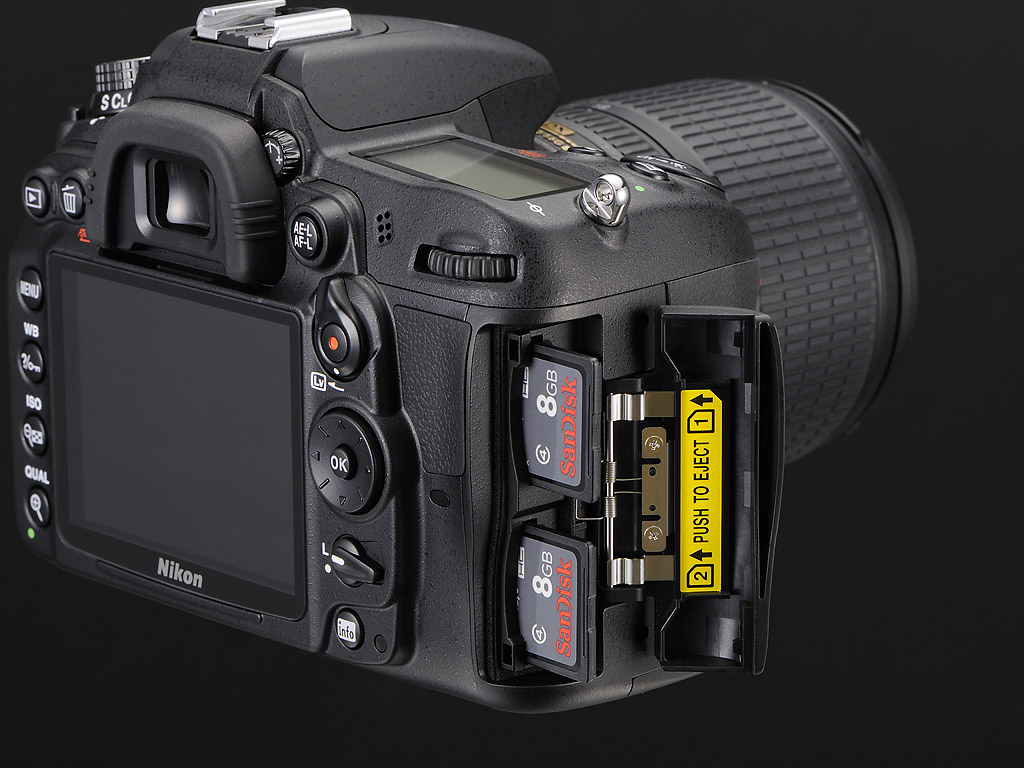
Dual slots. That card door on the right of the Nikon D7000 is noticeably bigger than the SD-card door on the D90. Did they bring back the CF card slot? Not exactly; instead, they included two SD card slots. That, my friends, is what we call an upgrade. Both slots are compatible with SDHC and SDXC cards, and it's possible to configure the camera to use the secondary slot as an overflow when the first card is filled; as a backup of everything written to the other card slot; or to have Raw files routed to one card, and JPEGs to the other. In addition, you can select which card movies should be written to, and copy data between cards in-camera.

Sensor. On the inside, the Nikon D7000 is based around a newly developed DX-format (23.6 x 15.6mm), CMOS image sensor with 16.2 effective megapixel resolution, from a total resolution of 16.9 megapixels. The D7000's imager has a pixel size of 4.78µm, and yields maximum image dimensions of 4,928 x 3,262 pixels. Two lower-resolution options are also available -- either 3,696 x 2,448, or 2,464 x 1,632 pixels.
The Nikon D7000 can capture still images as .NEF-format raw files, JPEG compressed files, or as both types simultaneously. To combat the effects of dust on the image sensor, Nikon has included its sensor cleaning function, which uses piezoelectric vibration at four different frequencies to shake dust from the low-pass filter.

Processor. The Nikon D7000 uses 14-bit analog/digital conversion, and output from the CMOS sensor is handled by a new EXPEED 2 image processor. Compared to the original EXPEED CPU in the D90, EXPEED 2 offers improvements in processing speed, image quality, and power consumption.
The EXPEED 2 CPU's claimed improvements look to be borne out by the camera's specifications. In its Continuous High mode, the Nikon D7000 can shoot as many as 100 JPEG-compressed still images at a rate of 6 frames per second -- a significant improvement over its predecessor, which was limited to 23 JPEG frames at 4.5 fps. When lesser burst speed is required, the Continuous Low mode provides anywhere from one to five frames per second shooting. Another hint of the power on offer from EXPEED 2 can be seen in the Nikon D7000's shutter lag, rated at just fifty milliseconds -- a worthwhile improvement over the 65ms lag of the Nikon D90.
Sensitivity. The Nikon D7000's sensitivity range is also greatly expanded, with standard limits of ISO 100 to 6,400 equivalents, while ISO 12,800 and 25,600 equivalents are available when ISO expansion is enabled. By comparison, the Nikon D90 offers a standard range of ISO 200 to 3,200, while its expanded range was ISO 100 to 6,400. The Nikon D7000 is the company's first DX-format (APS-C sensor size) camera model to offer a maximum sensitivity of 25,600 equivalent, reaching into territory formerly occupied only by the company's FX-format (full-frame) models. With that said, Nikon was pipped to the post in this department by Pentax's K-r and K-5, other APS-C models to offer single-shot ISOs of up to 25,600 and 51,200 respectively, while several recent Sony interchangeable-lens models can offer ISO 25,600, but only in a multi-frame mode.

New metering sensor. Perhaps an even more significant change is to be found in the Nikon D7000's metering system, where the company has increased the resolution of its 3D Color Matrix Metering sensor to 2,016 pixels. That's a huge leap forward from the 420-pixel sensor used in the D90. Even when compared to the 1,005 pixel sensor used in Nikon's professional D3-series cameras (among others), it's still just slightly more than a doubling of the metering sensor resolution. Not only does this new sensor allow more accurate exposure metering in the Nikon D7000, but it also provides improvements in other areas of the camera that rely on information from the metering sensor when making operating decisions. For example, the new metering sensor will also improve performance of the Nikon D7000's Scene Recognition System, which considers a database of around 31,000 different scene types, and then uses the information to assist in calculating optimal focus, exposure, and white balance variables.
As well as Matrix metering, the Nikon D7000 provides center weighted (75% weight for circle) and spot modes. The center-weighted circle defaults to 8mm, but can be changed to 6, 10, or 13mm. The spot metering circle is 3.5mm, or about 2.5% of the image frame at center. Working range for the D7000's metering system is from 0 to 20 EV for matrix and center-weighted metering, or 2 to 20 EV for spot metering (ISO 100, f/1.4 lens, 68°F / 20°C).

Autofocus is another area that's received significant attention from the Nikon D7000's designers. The company has developed a new Multi-CAM 4800DX autofocus sensor, which includes 39 AF points, including nine cross-type sensors at the center of the image frame, operable with every autofocus Nikkor lens. The 39 focus points cover much of the image frame, and the Nikon D7000 includes 3D tracking capability that follows moving subjects from point to point as they traverse the frame. For manual point selection, when a 39-point system might prove overly complex, it's possible to restrict the number of manually selectable points to a subset of 11 points throughout the frame. Nikon has also improved AF control in the D7000, with a new button positioned centrally in the Focus Mode switch used to select the AF point in concert with the camera's control dials to select autofocus mode, active points, etc. Detection range for the D7000's AF system is -1 to +19 EV (ISO 100, 68°F / 20°C). The Nikon D7000 also supports AF fine-tuning to address back- or front-focusing lens issues, a feature previously only found on higher-end models such as the D300 and up.

Exposure modes in the Nikon D7000 include Auto, Program, Aperture-priority, Shutter-priority, Manual, Flash Off, and Scene, as well as two new User modes. As mentioned previously, the Scene mode position on the camera's Mode dial now groups the D7000's scene modes together, rather than their meriting individual positions on the dial. Scene mode choices have been increased from the D90's Portrait, Landscape, Child, Sports, Close-up, and Night Portrait settings to include Night landscape, Party/indoor, Beach/snow, Sunset, Dusk/dawn, Pet portrait, Candlelight, Blossom, Autumn colors, Food, Silhouette, High key and Low key. The two User positions are used to store and quickly recall camera setups for later use. Available shutter speeds range from 1/8,000 to 30 seconds in 1/3 or 1/2EV steps, plus a bulb position for longer exposures. The Nikon D7000's shutter mechanism has a rated lifetime of some 150,000 cycles. Exposure compensation is available within a +/-5.0 EV range, in 1/3 or 1/2 EV steps. The Nikon D7000 also offers two or three frame exposure bracketing, with a step size between exposures of 1/3, 1/2, 2/3, or 1EV.
White balance. The Nikon D7000 provides no less than 20 white balance modes, including two Auto modes, 12 presets, 5 manual positions, and a direct color temperature setting. The secondary Auto white balance mode, known as Ambient Auto, uses information from the new color metering sensor to allow a warm color rendering, as might be desirable for shooting sunsets, golden hour photos, and the like. The function seems similar to that of Pentax's Color Temperature Enhancement (CTE) setting, which was introduced in the K-7 model.

Flash. For shooting in difficult lighting conditions, the Nikon D7000 includes both a built-in popup flash strobe, and an ISO 518 intelligent hot shoe for external strobes. There's no built-in PC sync connector, but Nikon offers an optional hot shoe mounted sync connector adapter for use with studio strobes. The built-in flash has 16mm coverage, and will pop up automatically as needed in Auto and most Scene modes, while in other modes it can be deployed manually. The Guide number is 12 meters / 39 feet at ISO 100, 68°F / 20°C. Flash metering modes include i-TTL, auto-aperture, non-TTL auto, and distance-priority manual, with availability of these modes depending on the flash model. -3 to +1 EV of flash exposure compensation is available, and the Nikon D7000 also offers two or three frame flash exposure bracketing, with a step size between exposures of 1/3, 1/2, 2/3, or 1EV.
The Nikon D7000 includes in-camera support for Nikon's Creative Lighting System with the built-in strobe, and with compatible external strobes, as well as Auto FP high-speed sync and modeling illumination support for all Creative Lighting System-compatible strobes except the SB-400. Flash X-sync is at 1/250 second, but can be increased to 1/320 second at the expense of flash range.
Viewfinder. The Nikon D7000's glass pentaprism optical viewfinder has also been refined from that in the D90. While the 0.94x magnification and 19.5mm eyepoint are unchanged, the Nikon D7000's viewfinder now boasts 100% rated coverage, easing accurate framing of images. It also provides a wider diopter adjustment range of -3 to +1m-1. The rear-panel super density 3.0-inch LCD panel, used for playback and live view framing of images and movies, looks to be unchanged from that of the D90. Resolution is still 921,000 dots, roughly equating to a VGA (640 x 480) pixel array, with each pixel comprising three adjacent red, green, and blue dots. The D7000's LCD panel has a wide 170 degree viewing angle, making it somewhat more useful for shooting from the hip, low to the ground, or overhead, although the tilt or tilt/swivel types on some competing cameras can make these tasks rather easier.

Live view and Movie. The Nikon D7000 retains the live view and movie functionality of the D90, but with some important tweaks. The D90 uses a dedicated button to start and stop Live view mode, while the OK button in the center of the four-way controller functioned as a Movie record button when Live view was active. In the D7000, the Live View mode is now triggered with a dedicated selector lever, and a button centrally located in the lever's pivot point is used as a dedicated movie record button. The Nikon D7000's Live view mode retains the face detection and tracking capability of the D90, but can now locate many more faces within the image frame -- as many as 35 faces can be detected simultaneously, seven times as many as in the previous model.
Full-time AF. Perhaps more significantly for consumer videographers, the Nikon D7000 now offers full-time contrast detection autofocus during movie capture, including support for the face detection and tracking functionality. With Nikon F-mount lenses having been designed for still image shooting, it's likely that autofocus drive noise will be picked up on the audio track when using the Nikon D7000's internal microphone, but this is likely a worthwhile tradeoff for many consumers, given the difficulty of learning to pull focus manually.

Movie record modes. Where the D90 is limited to a maximum of 720p (1,280 x 720 pixel) video recording at 24 frames per second, the Nikon D7000 is now capable of Full HD (1,920 x 1,080 pixel) movie capture at the same 24 frames per second rate. If this much resolution is overkill for your purposes, there are still options for both 720p and VGA video capture in the D7000, with a choice of either 24 or 30fps at 720p, and VGA movies being fixed at 30 frames per second. (These rates all apply in NTSC mode; for PAL mode the 30fps rates are replaced with 25fps rates.)
Another important difference between the video modes of the D90 and Nikon D7000 can be found in their choices of file type and compression format. The D90 uses older, less efficient, Motion JPEG compression in an .AVI container, where the Nikon D7000 now uses H.264 / MPEG-4 AVC in a .MOV container. While this will lead to smaller file sizes, the change of video format will also necessitate a reasonably modern PC for editing and (to a lesser extent) playback -- perhaps the main advantage of Motion JPEG is that its computer requirements are more modest thanks to the less advanced compression used. Audio is recorded as linear PCM, from either an internal monaural microphone, or a standard 3.5mm external stereo microphone jack. Maximum clip length is 20 minutes, regardless of recording resolution. The Nikon D7000 includes not only the ability to perform basic movie editing in-camera, specifying crop points at the start or end of a movie clip, but also allows photographers to extract still frames from within a recorded video -- potentially a useful feature for small prints, given that the highest resolution Movie mode would yield a two-megapixel still.
Editing. The Nikon D7000 retains the in-camera Raw file processing and image retouching capabilities of its predecessor, and adds a couple of new tricks. Among these are a perspective control function that provides the miniature effect that's been particularly popular of late, adding graduated blurs at the top and bottom edges of an image to simulate reduced depth of field. There's also a new color sketch filter that provides output intended to look like a hand-drawn sketch.
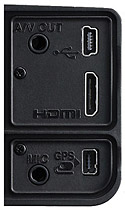
Ports. The Nikon D7000 includes a range of connectivity options. For data transfer to a computer, there's a standard USB 2.0 High Speed port. Videos can be shown on standard or high-definition displays using either the NTSC / PAL switchable composite port, or Type-C Mini HDMI port, respectively. While in use, the standard-def composite port allows the camera's LCD to remain active, but the HDMI port overrides the camera's LCD display. It also supports the Consumer Electronics Control (HDMI-CEC) standard, allowing remote control of certain playback functionality through the HDMI cable, from an attached display's remote control unit. There's also an accessory terminal on the Nikon D7000 that's compatible with the MC-DC2 remote cable release, and the GP-1 GPS unit, both available as optional extras. Finally, the Nikon D7000 has the aforementioned 3.5mm stereo microphone input jack.

Battery. The Nikon D7000 draws power from a new EN-EL15 lithium-ion battery pack, rather than the previous EN-EL3e type. The new pack is more compact, and is rated at a 1,900 mAh capacity. Battery life to CIPA testing standards should be approximately 1,050 shots. The Nikon D7000 is also compatible with an optional MB-D11 portrait battery grip, which can accept either one EN-EL15 lithium-ion battery pack, or six standard AA cells. For longer-term power, such as in a studio, Nikon also provides an optional EP-5B power supply connector, essentially a dummy battery to which the company's EH-5 AC adapter can be connected.
Price and availability. The Nikon D7000 digital camera began shipping from October 2010, with pricing set at about US$1,200 body-only. A Nikon D7000 kit is also available, including the AF-S DX Zoom-NIKKOR 18-105mm f/3.5-5.6G ED VR lens for around US$1,500.
Nikon D7000 Field Test
by Shawn Barnett
As always, shooting with a Nikon digital SLR camera is a pleasure. The Nikon D90 charm remains in the Nikon D7000: A small-bodied digital SLR with most of the major controls available at your fingertips; that includes a few new controls to make accessing the Nikon D7000's new features a little bit easier. Thanks to the new features and controls, the learning curve is a little bit steeper, and the Nikon D7000 has a lot more depth to plumb with the manual in one hand.

Metering. I like how well the Nikon D7000's meter handles unusual lighting situations. It gives me more confidence when shooting on the street to catch brief moments like this.
I shot the Nikon D7000 with the 18-105mm f/3.5-5.6 kit lens, equivalent to a 27-158mm lens, which has the typical high quality build of most Nikkor lenses. The zoom ring is smooth and tight, and the lens has built-in Vibration Reduction. The only physical complaint I have is that the lens hood tends to rattle, quite a lot unfortunately, which is a first for me among Nikon lens hoods. That's not good for videos, but I didn't notice any rattle in the videos I shot. I've managed to temporarily quiet the rattle with a small piece of tape wrapped around the mount on the bottom side of the lens hood. After using the lens a little more, I found its focal length a little short for my usual family shooting, as it doesn't get me close enough to the stage at school or sports events. I would prefer the 18-135mm lens, even though that model lacks VR. It's still a very good lens, though, with less chromatic aberration than the 18-135, and better image quality than the standard kit lens that ships with the D3100 and D5000. See our review of the 18-105mm lens on our sister site, SLRgear.com.
As I said, working with the Nikon D7000 is a little different from working with the D90, and also different from the Nikon D300. Neither of the big two SLR manufacturers has a single overarching philosophy concerning controls, and as features are added, it seems like each design team solves the problems in its own way. I prefer the Nikon D300S interface, with three major important options clustered atop the Drive Mode dial on the left shoulder, but Nikon's long put a Mode dial here on this class of camera, which is probably better for consumer users.
Grip. Grabbing the Nikon D7000, my fingertips find a comfortable home in the gentle indentation just inside the grip. My middle finger just touches the function button on the front and my index finger rests on the shutter button. My thumb gently touches the left of the Main Command dial on the rear of the camera, also catching a bit of the rubber pad beneath it. Nikon has thoughtfully cut a corner off the left front of the D7000 so it doesn't jab into my palm as my fingers work the zoom and focus rings. The Nikon D7000 is well crafted.

Focus. If I want to change the focus mode, there's a new button on the AF/MF switch on the left side of the D7000. With the switch set to AF, just press the button and look to the top Status display (or the rear Status display if it's active). Turning the Main Command dial selects between AF-A, AF-S, and AF-C, while turning the Sub-Command dial chooses among Single-Point AF, Dynamic-area AF with three options--9-point, 21-point, and 39-point--and 3D tracking. Auto-Area AF makes all the decisions for you. I prefer Single-point mode for its greater acquisition speed and accuracy.
Choosing a different point is as easy as using the eight-way controller disk on the back. Either look through the viewfinder as you press the controller, or activate the Info screen on the rear of the Nikon D7000. For some reason the top Status display doesn't show where the point is going. Overall, in good light the Nikon D7000's focus acquisition is pretty fast in Single-point mode, but noticeably slower in multi-point modes. (The lab measured 0.238s for AF lag in Single-point AF mode versus 0.436s in Auto Area mode.) That's also true in the Nikon D300S, so it's not a surprise. The new 18-105mm lens also slews pretty slowly. It's quiet, but not lighting fast. I got varying results in different light, as expected.
Shutter sound. The Nikon D7000 has a very fast shutter sound, with a short viewfinder blackout time, which is helpful for keeping in touch with your subject when shooting action or portraits. If you know someone who's never any trouble, but always seems to apologize as if they are, you'll get an idea of how demure the Nikon D7000 is when you trip the shutter. While that can be mildly annoying in a person, it's just right in a camera; it should get out of the way as soon as possible while drawing little attention to itself so you can plan your next shot. It's a little louder from the front than it is from the back, so you're making a little more noise than you think, but it gives the camera just the right personality.
Live view. You activate Live view mode with the same lever that debuted on the D3100. It surrounds the Movie start button, which is appropriate since you must be in Live view mode to start a Movie recording. It's in just the right position, and it works just as it should too, unlike Nikon's early efforts at Live view, which were activated on the Drive mode dial, then required a first press on the shutter button to enter Live view, with a followup press to take a picture.

1080p in low light. I thought the Nikon D7000 did pretty well in low light at such high res. ISO was set to Auto. See also the 720p video here.
Movies. While shooting a roomful of kids having a paper snowball fight, I found that the chaos was a little too much for stills. Switching to video helped me capture a bit more of the madness, but I forgot that I could live focus as they fought, remembering only at the end. It wouldn't have mattered much, though, because the distances changed rapidly and the action was fierce. Because they're kids, most of whom aren't mine, I won't show you that, but I can show you the video I shot on the street in low light. I think it's pretty good, considering that it's likely captured at ISO 6,400.
Dual cards. When the D300S included dual cards--an SD and a CF card, I wondered whether this somewhat obvious convenience might trickle down to consumer models. Though they left out the CF option, the D7000 does indeed include two SD card slots, a choice that's just right for the kind of shooter likely to be attracted to the camera. By default, the second card serves as a overflow if you fill the first card. The camera automatically starts saving to the second card. If you're concerned about losing files, you can start backing up as you capture, saving the same image to both cards consecutively; not a bad idea on an important shoot. You can also split up your RAW and JPEG images between the two cards. You can even reserve one of the cards to serve as a repository for your movies, while saving stills to the other. Regardless how you configure them, it makes a whole lot of sense in these days of large file sizes for stills and videos to already have an extra card in the camera. On a long shoot in the default overflow mode, it worked flawlessly, rolling over to the second card when the first was filled.

Function button. The Function (Fn) button can be set to let you access a wide array of functions quickly, including flash exposure lock, depth-of-field preview, AE/AF lock and a huge number of other controls. Since there are already buttons for two of the previously mentioned items, I found the +RAW option to be the most obvious and beneficial setting for my shooting. Press it once, and your next shot will include a RAW image in addition to a JPEG. I usually shoot RAW+JPEG, but so seldom use the RAW images that I prefer this option for casual shooting. With the press of the Fn button, I can toggle RAW on for the next shot without fumbling through the Nikon D7000's menu. I wish there were an option to toggle between capturing RAW+JPEG and just JPEG, to make capturing a series of RAW images that much easier, but I'm glad it's there all the same. Spot metering would also be a good Function button setting for more precise metering when the default metering option isn't cutting it.
High-speed shooting. One shortcoming of previous non-pro Nikon SLRs was the inability to shoot at a fast frame rate when the bit depth was set to 14. But that is no longer a problem with the Nikon D7000. Set your 14-bit depth and fire away at six frames per second. You can also shoot at 12-bit if you want smaller file sizes, but you gain no speed advantage. Six frames-per-second is pretty fast, not bad for shooting sports and other action. It's not as significant as eight frames per second, but it's still respectable, and a long way from the standard three frames per second on entry-level models.


Dynamic range. I tried to take shots with a fairly wide dynamic range so you can see how well the D7000 handles shadow detail. The men and paintings inside the store have good detail, but the sign out front is blown. I'm not sure I mind so much. The shadows get quite deep in the second shot, but detail is still good and the window frame isn't blown.
Flash. I seldom use flash as it is, but I was discouraged from using the flash on the Nikon D7000 because it tended to either overexpose and wash out images, or its exposure was inconsistent. Several test shots around the office don't show the effect much, but most of my personal candid shots are overexposed at the default settings. Once I dialed it back a bit by pressing the Flash Pop-up button on the left of the prism housing, which also serves as the FE Compensation button, I got better results (some of which I still had to dial back or increase exposure depending on the subject--which is to be expected).
Instead of the on-camera flash, I recommend using either high ISO, which delivers excellent results, or an SB-700 or SB-900 external flash. They're much more powerful, can put the light right where you want it, and they seem to be better controlled. As part of the Creative Lighting System, the pop-up flash can remote control two groups of flashes placed strategically around a subject, and you can include or exclude the on-camera flash from the equation.

Christmas snow. The Nikon D7000 did very well at ISO 3,200 in this snowy dusk light. The sun had already set about 25 minutes before this photograph to give you an idea of the light level, which is a lot dimmer than you see here. I'm glad I had the D7000 for this moment.
Low light. Nikon's claim to fame in recent years is its stellar low-light performance, and the Nikon D7000 does not disappoint. We got snow on Christmas day here in the South, so when my wife placed my one-year-old daughter on the counter to watch the snow fall after the Sun had set, I grabbed the Nikon D7000. My daughter moves a lot, the kitchen counter was in my way, and the light level was very low, but so beautifully even I had to keep trying. I don't remember if I cranked the ISO up to 3,200 or if I let the camera do it, but the shot at right was taken at f/4.8 (the max aperture at that zoom setting) and 1/30 second. I shot it a little wider than I would have to keep the lens at a faster focal length, and the best shot was somewhat crooked, so all I've posted here is a pretty hefty crop, processed through Nikon Capture NX 2. It makes a great 8x10. First I processed the JPEG in Photoshop and got what I thought was a pretty good rendering, but I managed far smoother detail and tone from of the RAW image in Capture NX 2. Where the left side of her cheek had yellow and purple splotches in the prints even after processing in my usual fashion, the Capture NX 2 image doesn't. I'm no expert in Capture NX, and I'm sure even a frequent user of NX 2 could get more from the image; but the point of shooting RAW is to get more from your images, especially in low light, and it's clear that I did so here.
Menu. There's no getting around it: if you have a capable camera, you're going to need a relatively complex menu to control it. I find it a little blinding at times, with so many words my mind gets a little lost. It's tough for me to remember that to turn on wireless flash control, for example, I have to go to the Custom Setting Menu, choose Bracketing/flash, then scroll down to "Flash cntrl for built-in flash," select that, then I finally see the words "Commander mode," along with the other settings of TTL, Manual, and Repeating flash. It makes sense, it's just a lot to remember to get where you need to be. It's important to find a place in your camera bag for the Nikon D7000 Manual, and plan a little extra time to read it the day before a shoot to make sure you understand more complex items like the Creative Lighting System. It's a 325-page manual, which speaks to the complexity of the menu system and the impressive capability of the Nikon D7000 itself.
Overall. I found myself hard-pressed to find much more to write about the Nikon D7000, mostly because it works so well. Nikon has a well-refined control scheme that now better integrates video into the experience, such that I was able to switch between the two very naturally. I love the 100% viewfinder, which tests at about 98% in our lab shots. Still, it's hard to beat seeing almost everything you're going to capture. I found autofocus to be a little slower than I'm used to in the multi-point modes, but speed rises well enough when I lock autofocus to a single point. Looking through my photographs, I got more hits than misses. I think for people pictures I'd do better letting the camera pick the AF points, as many of my shots are well-focused on the center point, which is often on the shirt, but not on the face. I usually pre-focus on the face, then recompose, but that didn't seem to work as well as usual. Regardless, the Nikon D7000 was a pleasure to use and really makes great images. I recommend it to anyone looking for a high-quality SLR that will help them grow as a photographer.
Nikon D7000, Canon 60D Body Comparison
 |
|
The Nikon D7000 is slightly smaller than the Canon 60D, mostly in width, but the Canon XXD line has shrunk somewhat to take on the D90 and D7000. The 60D even includes an infrared receiver, located on the grip, while the Nikon D7000's appears on the upper right of the lens mount. A key advantage remains in the D7000, though, which is the AF-assist lamp. The two lenses address similar needs, with the Nikkor covering a slightly wider and shorter 27-157.5mm and the Canon covering 28.8-216mm; both are f/3.5-5.6 and image-stabilized. The Canon 60D is also missing the equivalent of AF Fine-tuning, something the D7000 retains (an important feature if you have a lens that front or back-focuses).
|
 |
|
The top view shows the smaller packing size of the Nikon D7000. Note the use of D-rings on the Nikon, which, while nostalgic, have the unfortunate tendency to rattle, noise that can be heard in videos made using the internal microphone. The Canon 60D still leaves a few more controls on the top deck, while the Nikon D7000 has the power switch in a position where it's very easy to activate with your finger at the ready. The Canon 60D also has a locking mode dial, if you like that sort of thing.
|
 |
|
The back of the Nikon D7000 tells just how much more compact it is width-wise than the Canon 60D. Which you prefer is quite individual. I find the D7000 grip small but extremely efficient, offering good room and bite for the fingertips and the thumb and heel of my hand to get excellent control very quickly. The Canon 60D's grip is a little more tacky with excellent texture, but though there is a slight ridge to help the fingertips grip better, it's not quite as sure a hold as the D7000's. There's still more room to spread your thumb over the 60D's back. That's an assessment for my hands, but your experiences will differ. Most of the 60D's controls are grouped on the right side of the camera, thanks to the hinge on the left of the LCD that enables it to swing out and help you capture images from a wide variety of angles. Both designs offer reasonably quick access to Movie mode. Otherwise, both control arrangements are pretty good, if completely different.
|
Nikon D7000 Image Quality Comparison
Most digital SLRs will produce a reasonable ISO 100 shot, so I like to push them and see what they can do at ISO 1,600. Recent advances in sensor technology have made ISO 1,600 look a lot more like ISO 100, but there are still cameras whose quality starts to fall apart at this setting. It's arguable that ISO 3,200 is the new 1,600, so we've included those crops as well.
Nikon D7000 versus Nikon D90 at ISO 1,600
 |
 |
 |
 |
 |
 |
|
Nikon D7000 at ISO 1,600
|
Nikon D90 at ISO 1,600
|
|
Though the noise suppression patterns and rendering are very similar, the Nikon D7000's higher-resolution sensor shows more detail by its nature. The red swatch, in particular, seems to show more true detail than the D90's sensor, which is precisely what you want a higher-resolution sensor to do (that seems an obvious statement until you remember that many sensors gain resolution at the expense of noise and loss of detail, while the D7000's improvement shows that Nikon went to the right level to keep relative image quality the same while improving just the resolution).
|
|
Nikon D7000 versus Canon 60D at ISO 1,600
|
 |
|
 |
|
 |
|
Nikon D7000 at ISO 1,600
|
Canon 60D at ISO 1,600
|
In the market, the Nikon D7000's chief rival is the Canon 60D, with its 18-megapixel sensor. It captures just a little more detail (hence the larger objects when cropped at 100% onscreen). But its noise-suppression engine is a little too aggressive with the red leaf swatch, obscuring most detail. Neither camera gets it right, but the Canon really muddles it badly. |
|
Nikon D7000 versus Panasonic GH2 at ISO 1,600
|
 |
|
 |
|
 |
|
Nikon D7000 at ISO 1,600
|
Panasonic GH2 at ISO 1,600
|
As much as we like the GH2, it really records the world differently in its JPEG images. There's a noticeable green cast, especially in yellows. Detail is good, though, and I know that the RAWs look much better. Resolution is relatively the same, but the image size looks different because of the difference in aspect ratio. The red leaf swatch from the GH2 shows some of the true nature of the red swatch, with dark lines outlining each leaf--much better defined than this--while the D7000 would have you think the leaves had no lines surrounding them. Both systems are struggling with the fact of the fabric's texture, which they see as noise (see our shots of this Still Life target with the 40-megapixel Pentax 645D for the truest rendition of this fabric--scroll down the page for crops). |
|
Nikon D7000 versus Pentax K-5 at ISO 1,600
|
 |
|
 |
|
 |
|
Nikon D7000 at ISO 1,600
|
Pentax K-5 at ISO 1,600
|
These two sensors are supposed to be similar Sony designs, so it is interesting to see how different they render through the two camera's different image processing engines. The Pentax K-5 shows higher contrast, lower levels of chroma noise, and less anti-noise dithering. It also has more sharpness and detail in the mosaic pattern. But look at the red swatch and the purple one beneath it. Way off. Again referring to the Pentax 645D, though, both tend to render that pink swatch beneath the red one a little more purple. |
|
Nikon D7000 versus Sony A580 at ISO 1,600
|
 |
|
 |
|
 |
|
Nikon D7000 at ISO 1,600
|
Sony A580 at ISO 1,600
|
|
The Sony A580 should also have a similar 16.2-megapixel sensor in it, again illustrating the different approaches to image and noise processing. While the Nikon D7000's image of the background behind the yellow Mas Portel bottle has chroma and luminance, as well as texture to it, the Sony A580 chooses to blur all of that out, making it look out of focus; yet the Sony also enhances the dark lines of the bottle label, increasing the contrast between the bottle and label as well. The red switch renders very similarly in terms of the leaf pattern, but again Sony's default noise suppression settings are more aggressive, making this part of the image appear blurry. |
|
Today's ISO 3,200 is yesterday's ISO 1,600 (well, almost), so below are the same crops at ISO 3,200.
Nikon D7000 versus Nikon D90 at ISO 3,200
 |
 |
 |
 |
 |
 |
|
Nikon D7000 at ISO 3,200
|
Nikon D90 at ISO 3,200 |
|
ISO 3,200 was the Nikon D90's turning point, the point at which Nikon saw that they had to turn up the suppression a bit more and knock back the chroma noise in particular, while they kept to a more measured approach in the Nikon D7000. As a result, the D7000 delivers more detail overall, though I think the D90's rendering of the red swatch keeps to the spirit of the swatch better than the D7000's, which appears darker overall.
|
|
Nikon D7000 versus Canon 60D at ISO 3,200
|
 |
|
 |
|
 |
|
Nikon D7000 at ISO 3,200
|
Canon 60D at ISO 3,200
|
The Canon 60D continues to hold its own against the Nikon D7000 in most areas, even outdoing it in handling chroma noise, but that red swatch has entered the realm of the ridiculous, as most Canon SLRs do. |
|
Nikon D7000 versus Panasonic GH2 at ISO 3,200
|
 |
|
 |
|
 |
|
Nikon D7000 at ISO 3,200
|
Panasonic GH2 at ISO 3,200
|
Again, the size difference between these two is more about aspect ratio vs. resolution, as they're both 16-megapixel sensors. The Nikon D7000 clearly has the edge in both detail and color rendition. |
|
Nikon D7000 versus Pentax K-5 at ISO 3,200
|
 |
|
 |
|
 |
|
Nikon D7000 at ISO 3,200
|
Pentax K-5 at ISO 3,200
|
The Pentax K5 seems to come up with more detail in most areas, but not in the troublesome red swatch, and purple is chosen instead of pink in the nearby swatch. |
|
Nikon D7000 versus Sony A580 at ISO 3,200
|
 |
|
 |
|
 |
|
Nikon D7000 at ISO 3,200
|
Sony A580 at ISO 3,200
|
|
The Sony A580 continues to take an aggressive approach to noise with questionable chroma noise, while Nikon prefers to retain more detail, leaving just a little noise in the shot. I prefer Nikon's method, because it generally prints better at larger sizes. |
|
Detail: Nikon D7000 vs Nikon D90, Canon 60D, Panasonic GH2, Pentax K-5 and Sony A580
 |
 |
 |
 |
 |
 |
 |
 |
 |
 |
 |
 |
 |
 |
 |
 |
 |
 |
Nikon D7000 ISO 100 ISO 3,200 ISO 6,400 |
Nikon D90 ISO 100 ISO 3,200 ISO 6,400 |
Canon 60D ISO 100 ISO 3,200 ISO 6,400 |
Panasonic GH2 ISO 160 ISO 3,200 ISO 6,400 |
Pentax K-5 ISO 100 ISO 3,200 ISO 6,400 |
Sony A580 ISO 100 ISO 3,200 ISO 6,400 |
|
Detail comparison. Digital cameras generally do better with a black and white target, so we also look at that closely, here at ISO 100, 3,200, and 6,400. Though at ISO 100 the Canon 60D really looks impressive, note how dramatically it's punched up the contrast and the sharpening. You can see the sharpening at work with the bright halo around the black lines. The Nikon D7000 has a little lower resolution, and also applies the sharpening, but not quite as dramatically. The result is a more even performance across the three ISO settings. I'm not saying which to prefer; more resolution is quite good, and the Canon delivers in this case across the board. All six cameras look pretty good, with the D90 outclassed with its 12mp sensor, the GH2 resolving more lines inside the letters, and the Pentax and Sony also manage to edge out the D7000 in terms of lines rendered. But remember the overall performance of the more real-world, lower-contrast subjects in the multi-color crops above these.
Also bear in mind that we shoot these shots with the best lenses we have available for each platform. In this case, they are all shot with a Sigma 70mm f/2.8; all but the GH2, which uses the very sharp Olympus 50mm f/2 lens. |
|||||
Nikon D7000 Print Quality
 Printing tells the clear story of the Nikon D7000's image quality. ISO 100 images make a very crisp 24 x 36 inch print with no trouble. This remains true at ISO 200 and 400, with slight luminance noise starting to encroach in the shadows at ISO 400. Prints up to 36 x 48 are fine for wall display purposes.
ISO 800 shots finally start to show some softness in fine detail, but it's still quite good at 20 x 30 inches.
ISO 1,600 prints are nice at 13 x 19, with only minor noise in the some shadowy areas and reminiscent of film grain.
ISO 3,200 yields a nice 11 x 14, if just a bit soft in some areas for fine detail.
ISO 6,400 is good for 8 x 10s. Chroma noise is visible in the shadows, but not too badly.
ISO 12,800 suffers from more chroma noise and snowy luminance noise at 5 x 7, such that it's not really usable. However, reducing size to 4 x 6 is fine.
ISO 25,600 prints a decent 4 x 6 for less critical applications, but is not what we can officially call "good".
That's what we call an impressive performance, producing excellent images from ISO 100 to 400 at very large 24 x 36 inch print sizes, and even at ISO 12,800 you can get a good 4 x 6 inch print.
See below for our conclusion; be sure to check the other tabs for detail test results.
In the Box
The retail package contains the following items:
- Nikon D7000 digital camera
- Nikkor AF-S DX 18-105mm f/3.5-5.6 G ED VR lens (kit as reviewed)
- Strap
- Rechargeable lithium-ion battery EN-EL15
- Battery charger MH-25
- USB cable
- A/V cable
- Body cap
- Eyepiece cap
- Accessory shoe cover
- Lens cap
- Rear lens cap
- Software CD-ROM
- Quick start guide
- User's manual
- Warranty and registration card
Recommended Accessories
- Extra battery pack for extended outings
- Large capacity SD/SDHC memory card. These days, 8GB Class 4 is a good tradeoff between cost and capacity, but if you plan to capture many movie clips, look for larger cards with Class 6 or faster ratings. And consider buying at least a third card for when you fill the camera's two cards.
- Camera case
Nikon D7000 Conclusion
| Pro: | Con: |
|---|---|
|
|
The Nikon D7000 is an excellent digital SLR, and an important player in Nikon's digital camera lineup. It's my first choice for anyone serious about getting great shots of their family, a great choice for the enthusiast photographer, and a great starter camera for anyone wanting to get more serious about still or video photography.
Its higher resolution sensor answers a desire many Nikon shooters have had, yet it's done so carefully that high ISO performance is improved over the Nikon D90, despite the resolution increase. I appreciate Nikon's conservative approach. The truth is in the printed results: You can easily print 20x30 inch sheets from ISO 100 up to ISO 800, and the second highest ISO setting of 12,800 produces a nice 4x6. Can't complain about that.
Nikon's controls are easy to use, and accessing Live view and Movie modes couldn't seem more natural. I love the grip, as well as the compact body, which makes the camera feel nimble, and makes it easier to bring along. Having two SD card slots is another natural choice for the avid shooter, one I hope other companies will adopt.
As the feature set has grown, the learning curve has steepened a bit with the Nikon D7000. I recommend spending a little time with the manual to better acquaint yourself with the extensive capabilities of the D7000. It'll be rewarding, because the D7000 has a lot to offer the curious shooter.
The Nikon D7000 is one of those cameras that's easy to recommend. The only reason to recommend a D3100 or D5000 over the D7000 is a buyer's budget, and perhaps a need for more accessible Scene modes, and the only reason to recommend the D300S or D700 is the need for more professional features. Most enthusiast photographers will be extremely pleased with the Nikon D7000. It's a certain, and highly recommended Dave's Pick.
Design
Nikon D7000 Design

(Illustration courtesy Nikon USA)
1 |
Built-in flash
|
10
|
AF-mode button
|
2 |
Flash mode button
|
11
|
Focus mode selector
|
Flash compensation button |
12 |
Meter coupling lever |
|
3 |
Bracketing (BKT) button
|
13
|
Mirror
|
4 |
Infrared receiver (front)
|
14
|
USB connector
|
5 |
Mounting mark
|
15 |
A/V connector
|
6 |
Built-in microphone
|
16 |
HDMI mini-pin connector
|
7 |
Lens release button
|
17 |
Accessory terminal
|
8 |
Connector cover
|
18 |
Connector for external microphone
|
9 |
Cover for accessory terminal and external microphone connectors
|
The Nikon D7000 has a new body design that sits somewhere in between those of the previous D90 and D300s models, in terms of both control layout and features. The D7000's body is nearly identical to that of the D90 in terms of size, and around half an inch less wide and tall than the D300s. Body-only, it weighs some 2.3 ounces (70g) more than the D90, but is still a significant 5.9 ounces (150g) lighter than the D300s. The D7000's design combines both magnesium alloy and polycarbonate panels over a polycarbonate chassis, and includes an array of environmental seals for dust and water resistance. The top and rear body panels of the camera itself are magnesium alloy, while the front, side, and base panels are all polycarbonate. Nikon doesn't specifically state how many seals the D7000 contains, but its marketing materials state that all joints and "various points" on the camera body have been sealed, and that the sealing has been "severely tested against moisture and dust". The optionally available MB-D11 portrait / battery grip has magnesium alloy panels front and rear, and also includes a variety of environmental seals. Of particular note in this view, the Focus Mode selector now includes an AF-mode button at its center, a design which differs from both those of the D90 and D300s.

(Illustration courtesy Nikon USA)
1 |
AF-assist illuminator |
6 |
Battery-chamber cover latch |
Self-timer lamp |
7 |
Contact cover for optional MB-D11 battery pack |
|
Red-eye reduction lamp |
8 |
Power connector cover |
|
2 |
Sub-command dial |
9 |
CPU contacts |
3 |
Function (Fn) button |
10 |
Lens mount |
4 |
Depth-of-field preview button |
11 |
Tripod socket |
5 |
Battery-chamber cover |
As can be seen in the previous two views, front panel control placement on the D7000 is near-identical to that of the D90. A couple of notable differences between the two cameras can be found on the D7000's base, however. The D90's optional portrait / battery grip interfaced with the camera courtesy of a large dummy battery projection, where the D7000 does so via a proprietary connector that's hidden under a soft rubber flap adjacent to the battery compartment door. This change also means that where the D90's battery compartment door was removable, and could be stored in the grip when not in use, the D7000 has a fixed compartment door. The different approach means that if you want to swap both batteries in the D7000 you'll first need to remove the grip, but it also makes the grip itself rather less bulky, and perhaps makes it a little quicker to attach and remove.

(Illustration courtesy Nikon USA)
1 |
Viewfinder eyepiece |
10 |
Diopter adjustment control |
2 |
Rubber eyecup |
11 |
AE-L / AF-L button |
3 |
Delete button |
12 |
Speaker |
Format button |
13 |
Main command dial |
|
4 |
Playback button |
14 |
Live view switch |
5 |
Monitor |
15 |
Movie-record button |
6 |
Menu button |
16 |
Multi selector |
7 |
Help / Protect button |
17 |
Memory card slot cover |
White balance button |
18 |
OK button |
|
8 |
Thumbnail / Playback zoom out button |
19 |
Infrared receiver (rear) |
ISO sensitivity button |
20 |
Focus selector lock |
|
9 |
Playback zoom in button |
21 |
Memory card access lamp |
Image quality / size (QUAL) button |
22 |
Info button |
|
Two-button reset button |
Several significant differences between the D7000 and its siblings can be seen from the camera's rear. The D7000 features a traditional Mode dial as in the D90, but places this above a lockable release mode dial similar to that in the D300s. Also like the D300s, the D7000 places its Playback and Delete buttons side by side, just to the left of the viewfinder eyepiece. The column of buttons adjacent to the left of the LCD display are all dual-purpose, as in the D90, but with the playback button now relocated, there are only four buttons in the column. Unlike both the D90 and D300s, the D7000 features Nikon's latest user interface design for live view and movie recording, which relies on a dedicated, spring-loaded switch to enable and disable live view, while a small button at the center of this switch conveniently starts and stops movie recording with a press of the thumb. It's an intuitive design that provides quick access to live view and movie capture no matter what the camera's current operating mode, and makes it relatively easy to avoid shaking the camera at the start and end of movie clips. It does, however, bring the potential for some confusion, given that the Mode dial position doesn't necessarily correlate to the exposure variables one can adjust before or during movie capture.

(Illustration courtesy Nikon USA)
1 |
Release mode dial |
9 |
Exposure compensation button |
2 |
Mode dial |
Two-button reset button |
|
3 |
Eyelet for camera strap |
10 |
Metering button |
4 |
Release mode dial lock release |
Format button |
|
5 |
Accessory shoe (for optional flash unit) |
11 |
Eyelet for camera strap |
6 |
Accessory shoe cover |
12 |
Focal plane mark |
7 |
Power switch |
13 |
Control panel |
8 |
Shutter-release button |
From the top, the D7000's top panel layout is closest to that of the D300s, although as previously noted, it relies on a traditional Mode dial as in the D90. Hence, it replaces the Exposure Mode button from the D300s with a Metering Mode button as in the D90. Unlike the D90's Mode dial, that in the D7000 combines all the camera's Scene modes into a single Scene position, freeing up space for two User mode positions, and reducing Mode dial clutter significantly.
Operation
Nikon D7000 Operation
With its many buttons, knobs, and dials, the Nikon D7000 could look intimidating to the unseasoned SLR user. But to the experienced shooter, the Nikon D7000's controls will quickly make this camera a photographer's best friend. All key buttons for essential controls are on the Nikon D7000's surface skin, and several of the buttons can be reprogrammed to meet your needs or personal shooting style. Several of the front-panel controls are positioned to fall right under your fingertips without moving your hands while shooting, making the camera extremely intuitive to use, once you've memorized the button locations. These include the Function, Depth-of-field Preview, and AF Mode buttons, and the Focus Mode lever. The functions of numerous controls can also be changed through the Custom Setting menu, allowing D7000 owners to tune the camera to their preferences.
Many functions can be changed using a button and the Main Command dial while looking at the Status LCD on the top deck, while several can be changed while looking at the viewfinder's info LCD. Other items are changed by pressing the Menu key and using the navigation disk on the back of the D7000.
Nikon D7000 Top Panel Status LCD
 As with most higher-end Nikon DSLRs, the top-panel data readout LCD communicates a lot of information about current camera settings, and is used in conjunction with the various buttons and Command dials to set many camera functions. You can also use the main LCD to adjust many of the same settings, but using the top LCD saves power and can be more convenient when the camera is below eye level. The info display in the optical viewfinder can also be used for some command, but lacks the level of detail provided by the top panel display. It's also always active whenever the camera is on and not in sleep mode, so you don't have to go into the menu system to make changes to the settings it supports. The panel is illuminated by a green backlight which is activated by a third, spring-loaded lamp position on the power switch. The illustrations below show the meaning of the various icons and readouts in this display.


1 |
Color temperature indicator |
15 |
ISO sensitivity indicator |
2 |
Shutter speed |
Auto ISO sensitivity indicator |
|
|
Exposure compensation value |
16 |
"K" (appears when memory remains for over 1000 exposures) |
|
|
Flash compensation value |
17 |
"Beep" indicator |
|
|
White balance fine-tuning |
18 |
Exposure compensation indicator |
|
Color temperature |
19 |
Flash sync indicator |
|
White balance preset number |
20 |
Flash compensation indicator |
|
Number of shots in bracketing sequence |
21 |
Auto-area AF indicator |
|
Number of intervals for interval timer |
AF-area mode indicator |
||
Focal length (non-CPU lenses) |
3D-tracking indicator |
||
3 |
MB-D11 battery indicator |
22 |
Autofocus mode |
4 |
Battery indicator |
23 |
Clock not set indicator |
5 |
Flash mode |
24 |
Interval timer indicator |
6 |
Image size |
25 |
Multiple exposure indicator |
7 |
Image quality |
26 |
Exposure and flash bracketing indicator |
8 |
White balance fine-tuning indicator |
WB bracketing indicator |
|
9 |
White balance |
ADL bracketing indicator |
|
10 |
Aperture stop indicator |
27 |
Bracketing progress indicator |
11 |
Aperture (f-number) |
28 |
GPS connection indicator |
Aperture (number of stops) |
29
|
Metering |
|
Bracketing increment |
30 |
Number of exposures remaining |
|
Number of shots per interval |
Number of shots remaining before buffer fills |
||
Maximum aperture (non-CPU lens) |
Capture mode indicator |
||
PC mode indicator |
ISO sensitivity |
||
12 |
Flexible program indicator |
Preset white balance recording indicator |
|
13 |
Memory card indicator (Slot 1) |
Active D-Lighting Amount |
|
14 |
Memory card indicator (Slot 2) |
Manual lens number |
|
HDMI-CEC connection indicator |
Nikon D7000 Shooting Info Display
Like other recent Nikon DSLRs, the D7000 has the ability to display shooting info and settings on the main LCD. The main LCD is larger and in color, so some prefer to use it over the top LCD, at the expense of reduced battery life. It's nice that Nikon gives you the choice of display type with the D7000. The rear LCD's greater display area allows more information to be displayed, although it's important to note that not all data elements from the top-panel readout are replicated here. Because it's a full pixel-based display, it can also show greater detail, such as the differentiation between the available and starting AF points in Dynamic-Area AF mode.
The illustrations below show the meaning of the various icons and readouts available on the Shooting Display screen:

|
1 |
Shooting mode |
18 |
White balance |
|
2 |
Flexible program indicator |
White balance fine-tuning indicator |
|
3 |
Flash sync indicator |
19 |
Image quality |
|
4 |
Shutter speed |
Role played by card in slot 2 |
|
|
Exposure compensation value |
20 |
Image size |
|
|
Flash compensation value |
21 |
Flash mode | |
|
Number of shots in bracketing sequence |
22 |
Beep indicator |
|
Focal length (non-CPU lenses) |
23 |
Multiple exposure indicator |
|
Color temperature |
24 |
Exposure and flash bracketing indicator |
|
5 |
Color temperature indicator |
WB bracketing indicator |
|
6 |
Aperture stop indicator |
ADL bracketing indicator |
|
7 |
Aperture (f-number) |
25 |
ADL bracketing amount |
Aperture (number of stops) |
26 |
Interval timer indicator |
|
Bracketing increment |
27 |
Camera battery indicator |
|
Maximum aperture (non-CPU lenses) |
28 |
MB-D11 battery type display |
|
8 |
Exposure indicator |
MB-D11 battery indicator |
|
Exposure compensation indicator |
29
|
GPS connection indicator |
|
Exposure, Flash, and WB bracketing progress indicator |
30 |
Metering |
|
9 |
Auto-area AF indicator |
31 |
Depth-of-field preview button assignment |
Focus points indicator |
32 |
Color space |
|
AF-area mode indicator |
33 |
Active D-Lighting indicator |
|
3D-tracking indicator |
34 |
High ISO noise reduction indicator |
|
10 |
ISO sensitivity indicator |
35 |
Movie quality |
Auto ISO sensitivity indicator |
36 |
Autofocus mode |
|
11 |
"K" (memory remains for over 1000 exposures) |
37 |
Copyright information |
12 |
Number of exposures remaining |
38 |
"Clock not set" indicator |
Manual lens number |
39 |
Image comment indicator |
|
13 |
Fn button assignment |
40 |
Release mode |
14 |
AE-L / AF- button assignment |
Continuous shooting speed |
|
15 |
Picture control indicator |
41 |
Eye-Fi connection indicator |
16 |
Long exposure noise reduction indicator |
42 |
FV lock indicator |
17 |
Auto distortion control |
43 |
Flash compensation indicator |
44 |
Exposure compensation indicator |
Nikon D7000 Virtual Horizon
 A really neat feature of the D7000 first seen on the D3 is the virtual horizon gauge, activated from the Setup menu. The display remains active as long as certain buttons aren't pressed (such as the shutter release). Sensors in the body are used to detect the orientation of the camera and a virtual horizon is displayed in realtime, similar to an aircraft instrument, though it only shows left/right tilt (or "roll"). This is useful for critical alignment of subjects such as buildings, the horizon, etc. The virtual horizon display works in both landscape and portrait orientations. Courtesy of Custom Settings f3 or f4, the electronic analog scale in the viewfinder can also be made to display the amount of tilt. The virtual horizon is also available during Live View mode as one of the overlay options via the "Info" button. In Live View mode, the display is smaller and mostly translucent, so as not to obscure the preview.
Nikon D7000 Playback mode
 Playback mode is entered by pressing the playback button. The D7000's playback mode provides a great deal of information about your pictures after you've shot them. A variety of up to nine different playback displays can be cycled through using the up/down arrows on the multi-selector, including image with file information and and focus point display, with highlight warning, with RGB / luminance histograms and white balance information, three screens with overlaid shooting and image parameter information (an additional GPS info screen is available when a GPS device was used when the image was captured), and an overview display with basic shooting data and luminance histogram. The screenshot animation at right shows the sequence when the down arrow is used.
 As you'd expect, the Nikon D7000 offers a comprehensive RGB histogram display mode. Histogram displays are common on professional digital cameras (and many amateur models now), regarded as almost mandatory by many pros for evaluating exposure levels. A histogram is simply a graph of how many pixels there are in the image at each brightness level. The brightness is the horizontal axis, running from black at the left to white at the right. The height of the graph shows the relative number of pixels having each brightness level. This sort of display is very handy for determining under- or overexposure. Ideally, the histogram would stretch across the entire width of the display, using the full range of brightness values available. An underexposed image will have a histogram with all the data lumped on the left-hand side, with nothing reaching all the way to the right. Likewise, an overexposed image will have all the data lumped on the right hand side. Clipped highlights are shown by blinking any highlights that are saturated in any of the color channels. It does this by taking the nearly-white areas on the LCD and toggling them between white and black.
 As with the Highlights display mode, the blinking highlights in the histogram display mode can also be displayed separately for each color channel by selecting R, G, or B in the RGB Histogram display mode. The screenshots at right show an example of where this might be useful: The bright, strongly colored lamp shade (deliberately shot with an incorrect white balance, to produce the strong hue) showed only minor lost detail in the screenshot above, looking at the RGB or luminance highlights, but the shot at right shows that the red channel is badly blown. This is quite common: It's easy to lose detail in a strongly-colored object well before other, more neutral-colored highlights are lost.
 Finally, the shot at right shows a nice feature that is we're surprised isn't more common: You can zoom into the image and pan around the magnified display, and the RGB histogram will change to show only the portion of the image that you're looking at. In this mode, you lose the blinking highlights, but this strikes us as very useful for checking critical parts of the image, to see if you've held highlight or shadow detail in areas you really care about.
 Of course the D7000 also lets you zoom out to quickly find and select images, or magnify them for closer inspection on its gorgeous 3-inch, 922K pixel LCD. You have the normal 4-, 9- or 72-image thumbnail displays or a calendar view available by pressing the thumbnail/zoom out button, and you can magnify them up to approximately 31x for large, 23x for medium or 15x for small images, using the zoom in button. Once magnified, you can scroll around the image using the multi-selector to examine critical detail and framing. When you zoom in or out on an image, a little navigation window pops up in the lower right corner of the display, showing a thumbnail of the image, with a yellow box indicating the currently-viewed area. Portrait-mode images can also be automatically rotated to match the camera's current orientation, using the Rotate Tall option in the Playback menu. Of course, there are the usual options to protect or delete images or movies in Playback mode, as well. Since the D7000 offers dual memory card slots, the playback mode also allows the user to select only one card for review; it's also possible to limit review to only data from a specific folder, or only data captured using the D7000 (but not other cameras).
 Movies can be played by pressing the multi-selector's center button, and during movie playback both the down arrow and OK button serve as a pause / resume control. The left and right arrows allow cuing during playback, with subsequent presses adjusting the speed to 2, 4, 8 or 16x. While paused, these same buttons allow cuing through the video one frame at a time. Also while paused, the Help / Protect button can be used to call up the Retouch menu, where you can opt to save the current frame as a still image, or to trim off everything before or after the current point, with the result saved as a new file. Movies shorter than two seconds in length cannot be edited in-camera.
To return the D7000 to shooting mode, simply press the playback button again, or half-press the shutter button.
Optics
Nikon D7000 Optics
Kit Lens
 The Nikon D7000 is sold body-only, or bundled with the Nikkor AF-S DX 18-105mm f/3.5-5.6 G ED VR 5.8x zoom lens. Optical construction consists of 15 elements in 11 groups with one element using ED glass and one hybrid aspheric surface. (A hybrid aspheric lens consists of a normal spherical-section glass lens with a thin plastic layer bonded to it that provides a molded aspheric surface. They provide the benefits of aspheric surfaces (reduced distortion and aberration) at lower cost than all-glass aspherics.) Maximum aperture ranges from f/3.5-5.6 from wide angle to tele, while minimum aperture ranges from f/22-36.
The long list of alphabetic jargon in the lens's name deserves some translation for the non-Nikonians who might be reading this, so here it is:
- AF-S - "Silent Wave" (SWM) motor for fast, quiet focusing. This design also lets you adjust focus manually after the autofocus system has achieved focus, handy for manually tweaking focus to your liking in tricky situations.
- DX - designed to mate with Nikon's DSLRs, smaller and lighter because its image circle doesn't have to cover the full 35mmm film plane.
- 18-105mm - A fairly wide zoom range, 5.8x from wide to tele, equivalent to a 27-157.5mm lens on a 35mm camera.
- f/3.5-5.6 - A fairly average maximum aperture range, typical of most of Nikon's kit lenses.
- G - It has a CPU so it will work with Nikon's 3D Color Matrix Metering II system. The G also means no aperture ring, you set the aperture only through the camera's controls. Speaking of aperture, the diaphragm in this lens is a 7-blade rounded-opening design, for nice round catchlights and more appealing bokeh. (A more natural blur for out-of-focus objects.)
- ED - Uses Extraordinary Dispersion glass for better control of distortion, astigmatism, and chromatic aberration. As noted, there's also one aspheric surface, down from no fewer than 7 in the previous 18-135mm kit optic.
The lens focuses quite closely, to a maximum repro ratio of 0.2x (1:5 macro), and accepts 67mm filters. This is a slightly reduced macro capability over the previous 18-135mm, which could get to 0.24x. It's nice that the lens takes a 67mm filter, that seems to be a fairly common size on Nikon's lenses, so you'll have a better chance of using the same filters on multiple lenses. As its VR designation indicates, this lens also incorporates Nikon's excellent Vibration Reduction (Image Stabilization) technology. The overall dimensions of the lens are 76mm diameter by 89mm long, and it weighs in at 420 grams. This lens adds about $300 to the price of the body when purchased as a kit, but costs about $400 when purchased alone (though you should be able to find it on sale for less these days).
The new kit lens felt very nice in the hand. It zoomed smoothly, focused quickly, and construction was solid and tight. Optical performance was quite good, and VR is a welcome addition. Along with the test results presented below, see our full review of the Nikkor 18-105mm VR lens on our sister site, SLRgear.com.
Lens Compatibility

Nikon F-mount. The Nikon D7000's lens mount is compatible with a larger number of Nikon lenses, including AF-S, older screw-drive AF, and manual focus lenses.
Like other Nikon SLRs, the D7000 accommodates a wide range of Nikkor lenses, via the standard Nikon "F" lens mount. Unlike the Nikon D3100 and D5000 consumer models, however (as well as the D40, D40X, D60 and D3000 before them), the D7000's lens mount includes both a mechanical AF coupling for older "screw-drive" autofocus lenses, as well as AF electrical contacts for the latest AF-IF or AF-S Nikkor lenses with internal focus motors.
The Nikon D7000 has an APS-C sized sensor which is smaller than 35mm film, so it's designed to work with "DX" lenses as well as full-frame "FX" lenses. As mentioned previously, DX lenses tend to be smaller and lighter than full-frame models with the same focal length and maximum aperture. The sub-frame sensor on the Nikon D7000 means that it has a smaller angle of view (by a factor of 1/1.5x) than a full-frame camera with any given lens. While most properly called a "crop factor," the 1.5x ratio is most commonly referred to as the "focal length multiplier," since that's how it works in practice: Any lens used on the Nikon D7000 will have the same field of view as one with a 1.5x greater focal length will when attached to a 35mm camera. For example, a 100mm lens on the D7000 will show about the same field of view as a 150mm lens on a camera with a 35mm frame size.
The Nikon D7000's lens mount includes an AI aperture ring connector, a little metal vane located just outside the lens mount flange (at about 1 o'clock), that interfaces with old AI Nikkor manual focus lenses. This engages with the aperture ring on AI-style Nikkor lenses, and lets the D7000 support aperture-priority metering mode and provides manual-exposure metering with them. Lower models including the D90 do not have this feature, so the D7000 is compatible with a wider range of older Nikkor lenses than its lesser siblings.
With few exceptions, you can use the Nikon D7000 with any F-mount Nikkor lens made since 1977. See the table and notes below for detailed lens compatibility information extracted from the D7000 User's Manual (courtesy of Nikon USA):

Nikon D7000 Autofocus System
Phase-detect AF. Autofocus is an area that's received significant attention from the Nikon D7000's designers. The company has developed a new Multi-CAM 4800DX autofocus sensor, which includes 39 AF points, including nine cross-type sensors at the center of the image frame, operable with every autofocus Nikkor lens. That's 12 fewer AF points than the D300S, but a major improvement over the D90's 11 point system. The 39 focus points cover much of the image frame (see the Viewfinder tab for the AF array), and the Nikon D7000 includes 3D tracking capability that follows moving subjects from point to point as they traverse the frame with the help of the 2,016-pixel RGB sensor (more about that below). For manual point selection, when a 39-point system might prove overly complex, it's possible to restrict the number of manually selectable points to a subset of 11 points throughout the frame. Nikon has also improved AF control in the D7000, with a new button positioned centrally in the Focus Mode switch used to select the AF point in concert with the camera's control dials to select autofocus mode, active points, etc. Detection range for the D7000's AF system is -1 to +19 EV (ISO 100, 68°F / 20°C).
 Focus modes. The Nikon D7000 lets you choose either auto or manual focus via the small Focus Mode switch on the front of the camera, next to the lens. Setting the switch to "M" puts the camera into manual focus mode, "AF" places it in autofocus mode. Single AF (AF-S), Continuous AF (AF-C), and Auto-switching AF (AF-A) options are selected by pressing the button in the center of the switch and rotating the rear command dial, to cycle through the choices. The control panel and viewfinder display the current mode as it's being adjusted. Single AF simply means that the camera sets focus only once, when the Shutter button is first pressed halfway, and is best for stationary objects. Continuous AF means that the camera continuously adjusts the focus with predictive focus tracking, as long as the Shutter button is halfway pressed, and is best for moving objects. In AF Auto mode, the camera begins focus operations in Single AF mode, but switches to Continuous AF if it detects motion within the active AF area.
Like the D300S, Release or Focus Priority can be selected for both AF-S and AF-C modes via a Custom menu a1 and a2 settings. In Focus Priority mode (the default for AF-S mode), the shutter won't release unless the lens is focused, or the lens itself is set to manual focus. However, in Release Priority mode (the default for AF-C mode), the camera will fire regardless of the state of focus. If you want to be sure that the camera is focused when you snap the picture, use Focus Priority mode. Use Release Priority for moving subjects, and/or times when the instant of shutter release is more important to you than sharp focus. A "Focus Tracking with Lock-On" option in Custom menu a3 allows you to adjust how long the camera waits before adjusting focus if the distance to subject changes abruptly, for example by something passing between the camera and the subject. Options range from 1 second (Short) to 5 seconds (Long) in 1 second steps, along with an Off option.
AF-area modes. Pressing the Focus Mode button and rotating the front dial allows you select the AF Area mode. Available options are: Single-point AF, 9-point Dynamic-area AF, 21-point Dynamic-area AF, 39-point Dynamic-area AF, 3D-tracking and Auto-area AF modes. Single Area AF simply means that the camera judges focus based on one part of the subject, and the user can manually select the AF point by pressing the arrow keys. The other modes are rather more complex, offering the ability to automatically track moving subjects, determine scene types and even recognize the location of human subjects in a scene.
Dynamic-area AF is relevant only when in Continuous-servo AF mode, with its behavior mirroring that of Single-point AF when in Single-servo mode. Dynamic-area AF employs all or a subset of the autofocus points, though you can still manually select the starting point for AF operation. When Dynamic-area focusing is enabled, the camera first focuses on the subject in the primary focus area. When the subject moves to a different AF area, the camera shifts the focus to "follow" the subject. This is great for irregularly moving subjects. (Sports and kids come to mind.) As well as allowing tracking across all 39 AF points, at the user's option the camera can limit subject tracking to only a small area of 9 or 21 points including the user-selected starting point. As noted, you can manually select different starting points, and the cluster of Dynamic-area points will follow your selection. As an aid to users transitioning from the D90's system, there's also an option that lets you choose a single active point from a selection of 11, roughly matching the AF point layout of the D90 and some older models.
The final point selection option in Dynamic-area AF is the 3D Tracking mode, which allows the camera to use the 2,016-element RGB exposure/white balance sensor to aid in subject tracking. This sensor has been enhanced over the D300S's 1,005 pixel version and is used by Nikon's excellent 3D Matrix Metering system. In matrix metering, patterns of tone and color are used as an index into a large database of "reference scenes" stored in the camera's memory. The camera doesn't directly understand it's snapping a portrait shot, but when it sees a human-shaped blob against a different color background, its scene indexing tells it that it should try to get the exposure of the blob correct, even if it means the overall scene brightness would come out low.
Starting with the D3 and the D300, the Nikon engineers have used the data from the RGB exposure sensor to help guide the camera's autofocus decisions. While the RGB sensor provides no distance information, it has much more resolution than even the large array of AF points on the Multi-CAM4800 AF sensor. The 2,016 element RGB sensor also captures both tone and color information, making it easier to discern where objects are in the field of view and how they're moving.
With this RGB-assisted AF approach, when an AF point initially acquires a lock on a particular subject, the camera immediately notes the pattern of light and color found at the corresponding point on the RGB array. Then, as the subject or camera moves, the camera can track the light/color pattern corresponding to the subject across the face of the RGB array. This provides much finer-grained position information than could ever be obtained from the sparse AF array. The RGB sensor doesn't provide any distance information, but by more precisely tracking subject information, it permits a much surer hand-off of the subject between AF points.
In Auto-area AF mode, the camera chooses which AF points to use automatically, with the selected points shown briefly in the viewfinder for reference when in Single-servo AF mode. The camera automatically determines the subject type, and bases AF point selection on its decision of the main subject in the scene. When using either G- or D-type lenses, this becomes rather more intelligent, with the camera able to use its 2,016-pixel RGB sensor to distinguish human subjects from the background. This allows the D7000 to automatically select the focus points located over your human subject(s).
Changing AF points & locking focus. In any of the AF modes, you can change the primary focus area by unlocking the focus area selector (the Four-Way Arrow pad on the back panel) and then shifting the focus area using the up, down, right, or left arrow directions on the control rocker. You can lock the focus area selection by turning the switch below the control rocker back to the lock position. By default, the Nikon D7000 does not "wrap" the focus area selector as you scroll between focus areas. Custom Setting a5 lets you opt for a "wrap" function. What this means is that if you press the right arrow key again, after the right focus area is already selected, the selection will immediately jump to the left focus area. The same thing happens when moving the focus area selection vertically as well.
 There are several methods by which you can lock focus on the D7000. The first is to half-press the Shutter button to lock the focus, placing your subject in the selected focus area, halfway pressing the Shutter button, then realigning the composition and firing the shutter. Alternatively, when using Single Servo AF, you can press the AF-L/AE-L button (or through Custom Function f3, the Function button, or f4, the Preview button) to lock focus, even if the Shutter button is released. This lets you recompose the photograph without keeping your finger on the Shutter button, but on the AE-L/AF-L button instead. (Reducing the chance that you'll accidentally trip the shutter when you don't intend to.) The D7000 has no dedicated AF-ON button like the D300S, but the AE-L/AF-L can be programmed to act as one. In this case, the shutter button will not perform autofocus.
Nikon D7000 AF "Fine Tuning"
 The Nikon D7000 also supports AF fine-tuning to address back- or front-focusing lens issues, a feature previously only found on higher-end models such as the D300 and up. You can register up to 12 different lens "types" with the camera (more on "types" in a moment), and make micro-adjustments to the AF system for each, across a range of +/-20 (arbitrary) increments.
What does lens "type" mean here? Basically, a lens "type" is a lens model. For instance, if you have a 70-200mm f/2.8 and a 100mm f/2.8 Micro, the camera would recognize each lens when it was attached to the camera, and automatically load the appropriate fine-tuning setting. If you had two 70-200mm f/2.8s, though, the camera would have no way to distinguish between them, and would load the same fine-tuning settings for either one.
While there may be some photographers (particularly pros) who have more than 12 lenses in their kits, the 12-lens "fine-tuning library" will cover the needs of the vast majority of D7000 users. We've found that this system also recognizes lens types for third-party lenses as well, so its utility extends to essentially any CPU-containing AF lens the Nikon D7000 can work with.
The lens-based AF tuning function can also be disabled altogether, if you want to revert to the standard focus tuning for all lenses. It should be noted that AF fine tuning only affects phase detection autofocusing, having no effect over contrast detection AF in Live View mode. (It's also an option best left disabled unless you know you have a front- or back-focusing issue with one or more of your lenses, because the system can also be used to manually introduce a focusing error, perhaps making it impossible to focus to infinity, or the ordinary macro focusing distance of a lens.)
AF fine-tuning has by now become a fairly standard feature on higher-end SLRs. That doesn't diminish the fact that it's a huge step forward in focus accuracy, though, giving photographers the tools they need to maintain and calibrate their own equipment.
Nikon D7000 AF Assist
The Nikon D7000 has a bright, dedicated autofocus-assist lamp, which also doubles as a self-timer lamp. We prefer this setup over using the flash strobe for AF assist, as this totally decouples autofocusing from flash operation. (The flash does not need to be raised or active.) The AF assist lamp illuminates automatically in poor lighting conditions, and can be disabled via a Custom menu setting a7. The effective range is specified by Nikon as 0.5-3m or 1.7 -9.9 ft.
Nikon D7000 Live View Focusing Options
In Live View mode, the Nikon D7000 offers only contrast-detection autofocus (The D300/D300S gives you a choice between phase-detection and contrast-detection in Live View, but doesn't offer the more advanced contrast-detection modes or Full-time servo mode mentioned below.) There are three focus modes in Live View: Single-servo AF (AF-S), Full-time servo AF (AF-F) and manual focus (MF). Of note is AF-F mode which is similar to AF-C mode when using the optical viewfinder (though you don't have to half-press the shutter button), as the D7000 is only the second time a Nikon SLR offers continuous full-time autofocus in Live View and Movie modes. (The D3100 was the first.) There are four AF-area modes in Live View mode: Face-priority AF, Wide-area AF, Normal-area AF and Subject-tracking AF. Face-priority is useful for portraits. Up to 35 faces can be detected and when more than one face is present, the D7000 will select the closest one. You can also manually select which face to focus on using the multi-selector. Wide-area is recommended for landscapes and other non-portrait shots. Normal-area offers a smaller focusing area, and is useful for focusing on a small area of the frame. With either Wide- or Normal-area, you can move the active focus area with the multi-selector. Using a tripod is recommended. Subject-tracking attempts to track a selected subject as it moves through the frame. You position the focus point over your intended subject and press the OK button to begin tracking. To end tracking, press the OK button again. Note that Subject-tracking AF may be unable to track a subject if it's too small, moves too quickly, is similar in color to the background, changes sizes, or if the subject and background are very bright or dark, etc.
Nikon D7000 Anti-Dust Technology
To help combat dust particles that can enter the camera when changing lenses, the Nikon D7000 includes an ultrasonic dust cleaning system to automatically vibrate the low-pass filter over the sensor each time the camera is turned on or off (programmable). There is also an immediate mode where cleaning takes place on demand, and of course, there's a manual cleaning mode, where the camera lifts the mirror and opens the shutter, allowing access to the low pass filter with a blower or other cleaning device. You can also capture an "Image Dust Off Reference Photo," and use the optional Capture NX2 software to remove dust shadows from your images via post-processing.
While ultrasonic dust removal systems can increase the interval between manual cleanings, it bears noting that no such system can completely eliminate the need to occasionally clean the sensor manually. Copper Hill Images is an advertiser of ours, but we'd recommend their wet/dry cleaning system even if they weren't (it's what we use in our own lab): See the Copper Hill website for details.
Kit Lens Test Results
Zoom
Very good performance with the 18-105mm VR kit lens.


The Nikon D7000 is available with a Nikkor AF-S DX 18-105mm f/3.5-5.6G ED VR (Vibration Reduction) lens, which has a better-than-average zoom ratio of about 5.8x for a kit lens. Details are pretty good across the frame at full wide-angle, with minimal corner blurring. There are low levels of coma distortion in the leaves at the corners, and chromatic aberration isn't an issue because most of it is removed by the D7000's image processor (see below). Results at full telephoto are also quite good, showing strong detail across most of the frame with some minor softness in extreme corners. (These shots were both taken at f/8. See below for how the lens performs at maximum aperture.) Overall, a very good performance for a kit lens, and the built-in Vibration Reduction (Nikon's term for optical image stabilization) will come in handy for hand-held shots in low light.
Macro
A larger-than-average macro area with the kit lens, with soft detail overall. Flash throttles down pretty well.


The Nikon D7000 captured a larger-than-average macro area with the standard 18-105mm kit lens, measuring 4.18 x 2.77 inches (106 x 70 millimeters). Detail was somewhat soft, and there was some additional softening in the corners. (Most lenses have some softening in the corners at macro distances.) Some vignetting is also noticeable in the extreme corners. The Nikon D7000's flash throttled down for the macro area pretty well, though.
Geometric Distortion
High levels of geometric distortion at wide-angle and telephoto ends with the 18-105mm kit lens.
| Barrel distortion is 1.1 percent at 18mm |
 |
| Pincushion distortion is 0.6% at 105mm |
 |
The Nikon D7000's 18-105mm kit lens produced about 1.1 percent barrel distortion at wide-angle, which is higher than average and noticeable in its images. At the telephoto end, there was about 0.6% of pincushion distortion which is also higher than average and noticeable. This is the tendency for the lens to bend straight lines outward (like a barrel -- usually at wide-angle) or inward (like a pincushion -- usually at telephoto).
Auto Distortion Control
Low geometric distortion when Auto Distortion Control is enabled.
| Barrel distortion at 18mm is 0.5 percent |
 |
| Pincushion distortion at 105mm is 0.1 percent |
 |
The Nikon D7000 offers an Auto Distortion Control feature to reduce geometric distortion automatically. As you can see it worked quite well with the 18-105mm lens, reducing barrel distortion at wide-angle to 0.5%, and pincushion at telephoto to 0.1 percent. Since this option is database driven, it's only available for Nikkor D and G-type lenses with certain optics such as Fisheye and Perspective Control lenses excepted. Auto Distortion Control is Off by default. You can also apply Auto or Manual Distortion Control to JPEGs after the fact, in the Retouch menu. Manual mode works with images from any lens.
Chromatic Aberration and Corner Sharpness
Very low C.A. in JPEGs, higher in uncorrected RAW files. Some blurring in the corners of the frame at wide-angle and telephoto with the kit lens wide-open.


Chromatic Aberration. Chromatic aberration is quite low at the full wide-angle setting of the Nikon D7000's 18-105mm VR kit lens. At telephoto, chromatic aberration is even lower and hardly detectable. (This distortion is visible as a slight colored fringe around the objects at the edges of the field of view on the resolution target.) The Nikon D7000's image processor does a good job at automatically removing most C.A. from JPEGs, and it works with any lens. (See below for crops from uncorrected RAW files.)
Corner Sharpness. The Nikon D7000's 18-105mm VR kit lens produced slightly soft corners of the frame at full wide-angle. The lower right corner was a touch softer than the other corners, and the softness didn't extend very far into the frame. The center was reasonably sharp. At full telephoto, the left hand side corners were softer than the right. The lower left corner was the softest, with some softness extending fairly far into the frame, but the lens was softer overall at telephoto than at wide-angle. There's also a little bit of vignetting (corner shading) at both ends of the zoom, as indicated by the darker corner crops. Still, these are better-than-average results for a kit lens, considering the zoom ratio and that the aperture was wide-open for these shots. (Corner sharpness and vignetting typically improve as the lens is stopped-down from maximum aperture.)
Uncorrected RAW
Much higher levels of C.A. at wide-angle and telephoto in RAW files.


As you can see from the crops above, levels of chromatic aberration in the corners are much higher in uncorrected RAW files, though still reasonable. Nikon has been automatically reducing C.A. in its JPEGs for a while now in their DSLRs, so this is no surprise. (Note that these crops are unsharpened, so they appear softer than the camera JPEGs.)
The images above were taken from our standardized test shots. For a collection of more pictorial photos, see our Nikon D7000 Photo Gallery .
Exposure
Nikon D7000 Exposure
 Exposure Modes. Although it's a prosumer camera that's clearly aimed at reasonably experienced photographers, the Nikon D7000 offers not only the traditional selection of Programmed Auto, Shutter Priority, Aperture Priority, and Manual modes, but also a Full Auto mode, a Flash Off Auto mode, a generous selection of Scene modes that help beginners capture the photos they're looking for without needing to understand the complexities behind the process, and two User modes (U1 and U2) that allow the photographer to save groups of settings for later recall. Among other settings, when you store a User mode, you save the camera's current exposure mode, and so these simply mirror one of the other available exposure modes (including scene modes). In Shutter Priority and Manual modes, shutter speeds from 1/8,000 to 30 seconds are available in 1/3 EV steps. The Manual mode also adds a Bulb setting for manually timed exposures whose length is limited only by available battery power, and an X-sync setting that locks the shutter speed at 1/250th second.
 A very nice touch that's common to other Nikon DSLRs is that, while in Program AE mode, you can rotate the Main Command dial to select different combinations of aperture and shutter speed settings than those normally chosen by the autoexposure system. (That is, if the automatic program would have chosen 1/125 second and f/5.6, you could instead direct the camera to use 1/60 at f/8 or 1/30 at f/11, to get greater depth of field.) Nikon calls this Flexible Program, and photographers familiar with other brands may know it as Program Shift. It's a very handy option for those times when you need some measure of increased control, but still want the camera to do most of the work for you. We personally use this capability more than Aperture- or Shutter-priority metering in our own shooting. The Nikon D7000 also allows the step size used for aperture, shutter speed, ISO sensitivity, exposure compensation and exposure bracketing to be set to the user's preference of either 1/3 or 1/2 or 1EV steps. If you generally want fine-grained control over shutter speed and aperture, but find yourself occasionally wanting to make quicker adjustments, the camera can be set using Custom Setting f3 to temporarily use a 1EV step size for these variables while the Function button is held down.
An interesting feature when using Manual exposure mode is the electronic analog exposure display visible in the optical viewfinder data readout. This shows the amount the camera thinks an image will be over- or underexposed, based on the settings you have selected, and helps you find the best exposure for the subject.
The Scene modes, meanwhile, are all accessed through a single position on the Mode dial, with the Main Command dial used to select between available scene types, which include Portrait, Child, Landscape, Sports, Close Up, Night Landscape, Night Portrait, Party / Indoor, Beach / Snow, Dusk / Dawn, Sunset, Pet Portrait, Candlelight, Autumn Colors, Blossom, Food, Silhouette, Low Key, and High Key. Although an information screen briefly pops up on the rear-panel LCD when you change scene modes, it doesn't go out of its way to help the photographer learn, with only a limited number of settings listed beneath the name of the scene mode, with most of the settings shown being identical in all scene modes. The majority of the selection screen is taken up by an animation of a dial turning as the scene types are changed, and a small thumbnail showing an example of the current scene type. The help pages for each scene mode likewise offer only the briefest of descriptions, with the Candelight mode's terse "For candlelit scenes." being one such example. With that said, you do at least see the shutter speed and aperture chosen by the camera while the shutter button is half pressed (and in Live View mode, the ISO sensitivity), while quite a few other settings can be confirmed by looking at the LCD info display, or the information display that can be enabled on the rear panel LCD, so photographers who want to learn from the scene modes can do so -- the information just isn't provided in quite as direct a manner as it could be.
 Exposure Metering. Nikon has one of the most sophisticated and flexible metering systems currently on the market, and in the case of the Nikon D7000, its metering sensor covers a wide area of the frame with a 2,016-pixel RGB array. Like most SLRs, there are three main metering modes on the Nikon D7000: Matrix, Center-weighted, and Spot metering. Where Nikon's system differs is in the capability of these modes. Nikon's matrix metering -- the default option on the D7000 -- is called 3D Color Matrix Metering II, and takes into account not only subject brightness and contrast, but also subject and overall scene color, as well as subject distance information from the lens (when using type G or D lenses). This information is then compared against an in-camera database of over 30,000 different scene types, before the optimal exposure for the scene is calculated.
By default, the Nikon D7000's Center-Weighted metering mode gives a greater weight to an 8mm diameter circle in the center of the frame, although this can be changed with Custom Setting b4 to use either a 6mm, 10mm or 13mm spot, or to average the entire frame. Finally, Spot meters a 3.5mm diameter circle (about 2.5% of the frame) centered on the active focus area, unless you're using a non-CPU lens or Auto-area AF, in which case the D7000 behaves like most DSLRs in only metering the very center of the frame in Spot metering mode.
 An even more unusual feature of the Nikon D7000 comes courtesy of Custom Setting b5, which allows fine-tuning of the camera's metering system within a range of +/-1EV in extremely fine 1/6 EV steps. Three values can be set, allowing you to fine-tune Matrix, Center-weighted and Spot metering separately. This means that if you feel the camera to be consistently under- or over-exposing scenes, you should be able to pull it back towards your preferred exposure without needing to dial in exposure compensation for most images. Another similarly useful feature for tuning the D7000 to your tastes is Custom Setting c2, which allows the user to select how long the camera's metering system should be powered on during a period of inactivity. This lets you balance battery life against convenience, within a nine-step range from a miserly four seconds to a spendthrift 30 minutes, as well as an option to leave the metering system powered on at all times. Note that when running on A/C power, the metering system remains powered on all the time, for convenience's sake.
It's important to note that 3D Color Matrix Metering II does rely on the use of a Type-G or -D lens. With other CPU lenses, the D7000 falls back to Color Matrix Metering II, which doesn't take account of distance information in exposure calculations. Non-CPU lenses can use Color Matrix Metering if the focal length and maximum aperture are manually specified, but otherwise fall back to Center-weighted metering. The 2,016-pixel RGB sensor also serves to ascertain automatic white-balance, and provides assistance for focus tracking when the subject leaves the AF sensor area. Metering range is specified at 0 to 20 EV in Matrix or Center-Weighted, and 2 to 20 EV in Spot metering mode.
 Exposure Lock. Ordinarily, the AE-L/AF-L button locks both exposure and autofocus, useful for off-center subjects in tricky lighting. Alternatively, it can be programmed to lock only exposure, or only focus, via the custom menu. You can also program the button to toggle the exposure lock on and off, rather than requiring the button to be held. In addition, you can program the camera to trigger autofocus operation while the button is held in, or to toggle a flash value lock when using the built-in flash, or one of six external flash strobes -- the SB-900, SB-800, SB-700, SB-600, SB-400, or SB-R200.
 Exposure Compensation. Exposure compensation on the Nikon D7000 is adjustable from -5 to +5 exposure equivalents (EV) in 1/3 or 1/2 EV step increments, and is controllable in Program, Aperture-priority, or Shutter-priority modes. Note that in Manual exposure mode, the EV button doesn't actually vary the exposure - it only biases the electronic analog exposure display that's shown in the optical viewfinder data readout. The Auto Bracketing feature on the Nikon D7000 can capture either two or three sequential shots of the same subject with varying exposure values. Exposure settings for bracketing can vary from -2 to +2 EV, with step sizes of 1/3, 1/2, 2/3, 1, or 2 EV units, and are additive to the current exposure compensation value. That is to say, if you have the camera set with +5 EV exposure compensation, and you then bracket three frames with a 2 EV step size, it's possible for one frame to stray as far as +7 EV from the originally metered exposure. When shooting only two bracketed frames, you can select the extra frame to be shot either above or below the metered value.
Through Custom Setting e6, you can change the order in which bracketed shots are captured. By default, the metered exposure is captured first, then the shots under and over the metered exposure. The alternative is to capture the shots in order from under, metered, then over the metered value. Custom Setting e5 allows you to designate whether the bracketing sequence adjusts the ambient and/or flash exposure, white balance, or Active D-Lighting. When bracketing white balance, which is not available for Raw or Raw+JPEG shooting, note that the shutter is tripped only once and the camera then saves the bracketed exposures from the same source data. For two frame ADL bracketing, one frame has ADL disabled, and the other uses Auto ADL. For three shots, the camera brackets with ADL Off, Normal, and High.
 ISO Sensitivity. The Nikon D7000's normal ISO ranges from 100 to 6,400 equivalents, and can be extended up to ISO 25,600 equivalent (Hi 2). By default, ISO is adjustable in 1/3 EV steps (100, 125, 160, 200, 250, 320, 400, 500, 640, 800, etc.). Through Custom Setting b1, the D7000 can be set to allow sensitivity adjustment in 1/2 EV steps (100, 140, 200, 280, 400, 560, 800, etc.). Nikon's excellent Auto ISO feature is carried over as well, which allows you to set both the upper ISO limit (from ISO 200 to 25,600 / Hi 2) as well as the minimum shutter speed (selectable from 1s to 1/4,000s) required before ISO is increased automatically.
The menu design does have one slight quirk, though, which we've commented on previously in our D3100 review. When you're shooting in Program, Priority or Manual modes, you'll notice a greyed-out Auto option at the top of the list of ISO sensitivities, which no amount of fiddling with camera settings will activate. That's because this option is available only when shooting in Auto, Flash Off Auto, or Scene modes -- in which case the Auto ISO sensitivity control option is instead greyed out. The two options are completely separate and accessible only in their correct exposure modes, but might cause a newcomer to Nikon's interface to believe that Auto mode wasn't actually enabled, when in fact it is. Even with Auto ISO set, you still manually choose an ISO sensitivity, and this simply acts as a starting point for the camera to raise if needed. Shots where the ISO sensitivity was automatically raised are indicated in playback mode, with the automatically chosen sensitivity listed in red.
 White Balance. The Nikon D7000 offers quite a range of white balance settings. There are two Auto modes: Auto 1 operates normally, while Auto 2 is similar to Pentax's CTE (Color Temperature Enhancement) mode, and adjusts white balance automatically, but with a bias towards a warm result. There are also six presets consisting of Incandescent, Fluorescent, Direct Sunlight, Flash, Cloudy, and Shade, a direct color temperature setting (2,500 to 10,000K), and a manual mode where white-balance is determined from a white or grey card or copied from an existing image. The Fluorescent preset has seven sub-settings consisting of Sodium Vapor (2,700K), Warm-white (3,000K), White (3,700K), Cool-white (4,200K), Day White (5,000K), Daylight (6,500K), and High Temperature Mercury Vapor (7,200K). The manual setting allows five custom white-balance measurements to be stored, and each preset can be fine-tuned and given a 36-character alphanumeric comment (including both upper and lower case, and a selection of punctuations marks, all entered through an on-screen keyboard).
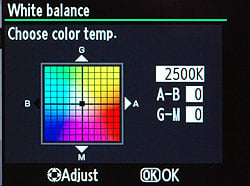 As with a number of other high-end SLRs these days, all the D7000's white balance presets and manual settings except for the direct color temperature settings are adjustable via a 2D fine-tuning grid display. The Nikon D7000 also supports White Balance bracketing, where either two or three frames can be bracketed with Blue and/or Amber white balance bias increments of approximately 5, 10 or 15 mireds.
Active D-Lighting. D-Lighting has proven a popular post-processing feature in Nikon's recent digital SLRs, as well as some of the company's point & shoot models. It's a quick software process that attempts to overcome underexposed images, and bring detail out of shadows. An improved version of Active D-Lighting appeared in the Nikon D3 and D300, including optimization of image contrast, helping to prevent overprocessing of shadows and flattening of overall image contrast. The Nikon D7000 inherits this same Active D-Lighting setup, which features Extra-High, High, Normal, Low, and Off settings plus the ability to automatically choose the Active D-Lighting strength on the fly.
|
D7000 Active D-Lighting
|
|
 |
 |
|
Active D-Lighting
Off |
Active D-Lighting
Extra-High |
The effect of Active D-Lighting is highly dependent on the particular subject and lighting being shot, but for the most part is fairly subtle. The thumbnails above shows its effect on our Outdoor Portrait test, where you can see it opening up the shadows somewhat, while simultaneously holding back the highlights a little. We like that it's generally subtle in its effect, as it's so easy to overdo automatic tonal adjustments like this. (See the Nikon D7000 Image Quality tab for more detail on how well Active D-Lighting performs.)
Lateral Chromatic Aberration Correction. While other cameras have had lens distortion processing built-in, (notably the Olympus E-1, quite some time ago, and more recently many Panasonic cameras), none until Nikon's D3 and D300 did the processing based on the distortion detected in the image. Past cameras (and most distortion-correction software) simply looked at which lens was mounted and perhaps the focal length if it was a zoom lens, and then applied a pre-set amount of correction; no image analysis actually took place. Nikon's Lateral Chromatic Aberration correction offered a more sophisticated approach, thanks to the power of the camera's EXPEED 2 processor, by actually analyzing each image after capture and fixing the chromatic aberration detected therein before saving the JPEG file. Cameras with high-resolution sensors place a greater demand on lenses, and hence Lateral Chromatic Aberration correction proves a useful feature on the Nikon D7000. There are no settings for this feature; it's always enabled for JPEGs.
|
Nikon In-Camera CA Correction
|
|
 |
 |
|
200% Crop from Nikon D90,
18-105mm VR lens at 18mm Converted from Raw, no CA correction applied |
200% Crop from Nikon D90,
18-105mm VR lens at 18mm Camera JPEG, Automatic CA correction applied |
The crops above are actually taken from our review of the Nikon D90, but the D7000 uses the same technology, and the D90 crops above make good examples, because its 18-105mm VR kit lens had quite a bit of CA in the corners at the wide-angle end. The crop at left was taken from an image converted from a Raw file from the D90, enlarged 200% to make the colored fringing caused by the CA more evident. As you can see, there's quite a bit of CA present. The crop at right is from a camera JPEG, shot at the same time under identical conditions. The difference in CA is pretty amazing; the camera did a remarkably good job of eliminating it. (Click on either image to see the full-resolution images as they came from the camera and Raw converter.)
 Picture Control. Nikon has standardized its Picture Control system so that camera settings for sharpening, contrast, brightness, saturation, and hue can be finely adjusted and ported to other Nikon digital SLRs that support the system. The D3 was the first camera compatible with the option, and all Nikon SLRs since, including the D7000 follow the standard. The Nikon D7000 has six presets called Standard, Neutral, Vivid, Monochrome, Portrait, and Landscape, and up to nine custom presets can be defined, named, saved, and copied. Sharpness can be adjusted in ten steps, along with an Auto setting; contrast and saturation can be adjusted in seven steps or determined automatically, while for hue there's a seven-step adjustment with no auto mode. Brightness is adjustable in three steps, and doesn't affect exposure. There is also a five-step "Quick Adjust" setting which exaggerates or mutes the combined effect without having to adjust each slider individually. When Monochrome Picture Control is selected, Hue and Saturation are replaced by Filter Effects and Toning respectively. Filter Effects offers Off, Yellow, Orange, Red, and Green settings, while Toning offers B&W, Sepia, Cyanotype, Red, Yellow, Green, Blue Green, Blue, Purple Blue and Red Purple settings, with each of the colored settings offering seven adjustment steps. Of course, the Nikon D7000 also offers sRGB and Adobe RGB settings, in a separate Color Space option located in the Shooting menu.
 Noise Reduction. The Nikon D7000 offers four levels of high ISO noise reduction: Off, Low, Normal, and High. When set to Off, minimal noise reduction is still performed at ISO sensitivities of 1,600 equivalent or above for JPEG images. High ISO noise reduction is not performed on Raw files. The Nikon D7000 also offers long-exposure noise reduction for exposures longer than 8 seconds. When set to On, the camera takes a second exposure for somewhere between half to the same duration as the actual exposure, but with the shutter closed, and subtracts the "dark frame" from the first, to further reduce hot-pixel and amp noise.
 Release Modes. The Nikon D7000's release modes are selected via the lockable release mode dial, which surrounds the base of the Mode dial, on the left of the camera's prism / popup flash housing. Release modes consist of Single Frame (S), Continuous Low-speed (CL), Continuous High-speed (CH), Quiet Shutter-release (Q), Self-timer, Remote, and Mirror Up (MUP). The Nikon D7000's Continuous High mode is rated by Nikon for up to six frames per second with the standard EN-EL15 battery pack, while Continuous Low allows one, two, three, four, or five frames per second as configured in Custom Setting d6. These figures apply only with a shutter speed of 1/250 second or faster, continuous servo AF, manual or shutter-priority auto exposure, and all other settings at their default values. The number of shots that can be captured in a Continuous-mode burst before the camera slows down varies, depending on the file type and image size, as well as the amount of fine detail in the scene for compressed filetypes. Nikon doesn't provide a specification for the number of shots that can be captured before the buffer fills, but our tests with a deliberately difficult-to-compress image showed a capacity of ten Raw files (regardless of bit depth or whether JPEGs were simultaneously recorded), and a limit of 19 large/Fine JPEGs. Of course, the number of consecutive shots could also be limited by available memory card space, if your card(s) are nearly full.
Quiet Shutter-release is similar to normal Single Frame mode; however, the camera reduces noise by disabling the beep sound when the camera focuses, something which can be achieved in other modes through Custom Setting d1 in the Custom menu. It also delays lowering of the mirror until the shutter button is released, separating the noise of this operation from that of the mirror being raised and the shutter fired. It further reduces actuation speed of the mirror mechanism, and of the shutter recocking mechanism. The result is, indeed, a much quieter shutter sound. Self-Timer mode triggers the shutter a programmable delay (2, 5, 10, or 20 seconds) after the shutter button is pressed. The delay is set using Custom Setting c3, which also allows the D7000 to be programmed to capture anywhere from one to nine shots after the timer countdown has elapsed, with an interval of 0.5, one, two, or three seconds between shots. (Note that Self-Timer mode requires placing the bundled DK-5 eyepiece cap over the viewfinder to prevent stray light from affecting the exposure, and that Bulb exposures in Self-Timer mode will have a duration of 1/4 second.) Remote Control mode allows the D7000's shutter to be triggered using the optionally available ML-L3 infrared wireless remote control unit. Three operating modes are possible, configured using the Remote Control Mode option in the Shooting menu. The D7000 can either trigger the shutter immediately that the button on the remote is pressed, after a two second delay has elapsed, or the mirror and shutter can be separated so that the first press will lift the mirror, and the second press will start the exposure. Finally, Mirror Up mode allows the mirror to be locked up with a first press of the shutter button or optional MC-DC2 corded remote release, and fires the shutter on a second press (or automatically, after a delay of 30 seconds), allowing camera shake caused by mirror slap to be reduced when shooting on a tripod. There is also an Exposure Delay option in Custom Setting d11 which delays the exposure one second after the shutter button has been pressed and the mirror raised.
 Interval Timer Mode. Another useful feature on the Nikon D7000 that first appeared on more expensive models is Interval Timer mode, which facilitates time-lapse photography by taking a series of images at preset intervals. You can set the starting time for the series, as well as the time interval between shots, the number of shots to be captured after each interval (from one to nine), and the total number of intervals after which capture should cease (from one to 999). You can set hours, minutes, and seconds between each shot, and you can set a start time using 24-hour notation (HH:MM) from 00:00 to 24:00. (Make sure the camera's timezone, date and time are correctly set!) You can also start immediately, using the "Now" option. This is a good way to capture a timeline of slower events, such as clouds passing across the sky, tidal changes, a flower opening, etc. As with the Self-timer mode, the bundled DK-5 eyepiece cap should be placed over the viewfinder to prevent stray light from affecting the exposure. Exposure, flash, Active D-Lighting and white balance bracketing are all possible during interval shooting, and all but the latter will override the shots per interval setting to capture the required number of bracketed exposures. (White balance bracketing will capture only the requested number of exposures, but then process each single exposure differently so as to create the separate WB-bracketed still image files.). Interval capture can be paused and resumed, or interrupted, through the camera's menu system, if needed.
 Multiple Exposure Mode. The Nikon D7000 allows either two or three exposures to be captured separately, and then combined in-camera into a single multiple-exposure image. This function allows effects similar to those that might have been obtained by intentionally winding back and re-exposing an image on a film camera. Up to 30 seconds is allowed between exposures, in addition to the time set in Custom Setting c4, "Monitor Off Delay" if Image Review is enabled - so a maximum of 10 minutes and 30 seconds between exposures is possible if the camera has sufficient battery life remaining. As they're captured, the exposures can either be averaged by setting gain to "On", or the brightness values from each exposure simply added up. The Multiple Exposure mode can be combined with the Interval timer function to automatically capture all the shots of the multiple exposure if desired, and it's also possible to change white balance between exposures. Most other menu options are disabled during Multiple Exposure capture. Sadly, live view can't be used to capture multiple exposures, so there's no way to preview the effect and precisely align subjects by looking at the camera's LCD display.
 Retouch Menu. The Nikon D7000 has an extensive Retouch menu, which is starting to rival what basic image editing software packages can do on a computer - so much so that some users may not feel the need to use a computer for Nikon D7000 image editing at all. Retouch options include adjusting D-Lighting, red-eye correction, image cropping (trim), converting to monochrome, applying one of seven filter effects (including Skylight and Warm filters), adjusting color balance, image overlay for combining two Raw images into one JPEG, NEF (Raw) processing, resizing to small images (for TV, Web or email), "Quick Retouch" (boosts saturation / contrast and applies D-Lighting for contrasty scenes), straighten (rotates images +/- five degrees in 0.25 degree increments), distortion (barrel / pincushion) correction, a fisheye effect, color outline, a pencil-like color sketch effect, perspective control (correcting diverging verticals / horizontals), miniature effect (graduated blur at top and bottom of the frame to emulate reduced depth of field), and basic movie editing.
Raw Processing SubMenu. Raw-format files are pretty common on SLRs these days: They capture all the data as it comes from the sensor, usually without any processing applied. Manipulated on a computer with Raw-processing software, they let you make major white balance adjustments, minor exposure tweaks, and perform noise-reduction processing beyond what the camera can manage on its own. Like many of their other high-end SLRs, the Nikon D7000 also lets you do this sort of processing right in the camera, via a sub-menu off the Retouch Menu.
|
Nikon in-camera Raw processing
|
|
 |
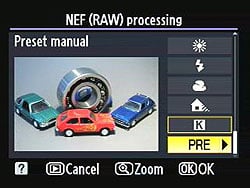 |
Here's a screenshot from our D300s review |
Changing to a manual white balance setting lets us make a fresh JPEG with good color. |
As seen in the screen shots above from our D300s, Nikon's in-camera Raw processing menu gives you a lot of options, and the D7000 adds one more. As well as letting you change the JPEG quality, image size, white balance, exposure compensation (within +/-2 EV limits), Picture Control setting, High ISO noise reduction, and color space of a file, you can now adjust D-Lighting in three steps, or disable it together, before generating a new JPEG. (The original Raw file itself and any JPEG is left untouched; a new file is created.) This can be pretty handy if you need to make a quick change to white balance or minor exposure tweak in the field, before uploading an image to beat a deadline.
The images above were taken from our standardized test shots. For a collection of more pictorial photos, see our Nikon D7000 Photo Gallery .
Not sure which camera to buy? Let your eyes be the ultimate judge! Visit our Comparometer(tm) to compare images from the Nikon D7000 with those from other cameras you may be considering. The proof is in the pictures, so let your own eyes decide which you like best!
Viewfinder
Nikon D7000 Viewfinder
 The Nikon D7000's viewfinder is rated at 100% coverage, and is a bright, pentaprism design with 0.94x magnification at 50mm and -1 diopter, and a 19.5mm eyepoint. A diopter adjustment dial to the top-right on the viewfinder eyepiece offers a diopter adjustment range of -3 to +1.
The focusing screen is a fixed (non-interchangeable) type B BriteView Clear Matte Mark II screen. A framing grid (shown below) can be displayed on demand via a Custom menu setting. The active focus area can be highlighted in red or black (normally, the active area is highlighted in black only). There are three AF Point Illumination Custom settings available: Auto, which highlights when needed to establish contrast with the background; On, which always highlights, and Off, which disables the red highlighting.
The data readout below the focusing screen is similar to the D90, though the focus indicator has an enhanced range-finder function (the arrows indicate the direction to manually focus), the numerical field at the extreme right shows additional settings such as Active D-Lighting amount and AF-area mode when those features are adjusted, as well as some other minor changes. Compared to the D300S, the D7000's viewfinder doesn't show current metering mode, exposure mode or a full-time ISO display, though it does show some information the D300S does not, such as the no-card warning, B/W mode, range-finder arrows, tilt display, AF-area mode and Active D-Lighting amount.
The graphic (courtesy of Nikon USA) and table below shows what information is displayed in D7000's viewfinder.

|
1
|
On-demand framing grid
|
15
|
Flash-ready indicator
|
|
2
|
Focus areas
|
16
|
FV lock indicator
|
|
Spot metering targets
|
17
|
Flash sync indicator
|
|
|
3
|
AF area brackets
|
18
|
Aperture stop indicator
|
|
4
|
Battery indicator
|
19
|
Electronic analog exposure display
|
|
5
|
Black and White indicator
|
Exposure compensation display
|
|
|
6
|
No memory card warning
|
Tilt indicator
|
|
|
7
|
Focus indicator
|
20
|
Flash compensation indicator
|
|
8
|
Autoexposure (AE) lock
|
21
|
Exposure compensation indicator
|
|
9
|
Shutter speed
|
22
|
Auto ISO sensitivity indicator
|
|
AF mode
|
23
|
Number of exposures remaining
|
|
|
10
|
Aperture
|
Number of shots remaining before memory buffer fills
|
|
|
11
|
Low battery warning
|
ISO sensitivity
|
|
|
12
|
Exposure and flash bracketing indicator
|
Preset WB recording indicator
|
|
|
WB bracketing indicator
|
Exposure compensation value
|
||
|
ADL bracketing indicator
|
Flash compensation value
|
||
|
13
|
ISO sensitivity indicator
|
Active D-Lighting amount
|
|
|
14
|
"K" (appears when memory remains for over 1,000 frames)
|
AF-area mode
|
Viewfinder Test Results
Coverage
Very good accuracy with the optical viewfinder, excellent on the LCD monitor in Live View mode.


The Nikon D7000's optical viewfinder proved fairly accurate, with almost 98% coverage when measured with our Sigma 70mm f/2.8 test lens. This is very good for a non-pro model, but short of the 100% coverage Nikon claims. That said, though, it's tough to frame to within a percent or two when squinting through a viewfinder eyepiece, so the actual accuracy could be a shade higher than we measured here. The resulting image is shifted vertically and slanted slightly to the left, which is unfortunately isn't uncommon with optical viewfinders these days. The camera's Live View LCD mode was extremely accurate, with essentially 100% coverage in our measurements.
Live View
Nikon D7000 Live View
The Nikon D7000 includes live view capability with one-touch activation, via a dedicated Live View switch on its rear panel, in very convenient reach of your thumb. Flick it at any time, and the mirror flips up, with the camera immediately entering Live View mode. A button at the center of the Live View switch is used to start and stop movie recording..
Live View Mode Displays

|
1
|
Shooting mode
|
6
|
Autofocus area mode
|
|
2
|
"No movie" icon
|
7
|
Focus point
|
3 |
Audio recording indicator
|
8
|
Time remaining (movie mode)
|
|
4
|
Time remaining
|
9 |
Movie quality |
5 |
Focus mode |
10 |
Monitor brightness |
 A nice feature of the Nikon D7000's Live View mode is the optionally available, full information display. The Live View mode shooting info display shows you a lot of what you'd normally see looking through the viewfinder, yet manages to keep most of the information out of the way of the live image area. Information displayed includes current exposure mode, flash mode, AF mode, AF-area mode, Active D-Lighting mode, image size, image quality, white balance mode, metering mode, shutter speed, aperture, exposure compensation, ISO setting, shots remaining, face detection status, and battery status. In a separate overlay mode, it also shows microphone status and minutes/seconds of movie recording available at the current resolution and quality settings, and indicates the area of the frame that will be outside the movie crop by darkening it. There's also a third info overlay that only shows basic exposure variables, as well as a grid overlay display, and a single axis (roll) electronic level display, all of which include small crop marks to indicate the movie capture area.
A very nice detail is that you can adjust the LCD monitor's brightness (with no effect on the exposure / brightness of captured images) without needing to enter the camera's menu system. This is achieved by holding in the Help / Protect button,and pressing the Up or Down arrow keys on the four-way controller. It's a clever design, because when shooting in live view mode, you can find yourself often wanting to change the display brightness as you roam around taking photos in varying ambient lighting conditions. One thing we miss in the Nikon D7000, though, is the live histogram display that's an option on the Nikon D3 and on some competing SLRs from Nikon's rivals -- even in some entry-level cameras.
Like the D90 and the company other subsequent DSLRs, the Nikon D7000 has only one type of autofocus method in Live View, and it's not the traditional phase-detect AF. The D7000's only option for autofocus in Live View mode is contrast detection. This is a fairly radical difference, compared to other camera makers.
Contrast-detect vs. Phase-detect Autofocus
By way of explanation, the phase-detect/contrast-detect distinction is one of the fundamental differences that separates digicams from digital SLRs, and is the core reason that SLRs focus more quickly. Contrast-detection autofocus involves looking at the image from a camera's main image sensor and evaluating it to see how abruptly brightness values change from one pixel to the next. If an image is soft and fuzzy, brightness changes between adjacent pixels will be relatively slight, but if it's sharply focused, they'll be much greater. The point of ideal focus is found by moving the lens elements back and forth, and determining whether the contrast signal gets stronger or weaker. Achieving focus this way necessarily involves some back-and-forth hunting, which can take a while to accomplish. By contrast (no pun intended), phase-detect AF uses a system of prisms, lenses, and a secondary sensor to determine not only whether the image is in focus or not, but by how much it's out of focus and in which direction. The camera can then adjust the focus setting to exactly the position needed, either in a single step, or perhaps with a quick secondary check once the initial focus adjustment has been made. As a result, phase-detect AF systems are generally much faster than contrast-detect ones.
The catch with phase-detect AF, though, is that it requires some of the light passing through the lens to be diverted to the focus sensor. This is fine in an SLR, when the mirror is down between exposures, as typically part of the mirror can be made to be partially transmissive, with the light passing through it deflected by a secondary mirror down to the AF sensor, usually located in the bottom of the mirror box. When the mirror is raised in Live View mode, though, light from the lens can't get to the separate AF sensor. This accounts for the rather lengthy (and noisy) phase detection AF cycles in most Live View-capable SLRs: To focus the camera the mirror has to be dropped, focus determined, and the mirror raised again, adding several tenths of a second to the normal non-Live View shutter lag.
For example, when shooting with our Sigma 70mm f/2.8 prime lens, the Nikon D7000 has a shutter lag of only 0.238 second when using the optical viewfinder and a single AF point. This increases to an average of 1.95 seconds in Live View mode via contrast-detect, all other settings being the same. While it takes some time for the mirror to drop and re-open for phase-detect AF in Live View mode, the overall result can still be faster than when relying on contrast-detect autofocus. The Nikon D300 for instance can focus and capture a shot in 0.473 second in Live View mode using phase-detect AF, with the same Sigma lens.
With the above as background, you can see why we were surprised to find contrast-detect AF the only autofocus option available on the D90, and continue to be surprised that they've carried that limitation forward on the Nikon D7000. It's a little bit faster than its equivalent in the D5000, but the Nikon D7000's contrast-detect AF in Live View mode clearly still isn't something you're going to be using for sports shooting.
| Nikon D7000 Live View Autofocus | |
 |
 |
| As shown here, one advantage of contrast-detect AF is that you can put the AF box wherever you like it. (In this case, we've put it top center.) When focus is locked, the focus box changes from red to green. | |
One advantage of contrast-detect autofocus, though, is that you're not restricted to focusing only on those areas where you happen to have an AF point. The Nikon D7000 lets you put the focus box anywhere in the frame when in Live View mode.
| Nikon D7000 Live View Autofocus | |
 |
 |
| Contrast-detect AF also opens the possibility of advanced modes like face-detection. The Nikon D7000 will change both the location and size of the face-detect box to accommodate changes in subject size and position, and can detect up to 35 faces in a scene simultaneously. | |
Besides the ability to position the AF area wherever you like it, the Nikon D7000's contrast-detect AF in Live View mode also offers face detection. Up to 35 faces can be detected in an image in Face Priority mode, and the AF areas adjust to match the size of each face detected. The primary face-detect box shows yellow when not in focus, and green when in focus (after half-pressing the shutter button). The video clip at right shows the earlier D90 model tracking a live face while zooming in and out and panning around. While the Nikon D7000 can detect many more faces simultaneously, its face detection autofocus mode is otherwise very similar.

Face detection. Here's a look at the D90's face detection working with a live subject, which operates similarly on the Nikon D7000. Click to view/download 1.7MB MPEG-4 file.
Playing with face-detect autofocus in Live View mode, we were pleased to see that the camera not only tracked the faces, but was also intelligent enough to set focus based on the eyes of subjects, rather than on their noses or mouths. (In portrait work, the eyes are the most critical part of the face to render in sharp focus. Other parts of the face can be soft but viewers will regard the shot as properly focused if the eyes are crisp.)
Other Nikon D7000 Live View autofocus modes are: Wide Area, designed for hand-held shots of landscapes and other non-portrait subjects; Normal Area, designed for pin-point focusing using a tripod; and Subject Tracking. This mode is designed to track just about any selected subject as it moves around the frame -- it need not have a face.
Manual Focusing in Live View Mode
During manual focusing, the Live View display on the Nikon D7000 can be magnified quite considerably, but it seems it's not all that you might expect from the specifications. In Live View mode, pressing the magnifying glass button on the camera's back lets you zoom in up to a maximum of 6.7x. The viewfinder image at this magnification isn't sharp, though; it seems the camera is actually grabbing fewer pixels than that section of the sensor actually contains and then interpolating them to form the image. (You can check this by snapping a shot and then magnifying the resulting image to the same degree in playback mode. Doing this, you'll find the image is quite a bit sharper than what you saw on the LCD in Live View mode.) While the magnified Live View display is still usable for focusing, it isn't as sharp as it could be, nor as sharp as the Live View display on some of Canon's SLR models sporting this feature.
Video
Check out the links below for more sample images, videos and image quality analysis:
- Nikon D7000 Optics page (Crops from images shot with the camera's kit lens, if sold as a kit)
- Nikon D7000 Sample Images page (Index to all standard test shots, with explanations)
- Nikon D7000 Thumbnails page (Thumbnails of all shots, including RAWs, with EXIF data)
- Nikon D7000 Gallery page (Regular photos taken with the Nikon D7000)
Nikon D7000 Video Recording
In 2008, Nikon kicked off a new era for SLR cameras with the introduction of the D90, the world's first DSLR with video recording capability. A little over two years later, high definition video recording has become a de rigueur feature available on a wide selection of SLRs at every price point, right the way down to the entry level. Although there are some important differences, the D7000's video mode retains much of the DNA from Nikon's prosumer D300S model, including some features that are rare even among more expensive cameras, let alone at this price point. Key among the changes is the availability of Full HD (1,080p) video capture, recorded using H.264/MPEG-4 AVC compression. Also key for many consumers will be the availability of contrast detection autofocusing with tracking capability during video recording, albeit with some adverse effects on video and audio quality. More experienced videographers will find intriguing possibilities in the D7000's ability to control movie exposure manually, to accept an external microphone, and to adjust audio gain.
Nikon D7000 Video: Image Size, Frame Rate, and Encoding

Movie settings. Options include resolution, quality, frame rate (720p movies only), microphone sensitivity / muting, recording destination, and whether the D7000 should allow manual exposure control.
The Nikon D7000 records movies at three progressive scan resolutions: either 1,920 x 1,080, 1,280 x 720, or 640 x 424 pixels. The highest resolution 1,920 x 1,080 pixel mode is commonly known as Full HD or 1,080p, and has a 16:9 aspect ratio. Movies at this resolution are nominally recorded at a rate of 24 frames per second, although the precise capture rate is actually 23.976 fps. The intermediate 1,280 x 720 pixel resolution also has a 16:9 aspect ratio, and is better known as 720p. This offers a choice of two frame rates -- either the same nominal 24 frames per second as in Full HD mode, or a secondary rate that varies depending upon the Video mode setting in the Setup menu. When the D7000's video output is set to the North American NTSC format, the secondary movie recording rate is nominally 30 fps, and actually 29.97 fps. If switched to PAL format, the D7000 alternatively offers a 25 fps rate. Finally, the non-standard 640 x 424 pixel mode has an approximate 3:2 aspect ratio. With this standard definition mode, recording frame rates are fixed at either the nominal 30 fps for NTSC, or 25fps for PAL.
Regardless of resolution and frame rate, recording times are limited to 20 minutes or four gigabytes per clip, whichever limit is reached first. Nikon hasn't explained the reason for the time limit as of this writing, but it's likely due to sensor heating issues that might start to degrade image quality. The Nikon D7000 records movies using H.264/MPEG-4 AVC compression with Linear PCM audio, and stores them in .MOV files. Compared to the Motion JPEG format used by some cameras, H.264 is much more conservative of memory card space. It also avoids some of the severe image quality loss suffered by AVCHD cameras, when faced with significant amounts of change in image content between frames. (AVCHD uses a subset of the H.264 standard, which among other things mandates a limit in recording bandwidth, translating into a lesser ability to convey rapidly-changing detail.) The choice of H.264 comes with the requirement of greater processing power, though -- not only from the camera when recording, but also when playing back or editing videos. The more sophisticated encoding used in the H.264 standard requires quite a bit of processor power to pull it apart and put it back together again, so frame-accurate editing of H.264 requires a fast processor and capable editing program.
Here's a list showing what to expect for file sizes with the Nikon D7000's video recording:
|
Nikon D7000 Video Options |
||||||
|---|---|---|---|---|---|---|
|
H.264/MPEG-4 AVC Format (.MOV file container) |
||||||
|
Resolution |
Aspect Ratio |
Quality |
Encoding |
Frame Rate |
Max. Clip Length |
File Size
|
|
1,920 x 1,080 |
16:9 |
High |
NTSC |
24p (23.976 fps) |
20 minutes |
~170
MB/min |
Normal |
~100 MB/min |
|||||
|
1,280 x 720 |
16:9 |
High |
NTSC |
30p (29.97 fps) |
20 minutes |
~100 MB/min |
Normal |
~85 MB/min |
|||||
High |
PAL |
25p (25 fps) |
~100 MB/min |
|||
Normal |
~70 MB/min |
|||||
High |
NTSC |
24p (23.976 fps) |
~70 MB/min |
|||
Normal |
~55 MB/min |
|||||
|
640 x 424 |
~3:2 |
High |
NTSC |
30p (29.97 fps) |
20 minutes |
~50
MB/min |
Normal |
~35 MB/min |
|||||
High |
PAL |
25p (25 fps) |
~50 MB/min |
|||
Normal |
||||||
~35 MB/min |
||||||
Nikon recommends using an SD card with at least a Class 6 rating to capture and playback movies.
Here are some examples of video from the Nikon D7000, showing typical results under daylight and night conditions.
|
Nikon D7000 Video Samples
(shot with 18-105mm f/3.5-5.6 G kit VR lens) |
|
|---|---|
|
|
 |
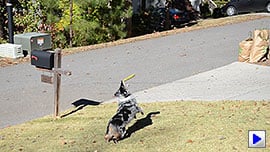 |
 |
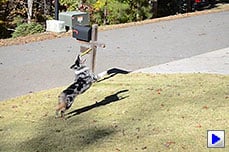 |
 |
 |
 |

Nikon D7000 Video-Mode Focusing
Unlike some of Nikon's digital SLRs, the D7000's Live View mode -- from which Movie recording is initiated -- lacks the company's separate Handheld and Tripod modes. Instead, autofocus during live view and movie capture is always performed using contrast detection autofocus, which operates based on data streaming from the image sensor -- the same technique referred to as Tripod mode on some models. (On cameras that offer a choice, you can switch to Handheld mode to use the camera's phase detection autofocus system before movie starts, so long you don't mind a brief interruption of the live-view feed so that the reflex mirror can be lowered to let light reach the dedicated AF sensor. All of Nikon's DSLRs, like the vast majority of interchangeable-lens cameras, must rely on contrast detection AF during video capture.) The good news is that, while not quite in single-lens direct view or compact camera territory, the D7000's contrast detection autofocus is quicker than the average, among those offered by its peers. A measure of Nikon's confidence in the D7000's contrast detection performance can, perhaps, be read from the fact that it not only offers full-time AF during movie capture, but also provides an AF tracking function.
As in the earlier consumer-oriented D3100 model, the Nikon D7000's contrast detection-based continuous autofocus mode carries a different name from its phase-detection equivalent. Dubbed Full-time Servo AF (AF-F for short, as opposed to AF-C / Continuous-Servo AF for phase detect), this function does involve some hunting around the point of focus, and can lag behind changes in your subject's focus distance somewhat. If your subject is relatively static, you can instead opt for the Single-servo AF mode, which will still allow you to perform single autofocus operations during video capture by half-pressing the shutter button. You can, of course, also focus manually by appropriately setting the Focus-mode selector on the camera's front panel (as well as that on the lens, if applicable).
The D7000 offers four AF-area modes for use during movie capture: Face-priority AF, Wide-area AF, Normal-area AF, and the aforementioned Subject-Tracking AF. The Wide and Normal-area modes are self-explanatory, providing two different focus area sizes, which can be manually positioned anywhere within the frame (and even moved during video capture.) Face-priority AF can identify up to 35 individual faces within the frame, and will select the closest subject among the group when adjusting focus. This individual will be indicated by a double-yellow frame on the D7000's LCD panel. Finally, the Subject-tracking AF function allows you to manually position the point from which autofocus tracking should commence, and to start or stop the function by pressing the OK button when your subject falls under the AF point. The D7000 will then indicate the point at which it is currently tracking the subject with a focus frame that changes between either green to indicate a focus lock, or red to indicate that a focus lock hasn't currently been attained.
| Nikon D7000 AF Tracking Samples
(shot with 18-105mm f/3.5-5.6 G VR kit lens) |
|
|---|---|
|
 |

Like most interchangeable lens cameras capable of AF during video, it should the D7000 has a tendency to pick up autofocus drive noise quite clearly in the audio track of its movie clips. This can at least be mitigated somewhat by use of an external microphone, and by adjusting the D7000's three-step manual gain control, however. If AF noise is too much of an issue, you can of course switch to focusing manually, during a recording, and the true manual operation of AF on Nikon's lenses means you can do this more or less silently, simply by being careful about turning the focus ring. (Some interchangeable lens cameras we've tested use "fly-by-wire" focusing, whereby the focus ring only instructs the camera to move the lens elements rather than moving them directly via a mechanical coupling. This can mean that focus operation is still audible, regardless of how slowly you turn the focus ring. With true manual operation of its lenses, the Nikon D7000 doesn't have this problem, although it's possible that third-party or older Nikon lenses might produce audible noise while their focus was adjusted.)
As we've noted in other SLR reviews, the good news with focusing for video is that you can get surprisingly good depth of field in video mode by stopping the lens down, thanks to the relatively low resolution of the video image. With a pixel resolution of only 2.1 megapixels in the Nikon D7000's highest-resolution 1,080p "Full HD" mode, 0.9 megapixels in 720p HD mode, and just 0.3 megapixels in the standard-definition mode, images that would be unacceptably blurred as 16 megapixel still shots look perfectly fine as video frames. This not only provides greater depth of field at any given aperture, but is also more forgiving of diffraction limiting at very small lens apertures. Diffraction at small apertures means you'd usually want to avoid f/16 or f/22 for still images, but again, the results generally look perfectly fine at video resolutions. Bottom line, with the Nikon D7000's lens set to f/16 or f/22 (assuming you're shooting under fairly bright conditions), you'll be surprised by how little focus adjustment is needed during a typical video recording.
Nikon D7000 Video Exposure Control
|
Nikon D7000: Aperture Control / Depth-of-Field
|
|
|---|---|
|
Aperture-priority, f/2.8 |
|
 |
|
|
Aperture-priority, f/22 |
|
 |
|
By default, the main exposure variables -- shutter speed, aperture, and ISO sensitivity -- all remain under automatic control when recording movies with the Nikon D7000. If the Manual Movie Settings option in the Movie Settings menu is set to On, however, you can either shoot movies in Aperture-priority mode, or control the exposure entirely manually. To do so, you must select either Aperture Priority or Manual exposure mode on the Mode dial, and then dial in your desired aperture, prior to entering Live View mode. With the live view active, you can still adjust the shutter speed and ISO sensitivity in Manual mode, but the aperture value remains locked until you exit live view. Confusingly, in Aperture priority mode, you can dial in a new aperture value with the live view active, but even if you do so before you start movie capture, the selected aperture value won't take effect until you first exit and re-enter live view mode. If Manual Movie Settings is disabled, you can still adjust exposure variables, but these adjustments will only apply to still images; movies will be captured using Programmed auto-exposure. Likewise, if the Mode dial is in any position other than Aperture-priority or Manual, then the camera will behave as if it is in Program mode for the purposes of movie capture. Note also that Auto ISO sensitivity is not available when Manual exposure control is active, before or during movie capture.
When using Program or Aperture-priority exposure modes, you can adjust exposure compensation, but there's another potential source of confusion here. Although during live view the camera will allow you to dial in an exposure compensation value within a +/-5EV range in 1/3 EV steps, the full extent of this range applies only to still image capture. For movie capture, the D7000 will confine itself within a range of +/-3EV from the metered exposure. Likewise, regardless of the metering mode selected, movies will always be recorded using Matrix metering, with the Center-weighted and Spot options available only for still image capture. A useful feature that you can take advantage of in Movie mode that can potentially make up for these design choices is the Autoexposure Lock button, which allows you to lock the camera's metered exposure for as long as the AE-L button is held down, even after movie capture has already started. You can apply Nikon's Picture Controls as well as specify the color space for movies, as long as they are selected before recording begins. This is useful if you'd like to for instance record in monochrome, or with more saturated colors, etc.
Nikon D7000 Video: Audio recording

Connectivity. The top jack is for composite video / mono audio output. Beneath is a Type-C Mini HDMI connector, which supports 1080i, 720p, 576p or 480p digital video with stereo digital audio, and offers both automatic resolution sensing, and Consumer Electronics Control support. At bottom left is a 3.5mm stereo microphone jack. The adjacent GPS port allows geotagging of still images, and isn't applicable to video capture.
The Nikon D7000 has an internal microphone comprising three holes located directly beneath the D7000 badge on the camera's front panel, a location which is a bit of a mixed blessing. Some competing cameras place the microphone on the top deck, where it has a greater tendency to pick up noise from the camera operator, and doesn't directly face the intended subject. Unfortunately, it's quite easy to accidentally cover the microphone with the index finger of your left hand, if you don't use it to support the weight of the lens -- something that's more likely to happen when shooting with a light prime or kit zoom, than with larger, heavier lenses. As noted previously, the internal mic also has a tendency to pick up camera handling and autofocus drive noise on the audio track of captured movie clips, with the severity of this likely varying significantly depending on the videographer, and the lens model in use.
Thankfully, the D7000 also provides for an external mic, courtesy of a 3.5mm stereo input jack under a flap on the left side of the camera's body. Simply switching moving to a shoe-mount mic with some form of shock mount can do wonders for your DSLR audio, while moving the mic off camera at a distance can completely resolve the issue. Another feature that can help resolve audio problems -- and one that's extremely unusual at this price point -- is the adjustable sensitivity for the microphone. There are three sensitivity levels to choose from (Low, Medium and High), along with Auto gain, and Off settings. The settings apply to the built-in microphone as well as to an external mic. We found the D7000's internal microphone to be quite sensitive when using Auto gain. It has no problem picking up even quiet conversation from across a room, as long as there are no background noises. Ah, but there's the rub: The mic will pick up all sorts of background noise if you're not careful. Given that most users will likely be using the D7000's video recording for short clips of memorable moments, its tendency to pick up every sound is probably a positive feature. For those wanting the best audio quality, an external microphone will almost certainly prove a better choice, however, allowing selection of a microphone with the desired characteristics, as well as reducing the effects of noise from handling the camera body or using the focus and zoom mechanisms.
The D7000's Linear PCM audio is recorded with a bit depth of 16-bits, and a sampling rate of 48 kHz, plenty enough for good quality audio.
Nikon D7000 Movie Recording User Interface

Movie editing. The D7000 allows you to trim the start and end of movie clips in-camera, as well as to extract a single movie frame as a still image.
The Nikon D7000's movie recording functionality is accessed from Live view mode. To start and stop capture, you simply press the red center button in the multi-selector while live view is active. If set to control exposure manually, you can do so with the Mode dial in the M position for full manual control, or the A position for Aperture-priority control. With the Mode dial in any other position, or if Manual Movie Settings are disabled, movies will be recorded as if the Mode dial were in the Program position. As previously noted, if you want to control the aperture manually, you do have to set the desired value before capture starts. Autofocus can be set automatically or manually both before and during movie recording, and if available on the mounted lens, zoom can also be set manually at any time. Focus and zoom operation is likely to result in motor / handling noise being recorded on the audio track, although use of an external microphone that is distanced from the camera body should help minimize these issues.
The D7000 groups several settings related to video capture in a dedicated Movie Settings menu, accessed from the last page of the Shooting menu. One curious exception is the autofocus settings, which can instead be found from option a8 of the Custom Setting menu. Of course, the same AF settings can be accessed without needing to enter the menu system at all, using the AF-mode button and command dials in concert. Finally, the D7000 does offer limited in-camera movie editing functionality. You can select either a start or end point for a video clip, and save the resulting trimmed video as a new file, and it's also possible to extract single frames from a video. These functions are accessed from the Playback mode's Retouch menu.
Rolling Shutter Artifacts ("Jello Effect")
|
Nikon D7000: Rolling Shutter Artifacts
|
|
|---|---|
 |
|
 |
 |
|
While it still showed some "Jello effect," the Nikon D7000's rolling shutter artifacts were *much* less pronounced than those of most SLRs we've tested.
|
|
Essentially every video capable digital SLR currently on the market exhibits motion-related distortions called rolling shutter artifacts. These are caused because the image data is captured and then read off the chip sequentially by rows, rather being captured all at once. In the case of the Nikon D7000, with its variable frame rate, this means that image data for the last row of a given frame is captured and read out anywhere from 1/24th to 1/30th second after the data for the top row was captured. The effect on moving objects is similar to that of a focal plane shutter in an SLR, but more pronounced, because the video frame is read out much more slowly than the slit of a focal plane shutter moves across the sensor.
For a camera that scans video frames vertically (as all do that we're aware of), rolling shutter artifacts will be most noticeable for subjects that are moving rapidly side to side, or when the camera itself is being panned horizontally. Verticals in the scene will appear tilted to the right or left, depending on the direction of camera motion. As an example, consider the case of a camera being panned from left to right, with a flagpole or other vertical object in the middle of the scene when recording for a particular frame begins: If the top of the object was centered horizontally when the first line of the video frame is acquired, by the time the last line of the frame has been captured, the bottom of the object will have shifted to somewhere left of center: As a result, the vertical object would appear to be leaning to the right.
While our tests in this area aren't quantitative, it seems clear to us that the D7000 shows *much* less rolling shutter than most of the competition, at least in bright light. We've yet to try it in lower light, but in reasonable ambient lighting we were actually pretty amazed at how well the picture held together even in the face of fairly rapid panning back and forth. Very nice!
Computer Requirements for Viewing HD Video
A typical computer these days has little trouble dealing with still images, but high-definition video can be another matter. Depending on the file format involved, it can take a pretty beefy computer to handle HD-resolution video playback without stuttering or dropping frames. The H.264/MPEG-4 AVC image compression used by the Nikon D7000 is one of the more compute-intensive formats, and its 1,920 x 1,080 (1080p) resolution means there's a lot of data in each frame to deal with at full resolution. The net result is that you'll want a relatively recent and powerful computer to play full-res high-def video files from the D7000 on your computer. At lower resolutions, the requirements will be more modest. You can, of course, view your movies on a TV -- either via the composite A/V Output, or on an HDTV via the Type-C Mini HDMI output.
Menus
Nikon D7000 Modes and Menus
Nikon D7000 Exposure Modes
The mode dial on the left side of the D7000's top panel provides access to its various exposure modes, with the usual Program, Aperture-priority, Shutter-priority, and Manual operating modes found on all Nikon DSLRs, plus an Auto mode, a total of seven Scene modes, and a Guide mode that helps beginners get to grips with their first DSLR. Here's a list of what's available:
 Program: Puts the camera in charge of aperture and shutter speed, though all remaining camera settings are available. You can vary the combination of aperture and shutter speed the camera has selected, while retaining the same exposure level, by rotating the Main Command dial. Called Flexible Program in Nikon parlance, this function is otherwise known as Program Shift, and is a great way to quickly bias your exposure without needing to switch to a Priority mode.
- Shutter Priority: The user controls shutter speed, from 1/8,000 to 30 seconds, while the camera sets the aperture value.
 Aperture Priority: The opposite of Shutter Priority mode, this mode lets the user control the aperture, while the camera sets the shutter speed.
 Manual: Gives the user complete control over the exposure (both shutter and aperture settings). Also provides access to the camera's Bulb shutter setting (for exposures longer than 30 seconds), and x250 setting (which fixes the D7000 at its 1/250 second flash sync speed.)
 Auto: The camera sets almost everything. Used for snapshots, or users who just don't want to be bothered with the details of how the camera will do its work. The AF-assist light will come on if needed, and the camera selects the AF point covering the closest subject.
 Auto (Flash Off): Nearly identical to the Auto mode, but the flash is disabled, and the camera will use higher sensitivities to capture images using available light. By default, the autofocus assist light will come on if needed, although this can be manually disabled. This mode is great for museums and other places where flash isn't permitted, more natural-looking indoor shots, etc. (Do note though, that you may need to use a tripod, as the shutter speeds may still be on the slow side, depending on available light levels.)
 Scene: This single Mode dial position provides access to all 19 of the D7000's scene modes. The Main Command dial is used to select the active scene mode when the Mode dial is in the Scene position, and the precise selection of restrictions and available functions varies depending on the Scene type selected. Available scene modes are Portrait, Landscape, Child, Sports, Close Up, Night Portrait, Night Landscape, Party / Indoor, Beach / Snow, Sunset, Dusk / Dawn, Pet Portrait, Candlelight, Blossom, Autumn Colors, Food, Silhouette, High Key, and Low Key.
 User 1: The Nikon D7000 allows most camera settings -- including Custom settings, Exposure mode, and even aperture / shutter speed when in A/S/M modes -- to be saved for later recall. Settings are saved through the Setup menu by first configuring the camera as desired, and then selecting the U1 or U2 memory positions from the Save User Settings option. Switching the Mode dial to the U1 position recalls User Settings group 1.
 User 2: Identical to the User 1 position, but recalls User Settings group 2.
 Program: Puts the camera in charge of aperture and shutter speed, though all remaining camera settings are available. You can vary the combination of aperture and shutter speed the camera has selected, while retaining the same exposure level, by rotating the Main Command dial. Called Flexible Program in Nikon parlance, this function is otherwise known as Program Shift, and is a great way to quickly bias your exposure without needing to switch to a Priority mode.
 Shutter Priority: The user controls shutter speed, from 1/8,000 to 30 seconds, while the camera sets the aperture value.
 Aperture Priority: The opposite of Shutter Priority mode, this mode lets the user control the aperture, while the camera sets the shutter speed.
 Manual: Gives the user complete control over the exposure (both shutter and aperture settings). Also provides access to the camera's Bulb shutter setting (for exposures longer than 30 seconds), and x250 setting (which fixes the D7000 at its 1/250 second flash sync speed.)
 Auto: The camera sets almost everything. Used for snapshots, or users who just don't want to be bothered with the details of how the camera will do its work. The AF-assist light will come on if needed, and the camera selects the AF point covering the closest subject.
 Auto (Flash Off): Nearly identical to the Auto mode, but the flash is disabled, and the camera will use higher sensitivities to capture images using available light. By default, the autofocus assist light will come on if needed, although this can be manually disabled. This mode is great for museums and other places where flash isn't permitted, more natural-looking indoor shots, etc. (Do note though, that you may need to use a tripod, as the shutter speeds may still be on the slow side, depending on available light levels.)
 Scene: This single Mode dial position provides access to all 19 of the D7000's scene modes. The Main Command dial is used to select the active scene mode when the Mode dial is in the Scene position, and the precise selection of restrictions and available functions varies depending on the Scene type selected. Available scene modes are Portrait, Landscape, Child, Sports, Close Up, Night Portrait, Night Landscape, Party / Indoor, Beach / Snow, Sunset, Dusk / Dawn, Pet Portrait, Candlelight, Blossom, Autumn Colors, Food, Silhouette, High Key, and Low Key.
 User 1: The Nikon D7000 allows most camera settings -- including Custom settings, Exposure mode, and even aperture / shutter speed when in A/S/M modes -- to be saved for later recall. Settings are saved through the Setup menu by first configuring the camera as desired, and then selecting the U1 or U2 memory positions from the Save User Settings option. Switching the Mode dial to the U1 position recalls User Settings group 1.
 User 2: Identical to the User 1 position, but recalls User Settings group 2.
Nikon D7000 Menus
Pressing the Menu button provides access to the camera's full menu system. The D7000's menus are arranged in a vertical tab structure, with icons for each tab along the left side. The multi-selector is used to navigate the menus.

| Playback Menu Options | |||
|
Top-Level Selection |
Second-Level |
Third-Level |
Notes |
|
Delete
|
- Selected
- All |
- Select Image(s)
|
Deletes pictures from the camera memory card. Hidden and protected images will not be deleted.
|
- Select Date |
- Select Date(s) |
||
- All |
- Slot 1 - Slot 2 |
||
|
Playback Folder
|
- D7000
- All - Current |
|
Select a folder for playback. The camera will show images in all folders created by a Nikon D7000, but not those in folders created by other cameras.
|
|
Hide Image
|
- Select / set - All |
- Select Image(s) |
Reveal or hide selected images.
|
- Select Date |
- Select Date(s) |
||
- All |
Reveal all hidden images? |
||
|
Display Mode
|
- Done
|
|
Allows you to select what shooting information is displayed with the picture during playback. Each listed parameter may be enabled or disabled.
|
|
- Basic photo info
|
- Focus point
|
||
|
- Detailed photo info
|
- Highlights
- RGB histogram - Data |
||
|
Copy Image(s)
|
- Select source
|
- Slot 1
- Slot 2 |
Allows specific images or folders of images to be copied between cards, to either a new or an existing one. Only available when multiple cards are inserted in the camera.
|
|
- Select image(s)
|
- Select source folder
- Deselect all - Select all images - Select protected images -- Select additional images |
||
|
- Select destination folder
|
- Folder number entry screen
- Existing folder list |
||
|
- Copy images?
|
- Yes
- No |
||
|
Image Review
|
- On
- Off |
|
Lets you choose to see each image right after shooting it or not.
|
|
After Delete
|
- Show next
- Show previous - Continue as before |
|
Lets you choose which remaining picture will be displayed after an image is deleted.
|
|
Rotate Tall
|
- On
- Off |
|
Rotates pictures that were shot in portrait orientation to be right side up on the LCD monitor.
|
|
Slide Show
|
- Start
|
- OK
|
Allows you to create a slide show of existing pictures with your choice of interval between pictures. Hidden pictures will not be displayed.
|
|
- Frame interval
|
- 2 s
- 3 s - 5 s - 10 s |
||
|
Print Set (DPOF)
|
- Select/set
|
- Select image screen
-- Done -- Data imprint -- Imprint date |
Allows you to select which pictures will print on a DPOF compatible printer.
|
|
- Deselect all?
|
Remove print marking from all images?
- Yes - No |
||

| Shooting Menu Options | |||
Top-Level Selection |
Second-Level |
Third-Level |
Notes |
Reset Shooting menu |
- Yes - No |
Restores all shooting menu options to their default values. |
|
Storage Folder |
- Select folder by number |
- 100-999 |
Choose the active folder name where your images will be stored. |
- Select folder from list |
- 100D7000 - 101D7000 ...etc. |
||
File Naming |
- File naming |
- On-screen keyboard |
This is used to change the file name prefix. To distinguish files shot in the sRGB or Adobe RGB color spaces, sRGB have an underscore added after the prefix, and Adobe RGB have an underscore added before the prefix. |
Role Played By Card In Slot 2 |
- Overflow - Backup - Raw Slot 1 - JPEG Slot 2 |
Selects whether the secondary slot should serve as an overflow once the primary card is filled, a backup (duplicate) of data written to the primary card, or whether the primary card should receive Raw files while JPEGs are written to the secondary card. If either of the latter two options is selected, the "shots remaining" display will refer to the card with less capacity remaining, and the camera won't take any more pictures once either of the cards fills up. |
|
Image Quality |
- NEF (RAW) + JPEG fine - NEF (RAW) + JPEG normal - NEF (RAW) + JPEG basic - NEF (RAW) - JPEG fine - JPEG normal - JPEG basic |
Choose the type(s) of file you want to capture. |
|
Image Size |
- Large (4,928 x 3,264; 16.1 M) - Medium (3,696 x 2,448; 9.0 M) - Small (2,464 x 1,632; 4.0 M) |
Choose the images size you want to capture. Only applies to JPEG images, and only available when JPEG or Raw+JPEG modes are selected in the previous option. |
|
JPEG Compression |
- Size priority - Optimal quality |
Compress images based on a fixed file size or on the best quality. Only applies to JPEGs, but unlike the previous option, the setting can be changed even if you're only shooting Raw images. |
|
NEF (RAW) recording |
- Type |
- Lossless compressed - Compressed |
Choose the type and bit depth of the Raw images you want to capture. |
- NEF (RAW) bit depth |
- 12-bit - 14-bit |
||
White Balance |
- Auto - Incandescent - Fluorescent (Sodium-vapor, Warm-white, White, Cool-white, Day white, Daylight, High temp. mercury-vapor) - Direct Sunlight - Flash - Cloudy - Shade - Choose color temp. - Preset manual |
- Adjustment screen (all modes except "Choose color temp" which allows you to choose color temp from 2500K to10,000K) |
Adjusts the white balance to match the conditions you are shooting in. |
Set Picture Control |
- Standard - Neutral - Vivid - Monochrome - Portrait - Landscape - C-1 - C-2 - C-3 - C-4 - C-5 - C-6 - C-7 - C-8 - C-9 |
- Quick adjust - Sharpening - Contrast - Brightness - Saturation - Hue - Filter effects - Toning |
Picture controls allow the look of images to be tweaked, adjusting the intensity of sharpening, contrast, brightness, saturation and hue. For Monochrome presets, the filter effects and toning options replace saturation and hue. All presets can be further adjusted by the user, and the quick adjust function varies the cumulative strength of the other sliders.. The C1 through C9 options only appear when created by the user through the Manage Picture Control menu item, and can be renamed. |
Manage Picture Control |
- Save/edit - Rename - Delete |
- Picture control selection screen |
Allows up to nine new picture controls to be created in-camera at any one time. Picture controls can be renamed, copied, and saved to or read from a flash card, allowing them to be shared
between cameras. |
- Load/save |
- Copy to camera - Delete from card - Copy to card |
||
Auto Distortion Control |
- On - Off |
Corrects for barrel or pincushion distortion, when shooting with type-G or type-D lenses, excluding PC, fisheye, and certain other models. Reduces burst shooting rate when enabled. |
|
Color Space |
- sRGB - Adobe |
Determines which color space should be used for JPEG files. |
|
Active D-Lighting |
- Auto - Extra high - High - Normal - Low - Off |
Selects whether Nikon's Active D-Lighting technology should be applied automatically, disabled altogether, or applied with a preset strength. Active D-Lighting attempts to optimize visual dynamic range by adjusting the exposure, and then selectively tone-mapping to preserve highlight and shadow detail. |
|
Long Exp. NR |
- On - Off |
Enables or disables dark current noise reduction when using exposures longer than eight seconds. If enabled, the total time to capture each image is doubled. |
|
High ISO NR |
- High - Normal - Low - Off |
Disables or selects the strength of noise reduction. Even when set to off, images shot at ISO 1,600 or greater will have high ISO noise reduction applied. |
|
ISO Sensitivity Settings |
- ISO sensitivity
|
- Auto |
Allows manual selection of ISO sensitivity, as well as control over the range of sensitivities available under automatic control. The precise selection of sensitivities offered varies depending on the ISO sensitivity step value set in Custom Setting b1. If Auto ISO sensitivity control is enabled, then the camera will override the user's selection automatically if optimal exposure can't otherwise be achieved. The maximum sensitivity setting applies only when automatic control is enabled, and will override a higher manual setting by the user. The minimum shutter speed marks the point at which the camera will automatically raise sensitivity up to the selected sensitivity limit, when in program or aperture-priority modes. |
- Auto ISO Sensitivity auto control |
- On - Off |
||
- Maximum sensitivity |
- 200 - 400 - 800 - 1600 - 3200 - 6400 - Hi 1 - Hi 2 |
||
- Minimum shutter speed |
- 1/4,000 s - 1/3,200 s - 1/2500 s - 1/2000 s - 1/1600 s - 1/1250 s - 1/1000 s - 1/800 s - 1/640 s - 1/500 s - 1/400 s - 1/320 s - 1/250 s - 1/200 s - 1/160 s - 1/125 s - 1/100 s - 1/80 s - 1/60 s - 1/50 s - 1/40 s - 1/30 s - 1/15 s - 1/8 s - 1/4 s - 1/2 s - 1 s |
||
Multiple Exposure |
- Done |
- OK |
Allows you to shoot either 2 or 3 exposures, and combine them into a single multiple-exposure image. Up to 30 seconds is allowed between exposures (plus the time set in Custom Setting c4, "Monitor Off Delay"), and the exposures can either be averaged by setting gain to "On", or the brightness values from each image simply added together. |
- Number of shots |
- 2 |
||
- Auto gain |
- On - Off |
||
Movie Settings |
- Quality |
- 1080 * 24 (1,920 x 1,080, 24 fps, high quality) - 1080 24 (1,920 x 1,080, 24 fps, normal quality) - 720 * 30 (1,280 x 720, 30 fps, high quality) - 720 30 (1,280 x 720, 30 fps, normal quality) - 720 * 24 (1,280 x 720, 24 fps, high quality) - 720 24 (1,280 x 720, 24 fps, normal quality) - 424 * 30 (640 x 424, 30 fps, high quality) - 424 30 (640 x 424, 30 fps, normal quality) |
Allows setup of the camera's movie recording. Maximum clip length is 20 minutes or 4GB, whichever is reached first. Microphone sensitivity can be set to one of three levels, Auto, or off. Movies can be recorded to either card slot, but not both simultaneously. The selection screen lists an estimation of the recording time currently available on each card. Manual movie settings can be enabled or disabled, and if enabled, the Mode dial must also be set in the appropriate position (M or A) prior to enabling live view. |
- Microphone |
- Auto Sensitivity (A) - High Sensitivity (3) - Medium Sensitivity (2) - Low Sensitivity (1) - Microphone Off |
||
- Destination |
- Slot 1 - Slot 2 |
||
- Manual movie settings |
- On - Off |
||
Interval Timer Shooting |
- Choose start time |
- Now - Start time |
Allows automatic capture of images at a pre-determined interval. (Intervalometer function.) You can delay the start time or have shooting start "now" (in actual fact, roughly three seconds after settings are completed). The interval between shots, the number of shots per interval, and the total number of intervals before capture stops can also be set. Exposure, flash, Active D-Lighting and white balance bracketing are all possible, and all but the latter will override the shots per interval setting. Interval capture can be paused and resumed through the menu. A viewfinder cover should be used during interval shooting to prevent stray light through the eyepiece from affecting the exposure. |
- Start time -- (00:00 to 23:59) - Interval -- (1s to 24h00m00s) - Select intvls X no. of shots -- (Intervals 1-999) -- (Shots 1-99) - On - Off |
|||
Remote Control Mode |
- Delayed remote - Quick-response remote - Remote mirror-up |
Determines how the camera should respond when the shutter is triggered remotely -- either fire with a two-second delay, fire immediately, or raise the mirror on the first press, then trip the shutter on the second press. |
|

| Custom Menu a Options | |||
|
Top-Level Selection |
Second-Level |
Third-Level |
Notes |
|
Reset Custom Settings |
- Yes - No |
|
Restores custom settings to their default values. |
|
a - Autofocus |
- a1 AF-C priority selection |
- Release - Focus |
For continuous servo AF, determines whether photos can always be taken regardless of focus lock, or only when focus lock is achieved.
|
|
- a2 AF-S priority selection |
- Release - Focus |
For single servo AF, determines whether photos can always be taken regardless of focus lock, or only when focus lock is achieved.
|
|
|
- a3 Focus tracking w/lock-on |
- 5 (Long) - 4 - 3 (Normal) - 2 - 1 (Short) - Off |
Determines whether the camera should refocus immediately when the subject distance changes, or with varying levels of delay, to avoid losing focus when an object passes in front of the subject.
|
|
|
- a4 AF point Illumination
|
- Auto - On - Off |
Determines whether the active AF point should always be highlighted in the viewfinder, never be highlighted, or only highlighted when the camera determines that there is sufficient contrast to see the illuminated point.
|
|
|
- a5 Focus point wrap-around
|
- Wrap - No wrap |
Determines whether focus point selection should wrap around from top to bottom or left to right of the camera, and vice versa.
|
|
|
- a6 Number of focus points |
- AF39 39 points - AF11 11 points |
Determines whether all 39 AF points should be available for selection, or only a subset of eleven points evenly distributed across the frame.
|
|
|
- a7 Built-in AF-assist illuminator |
- On - Off |
Enables or disables the camera's built-in AF assist illuminator.
|
|
|
- a8 Live view / movie AF |
- Autofocus mode (AF-S / AF-F) - AF-area mode (Face-priority AF, Wide-area AF, Normal-area AF, Subject-tracking AF) |
Determines how autofocus operates in live view / movie shooting. AF-S is single-servo (focuses with a half press of the shutter button until a lock is achieved or
the camera gives up). AF-F is full-time AF, which focuses all the time until the shutter button is half-pressed, then acts similarly to AF-S until it is released. Face priority detects up to 35 faces in a scene, then focuses on the closest one. Wide-area and Normal-area AF provide two different fixed point sizes. Subject-tracking will follow a subject around the frame after you press the OK button with the subject under the AF point. |
|

| Custom Menu b Options | |||
Top-Level Selection |
Second-Level |
Third-Level |
Notes |
b - Metering / Exposure |
- b1 ISO sensitivity step value |
- 1/3 step - 1/2 step |
Selects the step size for ISO sensitivity adjustment. |
- b2 EV steps for exposure cntrl. |
- 1/3 step - 1/2 step |
Selects the step size for shutter speed, aperture and bracketing. (Note, though, that if setting b3 below is set to a smaller step, exposure comp will be made in steps of that size, but the exposure readouts will only indicate changes in steps the size set here in b2.) |
|
- b3 Easy exposure compensation |
- On (Auto reset) - On - Off |
Selects whether the exposure compensation button is needed to adjust the compensation level. Auto reset and On both allow adjustment without first pressing the exposure compensation button. Auto reset retains the compensation value only until the camera or exposure meters are turned off. On retains the value until the user cancels it. |
|
- b4 Center-weighted area |
- 6 mm - 8 mm - 10 mm - 13 mm - Average |
Determines what area at the center of the frame should be given greater weight in the center-weighted metering mode. |
|
- b5 Fine tune optimal exposure |
- Matrix metering - Center-weighted metering - Spot metering |
Allows separate fine-tuning of the camera's matrix, center-weighted and spot metering modes by +/-1EV in 1/6EV increments. As the camera warns, this shift is not shown in the exposure compensation readout, but applies to all exposures in each mode. |
|

| Custom Menu c Options | |||
Top-Level Selection |
Second-Level |
Third-Level |
Notes |
c - Timers / AE Lock |
- c1 Shutter-release button AE-L |
- On - Off |
Determines whether the metered exposure should be locked only the AE-L:/AF-L button is pressed, or also when the shutter button is half-pressed. |
- c2 Auto meter-off delay |
- 4s - 6s - 8s - 16s - 30s - 1 min. - 5 min. - 10 min. - 30 min. - No Limit |
Determines the period of inactivity that must elapse before the camera powers off its exposure meters to save battery life. The meter doesn't turn off when the camera is running on AC power. |
|
- c3 Self-timer |
- Self-timer delay (2 s,
5 s, 10 s, 20 s) - Number of shots (1 - 9) - Interval between shots (0.5s, 1s, 2s, 3s) |
Determines how many seconds delay should elapse before the shutter is fired in self-timer mode, how many shots should be captured after the timer has elapsed, and what the time between shots should be. |
|
- c4 Monitor off delay |
- Playback - Menus - Information display - Image review - Live view |
The time-out for the LCD monitor can be set separately for four different scenarios - playback, menus, info display or image review. Options for all but live view are four, 10 or 20 seconds, one, five or 10 minutes. Live view options are five, 10, 15, 20, or 30 minutes. When running on AC power, this setting is ignored and the monitor always remains on for ten minutes of inactivity. |
|
- c5 Remote on duration |
- 1 min - 5 min - 10 min - 15 min |
Determines how long the camera should remain at stand-by power in remote release mode. After this timer has elapsed, the shutter button must be half-pressed before the remote will control the camera. |
|

| Custom Menu d Options | |||
Top-Level Selection |
Second-Level |
Third-Level |
Notes |
d - Shooting / Display |
- d1 Beep |
- Volume (3, 2, 1, Off) - Pitch (High, Low) |
Determines whether the single-servo AF focus lock beep and self timer beep should have a high or low pitch, and what the volume should be, or whether they should be disabled altogether. The camera will never beep in quiet shutter release mode, when operating in release priority, or during movie recording. |
- d2 Viewfinder grid display |
- On - Off |
Enables or disables the on-demand grid display in the viewfinder, helpful for precise alignment of subjects in the frame. |
|
- d3 ISO display and adjustment |
- Show ISO sensitivity - Show ISO / Easy ISO - Show frame count |
Determines whether ISO sensitivity or frame count should be shown in the viewfinder and top panel LCD displays. If Easy ISO is selected, also allows quick adjustment of ISO sensitivity in P and S modes with the sub-command dial, and in A mode with the main command dial. |
|
- d4 Viewfinder warning display |
- On - Off |
Enables or disables a warning of low battery levels in the viewfinder. |
|
- d5 Screen tips |
- On - Off |
Enables or disables "tool tips" help info for items in the information display. |
|
- d6 CL mode shooting speed |
- 5 fps - 4 fps - 3 fps - 2 fps - 1 fps |
Determines the camera's burst rate in frames per second when set to the Continuous Low shooting mode. |
|
- d7 Max. continuous release |
- Select 1 - 100 |
Determines the maximum number of frames possible in a burst of continuous mode shooting. If the buffer fills before this limit is reached, burst shooting will continue at a reduced rate. |
|
- d8 File number sequence |
- On - Off - Reset |
Determines whether file numbering should continue or be reset when the card is formatted, the active folder changed, or the card changed. On always continues the numbering, Off always resets it, and Reset only resets the numbering when recording is switched to an empty folder. |
|
- d9 Information display |
- Auto - Manual |
Determines whether the information display should change based on light levels (as seen by the exposure system), or be manually set. Manual options are black lettering on a light background, or white lettering on a dark background. Auto selects black on light in bright conditions, and light on dark in dark surroundings. |
|
- d10 LCD illumination |
- On - Off |
Determines whether the control panel backlight should be active only when the power switch is rotated to the backlight position to reduce distraction and save battery life, or whether the control panel should be backlit whenever the camera's meters are active. |
|
- d11 Exposure delay mode |
- On - Off |
When set to on, shutter operation is delayed for one second after the shutter button is pressed and mirror raised, to reduce camera shake. (Handy if the camera is propped on something or on a rickety tripod.) When set to off, the shutter is triggered immediately. |
|
- d12 Flash warning |
- On - Off |
When set to on, the flash symbol will blink in the viewfinder when the camera determines that flash is needed to achieve the metered exposure. |
|
- d13 MB-D11 battery type |
- LR6 (AA alkaline) - HR6 (NiMH) - FR6 (AA Lithium) |
When AA batteries are inserted in the optional MB-D10 battery pack, tells the camera what their chemistry is, allowing more accurate determination of remaining battery life. |
|
- d14 Battery order |
- Use MB-D11 batteries first - Use camera battery first |
Selects which batteries should be used first, and which should be reserved until the other batteries have been completely drained. |
|

| Custom Menu e Options | |||
Top-Level Selection |
Second-Level |
Third-Level |
Notes |
e- Bracketing / Flash |
- e1 Flash sync speed |
- 1/320 s (Auto FP) - 1/250 s (Auto FP) - 1/250 s - 1/200 s - 1/160 s - 1/125 s - 1/100 s - 1/80 s - 1/60 s |
Selects the flash sync speed. In the first two options, the Auto FP high-speed sync will match the actual shutter speed if using an SB-900, SB-800, SB-600 or SB-R200 flash unit. Other flashes will default to the selected speed in the Auto FP modes. |
- e2 Flash shutter speed |
- 1/60 s - 1/30 s - 1/15 s - 1/8 s - 1/4 s - 1/2 s - 1 s - 2 s - 4 s - 8 s - 15 s - 30 |
Determines the slowest available shutter speed in Program or Aperture priority modes when using red-eye reduction or front / rear-curtain sync. |
|
- e3 Flash cntrl for built-in flash |
- TTL - Manual - Repeating flash - Commander mode |
Determines whether the built-in flash should determine exposure automatically, fire with a manually-set strength, fire repeatedly with reduced strength for a strobe effect, or act only as a wireless commander up to two remote strobes, using Nikon's Creative Lighting System. (Its own light can either contribute to exposure or not) Manual power can be set from full to 1/128th full power. Repeating flash allows the output strength to be set from 1/4 to 1/128th full power, the frequency to be set from 1 to 50 Hz, and the number of times the flash should fire from as few as two to as many as 35 times, depending on the strength selected. |
|
- e4 Modeling flash |
- On - Off |
Determines whether a modeling flash should be emitted when depth of field is previewed with the SB-900, SB-800, SB-600 or SB-R200 flash units attached. |
|
- e5 Auto bracketing set |
- AE & flash - AE only - Flash only - WB bracketing - ADL bracketing |
Determines which settings should be bracketed when auto bracketing is in effect - exposure and flash level together, exposure only, flash level only, white balance only, or Active D-Lighting only. |
|
- e6 Bracketing order |
- MTR > under > over - Under > MTR > over |
Determines the order of bracketed exposures. Options are metered / under / over, or under / metered / over. |
|

| Custom Menu f Options | |||
Top-Level Selection |
Second-Level |
Third-Level |
Notes |
f - Controls
|
- f1 Backlight switch |
- LCD backlight - LCD backlight and information display |
Determines whether rotating the Power switch to the backlight position should only illuminate the control panel for six seconds, or also display shooting information on the main LCD display. |
- f2 OK button
(shooting mode) |
-- Select center focus point -- Highlight active focus point -- Not used |
Determines the function of the multi-selector's central OK button in shooting mode. |
|
- f3 Assign Fn button |
- Preview |
Determines the Function button's purpose. |
|
- f4 Assign preview button |
- Preview - FV lock - AE/AF lock - AE lock only - AE lock (Hold) - AF lock only - Flash off - Bracketing burst - Active D-Lighting - +NEF (Raw) - Matrix metering - Center-weighted metering - Spot metering - Framing grid - Viewfinder virtual horizon - Access top item in My Menu - 1 step speed / aperture - Choose non-CPU lens number - Playback - Start movie recording |
Determines the depth-of-field preview button's purpose. Options are the same as those for the Function button. |
|
- f5 Assign AE-L/AF-L button |
- AE/AF lock - AE lock only - AF lock only - AE lock (Hold) - AF-ON - FV lock |
Determines the AE-L / AF-L button's purpose. |
|
- f6 Customize command dials |
- Reverse rotation - Change main/sub - Aperture setting - Menus and playback |
Controls operation of the main and sub-command dials. Reverse rotation selects which rotation direction should increase or decrease values, and applies to the dials on the MB-D11 battery pack as well. Change main/sub chooses which dial should control shutter speed, and which should control aperture. Aperture setting determines whether the command dial or lens aperture ring should adjust aperture, and precludes use of live view when set to use the aperture ring of an attached CPU lens. When set on, Menus and playback allows the command dials to be used in place of the multi-selector to navigate menus and playback mode. |
|
- f7 Release button to use dial |
- Yes - No |
Selects whether related buttons must be held in while rotating the command dials to change values, or whether the button can be pressed once and then the command dial turned to change the value. |
|
- f8 Slot empty release lock |
- Release Locked - Enable Release |
Selects whether the shutter can be triggered without a memory card in the camera. Pictures captured without a flash card can be displayed on the monitor, but cannot be stored. When connected to a computer using the optional Camera Control Pro 2 package, this setting is ignored and photos are transferred directly to the computer without being written to the flash card. |
|
- f9 Reverse indicators |
- + 0 - display - - 0 + display |
Determines whether the exposure indicators should read left to right from high to low, or low to high. |
|
- f10 Assign MB-D11 AE-L / AF-L button |
- AE/AF lock - AE lock only - AF lock only - AE lock (Hold) - AF-ON - FV lock - Same as Fn button |
Determines the purpose of the duplicate AE-L / AF-L button on the MB-D11 battery grip. Options are the same as those for the AE-L / AF-L button on the camera body, except for the addition of an option that allows the grip's button to mirror the Function button's operation. |
|

| Setup Menu Options | |||
|
Top-Level Selection |
Second-Level |
Third-Level |
Notes |
|
Format Memory Card
|
- Slot 1 - Slot 2 |
- Yes - No |
Formats camera memory card. This can also be achieved by holding the delete and exposure mode buttons in simultaneously for two seconds.
|
Save User Settings
|
- U1 - U2 |
- Save Settings - Cancel |
Saves the current camera settings in one of two slots for future recall. The settings are recalled by selecting either the U1 or U2 position on the Mode dial. |
Reset User Settings
|
- U1 - U2 |
- Reset - Cancel |
Clears the current camera settings in either of the two user slots, returning them to their default values. |
|
LCD Brightness |
- -3/+3 adjustment
|
|
Adjusts LCD brightness darker or lighter 3 arbitrary units each way. |
|
Clean Image Sensor |
- Clean Now
|
- Cleaning activated
|
Cleans dust from the image sensor immediately, or configures when this should be done automatically. |
|
- Clean at startup/shutdown |
- Clean at startup - Clean at shutdown - Clean at startup and shutdown - Cleaning off |
||
|
Lock Mirror Up for Cleaning |
- Start
|
|
This locks the mirror up to allow manual cleaning of the imaging sensor. This should only be done on AC power or with a fully-charged battery, The camera will try to warn you two minutes before the battery runs out by beeping and flashing the self-timer lamp, so if this happens, remove your tools immediately before the shutter closes on them causing damage to the camera! |
|
Video Mode |
- NTSC - PAL |
|
Selects the standard definition video output mode for display on a TV |
|
HDMI |
- Output resolution |
- Auto - 480p (progressive) - 576p (progressive) - 720p (progressive) - 1080i (interlaced) |
Selects the high definition video output mode for display on HDMI-compatible displays, and enables or disables Consumer Electronics Control functionality, which allows certain playback features to be controlled using the attached display's remote unit. (Note that an HDMI cable is not included.) |
- Device control |
- On - Off |
||
Flicker Reduction |
-50 Hz - 60Hz |
Reduces live view or movie flicker from fluorescent or mercury vapor lighting by matching the frequency of the local AC power supply. |
|
Time Zone and Date |
- Time zone |
- Graphical time zone selector |
Selects the time zone and date format that you want to use and sets the camera to use Daylight Savings time or not |
- Date and time |
- YMD and HMS |
||
- Date format |
- YMD,MDY,DMY |
||
- Daylight saving time |
- On - Off |
||
Language
|
- Czech - Danish - German - English - Spanish - French - Indonesian - Italian - Dutch - Norwegian - Polish - Portuguese - Russian - Finnish - Swedish - Turkish - Arabic - Traditional Chinese - Simplified Chinese - Japanese - Korean |
Selects the language that the camera will use for menus and messages. |
|
Image Comment |
- Done |
- OK |
Allows comments to be added to a picture. (Comments are viewable in Nikon's ViewNX or Capture NX 2 software.) |
- Input comment |
- Data entry screen |
||
- Attach comment |
- Set |
||
Auto Image Rotation |
- On - Off |
Decides if the camera will record information at capture time allowing it to orient your picture properly for viewing during playback in camera, or with software that supports this feature. |
|
Image Dust Off Ref Photo |
- Start - Clean sensor then start |
- Take photo of bright featureless white object 10cm from lens. Focus will be set to infinity |
Captures the reference data used to filter out dust electronically |
Battery Info |
- Batt. meter % - Pic. meter (nnn) - Battery age |
Gives very detailed information about battery condition, age and shots fired on the current battery / batteries. If using an MB-D11 battery grip with AA batteries, only the battery level will be shown. |
|
Wireless Transmitter |
- Mode - Transfer settings - Device info - Device settings |
Select various settings for use with a wireless network (Menu available only when WiFi transmitter is attached) |
|
Copyright Information |
- Done |
Allows copyright info to be embedded in the headers of images. Artist names can be 36 characters long. Copyright holder names can be 54 characters long. Attachment of copyright info can be temporarily enabled or disabled without clearing the entered names. |
|
- Artist |
- Data entry screen |
||
- Copyright |
|||
- Attach copyright information |
|||
Save/Load Settings |
- Save settings - Load settings |
Allows you to save most settings to or restore them from the memory card. This includes all custom settings. (Handy for getting the camera back to some predetermined state, after making changes.) |
|
GPS |
- Auto Meter off |
- Enable - Disable |
When a GPS unit is connected to the camera it can record or display latitude, longitude, altitude, time and heading information, and correct the camera's internal clock. Since the GPS takes time to become ready after the camera's meters are powered on, pressing the shutter button fully with the meters powered off can result in a picture with no GPS info. Disabling auto meter off altogether prevents this, at the cost of reduced battery life. See manual for specific GPS units the camera has been tested with; the cable is an optional extra. |
- Position |
|||
- Use GPS to set camera clock |
- Yes - No |
||
Virtual Horizon
|
- Virtual horizon display screen |
Displays a single-axis (roll) "virtual horizon" on the LCD display, aiding in precise alignment of the camera in that axis. Works for both portrait and landscape orientations, and even when the camera is completely upside down. However, it doesn't indicate pitch, and if the camera is tilted too far forwards or backwards, the roll display is disabled. |
|
Non-CPU Lens Data |
- Done |
- OK |
Allows you specify data for lenses without CPUs to allow them to use some functions of CPU equipped lenses. Up to 9 lenses can be entered. See manual for full details. |
- Lens Number |
- 1 thru 9 |
||
- Focal Length |
- 6 thru 4000 |
||
- Maximum aperture |
- f1.2 thru f22 |
||
AF Fine Tune |
- AF fine tune |
- On - Off |
Allows you to enter focus correction factors to fine tune focusing with lenses that you define via this menu. See manual for full details. |
- Saved value |
- -20 thru + 20 units |
||
- Default |
- -20 thru + 20 units |
||
- List saved values |
- previously saved values |
||
Firmware Version |
- A |
-Version |
Displays which firmware versions the camera is using |
- B |
-Version |
||

The Nikon D7000's Retouch Menu lets you modify images in-camera. NOTE that it always saves the results as a new image, so your original images are preserved.
| Retouch Menu Options | |||
|
Top-Level Selection |
Second-Level |
Third-Level |
Notes |
|
D-Lighting
|
- Picture selection |
- Normal - High - Low |
Uses Nikon's D-lighting to brighten shadows or compensate for under-exposed images. |
|
Red-Eye Correction
|
- Picture selection |
|
Automatically removes red-eye from your pictures, and allows preview of the results with pan and zoom. |
|
Trim |
- Picture selection |
- Trim screen |
Allows you to crop a picture, with control of crop size, aspect ratio (3:2, 4:3, 5:4, 1:1, or 16:9), and crop position. The cropped area can be previewed, then the new picture can be saved as a copy, while retaining the old one. |
|
Monochrome |
- Black-and-white - Sepia - Cyanotype |
- Selection screen |
Allows you to make copies of pictures as black and white, sepia or cyanotype |
|
Filter Effects |
- Skylight |
- Selection screen |
Allows you to make copies of pictures as if taken with a various filters attached. |
|
Color Balance |
- Selection window |
- Adjustment screen |
Allows you to change the color balance with green / magenta and blue / amber bias via the adjustment window. An RGB/luminance histogram is shown alongside the image, corresponding to the currently-viewed area, which you can zoom in and out and pan around. |
Image Overlay |
- Selection window
|
- Image overlay screen |
Allows you to take 2 Raw images and combine them into a third picture. Gain for each image can be adjusted from 0.1 to 2.0, and a live preview is shown. |
NEF (RAW) Processing |
- Selection window |
- Image quality - Image size - White balance - Exposure compensation - Set Picture Control - High ISO noise reduction - Color space - D-Lighting - EXE |
Creates JPEG copies of NEF Raw files, changing a wide range of exposure parameters in the process. |
|
Resize |
- Select image
|
- Selection window
|
Creates a low-resolution version suitable for email or web use. Sizes are 1,920 x 1,080, 1,280 x 856, 960 x 640, 640 x 424, or 320 x 216 pixels. |
- Choose destination
|
- Slot 1 - Slot 2 |
||
- Choose size
|
- 2.5M - 1.1M - 0.6M - 0.3M - 0.1M |
||
Quick Retouch |
- Selection window |
- Adjust amount (low, normal, high) |
Enhances saturation and contrast, and applies Active D-Lighting as required to brighten dark or backlit subjects. |
Straighten |
- Rotate image in +/- 20 steps (+/- 5 degrees in 0.25 degree steps) |
Correct tilted images (or deliberately tilt them for artistic effect) in-camera. Image is cropped to a rectangle fitted inside the rotated image. |
|
Distortion Control |
- Auto - Manual |
+/- 5 step adjustment |
Corrects pincushion or barrel distortion. Auto corrects for you and then allows fine-grained adjustment, manual provides a coarser adjustment with no initial auto-adjust. |
Fisheye |
- +10 step adjustment |
Mimics the effect of a fisheye lens |
|
Color Outline |
- Selection window |
Creates a copy with only the outlines of an image showing. |
|
Color Sketch |
- Selection window |
Creates a copy that appears similar to a pencil drawing |
|
Perspective Control |
- +/- 20 step adjustment on horizontal and vertical axes |
Corrects for diverging horizontals / verticals such as a shot of a tall building from ground level. |
|
Miniature Effect |
- Choose area in focus - Preview copy - Cancel - Create copy |
Creates a graduated blur effect on either side of a user-specified area, which yields an artificially strengthened effect similar to narrow depth of field, reminiscent of a photograph of a miniature. |
|
Edit Movie |
- Choose start point - Choose end point - Save selected frame |
- Movie playback dialog with play, fast forward, rewind, frame forward, frame rewind, pause, and crop controls |
Allows basic editing of movies, and saving of frames as still images. |

This option lets you create a custom menu screen, with your most-used camera options on it. (This animation shows some menu items already added.)
| My Menu Options | |||
|
Top-Level
Selection |
Second-Level
|
Third-Level
|
Notes
|
|
Add Items
|
- Playback menu
|
- Delete
- Playback Folder - Hide Image - Display Mode - Copy Image(s) - Image Review - After Delete - Rotate Tall - Slide Show - Print Set (DPOF) |
This lets you add options to create a customized list of options.
|
|
- Shooting menu
|
- Reset Shooting Menu
- Storage Folder - File Naming - Role played by card in slot 2 - Image Quality - Image Size - JPEG Compression - NEF (raw recording) - White Balance - Set Picture Control - Manage Picture Control - Auto distortion control - Color Space - Active D-Lighting - Long Exposure NR - High ISO NR - ISO Sensitivity Settings - Multiple Exposure - Movie Settings - Interval Timer Shooting - Remote control mode |
||
|
- Custom setting menu
|
(Select any item from any Custom Settings Menu)
- Reset Custom Settings - a Autofocus - b Metering / Exposure - c Timers / AE Lock - d Shooting / Display - e Bracketing / Flash - f Controls |
||
|
- Setup menu
|
- Format Memory Card
- Save user settings - Reset user settings - LCD Brightness - Clean Image Sensor - Lock Mirror Up for Cleaning - Video Mode - HDMI - Flicker reduction - Time Zone and Date - Language - Image Comment - Auto Image Rotation - Image Dust Off Ref Photo - Battery Info - Wireless Transmitter - Image Authentication - Copyright Information - Save/Load Settings - GPS - Virtual Horizon - Non-CPU lens data - AF Fine Tune - Firmware Version |
||
|
- Retouch menu
|
- D-Lighting
- Red-Eye Correction - Trim - Monochrome - Filter Effects - Color Balance - Image Overlay - NEF (RAW) Processing - Resize - Quick retouch - Straighten - Distortion control - Fisheye - Color outline - Color sketch - Perspective control - Miniature effect - Edit Movie |
||
|
Remove Items
|
- Done
- Select item |
Select the item(s) you wish to delete, then select Done to delete.
|
This lets you remove options to create a customized list of options.
|
|
Rank Items
|
- Select item
- Move - OK |
Select item and move it using Up or Down on the multi-selector.
|
This lets you move My Menu items up or down in the list.
|
Choose Tab |
- My Menu - Recent settings |
Disables the My Menu, and replaces it with a tab listing the twenty most recently used settings. |
|
Comparison
| Nikon D7000 vs other "prosumer" Nikon SLRs | ||||
| Manufacturer | Nikon | Nikon | Nikon | |
| Model | D90 | D7000 | D300s | |
| Imaging System |
Sensor Manufacturer
|
Sony | Sony | Sony |
|
Sensor Type
|
CMOS | CMOS | CMOS | |
|
Color Filter Array
|
RGB | RGB | RGB | |
|
Total Megapixels
|
12.9 | 16.9 | 13.1 | |
|
Effective Megapixels
|
12.3 | 16.2 | 12.3 | |
|
Effective Sensor Size (mm)
|
23.6 x 15.8 | 23.6 x 15.6 | 23.6 x 15.8 | |
|
Focal Length Multiplier (approx.)
|
~1.5x (Nikon DX) |
~1.5x (Nikon DX) |
~1.5x (Nikon DX) |
|
|
Ultrasonic Dust Reduction
|
Yes | Yes | Yes | |
|
Image Processor
|
EXPEED | EXPEED 2 | EXPEED | |
| Viewfinder |
Type
|
Eye-level pentaprism | Eye-level pentaprism | Eye-level pentaprism |
|
Coverage
|
96% | 100% | 100% | |
|
Magnification (-1 diopter with 50mm lens at infinity)
|
0.94x | 0.94x | 0.94x | |
|
Eyepoint (mm)
|
19.5 | 19.5 | 19.5 | |
|
Dioptric Adjustment Range (diopters)
|
-2.0 to +1.0 | -3.0 to +1.0 | -2.0 to +1.0 | |
|
Focusing Screen
|
Type-B BriteView clear matte screen Mark II, with on-demand grid lines | Type-B BriteView clear matte screen Mark II, with on-demand grid lines | Type-B BriteView clear matte screen Mark II, with on-demand grid lines | |
|
Depth of Field Preview
|
Yes | Yes | Yes | |
|
Live View (on LCD)
|
Yes, Contrast Detection AF only: Face priority, Wide-Area, Normal-Area modes |
Yes Contrast Detection AF only: Face priority, Wide-Area, Normal-Area, Subject Tracking modes; AF-F full-time continuous AF |
Yes 2 Modes: Hand-held mode uses conventional AF sensor; Tripod mode uses contrast detect AF from image sensor |
|
| Recording System |
Recording Media / Quantity / Slot Type
|
Secure Digital card (SDHC compatible) |
Dual Secure Digital cards (SDHC/SDXC compatible) | Dual slots: Type I CF card (UDMA supported) Secure Digital card (SDHC compatible) |
|
Compatible File System
|
FAT 16 / FAT 32 | FAT 16 / FAT 32 | FAT 16 / FAT 32 | |
|
Recording Formats
|
RAW 12-bit (compressed NEF), JPEG | RAW 12-bit or 14-bit (lossless compressed or compressed NEF), JPEG |
RAW 12-bit or 14-bit (uncompressed, lossless compressed or compressed NEF), TIFF (32-bit), JPEG | |
|
Maximum Resolution
|
4288 x 2848 | 4928 x 3264 | 4288 x 2848 | |
|
Reduced Resolutions (JPEG only)
|
3216 x 2136; 2144 x 1424 |
3696 x 2448; 2464 x 1632 |
3216 x 2136; 2144 x 1424 |
|
|
RAW + JPEG Recording
|
Yes, selectable JPEG resolution / compression | Yes, selectable JPEG resolution / compression | Yes, selectable JPEG resolution / compression | |
| Color Space, Image Parameters & White Balance |
User-Selectable Color Space
|
Yes sRGB + Adobe RGB |
Yes sRGB + Adobe RGB |
Yes sRGB + Adobe RGB |
|
Processing Parameters (Contrast, Sharpness, Saturation, Hue) / # of Increments
|
11 options for sharpening, 8 options for contrast, 3 options for brightness, 8 options for saturation, 7-step hue adjustment. | 11 options for sharpening, 8 options for contrast, 3 options for brightness, 8 options for saturation, 7-step hue adjustment. | 11 options for sharpening, 8 options for contrast, 3 options for brightness, 8 options for saturation, 7-step hue adjustment. | |
|
Picture Control System
|
Yes | Yes | Yes | |
|
Adjustable High ISO NR
|
Yes, 4 levels |
Yes, 4 levels |
Yes, 4 levels |
|
|
Preset WB Settings
|
Six presets with fine tuning, color temperature, one manual preset | Six presets with fine tuning, color temperature, five manual presets | Six presets with fine tuning, color temperature, five manual presets | |
|
Manual Color Temperature Setting Range
|
2,500 ~ 10,000K in increments of roughly 10 mired | 2,500 ~ 10,000K in increments of roughly 10 mired | 2,500 ~ 10,000K in increments of roughly 10 mired | |
|
WB Adjustment Range
|
±6 steps in 1-step increments 5 mireds per step |
±6 steps in 1-step increments 5 mireds per step |
±6 steps in 1-step increments 5 mireds per step |
|
| Autofocus System |
Type
|
TTL phase detection by Nikon Multi-CAM1000 autofocus module | TTL phase detection by Nikon Multi-CAM4800DX autofocus module | TTL phase detection by Nikon Multi-CAM3500DX autofocus module |
|
# of Focusing Points (Focusing Point Type)
|
11 points, 1 wide or normal center point (1 cross-type, 10 line type) | 39 points (9 cross-type, 30 line type) | 51 points (15 cross-type, 36 line type) | |
|
Superimposed Focus Point Display
|
Yes | Yes | Yes | |
|
AF Working Range
|
EV -1 ~ 19 (ISO 100) | EV -1 ~ 19 (ISO 100) | EV -1 ~ 19 (ISO 100) | |
|
AF Servo Modes
|
AF-S (single one-shot), AF-C (continuous tracking), AF-A (for auto selection of AF-S or AF-C modes) |
AF-S (single one-shot), AF-C (continuous tracking), AF-A (for auto selection of AF-S or AF-C modes) |
AF-S (single one-shot), AF-C (continuous tracking). | |
|
AF Area Modes
|
Single area, Dynamic area, Auto area, 3D tracking (11-points) | Single point (39 or 11), Dynamic Area [9 points, 21 points, 39 points, 39 points (3D-tracking)], Auto area | Single point (51 or 11), Dynamic Area [9 points, 21 points, 51 points, 51 points (3D-tracking)], Auto area | |
|
AF-assist Beam
|
Yes Bright incandescent lamp |
Yes Bright incandescent lamp |
Yes Bright incandescent lamp |
|
|
AF Fine-tuning Front/Back Focus Adjustment
|
No | Yes (settings for up to 12 lenses) | Yes (settings for up to 12 lenses) | |
| Exposure Control |
Shooting Modes
|
11 - Program, Shutter-priority AE, Aperture-priority AE, Manual, Auto, Auto with flash off, Portrait, Landscape, Close up, Sports, Night Portrait. | 27 - Program, Shutter-priority AE, Aperture-priority AE, Manual, Auto, Auto with flash off, Scene (Portrait, Landscape, Child, Sports, Close up, Night portrait, Night landscape, Party/indoor, Beach/snow, Sunset, Dusk/dawn, Pet portrait, Candlelight, Blossom, Autumn colors, Food, Silhouette, High key, Low key), U1, U2 (user settings). | 4 - Program, Shutter-priority AE, Aperture-priority AE, Manual mode. |
|
Metering Zones
|
420 | 2,016 | 1,005 | |
|
Metering Modes
|
1) 3D Color Matrix Metering II (type G and D lenses); Color Matrix Metering II (other CPU lenses); metering performed by 420-segment RGB sensor. 2) Center-weighted: Weight of 75% given to 6, 8 or 10 mm dia. circle in center of frame. 3) Spot: Meters 3.5 mm dia. circle (about 2.5% of frame) centered on active focus area. |
1) 3D Color Matrix Metering II (type G and D lenses); Color Matrix Metering II (other CPU lenses); color matrix metering available with non-CPU lenses if user provides lens data; metering performed by 2,016-segment RGB sensor. 2) Center-weighted: Weight of 75% given to 6, 8, 10 or 13mm dia. circle in center of frame. 3) Spot: Meters 3.5mm dia. circle (about 2.5% of frame) centered on active focus area (on center focus area when non-CPU lens is used). |
1) 3D Color Matrix Metering II (type G and D
lenses); Color Matrix Metering II (other CPU lenses); color matrix
metering available with non-CPU lenses if user provides lens data;
metering performed by 1,005-segment RGB sensor. 2) Center-weighted: Weight of 75% given to 6, 8, 10 or 13mm dia. circle in center of frame. 3) Spot: Meters 3mm dia. circle (about 2.0% of frame) centered on active focus area (on center focus area when non-CPU lens is used). |
|
|
Metering System Working Range
|
1) EV 0 ~ 20 (Matrix or center-weighted metering) 2) EV 2 ~ 20 (spot metering) (ISO 100 equivalent, f/1.4 lens, 20°C/68°F) |
1) EV 0 ~ 20 (Matrix or
center-weighted metering) 2) EV 2 ~ 20 (spot metering) (ISO 100 equivalent, f/1.4 lens, 20°C/68°F) |
1) EV 0 ~ 20 (Matrix or
center-weighted metering) 2) EV 2 ~ 20 (spot metering) (ISO 100 equivalent, f/1.4 lens, 20°C/68°F) |
|
|
Nikon Scene Recognition System
|
Yes | Yes | Yes | |
|
ISO Range / Extended
|
100 / 200 ~ 3200 / 6400 | 100 ~ 6400 / 25600 | 100 / 200 ~ 3200 / 6400 | |
|
Exposure Compensation
|
+/- 5EV in 1, 1/2 or 1/3EV increments | +/- 5EV in 1, 1/2 or 1/3EV increments | +/- 5EV in 1, 1/2 or 1/3EV increments | |
|
Automatic Exposure Bracketing
|
2 or 3 shots, 1/3, 1/2, 2/3, 1 or 2 EV steps | 2 or 3 shots, 1/3, 1/2, 2/3 or 1 EV steps | 2 to 9 exposures in increments of 1/3, 1/2, 2/3 or 1 EV | |
|
Active D-Lighting
|
Yes 4 levels + Auto |
Yes 5 levels + Auto |
Yes 5 levels + Auto |
|
| Shutter Speeds, Frame Rate |
Shutter Type
|
Electronically controlled mechanical | Electronically controlled mechanical | Electronically controlled mechanical |
|
Shutter Speed Range
|
1/4000 ~ 30 sec. in steps of 1/3 or 1/2 EV, bulb | 1/8000 ~ 30 sec. in steps of 1/3 or 1/2 EV, bulb | 1/8000 ~ 30 sec. in steps of 1/3 or 1/2 EV, bulb | |
|
Maximum Frames Per Second / Buffer depth
|
4.5 fps / >20 JPEG large/fine 4.13 fps / 10 RAW (12-bit) |
5.92 fps / 19 JPEG large/fine 5.88 fps / 10 RAW (14-bit) |
7.1 fps / 26 JPEG large/fine or 17 (12-bit) RAW 2.67 fps / 22 (14-bit) RAW (up to 8 fps with optional MB-D10 battery pack) |
|
| Flash |
Built-in Flash / Guide Number (m) at ISO 100
|
Yes (12, manual 13) |
Yes (12, manual 13) |
Yes (12, manual 13) |
|
Max flash x-sync speed. (sec.)
|
1/200 | 1/250 (up to 1/320 at reduced GN) |
1/250 (up to 1/320 at reduced GN) |
|
|
Flash Exposure Compensation
|
-3 to +1 EV, 1/3 or 1/2 EV steps | -3 to +1 EV, 1/3 or 1/2 EV steps | -3 to +1 EV, 1/3 or 1/2 EV steps | |
|
Slow-sync Flash
|
1st or 2nd curtain | 1st or 2nd curtain | 1st or 2nd curtain | |
|
PC Sync Terminal
|
Hot shoe only | Hot shoe only | Yes | |
|
Nikon Advanced Wireless Lighting Support
|
Yes, camera can act as wireless controller with multiple groups, modes and channels | Yes, camera can act as wireless controller with multiple groups, modes and channels | Yes, camera can act as wireless controller with multiple groups, modes and channels | |
| Playback System |
LCD Size / Pixel Count
|
3.0 in LCD / 920,000 pixels | 3.0 in LCD / 920,000 pixels | 3.0 in LCD / 920,000 pixels |
|
Enlarged Playback / Scroll
|
1.1 - 27x for large images, 20x for medium images, or 13x for small ones / Yes | 1.1 - 31x for large images, 23x for medium images, or 15x for small ones / Yes | 1.1 - 27x for large images, 20x for medium images, or 13x for small ones / Yes | |
|
Calendar View
|
Yes | Yes | No | |
|
LCD Monitor Brightness Adjustment Range
|
7 steps | 7 steps | 7 steps | |
|
Automatic Rotation for Vertical Shots
|
Yes | Yes | Yes | |
|
Video Out
|
Analog NTSC/PAL, HDMI | Analog NTSC/PAL, HDMI (CEC) | Analog NTSC/PAL, HDMI | |
| Other Features |
Computer Connection
|
Yes, USB 2.0 High-Speed | Yes, USB 2.0 High-Speed | Yes, USB 2.0 High-Speed |
|
Direct Printing (PictBridge-compliant printers)
|
Yes | Yes | Yes | |
|
Menu Languages
|
16 (Japanese, German, English, Spanish, Finnish, French, Italian, Dutch, Polish, Portuguese, Russian, Swedish, Norwegian, Traditional Chinese, Simplified Chinese, Korean) | 22 (Japanese, German, English, Spanish, Finnish, French, Italian, Dutch, Polish, Portuguese, Russian, Swedish, Traditional Chinese, Simplified Chinese, Korean, Danish, Norwegian, Arabic, Czech, Indonesian, Thai, Turkish) | 17 (Japanese, German, English, Spanish, Finnish, French, Italian, Dutch, Polish, Portuguese, Russian, Swedish, Traditional Chinese, Simplified Chinese, Korean, Danish, Norwegian) | |
|
Camera Default Reset
|
Yes | Yes | Yes | |
|
Custom Functions (Quantity)
|
Yes (41) | Yes (48) | Yes (48) | |
|
Multiple Exposures
|
Yes (2~3 shots) |
Yes (2~3 shots) |
Yes (2~10 shots) |
|
|
In-camera Image Retouching
|
Yes | Yes | Yes | |
|
Remote Control
|
Yes, accessory terminal for optional MC-DC2 wired remote, or ML-L3 wireless remote | Yes, accessory terminal for optional MC-DC2 wired remote, or ML-L3 wireless remote | Yes, 10-pin remote terminal for optional MC-20/30/36 remote cords or WT-4 wireless remote | |
|
Info LCD Panel / Illumination
|
Yes / Yes (power switch) |
Yes / Yes (power switch) |
Yes / Yes (power switch) |
|
|
Number of Command Dials
|
2 | 2 | 2 | |
|
Optional GPS Support
|
Yes, via optional GP-1 | Yes, via optional GP-1 | Yes, via optional GPS Adapter Cord MC-35 | |
|
Programmable function button
|
Yes | Yes | Yes | |
|
In-camera Lateral C.A. Correction
|
Yes | Yes | Yes | |
|
Geometric Distortion Correction
|
No | Yes | No | |
|
D-Movie Modes
|
1280x720p@24fps (16:9) 640x424p@24fps (3:2) 320x216p@24fps (3:2) with monaural audio (internal microphone only) |
1920x1080p@24fps (16:9), 1280x720p@30/25/24fps (16:9) 640x424p@30/25fps (3:2) 320x216p@30/25fps (3:2) with monaural audio (internal microphone) or stereo audio (external microphone) w/ 3.5mm jack |
1280x720p@24fps (16:9) 640x424p@24fps (3:2) 320x216p@24fps (3:2) with monaural audio (internal microphone) or stereo audio (external microphone) w/ 3.5mm jack |
|
|
Movie Format
|
AVI Motion JPEG | MOV H.264/MPEG4 | AVI Motion JPEG | |
|
Dedicated Movie Button
|
No | Yes | No | |
|
Virtual Horizon
|
No | Yes | Yes | |
|
Intervalometer
|
No | Yes | Yes | |
|
Articulating LCD
|
No | No | No | |
| Body Structure |
Body Cover/Chassis
|
Largely Polycarbonate | Largely Magnesium Alloy | Largely Magnesium Alloy |
|
Environmental Seals
|
No | Yes | Yes | |
| Power System |
Battery Compatibility
|
EN-EL3e, optional MB-D80 battery pack |
EN-EL15, optional MB-D11 battery pack |
EN-EL3e, optional MB-D10 battery pack |
|
CIPA Rated Shooting Capacity (shots)
|
850 | 1050 | 950 | |
| Dimensions & Weight |
Dimensions (WxHxD, mm)
|
132 x 103 x 77 | 132 x 105 x 77 | 147 x 114 x 74 |
|
Weight (body only)
|
620 g | 690 g | 840 g | |
| Operational Environment |
Operating Temperature Range
|
0 ~ 40°C | 0 ~ 40°C | 0 ~ 40°C |
|
Operating Humidity Range
|
< 85% | < 85% | < 85% | |
| Kit Lens |
Focal Length / Aperture
|
18-105mm f/3.5-5.6G VR |
18-105mm f/3.5-5.6G VR |
- |
| Lens Compatibility |
Meter Coupling
|
CPU | Combined CPU and AI | Combined CPU and AI |
|
In-body AF Motor
|
Yes | Yes | Yes | |
|
Lens Mount / Compatibility
|
|
|
|
|
Press Release
EVOLUTION OF THE REVOLUTIONARY: THE NIKON D7000 D-SLR IS THE PREEMINENT
DIGITAL CAMERA FOR DEMANDING PHOTO ENTHUSIASTS
The D7000 Offers Creative Freedom with Advanced Features Such as a New 16.2 Megapixel DX-Format CMOS Sensor, Six FPS Shooting, 39-Point AF System and 1080p HD Movie with Full Time Autofocus
MELVILLE, N.Y. (September 15, 2010) – Nikon Inc. today introduced the new D7000 digital SLR camera designed to fulfill the needs of passionate photographers who demand exceptional performance, reliability, and unprecedented levels of control and versatility in a compact form factor. Engineered as an ideal balance of durability and functionality, the D7000 D-SLR features a multitude of new enhancements and updated Nikon technologies, which results in stunning photos and amazing full HD (High Definition) movies.
Continuing the tradition of innovative technology that began with the revolutionary D90, the first D-SLR to capture HD movie, the D7000 features a new 16.2 megapixel CMOS sensor with low-light ability never before seen in a DX-format (APS-C) camera. The new EXPEED 2 TM image-processing engine fuels the enhanced performance of the D7000 along with a new 39-point AF system and groundbreaking new 2,016 pixel RGB 3D Matrix Metering System to deliver amazing image quality in a variety of shooting conditions. Additionally, the D7000 D-SLR provides full 1080p HD movie capability with full time auto focus (AF), enabling users to capture their world with both striking still and moving images.
“The D7000 D-SLR creates a new class of Nikon camera by delivering exceptional quality, control and an innovative feature set; this is a camera that enables D-SLR users to achieve a true expression of their creative vision, while concentrating primarily on image quality above all else,” said Lisa Osorio, general manager of marketing at Nikon Inc. “When you combine the innovation of the agile D7000 with the exceptional and robust line of NIKKOR lenses and accessories, the potential for D-SLR photographers and filmmakers is limitless.”
Unparalleled Performance From Unrivaled Technologies
With its new 16.2-megapixel CMOS image sensor and Nikon’s new EXPEED 2 image processing system, the D7000 D-SLR delivers superior image quality with low noise. The EXPEED 2 image-processing engine combined with a 14-bit Analog / Digital conversion brings a new level of even tonal gradations while managing color, contrast, exposure, and noise resulting in brilliant image quality. EXPEED 2 also manages the D7000’s speedy 50-millisecond shutter response, blazing AF speed and rapid six frame-per-second (fps) burst speed for up to 100 images. 1
The D7000 D-SLR features an all-new 39-point AF System, which includes nine center cross-type sensors that operate with more than 60 NIKKOR lenses. The 39 points in the new Multi-CAM 4800DX AF module work together to provide superior subject acquisition and fast tracking capabilities, allowing photographers toconfidently capture a player stealing third from the sideline to fast-moving wildlife. Additionally, photographers can activate dynamic or single point AF, configurable in combinations of 9, 21 or 39 or a 21-point ring to match a variety of shooting styles and situations. Photographers can activate 3D tracking, which continuously follows moving subjects within the 39 AF points, highlighting the activated AF point in the viewfinder.
Utilizing Nikon’s exclusive Scene Recognition System, the camera analyzes subject information from a database containing more than 30,000 images to optimize focus, exposure and white balance. To assist in creating amazing imagery, the Scene Recognition System reads data from a groundbreaking 2,016-pixel 3D Color Matrix Meter RGB sensor that examines the scene’s brightness and color data then optimizes the camera’s performance prior to the actual exposure. Another revolutionary Nikon first, this system interprets scene data for improved control of light metering and i-TTL flash output. Additionally this new sensor allows for a new “Ambient” white balance setting which can be activated to allow warm rendering in Automatic White Balance.
Nikon Continues the Low-Light Fight
The D7000 D-SLR continues Nikon’s tradition of providing photographers the confidence to shoot in low-light, knowing they will capture high quality low-noise images. The camera’s native ISO range of 100-6400 affords the versatility to photograph in challenging lighting conditions, such as when indoors or in the evening. The ISO range can be expanded to a Hi-2 setting of 25,600, which was previously found only in Nikon FX-format territory. The resolution of the camera renders a pixel size of 4.78 μm, which allows more light to be gathered, resulting in a correctly exposed image that has less noise and finer grain.
Full 1080p HD Movies with Advanced Video Features
Building upon the popular D90 D-SLR, the Nikon D7000 captures breathtaking full 1080p HD movies with full-time autofocus and manual exposure control. To keep critical HD focus, users can choose to engage a variety of AF functions, including face priority to track up to 35 human faces, subject-tracking and normal or wide-area autofocus.
Advanced movie features also allow exposure adjustment on the fly while recording. The D7000 D-SLR offers variable frame rates and resolutions, and can record 1080p at a cinema-like 24 fps, or a web-friendly 720p at either 24 or 30 fps for up to 20 minutes per clip. Once recorded, users are able to edit and trim video clips in the camera to save time in post production. Whether utilizing a wireless or hot shoe mounted microphone, sound can be recorded via the stereo microphone input for professional audio results.
To further simplify movie shooting, Live View is activated by a single dedicated switch, and HD video recording is achieved by pressing a single button. The D7000 D-SLR also incorporates a built-in HDMI output CEC compliant (Consumer Electronic Control) that allows users to connect it to a HDTV and playback with most HDTV remote controls.
By adding versatile NIKKOR lenses to the equation, photographers can create a variety of photo perspectives to video such as isolating subjects with a shallow depth of field, and recording in low-light conditions. Combining the D7000 D-SLR with NIKKOR lenses also delivers the sharpness essential for HD video, and Nikon’s innovative Vibration Reduction (VR) II technology helps to eliminate the effects of camera shake.
No Compromise: Enhanced Build Quality, Durability and Usability
The compact design is lightweight enough for a full days use, but has a reassuring heft that hints at Nikon’s reputation for reliability. The durable camera body consists of a magnesium-alloy top and rear covers and a 150,000 cycle-rated shutter system. Additionally, the D7000 D-SLR is dust and moisture sealed and features Nikon’s dust reduction system to remove image-degrading particles from the image sensor. Among the well laid out ergonomics, users will immediately notice a new Mode Dial that eschews traditional Scene Mode icons for more advanced manual functions and two user-defined settings (U1, U2) to adapt to a users shooting style on the fly. Placed under the control wheel is a Release Mode dial, which allows access the burst modes, timer, or the Quiet Shutter, to soften the cameras operation when shooting in sensitive environments such as a ceremonies or nature.
When framing lush landscapes or tight telephoto shots from afar, users will appreciate the large, bright glass pentaprism optical viewfinder has approximately 100% frame coverage and approximately 0.94x magnification. The three-inch, 921,000-dot super-density LCD monitor with 170-degree viewing delivers bright, crisp image playback and precise Live View and movie shooting.
The D7000 D-SLR features twin SD card slots with SD, SDHC, SDXC memory card compatibility that offers a several recording options including designating separate NEF (RAW) JPEG and movie files. The built-in i-TTL Speedlight flash offers coverage for lenses as wide as 16mm and has Wireless Commander support so users can choose how to light their subjects. The D7000 was designed to provide maximum performance with minimized power usage and also employs a new EN-EL15 battery which enables up to 1050 shots when fully charged.
Nikon Technologies That Empower and Inspire
The D7000 D-SLR contains many features aimed at empowering the user with creative freedom including the ability to process RAW images directly in the camera, and add in special effects using the retouch menu. Among the many editing options are color filters, distortion control for a fisheye effect, perspective control for a miniature effect, or a new color sketch filter that creates a sketch-styled image. As always, manipulated images are saved as copies while the original is retained.
The Picture Control system also allows the choice for Standard, Neutral, Vivid, Monochrome, Portrait, or Landscape settings to apply a personal look and feel to their pictures, and it’s versatile Scene Modes let them choose from Portrait, Landscape, Child, Sports, Close-up or Night Portrait for stunning results even in challenging conditions.
Price and Availability
The D7000 D-SLR camera will be available throughout the United States beginning mid-October 2010 at an MSRP* of $1199.95 for body only and $1499.95 for body and lens outfit that includes the AF-S DX Zoom-NIKKOR 18-105mm f/3.5-5.6G ED VR lens. For more information, please visit www.nikonusa.com.
About Nikon
Nikon, At the Heart of the Image™. Nikon Inc. is the world leader in digital imaging, precision optics and photo imaging technology and is globally recognized for setting new standards in product design and performance for its award-winning consumer and professional photographic equipment. Nikon Inc. distributes consumer and professional digital SLR cameras, NIKKOR optics, Speedlights and system accessories; Nikon COOLPIX® compact digital cameras; COOLSCAN® digital film scanners; 35mm film SLR cameras; Nikon software products and Nikon sports and recreational optics. For more information, dial (800) NIKON-UX or visit www.nikonusa.com, which links all levels of photographers to the Web's most comprehensive photo learning and sharing communities.
###
*MSRP (Manufacturer's Suggested Retail Price) listed only as a suggestion. Actual prices are set by dealers and are subject to change at any time
Pricing and availability
The Nikon D7000 digital camera began shipping from October 2010, with pricing set at about US$1,200 body-only. A Nikon D7000 kit is also available, including the AF-S DX Zoom-NIKKOR 18-105mm f/3.5-5.6G ED VR lens for around US$1,500.