


Overview
Ultimate EOS: new sensor, faster processors & more
Sporting a newly developed 20.2-megapixel full-frame CMOS sensor, the 1D X II offers a slight bump up from the 18MP resolution of the original 1D X and is similarly spec'd in that regard compared to its major competitor, the 20.8-megapixel Nikon D5. The Canon 1D X II features a fixed optical low-pass filter on the image sensor to help guard against moiré patterns and other aliasing artifacts. Coupled with a pair of all-new image processors, the new DIGIC 6+ to be exact (up from the dual DIGIC 5+ setup of the 1D X), the new "Mark II" version can chew through full-resolution images at up to 14 frames per second (up from 12fps) with auto exposure and predictive autofocus when using the optical viewfinder. And photographers can push the speed even faster up to 16fps when using Live View (an increase from 14fps on the original model), although we had trouble testing this in our lab.

This new sensor and processor setup also offers improved expanded ISO capabilities. While the native sensitivity range remains unchanged at ISO 100-51,200, the Canon 1D X II offers a higher expanded ISO up to ISO 409,600. According to Canon, a priority was put on capturing and resolving better shadow detail with higher ISOs. The new sensor and processor also display better dynamic range and color noise characteristics over its native ISO range than the original 1D X, especially at low to moderate ISOs.
The Canon EOS-1D X Mark II also brings over the flicker detection system of the 7D Mark II, which helps avoid differing color and exposure within a frame, or during a burst of frames. Though usually imperceptible to the human eye, cameras can often catch the on/off cycle of certain types of artificial lighting, especially when shooting a fast burst of continuous frames. The Canon 1D X II can detect and subtly adjust the timing between each continuous frame in order to capture shots at the optimal lighting level. For sports photographers, particularly those shooting indoor sports under artificial lighting, being able to avoid poor exposures due to flickering lights is a very helpful feature.
61-point AF with improved tracking, better in low-light and at f/8...
Top-notch autofocus performance is a crucial feature of Canon's 1D-series cameras, and the new 1D X Mark II offers a number of improvements, including the reintroduction of a past feature thanks to user demand. The Canon 1D X Mark II builds upon the 1D X's 61-point AF system with an expanded AF point coverage area. And similar to the earlier Canon 6D, the 1D X II's central AF point is sensitive down to -3EV (the AF working range is spec'd as -3 to 18 EV at 23°C & ISO 100) -- an increase from -2EV of its predecessor -- which allows the 1D X II to autofocus in exceptionally dark conditions (think moonlight-level of darkness).

In the original Canon 1D X, all 61 of its AF points were sensitive down to apertures of f/5.6 and only a center AF point (with four expansion points) was sensitive at f/8, but now the new 1D X II offers focusing down to f/8 for every AF point -- excellent news for users of long telephoto lenses and teleconverters! The Canon 1D X II AF system has a total of 41 cross-type AF points in its array with five dual cross-type AF points, 20 cross-type AF points down to f/4-5.6, 21 cross-type AF points at f/5.6, and 20 horizontal-line sensitive AF points at f/5.6.
The camera also features a new and improved AI Servo III+ predictive autofocus algorithm, which aims to improve speed and accuracy for fast-moving subjects. Additionally, the EOS iTR (Intelligent Tracking and Recognition) system has been improved thanks to the 1D X Mark II's all-new 360K-pixel RGB+IR metering sensor (a first for a 1D series camera). The refined iTR system, which uses face recognition and color information to enhance AF tracking, should offer improved precision and better tracking performance compared to the earlier 1D X.
There are a total of seven AF point selection modes, including two AF point expansion options with either four points surrounding a central point or eight surrounding AF points. There are also two Zone AF configurations, a smaller nine-segmented mode or a Large Zone AF option with all points divided into three large groups of active AF points.

...and red AF points in the viewfinder are back!
Though it may seem like small change, many pros clamored for their return and Canon obliged -- red AF points are back! Through the viewfinder, red-colored AF points can now be set visible at all times, and at two adjustable brightness levels. The original 1D X had visible yet black-colored AF points in the viewfinder (they only illuminated red when adjusting the AF point). The AF point(s), however, remained black or non-illuminated during normal shooting, which could make them difficult to see, especially in darker shooting conditions. The reintroduction of red illuminated AF points is, therefore, a welcomed change.
Robust in-camera RAW processing with Digital Lens Optimizer
Normally reserved for post-processing after the fact on a computer for Canon EOS cameras, the new 1D X Mark II has a built-in Digital Lens Optimizer function. Borrowed from Canon's Digital Photo Professional imaging software, the 1D X II can now apply lens-specific diffraction compensation as well as chromatic aberration correction, distortion correction and peripheral illumination correction in-camera. This is potentially a big time-saver for the professional photographer, especially news and/or studio photographers who often rely on delivering finished files directly from the camera and soon after capture. As part of the 1D X II's in-camera RAW processing, DLO corrections can be applied during JPEG conversions, which is a much faster workflow than dumping memory cards of images, sorting and then converting RAW files into images using a computer. All four types of lens aberration corrections can also be applied to JPEG files as the images are being shot.
The 1D X II also features Canon's Fine Detail Picture Style as first seen on the 5DS and 5DS R. This real-time option lets you sharpen JPEG images similar to how unsharp mask works in Photoshop, with much superior results than the default Canon sharpening algorithm.
Shooting fast with CFast

In an interesting shift compared to the 1D X, the new 1D X Mark II features one UDMA 7 CompactFlash Type 1 slot and one CFast 2.0 slot rather than dual memory card slots of the same type. The newer CFast-format memory cards, according to Canon, are seeing faster adoption rates in the marketplace compared to other high-performance storage formats, such as XQD memory cards for example. The use of CFast 2.0 memory cards in the 1D X Mark II, given their much faster read- and write-speeds, therefore allow for increased performance for stills and video capture.
While using either a CF UDMA 7 card or CFast 2.0 card, the 1D X Mark II claims to have an unlimited buffer capacity for JPEG files -- in other words, the buffer is limited only by the capacity of the memory card. In testing, we found this to be true for the CFast 2.0 card, while CF cards topped-up after about 196 JPEG frames. However, for RAW+JPEG modes, buffer capacity differs depending on memory card type. With a CFast 2.0 card, the RAW buffer is a very generous 170 shots, according to Canon's numbers, although we experienced practically unlimited RAW buffer capacity with this new memory card format. (Be sure to see our full Performance page for all the results with both memory card types and file formats.)
First full-frame camera with Dual Pixel CMOS AF
The updated 20-megapixel full-frame sensor in the 1D X II is more than just a standard CMOS chip with a higher resolution; it's the first full-frame sensor with Canon's Dual Pixel CMOS AF technology. Dual Pixel CMOS AF with its on-chip phase-detect autofocus sensors not only helps for super-quick autofocusing for Live View still image shooting, but also for quick, accurate and smooth AF operation for videos.
If you're not yet familiar with Canon's Dual Pixel CMOS AF technology,
jump over to our special in-depth look this technology from our Canon 70D review.
4K video makes its way to a more affordable EOS camera
Video recording has been a staple of EOS cameras for years now, and despite being a flagship EOS camera, the original 1D X was still lacking on a few sought-after video features. A prime example being, if you needed video resolutions beyond 1080p, you needed to jump to the pricey Cinema EOS line with either the similarly-sized 1D C or the top-of-the-line C500 video camera to get 4K video recording.
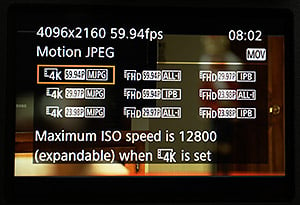
With the Canon 1D X Mark II, you can now shoot Cinema 4K video (4096 x 2160 aka DCI 4K) at up to 60fps, which is great for high-resolution footage of not only action, sports and other moving subjects, but also pretty much anything else. The camera also offers DCI 4K video at 30fps (29.97), 24fps (23.98) and true cinema-centric 24.00fps. (PAL frame rates of 50p and 25p are also available.) Interestingly, there's no UHD (3840 x 2160) option.
4K video is captured in Motion JPEG format, for all frame rates, and offers a high-quality bitrate of approximately 800Mbps for 60p and 500Mbps for the lower framerates, according to Canon's specs. Given the high data rates for 4K/60p footage, Canon recommends using CFast memory cards for 4K capture. The 1D X II also offers a 4K Frame Grab option in Playback mode, which allows you to pull 8.8-megapixel still images from a 4K video.
For 1080p video, the Canon 1D X Mark II is capable of a slow-motion-friendly 120fps, making it an even more capable camera for a variety of filming scenarios. The 1080/120p video mode is only offered in .MOV format with ALL-I compression for the best possible image quality (approximately 360Mbps bitrate). All other 1080p video framerates in MOV mode are offered in ALL-I or the space-saving IPB compression schemes.
Full HD video is also available in the standard array of slower framerates, from 60fps (59.94) down to 23.98fps (and true 24.00fps for cinematic work, as well as PAL options). Mobile device- and web-friendly .MP4 video is also offered at 1080p resolution in a variety of frame rates from 60p to 24p (and PAL) with IPB compression. IPB Light compression (approx. 12Mbps) is also available for 1080/30p (or 25p) video.
Although some pro-level video features like focus peaking or zebras are still not available, and video recording to an internal memory card has a maximum time limit of 29:59 per clip, the Canon 1D X II does offer clean, uncompressed 4:2:2 HDMI out with audio (with no time limitation when not recording internally), but only at Full HD resolution. Simultaneous internal recording at up to 4K and 1080 HDMI streaming is however possible. Plus, in addition to the stereo microphone input seen on the original 1D X, the "Mark II" now also features a 3.5mm stereo headphone jack, which can be used to monitor audio during video capture.
Hands-on with the characteristically big & beefy 1D X Mark II
As with other 1D-series cameras, the Canon 1D X Mark II is as rugged as they come for an EOS DSLR, and the build quality is top-notch. The camera is built around a durable magnesium alloy chassis that features the highest level of dust and weather-sealing that Canon offers on an EOS camera with higher-grade environmental protection than the 5D- and 7D-series cameras. The Canon 1D X II even has a mag-alloy mirror box, and its shutter mechanism is rated for 400,000 actuations -- with a built-in shutter counter like the earlier 1D X.
The look and feel of the Canon 1D X Mark II is classic 1D-series quality. Yes, the camera is heavy at about 3.4 lbs (1.53 kg) body-only, but its characteristic "built-like-a-tank" construction ensures it can withstand the wear and tear of daily use that a professional photographer or videographer will throw at it. This camera is built to last.
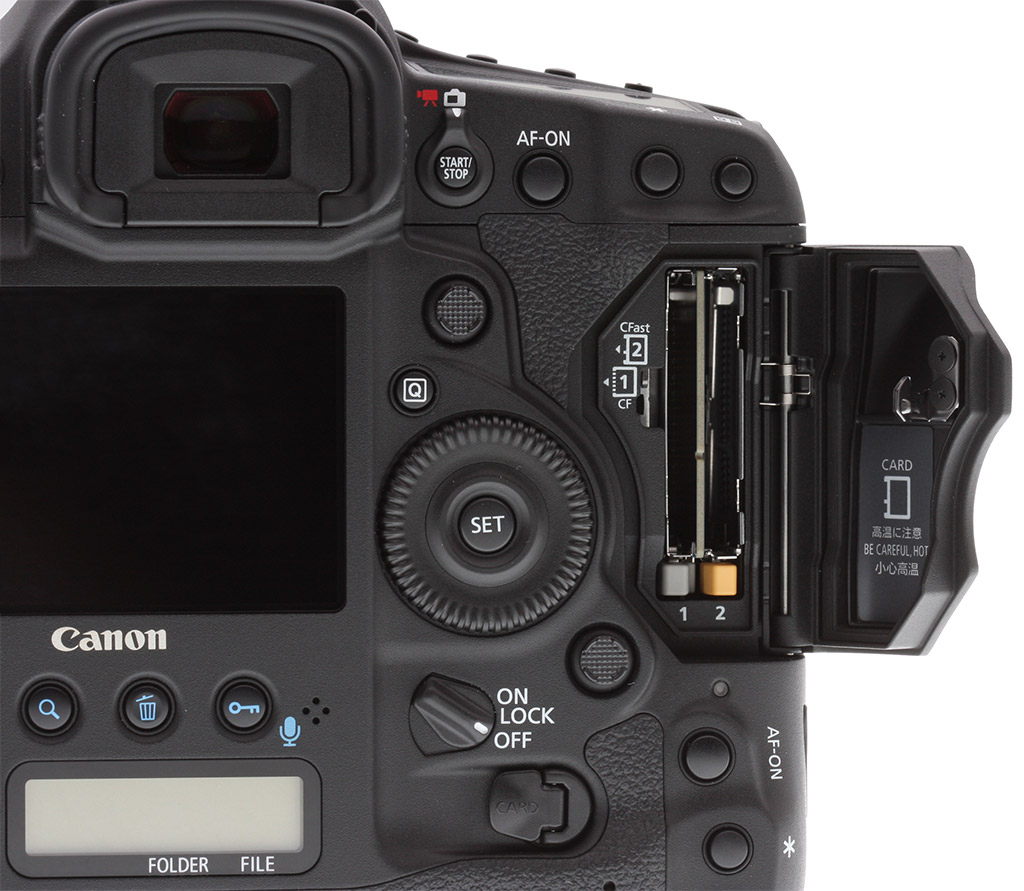
And though it may look like another 1D-series camera, there are a few small but notable new features that are making their way to a 1D-series for the first time. One minor tweak to the external design is a slightly thinner handgrip. The camera's characteristic full-size handgrip with integrated vertical grip can make for a rather thick handgrip, which can be a bit cumbersome for users with smaller hands. Canon tweaked the design of the grip to be slightly thinner, making it easier to wrap your hand around the camera. It's a very subtle change, but when comparing the 1D X II to the original side-by-side, the new design is noticeable and quite nice -- it's not drastic enough to negatively affect users with larger hands, in our opinion, but it simply makes the camera all the more secure in the hand.
Moving to the rear of the camera, the Canon 1D X Mark II is the first 1D-series model to feature a touchscreen LCD. The 3.2-inch TFT LCD display features 1.62-million dots of resolution and seven levels of brightness adjustment. The display is fixed, and not articulated in any way for the sake of durability (we're told the touchscreen capability itself has no effect on durability of the screen). In use, the touchscreen works very well. It's very responsive and tap-to-focus to select new focus points and set subject-tracking all works smoothly and easily.
While many other touchscreen-capable cameras, including Canon models, usually allow for the use of the touchscreen to operate a number of functions including navigating menus and changing settings, the 1D X II opts for a much more simplistic approach. The touchscreen is only active when selecting an AF point during live view shooting or in movie mode, otherwise the touch functionality is disabled. For long-time 1D owners, the standard Canon menu system and UI are operated just as before with physical controls -- so picking up the 1D X Mark II should feel right at home for those accustomed to its predecessor.
Brought over from the 5DS and 5DS R cameras, users of the "Q" Button for Canon's Quick Control interface now gain the ability to customize this layout and what settings and other information are displayed.
Wi-Fi has yet to be built-in on a 1D, but GPS now comes standard
Looking at the top of the camera, one will certainly notice the small "hump" at the top of the pentaprism housing. This is for the 1D X Mark II's new built-in GPS receiver. In a professional workflow, GPS functionality can be quite useful. For instance, for wildlife photographers and photojournalists, GPS metadata can help keep track of locations. Sports photographers can sync multiple cameras more easily and accurately. Users can even automatically sync their cameras' time with the GPS system's atomic clock. In professional shooting scenarios, such as press and event photography in particular, where metadata is critical for editors, wire services, and for simple organization, the addition of GPS functionality can be a nice benefit.

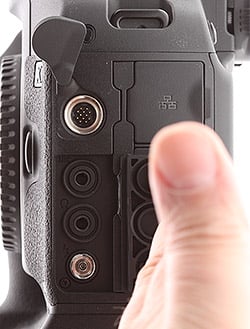
Though there isn't built-in Wi-Fi connectivity, the 1D X Mark II debuts with an updated wireless transfer accessory called the WFT-E8 (seen in the above image). This small optional accessory now offers 802.11ac wireless connectivity for faster transfers of photos and videos to connected mobile devices using Canon's Camera Connect app (iOS/Android). For wired connectivity, there are upgrades in this area as well, as the camera now includes a USB 3.0 port rather than USB 2.0. There's also a built-in 1000BASE-T Ethernet port.

Other minor exterior tweaks include a wider, easier to operate multi-direction joystick button on the rear of the camera and a new Live View/Movie Mode toggle switch, which is similar to that on the 5D-series and 7D-series cameras.
New battery offers lots of shooting time
The Canon 1D X Mark II comes with a new rechargeable lithium-ion batter pack, the LP-E19. Similar in shape to the 1D X battery pack, older batteries from earlier 1D X cameras are compatible in the 1D X II, but not vice versa. According to CIPA testing, when using the optical viewfinder, the 1D X II's battery should allow for between 1020-1210 or thereabouts (depending on the ambient temperature). Battery life drops dramatically though for Live View shooting, with approximately 240 shots per charge at 32°F (0°C) or 260 shots at 73°F (23°C).
Pricing & Availability
As with the previous 1D X, the Canon 1D X Mark II is sold body-only. Available since April 2016, the Canon 1D X Mark II has a retail price of US$5,999, which is a sizeable reduction compared to the $6,799 launch price of the original 1D X. Canon is also offering a "Premium Kit" configuration for an MSRP of US$6,299 that includes a 64GB CFast 2.0 card and card reader.

In the Box
The Canon EOS 1DX Mark II retail package (as reviewed) contains the following items:
- Canon 1DX Mark II DSLR Camera (Body Only)
- LP-E19 Battery Pack (2750mAh)
- LC-E19 Battery Charger
- Plug for North America
- EC-C6 Focusing Screen
- Eyecup Eg
- Camera Cover R-F-3
- Packing Cover
- Wide Strap L7
- Connect Cover for LP-E4
- IFC-150U II USB 3.0 Interface Cable
- Canon Digital Solution Disk
- Warranty Card
Recommended Accessories
- Large capacity CFast 2.0 and/or CompactFlash memory cards
- CFast 2.0 USB 3.0 or Thunderbolt Card Reader
- Given the high resolution and large file sizes of the 1DX Mark II, 32GB is a good tradeoff between cost and capacity. If you plan to capture high-definition or 4K movie clips, shoot image bursts, or shoot in RAW format, opt for the fastest cards you can afford (Canon recommends CFast cards for 4K video recording).
- Extra LP-E19 lithium-ion rechargeable battery pack for extended outings
- External shoe mount flash (e.g. Canon Speedlite 600EX II-RT)
- WFT-E8 Wireless Transfer Accessory
- Canon Remote Switch RS-80N3
- Medium to large camera bag
Optics
Viewfinder Test Results
Accuracy
Excellent accuracy from the optical viewfinder and LCD in Live View mode.


The Canon EOS 1D X Mark II's optical viewfinder accuracy is excellent, showing essentially 100% coverage with practically no offset or tilt. Live View mode accuracy using the LCD monitor is also excellent with about 100% coverage.
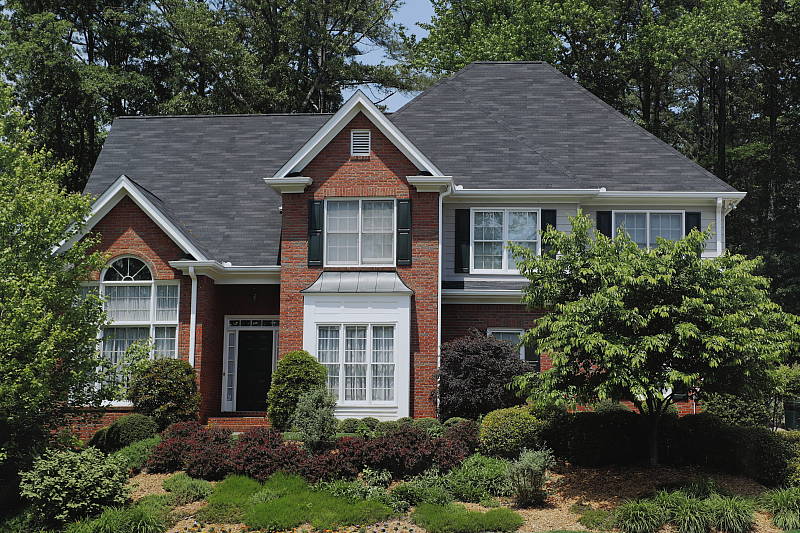
The images above were taken from our standardized test shots. For a collection of more pictorial photos, see our Canon EOS-1D X Mark II Photo Gallery .
Exposure
Color
Saturation & Hue Accuracy
Realistic saturation levels with very good hue accuracy.
 |
|||
|
ISO Sensitivity
|
|||
|
|
|
||
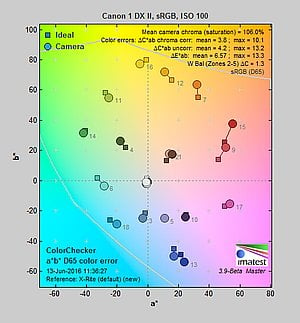
| In the diagram above, the squares show the original color, and the circles show the color that the camera captured. More saturated colors are located toward the periphery of the graph. Hue changes as you travel around the center. Thus, hue-accurate, highly saturated colors appear as lines radiating from the center. Mouse over the links above to compare ISOs, and click to load a larger version. | |||
Saturation. The Canon 1DX Mark II produces images with saturation levels that are slightly less pumped than most cameras at default settings. Dark reds are boosted the most, with orange, dark greens and dark blues pushed a little, while cyans, yellow and light green are slightly muted. The mean saturation of 106% (6% oversaturated) at base ISO is a little lower than average these days, though real-world images still look quite pleasing. Mean saturation is fairly stable across the native ISO range, varying from a maximum of 107.2% at ISOs 800 and 1600 to a minimum of 106.2% at ISO 51,200, however saturation fell off at extended high ISOs, to a low of only 93.9% at ISO 409,600. Most consumer digital cameras produce color that's more highly saturated (more intense) than found in the original subjects. This is simply because most people like their color a bit brighter than life.
Skin tones. The Canon 1DX Mark II produced pleasing, natural-looking Caucasian skin tones in our tests when using Auto white balance in simulated daylight. Darker skin tones show a small nudge toward orange, but lighter tones are more pinkish and healthy-looking. Manual and especially Daylight white balance are a bit too warm and yellow. Good results with Auto, though. Where oversaturation is most problematic is on Caucasian skin tones, as it's very easy for these "memory colors" to be seen as too bright, too pink, too yellow, etc.
Hue. As we've come to expect from Canon, the 1DX Mark II's hue accuracy is very good when manual white balance is used (as it always is for these results), and is much better than average. There are the usual shifts in cyan toward blue (though actually quite small), red toward orange, orange toward yellow and yellow to green, but all are fairly minor. Average "delta-C" color error at base ISO is 3.8 which is better than average. Delta-C color error increases with sensitivity, but remains better than average except at the highest extended ISOs. Hue is "what color" the
color is.


Sensor
Exposure and White Balance
Indoors, incandescent lighting
Auto and Incandescent settings both struggled with household incandescent lighting, though Manual white balance worked well. Slightly higher than average exposure compensation required.


Indoors, under incandescent lighting, the Canon 1DX Mark II's default Auto and Incandescent white balance settings struggled, producing very warm reddish or orange/yellow color casts. Unfortunately, this is not uncommon among cameras we've tested, but disappointing nonetheless. The Canon 1DX Mark II does however have a White Priority option for Auto white balance that should result in more neutral color balance, however we did not test that mode in the lab. The Manual setting produced accurate results. The Canon 1DX Mark II required +0.7 EV exposure compensation for this shot, which is slightly higher than the +0.3 EV average among the cameras we've tested. (Our test lighting for this shot is a mixture of 60 and 100 watt household incandescent bulbs, a pretty yellow light source, but a very common one in typical home settings here in the U.S.)
Outdoors, daylight
Realistic color, though with somewhat high contrast under harsh lighting. Average exposure accuracy.
The Canon 1DX Mark II produces pleasing, accurate colors outdoors with Auto white balance, although some may think default saturation is a touch too accurate and not as vibrant as some cameras. The 1DX II required +0.7 EV exposure compensation to keep the mannequin's face bright, about average for our"Sunlit" portrait shot. The Canon 1DX Mark II's default contrast is a little high, producing some washed-out highlights and dark shadows under the deliberately harsh lighting of the shot above left, though the camera's Auto Lighting Optimizer and Highlight Tone Priority settings help with high contrast scenes like these. See below for examples of this. The Far-field shot (above right) looks a bit cool, but exposure is quite good with the camera only blowing out a few highlights. There are some very deep shadows, however they are quite clean and detailed.
See full set of test images with explanations
See thumbnails of all test and gallery images
Resolution
~2,550 lines of strong detail from JPEG , about the same from ACR-converted RAW.

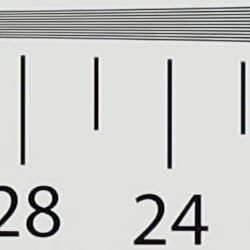
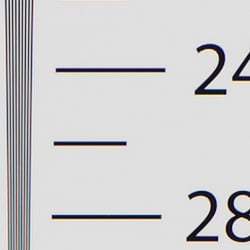
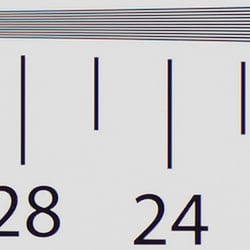
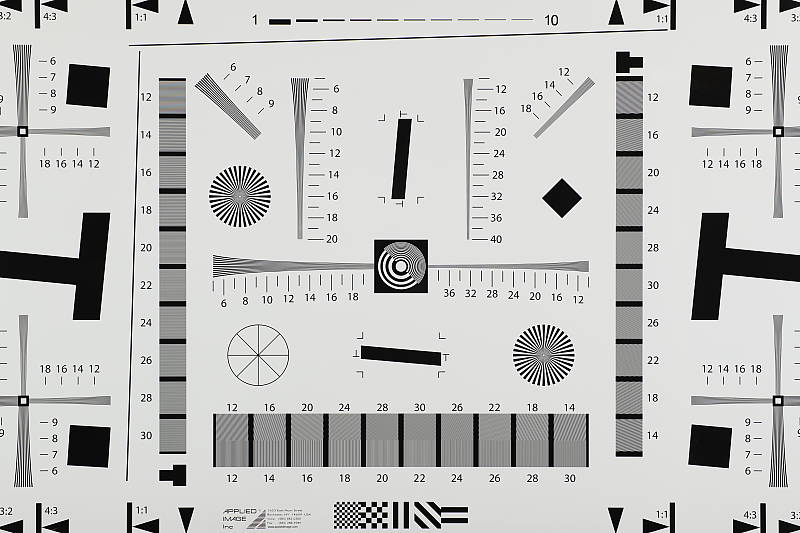
Our laboratory resolution chart showed sharp, distinct line patterns up to about 2,550 lines per picture height horizontally and to about 2,550 lines vertically. Some may argue for higher numbers, but lines begin to merge at this resolution, and some aliasing artifacts in the form of moiré patterns can be seen as low as 2,100 lines. Extinction of the pattern occurred at just over 3,400 lines. An Adobe Camera Raw converted .CR2 file shows similar resolution as the in-camera JPEG, though it also produced more moiré and false colors. Use these numbers to compare with other cameras of similar resolution, or use them to see just what higher resolution can mean in terms of potential detail.
See full set of test images with explanations
See thumbnails of all test and gallery images
Sharpness & Detail
Sharp images with default sharpening, but with noticeable sharpening artifacts. Minor detail loss due to noise reduction processing at low ISOs.


Sharpness. The Canon 1DX Mark II's 20-megapixel full-frame sensor captures good image detail for its resolution when coupled with a sharp lens, but while images taken at default settings are sharp, they contain obvious sharpening halos around high-contrast edges, as shown in the crop above left. Edge enhancement creates the illusion of sharpness by enhancing colors and tones right at the edge of a rapid transition in color or tone.
Detail. The crop above right shows some minor detail loss due to noise suppression in darker areas and in areas with low contrast, perhaps just a little more than we're accustomed to seeing from a full-frame digital SLR at base ISO these days. Still, not a bad performance, with very low chroma noise. Noise-suppression systems in digital cameras tend to flatten-out detail in areas of subtle contrast. The effects can often be seen in shots of human hair, where the individual strands are lost and an almost "watercolor" look appears.
In-Camera JPEGs: Standard vs Fine Detail Picture Style setting
The Canon 1DX Mark II is the fourth EOS DSLR to offer the new Fine Detail Picture Style first seen on the Canon 5DS/R and then on the 80D. Below is a comparison with the default Standard Picture Style.
|
Base ISO (100)
|
|
 |
 |
 |
 |
 |
 |
|
Camera JPEG, defaults
|
Camera JPEG, Fine Detail
|
In the table above, we compare the Canon 1DX Mark II's default Standard Picture Style setting (left) to its new Fine Detail preset at base ISO. Like the 5DS/R and 80D, the Canon 1DX Mark II offers users much more flexibility in sharpening than other EOS models, allowing you to adjust not only the "Strength" (from 0 to 7) but also the "Fineness" (1 to 5) and "Threshold" (1 to 5) operators. We believe these parameters correlate to unsharp mask options for strength, radius and threshold available in photo editing software such as Photoshop, although we don't know what the equivalent units might be.
The Fine Detail Picture Style preset boosts the Sharpness Strength operator one notch (to 4 out of 7) while dialing down the Fineness (1/5) and Threshold (1/5) operators to their minimum compared to Standard which defaults to Sharpness: 3/7, Fineness: 4/5 and Threshold: 4/5. The result is improved, more natural-looking rendering of fine detail along with less obvious sharpening halos than the default Standard setting. However, noise is more visible in flatter areas, and contrast is lower, making the Fine Detail image appear to have less "pop". There also appear to be minor differences in color, even though Color Tone, Saturation and Contrast settings are identical between these two Picture Styles presets. Given the flexibility in settings, though, you may be able to find a better combination than the defaults compared above.
RAW vs In-Camera JPEGs
As noted above the Canon 1DX Mark II produces sharp JPEG images with good detail for a 20-megaxpixel sensor, but with visible sharpening halos. With a good RAW converter, additional detail can often be extracted with fewer sharpening artifacts. See below:
|
Base ISO (100)
|
|
 |
 |
 |
 |
 |
 |
|
Camera JPEG, defaults
|
RAW via Adobe Camera Raw
|
In the table above, we compare a best quality in-camera JPEG taken at base ISO using default noise reduction and sharpening (on the left) to the matching RAW file converted with Adobe Camera Raw 9.1 via DNG Converter 9.6 using default noise reduction with some strong but tight unsharp masking applied in Photoshop (300%, radius of 0.3 pixels, and a threshold of 0).
Looking closely at the images, we can see ACR extracts additional detail that isn't present in the default JPEG from the camera, particularly in the red-leaf and pink swatches where the fine thread pattern is likely treated as noise by the JPEG engine. Fine detail in the mosaic crop is also improved, but as is often the case, the conversion isn't as clean and smooth looking, with more noise that can be seen for instance in the flatter areas of the bottle crop. You can of course apply stronger noise reduction (default ACR NR used here) to arrive at your ideal noise versus detail tradeoff. And, as expected, sharpening halos aren't nearly as strong as the default camera output. Still, not bad in-camera default JPEG processing, but as usual you can do noticeably better by shooting in RAW mode and using a good RAW converter.
ISO & Noise Performance
Excellent high ISO performance.
|
Default High ISO Noise Reduction
|
||
 |
 |
 |
| ISO 50 | ISO 100 | ISO 200 |
 |
 |
 |
ISO 400 | ISO 800 | ISO 1600 |
 |
 |
 |
| ISO 3200 | ISO 6400 | ISO 12,800 |
 |
 |
 |
| ISO 25,600 | ISO 51,200 | ISO 102,400 |
 |
 |
|
| ISO 204,800 | ISO 409,600 | |
Images are very clean and detailed up to ISO 400, with only very minor reductions in image quality as ISO rises within this range. Image quality drops gradually and predictably between ISO 800 and 12,800, with progressively stronger noise and smudging due to noise reduction, though fine detail is still pretty good up to ISO 12,800. At ISO 25,600, we see more noticeable luma noise as well as some chroma blotching especially in darker areas, though images still contain some fine detail. ISO 51,200 is quite noisy but the noise "grain" is relatively fine and tight, and detail is fair. Image quality starts to drop off rapidly at ISO 102,400 and above with much stronger luma noise obliterating fine detail, visible noise reduction artifacts, and more noticeable chroma blotching. Saturation also falls off at the highest ISOs.
Still, excellent high ISO image quality overall. See the Print Quality section below (when available) for our evaluation of maximum print sizes at each ISO setting.
A note about focus for this shot: We used to shoot this image at f/4, however depth of field became so shallow with larger, high-resolution sensors that it was difficult to keep important areas of this shot in focus, so we have since started shooting at f/8, the best compromise between depth of field and sharpness.
Extremes: Sunlit, dynamic range and low light tests
Somewhat high default contrast limits dynamic range in JPEGs, however HTP and ALO options do a great job of dealing with tough lighting. Excellent low-light performance.


The Canon 1DX Mark II produced some washed-out highlights and deep shadows under the deliberately harsh lighting of the test shots above, thanks to its somewhat high default contrast. The mannequin's face was too dim at the default and +0.3 EV settings and too many highlights were blown with +1.0 EV, so we preferred the image with +0.7 EV exposure compensation. This resulted in some clipped highlights in the shirt and flowers, but not as many as we've seen from most prior Canon models, and shadow detail is very good with low noise levels. And pretty much all the clipped highlights were easily recoverable from the matching CR2 file, indicating very good dynamic range from RAW files. Bottom line: While the Canon 1DX Mark II's default tone curve still results is more clipped highlights than we'd like to see in this shot, its sensor delivers very good dynamic range with low noise in the shadows, which results in better usable dynamic range when working with RAW files.
Because digital cameras are more like slide film than negative film (in that they tend to have a more limited tonal range), we test them in the harshest situations to see how they handle scenes with bright highlights and dark shadows, as well as what kind of sensitivity they have in low light. The shot above is designed to mimic the very harsh, contrasty effect of direct noonday sunlight, a very tough challenge for most digital cameras. (You can read details of this test here. In actual shooting conditions, be sure to use fill flash in situations like the one shown here; it's better to shoot in open shade whenever possible.)
Highlight Tone Priority
The Canon 1DX Mark II's Highlight Tone Priority (HTP) option did an excellent job of preserving highlight detail with very little impact to shadows as shown below. (Mouse over the Off and On links to load the corresponding thumbnail, histogram and crops.)
|
Highlight Tone Priority (0 EV)
|
|
 |
|
| Highlights |  |
| Shadows (Levels boosted to reveal noise.) |
 |
| Histogram | 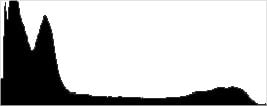 |
Both shots above were captured at the same exposure, the only difference being that HTP was enabled for the second shot which necessarily increases the ISO to 200; part of how HTP works. Although few highlights were blown at default exposure, the result is still evident in the histograms and thumbnails above, clearly showing the superior highlight preservation when HTP is enabled. If you look closely at shadows (the levels in shadow crops above are heavily boosted to reveal noise that would be difficult to see otherwise), you'll notice an increase in noise and a slight decrease in detail is the price you pay when ISO is boosted from 100 to 200.
Above you can see Highlight Tone Priority at work in our Far-field shot. As expected, highlights are toned-down preserving the few that were lost without HTP enabled, but interestingly, midtones and lighter shadows were boosted.
Automatic Lighting Optimization
Like previous Canon EOS models, the 1DX Mark II offers three selectable levels of Automatic Lighting Optimization (ALO), plus Off. Mouse over the links below to load the associated thumbnail and histogram, and click on the links to load full resolution images.
|
Automatic Lighting Optimization (0 EV)
|
|
 |
|
 |
|
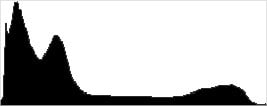
As you can see above, ALO has the effect of shifting shadows and mid-tones in the histograms to the right, brightening them while leaving highlights pretty much as is, with the High setting producing a much better exposure. ISO is not boosted for ALO so increased noise is not an issue, though it may be slightly more visible in shadows that have been boosted significantly.


Above is the effect of ALO on our Far-field shot. As you can see, it operates mainly on the shadows and midtones, leaving highlights pretty much intact.
HDR
Being a pro camera, the Canon 1DX Mark II does not offer an in-camera HDR feature like more consumer-oriented EOS bodies.
Dynamic Range Analysis (RAW mode)
While we once performed our own dynamic range measurements based on in-camera JPEGs as well as converted RAW images (when the camera was supported by Adobe Camera Raw), we've switched to using DxO Labs' results from their DxOMark website. As technology advanced, the dynamic range of modern high-end cameras in some cases exceeded the range of the Stouffer T4110 density scale that we used for our own measurements. DxO's approach based on RAW data before demosaicing is also more revealing, because it measures the fundamental dynamic range of the sensor, irrespective of whatever processing is applied to JPEGs, or to RAW data by off-the-shelf conversion software.
In the following, we use DxO's "Print" dynamic range results, which are scaled based on camera resolution. As the name suggests, this scaling corresponds to the situation in which you print at a given size, regardless of how many megapixels the camera might have. (In other words, if you've decided to make a 13x19 inch print, that's the size you're printing, whether the camera's resolution is 16 or 300 megapixels.) For the technically-minded, you can find a discussion of the reasoning behind this here on the DxOMark website. Also note that DxO Labs uses a signal-to-noise (SNR) threshold of 1 when defining the lower boundary of acceptable luminance noise in their dynamic range measurements, which corresponds to the "Low Quality" threshold of the Imatest software we used to use for this measurement.

Here, we decided to compare the Canon 1DX Mark II's dynamic range (in orange) to its predecessor, the 1DX (in yellow), and also to its closest competitor, the Nikon D5 (red). You can always compare other models on DxOMark.com.
As you can see from the above graph (click for a larger version), the Canon 1DX Mark II's dynamic range is markedly improved over the 1DX at low to moderate ISOs, with a peak of about 13.5 EV versus 11.7 at base ISO. Dynamic range remains higher than its predecessor up to about ISO 3200, above which they are closely matched. Still, it's a very welcomed improvement at low to moderate ISOs.
In an interesting turn of events, the Canon 1DX II's dynamic range is also significantly better than the Nikon D5 at base ISO (13.5 vs 12.3 EV), and remains better than the D5 up to ISO 3200, above which the D5 is up to about 2/3 EV better, until they closely match at very high ISOs.
Bottom line: While dynamic range isn't quite as good as some other full-frame models that aren't capable of the performance offered by this pro DSLR, the Canon EOS 1DX Mark II nevertheless offers class-leading dynamic range, with very significant improvements over its predecessor and main competitor at low to moderate ISOs. Click here to visit the DxOMark page for the Canon 1DX Mark II for more of their test results and additional comparisons.
| 1 fc 11 lux |
1/16 fc 0.67 lux |
1/16 fc No NR |
|
|---|---|---|---|
| ISO 100 |
 2s, f2.8 |
 30s, f2.8 |
 30s, f2.8 |
| ISO 3200 |
 1/15s, f2.8 |
 1s, f2.8 |
 1s, f2.8 |
| ISO 51200 |
 1/250s, f2.8 |
 1/15s, f2.8 |
 1/15s, f2.8 |
Low Light. The Canon 1DX Mark II performed very well in our low-light tests, capturing bright images at the lowest light level (1/16 foot-candle), even with the lowest native sensitivity setting (ISO 100). As expected, noise increases as ISO goes up and light levels go down, but luminance noise is quite low and fine-grained at ISO 3200, and chrominance noise is well-controlled. Luma noise is a bit high at the maximum native ISO of 51,200, particularly when noise reduction is minimized (right column in the table above), however chroma noise continues to be very well-controlled and images are still very usable. We no longer test extended ISOs in our low-light tests.
We didn't detect any significant issues with hot/bright pixels even when long-exposure noise reduction was disabled and high-ISO NR was minimized (right column), where you'd expect to see them. We didn't see any signs of heat blooming either, nor any significant banding (fixed pattern noise) in very deep shadows, a welcome improvement over Canon's previous generations of sensors.
Color balance was fairly neutral with Canon 1DX Mark II's Auto white balance setting, just a touch cool at the one foot-candle light level, but a bit warm at the lower 1/16 foot-candle light level.
LL AF. The Canon 1DX II's AF systems were able to focus on our challenging low-contrast AF target down to well below the 1/16 foot-candle level with both the optical viewfinder (-2.9 EV) and in Live View mode (-4.1 EV) with an f/2.8 lens, which is very good. With our new high-contrast AF target, the camera was able to focus down to -6.0 EV with the optical viewfinder and down to -8.0 EV in Live View mode, which is excellent. The Canon 1DX II doesn't have a built-in AF illuminator, but can utilize the illuminator found on most compatible flash units.
How bright is this? The one foot-candle light level that this test begins at roughly corresponds to the brightness of typical city street-lighting at night. Cameras performing well at that level should be able to snap good-looking photos of street-lit scenes.
NOTE: This low light test is conducted with a stationary subject, and the camera mounted on a sturdy tripod. Most digital cameras will fail miserably when faced with a moving subject in dim lighting. (For example, a child's ballet recital or a holiday pageant in a gymnasium.) Digital SLRs like the Canon 1DX Mark II do much better than point & shoots, but you still shouldn't expect a quick autofocus lock with moving subjects.
Output Quality
Print Quality
High-quality prints up to 30 x 40 inches at ISO 50-400; Nice 8 x 10 inch prints all the way up to ISO 25,600; and a 4 x 6 inch print just squeaks by at ISO 102,400.
 ISO 50/100/200/400 prints all look practically identical and altogether quite excellent up to a whopping 30 x 40 inches and beyond. Despite its 20-megapixel sensor, the Canon 1DX II is capable of making impressively large prints. At 30 x 40 inches, slight pixelation is visible upon close inspection, but at a normal viewing distance for prints of this size, they look great. Colors are very rich in this range of ISOs, as expected. We saw an ever-so-slight softening of very minute details in the ISO 400 30 x 40 inch print, but not to a degree as to impact print size, in our eyes.
ISO 800 images show just a hint more noise, but it's mostly confined to the shadows -- and even then, it's very minimal. Prints up to a sizable 24 x 36 inches are still very good, with lovely fine detail.
ISO 1600 prints look very similar to ISO 800 ones, with only a bit more shadow noise. Fine details are still crisp, and colors are vibrant and saturated. As such, we're happy to call the print size at 24 x 36 inches here as well, as the subtle increase in noise does not impact print quality all that much.
ISO 3200 images begin to display a slight drop in detail due to noise, though not to a very significant degree. The noise itself is increasingly visible in the shadows. Still, the camera is able to make nice, large prints up to 20 x 30 inches.
ISO 6400 prints show a bit too much noise for us to confidently call them at 16 x 20 inches, so we're playing it safe at 13 x 19 inches. A 16 x 20 inch print could certainly be used for less critical applications.
ISO 12,800 images display stronger, more visible noise, but detail overall, up to an 11 x 14 inch print, looks very good. Again, for less critical applications, you might be able to get away with bumping the print size up by one.
ISO 25,600 prints top out at 8 x 10 inches, as noise has become quite strong reducing fine detail at larger sizes.
ISO 51,200 images appear surprisingly clean when you stop at 5 x 7 inch prints. Noise, otherwise, is very much an issue at this ISO level, however colors still appear quite vibrant in our test prints.
ISO 102,400 prints are very noisy, but the 1DX II manages a usable 4 x 6 inch print. Any larger, noise and a lack of fine detail are very problematic.
ISO 204,800/409,600 images, while perhaps useful if you simply need to "get the shot," are just too noisy and lacking in fine detail for print making.
The Canon 1DX Mark II manages a fantastic showing in our print department, despite packing a modest 20-megapixel full-frame sensor that's obviously designed for speed rather than resolution. It certainly won't get any awards for sheer resolving power, considering the 36-50-megapixel full-frame cameras out there today, but it nevertheless manages some surprisingly large prints -- up to at least 30 x 40 inches -- at up to ISO 400. As ISO sensitivity rises, the 1DX II remains thoroughly impressive, even managing a nice 11 x 14 inch print all the way up to ISO 12,800. Even when the ISO reaches six digits, the Canon 1DX II is able to make a usable print, a 4 x 6 at ISO 102,400. However, the top two ISOs beyond this should be avoided for prints, as they are just too noisy.
The images above were taken from our standardized test shots. For a collection of more pictorial photos, see our Canon EOS-1D X Mark II Photo Gallery .
Not sure which camera to buy? Let your eyes be the ultimate judge! Visit our Comparometer(tm) to compare images from the Canon EOS-1D X Mark II with those from other cameras you may be considering. The proof is in the pictures, so let your own eyes decide which you like best!
Performance
Timing and Performance
Excellent performance, with noticeable improvements over the 1DX.
| Startup/Play to Record | ||
|---|---|---|
|
Power on |
0.8 second
|
Time it takes for camera to turn on. |
|
Play to Record, |
~0.1 second
|
Time until first shot is captured. |
Startup including taking a shot was oddly a touch slower than the 1DX's 0.5 second time. Play to Record and taking a shot was very fast, but our senior lab tech noted it varied a lot.
| Shutter Response (Lag Time), Optical Viewfinder |
||
|---|---|---|
|
Full Autofocus |
0.085 second
|
Time from fully pressing shutter button to image capture using optical viewfinder. All timing performed with a Canon 50mm f/1.8 STM lens. |
|
Manual focus |
0.072 second
|
For most cameras, shutter lag is less in manual focus than autofocus, but usually not as fast as when the camera is "prefocused". |
|
Prefocused |
0.053 second
|
Time to capture, after half-pressing and holding shutter button. |
| Live View | ||
|
Prefocused |
0.054 second
|
Time to capture, after half-pressing and holding shutter button in Live View mode. |
In terms of the Canon 1DX II's ability to determine that it's properly focused when shooting the same target multiple times (with no change of focus setting between iterations, to remove the impact of lens AF speed), its speed was excellent. The 1DX II's AF shutter lag measured only 85 milliseconds using single-area (center) AF mode with a Canon 50mm f/1.8 STM lens. The 1DX took 0.129 second so a noticeable improvement here, though it was tested with a different lens.
Manual focus lag was 72 milliseconds, a bit faster than the 1DX's 95 ms. When prefocused, shutter lag was 53 milliseconds and once again slightly improved over the 1DX's 56 ms. Like the 1DX, the 1DX Mark II also has a "Shortened" shutter release lag option which is rated at 36 milliseconds by Canon, however we did not test that in the lab.
When prefocused in Live View mode shutter lag was 54 milliseconds, compared to 64 milliseconds for its predecessor. We no longer test autofocus speeds during Live View mode for DSLRs, since it's very lens dependent.
To minimize the effect of different lens' focusing speed, we test AF-active shutter lag with the lens already set to the correct focal distance.
| Cycle Time (shot-to-shot) | ||
|---|---|---|
|
Single Shot mode |
< 0.3 second
|
Time per shot, averaged over a few frames (we no longer test for buffer depths in single-shot mode). |
|
Single Shot mode |
< 0.3 second
|
Time per shot, averaged over a few frames (we no longer test for buffer depths in single-shot mode). |
|
Early shutter |
No
|
Some cameras don't snap another shot if you release and press the shutter too quickly in Single Shot mode, making "No" the preferred answer. |
|
Continuous High |
0.07 second
(13.99 frames/sec); unlimited frames; 1 second to clear* |
Time per shot with no apparent buffer limit other than available space on card. |
|
Continuous High |
0.07 second
(14.08 frames/sec); unlimited frames; 1 second to clear* |
Time per shot with no apparent buffer limit other than available space on card. |
|
Continuous High |
0.07 second
(13.99 frames/sec); 73 frames total; 4 seconds to clear* |
Time per shot, averaged over 73 shot buffer, then slowed to an average of 0.13s or 8.00 fps with a full buffer. |
|
Continuous High |
0.07 second
(14.29 frames/sec); unlimited frames; 1 second to clear* |
Time per shot with no apparent buffer limit other than available space on card. |
|
Continuous High |
0.07 second
(14.29 frames/sec); unlimited frames; 1 second to clear* |
Time per shot with no apparent buffer limit other than available space on card. |
|
Continuous High |
0.07 second
(14.39 frames/sec); 63 frames total; 4 seconds to clear* |
Time per shot, averaged over 63 shot buffer, then slowed to an average of 0.12s or 8.51 fps with a full buffer. |
|
Flash recycling |
N/A
|
Flash at maximum output. |
|
*Note: Buffer clearing times measured with a Lexar 64GB Pro 3500x CFast 2.0 flash card. Slower cards will produce correspondingly slower clearing times. Slow cards may also limit length of bursts in continuous mode. ISO sensitivity and noise reduction settings can also affect cycle times and burst mode performance.
|
||
Single-shot cycle times were so fast that they were difficult to accurately measure as they depend on the tester's dexterity and ability to maintain an optimum rhythm, so your results may vary. (Note that we no longer test single-shot mode with just RAW files, as the results are usually somewhere in between JPEG and RAW+JPEG.)
Continuous High burst mode performance was outstanding, and improved over the 1DX. We measured the 1DX II's burst speed when using the optical viewfinder at approximately 14 frames per second, compared to 12 fps for the 1DX, despite the modest increase in resolution. With the mirror locked-up in Live View mode, the Canon 1DX II managed just a bit faster at about 14.3 frames per second, however that's short of its 16 fps spec. (Note: we re-tested this with a freshly charged battery and reformatted memory card, but were still not able to achieve the rated 16 fps. However, maximum burst rate may be limited by a number of factors so we're not really concerned that the 1DX II didn't seem to meet Canon's 16 fps spec in the lab.)
Buffer depths have also improved over its predecessor especially when using a very fast CFast 2.0 card. The 1DX II captured best quality JPEGs or RAW files with no apparent limit, though when shooting RAW+JPEG files it slowed after 73 frames, however the buffer full-rate was still a very respectable 8 fps. Buffer depths in the faster Live View mode were similar with no apparent limit for JPEG or RAW files, and 63 frames for RAW+JPEG with a buffer-full rate of 8.5 fps.
Buffer clearing was incredibly fast with our Lexar CFast 2.0 card. When shooting best quality JPEGs or RAW files, the buffer cleared in only 1 second. When shooting RAW+JPEG files, it took noticeably longer at 4 seconds, but the camera was fully functional while clearing including changing settings and viewing just captured images.
(For those of you wondering about buffer performance with your older CompactFlash cards, we also tested the 1DX II with a SanDisk Extreme Pro 100MB/s UDMA7 card. Buffer depths were 196 JPEGs, 57 RAW files and 42 RAW+JPEG files, with clearing times of 14, 15 and 16 seconds respectively. As you can see, the 1DX II makes good use of much faster CFast 2.0 cards in terms of buffer performance, especially clearing times.)
Bottom line, as you'd expect from a flagship pro model, the Canon 1DX Mark II is incredibly fast overall, with very fast AF, very low shutter lag, fast shot-to-shot times, and amazing burst mode speeds and buffer performance.
Battery
Battery Life
Good battery life for a pro DSLR when using the optical viewfinder.
| Test Conditions | Number of Shots |
|---|---|
|
Lithium-ion rechargeable battery,
(CIPA standard, Optical Viewfinder) |
1,210 |
|
Lithium-ion rechargeable battery,
(CIPA standard, Live View LCD) |
260 |
The Canon 1DX II uses a custom LP-E19 rechargeable lithium-ion battery pack for power, and comes with both a single battery and a dedicated dual battery charger. The CIPA-rated 1,210 shots per charge using the optical viewfinder is pretty good for a pro DSLR, but it's only about a third of its closest rival, the Nikon D5 with its outstanding 3,780 shots per charge. However in Live View mode, battery life drops to only 260 shots, so you may want to pickup a spare battery or two if you use Live View a lot.
The table above shows the number of shots the camera is capable of on fully-charged battery, based on CIPA battery-life and/or manufacturer standard test conditions.
(Interested readers can find an English translation of the CIPA DC-002 standards document here. (180K PDF document))
Image Quality
Below are crops from our laboratory Still Life target comparing Canon 1DX Mark II image quality to its predecessor, the 1DX, as well as to its closest competitor, the Nikon D5. We've also included the Canon 7D Mark II and Nikon D500, since they offer the top frame rates currently available from pro-level Canon and Nikon APS-C DSLRs (~10 fps), as well as the Samsung NX1, which is capable of 15 fps.
NOTE: These images are from best quality JPEGs straight out of the camera, at default settings including noise reduction and using the camera's actual base ISO (not extended ISO settings). All cameras in this comparison were shot with our very sharp reference lenses. Clicking any crop will take you to a carrier page where you can click once again to access the full resolution image as delivered straight from the camera. For those interested in working with the RAW files involved, click these links to visit each camera's respective sample image thumbnail page: Canon 1DX II, Canon 1DX, Canon 7D II, Nikon D5, Nikon D500, and Samsung NX1 -- links to the RAW files appear beneath those for the JPEG images, wherever we have them. And remember, you can always go to our world-renowned Comparometer to compare the Canon 1DX Mark II to any camera we've ever tested!
Canon 1D X Mark II vs Canon 1D X at Base ISO
|  |
|  |
|  |
Canon 1D X Mark II at ISO 100 | Canon 1D X at ISO 100 |
The 20-megapixel 1DX Mark II captures a bit more detail than its 18-megapixel predecessor, particularly in the red-leaf swatch where some of the fine thread pattern is resolved, but the difference is pretty minor and otherwise the images are very similar here at base ISO. | |
Canon 1D X Mark II vs Canon 7D Mark II at Base ISO
|  |
|  |
|  |
Canon 1D X Mark II at ISO 100 | Canon 7D Mark II at ISO 100 |
Canon's top-of-the-line APS-C DSLR offers the same resolution, but its smaller APS-C sensor means that noise levels are a little higher at base ISO, which translates to slightly less detail thanks to noise reduction which has to work a little harder to produce similar noise levels. | |
Canon 1D X Mark II vs Nikon D5 at Base ISO
|  |
|  |
|  |
Canon 1D X Mark II at ISO 100 | Nikon D5 at ISO 100 |
Image quality from these two rivals is actually fairly close, with the Nikon producing an ever-so-slightly crisper image in some areas, thanks to a slightly tighter sharpening radius and higher contrast, while the 1DX II appears sharper in others. Interestingly, the 1DX II shows a slightly higher amount of aliasing artifacts, which indicates it has a fairly weak AA filter. Colors from the Nikon are a touch warmer as well, but otherwise image quality is quite comparable here at base ISO. | |
Canon 1D X Mark II vs Nikon D500 at Base ISO
|  |
|  |
|  |
Canon 1D X Mark II at ISO 100 | Nikon D500 at ISO 100 |
This comparison to the 21-megapixel APS-C Nikon D500 reveals the Nikon produces slightly higher noise levels as expected, but otherwise the differences are very similar to the D5, although this time it's the Nikon which shows slightly higher aliasing, thanks to the lack of an AA filter. | |
Canon 1D X Mark II vs Samsung NX1 at Base ISO
|  |
|  |
|  |
Canon 1D X Mark II at ISO 100 | Samsung NX1 at ISO 100 |
We decided to include the Samsung NX1 in this comparison because it is able to shoot at 15 frames per second and it has one of the best performing APS-C sensors to date. The resolution advantage of the 28-megapixel Samsung NX1 is easy to see here at ISO 100, as well as are much stronger aliasing artifacts, though sharpening halos are a little less obtrusive than the Canon's. Noise levels are similar, no doubt due to stronger noise reduction given the 1DX Mark II's pixel pitch is about 80% larger than the NX1's, but color and saturation are better from the Canon. | |
Canon 1D X Mark II vs Canon 1D X at ISO 1600
 |  |
 |  |
 |  |
Canon 1D X Mark II at ISO 1600 | Canon 1D X at ISO 1600 |
The 1DX Mark II continues to resolve fine detail a little better than its predecessor here at ISO 1600. Luma noise appears to be a bit higher in the shadows from the Mark II, but chroma noise is better controlled which may be why the 1DX II doesn't do as well with our tricky red-leaf swatch (the fabric has probably also faded slightly since the 1DX was shot). Still, overall image quality is similar. | |
Canon 1D X Mark II vs Canon 7D Mark II at ISO 1600
|  |
|  |
|  |
Canon 1D X Mark II at ISO 1600 | Canon 7D Mark II at ISO 1600 |
The advantages of a full-frame sensor with more modern tech (such as on-board A/D conversion) are more obvious here at ISO 1600. The 1DX II produces a noticeably cleaner image than the 7D Mark II, and it's more detailed as well. | |
Canon 1D X Mark II vs Nikon D5 at ISO 1600
|  |
|  |
|  |
Canon 1D X Mark II at ISO 1600 | Nikon D5 at ISO 1600 |
Again, fairly similar image quality from these two rivals at ISO 1600 apart from color and contrast, though the Canon image appears slightly cleaner in the shadows and dark areas. | |
Canon 1D X Mark II vs Nikon D500 at ISO 1600
|  |
|  |
|  |
Canon 1D X Mark II at ISO 1600 | Nikon D500 at ISO 1600 |
Compared to the state-of-the-art APS-C sensor of similar resolution in the Nikon D500, the advantages of the Canon 1DX II's full-frame sensor are not as stark as compared to the 7D Mark II, but they are still quite visible with lower noise levels and better detail. | |
Canon 1D X Mark II vs Samsung NX1 at ISO 1600
|  |
|  |
|  |
Canon 1D X Mark II at ISO 1600 | Samsung NX1 at ISO 1600 |
The Samsung NX1's resolution advantage is quickly diminishing here at ISO 1600, thanks to much higher noise levels and stronger noise reduction needed to mitigate it. The Samsung continues to produce fewer sharpening halos, while the Canon produces better color and saturation levels. | |
Canon 1D X Mark II vs Canon 1D X at ISO 3200
 |  |
 |  |
 |  |
Canon 1D X Mark II at ISO 3200 | Canon 1D X at ISO 3200 |
The newer 1DX Mark II does a little better with fine detail in most areas while continuing to produce similar noise levels, but the difference in images here at ISO 3200 is likely not enough to get anyone to upgrade for image quality alone. | |
Canon 1D X Mark II vs Canon 7D Mark II at ISO 3200
|  |
|  |
|  |
Canon 1D X Mark II at ISO 3200 | Canon 7D Mark II at ISO 3200 |
Unsuprisingly, the advantages of the 1DX II's full-frame sensor are even more obvious here at ISO 3200, with much better detail and much lower noise. | |
Canon 1D X Mark II vs Nikon D5 at ISO 3200
|  |
|  |
|  |
Canon 1D X Mark II at ISO 3200 | Nikon D5 at ISO 3200 |
Once again, very similar image quality from these two rivals at ISO 3200 apart from color and tone curves, though the Canon does show slightly lower luma noise in the shadows. | |
Canon 1D X Mark II vs Nikon D500 at ISO 3200
|  |
|  |
|  |
Canon 1D X Mark II at ISO 3200 | Nikon D500 at ISO 3200 |
The 1DX Mark II pulls a little further away from the D500 here at ISO 3200, with lower noise, better detail and a crisper image overall. The Nikon continues to produce noticeably warmer colors. | |
Canon 1D X Mark II vs Samsung NX1 at ISO 3200
|  |
|  |
|  |
Canon 1D X Mark II at ISO 3200 | Samsung NX1 at ISO 3200 |
The Samsung NX1 is working hard to keep noise under control here at 3200, but it can only do so much with a noisier sensor. The Canon 1DX II clearly outperforms it here in all respects, except in high-contrast areas. | |
Canon 1D X Mark II vs. Canon 1D X, Canon 7D Mark II, Nikon D5, Nikon D500, Samsung NX1
 |  |  |  |  |  |
 |  |  |  |  |  |
 |  |  |  |  |  |
| Canon 1D X Mark II ISO 100 ISO 3200 ISO 6400 | Canon 1D X ISO 100 ISO 3200 ISO 6400 | Canon 7D Mark II ISO 100 ISO 3200 ISO 6400 | Nikon D5 ISO 100 ISO 3200 ISO 6400 | Nikon D500 ISO 100 ISO 3200 ISO 6400 | Samsung NX1 ISO 100 ISO 3200 ISO 6400 |
| Detail comparison. High-contrast detail is also important, pushing the camera in different ways, so we like to look at it, too. Here, all cameras in this group do well at base ISO, though the higher-resolution Samsung NX1 is able to resolve more detail, though its contrast is the lowest. As expected, the full-frame models hold up the best as ISO rises. The 1DX Mark II does do a bit better than its predecessor, but nothing to write home about. The Nikons offer the highest contrast of the group, with surprisingly little difference between the full-frame D5 and sub-frame D500. The 7D Mark II trails the pack at higher ISOs, in both detail and contrast. | |||||
Canon 1DX Mark II Print Quality Analysis
High-quality prints up to 30 x 40 inches at ISO 50-400; Nice 8 x 10 inch prints all the way up to ISO 25,600; and a 4 x 6 inch print just squeaks by at ISO 102,400.
ISO 50/100/200/400 prints all look practically identical and altogether quite excellent up to a whopping 30 x 40 inches and beyond. Despite its 20-megapixel sensor, the Canon 1DX II is capable of making impressively large prints. At 30 x 40 inches, slight pixelation is visible upon close inspection, but at a normal viewing distance for prints of this size, they look great. Colors are very rich in this range of ISOs, as expected. We saw an ever-so-slight softening of very minute details in the ISO 400 30 x 40 inch print, but not to a degree as to impact print size, in our eyes.
ISO 800 images show just a hint more noise, but it's mostly confined to the shadows -- and even then, it's very minimal. Prints up to a sizable 24 x 36 inches are still very good, with lovely fine detail.
ISO 1600 prints look very similar to ISO 800 ones, with only a bit more shadow noise. Fine details are still crisp, and colors are vibrant and saturated. As such, we're happy to call the print size at 24 x 36 inches here as well, as the subtle increase in noise does not impact print quality all that much.
ISO 3200 images begin to display a slight drop in detail due to noise, though not to a very significant degree. The noise itself is increasingly visible in the shadows. Still, the camera is able to make nice, large prints up to 20 x 30 inches.
ISO 6400 prints show a bit too much noise for us to confidently call them at 16 x 20 inches, so we're playing it safe at 13 x 19 inches. A 16 x 20 inch print could certainly be used for less critical applications.
ISO 12,800 images display stronger, more visible noise, but detail overall, up to an 11 x 14 inch print, looks very good. Again, for less critical applications, you might be able to get away with bumping the print size up by one.
ISO 25,600 prints top out at 8 x 10 inches, as noise has become quite strong reducing fine detail at larger sizes.
ISO 51,200 images appear surprisingly clean when you stop at 5 x 7 inch prints. Noise, otherwise, is very much an issue at this ISO level, however colors still appear quite vibrant in our test prints.
ISO 102,400 prints are very noisy, but the 1DX II manages a usable 4 x 6 inch print. Any larger, noise and a lack of fine detail are very problematic.
ISO 204,800/409,600 images, while perhaps useful if you simply need to "get the shot," are just too noisy and lacking in fine detail for print making.
The Canon 1DX Mark II manages a fantastic showing in our print department, despite packing a modest 20-megapixel full-frame sensor that's obviously designed for speed rather than resolution. It certainly won't get any awards for sheer resolving power, considering the 36-50-megapixel full-frame cameras out there today, but it nevertheless manages some surprisingly large prints -- up to at least 30 x 40 inches -- at up to ISO 400. As ISO sensitivity rises, the 1DX II remains thoroughly impressive, even managing a nice 11 x 14 inch print all the way up to ISO 12,800. Even when the ISO reaches six digits, the Canon 1DX II is able to make a usable print, a 4 x 6 at ISO 102,400. However, the top two ISOs beyond this should be avoided for prints, as they are just too noisy.
Field Test Part I
Field Test Part II
The flagship pro sports shooter heads out of its element in beautiful Newport, Rhode Island!
By Mike Tomkins | Posted: 08/18/2016
 24mm, 1/60 sec. @ f/5.6, ISO 100
In our first Field Test of the Canon 1DX II DSLR, my colleague William Brawley put this pro shooter through its paces, giving it quite a workout at rugby and soccer games and scoring some really great shots.
In the process, Will confirmed that this camera really lives up to its billing with great ergonomics, oodles of scope for customization, and absolutely blazing performance in general, especially in the autofocus and burst capture departments. He also came away thoroughly impressed by the 1DX II's image quality.
It's off to the sea in beautiful Newport, Rhode Island
We could pretty much have left it at that and wrapped our review as was, but a superb shooting opportunity presented itself that would give us the chance to see how the 1DX II took to some rather less fast-paced subjects.
At a press event in Rhode Island, Canon gave journalists including myself the chance to shoot alongside accomplished round-the-world sailor, pro photographer and Canon Explorer of Light Onne van der Wal, whose jaw-droppingly beautiful marine imagery is equally at home in a glossy megayacht brochure or hanging on an art gallery wall. And as well as the opportunity to learn from Onne's considerable nautical photography experience, we also had access to boatloads of high-end Canon glass, not to mention various accessories for use with the 1DX II.
It was simply an opportunity to good to pass up, and so we're pleased bring you our second and final Field Test of the Canon 1DX Mark II!

A whole lot of camera, the Canon 1DX II is packed with controls, features and customizability
There will inevitably be a little repetition here, as while Will had already written our initial Field Test, this trip to Rhode Island was to be my first opportunity to handle the 1DX II. And it was something of a baptism of fire: I literally received the camera only an hour or so before heading out for the first shoot.
No question, there is a lot to learn here. This is a professional tool, and like most such tools the 1DX II is not just packed with external controls, it's also extremely customizable and configurable. To the newcomer, that can translate to a pretty steep learning curve, but for the experienced shooter it means the camera comes to fit you and your needs like a glove.

It's testament to the fact that Canon has put a lot of work into honing the designs of its 1D-series cameras that I was able to figure out the basics pretty quickly, despite the complexity of this camera. Pretty much straight out of the box -- well, out of the camera bag, as Canon had already unpacked and bagged all my gear in time for my arrival -- I was able to get sharp, well-exposed shots.
In between subjects, I familiarized myself with the menu system and tweaked some of the settings to my liking. If you're interested in a rundown of the main controls and how they differ from other higher-end Canon EOS cameras, you'll want to read the first Field Test, as Will already covered much of this.
 200mm, 1/1,600 sec. @ f/2.8, ISO 100
Built like a tank and with the heft to match, this is a very durable pro tool
Perhaps the first thing I noticed, though, is the 1DX II's tank-like nature, and I mean that in a couple of ways.
The Canon 1DX II is an extremely solid, high-precision camera indeed, with not even the slightest hint of flex, creak or weakness anywhere. Every control has a good feel to it, and every joint and seam is perfectly aligned. And it all feels like it will stay that way.
More than a few times over the years I've heard folks joking about cameras you could use to hammer in tent pegs: Well, the Canon 1DX Mark II is unquestionably such a camera, offering the durability and dependability that pros crave.
But it's tank-like in another way, too: It's also a fairly large and heavy camera, especially with an equally high-quality, durable optic mounted. I've shot with plenty of high-end pro gear over the years, but they aren't my daily shooters. There's a lot more consumer and enthusiast gear out there to review, after all.
By the end of a couple of days shooting with the 1D X II, almost all of it handheld and with some fairly heavy glass to boot, I was actually getting some occasional muscle spasms in my hands and arms. Shooting with high-end gear like this gives you quite a workout, and gives me a healthy respect for the pros like Onne who do it on a daily basis, year-round. (Doubly so from the rolling deck of a boat, constantly adjusting your position to try and keep your framing steady.)
If you're new to the 1D-series, you'll get used to the weight. And similarly high-grade gear from rivals is pretty similar in size and weight, so it's not out of the ordinary. It will take just a little getting used to for those moving up from enthusiast-oriented gear, though.
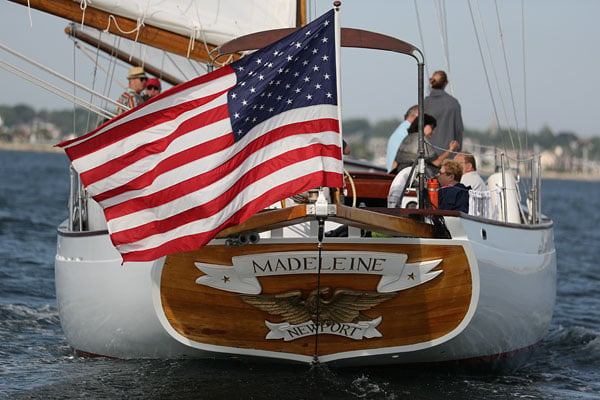
A really great selection of lenses for a photography cruise on Newport Harbour
Our first day's shooting started onboard the beautifully-restored 1969 motor boat M/V Gansett, as we sailed around Newport Harbour shooting photos of the many interesting yachts and motorboats we passed, and familiarizing ourselves with all of the gear. As well as the lenses in our own personal kits, there were quite a few more optics to choose from.
In all, I shot with six different lenses on the two-day trip. By far the majority of my shots were taken with the Canon EF 70-200mm f/2.8L IS II USM, with the next most-used optic being the Canon EF 24-70mm f/4L IS USM. I found these a very nice and versatile pairing, with the two together accounting for about three-quarters of my shots.
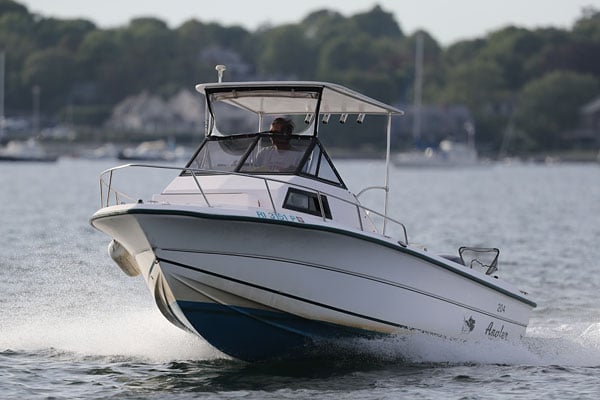
The 70-200mm is, admittedly, fairly heavy. (It was the second-weightiest lens I shot with on the trip, behind the 400mm f/4.) But it provides greast image quality and very worthwhile image stabilization. I'd certainly have preferred the EF 24-70mm f/2.8L II USM over the 24-70mm f/4, as the latter isn't as bright and also gets rather soft in the corners on full-frame bodies, but sadly that lens wasn't available to me.
Of the remaining four lenses, I shot with the Canon EF 100mm f/2.8L Macro IS USM and Canon EF 400mm f/4 DO IS II USM the most frequently, opting for either of these two optics about equally often. The 100mm f/2.8 Macro obviously is great for close-ups, but I used it even more for portraits and just as a short tele lens. (Yes, the EF 70-200mm is probably about as good as -- if not better than -- the 100mm Macro at the same focal length, but it weighs twice as much, so switching to the 100mm gave me some respite every now and then.)

The 400mm f/4, meanwhile, is a really impressive optic -- it's hefty, yes, but still light enough to be feasibly shot handheld even paired with a heavier body like the 1DX II. And it's pretty nicely balanced, which helps.
I rounded out my shooting with the Canon EF 11-24mm f/4L USM and Canon TS-E 17mm f/4L. The latter in particular I'd love to have gotten to shoot with more, but hadn't anticipated its availability and didn't have a tripod with me. Coming to grips with an unfamiliar tilt-shift lens handheld. And the 11-24mm f/4 was a great choice when I really wanted a wide, wide view of my scene, but I tend to prefer shooting a bit more tightly-framed, so it wasn't used as much as some of the others. That's not a knock on the lens, though, so much as a commentary on my shooting style.
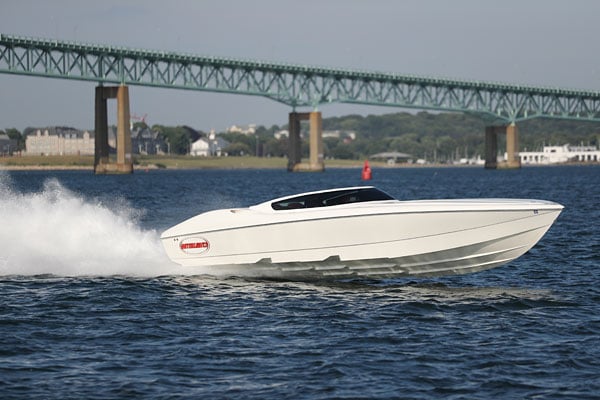
With some early shots under our belts, it was time for something a bit more challenging. Onne had arranged for a friend with an extremely fast powerboat from Outerlimits to meet us for some high-speed passes. I mounted the 70-200mm for this shoot, figuring it'd give me some space to zoom out if the powerboat came closer to ours than I'd anticipated, but would also would give me a fair bit of reach if it was further away as I was expecting.
I considered dropping the shutter speed for a blurred background -- something of a trademark of Onne's own work -- but with only a few passes in which to get my shots with an unfamiliar camera, and not having tested my high-speed panning chops for a few months either, I decided to err on the side of caution instead. I dialed in a shutter speed of 1/4,000-second in Shutter Priority mode to freeze the action and let rip.

From memory, we were told that the powerboat's top speed was somewhere around 70-80mph, and it was passing pretty close to our own boat, giving the 1DX II's autofocus system quite a workout. It proved more than up to the task, keeping the powerboat in focus pretty much all of the time. Of course, that's no surprise -- this is a pro camera, after all, and the boat was a reasonably big subject that wasn't moving very erratically.
Still, I came away impressed because the closing speed and amount of panning required to track it were both very significant, and yet the 1DX II handled it with aplomb.
 120mm, 1/2,500 sec. @ f/2.8, ISO 125
Shooting a yacht race with the Canon 1D X Mark II
A yacht race was starting in Narragansett Bay, and we arrived just as the boats were getting ready.
For something which seems very peaceful at first glance, with yachts moving near-silently through the water, the start of a race can be a pretty exciting thing. You can't cross the start line even one second early, but it's to your advantage to be as close as possible to the start line -- and moving as quickly as possible -- in that final second before the race gets underway.
And more than that, it's also advantageous to be in a position where other sailboats are caught in the dirty wind that's just come off your own sail. (And equally, not to let another yacht put you in that same position.)
What this means is that in the final minutes before the race starts, there's a whole lot of frantic jockeying for position -- and then at the last moment, the racers are all unleashed almost side-by-side. That made for some great photos, and we too had gotten the M/V Gansett very close to the start line.
I started off shooting with the 70-200mm lens, but quickly decided that even as close as we were, the 400mm was the better bet. It let me frame the yachts much more tightly, and increased the foreshortening so that each boat seemed to be almost touching the one behind it.

The incredible performance of the 1DX II really paid dividends here, because it let me rattle off bursts of exposure-bracketed shots in raw+JPEG format really quickly, without concern for my buffer depth. That gave me the opportunity to try different framing and lenses without having to wait for the camera to catch up, and without the yachts getting away from me.
Even for a relatively sedate and predictable subject compared to the soccer and rugby which Will had shot, the speed of the 1DX II was a very freeing thing. And the really bright, roomy optical viewfinder really gave me a strong feeling of connection to my subject.

Overall, I was very pleased indeed with how my shots from the yacht race came out. Canon had some of its imagePROGRAF PRO-1000 printers on hand, and I had several of my images printed up at 17 x 22-inches which show great detail, even from quite close up.
Bear in mind that all of my images in this review are straight as they came out of the camera; I lightly edited these before printing, and they really pop. They're going to look great once framed and hanging on my office wall!
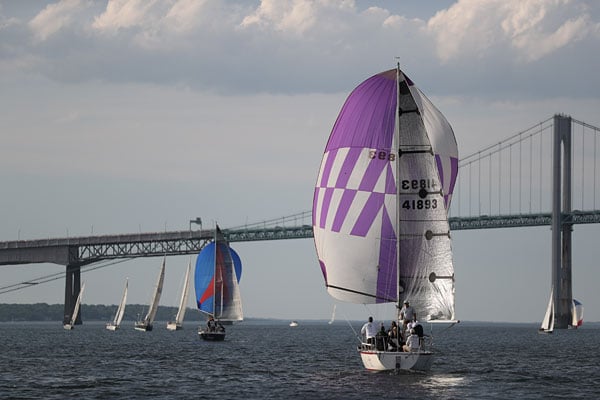
Race over, and time for a cruise to the Castle Hill Lighthouse
Having spent a good hour or so following the yachts around their course, the race reached its end. And with the sun fast approaching the horizon, we moved on perhaps a few miles to the Castle Hill Lighthouse. It's a very photogenic structure which dates back to the 1890s, and we'd be back here again tomorrow to round out our trip -- but from an entirely different perspective.
For this first evening, we visited the lighthouse from the water, passing the stunning Castle Hill Inn on the way. The late afternoon light gave it a lovely warmth which the Canon 1DX II picked up quite nicely, as you can see in the shot below.

The lighthouse itself was, if anything, even prettier. Rising from the rugged, rocky coastline on this beautiful, sunny day, it gave a sense of solidity and permanance that I rather doubt it entertains in the depths of a powerful storm -- but yet it's somehow clung limpet-like to these rocks for 125 years and change already, so I doubt it'll be going anywhere soon.
 200mm, 1/1,600 sec. @ f/4.0, ISO 160
I must have taken many dozens of shots of the light from various angles as we approached and then passed it on the M/V Gansett, but hands-down my favorite was that at left. By virtue of managing not to include any other buildings in the background, it gave the scene a feeling of remoteness that most of my other shots lacked. Plus I rather liked this composition.
And with that, it was time to return to the dock for dinner, our first day's shooting at its end. No question about it, I was really, really enjoying shooting with the 1DX II, even if my arms were starting to call uncle from holding aloft a fairly heavy camera and lenses all day long on a moving boat.
There would be no concerns about rolling decks for the following day's activities, though, as we'd be entirely confined to land for the remainder of the trip.
A downtown stroll in beautiful Newport, Rhode Island
Bright and (reasonably) early the next morning, we met after breakfast for a walk around Newport, Rhode Island's historic downtown. And I have to say, I'm rather jealous of Rhode Islanders, because this is one seriously pretty town.
Speaking to Onne, I learned that much of that beauty came thanks to one individual, a lady who had made it her life's work to find colonial buildings at risk of demolition, and then have them moved to (and restored in) Newport. The world needs more people like her, because the result was very photogenic indeed.

Wanting to reduce my load since I'd be on my feet for most of the day -- and knowing that most of my subjects would be up close anyway -- I limited myself to just the 24-70mm for this morning shoot, and then dropped by the hotel room to add the 11-24mm and 100mm Macro lenses before we continued on for a harborside stroll in the nearby Newport Shipyard, which combines both a busy commercial fishing dock and a marina packed to the gills with gigantic, multimillion-dollar megayachts.
 33mm, 1/125 sec. @ f/7.1, ISO 100
With more subjects on hand that had plenty of detail right into the corners, this gave me a nice chance to take a look at the Canon 1DX II's image quality. And we also made an unplanned stop at the Trinity Episcopal Church, whose current building dates all the way back to 1726.
Here, staff kindly allowed us inside and even upstairs, into a section usually reserved for parishioners. Shooting inside the dimly-lit interior of this stunning, historic building gave me a chance to look at higher sensitivities as well.
Excellent image quality for its class, even at higher sensitivities
And as Will found in his first Field Test, I came away pretty impressed with what I saw. As a camera aimed primarily at sports shooters and others who need absolutely top-notch performance, the 1DX II not surprisingly isn't the highest-resolution camera in Canon's EOS lineup.
Even the entry-level Rebel T6i and T6s will give you slightly higher sensor resolution, while the higher-end EOS 5DS and 5DSR offer two-and-a-half times the pixel count. But that's not really the point: These higher-res Canon DSLRs simply can't hold a candle to the 1DX Mark II's performance, nor to its pro-grade build.
And while it doesn't have the resolution of some of its siblings, the Canon 1DX II does a great job with what it has. At least, so long as your lens is up to the task, anyway. With the 24-70mm f/4 mounted, things could get fairly soft in the corners wide open, but with a better-performing optic attached, the 1DX II captured plenty of the finer details, even if higher-res cameras could have held onto a few more besides.
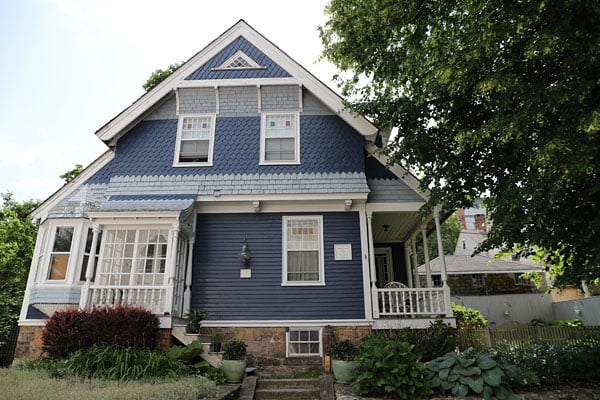
Now, I should note at this point that with the subjects on offer, I didn't need to roam anywhere near as high as the 1DX II's upper sensitivity limit of ISO 51,200-equivalent, let alone its expanded limit of ISO 409,600-equivalent. You'll see a fair few higher-sensitivity shots in Will's first Field Test, not to mention among our carefully-controlled lab samples.
I went up into the ISO 10,000's though, and saw nothing more than fairly minimal noise with a nice tight, film-like grain pattern. And from some playing around at higher sensitivities in the hotel room, I'd say I'd be happy to stray as high as ISO 25,600-equivalent without worries, and perhaps even to ISO 51,200-equivalent or higher if I had the time to shoot raw and then process my images using DxO Labs' excellent PRIME denoising tool in recent DxO Optics Pro releases.
Sadly, the end of the trip was approaching all too quickly. With our morning and afternoon's shooting over -- and you can see quite a few more of my shots from both days' shooting in the gallery, incidentally, beyond those I've selected to accompany this article -- it was time to head back to the ocean for one final shoot. And here too I would learn something more about the 1DX II, although this time it was a little irksome.
An unnecessary limitation in multiple exposure capture
Our last shoot was back at the Castle Hill Lighthouse, as I alluded to earlier. This time, though, we were shooting on land, having made the trek down to the light from the adjacent Castle Hill Inn.
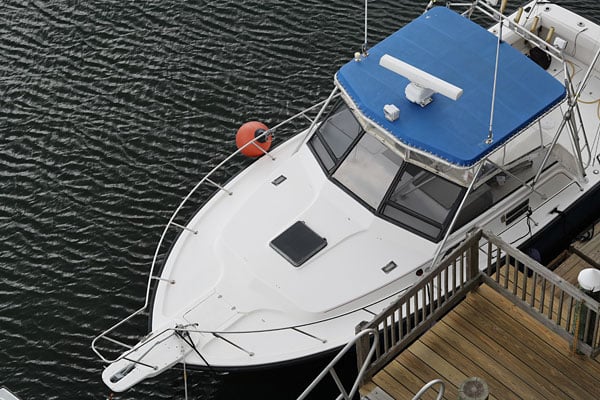
Having chosen my composition, I wanted to really blur out the waves crashing on the rocks beneath the lighthouse, but with sunset approaching, I knew we'd have to leave a fair bit before darkness fell. We had quite a bit of clambering across the rocks to do, after all, and only a few flashlights between us. And I didn't have a neutral density filter with me to lengthen my exposure, either.
I dropped the sensitivity to its extended lower limit of ISO 50-equivalent, and closed the aperture down as far as I dared without unnecessarily softening the image, but there was still too much light left to do more than fairly subtly blur the wave motion. Multiple exposure mode was the answer, but I found myself surprised by a maximum limit of just nine frames in multiple exposure shooting. I could understand such a low limit in a consumer DSLR, as it'd be too easy for amateurs to burn through their shutter life without understanding that such a thing is even possible.

But with a rated life of 400,000 shutter cycles in this pro-grade camera, that's not really a concern. I could work around this very short limit by taking advantage of the fact that you can combine multiple exposure mode with raw file capture, and that each multiple exposure series can be started from a previously-captured raw exposure. Selecting the final raw exposure from the previous multiple exposure series -- and then using this as the starting point for another nine-shot series -- circumvented this low limit.
This did indeed get me some really ethereal, foggy-looking waves down at the waterline, just as I'd hoped for, although the shots didn't make the gallery as I couldn't frame the image without people in the foreground, and I felt their shadows too distracting. But managing more than a nine-shot exposure was an unnecessarily convoluted process, and difficult to do without subtly jostling the camera and changing the composition, leading to an ugly double image. (I was shooting each exposure with a cable release I'd borrowed, incidentally, but this only lets you trip the shutter remotely, and not control the menus.)
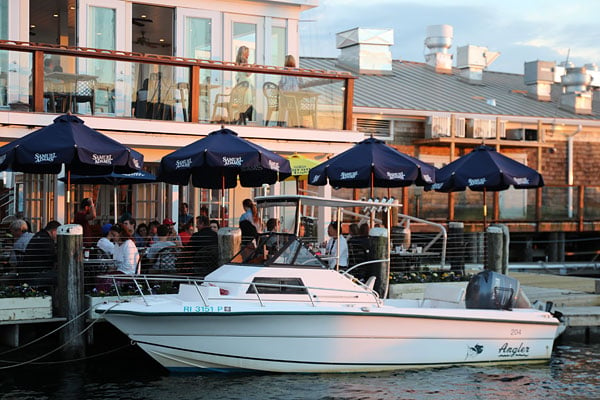
I'd love to see Canon relax this limit in the future, as it would make for a rather more versatile multiple exposure mode. But then I'd guess that many photographers will never use the feature in the first place, preferring instead to merge their exposures on the desktop. And really, if that's the biggest concern I could find in my time with the 1DX II -- well, it's not much at all, really. Especially knowing that it can indeed be worked around, even if it requires some jumping through hoops.
Video samples coming soon -- watch this space
One thing I didn't really get the chance to do during my time with the Canon 1DX II was to shoot some sample videos. (Well, that's not quite true. I shot a fair few, but with the subjects on offer, they weren't really intended for public consumption. Clips from a rolling boat deck or of predominantly static scenes in old Newport, the harborfront or the lighthouse wouldn't have proven the most informative. And on my return home, I didn't have access to the quality glass necessary to complement the 1DX II body.

With the camera now back at IR headquarters, I've asked my colleagues to chip in with some sample videos. In the meantime, suffice it to say that -- albeit with less than ideal subjects -- I found video image quality to be very good, especially in 4K mode. And the touch-screen display is absolutely superb for controlling autofocus, especially when coupled with the ability to select the speed at which focus transitions occur. (You can also control this separately for pre-capture AF adjustments and those made during capture.) With slower focus drive speeds, the transitions are very smooth and cinematic.
As I said, though, watch this space for a little more on video capture coming shortly!
(Update: Canon 1D X Mark II 4K Sample Videos added:
Canon 1D X Mark II 4K Sample Video #1 4,096 x 2,160, 60 fps, Motion JPEG Download Original (2.73GB MOV) |
Canon 1D X Mark II 4K Sample Video #2 Dual Pixel CMOS AF Demo 4,096 x 2,160, 60 fps, Motion JPEG Download Original (3.33GB MOV) |
Closing thoughts on the Canon EOS-1D X Mark II
No question about it, the 1DX II is an absolutely spectacular camera. I've had a whole lot of fun shooting with it, and could I justify the pro-grade pricetag, I'd pick one up in a heartbeat. I'm not a regular sports shooter, though, and that's clearly the target market for a camera like this. But if you're looking for a DSLR which prioritizes absolutely spectacular performance first and foremost, and is also built to last while providing top-notch image quality for years to come, the Canon 1DX II should be at the very top of your shortlist!
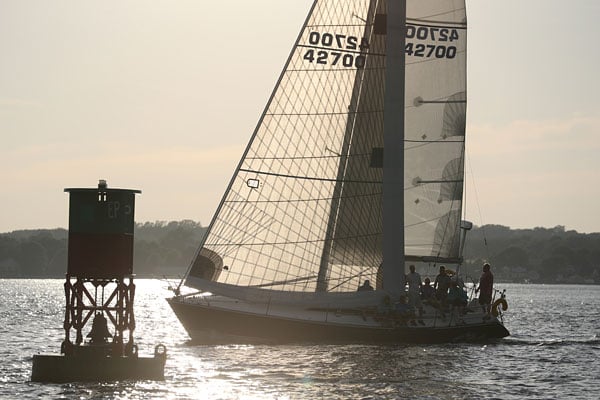
Field Test Part II
Big & bulky but oh so fast: The 1D X II hits the sidelines

Getting reacquainted with Canon's flagship 1D-series cameras
As a long-time Canon user, I've had a chance to use a number of different Canon cameras, including a brief time with a beat-up, old 1D Mark II N that I purchased as a backup camera. Most of the time, though, I've stuck with smaller cameras, like the 7D and 5D Mark II. The old 1D Mark II N was big, heavy, had an outdated battery and tiny, low-res LCD screen, but it was built like a tank, had fantastic autofocus and still took excellent photographs for what was then about a six year old camera.
Since that time, I sold off that trusty 1D and haven't had the need for a $5-6K 1D-series professional DSLR for my personal, non-professional photographic pursuits. As a now-hobbyist photographer, a 1D-series camera is way more camera than I need, but when it came time for us to review the new 1D X Mark II camera, you better believe I jumped at the chance.
Being Canon's latest and greatest flagship camera, one designed for lightning-fast performance and speedy AF, I wanted to test the 1D X Mark II under more appropriate conditions than what I typically go for. Cue a handful of emails requesting media credentials for a variety of local sports teams. So, for this first installment of our Canon 1D X Mark II Field Test, in addition to discussing my take on the camera's handling and design, I put the 1D X Mark II to the test photographing both soccer and rugby, which offered a variety of fast-paced, fairly unpredictable subjects.

Big & heavy, but the 1D X Mark II is built to take a beating
Before we get to the sports, let's begin with the exterior and how this "beast" of a camera feels in the hand. If you're accustomed to large, gripped DSLRs, then the Canon 1D X Mark II will probably feel like familiar territory. I, on the other hand, now use the compact Olympus E-M1 as my primary camera or otherwise grab the smaller Canon 7D. Turns out it's easy to forget just how bulky and heavy these all-metal, weather-sealed 1D-series camera can be, especially when you mount a sizable lens like a 70-200mm f/2.8! It was definitely a full-on different experience hand-holding such a setup for multiple hours of shooting.
With the exception of the weight, the Canon 1D X II feels fantastic in the hand thanks to it's excellent ergonomic grip. The contoured handgrip fits in my hand perfectly without being overly bulky, and the deep finger-shaped indention really adds a nice feeling of security while gripping the camera. I would guess that my hand size is rather average, and I find that non-gripped DSLRs fit in my hand very nicely. In fact, I own a battery grip for my personal Canon 7D and rarely find the need to use it for ergonomic reasons -- heck, I don't even have a grip for my E-M1. However, when it comes to the 1D X Mark II, its inherent gripped design is very welcomed. You have a much fuller, more secure grip, plus the added benefits that come with a grip, including the portrait-oriented controls as well as the handy secondary info screen. When using hand-holdable lenses like the 70-200 f/2.8, this combo is still quite heavy, and having that extra full grip that a 1D-series offers is great.

Typical controls, only minor differences to other EOS models
In terms of controls, the 1D X Mark II is, more or less, very similar to Canon's other high-end EOS models. Overall, there's perhaps a bit more spacing available between a number of buttons around the camera, and some, like the multi-directional joystick button, are slightly larger on the 1D X Mark II compared to other EOS models. However, the overall layout of buttons and dials are very similar and should pose very little confusion to seasoned EOS users.
Perhaps the most noticeable difference to a 1D-series camera compared to other EOS models is the lack of a traditional round mode dial. The shooting modes on the 1-series cameras are fairly straightforward, with just Program Auto, Aperture Priority, Shutter Priority, and Manual exposure modes. For one, there's not much need for a mode dial for just four shooting modes. Furthermore, the simplicity of buttons rather than a movable dial mechanism helps with the camera's overall durability and weather-sealing. Usability-wise, I'm not sure if there's a clear advantage one way or the other, as I'm simply more accustomed to a traditional mode dial.

One small difference, compared to other EOS cameras, is that 1D models have a simpler set of functions assigned to the four buttons in the front of the top-deck LCD, whereas on many other EOS cameras, three of these four buttons serve a dual purpose depending on which control dial you rotate. On the 1D X II, the settings for metering mode, drive mode, AF mode and flash exposure compensation are instead located on the left side of the camera next to the primary mode button. This is, of course, an extremely minor detail, that's for sure, but for those with a deep-set muscle memory, who can remember these buttons' positions without looking, it might take a bit of adjustment going to a 1D-series camera. Thankfully, the 'ISO' button on the 1D X II, just like other applicable Canon DSLRs, features a small but noticeable extra bump to help differentiate it from its three neighbors just by touch.
Lastly, the 1D X Mark II sports an all-new feature never before put on a 1-series body: a touch screen. Now, for day-to-day still photography, the touchscreen here might not be of much use, as it's only "activated" while in live view for photos or video recording. For instance, as I photographed sports, I only used the optical viewfinder. If you do want to use live view, the touchscreen works great. It's responsive and provides accurate tap-to-focus capabilities, but that's pretty much the extent of the touchscreen functionality on this camera. That being said, for shooting video especially, the touchscreen is a very handy feature for making quick, on-the-fly focus adjustments and to initiate AF subject tracking (which works quite well thanks to the Dual Pixel CMOS AF).

The Canon 1D X Mark II offers lots of control customization
In terms of customization, the 1D X Mark II is highly configurable to suit your shooting style. The camera offers 11 primary customizable buttons, all of which can be re-programmed from a single menu. This Custom Control menu is also accessible via the Quick ('Q') menu on the back of the camera, making it quite easy to configure your controls practically on the fly. For example, I much prefer to use to back-button focusing, especially when shooting subjects like sports or wildlife, and the streamlined access to the Custom Controls menu let me do this in just a few moments.
Hefty, yes, but the 1D X Mark II is a fast, flexible pro-level tool
Overall, from a usability standpoint, apart from the, um, impressive weight, the 1D X Mark II can be very easy and straightforward to use. Given its focus as a professional-level tool, the 1D X II is very streamlined with no extraneous shooting modes or funky filters and creative effects. It's much more a "pure" camera, if that makes sense, which I quite appreciate. On the other hand, the sheer amount of customization, either to the control scheme itself or the various minutiae of performance settings, AF tweaks, numerous exposure-related settings and much more, can feel a bit overwhelming, especially to a non-pro such as myself. Of course, you don't need to spend hours tweaking this setting and that. Right out of the box, the Canon 1D X II can capture amazing photographs, but, as I said, this camera is a professional tool, and it offers an amazing range of fine-grained customizations that pros can use to help get the job done depending on the need.

Sports Photography: Home sweet home for the Canon 1D X Mark II
Sports photography is one of the main use-cases for a camera such as the Canon 1D X Mark II. As someone who's photographed sports many times, as I worked for a local newspaper company, I was eager to try my hand again at this fast-paced, difficult subject matter. With its super-fast 14fps burst rate, high-performance AF system, a new 20MP full-frame sensor and updated dual processors, and improved high ISO sensitivities, I knew testing the 1D X II on the sidelines would be an excellent way to get a feel for not only its speed and AF performance, but also how the camera handles higher ISOs.
Photographing soccer with a 400mm f/2.8 lens
My first outing was an evening soccer match for the Atlanta Silverbacks. My personal selection of Canon lenses weren't appropriate for this sporting event, so my lens of choice was a 400mm f/2.8L IS II from our IR's headquarters. To be honest, a 1-series and 400mm f/2.8 lens was a combo that I've always wanted to use to photograph sports of some kind. Now, I had my chance!
Right off the bat, you guessed it, the weight of this combo is rather daunting. The lens is obviously massive with a very large barrel of a lens hood. Add the 3.3lbs (1.5kg) 1D X Mark II on the end, and you have a rather bulky rig. But this is a rig you use with a monopod, and once up and running, it works great. The tripod collar plus the gripped design of the 1D body made it very easy to flip back and forth between vertical and horizontal orientations as well as compensate for any monopod tilting as I maneuvered the camera around to get my shots.

As expected, the Canon 1D X Mark II has fantastic autofocus
The autofocus performance is fantastic, and even with the very shallow depth of field you get with a 400mm lens at f/2.8, the 1D X II kept up with the fast-paced action shot after shot. As with the predecessor, the 1D X Mark II's autofocus and metering system uses its own dedicated DIGIC image processor -- this time its own DIGIC 6 rather than a DIGIC 4 chip in the Mark I -- which should help provide increased speed and accuracy. Based on my experience, the 1D X Mark II does indeed perform extremely well with both fast and precise autofocus.

The 1D X Mark II, like a number of recent EOS models, offers a range autofocus presets, or "Cases," with various adjustments to different AF performance parameters depending what types of subjects are being photographed. For this first soccer match, I didn't do much tweaking in terms of AF performance fine-tuning, except for setting it to "Case 4," which the camera specifically mentions is appropriate for soccer. Here, the camera increases the AF tracking responsiveness to +1, which helps the camera adjust focusing for erratic subjects that move quickly at various speeds. Given my understanding and experience with 1D-series cameras, I wasn't all that surprised to find that the 1D X Mark II's AF system performed very well in keeping up with the fast-paced soccer players as they ran and weaved across the field. I also felt that the camera did a great job at maintaining consistent tracking on my intended player despite other players darting in and out of view between the subject and me.
 |
Although to capture this photo clearly involved a good amount of luck, it's a great example of how the Canon 1D X Mark II, with the appropriate AF settings, was able to maintain decently sharp focus* on my intended subject as I tracked him through this play. (*If you zoom in, you can see that the player's face is a bit soft, as the sharpest part in focus is, in fact, the bottom of his shoe.) |
Canon 400mm f/2.8L IS II: 400mm, f/2.8, 1/1600s, ISO 10,000 This image has been edited. Click image for full-res edited version, or click here for the original photo. |
As for the AF Area mode I used, for the most part, I set it to the 9-point 'Expand AF Area: Surround' mode, which, as the name suggests, offers a single manually-selected AF point surrounded by eight helper AF points. I also tried the 9-point 'Zone AF' mode, which utilizes a block of nine AF points for focusing. Very rarely did I end up with mis-focused shots, which I'm almost inclined to chalk up to operator error, such as failing to keep the AF point(s) on my intended subject; the use of the AF point expanding and Zone AF area modes, I feel, helped maintain a good keeper rate of focused images, since it would have been quite difficult keeping a single AF point on a fast-moving soccer player, especially while using the 400mm supertelephoto lens.


What buffer limits? The 1D X Mark II easily chews through frames
When it came to burst speed and buffer performance, it was definitely something I didn't even have to bother worrying about. The 1D X II, at 14fps, simply fires off frames like there's no tomorrow. Using a new super-fast CFast memory card, you can shoot frame after frame with no noticeable slow down, and you can instantly begin reviewing images on the camera with out any apparent delay, in my experience. The 1D X II even lets you limit the number of continuous shots to a still staggering 99 frames, but I got no where near filling the camera's buffer capacity of around 70 or so frames with RAW+JPEG enabled. I mainly found myself needing to only shoot sequences in short, quick bursts, but I did capture a few moments with a burst of around 10-20 continuous frames, and the 1D X II handled those with ease.

A quick aside about the memory card situation in the 1D X Mark II: Unlike the predecessor, the Mark II takes a page from the 5D Mark III's playbook in that it offers dual card slots, but of two different types -- one CF and one CFast. If you're chock-full of "classic" CompactFlash cards, you'll probably want to budget for some of the new CFast-format cards (along with a new card reader). CFast is, well, fast. As mentioned, the buffer performance is amazing, especially when using the new CFast card. Also, off-loading images using a CFast card reader is impressive as well. As a quick test, I timed a full memory card dump using a Thunderbolt CFast card reader. I was able to copy around 36GB of image files directly onto a USB3-connected hard drive in a little less than seven minutes.
Personally, I would have liked dual card slots of the same type and format. Not only would that be much simpler in terms of what kinds of memory cards you need to carry around, but it would also allow for two memory cards of the same read/write speed and capacity, which might help avoid any potential performance issues (for instance, Canon recommends using CFast cards for 4K video capture). For shooting sports, I did try a dual card setup -- with JPEGs written to the CF card and RAWs to the CFast one -- but I never experienced any issues or slow-downs.
OK, back to shooting…

From a different perspective: Capturing sports with the Canon 70-200mm f/2.8L IS II
For a bit more manageable setup, I got the chance to see a second Silverbacks soccer game as well as rugby match the following day using the Canon 70-200mm f/2.8L IS II, and a 1.4x TC II at times. This combo performed rather well, though I did miss that sweet super-shallow depth of field and subject isolation I got with the 400mm. However, you gain a more flexible, lighter rig that's much easier to maneuver quickly, which is great when photographing fast-paced events such as these. That being said, I was still rather surprised at the heft of this combination. Toward the end of matches, I was thinking to myself, "boy, an E-M1 and 40-150mm f/2.8 sure would nice right about now!"

When needed, it's very easy to tweak AF performance parameters
While the performance of the camera itself obviously didn't change, I did notice the AF performance was just a touch slower, especially when using the 1.4x teleconverter, which was to be expected. However, even without the teleconverter, the 1D X Mark II and the 70-200mm sometimes missed focused completely during a burst of shots, despite what I thought was a good effort on my part to keep the AF point(s) over the subject. In addition to the various AF presets, you can individually tweak the various parameters of each AF "Case" as needed. While using the 70-200mm, I ended up modifying the Case 4 AF preset, tweaking the Tracking Sensitivity to -1 with the aim of increasing the ability to maintain focus on subjects even if they move out from under the AF point. I also experimented with increasing the Servo AF's tracking responsiveness from Case 4's default +1 to a +2 factor. This was to help track subjects that move much more erratically, which I felt was needed especially during the rugby match as players juked and weaved around each other very quickly. Overall, while I didn't do a scientific test or anything, I do think the AF performance with the 70-200mm was improved after my tweaking, though despite that I still got a few missed shots, as you can see in the example below.
 |
Here is a sequence of three frames shot using the 70-200mm f/2.8 (200mm, f/2.8, 1/3200, ISO 125), where even after tweaking the tracking sensitivity and responsiveness, the camera and lens still managed to miss focus on a few frames. |
Don't worry, be happy: Crank the ISO all you want.
Capturing sports often necessitates fast shutter speeds of at least 1/1000s, which usually results in needing higher ISOs. Both soccer matches I covered began in the early evening with early summer sunny conditions, to the late evening with nighttime conditions and rather dimly lit artificial stadium lighting. As such, I was able to capture shots at the wide range of higher ISOs. The rugby match, on the other hand, took place on a bright sunny afternoon, during which I never needed an ISO above 640, even with shutter speeds reaching 1/2500s or faster.

Given Canon's long history and the high marks given to its predecessor, it's no surprise that the Canon 1D X Mark II can capture excellent images. Though not a big jump in resolution from the 18MP 1D X, the new 20MP 1D X Mark II captures terrific images at lower ISOs. Detail is nevertheless very good, and allows for a decent amount of cropping, if needed. Color reproduction at default settings looked pleasing and realistic, and dynamic range was quite good in my experience, letting me uncover shadow details and pull back bright highlight areas. However, the metering performance was very good, and I rarely found myself needing to adjust exposure compensation all that much or do any heavy exposure changes to RAW images in post. Using Evaluative metering, the camera's default mode, I did find that in scenes with lots of contrast, such as with the foreground subject in shadow and a brightly lit background, images needed some positive exposure compensation or a bit of shadows adjustment in post in order to get a properly exposure subject. In these cases, as you can seen in the example shot below, the camera had a tendency to expose more for the background.
 |
In this shot, you can see that a good swath of the field is in shadow, while the stands in the background are in bright sun. This is a tricky scene to expose for, and I needed to boost up the exposure compensation a bit in order to at least somewhat better expose for the shaded players. If I were to edit the RAW file for this shot, I would still boost up the shadows a bit more. |
Canon 70-200mm f/2.8L IS II + 1.4x TC II: 240mm, f/4, 1/2000s, ISO 1000, +0.7EV |
The Canon 1D X Mark II captures excellent high ISO images
The real story here, however, for the subject matter I've shot, is the camera's high ISO performance, which, suffice it say, is very good. The two soccer games I photographed ended up needing very high ISO sensitivities towards the latter half of the game. I decided to set the camera to manual exposure mode and use Auto ISO, in order to maintain not only a fast shutter speed of around 1/1600s-1/2000s but also lock the aperture to the fast f/2.8 aperture.
Towards eight o'clock, the ISO was hovering around ISO 2000, but once the sun had fully set and the artificial stadium lighting was on, the ISO climbed up to around 12,800 and even sometimes up around ISO 20,000 and beyond. Overall, I was very impressed by the high ISO performance of the 1D X Mark II. Images in the "mid-range" of higher ISOs, such as ISO 2000 or even 6400, are quite clean and still show a lot of fine detail. Sure, by zooming in to 100 percent, you can see evidence of noise (and NR processing with JPEGs), which isn't unexpected. You're not likely to print photos at 100% magnification, though, and at normal print sizes or image resolutions, the photos are crisp, clean, and display vibrant colors.

At the more extreme ISO levels, noise is, of course, much more of an issue and is more noticeable. Image softness is apparent to some degree, but, again, at normal resolutions, the images look very good to my eye, especially if you get the exposure right in-camera so as not to need any major exposure boosting in post. I was rather impressed with the amount of fine detail I could see even while at ISO 25,600. Although I never needed to shoot at any higher ISO sensitivities, I feel that the camera could surely handle, especially with careful RAW processing and noise reduction techniques.

Part I Summary: Flagship performance from a flagship camera
All in all, I found the Canon 1D X Mark II to be a solid winner in the image quality department, at both low and higher ISOs. The camera's autofocus performance is also top-notch right out of the box, and yet also allows for lots of fine-tuned adjustments depending on the subject at hand. And, as a professional tool, it offers the wide array of features and customization to both the imaging pipeline and to the external controls in order to get the job done comfortably and reliably. Given the pedigree of the 1D-series, this is perhaps not all that surprising for what is Canon's 10th EOS 1D-series camera. This is Canon's flagship camera, after all, and one should expect flagship-level results. Thankfully, the 1D X Mark II delivers.
High ISO Noise Reduction
Canon 1DX Mark II High ISO Noise Reduction
The Canon 1DX Mark II's four High ISO Noise Reduction settings ("High, "Standard", "Low" and "Off" (Disable)) provide good flexibility in choosing how you want to make the trade-off between subject detail and noise levels.
See for yourself how the Canon 1DX II's "Standard" and "Off" High ISO NR settings compare to RAW without noise reduction under daylight-balanced lighting. (Note that these RAW images also have no sharpening applied, so they are softer than camera JPEGs at low ISOs.) Click on any of the crops below to see the corresponding full-sized image. Since the Canon 1DX II user manual states noise reduction is applied at all ISOs, we've included crops from the base ISO on up.
| High ISO Noise Reduction Comparison Simulated Daylight |
|||
|
Standard
|
Off
|
RAW (no NR)
|
|
| I S O 5 0 |
 |
 |
 |
 |
 |
 |
|
 |
 |
 |
|
|
Standard
|
Off
|
RAW (no NR)
|
|
| I S O 1 0 0 |
 |
 |
 |
 |
 |
 |
|
 |
 |
 |
|
|
Standard
|
Off
|
RAW (no NR)
|
|
| I S O 2 0 0 |
 |
 |
 |
 |
 |
 |
|
 |
 |
 |
|
|
Standard
|
Off
|
RAW (no NR)
|
|
| I S O 4 0 0 |
 |
 |
 |
 |
 |
 |
|
 |
 |
 |
|
|
Standard
|
Off
|
RAW (no NR)
|
|
| I S O 8 0 0 |
 |
 |
 |
 |
 |
 |
|
 |
 |
 |
|
|
Standard
|
Off
|
RAW (no NR)
|
|
| I S O 1 6 0 0 |
 |
 |
 |
 |
 |
 |
|
 |
 |
 |
|
|
Standard
|
Off
|
RAW (no NR)
|
|
| I S O 3 2 0 0 |
 |
 |
 |
 |
 |
 |
|
 |
 |
 |
|
|
Standard
|
Off
|
RAW (no NR)
|
|
| I S O 6 4 0 0 |
 |
 |
 |
 |
 |
 |
|
 |
 |
 |
|
|
Standard
|
Off
|
RAW (no NR)
|
|
| I S O 1 2 8 0 0 |
 |
 |
 |
 |
 |
 |
|
 |
 |
 |
|
|
Standard
|
Off
|
RAW (no NR)
|
|
| I S O 2 5 6 0 0 |
 |
 |
 |
 |
 |
 |
|
 |
 |
 |
|
|
Standard
|
Off
|
RAW (no NR)
|
|
| I S O 5 1 2 0 0 |
 |
 |
 |
 |
 |
 |
|
 |
 |
 |
|
|
Standard
|
Off
|
RAW (no NR)
|
|
| I S O 1 0 2 4 0 0 |
 |
 |
 |
 |
 |
 |
|
 |
 |
 |
|
|
Standard
|
Off
|
RAW (no NR)
|
|
| I S O 2 0 4 8 0 0 |
 |
 |
 |
 |
 |
 |
|
 |
 |
 |
|
|
Standard
|
Off
|
RAW (no NR)
|
|
| I S O 4 0 9 6 0 0 |
 |
 |
 |
 |
 |
 |
|
 |
 |
 |
|
High ISO noise reduction seems to kick in already at base ISO, where it already starts to impact fine detail in our difficult red-leaf swatch. And as is usually the case, the Off setting is not truly off, applying strong chroma noise reduction, but leaving a lot of the luma noise behind. At intermediate to high ISOs, we would probably elect to shoot with the Low or even the Off setting, to better preserve fine detail. As you can see, sensitivities above the maximum native ISO of 51,200 or perhaps extended ISO 102,400 are very noisy, but at least the Canon 1DX Mark II doesn't offer the ridiculously high extended ISOs the Nikon D5 does.
Conclusion
As Canon's top-of-the-line DSLR, the updated 1DX Mark II is brimming with the high-performance features that professional photojournalists, sports and wildlife photographers, as well as deep-pocketed advanced enthusiasts, demand. As the latest iteration of Canon's professional flagship 1D-series camera, the 1DX II sports a lot of new features, including a brand new 20MP full-frame sensor, a pair of faster DIGIC 6+ image processors, a quicker 14fps continuous burst rate, and an improved 61-point autofocus system with f/8-capable focusing at all AF points.
The Canon 1DX Mark II is a serious camera -- big, bulky and expensive, but full of the latest and greatest EOS technology. However is this pricey pro camera all that it's cracked up to be?
Canon 1DX Mark II Image Quality
Not a big jump in resolution, but excellent image quality overall at low and high ISOs
The Canon 1DX Mark II gains a bit of image resolution over its predecessor, going from an 18.1-megapixel to a 20.2-megapixel full-frame CMOS sensor. Though it doesn't offer the resolving power of smaller, pro-level DSLRs like the 5D Mark IV and, of course, the 5DS/R -- or even the consumer-level 24MP Rebel T6i/T6s -- the Canon 1DX Mark II is closely matched to its biggest rival, the 20.8-megapixel Nikon D5.
At 20MP, the Canon 1DX II offers a solid balance between image resolution and detail with high ISO performance, as well as providing image file sizes sufficiently small enough to allow for an impressively large buffer capacity and quick clearing times (more on performance in a bit). For fast action, sports, wildlife and pretty much anything else where timing is critical and you need to fire off frame after frame, the EOS 1DX Mark II provides high-quality images with excellent detail that don't slow you down.
We were very pleased with the image quality from the Canon 1DX Mark II, both at low ISOs and high. Low ISO shots are clean and crisp with fantastic dynamic range thanks to its new sensor with on-chip A/D conversion. Although it offers an extra stop of extended sensitivity over its predecessor, ISO 409,600 is very noisy with questionable value, however it's a vastly more appropriate maximum ISO than the Nikon D5's rather ridiculous ISO 3,276,800. In typical use cases, you can easily boost the 1DX Mark II's sensitivity up to ISO 25,600 without much worry and still capture images with lots of detail.
Canon 1DX Mark II Autofocus & Performance
As expected, this flagship EOS camera has fantastic autofocus & burst performance
Being a camera designed almost specifically for sports and wildlife, it's no surprise that the performance from the Canon 1DX Mark II is excellent. Whether it's photographing soccer at dusk or racing yachts from another boat, the fast 14fps burst was more than adequate to capture fast-paced action. In our lab testing, the 1DX II's 14fps spec was pretty much dead on the money. Canon also claims up to 16fps in Live View mode since the mirror is locked up. However, although we tried a number of times, we were never able to match Canon's spec here. We were able to get a little faster than the standard 14fps burst rate, but nothing close to 16fps.
Buffer depths were equally impressive, especially using a fast Lexar Pro 3500x CFast 2.0 memory card, with practically unlimited shooting for either JPEGs or RAW files. If you opt for RAW+JPEG, then the buffer does finally reach a limit after about 73 shots in our tests, after which the burst rate slows to a still-respectable 8fps. Buffer clearing times were fantastically quick with our CFast 2.0 card, at only one second after a burst of RAW or JPEG frames or just four seconds after a burst of RAW+JPEG frames. We also tested continuous mode with a 100MB/s UDMA 7 CF card, and while the numbers were still quite respectable, a CFast 2.0 card is the way to go if you if you want or need top-notch performance.
As for autofocus, again, being a flagship model, we had high expectations for the 1DX Mark II, and the camera did not disappoint. While our lab tests indicated extremely quick AF times and very little shutter lag, the real test was in the field where the Mark II passed with flying colors. On a variety of moving subjects, the Canon 1DX Mark II was able to keep up and maintain focus very well. Tracking AF performance was superb, and the various AF point configurations, as well as adjustable AF speed and sensitivity parameters, really let you dial in the AF performance you need for the subject at hand.
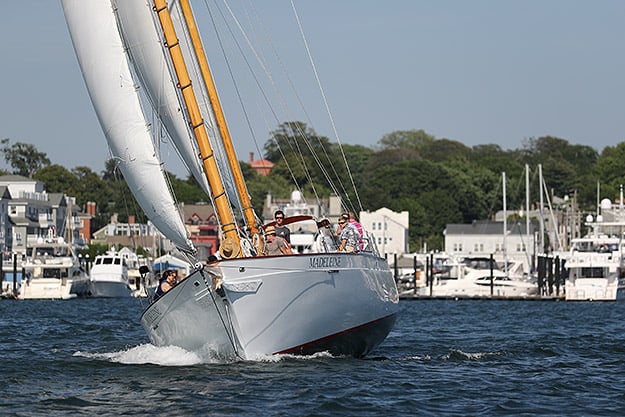
Canon 1DX Mark II Video Features
Finally 4K video in an non-Cinema EOS camera, but it's still missing some obvious features
The Canon 1DX Mark II also makes significant strides in the video department, too. While the 1D-series have been video-capable for a few models now, the Mark II (apart from the earlier cinema-specific 1D C) adds a lot of pro-oriented features to make it a real hybrid DSLR beyond just a sports and action stills camera. Borrowing from the very pricey 1D C, the 1D X Mark II is the first non-Cinema EOS DSLR from Canon to offer 4K video recording, and in particular, the higher-resolution 4K DCI (4096 x 2160) standard at up to 60 frames per second. The Mark II becomes a versatile video tool for both cinema productions at 24p as well as broadcast projects, which need higher frame rates, usually 60p.
The video quality at 4K is very good, with lots of detail as well as pleasing colors and decent dynamic range with the 'Standard' Picture Style. The camera records 4K video using the Motion JPEG file format which offers very high quality, but the file sizes can get enormous very quickly. For example, a 43 second 4K/60p clip ended up being 4.45GB! It also takes considerable computing horsepower to playback these 4K videos. We even had trouble getting the videos to play smoothly on a quad-core i7 Retina 5K iMac. It's also worth noting that there is about a 1.3x crop factor when shooting 4K, so your wide-angle lenses won't be as wide when filming at this resolution.
Dual Pixel CMOS AF made its first appearance in a full-frame Canon DSLR in the 1DX II, and like previous implementations of Dual Pixel AF, live view autofocus for video (and stills) is quick and wobble-free. For stills, AF here is very fast and spot-on, while video autofocus -- called Movie Servo AF -- is very smooth. The fact that both speed and tracking sensitivity of Movie Servo AF are adjustable is a handy touch depending on your subject and look you're going for.
Other high-end features, such as focus peaking and exposure zebras, are strangely absent, despite the increasing popularity of such features on more consumer-level cameras. The 1DX II also maintains the common (and unfortunate) 29:59 continuous recording limit for internal recording time.
Canon 1DX Mark II Build Quality
Classic 1D-series build quality makes for a hefty camera, but one that should last a long time
Like the 1DX before it, the refreshed Mark II model maintains its distinctive, bulky gripped body design. Built to withstand the rigors of daily, professional use, the 1DX Mark II feels amazingly solid. With a heavily weather-sealed body, magnesium alloy chassis and a shutter rated for 400,000 actuations, the Mark II should last you for quite a while. Although its sizable heft is great if you have large hands or balance the camera with a lot of longer, heavier lenses, for mere mortals, this is a heavy camera that can get tiresome to haul around.
Given the professional nature of the 1DX Mark II, there are loads of physical controls, making it easy to get out and shoot without diving deep into menus -- if you don't want to. On the flip side, there is a lot of customization to both button functions and performance parameters that make the 1D X Mark II suitable for a variety of shooting styles.
The addition of a touchscreen is a first for a 1D-series camera, but touch is only active for live-view shooting to select or move the AF box. For the most part, that's okay with us, as that's perhaps the most useful feature of a camera touchscreen. However, a little more functionality would have been nice, such as navigating the Quick Menu interface, for example.
Canon 1DX Mark II Review Summary
The top of the line EOS camera with top of the line performance.
Sure, it's big, it's heavy, and it's expensive, but as the adage goes, "you get what you pay for." And with the Canon 1DX Mark II, you're paying for the best Canon DSLR for sports, action, wildlife, or photojournalism. The 20MP resolution might not suit those commercial photographers who need mountains of megapixels, but for everything else, the 1DX Mark II's images are right on the money. Images look great, and dynamic range is excellent. High ISO performance is also top-notch -- as one would expect for a camera of this class -- and the versatile autofocus and incredible burst shooting performance will not disappoint or slow you down.
With the ever-increasing performance and resolution provided by a number of recent cameras, many enthusiasts and advanced amateurs might be reconsidering if they truly need a camera as bulky or as pricey as the Canon 1DX Mark II. However, for the long-time professional photographer (especially one already committed to the Canon EOS ecosystem), the 1DX Mark II is currently the best of the best when it comes to combining speed, performance and high ISO image quality for the Canon system.
All told, the Canon 1DX Mark II definitely gets the nod as a Dave's Pick in our book.
Pros
- Very good image quality from JPEGs, excellent from RAW files
- Excellent high ISO performance
- Class-leading dynamic range
- Very good hue accuracy
- Supports Fine Detail Picture Style
- Very quick mode changes
- Fast 61-point autofocus with excellent tracking performance
- f/8 support at all focus points
- Able to autofocus in very dim light
- Very low shutter lag
- 14 fps full-res burst mode (Up to 16 fps in Live View mode, but we could not verify in lab tests.)
- Unlimited buffer when shooting JPEGs or RAW with a fast CFast 2.0 card
- Very fast buffer clearing with a fast CFast 2.0 card
- Big, bright, accurate viewfinder
- Optional full-time red illuminated AF points in the viewfinder
- Dual Pixel CMOS AF allows for quick and smooth AF during Live View and movies
- 4K DCI video capture up to 60p
- Built-in GPS
- USB 3.0 port
- Built-in Ethernet port
- Clean, uncompressed HDMI output (but only up to Full HD)
- Simultaneous internal recording at up to 4K and 1080 HDMI streaming
- Headphone jack
- Flicker detection
- Good battery life for its class
- Familiar ergonomics to other 1D-series cameras with lots of physical controls
- Highly customizable controls
- Very robust build quality with high degree of weather-sealing
Cons
- Two different memory card slots (CF and CFast 2.0)
- Very heavy and bulky
- Expensive
- While more rugged, the fixed LCD makes it harder to shoot or film at low or high angles
- No focus peaking or zebras
- 4K video uses Motion JPEG codec which produces huge files
- 29:59 continuous video recording limit
- Touchscreen functionality limited to just tap-to-focus in Live View
- Very warm images indoors under tungsten lighting with default auto white balance mode
- Default sharpening radius a bit high, generating noticeable halos around high-contrast edges
Follow Imaging-Resource.com on Twitter!