

Overview
UPDATE, 12/16/2016:
The Canon 5D Mark IV (successor to the 5D Mark III) just won "Best Professional DSLR" in our 2016 Camera of the Year awards! The 5D Mark III is still an excellent DSLR, though, and would be a bargain on the used market, if you don't need 4K video recording. To help you decide between the two, here are links to a comparison of the Canon 5D Mark IV vs Canon 5D Mark III, and our Canon 5D Mark IV review.
By Shawn Barnett, Mike Tomkins, and Zig Weidelich
Preview Posted: 3/2/2012
Shooter Reports added: 7/9/2012
Video page added: 01/27/2013
Added 5D IV COTY award update: 12/16/2016

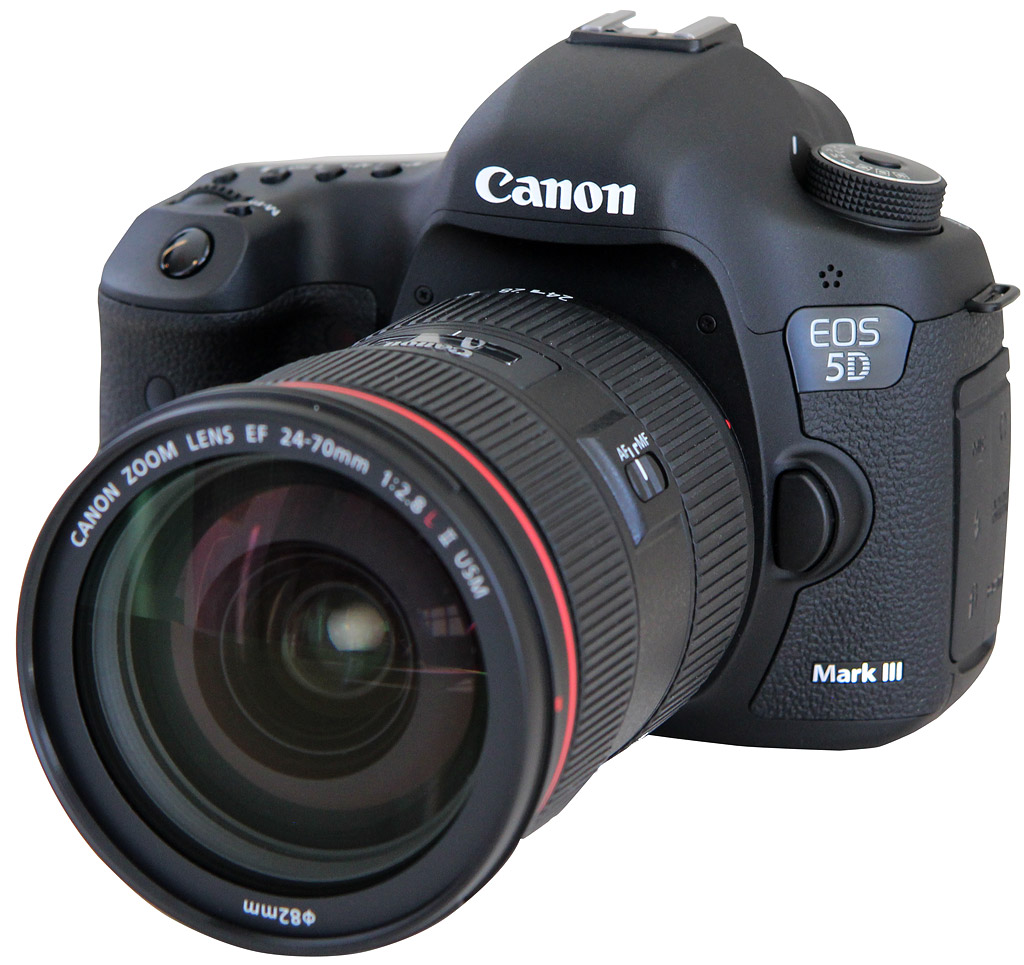
Though Canon makes many excellent digital SLR cameras for pros and consumers, none has reached the superstar status of the Canon 5D series. The original 5D's 12.8-megapixel full-frame sensor produced legendary image quality, and the 5D Mark II raised the resolution to 21.1 megapixels and added superb video quality to the mix, creating a sensation in video production. The Canon 5D Mark III raises the game in terms of overall camera performance, from frame rate to autofocus, while increasing the resolution only slightly (by just over a million pixels to 22.3-megapixels). Of all the additional features, probably the most important is the new autofocus system, brought over from the 1D X, which in addition to having more points (61) and more cross-type points (41), covers considerably more of the Canon 5D III's image area, while the AF system of the past two models were brought over from the company's APS-C cameras, thus covering much less image area in the viewfinder.
Other additions include a DIGIC 5+ processor, which is said to be 17 times more powerful than the DIGIC 4 processor in the 5D II. The 7D's 63-zone dual-layer metering system reappears in the Canon 5D Mark III, instead of the 1D X's 100,000-pixel RGB sensor. We'll go over the other features in more detail below, but the Canon 5D Mark III also includes a 150,000-cycle shutter rating; a new HDR mode; Full HD, 1080p video at 24, 25, and 30 frames per second; a 3.2-inch, 1.04M-dot LCD; a new CMOS sensor with higher sensitivity and an eight-channel readout that allows a 6-frame-per-second frame rate; a Quick Control dial that includes touch capability for silent adjustments while in video mode; multiple raw image sizes; 100-percent viewfinder coverage with an adjustable LCD grid and AF overlay; a 1.5 percent spot meter; a dual-axis leveling system; and Standard or Quiet operation modes.
The size and shape of the Canon 5D Mark III is similar to the Mark II, only a little heavier. The grip is sized right for the camera body, though somewhat large for small hands; it fit my medium-sized hands comfortably. Canon specs the body weight at 30.3 ounces (860g) body only. That's 1.7 ounces (50g) heavier than the 5D Mark II. Dimensions are 6.0 x 4.6 x 3.0 inches (152.0 x 116.4 x 76.4mm). Only height and thickness have increased a millimeter or so.

Two minor elements are moved on the front of the Canon 5D Mark III: the Infrared port is now on the grip (where you'll find it on most every other Canon digital SLR with the feature), and the Depth-of-field preview button has moved to the grip-side of the body. The Self-timer lamp moves up to its usual position, and the monaural microphone moves from below to above the EOS 5D logo.

The top deck includes a Mode dial with the Auto+ mode, combined from the Creative Auto and Green Zone modes on the 5D Mark II. The 5D Mark III's power switch juts out from beneath this dial, as it does from the Canon 7D as well. Also from the 7D is the Multi-Function button behind the Shutter button. Canon has remapped the Status LCD.

The control cluster on the back of the Canon 5D Mark III resembles the 7D more than the 5D Mark II. Even so, keeping with Canon tradition, many buttons have shuffled around, and new ones appeared. Menu and Info buttons are well-placed on the upper left side of the LCD. Five buttons left of the LCD are Creative Style, a new Rate button, a Zoom button, and finally the Playback and Delete buttons. Rather than silkscreen the logo next to the button, Canon's eliminated the doubt and put the logo right on these buttons.
Lower left of the LCD are three holes for the speaker, and a small window for the ambient light sensor, used to automatically adjust the LCD backlight.
Right of the LCD the controls are nearly all 7D, except for the new, more logical position of the Quick menu button, just upper left of the Quick Control dial. The Movie Record/Live View control includes a switch to select between modes, and a button to either start and stop Movie recording or to start and stop Live View mode. The Quick Control dial turns with its normal coarse click stops, but in Movie mode it also responds to touch for making silent adjustments whose noise won't appear in the audio track.
The LCD itself is a 3:2 aspect ratio design that's just as gorgeous as recent models have been, with a 1.04-million dot array.
The thumbgrip on the right is a little better than on the 5D Mark II, with a more comfortable taper down the length of the back, rather than a simple arc that didn't match the contours of the thumb.
[UPDATE 4-11-2015: To see the 5D Mark III paired with the new EF 11-24mm f/4 L lens click here!]
Brief Field Test and Intro
by Shawn Barnett
As soon as we got the Canon 5D Mark III in our hands, we went to work shooting it. That didn't stop when the lab closed that evening, though, because I took the camera home to my basement studio and shot a slew of portraits of my girls, using the 24-105mm f/4 lens.

I set the incorrect white balance for my lights, making the straight-from-the-camera JPEGs you see below warmer than they should be, if not objectionably so. But I processed the image above from raw and like the results. I also like the warmer look seen below, so I'm torn. In both cases, the Canon 5D Mark III captured some very nice images, but it wasn't just the camera; the background, models, lights, and I had something to do with it too, not to mention mommy's wardrobe ideas and ample props.


My overwhelming impression was that the 5D Mark III excelled for one main reason: It slathers your subject with autofocus points. Because so many of those points are cross-type, there's no more need to focus with the center point and recompose repeatedly. Just move the AF points as your subject moves. Even as your orientation changes, you can have your AF points or clusters change too, remembering where you last had them set. If you sometimes prefer a single AF point and at other times want one or even two of the multi-point options, you can set one to each orientation, either left or right. Just turn on Orientation Linked AF point and by rotating left or right, you can have two specialized portrait modes: one for zeroing in on the eyes, another for ensuring most of the face is in focus.
The only bad news about the 5D Mark III's excellent array of 61 autofocus points is that it makes the 5D Mark II less of a bargain, at least for me now that I've used the Mark III. My camera bag is also heavier thanks to the larger glass and heavy body of the 5D Mark III compared to the Canon T3i and Olympus Pens I usually carry.
About the best thing I can say about the 5D Mark III is I haven't felt as free to shoot and create in a long time. Despite its deeper menus and greater complexity, once it's all set it just gets out of your way and lets you work. When a camera manufacturer achieves that, it's harder to say much in a review.
We wanted to get the opinion of some working photographers as well, so we put the camera into the hands of Jeffrey Kuo and Ellis Vener to get their thoughts. They used the camera in their pro work and wrote down some of their experiences with the Canon 5D Mark III, so be sure to check it out below.
Portrait Shooting with the Canon 5D Mark III
by Jeffrey Kuo
As a wedding photographer I'm forced to shoot in a wide variety of lighting conditions. I shoot with the Canon 5D Mark II. While it's a great camera, some of the Mark II's features force me to compromise how I usually capture the hundreds of important, but fleeting moments of a wedding day. Now that I've spent some time with the Canon 5D Mark III, I can say that I'm incredibly impressed with the improvements made over the 5D Mark II.

Ergonomics. There are quite a few improvements, and we'll take them a few at a time. First, I appreciated how the Canon 5D Mark III felt more solid. The 5D Mark III's grip also fit more nicely in my hands; my fingers wrapped around the grip more comfortably. My thumb rested on a more pronounced protrusion than on the 5D Mark II and was more comfortable to hold for long periods. On the 5D Mark II, with a heavy lens such as the Canon EF 24-70mm f/2.8L or the Canon EF 70-200mm f/2.8L IS, my thumb would start to turn red from the friction of the grip after several hours of shooting; that didn't happen with the 5D Mark III. This improvement alone illustrates the improvements in handling comfort that Canon has made. I absolutely loved how much more comfortable it felt in my hands. The entire camera is more rounded on all corners than its predecessor, and the battery and memory card bays are now spring-loaded for those of us looking to save a second or two when we have to swap memory cards or batteries. Its improved weather sealing is also a plus.
Canon made a few changes to the button layout from the Mark II to the Mark III. First, the power button moved to the mode dial, similar to its placement on the Canon 7D. While I prefer turning on my camera with my shooting hand, I generally leave it on (it doesn't drain the battery much unless its in Live View mode) and can understand Canon's move to separate the now-programmable main dial lock from the power switch. The Mode dial now has a lock to prevent accidental mode switching, something that would sometimes happen to my 5D Mark II when moving around during a wedding day, or when placing my camera in a backpack or roller for transportation. There is also a new magnification button for zooming on image playback, one that appears in a new location, a feature I'll touch upon in more detail below.

Menu System. The menu system is displayed beautifully on a gorgeous 3.2-inch LCD. While similar to the 5D Mark II and the 7D, the menus are divided into color-coded subgroups. For a photographer who doesn't have time to read all the menu options, being able to navigate quickly to the right setting is critical. Due to the improved autofocus system, Canon has dedicated an entire group of menus to customizing the autofocus features. All of the Custom functions are now displayed individually, rather than hidden in subgroups as before. Canon also includes basic information on nearly all of the items displayed in the menus, accessed by pushing the Info button, conveniently located next to the Menu button. While I spent some time with the instruction manual, the in-camera information often provided sufficient explanation on what each setting controlled for on-the-go customization.
My biggest gripe about the menu system is that there is still just one user-defined Custom menu page, restricting you to six items in the Custom menu. I populated mine with items such as LCD brightness (set to turn brighter when showing photos to clients under bright sunlight, and lower to conserve battery or to save your eyes in low light), Highlight alert (useful for the photographer, sometimes confusing for clients), Beep (useful in portraits, annoying at events), Custom white balance, Battery info and Card format.
While it's only 0.2 inches larger (3.2 versus 3.0-inches on the 5D Mark II), the LCD display on the 5D Mark III seems much larger, thanks to its 3:2 aspect ratio, which matches that of the camera's native image aspect ratio. Compared to the screen on the 5D II, photos completely fill the screen, so the effect is that of a significantly larger screen at the old aspect ratio.
Shooting Impressions
During my time with the Canon 5D Mark III, I shot in several places: around my home casually; I found a singer performing in a dimly-lit cafe; I shot a wedding, a session with pets indoors; and also shot a quick portrait session.

If there's one feature that makes a camera sound more professional, it's the shutter. I noticed that the Canon 5D Mark III's shutter felt and sounded snappier and more responsive from first shot. Both the shutter lag and the viewfinder blackout times are improved; it's quite noticeable compared to the 5D Mark II. The camera now also includes a silent shooting mode for a quieter shutter, great for photographers trying to capture moments without distracting their subjects or calling attention to themselves.
The autofocus system is one of the new features that everyone should be very excited about. On the 5D Mark II, I usually used the center cross-type AF point when shooting critical moments. Nearly every wedding photographer I've spoken to who uses the 5D Mark II only trusts the center AF point. This limits a photographer's ability to compose a shot on location. It often forced a photographer to shoot center-focused and possibly at a wider focal length and then crop creatively in post-production or center-focus and recompose, sometimes missing the shot or losing critical focus at wide apertures. The 5D Mark III is the camera I wish my 5D Mark II was. The AF system on the Mark III is more accurate in any AF mode, benefitting from the 61 AF points provided (up to 41 of which are cross-type). I used the zone-AF mode most frequently, with the camera locking focus with any of my lenses quickly anywhere within the AF-selectable zones. Only rarely did I switch to single-point AF to force the camera to focus on exactly what I wanted, for instance if the AF zone was focusing on an object that had more contrast behind my subject. The bottom line is that the new and improved autofocus system provides the confidence a professional needs to know that he's getting the shot he's being paid to capture.
One of my favorite new additions to the autofocus system is the "Orientation-linked AF point" setting, which allows a user to set separate AF modes and points for the camera when shooting in both landscape and portrait orientations. Being able to set a single AF point on the eyes of a subject in portrait-orientation while using zone-AF modes for landscape-oriented photos dramatically improved my ability to shoot in fast-paced situations without being distracted by constantly switching AF points manually.

The ISO performance on the 5D Mark III is nothing short of incredible. I was able to shoot indoors without flash at ISO 12,800 with noise and detail levels similar to ISO 3,200 on the 5D Mark II. With ISO performance this good and the rising popularity of portable LED video lights, a portable continuous-lighting setup comes within the realm of possibility, avoiding the tedium of wireless strobe systems.
When using the Auto-ISO feature, you can set the slowest shutter speed you want the camera to use (I used 1/125 of a second) before it chooses to bump up the ISO. With ISO performance this good up through ISO 12,800 or even ISO 25,600, Auto-ISO becomes an option I would use more often (you can also set the lowest and highest ISO you want to allow Auto-ISO to use in the camera settings).
One change that was hard to accept was the new magnification button. The 5D Mark III is the first Canon to move the image playback zoom function away from the two top-right buttons (the AE-lock and AF-select buttons) to a magnification button located immediately above the Playback button, left of the LCD (as it appears on Nikon SLRs). It drove me crazy when I first used it, especially since I'm accustomed to zooming in to check critical focus with my shooting hand rather than having to use both hands (one to hold the camera, one to zoom). The default setting for the magnification button is to zoom in to the center, which made no sense to me if my focus point was not in the center. Once I changed the setting to "Actual size (from selected pt)," I absolutely loved the new magnification button, which would zoom in to 100% at the focus point I used to shoot the image, allowing me to check critical focus immediately and quickly (you can find the various options explained on page 252 of the manual). Zooming in and out of the image is now controlled by the top dial near the shutter release, which was faster and more responsive than pushing or holding the top two buttons (AE-lock and AF-select buttons) to zoom in and out. What's great about the zoom button is you can push it directly to start image playback zoomed in without touching the playback button. A one-button press allows me to check critical focus at least twice as fast as on the 5D Mark II!

Another new addition is the ability to shoot to two memory cards with one slot holding a CF card and the other an SD card. I shoot in raw+JPG on my 5D Mark II to minimize risk of data corruption. In case a memory card or file is corrupted, I can try to recover the smaller JPG file and vise versa (a fellow photographer told me this has saved him in the past). With the two card slots, though, I set the camera to record raw to the CF card (saving space those JPG files would eat up), while I had the camera save JPG files to the SD card for backup. I could have also increased the storage capacity by having the camera write to the SD card after the CF card was full to reduce unnecessary card switching. Another benefit of shooting JPG to the SD card is that more laptops and tablets are coming with a built-in SD card slot, enabling a photographer to upload photos quickly to share or allowing the photographer to access photos if their CF card reader was lost or damaged on a trip.
One thing I don't like about the dual-card setup is the camera's inability to remember which card it should default to for image playback when both cards are in the camera. If you remove the CF card to load photos after a day of shooting, and close the memory card bay with the backup SD card still in the camera (it's meant for backup only so chances are I would only load the CF card's raw files from a shoot), the camera will default image playback to card slot 2. When you place a CF card back into card slot 1, the camera does not switch default image playback back to card slot 1, which could be cause for confusion if you continue shooting with the same SD card as a backup card only. At best, it's still a minor annoyance having to go into the menu to switch image playback back to card slot 1.
I love that the Canon 5D Mark III uses the same Canon LP-E6 battery pack as its predecessor, which is great for 5D Mark II photographers who invested in spare batteries for their 5D Mark II. I noticed the battery seemed to drain faster in the 5D Mark III than in the 5D Mark II based on the number of shots and the remaining charge reported by the camera (about 550 photos with 37% remaining, though I did use an image-stabilized lens which is powered by the camera battery, so that could have shortened the battery life). That seems to differ from the higher battery life reported in CIPA testing, where the 5D Mark III scored 950 shots to the 5D II's 850 shots. Despite this, the battery still performs well and is capable of lasting though plenty of shots.

Weddings. My favorite feature of the 5D Mark III was definitely the improved AF system. When shooting a wedding, I sometimes shoot two to three of the same photo to ensure an in-focus shot with my 5D Mark II, which leaves me with more post-processing work, sorting through similar photos. Combining the accurate off-center focus points with the AI Focus mode allowed me to capture a bride walking down the aisle without necessarily having to shoot and compose with the center focus point, as I normally do with the 5D Mark II. With the new AF system on the 5D Mark III, I found myself trusting the camera to get a good focus much more often, allowing me to move on to the next shot, and spend more time observing my surroundings to get ready for the next beautiful moment.

Portraits. Again, the AF system made shooting portraits more enjoyable and more reliable for capturing images with a sharp focus on the subject's eyes. When shooting a portrait, especially at wide apertures, nothing is more aggravating than missing the focus just slightly and ending up with the focus on the nose instead of the eyes. With the new AF system, I had more confidence while shooting and could compose using an AF point directed at the eyes in the upper third of the frame because I no longer had to use a center AF point and recompose (which could potentially result in back-focused shots depending on focus-and-recompose technique).
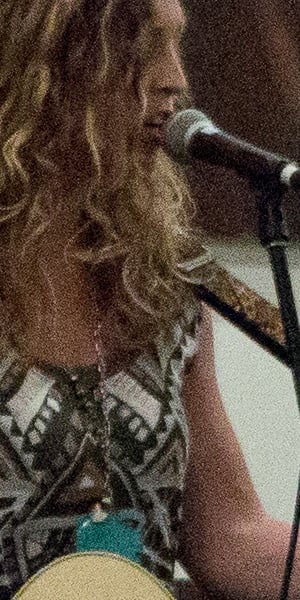

Indoor Performances. I stopped by a cafe to visit a singer who I've photographed in the past. As luck would have it, the cafe (already dimly lit) turned the lights down for the performance! The AF system and the amazing high-ISO performance of the 5D Mark III made it possible for me to shoot without a flash, which would have been unacceptable to the audience enjoying the music. All of my shots were taken at ISO 12,800; I could not have captured these photos with my 5D Mark II. My favorite feature again was the orientation-linked AF setting that enabled me to shoot landscape and portrait oriented images without switching my AF zones/points back and forth every time I changed orientations.

Pets. Working with pets is another passion of mine, and challenges me in ways that benefit my wedding photography as well. My favorite new feature for shooting pets was again the AF system, especially the faster cross-type points that are away from the center zone. The fact that the side focus points focused as quickly as my 5D Mark II's center focus point meant I was able to capture shots I otherwise would have missed. With pets, split-second focusing is a significant benefit because of their unpredictable movements and reactions. Using the 5D Mark III's high ISO sensitivities to increase the shutter speed also meant I could freeze the action even indoors or in shade. I'm sure wildlife and pet photographers shooting in poor lighting situations will benefit from the improved ISO performance and AF system significantly.
The overall experience I had with the Canon 5D Mark III was incredible. I shot with more confidence in the autofocus system and captured a high percentage of in-focus shots regardless of which focus point/zone I used. I was able to capture indoor scenes with significantly lower noise than the Canon 5D Mark II. I really enjoyed the orientation-linked AF setting for on-the-fly shooting at either landscape or portrait orientations. I felt more secure about my digital files with the dual memory card slots, and I loved being able to check critical focus quickly with the magnification button set to zoom in at my focus point. For any photographer, especially photographers who are paid to capture critical, fleeting moments, the Canon 5D Mark III is a powerful tool, and a significant upgrade to its predecessor, yet priced affordably when compared to the Canon 1D-series cameras.
In the field with the Canon EOS-5D Mark III
by Ellis Vener
While on the surface it appears that the obvious camera to compare the Canon 5D Mark III to is the 5D Mark II, having had the opportunity to shoot with a late pre-production model for about ten days on a variety of assignments I have a different perspective: Until a much higher resolution 36x24mm (AKA "Full frame") Canon DSLR shows up the 5D Mark III is the logical successor to the EOS 1Ds Mark III.
I base that conclusion on the evidence: Like other 1D/1Ds series cameras it sports two media slots.
That may not seem like a big deal to a casual user, but it is a standard feature on DSLRs meant primarily for professional photographers, like the 1D, 1Ds, D3 and D4 models. Now this feature can be found on smaller-bodied cameras as well like the 5D Mark III and D800. While high quality CF and SD media has been pretty reliable for years, write errors can and will occur, so I always have my cameras write to both cards. Beyond creating in-camera backups as you shoot, doubling up on media creates a couple of other options: recording raw and JPEG files on separate media or having the second card provide additional capacity.
Other points to consider:
- The improvements in autofocus, shared with the 1D X, seem more like an evolution from the 1Ds Mark III AF system and a couple of quantum level jumps past the 5D Mark II Autofocus capabilities.
- The same goes for the metering, although it's not quite as extreme a change, especially with regards to E-TTL flash metering and control.
- The improvements in weather and dust sealing are more in line with what is found in the 1D and 1Ds-series offerings.

While the 5D Mark III's megapixel count is only a tiny amount larger than the 5D Mark II or 1Ds Mark III, high-ISO performance is in a different class altogether. Dynamic range and color relationships are better as well: at ISOs above 1,600 the signal is cleaner in the shadows and lower midtones.
Overall, putting their best current technology in a smaller body the makes Canon 5D Mark III less expensive to manufacture and distribute and its comparatively lower price will appeal to more customers (Compared to the 1D series, that is). That has to be an idea that appealed to Canon's bean counters as well.
During my ten days with the camera I shot a wide variety of projects: A school age soccer team's first game of the season; A class portrait; Orchids at the Atlanta Botanical Garden; A collection of figurines from around the world for a book; A fireworks display; Photojournalistic documentation at a Sunday school; and also some casual snap shooting. In general the camera handled all of these situations the way you'd expect a high-end camera to behave, but there were a couple of control placements that baffled me. I don't doubt that more time with it would have made finding certain controls more automatic, but I have always found it disconcerting the way the info displays in a Canon DSLR's viewfinder go dark when you change shooting mode.

Before going out and making actual photographs I did some very low-light (but full-dynamic-range) testing to see just what the practical ISO limits were in worst case scenarios, and then tested the full ISO range in a more typical low-light situation to see what the base-level noise and dynamic range responses were as I moved up the ISO scale.
Rather than rely on Adobe's standard camera calibration profile in Lightroom and Adobe Camera Raw to interpret color, I created a custom profile for the camera--a simple process if you have a current Xrite ColorChecker 24 patch target and either Adobe's DNG Profile Editor or X-rite's ColorChecker Passport software--both are free downloads.
As of deadline, Canon had not updated their DPP raw processing software to handle the 5D Mark III's .CR2 format, so I used Adobe Photoshop Lightroom 4.1rc as my raw processor.
In my tests there appeared to be no practical difference in image quality (looking at color, detail, dynamic range, and signal to noise ratio) with settings between ISO 100 to 800, and this held true in real world situations. Well, there is just a touch of noise in dark colors at ISO 800, but unless you are doing nose-to screen pixel peeping at 100% or greater magnification you won't see it. For most general low-light purposes I felt comfortable going up to 6,400 with minimal amounts of luminance noise reduction in Lightroom. This wide usable range makes for a real world difference in image quality in other real photographic ways: shorter shutter speeds that freeze motion better combined with moderate apertures mean greater depth of field; that means better action shots, and also lower energy demands on flash batteries. In other words, ISO settings become a creative tool: if you have a short enough shutter speed to freeze motion and want shallower depth of field at a specific shutter speed just use a low ISO number, or if you want greater depth of field and still want to stop motion you can crank up the ISO (within reason) and not lose much, if any, technical image quality.

At the other end of the sensitivity scale ISO 12,800 and 25,600 produce a grainy impressionistic look in the highlights and mid-tones (see http://tinyurl.com/fresson) but you will see color freckles down in the shadows and blacks will be noisy and relatively weak. Unless that is a deliberate style choice on your part (and I encourage you to play) use of the ultra-high-ISO settings should be limited to when you have no other choice.
Autofocus. Real world autofocus performance is also improved over the 1Ds Mark III, as well as the 5D Mark II, especially when tracking action sequences and in low light use. This is to be expected as it uses the same system the forthcoming 1D X uses. For best AF performance you need to do your own tests with your own gear and tune your camera to your lenses with the built-in autofocus micro-adjustment tool and optimize specific lens and camera body combinations. I use the LensAlign MkII from Michael Tapes Design. One thing I don't recall seeing in other cameras I've used up until now is the ability to set different AF micro-adjustment setting for both the short and long focal length settings of a zoom lens. That is a pretty nifty feature. If you really are a hardcore sports photographer the 1D X is a better choice, if for no other reason than its greater maximum frame rate and larger buffer.
Metering. Canon continues to evolve its evaluative metering system--no surprise there--but where I see a real jump is in how well the E-TTL flash control system works, especially with multiple Canon Speedlites. As the new 600EX-RT Speedlite and transmitter system was not available when I wrote this, I used a combination of 580 EX II and 430 EX II Speedlites for a commissioned still-life project. To get the master flash off camera I used a 33 foot long cable from www.ocfgear.com, and the other three Canon Speedlites were set into Remote mode.

I used a variety of light modifiers from Chimera, Honl, Lastolite and Rogue to shape the light. One thing about working with small smart lights is that they are a heck of a lot easier and faster to move around and adjust for different effects than monolights or pack-and-head systems are. Married to the 5D Mark III's ability to make ultra-clean images at ISO 800 and you get a very versatile, if not inexpensive, lighting kit. This is not to say big lights do not have their place in a lighting kit, just that these other options open up with the camera's high ISO capabilities.
You can see the results on my site here. The figurines in the collection range in size from sixteen inches to an inch-and-a-half in height or length. Exposure for all photos was ISO 800, f/11 @ 1/200 second. To keep color balance even throughout the series, even though the flashes were in E-TTL control mode, I shot a frame of the white balance target in Xrite's ColorChecker Passport as reference at the beginning of the day-and-a-half-long session. When I began processing the raw files in Lightroom 4 this frame was used to set white balance for the entire session.

Even with the E-TTL metering changing energy levels based on the lighting effect and subject reflectance, according to Canon's Technical Information Advisor Chuck Westfall, "Canon added a feature called automatic color temperature compensation to its EX-series Speedlites starting with the 580EX. With this feature, a circuit in the flash reads the battery power level and the flash duration for every shot, and then applies a color temperature compensation factor to the white balance data in the resulting image files. This has the effect of equalizing the color temperature for all flash photos taken with the 580EX or newer Canon Speedlites with EOS digital SLRs."
All I can say is that whatever is going on under the hood, the system works very reliably.
Speaking of color, my only real problem came about while shooting a casual snapshot portrait in very mixed (tungsten, fluorescent and possibly LED) lighting. Even when using the custom camera calibration profile created for this camera and carefully white balancing the frame, the results were far too red. The solution was to slightly dial down the red saturation in the camera calibration tab; however, I do not recommend that as a general strategy to color balancing a photo. Only to touch the camera calibration sliders in an emergency.

Of the special features found on the Canon 5D Mark III, the one I relied on most during my time with it is the dual-axis level indicator. I played some with the in-camera HDR features (there's a nice selection of options, but pseudo HDR tone mapping doesn't exactly rock my world), and I did not test the camera's video capabilities. The 3.2-inch (diagonal) 1,040,000-dot LCD screen on the back of the camera is gorgeous to look at, and so is the new menu structure, once you get the hang of the menu organization. The "Q" button makes it easy to see and set up all of the camera systems.

In short, the Canon 5D Mark III performance matches the assumptions of what an unreasonably critical working pro photographer should expect from a top-of-the-line DSLR in 2012. Although it has almost exactly 40% fewer pixels than the nearly simultaneously introduced Nikon D800, unless you regularly make very large prints, that might not be the drawback it appears to be on paper; especially if you already have a lot of money invested in Canon lenses and lighting. As to how it handles, no camera will ever be perfect for everyone (I'd prefer the Exposure-mode-change switch to be on the right side of the pentaprism for one thing) but with one major exception it is fine.
That exception is the viewfinder. In itself it is pretty good, with its new 100% coverage, but as someone who wears glasses I find it hard to see the entire frame, so I'd like the viewfinder to be more eyeglass-friendly. Battery life is pretty good--I averaged only around 700 frames before needing to recharge--but I use Live View a lot, and was constantly writing the 22.3-megapixel raw files (averaging around 33.5MB each) to both the CF and the SD media so you'll likely get more life out of a battery charge if you do things differently. The EOS-5D Mark III is not a revolutionary camera, but one that evolves Canon's DSLR lineup in a substantial way.
Canon 5D Mark III Demonstration Videos
We shot some videos to illustrate the Canon 5D Mark III's various new features, as well as a video of how the Canon 600EX RT's radio flash works with the 5D Mark III.
First, Chuck Westfall demonstrates the Canon 5D Mark III's various autofocus patterns:
Then he runs through the standard and silent shutter modes:
Next Chuck shows us the HDR menu:
Chuck demonstrates the new Comparison feature in Playback mode:
Finally, Chuck goes over the options available with the Canon 600EX RT radio flash:
A new version of Canon's Digital Photo Professional software ships with the 5D Mark III. As well as supporting new features of the camera, it adds a Digital Lens Optimizer function for still images. This refers to a built-in database that allows automatic correction of both spherical and chromatic aberration, astigmatism, curvature of field, diffraction, and low-pass filter effects.

Canon expects to ship the 5D Mark III in the US market from the end of March 2012. Pricing is set at around US$3,500 body-only, or US$4,300 in a kit with an EF 24-105mm f/4L IS USM lens.
The BG-E11 grip is priced at around US$490, and the WFT-E7A wireless file transmitter at about US$850. The GP-E2 GPS receiver costs around US$390. All three accessories ship from April 2012.
Finally, the new Speedlite 600EX-RT costs US$630 or thereabouts, and the new ST-E3-RT transmitter is priced at approximately US$470. These will be available alongside the camera itself in March.
In the Box
The retail package contains the following items:
- Canon EOS 5D Mark III camera
- Eyecup
- Body cap
- LP-E6 lithium-ion battery pack (7.2V, 1,800mAh)
- LC-E6 battery charger
- AV Cable
- USB cable
- Neckstrap
- EOS Digital Solutions Disk
- Manuals and warranty info
Recommended Accessories
- Large capacity, high-speed CompactFlash or SDHC/SDXC memory cards
- Extra battery
- Lenses
- Flash
- Large camera bag
Optics
Lens Test Results
Lens Corrections
The Canon 5D Mark III usually ships without a standard "kit" lens, so this section would normally be left blank, however it's sometimes bundled with Canon EF 24-105mm f/4L IS USM lens. While we didn't shoot our usual "kit" lens shots here, we felt that the 5D Mark III's new in-camera lens corrections deserved special mention. See below...
Chromatic Aberration Correction. The 5D Mark III is the first Canon DSLR to incorporate automatic in-camera lateral chromatic aberration reduction.
|
In-camera Chromatic Aberration Correction
|
|
 |
 |
|
24-105mm f/4L lens at 28mm
C.A. Correction Enabled (Default) |
24-105mm f/4L lens at 28mm
C.A. Correction Disabled |
CA Correction is optional and the system is database driven, so only recognized Canon lenses will be corrected properly. The camera contains correction data for about 25 lenses, and you can register correction data for unregistered lenses using Canon's EOS utility. The default setting is Enabled. As you can see, it worked very well with our Canon EF 24-105mm f/4L IS USM lens, removing most of the color fringing while maintaining good edge sharpness.
Peripheral Illumination Correction. The Canon 5D Mark III also offers Peripheral Illumination Correction to reduce the effects of corner shading found in most lenses when shot at wide apertures. This feature has been available for almost four years now, first offered on the Canon EOS 50D.
| In-camera Peripheral Illumination Correction | |
 |
|
Mouse over links above to see how well it corrects the 24-105mm at f/4 and 28mm. The camera contains correction data for about 25 lenses, and you can register correction data for unregistered lenses using Canon's EOS utility. Again, the default setting is Enabled. As you can see, corners and edges are brighter while the center remains at the same brightness when correction is enabled.
Distortion Correction. In addition to Chromatic Aberration and Peripheral Illumination Correction, the Canon 5D Mark III offers Distortion Correction, but only as an option during in-camera raw processing. The camera can't correct for distortion "on-the-fly" like it can for chromatic aberration and corner shading. Since it's a post-processing option, we don't have an example here.
Viewfinder Test Results
Accuracy
Excellent accuracy from the optical viewfinder and LCD in Live View mode.


The Canon EOS 5D Mark III's optical viewfinder accuracy is excellent, showing essentially 100% coverage with practically no offset or tilt. A noticeable improvement over the 5D Mark II. Live View mode accuracy using the LCD monitor is also excellent, with just over 100% coverage (the captured image shows just a bit less than the monitor.)
The images above were taken from our standardized test shots. For a collection of more pictorial photos, see our Canon EOS 5D Mark III Photo Gallery .
Exposure
Color
Saturation & Hue Accuracy
Good saturation levels with excellent hue accuracy.
 |
|||
|
ISO Sensitivity
|
|||
| In the diagram above, the squares show the original color, and the circles show the color that the camera captured. More saturated colors are located toward the periphery of the graph. Hue changes as you travel around the center. Thus, hue-accurate, highly saturated colors appear as lines radiating from the center. Mouse over the links above to compare ISOs, and click to load a larger version. | |||


Saturation. The Canon 5D Mark III produces images with about average saturation levels at default settings. Strong reds, orange, dark brown, dark green, and dark blues are pushed small to moderate amounts, while other colors are close to bang on. The mean saturation of 111.4% (11.4% oversaturated) at base ISO is typical for SLRs, and remains fairly consistent through the ISO range, dropping off only at the highest ISOs. Very good performance here. Most consumer digital cameras produce color that's more highly saturated (more intense) than found in the original subjects. This is simply because most people like their color a bit brighter than life.
Skin tones. When white balance is set manually, lighter Caucasian flesh tones shot with the Canon 5D Mark III appear natural, with appropriate saturation levels and accurate color, just slightly on the pinkish side. Darker skin tones show only a small nudge toward orange. Good results here as well. Where oversaturation is most problematic is on Caucasian skin tones, as it's very easy for these "memory colors" to be seen as too bright, too pink, too yellow, etc.
Hue. The Canon 5D Mark III's hue accuracy is excellent, much better than average. There are the usual shifts in cyan toward blue (actually quite small compared to most cameras), red toward orange, and orange toward yellow, but all are fairly minor. (The cyan to blue shift is very common among the digital cameras we test; we think it's a deliberate choice by camera engineers to produce better-looking sky colors.) Average "delta-C" color error is only 3.92 at base ISO (smaller numbers are better), and remains quite low across the ISO range. Hue is "what color" the
color is.
Saturation Adjustment
The Canon EOS 5D Mark III offers a total of nine saturation settings, four above and four below the default saturation. This covers a very wide range of saturation levels, about as wide a range as you're likely to find photographically useful, apart from special effects that are arguably better achieved in software. As it should, the Canon 5D Mark III's saturation adjustment affects only the saturation, leaving the contrast of the image unaltered. (In some cameras, saturation tends to affect contrast, and vice versa.) The fine steps between settings mean you can program the camera to just the level of saturation you prefer. Well done.
| Saturation Adjustment Examples | ||||
 |
 |
 |
 |
 |
| -4 | -2 | 0 | +2 | +4 |
The table above shows alternate settings including the default as well as the two extreme saturation settings. Click on any thumbnail above, then click again to see the full-sized image.


Sensor
Exposure and White Balance
Indoors, incandescent lighting
Auto and Incandescent settings both struggled with household incandescent lighting, though Manual white balance produced a much more neutral image. Slightly higher than average exposure compensation required.


Indoors, under incandescent lighting, the Canon EOS 5D Mark III's Auto and Incandescent white balance settings both struggled, resulting in strong reddish and yellow casts respectively. Unfortunately, this is quite common among cameras we've tested, but disappointing nonetheless, especially for a premium model. The Manual setting produced nearly accurate results, though just slightly cool and a touch green overall. The 2,600 Kelvin setting which matches our lights produced similar results to Manual, also a touch cool with a very slight blue tint. The Canon 5D Mark III required a positive exposure compensation of 0.7 EV for this shot, which is slightly higher than the +0.3 EV average among the cameras we've tested. (Our test lighting for this shot is a mixture of 60 and 100 watt household incandescent bulbs, a pretty yellow light source, but a very common one in typical home settings here in the U.S.)
Outdoors, daylight
Color and saturation are very good, though a tendency towards slightly cool color balance and slightly high contrast under harsh lighting. About average exposure accuracy.
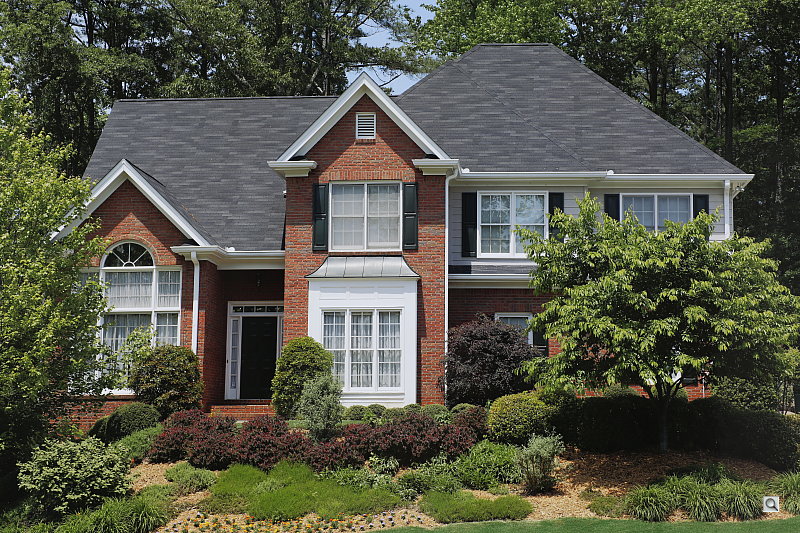
Outdoors, the Canon EOS 5D Mark III tends toward a slightly cool color balance, though overall color is generally very good. We prefer the slightly pinker skin tones from the Manual white balance setting above left, but Auto WB is pretty close. The Canon 5D Mark III performed about average in terms of exposure, requiring the typical amount of positive compensation we're accustomed to seeing among digital cameras. The Canon 5D Mark III's default contrast is a little high, as most users prefer, producing some washed-out highlights and dark shadows under the deliberately harsh lighting of our "Sunlit" portrait test shown above left, though the camera's contrast, Auto Lighting Optimization and Highlight Tone Priority settings do help with this difficult lighting quite a bit. See below for examples of this. The Far-field shot (above right) is also a touch cool, and default exposure a touch dim, though very few highlights are blown. Shadows in the trees and shrubs however are very deep and plugged.
See full set of test images with explanations
See thumbnails of all test and gallery images
Resolution
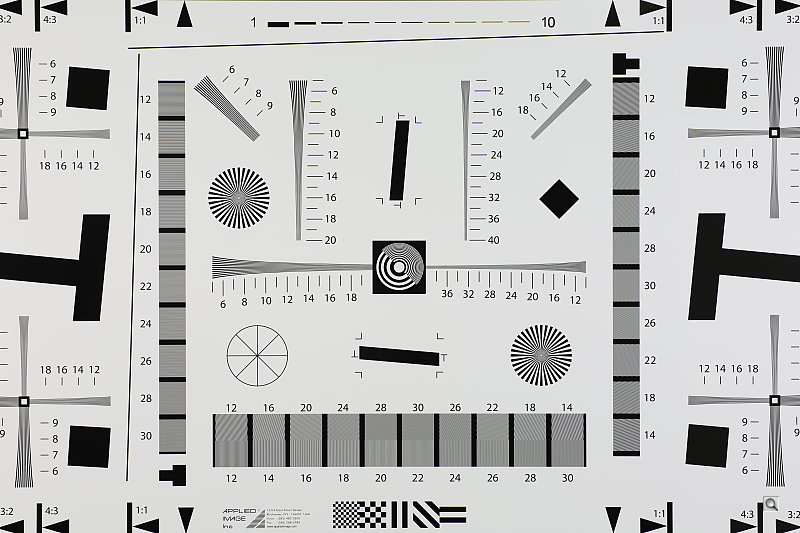
Very high resolution, 2,400 ~ 2,500 lines of strong detail.


Our laboratory resolution chart shows strong detail with distinct line patterns down to about 2,400 lines per picture height horizontally and to about the same vertically from in-camera JPEGs. Extinction of the pattern occurred just past 3,400 lines horizontally and vertically. Adobe Camera Raw converted .CR2 files show slightly more resolution than the in-camera JPEGs, perhaps 100 lines more in both directions, but complete extinction of the pattern was extended to the limits of the chart in the horizontal direction, and to about 3,800 lines in the vertical direction. While ACR was able to extract more detail, it also produced more color moire than JPEGs from the camera, especially in vertical lines. Use these numbers to compare with other cameras of similar resolution, or use them to see just what higher resolution can mean in terms of potential detail.
See full set of test images with explanations
See thumbnails of all test and gallery images
Sharpness & Detail
Very good sharpness with loads of detail, though some sharpening artifacts are visible. Some minor detail loss to noise reduction processing even at base ISO.


Sharpness. The Canon EOS 5D Mark III's 22-megapixel sensor captures excellent levels of image detail when coupled with a good lens, though some edge-enhancement artifacts such as sharpening halos are visible around high-contrast edges at default settings, as shown in the crop above left. (The above crop of our "Pine" shot was taken with a Canon EF 50mm f/1.8 II lens which is very sharp when stopped-down to f/8.) Pros shooting JPEGs may want to turn in-camera sharpening down a few clicks, and sharpen in post. Edge enhancement creates the illusion of sharpness by enhancing colors and tones right at the edge of a rapid transition in color or tone.
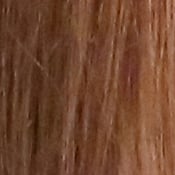
Detail. The crop above right shows some minor detail loss due to noise suppression at base ISO. You can see some smudging of lower contrast and darker strands of hair, but performance here is still very good given the resolution. (The crop above of the hair taken with our very sharp Sigma 70mm f/2.8 reference lens.) Noise-suppression systems in digital cameras tend to flatten-out detail in areas of subtle contrast. The effects can often be seen in shots of human hair, where the individual strands are lost and an almost "watercolor" look appears.
Raw vs In-Camera JPEGs
As mentioned above, the Canon 5D Mark III does an excellent job of capturing sharp, detailed JPEGs when coupled with a sharp lens, but as is usually the case, slightly more detail can be preserved while producing fewer sharpening artifacts by carefully processing its raw files.
 |
||
In the table above, mousing over a link at the bottom will load the corresponding crop in the area above, and clicking on the link will load the full resolution file. Examples include in-camera Fine JPEG, raw file processed through Canon's Digital Photo Professional (DPP) software using default settings, and finally, a raw file processed through Adobe Camera Raw (ACR) version 6.7, then sharpened in Photoshop using 250% unsharp masking with an 0.3 pixel radius.
Canon's DPP software produced images similar to in-camera JPEGs, perhaps with a touch more detail but also showing obvious sharpening halos. Raw images processed through ACR and then moderately sharpened in Photoshop contain improved detail compared to in-camera and DPP-processed images, with less obvious sharpening halos. Users wanting to extract the most detail from their 5D Mark III will definitely want to shoot raw and use a good raw converter.
ISO & Noise Performance
Very good detail versus noise to ISO 1,600, with good performance up ISO 6,400.
|
Default High ISO Noise Reduction
|
||
 |
 |
 |
| ISO 50 | ISO 100 | ISO 200 |
 |
 |
 |
ISO 400 | ISO 800 | ISO 1,600 |
 |
 |
 |
ISO 3,200 | ISO 6,400 | ISO 12,800 |
 |
 |
 |
ISO 25,600 | ISO 51,200 | ISO 102,400 |
The Canon EOS 5D Mark III's high ISO performance is excellent up to ISO 1,600 in the relatively dim indoor lighting used here. Sure, there's a slight loss of detail to noise reduction already at base ISO, and a gradual loss of fine detail as ISO increases, but remaining detail is still very good to ISO 1,600. At ISO 3,200 we begin to see some moderate detail loss as stronger noise reduction blurs subtly contrasting detail, as well a touch of chroma noise in darker areas, but results are still quite good. At ISO 6,400 noise grain becomes coarser, blurring stronger, and chroma noise more apparent, but there's still a lot of detail left to work with. Noise and the effects of noise reduction really become apparent at ISO 12,800, with much stronger blurring and more noticeable grain. At ISO 25,600 and above, fine detail really deteriorates quickly, with obvious chroma blotching and high pixel noise exacerbated by relatively strong sharpening, especially at ISO 102,400. Saturation also drops off above ISO 12,800, probably in an attempt to mitigate chroma noise.
Overall, though, a very good performance. See the Print Quality section below for our evaluation of maximum print sizes at each ISO setting.
A note about focus for this shot: We shoot this image at f/4, using one of three very sharp reference lenses (70mm Sigma f/2.8 macro for most cameras, 60mm f/2.8 Nikkor macro for Nikon bodies without a drive motor, and Olympus Zuiko 50mm f/2.0 for Four Thirds and Micro Four Thirds bodies). To insure that the hair detail we use for making critical judgements about camera noise processing and detail rendering is in sharp focus at the relatively wide aperture we're shooting at, the focus target at the center of the scene is on a movable stand. This lets us compensate for front- or back-focus by different camera bodies, even those that lack micro-focus adjustments. This does mean, though, that the focus target itself may appear soft or slightly out of focus for bodies that front- or back-focused with the reference lens. If you click to view the full-size image for one of these shots and notice that the focus target is fuzzy, you don't need to email and tell us about it; we already know it. :-) The focus target position will simply have been adjusted to insure that the rest of the scene is focused properly.
Extremes: Sunlit, dynamic range and low light tests
Very high resolution with strong detail, though somewhat limited dynamic range. Highlight Tone Priority, Auto Lighting Optimization, and contrast adjustment options do a good job of dealing with harsh lighting. Excellent low-light performance.


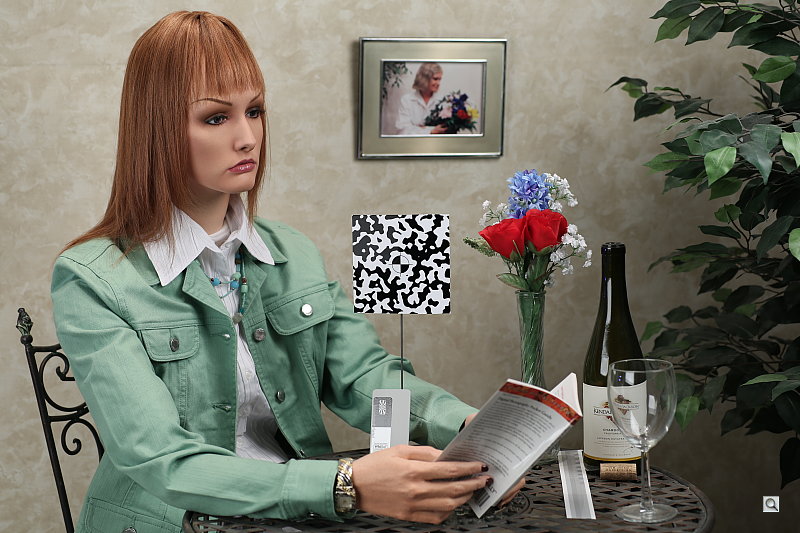
The Canon EOS 5D Mark III produced moderately high contrast with some washed-out highlights and deep shadows under the deliberately harsh lighting of the test above. The mannequin's face was too dim at the default 0 EV and +0.3 EV exposure settings, and far too many highlights were blown at +1.0 EV, so we preferred the image with +0.7 EV exposure compensation overall. This still resulted in some clipped highlights in the shirt and flowers, though, an indication of somewhat limited dynamic range compared to recent APS-C and full frame competitors. Noise is fairly low in the shadows in all but the deepest tones, though detail is a bit soft indicating some active noise reduction is taking place in the shadows.
Because digital cameras are more like slide film than negative film (in that they tend to have a more limited tonal range), we test them in the harshest situations to see how they handle scenes with bright highlights and dark shadows, as well as what kind of sensitivity they have in low light. The shot above is designed to mimic the very harsh, contrasty effect of direct noonday sunlight, a very tough challenge for most digital cameras. (You can read details of this test here. In actual shooting conditions, be sure to use fill flash in situations like the one shown here; it's better to shoot in open shade whenever possible.)
Contrast Adjustment
We really like it when a camera gives us the ability to adjust contrast and saturation to our liking. It's even better when those adjustments cover a useful range, in steps small enough to allow for precise tweaks. As was the case with its saturation adjustment, the Canon 5D Mark III's contrast setting meets both challenges very well.
|
Minimum Contrast
|
|
 |
 |
| Contrast set to lowest, +0.3 EV |
Contrast set to lowest, 0 EV |
At its lowest contrast setting, the Canon 5D Mark III did a good job of preserving highlight detail by allowing a lower exposure for our "Sunlit" portrait, while maintaining fairly natural-looking skin tones, and bringing out shadow detail. It also helped with the dark shadows in our Far-field shot. Overall, very good results here, with the contrast adjustment working on both highlights and shadows.
| Contrast Adjustment Examples | ||||
|
 |
 |
 |
 |
| -4 | -2 | 0 | +2 | +4 |
The Canon 5D Mark III's contrast-adjustment control offers a very broad range of control in usefully fine gradations, and does a good job of adjusting contrast without affecting color saturation in the process. (As noted earlier regarding saturation adjustment, something that not all cameras manage to do.)
Highlight Tone Priority
The Canon 5D Mark III's Highlight Tone Priority (HTP) option did an excellent job of preserving highlight detail, as shown below. (Mouse over the Off and On links to load the corresponding thumbnail, histogram and crops.)
|
Highlight Tone Priority, +0.7 EV
|
|
|
|
|
Highlights
|
 |
|
Shadows
(Levels boosted to reveal noise.) |
 |
|
Histogram
|
 |
Both shots above were captured at +0.7 EV (the default exposure had very few hot highlights to correct), the only difference being that HTP was enabled for the second shot which necessarily increases the ISO to 200; part of how HTP works. The result is evident in the histograms and crops above, clearly showing the superior highlight preservation when HTP is enabled, while shadows were only minimally impacted. As you can see from the shadow crops, an increase in noise is however the price you pay when ISO is boosted from 100 to 200. (Note that levels were highly boosted in the shadow crops to reveal the increase in noise.) Except in the very deepest shadows, though, overall noise is low enough at ISO 200 that this is really a negligible tradeoff.
Auto Lighting Optimization
Like other recent EOS models, the Canon 5D Mark III offers three selectable levels of Auto Lighting Optimization (ALO), plus Off. In Auto exposure mode, ALO is automatically enabled at the Standard level. All four shots below were taken with the same default exposure settings.
|
Auto Lighting Optimization, 0 EV
|
|
 |
|
 |
|
Mouse over the links on the left to load the associated thumbnail and histogram, and click on the links to load full resolution images. As you can see, ALO has the effect of shifting shadows and mid-tones in the histograms to the right, brightening shadows and indeed most of the image without clipping too many additional highlights, making it a useful feature for high contrast shots like this. ISO is not boosted for ALO so increased noise is not an issue, though it may be slightly more visible in shadows that have been boosted significantly.
HDR Capture
The Canon 5D Mark III has a new High Dynamic Range (HDR) capture mode where the camera takes three images (underexposed, normal, and overexposed) in quick succession and combines them in-camera into one image. If performed properly, this method should result in much higher dynamic range, without the additional noise penalty that comes with boosting sensitivity when using the HTP option. (In fact, it can reduce shadow noise by combining shadows from the overexposed shot.) There are four HDR settings available: Auto, ±1 EV, ±2 EV, and ±3 EV. There are also five Effect modes: Natural, Art standard, Art vivid, Art bold, and Art embossed.
|
Far-field HDR Examples, 0 EV
|
||||
 |
||||
The above images were shot using the default Natural mode. Rollover the links to compare the available exposure settings, and click on the links to access full resolution images.
As you can see, dynamic range is improved, however the resulting HDR images are still a bit dim, and are also a little soft compared to a single exposure, likely because we forgot to disable Auto Align as recommended by Canon when shooting on a tripod. (Auto Align appears to crop the image, then interpolate the image back to full size.) Also, watch out for ghosting and other artifacts such as partial elements when the scene is not entirely static (look in the lower-left corners of the full-resolution ±2 EV and Auto shots to see what we mean).
|
Still Life HDR Art Effects
|
||||
 |
||||
While not a high dynamic range scene, above are samples of the various HDR Art Effects available taken of our Still Life shot.
Face Detection
Just like most point & shoot cameras these days, the Canon EOS 5D Mark III has the ability to detect faces in Live View mode, and adjust exposure and focus accordingly.
| Face Detection, 0 EV | ||
|
 |
 |
| Aperture Priority Face Detection: Off |
Aperture Priority Face Detection: On |
Scene Intelligent Auto |
As you can see from the examples above, it works, as the center image with face detection enabled is better exposed for the face (though still slightly dim) than the left image where face detection was not employed, though the camera did boost ISO to 200. Scene Intelligent Auto (right image) did even better without Live View mode, though, producing the best overall exposure. Auto mode also selected a much wider aperture (f/4), making the depth of field shallower to help isolate the subject from the background, though the eyes are out of focus. (When shooting portraits at wide apertures, it's best to manually place the focus point over an eye.)
Dynamic Range
A key parameter in a digital camera is its Dynamic Range, the range of brightness that can be faithfully recorded. At the upper end of the tonal scale, dynamic range is dictated by the point at which the RGB data "saturates" at values of 255, 255, 255. At the lower end of the tonal scale, dynamic range is determined by the point at which there ceases to be any useful difference between adjacent tonal steps. Note the use of the qualifier "useful" in there: While it's tempting to evaluate dynamic range as the maximum number of tonal steps that can be discerned at all, that measure of dynamic range has very little relevance to real-world photography. What we care about as photographers is how much detail we can pull out of the shadows before image noise becomes too objectionable. This, of course, is a very subjective matter, and will vary with the application and even the subject matter in question. (Noise will be much more visible in subjects with large areas of flat tints and subtle shading than it would in subjects with strong, highly contrasting surface texture.)
What makes most sense then, is to specify useful dynamic range in terms of the point at which image noise reaches some agreed-upon threshold. To this end, Imatest computes a number of different dynamic range measurements, based on a variety of image noise thresholds. The noise thresholds are specified in terms of f-stops of equivalent luminance variation in the final image file, and dynamic range is computed for noise thresholds of 1.0 (low image quality), 0.5 (medium image quality), 0.25 (medium-high image quality) and 0.1 (high image quality). For most photographers and most applications, the noise thresholds of 0.5 and 0.25 f-stops are probably the most relevant to the production of acceptable-quality finished images, but many noise-sensitive shooters will insist on the 0.1 f-stop limit for their most critical work.
JPEG. The graph at right (click for a larger version) was generated using Imatest's dynamic range analysis for an in-camera Canon 5D Mark III JPEG file with a nominally-exposed density step target (Stouffer 4110). At default camera settings and base ISO, the graph shows 11.8 f-stops of total dynamic range, with 7.8 f-stops at the "High" Quality level. These are pretty good numbers numbers for JPEGs, though the high quality score was quite a bit lower than the best full frame models. Compared to the Nikon D800/D800E, the 5D Mark III scored significantly lower at the High Quality level (7.8 vs 9.11 f-stops), but better in total dynamic range (11.8 vs 10.7 f-stops), however much of that difference is due to differences in default tone curves, etc. Note though that this measurement has a margin of error of about 1/3 f-stop, so differences of less than 0.33 can be ignored.
 Raw. The graph at right is from the same Stouffer 4110 stepchart image captured as a raw (.CR2) file, processed with Adobe Camera Raw using the Auto setting then tweaking from there. The Canon 5D Mark III's raw file scored 0.7 f-stop more in total dynamic range (12.5 vs 11.8 f-stops), but the score at the highest quality level increased only 0.07 f-stops from 7.8 to 7.87, which is an insignificant improvement and below average these days. This is due to the somewhat high noise in the 5D Mark III's darker shadows, as indicated when comparing the bottom-left Pixel Noise plot in the Imatest chart. The Nikon D800/D800E for instance managed significantly better scores of 9.98 f-stops at the highest quality level, and 13.3 f-stops total dynamic range. See below for a comparison of shadow noise between the Canon 5D Mark III and Nikon D800/D800E.
 |
|
| Canon 5D Mark III | Nikon D800/D800E |
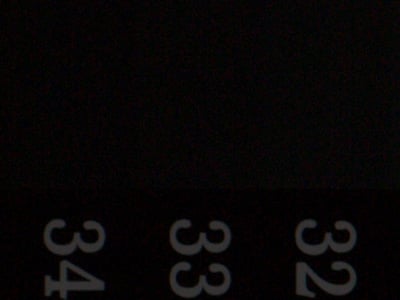
The primary reason the Canon 5D Mark III doesn't score as well as the D800/D800E in dynamic range tests is shadow noise. As mentioned above, shadow noise is much higher from the Canon 5D Mark III, which limits usable dynamic range. Above, we have 100% crops from steps 32 to 34 of our Stouffer stepchart raw shots at ISO 100, converted with Adobe Camera Raw 6.7 with noise reduction turned all the way down. The "Unboosted" crops have had no levels adjustment, while "Levels Boosted" have had Photoshop's mid-tone level slider adjusted equally from 1.0 to 4.0 for both cameras, to expose the noise lurking in the darker tones. (The chart has a total of 41 steps with step 41 being the darkest, so these aren't even the darkest steps).
Roll-over the "Levels Boosted" text to see just how much cleaner the Nikon D800/D800E is compared to the Canon 5D Mark III in deep shadows. (Keep in mind you'd likely never boost exposure this much in real-world photos. This was done here just to illustrate the difference in dark shadow noise between the two cameras in similar conditions.)
| 1 fc 11 lux |
1/2 fc 5.5 lux |
1/4 fc 2.7 lux |
1/8 fc 1.3 lux |
1/16 fc 0.67 lux |
1/16 fc No NR |
|
|---|---|---|---|---|---|---|
| ISO 50 |
 3.2 s f2.8 |
 6 s f2.8 |
 13 s f2.8 |
 25 s f2.8 |
 30 s f2.8 |
 30 s f2.8 |
| ISO 100 |
 2 s f2.8 |
 4 s f2.8 |
 8 s f2.8 |
 16 s f2.8 |
 30 s f2.8 |
 30 s f2.8 |
| ISO 200 |
 1 s f2.8 |
 2 s f2.8 |
 4 s f2.8 |
 8 s f2.8 |
 16 s f2.8 |
 16 s f2.8 |
| ISO 400 |
 0.5 s f2.8 |
 1 s f2.8 |
 2 s f2.8 |
 4 s f2.8 |
 8 s f2.8 |
 8 s f2.8 |
| ISO 800 |
 1/4 s f2.8 |
 0.5 s f2.8 |
 1 s f2.8 |
 2 s f2.8 |
 4 s f2.8 |
 4 s f2.8 |
| ISO 1600 |
 1/8 s f2.8 |
 1/4 s f2.8 |
 0.5 s f2.8 |
 1 s f2.8 |
 2 s f2.8 |
 2 s f2.8 |
| ISO 3200 |
 1/16 s f2.8 |
 1/8 s f2.8 |
 1/4 s f2.8 |
 0.5 s f2.8 |
 1 s f2.8 |
 1 s f2.8 |
| ISO 6400 |
 1/32 s f2.8 |
 1/16 s f2.8 |
 1/8 s f2.8 |
 1/4 s f2.8 |
 0.5 s f2.8 |
 0.5 s f2.8 |
| ISO 12800 |
 1/64 s f2.8 |
 1/32 s f2.8 |
 1/16 s f2.8 |
 1/8 s f2.8 |
 1/4 s f2.8 |
 1/4 s f2.8 |
| ISO 25600 |
 1/128 s f2.8 |
 1/64 s f2.8 |
 1/32 s f2.8 |
 1/16 s f2.8 |
 1/8 s f2.8 |
 1/8 s f2.8 |
| ISO 51200 |
 1/256 s f2.8 |
 1/128 s f2.8 |
 1/64 s f2.8 |
 1/32 s f2.8 |
 1/16 s f2.8 |
 1/16 s f2.8 |
| ISO 102400 |
 1/512 s f2.8 |
 1/256 s f2.8 |
 1/128 s f2.8 |
 1/64 s f2.8 |
 1/32 s f2.8 |
 1/32 s f2.8 |
Low Light. The Canon 5D Mark III performed very well on the low-light test, capturing bright images at the lowest light level (1/16 foot-candle), down to the base ISO of 100, though ISO 50 shots are a little dim at the lowest light levels (limited by the longest non-bulb mode shutter speed of 30 seconds).
As expected, noise increases as ISO goes up and light levels go down, but noise remains fairly well-controlled to ISO 12,800. There were a few hot pixels at low ISOs and low light levels with noise reduction turned down, as well as some bright pixels at higher ISOs, but nothing unusual. Some faint banding can be seen in darker areas at very high ISOs, especially with noise reduction turned down, but that's not unusual either, and shouldn't be a problem for properly exposed subjects. Some heat-blooming can also be seen in the lower-right corner at very high ISOs, but that's also not unusual at such high sensitivities.
Color balance was pretty good, just a touch cool with Canon 5D Mark III's Auto white balance setting even at high ISOs, though at lower light levels white balance shifted slightly towards magenta.
When using the optical viewfinder and phase-detect AF, the Canon 5D Mark III's autofocus system was able to focus on the subject down to below the 1/16 foot-candle light level unassisted with an f/2.8 lens. Note that the Canon 5D Mark III does not have an AF assist lamp (it uses the one provided on most flash units). In Live View mode using contrast-detect AF, the Canon 5D Mark III was also able to focus down to below 1/16 foot-candle unassisted, which is excellent.
As always, keep in mind that the longer shutter speeds here demand the use of a tripod to prevent any blurring from camera movement. (A useful trick is to just prop the camera on a convenient surface, and use its self-timer to release the shutter. This avoids any jiggling from your finger pressing the shutter button, and can work quite well when you don't have a tripod handy.)
How bright is this? The one foot-candle light level that this test begins at roughly corresponds to the brightness of typical city street-lighting at night. Cameras performing well at that level should be able to snap good-looking photos of street-lit scenes.
NOTE: This low light test is conducted with a stationary subject, and the camera mounted on a sturdy tripod. Most digital cameras will fail miserably when faced with a moving subject in dim lighting. (For example, a child's ballet recital or a holiday pageant in a gymnasium.) Digital SLRs like the Canon 5D Mark III do much better than point & shoots, but you still shouldn't expect a quick autofocus lock with moving subjects.
Output Quality
Print Quality
Good quality 30 x 40 inch prints at ISO 100/200; ISO 3,200 shots still looked good at 16 x 20; and ISO 51,200 made a good 4 x 6.
 ISO 100 images were incredible at 30 x 40 inches, with crisp detail and gorgeous color rendition.
ISO 200 shots also looked great at 30 x 40 inches.
ISO 400 shots look spectacular at 24 x 36 inches.
ISO 800 images started to show a very slight indication of softness due to noise suppression, but all major elements still looked quite good at 24 x 36 inches.
ISO 1,600 images were a little softer in the red leaf swatch, but other than that, these images still looked good at 20 x 30 inches.
ISO 3,200 shots started to show a little more loss of detail in reds and other low-contrast elements, and shadows started to show a little more luminance noise at 20 x 30, but prints looked better at 16 x 20 inches.
ISO 6,400 images lost more detail in the red swatch, and luminance noise got a little darker and more prominent. 16 x 20 inch prints are still usable, but we preferred 13 x 19 inch prints.
ISO 12,800 images had shadow noise that was reasonably controlled at this size, and fine detail was good. For rendering of reds, we preferred the 8 x 10 inch print here.
ISO 25,600 prints a nice 5 x 7.
ISO 51,200 shots were usable at 5 x 7, but really better at 4 x 6.
ISO 102,400 shots were just a little too fuzzy in the shadows to be called usable at any size, and is best avoided altogether.
Overall, the Canon 5D Mark III did quite well in our Print Quality test, with all but the highest ISO setting able to produce a good quality print at sizes people commonly use (and some uncommonly large ones, too). Even ISO 51,200 made a good 4x6-inch print!
The images above were taken from our standardized test shots. For a collection of more pictorial photos, see our Canon EOS 5D Mark III Photo Gallery .
Not sure which camera to buy? Let your eyes be the ultimate judge! Visit our Comparometer(tm) to compare images from the Canon EOS 5D Mark III with those from other cameras you may be considering. The proof is in the pictures, so let your own eyes decide which you like best!
Performance
Timing and Performance
Generally very good speeds for a high-resolution prosumer digital SLR.
| Startup/Shutdown | ||
|---|---|---|
|
Power on |
~0.5 second
|
Time it takes to turn on and capture a shot. |
|
Shutdown |
~0.3 second
2.3 seconds with sensor cleaning enabled |
How long it takes camera to turn off with empty buffer. Enabling sensor cleaning on shut-down increases delay. |
|
Buffer clearing time |
2 seconds
after 63 Large/Fine JPEGs* |
Worst case buffer clearing time. -- This is the delay after a set of shots before you can remove the card. |
|
4 seconds
after 18 RAW files* |
||
|
4 seconds
after 7 RAW+LF JPEG files* |
||
|
*Note: Buffer clearing times measured with a SanDisk Extreme Pro 128GB UDMA7 (100MB/s) CompactFlash card. Slower cards will produce correspondingly slower clearing times. Slow cards may also limit length of bursts in continuous mode. ISO sensitivity and noise reduction settings can also affect cycle times and burst mode performance.
|
||
The Canon 5D Mark III turned in fast startup and shut-down times, fast enough that they're difficult to measure. The Canon 5D Mark III's buffer clearing times were surprisingly good, but of course depend on the image quality and size, as well as the speed of the memory card. (We used a very fast UDMA7-compatible card for our tests here.)
| Mode Switching | ||
|---|---|---|
|
Play to Record, |
0.17 second
|
Time until first shot is captured. |
|
Record to play |
~1.0 second
|
Time to display a large/fine file immediately after capture. |
|
Display |
~0.4 second
|
Time to display a large/fine file already on the memory card. |
The Canon 5D Mark III's Play to Record mode switching time was very good, though Record to Play is a bit sluggish.
| Shutter Response (Lag Time) | ||
|---|---|---|
| Optical Viewfinder | ||
|
Full Autofocus |
0.120 second
|
Time from fully pressing shutter button to image capture. All AF timing measured with Sigma 70mm f/2.8 Macro lens. |
|
Full Autofocus |
0.142 second
|
Time from fully pressing shutter button to image capture. |
|
Continuous AF |
0.122 second
|
This mode usually shows no speed increase with our static subject; we have no way to measure performance with moving subjects. |
|
Manual Focus |
0.095 second
|
For most cameras, shutter lag is less in manual focus than autofocus, but usually not as fast as when the camera is "prefocused". |
|
Prefocused |
0.061 second
|
Time to capture, after half-pressing and holding shutter button. |
| Live View | ||
|
Full Autofocus |
0.823 second
|
This is phase-detect autofocus, the camera drops the mirror to focus, then raises it to grab the shot. |
|
Full Autofocus |
0.780 second
|
This is contrast-detect autofocus, the camera reads Live View data from the image sensor to determine focus. |
|
Prefocused |
0.060 second
|
Time to capture, after half-pressing and holding shutter button. |
The Canon 5D Mark III's full autofocus shutter response was excellent at 0.120 second using our standard single-point AF test. Full 61-point auto selection AF only slowed to 0.142 second, which is still very fast. Continuous AF lag was also fast, at 0.122 second. Shutter lag in manual focus mode was a swift 0.095 second, and "Prefocusing" the camera by half-pressing and holding down the shutter button before the final exposure resulted in a lag time of only 0.061 second, also quite fast.
The Canon 5D Mark III's AF lag time in Live View mode was longer, but not as slow as we're used to seeing. We measured 0.823 second using "Quick Mode" (phase-detect AF), and ironically contrast-detect mode was a bit faster, at 0.780 second. Prefocused shutter lag in Live View mode was a very fast 0.060 second, slightly faster than with the optical viewfinder.
To minimize the effect of different lens' focusing speed, we test AF-active shutter lag with the lens already set to the correct focal distance. We also use the same Sigma 70mm f/2.8 macro with every camera (on all platforms except Four Thirds/Micro Four Thirds and Nikon consumer models lacking an in-body focus motor), to further reduce variation, and because our tests showed that focus-determination time with this lens was close to the fastest, across multiple camera bodies from different manufacturers. Being an older design with a non-ultrasonic motor, it wouldn't be the fastest at slewing from one focus setting to another, but that's exactly the reason we measure focus determination speed, which is primarily a function of the camera body, vs focus adjustment speed, which is primarily a function of the lens.
| Cycle Time (shot to shot) | ||
|---|---|---|
|
Single Shot mode |
0.28 second
|
Time per shot, averaged over 20 shots, 1 second to clear. |
|
Single Shot mode |
0.27 second
|
Time per shot, averaged over 20 shots, 3 seconds to clear. |
|
Single Shot mode |
0.29 second
|
Time per shot, averaged over 10 shots, 3 seconds to clear. |
|
Early shutter |
No
|
Some cameras don't snap another shot if you release and press the shutter too quickly in Single Shot mode, making "No" the preferred answer. |
|
Continuous Hi mode |
0.17 second (5.99 frames per second);
63 frames total; 2 seconds to clear* |
Time per shot, averaged over buffer length of 63 shots. |
|
Continuous Hi mode |
0.17 second (5.99 frames per second);
18 frames total; 4 seconds to clear* |
Time per shot, averaged over buffer length of 18 frames, then slows to about 0.36s or 2.79 fps. |
|
Continuous Hi mode |
0.17 second (6.00 frames per second);
7 frames total; 4 seconds to clear* |
Time per shot, averaged over buffer length of 7 frames, then slows to 0.5s or 2.0 fps. |
|
Flash recycling |
N/A
|
Flash at maximum output. |
|
*Note: Buffer clearing times measured with a SanDisk Extreme Pro 128GB UDMA7 (100MB/s) CompactFlash card. Slower cards will produce correspondingly slower clearing times. Slow cards may also limit length of bursts in continuous mode. ISO sensitivity and noise reduction settings can also affect cycle times and burst mode performance.
|
||
Shot-to-shot cycle times in the Canon 5D Mark III's single-shot mode were very good, ranging between 0.27 and 0.29 second for JPEGs and/or RAW files. Buffer length was more than 20 shots for JPEGs and RAW files (we didn't test until buffer full here), but dropped to 10 for RAW + LF JPEGs.
Continuous Hi mode speeds were good considering the large files, at about 6 frames/second with any file type. Measured buffer depths were 63 frames for Large Fine JPEG, 18 frames for RAW, and 7 frames for RAW + LF JPEG. (Note that in our cycle time testing we shoot a target consisting of a fine-grained digital noise pattern, designed to be very hard to compress. This gives us worst-case buffer capacity numbers: You're likely to see greater JPEG buffer capacity when shooting more normal subjects.)
Buffer clearing was extremely fast with a fast card, despite the large files.
| Download Speed | ||
|---|---|---|
|
Windows Computer, USB 2.0 |
11,147 KBytes/sec
|
Typical Values: |
Fast USB 2.0 download times.
Bottom line: Good to excellent performance for its class; a noticeable improvement over the 5D Mark II.
Battery
Battery Life
Very good battery life for a lithium-ion SLR design.
| Operating Mode | Number of Shots |
|---|---|
|
Lithium-ion Rechargeable Battery,
(CIPA standard, Optical Viewfinder) |
950
|
|
Lithium-ion Rechargeable Battery,
(CIPA standard, Live View LCD) |
200
|
The Canon 5D Mark III uses a custom rechargeable lithium-ion battery for power, and ships with a charger. Keep in mind the 5D Mark III doesn't have a built-in flash, so CIPA battery life numbers here aren't directly comparable to models that do. Although the Canon 5D Mark III's battery life is very good when using the optical viewfinder, we recommend you pick up a spare battery and keep it freshly charged and on-hand if you plan on using Live View or wish to shoot movies.
The table above shows the number of shots the Canon 5D Mark III is capable of (on a fully-charged rechargeable battery), based on CIPA battery-life and/or manufacturer standard test conditions.
(Interested readers can find an English translation of the CIPA DC-002 standards document here. (180K PDF document))
Image Quality
Below are crops comparing the Canon 5D Mark III to its predecessor the 5D Mark II, as well as to other recent full-frame DSLRs: the Canon 6D, Nikon D800, Nikon D600 and Sony A99. Though we normally start with ISO 1,600 here, we thought we'd start with the base ISO to show the best each camera can do.
NOTE: These images are best quality JPEGs straight out of the camera, at default settings including noise reduction. All cameras in this comparison were shot at f/8 with a Sigma 70mm f/2.8 EX DG Macro lens, one of the sharpest lenses we've ever tested on SLRgear.com.
Canon 5D Mark III versus Canon 5D Mark II ISO 100
 |
 |
 |
 |
 |
 |
Canon 5D Mark III at ISO 100 |
Canon 5D Mark II at ISO 100 |
The 5D Mark III shows slightly improved contrast and certainly higher resolution than its predecessor. The mosaic crop is noticeably sharper, and the pink swatch has excellent detail, while the red leaf swatch is pretty respectable. Otherwise, it's not a huge change at ISO 100 from the 5D Mark II, though default sharpening is higher. |
|
Canon 5D Mark III versus Canon 6D at ISO 100
|
 |
|
 |
|
 |
Canon 5D Mark III at ISO 100 |
Canon 6D at ISO 100 |
Very similar results here. The 5D Mark III's 22-megapixel sensor captures a touch more detail than the 6D's 20-megapixel imager, but it's extremely close. Some of the increased sharpness in the Mark III's shot is doubtless the result of its slightly stronger default sharpening. The 6D appears to resolve the threads in the pink fabric a touch better, though that may just be a slight difference in focus. Practically speaking, both cameras produce nearly identical output. |
|
Canon 5D Mark III versus Nikon D800 at ISO 100
|
 |
|
 |
|
 |
Canon 5D Mark III at ISO 100 |
Nikon D800 at ISO 100 |
|
As expected, the Nikon D800's 36-megapixel sensor captures noticeably more detail at base ISO, resolving the thread pattern in the red leaf swatch which the Canon cannot. The Nikon also does a better job capturing the texture in the wall behind the bottles, while the Canon's noise reduction blurs much of it away. Nikon's approach to sharpening is more conservative, with less obvious sharpening halos. The D800's default contrast is also lower, and color warmer. |
|
Canon 5D Mark III versus Nikon D600 at ISO 100
|
 |
|
 |
|
 |
Canon 5D Mark III at ISO 100 |
Nikon D600 at ISO 100 |
The differences between Canon and Nikon's approach to image processing continue here, but the 5D Mark III's 22-megapixel resolution is more closely matched to the 24-megapixel D600 this time. Bright sharpening halos are again immediately evident in the 5D Mark III's images when compared to the D600, and the D600 renders the red leaf swatch better, though it does generate some noticeable moiré. The Canon's higher default contrast and sharpening give its images a bit more "pop." |
|
Canon 5D Mark III versus Sony A99 at ISO 100
|
 |
|
 |
|
 |
Canon 5D Mark III at ISO 100 |
Sony A99 at ISO 100 |
The Canon's higher contrast and stronger sharpening are again obvious here in the bottle crops, but both cameras capture similar levels of detail. The 24-megapixel Sony A99 renders the red leaf and pink swatches a little better, though. |
|
Most digital SLRs will produce an excellent ISO 100 shot, so we like to push them and see what they can do compared to other cameras at ISO 1,600, 3,200, and 6,400. Recent advances in sensor technology have made ISO 1,600 look a lot more like ISO 100, but there are still cameras whose quality starts to fall apart at this setting. We also choose 1,600 because we like to be able to shoot at least at this level when indoors and at night.
Canon 5D Mark III versus Canon 5D Mark II ISO 1,600
 |
 |
 |
 |
 |
 |
Canon 5D Mark III at ISO 1,600 |
Canon 5D Mark II at ISO 1,600 |
Your eyes can see clearly the benefit of the 5D Mark III over the Mark II here, particularly in the mosaic image. There's more contrast and sharper detail. The exception is the red leaf swatch, which while somewhat cartoonish in the 5D Mark II's rendering, is softer in the 5D Mark III's version. |
|
Canon 5D Mark III versus Canon 6D at ISO 1,600
|
 |
|
 |
|
 |
Canon 5D Mark III at ISO 1,600 |
Canon 6D at ISO 1,600 |
Results here are again very close, as you'd expect for siblings using similar sensors and image processors. Resolution and contrast are a touch higher from the 5D Mark III, but the two cameras' images are otherwise very similar. |
|
Canon 5D Mark III versus Nikon D800 at ISO 1,600
|
 |
|
 |
|
 |
Canon 5D Mark III at ISO 1,600 |
Nikon D800 at ISO 1,600 |
The difference between Nikon and Canon in their approach to sharpening and noise suppression is rather stark in these crops. The Nikon D800 elects to do less sharpening and noise suppression, and apparently less processing in the red channel, resulting in more luminance noise in the bottle shoulder crop, a softer mosaic image and a sharper red leaf swatch, while the 5D Mark III does the opposite. |
|
Canon 5D Mark III versus Nikon D600 at ISO 1,600
|
 |
|
 |
|
 |
Canon 5D Mark III at ISO 1,600 |
Nikon D600 at ISO 1,600 |
Nikon's more balanced approach to noise suppression is evident across all the image elements here, while Canon applies more noise suppression to some areas than others, and also sharpens more aggressively. Hence the sharp mosaic image and soft red leaf swatch from the 5D Mark III. Unfortunately, moiré is still visible in the Nikon D600's red leaf swatch. |
|
Canon 5D Mark III versus Sony A99 at ISO 1,600
|
 |
|
 |
|
 |
Canon 5D Mark III at ISO 1,600 |
Sony A99 at ISO 1,600 |
The Canon 5D Mark III's images have less noise, as well as more aggressive sharpening and higher contrast, leaving the Sony A99 images looking a touch soft in comparison. While the Canon does a bit better here, both cameras perform very well indeed. |
|
Today's ISO 3,200 is yesterday's ISO 1,600 (well, almost), so below are the same crops at ISO 3,200.
Canon 5D Mark III versus Canon 5D Mark II ISO 3,200
 |
 |
 |
 |
 |
 |
Canon 5D Mark III at ISO 3,200 |
Canon 5D Mark II at ISO 3,200 |
Here's a dramatic demonstration of the improvements both to the sensor and the noise suppression technology found in the 5D Mark III. The 5D Mark II's images look downright hazy by comparison. |
|
Canon 5D Mark III versus Canon 6D at ISO 3,200
|
 |
|
 |
|
 |
Canon 5D Mark III at ISO 3,200 |
Canon 6D at ISO 3,200 |
Again, not a lot of difference between the two siblings here, so save some money and go with the Canon 6D if you don't need the extra speed and features the 5D Mark III offers. |
|
Canon 5D Mark III versus Nikon D800 at ISO 3,200
|
 |
|
 |
|
 |
Canon 5D Mark III at ISO 3,200 |
Nikon D800 at ISO 3,200 |
At ISO 3,200, approaches continue to diverge. Luminance noise is even more obvious in the Nikon D800's shadows, and flecks of chroma noise also appear in the mosaic image, yet the red swatch still has thread detail, whereas the Canon 5D3's more aggressive noise suppression continues to blur the leaves. On the other hand, the 5D Mark III's rendering of the mosaic image looks like it would print very well, but keep in mind that the D800's resolution advantage allows for larger prints. |
|
Canon 5D Mark III versus Nikon D600 at ISO 3,200
|
 |
|
 |
|
 |
Canon 5D Mark III at ISO 3,200 |
Nikon D600 at ISO 3,200 |
|
Nikon's approach is again more even than Canon's. The 5D Mark III images are cleaner and more contrasty, but contain less fine detail. The D600's images are noisier, but the camera is still resolving most of the "grout" lines in the mosaic while leaving some of the color left by the offset printing process. The red leaf swatch detail is noticeably better from the D600, though moiré is still visible. |
|
Canon 5D Mark III versus Sony A99 at ISO 3,200
|
 |
|
 |
|
 |
Canon 5D Mark III at ISO 3,200 |
Sony A99 at ISO 3,200 |
The Canon 5D Mark III pulls ahead of the Sony A99 a bit more here, with noticeably cleaner, more contrasty images. Both struggle to maintain detail in the red leaf swatch, though. |
|
Detail: Canon 5D Mark III versus Canon 5D Mark II, Canon 6D, Nikon D800, Nikon D600, and Sony A99
 |
 |
 |
 |
 |
 |
 |
 |
 |
 |
 |
 |
 |
 |
 |
 |
 |
 |
| Canon 5D Mark III ISO 100 ISO 3,200 ISO 6,400 |
Canon 5D Mark II ISO 100 ISO 3,200 ISO 6,400 |
Canon 6D ISO 100 ISO 3,200 ISO 6,400 |
Nikon D800 ISO 100 ISO 3,200 ISO 6,400 |
Nikon D600 ISO 100 ISO 3,200 ISO 6,400 |
Sony A99 ISO 100 ISO 3,200 ISO 6,400 |
| Detail comparison. High-contrast details are hold their sharpness more as ISO rises, so they're worth a look as well. Thanks to higher levels of contrast as ISO increases, the Canon 5D Mark III does well compared to all other contenders, and does much better than its predecessor. The Canon 6D is a close second, as expected, with the Sony A99 pretty close behind. Lower contrast and color moiré from the Nikons hold them back a bit here, but their performance is still very good. Unsurprisingly, the 5D Mark II trails in this group as it's also the oldest and lowest in resolution. | |||||
Canon's 5D Mark III indeed looks quite improved over the 5D Mark II, despite the slightly smaller pixel pitch. It also shapes up well against Nikon's 24-megapixel D3X, an impressive feat. Even if they were playing a bit of catch-up, it seems we can say they've caught up quite well.
Good quality 30 x 40 inch prints at ISO 100/200; ISO 3,200 shots still looked good at 16 x 20; and ISO 51,200 made a good 4 x 6.
ISO 100 images were incredible at 30 x 40 inches, with crisp detail and gorgeous color rendition.
ISO 200 shots also looked great at 30 x 40 inches.
ISO 400 shots look spectacular at 24 x 36 inches.
ISO 800 images started to show a very slight indication of softness due to noise suppression, but all major elements still looked quite good at 24 x 36 inches.
ISO 1,600 images were a little softer in the red leaf swatch, but other than that, these images still looked good at 20 x 30 inches.
ISO 3,200 shots started to show a little more loss of detail in reds and other low-contrast elements, and shadows started to show a little more luminance noise at 20 x 30, but prints looked better at 16 x 20 inches.
ISO 6,400 images lost more detail in the red swatch, and luminance noise got a little darker and more prominent. 16 x 20 inch prints are still usable, but we preferred 13 x 19 inch prints.
ISO 12,800 images had shadow noise that was reasonably controlled at this size, and fine detail was good. For rendering of reds, we preferred the 8 x 10 inch print here.
ISO 25,600 prints a nice 5 x 7.
ISO 51,200 shots were usable at 5 x 7, but really better at 4 x 6.
ISO 102,400 shots were just a little too fuzzy in the shadows to be called usable at any size, and is best avoided altogether.
Overall, the Canon 5D Mark III did quite well in our Print Quality test, with all but the highest ISO setting able to produce a good quality print at sizes people commonly use (and some uncommonly large ones, too). Even ISO 51,200 made a good 4x6-inch print!
Video
Check out the links below for more sample images, videos and image quality analysis:
- Canon EOS 5D Mark III Optics page (Crops from images shot with the camera's kit lens, if sold as a kit)
- Canon EOS 5D Mark III Sample Images page (Index to all standard test shots, with explanations)
- Canon EOS 5D Mark III Thumbnails page (Thumbnails of all shots, including RAWs, with EXIF data)
- Canon EOS 5D Mark III Gallery page (Regular photos taken with the Canon EOS 5D Mark III)
Canon's 5D Mark II proved extremely popular with professional videographers for its combination of creative options, and its relatively compact, affordable body compared to dedicated movie cameras. The 5D Mark III takes that heritage and builds upon it, with a robust feature-set indeed, and an important addition slated to arrive from April 2013. The 5D Mark III's offers both automatic and manual exposure control, single autofocus (but not full-time AF), audio levels control, internal and external microphone support, audio monitoring, timecode support, a choice of interframe / intraframe compression types, and more. A promised firmware update will add uncompressed HDMI video output to the list. There are still a few things absent that we've seen from competitors, such as full-time autofocus, the ability to capture still images during video, and to shoot 720p video at frame rates below 50p, but we're nitpicking. The Canon 5D Mark III's video feature set is comprehensive, as you'd expect given its price point and target market. Here's a quick rundown of its video capabilities, along with our usual selection of sample videos at the bottom.
Canon 5D Mark III Basic Video Specs
- 1,920 x 1,080 (Full HD / 1080p); 1,280 x 720 (720p); or 640 x 480 (VGA) recording
- MOV file format, with variable bitrate MPEG-4 AVC/H.264 encoding
- Choice of two compression types; ALL-I (intraframe) or IPB (interframe)
- Minimal rolling shutter and moiré / aliasing
- Program, Aperture-priority, Shutter-priority, or Manual exposure are possible
- Manual mode allows automatic or manual ISO control; sensitivity is controlled automatically in all other modes
- Exposure compensation and lock are available
- Shutter speeds range from 1/4,000 down to 1/30 seconds
- Sensitivity ranges from ISO 100 to ISO 12,800, and can be expanded to ISO 25,600 under automatic control
- Features like color space, white balance, picture control, auto lighting optimizer, peripheral illumination correction, chromatic aberration correction, and highlight tone priority are all available for video
- If the attached flash strobe has an LED light, the 5D Mark III can automatically enable it in low-light shooting
- TTL (through the lens) evaluative or center-weighted average metering using the main image sensor
- Metering method is fixed, and set automatically depending on the focusing mode
- Single autofocus with face detection and adjustable AF point, available before or during movie recording; continuous autofocus is not possible
- Manual focus is also available
- Capture can be started and stopped with dedicated movie button, main shutter button, or optional RC-6, RS-80N3, or TC-80N3 remote controls
- Seven-step LCD brightness adjustment available, plus automatic brightness adjustment with three-step override based on ambient light level sensor
- LCD brightness must be adjusted before capture starts
- If lens supports optical image stabilization, this operates at all times before and during capture unless switched off on the lens
- Optional 16-bit, 48KHz, 1,536 Kbps Linear PCM audio from internal monaural microphone or external 3.5mm stereo mics
- Automatic or 64-step manual level control
- Touch-pad settings control allows instant, near-silent adjustment during shooting.
- VU (audio level) meter display before and during recording
- Optional wind cut filter function reduces levels for low-frequency audio
- 3.5mm stereo headphone connection with 10-step volume adjustment for audio monitoring
- Records time code, and can be set to continue to increment code regardless of capture status, or only while movie capture is underway.
- Time code is recorded in hours, minutes, seconds, and frames, and can be reset, set to camera time, or set freely
- Time code can be displayed on-screen during capture and playback
- Drop frame function will correct time code slip at 29.97 or 59.94 fps, but not at 23.967 fps
- Cannot currently output uncompressed feed via HDMI, but Canon has promised a firmware update due in April 2013 that will allow an 8-bit YCbCr 4:2:2 video feed without any overlays via HDMI
- Movies can be "trimmed" in-camera, selecting just the portion you want and optionally saving it as a new file, but edits must be made in one-second increments, not at precise frames
- Video duration limited to 29 minutes, 59 seconds
- File size restricted to 4 GB maximum; new file is automatically created when the 4GB limit is reached
- If sensor temperature threshold is exceeded, shooting may stop before either limit is reached; camera warns before threshold is reached
- Dual card slots; can select which movies will be recorded to, but there is no overflow or mirroring capability for movies
- Still images can be capturing during video recording if your flash card is fast enough, but will interrupt the video feed for approximately one second, and won't fire the flash strobe
- Continuous bursts of stills can also be shot, but they won't be reviewed on the monitor
- Histogram is available in manual mode, but only before capture starts
- Dual-axis level gauge is available in all exposure modes, but only before capture starts, and not if using face-detection autofocus or HDMI output
- Three grid displays (3x3, 6x4, and 3x3 plus diagonals) are available, but only before capture starts
Canon 5D Mark III Video Speeds & Feeds: Image size, frame rate, and file format
The Canon EOS 5D Mark III offers three different video resolutions and five frame rates, although only two or three rates are available at any given resolution.
|
Canon 5D Mark III Video Options
|
|||
|---|---|---|---|
|
AVCHD Format (H.264, .MOV files)
|
|||
|
Resolution |
Aspect Ratio |
Frame Rate
|
Average Bit Rate
|
1,920 x 1,080 |
16:9 |
29.97 frames per second |
ALL-I: 91 Mbps IPB: 31 Mbps |
25 frames per second |
|||
23.976 frames per second |
|||
1,280 x 720 |
16:9 |
59.94 frames per second |
ALL-I: 81 Mbps IPB: 27 Mbps |
50 frames per second |
|||
640 x 480 |
4:3 |
29.97 frames per second |
IPB:
10 Mbps |
25 frames per second |
|||
All of the 5D Mark III's video modes are progressive scan, meaning that every video line is scanned, one after the other, for every frame. Compared to interlaced scanning, progressive scan video is much better for viewing videos on a computer screen. (Interlaced works fine for high-definition TVs, but some computer video players that de-interlace poorly will produce bad tearing of moving objects.)
Note that you can't match the frame rate to the shutter speed for any frame rate other than 60p. For 50p capture, the slowest shutter speed is still fixed at 1/60th second, even though the camera is capable of a 1/50th second shutter speed for still imaging. For 25p or 24p capture, the slowest shutter speed is 1/30th second.
The 24 frames/second mode is popular with some people, who feel it gives a more "movie like" look to their videos because 24fps is the frame rate for cinema. The lower frame rate can look choppy, though, particularly when shooting in bright light with fast shutter speeds.
The 60 / 50 frames/second frame rates available in 1,280 x 720 mode are great for capturing smooth-looking action, but won't be as good in low-light situations, because the camera can't use a shutter speed longer than 1/60th second.
The Canon 5D Mark III saves its video files in the MOV format, using MPEG-4 AVC/H.264 encoding. The variable compression rate is preconfigured and can't be controlled by the user, but two compression methods are available: ALL-I or IPB.
ALL-I is an intraframe compression scheme which, much like Motion JPEG, separately compresses each individual video frame. This yields higher quality video, but does so at the expense of a huge increase in file sizes. IPB compression, meanwhile, is an interframe scheme that compresses the video across multiple frames, inserting a key frame from which compression begins anew every 12 to 15 frames. In between these occasional keyframes are predicted frames, which require data from the previous keyframe and any intervening frames to reconstruct the final image. (Unlike the IPP scheme used in the 5D Mark II and other earlier Canon models, the IPB system can also predict which data will remain unchanged in subsequent predicted frames.)
Most computers and editing programs made within the last few years should be able to play 5D Mark III files with little problem, but high-def files may strain older systems, especially during editing of IPB video. File sizes for ALL-I video, meanwhile, will stretch storage to the limit.
Canon 5D Mark III video quality
| Canon 5D Mark III: All-I Mode
|
|---|
1,280 x 720 MOV, Progressive, 60 frames per second (All-I mode not supported by YouTube at this time) Download Original |
The Canon EOS 5D Mark III yields video of excellent quality, capturing plenty of fine detail, and with very minimal rolling shutter artifacts. Our sample clips of Charlotte the wonder dog catching a frisbee show a crisp image with pleasing color. To our eye, though, the 5D Mark III doesn't quite match the competing Nikon D800 in terms of the finest detail, despite the much lower compression possible for 5D Mark III videos. The 5D III's video looks to have had moderate noise suppression applied, along with thresholded sharpening that gives the impression of more detail than is actually present. We're nitpicking, though. Both cameras turn in an impressive result.
At higher sensitivities, the noise suppression clearly pays dividends, as the EOS 5D Mark III's video is impressively clean even towards the upper end of the range at ISO 12,800 equivalent when shooting in low light. This is clearly a camera that's well-suited to night shooting, especially thanks to the ability to control exposure manually. In the daytime, the 5D Mark III biases automatic exposure in an attempt to attain a slower shutter speed. That yields smoother-looking video, because keeping the shutter open for longer means there's more motion blurring, something which our eyes interpret as being more natural. However, it also means greater depth of field, and less blurred-out, creamy backgrounds by default. Of course, you can override the 5D Mark III's chosen shutter speed by switching to Manual or Priority exposure, if you prefer to prioritize bokeh over smoother video.
Canon has made a big step forwards since the EOS 5D Mark II in terms of moiré / aliasing. The 5D Mark III turns in an impressive performance here, and unlike some competitors, it does so even when you trade off some resolution for a higher frame rate. (Many SLRs show significantly more aliasing and moiré issues when shooting 720p50/60 video than they do for video at 30fps or below. That's great news for anybody who doesn't need Full HD resolution, and prefers to capture smoother video. (And with well-known directors like Cameron and Jackson talking up the advantages of higher-frame rate video these days, we'd imagine more than a few videographers will be keen to give it a try.)
File sizes for the 5D III's ALL-I clips can be massive; expect around 10-11MB/second of video shot. Interframe IPB compression brings files down to much more manageable sizes, with around 3-4MB/second of video. If you can handle the storage requirements, though, ALL-I video does capture noticeably more detail than does IPB. Canon recommends at least 10MB/second or faster cards for CompactFlash, and 6MB/second or faster for Secure Digital, but if you plan to shoot ALL-I then you'll need 30MB/second or faster for CF, and at least 20MB/second for SD. Even faster cards will be needed if you plan on shooting stills during video capture, which happens with a brief interruption to the video feed. If your card is not fast enough, a five-step buffer fill warning will appear.
Canon 5D Mark III video focusing
- Single autofocus operations can be triggered before or during movie recording by half-pressing the shutter button or pressing the AF-ON button
- Depending on the lens in use, on-camera audio will likely pick up significant autofocus drive noise. This can be minimized by using an external microphone, however.
- Continuous autofocus is not possible for movies
- Face detection autofocus is available, and continues to track face locations during capture
- AF point can be positioned with joystick before or during recording, but cannot be placed at the extreme edges of the frame
- Manual focus is also available during movie recording
Canon 5D Mark III video exposure control
| Canon 5D Mark III: Depth Of Field
|
|---|
| 640 x 480 MOV, Progressive, 30 frames per second, f/22 Download Original |
- Defaults to fully automatic Program exposure in A+, P, or B exposure modes
- Aperture and shutter priority modes give access to either aperture control or shutter speed
- Manual mode gives access to both shutter speed and aperture, and allows automatic or manual ISO control
- ISO sensitivity is controlled automatically in all other modes
- Exposure compensation adjustment is available with a +/-3EV range in 1/3 EV steps in Program or priority modes, but not in A+ mode
- Exposure can be locked with the * button and cancelled with the AF point button, except in A+ mode. This also applies in Manual mode if shooting with Auto ISO sensitivity
- Adjustments to all exposure variables can be made either before or during recording, but they are applied immediately, so the effect is not subtle. On the plus side, handling noise can be greatly minimized by using the touch-pad on the inner ring of the Quick Control dial whenever the Quick Control screen is active, allowing near-silent adjustment during shooting. (Obviously, aperture mechanism noise will vary depending on the attached lens.)
- Available shutter speeds range from 1/4,000s down to 1/60s for 60p or 50p, and 1/30s for 30p, 25p or 24p
- Apertures depend upon the lens in use
- Sensitivity varies from ISO 100 to ISO 12,800. This can be expanded to ISO 25,600, but only under automatic control, and not in Shutter-priority or A+ modes
- Highlight tone priority is available, but disables the ISO 100 position
- Color space, white balance, and Picture Control settings apply to movie recording. Picture Control types are Auto, Standard, Portrait, Landscape, Neutral, Faithful, Monochrome, and User Def 1-3, and each can be adjusted for sharpness and contrast, plus saturation and color tone for color styles, and filter / toning effects for monochrome
- Picture Control, white balance, exposure, auto lighting optimizer, peripheral illumination and chromatic aberration correction, and highlight tone priority effects are all previewed on LCD monitor
- If the attached flash strobe has an LED light, the 5D Mark III can automatically enable it in low-light shooting in all except Manual mode
Canon 5D Mark III audio recording
- Audio is recorded as 16-bit, 48KHz, 1,536 Kbps Linear PCM
- Internal monaural microphone
- Defaults to automatic level control
- Manual level control available via Shooting Menu item, with 64 levels available. Left/right balance is not possible.
- Touch-pad on inner ring of Quick Control dial can be set to provide access to audio levels whenever the Quick Control screen is active, allowing instant, near-silent adjustment during shooting.
- VU (audio level) meter display also available on the same screen, and includes peak hold indication
- VU meter display is also available as an overlay during recording by pressing the Info button
- External 3.5mm stereo mic input. Use external mics for better sound quality, control over stereo effect / directionality, and to eliminate camera / lens noise
- Audio can be turned off entirely
- Optional wind cut filter function reduces levels for low-frequency audio
- Audio can be monitored via a 3.5mm stereo headphones, with a 10-step volume adjustment available before or during recording. (There's no visual display of the monitoring level, however, and Canon notes that monitored audio may differ from that recorded as noise reduction is not applied to it.)
- In A+ shooting mode, audio levels are controlled automatically, and the wind cut filter is always active
Here are some examples of video shot with the Canon 5D Mark III:
|
Canon 5D Mark III: Video Samples
|
|---|
Canon 5D Mark III video rolling shutter artifacts ("Jello effect")
Pretty much every DSLR on the market distorts moving objects, or the entire scene, if the camera is being panned. The technical term for this is "rolling shutter artifacts," but many users simply call it the "Jello effect," because the image can jiggle and sway like Jello as the camera is moved. This occurs because the image is captured and read out line by line, so the bottom of an object may no longer be underneath the top of it by the time the camera gets around to capturing that part of the frame.
Rolling shutter artifacts can be very annoying if they're severe, but as noted, all digital SLRs show them to one extent or another. In the case of the 5D Mark III, rolling shutter is well-controlled at 1080p, and very minimal indeed at 720p; much less than we've seen with some cameras. Unless you have fast-moving subjects or pan rapidly while filming, you're not likely to notice them much, if at all. If you drop the resolution to VGA, rolling shutter is much more prominent, but we can't imagine many 5D III owners shooting at this resolution.
|
Canon 5D Mark III: Rolling Shutter Artifacts
|
|---|
|
|
|
|
| 1,280 x 720 MOV, Progressive, 60 frames per second Download Original |
High ISO Noise Reduction
Canon 5D Mark III High ISO Noise Reduction
The Canon 5D Mark III offers four High ISO Noise Reduction settings: Disable, Low, Standard (default), and High, allowing you quite a bit of flexibility in choosing how you want to make the tradeoff between subject detail and noise levels in JPEGs. The Canon 5D Mark III manual says noise reduction is applied at all ISOs, working mostly in shadow areas at low ISOs, so we've included crops from ISO 50 up here.
See for yourself how the four noise reduction settings work. Click on any of the crops below to see the corresponding full-sized image.
| High ISO Noise Reduction Comparison In-Camera JPEGs Simulated Daylight |
||||
|
Disable
|
Low
|
Standard
|
High
|
|
| I S O 5 0 |
 |
 |
 |
 |
 |
 |
 |
 |
|
 |
 |
 |
 |
|
|
Disable
|
Low
|
Standard
|
High
|
|
| I S O 1 0 0 |
 |
 |
 |
 |
 |
 |
 |
 |
|
 |
 |
 |
 |
|
|
Disable
|
Low
|
Standard
|
High
|
|
| I S O 2 0 0 |
 |
 |
 |
 |
 |
 |
 |
 |
|
 |
 |
 |
 |
|
|
Disable
|
Low
|
Standard
|
High
|
|
| I S O 4 0 0 |
 |
 |
 |
 |
 |
 |
 |
 |
|
 |
 |
 |
 |
|
|
Disable
|
Low
|
Standard
|
High
|
|
| I S O 8 0 0 |
 |
 |
 |
 |
 |
 |
 |
 |
|
 |
 |
 |
 |
|
|
Disable
|
Low
|
Standard
|
High
|
|
| I S O 1 6 0 0 |
 |
 |
 |
 |
 |
 |
 |
 |
|
 |
 |
 |
 |
|
|
Disable
|
Low
|
Standard
|
High
|
|
| I S O 3 2 0 0 |
 |
 |
 |
 |
 |
 |
 |
 |
|
 |
 |
 |
 |
|
|
Disable
|
Low
|
Standard
|
High
|
|
| I S O 6 4 0 0 |
 |
 |
 |
 |
 |
 |
 |
 |
|
 |
 |
 |
 |
|
|
Disable
|
Low
|
Standard
|
High
|
|
| I S O 1 2 8 0 0 |
 |
 |
 |
 |
 |
 |
 |
 |
|
 |
 |
 |
 |
|
|
Disable
|
Low
|
Standard
|
High
|
|
| I S O 2 5 6 0 0 |
 |
 |
 |
 |
 |
 |
 |
 |
|
 |
 |
 |
 |
|
|
Disable
|
Low
|
Standard
|
High
|
|
| I S O 5 1 2 0 0 |
 |
 |
 |
 |
 |
 |
 |
 |
|
 |
 |
 |
 |
|
|
Disable
|
Low
|
Standard
|
High
|
|
| I S O 1 0 2 4 0 0 |
 |
 |
 |
 |
 |
 |
 |
 |
|
 |
 |
 |
 |
|
The above crops show the effects of the four levels of high ISO noise reduction, under the HMI lighting we use to simulate standard daylight. As you can see, the High ISO Noise Reduction setting has little effect below ISO 400. At higher ISOs, the tradeoff between detail and noise can easily be seen. We'd probably tend to shoot with the Disable or Low setting to better preserve detail, especially in subtle reds.
RAW Files
We used to convert raw files used for comparison crops with dcraw, an excellent freeware raw converter. Unfortunately, dcraw's author has not been providing timely updates lately, so we have switched to using Adobe Camera Raw with its noise reduction and sharpening sliders set to zero. We've found conversions made with ACR to be almost identical to dcraw, when dcraw's demosaicing option is set to match ACR's method.
Below are crops from Canon 5D Mark III raw files compared to raw files from other high-resolution full-frame SLRs:
| Canon 5D Mark III versus Canon 5D Mark II, Nikon D800, and Sony A99 Raw, no Noise Reduction, no Sharpening, Simulated Daylight |
||||
|
|
Canon
5D Mark III |
Canon 5D
Mark II |
Nikon
D800 |
Sony
Alpha A99 |
| I S O 1 0 0 |
 |
 |
 |
 |
 |
 |
 |
 |
|
 |
 |
 |
 |
|
| I S O 2 0 0 |
 |
 |
 |
 |
 |
 |
 |
 |
|
 |
 |
 |
 |
|
| I S O 4 0 0 |
 |
 |
 |
 |
 |
 |
 |
 |
|
 |
 |
 |
 |
|
| I S O 8 0 0 |
 |
 |
 |
 |
 |
 |
 |
 |
|
 |
 |
 |
 |
|
| I S O 1 6 0 0 |
 |
 |
 |
 |
 |
 |
 |
 |
|
 |
 |
 |
 |
|
| I S O 3 2 0 0 |
 |
 |
 |
 |
 |
 |
 |
 |
|
 |
 |
 |
 |
|
| I S O 6 4 0 0 |
 |
 |
 |
 |
 |
 |
 |
 |
|
 |
 |
 |
 |
|
| I S O 1 2 8 0 0 |
 |
 |
 |
 |
 |
 |
 |
 |
|
 |
 |
 |
 |
|
| I S O 2 5 6 0 0 |
 |
 |
 |
 |
 |
 |
 |
 |
|
 |
 |
 |
 |
|
| I S O 5 1 2 0 0 |
 |
N/A,
ISO 51,200 not supported. |
N/A,
ISO 51,200 not supported. |
N/A,
ISO 51,200 not supported. |
 |
||||
 |
||||
| I S O 1 0 2 4 0 0 |
 |
N/A,
ISO 102,400 not supported. |
N/A,
ISO 102,400 not supported. |
N/A,
ISO 102,400 not supported. |
 |
||||
 |
||||
|
|
Canon
5D Mark III |
Canon
5D Mark II |
Nikon
D800 |
Sony
A99 |
Here, we can raw noise performance has been improved compared to the 5D Mark II, but not by as much as you'd think by just looking at in-camera JPEGs. The 5D Mark III's JPEG processing has improved as well. The Canon 5D Mark III appears to do well against the Nikon D800 at the pixel level, but keep in mind the D800's significantly higher resolution means that when printed at the same size, the D800 does better giving the Nikon the edge in high ISO performance. The Canon 5D Mark III performs better than the Sony A99, with the latter likely handicapped by its translucent mirror in the optical path.
Overall, an impressive performance from the Canon 5D Mark III. Noise is higher in very deep shadows, though, which is why dynamic range scores aren't as good as the Nikon or Sony's.
Technical Info
Canon 5D Mark III Technical Info
By Mike Tomkins
 |
 |
The 5D Mark III's 22.3 megapixel, full-frame CMOS image sensor has a pixel pitch of 6.25 microns. Although resolution is almost unchanged, it now features eight-channel readout, gapless microlenses, and boasts improvements in transistor structure and on-chip noise reduction that should yield improved image quality, even for raw shooters. Two reduced-resolution raw modes are also available, providing 10.5 or 5.5 megapixel resolution. Sensitivity ordinarily ranges from ISO 100 to 25,600 equivalents, and can be expanded to encompass ISO 50 to 102,400 equivalents. For video mode, the upper limit is capped at ISO 25,600 equivalent. |
Canon's DIGIC 5+ processor first appeared in the 1D X. Although the 5D Mark III uses only a single processor, Canon says it's 17 times more powerful than the Mark II's DIGIC 4 chip. As well as enabling faster 6 fps burst shooting, there's also more power for noise reduction, and Canon is predicting a two-stop improvement for JPEG shooting. The greater performance is also used to add real-time chromatic aberration correction for both still and movie shooting. |
 |
 |
The Mark III's 61-point autofocus sensor is also borrowed from the EOS 1D X. As in that camera, there are 41 cross-type points, of which 20 work to f/4.0, and 21 are f/5.6 capable. Of the latter, five will work as high-precision points to f/2.8. The remaining points are horizontal line-types, sensitive to f/5.6. Also new since the 5D Mark II is Canon's AI Servo III, which is quicker to start tracking your subject, and should handle momentary obstructions between camera and subject more gracefully. |
The 5D Mark III's 63-zone dual-layer iFCL metering sensor was first seen in the EOS 7D. The top layer is sensitive to red and green, while the bottom layer detects blue and green. This full-color metering allows better subject detection, information which is also fed back to the autofocus system to further aid subject tracking. As well as evaluative, partial, and center-weighted, there's also a tighter 1.5% spot metering mode. |
 |
 |
Like its predecessor, the 5D Mark III has a Canon EF lens mount, and doesn't accept sub-frame EF-S lenses. Thanks to its full-frame sensor, there's no focal length crop. |
The shutter mechanism is rated as good for 150,000 shots, unchanged from the 5D Mark II. A 'Silent' shooting mode reduces operation noise, but reduces burst-shooting speed to three frames per second. |
 |
 |
The 5D Mark III's viewfinder now has 100% coverage, slightly upgraded from 98% in the previous model. As in the EOS 7D, there's an on-demand grid function, and you can also display the locations of the 61 focusing points. |
Like the 1D X, there's a 3.2-inch Clear View II LCD panel with a high resolution of approximately 1,040,000 dots. |
 |
 |
Of course, there's still a monochrome status display on the top deck, as well. |
The EOS 5D Mark III's video functionality is similar to that of the 1D X, but with an important addition: a headphone jack for audio monitoring, useful given the ability to adjust audio levels during recording. (You can also adjust ISO sensitivity, shutter speed, and aperture as the video is captured.) |
 |
 |
As well as 1080p 24/25/30 fps and VGA 25/30 fps, there's now a 720p 50/60 fps mode. The 4GB recording limit is gone, and you can save clips as long as 29 minutes, 59 seconds in all resolutions. Compression choices are ALL-I intraframe or IPB interframe, with embedded free-run or rec-run timecode. Canon says that video moire has been greatly reduced since the 5D Mark II. |
As well as the previously-mentioned microphone and headphone jacks, the 5D Mark III also offers up a PC sync terminal, combined standard-def AV output / USB 2.0 High Speed port, wired remote control port, and high-def HDMI video output. |
 |
 |
Dual card slots mean that the 5D Mark III can now record to either UDMA 7 CompactFlash or Secure Digital cards, including SDHC and SDXC. Interestingly, as well as using the secondary card as an overflow or duplicate, or to segregate by file type, you can also record different raw or JPEG types to each card. For example, you could save full-res raw files on one card, and reduced-res raw files on the other. |
The 5D Mark III takes the same LP-E6 battery pack as the 5D Mark II, letting you save a little money if you're planning on upgrading from the older model, but have a stack of batteries on hand. Battery life is rated to CIPA testing standards at 950 shots with the viewfinder, or 200 shots in live view mode, at 73°F / 23°C. This can be approximately doubled by shooting with two packs, using the BG-E11 battery grip. |
 |
 |
Although the target market is clearly experienced photographers, the 5D Mark III caters to the occasional time when you want to lend your camera to a less-experienced photographer, perhaps to get in the shot yourself. The Full Auto mode has been upgraded, and Canon says it will now do a better job of recognizing the appropriate scene type. |
The Mode dial has a central locking button, as seen on the 60D. (This was also available as an option on the 7D and 5D Mark II, but here it's the default.) |
 |
 |
A new Rate button to the left of the LCD provides instant access to image rating functionality, letting you assign anywhere from one to five stars for each image. The 5D Mark III also adopts Canon's Q button, just to the right of the LCD, for quick-control functions. |
On the top deck, you can now assign the Multi-Function button to instantly switch between raw and JPEG shooting with a single press. |
The EOS 5D Mark III's body includes weather-sealing to a level said to be better than that of the 5D Mark II, but not to the same degree as an EOS 1-series body like the EOS-1D X.
There are quite a few significant changes to the 5D Mark III's firmware, as well. For the first time in an EOS model other than the 1-series, the 5D Mark III can now capture 2, 3, 5, or 7 shots in a bracketed sequence. This will be particularly useful to fans of HDR photography, and if you don't want to deal with processing HDR images yourself, there's also an in-camera three-shot HDR mode, a first for an EOS model. Four different processing effects are available. You can also opt to have the source images saved along with the HDR shot, so if you're not satisfied with the result achieved in-camera, you can reprocess the HDR on your computer.

The 5D Mark III also offers up a multiple exposure function. Just like the 1D X, you can combine up to nine frames into a single exposure in-camera. There's also a dual-axis level display, similar to that of the EOS 7D.
In Playback mode, you can now process raw images in-camera, and take advantage of the lens correction functions when doing so. Among the user requests that Canon has heard and answered with the 5D Mark III, there's now a side-by-side comparative playback display (including synced magnification and a histogram function), plus the ability to manually set the first four characters of image file names.
 |
 |
Alongside the 5D Mark III, Canon has launched a new flagship flash strobe. The Speedlite 600EX-RT allows not only the line-of-sight optical wireless functionality of existing units, but also a new two-way radio connectivity, with 30 meters / 98.4 feet range. Remote camera triggering is possible from a flash strobe. 15 radio channels are available (plus auto), and up to 15 Speedlite flashes can be used on a channel, in as many as five groups, with each group separately able to be set to E-TTL or controlled manually. A 4-digit wireless radio ID can be assigned to separate radio networks. |
The 600EX-RT has a guide number of 60 meters / 197 feet at maximum zoom, and has a zoom range of 20 to 200mm. It also has a more rugged shoe mount, and ships with a gel filter holder and tungsten / fluorescent filters. |
 |
 |
There's also a new ST-E3-RT transmitter, similar to the existing ST-E2, but with support for the new two-way radio system. |
The 5D Mark III uses a new BG-E11 battery grip, which includes a duplicate multi-controller for portrait shooting. |
 |
 |
There's a new WFT-E7A wireless file transmitter that also supports the EOS 7D and 60D, and includes 802.11a/b/g/n Wi-Fi and gigabit Ethernet. |
An external GP-E2 GPS receiver connects to the camera via USB, and mounts on the hotshoe or off-camera. As well as recording latitude, longitude, altitude, and UTC time in the EXIF header of images, it has a compass function, and can capture GPS track logs. |
Conclusion
| Pro: | Con: |
|---|---|
|
|
As one of the true superstar digital SLRs retailing for a medium-high starting price, the Canon 5D Mark III deserves close scrutiny, and it's lived up to our expectations. Replete with new features, the Canon 5D Mark III's most important one is its full-frame sensor, whose resolution Canon kept to a conservative 22.3 megapixels. The image quality we see is good enough that we can say Canon's covered the right base first, so one needn't worry too much about image quality, even as ISO rises. There are issues, as with any system, including more limited dynamic range by comparison, and default settings for noise reduction and sharpening are a bit extreme in JPEGs, but most of that can be worked around or avoided by shooting raw.
Those who handled the camera consistently remarked about the viewfinder experience, particularly the improved autofocus coverage area. The myriad options for adjusting autofocus concentration and emphasis also got high marks.
The Canon 5D Mark III caters to a split market, on the one hand admirably serving still photographers, while on the other serving as the benchmark camera for digital SLR videography. Canon tuned the 5D Mark III's video capability to include more frame rates and they removed the 4GB file size limit seen in the 5D Mark II. Our tests show that the 5D Mark III makes significant strides in removing moiré effects, some of which we saw in the 5D Mark II, and more recently in the Nikon D800 and Sony A99. As a result the 5D Mark III's video is improved overall, though perhaps with a slight bias toward noise suppression, and avoiding moiré also means slightly softer-looking videos overall. Mic and headphone jacks add to the party, along with live audio levels control, and the ability to adjust ISO sensitivity, shutter speed, and aperture during capture. Audio quality is quite good, with very little hiss, and rolling shutter is quite well controlled at 1080p 30fps and almost non-existent at 720p 60fps. (Visit the video page for details and sample videos.)
We wish the 5D Mark III included a pop-up flash, given the well-heeled superset of customers who will buy the camera because it's "the best one." Nikon uniquely understands this, including a pop-up flash even on the competing D800. The good news is the Canon 5D Mark III's low light performance is stunning, so shooting in ambient light is easier than ever. The 5D Mark III is unique in the market in that it's a safe buy regardless of how you'll use it, so it's easy to recommend.
Ultimately the Canon 5D Mark III really is a true superstar camera, an easy choice for a Dave's Pick.
Pros
- Superb still and video image quality
- Powerful, fast, and accurate AF system with loads of cross-type points, loads of configurability and great frame coverage
- Rugged, weather-sealed body with great control layout and user-interface configurability.
Cons
- Dynamic range is limited by noise in deep shadows
- Somewhat heavy-handed noise suppression and sharpening at default settings. (Shooting RAW avoids both.)
- No AF illuminator.