

Overview

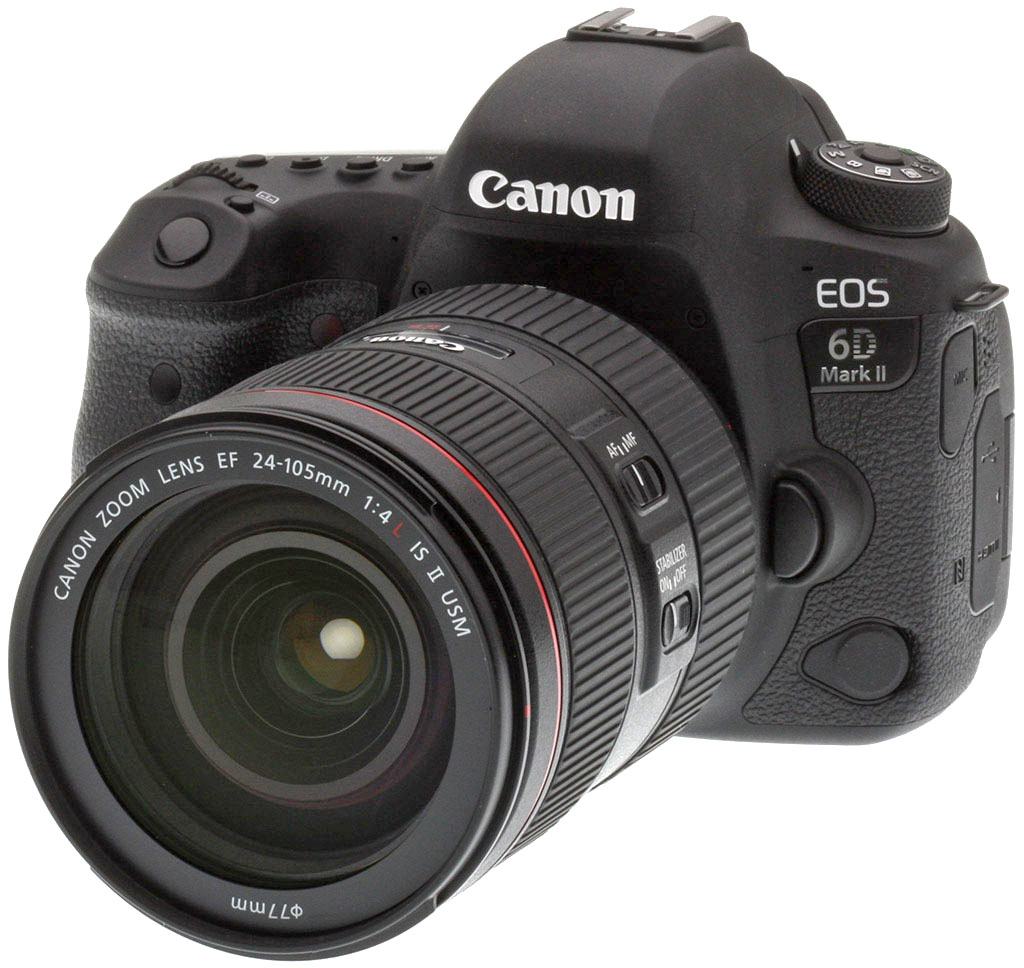
Despite debuting all the way back in 2012, the Canon 6D remained an extremely popular camera even a half-decade later. Marketed as Canon's "entry-level" full-frame DSLR, the 6D offered a brilliant, large CMOS sensor, but saved cost in a few areas, such as build quality, memory card choice, AF system sophistication, among others. It didn't skimp too much, though, as it was still quite full-featured, and yet offered then-unique features for a Canon full-frame DSLR: built-in Wi-Fi and GPS. All told, it was a lighter, smaller and more affordable alternative to Canon's main full-frame staple at the time, the 5D Mark III, and an excellent choice for advanced amateurs and enthusiasts looking to upgrade to the full-frame experience without completely wiping out their bank account.
Five years later, the 6D Mark II has made its highly anticipated debut, and it addresses many of the shortcomings of the original, such as the AF system and burst performance, for example. In keeping with its heritage, the 6D Mark II is still Canon's affordable-class full-frame DSLR, sitting under the 5D Mark IV, and maintains a more compact and lightweight design, and of course, a more affordable price point. Plus, like its predecessor, the 6D II offers a few new features not currently available in a Canon full-frame DSLR.

Sensor & Processor: Canon ups resolution, brings latest processor to DSLRs
At the heart of the camera is a Canon-designed and manufactured 26.2-megapixel full-frame CMOS sensor (with a fixed low-pass filter), offering a nice, but not extravagant resolution bump from the 20MP sensor of the original. The 5D Mark IV and 5DS R models, for example, still offer much more resolution, at 30MP and 50MP, respectively, but at 26MP, the 6D Mark II offers plenty of fine detail for large prints or flexibility for cropping for most situations and applications.
Paired with the new sensor is a DIGIC 7 image processor, the first 7-series processor in a full-frame Canon DSLR. In terms of the image quality improvements, in addition to pure resolution improvements thanks to the sensor, the new image processor helps the camera with high ISO performance. With a native ISO range of 100 all the way up to 40,000, the 6D Mark II is more powerful in low-light situations than the original model, which only offered up to a native ISO 25,600. The camera offers an expanded ISO range, down to ISO 50 and up to ISO 102,400 -- the same expanded range as the original 6D.
The large area of the full-frame sensor and latest-generation DIGIC processor of the 6D Mark II make it quite a solid low-light performer.

The 6D Mark II offers a faster burst rate than the 5D Mark III
In addition to the high ISO performance gains, we finally get to one of the main issues that Canon focused on for improvements to the 6D Mark II: burst rate increase. The original 6D shot at a maximum of 4.5fps (or 4.4, according to our lab tests), but the 6D Mark II shoots up to 6.5 frames per second thanks to the faster processor -- which is also slightly speedier than the 5D Mark III and only a bit slower than the 7fps 5D Mark IV.
Now, for super-fast, pro-level sports and action, 6.5fps is hardly "up to snuff" nowadays. If you need faster shooting in a Canon body, the 7D Mark II offers up to 10fps if you're okay with an APS-C body, or if you need full-frame and money is no object, the 1DX Mark II is there with its amazing 14fps burst rate. However, the 6D Mark II seems to strike a good balance of high-resolution and high-speed performance; 6.5fps is still quite the capable continuous burst rate for most photographers who aren't dedicated sports photographers.
According to Canon, the 6D Mark II's buffer capacity when shooting RAW files has been improved despite the larger files and faster burst speed. RAW-only buffer capacity is rated at 21 frames when using a UHS-I memory card, while the original was rated at 17 shots. RAW+JPEG (Large/Fine) capture looks to be a better improvement, with the Mark II rated at 18 frames whereas the original was rated at a mere eight frames. For Large/Fine JPEGs, the Mark II's buffer capacity is rated at a generous 150 frames, though the 6D was rated at a whopping 1250 frames, but keep in mind the smaller files and slower burst speed. In our 6D Mark II performance lab testing, the camera managed 98 large/fine JPEGs, 20 RAW and 18 RAW+JPEG frames at 6.5fps, which is pretty close to Canon's specs. (Our test target was designed to be difficult to compress, so JPEG buffer depths are often much less than manufacturer claims.)

Another significant improvement for the 6D Mark II is its autofocus system, which gains a big upgrade over the original model. The original model used a rather modest 11-point AF system, while the 5D Mark III offered a whopping 61-point system. It was a fairly stark difference in AF point flexibility and overall AF performance. Now, the 6D Mark II utilizes a 45-point, all-cross-type AF system. The center AF point is a dual cross-type point that supports both f/2.8 and f/5.6 apertures, and 27 total AF points support autofocus down to f/8 -- great news for teleconverter users.. (Note that the number of available AF points, cross-type points and dual cross-type points vary depending on the lens being used, as with other Canon DSLR models.)
Essentially, the 6D Mark II utilizes the same autofocus system as the Canon 80D, and the AF point spread covers the same area, which is the one primary downside to its inclusion in the 6D II. Given the APS-C sensor of the 80D, this 45-point AF system covers a good portion of the sensor area (62% of the horizontal width and 48% of an image's height), however when used on a full-frame sensor, the array of AF points is clustered more in the central area of this larger sensor. Nevertheless, the AF points are quite densely packed next to one another, which should help successfully nab a sharp image, especially when using continuous AF. Like the 80D, the 6D Mark II's phase-detect AF system allows for autofocus in very low light conditions, down to -3EV with the central AF point.

Like other Canon EOS DSLRs, the 6D Mark II offers both Single-Shot AF mode and AI Servo (continuous AF), plus an automatic "AI Focus AF" mode that automatically switches between single-shot and C-AF as the scene requires. The 6D Mark II offers a variety of AF point configurations beyond the single-point setting, including Zone AF (points divided into nine groupings), Large Zone AF (three large point groups) and Automatic selection AF (where all 45 points are active, and the camera automatically picks a point or points).
The camera's metering system gets a solid upgrade compared to the original's 63-zone, dual-layer iFCL metering sensor from the 7D and 5D Mark III. Now, the 6D Mark II uses the 80D's 7,560-pixel RGB+IR metering sensor. In addition to its metering functionality, works in conjunction with the AI Servo AF II autofocusing system to provide skin tone and color detection for better facial recognition and subject tracking.
Like most recent Canon DSLRs, the new 6D Mark II now also offers Dual Pixel CMOS AF technology in addition to its traditional through-the-viewfinder phase-detect AF. As we've seen with other "Dual Pixel" Canon cameras, this Live View focusing tech uses phase-detect pixels on the sensor surface to provide super-quick and very precise autofocusing in Live View shooting and video recording -- all without the visible hunting and wobbling effects seen with contrast-detect AF systems. In our testing, Dual Pixel CMOS AF-capable cameras offer outstanding live view AF with super-quick speeds, and we enjoyed similar excellent performance from the 6D Mark II.

Similarly light, but with one striking new feature for a full-frame Canon DSLR
Overall, the 6D Mark II maintains similar design principles as its predecessor, in that it remains a fairly compact and lightweight full-frame DSLR. Compared to the original, the 6D Mark II weighs more or less the same, approximately 685g compared to 680g for the 6D -- or about 1.5 pounds. This is compared to the 800g (1.8 pounds) weight of the 5D Mark IV, making the 6D Mark II a bit more easy to carry around. Size-wise, too, the 6D Mark II keeps about the same overall footprint at the original model, which again is subtly smaller than its bigger 5D-series sibling.
For the most part, the 6D Mark II looks just like any other modern Canon DSLR, which is pretty great when it comes to familiarity and operability -- especially if you're already accustomed to the Canon EOS system, menus UI, button layout and general control scheme. Regarding button layout and design, the 6D II looks very similar to the 5D Mark IV, but compared to other full-frame Canon DSLRs, the 6D Mark II has one striking new feature: a fully-articulated 3.0-inch touchscreen LCD.

Typically relegated to Canon's more entry-level and less weather-sealed DSLRs, the 6D Mark II is the company's first full-frame DSLR to include this handy vari-angle rear LCD touchscreen. And despite it likely being more fragile than a fixed LCD, Canon states that the 6D Mark II offers a tough, water and dust-resistant body, with the same degree of sealing as on the 5D Mark IV, which is quite impressive.
As most will probably already realize, the benefits to an articulated LCD over a fixed one include easier and more comfortable shooting from low or high angles. Plus, you can also tweak and tilt the screen to help avoid any nasty glare when out in bright sunlight -- although the optical viewfinder can seriously help in that regard, at least when you're shooting stills. However, where a vari-angle LCD really shines is with video recording. When shooting video, be it on a tripod or shoulder rig, or simply in-hand, you can easily flip the screen out to pretty much any angle that you require for comfortable filming. Plus, the 6D Mark II's screen flips around a full 180-degrees, so if you're a solo filmmaker, you can easily self-record interviews or film vlogs and still be aware of your framing and exposure.

Plus, with touch capabilities and the 6D II's Dual Pixel CMOS AF technology, the tap-to-focus makes it a breeze to quickly and smoothly adjust focus, for both photography and video shooting.
Lack of 4K is glaring, but video on 6D II is good for entry-level
And while we're on the topic of video, let's dive into the 6D Mark II's video specs and features. While the 6D Mark II is a full-frame DSLR with an articulated screen, which seemingly positions it as an indie filmmaker's dream camera, the 6D Mark II doesn't include all the bells and whistles for video as do some of Canon's higher-end models. Namely, the lack of 4K video recording resolutions is the most glaringly absent feature. Alas, the 6D Mark II offers video recording a maximum of Full HD resolution at up to 60 frames per second at a bitrate of up to 60Mbps (1080p60). The 60p frame rate is great for fast action subjects, and particularly with instances where you may want to slow the footage down in post for 30p or 24p videos.
The 6D Mark II, however, does offer a sliver of 4K functionality and that's a new built-in Timelapse movie mode; a feature not present in the original 6D. Here, the 6D Mark II offers timelapse movies capture in either 4K Motion JPEG recording (4K 30p playback) or Full HD (ALL-I 1080p30 playback). The camera also includes Canon's HDR Movie mode (1080p30 IPB).

As for other movie file formats and quality settings, the 6D Mark II doesn't offer as diverse of a selection as on, say, the 5D Mark IV. Other than the aforementioned timelapse movie mode, all other video resolutions and framerates use M-PEG4/H.264 MP4 file formats with the space-saving IPB compression scheme. The camera does not offer MOV format or the higher-quality ALL-I (intraframe) compression.
As with most other Canon cameras, the maximum sustained video recording time limit is 29 minutes, 59 seconds, after which point recording will stop and must be re-started manually. The camera does include a 3.5mm microphone input jack, but it doesn't have a headphone jack, which is another limiting factor for more advanced videographers.
Overall, the video features on the 6D Mark II aren't groundbreaking but are decent for new shooters or for those who primarily focus on still photography, but want to dabble with video every now and then. The lack of 4K is likely disappointing to a good swath of folks looking for a new video-capable DSLR, as we've seen more and more new cameras from other manufacturers add 4K in the recent past. However, if you only need 1080p, the 6D Mark II jut might fit the bill.
Like its predecessor, the 6D Mark II uses a single SD card for file storage, as opposed to CompactFlash and/or CFast like larger full-frame Canon DSLRs. The camera is compatible with SD/SDHC/SDXC cards, including UHS-I-type card (no UHS-II support). Eye-Fi wireless connectivity memory cards are also compatible.

You may not need to use an Eye-Fi card, however, as the 6D Mark II has a slew of built-in wireless connectivity features. Indeed, like its predecessor -- which was the first full-frame Canon DSLR to have Wi-Fi -- the Mark II version offers the latest set of wireless connection options. There's both Wi-Fi and NFC connectivity as well as Bluetooth 4.1 (Bluetooth Low Energy), which maintains an always-on, low-power connection to a paired smart device in order to easily see and transfer images without manually reconnecting to its Wi-Fi.
With a compatible iOS and Android smart device, the user can connect to the 6D Mark II for both image browsing and transfer as well as remote control shooting capabilities.
The 6D Mark II also has built-in GPS connectivity that lets you geotag your photos. In addition to the GPS satellite system for the USA, the 6D Mark II is also compatible with the Russian GLONASS and the Japanese QZSS systems.

As for battery life, thanks to the updated LP-E6N rechargeable lithium-ion battery pack, the CIPA-rated battery life is slightly extended compared to the original 6D in both viewfinder and Live View shooting. At typical operating temperatures, the 6D Mark II earns a CIPA rating of 1200 shots/charge for the OVF and 380 for the rear LCD, a bump up from the respective 1090 and 220 shot/charge ratings of the original. When using the new, optional BG-E21 Battery Grip (no, the 6D's battery grip will not fit this new model), the battery is practically doubled. Though the 6D II uses the newer LP-E6N battery packs, the camera is still compatible with the older, lower-capacity LP-E6 batteries.
Canon 6D Mark II Pricing & Availability
The 6D Mark II began shipping in late July 2017 with an MSRP of US$1,999 for the body-only configuration, which is slightly under the $2,100 body-only of the original upon its debut. The 6D Mark II is also sold in two kit-lens configurations, one with the Canon EF 24-105mm f/4L IS II USM with a list price of US$3,099 and another with the non-L EF 24-105mm f/3.5-5.6 IS STM for a suggested price of US$2,599. The BG-E21 battery grip lists for around US$240.
In the Box
The Canon EOS 6D Mark II body-only kit contains the following items:
- Canon EOS 6D Mark II body
- Eyecup Eb
- Battery pack LP-E6N
- Battery charger LC-E6
- Body cap RF-3
- Wide neck strap EW-EOS6DMKII
- Camera instruction manual
Recommended Accessories
- Large capacity SDHC/SDXC memory card. Higher speed UHS-I types recommended.
- EF lenses
- Extra battery pack LP-E6N
- Battery grip BG-E21
- AC adapter kit ACK-E6N
- Canon Speedlite flash
- Large DSLR bag
Optics
Viewfinder Test Results
Accuracy
Disappointing accuracy from the optical viewfinder, but excellent accuracy from LCD in Live View mode.


The Canon EOS 6D Mark II's optical viewfinder accuracy was somewhat disappointing for a full-frame DSLR. While meeting Canon's 98% frame coverage specification, the resulting image was offset both vertically and horizontally as well as slightly tilted, indicating some misalignment compared to the image sensor. Live View mode accuracy using the LCD monitor was excellent, though, with 100% coverage and of course with no offset or tilt.
The images above were taken from our standardized test shots. For a collection of more pictorial photos, see our Canon EOS 6D Mark II Photo Gallery .
Exposure
Color
Saturation & Hue Accuracy
Fairly typical saturation levels with good hue accuracy.
 |
|||
|
ISO Sensitivity
|
|||
|
|
|
|
|
| In the diagram above, the squares show the original color, and the circles show the color that the camera captured. More saturated colors are located toward the periphery of the graph. Hue changes as you travel around the center. Thus, hue-accurate, highly saturated colors appear as lines radiating from the center. Mouse over the links above to compare ISOs, and click to load a larger version. | |||
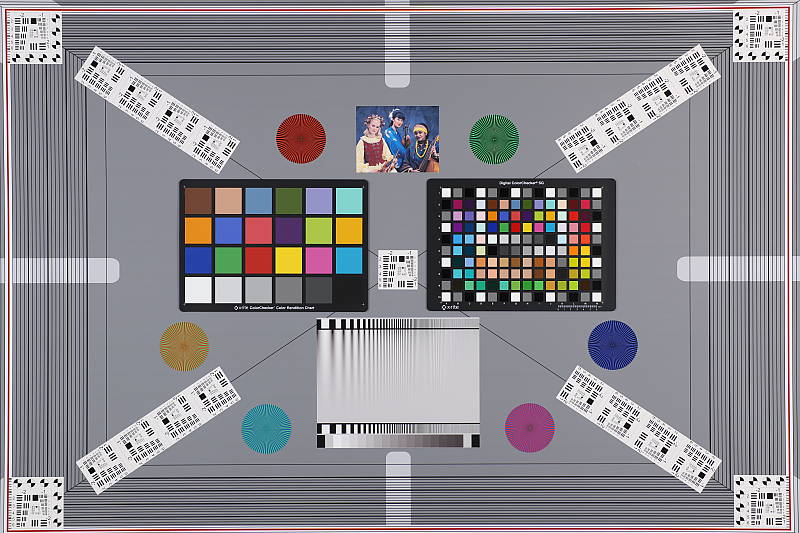
Saturation. The Canon 6D Mark II produces images with saturation levels that are fairly typical. Dark reds are boosted the most, dark blues are pumped moderately, orange, dark greens and dark browns are pushed just a little, while cyan and light yellow are slightly muted. Mean saturation is 108.3% (8.3% oversaturated) at base ISO, which is close to average these days. Mean saturation is quite stable across most of the ISO range, varying from a minimum of 108.1% at ISO 3200 to a maximum of 109.9% at ISO 51,200, though it dips quite a bit to 104.5% at the maximum ISO of 102,400. Most consumer digital cameras produce color that's more highly saturated (more intense) than found in the original subjects. This is simply because most people like their color a bit brighter than life.
Skin tones. The Canon 6D Mark II produced pleasing, natural-looking Caucasian skin tones in our tests when using auto white balance in simulated daylight. Darker skin tones show a small nudge toward orange, but lighter tones are more pinkish and healthy-looking. Very good results. Where oversaturation is most problematic is on Caucasian skin tones, as it's very easy for these "memory colors" to be seen as too bright, too pink, too yellow, etc.
Hue. As we've come to expect from Canon, the 6D Mark II's hue accuracy is better than average when manual white balance is used (as it always is for these Imatest color accuracy results). There are the usual shifts in cyan toward blue (though actually quite small), red toward orange, orange toward yellow and yellow to green, but all are quite minor. Average "delta-C" color error at base ISO is 4.52 which is better than average, though not quite as good as some prior Canons we've tested. Delta-C color error increases with sensitivity, but remains better than average even at the highest ISOs. Hue is "what color" the
color is.


Sensor
Exposure and White Balance
Indoors, incandescent lighting
Default Auto and Incandescent settings both struggled with household incandescent lighting, though Manual white balance worked well. Slightly higher than average exposure compensation required.


Indoors, under typical incandescent lighting, the Canon 6D Mark II's default Auto as well as Incandescent white balance settings struggled, producing very warm orange/yellow color casts. The 6D Mark II has Canon's new "White Priority" option for Auto white balance which resulted in a more neutral color balance when we tested it on the 5D Mark IV, however we didn't test it for the 6D II. The Manual (custom) white balance setting produced accurate results. The Canon 6D Mark II required +0.7 EV exposure compensation for this shot, which is slightly higher than the +0.3 EV average among the cameras we've tested. (Our test lighting for this shot is a mixture of 60 and 100 watt household incandescent bulbs, a pretty yellow light source, but a very common one in typical home settings here in the U.S.)
Outdoors, daylight
Good color with mixed exposure accuracy.
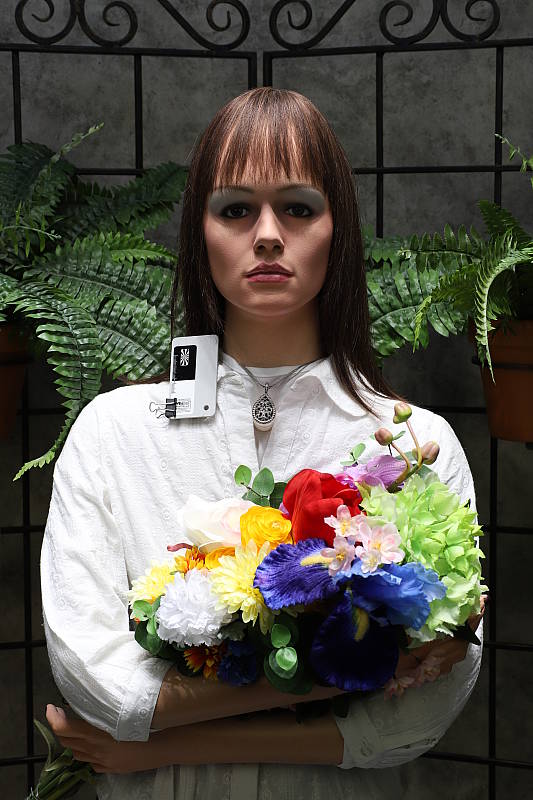
The Canon 6D Mark II only required +0.3 EV exposure compensation to keep the mannequin's face reasonably bright, while the average needed for our"Sunlit" portrait shot is about +0.7 EV. We preferred skin tones with Auto white balance slightly better than Manual, as they were a little pinker, but both settings were quite good. In this deliberately bright and harsh lighting, the 6D Mark II did blow some highlights in the mannequin's white shirt, and deep shadows appear noisier than most modern full-frame cameras indicating dynamic range isn't up to par for the class. The Far-field shot (above right) is a bit cool, and default exposure is a bit dim (without ALO enabled), resulting in some very deep, noisy shadows, however the camera avoided clipping in the highlights. See below for how ALO and HTP help dealing with dark shadows and bright highlights.
See full set of test images with explanations
See thumbnails of all test and gallery images
Resolution
~2,900 lines of strong detail from a JPEG, about the same from RAW.


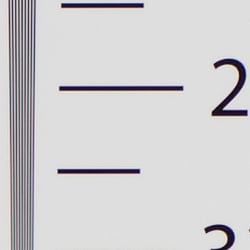

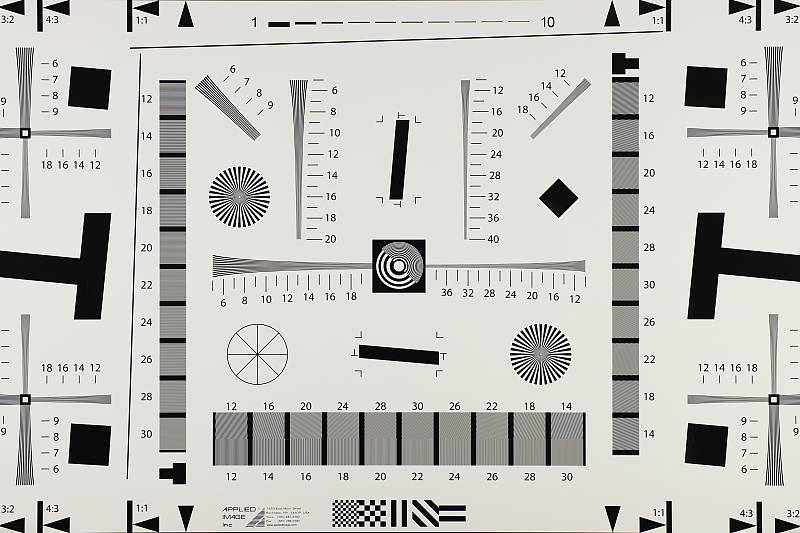
Our laboratory resolution chart showed sharp, distinct line patterns up to about 2,900 lines per picture height horizontally and to about 2,900 lines vertically. Some may argue for higher numbers, but lines begin to merge at this resolution, and some aliasing artifacts in the form of moiré patterns can be seen as low as about 2,500 lines. Complete extinction of the pattern occurred between 3,600 and 3,800 lines. An Adobe Camera Raw converted .CR2 file shows similar resolution as the in-camera JPEG, but it also exhibits more moiré patterns and false colors. Use these numbers to compare with other cameras of similar resolution, or use them to see just what higher resolution can mean in terms of potential detail.
See full set of test images with explanations
See thumbnails of all test and gallery images
Sharpness & Detail
Slightly soft images with default sharpening, but with noticeable sharpening artifacts around high-contrast elements. Minor detail loss due to noise reduction processing even at low ISOs.


Sharpness. The Canon 6D Mark II's 26-megapixel full-frame sensor captures good image detail when coupled with a sharp lens, though default JPEG images are a bit soft. (Keep in mind Canon has decided to keep an optical low-pass filter in the 6D Mark II to reduce aliasing artifacts at the cost of slightly reduced sharpness, unlike most competing models which have gone the other way.) Despite the slightly soft images, the 6D Mark II's default sharpening setting generates visible edge-enhancement artifacts in the form of obvious sharpening halos around high-contrast edges, as shown in the crop above left. Edge enhancement creates the illusion of sharpness by enhancing colors and tones right at the edge of a rapid transition in color or tone.
Detail. The crop above right shows some minor detail loss due to noise suppression in darker areas and in areas with low contrast, but performance here is pretty good for a full-frame 26-megapixel model, with very low chroma noise. Noise-suppression systems in digital cameras tend to flatten-out detail in areas of subtle contrast. The effects can often be seen in shots of human hair, where the individual strands are lost and an almost "watercolor" look appears.
Aliasing Artifacts. The Canon 6D Mark II is equipped with an optical low-pass filter, however it must be fairly weak as some aliasing artifacts such as moiré patterns can be seen in some of our test shots. This is quite common these days, though, as a lot of ILCs no longer include optical low-pass filters to maximize per-pixel sharpness and resolution.
In-Camera JPEGs: Standard vs Fine Detail Picture Style setting
The 6D Mark II offer Canon's Fine Detail Picture Style first seen on the Canon 5DS R and 5DS. Below is a comparison with the default Standard Picture Style.
|
Base ISO (100)
|
|
 |
 |
 |
 |
 |
 |
|
Camera JPEG, defaults
|
Camera JPEG, Fine Detail
|
In the table above, we compare the Canon 6D Mark II's default Standard Picture Style setting (left) to its Fine Detail preset at base ISO. Like the 5DS/R, the Canon 6D Mark II offers users much more flexibility in sharpening than other EOS models, allowing you to adjust not only the "Strength" (from 0 to 7) but also the "Fineness" (1 to 5) and "Threshold" (1 to 5) operators. We believe these parameters correlate to unsharp mask options for strength, radius and threshold available in photo editing software such as Photoshop, although we don't know what the equivalent units might be.
The Fine Detail Picture Style preset boosts the Sharpness Strength operator one notch (to 4 out of 7) while dialing down the Fineness (1/5) and Threshold (1/5) operators to their minimum compared to Standard which defaults to Sharpness: 3/7, Fineness: 4/5 and Threshold: 4/5. The result is improved, more natural-looking rendering of fine detail along with less obvious sharpening halos than the default Standard setting. However, noise is more visible in flatter areas, and contrast is lower, making the Fine Detail image appear to have less "pop" than the default Picture Style. There also appear to be minor differences in color, even though Color Tone, Saturation and Contrast settings are identical between these two Picture Styles presets. Given the flexibility in settings, though, you may be able to find a better combination than the defaults compared above.
RAW vs In-Camera JPEGs
As noted above the Canon 6D Mark II produces JPEG images with very good detail, but that are somewhat soft with visible sharpening halos. With a good RAW converter, additional detail can often be extracted with fewer sharpening artifacts. See below:
|
Base ISO (100)
|
|
 |
 |
 |
 |
 |
 |
|
Camera JPEG, defaults
|
RAW via Adobe Camera Raw
|
In the table above, we compare a best quality in-camera JPEG taken at base ISO using default noise reduction and sharpening (on the left) to the matching RAW file converted with Adobe Camera Raw 9.1 via DNG Converter 9.12 using default noise reduction with some strong but tight unsharp masking applied in Photoshop (350%, radius of 0.3 pixels, and a threshold of 0).
Looking closely at the images, we can see ACR extracts additional detail that isn't present in the default JPEG from the camera, particularly in the red-leaf and pink swatches where the fine thread pattern is likely treated as noise by the JPEG engine and thus blurred away. Fine detail in the mosaic crop is also improved, but as is often the case, the conversion isn't as clean and smooth looking, with more noise that can be seen for instance in the flatter areas of the bottle crop. You can of course apply stronger noise reduction (default ACR NR used here) to arrive at your ideal noise versus detail tradeoff. Also notice sharpening halos aren't nearly as strong as the default camera output. As usual, you can do noticeably better by shooting in RAW mode and using a good RAW converter.
ISO & Noise Performance
Very good high ISO performance for a full-frame sensor.
|
Default High ISO Noise Reduction
|
||
 |
 |
 |
| ISO 50 | ISO 100 | ISO 200 |
 |
 |
 |
ISO 400 | ISO 800 | ISO 1600 |
 |
 |
 |
| ISO 3200 | ISO 6400 | ISO 12,800 |
 |
 |
 |
| ISO 25,600 | ISO 40,000 | ISO 51,200 |
 |
||
| ISO 102,400 | ||
Images are very clean and detailed up to ISO 800, with a only a minor loss in image quality as ISO rises within this range, though signs of noise reduction are visible even at base ISO. At ISO 1600 luminance noise and blurring become noticeable resulting in a more evident drop in image quality, though fine detail is still very good and chroma noise is well-controlled. ISO 3200 is a bit grainier but chroma noise remains low and fine detail is still quite good. ISO 6400 is of course noisier with stronger blurring due to noise reduction, but a lot of fine detail remains intact and chroma noise is still low. ISO 12,800 is still fairly detailed with reasonable luma and chroma noise, but ISO 25,600 and higher show a more rapid decline in image quality with progressively stronger luma noise and blurring, although chroma noise remains fairly well-controlled up to the maximum native ISO of 40,000. Extended ISO of 51,200 is pretty soft and noisy but the noise grain is still fairly tight and chroma noise is only an issue in darker areas and shadows. The top ISO of 102,400 is very grainy and contains a lot of ugly chroma noise blotches, though overall color and saturation remain surprisingly good for the sensitivity.
Overall, very good high ISO performance, though mediocre default JPEG processing doesn't make the best of what the camera's sensor has to offer. See the Print Quality section below for our evaluation of maximum print sizes at each ISO setting.
A note about focus for this shot: We used to shoot this image at f/4, however depth of field became so shallow with larger, high-resolution sensors that it was difficult to keep important areas of this shot in focus, so we have since started shooting at f/8, the best compromise between depth of field and sharpness.
Extremes: Sunlit, dynamic range and low light tests
Somewhat high default contrast with limited dynamic range in JPEGs. Very good low-light performance.


The Canon 6D Mark II produces images with moderately high contrast. The mannequin's face was too dim at the default exposure here and a few too many highlights were blown with +0.7EV, so we preferred the image with +0.3 EV exposure compensation overall even though the face is still a touch dim. Even at only +0.3 EV, quite a few bright highlights were clipped in the shirt and flowers, and noise in deep shadows is a higher than we're used to seeing from a full-frame camera these days. Bottom line: The Canon 6D Mark II's dynamic range at low ISOs has not kept up with the competition, nor is it as good as the flagship 5D Mark IV's.
Because digital cameras are more like slide film than negative film (in that they tend to have a more limited tonal range), we test them in the harshest situations to see how they handle scenes with bright highlights and dark shadows, as well as what kind of sensitivity they have in low light. The shot above is designed to mimic the very harsh, contrasty effect of direct noonday sunlight, a very tough challenge for most digital cameras. (You can read details of this test here. In actual shooting conditions, be sure to use fill flash in situations like the one shown here; it's better to shoot in open shade whenever possible.)
Highlight Tone Priority
The Canon 6D Mark II's Highlight Tone Priority (HTP) option did a good job of preserving highlight detail, as shown below. (Mouse over the Off and On links to load the corresponding thumbnail, histogram and crops.)
|
Highlight Tone Priority
|
|
 |
|
| Highlights |  |
| Shadows (Levels boosted to reveal noise.) |
 |
| Histogram |  |
Both shots above were captured at the same exposure with no exposure compensation, the only difference being that HTP was enabled for the second shot. Note that ISO 200 was used as HTP is not available at lower ISOs; part of how HTP works.
As you can see, the thumbnails, histograms and crops above clearly show superior highlight preservation when HTP is enabled, with very little impact to the brightness of shadows and midtones. If you look closely at shadows (the levels in shadow crops above are heavily boosted to reveal noise that would be difficult to see otherwise), you'll notice an increase in noise is the price you pay.

Above you can see Highlight Tone Priority at work in our Far-field shot. Because the default exposure was a bit dim there weren't any blown highlights to begin with, however you can see that some of the brighter highlights have been toned down.
Automatic Lighting Optimization
Like previous Canon EOS models, the 6D Mark II offers three selectable levels of Automatic Lighting Optimizer (ALO), plus Off. In fully automatic modes (Scene Intelligent Auto and Creative Auto) ALO is automatically enabled and it's manually selectable in P, Tv and Av exposure modes. Mouse over the links below to load the associated thumbnail and histogram, and click on the links to load full resolution images.
|
Automatic Lighting Optimization
|
|
 |
|
 |
|
As you can see above, ALO has the effect of shifting shadows and mid-tones in the histograms to the right, brightening them while leaving highlights pretty much as is, improving the exposure without blowing additional highlights. ISO is not boosted for ALO so increased noise is not an issue, though it may be slightly more visible in shadows that have been boosted significantly.
| Far-field Automatic Lighting Optimization | |||
 |
|||
Above are the effects of ALO on our Far-field shot. As you can see, it operated mainly on the shadows and midtones, leaving highlights pretty much intact, producing a more balanced and pleasing exposure.
HDR Mode
The Canon 6D Mark II's HDR feature takes three continuous shots at different exposures and merges them together to create an image with wider tonal range than would be possible with a single exposure. There are three strength settings available (+/-1EV, +/-2EV,+/-3EV), plus Auto, and there are also 5 effects possible (Natural, Art Standard, Art Vivid, Art Bold and Art Embossed). The source images captured are not saved, and RAW mode is not supported.


Above are in-camera HDR Natural results of our Far-field scene (mouse over the links above to load the corresponding thumbnail). As you can see Auto produced the most natural image while +/-3 EV is a little extreme and quite flat looking, Notice that all settings produce a slightly cropped image which is upsampled to full resolution, so details are a little softer than the non-HDR image, but quality is otherwise quite good with no noticeable haloing even at the highest setting. Be aware that ghosting can occur when elements of the scene move during the sequence capture, though, as can be seen with the moving flag, leaves and people in some of these shots.
Dynamic Range Analysis (RAW mode)
While we once performed our own dynamic range measurements based on in-camera JPEGs as well as converted RAW images (when the camera was supported by Adobe Camera Raw), we've switched to using DxO Labs' results from their DxOMark website. As technology advanced, the dynamic range of modern high-end cameras in some cases exceeded the range of the Stouffer T4110 density scale that we used for our own measurements. DxO's approach based on RAW data before demosaicing is also more revealing, because it measures the fundamental dynamic range of the sensor, irrespective of whatever processing is applied to JPEGs, or to RAW data by off-the-shelf conversion software.
In the following, we use DxO's "Print" dynamic range results, which are scaled based on camera resolution. As the name suggests, this scaling corresponds to the situation in which you print at a given size, regardless of how many megapixels the camera might have. (In other words, if you've decided to make a 13x19 inch print, that's the size you're printing, whether the camera's resolution is 16 or 300 megapixels.) Also note that DxO Labs uses a signal-to-noise (SNR) threshold of 1 when defining the lower boundary of acceptable luminance noise in their dynamic range measurements, which corresponds to the "Low Quality" threshold of the Imatest software we used to use for this measurement.

Here, we decided to compare the Canon 6D Mark II's dynamic range to its predecessor, the 6D, and also to its closest Nikon competitor, the D750. You can always compare other models on DxOMark.com.
As you can see from the above graph (click for a larger version), the Canon 6D Mark II's dynamic range is unfortunately not improved over the 6D and is actually slightly lower, with a peak of about 11.9 EV at base ISO versus 12.1 EV for the 6D, and the old model does better across the ISO range with up to about 1/3 EV advantage.
The Canon 6D Mark II fares much worse compared to the Nikon D750, with the Nikon providing a whopping 2.6 stops more dynamic range at base ISO (14.53 EV). The Canon gradually catches up to the Nikon at moderate (ISO 1600) to high ISOs, but the Canon's dynamic range disadvantage at lower ISOs is very disappointing.
Bottom line: Poor low-ISO dynamic range for a modern full-frame camera, with even a slight step back from the 5-year-old 6D. Click here to visit the DxOMark page for the Canon 6D Mark II for more of their test results and additional comparisons.
| 1 fc 11 lux |
1/16 fc 0.67 lux |
1/16 fc No NR |
|
|---|---|---|---|
| ISO 100 |
 2s, f2.8 |
 30s, f2.8 |
 30s, f2.8 |
| ISO 3200 |
 1/15s, f2.8 |
 1s, f2.8 |
 1s, f2.8 |
| ISO 40000 |
 1/200s, f2.8 |
 1/12s, f2.8 |
 1/12s, f2.8 |
Low Light
The Canon 6D Mark II performed very well in our low-light tests, capturing bright images at the lowest light level (1/16 foot-candle) even at base ISO (100), however noise in deep shadows is higher than most recent full-frame cameras we've tested. As expected, noise increases as ISO goes up and light levels go down, but luminance noise remains quite low and fine-grained at ISO 3200, and chroma noise is well-controlled. Even at the maximum native ISO of 40,000, luma noise is fairly fine-grained and chroma noise is well-controlled, making it very usable sensitivity setting.
We didn't notice any hot pixels except when long-exposure noise reduction was disabled, where you'd expect to see them. We didn't see any signs of heat blooming and banding (fixed pattern noise) is not an issue.
Color balance was fairly neutral with Canon 6D Mark II's Auto white balance setting, just a touch cool at the higher light level, but warmer at the lower light level.
Low-light AF limits:
When using the optical viewfinder with dedicated phase-detect AF (center point), the Canon 6D Mark II's autofocus system was able to focus on our legacy low-contrast AF target down to -3.0 EV unassisted with an f/2.8 lens, meeting Canon's spec. With our newer high-contrast AF target, the 6D Mark II was able to focus down to -5.6 EV, which is quite good.
In Live View mode, the Canon 6D Mark II's autofocus could focus down to -1.8 EV with our low-contrast target, and down to -3.2 EV with our high-contrast AF target, which is fair.
The Canon 6D Mark II does not have a built-in AF assist lamp, however it can utilize an external flash's AF assist lamp to focus in complete darkness when the subject is within range and has sufficient contrast.
How bright is this? The one foot-candle light level that this test begins at roughly corresponds to the brightness of typical city street-lighting at night. Cameras performing well at that level should be able to snap good-looking photos of street-lit scenes.
NOTE: This low light test is conducted with a stationary subject, and the camera mounted on a sturdy tripod. Most digital cameras will fail miserably when faced with a moving subject in dim lighting. (For example, a child's ballet recital or a holiday pageant in a gymnasium.) Digital SLRs like the Canon 6D Mark II do much better than point & shoots, but you still shouldn't expect a quick autofocus lock with moving subjects.
Output Quality
Print Quality
Excellent 30 x 40 inch prints at ISO 50-200; a nice 13 x 19 at ISO 3200; a good 5 x 7 at ISO 25,600.
 ISOs 50 through 200 deliver excellent prints at 30 x 40 inches and larger, until you run out of resolution at your intended viewing distance. These prints showcase superb fine detail, vibrancy and "pop" with terrific color.
ISO 400 yields a very nice 30 x 40 inch printed image as well. There is perhaps a subtle decrease in fine detail in higher-contrast areas of our target, but only if you get close and really look for it. Otherwise, it's still a terrific print at this size.
ISO 800 is also capable of a good 30 x 40 inch print! This is quite large for ISO 800, and an impressive feat. There is slightly less fine detail on display than the ISO 400 print, but not enough to keep us from calling it good, and not much noise to speak of either. Very nicely done here!
ISO 1600 prints are quite good at 24 x 36 inches, showcasing excellent fine detail for this sensitivity. There is a minor decrease in contrast detail now evident in the red channel, and minor softening in some additional high-contrast areas of our test target, but not enough to keep us from calling this one good in general.
ISO 3200 is a setting that draws most all cameras back down to earth, and the 6D Mark II is no exception. The 20 x 30 inch prints here do indeed pass our good seal of approval, but there is a general softening in the fine detail department pretty much across the board, and very little contrast detail remaining in our tricky red-leaf swatch. For your most critical prints we advise a further reduction to 16 x 20 inches here.
ISO 6400 shots look good printed up to 13 x 19 inches. Pushing the size envelope any larger here results in too much in the way of noise in flatter areas of our target generated by noise reduction artifacts, and there's also a bit too much softening in the red channel for anything larger than 13 x 19's here.
ISO 12,800 prints at 11 x 14 inches just pass our good seal, and that's a large print for this ISO indeed. There is no contrast detail remaining in our test target red fabric swatch, but at this size there is still enough color representation and fine detail to call this a good print. For super-critical applications we can advise the 8 x 10's here.
ISO 25,600 delivers an 8 x 10 inch print that is not bad, and fine for less critical applications, but that exhibits too much obvious noise in some areas of our target to warrant our good seal. A reduction in size to 5 x 7 inches is recommended here, which still yields a fairly vibrant print for this lofty ISO.
ISO 40,000 is the maximum native ISO gain setting and also allows for a good 5 x 7 inch print with only a few minor apparent issues.
ISO 51,200 yields a surprisingly good 5 x 7 for this ISO, but it's a bit too washed out overall to warrant our good seal. It would likely still be usable in most non-critical applications, though, such as family snapshots. For good prints you can rely on the 4 x 6's here.
ISO 102,400 prints are simply too noisy at any size and therefore this setting is not recommended.
The Canon 6D Mark II delivers exceptional print quality results, especially when you factor in the relatively affordable price tag for a full-frame camera. Matching stride for available print sizes with its pricier, higher-resolution sibling the 5D Mark IV across the available ISO range, the 6D II delivers a lot of value in the ability to achieve very good image quality output in print. The Canon 6D Mark II also bests the sizes available from the popular predecessor 6D at all ISO settings from 400 through 12,800, yielding a good argument for trading up to this newer model. Indeed, at just $2,000 for the body, the Canon 6D Mark II certainly represents very solid value for the image quality potential offered, for those that can live with its below-par dynamic range at low ISOs.
The images above were taken from our standardized test shots. For a collection of more pictorial photos, see our Canon EOS 6D Mark II Photo Gallery .
Not sure which camera to buy? Let your eyes be the ultimate judge! Visit our Comparometer(tm) to compare images from the Canon EOS 6D Mark II with those from other cameras you may be considering. The proof is in the pictures, so let your own eyes decide which you like best!
Performance
Timing and Performance
Very good performance for a prosumer full-frame DSLR.
| Startup/Play to Record | ||
|---|---|---|
|
Power on |
~0.5 second
|
Time it takes to turn on and capture a shot. |
|
Play to Record, |
~0.3 second
|
Time until first shot is captured. |
Powering on and taking a shot was quick at about 0.5 second, the same as the 6D. Switching from Play to Record mode and taking a shot was slightly faster, at about 0.3 second, also the same as its predecessor.
| Shutter Response (Lag Time) | ||
|---|---|---|
| Optical Viewfinder | ||
|
Full Autofocus |
0.167 second
|
Time from fully pressing shutter button to image capture. All AF timing measured with a Canon 50mm f/1.8 STM lens. |
|
Full Autofocus |
N/A
|
Time to capture while forcing flash to fire. Preflash metering pulses from flash often slow shutter response. |
|
Manual Focus |
0.063 second
|
For most cameras, shutter lag is less in manual focus than autofocus, but usually not as fast as when the camera is "prefocused". |
|
Prefocused |
0.059 second
|
Time to capture, after half-pressing and holding shutter button. |
| Live View | ||
|
Prefocused |
0.101 second
|
Time to capture, after half-pressing and holding shutter button. |
In terms of the Canon 6D Mark II's ability to determine that it's properly focused when shooting the same target multiple times using the optical viewfinder with a Canon 50mm f/1.8 STM lens, its full autofocus shutter response was very good for a prosumer DSLR. We measured 0.167 second for full AF lag using single point (center) AF, compared to 0.290s for the 6D.
Shutter lag using manual focus dropped to only 63 milliseconds, compared to 74ms for the 6D, which is very fast. "Prefocusing" the camera by half-pressing and holding down the shutter button before the final exposure was a bit faster at 59 milliseconds, the same as the 6D.
The Canon 6D Mark II's prefocused shutter lag time in Live View mode was 0.101 second, which is quite fast for a DSLR, but a little slower than the 0.066s we measured for the 6D. Note that we no longer test full AF lag in Live View mode for DSLRs, because the lens used makes such a huge difference that comparing is pointless. We'll try to comment on real-world Live View AF performance in our shooter's reports.
To minimize the effect of different lens' focusing speed, we test AF-active shutter lag with the lens already set to the correct focal distance.
| Cycle Time (shot to shot) | ||
|---|---|---|
|
Single Shot mode |
< 0.3 second
|
Time per shot, averaged over a few frames. |
|
Single Shot mode |
< 0.3 second
|
Time per shot, averaged over a few frames. |
|
Early shutter |
No
|
Some cameras don't snap another shot if you release and press the shutter too quickly in Single Shot mode, making "No" the preferred answer. |
|
Continuous High mode |
0.15 second
(6.49 fps); 98 frames total; 4 seconds to clear* |
Time per shot, averaged over 98 shot buffer capacity, then slowed to an average of 0.19s or 5.35 fps when buffer was full. |
|
Continuous High mode |
0.15 second
(6.51 fps); 20 frames total; 8 seconds to clear* |
Time per shot, averaged over 20 shot buffer capacity, then slowed to an average of 0.48s or 2.07 fps when buffer was full. |
|
Continuous High mode |
0.15 second
(6.51 fps); 18 frames total; 11 seconds to clear* |
Time per shot, averaged over 18 shot buffer capacity, then slowed to an average of 0.66s or 1.51 fps when buffer was full, with a lot of variation. |
|
Flash recycling |
N/A
|
Flash at maximum output. |
|
*Note: Buffer clearing times measured with a SanDisk Extreme Pro 95MB/s UHS-I SDHC card. Slower cards may produce correspondingly slower clearing times. Slow cards may also limit length of bursts in continuous mode. ISO sensitivity and noise reduction settings can also affect cycle times and burst mode performance.
|
||
Single-shot cycle times were so fast that they were difficult to accurately measure as they depend on the tester's nimbleness and ability to maintain an optimum rhythm. (Note that we no longer test single-shot mode with just RAW files, as the results are usually somewhere in between JPEG and RAW+JPEG modes.)
Continuous high mode speeds were very good considering the resolution, sensor size and class. We measured about 6.5 frames-per-second regardless of file type compared to only 4.4 fps for the 6D, matching Canon's specification. The 6D Mark II also has low-speed and silent continuous shooting modes which are both rated by Canon at 3.0 fps, however we did not test those modes in the lab.
Buffer depth for best quality JPEGs was generous at 98 frames before the camera started slowing down. While short of Canon's 150 frame spec (our target for this test was designed to be difficult to compress), the 6D Mark II only slowed down to about 5.4 fps when the buffer was full. When shooting RAW files buffer depths dropped to 20 RAW frames and 18 RAW+JPEG frames, which is good for the class and pretty close to Canon's spec of 21 and 18 frames respectively. Although the 6D was capable of longer bursts when shooting JPEGs (up to 1250 frames), keep in mind its smaller files and its ~4.4 fps burst rate which is slower than the 6D Mark II's buffer-full rate. And the Mark II managed 3 more RAW and 11 more RAW+JPEG frames than the 6D did in our tests.
Buffer clearing times were good considering the resolution, ranging from 4 seconds after 98 best quality JPEGs to 11 seconds after a burst of 18 RAW+JPEG frames with a fast UHS-I SDHC card. And the camera lets you change settings while the buffer is clearing, however you cannot view just-shot images until cleared.
Bottom line, the Canon 6D Mark II offers very good performance for its class, with quick startup, fast autofocus, low shutter lag, very good burst speeds and good buffer depths. A noticeable and worth-while improvement over its predecessor in autofocus and burst performance.
Battery
Battery Life
Excellent battery life for a compact full-frame DSLR.
| Operating Mode | Number of Shots |
|---|---|
|
Still Capture,
(CIPA standard, Optical Viewfinder) |
1200
|
|
Still Capture,
(CIPA standard, Live View LCD) |
380
|
The Canon 6D Mark II comes with a custom LP-E6N rechargeable lithium-ion battery pack and ships with a dedicated battery charger. Battery life is excellent for a compact full-frame DSLR at 1200 shots per charge, but keep in mind the 6D Mark II has no built-in flash which is normally enabled for 50% of shots during CIPA battery life testing. Of course Live View mode draws more power reducing battery life considerably. We recommend you pick up a spare battery and keep it freshly charged and on-hand, or consider purchasing the BG-E21 battery grip which doubles battery life with a second battery installed.
The table above shows the number of shots the Canon 6D Mark II is capable of (on a fully-charged rechargeable battery), based on CIPA battery-life and/or manufacturer standard test conditions.
(Interested readers can find an English translation of the CIPA DC-002 standards document here. (180K PDF document))
Image Quality
Below are crops from our laboratory Still Life target comparing the Canon 6D Mark II's JPEG image quality to its predecessor's, the 6D, as well as to the Canon 5D Mark III, since the latter camera is still available at time of writing for only about $300 more. We've also compared the 6D Mark II to its closest Nikon rival, the D750 which currently sells for $200 less than the 6D Mark II, the Pentax K-1 which sells for $100 less, and the Sony A7 II which sells for about $500 less.
NOTE: These images are from best quality JPEGs straight out of the camera, at default settings including noise reduction and using the camera's actual base ISO (not extended ISO settings). All cameras in this comparison were shot with our very sharp reference lenses. Clicking any crop will take you to a carrier page where you can click once again to access the full resolution image as delivered straight from the camera. For those interested in working with the RAW files involved: click these links to visit each camera's respective sample image thumbnail page: Canon 6D Mark II, Canon 6D, Canon 5D Mark III, Nikon D750, Pentax K-1 and Sony A7 Mark II -- links to the RAW files appear beneath those for the JPEG images, wherever we have them. And remember, you can always go to our world-renowned Comparometer to compare the Canon 6D Mark II to any camera we've ever tested!
Canon 6D Mark II vs Canon 6D at Base ISO
 |  |
 |  |
 |  |
Canon 6D Mark II at ISO 100 | Canon 6D at ISO 100 |
Above we compare the 26-megapixel Canon 6D Mark II to its aging predecessor, the 20-megapixel 6D. As you can see, the higher resolution 6D Mark II does resolve more detail and its image is also a bit crisper even though both cameras generate unsightly sharpening halos around high contrast edges at default settings. (The 6D Mark II does however support Canon's Fine Detail Picture Style which lets you adjust sharpening strength, radius and threshold,while the 6D does not.) The 6D Mark II's rendering of our tricky red-leaf swatch shows lower contrast, but fine detail is actually better as the 6D II was able to resolve some of the individual threads that the 6D does not. There are also moiré patterns interfering with the leaf pattern from the 6D II, an indication its optical low-pass filter is perhaps not as strong as the 6D's. Both cameras produce excellent color, though the 6D is slightly cooler. | |
Canon 6D Mark II vs Canon 5D Mark III at Base ISO
|  |
|  |
|  |
Canon 6D Mark II at ISO 100 | Canon 5D Mark III at ISO 100 |
Here we decided to compare the 6D Mark II to the 22-megapixel 5D Mark III, as the latter is pretty close to the 6D II in price now that the much more expensive 5D Mark IV has superceded it. The comparison is similar to that with the 6D, with the 6D Mark II resolving a bit more detail, while the 5D Mark III does a better job with rendering our troublesome red-leaf fabric even though it can't resolve any of the individual threads. Again, no obvious moiré patterns from the 5D III in the fabric and overall color is slightly cooler than the 6D Mark II's. | |
Canon 6D Mark II vs Nikon D750 at Base ISO
|  |
|  |
|  |
Canon 6D Mark II at ISO 100 | Nikon D750 at ISO 100 |
Above we compare the Canon 6D Mark II to the 24-megapixel Nikon D750, perhaps its closest rival given they have the same list price and similar specs (although as of this writing the street price for the D750 body is currently $200 less). Here at base ISO we can see the two cameras resolve very similar levels of detail with the slightly higher pixel count of the Canon offset somewhat by the Nikon's lack of an optical low-pass filter. The Nikon image is a little sharper yet with slightly less obvious sharpening halos, however moiré patterns are even stronger from the D750 in the red-leaf fabric. Interestingly, contrast is generally a little higher from the Canon giving its image a bit more "pop", despite lower contrast in the red-leaf swatch. Looking very closely, noise appears a little higher from the Nikon in flatter areas however noise in deep shadows is higher from the Canon. Both cameras produce pleasing color, but colors are slightly more accurate from the Canon. | |
Canon 6D Mark II vs Pentax K-1 at Base ISO
|  |
|  |
|  |
Canon 6D Mark II at ISO 100 | Pentax K-1 at ISO 100 |
Here we compare the Canon 6D Mark II to the 36-megapixel Pentax K-1, the latter company's only full-frame DSLR as of this writing. This comparison may seem unfair given the roughly 10-megapixel resolution advantage the K-1 has, however it's currently selling for about $100 less than the 6D Mark II, putting it in direct competition for those not needing the more advanced video and performance from the 6D Mark II, or native EF lens compatibility. As you can see, the K-1 easily outresolves the 6D II as expected, although noise levels are higher from the Pentax. The K-1 image is also crisper with slightly lower sharpening artifacts as well. Moiré is also visible from the K-1 in the red-leaf swatch, however keep in mind it has an on-demand AA-filter Simulator which was disabled for this shot. Default saturation is much higher from the Pentax, however color is much more accurate from the Canon. | |
Canon 6D Mark II vs Sony A7 II at Base ISO
|  |
|  |
|  |
Canon 6D Mark II at ISO 100 | Sony A7 II at ISO 100 |
Above we compare the Canon 6D Mark II DSLR to the 24-megpapixel Sony A7 Mark II mirrorless camera, the closest current generation Sony full-frame camera in terms of price and resolution (the 42-megapixel A7R II and A99 II are both significantly more expensive than the 6D II at about $700 and $1,200 more respectively). Here we can see the Sony A7 II resolves similar levels of detail with comparable noise levels, however Sony's sharpening is much more advanced producing a much crisper image with less noticeable sharpening halos. Contrast in our red-leaf swatch is much better from the Sony with less pattern break up from individual threads, however moiré patterns are more evident suggesting a weaker optical low-pass filter. Colors are a little more pumped from the Sony, however they are generally more accurate from the Canon. | |
Canon 6D Mark II vs Canon 6D at ISO 1600
 |  |
 |  |
 |  |
Canon 6D Mark II at ISO 1600 | Canon 6D at ISO 1600 |
Here at ISO 1600, we can see the 6D Mark II manages to resolve a bit more detail with similar noise levels while at the same time backing off on sharpening a bit more, however the 6D does much better rendering subtle detail in our tricky red-leaf swatch. The 6D Mark II's rendition has much lower contrast, and some of the fine detail is broken up by the thread pattern as well as moiré. The newer camera does better in the pink fabric, though, and overall the 6D II offers a nice improvement over its predecessor given its higher resolution. | |
Canon 6D Mark II vs Canon 5D Mark III at ISO 1600
|  |
|  |
|  |
Canon 6D Mark II at ISO 1600 | Canon 5D Mark III at ISO 1600 |
It's a similar story here against the 5D Mark III, however the older camera has not backed off as much on sharpening as the 6D Mark II, making its images a bit crisper but with more noticeable sharpening halos around high contrast edges. Again, the older camera does better with our troublesome red-leaf swatch, but it's a pretty close race here at ISO 1600 overall. | |
Canon 6D Mark II vs Nikon D750 at ISO 1600
|  |
|  |
|  |
Canon 6D Mark II at ISO 1600 | Nikon D750 at ISO 1600 |
Above at ISO 1600, the Canon actually produces slightly higher contrast giving the impression of better detail, however the Nikon actually holds onto a little more fine detail despite looking a bit softer in the mosaic crop. Luminance noise is higher from the Nikon, though. Both cameras start to blur our tricky red-leaf swatch however the Nikon holds onto more of the fine thread pattern, while both show some moiré patterns. Colors are generally more saturated from the Nikon (except reds and yellows), however the Canon's color is more accurate overall. | |
Canon 6D Mark II vs Pentax K-1 at ISO 1600
|  |
|  |
|  |
Canon 6D Mark II at ISO 1600 | Pentax K-1 at ISO 1600 |
The Pentax K-1 continues to capture significantly more detail here at ISO 1600, except in our red-leaf swatch which it blurs much more heavily than the 6D II. Noise is however noticeably higher from the Pentax as well, and the Canon continues to deliver much better color. | |
Canon 6D Mark II vs Sony A7 II at ISO 1600
|  |
|  |
|  |
Canon 6D Mark II at ISO 1600 | Sony A7 II at ISO 1600 |
The Sony A7 II's image remains much crisper here at ISO 1600, while still containing only minor sharpening halos that have a smaller radius than the ones generated by the Canon. Fine detail is better from the Sony as well, despite the slightly lower resolution. Noise levels are similar, however the Canon's noise "grain" looks a little more consistent and natural than the Sony's. Color continues to be better from the Canon. | |
Canon 6D Mark II vs Canon 6D at ISO 3200
 |  |
 |  |
 |  |
Canon 6D Mark II at ISO 3200 | Canon 6D at ISO 3200 |
It's a pretty close race here at ISO 3200 at the pixel level, with the 6D Mark II capturing a touch more detail (except in the red-leaf fabric), with slightly lower noise levels and less haloing along high contrast edges. The 6D however does much better with our challenging red-leaf swatch, but again, overall we give the edge to the 6D Mark II for being able to increase resolution while keeping noise in check. | |
Canon 6D Mark II vs Canon 5D Mark III at ISO 3200
|  |
|  |
|  |
Canon 6D Mark II at ISO 3200 | Canon 5D Mark III at ISO 3200 |
The 5D Mark III image has higher contrast and appears a bit crisper, however stronger sharpening halos indicate more aggressive processing. Noise levels appear lower from the 6D Mark II, but once again the older camera does much better in our red-leaf swatch. | |
Canon 6D Mark II vs Nikon D750 at ISO 3200
|  |
|  |
|  |
Canon 6D Mark II at ISO 3200 | Nikon D750 at ISO 3200 |
Similar to what we saw at ISO 1600, the Canon 6D Mark II's higher contrast and slightly more aggressive processing yield crisper results in our mosaic crop. However the Nikon retains a bit more detail and produces fewer noise reduction artifacts, although luma noise is much higher from the D750 in flatter areas. Subtle detail is better from the Nikon in our red-leaf swatch, but both cameras blur it pretty heavily now. Colors are still a bit warmer and more pleasing from the Canon. It's a close call, but overall, we'll give the Canon the nod here. | |
Canon 6D Mark II vs Pentax K-1 at ISO 3200
|  |
|  |
|  |
Canon 6D Mark II at ISO 3200 | Pentax K-1 at ISO 3200 |
The K-1 still captures noticeably more detail with fewer noise reduction artifacts than the 6D II except in our red-leaf swatch which has almost no detail left from the Pentax here at ISO 3200. Luma noise is much higher from the Pentax, and colors are still much more accurate from the Canon. | |
Canon 6D Mark II vs Sony A7 II at ISO 3200
|  |
|  |
|  |
Canon 6D Mark II at ISO 3200 | Sony A7 II at ISO 3200 |
The Sony A7 II continues to produce a sharper, crisper image with better detail than the Canon, however noise is a bit higher in flatter areas, and the noise "grain" is not as consistent giving the Sony image a slightly more processed look. Color is still more accurate and pleasing from the Canon but overall the Sony comes out ahead here. | |
Canon 6D Mark II vs. Canon 6D, Canon 5D Mark III, Nikon D750, Pentax K-1, Sony A7 II
 |  |  |  |  |  |
 |  |  |  |  |  |
 |  |  |  |  |  |
| Canon 6D Mark II ISO 100 ISO 3200 ISO 6400 | Canon 6D ISO 100 ISO 3200 ISO 6400 | Canon 5D Mark III ISO 100 ISO 3200 ISO 6400 | Nikon D750 ISO 100 ISO 3200 ISO 6400 | Pentax K-1 ISO 100 ISO 3200 ISO 6400 | Sony A7 II ISO 100 ISO 3200 ISO 6400 |
| Detail comparison. High-contrast detail is also important, pushing the camera in different ways, so we like to look at it separately here. As you can see, the Canon 6D Mark II does capture more detail with better contrast than its predecessor, even as ISO climbs. This is also true compared to the 5D Mark III, although the improvement isn't quite as much. Interestingly, the Canon 6D Mark II compares quite nicely to the Nikon D750, besting it at all three ISOs. The Pentax K-1 shows better detail as expected, however contrast and sharpness lag behind here. The Sony A7 II comes out ahead overall in this group with excellent sharpness, less obvious sharpening halos, good contrast and almost no loss in image quality as ISO climbs within this range. | |||||
Canon 6D Mark II Print Quality Analysis
Excellent 30 x 40 inch prints at ISO 50-200; a nice 13 x 19 at ISO 3200; a good 5 x 7 at ISO 25,600.
ISOs 50 through 200 deliver excellent prints at 30 x 40 inches and larger, until you run out of resolution at your intended viewing distance. These prints showcase superb fine detail, vibrancy and "pop" with terrific color.
ISO 400 yields a very nice 30 x 40 inch printed image as well. There is perhaps a subtle decrease in fine detail in higher-contrast areas of our target, but only if you get close and really look for it. Otherwise, it's still a terrific print at this size.
ISO 800 is also capable of a good 30 x 40 inch print! This is quite large for ISO 800, and an impressive feat. There is slightly less fine detail on display than the ISO 400 print, but not enough to keep us from calling it good, and not much noise to speak of either. Very nicely done here!
ISO 1600 prints are quite good at 24 x 36 inches, showcasing excellent fine detail for this sensitivity. There is a minor decrease in contrast detail now evident in the red channel, and minor softening in some additional high-contrast areas of our test target, but not enough to keep us from calling this one good in general.
ISO 3200 is a setting that draws most all cameras back down to earth, and the 6D Mark II is no exception. The 20 x 30 inch prints here do indeed pass our good seal of approval, but there is a general softening in the fine detail department pretty much across the board, and very little contrast detail remaining in our tricky red-leaf swatch. For your most critical prints we advise a further reduction to 16 x 20 inches here.
ISO 6400 shots look good printed up to 13 x 19 inches. Pushing the size envelope any larger here results in too much in the way of noise in flatter areas of our target generated by noise reduction artifacts, and there's also a bit too much softening in the red channel for anything larger than 13 x 19's here.
ISO 12,800 prints at 11 x 14 inches just pass our good seal, and that's a large print for this ISO indeed. There is no contrast detail remaining in our test target red fabric swatch, but at this size there is still enough color representation and fine detail to call this a good print. For super-critical applications we can advise the 8 x 10's here.
ISO 25,600 delivers an 8 x 10 inch print that is not bad, and fine for less critical applications, but that exhibits too much obvious noise in some areas of our target to warrant our good seal. A reduction in size to 5 x 7 inches is recommended here, which still yields a fairly vibrant print for this lofty ISO.
ISO 40,000 is the maximum native ISO gain setting and also allows for a good 5 x 7 inch print with only a few minor apparent issues.
ISO 51,200 yields a surprisingly good 5 x 7 for this ISO, but it's a bit too washed out overall to warrant our good seal. It would likely still be usable in most non-critical applications, though, such as family snapshots. For good prints you can rely on the 4 x 6's here.
ISO 102,400 prints are simply too noisy at any size and therefore this setting is not recommended.
The Canon 6D Mark II delivers exceptional print quality results, especially when you factor in the relatively affordable price tag for a full-frame camera. Matching stride for available print sizes with its pricier, higher-resolution sibling the 5D Mark IV across the available ISO range, the 6D II delivers a lot of value in the ability to achieve very good image quality output in print. The Canon 6D Mark II also bests the sizes available from the popular predecessor 6D at all ISO settings from 400 through 12,800, yielding a good argument for trading up to this newer model. Indeed, at just $2,000 for the body, the Canon 6D Mark II certainly represents very solid value for the image quality potential offered, for those that can live with its below-par dynamic range at low ISOs.
Field Test Part I
Field Test Part II
Does the Canon 6D Mark II avoid a sophomore slump?

When the original Canon EOS 6D launched in late 2012, Canon made a camera specifically for prosumers who wanted a full-frame DSLR but didn't want to pay for a more expensive Canon 5D Mark III. The full-frame camera market is vastly different than it was nearly five years ago. With the EOS 6D Mark II, Canon has made some notable improvements and added new features. What does the Canon 6D II offer? Let's find out.
- Full-frame prosumer DSLR camera
- Tilt-swivel 3.0-inch touchscreen with 1,040,000 dots (346,600 pixels)
- 27 ounces (765 grams) with batteries
- New 26.2-megapixel full-frame image sensor
- Native ISO range of 100-40,000
- Improved 45-point autofocus system
- Dual Pixel CMOS AF
- 6.5 frames per second continuous shooting
- Full HD video at up 60 fps
- Built-in Wi-Fi, Bluetooth, NFC and GPS
- Body only retails for around US$2,000
Familiar 6D II body features notable upgrades including tilting touchscreen
Camera Body
The Canon 6D Mark II looks very similar to its predecessor, but there are some important differences between new and old. One of the most obvious is the new tilt/swivel touchscreen display (more on that in the next section). As soon as you pick up the 6D Mark II, it'll be familiar for seasoned Canon shooters. The controls are located in familiar places and are well placed on the camera body.
In particular, I like that there are AF, Drive, ISO and Metering buttons along the top deck of the camera, within reach of my right index finger. Coupled with the rear rotating command dial surrounding the directional pad and 'SET' button, you can quickly and easily change settings like ISO speed with just your right hand while shooting, which is nice. The front grip also feels very good. Canon has redesigned the front grip to make it more comfortable and I can easily say that it feels very nice in the hands. It's a solid, chunky grip.
In general, the camera feels robust. It is fairly weather-sealed -- offering the same protection against dust and moisture as the Canon 5D Mark IV -- which is very good and a step up from the original 6D, which eschewed extensive sealing to help keep the cost down. The 6D Mark II is slightly larger than its predecessor, too, bringing it a bit closer in size to a 5D-series camera. In total, the 6D II weighs 27 ounces (765 grams) with a battery inserted. Its dimensions are 5.7 x 4.4 x 2.9 inches (144 x 111 x 75 millimeters).
Before getting to the big change to the body, the tilting touchscreen display, I want to briefly discuss the optical viewfinder. The magnification is nice at 0.71x, but the viewfinder overall doesn't impress me. It offers approximately 98% coverage, which is not bad, but that 2% away from full coverage can be annoying. Further, I struggled to get an unburdened view through the viewfinder because the plastic housing always seemed to slightly obscure the corners. It's not a big deal, but it just isn't a particularly good or comfortable viewfinder, in my experience.
Tilting Touchscreen
The 6D Mark II is Canon's first full-frame DSLR to include a vari-angle (tilt/swivel) touchscreen display. The 3-inch display can rotate almost a full 360° and offers a great view from directly above and below the camera, perfect for working at difficult angles. Additionally, the swiveling capabilities make it easier to tilt the display away from the sun when working in bright conditions. If you're a videographer trying to frame video of yourself, you can have the display act as a "selfie screen," which is very useful. The tilting display is definitely one of the 6D Mark II's big new features, and it performs well. For some users, this alone could be worth the upgrade.
Image Quality: 6D II delivers nice images, but it has some problems
Sharpness
The Canon 6D Mark II comes equipped with a brand-new 26.2-megapixel full-frame image sensor. The sensor offers six more megapixels than its predecessor, although the 6D II is releasing in a more competitive environment than its predecessor. Whereas the 20-megapixel sensor of the 6D was relatively high-resolution in 2012, the 26-megapixel sensor found in the 6D II feels limited in resolving capabilities compared to the 30 and 50-megapixel sensors found in the 5D IV and 5DS/R cameras, respectively. Granted, those cameras cost a fair bit more than the 6D II, but some 6D owners were likely hoping for a larger resolution bump.

 |
| Canon EF 24-105mm f/4L IS II USM lens at 105mm, f/5.6, 1/200s, ISO 100. 100% crop of the above image. The camera delivers quite a bit of fine detail despite its anti-aliasing filter. Click for full-size image. Click here for RAW image. |


The 26.2-megapixel sensor has a fixed anti-aliasing filter, which results in a slightly softer image than a similar sensor without an optical low-pass filter, all else equal, but the 6D II still captures nice-looking, sharp images.
Low Light and Dynamic Range
With a native ISO range of 100-40,000, the 6D II is well-suited for low-light photography and provided that images are well-exposed at the time of capture, it does perform well in lower light. However, if you need to lift exposure in shadows, even at base ISO, the sensor may struggle. By now you might've heard that the 6D II sensor doesn't offer very good dynamic range -- click here to see a comparison between the 6D and new 6D Mark II -- and regrettably the lab results do translate to disappointing real-world performance regarding dynamic range.

 |
| Canon EF 24-105mm f/4L IS II USM lens at 24mm, f/8, 1/30s, ISO 12800. 100% crop of the above image. With default settings, the camera delivers pretty good detail in JPEG images, even at a very high ISO of 12,800. Impressive low light performance from the 6D Mark II, provided that the image is not processed heavily. Click for full-size image. Click here for RAW image. |
DxOMark has not yet tested the 6D Mark II, but according to Photons to Photos which defines dynamic range differently, at base ISO, the original 6D delivers 9.3 EV of "Photographic" dynamic range versus the 9.1 EV offered with the new model. Sure, there's a 6-megapixel advantage for the 6D II, but the 6D came out in 2012 and should not be besting its successor in any significant way. At nearly every ISO, the 6D offers more range than its successor. The Canon 5D Mark IV not only has more megapixels, but it also offers over 1.5 EV more at base ISO than the 6D II. What about competition from other manufacturers? At ISO 100, the Nikon D750 offers 11.8 EV of dynamic range and the Sony A7 II offers 11.2 EV.
What does all this mean? For many photographers, this should not be a concern. The 6D Mark II sensor is fine, and the camera is more than capable of taking great-looking images in a wide range of situations. However, for photographers who shoot a lot of landscapes or push RAW files to their extremes during post-processing, it means that the 6D II does not represent an image quality upgrade in all respects over its predecessor and in fact is poorer in some regards. A camera is more than its sensor when it comes to making images, but the 6D II's sensor at this time in the industry is a disappointment.


 |
| Canon EF 24-105mm f/4L IS II USM lens at 24mm, f/7.1, 2s, ISO 100. 100% crop of the modified image above. Notice how much noise is in the image. As we will see in the next section, the sensor is not ISO invariant, which is part of the reason there is so much noise. Click for full-size image. Click here for RAW image. |
Let's step back and look at this topic in another way. Consider digital cameras from a decade ago, such as the Nikon D3. That was a $5,000 camera when it came out, a true flagship DSLR that quickly gained a lot of positive attention from photographers across all disciplines. Photographers captured and continue to capture amazing images with that camera. The 6D II has better dynamic range and over twice the megapixels of the D3. My point being that the 6D II's sensor won't hold anyone back from capturing awesome shots. However, today there are other cameras that offer significantly better dynamic range performance at similar price points as the 6D II.


ISO Variance
What about ISO invariance? Another hot topic for photographers who do a lot of post-processing to RAW files. As a primer, ISO invariance, in its ideal form, basically means that you can brighten a photo in post-processing and not introduce more noise than you would have if you'd simply shot at the equivalent higher ISO. For example, if you shoot at ISO 100 and brighten the image by 4 EV, it should look the same as an image captured with the same exposure values at ISO 1600. Basically, ISO invariance means that there is no penalty for brightening an image during post-processing, at least across some range of ISO sensitivities. There is a lot more to this topic that goes beyond the scope of a camera Field Test, but suffice it to say, sensor manufacturers should generally work to reduce the amount of read noise that the camera adds as you increase ISO as it offers photographers more flexibility during capture and post-processing. Is the 6D Mark II ISO invariant? Let's find out.
 |
| Canon EF 24-105mm f/4L IS II USM lens at 105mm, f/11, 1/15s, ISO 800. ISO Invariance Test. 100% crop of RAW image processed to have equalized white balance. Lens corrections applied. No other modifications have been made to the file. Click for full-size image. Click here for RAW image. |
 |
| Canon EF 24-105mm f/4L IS II USM lens at 105mm, f/11, 1/8s, ISO 100, -2 EV exposure compensation. ISO Invariance Test. 100% crop of RAW image processed with +2 exposure and to have equalized white balance. Lens corrections applied. No other modifications have been made to the file. Click for full-size image. Click here for RAW image. |
 |
| Canon EF 24-105mm f/4L IS II USM lens at 105mm, f/11, 1/30s, ISO 1600. ISO Invariance Test. 100% crop of RAW image processed to have equalized white balance. Lens corrections applied. No other modifications have been made to the file. Click for full-size image. Click here for RAW image. |
 |
| Canon EF 24-105mm f/4L IS II USM lens at 105mm, f/11, 1/30s, ISO 100, -4 EV exposure compensation. ISO Invariance Test. 100% crop of RAW image processed with +4 exposure and to have equalized white balance. Lens corrections applied. No other modifications have been made to the file. Click for full-size image. Click here for RAW image. |
As you can tell, no, the camera is not ISO invariant. In fact, it isn't close. What this means in practical terms is that if you underexpose the 6D Mark II by the same amount as an image captured with a camera with less ISO variance, all else equal, the brightened RAW file from the 6D II will be noisier. Not only that, but it means that if you want to make shadow adjustments, the 6D II will have noisier shadow areas.
Much like dynamic range analysis, ISO invariance is not the end all be all for assessing an image sensor, and certainly not the best way to evaluate a camera, but nonetheless they are both indicators of the quality of an image sensor. Unfortunately, sensor quality is an area where the 6D Mark II comes up short of where I expect a full-frame camera to be in 2017. However, as we will see, there are certainly areas where the Canon 6D II performs very well.

With all that said, the 6D Mark II can capture very nice images. The camera captures sharp images with pleasing color and contrast, especially when considering straight-from-the-camera JPEG images. Even when processing RAW files, however, the camera offers a level of flexibility which should satisfy many users.
Dynamic range and ISO variance issues aside, the 6D Mark II captures nice-looking, sharp images with rich color and detail. Even if you shoot RAW images and intend to heavily process them, the 6D Mark II is a competent photographic tool. If you want high resolution and industry-leading dynamic range, however, the 6D II represents somewhat of a compromise.
Alongside the tilting touchscreen, autofocus performance improvements are another headlining feature for the Canon 6D Mark II. The original 6D offered a paltry 11 autofocus points and provided generally sluggish autofocus performance. The 6D II, on the other hand, has 45 autofocus points, all of which are cross-type for f/5.6. In fact, 27 of the autofocus points support f/8 lenses and nine of those 27 points are cross-type too.
While the number of autofocus points has increased dramatically, an aspect of the camera's autofocus that has not changed much is the autofocus coverage. The amount of the frame covered by autofocus points is roughly similar to that of its predecessor, although the density is obviously much greater on the 6D II. This is one of my primary issues with the 6D II, the lack of autofocus coverage across the frame, particularly when shooting moving subjects that may exit the relative center area of the frame.

Another big change in overall autofocus performance is the inclusion of Dual Pixel CMOS AF. Canon's impressive Live View autofocus technology works very well on the 6D II, and I found myself using Live View specifically to get autofocus points closer to the edge of the frame, especially when working with a tripod. Focusing and recomposing is an option, but using the camera in Live View, especially with the tilting display, is very convenient.
Autofocus speed and accuracy during real-world shooting proved very impressive, the speeds were particularly good when shooting through the viewfinder. Dual Pixel CMOS AF is quick, but it struggled somewhat with the Canon 100-400mm lens I was using while testing the camera. Through the viewfinder, the 6D II is quick no matter the lens. Subject tracking performance was quite good as well, although as I mentioned, the coverage of autofocus points is limiting when shooting through the viewfinder.


Overall, autofocus performance is quite good. The camera certainly offers a good number of upgrades and improvements with regard to autofocus and in real-world shooting; it very rarely came up short. My biggest complaint is the autofocus point coverage when shooting through the viewfinder. With that said, a common complaint people had with the 6D, the lack of autofocus points, has been addressed with the 6D II.
The Canon 6D II is fast & nimble, but buffer performance can be limiting
The Canon 6D II is the first full-frame Canon DSLR with Canon's DIGIC 7 image processor. The resulting performance is very good for a prosumer DSLR camera. The 6D II can capture images at up to 6.5 frames per second when shooting JPEG and RAW images. In real-world shooting, 6.5 frames per second is plenty fast for most situations.
When shooting wildlife, the 6D II performs quite well. The autofocus, as I've discussed, is good and the DIGIC 7 processor helps power good continuous shooting. The 6.5 fps speed is nice, but the somewhat small buffer is limiting. When shooting RAW and RAW+JPEG, the buffer is around 20 frames, and it clears in 8 and 11 seconds, respectively. This is fine for a short burst, which is pretty typical when shooting wildlife, but sports shooters might want to stick with JPEG-only when needing to capture longer bursts.

The 6D II feels very snappy in use: menus are quick and the camera has great cycle times (shot-to-shot time). It would be nice to be able to view just-shot images while the buffer is clearing, but I do like that you can change settings. Overall, I rarely felt like I was waiting for the camera to catch up.
The Canon 6D Mark II offers your standard suite of shooting modes and also includes some creative modes, including Portrait, Group Photo, Landscape, Sports, Kids, Panning, Close-up, Food, Candlelight, Night Portrait, Handheld Night Scene and HDR Backlight Control.
The 6D II also includes a built-in time-lapse movie mode (in addition to an interval timer mode for capturing stills), which allows you to shoot and create 4K time-lapse movies right in the camera (you can also shoot Full HD time-lapse videos as well). In the menus, you can adjust the number of shots (from 2 to 3,600), the interval (from 1 second to 99 hours, 59 minutes and 59 seconds) and select whether exposure is locked during the first frame or allow the camera to adjust exposure for each frame. Time-lapse movies play back at 30p (or 25p in PAL mode) and the camera will display the time required and play back time based on current settings. Note that there is no crop factor other than the 16:9 crop for either 4K or Full HD time-lapse movies.

The time-lapse movie mode works well, and I'm pleased with the results. I like that you can take a preview exposure while adjusting the time-lapse settings without having to start and stop the time lapse. It would be nice if the time-lapse feature was available through the 'Q' menu when the camera is set to record video rather than contained in the camera's menus, but that's not a big deal. You can see a few sample time-lapse videos below.
Canon 6D II 4K Time-lapse Compilation 3840 x 2160; 24-105mm f/4L IS II USM lens; Settings noted in each clip. Download Original (515.8 MB .MP4 File) |
Metering: Exposure metering is good, but white balance metering left me feeling blue
When considering the metering performance on the 6D Mark II, it generally works quite well but the white balance metering leaves something to be desired. The camera tends to shoot bluish images when in low light or shadows.
 |
| Canon EF 24-105mm f/4L IS II USM lens at 105mm, f/4, 1/320s, ISO 500. This image was captured with Auto white balance and the results, as you can see, are way off. Click for full-size image. Click here for RAW image. |
The 6D II uses a 7,560-pixel RGB+IR metering sensor, which generally delivers good exposures. Metering modes include a 63-zone evaluative mode which is linked to all active autofocus points in addition to center-weighted, partial and spot metering modes. Spot metering is locked to the center of the frame and is not tied to the active autofocus point, which is disappointing. The 6D II does not include a built-in flash, and its maximum flash sync is 1/180s.

What I like so far:
- Comfortable DSLR camera body
- Great vari-angle touchscreen
- Fast and accurate autofocus
- Dual Pixel CMOS AF works well
- Good continuous shooting speed
- Built-in time-lapse movie mode works well
What I dislike so far:
- Not 100% viewfinder coverage
- Rear selector dial is inconsistent with registering presses
- Sensor has poor dynamic range
- The 6D II is ISO variant, which limits post-processing flexibility, especially when correcting exposure
- Autofocus points don't cover a lot of the frame
- Auto white balance has a tendency to produce blue images
So far there is a lot to like about the Canon 6D Mark II when using it in the field. The camera body is comfortable, and the vari-angle touchscreen is fantastic. In addition, the autofocus performance, both when shooting through the viewfinder and when using Live View, is fast and accurate.
However, there are some concerns I have with the 6D II as well. The sensor offers poorer dynamic range performance than its predecessor -- and is well behind much of the competition -- and the camera struggles when you increase the exposure or boost shadows. The camera is capable of capturing great images, but it doesn't offer the kind of flexibility I would expect from a $2,000 full-frame DSLR.

It is too early to deliver a final verdict on the Canon 6D II. In Field Test Part II, I will be looking at the camera's video features and performance, connectivity features, and I will be doing an in-depth section about real-world shooting experiences.
Field Test Part III
We test the 6D II's video features and performance

In Field Test Part I, I looked at the body design, the image sensor and image quality, autofocus, overall performance and shooting modes, including the new built-in 4K time lapse mode. There is a lot to like about the 6D Mark II so far, but its sensor is an area of weakness.
In Part II of the Canon 6D Mark II Field Test, I will be looking at the 6D II's video features and quality, connectivity options and give a further analysis of how the camera performs in real-world shooting situations, including for wildlife, landscapes and portraiture.
Canon 6D Mark II Video
Video Features
Let's get one big issue out of the way, the Canon 6D Mark II does not record 4K video. In the current market, that's not unheard of -- after all, only a small handful of full-frame DSLRs offer 4K video recording -- but is a notable omission from the Canon 6D II's features list. If you need a full-frame camera that records 4K UHD video, this simply is not the camera for you. However, many don't need 4K UHD video. After all, the vast majority of homes don't have a 4K display yet, so 1920 x 1080 resolution is surely still sufficient in many cases. The 6D Mark II records 1920 x 1080 resolution video at up to 60 frames per second -- a faster framerate than its predecessor, which topped-out at 30 fps.
The 6D II has a port for an external microphone. However, it does not include a headphone jack, which is disappointing for users looking to monitor audio through the camera during recording.
We discussed the built-in 4K time lapse feature in Part I of this Field Test, but what other video modes are there? The 6D II includes an HDR video mode, which is rather interesting. It works fairly well, although the results can be a little unnatural at times, and HDR video can have a slightly soft look. The process works by recording at 60 frames per second and combining darker and brighter frames into a final 30 fps video. In the video compilation below, you can see a number of clips comparing HDR and non-HDR video, with HDR video clips appearing first. They are also labelled. It's a neat feature and definitely a nice inclusion.
Canon 6D II HDR Video Comparison Compilation 1920 x 1080; 24-105mm f/4L IS II USM lens. Download Original (695.8 MB .MP4 File) |
The 6D Mark II also includes 5-axis in-camera digital stabilization during video recording, making it the first full-frame EOS camera to include this feature. This digital stabilization works even when using non-IS lenses. Digital image stabilization works, but it also noticeably reduces the quality of the video, making it softer, especially when using the "Enhanced" digital image stabilization. Further, the stabilizing effect can result in somewhat jarring distortion and digital effects, giving the footage a sort of warped look. Overall, it's useful, especially if using longer focal lengths, but is certainly no substitute for a tripod.
Canon 6D II Image Stabilization Comparison Compilation 1920 x 1080; 24-105mm f/4L IS II USM lens. Image stabilization settings noted on each video clip. Download Original (486.3 MB .MP4 File) |
Another thing to consider is the image stabilization's effect on the video frame. In the video clip below, you can see the frame with the Canon 24-105mm f/4L II lens set to 24mm when using no stabilization, using standard stabilization and using enhanced stabilization. The decrease in the width of the frame (effectively increasing the focal length of the lens digitally) is dramatic. At the beginning of the video you can see a still frame of the scene, cropped to 16:9 (full width, but the top and bottom have been chopped off).
Canon 6D II Frame Size Comparison 1920 x 1080; 24-105mm f/4L IS II USM lens at 24mm. Image stabilization settings noted on each video clip. Download Original (116.8 MB .MP4 File) |
Video Quality
The Full HD video from the 6D Mark II is not super sharp to begin with, but it does hold up pretty well at higher ISOs. Through ISO 1600, the video quality remains quite stable. At ISO 3200, the video gets noticeably softer, but is still quite smooth and looks good. At ISO 6400, the visible noise starts to become much more apparent and at ISO 12,800 and 25,600, the noise is very distracting. The colors remain impressive throughout the entire video ISO range of 100 to 25,600, however, which is very good.
Canon 6D II ISO comparison 1920 x 1080; 24-105mm f/4L IS II USM lens; ISO setting noted on each video clip. Download Original (425.2 MB .MP4 File) |
Dual Pixel CMOS AF
Dual Pixel CMOS AF has proven to perform well on other Canon DSLRs, with the 6D Mark II proving to be yet another excellent example of the phase-detection-based Live View/video autofocus technology.
With its Dual Pixel CMOS autofocus system for Live View and video recording, the 6D Mark II offers quite good autofocus performance. It is quick to acquire focus, even when performing large focus shifts, and does a great job of staying locked on the subject without making constant noticeable small focus adjustments, which often occurs with contrast-detection AF systems. In the video below, you can see (and hear) the Canon 6D II performing autofocus adjustments. After the clip from the 6D II, I have included a clip shot with my phone of me recording the video seen below, so you can have a sense of how quickly the autofocus is adjusting. It is not a perfect representation, but it should help illustrate the impressive speed of the 6D II.
Canon 6D II Autofocus Demonstration 1920 x 1080; 24-105mm f/4L IS II USM lens at 50mm; Tap to focus. Download Original (307.8 MB .MP4 File) |
General Video Recording
The Canon 6D Mark II does a good job handling dramatic changes in exposure as well, both in terms of overall brightness and color temperature. In the edited clip below, I was recording with the 24-105mm f/4 lens in an automatic shooting mode with image stabilization turned on. The autofocus did fairly well in the challenging situation -- my dog is a busy one -- but the exposure did really well, providing natural-looking shifts without any jarring transitions.
Canon 6D II Sample Video 1920 x 1080; 24-105mm f/4L IS II USM lens. Auto exposure. Download Original (94.3 MB .MP4 File) |
Connectivity
Wi-Fi
With Wi-Fi, NFC and Bluetooth built-in, the 6D Mark II has plenty of connectivity options. The connection process proved to be very straightforward on my iOS device, following the same pattern as most other cameras, requiring me to enable wireless communications on the camera, select the camera from my phone's Wi-Fi settings and then open the Canon Camera Connect app. Once that was done, it was good to go.
The Bluetooth connection process is similarly straightforward, although it doesn't require going into your iOS device settings at all. Bluetooth functionality is very limited, but it does allow you to connect faster when switching to a Wi-Fi connection, so that's nice. When connected via Wi-Fi, you can view and transfer images and remotely control the camera. The connection remained stable during my testing provided I was within 25 feet or so from the camera, after that, the live view when using the remote control functionality got sluggish.

When close to the camera, the live view on my phone was very good. It was nearly real-time. The functionality is good too, allowing changes on the camera itself to be registered in the app without the need to reestablish the connection. It's surprising how many cameras don't work that way over Wi-Fi.
Overall, I have no complaints with the performance or functionality of the Canon 6D Mark II's wireless feature set. It's easy to use and works well.
GPS
The Canon 6D Mark II includes built-in GPS functionality, which is very cool. There are a few settings you can adjust, including a pair of modes to choose from. The first mode keeps GPS active even when the camera is powered off, which reduces battery life. The second mode turns off the GPS with the camera, but the GPS will remain enabled if the camera turns off via Auto Power Off. You can also set the camera to change its time via GPS, select a GPS update interval (options are every 1 second, 5s, 10s, 15s (default), 30s, 1 minute, 2 minutes and 5 minutes. Further, you can view GPS information and also enable a GPS Logger. The connection was reliable during my testing and didn't have a noticeable impact on battery life, although I did not use the GPS function all day, so it's difficult for me to say how much it affects battery life. I used the default 15 second update interval.

HDMI
The 6D II has an HDMI output which, oddly enough, does not do anything until "control over HDMI" has been enabled in the camera's menus. Once enabled, the camera's display is mirrored to the connected television and you can capture images in Live View, record video and perform image playback among other things. A neat feature is the ability to use the touchscreen for playback functionality, such as swiping through images and zooming in and out even though the display is off while the camera is connected over HDMI. Definitely a nice feature when viewing and sharing your work on the big screen.
In the Field
During my extensive time in the field with the Canon 6D Mark II, including my early hands-on in Yellowstone National Park in June, the one issue with the camera that stood out is its poor autofocus point coverage when shooting through the viewfinder. While focusing and recomposing is a perfectly viable technique to use for many subjects, when shooting moving subjects, that split second it takes to focus, move the camera and then capture an image can make all the difference. When shooting wildlife, in particular, this is a problem. I came to accept that I was going to have to crop the image later to get the desired composition, not wanting my subject to be so close to the center of the frame.

On the topic of shooting through the optical viewfinder, I found the viewfinder eyepiece to be very uncomfortable to use. It just never felt good and I could not get used to it. Further, the 98% coverage caught me off guard a few times and resulted in small distracting elements being present along the edge of the frame. It's a small issue, but one I don't expect from a $2,000 full-frame DSLR. Similarly, the directional pad on the back of the camera never felt good either. It was inconsistent in registering presses throughout my time with the camera, and I finally relented and used just the touchscreen for playback functions and menu navigation. While not important during this time of year here in Maine, for about half of the year it's not unusual for me to wear gloves while shooting and unsurprisingly the directional pad was difficult to use with gloves on. On the plus side, the touchscreen worked with my gloves, so that's great.

Let's get to more positive aspects of using the camera in the field. I didn't discuss the continuous autofocus while shooting through the viewfinder much in the first Field Test and after more time with the camera, the AF Servo definitely impressed me. It was not perfect -- no camera is -- but it was good and generally consistent. When shooting at 6.5 frames per second, there were frames where the focus was off, but the camera typically recovered within a frame or two, even when dealing with difficult changes in depth.

Overall, the Canon 6D Mark II did pretty well in the field, but some of its issues are particularly problematic for me and frankly rather surprising given the camera's class and price point. It's rare for me to have any concerns with the handling of a Canon camera, their ergonomics are typically very good, but the uncomfortable viewfinder and poor directional pad were a constant thorn in my side. While the autofocus point coverage through the viewfinder is limited, the autofocus performance is definitely very good, so for most situations, the AF was sufficient.

What I like in Part II:
- Built-in digital stabilization for video
- Dual Pixel CMOS AF works well
- Wi-Fi functionality is good
- Includes built-in GPS functionality
What I dislike in Part II:
- No 4K video
- Video quality is underwhelming
- I expect better video features and functionality from a $2,000 full-frame DSLR in 2017
In this second Field Test, the Canon 6D Mark II performed fairly well, although its lack of video features is certainly a weak area for the camera. The Full HD video performance is generally good, and the HDR video is neat, but the lack of 4K severely limits the usability of the 6D Mark II as a modern multimedia camera.
Further, in the field, some issues persisted from the first Field Test and others presented themselves more frequently. The poor autofocus point coverage, which I previously noted, became an even bigger issue as I did more wildlife photography and did a portrait session with the 6D II. The directional pad on the camera body itself, something I thought I'd get used to, remained frustrating to work with.

What I like most overall:
- Comfortable camera grip and good button layout
- Fast and reliable autofocus performance
- Good image quality straight from the camera
- Built-in 4K time lapse mode
- Dual Pixel CMOS AF works well during video recording
What I dislike most overall:
- Uncomfortable directional pad
- 98% viewfinder coverage is odd considering the 6D II's price
- Mediocre dynamic range
- ISO variant sensor
- Limited autofocus point coverage through the viewfinder
- No 4K video
- Full HD video quality is not very good
The Canon 6D Mark II is a mixed bag. In some ways, it's a very good full-frame DSLR. In other ways, it's a disappointing successor to the popular 6D. How I felt about the 6D Mark II changed from shooting situation to shooting situation. In real-world use, the body feels very good, the tilting touchscreen is excellent and the autofocus performance, both through the viewfinder and when using Live View, is reliably quick. However, in demanding situations, such as landscape scenes with large shifts in brightness values, the shortcomings of the 6D Mark II's sensor become very apparent. Add in the ISO variance, which limits the usability of RAW files when doing extensive post-processing, and the 26-megapixel sensor simply doesn't deliver the quality I expected.

With that said, for Canon shooters with a crop sensor camera who want to make the move to full-frame, the 6D II may be a good option. Its image quality, while not up to par with some of its competition, can still be very good in certain situations. However, if someone is looking to build a full-frame system from scratch, the 6D II has some limitations, especially for videographers given the camera's lack of 4K UHD video recording.

At the end of the day, the Canon 6D Mark II has many strong features but is not without its issues. For longtime Canon users, especially those who have been ardent users of the original 6D, whether the new 6D II is a home run or a swing and a miss depends almost entirely on how you intend to use the camera. You can capture nice still images across a wide range of situations with the 6D Mark II. However, if you are doing extensive RAW processing or looking for great multimedia capabilities, the 6D II will likely disappoint. No camera is perfect, of course, but ultimately, the 6D Mark II doesn't come as close to perfect as I would expect.
Video
Canon 6D Mark II Video Samples |
The Canon 6D II is technically a video camera, but it's not one that meshes well with the demands of modern video production, even on the small scale. Though it's fine at capturing stills, as you can read about in our Field Tests, it doesn't pick up the slack in video. It offers most of the frame rate options that 1080p shooters are looking for, but the quality of that video is well below the industry "par" for the time it was released and most certainly now in 2018. The quality of the 1080p video isn't that much worse than other cameras in its price range, like the Sony A7 III, but the 6D Mark II has no option to capture in 4K, which forces you to accept lower-res video with no other options in a camera body that costs $1600.
When I am putting that kind of coin down on a camera in 2018, I would expect more than what the 6D II offers.
So what does it offer? Let's take a look.
Capture Options
The 6D II offers Full HD video capture in both NTSC and PAL formats in three frame rate choices: 24p, 30p and 60p. You can also capture in regular HD (720p) if you so desire. Here is the complete breakdown of all capture formats available:
- 1920 x 1080p: 23.98/25/29.97*/50/59.94 fps
- 1280 x 720p: 23.98/25/29.97/50/59.94 fps
*In Full HD, there are also two IPB (interframe) compression options for 30p(29.97): Normal and "Light."
You may have noticed that there is no high frame rate option available for the 6D II. You would be right: the 6D II can only capture at up 60p in Full HD, which is another disappointment considering what other cameras in its price range can do. An option for 120 frames per second capture would have helped distract from the rest of rather sparse video capture options on this camera.
I understand that many video shooters don't need a huge list of video capture options that come on cameras such as on the Panasonic GH5 or even the much shorter, but still huge, list of options found on the Sony A7 III. But to be limited to just four Full HD frame rate capture options (24p, 30p, 30p IPB Light, and 60p) in a body this expensive is disappointing. The "Light" capture option in 30p would be, in most cases, nice, but here I would recommend against it. Though it cuts the clip file size down by about 60%, when you're already working with such low quality video I would hesitate to willingly lower it further. That said, you would really have to be looking closely to notice a visual difference between the "Light" and regular compression options. In regular, there is a slight sharpness increase. It's hard to see since the quality of the footage is already pretty muddy, but it's there.
To be more specific on the "quality" of the footage I keep mentioning, I'll elaborate. The 6D II captures 1080p video at an undisclosed bitrate in-camera, but some investigation revealed the 24p framerate to be just 30Mbps, and the 60p just 60Mbps. It's also worth noting that the codecs available on the 6D II are actually worse than those available on the original 6D. Canon stripped the higher-quality ALL-I codec options and therefore higher bitrates from the Mark II, which were present in the original.
What this means is worse color, less dynamic range, and reduced detail in the video compared to the original iteration of this camera, notwithstanding how poorly it compares to other full frame video-capable cameras from Nikon and Sony.
ISO Performance
One "benefit" you might be able to extrapolate from overall low quality video is that any perceived noise or image degradation caused by high ISO is much less visible. This is a point I have made note of before in other modern Canon DSLRs. If an image is already bad, it's hard to see when it starts to get even worse. So with that in mind, you're going to see very little change in quality through the ISO range until you hit ISO 6400. At that point, you may start to notice an increase in noise, but it only becomes very noticeable at ISO 25600 where, at that point and after it, the quality is so poor that I cannot recommend it, even if you just need to capture the scene. Colors and textures get completely mushed and indistinct, and the noise climbs to a very high, unbearable level. The two extended high ISO options (51200 and 102400) are extremely noisy and should be avoided.
I apologize for being so down in the dumps here, but to revisit previous statements on quality, the low bitrates and high compression on the 6D II do not translate to good ISO performance in video despite those hangups. No, instead they result in worse performance across the board.
Shooting Experience
If there is one thing the 6DII does well, it's the shooting experience. Canon has really refined the menus, buttons and triggers over the years and that much is obvious: there are few cameras that feel as good to use as a Canon DSLR. The record button is easy to press and is very responsive, the menus make a lot of sense and are easy to navigate, and the Q menu combined with the 6D II's touchscreen makes it s super easy tap and change shooting settings.
The flip-out screen or "vari-angle" as it is also referred to, is my personal preference over the tilt screen found other cameras due mainly to the ability to see the flip-out screens from the side or front. Though they are often considered to be less "sturdy" than the tilt screens, in practice I've never found that to be an issue.
The aforementioned touch screen is very nice, and one of the better versions of the technology you will find on the market. It's much better than the Sony Alpha camera touch screens (which are not great), and I even find it to be more responsive than the Panasonic GH5's. It's especially useful when combined with the Dual Pixel autofocus. Tapping and dragging to focus on the 6D II's screen feels so darn good, and the responsiveness of both the autofocus and the screen itself together craft a shooting experience that is just top notch. Few, if any, other companies are doing this one thing this well.
Speaking of autofocus, it's exactly what I have come to expect from a Canon DSLR that features Dual Pixel CMOS AF. It's not better or worse, it's not a new experience, and it's not special among Canon cameras nowadays, but it is efficient and satisfactory, and that in itself is laudable. There are still cameras out there with awful live-view focusing and gratefully, the 6D II is not one of them.
The Final Takeaways
Normally I would have more to talk about when it comes to a camera's video capture capability, especially a full frame one that is less than a year old, but I do not in this case. Sadly, the Canon 6D II has few capture options, no 4K (except for a built-in 4K time lapse feature), no image stabilization features (save for a couple digital stabilization options -- which crop the frame as shown in the video below), and has objectively worse video capture capabilities than the original 6D.
Canon 6D II Frame Size Comparison 1920 x 1080; 24-105mm f/4L IS II USM lens at 24mm. Image stabilization settings noted on each video clip. |
Though it features some straightforward user interfaces and great usability, the video quality itself just does not have any place in a modern camera and doesn't even come close to competing with any camera like it. Creating great videos does not require a great camera, but it does require one. When given the option to purchase the 6D II, you have to ask yourself: is this the best use of $1600 if I'm serious about shooting video?
The answer is no, it's not. Even if you already have all the lenses for Canon, the 6D II is just so underwhelming at video that it's not worth buying as a video camera. It's a slap in the face to consumers because instead of making a camera better, Canon chose to make it worse than the original, market it as an upgrade, and charge nearly $2000 for it. That is unacceptable.
I feel like I always have to state how much I want Canon to succeed here. I was the biggest of Canon fanboys for years, mainly because the Canon 20D was the first digital camera I ever used, and started me on a path of buying Canon DSLRs for the better part of 15 years. I've been on Canon's sidelines cheering them on for my entire career, and it's almost physically painful to watch them do what they have been doing to cameras as of late. Though they never admit it, Canon seems fearful of undercutting their Cinema EOS line, which has huge ramifications to the video features they choose to put into their DSLRs. It's sad that they seem to believe that the people buying a 6D Mark II or 5D Mark IV are the same people who are going to buy a C300 Cinema EOS camera. The concept of growing with a company and upgrading (because that jump is an upgrade in so many more ways than just 4K and frame rate options) seems lost on Canon.
And that sucks because the 6D Mark II and other Canon DSLRs are just such a joy to use. They have such a wonderful design to the way we as shooters interact with them. Making videos on a Canon feels magical, but unfortunately seeing the fruits of that labor tastes sour.
High ISO Noise Reduction
Canon 6D Mark II High ISO Noise Reduction
The Canon 6D Mark II's four High ISO Noise Reduction settings ("High, "Standard", "Low" and "Off") provide good flexibility in choosing how you want to make the trade-off between subject detail and noise levels. The camera also offers a Multi Shot Noise Reduction option which takes 4 shots, and then aligns and merges them into one JPEG image to average out noise.
See for yourself how the Canon 6D II's "Standard" and "Off" High ISO NR settings compare to RAW without noise reduction under daylight-balanced lighting. (Note that these RAW images also have no sharpening applied, so they are softer than camera JPEGs at low ISOs.) Click on any of the crops below to see the corresponding full-sized image. Since the Canon 6D II user manual states noise reduction is applied at all ISOs, we've included crops from the base ISO on up.
| High ISO Noise Reduction Comparison Daylight-balanced illumination |
|||
|
Standard
|
Off
|
RAW (no NR)
|
|
| I S O 5 0 |
 |
 |
 |
 |
 |
 |
|
 |
 |
 |
|
|
Standard
|
Off
|
RAW (no NR)
|
|
| I S O 1 0 0 |
 |
 |
 |
 |
 |
 |
|
 |
 |
 |
|
|
Standard
|
Off
|
RAW (no NR)
|
|
| I S O 2 0 0 |
 |
 |
 |
 |
 |
 |
|
 |
 |
 |
|
|
Standard
|
Off
|
RAW (no NR)
|
|
| I S O 4 0 0 |
 |
 |
 |
 |
 |
 |
|
 |
 |
 |
|
|
Standard
|
Off
|
RAW (no NR)
|
|
| I S O 8 0 0 |
 |
 |
 |
 |
 |
 |
|
 |
 |
 |
|
|
Standard
|
Off
|
RAW (no NR)
|
|
| I S O 1 6 0 0 |
 |
 |
 |
 |
 |
 |
|
 |
 |
 |
|
|
Standard
|
Off
|
RAW (no NR)
|
|
| I S O 3 2 0 0 |
 |
 |
 |
 |
 |
 |
|
 |
 |
 |
|
|
Standard
|
Off
|
RAW (no NR)
|
|
| I S O 6 4 0 0 |
 |
 |
 |
 |
 |
 |
|
 |
 |
 |
|
|
Standard
|
Off
|
RAW (no NR)
|
|
| I S O 1 2 8 0 0 |
 |
 |
 |
 |
 |
 |
|
 |
 |
 |
|
|
Standard
|
Off
|
RAW (no NR)
|
|
| I S O 2 5 6 0 0 |
 |
 |
 |
 |
 |
 |
|
 |
 |
 |
|
|
Standard
|
Off
|
RAW (no NR)
|
|
| I S O 4 0 0 0 0 |
 |
 |
 |
 |
 |
 |
|
 |
 |
 |
|
|
Standard
|
Off
|
RAW (no NR)
|
|
| I S O 5 1 2 0 0 |
 |
 |
 |
 |
 |
 |
|
 |
 |
 |
|
|
Standard
|
Off
|
RAW (no NR)
|
|
| I S O 1 0 2 4 0 0 |
 |
 |
 |
 |
 |
 |
|
 |
 |
 |
|
The Canon 6D Mark II's default "Standard" High ISO NR setting provides a decent tradeoff between noise and detail, but it is a little heavy-handed, and struggles to maintain low contrast detail in our red-leaf fabric even at moderate ISOs (as many cameras do). We'd probably shoot with lower settings at higher ISOs and reduce noise ourselves with post-processing (or just shoot RAW). Also note how the "Off" setting doesn't disable noise reduction entirely even at low ISOs as is usually the case, though it appears to do a good job at suppressing chroma noise.
Technical Info
 |
| Canon EF 16-35mm f/4L IS USM lens at 35mm , f/16, 1s, ISO 100. This image has been modified, click for the unedited version. This image is from a beta sample of the Canon 6D Mark II. RAW file processed with a beta version of Canon Digital Photo Professional. |
Earlier this month, Canon arranged for various members of the press to gather at Yellowstone National Park to test out the Canon 6D Mark II ahead of its reveal. If you want to learn more about the camera's features and specs, click here. The following will be a recap of the experience in Yellowstone along with observations about the camera itself.
Note: It is important to keep in mind that my hands-on experience here was with a pre-production sample of the Canon 6D II and that all images in our gallery from Yellowstone were captured with a non-final camera. Further, all RAW processing was done with a beta version of Canon's Digital Photo Professional 4 software with the processed files then edited to taste in Adobe Photoshop. Full-resolution JPEG samples are available for you to view, but original RAW files are not.
After an early start to the day and a lot of traveling, I arrived at the airport in Bozeman, Montana, after having been treated to wonderful views of the Rockies during the last leg of my journey from Minnesota to Montana. I had never been to that area of the country, so seeing massive mountains jutting out of the rugged landscape was a new, awesome experience and it got me excited for the event.
I was so intrigued by the region that despite being exhausted, I was looking forward to the nearly three-hour shuttle ride from Bozeman to our accommodations near Old Faithful in Yellowstone. I was treated to beautiful views along winding mountain roads. Massive trees sprouting from the red, orange and yellow earth and rapidly rushing water along the side of the road. It was an excellent introduction to the region.
 |
| Canon EF 100-400mm f/4.5-5.6L IS II USM lens at 400mm, f/6.3, 1/800s, ISO 1000. This image has been modified, click for the unedited version. This image is from a beta sample of the Canon 6D Mark II. RAW file processed with a beta version of Canon Digital Photo Professional. |
Arriving in Yellowstone via the West Entrance, I was almost immediately exposed to the area's unique geothermal activity. Steam pouring from the landscape, bright colors beneath clear water, it was all a rich tapestry and looked great in the afternoon light.
Alas, I had no camera yet to capture the natural beauty. After dropping off my bags, I met up with my colleagues for a meet and greet. We learned about Canon's Destination Workshops, to which this press event was going to be a preview of sorts. While destination workshops are five days, we were scheduled for two full days of shooting.
 |
| Canon EF 100-400mm f/4.5-5.6L IS II USM lens at 158mm, f/5.6, 1/125s, ISO 100. This image has been modified, click for the unedited version. This image is from a beta sample of the Canon 6D Mark II. RAW file processed with a beta version of Canon Digital Photo Professional. |
Following the discussion on the workshops, we watched an excellent presentation from Canon Explorer of Light, Adam Jones, followed by product briefings for the 6D II and new Canon SL2. Adam went through a variety of images he has captured at Yellowstone over the years, including during his workshops, which he holds there every fall. I highly recommend checking out Adam's site and work, it's beautiful.
Canon 6D Mark II Handling: Still a compact and lightweight DSLR
We weren't able to get our own 6D Mark II bodies until the following morning, but picking it up for the first time was a positive experience. The most obvious change to the body itself comes in the form of a 3-inch Vari-Angle touchscreen display. The tilt/swivel display works very well, and it would prove to be useful in the field on numerous occasions.
The control layout of the 6D II will be familiar to anyone who has shot with the original 6D or other Canon DSLR cameras. I have no big issues with the layout except the control dial around the directional buttons, it just feels strange and it is easy to rotate accidentally while using the directional buttons. I like that all the exposure buttons are on the top right area of the camera and easy to press while shooting.
Sunrise shooting at nearby geysers let the 6D II's new sensor strut its stuff
After getting the 6D Mark II set up to my liking, which included changing the default number of bracketing frames from three to five and allowing the directional controller to have direct control over the autofocus point, we all headed out to shoot geysers right near Old Faithful.
 |
| Canon EF 24-70mm f/2.8L II USM lens at 45mm , f/13, 1s, ISO 100. This image has been modified, click for the unedited version. This image is from a beta sample of the Canon 6D Mark II. RAW file processed with a beta version of Canon Digital Photo Professional. |
In the cool, early morning light, the 6D Mark II's white balance metering unsurprisingly resulted in images that were too blue, as is common when shooting in low light. With that said, the exposure metering was very impressive, even in the dim conditions. White balance is very easy to adjust during processing when shooting RAW, so that's not a big deal. While on the topic of RAW images, I should note that we are not able to provide full-size RAW files of any of the images here, as the camera used was a beta sample and final tweaks to the camera and its processing will have been made between the Yellowstone experience and final manufacturing. Further, all RAW images have been initially processed in a beta version of Canon's Digital Photo Professional 4 software, which I should note is slow software, but capable of bringing out the best in Canon RAW files.
 |
| Canon EF 24-70mm f/2.8L II lens at 70mm, f/13, 0.8s, ISO 100. This image has been modified, click for the unedited version. This image is from a beta sample of the Canon 6D Mark II. RAW file processed with a beta version of Canon Digital Photo Professional. |
All of us received different kits, although we were encouraged to trade lenses with each other to try out glass we didn't have in our supplied bags. After a couple trades, my full kit included a Canon 6D II with the following glass: EF 11-24mm f/4L, EF 16-35mm f/4L IS, EF 24-70mm f/2.8L II and a 100-400mm f/4-5.6L IS II. Given the need for a polarizing filter, not only during the first morning, but ultimately in nearly every situation in which we shot throughout the trip, I opted to use almost exclusively the 16-35mm f/4 and 100-400mm lenses, both of which could accept my 77mm polarizing filter and filter holder.
The first area we shot, seen above, required the use of my graduated 1.2 neutral density, made by Nisi. Castle Geyser was a very neat foreground subject as the sky quickly went from blue to pink and then back to blue in a matter of a few minutes. The rest of the morning consisted of us walking on different boardwalks and exploring the area.
 |
| Canon EF 16-35mm f/4L lens at 35mm, f/13, 5s, ISO 100. This image has been modified, click for the unedited version. This image is from a beta sample of the Canon 6D Mark II. RAW file processed with a beta version of Canon Digital Photo Professional. |
The morning shoot involved a lot of shadows, from which I tried to extract detail during RAW processing. Despite being a pre-production sample, I was impressed by the 6D Mark II's ability to retain shadow detail. Further, the low light conditions, particularly near sunrise, proved to be a good test of the low light autofocus ability of the 6D II. Generally, I'd say that the camera worked well in low light, but it did struggle at times with locking in autofocus on a dark subject in dim lighting.

After returning to my room from the sunrise shoot, I gathered my gear back up and headed out as it began to rain. The 6D II has the same weather sealing as the 5D Mark IV, which is to say that it's very good and well up to the task of shooting in inclement weather. Canon doesn't call it waterproof, naturally, but I would feel confident shooting in nearly any condition, particularly when paired with weather-sealed L glass, such as the 16-35mm f/4 and 100-400mm f/4-5.6.
 |
| Canon EF 16-35mm f/4L lens at 35mm, f/8, 1/100s, ISO 100. This image has been modified, click for a full-size JPEG. This image is from a beta sample of the Canon 6D Mark II. RAW file processed with a beta version of Canon Digital Photo Professional. |
I saw a rainbow forming above Old Faithful as I walking up toward the main building to meet up with my colleagues for breakfast, but I wasn't able to set up in time to capture all of it. My 6D II had been equipped with the 100-400mm lens in my backpack before I shot the rainbow, so I had to hurry to change lenses. And of course once the moment had passed and I continued my walk, I saw a bison hanging out in a small wooded area between a couple walkways, so I had to change lenses yet again. The light was still very low due to the ongoing rain storm and I was shooting the bison at 400mm as to not get too close to the one-ton beast. This meant I was shooting in low light at f/5.6 -- a recipe for high ISO, especially when ensuring a quick enough shutter speed to photograph wildlife. With Auto ISO set to have a minimum shutter speed of 1/500s, the camera selected ISO 6400. I wasn't sure how well the 6D II would handle such a high ISO, but it did very well. I didn't love the colors in the scene, so I made a black and white conversion, seen here.
 |
| Canon EF 100-400mm f/4.5-5.6L IS II USM lens at 400mm, f/5.6, 1/500s, ISO 6400. Click for full-size JPEG image. This image is from a beta sample of the Canon 6D Mark II. RAW file processed with a beta version of Canon Digital Photo Professional. |
 |
| Canon EF 100-400mm f/4.5-5.6L IS II USM lens at 400mm, f/5.6, 1/500s, ISO 6400. 100 percent crop of the original JPEG file of the above image. Click for full-size JPEG image. This image is from a beta sample of the Canon 6D Mark II. |
 |
| Canon EF 100-400mm f/4.5-5.6L IS II USM lens at 400mm, f/5.6, 1/500s, ISO 6400. 100 percent crop of the original JPEG file of the above image. Click for full-size JPEG image. This image is from a beta sample of the Canon 6D Mark II. |
Sunset at some hot springs
After a day of very flat lighting, we headed back out to photograph sunset at a hot springs area. The sky was very nice, but it created a lot of shadows in the foreground and some very hot areas in the sky, making for a difficult shooting situation. However, the foreground was very nice with a lot of texture and some rich orange colors, so it was worth experimenting with my filter and persisting.
 |
| Canon EF 16-35mm f/4L lens at 16mm, f/13, 1.6s, ISO 100. This image has been modified, click for a full-size JPEG. This image is from a beta sample of the Canon 6D Mark II. RAW file processed with a beta version of Canon Digital Photo Professional. This image is a stacked image made using differently processed versions of the same RAW file. |
I wanted to shoot from a low vantage point, which helped demonstrate the value of the Vari-Angle touchscreen display. I set my tripod at its minimum height and tilted the display as I used Live View. Live View works very well on the 6D II, as the camera is equipped with Dual Pixel CMOS AF, which covers 80 percent of the width of the frame and 80 percent of the height. Even though the light was dim and I was shooting through a polarizing filter and a 1.2 graduated neutral density filter, the Dual Pixel CMOS AF worked well. I was very impressed with the 6D II's Live View functionality overall.

Even with my filter, the scene still demanded exposure blending. I tried a few different methods for achieving a greater dynamic range in the final image. The 6D II's auto bracketing works well. You can customize it to bracket in 3 (default), 5, 7 or 9 frames and then through the Q Menu, you can adjust the EVs between each bracket exposure. An aspect of the 6D II I liked a lot is that when using the self-timer and bracketing, the camera will automatically go through the entire bracket once the timer counts down. This is not unique to the 6D Mark II, but it's still cool.
 |
| Canon EF 100-400mm f/4.5-5.6L IS II USM lens at 300mm, f/16, 3.2s, ISO 100. This image has been modified, click for a full-size JPEG. This image is from a beta sample of the Canon 6D Mark II. RAW file processed with a beta version of Canon Digital Photo Professional. In the background, a geyser erupted. Fortunately, I had the 100-400mm lens on the 6D II and could capture a shot while it was active. |
Sunrise with a gorgeous view
After heading out early on the first full day in Yellowstone, we followed it up with an even earlier start on the second day. As a landscape and nature photographer, that's my favorite time of the day. As the sun started to throw color across the sky, we stopped at a lake with a beautiful mountain range in the background. The sky was very nice and was basically a "can't miss" scene. While I'm sure that many of us in the group captured very similar shots here, there's nothing inherently wrong with that -- it was a very nice sunrise.
 |
| Canon EF 100-400mm f/4.5-5.6L IS II USM lens at 100mm, f/13, 1/10s, ISO 100. This image has been modified, click for the unedited version. This image is from a beta sample of the Canon 6D Mark II. RAW file processed with a beta version of Canon Digital Photo Professional. |
Across the road from the lake and mountains was a small pond. This pond had deadwood throughout and live trees along the edges. There was hardly any wind so the water was calm.
 |
| Canon EF 16-35mm f/4L lens at 26mm, f/16, 6s, ISO 100. This image has been modified, click for the unedited version. This image is from a beta sample of the Canon 6D Mark II. RAW file processed with a beta version of Canon Digital Photo Professional. |
Grand Canyon of Yellowstone: 6D II captures a spectacular vista
After the roadside sunrise stop, we then headed to the famous Grand Canyon of Yellowstone. This was likely my favorite part of an excellent trip. Stepping out onto one of the lookouts and staring across the canyon at the waterfall as the early morning sun illuminated the rich textures and colors in the rocks was truly awe-inspiring.
 |
| Canon EF 100-400mm f/4.5-5.6L IS II USM lens at 100mm, f/8, 1/320s, ISO 400. This image has been modified, click for the unedited version. This image is from a beta sample of the Canon 6D Mark II. RAW file processed with a beta version of Canon Digital Photo Professional. |
Living in Maine, I am certainly spoiled with abundant natural beauty to photograph, but there are certainly no vistas like those in Yellowstone near my home. For me, the Grand Canyon of the Yellowstone was the best example of what the park offers for landscapes, at least based on my limited time there.
 |
| Canon EF 100-400mm f/4.5-5.6L IS II USM lens at 135mm, f/13, 1/6s, ISO 100. This image has been modified, click for the unedited version. This image is from a beta sample of the Canon 6D Mark II. RAW file processed with a beta version of Canon Digital Photo Professional. |
I shot mostly with the 100-400mm lens, which served me very well. I typically shot at the 100mm focal length. I had a 24-70mm f/2.8 with me, which likely would've worked well at the long end too, but I needed the polarizer to cut down on reflections and the 24-70mm takes an 82mm filter, which I didn't have.
 |
| Canon EF 100-400mm f/4.5-5.6L IS II USM lens at 158mm, f/11, 1/100s, ISO 100. This image has been modified, click for a full-size JPEG. This image is from a beta sample of the Canon 6D Mark II. RAW file processed with a beta version of Canon Digital Photo Professional. |
With the amount of detail the 6D II's sensor can capture, a stable camera is very important. The 100-400mm lens doesn't have the best tripod foot, unfortunately, so I had to use a 10-second self-timer when shooting with the lens on my tripod. Another way to help reduce camera shake is to utilize Live View, which doesn't use the mirror.
 |
| Canon EF 100-400mm f/4.5-5.6L IS II USM lens at 321mm, f/11, 1/30s, ISO 100. This image has been modified, click for the unedited version. This image is from a beta sample of the Canon 6D Mark II. RAW file processed with a beta version of Canon Digital Photo Professional. |
With a variety of telephoto shots captured, I wanted to attempt to capture the glory of the scene with the 16-35mm lens. It worked okay, but it was one of those classic moments with, which I'm sure we're all familiar, where a scene looks incredible to your eyes, but it can be monumentally challenging to represent with a good image.
 |
| Canon EF 16-35mm f/4L lens at 35mm, f/11, 1/8s, ISO 100. This image has been modified, click for the unedited version. This image is from a beta sample of the Canon 6D Mark II. RAW file processed with a beta version of Canon Digital Photo Professional. |
Mammoth: Hot springs with the hot shot 6D II
After breakfast at a diner near the Grand Canyon, we took another long drive through the park to Mammoth, where there are tiered hot springs. Before I get to that, I want to note that the drive there was a rather eventful one. We saw some elk and I grabbed a few shots through the window before we had to continue our drive.

We also saw two black bears but were in no position to photograph them as there was no safe area to pull off and a park ranger was directing traffic. Nonetheless, it was neat to see black bears so close. The light wasn't favorable for shooting on the way to Mammoth, but just looking out the window and seeing the vast expanse of landscape and many bison was great.
 |
| Canon EF 16-35mm f/4L lens at 31mm, f/11, 1/80s, ISO 100. This image has been modified, click for the unedited version. This image is from a beta sample of the Canon 6D Mark II. RAW file processed with a beta version of Canon Digital Photo Professional. |
Once in Mammoth, I attached the 16-35mm lens to the 6D II. The polarizer was necessary, but there was going to be a lot of walking up and down stairs, so I left the tripod behind. This allowed me to tinker a bit with the Auto ISO settings on the 6D II. You can customize Auto ISO functionality a bit by changing settings such as the ISO range, minimum shutter speed and how much the camera prioritizes shutter speed relative to the focal length of the lens. I assumed auto would work given that I'm comfortable with my hand holding technique and knew I'd be shooting wide much of the time.
 |
| Canon EF 16-35mm f/4L lens at 35mm, f/14, 1/40s, ISO 100. This image has been modified, click for the unedited version. This image is from a beta sample of the Canon 6D Mark II. RAW file processed with a beta version of Canon Digital Photo Professional. |
The 6D II did a great job, in conjunction with the polarizer, of rendering the vibrant colors, such as the blue in the sky and the orange, pink and green hues in the foreground elements. I was impressed with not only the exposure metering, white balance metering and color rendition, but also the sharpness of the sensor and how well it captured the very fine details in the environment.
 |
| Canon EF 16-35mm f/4L lens at 35mm, f/14, 1/125s, ISO 100. This image has been modified, click for the unedited version. This image is from a beta sample of the Canon 6D Mark II. RAW file processed with a beta version of Canon Digital Photo Professional. |
Fire Hole River and falls: S curves galore in the valley
Our last shooting expedition was to Fire Hole River and the waterfall. While we didn't make it to the large waterfall, we did shoot the river as it wound and weaved its way through the rocks. I wish there had been less water flow, as the stream basically looked entirely white, but it was still a pretty scene. This is also another situation in which I heavily relied on the tilting touchscreen display for easier composition in the field.

Shortly after leaving the river, we ran into a traffic jam. In what I understand is not a particularly rare occurrence within the park, it was induced by a large herd of bison. Not only were there a lot of massive adults in the herd, but also a few calves. The adorable furry young bison were much better looking than the adults, which, much like the moose in Maine, look mottled this time of year, with a lot of shedding fur as they recover from the long, harsh winter.
We put our vehicle in park and waited for the bison to walk past. And by past, I mean literally right past the vehicle. They were close enough that If I had stuck my arm out the window -- don't do this! -- I could have pet them as they walked by. Instead of bringing home a souvenir scar, I used the 16-35mm lens to capture some shots of the bison as they strolled leisurely past us.

I had put on continuous autofocus and Auto ISO, but I left the camera in aperture priority mode by accident. I had previously set Auto ISO up to have a minimum shutter speed of 1/500s, but while at Mammoth I had changed it to automatically select the minimum shutter speed based on the focal length of the lens. I didn't think to double check my settings so all my bison shots were captured at far too slow of a shutter speed to freeze them as they walked by. Fortunately, I managed to capture one shot that has some modicum of sharpness and I like the shot quite a bit. A missed opportunity, nonetheless.
Final dinner at the Old Faithful Inn: Saying goodbye to the Canon 6D Mark II
Positive first impressions for the Canon 6D Mark II
And with one final wildlife encounter in the books, it was time to pack up the gear, eat dinner with my colleagues and hand the 6D II and glass back to Canon. Having had time to reflect on the wonderful experience in Yellowstone, I want to point out aspects of the 6D Mark II that I like a lot and aspects I feel are underwhelming.
What I like so far:
- Promising 26-megapixel image sensor
- Comfortable ergonomics
- Useful articulating touchscreen display
- Fast autofocus, especially when utilizing Dual Pixel CMOS AF
- Good overall performance
What I dislike so far:
- The control dial around the directional pad didn't feel great when rotating
- I don't like that the Quick Menu is different when shooting through the viewfinder versus when shooting using Live View
- The autofocus system is fast and accurate, but the autofocus points cover a small portion of the frame when using the viewfinder.
Overall, the Canon 6D Mark II is an impressive camera. It is in many ways an incremental upgrade over its predecessor, which is a bit disappointing given the amount of time that's passed between the release of the two cameras. I would have hoped for some additional improvements, such as better video recording capabilities and perhaps a more impressive viewfinder autofocus system. But what the 6D II does bring to the table is the series' patented blend of performance and price. Its image sensor is very good, Dual Pixel CMOS AF is an excellent inclusion and the new articulating touchscreen display is very useful in the field. The new features the camera includes may not be enough to make all 6D owners want to upgrade, but for users looking for a great full-frame DSLR that won't break the bank, the Canon 6D Mark II may well be an excellent option.
Canon 6D II Video Compilation 1920 x 1080 video clips recorded with a beta sample of the 6D II. |
Conclusion
A worthy successor despite a few flaws
This summer, Canon released the successor to its very popular entry-level full-frame 6D camera. The 6D Mark II was several years in the making and we have put the camera through its full paces. In many ways, the 6D II is a very good full-frame camera. In other respects, it's a disappointment because it doesn't take as many strides forward as you would expect for a camera released roughly five years after its predecessor.
Canon 6D II Performance: First full-frame DSLR with a DIGIC 7 processor and it impresses
The 6D Mark II has strong performance for a prosumer full-frame DSLR thanks to its DIGIC 7 image processor. The 6D II is Canon's first full-frame camera to employ the DIGIC 7 image processor and it proved impressive in the field and during our lab testing.
The 6D II's maximum shooting speed of 6.5 frames per second when recording full-resolution RAW and JPEG images proved sufficient in most real-world situations, including wildlife photography where faster frames can be very important.
It is not only shooting speed that matters, but also buffer depth and the ability for the camera to clear its buffer. If you are shooting JPEG images, the camera can record nearly 100 images in a burst and it clears its buffer in only four seconds, which is very good. The RAW image buffer is much smaller at around 20 frames and it clears in about eight seconds, which while not as impressive as it is when recording JPEG images, it's still good. See our Performance page for details. In real-world shooting scenarios, the 6D II worked great and we never had to wait long for the camera to be ready to use.
Battery life is particularly impressive in real-world shooting, at least when you are using the optical viewfinder. The camera is rated for well over a thousand shots when using the viewfinder, which is great for a relatively compact full-frame DSLR. If you use Live View mode, the battery life is a bit under 400 shots, which is still pretty good.
Overall, the DIGIC 7-powered Canon 6D II has good performance for its class and handles well.
Canon 6D II Autofocus: Much improved through the OVF and Dual Pixel CMOS AF for Live View and video
The 6D Mark II ups its autofocus game compared to its predecessor in a few big ways. First, the autofocus points when using the viewfinder has increased from 11 to 45. The higher density is great, although we still found that the overall autofocus point coverage is lacking. If you want more coverage, you can shoot with Live View and use Dual Pixel CMOS AF, which covers 80 percent of width and height of the full-frame image sensor.
In real-world use, both the 45-point autofocus system and the Dual Pixel CMOS AF proved to be quick and reliable across a wide variety of shooting situations.
Canon 6D II Image Quality: Great high ISO performance but poor dynamic range results
With a 26-megapixel full-frame sensor, the 6D Mark II has more resolving power than its 20-megapixel predecessor, but the camera still includes an optical low-pass filter, although it appears to be perhaps weaker than the one found in the original 6D. Compared to the 6D, the 6D II definitely delivers images with a bit more fine detail, which is nice. You can see more comparisons here.
When looking at print quality, the Canon 6D II delivers excellent 30 x 40 inch prints at ISO 50 through 200. At ISO 400 and 800, you can still make a nice 30 x 40 inch print, although there is a bit less fine detail. This is still an impressive result. At ISO 1600 and 3200, the maximum print for a good print drops to 24 x 36 and 20 x 30 inches respectively. If you want to shoot at ISO 6400, the maximum print size that still passes our test is 13 x 19 inches. Impressively, you can still make a good 11 x 14 inch print with ISO 12,800 images, which is quite the feat for any camera. Overall, print quality analysis results for the 6D Mark II are exceptional, especially when considering the camera's reasonable price tag.
Dynamic range is a weak spot in the imaging performance of the 6D Mark II. While the 6D II does not have bad dynamic range in absolute terms, it is disappointing that it cannot match its predecessor in terms of dynamic range performance despite being a much newer camera with an all-new image sensor. Not only can the 6D II not match the 6D in terms of dynamic range, it trails its competition quite considerably, being bested by the Nikon D750 and Nikon D610 cameras by over two EVs according to DxOMark. For many users, the 6D II's dynamic range should prove sufficient, but for photographers looking for the best performance out of a 20-something megapixel full-frame sensor, the 6D II won't quite cut it.
Color is a more positive story with the 6D Mark II thanks to good hue accuracy and natural-looking colors. For more information on the 6D Mark II's image quality results from our lab, click here. Overall, the 6D II's greatest imaging strengths are its excellent high ISO performance and good color accuracy. The weakest link is definitely dynamic range, but it is debatable how important this consideration should be when evaluating a camera's image quality and its importance will certainly depend upon the user. However, there is no getting around the fact that the 6D Mark II's dynamic range performance is below par relative to the competition.
Canon 6D II Video: Still no 4K, but other features are impressive
Canon continues to not offer 4K video in many of its cameras, including the new 6D II. While we don't fully understand the decision, it is what it is. Fortunately, Full HD video quality is pretty good on the 6D Mark II. Further, the 6D II is the first full-frame EOS camera to include 5-axis in-camera digital stabilization, which does work quite nicely, although it crops the video and does decrease the image quality slightly.
Full HD video is not particularly sharp, but it looks pretty good across a wide range of ISO speeds, which makes the 6D II a pretty versatile video camera. Even at ISO 6400, we still found the video usable. Automatic exposure and autofocus performance was good too, particularly the autofocus. Dual Pixel CMOS AF certainly helps a lot here.
Ultimately, the lack of 4K video recording is a big knock on the 6D II, but for users who only need 1920 x 1080 video, the 6D II should prove to be a fine option, although it is certainly not a videographer's camera.
Canon 6D II Build Quality: An excellent tilting touchscreen is a welcome addition to a tried and true camera body
The 6D Mark II camera body may not look much different from its predecessor. Why mess with a good thing, right? The camera is quite compact for a full-frame DSLR but includes some nice features. The new tilt/swivel touchscreen is excellent and proved very useful during our hands-on time with the camera.
One of the few downsides to the camera's body is that its optical viewfinder offers only 98% coverage, which is a bit surprising for a full-frame DSLR, especially one which costs $2,000. It does cover most of the frame, of course, but there were times when we couldn't see a small distracting element through the viewfinder only to find it in along an edge of an image.
Overall, the 6D II body is familiar yet updated and the touchscreen display is not only well-optimized, but its tilt/swivel capabilities are very useful. The 6D II is a refined camera body which feels excellent in real-world use.

Summary: A very good camera, but one which feels like a missed opportunity in some respects
The 6D Mark II does a lot of things well. The 26-megapixel full-frame image sensor performs admirably throughout a wide range of ISO settings and in traditional Canon fashion, the camera produces pleasing and accurate color when manual white balance is used. Unfortunately, the 6D Mark II cannot match the competition in terms of dynamic range performance.
Regarding speed, the 6D Mark II and its DIGIC 7 processor do well delivering very good overall performance for an entry-level full-frame DSLR camera. Autofocus performance is quite good too, particularly when considering the Dual Pixel CMOS AF system at play during Live View and when recording video.
Further, the camera handles well in the field, thanks in large part to its tilt/swivel touchscreen. Overall, the 6D Mark II is generally what you would expect from the successor of the popular 6D, even though we had hoped to see a bit more advancement.
Although its competition may have passed it by in terms of dynamic range and video features, the Canon 6D II remains a good sub-$2,000 full-frame DSLR and thus still earns a Dave's Pick, especially for those already invested in the Canon ecosystem or who are looking for a second full-frame body.
Pros
- New 26-megapixel full-frame sensor offers an increase in resolution and very good high ISO performance
- Pleasing color with good hue accuracy
- Fine Detail Picture Style offers a lot of control over sharpening
- Comfortable and ergonomic design
- Well-located buttons
- 45-point all cross-type dedicated AF system
- Vari-angle touchscreen LCD
- Fast startup
- Good single-shot autofocus speeds
- Great autofocus in Live View mode thanks to Dual Pixel sensor, much better than most DSLRs
- Low shutter lag
- Fast cycle times
- Very good 6.5 fps burst speed for its class
- Deep JPEG buffer
- Decent RAW buffer depth
- Good buffer clearing speeds with fast UHS-I card
- Built-in Wi-Fi, NFC, Bluetooth and GPS
- Excellent battery life
- External mic jack
- Canon Camera Connect App works well
Cons
- Disappointing dynamic range
- Default JPEGs can look a bit soft compared to competitors
- Directional pad feels mushy
- No 4K video capture (other than time-lapse)
- Optical viewfinder coverage only 98%, and is slightly shifted/tilted on our copy
- Narrow AF coverage with optical viewfinder
- No built-in flash
- Default auto and incandescent white balance settings can struggle
- Single UHS-I card slot
- 1/180s x-sync speed
- No headphone jack
- No clean HDMI out
Follow Imaging-Resource.com on Twitter!