The Canon 7D is the digital SLR that many Canon fans have been waiting for, with a list of long-absent features that the lineup has needed to take on cameras like the Nikon D300. Not shying away from the megapixel race, the new Canon 7D has a brand new 18-megapixel APS-C sensor with a 1.6x crop factor.
Pros
Excellent 18-megapixel sensor with impressively low noise and superb detail
Very good high ISO performance, especially for 18-megapixel subframe sensor
Rugged construction with magnesium body and weather sealing
Fast autofocus and fast burst rate of 8 fps
Full HD (1920x1080) movies at 30/25/24p, 60/50p at 1280x720.
Cons
No dedicated AF-assist lamp (flash is used), and AF-assist adjustment is buried in the Flash Settings menu
Kit lens (28-135mm) isn't quite up to the resolving power of the 18-megapixel sensor, odd focal length for subframe DSLR
Every shot links to the original straight-from-camera file, with full shooting details.
Overview
Reviewed by Shawn Barnett, Dave Etchells, Zig Weidelich, and Mike Tomkins
Hands-on Preview: 09/01/09
Review Posted: 01/15/10
Last edited: 12/16/2016
---
UPDATE: 12/16/2016:
The Canon 7D has been replaced by the 7D Mark II, which offers a number of significant upgrades, including a new sensor, faster processors, better AF system and quicker, more useable live view autofocus. The Canon 7D Mark II also won "Best Enthusiast DSLR" in our 2014 Camera of the Year Awards. For all the details, read our Canon 7D Mark II review, or to see how the original Canon 7D stacks up against the new 7D Mark II, check out our side-by-side comparison here: Canon 7D vs. Canon 7D Mark II.
---
The Canon 7D is the digital SLR that many Canon fans have been waiting for, with a list of long-absent features that the lineup has needed to take on cameras like the Nikon D300.
Not shying away from the megapixel race, the new Canon 7D has a brand new 18-megapixel APS-C sensor with a 1.6x crop factor. Each pixel is 4.3 microns in size, though Canon says that with their gapless microlenses, the new sensor gathers plenty of light.
The Canon 7D is designed for speed, with dual DIGIC 4 chips to speed processing of these large 14-bit files, as well as keep up with the shutter's 8-frame-per-second top speed. Even the sensor had to be tweaked to enable such speed, with an 8-channel readout to more quickly draw the image off the sensor.
The Canon 7D's buffer can handle 94 JPEGs at top speed, or 15 RAW images.
For its part, the Canon 7D's shutter mechanism is rated at 150,000 cycles, and is the same design used by the 1D-series of Canon digital SLRs.
EV compensation has been expanded to five stops in either direction, and the ISO ranges from 100 to 6,400, with an expanded setting up to 12,800. The Canon 7D also sports an HD movie mode that will capture full HD at 30p.
The built-in flash has a wider range to handle up to 15mm wide-angle lenses, like the new EF-S 15-85mm f/3.5-5.6 IS USM, and the flash can also serve as the remote commander for up to three groups of flashes, another first for Canon.
Other new features include an electronic level, a RAW button, and a new Multi-function button for quick, programmable access to various functions. And don't forget the new 19-point autofocus system, complete with a new LCD viewfinder display overlay, complete with a grid, obviating the need for interchangeable screens.
The Canon 7D began shipping toward the end of September 2009, with a retail body-only price of US$1,699. A kit with the 28-135mm f/3.5-5.6 IS lens sells for US$1,899.
Canon EOS 7D User Report
by Shawn Barnett
The long-rumored Canon 7D has finally materialized: an advanced subframe digital SLR that Canon says is in the same class as the 5D Mark II. This is not the 60D with a new name, we're told, but a whole new line; whether the 7D supplants the 50D is not clear.
What is clear is that the Canon EOS 7D is replete with features, many of which seem like the fulfillment of an enthusiast checklist. Other features are clear responses to just about every corner of the digital SLR market, features that are heretofore only seen on one or two cameras from Nikon, Pentax, Sony, Olympus, and even Canon's Rebel line. The end result is that much of what Canon users may have admired in other cameras is now available in the Canon 7D.
Competition is good.
The Canon 7D also goes a long way toward tempering fears that the next round of Canon digital SLRs would be full-frame, as several of the advancements take advantage of the sensor's smaller size to achieve greater frame rates. Though the new sensor is 18 megapixels, the Canon 7D is still capable of capturing eight frames per second while maintaining 14-bit analog-to-digital conversion thanks to its dual DIGIC 4 processors. That makes the Canon 7D essentially the company's pro-grade subframe digital camera, going up against the Nikon D300S, leaving the current 50D to compete with the Nikon D90. It's interesting that Canon has essentially had no camera in this category until now.
There's a lot of detail to fill in, but let's get to the walkaround first to provide the usual context. The Canon 7D is similar in size to the EOS 50D, just a little larger, measuring 5.8 x 4.4 x 2.9 inches (148.2 x 110.7 x 73.5mm), and weighing 33.3 ounces (2.08 pounds, 945g) with a battery and CF card. With the 28-135mm kit lens, it weighs 51.75 ounces (3.23 pounds, 1,467g).
Look and feel. Falling somewhere between the 5D Mark II and the 50D, the Canon 7D will feel familiar to either type of user. It has a big, comfortable grip with an indentation for the middle finger. The pentaprism housing is a little larger than the 50D, but a little smaller than the 5D Mark II. That's interesting, because the pentaprism in the 7D is actually larger than the 5D Mark II, to support the 100% viewfinder with 1.0 magnification, something we'll get to shortly. Unlike the 5D Mark II, the Canon 7D has a pop-up flash built in.
Canon has nested an infrared sensor into the front of the grip for remote release, something that they've left out of higher-end EOS cameras, instead confining it to the Rebel series. It's a welcome inclusion, giving new life to my RC-1 remote control that dates back to the 1990's. Upper right are four holes for the microphone. The Canon 7D also has a stereo microphone jack for those who are serious about getting quality audio from the camera's HD video output.
Like the 5D series, the Canon 7D's Mode dial is devoid of Scene modes, the first visible sign that this is a pro sub-frame camera. The good news is that you can build you own Custom modes, thanks to the three Custom positions on the dial (C1, C2, and C3), great for quickly setting the camera to a group of settings you use frequently. (I shoot a lot of product shots, for example, but often use the same camera for casual family photography: I usually assign a Custom mode for each of those, then set the third one to black and white mode.)
The power switch is in an entirely new place, jutting out toward the rear from under the Mode dial. The Status LCD illumination button is upper right of the LCD, as on the 5D, rather than as on the 50D. And the new Multi-Function (M-Fn) button is just behind and left of the shutter release button. This button can be programmed to quickly adjust several camera parameters.
A new LCD design graces the back of the Canon 7D. Canon has eliminated the air gap between the LCD and cover glass by sandwiching a special optical elastic material between the LCD and the cover glass. This optical elastic material has the same high refractive index as the glass itself. The cover glass is also a reinforced glass instead of the acrylic used on the 50D and 5D Mark II, so they also eliminated the special anti-reflective and scratch-resistant coatings found on the other recent EOS cameras. The appearance of the LCD is indeed reminiscent of instruments like a liquid-filled compass, with added contrast and less glare. Better yet, it doesn't give your images a blue cast that makes color harder to judge, especially when outdoors with the 50D or T1i. I really like the new display.
Also new on the back is the Quick menu button, which brings up the Standard status display, allowing easy navigation and adjustment of the various controls. Where the Live View activation button currently exists on the 5D and 50D, a new RAW+JPEG toggle button has been added, an innovation first seen on Pentax digital SLRs. Whether you're in RAW or JPEG mode, pressing this button turns on RAW+JPEG for the next frame, then reverts to whichever mode you had active. Just lower left of the optical viewfinder are three holes for the speaker. Also new is the Live View/Movie mode switch and start button. When the surrounding switch is set to Live View, as shown above, the Start/Stop button enters and exits Live View mode. When set to Movie mode, the Start/Stop button starts and stops recording.
Another welcome change is actually a return to the old, with the five standard buttons aligned to the left of the LCD, rather than their more awkward position beneath the LCD on the 50D.
Because Canon moved the power switch to the upper left under the Mode dial, a new Quick control dial Lock switch was necessary, appearing lower left of the dial. Just upper left of this dial is the ambient light sensor, which the Canon 7D uses to automatically adjust the LCD backlight.
Viewfinder. A significant upgrade to the Canon 7D is its stated 100 percent viewfinder coverage (we've measured it at 98%), something currently only available on a very few competing digital SLR cameras, including the Pentax K7 and the Sony A900. Furthermore, the Canon 7D's viewfinder delivers 1.0x magnification.
The Canon 7D's pentaprism is quite a bit bigger than the Canon 50D's, as shown above.
Much as we've seen in Nikon SLRs, the Canon 7D now uses a Polymer Network LCD as the focusing screen, which includes 19 autofocus points that seem to appear from nothing, rather than the static AF points of old. That also means that gridlines can be turned on and off electronically, rather than requiring a system of interchangeable focusing screens, and the 19 AF points can be clustered as needed.
In low light, a red LED comes on to illuminate the LCD's features, much like the Nikon system, only a little brighter in the early unit I used. In auto mode, the system would detect the light level rather rapidly and switch the LED off and on as light levels dictated. You could also turn this feature off.
Another new feature for Canon includes visible indication of focus tracking as a subject moves across the viewfinder. Canon notes that in very cold weather, the LCD might respond more slowly than the AF system itself is making changes, thanks to the reduced response of LCDs in cold weather. And just like Nikons, the viewfinder gets darker and blurry when you pull the battery, since the liquid crystals go back to a relaxed state without power.
Dual-axis Electronic Level Display
Another feature popping up in more cameras is some form of leveling tool. The Canon 7D has two. The graphic above illustrates what you see in the optical viewfinder, and there's also one in the Canon 7D's Live View mode. Though the above graphic seems cryptic, essentially the AF indicator bubbles become like bubbles in a level. As you tilt the 7D to the left, the bubble floats to the right. One bubble in the center means the camera is level. Two means it's off by one degree, etc. The six AF points top to bottom also indicate pitch in much the same way.
In Live View mode, the leveling feature is easier to understand and considerably more attractive. Looking much like an airplane's attitude indicator, with its artificial horizon line, the lines light up green when your pitch and roll have settled into a nice even state, as seen at right.
This view is also available on the rear LCD in a larger size without Live View mode active. In these latter two modes, the level displays 360 degree roll and 10 degree pitch in one degree increments. Pressing the Info button cycles through the available displays. The Dual-axis Electronic Level display is also available in the Canon 7D's Movie mode.
Sensor. While Canon led the retreat in resolution for the sake of low-light image quality with the announcement of the 10-megapixel PowerShot G11 and S90 in mid-August 2009, the new Canon 7D continues the subframe SLR's charge ahead to 18 megapixels, up from 15.1 in the Canon 50D. The new CMOS sensor's 4.3-micron pixel pitch is the smallest Canon has included in an SLR, but they've improved their sensor performance and image processing sufficiently to handle the smaller size. Canon continues to use gapless microlenses, which are also said to be improved. Sensor dimensions are 22.3 x 14.9mm, with a 1.6x crop factor.
The Canon 7D's new sensor also required a boost in image readout speed, so it's fitted with an 8-channel readout, plus faster reading for each individual column; the 5D Mark II and 50D both have a four-channel readout. Canon has also improved the photodiodes that make up each pixel, reducing the size of the circuitry around each, and allowing a larger photo-sensitive area, resulting in better high-ISO performance. If you make a more sensitive photodiode, though, you're faced with greater chance of overload in bright conditions, so Canon also increased the capacity of each photodiode for better low-ISO performance as well.
Processors. Further increasing the overall throughput are the dual DIGIC 4 chips, making the Canon 7D the fastest sub-frame camera at this price point, capable of capturing up to 8 frames per second, with a burst depth up to 94 JPEGs. With a UDMA CompactFlash card, that average goes up to 126 JPEGs. You can also get 15 RAW images, or 6 RAW+JPEG shots. All of these speeds are possible in the Canon 7D's native 14-bit A/D conversion mode, while the competing Nikon D300S slows from 7 frames per second in 12-bit mode to 2.7 frames per second in 14-bit mode.
For the first time on a non-1D EOS camera, Canon has dedicated two separate processors to Autofocus and A/D conversion, despite the extra power offered by the two DIGIC 4 processors. So Autofocus is not hampered by any work the DIGIC 4 processors are doing to remove noise from the captured images, nor is the Analog-to-digital conversion.
Sensitivity. Ranging from ISO 100 to 6,400, plus a Hi setting of 12,800, the Canon 7D seems to improve on the image quality found in the EOS 50D. The dual DIGIC 4 processors should help speed processing, as well as the results.
Included in the Canon 7D's features are Highlight Tone Priority, which biases the dynamic range to retain more detail in the highlight areas, important for wedding photographs, where typically white dresses often have blown detail. The ISO range for HTP has been expanded to include the range from 200 to 6,400 in the Canon 7D.
Shutter. The Canon 7D has a shutter mechanism that's rated at 150,000 cycles. Further, it's described as a rotary magnet shutter, the same design used in the Canon EOS 1v and the EOS 1D Mark II N and Mark III, but resized to fit the Canon 7D's APS-C sensor. This spec alone makes us want to describe the Canon 7D as the budget Canon 1D, as at least its frame rate makes it suitable for sports.
Need for Speed: Here's the Canon 7D ripping away at eight frames per second. I managed to keep it to just 10 frames in this shot. Download the MPEG4 video here for smoother playback.
The shutter sound is quick and relatively quiet, without a bunch of winding and whirring, something I appreciate. Naturally it's a little louder with the lens off, but here's a sample video of what eight frames per second looks like.
Remember, it was only four years ago, September 2005, that the professional Canon 1D Mark II N hit the scene, offering 10-megapixel, APS-H sized images at eight frames per second for $4,000. Now you can get 18-megapixel, APS-C images at eight frames per second for under $1,700 with the Canon 7D.
Autofocus. The Canon 7D's autofocus system has quite a few new features worth mentioning, and some of them are related to the Metering system, which we'll get to in a moment. First, as we've covered in brief, the AF system has 19 autofocus points, each of them a cross-type, optimized to detect both horizontal and vertical features for greater accuracy across the frame. In the center of the screen is the X-type sensor, designed to detect diagonal lines as well. It also requires lenses of f/2.8 or better, while the other points will work up to f/5.6.
New to the Canon 7D is the ability to cluster AF points, and move them around the screen. You can also select a finer point than usual, called a Spot point, choosing from all 19 across the screen.
There are so many autofocus options that it can become rather troublesome cycling through them. You also have to learn to use the new Multi-function button, which cycles through the five options, one with each press. But Custom function III:6 allows you to disable the ones you don't plan to use so you can save time. A nice feature.
Canon is also making some interesting claims about the AI Servo AF system, which has a new algorithm that is expected to handle irregular movement better than the Canon 50D, which should mean better sports shots.
Another truly unique use of AI Servo technology is employed during Macro shooting. The new system can compensate and track so quickly with certain lenses that it can lock and track focus as you unconsciously move closer to and further from your Macro target, or if your target moves while you're shooting it, like a flower. It essentially adds a third dimension to any IS-capable lens.
And as you're tracking a subject that's moving rapidly, the new AF points will illuminate as your subject moves on the screen, further evidence that the Canon 7D has seen your target and is keeping it in focus.
Speeding things up. The idea of Orientation-linked AF is intriguing, and it goes further than we initially thought. Set with Custom Function III:12, you can select not only the AF point you want to maintain, but also the AF point selection mode while the camera is oriented, say, horizontally. Then, when you rotate the camera to vertical, you can pick a different AF point selection mode and a different point or zone if you like. Once each orientation is set, the Canon 7D will remember both the type and point you selected and switch back automatically. A likely use for me would be switching from shooting horizontal group shots, where I'd want to use Zone AF, to vertical portrait shots, where I'd want to rotate right and use Single-point AF with the point centered on the subject's eye. Rotating instead to the left activates yet another mode, or else perhaps Zone AF again, for vertical group shots.
I tend to use both right and left rotation as I shoot in crowds of people, depending on where I am with respect to others. But this opens up a new use for camera rotation, switching AF modes without having to consult even the Quick menu. Once you learn to use it, it's easy and quite helpful, and would be excellent for the busy wedding photographer who needs to focus more on catching valuable moments than on his gear. Mount a flash bracket, of course, and you might have trouble with one of the vertical orientations, but two out of three ain't bad.
Metering. As I said, the Canon 7D's new AF system is tightly linked to the Metering system, much like recent Nikon systems, and even the concepts are similar; but the uses are not the same. It all comes down to the Canon 7D's iFCL, or Intelligent Focus Color Luminosity metering system.
First the new meter, shown at right, has 63 zones, and they are linked to the 19 autofocus points. Sound familiar? The metering sensor has two layers: the top is sensitive to Red and Green, and the bottom layer to Blue and Green. So it can measure a full spectrum of RGB, rather than just luminosity; and when it compares the data between the AF system and its own color system, the Canon 7D has a better understanding of the image area; not only what colors there are, but what is where.
Nikon uses this same type of data to track objects moving through the image area, augmenting their continuous focus mode. Canon does not. They have other fish to fry. First, they make up for the normal foibles of silicon sensors by detecting Red and compensating for silicon's red sensitivity, which gives it a tendency to overexpose red objects. The Canon 7D's meter, now having color vision, can make the necessary change.
The Canon 7D also uses the color information to better identify objects, merging that information with the AF sensor data -- which tells the Canon 7D not only which AF areas are in focus, but which areas are out of focus -- to calculate an object's total range of distances; in that way it can set the aperture to keep that object in focus, if desired.
The color information also becomes important when trying to focus more accurately when shooting under unusual light sources, like sodium lights, whose unusual spectrum often fools AF systems into backfocusing significantly. When light sources like these are detected, though, the Canon 7D can compensate. For more on this element of the Canon 7D, see our Exposure page.
Flash. The Canon 7D's built-in flash is able to cover a wider angle of up to 15mm, though its range is limited as a result, with a guide number of 39 (12 meters) at ISO 100. The Canon 50D's flash had a guide number of 42 (13 meters), but the extra wide-angle coverage will be appreciated nonetheless.
In another answer to a long-ignored Nikon capability, the Canon 7D is the first EOS camera able to control up to three groups of wireless flashes direct from the built-in pop-up flash, using E-TTL or Manual control. Previously you needed either Canon's high-end flash (550EX, 580EX or 580EX II) or the ST-E2 controller to enable wireless flash control.
Canon sent us some interesting illustrations to outline the basic capabilities of the EOS 7D's wireless flash. They're a little large, though, so I put them all into one graphic, whose thumbnail you can click on at left. I did a little test using the pop-up flash as Master controller for just one 580EX, then expanded it to include three 580EX flashes, which you can see below in my Field Test.
Movie mode. The Canon 7D's Movie mode supports Auto and Manual exposure and multiple frame rates. Maximum resolution is 1,920 x 1,080 pixels at 16:9 aspect ratio, or Full HD. Other resolutions include 720p and 640x480 at 30 frames per second. How you activate your movies has changed from other recent models, with both Movie and Live View modes linked to a single switch and button combination, placed within easy reach of your thumb, shown at right.
Movie mode on all digital SLRs is not really ready to replace the family camcorder, however, because lenses don't focus quietly or quickly enough for the average consumer; as a result, we don't recommend you base a purchase decision on this feature alone. If you want to know a lot more about this feature, though, see our extensive writeup, complete with test videos, on the Canon 7D Video tab of this Review (or click here).
Incidentals. Copyright info can be input into the Canon 7D without connecting it to a computer, unlike all previous EOS cameras, using an on-camera interface. The Canon 7D also includes EICS, or EOS Integrated Cleaning System, which uses special coatings in the camera to reduce dust generation, repels dust from the sensor, and removes dust when the unit is powering on. Software also allows removal after capture.
Shooting the Canon EOS 7D
Where to start? That's a good question with the Canon 7D, because it's a good deal more complicated than any of Canon's previous intermediate digital SLRs. Past designs in the prosumer line, whose last representative model is the 50D, have emphasized reliance on a standard set of controls, with glacial evolution from one model to the next, while the Canon 7D grafts on a new set of controls as requested by advanced users. But the new controls don't draw heavily from Canon's 1D series; instead they contain elements from competing designs and new buttons designed to open up new avenues of control.
While that sounds great, it also means that the user stepping up from the 50D and its predecessors will have a steep learning curve to confront. But as one who's tired of being underwhelmed by interface enhancements to Canon's intermediate line, the 7D offers a welcome challenge.
Dedicated button. First on the list of intelligent changes is the addition of the Quick Control Menu button. The Quick Control Menu itself isn't new -- it was activated by pressing down on the Multi-controller on the 50D -- but the new button gives the very visual, icon-driven interface a clear and visible point of entry. After activation, you still use the Multi-controller to navigate onscreen, and once you've arrived at the item you want to adjust you can either turn the Quick Control dial or the Main dial to change a setting, or press the Set button in the center of the Quick Control dial to go to the full menu screen for each item. Options include Shutter speed, Aperture, ISO, EV, AF point selection, Picture Style, White Balance, Metering mode, Resolution, AF mode, Drive mode, and Custom controls.
It's pretty much all the stuff you can also adjust from the Canon 7D's Status display on the top deck, plus a few additional items you'd have to use the menu to adjust. As one who often has to make adjustments with the camera mounted high on a tripod, I'm grateful for a second interface on the big LCD to make adjustments quickly.
Insurance. A good many working photographers still shoot JPEG, though most would admit there are times they wish they had that RAW backup to rescue moments lost to exposure error. Well, if they think of it in advance of the shot, the Canon 7D now gives them the option to turn RAW on for the next shot with a press of the RAW/JPEG button. If they're shooting in RAW mode, they can likewise add a JPEG shot to the mix. You can choose which JPEG or RAW file size you want to add when you press this button via Record menu 3, under One-touch RAW+JPEG. It's a feature I very much enjoy when shooting Pentax digital SLRs, so I'm happy to see it here. You can't use the button to switch between RAW and JPEG-only, nor to enter RAW+JPEG for more than one shot; for that you have to use the Main or Quick Control menu, or else use the Custom Controls option to assign Resolution to the Set button. As I mentioned, this kind of convenient customization can get complicated.
Truth in viewfinding. I had to make the extra effort to get it all in, including the fringe of the awning, but it was nice to know I could, and would, before tripping the shutter.
100% viewfinder... nearly. Having a real viewfinder that shows you the entire image isn't rare if you're used to shooting only digicams, but when you're used to adding some fudge factor to your mind's eye when framing with a traditional digital SLR, every choice you make becomes more critical. If you don't see something in the viewfinder, you're not going to get it at all. That is quite good, but it's important to remember when you're arching your back over the truck behind you to fit that last important element into your shot. That's what I was doing when I snapped this shot of a favorite storefront, and the extra efforts I made got in just a touch of the awning while maintaining the feet of the chairs (check the plaque on the door to see what kind of business was undertaken at this establishment in 1914; the Canon 7D's 18-megapixel resolution makes it an easy read at 100 percent).
This extremely accurate view isn't quite as accurate as we've been told, at least according to our tests, but it sure seemed like it was to me. That it's at least as close as it is makes another reason to spend the extra money on a Canon 7D, since the many inaccurate optical viewfinders on the market are not just off by a percentage of the frame, they're very often off-center and even tilted from what you'll get from the sensor.
New focusing screen. As a fan of the old EOS focusing screen, I'm still surprised when I put the Canon 7D to my eye and see no AF points etched into the screen. But I have to admit, I like the new screen just fine. The Zone AF system has proven remarkably helpful at times. Though I usually prefer a single point, having a cluster of AF points that I can move around is nice too, and could be more effective, especially with a zoom lens mounted, as they generally have a greater depth of field. Fine brackets mark where the cluster area lies. Here's one where Nikon certainly led the way and Canon picked up a quality feature. (Click on the image at right to see viewfinder callouts.)
Changing AF points. Switching between AF points when in Spot AF, Single, Expansion, and Zone AF is easy and familiar to EOS users. But switching between AF-point modes is new: You have to use the M-Fn button just behind and to the left of the shutter button while looking at the AF screen. It's a toggle that switches from one setting to the other, and unlike most any other Canon control, it does not use the Main or Quick Control dial. It's a bit of a nuisance when you're in a hurry, but use only the 7D and the nuisance factor will wear off quickly.
Flaw in 15-85mm. While I loved the versatility of the new EF-S 15-85mm lens, both Luke and I discovered that the unit we have refuses to focus at infinity, instead front-focusing quite badly. This shot shows the very soft focus at 24mm. When I tried the EF-S 10-22mm lens, however, the Canon 7D found infinity just fine. We're hoping its a defect in our sample of this lens.
Focus troubles. I spent some time shooting with the new EF-S 15-85mm, and got generally good results, except when shooting landscapes at wide-angle, like 15 and 24mm. While shooting a series to later convert to panoramic images, at both of these focal lengths, the Canon 7D didn't focus to infinity. Nether the buildings in the distance nor the closer trees with Christmas lights were in focus across more than a dozen images. Luke noticed this earlier when looking at this lens on his Canon 50D, so it's not likely a problem with the Canon 7D, and we get the same front-focusing from the Canon 20D, so this is likely a problem with the lens, which we've sent back for inspection.
A more troublesome problem showed up when we were using Contrast Detect autofocus to set focus for our Indoor Incandescent test shots (INB): it just didn't work. Using our standard Sigma 70mm f/2.8 lens, the Contrast detect AF system would rack forward and back past the obvious focus point, settle on some very blurry position, and put up the focus confirmation, complete with double beep and green box. We have few additional non-Canon lenses with which to test the EOS 7D, but the Sigma 70mm shows up as Canon EF 50mm f/2.5 Compact Macro when you access the 7D's Microadjustment feature. This suggests that the 7D is making adjustments to the Sigma's focus based on its expectations from the Canon 50mm f/2.5. Other lenses that use this method to "trick" the camera into accepting the lens also might have trouble with the Canon 7D in Contrast Detect AF mode.
The Canon 100mm f/2.8 works well with Contrast-detect autofocus, but it is not perfect, often showing a clear image just before locking focus, then jumping to a position slightly out of focus when the confirmation beep sounds. It can be very frustrating to see the AF system so clearly attain focus only to choose a slightly softer position before you take the shot.
Phase-detect autofocus works fine with both lenses. It's surprising that Contrast-detect doesn't do a better job.
Frame rate and tracking. Capturing at a rate of eight frames per second, the Canon 7D is the first digital SLR to bring meaningful speed for action shooters to a price under $4,000. Focus tracking gave mixed results. I shot a few runs of my kids on a bike and the best I got were about 70% focused, which isn't too bad. But other sequences were only 40% in-focus, which isn't as good. This was under cloudy skies, though, so we also did a another test tracking a car moving at about 30 miles per hour.
Canon 7D tracking a car moving at about 30 miles per hour. At left is a 100% crop of the right headlight. Toward the end of this sequence, it looks like some motion blur is a factor, perhaps when the car hit a bump, or else when I moved. Shutter speed at that point was 1/400 second. Lens used was a Canon 70-200mm f/4. You can see the original shots in the Gallery.
On the first pass, the Canon 7D didn't seem to pick up on the idea that I wanted it to track the oncoming car, instead focusing on the house in the background until the car was quite close. However, it did much better on the second, third, and fourth passes, staying pretty well on target. It was as if the camera were learning as it went. Tracking a black car is a fairly tough test, and the Canon 7D did surprisingly well.
At eight frames per second, the Canon 7D captures a whole lot of what you're shooting. JPEGs seemed to be saved before I could look at the write light on the back of the camera, but RAW+JPEG combos were less forgiving, capturing about six images before requiring a wait of about nine seconds in our lab tests. Shooting RAW only, we got off 16 shots with a wait of 10 seconds. That's not bad, but it adds up quickly at eight frames per second, and a 10 second wait to clear the buffer can seem like long time at the racetrack.
The fastest framerate we captured in our laboratory tests at Continuous High was 7.98 frames per second. I figure that's close enough; but if you're into splitting hairs, or absolutely need 8 fps for some kind of calculation, it might be good to know. Continuous Low, by the way, measured 2.99 frames per second.
Live view. Much easier to activate than on the 50D, the Canon 7D's Live View nevertheless starts up slowly, taking as much as a second an a half to serve up a live image. I need to offer the usual warning that contrast-detect autofocus is often very slow, and with some lenses, like the Sigma 70mm I mentioned earlier, it's downright inaccurate. Switching to Quick mode AF (phase-detect) is faster overall, despite the momentary interruption to the live view, and a good deal more accurate and reliable in my experience. According to our tests, though, both methods are pretty close to one second of shutter lag time. Contrast detect is better used when outdoors in brighter light.
Live view has lost some of its novelty, but it's still useful when shooting in odd, off-angle situations. The Canon 7D's excellent high-resolution LCD screen is absolutely gorgeous, though, which makes framing your images a pleasure. I'm a little disappointed that they still don't have a translucent histogram for the Live View mode, because activating the histogram covers around one-sixth of the screen.
When shooting in Quick AF mode, which uses the traditional phase-detect AF sensors, you have to leave Live View to change selected AF points, which is cumbersome to say the least.
Movie mode. Operated off of the same switch, the Canon 7D's Movie mode is more easy to access than ever. While shooting stills, it's a quick motion of the thumb to flip the 7D into movie mode, whether you're in normal or Live View mode. It took me awhile to get used to the idea that this serious still camera had a movie mode, so I don't have any usable examples of when I saw a moment more worthy of video and made the switch, but it has happened, and there have been more times when I wished I'd have remembered. So bottom line, if you remember, Movie mode is right there at any time, and you can capture video snippets as quickly as you can a photograph with just a flick and a press of the Start/Stop button.
HD video. Just a simple sample of HD video shot with the Canon 7D. Note that only very recent computers will be able to play the file. File Size: 45.5MB
Capturing stills while shooting movies is even easier: Just press the shutter button! The still is inserted into the video while a full-size image is saved to the card and movie recording commences. This is a favorite feature of mine, mostly because it keeps the still option open. Oddly, the manual says that if you shoot stills while recording a video, the still image will have a mask, but I think they mean the still that's inserted into the video, not the final, full-res image.
It's more important when you're shooting with a narrow depth of field, of course; and in the end, that's the advantage that shooting video with an SLR gives you, so my main warning is to be very aware of your aperture and focus, and shoot in short clips whenever possible, because the Canon 7D can't focus while you're shooting.
The flip side of that is that the Canon 7D won't start seeking for focus while you shoot video in low light like most camcorders are wont to do, so you have more control. For more on the Canon 7D's video ance, see our Video page.
Flash as master. After years of leaving Nikon users an important advantage when it came to wireless flash control on a budget, the Canon 7D's pop-up flash will finally serve as a master controller when used with Canon's various wireless flashes (though, of course, the Canon 7D isn't necessarily the most economical choice when on a budget). Since it is so new, I decided to take the new system for a spin with a trio of 580EX flashes.
There are some limitations to how the Canon 7D's flash works with other flashes, and the new system creates some unnecessary confusion along the way. The Canon flash system uses the concept of power ratios rather than exposure values as on the Nikon flash system; Canon's method will be more familiar to studio photographers, but can be a little unusual at first to consumer photographers.
Though I had three flashes, I first wanted to try a two-light system, using the on-camera flash as fill (A), and an off-camera 580EX (B) as a key light.
I mounted the 580EX on a light stand with a Photoflex Shoemount Multi-clamp, added a 32-inch umbrella, and aimed the wireless sensor toward where I'd be shooting, then entered the Flash settings menu on the EOS 7D to make my settings.
1:1 (Key:Fill)
2:1
4:1
8:1
The shots above were all made with a simple setup: One 580EX serving as a keylight off to the right, aimed into a 32-inch umbrella. The bare pop-up flash serves as fill. (Note that ratio seems backwards, as it represents 580EX:Pop-up flash, or Key:Fill.) The Pop-up flash unfortunately throws a shadow behind the subject, but it nearly disappears at 8:1. All exposures are 1/125, f/5.6, ISO 100, with the EF-S 60mm f/2.8 Macro, and flashes set to E-TTL.
1:8 (Fill:Key)
with backlight (A:B C, with C set at -1 EV)
1:8 (Fill:Key)
with hairlight (A:B C, with C set at -2 EV)
Here I used three 580EX flashes, with the Pop-up flash serving as Master, but not contributing to the exposure. The keylight uses the same 32-inch umbrella, and for fill, I have a 580EX overhead in a 3x4-foot softbox. In the left image a 580EX is on the floor, washing up into my background, with the zoom set to 14mm. For image at right, I've mounted the same 580EX about eight feet up on a light stand, blasting snootless onto her hair. If you enlarge and look into her eyes, you can see the relative strength of the fill to the keylight, so low that I could have probably done away with the fill altogether. You can also see a remnant of the pop-up's controlling burst as it continues to shine just a little during the exposure. Those on a budget could also do away with key and fill flashes, using just the one 580EX on a stand high over the shoulder, using a large white foamcore board as fill, set on a chair about 3 to 5 feet from the subject's right. Note that I don't hold any of these shots out as great portraiture, but just a quick demonstration of what's possible with Canon's wireless flashes with about 15 minutes of setup time. Umbrellas and soft boxes are easily substituted with white walls or simple reflectors.
At right is the same basic setup using my DynaLite studio lights. Though they're considerably more powerful than the Canon Speedlites -- and recycle faster -- they also require a little more adjustment to get the same effect. In the end, I should have moved the fill light back a bit, or else turned it off to get closer to the 1:8 ratio shot above right; this is more like 1:4. 1/125, f/11, ISO 100.
If you're using a 580EX as master, you can move from 8:1 ratio to 1:8, but with the Canon 7D's on-camera flash, you're limited by its lower power when compared to the 580EX. In a keylight arrangement, that's okay, because you want to vary the power of your keylight, using your on-camera flash as a consistent fill light. So with the on-camera flash as A and the off-camera flash as B, you can go from a relative power ratio of 1:1 to 1:2, 1:4, and 1:8, right?
Ultimately, yes, but that's not how the 7D refers to it. Because instead of calling the on-camera flash "A" and the off-camera flash "B," in a standard A:B configuration, they show an icon for the off-camera flash first, then an icon for the on-camera flash, separated by a colon: [off camera flash]:[on-camera flash]. So when you're setting your flash ratios, you have to do it backwards: B:A. That makes your power options: 1:1, 2:1, 4:1, and 8:1, again with the first number representing the power of the off-camera flash. The drag about this is that it becomes confusing when you switch back to using a 580EX as master in a multi-flash arrangement, where the meaning of these ratios is reversed.
After some trial and error, I got pretty good results with the two-flash arrangement, but I didn't like the shadow that was cast on my background from the pop-up flash, even at an 8:1 Key:Fill ratio, so I tried to switch to an A:B C mode to add a background flash. Given my limited time, I went ahead employed all three 580EX flashes, remote controlled by the Canon 7D's pop-up flash and captured the fifth shot shown here. After that, I moved the third 580EX, or Group C, to serve as a hairlight.
The seventh shot shows how my DynaLite studio flash does with the same large softbox and umbrella to modify the light, an apt comparison.
The Canon wireless flash shots look pretty good. Flash brackets, stands, soft boxes and umbrellas are fairly inexpensive, travel pretty easily, and make these small flashes seem like studio lights without the cords.
Adequately modifying the Canon 7D's pop-up flash to remove shadows is a little more difficult, though, especially if you're shooting vertically as I was. Had I shot horizontally, the shadow would have largely disappeared behind her head thanks to her hair, but the same would not be true for people with shorter hair, so I recommend using a second 580EX as a master controller for best results if you're going to do a Key:Fill combo as you see here. The pop-up flash can also be used to control an off-camera flash or flashes while providing no light of its own to the exposure, a handy technique for product shots and other situations where fill flash is not wanted.
Adding the flash control feature to the Canon 7D shaved at least $200 off the price when compared to the Canon 50D, as controlling external flashes would require at least an ST-E2 infrared flash controller; shave a total of $400 if you would have gone for a 580EX II, which provides both master control and on-camera fill or bounce flash. Of course, if you never use this wireless flash feature, that point is moot. It's important to note that the Canon 7D's built-in flash is also a little less powerful than the 580EX when it comes to its control range. It can control a flash at a maximum of 23 feet away from the camera, while the 580EX will control a flash from up to 32.8 feet from the camera.
I have three complaints about using the pop-up flash and 580EX flashes wirelessly on the 7D. My first complaint is the noise made by the pop-up flash. It isn't the pop, but the loud servo sound emanating from somewhere inside the Canon 7D. It really draws attention in a quiet room. It's about as loud, but significantly longer than the shutter sound, and also lasts longer than it takes the flash to pop up. I can't imagine why it makes so much noise. My second complaint is with flash recycle time on the 580EX units, which kept me from shooting as spontaneously as I can with the DynaLite packs. But of course you'd want to invest in external battery packs to mitigate that problem. Finally, drilling down into the menu to make all these settings requires too many steps. I assigned it a spot in MyMenu, but even then it takes three steps to get to where I can finally select and change a flash setting, while it's more readily accessible on the back of a 580EX.
Otherwise, shooting the Canon 7D with wireless flashes is pretty fun and effective. As Joe McNally has ably demonstrated with the Nikon Creative Lighting System, you can do a lot with these little strobes; and while they're not cheap to the average consumer, they are generally cheaper and easier to bring along than most studio lighting equipment, and you can achieve greater power by adding more flashes to one of the three groups. The Canon 7D's Flash menu is pretty easy to use, too. Though you have to scroll quite a bit, you can easily adjust all three groups to get the result you want in short order.
Canon 7D Image Quality Comparison
Overall, the Canon 7D's image quality is impressive, as are its printed results. It compares almost evenly to its competition at ISO 1,600, both from Canon and Nikon, but as expected there's a noticeable difference when we compare this APS-C sensor to its full-frame rivals the Canon 5D and Nikon D3x, both of which earn the extra money their makers charge. Remembering that the Canon 7D costs quite a bit less than these full-frame cameras brings it back into perspective. In the end, the Canon 7D gives you a little more detail than its 15 and 12-megapixel competition, while maintaining impressively low noise, even at the highest ISOs.
Canon 7D vs Canon 50D at ISO 1,600
Canon 7D at ISO 1,600
Canon 50D at ISO 1,600
The reason I make these three crops at ISO 1,600 becomes clear right off the bat, because few cameras take the lead in all three shots. The Mas Portel bottle crop on top could almost be an enlargement of the 50D's image, with the addition of a random white dot here and there, but the middle shot of the mosaic label shows significantly more detail than you could get from the 50D. And finally, the red leaf pattern cloth is less distinct in the Canon 7D than on the 50D. Overall, you get more detail from the 7D's sensor, except when the subject is dark-red-on-red.
Canon 7D vs Nikon D300S at ISO 1,600
Canon 7D at ISO 1,600
Nikon D300S at ISO 1,600
The Nikon D300S has slightly higher contrast than the Canon 7D, but the 7D still offers more detail. The Nikon D300S, just like the Canon 50D, is more faithful to the leaf pattern than the 7D.
Canon 7D vs Nikon D700 at ISO 1,600
Canon 7D at ISO 1,600
Nikon D700 at ISO 1,600
It's hard to characterize the difference between the Canon 7D and Nikon D700, but it's noticeable. Though the 7D has more resolution, the D700 does a lot more with what it has. Remember that though the D700 is a 12-megapixel sensor, it's also full-frame, while the 7D is APS-C. That means the Nikon D700 can be a lot more confident with each pixel, a truth that shows up quite clearly in the red leaf fabric swatch, which is better rendered than in any of the APS-C-sized sensors shown above.
Canon 7D vs Canon 5D II at ISO 1,600
Canon 7D at ISO 1,600
Canon 5D II at ISO 1,600
It's almost unfair to compare the 7D to the 5D Mark II, but if you're looking for a high-end photographic solution, it's a comparison you should make. At ISO 1,600, the comparison is like night and day. The 5D Mark II image is buttery smooth, even the red leaf swatch, while the Canon 7D suddenly looks like it's breaking a sweat just trying to keep up. This is relative, of course, but it shows again the advantage to full-frame over smaller sensors. After all, the 5D II is about the same size as the 7D, but quite a bit more capable in terms of light gathering, for about $800 more. If high ISO shooting were more important to you than a fast framerate, the 5D Mark II might be worth saving a little longer.
Canon 7D vs Nikon D3x at ISO 1,600
Canon 7D at ISO 1,600
Nikon D3x at ISO 1,600
Speaking of unfair, how about a comparison to an $8,000, 24.5-megapixel, full-frame, professional monster camera? Since the Nikon D3x is also the leader in high ISO image quality, it does seem like a good choice. It's easy to see why they charge what they do here, but I think the 7D does well considering that it's less than one-quarter the price and captures an extra three frames per second.
Canon 7D vs 50D, D300S, D700, 5D, and D3x
Canon
7D
ISO 100
ISO 3200
ISO 12.8K
Canon
50D
ISO 100
ISO 3200
ISO 12.8K
Nikon D300S
ISO 100
ISO 3200
ISO 6400
Nikon
D700
ISO 100
ISO 3200
ISO 12.8K
Canon
5D II
ISO 100
ISO 3200
ISO 12.8K
Nikon
D3x
ISO 100
ISO 3200
ISO 6400
Detail comparison. Since there really is no true comparison to the Canon 7D's 18-megapixel sensor, all I can do is compare it to its nearest competitors in the market, one 15, two 12, one 21, and one 24-megapixel sensor. The latter two are clearly superior thanks to their full-size 35mm-equivalent status, and they should be superior. The 7D holds up just about right against its lower-res foes, even the full-frame Nikon D700. At 3,200 and their highest settings, you could convince me that raising the resolution would produce almost the same result, but at ISO 100, the Canon 7D has the lead. Also note that the Nikon D300S and D3x top out at ISO 6,400. All six are cameras that get our highest recommendations.
Canon 7D Print Quality
Around here, we learned long ago that peeping at pixels onscreen is only worth so much. It's when we print the images that we get to the relevant performance of a camera's lens and sensor. And the Canon 7D's images print remarkably well.
At default JPEG settings the 7D is capable of a nice, sharp 24 x 36 inch print at ISO 100/200, and a very good 20 x 30 at ISO 400. At ISO 800, a reduction to 16 x 20 inches is needed, and there is some minor noise in flatter areas, but not too bad. At ISO 1600, 11 x 14s look quite good, as well as 8 x 10s at ISO 3200. ISO 6400 shots show as increase in contrast and noise, but are still good at 5 x 7 inches, and at ISO 12,800 you can still print a decent 4 x 6, although slightly faded and grainy in some areas.
We also processed ISO 100 images in Canon's Digital Photo Pro, sharpening in Photoshop, and came up with an image that is truly tack sharp printed at 24 x 36 inches. By extension, you could process the other ISO settings from RAW and surely get better results. It's one of the best printed performances we've seen.
One minor note we noticed after a few portrait shoots: skin tones can come out a bit cooler than we're used to from Canon DSLRs, both onscreen and in prints. Our Imatest results bear this out as well.
Analysis. The Canon 7D is long overdue. It's been rumored for something like five years, though most of those rumors spec'd it as a full-frame camera. But I think this is just right: I don't think they could have included another important feature without making the Canon 7D look absurd. Okay, maybe a real AF-assist lamp is all that's missing. Everything else is in there. Simple things like a RAW button, a programmable Multi Function button, and a Quick-menu button for easy navigation on the rear Status display all make using the Canon 7D easier, without having to delve so often into the menus. And I think Canon has figured out a good solution for Live View and Movie modes, building-in a button for both, with a switch to select between them.
Nikon users have for too long been able to get away with buying just one flash to create interesting lighting with their cameras, while Canon users have had to buy at least two to take advantage of the company's powerful wireless flash system. Now, with the wireless flash control built into the Canon 7D, Canon fans just have to buy one of the more expensive -- but certainly more affordable -- digital SLRs in the lineup. Indeed, now you can have an 18-megapixel digital camera that does eight frames per second for under $2,000! Before now, you couldn't have one at any price.
This is the camera that Canon enthusiasts, indeed many camera enthusiasts, have been waiting for, and I suspect it will sell very well. Our extensive testing shows the Canon 7D to be an excellent camera, and our printed results emphatically reinforce that conclusion.
Be sure to check the rest of this review's tabs, at top or below.
In the Box
The Canon EOS 7D comes with the following items in the box:
Canon 7D digital SLR camera body
Body cap
EF 28-135mm f/3.5-5.6 IS Lens (if purchased as a kit)
Lens caps (if purchased as a kit; front and back)
Wide strap EW-EOS7D
Battery charger LC-E6
Battery pack LP-E6
Video cable
USB cable
Software CD
Instruction manuals and registration information
Canon 7D Conclusion
Pro:
Con:
Excellent 18-megapixel sensor with impressively low noise and superb detail
Very good high ISO performance, especially for 18-megapixel subframe sensor
Rugged construction with magnesium body and weather sealing
Good ergonomics with highly customizable user interface
Quick Menu system
The usual Canon enhancements: HTP, ALO, Lens Peripheral Illumination
New Live View/Movie mode switch is well-conceived
Live View mode works very well
Live View mode offers a choice between phase-detect, contrast-detect modes, plus Face detect mode
Zoom in five or ten times with Live View
Accurate color and saturation
Saturation and contrast settings work well
Fast autofocus
Fast burst rate of 8 frames per second
14-bit RAW with no speed penalty (unlike D300/D300S)
New AF system with 19 cross-type sensors
AF fine tuning by lens
100% VF (we measured only ~98% though), with 1.0x magnification
Wireless flash support built-into pop-up flash
Fast flash recycling (2.7 seconds)
On-demand viewfinder grid, also shows active AF area in AI Servo (similar to Nikon)
Full HD (1920x1080) movies at 30/25/24p, 60/50p at 1280x720 and 640x480
3.0-inch, 921,600-dot LCD with a wide viewing angle for better Live View, image sharing, and focus check
Expanded ISO offering raises options in low-light situations
Integrated status display conveys a lot of information
Fast image transfer eliminates the need for a card reader
Picture Styles makes choosing and customizing color modes fast and easy
Compatible with over 50 lenses and accessories
Available WFT-E5 wireless grip
Dual-axis electronic level
Selectable auto-rotation feature rotates on the camera or only in the computer
Shutter button design allows followup shots without refocusing
Print quality is excellent, making sharp 24x36-inch prints
Great shot-to-shot, shutter lag, and cycle time numbers
Enhanced AE Bracketing feature (but still only 3 shots)
Good software bundle that includes Digital Photo Pro RAW conversion software
RAW files serve up incredible detail
Reduced-size RAW options
Supports both wired and wireless remotes
Very good battery life with optical viewfinder
External microphone jack
Switching to Live View mode is slow
No dedicated AF-assist lamp (flash is used), and AF-assist adjustment is buried in the Flash Settings menu
AF not as good in low light as 50D
AE not reliable in very low light
Slow record to display time
No intervalometer or multiple exposure support
No in-camera image stabilization (lens based)
Auto ISO not configurable
Kit lens (28-135mm) isn't quite up to the resolving power of the 18-megapixel sensor, odd focal length for subframe SLR
No in-camera lateral chromatic aberration correction
Flash weaker than 50D; increasing flash EV compensation above 1.0 EV resulted in dimmer image
Battery capacity is reduced with significant use of Live View mode, the larger screen, and dust off system
Live View shutter lag is a little longer than with the optical viewfinder
No continuous autofocus in Movie mode
Auto white balance leaves tungsten lighting too warm
Default high ISO noise suppression has trouble with low-contrast areas, especially in the red channel
Pop-up flash servo is loud
With just about everything this photographer could want and more, the Canon 7D is an impressive digital SLR camera. Canon took a well-established camera design and added several key features that users overwhelmingly requested, raised the resolution and frame rate, and added HD video to create a very capable tool for more serious photographers.
Though the image quality is not quite up to the standard of the $2,600 full-frame EOS 5D Mark II, the crop-frame 7D does stand up quite well to its current competitors, both in resolution and high ISO image quality.
Even when compared to the 5D Mark II, the 7D does have a few advantages of its own. To start with, that eight-frame-per-second frame rate is just what serious photographers on a budget have needed to capture sporting events without an outrageous initial investment. The 7D's large buffer means you can capture more JPEGs and RAW images at a run, and they process and save very quickly, essential for capturing rapid action or model shoots. And the ability to control a full set of flashes with just the built-in flash offers lighting unmatched versatility among EOS camera bodies.
The built-in electronic level is very helpful when shooting landscapes, whether you're shooting handheld or on a tripod, and it even helps as a reality check when shooting indoors, where you can't see the horizon, but it can still help you line the camera up with gravity when necessary.
The new viewfinder system looks great and is easy to work with, and the near-100% field of view inspires more confidence when framing. Likewise, the new Live View and Movie activation button is better conceived than past options, allowing mode changes with the flick of a switch. Adding a RAW or JPEG image to whatever you're shooting at the time is also as easy as pressing a button. Such conveniences are what makes the Canon 7D ideal for the serious photographer.
Image quality finishes the list of the Canon 7D's strengths. Canon managed to exceed the resolution of all competitors while improving image quality at all ISO settings. Even the 12,800 setting is usable when printed at 4x6, straight from the camera. Add some noise processing, and you have a very clean image. That's remarkable, and it makes the Canon 7D a great choice for low light shooting. The Canon 7D's Movie mode is quite good, despite the lack of continuous autofocus, and a viable alternative to the more expensive EOS 5D Mark II.
We did have some issues with focusing in Live View's Contrast-detect mode, especially with our Sigma 70mm benchmark lens. It seems likely that this is due to simple incompatibility between the camera and lens. But we're not sure what was happening with the new EF-S 15-85mm that seemed like such a natural fit for the Canon 7D. It front-focused by a few hundred feet, refusing to focus to infinity when zoomed to 15 and 24mm settings. That, at least, we proved was the lens, not the camera, so be careful to check yours for this bug if you choose this lens.
In short, the Canon 7D is a stunning achievement, a camera we'd buy ourselves, and a clear five-star Dave's Pick.
Design
Canon EOS 7D Design
Roll-over the various controls and features with your mouse for a brief description. Note: Rollovers are best viewed with the latest versions Firefox, Safari, or Opera browsers, or Internet Explorer 6 or earlier.
Canon 7D Front. Just a little larger than other cameras in Canon's previous semi-pro line, the Canon 7D is nevertheless well designed. Grip surfaces cover most of the front grip area on both the left and right side. A notch for the middle finger makes grip alignment easier. Nestled in this notch is an infrared remote port heretofore unseen on higher-end EOS digital SLRs. Note the four holes on the upper right shoulder for the microphone.
Canon 7D Left Side. Pretty much standard Canon SLR fare on the left side, with two large rubber flaps covering the various ports.
Canon 7D Right Side. The compact flash card door is springloaded, opening toward the front; past models swung freely, but this is preferred behavior.
Canon 7D Top. Existing Canon digital SLR users might be put off by the new power switch location, but just about everything else is where it should be. Note the new Multi-Function button just behind and left of the Shutter release button.
Canon 7D Back. New on the back are the Quick Menu and RAW/JPEG buttons, and the Movie/Live View mode control. The new arrangement also returns the five control buttons to the left of the LCD, an easier place to access them than from under the LCD, as they are on the Canon 50D.
Canon 7D Bottom. The battery door removes with a plastic, springloaded pin locking system. It's not as robust as the former metal lock, but it's easier to use. Note the Extension System Terminal cover is missing in this shot.
Operation
Canon EOS 7D Operation
Though the Canon EOS 7D is large when compared to past enthusiast and semi-pro models, that gives it plenty of room for the extra controls, while offering ample area for gripping the camera on both the right and left sides. The Canon 7D's controls -- if not their layout -- should be familiar to most Canon SLR users, with three major exceptions: The new power switch, the new Multi-Function button, and the Live View/Movie control. The good news is that they're all well placed and serve to enhance the experience.
Like the Canon 50D, the EOS 7D has an improved interface compared to older Canon SLRs, with both the traditional monochrome Status LCD and viewfinder LED display, and a rear Status display that can be brought up on the 3-inch LCD.
A semi-professional camera, the Canon 7D has dedicated controls or buttons for most commonly used functions. Many of the Canon 7D's buttons and dials can also be customized or tweaked to perform as the user prefers. A Custom Controls menu graphically displays each control that can be customized, along with the customization options available. Listing all the available options for each programmable control is beyond the scope of this review, but the animation at right should give you an idea of the control flexibility offered by the Canon 7D.
The control layout of the Canon 7D is different compared to the 40D and 50D in a few aspects, but still faithful to the basic EOS concepts. The power switch is in an entirely new place, jutting out toward the rear from under the Mode dial on the top of the camera instead of below the Quick Control dial on the back. The Status LCD illumination button is upper right of the LCD, instead of the upper left. And a new Multi-Function (M-Fn) button is just behind and left of the shutter release button. This button can be programmed to quickly adjust several camera parameters.
New on the back is the Quick Menu button, which brings up the shooting status display, allowing easy navigation and adjustment of the various controls. Where the Live View activation button currently exists on the 50D, a new RAW+JPEG toggle button has been added, an innovation first seen on Pentax digital SLRs. Whether you're in RAW or JPEG mode, pressing this button turns on RAW+JPEG for the next frame, then reverts to whichever mode you had active. Also new is the Live View/Movie mode switch and start button. When the surrounding switch is set to Live View, the Start/Stop button enters and exits Live View mode. When set to Movie mode, the Start/Stop button starts and stops recording.
Because Canon moved the power switch to the upper left under the Mode dial, a new Quick Control dial lock switch was necessary, appearing lower left of the dial. The row of buttons found below the 50D's LCD monitor are now arranged vertically to the left of the 7D's LCD, presumably to make room for the larger viewfinder.
See the Design tab for more details on control layout and descriptions.
Canon 7D Top-Panel LCD Display
Like most prosumer and professional DSLRs, the Canon 7D features a top-panel LCD display, which reports practically all of the camera's main exposure and menu settings. This smaller display reduces battery drain compared to the main LCD monitor, and is sometimes more convenient when changing settings while the camera is below eye-level (for example, mounted on a low tripod). The lamp button on the top right is used to illuminate the LCD with an orange backlight for the metering timeout period. The display is black and white, and only shows the settings that are applicable during use, though the illustration below shows the full range of settings that can appear. (Illustration courtesy Canon USA.)
The information presented on the status LCD is very similar to the 50D, though the position of some of the readouts and icons has changed. Also note that the Canon 7D's battery level has six levels, up from the four on the 50D, and the exposure level indicator covers a range of +/- 3 EV vs +/- 2 EV on the 50D.
Canon 7D Main LCD
The Canon 7D's main TFT color LCD monitor is used for status display, accessing menus, image review as well as image preview in Live View and movie modes. This gorgeous LCD is the high resolution type found on other high-end cameras recently, with approximately 921,600 dots (640x480 RGB pixels), and also features a wide viewing angle. Canon has eliminated the air gap between the LCD and cover glass by sandwiching a special optical elastic material between the LCD and the cover glass. This optical elastic material has the same high refractive index as the glass itself. The cover glass is also a reinforced glass instead of the acrylic used on the 50D, so they also eliminated the special anti-reflective and scratch-resistant coatings found on the other recent EOS cameras. The appearance of the LCD is reminiscent of instruments like a liquid-filled compass, with added contrast and less glare. Better yet, it doesn't give your images a blue cast that makes color harder to judge, especially when outdoors with the 50D. The LCD's brightness can be adjusted manually in seven steps, or automatically adjusted to one of three brightness levels to suit the current ambient lighting. (An ambient light sensor is located just to the right of the LCD). There is no support for adjusting the LCD's color response, nor are there selectable color schemes or font sizes for the displays and menus.
Canon 7D Record Mode Displays
When the Quick Menu button is pressed, the 7D's rear panel LCD monitor offers a status display, similar to ones found on models without a top status LCD. Most settings shown can be adjusted directly from this display using the Multi-controller joystick, and the Quick Control dial or Main dial.
The image below shows callouts for all the information shown in this shooting display. (Illustration courtesy Canon USA.) Settings denoted with an asterisk cannot be changed from this menu.
Canon EOS 7D Record Displays
First summary display that comes up when you press the INFO button in Record mode.
Pressing the INFO button again displays the current shooting status. It's very similar to the Quick Menu, but also shows status info such battery life, maximum burst and shots remaining along the bottom.
Pressing the Quick Menu button turns the shooting status into the Quick Menu, where the displayed settings can be selected with the Multi-controller, and adjusted directly with the Quick Control or Main dial.
Pressing the SET button with an item highlighted displays the dedicated menu for a function.
You can choose to display the Canon 7D's new electronic level, which shows not only camera roll (left/right tilt) but pitch (front/back tilt) as well.
If you have the Info display active, when you press one of the top deck adjustment buttons you can see the same two options that you'll see on the Status LCD, adjusted by the same two dials: the Main dial and Quick Control dial. In this shot, the ISO/Flash EV compensation button was pressed.
Additionally, the EOS 7D's LCD monitor can be used as a viewfinder, via the camera's Live View mode (see the Live View tab).
Canon 7D Playback Mode Displays
The display mode used in Record Review is the same as was last used in Playback mode, or you can hit the INFO button to cycle to a different mode. Likewise, in Playback mode, you can cycle between the available display options by pressing the INFO button repeatedly. You can also select between the normal luminance-based histogram and an RGB histogram option via a Playback-mode menu item.
Canon EOS 7D Playback Displays
Normal playback mode display, showing shutter time, aperture, exposure compensation (if any), file number, and active memory card.
Pressing the INFO button overlays image recording quality/movie recording size and playback number/total images recorded in the bottom left. When Highlight Alert is Enabled, overexposed areas will blink as shown above. There is also an option to display the AF point(s) which achieved focus in red.
Pressing the INFO button again displays a screen with more detailed shooting info, as well as a luminance histogram. A menu option switches between showing the Brightness and RGB histograms on this screen.
A third press of the INFO button brings up another display with both RGB and luminance histograms.
You can zoom out to thumbnail views, the standard single-image display moving through screens with a 4-image index and a 9-image index display.
There's the usual ability to zoom in on an image, up to 10x magnification in 15 steps, with the location of the current zoomed view within the full frame shown in the little navigator window in the lower right. You can freely scroll around the image as well.
We like that you can step between images while maintaining the zoomed display. This makes it easy to compare focus or other fine details from one shot to the next. The animation above shows the 10 image "jump mode" screen. You can select to jump by 1, 10 or 100 images, by Date, Folder, Movies or Stills.
You can also choose to manually rotate your images (or have the camera do it automatically), but that's the only "editing" of images you can do in-camera, unless you're printing them directly from the camera. You can also erase and protect files.
The Canon 7D is PictBridge compatible, offering a full range of DPOF (Digital Print Order Format) options in the Playback menu. Additional options are available when connected to a supported Canon printer.
There is also a Slide Show function, useful viewing images and movies on a TV. Files can be selected by folder, date, type (movies or stills), or all files can be shown. You can set the display interval between 1 and 5 seconds, and set the slideshow to repeat.
Optics
Canon EOS 7D Optics
Lens Compatibility
The Canon EOS 7D will work with pretty much any EF-mount lens ever made, as well as with the special EF-S lenses designed for cameras with APS-C size sensors. Designed with a smaller image circle (the area covered by the image on the film/sensor plane), EF-S lenses tend to be smaller and lighter than full-frame models with the same focal length and maximum aperture. EF-S lenses can't be used on Canon's full-frame cameras, nor on their models with 1.3x crop factors, like the current EOS 1D Mark III, but small-sensor cameras like the 7D can use any full-frame lenses in Canon's arsenal.
The sub-frame sensor on the Canon 7D means that it has a smaller angle of view (by a factor of 1/1.6x) than a full-frame camera with any given lens. While most properly called a "crop factor," the 1.6x ratio is most commonly referred to as the "focal length multiplier," since that's how it works in practice: Any lens used on the Canon 7D will have the same field of view as one with a 1.6x greater focal length will when attached to a 35mm camera. For example, a 100mm lens on the Canon 7D will show the same field of view as a 160mm lens on a camera with a 35mm frame size.
The Canon 7D also offers Lens Peripheral Illumination Correction, which corrects for lens shading (commonly called "vignetting"), producing uniform exposure across the frame by compensating for the light falloff seen with some lenses in the corners of the frame. Lens Peripheral Illumination Correction first appeared in the Canon 5D Mark II, and was also included in the midrange Canon 50D.
Canon 7D: All-New AF system
The Canon 7D incorporates an all-new AF system, with a new AF array, enhanced focus mode options, new servo tracking algorithms, and automatic correction to increase focus accuracy under artificial lighting. The AF system is now also more integrated with the exposure metering system, but we'll discuss that separately, in the Exposure section.
Canon 7D Autofocus System, AF Modes
The Canon 7D's AF system has a total of 19 points, arranged in a diamond-shaped pattern. All points in the main array are cross-type (sensitive to both horizontal and vertical detail), and usable with a minimum aperture of f/5.6. Additionally, there's an X-shaped AF point in the middle of the frame that provides increased AF accuracy for the center point with lenses having maximum apertures of f/2.8 or larger.
The Canon 7D's AF system includes a broader range of area selection modes than we've seen previously on any Canon SLR. Here's a breakdown:
Single Point: Just as it sounds, this mode determines focus based on one of the 19 autofocus points, as chosen by the user.
Spot Point: This is a new mode. Like Single Point mode, you can select any of the 19 AF points, but in this mode, the chosen point looks at a smaller part of the image area. This would be useful in situations where you needed to avoid foreground objects close to your subject. (This might occur when shooting through the bars of an animal enclosure at a zoo, or through a chain-link fence at a sporting event.) It's not clear whether there's any impact on focus accuracy in this mode, but we suspect there might be: Since you'll be using a smaller portion of the chosen point's pixel array, it stands to reason that this might result in reduced sensitivity or lower accuracy.
AF Point Expansion: This mode lets you select a group of points centered on each of the 19 main point locations, to let the camera consider a slightly greater area when making its AF determination. (This mode existed on previous pro Canon SLRs.)
Zone AF: This is a new mode, that lets you select one of five AF "Zones." The center zone is composed of the 9 central AF points, while each of the up/down/left/right zones consists of only four.
19-point Auto Selection AF: Similar to other models' auto-area selection, only with 19 points. In single-shot AF mode, the camera selects the AF point corresponding to the subject with "reliable detail" closest to the camera. In AI Servo AF drive mode, you can choose which of the 19 points you want the camera to begin tracking from.
That's a lot of AF options to choose from, but Canon's made it easy to switch back and forth between them via the default configuration of the M.Fn button: Pressing this button while rotating a command dial lets you quickly step between the five different AF modes.
New in the Canon EOS 7D is a feature that tweaks the behavior of the AF system based on color information from the new color-sensitive exposure sensor, reducing AF problems often encountered when shooting under artificial illumination. Canon staff told us that back-focus errors can relatively common under artificial lighting, particularly in stadiums or other sporting venues. Canon didn't go into details of why this might be the case, or what specifically they did to correct it, but it's not too hard to figure out: Without special correction, a lens system will bring different wavelengths of light into focus on different planes. (See the illustration image, above right.) High-quality camera lenses are usually well-corrected apochromats, so this isn't a problem at the image sensor. The relatively simple optics (lenses and prisms) in AF systems are another matter, though, so it's very likely that long (red) wavelength light would produce a different focus point than would short (blue) wavelength illumination. By taking the color of the light source into account, the camera can compensate for this tendency, in much the same way that it can handle micro focus adjustments for different lenses.
Canon 7D AI Servo Autofocus Operation
Canon has apparently made considerable changes to its focus-tracking algorithms, as the 7D's AI Servo mode is more sophisticated than those of earlier models. The basic tracking speed of the Canon 7D is the same as that of the EOS 50D, but its handling of subject motion, lost focus, and integration of information coming from the lens have all taken a step forward, according to Canon representatives.
AI Servo is Canon's name for their predictive autofocus system, which tries to extrapolate future subject position from past subject motion so the AF system can move the lens elements smoothly to follow it. For instance, if a subject is moving toward the camera at some constant speed, AI Servo would determine that the lens needed to move a certain amount between each AF "look." By moving the lens elements more or less smoothly, the amount of additional correction in each AF cycle will be that much less, making it easier for the camera to follow rapidly-moving objects.
A subject moving at constant speed toward or away from the camera is one thing, but what about subjects that suddenly change direction? This is apparently one of the changes made in the Canon 7D's AF system, namely that it can better detect and cope with subjects that suddenly reverse course.
This would apply to something like a football player making a sudden course correction to avoid a tackle. That's certainly one example, but another might be dealing with the often significant changes in lens/subject distance in hand-held macro photography. That's where the greater integration of lens information comes into play: When the camera finds it's dealing with a subject at very close range, it will be expecting greater changes in relative focal setting then when shooting subjects at greater distances. Interestingly, Canon told us that the 7D can even adjust the sampling frequency of the AI Servo system in response to lens-derived information of this sort. Ultimately this could be seen as a third axis of the image stabilization system, adding ability to use the AF system to track a flower that's moving in the breeze.
Another difference in the Canon 7D's AI Servo operation has to do with how it deals with lost focus in a continuous-mode shot sequence: If the AF system detects a focus error for one of the shots in a series (which presumably means you had C.Fn III/2 set for shooting speed priority), the AI Servo system will disregard the focal setting associated with that shot in its motion-prediction calculations. By throwing out bad data, the AI Servo algorithm can greatly improve the accuracy of its predictions.
As noted earlier, a significant feature upgrade in the Canon 7D's AI Servo mode is that you can now specify which of the AF points you want the camera to begin its servo tracking from, when 19-point Auto AF Area mode is selected.
Finally, in a big step for photographer awareness, the Canon 7D now shows the currently-active AF point in the viewfinder, while in AI Servo mode. This always struck us as a critical piece of missing information in Canon's AF systems: When in AI Servo mode, we never had any idea what the camera was actually focusing on while we were looking through the viewfinder. With the 7D, you'll now be able to tell if the camera has locked onto something other than your primary subject. (Note that this tracking info is only displayed in 19-point auto-area mode when AI Servo is active.)
AF-Assist Illuminator
The Canon 7D uses the built-in flash head as its AF-assist illuminator, rather than a bright light built into the camera's body. In practice, this works well: the flash is quite bright, and probably has a longer range than the more typical on-body illuminator bulb. You can disable the 7D's internal flash (or external Speedlite) by going into the Flash Control menu, which still lets the AF-assist pulses fire; but note that you lose your flash capability until you turn it back on again.
If you attach a Canon Speedlite 550EX, 580EX, or 580EX II external flash unit to the Canon 7D, its internal AF-assist illuminator is used instead of the flash head itself, providing a useful working range of about 50 feet with a less obtrusive light source. For non-flash photography, Canon's ST-E2 wireless sync transmitter can apparently also be used for AF assist. The ST-E2's AF-assist light has a useful range of about 25 feet.
Dust Reduction Technology
First introduced on the Canon Rebel XTi, Canon's system-wide approach to reducing the impact of dust on the image sensor is also included on the Canon 7D. Every DSLR ever sold has offered a sensor-cleaning mode, in which the mirror is locked up and the shutter opened to permit the sensor to be cleaned with compressed air, a solvent-carrying swab, or other means. As the market has matured and more DSLRs have found their way into the hands of novice users, it has become clear that some automated way of dealing with sensor cleaning is needed.
A key feature of any SLR is the ability for the user to easily swap lenses. This expands creative options enormously, but every time the lens is removed, dust from the environment is free to enter the camera body. From there, it's only a matter of time before some of it makes its way to the surface of the sensor where it casts shadows that appear as dark blobs in your images. In truth, it's the anti-aliasing filter that collects dust, rather than the sensor itself, but common parlance refers to "sensor cleaning." For the sake of familiarity, we'll generally refer to sensor cleaning here, but will make mention of the anti-alias or low-pass filter as seems appropriate.
The principal approach other manufacturers have used to deal with dust has been to make the system self-cleaning, by rapidly vibrating either the anti-aliasing filter itself or a protective cover glass lying above it, to shake loose adhering dust particles. Once dislodged, a strip of sticky material at the bottom of the sensor cavity or mirror box catches and holds them. This approach was pioneered by Olympus, but has since been adopted by Canon, Nikon, Pentax, Panasonic, and Sony.
In typical fashion, Canon's camera engineers took a comprehensive look at the issue of sensor contamination, and came up with a multifaceted, system-wide approach to reducing the impact of dust on users' photographs.
Canon's approach uses a vibratory cleaning method as a primary part of the overall strategy, but they've introduced several refinements as well. Here's what they've done:
It's critical for a digital camera to power up and be able to capture the first shot quickly, to avoid missing the action when first starting up. Some cameras with integrated cleaning systems can take a second or two for the cleaning cycle to complete before they're ready to capture an image. To avoid this problem, the Canon 7D aborts its normal power-on cleaning cycle as soon as the user touches the shutter button. This insures that you won't miss a critical shot due to sensor cleaning.
Special Shutter Coating/Construction
It turns out that only some of the dust that appears in DSLR images comes from outside the camera: As they age, normal wear and tear can make shutter curtains shed microscopic particles that eventually end up on the sensor. In the Canon 7D, Canon has introduced a special shutter-curtain coating designed to greatly reduce the shedding of particles.
Along with the specially treated shutter, Canon has also begun using a different plastic in their DSLR body caps, one less prone to creating shavings that can drop into the mirror box.
Split Anti-Aliasing Filter
Rather than introducing a separate cover glass into the optical chain, Canon has split the Canon 7D'S anti-aliasing filter into two parts. One element sits right above the sensor, while the other is positioned further away. It's this outer element that's vibrated during the cleaning cycle.
In describing the technology, Canon notes that the outer anti-aliasing element is positioned further from the sensor surface (a millimeter or so) than is normally the case. This greater distance reduces the effect of any dust that does adhere, by making the shadow cast by each dust particle larger and softer-edged.
Anti-Static Coating
Previous models in this line of Canon cameras used an anti-static coating on the anti-alias filter to make it harder for dust to gain a foothold in the first place. Canon has developed a new fluorine-based coating for the 7D, which purportedly improves this dust resistance property. Dust particles frequently carry static charges, so the anti-static coating avoids one of the key mechanisms by which dust particles adhere.
Dust Delete Image Processing
No matter how good an automatic cleaning system, there are going to be some stubborn dust particles that it can't dislodge. To deal with these, the Canon 7D has the ability to shoot a dust reference photo, and then transfer that information to Canon's Digital Photo Professional software, which can use it to eliminate the shadows cast by dust particles on the images.
This sort of image processing to eliminate dust isn't an entirely new development, it's been a feature of Nikon's Capture software for some time. Canon's implementation has some additional wrinkles that make it somewhat more useful, though. Primary among these is that Canon's "Dust Delete" processing works for both JPEG and RAW format files. (Nikon's works only with RAW images.) This really expands the utility of the anti-dust processing, and makes it more accessible to amateur users who shoot exclusively or primarily in JPEG format.
Canon's anti-dust approach is also different in that the dust map ("Dust Delete data") that the software uses to perform its magic is stored in the headers of the JPEG or RAW files created by the camera. There's thus no need to keep track of a separate dust image file, the information is always available in the file headers, assuming you've actually performed the dust-mapping process. You can update the Dust Delete data any time you think the camera might have been exposed to dust, or after you've manually cleaned the sensor. The latest dust map is automatically incorporated into the EXIF headers of all JPEG images, or the headers of any RAW files. While we don't have any technical details on how the dust map is stored, Canon claims that the encoding scheme used for it is very efficient, so the dust map information adds very little to the file size.
The screenshots above show the steps in capturing a Dust Delete reference image. Starting in the upper left from Shooting Menu Screen 2, selecting Dust Delete Data produces a screen that shows when the last Dust Delete reference image was captured. Selecting OK on this screen initiates a cleaning cycle, after which the camera prompts you to take a picture of a blank white surface. (The camera automatically defocuses the lens and sets the aperture appropriately, to produce the best possible dust image.) The camera then processes this data, and reports whether it was successful or not. If the surface you used to capture the image wasn't sufficiently uniform, you'll get an error message, but if the image was good, you'll see the confirmation screen as shown above in step 6. The Dust Delete Data just generated will now be included in the headers of any JPEG or RAW images captured, until you decided to capture a new dust reference image.
We don't have any quantitative way of evaluating dust-removal systems, but based on Canon's description of it, their anti-dust technology does appear to go a step or two beyond anything else currently on the market, providing a more comprehensive solution to the problem of dust in DSLR images than we've seen to date.
Don't count on the anti-dust system to do everything, though.
Despite the many advances in Canon's anti-dust technology, though, we feel compelled to point out that we've thus far seen no anti-dust system that completely eliminates the need for sensor cleaning. Sooner or later, you're going to need to clean your sensor, so we strongly recommend purchasing a good-quality sensor cleaning kit right along with your DSLR. Automated anti-dust systems like Canon's will certainly help with some of the dust, typically the dust that the nylon brush-based cleaning systems can also handle. Inevitably, though, you'll encounter dust that sticks to the sensor's cover glass tenaciously; dust that only a wet/dry cleaning approach can remove. We ourselves use and recommend products from Copper Hill, which we've found to be both highly effective and among the most reasonably priced on the market.
Canon 7D Optical Test Results
The Canon EOS 7D is sold in the US as body only, or in a kit bundled with the Canon EF 28-135mm f/3.5-5.6 IS USM lens. Because of the Canon 7D's 1.6x crop factor (making the 28-135mm equivalent to 45-216mm on a 35mm camera), we don't recommend this lens for subframe bodies, especially since it isn't a stellar performer when coupled with higher-resolution sensors. See below for test results with the Canon 7D.
Kit Lens Test Results
Zoom Fair performance with the Canon 28-135mm IS (Image Stabilized) kit lens.
28mm, f/8.0135mm, f/8.0
The Canon 7D is offered with an 28-135mm IS kit lens, with a fairly generous optical zoom range of ~4.8x, but an odd focal range for a subframe camera. The 35mm equivalent range is about 45-216mm, which isn't wide at all at the wide-angle end. Details are somewhat soft across the frame at 28mm, even at f/8.0. Corners are slightly softer, and some chromatic aberration is noticeable. Results at full telephoto are similar with softness across the frame and again, moderate levels of chromatic aberration. We liked this lens when we tested it for SLRgear a while back (see our Canon 28-135mm IS review for those details), but we think it's just not up to the challenge of an 18-megapixel sensor. All in all, the EF 28-135mm IS has about average performance for a kit lens, and the built-in Image Stabilization is very handy for low-light photography, but we really think most users will want something that starts a little wider.
Macro Below average sized macro area for a modern SLR kit lens, with soft detail. Flash throttled down well.
Macro with 28-135mm IS Kit LensMacro with Flash
As with zoom performance, the Canon 7D's macro performance will depend entirely on the lens in use. With the 28-135mm IS kit lens set to 135mm, the 7D captured a below average size minimum area measuring 3.62 x 2.42 inches (92 x 61 millimeters). Details were quite soft, with additional blurring in the corners from the lens. (Most lenses have some softening in the corners at macro distances.) The Canon 7D's flash throttled down for the macro area pretty well, and there was no detectable shadow from the lens barrel, resulting in a good exposure with the flash.
Geometric Distortion Moderately low geometric distortion with the 28-135mm IS kit lens.
Barrel distortion at 28mm is 0.7 percent
Pincushion distortion at 135mm is 0.2 percent
The Canon 28-135mm lens produced about 0.7 percent barrel distortion at wide-angle, which is slightly below average but still noticeable in some of its images. At the telephoto end, there was about 0.2% pincushion distortion, about average but still noticeable in some shots. Geometric Distortion is the tendency for the lens to bend straight lines outward (like a barrel -- usually at wide-angle) or inward (like a pincushion -- usually at telephoto).
Chromatic Aberration and Corner Sharpness Moderate and bright chromatic aberration at both wide-angle and telephoto with the 28-135mm IS kit lens. Soft corners on the right-hand side at wide-angle.
Wide: upper right C.A.: Moderately high and bright Softness: Moderate blurringWide: center C.A.: Very low Softness: Slightly softTele: upper right C.A.: Moderately high and bright Softness: Slightly softTele: center C.A.: Very low Softness: Slightly soft
Chromatic Aberration. Chromatic aberration in the corners with the Canon 7D's 28-135mm kit lens is pretty evident (we'd call it on the high side of "moderate," or "noticeable") at both wide-angle (28mm) and telephoto (135mm) settings. The color fringing gradually reduces in brightness and width as it approaches the center of the image, where it is almost nonexistent.
Corner Softness. The Canon 7D's 28-135mm IS kit lens produced some soft corners in a few shots. At full wide-angle, corners on the right side of our test targets were moderately soft compared to the center, and the blurring extended fairly far into the frame. The left side, however, showed almost no softening in the corners. The center of the image was a bit soft. At full telephoto, all four corners were only slightly soft, and not much softer than the center. An average performance here, especially considering this is a full-frame lens where much of the captured image should be in the sweet-spot of the image circle.
The images above were taken from our standardized test shots. For a
collection of more pictorial photos, see our
Canon EOS 7D Photo Gallery
.
Exposure
Canon 7D: All-New Exposure System
Not content with coming up with an entirely new AF system for the 7D, Canon also developed an entirely new exposure system, including a new autoexposure sensor that incorporates color information for the first time in a Canon SLR. Canon has branded their new AE system IFCL, which stands for Intelligent Focus Color Luminosity metering, interesting because it incorporates both color and focus in a way we haven't seen previously. (Or at least in a way that hasn't previously been marketed.)
Color-Sensitive AE Sensor
Hearing it described by Canon staff, the new AE sensor sounds like it's borrowed a page from Foveon, the erstwhile image sensor company renowned for its imaging chips that stacked red, green, and blue photodiodes on top of one another at each pixel position. Canon's new AE sensor doesn't go quite that far, but does have two separate planes, one each sensitive to Blue/Green and Green/Red light. That's enough color information to help with exposure accuracy for subjects at either end of the color spectrum.
Because silicon light sensors are significantly more sensitive to longer-wavelength light, unless an exposure sensor's response is substantially tweaked via a filter system of some sort (which naturally decreases sensitivity), it will tend to underexpose red-colored objects or scenes, and overexpose ones dominated by blue or green hues. Thanks to its new color-sensitive exposure sensor, the Canon 7D should be able to markedly improve exposure accuracy in situations where the subject is dominated by colors at one end or the other of the color spectrum.
The Canon 7D's new AE sensor divides the frame into 63 separate zones, the data from which can be evaluated in a variety of ways, depending on the AE mode you're operating in. AE and AF zones are aligned, allowing exposure information to be associated with specific AF sensors and the area around them.
Focus Integration
One thing that struck us as new in the Canon 7D's AE system was the way it integrates distance information from the autofocus system into the exposure metering process. Competitor Nikon has for a while used their high-res AE sensor to help with AF tracking, but Canon's turned the idea on its head, and made very logical use of subject-distance information from the lens and AF system to make better exposure decisions.
Like most good ideas, the core of this one is very simple, but that's the nature of most good engineering: If you've identified the subject as being located a certain distance away from the camera, nearby objects that are close to the same distance are most likely part of the subject, too. Thus, rather than simply relying on a spot AE reading centered on the primary AF point, or blindly combining exposure information from a cluster of AE points in some arbitrary geometric grouping around the active AF point, the Canon 7D instead gives stronger weighting to exposure sensor segments that lie beneath adjacent AF points showing a similar distance reading.
Hearing it described, this sounds like a bit of a "Well, duh" conclusion, but this is the first time we've heard this particular exposure calculation approach described. Also, while it wasn't explicitly stated in the presentation we saw, we suspect that the color-sensitive capability of the new AE sensor plays a role here too: It seems highly likely that the 7D's exposure system takes color into account and considers contiguous areas of similar color to be an indication of the extent of the subject as well.
Metering Options
The Canon 7D's exposure metering options include 63-zone Evaluative, Center-weighted Average, Partial (9.4% of viewfinder at center), Spot (2.3% of viewfinder) options. Metering sensitivity range is specified at 1-20 EV (at 23°C/73°F, with EF 50mm f/1.4 USM lens, ISO 100).
The Canon 7D's Exposure Compensation setting allows the user to increase or decrease the metered exposure by up to five stops positively or negatively, in one-third or one-half EV increments. Although Evaluative metering is linked to the active AF point (whether automatically or manually selected), Spot metering is fixed to the center of the viewfinder (unlike Nikon SLRs, which can spot meter at any selected AF point).
Here you can see the coverage of the 7D's four metering modes. From left to right: 63-zone Evaluative, Center-weighted Average, 9.4% Partial, and 2.3% Spot metering.
In Live View mode, evaluative metering is always used, however Canon does not specify how many zones or sensitivity range. When Face Detection AF is enabled in Live View mode, the Canon 7D biases the exposure in an attempt to properly expose for a detected face.
ISO Sensitivity Options
The Canon 7D offers regular ISO equivalents of 100, 200, 400, 800, 1,600, 3,200 and 6,400, with the option to use fractional settings in 1/3-EV increments (100, 125, 160...). The EOS 7D also offers a high-range ISO setting enabled when ISO Expansion is turned on, which is equivalent to ISO 12,800. An Auto ISO mode adjusts the ISO as the camera deems necessary, from 100 to 3,200, however the Auto ISO range is not programmable, and neither is the minimum shutter speed the camera should use before raising the ISO.
An automatic exposure bracketing feature lets you set the Canon 7D's total exposure variation (across three shots) at anywhere from +/- one-third or one-half EV, up to +/- 3 EV. The nice part is that the automatic variation is centered around whatever level of manual exposure compensation you have dialed in. Thus, you could manually set a positive exposure compensation of 0.7 EV, and then have the camera give you a variation of +/- 2/3 EV around that point. The number of shots in a sequence is fixed to three, however the sequence order can be selected changed from 0, -, + (default, under, over) to -, 0, + (under, default, over) in Custom Function setting I-5.
AE/FE Lock (" * " button)
The Canon 7D has the simplified AE Lock button from more recent models, which unbundles the AF Lock feature from the old button on the older EOS cameras like the 20D and 30D. Marked with an asterisk (*) symbol, the AE Lock button simply holds the exposure at one setting while you recompose the image. It's very useful when spot metering, but also when dealing with subjects where you want to draw your exposure from one place, while autofocusing on another. You may hold the AE Lock button down while depressing the shutter release multiple times to maintain the same exposure across multiple shots. Pressing the button with the pop-up flash activated or with an external flash mounted activates the FE Lock (Flash Exposure) function, which fires the flash and locks the proper exposure for the following frame.
White Balance Options
As you'd expect, the Canon 7D offers a full range of White Balance settings, including six presets, an Auto (3,000-7,000K) setting, a Kelvin temperature setting (2,500-10,000K, in 100K increments) and a Custom setting (2,000-10,000K). The six presets include Daylight (5,200K), Shade (7,000K), Cloudy/Twilight/Sunset (6,000K), Tungsten (3,200K), White Fluorescent (4,000K), and Flash (6,000K). The Custom setting bases color balance on a previous exposure, meaning you can snap an image of a white card and then base the color temperature on that image.
A White Balance bracketing option snaps only one image, but then writes three successive files from that single capture. Bracketing steps are from -/+ 3 steps. (Each step corresponds to five mireds of a color conversion filter, for a total range of +/- 15 mireds. This corresponds to about a +/- 500K shift at a normal daylight color temperature of 5,500K.)
The Canon 7D's WB Bracketing is set on the same grid as the now familiar White Balance Correction control. Fairly sophisticated, the white balance correction tool lets you shift the color balance toward more or less green vs magenta or blue vs amber, using a +/-9 step grid format. You move a highlighted square through the grid to adjust the color balance, and bracketing adjustments spread the single square into a cluster of three.
Picture Styles
As with other recent Canon DSLRs, the Canon 7D offers a Picture Style option through the LCD menu, which lets you select from Standard, Portrait, Landscape, Neutral, Faithful, Monochrome, or three User Defined settings. In each of the preset modes, the Contrast, Saturation, Sharpness, and Color Tone are set for specific conditions. For Monochrome, Saturation is replaced with Filter effect (options are: None, Yellow, Orange, Red or Green), and Color Tone is replaced with Toning Effect (None, Sepia, Blue, Purple or Green). The three User Defined options let you manually adjust each variable, then save it as a custom parameter. Of course, you can also set the camera's color space to sRGB or Adobe RGB.
Auto Lighting Optimizer (ALO)
First seen on the Rebel XSi, Canon's Auto Lighting Optimizer (ALO) function lets you expose for the highlights, preserving detail there, while the camera adjusts the image to open up the shadows. This happens on the fly, as the files are being written to the memory card, so there's no post-capture intervention by the user required to take advantage of this function. We weren't terribly impressed with ALO on the XSi, however newer Canon models including the 7D offer four different settings for it, and the control on the 7D seems quite effective. The ALO setting is made via Record Menu 2, where you can select options of Disable, Low, Standard (the default), or Strong.
Highlight Tone Priority (HTP)
Also included on the Canon 7D is Highlight Tone Priority (HTP for short), a feature that's been on Canon SLRs for some time now, and it's one that works quite well when dealing with subjects with important detail in strong highlights. (Think of the standard wedding dress shot, and you'll get the idea.) Digital cameras normally expose more like slide film: Once you hit a certain exposure level, detail just vanishes. This really becomes an issue when you're dealing with contrasty lighting and a subject with lots of highlights in it.
HTP's action is pretty subtle, but the results are very evident when dealing with strong highlights under harsh lighting. The way it works is to set the camera's base ISO up one notch, to 200, so it's only half-filling the sensor's pixels with charge during the exposure. The Canon 7D then alters its tone curve, basically compressing the top half (that would normally be blown out) into a smaller range, thereby preserving the highlight detail. You can do this yourself when working from RAW files, you just need to significantly underexpose most of the scene, and then fiddle with the tone curve to drastically reduce the contrast, but only in the extreme highlights. If that sounds difficult, it is; it can be a real time-sink, and very difficult to make the end result look natural. Canon's HTP does this for you automatically, though, and the results look just great: You have no sense that the camera has been making radical adjustments to its tone curve; you just see all the detail in the highlights that otherwise would be missing. HTP is controlled via Custom Function setting II-3, giving you options to Disable (the default) or Enable it.
Noise Reduction Options
The Canon 7D offers two types of adjustable noise reduction. Long Exposure noise reduction can be performed for exposures one second or longer, and works by taking a second "dark frame" of equal duration with the shutter closed, and then subtracting it from the first frame. This reduces or eliminates most noise generated by the sensor during long exposures at low ISOs, but can make noise worse at higher ISOs (at ISO 1,600 and above). Available settings are Off, Auto and On, and are accessed from Custom Function II-1. The Off setting is the default. The 7D also offers the user four levels of high ISO sensitivity noise reduction. Options are Disable, Low, Standard and Strong, with Standard being the default. Though the name implies this noise reduction is only applied at high ISOs, the Canon 7D applies it to all ISOs. This explains why the 7D's chroma noise in shadows and darker tones is lower than most DSLRs at low ISOs, when using the default Standard setting. These settings are accessed in Custom Function II-2. High ISO noise reduction is not applied to RAW files.
Continuous Shooting Mode and Self-Timer
The Canon 7D's High-Speed Continuous Shooting mode is rated by Canon at 8 frames per second, for a total of 94 Large/Fine JPEG shots or 15 RAW before the buffer fills. When using a UDMA-capable CompactFlash card , the Large/Fine JPEG number increases to 126 while RAW remains the same at 15 frames. We measured 7.97 frames-per-second for 22 Large/Fine JPEGs and 7.98 frames-per-second for 16 RAW frames, when we tested with a fast UDMA card. When shooting JPEGs of a very complex scene with a lot of sharp, fine detail, images may compress less and result in lower buffer capacities, as was seen in our testing. The Canon 7D also offers a Low-Speed Continuous mode, which we clocked at 2.99 frames per second for over 60 Large/Fine JPEGs and 27 RAW files.
The Canon 7D's Drive setting also accesses two Self-Timer modes, which open the shutter 10 or 2 seconds after the Shutter button is pressed. The 10-second setting gives you time to dash around in front of the camera, while the 2-second setting is useful for tripping the shutter without touching the camera, to minimize camera shake. A number of wired (RS-80N3, TC-80N3, LC-5) and wireless (RC-1, RC-5) remote control units are supported in Self-Timer modes as well, a first for this level of digital SLR from Canon.
Silent Shooting Mode
Canon has included two optional modes to reduce noise in Live View mode, first seen on the 5D Mark II. Called "Silent Modes," the first leaves the first shutter curtain open while you shoot up to the maximum 7.0 frames per second. The second mode is a single shot mode which spreads the sounds out, not re-opening the shutter until you release the shutter button.
First a little explanation. Regardless of the camera, at high speeds, a mechanical shutter never fully exposes the sensor. On the Canon 7D, in order to get a fast exposure above 1/250 second (the X-sync on the 7D), the second curtain has to follow right behind the first, creating a slit that moves across the sensor. Well, it turns out that recent Canon sensors can simulate the first part of this mechanical slit by starting to scanning the pixels in a line from top to bottom. Then the second curtain does have to come into play to close off the slit and finish the exposure. That means you can open both mirror and shutter once to enter Live View mode, then fire off frames at 7 fps with only the sound of the second shutter, because the mirror and first curtain don't move.
Mode 1 is quite fast, with less noise and vibration, both because the mirror's not flapping around (it's locked up in Live View mode), and because of the electronic first curtain trick.
The other quiet mode, Mode 2, is more about spreading the sounds out. It's a single-shot mode, regardless of what Drive mode you have set before you enter Live View. Just press and hold the shutter down. All you hear is a quick "tick." That's the second curtain shutting. The image appears onscreen for two seconds, and then the screen goes black, because the second curtain is still closed. Hold the shutter for as long as you like. When you decide to release it, the rest of the camera functions will run, resetting for the next shot, and Live View will return to the LCD. These reset sounds are also pretty quiet, so I'm sure Mode 2 would be helpful when photographing wildlife.
The images above were taken from our standardized test shots. For a
collection of more pictorial photos, see our
Canon EOS 7D Photo Gallery
.
Not sure which camera to buy? Let your eyes be the ultimate judge!
Visit our Comparometer(tm)
to compare images from the Canon EOS 7D with those from other
cameras you may be considering. The proof is in the pictures, so let
your own eyes decide which you like best!
Performance
Canon 7D Performance
Timing and Performance
Generally excellent speeds for a prosumer digital SLR.
Startup/Shutdown
Power on
to first shot
0.4 second
Time it takes to turn on and capture a shot. (Short enough that it's hard to measure.)
Shutdown
~0 second
2.5 seconds with sensor cleaning enabled
How long it takes camera to turn off with empty buffer. Enabling sensor cleaning on shut-down increases delay.
Buffer clearing time
5 seconds after 40 large/fine JPEGs*
Worst case buffer clearing time. -- This is the delay after a set of shots before you can remove the card.
11 seconds after 22 RAW files*
9 seconds after 11 RAW+L/F JPEG files*
*Note: Buffer clearing times measured with a SanDisk Extreme Pro 32GB (90MB/s) CompactFlash card. Slower cards will produce correspondingly slower clearing times. Slow cards may also limit length of bursts in continuous mode. ISO sensitivity and noise reduction settings can also affect cycle times and burst mode performance.
The Canon 7D turned in fast startup and shut-down times, fast enough that they're difficult to measure. The Canon 7D's buffer clearing times are quite good, but of course depend on the image quality and size, as well as the speed of the memory card. (We used a very fast UDMA-compatible card for our tests here.)
Mode Switching
Play to Record,
first shot
~0.1 second
Time until first shot is captured.
Record to play
1.2 seconds
Time to display a large/fine file immediately after capture.
Display
recorded image
0.4 second
Time to display a large/fine file already on the memory card.
The Canon 7D's Play to Record mode switching time is very good (difficult to measure), though Record to Play is a bit sluggish for a semi-pro SLR.
Shutter Response (Lag Time)
Optical Viewfinder
Full Autofocus
Single Point AF
0.131 second
Time from fully pressing shutter button to image capture. (Except where otherwise noted, all AF timing measured with Sigma 70mm f/2.8 Macro lens. - One that cameras seem able to judge focus very quickly with, even if its mechanical AF drive is slower when it actually comes to changing the focus.)
Full Autofocus
Spot AF
0.130 second
Time from fully pressing shutter button to image capture.
Full Autofocus
Zone AF
0.134 second
Time from fully pressing shutter button to image capture.
Full Autofocus
Point Expansion AF
0.135 second
Time from fully pressing shutter button to image capture.
Full Autofocus
19-point Auto Selection AF
0.149 second
Time from fully pressing shutter button to image capture.
Full Autofocus
Single-point AF
TTL flash enabled
0.239 second
Time to capture while forcing flash to fire. Metering pulses from flash sometimes slow shutter response.
Prefocused
0.061 second
Time to capture, after half-pressing and holding
shutter button.
Manual Focus
0.083 second
For most cameras, shutter lag is less in manual focus than autofocus, but usually not as fast as when the camera is "prefocused".
Continuous AF
0.127 second
This mode usually shows no speed increase with our static subject; we have no way to measure performance with moving subjects.
Live View
Full Autofocus
"Quick Mode"
(Phase Detect)
0.986 second
This is phase-detect autofocus, the camera drops the mirror to focus, then raises it to grab the shot. All Live View timing tested with Canon EF 100mm f/2.8 Macro USM lens. (The 7D would not focus in Live View mode with our Sigma 70mm lens.)
Full Autofocus
"Live Mode"
(Contrast Detect)
1.103 seconds
This is contrast-detect autofocus, the camera reads Live View data from the image sensor to determine focus.
Prefocused
0.202 second
Time to capture, after half-pressing and holding shutter button. We had a lot of variation between iterations, about 26%.
The Canon 7D's full autofocus shutter response is excellent at 0.131 second using our standard single-point AF test: the same lag as the 50D, which handily beats the Nikon D300S (at 0.225s). Full 19-point auto select AF only slowed to 0.149 second, which is much faster than Nikon's 51-point auto area AF mode (0.370 second). Other full AF modes varied slightly between 0.130 and 0.135 second, all fast. Enabling the built-in flash increased full AF lag to 0.239 second; still pretty fast. "Prefocusing" the camera by half-pressing and holding down the shutter button before the final exposure results in a lag time of only 0.061 second, which is very fast indeed. (Albeit 8 milliseconds slower than the D300S.) Manual focus was a bit slower, at 0.083 second, and Continuous focus was slower still, at 0.127 second, but still very fast.
The Canon 7D's AF lag time in Live View mode was longer, as expected. We measured 0.986 second using "Quick Mode" (phase-detect AF), and 1.103 seconds using Live Mode (contrast-detect). The "*" button is used to autofocus in the Canon 7D's Live View mode, so it must be pressed first before the shutter release. The above times include pressing the "*" button and waiting for focus confirmation before tripping the shutter. Prefocused shutter lag in Live View mode was 0.202 second.
To minimize the effect of different lens' focusing speed, we test AF-active shutter lag with the lens already set to the correct focal distance. We also use the same Sigma 70mm f/2.8 macro with every camera (on all platforms except Four Thirds/Micro Four Thirds and Nikon consumer models lacking an in-body focus motor), to further reduce variation, and because our tests showed that focus-determination time with this lens was close to the fastest, across multiple camera bodies from different manufacturers. Being an older design with a non-ultrasonic motor, it wouldn't be the fastest at slewing from one focus setting to another, but that's exactly the reason we measure focus determination speed, which is primarily a function of the camera body, vs focus adjustment speed, which is primarily a function of the lens.
Cycle Time (shot to shot)
Single Shot mode
Large/Fine JPEG
0.28 second
Time per shot, averaged over 40 shots, 5 seconds to clear.
Single Shot mode
RAW
0.29 second
Time per shot, averaged over 22 shots, 11 seconds to clear.
Single Shot mode
RAW + Large/Fine JPEG
0.32 second
Time per shot, averaged over 11 shots, 9 seconds to clear.
Early shutter
penalty?
No
Some cameras don't snap another
shot if you release and press the shutter too quickly in Single Shot
mode, making "No" the preferred answer.
Continuous Hi mode Large Fine JPEG
0.13 second (7.97 frames per second);
22 frames total; 6 seconds to clear*
Time per shot, averaged over buffer length of 22 shots, then slows to an average of 0.20s or 5.1 fps with average of 43% variation between cycles.
Continuous Hi mode RAW
0.13 second (7.98 frames per second); 16 frames total; 10 seconds to clear*
Time per shot, averaged over buffer length of 16 frames, then slows to about 0.53s or 1.88 fps with a lot of variation between cycles (78%).
Continuous Hi mode RAW + Large Fine
JPEG
0.13 second (7.94 frames per second);
6 frames total; 9 secs to clear*
Time per shot, averaged over buffer length of 9 frames, then slows to 0.55s or 1.83 fps with 90% variation.
Continuous Lo mode Large Fine JPEG
0.33 second (2.99 frames per second); 60+ frames total; 2 seconds to clear*
Time per shot, averaged over 60 shots, with no signs of slowing.
Continuous Lo mode RAW
0.33 second (2.99 frames per second);
27 frames total; 12 seconds to clear*
Time per shot, averaged over buffer length of 27 frames, then slows to about 0.59s or 1.68 fps with a lot of variation between cycles (66%).
Continuous Lo mode RAW + Large Fine
JPEG
0.33 second (2.99 frames per second); 10 frames total; 9 seconds to clear*
Time per shot, averaged over buffer length of 10 frames, then slows to 0.89s or 1.13 fps with 65% variation.
Flash recycling
2.7 seconds
Flash at maximum output.
*Note: Buffer clearing times measured with a SanDisk Extreme Pro 32GB (90MB/s) CompactFlash card. Slower cards will produce correspondingly slower clearing times. Slow cards may also limit length of bursts in continuous mode. ISO sensitivity and noise reduction settings can also affect cycle times and burst mode performance.
Shot-to-shot cycle times in the Canon 7D's single-shot mode were very good, ranging between 0.28 and 0.32 second for JPEGs and/or RAW files. Buffer length was more than 40 shots for JPEGs, but dropped to 22 for RAW and 11 for RAW+JPEG.
Continuous Hi mode speeds were excellent, especially considering the large files, at almost 8 frames/second with any quality setting. Measured buffer depths were 22 frames for large/fine, 16 frames for RAW mode and 6 frames for RAW+JPEG. (Note that in our cycle time testing we shoot a target consisting of a fine-grained digital noise pattern, designed to be very hard to compress. This gives us worst-case buffer capacity numbers: You're likely to see greater buffer capacity when shooting more normal subjects.) Continuous Lo was about 3 frames/second, with longer buffers.
The Canon 7D's flash took just 2.7 seconds to recharge after a full-power pulse, which is excellent.
Download Speed
Windows Computer, USB 2.0
7,324 KBytes/sec
Typical Values: Less than 600=USB 1.1;
600-769=USB 2.0 Low;
Above 770=USB 2.0 High
Fast download times, though we've seen quicker.
Bottom line, the Canon 7D is very fast in just about every aspect of its operation. Autofocus and continuous mode speeds are state-of-the-art; fast enough for just about any subject including professional sports. Only some mode switching times were a bit sluggish for its class. Overall though, excellent performance for a prosumer model, thanks to the 7D's dual DIGIC 4 processors.
Battery and Storage Capacity
Battery Very good battery life for a lithium-ion SLR design.
Lithium-ion Rechargeable Battery,
(CIPA standard, Live View LCD)
220
The Canon 7D uses a custom rechargeable lithium-ion battery for power, and ships with a charger. Although the Canon 7D's battery life is very good when using the optical viewfinder, we recommend you pick up a spare battery and keep it freshly charged and on-hand if you plan on using Live View or wish to shoot movies.
The table above shows the number of shots the Canon 7D is capable of (on a fully-charged rechargeable battery), based on CIPA battery-life and/or manufacturer standard test conditions.
(Interested readers can find an English translation of the CIPA DC-002 standards document here. (180K PDF document))
Storage The Canon 7D accepts CompactFlash (Type I or II) memory cards and is UDMA compatible. The bundle does not include a card.
Image Capacity with
1GB Memory Card
Fine
Normal
RAW
mRAW
sRAW
5,184x 3,456
Images
(Avg Size)
138
7.4 MB
280
3.7 MB
34
30.1 MB
-
-
Approx.
Comp.
7:1
15:1
1:1
-
-
3,888 x 2,592
Images
(Avg Size)
-
-
-
52
19.7 MB
-
Approx.
Comp.
-
-
-
0.9:1
-
3,456 x 2,304
Images
(Avg Size)
268
3.8 MB
530
1.9 MB
-
-
-
Approx.
Comp.
6:1
12:1
-
-
-
2,592 x 1,728
Images
(Avg Size)
420
2.4 MB
818
1.3 MB
-
-
80
12.8 MB
Approx.
Comp.
6:1
11.1
-
-
0.6:1
We strongly recommend buying a fast, large capacity CompactFlash memory card for the Canon 7D: at least a 4GB card, preferably a 8 or 16GB one, to give yourself extra space for extended outings, or when shooting RAW files or movie clips. (Check the shopping link above, cards are really cheap these days, so no reason to skimp.)
Imaging
Canon 7D Image Quality
Color
Saturation & Hue Accuracy Very good saturation and hue accuracy.
In the diagram above, the squares show the original color, and the circles show the color that the camera captured. More saturated colors are located towards the periphery of the graph. Hue changes as you travel around the center. Thus, hue-accurate, highly saturated colors appear as lines radiating from the center. Click for a larger image.
Saturation. The Canon 7D produces somewhat less saturated images than did the 50D. Though the 7D still pushes reds, oranges, and blues a bit, it doesn't push them quite as much as the 50D does. Most of the other colors are very close to technically accurate saturation levels. Most consumer digital cameras
produce color that's more highly saturated (more intense) than found in
the original subjects. This is simply because most people like their color
a bit brighter than life.
Skin tones. Flesh tones shot with the Canon 7D appeared quite natural, with appropriate saturation levels and accurate color, though slightly on the cool side. When white-balance was adjusted to match the lighting, skin-tones were warmer, with a "healthy looking glow". Where oversaturation is most
problematic is on Caucasian skin tones, as it's very easy for these "memory
colors" to be seen as too bright, too pink, too yellow, etc.
Hue. The Canon 7D's hue accuracy is quite good, just a hair less accurate than the 50D. There were the usual shifts in cyan toward blue, red toward orange, and orange toward green, but they are pretty minor. Excellent hue accuracy overall. Hue is "what color" the
color is.
Saturation Adjustment The Canon 7D offers a total of nine saturation settings, four above and four below the default saturation. This covers a very wide range of saturation levels, about as wide a range as you're likely to find photographically useful, apart from special effects that are arguably better achieved in software. As it should, the 7D's saturation adjustment affects only the saturation, leaving the contrast of the image more or less unaltered. (In some cameras, saturation tends to affect contrast, and vice versa.) The fine steps between settings mean you can program the camera to just the level of saturation you prefer. Well done.
Saturation Adjustment Examples
-4
0
+4
The table above shows results with the default as well as the two extreme saturation settings. Click on any thumbnail above, then click again to see the full-sized image.
Sensor
Exposure and White Balance
Indoors, incandescent lighting Auto and Incandescent settings both struggle somewhat with household incandescent lighting, though Manual and 2,600 Kelvin white balance settings produce much more neutral images. Slightly above average exposure compensation required.
Auto White Balance +0.7 EVIncandescent White Balance +0.7 EVManual White Balance +0.7 EV2,600 Kelvin White Balance +0.7 EV
Indoors, under incandescent lighting, the Canon 7D's Auto white balance setting really struggled to produce a decent-looking image. Unfortunately, this is quite common among cameras we've tested, but disappointing nonetheless, particularly in a premium-grade enthusiast/professional SLR.
The Canon 7D's Incandescent setting did a little better, but the resulting image was still a little warm for our tastes. (Some may feel that it successfully conveys the warmth of the original lighting, but we'd personally like a slightly more neutral treatment.) This is undoubtedly correct for a camera aimed at professionals, whose incandescent studio lighting is generally balanced to 3,200 Kelvin. Note, too, that the Canon 7D's white balance system permits very flexible manual adjustment of each of its presets, so the Incandescent setting could easily be tweaked to match the requirements of household lighting of the type used here.
The Manual and 2,600 Kelvin white balance options were very similar, both producing fairly neutral images. Manual white balance was the most accurate, with the 2,600 Kelvin setting being just a touch cool. The Canon 7D required a positive exposure compensation of 0.7 EV for this shot, a little higher than the +0.3 EV average for this shot.
(Our test lighting for this shot is a mixture of 60 and 100 watt household incandescent bulbs, a pretty yellow light source, but a very common one in typical home settings here in the U.S.)
Outdoors, daylight Color and saturation are very good, though a tendency towards slightly cool color balance and slightly high contrast under harsh lighting. About average exposure accuracy.
Auto White Balance, +0.7 EVAuto White Balance, 0 EV
Outdoors, the Canon 7D tended toward a slightly cool color balance, as you can see by the skin tones in the above left shot, though overall color was generally excellent. The Canon 7D performed about average in terms of exposure, requiring the typical amount of positive compensation we're accustomed to seeing among digital cameras. The Canon 7D's default contrast is a little high, producing some washed-out highlights and dark shadows under the deliberately harsh lighting of our "Sunlit" portrait test shown above left, though the camera's contrast and highlight tone priority settings do help tame the highlights quite a bit. See below for examples of this. The far-field house shot (above right) was also a touch cool, though exposure was quite accurate, with relatively few blown highlights or lost shadows.
Resolution Very high resolution, 2,000 ~ 2,100 lines of strong detail.
Strong detail to 2,100 lines horizontal In-Camera JPEGStrong detail to 2,000 lines vertical In-Camera JPEGStrong detail to 2,100 lines horizontal ACR Converted RAWStrong detail to 2,000 lines vertical ACR Converted RAW
Our laboratory resolution chart showed the Canon 7D's images with sharp, distinct line patterns down to about 2,100 lines per picture height horizontally and 2,000 lines vertically. Extinction occurred at about 3,100 lines in both directions. We weren't able to do much better with Adobe Camera Raw converted .CR2 files. Use these numbers to compare with other cameras of similar resolution, or use them to see just what higher resolution can mean in terms of potential detail.
Sharpness & Detail Good sharpness and loads of detail. Some detail loss to noise reduction processing even at low ISOs, but surprisingly good for an 18-megapixel subframe sensor.
With default sharpening settings, the Canon 7D's JPEG files show some minor sharpening artifacts. With its 18 megapixel resolution, this yields crisp- looking prints to quite large sizes.Subtle detail: Hair Noise suppression blurs detail in areas of subtle contrast, as in the darker parts of the model's hair here.
Sharpness. The Canon 7D's 18-megapixel sensor captures loads of image detail. Some minor edge-enhancement artifacts are visible around high-contrast edges, as shown in the crop above left. (The above crop of our far-field house shot was taken with Canon's very sharp 16-35mm f/2.8L II USM lens at f/8, as the 28-135mm kit lens is somewhat soft.) Edge enhancement
creates the illusion of sharpness by enhancing colors and tones right at
the edge of a rapid transition in color or tone.
Detail. The crop above right shows some detail loss due to noise suppression, but less than we're accustomed to seeing, and perhaps even less than the Canon 50D, which has larger photosites than the 7D. Very impressive. Noise-suppression systems in
digital cameras tend to flatten-out detail in areas of subtle contrast.
The effects can often be seen in shots of human hair, where the individual
strands are lost and an almost "watercolor" look appears.
RAW vs In-Camera JPEGs As mentioned above, the Canon 7D does an excellent job of capturing sharp detailed JPEGs when coupled with a sharp lens, but as is usually the case, slightly more detail can be preserved by carefully processing its RAW files.
In the table above, mousing over a link at the bottom will load the corresponding crop in the area above, and clicking on the link will load the full resolution file. Examples include in-camera Fine JPEG, RAW file processed through Canon's Digital Photo Professional (DPP) software using default settings, another DPP processed RAW file with no sharpening in DPP, but sharpened in Photoshop, and finally, a RAW file processed through Adobe Camera Raw (ACR) version 5.6, then sharpened in Photoshop.
For the Canon EOS 7D's images, I found best results with 400% unsharp masking with an 0.3 pixel radius for the unsharpened DPP converted file, and 300% unsharp masking with an 0.3 pixel radius for the ACR converted file.
Manufacturer software often doesn't find as much detail as does Adobe Camera RAW, but Canon's DPP does better than most. The image processed through ACR does however show a little more detail, as well as more noise. The Canon 7D is clearly a camera that carries a lot of data in its RAW files.
ISO & Noise Performance Low noise and excellent detail at the lowest ISO settings, ISO 1,600 is very usable for average print sizes. Noise vs detail performance very good for the resolution, and noise processing is generally improved over that of the EOS 50D.
Default High ISO Noise Reduction
ISO 100
ISO 200
ISO 400
ISO 800
ISO 1,600
ISO 3,200
ISO 6,400
ISO 12,800
The Canon 7D's images are quite clean at ISOs 100 and 200, with just a bit luminance noise seen in the shadows. We start to see a very fine, tight "grain" pattern at ISO 400, but detail is hardly affected, with no signs of chroma noise. The grain is slightly more evident at ISO 800, but detail remains very strong. At ISO 1,600, we begin to see some moderate detail loss as noise reduction blurs subtly contrasting detail, but results are still quite good. At ISO 3,200, noise grain becomes coarser and the blurring stronger, resulting in a noticeable drop in detail. Noise and the effects of noise reduction really become apparent at ISO 6,400 and especially at ISO 12,800, with strong blurring, bright noise pixels and chroma blotching. That said, the 7D's noise reduction processing generally does a bit better job of preserving fine detail than that of the 50D, and it shows far fewer hot pixels at ISOs 6,400 and 12,800 than the 50D did. Overall, an excellent performance, particularly for a camera with an 18-megapixel APS-C size sensor.
We're of course pixel-peeping to an extraordinary extent here, since 1:1 images on an LCD screen have little to do with how those same images will appear when printed. See the Print Quality section below for our evaluation of maximum print sizes at each ISO setting.
A note about focus for this shot: We shoot this image at f/4, using one of three very sharp reference lenses (70mm Sigma f/2.8 macro for most cameras, 60mm f/2.8 Nikkor macro for Nikon bodies without a drive motor, and Olympus Zuiko 50mm f/2.0 for Four Thirds and Micro Four Thirds bodies). To insure that the hair detail we use for making critical judgements about camera noise processing and detail rendering is in sharp focus at the relatively wide aperture we're shooting at, the focus target at the center of the scene is on a movable stand. This lets us compensate for front- or back-focus by different camera bodies, even those that lack micro-focus adjustments. This does mean, though, that the focus target itself may appear soft or slightly out of focus for bodies that front- or back-focused with the reference lens. If you click to view the full-size image for one of these shots and notice that the focus target is fuzzy, you don't need to email and tell us about it; we already know it. :-) The focus target position will simply have been adjusted to insure that the rest of the scene is focused properly.
Extremes: Sunlit and low light tests Very high resolution with strong overall detail, but slightly high default contrast. Highlight Tone Priority and contrast adjustment options do a great job of dealing with tough lighting, though, and highlight and shadow detail are very good even without them. Good low-light performance, though metering and autofocus struggled at the lowest light levels.
+0.3 EV+0.7 EV+1.0 EV
The Canon EOS 7D produced slightly high contrast with some washed-out highlights and deep shadows under the deliberately harsh lighting of the test above. However, highlight and shadow detail are actually pretty good. The model's face was a little dim at the +0.3 EV setting, so we preferred the image with +0.7 EV of exposure compensation, which resulted in some clipped highlights in the shirt and flowers, mostly in the blue and red channels, but not as much as we're used to seeing without some sort of dynamic range optimization setting (see below). Compensation of +1.0 EV resulted in a too many clipped highlights for our tastes, though some shooters may prefer the brighter image for its better skin tones.
Because digital cameras are more like slide film than negative film (in that they tend to have a more limited tonal range), we test them in the harshest situations to see how they handle scenes with bright highlights and dark shadows, as well as what kind of sensitivity they have in low light. The shot above is designed to mimic the very harsh, contrasty effect of direct noonday sunlight, a very tough challenge for most digital cameras. (You can read details of this test here. In actual shooting conditions, be sure to use fill flash in situations like the one shown here; it's better to shoot in open shade whenever possible.)
Highlight Tone Priority Example
Off (default)
+0.3 EV
On
+0.3 EV
Highlight Retention
Shadow Detail, R.H.S. Brightened in Photoshop (Levels control, highlight slider down to 50)
Highlight Tone Priority The Canon 7D's Highlight Tone Priority (HTP) option did an excellent job of preserving highlight detail, as shown above, though it rendered the model's face a little too dim. (In hindsight, it would have been better to shoot this series with more positive exposure compensation, as there wasn't much highlight clipping to begin with.) Both shots above were captured at the same +0.3 EV exposure, the only difference being that HTP was enabled for the shot on the right. (Which necessarily increases the ISO to 200, part of how HTP works.) The result is evident even in the histograms and thumbnails above; the full-size images clearly show the superior highlight preservation when HTP is enabled, while shadow detail is left relatively untouched. The right side of the Shadow Detail crops above have had their histogram levels adjusted equally in Photoshop to reveal the increase noise in the HTP-On case. The increase in noise is because the ISO is boosted from 100 to 200. Except in the very deepest shadows, though, overall noise is so low at ISO 200 that this is really a negligible trade-off for all but the most critical applications.
Contrast Adjustment Examples
-4
0
+4
The Canon 7D's contrast-adjustment control also does an excellent job with very difficult lighting like this. It offers a very broad range of control in usefully fine gradations, and does a good job of adjusting contrast without affecting color saturation in the process. (As noted earlier regarding saturation adjustment, something that not all cameras manage to do.) For those interested, here are some additional links showing this same shot taken with intermediate settings of Contrast -2 and Contrast +2.
Automatic Lighting Optimization Examples
Low
Standard
High
Off
Automatic Lighting Optimization Like the Canon 50D, the Canon EOS 7D offers three selectable levels of ALO, plus Off. In fully automatic and Creative Auto exposure modes, ALO is automatically enabled. All four shots above were taken with the same exposure settings. As you can see, ALO has the effect of shifting shadows and mid-tones in the histograms to the right, lightening the overall image without clipping too many additional highlights.
Face Detection
Off at 0 EV
On at 0 EV
Face Detection Just like most Point & Shoot cameras these days, the Canon 7D has the ability to detect faces in Live View mode, and adjust exposure and focus accordingly. As you can see from the examples above, it really works, as the image with face detection enabled is much better exposed for the face, even though both images were shot without any exposure compensation.
Because digital cameras are more like slide film than negative film (in that they tend to have a more limited tonal range), we test them in the harshest situations to see how they handle scenes with bright highlights and dark shadows, as well as what kind of sensitivity they have in low light. The shot above is designed to mimic the very harsh, contrasty effect of direct noonday sunlight, a very tough challenge for most digital cameras. (You can read details of this test here.)
1 fc 11 lux
1/2 fc 5.5 lux
1/4 fc 2.7 lux
1/8 fc 1.3 lux
1/16 fc 0.67 lux
1/16fc No NR
ISO 100
1.5 sec
f2.8
3.1 sec
f2.8
6.2 sec
f2.8
12.3 sec
f2.8
24.7 sec
f2.8
24.7 sec
f2.8
ISO 200
0.8 sec
f2.8
1.5 sec
f2.8
3.1 sec
f2.8
6.2 sec
f2.8
12.3 sec
f2.8
12.3 sec
f2.8
ISO 400
0.4 sec
f2.8
0.8 sec
f2.8
1.5 sec
f2.8
3.1 sec
f2.8
6.2 sec
f2.8
6.2 sec
f2.8
ISO 800
1/5 sec
f2.8
0.4 sec
f2.8
0.8 sec
f2.8
1.5 sec
f2.8
3.1 sec
f2.8
3.1 sec
f2.8
ISO 1600
1/10 sec
f2.8
1/5 sec
f2.8
0.4 sec
f2.8
0.8 sec
f2.8
1.5 sec
f2.8
1.5 sec
f2.8
ISO 3200
1/21 sec
f2.8
1/10 sec
f2.8
1/5 sec
f2.8
0.4 sec
f2.8
0.8 sec
f2.8
0.8 sec
f2.8
ISO 6400
1/41 sec
f2.8
1/21 sec
f2.8
1/10 sec
f2.8
1/5 sec
f2.8
0.4 sec
f2.8
0.4 sec
f2.8
ISO 12800
1/83 sec
f2.8
1/41 sec
f2.8
1/21 sec
f2.8
1/10 sec
f2.8
1/5 sec
f2.8
1/5 sec
f2.8
Low light. The Canon 7D performed reasonably well on the low-light test, capturing bright images at the lowest light level (1/16 foot-candle), even with the lowest sensitivity setting (ISO 100). However, the camera's exposure metering system struggled a bit at lower light levels, so manual exposure was used for the above images. As expected, noise increases as ISO goes up and light levels go down, but remains surprisingly low up to ISO 1,600, though there are a few bright pixels at ISO 1,600 at lower light levels. At ISO 3,200 and above, noise is higher and bright pixels appear more frequently, but there is very little if any of the horizontal banding that we saw from the EOS 50D at high ISOs. Color balance was pretty neutral with Canon 7D's Auto white balance setting, even at high ISOs and lower light levels.
The Canon 7D's phase-detect autofocus system was able to focus on the subject to just below 1/8 foot-candle light level unassisted, and in complete darkness with the AF assist enabled. That's not quite as good as most semi-pro SLRs. (The Canon 50D's AF system could focus unassisted to less than 1/16 foot-candle.) We were hoping the production-level Canon 7D would improve over the prototype in that regard, but unfortunately, it didn't. In Live View mode, the 7D's contrast-detect autofocus was able to focus down just below the 1/4 foot-candle level without assistance. That's fairly typical for contrast-detection AF.
As always, keep in mind that the longer shutter speeds here demand the use of a tripod to prevent any blurring from camera movement. (A useful trick is to just prop the camera on a convenient surface, and use its self-timer to release the shutter. This avoids any jiggling from your finger pressing the shutter button, and can work quite well when you don't have a tripod handy.)
How bright is this? The one foot-candle light level
that this test begins at roughly corresponds to the brightness of typical
city street-lighting at night. Cameras performing well at that level should
be able to snap good-looking photos of street-lit scenes.
NOTE: This low light test is conducted with a stationary subject, and the camera mounted on a sturdy tripod. Most digital cameras will fail miserably when faced with a moving subject in dim lighting. (For example, a child's ballet recital or a holiday pageant in a gymnasium.) Digital SLRs like the Canon 7D do much better than point & shoots, but you still shouldn't expect a quick autofocus lock with moving subjects.
Output Quality
Print Quality Exceptional print quality, good color, very sharp 24 x 36 inch prints from both JPEG and RAW. Exceptional print quality at all high ISOs as well.
Though we normally judge prints from JPEG for this section, we were curious how RAW images would look, and since the Canon 7D is a professional camera, we first took a brief look at ISO 100 RAW. We found the best results through DPP at low ISOs with noise reduction turned off, sharpening set to zero, and then using unsharp masking after the fact in Photoshop, with a radius of 0.3 pixels and strength of 400%. The results were pretty phenomenal when printed at 24 x 36 inches. Crisp is indeed the correct word. Here's a link to a sample of our Still Life target, shot at ISO 100 and processed with that formula. It's a 13.6MB JPEG, so be patient with the download.
Getting back to the JPEGs, the Canon 7D at ISO 100 can produce a very good 24 x 36-inch print. It's a little softer than the tack-sharp image we got from RAW, but it can also be sharpened for better results. The same is true from ISO 200.
ISO 400 produces a very good 20 x 30 print.
At ISO 800, a reduction to 16 x 20 inches is needed, and there is some minor noise in flatter areas, but not too bad.
ISO 1,600 shots are good at 11 x 14 inches, also quite remarkable, though low-contrast reds start to have some trouble thanks to noise suppression.
ISO 3,200 shots are good at 8 x 10 inches, with the exception of low-contrast reds, which we'll stipulate for the rest of the settings.
ISO 6,400 shots retain decent detail for printing at 5 x 7 inches, but shadows begin to darken and the image increases in contrast overall.
ISO 12,800 shots darken more, and chroma noise comes in, such that 5 x 7-inch prints are usable, but not great. Reducing the image size to 4 x 6, though, looks good, with light grain and hardly noticeable chroma noise.
Overall it's a pretty amazing performance.
Testing hundreds of digital cameras, we've found that you can only tell just so much about a camera's image quality by viewing its images on-screen. Ultimately, there's no substitute for printing a lot of images and examining them closely. For this reason, we now routinely print sample images from the cameras we test on our Canon Pro9000 Mark II studio printer, and on the Canon Pixma MP610 here in the office. (See the Canon Pixma Pro9000 Mark II review for details on that model.)
Viewfinder
Canon 7D Viewfinder
The Canon 7D is a digital SLR design, so the optical viewfinder offers a true, through-the-lens (TTL) image. A dioptric adjustment dial at the top-right of the eye-piece accommodates eyeglass wearers, letting them adjust the viewfinder optics between -3.0 to +1 diopters. Viewfinder coverage is specified by Canon at 100%, and magnification is 1.0x (!) for a 50mm lens and -1 diopter, which is truly excellent. The viewfinder eyepiece has an eyepoint of approximately 22mm from the eyepiece lens center. This is a higher than average eyepoint, making the Canon 7D's viewfinder more comfortable for eyeglass wearers.
Like most other prosumer and pro DSLRs, the Canon 7D viewfinder uses an all-glass pentaprism design. The advantage of a pentaprism over a pentamirror design is that the pentaprism delivers more light to the viewfinder eyepiece, thanks to its more efficient internal reflection. As a result, the Canon 7D's viewfinder image is not only large, but bright.
The EOS 7D's viewfinder doesn't feature interchangeable focusing screens. Instead, it has a transmissive polymer network LCD display integrated into the prism assembly -- a design we've previously seen in Nikon's DSLRs. Illuminated by a light-emitting diode in low-light conditions, this display is embedded with patterns that allow it to display either the camera's AF points, metering areas or a grid to assist with precise image alignment. It's an interesting design that allows the user to select which information they want to see without needing to fiddle with changing viewfinder screens. One potential drawback is that in extremely cold (sub-freezing) temperatures, the AF point display in AI Servo Tracking mode may lag behind the actual performance of the AF system. Note that due to the transmissive display, when there's no battery in the EOS 7D, its viewfinder becomes dark and clouded.
1
Grid
10
+
11
CF Card Full Warning
2
Focusing Screen
CF Card Error Warning
3
Spot Metering Circle
No CF Card Warning
4
Area AF / Zone AF
11
Aperture
5
Single AF Point
12
Exposure Level Indicator
6
Battery Check
Exposure Compensation Amount
7
AE Lock / AEB In-Progress
AEB Range
8
FE Lock / FEB In-Progress
Red-Eye Reduction Lamp On Indicator
High-Speed Sync (FP Flash)
13
D+: Highlight Tone Priority
9
Flash Exposure Compensation
14
ISO Speed
10
Shutter Speed
15
B/W: Monochrome Shooting
FE Lock (FEL)
16
Maximum Burst
Busy
17
Focus Confirmation
Built-In Flash Recycling
18
WB +/-: White Balance Correction
Viewfinder Test Results
Coverage Very good accuracy from the optical viewfinder, excellent from the LCD in Live View mode.
Optical ViewfinderLCD Live View
Testing with a low-distortion mid-focal length macro lens to avoid the effect of lens distortion, we measured the Canon 7D's optical viewfinder at just over 98% coverage accuracy. The resulting image was slightly tilted and offset with respect to the sensor, which is unfortunately quite common with optical viewfinders. Live View mode using the LCD was more accurate, at almost exactly 100% coverage, and of course, wasn't tilted or offset.
Live View
Canon EOS 7D Live View
Like many SLRs these days, the Canon 7D features a Live View mode for its rear-panel LCD monitor. The Live View mode lets you use the LCD monitor as a large viewfinder, and offers an exposure simulation option which displays the expected outcome of your chosen exposure settings. A dedicated Movie/Live View switch is used to select Live View mode on the EOS 7D, and the mode is activated or disabled by pressing the Start/Stop button in the center of the switch.
The Canon 7D's Live View mode feature set is comprehensive, and the display offers a lot of information such as current settings, exposure and composition aids (see illustration below, courtesy of Canon USA). The 7D's Live View mode also offers three autofocus modes: "Quick mode," which employs the normal phase-detection scheme used when using the optical viewfinder, contrast-detect autofocus called "Live mode," which uses image-sensor data, an a face detection option called "Live face detection mode," which also uses sensor data. Contrast and face detection is slower than phase-detection, but doesn't require mirror flips to use the phase-detection AF sensor, and can be more accurate as well. Manual focus is also supported, with image magnification to assist. In Live View mode, evaluative metering is always used to determine correct exposure, though exposure compensation is available.
Canon has included two optional modes to reduce shutter noise in Live View mode, first seen on the EOS 40D. Called "Silent Modes," the first leaves the first shutter curtain open while you shoot up to a maximum of seven frames per second. The imager has a feature that can emulate the first curtain electronically, so only the second mechanical curtain makes noise in this mode. The second mode is a single shot mode that spreads the sounds out, not re-opening the shutter until you release the shutter button. For more detail on Silent Modes, see the Exposure tab.
The EOS Utility software (included with the camera) allows you to shoot remotely via USB connection while viewing the Live View image on your computer. You can also display the Live View image on a TV via the provided A/V cable or on an HDTV with an optional HDMI cable. The Canon 7D comes equipped with a temperature sensor, and if the internal temperature exceeds an undisclosed threshold, Live View will be disabled to protect internal circuitry from overheating. A high temperature icon is displayed on the LCD monitor to warn the user that image degradation may be occurring, and that the camera may disable Live View until normal operating temperature is restored.
Like a larger version of the optical viewfinder display, the Live View display reports the exposure information along the bottom of the screen, with additional settings and info overlaid to the left and right, as well as the selected focus area(s). The amount of information displayed can be varied by pressing the INFO button.
Canon EOS 7D Live View options
The Canon 7D offers a comprehensive set of options for Live View mode, enough to warrant its own tab in the Record menu.
Varying amounts of information can be displayed in Live View mode. Pressing the INFO button adds information in stages, starting with no information, a display with minimal information across the bottom, and one with more info overlaid on the left and right sides.
Pressing the INFO button again displays a live luminance histogram. (The histogram is not translucent or movable, so it unfortunately obscures a good portion of the display.) Exposure Simulation must be enabled for the histogram to appear.
The Canon 7D's new electronic level, which shows camera roll (left/right tilt) and pitch (front/back tilt) can also be displayed in Live View mode. It's quite a bit smaller than the one that appears in normal capture mode.
A 2x2 grid can be overlaid to aid composition or alignment.
An alternate 5x3 grid overlay option (Grid 2) is also available.
Setting options are displayed or overlaid when adjusted via the buttons on the top deck, and resulting changes are shown when possible. (Here, the effect of changing white balance is shown.)
Here, the effect of changing exposure compensation is simulated when Exposure Simulation is enabled. (Note that info overlay has been disabled in this particular animation.)
When using contrast-detect ("Live") AF, the focus area is bounded by a white rectangle. It can be moved around the frame (except to extreme edges), to select the desired focus area. The focus area is highlighted in green when focused, just like a Canon digicam. If focus is not achieved, the box turns red. There is also a "Live face detection" mode, which can detect multiple faces. If the face selected by the camera (as indicated by a white frame) is not the face you intended, you can select another detected face by using the Multi-Controller to move the frame.
Pressing the zoom button magnifies what's in the magnifying frame by 5x. Pressing the zoom button again zooms in to 10x, great for checking critical focus, or for manually focusing. You can move the magnified area around in the box, using the legend at bottom right as a guide. If "Live face detection AF" mode is enabled, magnifying the image is not possible, though you can always check critical focus by magnifying the captured image.
When using phase-detect ("Quick") AF mode, an overlay of the available focus points normally seen in the optical viewfinder is shown when selecting an AF area. Pressing the AF button on the top deck allows you to switch among AF modes. The AF points that achieved focus are highlighted in red after a brief delay for focusing.
Quick AF mode lets you select the active AF point or zones, just as if you were using the optical viewfinder. Here, manual selection of AF zone is shown, with the selected cluster of AF points highlighted in blue.
Video
Check out the links below for more sample images, videos and image quality analysis:
High-definition video capture has rapidly become a must-have feature in this year's digital SLRs, with advanced amateurs and budget-minded professionals alike excited by the possibility of using the same camera body and lenses for both still and movie shooting. Most digital SLR video modes to date have had limitations in terms of control and output formats that have tempered this excitement somewhat, however.
The Canon EOS 7D's video functionality takes important steps in answering some of these criticisms, offering an unusually robust feature set that gives the photographer more control over their movies, as well as the ability to record audio from an external source. Both shutter and aperture are available for manual control, and the 7D also provides multiple frame rate options, including three that match the HD television timing specs. Like most digital SLR video modes, the Canon 7D omits continuous autofocus during video recording, which is likely more of a concern for the advanced amateur, with pros likely wanting to control focus manually regardless.
Canon EOS 7D Video: Image Size, Frame Rate, and Encoding
Video capability. The Canon EOS 7D offers 3 resolution levels for video recording, with various frame rates available depending on encoding and resolution.
The Canon 7D's all-new CMOS sensor records high definition video at a maximum resolution of 1,920 x 1,080 pixels with a 16:9 aspect ratio -- what's sometimes referred to as "Full HD", or 1080i/1080p. Both NTSC modes of 23.976 or 29.97 frames/second and PAL modes of 23.976 or 25 frames/second are available at full resolution. The full resolution can be downsampled in-camera to produce 1,280 x 720 (720p) resolution movies, with the NTSC mode using 59.94 frames/second, and the PAL mode offering 50 frames/second. Finally, a standard definition 4:3 aspect ratio mode captures 640x480 pixel (VGA) movies, again with 59.94 frames/second in NTSC or 50 frames/second in PAL. The numerous different frame rates match various broadcast television formats etc., removing the need to transcode to the intended output frame rate after capture.
Individual movie clips captured by the Canon EOS 7D are limited to a maximum of twelve minutes in the high definition 1080p and 720p modes, or 24 minutes in the standard definition VGA mode. (Canon didn't give a reason for this, but perhaps it's a matter of power consumption and sensor heating: We noticed that the body can get rather warm after an extended period of video shooting.) The Canon 7D records its movies as MOV files using AVC / H.264 compression, which is much more conservative of memory card space than the Motion JPEG format used by some cameras, and avoids some of the severe image quality loss suffered by AVCHD cameras when faced with significant amounts of change in image content between frames. (AVCHD uses a subset of the H.264 standard, among other things mandating a limit in recording bandwidth, which translates into a lesser ability to convey rapidly-changing detail.) The choice of H.264 comes with the requirement of greater processing power, though -- not only from the camera when recording, but also when playing back or editing videos. The more sophisticated encoding used in the H.264 standard requires quite a bit of processor power to pull it apart and put it back together again, so frame-accurate editing of H.264 requires a fast processor and capable editing program.
Here's a list showing what to expect for file sizes with the Canon EOS 7D's video recording:
Canon 7D Video Options
H.264 Format (.MOV file container)
Resolution
Encoding
Frame Rate
Clip Length
File Size
1,920 x 1,080 (1080p Full HD)
NTSC
24p (23.976 fps)
12 minutes
~330 MB/min
NTSC
30p (29.97 fps)
~330 MB/min
PAL
24p (23.976 fps)
(nt)
PAL
25p (25 fps)
(nt)
1,280 x 720 (720p HD)
NTSC
60p (59.94 fps)
12 minutes
~160 MB/min
PAL
50p (50 fps)
(nt)
640 x 480 (VGA SD)
NTSC
60p (59.94 fps)
24 minutes
PAL
50p (50 fps)
(nt)
Canon recommends using a CompactFlash card with at least 8MB/s read/write speed to capture and playback movies.
Here are some examples of video from a preproduction version of the Canon EOS 7D, showing typical results under daylight conditions. Tests of our production units showed no difference.
Canon EOS-7D Video Samples (Preproduction Camera Body)
As with most other video-capable digital SLRs, the Canon EOS 7D doesn't offer autofocusing during video recording. Instead, you can only trigger a contrast-detect AF cycle prior to the beginning of a recording by hitting the AF button on the camera's rear panel. You can manually focus the lens during a recording, though, and the true manual operation of AF on Canon's lenses means you can do this more or less silently, simply by being careful about turning the focus ring. (We recently tested the Olympus E-P1, which uses "fly by wire" focusing, whereby the focus ring only instructs the camera to move the lens elements rather than moving them directly via a mechanical coupling. This meant that small clicks could be heard on the audio track every time the E-P1 changed the focus setting, regardless of how slowly we turned the focus ring. With true manual operation of its lenses, the Canon EOS 7D doesn't have this problem, although it's possible that a third-party or older Canon lenses might produce audible noise while their focus was adjusted.)
As we've noted in other SLR reviews, the good news with focusing for video is that you can get surprisingly good depth of field in video mode by stopping the lens down, thanks to the relatively low resolution of the video image. With a pixel resolution of only 2.1 megapixels in the Canon EOS 7D's highest-resolution 1080p Full HD mode, 0.9 megapixels in 720p HD mode, and just 0.3 megapixels in VGA mode, images that would be unacceptably blurred as 18 megapixel still shots look perfectly fine as video frames. This not only provides greater depth of field at any given aperture, but is also more forgiving of diffraction limiting at very small lens apertures. Diffraction at small apertures means you'd usually want to avoid f/16 or f/22 for still images, but again, the results generally look perfectly fine at video resolutions. Bottom line, with the EOS 7D's lens set to f/16 or f/22 (assuming you're shooting under fairly bright conditions), you'll be surprised by how little focus adjustment is needed during a typical video recording.
Canon EOS 7D Video Exposure Control
Many video-capable SLRs only offer automatic exposure in their movie modes, but the Canon EOS 7D gives you a choice of either automatic or manual exposure modes. In Auto mode, the camera adjusts the shutter speed and aperture as needed for a correct exposure, keeping things simple. 3.0EV of exposure compensation is available in 1/3 EV steps, to ensure exposure is as intended. Auto exposure mode is selected whenever the mode dial is set to anything other than "M". In Manual mode, simultaneous control of both the shutter speed, aperture, and ISO is possible. This is great news -- the ability to control depth of field or freeze action is very useful, giving you significantly more creative control over your videos. (Given the slow default shutter times of most video-capable digital SLRs, the 7D included, a higher shutter speed to freeze fast motion is almost a necessity for good-quality video of anything moving.) Note, though, that although you can control shutter speed, this doesn't prevent the so-called "Jello effect", more properly known as rolling shutter artifacts. Like other digital SLRs, the progressive manner in which the Canon 7D clocks data off its sensor means that sudden camera or subject movements can cause distortion, although this is less of an issue for the 7D than in some cameras.
Canon EOS 7D Video: Audio recording
External Mic. The EOS 7D's Mic jack resides on the camera's left side under a split rubber panel, alongside the camera's other various connectors.
Like most competing SLRs with video recording capability, the Canon 7D sports an internal microphone that can record an audio track. Internal mics are somewhat problematic, though, in that they're prone to picking up noise produced by moving your hands on the camera or actuating any controls while recording. We haven't noticed pronounced differences in how much camera-handling noise various models' internal mics pick up; the Canon 7D's seems fairly typical in that regard. In a big bonus for serious video users, the Canon EOS 7D also sports a microphone jack under a rubber flap on its left side, to which you can attach an external stereo microphone. As of this writing, relatively few video-capable SLRs offer options for external audio input. In addition to its internal microphone and external mic jack, the EOS 7D also allows audio recording to be disabled entirely through screen 4 of the Record Menu.
Canon EOS 7D Movie Recording User Interface
The Canon EOS 7D's video mode is accessed via a dedicated mode switch on the camera's rear panel, which selects between Live View and Movie modes. A Start / Stop button in the center of this mode switch is used to initiate recording when the switch is in the Movie position. Setting adjustments in movie mode are made via screen 4 of the Record Menu, and again are only available when the camera is in Movie mode -- otherwise they're replaced by options relating to the camera's Live View mode. Still images can be captured in Movie mode, interrupting the movie for about 1 second. Autoexposure is used, unless manual exposure is chosen. Flash is not supported.
In Playback mode, the Canon 7D allows you edit out or trim the first and/or last scenes of a movie, in one second increments. You can save the trimmed movie to a new file (if there is space on the card), or choose to overwrite the original. Movies can be played back at normal speed, or in slow-motion, with adjustable playback frame rate. There are "VCR" like controls for advancing to the next or last frame, or playing from the previous or first frame.
Canon EOS 7D Video Quality and Artifacts
As compared to the video from other cameras we've tested, we found the Canon EOS 7D's video to be relatively immune to motion-induced compression artifacts that we've seen when recording in AVCHD mode (as noted, the 7D uses the broader H.264 spec). Its rolling shutter artifacts also don't seem quite as pronounced on some cameras, although they're still very evident when you pan the camera quickly while recording.
Here are some examples of what we found in the EOS 7D's movie files:
Canon 7D Video Quality Samples
1,920x1,080 -- 24 fps
1,920 x 1,080 -- 30 fps
Unlike some competitors, the Canon 7D's highest resolution does conform to the HD dimensional and frame rate specs (both 24 fps and 30 fps), so it's usable for recording high-detail video for display on an HDTV. When I first looked at this shot, I thought it was back-focused, but on further scrutiny, decided that the issue is simply that Charlotte and Marti both have much softer detail that gets stepped on more by the H.264 compression than does that of the contrasty plant foliage in the background. It'll depend a lot on the screen size of your TV of course, but the good news is that this kind of softness isn't nearly as apparent during playback than it is when pixel-peeping a crop from a frame-grab.
This crop is also from 1,920 x 1,080 resolution video, but this time at 30fps. Given that the data rates seem nearly identical between the two modes, but one has 20% more frames per unit time, I expected to see at least some image quality decrease at 30fps. Sometimes I can convince myself I'm seeing a little difference, but suspect it's just because I think there should be one. If there is one, it seems it'd take a pretty well-controlled lab test to smoke it out, vs these fairly casual samples. One thought, though: Could camera shake play a role here?
1,920 x 1,080 -- 30 fps
1/4,000 sec shutter time
1,280 x 720 -- 60 fps
Now, this shot, captured with a 1/4,000 second video shutter time does look sharper. I guess no surprise, in that the effective shutter times of ~1/30 second above would require careful holding to get a crisp image in a still shot, but I really wouldn't have expected to see any blurring at video resolution from camera shake. Hard to argue with the crop above, though: When specifically looking for detail in video images, we need to be looking at shots captured while on a tripod. (I suspect though, cameras like the Canon 7D will much more commonly be handheld when shooting video.)
Here's a sample at 720p resolution. It's hard to adjust for the difference in pixel size visually, but edges in the Canon 7D's 720p-resolution videos do look a little sharper than those in its 1,080p ones. (It also appears that there's a little sharpening of some sort being performed here as well.) As noted above, we found that the video data rates for the 7D's 720- and 1080-resolution videos were virtually identical. As it turns out, this is relatively consistent with the amount of data involved: The 1080 frames have 2.25x as many pixels in them than do the 720 frame, but the frame rate is 2x higher in the 720-res video. So the amount of compression being used is very similar, albeit just slightly favoring the 720 resolution setting.
640 x 480 -- 60 fps
No Motion-Induced
Compression Artifacts
At the lowest video resolution, things again get crisper, this time noticeably. Pixel count drops by 3, going from 720 to 480 resolution, while the data rate drops in half. The net result is less detail lost to compression artifacts, but it's still easy to see them in still crops like this, at least in the darker shadows.
There's plenty of blur here (shot in programmed exposure mode at 1,080 resolution and 24 fps), but no motion-induced compression artifacts. The AVCHD compression/format produces lots of strange artifacts in this situation, but the 7D just gives us straight blur, albeit plenty of it. Check out the examples below that show the effect of shutter speed, though...
What a difference shutter speed control makes!
In the video programmed exposure mode, the Canon 7D seems to default to using a very slow shutter speed, even when given plenty of light to work with. This is pretty much a worst-case example, although it's at 30 fps vs 24 fps, which seemed to do a bit worse yet with motion.
Contrast the shot at left with this one, shot with a shutter speed of 1/4,000 second (which required cranking the ISO up -- to ~800, as I recall). This is far from a scientifically controlled test, but I tried to catch a frame where Charlotte was again snapping her head forward very rapidly, to grab the Frisbee. There are obvious JPEG artifacts visible here, but the difference in motion blur (or the lack thereof) could hardly be more dramatic.
Rolling Shutter Artifacts
Essentially every video capable digital SLR currently on the market exhibits motion-related distortions called rolling shutter artifacts. These are caused because the image data is captured and then read off the chip sequentially by rows, rather being captured all at once. In the case of the Canon EOS 7D, with its variable frame rate, this means that image data for the last row of a given frame is captured and read out anywhere from 1/24th to 1/60th second after the data for the top row was captured. The effect on moving objects is similar to that of a focal plane shutter in an SLR, but more pronounced, because the video frame is read out much more slowly than the slit of a focal plane shutter moves across the sensor.
For a camera that scans video frames vertically (as all do that we're aware of), rolling shutter artifacts will be most noticeable for subjects that are moving rapidly side to side, or when the camera itself is being panned horizontally. Verticals in the scene will appear tilted to the right or left, depending on the direction of camera motion. As an example, consider the case of a camera being panned from left to right, with a flagpole or other vertical object in the middle of the scene when recording for a particular frame begins: If the top of the object was centered horizontally when the first line of the video frame is acquired, by the time the last line of the frame has been captured, the bottom of the object will have shifted to somewhere left of center: As a result, the vertical object would appear to be leaning to the right.
The visual impact of rolling shutter artifacts on the Canon EOS 7D seemed a bit less noticeable than in some other recent digital SLRs, but as noted, it's still a factor.
Computer Requirements for Viewing HD Video
A typical computer these days has little trouble dealing with still images, but high-definition video can be another matter. Depending on the file format involved, it can take a pretty beefy computer to handle HD-resolution video playback without stuttering or dropping frames. The AVC / H.264 image compression used by the Canon EOS 7D is one of the more compute-intensive formats, and its 1,920 x 1080 (1080p) resolution means there's a lot of data in each frame to deal with at full resolution. The net result is that you'll want a relatively recent and powerful computer to play full-res high-def video files from the EOS 7D on your computer. At lower resolutions, the requirements will be more modest. We found that we could run the 7D's video acceptably at half size on an older G5 Power Mac with dual 2.3GHz processors, so long as nothing else was running simultaneously, so it definitely seems less processor intensive than full HD video from many other cameras, including some using Motion JPEG compression.
You can of course view your movies on a TV, either via the composite A/V Output, or on an HDTV via the HDMI output. Both terminals cannot be used simultaneously.
Canon EOS 7D Video Mode: The Bottom Line
Overall, the Canon EOS 7D seems to be a great video machine, albeit still without continuous autofocus capability during movie recording. It should be an excellent, cheaper (and hopefully more available) option to the EOS-5D for people looking for high definition video from a digital SLR, particularly one with a Canon lens mount.
Note: The above sample videos were taken with a preproduction unit, however tests of our production units showed no difference.
Flash
Canon 7D Flash
The Canon 7D's built-in flash has a guide number rating of 39 feet (12 meters) at ISO 100, translating to a range of about 14 feet at ISO 100 with an f/2.8 lens. That's not quite as powerful as the Canon 50D's flash, which was rated at 13 meters, but it's still a pretty healthy range. The Canon 7D gives you a great deal of control over flash exposure, allowing you to adjust flash and ambient exposure independently of each other, in one-half or one-third EV increments. This makes it easy to balance flash and ambient lighting for more natural-looking pictures. The Canon 7D also uses E-TTL II control for both the built-in and compatible external flashes (according to Canon this includes the older 550EX flash, as well as the newer models), a standard that promises, and seems to deliver, better, more balanced exposures. (TTL refers to "Through The Lens" metering.)
Another nice touch is the Canon 7D's Flash Exposure Lock button, which fires the flash under manual control before the actual exposure, to determine the proper exposure setting. This struck us as very handy, akin to the more conventional autoexposure lock function for handling difficult ambient lighting conditions. A Flash Exposure Compensation feature controls the flash exposure +/- 3 stops in 1/2 or 1/3-stop increments, a full stop more in both directions than the 50D's range.
As you'd expect, there is a dedicated flash hot-shoe on the Canon 7D's pentaprism housing, for use with external flash units. The Canon 7D also offers a PC-Sync connector for triggering studio strobes, etc. Maximum flash x-sync speed is 1/250-second.
New for Canon SLRs is wireless support from the built-in flash. That is, the built-in flash can act as a controller or commander to multiple, remote wireless Canon flashes (see the User Report for more on this). On previous Canon SLRs, wireless remote flash was only possible when using an external Speedlite mounted on the camera. Several other manufacturers have had this feature for a while now, but the 7D marks a first in this area for Canon.
Several of the more impressive features of the Canon flash system depend on the dedicated 430EX II, 580EX, and 580EX II Speedlites. Among these are true FP (focal plane, referred to as HS) flash sync, flash exposure bracketing with external flash units, flash modeling, and E-TTL II exposure control. FP sync requires a flash unit to provide uniform light output for a relatively long period of time, long enough for the focal plane shutter curtain to fully traverse the sensor plane. Uniform, long-duration flash pulses like this permit use of shutter speeds as high as the 1/8,000-second maximum that the Canon 7D is capable of. This can be invaluable when you want to exclude ambient light from the exposure.
Flash Test Results
Coverage and Range A moderately powerful flash with even coverage at wide-angle with the kit lens. Higher than average positive exposure compensation required.
Coverage. Flash coverage was fairly even at wide-angle with the Canon 28-135mm lens that will be bundled with the 7D as a kit in the US, but keep in mind that a 28mm lens has the field of view of about 45mm on the 7D, so the fall-off in the corners of the frame would likely be more noticeable with a wider-angle lens. (The 28mm example above was shot with the 7D's Lens Peripheral Illumination Correction enabled, so falloff due to the lens itself has been corrected.) Coverage at telephoto is also even, but quite dim in the test shot above.
Exposure. Indoors, under incandescent background lighting, the Canon 7D's flash required slightly higher than average positive exposure compensation of +1.0 EV for a reasonably bright image, and increasing to +1.3 EV actually reduced brightness. (The average is about +0.7 EV among the cameras we've tested.) With the camera's slow-sync flash mode only required a +0.7 EV boost, though the longer shutter time results in a warmer cast from the ambient background lighting.
ISO 100 Range. Since flash range depends on the aperture and therefore the lens used, we didn't take our ISO flash range series. We did however test at manufacturer specified ranges with the Canon EF 28-135mm f/3.5-5.6 IS lens below.
Manufacturer-Specified Flash Range
wide-angle
Telephoto
11.1 feet
ISO 100
7.0 feet
ISO 100
Manufacturer Specified Flash Test. The Canon 7D's built in flash has a rated Guide Number of 12 meters or 39 feet at ISO 100. That works out to 11.1 feet at f/3.5 and 7.0 feet at f/5.6. In the two shots above, we can see that the Canon 7D's flash performs almost to specification, producing usable but slightly dim images at both zoom settings.
Note: Our standard test method for flash range uses a fixed setting of ISO 100, to provide a fair basis of comparison between cameras. We've now also begun shooting two shots using the manufacturer-specified camera settings, at the range the company claims for the camera, to assess the validity of the specific claims.
High ISO Noise Reduction
Canon EOS 7D High ISO Noise Reduction
The Canon 7D offers four settings for noise reduction: Off, Low, Standard and Strong, and NR is applied at all ISOs. Its different noise-reduction settings also allow you quite a bit of flexibility in choosing how you want to make the trade-off between subject detail and noise levels. It's not clear that the "Off" setting truly eliminates the noise processing altogether, but it is true that it leaves a lot of fine/subtle subject detail there for you to work with. The combination of shooting with NR turned off and using a good noise-filtering program after the fact can produce very clean images with lots of fine detail in them.
See for yourself how the noise reduction works under both daylight and tungsten-balanced lighting. Click on any of the crops below to see the corresponding full-sized image. Since the Canon 7D applies noise reduction at all ISOs (despite its name), we've included crops at lower ISOs.
The above crops show the effects of the 4 levels of high ISO noise reduction, under our studio HMI lighting we use to simulate daylight. The Standard setting strikes a good balance between noise and detail, however subtle detail in the red cloth swatch already suffers quite a bit at ISO 1,600.
How does the Canon 7D compare with competing models? See the following table which compares at the default Noise Reduction setting.
High ISO Comparison with
Canon 50D, Nikon D300S, and Pentax K7
(All default NR)
Daylight-balanced illumination
Canon 7D
Canon 50D
Nikon D300S
Pentax K7
I
S
O
8
0
0
Canon 7D
Canon 50D
Nikon D300S
Pentax K7
I
S
O
1
6
0
0
Canon 7D
Canon 50D
Nikon D300S
Pentax K7
I
S
O
3
2
0
0
Canon 7D
Canon 50D
Nikon D300S
Pentax K7
I
S
O
6
4
0
0
Canon 7D
Canon 50D
Nikon D300S
Pentax K7
I
S
O
1
2
8
0
0
N/A
ISO 12,800
Not Supported
N/A
ISO 12,800
Not Supported
N/A
ISO 12,800
Not Supported
N/A
ISO 12,800
Not Supported
N/A
ISO 12,800
Not Supported
N/A
ISO 12,800
Not Supported
As you can see from the above crops, the 7D performs well compared to other models, despite having the highest resolution and smallest pixel size. Much of the difference is just the default level of noise reduction selected by the manufacturer, with both Canons and the NikonD300S applying the most NR by default, while the Pentax K7 applies the least. To see how the sensors actually compare in terms of high ISOnoise, see our Canon E7D RAW comparison page.
Imatest Results
Canon 7D Imatest Results
We routinely use Norman Koren's excellent "Imatest" analysis program for quantitative, thoroughly objective analysis of digicam test images. I highly recommend it to our technically-oriented readers, as it's far and away the best, most comprehensive analysis program I've found to date.
My comments below are just brief observations of what we see in the Imatest results. A full discussion of all the data Imatest produces is really beyond the scope of this review: Visit the Imatest web site for a full discussion of what the program measures, how it performs its computations, and how to interpret its output.
Here's some of the results produced by Imatest for the Canon 7D:
The Canon EOS 7D showed very good color accuracy, as well as fairly accurate saturation levels. Hue accuracy was quite good, with small hue shifts occurring mainly in the cyans, reds, oranges and some browns and purples. Average "delta-C" color error was only 4.81 after correction for saturation, which is very good. (Delta-C is the same as the more commonly referred to delta-E, but delta-C takes into account only color differences, ignoring luminance variation.) Average saturation was 106.8% (6.8% oversaturated), which is also very good. Mouse over the links below the illustration above to compare results with competing models.
Like most other cameras, the Canon EOS 7D delivers more highly saturated colors when using the Adobe RGB color space (which provides a much wider gamut, or range of colors that can be expressed). Average saturation was 114.6%, which is higher than the sRGB results. Average saturation-corrected hue error was 6.08 "delta-C" units, less accurate than the sRGB result, but still pretty good. Again, mouse over the links below the illustration above to compare results with other semi-pro APS-C SLRs.
Canon EOS 7D Color Analysis
This image shows how the Canon EOS 7D actually rendered the colors of the MacBeth chart, compared to a numerically ideal treatment. In each color swatch, the outer perimeter shows the color as actually captured by the camera, the inner square shows the numerically correct color after correcting for the luminance of the photographed chart (as determined by a second-order curve fit to the values of the gray swatches), and the small rectangle inside the inner square shows the numerically correct color, without the luminance correction. This image shows the very good hue accuracy of the 7D, as well as a contrast curve that results in moderate overexposure of some of the highest-saturation swatches. (This increase in luminance for the highly-saturated swatches seems to be a fairly common tactic, to produce "bright" color that's appealing to consumers, without further overdoing the saturation.)
Canon EOS 7D Noise Analysis
There's a lot in this particular graph, a lot more than we have room to go into here. (This set of plots has also changed a few revisions back in Imatest. Some of the plots that were once shown here are now shown in other Imatest output. Since we largely focus on the Noise Spectrum plot, we only show the graphic above, which includes that plot.)
In comparing these graphs with those from competing cameras, we've found that the Noise Spectrum graph at lower right is the most important. Cameras that manage to shift their noise spectrum to higher frequencies have much finer-grained noise structures, making their noise less visually objectionable. In the graph above, this would show up as a noise spectrum curve that remained higher on the right side, representing higher noise frequencies.
Here, we can see the Canon 7D does a good job at keeping luminance noise (indicated by the black line) at higher frequencies, though the slope of the luminance plot isn't quite as flat as some other cameras in its category, including the Canon 50D and the Nikon D300S. The result is a fine noise "grain" that is slightly visible at ISO 100, when pixel peeping at deeper mid-tones and shadows. Still, this is very good performance, considering the 7D's higher than average pixel count. Like many cameras these days, the chrominance channels (especially red) have higher noise levels at lower frequencies, though the 7D's chroma noise at low ISOs much better controlled than its predecessor, the 50D.
Here's the same set of noise data at ISO 3,200. Here, the Noise Spectrum graph is shifted towards the left-hand, lower-frequency side than it was at ISO 100. This indicates a coarsening of the "grain" of the image noise patterns by quite a bit, and indeed that's what we see when inspecting the 7D's ISO 3,200 images. The chrominance channels' noise spectrum follows that of the luminance channel much more closely, a result of the default high ISO noise reduction applied, but is still a bit higher at very low frequencies. This can be seen in high ISO images as large but subtle blotches of chroma noise in darker areas, spread across multiple pixels. That said, the Canon 7D does a better than average job at keep chrominance noise in check.
Here's the same set of noise data at ISO 6,400. The Noise Spectrum graph has shifted slightly more to the left, and the 7D's default noise reduction has kept the chroma noise spectrum closely following luminance noise. Notice however that the total noise levels are much higher. (Particularly evident in the pixel noise plot in the upper right corner of the illustration, and in the midtones and below in the graph in the lower left hand corner.) When looking at the 7D's ISO 6,400 shots, there are quite a few bright noise pixels visible, especially in dark areas.
Here's the same set of noise data at ISO 12,800. The Noise Spectrum graph has shifted even further to the left. Notice again that the total noise levels are even higher, as expected. When examining the 7D's ISO 12,800 shots, many bright noise pixels are quite evident, especially in the shadows and darker areas, however there is a definite improvement over the 50D in this regard.
This chart compares the Canon EOS 7D's luminance noise performance at midtone grey density over a range of ISOs against that of other current, semi-pro SLR models. While we continue to show noise plots of this sort because readers ask for them, we each time point out that the noise magnitude is only a small part of the story, the grain pattern being much more important. Here, we can see that the Canon EOS 7D's luminance noise magnitude starts out slightly above average (if we ignore the much higher levels from the Pentax K-7), and remains average to slightly above average up to ISO 6,400. The only other camera in the group capable of ISO 12,800 is the Canon 50D, and the 7D's luminance noise magnitude is significantly lower at that ISO. As mentioned previously, when comparing the 7D's ISO 6,400 and 12,800 images to the 50D's, it's clear the 7D does a better job at reducing the number of (but not eliminating) hot or bright noise pixels that are common in the 50D's very high ISO images. It's also interesting to note that the 50D seems to do better at ISO 1,600 in this regard; having fewer bright noise pixels than the 7D, which is reflected in the plots above. (Keep in mind these are at default noise reduction settings, so the shape of the curve can be influenced by the noise-reduction settings you employ. The Canon EOS 7D offers 4 levels of high ISO noise-reduction to choose from, including "Off".)
Canon EOS 7D Dynamic Range Analysis
A key parameter in a digital camera is its Dynamic Range, the range of brightness that can be faithfully recorded. At the upper end of the tonal scale, dynamic range is dictated by the point at which the RGB data "saturates" at values of 255, 255, 255. At the lower end of the tonal scale, dynamic range is determined by the point at which there ceases to be any useful difference between adjacent tonal steps. Note the use of the qualifier "useful" in there: While it's tempting to evaluate dynamic range as the maximum number of tonal steps that can be discerned at all, that measure of dynamic range has very little relevance to real-world photography. What we care about as photographers is how much detail we can pull out of the shadows before image noise becomes too objectionable. This, of course, is a very subjective matter, and will vary with the application and even the subject matter in question. (Noise will be much more visible in subjects with large areas of flat tints and subtle shading than it would in subjects with strong, highly contrasting surface texture.)
What makes most sense then, is to specify useful dynamic range in terms of the point at which image noise reaches some agreed-upon threshold. To this end, Imatest computes a number of different dynamic range measurements, based on a variety of image noise thresholds. The noise thresholds are specified in terms of f-stops of equivalent luminance variation in the final image file, and dynamic range is computed for noise thresholds of 1.0 (low image quality), 0.5 (medium image quality), 0.25 (medium-high image quality) and 0.1 (high image quality). For most photographers and most applications, the noise thresholds of 0.5 and 0.25 f-stops are probably the most relevant to the production of acceptable-quality finished images, but many noise-sensitive shooters will insist on the 0.1 f-stop limit for their most critical work.
The graphic below shows the test results from Imatest for an in-camera JPEG file from the Canon EOS 7D with a nominally-exposed density step target (Stouffer 4110), and the 7D's contrast and other exposure-related settings such as Auto Lighting Optimizer at their default values.
Here, with Auto Lighting Optimizer set to Standard by default, we can see that the tone curve shows excellent gradation in the highlights, but the shadow end trails off abruptly. This can be seen when closely inspecting shots captured by the 7D, where detail is held very nicely in strong highlights, but somewhat less so in the deepest shadows. Total dynamic range reported is 10.3 f-stops while dynamic range at the highest quality level is 7.54 f-stops. This is about average for a modern SLR with an APS-C size sensor.
Here is the same plot with ALO set to Off. As you can see, very similar results, though the Standard ALO setting did produce slightly higher scores.
Processing the Canon EOS 7D's RAW (.CR2) files through Adobe Camera Raw (ACR) version 5.6 increased dynamic range by about 2/3 f-stops at the highest quality level (8.18 f-stops), compared to the in-camera JPEG (7.54 f-stops), while total dynamic range reported increased by about 1.2 f-stops from 10.3 to 11.5. These results were obtained by using ACR's automatic settings. It's possible to get slightly better results with manually tweaking, but we weren't able to. It's worth noting here that ACR's default noise reduction settings reduced overall noise (see the plot in the lower left-hand corner) relative to the levels in the in-camera JPEG, which would tend to boost the dynamic range numbers for the high quality threshold.
Dynamic Range, the bottom line:
The net result was that the Canon EOS 7D's JPEGs and ACR converted RAW files scored about average in Imatest's dynamic range analysis when compared against other current APS-C sensor models.
To get some perspective, here's a summary of the Canon EOS 7D's dynamic range performance, and how it compares to other digital SLRs that we also have Imatest dynamic range data for. (Results are arranged in order of decreasing dynamic range at the "High" quality level.):
Dynamic Range (in f-stops) vs Image Quality
(At camera's base ISO) (Blue = RAW via ACR, Yellow=Camera JPEG, Green=Current Camera)
Model
1.0
(Low)
0.5
(Medium)
0.25
(Med-High)
0.1
(High)
Nikon D3X
(Adobe Camera Raw 5.3b)
--
--
11.1
9.64
Nikon D700
(Adobe Camera Raw 4.5)
12.1
11.6
10.6
9.51
Nikon D5000
(Adobe Camera Raw 5.4b)
--
11.6
10.8
9.50
Sony A900
(Adobe Camera Raw 4.6b)
--
12.1
10.7
9.36
Pentax K-x
(Adobe Camera Raw 5.6b)
11.5
11.2
10.7
9.33
Nikon D90
(Adobe Camera Raw 4.6b)
12.1
11.8
10.7
9.27
Fujifilm S3 Pro
(Adobe Camera Raw 2)
12.1
11.7
10.7
9.00
Sony A230
(Adobe Camera Raw 5.5)
11.7
11.1
10.1
8.95
Nikon D40x
(Adobe Camera Raw 4.1)
12.0
10.9
10.3
8.90
Nikon D300S
(Adobe Camera Raw 5.5)
--
11.3
10.4
8.89
Canon 5D Mark II
(Adobe Camera Raw 5.2)
--
10.8
10.0
8.89
Sony A330
(Adobe Camera Raw 5.4)
--
--
10.1
8.86
Canon EOS-1Ds Mark III
(Adobe Camera Raw 4.5)
11.5
10.7
9.96
8.84
Nikon D3
(Adobe Camera Raw 4.5)
11.7
11.0
10.0
8.75
Canon EOS-1D Mark III
(Adobe Camera Raw 4.5)
11.7
10.7
9.99
8.73
Sony A380
(Adobe Camera Raw 5.5)
11.8
10.9
10.1
8.62
Nikon D3000
(Adobe Camera Raw 5.5)
--
10.8
10.1
8.61
Pentax K20D (Adobe Camera Raw 4.5)
11.4
10.6
9.82
8.56
8.5 Stops
Nikon D300
(Adobe Camera Raw 4.3.1)
11.4
10.9
9.87
8.45
Sony A200
(Adobe Camera Raw 4.3.1)
11.6
10.4
9.82
8.43
Nikon D60
(Adobe Camera Raw 4.4.1)
11.6
10.5
9.74
8.31
Nikon D40
(Adobe Camera Raw 4.1)
11.9
10.9
9.89
8.30
Canon EOS-1Ds Mark III
(Camera JPEG)
10.9
10.2
9.71
8.23
Pentax K100D
(Adobe Camera Raw 3.6)
11.3
10.3
9.51
8.23
Pentax K200D
(Adobe Camera Raw 4.4.1)
--
10.5
9.54
8.19
Pentax K10D
(Adobe Camera Raw 3.7)
10.6
10.0
9.29
8.19
Canon EOS 7D
(Adobe Camera Raw 5.6)
11.2
10.3
9.52
8.18
Sony A100
(Adobe Camera Raw 3.4)
11.3
10.5
9.69
8.16
Canon EOS-1Ds Mark II
(Adobe Camera Raw 3)
11.2
10.3
9.40
8.14
Canon EOS 50D
(Adobe Camera Raw 4.6)
11.2
10.5
9.49
8.06
Nikon D40x
(Camera JPEG)
10.8
10.0
9.42
8.04
Olympus E-P1 (ISO 200, Adobe Camera Raw 5.5)
11.5
10.4
9.26
8.04
Canon Rebel XSi
(Camera JPEG)
(ALO on by default)
11.3
10.1
9.34
8.01
8.0 Stops
Fujifilm S3 Pro
(Camera JPEG)
--
9.90
9.40
7.94
Sony A350
(Adobe Camera Raw 4.4)
11.6
10.5
9.61
7.89
Canon EOS-1D Mark III
(Camera JPEG)
--
10.2
9.70
7.88
Canon Rebel XS
(Adobe Camera Raw 4.5)
--
10.3
9.27
7.88
Nikon D3
(Camera JPEG)
--
--
--
7.87
Canon Digital Rebel XTi
(Adobe Camera Raw 3.6)
10.8
9.88
9.18
7.84
Canon EOS 5D
(Adobe Camera Raw 3)
11.0
10.4
9.21
7.83
Nikon D90
(Camera JPEG)
--
--
--
7.77
Panasonic DMC-GH1
(Adobe Camera Raw 5.4b)
9.88
--
9.30
7.76
Canon Rebel T1i
(Adobe Camera Raw 5.4b)
11.2
10.2
9.16
7.73
Pentax K-7
(Adobe Camera Raw 5.4)
10.6
9.93
9.07
7.73
Canon EOS 40D
(Adobe Camera Raw 4.2)
11.2
10.1
9.26
7.72
Panasonic DMC-GH1
(Camera JPEG)
8.77
--
--
7.70
Canon Rebel XSi
(Adobe Camera Raw 4.4.1)
10.6
9.95
9.10
7.68
Canon EOS 50D
(Camera JPEG)
(ALO STD by default)
--
--
8.90
7.68
Nikon D700
(Camera JPEG)
--
--
9.05
7.67
Canon 5D Mark II
(Camera JPEG)
(ALO STD by default)
10.6
9.68
8.98
7.66
Nikon D5000
(Camera JPEG)
--
--
8.96
7.65
Canon EOS-5D
(Camera JPEG)
10.2
9.68
8.82
7.65
Olympus E-3
(Adobe Camera Raw 4.3)
10.3
10.1
9.29
7.64
Nikon D60
(Camera JPEG)
10.5
9.62
8.89
7.62
Nikon D200
(Adobe Camera Raw 3)
10.6
9.65
8.96
7.61
Canon 7D
(Camera JPEG)
(ALO STD by default)
--
9.70
8.54
7.54
Nikon D80
(Adobe Camera Raw 3.6)
11.1
10.4
9.42
7.51
7.5 Stops
Nikon D300S
(Camera JPEG)
--
--
--
7.49
Olympus E-500
(Adobe Camera Raw 3)
10.7
9.97
8.90
7.46
Olympus E-510
(Adobe Camera Raw 4.1)
10.0
9.43
8.64
7.46
Pentax K10D
(Camera JPEG)
--
9.49
8.88
7.44
Nikon D300
(Camera JPEG)
--
--
8.70
7.44
Olympus E-420 (Adobe Camera Raw 4.1.1)
10.0
9.61
8.65
7.44
Canon Rebel T1i
(Camera JPEG)
(ALO=STD by default)
11.3
10.1
9.34
7.43
Nikon D2Xs
(Adobe Camera Raw 3.6)
10.6
9.90
8.93
7.42
Canon EOS 40D
(Camera JPEG)
10.6
9.52
8.78
7.42
Nikon D3X
(Camera JPEG)
--
--
--
7.37
Nikon D50
(Camera JPEG)
10.7
9.93
8.70
7.36
Sony A380
(Camera JPEG)
(DRO Standard by default)
--
9.54
8.84
7.32
Panasonic DMC-G1
(Adobe Camera Raw 5.2)
10.7
9.78
8.70
7.32
Nikon D3000
(Camera JPEG)
10.2
9.64
8.69
7.31
Sony A900
(Camera JPEG)
(DRO off by default )
10.2
9.75
8.49
7.31
Sony A330
(Camera JPEG) (DRO Standard by default)
10.1
9.37
8.59
7.30
Sony A200
(Camera JPEG)
(DRO on by default)
10.4
9.43
8.91
7.29
Canon EOS 20D
(Camera JPEG)
10.3
9.66
8.85
7.29
Canon EOS 30D
(Camera JPEG)
10.3
9.50
8.57
7.29
Nikon D40
(Camera JPEG)
10.4
9.80
8.89
7.28
Sony A230
(Camera JPEG) (DRO Standard by default)
10.1
9.51
8.51
7.26
Sony A900
(Camera JPEG) (DRO on)
10.1
9.76
8.47
7.26
Canon Rebel XS
(Camera JPEG)
10.3
9.4
8.61
7.22
Olympus E-520 (Adobe Camera Raw 4.5)
11.0
9.46
8.70
7.20
Sony A350
(Camera JPEG)
(DRO on by default)
10.3
9.55
8.85
7.19
Pentax K-x
Camera JPEG
9.99
8.94
8.31
7.18
Panasonic DMC-GF1
(Adobe Camera Raw 5.5)
10.2
9.62
8.62
7.16
Nikon D80
(Camera JPEG)
10.1
9.43
8.48
7.12
Canon Digital Rebel XT
(Camera JPEG)
10.3
9.51
8.61
7.11
Nikon D200
(Camera JPEG)
--
9.07
8.36
7.11
Olympus E-300
(Camera JPEG)
10.8
9.26
8.48
7.07
Olympus E-410
(Adobe Camera Raw 4.1)
10.2
9.40
8.24
7.05
Olympus E-500
(Camera JPEG)
10.0
9.14
8.16
7.05
Canon Digital Rebel XTi
(Camera JPEG)
9.83
9.10
8.27
7.04
Canon EOS-1Ds Mark II
(Camera JPEG)
10.3
9.38
8.60
7.04
Panasonic DMC-G1
(Camera JPEG)
--
9.33
8.52
7.03
Pentax K200D
(Camera JPEG)
--
9.50
8.30
7.01
7.0 Stops
Panasonic DMC-GF1
(Camera JPEG)
--
9.33
8.44
6.99
Canon Digital Rebel
(Camera JPEG)
10.1
9.11
8.47
6.97
Nikon D2Xs
(Camera JPEG)
9.82
8.98
8.23
6.97
Panasonic DMC-L10
(Adobe Camera Raw 4.2)
10.4
9.34
8.48
6.91
Sigma DP1
(Camera JPEG)
--
8.95
8.13
6.91
Pentax *istDs
(Camera JPEG)
10.2
10.0
8.87
6.90
Sony A100
(Camera JPEG)
10.2
9.24
8.39
6.89
Pentax K100D
(Camera JPEG)
10.3
9.30
8.39
6.73
Pentax K20D
(Camera JPEG)
10.2
9.21
8.09
6.66
Pentax K-7
(Camera JPEG)
9.59
8.87
8.03
6.54
6.5 Stops
Nikon D2x
(Camera JPEG)
--
8.93
7.75
6.43
Olympus E-3
(Camera JPEG)
9.32
9.06
8.50
6.42
Panasonic DMC-L10
(Camera JPEG)
--
8.94
8.00
6.38
Olympus E-420
(Camera JPEG)
9.18
8.82
7.93
6.37
6.0 Stops
Olympus E-410
(Camera JPEG)
--
--
7.60
5.99
Nikon D70s
(Camera JPEG)
9.84
8.69
7.46
5.85
Nikon D70
(Camera JPEG)
9.81
8.76
7.58
5.84
Olympus E-520
(Camera JPEG)
9.32
8.68
7.74
5.74
Olympus E-P1 (Camera JPEG,
Gradation = Normal)
--
8.85
7.74
5.47
As mentioned previously, when comparing the Canon EOS 7D to the rest of the field, its dynamic range in camera-produced JPEGs as well as ACR processed RAW files is about in line with competing models. Its higher-than-average resolution for an APS-C sensor results in slightly higher noise levels than most of the competition, which in turn limits the Imatest score at the highest quality levels, though total dynamic range scores are quite good.
Canon EOS 7D Resolution Chart Test Results
The chart above shows consolidated results from spatial frequency response measurements in both the horizontal and vertical axes. The "MTF 50" numbers tend to correlate best with visual perceptions of sharpness, so those are what we focus on here. The uncorrected resolution figures are 2,208 line widths per picture height in the horizontal direction (corresponding to the vertically-oriented edge), and 2,142 lines along the vertical axis (corresponding to the horizontally-oriented edge), for a combined average of 2,175 LW/PH. Correcting to a "standardized" sharpening with a one-pixel radius reduced the resolution score by only a bit, for an average of 2,134 LW/PH. The numbers are somewhat lower than we'd expect for an 18-megapixel APS-C SLR, but still good.
To see what's going on, refer to the plots below, which show the actual edge profiles for both horizontal and vertical edges, in both their original and corrected forms. Here, you can see that an almost ideal amount of in-camera sharpening is applied in the horizontal direction (Imatest reported oversharpening by only 2.18%), while in the vertical direction, Imatest reports oversharpening of only 0.37%. This is why standardized sharpening actually reduced the 7D's MTF 50 numbers slightly.
These are excellent results for in-camera JPEGs. Still, (as is almost always the case), you'll extract the most detail from the Canon EOS 7D's images by careful processing of its .CR2 RAW files.
Note: We don't feature SFR-based LW/PH resolution numbers more prominently in our reviews (eg, outside the Imatest pages) because we've found that they're *very* sensitive to minor differences in in-camera image processing. Relatively small changes in the amount of in-camera sharpening can have a large effect on the resulting resolution numbers. Imatest attempts to compensate for this by adjusting to a "standard' sharpening, but this approach can't completely undo what happens inside the cameras, and so often gives inconsistent results. Sometimes the "standardized" sharpening happens to just match the shape of the edge profile with the in-camera sharpening applied, and you'll get wildly high results. At other times, it will tend to correct in the opposite direction. Unfortunately, ignoring the in-camera sharpening entirely can result in even greater discrepancies, particularly between models from different manufacturers. Turning off sharpening in the camera may or may not fully eliminate the sharpening, so simply turning off sharpening in the camera JPEGs isn't a reliable solution. It also wouldn't be the way most people shoot the cameras. We could process RAW files with no sharpening, but then that'd only suit the people working primarily or exclusively from RAW, and would open another can of worms as to what RAW converter was used, etc, etc.
The bottom line is that numbers for resolution only take you so far. Detail handling and edge acuity are very complex issues; ones that don't easily boil down to a single number. The best approach is to simply look look at the broad array of standardized test shots we take with each camera, to the point of downloading and printing them with whatever processing you'd use if you owned the camera and shot with it. See how the differences stack up for you visually, and make your decision on that, rather than on abstract resolution numbers.
RAW Files
Canon EOS 7D High ISO RAW Image Quality
We've recently started looking at RAW files converted with dcraw, an excellent freeware raw converter. dcraw usually offers timely support for the latest cameras, but more importantly, it does not apply any noise-reduction, sharpening or other corrections such as geometric distortion correction to the output files. (We found that Adobe Camera Raw still applies some limited noise-reduction when its NR settings are set to zero, and it also applies other corrections depending on the make and model of the camera). There will always be differences between RAW converters, in terms of the sort of demosaicing algorithms they use (the processes by which they convert the separate Red, Green, and Blue data sets to an array of full-color RGB pixels), but dcraw seems to use a fairly generic algorithm that delivers good sharpness with relatively few artifacts, and can be counted on to not apply any noise reduction if you don't want it to.
Below are crops Canon 7D high ISO RAW files compared to RAW files from the Canon 50D, Nikon D300S, and Pentax K-7, converted with dcraw.
High ISO Image Quality
Canon 7D vs Canon 50D, Nikon D300S, Pentax K-7
RAW Comparison
RAW files converted with dcraw, no NR, no sharpening
Simulated Daylight
Canon 7D
Canon 50D
Nikon D300S
Pentax K-7
I
S
O
8
0
0
Canon 7D
Canon 50D
Nikon D300S
Pentax K-7
I
S
0
1
6
0
0
Canon 7D
Canon 50D
Nikon D300S
Pentax K-7
I
S
O
3
2
0
0
Canon 7D
Canon 50D
Nikon D300S
Pentax K-7
I
S
0
6
4
0
0
Canon 7D
Canon 50D
Nikon D300S
Pentax K-7
I
S
0
1
2
8
0
0
N/A
ISO 12800
not supported
N/A
ISO 12800
not supported
N/A
ISO 12800
not supported
N/A
ISO 12800
not supported
N/A
ISO 12800
not supported
N/A
ISO 12800
not supported
It's actually surprising to see how similar these cameras perform in terms of high ISO RAW file noise. The 18-megapixel Canon 7D compares very favorably to the others in this group, despite having the smallest photosites. (The Canon 50D has 15.1 megapixels, the Pentax K-7 has 14.6 megapixels and the Nikon D300S has 12.3 megapixels.) Also notice the slight improvement that can be seen compared to the Canon 50D, with fewer bright pixels and less horizontal banding at higher ISOs.
Shooting Modes
Canon EOS 7D Modes and Menus
The Mode dial on the left side of the Canon EOS 7D's top panel lets you select various exposure modes, with the same modes offered as the 5D Mark II. Targeted at professionals and serious enthusiasts just like the 5D Mark II, the EOS 7D does not offer any Scene modes, but it does offer the new Creative Auto (CA) mode (see description below). Other settings consist of Full Automatic, Programmed Auto Exposure, Shutter Priority, Aperture Priority, full Manual Exposure, and Bulb. There are also three Camera User settings, for registering up to three banks of settings for quick recall.
Here's a description of each of the shooting modes:
Full Automatic
Mode: Full Automatic is indicated on the Mode dial by a green rectangular outline. In this mode, the camera makes all exposure decisions with the exception of image quality. Autofocus mode is set to AI Focus. (AI Focus evaluates subject movement, automatically sets either one-shot AF or AI Servo AF automatically.) Drive mode is set to Single Shot, ISO is set to Auto, and the metering mode is set to Evaluative.
Creative Auto Mode: Canon has added their relatively new exposure mode called Creative Auto (or "CA"). The CA mode is a cross between the green zone and program mode. When set to CA mode, the EOS 7D allows the user to adjust picture style, motor drive, and exposure compensation, as well as to use the program shift function and select between RAW or JPEG file formats, but the rest of the more complex features remain under automatic control. The EOS 7D's rear-panel LCD display offers text help for each setting while in CA mode, for example prompting the user as to whether they want to blur the background with program shift, or make the picture brighter / darker with exposure compensation, etc.
Program AE: This is the first mode in the Creative Zone of the Mode dial. Program AE works similarly to the Full Automatic exposure mode, but allows more control over the exposure variables. Aperture and shutter speed are automatically selected by the camera, but you can bias the exposure to larger or smaller apertures by turning the Main dial, which will change the combination of aperture and shutter speed so as to maintain the same exposure value, but with a different combination of aperture/shutter speed.
Shutter-Priority
AE: This mode allows you to manually set the shutter speed anywhere from 1/8,000 to 30 seconds, while the camera chooses the best corresponding aperture setting. You have control over all other exposure variables, including exposure compensation.
Aperture-Priority
AE: The opposite of Shutter-Priority mode, Aperture-Priority AE allows you to set the lens aperture (with available apertures depending on the lens in use), while the camera selects the most appropriate shutter speed. Again, you have control over all other exposure variables, including exposure compensation.
A Custom menu setting enables a "Safety Shift" option, which automatically adjusts the primary variable (shutter speed or aperture) in Tv or Av mode, if the setting you've selected won't permit a good exposure under the current lighting conditions. This could come into play if you were shooting in shutter-priority mode to achieve a motion-blur effect, but the light suddenly got brighter, pushing the required aperture value beyond what the lens could provide. In this situation, the camera would automatically boost the shutter speed the minimum amount needed to achieve a good exposure.
Manual Exposure: This mode provides the same range of exposure control as the other Creative Zone exposure modes (except for exposure compensation), but lets you control both shutter speed and lens aperture independently.
Bulb: In this mode, the shutter stays open as long as the shutter button is pressed. This is useful for long exposures such as night scenes, fireworks, and astrophotography. The top Status display reports the elapsed time, from one to 999 seconds, as the exposure progresses. The use of an RS-80N3 Remote Switch or TC-80N3 Timer Remote Controller is recommended.
, , Camera User
Settings Modes: These three final settings on the Mode dial allow you to save three individual sets of camera settings for quick recall. Useful when shooting an event with multiple light sources, such as a wedding and reception, these custom modes let you register camera settings for specific conditions and easily shift between modes. You can save most of the camera's shooting mode options as well as the Custom Function settings. Settings are registered as C1, C2, or C3 through the Camera User Setting menu.
Playback Mode This mode is entered by pressing the Play button on the back panel. Playback mode lets you erase images, protect them, or set them up for printing on DPOF-compatible devices. You can also view images in an index display, enlarge images, view a slide show of all captured images, or rotate an image. The Info button activates an information display, which reports the exposure settings for the image and graphs the exposure values on a small histogram.
Canon EOS 7D Menu Details
Below are Canon 7D menu options and their descriptions.
Record Menu 1:
Record
Menu Options: Screen 1
Top-Level
Selection
Second-Level
Third-Level
Notes
Quality
-18M Fine
5184 x 3456
-18M Normal
5184 x 3456
-8.0M Fine
3456 x 2304
-8.0M Normal
3456 x 2304
-4.5M Fine
2592 x 1728
-4.5M Normal
2592 x 1728
-RAW + JPEG
-RAW
-MRAW (3888 x 2592)
-SRAW (2592 x 1728)
-MRAW + JPEG
-SRAW + JPEG
Select image size and quality combination.
The EOS 7D has two smaller RAW options, MRAW and SRAW.
You can select any size and quality JPEG when shooting RAW + JPEG or MRAW + JPEG or SRAW + JPEG.
Red-eye On/Off
-Off
-On
Enables/disables red-eye reduction flash mode.
Beep
-On
-Off
Turns all camera beep sounds on or off
Release Shutter Without Card
-On
-Off
If on, the camera will fire the shutter even without a memory card
Review Time
-Off
-2 sec.
-4 sec.
-8 sec.
-Hold
If off, the camera does not display the captured image after capture, otherwise the image appears for the designated time.
Hold setting displays the image until the auto power off time elapses.
Peripheral Illumination Correction
-Enable
-Disable
If on, the camera corrects for corner shading "vignetting" in JPEGs, depending on which lens is detected (therefore, probably won't work with third-party lenses).
Flash Control
-Flash Firing
-Enable
-Disable
Enables/Disables built-in or external flash.
-Built-in Flash Func. Setting
-Flash mode
(E-TTL II, Manual, Multi)
-Shutter sync.
(1st curtain, 2nd curtain, Hi-speed)
-Flash exp. comp.
(-3 to +3 EV)
-E-TTL II
(Evaluative, Average)
-Wireless func.
(Disable, Ext:Int, Ext, Ext+Int)
Controls a wide range of flash functions.
New for the 7D is wireless support for 3 groups with 4 channels.
Wireless options let you select whether the internal flash or an external Speedlite controls the wireless remotes
-External Flash Func. Setting
-Flash Mode
-Shutter Sync
-FEB
-Flash Exp. Comp.
-E-TTL II
Available options depends on flash model attached.
-External Flash C.Fn. Setting
Available options depends on flash model attached.
-Clear Ext. Flash C.Fn. Set
-Enable
-Disable
Record Menu 2:
Record
Menu Options: Screen 2
Top-Level
Selection
Second-Level
Third-Level
Notes
Exposure Comp./AEB (Auto Exposure Bracketing)
-Select EV variable
Maximum span for a single series is +/-5 EV, but you can now go up to 4 stops darker or brighter from the recommended exposure.
Auto Lighting Optimizer
-Disable
-Low
-Standard
-High
Sets the ALO level.
White Balance
-Auto
-Daylight
-Shade
-Cloudy -Tungsten
-Fluorescent
-Flash
-Custom
-Kelvin Temperature (2,500 to 10,000)
Custom WB
-Choose image for reference, then set white balance
White Balance Shift/BKT
-Set the color shift on a two-dimensional grid (Green/Magenta, Blue/Amber)
- Choose bracket (+/-3 Magenta and Green, +/-3 Blue and Amber)
-Sharpness (arbitrary units from 0 to 7)
-Contrast (9 units from - to +)
-Saturation (9 units from - to +)
-Color Tone (9 units from - to +)
Monochrome has Filter and Toning effect instead of Saturation and Color Tone.
Record Menu 3:
Record Menu Options: Screen 3
Top-Level
Selection
Second-Level
Third-Level
Notes
Dust Delete Data
-Cancel
-OK
Captures a reference image for the dust reduction system, showing where dust is present on the sensor. Dust shadows can then be automatically removed from the images when they're processed through Canon's software.
Live modes use imager data to determine focus, while Quick mode uses the phase-detect AF module.
Grid Display
-Off
-Grid 1
-Grid 2
Exposure Simulation
-Enable
-Disable
Silent Shooting
-Mode 1
-Mode 2
-Disable
Mode 1 reduces shutter noise by leaving the first shutter curtain open, emulating its function electronically. Mode 2 spreads the sounds out, not re-opening the shutter until you release the shutter button.
Metering Timer
-4 sec.
-16 sec.
-30 sec.
-1 min.
-10 min.
-30 min.
Playback Menu 1:
Playback
Menu Options: Screen 1
Top-Level
Selection
Second-Level
Third-Level
Notes
Protect Images
-Set
Sets or removes protection mark. Protected images can only be deleted by reformatting the memory card.
Rotate
-Set
Rotates selected image clockwise, either 90 or 270 degrees
Erase Images
-Select and erase images
-All images in folder
-All images on card
-Erase
-Cancel
Erases images.
Print Order
-Sel. Image
-Select image
Marks images on the memory card for later printing on a DPOF (Digital Print Order Format) compatible printer.
-By
-Mark all in folder
-Clear all in folder
-All image
-Mark all on card
-Clear all on card
-Setup
-Print Type (Standard, Index, Both)
-Number of copies
-Date (On, Off)
-File No. (On, Off)
Playback Menu 2:
Playback
Menu Options: Screen 2
Top-Level
Selection
Second-Level
Third-Level
Notes
Highlight Alert
-Disable
-Enable
Enables a blinking highlight display in Playback mode
AF Point Display
-Disable
-Enable
If Enabled, the AF point used to set focus appears in red in the image display
Histogram
-Brightness
-RGB
RGB option displays individual histograms for each color channel, brightness shows only a single graph.
Slide Show
-Select images
-All images
-Stills
-Movies
-Date
-Folder
Sets up Slide Show feature. Users can choose to play all folders, one folder, or just photos taken on a particular date. The Menu button stops playback.
-1 min. -2 min. -4 min. -8 min.
-15 min.
-30 min. -Off
Auto Rotate
-On (Record, Display) -On (Display)
-Off
Record, Display - vertical images are rotated on both the camera's LCD and on the computer. (In applications that understand "Rotate" tags in the files' EXIF headers.)
Display - vertical images are only rotated on the computer.
Format
-Cancel
-OK
Erases all files on card, even protected ones
File Numbering
-Continuous
-Auto Reset
-Manual Reset
Continuous numbers image files sequentially.
Auto Reset resets the numbering every time a card is formatted or a new card inserted.
Manual Reset resets numbering at any time to 0001.
Select Folder
-Select existing
-Create
Creates new folders.
WFT Settings
Displayed only when WFT-E5/E5A wireless file transmitter is attached.
Recording func.+media select
Displayed only when WFT-E5/E5A wireless file transmitter is in use.
Setup Menu 2:
Setup
Menu Options: Screen 2
Top-Level
Selection
Second-Level
Third-Level
Notes
LCD Brightness
-Auto (3 ranges) -Manual (7 levels)
-Set
-OK
Auto uses ambient light sensor to set brightness automatically. Manual allows setting brightness level from dark to bright in seven steps
Auto Cleaning setting automatically enables cleaning when camera is turned off or on (adds about 1 sec. to time)
Clean Now activates cleaning
Clean Manually locks up the mirror for manual cleaning.
Viewfinder Grid Display
-Disable
-Enable
Setup Menu 3:
Setup
Menu Options: Screen 3
Top-Level
Selection
Second-Level
Third-Level
Notes
Battery Info.
-Press Info button
-Register
-Delete info.
Displays battery type and serial number, remaining capacity, shutter count and recharge performance. Keeps track of multiple registered batteries via serial number.
INFO Button Display Options
-Displays camera settings
-Electronic level
-Displays shooting functions
Camera Setting shows all of the camera settings used to create the image (such as Picture Style, Color Space, etc.).
A dual-axis electronic level display is new for the 7D.
Shooting Functions shows the more basic shooting modes, such as exposure variables, ISO, White Balance, etc.
Camera User Setting
-Register
-Mode dial C1
-Mode dial C2
-Mode dial C3
Registers the current camera settings to one of three available modes.
-Clear Settings
Copyright Information
-Display copyright info
-Enter author's name
-Enter copyright details
-Delete copyright information
Copyright info can be embedded into image files.
Clear All Camera Settings
-Cancel
-OK
Resets all camera settings to default.
Firmware Version
-Update firmware version
Updates firmware version if a properly-prepared CF card is in place
-0:Auto
-1: 1/250-1/60 sec. auto
-2: 1/250 sec. (fixed)
C.Fn. II: Image
-C.Fn. II-1 Long Exposure Noise Reduction
-0: Off
-1: Auto
-2: On
-C.Fn. II-2 High ISO Speed
Noise Reduction
-0: Standard
-1: Low
-2: Strong
-3: Disable
-C.Fn. II-3 Highlight Tone Priority
-0: Disable
-1: Enable
Highlight Tone Priority Enable option automatically improves highlight detail by boosting ISO to 200 minimum to get headroom, tweaking tone curve to use more of available range in the highlights
-0: Main Focus Point Priority -1: Continuous AF Track Priority
-C.Fn. III-4 Lens Drive when AF Impossible
-0: Focus Search On
-1: Focus Search Off
Lens Drive when AF Impossible option tells camera to continue to try and achieve focus or stop, useful with super telephoto lenses
-C.Fn. III-5 AF Microadjustment
-0: Disable
-1: Adjust all by same amount
-2: Adjust by lens
-C.Fn. III-6 Select AF Area Selection Mode
-Disable
-Enable
-Register
-Auto Select: 19 point AF
-Manual Select: Zone AF -Manual Select: AF Point Expansion -Manual Select: Single AF Point
-Manual Select: Spot AF
-Apply
-C.Fn. III-7 Manual AF Point Selection Pattern
-0:Stops at AF Area Edges
-1:Continuous
-C.Fn. III-8 VF Display Illumination
-0: Auto
-1: Enable
-2: Disable
-C.Fn. III-9 Display ALL AF Points
-0: Disable
-1: Enable
-C.Fn. III-10 Focus Display in AI SERVO/MF
-0: Enable
-1: Disable
-C.Fn. III-11 AF-Assist Beam Firing
-0: Enable
-1: Disable
-2: Enable External Flash Only -3: IR AF Assist Beam Only
-C.Fn. III-12 Orientation Linked AF Point
-0: Same For Both Vertical / Horizontal -1: Select Different AF Points
Can assign numerous functions to various controls, buttons and dials.
-C.Fn. IV-2 Dial Direction during Tv/Av
-0: Normal
-1: Reverse Direction
-C.Fn. IV-3 Add Image Verification Data
-0: Disable
-1: Enable
-C.Fn. IV-4 Add Aspect Ratio Information
-0: Off
-1: Aspect Ratio 6:6
-2: Aspect Ratio 3:4
-3: Aspect Ratio 4:5
-4: Aspect Ratio 6:7
-3: Aspect Ratio 10:12
-4: Aspect Ratio 5:7
Clear All Custom Functions (C.Fn.)
My Menu:
My
Menu Options
Top-Level
Selection
Second-Level
Third-Level
Notes
Register
-(Full list of options that can exist in My Menu)
Sort
Changes the order of registered items in My
Menu
Delete
Delete All Items
Display from My Menu
-Enable
-Disable
When Enabled, the My Menu tab is
displayed first when pressing the Menu button
Comparison
EOS 40D compared to other Canon SLRs
Canon EOS 7D vs Other Canon SLRs
The table below compares the Canon 7D with the 50D and the full-frame 5D Mark II. What we've done below is presented something of a hybrid comparison between these three models. A red cell means that a given camera performs below the other two, a green cell means that it performs better than the other two, and a yellow cell means it falls between the other two. In cases where two cameras share a superior capability, both cells will be colored green.
EOS 7D vs Canon Prosumer SLRs
Manufacturer
Canon
Canon
Canon
Model
EOS 50D
EOS 7D
EOS 5D Mark II
Imaging
System
Sensor Manufacturer
Canon
Canon
Canon
Sensor Type
CMOS
CMOS
CMOS
Color Filter Array
RGB
RGB
RGB
Total Megapixels
15.5
19.0
22.0
Effective Megapixels
15.1
18.0
21.1
Effective Sensor Size (mm)
22.3 x 14.9
22.3 x 14.9
36.0 x 24.0
Pixel Pitch (µm)
4.7
4.3
6.4
Focal Length Multiplier (approx.)
1.6x
1.6x
1.0x
Image Processor
DIGIC 4
Dual DIGIC 4
DIGIC 4
Viewfinder
Type
Eye-level pentaprism
Eye-level pentaprism
Eye-level pentaprism
Coverage
95%
100%
98%
Magnification (-1 diopter with 50mm lens at infinity)
0.95x
1.0x
0.71x
(but full frame)
Eyepoint (mm)
22
22
21
Dioptric Adjustment Range (diopters)
-3.0 to +1.0
-3.0 to +1.0
-3.0 to +1.0
Focusing Screen
Interchangeable,
Ef-D: Grid lines, Ef-S: Super precision matte, Ef-A standard focusing screen provided
Fixed,
with on-demand grid
Interchangeable,
Eg-D: Grid lines, Eg-S: Super precision matte, Eg-A standard focusing screen provided
Viewfinder
Info Display
AF (AF points, focus confirmation light), exposure (shutter speed, aperture value, manual exposure, AE lock, exposure compensation amount, AEB level, spot metering area), flash (flash ready, red-eye reduction lamp on, high-speed sync, FE lock, flash exposure compensation amount), warnings (exposure warning, improper FE lock warning, CF card full warning, CF card error warning, no CF card warning, busy), maximum burst for continuous shooting, shots remaining, ISO sensitivity (ISO always displayed), B&W mode, Highlight Tone Priority mode
AF (AF points, area AF, zone AF, focus confirmation light), exposure (shutter speed, aperture value, manual exposure, AE lock, exposure compensation amount, AEB level, spot metering area), flash (flash ready, red-eye reduction lamp on, high-speed sync, FE lock, flash exposure compensation amount), warnings (exposure warning, improper FE lock warning, CF card full warning, CF card error warning, no CF card warning, busy), maximum burst for continuous shooting, shots remaining, ISO sensitivity (ISO always displayed), B&W mode, Highlight Tone Priority mode, Electronic Level, On-demand Grid
AF (AF points, focus confirmation light), exposure (shutter speed, aperture value, manual exposure, AE lock, exposure compensation amount, AEB level, spot metering area), flash (flash ready, red-eye reduction lamp on, high-speed sync, FE lock, flash exposure compensation amount), warnings (exposure warning, improper FE lock warning, CF card full warning, CF card error warning, no CF card warning, busy), maximum burst for continuous shooting, shots remaining, ISO sensitivity (ISO always displayed), B&W mode, Highlight Tone Priority mode
Depth of Field Preview
Enabled with depth-of-field preview button
Enabled with depth-of-field preview button
Enabled with depth-of-field preview button
Recording
System
Recording Media / Slot Type
Type I or II CF card,
UDMA supported
Type I or II CF card,
UDMA supported
Type I or II CF card,
UDMA supported
Compatible File System
FAT 16 / FAT 32
FAT 16 / FAT 32
FAT 16 / FAT 32
Recording Formats
RAW, sRAW1/2 (CR2); JPEG
RAW, mRAW, sRAW (CR2), JPEG, MOV
RAW, sRAW1, sRAW2 (CR2), JPEG, MOV
A/D conversion
14-bit
14-bit
14-bit
Highlight Tone Priority Mode
Yes
Yes
Yes
Maximum Resolution
4,752 x 3,168
5,184 x 3,456
5,616 x 3,744
Reduced Resolutions
3,456 x 2,304;
2,352 x 1,568;
3,267 x 2,178 (sRAW1);
2,376 x 1,584 (sRAW2)
3,456 x 2,304;
2,592 x 1,728;
3,888 x 2,592 (mRAW);
2,592 x 1,728 (sRAW)
4,080 x 2,720
2,784 x 1,856
RAW + JPEG Recording
Yes, selectable JPEG resolution / compression
Yes, selectable JPEG resolution / compression
Yes, selectable JPEG resolution / compression
Processing Parameters, Color Space &
White Balance
User-Selectable Color Space
Yes
sRGB + Adobe RGB
Yes
sRGB + Adobe RGB
Yes
sRGB + Adobe RGB
Processing Parameters
(Contrast, Sharpness, Saturation, Color Tone) / # of Increments
8 options for sharpness, 9 options for
contrast, saturation, and color tone.
6 Picture styles (Standard, Portrait, Landscape, Neutral, Faithful,
Monochrome), plus 3 user defined
8 options for sharpness, 9 options for
contrast, saturation, and color tone.
6 Picture styles (Standard, Portrait, Landscape, Neutral, Faithful,
Monochrome), plus 3 user defined
8 options for sharpness, 9 options for
contrast, saturation, and color tone.
6 Picture styles (Standard, Portrait, Landscape, Neutral, Faithful,
Monochrome), plus 3 user defined
WB settings
Auto, Daylight, Shade, Cloudy, Tungsten, Fluorescent, Flash, Custom, Color Temperature setting
Auto, Daylight, Shade, Cloudy, Tungsten, Fluorescent, Flash, Custom, Color Temperature setting
Auto, Daylight, Shade, Cloudy, Tungsten Light, White Fluorescent Light, Flash, Custom, Color Temperature setting
Manual Color Temperature Setting Range
2,500 ~ 10,000K
2,500 ~ 10,000K
2,500 ~ 10,000K
WB Adjustment Range
Amber-Blue correction,
in +/-9 steps;
Magenta-Green correction,
in +/-9 steps;
Set on graph on LCD monitor,
Both types of correction can be combined
Amber-Blue correction,
in +/-9 steps;
Magenta-Green correction,
in +/-9 steps;
Set on graph on LCD monitor,
Both types of correction can be combined
Amber-Blue correction,
in +/-9 steps;
Magenta-Green correction,
in +/-9 steps;
Set on graph on LCD monitor,
Both types of correction can be combined
Auto Lighting Optimizer (Levels)
Yes (4)
Yes (4)
Yes (4)
Peripheral Light Correction
Yes
Yes
Yes
Adjustable High ISO NR (levels)
Yes (4)
Yes (4)
Yes (4)
Autofocus
System
Type
TTL-CT-SIR AF-dedicated CMOS sensor
TTL-CT-SIR AF-dedicated CMOS sensor
TTL-CT-SIR AF-dedicated CMOS sensor
# of Focusing Points (Focusing Point Type)
9 points
(all cross-type) Center is "hybrid" cross-type AF point
19 points
(all cross-type)
Center is dual-cross sensor,
light source detection
9-points
(1 center high-precision cross-type, 8 line-type, plus 6 line-type assist AF points),
light source detection
Superimposed Focus Point Display
Yes
Yes
Yes
AF Working Range
EV -0.5 ~ 18
EV -0.5 ~ 18
EV -0.5 ~ 18
AF-assist Beam
Yes, stroboscopic flash
Yes, stroboscopic flash
None. Emitted by EX-series Speedlite or optional ST-E2 Speedlite Transmitter
One-shot AF
Yes
Yes
Yes
Predictive AI Servo AF
Yes
Yes
Yes
AI Focus AF
(auto selection of One-Shot or AI Servo AF)
Yes
Yes
Yes
AF
Micro Adjustment
Yes, global or up to 20 individual lenses, +/- 20 steps
Yes, global or up to 20 individual lenses, +/- 20 steps
Yes, global or up to 20 individual lenses, +/- 20 steps
Exposure
Control
Shooting Modes
15 - Program AE, Aperture-priority (Av), Shutter-priority (Tv), Manua (Bulb supported), Depth-of-field AE, Green Zone (Auto), Creative Auto, Portrait, Landscape, Close-up, Action, Night Portrait, Flash Off, 2 Custom Recall
Program AE (shiftable), Shutter-priority AE, Aperture-priority AE, Creative Auto, Full Auto, Manual, Bulb, 3 Custom Recall
Program AE (shiftable), Shutter-priority AE, Aperture-priority AE, Creative Auto, Full Auto, Manual, Bulb, 3 Custom Recall
Metering Zones
35
63
(color sensitive)
35
Metering Modes
Evaluative (linked to any AF point), center
weighted average,
9% partial,
3.8% spot
Evaluative (linked to any AF point), center
weighted average,
9.4% partial,
2.3% spot
Evaluative (linked to any AF point), center
weighted average,
8% partial,
3.5% spot
Metering System Working Range
EV 1 ~ 20
EV 1 ~ 20
EV 1 ~ 20
ISO Range / Extended
100 ~ 3200 / 6400, 12800
100 ~ 3200 / 6400, 12800
100 ~ 6400 / 50, 25600
Exposure Compensation
± 2 EV in 1/2 or 1/3 EV increments
± 5 EV in 1/2 or 1/3 EV increments
± 2 EV in 1/2 or 1/3 EV increments
Automatic Exposure Bracketing
± 2 EV in 1/2 or 1/3 EV steps, ± 4 EV offset, 3 shots
± 3 EV in 1/2 or 1/3 EV steps, ± 4 EV offset, 3 shots
± 2 EV in 1/2 or 1/3 EV steps, ± 4 EV offset, 3 shots
Shutter Speeds,
Frame Rate, Shutter Lag
Shutter Type
Mechanical, all speeds electronically
controlled
Mechanical, all speeds electronically controlled;
rated for 150K actuations
Mechanical, all speeds electronically controlled;
rated for 150K actuations
Shutter Speed Range
1/8000 ~ 30 sec. (1/2 or 1/3EV increments)
and bulb
1/8000 ~ 30 sec. (1/2 or 1/3EV increments)
and bulb
1/8000 ~ 30 sec. (1/2 or 1/3EV increments) and bulb
Maximum Frames Per Second / Buffer depth
6.3 fps 43 large/fine JPEG
or 15 RAW frames
8.0 fps
22 large/fine JPEG
or 16 RAW frames
3.9 fps
75 large/fine JPEG
or 11 RAW frames
Shutter lag, full AF (sec.)
0.131
0.131
0.206
Shutter lag, prefocus (sec.)
0.063
0.061
0.082
Flash
Built-in Flash / Guide Number at ISO 100.
Yes
13 meters / 43 feet
Yes
12 meters / 39 feet
No
N/A
Max flash x-sync speed. (sec.)
1/250
1/250
1/200
Built-in Wireless Flash Control
No
Yes
No
PC Sync Terminal
Yes
Yes
Yes
Playback
System
LCD Size / Pixel Count
3.0 in. LCD / 921,600 pixels
3.0 in. LCD / 921,600 pixels
3.0 in. LCD / 921,600 pixels
Enlarged Playback / Scroll
1.5~10x in 15 steps / Yes
1.5~10x in 15 steps / Yes
1.5~10x in 15 steps / Yes
LCD Monitor Brightness Adjustment Range
7 steps
7 steps,
plus Auto
7 steps,
plus Auto
Automatic Rotation for Vertical Shots
Yes
Yes
Yes
Other Features
Live View mode
Yes; phase-detect, contrast-detect, face detection AF, Optional grid, live histogram
Yes; phase-detect, contrast-detect, face detection AF, Optional grid, live histogram, electronic level
Yes; phase-detect, contrast-detect, face detection AF, Optional grid, live histogram
Movie Mode
No
Yes,
HD (1920 x 1080 pixels, 30/25/24fps)
HD (1280 x 720 pixels, 60/50fps)
SD (640 x 480 pixels, 60/50fps),
up to 4GB per clip
Yes,
HD (1920 x 1080 pixels, 30fps)
SD (640 x 480 pixels, 30fps),
up to 4GB per clip
Evaluative (linkable to any AF point), center weighted average, 9.4% partial (center), 2.3% spot (center)
Evaluative (linkable to any AF point), center weighted average (75% given to 6, 8, 10, or 13mm dia. circle in center of frame),
2.0% spot (linked to any AF point)
Evaluative (linkable to any AF point), center weighted average,
spot (center)
Metering System Working Range
EV 1 ~ 20
EV 1 ~ 20
(EV 2 ~ 20 for Spot)
EV 0 ~ 22
ISO Range / Extended
100 ~ 3200 / 6400, 12800
200 ~ 3200 / 100, 6400
100 ~ 3200 / 6400
User Definable Auto ISO
Yes,
Max. ISO 400-6400 (Firmware 2.0.0+)
Yes,
Max. ISO and Min. Shutter Speed
Yes,
Min. and Max. ISO, Response
Exposure Compensation
± 5 EV
in 1/2 or 1/3 EV increments
± 5 EV
in 1, 1/2 or 1/3 EV increments
± 5 EV
in 1/2 EV or 1/3 EV increments
Automatic Exposure Bracketing
3 exposures, ± 3 EV in 1/2 or 1/3 EV steps, ± 4 EV offset
2 to 9 exposures, ± 4 EV in steps of 1/3, 1/2, 2/3 or 1 EV
3 or 5 exposures, ± 2.0 EV in steps of 1/2 or 1/3 EV
Multiple Exposure
No
Yes,
2-10 images
Yes,
2-9 images
Shutter Speeds,
Frame Rate, Shutter Lag
Shutter Type
Mechanical, all speeds electronically controlled;
rated for 150K actuations
Mechanical, all speeds electronically controlled;
rated for 150K actuations
Mechanical, all speeds electronically controlled
Shutter Speed Range
1/8000 ~ 30 sec. (1/2 or 1/3EV increments)
and bulb
1/8000 ~ 30 sec. (1/2 or 1/3EV increments)
and bulb
1/8000 ~ 30 sec. (1/2 or 1/3EV increments) and bulb
Maximum Frames Per Second / Buffer depth
8.0 fps
22 large/fine JPEG or 16 14-bit RAW frames
7.1 fps
26 large/fine JPEG
or 17 12-bit RAW frames
2.67 fps
for 22 14-bit RAW frames
5.2 fps 20 large/fine JPEG or 13 RAW frames
Shutter lag, full AF (sec.)
0.131
0.225
0.093
Shutter lag, prefocus (sec.)
0.061
0.053
0.074
Flash
Built-in Flash / Guide Number at ISO 100.
Yes
12 meters / 39 feet
Yes
12 meters / 39 feet
Yes
13 meters /43 feet
Max flash x-sync speed. (sec.)
1/250
1/250
(1/320 at reduced power)
1/180
Built-in Wireless Flash Control
Yes
Yes
Yes
PC Sync Terminal
Yes
Yes
Yes
Playback
System
LCD Size / Pixel Count
3.0 in. LCD / 921,600 pixels
3.0 in. LCD / 921,600 pixels
3.0 in. LCD / 921,600 pixels
LCD Monitor Brightness Adjustment Range
7 steps,
plus Auto
7 steps
15 steps
LCD Monitor Color Adjustment
No
No
Yes
(15 steps each on G-M and B-A axis)
Other Features
Live View mode
Yes; phase-detect, contrast-detect, face detection AF; Optional grid (2), live histogram, electronic level
Active D-Lighting, Extensive Retouch Menu, In-camera RAW Conversion, My Menu, Optional GPS Support, Optional WT-4 Wireless Transmitter
In-camera HDR, D-Range, Digital Filters, In-camera RAW Conversion, Composition Adjustment
Body Structure
Body
Magnesium Alloy
Magnesium Alloy
Magnesium Alloy
Weather resistant
Yes
Yes
Yes
Power System
Main Battery
LP-E6 Lithium-ion
EN-EL3e Lithium-ion
D-LI90 Lithium-ion
CIPA Rated Shooting Capacity at 23°C/73°F
800
950
740
Optional Battery Grip
Yes,
BG-E7
Yes,
MB-D10
Yes,
D-BG4
Dimensions & Weight
Dimensions (WxHxD, mm)
148 x 111 x 74
147 x 114 x 74
131 x 97 x 73
Weight (body only)
820 g
825 g
670 g
M.S.R.P.
Body Only
US$1,699
US$1,800
US$1,300
Press Release
Canon U.S.A. Redefines Mid-Range DSLR Category With The New EOS 7D Digital SLR Camera
The EOS 7D Features Fast Eight fps Continuous Shooting, Class-Leading 18-Megapixel Resolution and Full HD Video Recording with Variable Frame Rates and Manual Exposure Control
LAKE SUCCESS, N.Y., September 1, 2009 – Canon U.S.A., Inc., a leader in digital imaging, today introduced a revolutionary camera that redefines the highly competitive mid-range DSLR product category: the Canon EOS 7D Digital SLR camera. Professional photographers and advanced amateurs have been demanding higher performance and more diverse functions in their cameras, and Canon has answered – with the new EOS 7D. Far more than a slight improvement from a previous model, the EOS 7D DSLR is a brand new product that stands on its own with new features never before seen in any Canon camera. Whether it’s shooting at eight frames per second (fps), focusing with the new Zone AF mode or recording 24p Full HD video, the EOS 7D DSLR camera satisfies the most rigorous professional requirements with durability, flexibility, high-resolution images and customizable controls. With its unprecedented out-of-the-box performance and high-end feature set, the EOS 7D is poised as the ultimate step-up camera for serious photographers or a second camera for professionals in the field.
The EOS 7D boasts significant EOS advancements including a completely new 19-point Autofocus system, a new Canon iFCL Metering System (Intelligent Focus, Color, Luminance) and a new Intelligent Viewfinder. An 18-megapixel Canon CMOS sensor and Dual DIGIC 4 Imaging Processors fuel the EOS 7D’s 14-bit A/D data conversion and its ability to freeze fast motion in high-resolution with eight fps continuous shooting up to 126 Large JPEGS using a UDMA CF card, positioning this camera for the studio as well as the sideline. The EOS 7D captures beautiful low-light images with or without a flash, at occasions such as a dance recital or wedding reception, thanks to a wide range of ISO speed settings from 100-6400 (expandable to 12,800). In addition to its new still capture capabilities, the EOS 7D features Full HD video capture at 1920 x 1080 resolution with selectable frame rates of 24p, 25p or 30p. Native 24p recording helps videographers achieve a more cinema-style look for their footage without the need for post-processing.
“The EOS 7D represents a completely new chapter in digital photography and Canon product development. This camera stands alone as the most functional and innovative DSLR Canon has released to-date, bringing together all of the best professional features offered, along with numerous user requests at a price-point everyone can appreciate,” stated Yuichi Ishizuka, senior vice president and general manager, Consumer Imaging Group, Canon U.S.A.
The Evolution of Vision, the EOS 7D’s New Autofocus System
The Canon EOS 7D boasts the most advanced AF system ever seen in an EOS SLR. The completely re-designed system includes a new multi-axis cross-type 19-point AF grid, where the focusing points are evenly spread out across the image plane and clearly displayed through Canon’s new Intelligent Viewfinder. All 19 points are f/5.6-sensitive for both horizontal and vertical cross-type focusing, while the center AF point adds high-precision diagonal cross-type sensitivity for f/2.8 and larger aperture lenses. The Canon EOS 7D Digital SLR camera is the first EOS SLR to feature 19 cross-type focusing points that remain fully functional with maximum apertures as small as f/5.6, which brings the performance of the AF system to unprecedented levels for assignments as varied as fast-moving sports action or low-light wedding ceremonies.
The Canon EOS 7D’s AF system allows numerous AF area selection modes never seen before in an EOS SLR camera. New modes include:
Spot AF mode reduces the size of a single AF point to focus on small subjects like an animal in a cage.
AF Point Expansion mode uses a cluster of AF points adjacent to the selected AF point to automatically assist focusing on moving subjects, such as an athlete on the run.
Zone AF divides the 19 AF points into five selectable focusing zones and makes it easier to achieve focus with subjects that are difficult to track with Single Point AF or AF point expansion, such as birds in flight.
Additional AF improvements include a revised Automatic AF point selection sequence that allows a user to pick any one of the 19 AF points as a starting point for tracking moving subjects in AI Servo mode. (Previous EOS models required the subject to first be acquired by the center focusing point.) If the subject moves away, the camera will continue to track the movement with the remaining points and display the active focusing point in the viewfinder. Also, a time-saving feature is AF Point Switching, which allows photographers to select and register one AF point for horizontal compositions and a second AF point for vertical shooting, ideal for studio and portrait photographers.
To complement the new AF system, the exposure metering system for the EOS 7D has been completely re-designed to take color information into account, another first for an EOS system. Canon’s iFCL metering includes a 63-zone dual-layer metering sensor that reads both illumination and color for consistent results in all lighting conditions, keeping exposure levels stable from shot to shot, even as the light source changes.
Canon’s new Intelligent Viewfinder uses a liquid crystal overlay to provide clear and precise displays of focusing points and zones, on-demand grid lines and a spot metering circle. The LCD overlay can also be illuminated in extreme low-light situations or turned off completely. The EOS 7D camera’s viewfinder includes a large all-glass pentaprism with an antireflective coating to maximize clarity and provide a brighter display. The EOS 7D’s Intelligent Viewfinder features 1.0x magnification with 100 percent coverage for accurate composition and checking of detail.
EOS HD Movie: Empowering the World of Videography
Canon has blazed new trails in HD video capture with the 5D Mark II. Now, the EOS 7D takes DSLR video to new heights with Full HD capture featuring fully manual exposure control, and selectable cinematic frame rates for both NTSC (National Television System Committee) and PAL (Phase Altering Line) standards. Compatible with more than 60 Canon EF and EF-S lenses, the EOS 7D lets videographers take full advantage of the camera’s large CMOS sensor to achieve the dramatic frame composition they desire. At the heart of the EOS 7D are two key proprietary Canon technologies, Dual DIGIC 4 Imaging Processors and a large APS-C–sized CMOS sensor, helping to render stunning color reproduction, amazing depth of field and fine detail, even in low-light conditions. The Canon EOS 7D allows for three video recording modes – Full HD and HD in a 16:9 aspect ratio and Standard Definition (SD) in a 4:3 aspect ratio, all at selectable frame rates. The EOS 7D Digital SLR camera will record Full HD at 1920 x 1080 pixels in selectable frame rates of 24p (23.976), 25p, or 30p (29.97); 720p HD recording at 50p or 60p (59.94) and SD video at frame rates of 50p or 60p (59.94). The EOS 7D features a new dedicated button to initiate live view for both video and still shooting. Once engaged, the same dedicated button will start and stop video recording. Like the EOS 5D Mark II, the Canon EOS 7D Digital SLR camera provides users with the capability to use an external stereo microphone for professional audio effects or a built-in monaural microphone for convenience.
The Features You Asked For
A helpful new tool for architectural and landscape photography where angles and perspective are critical is Canon’s new built-in Dual Axis Electronic Level, featuring an artificial horizon over the image on the rear LCD screen in Live View or in the viewfinder using illuminated AF points for easy leveling while shooting. The dual axis electronic level shows both horizontal roll and vertical pitch, making it easy to identify when the camera is in a fixed level shooting position and ready to take the shot.
The EOS 7D’s pop-up flash features a built-in Integrated Speedlite Transmitter for control of multiple off-camera EOS Speedlites without the need for an external transmitter. This built-in wireless option is a compact and economical solution for studio and wedding photography with multiple flash set-ups.
A new Intelligent Macro Tracking function helps reduce blur during macro shooting by recognizing when a macro lens is attached and automatically adjusting the AI Servo sampling frequency. This AI Servo adjustment accounts for camera movement forward and back, a typical occurrence when moving in close for a macro shot as photographers rock back and forth, or a flower blows in the wind.
Once in your hands, you can immediately feel the ergonomic improvements of the Canon EOS 7D camera, starting with a new super-fluid body design with continuous curves outlining the top of the camera and a revised grip that fits better in a user’s hand. The camera has a new Quick Control Button, which opens an easy-to-navigate menu on the camera’s LCD screen. From this menu, users can adjust all camera settings including AF modes as well as set custom button functions, an insightful new feature that can easily customize each button’s function to the photographer’s preference. Another new feature is the RAW/JPEG toggle button providing quick dual-format shooting, allowing photographers to quickly add large JPEG or RAW file formats to their already selected shooting mode at the touch of a button.
The Canon EOS 7D camera also features a new large, clear 3.0-inch solid structure Clear View II LCD screen with 920,000 dot/VGA resolution for enhanced clarity and color when viewing images. The camera’s nine internal seals enhance weather resistance, and its 150,000-cycle shutter durability positions the EOS 7D as a “workhorse” for professionals in any photography discipline.
New Wireless Connectivity
Canon is announcing the availability of the new WFT-E5A wireless file transmitter (WFT) exclusively for the EOS 7D Digital SLR camera. The WFT-E5A wireless transmitter offers professional photographers a wide range of digital connectivity options including IEEE802.11a/b/g and Ethernet, ideal for commercial and studio work. The WFT-E5A wireless file transmitter opens the door to new possibilities in remote and Geotagged shooting applications. Photographers can fire up to 10 cameras simultaneously from across the room or across the country while maintaining control over camera settings and remote live view on a laptop or smart phone.[i] The WFT-E5A wireless transmitter can also transfer and display images on DLNA (Digital Living Network Alliance) compatible televisions and photo frames. Geotagging is now possible via Bluetooth, using compatible GPS devices to append coordinate data to the images.
Pricing and Availability
The Canon EOS 7D Digital SLR camera is scheduled to be delivered to U.S. dealers at the end of September, and will be sold in a body-only configuration at an estimated retail price of $1,699.00[ii]. It will also be offered in a kit version with Canon’s EF 28-135mm f/3.5-5.6 IS USM zoom lens at an estimated retail price of $1,899.00[iii]. The Canon WFT-E5A wireless file transmitter is scheduled to be available in early November and sell at an estimated retail price of $699.99[iv].
Canon Digital Learning Center
Online visitors and Web surfers are encouraged to browse the Canon Digital Learning Center and take advantage of the various educational resources that Canon has to offer for novices and advanced photographers alike. The Canon Digital Learning Center provides a schedule for a wide variety of Live Learning classes across the country with renowned photographers as well as online resources and tips. The site also features online tutorials for beginners and professionals to learn their way around a digital SLR camera and inkjet printer and unlock the full creative control of digital photography. To learn more about each program and register, please visit: www.usa.canon.com/canonlivelearning
About Canon U.S.A., Inc.
Canon U.S.A., Inc. is a leading provider of consumer, business-to-business, and industrial digital imaging solutions. Its parent company, Canon Inc. (NYSE:CAJ), a top patent holder of technology, ranked third overall in the U.S. in 2008†, with global revenues of US $45 billion, is listed as number four in the computer industry on Fortune Magazine's World’s Most Admired Companies 2009 list, and is on the 2008 BusinessWeek list of "Top 100 Brands." At Canon, we care because caring is essential to living together in harmony. Founded upon a corporate philosophy of Kyosei – “all people, regardless of race, religion or culture, harmoniously living and working together into the future” – Canon U.S.A. supports a number of social, youth, educational and other programs, including environmental and recycling initiatives. Additional information about these programs can be found at www.usa.canon.com/kyosei. To keep apprised of the latest news from Canon U.S.A., sign up for the Company's RSS news feed by visiting www.usa.canon.com/RSS .
# # #
†Based on weekly patent counts issued by United States Patent and Trademark Office.
All referenced product names, and other marks, are trademarks of their respective owners.
Specifications and availability are subject to change without notice.
The WFT-E5A WFT unit supports various LAN functions, including wireless LAN “11a” in environments where IEEE802.11b/g cannot be used, high-speed communication Ethernet (100BASE-TX), and Wi-Fi Protected Setup (WPS). The WFT-E5A will also support the WFT server, which enables remote shooting while viewing the Live View image on a computer or handheld terminal, such as a smart phone.
Pricing subject to change at any time. Actual prices are determined by individual dealers and may vary.
Pricing subject to change at any time. Actual prices are determined by individual dealers and may vary.
Pricing subject to change at any time. Actual prices are determined by individual dealers and may vary.
Pricing and availability
The Canon 7D began shipping toward the end of September 2009, with a retail body-only price of US$1,699. A kit with the 28-135mm f/3.5-5.6 IS lens sells for US$1,899.

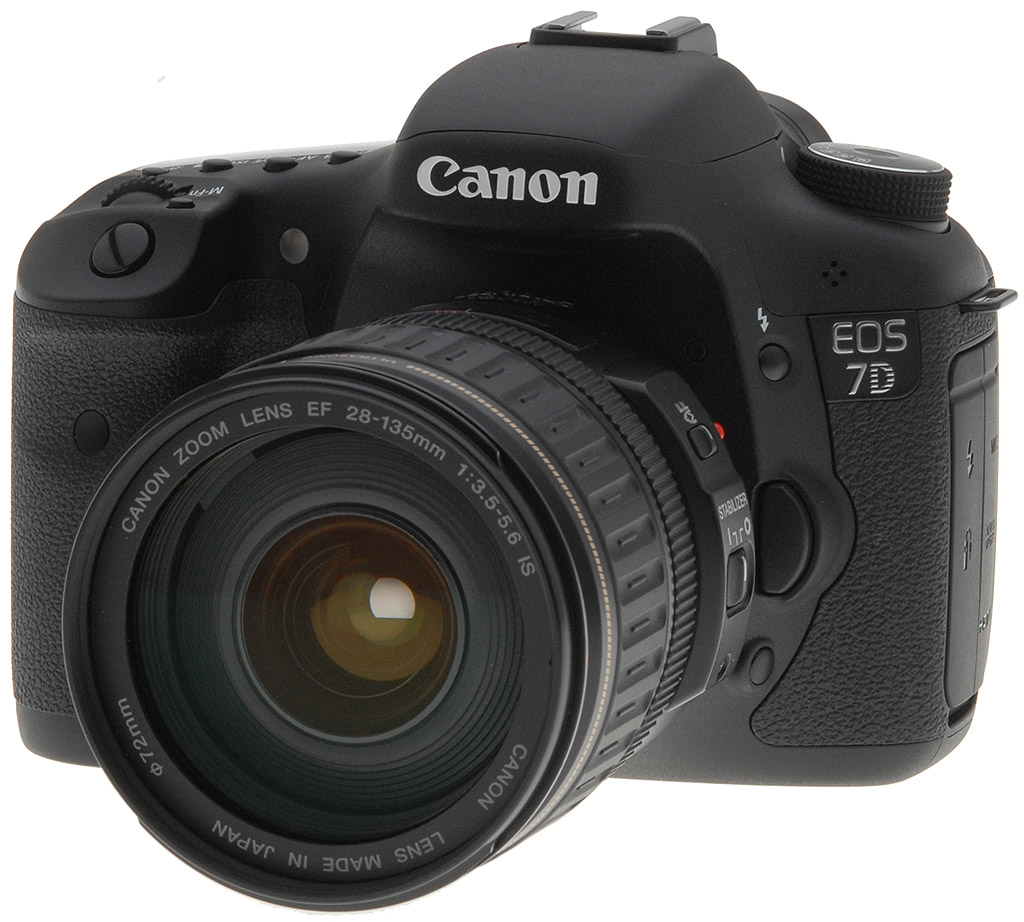
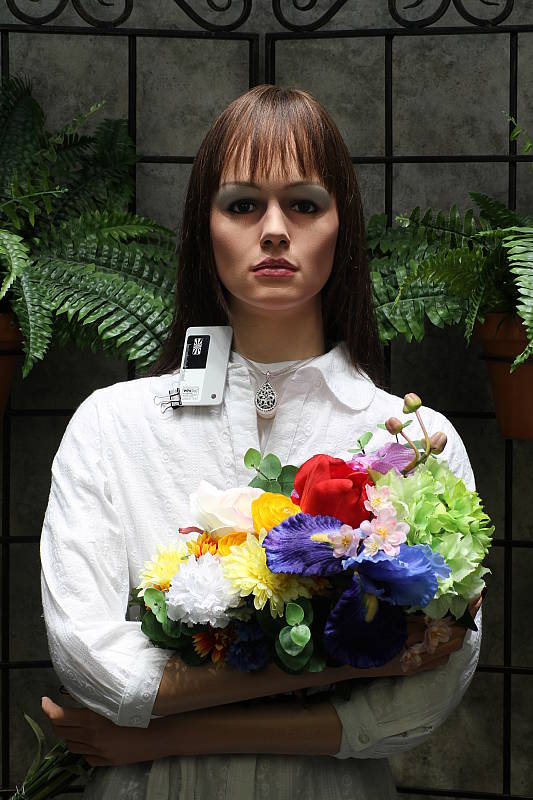
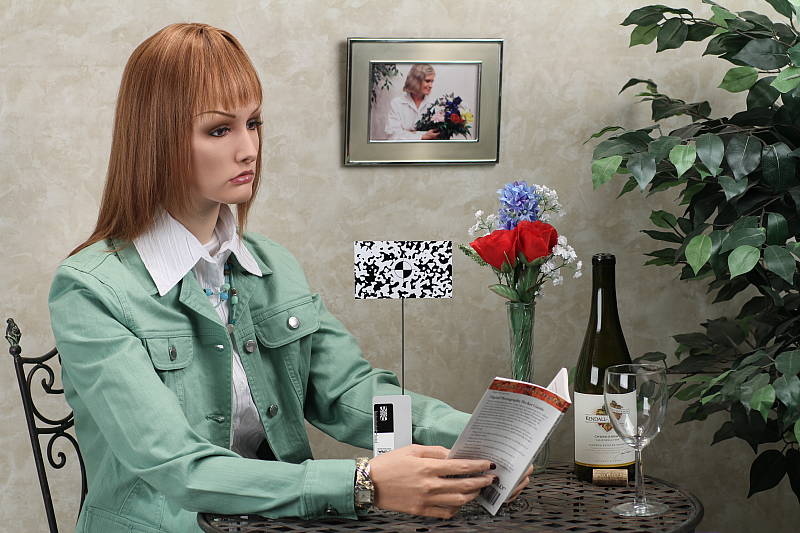
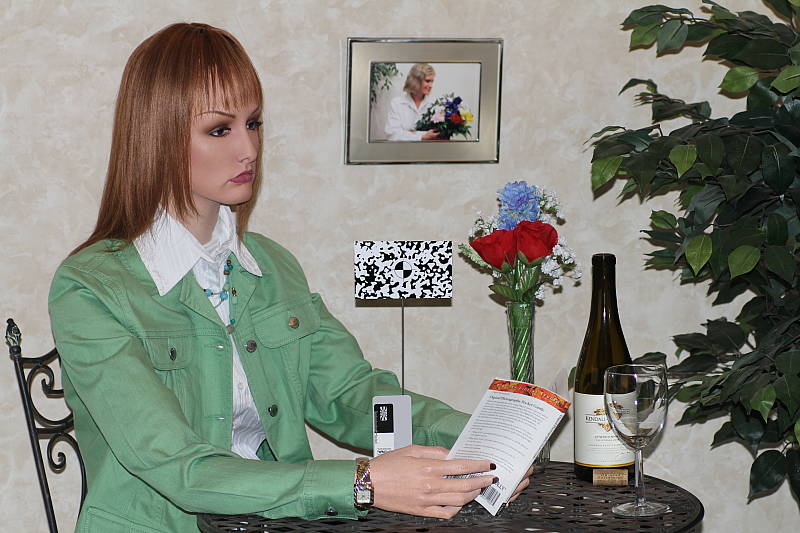


 Speeding things up. The idea of Orientation-linked AF is intriguing, and it goes further than we initially thought. Set with Custom Function III:12, you can select not only the AF point you want to maintain, but also the AF point selection mode while the camera is oriented, say, horizontally. Then, when you rotate the camera to vertical, you can pick a different AF point selection mode and a different point or zone if you like. Once each orientation is set, the Canon 7D will remember both the type and point you selected and switch back automatically. A likely use for me would be switching from shooting horizontal group shots, where I'd want to use Zone AF, to vertical portrait shots, where I'd want to rotate right and use Single-point AF with the point centered on the subject's eye. Rotating instead to the left activates yet another mode, or else perhaps Zone AF again, for vertical group shots.
 The Canon 7D also uses the color information to better identify objects, merging that information with the AF sensor data -- which tells the Canon 7D not only which AF areas are in focus, but which areas are out of focus -- to calculate an object's total range of distances; in that way it can set the aperture to keep that object in focus, if desired.
 Other resolutions include 720p and 640x480 at 30 frames per second. How you activate your movies has changed from other recent models, with both Movie and Live View modes linked to a single switch and button combination, placed within easy reach of your thumb, shown at right.
 Insurance. A good many working photographers still shoot JPEG, though most would admit there are times they wish they had that RAW backup to rescue moments lost to exposure error. Well, if they think of it in advance of the shot, the Canon 7D now gives them the option to turn RAW on for the next shot with a press of the RAW/JPEG button. If they're shooting in RAW mode, they can likewise add a JPEG shot to the mix. You can choose which JPEG or RAW file size you want to add when you press this button via Record menu 3, under One-touch RAW+JPEG. It's a feature I very much enjoy when shooting Pentax digital SLRs, so I'm happy to see it here. You can't use the button to switch between RAW and JPEG-only, nor to enter RAW+JPEG for more than one shot; for that you have to use the Main or Quick Control menu, or else use the Custom Controls option to assign Resolution to the Set button. As I mentioned, this kind of convenient customization can get complicated.


 Flash as master. After years of leaving Nikon users an important advantage when it came to wireless flash control on a budget, the Canon 7D's pop-up flash will finally serve as a master controller when used with Canon's various wireless flashes (though, of course, the Canon 7D isn't necessarily the most economical choice when on a budget). Since it is so new, I decided to take the new system for a spin with a trio of 580EX flashes.


 Around here, we learned long ago that peeping at pixels onscreen is only worth so much. It's when we print the images that we get to the relevant performance of a camera's lens and sensor. And the Canon 7D's images print remarkably well.


 A semi-professional camera, the Canon 7D has dedicated controls or buttons for most commonly used functions. Many of the Canon 7D's buttons and dials can also be customized or tweaked to perform as the user prefers. A Custom Controls menu graphically displays each control that can be customized, along with the customization options available. Listing all the available options for each programmable control is beyond the scope of this review, but the animation at right should give you an idea of the control flexibility offered by the Canon 7D.
 Like most prosumer and professional DSLRs, the Canon 7D features a top-panel LCD display, which reports practically all of the camera's main exposure and menu settings. This smaller display reduces battery drain compared to the main LCD monitor, and is sometimes more convenient when changing settings while the camera is below eye-level (for example, mounted on a low tripod). The lamp button on the top right is used to illuminate the LCD with an orange backlight for the metering timeout period. The display is black and white, and only shows the settings that are applicable during use, though the illustration below shows the full range of settings that can appear. (Illustration courtesy Canon USA.)
 The Canon 7D's main TFT color LCD monitor is used for status display, accessing menus, image review as well as image preview in Live View and movie modes. This gorgeous LCD is the high resolution type found on other high-end cameras recently, with approximately 921,600 dots (640x480 RGB pixels), and also features a wide viewing angle. Canon has eliminated the air gap between the LCD and cover glass by sandwiching a special optical elastic material between the LCD and the cover glass. This optical elastic material has the same high refractive index as the glass itself. The cover glass is also a reinforced glass instead of the acrylic used on the 50D, so they also eliminated the special anti-reflective and scratch-resistant coatings found on the other recent EOS cameras. The appearance of the LCD is reminiscent of instruments like a liquid-filled compass, with added contrast and less glare. Better yet, it doesn't give your images a blue cast that makes color harder to judge, especially when outdoors with the 50D. The LCD's brightness can be adjusted manually in seven steps, or automatically adjusted to one of three brightness levels to suit the current ambient lighting. (An ambient light sensor is located just to the right of the LCD). There is no support for adjusting the LCD's color response, nor are there selectable color schemes or font sizes for the displays and menus.
 When the Quick Menu button is pressed, the 7D's rear panel LCD monitor offers a status display, similar to ones found on models without a top status LCD. Most settings shown can be adjusted directly from this display using the Multi-controller joystick, and the Quick Control dial or Main dial.


 The Canon EOS 7D will work with pretty much any EF-mount lens ever made, as well as with the special EF-S lenses designed for cameras with APS-C size sensors. Designed with a smaller image circle (the area covered by the image on the film/sensor plane), EF-S lenses tend to be smaller and lighter than full-frame models with the same focal length and maximum aperture. EF-S lenses can't be used on Canon's full-frame cameras, nor on their models with 1.3x crop factors, like the current EOS 1D Mark III, but small-sensor cameras like the 7D can use any full-frame lenses in Canon's arsenal.


 New in the Canon EOS 7D is a feature that tweaks the behavior of the AF system based on color information from the new color-sensitive exposure sensor, reducing AF problems often encountered when shooting under artificial illumination. Canon staff told us that back-focus errors can relatively common under artificial lighting, particularly in stadiums or other sporting venues. Canon didn't go into details of why this might be the case, or what specifically they did to correct it, but it's not too hard to figure out: Without special correction, a lens system will bring different wavelengths of light into focus on different planes. (See the illustration image, above right.) High-quality camera lenses are usually well-corrected apochromats, so this isn't a problem at the image sensor. The relatively simple optics (lenses and prisms) in AF systems are another matter, though, so it's very likely that long (red) wavelength light would produce a different focus point than would short (blue) wavelength illumination. By taking the color of the light source into account, the camera can compensate for this tendency, in much the same way that it can handle micro focus adjustments for different lenses.


 Color-Sensitive AE Sensor
 The Canon 7D offers regular ISO equivalents of 100, 200, 400, 800, 1,600, 3,200 and 6,400, with the option to use fractional settings in 1/3-EV increments (100, 125, 160...). The EOS 7D also offers a high-range ISO setting enabled when ISO Expansion is turned on, which is equivalent to ISO 12,800. An Auto ISO mode adjusts the ISO as the camera deems necessary, from 100 to 3,200, however the Auto ISO range is not programmable, and neither is the minimum shutter speed the camera should use before raising the ISO.
 The Canon 7D has the simplified AE Lock button from more recent models, which unbundles the AF Lock feature from the old button on the older EOS cameras like the 20D and 30D. Marked with an asterisk (*) symbol, the AE Lock button simply holds the exposure at one setting while you recompose the image. It's very useful when spot metering, but also when dealing with subjects where you want to draw your exposure from one place, while autofocusing on another. You may hold the AE Lock button down while depressing the shutter release multiple times to maintain the same exposure across multiple shots. Pressing the button with the pop-up flash activated or with an external flash mounted activates the FE Lock (Flash Exposure) function, which fires the flash and locks the proper exposure for the following frame.
  As you'd expect, the Canon 7D offers a full range of White Balance settings, including six presets, an Auto (3,000-7,000K) setting, a Kelvin temperature setting (2,500-10,000K, in 100K increments) and a Custom setting (2,000-10,000K). The six presets include Daylight (5,200K), Shade (7,000K), Cloudy/Twilight/Sunset (6,000K), Tungsten (3,200K), White Fluorescent (4,000K), and Flash (6,000K). The Custom setting bases color balance on a previous exposure, meaning you can snap an image of a white card and then base the color temperature on that image.
 The Canon 7D's WB Bracketing is set on the same grid as the now familiar White Balance Correction control. Fairly sophisticated, the white balance correction tool lets you shift the color balance toward more or less green vs magenta or blue vs amber, using a +/-9 step grid format. You move a highlighted square through the grid to adjust the color balance, and bracketing adjustments spread the single square into a cluster of three.
 As with other recent Canon DSLRs, the Canon 7D offers a Picture Style option through the LCD menu, which lets you select from Standard, Portrait, Landscape, Neutral, Faithful, Monochrome, or three User Defined settings. In each of the preset modes, the Contrast, Saturation, Sharpness, and Color Tone are set for specific conditions. For Monochrome, Saturation is replaced with Filter effect (options are: None, Yellow, Orange, Red or Green), and Color Tone is replaced with Toning Effect (None, Sepia, Blue, Purple or Green). The three User Defined options let you manually adjust each variable, then save it as a custom parameter. Of course, you can also set the camera's color space to sRGB or Adobe RGB.
 First seen on the Rebel XSi, Canon's Auto Lighting Optimizer (ALO) function lets you expose for the highlights, preserving detail there, while the camera adjusts the image to open up the shadows. This happens on the fly, as the files are being written to the memory card, so there's no post-capture intervention by the user required to take advantage of this function. We weren't terribly impressed with ALO on the XSi, however newer Canon models including the 7D offer four different settings for it, and the control on the 7D seems quite effective. The ALO setting is made via Record Menu 2, where you can select options of Disable, Low, Standard (the default), or Strong.
 Also included on the Canon 7D is Highlight Tone Priority (HTP for short), a feature that's been on Canon SLRs for some time now, and it's one that works quite well when dealing with subjects with important detail in strong highlights. (Think of the standard wedding dress shot, and you'll get the idea.) Digital cameras normally expose more like slide film: Once you hit a certain exposure level, detail just vanishes. This really becomes an issue when you're dealing with contrasty lighting and a subject with lots of highlights in it.
 The Canon 7D offers two types of adjustable noise reduction. Long Exposure noise reduction can be performed for exposures one second or longer, and works by taking a second "dark frame" of equal duration with the shutter closed, and then subtracting it from the first frame. This reduces or eliminates most noise generated by the sensor during long exposures at low ISOs, but can make noise worse at higher ISOs (at ISO 1,600 and above). Available settings are Off, Auto and On, and are accessed from Custom Function II-1. The Off setting is the default. The 7D also offers the user four levels of high ISO sensitivity noise reduction. Options are Disable, Low, Standard and Strong, with Standard being the default. Though the name implies this noise reduction is only applied at high ISOs, the Canon 7D applies it to all ISOs. This explains why the 7D's chroma noise in shadows and darker tones is lower than most DSLRs at low ISOs, when using the default Standard setting. These settings are accessed in Custom Function II-2. High ISO noise reduction is not applied to RAW files.
 The Canon 7D's High-Speed Continuous Shooting mode is rated by Canon at 8 frames per second, for a total of 94 Large/Fine JPEG shots or 15 RAW before the buffer fills. When using a UDMA-capable CompactFlash card , the Large/Fine JPEG number increases to 126 while RAW remains the same at 15 frames. We measured 7.97 frames-per-second for 22 Large/Fine JPEGs and 7.98 frames-per-second for 16 RAW frames, when we tested with a fast UDMA card. When shooting JPEGs of a very complex scene with a lot of sharp, fine detail, images may compress less and result in lower buffer capacities, as was seen in our testing. The Canon 7D also offers a Low-Speed Continuous mode, which we clocked at 2.99 frames per second for over 60 Large/Fine JPEGs and 27 RAW files.
 Canon has included two optional modes to reduce noise in Live View mode, first seen on the 5D Mark II. Called "Silent Modes," the first leaves the first shutter curtain open while you shoot up to the maximum 7.0 frames per second. The second mode is a single shot mode which spreads the sounds out, not re-opening the shutter until you release the shutter button.


 Though we normally judge prints from JPEG for this section, we were curious how RAW images would look, and since the Canon 7D is a professional camera, we first took a brief look at ISO 100 RAW. We found the best results through DPP at low ISOs with noise reduction turned off, sharpening set to zero, and then using unsharp masking after the fact in Photoshop, with a radius of 0.3 pixels and strength of 400%. The results were pretty phenomenal when printed at 24 x 36 inches. Crisp is indeed the correct word. Here's a link to a sample of our Still Life target, shot at ISO 100 and processed with that formula. It's a 13.6MB JPEG, so be patient with the download.
 The Canon 7D is a digital SLR design, so the optical viewfinder offers a true, through-the-lens (TTL) image. A dioptric adjustment dial at the top-right of the eye-piece accommodates eyeglass wearers, letting them adjust the viewfinder optics between -3.0 to +1 diopters. Viewfinder coverage is specified by Canon at 100%, and magnification is 1.0x (!) for a 50mm lens and -1 diopter, which is truly excellent. The viewfinder eyepiece has an eyepoint of approximately 22mm from the eyepiece lens center. This is a higher than average eyepoint, making the Canon 7D's viewfinder more comfortable for eyeglass wearers.


 Like many SLRs these days, the Canon 7D features a Live View mode for its rear-panel LCD monitor. The Live View mode lets you use the LCD monitor as a large viewfinder, and offers an exposure simulation option which displays the expected outcome of your chosen exposure settings. A dedicated Movie/Live View switch is used to select Live View mode on the EOS 7D, and the mode is activated or disabled by pressing the Start/Stop button in the center of the switch.


 New for Canon SLRs is wireless support from the built-in flash. That is, the built-in flash can act as a controller or commander to multiple, remote wireless Canon flashes (see the User Report for more on this). On previous Canon SLRs, wireless remote flash was only possible when using an external Speedlite mounted on the camera. Several other manufacturers have had this feature for a while now, but the 7D marks a first in this area for Canon.





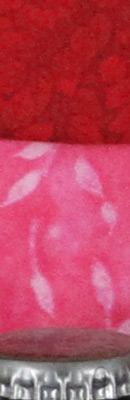



























 The Mode dial on the left side of the Canon EOS 7D's top panel lets you select various exposure modes, with the same modes offered as the 5D Mark II. Targeted at professionals and serious enthusiasts just like the 5D Mark II, the EOS 7D does not offer any Scene modes, but it does offer the new Creative Auto (CA) mode (see description below). Other settings consist of Full Automatic, Programmed Auto Exposure, Shutter Priority, Aperture Priority, full Manual Exposure, and Bulb. There are also three Camera User settings, for registering up to three banks of settings for quick recall.
 Full Automatic
Mode: Full Automatic is indicated on the Mode dial by a green rectangular outline. In this mode, the camera makes all exposure decisions with the exception of image quality. Autofocus mode is set to AI Focus. (AI Focus evaluates subject movement, automatically sets either one-shot AF or AI Servo AF automatically.) Drive mode is set to Single Shot, ISO is set to Auto, and the metering mode is set to Evaluative.
Full Automatic
Mode: Full Automatic is indicated on the Mode dial by a green rectangular outline. In this mode, the camera makes all exposure decisions with the exception of image quality. Autofocus mode is set to AI Focus. (AI Focus evaluates subject movement, automatically sets either one-shot AF or AI Servo AF automatically.) Drive mode is set to Single Shot, ISO is set to Auto, and the metering mode is set to Evaluative.
 Creative Auto Mode: Canon has added their relatively new exposure mode called Creative Auto (or "CA"). The CA mode is a cross between the green zone and program mode. When set to CA mode, the EOS 7D allows the user to adjust picture style, motor drive, and exposure compensation, as well as to use the program shift function and select between RAW or JPEG file formats, but the rest of the more complex features remain under automatic control. The EOS 7D's rear-panel LCD display offers text help for each setting while in CA mode, for example prompting the user as to whether they want to blur the background with program shift, or make the picture brighter / darker with exposure compensation, etc.
 Program AE: This is the first mode in the Creative Zone of the Mode dial. Program AE works similarly to the Full Automatic exposure mode, but allows more control over the exposure variables. Aperture and shutter speed are automatically selected by the camera, but you can bias the exposure to larger or smaller apertures by turning the Main dial, which will change the combination of aperture and shutter speed so as to maintain the same exposure value, but with a different combination of aperture/shutter speed.
  Shutter-Priority
AE: This mode allows you to manually set the shutter speed anywhere from 1/8,000 to 30 seconds, while the camera chooses the best corresponding aperture setting. You have control over all other exposure variables, including exposure compensation.
Shutter-Priority
AE: This mode allows you to manually set the shutter speed anywhere from 1/8,000 to 30 seconds, while the camera chooses the best corresponding aperture setting. You have control over all other exposure variables, including exposure compensation. Aperture-Priority
AE: The opposite of Shutter-Priority mode, Aperture-Priority AE allows you to set the lens aperture (with available apertures depending on the lens in use), while the camera selects the most appropriate shutter speed. Again, you have control over all other exposure variables, including exposure compensation.
Aperture-Priority
AE: The opposite of Shutter-Priority mode, Aperture-Priority AE allows you to set the lens aperture (with available apertures depending on the lens in use), while the camera selects the most appropriate shutter speed. Again, you have control over all other exposure variables, including exposure compensation.  Manual Exposure: This mode provides the same range of exposure control as the other Creative Zone exposure modes (except for exposure compensation), but lets you control both shutter speed and lens aperture independently.
  Bulb: In this mode, the shutter stays open as long as the shutter button is pressed. This is useful for long exposures such as night scenes, fireworks, and astrophotography. The top Status display reports the elapsed time, from one to 999 seconds, as the exposure progresses. The use of an RS-80N3 Remote Switch or TC-80N3 Timer Remote Controller is recommended.
 ,
,  ,
,  Camera User
Settings Modes: These three final settings on the Mode dial allow you to save three individual sets of camera settings for quick recall. Useful when shooting an event with multiple light sources, such as a wedding and reception, these custom modes let you register camera settings for specific conditions and easily shift between modes. You can save most of the camera's shooting mode options as well as the Custom Function settings. Settings are registered as C1, C2, or C3 through the Camera User Setting menu.
Camera User
Settings Modes: These three final settings on the Mode dial allow you to save three individual sets of camera settings for quick recall. Useful when shooting an event with multiple light sources, such as a wedding and reception, these custom modes let you register camera settings for specific conditions and easily shift between modes. You can save most of the camera's shooting mode options as well as the Custom Function settings. Settings are registered as C1, C2, or C3 through the Camera User Setting menu. This mode is entered by pressing the Play button on the back panel. Playback mode lets you erase images, protect them, or set them up for printing on DPOF-compatible devices. You can also view images in an index display, enlarge images, view a slide show of all captured images, or rotate an image. The Info button activates an information display, which reports the exposure settings for the image and graphs the exposure values on a small histogram.


