


Overview

Think quick, enthusiasts: If you didn't buy the Canon G7X, what would you choose as the single most important reason for your decision? If you said "The lack of a viewfinder", you wouldn't be alone.
While the competing Sony RX100 III and IV both include pop-up electronic finders, and the Panasonic LX100 has an always-ready electronic viewfinder projecting from the top left corner of its rear deck, the Canon G7X was conspicuous in lacking one. That meant you had to shoot at arm's length, hardly the favored posture for experienced shooters.
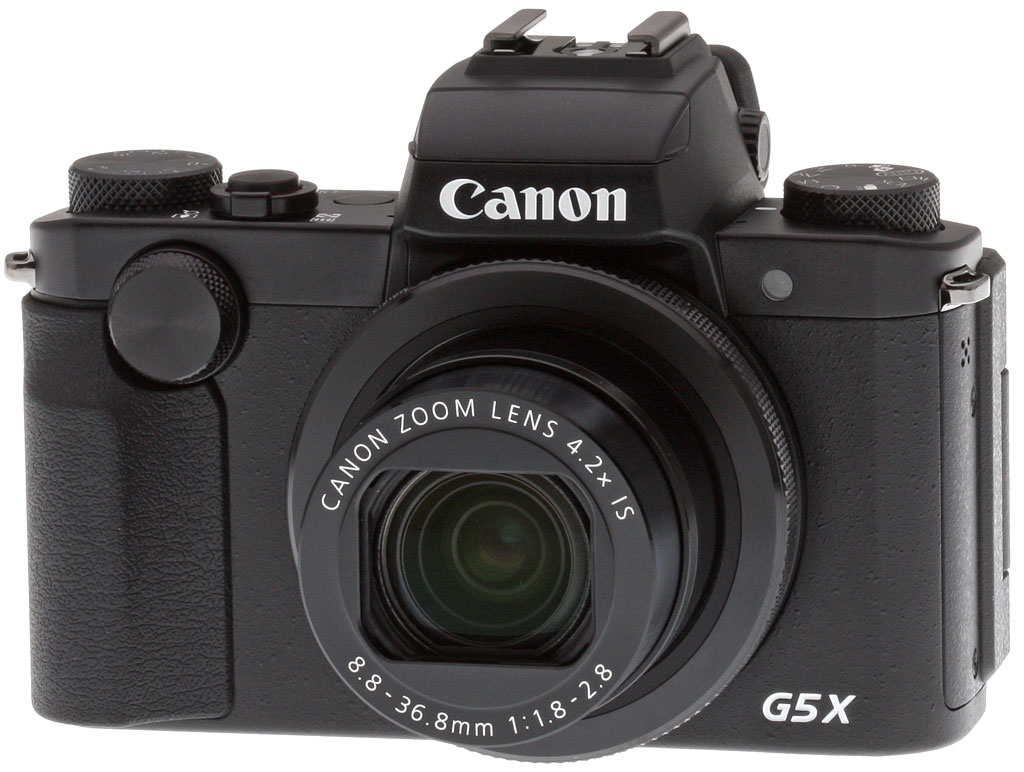
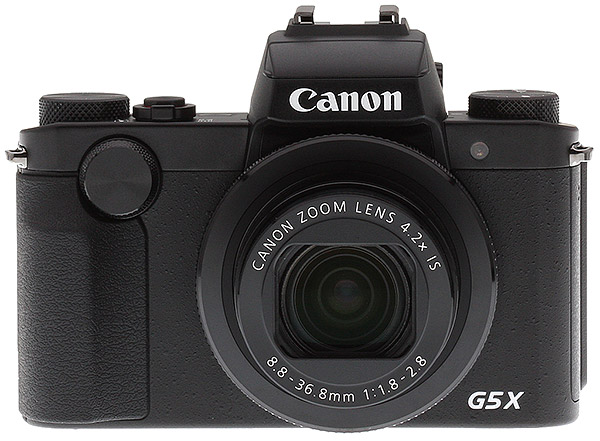
Now, the Canon G5X is here to rectify that omission. Not only does its angular body sport a built-in viewfinder, it actually places it right over the central axis of the lens, rather than shoe-horning it off to one side as do rivals.
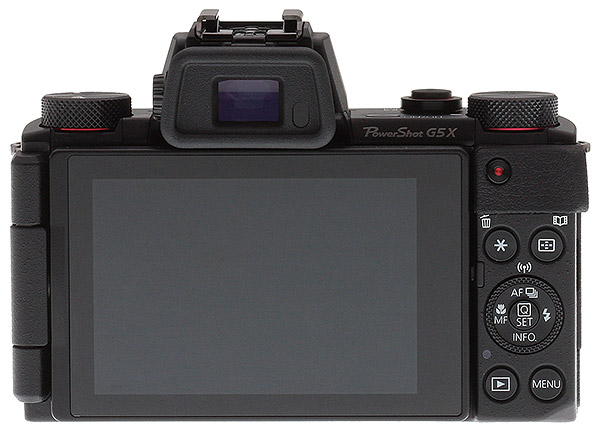
And a glance at the G5X's body, which is absolutely replete with controls, is enough to confirm that a viewfinder isn't the only way that Canon is courting more experienced shooters this time around. With dials front and rear, a lens ring and dedicated exposure compensation dial, this is a camera designed to keep you out of the menu system and in touch with your subjects. A built-in grip should also help make it a more comfortable camera to shoot with than was the G7X.
It's the viewfinder that will grab the headlines, though. Housed in a pentaprism-like hump over the lens, it's based around a 2.36-million dot Organic LED panel. That's the same resolution as the well-received EVF-DC1 viewfinder accessory for the PowerShot G1X Mark II, but since it uses an OLED rather than an LCD panel, it's said to be both brighter and more colorful.

Of course, nothing comes for free, and the downside of the viewfinder and added controls is a much bulkier camera than the Canon G7X. At 0.3 inches wider, 0.4 inches taller and 0.1 inches deeper than the G7X, the Canon G5X is not going to fit in anything smaller than a coat pocket. If you plan to have it in-hand shooting the whole time, though, that may not be such a big concern. It's certainly still far smaller than an interchangeable-lens camera plus a similar lens.

Speaking of the lens, it's the same Canon-branded 4.2x optical zoom unit that was used in the G7X, complete with a 24-100mm equivalent focal range and bright f/1.8-2.8 maximum aperture. Image stabilization is included, as is a nine-bladed, rounded aperture. The lens also features a built-in neutral density filter for extra exposure control in bright environments.

In other respects, too, the imaging pipeline is identical to that of the G7X. The Canon G5X sports the same 20.2-megapixel, backside-illuminated CMOS image sensor as used in the earlier camera, widely reported -- but I don't believe ever officially confirmed -- to be a Sony chip as featured in the RX100 II and RX100 III.

Output from this chip is handled by the same DIGIC 6 image processor as in the G3X and G7X, too. And just as in those cameras, the pairing yields a sensitivity range of ISO 125 to 12,800 equivalents. (That's also the same native sensitivity range as provided by the RX100 III and IV, although Sony's cameras do allow a slight ISO expansion at either end of the range, which the Canon G5X doesn't do.)

Another big difference from the G7X that makes the newer camera much more versatile is the Canon G5X's LCD panel articulation mechanism. Just as in the G7X, the panel itself is a 3.0" high-resolution, 720 x 480 pixel array, but where in the earlier model it only flipped upwards, in the G5X has what Canon calls a vari-angle design.

Essentially, it's a side-mounted tilt/swivel that provides for viewing and framing from a much greater range of angles, all while still providing for selfie shooting as well. And as if that wasn't enough, it's also a touch-screen that serves as an input device.
Fans of throwing a little more light on their subjects will appreciate not only that there's a lift-up flash on top of the viewfinder housing, but also a hot shoe compatible with EX-series Speedlites.

You can, of course, shoot movies in-camera, but the Canon G5X won't attempt to rival the Sony RX100 IV in this department, even though it's actually a larger camera: 4K capture isn't possible. Instead, Canon opts for 1080p60 or below. You will, however, be able to control both focus and exposure of your movies manually, should you wish. Both NTSC and PAL frame rates are included, incidentally, so if you want to shoot for relatives overseas the G5X should also support their TVs.

Power is provided by a proprietary NB-13L lithium-ion battery pack, the same battery as the G7X uses. The G5X's battery life is similar, CIPA-rated at only 210 shots per charge using the LCD monitor, and 215 with the EVF, though there is an ECO mode rated at 320 shots.

And for charging, Canon is giving the best of both worlds with a standalone bundled charger that lets you leave a second pack charging while you're out shooting with your camera, while also supporting in-camera USB charging for those who want to pack light. (You'll need to supply your own USB cable, though, as there isn't one included in the box.)
Storage is on standard SD/SDHC/SDXC cards with support for faster UHS-I types, and both JPEG and raw formats are provided.
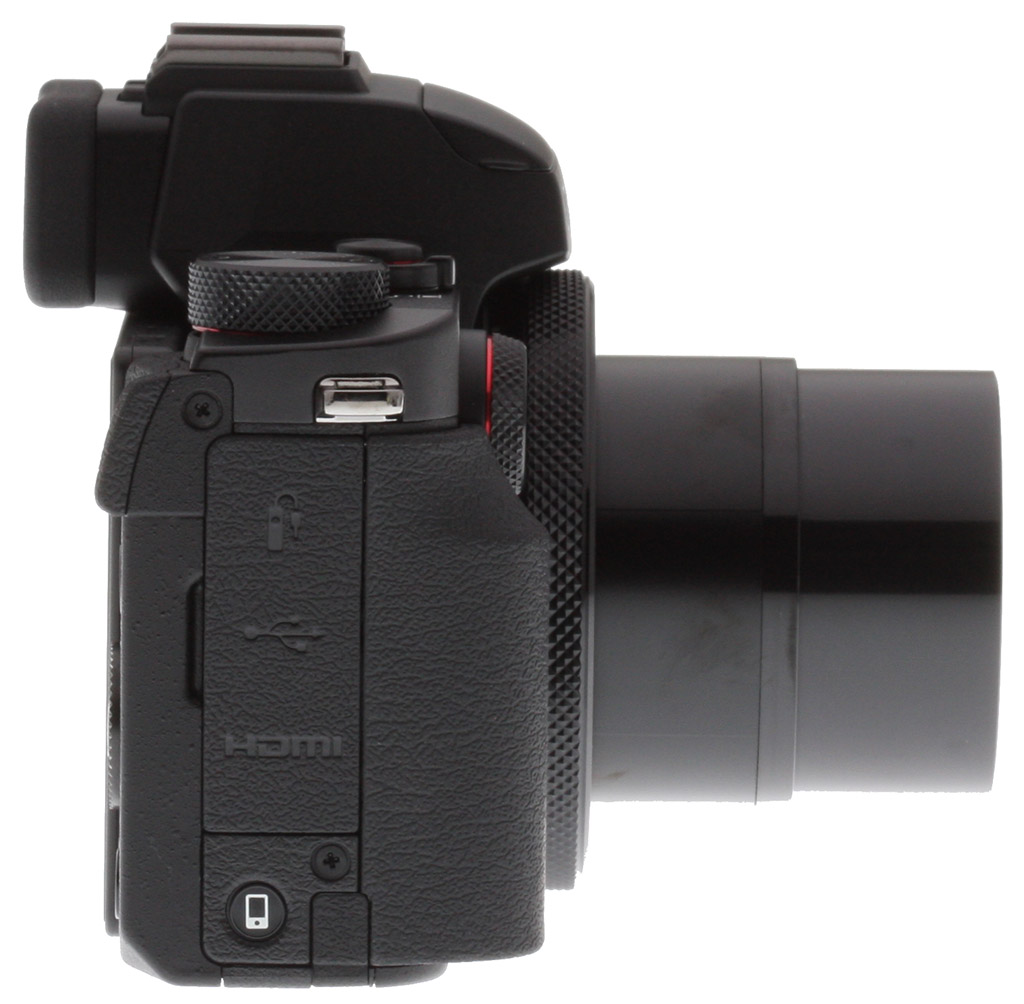
Like the G7X, the Canon G5X features both Wi-Fi and NFC wireless connectivity to help get your photos off the camera and onto your smartphone, as well as remotely control the camera. Wired connectivity consists of a USB 2.0 Micro-B port, a Micro HDMI (Type-D) port, and a wired remote jack.
Available since November 2015 and priced at US$800, the Canon G5X is sold only in a black-bodied version.
In the Box
The Canon PowerShot G5X retail box includes (may vary by region):
- Canon PowerShot G5 X digital camera
- NB-13L Lithium-ion battery pack
- CB-2LH battery charger
- NS-DC12 neck strap
- Strap adapter
Recommended Accessories
- Large capacity SDHC/SDXC memory card. We recommend 16GB as a minimum capacity. Speed Class 10 or higher is required for recording Full HD movies.
- Extra NB-13L battery pack (~US$50)
- Micro-B USB and Micro HDMI cables
- Camera case
Optics
Lens
Zoom
A generous zoom ratio for its size and speed, with mixed optical performance.
 |
 |
| 24mm eq., f/5.6 | 50mm eq., f/5.6 |
 |
|
| 100mm eq., f/5.6 |
The Canon PowerShot G5X’s 4.2x zoom lens is the same as the G7X’s, covering the equivalent of about 24-100mm on a 35mm camera. Maximum aperture is a very fast f/1.8 at wide angle to a fast f/2.8 at full telephoto.
The following table reflects the maximum and minimum apertures as reported by the camera:
|
Focal length (eq.)
|
24mm |
28mm
|
35mm
|
42mm
|
56mm
|
100mm
|
|
Maximum aperture
|
f/1.8 |
f/2.0
|
f/2.2
|
f/2.5
|
f/2.8
|
f/2.8
|
|
Minimum aperture
|
f/11 at all focal lengths | |||||
Sharpness is very good in the center of the frame at full wide angle and f/5.6, but corners are a little soft, likely because of the strong distortion correction applied (see below). Minor chromatic aberration is visible as it is suppressed in JPEGs, though some flare is evident around the bright white elements of this shot. At medium focal length (~50mm eq.), far-field performance appears to be very good at f/5.6 with excellent sharpness and contrast, and flare doesn’t appear to be an issue. Results at full telephoto and f/5.6 are quite good, with very good sharpness and contrast across the frame. Again, chromatic aberration is negligible because the G5X suppresses it in JPEGs, though we have seen some significant purple or red fringing around strongly backlit subjects in some shots.
The G5X also offers digital zoom up to 4x, and what Canon calls a “digital teleconverter” at preset magnifications of 1.6x and 2.0x, though as is always the case, there is a noticeable loss in image quality with digital zoom, especially at the maximum setting.
Overall, decent far-field performance at f/5.6. See below for our lab results.
Macro
A larger than average macro area, with very good detail in the center. Flash overexposed and is partially blocked by the lens at closest focus.
 |
 |
| Standard Macro, 24mm eq., f/8 | Macro with Flash, 24mm eq., f/8 |
The Canon PowerShot G5X’s lens captured a larger-than-average minimum area of 2.99 x 1.99 inches (76 x 51 millimeters), a little smaller than the area we captured with the G7X. Sharpness is very good in the central area of the frame, though corners and edges are very soft from field curvature. (Most cameras have some softening in the corners in macro mode, but usually not this much.) The Canon G5X’s built-in flash is partially blocked by the lens at closest focus distance, resulting in a very dark shadow at the bottom and overexposure at the top. You’ll likely want to stick to external lighting for close macro shots with the G5X.
Distortion
Lower than average distortion in JPEGs; very high at wide angle in uncorrected RAW files.
| In-camera JPEGs |
|---|
| Barrel distortion at 24mm eq. is about 0.4% |
 |
| Barrel distortion at 100mm eq. is less than 0.1% |
 |
JPEG: The Canon G5X’s just under 0.4% barrel wide angle is low compared to the average digital camera, especially considering its generously wide 24mm-equivalent focal length (see below for the explanation). The less than 0.1% barrel distortion at the telephoto end is very low and not the pincushion type of distortion we normally see at telephoto. This is the tendency for the lens to bend straight lines outward (like
a barrel — usually at wide angle) or inward (like a pincushion — usually
at telephoto).
| Uncorrected RAW |
|---|
| Barrel distortion at 24mm eq. is about 4.9% |
 |
| Pincushion distortion at 100mm eq. is about 0.4% |
 |
Uncorrected RAW: When converting RAW files using RawDigger (no corrections applied), we see that actual barrel distortion at wide angle is extremely high, at about 4.9%. Also note how the image circle does not cover the corners of the sensor at maximum wide angle, leaving them very dark. Uncorrected distortion at full telephoto is 0.4% pincushion, so the in-camera JPEG was overcorrected slightly. Canon’s bundled Digital Photo Professional and Adobe Camera Raw automatically reduce geometric distortion, producing distortion measurements similar to in-camera JPEGs.
High distortion is quite common at wide angle in smaller lenses these days, and most RAW converters will automatically correct for it. There is however going to be a loss of resolution as well as possible interpolation artifacts as a result of such strong correction, because pixels near the corners of the frame are being “stretched” to correct for the distortion. And in the case of the G5X, the image circle does not cover the entire sensor at wide angle (we also saw this with the Canon G7X and G1X II), requiring even more interpolation back to full 20-megapixel image dimensions. If you look closely at the corners in the G5X’s wide-angle JPEGs, they are soft and detail is a little rough with straight edges in the resolution target looking jagged. Obviously, a lens that doesn’t require such correction and is also sharp in the corners to begin with would be preferable, but relaxing constraints on distortion brings other benefits in the lens design, such as a compact, lower-cost design.
Chromatic Aberration and Corner Softness
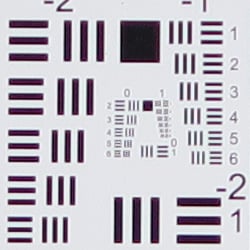
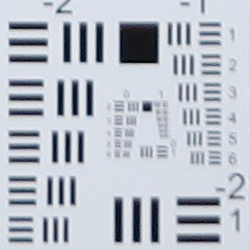
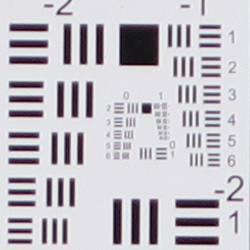
CA is fairly low at wide angle, and lower at telephoto in JPEGs. Mild to moderate blurring in the corners of the frame at wide angle and at full telephoto, though telephoto improves stopped-down.
| Maximum Aperture | |
 |
 |
| Wide (f/1.8): Lower right CA: Fairly low Softness: Moderately soft |
Wide (f/1.8): Center CA: Very low Softness: Sharp |
 |
 |
| Tele (f/2.8): Lower right CA: Low Softness: Soft |
Tele: (f/2.8): Center CA: Low Softness: Fairly sharp |
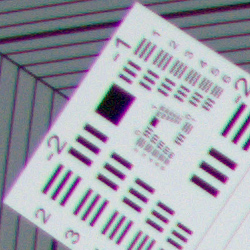
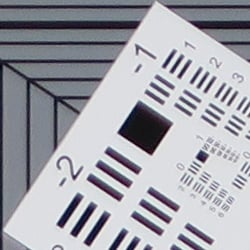
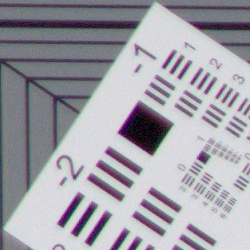
Chromatic Aberration. Lateral chromatic aberration is fairly low in the corners at wide angle, and there’s very little CA in the center. At full telephoto, lateral chromatic aberration is also low in the corners and the center. See below for examples of uncorrected C.A. Chromatic aberration is a type of distortion visible as a slight colored fringe around the objects at the edges of the field of view on the resolution target.
Corner Softness. The Canon G5X’s lens produces moderately soft corners at full wide angle when wide open. Blurring is roughly the same in all for corners from our sample, with the lower right perhaps just a touch softer than the rest, but softness doesn’t extend very far into the frame and the center is quite sharp. Rough edges and much of the softness are due to the strong geometric distortion and CA correction taking place at wide angle. At full telephoto the bottom right corner is the softest when wide open, with the other corners a little sharper though not as contrasty as the center, and the center is not quite as sharp as at wide angle.
Corner Shading. Vignetting is fairly low at either end of the zoom, even wide open. (Apologies for the slightly blue tint in the corner crops. That’s our fault and not the camera’s, as our studio lights on the right side were a little too cool.)
| Aperture f/5.6 | |
 |
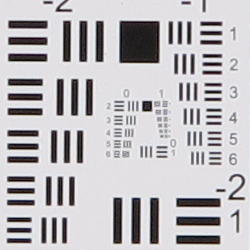 |
| Wide (f/5.6): Lower right CA: Low Softness: Soft |
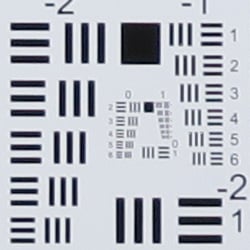
Wide (f/5.6): Center CA: Very low Softness: Sharp |
 |
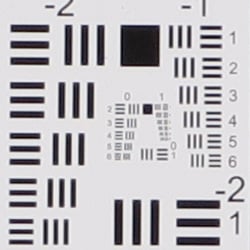 |
| Tele (f/5.6): Lower right CA: Very low Softness: Sharp |
Tele (f/5.6): Center CA: Very low Softness: Sharp |
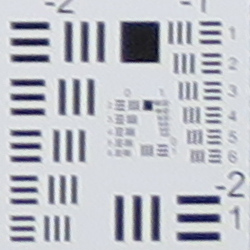
F5.6. When the lens is stopped-down to f/5.6, corner sharpness actually degraded a bit at wide angle, with lower contrast, while the center remained quite sharp. At full telephoto, corner sharpness and contrast improved dramatically, while sharpness in the center improved just slightly. Vignetting is not apparent at either end of the zoom range. (Again, apologies for the unbalanced lamp temperatures.)
Chromatic Aberration Correction
| In-camera JPEG | Uncorrected RAW |
 |
 |
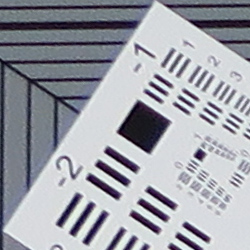
| Wide (f/1.8): Upper left CA: Moderately low |
Wide (f/1.8): Upper left CA: High |
 |
 |
| Tele (f/2.8): Upper left CA: Moderately low |
Tele: (f/2.8): Upper left CA: Moderately high |
Not surprisingly, chromatic aberrations are much higher in uncorrected RAW files than in camera JPEGs. As you can see, the Canon G5X’s DIGIC 6 image processor does a pretty good job suppressing most of the chromatic aberration in JPEGs (crops on the left) versus RAW files converted in RawDigger (on the right), which does not correct for C.A. Note that most commercial converters like Adobe Camera Raw will automatically correct for C.A, as the G5X’s .CR2 RAW files have a built-in lens profile.
Localized Flare at Maximum Aperture
When we reviewed the Canon G7X (and G1X II), we noticed its lens produced what looked like localized flare that can also be described as a glowing softness or a halo effect that is sometimes accompanied by axial chromatic aberration. The defect was most noticeable in high-contrast subjects that were slightly outside and usually behind the plane of focus, and diminished as you stopped down. The aberration appeared to be worst-case at wide angle and closest focus, however, we also saw it in shots at more normal subject distances, and at other focal lengths.
We didn’t specifically test for this with the G5X but since it uses the same lens, it is something to watch out for. You may want to stop down a click or two to avoid or reduce this effect when shooting close distances, particularly for high-contrast or bright subjects that have some depth to them. Of course, having to stop down unfortunately negates the value of a fast lens in some circumstances.
Viewfinder
Coverage
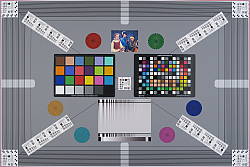
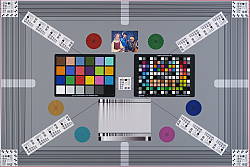
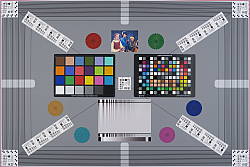
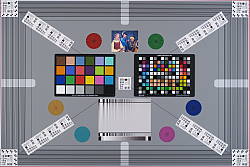
Excellent accuracy from the electronic viewfinder and LCD monitor.
 |
 |
| 24mm eq., EVF | 100mm eq., EVF |
 |
 |
| 24mm eq., LCD Monitor | 100mm eq., LCD Monitor |
The Canon PowerShot G5X’s electronic viewfinder and LCD monitor both displayed excellent accuracy in record mode, showing essentially 100% coverage at wide angle and at full telephoto.
The images above were taken from our standardized test shots. For a
collection of more pictorial photos, see our
Canon PowerShot G5 X Photo Gallery
.
Exposure
Color
Saturation & Hue Accuracy
Typical saturation levels with good overall hue accuracy.
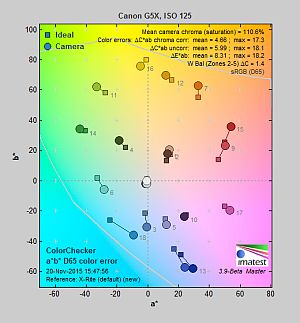 |
| In the diagram above, the squares show the original color, and the circles show the color that the camera captured. More saturated colors are located towards the periphery of the graph. Hue changes as you travel around the center. Thus, hue-accurate, highly saturated colors appear as lines radiating from the center. Click chart for a larger image. |
Saturation. The Canon G5X produced fairly accurate saturation levels overall, with only moderate oversaturation in reds and blues, and mild boosts to most other colors. Bright yellow and aqua were actually undersaturated by relatively small amounts. Mean saturation at base ISO is 110.6%, or 10.6% oversaturated, which is about average these days. Overall, the Canon G5X’s images appear to have pleasing saturation levels and you can always adjust saturation using the camera’s “My Colors” options. Most consumer digital
cameras produce color that’s more highly saturated (more intense) than found
in the original subjects. This is simply because most people like their
color a bit brighter than life.
Skin tones. With Auto white balance in simulated daylight, the Canon G5X rendered lighter Caucasian skin tones just a touch yellow and flat. Manual white balance produced more pleasant, pinkish skin tones. Where oversaturation is most problematic
is on Caucasian skin tones, as it’s very easy for these “memory colors”
to be seen as too bright, too pink, too yellow, etc.
Hue. The Canon PowerShot G5X produced a few color shifts relative to the correct mathematical translation of colors in its subjects, most visibly pushing cyan toward blue (probably for better-looking skies), red toward orange, and yellow toward green. Mean “delta-C” color error after correcting for saturation at base ISO was 4.66 which is better than average, though the shift and reduced saturation in yellows was noticeable in some of our test shots. Hue is “what color” the
color is.
 |
 |
 |
| See full set of test images with explanations See thumbnails of all test and gallery images |
||
Sensor
Exposure and White Balance
Indoors, incandescent lighting
Strong color casts with Auto and Incandescent settings, but very good with Manual white balance setting. Average exposure accuracy.
 |
 |
| Auto White Balance +0.3 EV |
Incandescent White Balance +0.3 EV |
 |
|
| Manual White Balance +0.3 EV |
Color balance indoors under incandescent lighting was pretty awful with Auto white balance setting, with a strong red/magenta cast, and the Incandescent white balance option was much too warm, with a strong yellow/orange cast. The Manual white balance setting was pretty accurate, though, but a touch cool. The PowerShot G5X’s exposure system handled this lighting well, requiring a typical amount of exposure compensation (+ 0.3 EV) for this scene. Our
test lighting for this shot is a mixture of 60 and 100 watt household incandescent
bulbs, a pretty yellow light source, but a very common one in typical home
settings here in the U.S.
Outdoors, daylight
Slightly cool colors, with high default contrast. Above average exposure compensation required.
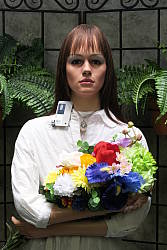 |
 |
| Manual White Balance, +1.0 EV |
Auto White Balance, Auto Exposure |
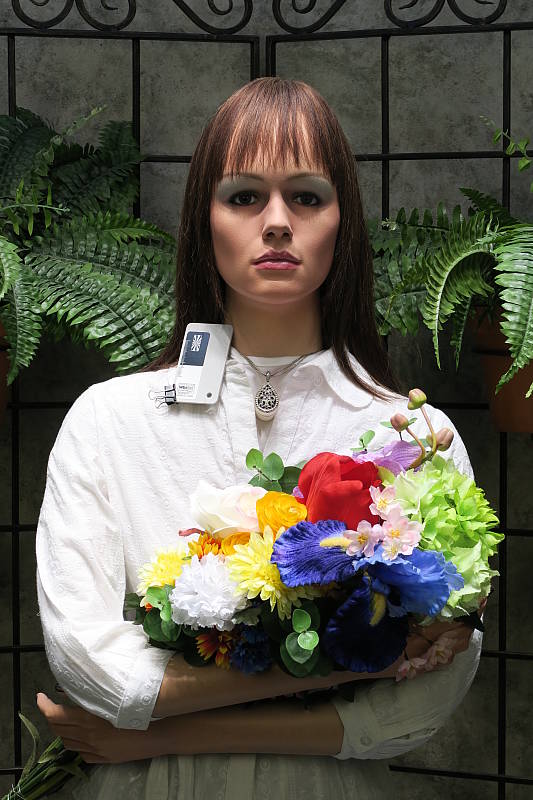
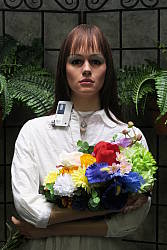
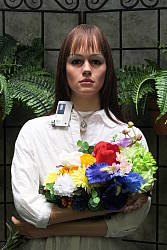
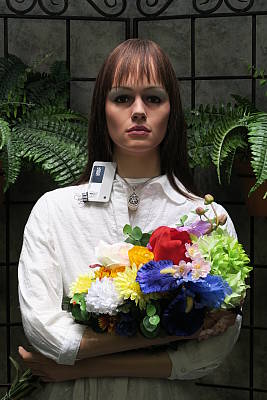
The Canon PowerShot G5X performed fairly well in the simulated outdoor lighting of our “Sunlit” Portrait shot. Although above average exposure compensation of +1.0 EV was needed to keep the mannequin’s facial skin tones bright, the number of blown highlights in her shirt and the flowers is actually not bad for such a compact camera, and detail in the shadows is pretty good. The G5X underexposed our outdoor far-field shot at default exposure a bit producing some very deep shadows, but as a result very few highlights were blown. Luminance noise is a bit high in deep shadows, however chrominance noise is well controlled. Color outdoors was good with the Auto white balance setting, just a touch cool, though the camera rendered skin tones a little too flat and yellow, so we preferred Manual white balance here for our “Sunlit” Portrait shot.
See full set of test images with explanations
See thumbnails of all test and gallery images
Resolution
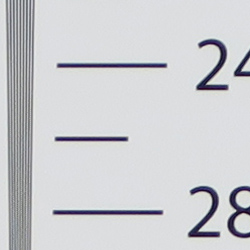
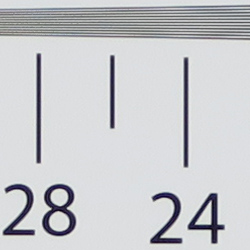
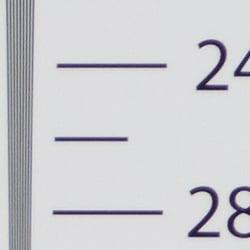
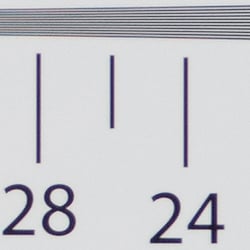
About 2,500 lines of strong detail from in-camera JPEGs, a little higher from converted RAW files.
 |
 |
| In-camera JPEG: Strong detail to ~2,500 lines horizontal |
In-camera JPEG: Strong detail to ~2,500 lines vertical |
 |
 |
| ACR converted RAW: Strong detail to ~2,600 lines horizontal |
ACR converted RAW: Strong detail to ~2,600 lines vertical |
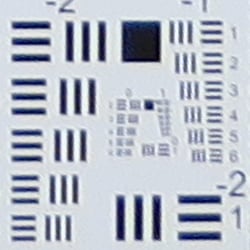
Our laboratory resolution chart revealed sharp, distinct line patterns down to about 2,500 lines per picture height in the horizontal direction, and to about the same in the vertical direction in JPEGs straight out of the camera, though some aliasing could be seen a lower resolutions. Extinction of the pattern occurred just past 3,000 lines in the horizontal direction, and past 3,200 lines in the vertical direction. Adobe Camera Raw was able to extract perhaps 100 extra lines of resolution in both directions as well as extend total extinction to between 3,500 and 3,600 lines, though as usual, ACR generated more false colors. Use these numbers to compare with other cameras of similar resolution, or use them to see just what higher resolution can mean in terms of potential detail.
See full set of test images with explanations
See thumbnails of all test and gallery images
Sharpness & Detail
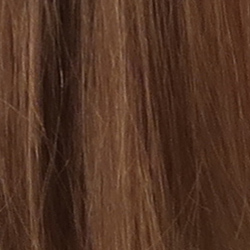
Fairly sharp, detailed images overall, though with some visible sharpening artifacts on high-contrast subjects. Noise suppression limits detail in low contrast areas.
 |
 |
| Good definition of high-contrast elements, with some visible edge enhancement. |
Subtle detail: Hair Noise suppression blurs detail in areas of subtle contrast, as in the darker parts of hair here. |
Sharpness. The Canon PowerShot G5X captures fairly sharp JPEG images at default settings, though some edge enhancement artifacts are visible on high-contrast subjects such as the noticeable halos around lines and text in the crop above left. Default sharpening isn’t as overdone as some cameras, but enthusiasts might want to shoot with a lower sharpening setting and apply additional sharpening in post processing instead, or shoot RAW for complete control over sharpening. Edge enhancement creates the illusion
of sharpness by enhancing colors and tones right at the edge of a rapid
transition in color or tone.
Detail. The crop above right shows some significant smudging of low contrast detail due to noise suppression, as individual strands of hair are blurred together in midtones and shadows, but performance here is still better than average for a compact digicam. Noise-suppression
systems in digital cameras tend to flatten-out detail in areas of subtle
contrast. The effects can often be seen in shots of human hair, where the
individual strands are lost and an almost “watercolor” look appears.
RAW vs In-Camera JPEGs
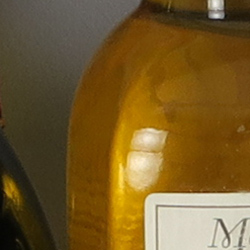
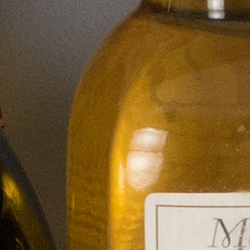
As noted above the Canon G5X produces fairly sharp, detailed in-camera JPEGs at base ISO. But with a good RAW converter, more detail can often be extracted with fewer sharpening artifacts. See below:
|
Base ISO (125)
|
|
 |
 |
 |
 |
 |
 |
|
Camera JPEG, defaults
|
RAW via Adobe Camera Raw
|
In the table above, we compare an in-camera JPEG taken at base ISO using default noise reduction and sharpening (on the left) to the matching RAW file converted with Adobe Camera Raw 9.1 via DNG Converter 9.3 using default noise reduction with some strong but tight unsharp masking applied in Photoshop (300%, radius of 0.3 pixels, and a threshold of 0).
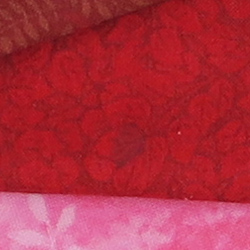
Looking closely at the images, we can see ACR extracts additional detail that isn’t present in the JPEG from the camera, particularly in the red-leaf swatch where the thread pattern is likely treated as noise by the JPEG engine. Fine detail in the mosaic crop is also slightly improved, but as is often the case, more noise can be seen in the bottle crop. You can of course apply stronger noise reduction (default ACR NR used here) to arrive at your ideal noise versus detail tradeoff. Color was improved as well, with ACR removing much of the slight yellow-to-green shift in the JPEG. And, as expected, sharpening haloes aren’t nearly as strong as the default camera output. Still, in-camera default JPEG processing isn’t bad, but as usual you can do noticeably better with a good RAW converter.
ISO & Noise Performance
Very good high ISO performance for a camera its size.
| Default Noise Reduction | ||
 |
 |
 |
| ISO 125 | ISO 200 | ISO 400 |
 |
 |
 |
ISO 800 |
ISO 1,600
|
ISO 3,200 |
 |
 |
ISO 6,400 | ISO 12,800 |
The PowerShot G5X performed well here for its size, though not as well as some direct competitors, however that’s mostly due to default JPEG processing. ISO 125 and 200 are pretty clean and detailed but lack crispness, and ISO 400 already shows some significant softening due to strong noise reduction. ISO 800 is noisier and softer from more aggressive noise reduction, and ISO 1600 is softer still. Image quality drops off rapidly above ISO 1600, with increasing luma noise as well as stronger blurring from noise reduction, though chroma noise is fairly well-controlled.
High ISO performance is definitely better than compact cameras with smaller sensors, but the G5X’s JPEG engine does not appear to make the most of its larger 1-inch type sensor, producing somewhat soft images already at moderate ISOs in the relatively low-light tungsten lighting used for the series above. Note that the G5X offers three levels of noise reduction (Low, Standard and High), and these shots were taken using the default Standard setting. The good news is that noise in the G5X’s RAW files is very competitive with other 1-inch sensor models, so for better high ISO performance, we recommend shooting in RAW format.
Of course, the impact of noise and detail loss are highly dependent on the size the photos are printed at, and pixel-peeping on-screen has surprisingly little relationship to how the images look when printed: See the Print Quality section below for recommended maximum print sizes at each ISO.
Extremes: Sunlit and low light tests
Pretty good dynamic range for its class. Good low-light performance, capable of capturing bright images in near darkness at all ISOs.
 |
 |
 |
| +0.3 EV | +0.7 EV | +1.0 EV |
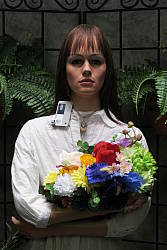
Sunlight. The Canon PowerShot G5X did fairly well under the deliberately harsh lighting in the test above. To keep facial tones bright, +1.0 EV compensation was required, which led to some clipped highlights in the mannequin’s shirt and flowers, but not as many as expected for its size. Some may prefer the +0.7 EV setting for its reduced highlight clipping, but we found the face a bit too dim. Detail is quite good in the shadows at +1.0 EV, though very deep shadows are a little grainy and posterized, though chroma noise is well controlled. Overall, very good results in harsh lighting for such a compact camera, but consider using fill flash in situations like the one shown above; and it’s better to shoot in the shade when possible.
Because digital cameras are more like slide film than negative film (in that they tend to have a more limited tonal range), we test them in the harshest situations to see how they handle scenes with bright highlights and dark shadows, as well as what kind of sensitivity they have in low light. The shot above is designed to mimic the very harsh, contrasty effect of direct noonday sunlight, a very tough challenge for most digital cameras. (You can read details of this test here.)
| Face Detection Examples | ||
 |
 |
 |
| Aperture Priority 0 EV |
Aperture Priority Face-Detection Enabled 0 EV |
Smart Auto 0 EV |
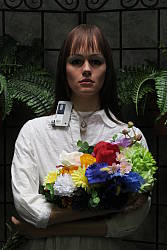
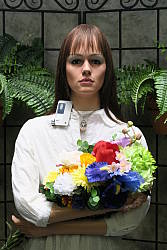
Face Detection. The table above shows results with the default exposure using Aperture Priority AE with Face Detection disabled and then enabled, as well as Smart Auto. As you can see, the G5X’s face detection in Aperture Priority and Smart Auto modes both increased exposure dramatically compared to the default exposure in Aperture Priority mode, going from very underexposed to bright images. Smart Auto mode selected an aperture of f/4 instead of f/5.6 we used in Aperture Priority and it boosted ISO to 250 as well.
|
Outdoor Portrait i-Contrast Series (+0.7 EV)
|
|
 |
i-Contrast Setting: |
 |
|
Intelligent Contrast. As part of the G5X’s Intelligent Contrast (i-Contrast) feature, the camera has “Dynamic Range Correction” to help tame highlights, and “Shadow Correct” to bring out more shadow detail.
Above are examples of our challenging “Sunlit” Portrait scene shot with the G5X’s two available Dynamic Range Correction settings, plus Shadow Correct. Mouse over the links to the right to compare, and click on the links to get to the full-resolution images.
As you can see, highlights were toned-down with the DR 200% setting but results with DR Auto were practically identical to the Off setting, perhaps because relatively few highlights were blown to begin with. Shadow Correct also worked as expected, boosting shadows without impacting highlights too much, leading to the best overall exposure for this series.
Note that Dynamic Range Correction may boost ISO depending on your current setting, so more noise and/or stronger NR may be visible with it enabled. (In our samples above, DR 200% used ISO 250, while DR Auto and Shadow Correct left ISO at 125.)
| Far-field i-Contrast Comparison | |
 |
|
Above, you can see the effect of the available i-Contrast settings on our Far-field shot. Here, DRC Auto and 200% both made a difference, but it was pretty subtle. Shadow Correct on the other hand made quite a difference, boosting midtones and shadows while maintaining highlights.
Dynamic Range Analysis (RAW mode)
While we once performed our own dynamic range measurements based on in-camera JPEGs as well as converted RAW images (when the camera was supported by Adobe Camera Raw), we’ve switched to using DxO Labs’ results from their DxOMark website. As technology advanced, the dynamic range of modern high-end cameras in some cases exceeded the range of the Stouffer T4110 density scale that we used for our own measurements. DxO’s approach based on RAW data before demosaicing is also more revealing, because it measures the fundamental dynamic range of the sensor, irrespective of whatever processing is applied to JPEGs, or to RAW data by off-the-shelf conversion software.
In the following, we use DxO’s “Print” dynamic range results, which are scaled based on camera resolution. As the name suggests, this scaling corresponds to the situation in which you print at a given size, regardless of how many megapixels the camera might have. (In other words, if you’ve decided to make a 13×19 inch print, that’s the size you’re printing, whether the camera’s resolution is 16 or 300 megapixels.) For the technically-minded, you can find a discussion of the reasoning behind this here on the DxOMark website. Also note that DxO Labs uses a signal-to-noise (SNR) threshold of 1 when defining the lower boundary of acceptable luminance noise in their dynamic range measurements, which corresponds to the “Low Quality” threshold of the Imatest software we used to use for this measurement.
DxOMark has not published test results for the Canon G5X’s sensor as of this writing. Dynamic range should be very similar if not identical to the G7X, though, which you can view here.
| 1 fc 11 lux |
1/16 fc 0.67 lux |
1/16fc No NR |
|
|---|---|---|---|
| ISO 125 |
 0.5s, f1.8 |
 8s, f1.8 |
 8s, f1.8 |
| ISO 3200 |
 1/50s, f1.8 |
 0.3s, f1.8 |
 0.3s, f1.8 |
| ISO 12800 |
 1/202s, f1.8 |
 1/13s, f1.8 |
 1/13s, f1.8 |
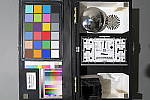
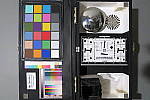
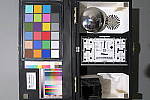
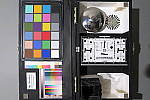
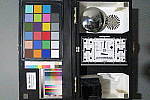
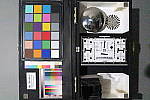
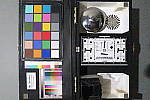
Low Light. The Canon PowerShot G5X performed very well in our low-light tests thanks to its fast lens, capturing bright images at the lowest light level (1/16 foot-candle), even at the lowest sensitivity setting (ISO 125). As expected for a 1″-type sensor, luma noise is a little high at ISO 3200, but fairly fine-grained, while chroma noise is well controlled. The G5X’s highest ISO of 12,800 is quite grainy with strong blurring, but that’s no surprise.
Color balance is pretty good with Canon G5X’s Auto white balance setting, just a touch cool, even at highest ISO and lowest light level. We didn’t notice any significant issues with hot pixels, pattern noise or heat blooming.
The camera’s AF system was able to focus unassisted to below the 1/16 foot-candle light level in our tests, which is excellent, and the G5X was able to focus in complete darkness with the aid of its AF assist lamp.
How bright is this? The one foot-candle light level
that this test begins at roughly corresponds to the brightness of typical
city street-lighting at night. Cameras performing well at that level should
be able to snap good-looking photos of street-lit scenes.
NOTE: This low light test is conducted with a stationary subject,
and the camera mounted on a sturdy tripod. Most digital cameras will
fail miserably when faced with a moving subject in dim lighting. (For
example, a child’s ballet recital or a holiday pageant in a gymnasium.)
For such applications, you may have better luck with a digital SLR camera,
but even there, you’ll likely need to set the focus manually. For information
and reviews on digital SLRs, refer to our SLR
review index page.
Output Quality
Print Quality
High-quality prints up to 24 x 36 inches at ISO 125-200; Nice 8 x 10 inch prints at ISO 3200; and usable 4 x 6 inch prints at ISO 6400.
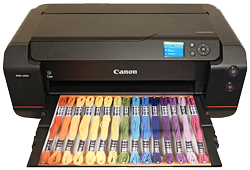 ISO 125/200 prints look very nice all the way up to 24 x 36 inches. Both ISOs produce virtually identical images, with lots of detail and vibrant colors. At 24 x 36 inches, we’re pushing the resolving power of the camera’s 20-megapixel 1-inch sensor, but at normal viewing distances for prints of this size, the detail level is quite good. Size down to a 20 x 30 inch print for even crisper detail.
ISO 400 images begin to show the faintest hint of softness compared the earlier ISOs, though noise overall is of very little concern. Fine detail is still very good, however, and we’re able to print up to a large 20 x 30 inches. At this size, we see lots of detail, even in our tricky red-leaf fabric area.
ISO 800 prints top-out at 13 x 19 inches, as we begin to see stronger softening effects due to noise and noise reduction. At this print size, however, detail is still good and noise is not offensive. We’d even be okay with a 16 x 20 inch print for less critical applications.
ISO 1600 images display slightly stronger noise, as expected, though NR processing does well to subdue graininess — but at the expense of some fine detail. Up to 11 x 14 inch prints, details look great and colors remain pleasing and saturated.
ISO 3200 prints take a dip down to 8 x 10 inches, as noise becomes noticeably stronger and makes larger-sized prints unacceptable to our eyes. Aside from our tricky red-leaf fabric swatch, which has become rather devoid of detail, prints at this size look clean and crisp.
ISO 6400 images top-out at 4 x 6 inches, as noise is quite strong now and in our opinion, detail becomes too soft to call larger prints acceptable. Colors also appear less vibrant and pleasing with a subtle greenish tint.
ISO 12,800 prints should really be avoided if at all possible, as noise and detail loss is quite strong. A 4 x 6 may be usable for less critical applications, however.
The Canon G5X offers nice performance with prints, especially at lower ISOs. Base ISO and ISO 200 images resolve a lot of detail and display great colors, which allow for large prints up to 24 x 36 inches. Moving up the ISO scale, the noise increases, as expected, but it mostly stays under control thanks to decent noise reduction processing — but at the expense of some fine detail. At ISO 1600, for example, the G5X still manages a nice 11 x 14 inch print. The camera also manages a rather crisp and clean 8 x 10 at ISO 3200, and manages an acceptable 4 x 6 at ISO 6400. The G5X’s top ISO of 12,800 should be avoided for prints if possible, however.
The images above were taken from our standardized test shots. For a
collection of more pictorial photos, see our
Canon PowerShot G5 X Photo Gallery
.
Not sure which camera to buy? Let your eyes be the ultimate judge!
Visit our Comparometer(tm)
to compare images from the Canon PowerShot G5 X with those from other
cameras you may be considering. The proof is in the pictures, so let
your own eyes decide which you like best!
Performance
Timing and Performance
Mixed performance.
| Startup/Play to Record | ||
|---|---|---|
|
Power on |
~2.0 seconds
|
Time it takes for LCD to turn on |
|
Play to Record, |
~1.7 seconds
|
Time until first shot is captured. |
Decent startup to first shot time for its class. Switching from Play to Record and taking a shot was a bit faster.
| Shutter Response (Lag Time) | ||
|---|---|---|
|
Full Autofocus |
0.273 second
|
Time from fully pressing shutter button to image capture, zoom lens at wide angle position. |
|
Full Autofocus |
0.260 second
|
Time from fully pressing shutter button to image capture, zoom lens at telephoto position. |
|
Full Autofocus |
0.560 second
|
Time to capture while forcing flash to fire, zoom lens at medium focal length. |
|
Manual Focus |
0.265 second
|
For most cameras, shutter lag is less in manual focus than autofocus, but usually not as fast as when the camera is “prefocused”. |
|
Prefocused |
0.022 second
|
Time to capture, after half-pressing |
The Canon G5X’s full autofocus shutter lag when shooting the same target multiple times was a bit slower than average for a fixed-lens enthusiast camera these days. The G5X’s full AF shutter lag tested at about 0.27 second at wide angle using center (1-point) AF, and about 0.26 second at full telephoto. That’s fairly quick, however most competitors in this class are faster. Enabling the flash raised shutter lag to 0.56 second, to account for the metering preflash. Manual focus shutter lag was not significantly faster than full autofocus at about 0.27 second. When prefocused, though, shutter lag dropped to only 22 milliseconds which is very fast.
| Cycle Time (shot to shot) | ||
|---|---|---|
|
Single Shot mode |
0.87 second
|
Average time per shot. |
|
Single Shot mode |
1.95 seconds
|
Average time per shot. |
|
Early shutter |
No
|
Some cameras don’t snap another |
|
Continuous mode |
0.13 second (7.61 frames per second);
8 frames total; 3 seconds to clear |
Time per shot, averaged over 8 frames, then slows to 0.35 second or 2.85 fps when buffer is full. |
|
Continuous mode |
1.34 second (0.75 frames per second);
20+ frames total; 2 seconds to clear |
Time per shot, averaged over 20 frames with no signs of slowing. |
|
Continuous mode |
1.63 second (0.61 frames per second);
20+ frames total; 2 seconds to clear |
Time per shot, averaged over 20 frames with no signs of slowing. |
|
Flash recycling |
3.1 seconds
|
Flash at maximum output. |
|
*Note: Buffer clearing times measured with a SanDisk Extreme Pro 95MB/sec UHS-I SDHC memory card. Slower cards will produce correspondingly slower clearing times. Slow cards may also limit length of bursts in continuous mode. ISO sensitivity also affects cycle times and burst mode performance, with higher ISOs generally increasing cycle times and reducing burst performance. |
||
Shot-to-shot cycle times were fair to slow in single shot mode, ranging from about 0.9 second for Large/Super Fine JPEGs to about almost two seconds for RAW+LSF JPEG files. We no longer test just RAW file cycle time in single-shot mode, as it’s usually somewhere in between JPEG and RAW+JPEG.
The PowerShot G5X’s fastest full-res continuous shooting mode rate tested below average these days at 7.6 frames per second for Large/Super Fine JPEGs, however that’s faster than Canon’s 5.9 frames per second spec. Be aware that focus and exposure are locked at the first frame of a burst in this mode, though. Like other Canon compacts, when shooting RAW files the G5X slowed down to a crawl, at only 0.75 frames per second for just RAW files, and only about 0.6 frame per second for RAW+LSF JPEG files.
In Continuous AF mode, Canon says the frame rate drops to about 4.4 fps, which is probably only for JPEGs (it is likely much slower with RAW files), however we did not test that mode in the lab.
Buffer depth was shallow at only 8 frames before the camera slowed down when shooting best quality JPEGs in the fastest continuous mode, but keep in mind our target was designed to be difficult to compress, so buffer depth is likely deeper with typical scenes. Buffer depths were essentially limited only by card capacity for RAW and RAW+JPEG files, however that’s not a surprise given the slow frame rate. Buffer clearing was swift with a fast 95MB/s UHS-I card, never taking more than 3 seconds in our tests.
The built-in flash took an average of 3.1 seconds to recharge after a full-power discharge, which is pretty good.
Bottom line, the Canon PowerShot G5X’s timing performance was mixed, ranging from very slow burst speeds when shooting RAW files to very fast prefocused shutter lag.
Battery
Battery Life
Poor battery life.
| Operating Mode | Number of Shots |
|---|---|
|
Still Capture,
LCD Monitor (CIPA standard) |
210
|
|
Still Capture,
Electronic Viewfinder (CIPA standard) |
215
|
The Canon PowerShot G5X uses a custom NB-13L rechargeable lithium-ion battery for power, and ships with a dedicated charger. CIPA battery life is well below average for its class at only 210 shots per charge when using the LCD and 215 shots with the EVF, though there is an Eco mode which improves battery life to a more competitive 320 shots when using the LCD (there’s no improvement mentioned in the user manual when using the EVF) by dimming and then shutting off the display more quickly than normal in shooting mode. Still, we strongly recommend you pick up a spare battery for extended outings.
The table above shows the number of shots the camera is capable
of (on a fully-charged rechargeable battery as appropriate), based on CIPA
battery-life and/or manufacturer standard test conditions.
(Interested readers can find an English translation of the CIPA DC-002 standards document here. (180K PDF document))
Image Quality
Below are crops comparing the Canon G5X with the Canon G7X, Canon G9X, Fuji X30, Panasonic LX100, and Sony RX100 IV. The Canon G7X and G9X are both siblings using the same sensor, and the others are a few competitors to the G5X.
NOTE: These images are best quality JPEGs straight out of the camera, at default settings including noise reduction and using the camera’s actual base ISO (not extended ISO settings). Clicking any crop will take you to a carrier page where you can click once again to access the full resolution image as delivered straight from the camera. For those interested in working with the RAW files involved, click these links to visit each camera’s respective sample image thumbnail page: Canon G5X, Canon G7X, Canon G9X, Fuji X30, Panasonic LX100, and Sony RX100 IV — links to the RAW files appear beneath those for the JPEG images, wherever we have them. And remember, you can always go to our world-renowned Comparometer to compare the Canon G5X to any camera we’ve ever tested.
Canon G5X vs Canon G7X at Base ISO
 |
 |
 |
 |
 |
 |
|
Canon G5X at ISO 125
|
Canon G7X at ISO 125
|
|
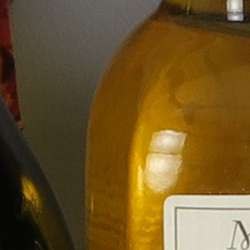
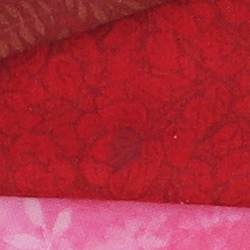
As expected, we see very similar image quality from the Canon G5X and G7X, since they share the same sensor, processor and 4.2x zoom lens. The newer G5X did however produce more accurate and pleasing colors, likely due to better custom white balance performance here. |
|
Canon G5X vs Canon G9X at Base ISO
 |
 |
 |
 |
 |
 |
|
Canon G5X at ISO 125
|
Canon G9X at ISO 125
|
|
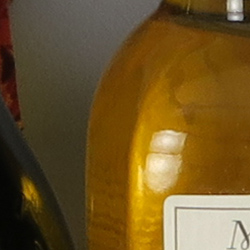
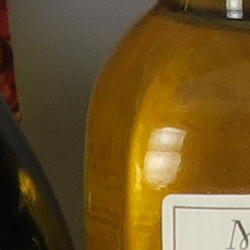
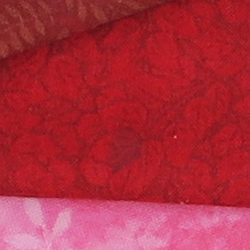
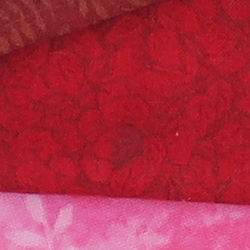
The Canon G5X and G9X also share the same sensor and processor though the G9X uses a smaller 3x zoom lens. Again, both siblings produce very similar image quality, though interestingly, the G5X manages to extract slightly better detail. That’s probably because of better optical performance from the G5X’s lens, at least at this focal length and aperture. (Both were shot at f/5.6 at roughly the same focal length of 31mm or 84mm equivalent which is maximum zoom on the G9X.) |
|
Canon G5X vs Fujifilm X30 at Base ISO
 |
 |
 |
 |
 |
 |
|
Canon G5X at ISO 125
|
Fujifilm X30 at ISO 100
|
|
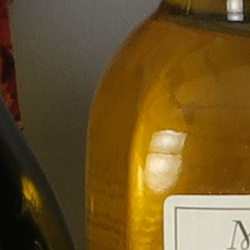
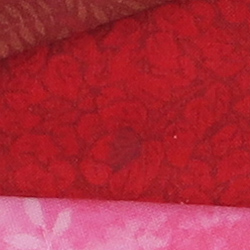
As expected, we see the 20-megapixel G5X easily out-resolves the 12-megapixel Fuji X30 with its smaller 2/3″ X-Trans CMOS II sensor, though the X30 otherwise does quite well for its class at base ISO. Default sharpening is however higher than the G5X with even more noticeable sharpening halos. |
|
Canon G5X vs Panasonic LX100 at Base ISO
 |
 |
 |
 |
 |
 |
|
Canon G5X at ISO 125
|
Panasonic LX100 at ISO 200
|
|
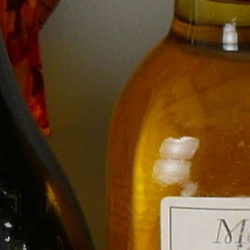
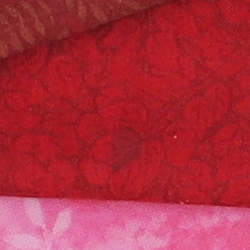
Above, we compare the 20-megapixel “1-inch” sensored Canon G5X to the 12.7-megapixel “4/3” sensored Panasonic LX100. The resolution difference is apparent here in both the relative element sizes and the higher detail from the G5X in all three crops at base ISO. But while the Canon’s resolution is higher, noise is also a little higher, as you can see in the background of the bottle shoulder crop. The G5X applies slighter stronger sharpening, though, which tends to exacerbate noise. Still, the Panasonic’s larger pixels pay off in terms of slightly lower noise when compared at 100% like this, but the G5X still wins overall with better detail and more accurate color at base ISO. |
|
Canon G5X vs Sony RX100 IV at Base ISO
 |
 |
 |
 |
 |
 |
|
Canon G5X at ISO 125
|
Sony RX100 IV at ISO 125
|
|
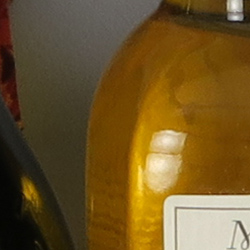
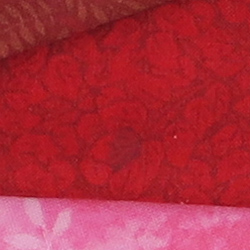
Here’s a comparison to another 20-megapixel 1-inch type sensor, this time the latest offering from the company that started the category. Here we see both cameras do very well at base ISO, but the Sony RX100 IV’s image looks a little cleaner as well as more contrasty, though with cooler colors. |
|
Canon G5X vs Canon G7X at ISO 1600
 |
 |
 |
 |
 |
 |
|
Canon G5X at ISO 1600
|
Canon G7X at ISO 1600
|
|
Again, apart from the better colors from the G5X, image quality is virtually identical from these two siblings at ISO 1600. |
|
Canon G5X vs Canon G9X at ISO 1600
 |
 |
 |
 |
 |
 |
|
Canon G5X at ISO 1600
|
Canon G9X at ISO 1600
|
|
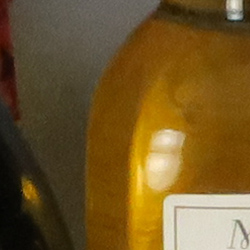
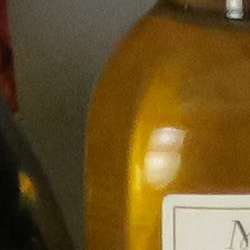
Image quality from these two sibling remains similar at ISO 1600, though again, the G5X captures more detail in the mosaic. Interestingly, the G5X’s image is also slightly cleaner. |
|
Canon G5X vs Fujifilm X30 at ISO 1600
 |
 |
 |
 |
 |
 |
|
Canon G5X at ISO 1600
|
Fujifilm X30 at ISO 1600
|
|
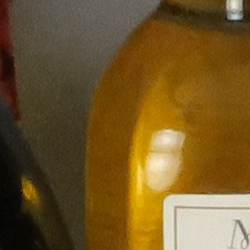
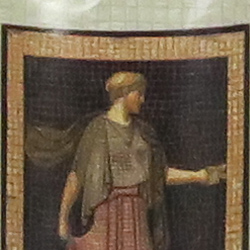
Again, the Canon G5X comes out ahead in this battle, with better detail, color and lower noise. At this ISO, the Fuji X30 renders almost no detail in the red-leaf fabric, though the G5X’s rendering is only a rough facsimile. |
|
Canon G5X vs Panasonic LX100 at ISO 1600
 |
 |
 |
 |
 |
 |
|
Canon G5X at ISO 1600
|
Panasonic LX100 at ISO 1600
|
|
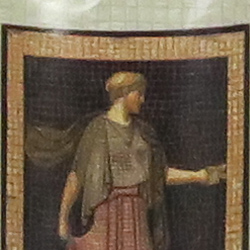
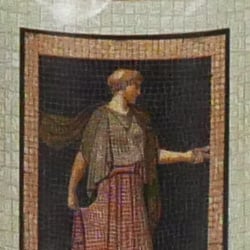
At ISO 1600, we see the LX100 pull ahead of the G7X with better detail despite the lower resolution. Luminance noise levels are similar, but the Canon produces a more natural-looking grain and does a little better with controlling chroma noise as well. Both struggle with the red-leaf fabric but the LX100 does much better with the pink. The G5X however produces more pleasing colors. |
|
Canon G5X vs Sony RX100 IV at ISO 1600
 |
 |
 |
 |
 |
 |
|
Canon G5X at ISO 1600
|
Sony RX100 IV at ISO 1600
|
|
Both the Canon and Sony 1″-type sensored cameras do fairly well at ISO 1600 considering their size, but again Canon’s processing looks more natural with fewer artifacts and slightly better detail while the Sony displays higher contrast and clarity, producing an image with more “pop”. |
|
Canon G5X vs Canon G7X at ISO 3200
 |
 |
 |
 |
 |
 |
|
Canon G5X at ISO 3200
|
Canon G7X at ISO 3200
|
|
Once again, the G5X and G7X produce nearly identical images apart from the improved colors from the newer model. |
|
Canon G5X vs Canon G9X at ISO 3200
 |
 |
 |
 |
 |
 |
|
Canon G5X at ISO 3200
|
Canon G9X at ISO 3200
|
|
Similar to what we saw at ISO 1600, the G9X’s image is a bit noisier and doesn’t contain quite as much detail as the G5X at ISO 3200, but both really struggle with noise and the effects of noise reduction at this sensitivity. |
|
Canon G5X vs Fujifilm X30 at ISO 3200
 |
 |
 |
 |
 |
 |
|
Canon G5X at ISO 3200
|
Fujifilm X30 at ISO 3200
|
|
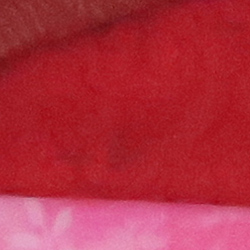
While the X30 does fairly well for such a high ISO sensitivity in a compact, the G5X comes out ahead in detail, noise and color at ISO 3200. |
|
Canon G5X vs Panasonic LX100 at ISO 3200
 |
 |
 |
 |
 |
 |
|
Canon G5X at ISO 3200
|
Panasonic LX100 at ISO 3200
|
|
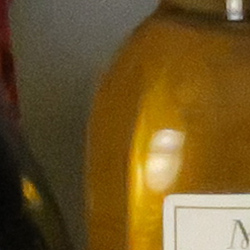
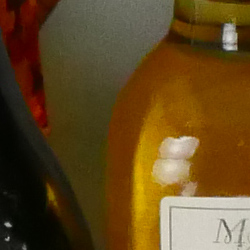
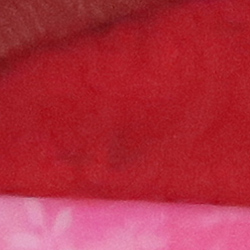
As expected, the LX100 comes out on top in this contest, with better detail and lower noise, but both struggle to reproduce any fine detail in our difficult red-leaf fabric. Color is still better from the Canon, though. |
|
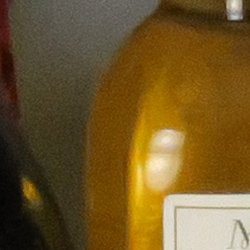
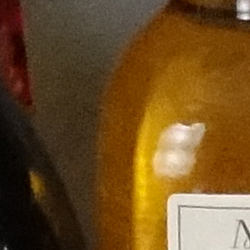
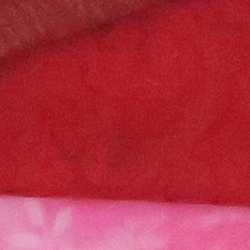
Canon G5X vs Sony RX100 IV at ISO 3200
 |
 |
 |
 |
 |
 |
|
Canon G5X at ISO 3200
|
Sony RX100 IV at ISO 3200
|
|
Here again the Canon comes out on top overall, with a more natural rendering and slightly better detail. The Sony’s image is a little clearer and more contrasty, but noise reduction artifacts distort fine detail, while noise grain from the Canon is more consistent and less obtrusive. |
|
Canon G5X vs. Canon G7X, Canon G9X, Fujifilm X30, Panasonic LX100, Sony RX100 IV
 |
 |
 |
 |
 |
 |
 |
 |
 |
 |
 |
 |
 |
 |
 |
 |
 |
 |
| Canon G5X ISO 125 ISO 3200 ISO 6400 |
Canon G7X ISO 125 ISO 3200 ISO 6400 |
Canon G9X ISO 125 ISO 3200 ISO 6400 |
Fujifilm X30 ISO 100 ISO 3200 ISO 6400 |
Panasonic LX100 ISO 200 ISO 3200 ISO 6400 |
Sony RX100 IV ISO 125 ISO 3200 ISO 6400 |
| Detail comparison. High-contrast detail is also important, pushing cameras in different ways, so we like to look at it too. At base ISO, the four 20-megapixel cameras come out ahead of the lower resolution models, easily resolving the fine lines inside the lettering as well as producing very good contrast, though the G9X’s softer lens puts it at a disadvantage. The LX100 produces excellent contrast as well, but its 12.7-megapixel resolution struggles to resolve all the fine lines. The X30 can’t fully resolve the lines even at base ISO, but does offer good contrast, though it’s oversharpened. At ISO 3200, the G5X and G7X pull ahead of the Sony, resolving more detail, but contrast isn’t as good from the G5X and there’s also some discoloration from the Canons. The LX100 continues to do well, but its contrast has dropped. The X30 fails to resolve any fine detail within the lettering at this sensitivity, and the Fuji’s saturation has dropped so much that the small red lettering is monochrome. At ISO 6400, the larger sensor in the LX100 clearly comes out on top. The G7X does a bit better than the G5X and much better than the RX100 IV in terms of detail, but the Sony has better contrast and fewer false colors. And once again, the G9X doesn’t do quite as well as the G5X or G7X, and X30 trails the pack with mushy detail and poor color. | |||||
Canon G5X Print Quality Analysis
High-quality prints up to 24 x 36 inches at ISO 125-200; Nice 8 x 10 inch prints at ISO 3200; and usable 4 x 6 inch prints at ISO 6400.
ISO 125/200 prints look very nice all the way up to 24 x 36 inches. Both ISOs produce virtually identical images, with lots of detail and vibrant colors. At 24 x 36 inches, we’re pushing the resolving power of the camera’s 20-megapixel 1-inch sensor, but at normal viewing distances for prints of this size, the detail level is quite good. Size down to a 20 x 30 inch print for even crisper detail.
ISO 400 images begin to show the faintest hint of softness compared the earlier ISOs, though noise overall is of very little concern. Fine detail is still very good, however, and we’re able to print up to a large 20 x 30 inches. At this size, we see lots of detail, even in our tricky red-leaf fabric area.
ISO 800 prints top-out at 13 x 19 inches, as we begin to see stronger softening effects due to noise and noise reduction. At this print size, however, detail is still good and noise is not offensive. We’d even be okay with a 16 x 20 inch print for less critical applications.
ISO 1600 images display slightly stronger noise, as expected, though NR processing does well to subdue graininess — but at the expense of some fine detail. Up to 11 x 14 inch prints, details look great and colors remain pleasing and saturated.
ISO 3200 prints take a dip down to 8 x 10 inches, as noise becomes noticeably stronger and makes larger-sized prints unacceptable to our eyes. Aside from our tricky red-leaf fabric swatch, which has become rather devoid of detail, prints at this size look clean and crisp.
ISO 6400 images top-out at 4 x 6 inches, as noise is quite strong now and in our opinion, detail becomes too soft to call larger prints acceptable. Colors also appear less vibrant and pleasing with a subtle greenish tint.
ISO 12,800 prints should really be avoided if at all possible, as noise and detail loss is quite strong. A 4 x 6 may be usable for less critical applications, however.
The Canon G5X offers nice performance with prints, especially at lower ISOs. Base ISO and ISO 200 images resolve a lot of detail and display great colors, which allow for large prints up to 24 x 36 inches. Moving up the ISO scale, the noise increases, as expected, but it mostly stays under control thanks to decent noise reduction processing — but at the expense of some fine detail. At ISO 1600, for example, the G5X still manages a nice 11 x 14 inch print. The camera also manages a rather crisp and clean 8 x 10 at ISO 3200, and manages an acceptable 4 x 6 at ISO 6400. The G5X’s top ISO of 12,800 should be avoided for prints if possible, however.
Field Test
A viewfinder & more features make this a solid compact camera
by Jeremy Gray | Posted 12/30/2015
 |
|
24mm equivalent (8.8mm), f/5.6, 1/10s, ISO 125
This image has been modified slightly. Click for original image. |
Introduction
Following 2014’s Canon G7X, the Canon PowerShot G5X uses the same image sensor, autofocus system, and processor as the G7X, but makes numerous changes to the camera body that make the G5X more enjoyable to use out in the field. The addition of an electronic viewfinder (a first for a Canon G-series PowerShot camera) and a fully-articulating rear display are particularly nice additions, but there is also a new front grip and more buttons to give photographers additional comfort and control.
Key Features
- Built-in 24-100mm f/1.8-2.8 equivalent lens
- 20.2-megapixel BSI-CMOS 1″-type sensor
- 2.36 million dot OLED electronic viewfinder
- 3″ fully-articulating rear touchscreen display
- ISO range of 125-12,800
- 1080/60p video recording
 |
Viewfinder and grip make the G5X a nice camera body
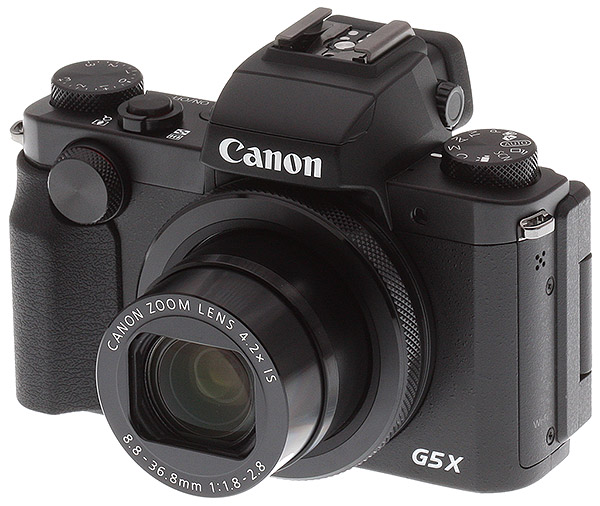
The Canon PowerShot G5X is a bit larger than its G7X sibling, but the G5X remains a relatively compact camera. At 13.3 ounces (377 grams), the G5X weighs about 2.7 ounces (75 grams) more than the G7X and is about 0.4 inches wider, 0.6 inches taller, and 0.2 inches deeper. Where the G5X looks the most different from the G7X is on the top of the camera because unlike the G7X, the G5X has an electronic viewfinder. The 2.36-million dot OLED viewfinder is centered above the built-in lens’ central axis and adds both bulk and functionality to the new PowerShot compact camera. There is also a small front grip on the G5X, another feature that the the G7X lacks. With the addition of a viewfinder and a front grip, the G5X will not easily fit into a pocket, however.
 |
The 3″ rear touchscreen tilts and swivels around a side-mounted axis. The touchscreen works really well and looks good, even in moderately bright light. The G5X also has a wide range of physical controls, including a front dial and an exposure compensation dial. The exposure compensation dial is on the top deck of the camera and can be easily used while looking through the viewfinder, but each one-third stop is close together and it can be difficult to quickly make precise adjustments. The front dial is useful and easy to reach. I do think that the center of the front dial would have been an excellent place to put a function button, but the G5X nonetheless offers an impressive amount of control considering its compact size.
 |
With Wi-Fi and NFC capabilities, as well as connectors for a remote, USB, and HDMI, the G5X is well-connected, although there aren’t headphone or microphone jacks. The camera isn’t water- or dust-proof, but it does feel well-built and sturdy. The tilting mechanism of the display is strong and there aren’t any sensitive electronics in harm’s way behind the display. The biggest knock on the otherwise good G5X camera body is that the battery life supports only 210 shots when using the LCD monitor and 215 when using the electronic viewfinder. There is an ‘Eco mode’ that can improve battery life to around 320 shots when using the LCD display (the display is dimmed and shut off sooner than by default), but a spare battery is still highly recommended.
Dependable sensor delivers fine results
The G5X uses the same 1″-type 20.2-megapixel backside-illuminated CMOS sensor that’s found in the G7X. It’s a good sensor for its size and delivers sharp images with good colors and contrast. JPEG files are much sharper straight from the camera than RAW files. With default Adobe Camera Sharpening applied to RAW files, they still need quite a bit of additional sharpening applied before they have the same clarity as JPEG files straight from the camera.
|
100% crops of SuperFine JPEG (left) vs RAW (right) files
|
|
 |
 |
|
As you can see above, JPEG images with default sharpening applied in-camera have a lot more clarity than RAW files processed with default sharpening in Adobe Camera Raw. RAW files from the G5X need additional processing to have the same level of detail as JPEG files have straight from the camera.
|
|
Recovering shadow and highlight detail is fairly easy with the G5X’s RAW files, although you certainly aren’t going to be able to capture the same dynamic range you can on many larger sensors.
 |
|
24mm equivalent (8.8mm), f/3.5, 1s, ISO 125
This image has been modified slightly. Click for original image. |
I was impressed by the G5X’s color rendition and overall tone, particularly when using the auto white balance setting. When the light was warm, the G5X maintained much of this warmth and captured what I saw rather than attempting to neutralize colors and tones. Overall, it’s a solid sensor that performs well in many situations even if it’s RAW images need additional processing and don’t possess a lot of sharpness or dynamic range.
Useful focal length range, but lens’ optical quality is disappointing
The built-in 8.8-36.8mm lens provides a 35mm-equivalent focal length of 24-100mm and an equivalent aperture of 1.8-2.8. The aperture is f/1.8 only at 24mm, f/2.0 at 28mm, f/2.2 at 35mm, f/2.5 at 50mm, and finally the lens’ slowest maximum aperture, f/2.8, by 55mm. The lens itself is quite compact, protruding out only slightly further than the viewfinder and front grip when the lens is retracted. Once the lens is opened, it is still quite compact, even when extended to the 100mm equivalent focal length. The lens barrel has a diamond-knurled ring around it that allows additional control, such as changing the aperture when shooting in manual mode.
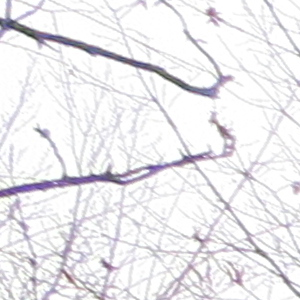
While the build quality and compact size of the lens is impressive, its optical quality leaves a bit to be desired, unfortunately. When shooting with the lens wide open at either extreme end of the focal length, there are issues. At 24mm, there is a lot of fringing around fine, high-contrast details. At 100mm, the more pressing issue is a loss of corner sharpness. I found that corner sharpness and fringing proved to be somewhat problematic across the entire focal length range. As you can see below, in both the case of fringing and corner sharpness, stopping the lens down helps to reduce the problem. However, stopping down past f/5.6 leads to diffraction and a slight softening to the entire image.
|
100% crops of JPEG images taken at 24mm showing the purple fringing issues of the G5X’s built-in lens: f/1.8 (left) and f/5.6 (right).
|
|
 |
 |
|
Stopping down the lens does help with purple fringing issues around finely-detailed, high-contrast elements in an image, but it doesn’t completely alleviate the problem. Fringing issues are a common occurrence with the G5X’s built-in lens.
|
|
|
100% corner crops of JPEG images taken at 100mm showing the difference in sharpness when stopping down the built-in lens from f/2.8 (wide open, left) to f/5.6 (right).
|
|
 |
 |
|
Stopping down the lens dramatically increases corner sharpness, which is generally weak when shooting the G5X wide open.
|
|
Impressive metering makes the G5X enjoyable to use in the field
With user-friendly controls and a tilting touchscreen, the G5X performs well out in the field. Despite having a compact camera body that doesn’t have a large number of buttons, the G5X manages to offer extensive control through its good use of a touchscreen and the Quick Menu button. Located in the center of the navigation buttons, the Quick Menu button brings up a menu on the rear display that provides access to the following settings: AF method, file quality, movie quality, self-timer, neutral density filter, metering mode, ISO speed, white balance, and when recording JPEG files you also have access to My Colors, DR correction, and shadow correction. You can navigate this menu using buttons, but it is much faster to use touch because all of the on-screen buttons are large enough to tap accurately. The menu feels designed around touch, which makes it a fast way to access the most important and most-used camera settings. Beyond this Quick Menu, the full camera menu itself is also well-organized and quick to navigate.
 |
|
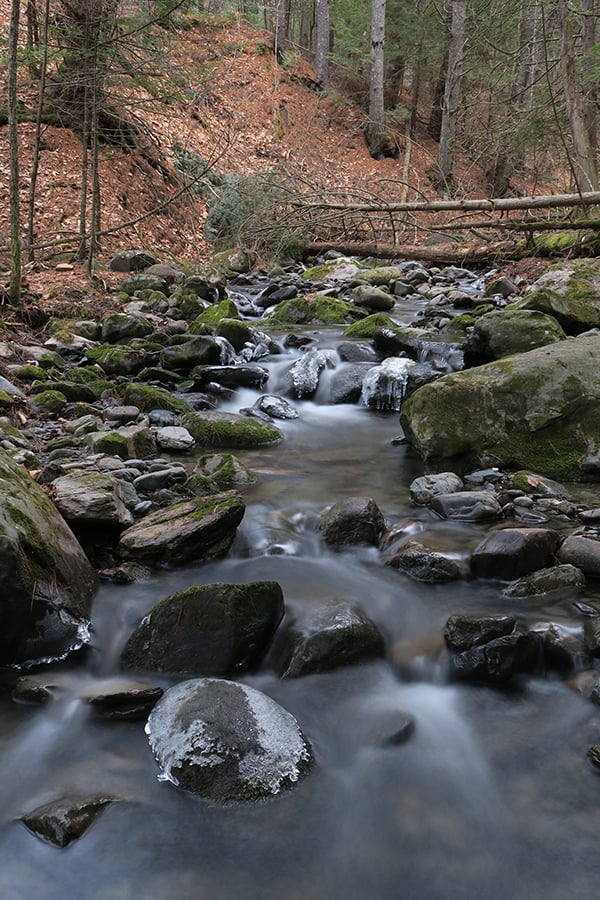
31mm equivalent (11.6mm), f/5.6, 4s, ISO 125, neutral density filter on
This image has been resized. Click for original image. |
An electronic viewfinder was a big omission on the G7X, so it is great to see the G5X rectify that. The 0.39″ OLED EVF has 2.36 million dots and provides 100% coverage. The EVF is centered above the lens and is a fixed design, rather than the pop-up design seen on some other cameras in this class, most notably the two most recent Sony RX100-series models. The EVF is bright, vibrant, and sharp, but it does suffer from some performance issues. In my experience, the display was slightly sluggish, and it suffered from a stuttering frame rate on occasion. The EVF does not perform well when shooting moving subjects. With that said, having an EVF is great and it is a good EVF most of the time.
The G5X puts its evaluative, center-weighted average, and spot metering options to good use. In good light, the G5X meters both exposure and white balance very well. Its white balance metering is particularly impressive, as it is able to retain the tones from a scene really well using auto white balance. For example, when shooting during the golden hour, the G5X doesn’t attempt to neutralize the warmth of the scene but instead does a good job of preserving it. I often see cameras that rob a scene of its natural colors when using auto white balance, so it’s great to see the G5X perform well in this regard. Exposure metering is good too, although when shooting in low light the G5X tends to underexpose scenes slightly. The easy-to-reach exposure compensation dial on the top of the camera is particularly useful in these situations, but is otherwise not needed often as the G5X meters well overall.
 |
|
24mm equivalent, f/4.5, 1/640s, ISO 125, -0.67 exposure compensation
This image has been resized. Click for original image. |
The standard exposure modes are all here, aperture priority, shutter priority, manual, and program auto. They all work perfectly well, although aperture priority mode can only utilize exposures as slow as one second, which is a bit surprising and means that you need to use manual mode in low light if you want longer exposures. If you hit the one-second shutter speed limit in aperture priority, the shutter speed indication becomes orange on-screen, but the camera will still let you capture an underexposed image.
Also, when shooting in manual mode, the ring around the lens controls aperture, which works well. The G5X’s fully automatic mode — which doesn’t capture RAW files by the way — does a good job. With good metering and decent autofocus performance (more on that in the next section), the G5X can easily capture good images in fully automatic mode.
 |
|
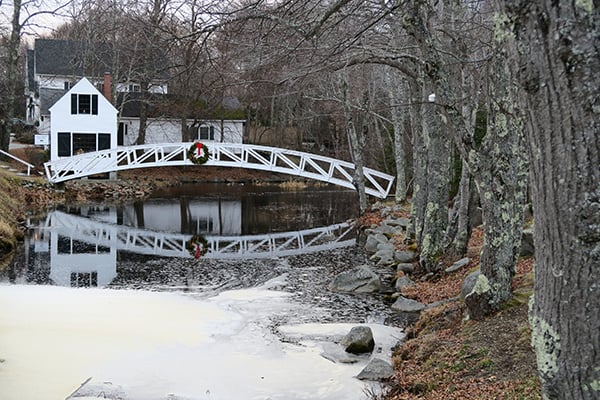
50mm equivalent (18.6mm), f/4, 1/60s, ISO 200, Auto mode
This image has been resized. Click for original image. |
There are also Creative Shot and Scene modes. In Creative Shot mode, you select from a variety of presets, and then the camera captures multiple images with a variety of visual styles. You select the desired preset by using the lens ring and can choose from auto, natural, special, monochrome, and retro. In Scene mode, the G5X allows you to choose between a wide variety of presets, including self portrait, portrait, HDR, miniature effect, monochrome, and super vivid. In scene mode, depending on the chosen preset, you have different camera settings options available. In all cases, you can only record JPEG images, however. One notable omission is any sort of panorama shooting mode, but otherwise the G5X offers a wide variety of special filters and effects.
With great metering performance, a good electronic viewfinder, and many user-friendly controls, the G5X is a fun camera to use. While it is small in stature, the G5X doesn’t feel small to use thanks to an effective front grip and a plethora of interesting features.
Decent all-around autofocus, but can struggle with difficult scenes
Autofocus performance with the G5X is pretty good, but it isn’t excellent. There aren’t a lot of autofocus points, only 31, nor are there a lot of autofocus features or options. The G5X does have touch AF and face detection though, which is really nice. The G5X uses contrast detect autofocus, and this provides accurate autofocus performance in many situations. The autofocus speed is not particularly quick nor sluggish, it is just decent all-around for its class. In low light, the autofocus performance drops off somewhat, but it still works quite well in difficult lighting conditions. I found that autofocus can struggle in difficult situations, such as when photographing a small subject or when your subject is somewhat obstructed. The AF system is not sophisticated enough to deal with those situations in particular, or complex scenes in general.
Its 31 autofocus points can be utilized in one of two ways, either subject tracking or 1-point AF. The fully automatic object and face detect AF does a good job of picking out subjects, provided that they are relatively large and contrast with the scene well. The G5X is hesitant to use only a few autofocus points in this mode, so your subject needs to cover a large portion of the frame for the G5X to do a consistently good job autofocusing. When your subject is small or you just want more control, 1-point AF does a good job. In addition, utilizing the touch screen to tap-to-focus on your subject is great, particularly when using the G5X on a tripod. By tapping the subject, the camera will automatically also try to track it, so you can safely recompose your image without having to reacquire focus.
 |
|
38mm equivalent (14mm), f/2.5, 1/80s, ISO 3200
This image has been resized. Click for original image. |
On the topic of subject tracking, this is an area of weakness for the G5X. Its continuous autofocus performance is not strong as it often fails to maintain focus on a moving subject, and it is simply too slow to adjust much of the time. When a subject is moving fairly slow, the subject tracking does work pretty well, but it is not a camera designed for fast action.
Despite a few shortcomings, the G5X’s autofocus performance is generally consistent and dependable. It offers enough options and performance for many applications.
Good shooting speeds with JPEGs, but sluggish with RAW
Although not as fast as some of its competitors, the DIGIC 6-powered G5X is still capable of shooting at up to 7.6fps when recording large super fine JPEG images (without continuous AF), despite Canon’s own claim of the G5X being able to shoot at 5.9fps. This frame rate is only for shooting JPEG files, though, because the continuous shooting performance drops to a paltry 0.75fps with just RAW files. When shooting both RAW and large super fine JPEG images, the fps drops further to 0.61fps. The buffer with both RAW and RAW + JPEG file quality is decent, with both being able to capture 20+ frames before slowing down and being able to clear the buffer in around 2 seconds, likely due to the slower burst rates. The buffer depth when shooting JPEG images, however, at the fastest 7.6fps is only around 8 frames, which is disappointing.
 |
|
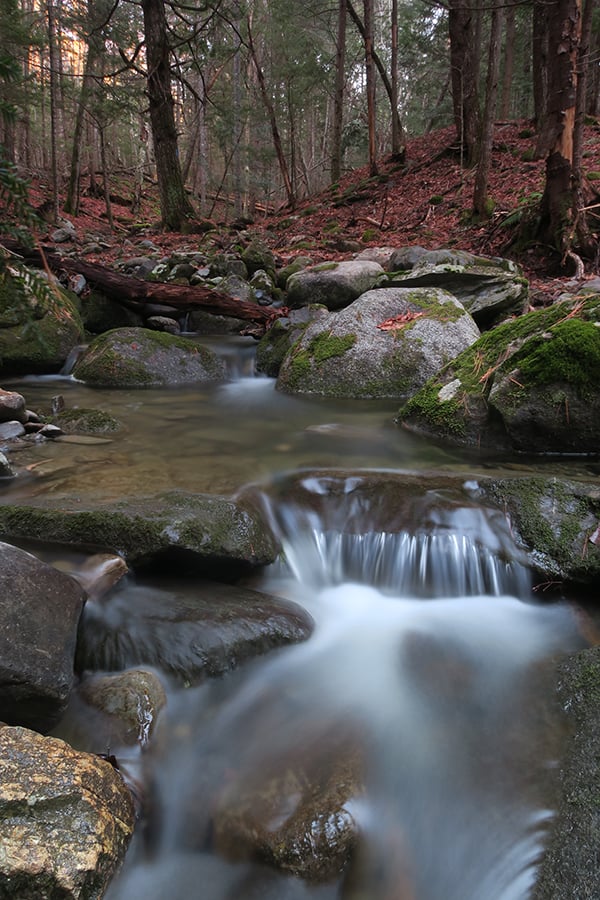
24mm equivalent (8.8mm), f/6.3, 13s, ISO 125, neutral density filter on
This image has been resized. Click for original image. |
Another area that can be limiting is the G5X’s shutter speed, which is capped at 1/2000s. Shooting at f/1.8 with a shutter speed of only 1/2000s can be difficult in bright lighting conditions, so the G5X incorporates a built-in 3-stop neutral density filter to help deal with this. You can set the neutral density filter to off, on, or auto. In addition to being useful for shooting with wide apertures in bright light, I also liked using the neutral density filter for shooting long exposure images of moving water.
 |
|
24mm equivalent (8.8mm), f/1.8, 0.5s, ISO 1600
This image has been resized. Click for original image. |
Pleasing high ISOs for its class & a surprisingly powerful flash
The G5X has a native ISO range of 125-12,800 (with no expanded ISO options). Its overall high ISO performance is pretty good for its sensor size, but not great in absolute terms. When recording JPEG files with default (standard) noise reduction, the G5X captures images with good detail and noise levels up through ISO 1600. At ISO 3200, there is a dramatic loss in detail and images take on a very soft appearance. Further, images start to take on a sort of glow as fine details and lines are softened as the camera tries to eliminate visual noise. JPEG files at ISO 3200 and above stop looking like regular photos and start looking more like photos that have had some sort of painting effect filter applied to them. Surprisingly, JPEG files at ISO 3200 and ISO 6400 don’t look too different from one another. The level of detail is similar and there is only a bit more visual noise at ISO 6400, so if you are okay with using ISO 3200 JPEG files for a particular purpose, then ISO 6400 files should work well for you too. I wouldn’t push the ISO past 1600 if I could avoid it, but I would be comfortable using JPEG files at ISO 3200 and 6400 for small image sizes, such as web viewing.
|
Canon G5X Noise Reduction Comparison: ISO 6400, 100% crops from JPEG files (click for full images)
|
||
 |
 |
 |
|
Noise Reduction Low
|
Noise Reduction Standard (default)
|
Noise Reduction High
|
Comparing in-camera noise reduction, the default level, ‘standard,’ is a bit heavy-handed, in my opinion. By turning noise reduction down to ‘low,’ you do introduce quite a bit more visual noise, but you also end up with much more detailed images. The overall noise pattern is pretty consistent at higher ISOs, and I don’t think that it is particularly unpleasant when viewing images at less than 100%. By using default noise reduction, you lose a lot of fine detail in JPEG images at high ISOs. High noise reduction is bad, in my opinion, and makes images look very artificial and ugly.
|
Canon G5X Noise Comparison 100% Center Crops from RAW images (Click images for full-size files).
RAW files resized in Photoshop with default sharpening and noise reduction turned off. |
|
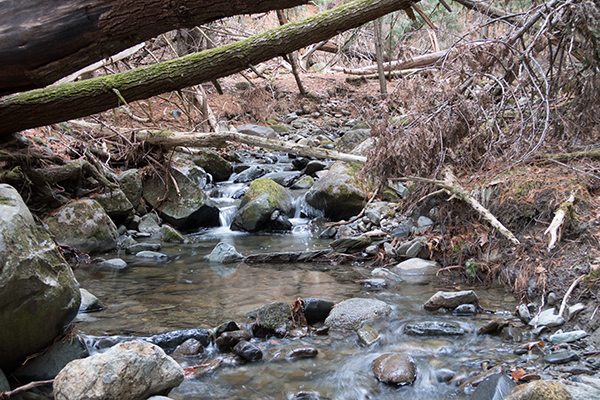 |
|
|
ISO 125 Full Scene
|
|
 |
 |
|
ISO 125
|
ISO 200
|
 |
 |
|
ISO 400
|
ISO 800
|
 |
 |
|
ISO 1600
|
ISO 3200
|
 |
 |
|
ISO 6400
|
ISO 12800
|
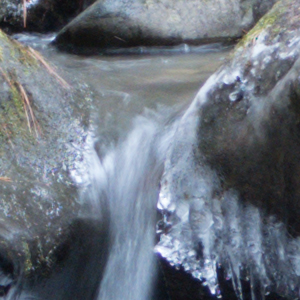
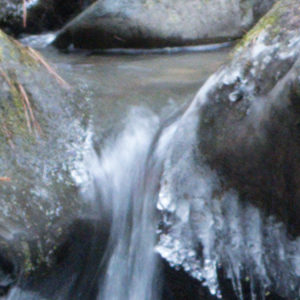
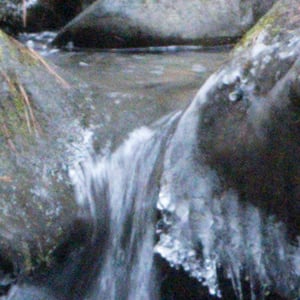
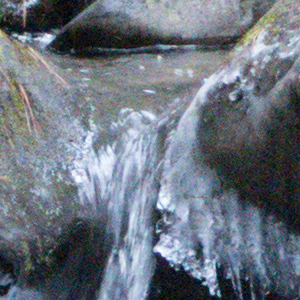
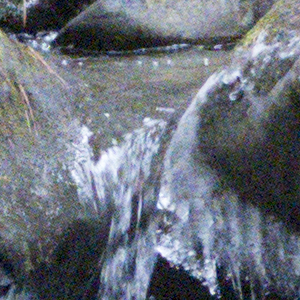
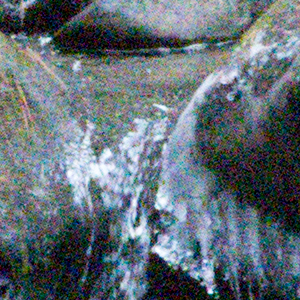
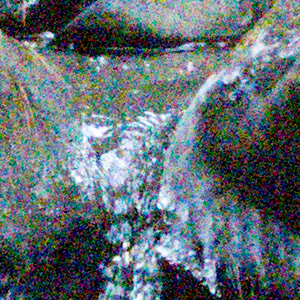
RAW files are quite different. With default noise reduction turned off in Adobe Camera RAW, the G5X’s RAW files start to look fairly noisy, particularly in shadow areas, at ISO 800. At ISO 1600, visual noise has increased by a moderate amount and the entire image has moderate levels of color noise. However, the image is still quite detailed and through a bit of noise reduction in post-processing, RAW files at ISO 1600 can look similar to their JPEG counterparts. Reducing the noise levels of RAW files at ISO 3200 in post-processing leads to pretty soft images, in my experience, but they still look a bit better to me than JPEG files at ISO 3200 with default noise reduction applied in-camera.
 |
|
24mm equivalent (8.8mm), f/2.8, 0.3s, ISO 125, slow-sync flash on
This image has been modified slightly. Click for original image. |
The G5X has a built-in flash with a unique, compact, pull-up design. To use the flash, you just grip the plastic ridges on the sides of the front of the viewfinder and pull the flash upwards, there’s no release button needed. The flash itself is quite small, although it packs a surprising amount of power for its size. Using auto ISO and a wide focal length, the G5X’s flash can provide light up to 23 feet (7m). At the telephoto focal length, this range decreases to 13 feet (4m) due to the change in maximum aperture. The maximum flash sync is 1/2000s with the G5X.
Not a lot of video features, but the performance is good
The G5X doesn’t include much in the way of video features or performance above and beyond a fairly standard set of amenities. It can only shoot up to 1080p resolution and 60fps, so 4K video and slow motion video is not available. There are also no microphone or headphone inputs on the camera.
Fortunately, the video performance that the G5X does offer is good. Autofocus, although slightly sluggish at times, is quite accurate, and metering is very good. You can record video in multiple exposure modes, but there’s also a dedicated video mode that allows you to choose from standard, short clip, manual, and iFrame movie options. The standard video mode is fully automatic and works well. You can use the touchscreen to select focus and also tap an exposure lock button on the display to lock a particular exposure. The G5X is not able to match some of its competitors in the video department, but it does still provide solid performance.
Canon Camera Connect app does its job well
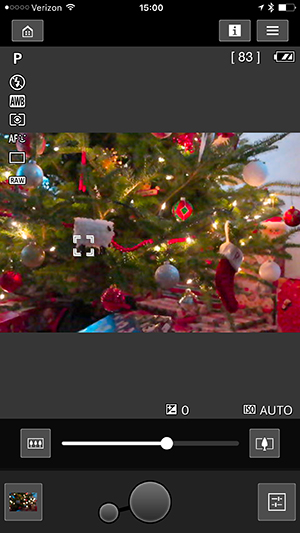
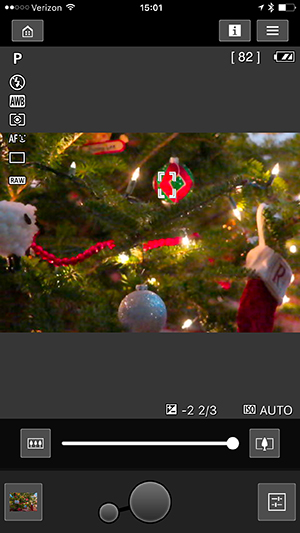
The Canon Camera Connect app works well and gives you a good means for remotely controlling the G5X. Connecting the camera to my iOS device was simple and required only a few steps on my phone. The camera body itself has a dedicated wireless functionality button on the side of the camera, which brings up the wireless function menu.
|
Canon Camera Connect application screen shots
|
|
 |
 |
Providing good performance and remote control options, the Camera Connect app is a solid wireless remote control application. The real-time viewfinder on the mobile device is steady and detailed enough to be able to determine focus. You can even autofocus the camera without having to capture an image, which is a nice feature. You can’t change any exposure modes via the wireless app, unfortunately, and any physical mode changes does on the camera are not reflected in the app. However, bumping or changing dials on the camera, unintentionally or not, does not interrupt the Wi-Fi connection, which is nice.
Canon G5X Field Test Summary
Compact camera offers ample control and provides solid performance for most subjects
What I like:
- OLED viewfinder, front grip, and plentiful controls without sacrificing its compact size
- Lens provides a useful focal length range
- Good quality images
What I dislike:
- Optical quality lens is a bit disappointing
- Decent, but not great, autofocus performance
- Slow continuous RAW shooting
- No 4K video
 |
|
66mm equivalent (24.5mm), f/5.6, 3.2s, ISO 125
This image has been resized. Click for original image. |
The Canon G5X improves upon the G7X in numerous ways by adding an electronic viewfinder, front grip, and an articulating rear display. Building upon a familiar DIGIC 6 processor and 1″-type 20.2-megapixel BSI-CMOS sensor, the G5X provides good performance with a few shortcomings. RAW image performance is good, although the files don’t have a lot of detail or dynamic range. Continuous shooting performance ranges from decent to poor and leaves a lot to be desired. With that said, the G5X does provide good overall performance, and if you want a small, lightweight camera that includes many features, then the G5X may be an excellent option for you.
Flash
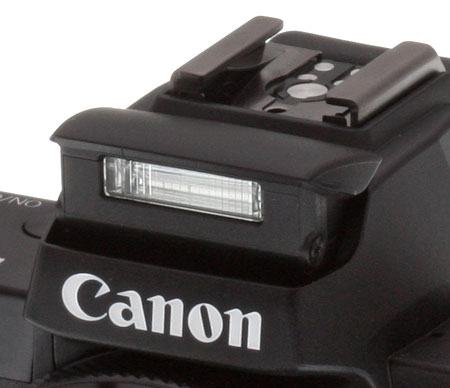
Built-in Flash Test Results
Coverage, Exposure and Range
A weak flash (common in compacts), with uneven coverage at wide angle.
| Coverage |
|---|
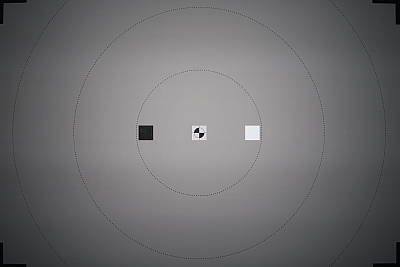 24mm eq. |
Coverage. Flash coverage was quite uneven and very narrow at wide angle (not unusual, though, especially for a wider-than-average lens). We no longer test this at full telephoto, as wide angle is invariably the worst case.
| Exposure | |
|---|---|
 |
 |
| Normal Flash f/4, 1/60s, +0.7 EV, Auto ISO (ISO 640) |
Slow-Sync f/4, 1/50s, +0.7 EV, Auto ISO (ISO 640) |
Exposure. When it came to exposure, the G5X’s built-in flash underexposed our Indoor Portrait subject at its default setting, requiring +0.7 EV flash exposure compensation which is about the average required for this shot. But to achieve this exposure, the camera boosted ISO to 640 and the resulting image was quite warm and orange because of the ambient lighting. The camera’s slow-sync flash mode continued to boost ISO to 640 which only had a minor effect on shutter speed, dropping it to 1/50s and brightening the image slightly.
Manufacturer-Specified Flash Range |
|---|
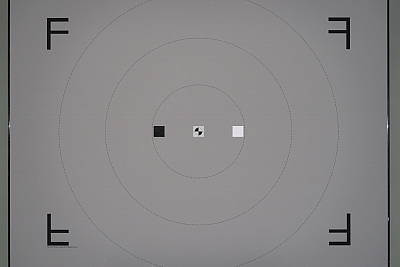 13.0 feet ISO 640, 1/60s, f/2.8 |
Manufacturer Specified Range. Canon rates the PowerShot G5X’s flash range at 4 meters or 13 feet at telephoto and maximum aperture, when using Auto ISO. In the test shot above, the PowerShot G5X’s flash performed to Canon’s specifications, producing a well-exposed flash target image wide-open at full telephoto, with the camera boosting ISO to 640.
We shoot at manufacturer-specified camera settings, at the range the company claims for the camera, to assess the validity of the specific claims.
Conclusion
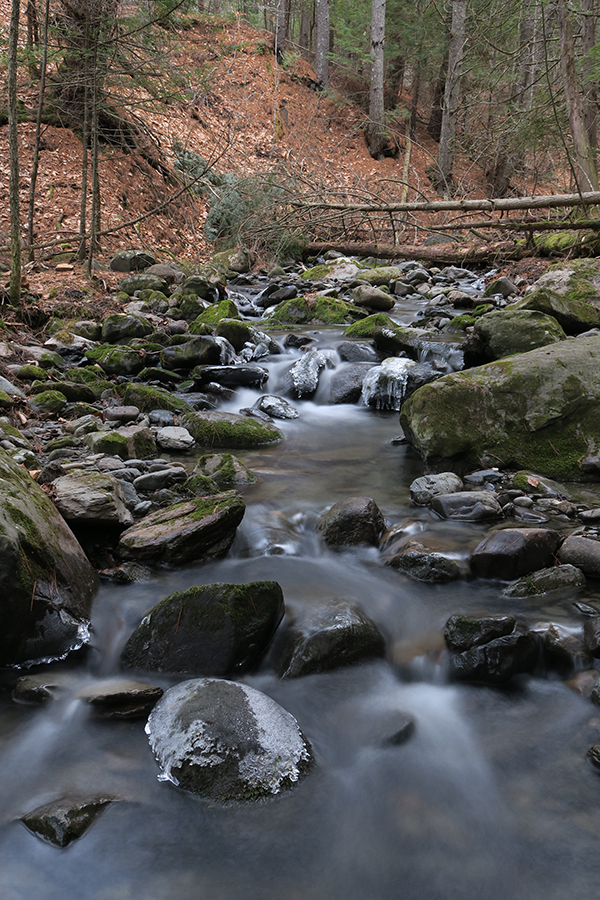 |
|
31mm equivalent (11.6mm), f/5.6, 4s, ISO 125, neutral density filter on
This image has been resized. Click for original image. |
The Canon PowerShot G5X combines the backside-illuminated 20.2-megapixel 1″-type sensor and 24-100mm equivalent lens from the G7X with a newly-designed camera body to create an impressive compact camera that should satisfy more experienced photographers.
A camera body that aims to satisfy experienced photographers
When Canon released the PowerShot G7X in October of 2014, many people lamented the lack of a viewfinder. With the release of the PowerShot G5X this past November, this omission has been addressed with the addition of a 2.36-million-dot OLED EVF. The viewfinder generally performs well, although it was sluggish at times and struggled to keep up with fast action. When using the electronic viewfinder rather than the fully articulating touchscreen display, battery life improves slightly from 210 to 215 shots according to CIPA numbers, but that’s still pretty poor. The camera does however provide an ‘Eco mode,’ which significantly improves battery life to approximately 320 shots when using the LCD.
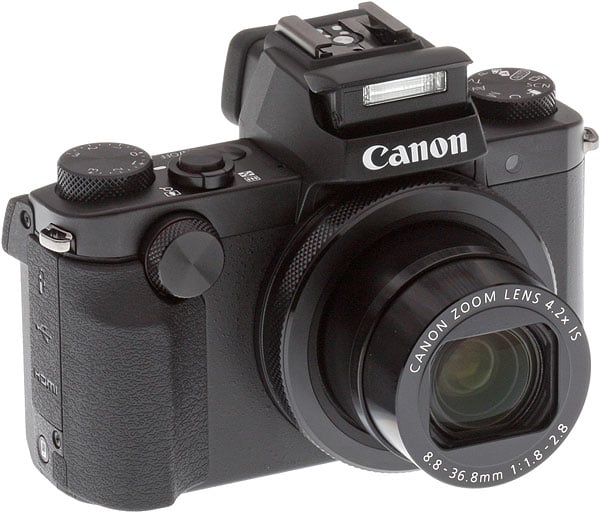 |
While the internals of the two PowerShot cameras are essentially identical, the Canon G5X is a larger camera overall with many more external controls. The addition of a front grip, viewfinder, hot shoe and many more buttons and dials has resulted in the G5X being 0.37 inches wider, 0.63 inches taller, and 0.15 inches deeper than the G7X, along with adding 2.65 ounces (75g) of weight.
1-inch sensor gets the job done
The Canon G5X’s back-side illuminated 20.2-megapixel 1″-type sensor produces good quality images with lots of detail. At default settings, the G5X captures fairly sharp JPEG images. The default sharpening isn’t excessive, but it can still cause some visible edge enhancement artifacts around fine, high-contrast details. RAW images are a bit soft before processing, but with a good RAW converter, they can produce sharp images with less artifacts than their in-camera JPEG counterparts. We found that at lower ISOs, such as base ISO and ISO 200, the Canon G5X offers nice print quality, with good detail even up to 24″ x 36″ prints.
 |
|
24mm equivalent (8.8mm), f/3.2, 1/30s, ISO 125, -1.33 exposure compensation
This image has been resized. Click for original image. |
Dynamic range performance from the G5X is pretty good. DxOMark has not yet published their analysis of the Canon G5X, however, given that the G5X shares the same sensor as the G7X, we expect similar numbers from their testing. The G5X should therefore have a landscape dynamic range around 12.7 EV, which puts it 0.1 EV above the Sony RX100 IV (virtually identical) and 0.4 EV above the RX100 III. The Canon G5X also includes an Intelligent Contrast (i-Contrast) feature that offers “dynamic range correction” to tame highlights and “shadow correct” to enhance shadow detail in JPEGs. While both options make a difference, the “shadow correct” setting provided a much more noticeable impact on images by boosting midtones and shadows.
Aggressive noise reduction, but otherwise good high ISO shots
For its size, the Canon G5X provides good high ISO performance, although it does come up short compared to some of its competitors. Default JPEG processing and noise reduction leads to fine detail loss even as low as ISO 400. Past ISO 1600, there is a rapid degradation in image quality, with ISO 3200 and 6400 images providing good prints only up to 8″ x 10″ and 4″ x 6″ sizes, respectively. Beyond ISO 6400, we found that prints are just not recommended. The G5X did fare better against its competition when comparing RAW performance, so you’re better off to use RAW image quality when shooting at higher ISOs.
Dependable autofocus performance with consistent results
Utilizing 31 autofocus points, we found that the Canon G5X was a dependable camera in terms of autofocus for the most part, but not fast or adept at handling difficult subjects. When photographing small or moving subjects, autofocus at times struggled with speed and accuracy. While not very fast or sophisticated, the G5X’s autofocus did prove to be consistent. Users also have the ability to tap on the LCD to select the focus point, which works well when photographing stationary subjects.
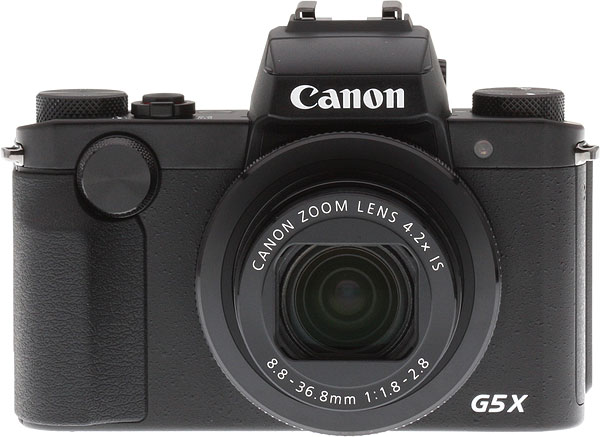 |
24-100mm lens is sharp in the center, but soft in the corners
The Canon G5X’s 4.2x 24-100mm equivalent f/1.8-2.8 lens offers more zoom range than its current direct competitors, but remains an area of weakness for this otherwise fairly solid camera. We found that the lens was soft in the corners when shooting wide open at both wide angle and telephoto, although it was sharp in the center across the focal length range. Corner performance at telephoto improved dramatically when the lens was stopped down, but the strong barrel distortion correction required at the shortest focal lengths kept corners soft at wide angle even when stopped down. Aberrations are mostly well-controlled, although there is some purple fringing around high-contrast subjects. The lens is however compact for its zoom range and brightness, has a useful control ring around its barrel, and has a built-in 3-stop neutral density filter.
Slow continuous shooting speeds in most scenarios
Despite being powered by a newer DIGIC 6 image processor, the Canon G5X is a rather slow-performing camera. Continuous high speed shooting is underwhelming. It topped out at 7.6 frames per second when shooting Large/Super Fine JPEGs in our tests (with focus and exposure locked at the first frame), which is actually faster than Canon’s listed specification of 5.9 fps, but this is still below average performance for this class of camera. During our testing, the buffer filled after only 8 frames when shooting continuous best quality JPEG files. Continuous burst shooting with RAW files was very slow at only 0.75 fps, however the buffer performance was much better at over 20 frames and it cleared in just 2 seconds. According to Canon, with continuous autofocus, the G5X can capture JPEG images at 4.4 fps.
Not feature-packed but solid 1080p video performance
Video features are somewhat lacking on the Canon G5X. It can record 1080p video at up to 60 fps, which is nice, but there are no 4K or slow motion video features available. The camera also does not have microphone or headphone jacks, which limits its attractiveness to more serious videographers. We did find that its video performance was pretty good, though, with nice image quality, decent autofocus capabilities, and impressive metering. The PowerShot G5X’s touchscreen is also put to good use when recording video, allowing for focus and exposure locking via touch.
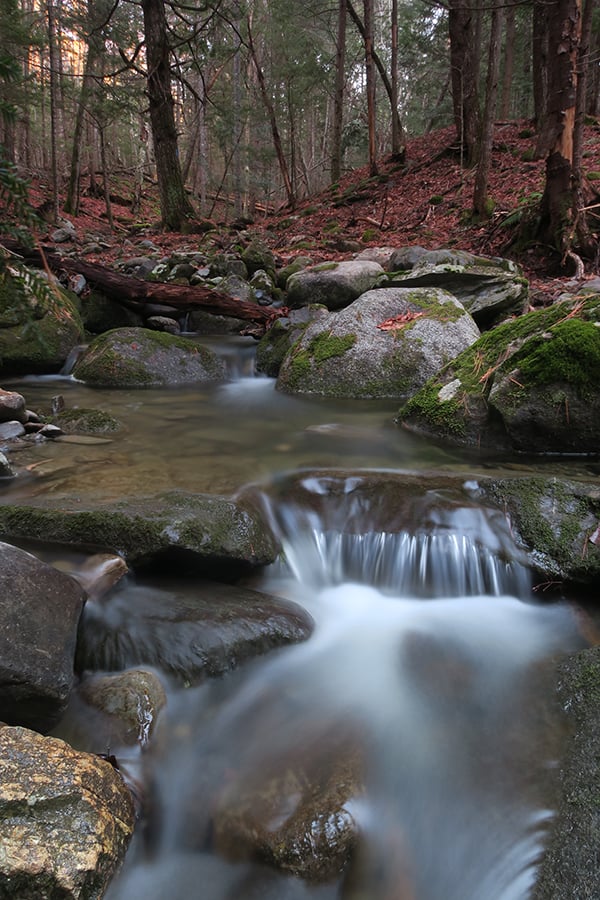 |
|
24mm equivalent (8.8mm), f/6.3, 13s, ISO 125, neutral density filter on
This image has been resized. Click for original image. |
Improved ergonomics over the G7X, but issues remain
The Canon PowerShot G7X was a solid camera, featuring a good image sensor and autofocus performance. The G5X continues this by utilizing many of the same internals as the G7X. What the Canon G5X brings to the table is an improved and well-designed camera body, fully articulating touchscreen, electronic viewfinder, flash hot shoe and enthusiast-oriented controls. The Canon PowerShot G5X, while not truly the successor to the G7X, appears to be the better option for the more advanced photographer due to the changes in external design and its enhanced features.
The Canon G5X still isn’t a class-leading camera, though, as we found many of the same drawbacks we found with the G7X. Less than stellar optical quality, slower than average continuous shooting (especially with RAW files), and lackluster battery life remain. In the end, similar to the G7X, the Canon G5X also doesn’t make the grade for a Dave’s Pick. While we liked the beefed-up exterior, built-in EVF and added controls, the performance issues and optics continue to hold the camera back. On the other hand, the Canon G5X is still capable of capturing good quality photos, and therefore it could be a good choice for those willing to work around its quirks and deficiencies.
Pros & Cons
- Versatile wide-angle 4.2x zoom
- Fast maximum aperture (f/1.8-2.8)
- Very good image quality for its size, particularly when shooting RAW
- Good dynamic range in RAW files
- RAW files slightly soft out-of-camera, but sharpen nicely in post
- JPEG sharpening not too overdone, but can leave edge artifacts on high-contrast subjects
- Good color and hue accuracy
- Decent AF speed, but oddly slower than G7X
- Very fast prefocused shutter lag
- Able to autofocus in very low light
- Built-in ND filter
- Built-in flash
- Flash hot shoe
- Built-in high-res OLED EVF
- Built-in Wi-Fi with NFC
- Wi-Fi app allows focus and zoom adjustments, but no exposure changes
- Wired remote jack
- Front grip and plentiful controls help the G5X handle very well
- Vari-angle touchscreen display is useful and responsive
- Soft corners at wide angle at any aperture, due to strong distortion correction needed
- Soft corners at telephoto when not stopped down
- Localized flare issue at wide apertures and close distances (same as G7X)
- Purple or red fringing when wide open around heavily backlit objects
- Dreadful Auto White Balance performance in tungsten lighting
- Larger than average minimum macro area
- Mediocre burst performance when shooting JPEGs
- Very slow (<0.8 fps) continuous mode speeds when shooting RAW files
- Poor battery life
- AF can struggle with difficult scenes and fast-moving subjects
- EVF lag can be frustration for fast action
- No 4K or slow-motion video features
- No headphone or microphone jacks
Follow Imaging-Resource.com on Twitter!