
Overview

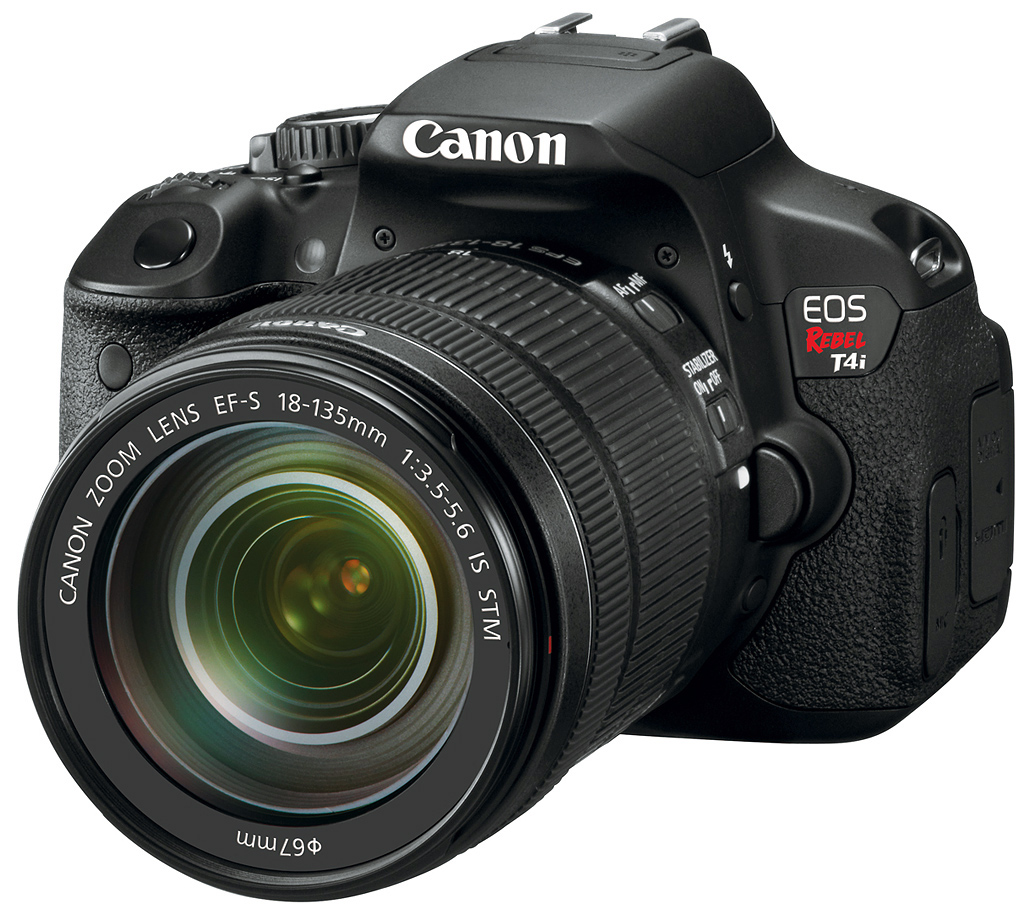
Offering video on an SLR was a neat trick, but the inability to autofocus while shooting like you can with most common camcorders was disappointing. Canon's latest digital SLR camera, the Rebel T4i, attempts to address the issue with a new Hybrid AF system and two new lenses designed to make shooting video more like consumers expect.
Canon's included a host of other improvements as well, bringing the Rebel T4i into closer contention with both compact system cameras and even smartphones. Those improvements include a faster frame rate of five frames per second, nine cross-type AF points, a stereo microphone, and a 3-inch articulating LCD with an integrated touch panel. And the best news about the touch panel is that it's capacitive, not resistive. That means it works more like current smartphones and tablets, requiring only a gentle touch with a finger. Easily my favorite change to the Canon T4i is the new quieter shutter mechanism, which operates without that Rebel winding sound that's always spoiled the camera for me.
Physically very similar, but not identical to its predecessor, the Canon T4i is just a little thicker front to back than the T3i, measuring 133.1 x 99.8 x 78.8mm compared to the T3i's 133.1 x 99.5 x 79.7mm. Weight is 20.3 ounces (1.27 pounds; 575g) including body, battery, and card, or 36.6 ounces (2.29 pounds; 1039g) with the 18-135mm STM kit lens added. With the 18-55mm kit lens, weight is 27.3 ounces (1.71 pounds; 774g), again including battery and card.

From the front, there's some minor restyling, but all major elements are in the same places. The infrared remote port, the shutter button, the self-timer lamp, the lens release button and below that, tucked against the side of the mount, the Depth-of-field preview button. The lens mount accepts both EF and EF-S mount lenses, as with all of Canon's APS-C cameras.

Shown mounted here is the new 18-135mm IS STM lens, and the Canon T4i is the first camera in the line to support the kind of live continuous autofocus that gives the lens significance. Where other lenses would seek noisily for focus, the new STM lens seeks more slowly and quietly to avoid introducing noise to captured video. Live view autofocus for stills is also less cumbersome, without the noisy seeking or flipping mirror. This is the only kit lens that's STM, however, and it comes at a higher price of US$1,199.00. The 18-55mm IS II lens is bundled for US$950, and it's available body-only for US$850.
Just in front of the hot shoe are the new stereo microphones, imitating other competing designs. Canon didn't mention it, but often the stated goal for putting the mics here is to reduce noise from hand and lens movements. Canon removed the Movie position from the Mode dial, instead placing it on the power switch. They also removed the Display button from the top deck; indeed from the camera entirely. One reason they were able to remove the Display button is that they added back the infrared proximity sensor that turns off the LCD when you bring your eye to the viewfinder. It used to reside below the viewfinder, but now it's above, and just below the hot shoe.

Most elements in the back are in the same positions; slightly different button shapes and icon locations, but it should otherwise be familiar to upgraders. The thumbgrip area is larger. The LCD is a ClearView II monitor with 1.04 million dots of resolution, and it's said to have a smudge-resistant coating, which will be important when using the touchscreen. In my use, fingerprints nevertheless collected on the screen, unsurprisingly.
What was surprising was how much I enjoyed using the touchscreen. When I first encountered the T4i's touchscreen, we'd just finished our review of the Canon 510HS, a pocket camera with a resistive touchscreen that was very difficult to use. Eventually we realized we had to touch harder to make it work, or else use the stylus. But when I started using the Canon T4i's new touchscreen I found it as responsive as I'm used to on my iOS and Android devices. Suddenly instead of being a pain, the touchscreen became more fun. There's just something enjoyable about technology when it works, and works well.

Changing settings via the Quick Menu is made a little easier with the touchscreen. You can either touch the physical Quick Menu button or its equivalent in the lower left corner of the screen. Then the screen becomes active and you can just press on any element to make adjustments. Swiping between photos in Playback is easier than I've seen on other cameras, and pinch-zooming is pretty easy too.
As for the LCD, naturally it does get fingerprints, but they're not as bad as usual. The screen is sharp and contrasty, quite good outdoors in bright sunlight, and its off-axis viewing is pretty impressive. Canon also minimized the blue sheen that was a little annoying on the T3i.
Canon T4i Field Test
by Shawn Barnett

The Canon Rebel T4i is just my kind of camera. Before the Canon T4i was announced, I routinely grabbed the T3i for important family events, shooting with it for nine months after the review was completed. I have access to many cameras, obviously, and often shoot family events with cameras I'm reviewing, but when I wanted to make sure I got the shot, I picked the T3i. When the T4i arrived, it supplanted the T3i most of the time in those same situations. (They look so similar, I often grabbed one when I thought I was grabbing the other, which was a little frustrating.) Another reason I choose these two cameras so often is because I'm already reasonably invested in a few Canon lenses whose glass I love, as well as a flash and a few accessories, so it's familiar territory.
For commercial work, I recommend higher-end cameras for several (obvious) reasons, but the Canon T4i now serves even better as a backup camera for pros thanks to its more serious-sounding shutter mechanism. I know that seems silly, but sounding and looking professional is important when the client is spending some money. And when someone is spending money, you want a backup camera. Also, when I'm shooting any event, I like to have two cameras, one with a wide angle or medium prime, and the other with a telephoto zoom. The Canon T4i is an ideal choice.
What differentiates the Canon T4i from its predecessors is its new Live View autofocus system, whose primary purpose is to support autofocus when shooting stills in Live View and when shooting video. As have several manufacturers, Canon integrated phase-detect autofocus into the T4i's main image sensor. Phase-detect autofocus is generally faster -- certainly faster than Canon's contrast-detect autofocus. We've seen its effectiveness proven in the Nikon 1 cameras as well as Sony's recent NEX-5R, NEX-6, and A99 cameras. But so far, Canon's implementation is quite a bit slower than those designs, and only marginally faster than the contrast-detect system in the T3i.
Since it's the major feature of the camera, though, I felt obligated to test it. I couldn't draw conclusions from my earlier tests with the 20mm f/2.8 lens, primarily because they'd told me it might not work as well, despite its STM designation. And they were right. So this review largely waited for the 18-135mm STM kit lens to arrive.
What I learned was that it's still not great, but if you learn its limitations, you can make use of the camera's Movie Servo AF mode, which lets the Canon T4i adjust focus just like a camcorder (default mode for most SLRs is to only focus when you half-press the shutter when recording movies).
| Download Original (244MB) |
I asked my boys to play out in the field behind our house -- coaxing them with a chance to shoot my old Rebel XTi -- to approximate an average family play scenario, and the results were mixed. Most often when framing them head-to-toe, the Canon T4i focused on the grass behind them rather than the boys themselves. If their face was large enough in the frame, the camera would begin tracking them, placing a box around their faces onscreen, but not always with accurate focus. The 18-135mm STM lens was indeed better at acquiring focus than the 40mm f/2.8 prime, but still sometimes quite slow and stubborn.
| Download Original (174MB) |
As with anything, once you learn what a system requires of you, you can adapt to it. But having to choose your framing to serve the needs of the autofocus system is less than ideal. It's also not something I've had to do with modern compact system cameras, even those with contrast-detection only. I got it right with the video below, and the Canon T4i did well enough.
| Download Original (91MB) |
Filling your frame with the subject seems to be the best strategy for making the system focus on the subject; it's also good strategy for interesting composition, but when someone is standing in a field, there's not much you can do to make them fill more of the frame than the grass.
Visit our in-depth video page for more details on the Canon T4i's movie capture capabilities.
Multi-shot Noise Reduction. Another major new feature is the Canon T4i's new Multi-shot Noise Reduction, which captures, combines, and micro-aligns four images into one. It seemed to exhibit considerably lower noise than the camera's high ISO settings alone.


I set the Canon T4i to ISO 6,400 and made two handheld shots, one with no noise reduction and one with MSNR on. In this shot, I was most interested in the lunar rainbow effect seen in one of the clouds, in the area I've cropped. While the first image has quite a bit of chroma noise, the Multi-shot Noise Reduction image maintains the rainbow colors while getting rid of the noise. The only drawback to shooting in Multi-shot Noise Reduction is that you have to first turn off RAW capture; switching to the mode doesn't automatically turn it off for you. As one who always shoots raw, it's a hassle to say the least.
HDR. Shooting a High Dynamic Range image is a lot easier than before, and it's even easier than the Multi-shot Noise Reduction mode, because it has its own position on the Mode dial. Just turn the dial all the way to the right and you're in HDR Backlight Control. The camera will automatically capture three images and combine them into one, effectively extending the dynamic range available in an image.


Unlike other Canon EOS models, though, the HDR in the T4i is fully automatic, so you have no control over ISO or the amount of exposure compensation applied to the three shots, nor how aggressive the camera is in applying the merge. The camera also crops substantially when shooting HDR, as you see in the two shots above, taken from the same position. This results in some softness likely caused by interpolation back to full image size.

Pancakes. I'm also really pleased Canon's finally produced a small pancake lens, a 40mm f/2.8 STM lens, equivalent to a 64mm lens on a full-frame camera. That's a little more telephoto than I'd like, but still close to a "normal" lens. Here's hoping they also produce something like a 30mm pancake lens, which would be equivalent to a 48mm. It felt strange to hold a Canon camera with a pancake lens mounted. I liked it, though. Note that the lens is too small for image stabilization as well. It's not an essential feature at 64mm equivalent, but would still be handy for movies.

We reviewed the Canon 40mm f/2.8 on SLRgear.com, and I also went out and shot with it in July. You can read my Shooting the Canon 40mm f/2.8 story here, and see the SLRgear review here.
As a brief summary, though, the Canon 40mm f/2.8 STM lens is a nice little prime lens with good sharpness. It's slower to focus than USM lenses, and there is some sound when it focuses. It's also slower to focus in video mode when using Movie Servo AF. The shot above would not have been possible focusing in Live View mode, either. I tried. It wasn't until I abandoned Live View mode -- something I use all the time by default with compact system cameras -- and switched back to using the optical viewfinder that I got action shots like this.

Most of the cameras previewed on our site before Photokina 2012 benefited from the T4i's built-in ability to remote control Canon's EX-series flashes. (Thanks to Ellis Vener for adding his 430EX to the shot, creating the dramatic top lighting.)
September rush. Because of its reasonably small size, reliable image quality and ability to remote control a few Canon 580EX flashes from its pop-up flash, the Canon T4i ended up joining me in my September rush, including three trips to NYC to cover new cameras. Most of the cameras you see in our Hands-on previews were photographed with the T4i and the 17-85mm f/3.5-5.6 or the 60mm f/2.8. It's small enough to travel well, controls the 580EX flashes without wires and minimal setup, and serves multiple purposes. You can also set the T4i to not contribute to the exposure, but just signal the other flashes to fire, as I did with the D600 shot here.
I have yet to light portraits with the Canon T4i in concert with the 580EXs, but it's trivial to do so, requiring only a few light stands or even a chair or two to achieve. I demonstrated the feature in my Canon 7D review, but the T4i's pop-up remote-control capabilities are a little more limited by comparison. Whereas the 7D can control up to three groups of flashes, the T4i is limited to one group, plus the built-in flash itself.

I made the above shot just after the Sun went down, but I was able to bring it back thanks to the Canon T4i's remote-flash capability. I had a friend hold my 580EX about six feet to my left, onto which I'd attached the same LumiQuest ProMax bounce reflector I mention below. The gold reflector combined with the off angle makes the flash look more like evening sunlight, a nice effect considering we're all about to head out for Trick or Treating.

The T4i clocks in at about 5fps at 18-megapixels.
Most people won't go to such efforts to make a picture. But it's surprising just how easy this was thanks to the Canon T4i's straightforward approach, and the photo turned out just how I wanted.
High speed. A higher frame rate is a welcome improvement to the Rebel line, with the T4i topping out at five frames per second, capturing 19 frames before the buffer fills. It doesn't seem like five frames, and in Large/Fine JPEG mode it's actually 4.84 fps. Switch to RAW or RAW+JPEG, though, and things speed up to 5.05 and 5.56 fps. The buffer only holds six and three frames respectively.
I don't use fast frame rates that often, but it was fun to try it out on this brief action sequence. This wouldn't have been as interesting at three frames per second, but five frames captures just about enough action to make it fun to review after capture.
Portraits. As I mentioned earlier, I used the Canon T4i extensively through the Summer and Fall of 2012. Capturing portraits is one of my favorite pastimes, and I frequently grabbed the T4i for these as well, attaching a single 580EX and my LumiQuest ProMax reflector for quick and dirty fill flash with a softer light.


I captured these two seasonal shots with the gold LumiQuest insert, both to better match the late afternoon light and to give it that Fall look. At first the kids were sitting on the pumpkins, but it wasn't until I thought to place a pumpkin in my youngest son's lap that the smiles came more naturally. It's easy to see it was my other son's idea to throw the leaves in the air; that big smile tells it all. The images are a tad overexposed, unfortunately, but a quick tune in Lightroom improved them over what you see here (these are JPEGs straight from the camera).

Overexposure. Particularly with Auto ISO on, I experienced a lot of overexposed images, not always flash shots. All of my shots of my daughter's high school band were too bright, blowing out their white caps and feathers while trying to compensate for the black uniforms. I had to dial the camera back a full stop to get this shot. I didn't get any decent shots that night, but this is an example of how far I had to back down to keep from losing the feathers and shirts. Yes, it's a little too far, but the meter wasn't consistent, so I chose to overdo it by 1/3 stop just to be safe.

Other portraits like this standard Homecoming shot were also affected by the black dress and tuxedo. It's not too bad in this shot -- some of the other shots were worse, with the suit going gray -- and it's certainly not uncommon. Since I shot raw also, I was able to fix this in Lightroom with no trouble at all. I've had better luck with Canon's matrix metering in the past, though. Just like the T3i, the Canon T4i overexposes a little too often, so watch your highlights and compensate as needed.
Overall, the Canon T4i is a reliable digital SLR for stills, a deluxe package for the price, with a gorgeous high-resolution, swivelling LCD, an excellent sensor, as well as a fast frame rate (without all that winding noise). Movie Servo AF mode isn't quite as mature as I'd like to see, but I still think of this camera primarily as one for stills, so it doesn't bother me too much. Before recommending a Canon consumer SLR for family video capture, we'll need to see some improvements in responsiveness. Until then, it's probably best to prefocus and shoot short snippets of video. Otherwise, the Canon T4i's image quality is quite good, save for occasional overexposure. I recommend shooting RAW+JPEG most of the time to guard against this.
Canon Rebel T4i Technical Info
by Mike Tomkins
 |
 |
At the heart of the Canon T4i is a brand new APS-C CMOS image sensor, related to that seen in the T2i and T3i. Resolution is still 18 megapixels, with a native 3:2 aspect ratio. Maximum image dimensions are 5,184 x 3,456 pixels. |
So if the resolution's unchanged, what's new? The answer: on-chip phase detection autofocus, or Hybrid CMOS AF in Canon parlance. The system, available during both live view and movie capture, uses a combination of phase detection and contrast detection when the subject is in the center, and uses only contrast detection when the subject is in the blue area. The use of on-sensor phase-detect enables smoother AF with less hunting. |
 |
 |
Since it only covers a smaller area at the center of the image frame, this on-chip PDAF is supplemented with contrast-detect AF over most of the image frame, as outlined in blue above right. The roaming CDAF mode only works with two simultaneously-announced STM lenses: the EF-S 18-135mm f/3.5-5.6 IS STM and EF 40mm f/2.8 STM. With older glass, only the PDAF mode is available. These lenses are designed to provide smooth, silent autofocusing. |
The on-chip PDAF capability isn't used for still imaging when shooting through the viewfinder, though. In this case, the T4i uses the same dedicated sensor seen previously in the EOS 60D. Although there are still nine points as in the T1i, T2i, and T3i, they're now all f/5.6 cross-types, with the center point being an f/2.8 high precision dual cross. Autofocus working range is EV -0.5 to 18 at 23°C, ISO 100 equivalent. |
 |
 |
Output from the new image sensor is handled by Canon's current-generation DIGIC 5 image processor. Said to be five times faster than the previous-generation DIGIC 4 chip, this coupled with a new shutter mechanism allows an improvement in burst shooting performance to five frames per second, up from 3.7 fps in the T3i. |
The benefits of DIGIC 5 also make themselves known in the T4i's expanded sensitivity range. From a base of ISO 100 equivalent, the T4i offers up to ISO 12,800 equivalent ordinarily, and can be expanded to a maximum of ISO 25,600 equivalent. Movie capture is limited to ISO 6,400 or below. |
 |
 |
As you'd expect in a Rebel-series camera, there's a Canon EF lens mount that's also compatible with EF-S lenses. 35mm lenses have a 1.6x focal length crop when mounted on the T4i. Two kit lens choices are available; either the ubiquitous 18-55mm IS II, or an 18-135mm IS STM lens. You can also buy the T4i body alone. |
The T4i's viewfinder is unchanged from that in the T3i. It's still a pentamirror design with fixed focusing screen, rather than the brighter pentaprism type with interchangeable screen that's found in more expensive cameras. Coverage is 95% with a 0.85x magnification, and a somewhat tight 19mm eyepoint. Diopter correction is -3 to +1m-1. |
 |
 |
On the rear panel is a three-inch, 3:2 aspect LCD panel with 720 x 480 pixel resolution (~1,040,000 dots), the same size and resolution as used in the T2i and T3i. Where the T3i had a Clear View panel, the T4i has a newer Clear View II type that removes the air gap between LCD and cover glass, reducing glare. |
As in the T3i, the T4i's display is articulated on a side-mounted tilt/swivel mechanism. This allows viewing from a wide variety of angles, including in front of the camera. It also allows a degree of protection for the display when not in use, since it can be closed facing inwards towards the camera body. |
 |
 |
The biggest difference between the display on the T4i and its predecessors is the addition of a touch panel, though. It's a first for a Canon DSLR, and uses a multitouch glass capacitive display like most smartphones, rather than the less accurate plastic resistive type used in past Canon compact cameras. |
Canon has completely overhauled its GUI--shown here in live view mode--to make it easy to control using the touch screen. You can also control the shutter, select a focus point, swipe between photos and use pinch zoom in playback. With the exception of the shutter function, the touch screen can't be disabled or locked. |
 |
 |
The T4i's built-in, popup flash strobe has a guide number of 13 meters (~43 feet) at ISO 100. Coverage is approximately 28mm (35mm-equivalent), and the recycle time is about three seconds. X-sync is at 1/200 second. |
As well as the built-in flash, there's an intelligent hot shoe compatible with EX-series Speedlites and Canon's E-TTL II metering system. Both Canon's IR and radio-controlled wireless flash systems are supported, with the appropriate hardware. |
The Canon T4i's healthy selection of exposure modes includes Scene Intelligent Auto (aka 'Green' mode), Program AE , Shutter priority AE, Aperture priority AE, Manual, No Flash, Creative Auto, Portrait, Landscape, Close-up, Sports, Night Portrait, Handheld Night Scene, and HDR Backlight Control. The latter two are new, and we'll come to them in a moment. Scene Intelligent Auto mode was introduced on the T3i, and differs from the typical Auto mode in that it uses scene recognition technology to determine an appropriate scene type, and then not only controls exposure, white balance, and focus automatically, but also tweaks the picture style and tone curve appropriately to your subject.
Metering modes in the Canon T4i include 63-zone AF-linked evaluative, 9% partial, 4% center spot, and center-weighted average. The metering system has a working range of EV 1-20 (23°C with 50mm f/1.4 lens, at ISO100). Shutter speeds range from 1/4,000 to 30 seconds, plus bulb. White balance modes include Auto, six presets, and custom, along with a +/- nine step white balance adjustment on blue/amber and magenta/green axes.
 |
 |
A new option, the Handheld Night Scene mode automatically captures four shots in a quick burst, using high sensitivity to attain a hand-holdable shutter speed. These are then microaligned and merged in-camera, to provide a single image with reduced noise levels, but with reduced likelihood of blurring from a slow shutter speed. |
The other new exposure mode is HDR Backlight Control. This, again, captures three shots and microaligns them. However, this time the exposure is varied between frames so as to hold onto more dynamic range than is possible with a single exposure. |
 |
 |
Another multi-shot function dubbed Multi-frame Noise Reduction is found via the High ISO Speed NR mode. This is similar to Handheld Night Scene mode, in that it is used to reduce noise by averaging across exposures, but doesn't require the high initial ISO sensitivity. |
The T4i includes a variety of post-capture Creative Filter functions, as seen on the T3i. Two new options are the Art Bold filter, and the Water Painting filter, both fairly self-explanatory. |
 |
 |
As you can tell from the new Hybrid CMOS AF function discussed previously, Canon is courting consumer videographers with the T4i. This is reinforced by removing the Movie mode from the Mode dial, and instead placing it on the Power switch for quicker access. |
Video capture options are similar to those in the T3i: up to Full HD (1,920 x 1,080 pixel) resolution at 30 frames per second, using H.264 compression. There's still both an external microphone jack and manual audio levels control capability. Where the T3i's built-in mic was monaural though, the T4i upgrades to a stereo mic located in front of the flash hot shoe. |
 |
 |
As well as the mic jack and hot shoe we've already mentioned, other connectivity options include a wired remote port, an infrared remote receiver in the hand grip, and both a combined USB data / standard-def video output plus a high-def HDMI video jack. |
The Canon T4i can still accept SD, SDHC, and SDXC memory cards, as well as Eye-Fi wireless cards. New, though, is support for higher-speed UHS-I cards. |
 |
 |
Shoot with the T2i or T3i and considering an upgrade? You'll be pleased to note that the T4i still uses the same LP-E8 battery pack, and is still CIPA rated for 440 shots on a charge. It also still accepts the same BG-E8 battery grip. |
The Canon EOS Rebel T4i is set to ship from the end of June 2012. Without a lens, it will retail for around US$850. Two with-lens kits will be offered: one with a standard 18-55 kit lens at a price of US$950, and the other including the new 18-135 STM lens for US$1,200. |
Canon Rebel T4i Overview Video
We had Canon USA's Derek Simmons-Tobias, Technical Specialist, Camera and Video Marketing Division, Imaging Technologies & Communications Group, run through some of the high points of the Canon T4i, ranging from the new lenses to the touchscreen to the quiet AF system. Click the Play button to check it out!
Canon T4i Image Quality
The crops below compare the Canon T4i to the Canon T3i, Pentax K-30, Nikon D3200, Olympus E-M5, and Sony A65.
Most decent cameras produce very good results at base ISO, but the T4i is interesting enough we wanted to show how it did at ISO 100 compared to similar cameras at their base ISO. We also like to see what they can do at ISO 1,600 and 3,200, and finally we'll compare high-contrast detail at base ISO, 3,200, and 6,400.
Note that these images are best quality JPEGs straight out of the camera, at default settings including noise reduction. Each camera was shot with one of our very sharp reference prime lenses.
Canon T4i versus Canon T3i at Base ISO
 |
 |
 |
 |
 |
 |
|
Canon T4i at ISO 100
|
Canon T3i at ISO 100 |
|
There's very little difference between the T4i and T3i, except perhaps in the fabric swatches, where there appears to be less detail in the T4i's shots. That could be a slight focus difference, or more noise suppression at work in those areas. |
|
Canon T4i versus Pentax K-30 at Base ISO
|
 |
|
 |
|
 |
|
Canon T4i at ISO 100
|
Pentax K-30 at ISO 100
|
|
The Pentax K30 is a little sharper in some areas, but it actually shows less detail overall, particularly in the mosaic image. Its rendering of the pink swatch is far more magenta than the T4i's more accurate pink. |
|
Canon T4i versus Nikon D3200 at Base ISO
|
 |
|
 |
|
 |
|
Canon T4i at ISO 100
|
Nikon D3200 at ISO 100
|
|
With its 24-megapixel sensor, you'd expect the Nikon D3200 to completely outshine the T4i, but that's not quite the case. While it finds the threads in the pink swatch, its rendering of the mosaic image is very soft and low-contrast, as is its rendering of the Mas Portel label. |
|
Canon T4i versus Olympus E-M5 at Base ISO
|
 |
|
 |
|
 |
|
Canon T4i at ISO 100
|
Olympus E-M5 at ISO 200
|
|
The Olympus E-M5's 16-megapixel sensor does very well against the T4i's 18-megapixels, and its processing produces very sharp images, though with a few artifacts here and there in the mosaic bottle. The Canon still gets the pink better. |
|
Canon T4i versus Sony A65 at Base ISO
|
 |
|
 |
|
 |
|
Canon T4i at ISO 100
|
Sony A65 at ISO 100
|
|
Sony's 24-megapixel A65 does better than the Nikon D3200, showing a little more detail than the Canon T4i, with less-pronounced sharpening halos. |
|
How images look at 1,600 is also of importance.
Canon T4i versus Canon T3i at ISO 1,600
 |
 |
 |
 |
 |
 |
|
Canon T4i at ISO 1,600
|
Canon T3i at ISO 1,600 |
|
Canon definitely turned up the default noise suppression, which you cans see in the shadows and the red leaf swatch. Even the pink swatch is less clear than in the T3i. |
|
Canon T4i versus Pentax K-30 at ISO 1,600
|
 |
|
 |
|
 |
|
Canon T4i at ISO 1,600
|
Pentax K-30 at ISO 1,600
|
|
The Pentax K30 uses a more selective approach to its noise suppression, sharpening in some areas, while blurring dramatically in others. The background and red leaf swatch in particular are blurry, while the mosaic image has a little more pop than the T4i's version. |
|
Canon T4i versus Nikon D3200 at ISO 1,600
|
 |
|
 |
|
 |
|
Canon T4i at ISO 1,600
|
Nikon D3200 at ISO 1,600
|
|
The Nikon D3200 begins to pay the price for all those smaller pixels on its sensor, with more noise and more noise suppression blurring. Small black dots also appear on the red leaf swatch and other areas. |
|
Canon T4i versus Olympus E-M5 at ISO 1,600
|
 |
|
 |
|
 |
|
Canon T4i at ISO 1,600
|
Olympus E-M5 at ISO 1,600
|
|
The Olympus OM-D E-M5 really shows its prowess here, looking quite good against the larger, higher-megapixel Canon T4i, even at ISO 1,600. |
|
Canon T4i versus Sony A65 at ISO 1,600
|
 |
|
 |
|
 |
|
Canon T4i at ISO 1,600
|
Sony A65 at ISO 1,600
|
|
At ISO 1,600, the Sony no longer out-matches the Canon T4i, thanks to greater noise suppression. The only major exception is the red leaf swatch. But for the mosaic image, I prefer the Canon, though only by a little. |
|
Today's ISO 3,200 is yesterday's ISO 1,600 (well, almost), so below are the same crops at ISO 3,200.
Canon T4i versus Canon T3i at ISO 3,200
 |
 |
 |
 |
 |
 |
|
Canon T4i at ISO 3,200
|
Canon T3i at ISO 3,200 |
|
Strangely at ISO 3,200, the T4i's mosaic image looks a little better than its predecessor, with better color, better contrast, and slightly more detail. The red leaf swatch, though, still looks softer. |
|
Canon T4i versus Pentax K-30 at ISO 3,200
|
 |
|
 |
|
 |
|
Canon T4i at ISO 3,200
|
Pentax K-30 at ISO 3,200
|
|
The K-30 manages to make a better mosaic image, but the rest of the image looks very artificial with too stark a mix of noise suppression and sharpening. |
|
Canon T4i versus Nikon D3200 at ISO 3,200
|
 |
|
 |
|
 |
|
Canon T4i at ISO 3,200
|
Nikon D3200 at ISO 3,200
|
|
The Nikon D3200 loses contrast and adds more black dots as well as orange blotches in spots, in an effort to keep the color from fading. |
|
Canon T4i versus Olympus E-M5 at ISO 3,200
|
 |
|
 |
|
 |
|
Canon T4i at ISO 3,200
|
Olympus E-M5 at ISO 3,200
|
|
The Olympus E-M5 continues to sharpen more aggressively than the T4i, producing images that seem a little better. They will likely print better. The E-M5 is a pretty good match for the T4i. |
|
Canon T4i versus Sony A65 at ISO 3,200
|
 |
|
 |
|
 |
|
Canon T4i at ISO 3,200
|
Sony A65 at ISO 3,200
|
|
The T4i's images would look almost the same as the A65 if you sharpened and enlarged them, thanks to the A65's aggressive noise suppression. The red leaf swatch, while completely inaccurate, still looks a little better than the T4i's rendering. Both are quite close, though. |
|
Detail: Canon T4i vs. T3i, Pentax K-30, Nikon D3200, Olympus E-M5, and Sony A65
 |
 |
 |
 |
 |
 |
 |
 |
 |
 |
 |
 |
 |
 |
 |
 |
 |
 |
| Canon T4i ISO 100 ISO 3,200 ISO 6,400 |
Canon T3i ISO 100 ISO 3,200 ISO 6,400 |
Pentax K-30 ISO 100 ISO 3,200 ISO 6,400 |
Nikon D3200 ISO 100 ISO 3,200 ISO 6,400 |
Olympus E-M5 ISO 200 ISO 3,200 ISO 6,400 |
Sony A65 ISO 100 ISO 3,200 ISO 6,400 |
| Detail comparison. High-contrast details are often sharper as ISO rises, so they're worth a look as well. The T4i does well against the T3i, but is bested by the D3200, K30, and E-M5. The Olympus E-M5 comes out shining at 6,400 by comparison. | |||||
Canon T4i Print Quality
Good 24 x 36 inch prints at ISOs 100/200; ISO 3,200 shots are better at 8 x 10; and ISO 12,800 makes a good 4 x 6.
 ISO 100 shots are very nice at 24 x 36 inches, with sharp detail across the board except for our hard to please (er, render) red fabric swatch.
ISO 200 images also look quite good at 24 x 36.
ISO 400 prints nicely at 20 x 30 inches.
ISO 800 shots are slightly soft at 16 x 20 inches, with minor noise in a few shadowy areas, but are still quite good.
ISO 1,600 prints are quite good at 13 x 19. At 16 x 20, noise suppression has started to affect reds, and some luminance noise affects the shadows.
ISO 3,200 shots are better printed at 8 x 10.
ISO 6,400 images are a bit rough at 8 x 10, but are reasonably nice at 5 x 7.
ISO 12,800 images are decent at 4 x 6, although with a slight loss in color fidelity.
ISO 25,600 prints are not usable.
Overall, a pretty impressive performance from the Canon T4i, especially up to ISO 1600.
Testing hundreds of digital cameras, we've found that you can only tell just so much about a camera's image quality by viewing its images on-screen. Ultimately, there's no substitute for printing a lot of images and examining them closely. For this reason, we now routinely print sample images from the cameras we test on our Canon Pro9000 Mark II studio printer, and on the Canon Pixma MP610 here in the office. (See the Canon Pixma Pro9000 Mark II review for details on that model.)
See below for our conclusion; be sure to check the other tabs for details and test results.
In the Box
The retail package contains the following items:
- Canon EOS Rebel T4i digital camera
- EF-S 18-135mm f/3.5-5.6 IS STM lens or EF-S 18-55mm f/3.5-5.6 IS II lens (if bundled)
- Front and rear lens caps (with lens kit)
- Body cap
- Eyecup Ef
- Wide strap EW-100DBIV
- Battery charger LC-E8E
- Battery pack LP-E8
- USB Interface cable IFC-130U
- EOS Digital Solution Disc & Software Instruction Manual CD
- Warranty card and manuals
Recommended Accessories
- Extra battery pack
- Protective case
- Large capacity, high-speed SDHC/SDXC memory card. 8-16GB or larger makes sense if you plan on shooting lots of HD video. Look for a speed grade of at least Class 6 for HD video capture.
Canon T4i Conclusion
| Pro: | Con: |
|---|---|
|
|
When a company touts a new feature that turns out to be, well, not so hot, it casts a pall over the entire product, sometimes unnecessarily. This is one of those cases. Most people still don't think of SLRs primarily as video cameras, so that the on-sensor phase detect isn't as responsive or accurate as we'd like doesn't take away from the Canon T4i's excellence as a still camera. That low speed in Live View mode does mean that for any kind of action, you're better to shoot through the optical viewfinder -- which is why you bought an SLR in the first place, right?
As a still camera, the Canon T4i is a joy to use. It does everything you'd expect, and opens new possibilities with its wireless flash control and multiple exposure modes to reduce noise and create high-dynamic-range images. Its new touchscreen is also easy to use, working just like the smartphones people are so familiar with, and the articulating LCD is convenient when you need it. The razor-sharp image on the LCD is very good, and easy to use in sunlight.
Of the two kit lenses, the new 18-135mm STM answers most photographic needs with one lens, so it's a good choice if you can afford it. Options like the 40mm pancake are a real plus, and of course T4i owners have access to Canon's very large selection of EOS lenses. So far, though, only these two lenses offer the stepper-motor technology necessary to use the new phase-detect autofocus smoothly.
Thus the latest flagship Rebel remains one of the top choices for family SLRs on the market. It's a little faster, has a few more modern features, and still offers the beautiful articulating LCD. Most importantly, it still produces great images with relative ease. It's a Dave's Pick!
Follow Imaging-Resource.com on twitter!
Optics
The Canon Rebel T4i is available body-only, or bundled with either the Canon EF-S 18-55mm f/3.5-5.6 IS II lens, or the new Canon EF-S 18-135mm f/3.5-5.6 IS STM lens. Below are the results of our optical tests with a Canon EF-S 18-135mm f/3.5-5.6 IS STM lens.
Kit Lens Test Results
Zoom
The Canon EF-S 18-135mm IS STM lens offers more zoom than the typical kit lens, with good performance for its class.


This lens has a generous and versatile optical zoom ratio of 7.5x with a 35mm equivalent range of about 29-216mm, thanks to the T4i's ~1.6x crop factor. It's optimized for quieter, smoother focusing during live view and movies with a new stepper motor ("STM") design. Sharpness and contrast are pretty good across most of the frame at 18mm and f/8, though there's moderately high chromatic aberration visible in the corners and along the edges. (The Canon T4i can remove much of that, though. See below.) Corners are also just a little soft. At 35mm and f/8, sharpness across the frame is pretty good, but some chromatic aberration is still visible. Sharpness at 135mm and f/8 is also pretty good, though softness and chromatic aberration in the corners is a little higher than at 35mm. Overall, performance is quite good for a 7.5x consumer lens priced under $500.
Macro
A larger-than-average macro area with slightly soft detail. Flash throttled down fairly well.


The Canon EOS Rebel T4i's macro performance will of course depend entirely on the lens in use. With the 18-135mm STM lens set to 135mm, the Canon Rebel T4i captured a somewhat larger-than-average minimum area measuring 3.00 x 2.00 inches (76 x 51 millimeters). Details are a little soft in the center of the frame, and a little softer in the corners. (Most lenses have some softening in the corners at macro distances, however the 18-135mm STM performed better here than most.) Some minor vignetting can also be seen in the extreme corners. The Canon T4i's flash throttled down fairly well, just slightly overexposing the image (a matter of opinion, really), while coverage was even with no detectable shadow from the lens barrel.
Geometric Distortion
Higher than average barrel distortion at wide-angle and moderate pincushion distortion at telephoto with the 18-135mm STM kit lens.
| Barrel distortion at 18mm is 1.0 percent |
 |
| Pincushion distortion at 135mm is 0.5 percent |
 |
The Canon EF-S 18-135mm STM lens produced images with about 1.0 percent barrel distortion at wide-angle, which is higher than average and noticeable in some shots. At the telephoto end, there was about 0.5% pincushion distortion, which is also higher than average though not quite as noticeable. The Canon T4i does not correct for geometric distortion in its JPEGs, as uncorrected raw files have identical amounts. Geometric Distortion is the tendency for the lens to bend straight lines outward (like a barrel -- usually at wide-angle) or inward (like a pincushion -- usually at telephoto).
Chromatic Aberration and Corner Sharpness
Moderately high to high chromatic aberration in the corners with the 18-135mm STM lens. Some minor softening in the corners.
|
Aperture: Maximum
|
|
 |
 |
| Wide, f/3.5: Upper right C.A.: High Softness: Slightly soft |
Wide, f/3.5: Center C.A.: Very little Softness: A touch soft |
 |
 |
| Tele, f/5.6: lower left C.A.: Moderately high Softness: Slightly soft |
Tele, f/5.6: Center C.A.: Very low Softness: Fairly sharp |
Chromatic Aberration. Chromatic aberration in the corners with the Canon 18-135mm STM lens is high at wide-angle (18mm) and moderately high at full telephoto (135mm), with noticeable magenta and cyan fringes. The amount and intensity of the color fringing reduces as you move toward the center of the image, to the point where it is very low at the center. See below for how well the Canon T4i's optional chromatic aberration correction works.
Corner Softness. The 18-135mm STM lens produced some slightly soft corners when wide-open at maximum aperture. At full wide-angle, corners on the top of our test target are slightly softer than the bottom, and blurring extends pretty far into the frame. The center of the image has decent sharpness, just a touch soft. At full telephoto, the bottom corners are softest, but slightly sharper than wide-angle, and blurring doesn't extend as far into the frame. The lens is fairly sharp in the center, though not tack sharp.
Vignetting. Vignetting or corner shading is not an issue in the above crops, but that's because the Canon T4i's Peripheral Illumination Correction is enabled by default. See below for comparisons with it off.
|
Aperture: f/8
|
|
 |
 |
| Wide, f/8: Upper right C.A.: High Softness: Fairly sharp |
Wide, f/8: Center C.A.: Very little Softness: Sharp |
 |
 |
| Tele, f/8: lower left C.A.: Moderately high Softness: Fairly sharp |
Tele, f/8: Center C.A.: Very low Softness: Fairly sharp |
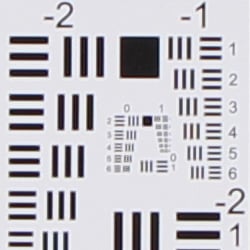
Chromatic aberration in the corners is still moderately high to high, but sharpness in the corners and center improved when stopped down to f/8 at wide-angle. At full telephoto, sharpness only improved slightly. As you can see, the Canon T4i's Peripheral Illumination Correction over-corrected at wide-angle, producing a noticeably brighter corner crop than the center.
Chromatic Aberration Correction
The Rebel T4i offers optional Chromatic Aberration Correction to reduce lateral C.A. with Canon lenses.
|
C.A. Correction Off
|
C.A. Correction On |
 |
 |
| Wide, f/8: Upper left C.A.: High |
Wide, f/8: Upper left C.A.: Very low |
 |
 |
| Tele, f/8: Upper left C.A.: Moderately high |
Tele, f/8: Upper left C.A.: Very low |
As you can see, the Canon T4i's Chromatic Aberration Correction feature was very effective at removing almost all the lateral chromatic aberration in our 18-135mm STM lens test shots above. Bravo!
Peripheral Illumination Correction
Like other recent Canon DSLRs, the T4i features Peripheral Illumination Correction feature to reduce vignetting or lens shading with Canon lenses.
 |
 |
||
| 18mm @f/3.5 | 135mm @f/5.6 | ||
| Peripheral Illumination Correction: | On (default) | Off | |
The Canon T4i provides what the company calls "Lens Peripheral Illumination Correction," which corrects for lens shading (commonly called "vignetting"), attempting to produce a more uniform exposure across the frame by compensating for the light fall-off seen with some lenses in the corners of the frame. Mouse over the Off and On links above to see the effect on the 18-135mm kit lens at wide-angle and telephoto at maximum aperture. PIC is enabled by default.
Peripheral Illumination Correction and Chromatic Aberration Correction are supported for over 85 different Canon lens models, in both raw and JPEG workflows. For JPEG shooting, the correction is made at capture time, while raw shooters can access the function in Canon's Digital Photo Professional software. From the factory, the T4i body ships with correction data for about 25 lens models. Canon's EOS Utility software allows correction data for lenses (including models as-yet unreleased) to be uploaded to the Canon T4i.
Canon EOS Rebel T4i Optical Viewfinder
Viewfinder Test Results
Accuracy
Average accuracy from the optical viewfinder, very good accuracy from the LCD in Live View mode.


Testing with a low-distortion mid-focal length macro lens to minimize the effects of lens distortion, we measured the Canon T4i's optical viewfinder's coverage at just over 95%. This matches Canon's specification, and is typical for consumer SLRs. The resulting image was slightly tilted and offset with respect to the sensor, which is unfortunately quite common with optical viewfinders in consumer oriented models (and many prosumer models). Live View mode using the LCD was more accurate, resulting in close to 101% coverage (a little loose), and of course the image isn't tilted or offset.
The images above were taken from our standardized test shots. For a collection of more pictorial photos, see our Canon EOS Rebel T4i (EOS 650D) Photo Gallery .
Exposure
Color
Saturation & Hue Accuracy
Very good saturation and excellent hue accuracy.
 |
||||
|
ISO Sensitivity
|
||||
| In the diagram above, the squares show the original color, and the circles show the color that the camera captured. More saturated colors are located toward the periphery of the graph. Hue changes as you travel around the center. Thus, hue-accurate, highly saturated colors appear as lines radiating from the center. Mouse over the links above to compare ISOs, and click to load a larger version. | ||||
Saturation. The Canon EOS Rebel T4i produces images with fairly accurate saturation levels. Strong reds, oranges, dark greens and dark blues are pushed a little, while yellow and cyan are slightly muted. The mean saturation of 108.3% (8.3% oversaturated) at base ISO is not too pumped yet not too dull, and saturation remains fairly consistent over the ISO range except at ISO 25,600 where it drops off noticeable. Most consumer digital cameras produce color that's more highly saturated (more intense) than found in the original subjects. This is simply because most people like their color a bit brighter than life.
Skin tones. The Canon T4i produced pleasing, natural-looking Caucasian skin tones in our tests when using both manual and auto white balance settings. Darker skin tones show a small nudge toward orange, but good results overall. Where oversaturation is most problematic is on Caucasian skin tones, as it's very easy for these "memory colors" to be seen as too bright, too pink, too yellow, etc.
Hue. The Canon Rebel T4i's hue accuracy is excellent, much better than average. There are the usual shifts in cyan toward blue (actually quite small), red toward orange, and orange toward yellow, but all are fairly minor. (The cyan to blue shift is very common among the digital cameras we test; we think it's a deliberate choice by camera engineers to produce better-looking sky colors.) Average "delta-C" color error at base ISO is only 3.23, which is outstanding, one of the best scores we've recorded to date. Hue is "what color" the
color is.
Saturation Adjustment
The Canon EOS Rebel T4i offers a total of nine saturation settings, four above and four below the default saturation. This covers a very wide range of saturation levels, and as it should, the Canon T4i's saturation adjustment affects only saturation, leaving the contrast of images more or less unaltered. (In some cameras, saturation tends to affect contrast, and vice versa.) The fine steps between settings mean you can program the camera to just the level of saturation you prefer. As usual for Canon, well done.
| Saturation Adjustment Examples | ||||
 |
 |
 |
 |
 |
| -4 | -2 | 0 | +2 | +4 |
The table above shows alternate settings including the default as well as the two extreme saturation settings. Click on any thumbnail above, then click again to see the full-sized image.


Sensor
Exposure and White Balance
Indoors, incandescent lighting
Auto and Incandescent settings both struggled with household incandescent lighting, though Manual white balance worked well. Slightly higher than average exposure compensation required.


Indoors, under incandescent lighting, the Canon EOS Rebel T4i's Auto and Incandescent white balance settings struggled, both producing very warm red/orange color casts. Unfortunately, this is common among cameras we've tested, but disappointing nonetheless. The Manual setting produced the most accurate results, though just slightly cool overall. The Rebel T4i doesn't offer a Kelvin temperature setting like its more expensive siblings, but like all recent Canon SLRs, you can shift color balance toward more or less green vs magenta or blue vs amber, using a +/-9 step grid format display. The Canon Rebel T4i required +0.7 EV exposure compensation for this shot, which is slightly higher than the +0.3 EV average among the cameras we've tested. (Our test lighting for this shot is a mixture of 60 and 100 watt household incandescent bulbs, a pretty yellow light source, but a very common one in typical home settings here in the U.S.)
Outdoors, daylight
Color and saturation are very good, though a tendency towards slightly cool color balance and slightly high contrast under harsh lighting. Slightly below average exposure accuracy.

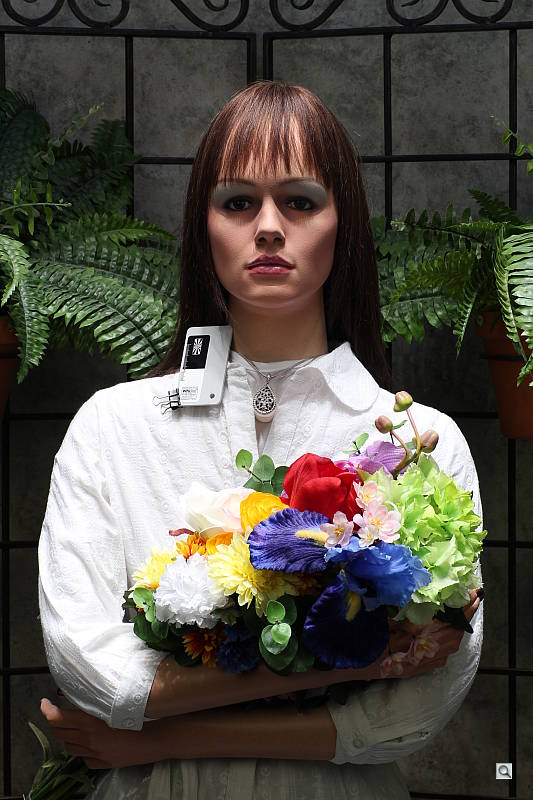
Outdoors, the Canon EOS Rebel T4i tended toward a slightly cool color balance, though overall color was generally very good. The Canon Rebel T4i required +1.0 EV exposure compensation to keep the mannequin's face bright, a little more than the typical +0.7 EV we're accustomed to using for our "Sunlit" portrait shot. The Canon T4i's default contrast is a little high, producing some washed-out highlights and dark shadows under the deliberately harsh lighting of our "Sunlit" portrait test shown above left, though the camera's contrast, Auto Lighting Optimizer and Highlight Tone Priority settings do help with high contrast scenes like these. See below for examples of this. The Far-field shot (above right) was also a touch cool, and exposure a bit dim, though the camera did a good job of avoiding blown highlights at default exposure. Deep shadows however are quite dark and somewhat noisy.
See full set of test images with explanations
See thumbnails of all test and gallery images
Resolution
Very high resolution, 2,000 ~ 2,100 lines of strong detail.


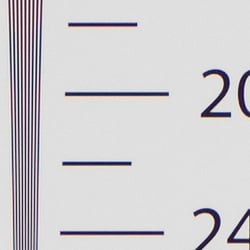

Our laboratory resolution chart showed the Canon Rebel T4i's images with sharp, distinct line patterns down to about 2,000 lines per picture height horizontally and about the same vertically. Extinction of the pattern occurred just past 3,200 lines horizontally and at about 3,000 lines vertically. Adobe Camera Raw converted .CR2 files show slightly more resolution than the in-camera JPEG, perhaps 100 lines, though complete extinction of the pattern was extended well past 3,200 lines in both directions in the converted files. While ACR was able to extract more detail, it also produced more color moire and false colors, especially in vertical lines. Use these numbers to compare with other cameras of similar resolution, or use them to see just what higher resolution can mean in terms of potential detail.
See full set of test images with explanations
See thumbnails of all test and gallery images
Sharpness & Detail
Good sharpness and loads of detail with a sharp lens. Some minor detail loss to noise reduction processing even at low ISOs.


Sharpness. The Canon EOS Rebel T4i's 18-megapixel sensor captures excellent image detail when coupled with a good lens, though some minor edge-enhancement artifacts are visible around high-contrast edges, as shown in the crop above left. (The above crop of our Far-field House shot was taken with Canon's very sharp 16-35mm f/2.8L II USM lens at f/8.) Edge enhancement creates the illusion of sharpness by enhancing colors and tones right at the edge of a rapid transition in color or tone.
Detail. The crop above right shows some detail loss due to noise suppression in darker areas and in areas with low contrast, but no more than we're accustomed to seeing at these resolutions. Good performance for an 18-megapixel APS-C sensor. (The crop above of the hair taken with our very sharp Sigma 70mm f/2.8 reference lens.) Noise-suppression systems in digital cameras tend to flatten-out detail in areas of subtle contrast. The effects can often be seen in shots of human hair, where the individual strands are lost and an almost "watercolor" look appears.
Raw vs In-Camera JPEGs
As mentioned above, the Canon T4i does an excellent job of capturing sharp, detailed JPEGs when coupled with a sharp lens, but as is usually the case, slightly more detail can be preserved by carefully processing its raw files.
 |
||
In the table above, mousing over a link at the bottom will load the corresponding crop in the area above, and clicking on the link will load the full resolution file. Examples include in-camera Fine JPEG, the matching raw file processed through Canon's Digital Photo Professional (DPP) software using default settings, and finally, the same raw file processed through Adobe Camera Raw (ACR), then sharpened in Photoshop using 300% unsharp masking with an 0.3 pixel radius.
Canon's DPP software produced images similar to in-camera JPEGs, perhaps with just slightly better detail. Images processed through ACR show more fine detail than the DPP conversions, but also show more noise at default settings, which is not unusual. You may want to experiment with ACR's noise reduction settings to find the detail vs noise trade-off you're looking for. Regardless, the Canon T4i is clearly a camera that carries a lot of detail in its raw files.
ISO & Noise Performance
Very good detail versus noise up to ISO 1,600, though detail suffers at higher ISOs.
|
Default High ISO Noise Reduction
|
||
 |
 |
 |
| ISO 100 | ISO 200 | ISO 400 |
 |
 |
 |
ISO 800 | ISO 1,600 | ISO 3,200 |
 |
 |
 |
ISO 6,400 | ISO 12,800 | ISO 25,600 |
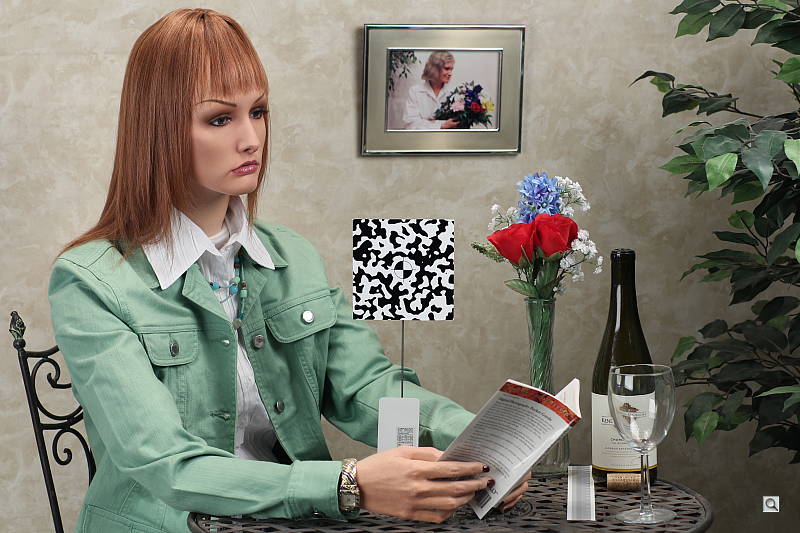
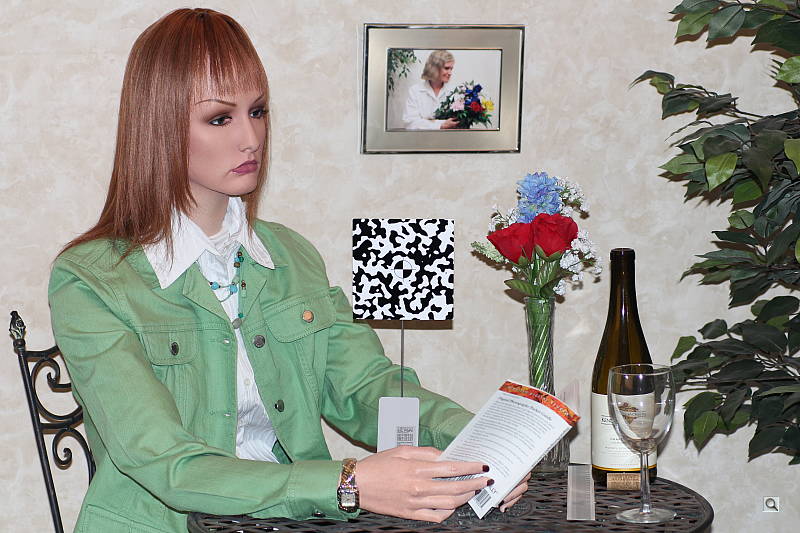
The Canon EOS Rebel T4i's high ISO performance is pretty good, very similar to the Canon T3i's. Images are quite clean at ISOs 100 through 400, with just a tiny amount of luminance noise seen in the shadows, as well as what looks to be chroma noise in the darker strands of hair. Noise "grain" is slightly more evident at ISO 800, but detail remains very strong despite some minor blurring due to noise reduction. At ISO 1,600 is of course noisier, but fine detail is still very good. At ISO 3,200 noise grain becomes coarser, blurring stronger and chroma noise more apparent, resulting in a more noticeable drop in detail. ISO 6,400 is quite grainy with obvious chroma noise, but there is some fine detail left. Noise and the effects of noise reduction working hard to keep it under control really become apparent at ISO 12,800 and especially 25,600, with strong blurring and obvious chroma blotching, along with a drop in saturation.

There are also what look to be demosaicing errors in areas of fine vertical detail and high local contrast, such as the strange diagonal bands in the strands of hair on the model's forehead at lower ISOs (see ISO 100 crop at right). We've seen these artifacts in our indoor portrait JPEG images from other Canon SLRs, as well as hints of them in JPEGs from other manufacturers, so they're not that unusual. The aberrations are very subtle to be sure, but they're something to be aware of if you plan to make very large prints of similar subject matter from JPEGs. They don't appear in raw files processed with a good converter such as Adobe Camera Raw.
Overall though, a good performance, perhaps just slightly better detail retention compared to the T3i at higher ISOs. Noise is however generally a little higher than competing models. See the Print Quality section below for our evaluation of maximum print sizes at each ISO setting.
A note about focus for this shot: We shoot this image at f/4, using one of three very sharp reference lenses (70mm Sigma f/2.8 macro for most cameras, 60mm f/2.8 Nikkor macro for Nikon bodies without a drive motor, and Olympus Zuiko 50mm f/2.0 for Four Thirds and Micro Four Thirds bodies). To insure that the hair detail we use for making critical judgements about camera noise processing and detail rendering is in sharp focus at the relatively wide aperture we're shooting at, the focus target at the center of the scene is on a movable stand. This lets us compensate for front- or back-focus by different camera bodies, even those that lack micro-focus adjustments. This does mean, though, that the focus target itself may appear soft or slightly out of focus for bodies that front- or back-focused with the reference lens. If you click to view the full-size image for one of these shots and notice that the focus target is fuzzy, you don't need to email and tell us about it; we already know it. :-) The focus target position will simply have been adjusted to insure that the rest of the scene is focused properly.
Extremes: Sunlit, dynamic range and low light tests
Very high resolution with strong overall detail, but somewhat high default contrast and unremarkable dynamic range. Highlight Tone Priority and contrast adjustment options do a great job of dealing with tough lighting. Very good low-light performance.


The Canon EOS Rebel T4i produced moderately high contrast with some washed-out highlights and deep shadows under the deliberately harsh lighting of the test above. The mannequin's face was too dim at the +0.3 EV and +0.7 EV settings, so we preferred the image with +1.0 EV exposure compensation. This resulted in more clipped highlights in the shirt and flowers than we're used to seeing from an APS-C sensor lately, indicating only average dynamic range compared to the best of recent competitors. Shadow detail was however pretty good, though somewhat noisy. Bottom line: while dynamic range isn't bad, the Canon T4i struggled a bit with this difficult shot compared to recent state-of-the-art peers.
Because digital cameras are more like slide film than negative film (in that they tend to have a more limited tonal range), we test them in the harshest situations to see how they handle scenes with bright highlights and dark shadows, as well as what kind of sensitivity they have in low light. The shot above is designed to mimic the very harsh, contrasty effect of direct noonday sunlight, a very tough challenge for most digital cameras. (You can read details of this test here. In actual shooting conditions, be sure to use fill flash in situations like the one shown here; it's better to shoot in open shade whenever possible.)
Contrast Adjustment
We really like it when a camera gives us the ability to adjust contrast and saturation to our liking. It's even better when those adjustments cover a useful range, in steps small enough to allow for precise tweaks. As was the case with its saturation adjustment, the Canon T4i's contrast setting meets both challenges very well.
|
Minimum Contrast
|
|
 |
 |
| Contrast set to lowest, +0.7 EV |
Contrast set to lowest, 0 EV |
At its lowest contrast setting, the Canon T4i did an excellent job of preserving highlight detail, maintaining fairly natural-looking skin tones, and holding nice detail in the shadows. Overall, very good results here, especially when the contrast setting is tweaked.
| Contrast Adjustment Examples | ||||
|
 |
 |
 |
 |
| -4 | -2 | 0 | +2 | +4 |
The Canon Rebel T4i's contrast-adjustment control offers a very broad range of control in usefully fine gradations, and does a good job of adjusting contrast without affecting color saturation in the process. (As noted earlier regarding saturation adjustment, something that not all cameras manage to do.)
Highlight Tone Priority
The Canon EOS Rebel T4i's Highlight Tone Priority (HTP) option did an excellent job of preserving highlight detail, as shown below. (Mouse over the Off and On links to load the corresponding thumbnail, histogram and crops.)

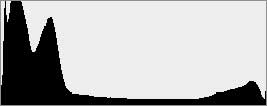


Both shots above were captured at the same exposure, the only difference being that HTP was enabled for the second shot which necessarily increases the ISO to 200; part of how HTP works. The result is evident in the histograms and thumbnails above, clearly showing the superior highlight preservation when HTP is enabled, while shadow brightness is left relatively untouched. If you look closely at shadows however, you'll notice an increase in noise is the price you pay when ISO is boosted from 100 to 200. Except in the very deepest shadows, though, overall noise is low enough at ISO 200 that this is really a negligible trade-off for all but the most critical applications.
Automatic Lighting Optimization
Like the 60D, T2i and T3i, the Canon Rebel T4i offers three selectable levels of Automatic Lighting Optimization (ALO), plus Off. In fully automatic and Creative Auto exposure modes, ALO is automatically enabled. All four shots below were taken with the same default exposure settings. Mouse over the links below to load the associated thumbnail and histogram, and click on the links to load full resolution images.
|
Automatic Lighting Optimization
|
|
 |
|
 |
|
As you can see above, ALO has the effect of shifting shadows and mid-tones in the histograms to the right, brightening shadows and indeed most of the image without clipping too many additional highlights. ISO is not boosted for ALO so increased noise is not an issue, though it may be slightly more visible in shadows that have been boosted significantly.
Face Detection
Just like most point & shoot cameras these days, the Canon EOS Rebel T4i has the ability to detect faces in Live View mode, and adjust exposure and focus accordingly.
| Face Detection | ||
 |
 |
 |
| Aperture Priority Face Detect: Off 0 EV |
Aperture Priority Face Detect: On 0 EV |
Auto Mode 0 EV |
As you can see from the examples above, it works well, as the center image with face detection enabled is much better exposed for the face than the left image where face detection was not employed. Full Auto mode (right) however wasn't much better than Aperture Priority, despite selecting a larger aperture than we normally use for this shot (f/4.5 vs f/8).
Dynamic Range
A key parameter in a digital camera is its Dynamic Range, the range of brightness that can be faithfully recorded. At the upper end of the tonal scale, dynamic range is dictated by the point at which the RGB data "saturates" at values of 255, 255, 255. At the lower end of the tonal scale, dynamic range is determined by the point at which there ceases to be any useful difference between adjacent tonal steps. Note the use of the qualifier "useful" in there: While it's tempting to evaluate dynamic range as the maximum number of tonal steps that can be discerned at all, that measure of dynamic range has very little relevance to real-world photography. What we care about as photographers is how much detail we can pull out of the shadows before image noise becomes too objectionable. This, of course, is a very subjective matter, and will vary with the application and even the subject matter in question. (Noise will be much more visible in subjects with large areas of flat tints and subtle shading than it would in subjects with strong, highly contrasting surface texture.)
What makes most sense then, is to specify useful dynamic range in terms of the point at which image noise reaches some agreed-upon threshold. To this end, Imatest computes a number of different dynamic range measurements, based on a variety of image noise thresholds. The noise thresholds are specified in terms of f-stops of equivalent luminance variation in the final image file, and dynamic range is computed for noise thresholds of 1.0 (low image quality), 0.5 (medium image quality), 0.25 (medium-high image quality) and 0.1 (high image quality). For most photographers and most applications, the noise thresholds of 0.5 and 0.25 f-stops are probably the most relevant to the production of acceptable-quality finished images, but many noise-sensitive shooters will insist on the 0.1 f-stop limit for their most critical work.
JPEG. The graph at right (click for a larger version) was generated using Imatest's dynamic range analysis for an in-camera Canon Rebel T4i JPEG file with a nominally-exposed density step target (Stouffer 4110). At default camera settings and base ISO, the graph shows 11.1 f-stops of total dynamic range, with 7.41 f-stops at the "High" Quality level. These are decent numbers for a JPEG, though somewhat lower than some recent competitors. Compared to the Canon T3i which uses a similar sensor with an older processor, the T4i scored slightly higher at the High Quality level (7.41 vs 7.31 f-stops), and significantly higher in total dynamic range (11.1 vs 9.95 f-stops). Note though that this measurement has a margin of error of about 1/3 f-stop, so differences of less than 0.33 can be ignored.
 Raw. The graph at right is from the same Stouffer 4110 stepchart image captured as a raw (.CR2) file, processed with Adobe Camera Raw using the Auto setting. The Canon T4i's raw file scored 0.8 f-stop more in total dynamic range (11.9 vs 11.1 f-stops) but the score at the highest quality level increased only 0.15 f-stops from 7.41 to 7.56, which is an insignificant improvement and below average these days. Results are very similar to those of the Canon T3i at the High Quality level (7.56 vs 7.63 f-stops), though the total dynamic range score was higher like the JPEG, at 11.9 vs 11.1 f-stops. Like all recent Canon SLRs, these scores are somewhat below average for a modern APS-C sensor. As always, it's worth noting here is that ACR's default noise reduction settings reduced overall noise somewhat (see the plot in the lower left-hand corner) relative to the levels in the in-camera JPEG, which would tend to boost the dynamic range numbers for the High Quality threshold, but notice that pixel noise in darker midtones and shadows is actually higher than the JPEG. Also, the extreme highlight recovery being performed by ACR here would likely produce color errors in strong highlights of natural subjects.
| 1 fc 11 lux |
1/2 fc 5.5 lux |
1/4 fc 2.7 lux |
1/8 fc 1.3 lux |
1/16 fc 0.67 lux |
1/16fc No NR |
|
|---|---|---|---|---|---|---|
| ISO 100 |
 2 s f2.8 |
 4 s f2.8 |
 8 s f2.8 |
 16 s f2.8 |
 32 s f2.8 |
 32 s f2.8 |
| ISO 200 |
 1 s f2.8 |
 2 s f2.8 |
 4 s f2.8 |
 8 s f2.8 |
 16 s f2.8 |
 16 s f2.8 |
| ISO 400 |
 0.5 s f2.8 |
 1 s f2.8 |
 2 s f2.8 |
 4 s f2.8 |
 8 s f2.8 |
 8 s f2.8 |
| ISO 800 |
 1/4 s f2.8 |
 0.5 s f2.8 |
 1 s f2.8 |
 2 s f2.8 |
 4 s f2.8 |
 4 s f2.8 |
| ISO 1600 |
 1/8 s f2.8 |
 1/4 s f2.8 |
 0.5 s f2.8 |
 1 s f2.8 |
 2 s f2.8 |
 2 s f2.8 |
| ISO 3200 |
 1/16 s f2.8 |
 1/8 s f2.8 |
 1/4 s f2.8 |
 0.5 s f2.8 |
 1 s f2.8 |
 1 s f2.8 |
| ISO 6400 |
 1/32 s f2.8 |
 1/16 s f2.8 |
 1/8 s f2.8 |
 1/4 s f2.8 |
 0.5 s f2.8 |
 0.5 s f2.8 |
| ISO 12800 |
 1/64 s f2.8 |
 1/32 s f2.8 |
 1/16 s f2.8 |
 1/8 s f2.8 |
 1/4 s f2.8 |
 1/4 s f2.8 |
| ISO 25600 |
 1/128 s f2.8 |
 1/64 s f2.8 |
 1/32 s f2.8 |
 1/16 s f2.8 |
 1/8 s f2.8 |
 1/8 s f2.8 |
Low Light. The Canon EOS Rebel T4i performed well on the low-light test, capturing bright images at the lowest light level (1/16 foot-candle), even with the lowest sensitivity setting (ISO 100). As expected, noise increases as ISO goes up and light levels go down, but noise remains fairly low up to ISO 1,600, and performance is still quite good up to ISO 6,400. Noise is a little high at ISOs 12,800 and 25,600, particularly when noise reduction is minimized (extreme right column in the table above).
Color balance was pretty neutral with Canon Rebel T4i's Auto white balance setting (just a touch cool), even at high ISOs, though at lower light levels white balance took on a slightly red or magenta tint. We didn't spot any issues with hot pixels, and only some very faint horizontal banding can be seen in darker areas at very high ISOs, but that's not unusual and shouldn't be a problem for properly exposed subjects.
| 1 fc 11 lux |
ISO 100 |
ISO 200 |
ISO 400 |
ISO 800 |
ISO 1600 |
ISO 3200 |
ISO 6400 |
ISO 12800 |
ISO 25600 |
|---|---|---|---|---|---|---|---|---|---|
|
Std.
NR |
2 s f2.8 |
1 s f2.8 |
0.5 s f2.8 |
1/4 s f2.8 |
1/8 s f2.8 |
1/16 s f2.8 |
1/32 s f2.8 |
1/64 s f2.8 |
1/128 s f2.8 |
|
Multi
Shot NR |
 2 s f2.8 |
 1 s f2.8 |
 0.5 s f2.8 |
 1/4 s f2.8 |
 1/8 s f2.8 |
 1/16 s f2.8 |
 1/32 s f2.8 |
 1/64 s f2.8 |
 1/128 s f2.8 |
The Canon T4i's new Multi Shot Noise Reduction mode takes a burst of four images and blends them together to average out noise. It really makes a difference at higher ISOs, making very high ISOs like 12,800 and 25,600 much more usable. As expected, it makes little difference at low to moderate ISOs, where noise is already low. Compare rows in the table above.
When using the optical viewfinder and phase-detect AF, the Canon Rebel T4i's autofocus system was able to focus on the subject down to just below the 1/8 foot-candle light level unassisted with our Sigma f/2.8 lens, and in complete darkness with AF assist enabled. In Live View mode using Hybrid AF, the Canon T4i was able to focus down to just below the 1/2 foot-candle light level, which is poor for an SLR with an f/2.8 lens.
As always, keep in mind that the longer shutter speeds here demand the use of a tripod to prevent any blurring from camera movement. (A useful trick is to just prop the camera on a convenient surface, and use its self-timer to release the shutter. This avoids any jiggling from your finger pressing the shutter button, and can work quite well when you don't have a tripod handy.)
How bright is this? The one foot-candle light level that this test begins at roughly corresponds to the brightness of typical city street-lighting at night. Cameras performing well at that level should be able to snap good-looking photos of street-lit scenes.
NOTE: This low light test is conducted with a stationary subject, and the camera mounted on a sturdy tripod. Most digital cameras will fail miserably when faced with a moving subject in dim lighting. (For example, a child's ballet recital or a holiday pageant in a gymnasium.) Digital SLRs like the Canon T4i do much better than point & shoots, but you still shouldn't expect a quick autofocus lock with moving subjects.
Output Quality
Print Quality
Good 24 x 36 inch prints at ISOs 100/200; ISO 3,200 shots are better at 8 x 10; and ISO 12,800 makes a good 4 x 6.
 ISO 100 shots are very nice at 24 x 36 inches, with sharp detail across the board except for our hard to please (er, render) red fabric swatch.
ISO 200 images also look quite good at 24 x 36.
ISO 400 prints nicely at 20 x 30 inches.
ISO 800 shots are slightly soft at 16 x 20 inches, with minor noise in a few shadowy areas, but are still quite good.
ISO 1,600 prints are quite good at 13 x 19. At 16 x 20, noise suppression has started to affect reds, and some luminance noise affects the shadows.
ISO 3,200 shots are better printed at 8 x 10.
ISO 6,400 images are a bit rough at 8 x 10, but are reasonably nice at 5 x 7.
ISO 12,800 images are decent at 4 x 6, although with a slight loss in color fidelity.
ISO 25,600 prints are not usable.
Overall, a pretty impressive performance from the Canon T4i, especially up to ISO 1600.
Testing hundreds of digital cameras, we've found that you can only tell just so much about a camera's image quality by viewing its images on-screen. Ultimately, there's no substitute for printing a lot of images and examining them closely. For this reason, we now routinely print sample images from the cameras we test on our Canon Pro9000 Mark II studio printer, and on the Canon Pixma MP610 here in the office. (See the Canon Pixma Pro9000 Mark II review for details on that model.)
The images above were taken from our standardized test shots. For a collection of more pictorial photos, see our Canon EOS Rebel T4i (EOS 650D) Photo Gallery .
Not sure which camera to buy? Let your eyes be the ultimate judge! Visit our Comparometer(tm) to compare images from the Canon EOS Rebel T4i (EOS 650D) with those from other cameras you may be considering. The proof is in the pictures, so let your own eyes decide which you like best!
Performance
Timing and Performance
Generally good performance for a consumer SLR these days.
| Startup/Shutdown |
||
| Power on |
~0.7 second
|
Time it takes to turn on and capture a shot. |
| Shutdown |
~2.8 seconds
|
How long it takes camera to turn off. |
|
Buffer clearing time
|
3 seconds
after 20 large/fine JPEGs* |
Worst case buffer clearing time. -- This is the delay after a set of shots before you can remove the card.
|
|
4 seconds
after 6 RAW files* |
||
|
5 seconds
after 3 RAW+L/F JPEG files* |
||
|
*Note: Buffer clearing times measured with a SanDisk Extreme Pro 95MB/s UHS-I SDHC card. Slower cards will produce correspondingly slower clearing times. Slow cards may also limit length of bursts in continuous mode. ISO sensitivity and noise reduction settings can also affect cycle times and burst mode performance.
|
||
The Canon Rebel T4i turned in a reasonably fast startup time of well under a second, though shutdown was sluggish. (Automatic sensor cleaning which runs at power-up and power-down was enabled, by default.) The Canon Rebel T4i's buffer clearing times were quick with a fast UHS-I card.
| Mode Switching | ||
|---|---|---|
| Play to Record, |
~0.3 second
|
Time until first shot is captured. |
| Record to Play |
~0.7 second
|
Time to display a large/fine file immediately after capture. |
| Display |
~0.4 second
|
Time to display a large/fine file already on the memory card. |
The Canon T4i's mode switching times were quite fast; no complaints here.
| Shutter Response (Lag Time), Optical Viewfinder, 18-135mm IS STM | ||
|---|---|---|
|
Full Autofocus |
0.269 second
|
Time from fully pressing shutter button to image capture. |
|
Full Autofocus |
0.112 second
|
Time from fully pressing shutter button to image capture. |
|
Full Autofocus
Single-point AF TTL flash enabled |
0.280 second
|
Time to capture while forcing flash to fire. Metering pulses from flash often slow shutter response.
|
|
Continuous AF
|
0.111 second
|
This mode usually shows no speed increase with our static subject; we have no way to measure performance with moving subjects. |
|
Manual Focus
|
0.094 second
|
For most cameras, shutter lag is less in manual focus than autofocus, but usually not as fast as when the camera is "prefocused". |
|
Prefocused |
0.074 second
|
Time to capture, after half-pressing and holding shutter button. |
|
Shutter Response (Lag Time), Live View, 18-135mm IS STM
|
||
|
Full Autofocus
Live View "Quick Mode" (Phase Detect) Auto Selection |
1.07 seconds
|
Time from fully pressing shutter button to image capture. This is phase-detect autofocus, the camera drops the mirror to focus, then raises it to grab the shot.
|
|
Full Autofocus
Live View Hybrid AF Single-point |
0.833 second
|
Time from fully pressing shutter button to image capture. This is using the new Hybrid-AF system.
|
|
Full Autofocus
Live View Hybrid AF Auto Selection |
1.42 seconds
|
Time from fully pressing shutter button to image capture. This is using the new Hybrid-AF system.
|
|
Prefocused
Live View |
0.062 second
|
Time to capture, after half-pressing and holding shutter button.
|
The Canon Rebel T4i's full autofocus shutter response was a touch slower than average these days when using our standard single-point AF test, at 0.269 second. Interestingly, switching to Auto Selection AF and allowing the camera to choose the focus point reduced shutter lag to 0.112 second, which is very fast for a consumer SLR. As expected, enabling the built-in flash increased full AF lag, to 0.280 second. (The camera emits flash metering pulses and analyses the results before taking the final flash exposure.) In Continuous AF mode, shutter lag was a fast 0.111 second, though the subject may be out of focus in this mode. Shutter lag with Manual focus was very good, at 0.094 second. "Prefocusing" the camera by half-pressing and holding down the shutter button before the final exposure resulted in a lag time of only 0.074 second, which is very good for a consumer SLR.
The Canon Rebel T4i's AF lag time in Live View mode was quite a bit longer than using the optical viewfinder (as expected). We measured 1.07 seconds using "Quick Mode" (phase-detect AF) with Auto Selection. The T4i's new Hybrid AF in Auto Selection mode was noticeably slower than "Quick Mode" at 1.42 seconds, but switching to single point mode sped it up considerably to 0.833 second, though that's still pretty slow compared to using the optical viewfinder. Prefocused shutter lag in Live View mode was surprisingly fast at only 0.062 second, probably because the mirror is already up and out of the way in Live View mode.
To minimize the effect of different lens' focusing speed, we test AF-active shutter lag with the lens already set to the correct focal distance.
|
Impact of lens on Hybrid AF shutter lag
|
||||
|
Mode / Lens
|
18-135mm
IS STM |
40mm
STM |
17-85mm
IS USM |
18-55mm
IS II |
|
Full Autofocus
Live View Single-point Hybrid AF |
0.833s
|
1.277s
|
1.425s
|
1.741s
|
|
Full Autofocus
Live View Auto Selection Hybrid AF |
1.419s
|
1.822s
|
1.894s
|
2.378s
|
Since the type of lens used for focusing in Live View Hybrid AF mode makes a big difference to full autofocus shutter lag, we tested the Rebel T4i with a number of Canon lenses. As you can see, the new STM lenses are faster than some older lenses we tested, but these results are still much slower than most Compact System Cameras using only contrast detection, and also much slower than Sony's SLT cameras with full-time phase detection.
| Cycle Time (shot to shot) | ||
|---|---|---|
| Single Shot mode |
0.37 second
|
Time per shot, averaged over 20 shots, 1 second to clear. |
|
Single Shot mode |
0.34 second
|
Time per shot, averaged over 9 shots, 4 seconds to clear. |
|
Single Shot mode
RAW + Large/Fine JPEG |
0.37 second
|
Time per shot, averaged over 5 shots, 5 seconds to clear. |
| Early shutter |
No
|
Some cameras don't snap another shot if you release and press the shutter too quickly in Single Shot mode, making "No" the preferred answer. |
|
Continuous mode |
0.21 second (4.84 frames per second);
19 frames total; 3 seconds to clear* |
Time per shot, averaged over 19 shot buffer capacity, then slowed to an average of 0.32 second or 3.1 frames per second when buffer was full. |
| Continuous mode |
0.20 second (5.05 frames per second);
6 frames total; 4 seconds to clear* |
Time per shot, averaged over 6 shot buffer capacity, then slowed to an average of 0.69 seconds or 1.45 frames per second when buffer was full. |
|
Continuous mode |
0.18 second (5.56 frames per second);
3 frames total; 5 seconds to clear* |
Time per shot, averaged over 3 shot buffer capacity, then slowed to an average of 0.99 seconds or 1.01 frames per second when buffer was full. |
| Flash recycling |
3.3 seconds
|
Flash at maximum output. |
|
*Note: Buffer clearing times measured with a SanDisk Extreme Pro 95MB/s UHS-I SDHC card. Slower cards will produce correspondingly slower clearing times. Slow cards may also limit length of bursts in continuous mode. ISO sensitivity and noise reduction settings can also affect cycle times and burst mode performance.
|
||
Shot-to-shot cycle times in the Canon T4i's single-shot mode were quite good for a consumer SLR, at 0.37 second for large/fine JPEGs, 0.34 second for RAW mode and 0.37 second for RAW + large/fine JPEGs.
Continuous mode speeds were also good for a consumer model, at about 4.8 frames-per-second for large/fine JPEGs, 5.1 fps for RAWs, and 5.6 fps for RAW + large/fine JPEGs. It's interesting that the camera was a little faster when RAW files were present.
Measured buffer depths in continuous mode were fair for large/fine JPEGs frames at 19 frames, but quite shallow when RAW files were included. We were only able to capture 6 RAW frames or 3 RAW + large/fine JPEGs before the frame rate slowed. (Note that in our cycle time testing we shoot a target consisting of a fine-grained digital noise pattern, designed to be very hard to compress. This gives us worst-case buffer capacity numbers for compressed files: You're likely to see greater buffer capacity when shooting more normal subjects.)
The Canon Rebel T4i's flash took an average of 3.3 seconds to recharge after a full-power discharge, which is pretty good.
| Download Speed | ||
|---|---|---|
| Windows Computer, USB 2.0 |
11,217 KBytes/sec*
|
Typical Values: |
Connected to a computer or printer with USB 2.0, the Canon Rebel T4i's download speeds were very fast.
Bottom line, the Canon Rebel T4i offers generally good performance for a consumer model. Buffer depth is quite shallow when shooting with RAW files, though, and the new Live View Hybrid AF system isn't nearly as fast as most CSC or SLT cameras.
Battery
Battery Life
Below average battery life for a lithium-ion SLR design.
| Operating Mode | Number of Shots |
|---|---|
|
Lithium-ion Rechargeable Battery,
(CIPA standard, Optical Viewfinder) |
440
|
|
Lithium-ion Rechargeable Battery,
(CIPA standard, Live View LCD) |
180
|
The Canon T4i uses a custom rechargeable lithium-ion battery for power, and ships with a charger. Battery life is below average when using the optical viewfinder even for a consumer SLR, and of course Live View mode draws more power reducing battery life. We recommend you pick up a spare battery and keep it freshly charged and on-hand for extended outings.
The Canon T4i is however compatible with an optional BG-E8 battery grip, which can double capacity with two rechargeable lithium-ion battery packs. The grip also accepts AA batteries.
The table above shows the number of shots the Canon Rebel T4i is capable of (on a fully-charged rechargeable battery), based on CIPA battery-life and/or manufacturer standard test conditions.
(Interested readers can find an English translation of the CIPA DC-002 standards document here. (180K PDF document))
Video
Check out the links below for more sample images, videos and image quality analysis:
- Canon EOS Rebel T4i (EOS 650D) Optics page (Crops from images shot with the camera's kit lens, if sold as a kit)
- Canon EOS Rebel T4i (EOS 650D) Sample Images page (Index to all standard test shots, with explanations)
- Canon EOS Rebel T4i (EOS 650D) Thumbnails page (Thumbnails of all shots, including RAWs, with EXIF data)
- Canon EOS Rebel T4i (EOS 650D) Gallery page (Regular photos taken with the Canon EOS Rebel T4i (EOS 650D))
Most DSLRs offer HD video recording these days, and the Canon T4i is no exception. The Canon T4i's video system is pretty capable for its price point. Bar a few things such as aperture- or shutter-priority exposure control and the generous selection of frame rates and compression types found on some cameras, the T4i ticks most boxes with its feature set. Here's a quick rundown of its video capabilities, along with our usual selection of sample videos at the bottom.
Canon T4i Basic Video Specs
- 1,920 x 1,080 (Full HD / 1080p), 1,280 x 720 (720p), and 640 x 480 (VGA) recording
- TTL (through the lens) matrix metering using the main image sensor
- Evaluative or center-weighted average metering chosen automatically, depending on focus mode
- MOV file format, with H.264/MPEG-4 AVC encoding
- Autofocus can be triggered during movie recording by pressing the shutter button, or continuous AF can be enabled
- Manual focus also available
- Aperture, shutter speed, and ISO sensitivity can be controlled in Manual exposure modes, both before and during recording
- ISO sensitivity can also be controlled automatically in Manual exposure mode
- All three exposure variables are controlled automatically in other exposure modes
- Exposure compensation can be selected prior to or during recording
- Built-in stereo microphone and external stereo 3.5mm microphone jack
- Fine-grained 64-step audio sensitivity adjustment available, including level display with peak hold indication
- Still images can be captured while in video recording mode, but doing so pauses recording for a second or so
- Movies can be "trimmed" in-camera, selecting just the portion you want and optionally saving it as a new file
- No spec for it, but rolling shutter seems very slight (see rolling shutter section at the end of this page for examples)
- Video duration limited to 29 minutes, 59 seconds maximum
- File size restricted to 4 GB maximum; automatically and seamlessly spans movie capture across a second file if needed
Canon T4i Video Speeds & Feeds: Image size, frame rate, and file format
The Canon Rebel T4i offers three different video resolutions and five frame rates, although only three rates are available at any given time depending on the video system setting. When set to NTSC mode, the combinations shown below are available:
| Canon T4i Video Options
|
|||
|---|---|---|---|
MOV files, H.264/MPEG-4 encoding |
|||
Resolution |
Aspect Ratio |
NTSC Mode Frame Rate |
Bitrate |
1,920 x 1,080 |
16:9 |
30p |
48 Mbps |
1,920 x 1,080 |
16:9 |
24p |
|
1,280 x 720 |
16:9 |
60p |
|
640 x 480 |
4:3 |
30p |
10 Mbps |
All of the T4i's video modes are progressive scan, meaning that every video line is scanned, one after the other, for every frame. Compared to interlaced scanning, progressive scan video is much better for viewing videos on a computer screen. (Interlaced works fine for HD TVs, but some computer video players that de-interlace poorly will produce bad tearing of moving objects.)
The 24 frames/second mode is popular with some people, as they feel it gives a more "movie like" look to their videos, because 24fps is the frame rate for cinema. The lower frame rate can look choppy, though, particularly when shooting in bright light with fast shutter speeds. That won't be helped by the fact that, unlike the 30p and 60p modes, you can't match the frame rate to the shutter speed for 24p capture; the slowest frame rate in 24p mode is still 30 frames per second.
The 60 frames/second frame rate available in 1,280 x 720 mode is great for capturing smooth-looking action, but won't be as good in low-light situations, because the camera can't use a shutter speed longer than 1/60 second.
Note that the Canon T4i records video at 25p and 50p instead of 30p and 60p respectively when PAL video mode is selected.
The Canon Rebel T4i saves its video files in the MOV format, using H.264/MPEG-4 encoding. Pretty much any computer or editing program made within the last 5 years should be able to play its files with little problem, although the full 1,920 x 1,080 resolution files may strain older systems.
Canon T4i video quality
The Canon T4i produces great-quality video, with excellent detail, pleasing color, and only very slight rolling shutter artifacts. The unusually high level of subtle detail captured is particularly noticeable in our videos of Charlotte the wonder dog catching a frisbee; look at the decorative grass at the start and end of the video, for example. The tradeoff is that the T4i also produces very large video files. We also noticed some tendency to aliasing, however, especially for 720p video. You can see this in our 720p rolling shutter video, where the roof of the house exhibits aliasing.
The T4i is best for shooting in daylight, reasonably well-lit interiors, or shortly after sunset, though. For night shooting under typical city street-lighting, exposure was good, but image noise levels were quite high. They'd be fine for amateurs, but more experienced videographers will likely find the noise distracting, partly because it has a higher chroma component than we're used to seeing. The Canon T4i does lag its nearest competitors slightly in this area. Dropping the resolution to 720p exacerbated the situation; things were a bit better again at VGA resolution, but noise was still pretty evident here, too. File sizes for night video were huge by H.264 standard, likely due to the noise levels: expect a bit over six megabytes per second of video captured.
Like most Canon SLRs, the T4i biases automatic exposure in an attempt to attain a shutter speed close to the frame rate. That's a sensible decision, as the alternative tends to yield choppy-looking video. Our eyes expect to see some motion blur in videos, and the result with a slower shutter speed is hence more natural-looking. If you want, you can of course override the T4i's chosen shutter speed by switching to Manual exposure, and you can still keep automatic control over exposure levels by letting the camera control ISO sensitivity.
Canon T4i video focusing
- By default, the T4i uses movie-servo AF, but you can disable this and opt for manual or single-servo autofocus instead
- Single-servo autofocus focuses when the shutter button is half-pressed; movie-servo AF focuses as the camera deems necessary during recording
- There is essentially no focus motor noise with the EF-S 18-135mm STM kit lens, and in good light it focuses quickly, making it well-suited to movie-servo AF. Single-servo AF cycles, especially in low light, could be very slow indeed though, as long as twelve seconds or so when the lens was quite close to focus to begin with. Also, non STM or USM lenses are likely to cause significant autofocus noise, and non-STM lenses may also be less quick to focus
- AF area mode options:
- Face-priority + Tracking
- FlexiZone - Multi
- FlexiZone - Single
- The point on which to focus can be selected by gently tapping on the touch screen, letting you subtly change focus between different subjects without moving the camera
- Autofocus with shutter button can be disabled, useful if you want to capture still images during movie shooting without causing the camera to refocus as well
- Manual focus is also available during movie recording
Canon T4i video exposure control
- Defaults to fully automatic exposure, but exposure compensation adjustment is available
- Auto-ISO limit set in still capture mode doesn't affect video recording
- All exposure modes except Manual use Program autoexposure, and provide +/- 3EV of exposure compensation, set before or during capture
- Adjustments to exposure compensation are somewhat delayed, and are applied gradually, making them more subtle than with many cameras.
- Sensitivity is controlled automatically in Program mode, and can't be adjusted manually
- Aperture, shutter speed, and (optionally) ISO sensitivity can be adjusted before and during exposure in Manual exposure mode
- All three exposure variables can be adjusted through touch screen, using the four-way controller, or the control dial.
- The physical controls produce some noise on the audio track. The touch screen is silent, but it's difficult to keep the camera still, as you have to tap repeatedly to make adjustments. (Sadly, the touch-and-drag slider you get when not recording isn't available during recording; this would make it easier to adjust settings without shaking the camera.)
- Adjustments in shutter speed, aperture, or ISO sensitivity are instant and make noticeable changes in exposure level, even with auto ISO. (Here, the exposure level dims or brightens slightly, then returns to the original level.)
- Available shutter speeds range from 1/4,000s down to 1/60s for 60p, and down to 1/30s for 30p and 24p
- Apertures vary with the lens in use
- Sensitivity can be set from ISO 100 to 6,400, or to Auto. The latter lets you dial in your chosen shutter speed and aperture, while letting the camera handle the exposure level
- Full range of Picture Style settings apply to movie recording. (Auto, Standard, Portrait, Landscape, Neutral, Faithful, Monochrome, and User Defined 1 - 3), and each can be adjusted. Picture Style adjustments include sharpness and contrast, plus saturation and color tone for color styles, and filter / toning effects for monochrome.)
- AE (auto-exposure) lock is supported in video mode, both before and during recording
- Evaluative metering is always used for video recording, regardless of metering mode selected
Canon T4i audio recording
- Internal stereo microphone
- Defaults to automatic level control
- Manual level control available via Movie Settings menu, with 64 levels available
- VU (audio level) meter display also available via Movie Settings, and includes peak hold indication
- External stereo mic input - use external mics for better sound quality, control over stereo effect / directionality, and to eliminate camera / lens noise
- Audio can be turned off entirely
Here are some examples of video shot with the Canon Rebel T4i:
|
Canon T4i: Video Samples
|
|---|
Canon T4i video rolling shutter artifacts ("Jello effect")
Pretty much every DSLR on the market distorts moving objects, or the entire scene, if the camera is being panned. The technical term for this is "rolling shutter artifacts," but many users simply call it the "Jello effect," because the image can jiggle and sway like Jello as the camera is moved. This occurs because the image is captured and read out line by line, so the bottom of an object may no longer be underneath the top of it by the time the camera gets around to capturing that part of the frame.
Rolling shutter artifacts can be very annoying if they're severe, but as noted, all digital SLRs show them to one extent or another. In the case of the T4i, rolling shutter is very slight; much less than we've seen with some cameras. Unless you have fast-moving subjects or pan rapidly while filming, you're not likely to notice them much, if at all.
|
Canon T4i: Rolling Shutter Artifacts
|
|---|
Flash
Canon EOS Rebel T4i Flash

The Rebel T4i's built-in flash has a guide number rating of 43 feet (13 meters) at ISO 100, translating to a range of about 12 feet at ISO 100 with either kit lens at wide-angle (at f/3.5) and about 7.5 feet at telephoto (at f/5.6). Coverage is specified at 17mm or 28mm equivalent. The Canon T4i gives you a lot of control over flash exposure, allowing you to adjust flash and ambient exposure independently of each other, in one-half or one-third EV increments. This makes it easy to balance flash and ambient lighting for more natural-looking pictures. The Rebel T4i also uses E-TTL II control for both the built-in and compatible external flashes, a standard that promises and seems to deliver better, more balanced exposures. (TTL refers to "Through The Lens" metering.) Both evaluatative and average E-TTL II metering modes are available, and the flash can be timed to fire immediately after the first curtain opens, or right before the second curtain closes, allowing for motion trails that lead or follow the subject position at the moment the flash fires.
Another nice touch is the Canon T4i's Flash Exposure Lock function, which fires the flash under manual control before the actual exposure, to determine the proper exposure setting. This struck us as very handy, akin to the more conventional autoexposure lock function for handling difficult ambient lighting conditions. A Flash Exposure Compensation feature controls the flash exposure +/- 2 stops in 1/2 or 1/3-stop increments.
As you'd expect, there is a dedicated flash hot-shoe on the Canon T4i's pentamirror housing, for use with external flash units. Like most consumer SLRs, the Canon T4i offers no PC-Sync connector for triggering studio strobes, etc. Maximum flash x-sync speed is 1/200-second.
 The 7D, 60D and T3i were the first Canon SLRs to support wireless flash control using the built-in flash, and the Canon T4i follows suit. That is, the T4i's built-in flash can act as a controller or commander to one or more remote wireless flashes. You can have the built-in flash contribute to the exposure, or just command the remote flashes. Like that of the 60D, the Canon T4i's wireless flash capability supports four channels and defines two groups (the 7D defines three groups). Exposure compensation and flash ratio of 1:8 to 8:1 can be set on a per-group bases, allowing a lot of control over how multiples flashes contribute to the final exposure. Additionally, there's an Easy Wireless Flash mode, which simply fixes the flash strobes to all operate as one group with a 1:1 flash ratio.
Canon's Speedlite 270EX, 270EX II, 320EX, 430EX II, and 580EX II (as well as certain of its historic flash models) enable advanced features such as true FP (focal plane, referred to as HS) flash sync, flash exposure bracketing with external flash units, flash modeling, and E-TTL II exposure control. FP sync requires a flash unit to provide uniform light output for a relatively long period of time, long enough for the focal plane shutter curtain to fully traverse the sensor plane. Uniform, long-duration flash pulses like this permit use of shutter speeds as high as the 1/4,000-second maximum that the Canon T4i is capable of. This can be invaluable when you want to exclude ambient light from the exposure.
Flash Test Results
Coverage and Range
A fairly powerful built-in flash, with somewhat narrow coverage. Average positive exposure compensation required.


Coverage. Canon rates the EOS Rebel T4i's internal flash coverage at approximately 17mm, though as you can see in the top left shot, we've found manufacturers' coverage ratings are usually quite optimistic. Peripheral Illumination Correction was on (by default) for these shots, so the fall-off seen here is mostly from the flash. Coverage is more even at full telephoto, but exposure is quite dim in the top right shot.
Exposure. Indoors, under incandescent background lighting, the Canon Rebel T4i's flash performed well, requiring an average amount of positive exposure compensation of +0.7 EV for a bright image. The camera's slow-sync flash mode only required +0.3 EV exposure compensation for bright results, though the longer shutter time results in a warmer orange/yellow cast from the ambient background lighting.
| Flash Range: Wide Angle | |||||
|---|---|---|---|---|---|
| 6 ft | 7 ft | 8 ft | 9 ft | 10 ft | 11 ft |
 1/64 sec f3.5 ISO 200 |
 1/64 sec f3.5 ISO 200 |
 1/64 sec f3.5 ISO 200 |
 1/64 sec f3.5 ISO 200 |
 1/64 sec f3.5 ISO 200 |
 1/64 sec f3.5 ISO 200 |
| 12 ft | 13 ft | 14 ft | 15 ft | 16 ft | |
 1/64 sec f3.5 ISO 200 |
 1/64 sec f3.5 ISO 200 |
 1/64 sec f3.5 ISO 200 |
 1/64 sec f3.5 ISO 200 |
 1/64 sec f3.5 ISO 200 |
|
| Flash Range: Telephoto | |||||
|---|---|---|---|---|---|
| 6 ft | 7 ft | 8 ft | 9 ft | 10 ft | 11 ft |
 1/64 sec f5.6 ISO 200 |
 1/64 sec f5.6 ISO 200 |
 1/64 sec f5.6 ISO 200 |
 1/64 sec f5.6 ISO 200 |
 1/64 sec f5.6 ISO 200 |
 1/64 sec f5.6 ISO 200 |
| 12 ft | 13 ft | 14 ft | 15 ft | 16 ft | |
 1/64 sec f5.6 ISO 200 |
 1/64 sec f5.6 ISO 200 |
 1/64 sec f5.6 ISO 200 |
 1/64 sec f5.6 ISO 200 |
 1/64 sec f5.6 ISO 200 |
|
ISO 200 Range. At the 18-135mm lens' maximum wide-angle setting, the flash range test shots at ISO 200 show bright results out to about 11 feet, with exposure falling off from there. At full telephoto (135mm), flash intensity varied but remained bright to 15 feet, so the range at wide-angle was likely limited by metering the bright ceiling, door and walls, and not by available flash power.
| Manufacturer-Specified Flash Range | |
|---|---|
| Wide Angle | Telephoto |
 17.4 feet ISO 200 |
 10.8 feet ISO 200 |
Manufacturer Specified Flash Test. The Canon Rebel T4i's built in flash has a rated Guide Number of 13 meters or 43 feet at ISO 100. At ISO 200, that works out to about 17.4 feet at f/3.5 and 10.8 feet at f/5.6, the maximum apertures of the 18-135mm lens at full wide-angle and telephoto respectively. In the shots above, we can see that the Canon Rebel T4i's flash doesn't perform to specification at wide-angle, producing an underexposed target. At full telephoto however, results are quite bright, so we conclude Canon's flash rating is credible, with metering of bright surfaces in the scene being the culprit at wide-angle.
Note: Our standard test method for flash range uses a fixed setting of ISO 200, to provide a fair basis of comparison between cameras. We've now also begun shooting two shots using the manufacturer-specified camera settings, at the range the company claims for the camera, to assess the validity of the specific claims.
High ISO Noise Reduction
Canon T4i Noise Reduction
The Canon Rebel T4i's four High ISO Noise Reduction settings provide good flexibility in choosing how you want to make the trade-off between subject detail and noise levels. Crops from the new Multi-Shot Noise Reduction feature which blends four images captured in a burst together to average out noise are also included.
The Canon Rebel T4i applies noise reduction to its JPEGs at all ISOs, so we've included crops at all ISOs in the table below.
| High ISO Noise Reduction Setting Comparison Daylight-balanced illumination |
||||
|
NR = Disable
ISO 100 |
NR = Low
ISO 100 |
NR = Standard
ISO 100 |
NR = High
ISO 100 |
NR = Multi-Shot
ISO 100 |
 |
 |
 |
 |
 |
 |
 |
 |
 |
 |
 |
 |
 |
 |
 |
|
NR = Disable
ISO 200 |
NR = Low
ISO 200 |
NR = Standard
ISO 200 |
NR = High
ISO 200 |
NR = Multi-Shot
ISO 200 |
 |
 |
 |
 |
 |
 |
 |
 |
 |
 |
 |
 |
 |
 |
 |
|
NR = Disable
ISO 400 |
NR = Low
ISO 400 |
NR = Standard
ISO 400 |
NR = High
ISO 400 |
NR = Multi-Shot
ISO 400 |
 |
 |
 |
 |
 |
 |
 |
 |
 |
 |
 |
 |
 |
 |
 |
|
NR = Disable
ISO 800 |
NR = Low
ISO 800 |
NR = Standard
ISO 800 |
NR = High
ISO 800 |
NR = Multi-Shot
ISO 800 |
 |
 |
 |
 |
 |
 |
 |
 |
 |
 |
 |
 |
 |
 |
 |
|
NR = Disable
ISO 1,600 |
NR = Low
ISO 1,600 |
NR = Standard
ISO 1,600 |
NR = High
ISO 1,600 |
NR = Multi-Shot
ISO 1,600 |
 |
 |
 |
 |
 |
 |
 |
 |
 |
 |
 |
 |
 |
 |
 |
|
NR = Disable
ISO 3,200 |
NR = Low
ISO 3,200 |
NR = Standard
ISO 3,200 |
NR = High
ISO 3,200 |
NR = Multi-Shot
ISO 3,200 |
 |
 |
 |
 |
 |
 |
 |
 |
 |
 |
 |
 |
 |
 |
 |
|
NR = Disable
ISO 6,400 |
NR = Low
ISO 6,400 |
NR = Standard
ISO 6,400 |
NR = High
ISO 6,400 |
NR = Multi-Shot
ISO 6,400 |
 |
 |
 |
 |
 |
 |
 |
 |
 |
 |
 |
 |
 |
 |
 |
|
NR = Disable
ISO 12,800 |
NR = Low
ISO 12,800 |
NR = Standard
ISO 12,800 |
NR = High
ISO 12,800 |
NR = Multi-Shot
ISO 12,800 |
 |
 |
 |
 |
 |
 |
 |
 |
 |
 |
 |
 |
 |
 |
 |
|
NR = Disable
ISO 25,600 |
NR = Low
ISO 25,600 |
NR = Standard
ISO 25,600 |
NR = High
ISO 25,600 |
NR = Multi-Shot
ISO 25,600 |
 |
 |
 |
 |
 |
 |
 |
 |
 |
 |
 |
 |
 |
 |
 |
To our eyes, the default "Standard" level of noise reduction strikes a good balance between noise and subtle subject detail, although the red fabric swatch presents a real challenge at higher ISOs, as it does for many cameras we test. Cranking the noise reduction setting up to "Strong" produces very smooth-looking images, while still maintaining good detail in areas of high local contrast (as seen in the circular scale), but a lot of detail is lost in areas of subtle contrast (the red fabric swatch is a particularly challenging subject, and the detail loss there is worse than you'd find in most real-world examples). At the other end of the scale, the "Disable" noise reduction setting (which obviously doesn't disable all noise reduction) leaves more noise in the image, but also leaves a lot more subject detail: Use this setting if you have good third-party noise reduction software; with appropriate processing, the result could be quite good. You should be able to do even better working from the raw files. The new Multi-Shot Noise Reduction feature does result in lower noise with better detail retention than conventional noise reduction, but it still smears detail in the red fabric swatch a little more than we'd like.
RAW Files
Canon T4i Raw Comparison
We used to convert raw files used for comparison crops with dcraw (an excellent freeware raw converter), as we could count on dcraw not to apply any noise reduction, sharpening or other corrections. Lately, though, we've switched to Adobe Camera Raw with its noise reduction and sharpening options set to zero. We've found conversions made with recent versions of ACR to be almost identical to dcraw when dcraw's demosaicing option is set to match ACR's method, so we're pretty sure ACR isn't applying any noise reduction "under the hood" like it used to.
See crops below to compare the Canon T4i's raw image quality to its predecessor, as well as a few recent enthusiast models.
| Canon T4i Raw Comparison with Canon T3i, Nikon D7000, Pentax K-30 and Olympus E-M5 Raw files converted with ACR, no NR, no sharpening Daylight-balanced illumination |
||||
|
Canon T4i
ISO 100 |
Canon T3i
ISO 100 |
Nikon D7000
ISO 100 |
Pentax K-30
ISO 100 |
Olympus E-M5
|
 |
 |
 |
 |
|
 |
 |
 |
 |
N/A,
ISO 100 not supported. |
 |
 |
 |
 |
|
|
Canon T4i
ISO 200 |
Canon T3i
ISO 200 |
Nikon D7000
ISO 200 |
Pentax K-30
ISO 200 |
Olympus E-M5
ISO 200 |
 |
 |
 |
 |
 |
 |
 |
 |
 |
 |
 |
 |
 |
 |
 |
|
Canon T4i
ISO 400 |
Canon T3i
ISO 400 |
Nikon D7000
ISO 400 |
Pentax K-30
ISO 400 |
Olympus E-M5
ISO 400 |
 |
 |
 |
 |
 |
 |
 |
 |
 |
 |
 |
 |
 |
 |
 |
|
Canon T4i
ISO 800 |
Canon T3i
ISO 800 |
Nikon D7000
ISO 800 |
Pentax K-30
ISO 800 |
Olympus E-M5
ISO 800 |
 |
 |
 |
 |
 |
 |
 |
 |
 |
 |
 |
 |
 |
 |
 |
|
Canon T4i
ISO 1,600 |
Canon T3i
ISO 1,600 |
Nikon D7000
ISO 1,600 |
Pentax K-30
ISO 1,600 |
Olympus E-M5
ISO 1,600 |
 |
 |
 |
 |
 |
 |
 |
 |
 |
 |
 |
 |
 |
 |
 |
|
Canon T4i
ISO 3,200 |
Canon T3i
ISO 3,200 |
Nikon D7000
ISO 3,200 |
Pentax K-30
ISO 3,200 |
Olympus E-M5
ISO 3,200 |
 |
 |
 |
 |
 |
 |
 |
 |
 |
 |
 |
 |
 |
 |
 |
|
Canon T4i
ISO 6,400 |
Canon T3i
ISO 6,400 |
Nikon D7000
ISO 6,400 |
Pentax K-30
ISO 6,400 |
Olympus E-M5
ISO 6,400 |
 |
 |
 |
 |
 |
 |
 |
 |
 |
 |
 |
 |
 |
 |
 |
|
Canon T4i
ISO 12,800 |
Canon T3i
ISO 12,800 |
Nikon D7000
ISO 12,800 |
Pentax K-30
ISO 12,800 |
Olympus E-M5
ISO 12,800 |
 |
 |
 |
 |
 |
 |
 |
 |
 |
 |
 |
 |
 |
 |
 |
|
Canon T4i
ISO 25,600 |
Canon T3i
ISO 25,600 |
Nikon D7000
ISO 25,600 |
Pentax K-30
ISO 25,600 |
Olympus E-M5
ISO 25,600 |
 |
N/A
ISO 25,600 not supported |
 |
 |
 |
 |
N/A
ISO 25,600 not supported |
 |
 |
 |
 |
N/A
ISO 25,600 not supported |
 |
 |
 |
Although the Nikon D7000 and Olympus E-M5 are a bit more expensive than the Canon T4i, we've included them here because they represent the best each company currently has to offer in the same class.
As you can see, the Canon T4i performs very similar to the T3i, though detail in the red leaf cloth isn't quite as good (something we also saw in camera JPEGs). The Canon T4i does well against the Nikon D7000 except for reds, and is just slightly noisier at very high ISO settings. The Pentax K-30 produces the cleanest output of the group, but it applies noise reduction to its raw files at ISOs above 1,600, something we'd rather not see. The T4i's performance is competitive with the Olympus E-M5's, perhaps just slightly noisier.
Pricing and availability
The Canon EOS Rebel T4i started shipping late June 2012. Body-only suggested retail is US$850. Two kits are offered: one with a standard 18-55mm kit lens at a price of US$950, and the other including the new 18-135 STM lens for US$1,200.