


Overview

---
Special update: The Canon T6s was awarded a Camera of Distinction in the Best Intermediate DSLR category of our 2015 Camera of the Year awards!
---
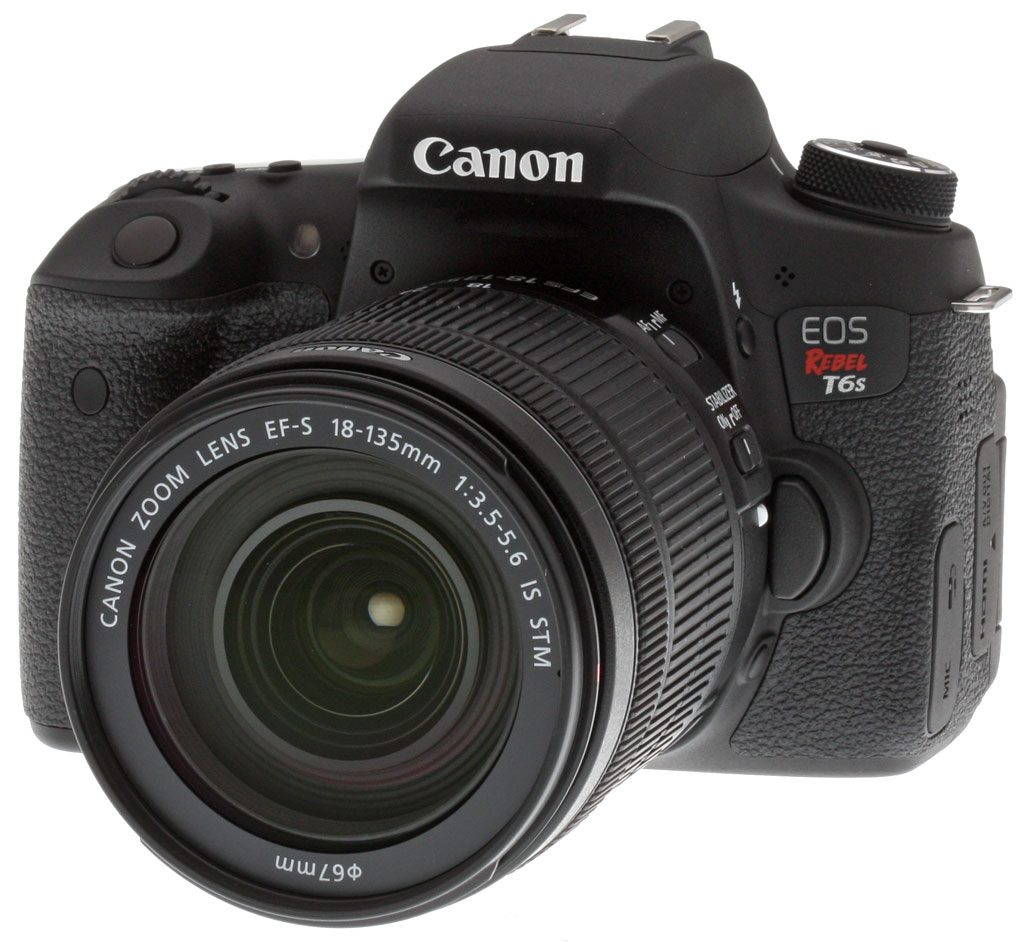
If you're a consumer shopping for a new digital SLR camera, chances are that Canon's Rebel series -- the most popular in the US interchangeable-lens camera market -- is on your shortlist. If not, it may be time to reevaluate that decision, thanks to the Canon T6s. A new flagship model for the line, it's surprisingly fully-featured for a consumer-oriented model, incorporating a wide range of features inherited from the company's mid-range 70D DSLR.
Just one glance at the Canon T6s is enough to set it apart from its predecessors, as on the top deck sits an LCD info panel -- a feature until now reserved for Canon's mid-range and professional cameras. And on the back deck is another Rebel first -- the rear-panel four-way controller is replaced by Canon's Control Dial interface, a nice commonality that will make it easier for the T6s to serve as a second body alongside a higher-end Canon model.
On the inside, the Canon T6s boasts a brand-new 24.2-megapixel CMOS image sensor, the highest resolution ever provided by a Canon APS-C format DSLR. Output is handled by a DIGIC 6 image processor, making its first appearance in a Rebel model. Together, the pairing provide the same ISO 100-12,800 (plus 25,600 boost) sensitivity range and five frames per second burst rate as in the earlier Rebel T5i, despite a one-third increase in the total pixel count.
The same image sensor and processor are shared with the simultaneously-launched Rebel T6i, a more affordable model that shaves off some of the T6s' features in the quest for a lower pricetag. And there's plenty else to differentiate the two cameras, beyond just the info LCD and Control Dial interface we've already mentioned.
For one thing, the Canon T6s can automatically disable the LCD monitor when you bring the viewfinder to your eye, courtesy of a proximity sensor above the eyepiece which the T6i lacks. The T6s also sports a single-axis electronic level function, and offers several live-view and movie-mode capabilities not found in its more affordable sibling.
These include the Rebel T6s's ability to adjust focus between frames in burst-mode live view shooting, to capture high dynamic range movies, and to digitally "zoom" movies during capture by cropping the sensor window from which the video feed is assembled.

So -- that's what separates the Rebel T6s from the T6i, but there are a lot of other features shared by both cameras. Many of these better the earlier Rebel T5i, and in more than a few cases, level the playing field against the more expensive EOS 70D.
Both cameras feature 19-point, all cross-type phase-detection autofocus coupled with the latest-generation Hybrid CMOS AF III autofocus, which yields significantly better performance and tracking in live-view shooting. They also have 7,560 pixel RGB+IR metering sensors, and now sport locking mode dials. And their viewfinders have been upgraded with Canon's Intelligent Viewfinder overlay function, another Rebel-series first. Also new are in-camera Wi-Fi wireless networking with Active NFC pairing, Silent Shooting mode support, flicker detection, and lens distortion correction among others.
Available since April 2015 in the US market, the Canon T6s is sold in two bundle variants -- either body-only for around US$850, or in a kit with 18-135mm STM zoom lens for about US$1,199.
In the Box
The Canon T6s retail box ships with the following items:
- Canon EOS Rebel T6s (760D in Europe) body
- Body cap
- Ef Eyecup
- 18-135mm IS STM lens (depending on bundle and market)
- Front and rear lens caps
- LP-E17 battery pack
- LC-E17 battery charger
- IFC-130U USB interface cable
- EW-100DB V wide shoulder strap
- EOS Digital Solution Disk CD-ROM
- Camera Instruction Manual booklet
Recommended Accessories
- Large capacity SDHC/SDXC memory card. Look for at least a Class 6 speed grade card if you plan on shooting video, and consider a fast UHS-I card to minimize buffer clearing times.
- Extra LP-E17 battery pack for extended outings
- BG-E18 battery grip
- ACK-E18 AC adapter kit or DR-E8 DC coupler if you already have a suitable AC adapter (for studio shooting)
- Additional lenses
- External Speedlite flash, or other shoe-mount accessory flash
- Dioptric lenses for viewfinder (if built-in diopter adjustment is insufficient for your prescription)
- External monaural or stereo microphone
- HTC-100 or other Mini-HDMI cable
- Medium size camera bag
Optics
The Canon T6s is available body-only, or bundled with the Canon EF-S 18-135mm f/3.5-5.6 IS STM lens. To see how this lens performs, see our Canon 70D Optics page or our full review of this lens on SLRgear.com.
Below are our Canon T6s viewfinder accuracy test results.
Viewfinder Test Results
Accuracy
Fair accuracy from the optical viewfinder, though excellent accuracy from the LCD in Live View mode.


We measured the Canon T6s' optical viewfinder's coverage at 95% matching Canon's spec, though the resulting image is shifted slightly horizontally and vertically with respect to the sensor. Live View mode using the LCD in record mode was much more accurate, resulting in just over 100% coverage, and of course the image isn't offset.
The images above were taken from our standardized test shots. For a collection of more pictorial photos, see our Canon EOS Rebel T6s (EOS 760D) Photo Gallery .
Exposure
Color
Saturation & Hue Accuracy
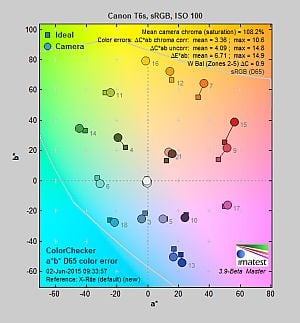
Realistic saturation levels with excellent hue accuracy.
 |
||
|
ISO Sensitivity
|
||
| In the diagram above, the squares show the original color, and the circles show the color that the camera captured. More saturated colors are located toward the periphery of the graph. Hue changes as you travel around the center. Thus, hue-accurate, highly saturated colors appear as lines radiating from the center. Mouse over the links above to compare ISOs, and click to load a larger version. | ||


Saturation. The Canon T6s produces images with saturation levels that are slightly less pumped than most cameras at default settings. Dark reds are boosted the most, with orange, dark greens and dark blues pushed a little, while cyans and light green are slightly muted. The mean saturation of 108.2% (8.2% oversaturated) at base ISO is just slightly lower than average, and it's fairly stable across the ISO ranges, varying from a maximum of 110.1% at ISO 3200 to a minimum of 106.6% at ISO 12,800. Most consumer digital cameras produce color that's more highly saturated (more intense) than found in the original subjects. This is simply because most people like their color a bit brighter than life.
Skin tones. The Canon T6s produces pleasing, natural-looking Caucasian skin tones in our tests when using auto white balance. Darker skin tones show a small nudge toward orange, but lighter tones are more pinkish. Very good results overall. Where oversaturation is most problematic is on Caucasian skin tones, as it's very easy for these "memory colors" to be seen as too bright, too pink, too yellow, etc.
Hue. As we've come to expect from Canon, the T6s' hue accuracy is excellent when manual white balance is used (as it always is for these results), and is much better than average. There are the usual shifts in cyan toward blue (though actually quite small), red toward orange, orange toward yellow, but all are fairly minor and there's virtually no shift in yellow (which is often shifted towards green). Average "delta-C" color error at base ISO is only 3.36 which is first-rate, one of the better scores we've recorded to date. Delta-C color error increases with sensitivity, but remains better than average even at the highest ISOs. Hue is "what color" the
color is.


Sensor
Exposure and White Balance
Indoors, incandescent lighting
Auto and Incandescent settings both struggled with household incandescent lighting, though Manual white balance worked well. Slightly higher than average exposure compensation required.


Indoors, under incandescent lighting, the Canon T6s' Auto and Incandescent white balance settings struggled, producing very warm reddish or orange/yellow color casts. Unfortunately, this is not uncommon among cameras we've tested, but disappointing nonetheless. The Manual setting produced the most accurate results, though just slightly cool with a small nudge towards green. The Canon T6s required +0.7 EV exposure compensation for this shot, which is slightly higher than the +0.3 EV average among the cameras we've tested. (Our test lighting for this shot is a mixture of 60 and 100 watt household incandescent bulbs, a pretty yellow light source, but a very common one in typical home settings here in the U.S.)
Outdoors, daylight
Very good color, though a tendency towards slightly cool color balance with somewhat high contrast under harsh lighting. Average exposure accuracy.
Outdoors, the Canon T6s tended toward a slightly cool color balance with Auto WB, though overall color is generally very good. The Canon T6s required +0.7 EV exposure compensation to keep the mannequin's face bright, about average for our"Sunlit" portrait shot. The Canon T6s' default contrast is a little high, producing some washed-out highlights and dark shadows under the deliberately harsh lighting of the shot above left, though the camera's contrast, Auto Lighting Optimizer and Highlight Tone Priority settings help with high contrast scenes like these. See below for examples of this. The Far-field shot (above right) is also a bit cool, but exposure is quite good, with the camera avoiding blown highlights, though there are some deep shadows which contain moderate amounts of noise.
See full set of test images with explanations
See thumbnails of all test and gallery images
Resolution
~2,700 lines of strong detail from JPEGs, about 2,800 from RAW.
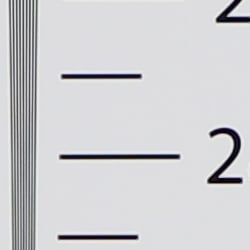

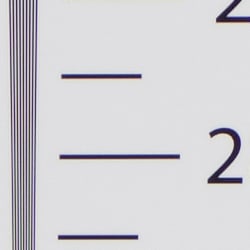

Our laboratory resolution chart showed the Canon T6s' images with sharp, distinct line patterns down to just over 2,700 lines per picture height horizontally and to about 2,700 lines vertically. Some may argue for higher numbers, but lines begin to merge at this resolution, and some aliasing artifacts in the form of moiré patterns can be seen as low as 2,300 lines. Extinction of the pattern occurred between 3,400 and 3,600 lines. An Adobe Camera Raw converted .CR2 file shows slightly higher resolution than the in-camera JPEG, perhaps another 100 lines, though complete extinction of the pattern was extended to between 3,600 and 4,000 lines, close to the limit of our chart. While ACR was able to extract more detail, it also produced more moiré and false colors. Use these numbers to compare with other cameras of similar resolution, or use them to see just what higher resolution can mean in terms of potential detail.
See full set of test images with explanations
See thumbnails of all test and gallery images
Sharpness & Detail
Slightly soft images at default sharpening, but with noticeable sharpening artifacts. Minor to moderate detail loss due to noise reduction processing even at low ISOs.


Sharpness. The Canon T6s' 24-megapixel sensor captures very good image detail when coupled with a good lens, though JPEG images are a bit soft. (Keep in mind Canon has decided to keep an optical low-pass filter in the T6s to reduce aliasing artifacts at the cost of slightly reduced sharpness, unlike some competing models which have gone the other way. However the T6s' OLPF appears to be fairly weak.) Yet the T6s' default sharpening setting generates visible edge-enhancement artifacts in the form of obvious sharpening halos around high-contrast edges, as shown in the crop above left.. Edge enhancement creates the illusion of sharpness by enhancing colors and tones right at the edge of a rapid transition in color or tone.
Detail. The crop above right shows some detail loss due to noise suppression in darker areas and in areas with low contrast, perhaps just a little more than we're accustomed to seeing from a digital SLR at base ISO. Still, a good performance for a 24-megapixel APS-C model. Noise-suppression systems in digital cameras tend to flatten-out detail in areas of subtle contrast. The effects can often be seen in shots of human hair, where the individual strands are lost and an almost "watercolor" look appears.
RAW vs In-Camera JPEGs
As noted above the Canon T6s produces JPEG images with very good detail, but that are somewhat soft with visible sharpening halos. With a good RAW converter, additional detail can often be extracted with fewer sharpening artifacts. See below:
|
Base ISO (100)
|
|
 |
 |
 |
 |
 |
 |
|
Camera JPEG, defaults
|
RAW via Adobe Camera Raw
|
In the table above, we compare a best quality in-camera JPEG taken at base ISO using default noise reduction and sharpening (on the left) to the matching RAW file converted with Adobe Camera Raw 9.1 using default noise reduction with some strong but tight unsharp masking applied in Photoshop (300%, radius of 0.3 pixels, and a threshold of 0).
Looking closely at the images, we can see ACR extracts additional detail that isn't present in the JPEG from the camera, particularly in the red-leaf and pink swatches where the fine thread pattern is likely treated as noise by the JPEG engine. Fine detail in the mosaic crop is also improved, but as is often the case, the conversion isn't as clean and smooth looking, with more noise that can be seen in the flatter areas of the bottle crop. You can of course apply stronger noise reduction (default ACR NR used here) to arrive at your ideal noise versus detail tradeoff. And, as expected, sharpening halos aren't nearly as strong as the default camera output. Still, not bad in-camera default JPEG processing, but as usual you can do noticeably better by shooting in RAW mode and using a good RAW converter.
ISO & Noise Performance
Good high ISO performance for a high-res 24-megapixel APS-C sensor.
|
Default High ISO Noise Reduction
|
||
 |
 |
 |
| ISO 100 | ISO 200 | ISO 400 |
 |
 |
 |
ISO 800 | ISO 1600 | ISO 3200 |
 |
 |
 |
ISO 6400 | ISO 12,800 | ISO 25,600 |
Images are quite clean at ISOs 100 and 200, with just a tiny amount of luminance noise seen in the darker areas, and very little chroma noise. Some blurring of fine low-contrast detail is already visible at base ISO, though, as mentioned previously. Noise "grain" is slightly more evident at ISO 400, but detail remains very strong despite some minor blurring due to noise reduction. ISO 800 is of course a little noisier, but fine detail is still very good with a noise grain that's quite fine and chroma noise well under control. At ISO 1600 blurring becomes noticeably stronger resulting in a more evident drop in image quality, though a fair amount of fine detail is still left. ISO 3200 is quite a bit grainier with minor chroma noise, but there is still some fine detail left. ISO 6400 is quite grainy, but the grain is still fairly tight and not too obtrusive Noise and the effects of noise reduction working hard to keep it under control really become apparent at ISOs 12,800 and 25,600 with heavier luminance noise, stronger blurring and more obvious chroma blotching.
See the Print Quality section below (when available) for our evaluation of maximum print sizes at each ISO setting.
A note about focus for this shot: We used to shoot this image at f/4, however depth of field became so shallow with larger, high-resolution sensors that it was difficult to keep important areas of this shot in focus, so we have since started shooting at f/8, the best compromise between depth of field and sharpness.
Extremes: Sunlit, dynamic range and low light tests
Very high resolution with strong overall detail, but somewhat high default contrast and unremarkable dynamic range. HTP and ALO options do a great job of dealing with tough lighting. Very good low-light performance.


The Canon T6s produces images with moderately high contrast with some washed-out highlights and deep shadows under the deliberately harsh lighting of the test above. The mannequin's face was too dim at the default and +0.3 EV settings and too many highlights were blown with +1.0 EV, so we preferred the image with +0.7 EV exposure compensation. This resulted in some clipped highlights in the shirt and flowers, a bit more than we're used to seeing from an APS-C sensor lately, indicating mediocre use of available dynamic range compared to the best of recent competitors. Shadow detail was however pretty good, though very deep shadows are a bit noisy and posterized. Bottom line: while dynamic range isn't bad, the Canon T6s didn't do as well with this difficult shot compared to some recent state-of-the-art peers.
Because digital cameras are more like slide film than negative film (in that they tend to have a more limited tonal range), we test them in the harshest situations to see how they handle scenes with bright highlights and dark shadows, as well as what kind of sensitivity they have in low light. The shot above is designed to mimic the very harsh, contrasty effect of direct noonday sunlight, a very tough challenge for most digital cameras. (You can read details of this test here. In actual shooting conditions, be sure to use fill flash in situations like the one shown here; it's better to shoot in open shade whenever possible.)
Face Detection
Just like most point & shoot cameras these days, the Canon T6s has the ability to detect faces in Live View mode, and adjust exposure and focus accordingly.
| Face Detection | ||
 |
 |
 |
| Aperture Priority Face Detect: Off 0 EV |
Aperture Priority Face Detect: On 0 EV |
Auto Mode 0 EV |
As you can see from the examples above, it works well, as the center image with face detection enabled is much better exposed for the face than the left image where face detection was not employed. Full Auto mode (right) was a slight improvement over Aperture Priority without face detection, selecting a larger aperture than we normally use for this shot (f/4 vs f/8), though the mannequin's face is still too dim.
Highlight Tone Priority
The Canon T6s' Highlight Tone Priority (HTP) option did an excellent job of preserving highlight detail, though shadows were also affected, as shown below. (Mouse over the Off and On links to load the corresponding thumbnail, histogram and crops.)
|
Highlight Tone Priority (+0.3EV)
|
|
 |
|
| Highlights |  |
| Shadows (Levels boosted to reveal noise.) |
 |
| Histogram | 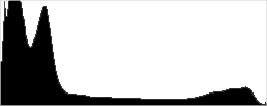 |
Both shots above were captured at the same exposure, the only difference being that HTP was enabled for the second shot which necessarily increases the ISO to 200; part of how HTP works. The result is evident in the histograms and thumbnails above, clearly showing the superior highlight preservation when HTP is enabled, though shadow brightness is also affected somewhat. If you look closely at shadows (the levels in shadow crops above are heavily boosted to reveal noise that would be difficult to see otherwise), you'll notice an increase in noise is the price you pay when ISO is boosted from 100 to 200.
Automatic Lighting Optimization
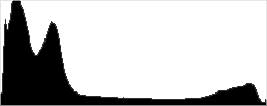
Like previous Canon EOS models, the T6s offers three selectable levels of Automatic Lighting Optimization (ALO), plus Off. In fully automatic (Scene Intelligent Auto) ALO is automatically enabled and it's available in P, Tv and Av exposure modes. Mouse over the links below to load the associated thumbnail and histogram, and click on the links to load full resolution images.
|
Automatic Lighting Optimization (+0.3 EV)
|
|
 |
|
 |
|
As you can see above, ALO has the effect of shifting shadows and mid-tones in the histograms to the right, brightening shadows and indeed most of the image without shifting the highlights as much, though some additional highlights were clipped with the High setting. ISO is not boosted for ALO so increased noise is not an issue, though it may be slightly more visible in shadows that have been boosted significantly.
HDR Backlight Control
Like its predecessor, the T5i, the Canon T6s has an HDR Backlight Control scene mode, which takes three continuous shots at different exposures and merges them together to create an image with wider tonal range than would be possible with a single exposure. We did not however test this scene mode in the lab.
Dynamic Range Analysis (RAW mode)
While we once performed our own dynamic range measurements based on in-camera JPEGs as well as converted RAW images (when the camera was supported by Adobe Camera Raw), we've switched to using DxO Labs' results from their DxOMark website. As technology advanced, the dynamic range of modern high-end cameras in some cases exceeded the range of the Stouffer T4110 density scale that we used for our own measurements. DxO's approach based on RAW data before demosaicing is also more revealing, because it measures the fundamental dynamic range of the sensor, irrespective of whatever processing is applied to JPEGs, or to RAW data by off-the-shelf conversion software.
In the following, we use DxO's "Print" dynamic range results, which are scaled based on camera resolution. As the name suggests, this scaling corresponds to the situation in which you print at a given size, regardless of how many megapixels the camera might have. (In other words, if you've decided to make a 13x19 inch print, that's the size you're printing, whether the camera's resolution is 16 or 300 megapixels.) For the technically-minded, you can find a discussion of the reasoning behind this here on the DxOMark website. Also note that DxO Labs uses a signal-to-noise (SNR) threshold of 1 when defining the lower boundary of acceptable luminance noise in their dynamic range measurements, which corresponds to the "Low Quality" threshold of the Imatest software we used to use for this measurement.

Here, we decided to compare the Canon T6s' (760D) dynamic range to its predecessor, the T5i (700D), and also to Nikon's D5500. You can always compare other models on DxOMark.com.
As you can see from the above graph (click for a larger version), the Canon T6s's dynamic range is improved over the T5i's across the board, with a peak of about 12.0 versus 11.2 EV at base ISO, and a minimum of about 6.6 vs 5.7 EV at the ISO 25,600 setting.
The Nikon D5500 does significantly better at low to moderate ISOs, though, with a peak of about 14.0 EV at base ISO which is a whopping 2 EV advantage. But as ISO rises, the gap shrinks and the two cameras perform very similarly at ISO 1600 and above. Click here to visit the DxOMark page for the Canon T6s for more of their test results and additional comparisons.
| 1 fc 11 lux |
1/16 fc 0.67 lux |
1/16 fc No NR |
|
|---|---|---|---|
| ISO 100 |
 2s, f2.8 |
 30s, f2.8 |
 30s, f2.8 |
| ISO 3200 |
 1/15s, f2.8 |
 1s, f2.8 |
 1s, f2.8 |
| ISO 25600 |
 1/125s, f2.8 |
 1/8s, f2.8 |
 1/8s, f2.8 |
Low Light. The Canon T6s performed well in our low-light tests, capturing bright images at the lowest light level (1/16 foot-candle), even with the lowest sensitivity setting (ISO 100). As expected, noise increases as ISO goes up and light levels go down, but luminance noise remains fairly low and fine-grained at ISO 3200. Some chroma noise in the form of subtle color blotching in the shadows and dark areas is visible at lower light levels, though it's effectively suppressed by default noise reduction. As you'd expect, noise is quite high at the maximum ISO of 25,600, particularly when noise reduction is minimized (extreme right column in the table above).
We noticed a few hot pixels here and there, but nothing out of the ordinary. We didn't see any signs of heat blooming and banding (fixed pattern noise) appears to be very low, though random noise in very deep shadows is a bit high.
Color balance was fairly neutral with Canon T6s' Auto white balance setting, just a touch cool at higher light levels, but warming up at lower.
When using the optical viewfinder and dedicated phase-detect AF, the Canon T6s' autofocus system was able to focus on the subject down to below the 1/8 foot-candle light level unassisted with an f/2.8 lens. That's not bad for a consumer model, and the camera was able to focus in complete darkness with AF assist enabled. In Live View mode with Hybrid AF, the Canon T6s was also able to focus down to below the 1/8 foot-candle light level, which is very good for a DSLR in Live View mode with an f/2.8 lens.
As always, keep in mind that the longer shutter speeds here demand the use of a tripod to prevent any blurring from camera movement. (A useful trick is to just prop the camera on a convenient surface, and use its self-timer to release the shutter. This avoids any jiggling from your finger pressing the shutter button, and can work quite well when you don't have a tripod handy.)
How bright is this? The one foot-candle light level that this test begins at roughly corresponds to the brightness of typical city street-lighting at night. Cameras performing well at that level should be able to snap good-looking photos of street-lit scenes.
NOTE: This low light test is conducted with a stationary subject, and the camera mounted on a sturdy tripod. Most digital cameras will fail miserably when faced with a moving subject in dim lighting. (For example, a child's ballet recital or a holiday pageant in a gymnasium.) Digital SLRs like the Canon T6s do much better than point & shoots, but you still shouldn't expect a quick autofocus lock with moving subjects.
Output Quality
Print Quality
High-quality prints up to 30 x 40 inches at ISO 100-400; Nice 13 x 19 inch prints at ISO 3200; and 4 x 6 inch prints just pass muster at ISO 25,600.
 ISO 100/200/400 images look impressive up to a whopping 30 x 40 inches. At all three sensitivities, prints of our Still Life test images look very good with lots of fine detail and pleasing colors. 30 x 40 prints are quite large, and the largest we test-print now at IR. You're really only limited by how much you want to push the 24-megapixel sensor's resolution should you wish to print larger sizes.
ISO 800 prints still look very, very good, and in fact, quite close to the previous three ISOs at 24 x 36 inches. However, we can see that subtle shadow noise has become more apparent at this sensitivity, making a 20 x 30 inch print the largest size with our stamp of approval. That said, colors and detail are still very good, so a 24 x 36 print could do well for less critical applications.
ISO 1600 images look great up to 16 x 20 inches. Noise in the shadows is more visible now, though finely grained, but overall, prints at this size show a lot of detail and pleasing colors.
ISO 3200 prints do nicely up until 13 x 19 inches. At this point, noise is heavier, though it still has a fine-grained quality to it, but nevertheless it prevents us from calling larger print sizes acceptable. Fine detail and colors are still quite good at this print size, though.
ISO 6400 images look great up to 8 x 10 inches. Naturally, noise is stronger and more apparent at this ISO now, but there's still a good amount of detail, and colors are pleasing.
ISO 12,800 prints max-out at 5 x 7 inches. Detail becomes too soft due to noise to really consider any larger print sizes acceptable.
ISO 25,600 images manage to squeak out a rather pleasant 4 x 6 inch print. Colors still look surprisingly good, and there's just enough detail to make a decent print at this size.
Sporting the highest-resolution APS-C sensor ever packed into a Rebel-series camera, the 24-megapixel Canon T6s has an impressive showing in the print department. Surprisingly, prints from ISO 100 up to 400 look practically identical with tons of detail and great colors allowing for very large prints up to 30 x 40 inches. Hitting the middle ISO ranges, the T6s does very well to control noise and balance NR processing with a good amount of fine detail. At ISO 3200, the T6s manages a nice 13 x 19 inch print. And even at the tip-top of the ISO scale, this new Canon Rebel achieves a good 5 x 7 at ISO 12,800 and a 4 x 6 at 25,600.
The images above were taken from our standardized test shots. For a collection of more pictorial photos, see our Canon EOS Rebel T6s (EOS 760D) Photo Gallery .
Not sure which camera to buy? Let your eyes be the ultimate judge! Visit our Comparometer(tm) to compare images from the Canon EOS Rebel T6s (EOS 760D) with those from other cameras you may be considering. The proof is in the pictures, so let your own eyes decide which you like best!
Performance
Timing and Performance
Mixed performance for a consumer DSLR.
| Startup/Play to Record | ||
|---|---|---|
| Power on |
~0.9 second
|
Time it takes to turn on and capture a shot. |
|
Play to Record, |
~0.1 second
|
Time until first shot is captured. |
Powering on and taking a shot was fair for a DSLR, at about 0.9 second. Switching from Play to Record mode and taking a shot was a lot faster, at about 0.1 second.
| Shutter Response (Lag Time), Optical Viewfinder, 18-135mm IS STM | ||
|---|---|---|
|
Full Autofocus |
0.089 second
|
Time from fully pressing shutter button to image capture. |
|
Full Autofocus |
0.358 second
|
Time to capture while forcing flash to fire. Preflash metering pulses from flash often slow shutter response. |
|
Manual Focus |
0.105 second
|
For most cameras, shutter lag is less in manual focus than autofocus, but usually not as fast as when the camera is "prefocused". |
|
Prefocused |
0.074 second
|
Time to capture, after half-pressing and holding shutter button. |
| Shutter Response (Lag Time), Live View, 18-135mm IS STM | ||
|
Prefocused |
0.074 second
|
Time to capture, after half-pressing and holding shutter button. |
In terms of the Canon T6s's ability to determine that it's properly focused when shooting the same target multiple times using the optical viewfinder and the 18-135mm IS STM kit lens, its full autofocus shutter response was very fast for a consumer DSLR. We measured only 0.089 second for full AF lag using single point (center) AF, which is close to pro DSLR speeds. Enabling the flash added considerable delay for the pre-flash metering, though, resulting in a capture lag of about 0.36 second.
Shutter lag with manual focus was good at 0.105 second. "Prefocusing" the camera by half-pressing and holding down the shutter button before the final exposure resulted in a lag time of only 0.074 second, also good for a DSLR.
The Canon T6s's prefocused shutter lag time in Live View mode was identical to the result we got using the optical viewfinder, which is excellent. Note that we no longer test full AF lag in Live View mode for DSLRs, because the lens used makes such a huge difference that comparing is pointless. We'll try to comment on real-world Live View AF performance in our field tests.
To minimize the effect of different lens' focusing speed, we test AF-active shutter lag with the lens already set to the correct focal distance.
| Cycle Time (shot to shot) | ||
|---|---|---|
|
Single Shot mode |
< 0.3 second
|
Time per shot, averaged over a few frames. |
|
Single Shot mode |
< 0.3 second
|
Time per shot, averaged over a few frames. |
|
Early shutter |
No
|
Some cameras don't snap another shot if you release and press the shutter too quickly in Single Shot mode, making "No" the preferred answer. |
|
Continuous mode |
0.21 second (4.81 frames per second);
50+ frames total; 2 seconds to clear* |
Time per shot, averaged over 50 shots with no signs of slowing. |
| Continuous mode |
0.21 second (4.81 frames per second);
6 frames total; 4 seconds to clear* |
Time per shot, averaged over 6 shot buffer capacity, then slowed to an average of 0.72s or 1.40fps when buffer was full. |
|
Continuous mode |
0.21 second (4.81 frames per second);
6 frames total; 6 seconds to clear* |
Time per shot, averaged over 6 shot buffer capacity, then slowed to an average of 1.02s or 0.98fps when buffer was full. |
| Flash recycling |
3.2 seconds
|
Flash at maximum output. |
|
*Note: Buffer clearing times measured with a SanDisk Extreme Pro 95MB/s UHS-I SDHC card. Slower cards will produce correspondingly slower clearing times. Slow cards may also limit length of bursts in continuous mode. ISO sensitivity and noise reduction settings can also affect cycle times and burst mode performance.
|
||
Single-shot cycle times were so fast that they were difficult to accurately measure as they depend on the tester's nimbleness and ability to maintain an optimum rhythm. (Note that we no longer test single-shot mode with just RAW files, as the results are usually somewhere in between JPEG and RAW+JPEG modes.)
Full-resolution continuous mode speeds were fair given the class and resolution, at about 4.8 frames-per-second, no matter the file type. That's about average for a consumer-level 24-megapixel APS-C DSLR.
Buffer depth for best quality JPEGs was excellent at well over 50 frames with no signs of slowing (Canon claims up to 940 Large/Fine JPEGs in a burst with a UHS-I card). When shooting RAW files, however, buffer depths were quite shallow at only 6 frames with or without JPEGs. Shallow buffers when shooting RAW files isn't uncommon for its class, though.
Buffer clearing times were quite good considering the resolution with our fast UHS-I card, ranging from 2 seconds after 50 best quality JPEGs, to 6 seconds after a burst of RAW+JPEG frames.
The Canon T6s's flash took an average of 3.2 seconds to recharge after a full-power discharge, which is good.
Bottom line, the Canon T6s offers mixed performance, ranging from mediocre burst speeds with shallow RAW buffers to excellent single-point AF speed for its class. Overall. though, good performance for a consumer DSLR.
Battery
Battery Life
Below average battery life for consumer DSLR.
| Operating Mode | Number of Shots |
|---|---|
|
Still Capture,
(CIPA standard, Optical Viewfinder) |
440
|
|
Still Capture,
(CIPA standard, Live View LCD) |
180
|
The Canon T6s uses a custom LP-E17 rechargeable lithium-ion battery for power, and ships with a dedicated battery charger. Battery life is below average for a DSLR using the optical viewfinder, rated at only 440 shots with 50% using flash, and of course Live View mode draws more power reducing battery life considerably. We recommend you pick up a spare battery and keep it freshly charged and on-hand, or consider purchasing the BG-E18 battery grip which doubles battery life with a second battery installed.
The table above shows the number of shots the Canon T6s is capable of (on a fully-charged rechargeable battery), based on CIPA battery-life and/or manufacturer standard test conditions.
(Interested readers can find an English translation of the CIPA DC-002 standards document here. (180K PDF document))
Image Quality
Below are crops from our laboratory Still Life target comparing the Canon T6s's image quality to its predecessor, the T5i, as well as against several competing APS-C models -- and one Micro Four Thirds camera for good measure -- which all sit at similar price points or product categories: the Nikon D5500, Olympus E-PL7, Samsung NX500 and Sony A6000.
NOTE: These images are from best quality JPEGs straight out of the camera, at default settings including noise reduction and using the camera's actual base ISO (not extended ISO settings). All cameras in this comparison were shot with our very sharp reference lenses. Clicking any crop will take you to a carrier page where you can click once again to access the full resolution image as delivered straight from the camera. For those interested in working with the RAW files involved: click these links to visit each camera's respective sample image thumbnail page: Canon T6s, Canon T5i, Nikon D5500, Olympus E-PL7, Samsung NX500 and Sony A6000 -- links to the RAW files appear beneath those for the JPEG images, wherever we have them. And remember, you can always go to our world-renowned Comparometer to compare the Canon T6s to any camera we've ever tested!
Canon T6s vs Canon T5i at Base ISO
 |  |
 |  |
 |  |
Canon T6s at ISO 100 | Canon T5i at ISO 100 |
The Canon T6s brings a new, higher-res 24-megapixel APS-C sensor to the 'Rebel' series over the 18-megapixel sensor in the T5i. At base ISO, both cameras display a lot of fine, crisp detail, but minute details such as in the mosaic tile and fabrics are more apparent from the T6s due to the increase in resolution. | |
Canon T6s vs Nikon D5500 at Base ISO
|  |
|  |
|  |
Canon T6s at ISO 100 | Nikon D5500 at ISO 100 |
While both cameras here feature 24-megapixel APS-C sensors, the Nikon D5500's sensor lacks an optical low-pass filter, unlike the T6s which includes one. This, along with different approaches to default sharpening, allows the D5500 to resolve crisper fine detail than the T6s here in this base ISO comparison. | |
Canon T6s vs Olympus E-PL7 at Base ISO
|  |
|  |
|  |
Canon T6s at ISO 100 | Olympus E-PL7 at ISO 200 |
Overall, both cameras do well here at base ISO. Details look a bit cleaner and more natural from the T6s. The 16-megapixel Micro Four Thirds E-PL7 on the other hand displays some minor noise reduction artifacts upon close inspection in shadow areas (such as in the bottle crop), but keep in mind its higher base ISO. | |
Canon T6s vs Samsung NX500 at Base ISO
|  |
|  |
|  |
Canon T6s at ISO 100 | Samsung NX500 at ISO 100 |
The 28-megapixel APS-C Samsung NX500 edges out the Canon T6s in resolution here at base ISO. Details are crisp, shadow areas are clean and oft-difficult areas like the fabric swatches look pretty good from both cameras, though NX500 gets the nod here for crisper, more natural detail overall. The Samsung does however show more noticeable moiré patterns in the red-leaf fabric, thanks to its lack of an optical low-pass filter, as well as less saturated colors | |
Canon T6s vs Sony A6000 at Base ISO
|  |
|  |
|  |
Canon T6s at ISO 100 | Sony A6000 at ISO 100 |
Here we have another 24-megapixel APS-C sensor head-to-head match up. Again, both cameras do very well at base ISO with resolving lots of detail, though the Sony A6000 produces much sharper images here at its default parameters for in-camera JPEG processing, while at the same time producing less haloing along high-contrast edges. | |
Canon T6s vs Canon T5i at ISO 1600
 |  |
 |  |
 |  |
Canon T6s at ISO 1600 | Canon T5i at ISO 1600 |
Apart from the relatively minor resolution difference, both Canons here display very similar image quality at ISO 1600. Detail is slightly better from the T6s, particularly in the fabric swatches, though both cameras still struggle with resolving the actual leaf pattern in the red fabric at this sensitivity. | |
Canon T6s vs Nikon D5500 at ISO 1600
|  |
|  |
|  |
Canon T6s at ISO 1600 | Nikon D5500 at ISO 1600 |
While the Nikon struggles more with the red-leaf fabric at ISO 1600, its shadow noise is more pleasing and finely-grained compared to the Canon's. Fine detail in the mosaic crop is slightly more natural-looking from the Nikon as well. | |
Canon T6s vs Olympus E-PL7 at ISO 1600
|  |
|  |
|  |
Canon T6s at ISO 1600 | Olympus E-PL7 at ISO 1600 |
Higher contrast detail certainly does well from both cameras at this higher ISO, and the E-PL7's noise reduction works well to smooth out and remove shadow noise more so than the T6s's, however the Canon continues to resolve more fine detail. Both cameras have a tough time with the fabric swatches, but the edge goes to the Canon. | |
Canon T6s vs Samsung NX500 at ISO 1600
|  |
|  |
|  |
Canon T6s at ISO 1600 | Samsung NX500 at ISO 1600 |
Upon close inspection, the NR processing appears a bit more heavy-handed from the NX500, especially in the red-leaf fabric swatch, but otherwise, the Samsung has the edge over the Canon here at ISO 1600 with more detail and less noise. Colors from the Samsung continue to be less saturated, though. | |
Canon T6s vs Sony A6000 at ISO 1600
|  |
|  |
|  |
Canon T6s at ISO 1600 | Sony A6000 at ISO 1600 |
The NR processing from the Sony is a bit more aggressive than Canon's -- it removes more noise from the shadows, but its area-specific algorithm can produce more artifacts, such as in the pink fabric. Noise from the Canon T6s, while more visible, is more uniform and natural-looking. Fine detail overall, however, is quite good from both cameras. | |
Canon T6s vs Canon T5i at ISO 3200
 |  |
 |  |
 |  |
Canon T6s at ISO 3200 | Canon T5i at ISO 3200 |
Apart from the resolution difference, the image quality from these two cameras at ISO 3200 is very similar. Noise and NR processing is certainly impacting detail, especially in the fabric swatches, but higher contrast detail in the mosaic looks quite good. Noise in the shadows of the bottle crop is visible, but not overly objectionable. | |
Canon T6s vs Nikon D5500 at ISO 3200
|  |
|  |
|  |
Canon T6s at ISO 3200 | Nikon D5500 at ISO 3200 |
Fine detail in the mosaic crop looks very similar between these two cameras here, but up in the bottle crop, the D5500 has better noise control than the T6s. The fabric swatches cause trouble for both cameras. The Canon shows some semblance of the red-leaf pattern, while the Nikon manages to show more subtle, noisy detail, but overall, both camera have a tough time here. | |
Canon T6s vs Olympus E-PL7 at ISO 3200
|  |
|  |
|  |
Canon T6s at ISO 3200 | Olympus E-PL7 at ISO 3200 |
The noise reduction processing from the E-PL7 does really well at removing a lot of noise, while the T6s displays more, however keep in mind we are dealing with a 24-megapixel APS-C chip in the Canon and a 16-megapixel Four Thirds one in the Olympus. Despite the significant resolution difference, image quality is good from both cameras, though the Canon looks a bit more detailed and natural in the mosaic crop. Both cameras struggle with the fabrics. | |
Canon T6s vs Samsung NX500 at ISO 3200
|  |
|  |
|  |
Canon T6s at ISO 3200 | Samsung NX500 at ISO 3200 |
At ISO 3200, the NX500 has the edge with better noise control than the T6s, and fine details in the mosaic crop appear more natural from the Samsung as well. Both cameras have trouble with the fabric swatches, but the NX500 fares a bit better with detail in the pink fabric, though it appears quite faded. | |
Canon T6s vs Sony A6000 at ISO 3200
|  |
|  |
|  |
Canon T6s at ISO 3200 | Sony A6000 at ISO 3200 |
The Sony A6000's NR processing does well to remove more noise than the Canon's, but it appears more aggressive and less natural, and is particularly noticeable in flatter areas such as in the bottle crop. Very fine detail in the mosaic crop looks slightly better from the Canon, though both cameras are quite close in performance here. Our infamous fabric swatches prove troublesome for both cameras with NR impacting detail in different ways from each camera. | |
Canon T6s vs. Canon T5i, Nikon D5500, Olympus E-PL7, Samsung NX500, Sony A6000
 |  |  |  |  |  |
 |  |  |  |  |  |
 |  |  |  |  |  |
| Canon T6s ISO 100 ISO 3200 ISO 6400 | Canon T5i ISO 100 ISO 3200 ISO 6400 | Nikon D5500 ISO 100 ISO 3200 ISO 6400 | Olympus E-PL7 ISO 200 ISO 3200 ISO 6400 | Samsung NX500 ISO 100 ISO 3200 ISO 6400 | Sony A6000 ISO 100 ISO 3200 ISO 6400 |
| Detail comparison. We also like to take a look at high-contrast detail, and while the Canon T6s is a decent performer, it doesn't enter the winner's circle here against the competition. At base ISO, detail from the T6s looks quite good, but the D5500, NX500 and A6000 all get top marks with crisper, sharper detail. As sensitivity rises, contrast drops in the Canon images. The T6s clearly does much better than its predecessor here, but against some of the other competitors, particularly the D5500 and NX500, the T6s lags behind. | |||||
High-quality prints up to 30 x 40 inches at ISO 100-400; Nice 13 x 19 inch prints at ISO 3200; and 4 x 6 inch prints just pass muster at ISO 25,600.
ISO 100/200/400 images look impressive up to a whopping 30 x 40 inches. At all three sensitivities, prints of our Still Life test images look very good with lots of fine detail and pleasing colors. 30 x 40 prints are quite large, and the largest we test-print now at IR. You're really only limited by how much you want to push the 24-megapixel sensor's resolution should you wish to print larger sizes.
ISO 800 prints still look very, very good, and in fact, quite close to the previous three ISOs at 24 x 36 inches. However, we can see that subtle shadow noise has become more apparent at this sensitivity, making a 20 x 30 inch print the largest size with our stamp of approval. That said, colors and detail are still very good, so a 24 x 36 print could do well for less critical applications.
ISO 1600 images look great up to 16 x 20 inches. Noise in the shadows is more visible now, though finely grained, but overall, prints at this size show a lot of detail and pleasing colors.
ISO 3200 prints do nicely up until 13 x 19 inches. At this point, noise is heavier, though it still has a fine-grained quality to it, but nevertheless it prevents us from calling larger print sizes acceptable. Fine detail and colors are still quite good at this print size, though.
ISO 6400 images look great up to 8 x 10 inches. Naturally, noise is stronger and more apparent at this ISO now, but there's still a good amount of detail, and colors are pleasing.
ISO 12,800 prints max-out at 5 x 7 inches. Detail becomes too soft due to noise to really consider any larger print sizes acceptable.
ISO 25,600 images manage to squeak out a rather pleasant 4 x 6 inch print. Colors still look surprisingly good, and there's just enough detail to make a decent print at this size.
Sporting the highest-resolution APS-C sensor ever packed into a Rebel-series camera, the 24-megapixel Canon T6s has an impressive showing in the print department. Surprisingly, prints from ISO 100 up to 400 look practically identical with tons of detail and great colors allowing for very large prints up to 30 x 40 inches. Hitting the middle ISO ranges, the T6s does very well to control noise and balance NR processing with a good amount of fine detail. At ISO 3200, the T6s manages a nice 13 x 19 inch print. And even at the tip-top of the ISO scale, this new Canon Rebel achieves a good 5 x 7 at ISO 12,800 and a 4 x 6 at 25,600.
Field Test
A beefed-up entry-level DSLR bridges gap toward enthusiasts
Introduction
At $849 USD (body only), the Canon Rebel T6s provides a lot of performance for the price. It's about $100 more expensive than the T6i, but it brings a handful of notable improvements over the T6i while sharing many key features. The T6s includes the same sensor, AF system, and processor as the T6i, but brings numerous improvements to the camera body itself, including a top LCD display and a rear 'quick control' dial. The T6i continues in the footsteps of prior Rebel DSLR cameras, whereas the higher tier T6s further bridges the gap between entry-level and mid-range cameras, making the T6s Canon's new flagship Rebel model.
Key Features
With a 24.2 megapixel APS-C CMOS sensor, the T6s (and the T6i) are the highest resolution Rebel cameras to date, besting the T5i's 18 megapixel sensor. The T6s has a new autofocus system with 19 cross-type phase-detection AF points, can shoot continuously at up to 5fps, and has a native ISO range of 100-12,800 (which expands up to ISO 25,600). Metering has also improved with a 7,560 pixel RGB + IR metering sensor with skin tone detection.

Camera Body and Handling
The T6s feels fine to hold, although the camera's grip is small and not very deep for my liking. The buttons are all generally easy to reach, although the Quick Control dial is difficult for me to reach while still maintaining a strong grip on the camera because the dial is quite low on the back of the camera body. The T6s is not weather-sealed nor particularly heavy-duty, but this helps to keep its weight at a light 565 grams including the battery. With that said, Canon has a long history of producing quality cameras, and I expect that the T6s' durability will be very good.
Operating the camera via the 3" fully-articulated touchscreen monitor works well as on-screen elements are large enough to touch accurately with all of my touches registering correctly. As with many touchscreens, the display gets covered with fingerprints quickly, which can make the display harder to use in bright light. The display fully articulates, which is great when you need to reposition it to reduce glare in sunny shooting conditions. The screen feels sturdy and the rotation/articulation is very smooth.

The mode dial on the top left of the camera works great and it rotates firmly into place with each adjustment. Like a higher-end mode dial has a locking mechanism, in which you press and hold to unlock the dial as you rotate. Along the top of the top-plate LCD screen sit three buttons: AF Area selection, ISO, and LCD panel illumination. The ISO button has a small bump in the center to make it easier to locate just by touch while looking through the viewfinder.

The top display itself is rather small but still provides a variety of useful information in an easy to read letters and symbols, like it's larger brethren. The information displayed depends on the shooting mode of the camera, but in creative shooting modes (P, Av, TV, and M), the display shows ISO speed, shutter speed, aperture, highlight tone priority, battery life, Wi-Fi status, remaining images that can be captured given current image recording settings, and exposure level/exposure compensation. The mode dial is on the top left of the camera body.
Moving to the back of the camera body, below the tri-modal on/off/movie-mode switch are the Menu and Info buttons. These two buttons are small and barely extend beyond the camera body, so they can be a little difficult to press. To the right of the viewfinder is a small Live View Shooting/Movie Shooting button. Despite being a small button, it however protrudes outwards more than the menu and info buttons and is easier to press. There are AE lock/FE lock/Index/Reduce and AF point selection/Magnify buttons above the thumb grip. Below the thumb grip are 'Quick Control' and Playback buttons. Further down is the Control Dial wheel, a first for a Rebel camera, which has been brought over from Canon's higher-ends DSLRs and replaces the standard 4-buttom+SET control cluster from earlier Rebel models. Inside the 4-way-directional Control Dial are white balance, picture style, drive mode, and AF operation selection buttons with a 'Set' button in the center.
Shooting Experience
Image files from the T6s look really nice. Both RAW and JPEG files have pleasing, smooth tones and good colors. In my opinion, RAW files are slightly soft straight from the camera, but the files sharpen well. The dynamic range of RAW files certainly can't match recent full frame cameras, but there is still a lot of data in the files that allows for moderate exposure adjustments. Overall, I was pleased with the images from the T6s and was impressed with the amount of flexibility that the RAW files provided.
The T6s' optical viewfinder is clear and bright with large, easily readable text along the bottom of the viewfinde. The viewfinder, however, only provides 95% frame coverage with a magnification of 0.82x. The viewfinder feels rather small; it would be nice if it had 100% coverage. The T6s also has an eye sensor above the viewfinder. The camera uses this sensor to determine if you are looking through the viewfinder. When looking through the viewfinder, the camera turns the display on the back of the camera off to save battery (which is rated to last for 440 shots). The T6s also features a single-axis electronic level. The level is fairly simplistic, but it does work well.
The T6s offers both silent continuous and silent single shooting modes for use in sound-sensitive situations. The silent continuous shooting mode decreases the continuous shooting frame rate from 5 to 3fps, yet the shutter is only marginally quieter when shooting using this mode, though, so it's hard to see a significant benefit.
Using the Canon Camera Connect application, you can remotely capture and download images using your mobile device with Wi-Fi, or NFC if your device supports it. Using my iOS device, the Wi-Fi connection process was slightly more complicated than previous cameras I've used. To connect the camera to my mobile device, I had to enter the camera's menu system to activate the Wi-Fi network, then my device's menu system and locate that network, enter the encryption key into my mobile device, and then enter a command into the camera's menu system. Fortunately, the encryption key is saved for future connections.
The app itself offers some control over the camera, including changing drive mode, AF mode, shutter speed, aperture, ISO, and exposure compensation depending on the mode you're in. Unfortunately, you cannot change the shooting mode of the camera remotely and changing the mode on the camera itself disconnects the camera from the phone. Additionally, white balance, metering, and file recording settings cannot be changed remotely. I also experienced a slight delay -- about a second or so -- when trying to move the focus point around the screen on my mobile device. It isn't a huge delay, but certainly enough of a delay such that you wouldn't be able to remotely shoot a moving subject very easily. There's also a slight low framerate/stuttering lag appearance to the remote live view with the app. I did like that the app has a smaller button beneath the shutter release that controls the camera's focus without capturing an image. Overall, the app can be useful in a variety of situations depending upon the control flexibility that you desire, though capturing fast moving subjects can be challenging.
The usabilty of Live View shooting on the T6s is excellent. As with other recent Canon DSLRs, there's a live view mode toggle buttom right next to the viewfinder. I'll talk about viewfinder AF performance a bit further down, but for manual focusing, the T6s gives you the ability to zoom in at 5x and 10x increments to adjust and check focus, however, the camera doesn't offer focus peaking option, unfortunately. The 3” articulating display works really well for live view shooting, making it easier to get shots from various high or low angles. Using the touchscreen, you can tap to focus as well as tap the screen to trigger the shutter release. An excellent feature of the T6s when using live view is tapping your subject so that the camera begins tracking it with autofocus. There is a simulated exposure option that does a good job of giving a live preview of what the captured exposure will look like given the current camera settings (there's also a optional live histogram overlay available). This feature struggles when lighting conditions are low, however, but it works well in most other situations I experienced.

Autofocus Performance
The T6s has a 19-point autofocus system, which is borrows from the Canon 70D. The T6s' 19 points are all cross-type phase-detection AF points. In many lighting conditions, the T6s focuses quickly and accurately, struggling only with particularly complex scenes and in very low light. There are three AF point and area options: Single-Point AF (manual selection), Zone AF (manual selection of zone), and 19-Point Automatic Selection AF. The latter option, 19-point automatic selection AF, is the simplest AF area option to use, and it performs well at selecting the correct subject. Manually selecting an AF point or an AF zone takes a few seconds to do as the directional buttons on the back of the camera all have functions mapped to them and cannot be used to quickly move the AF point (or zone) as I'm used to with my Nikon DSLRs. You'll first have to press the AF point selection button located in the upper right corner on the rear of the camera next to your thumb, and then an AF point (or zone) can be selected using rear multi-directional button, the top and rear control dials, or even the LCD touchscreen.
Continuous autofocus performance with the T6s is good; it's quick to acquire and reacquire focus when burst shooting using AI Servo AF. When using the full 19-point automatic AF point selection mode and AI Servo AF continuous focus mode, the camera uses a manually-chosen AF point first as its starting point, and then if the subject moves away from this point, the camera continues to track focus across the frame while the subject is within the area of AF points. This is a different behavior than when using the 19-point automatic AF point selection mode in One-Shot mode, in which the camera automatically determines focus point with no user-selectable "starting point." When using AI Focus AF -- where the camera automatically selects beween One-Shot AF and AI Servo AF, modes -- you are not given a starting AF point for any sort of subject tracking. However, I found AI Focus AF is not quick to determine when a subject starts moving, so, in my shooting experience, I found that a single AF point or AF zone works better when continuously shooting using AI Servo AF -- provided that you can keep the focus point (or zone) on the subject.

Autofocus in live view is impressive. The T6s uses a new Hybrid CMOS AF III focus system here, which utilizes a combination of traditional contrast-detect AF areas and on-sensor phase-detect AF points. Autofocus areas in live view cover 80% of the width and height of the sensor. Live view autofocus is quick and accurate in various lighting conditions, and Canon claims this new live view AF system approaches the performance of their Dual Pixel CMOS AF system seen in their higher-end models like the 70D and 7D Mark II. Unlike the T6i, the Canon T6s has the advantage where it can use Servo AF while in live view to continuously adjust focus between frames when shooting a burst of images.
Subject tracking also works well in live view. In fact, I found that subject tracking works better in live view than it does when shooting through the viewfinder. When using subject tracking, a blue rectangle covers the subject, and the T6s follows it throughout the frame accurately and lagging behind the subject only when the subject is moving quickly. I was impressed with the T6s' ability to track a subject while in live view, and I found it a viable alternative to using the viewfinder, particularly when shooting a moving subject, so long as the subject isn't moving very quickly.
Metering
Using its new 7,560 pixel RGB + IR metering sensor, I found the T6s provided consistent and accurate metering results. The camera uses the EOS scene analysis system and routinely selected the appropriate exposure while using evaluative metering in a wide array of lighting conditions. In addition to evaluative metering, there is center-weighted, partial, and spot metering as one most modern cameras. Unfortunately, spot metering is not tied to the AF point, which means you still have to meter using the center AF point, and then use AE lock and recompose the shot. In cases where the camera fails to deliver the desired or expected exposure, exposure compensation is available up to +/-5 stops. There isn't a dedicated exposure compensation button or dial on the camera body, but when the T6s is in certain shooting modes, such as aperture or shutter priority, the Quick Control dial can be rotated to adjust exposure compensation settings on the fly. Additionally, it is always easy to access exposure compensation through the Quick Control menu.
Shooting in Automatic Modes
Given the good autofocus and metering performance of the T6s, it is no surprise that the camera's automatic shooting modes work well. There are some built-in automatic preset modes, such as creative auto (CA), portrait, landscape, close-up, sports, and special scene modes (SCN). Within special scene modes, presets include kids, food, candlelight, night portraits with a tripod, handheld night scenes, and HDR backlight control. I found the HDR backlight control scene mode to work particularly well.
The T6s offers auto ISO capability, with the default range set to 100-6400, except for in Landscape preset mode where the ISO is capped at 1600. The maximum allowable ISO can be changed through the menu system, but you cannot select a minimum shutter speed, unfortunately. The camera does, however, consider the focal length of the lens when choosing the shutter speed and ISO combination, but it would be beneficial to be able to set a minimum shutter speed when photographing moving subjects in order to ensure crisp shots.
Speed
The T6s can capture images at up to five frames per second. The speed is okay for the most part, but the maximum burst is poor when capturing RAW files. When recording RAW files to a class 10 SD card, the T6s captured only seven ISO 100 images at five fps before slowing down to roughly 0.5fps. The camera took slightly over five seconds to clear the buffer of this burst of RAW images. With that said, buffer depth and processing speed depends on many conditions, such as the SD card and camera settings. Buffer performance improves dramatically when shooting solely high quality JPEG files, however. The T6s can capture up to 940 best-quality JPEG images in a single continuous burst and processes these JPEG files very quickly.
While the number of RAW images you can capture at five frames per second is limited, the T6s is still a quick camera at this price point. The T6s is not the ideal camera for capturing RAW images of action, but it handles JPEG shooting very well.

Shooting in Low Light
While the T6s does not excel with low light autofocus, but its high ISO image quality is good considering its high resolution APS-C sensor. The autofocus sensor is rated to autofocus at just -0.5EV on the low end, and up to 18 EV. In low light, the camera can be slow to acquire focus, and I also tried live view shooting in low light, finding similar performance to that of viewfinder shooting. The built-in flash can be used as an AF assist lamp with a range of 4m in the center of the frame, but mindful of that bright, often-distracting burst of light.
The ISO range of the T6s is 100-12,800 with the ability to boost to ISO 25,600. The camera includes both high ISO and long exposure noise reduction options. I was impressed by the camera's ability to record good images at higher ISOs. While the amount of noise gets quite high at ISO 1600, the noise is evenly distributed and files retain a lot of detail, particularly when shooting RAW. For an APS-C sensor, the T6s performs well at high ISOs, I found. I had no issues allowing the camera's auto ISO range to remain at the default 100-6400 because images shot at ISO 6400 remain usable despite noise becoming less evenly distributed with some loss of detail. However, ISO 12,800 is not particularly useful as there is a lot of false color, particularly in shadow areas.
Canon T6s Noise Reduction Comparison: ISO 12,800 (Click images for full-res) |
|
 |
|
NR Off |
|
 |
 |
NR Low |
NR Standard |
 |
 |
NR High |
Multi-shot NR (Stacked) |
The camera's noise reduction is good at smoothing out the noise at high ISOs, but it also removes some fine details at its default setting. The 'low' noise reduction setting does a good job at removing color noise, but does not do much to reduce luminance noise. The 'high' noise reduction setting is great at reducing noise, but it reduces much of an image's sharpness as well. There is also an option to stack images to reduce noise when shooting JPEG files, which works quite well, however, you are not able to record RAW files while using this multi-shot NR setting.
The built-in pop-up flash, with a flash guide of 12m, has decent power for use as a fill flash. Flash exposure compensation can be adjusted from -2 to +2 stops, and flash sync is 1/200s. Like other EOS cameras, the T6s includes a hot shoe so that an external flash can be used.
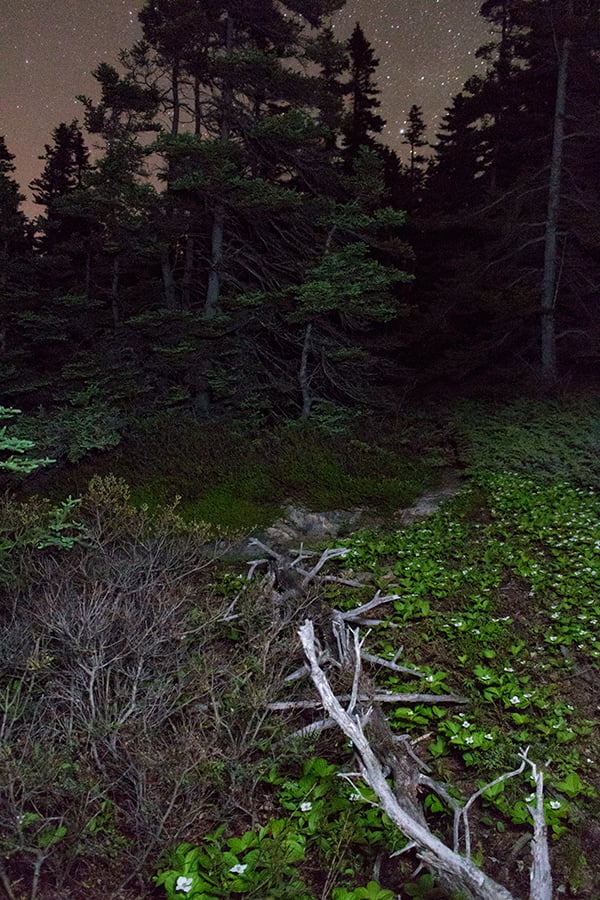
Shooting with the Kit Lens
The Canon T6s can be purchased with an EF-S 18-135mm f/3.5-5.6 IS STM lens, which is one of the lenses I used here in my report. This kit lens itself is lightweight and provides a healthy focal length range from wide-angle to . The lens performs nicely, although I found that it is a little soft at both ends of the focal length range. There are also some minor aberration issues, particularly around backlit fine detail. Autofocus performance with the 18-135mm lens is quick and accurate and the image stabilization works well. Overall, it's a good kit lens that provides a versatile focal length.
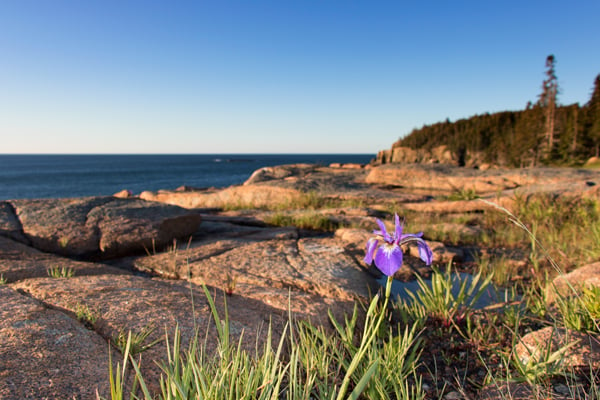
Shooting with Other Lenses
Canon EF-S 55-250mm f/4-5.6 IS STM Lens
Offering good reach on an APS-C sensor, the Canon EF-S 55-250mm f/4-5.6 IS STM lens pairs nicely with the T6s. The lens is small and light for its focal length with a 58mm filter thread. The lens autofocuses quickly and accurately, and the built-in image stabilization is very helpful -- especially at the long end -- and was very quiet. The lens produced is a sharp images, even when shooting with the maximum aperture at 250mm.
Canon EF-S 10-18mm f/4.5-5.6 IS STM Lens
This ultra-wide-angle lens is a lot of fun to shoot with because of its large angle of view. There are some vignetting and distortion issues associated with the lens, but the camera does a good job of correcting them. The sharpness falls off at the corners when shooting wide open across the focal length range, but it is still an impressive lens, especially considering the very low price-point.
Video
Video performance on the T6s is impressive for a camera in this price range. While the video options and features on the T6s are not extensive, the camera is capable of recording good-quality video. The T6s handles auto exposure well when shooting video, though PASM exposure modes are also available. Autofocus is quick and accurate, as well, thanks to the hybrid focusing system. Servo AF is particularly impressive as the focus changes quickly and smoothly with minimal hunting thanks.
The T6s can record video at up to 1080p/30fps. However, to record video at 60fps, you are limited to a 720p resolution. Video is recorded in MPEG-4 format with H.264 codec. You can choose between 'standard' or 'lightweight' video recording. Lightweight recording results in smaller files as the video is recorded at a lower bitrate, which means a slightly lower image quality. The file sizes for the same duration of video are roughly 2.5x smaller when recording using the 'lightweight' option. The T6s has a built-in stereo mic with the option to filter wind noise, which is set to 'auto' by default. There is a port for an external mic, but there is no headphone port, however, which is a disappointment for sure to the more advanced videographers out there.
The T6s has two interesting video features that the T6i does not, HDR movie capture and digital zoom. HDR movie capture is a nice feature but has some limitations. Firstly, you cannot record HDR video in all shooting modes. HDR movie recording is not possible when shooting in M, Av, TV, and P exposure modes -- it's auto-exposure only. Secondly, HDR video is recorded at 720p rather than 1080p resolution. Thirdly, you cannot use HDR movie recording and digital zoom simultaneously. Digital zoom itself allows 3-10x additional zoom when recording video by reducing the window on the image sensor. Digital zoom reduces the sharpness of video somewhat, which is particularly noticeable when maxed-out at 10x. It is a tradeoff between reach and sharpness. It's probably a worthwhile tradeoff when the extra reach is necessary. Additionally, you can record "miniature effect" video when the camera is set to record JPEG files. Miniature effect video can be recorded at 5, 10, and 20x speed. Additionally, the miniature effect's simulated thin depth of field can be switched between horizontal or vertical orientation and can also be shifted across the frame.
Canon T6s HDR Movie Sample 1,280 x 720, H.264, Progressive, 30 fps, High Download Original (6.5MB MP4) |
Canon T6s NON-HDR Movie Sample 1,920 x 1,080, H.264, Progressive, 30 fps, High Download Original (19.1MB MOV) |
Summary of T6s-only Features
With Canon releasing both the T6s and T6i at the same time, there is a choice to be made for those looking to jump into the Canon DSLR system or looking to upgrade. The T6i is more like previous Rebels in the way it handles and is also $100 less than the T6s. On the other hand, the T6s includes features that make it handle more like a higher-end Canon DSLR. Whether or not these added features are worth an extra $100 depends on the individual, and I would personally opt for the T6s.
The LCD information display on the top of the T6s is very useful to have out in the field, and I missed having it when shooting with the T6i. While in a less than ideal position on the camera for me, the Quick Control remained useful and faster than the directional buttons on the T6i for navigating menus and changing settings. The single-axis electronic level and the eye sensor for the optical viewfinder are both nice features of the T6s as well. On the performance side of things, the T6s has the ability to continuously focus between frames while burst shooting in live view, capture HDR movies, and squeeze out some extra zoom reach with digital zoom in movie mode. Servo AF in live view is a particularly excellent feature and it helps the T6s perform well at continuous shooting in live view.
Field Test Summary
What I like:
- The 24.2 megapixel sensor captures good images
- The 3” articulating touchscreen works well
- Live View Servo AF is excellent
- Autofocus performance in good conditions is impressive
- High ISO performance is impressive for an APS-C sensor
- HDR video provides unique shooting opportunities, albeit with caveats
What I dislike:
- The viewfinder is small and has only 95% coverage
- When burst shooting RAW files, the buffer depth is small and slow to clear
- No 1080/60p video
The Canon EOS Rebel T6s is not only a big improvement over the Canon EOS Rebel T5i in many important respects, but it is also an attractive alternative to the Canon EOS Rebel T6i. The 24.2 megapixel sensor delivers great images, and the 19-point autofocus system works well in a variety of situations. High ISO performance is impressive even if low-light autofocus is not. The T6s handles particularly well out in the field due to its top information display and Quick Control dial. The 3” articulating touchscreen is great, and the live view features of the camera, such as Servo AF, are excellent. Video features may leave something to be desired, but the T6s remains capable of recording good video. Overall, the T6s is a great entry-level DSLR camera.
Flash
Canon T6s Flash

Flash Test Results
Coverage and Range
Good flash range, though with narrow and uneven coverage. Average positive exposure compensation required.
|
Coverage
|
 |
| 18mm @ f/3.5 |
Coverage. Canon rates the EOS T6s' internal flash coverage at approximately 17mm, though as you can see in the above shot taken at 18mm, we've found manufacturers' coverage ratings are usually quite optimistic. Peripheral Illumination Correction was on (by default) for this shots, so the fall-off seen here in the corners and vertical edges is mostly from the flash itself. Coverage is also little uneven vertically, with a couple of dimmer horizontal bands. We doubt you'd notice this in most read-world flash shots, though.


Exposure. Indoors, under incandescent background lighting, the Canon T6s' flash performed very well, requiring the typical +0.7 EV positive exposure compensation needed for this test scene with a shutter speed of 1/60s. The camera's slow-sync flash mode didn't require exposure compensation for a good exposure, though the slightly longer exposure (1/40s) resulted in a warmer orange/yellow cast from the ambient background lighting.
|
Manufacturer-Specified Flash Range
|
 7.0 feet ISO 100, f/5.6 |
Manufacturer Specified Flash Test. The Canon T6s' built in flash has a rated Guide Number of 12 meters or 39.4 feet at ISO 100. That works out to a distance of about 7.0 feet at f/5.6. In the shot above at those settings, we can see that the Canon T6s' built-in flash performed to specification, producing a well-exposed flash target at the rated distance.
High ISO Noise Reduction
Canon T6s High ISO Noise Reduction
The Canon T6s' four High ISO Noise Reduction settings ("High, "Standard", "Low" and "Off") provide good flexibility in choosing how you want to make the trade-off between subject detail and noise levels. The camera also offers a Multi Shot Noise Reduction option which takes 4 shots, and then aligns and merges them into one image to average out noise.
See for yourself how the Canon T6s' "Standard" and "Off" High ISO NR settings compare to RAW without noise reduction under daylight-balanced lighting. (Note that these RAW images also have no sharpening applied, so they're a little softer than camera JPEGs at low ISOs.) Click on any of the crops below to see the corresponding full-sized image. Since the Canon T6s user manual states noise reduction is applied at all ISOs, we've included crops from the base ISO on up.
| High ISO Noise Reduction Comparison Daylight-balanced illumination |
|||
|
"Standard"
|
"Off"
|
RAW (no NR)
|
|
|
I
S O 1 0 0 |
 |
 |
 |
 |
 |
 |
|
 |
 |
 |
|
|
"Standard"
|
"Off"
|
RAW (no NR)
|
|
|
I
S O 2 0 0 |
 |
 |
 |
 |
 |
 |
|
 |
 |
 |
|
|
"Standard"
|
"Off"
|
RAW (no NR)
|
|
|
I
S O 4 0 0 |
 |
 |
 |
 |
 |
 |
|
 |
 |
 |
|
|
"Standard"
|
"Off"
|
RAW (no NR)
|
|
|
I
S O 8 0 0 |
 |
 |
 |
 |
 |
 |
|
 |
 |
 |
|
|
"Standard"
|
"Off"
|
RAW (no NR)
|
|
|
I
S O 1 6 0 0 |
 |
 |
 |
 |
 |
 |
|
 |
 |
 |
|
|
"Standard"
|
"Off"
|
RAW (no NR)
|
|
|
I
S O 3 2 0 0 |
 |
 |
 |
 |
 |
 |
|
 |
 |
 |
|
|
"Standard"
|
"Off"
|
RAW (no NR)
|
|
|
I
S O 6 4 0 0 |
 |
 |
 |
 |
 |
 |
|
 |
 |
 |
|
|
"Standard"
|
"Off"
|
RAW (no NR)
|
|
|
I
S O 1 2 8 0 0 |
 |
 |
 |
 |
 |
 |
|
 |
 |
 |
|
|
"Standard"
|
"Off"
|
RAW (no NR)
|
|
|
I
S O 2 5 6 0 0 |
 |
 |
 |
 |
 |
 |
|
 |
 |
 |
|
As you can see, Canon T6s' default "Standard" High ISO NR setting is quite effective at reducing noise, but it struggles to maintain subtle contrast detail at higher ISOs, especially in our red-leaf fabric (as many cameras do). We'd probably shoot with lower settings at higher ISOs and reduce noise ourselves with post-processing (or just shoot RAW). Note how the "Off" setting doesn't disable noise reduction entirely even at low ISOs, which is true for most cameras.
Technical Info
Sensor
At the heart of the Rebel T6s is a newly-developed, 24.2-megapixel APS-C CMOS image sensor. Developed in-house by Canon, it's the company's highest resolution APS-C imager to date, and offers a total of around one-third more pixels than the 18-megapixel image sensor in the earlier Canon T5i. The image sensor is overlaid with a low-pass filter that subtly blurs the finest details to help fight moiré and false-color effects, a sensible choice in a camera aimed at consumers.

Processor
To help handle the higher pixel count, the Canon T6s also sports a new DIGIC 6 image processor in place of the DIGIC 5 chip used in the T5i. It's the first time that we've seen DIGIC 6 used in a Rebel-series camera.
ISO
Together, the pairing of sensor and processor allow a standard sensitivity range of ISO 100 to 12,800 equivalents which is expandable to 25,600 equivalent. That's the same range as the T5i despite a reduction in pixel pitch from the T5i's 4.3µm photodiodes to 3.7µm in the Rebel T6s.
Burst
Burst performance is also unchanged at up to five frames per second (in our lab tests, we managed about 4.8 fps), although just retaining the same speed means that the T6s is processing fully one-third more data in the same time period. Canon claims buffer depth is up to 940 frames when shooting large/fine JPEGs, but drops to 7 frames when shooting RAW files, or 6 RAW+Large/Fine JPEGs. Our lab results generally agree, though we captured one frame less in RAW mode before the camera slowed.
Optics
As in the T5i before it, the Canon T6s offers up a Canon EF / EF-S compatible lens mount that can use either full-frame or sub-frame optics. One noteworthy change, though: in-camera lens distortion correction is now available, both for still images and video capture.

Focus
The Canon T6s has received a pretty comprehensive upgrade in the autofocus department, whether you're shooting thru the viewfinder or using live view.
Perhaps the most significant change for day-to-day use is a 19-point, all cross-type autofocus sensor that's inherited from the EOS 70D. It sits in place of the earlier 9-point, all cross-type phase-detection autofocus sensor of the T5i, more than doubling the total number of points.
And interestingly, it works in concert with the Canon T6s' new color metering sensor to locate skin tones, taking these into account when determining subject location, too. (In the past, the Canon T5i would simply have chosen the nearest subject for focus, even if it was an inanimate object.)
Switch to live view mode, and you gain access to the new Hybrid CMOS AF III autofocus system, which couples an unspecified number of dedicated, on-sensor phase-detection autofocus pixels with contrast-detection. Canon isn't saying how many more PDAF pixels this new chip boasts compared to that of the T5i, but it does promise both better tracking and faster performance from the new system -- and that gels with what we've seen in sample videos provided by the company.
As in Hybrid CMOS AF II, all pixels used for autofocus do not contribute to image capture, and their contents are thus interpolated from surrounding pixels when you press the shutter button. That's the key difference from the Dual Pixel CMOS AF tech used in some of Canon's higher-end models, which allows the focus pixels to also contribute to the final image capture.
Canon tells us that the performance of Hybrid CMOS AF III approaches that of Dual Pixel CMOS AF, and as already mentioned, this performance is taken advantage of by the ability -- unique to the T6s -- to shoot image bursts with focus in live view mode. Even if you're not shooting bursts, though, you should find it quicker to focus and get the shot in live view mode than ever before.

Metering
Another upgrade which we alluded to in the previous section is to be found in the Canon T6s' metering sensor. Previously, the T5i used just a coarse 63-zone sensor to determine exposures, but now it uses a 7,560 pixel RGB+IR metering sensor that's sensitive to red, green, blue and infrared light. The result, as well as allowing the camera to determine the location of skin tones as mentioned previously, is that the Canon T6s should better be able to handle exposure metering of difficult subjects.
Viewfinder
Like most consumer DSLRs, the Canon T6s features a pentamirror optical viewfinder, as opposed to a brighter, heavier and more expensive pentaprism. Coverage is approximately 95% which is again typical for consumer DSLRs, and magnification is about 0.82x, a bit lower than the T5i's 0.85x. Eyepoint is approximately 19mm (at -1m-1 from the eyepiece lens center) and there's a dioptric adjustment with a range of -3.0 to +1.0m-1.
Canon refers to it as an Intelligent Viewfinder -- essentially, there's an LCD overlay on the finder that allows a generous range of information to be provided to you without the need to switch to the main LCD monitor or top-deck LCD info display.
The T6s also sports a small proximity sensor directly above the viewfinder eyepiece. This is used to automatically disable the LCD monitor when you raise the viewfinder to your eye, preventing glare and improving battery life without the need to manually toggle the display mode.

Display
On the rear of the Canon T6s is a side-mounted, tilt/swivel LCD monitor similar to that of the earlier Rebel T5i. As in that camera, it's based around a 3.0-inch LCD panel with a total dot count of around 1.04 million dots, and is overlaid with a touchscreen that allows it to be used as an input device. And thanks to the articulation mechanism, which allows viewing from a wide range of angles, it's both selfie-friendly (assuming you're using an appropriate lens, of course), and can be closed inwards for a modicum of protection against smudges or minor bumps and scrapes.
There's actually a second display on the Canon T6s, as well, a rare feature in a consumer DSLR. Found on the top deck, this small monochrome LCD panel provides a quick at-a-glance indication of basic camera settings, helping you confirm the state of play before you start shooting.
Creative
There are a couple of new creative options on the Canon T6s that are noteworthy. For sports shooters and others who find themselves shooting under difficult sodium, mercury-vapor and even dimmed LED lighting, there's a new flicker detection function as previously seen in the 7D Mark II.
What this does, in a nutshell, is to monitor ambient light levels to determine when these light sources -- which continually flicker -- are at their peak brightness. When you press the shutter button, the actual shutter release time is adjusted just fractionally to ensure you don't get an underexposed shot.
There's also a new single-axis level sensor that detects and indicates the degree of side-to-side roll, helping you to ensure level horizons in your photos, and a silent shooting mode that helps when beeps and clicks are a no-no -- weddings, for example -- or when shooting skittish subjects that would react to mirror and shutter noise.

Movie
As in the Canon T5i, the Rebel T6s provides the ability to record high-definition movies at up to Full HD (1,920 x 1,080 pixels) resolution with a rate of up to 30 frames per second. 25p and 24p rates are also available at Full HD, while HD (1280 x 720) is offered at 60p/50p, and VGA (640 x 480) at 30p/25p. Recording time per clip is limited to 29m:59s. The maximum movie file size is 4GB, but the T6s will automatically create subsequent files without interruption up to the aforementioned time limit..
There are several upgrades in the movie department, though, and two of them are unique to the T6s among Rebel-series cameras. Unlike its simultaneously-announced sibling, the Rebel T6i, the Canon T6s can now shoot high dynamic range movies, a feature that will likely pay dividends in difficult lighting situations.
It can also provide what's essentially a digital teleconverter function in movie mode, allowing anywhere from 3x to 10x zoom simply by scaling down the window on the image sensor from which the movie is being captured. It's a nice alternative to the need to lug a powerful telephoto lens with you for distant subjects, so long as video is your primary goal.
One new feature that's shared with the more affordable Rebel T6i is the ability to shoot movies with a miniature effect. What this does is to blur the top and bottom of the image frame, yielding a final result that's similar to what you'd get from a tilt/shift lens, although the degree of blur isn't actually based on the subject distance as it would be with the real lens.

Flash
The Canon T6s' built-in flash has a Guide Number of 12m or 39.4 feet (ISO 100). That's down slightly from the T5i's 13m / 42.7 ft. GN. Coverage is rated at 17mm, and recycle time is rated at 3 seconds. Maximum flash sync remains at 1/200 second, +/-2 EV flash exposure compensation is available, and Flash Exposure Lock (FE) is supported. Flash exposure modes include E-TTL Auto and Manual, and second curtain sync as well as red-eye reduction options are offered. Like the T5i, the Canon T6s' built-in flash can act a master to off-camera slave flashes, supporting multiple channels and groups. The built-in flash also doubles as an AF assist lamp, for conditions that are too dark to autofocus in without additional light.

Storage
Images and movies are stored on Secure Digital cards, courtesy of a single SD card slot that is compatible with SDHC, SDXC and UHS-I cards. The Canon T6s also supports Eye-Fi cards, although given the in-camera Wi-Fi connectivity, there would seem to be little reason to use one.
Still images can be stored in 14-bit .CR2 RAW or compressed JPEG formats, or both simultaneously. Movies are stored in MP4 format, using an MPEG-4 AV/H.264 codec for video, and AAC stereo for audio.

Power
Power comes courtesy of a proprietary LP-E17 lithium-ion battery pack, which is a different model than the T5i's LP-E8 battery. Battery life is still rated at 440 shots on a charge when using the optical viewfinder, and 180 shots in live view mode according to CIPA testing standards, which is unchanged from the T5i. A dedicated LC-E17 battery charger is included in the bundle and in-camera charging via USB is not supported.
An optional BG-E18 battery grip is available, allowing you to double battery life by installing two LP-E17 batteries, however it does not support AA batteries. An ACK-E18 AC adapter kit which includes the DR-E18 DC coupler is also available should you want to power the T6s from an AC power source.

Ports
Wired connectivity in the Canon T6s includes a combined USB/AV port for USB 2.0 High Speed data transfer and analog audio/video output, and a Type-C Mini HDMI high-definition video output under one port flap.
Although the T6s was originally slated to support clean HDMI output when first announced, that feature has pretty much been dropped. The only way to get clean HDMI output with no overlays is to use manual focus mode (to disable the AF area box), don't adjust any settings, don't record internally (or you'll get a red recording dot displayed), and hope that a low battery or card space warning doesn't pop up. You'll also need to disable Wi-Fi/NFC to enable the HDMI port.

A second flap covers a wired remote jack compatible with Canon's RS-60E3 remote switch, and a 3.5mm stereo microphone jack, but there's no headphone jack.
Of course the Rebel T6s includes a dedicated hot shoe for external flash units and other shoe-mount accessories. The T6s is also compatible with Canon's infrared RC-6 remote control, as well as the GP-E2 GPS receiver.
Wi-Fi / NFC
And finally, we come to the Canon T6s' new wireless connectivity options. Unlike its predecessor, which relied on third-party Wi-Fi capable SD cards if you wanted a way to get photos onto your smartphone or tablet, the Rebel T6s now has in-camera Wi-Fi. And not just that, it comes accompanied by active NFC, or near-field communications support, a first for an EOS DSLR.
Unlike passive NFC, which uses no battery power and is simple to implement, but relatively limited in its utility, active NFC allows the camera to change what information is provided to your NFC-capable smartphone, tablet or other device when its NFC radio is brought near that in the camera.
Active NFC support will prove particularly handy if you own Canon's Connect Station CS100, an affordable photo and video storage device that also serves as a hub for sharing, viewing and managing your media library. Instead of needing to fiddle with menus and settings, a quick bump of the Canon T6s' NFC antenna located on the bottom of the camera against that on the Connect Station will transfer content from camera to storage device automatically.

Conclusion
Offering a more enthusiast-inspired design, particularly with the top-deck info screen and the Control Dial interface typically seen on higher-end EOS cameras, the new Canon T6s sits in a new, more advanced entry-level spot in Canon's DSLR lineup, and is the most enthusiast-oriented Rebel model to date. Under the hood, the T6s shares many features and specs with its slightly less expensive sibling, the Canon T6i.
Higher resolution brings T6s closer to competitors
The main big-ticket item for the Canon T6s (and T6i, for that matter) is the brand new, higher resolution 24.2-megapixel APS-C CMOS image sensor. The highest resolution sensor ever offered in a Rebel-series camera, the Canon T6s provides a sizable upgrade compared to the 18MP chip in the T5i and previous Rebel models. As we mentioned in our T6i conclusion, the move into 24MP territory puts the Canon T6s more in-line with competing cameras from both Nikon and Sony. Like the T6i, the new Canon T6s produces very detailed images, however, based on both our real-world and laboratory testing, images straight from the camera appear slightly soft. That said, opting to shoot in RAW mode and applying some sharpening in post helps to bring out more fine detail.
Good high-ISO performance plus improved dynamic range
As for other image quality characteristics, the Canon T6s does very well. We found its high ISO performance to be very good for an APS-C-class camera, and particularly a camera with such a high megapixel count. Like we saw with the T6i, the camera's color reproduction is accurate, and dynamic range has been improved compared to its predecessor, though it still lags behind some of its competitors in this regard.
Excellent, versatile 19-point AF system
The traditional phase-detect autofocus system in the T6s gets a big upgrade to the same 19-point all-cross-type AF system from the Canon 70D. In our testing, single-shot AF was fantastic, with center-point AF shutter lag hitting numbers at near pro-DSLR speeds. For both single-shot and continuous AF shooting through the viewfinder, the 19-point AF system proved very capable and accurate in both well-lit scenarios as well as low-light conditions for the most part.
Slow burst, shallow RAW buffer disappoints
On other performance fronts, however, things are bit less favorable. Though its approximately 5 frames-per-second burst shooting rate is on-par with other entry-level DSLRs, the burst speed is certainly not class-leading. Even compared to some current mirrorless cameras, with some sporting burst rates of 8fps or more, the 5fps rate of the T6s feels underwhelming. Compounding this is rather lackluster buffer depths. While it handles JPEGs quite well, shooting RAW or RAW+JPEG fills the buffer very quickly after only 6 frames. With slow burst speed and limited buffer capacity, the Canon T6s feels rather limited in its capabilities for shooting fast action-based subjects such as sports or certain wildlife -- especially if you opt for RAW mode.
Good video quality, but missing 1080/60p
In terms of video performance, the Canon T6s is, of course, quite capable, though it doesn't have many of the flashy, popular video features that many of its competitors are beginning to offer, such as 1080/60p frame rate or 4K Ultra-HD resolution. Those aspects aside, the video quality itself is good and the touchscreen interface and articulating LCD is very handy and works well. And while the T6s lacks the Dual Pixel CMOS AF technology of the higher-end 70D and 7D Mark II models, its updated Hybrid CMOS AF III system and full-time autofocus during videos was quick and accurate.
How the T6s stands apart from the T6i
By and large, the Canon T6s and T6i are very similar: similar image quality, similar performance and altogether similar hardware under the hood. With the price difference of $100, is there a significant reason to "upgrade" to the Canon T6s over the T6i? For one, the T6s does provide a more advanced-feeling control layout, with a secondary control dial on the rear for easier, more tactile settings adjustments without having to resort to menu-diving or button+dial combos. The top-deck info display is also a nod to Canon's higher-end DSLRs, and a feature not found on the T6i. Like its bigger brothers, the status display lets you see exposure setting and other modes at a quick top-down glance. To us, both of these physical feature differences feel like a nice and welcomed advantage for the T6s.
Furthermore, Live View focusing in the T6s gets a small yet noticeable functionality upgrade over the T6i: Servo AF. The Canon T6s provides a much more robust Live View shooting experience by adding Servo AF functionality, which allows the camera to constantly adjust focus between frames during continuous shooting mode. Combined with Hybrid CMOS AF III, which uses on-chip phase-detect sensors, the Canon T6s is much better suited for photographing moving subjects while using Live View.
Canon T6s: an entry-level DSLR with non-entry-level features
The increase in resolution helps bring the Rebel series up to the level of many rival cameras, some of which have, for the past model year or so, pushed the resolution past the 20MP+ mark. Despite cramming 24.2 megapixels onto an APS-C sensor, the Canon T6s produces excellent images, with tons of detail especially at lower ISOs and with nice, accurate colors. The higher ISO performance is also very good despite the higher resolution. Combined with a versatile and capable autofocus system, plus improved Live View focusing features, as well as more enthusiast-like controls, the Canon T6s takes the Rebel series up a notch. Its easy and straightforward functionality is great for an entry-level DSLR shooter, but it also brings over more advanced features and performance from higher-end cameras to satisfy the more experienced photographer as well. All told, the Canon T6s gets the nod as a Dave's Pick in our book.
Pros
- Highest resolution Canon APS-C camera yet
- Improved dynamic range compared to earlier Rebels (but still not as good as some competing models)
- Very good high ISO performance for a 24-megapixel APS-C model
- OLPF means fewer aliasing artifacts, but images are a bit soft (could be a Pro or Con depending on perspective)
- Excellent color and hue accuracy with manual white balance
- Very fast autofocus with optical viewfinder
- Fast single-shot cycle times
- Competitive though unexceptional burst speed for its class
- Autofocuses well in low light
- Servo AF for stills in Live View
- Built-in flash can act as master to off-camera slave flash units
- Built-in Wi-Fi & NFC
- Lightweight build with solid construction & comfortable ergonomics
- Responsive and handy tilt/swivel touchscreen LCD
- Good video quality with full-time AF
- Supports wired and wireless remotes
Cons
- Below average battery life
- Shallow buffer when shooting RAW
- OVF coverage only 95%, with offset (this will likely change with sample variation)
- Auto and Incandescent white balance settings too warm in tungsten lighting
- No 60p option for video
- HDMI output only functions when Wi-Fi/NFC is disabled
- No clean HDMI output
- No headphone jack
Follow Imaging-Resource.com on Twitter!