


Overview

Back in late 2013, Fujifilm introduced the X-A1, a new entry-level point for its X-series mirrorless interchangeable-lens camera line. At the start of 2015, it followed up with the updated Fuji X-A2, a closely-related camera that sports some very worthwhile upgrades.
Key among the changes is a new LCD articulation mechanism on the rear of the camera. It adds just a fraction to the overall thickness and weight, but for that subtle difference, you get a more selfie-capable camera. (And at the entry-level, even on an interchangeable-lens camera, selfie capture is a pretty common use case.)
The screen tilts upwards close to 180 degrees, allowing shooting at a variety of angles such as from-the-hip. It still tilts downwards as well, and although we don't have an official spec for the tilt range in that direction, it's at least 45 degrees. At its full upmost tilt extent, it can also be extended upwards from the articulation mechanism a short distance, better allowing it to be seen from in front of the camera.
This extension mechanism also serves to put the camera in selfie mode, where a new Eye Auto Focus mode comes into play, ensuring focus sits in the right place. (It's one of a number of new autofocus modes on the updated camera.)
And as in recent Fuji models, the X-A2 now sports the company's Classic Chrome film simulation. There's also a brand-new kit lens, an updated version of the previous 16-50mm optic with improved image stabilization capability. Battery life, too, looks to be improved and is now rated at some 410 frames on a charge.

One final change of note is that the Fuji X-A2 kit -- despite its updated lens and new features -- is actually more affordable than ever before. List pricing for the Fuji X-A2 with Fujinon XC16-50mm II lens is set at US$550 in the US market, some $50 (8%) below list pricing of the prior model. The Fuji X-A2 began shipping in February 2015, and the body is available in two-tone back & silver, white & silver or brown & silver.
In the Box
The Fuji X-A2 retail box ships with the following items:
- Fujifilm X-A2 camera body
- Fujinon XC16-50mm f/3.5-5.6 OIS II lens, if purchased as a kit
- Front and rear lens caps (if lens included)
- Lens hood (if lens included)
- Body cap
- NP-W126 lithium-ion rechargeable battery pack
- BC-W126 battery charger
- Hot shoe cover
- Shoulder strap
- Instruction manual
- Software CD-ROM with Viewer software, RAW File Converter etc.
Recommended Accessories
- Extra NP-W126 lithium-ion rechargeable battery pack for extended outings
- Large capacity SDHC/SDXC memory cards. 32GB is a good tradeoff between cost and capacity these days. If you plan to capture HD movie clips you'll need at least a Class 10 speed grade, and if you shoot image bursts or shoot in RAW format, look for cards with UHS-I markings for best performance.
- Medium camera bag
Follow Imaging-Resource.com on Twitter!
Optics
The Fujifilm X-A2 is available body-only, or bundled with XC 16-50mm f/3.5-5.6 OIS II kit lens. The test images shown on most other pages of these test results were taken with the very sharp XF 60mm f/2.4 R Macro, so we use this page to explore the kit lens' quality.
16-50mm Kit Lens Test Results
Zoom Lens
A typical zoom ratio for a kit lens, with very good performance.


The Fuji X-A2's XC 16-50mm f/3.5-5.6 OIS II kit lens has an equivalent focal length of about 27-83mm lens on a full-frame body.
Optical performance at full wide angle (16mm) is quite good at f/8, with very good sharpness and contrast across most of the frame. There are hints of flare around bright objects as the camera overexposed the building at wide angle, blowing quite a few highlights in the white areas of the building. Chromatic aberration is very low, though the camera suppresses it. Far-field performance at 34mm (51mm eq.) is similar, with very good sharpness and contrast. At full telephoto (50mm), optical performance is still well above average for a 3.1x zoom kit lens.
See our lab test results below for macro mode, corner performance, distortion, etc.
Macro
A larger than average minimum area, with very good detail near the center. Flash is partially blocked by lens at wide angle.


As always for an interchangeable lens camera, the Fuji X-A2's macro performance will depend entirely on the lens in use. However with the 16-50mm kit lens at 16mm, the Fuji X-A2 captures a larger than average minimum area measuring 4.40 x 2.93 inches (112 x 75 millimeters). Detail is very good in and around the center, though corners are quite soft even at f/8. (Most lenses have some additional softening in the corners at macro distances.) The built-in flash throttled down well at this distance, but illumination is uneven and it's partially blocked by the lens at wide angle and closest focus. Note that the lens doesn't cast a shadow when using the built-in flash at full telephoto and closest focus, and there is less corner softening as well at 50mm, but the reproduction ratio is a little lower (0.15x vs 0.2x).
Geometric Distortion
Low geometric distortion with the 16-50mm kit lens in JPEGs, though strong distortion in uncorrected RAW files.
| In-Camera JPEG: Barrel distortion at 16mm is ~0.4 percent |
 |
| In-Camera JPEG: Pincushion distortion at 50mm is ~0.1 percent |
 |
In JPEGs, the Fuji X-A2's 16-50mm kit lens produces about 0.4 percent barrel distortion at wide angle, which is much less than average and just slightly noticeable in its images. Pincushion distortion at full telephoto is only about 0.1 percent, also much lower-than-average and hardly noticeable. This is the tendency for the lens to bend straight lines outward (like a barrel -- usually at wide-angle). The Fuji X-A2 compensates for most of the distortion in JPEGs, though. See below for uncorrected distortion.
Chromatic Aberration and Corner Sharpness
Low levels of chromatic aberration from the kit lens in JPEGs. Uncorrected RAW files show higher amounts. Good corner performance at wide angle and telephoto.
| Maximum Aperture | |
 |
 |
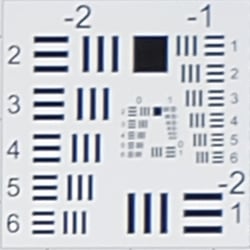
| 16mm @ f/3.5: Lower left C.A.: Low Softness: Slightly soft |
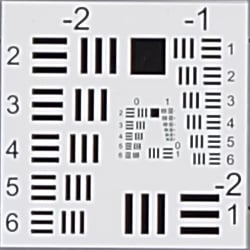
16mm @ f/3.5: Center C.A.: Very low Softness: Sharp |
 |
 |
| 50mm @ f/5.6: Upper right C.A.: Very low Softness: Slightly soft |
50mm @ f/5.6: Center C.A.: Very low Softness: Sharp |
Chromatic Aberration. Chromatic aberration in the corners of JPEGs taken with the Fuji X-A2's 16-50mm kit lens is low at wide angle and very low at full telephoto, but the camera does suppress it (see below for uncorrected RAW files).
Corner Softness. Corner sharpness is good at wide angle when wide open at f/3.5, just slightly soft, and all four corners are similar. Corners are a bit softer at full telephoto though performance is still pretty good, while the center is sharp.
Vignetting. Only minor corner shading ("vignetting") is noticeable at wide angle, as can be seen from the difference in brightness of the center versus corner crops above, however the camera does appear to be applying shading correction.
| f/8 Aperture | |
 |
 |
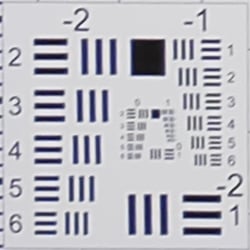
| 16mm @ f/8: Lower left C.A.: Very low Softness: Slightly soft |
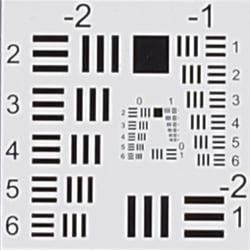
16mm @ f/8: Center C.A.: Very low Softness: Sharp |
 |
 |
| 50mm @ f/8: Upper left C.A.: Very low Softness: Slightly soft |
50mm @ f/8: Center C.A.: Very low Softness: Reasonably sharp |
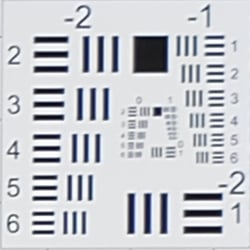
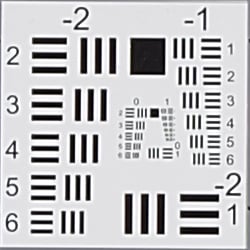
F8: Stopped down to f/8, corner performance only improved slightly over wide open at both wide angle and telephoto. Chromatic aberration is a bit lower at wide angle, and vignetting (corner shading) improved a bit but is still slightly visible.
Lens Corrections
The Fuji X-A2 applies a number of lens corrections to JPEGs. Distortion, chromatic aberration and shading correction are all performed "under the hood" and have no associated settings in the menus.
| Uncorrected Raw: Barrel distortion at 16mm is ~2.8% |
 |
| Uncorrected Raw: Pincushion distortion at 50mm is about ~1.0% |
 |
Geometric Distortion Correction. To see how much correction is taking place in the camera, we converted matching .RAF files from the above shots with RawDigger, which ignores distortion correction instructions in RAW files. Note that RawDigger does not perform sophisticated demosaicing like typical RAW converters (it actually uses a simple binning algorithm to interpolate full color which is better suited for sensor analysis), so the full-res images here are a little rough, but it's a very useful tool to examine uncorrected lens characteristics as well as sensor performance.
As can be seen above, actual barrel distortion at wide angle is quite high at about 2.8%, while pincushion at telephoto is fairly high, at about 1.0%. We expect this for smaller interchangeable lenses though, so it's nothing to be concerned about unless you are using a RAW converter which does not understand the embedded lens profile to perform distortion corrections automatically. Most RAW converters these days (including Adobe Camera Raw and SilkyPix) are capable of applying distortion correction automatically, as specified by the manufacturer. There is however going to be some loss of resolution in some areas of the frame as a result of such correction, because pixels are being "stretched" to correct for the distortion. Obviously, a lens that doesn't require such correction, and is also sharp in the corners to begin with would be preferable, but relaxing constraints on distortion brings other benefits in the lens design, such as a more compact design or better sharpness in the center.
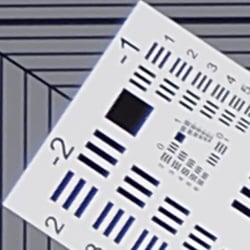
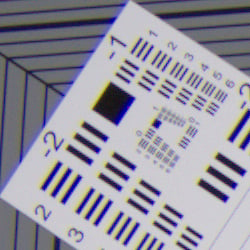
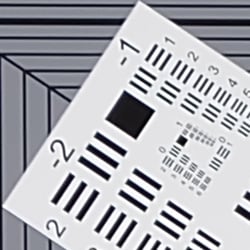
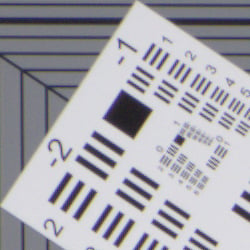
Chromatic Aberration Suppression. As mentioned above, the Fuji X-A2 suppresses lateral chromatic aberration in its JPEGs. Uncorrected RAW files (right) show moderate but bright magenta and green coloration along high-contrast edges at wide angle, but only minor blue and yellow fringing at telephoto. As you can see, C.A. has been effectively suppressed in the matching camera JPEGs (left).

Shading Correction. The Fuji X-A2 also appears to be applying some shading correction as can be seen by mousing over the above two links comparing an in-camera JPEG to uncorrected RAW at 16mm and f/3.5. Notice how the corners are quite a bit dimmer than the center in the uncorrected RAW file.
Overall, very good optical performance for a kit zoom lens, though maximum reproduction ratio for macros isn't great.
Viewfinder Test Results
Accuracy
Good coverage accuracy from the LCD monitor.

The Fuji X-A2's LCD monitor proved fairly accurate in record mode, showing just over 98% coverage. Good results here, though we're a little surprised it's not 100% given previews are derived from the sensor.
The images above were taken from our standardized test shots. For a collection of more pictorial photos, see our Fujifilm X-A2 Photo Gallery .
Exposure
Color
Saturation & Hue Accuracy
Typical saturations levels with good hue accuracy.
 |
||
|
ISO Sensitivity
|
||
| 1600 | 3200 | |
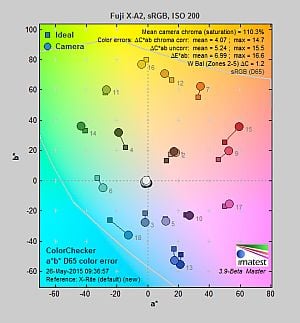
| In the diagram above, the squares show the original color, and the circles show the color that the camera captured. More saturated colors are located toward the periphery of the graph. Hue changes as you travel around the center. Thus, hue-accurate, highly saturated colors appear as lines radiating from the center. Mouse over the links to see results across the ISO range, and click on the links for larger images. | ||
Saturation. The Fuji X-A2 produces images with typical saturation levels using the standard film simulation (Provia) at default settings. The camera pushes most colors by a small amount, dark red and dark green by a moderate amount, but undersaturates yellow and aqua by just a bit. Default mean saturation at the base ISO of 200 was 110.3% (10.3% oversaturated), which is about average these days. You can of course tweak saturation and/or select a different film simulation mode. Mean saturation varied only slightly as ISO increased, with the range varying from a minimum of 108.2% at ISO 25,600 to a maximum of 111.4% at ISO 1600. Most consumer digital cameras produce color that's more highly saturated (more intense) than found in the original subjects. This is simply because most people like their color a bit brighter than life.
Skin tones. The Fuji X-A2 rendered pleasant Caucasian skin tones that were just a touch on the warm side when white balance was adjusted to match the light source at base ISO. Results were more pleasing with Auto white balance, producing a healthy, slightly more pinkish look. (Here, too, the X-A2's saturation and/or film mode adjustments may come into play for some users, letting them tweak the color on skin tones, if they find the default rendering a bit too saturated for their personal tastes. Note that Fujifilm claims their Astia film simulation produces "true-to-life" skin tones.) Where oversaturation is most problematic is on Caucasian skin tones, as it's very easy for these "memory colors" to be seen as too bright, too pink, too yellow, etc.
Hue. The Fuji X-A2 produced only a few color shifts relative to the mathematically precise translation of colors in its subjects, and has very good hue accuracy overall. The most noticeable shift is in cyan toward blue, with more minor shifts in some other colors such as aqua, orange, yellow and blue. (The cyan to blue shift is very common among the digital cameras we test; we think it's a deliberate choice by camera engineers to produce better-looking sky colors.) Average "delta-C" color error after correction for saturation at base ISO was only 4.07, which is very good, and hue accuracy remained better than average across the ISO range. Hue is "what color" the
color is.


Sensor
Exposure and White Balance
Indoors, incandescent lighting
Auto and Incandescent white balance struggled, but very good results with the Manual setting. Negative exposure compensation required.


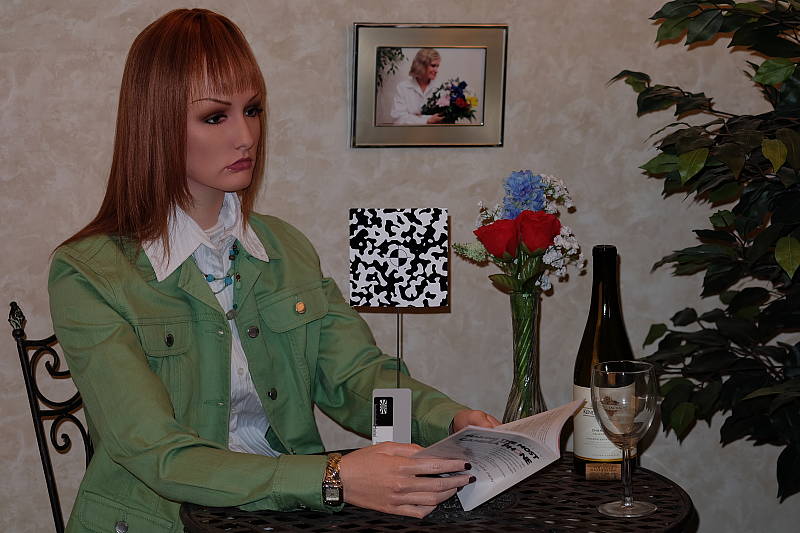
Indoors, under typical incandescent lighting, color balance was too reddish using the Auto setting, and the Incandescent white balance setting produced a yellow/orange cast. The Manual white balance setting was quite accurate, though, just slightly cool. The Fuji X-A2 required -0.3 EV exposure compensation here, while most cameras need about +0.3 EV for this scene. Our test lighting for this shot is a mixture of 60 and 100 watt household incandescent bulbs, a pretty yellow light source, but a very common one in typical home settings here in the U.S.
Outdoors, daylight
Very good color though slightly cool outdoors. Tended to overexpose in our AE tests.

Outdoors, the Fuji X-A2 produced good color at default settings, just slightly on the cool side. The Fuji X-A2's default exposure was too bright in our "Sunlit" Portrait shot, requiring -0.3 EV exposure compensation. This is better than average, though, as most cameras need +0.7 EV for this shot, but it did lead to a lot of blown highlights. Skin tones were pleasing, with a healthy-looking pinkish cast that's not too overdone with Auto white balance. The Fuji X-A2 also overexposed our Far-field shot, producing quite few clipped highlights at default exposure, while some shadows remained quite deep. Very deep shadows were quite clean, but sometimes had odd artifacts in the form of bright or dark pixels around high-contrast edges, as well as some strong posterization and discoloration, and they tended to abruptly clip to black. Again, color was just a touch cool with the Auto white balance setting. See the Extremes: Sunlit section below to see how the X-A2's Highlight/Shadow Tone and D-Range settings deal with harsh lighting like this.
See full set of test images with explanations
See thumbnails of all test and gallery images
Resolution
~2,300 lines of strong detail from JPEGs, about the same from ACR converted RAW.
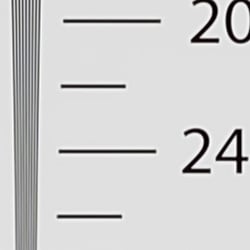
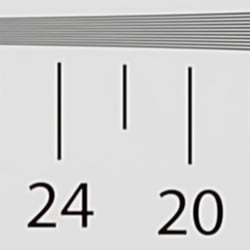
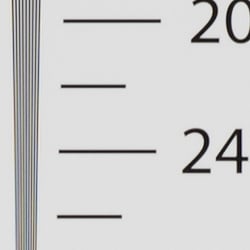
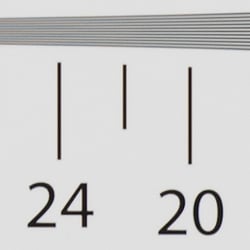
Our laboratory resolution chart revealed sharp, distinct line patterns down to about 2,300 lines per picture height in the horizontal direction, and to about 2,300 lines per picture height in the vertical direction as well. Complete extinction of the pattern occurred between 2,600 and 2,800 lines. Adobe Camera Raw wasn't able to extract any additional resolution, however it did extend complete extinction of the pattern somewhat while producing much higher amounts of color moiré. Use these numbers to compare with other cameras of similar resolution, or use them to see just what higher resolution can mean in terms of potential detail.
See full set of test images with explanations
See thumbnails of all test and gallery images
Sharpness & Detail
Slightly soft images, but with visible edge-enhancement artifacts around some high-contrast subjects. Mild noise suppression is visible in the shadows at base ISO.


Sharpness. The Fuji X-A2 captures very smooth, slightly soft images, yet default sharpening leaves visible edge enhancement artifacts on high-contrast subjects such as obvious sharpening "halos" around the lines and letters of the bottle label above left. Edge enhancement creates the illusion of sharpness by enhancing colors and tones right at the edge of a rapid transition in color or tone.
Detail. The crop above right shows relatively low levels of luminance noise suppression, as the darker areas of the model's hair still show a pretty good amount of detail. Some individual strands do merge together when local contrast is low and as shadows deepen, but performance here is very good. The Fuji X-A2 does a great job at keeping chrominance noise low as well, better than most Bayer-filtered cameras. Noise-suppression systems in digital cameras tend to flatten-out detail in areas of subtle contrast. The effects can often be seen in shots of human hair, where the individual strands are lost and an almost "watercolor" look appears.
RAW vs In-Camera JPEGs
The Fuji X-A2 produces very clean JPEG images that have very good detail but are slightly soft at default settings. Let's see if we can extract better detail from RAW files with Adobe Camera Raw.
|
Base ISO (200)
|
|
 |
 |
 |
 |
 |
 |
|
Camera JPEG, defaults
|
RAW via Adobe Camera Raw
|
In the table above, we compare an in-camera JPEG taken at base ISO using default noise reduction and sharpening (on the left) to the matching RAW file converted with Adobe Camera Raw 9.1 using default noise reduction with some strong but tight unsharp masking applied in Photoshop (250%, radius of 0.3 pixels, and a threshold of 0).
Adobe Camera Raw does a very good job here and is able to extract more detail than the camera does with fewer sharpening artifacts, especially in our red-leaf fabric. The converted image is a little sharper and there is a touch more detail in the mosaic crop as well, but noise is also more evident in the bottle crop. Bottom line: The X-A2 produces cleaner looking images with a little more pop, at least when comparing default settings at base ISO, but as is usually the case, you can extract additional detail and produce fewer sharpening artifacts by shooting in RAW mode and using a good converter.
ISO & Noise Performance
Excellent high ISO performance for an APS-C sensor.
|
Default High ISO Noise Reduction
|
 |
 |
 |
| ISO 100 | ISO 200 | ISO 400 |
 |
 |
 |
| ISO 800 | ISO 1600 | ISO 3200 |
 |
 |
 |
| ISO 6400 | ISO 12,800 | ISO 25,600 |
The Fuji X-A2's images are very clean and detailed up to and including ISO 800. Luminance noise "grain" is quite fine and tight, and chrominance noise is remarkably low. At ISO 1600, noise reduction efforts are little stronger as you'd expect, but fine detail is still very good. ISO 3200 shows another increase in noise and blurring, but fine detail is still pretty good. Image quality at ISO 6400 takes a larger hit with much stronger blurring and more noticeable noise reduction artifacts, though overall detail is still fair. Image quality drops off more rapidly at ISO 12,800, with more visible grain, blurring, noise reduction artifacts, and blotchy chroma noise in the shadows. Fine detail at ISO 25,600 is quite soft with heavy luminance noise accentuated by sharpening artifacts, and chrominance noise in the form of large yellow and purple blotches becomes problematic.
Still, noise performance in high ISO JPEGs is very good to excellent for its class, among the best we've seen from a 16-megapixel APS-C Bayer-filtered sensor. Note that ISOs 100, 12,800 and 25,600 are extended sensitivities with no RAW support.
We're pixel-peeping to the extreme here though, which isn't always representative of what you see in prints. As always, see the Print Quality section below for maximum recommended print sizes at each ISO.
Extremes: Sunlit, dynamic range and low light tests
Poor dynamic range in JPEGs. Good low-light performance, but autofocus struggles in dim light.


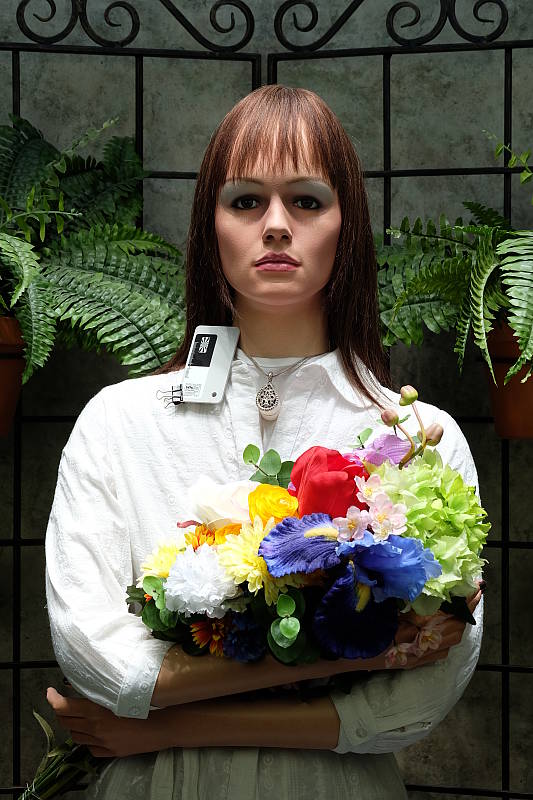
Sunlight. The Fuji X-A2 struggled with the harsh lighting of this test at default settings at the base ISO of 200 (which should be best case). We preferred the -0.3 EV exposure overall, because exposures at default and +0.3 EV exposure compensation were too bright with too many clipped highlights. Even at -0.3 EV, quite a few highlights are blown in the mannequin's shirt and flowers. There are quite a few dark shadows as well and although shadows are quite clean, fine detail suffers from strong noise reduction, and they clip to black rather abruptly. Overall, the Fuji X-A2's JPEGs performed below average here in this difficult lighting without any highlight and shadow adjustments, or any dynamic range enhancement (see below).
Because digital cameras are more like slide film than negative film (in that they tend to have a more limited tonal range), we test them in the harshest situations to see how they handle scenes with bright highlights and dark shadows, as well as what kind of sensitivity they have in low light. The shot above is designed to mimic the very harsh, contrasty effect of direct noonday sunlight, a very tough challenge for most digital cameras. (You can read details of this test here.)
Contrast Adjustment
The Fuji X-A2 does not offer a traditional contrast adjustment. Instead, it offers Shadow and Highlight Tone settings, which let you adjust contrast in highlights and shadows independently. There are five settings each: "Soft", "Medium Soft", "Standard" (default), "Medium Hard", and "Hard."
|
"Sunlit" Portrait Highlight and Shadow Tone Comparison
|
|
 |
Highlight and Shadow Tone Settings: Highlight: Soft Highlight: Standard Highlight: Hard Shadow: Soft Shadow: Standard Shadow: Hard |
 |
|
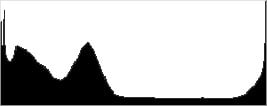
Shadow and Highlight Tone. Above you can see the effects of three of the five settings for Highlight and Shadow Tone control on our high contrast "Sunlit" Portrait shot. Mouse over the links to load the associated thumbnail and histogram, and click on the links to visit the full resolution image.
Note how the Highlight settings mainly affect the brighter portions of the image, while the Shadow settings impact the darker areas. Both settings can be used simultaneously, giving more flexibility to adjust the tone curve at both ends compared to a single contrast setting, though we wish the range of adjustment toward lower contrast was greater as highlights and particularly shadows are still clipped with the "softest" settings.
| Far-field Highlight and Shadow Tone Comparison | ||
 |
||
Above, you can see the effect of the same Highlight and Shadow Tone settings on our Far-field shot.
|
"Sunlit" Portrait D-Range Comparison
|
|
 |
D-Range Settings: 100% (default) 200% 400% Auto |
 |
|
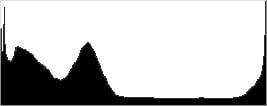
D-Range is Fuji's name for their dynamic range enhancement technology. D-Range designed to preserve hot highlights, by exposing for highlights and then boosting mid-tones and shadows. There are three levels: DR100 100% (default), DR200 200%, DR400 400%, as well as an Auto mode which can select DR100 or DR200. DR200 is available at ISO 400 and above, while DR400 is available at ISO 800 and above, so all four examples above were taken at ISO 800. Mouse over the links above to load the corresponding thumbnail image and histogram. Click on the links to get to the full resolution images.
As you can see the images above, the Fuji X-A2's manual D-Range settings were very effective at retaining clipped highlights in our "Sunlit" Portrait shot. As they say, though, there's no free lunch: If you look closely at the full resolution images, you'll see that improved highlight retention comes at a cost of increased noise. This is because the camera's sensitivity needs to be raised to take advantage of the D-Range feature, though that's not much of penalty because the X-A2's high ISO performance is so good. (Note that the Fuji X-A2 does not offer a multi-shot in-camera HDR mode.)


Above, you can see how the various D-Range strengths affect our Far-field shot. Here, 100% is at ISO 200, 200% is ISO 400 and 400% is ISO 800.

Face Detection. The Fuji X-A2 offers face detection which optimizes both focus and exposure for faces. As you can see, it produced a better exposed image than the default exposure (left), which is overexposed. It did so by increasing shutter speed slightly from 1/34 to 1/45 second.
| 1 fc 11 lux |
1/16 fc 0.67 lux |
1/16fc No NR |
|
|---|---|---|---|
| ISO 200 |
 1s, f2.8 |
 15s, f2.8 |
 15s, f2.8 |
| ISO 3200 |
 1/15s, f2.8 |
 1s, f2.8 |
 1s, f2.8 |
| ISO 25600 |
 1/125s, f2.8 |
 1/8s, 1 f2.8 |
 1/8s, f2.8 |
Low Light. The X-A2 performed well in our low light tests, able to capture bright images down to the lowest light level we test at. The darkest level equates to about 1/16 the brightness of average city street lighting at night, so the Fuji X-A2 should be able to take well-exposed photos in almost any environment in which you can see well enough to walk around in.
Using default noise reduction setting, noise is low at ISO 200 and surprisingly well-controlled at ISO 3200, though as you'd expect, noise is quite high at the maximum ISO of 25,600. We didn't notice any significant issues with hot pixels, heat blooming or pattern noise.
Automatic color balance is just a touch cool particularly at lower light levels, but pretty neutral.
The camera's autofocus system was only able to focus on our subject down to about the 1/4 foot-candle light level unassisted with an f/2.8 lens, which is fair for an APS-C-sensored mirrorless camera. However the Fuji X-A2 was able to autofocus in total darkness with the help of its AF assist lamp, as long as the subject is within range and has sufficient contrast.
Keep in mind that the longer shutter speeds here demand the use of a tripod to prevent any blurring from camera movement. (A useful trick is to just prop the camera on a convenient surface, and use its self-timer to release the shutter. This avoids any jiggling from your finger pressing the shutter button, and can work quite well when you don't have a tripod handy.)
How bright is this? The one foot-candle light level that this test begins at roughly corresponds to the brightness of typical city street-lighting at night. Cameras performing well at that level should be able to snap good-looking photos of street-lit scenes.
NOTE: This low light test is conducted with a stationary subject, and the camera mounted on a sturdy tripod. Most digital cameras will fail miserably when faced with a moving subject in dim lighting. (For example, a child's ballet recital or a holiday pageant in a gymnasium.) Thanks to its larger sensor compact system cameras like the Fuji X-A2 tend to do better than point & shoots, but you still shouldn't expect a quick autofocus lock with moving subjects.
Output Quality
Print Quality
Nice, large 24 x 36 prints at ISO 100-400, impressive 16 x 20 at ISO 3200, and a usable 5 x 7 at ISO 25,600.
 ISO 100/200 prints look great up to 24 x 36 inches. At this size, you're pushing the resolution limit of the 16MP APS-C sensor, but nevertheless at normal viewing distances prints look great with lots of detail and vibrant colors.
ISO 400 images look very similar to the previous ISOs, but with just an extremely subtle drop in very fine detail if you look closely. That being said, we're calling 24 x 36 inches here as well for the maximum print size. For even crisper images, 16 x 20 inch prints look excellent.
ISO 800 prints display little to no noise, even at this mid-range ISO level. Prints look very good up to 20 x 30 inches.
ISO 1600 images still manage impressive prints up to 16 x 20 inches. Prints are surprisingly light on noise, even in shadow areas. Some subjects like the tricky red-leaf fabric in our Still Life target show a drop in detail, however, elsewhere in the print detail and colors are great.
ISO 3200 prints top out at 16 x 20 inches as well. The Fuji X-A2 continues to impress with very good high ISO noise control, and colors remain bright and pleasing.
ISO 6400 images show a bit more softening, due to in-camera noise reduction, but otherwise look fantastic up to 11 x 14 inches. We're kind of on the fence here, but a 13 x 19 inch print could be usable for less critical applications.
ISO 12,800 prints look good up to 8 x 10 inches; a rather impressive feat for an entry-level camera. Detail is certainly a bit soft in some areas, but noise and grain is very well controlled despite the high sensitivity.
ISO 25,600 images manage to squeak out a usable 5 x 7 inch print. Any larger and the lack of detail becomes quite apparent. That being said, the detail and the vibrant, accurate colors are impressive for this ISO sensitivity.
Despite the entry-level price point and traditional Bayer-filtered 16MP APS-C sensor, the Fuji X-A2 manages very impressive results in the print department. While not the highest resolution sensor, prints at extended low ISO 100 up to ISO 400 all look great up to 24 x 36 inches. There's some slight pixelation visible upon close inspection at this print size, but at the normal viewing distance for such large prints, detail is excellent. Mid-range ISO images all manage very well at controlling noise and allow for very good print sizes, such as a 16 x 20 inch print at ISO 1600. Reaching the maximum ISO levels, including the two expanded high ISOs, the X-A2 still manages to control noise well enough to produce usable prints up to 8 x 10 inches at ISO 12,800 and 5 x 7 inches at ISO 25,600.
Testing hundreds of digital cameras, we've found that you can only tell just so much about a camera's image quality by viewing its images on-screen. Ultimately, there's no substitute for printing a lot of images and examining them closely. For this reason, we now routinely print sample images from the cameras we test on our Canon Pro9000 Mark II studio printer, and the Canon Pixma MP610 here in the office. (See the Canon Pixma Pro9000 Mark II review for details on that model.)
The images above were taken from our standardized test shots. For a collection of more pictorial photos, see our Fujifilm X-A2 Photo Gallery .
Not sure which camera to buy? Let your eyes be the ultimate judge! Visit our Comparometer(tm) to compare images from the Fujifilm X-A2 with those from other cameras you may be considering. The proof is in the pictures, so let your own eyes decide which you like best!
Performance
Timing and Performance
Mixed performance from the Fuji X-A2.
| Startup/Play to Record | ||
|---|---|---|
| Power on |
~1.4 seconds
|
Time it takes to turn on and capture a shot. |
|
Play to Record, |
~1.0 second
|
Time until first shot is captured. |
Power on to first shot was slightly faster than average for a mirrorless camera, but not as fast as most DSLRs. Play to Record wasn't bad, but required two shutter button presses to capture an image.
| Shutter Response (Lag Time) | ||
|---|---|---|
|
Full Autofocus, |
0.357 second
|
Time from fully pressing shutter button to image capture, with the lens already at the proper focal distance setting. (All timing performed with the Fujinon XC 16-50mm f/3.5-5.6 OIS II kit lens.) |
|
Full Autofocus, |
0.472 second
|
Time from fully pressing shutter button to image capture, with the lens already at the proper focal distance setting, TTL Auto flash enabled. |
| Manual Focus |
0.082 second
|
For most cameras, shutter lag is less in manual focus than autofocus, but usually not as fast as when the camera is "prefocused". |
|
Prefocused |
0.057 second
|
Time to capture, after half-pressing and holding shutter button. |
The Fuji X-A2's full autofocus shutter lag was slower than average for a mirrorless camera these days, but still not bad. The Fuji X-A2 produced full-autofocus shutter lag (with the subject at a fixed distance) of 0.357 second using Area AF mode (center). With the built-in flash enabled, the X-A2's full AF shutter lag in single (center) AF area mode was 0.472 second to account for the preflash metering.
Manual focus shutter lag was quite fast though, at 0.082 second, and prefocused shutter lag was quick, at only 0.057 second. This is faster than most DSLRs and faster than many CSCs as well, though not as fast as some models.
To minimize the effect of different lens' focusing speed, we test AF-active shutter lag with the lens already set to the correct focal distance.
| Cycle Time (shot to shot) | ||
|---|---|---|
| Single Shot mode |
0.84 second
|
Time per shot, averaged over a few frames (we no longer test for buffer depths in single-shot mode). |
|
Single Shot mode |
0.81 second
|
Time per shot, averaged over a few frames (we no longer test for buffer depths in single-shot mode). |
| Early shutter |
Yes
|
Some cameras don't snap another shot if you release and press the shutter too quickly in Single Shot mode, making "No" the preferred answer. |
|
Continuous 5.6 fps |
0.18 second (5.45 frames per second);
16 frames total; 6 seconds to clear* |
Time per shot, averaged over buffer length of 16 frames. Then slows to an average of 0.45s or 2.24fps when buffer is full. |
| Continuous 5.6 fps |
0.18 second (5.45 frames per second);
12 frames total; 6 seconds to clear* |
Time per shot, averaged over buffer length of 12 frames. Then slows to an average of 0.50s or 2.0fps when buffer is full. |
|
Continuous 5.6 fps |
0.18 second (5.46 frames per second);
11 frames total; 8 seconds to clear* |
Time per shot, averaged over buffer length of 11 frames. Then slows to an average of 0.74s or 1.36fps when buffer is full. |
| Flash Recycling |
3.5
|
Flash at maximum output. |
|
*Note: Buffer clearing times measured with a SanDisk Extreme Pro 95MB/sec UHS-I SDHC card. Slower cards will produce correspondingly slower clearing times. Slow cards may also limit length of bursts in continuous mode. ISO sensitivity and noise reduction settings can also affect cycle times and burst mode performance.
|
||
Single-shot cycle times were about average, but difficult to measure accurately because of the pre-press penalty (if you press the shutter button too soon after a previous shot, the camera ignores it and you need to press again). Best case, we measured about 0.8 second for large/fine JPEGs or RAW+L/F JPEGs. (We no longer test single-shot mode with just RAW files, as the result is usually somewhere in between.)
The highest speed "Continuous 5.6 fps" burst mode was mediocre these days, measured at about 5.5 frames per second no matter the file type. The Fuji X-A2 also offers a "Continuous 3.0 fps" mode, but we didn't test that mode. In both modes, focus and exposure are locked at the first frame.
Full resolution buffer depth was only fair at 16 JPEG frames with our difficult to compress target. You'll likely do better with typical subjects. When shooting RAW or RAW+JPEG files, buffer depth dropped to 12 and 11 frames respectively. Buffer clearing was a fairly quick 6 seconds after shooting a max-length burst of JPEGs, 6 seconds for a RAW burst, and 8 seconds for a RAW+JPEG burst, though buffer depths weren't very deep.
Recycling the flash after full power discharges took an average of 3.5 seconds, on the slow side of average.
Bottom line, the Fuji X-A2's performance was mixed in our testing, with slower than average autofocus speeds, a pre-press penalty, mediocre burst speeds and shallow buffers. On the other hand, manual focus and prefocused shutter lag were pretty good. Overall, the X-A2's performance is fair for an entry-level model, and should do fine for a wide variety of photography as long as it's not sports or fast action.
Battery
Battery Life
Good battery life for a compact system camera.
| Operating Mode | Battery Life |
|---|---|
|
Still Capture,
(CIPA standard) |
410 shots
|
The Fuji X-A2 uses a custom rechargeable lithium-ion battery pack for power, and comes with both a single battery and a dedicated charger. The CIPA rated 410 shots per charge is above average for a Compact System Camera, but lower than most DSLRs. As is usually the case, we recommend getting a second battery for your X-A2 if you plan any extended outings.
The table above shows the number of shots the camera is capable of (on a fully-charged rechargeable battery), based on CIPA battery-life and/or manufacturer standard test conditions.
(Interested readers can find an English translation of the CIPA DC-002 standards document here. (180K PDF document))
Image Quality
Below are crops from our laboratory Still Life target comparing Fuji X-A2 image quality to its more expensive X-Trans II sensor-equipped sibling, the X-E2, well as against several competing mirrorless models at similar price points or in similar categories: the Olympus E-PL7, Panasonic GF7, Samsung NX300 and Sony A5100.
NOTE: These images are from best quality JPEGs straight out of the camera, at default settings including noise reduction and using the camera’s actual base ISO (not extended ISO settings). All cameras in this comparison were shot with our very sharp reference lenses. Clicking any crop will take you to a carrier page where you can click once again to access the full resolution image as delivered straight from the camera. For those interested in working with the RAW files involved, click these links to visit each camera’s respective sample image thumbnail page: Fuji X-A2, Fuji X-E2, Olympus E-PL7, Panasonic GF7, Samsung NX300 and Sony A5100 — links to the RAW files appear beneath those for the JPEG images, wherever we have them. And remember, you can always go to our world-renowned Comparometer to compare the Fuji X-A2 to any camera we’ve ever tested!
Fujifilm X-A2 vs Fujifilm X-E2 at Base ISO
 |
 |
 |
 |
 |
 |
|
Fujifilm X-A2 at ISO 200
|
Fujifilm X-E2 at ISO 200
|
|
Here we compare two Fuji siblings that both use a 16-megapixel APS-C sensor, but with an important difference: The Fuji X-A2’s sensor uses a traditional Bayer color filter array, while the X-E2 uses Fuji’s proprietary X-Trans color filter. As you can see, both cameras produce images with very low noise at base ISO, but it appears as if the X-A2’s noise reduction is working a little harder, smoothing out the texture in the target’s background. Indeed, the X-E2 does better with some types of detail, while the X-A2 does better with others. For example, the X-E2 renders much better detail in our tricky red-leaf fabric, however the X-A2 produces fewer artifacts in the mosaic crop and in other areas of the target, such as the small text in some of the bottle labels. The X-E2 however produces fewer sharpening artifacts and less obvious sharpening halos, as it doesn’t require an image-softening optical low-pass filter to avoid aliasing artifacts like the X-A2 does. |
|
Fujifilm X-A2 vs Olympus E-PL7 at Base ISO
 |
 |
 |
 |
 |
 |
|
Fujifilm X-A2 at ISO 200
|
Olympus E-PL7 at ISO 200
|
|
The Fuji X-A2 produces a cleaner, smoother image with significantly less noise than the 16-megapixel Micro Four Thirds Olympus E-PL7 at base ISO, however the Olympus produces a sharper, crisper image with better detail. |
|
Fujifilm X-A2 vs Panasonic GF7 at Base ISO
 |
 |
 |
 |
 |
 |
|
Fujifilm X-A2 at ISO 200
|
Panasonic GF7 at ISO 200
|
|
Again, the Fuji X-A2 produces a much cleaner image at ISO 200, but the 16-megapixel Micro Four Thirds Panasonic GF7 delivers better detail all around. Color is better from the X-A2, though. |
|
Fujifilm X-A2 vs Samsung NX300 at Base ISO
 |
 |
 |
 |
 |
 |
|
Fujifilm X-A2 at ISO 200
|
Samsung NX300 at ISO 100
|
|
The 20-megapixel APS-C Samsung NX300 out-resolves the X-A2 producing a sharper, crisper image with better detail while at the same time keeping noise levels almost as low as the Fuji. |
|
Fujifilm X-A2 vs Sony A5100 at Base ISO
 |
 |
 |
 |
 |
 |
|
Fujifilm X-A2 at ISO 200
|
Sony A5100 at ISO 100
|
|
The 24-megapixel APS-C Sony A5100 clearly out-resolves the X-A2 while also producing few sharpening artifacts, however noise in the shadows and flatter areas is a little higher. |
|
Fujifilm X-A2 vs Fujifilm X-E2 at ISO 1600
 |
 |
 |
 |
 |
 |
|
Fujifilm X-A2 at ISO 1600
|
Fujifilm X-E2 at ISO 1600
|
|
At ISO 1600, the X-A2 shows significantly less luminance noise than the X-E2, but both cameras produce images with remarkably low chroma noise. Overall, the X-E2 produces a crisper image and does a better job at retaining fine detail in most areas of our target, especially in the red-leaf fabric. |
|
Fujifilm X-A2 vs Olympus E-PL7 at ISO 1600
 |
 |
 |
 |
 |
 |
|
Fujifilm X-A2 at ISO 1600
|
Olympus E-PL7 at ISO 1600
|
|
Here at ISO 1600 the Fuji X-A2 produces a much cleaner image with better detail. The Olympus E-PL7 works hard at reducing noise, but generates unwanted noise reduction artifacts which start to interfere with fine detail and edge acuity. The E-PL7 does produce higher contrast in the red-leaf fabric, though, but the X-A2 delivers more accurate detail, however both blur out the finer elements of the pattern. |
|
Fujifilm X-A2 vs Panasonic GF7 at ISO 1600
 |
 |
 |
 |
 |
 |
|
Fujifilm X-A2 at ISO 1600
|
Panasonic GF7 at ISO 1600
|
|
The Fuji X-A2 produces a much cleaner image than the Panasonic GF7 at ISO 1600 and unlike at base ISO, the amount of detail captured by these two cameras is similar. Color continues to be noticeably better from the X-A2. |
|
Fujifilm X-A2 vs Samsung NX300 at ISO 1600
 |
 |
 |
 |
 |
 |
|
Fujifilm X-A2 at ISO 1600
|
Samsung NX300 at ISO 1600
|
|
Luminance noise is higher from the NX300, but it still wins in the detail department overall, except for the red-leaf swatch where its noise reduction smears fine detail more than the Fuji. |
|
Fujifilm X-A2 vs Sony A5100 at ISO 1600
 |
 |
 |
 |
 |
 |
|
Fujifilm X-A2 at ISO 1600
|
Sony A5100 at ISO 1600
|
|
The Sony generates a noisier image than the Fuji at ISO 1600, but it struggles to retain better detail depending on the subject, with its default noise reduction softening most of the image significantly. While the red-leaf swatch appears to contain more detail from the Sony, much if it is false. |
|
Fujifilm X-A2 vs Fujifilm X-E2 at ISO 3200
 |
 |
 |
 |
 |
 |
|
Fujifilm X-A2 at ISO 3200
|
Fujifilm X-E2 at ISO 3200
|
|
Echoing what we saw at ISO 1600, the X-A2 shows significantly less luminance noise than the X-E2 at ISO 3200, but both cameras continue to produce images with remarkably low chroma noise. Overall, the X-E2 still produces a slightly crisper image and does a better job at retaining fine detail in most areas of our target, especially in the red-leaf fabric. |
|
Fujifilm X-A2 vs Olympus E-PL7 at ISO 3200
 |
 |
 |
 |
 |
 |
|
Fujifilm X-A2 at ISO 3200
|
Olympus E-PL7 at ISO 3200
|
|
There’s really no contest here at ISO 3200, with the X-A2 clearly producing a cleaner, more detailed image with fewer noise reduction artifacts than the E-PL7. |
|
Fujifilm X-A2 vs Panasonic GF7 at ISO 3200
 |
 |
 |
 |
 |
 |
|
Fujifilm X-A2 at ISO 3200
|
Panasonic GF7 at ISO 3200
|
|
Again, the Fuji X-A2 comes out ahead in this battle, producing a much cleaner, clearer and brighter image with better color than the Panasonic GF7. |
|
Fujifilm X-A2 vs Samsung NX300 at ISO 3200
 |
 |
 |
 |
 |
 |
|
Fujifilm X-A2 at ISO 3200
|
Samsung NX300 at ISO 3200
|
|
The Samsung NX300 still manages to out-resolve the Fuji X-A2 at ISO 3200 in some areas of the target, but the Fuji image is again cleaner and more vibrant. |
|
Fujifilm X-A2 vs Sony A5100 at ISO 3200
 |
 |
 |
 |
 |
 |
|
Fujifilm X-A2 at ISO 3200
|
Sony A5100 at ISO 3200
|
|
The 24-megapixel Sony A5100 still manages to capture more detail in certain areas of our Still Life target, but the Fuji X-A2 comes out on top overall with a much clearer, cleaner image and better color. Again, the Sony may look to retain better detail in the red-leaf swatch because of its higher contrast, but much of the pattern is heavily distorted by noise. |
|
Fujifilm X-A2 vs. Fujifilm X-E2, Olympus E-PL7, Panasonic GF7, Samsung NX300, Sony A5100
 |
 |
 |
 |
 |
 |
 |
 |
 |
 |
 |
 |
 |
 |
 |
 |
 |
 |
| Fujifilm X-A2 ISO 200 ISO 3200 ISO 6400 |
Fujifilm X-E2 ISO 200 ISO 3200 ISO 6400 |
Olympus E-PL7 ISO 200 ISO 3200 ISO 6400 |
Panasonic GF7 ISO 200 ISO 3200 ISO 6400 |
Samsung NX300 ISO 100 ISO 3200 ISO 6400 |
Sony A5100 ISO 100 ISO 3200 ISO 6400 |
| Detail comparison. We also like to take a look at high-contrast detail, as results often differ from what we see in the tables above. Here, the Fuji X-A2 trails the pack, unable to fully resolve the horizontal lines within the lettering, as well as producing lower contrast than all others in the group save for the Panasonic GF7. The Olympus E-PL7 and Sony A5100 are the clear winners here, though the Sony produces the most false colors. | |||||
Fuji X-A2 Print Quality Analysis
Nice, large 24 x 36 prints at ISO 100-400, impressive 16 x 20 at ISO 3200, and a usable 5 x 7 at ISO 25,600.
ISO 400 images look very similar to the previous ISOs, but with just an extremely subtle drop in very fine detail if you look closely. That being said, we’re calling 24 x 36 inches here as well for the maximum print size. For even crisper images, 16 x 20 inch prints look excellent.
ISO 800 prints display little to no noise, even at this mid-range ISO level. Prints look very good up to 20 x 30 inches.
ISO 1600 images still manage impressive prints up to 16 x 20 inches. Prints are surprisingly light on noise, even in shadow areas. Some subjects like the tricky red-leaf fabric in our Still Life target show a drop in detail, however, elsewhere in the print detail and colors are great.
ISO 3200 prints top out at 16 x 20 inches as well. The Fuji X-A2 continues to impress with very good high ISO noise control, and colors remain bright and pleasing.
ISO 6400 images show a bit more softening, due to in-camera noise reduction, but otherwise look fantastic up to 11 x 14 inches. We’re kind of on the fence here, but a 13 x 19 inch print could be usable for less critical applications.
ISO 12,800 prints look good up to 8 x 10 inches; a rather impressive feat for an entry-level camera. Detail is certainly a bit soft in some areas, but noise and grain is very well controlled despite the high sensitivity.
ISO 25,600 images manage to squeak out a usable 5 x 7 inch print. Any larger and the lack of detail becomes quite apparent. That being said, the detail and the vibrant, accurate colors are impressive for this ISO sensitivity.
Despite the entry-level price point and traditional Bayer-filtered 16MP APS-C sensor, the Fuji X-A2 manages very impressive results in the print department. While not the highest resolution sensor, prints at extended low ISO 100 up to ISO 400 all look great up to 24 x 36 inches. There’s some slight pixelation visible upon close inspection at this print size, but at the normal viewing distance for such large prints, detail is excellent. Mid-range ISO images all manage very well at controlling noise and allow for very good print sizes, such as a 16 x 20 inch print at ISO 1600. Reaching the maximum ISO levels, including the two expanded high ISOs, the X-A2 still manages to control noise well enough to produce usable prints up to 8 x 10 inches at ISO 12,800 and 5 x 7 inches at ISO 25,600.
Field Test Part I
Field Test Part II
Old school charm with modern features

Entry-level or enthusiast?

With a design that's more oriented towards the advanced photographer than most entry-level interchangeable-lens cameras, the Fujifilm X-A2 intrigued me. Could the X-A2 give me a satisfying enthusiast shooting experience for a relatively modest price? Let's find out.
Size, Design & Handling
Unpacking the Fujifilm X-A2, I discovered a reasonably compact and lightweight camera, but it's certainly not the smallest of the mirrorless models, especially considering the likes of the Panasonic GM5 or Sony A5100. That's especially true when it's paired with the XC 16-50mm F3.5-5.6 OIS II kit lens, which is bulkier than many competing mirrorless kit lenses. For me personally, that's a bit of a drawback since a big part of why I'm attracted to mirrorless models, compared to my old DSLRs, is the desire to lighten my load.
Along with the kit lens, I also received Fujifilm's XF 10-24mm F4 R OIS and XF 56mm F1.2 R lenses. I'll talk more about them in Part 2 of this shooter's report, but I'll note here that they are also comparatively big and heavy, further undermining the appeal of mirrorless for me. But here's where we prove for the one trillionth time that no lunch is free -- they are also unusually excellent and high-specification lenses, which is a big part of the appeal of Fujifilm's X system and a big part of why these lenses are on the hefty side. It's those pesky trade-offs. Every photographer has to decide which ones he or she wants to make.
[A note on sample images in this report: Some of these example JPEG images were created from original RAW files using the Fujifilm X-A2's in-camera RAW development feature, which lets you apply film simulations and other camera settings to a RAW image on your SD card, then save a JPEG of the result.]
 |
Shooting very wide on the street with the 10-24mm lens. This lens plus the 56mm are not a light load at all, as I learned on this walk. Converted in-camera from RAW with "Astia" film simulation. XF 10-24mm f/4 R OIS: 10mm, f/4.0, 1/450s, ISO 400, +0.7EV |
I also took an immediate liking to the retro looks of the X-A2; Fujifilm does a very tasteful job evoking the classic appearance of the 70s and 80s cameras that many people love. I personally don't go ga-ga over the looks of any camera, but if you covet that old-school charm, Fujifilm's X-series cameras, including this one, are among the most attractive, at least to my eye.

In my first two outings with the Fujifilm X-A2, I took it on long walks in the New York Botanical Garden and around Greenwich Village. In hand, the X-A2 felt nice. It's a bit more solidly built than most entry-level cameras, although it falls short of the precisely made feel of higher-end models. I quickly found that the X-A2 is very comfortable to hold and use. I'm not a strong aficionado of prominent grips on cameras -- the plain vanilla flat rectangular box is generally fine with me -- so the X-A2's relatively subtle right-hand grip didn't bother me, but photographers who like sizable finger holds might feel differently.

Despite my modest reservations about the X-A2's size, on my Botanical Garden walk, the bulk of the camera plus kit lens wasn't a bother. On my Greenwich Village walk, however, I carried all three lenses, and I definitely felt their mass -- it's more weight than I care to schlep much any more.
Controls & LCD

As I walked and shot with the Fujifilm X-A2, I immediately appreciated its semi-advanced, two-dial control setup, with separate dedicated controls for aperture and shutter speed settings -- depending on the lens you're using, aperture can be changed on the lens or with the sub-command dial. On lenses with aperture rings, like the XF 10-24mm and the XF 56mm, it worked well. On a walk with the 56mm lens near Eastchester Bay, for example, I used the two controls to easily cycle through a range of 17 different aperture and shutter speed combinations when I was experimenting with a shot of a boat under a hazy sky. (That's right, 17 combinations. If you can't shoot well, shoot a lot and hope.)

On the other hand, whenever I've had to use the Fujifilm X-A2 with the kit lens, which has no aperture ring, I had to use the sub-command dial, and I wasn't as happy with this. The dial's vertical orientation made it harder to access and use than it should be. It's also too loose, meaning I sometimes found myself inadvertently changing my settings.
I've now used the Fujifilm X-A2 on six different shooting days, and my overall summary of the control setup is: fairly satisfying for an enthusiast photographer. Among the things I like are direct access to exposure compensation, one-button access to ISO setting, reasonably flexible autofocus settings, and the Q menu, which lets you access most important settings quickly. The X-A2 also allows so-called back-button autofocus -- i.e. separating AF activation from the shutter release -- but it's done with the top-deck function button, making the feature much less useful than it is on cameras that use a rear-mounted button that you can push with your thumb.

I've come to really like shooting in the classic waist-level viewfinder style with a tilting LCD screen, so I was glad to have this feature on the Fujifilm X-A2. It came in very handy when I used it to get eye-level for a shot of my girlfriend's parti-colored miniature poodle as he lounged on the couch one day. I did also test the new extended tilt for selfies, but I won't punish you with the resulting pictures. It's not pretty what camera reviewing does to a man. Nevertheless, I can report that the selfie flip mode works perfectly well, although I wonder how many people are serious enough about their selfies to use interchangeable-lens cameras instead of their smartphones.
Up Next
In part 2 of this report, I'll give my impressions of the Fujifilm X-A2's performance and talk a bit about using the excellent additional lenses I got with the camera. Stay tuned!
Field Test Part III
Testing performance & going beyond the kit lens

Decently quick, but sluggish for bracketing & bursts with RAW
While the Fujifilm X-A2 has a bit more advanced control setup than most entry-level cameras, the same can't really be said for its performance, which is about par for this level of camera. On my first day fiddling and shooting with the Fujifilm X-A2, I found the control response -- how fast settings change and operations happen when you push buttons or turn dials -- to be perfectly adequate but not exceptional.

For reviews, I often shoot with 3-shot auto-exposure bracketing enabled, which brings me to an odd thing I noticed on my first walk with the camera. With the reasonably fast UHS-1 class SD card I was using, the X-A2 needs to pause for about 8 seconds after shooting a 3-shot bracketed RAW+JPEG burst. (The pause was about a second shorter with RAW only, and there was almost no delay when shooting JPEG only.) This limited buffer/write time latitude was no problem for stationary subjects. But I missed shots a couple of times with moving subjects such as folks walking their dogs when I wanted to shoot a second burst sequence before they moved out of my frame, and the camera wouldn't fire. The issue puzzles me, however, because in regular burst mode (i.e. without bracketing) the camera can fire 10 or 11 RAW images with no delay before it stalls, and then it only needs to pause for 2 or 3 seconds before it can begin shooting again.
Single-shot AF works well, but the X-A2 is not for fast action

I tested the Fujifilm X-A2's autofocus system on several different outings and subjects and found the standard single AF to work reasonably well, with decent speed and decisiveness. I easily got sharp images of stationary or slow-moving subjects in situations where I needed to aim and shoot quickly, including Frisbee tricksters in Washington Square Park and two guys on The High Line elevated park making some kind of meta photo-within-a-photo image. (I one-upped them by making a photo of them making a photo within a photo. I know that sentence is hard to parse -- it's photography crossed with Alice in Wonderland!) Finally, I didn't notice any significant problems when using single AF on the X-A2 in low light, either.

With fast-moving subjects like bicyclists and runners, I didn't have much luck with the Fujifilm X-A2's autofocus system, unfortunately. This just isn't a good camera for tracking action. In burst shooting mode, AF is disabled after the first image, but even that first image was often out-of-focus on any subject that was moving quickly. This may be the one area where the X-A2 lags behind the competition a bit. I also learned to be careful with its eye-detection AF mode, which was easily fooled by scenes that do not contain prominent, relatively nearby eyes.
Manual focus was tricky despite nice lenses
I was slightly disappointed with the Fujifilm X-A2's manual focus system, and that came as a modest surprise. The lens part of the equation is more than fine -- the two higher end lenses I used, especially, have good manual focus rings with a nice feel in manual focus mode. But I sometimes found it tricky to judge whether I was in focus or not using the camera's focus magnification feature, and I didn't find the X-A2's implementation of focus peaking to be as helpful as some others I've used. With some subjects, neither gave me a really clear idea of where the point of focus really was. There is, however, a nice electronic focus point/depth-of-field scale that can be displayed on the LCD, and I found that very handy for doing hyper-focal focusing on several shots.

The Fuji system really shines when it comes to lenses
As I mentioned before, a big part of the appeal of the Fujifilm X-series cameras is the lineup of excellent lenses for this system.
The good news begins with the XC16-50mm F3.5-5.6 OIS II kit lens for the Fujifilm X-A2. While not built like a tank, its mechanical quality feels above average for a kit lens to me. We tested its predecessor and found it to be optically very good, especially for a kit lens, and my 400 shots with this updated version gave me no reason to think it's any different. Fujifilm says the Optical Image Stabilization (O.I.S.) on this lens has been improved, and in my tests I could get sharp handheld shots at shutters speeds about 2.5 stops slower than I could with O.I.S. turned off. I put this to the test on a real-world handheld picture of a wrecked boat on the shore of Eastchester Bay, shot shortly after sunset (see above). My shutter speed was 1/2, and the picture is pretty sharp -- probably good enough for an 8 x 10 enlargement, in my judgment. The only potential drawback I can cite for this lens is that it's a bit bigger than many kit lenses for other systems, although it's not that heavy.

I shot almost 200 pictures with the Fujifilm X-A2 and the XF10-24mm F4 R OIS lens. This is a terrific optic. It's not compact or lightweight, but it's very well built, and it sure makes excellent images -- sharp across the frame with low distortion. Check out our review for a thorough discussion of its optical qualities. I'll only add that I shot everything from interiors to flowers to landscapes with it, and it gave great results every time. This is a versatile, very high quality piece of glass.

Equally impressive (but also rather bulky) is the XF56mm F1.2 R. We reviewed this lens as well, noting its solid build and giving it stellar marks for optical quality. My own shots using it with the Fujifilm X-A2 confirm everything in that review -- it's beautifully sharp and it gives a very pleasing, smooth bokeh, or out-of-focus blur. Its ability to give very narrow depth-of-field let me separate subjects from busy backgrounds on my walk on The High Line. And I took the effect to some extremes in a picture I ended up liking of one of my girlfriend's dogs, leaving only his near eye in focus. The one slight issue I noted with this lens is that it focuses a bit slowly on the X-A2.
Bottom line is that all three lenses I used with the Fujifilm X-A2 were very good or excellent, among the best I've used on any mirrorless system camera. As I said earlier, they are also on the large side for APS-C mirrorless lenses. Pick your poison, I guess.

Pleasing image quality & nice colors, but limited Film Simulation
Check out our test photos for a very detailed look at the excellent images that the Fujifilm X-A2 captures. I'll add my own subjective opinion that Fujifilm has always had a nice feel for color, and JPEGs from this camera continue in that tradition, with very pleasing colors and tones. I like the Film Simulation feature, and I think that the various looks available are very well implemented (with the possible exception of Velvia, which can be garish to my eye). The X-A2, unfortunately, is currently limited to a subset of Film Simulations, which do not include the Pro Negative looks. I think that's a pity because I've often found those simulations to be very nice for portraits.

Disappointing Wi-Fi experience with no remote control
I spent some time playing around with the wireless connectivity features of the Fujifilm X-A2, and I wasn't impressed. First of all, Fujifilm has a two-tiered approach -- more advanced cameras are compatible with the Fujifilm Camera Remote app, which lets you transfer pictures from the camera to an iOS or Android smartphone or tablet and also control the camera from the device (and sync GPS data, too). Less advanced cameras use the Fujifilm Camera Application app, which does photo transfer and GPS but does not support remote control of the camera. The X-A2 uses this dumbed-down Camera Application app, and I think it's both odd and ill-advised to dump it (or any interchangeable-lens camera) into the lower tier.
But that aside, my biggest frustration with the Fujifilm X-A2's wireless features was the difficulty of making easy, reliable connections with my iPhone 5 running iOS 8.3. The pairing process just did not work consistently for me and connections didn't persist very well. This kind of thing can be very device- and configuration-specific, however, so somebody else using a different iPhone or an Android phone might have a better experience. When I did get a connection established, I could transfer pictures to my phone fairly easily, although not in any way better than the Wi-Fi functionality of most other cameras I've tried.
Video Quality: Lackluster C-AF & visible moiré artifact
On one of my last walks with the Fujifilm X-A2, I shot some test video footage in the dog run at Washington Square Park. Like nearly all modern mirrorless cameras, the X-A2 provides a lot of flexibility and control in its video recording mode -- you can set your shutter speed and aperture directly or use an auto-exposure mode. You can focus manually or automatically and record movies at almost any time with the touch of a button. In my brief tests, the continuous AF did not work very well in video mode, but I'm not sure I've ever used a camera that was much better. My footage was not particularly good, however, with what seemed to me to be worse-than-average moiré and artifacting (although it didn't seem as bad as the X100T that I reviewed early this year, which uses a Fujifilm X-Trans sensor, unlike this camera). I think it's fair to say that video remains one of the weak spots of the X-series cameras, at least the ones I've used, and the X-A2 is no real exception.
Wrapping it up
Taken altogether, I really enjoyed shooting with the X-A2. It feels and acts like a camera that's serious about photography. Mostly because of its AF limitations, I would not recommend it to anyone who wants to shoot very much action, but otherwise this is a camera with a lot going for it. Its interface and control setup is advanced enough for many enthusiast photographers, making it a distinct pleasure to shoot with compared to many entry-level DSLR and mirrorless cameras. Plus, Fujifilm makes a range of top-notch lenses that fit on the X-A2, and they help the camera make really excellent images, which it does with aplomb.Flash
Fuji X-A2 Flash

Built-in Flash Test Results
Coverage, Exposure and Range
A weak flash with somewhat narrow coverage. Above average positive exposure compensation required.
| Coverage |
 |
| 16mm, f/3.5, ISO 200 |
Coverage. Flash coverage is somewhat narrow and uneven at wide angle, leaving the corners of our flash target image quite dark at 16mm, thought that's not unusual, especially for a wider than average kit lens. Some of the corner shading can also attributable to the lens itself. We no longer test flash coverage at telephoto, as it is invariably better.


Exposure. Indoors under incandescent background lighting, the Fuji X-A2's flash underexposed our indoor portrait scene at ISO 200 and f/4, despite the +1.0 EV flash exposure compensation used. (An average of +0.7 EV is normally needed for this shot.) You'll likely need to boost ISO (or enable Auto ISO) for typical indoor shots. The camera's slow-sync flash mode required no compensation to produce a bright shot, though the much longer shutter time (1/9s vs 1/125s) resulted in a strong orange cast from the ambient background lighting.
| Manufacturer-Specified Flash Range |

|
| Telephoto (f/5.6) 5.8 feet, ISO 400 |
Manufacturer-Specified Flash Range Test. The Fuji X-A2's built-in flash has a Guide Number of only 7m at ISO 200. That works out to about 5.8 feet at ISO 400 and f/5.6. As you can see above, the Fuji XA2 produced a well-exposed flash target using those parameters, which means Fuji's flash range spec is credible.
Technical Info
Sensor
At the heart of the Fuji X-A2 lies a 16.3-megapixel APS-C sized CMOS image sensor. That's the same resolution as in the X-A1, and just as in that camera, there are no on-chip phase-detection autofocus pixels -- this is a contrast-detection only camera. Likewise, it's still a standard RGBG Bayer-filtered sensor, and doesn't use Fuji's proprietary X-Trans technology as in higher-end models.
ISO sensitivity, just as in the previous camera, ranges from ISO 200 to 6400 equivalents by default, and can be expanded to encompass everything from ISO 100 to 25,600 equivalents.

Processor
Performance is still quite good for an entry-level model, however, thanks to the EXR Processor II which is also retained from the prior design. Fujifilm rates burst capture performance at 5.6 frames per second for as many as 30 JPEG, 10 RAW+JPEG, or 10 RAW frames. See our Performance page to see how the X-A2 performed in the lab.
The company also specifies a start-up time of 0.5 seconds, a focus speed of 0.3 seconds, a shooting interval of 0.4 seconds, and a shutter lag of 0.05 seconds. Of course, it should be borne in mind that these are manufacturer figures, and so can't be directly compared to our in-house test figures.
Optics
Although the Fuji X-mount of the X-A2 is unchanged, the kit lens that comes with it isn't.
The Fujinon XC16-50mm II F3.5-5.6 OIS zoom lens that comes with the X-A2 in the US market is, as the "II" designation would suggest, a development of the earlier optic, which launched alongside the Fuji X-M1 in 2013. Compared to that lens, the optical formula of 12 glass elements in 10 groups -- three of them aspherics, and one being extra-low dispersion glass -- is unchanged. So, too, is the seven bladed, rounded aperture diaphragm.
So what's new? The optical image stabilization function now has a greater corrective range of 3.5 stops, to CIPA testing standards. We're not exactly sure what the corrective range of the prior optic was to CIPA standards -- we believe Fuji rated it to four stops, but that was to an in-house standard -- but we believe the improvement is on the order of 0.5 to 1 stop.
The new lens also focuses a little closer, to just 15cm, where the original version could focus to 30cm in Macro mode at wide-angle.

Display
The most significant change in the Fuji X-A2 is its updated LCD monitor assembly. Given that there's no electronic viewfinder support on this model, it's a pretty important distinction.
The screen itself -- a three-inch, 920,000 dot LCD -- is unchanged, and as in the earlier model, it's mounted on an articulation mechanism. What has changed is that the screen can now not only tilt 175 degrees upwards and at least 45 degrees downwards -- in the past, it tilted around 90 degrees up or down -- but also slide upwards once at its full extent, raising it above the top deck of the camera.
Translation: The Fuji X-A2 is now selfie-friendly.
Autofocus
Also new for the X-A2 are several autofocus functions not found in the earlier camera. The new Auto Macro AF function means you no longer need to switch between standard and macro autofocus ranges -- the camera will do so automatically based on your subject.
Also new are Multi-Target AF and Eye Auto Focus. The latter is particularly nifty, not only outlining your subject's face in a face-detection box, but also indicating the location of the eye on which the camera will attempt to focus.
As in the earlier camera, focus is determined using only contrast-detection algorithms, as there are no on-chip phase-detection AF pixels. Note that the new kit lens can now focus even closer, to just 15cm, however.
Exposure
Just like its predecessor, the Fuji X-A2 offers full Program, Aperture-priority, Shutter-priority and Manual shooting modes, and it meters exposures with a 256-zone TTL Multi metering system that can also be set to Average or Spot modes.
Exposure compensation is available within a range of +/-2.0 EV in 1/3 EV steps. Three-frame exposure bracketing is also available, with a step size of 1/3, 2/3 or 1EV.

Flash
The Fujifilm X-A2 includes both a built-in, popup flash strobe and a hotshoe for external strobes. The internal strobe is the same as that of the X-A1, and has a rather weak guide number of seven meters at ISO 200, equivalent to about five meters at ISO 100. Automatic flash exposures are determined using Super i-Flash metering. There is, of course, still a flash hot shoe on the top deck for external strobes, as well.
Creative
A healthy selection of creative options are on offer in the Fuji X-A2, and all but one of them are inherited intact from the X-A1. As we've grown to expect in Fujifilm's cameras, you can emulate the look of classic Fuji films from days gone by, with Film Simulation modes including Velvia, Astia, Provia, Sepia, and Black & White available, but this is now supplemented with Fuji's newer Classic Chrome film simulation.
There's also an Advanced Filter function which provides access to eight effects: Toy Camera, Miniature, Dynamic Tone, Pop Color, Soft Focus, High Key, Low Key and Partial Color. You can also superimpose two shots upon each other, using the Multiple Exposure function.
And for RAW shooters, you can process your images in-camera.

Movie
Just like its predecessor, the Fuji X-A2 is capable of Full HD (1,920 x 1,080 pixel) movie capture at 30 frames per second, with the option of dropping to HD (1,280 x 720 pixels) at the same frame rate. And as in that camera, movies are saved in a .MOV container with H.264 compression and linear PCM stereo audio.

Wireless
The ability to send your images and movies winging their way to smartphone or tablet without cables, too, is inherited from the X-A1. The Fuji X-A2 provides Wi-Fi wireless networking connectivity, complete with a Wi-Fi button on the top of the camera body, and works hand-in-hand with iOS or Android phones and tablets, using the company's free Fujifilm Camera Application app.
The X-A2 can also print wirelessly to Fuji's Instax Share SP-1 Smartphone Printer via your compatible smart device.
Connectivity
Connectivity options in the Fuji X-A2 include USB 2.0 High-Speed data, a Type-C HDMI mini connector for high-definition video output, and a hot shoe for external flash strobes.
The USB connector also doubles as a remote terminal for the optional RR-90 Remote Release cable, which provides both half-press and full-press shutter control.

Storage
Just as in its predecessor, the Fuji X-A2 stores images and movies on Secure Digital cards, including SDHC, SDXC and UHS-I types. File formats for still images include both RAW and JPEG, and movies use H.264 compression in a .MOV container. It's worth noting that Fuji recommends Class 10 or higher SD cards if you plan on shooting movies or image bursts.
Power
One last improvement of note in the Fuji X-A2 is its battery life. While it uses the exact same NP-W126 lithium-ion rechargeable battery as in its predecessor, the X-A2 is now rated as good for 410 frames on a charge, to CIPA testing standards. That's a healthy improvement of 60 frames (17%) over the prior model.
Conclusion
The Fujifilm X-series is known for its classically inspired cameras, and this updated entry-level offering is no different. Offered in an array of color combos (three to be exact in the US market), the X-A2 sports a compact, rangefinder-esque shape -- though, sadly, sans viewfinder -- with a decent amount of external controls.
Despite non-X-Trans sensor, X-A2 captures high quality images
Unlike most of the X-series cameras, however, this entry-level model utilizes a traditional RGBG Bayer-filtered sensor instead of their unique X-Trans sensor. The 16.3-megapixel APS-C sensor, nevertheless, produces very good images with lots of fine detail, pleasing colors and impressive high ISO image quality for a camera of this class. Compared to an X-Trans-equipped camera, like the X-M1, the X-Trans does capture slightly more detailed images, at both low and higher ISOs, however, the overall differences are not drastic.
Classic styling with an entry-level price point
Despite its entry-level spot in Fuji's lineup, the X-A2 feels a bit above the bar compared to other entry-level cameras. The camera is solidly built, though its mostly plastic construction is not up the standards of higher-end Fuji cameras like the X-T10 or X-E2. Furthermore, the dual control dial design offers experienced photographers a more advanced user experience. However, the top-facing rear dial feels a bit of an odd design choice in our opinion and makes the dial awkward to use.
Lack of an EVF option is a disappointment for advanced users
Though photographers accustomed to point-and-shoot cameras or smartphones might not fret over it, the lack of an electronic viewfinder built into the camera, or even an add-on accessory, is a big downside that many experienced photographers will take issue with. But if you're used to a top-down, waist-level shooting style, you'll be right at home with the X-A2's highly tiltable LCD screen. (Is this why the rear control dial faces upwards?)
Don't expect blazing performance from this entry-level camera
Performance from the X-A2 is rather mixed. Autofocus performance, based on our lab tests was less than stellar, with full AF shutter lag clocking in at lower than average speeds, for instance. Our Field Test reviewer Eamon Hickey experienced slightly more positive results with single-shot AF, but found continuous AF on moving subjects disappointing. Similarly, our lab testing showed rather sluggish low-light AF performance, though our Field Tester did not experience any significant issues, so your mileage may vary depending on subject matter and light level.
By today's standards the X-A2's 5.6fps claimed burst rate is a bit on the slow side, though not all that unexpected for an entry-level camera. In our testing, we got around 5.5fps, so the camera lives up to its stated spec in this regard. Buffer depths, similarly, were fair for a consumer-level camera at around 16 JPEG shots, though it does dip to 11-12 for RAW or RAW+JPEG, respectively. The buffer clearing times range from 6-8 seconds depending on image quality settings, which is fine for stationary subjects, but can lead to missed shots for anything fast-paced, as our reviewer experienced.
Fuji falters again with video quality
Video recording hasn't been one of Fuji's strong suits with their X-series cameras, especially from those with X-Trans sensors. We've typically seen lots of moiré and aliasing artifacts in videos captured with these cameras, but the X-A2 uses a traditional Bayer-filter sensor, so this should be different, right? Well, sadly, no. Video quality from the X-A2 is rather disappointing with rather strong moiré and aliasing, despite the traditional sensor.
Furthermore, while manual focusing during video is decent enough, continuous AF felt on the slow side and the camera doesn't display any focus point in C-AF mode. Additionally, in single-shot AF for video, you can only autofocus prior to recording -- and like C-AF, a focus point is not displayed during capture. Lastly, the X-A2 lacks the growingly popular 1080/60p frame rate option, though as an entry-level model, it's not all that surprising.
Simplified Wi-Fi features leave us frustrated
The Fuji X-A2 also includes built-in Wi-Fi connectivity, like the predecessor model, but is a rather disappointing experience. Unlike Fuji's more advanced cameras with their equally more advanced Wi-Fi companion app, the Fuji X-A2 is not compatible with this more fully-featured app, and instead uses a simplified, less capable app. The X-A2 app, the "Fujifilm Camera Application," offers just photo transfer and GPS capacities, but no remote control operation whatsoever.
Despite drawbacks, Fuji X-A2 hits a sweet spot for quality & value
Despite some noticeable drawbacks with performance, lackluster video quality and the absence of an EVF, the Fujifilm X-A2 is a solid entry-level interchangeable lens camera. The X-A2 feels designed for both new, step-up photographers as well as more experienced ones who expect additional physical controls. And though it lacks the fancy X-Trans sensor of higher-end Fuji cameras, the image quality is rather impressive at both low and higher ISOs, both on-screen and in prints. All in all, the Fujifilm X-A2 balances very good still image quality and decent performance with a great price point, which when all is said and done, makes it a great entry into the Fuji X-system and their excellent family of lenses.
All told, the Fujifilm X-A2 gets the nod as a Dave's Pick in our book.
Pros
- Very good image quality overall
- Good hue accuracy
- Great high ISO performance for its class
- Very good optical performance from the kit lens, though macro performance could be better
- Separate highlight and shadow tone controls
- D-Range feature works well
- Very low manual focus and prefocused shutter lag
- Decent battery life for a mirrorless camera
- Good value for the money
- Build quality is nice for an entry-level camera
- Slim, easy to hold "rangefinder-style" shape
- Excellent line-up of X-mount lenses
Cons
- Limited dynamic range in JPEGs can lead to easily clipped highlights and plugged shadows (much better DR in RAW files)
- Multi-segment metering tends to overexpose
- Slower than average full autofocus shutter lag in testing
- Autofocus struggles in low light without AF assist beam
- Mediocre burst speeds (though not unusual for entry-level model)
- Auto and incandescent white balance don't perform well indoors in tungsten lighting
- Weak built-in flash
- No built-in EVF (and no option to add external one)
- Fans of larger grips might be disappointed in slim profile
- No Wi-Fi remote control capabilities
Follow Imaging-Resource.com on Twitter!