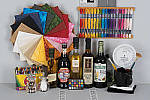
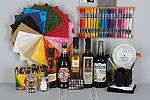
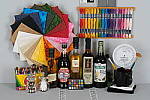
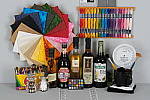
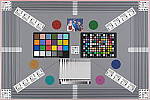
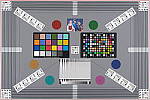
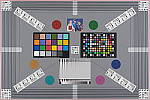
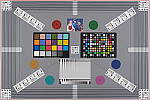
Fujifilm X-T3 Review – Test Shots

Digital Cameras – Fujifilm X-T3 Test Images

Not sure which camera to buy? Let your eyes be the ultimate judge!
Visit our Comparometer(tm)
to compare images from the Fujifilm X-T3 with those from other
cameras you may be considering. The proof is in the pictures, so let
your own eyes decide which you like best!

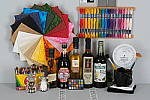
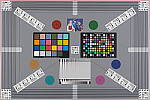
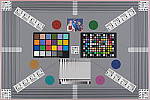
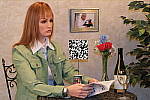
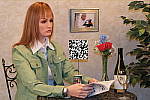
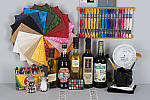
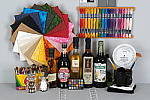
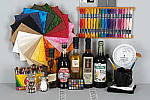
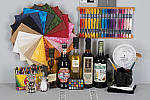
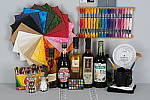
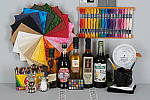
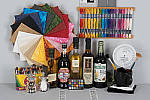
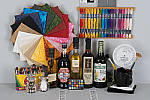
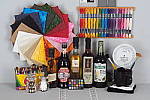
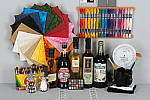
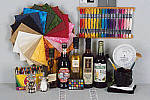
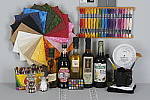
Still LifeX-T3 Sample images image 1

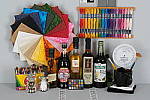
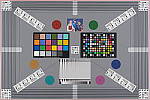
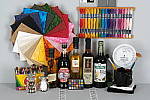
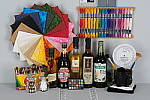
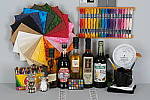
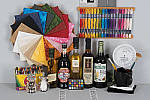
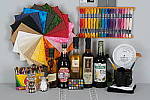
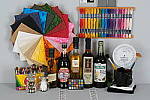
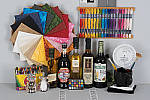
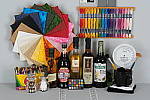
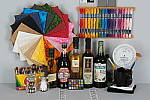
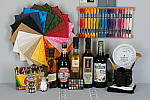
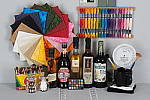
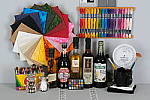
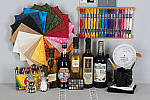
This is our new “Still Life” test target. We’re combining
some of the elements from previous shots (DaveBox and Res Chart) into
this and the “Multi Target” shot below, plus added a number
of elements that are very revealing of various camera characteristics
and foibles.

Here’s what to look for in this target:

  • Tone-on-tone detail & noise suppression:
    The cloth swatches in the pinwheel were chosen because they show a lot
    of tone-on-tone detail, across a broad range of colors. This is just
    the sort of detail that noise suppression processing tends to flatten
    out. If you look at the detail in these swatches as the ISO increases,
    you’ll see just where different cameras start to lose subtle detail.
    — The white and tan swatches and the dark swatches tend to be particularly
    revealing of this. The label of the vinegar bottle (second from the
    right) is another great place to look for lost detail from noise suppression,
    as the image of the person at the top of the label is actually a depiction
    of a mosaic. The dark colors in the background and in the figure’s clothes
    contain detail that’s very quickly lost when a camera’s noise suppression
    system kicks in. Cameras with really high-quality, low-noise sensors
    that require little noise suppression will be able to hold onto the
    detail in these areas, many others will show only a uniform swath of
    smudged color.

    Another place where you’ll quickly see the effects of over-aggressive
    noise suppression is in the white salt grains of the salt grinder in
    lower left. Cameras are often more conservative about suppressing noise
    in highlight areas (because our eyes tend to see less of it there),
    but many cameras seem to have a hard time holding onto the subtle shadings
    that distinguish the salt grains from each other, particularly at higher
    ISO levels.

  • Fine Detail: You’ll find a lot of fine detail
    in the label of the beer bottle on the right, in its fine cursive text,
    but the other bottle labels hold a lot of fine detail as well. Fine
    text is often a good visual indicator of resolution, because our brains
    have an excellent idea of what the text should look like, so
    are very quick to notice even minor loss of detail.

    For really fine detail, look to the circular scale/calculator on the
    right side of the scene. Some of the fine lines there are extremely
    fine indeed. Looking at results from many different cameras with this
    target, we found that camera noise-suppression systems often confuse
    the fine lines with image noise, and so flatten them out. There’s also
    a nice range of fine text sizes in this chart as well, once again great
    visual cues for resolution and detail.

  • Highlight Detail: Three elements in this scene
    show off (or show up) a camera’s ability to hold onto highlight detail.
    As mentioned above, the salt grains (and reflections of the studio lights)
    in the salt mill are examples of fairly subtle highlight detail that
    cameras’ anti-noise processing sometimes obliterate. The folded white
    cloth under the mug on the right side of the frame likewise shows a
    lot of white-on-white detail that is easy to lose, particularly if a
    camera’s tone curve is too contrasty. As it turns out though, the most
    sensitive test of a camera’s highlight abilities seems to be the hank
    of white embroidery thread in the upper right corner. These fibers are
    unusually bright and reflective, so its easy for a camera to blow out
    detail in them.

  • Shadow Detail: Several elements of this subject
    are useful for evaluating shadow detail, particularly the black mug
    and the pieces of folded black velvet, both under and inside the mug.
    The bottoms of the beer bottles also provide some gradations of deep
    shadow, and the clump of peppers in the bottom of the pepper oil bottle
    had a fair bit of detail that’s far down at the shadow end of the tone
    curve.

    We were actually surprised when we constructed this scene just how dark
    the velvet and sides of the beer bottles ended up being. Even with the
    bright studio lights shining directly on it, the velvet in particular
    stays way, way down at the shadow end of the tone curve. With most cameras
    and on most monitors, the velvet will simply appear as an unrelieved
    swatch of black. To see whether it contains deep detail or not, in most
    cases you’ll have to open the file in an image editor and boost the
    brightness dramatically, to bring the detail up into a visible range.

  • Preservation of “Shape” in Strong Colors:
    As you approach the extremes of a camera’s color gamut (its range of
    recordable colors), it becomes more and more difficult for the camera
    to show fine gradations of tone, because one or more of the RGB color
    channels are close to saturation. It’s not uncommon to see a brightly
    colored piece of clothing or a vibrant flower appear in digicam photos
    as just a blob of color, because the camera ran up against the limits
    of its color gamut. The brightly colored embroidery threads in the upper
    right portion of the Still Life target are good examples of situations
    where this might happen. Pay particular attention to the bright red
    and dark blue colors here, as these are both colors near the edge of
    the typical sRGB color gamut.

  • Color accuracy and white balance: It’s pretty
    small in there, but we’ve included a mini-MacBeth chart, which displays
    very carefully controlled color swatches. Our Multi Target (see below)
    sports a full-sized MacBeth chart, but the one here serves as a good
    check of color balance and rendition, and is also useful for checking
    white balance on this particular shot.

  • Image noise and detail vs ISO: As mentioned above,
    this target contains many elements useful for evaluating detail loss
    to anti-noise processing. We’ll therefore always shoot a full set of
    test images of this target across each camera’s ISO range, for every
    camera we test. (See below.)
ISO
Series NR = Mid (Default)
80 100 160 200 400 800
1,600 3,200 6,400 12.8K 25.6K 51.2K
ISO
Series NR = Low
80 100 160 200 400 800
1,600 3,200 6,400 12.8K 25.6K 51.2K

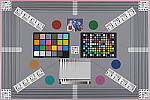
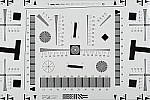
Multi TargetX-T3 Sample images image 2

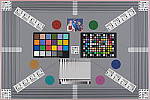
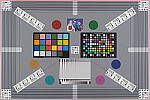
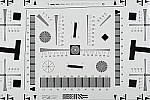
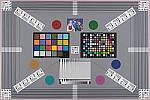
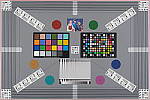
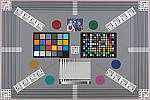
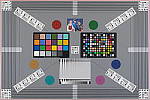
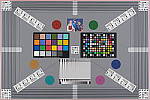
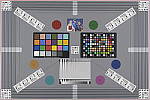
Our new “Multi Target” was first put into use in April, 2009, replacing the earlier “interim” design. This target incorporates a number of elements that combine aspects of the previous Multi target, as well as the previous Viewfinder Accuracy or “VFA” chart. Here’s some of what you’ll find in this target:

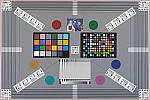
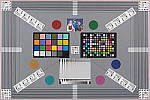
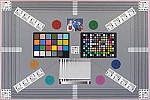
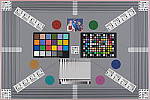
Framing marks: This chart evolved from the earlier Viewfinder Accuracy chart, so one of its major uses is to measure viewfinder accuracy. (See notes in the Viewfinder Accuracy section, at the bottom of this page, for more information on this.)

USAF resolution targets: An important use of this target is in evaluating lens quality, looking how well sharpness holds up as you move from the center to the corners of the frame. The little “USAF” resolution targets arranged at the center, in the corners, and along the diagonals are very useful for making fine judgements about blur, flare and aberrations in the image. We generally show crops of a USAF chip from a corner of the target and from the center, to show how lenses hold sharpness at wide and telephoto focal lengths.

Alignment “bullseyes:” We find these graphics from the graphic arts world (used to align sheets of film in the old film-based prepress days) very useful for seeing chromatic aberration in lenses. The bold black/white elements are good for seeing the colored fringes caused by CA in the corners of the frame.

MacBeth ColorChecker Chart: This is about as common a color standard as you can get these days, very widely available for only mildly exorbitant cost, and quite well controlled in its production. It thus serves as a good basis of comparison between cameras and between test setups. Imatest also understands the MacBeth colors very well, and uses them to produce its color accuracy map that we feature in all our reviews.

MacBeth ColorChecker SG Chart: The ColorChecker SG chart provides a wider range of colors, to give a more detailed map of a camera’s color handling. We haven’t begun using this chart in the color-accuracy graphs we routinely offer, but expect to do so at some point in the future. In the meantime, we sometimes refer to this chart internally, to get a more complete idea of what a camera’s color map looks like.

Log C/F Target: The progressive resolution pattern located just below the center of the target is a Log C/F (logarithmic contrast vs spatial frequency) chart. Digital camera noise reduction routines work by looking at levels of local contrast, flattening-out detail at progressively lower spatial frequencies as the local contrast decreases. (This is very commonly seen in human hair, grass, foliage, and other subjects with subtly-contrasting fine detail.) This chart lets Imatest analyze just how a camera makes the tradeoff between contrast, detail, and image noise.

Color Starbursts: The six circular starburst elements arranged around the target are intended to reveal de-mosaicing artifacts and color-dependent resolution issues. The six starbursts provide examples of each combination of RGB colors intersecting each other. (That is, red, green, and blue against black, plus red against green, green against blue, and blue against red.) Given that the most common sensor RGB color filter pattern (the so-called Bayer) pattern has twice as many green pixels as red or blue, you’ll generally see that the green/black starburst shows the best resolution, while the blue/red one shows the worst. The effects of different sensor geometries and color filter array patterns will be revealed here.

Musicians Image: Synthetic test patterns only tell you so much. While we have a lot of pictorial images in our other test targets, we thought it would be useful to include a small “natural” image here as well.

ISO
Series
80 100 160 200 400 800
1,600 3,200 6,400 12.8K 25.6K 51.2K

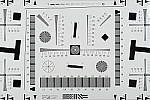
Resolution TargetX-T3 Sample images image 3

Part of the impetus in developing the new Multi Target in April 2009 was to switch to using a new 2x target for the resolution measurements, since the original ISO 12233 chart we’d used since the site first began in 1998(!) had become inadequate for testing the highest-resolution cameras. We’d for quite some time had a “homemade” 2x target, employing a shrunk version of the ISO 12233 chart, shot at 1/2 size. The resolution numbers on that chart all needed to be doubled to convert to the actual values, though, so we decided to go with a commercial 2x target to eliminate possible confusion on the part of our readers. Numbers on this new 2x resolution chart now read directly in hundreds of lines/picture height. (Because almost all of the area of this new resolution chart is now meaningful for resolution measurements, there was no longer space on it to overlay the MacBeth and other color targets on our prior Multi chart; hence the simultaneous change in our Multi target.)

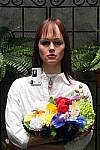
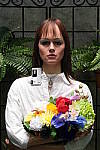
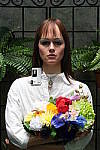
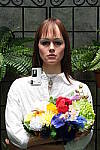
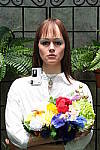
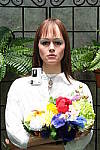
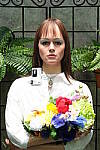
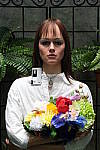
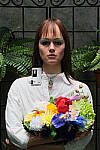
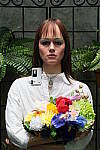
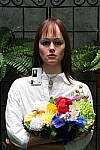
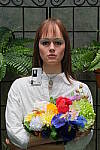
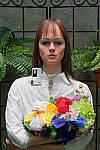
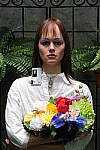
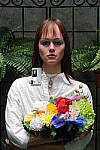
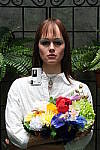
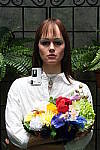
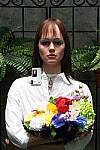
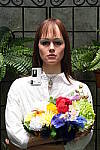
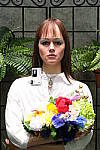
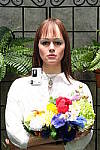
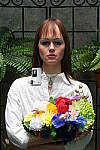
“Sunlit” Portrait:
(This is our “Outdoor” Portrait test – read more about it
here.)

X-T3 Sample images image 4

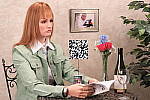
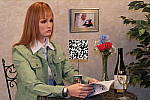
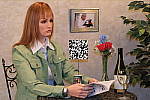
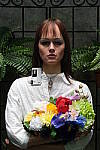
The lighting in this shot is deliberately awful, about what you’d expect
from noontime sunshine here in the Atlanta, GA area. (In fact, the color
balance has been chosen to pretty well match the hazy sunshine here in
mid-August.)

The reason for the harsh lighting is to provide a real “torture
test” of how cameras handle conditions of extreme contrast; and in
particular, how well they do holding onto highlight detail.

Look for:

  • Overall color: Matching summer sunlight here in the South,
    the lighting in this scene is a bit more yellow-tinged than that in
    many parts of the country, or in the fall or winter. – So there may
    be an overall warm cast to the color. That said though, there’s a fair
    range of color represented in the bouquet, presenting a tough challenge
    for the cameras. For some reason, the blue flowers seem particularly
    hard to handle, with many cameras rendering them as purple. (In real
    life, they’re a light shade of navy blue, with just a bit of purple
    in them.)
  • Skin tones: The overall slight warm cast will tend to leave
    the model’s skin tones a bit on the warm side as well. Nonetheless,
    look to see if her skin seems overly pink or if they have a too-bright
    tinge of yellow: Some cameras oversaturate skin tones (make their color
    too intense), leading to an almost sunburned look. A little oversaturation
    can make for a more “healthy-looking” complexion, but it doesn’t
    take much variation for skin tones to look unnatural.
  • Highlight detail: When the model’s skin tones are at a more
    or less normal level of brightness, how much detail can you see in her
    shirt? Does it blow out entirely to white, or can you still see the
    creases and folds in the fabric?
  • Overall contrast: Most consumer digital cameras produce bright,
    contrasty images, because that’s what most consumers like. Unfortunately,
    under bright sunlit conditions, many such cameras produce images with
    little or no highlight detail, and dark, plugged-up looking shadows.
  • Shadow detail: The area under the flower bouquet is in quite deep shadow. Does the camera in question retain good detail here, with low image noise? To see, you may need to download the image and play with it in Photoshop(tm) or another imaging program. Brighten the image, and see how far detail extends into the shadows. Photo printers are generally much better at showing shadow detail than are CRTs or LCDs, so you’ll want a camera that preserves good detail here. The ability to boost brightness without encountering too much image noise is important if you ever have to “rescue” an underexposed image on the computer.
  • Detail in areas of subtle contrast: Most digital cameras employ
    some sort of noise-suppression to remove electronic noise from their
    images. Noise suppression is a good thing, but only if it’s not overdone.
    Too much noise suppression will “flatten out” subtle detail
    in areas of reduced contrast. You can often see this in hair, where
    the individual strands become blurred, and the image takes on an almost
    watercolor effect. Look at the detail in the model’s hair, and compare
    how it looks with different cameras in the Comparometer.

To view the entire exposure series from zero to +1.0 EV, see files XT3OUTMP0.HTM through XT3OUTBMP3.HTM on the thumbnail
index page
.

Highlight Tone Series
-2
X-T3 Sample images image 5
-1
X-T3 Sample images image 6
0
X-T3 Sample images image 7
+1
X-T3 Sample images image 8
+2
X-T3 Sample images image 9
+3
X-T3 Sample images image 10
+4
X-T3 Sample images image 11
Shadow Tone Series
-2
X-T3 Sample images image 12
-1
X-T3 Sample images image 13
0
X-T3 Sample images image 14
+1
X-T3 Sample images image 15
+2
X-T3 Sample images image 16
+3
X-T3 Sample images image 17
+4
X-T3 Sample images image 18
D-Range
Series
DR100
X-T3 Sample images image 19
DR200
X-T3 Sample images image 20
DR400
X-T3 Sample images image 21
Auto
X-T3 Sample images image 22
D-Range
Priority Series
Off
X-T3 Sample images image 23
Auto
X-T3 Sample images image 24
Strong
X-T3 Sample images image 25
Weak
X-T3 Sample images image 26

Indoor Portrait, No Flash:

Auto
White Balance
X-T3 Sample images image 27
Incandescent WB
X-T3 Sample images image 28
Manual WB
X-T3 Sample images image 29

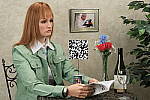
The incandescent lighting used in most US homes actually has a very
strong yellow color to it. Our eyes have an amazing ability to ignore
color casts like this, something digital cameras struggle to emulate.

The incandescent lighting used for this shot is thus not only very common
here in the US, but also very difficult for most digital cameras to deal
with. While we probably want a little yellow color to remain in
the image (to convey some of the mood of the original scene), too much
will look unnatural and distort colors.

Most cameras’ auto white balance systems have a great deal of difficulty
with this shot, but many incandescent white balance settings struggle
as well. (It seems that many cameras’ incandescent settings are actually
calibrated to the tungsten lighting used in professional studio systems,
which isn’t nearly as warm-toned as typical household lighting.)

If you intend to do much shooting indoors after dark, pay careful attention
to this test, as cameras vary widely in this regard.

To view the entire exposure series from zero to +1.0 EV, see files /cameras/fujifilm-x-t3-review/image/907793?section=samples
through XT3INBMP3.HTM on the thumbnail index
page
.

ISO Series:
“ISO equivalent” refers to a camera’s light sensitivity. ISO
200 represents twice the sensitivity of ISO 100, meaning that you can
use a shutter speed that’s twice as fast. Higher ISO settings are often
required to get any picture at all when shooting after dark, but even
in full daylight, using a higher ISO can help you freeze fast action.
The problem is, increasing a digital camera’s ISO also increases image
noise. In practical terms, this means that higher-ISO images often can’t
be used to produce prints as large as lower-ISO ones. The tricky thing
here is that high-ISO images often look much different when printed at
various sizes than they do when viewed on-screen. In particular, for any
level of image noise, you’ll often find that while noise is quite evident
at larger print sizes, as you reduce the size of the prints, there will
come a point where it suddenly ceases to be an issue. We routinely print
high-ISO photos from the cameras we test on our studio printer (currently
a Canon i9900) at a range of sizes, and report our findings. If you’re
interested in investigating the effect of image noise for yourself, don’t
judge cameras’ performance by how their images look on your CRT, viewed
pixel-for-pixel. Rather, download the test shots linked in the table below
and output them on your own printer, so you can see how prints of various
sizes will actually look.

One additional note about this particular test series though: Because
these images are shot under household incandescent lighting, the camera
has to boost its blue-channel signal quite a bit to get back to a neutral
color balance. Since the blue channel is generally the one with the most
noise, this makes this shot a real acid test of noise performance. Noise
levels in high-ISO shots taken under daylight conditions usually won’t
show as much noise. (See the “Far Field” test for examples of
high ISO shots captured in daylight.)

ISO
Series
80 100 160 200 400 800
1,600 3,200 6,400 12.8K 25.6K 51.2K

Viewfinder Accuracy

Viewfinder accuracy is an important parameter, especially for shots
where framing is critical. The optical viewfinders on most digital cameras
match the (poor) accuracy of those on film cameras, typically showing
only about 85% of the actual final frame area. It’s likely that this is
a deliberate design choice by the camera engineers, to help avoid users
accidentally cutting off the heads of their subjects. We disagree with
this approach, or at least feel that it should be mitigated a bit, perhaps
by increasing the accuracy to 90 to 95%.

Unlike the optical viewfinders, the LCD viewfinders on most digital
cameras tend to be quite accurate. There are exceptions though, and it’s
unfortunately not uncommon to find an LCD monitor that only shows 90%
or less of the final frame.

Things to look for on this test chart are:

  • Optical/Electronic viewfinder accuracy: When we shoot this target in the studio, we line things up so the center of the bright red outline on the target is just visible at the edges of the viewfinder frame. The resulting photo then very directly shows how accurate the viewfinder is. The fine black lines mark progressive increments of 1% of increased or decreased frame area. The bold black lines mark 5% increments. The lines let you get an approximate idea of frame accuracy visually, but we measure the actual pixel dimensions to derive the accuracy numbers we report in our reviews.
  • LCD monitor accuracy: This is the same test, but framed with the LCD monitor instead of the optical viewfinder. As mentioned above, LCD monitors are usually more accurate than optical viewfinders, especially in point & shoot digicams.

X-T3 Sample images image 30 X-T3 Sample images image 31
Electronic Viewfinder
LCD Monitor

Digital Cameras – Fujifilm X-T3 Test Images

Not sure which camera to buy? Let your eyes be the ultimate judge!
Visit our Comparometer(tm)
to compare images from the Fujifilm X-T3 with those from other
cameras you may be considering. The proof is in the pictures, so let
your own eyes decide which you like best!

Still LifeX-T3 Test Shots image 1

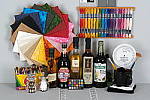
This is our new “Still Life” test target. We’re combining
some of the elements from previous shots (DaveBox and Res Chart) into
this and the “Multi Target” shot below, plus added a number
of elements that are very revealing of various camera characteristics
and foibles.

Here’s what to look for in this target:

  • Tone-on-tone detail & noise suppression:
    The cloth swatches in the pinwheel were chosen because they show a lot
    of tone-on-tone detail, across a broad range of colors. This is just
    the sort of detail that noise suppression processing tends to flatten
    out. If you look at the detail in these swatches as the ISO increases,
    you’ll see just where different cameras start to lose subtle detail.
    — The white and tan swatches and the dark swatches tend to be particularly
    revealing of this. The label of the vinegar bottle (second from the
    right) is another great place to look for lost detail from noise suppression,
    as the image of the person at the top of the label is actually a depiction
    of a mosaic. The dark colors in the background and in the figure’s clothes
    contain detail that’s very quickly lost when a camera’s noise suppression
    system kicks in. Cameras with really high-quality, low-noise sensors
    that require little noise suppression will be able to hold onto the
    detail in these areas, many others will show only a uniform swath of
    smudged color.

    Another place where you’ll quickly see the effects of over-aggressive
    noise suppression is in the white salt grains of the salt grinder in
    lower left. Cameras are often more conservative about suppressing noise
    in highlight areas (because our eyes tend to see less of it there),
    but many cameras seem to have a hard time holding onto the subtle shadings
    that distinguish the salt grains from each other, particularly at higher
    ISO levels.

  • Fine Detail: You’ll find a lot of fine detail
    in the label of the beer bottle on the right, in its fine cursive text,
    but the other bottle labels hold a lot of fine detail as well. Fine
    text is often a good visual indicator of resolution, because our brains
    have an excellent idea of what the text should look like, so
    are very quick to notice even minor loss of detail.

    For really fine detail, look to the circular scale/calculator on the
    right side of the scene. Some of the fine lines there are extremely
    fine indeed. Looking at results from many different cameras with this
    target, we found that camera noise-suppression systems often confuse
    the fine lines with image noise, and so flatten them out. There’s also
    a nice range of fine text sizes in this chart as well, once again great
    visual cues for resolution and detail.

  • Highlight Detail: Three elements in this scene
    show off (or show up) a camera’s ability to hold onto highlight detail.
    As mentioned above, the salt grains (and reflections of the studio lights)
    in the salt mill are examples of fairly subtle highlight detail that
    cameras’ anti-noise processing sometimes obliterate. The folded white
    cloth under the mug on the right side of the frame likewise shows a
    lot of white-on-white detail that is easy to lose, particularly if a
    camera’s tone curve is too contrasty. As it turns out though, the most
    sensitive test of a camera’s highlight abilities seems to be the hank
    of white embroidery thread in the upper right corner. These fibers are
    unusually bright and reflective, so its easy for a camera to blow out
    detail in them.

  • Shadow Detail: Several elements of this subject
    are useful for evaluating shadow detail, particularly the black mug
    and the pieces of folded black velvet, both under and inside the mug.
    The bottoms of the beer bottles also provide some gradations of deep
    shadow, and the clump of peppers in the bottom of the pepper oil bottle
    had a fair bit of detail that’s far down at the shadow end of the tone
    curve.

    We were actually surprised when we constructed this scene just how dark
    the velvet and sides of the beer bottles ended up being. Even with the
    bright studio lights shining directly on it, the velvet in particular
    stays way, way down at the shadow end of the tone curve. With most cameras
    and on most monitors, the velvet will simply appear as an unrelieved
    swatch of black. To see whether it contains deep detail or not, in most
    cases you’ll have to open the file in an image editor and boost the
    brightness dramatically, to bring the detail up into a visible range.

  • Preservation of “Shape” in Strong Colors:
    As you approach the extremes of a camera’s color gamut (its range of
    recordable colors), it becomes more and more difficult for the camera
    to show fine gradations of tone, because one or more of the RGB color
    channels are close to saturation. It’s not uncommon to see a brightly
    colored piece of clothing or a vibrant flower appear in digicam photos
    as just a blob of color, because the camera ran up against the limits
    of its color gamut. The brightly colored embroidery threads in the upper
    right portion of the Still Life target are good examples of situations
    where this might happen. Pay particular attention to the bright red
    and dark blue colors here, as these are both colors near the edge of
    the typical sRGB color gamut.

  • Color accuracy and white balance: It’s pretty
    small in there, but we’ve included a mini-MacBeth chart, which displays
    very carefully controlled color swatches. Our Multi Target (see below)
    sports a full-sized MacBeth chart, but the one here serves as a good
    check of color balance and rendition, and is also useful for checking
    white balance on this particular shot.

  • Image noise and detail vs ISO: As mentioned above,
    this target contains many elements useful for evaluating detail loss
    to anti-noise processing. We’ll therefore always shoot a full set of
    test images of this target across each camera’s ISO range, for every
    camera we test. (See below.)
ISO
Series NR = Mid (Default)
80 100 160 200 400 800
1,600 3,200 6,400 12.8K 25.6K 51.2K
ISO
Series NR = Low
80 100 160 200 400 800
1,600 3,200 6,400 12.8K 25.6K 51.2K

Multi TargetX-T3 Test Shots image 2

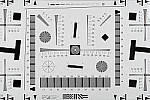
Our new “Multi Target” was first put into use in April, 2009, replacing the earlier “interim” design. This target incorporates a number of elements that combine aspects of the previous Multi target, as well as the previous Viewfinder Accuracy or “VFA” chart. Here’s some of what you’ll find in this target:

Framing marks: This chart evolved from the earlier Viewfinder Accuracy chart, so one of its major uses is to measure viewfinder accuracy. (See notes in the Viewfinder Accuracy section, at the bottom of this page, for more information on this.)

USAF resolution targets: An important use of this target is in evaluating lens quality, looking how well sharpness holds up as you move from the center to the corners of the frame. The little “USAF” resolution targets arranged at the center, in the corners, and along the diagonals are very useful for making fine judgements about blur, flare and aberrations in the image. We generally show crops of a USAF chip from a corner of the target and from the center, to show how lenses hold sharpness at wide and telephoto focal lengths.

Alignment “bullseyes:” We find these graphics from the graphic arts world (used to align sheets of film in the old film-based prepress days) very useful for seeing chromatic aberration in lenses. The bold black/white elements are good for seeing the colored fringes caused by CA in the corners of the frame.

MacBeth ColorChecker Chart: This is about as common a color standard as you can get these days, very widely available for only mildly exorbitant cost, and quite well controlled in its production. It thus serves as a good basis of comparison between cameras and between test setups. Imatest also understands the MacBeth colors very well, and uses them to produce its color accuracy map that we feature in all our reviews.

MacBeth ColorChecker SG Chart: The ColorChecker SG chart provides a wider range of colors, to give a more detailed map of a camera’s color handling. We haven’t begun using this chart in the color-accuracy graphs we routinely offer, but expect to do so at some point in the future. In the meantime, we sometimes refer to this chart internally, to get a more complete idea of what a camera’s color map looks like.

Log C/F Target: The progressive resolution pattern located just below the center of the target is a Log C/F (logarithmic contrast vs spatial frequency) chart. Digital camera noise reduction routines work by looking at levels of local contrast, flattening-out detail at progressively lower spatial frequencies as the local contrast decreases. (This is very commonly seen in human hair, grass, foliage, and other subjects with subtly-contrasting fine detail.) This chart lets Imatest analyze just how a camera makes the tradeoff between contrast, detail, and image noise.

Color Starbursts: The six circular starburst elements arranged around the target are intended to reveal de-mosaicing artifacts and color-dependent resolution issues. The six starbursts provide examples of each combination of RGB colors intersecting each other. (That is, red, green, and blue against black, plus red against green, green against blue, and blue against red.) Given that the most common sensor RGB color filter pattern (the so-called Bayer) pattern has twice as many green pixels as red or blue, you’ll generally see that the green/black starburst shows the best resolution, while the blue/red one shows the worst. The effects of different sensor geometries and color filter array patterns will be revealed here.

Musicians Image: Synthetic test patterns only tell you so much. While we have a lot of pictorial images in our other test targets, we thought it would be useful to include a small “natural” image here as well.

ISO
Series
80 100 160 200 400 800
1,600 3,200 6,400 12.8K 25.6K 51.2K

Resolution TargetX-T3 Test Shots image 3

Part of the impetus in developing the new Multi Target in April 2009 was to switch to using a new 2x target for the resolution measurements, since the original ISO 12233 chart we’d used since the site first began in 1998(!) had become inadequate for testing the highest-resolution cameras. We’d for quite some time had a “homemade” 2x target, employing a shrunk version of the ISO 12233 chart, shot at 1/2 size. The resolution numbers on that chart all needed to be doubled to convert to the actual values, though, so we decided to go with a commercial 2x target to eliminate possible confusion on the part of our readers. Numbers on this new 2x resolution chart now read directly in hundreds of lines/picture height. (Because almost all of the area of this new resolution chart is now meaningful for resolution measurements, there was no longer space on it to overlay the MacBeth and other color targets on our prior Multi chart; hence the simultaneous change in our Multi target.)

“Sunlit” Portrait:
(This is our “Outdoor” Portrait test – read more about it
here.)

X-T3 Test Shots image 4

The lighting in this shot is deliberately awful, about what you’d expect
from noontime sunshine here in the Atlanta, GA area. (In fact, the color
balance has been chosen to pretty well match the hazy sunshine here in
mid-August.)

The reason for the harsh lighting is to provide a real “torture
test” of how cameras handle conditions of extreme contrast; and in
particular, how well they do holding onto highlight detail.

Look for:

  • Overall color: Matching summer sunlight here in the South,
    the lighting in this scene is a bit more yellow-tinged than that in
    many parts of the country, or in the fall or winter. – So there may
    be an overall warm cast to the color. That said though, there’s a fair
    range of color represented in the bouquet, presenting a tough challenge
    for the cameras. For some reason, the blue flowers seem particularly
    hard to handle, with many cameras rendering them as purple. (In real
    life, they’re a light shade of navy blue, with just a bit of purple
    in them.)
  • Skin tones: The overall slight warm cast will tend to leave
    the model’s skin tones a bit on the warm side as well. Nonetheless,
    look to see if her skin seems overly pink or if they have a too-bright
    tinge of yellow: Some cameras oversaturate skin tones (make their color
    too intense), leading to an almost sunburned look. A little oversaturation
    can make for a more “healthy-looking” complexion, but it doesn’t
    take much variation for skin tones to look unnatural.
  • Highlight detail: When the model’s skin tones are at a more
    or less normal level of brightness, how much detail can you see in her
    shirt? Does it blow out entirely to white, or can you still see the
    creases and folds in the fabric?
  • Overall contrast: Most consumer digital cameras produce bright,
    contrasty images, because that’s what most consumers like. Unfortunately,
    under bright sunlit conditions, many such cameras produce images with
    little or no highlight detail, and dark, plugged-up looking shadows.
  • Shadow detail: The area under the flower bouquet is in quite deep shadow. Does the camera in question retain good detail here, with low image noise? To see, you may need to download the image and play with it in Photoshop(tm) or another imaging program. Brighten the image, and see how far detail extends into the shadows. Photo printers are generally much better at showing shadow detail than are CRTs or LCDs, so you’ll want a camera that preserves good detail here. The ability to boost brightness without encountering too much image noise is important if you ever have to “rescue” an underexposed image on the computer.
  • Detail in areas of subtle contrast: Most digital cameras employ
    some sort of noise-suppression to remove electronic noise from their
    images. Noise suppression is a good thing, but only if it’s not overdone.
    Too much noise suppression will “flatten out” subtle detail
    in areas of reduced contrast. You can often see this in hair, where
    the individual strands become blurred, and the image takes on an almost
    watercolor effect. Look at the detail in the model’s hair, and compare
    how it looks with different cameras in the Comparometer.

To view the entire exposure series from zero to +1.0 EV, see files XT3OUTMP0.HTM through XT3OUTBMP3.HTM on the thumbnail
index page
.

Highlight Tone Series
-2
X-T3 Test Shots image 5
-1
X-T3 Test Shots image 6
0
X-T3 Test Shots image 7
+1
X-T3 Test Shots image 8
+2
X-T3 Test Shots image 9
+3
X-T3 Test Shots image 10
+4
X-T3 Test Shots image 11
Shadow Tone Series
-2
X-T3 Test Shots image 12
-1
X-T3 Test Shots image 13
0
X-T3 Test Shots image 14
+1
X-T3 Test Shots image 15
+2
X-T3 Test Shots image 16
+3
X-T3 Test Shots image 17
+4
X-T3 Test Shots image 18
D-Range
Series
DR100
X-T3 Test Shots image 19
DR200
X-T3 Test Shots image 20
DR400
X-T3 Test Shots image 21
Auto
X-T3 Test Shots image 22
D-Range
Priority Series
Off
X-T3 Test Shots image 23
Auto
X-T3 Test Shots image 24
Strong
X-T3 Test Shots image 25
Weak
X-T3 Test Shots image 26

Indoor Portrait, No Flash:

Auto
White Balance
X-T3 Test Shots image 27
Incandescent WB
X-T3 Test Shots image 28
Manual WB
X-T3 Test Shots image 29

The incandescent lighting used in most US homes actually has a very
strong yellow color to it. Our eyes have an amazing ability to ignore
color casts like this, something digital cameras struggle to emulate.

The incandescent lighting used for this shot is thus not only very common
here in the US, but also very difficult for most digital cameras to deal
with. While we probably want a little yellow color to remain in
the image (to convey some of the mood of the original scene), too much
will look unnatural and distort colors.

Most cameras’ auto white balance systems have a great deal of difficulty
with this shot, but many incandescent white balance settings struggle
as well. (It seems that many cameras’ incandescent settings are actually
calibrated to the tungsten lighting used in professional studio systems,
which isn’t nearly as warm-toned as typical household lighting.)

If you intend to do much shooting indoors after dark, pay careful attention
to this test, as cameras vary widely in this regard.

To view the entire exposure series from zero to +1.0 EV, see files /cameras/fujifilm-x-t3-review/image/907793?section=test
through XT3INBMP3.HTM on the thumbnail index
page
.

ISO Series:
“ISO equivalent” refers to a camera’s light sensitivity. ISO
200 represents twice the sensitivity of ISO 100, meaning that you can
use a shutter speed that’s twice as fast. Higher ISO settings are often
required to get any picture at all when shooting after dark, but even
in full daylight, using a higher ISO can help you freeze fast action.
The problem is, increasing a digital camera’s ISO also increases image
noise. In practical terms, this means that higher-ISO images often can’t
be used to produce prints as large as lower-ISO ones. The tricky thing
here is that high-ISO images often look much different when printed at
various sizes than they do when viewed on-screen. In particular, for any
level of image noise, you’ll often find that while noise is quite evident
at larger print sizes, as you reduce the size of the prints, there will
come a point where it suddenly ceases to be an issue. We routinely print
high-ISO photos from the cameras we test on our studio printer (currently
a Canon i9900) at a range of sizes, and report our findings. If you’re
interested in investigating the effect of image noise for yourself, don’t
judge cameras’ performance by how their images look on your CRT, viewed
pixel-for-pixel. Rather, download the test shots linked in the table below
and output them on your own printer, so you can see how prints of various
sizes will actually look.

One additional note about this particular test series though: Because
these images are shot under household incandescent lighting, the camera
has to boost its blue-channel signal quite a bit to get back to a neutral
color balance. Since the blue channel is generally the one with the most
noise, this makes this shot a real acid test of noise performance. Noise
levels in high-ISO shots taken under daylight conditions usually won’t
show as much noise. (See the “Far Field” test for examples of
high ISO shots captured in daylight.)

ISO
Series
80 100 160 200 400 800
1,600 3,200 6,400 12.8K 25.6K 51.2K

Viewfinder Accuracy

Viewfinder accuracy is an important parameter, especially for shots
where framing is critical. The optical viewfinders on most digital cameras
match the (poor) accuracy of those on film cameras, typically showing
only about 85% of the actual final frame area. It’s likely that this is
a deliberate design choice by the camera engineers, to help avoid users
accidentally cutting off the heads of their subjects. We disagree with
this approach, or at least feel that it should be mitigated a bit, perhaps
by increasing the accuracy to 90 to 95%.

Unlike the optical viewfinders, the LCD viewfinders on most digital
cameras tend to be quite accurate. There are exceptions though, and it’s
unfortunately not uncommon to find an LCD monitor that only shows 90%
or less of the final frame.

Things to look for on this test chart are:

  • Optical/Electronic viewfinder accuracy: When we shoot this target in the studio, we line things up so the center of the bright red outline on the target is just visible at the edges of the viewfinder frame. The resulting photo then very directly shows how accurate the viewfinder is. The fine black lines mark progressive increments of 1% of increased or decreased frame area. The bold black lines mark 5% increments. The lines let you get an approximate idea of frame accuracy visually, but we measure the actual pixel dimensions to derive the accuracy numbers we report in our reviews.
  • LCD monitor accuracy: This is the same test, but framed with the LCD monitor instead of the optical viewfinder. As mentioned above, LCD monitors are usually more accurate than optical viewfinders, especially in point & shoot digicams.

X-T3 Test Shots image 30 X-T3 Test Shots image 31
Electronic Viewfinder
LCD Monitor

All test shots

Fujifilm X-T3 Thumbnails

Not sure which camera to buy? Let your eyes be the ultimate judge!
Visit our Comparometer(tm)
to compare images from the Fujifilm X-T3 with those from other
cameras you may be considering. The proof is in the pictures, so let
your own eyes decide which you like best!

This page may take a long time to load, due to the many thumbnails!

All images copyright ©2018 by The Imaging Resource. All rights reserved.

X-T3 All test shots image 1
XT3INBAP0.JPG
14,499,380 bytes
6240×4160
0.3 sec
f8.0
0.0 EV
56.0 mm focal length
ISO 200

X-T3 All test shots image 2
X-T3 All test shots image 3
XT3INBAP1.JPG
14,656,914 bytes
6240×4160
0.3 sec
f8.0
+0.3 EV
56.0 mm focal length
ISO 200
X-T3 All test shots image 4
X-T3 All test shots image 5
XT3INBAP2.JPG
14,765,325 bytes
6240×4160
0.4 sec
f8.0
+0.7 EV
56.0 mm focal length
ISO 200
X-T3 All test shots image 6
X-T3 All test shots image 7
XT3INBAP3.JPG
14,838,582 bytes
6240×4160
0.5 sec
f8.0
+1.0 EV
56.0 mm focal length
ISO 200
X-T3 All test shots image 8
X-T3 All test shots image 9
XT3INBFAP0.JPG
XT3INBFAP0.RAF
13,837,990 bytes
6240×4160
1/85 sec
f4.0
0.0 EV
56.0 mm focal length
ISO 2500
X-T3 All test shots image 10
X-T3 All test shots image 11
XT3INBFAP1.JPG
XT3INBFAP1.RAF
13,929,984 bytes
6240×4160
1/85 sec
f4.0
0.0 EV
56.0 mm focal length
ISO 2500
X-T3 All test shots image 12
X-T3 All test shots image 13
XT3INBFAP2.JPG
XT3INBFAP2.RAF
13,986,054 bytes
6240×4160
1/85 sec
f4.0
0.0 EV
56.0 mm focal length
ISO 2500
X-T3 All test shots image 14
X-T3 All test shots image 15
XT3INBFAP3.JPG
XT3INBFAP3.RAF
13,998,362 bytes
6240×4160
1/85 sec
f4.0
0.0 EV
56.0 mm focal length
ISO 2500
X-T3 All test shots image 16
X-T3 All test shots image 17
XT3INBFP0.JPG
XT3INBFP0.RAF
13,595,411 bytes
6240×4160
1/60 sec
f4.0
0.0 EV
56.0 mm focal length
ISO 200
X-T3 All test shots image 18
X-T3 All test shots image 19
XT3INBFP1.JPG
XT3INBFP1.RAF
13,693,007 bytes
6240×4160
1/60 sec
f4.0
0.0 EV
56.0 mm focal length
ISO 200
X-T3 All test shots image 20
X-T3 All test shots image 21
XT3INBFP2.JPG
XT3INBFP2.RAF
13,644,286 bytes
6240×4160
1/60 sec
f4.0
0.0 EV
56.0 mm focal length
ISO 200
X-T3 All test shots image 22
X-T3 All test shots image 23
XT3INBFP3.JPG
XT3INBFP3.RAF
13,682,013 bytes
6240×4160
1/60 sec
f4.0
0.0 EV
56.0 mm focal length
ISO 200
X-T3 All test shots image 24
X-T3 All test shots image 25
XT3INBI00080.JPG
XT3INBI00080.RAF
14,442,496 bytes
6240×4160
1 sec
f8.0
+0.7 EV
56.0 mm focal length
ISO 80
X-T3 All test shots image 26
X-T3 All test shots image 27
XT3INBI00100.JPG
XT3INBI00100.RAF
14,485,914 bytes
6240×4160
0.8 sec
f8.0
+0.7 EV
56.0 mm focal length
ISO 100
X-T3 All test shots image 28
X-T3 All test shots image 29
XT3INBI00125.JPG
XT3INBI00125.RAF
14,490,096 bytes
6240×4160
0.6 sec
f8.0
+0.7 EV
56.0 mm focal length
ISO 125
X-T3 All test shots image 30
X-T3 All test shots image 31
XT3INBI00160.JPG
XT3INBI00160.RAF
14,711,056 bytes
6240×4160
0.5 sec
f8.0
+0.7 EV
56.0 mm focal length
ISO 160
X-T3 All test shots image 32
X-T3 All test shots image 33
XT3INBI00200.JPG
XT3INBI00200.RAF
14,738,149 bytes
6240×4160
0.4 sec
f8.0
+0.7 EV
56.0 mm focal length
ISO 200
X-T3 All test shots image 34
X-T3 All test shots image 35
XT3INBI00400.JPG
XT3INBI00400.RAF
15,326,416 bytes
6240×4160
1/5 sec
f8.0
+0.7 EV
56.0 mm focal length
ISO 400
X-T3 All test shots image 36
X-T3 All test shots image 37
XT3INBI00800.JPG
XT3INBI00800.RAF
15,640,986 bytes
6240×4160
1/10 sec
f8.0
+0.7 EV
56.0 mm focal length
ISO 800
X-T3 All test shots image 38
X-T3 All test shots image 39
XT3INBI01600.JPG
XT3INBI01600.RAF
14,441,068 bytes
6240×4160
1/20 sec
f8.0
+0.7 EV
56.0 mm focal length
ISO 1600
X-T3 All test shots image 40
X-T3 All test shots image 41
XT3INBI03200.JPG
XT3INBI03200.RAF
14,570,073 bytes
6240×4160
1/40 sec
f8.0
+0.7 EV
56.0 mm focal length
ISO 3200
X-T3 All test shots image 42
X-T3 All test shots image 43
XT3INBI06400.JPG
XT3INBI06400.RAF
16,292,409 bytes
6240×4160
1/80 sec
f8.0
+0.7 EV
56.0 mm focal length
ISO 6400
X-T3 All test shots image 44
X-T3 All test shots image 45
XT3INBI12800.JPG
XT3INBI12800.RAF
15,504,585 bytes
6240×4160
1/160 sec
f8.0
+0.7 EV
56.0 mm focal length
ISO 12800
X-T3 All test shots image 46
X-T3 All test shots image 47
XT3INBI25600.JPG
XT3INBI25600.RAF
15,368,159 bytes
6240×4160
1/320 sec
f8.0
+0.7 EV
56.0 mm focal length
ISO 25600
X-T3 All test shots image 48
X-T3 All test shots image 49
XT3INBI51200.JPG
XT3INBI51200.RAF
15,558,246 bytes
6240×4160
1/640 sec
f8.0
+0.7 EV
56.0 mm focal length
ISO 51200
X-T3 All test shots image 50
X-T3 All test shots image 51
XT3INBMP0.JPG
14,625,805 bytes
6240×4160
1/4 sec
f8.0
0.0 EV
56.0 mm focal length
ISO 200
X-T3 All test shots image 52
X-T3 All test shots image 53
XT3INBMP1.JPG
14,884,687 bytes
6240×4160
0.3 sec
f8.0
+0.3 EV
56.0 mm focal length
ISO 200
X-T3 All test shots image 54
X-T3 All test shots image 55
XT3INBMP2.JPG
15,029,436 bytes
6240×4160
0.4 sec
f8.0
+0.7 EV
56.0 mm focal length
ISO 200
X-T3 All test shots image 56
X-T3 All test shots image 57
XT3INBMP3.JPG
15,123,429 bytes
6240×4160
0.5 sec
f8.0
+1.0 EV
56.0 mm focal length
ISO 200
X-T3 All test shots image 58
X-T3 All test shots image 59
XT3INBTP0.JPG
14,635,777 bytes
6240×4160
0.3 sec
f8.0
0.0 EV
56.0 mm focal length
ISO 200
X-T3 All test shots image 60
X-T3 All test shots image 61
XT3INBTP1.JPG
14,746,959 bytes
6240×4160
0.4 sec
f8.0
+0.3 EV
56.0 mm focal length
ISO 200
X-T3 All test shots image 62
X-T3 All test shots image 63
XT3INBTP2.JPG
14,858,259 bytes
6240×4160
0.4 sec
f8.0
+0.7 EV
56.0 mm focal length
ISO 200
X-T3 All test shots image 64
X-T3 All test shots image 65
XT3INBTP3.JPG
14,947,658 bytes
6240×4160
0.5 sec
f8.0
+1.0 EV
56.0 mm focal length
ISO 200
X-T3 All test shots image 66
X-T3 All test shots image 67
XT3OUTBAM1.JPG
XT3OUTBAM1.RAF
13,237,400 bytes
4160×6240
1/52 sec
f8.0
-0.3 EV
56.0 mm focal length
ISO 160
X-T3 All test shots image 68
X-T3 All test shots image 69
XT3OUTBAP0.JPG
XT3OUTBAP0.RAF
13,519,578 bytes
4160×6240
1/42 sec
f8.0
0.0 EV
56.0 mm focal length
ISO 160
X-T3 All test shots image 70
X-T3 All test shots image 71
XT3OUTBAP1.JPG
XT3OUTBAP1.RAF
13,639,322 bytes
4160×6240
1/34 sec
f8.0
+0.3 EV
56.0 mm focal length
ISO 160
X-T3 All test shots image 72
X-T3 All test shots image 73
XT3OUTBAP2.JPG
XT3OUTBAP2.RAF
13,477,692 bytes
4160×6240
1/26 sec
f8.0
+0.7 EV
56.0 mm focal length
ISO 160
X-T3 All test shots image 74
X-T3 All test shots image 75
XT3OUTBAP3.JPG
XT3OUTBAP3.RAF
13,275,248 bytes
4160×6240
1/20 sec
f8.0
+1.0 EV
56.0 mm focal length
ISO 160
X-T3 All test shots image 76
X-T3 All test shots image 77
XT3OUTBDM1.JPG
13,200,653 bytes
4160×6240
1/56 sec
f8.0
-0.3 EV
56.0 mm focal length
ISO 160
X-T3 All test shots image 78
X-T3 All test shots image 79
XT3OUTBDP0.JPG
13,492,393 bytes
4160×6240
1/42 sec
f8.0
0.0 EV
56.0 mm focal length
ISO 160
X-T3 All test shots image 80
X-T3 All test shots image 81
XT3OUTBDP1.JPG
13,640,902 bytes
4160×6240
1/34 sec
f8.0
+0.3 EV
56.0 mm focal length
ISO 160
X-T3 All test shots image 82
X-T3 All test shots image 83
XT3OUTBDP2.JPG
13,584,423 bytes
4160×6240
1/26 sec
f8.0
+0.7 EV
56.0 mm focal length
ISO 160
X-T3 All test shots image 84
X-T3 All test shots image 85
XT3OUTBDP3.JPG
13,300,089 bytes
4160×6240
1/20 sec
f8.0
+1.0 EV
56.0 mm focal length
ISO 160
X-T3 All test shots image 86
X-T3 All test shots image 87
XT3OUTBDR100.JPG
13,531,244 bytes
4160×6240
1/85 sec
f8.0
0.0 EV
56.0 mm focal length
ISO 320
X-T3 All test shots image 88
X-T3 All test shots image 89
XT3OUTBDR200.JPG
14,096,386 bytes
4160×6240
1/85 sec
f8.0
0.0 EV
56.0 mm focal length
ISO 320
X-T3 All test shots image 90
X-T3 All test shots image 91
XT3OUTBDR400.JPG
15,095,697 bytes
4160×6240
1/170 sec
f8.0
0.0 EV
56.0 mm focal length
ISO 640
X-T3 All test shots image 92
X-T3 All test shots image 93
XT3OUTBDRA.JPG
14,237,985 bytes
4160×6240
1/85 sec
f8.0
0.0 EV
56.0 mm focal length
ISO 320
X-T3 All test shots image 94
X-T3 All test shots image 95
XT3OUTBDRP0.JPG
13,587,822 bytes
4160×6240
1/85 sec
f8.0
0.0 EV
56.0 mm focal length
ISO 320
X-T3 All test shots image 96
X-T3 All test shots image 97
XT3OUTBDRPA.JPG
14,829,119 bytes
4160×6240
1/85 sec
f8.0
0.0 EV
56.0 mm focal length
ISO 320
X-T3 All test shots image 98
X-T3 All test shots image 99
XT3OUTBDRPS.JPG
14,263,316 bytes
4160×6240
1/170 sec
f8.0
0.0 EV
56.0 mm focal length
ISO 640
X-T3 All test shots image 100
X-T3 All test shots image 101
XT3OUTBDRPW.JPG
14,897,114 bytes
4160×6240
1/85 sec
f8.0
0.0 EV
56.0 mm focal length
ISO 320
X-T3 All test shots image 102
X-T3 All test shots image 103
XT3OUTBHTM1.JPG
13,571,314 bytes
4160×6240
1/42 sec
f8.0
0.0 EV
56.0 mm focal length
ISO 160
X-T3 All test shots image 104
X-T3 All test shots image 105
XT3OUTBHTM2.JPG
13,581,042 bytes
4160×6240
1/42 sec
f8.0
0.0 EV
56.0 mm focal length
ISO 160
X-T3 All test shots image 106
X-T3 All test shots image 107
XT3OUTBHTP0.JPG
13,549,566 bytes
4160×6240
1/42 sec
f8.0
0.0 EV
56.0 mm focal length
ISO 160
X-T3 All test shots image 108
X-T3 All test shots image 109
XT3OUTBHTP1.JPG
13,492,490 bytes
4160×6240
1/42 sec
f8.0
0.0 EV
56.0 mm focal length
ISO 160
X-T3 All test shots image 110
X-T3 All test shots image 111
XT3OUTBHTP2.JPG
13,452,650 bytes
4160×6240
1/42 sec
f8.0
0.0 EV
56.0 mm focal length
ISO 160
X-T3 All test shots image 112
X-T3 All test shots image 113
XT3OUTBHTP3.JPG
13,469,548 bytes
4160×6240
1/42 sec
f8.0
0.0 EV
56.0 mm focal length
ISO 160
X-T3 All test shots image 114
X-T3 All test shots image 115
XT3OUTBHTP4.JPG
13,388,465 bytes
4160×6240
1/42 sec
f8.0
0.0 EV
56.0 mm focal length
ISO 160
X-T3 All test shots image 116
X-T3 All test shots image 117
XT3OUTBMM1.JPG
13,222,331 bytes
4160×6240
1/52 sec
f8.0
-0.3 EV
56.0 mm focal length
ISO 160
X-T3 All test shots image 118
X-T3 All test shots image 119
XT3OUTBMP0.JPG
13,533,157 bytes
4160×6240
1/42 sec
f8.0
0.0 EV
56.0 mm focal length
ISO 160
X-T3 All test shots image 120
X-T3 All test shots image 121
XT3OUTBMP1.JPG
13,625,128 bytes
4160×6240
1/30 sec
f8.0
+0.3 EV
56.0 mm focal length
ISO 160
X-T3 All test shots image 122
X-T3 All test shots image 123
XT3OUTBMP2.JPG
13,509,976 bytes
4160×6240
1/26 sec
f8.0
+0.7 EV
56.0 mm focal length
ISO 160
X-T3 All test shots image 124
X-T3 All test shots image 125
XT3OUTBMP3.JPG
13,220,547 bytes
4160×6240
1/20 sec
f8.0
+1.0 EV
56.0 mm focal length
ISO 160
X-T3 All test shots image 126
X-T3 All test shots image 127
XT3OUTBSTM1.JPG
13,820,997 bytes
4160×6240
1/42 sec
f8.0
0.0 EV
56.0 mm focal length
ISO 160
X-T3 All test shots image 128
X-T3 All test shots image 129
XT3OUTBSTM2.JPG
14,170,006 bytes
4160×6240
1/42 sec
f8.0
0.0 EV
56.0 mm focal length
ISO 160
X-T3 All test shots image 130
X-T3 All test shots image 131
XT3OUTBSTP0.JPG
13,553,382 bytes
4160×6240
1/42 sec
f8.0
0.0 EV
56.0 mm focal length
ISO 160
X-T3 All test shots image 132
X-T3 All test shots image 133
XT3OUTBSTP1.JPG
13,185,812 bytes
4160×6240
1/42 sec
f8.0
0.0 EV
56.0 mm focal length
ISO 160
X-T3 All test shots image 134
X-T3 All test shots image 135
XT3OUTBSTP2.JPG
12,905,479 bytes
4160×6240
1/42 sec
f8.0
0.0 EV
56.0 mm focal length
ISO 160
X-T3 All test shots image 136
X-T3 All test shots image 137
XT3OUTBSTP3.JPG
12,510,364 bytes
4160×6240
1/42 sec
f8.0
0.0 EV
56.0 mm focal length
ISO 160
X-T3 All test shots image 138
X-T3 All test shots image 139
XT3OUTBSTP4.JPG
12,065,320 bytes
4160×6240
1/42 sec
f8.0
0.0 EV
56.0 mm focal length
ISO 160
X-T3 All test shots image 140
X-T3 All test shots image 141
XT3OUTB_AUTO.JPG
11,573,434 bytes
4160×6240
1/420 sec
f2.5
0.0 EV
56.0 mm focal length
ISO 160
X-T3 All test shots image 142
X-T3 All test shots image 143
XT3OUTB_FACE.JPG
13,306,080 bytes
4160×6240
1/45 sec
f8.0
0.0 EV
56.0 mm focal length
ISO 160
X-T3 All test shots image 144
X-T3 All test shots image 145
XT3hRES.JPG
XT3hRES.RAF
11,176,719 bytes
6240×4160
1/40 sec
f5.6
0.0 EV
56.0 mm focal length
ISO 160
X-T3 All test shots image 146
X-T3 All test shots image 147
XT3hRES_ACRu300r03.JPG
8,694,840 bytes
6240×4160
1/40 sec
f5.6
0.0 EV
56.0 mm focal length
ISO 160
X-T3 All test shots image 148
X-T3 All test shots image 149
XT3hSLI00080NR1.JPG
XT3hSLI00080NR1.RAF
15,854,885 bytes
6240×4160
1/8 sec
f8.0
0.0 EV
56.0 mm focal length
ISO 80
X-T3 All test shots image 150
X-T3 All test shots image 151
XT3hSLI00080NR5D.JPG
XT3hSLI00080NR5D.RAF
15,744,418 bytes
6240×4160
1/8 sec
f8.0
0.0 EV
56.0 mm focal length
ISO 80
X-T3 All test shots image 152
X-T3 All test shots image 153
XT3hSLI00080_ACR.JPG
11,940,134 bytes
6240×4160
1/8 sec
f8.0
0.0 EV
56.0 mm focal length
ISO 80
X-T3 All test shots image 154
X-T3 All test shots image 155
XT3hSLI00100NR1.JPG
XT3hSLI00100NR1.RAF
15,933,258 bytes
6240×4160
1/10 sec
f8.0
0.0 EV
56.0 mm focal length
ISO 100
X-T3 All test shots image 156
X-T3 All test shots image 157
XT3hSLI00100NR5D.JPG
XT3hSLI00100NR5D.RAF
15,749,729 bytes
6240×4160
1/10 sec
f8.0
0.0 EV
56.0 mm focal length
ISO 100
X-T3 All test shots image 158
X-T3 All test shots image 159
XT3hSLI00100_ACR.JPG
12,086,747 bytes
6240×4160
1/10 sec
f8.0
0.0 EV
56.0 mm focal length
ISO 100
X-T3 All test shots image 160
X-T3 All test shots image 161
XT3hSLI00160NR1.JPG
XT3hSLI00160NR1.RAF
16,073,899 bytes
6240×4160
1/15 sec
f8.0
0.0 EV
56.0 mm focal length
ISO 160
X-T3 All test shots image 162
X-T3 All test shots image 163
XT3hSLI00160NR5D.JPG
XT3hSLI00160NR5D.RAF
15,881,252 bytes
6240×4160
1/15 sec
f8.0
0.0 EV
56.0 mm focal length
ISO 160
X-T3 All test shots image 164
X-T3 All test shots image 165
XT3hSLI00160_ACR.JPG
12,405,673 bytes
6240×4160
1/15 sec
f8.0
0.0 EV
56.0 mm focal length
ISO 160
X-T3 All test shots image 166
X-T3 All test shots image 167
XT3hSLI00160_ACRu300r03.JPG
16,252,798 bytes
6240×4160
1/15 sec
f8.0
0.0 EV
56.0 mm focal length
ISO 160
X-T3 All test shots image 168
X-T3 All test shots image 169
XT3hSLI00200NR1.JPG
XT3hSLI00200NR1.RAF
16,202,738 bytes
6240×4160
1/20 sec
f8.0
0.0 EV
56.0 mm focal length
ISO 200
X-T3 All test shots image 170
X-T3 All test shots image 171
XT3hSLI00200NR5D.JPG
XT3hSLI00200NR5D.RAF
15,876,883 bytes
6240×4160
1/20 sec
f8.0
0.0 EV
56.0 mm focal length
ISO 200
X-T3 All test shots image 172
X-T3 All test shots image 173
XT3hSLI00200_ACR.JPG
12,562,143 bytes
6240×4160
1/20 sec
f8.0
0.0 EV
56.0 mm focal length
ISO 200
X-T3 All test shots image 174
X-T3 All test shots image 175
XT3hSLI00400NR1.JPG
XT3hSLI00400NR1.RAF
16,824,766 bytes
6240×4160
1/40 sec
f8.0
0.0 EV
56.0 mm focal length
ISO 400
X-T3 All test shots image 176
X-T3 All test shots image 177
XT3hSLI00400NR5D.JPG
XT3hSLI00400NR5D.RAF
16,233,549 bytes
6240×4160
1/40 sec
f8.0
0.0 EV
56.0 mm focal length
ISO 400
X-T3 All test shots image 178
X-T3 All test shots image 179
XT3hSLI00400_ACR.JPG
13,273,022 bytes
6240×4160
1/40 sec
f8.0
0.0 EV
56.0 mm focal length
ISO 400
X-T3 All test shots image 180
X-T3 All test shots image 181
XT3hSLI00800NR1.JPG
XT3hSLI00800NR1.RAF
17,275,357 bytes
6240×4160
1/80 sec
f8.0
0.0 EV
56.0 mm focal length
ISO 800
X-T3 All test shots image 182
X-T3 All test shots image 183
XT3hSLI00800NR5D.JPG
XT3hSLI00800NR5D.RAF
16,721,489 bytes
6240×4160
1/80 sec
f8.0
0.0 EV
56.0 mm focal length
ISO 800
X-T3 All test shots image 184
X-T3 All test shots image 185
XT3hSLI00800_ACR.JPG
14,862,576 bytes
6240×4160
1/80 sec
f8.0
0.0 EV
56.0 mm focal length
ISO 800
X-T3 All test shots image 186
X-T3 All test shots image 187
XT3hSLI01600NR1.JPG
XT3hSLI01600NR1.RAF
16,686,822 bytes
6240×4160
1/160 sec
f8.0
0.0 EV
56.0 mm focal length
ISO 1600
X-T3 All test shots image 188
X-T3 All test shots image 189
XT3hSLI01600NR5D.JPG
XT3hSLI01600NR5D.RAF
15,734,668 bytes
6240×4160
1/160 sec
f8.0
0.0 EV
56.0 mm focal length
ISO 1600
X-T3 All test shots image 190
X-T3 All test shots image 191
XT3hSLI01600_ACR.JPG
16,483,319 bytes
6240×4160
1/160 sec
f8.0
0.0 EV
56.0 mm focal length
ISO 1600
X-T3 All test shots image 192
X-T3 All test shots image 193
XT3hSLI03200NR1.JPG
XT3hSLI03200NR1.RAF
16,789,552 bytes
6240×4160
1/320 sec
f8.0
0.0 EV
56.0 mm focal length
ISO 3200
X-T3 All test shots image 194
X-T3 All test shots image 195
XT3hSLI03200NR5D.JPG
XT3hSLI03200NR5D.RAF
15,551,240 bytes
6240×4160
1/320 sec
f8.0
0.0 EV
56.0 mm focal length
ISO 3200
X-T3 All test shots image 196
X-T3 All test shots image 197
XT3hSLI03200_ACR.JPG
18,842,822 bytes
6240×4160
1/320 sec
f8.0
0.0 EV
56.0 mm focal length
ISO 3200
X-T3 All test shots image 198
X-T3 All test shots image 199
XT3hSLI06400NR1.JPG
XT3hSLI06400NR1.RAF
15,833,243 bytes
6240×4160
1/640 sec
f8.0
0.0 EV
56.0 mm focal length
ISO 6400
X-T3 All test shots image 200
X-T3 All test shots image 201
XT3hSLI06400NR5D.JPG
XT3hSLI06400NR5D.RAF
17,050,840 bytes
6240×4160
1/640 sec
f8.0
0.0 EV
56.0 mm focal length
ISO 6400
X-T3 All test shots image 202
X-T3 All test shots image 203
XT3hSLI06400_ACR.JPG
22,131,573 bytes
6240×4160
1/640 sec
f8.0
0.0 EV
56.0 mm focal length
ISO 6400
X-T3 All test shots image 204
X-T3 All test shots image 205
XT3hSLI12800NR1.JPG
XT3hSLI12800NR1.RAF
17,107,000 bytes
6240×4160
1/1250 sec
f8.0
0.0 EV
56.0 mm focal length
ISO 12800
X-T3 All test shots image 206
X-T3 All test shots image 207
XT3hSLI12800NR5D.JPG
XT3hSLI12800NR5D.RAF
15,790,397 bytes
6240×4160
1/1250 sec
f8.0
0.0 EV
56.0 mm focal length
ISO 12800
X-T3 All test shots image 208
X-T3 All test shots image 209
XT3hSLI12800_ACR.JPG
26,660,101 bytes
6240×4160
1/1250 sec
f8.0
0.0 EV
56.0 mm focal length
ISO 12800
X-T3 All test shots image 210
X-T3 All test shots image 211
XT3hSLI25600NR1.JPG
XT3hSLI25600NR1.RAF
17,384,682 bytes
6240×4160
1/2500 sec
f8.0
0.0 EV
56.0 mm focal length
ISO 25600
X-T3 All test shots image 212
X-T3 All test shots image 213
XT3hSLI25600NR5D.JPG
XT3hSLI25600NR5D.RAF
15,792,102 bytes
6240×4160
1/2500 sec
f8.0
0.0 EV
56.0 mm focal length
ISO 25600
X-T3 All test shots image 214
X-T3 All test shots image 215
XT3hSLI25600_ACR.JPG
31,673,470 bytes
6240×4160
1/2500 sec
f8.0
0.0 EV
56.0 mm focal length
ISO 25600
X-T3 All test shots image 216
X-T3 All test shots image 217
XT3hSLI51200NR1.JPG
XT3hSLI51200NR1.RAF
17,176,028 bytes
6240×4160
1/5000 sec
f8.0
0.0 EV
56.0 mm focal length
ISO 51200
X-T3 All test shots image 218
X-T3 All test shots image 219
XT3hSLI51200NR5D.JPG
XT3hSLI51200NR5D.RAF
15,839,021 bytes
6240×4160
1/5000 sec
f8.0
0.0 EV
56.0 mm focal length
ISO 51200
X-T3 All test shots image 220
X-T3 All test shots image 221
XT3hSLI51200_ACR.JPG
38,520,218 bytes
6240×4160
1/5000 sec
f8.0
0.0 EV
56.0 mm focal length
ISO 51200
X-T3 All test shots image 222
X-T3 All test shots image 223
XT3hSL_ADOBE.JPG
XT3hSL_ADOBE.RAF
15,319,800 bytes
6240×4160
1/15 sec
f8.0
0.0 EV
56.0 mm focal length
ISO 160
X-T3 All test shots image 224
X-T3 All test shots image 225
XT3hVFAI00080.JPG
XT3hVFAI00080.RAF
13,637,073 bytes
6240×4160
1/15 sec
f5.6
0.0 EV
56.0 mm focal length
ISO 80
X-T3 All test shots image 226
X-T3 All test shots image 227
XT3hVFAI00100.JPG
XT3hVFAI00100.RAF
13,775,245 bytes
6240×4160
1/20 sec
f5.6
0.0 EV
56.0 mm focal length
ISO 100
X-T3 All test shots image 228
X-T3 All test shots image 229
XT3hVFAI00160.JPG
XT3hVFAI00160.RAF
14,133,738 bytes
6240×4160
1/30 sec
f5.6
0.0 EV
56.0 mm focal length
ISO 160
X-T3 All test shots image 230
X-T3 All test shots image 231
XT3hVFAI00200.JPG
XT3hVFAI00200.RAF
14,199,943 bytes
6240×4160
1/40 sec
f5.6
0.0 EV
56.0 mm focal length
ISO 200
X-T3 All test shots image 232
X-T3 All test shots image 233
XT3hVFAI00400.JPG
XT3hVFAI00400.RAF
15,007,296 bytes
6240×4160
1/80 sec
f5.6
0.0 EV
56.0 mm focal length
ISO 400
X-T3 All test shots image 234
X-T3 All test shots image 235
XT3hVFAI00800.JPG
XT3hVFAI00800.RAF
15,553,478 bytes
6240×4160
1/160 sec
f5.6
0.0 EV
56.0 mm focal length
ISO 800
X-T3 All test shots image 236
X-T3 All test shots image 237
XT3hVFAI01600.JPG
XT3hVFAI01600.RAF
14,532,569 bytes
6240×4160
1/320 sec
f5.6
0.0 EV
56.0 mm focal length
ISO 1600
X-T3 All test shots image 238
X-T3 All test shots image 239
XT3hVFAI03200.JPG
XT3hVFAI03200.RAF
14,946,853 bytes
6240×4160
1/640 sec
f5.6
0.0 EV
56.0 mm focal length
ISO 3200
X-T3 All test shots image 240
X-T3 All test shots image 241
XT3hVFAI06400.JPG
XT3hVFAI06400.RAF
16,694,543 bytes
6240×4160
1/1250 sec
f5.6
0.0 EV
56.0 mm focal length
ISO 6400
X-T3 All test shots image 242
X-T3 All test shots image 243
XT3hVFAI12800.JPG
XT3hVFAI12800.RAF
15,974,761 bytes
6240×4160
1/2500 sec
f5.6
0.0 EV
56.0 mm focal length
ISO 12800
X-T3 All test shots image 244
X-T3 All test shots image 245
XT3hVFAI25600.JPG
XT3hVFAI25600.RAF
15,836,967 bytes
6240×4160
1/5000 sec
f5.6
0.0 EV
56.0 mm focal length
ISO 25600
X-T3 All test shots image 246
X-T3 All test shots image 247
XT3hVFAI51200.JPG
XT3hVFAI51200.RAF
16,445,160 bytes
6240×4160
1/8000 sec
f5.6
0.0 EV
56.0 mm focal length
ISO 51200
X-T3 All test shots image 248
X-T3 All test shots image 249
XT3hVFAL.JPG
XT3hVFAL.RAF
14,133,738 bytes
6240×4160
1/30 sec
f5.6
0.0 EV
56.0 mm focal length
ISO 160
X-T3 All test shots image 250
X-T3 All test shots image 251
XT3hVFAO.JPG
XT3hVFAO.RAF
14,133,738 bytes
6240×4160
1/30 sec
f5.6
0.0 EV
56.0 mm focal length
ISO 160
X-T3 All test shots image 252
X-T3 All test shots image 253
XT3hVFA_ADOBE.JPG
XT3hVFA_ADOBE.RAF
13,678,518 bytes
6240×4160
1/30 sec
f5.6
0.0 EV
56.0 mm focal length
ISO 160
X-T3 All test shots image 254

All images copyright ©2018 by The Imaging Resource. All rights reserved.