


Overview
When it first debuted at Photokina 2010, I and lots of people like me were pretty excited about the Fujifilm X100, a fixed lens digital camera with a Hybrid Viewfinder. What's a hybrid viewfinder? Those who attended murmured something about a backlit color LCD overlaying an optical view. Great idea, I thought. Since then, I've heard about shortages and high demand. From the Imaging-Resource.com Lab there were rumblings of a difficult interface and annoying behavior. Both Luke, our main Lab Technician, and Rob, our SLRgear Lab Technician, had much to say about their troubles with the Fujifilm X100. DPReview, for its part, posted a list of complaints, and Fujifilm responded with a firmware update. That's when the Fujifilm X100 landed on my desk.

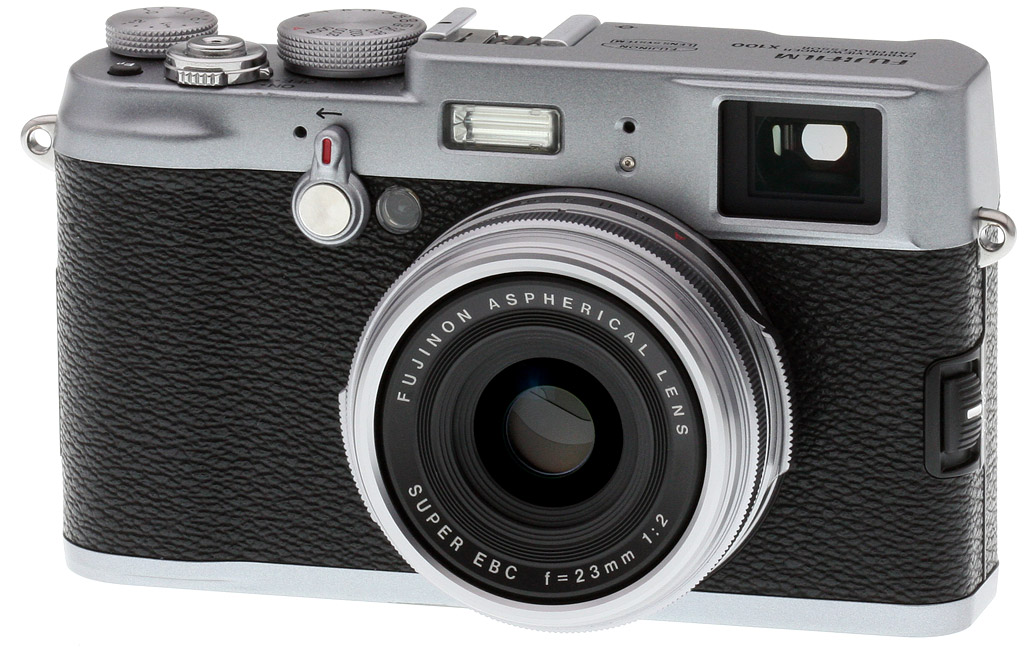
The Fujifilm X100 was an ordinary looking camera, if your idea of ordinary is a rangefinder from 1962, with a shimmery metal top and leather coat wrapped tightly around its waist. Dials, knobs, and switches popped out from all the right places, not quite outnumbering its 14 buttons, mostly on its back side. So few cameras these days have interesting optics, but I found myself drawn to both the lens and the optical viewfinder.
Build. Over the last 12 years, mainstream digital camera manufacturers have experimented with new forms, but ultimately settled on three major forms from the past: the SLR, the compact ultra-zoom, and the pocket camera. Though the Compact System Cameras are seizing on the pent-up demand for the return of the rangefinder, and though the Leica M9 still stands as the real thing, fans of the old Canonet-style rangefinders were longing for more, something that really looked like one of those cool, more affordable old rangefinders that they or their parents enjoyed so much in the 1960s and 1970s. For an example of a Fujica 35 ML rangefinder from 1958 that looks very similar click here. There are those who could not care less for retro, as I was told many times after admiring the retro styling of cameras like the Olympus E-P1, but the popularity of the Fujifilm X100 tells a different story. There are enough folks, apparently, who like a little retro with their single-focal-length lenses to keep Fujifilm's factory cranking out X100s.
But there's a lot more to this cam-fatale than just a pretty body, starting with that Hybrid Viewfinder. But we won't be starting there; first we have to walk around this beauty for a shameless once-over.

I was disappointed to find that the black leather wrapping was imitation, but it at least offered a grippy surface, and a look we haven't seen for awhile. A slight grip rises from the textured surface, offering just enough to remind you that you should hold on tightly as you carry this little beauty around. Compared to cameras I've reviewed recently, the Fujifilm X100 really isn't that little at all, but she's smaller and flatter than an SLR and a very different experience. Upper left of the lens is a feature that looks for all the world like an old-style spring-wound self-timer mechanism, but it's none other than the lever that switches between the Hybrid Optical Viewfinder and the Electronic Viewfinder. Though the location of this Viewfinder Selector is odd, it seems just right when you have the Fujifilm X100 in hand, peering through the viewfinder. Just right of that is the Self-timer/AF-assist lamp. Unlike most modern self-timer lamps, this one flashes white, not orange.

A small flash peeps out where normally you'd find the rangefinder window, keeping appearances. There's really no other place for it to go, of course, what with that big optical viewfinder on one side and the grip on the other. Just right of that is the Left Microphone; just left of the Viewfinder Selector is the Right Microphone, as this old looking camera is nonetheless stereo savvy.
That big glass eye is ringed by a nice old-fashioned black bezel with white letters that sometimes seem like they're stamped in as they were in days gone by, instead of pad-printed as they are now. Silver rings surround the lens, and two protrusions mark the location of the real Aperture ring. Sounds exciting, and it is. I haven't seen controls like these since the Panasonic L1; but we'll get to the good and bad of this control and that of its cousin, perched on the top soon enough.
Off to the right of the lens you catch a glimpse of the Focus mode selector, magnified upper right. A very finicky switch, it tells of the problems to come, as it's devilishly hard to set to the most commonly used setting, that of AF-S. Too often you slide right past from MF to AF-C on your way to the single-shot mode, one of only a few, but irritating physical problems with the Fujifilm X100 that can't be fixed with a firmware update.
From the upper right corner peers the optical viewfinder, but it reveals no secrets from this side, nice as it is to see on a camera of only $1,200.

The view from above reveals the Fujifilm X100's most retro features, the ones nostalgic photographers are drawn to: Actual analog controls. That Aperture ring moves in full stops, from the bonny red A for Auto to a nice black f/16, then all the way around to a bright f/2. And how many of us cut our teeth frantically turning that Shutter speed dial on the top of an old SLR or rangefinder to get just the right speed for the shot at hand? Set both to A, and you needn't worry about that match needle at all, as the camera will do it all. Set one or the other to A, and you're in either Aperture or Shutter priority. Neat as you please. Rather than having to remember to turn a physical dial to change an onscreen setting, these dials on the Fujifilm X100 put it all out front, ideal for visual thinkers.
I've always preferred exposure compensation dials on cameras, and their recent rebirth on enthusiast cameras is welcome. This one, unfortunately, is a little loose, so it's advisable to check it every so often to make sure you're not messing up your shots, especially on a sunny day when it's hard to judge what you're getting via the LCD or EVF. Indeed, I recommend checking all of the Fujifilm X100's analog dials each time you take it from a bag or case, as all these dials turn easily.

A programmable function (Fn) button is well placed on the top deck. I say it's well placed because you'll be looking there more often than on other cameras; otherwise it's hidden from the back view by the EV dial. It activates any number of oft-used settings, including ISO and Preview Depth of Field, among others. With the firmware update, you no longer have to dive into the Settings menu to change the button's function; instead you just press and hold the Fn button for three seconds and the menu comes up. That would have come in handy when I was out shooting, as I found myself changing film modes more than ISO in one particular case, but I really didn't want to have to search the menu in this unfamiliar camera while standing in the sweltering heat.
The Fujifilm X100's shutter button is ringed by a simple metal power switch. The shutter button is also threaded for a real mechanical cable release, plenty of which are still available online to help accessorize this silver and black beauty for long nights out under the stars.
The shutter button itself is more nuanced than others in recent memory. It starts out soft, where most shutters do, coming up against a firm break, but passing through that break only gets you to the half-press; it takes a second, firmer press to fire the shutter. It's more like the SLRs I use than most point and shoots, which have a soft press to activate focus and just one break to fire the shutter, but that last press has less of a clear break.

It's from the back where I was shocked out of my analog reverie, back into the digital reality. Upper left is the other side of that Hybrid Viewfinder, still revealing no secrets. To the left an analog dioptric correction dial that's sadly insufficient for my prescription (-2 to +1 m-1). To the right, a clue to the digital secret in that viewfinder: IR sensors that detect when an eye approaches.
Down the left side, four buttons, accessing Playback mode, Metering options, Focus point selection, and the button that switches between the LCD and Hybrid Viewfinder mode. The Fujifilm X100's 2.8-inch LCD has 460,000 dots, about half VGA.
Finally we got to the Command Control and the Command Dial. The Command Control is a jog dial that moves left and right, and also zooms in on either live view or playback images with an inward press. The Command Dial duplicates some of the scrolling functions of the Command Control, but allows you to move more quickly through options. But as with most dials like this, it's also a four-way navigation disk that responds to presses along the four axes, and accesses the menu with a press on the center Menu/OK button. It turns out this is another one of the X100's fickle traits, as trying to press the center button too often results in a press of one of the four other buttons. AFL/AEL and Display buttons are about where you'd expect them, and you have to love the inclusion of a RAW button, adding RAW capture to your next shot if you're only shooting JPEGs at the time.

Size and Weight. With a blocky figure only a photographer could love, the Fujifilm X100 weighs in at just under a pound, or 15.9 ounces (451g). The X100's measurements tell the rest of the story: 5.0 x 2.9 x 2.1 inches (127 x 74 x 54mm). That's only a millimeter or two taller than the Olympus E-PL2, depending on how you measure. Their 74mm tall measurement looks more like 75mm on my calipers, and just shy of 76 including the hot shoe. Be sure to check out the comparison photos from the lineup below.
Storage and battery. Images and movies are stored on Secure Digital cards, including the latest SDHC and SDXC types. About 20MB of internal memory is also available, which can store 4 Large Fine JPEGs or 1 RAW file. Running on a Fujifilm NP-95 3.6V 1800mAh lithium-ion battery, the Fujifilm X100 is expected to capture 300 shots on a charge according to CIPA testing. There's a channel into the battery compartment for a DC coupler cable, though we haven't seen an AC adapter listed anywhere. Note that one of Luke's particular complaints about the X100--a camera made for on and off tripod work--is that you can't swap cards or batteries while it's mounted on the tripod, and you can't just use a USB cable to offload JPEG+RAW pairs; instead the camera offloads two identical RAW files.
Fujifilm X100 Size Comparison
Fujifilm X100 vs Olympus E-PL2


Fujifilm X100 Basic Features
The Fujifilm X100 body has magnesium alloy panels top and bottom, and is lined with a leatherette finish in between. Top-panel dials are all made from solid metal as well, providing a feeling of quality.
On the inside, Fujifilm has adopted a custom-made 12.3 megapixel, APS-C sized CMOS image sensor, with microlens positioning fine-tuned to match the characteristics of the X100's lens, reducing the severity of vignetting. The X100's sensor is coupled to a newly developed Fujifilm EXR processor. The pairing allows ISO sensitivity from 200 to 6,400 equivalents ordinarily, expandable to ISO 100 to 12,800 equivalents. Burst shooting is possible at five frames per second. Shutter speeds in the Fujifilm X100 range from 30 to 1/4,000 second, and exposure modes include Program, Shutter-priority, Aperture-priority, and Manual.

On its front panel, the Fuji X100 offers up a fixed focal length, non-collapsing, non-interchangeable Fujinon 23mm lens with a maximum aperture of f/2. The Fujifilm X100's lens provides a field of view roughly equivalent to a 35mm lens on a 35mm camera. The design includes eight elements in six groups, with an aspheric element, a built-in 3-stop neutral density filter, and a nine-bladed iris aperture. Fujifilm's Super EBC coating is featured on the lens. The Fuji X100's lens can focus as close as ten centimeters in macro mode, and as another nice retro touch, provides an aperture ring. Focusing is achieved using contrast detection operating on data streamed from the image sensor.
As mentioned, the Fujifilm X100 provides an unusual hybrid viewfinder, as well as a traditional LCD panel. The viewfinder is an all-glass, reverse Galilean type with about 90% coverage, and approximately 0.5x magnification. It can be switched between providing a bright frame indication with parallax correction and text overlay, or a live view feed from a 1,440,000-dot electronic viewfinder. This selection is made using a physical switch on the front of the camera body. The LCD panel, meanwhile, has a 2.8-inch diagonal and 460,000 dots of resolution. Fujifilm has developed a new graphical user interface for use with the X100's EVF and LCD panel displays.
As well as still images, the Fuji X100 can record 720p (1,280 x 720 pixel) high definition movie clips, with stereo sound.
Shooting with the Fujifilm X100
by Shawn Barnett, with Luke Smith
I took the Fujifilm X100 out to shoot galleries expecting to have a terrible time after all I'd heard, but ended the evening quite pleased with the Fujifilm X100. It's true, it's not for everyone, nor for every scene. The lack of a zoom kills it for most, so know thyself and stay away if shooting with a single prime would frustrate you before laying down your $1,200. My biggest complaints are simple: The EV dial turns too easily, the rear Navigation cluster is way too finicky, and the camera doesn't automatically switch into Macro mode when necessary--and with a 35mm equivalent lens, it's often necessary. Finally, before the firmware update, the ISO changed every time I switched modes. That included switching into Macro mode for closer focusing. What?
That's just the beginning of the programming peculiarity in the Fujifilm X100, much of which persists after the firmware update. In a sense, it's not just the body that looks retro to the 1960s, but many of the major interface lessons over the last 10 years of the digital camera industry have also been unlearned. It's retro to multiple decades.
Thankfully, one of my chief gripes was handled with the 1.10 firmware update: that of the ISO changing with the selected mode. As Luke put it, "There will be X100s smashed on the floor in anger over this." No more, though.

Viewfinder. I still can't help but admire what the Hybrid Viewfinder tries to achieve. At its best, it gives an optical view with an LCD overlay, much like the heads-up display on the windshield of a jet. It even tries to compensate for parallax by moving the virtual image frame after it's determined the focus distance. Because it can't overcome the extreme parallax in Macro mode, it switches to EVF mode, making for much more accurate framing. The Hybrid Viewfinder is a great idea, and a handsome implementation of available technology, bringing to mind the imaginary camera viewfinders in sci-fi and spy movies.
But there are a few problems with the system for unavoidable reasons. For one, shooting out in bright light makes it harder to see the LCD overlay. Luke couldn't see it at all in some cases; I didn't encounter quite as much light, or else I could handle it better; but there was no question it was quite a bit dimmer. And that's just a fact of LCD versus Sunlight: The LCD's backlight is going to lose the fight. And after you take a shot using the hybrid optical mode, the X100 serves up the Playback image, which again looks very dark compared to the light passing through the optical viewfinder. It's jarring at first.

With subjects that are further than 20 feet away, I find the optical viewfinder itself, without the hybrid guidelines, to be a more accurate representation of what the X100 will capture, because the guidelines only show about 93% of the scene that will actually be captured. It gives you a better idea of where you should shift the image to get your subject closer to the center, but it's not an accurate representation of what you'll capture. Switching to LCD mode when Macro mode is on is really all they could do to solve that problem, though it makes macro focusing that much more difficult.

Narrow. Loved the narrow DOF, but casual portraits must be focused carefully.
Focus. Speaking of focusing, I found the manual focusing mode essentially unusable, and the lab agreed. As Luke put it, "Manual focus is nearly impossible to use due to severe lag in wired control and huge number of turns necessary to change focus. You can turn the ring, let go, and watch while it slowly continues to adjust focus step by step. Turn, let go, wait, and bzzt, bzzt, bzzt, bzzt, it has passed the focus point." Especially for Macro focusing, I found it beyond tedious, and agree that it's unusable, not just a nuisance.
Almost everyone hoping to take indoor photos of people will come away frustrated, unless they're happy with taking flash shots. I found the camera almost never focused where I wanted it to. It has a very thin depth of field at portrait distances between f/2 and f/4, and very often these distances close to where one needs to switch into Macro mode, destroying spontaneity, or else resulting in an out-of-focus shot. Most often for me, some other part of the person was in focus, while their eyes were a blur. Note that because the bokeh of the X100 is buttery smooth, it's a soft, pleasing blur that looks fine in 4x6-inch images, it's still disappointing to a portrait shooter, not to mention a Dad. You absolutely need to learn to change the AF point, which is quite easy: Just press the AF button on the left of the LCD and use the arrow keys to move it around. It's fast and obvious once you know about the problem. Just don't forget to reset it somewhere else for the next shot.

When active, the Fujifilm X100's focus scale does try to warn you that you're looking at a narrow depth of field (see image at left; you can barely see a little white left and right of the red focus distance line, indicating a very narrow depth of field). A small blue scale lines the bottom of the screen, and when focus is achieved, it shows you in white the area that will likely be in focus at the selected aperture setting. As Luke notes, however, depending on the surrounding light, the white area against the light cyan background can be very difficult to see.
Checking focus is also easy once you figure out that this aspect of the X100 is very like Nikon's implementation on their SLRs: the Zoom buttons are the AE and AF buttons on the left of the LCD.
Quiet. Easy to discount is the Fujifilm X100's extremely quiet shutter. This makes the X100 great for candid snapshots and shots of children, because it doesn't draw undue attention. It's one of the camera's most endearing features.
Stops. Like my old OM-1, only full stops are available on the physical control dials for aperture and shutter speed, but with the Fujifilm X100 there is a workaround. Before the firmware update, this workaround was only available in Manual mode: Set your whole stop and use the Command Control to adjust Aperture in 1/3 stops, or the Command Dial to adjust shutter speed in 1/3 stops. Now, after the firmware update, you can also do this in Aperture or Shutter Priority modes, using these same controls.
Another problem: The maximum shutter speed is 1/1,000 at f/2, a setting where you're likely to need a faster shutter speed, but you have to go to f/8 to reach the maximum 1/4,000 second shutter speed. Enter the Fujifilm X100's ND filter, which helps mitigate this problem. Engaging the ND filter is equal to a 3-stop reduction in light level, allowing you to shoot at f/2 outdoors, or else use a slower shutter speed, or both.
Another oddity we ran into in the lab, this time while testing the lens quality on the SLRgear side of the lab, Rob found that the aperture wouldn't actually change until the last image was written. While moving through apertures quickly, he found that the onscreen aperture indicator didn't seem to change, even though he'd been turning the aperture ring all the while between shots. Just waiting for the camera to save its images between shots, though, allows it to recognize its position and shoot the proper aperture.

As for use out in the field, I loved having the ability to physically set what aperture I wanted to shoot with. I'd have preferred 1/3 stops being built into the ring, though, as I doubt I'd often use the Command Control to bring it up to f/3.5, instead opting for the simplicity of f/4. If you're going to make it easy for me with real analog controls, make it easy--with real analog controls, not analog mixed with a digital workaround.
Shutter speeds only go down to 1/4 second on the dial, forcing you to switch to T mode for slower shutter speeds, which you access by turning the Command Dial, from 1/2 second down to 30 seconds. That's a function of the fact that the Shutter Speed dial would have to be considerably larger, or else the numbers uncomfortably small to fit all possible settings. I have less of a problem with this digital switchover, since when shooting at such slow shutter speeds, I'm obviously not in as much of a hurry.
Time for Timer. The Fujifilm X100's self-timer has us all wishing the Viewfinder Lever on the front of the camera were a self-timer lever instead. For one, the Self-timer cannot be found where it lies on just about every digital camera on the market: Under the Drive menu. The Drive menu is instead packed with several bracketing modes, Motion panorama, and Movie mode, of all things. Thankfully, Fujifilm knew we'd be upset, so it's the first item on the Menu. And here's the good news. With the 1.10 firmware, the Self-timer doesn't deactivate after each use. The original firmware turned off the Self-timer after each frame captured, making our lab shots a tedious nightmare.
Motion Panorama. The Fujifilm X100's Panorama mode comes in two flavors: 120 degree and 180 degree modes. Much like Sony's Sweep Panorama, you just press the shutter and start panning as the camera takes dozens of photos and merges them into one.

The 180-degree panorama measures 7680 x 1440.

The 120-degree panorama measures 5120 x 1440.
You'll want to make panoramas either at higher ISO, or in bright sunlight. The first set I made was near sundown, and the shutter speed was too slow to freeze my panning motion. Shots made at noon in brighter daylight were quite crisp, with only a few errors here and there, mostly in foliage, where errors are common.


Day and night movies. Click to download and view MOV files (19.4MB and 16MB respectively).
Movie. Also found under the Drive Mode menu is the Fujifilm X100's Movie mode. 720p, 24fps movies look good, with the usual focus seeking now and then. The pool shot at right illustrates why the average dad would be better off with a zoom lens camera, as I was standing on the edge of the pool and the 35mm-equivalent lens couldn't get close enough to put the viewer's focus on my son's backflip. There's also no image stabilization in the Fujifilm X100, something you don't think of on a camera with a 35mm lens, but it would still help for video.
Lens flare (more on this below) is visible in the night video, showing particularly in the street lamps both near and far, and the oncoming headlights. Note that the video was shot at twilight, not in complete darkness.
Cap. The lens cap is a complement to the design, stamped metal with a recessed Fujifilm logo. It fits onto the front of the camera via friction: soft velvet lines the inner ring, a feature that's repeated on the inside surface of the lens as well. It's a great look with a quality feel, but we question how long the velvet will last.
But here's a slick trick for you. Rangefinders are the legacy source for the laugh we get when we leave our lens caps on before taking a shot. With most digital SLRs or long zooms, the laugh is annoying because of course you can't see anything when you look through an SLR or long zoom, so you quickly figure out that the cap's still on. But with the old rangefinders, you could look through that beautiful optical viewfinder and shoot a whole roll of film--or an entire vacation--without knowing your lens cap was on, a tragedy so profound it's etched itself into the consciousness as a cliche as funny as chopping people's heads off in all your photographs due to parallax error, also caused by rangefinders and other multi-lens cameras. You'd think the X100 would have the cap problem too. But in order to prevent that unpleasant bit of nostalgia from coming back with their Hybrid Viewfinder, if the cap's on, you'll see no hybrid view. Obviously if you're in EVF or LCD mode, you'll know the cap's on, but in Hybrid Viewfinder mode, you can still see through optically, but until you remove that cap, there's no fancy LCD overlay. Nice!
Worked for me. First I checked the power, then I checked the cap. Problem solved.
Buttons and menus. As I already mentioned, the Function button's operation is made more useful because it's easier to set: just press and hold for three seconds and the menu of options comes up. Other buttons bring up menus that now stay up long enough for you to digest and select an option. You wouldn't think changing from 1.5 seconds to 2 seconds onscreen would make a difference, but it does. Unfortunately there's no fixing the mechanical Command Dial, so pressing the Menu button in the center will often result in selecting one of the other four surrounding buttons until you learn to press the Menu button with finesse. The shutter button now more quickly awakens the camera from sleep, another plus.
I also confirmed that the Hybrid OVF now properly displays a 16:9 frame rather than the 3:2 frame when that mode is selected. Hard to believe they missed that one the first time around, but it is an ambitious design, to be sure.
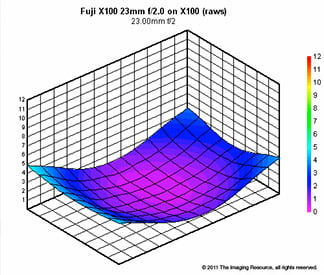
Optical performance. We ran the Fujifilm X100 through our SLRgear.com test suite and posted the results below. As you can see from the blur plot (click the large graphic below to open our interactive flash viewer), corners are soft at f/2, but quickly sharpen up at f/2.8 and smaller.
|
) |
) |
|
C. A.
|
Vignetting
|
|
) |
||
|
Distortion
|
||
|
Blur Index
|
|
Note that these results are not calibrated for accurate comparison to other cameras or lenses, and are only of value as a comparison from one aperture to another on the Fujifilm X100. Also note that these results were obtained from uncorrected RAW files, so the chromatic aberration and vignetting reduction the Fuji X100 applies to JPEGs is not reflected here.
Also, be sure to visit our Optics, Exposure, and Performance pages for our more in-depth test results with the Fujifilm X100.

Lens flare. Cropped from the upper left corner of an image, this is the best example of the flare we found at f/2 in our night shots with the X100. Other lights in this scene have only one ghost image, but this example is remarkable for its repeating pattern. Click image to enlarge.
Flare for the Dramatic. We'd heard that the lens flare on the Fujifilm X100 might be a problem, so I made an effort to find it when I went out shooting night videos for this review. You can see it in the twilight video (above) as the cars pass in front of the camera. But it was when I shot a street scene broadside that it took on its strongest expression. Indeed, I think it's worse than we've seen. My bet is that the rear lens elements are so close to the sensor that light is reflecting back and forth between the two, creating this multi-stage reflection, seen in the crop at right, made from the upper left corner. We don't see this in cameras with greater flange-back distance, not like this. Whatever the cause, though the Fujifilm X100 is widely considered a great "street camera" you might want to forget night scenes.

Taking another look in the Hybrid Viewfinder before putting the Fujifilm X100 back in its cigar-like box, I'm struck by its beauty. The previous firmware we had since the camera arrived didn't show the histogram in the OVF mode, but after the update it did, and that completed the picture. With all the options switched on, the Fujifilm X100 offers a built-in level and all the major information you could want on an LCD display right there in the optical viewfinder, something no SLR has done with this kind of effectiveness. That's where the true breakthrough can be found on the X100. Never mind that it doesn't work perfectly at the moment; it will work for the person who takes the time to bond with the X100.

Documentary. The Fujifilm X100 reminds me of a documentary camera, one you take everywhere to record anything and everything that strikes your fancy.
Ultimately what the X100 reminds me of is what its design tries to emulate: an old camera. Not the way it looks, but the way it operates, and the positive effect it has on me. I flash back to the first cameras I owned as a teen. I used to stare into the lens and trip the shutter to see what happened. Then I'd open the camera's back and watch what happened from that side, changing apertures and shutter speeds to see how it all worked. That's just about as fun with the Fujifilm X100. Though you can't open the back, a lot of interesting things happen when you look into the lens. First, the gray leaf shutter is closed with the camera off. Turn it on, and the shutter moves out of the way, and the iris starts to open and shut partially in response to the light levels. It looks alive. Switch from the Hybrid OVF to the EVF and a little door rises inside front OVF glass. Before the firmware update, switching back to Hybrid OVF actually closed the lens shutter, but it didn't do that after; perhaps I had something else set that caused this behavior.

Narrow DOF. Here's the one human snapshot I'll post, and even this one has a sharp torso and slightly out-of-focus eyes. Nice bokeh, though.
I think one reason people desire the return of the handsome, boxy rangefinder is the implied return to simplicity. The Fujifilm X100 tries, but really doesn't succeed in creating a simple camera that just anyone could use. You'll still need a basic understanding of digital camera technology, and then you'll need to know why the three big dials have all those numbers on them, so you can reset them back to A and 0 when you accidentally move them. And then you need a more intimate understanding of the Hybrid Viewfinder and its various modes. It's not a retro camera in that sense. But those old rangefinders weren't that simple either. You had to learn how the rangefinder focusing system worked, and on some you had to learn how the external meter worked so you could make your manual exposure settings. The Fujifilm X100 is arguably for the tinkerer who likes playing with cool gadgets, not, I repeat NOT for the Luddite looking for a return to the old days.
I'm also not sure it's the right camera for the SLR owner who wants it as a hobby camera. Why? Well, I think it's a camera that you commit to. It has enough quirks that if you spend a lot of time with other cameras, you'll stumble every time you return to the X100. Its main benefits can be had by the photographer who takes the time to meld with the Fujifilm X100. Its 35mm-equivalent lens limits what you can shoot, as I've mentioned; the advantage is you always know what to expect. You'll start to see with a 35mm angle of view. You'll know when you need to move forward or backward without raising the camera to your eye. You'll be able to sense what aperture you've set without looking at the ring or the LCD. The remaining shortcomings we've found in the X100 will become endearing characteristics. That's the kind of camera you'll find in the Fujifilm X100. Like any other complicated relationship, if you commit, it could be worth the effort. Or not. That is for you to decide in advance, or find out the hard way.
Fuji X100 Image Quality Comparison
Most digital SLRs and CSCs will produce a reasonable ISO 100 shot, so we like to push them and see what they can do at ISO 1,600. Recent advances in sensor technology have made ISO 1,600 look a lot more like ISO 100, but there are still cameras whose quality starts to fall apart at this setting. I also choose 1,600 because I like to be able to shoot at least at this level when indoors and at night.
Fuji X100 versus Canon T3 at ISO 1,600
 |
 |
 |
 |
 |
 |
|
Fuji X100 at ISO 1,600
|
Canon T3 at ISO 1,600
|
|
Up against the Canon T3, also a 12-megapixel camera, the Fujifilm X100 does pretty well. The background is smoother, the mosaic pattern is fairly true, and the red leaf pattern looks much better than it does from the T3. The X100's ISO 1,600 shot maintains a more "film-like" consistency, with fewer digital artifacts.
|
|
Fuji X100 versus Nikon D5100 at ISO 1,600
|
 |
|
 |
|
 |
|
Fuji X100 at ISO 1,600
|
Nikon D5100 at ISO 1,600
|
|
Up against the 16-megapixel Nikon D5100, the Fujifilm X100 still looks pretty good, with less chroma noise in the shadows and a similarly film-like rendering of detail, a characteristic we've noted primarily in Nikon SLRs in the past.
|
|
Fuji X100 versus Olympus E-PL2 at ISO 1,600
|
 |
|
 |
|
 |
|
Fuji X100 at ISO 1,600
|
Olympus E-PL2 at ISO 1,600
|
|
The 12-megapixel Olympus E-PL2 does well for quite a bit less money, but you can still see more image noise in the shadows, and aspects of the mosaic image are just deleted by noise suppression. The red leaf swatch is also quite a bit blurrier than the Fuji X100's image.
|
|
Fuji X100 versus Panasonic GF2 at ISO 1,600
|
 |
|
 |
|
 |
|
Fuji X100 at ISO 1,600
|
Panasonic GF2 at ISO 1,600
|
|
The Fujifilm X100 does very well against Panasonic's GF2, which arguably looks attractive to the same market segment. At ISO 1,600, the green cast from the GF2 is disturbing, and noise suppression is hard at work in the shadows, the mosaic, and the red leaf swatch. The X100 looks very good by comparison.
|
|
Fuji X100 versus Sony NEX-C3 (prototype) at ISO 1,600
|
 |
|
 |
|
 |
|
Fuji X100 at ISO 1,600
|
Sony NEX-C3 at ISO 1,600
|
|
Pitting the X100 against the 16-megapixel Sony NEX-C3 seems almost unfair, until you see how well the X100 does: It handles the background, the bottle, the mosaic, and the red swatch noticeably better than the NEX-C3, primarily because Sony's noise suppression is so over-zealous.
|
|
Today's ISO 3,200 is yesterday's ISO 1,600 (well, almost), so below are the same crops at ISO 3,200.
Fuji X100 versus Canon T3 at ISO 3,200
 |
 |
 |
 |
 |
 |
|
Fuji X100 at ISO 3,200
|
Canon T3 at ISO 3,200
|
|
At 3,200, I'm afraid it only gets worse for the T3, which struggles more with the shadows and the red leaf swatch than it does with the mosaic image, while the X100 produces a slightly softer version of the image, but still with a very faithful appearance.
|
|
Fuji X100 versus Nikon D5100 at ISO 3,200
|
 |
|
 |
|
 |
|
Fuji X100 at ISO 3,200
|
Nikon D5100 at ISO 3,200
|
|
Renderings from the X100 and D5100 are very close at this point, while the Nikon D5100 goes for a higher-contrast rendering of the red leaf swatch (which is closer to the truth). Either interpretation is good, though.
|
|
Fuji X100 versus Olympus E-PL2 at ISO 3,200
|
 |
|
 |
|
 |
|
Fuji X100 at ISO 3,200
|
Olympus E-PL2 at ISO 3,200
|
|
The X100 pulls ahead of the Olympus E-PL2 at ISO 3,200, no question, with smoother shadows, better detail, and better color.
|
|
Fuji X100 versus Panasonic GF2 at ISO 3,200
|
 |
|
 |
|
 |
|
Fuji X100 at ISO 3,200
|
Panasonic GF2 at ISO 3,200
|
|
The X100 again renders a clearly better image than its Panasonic GF2 rival on all counts.
|
|
Fuji X100 versus Sony NEX-C3 (prototype) at ISO 3,200
|
 |
|
 |
|
 |
|
Fuji X100 at ISO 3,200
|
Sony NEX-C3 at ISO 3,200
|
|
In another close race, the Fujifilm X100 looks quite good compared to the Sony NEX-C3, though the C3's noise suppression is a little more determined, as is its sharpening algorithm. It's a close call, though.
|
|
Detail: Fuji X100 versus Canon T3, Nikon D5100, Olympus E-PL2, Panasonic GF2, and Sony NEX-C3 (prototype)
 |
 |
 |
 |
 |
 |
 |
 |
 |
 |
 |
 |
 |
 |
 |
 |
 |
 |
|
Fuji
X100 ISO 100 ISO 3,200 ISO 6,400 |
Canon
T3 ISO 100 ISO 3,200 ISO 6,400 |
Nikon
D5100 ISO 100 ISO 3,200 ISO 6,400 |
Olympus
E-PL2 ISO 200 ISO 3,200 ISO 6,400 |
Panasonic
GF2 ISO 100 ISO 3,200 ISO 6,400 |
Sony
NEX-C3 ISO 200 ISO 3,200 ISO 6,400 |
|
Detail comparison. High-contrast details are often sharper as ISO rises, so they're worth a look as well. Looking at these crops at ISO 100, 3,200, and 6,400 tells an interesting story, as does the Print Quality section below: the X100 is very consistent. The GF2, for example, shows more lines inside the letters (likely due to the different aspect ratio), but its ISO 6,400 setting is quite blotchy and uneven. The Nikon D5100 and Sony NEX-C3 both win the contest, thanks partly to their higher resolution, but the X100 does quite well against other 12-megapixel sensors.
|
|||||
Fujifilm X100 Print Quality
 These days, how an image looks onscreen doesn't tell you as much as printing it out, so we print our test images to see how large they can handle.
ISO 100/200 images look pretty darn good printed at 24 x 36 inches. Note that you can get away with 30 x 40 inches for wall display from ISO 100 to 400.
ISO 400/800 shots look great printed at 20 x 30 inches, no problems, with very little noticeable noise or image degradation.
ISO 1,600 shots look great at 16 x 20 inches, except for a small amount of noise apparent in some shadowy areas of our test target.
ISO 3,200 shots look a little rough at 13 x 19, and detail begins to soften more in low contrast areas, particularly reds. They look better, though, printed at 11 x 14.
ISO 6,400 images show most elements looking good at 8 x 10 inches, not bad for this ISO.
ISO 12,800 shots are a bit noisy at 5 x 7, but make for a good 4 x 6.
Overall, it's a very impressive performance from the Fujifilm X100! Image quality holds together remarkably well across a wide range of ISO settings. Even ISO 12,800 shots make a good 4 x 6 inch print.
Fujifilm X100 Conclusion
| Pro: | Con: |
|---|---|
|
|
After all I'd heard, I expected to write a short list of complaints about the Fujifilm X100 and move on, but as soon as I started using it, I discovered what the buzz was all about. The Fujifilm X100 is not made for everyone who ever liked the look of an old camera. Neither is it made for every hobbyist who likes to tinker. A good selection of the photography-loving populace will hate it. Anyone shooting at night would do well to avoid it, as would most people shooting on a tripod in a studio. But there is a set of photographers, journalists, bloggers, and storytellers who will find the Fujifilm X100 an ideal companion.
Once you get over its nostalgic appearance--and you will have to get over it because it's not quite as good on close inspection as it seems in pictures--it's about what the Fujifilm X100 can capture that matters. Image quality, even at very high ISO, is remarkably good. Optical quality, too, really does shine.
Users will need to spend time with the Fujifilm X100. They will need to take a lot of pictures, use it often, maybe even take it with them everywhere to truly get familiar with its quirks--and its rich potential. They will also have to learn to zoom with their feet, and to be quick with the Macro button, because many of their subjects will enter into that range without their noticing. They will also have to accept that they cannot always zoom with their feet, and that they can't capture everything they see, as they might with a zoom lens.
I fear many will abandon the Fujifilm X100 in favor of cameras with more convenient optics and an easier interface, but I heartily recommend it to the photography student (one not on a budget) who wants to learn the craft of seeing in photographs.
As for what we look at here at Imaging-Resource.com, the Fujifilm X100 made us angry in the lab with its quirky interface, but its optical and image quality results were excellent, all except for the pronounced lens flare issue, and in use it was really quite fun. Operational difficulty and the unusual lens flare prevent us from giving the Fujifilm X100 our highest recommendation, but for the right person in the right circumstances, as outlined in the review, we think the Fujifilm X100 is an excellent choice, and a very fine camera.
Optics
Fuji X100 Optics
Lens
Fixed focal-length lens
Very good performance from the 35mm equivalent fixed lens.

The Fuji X100 has a fixed, 23mm f/2 wide-angle lens with an equivalent focal length of 35mm because of the X100's ~1.5x crop factor. Sharpness and contrast were very good across the frame, with very low levels of coma distortion, negligible chromatic aberration and just a touch of softness in the corners at f/8. A hint of flare is detectable around very bright objects close to the edges of the frame, but it's really quite low at f/8. Very good results here.
Macro
The Fuji X100 captured a larger-than-average minium area, with slightly soft detail. The flash throttled down well, but was partially blocked at minium distance.


The X100 captured a somewhat larger-than-average minimum area measuring measuring 3.24x 2.15 inches (82 x 55 millimeters) at its closest focus distance. Details were slightly soft in the center, though corners weren't much softer. (Most lenses have some softening in the corners at macro distances, so the X100's lens did better than average here.) The Fuji X100's flash throttled down fairly well producing a good exposure, but the flash is partially blocked at closest distance, causing a dark shadow in the bottom-left of the frame. The other corners show moderate shading.
Geometric Distortion
Low to moderate distortion from the Fuji X100's fixed, wide-angle lens.
| Horizontal complex distortion is <0.3 percent; vertical pincushion is ~0.6% |
 |
The Fuji X100's 35mm equivalent lens produced just under 0.3 percent distortion which is lower than average, especially for a wide-angle lens. Vertical pincushion along the sides is moderate, though, at about 0.6% percent. Its complex nature (barrel in the center and pincushion near the edges for horizontal edges, pincushion for vertical edges) makes it more difficult to correct in software without profiling, though it's low enough that it probably requires no correction for all but the most critical applications. The camera does not appear to be applying geometric distortion correction to its JPEGs, as RAW files contain identical amounts. This is the tendency for the lens to bend straight lines outward (like a barrel -- usually at wide-angle) or inward (like a pincushion -- usually at telephoto). A very good performance here.
Chromatic Aberration and Corner Softness
Low chromatic aberration in JPEGs, though higher in uncorrected RAW files. Minor blurring in corners when wide-open.
|
In-Camera JPEG
|
|
 |
 |
|
f/2.0: Upper left
C.A.: Low Softness: Minor blurring |
f/2.0: Center
C.A.: Very low Softness: Very sharp |
 |
 |
|
f/5.6: Upper left
C.A.: Very low Softness: Slightly soft |
f/5.6: Upper left
C.A.: Very low Softness: Very sharp |
Chromatic Aberration. Chromatic aberration in the corners of JPEGs is very low and dull, and hardly noticeable. In the center, it was practically nonexistent. (This distortion is visible as a slight colored fringe around the objects at the edges of the field of view on the resolution target.)
Corner Softness. The Fuji X100's lens produced some blurring in the corners wide-open at f/2.0, though it was fairly minor but it did extend pretty far into the frame. Flare as well as the camera's C.A. removal caused high-contrast edges to be less defined in the corners, while corner shading reduced overall contrast, contributing to the appearance of softness. The center of the image however was quite sharp and contrasty. At f/5.6, corners are only slightly softer than the center, which was very sharp. Very good performance here. As mentioned above, a small amount of corner shading ("Vignetting") is visible in JPEGs wide-open, as indicated by the dimmer corner crop. (More on corner shading below.)
|
In-Camera JPEG
|
Uncorrected RAW |
 |
 |
|
f/2.0: Upper left
C.A.: Very low |
f/2.0: Upper left
C.A.: Moderate |
 |
 |
|
f/5.6: Upper left
C.A.: Very low |
f/5.6: Upper left
C.A.: Low |
Chromatic Aberration Correction. We weren't surprised to discover the Fuji X100 reduces chromatic aberration during JPEG processing (good for JPEG shooters), as quite a few cameras do these days. Above are crops from in-camera JPEGs (left) as well as uncorrected RAW files converted with Adobe Camera Raw. Chromatic aberration is brighter and more obvious in uncorrected RAW files, being exacerbated by the slightly soft corners at f/2.0, though it's still fairly well controlled at only 5-6 pixels in width worst-case. At f/5.6, the number of colored pixels drops to 3-4, and there is practically no C.A. in the center at either aperture.
Corner Shading
The Fuji X100 corrects for some corner shading in its JPEGs.
 |
 |
||
| f/2.0 | f/5.6 | ||
The Fuji X100's RAW files also show more corner shading than in-camera JPEGs, so the X100 is correcting for some of the corner shading. Rollover the JPEG and RAW links above to see the effect of the corner shading correction, at both f/2.0 and f/5.6. (RAW files have no correction.)


For in-camera JPEGs (left), we measured just over 1/2 EV of corner shading at f/2, which fell to about 1/4 EV at f/4 and below. Uncorrected RAW files showed more corner shading, at just over 3/4 EV wide-open, falling to about 1/2 EV at f/4 and below. Still, fairly good performance here.
Fuji X100 Viewfinder
Viewfinder Test Results
Accuracy
Excellent accuracy from the electronic viewfinder and LCD monitor, though the hybrid optical viewfinder isn't very accurate.


The Fuji X100's electronic viewfinder and LCD proved very accurate, both showing about 100% coverage. The hybrid optical viewfinder's framing guides showed very poor coverage at only about 88%, as well as a substantial offset in both the horizontal and vertical directions. However, when the shutter button is half-pressed and the camera focuses, the framing lines shift in response to subject distance. Alignment improved dramatically and coverage improved to about 93% with the shutter button half-pressed. That's still below average compared to SLR optical viewfinders which typically offer 95% coverage or better, but seems pretty good for a rangefinder camera (we haven't tested any other rangefinder cameras recently, so we can't really compare.)
The images above were taken from our standardized test shots. For a collection of more pictorial photos, see our Fujifilm FinePix X100 Photo Gallery .
Exposure
Fuji X100 Image Quality
Color
Saturation & Hue Accuracy
Very good color with excellent hue accuracy.
 |
| In the diagram above, the squares show the original color, and the circles show the color that the camera captured. More saturated colors are located toward the periphery of the graph. Hue changes as you travel around the center. Thus, hue-accurate, highly saturated colors appear as lines radiating from the center. Click for a larger image. |
Saturation. The Fuji X100 produces images with fairly bright, pleasing color using standard, default settings (Provia film simulation). The camera pushes most colors by a small amount, red and orange by a moderate amount, while undersaturating aquas and cyans by just a bit. Default saturation is 112.4% (12.4% oversaturated) which is fairly typical these days, and you can of course tweak saturation and/or select a different film simulation mode. (For example, Velvia is much more saturated. See below for examples.) Most consumer digital cameras produce color that's more highly saturated (more intense) than found in the original subjects. This is simply because most people like their color a bit brighter than life.
Skin tones. The Fuji X100 rendered natural looking Caucasian skin tones that were a touch on the pinkish side, because of the push in reds. Still, results were quite pleasing, with a healthy look. (Here, too, the X100's saturation and/or film mode adjustments may come into play for some users, letting them tweak the color on skin tones, if they find the default rendering a bit too saturated for their personal tastes.) Where oversaturation is most problematic is on Caucasian skin tones, as it's very easy for these "memory colors" to be seen as too bright, too pink, too yellow, etc.
Hue. The Fuji X100 showed only a few small color shifts relative to the mathematically precise translation of colors in its subjects, and had excellent hue accuracy overall. Most noticeable were shifts in reds toward orange, orange toward yellow, cyan toward blue, as well as some smaller shifts in yellow and green. (The cyan to blue shift is very common among the digital cameras we test; we think it's a deliberate choice by camera engineers to produce better-looking sky colors.) Average "delta-C" color error corrected for saturation was only 3.7, which is excellent, one of the better scores to date. Hue is "what color" the
color is.
Film Simulation Modes
The Fuji X100 offers a total of eight Film Simulation modes. They can be combined with tone and sharpness settings.
| Film Simulation | ||
 |
||
Mouse over the links above to see the effect of the Film Simulation presets on our Still Life target. Click on a link to load the full resolution image.
Saturation Adjustment
The Fuji X100 has a total of five saturation settings available ("Low", "Medium Low", "Mid", "Medium High" and "High"), which the manual calls "Color Density". That's not as many steps as most cameras, and as you can see the steps are pretty fine, making the effect fairly subtle. It had no effect on contrast, which is good.
| Saturation Adjustment Examples | ||
 |
 |
 |
| Low | Mid | High |
The table above shows results with several saturation settings including the default and both limits. Click on any thumbnail above to see the full-sized image.


Sensor
Exposure and White Balance
Indoors, incandescent lighting
Auto and Incandescent white balance were quite warm while 2,600K was very cool, but very good results with the Manual setting. An average amount of positive exposure compensation required.


Indoors, under typical incandescent lighting, color balance was quite warm using the Auto setting, with a fairly strong reddish cast. Results with the Incandescent white balance setting were also warm, with a strong yellow/orange cast, but Incandescent kept more of the mood of the lighting than the Auto setting. The Manual white balance setting was quite accurate and neutral, while the 2,600 Kelvin temperature setting produced a very cool image with a strong blue/green tint. The Fuji X100 required an average amount of positive exposure compensation here, at +0.3 EV. Our test lighting for this shot is a mixture of 60 and 100 watt household incandescent bulbs, a pretty yellow light source, but a very common one in typical home settings here in the U.S.
Outdoors, daylight
Very good color though slightly cool outdoors. Mixed exposure accuracy.

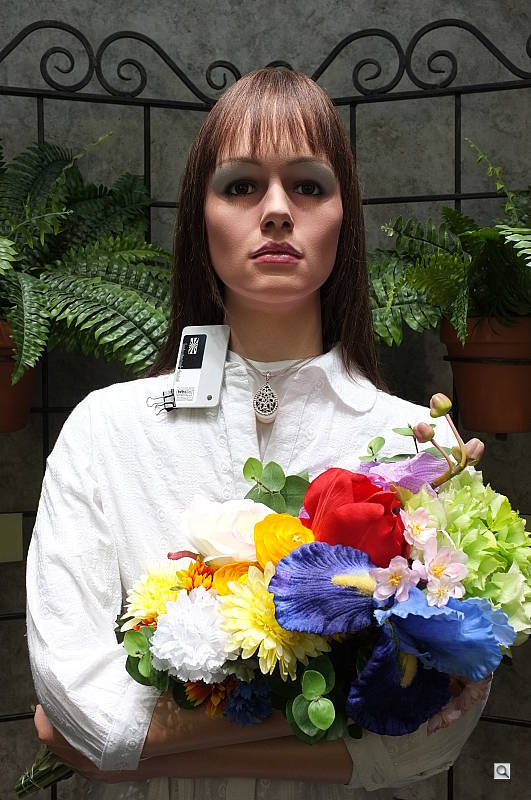
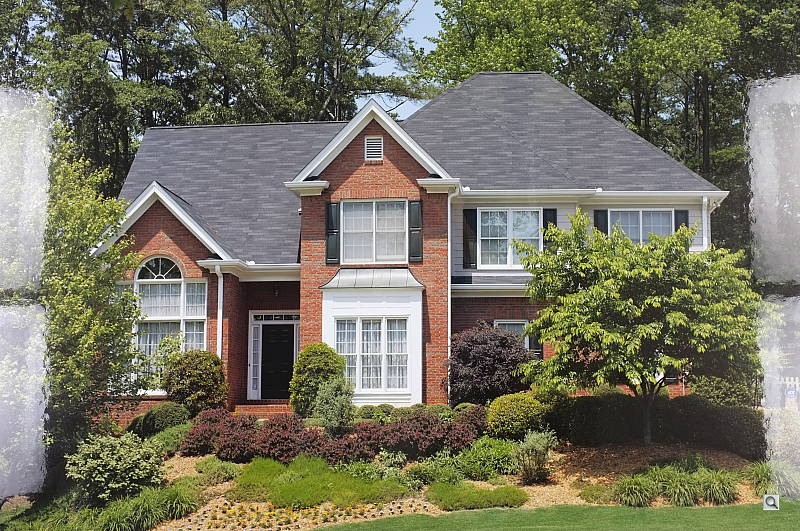
Outdoors, the Fuji X100 produced bright but slightly cool color at default settings, though results looked quite natural. The Fuji X100 required no exposure compensation adjustment to produce bright facial tones on the mannequin, though there was some minor clipping of highlights. Most cameras require about +0.7 EV to produce a bright face in this shot, so the X100 did much better than average here. Skin tones appeared natural, with a healthy-looking pinkish cast. The Fuji X100 slightly overexposed our Far-field House shot at default exposure which led to clipped highlights in the white trim, eavetroughs, bricks as well as the blue channel in the sky, though shadow detail was quite good. Color was just a touch cool. See the Extremes: Sunlit section below to see how the X100's Highlight/Shadow Tone and D-Range settings help deal with harsh lighting like this.
See full set of test images with explanations
See thumbnails of all test and gallery images
Resolution
High resolution, ~1,800 lines of strong detail from JPEGs, about the same from RAW.


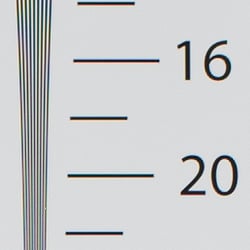
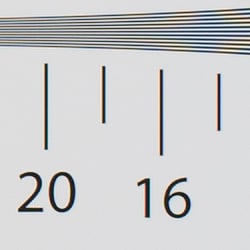
Our laboratory resolution chart revealed sharp, distinct line patterns down to about 1,800 lines per picture height in the horizontal direction, and about 1,800 line per picture height n the vertical direction. Complete extinction of the pattern didn't occur until around 2,600 lines in both directions. Adobe Camera Raw wasn't able to extract much more detail from this high-contrast target, though it extended complete extinction to about 2,900 lines. A lot of color moire interference patterns are visible in the ACR conversion, though the Fuji X100 seems to do a good job at suppressing color moire in its JPEGs. Use these numbers to compare with other cameras of similar resolution, or use them to see just what higher resolution can mean in terms of potential detail.
See full set of test images with explanations
See thumbnails of all test and gallery images
Sharpness & Detail
Very good detail and sharpness overall, with minor edge-enhancement artifacts appearing around some high-contrast subjects. Mild noise suppression is visible in the shadows at base ISO.


Sharpness. The Fuji X100 captures sharp, detailed images, though some minor edge enhancement artifacts are visible on high-contrast subjects such as the thicker branches and roof in the above left crop. Fine detail such as the smaller branches and twigs however show very little edge enhancement. Very good results here. Edge enhancement creates the illusion of sharpness by enhancing colors and tones right at the edge of a rapid transition in color or tone.
Detail. The crop above right shows low levels of luminance noise suppression, as the darker areas of the model's hair still show a pretty good amount of detail. Some individual strands do merge together when local contrast is low and as shadows deepen, but performance here is better than average. The Fuji X100 does a great job at keeping chrominance noise low as well. Noise-suppression systems in digital cameras tend to flatten-out detail in areas of subtle contrast. The effects can often be seen in shots of human hair, where the individual strands are lost and an almost "watercolor" look appears.
RAW vs In-Camera JPEGs
As noted above, the Fuji X100 produces sharp JPEG images with very good detail at default settings. Let's see if we can extract more fine detail from RAW files without introducing additional sharpening artifacts:
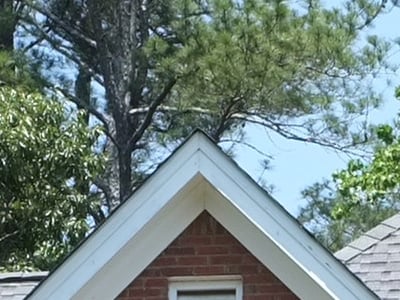
In the table above, mousing over a link at the bottom will load the corresponding crop in the area above, and clicking on the link will load the full resolution image. Examples include (from left to right): an in-camera Fine JPEG, RAW file processed through Fuji's RAW File Converter EX software (which is based on SilkyPix) at default settings, another processed with RFC's in-application sharpening turned down to a minimum but with output sharpening applied using unsharp mask of 350% with radius 0.3 pixels, and finally, one processed in Adobe Camera Raw 6.4, and sharpened in Photoshop using unsharp mask of 250% with radius 0.3 pixels.
As you can see, the Fuji RFC version at default settings is somewhat softer than the in-camera JPEG. (Color rendering is also slightly different which is not usually the case for bundled software but not a surprise since it's based on third-party software based on SilkyPix.) Increasing the sharpness helped a bit, but the resulting image doesn't really show much any additional detail. In fact, it shows less fine detail in the pine needles and foliage than the in-camera JPEG. Adobe Camera Raw was able to extract slightly more fine detail than the in-camera JPEG, but it also shows a bit more noise at default noise reduction settings. Of course, you can always adjust the amount of noise reduction and decide for yourself what trade-off in detail you'd prefer when processing your own images. That's one of the advantages of shooting RAW. Bottom line, though, the Fuji X100's JPEG engine is doing a great job of holding onto most of the detail offered by its sensor.
ISO & Noise Performance
Strong detail up to ISO 1,600, with very good tradeoff between noise and detail.
|
Default High ISO Noise Reduction
|
 |
 |
 |
| ISO 100 | ISO 200 | ISO 400 |
 |
 |
 |
| ISO 800 | ISO 1,600 | ISO 3,200 |
 |
 |
|
| ISO 6,400 | ISO 12,800 | |
The Fuji X100's images are fairly clean and very detailed up ISO 400. Fine detail remains strong at ISO 800, with only minor loss in detail due to noise reduction smudging becoming noticeable. Luminance noise "grain" is quite fine and tight, and there is very little sign of chrominance noise. At ISO 1,600, noise reduction efforts are little stronger as you'd expect, but fine detail is still very good. ISO 3,200 is similar, with increased noise and stronger blurring, but detail is still good. At ISO 6,400, there's a larger reduction in image quality compared to previous ISO steps, with more visible grain, blurring, noise reduction artifacts, and blotchy but subtle chroma noise in the shadows. ISO 12,800 is pretty soft with lots of luminance and chrominance noise, as well as a drop in saturation. Still, high ISO performance is excellent, especially for such a compact camera. We're pixel-peeping to the extreme here though, which isn't always representative of what you see in prints. As always, see the Print Quality section below for maximum recommended print sizes at each ISO.
Extremes: Sunlit, dynamic range and low light tests
Very high resolution with very good overall detail. High default contrast with some highlight clipping, but very good shadow detail. Good low-light performance.


Sunlight.
As mention previously, the Fuji X100 performed well with the deliberately harsh lighting of this test; much better than average in terms of exposure. We preferred the default exposure overall, because exposures at higher exposure compensations were too bright with too many clipped highlights. While some highlights were blown in the model's shirt and flowers at 0 EV (default exposure), clipping was gradual in nature, making it less conspicuous than many cameras we have tested. Shadow detail is very good, with low levels of noise except in the very deepest shadows. The Fuji X100 performed quite well here, especially compared to cameras similar in size.
Because digital cameras are more like slide film than negative film (in that they tend to have a more limited tonal range), we test them in the harshest situations to see how they handle scenes with bright highlights and dark shadows, as well as what kind of sensitivity they have in low light. The shot above is designed to mimic the very harsh, contrasty effect of direct noonday sunlight, a very tough challenge for most digital cameras. (You can read details of this test here.)
Contrast Adjustment
The Fuji X100 does not offer any traditional contrast adjustment. Instead, it offers Shadow and Highlight Tone settings, which let you adjust contrast in highlights and shadows independently. There are five settings each: "Soft", "Medium Soft", "Standard" (default), "Medium Hard", and "Hard".
|
"Sunlit" Portrait Highlight and Shadow Tone Comparison
|
|
|
|
Highlight and Shadow Tone Settings: Highlight: Soft Highlight: Standard Highlight: Hard Shadow: Soft Shadow: Standard Shadow: Hard |
 |
|
Shadow and Highlight Tone. Above you can see the effects of three of the five settings for Highlight and Shadow Tone control on our high contrast "Sunlit" Portrait shot. Mouse over the links to load the associated thumbnail and histogram, and click on the links to visit the full resolution image. Note how the Highlight settings affect only the brighter portions of the image, while the Shadow settings impact the darker areas. Both settings can be used simultaneously
| Far-field House Highlight and Shadow Tone Comparison | ||
|
|
||
Above, you can see the effect of the same Highlight and Shadow Tone settings on our Far-field House shot.
|
"Sunlit" Portrait D-Range Comparison
|
|||
|
|
Histogram |
||
 Highlight Retention |
|||

Shadow Noise (levels boosted) |
|||
| D-Range Setting: |
DR 100% (ISO 200) |
DR 200% (ISO 400) |
DR 400% (ISO 800) |
D-Range is Fuji's name for their dynamic range enhancement technology. D-Range designed to preserve hot highlights, by exposing for highlights and then boosting mid-tones and shadows. There are three levels: DR100 100% (default), DR200 200%, DR400 400%, as well as an automatic mode. Mouse over the links above to load the corresponding thumbnail image, histogram, highlight and shadow crop. Click on the links to get to the full resolution images.
As you can see the images above, the Fuji X100's D-Range feature was very effective at retaining clipped highlights in our "Sunlit" Portrait shot. As they say, though, there's no free lunch: if you look closely at the full resolution images or the crops, you'll see that highlight retention comes at a cost of some increased noise in the shadows. This is because the camera raises minimum ISO to 400 and 800 for DR 200% and 400% respectively. Still, even with the DR 400% setting (ISO 800), noise from the Fuji X100's sensor is low enough that it shouldn't be an issue for most applications. (Note that the shadow crops above have had levels adjusted in Photoshop significantly to reveal the increase in shadow noise.)
Above, you can see how the various D-Range settings affect our Far-field House shot, at default exposure (0 EV).
Face Detection
The Fuji X100 does not offer a face detection AF or AE mode which is a little odd for a camera that uses only contrast-detection AF, though we don't know if the camera employs either in Auto modes.
Dynamic Range
A key parameter in a digital camera is its Dynamic Range, the range of brightness that can be faithfully recorded. At the upper end of the tonal scale, dynamic range is dictated by the point at which the RGB data "saturates" at values of 255, 255, 255. At the lower end of the tonal scale, dynamic range is determined by the point at which there ceases to be any useful difference between adjacent tonal steps. Note the use of the qualifier "useful" in there: While it's tempting to evaluate dynamic range as the maximum number of tonal steps that can be discerned at all, that measure of dynamic range has very little relevance to real-world photography. What we care about as photographers is how much detail we can pull out of the shadows before image noise becomes too objectionable. This, of course, is a very subjective matter, and will vary with the application and even the subject matter in question. (Noise will be much more visible in subjects with large areas of flat tints and subtle shading than it would in subjects with strong, highly contrasting surface texture.)
What makes most sense then, is to specify useful dynamic range in terms of the point at which image noise reaches some agreed-upon threshold. To this end, Imatest computes a number of different dynamic range measurements, based on a variety of image noise thresholds. The noise thresholds are specified in terms of f-stops of equivalent luminance variation in the final image file, and dynamic range is computed for noise thresholds of 1.0 (low image quality), 0.5 (medium image quality), 0.25 (medium-high image quality) and 0.1 (high image quality). For most photographers and most applications, the noise thresholds of 0.5 and 0.25 f-stops are probably the most relevant to the production of acceptable-quality finished images, but many noise-sensitive shooters will insist on the 0.1 f-stop limit for their most critical work.
 JPEG. The graph at right (click for a larger version) was generated using Imatest's dynamic range analysis for a Fuji X100 in-camera JPEG file with a nominally-exposed density step target (Stouffer 4110). At default settings and normal base ISO (200), the graph shows 10.1 f-stops of total dynamic range, with 6.64 f-stops of dynamic range at the High Quality level. Total dynamic range score is very good, close to the best APS-C models we've tested, however the High Quality score of 6.64 is below average for a modern APS-C sensor. The lower High Quality score is in part due to the X100's base ISO of 200 and its light touch when it comes luminance noise reduction at default settings, as higher noise levels tends to reduce scores at higher quality levels.
 RAW. The graph at right is from the same Stouffer 4110 stepchart image captured as a RAW (.RAF) file, processed with Adobe Camera Raw using the Auto setting. The Fuji X100 RAW file scored a full stop more in total dynamic range (11.1 vs 10.1 f-stops) and the score at the highest quality level increased quite dramatically by over 2.5 f-stops from 6.64 to 9.29 f-stop. Very good results here; better than most compact system cameras, though somewhat shy of the best APS-C models. It's worth noting here is that ACR's default noise reduction settings reduced overall noise quite a bit (see the plot in the lower left-hand corner) relative to the levels in the in-camera JPEG, which would tend to boost the dynamic range numbers for the High Quality threshold. Also, the extreme highlight recovery being performed by ACR here would likely produce color errors in strong highlights of natural subjects.
| 1 fc 11 lux |
1/2 fc 5.5 lux |
1/4 fc 2.7 lux |
1/8 fc 1.3 lux |
1/16 fc 0.67 lux |
1/16fc No NR |
|
|---|---|---|---|---|---|---|
| ISO 100 |
 1 s f2.0 |
 2 s f2.0 |
 4 s f2.0 |
 8 s f2.0 |
 15 s f2.0 |
 15 s f2.0 |
| ISO 200 |
 0.5 s f2.0 |
 1 s f2.0 |
 2 s f2.0 |
 4 s f2.0 |
 8 s f2.0 |
 8 s f2.0 |
| ISO 400 |
 1/4 s f2.0 |
 0.5 s f2.0 |
 1 s f2.0 |
 2 s f2.0 |
 4 s f2.0 |
 4 s f2.0 |
| ISO 800 |
 1/8 s f2.0 |
 1/4 s f2.0 |
 0.5 s f2.0 |
 1 s f2.0 |
 2 s f2.0 |
 2 s f2.0 |
| ISO 1600 |
 1/15 s f2.0 |
 1/8 s f2.0 |
 1/4 s f2.0 |
 0.5 s f2.0 |
 1 s f2.0 |
 1 s f2.0 |
| ISO 3200 |
 1/30 s f2.0 |
 1/15 s f2.0 |
 1/8 s f2.0 |
 1/4 s f2.0 |
 0.5 s f2.0 |
 0.5 s f2.0 |
| ISO 6400 |
 1/60 s f2.0 |
 1/30 s f2.0 |
 1/15 s f2.0 |
 1/8 s f2.0 |
 1/4 s f2.0 |
 1/4 s f2.0 |
| ISO 12800 |
 1/125 s f2.0 |
 1/60 s f2.0 |
 1/30 s f2.0 |
 1/15 s f2.0 |
 1/8 s f2.0 |
 1/8 s f2.0 |
Low Light. The Fuji X100 was able to capture bright images at the lowest light level with the lowest sensitivity setting (ISO 100), but like many cameras, the X100's auto exposure (metering) did not work well at all at lower light levels, requiring the use of manual exposure. Color balance looked quite good with the Auto white balance setting, just a touch cool. Noise is quite low up to ISO 1,600, and at higher ISOs noise grain is pretty fine so detail remains good, though chroma noise gets a little blotchy at the highest ISO. Some horizontal banding is visible at higher ISOs and darker light levels, but we did not notice any issues with uncorrected hot pixels. We also noticed a bit of flare around bright reflections and light sources in our low-light (and flash) shots.
The camera's contrast-detect autofocus system was only able to focus on the subject down to just below the 1/4 foot-candle light level unassisted, despite having a relatively fast lens. That's not as good as most SLRs with a similar lens. The Fuji X100 was however able to focus in complete darkness with the AF assist enabled. Keep in mind that the longer shutter speeds here demand the use of a tripod to prevent any blurring from camera movement. (A useful trick is to just prop the camera on a convenient surface, and use its self-timer to release the shutter. This avoids any jiggling from your finger pressing the shutter button, and can work quite well when you don't have a tripod handy.)
How bright is this? The one foot-candle light level that this test begins at roughly corresponds to the brightness of typical city street-lighting at night. Cameras performing well at that level should be able to snap good-looking photos of street-lit scenes.
NOTE: This low light test is conducted with a stationary subject, and the camera mounted on a sturdy tripod. Most digital cameras will fail miserably when faced with a moving subject in dim lighting. (For example, a child's ballet recital or a holiday pageant in a gymnasium.) The Fuji X100 uses contrast-detect autofocus, as is found in most point & shoot cameras, so its low-light focusing ability is less than that of some SLRs with phase-detect systems. That said, though, the larger, more sensitive pixels of the X100's sensor do better under dim lighting than do the tiny pixels of most point & shoots, (A useful trick is to just prop the camera on a convenient surface, and use its self-timer to release the shutter. This avoids any jiggling from your finger pressing the shutter button, and can work quite well when you don't have a tripod handy.)
Output Quality
Print Quality
 ISO 100/200 images look pretty darn good printed at 24 x 36 inches. Note that you can get away with 30 x 40 inches for wall display from ISO 100 to 400.
ISO 400/800 shots look great printed at 20 x 30 inches, no problems, with very little noticeable noise or image degradation.
ISO 1,600 shots look great at 16 x 20 inches, except for a small amount of noise apparent in some shadowy areas of our test target.
ISO 3,200 shots look a little rough at 13 x 19, and detail begins to soften more in low contrast areas, particularly reds. They look better, though, printed at 11 x 14.
ISO 6,400 images show most elements looking good at 8 x 10 inches, not bad for this ISO.
ISO 12,800 shots are a bit noisy at 5 x 7, but make for a good 4 x 6.
Overall, it's a very impressive performance from the Fujifilm X100! Image quality holds together remarkably well across a wide range of ISO settings. Even ISO 12,800 shots make a good 4 x 6 inch print.
Testing hundreds of digital cameras, we've found that you can only tell just so much about a camera's image quality by viewing its images on-screen. Ultimately, there's no substitute for printing a lot of images and examining them closely. For this reason, we now routinely print sample images from the cameras we test on our Canon Pro9000 Mark II studio printer, and the Canon Pixma MP610 here in the office. (See the Canon Pixma Pro9000 Mark II review for details on that model.)
The images above were taken from our standardized test shots. For a collection of more pictorial photos, see our Fujifilm FinePix X100 Photo Gallery .
Not sure which camera to buy? Let your eyes be the ultimate judge! Visit our Comparometer(tm) to compare images from the Fujifilm FinePix X100 with those from other cameras you may be considering. The proof is in the pictures, so let your own eyes decide which you like best!
Performance
Fuji X100 Performance
Timing and Performance
Mixed performance from the Fuji X100.
| Startup/Shutdown |
||
| Power on |
~3.2 seconds
|
Time it takes to turn on and capture a shot. |
| Shutdown |
~0.4 second
|
How long it takes camera to turn off before you can remove the memory card. |
|
Buffer clearing time
|
12 seconds after 10
Large/Fine JPEGs* |
Worst case buffer clearing time. -- This is the delay after a set of shots before you can remove the card.
|
|
18 seconds after 8
RAW files* |
||
|
25 seconds after 8
RAW+ L/F JPEG files* |
||
|
*Note: Buffer clearing times measured with a SanDisk Extreme III 30MB/sec 8GB SDHC card. Slower cards will produce correspondingly slower clearing times. Slow cards may also limit length of bursts in continuous mode. ISO sensitivity and noise reduction settings can also affect cycle times and burst mode performance.
|
||
Startup time was quite slow compared to most cameras, at 3.2 seconds. Shutdown was pretty fast though. Buffer clearing times were sluggish.
| Mode Switching | ||
|---|---|---|
| Play to Record, |
~1.5 seconds
|
Time until first shot is captured. |
| Record to play |
~1.5 seconds
|
Time to display a large/fine file immediately after capture. |
| Display |
~0.6 second
|
Time to display a large/fine file already on the memory card. |
Mode switching was also sluggish.
| Shutter Response (Lag Time) | ||
|---|---|---|
|
Full Autofocus,
Single-area AF mode |
0.403 second
|
Time from fully pressing shutter button to image capture, with the lens already at the proper focal distance setting.
|
|
Full Autofocus,
Multi AF mode |
0.421 second
|
Time from fully pressing shutter button to image capture, with the lens already at the proper focal distance setting.
|
|
Full Autofocus,
Single-area AF mode Flash enabled |
0.541 second
|
Time from fully pressing shutter button to image capture, with the lens already at the proper focal distance setting, auto flash enabled.
|
| Prefocused |
0.014 second
|
Time to capture, after half-pressing and holding shutter button. |
|
Continuous AF |
0.425 second
|
This mode usually shows no speed increase with our static subject; we have no way to measure performance with moving subjects. |
|
Manual Focus |
0.231 second
|
For most cameras, shutter lag is less in manual focus than autofocus, but usually not as fast as when the camera is "prefocused". |
The Fuji X100's autofocus was about average for a camera that uses contrast detection. The Fuji X100 produced full-autofocus shutter lag (with the subject at a fixed distance) that ranged from 0.403 second using Area AF mode (center), to 0.421 second using Multi AF mode. These times are quite a bit slower than most consumer SLRs, but only slightly slower than the average CSC these days. Enabling the flash increased lag a bit to 0.541 second, because of the preflash metering involved. Prefocused shutter lag was very fast, at only 0.014 second. This is much faster than any SLR (no mirror to move out of the way), and similar to the best digicam prefocused speeds. Continuous AF mode lag tested at 0.425 second, and manual focus lag was 0.231 second.
| Cycle Time (shot to shot) | ||
|---|---|---|
| Single Shot mode |
1.18 seconds
|
Time per shot, averaged over 20 shots with no signs of slowing, 3 seconds to clear*. |
|
Single Shot mode |
1.50 seconds
|
Time per shot, averaged over 9 shots, 13 seconds to clear*. |
|
Single Shot mode
RAW + L/F JPEG |
1.38 seconds
|
Time per shot, averaged over 7 shots, 18 seconds to clear*. |
| Early shutter |
Yes
|
Some cameras don't snap another shot if you release and press the shutter too quickly in Single Shot mode, making "No" the preferred answer. |
|
Continuous 5 fps |
0.21 second (4.66 frames per second);
10 frames total; 12 seconds to clear* |
Time per shot, averaged over buffer length of 10 frames. |
| Continuous 5 fps |
0.21 second (4.67 frames per second);
8 frames total; 18 seconds to clear* |
Time per shot, averaged over buffer length of 8 frames. |
|
Continuous 5 fps |
0.21 second (4.70 frames per second);
8 frames total; 25 seconds to clear* |
Time per shot, averaged over buffer length of 8 frames. Note that using an UHS-I 45MB/s reduced clearing time to 20 seconds. |
| Flash Recycling |
3.7 seconds
|
Flash at maximum output. |
|
*Note: Buffer clearing times measured with a SanDisk Extreme III 30 MB/sec 8GB SDHC card. Slower cards will produce correspondingly slower clearing times. Slow cards may also limit length of bursts in continuous mode. ISO sensitivity and noise reduction settings can also affect cycle times and burst mode performance.
|
||
Single-shot cycle times were quite sluggish compared to most SLRs and CSCs. We measured 1.18 seconds for large/fine JPEGs, 1.50 seconds for RAW files, and 1.38 seconds for RAW + JPEG files.
"Continuous 5 fps" mode speeds were however quite good, at about 4.7 frames per second for any quality or file type. The Fuji X100 also offers a "Continuous 3 fps" mode, but we didn't test that.
Full resolution buffer depths were not very generous for JPEGs, fixed at only 10 frames. When a RAW file is included, buffer depth was 8 frames which isn't bad for the class of camera. Buffer clearing is quite slow with our standard 30MB/s card, though using a 45MB/s UHS-I card did help reduce worst-case buffer clearing time by about 20%.
The flash recycled after a full discharge in 3.7 seconds, which is pretty good.
| Download Speed | ||
|---|---|---|
| Windows Computer, USB 2.0 |
6,866 KBytes/sec
|
Typical Values: |
Download speeds were reasonably fast, quick enough that you probably won't feel the need for a separate card reader. (Note that this test was performed with a SanDisk Extreme III 30 MB/sec SD card: Slower cards would likely show slower transfer times.)
Bottom line, the Fuji X100's performance was a mixed bag. Startup time and mode switching were rather sluggish, while autofocus was about average for contrast-detection. Prefocused shutter lag however was very swift, though manual focus was a bit slow. Single-shot cycle times were sluggish, but burst mode speeds were surprisingly good. Buffer depth when shooting JPEGs was disappointing, but not much lower with RAW files.
Battery and Storage Capacity
Battery
Below average battery life for a mid-sized camera.
| Operating Mode | Battery Life |
|---|---|
|
Still Capture,
(CIPA standard) |
300 shots
|
The Fuji X100 uses a custom rechargeable lithium-ion battery pack for power, and comes with both a single battery and charger. The CIPA rated 300 shots per charge is below the capacity of most Compact System Cameras, and much lower than a typical digital SLR. (Fuji does not state which viewfinder was used to obtain that rating.) We strongly recommend getting a second battery for your X100 if you plan any extended outings.
The table above shows the number of shots the camera is capable of (on a fully-charged rechargeable battery), based on CIPA battery-life and/or manufacturer standard test conditions.
(Interested readers can find an English translation of the CIPA DC-002 standards document here. (180K PDF document))
Storage
The Fuji X100 has about 20MB of internal flash memory available for storage and accepts SD/SDHC/SDXC memory cards. Fuji recommends Class 4 or faster cards for recording HD movies.
|
Image Capacity with
20MB internal memory |
Fine | Normal | RAW (12-bits) |
|
|---|---|---|---|---|
|
4,288 x 2,848 |
Images (Avg Size) |
4
4.9 MB |
6
3.1 MB |
1
19.0 MB |
|
Approx.
Comp. |
8:1
|
12:1
|
1:1
|
|
|
3,072 x 2,048 |
Images (Avg Size) |
6
3.2 MB |
12
1.6 MB |
-
|
|
Approx.
Comp. |
6:1
|
12:1
|
-
|
|
|
2,176 x 1,448 |
Images (Avg Size) |
12
1.6 MB |
23
840 KB |
-
|
|
Approx.
Comp. |
6:1
|
11:1
|
-
|
|
We strongly recommend buying a fast, large capacity SDHC/SDXC memory card; at least a 4GB card, preferably an 8 or 16GB one, to give yourself extra space for extended outings or when shooting RAW or video files. (Check the shopping link above, cards are really cheap these days, so no reason to skimp.)
Flash
Fuji X100 Flash
Flash Test Results
Coverage and Range
A moderately powerful flash for its class, with uneven coverage. Our standard shot required less than the average amount of exposure compensation.


Coverage. Flash coverage was rather uneven as can be seen from our coverage target above, though part of the darkening is due to corner shading in the lens itself. (We measured about 1/2 f-stop of corner shading in JPEGs at f/2.0, but the above shows well over an f-stop of darkening in the corners.)
Exposure. Our Indoor Portrait test scene required +0.3 EV flash exposure compensation for a reasonably bright image. (Most cameras we've tested required about +0.7 EV for this scene, so the Fuji X100 performed better than average here.) Auto white balance combined with a slightly slow shutter speed of 1/30s resulted in quite a warm image from the ambient lighting. The camera's Slow-Sync flash mode produced bright, even results with no exposure compensation, though with a stronger pinkish-orange cast from the ambient lighting.
| Flash Range | |||||
|---|---|---|---|---|---|
| 6 ft | 7 ft | 8 ft | 9 ft | 10 ft | 11 ft |
 1/30 sec f2.0 ISO 100 |
 1/30 sec f2.0 ISO 100 |
 1/30 sec f2.0 ISO 100 |
 1/30 sec f2.0 ISO 100 |
 1/30 sec f2.0 ISO 100 |
 1/30 sec f2.0 ISO 100 |
| 12 ft | 13 ft | 14 ft | 15 ft | 16 ft | |
 1/30 sec f2.0 ISO 100 |
 1/30 sec f2.0 ISO 100 |
 1/30 sec f2.0 ISO 100 |
 1/30 sec f2.0 ISO 100 |
 1/30 sec f2.0 ISO 100 |
|
ISO 100 Range. Flash exposures started out very bright at 6 feet at ISO 100 and gradually became dimmer from there, though brightness was good out to about 9 feet. Flash range will of course be greater at ISO 200, by about 1.4x.
| Manufacturer-Specified Flash Range |
|---|
| f/2.0 |
 7.4 feet ISO 100 |
Manufacturer Specified Flash Test. The Fuji X100's built in flash is rated equivalent to a Guide Number of approximately 4.5m at ISO 100. That works out to about 7.4 feet at f/2. In the shot above, the X100 performed as Fuji says it would, producing a bright exposure at the rated distance. The flash target was actually overexposed slightly, by about 1/2 f-stop. Our standard test method for flash range uses a fixed setting of ISO 100, to provide a fair basis of comparison between cameras. We now also shoot flash shots using the manufacturer-specified camera settings, at the range the company claims for the camera, to assess the validity of the specific claims.
High ISO Noise Reduction
Fuji X100 Noise Reduction
The Fuji X100 offers five noise-reduction settings which provides pretty good flexibility in choosing how you want to make the trade-off between subject detail and noise levels. The Fuji X100 applies NR to its JPEGs at all ISOs, so we've included crops at all ISOs in the tables below.
The crops below show the effects of the Fuji X100's lowest, standard and highest level of noise reduction available, under the studio HMI lighting we use to simulate daylight. See for yourself how the noise reduction works under daylight-balanced lighting. Click on any of the crops below to see the corresponding full-sized image.
| Noise Reduction Comparison Daylight-balanced illumination |
|||
|
NR = Low
|
NR = Standard
|
NR = High
|
|
| I S O 1 0 0 |
 |
 |
 |
 |
 |
 |
|
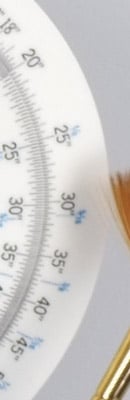 |
 |
 |
|
|
NR = Low
|
NR = Standard
|
NR = High
|
|
| I S O 2 0 0 |
 |
 |
 |
 |
 |
 |
|
 |
 |
 |
|
|
NR = Low
|
NR = Standard
|
NR = High
|
|
| I S O 4 0 0 |
 |
 |
 |
 |
 |
 |
|
 |
 |
 |
|
|
NR = Low
|
NR = Standard
|
NR = High
|
|
| I S O 8 0 0 |
 |
 |
 |
 |
 |
 |
|
 |
 |
 |
|
|
NR = Low
|
NR = Standard
|
NR = High
|
|
| I S O 1 6 0 0 |
 |
 |
 |
 |
 |
 |
|
 |
 |
 |
|
|
NR = Low
|
NR = Standard
|
NR = High
|
|
| I S O 3 2 0 0 |
 |
 |
 |
 |
 |
 |
|
 |
 |
 |
|
|
NR = Low
|
NR = Standard
|
NR = High
|
|
| I S O 6 4 0 0 |
 |
 |
 |
 |
 |
 |
|
 |
 |
 |
|
|
NR = Low
|
NR = Standard
|
NR = High
|
|
| I S O 1 2 8 0 0 |
 |
 |
 |
 |
 |
 |
|
 |
 |
 |
|
To our eyes, the default "Standard" level of noise reduction strikes a good balance between noise and subtle subject detail, up to ISO 1,600. At higher ISOs, the lowest setting preserves a bit more detail, albeit with more visible noise. Use this setting if you have good third-party noise reduction software; with appropriate processing, the result could be very good. You should be able to do even better working from the RAW files.
RAW Files
Fuji X100 High ISO RAW Image Quality
We look at RAW files converted with dcraw, an excellent freeware raw converter. dcraw usually offers timely support for the latest cameras, but more importantly, it does not apply any noise-reduction, sharpening or other corrections such as geometric distortion correction to the output files as some other converters do. There will always be differences between RAW converters, in terms of the sort of demosaicing algorithms they use (the processes by which they convert the separate Red, Green, and Blue data sets to an array of full-color RGB pixels), but dcraw seems to use a fairly generic algorithm that delivers good sharpness with relatively few artifacts, and can be counted on to not apply any noise reduction if you don't want it to.
See for yourself how the Fuji X100's high ISO RAW files compare to those from other recent, state-of-the-art APS-C sensors: the Canon 60D, Nikon D7000 and Pentax K-5. Click on any of the crops below to see the corresponding full-sized image.
| High ISO RAW Comparison Fuji X100 vs Canon 60D, Nikon D7000 and Pentax K-5 RAW files converted with dcraw, no NR, no sharpening Simulated Daylight |
||||
|
|
Fuji X100
|
Canon 60D
|
Nikon D7000
|
Pentax K-5
|
|
I
S O 8 0 0 |
 |
 |
 |
 |
 |
 |
 |
 |
|
 |
 |
 |
 |
|
|
|
Fuji X100
|
Canon 60D
|
Nikon D7000
|
Pentax K-5
|
|
I
S O 1 6 0 0 |
 |
 |
 |
 |
 |
 |
 |
 |
|
 |
 |
 |
 |
|
|
|
Fuji X100
|
Canon 60D
|
Nikon D7000
|
Pentax K-5
|
|
I
S O 3 2 0 0 |
 |
 |
 |
 |
 |
 |
 |
 |
|
 |
 |
 |
 |
|
|
|
Fuji X100
|
Canon 60D
|
Nikon D7000
|
Pentax K-5
|
|
I
S O 6 4 0 0 |
 |
 |
 |
 |
 |
 |
 |
 |
|
 |
 |
 |
 |
|
|
|
Fuji X100
|
Canon 60D
|
Nikon D7000
|
Pentax K-5
|
|
I
S O 1 2 8 0 0 |
N/A
ISO 12,800 RAW Not Supported |
 |
 |
 |
|
N/A
ISO 12,800 RAW Not Supported |
 |
 |
 |
|
|
N/A
ISO 12,800 RAW Not Supported |
 |
 |
 |
|
As you can see, the Fuji X100's high ISO RAW files compete very well with the best of APS-C sensor DSLRs. Remarkable, when you consider the size difference compared to these DSLR cameras.
Below are crops from Fuji X100 high ISO RAW files compared to RAW files from some leading compact system cameras.
| High ISO RAW Image Quality Fuji X100 vs E-PL2, Panasonic GF2 and Sony NEX-5 RAW files converted with dcraw, no NR, no sharpening Simulated Daylight |
||||
|
|
Fuji X100
|
Olympus E-PL2
|
Panasonic GF2
|
Sony NEX-5
|
I
S O 8 0 0 |
|
 |
 |
 |
|
 |
 |
 |
|
|
 |
 |
 |
|
|
|
Fuji X100
|
Olympus E-PL2
|
Panasonic GF2
|
Sony NEX-5
|
|
I
S 0 1 6 0 0 |
|
 |
 |
 |
|
 |
 |
 |
|
|
 |
 |
 |
|
|
|
Fuji X100
|
Olympus E-PL2
|
Panasonic GF2
|
Sony NEX-5
|
I
S O 3 2 0 0 |
|
 |
 |
 |
|
 |
 |
 |
|
|
 |
 |
 |
|
|
|
Fuji X100
|
Olympus E-PL2
|
Panasonic GF2
|
Sony NEX-5
|
|
I
S 0 6 4 0 0 |
|
 |
 |
 |
|
 |
 |
 |
|
|
 |
 |
 |
|
The crops above show the noise performance advantage the Fuji X100's sensor has over most CSC models. The Fuji even does better than the NEX-5's APS-C sensor in terms of noise, though the Sony has slightly higher resolution.
Pricing and availability
The Fujifilm X100 started shipping March 2011. Pricing was set at around US$1,200, and several optional accessories are available. These include a filter adapter ring which ships in a bundle with a metal lens hood, a leather "quick shot" case, and two flash strobes -- the EF-20 and EF-42, with the model numbers equating to the guide number of each strobe.