


Overview
Nikon D200 Overview
First Look: 1/19/2006
Full Review: 8/01/2006
The Nikon D200 was announced in November 2005, almost three and a half years after its predecessor, the D100. While it occupies the same place in their lineup though, between the high-end pro cameras (the D2Xs) and their consumer line (currently topped by the D70, although rumors and a teaser on Nikon's own site suggest that the D80 is right around the corner), the D200 really goes far beyond what would normally be considered as a prosumer model. In virtually every detail, the Nikon D200 creates a new category, that of a compact professional SLR. (For a detailed comparison between the D200 and other current dSLR models, see the Nikon D200 comparison matrix on another page of this review.)
In our testing and evaluation of it, the Nikon D200 consistently impressed us with its ruggedness (including full environmental seals, a first on a camera selling for less than $4,000), excellent user interface, exceptional feature set, and sure-footed performance. We begin below with a User Report written by senior editor Shawn Barnett, but be sure to check out all the other pages and sub-pages of this review for the full story on its performance and many features.
Nikon D200 User Report
by Shawn Barnett
Nikon's return to competitive form is complete. The Nikon D200 joins the D50, D70s, and D2x to take up second position in the ranks of the company's most formidable SLR bodies, marking the fourth home run they've hit in the last two years. With only one qualifier, I can say that the D200 is worthy of both the praise and the price, and is a body that owners of Nikon glass have truly needed.
Once again, the Nikon D200 is what I'll call a "'tweener" camera, in that its feature set falls neatly between its major competitor's camera line. While the Nikon D50 is excellent, its resolution, features, and price fall below that of the Canon Rebel XT. The D70's features, and price likewise fall just below the Canon 20D. And the new Nikon D200 exceeds the Canon 20D in resolution, price, and features. Between the 10.98 megapixel D200 and the 12.4 megapixel D2x is the 12.8megapixel Canon 5D. Though you could argue which was "better" for what usage, in terms of price and the majority of features, the 5D sits above the D200 in most aspects due to its full-size sensor and most certainly its price, and the D2x rests above the 5D in price and suitability to a wider range of professional photography tasks. I won't belabor the point further; the fact is that neither company makes a camera that can be neatly compared with another in the line.
| D200 vs D70 |
 |
 |
| D200 vs EOS-20D |
 |
 |
I have no trouble picking the two major cameras to compare the Nikon D200 with, however. Most who will be interested in the D200 will want to know how it compares to the Canon 20D and the Nikon D70/D70s. Those thinking of a 5D or D2x should also look hard at the D200 though, because it will meet most serious photographer's needs at less than half the price of either. The Nikon D200 is more like these latter two in terms of price, weight, and design, most notably because there are no full auto modes for the novice to fall back on, and no scene modes. In practical terms, all this really means is that the photographer must set the ISO manually as the lighting changes, pop up the flash if necessary, and make a habit of checking the histogram to verify exposure.
 Aside from the first few test shots of my desk to verify that the D200 was working, I didn't actually look at the images or evaluate the camera until I could set up my lights and set someone down for a portrait session. It just felt like that kind of camera. I was right. Both I and the D200 were in our element. I'm not a portrait photographer by trade, but I enjoy it as a hobby. And I love nothing more than taking pictures of people. A good photographer can make great shots with any camera, but a camera like the Nikon D200 makes it effortless.
This was just a short session, but the D200 was like an apprentice, capturing images and showing them to me with flourish, eager to have me tune and try again. Once the lights were all set, the camera settings tweaked to perfection, and the model warmed up, the great shots just kept coming. AF was fast and responsive, in both the 11-point wide area and single-point modes, a good bit more reliable and speedy than the D70. Its AF was about on par with the Canon 20D, only pausing unexpectedly once or twice out of about 80 shots.
Though I do my best to shoot with every camera we get, I tend to shoot Canons when I have an important job, as that's the product line I have the most experience with. But there are enough truly excellent features to the Nikon D200 that I would have few reservations about using or buying one.
Many qualities are important in a camera, but one quality cannot be merely talked about, it has to be experienced: the shutter sound. When I press the D200's shutter release, I am reminded of some of the excellent film cameras I've used in the past. It's softer at both the start and finish than those of many current d-SLRs. Even though the Nikon D200 delivers the same five-frame-per second speed, it does so with less apparent vibration and a softer snap than the 20D. The D70 is soft, too, but makes more noise for a longer period than either of the entry-level pro models. The D200 feels more like the un-motorized film cameras of old, with no whining sound during or after release. It has manners.

Like the 20D, the Nikon D200 is solid as a rock and about as heavy. In my experience, a camera with some substance helps me take steadier shots, so I like cameras with some heft. Both cameras have a magnesium alloy body, with the D200 weighing about 145 grams more than the 20D (body only; about 5 ounces). The D200 is also bigger than both the 20D and D70, albeit not by very much. The extra weight is offset by a well-balanced body and a superb grip.

I love Nikon's recessed inner grip area that gives the balls of your fingers someplace to sink into for a better hold. For portrait shooting, I would definitely buy a battery grip for the D200. Hanging three pounds of combined camera and lens from your fingertips for a few hours on a shoot gets tiring regardless how deep the grip's divot. A vertical grip adds weight, but also doubles battery life while providing a hold that is more compatible with human anatomy. Unlike the D70s, the D200 and 20D accept a factory-built vertical grip/battery pack.

With your hand wrapped around the grip and your finger on the shutter, the depth-of-field preview button is perfectly placed for your middle finger to stop that lens down in a hurry. It's the best placement I've seen in years. My only complaint is that on both Nikons closing the aperture is almost as loud as firing the shutter, while it's comparatively whisper quiet on the 20D
Controls Of all the Nikons I've shot recently, I prefer the D200's control layout. Having more important items in plain view--meaning on the top deck and back of the camera--makes a more complex camera like this easier to manage. On the D2x, the ISO, Quality, and White Balance buttons are on the back, way below the LCD, a most un-intuitive location that frequently left me hunting for these vital controls. Now they're perched prominently atop the drive mode dial left of the pentaprism, a much better location. With your right hand on the grip, it's very easy to press one of these buttons and turn the Main Command dial while looking at the gorgeous expanse of monochrome status LCD on the top right deck. This status LCD is even bigger than the D2x's top LCD. Though I prefer mode dials when there are more than a handful of exposure modes, the D200's four modes are better handled by pressing the Mode button and turning the Main Command dial.
 Because I'm one to lock a camera to the central AF point for its greater precision, the AF-ON button that rests right under your thumb is particularly appealing. I just pick the point I want in focus, press and hold this button to focus, then recompose and press the shutter button to set exposure and fire.
I also like that most important pro features are available via a dial or button rather than a menu item, more like the Konica Minolta 7D that bristles with such controls. Mirror lockup mode, for example, is on the Drive Mode dial rather than buried in a Custom Function, as it is on the 20D.
 The built in flash controls offer the best of both worlds, with a manual pop-up release and an adjacent button that you use in conjunction with the Main Command dial to change the settings. Both the D70 and 20D use a motorized release because their full auto modes need to be able to activate the pop up flash when necessary. With this single pop-up flash and a single SB-800 or SB-600 external flash, you open up the world of Nikon's Wireless Lighting System, where you can control dozens of flashes to light a given scene in a remarkable myriad of configurations. Though the full system works best with an SB-800 mounted on the camera as the main control--offering to control three groups of flashes plus the SB-800 itself--the D200's onboard flash will control up to two groups in addition to the onboard flash, a significant upgrade in capabilities from the D70s. (For more information on the Nikon Wireless Lighting System see our video describing how we used it at PMA 2005.)
Viewfinder Long overlooked by nearly all digital SLR manufacturers is the very small optical viewfinder offered by most current cameras. It's mostly due to the smaller APS-C sized imager used in most cameras, but Nikon has answered the call, making the D200's viewfinder slightly magnified. It's tough to measure, but holding both a D70 and D200 vertically and up to each eye, you not only look silly, but you get two images you can overlay visually to compare relative magnification. I'd say that the D200's viewfinder appears about 20% bigger than the usual APS-C viewfinder. Though there is still some vignetting of the view when I have my glasses on, I can still see corner to corner, and the status display is more visible than on the 20D, where I have to choose between seeing the entire frame or the status display. On a camera whose only viewfinder is optical, having a bigger one can only be better, and this one appears to be even bigger than the one on the D2x.
Other nice features of the viewfinder are an LCD overlay that reminds you that you're in Black and White mode with a slowly flashing B/W that appears in the lower left corner, and a battery icon that comes up when you're nearing the end of the battery capacity.
I still dislike the LCD/LED combination for the AF indicator system that we've seen on other Nikon SLRs. If you're shooting something very bright or very dim, it works reasonably well, but as soon as you move into half-light, the LCD-generated AF markings just aren't apparent enough, and the red LED illuminating them is too dim for your eye to pick out which of the 11 points has illuminated. I far prefer a hot red point of light to indicate the chosen focus point, which would only disappear against a specific background of Christmas lights.
LCD

The Nikon D200's LCD is a big 2.5 inches that makes you very comfortable as well, presenting a fairly crisp image that can be magnified to what looks like greater than 100%. I've never been fond of the multi-step method necessary to zoom on a Nikon, but once you've started it goes very easily, making moving around the image pretty simple. My least favorite Nikon feature has always been the LCD cover. It's always fogging up and bulges out from the back of the camera too much. Fellow Editor Mike Pasini pointed out that though I've never scratched an LCD before, many people do so with their shirt buttons and jacket zippers. Since I don't use a neckstrap on cameras, preferring to carry them in my hand, it makes perfect sense that I'd not understand the LCD cover's function. The good news is that the cover on the D200 has been redesigned to lie flatter, and its sides are closed so it doesn't fog up as easily from your breath when holding the camera up to your eye. Because the LCD is so big, Nikon has been forced to make its profile slimmer and less noticeable, so it doesn't ugly up the back like the cover on the D70.


Doors
Nikon still hasn't decided what mechanism to use for their CF card doors. The D2x, D70, D50, and D200 all have different designs. Each is just fine, but I like the D200's because it is practical, seals well, and its mechanism is sure in both directions. You cradle the camera in your left hand, swing the release switch on the back of the camera, and the door swings open from the right. It opens swiftly, but with a soft sound, because there's a large rubber bumper on the inside of the hinge area to catch it. When it closes, the door mounts flush, and it cannot be opened accidentally like some other designs.
The battery door is less inspired. It should be more secure, and have a latch to hold the battery to prevent it from falling free. As it happens, however, there's a little wire running along the inside of the compartment with a bend that catches the battery after it falls out half an inch, forcing you to remove it all the way with a pull. It's arguable that this might be a faster method to change batteries, though I do wonder how well it will work after repeated use.
User Report Summary
As I said at the outset, the Nikon D200 is an absolutely exceptional camera, clearly the fourth home run in a row for the company in SLRs. It's solidly built, handles well, and has logically thought-out and arranged controls. It's a joy to shoot with, its exposure metering and 11-point AF system both performing with speed and accuracy. Tonality and color are both excellent, and the camera just seems to deliver more "keepers" per shoot than many others I've handled. The only issue that keeps me from a completely over-the-top response to it is the "Corduroy Effect" that we saw under certain very specific circumstances in response to strong light overloads. This would bother me in a camera I'd spent $1,700 for, but Dave finds it no such impediment, and in fact is almost certainly going to buy one for use both in our studio and by him personally. (While we don't yet know the outcome, Nikon is apparently investigating this issue, so what you see below will almost certainly not constitute the final word on the matter.)
Nikon D200 High Points
- 10.2-megapixel CCD delivering a maximum image resolution of 3,872 x 2,592 pixels.
- SLR design with true, TTL optical viewfinder.
- 2.5-inch TFT color LCD monitor.
- Interchangeable lens design, accommodates a wide range of "F" mount Nikkor lenses.
- Manual and automatic focus modes, with adjustable 11-point AF area selection.
- Program, Flexible Program, Shutter Priority, Aperture Priority, and Manual exposure modes.
- Shutter speeds from 1/8,000 to 30 seconds, with a Bulb setting for longer exposures.
- Depth of Field Preview mode.
- TTL exposure metering with three modes.
- Adjustable sensitivity from 100 to 1,600 ISO equivalents, plus three boost settings to a maximum of 3,200.
- User-selectable white balance with nine modes and manual fine-tuning.
- Three Color modes (actually, two in sRGB, three in Adobe RGB color space).
- Hue, Contrast, and Sharpness adjustments.
- Built-in, pop-up flash with five sync modes and exposure compensation adjustment.
- External flash hot shoe.
- PC sync terminal.
- Onboard flash works as a Commander, to control itself and up to two groups of remote slaves, using the Nikon Creative Lighting System.
- Continuous Shooting, Auto Exposure Bracketing, and Self-Timer modes.
- JPEG and RAW (NEF) file formats.
- Image storage on CompactFlash Type I or II memory cards, or Microdrive.
- USB cable for connection to a computer.
- Included CD-ROM loaded with Nikon Picture Project software.
- NTSC video cable for playback on a television set (PAL for European models).
- Power from lithium-ion battery pack, optional AC adapter, or optional Nikon Multi-Function battery pack.
- Optional remote control accessory.
Nikon D200 Included Software
The D200 ships with the Nikon Picture Project software, which provides basic manipulation and cataloging capabilities for images captured by the camera, and which can interpret the raw CCD format "NEF" files. A much more advanced package called Nikon Capture is available separately. Users will also want to check out the third-party applications Bibble and Qimage Pro, both of which offer enhanced interpolation of NEF files, for even higher image resolution.
Nikon D200 Components: In the Box
Included in the box with the D200 are the following items:
- Nikon D200 body with body cap, eyepiece cap, eyecup, and LCD monitor cover.
- Neck strap.
- USB cable.
- Video cable.
- Battery and quick charger.
- Nikon Picture Project CD-ROM.
- User guide.
- Registration kit.
Recommended Accessories
- Large capacity CF memory card. These days, a 2GB or 4GB card is inexpensive enough.
- Camera case for protection
- Accessory lenses
- Accessory flash: SB-600, SB-800
Nikon D200: Conclusion
| Pro: | Con: |
|---|---|
|
|
The Nikon D200 is hard to compare on an equal footing with the rest of the current dSLR field, as it really establishes its own category of affordable (well, relatively so) professional dSLR. Priced closer to semi-pro cameras like the Canon EOS-30D, the D200 nonetheless competes in many ways with much higher-priced models like the EOS-5D or Nikon's D2Xs. From our testing, there's no question that the (much) higher-priced models beat it handily in several areas, but the D200 holds its own surprisingly well, and has build quality that takes a back seat to no one. Very significantly, it's by far the least expensive dSLR on the market with full environmental seals, something that sets it apart from any cameras selling for less than twice its price.
It's most logical competition is the Canon EOS-30D on one side and the Canon EOS 5D on the other. Within Nikon's own lineup, it competes surprisingly well with the D2Xs. Relative to the Canon 30D, it holds a slight edge in image quality, but opens a vast gulf in build quality and features. The Canon EOS-5D beats it handily in the image quality arena, but the D200 still wins hands down on the build and feature fronts.
Interestingly, we find ourselves on the opposite side of the resolution/megapixel debate than our usual position: Some reviewers have said that they found little or no resolution difference in going from 8 to 10 to 12+ megapixels. By contrast, while we found only slight differences between the 8 megapixel 30D and the 10.2 megapixel D200, we felt there were very clear resolution differences between the D200 and the 12.7 megapixel EOS-5D. One of the D200's weak points is clearly that it uses so much antialiasing and so little in-camera sharpening that its photos are very soft straight from the camera with the default settings. While we normally promote a philosophy of "do no harm" with image sharpening, we do feel that Nikon has been overly conservative in this area with the D200, somewhat to their detriment.
Another weak point is high-ISO image noise. The D200's performance is certainly adequate in this area, but "adequate" is a disappointment in a camera with such otherwise sterling characteristics. (Here again, we differ with some other reviewers, who have lauded the D200's "noise characteristics" -- While it does indeed achieve low levels of image noise, those touting its high-ISO noise performance would do well to take a look at what happens to subtle subject detail at ISO 1600.)
One bright note is that the "Corduroy banding" issue seen on some early models (and that we investigated and reported on in detail) now seems to be fully addressed in current production models.
Its few shortcomings aside, the Nikon D200 truly does establish a new level of performance, functionality, and ruggedness at a competitive price point. It also has one of the best thought-out and comfortable user interfaces we've ever encountered in a camera: Nikon's expertise at camera design and the fact that this is now their fourth or fifth generation of dSLR shows throughout. Particularly telling here at IR was how much editor Shawn Barnett enjoyed shooting with it, given that the vast majority of his shooting experience has been with Canon SLRs in the past. As wonderful as the Canon EOS-5D is, Shawn remarked the other day that he just felt like the D200 "meshed" with his photographic sensibilities much better. The D200's controls are so well designed and arranged that its operation becomes automatic, almost second nature, far more quickly than any other camera we've used in recent memory.
The Nikon D200 also conveys almost a sense of luxury when you're using it, in the same way that a limited-edition auto or master-level hand-crafted piece of furniture might. It's hard to define, but holding it, your hands tell you "Yeah, now this is a camera!" It manages to feel absolutely rock-solid without the bricklike weight and bulk of other high-end dSLRs, and its sure-footed precision makes you feel like a better photographer than you perhaps are. Bottom line, the Nikon D200 is a clear standout in the current dSLR marketplace, highly recommended.

Design
Nikon D200 Design
Looking a lot like it's predecessor the D100, and coming in closer to the size of the D70 than its big brother the D2xs, the Nikon D200 SLR digital camera is the latest in that company's line of professional digicams. The D200's familiar body design and control scheme should ease the transition from film to digital shooting (if there are any film shooters left out there), and will be immediately familiar and comfortable to users of any of Nikon's current or previous digital SLR designs, although a few controls have moved around a little over the years. The black body is a very rugged combination of metal and structural plastic that measures about 5.8 x 4.4 x 2.9 inches (147 x 113 x 74 millimeters), roughly the same size as preceding models. (slightly wider, slightly shorter and shallower than the D100.) However, the D200 is a bit more beefy than its predecessors, weighing a hefty one pound 13 ounces (830 grams) without the battery or lens, and 2 pounds 3 ounces (942 grams) with battery and memory card included. Still, the D200 is quite comfortable to hold, with a handgrip that's about the right size for most users, neither too big nor too small. The fairly sharp angle between the inset finger grip and the front of the handgrip helps for a very secure grip, particularly when combined with its high-friction tactile coating.

When you pick up the D200, you're immediately struck with how solid it feels - Brick, rock, pick your metaphor, this camera feels like something you could use to hammer tent-pegs with impunity. The rigidity of the case is thanks to the injection-molded magnesium-alloy chassis that lies beneath the plastic body panels and tough rubberized coating that covers grip areas.

Besides the magnesium body, the Nikon D200 also sports another feature that greatly contributes to its ruggedness: Environmental seals around all controls, compartment doors, and body seams. This is a huge feature for hard-working pros (or well-heeled amateurs prone to camera abuse). As the first camera with a retail price under $4,000 to have full environmental sealing, the D200 represents a real bargain for a true professional-grade SLR.
With the basics out of the way, let's take a walk around the camera. Former D100 users will find a lot that's familiar, but there are a lot of elements picked up from Nikon's D2 series that to my mind make the D200 a much better-shooting camera.

Dominating the D200's front panel is Nikon's standard “F” lens mount, which accommodates a broad spectrum of Nikkor lenses (the instruction manual has a complete list of compatible lens types). A small black button on the left side of the lens (as viewed from the rear) unlocks the lens, letting you twist it out of the mount. Just below this button is the Focus Mode dial, which selects between Single-Servo and Continuous-Servo AF modes, or Manual focus. On the opposite side of the lens is the Depth of Field Preview button, just below the AF assist lamp, with a programmable Function button just below it. Also visible from the front is the Sub-Command dial at the top of the hefty hand grip. In the top right corner is a 10-pin remote terminal, hidden beneath a tiny plastic cap. The programmable function button is a nice touch: It's lies right beneath your fingers as you grip the camera, and can be configured for any of the following functions: Flash exposure lock/Lens Data (to program aperture and focal length of non-CPU lenses, in conjunction with the command dials), 1-EV change of shutter speed and aperture, duplicate AE-L/AF-L function, temporarily disable flash, enable bracketing burst, activate matrix/center-weighted/spot metering, and switch between wide-area and normal focus areas. I can imagine wanting to be able to rapidly access any of these functions from time to time, so being able to dedicate a button to any of them would make for much quicker shooting.

The left side of the camera (as viewed from the rear) features an eyelet for attaching the neck strap, as well as the (rubber-sealed) memory card compartment. The compartment door is released by a lever on the rear panel.

The right side of the D200 (again, as viewed from the rear) features another neck strap eyelet, as well as two connector compartments and the PC sync terminal. Flexible, rubbery flaps protect both compartments, and remain attached to the camera when opened. Inside the top compartment are the Video Out and DC In connector jacks, with the Digital port in the lower compartment. Also visible from this view are the Flash Release and Flash Mode/Exposure buttons, on the side of the pentaprism housing, just below the tip of the flash compartment lid, and the Focus Mode dial as well.

The pop-up flash compartment and external flash hot shoe are centrally located on the D200's top panel. To the right of the flash unit, a small status display panel reports basic exposure information, as well as a few main camera settings. This panel lets you change a variety of camera settings without entering the LCD menu system, a feature I always appreciate. Remaining camera controls include the Shutter button, Power dial, Mode and Exposure Compensation buttons, as well as a Mode dial with a small button to lock it in place. The mode dial controls camera shutter/drive modes, including single shot, continuous-low, continuous-high, self-timer and mirror lock-up options. The Quality, White Balance, and ISO buttons rest just above the Mode dial, a borrowing from the D2 series that I personally like quite a bit.

The D200's rear panel holds the majority of the camera's controls, as well as the LCD monitor and viewfinder eyepiece. The optical viewfinder has a moderately high eyepoint (19.5mm), so the full display remains visible at least a short distance from the camera. This is a decided plus for eyeglass wearers like myself. As further accommodation to those of us with suboptimal eyesight, a rotating diopter adjustment (-2.0 to +1.0) on the right side of the eyepiece changes the focus of the viewfinder optics. Positioned just left of center, the 2.5-inch LCD monitor comes with a protective plastic cover that keeps the monitor safe from accidental scratches and smudges. Several camera controls flank the LCD monitor on each side, including a Four-Way Arrow pad for navigating the LCD menu system. A small LED lamp just beneath the arrow pad lights whenever the camera accesses the memory card (indicating that you shouldn't open the compartment door or remove the card). In the very top right corner is the Main Command Dial, which navigates menus and changes camera settings.

The camera's bottom panel has slightly raised ribs traversing it, to provide better friction when mounted on a tripod head. Apart from these though, it's quite flat overall. A threaded metal tripod mount sits near the center of the body, aligned with the optical center of the lens, and very close to the center of mass of the camera. The battery compartment is on the right side of the body (when viewed from the back). A lock button in the battery compartment door prevents it from opening accidentally, and the pressure of the door holds the battery in place.
Operation
Nikon D200 Operation
Overview
If the D200 is your first approach to a digital SLR, its bounty of buttons and dials could appear daunting at first look. After only a short time working with it though, the control layout becomes quite intuitive and very fast to navigate. The D200 offers a few changes in its control and menu layouts relative to previous Nikon digital SLRs. We were particularly happy to see Nikon drop the awkward mode dial of the D100 design in favor of the combination of a Mode-select button positioned next to the shutter button and a 3-button control for selecting White Balance, Quality and ISO, on top of the mode dial on the left side of the camera. This combination of mode button and 3-button control layout have been common on Nikon's higher-end models for some time now, and it strikes us as much more efficient than the all-in-one mode dial design of their consumer cameras and the previous D100 model. The collection of functions assigned to the three-button controller is different than that of the D2x, and several of the functions have been moved around on the camera body.
| Top Panel Comparison |
|---|
| D2X |
 |
| D200 |
|
One force driving these changes was the need to make room for the large LCD display on the camera's back, which was done by moving the aforementioned WB, Quality, and ISO buttons to the top panel, and dispensing with the monochrome data-readout LCD that was below the LCD on the D2x's body. Relative to the D2x, the Bracket function has been moved from the top of the camera body to the upper left corner of the rear panel, within easy reach of your left thumb in some grip positions. The displaced playback button has been moved down to the top left corner of the LCD screen, also a good place for it. Other controls are in more or less the same positions, but the awkward door latch protector scheme of the D2x has been replaced by a neat rotating lever on the D200.
| Back Panel Comparison |
|---|
| D2X |
 |
| D200 |
|
Overall, the control layout places the main shooting controls on top of the camera and the rest on the back panel, for ease of use. Changing shutter speed, aperture, metering mode, etc. is quick and simple, with changes shown on the small black & white data readout on the top panel of the camera, and some of them in the viewfinder readout display as well.
 The main LCD menu system itself is well-organized and simple to navigate, with five main menu pages. The Custom Settings menu has been reorganized into banks of settings, for a bit tidier appearance and easier navigation, a very welcome change. For example, the Autofocus bank relates to focus settings only, so you can quickly change a focus operation without having to fish through several screens of options. There's also a new menu page that holds the most recently set options, useful if you're not sure about a setting change recently made, or if you want to return to one very quickly, without having to page through the main menu system. When shooting, the detailed information display in the viewfinder window does a good job of communicating current camera settings. Anyone already familiar with Nikon's SLRs, whether film or digital, will have no trouble operating the D200. For less experienced users, an hour or two spent with the manual and camera together should be enough to get comfortable. (This is definitely a camera that you'll want to spend some time shooting with though, before going on a trip or taking it on a critical shoot.)
As with most Nikon DSLRs, the top-panel data readout LCD communicates a lot of information about current camera settings, and provides an interface for setting many camera functions, when used in conjunction with the various buttons and Command Dials. The illustrations below show the meaning of the various icons and readouts in this display.

1 |
Color temperature indicator
|
15 |
"Beep" indicator
|
2 |
Shutter speed
|
16 |
Aperture (f/-number)
|
|
Exposure compensation value
|
Aperture (number of stops)
|
||
|
Flash compensation value
|
Bracketing increment
|
||
|
Sensitivity (ISO equivalency)
|
Number of shots per interval
|
||
|
White balance fine-tuning, color temperature, or preset number
|
Maximum aperture (non-CPU lens)
|
||
|
Number of shots in bracketing sequence
|
PC connection indicator
|
||
|
Number of intervals
|
17
|
Aperture stop indicator
|
|
|
Focal length (non-CPU lens)
|
18
|
Flash compensation indicator
|
|
3 |
Flash sync indicator
|
19
|
Exposure compensation indicator
|
4 |
Flexible program indicator
|
20
|
Auto ISO sensitivity indicator
|
5 |
Exposure mode
|
21
|
Flash value (FV) lock indicator
|
6 |
"Clock not set" indicator
|
22
|
Image comment indicator
|
7 |
Image size
|
23
|
Wide-frame focus area indicator
|
8 |
Image quality
|
24
|
Custom menu bank
|
9 |
Focus area
|
25
|
Shooting menu bank
|
|
AF-area mode
|
26
|
Bracketing Indicator
|
|
10 |
White balance mode
|
27
|
Electronic analog exposure display
|
11 |
Number of exposures remaining
|
Exposure compensation
|
|
|
Number of shots remaining before buffer fills
|
Bracketing progress indicator
|
||
|
PC mode indicator
|
PC connection indicator
|
||
|
Preset white balance recording indicator
|
28 |
GPS connection indicator
|
|
12 |
"K" (appears when memory remains for over 1000 exposures)
|
29
|
Multiple exposure indicator
|
|
13
|
Battery indicator
|
30
|
Interval timer indicator
|
|
14
|
Flash sync mode
|
Click on the other sub-tabs above or below to read about the Nikon D200's Viewfinder, Controls, and Menu system.
Optics
Nikon D200 Optics
Lenses
Like other Nikon SLRs, the D200 accommodates a wide range of Nikkor lenses, via the standard Nikon "F" lens mount. The D200's lens mount includes both a mechanical AF coupling for older lenses, and AF electrical contacts for the latest AF-IF or AF-S Nikkor lenses with internal focus motors. With very few exceptions, you can use the D200 with any F Mount Nikkor lens ever made.
A nice feature boost for the D200 in the optics department is the addition of an AI aperture ring connector, a little metal vane located just outside the lens mount flange (at about 1 o'clock), that interfaces with old AI Nikkor manual focus lenses. This engages with the aperture ring on AI-style Nikkor lenses, and lets the D200 support aperture-priority metering mode and provide manual-exposure metering with them.
Lens Compatibility
Functions and exposure modes available with a given lens will vary greatly with the lens type. More recent Nikkors (the G- or D-type models) include a microchip that communicates focal-distance information to the camera. Lenses without the microchip won't support the 3D Matrix metering mode. Here's a table detailing the functionality available with different Nikkor lens types (abstracted from the D200's manual, used by courtesy of Nikon USA, Inc).

- IX Nikkor lenses can not be used.
- Vibration Reduction (VR) supported with VR lenses.
- Spot metering meters selected focus area.
- The camera's exposure metering and flash control systems do not work properly when shifting and/or tilting the lens, or when an aperture other than the maximum aperture is used.
- Electronic range finder can not be used with shifting or tilting.
- Manual exposure mode only.
- Compatible with AF-I Nikkor lenses and with all AF-S lenses except AF-S DX VR ED 18-200 mm f/3.5-5.6G; AF-S DX ED 12-24 mm f/4G, 17-55 mm f/2.8G, 18-55 mm f/3.5-5.6G, 18-70 mm f/3.5-4.5G, and 55-200 mm f/4-5.6G; AF-S VR ED 24-120 mm f/3.5-5.6G; and AF-S ED 17-35 mm f/2.8D, 24-85 mm f/3.5-4.5G, and 28-70 mm f/2.8D.
- With maximum effective aperture of f/5.6 or faster.
- If AF 80-200 mm f/2.8S, AF 35-70 mm f/2.8S, new-model AF 28-85 mm f/3.5-4.5S, or AF 28-85 mm f/3.5-4.5S is zoomed in while focusing at minimum range, image on matte screen in viewfinder may not be in focus when in-focus indicator is displayed. Focus manually using image in viewfinder as guide.
- With maximum aperture of f/5.6 or faster.
- Some lenses can not be used (see below).
- Range of rotation for Ai 80-200 mm f/2.8S ED tripod mount limited by camera body. Filters can not be exchanged while Ai 200-400 mm f/4S ED is mounted on camera.
- If maximum aperture is specified using Non-CPU Lens Data option in shooting menu, aperture value will be displayed in viewfinder and control panel.
- Can be used only it lens focal length and maximum aperture are specified using Non-CPU Lens Data option in shooting menu. Use spot or center-weighted metering if desired results are not achieved.
- For improved precision, specify lens focal length and maximum aperture using Non-CPU Lens Data option in shooting menu.
- Can be used at in manual exposure modes at shutter speeds slower than 1/125 s. If maximum aperture is specified using Non-(PU Lens Data option in shooting menu, aperture value will be displayed in viewfinder and control panel.
- Exposure determined by presetting lens aperture. In aperture-priority auto exposure mode, preset aperture using lens aperture ring before performing AE lock or shifting lens. In manual exposure mode, preset aperture using lens aperture ring and determine exposure before shifting lens.
- Exposure compensation required when used with Al 2885 mm f/3.5-4.5S, Al 35-105 mm f/3.5-4.SS, Al 35-135 mm f/3.5-4.5S, or AF-S 80-200 mm f/2.8D. See teleconverter manual for details.
- Requires PK-12 orPK-13 auto extension ring.
- Use preset aperture. In exposure mode A, set aperture using focusing attachment before determining exposure and taking photograph. PF-4 Reprocopy Outfit requires PA-4 Camera Holder.
Incompatible Optics
As mentioned briefly above, a few Nikkor optics can't be used with the D200 at all. Here's a list of these accessories and non-CPU lenses can NOT be used with the D200-
- Non-AI lenses
- Lenses that require the AU- 1 focusing unit (400 mm f/4 5, 600 mm f/5.6, 800 mm f/8, 1200 mm f/l1)
- Fisheye (6 mm f/5,6, 8 mm f/8, OP 10 mm f/5 ~6)
- 21 mm f/4 (old type) K2 rings ED
- 180-600mm f/8 (serial numbers 174041-174180) ED
- 360-1200 mm f/I I (serial numbers 174031-174127)
- 200-600 mm f/9.5 (serial numbers 280001 300490)
- Lenses for the F3AF (80 mm f/2-8, 200 mm f/3.5, TC- 16 Teleconverter)
- PC 28mm f/4 (serial number 180900 or earlier)
- PC 35mm f/2.8 (serial numbers 851001906200)
- PC 35 mm f/3.5 (old type)
- 1000 mm f/6.3 Reflex (old type)
- 1000mm f/11 Reflex (serial numbers 142361-143000)
- 2000mm f/11 Reflex (serial numbers 200111-200310)
Using Compatible Non-CPU Lenses
A big feature of the D200 (and D2x) is that they let you enter aperture and focal length data for older lenses that don't contain CPUs (computer chips) via the Non-CPU Lens Data option in the shooting menu. Without this information, the camera defaults to center-weighted exposure metering rather when matrix metering is selected, and color matrix metering can't be used. When you enter aperture and focal length data though, both of these advanced features are enabled.
When using non-CPU lenses, only aperture-priority and manual exposure modes are available, and you have to set the lens aperture via the lens aperture ring. If you didn't specify the maximum aperture using the Non-CPU Lens Data, the camera's aperture display will only show the number of stops down from maximum aperture that you're shooting at, you'll have to read the actual aperture in use from the aperture ring. With the maximum aperture entered via the Non-CPU Lens Data screen, the camera will keep track of and display the actual aperture. With a non-CPU lens in use, the camera will force you to Aperture Priority mode, even when Program or Shutter Priority are selected, but will warn you by blinking the exposure mode indicator in the control panel, and "A" will be displayed in the viewfinder.
Focusing Options
Given that the optical characteristics will depend entirely on the lens attached, I'll talk concentrate here on the focusing options and modes rather than lens characteristics. There's a lot to talk about, given the exceptional control and flexibility afforded by the D200's autofocus systems. As we noted in the review section covering the viewfinder, the D200 has a total of 11 autofocus regions, arranged with 9 in an almost square matrix in the central area of the frame, with two additional ones positioned to the right and left of the central array. The D200 uses Nikon's Multi-CAM 1000 AF Sensor Module. The system can use each of its 11 focus areas individually, or can operate in a 7 wide-area mode, for broader coverage that improves the camera's ability to acquire and track moving subjects. Only the center AF sensor is cross-type, able to respond to subject detail oriented either horizontally or vertically. The remaining ten focus sensors are line-type.
The D200 lets you take advantage of auto or manual focus via a small dial on the front of the camera, next to the lens. Setting the switch to "M" puts the camera into manual focus mode, "S" places it in Single Servo AF (focus priority), and "C" puts it into Continuous Servo AF (release priority). Single Servo simply means that the camera sets focus only once, when the Shutter button is first pressed halfway, and is best for stationary objects. Continuous Servo means that the camera continuously adjusts the focus, as long as the Shutter button is halfway pressed, and is best for moving objects.
There's an important difference between Single and Continuous Servo modes: In Single Servo mode, the shutter won't release unless the lens is focused, or the lens itself is set to manual focus. (Focus Priority) In Continuous Servo mode however, the camera will fire regardless of the state of focus. (Release Priority) If you want to be sure that the camera is focused when you snap the picture, use Single Servo mode. Use Continuous Servo for moving subjects, and/or times when the instant of shutter release is more important to you than sharp focus.
The AF Area Mode dial on the rear panel lets you select between Single Area, Dynamic Area, Group Dynamic Area, and Dynamic Area AF Closest Subject Priority modes. Single Area AF simply means that the camera judges focus based on one part of the subject, and the user can manually select the AF point by pressing the arrow keys. Dynamic Area AF employs all of the autofocus points, though you can still manually select the main point. When Dynamic Area focusing is enabled, the camera first focuses on the subject in the central focus area. When the subject moves to a different AF area, the camera shifts the focus to "follow" the subject. This is great for irregularly moving subjects. (Sports and kids come to mind.) In Group Dynamic Area mode, the user selects a group of focus points (arranged in a crosshair pattern around a central point), that can be positioned anywhere in the frame. The camera will base focus on the center of the selected group, then adjust if the subject moves closer to another point in the group. The Closest Subject Priority option means that the camera first focuses on the closest object that falls into one of the 11 focus areas and then tracks it as it moves. In any of the modes, you can change the primary focus area by unlocking the focus area selector (the Four-Way Arrow pad on the back panel) and then shifting the focus area using the up, down, right, or left arrow directions on the control rocker. You can lock the focus area selection by turning the switch back to the lock position. You can also choose the number of available AF points, either seven or 11, through a Custom Settings menu option. By default, the D200 does not "wrap" the focus area selector as you scroll between focus areas. Through the Custom Settings menu though, you can opt for a "Wrap" function. What this means is that if you press the right arrow key again, after the right focus area is already selected, the selection will immediately jump to the left focus area. The same thing happens when moving the focus area selection vertically as well.
There are three methods by which you can lock focus on the D200. The first is to half-press the Shutter button to lock the focus, placing your subject in the selected focus area, halfway pressing the Shutter button, then realigning the composition and firing the shutter. (This is the default behavior of the Shutter button, but it can be disabled. Unlike most cameras, you can choose whether or not the Shutter button also locks exposure, via an option on the Custom Settings menu.) Alternatively, when using Single Servo AF, you can press the AF-L/AE-L button to lock focus (and exposure, unless the button is set for focus only in the Custom Settings menu). Keeping this button pressed will lock focus and/or exposure, even if the Shutter button is released. This lets you recompose the photograph without keeping your finger on the Shutter button, but on the AE-L/AF-L button instead. (Reducing the chance that you'll accidentally trip the shutter when you don't intend to.) You can also press the AF On button on the rear panel to set focus temporarily.
There are several options available for the AE-L/AF-L button, which can be set via the Custom Settings Menu. You can program it to lock either focus or exposure separately, or both together (the default). You can also change its operation so a single press locks and holds the exposure setting. (No need to keep the button pressed down.) Finally, you can set the AE/AF lock button so it alone controls the autofocus system, meaning the autofocus won't actuate when the shutter button is half-pressed, only when the AE/AF lock button is pressed instead.
AF Performance
We don't have any way to measure an autofocus system's ability to acquire and track a moving subject directly, but on a subjective level, the AF system in the Nikon D200 did seem to be very fast, responsive and accurate. We particularly liked the Dynamic and Group Dynamic AF options. Group Dynamic AF handles the common situation where it's difficult to place a single AF point on a very active subject at the start of focus tracking. By having a larger area in which to position the subject, it becomes much easier to initially acquire focus.
We were also quite impressed by how well the D200's AF system worked under low light conditions. With an f/2.8 lens, it focused quite well (albeit a little slowly) down to the limit of our low-light test setup, a light level of 1/16 foot-candle, less than 1 lux.
The images above were taken from our standardized test shots. For a collection of more pictorial photos, see our Nikon D200 Photo Gallery .
Exposure
Nikon D200 Exposure Options
Like all of Nikon's digital SLR models, the D200 gives you a tremendous amount of exposure control and multiple options that can get quite involved. Available exposure modes include Program AE, Manual, Aperture Priority, and Shutter Priority modes with shutter speeds from 1/8,000 to 30 seconds available, as well as a Bulb setting for longer exposures. A very nice touch is that, while in Program AE mode, you can rotate the Main Command dial to select different combinations of aperture and shutter speed settings than those normally chosen by the autoexposure system. (That is, if the automatic program would have chosen 1/125 second and f/5.6, you could instead direct the camera to use 1/60 at f/8 or 1/30 at f/11, to get greater depth of field.) This is a very handy option for those times when you need some measure of increased control, but still want the camera to do most of the work for you.
An interesting feature when using Manual exposure mode is the electronic analog exposure display visible in the optical viewfinder data readout. This shows the amount the camera thinks an image will be over- or underexposed, based on the settings you have selected, and helps you find the best exposure for the subject.
ISO Range
ISO sensitivity ranges from 100 to 1,600, adjustable by pressing the ISO button and turning the Main Command dial to change the setting. Scrolling past the 1,600 setting offers H1, H2, and H3 settings, which correlate to High ISO +0.3, +0.7, and +1.0 settings above the 1600 mark. (The maximum ISO setting is thus 3200.) You can choose through the Custom Settings menu whether the amounts are adjusted in half or one-third-step increments (which in turn affects the number of High settings). A High ISO Noise Reduction mode in the settings menu reduces fixed-pattern image noise when shooting at the higher sensitivity settings, in addition to the standard Noise Reduction option for longer exposures.
White Balance Options
White balance modes on the Nikon D200 include Auto (usable from 3,500K to 8,000K), Incandescent (set to about 3,000K), Fluorescent (4,200K), Direct Sunlight (5,200K), Flash (5,400K), Cloudy (6,000K), Shade (8,000K), Choose K Temp (adjustable from 2,500 to 10,000K), and Preset (which allows you to manually adjust the white value by using a white card or object as a reference point). All white balance settings are adjustable from -3 to +3 units on an arbitrary scale by turning the Sub-Command dial (on the front of the hand grip) while pressing the White Balance button (with the exception of the Preset option, which is not adjustable). While I called it arbitrary, in all but Fluorescent white balance mode, each step on the fine-tuning scale corresponds to 10 mired of color shift. The fluorescent setting provides a wider range of variation to accommodate the wide range of colors available in fluorescent lighting. You can also bracket white balance exposures (see the Autobracketing discussion below). Higher values correspond to a decrease in the camera's white point, in degrees Kelvin (meaning the images become "cooler" in appearance). This is a very nice feature, as I often wish I could use one of a camera's standard white-balance settings, but tweak it to be just a bit warmer or cooler than the default. To be sure, some experimentation would be required to familiarize yourself with the impact of these "tweaked" white balance settings, but having them available is a big plus. The table below shows approximate white point temperatures in degrees Kelvin for the various adjustments in each of the major white balance settings.
| Camera Display--> | -3 | -2 | -1 | 0 | 1 | 2 | 3 |
|---|---|---|---|---|---|---|---|
| Direct Sunlight | 5600 | 5400 | 5300 | 5200 | 5000 | 4900 | 4800 |
| Shade | 9200 | 8800 | 8400 | 8000 | 7500 | 7100 | 6700 |
| Overcast | 6600 | 6400 | 6200 | 6000 | 5800 | 5600 | 5400 |
| Incandescent | 3300 | 3200 | 3100 | 3000 | 2900 | 2800 | 2700 |
| Fluorescent | 7200 | 6500 | 5000 | 4200 | 3700 | 3000 | 2700 |
| Flash | 6000 | 5800 | 5600 | 5400 | 5200 | 5000 | 4800 |
Nikon D200 Metering Options
The D200 has three metering options: 3D Color Matrix II, Center-Weighted, and Spot. The 3D Color Matrix II setting integrates exposure information from a large number of areas across the frame (useful when brightly colored or very dark subjects occupy a significant portion of the frame) with distance information from the microchip in D- and G-series lenses. The result is much more accurate metering response than more conventional center-weighted metering would provide. Center-Weighted metering measures light from the entire frame but places the greatest emphasis on a circular area in the center, marked by the large circle in the viewfinder. Spot metering takes a reading from a 3mm circle centered on the active focus area only (on center focus area when non-CPU lens is used), covering about 2% of the frame.
The D200's Exposure Compensation adjustment lightens or darkens the overall exposure from -5 to +5 exposure equivalents (EV) in one-third step increments, in all exposure modes. An Auto Bracketing feature takes as many as nine shots of the same subject with varying exposure values determined by either the photographer in Manual mode or by the camera in all other modes. (You can set the number of frames in the Custom Settings menu.) Exposure settings for bracketing can vary from -5 to +5 EV (values are added to the already chosen exposure compensation value), with step sizes of one-third, one-half, or one EV unit, and the bracketing biased toward either underexposure, overexposure, or centered around the main exposure value. Through the Custom Settings menu, the Bracketing function can also be set to adjust white balance or flash exposures only. (By default, both ambient and flash exposures are bracketed.) On a more mundane level, the D200 has a self-timer feature that allows you to set the time interval anywhere from two to 20 seconds, and is activated by fully pressing the Shutter button.
The D200 offers an interesting ability to fine-tune the camera's metering via custom settings menu option b7. There, you can dial in an overall exposure bias between -1 and +1 EV, in 1/6 EV increments. You can adjust the metering for each of the camera's metering modes separately. (Matrix, Center-Weighted, and Spot.) The D2X (and presumably D2Xs) share this ability, but we don't think we've seen it on any other cameras we've reviewed.
A carryover from the D1 and D2 series, the Mirror Up mode lets you delay the exposure until after the mirror shock subsides (intended for times when the camera is on a tripod). Accessed via the Function dial on top of the camera, this mode requires two shutter-button actuations, the first of which lifts the mirror, the second of which actually releases the shutter. Used in conjunction with a remote, this will let the vibrations from the mirror actuation damp out before the shutter opens. (We routinely use this mode when testing lenses in our lab for our SLRgear lens-test site.)
| Nikon D200 Contrast & Saturation Adjustments |
||
|---|---|---|
 |
 |
 |
Low |Contrast |
Nominal Contrast |
High Contrast |
 |
 |
 |
Low Saturation |
Nominal Saturation |
High Saturation |
The Nikon D200 also offers an Optimize Image option, accessed through the Shooting menu, which lets you adjust sharpness, contrast, saturation, and hue. You can also opt for a black-and-white shooting mode. A Custom setting accepts downloaded tone curves created in Nikon's Capture application (version 4 or later) and then downloaded from a computer. (If no curve is downloaded, the Custom setting defaults to the Normal setting.) In our shooting with the D200, we found that its contrast and saturation adjustments worked well, but we'd have liked it better if the contrast adjustment had more steps in the low contrast direction. Some samples are shown above.
When reviewing images on the LCD monitor, you can call up a histogram and a highlight function to give you a complete readout on the exposure. This is a useful tool to examine your exposure in the camera instead of waiting to download images and then deciding to reshoot. Both functions can report values for the full RGB image, or for each channel individually.
Continuous Shooting Modes
The D200 offers Low and High speed Continuous Shooting modes, accessed via the Function dial on top of the camera. The Low setting captures one to four frames per second, depending on the frame rate selected in the Custom Settings menu. High speed mode can capture up to five frames per second.
The images above were taken from our standardized test shots. For a collection of more pictorial photos, see our Nikon D200 Photo Gallery .
Not sure which camera to buy? Let your eyes be the ultimate judge! Visit our Comparometer(tm) to compare images from the Nikon D200 with those from other cameras you may be considering. The proof is in the pictures, so let your own eyes decide which you like best!
Performance
Nikon D200 Performance
A great part of the appeal of the D200 is its combination of 10.2 megapixel resolution and 5 frame/second continuous shooting speed. It also has a very deep buffer memory, and is no slouch when it comes to offloading images to a host computer either. All in all, an impressive performer by almost any measure.
Timing and Performance
Nikon D200 Timing
Excellent speed for a digital SLR.
| Nikon D200 Timings | ||
| Operation |
Time (secs) |
Notes |
|
Power On -> First shot
|
~0.2
|
Nearly instantaneous; hard to measure.
|
|
Shutdown
|
0 - 37
|
First time is simple shutdown; second time is worst-case buffer-clearing time. (21 RAW images)*
|
|
Play to Record, first shot
|
~0
|
Nearly instantaneous.
|
|
Record to play
|
0.9 / 0.2
|
First time is that required to display a large/fine file immediately after capture, second time is that needed to display a large/fine file that has already been processed and stored on the memory card.
|
|
Shutter lag, full autofocus, review on
|
0.27
|
Measured with 18-70mm kit lens at 18mm, lag time may vary from lens to lens. (Note too, that this time is basically the time it takes the camera to determine that it's focused correctly, not the time required to slew the lens elements to a new focus setting.)
|
|
Shutter lag, full autofocus, review off
|
0.21
|
On the D2x, shutter lag decreased markedly when the auto-review function was turned off. On the D200, this helped a little, but the difference wasn't significant.
|
|
Shutter lag, prefocus
|
0.057
|
Time to capture, after half-pressing shutter button. Very fast.
|
|
Shutter lag, continuous autofocus
|
0.057
|
Very fast. (Note though, that this time is measured with a stationary subject, moving subjects would produce highly variable results..)
|
|
Shutter lag, manual focus
|
0.057
|
Very fast. (Manual focus and prefocus times are often the same on digital SLRs.)
|
|
Shutter lag, flash firing in iTTL exposure mode
|
0.27
|
Very fast, apparently little or no delay for metering pre-flash.
|
|
Cycle Time, RAW / max / min resolution
|
0.28 / 0.25 / 0.22 |
First number is time for RAW files, second number is for large/fine files, second number is for lowest resolution images. All times are averages, captured in single-shot mode. Shoots 22 frames this fast in RAW mode, then slows to 1.9 seconds per shot. Shoots 34 frames this fast in large/fine mode, then slows to about 0.7 seconds per shot. Shoots over 100 frames this fast at the lowest resolution. Buffer clears in 37 seconds in RAW mode, 17 seconds in large/fine mode, and 10 seconds after 100 lo-res shots.*
|
|
Cycle Time, Flash exposures
|
3
|
(Flash at maximum power output)
|
|
Cycle Time, continuous High mode, RAW / max / min resolution
|
0.20
(5.0 fps) |
Times are averages. Shoots 5 frames per second regardless of resolution or file mode (RAW vs JPEG). Shoots 21 frames this fast in RAW mode, then slows to 1.9 seconds per shot. Shoots 31 frames this fast in large/fine mode, then slows to 0.72 seconds per shot. Shoots 79 frames this fast at the lowest resolution, then slows to 0.24 seconds per shot. Buffer clears in 37 seconds in RAW mode, 17 seconds in large/fine mode, and 10 seconds in lo-res mode.*
|
|
Cycle Time, continuous Low mode, RAW / max / min resolution
|
0.34
(2.94 fps) |
Times are averages. Speed in this mode is determined by menu setting for continuous-lo mode, these numbers were collected using the 3 frame/second setting. Frame/second setting is quite accurate, shoots about 3 frames per second regardless of resolution. Shoots 22 frames this fast in RAW mode, then slows to 1.89 seconds per shot. Shoots 42 frames this fast in large/fine mode, then slows to 0.71 seconds per shot. Shoots this fast continuously at the lowest resolution. Buffer clears in 37 seconds in RAW mode, 17 seconds in large/fine mode, and less than 2 seconds in lo-res mode.*
|
*Note: Buffer clearing times measured with a SanDisk Extreme III CF memory card. Slower cards will produce correspondingly slower clearing times. Slow cards may also limit length of bursts in continuous mode. |
||
Startup & Shutter Lag
The Nikon D200 is a very responsive camera by any measure, but we were a bit surprised to find that its shutter lag in full autofocus mode was somewhat slower than that of either the D2x or the original D100. The camera goes from power on to first shot almost instantly (less than 0.2 seconds anyway, which is about the limit that we can measure for this particular parameter), so there are definitely no complaints there. Full-autofocus shutter lag with the 18-70mm kit lens attached and with review turned on is about 0.25 second, with LCD review turned off it drops to 0.21 second. This is certainly faster than most photographer's reflexes, and is on par with most professional dSLRs currently on the market, but is a bit off the pace of the original D100, as well as the D2x. It's possible that the 18-70mm lens is a little slower at communicating with the camera than the 24-85 we used with the D100 or whatever lens we tested the D2x with (which we unfortunately neglected to record), so the observed difference may not be significant. In any case, the 0.21-0.25 second lag we measured for the D200 compares very well the numbers we came up with for the Canon EOS-1D Mark II (0.20 - 0.24 sec) and EOS-30D (0.24 sec).
The good news with the D200 though, is that its shutter response was very fast indeed (0.057 sec) in continuous AF mode (with a stationary subject), manual focus, or prefocused. This is just a hair slower (13 msec) than the D2x, on par with the 1Ds Mark II, somewhat faster than the EOS-30D, and far faster than the D100.
Continuous Mode Speed and Buffer Capacity
The Nikon D200 has two continuous modes, a high-speed option that shoots at about 5 frames/second, and a low-speed mode that can be set to shoot at 1, 2, 3, or 4 frames/second. Our tests revealed that the frame rate is quite accurate in low-speed mode, and that its high-speed continuous mode is dead-on 5.0 frames/second. Buffer capacity depends on the file format and (in compressed formats) on the subject content to some extent, but is fairly generous all around. Shooting uncompressed RAW (NEF format) images, the D200 can capture 21 successive frames without having to wait for the memory card to catch up. While it can take it 37 seconds (or longer, with slower memory cards) to fully flush those 21 frames to the card, the D200's efficient system architecture lets you start shooting again as soon as the buffer has space to spare, and the 5 fps shooting rate is unaffected by the ongoing background processing associated with card writing.
At its highest JPEG size/quality setting (but with the compression set to "size priority") at 1600 ISO, the D200 can capture 24 images of a worst-case noise pattern (which compresses very poorly), but more on the order of 30-40 frames with more typical subjects. At its low-resolution setting, it can capture essentially unlimited frames with a reasonably fast memory card. Note that while the shots-remaining counter in the viewfinder starts counting down from 25 frames, we found that worst-case subject matter could result in only 24 frames being captured at full rate - There was a perceptible delay before capturing the 25th frame. Do note though, that this was an absolutely worst-case test: The combination of a fine-grained noise pattern as the target, and shooting at ISO 1600 (which increases image noise significantly) makes for images that compress fairly poorly in JPEG. Shooting more normal subjects at ISOs of 200 and under resulted in buffer capacities of 30-40 frames or better.
The combination of shooting speed and buffer capacity is quite impressive, handily beating most if not all of its competition. It's safe to say that very few photographers will find themselves limited by the Nikon D200's shooting speed, buffer depth, or file-handling capabilities.
Download Speed
The D200 is also very fast when it comes to offloading images onto a computer. We clocked our test unit at 4,386 KBytes/second when downloading a collection of JPEG images to our Sony VAIO desktop computer. (A 2.4 GHz Pentium IV with a high-speed USB 2.0 port.) You'll likely get even slightly faster transfer rates with RAW images, as Windows is quicker when handling fewer, larger files than it is with more, smaller ones. Regardless, the D200 is extremely fast when it comes to downloading images, greatly reducing the need for an external card reader.
Battery and Storage Capacity
Battery
Very good battery life
The D200 uses Nikon's new EN-EL3e lithium-ion battery pack or an optional AC adapter for power. The EN-EL3e is backward-compatible with the EL3a version, in that it can be used to power older cameras like the D70, but the older EN-EL3a battery can't be used to power the D200. (A pain for all those who have spare batteries from their D70 or D100 that they will no longer be able to use on the new body.) An indicator on the status display panel lets you know approximately how much battery power is left. The D200/EN-EL3e combination seems to offer really exceptional battery life, as we could shoot literally hundreds of photos without draining the battery.
In the manual, Nikon themselves offer the following characterizations of the D200's battery life:
Example 1
Zoom Nikkor AF-S VR 70-200 mm f/2.8G IF ED lens (VR off); continuous shooting mode; continuous-servo autofocus; image quality set to JPEG Basic; image size set to M; shutter speed 1/250s; shutter-release pressed half way for three seconds and focus cycled from infinity to minimum range three times with each shot; after six shots, monitor turned on for five seconds and then turned off; cycle repeated once exposure meters have turned off.
Number of shots (EN-EL3e): 1,800Example 2
Zoom Nikkor AF-S VR 24-120 mm f/3.5-5.6G IF ED lens (VR off); single-frame shooting mode; single-servo autofocus; image quality set to JPEG Normal; image size set to L; shutter speed 1/250s; shutter-release pressed half way for five seconds and focus cycled from infinity to minimum range once with each shot; built-in Speedlight fired at full power with every other shot; AF-assist illuminator lights when Speedlight is used; cycle repeated once exposure meters have turned off; camera turned off for one minute with every ten shots.
Number of shots (EN-EL3e): 340
Storage
The Nikon D200 uses CompactFlash memory cards, but no card is supplied.
The D200 uses CompactFlash memory cards for image storage, accommodating Type I and II sizes, as well as Hitachi Microdrives. Like virtually all digital SLRs, the D200 does not come with a memory card, so you'll need to purchase one separately. The D200 utilizes a folder arrangement that lets you organize images in the camera and a sequential frame counter option to avoid problems with overwriting files when copying them to the computer.
Captured images can be individually write-protected via the Protect button on the back panel. Write-protected files are only immune to accidental deletion, not card reformatting. Three image sizes are available: Large (3,872 x 2,592 pixels), Medium (2,896 x 1,944 pixels), and Small (1,936 x 1,296 pixels). File formats include three levels of compressed JPEG files as well as RAW (NEF file format) data modes. The "raw" file format stores the data exactly as it comes from the CCD array, either compressed or uncompressed. Since the "raw" format is proprietary though, it's intended to only be processed by Nikon's "Nikon Capture" software, although a number of third-party RAW file converters do support it as well. The compressed RAW format is a "lossless" compression, making it difficult to determine the actual amount of compression being used. Nikon estimates that compression is 50 or 60 percent over the standard, uncompressed RAW format, depending on the subject data. (Although the LCD data readout on our sample showed the same memory card capacity for both compressed and uncompressed NEF files.)
Below are the approximate number of images and their compression ratios for a 1GB CompactFlash card, probably about the minimum realistic size for a camera with the resolution and continuous shooting capabilities of the D200.
|
Image Capacity vs Resolution/Quality 1GB Memory Card |
Fine | Normal | Basic | RAW | |
| 3872 x 2592 | Images (Avg size) |
111 9.2 MB |
220 4.7 MB |
428 2.4 MB |
59 16.7 MB |
| Approx. Compression |
3:1 | 7:1 | 13:1 | 0.9:1 | |
| 2896 x 1944 | Images (Avg size) |
195 5.3 MB |
385 2.7 MB |
734 1.4 MB |
- |
| Approx. Compression |
3:1 | 6:1 | 12:1 | - | |
| 1936 x 1296 | Images (Avg size) |
428 2.4 MB |
812 1.3 MB |
1,564 655 KB |
- |
| Approx. Compression |
3:1 | 6:1 | 12:1 | - | |
Imaging
Nikon D200 Imaging Characteristics
Imaging and file quality are where the rubber meets the road for digital cameras. The imaging story with the Nikon D200 is a complex one, with both strengths and weaknesses to be found. As we'll see, Nikon took an extremely conservative approach to both anti-aliasing and in-camera sharpening, with the result that JPEG images straight from the camera are quite soft-looking. The upside though, is that they take sharpening on a computer very well, with a great deal of fine detail recorded. Noise-suppression processing is blessedly minimal at low ISOs, but high-ISO images lose significant subject detail. All in all though, a very competent photographic tool. Read on for all the details.
Resolution & Detail
Resolution
High resolution, 1,600 ~ 1,800 lines of strong detail.
Our laboratory resolution chart revealed distinct line patterns down to about 1,800 lines per picture height horizontally, and 1,600 lines vertically, with extinction past 2,000 lines. (The camera also produced very slight color artifacts at lower line frequencies, visible in the full-sized res target shots.) You could perhaps argue for a horizontal resolution as high as 1,900 lines, and vertical of 1,700 or more, but in both cases aliasing and artifacts rise to levels that nearly obscure the target lines themselves, so we don't feel that the camera can legitimately be said to be properly resolving detail at those levels. Use these numbers to compare with other cameras of similar resolution, or use them to see just what higher resolution can mean in terms of potential detail. Beware that while you might be able to make out what looks like distinct lines at numbers higher than those we've mentioned here, the camera is just doing its best to continue interpreting the lines. If you zoom in and follow them from the wider portions, you'll see the lines converge and reappear several times, so the lines you see at 1,900 and higher are really only artifacts generated by the camera's imaging system.


See full set of test images with explanations
See thumbnails of all test and gallery images
Sharpness & Detail
Rather soft images overall, but no over-sharpening.


Because it takes a very conservative approach to in-camera sharpening, the Nikon D200's images shot with its default settings appear rather soft overall. The good news though, is that because of this conservative approach, the D200's image take subsequent sharpening on the computer very well, and there's essentially no loss of fine detail to sharpening artifacts. (Edge enhancement creates the illusion of sharpness by enhancing colors and tones right at the edge of a rapid transition in color or tone.) Equally good news is that the D200's noise suppression loses very little detail in areas of subtle contrast at low ISOs.
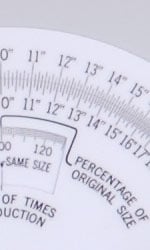
The next set of shots take a closer look at the D200's handling of fine detail, both from the camera and after processing with unsharp masking in Adobe Photoshop and with the sharpening algorithm in Adobe Camera Raw (which seems to do a noticeably better job than unsharp masking). Since voluminous emails from our readers indicate that many people are weighing purchasing the D200 against the Canon EOS-5D (despite the 5D's significantly higher price point), we also compare the same shots with crops from the 5D.
| D200 | Straight from the camera, the D200's images are rather soft with the default settings |
After unsharp masking (350%, 0.3 pixel radius, things crisp up quite a bit |
Processing NEF files via Adobe Camera Raw (sharpening set to 70) gives even sharper results, with very little in the way of artifacts. |
|---|---|---|---|
 |
 |
 |
|
| EOS-5D |  |
 |
 |
The 5D's images are also a bit soft, although by default it sharpens more than does the D200. |
A little unsharp masking produces more detail, but also more artifacts. |
Once again, Adobe Camera Raw delivers the best sharpening. The 5D's increased resolving power is easily noticeable. |
Several things are clear in the shots above. First, it's easy to see just how much more detail you can pull out of the D200's images (shot with default settings) with just a little work in post-processing. Second, although it only has roughly 25% more pixels than the D200 (which in turn should only translate to about an 11% difference in resolution, the Canon EOS-5D's rendering of fine detail is clearly superior. (Important to remember though, that as of this writing (late July, 2006), the street price of the D200 was only 55% that of the 5D.)
How about one last comparison of detail handling? Another obvious competitor to the D200 is the Canon EOS-30D. An 8-megapixel dSLR, the 30D sells for much closer to the price of the D200. (At this writing, average street price for the 30D body was $1,350 vs the D200's $1,670.) The crops below compare shots from the 30D and D200, both straight from the camera and after processing through Adobe Camera Raw (ACR for short):
| D200 | D200 from camera |
D200 via ACR |
|---|---|---|
|
|
|
| EOS-30D |  |
 |
EOS-30D from camera |
EOS-30D via ACR |
Here, the contest is much closer. Straight from the camera, the D200's image is softer, but the 30D introduces annoying diagonal artifacts in the fine lines of the scale. Processed through ACR, the diagonal artifacts go away, but the D200 continues to hold a slight edge in resolution.
So how should you shoot the D200? Let's take a quick look at straight-from-the-camera results with its various sharpness settings:
| Nikon D200 In-Camera Sharpening Settings | ||||
|---|---|---|---|---|
 |
 |
 |
 |
 |
 |
 |
 |
 |
 |
-2 |
-1 | 0 |
+1 | +2 |
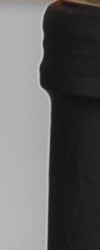
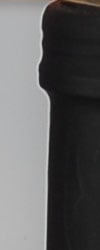
The crops above show the importance of looking at large high-contrast edges as well as fine detail when evaluating sharpening algorithms. While the numbers and lines on the scale do look somewhat sharper at settings of +1 or +2, the crops of the bottle top below show that this is occurring at some cost of increased sharpening artifacts, in the form of "halos" around larger edges. Ultimately, best sharpness from the D200 is going to be achieved by shooting in raw and processing the images to JPEG after the fact. If you want to work in JPEGs, your best bet will be to shoot at Sharpness -2 and then apply very strong/tight unsharp masking in Photoshop (400-500% at 0.3 pixels, for instance). If you want to use the JPEGs straight from the camera, for prints to 8x10 inches or smaller, then go ahead and shoot at Sharpness +1 or even +2. (At those print sizes, the halos we see above will be very small, and will produced the desired sharpening effect.)
Color
Saturation & Hue Accuracy
Very good overall color and hue accuracy, though some oversaturation in strong reds.


The plots at right show color error at various points throughout the spectrum, plotted by Norman Koren's Imatest software, measured from test shots of a MacBeth Color Checker. The top plot shows color error in the sRGB color space, the lower plot shows results for the Adobe RGB color space. For more larger plots and detail, refer to the Imatest Results page of this review.
Most consumer digital cameras produce color that's more highly saturated (more intense) than found in the original subjects. This is simply because most people like their color a bit brighter than life. Professional cameras tend to do this less, but most still oversaturate somewhat. The Nikon D200 is fairly typical in its response, with moderate oversaturation in strong reds and blues, but slight undersaturation of yellows and some greens. Saturation is a bit higher in sRGB mode than in Adobe RGB, but both are within what we'd consider to be acceptable limits.
The other important part of color rendition is hue accuracy. Hue is "what color" the color is. Here, the D200 pushed some reds toward warmer, more orange tones, and pushed cyans a bit toward blue, and yellow-greens towards yellow a bit, but overall results were still quite good. Average color error after correcting for saturation variations was 6.69 delta-e units for sRGB and 5.22 for Adobe RGB. The former is higher than some other dSLRs, but not too bad, while the latter is very good, in the upper rank of all cameras we've tested.


Sensor
Exposure and White Balance
Indoors, incandescent lighting
Warm cast with both Auto and Incandescent white balance settings, but good results with Manual option. About average exposure compensation required.


Color balance indoors under incandescent lighting was warm and reddish in both the Auto and Incandescent white balance modes. On a professionally-oriented camera, you'd expect the Incandescent white balance to be set to match the 3200K of professional studio lighting, so it's not at all unreasonable for the D200 to turn in a rather warm-hued result with the nominally 2,700-2,800K household incandescent lighting used in this shot. We're disappointed with the inability of the D200's auto white balance system to handle this common light source though.
Results were quite good with the Manual and 2,700 Kelvin settings, with the most pleasing color achieved in Manual mode, although the slight warmth seen in the 2,700K sample is very appealing as well. The Nikon D200 required a +1.0 EV exposure compensation boost to get a good exposure, which is about average for this shot. Overall color looks very good, though the red flowers are a little oversaturated and the blue flowers slightly dark and purplish. (A common outcome for this shot, and the D200 did better than most.) Our test lighting for this shot is a mixture of 60 and 100 watt household incandescent bulb, a very yellow light source, but a very common one in typical home settings here in the US.
Outdoors, daylight
Good color balance, very bright colors. Good exposure accuracy as well.


Outdoor shots generally showed accurate exposure with good detail in the highlights and shadows. Colors were bright and accurate, though bright reds were a bit strong. Still, very good results overall.
See full set of test images with explanations
See thumbnails of all test and gallery images
ISO & Noise Performance
Very low noise at the normal sensitivity settings, and only slightly high noise at the highest, but significant loss of subject detail there.




The Nikon D200 produced very low noise levels at low ISO settings, with very little loss of fine detail in areas of subtle contrast (where anti-noise processing takes its toll). Images stayed pretty clean as high as ISO 800, but with a progressive and noticeable loss of subtle detail as the ISO increased. At ISOs 1,600 and 3,200, noise increases further, but the biggest impact is in the loss of subject detail. ISO 1,600 shots under daylight-balanced lighting will be usable for many applications at print sizes as large as 8x10, but noise is definitely visible and the images are softer than at lower ISO settings. In our opinion, ISO 800 is about the limit for high-quality work to be presented at an 8x10 inch print size.
Extremes: Sunlit and low light tests
High resolution with good detail in both the highlights and shadows. Excellent low-light performance, capable of capturing bright images under average city street lighting and much darker conditions.


Sunlight:
Because digital cameras are more like slide film than negative film (in that they tend to have a more limited tonal range), we test them in the harshest situations to see how they handle scenes with bright highlights and dark shadows, as well as what kind of sensitivity they have in low light. The shot above is designed to mimic the very harsh, contrasty effect of direct noonday sunlight, a very tough challenge for most digital cameras. (You can read details of this test here.)
The Nikon D200 performed well under the deliberately harsh lighting in the test above, and captured bright midtones without sacrificing too much detail in the highlights or shadows. (The shots above were captured using the D200's "Less Contrast" tone adjustment.) Amateur shooters would probably select the +0.7 EV adjustment as having the best midtone values, while pros would doubtless go for the +0.3 or even unadjusted exposure, for better preservation of detail in highlights.
The D200's in-camera tone control works pretty well, but we'd like to see more steps and a range that extended further in the low-contrast direction. The shots above (all shot at +0.7 EV) show the results with the three available settings. (Ignoring Auto, which presumably just adjusts over the same range as the manual adjustments.) The contrast adjustment behaves pretty much as you'd expect, with little or no impact on color saturation. It seems to affect highlights and shadows about equally, another desirable characteristic. Well done.
Low light:
The Nikon D200 performed very well here, capturing bright, usable images down to the darkest light levels we test at, with all ISO settings. The Auto white balance system produced good overall color as well. The camera's autofocus system worked surprisingly well too, able to focus on the subject down to the darkest light levels we test at, unassisted.
| 1 fc 11 lux |
1/2 fc 5.5 lux |
1/4 fc 2.7 lux |
1/8 fc 1.3 lux |
1/16 fc 0.67 lux |
1/16fc No NR |
|
| ISO 100 |
 1.3 sec f2.8 |
 3 sec f2.8 |
 8 sec f2.8 |
 20 sec f2.8 |
 30 sec f2.8 |
 30 sec f2.8 |
| ISO 200 |
 1/1 sec f2.8 |
 1.6 sec f2.8 |
 4 sec f2.8 |
 10 sec f2.8 |
 15 sec f2.8 |
 15 sec f2.8 |
| ISO 400 |
 1/3 sec f2.8 |
 1/1 sec f2.8 |
 2 sec f2.8 |
 5 sec f2.8 |
 8 sec f2.8 |
 8 sec f2.8 |
| ISO 800 |
 1/6 sec f2.8 |
 1/2 sec f2.8 |
 1 sec f2.8 |
 2.5 sec f2.8 |
 4 sec f2.8 |
 4 sec f2.8 |
| ISO 1600 |
 1/13 sec f2.8 |
 1/5 sec f2.8 |
 1/2 sec f2.8 |
 1.3 sec f2.8 |
 2 sec f2.8 |
 2 sec f2.8 |
| ISO 3200 |
 1/25 sec f2.8 |
 1/10 sec f2.8 |
 1/4 sec f2.8 |
 1/1 sec f2.8 |
 1 sec f2.8 |
 1 sec f2.8 |
NOTE: This low light test is conducted with a stationary subject, and the camera mounted on a sturdy tripod. The camera's AF system may not be able to achieve a lock on the subject at low light levels if the camera is hand held.
Output Quality
Print Quality
Very good print quality, very nice color, very usable 13x19 inch prints. ISO 800 images probably acceptable for most users at 8x10 inch print size, ISO 1600 ones start to become marginal there.
Testing hundreds of digital cameras, we've found that you can only tell just so much about a camera's image quality by viewing its images on-screen. Ultimately, there's no substitute for printing a lot of images and examining them closely. For this reason, we now routinely print sample images from the cameras we test on our Canon i9900 studio printer, and on the Canon iP5200 here in the office. (See the Canon i9900 review for details on that model.)
As we noted elsewhere, the D200's images are quite soft right out of the camera when shot with the default sharpening setting, but they take post-capture sharpening on a computer very well. Carefully sharpened, the D200's images make very good-looking 13x19 inch prints, and prints as large as 20x30 are more than acceptable for wall display. At large print sizes, the D200's images hold together very well, with no sign of pixellation or roughness.
Color-wise, the D200's images print up bright and colorful, without looking the least overdone. Strong reds and blues are pushed a little, but overall saturation is well-controlled, and important "memory colors" such as Caucasian skin tones are handled very nicely.
Viewfinder
Nikon D200 Viewfinder
Like other SLRs, the Nikon D200 uses an optical viewfinder that works through the lens. (The LCD monitor is for image playback and accessing the menu system only.) A diopter adjustment dial adjusts the focusing of the viewfinder optics to accommodate eyeglass wearers, and the viewfinder also has quite a high eyepoint (meaning you can see the full frame with your eye a good distance from the rear objective). The 19.5mm eyepoint is fairly good, but I personally do still end up having to press my eyeglass lens against the rubber eyecup in order to see the full frame clearly. The -2.0 to +1.0 diopter adjustment range of the viewfinder optics isn't nearly enough to accommodate my own very nearsighted (20:180) vision, but is more than ample to handle my "computer glasses", which are set to provide good focus for my eyes at a distance of about 18-24 inches. (Frankly, people as nearsighted as me are unlikely to ever walk around without some degree of vision correction, so I think the dioptric adjustment range of the D200 should be more than sufficient for most users.)

An illuminated display inside the viewfinder provides detailed exposure and camera information, including black and white mode indicator, battery status, "no memory card" warning, focus confirmation, metering mode, AE lock, FV lock, flash sync, shutter speed, aperture stop, aperture, exposure mode, metering, exposure and flash compensation, auto ISO, ISO value, frame counter, flash ready light, eleven sets of normal focus brackets and seven sets of wide focus brackets. When activated, the view also includes an alignment grid, useful for lining up difficult shots. A large circular outline in the center of the view indicates the Center-Weighted metering area. The optional grid (enabled via a Custom Menu setting) and focus area indicators can be set to illuminate briefly when the shutter button is half-pressed, although the illumination isn't too bright, and is easily missed against a bright background. (Presumably though, if the background and subject are that bright, you'll be able to see the dark viewfinder markings easily enough without the illuminator.)
Test Results: Viewfinder Accuracy
Viewfinder Coverage
Roughly 95% accuracy from the optical viewfinder.

The D200's optical viewfinder was a little tight, showing about 95% frame accuracy. This agrees with Nikon's own specification in the camera's manual, but as always, we wonder why, on a high end SLR model like the D200, Nikon didn't provide a 100% viewfinder.
Nikon D200 LCD Display
 Like those on essentially all digital SLRs, the 2.5 inch LCD display on the D200 isn't usable as a viewfinder. It does, however, provide a great deal of information about your pictures after you've shot them. A variety of playback options are offered, including image-only, six flavors of overlaid information, a 4- or 9-image thumbnail display, and a zoomed playback mode with variable information. The screenshot at right shows several of the information displays that are available.
 Of the various screens, one of the more interesting options on the Nikon D200 is the histogram screen, shown at right. Histogram displays are common on professional digital cameras (and many amateur models now), regarded as almost mandatory by many pros for evaluating exposure levels. A histogram is simply a graph of how many pixels there are in the image at each brightness level. The brightness is the horizontal axis, running from black at the left to white at the right. The height of the graph shows the relative number of pixels having each brightness level. This sort of display is very handy for determining under- or overexposure. Ideally, the histogram would stretch across the entire width of the display, using the full range of brightness values available. An underexposed image will have a histogram with all the data lumped on the left-hand side, with nothing reaching all the way to the right. Likewise, an overexposed image will have all the data lumped on the right hand side.
 A histogram display is very helpful in telling whether you've got the exposure right, but to my mind isn't adequate by itself. With digital cameras, it's very important not to blow-out the highlights in a picture (they're similar to color positive film in that respect), since once you hit the maximum brightness, the image just saturates, and any highlight detail will be lost. A histogram display does a pretty good job of telling you how the image as a whole is doing, but what if there are just a few critical areas that you're worried about for the highlights? If only a small percentage of the total frame is involved, it won't account for many pixels. That means any peak at the "white" end of the histogram graph would be pretty small, and easy to miss (or just plain invisible). What to do? The folks at Nikon recognized this problem, and provided another special display mode on the D200 that they simply call "highlights," accessible via the Playback settings menu, under "Display Mode." This mode blinks any highlights that are saturated in any of the color channels. It does this by taking the nearly-white areas on the LCD and toggling them between white and black.
| Luminance | Red |
|---|---|
 |
 |
 |
 |
| Green | Blue |
With the earlier D2x though, Nikon took the blinking highlights display one big step further, by letting you examine the state of highlights in the individual Red, Green, and Blue color channels independently. Happily, they've brought this feature along to the D200 as well. Along the bottom of the Highlights display on the D200 are four indicators labeled RGB, R, G, and B. You can select between them with the left/right arrows on the Multi Controller, while holding down the Index button on the left side of the LCD display. When RGB is selected, the blinking highlights correspond to areas of the image that are approaching saturation in two or more color channels at once. When either R, G, or B is selected though, the highlights only blink where the corresponding color channel is blown out. This is an important addition, because highly saturated colors can often blow out a single color channel without triggering a conventional luminance-only highlight warning display. Saturating a single color channel results in loss of shape and detail in brightly colored objects, so it's important to know when it might be happening. (I've often seen this happen on brightly colored fabrics, where the texture of the fabric can be lost in brightly lit areas.) The group of screen shots above shows the behavior of the separate color channels on an overexposed shot of three colored pens. Pretty slick! (For the eagle-eyed, the displays above are copied from our D2x review. The only differences on the D200 are the typeface and arrangement of the "Highlight" legend and the frame number.)
 Also copied from D2X is an RGB histogram mode, which shows four separate, smaller histograms, with separate plots for the Red, Green, and Blue color channels, as well as overall luminance, shown in white. When in this mode, you can optionally make the thumbnail image blink wherever highlights are blown out, and you can select the color channel that the blink warning is associated with by holding down the Index button and pressing the left or right arrows on the multi-controller. Another nice user-interface touch.
 The D200 also offers the D2x's greatly expanded options for display magnification relative to earlier Nikon D-SLRs. You have the normal thumbnail or normal-sized displays available, but can also enlarge the display up to 25x to examine critical focus and framing. Pressing the Enter/Magnify button enables zoomed playback. From here, you press the Thumbnail button and turn the Main Control dial to increase or decrease zoom. (A red outline with blue corners shows the zoom area.) Once zoomed, you can use the Four-Way Rocker Pad control to scroll around within the larger image. Pressing the Thumbnail Display button during the zoomed view toggles back to a display showing the position of your zoomed window within the normal-sized image, indicated by the bold red outline with blue corners. You can move this window around with the Rocker Pad control, and then pop back into the zoomed view by letting go of the Thumbnail Display button. - This all sounds a little complicated, but after very little acclimatization, I found I could move around within the enlarged display very fluidly using this arrangement.
Flash
Nikon D200 Flash
Flash photography has been a particular expertise of Nikon's for some time now, and the D200 carries on in that tradition. Built into the D200 is an unusually capable pop-up flash unit, which operates in one of five main modes: Front-Curtain Sync, Red-Eye Reduction, Red-Eye Reduction with Slow Sync, Slow Sync, and Rear-Curtain Sync. Front-Curtain Sync fires the flash at the beginning of the exposure, with every shot. Red-Eye Reduction mode fires the (very bright) AF-assist light before the main flash exposure, to reduce the Red-Eye Effect in shots of people. Red-Eye Reduction with Slow Sync works in a similar fashion, but combines the flash with a slower shutter speed for night portraits. (This reduces the harsh effect of nighttime flash shots, allowing more of the ambient illumination into the picture.) Slow Sync mode works with shutter speeds as slow as 30 seconds to preserve color in night shots. Finally, Rear-Curtain Sync fires the flash at the end of the exposure, producing light trails that appear to follow (rather than precede) moving subjects. In all flash modes, the flash fires with every exposure. Closing the flash disables it completely. Holding down the Flash Mode button while turning the Sub-command dial adjusts the overall brightness of the flash from –3 to +1 EV in one-third-step increments.
Besides the main flash modes listed above, the D200's onboard speedlight can also be used in manual mode, as a repeating flash, or as a commander in Nikon's Creative Lighting System. (See below for more on that last item.) The D200's internal flash is fairly powerful, with a guide number of 12 meters or 39 feet at ISO 100 in auto mode, extending slightly to 13 meters (43 feet) in manual mode. (The greater range in manual mode is because it doesn't have to expend energy on the metering pre-flash.)
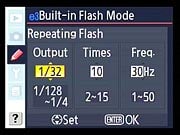
Repeating Flash Options
While we've never personally felt a need for a stroboscopic flash on a camera, we can imagine it being used for a variety of creative effects, as well as being highly useful for scientific applications. The D200's onboard speedlight can be used as a stroboscope, using the Repeating Flash option on custom setting menu e3. Through this menu, you can set the power level from 1/128 to 1/4 power, the number of flashes from 2-35, and the frequency of flash pops from 1 to 50 Hz (1-50 pops/second). As you might expect, the number of times you can have the flash fire varies inversely with the power of each pop: At the maximum 1/4 power, you can only get two pops in rapid succession. The maximum of 35 pops in sequence is only possible at the 1/128 power setting, moving up to 1/64 power decreases the maximum number to 25, and so on. Also note that you'll of course have to have a long enough shutter time to accommodate your flash series, so you'll likely have to visit custom setting menu e2, to change the maximum shutter time permitted with the flash.
Also included on the D200 is an external flash hot shoe, just behind the pop-up flash compartment, and a PC sync terminal on the left panel. The hot shoe accommodates Nikon accessory flash units, as well as a wide range of third party flashes. The full range of flash sync modes remains available for compatible flash units, but third-party models may not support all modes. Different Nikon speedlights offer different features when used on the D200 as well though. The table below (again by courtesy of Nikon) shows the features available when using current Nikon speedlights with the D200.

- Functions as remote flash only.
- Can not be mounted on camera accessory shoe. Can be used as remote flash if camera is in commander mode or SB-800 Speedlight is mounted on camera and SB-R200 is controlled by optional SU-800 wireless Speedlight commander.
- When using non-CPU lens with I-TTL Balanced Fill-Flash for Digital SLR, improved precision can be obtained if lens data are specified in Non-CPU Lens Data menu.
- Standard i-TTL for Digital SLR is used with spot metering or when selected with Speedlight.
- Not available with non-CPU lenses unless lens data have been specified using Non-CPU Lens Data.
- Use Speedlight controls to select flash mode.
- Available only if non-CPU lens is used without specifying lens data in Non-CPU Lens Data menu.
- Select 1/250s (Auto FP) for Custom Setting e2 (Flash Sync Speed). Not available if built-in flash fires.
- Available only when SB-800 is used as master flash or optional SU-800 wireless Speedlight commander is used.
- Available with AF CPU lenses only.
That's it for current Nikon speedlights, but about older models? Most older Nikon speedlights can be used in non-TTL auto and manual exposure modes, but if they're set to TTL, the camera shutter-release button will lock and no photographs can be taken. They'll by and large work as expected in auto-aperture and manual modes though. Here's a list of older-model Speedlights and the flash modes they can be used with. (This table once again courtesy of Nikon):

- When an SB-27 is mounted on the D200, the flash mode is automatically set to TTL, and the shutter-release will be disabled. Set the SB-27 to A (non-TTL auto flash).
- Autofocus is only available with AF-Micro lenses (60 mm, 105 mm, or 200 mm).
As you can see, while many older Speedlights are usable with the D200, you'll really want to use more current models to take full advantage of its advanced flash capabilities.
3D Matrix Flash Metering
The "3D" aspect of the Nikon metering system is that it uses subject distance information from the lens (only available with lenses that contain CPUs) to guide its exposure decisions. This is particularly key with flash exposures, because flash illumination falls off quite strongly as the subject gets further from the camera. We at IR are huge fans of Nikon's flash technology, it's really a case of technology working perfectly in the service of creativity. The camera just quietly does its job, so you can focus on composition, color, interacting with your subjects, etc. It doesn't remove the creative decisions of how you want to light your subject, it simply removes the technical legerdemain from the equation. It won't by any means turn a duffer into a pro photographer, but it'll certainly take an average shooter a long ways in that direction.
The D200 with Nikon's Creative Lighting System
Nikon has long been a leader in flash technology, but in late 2003, they significantly upped the ante, by announcing their Creative Lighting System. This system of flashes and supporting camera bodies lets the photographer control up to three separate groups of remote flash units, with an essentially unlimited number of individual strobes in each group. The exposure and operating mode of each group of flashes can be controlled independently, and exposure is metered through the lens (TTL) for all units.
Previously, the only Nikon SLR bodies that could directly act as a controller for the Creative Lighting System were the D70 and D70S. Both those cameras were restricted to only controlling a single group of external strobes, could only talk to them via channel 3, and their own internal strobes could only act as the controller, not contribute themselves to the exposure.


Flash Commander Mode Options
On the D200, the internal strobe can both act as a controller and also contribute to the exposure, it can control two groups of remote strobes, and can use any of the four available channels to communicate on. The screenshots above give some idea of the options available. The built-in flash can operate in either TTL or Manual exposure mode. In TTL mode, you can vary its exposure over a range of -3 to +3 EV. In Manual mode, you can vary its power from full power (1/1) to 1/128 power. Each of the two groups of remote flash units can be operated in either TTL, AA (Auto Aperture), or Manual mode. Auto Aperture mode is the exposure mode that will be familiar to users of non-TTL metered autoexposure flash units, in which you set the camera at a given aperture setting, and then the flash measures the light reflecting back at it and adjusts its output to produce a given level of reflected light. The remote flash groups can be adjusted over the same +/- 3EV exposure level or 1/1 - 1/128 power levels as the built-in flash unit.
This degree of control directly from the camera is really remarkable, and can save you some serious money if you're planning on taking advantage of Nikon's Creative Lighting System. If you don't need to control more than two groups of external strobes, you won't need to buy an SB-800, saving you at least $300 at retail. If you're interested in macro flash photography, you won't need the SU-800 controller that comes as part of Nikon's R1C1, going with the simpler R1 kit instead. - That'll save you a good $200-250 at retail. Likewise, compared to Canon's wireless flash system, there's no need for a separate controller with the D200, again saving you several hundred dollars.
A full treatment of this system is beyond the scope of this review of the D200, but we have a bit more detail on it posted as a separate article: See our Nikon Creative Lighting System review for more info.
Test Results: Flash
Coverage and Range
The D200's built-in flash has good coverage, with a color balance somewhere between incandescent and daylight. Our standard shots required about exposure compensation.


Flash coverage was pretty good at 18mm (the wide angle end of the kit lens most often sold with the D200), but there was a little falloff in the corners of the frame. In the Indoor test, the D200's flash underexposed our subject at its default setting, requiring a +1.0 EV exposure compensation adjustment (about average). Overall color was slightly cool, but still good overall. The Slow-Sync flash mode obtained brighter results at the default exposure, requiring only a +0.3 EV boost for the best exposure. The slower shutter speed resulted in a stronger orange cast from the background incandescent lighting as well though. (Judging from the slightly blue-tinted shadow area under the bouquet, the D200's flash has a color temperature a fair bit higher than the ~2,800K of the lighting here, but nonetheless a good bit lower than standard daylight.)
| 8 ft | 9 ft | 10 ft | 11 ft | 12 ft | 13 ft | 14 ft |
 1/60 sec f2.8 ISO 100 |
 1/60 sec f2.8 ISO 100 |
 1/60 sec f2.8 ISO 100 |
 1/60 sec f2.8 ISO 100 |
 1/60 sec f2.8 ISO 100 |
 1/60 sec f2.8 ISO 100 |
 1/60 sec f2.8 ISO 100 |
The D200's internal flash is pretty powerful, with a guide number of 12 meters or 39 feet at ISO 100 in auto mode, extending slightly to 13 meters (42 feet) in manual mode. This translates into right about 14 feet at f/2.8, agreeing very well with the results shown above.
Imatest Results
Nikon D200 Imatest Results
We routinely Norman Koren's excellent "Imatest" analysis program for quantitative, thoroughly objective analysis of digicam test images. I highly commend it to our technically-oriented readers, as it's far and away the best, most comprehensive analysis program I've found to date.
My comments below are just brief observations of what we see in the Imatest results. A full discussion of all the data Imatest produces is really beyond the scope of this review: Visit the Imatest web site for a full discussion of what the program measures, how it performs its computations, and how to interpret its output.
Here's some of the results produced by Imatest for the Nikon D200:
Color Accuracy

The Nikon D200 showed good color accuracy overall, but got a little carried away with strong reds. This is a fairly common response with this target (the MacBeth ColorChecker), but the D200's response is more exuberant than most professional SLRs. Hue accuracy is excellent, with most of the hue shift occurring in yellow-greens and yellows, which are shifted clockwise on the L*a*b* color error plot above. Average saturation was 107.2% (oversaturated by 7.2%, largely in the reds, but somewhat in the blues as well), average "delta-E" color error was 6.69 after correction for saturation. All in all, a good color response for a pro SLR, but not quite the best we've seen.

The plot above shows the color error in Adobe RGB mode. Overall color mapping is very similar, but hue and saturation accuracy are both improved somewhat. Hue accuracy approaches that of the best cameras on the market.
Color Analysis

This image shows how the Nikon D200 actually rendered the colors of the MacBeth chart, compared to a numerically ideal treatment. In each color swatch, the outer perimeter shows the color as actually captured by the camera, the inner square shows the color after correcting for the luminance of the photographed chart (as determined by a 2nd-order curve fit to the values of the gray swatches), and the small rectangle inside the inner square shows what the color should actually be, based on perfect rendering in the sRGB color space. This image shows the excellent hue accuracy, as well as a gamma curve that results in an overexposure of highly saturated swatches.
Gray Patch Tone and Noise Analysis
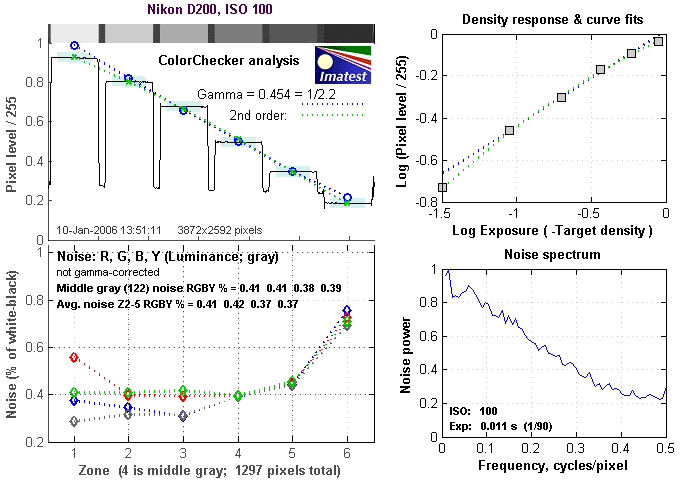
There's a lot in this particular graph, a lot more than we have room to go into here. Bottom line, the Nikon D200's noise levels are low at low ISO, but the frequency spectrum of its noise leads to a coarser noise pattern than some of its competition. In comparing these graphs with those from other competing cameras, I've found that the Noise Spectrum graph at lower right is the most important. Cameras that manage to shift their noise spectrum to higher frequencies have much finer-grained noise structures, making their noise less visually objectionable. In the graph above, this would show up as a noise spectrum curve that remained higher on the right side, representing higher noise frequencies. The champion at this was the Canon EOS-1Ds Mark II, which produced remarkably fine-grained image noise, even at very high ISOs. While good, the D200's noise spectrum is much more conventional, with more weight on the left side of the noise spectrum plot than the 1Ds managed.

Here's the same set of noise data at ISO 1600. Here, the Noise Spectrum graph is shifted a bit more toward the left-hand, lower-frequency side than it was at ISO 100, further coarsening the "grain" of the image noise patterns. Once again, not bad, but not a standout among competing dSLR models.

This chart compares the Nikon D200's noise performance over a range of ISOs against that of other cameras. While I continue to show noise plots of this sort because readers ask for them, I each time point out that the noise magnitude is only a small part of the story, the grain pattern being much more important. In the case of the Nikon D200, while the magnitude of its image noise is lower than essentially all of its competition, the dominance of low spatial frequencies gives it a coarser and therefore much more visible grain than that of cameras like the Canon EOS-1DsMkII. Prints from ISO 1600 shots as large as 13 x 19 inches would still be acceptable for many purposes, but this isn't a camera you'll buy ahead of its rivals, primarily for its high-ISO noise characteristics.
Dynamic Range Analysis
A key parameter in a digital camera is its Dynamic Range, the range of brightness that can be faithfully recorded. At the upper end of the tonal scale, dynamic range is dictated by the point at which the RGB data "saturates" at values of 255, 255, 255. At the lower end of the tonal scale, dynamic range is determined by the point at which there ceases to be any useful difference between adjacent tonal steps. Note the use of the qualifier "useful" in there: While it's tempting to evaluate dynamic range as the maximum number of tonal steps that can be discerned at all, that measure of dynamic range has very little relevance to real-world photography. What we care about as photographers is how much detail we can pull out of the shadows before image noise becomes too objectionable. This, of course, is a very subjective matter, and will vary with the application and even the subject matter in question. (Noise will be much more visible in subjects with large areas of flat tints and subtle shading than it would in subjects with strong, highly contrasting surface texture.)
What makes most sense then, is to specify useful dynamic range in terms of the point at which image noise reaches some agreed-upon threshold. To this end, Imatest computes a number of different dynamic range measurements, based on a variety of image noise thresholds. The noise thresholds are specified in terms of f-stops of equivalent luminance variation in the final image file, and dynamic range is computed for noise thresholds of 1.0 (low image quality), 0.5 (medium image quality), 0.25 (medium-high image quality) and 0.1 (high image quality). For most photographers and most applications, the noise thresholds of 0.5 and 0.25 f-stops are probably the most relevant to the production of acceptable-quality finished images, but many noise-sensitive shooters will insist on the 0.1 f-stop limit for their most critical work.
The image below shows the test results from Imatest for an in-camera JPEG file from the Nikon D200 with a nominally-exposed density step target (Stouffer 4110), with the D200's contrast setting at its default position.

These are decent if not exceptional numbers for an in-camera JPEG, but the dynamic range number at "high" quality itself (7.11) isn't the most important thing to look at here. A dynamic range of 7.11 f-stops at high image quality is within a half a stop of most of the D200's competition, not enough difference to be a significant issue. (Yes, a half a stop more dynamic range would be nice, but that's not the main thing that affects what a photographer will perceive as the D200's dynamic range here.)
More significant than the absolute dynamic range is the somewhat steep slope and/or relative abruptness with which the density curve (the curve in the top left of the figure above) ends in the highlight area, and particularly so in the shadows. The ideal shape for a tone curve is more of an "S" shape, with a longer tail in both the highlights and shadows. A long tail at both ends of the curve means that the camera approaches pure black and pure white gradually as the subject passes outside its tonal range. While this doesn't necessarily preserve more data in an absolute sense, it will provide smoother gradations in highlights and shadows, and in particular will preserve more shape in objects having highly saturated colors. - More on this a bit further down.
That's the story with JPEG files created in the camera, how about in an external RAW converter, such as Adobe Camera Raw (ACR)?

Using its automatic settings (which in my experience has generally worked best for dynamic range tests like this), ACR managed to extract about a half-stop more dynamic range from the NEF file at the highest quality level, but also produced a tone curve with a much nicer-looking tail in the shadow range. Also, while it doesn't show in the tone curve above, ACR gained most of its half-stop advantage in increased highlight retention. All in all, a worthwhile result: I particularly like the improved tone curve shape.

While I've generally used ACR's auto settings in the past, I found with the D200 that dropping the contrast to its minimum and using a linear tone curve did gain an additional 0.2 EV of dynamic range, as you can see above. For the sake of consistency with past results though, I'll use the 7.61 EV dynamic range rating for the purposes of comparing to other cameras.
What about Nikon's own RAW processor, Nikon Capture though? I tried playing with the D200's NEF files using Capture version 4.4.1, with somewhat mixed results. Let's take a look, starting with its default exposure settings:

Say what? We actually lose a bit less than a half an f-stop of dynamic range, and the shadow end of the tone curve is just flat-out missing! These results were so bad that I actually re-ran Capture 4 three times to verify that it was really doing what it seemed to be. There's one bright spot here, namely that the noise spectrum is shifted quite a bit toward the high frequency end of the spectrum, but that doesn't begin to make up for the terrible shadow curve.

After a few unsuccessful passes, some pixel peeping and a little deep thought, I wondered if some of the horrible results in the deep shadows might not be due to JPEG compression throwing away useful detail. To explore that, I saved a copy of the same file using the same settings, but this time as a 16-bit TIFF. The result was the tone curve seen above. It still has a bit of an unorthodox shape, but at least there are valid data points in the deep shadows, and the dynamic range according to Imatest is almost back to what the camera delivered in its JPEGs directly. (Note though, that some of the issue here isn't necessarily the fault of the JPEG, but rather the fact that the JPEG is limited to 8 bits of data, and Capture 4's tonal compression just isn't bringing the deepest shadows up into a visible range. Note that the vertical scale on this latest tone plot now extends to -4. That corresponds to a brightness value 1/10,000 that of the brightest point, a value far too small to be expressed in the 8-bit range of JPEGs.)
That's what I got with Capture 4's default settings, what could I get by fiddling with the exposure and tone curve adjustments?

Yeesh, same screwy tone curve, but at least the dynamic range is up to 7.71, actually a bit better than ACR managed. Here again though, this is from a JPEG output from Capture 4, which we know from above doesn't pull the deepest shadows up into the range that can be represented in a JPEG. What's a TIFF look like?

Ahh, that's more like it: Still a strange-looking tone curve, but now we've got a dynamic range of 8.22 stops at High quality, a very respectable result.
Dynamic Range, the bottom line:
So what does all this fiddling with file conversion prove? I think two things: First, that the D200's internal JPEG output shows an odd-shaped tone curve that's somewhat contrasty on both ends, and that has relatively limited dynamic range. The second conclusion though, is that there's quite a bit of additional tonal data available in the D200's NEF (RAW) files, that the right RAW converter software should be able to extract. At least with the tools I played with though, it's a lot of work to go in and extract that detail. Why can't the D200 use a more reasonable tone curve itself, with a nice long tail on both the highlight and shadow ends like the Canon 5D does? I don't know, but it's a shame that more of the D200's true capabilities aren't made available in its JPEGs. (Or made more easily available in Nikon Capture 4.)
To get some perspective, here's a summary of the Nikon D200's dynamic range performance, and how it compares to other digital SLRs that we also have Imatest dynamic range data for. (Results are arranged in order of decreasing dynamic range at the "High" quality level.):
| Dynamic Range (in f-stops) vs Image Quality (At camera's minimum ISO) |
||||
| Model | 1.0 (Low) |
0.5 (Medium) |
0.25 (Med-High) |
0.1 (High) |
| Fujifilm S3 Pro (Adobe Camera Raw 2) |
12.1 | 11.7 | 10.7 | 9.0 |
| Nikon D200 (Nikon Capture TIFF) (Note - no others tested w/ TIFF) |
10.0 | 9.8 | 9.24 | 8.22 |
| Canon EOS-1Ds Mark II (Adobe Camera Raw 3) |
11.2 | 10.3 | 9.4 | 8.14 |
| Fujifilm S3 Pro | -- | 9.9 | 9.4 | 7.94 |
| Canon EOS-5D (Adobe Camera Raw 3) |
11.0 | 10.4 | 9.21 | 7.83 |
| Canon EOS-5D (Camera JPEG) |
10.2 | 9.68 | 8.82 | 7.65 |
| Nikon D200 (Adobe Camera Raw 3) |
10.6 | 9.65 | 8.96 | 7.61 |
| Nikon D50 | 10.7 | 9.93 | 8.70 | 7.36 |
| Canon EOS 20D | 10.3 | 9.66 | 8.85 | 7.29 |
| Canon Digital Rebel XT | 10.3 | 9.51 | 8.61 | 7.11 |
| Nikon D200 (Camera JPEG) |
-- | 9.07 | 8.36 | 7.11 |
| Olympus EVOLT | 10.8 | 9.26 | 8.48 | 7.07 |
| Canon EOS-1Ds Mark II (Camera JPEG) |
10.3 | 9.38 | 8.6 | 7.04 |
| Canon Digital Rebel | 10.1 | 9.11 | 8.47 | 6.97 |
| Pentax *istDs | 10.2 | 10 | 8.87 | 6.9 |
| Nikon D2x | -- | 8.93 | 7.75 | 6.43 |
| Nikon D70S | 9.84 | 8.69 | 7.46 | 5.85 |
| Nikon D70 | 9.81 | 8.76 | 7.58 | 5.84 |
The results shown in the table are interesting. One of the first things that struck me when I initially looked at test data for a wide range of d-SLRs, was that here again, purely analytical measurements don't necessarily correlate all that well with actual photographic experience. There's no question that the Fuji S3 Pro deserves its place atop the list, as its unique "SR" technology does indeed deliver a very obvious improvement in tonal range in the highlight portion of the tonal scale. I was surprised to see the analytical results place the Olympus EVOLT as highly as they did, given that our sense of that camera's images was that they were in fact noisier than those of many other d-SLRs that we looked at. In the other direction, I was quite surprised to see the Nikon D2x place as low on the listings as it did, given that we found that camera's shadow detail to be little short of amazing.
One thing that's going on here though, is that we tested each camera at its lowest ISO setting, which should produce best-case noise levels. This is in fact what many photographers will be most interested in, but it does perhaps place some of the Nikons at a disadvantage, as their lowest ISO setting is 200, as compared to the ISO 100 settings available on most other models.
Regardless of the positions of the other cameras though, the Nikon D200 does appear to have fairly reasonable dynamic range, hampered somewhat by the camera's odd tone curve that produces higher contrast at both the shadow and highlight ends than that seen in many of its competitors.
As I always say though, at the end of the day, I think you have to take the figures here with a grain of salt, and look at actual images with your own eyes to see what you make of each camera's tonal range and noise levels. We'll continue performing these dynamic range tests on the digital SLRs that we review, but (just as with the laboratory resolution target results), we suggest that you not rely on them exclusively for making your purchase decisions.
Resolution Chart Test Results

The chart above shows consolidated results from spatial frequency response measurements in both the horizontal and vertical axes. The "MTF 50" numbers tend to correlate best with visual perceptions of sharpness, so those are what I focus on here. The uncorrected resolution figures are 1050 line widths per picture height in both the horizontal direction (corresponding to the vertically-oriented edge), and along the vertical axis (corresponding to the horizontally-oriented edge). Correcting to a "standardized" sharpening with a one-pixel radius increases this number dramatically, to an average of 2918 LW/PH. This characteristic is very similar to what we saw with the Nikon D2x, which also showed low uncorrected numbers and very high corrected ones. Both cameras use very conservative in-camera processing at their default settings, producing soft-looking edges but more importantly, ones with no overshoot or other sharpening artifacts. This means that images look very soft straight from the camera, but take subsequent sharpening very well. It appears that the "standard" 1-pixel radius sharpening that Imatest applies almost exactly compensates for the soft edge profile of the D200, with the result that the edges become almost arbitrarily sharp.
To see what's going on, refer to the plots below, which show the actual edge profiles for both horizontal and vertical edges, in both their original and corrected forms. Bottom line, the D200 captures excellent detail, really making the most of its 10.2 megapixel sensor. This was borne out by our own playing about with the D200's images in the lab: Careful sharpening in Photoshop produced images that held up remarkably well, even at sizes as large as 20x30, showing plenty of detail and virtually zero artifacts.


Controls
Nikon D200 Controls
Control Enumeration, Command Dials
Here's our usual "walk around the camera," this time starting with the two Command Dials, the Main Command Dial and the Sub Command Dial, since they figure prominently in camera operation. Most camera settings are made by pressing and holding the appropriate button while rotating one or the other of these two controls. Functions controlled by these dials are as follows:
Main Command Dial: The Main Command Dial is located on the back of the camera, in the upper right hand corner, directly under your right thumb. Used in conjunction with other buttons, this dial controls ISO, White Balance, Quality, exposure mode, EV compensation, and Flash mode settings when turned while pressing any of those buttons. It also sets the number of frames when used with the BKT button. In Shutter Priority and Manual exposure modes, this dial sets the shutter speed, although it can be made to control the aperture instead, via a Custom Menu setting. In Program exposure mode, turning this dial shifts the program to favor higher or lower speeds/larger or smaller apertures.

Sub-Command Dial: The Sub Command Dial is located on the front of the handgrip, just under the Shutter button, conveniently placed for your index finger to grip. This dial fine-tunes the white balance across the -3 to +3 range (arbitrary units) when pressing the White Balance button. It sets the image resolution when the Quality button is pressed, and adjusts the Flash Compensation when used with the Flash Mode button. In Manual and Aperture Priority modes, it sets the aperture value, although it can be made to control shutter speed instead, via a Custom Menu setting.
Nikon's combination of Main and Sub-Command Dials makes for very fluid camera operation, as you can quickly adjust two related parameters, one with your thumb, the other with your index finger. Once you're familiar with the camera, the layout of other controls on the camera body and their separation from each other makes it relatively easy to reach and press them without looking. Taken together, the various buttons and the twin Command Dials let you control most important shooting parameters with a minimum of fuss and distraction; in many cases without so much as taking your eye away from the viewfinder.
Control Enumeration, Top Panel Controls, Right
The controls on the right side of the top panel are the primary shooting controls, generally dealing with immediate camera operations.

Power Dial: Surrounding the Shutter button on the top right of the camera, this dial turns the camera on and off. A third On position illuminates the small status display for easy viewing in dim lighting.
Shutter Button: In the center of the Power dial, on the top of the camera, this button sets focus (when in autofocus mode) when halfway pressed and fires the shutter when fully pressed. You can choose whether or not the Shutter button also locks exposure, via an option on the Custom Settings menu.
When an image is displayed on the LCD monitor, halfway pressing the Shutter button dismisses the display and immediately switches the camera to shooting mode. (A partial expression of Nikon's "shooting priority" philosophy.)
Exposure Compensation Button: Behind and to the right of the Shutter button on the top of the camera, pressing this button while turning the Main Command dial sets the Exposure Compensation from –5 to +5 exposure equivalents (EV) in one-third step increments. Pressing this button and the Quality button simultaneously resets the camera to its default settings.
Mode Button: Directly beside the Exposure Compensation button, holding this button and rotating the Main Command Dial adjusts the exposure mode. Choices are:
- Program: Puts the camera in charge of aperture and shutter speed, though all remaining camera settings are available. (And you can vary the combination of aperture and shutter speed the camera has selected, by rotating the Main Command Dial.)
- Shutter Priority: The user controls shutter speed, from 1/8,000 to 30 seconds, while the camera sets the aperture value.
- Aperture Priority: The opposite of Shutter Priority mode, this mode lets the user control the aperture, while the camera sets the shutter speed.
- Manual: Gives the user complete control over the exposure (both shutter and aperture settings), and provides access to the camera's Bulb shutter setting for exposures longer than 30 seconds.
Pressing and holding this button and the Delete button on the rear panel simultaneously formats the memory card. (You have to press and hold a few seconds, then press both together again to confirm that you really do want to reformat the card.)
Control Enumeration, Top Panel Controls, Left
The left side of the D200's top panel is dominated by the Function Dial and three buttons.

Mode Dial and Lock Button: Beneath a platform holding the Quality, ISO, and WB buttons, this dial sets the camera's drive mode when turned while pressing the small lock button in front of it. The following modes are available:
- Single Frame: Captures a single frame with each press of the Shutter button.
- Continuous Low Speed: Captures a series of images, from one to four frames per second, depending on a setting under the Custom Settings Menu.
- Continuous High Speed: Captures a rapid series of images, at up to five frames per second.
- Mirror Up Mode: The first press of the shutter button raises and locks the mirror, the second press releases the shutter. (Useful for reducing vibration when the camera is on a tripod and a remote trigger is being used.)
ISO Button: The right-most button sitting on top of the Mode dial, this button adjusts the camera's sensitivity setting from 100 to 1,600 (High +0.3, High +0.7, and High +1.0 settings are shown in the LCD data readout as H1, H2, and H3), while turning the Main Command dial.
White Balance (WB) Button: Left of the ISO button, this sets the overall color balance when pressed while turning the Main Command dial. Preset values include Auto, Incandescent, Fluorescent, Direct Sunlight, Flash, Cloudy, and Shade settings. A PRE (Preset) mode is the manual adjustment, and a Color Temperature setting offers a range of Kelvin temperature options. Pressing this button while turning the Sub-Command Dial in any exposure mode but Manual varies the white balance from the default for that setting. This lets you shift the color balance in relatively small increments, a very handy feature.
Quality (QUAL) Button: In front of both the ISO and WB buttons, this button controls the image resolution and quality settings. Turning the Main Command dial while pressing the button sets the compression level (RAW, TIFF, Fine, Normal, and Basic), and turning the Sub-Command dial adjusts the resolution (Large, Medium, and Small). Pressing and holding this button with the Exposure Compensation (+/-) button resets the camera to its default settings. (A nice way to quickly get back to a basic starting point, without having to hunt down myriad custom function settings, etc.)
Control Enumeration, Rear Panel Controls
Most of the camera's remaining controls are located on the rear panel. The controls along the top of the back panel generally relate to shooting settings, while those on either side of the LCD monitor are associated with playback and menu navigation. We'll start our tour at the top left.

Auto Bracketing (BKT) Button: Positioned in the top left corner of the camera's back panel and marked "BKT," pressing this button and rotating the Main Command Dial enables the Auto Bracketing function and cycles through the number of frames from three to nine. Turning the Sub-Command dial instead of the Main Command Dial changes the bracketing step size. (Nine exposure steps via auto bracketing is a nice option: We frequently feel constrained by the 3-step bracket option on most consumer cameras, and even 5-step brackets may not cover a wide enough range in fine enough steps for some critical applications.)

Delete Button: Directly to the right of the BKT button, this button deletes individual images in playback mode, with a confirmation screen to give you the opportunity to change your mind. Pressing and holding this button together with the Mode button formats the memory card. (For safety's sake, you have to press both a second time to confirm the format.)

Diopter Adjustment Dial: Adjacent to the top right side of the viewfinder eyepiece, this dial adjusts the optical viewfinder to accommodate eyeglass wearers. (Range is -2 to +1 diopters.)

AE/AF Lock Button: Located in the center of the Metering Selector, this button locks the exposure and/or focus when pressed. The settings remain locked as long as you hold the button down, regardless of any action of the Shutter button. Several options for this control can be set via the Custom Settings Menu. You can program it to lock either focus or exposure separately, or both together (the default). You can also change its operation so a single press locks and holds the exposure setting. (No need to keep the button pressed down.) Finally, you can set the AE/AF lock button so it alone controls the autofocus system, meaning the autofocus won't actuate when the Shutter button is half-pressed, only when the AE/AF lock button is pressed instead.
Metering Selector Dial: To the right of the viewfinder eyepiece, this dial surrounds the AE/AF Lock button. Rotating the ring selects between Spot, Center-Weighted, and 3D Color Matrix II metering options.

AF On Button: To the right of the AE/AF Lock button, this button sets the focus without the use of the AE/AF Lock button or Shutter button. (Meaning you can independently lock the exposure with the AE Lock button without having to half-press the Shutter button to lock focus and thereby lose your exposure reading.)

Focus Area Selector and Lock / Four-Way Arrow Rocker Pad: Just off the top right corner of the LCD monitor on the back panel, this rocker button with its associated locking switch (directly below it) controls the autofocus area in Record mode. The switch beneath it unlocks the rocker control and pressing any side of the rocker moves the active AF selection in that direction. (by choosing one of the 11 brackets displayed in the viewfinder).
In Playback mode, the rocker pad's right and left arrows scroll through captured images while the up and down arrow directions cycle through various information displays for each image. When you zoom in on an image in playback mode, the rocker pad lets you scroll around the magnified image
In any settings menu, the arrow directions on this control are used to navigate through the LCD menu system.

AF Area Mode Selector: Beneath the Arrow pad, this selector sets the AF area mode to either Single Area, Dynamic Area, Group Dynamic Area, or Dynamic Area with Closest Subject Priority modes.

CF Door Release Lever: Directly below the AF Area Mode selector, this lever releases the memory card compartment door.

Playback Button: Just off the top left corner of the LCD monitor, this button displays the most recently captured image, putting the camera into Playback mode. Once an image is displayed, the arrow keys navigate through the other images saved on the memory card. This button also dismisses the image display.

Menu Button: Below the Playback button, this button displays or dismisses the LCD menu system.

Thumbnail View Button: Just below the Menu button, this button works together with the Main Command Dial to display either a four or nine-image index view. The chosen display mode remains selected indefinitely, even if the camera is turned off. To return to normal viewing, press the Thumbnail View button again, and rotate the Command Dial in the opposite direction. When a thumbnail view is activated, you can scroll a cursor through the thumbnail images very rapidly with the rocker pad. Pressing the Enter button (see below) magnifies the image that's currently selected. Once an image is magnified, turning the Main Command dial with the Thumbnail button held down changes the level of magnification, while a second press switches you into and out of the zoomed view, showing the current zoomed display area as a red-bounded rectangle. See the previous Viewfinder section of this review for a more complete description of this function.

Protect / Help Button: Next in line below the Thumbnail View button, this button write-protects individual images, protecting them from accidental deletion. (Note though, that even "protected" images will be lost when a card is reformatted.) If an image is already protected, pressing the Protect button removes protection.
In any settings menu, pressing the Protect/Help Button displays an explanation of the current menu selection.

Enter / Magnify Button: Just below the Protect button, this button confirms menu selections. It also activates the playback magnification, when a captured image is displayed in the LCD monitor.
Control Enumeration, Front Controls
There are a handful of controls on the front of the camera body. They are:

Depth of Field Preview Button: On the right side of the body (as viewed from the back), just beneath the AF assist light, this button lets you check the depth of field with the current aperture setting. Pressing the button stops down the lens, so you can get an idea of the depth of field through the viewfinder.

Function Button: Below the Depth of Field Preview, this button is programmable, and can control a range of functions. The Custom Settings menu lets you choose the function, from 10 available options (FV Lock, FV Lock/Lens Data, 1 Step Speed/Aperture, Same as AE-L/AF-L, Flash Off, Bracketing Burst, Matrix Metering, Center-Weighted Metering, Spot Metering, or Focus Area Frame).

Focus Mode Selector Dial/Lever: On the other side of the camera, next to the lens, this control selects between Manual, Single Servo, and Continuous Servo focus modes. Single servo focuses once each time the shutter button is half-pressed. Continuous Servo focuses continuously as long as the shutter button is held down. An important difference between the two options is that Continuous Servo will let you fire the shutter even if the subject isn't in focus. (Release priority.) By contrast, Single Servo won't release the shutter unless the camera thinks the subject is in focus. (Focus priority.)

Lens Release Button: Just above the Focus Mode Selector Dial, this button releases the lens from its mount when pressed.

Flash Mode / Flash Compensation Button: Located on the side of pentaprism, this button cycles between the five flash sync modes (Fill, Red-Eye Reduction, Red-Eye Reduction with Slow Sync, Slow Sync, and Rear Curtain Sync) when pressed while turning the Main Command dial. Pressing this button and rotating the Sub Command Dial adjusts the flash intensity over a range of –3 to +1 EV, in 1/3 EV steps.

Flash Release Button: Directly above the Flash Mode button, this button releases the pop-up flash from its compartment.
Corduroy
The "Corduroy Effect"
By Dave Etchells
This section of our review refers to a phenomena that affected a number of early production samples of the D200. It seems that the problem has now been fully addressed by Nikon, as current production models don't seem to manifest the problem. (It's not clear what Nikon did to fix the issue, whether it was simply a matter of a firmware and calibration tweak, or whether it required changes to the circuitry or sensor. If your camera manifests this problem, contact Nikon service: You'll have to ship your camera to them, but they've been successfully addressing the issue for some time now.)
While this problem is apparently no longer an issue in current production, we've left this report attached to our review, for the sake of owners of early production samples who may only recently have encountered the problem. (It's generally only triggered by a very limited range of subject and exposure parameters.)
------------------------------
 In his User Report, Shawn mentioned mentioned that there was one qualifier in his otherwise high praise of the Nikon D200. The issue has to do with what has been called "banding" by various users who've encountered it, but which I've chosen to refer to as the "corduroy effect" -- The term "banding" in the past has been more commonly applied to quantization effects in images (also called posterization), which is a very different phenomena than we're seeing in the D200. With the D200, the effect most often manifests as alternating light and dark streaks extending on either side of significantly overexposed objects against medium-dark backgrounds. The streaks are oriented across the narrow dimension of the frame, and are two pixels wide. The crop at right shows a 1:1 crop from a frame showing the worst-case instance we've been able to generate in our test lab.
I admit to having somewhat mixed feelings about discussing this issue here to the extent that I'm about to: As best as we can tell, the effect only occurs under a specific and very limited set of exposure conditions, and many D200s on the market in fact may not show the effect at all. By devoting as much coverage to it as we are, we may be making a bigger deal of it than it deserves. Bottom line though, while it may be a non-issue for many photographers, we felt it important to let our readers know as precisely as possible the range of conditions under which the problem may occur, so everyone can (a) decide for themselves whether it would be an issue relative to their own tastes, shooting style, and typical subjects, and (b) know how to trigger it in their own cameras, so they can determine to what extent it manifests or not in their particular units.
As I write this (19 January, 2006), Nikon is looking very closely at images that we've sent them to determine what's going on and what might be done about it, but we haven't yet heard their response. We'll of course pass along to our readers anything we hear from Nikon.
Keeping in mind the forgoing caution that this may be more molehill than mountain, here's what we currently know about the effect and the very specific conditions under which it occurs:
- It is very ISO-dependent, invisible (in the cameras we've seen at least) at ISO 100, becoming more prominent up to about ISO 400, and then diminishing again at higher ISO levels.
- It is most commonly triggered by a moderately-sized area of significant overexposure (more than 1.5-2 stops beyond the level that produces luminance values of 255) Small catchlights don't seem to trigger it. More extreme overexposures (more than about 5 stops beyond being blown out) don't seem to trigger it either.
- There needs to be a dark but not totally black area immediately adjacent to the overexposed area. (We found it most easily in areas with luminance levels between about 40 and 120.)
- There needs to be a fairly crisp, abrupt edge between the overexposed region and adjacent darker area.
- The effect is much more visible in images processed from NEF files through Nikon Capture 4 than in images captured as in-camera JPEGs.
- There's quite a range of variation between cameras. Some may show it , others may not, even under "worst case" conditions.
- In at least one instance we've seen on the internet, a faint pattern of alternating stripes covered the entire frame, even in areas far from any significant light overload. (This was a night shot with a fairly long exposure, but we don't know the specifics of the exposure.) Thus far, this appears to be a relatively rare occurrence.
- There may be some sensitivity to the color of the light and type of light source. We've seen the problem manifest with both strobes and compact fluorescent lights, but weren't as successful at triggering it with ordinary incandescent lighting. Pointing the camera at the sun (or a strong reflection of it) also didn't produce the effect. Most cases that we observed involved very yellow-hued highlights, but we can't say conclusively that it might not occur with other colors as well.
We showed an example of the effect above, here's another look at it, this time comparing an in-camera JPEG with a JPEG created from a NEF file by processing in Nikon Capture 4. All controls in Capture 4 were left at their default values, and the image was saved using the "excellent" quality setting.
(Note that all the shots of the light bulb below were captured with the AF Micro Nikkor 60mm f/2.8 D lens. The same exposure level was used for all shots, corresponding to 1/80 sec and f/8.0 at ISO 400. All crops are 1:1 from the original ~10 megapixel image. Depending on your CRT's resolution, the images below are probably about twice life-size relative to a 13x19 inch print.)
| D200 "corduroy" artifacts JPEG vs NEF (ISO 400) |
|
 |
|
| In-camera JPEG "Optimal Quality" setting (JPEG) |
Converted from NEF Capture 4, all settings default saved at "excellent" quality (JPEG) |


The subject in these shots is a compact fluorescent bulb that's in the stairwell going down to our test studio. The camera was focused on an edge of the bulb from a distance of about eight feet. The color temperature of the bulb measured 3100K on my Minolta color meter. (Just in case it matters to anyone, the bulb in question is a Panasonic EFG23E28 23-watt globe light.)
As I noted above, the scope of the effect can vary quite a lot from camera to camera. The first sample of the D200 we received (serial number 0014) showed it to a much lesser extent than did a second sample (serial number 8487). The images below show the differing behavior of these two cameras, under identical shooting conditions. (ISO 400, 1/80 at f/8.0, Auto white balance.)
| D200 "corduroy" artifacts Variation between cameras (Identical exposure, ISO 400, auto WB, both processed from NEF) |
|
 |
|
| Serial Number 0014 (JPEG) (NEF) |
Serial Number 8487 (JPEG) (NEF) |

As you can see, while camera 0014 shows the problem slightly, you really have to squint to see it, even under worst-case conditions like these.
As I mentioned earlier that the effect seems to require both a significant overexposure across a noticeable area. In the shots above, the exposure parameters used were about 2.5 stops up from the level that would have just blown out the bulb, and the globe of the light bulb covered about 510 pixels vertically in the area from which the crop was taken. We began seeing the effect at an exposure level 1.5 stops up from the beginning of saturation, but not at levels lower than that. Interestingly, with very strong overexposure (somewhere around 5 stops past being blown out), the effect virtually disappeared. We also didn't find any evidence of it in specular highlights in portrait subjects' eyes from studio flash units.
As I also noted, the effect is very dependent on ISO. At ISO 100, neither camera we tested showed the effect under any shooting conditions we threw at it. As we increased the ISO, the effect appeared and became more prominent, until about ISO 400. Continuing to increase the ISO beyond that point significantly reduced the effect, most likely due to the more aggressive action of the camera's high-ISO noise reduction.
| D200 "corduroy" artifacts Variation with ISO (All processed from NEF, all from camera s/n 8487) |
|||||
 |
 |
 |
 |
 |
 |
| ISO 100 (JPEG) (NEF) |
ISO 200 (JPEG) (NEF) |
ISO 400 (JPEG) (NEF) |
ISO 800 (JPEG) (NEF) |
ISO 1600 (JPEG) (NEF) |
ISO 3200 (JPEG) (NEF) |


The examples we've shown above represent a somewhat artificial example. It's useful because it clearly illustrates the problem with a very well-controlled and repeatable subject. What about a more typical shooting condition, with catchlights on a real subject.
To explore this, Shawn shot a few photos of his daughter Anna holding one of her beauty-pageant trophies with his studio strobes. We figured that this would be a good example of the very common situation where a specular surface in the scene reflects a "catchlight" image of the light source directly back into the lens. (And before everyone points it out, no, you probably wouldn't ever be shooting portraits at ISO 400 under studio strobes. - The idea here was simply to shoot a more natural subject with a good range of tonal values and varying patterns of light and dark.)
| Studio strobe lighting ISO 400, processed from NEF Camera s/n 8487 |
|
| As Shot, From NEF (JPEG) (NEF) |
+0.43 EV Medium-High Sharpening From NEF (JPEG) |
 |
 |
 |
 |
 |
 |
 |
 |
| Without tweaking the exposure or sharpening, the effect is visible but only if you know what to look for. Here, we can see a slight streaking in the folds of the trophy figurine's dress. The streaks from the larger of the two highlights on the figurine's sash cover a smaller area, but are a bit easier to see. No streaking at all can be found from the smaller highlights in Anna's eyes. | As you might expect, boosting exposure accentuates the effect, and sharpening makes the edges of the artifacts more visible on-screen. This version of the image was processed from the same NEF, but with an exposure boost of +0.43 EV and Medium-High sharpening applied. (All crops are 1:1 by the way, no scaling up or down has been applied.) |


The shot above shows that the effect can appear in "normal" subjects containing specular highlights, provided that the camera in question is one that's manifesting the behavior, and that you're shooting at ISO 400. I'll add my standard admonishment here about the importance of actually printing images to evaluate them, rather than just squinting at things at 200% on a CRT. When we printed these shots on our Canon i9900 "reference" printer, the striations weren't really visible until we hit a print size of 13x19 inches. There, they could be picked out fairly easily by a trained eye, but the average person viewing the print would probably be able to see them only if they were explicitly pointed out. (I couldn't see them at all until I was squinting at the image from a distance of about 8 inches -- not exactly the typical viewing conditions for a 13x19 inch print.)
Each prospective user will have to decide for themselves whether this is an issue or not: I'm sure there will be (even more) heated debate on this topic across the Internet in the weeks/months to come. Some will claim that all of the above is just an absurd level of nit-picking, while others will consider it a critical flaw. Even between Shawn and I, there's a difference of opinion. For my own shooting, I'd be perfectly content with a camera like serial number 8487, although knowing that a few of my shots might show miniscule artifacts would probably bother the perfectionist side of me. (Even though the chance of seeing this in any of my shots would probably be well under 0.01%.) If I had a camera like serial number 0014, I'd not give it the slightest thought. Shawn maintains that either camera would bother him if he'd just spent $1,700 for it. I don't dare say whether the majority of users would feel as either I or Shawn do, but will note that our experience has been that you really have to go looking for the phenomena to see it, and have to shoot at just the right ISO and lighting conditions to trigger it at all.
Footnote: What causes this?
Before closing out this section, I'll address this just to head off the inevitable emails: What is it about the Nikon D200 that produces this artifact? In order to clock the data off the array fast enough to produce its 5 frames/second full-resolution shooting speed, the D200's sensor engineers went with a design that reads out the data from both sides of the array simultaneously. Alternating pairs of columns of pixels are read out from side A or side B of the array. Under normal exposure conditions, both sets of readout circuitry are very well matched, producing a seamless final image. Under conditions of extreme light overload though, either the sense amps are slow to recover after the overload, or a there's small loss of charge transfer inefficiency (or some second-order effect involving the clamping circuitry that prevents charge blooming). Regardless of the precise cause, a severe light overload can affect nearby pixels in the same column, as the data is clocked across the array to be read out. Darker pixels following a large number of overloaded ones will be rendered as slightly lighter. If all the pixels were read out in the same direction, there'd be a slight smearing of the highlight on one side, but the effect would probably be slight enough that most users would dismiss it as lens flare of some sort. On the D200 though, because alternating pairs of columns are read out in opposite directions, pixels subject to the smearing effect are seen right next to pixels being read out in the opposite direction that haven't been affected by a light overload. The result is the pattern of alternating stripes that we've seen above.
Footnote: Can it be fixed?
As noted in the foreword to this section above, the good news is that Nikon's service organization appears to have been completely successful in eliminating this problem from cameras that exhibited it. Affected cameras have to be shipped to Nikon for repair (in other words, it's not as simple as a firmware change), but to our knowledge, such repairs have been entirely successful.
Comparison
Nikon D200 Features Comparison
The Nikon D200 sports a number of significant improvements over its predecessor, the very well-received but now aging D100. The higher sensor resolution is only part of the story, as the D200 is an enormously more sophisticated camera; really a "baby D2x," the diminutive there referring only to its size. In the table below, green tints highlight differences between the D100 and D200, the green block indicating the camera that has a relative advantage in that area. (The one yellow block, Metering System Working Range, indicates that the D200 has both advantages and disadvantages relative to the D100 there: The D200's metering system is more sensitive in spot metering mode, but is limited to brightness levels of 20 EV vs the 21 EV of the D100.)
Comparing the D200 to the D2S/D2Xs, you'll see just how much of the D2x's technology has been incorporated into the D200. What of course doesn't show in this table is the D200's rugged build quality and impressive, sure-footed handling.
| SLR Camera Comparison | |||||
Manufacturer |
Nikon |
Nikon |
Nikon | Nikon | |
Model |
D70s |
D100 |
D200 | D2X | |
| Imaging System |
Sensor Manufacturer | Sony | Sony | Sony | Sony |
| Sensor Type | CCD | CCD | CCD | CMOS | |
| Color Filter Array | RGB | RGB | RGB | RGB | |
Total
Megapixels |
6.24 |
6.31 |
10.92 | 12.84 | |
| Effective Megapixels | 6.1 | 6.1 | 10.2 | 12.4 | |
Effective
Sensor Size (mm) |
23.7 x 15.6 |
23.7
x 15.6 |
23.6 x 15.8 | 23.7 x 15.7 | |
Focal
Length Multiplier (approx.) |
1.5x |
1.5x |
1.5x | 1.5x | |
Image
Processor |
Not stated |
Not
stated |
Not stated | Not stated | |
| Viewfinder | Type |
Eye-level pentamirror |
Eye-level
pentaprism |
Eye-level pentaprism | Eye-level pentaprism |
Coverage |
95% |
95% |
95% | 100% | |
Magnification
(-1 diopter with 50mm lens at infinity) |
0.75x |
0.8x |
0.94x | 0.86x | |
Eyepoint
(mm) |
18 |
20 |
19.5 | 19.9 | |
Dioptric
Adjustment Range (diopters) |
-1.6 to +0.5 |
-2.0
to +1.0 |
-2.0 to +1.0 | -3.0 to +1.0 | |
Focusing
Screen |
Type-B BriteView clear matte screen Mark V, with on-demand grid lines |
Type-B
BriteView clear matte screen Mark II, with on-demand grid lines |
Type-B BriteView clear matte screen Mark II, with on-demand grid lines | Type-B BrightView Clear Matte Screen Mark III and Type-V Screen for High Speed Cropped; Interchangeable with optional Type-E Focusing Screen with grid | |
Viewfinder Info Display |
5 focus area brackets/spot metering areas, center-weighted metering area, on-demand framing grid, focus confirmation, focus area/AF-area mode, AE/FV lock indicator, battery status, shutter speed, aperture value, electronic analog exposure display, flash compensation indicator, exposure compensation indicator, Auto ISO indicator, number of exposures remaining/buffer space/preset WB recording indicator/exposure compensation value/flash compensation value/PC mode indicator, flash-ready indicator |
5 focus area brackets/spot metering areas, center-weighted metering area, on-demand framing grid, focus confirmation, metering mode, AE/FV lock indicator, battery status, shutter speed, aperture value, exposure mode, electronic analog exposure display, flash compensation indicator, exposure compensation indicator, number of exposures remaining/buffer space/exposure compensation value/flash compensation value, flash-ready indicator |
11 normal and 7 wide focus area brackets/spot metering areas, center-weighted metering area, on-demand framing grid, black and white mode indicator, battery status, no memory card warning, focus confirmation, metering mode, AE lock indicator, FV lock indicator, flash sync indicator, shutter speed, aperture stop indicator, aperture value, exposure mode, electronic analog exposure display, flash compensation indicator, exposure compensation indicator, Auto ISO indicator, ISO value, number of exposures remaining/buffer space/preset WB recording indicator/exposure compensation value/flash compensation value/PC mode indicator, flash-ready indicator |
11 focus area brackets/spot metering areas, center-weighted metering area, high-speed crop area, focus confirmation with direction indicator, metering mode, bracketing indicator, AE lock indicator, battery status, FV lock indicator, high-speed crop mode indicator, shutter speed lock indicator, shutter speed, aperture lock indicator, aperture stop indicator, aperture value, exposure mode, electronic analog exposure display, exposure compensation indicator, frame count/number of exposures remaining/buffer space/exposure compensation value/PC mode indicator, flash-ready indicator, voice memo status, white balance bracketing indictor, white-balance mode, image size indicator, image quality indicator, Auto ISO, ISO value |
|
Depth
of Field Preview |
Enabled with depth-of-field preview button |
Enabled
with depth-of-field preview button |
Enabled with depth-of-field preview button | Enabled with depth-of-field preview button | |
| Live Preview on LCD? | No | No | No | No | |
| Recording System |
Recording
Media / Quantity / Slot Type |
Type I or II CF card / Microdrive |
Type
I or II CF card / Microdrive |
Type I or II CF card / Microdrive | Type I or II CF card / Microdrive |
Compatible
File System |
FAT 16 / FAT 32 |
FAT
16 / FAT 32 |
FAT 16 / FAT 32 |
FAT 16 / FAT 32 | |
Recording
Formats |
RAW (NEF), JPEG |
RAW
(NEF), JPEG |
RAW (NEF), JPEG | RAW (NEF), JPEG, TIFF | |
Maximum
Resolution |
3008 x 2000 | 3008
x 2000 |
3872 x 2592 | Full Image: Cropped Image: |
|
Reduced
Resolutions |
2240 x 1488; 1504 x 1000 |
2240
x 1488; 1504 x 1000 |
2896 x 1944; 1936 x 1296 | Full Image: Cropped: |
|
RAW
+ JPEG Recording |
Yes, basic JPEG only |
No |
Yes, Selectable JPEG resolution / compression | Yes, Selectable JPEG resolution / compression | |
| Color Space & White Balance |
User-Selectable
Color Space |
Yes sRGB (two variants) + Adobe RGB |
Yes sRGB (two variants) + Adobe RGB |
Yes sRGB (two variants) + Adobe RGB |
Yes sRGB (two variants) + Adobe RGB |
Processing
Parameters (Contrast, Sharpness, Saturation, Color Tone) / # of Increments |
7 options each for sharpness and contrast, 3 options for saturation. 7-step hue adjustment. Digital vari-programs preset various processing parameters as well, and color space III boosts saturation somewhat, particularly in greens. |
5
options for sharpening, 6 for contrast, 7 for hue, none for saturation.
Second sRGB color space boosts saturation somewhat. |
7 options for sharpening, 5 for contrast, 7 for hue, 4 for saturation. Second sRGB color space boosts saturation somewhat. | 7 options for sharpening, 5 for contrast, 7 for hue, none for saturation. Second sRGB color space boosts saturation somewhat. | |
Preset
WB settings |
6 (Daylight, Cloudy, Shade, Incandescent, Fluorescent, Flash) |
6
(Daylight, Cloudy, Shade, Incandescent, Fluorescent, Flash) |
6 (Incandescent, Fluorescent, Direct Sunlight, Flash, Cloudy, Shade) | 6 (Incandescent, Fluorescent, Direct Sunlight, Flash, Cloudy, Shade) | |
Manual
Color Temperature Setting Range |
(No Kelvin option, but very broad Preset WB range) |
(No
Kelvin option, but very broad Preset WB range) |
2500 ~ 10,000K in increments of roughly 10 mired | 2500 ~ 10,000K in 250K increments | |
WB Adjustment
Range |
3 steps in 1-step increments 10 mireds per step |
±3
steps in 1-step increments 10 mireds per step |
3 steps in 1-step increments, roughly 10 mireds per step |
3 steps in 1-step increments, roughly 10 mireds per step |
|
| Autofocus System |
Type |
TTL phase detection by Nikon Multi-CAM900 autofocus module |
TTL
phase detection by Nikon Multi-CAM900 autofocus module |
TTL phase detection by Nikon Multi-CAM1000 autofocus module | TTL phase detection by Nikon Multi-CAM2000 autofocus module |
# of
Focusing Points (Focusing Point Type) |
5 points (1 cross-type, 2 horizontal-type, 2 vertical-type) |
5 points (1 cross-type, 2 horizontal-type, 2 vertical-type) |
11 normal points or 7 wide points (1 cross-type, 2 horizontal-type, 8 vertical-type) | 11 points (9 cross-type, 2 vertical-type; 9 points active in cropped mode) | |
| Superimposed Focus Point Display | Yes | Yes | Yes | Yes | |
AF Working
Range |
EV -1 ~ 19 (ISO 100) |
EV
-1 ~ 19 (ISO 100) |
EV -1 ~ 19 (ISO 100) | EV -1 ~ 19 (ISO 100) | |
AF-assist
Beam |
Bright incandescent lamp, (Range approx. 3.0 m / 9.8 ft, depending on lens.) Not dependent on flash setting. |
Bright
incandescent lamp, (Range approx. 3.0 m / 9.8 ft, depending on lens.)
Not dependent on flash setting. |
Yes, illuminator range approx. 3.0 m / 9.8 ft | Yes, stroboscopic flash emitted by an optional dedicated Speedlight | |
| Eye-start Focusing | No | No | No | No | |
| Exposure Control |
Shooting
Modes |
11 - Program, shutter-priority AE, aperture-priority AE, Manual, Auto, Portrait, Landcape, Close up, Sports, Night Landscape, Night Portrait. |
4
- Program, shutter-priority AE, aperture-priority AE, manual mode. |
4 - Program, shutter-priority AE, aperture-priority AE, manual mode. | 4 - Program, shutter-priority AE, aperture-priority AE, manual mode. |
Metering
Zones |
1,005 |
10 |
1,005 | 1,005 | |
Metering
Modes |
1) 3D Color Matrix Metering with 1,005-pixel RGB sensor (2) Center-weighted: Weight of 75% (8mm dia. circle) given to 6, 8, 10, or 12 mm dia. circle in center of frame (3) Spot: Meters 2.3 mm dia. circle (about 1% of frame) centered on active focus area |
1)
3D Matrix Metering with 10-segment SPD, 2) Center-Weighted, 3) Spot Metering |
1) 3D Color Matrix Metering
II (type G and D lenses); color matrix metering II (other CPU lenses); color
matrix metering available with non-CPU lenses if user provides lens data;
metering performed by 1,005-segment RGB sensor 2) Center-weighted: Weight of 75% given to 6, 8, 10, or 13mm dia. circle in center of frame 3) Spot: Meters 3mm dia. circle (about 2.0% of frame) centered on active focus area (on center focus area when non-CPU lens is used) |
1) 3D Color Matrix Metering
II (type G and D lenses); matrix metering (other CPU lenses);
matrix metering available with non-CPU lenses if user provides lens
data; metering performed by 1,005-segment RGB sensor 2) Center-weighted: Weight of 75% given to 6, 8, 10, or 13mm dia. circle in center of frame 3) Spot: Meters 3mm dia. circle (about 2.0% of frame) centered on active focus area (on center focus area when non-CPU lens is used) |
|
Metering
System Working Range |
1) EV 0 to 20 (3D color matrix or center-weighted metering) 2) EV 2 to 20 (spot metering) (ISO 100 equivalent, f/1.4 lens, 20C/68F) |
1)
Matrix Metering: EV 0 to 21; 2) Center-Weighted Metering: EV 0 to 21; 3) Spot Metering: EV 3 to 21 (at normal temperature, ISO 100 equivalent, f/1.4 lens) |
1) EV 0 to 20 (3D Color
Matrix or center-weighted metering) 2) EV 2 to 20 (spot metering) |
1) EV 0 to 20 (3D Color Matrix or center-weighted metering) 2) EV 2 to 20 (spot metering) |
|
ISO
Range / Extended |
200 ~ 1600 / -- |
200
~ 1600 / 3200 |
100 ~ 1600 / 3200 | 100 ~ 800 / 1600, 3200 | |
Exposure
Compensation |
+/- 5EV in 1/2 or 1/3EV increments |
+/-
5EV in 1/2 or 1/3EV increments |
+/- 5EV in 1, 1/2 or 1/3EV increments | +/- 5EV in 1, 1/2 or 1/3EV increments | |
Automatic
Exposure Bracketing |
2 or 3 shots, 1/3, 1/2, 2/3 or 1 EV steps |
2
or 3 shots, 1/3, 1/2, 2/3 or 1 EV steps |
2 to 9 exposures in increments of 1/3, 1/2, 2/3 or 1EV | 2 to 9 exposures in increments of 1/3, 1/2, 2/3 or 1EV | |
| Shutter Speeds, Frame Rate, Shutter Lag |
Shutter
Type |
Combined mechanical and CCD electronic shutter |
Mechanical Focal Plane, electronically controlled |
Mechanical Focal Plane, electronically controlled | Mechanical Focal Plane, electronically controlled |
Shutter
Speed Range |
1/8000 ~ 30 sec. in steps of 1/3 or 1/2 EV, bulb |
1/4000
~ 30 sec. and Bulb |
1/8000 ~ 30 sec. in steps of 1/3, 1/2 or 1 EV, bulb | 1/8000 ~ 30 sec. in steps of 1/3, 1/2 or 1 EV, bulb | |
Maximum
Frames Per Second / Buffer depth |
3 fps / 15 JPEG or 3 RAW frames |
2.88
fps / 6 JPEG frames |
5 fps / 31 JPEG or 21 RAW frames | Full Image: High-Speed Cropped: |
|
| Flash | i-TTL /Creative Lighting System Support |
Yes / Yes (wireless flash controller built-in) |
No / No |
Yes / Yes (wireless flash controller built-in) |
Yes / Yes (with SB-800 or SB-600 flash) |
Built-in
Flash / Guide Number at ISO 100. |
Yes (12 meters / 39 feet) |
Yes
(12.7 meters / 42 feet) |
Yes (13 meters / 43 feet) | No | |
Max
flash x-sync speed. (sec.) |
1/500 (!) |
1/180 |
1/250 |
1/250 |
|
Flash
Exposure Compensation |
-3 to +1 EV, 1/3 or 1/2 EV steps |
-3
to +1 EV, 1/3 or 1/2 EV steps |
-3 to +1 EV, 1/3 or 1/2 EV steps | n/a | |
Slow-sync
flash |
1st or 2nd curtain |
1st or 2nd curtain |
1st or 2nd curtain | 1st or 2nd curtain | |
PC Sync
Terminal |
Hot shoe only |
Hot shoe only |
Yes | Yes | Playback System |
LCD
Size / Pixel Count |
2.0 in LCD / 130,000 pixels |
1.8
in LCD / 118,000 pixels |
2.5 in LCD / 230,000 pixels | 2.5 in LCD / 235,000 pixels |
Enlarged
Playback / Scroll |
1.1 - 4.7x in 10 steps / Yes |
1.1
- 9x in 10 steps / Yes |
1.1 - 25x for large images, 19x for medium images, or 13x for small ones/ Yes |
1.1 - 27x for large images, 20x for medium images, or 13x for small ones/ Yes |
|
LCD
Monitor Brightness Adjustment Range |
5 steps |
5
steps |
5 steps |
5 steps |
|
Automatic
Rotation for Vertical Shots |
Yes |
No |
Yes | Yes | |
| Other Features | Computer
Connection |
Yes, PTP-compliant (v2.0 standard, v1.1 speed) |
Yes,
USB 1.1 |
Yes, USB 2.0, PTP-compliant (v2.0 standard, v2.0 speed) | Yes, PTP-compliant (v2.0 standard, v2.0 speed) |
Direct
Printing (PictBridge-compliant printers) |
Yes |
No |
Yes | Yes | |
Menu
Languages |
10 (Japanese, German, English, Spanish, French, Korean, Italian, Simplified Chinese, Dutch, Swedish) |
9 (Japanese, German, English, Spanish, French, Korean, Italian, Dutch, Portuguese) |
13 (Japanese, German, English, Spanish, French, Italian, Dutch, Portuguese, Russian, Swedish, Traditional Chinese, Simplified Chinese, Korean) |
10 (Chinese, German, English, Spanish, French, Korean, Italian, Japanese, Dutch, Swedish) |
|
Camera
Default Reset |
Yes |
Yes |
Yes | Yes | |
Custom
Functions (Quantity / Settings) |
Yes (9 / 25) |
Yes
(24) |
Yes (45) | Yes (41) | |
Remote
Control |
Optional, compatible with MC-DC1 or ML-L3 |
Optional,
10-pin remote terminal available in optional Multi Function Battery Pack |
Yes, 10-pin remote terminal for optional MC-30/36 remote cords or WT-3 wireless remote | Yes, 10-pin remote terminal | |
Info
LCD Panel / Illumination |
Yes / Yes (dedicated button) |
Yes
/ Yes (dedicated button) |
Yes / Yes (dedicated button) |
Yes (large top panel, smaller rear panel) / Yes (both panels) | |
Ultrasonic
CCD dust-removal function |
No |
No |
No | No | |
| Body Structure | Body
Cover / Chassis |
Largely Plastic |
Metal |
Largely Magnesium Alloy, full environmental seals | Magnesium Alloy, full environmental seals |
| Power System | Battery
Compatibility |
EN-EL3, EN-EL3a (Ships with EN-EL3a, 1500 mAh vs 1400 mAh for EN-EL3) CR2 pack is an added-cost accessory |
EN-EL3 |
EN-EL3e, optional MB-D200 battery pack |
EN-EL4 |
Rated Shooting Capacity at 20C/68F (shots) |
100% AE: 2500 50% Flash: 500 |
100% AE: 1600 50% Flash: 370 |
100% AE: 1800 50% Flash: 340 (see review body for details) |
100% AE: 2600 | |
| Dimensions & Weight | Dimensions
(WxHxD, mm) |
140 x 111 x 78 |
144 x 116 x 81 |
147 x 113 x 74 | 158 x 150 x 86 |
Weight
(body only) |
600 g |
700 g |
830 g | 1070 g | |
| Operational Environment |
Operating
Temperature Range |
0 ~ 40C |
0 ~ 40C |
0 ~ 40C | 0 ~ 40C |
Operating
Humidity Range |
85% max. |
85% max. |
85% max. | 85% max. | |
| Kit Lens | Focal
length/aperture |
18-70mm f/3.5-4.5G ED |
- |
- | - |
| Lens Compatibility | Lens
Mount / Compatibility |
|
|
Similar to D100, but adds support for older manual-focus and AI lenses, metering works in aperture priority and manual exposure modes with these lenses. (See body of review for full details) | Similar to D100, but adds support for older manual-focus lenses, metering works in aperture priority and manual exposure modes with these lenses. (See body of D2X review for full details) |
So much for how the D200 compares with Nikon's other offerings, how does it stack up against the competition? Here's a look at the D200's features, matched against those of the Canon EOS-30D and EOS-5D:
| SLR Camera Comparison | ||||
Manufacturer |
Canon | Canon |
Nikon | |
Model |
EOS 30D | EOS 5D |
D200 | |
| Imaging System |
Sensor Manufacturer | Canon | Canon | Sony |
| Sensor Type | CMOS | CMOS | CCD | |
| Color Filter Array | RGB | RGB | RGB | |
Total
Megapixels |
8.25 | 13.3 | 10.92 | |
| Effective Megapixels | 8.5 | 12.8 | 10.2 | |
Effective
Sensor Size (mm) |
22.5 x 15.0 | 35.8 x 23.9 | 23.6 x 15.8 | |
Focal
Length Multiplier (approx.) |
1.6x | 1.0x (none) | 1.5x | |
Image
Processor |
DIGIC II | DIGIC II | Not stated | |
| Viewfinder | Type |
Eye-level pentaprism | Eye-level pentaprism | Eye-level pentaprism |
Coverage |
95% | 96% | 95% | |
Magnification
(-1 diopter with 50mm lens at infinity) |
0.9x | 0.71x | 0.94x | |
Eyepoint
(mm) |
20 | 20 | 19.5 | |
Dioptric
Adjustment Range (diopters) |
-3.0 to +1.0 | -3.0 to +1.0 | -2.0 to +1.0 | |
Focusing
Screen |
Fixed, precision matte screen | Interchangeable (3 types). Standard Focusing Screen Precision Matte Ee-A | Type-B BriteView clear matte screen II, with superimposed focus brackets and on-demand grid lines | |
Viewfinder Info Display |
AF (AF points, focus confirmation light), exposure (shutter speed, aperture, spot metering circle, exposure level, AE lock, exposure compensation, AEB level, bulb, ISO speed), flash (flash ready, red-eye reduction lamp on, high-speed sync, FE lock, FEB shooting, flash exposure compensation, insufficient flash warning during FE lock), white balance correction, maximum burst, CF card full warning, CF card error warning, No CF card warning | AF (AF points, focus confirmation light), exposure (shutter speed, aperture value, AE lock, exposure level, partial metering circle, exposure warning), flash (flash ready, high-speed sync, FE lock, flash exposure compensation amount), white balance correction, maximum burst, CF card information | AF area brackets/spot metering areas, center-weighted metering area, on-demand framing grid, black and white mode indicator, battery status, no memory card warning, focus confirmation, metering mode, AE lock indicator, FV lock indicator, flash sync indicator, shutter speed, aperture stop indicator, aperture value, exposure mode, electronic analog exposure display, flash compensation indicator, exposure compensation indicator, Auto ISO indicator, ISO value, number of exposures remaining/buffer space/preset WB recording indicator/exposure compensation value/flash compensation value/PC mode indicator, flash-ready indicator | |
Depth
of Field Preview |
Enabled with depth-of-field preview button | Yes | Enabled with depth-of-field preview button | |
| Live Preview on LCD? | No | No | No | |
| Recording System |
Recording
Media / Quantity / Slot Type |
Type I or II CF card / Microdrive | Type I or II CF card / Microdrive | Type I or II CF card / Microdrive |
Compatible
File System |
FAT 16 / FAT 32 | FAT 16 / FAT 32 | FAT 16 / FAT 32 |
|
Recording
Formats |
RAW (CR2), JPEG | RAW (CR2), JPEG | RAW (NEF), JPEG | |
Maximum
Resolution |
3504 x 2336 | 4368 x 2912 | 3872 x 2592 | |
Reduced
Resolutions |
2544 x 1696; 1728 x 1152 | 3168 x 2112; 2496 x 1664 | 2896 x 1944; 1936 x 1296 | |
RAW
+ JPEG Recording |
Yes, selectable JPEG resolution / compression | Yes | Yes, Selectable JPEG resolution / compression | |
| Color Space & White Balance |
User-Selectable
Color Space |
Yes sRGB + Adobe RGB |
Yes sRGB + Adobe RGB |
Yes sRGB (two variants) + Adobe RGB |
Processing
Parameters (Contrast, Sharpness, Saturation, Color Tone) / # of Increments |
6 Preset 'Picture Styles' with 3 User defined settings | 6 Preset 'Picture Styles' with 3 User defined settings | 7 options for sharpening, 5 for contrast, 7 for hue, 4 for saturation. Second sRGB color space boosts saturation somewhat. | |
Preset
WB settings |
6 (Daylight, Cloudy, Shade, Incandescent, Fluorescent, Flash) | 6 (Daylight, Cloudy, Shade, Incandescent, Fluorescent, Flash) | 6 (Incandescent, Fluorescent, Direct Sunlight, Flash, Cloudy, Shade) | |
Manual
Color Temperature Setting Range |
2800 ~ 10000K in 100K increments | - | 2500 ~ 10,000K in increments of roughly 10 mired | |
WB Adjustment
Range |
±9 steps in 1-step
increments 5 mireds per step |
±3 steps in 1-step
increments step size unknown |
3 steps in 1-step increments, roughly 10 mireds per step |
|
| Autofocus System |
Type |
TTL-CT-SIR with a CMOS
sensor (TTL secondary image registration, phase detection) |
TTL-CT-SIR with a CMOS
sensor (TTL secondary image registration, phase detection) |
TTL phase detection by Nikon Multi-CAM1000 autofocus module |
# of
Focusing Points (Focusing Point Type) |
9 points (1 cross-type, 8 single-axis) | 9 points (plus 6 invisible Assist AF points) | 11 normal or 7 wide points (1 cross-type, 10 single-axis) | |
| Superimposed Focus Point Display | Yes | Yes | Yes | |
AF Working
Range |
EV -0.5 ~ 18 | EV -0.5 ~ 18 (ISO 100) | EV -1 ~ 19 (ISO 100) | |
AF-assist
Beam |
Yes, stroboscopic flash | Yes, stroboscopic flash emitted by an optional dedicated Speedlite | Yes, illuminator range approx. 3.0 m / 9.8 ft | |
| Eye-start Focusing | No | No | No | |
| Exposure Control |
Shooting
Modes |
12 - Program AE (Full Auto, Portrait, Landscape, Close-up, Sports, Night Portrait, Flash Off, Program), shutter-priority AE, aperture-priority AE, depth-of-field AE, manual exposure | 6 (Auto, Program AE, Shutter priority AE, Aperture priority AE, Manual, Custom) | 4 - Program, shutter-priority AE, aperture-priority AE, manual mode. |
Metering
Zones |
35 | 35 | 1,005 | |
Metering
Modes |
Evaluative (linked to any AF point), center weighted, 9% partial, 3.5% spot | Evaluative (linked to any AF point), center weighted, 8% partial, 3.5% spot | 1) 3D Color Matrix Metering
II (type G and D lenses); color matrix metering II (other CPU lenses); color
matrix metering available with non-CPU lenses if user provides lens data;
metering performed by 1,005-segment RGB sensor 2) Center-weighted: Weight of 75% given to 6, 8, 10, or 13mm dia. circle in center of frame 3) Spot: Meters 3mm dia. circle (about 2.0% of frame) centered on active focus area (on center focus area when non-CPU lens is used) |
|
Metering
System Working Range |
EV 1 ~ 20 | EV 1 ~ 20 (ISO 100, 50mm f/1.4 lens) | 1) EV 0 to 20 (3D Color
Matrix or center-weighted metering) 2) EV 2 to 20 (spot metering) |
|
ISO
Range / Extended |
100 ~ 1600 / 3200 | 100 ~ 1600 / 50, 3200 | 100 ~ 1600 / 3200 | |
Exposure
Compensation |
+/- 2EV in 1/2 or 1/3EV increments | +/- 2EV in 1/2 or 1/3EV increments | +/- 5EV in 1, 1/2 or 1/3EV increments | |
Automatic
Exposure Bracketing |
+/- 2EV in 1/2 or 1/3EV increments | +/- 2EV in 1/2 or 1/3EV increments | 2 to 9 exposures in increments of 1/3, 1/2, 2/3 or 1EV | |
| Shutter Speeds, Frame Rate, Shutter Lag |
Shutter
Type |
Mechanical, all speeds electronically controlled | Mechanical, all speeds electronically controlled | Mechanical Focal Plane, electronically controlled |
Shutter
Speed Range |
1/8000 ~ 30 sec. (1/2 or 1/3EV increments) and bulb | 1/8000 ~ 30 sec. (1/3EV increments) and bulb | 1/8000 ~ 30 sec. in steps of 1/3, 1/2 or 1 EV, bulb | |
Maximum
Frames Per Second / Buffer depth |
5 fps / 28 frames | 3 fps / 60 JPEG or 17 RAW frames | 5 fps / 37 JPEG or 22 RAW frames (manufacturer spec) | |
| Flash | Built-in
Flash / Guide Number at ISO 100. |
Yes (13 meters / 43 feet) | N/A | Yes (12 meters / 39 feet) |
Max
flash x-sync speed. (sec.) |
1/250 | 1/200 | 1/250 | |
Flash
Exposure Compensation |
+/- 2EV in 1/2 or 1/3EV increments | +/- 2EV in 1/3EV increments | -3 to +1 EV, 1/3 or 1/2 EV steps | |
Slow-sync
flash |
1st or 2nd curtain | 1st or 2nd curtain | 1st or 2nd curtain | |
PC Sync
Terminal |
Yes | Yes | Yes (Wireless flash control also built in) |
|
| Playback System |
LCD
Size / Pixel Count |
2.5 in. LCD / 230,000 pixels | 2.5 in. LCD / 230,000 pixels | 2.5 in LCD / 230,000 pixels |
Enlarged
Playback / Scroll |
1.5~10x in 15 steps / Yes | 1.5~10x / Yes | 1.1 - 25x for large images, 19x for medium images, or 13x for small ones/ Yes |
|
LCD
Monitor Brightness Adjustment Range |
5 steps | 5 steps | 5 steps |
|
Automatic
Rotation for Vertical Shots |
Yes | Yes | Yes | |
| Other Features | Computer
Connection |
Yes, USB 2.0, PTP-compliant | Yes, USB 2.0 High-Speed, PTP-compliant | Yes, USB 2.0, PTP-compliant (v2.0 standard, v2.0 speed) |
Direct
Printing (PictBridge-compliant printers) |
Yes | Yes | Yes | |
Menu
Languages |
15 (English, German, French, Dutch, Danish, Finnish, Italian, Norwegian, Swedish, Spanish, Russian, Simplified Chinese, Traditional Chinese, Korean, Japanese) | 15 (English, German, French, Dutch, Danish, Finnish, Italian, Norwegian, Swedish, Spanish, Simplified Chinese, Japanese, Traditional Chinese, Korean, and Russian) | 13 (Japanese, German, English, Spanish, French, Italian, Dutch, Portuguese, Russian, Swedish, Traditional Chinese, Simplified Chinese, Korean) |
|
Camera
Default Reset |
Yes | Yes | Yes | |
Custom
Functions (Quantity / Settings) |
Yes (19 / 53) | Yes (21 / 57) | Yes (45) | |
Remote
Control |
N3-type remote control | N3-type remote control | Yes, 10-pin remote terminal for optional MC-30/36 remote cords or WT-3 wireless remote | |
Info
LCD Panel / Illumination |
Yes / Yes (dedicated button) | Yes / Yes | Yes / Yes (dedicated button) |
|
Ultrasonic
CCD dust-removal function |
No | No | No | |
| Body Structure | Body
Cover / Chassis |
Magnesium Alloy / Stainless Steel | Magnesium Alloy / Plastic | Largely Magnesium Alloy, full environmental seals |
| Power System | Battery
Compatibility |
Main: BP-511 / BP-511A
/ BP-512 / BP-514 Backup: CR2016 |
Main: BP-511 / BP-511A
/ BP-512 / BP-514 Backup: CR2016 |
EN-EL3e |
Rated
Shooting Capacity at 20C/68F |
CIPA standard: 1,100 | CIPA standard: 800 | Up to 1800 shots (manufacturer spec, see review body for details) | |
| Dimensions & Weight | Dimensions
(WxHxD, mm) |
144 x 106 x 72 | 152 x 113 x 75 | 147 x 113 x 74 |
Weight
(body only) |
700 g | 810 g | 830 g | |
| Operational Environment |
Operating
Temperature Range |
0 ~ 40°C | 0 ~ 40°C | 0 ~ 40C |
Operating
Humidity Range |
85% max. | 85% max. | 85% max. | |
| Kit Lens | Focal
length/aperture |
- | - | - |
| Lens Compatibility | Lens
Mount / Compatibility |
EF / All EOS lenses, plus EF-S lenses | EF / All EOS lenses, except EF-S lenses | Similar to D100, but adds support for older manual-focus and AI lenses, metering works in aperture priority and manual exposure modes with these lenses. (See body of review for full details) |