



Overview
Overview by William Brawley & Tech Info by Mike Tomkins
Field Test by Eamon Hickey
Preview posted 02/24/2014

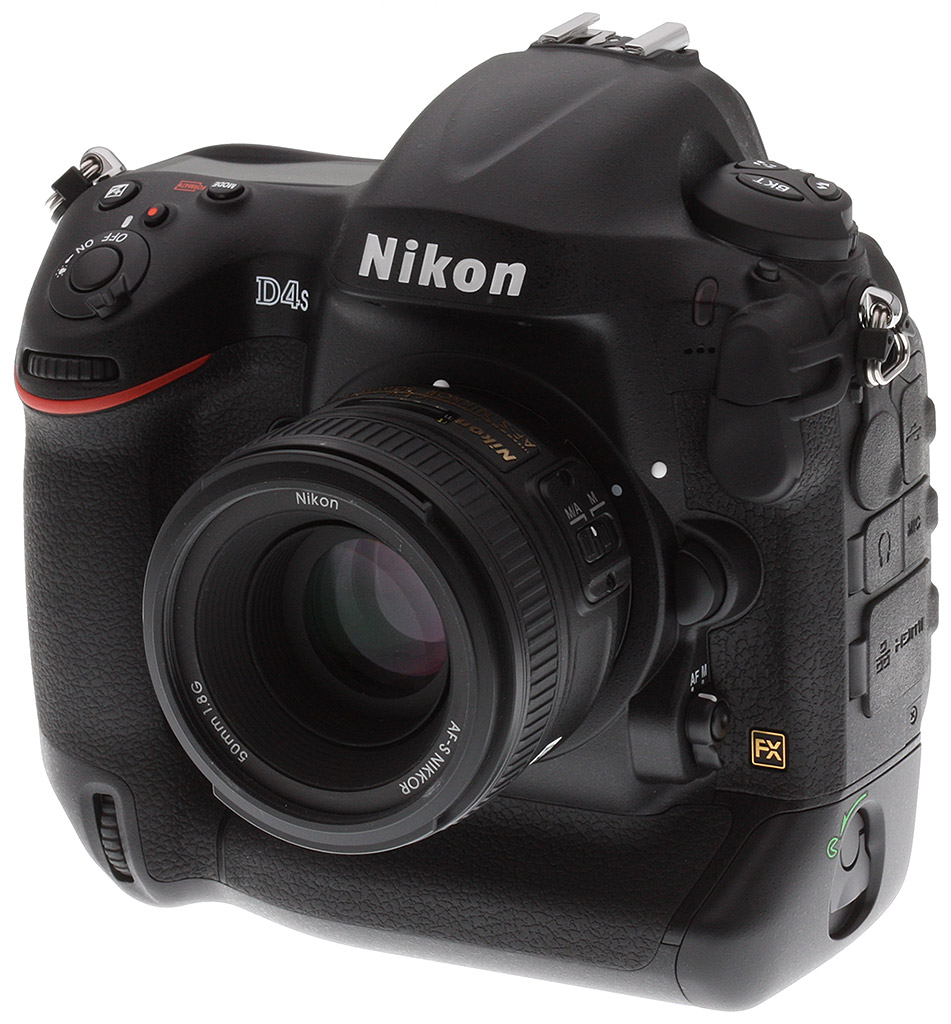
Taking Nikon's flagship, professional-level DSLR model to the next level, the newly-announced Nikon D4S aims to expand upon the company's top-ranking D4 with an improved autofocus system, an insanely high ISO range, better speed and performance, as well as beefed up video recording specs. Although, by appearances, the D4S is not strikingly different from the D4, its under-the-hood improvements to performance and a number of niche features aim to satisfy a wide variety of professional photographers, from sports and wildlife shooters to photojournalists and multimedia producers.
Performance
Although the Nikon D4S keeps the same 16.2-megapixel FX-format CMOS sensor resolution, the sensor itself has been redesigned and paired up with Nikon's latest EXPEED 4 image processor to provide 30% faster processing over the EXPEED 3. While the standard sensitivity range has been increased up to ISO 25,600 equivalent (up from ISO 12,800), the D4S is also capable of an expanded sensitivity up to an incredible ISO 409,600 equivalent. That's double the maximum sensitivity of the D4, making the D4S capable of producing images in some of the darkest of conditions.
Photographers of fast action will also welcome the increase to 11 frames per second burst shooting with continuous AF and auto exposure, up from 10 fps. (The D4 was capable of 11 fps shooting only with focus and exposure locked from the first frame).
Buffer depth improves to a 200-shot capacity for JPEGs of any size or resolution, versus 170 for the D4. In raw mode, Nikon rates the D4S as capable of 133 frames with lossless compression and a 12-bit depth, up from 92 frames for the D4. The improvement at 14-bit depth is more modest, up three frames to a total of 78 frames. The worst case is 60 uncompressed (down from 69), 14-bit raws, and the best case is 176 lossy 12-bit raws (up from 98).
All of these figures are manufacturer specs and at FX-format resolution; for DX-format shooting, you can expect 200 frames with all but 14-bit uncompressed and small 12-bit uncompressed raws. We only tested the depth with lossless raw+large/fine JPEG, where we managed an excellent 43 frames with our difficult-to-compress target.

Autofocus
The D4S brings over the Multi-CAM 3500FX 51-point autofocus system from the D4, but introduces a new "Group AF" mode, which activates the four surrounding AF points to a specific single AF point to help keep focus while tracking small, fast-moving subjects. If the subject moves out from behind the central AF point, the corresponding four AF points can help maintain focus. The Group AF system is reminiscent of Canon's AF Point Expansion mode on their high-end DSLRs.

The D4S also has what Nikon calls "AF point position memory," which keeps the AF point aligned respective to the frame when changing from landscape to portrait orientation and vice versa.
Workflow
For many professional photographers -- and especially sports shooters -- speed and performance of the autofocus system and burst shooting is not the only critical feature they demand from their camera. The speed at which they can get images out of the camera and off to editors, clients and others is also very important. The D4 included a 100Base-T Ethernet jack for fast image transfers straight from the camera while shooting. The D4S now includes a 1000Base-T Gigabit Ethernet connection. Nikon rates it as good for a transfer rate of up to 185Mbps, up from a comparatively meager 60Mbps on the D4.
Other workflow-related improvements include a new "RAW SIZE S" file option, which produces 12-bit uncompressed NEF files at 2,464 x 1,640 pixels (or approximately half-resolution), with a file size of around 12MB. For those shooters who don't need full 16MP images or are trying to maximize the capacity of their memory cards while still wanting the editing flexibility of RAW, this is a beneficial feature.

Battery
Battery life has also been improved, not only thanks to the more power-efficient EXPEED 4 chip, but also a new EN-EL18a lithium-ion battery. The D4 has a CIPA-rated 3,020 shots/charge capacity, up from a CIPA-rated 2,600 shots on the Nikon D4.
It's worth noting that Nikon claims they are able to squeeze out a whopping 5,960 shots/charge using their own testing methodology. They have a fair point, because the CIPA test replicates something akin to a consumer photographer's behavior -- shoot one image every 30 seconds, turning the camera off and back on again after every tenth shot. Most likely, Nikon's own test simply involves shooting longer, high-speed bursts.
In the real world, you can probably expect something in between the two figures.

Video
It's not only stills shooters that get performance and handling upgrades with the D4S -- video shooters should also welcome some notable improvements. First off, thanks to the new processor, the D4S can now shoot Full HD (1,920 x 1,080 pixel; 1080p) video at up to 60 frames per second, though maximum clip length in this new mode is limited to 10 minutes at High Quality (42Mbps) and 20 minutes at Normal Quality (24Mbps).
For users on professional video productions, the D4S not only has the ability to output a clean, uncompressed 1080p60 video feed via HDMI for use in external recorders, but it can also simultaneously record H.264 video to the internal CompactFlash or XQD memory card.

The D4S also features improved exposure control for video, including the ability to use Auto ISO in full manual exposure mode for video recording. Sensitivity can range from a low of ISO 400 to a high of ISO 409,600 equivalent.
And for users shooting time-lapse and other interval-timed recordings, the D4S has a new auto-exposure feature to smoothly even out unforeseen changes in shot-to-shot exposures and avoid difficult or time-consuming exposure adjustments via post-processing.
Audio
Audio recording capabilities have also been given an upgrade, including selectable audio frequencies such as Wide Range and Vocal Range, letting the shooter more closely isolate the type or style of sound they want to record. Of course, like the previous model, the D4S includes a 3.5mm stereo headphone jack and 3.5mm stereo mic jack, and allows 30 steps of audio level adjustment. Unlike its predecessor, though, the D4S lets you adjust microphone sensitivity while recording.
All the small things
As we mentioned above, there are a host of small tweaks and changes to the Nikon D4S. And while they may not benefit every user of this camera, Nikon has taken suggestions from a variety of photographers and integrated these small features and improvements to make the D4S even more powerful and customizable to your shooting style and needs.

For photographers who, perhaps, print JPEGs regularly or need a more precise view of the colors when reviewing photos on the rear LCD, the D4S now lets you adjust the color tone of the 921k-dot, 3.2-inch LCD to more closely match studio monitors, or just to account for your personal tastes. The optical viewfinder, meanwhile, remains largely unchanged with large, bright 100% coverage and 0.70x magnification.

Nikon has also modified the mirror movement mechanism to improve viewfinder visibility by absorbing mirror slap, thereby minimizing viewfinder blackout time. Now, snapping photos -- especially at the full rate of 11 fps -- won't interrupt the scene in the viewfinder as much, making it easier to keep your subject framed as you want.
And speaking of snapping photos, the D4S now makes it simple and fast to toggle between the XQD and CompactFlash memory cards (yes, the D4S maintains the XQD/CF pairing, not two card slots of the same type). A quick two-button shortcut will switch to the other card.
The last little tweak we'll mention here is for telephoto shooters. Many Nikon telephoto lenses have a focus operation button on the barrel to activate AF or as a memory recall setting to quickly change to a certain focusing distance. The Nikon D4S now has a custom feature in the camera that lets photographers re-program this button to toggle through the different AF modes.
Exterior Design
Moving from the interior out to the exterior, it's fairly obvious that the design of the Nikon D4S is not significantly different from the D4. The camera sports a weather-sealed, full magnesium alloy body that follows the D-series industrial design styling produced in collaboration with Giorgetto Giugiaro's Italdesign firm. However, for the D4S, there have been a few subtle adjustments to the ergonomics and button layout.


The grip on the D4S has been narrowed slightly, while the space between the lens and your fingers has been increased slightly for more clearance -- a nice modification when you're shooting with larger, wider lenses and/or, perhaps, in colder conditions and wearing thick gloves. The built-in battery grip contours have also been redesigned with a larger, deeper thumb grip for added comfort.
Place your order with a trusted Imaging Resource affiliate now:
In the Box
The Nikon D4S retail box ships with the following items:
- Nikon D4S camera body
- BF-1B body cap
- EN-EL18a lithium-ion rechargeable battery pack
- MH-26a battery charger
- AN-DC11 shoulder strap
- UC-E15 USB cable
- USB cable clip
- HDMI cable clip
- UF-2 connector cover for stereo mini plug
- BS-2 hot shoe cover
- BL-6 battery chamber cover
- NikonView NX2 CD ROM
- Instruction manual
- Warranty card
Recommended Accessories
- Extra EN-EL18a lithium-ion rechargeable battery pack for extended outings
- Large capacity CompactFlash and XQD memory cards. Given the high resolution and large file sizes of the D4S, 32GB is a good tradeoff between cost and capacity. If you plan to capture high-definition movie clips, shoot image bursts, or shoot in RAW format, look for cards with markings indicating 30MB/s (200x) or higher. (Smaller numbers are slower cards.)
- External shoe mount flash (SB-910 AF, SB-700 AF), macro light (R1C1, R1), wireless commander (SU-800) or other accessory flash
- EH-6b AC adapter with EP-6 power supply connector for studio shooting
- ME-1 external stereo microphone or other mic with 3.5mm stereo or mono jack
- WT-5A or WT-4A wireless transmitter
- UT-1 communication unit
- WR-1 and/or WR-R10/T10/A10 wireless remote adapter set
- MC-36A or MC-30A cabled remote control
- GP-1A GPS unit
- DK-17C correction eyepiece (if you're an eyeglass-wearer and the built-in diopter correction isn't sufficient)
- DK-17M magnifying eyepiece, DG-2 eyepiece magnifier, or DR-5 screw-in right-angle viewfinder
- Medium to large camera bag
Optics
The Nikon D4S does not ship with a standard "kit" lens, so we don't have any lens test results. We do however have viewfinder accuracy test results below.
Viewfinder Test Results
Coverage
Excellent accuracy with the optical viewfinder, very good with the LCD monitor in Live View mode.


The Nikon D4S's optical viewfinder displayed essentially 100% coverage in our test, which is excellent. Interestingly, LCD coverage in Live View mode was closer to 99% in our tests. Still, very good.
The images above were taken from our standardized test shots. For a collection of more pictorial photos, see our Nikon D4S Photo Gallery .
Exposure
Color
Saturation & Hue Accuracy
Vibrant colors with slightly below average hue accuracy.
 |
||||
|
ISO Sensitivity
|
||||
| In the diagram above, the squares show the original color, and the circles show the color that the camera captured. More saturated colors are located toward the periphery of the graph. Hue changes as you travel around the center. Thus, hue-accurate, highly saturated colors appear as lines radiating from the center. Mouse over the links above to compare ISOs, and click to load a larger version. | ||||


Saturation. The Nikon D4S pumps dark blues a lot, dark greens moderately, quite a few colors slightly, but actually undersaturates yellow, light green and cyan tones a bit. Overall, mean saturation levels are a little higher than average at 14.5% oversaturated at ISO 100 versus a more typical 10%. The D4S's default mean saturation is fairly consistent at low to moderately high ISOs, but decreases at very high ISOs, with a minimum of 106% at 409,600. Most consumer digital cameras produce color that's more highly saturated (more intense) than found in the original subjects. This is simply because most people like their color a bit brighter than life.
Skin tones. The Nikon D4S's rendering of Caucasian skin tones look realistic in "sunlit" outdoor lighting when using auto white balance, just slightly on the pale side. (Likely because the camera doesn't pump reds as much as most.) Manual white balance produces more healthier-looking pinkish tones. Where oversaturation is most problematic is on Caucasian skin tones, as it's very easy for these "memory colors" to be seen as too bright, too pink, too yellow, etc.
Hue. The Nikon D4S produces a few color shifts relative to the mathematically precise translation of colors in its subjects. Reds are shifted slightly toward orange, and cyan toward blue, but there are only slight shifts in yellow, orange, green and purple. (The cyan to blue shift is very common among the digital cameras we test; we think it's a deliberate choice by camera engineers to produce better-looking sky colors.) Mean "delta-C" color error at base ISO was 7.01 after correction for saturation, which is a little higher than average (lower numbers are better), but still considered good, and remains around 7 across the ISO range. Hue is "what color" the color is.
Saturation Adjustment
The Nikon D4S lets you adjust image saturation and contrast in seven steps each, brightness in three steps, hue in seven steps and sharpening in ten steps. There are also Auto settings for saturation, contrast and sharpening. As can be seen below, the saturation adjustment worked very well, providing a reasonably fine-grained adjustment over a useful range of control. The saturation adjustment also has almost no impact on contrast. That's how a saturation control should work, but we've often found interactions between saturation adjustments and image contrast (and vice versa) on the cameras we test.
| Saturation Adjustment Examples | ||||
 |
 |
 |
 |
 |
| -3 | -1 | 0 | +1 | +3 |
The series of shots above shows results with several different saturation adjustment settings, showing the minimum step size around the default, as well as both extremes. See the Thumbnails index page for more (look for the files named D4SOUTBSATx.JPG). Click on any thumbnail above to see the full-sized image.


Sensor
Exposure and White Balance
Indoors, incandescent lighting
Warm results with Auto and Incandescent white balance, though excellent color balance with Manual and 2,600 Kelvin settings.


Indoors, in common incandescent lighting, color balance is warm and reddish with the Auto white balance setting. The Incandescent setting is very warm with a strong yellow tint. (Some users may prefer this look, though, as being more representative of the original lighting.) The Manual white balance setting produced accurate results, and the 2,600 Kelvin color temperature setting (which matches the temperature of our lights in this scene) also did quite well. We can't really comment on exposure accuracy, as the Nikon D4S doesn't play nicely with our third-party Sigma 70mm reference prime when it comes to exposure (see below). Our test lighting for this shot is a mixture of 60 and 100 watt household incandescent bulbs, a pretty yellow light source, but a very common one in typical home settings here in the U.S.
Note: These shots were captured with a Sigma 70mm f/2.8 macro lens, one of the sharpest lenses we've ever tested on SLRgear.com. We use Sigma 70mm lenses in most of our studio test shots because they are so sharp and are available for most major platforms. For some reason, though, on some (but not all) Nikon bodies, the Sigma causes the camera's exposure system to overexpose by somewhere between one third of a stop and a full stop depending on the aperture. The D4S is one such body (as was the D4, D7000, D90 and D300S), as the exposure compensation settings actually used in the images above are lower than normal for this shot, while others are higher. Other than exposure shifts, the Sigma 70mm performs very well on Nikon bodies, so we continue to use it as our "reference" lens, due to its excellent optical qualities.
Outdoors, daylight
Good color and exposure outdoors, but high default contrast. Options like Active D-Lighting and contrast adjustment are a help when faced with tough conditions like these.
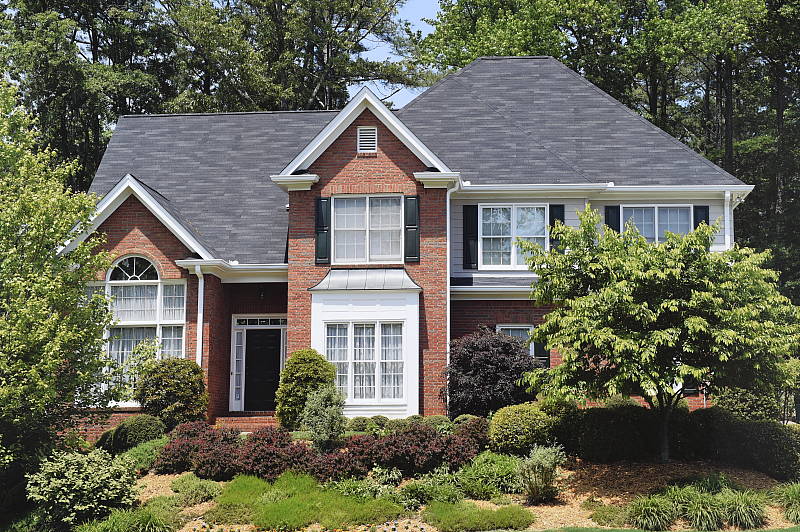
The Nikon D4S handled tough outdoor lighting under harsh sunlight fairly well. We found skin tones a touch pale in our "Sunlit" Portrait shot with Auto white balance though, so we preferred Manual WB (even though the shot above left is slightly front-focused). Default contrast is on the high side, so quite a few highlights were clipped in the mannequin's shirt, pendant and some of the flowers while darker shadows are quite deep, though shadow noise is very low. We can't really comment on exposure accuracy for our "Sunlit" Portrait shot because of the Sigma lens compatibility issue. The Far-field image on the right was shot with a Nikkor 50mm is just slightly overexposed with a few clipped highlights in very bright white areas and in specular highlights. Again, detail in the shadows is very good, and deep shadow noise is remarkably low. Color here with Auto white balance is very pleasing.
See full set of test images with explanations
See thumbnails of all test and gallery images
Resolution
Very high resolution, ~2,200 to 2,300 lines of strong detail from JPEGs, about 2,300 lines from converted RAW files.
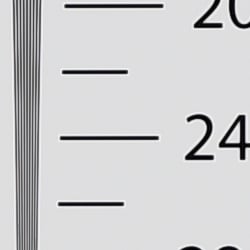


Our laboratory resolution chart revealed sharp, distinct line patterns down to about 2,300 lines per picture height in the horizontal direction, and to about 2,200 lines per picture height in the vertical direction in JPEGs. (Some might argue for higher, but aliasing artifacts begin to appear at those resolutions.) Complete extinction of the pattern didn't occur until around 2,800 to 3,000 lines. We were able to extract a bit more resolution with RAW files processed through Adobe Camera Raw 8.4, perhaps 100 lines vertically, while complete extinction was extended past 3,200 lines in both directions. The ACR conversion contained more color moiré than the in-camera JPEG images, though, so the camera's processing is doing a pretty good job suppressing it. Use these numbers to compare with other cameras of similar resolution, or use them to see just what higher resolution can mean in terms of potential detail.
See full set of test images with explanations
See thumbnails of all test and gallery images
Sharpness & Detail
Very good detail for the resolution, though default sharpening and contrast is a bit higher than the D4. Minimal noise suppression artifacts at base ISO.


Sharpness. The Nikon D4S produced very sharp, detailed images for a 16-megapixel sensor at default settings, though edge enhancement artifacts are more visible compared to the D4 around high-contrast subjects, such as the sharpening halos around the lines and lettering in the crop above left. Default sharpening is higher than we're used to seeing for a pro Nikon DSLR, but you can always turn it down if you prefer. (And you can always adjust sharpening to your liking.) Edge enhancement creates the illusion of sharpness by enhancing color and tonal differences right at the edge of a rapid transition in color or tone.
Detail. The crop above right shows only minimal detail loss due to noise suppression, as the darker areas of the mannequin's hair show a lot of detail. Individual strands are still distinguishable even in the lighter shadows, though some begin to merge as shadows deepen, and in places where the tone and color of adjacent strands is very close. The hair is also virtually free from chroma noise, which is often not the case. An excellent performance here. Noise-suppression systems in digital cameras tend to flatten-out detail in areas of subtle contrast. The effects can often be seen in shots of human hair, where the individual strands are lost and an almost "watercolor" look appears.
RAW vs In-Camera JPEGs
As noted above, the Nikon D4S does a great job at capturing lots of fine detail in its JPEGs, but more detail can often be obtained from carefully processing RAW files, while at the same time reducing sharpening artifacts. Let's have a look at base ISO:
| Base ISO (100) | |
 |
 |
 |
 |
 |
 |
|
Camera JPEG, defaults
|
RAW via Adobe Camera Raw
|
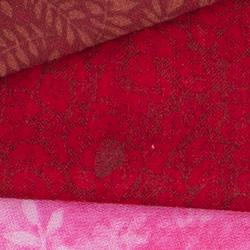
In the table above, we compare an in-camera JPEG taken at base ISO using default noise reduction and sharpening (on the left) to the matching RAW file converted with Adobe Camera Raw 8.4 using default noise reduction with some strong but tight unsharp mask sharpening applied in Photoshop (250%, radius of 0.3 pixels, and a threshold of 0).
As is frequently the case, the demosaicing in Adobe Camera Raw and sharpening in Photoshop deliver finer detail than the camera, with fewer sharpening artifacts. Looking very closely at the images, ACR extracts a bit more detail that isn't present in the JPEGs from the camera itself, even in the red-leaf swatch Nikons do very well with. The ACR conversion manages to resolve some of the thread patterns in the fabrics while the camera treats them as noise and blurs them away. While they don't look quite as detailed, Nikon's rendering is smoother-looking with higher contrast and more vibrant color, and if you look very closely, there's a touch less visible noise, though noise is by no means an issue with the D4S. Still, we'd personally go the Adobe (or other high-quality third-party RAW converter) route here if we were concerned about making the best images possible from the D4S's files. That said, the D4S's in-camera JPEGs are excellent and you can always try adjusting image processing settings to your tastes.
ISO & Noise Performance
Very good detail versus noise up to ISO 12,800!
| Noise Reduction = Default | ||
 |
 |
 |
| ISO 50 | ISO 100 | ISO 200 |
 |
 |
 |
| ISO 400 | ISO 800 | ISO 1600 |
 |
 |
 |
| ISO 3200 | ISO 6400 | ISO 12,800 |
 |
 |
 |
| ISO 25,600 | ISO 51,200 | ISO 102,400 |
 |
 |
|
| ISO 204,800 | ISO 409,600 | |
The Nikon D4S' JPEG noise performance is improved compared to its predecessor, the D4, with slightly lower chroma noise along with slightly higher luminance noise, the latter likely just the result of higher default sharpening.
Images are very clean at ISOs 50 through 800, with just a touch of luminance noise becoming more visible in the shadows as ISO increases. Performance at ISOs 1,600 and 3,200 is very good, with excellent detail retention despite slightly higher noise levels. Detail is still very good at ISO 6,400, with a tight film-like noise "grain" and very little fine detail lost to noise reduction. At ISO 12,800, subject detail is still quite good, much better than average at such a high ISO. ISOs 25,600 and 51,200 are noticeably less detailed than lower sensitivity levels, with more visible noise reduction and sharpening artifacts, though still quite usable. ISO 102,400 and above show a a lot of luma noise accentuated by sharpening artifacts, as well as lot more chroma noise in the form of yellow and purple blotches. Some horizontal banding is also noticeable at ISO 51,200 and up. ISO 204,800 is swamped by noise and sharpening artifacts while ISO 409,600 is a bit of a joke with very strong noise, obvious sharpening artifacts and a purple-blue tint in shadow areas.
All in all, though, amazing high ISO performance, probably the best we've seen thanks to the D4S's larger than average photosites and revised image processing.
Of course, the impact of noise and detail loss are highly dependent on the size the photos are printed at, and pixel-peeping on-screen has surprisingly little relationship to how the images look when printed: See the Print Quality section below for recommended maximum print sizes at each ISO.
A note about focus for this shot: We shoot this image at f/4, using one of three very sharp reference lenses (70mm Sigma f/2.8 macro for most cameras, 60mm f/2.8 Nikkor macro for Nikon bodies without a drive motor, and Olympus Zuiko 50mm f/2.0 for Four Thirds and Micro Four Thirds bodies). To insure that the hair detail we use for making critical judgements about camera noise processing and detail rendering is in sharp focus at the relatively wide aperture we're shooting at, the focus target at the center of the scene is on a movable stand. This lets us compensate for front- or back-focus by different camera bodies, even those that lack micro-focus adjustments. This does mean, though, that the focus target itself may appear soft or slightly out of focus for bodies that front- or back-focused with the reference lens. If you click to view the full-size image for one of these shots and notice that the focus target is fuzzy, you don't need to email and tell us about it; we already know it. :-) The focus target position will simply have been adjusted to insure that the rest of the scene is focused properly.
Extremes: Sunlit, dynamic range and low light tests
High resolution with very good shadow detail, though contrast is high blowing some highlights. Excellent low-light performance, capable of capturing bright images in near darkness.


Sunlight:
Surprisingly, the Nikon D4S struggled a little with the deliberately harsh lighting in the above test, because of its somewhat high default contrast. We felt "+1.0" EV exposure compensation (remember that the Sigma lens doesn't expose properly, so less exposure compensation is likely needed with a Nikkor) was required to keep the mannequin's face bright, but that led to quite a few blown highlights in her short and flowers. (And apologies for the slight front focus on that shot.) Pros would likely prefer "+0.7" EV or even "+0.3" EV and brighten the image in post (or just shoot RAW), thereby holding on to highlight detail that the "+1.0" EV exposure lost. Since shadows and midtones are quite clean, boosting shadows isn't really a problem in terms of noise. Note that these shots were captured with the Nikon D4S's Active D-Lighting control set to its default of "Off." See below for how Active D-Lighting and contrast settings help with hot highlights and deep shadows.
Because digital cameras are more like slide film than negative film (in that they tend to have a more limited tonal range), we test them in the harshest situations to see how they handle scenes with bright highlights and dark shadows, as well as what kind of sensitivity they have in low light. The shot above is designed to mimic the very harsh, contrasty effect of direct noonday sunlight, a very tough challenge for most digital cameras. (You can read details of this test here. In actual shooting conditions, be sure to use fill flash in situations like the one shown here; it's better to shoot in open shade whenever possible.)
Contrast Adjustment
We really like it when a camera gives us the ability to adjust contrast and saturation to our liking. It's even better when those adjustments cover a useful range, in steps small enough to allow for precise tweaks. Just as with its saturation adjustment, the Nikon D4S's contrast setting meets both challenges, the contrast steps actually being a little finer than those for saturation, and thus even more to our liking.
| Minimum Contrast | |
 |
 |
| Contrast set to lowest | Contrast set to lowest, 0 EV |
At its lowest contrast setting, the D4S did a good job of bringing nice detail out of the shadows and also preserved highlight detail better, while maintaining natural-looking skin tones.
| Contrast Adjustment Examples | ||||
|
 |
 |
 |
 |
| -3 | -1 | 0 | +1 | +3 |
The series of shots above shows results with several different contrast adjustment settings, showing the minimum step size around the default, as well as both extremes. While you can see the extremes, it's hard to really evaluate contrast on small thumbnails like these, click on any thumbnail to go to the full-size image.
One very nice feature of Nikon's contrast adjustment is that it has very little effect on color saturation. Contrast and saturation are actually fairly closely coupled, it's a good trick to be able to vary one with out the other changing as well. As usual, Nikon did a good job here.
Active D-Lighting
Active D-Lighting attempts to preserve detail in both highlights and shadows in high-contrast situations, while maintaining moderate levels of contrast. The series of shots below show the effect of the various Active D-Lighting settings (Off (default), Low, Normal, High, Extra High 1, Extra High 2 and Auto) available on the Nikon D4S on our high-contrast "Sunlit" Portrait scene.
Note that Active D-Lighting is different from the Retouch menu's D-Lighting, as it is performed during image capture instead of after. (It does affect only JPEG images, though, Nikon very properly doesn't apply tonal adjustments like this to RAW file data. NEF files are however tagged so that Nikon software can automatically apply the effect when converted.)
|
"Sunlit" Portrait Active D-Lighting
|
|
 |
ADL Settings: Off (Default) Auto Low Normal High Extra High 1 Extra High 2 |
 |
|
Mouse over the links to see how the various levels of Active D-Lighting affects our "Sunlit" Portrait shot at "+0.7 EV" exposure, and click on any link to get to the full-res image. (Active D-Lighting's effect can be a little subtle in shots like those above, so we decided to use a mouse-over with matching histograms to better show how each setting compares.)
As you can see from the thumbnail images and histograms above, higher Active D-Lighting settings did a very good job at preserving highlights while bringing up shadows and deeper midtones, without making the image look too flat. Normally, there is a noise penalty to be paid for boosting shadows, but noise levels in the shadows are very low with this camera, so increased shadow noise is not a concern here at base ISO. It's also interesting to note that the default ADL setting for the D4S is Off, while in more consumer-oriented models, the default is Auto.
| Far-field Active D-Lighting (0 EV) | |||
|
|
|||
Here are the results with our Far-field shot. As you can see, Active D-Lighting brought up shadow detail while holding on to highlights. Also note the slight blue cast in the white pillars and trim of the building as the strength of Active D-Lighting is increased. The Auto setting did a pretty good job here.
HDR Mode
Like other recent Nikon DSLRs, the D4S offers an in-camera high-dynamic-range imaging function. When enabled, the D4S captures two images with one push of the shutter button -- one underexposed and one overexposed -- and combines them in-camera to produce a high-dynamic-range JPEG. (RAW format is not supported.) There are three exposure differentials available: 1, 2 and 3 EV, as well as an Auto option, and there are three Smoothing options: Low, Normal and High. You can also elect to do a series of HDR shots without having to re-enable the mode each time, or select a Single Photo option.
| Far-field HDR mode | |||
|
|
|||
|
3 EV:
|
|||
Mouse over the links to see how the Auto, 1 EV and 2 EV levels of HDR with default Smoothing as well as 3 EV with Low, Normal and High Smoothing affects our Far-field shot at default exposure. Click on a link to get to the full-res image.
Obviously moving subjects should be avoided, as you can see from the ghosting in the flags in some of HDR shots above. Aside from the noticeable halos and "glowing" caused by the Low Smoothing option, we think Nikon D4S's in-camera HDR is one of the better implementations.
Dynamic Range Analysis (RAW mode)
While we once performed our own dynamic range measurements based on in-camera JPEGs as well as converted RAW images (when the camera was supported by Adobe Camera Raw), we've switched to using DxO Labs' results from their DxOMark website. As technology advanced, the dynamic range of modern high-end cameras in some cases exceeded the range of the Stouffer T4110 density scale that we used for our own measurements. DxO's approach based on RAW data before demosaicing is also more revealing, because it measures the fundamental dynamic range of the sensor, irrespective of whatever processing is applied to JPEGs, or to RAW data by off-the-shelf conversion software.
In the following, we use DxO's "Print" dynamic range results, which are scaled based on camera resolution. As the name suggests, this scaling corresponds to the situation in which you print at a given size, regardless of how many megapixels the camera might have. (In other words, if you've decided to make a 13x19 inch print, that's the size you're printing, whether the camera's resolution is 16 or 300 megapixels.) For the technically-minded, you can find a discussion of the reasoning behind this here on the DxOMark website. Also note that DxO Labs uses a signal-to-noise (SNR) threshold of 1 when defining the lower boundary of acceptable luminance noise in their dynamic range measurements, which corresponds to the "Low Quality" threshold of the Imatest software we used to use for this measurement.

Here, we compare the Nikon D4S' dynamic range to that of its predecessor, the D4, and to its closest competitor, the Canon 1DX. As you can see from the above graph (click for a larger image), the D4S's dynamic range is just slightly better than the D4 at the ISO 100 setting (13.31 EV vs 13.1), but the older model does a bit better at ISO 200 through 1,600, however the D4S retakes the lead with slightly better performance (up to about 1/2 stop better) at ISO 6,400 and above. The D4S's dynamic range is however more than 1.5 stops better than the Canon 1DX's at base ISO (13.31 vs 11.77), though at ISO 3,200 it's the same, and at higher ISOs the D4S is only very slightly better. Click here to visit the DxOMark page for the Nikon D4S for more of their test results and additional comparisons.
| 1 fc 11 lux |
1/2 fc 5.5 lux |
1/4 fc 2.7 lux |
1/8 fc 1.3 lux |
1/16 fc 0.67 lux |
1/16fc No NR |
|
|---|---|---|---|---|---|---|
| ISO 50 |
 4 s f2.8 |
 8 s f2.8 |
 15 s f2.8 |
 30 s f2.8 |
 30 s f2.8 |
 30 s f2.8 |
| ISO 100 |
 2 s f2.8 |
 4 s f2.8 |
 8 s f2.8 |
 15 s f2.8 |
 30 s f2.8 |
 30 s f2.8 |
| ISO 200 |
 1 s f2.8 |
 2 s f2.8 |
 4 s f2.8 |
 8 s f2.8 |
 15 s f2.8 |
 15 s f2.8 |
| ISO 400 |
 0.5 s f2.8 |
 1 s f2.8 |
 2 s f2.8 |
 4 s f2.8 |
 8 s f2.8 |
 8 s f2.8 |
| ISO 800 |
 1/4 s f2.8 |
 0.5 s f2.8 |
 1 s f2.8 |
 2 s f2.8 |
 4 s f2.8 |
 4 s f2.8 |
| ISO 1600 |
 1/8 s f2.8 |
 1/4 s f2.8 |
 0.5 s f2.8 |
 1 s f2.8 |
 2 s f2.8 |
 2 s f2.8 |
| ISO 3200 |
 1/15 s f2.8 |
 1/8 s f2.8 |
 1/4 s f2.8 |
 0.5 s f2.8 |
 1 s f2.8 |
 1 s f2.8 |
| ISO 6400 |
 1/30 s f2.8 |
 1/15 s f2.8 |
 1/8 s f2.8 |
 1/4 s f2.8 |
 0.5 s f2.8 |
 0.5 s f2.8 |
| ISO 12800 |
 1/60 s f2.8 |
 1/30 s f2.8 |
 1/15 s f2.8 |
 1/8 s f2.8 |
 1/4 s f2.8 |
 1/4 s f2.8 |
| ISO 25600 |
 1/125 s f2.8 |
 1/60 s f2.8 |
 1/30 s f2.8 |
 1/15 s f2.8 |
 1/8 s f2.8 |
 1/8 s f2.8 |
| ISO 51200 |
 1/250 s f2.8 |
 1/125 s f2.8 |
 1/60 s f2.8 |
 1/30 s f2.8 |
 1/15 s f2.8 |
 1/15 s f2.8 |
| ISO 102400 |
 1/500 s f2.8 |
 1/250 s f2.8 |
 1/125 s f2.8 |
 1/60 s f2.8 |
 1/30 s f2.8 |
 1/30 s f2.8 |
| ISO 204800 |
 1/1000 s f2.8 |
 1/500 s f2.8 |
 1/250 s f2.8 |
 1/125 s f2.8 |
 1/60 s f2.8 |
 1/60 s f2.8 |
| ISO 409600 |
 1/2000 s f2.8 |
 1/1000 s f2.8 |
 1/500 s f2.8 |
 1/250 s f2.8 |
 1/125 s f2.8 |
 1/125 s f2.8 |
Low Light. The Nikon D4S performed very well here, able to capture usable images down to the 1/16 foot-candle light level (about 1/16 as bright as average city street lighting at night) at all ISO settings, though lower light levels at ISO 50 are a bit dim because of the 30 second shutter speed limit (Bulb mode is required for longer exposures).
Color balance with Auto white balance is fairly neutral at higher light levels, just a touch cool, but took on an increasingly stronger magenta cast as light levels dropped and ISO increased, as we've seen with other Nikons.
Noise is well controlled up to ISO 25,600, and even at higher ISOs there's still a lot of detail to work with, especially when high ISO NR is set to "Off" (which still applies some noise filtering at ISO 6,400 and above). The Nikon D4S gives you four options for high ISO noise reduction: Off, Low, Normal, and High, so you have some flexibility in deciding how much noise to trade for detail. Except for the "No NR" shots in the table above, these were all shot using the default NR setting, and Long Exposure NR was enabled so it was applied to exposures longer than one second.
Some horizontal banding (pattern noise) is visible at ISO 25,600 and above, and there's also a purple tint emanating from the bottom right at very high ISOs indicating some heat blooming, likely from a warm component nearby. Longer exposures at lower ISOs may show similar heat-blooming discoloration. We didn't notice any issues with hot pixels.
The camera's phase-detection autofocus system was able to focus on our test subject down to well below the 1/16 foot-candle light level unassisted with an f/2.8 lens, which is excellent. The Nikon D4S doesn't have a built-in AF illuminator, but can utilize the illuminator found on most compatible flash units. In Live View mode, the D4S's contrast-detect autofocus was able to focus down to just above the 1/4 foot-candle, which is fair.
(Keep in mind that the longer shutter speeds here demand the use of a tripod to prevent any blurring from camera movement. A useful trick is to just prop the camera on a convenient surface, and use its self-timer to release the shutter. This avoids any jiggling from your finger pressing the shutter button, and can work quite well when you don't have a tripod handy.)
How bright is this? The one foot-candle light level that this test begins at roughly corresponds to the brightness of typical city street-lighting at night. Cameras performing well at that level should be able to snap good-looking photos of street-lit scenes.
NOTE: This low light test is conducted with a stationary subject, and the camera mounted on a sturdy tripod. Most digital cameras will fail miserably when faced with a moving subject in dim lighting. (For example, a child's ballet recital or a holiday pageant in a gymnasium.) Digital SLRs like the Nikon D4S do much better than point & shoots, but you still shouldn't expect a quick autofocus lock with moving subjects.
Output Quality
Print Quality
Excellent 30 x 40 inch prints at ISO 50-400; very nice 20 x 30s at ISO 1600; good 11 x 14s at ISO 6400; nice 8 x 10s at ISO 25,600!
 ISO 50 through 200 prints look terrific at 30 x 40, with excellent detail and rich colors. The prints -- especially at ISO 50 and 100 -- have a very three-dimensional quality. Wall display prints at these settings look great up to the huge 40 x 60 inch print.
ISO 400 also produces a very good 30 x 40 inch print and is excellent for this sensitivity and size. Wall display prints are quite good up to 36 x 48 inches.
ISO 800 yields a very good 24 x 36 inch print, with virtually no apparent noise anywhere in the image. This is one of the nicest ISO 800 prints that we've had the pleasure of viewing.
ISO 1600 images look great at 20 x 30, remaining sharp even in our mosaic tile area. Again, quite an impressive and rare feat for this sensitivity.
ISO 3200 prints a very nice 16 x 20. It's amazing to note that at this sensitivity that you have to print out a 20 x 30 to see virtually any noise. At 16 x 20, letters in the Pure bottle are still nice and clear, and colors still pop nicely. Impressive!
ISO 6400 produces 13 x 19s that are fairly nice, with only minor noise in flatter areas, and almost make our "good" rating. 11 x 14s show virtually no noise at all, and retain rich colors and good detail. This is the first sensitivity level where the D4S begins to appear anything but otherworldly in its abilities.
ISO 12,800 yields 11 x 14s that almost make our "good" rating. With just a bit too much noise in general, they still have full color and nice detail, usable for most applications. To be safe, we'll call 8 x 10s good here.
ISO 25,600 prints an 8 x 10 that still makes the grade for a good print, and that is entering rare territory indeed. 11 x 14s show definite signs of noise in some areas of our test target, and less detail in finer areas and our tricky red swatch, but are still usable for many applications!
ISO 51,200 produces a good 5 x 7 inch print. At this sensitivity, that is quite an achievement -- and doubly so when you consider that the D4 could only yield a 4 x 6 inch print.
ISO 102,400 does not yield a print that we can rate as "good", although 4 x 6 is really not bad here, so if a small print is all you need you may still be able to get a decent result.
ISO 204,800 and 409,600 do not yield good prints, and these settings are best avoided for any applications.
It seems there is a new sheriff in town for low light performance, and his name is Nikon D4S. Besting the beloved D4 at every sensitivity setting beyond ISO 400, the D4S goes where few cameras have gone before. A terrific 20 x 30 at ISO 1600? No problem. A nice 11 x 14 at ISO 6400? Again, no sweat. A good 8 x 10 at ISO 25,600? Wow.
Suffice it say that your printer will love you for purchasing this camera, as will your display walls. The three highest sensitivity settings aren't really usable, but from ISO 51,200 on down, you'll be in low-light heaven.
Testing hundreds of digital cameras, we've found that you can only tell just so much about a camera's image quality by viewing its images on-screen. Ultimately, there's no substitute for printing a lot of images and examining them closely. For this reason, we now routinely print sample images from the cameras we test on our Canon Pro9000 Mark II studio printer, and on the Pixma MP610 here in the office. (See the Canon Pixma Pro9000 Mark II review for details on that model.)
The images above were taken from our standardized test shots. For a collection of more pictorial photos, see our Nikon D4S Photo Gallery .
Not sure which camera to buy? Let your eyes be the ultimate judge! Visit our Comparometer(tm) to compare images from the Nikon D4S with those from other cameras you may be considering. The proof is in the pictures, so let your own eyes decide which you like best!
Performance
Timing and Performance
Generally excellent speed for a pro DSLR.
|
Startup/Record to Play/Buffer Clearing
|
||
|
Power on |
~0.2 second
|
Time it takes for camera to turn on. (Very fast, difficult to measure.) |
|
Play to Record, |
~0.2 second
|
Time until first shot is captured. |
|
Buffer clearing time |
~6 seconds
(after 50 frames) |
Worst case buffer clearing time. (*See note about card speeds below.) |
|
Buffer clearing time |
~9 seconds
(after 50 frames) |
|
|
Buffer clearing time |
~19 seconds
(after 43 frames) |
|
|
*Note: Buffer clearing times measured with a SanDisk Extreme Pro 128GB 100MB/s UDMA 7 CompactFlash card unless otherwise noted. Slower cards will produce correspondingly slower clearing times. Slow cards may also limit length of bursts in continuous mode. ISO sensitivity and noise reduction settings can also affect cycle times and burst mode performance.
|
||
Startup and switching from Play to Record mode and taking a shot were both very fast, almost instantaneous. Buffer clearing time depends on the image size and quality, burst length and the speed of memory card used, but was generally very good with a 100MB/s CompactFlash card considering the deep buffers.
|
Shutter Response (Lag Time)
|
||
|
Optical Viewfinder
|
||
|
Full Autofocus |
0.204 second
|
Time from fully pressing shutter button to image capture using optical viewfinder. All timing performed with Nikkor AF-S 60mm f/2.8G Macro lens. |
|
Full Autofocus |
0.288 second
|
Time from fully pressing shutter button to image capture using optical viewfinder. |
|
Manual focus |
0.044 second
|
For most cameras, shutter lag is less in manual focus than autofocus, but usually not as fast as when the camera is "prefocused". |
|
Prefocused |
0.043 second
|
Time to capture, after half-pressing and holding shutter button. |
|
Live View
|
||
|
Full Autofocus |
0.914 second
|
Time to capture, after half-pressing shutter button, waiting for focus confirmation, then fully pressing shutter button in Live View mode. |
|
Prefocused |
0.239 second
|
Time to capture, after half-pressing and holding shutter button in Live View mode. |
In terms of the Nikon D4S's ability to determine that it's properly focused when shooting the same target multiple times (with no change of focus setting between iteration, to remove the impact of lens AF speed), its speed was good, but unimpressive for a professional model. The D4S required 0.204 second using single-area center AF mode, and 51-point Auto Area AF lag measured 0.288 second. Some consumer DSLRs are actually faster in this metric, but keep in mind this test does not actually include slewing focus on the lens, nor does it reveal the D4S' focus tracking capability, which is far better than any consumer DSLR (we have no way to objectively test that in the lab, though).
In manual focus mode shutter lag was extremely fast, at only 44 milliseconds. We measured just slightly faster for prefocused, at 43 milliseconds. These times are very fast, but some mirrorless models with electronic first curtain options are actually faster.
As expected, the Nikon D4S's Live View mode adds considerable AF shutter lag. We measured 0.914 second for full autofocus which is pretty sluggish, though faster than previous models (however the lens used will have a large impact on focus speed with contrast-detect AF).
Once prefocused, shutter lag in Live View mode was 0.239 second, which is pretty good but still quite a bit slower than using the optical viewfinder.
To minimize the effect of different lens' focusing speed, we test AF-active shutter lag with the lens already set to the correct focal distance.
|
Cycle time (shot to shot)
|
||
|
Single Shot mode |
0.29 second
|
Time per shot, averaged over 20 shots. |
|
Single Shot mode |
0.36 second
|
Time per shot, averaged over 20 shots. |
|
Single Shot mode |
0.33 second
|
Time per shot, averaged over 20 shots. |
|
Early shutter |
No
|
Some cameras refuse to snap another shot if you release and press the shutter too quickly in Single Shot mode, making "No" the preferred answer. |
|
Continuous Hi mode |
0.09 second
(10.6 frames/sec); 50+ frames total; 6 seconds to clear* |
Time per shot, averaged over 50 shots, with no signs of slowing. (Maximum programmable limit is 200.) |
|
Continuous Hi mode |
0.09 second
(10.8 frames/sec); 50+ frames total; 9 seconds to clear* |
Time per shot, averaged over 50 shots, with no signs of slowing. (Maximum programmable limit is 200.) |
|
Continuous Hi mode |
0.09 second
(10.8 frames/sec); 43 frames total; 19 seconds to clear* |
Time per shot, averaged over 43 shot buffer. |
|
Flash recycling |
n/a
|
Flash at maximum output. |
|
*Note: Buffer clearing times measured with a SanDisk Extreme Pro 128GB 100MB/s UDMA 7 CompactFlash card except where otherwise noted. Slower cards will produce correspondingly slower clearing times. Slow cards may also limit length of bursts in continuous mode. ISO sensitivity and noise reduction settings can also affect cycle times and burst mode performance.
|
||
Single-shot cycle time performance was excellent for a pro DSLR model, at 0.29 second per frame for large/fine JPEGs (Optimal Quality setting), 0.36 second for 14-bit RAW (Lossless Compressed), and 0.33 second for RAW+ L/F Optimal JPEGs.
Continuous Hi-speed mode was very fast. We measured between 10.6 and 10.8 frames per second depending on the file type, just a little slower than Nikon's 11 fps spec. Note, though, that unlike the D4, AF and AE are not locked from the first frame in a burst on the D4S at this speed.
Buffer depths were excellent, with a programmable limit of up to 200 shots per burst. While we didn't keep testing to see what the buffer limits were for just JPEG or RAW files, with lossless compressed RAW + best quality JPEG frames, we managed 43 frames before the camera began to slow with a 100MB/s CompactFlash card, and you're likely to do even better as our test target is designed to be difficult to compress.
Buffer clearing is fast, but can be a little lengthy with such deep buffers. We measured up to 19 seconds after the maximum length RAW + JPEG burst with our 100MB/s CompactFlash card.
Buffer depths and clearing times may improve with an XQD card, however we did not repeat our tests with one.
|
Download speed
|
||
|
Windows Computer, USB 2.0 |
15,836 KBytes/sec
|
Typical Values:
Less than 600=USB 1.1; 600-770=USB 2.0 Low; More than 770=USB 2.0 High |
USB 2.0 download speeds were pretty fast.
Bottom line, the Nikon D4S is extremely fast in most respects, with very fast frame rates, deep buffers for long bursts, and very low shutter lag. AF-S speed was slower than average for a professional model in our lab, though. Keep in mind however that our AF tests are with static subjects, and we have no way of objectively testing the D4S's autofocus acquisition and tracking performance with real-world subjects in the lab. As with prior Nikon pro models, though, even with slower-than-average AF-S lab test results for its class, the D4S's autofocus performance in the real world with moving subjects is excellent.
Battery
Battery Life
Excellent battery life for a professional SLR.
| Test Conditions | Number of Shots |
|
Lithium-ion rechargeable battery,
(CIPA standard, Optical Viewfinder) |
3,020 |
|
Lithium-ion rechargeable battery,
(CIPA standard, Live View LCD) |
Unknown |
The Nikon D4S uses a custom rechargeable lithium-ion battery pack for power, and comes with both a single battery and charger. The CIPA rated 3,020 shots per charge using the optical viewfinder is excellent for a pro SLR, but keep in mind the D4S does not have a built-in flash which is normally fired for 50% of shots when tested using the CIPA standard. Unfortunately, Nikon does not seem to publish battery life for Live View mode, but it's a safe bet that it's considerably shorter.
The table above shows the number of shots the camera is capable of on fully-charged battery, based on CIPA battery-life and/or manufacturer standard test conditions.
(Interested readers can find an English translation of the CIPA DC-002 standards document here. (180K PDF document))
Field Test
Field Test Part II
Unexpected swans
by Eamon Hickey | Posted: 04/18/2014
A full-on professional camera like the Nikon's D4S presents a dilemma for a reviewer. Its primary target customers — pro photographers — are already extremely knowledgeable and don't need much help from me. Plus, their concerns are often very specific to their type of shooting. It would be great, for example, if I could prove whether the D4S is the best, or second best, or third best DSLR for autofocusing sports, but that's not gonna happen. To even take a stab at testing such a thing would require several experienced pro sports photographers, a truckload of equipment and months of shooting a wide variety of different top-tier sporting events. Is the D4S the best war photographer's camera or wedding camera or aerial camera? Again, even if I was qualified to judge these things, testing them is beyond the scope of this report.
But pro shooters are not the only photographers who buy pro cameras. Many advanced amateurs buy them, and many more wonder what they might gain if they took the plunge. So I'm approaching this shooter's report partly from that angle: what would you get if you “moved up" to a Nikon D4S from your mid-level or advanced amateur DSLR?
 |
Mute swans on Eastchester Bay. Matrix metering handled this well. |
70mm, f/8, 1/400s, ISO 200 |
Handling
Well, one thing you get is weight. Even though I knew what to expect, I still groaned when I dragged the Nikon D4S out of its box. Obviously, this is just the price you pay for supreme ruggedness, a full-featured integrated vertical grip, an abundance of connection ports, a high-capacity battery and more, all wrapped up in a full-frame DSLR. My brain understands that, but my shoulder isn’t thrilled. In the same box was an also hefty AF-S NIKKOR 24-70mm f/2.8G ED and an AF-S NIKKOR 50mm f/1.4G. Nice.
Judging by feel in the hand, the build quality of the Nikon D4S is unassailable. There's no flex in the body, almost no slop in any fitting or connection, and every part feels solid. Mid-level and advanced DSLRs are typically well built, but they're not constructed like this, so if you need top-tier durability, this is where you find it.
After attaching a lens, I took about 45 minutes to get familiar with all the controls on the Nikon D4S and take a comprehensive tour of its menus. Two themes came through loud and clear to me: versatility and flexibility. As just one example, there are more than 20 possible settings for the autofocus system, including intricacies like whether you want the first shot in a continuous sequence to have a different priority (release vs. focus) than the rest of the shots in the sequence. With more than 30 buttons and dials on its body, many of which are customizable, the D4S also provides direct access to nearly every setting I'd want to change quickly.
After I got the D4S set up to my liking, I took it for a walk in Pelham Bay Park, New York City's largest park, located in the northeastern corner of the Bronx. As I stepped into the woods on the park's edge, I saw that jets on the approach path to LaGuardia airport were flying directly over me, framed in the bare tree branches. I set my aperture and ISO, selected a focus point and autofocused using the AF-ON button — and this is when I first noticed that the roomy body may be a little too roomy. It was a slightly awkward stretch to reach some controls, especially the crucial AF-ON button. I don't exactly have small hands — I’m a 6’2” male who can palm some regulation-sized basketballs — so I think a substantial percentage of photographers will encounter this. It’s not a major issue, but the Nikon DF that I reviewed a couple of months ago, for example, had almost perfect control spacing for me and was a bit more comfortable to use.
 |
In Pelham Bay Park, in the Bronx, under the approach path to LaGuardia Airport. |
45mm, f/7.1, 1/400s, ISO 100 |
Responsiveness
Wandering further into Pelham Bay Park, I stumbled on a pair of mute swans swimming along a lonely stretch of shore on Eastchester Bay. New York state wildlife biologists consider them a nuisance species, but no photographer could possibly agree, so I walked along with them as they made their stately way. As the angles shifted from one moment to the next, the scene changed from looking surprisingly wild to clearly very urban. For about 20 minutes I tracked the swans, looking for serendipitous compositions and experimenting with different apertures.
From previous experience with pro-level cameras, I expected the Nikon D4S to be incredibly responsive, and it didn't disappoint. As I photographed the birds, the D4S focused instantly and the shutter fired with almost zero delay and very short viewfinder blackout whenever I shot. All controls responded instantly. Nikon has spent a lot of time and money engineering every possible millisecond of speed into this camera. If you're not a pro sports shooter or photojournalist, you may not need that kind of split-second responsiveness (I don't), but it's another part of what distinguishes the D4S from lower-level models and justifies its lofty price tag. That said -- and I promise this will be my last whine about this -- by the end of my 3-hour, 5-mile walk, my shoulders were happy to say goodbye to the D4S and the 24-70mm f/2.8G lens I used for most of my shots.
 |
70mm, f/2.8, 1/3200s, ISO 200 [edited in post-processing - click here for unedited version] |
 |
62mm, f/8, 1/320s, ISO 400 |
 |
The matrix metering system did a fairly nice job producing a balanced silhouette here. |
70mm, f/10, 1/250s, ISO 100 |
Metering and a first low light image
When I downloaded my images later, I was also impressed with the exposures (I shot all my images in Aperture-Priority mode). The matrix meter of the Nikon D4S did a good job in many different kinds of light, including heavily backlit shots of joggers and the tricky scenes with snow white swans on dark blue water.
The last images I made on that first shooting day were of the sunset reflecting on Eastchester Bay. I didn't have a tripod and, despite the fading light, I wanted to use f/8 to extend my depth of field from rocks in the foreground to City Island in the background. So I cranked the ISO up to 1250 and shot handheld. The tonal smoothness and lack of noise in these pictures is pretty astounding, considering the ISO setting. I'll do more testing of the low light qualities of the D4S in later installments of this report, but it's no surprise that this camera is shaping up to be a low light champion.
 |
Sunset view of Eastchester Bay, City Island in the background. No tripod and wanted to use f/8, so cranked the ISO to 1250. Remarkable quality at that ISO. This is darkened slightly from the original JPEG -- I had left +2/3 EV exposure compensation in place by accident. |
50mm, f/8, 1/80s, ISO 1250 [edited in post-processing - click here for unedited version] |
Stay tuned for our next Field Test installment, and in the meantime check out our Nikon D4S Gallery Page to explore these gallery images and EXIF data in greater detail, including super-scoping the higher ISO full resolution images for noise (or the relative lack thereof). And don't forget, you can pit the D4S beside its predecessor or any other camera we've ever tested across the ISO range in our Comparometer.
Field Test Part III
Doing what it's made for
by Eamon Hickey | Posted: 07/11/2014
I mentioned in Part I of my Field Test that I would not be trying to settle the question of whether the Nikon D4S is the very best camera for any particular kind of professional photography, be it sports, weddings, or anything else. But it would be a crime if I didn’t use the D4S for some of the things it was born to do, just as it would to use a Ferrari only to fetch the groceries. So I've photographed a lot of sports with the D4S, and also used it to shoot an evening literary event -- an environment not too different from a wedding reception.
Autofocus
In seven different outings, I used the Nikon D4S to shoot flying birds, running dogs, soccer (or football, if you prefer), American-style touch football, sprinters, bicyclists, and semi-pro basketball. Nikon was smart enough to supply me with pro-level lenses to match the camera, including an AF-S Nikkor 70-200mm f/2.8G ED VR II to go along with the AF-S 24-70mm and AF-S 50mm optics I already mentioned in the first Field Test blog.
 |
A sprinter on the track at East River Park, NYC. (Overexposed to show detail on the shadow side.) |
190mm, f/4, 1/1,000s, ISO 500 |
I'll start by getting the easy stuff out of the way. In my shooting of what I'll call "single-player" sports with relatively constant motion -- runners and bicyclists, primarily -- I could not stress the Nikon D4S enough to really test it. It ate everything for lunch and asked for more. I have numerous 30 and 40 shot sequences of bicyclists, shot at 11 frames per second with the AF-S 70-200mm lens wide open or at f/4, where every image is sharp. In the "bad" sequences, 90% are sharp. With sprinters, I got a few more soft frames but not many.
Team sports are a significantly tougher focusing challenge, requiring both better photographer skills and more sophisticated autofocus technology. My first try at team sports with the Nikon D4S was a pickup soccer game at Nike Field in New York City's Lower East Side. The light was fairly dark overcast -- about EV 8 or 9 (ISO 100).
I used the AF-S 70-200mm lens at f/5.6 because I was comparing the D4S to an APS-C format camera that I was also testing (the Sony Alpha A6000), and I wanted to use an aperture equivalent to f/4 on the Sony. On the D4S, I experimented with both the d21 and d9 dynamic AF-area modes and had Focus Lock-On set to its standard delay. I used essentially the same AF settings on another day when I found a game of high school flag football in progress at East River Park, although I opened the lens to f/4.5. Here the light was better -- about EV 14 (ISO 100).
 |
The D4S and AF-S 70-200mm lens easily track a power sweep in high school flag football, East River Park, NYC. |
200mm, f/4.5, 1/1,000s, ISO 1250 |
When I looked closely at my pictures from these two shoots, I wasn't shocked to see that the Nikon D4S performed extremely well. In cases where I had a clear line of sight to my target -- in other words, there were no other players crossing my path -- my hit rate of sharp shots was 80-90%. The D4S also did an excellent job of getting the first shot sharp, even when I was swinging instantly to a new point of action and jamming immediately on the shutter.
The dynamic AF-area modes did a very good job of sticking with the target I wanted them to, but they were not perfect -- occasionally the focus shifted to an adjacent player within the active focus area. And players crossing in between me and the target also caused a fair number of misfocused images when Focus Lock-On couldn't compensate for them. However, this is really operator error -- or partly an act of God -- and I wouldn't blame any camera for the blurry shots that result.
 |
A player in the Pro Division of the Kenny Graham West Fourth Street Classic displays his fluid relationship to gravity. With the AF-S 24-70mm lens. |
42mm, f/4.5, 1/1,600s, ISO 720 |
With ten super-fast players crammed in a relatively small playing area, high-level basketball is the hardest action subject I've ever tried to shoot extensively, so I wanted to really challenge the Nikon D4S with some quality hoops action. Fortunately, summer in New York City means brutally-serious street ball tournaments featuring pro, semi-pro, and college players in furious outdoor battles. One famous tournament is Kenny Graham's West Fourth Street Classic, and I headed over there on a beautiful Sunday, slipped a $20 bill to the right guy, and sat down under one basket. Here, I used the AF-S 70-200mm for downcourt action, and the AF-S 24-70mm for play directly in front of me.
Even this test -- the hardest I could come up with -- didn't much faze the Nikon D4S. In sequence after sequence, I would swing quickly to a new point of action, stab the shutter, and get a sharp first image and sharp subsequent shots in the burst. And as before, with clean lines of sight it delivered a hit rate in the 80-90% range. Again, players crossing between me and my intended target could (and did) cause misfocused shots, but that comes with the territory when shooting basketball.
The bottom line is that the Nikon D4S is clearly the best-autofocusing camera I've ever used. Now, I haven't tested its predecessor, the D4, nor the Canon EOS-1Dx, so I can't say how it compares to those models. But I have tested a wide variety of mid-level and prosumer DSLRs over the years, and the D4S is a very clear step above them for shooting action -- which shouldn't surprise anyone.
 |
Driving toward goal in pickup -- not World Cup -- soccer at Nike Field, NYC. (She missed, alas.) Brightened slightly in Lightroom. |
155mm, f/5.6, 1/1,000s, ISO 12,800 [edited in post-processing - click here for unedited version] |
Events and portraits
I got another chance to test the Nikon D4S in a quasi-professional capacity when I was asked to shoot an event sponsored by an organization called The Writers Room. It's a shared office space for writers -- my own scribblings are perpetrated there -- and it was showcasing books by three of its members. The event was an indoor, three-hour evening reception and panel discussion, and I shot it using the AF-S 24-70mm lens and simple bounce flash. (All I had to hand was a very old Nikon flash that isn't TTL-dedicated with digital bodies, so it was not a test of the Nikon Creative Lighting System, unfortunately.) I set my exposure for 1/80, either f/5.6 or f/6.3, and ISO 800 to allow the ambient room light to have a modest fill-light effect.
Again, the conditions were simply no challenge for the D4S, which focused perfectly and shot instantly all night. This sheer responsiveness and rock-solid reliability is nice in event shooting, because it lets you confidently grab images so fast you can really minimize your impact on the proceedings. I'll note the camera's awesome battery life here, but I enjoyed it in my sports shooting, too. I never came close to exhausting the battery in consecutive shoots of hundreds of images each. In fact, I became so blasé about it, I was in danger of forgetting to charge the battery at all for weeks at a time. This is a fairly rare luxury with digital cameras.
 |
Processed from raw using Nikon's "portrait" Picture Control. Left to right: Writers Room Director Donna Brodie, author Doron Weber, Nobel laureate Eric Kandel, author Tom Schachtman. |
42mm, f/6.3, 1/80s, ISO 800 [edited in post-processing - click here for unedited version] |
According to Nikon, one of the improvements in the D4S is better skin tones. I shot the authors' event in raw format and processed it in Adobe Lightroom, but I wanted to show an example of what out-of-camera JPEG skin tones would look like. Below, you can see an image that I converted using Nikon ViewNX 2 with "portrait" Picture Control.
To set the white balance for this mix of tungsten, fluorescent and flash lighting, I used the ViewNX 2 eye-dropper during the conversion to measure the white dress shirt of neuropsychiatrist Eric Kandel. This was my first custom white balance off a Nobel Prize winner, and I can confirm that they work fine for this purpose. The resulting skin tones look very good to my eye with one subject, author Tom Schachtman, perhaps showing a bit of a red/magenta shift.
 |
Converted from raw using Nikon ViewNX 2 and "portrait" Picture Control with as-shot white balance. Also brightened. With the AF-S 50mm f/1.4G. |
50mm, f/4.0, 1/1,000s, ISO 200 [edited in post-processing - click here for unedited version] |
On an earlier shoot, I used the Nikon D4S to make some dog and people portraits under overcast light using the AF-S 50mm f/1.4G lens. I shot the pooches at f/2 for very shallow depth-of-field and creamy bokeh, and although I have made only limited use of it, I like the smooth look this lens produces. Later in that same walk, one of the dogs worked his considerable charm on two young girls, and I got a chance to shoot another good test. I really like the skin tones in this shot (also converted from raw in ViewNX 2 using "portrait" Picture Control), but the auto white balance has produced a slight green cast in parts of the dog's white fur. (I don't see a similar cast in the dogs-only portrait, which was shot with the higher contrast "standard" Picture Control.)
Viewfinder and lenses
It's hard to say anything particularly original about the viewfinder on the Nikon D4S -- you expect it to be big, bright and clear, and it certainly is. I'm generally perfectly happy with electronic viewfinders, but the D4S left me in no doubt that an optical viewfinder is still notably better for serious action photography. As I mentioned, I was also testing a mirrorless Sony Alpha A6000 side-by-side with the D4S, and there is no question that I could track subjects and respond to rapid changes in the action better with the D4S and its optical viewfinder.
 |
A pair of noble beasts rendered with creamy tonality and bokeh from the AF-S 50mm f/1.4G. |
50mm, f/2.0, 1/2,000s, ISO 200 |
Just a quick note on lenses: With most cameras, reviewers get a kit lens -- typically a slow, inexpensive mid-range zoom -- so it’s been a real pleasure to shoot with Nikon's pro AF-S 24-70mm and AF-S 70-200mm lenses, as well as the AF-S 50mm. The two zooms in particular just feel like professional gear, exuding the durability, reliability and precision you want from tools you might use to make a living. Click the links above, and check out our reviews of all three lenses over on our sister site, SLRgear.com for more details.
In Part III of this Field Test, I'll take a look at the amazing low-light performance of the D4S, as well as its enhancements to live view and video.
Field Test Part IV
Shooting in the dark
by Eamon Hickey | Posted: 07/29/2014
For one of my last shoots with the Nikon D4S, I decided to do a little quasi-documentary photography around Greenwich Village. I specifically chose to shoot from late afternoon into the evening in order to put the camera's amazing high ISO capabilities to the test.
I began in Hudson River Park, where I found a nice flowerbed -- but it was in the shade and there was a brisk wind. It was 7pm, so still fairly light, yet this was a situation that called for a fairly high sensitivity. I needed to set a narrow f-stop of f/8.0 for adequate depth-of-field, and a high shutter speed of 1/320 second to freeze the wind-blown flowers.
 |
Shaded flowers on a windy late afternoon. Hudson River Park. |
50mm, f/8.0, 1/320s, ISO 1250 |
To make that possible, I had to turn the Nikon D4S' sensitivity up to ISO 1250 equivalent. Shown above, the resulting image is almost completely free of noise. It has the smooth tonality and rich color saturation that you'd have expected at ISO 100 or 200 when shooting with cameras from just a few years ago.
I stayed in the park until dusk, then wandered over to the path set aside for joggers and bicycles. By now, the light was down to about EV 7 (ISO 100), meaning I had to use ISO 6400 to get an action-stopping shutter speed of 1/500 second at an aperture setting of f/4.0. The autofocus system of the Nikon D4S had no trouble follow-focusing bicyclists and rollerbladers in the dim light. At this higher sensitivity, noise is definitely visible in the images, but they still retain an impressive amount of detail and color.
 |
I needed to use a shutter speed of 1/500 second to freeze this rollerblader at dusk. Hudson River Park. |
50mm, f/4.0, 1/500s, ISO 6400 |
As dusk turned to night, I left the park and began wandering through Greenwich Village. I had the Nikon D4S set to Auto ISO as I made a series of images of folks on the street, and sitting in and around restaurants. The D4S' sensitivity climbed from ISO 14,400 equivalent all the way up to an amazing ISO 229,880.
In very late dusk at Washington Square Park, I got a picture that I liked of some musicians and a dancer, which I shot at 1/125, f/4.0, and ISO 28,735. There is definitely noise in the image when viewed at 100%, but it retains fairly good color and at smaller magnifications, it looks pretty clean.
 |
Playing for tips at twilight in Washington Square Park. |
50mm, f/4.0, 1/125s, ISO 28,735 |
Near the park, I passed the entrance to a bar where a woman was sitting essentially in the dark, evidently reading an amusing text message. (I can't be the only street photographer who's finding it harder and harder to get a picture of anything other than somebody staring hypnotically into their smartphone.)
Although I could have opened the lens wider or even reduced my shutter speed slightly, I decided to force the Nikon D4S to its whopping maximum ISO of 409,600. The shot is very noisy, of course, but at small sizes, as you see here, it's recognizable for what it is. And the autofocus system locked on virtually instantly in this near-dark situation (about EV 0 at ISO 100).
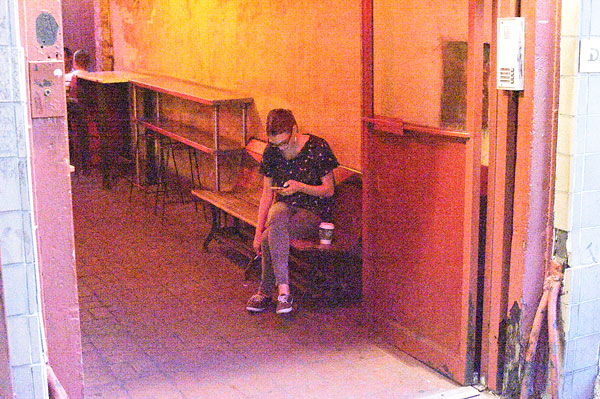 |
Texting in near dark, Greenwich Village. ISO 409,600! |
50mm, f/5.6, 1/125s, ISO 409,600 |
It's only a modest exaggeration to say that this camera can see in the dark!
Live View
As I noted in my previous Field Tests, Nikon has made a handful of small enhancements to the live view functionality of the D4S, and I ran through them making throwaway test images in my living room. Overall, live view works fairly well for the things I would use it for -- landscapes and still lifes, for example. A range of options for how the LCD monitor displays your shooting settings make it easy to focus precisely using manual focus, and get the right exposure.
The autofocus of the Nikon D4S in live view mode works okay for stationary subjects when you're not in a hurry, although it can have trouble locking on to low contrast subjects. I briefly tested it for street shooting on a late afternoon walk in the East Village, and it was slow and indecisive. That said, I wouldn't normally use live view on a DSLR for that kind of shooting anyway, so this isn't a big deal to me.
 |
Restaurant window in the East Village at ISO 10,000. |
50mm, f/2.8, 1/250s, ISO 10,000 |
Movies
To test the video capabilities of the Nikon D4S, I took it to Tompkins Square Park one evening. I wanted to experiment with the very shallow depth-of-field that the camera's full-frame sensor can deliver with the AF-S 50mm f/1.4 lens. I set up a shot where I could focus on some flowers in the foreground, and then shift the focus to people walking by in the background, and used a shutter speed of 1/125 for several clips at f-stops ranging from f/1.6 to f/2.8.
I found it easy to compose the shot on the LCD and check my exposure with a quick test clip. I had a little trouble focusing precisely using the Nikon D4S' LCD monitor at normal magnification, but solved this by increasing the live view magnification for critical focusing with just one button press. Although I kept my sensitivity at ISO 200 equivalent to get the best possible footage, Auto ISO is available for recording movies in manual exposure mode. This would undoubtedly be useful in some news and documentary shooting scenarios, where the light might be changing as you shoot.
Full HD video clip shot with the Nikon D4S. |
Summing it up
If there's one fundamental concept that separates a professional camera from amateur and enthusiast models, it's this. A pro camera is designed with the idea that, no matter what, you can rely on it to get you the shot. It'll have the versatility and performance to go from a wedding one day to car racing the next, and it'll keep on shooting through storms, riots, and hard landings on dirt airfields.
I didn't wade into any riots with the Nikon D4S, so I can only make educated guesses about its durability from its rock-solid construction. Its versatility and performance, though, are unmatched by any other camera I've ever used.
Of course, the D4S is a lot more camera than most of us need, including me. (Personally, I find it too expensive and bulky.) Still, I found it really pleasurable and satisfying to use such a responsive and well-made precision tool. That might be reason enough to get one -- even if you're not being paid to go into any possible situation and come back out with award-winning shots.
High ISO Noise Reduction
Nikon D4S High ISO Noise Reduction
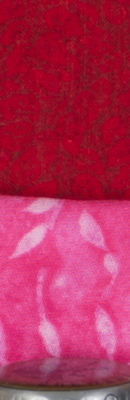
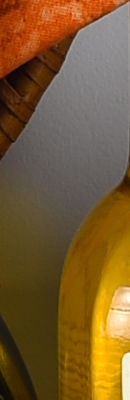
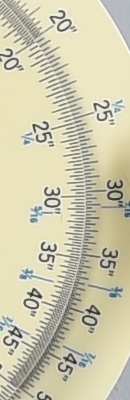
The Nikon D4S offers four High ISO Noise Reduction settings: Off, Low, Normal (default), and High, allowing you quite a bit of flexibility in choosing how you want to make the trade-off between subject detail and noise levels in JPEGs. The Nikon D4S manual doesn't say at what ISO High ISO Noise Reduction begins to be applied, so we've included crops from ISO 50 on up here. Note that the Nikon D4S manual does say when Off is selected, noise reduction is only performed at ISO 6400 and higher, and the amount is less than Low.
See for yourself how the Normal and Off settings work compared to RAW files with no noise reduction (or sharpening) applied. Click on any of the crops below to see the corresponding full-sized image.
| High ISO Noise Reduction Comparison In-Camera JPEGs Simulated Daylight |
|||
|
Normal
|
Off
|
RAW (no NR)
|
|
| I S O 5 0 |
 |
 |
 |
 |
 |
 |
|
 |
 |
 |
|
|
Normal
|
Off
|
RAW (no NR)
|
|
| I S O 1 0 0 |
 |
 |
 |
 |
 |
 |
|
 |
 |
 |
|
|
Normal
|
Off
|
RAW (no NR)
|
|
| I S O 2 0 0 |
 |
 |
 |
 |
 |
 |
|
 |
 |
 |
|
|
Normal
|
Off
|
RAW (no NR)
|
|
| I S O 4 0 0 |
 |
 |
 |
 |
 |
 |
|
 |
 |
 |
|
|
Normal
|
Off
|
RAW (no NR)
|
|
| I S O 8 0 0 |
 |
 |
 |
 |
 |
 |
|
 |
 |
 |
|
|
Normal
|
Off
|
RAW (no NR)
|
|
| I S O 1 6 0 0 |
 |
 |
 |
 |
 |
 |
|
 |
 |
 |
|
|
Normal
|
Off
|
RAW (no NR)
|
|
| I S O 3 2 0 0 |
 |
 |
 |
 |
 |
 |
|
 |
 |
 |
|
|
Normal
|
Off
|
RAW (no NR)
|
|
| I S O 6 4 0 0 |
 |
 |
 |
 |
 |
 |
|
 |
 |
 |
|
|
Normal
|
Off
|
RAW (no NR)
|
|
| I S O 1 2 8 0 0 |
 |
 |
 |
 |
 |
 |
|
 |
 |
 |
|
|
Normal
|
Off
|
RAW (no NR)
|
|
| I S O 2 5 6 0 0 |
 |
 |
 |
 |
 |
 |
|
 |
 |
 |
|
|
Normal
|
Off
|
RAW (no NR)
|
|
| I S O 5 1 2 0 0 |
 |
 |
 |
 |
 |
 |
|
 |
 |
 |
|
|
Normal
|
Off
|
RAW (no NR)
|
|
| I S O 1 0 2 4 0 0 |
 |
 |
 |
 |
 |
 |
|
 |
 |
 |
|
|
Normal
|
Off
|
RAW (no NR)
|
|
| I S O 2 0 4 8 0 0 |
 |
 |
 |
 |
 |
 |
|
 |
 |
 |
|
|
Normal
|
Off
|
RAW (no NR)
|
|
| I S O 4 0 9 6 0 0 |
 |
 |
 |
 |
 |
 |
|
 |
 |
 |
|
As you can see, the Normal and Off high ISO noise reduction settings have little effect below ISO 3,200. At higher ISOs, the trade-off between detail and noise can easily be seen, with the default setting providing very effective chroma noise reduction, though luminance noise is a little high at very high ISOs, exacerbated by strong default sharpening. You can also see the Off setting still applies some minimal noise reduction at ISO 6,400 on up, just as Nikon says.
Technical Info
Nikon D4S Technical Info
by Mike Tomkins
Sensor
The Nikon D4S is based around a newly-developed, full-frame (or FX-format, in Nikon parlance) CMOS image sensor. Effective resolution is unchanged from that used in the earlier Nikon D4, at 16.2 megapixels. Total resolution of the sensor, which has dimensions of 36.0 x 23.9 millimeters, is 16.6 megapixels. Unlike many current DSLRs, the D4S' sensor still sits beneath an optical low-pass filter that subtly blurs incoming light, helping to reduce the frequency of moiré and false color artifacts.
In the sensor's native 3:2 aspect ratio, the Nikon D4S outputs images at resolutions up to 4,928 x 3,280 pixels. There are also two cropped 3:2 aspect ratio modes which yield an effective 1.2x or 1.5x focal length crop, and a 5:4 aspect ratio mode which uses the full height of the image sensor, but trims the sides.
Processor
In place of the EXPEED 3 image processor used in the D4, the Nikon D4S is based around a next-generation EXPEED 4 processor. The company says that the newer chip has 30% greater performance, and allows for better noise-reduction processing thanks to updated algorithms.
Sensitivity
A significant difference from the earlier camera can be found in the sensitivity range of the Nikon D4S, backing up the claims of improved noise processing. The new camera now offers a standard ISO sensitivity range of 100 to 25,600 equivalents, a full stop above the D4's range, which was curtailed at ISO 12,800 equivalent.
It's still possible to extend the ISO sensitivity range at both ends, with the D4S now able to encompass everything from ISO 50-409,600 equivalents. At the lower end of the range, that's unchanged from the D4, but the upper limit is again a full stop above the earlier model's ISO 204,800 limit.
The D4S also offers an Auto ISO function which takes into account the mounted lens type, automatically selecting higher shutter speeds when the attached lens has a longer focal length. It's possible to manually skew the Auto ISO function towards faster or slower shutter speeds.
Performance
Nikon has also improved burst shooting performance of the D4S compared to that of its predecessor. The increase -- from 10 frames per second in the earlier camera to 11fps in the new model -- is modest, but certainly worthwhile for sports shooters. (Note that you're now getting autofocus and autoexposure adjustments between shots at this rate -- the D4 could manage 11fps, but only if you locked both variables from the first frame.)
The burst depth has also gotten a subtle improvement. Previously the D4 was rated as good for 170 frames when using JPEG Fine compression. Now, the Nikon D4S is said to be good for 200 JPEG Fine frames. In raw mode, the D4S is now capable of 133 frames with lossless compression and a 12-bit depth, up from 92 frames for the D4. The improvement at 14-bit depth is more modest, up three frames to a total of 78 frames. The worst case is 60 uncompressed (down from 69), 14-bit raws, and the best case is 176 lossy 12-bit raws (up from 98).
Of course all these figures are manufacturer ratings, and at FX-format resolution; for DX-format shooting, you can expect 200 frames with all but 14-bit uncompressed and small 12-bit uncompressed raws. We only tested the depth with lossless raw+large/fine JPEG, where we managed an excellent 43 frames with our difficult-to-compress target.
Optics
Just like its predecessor, the Nikon D4S features a Nikon F-mount with autofocus coupling and contacts. As you'd expect, it's compatible with almost every F-mount lens made since 1977, although some lens types will have a few limitations.
Displays
On the rear panel of the Nikon D4S is a 3.2-inch diagonal LCD panel. It's the same size used on the D4, and resolution is unchanged too, at 921,600 dots. (That equates to 307,200 pixels in a 640 x 480-pixel VGA array.) Also unchanged is the wide 170-degree viewing angle both horizontally and vertically, and the 100% frame coverage.
The D4S's LCD now includes a function allowing the user to adjust color tone, though, a handy addition to the feature set of the earlier camera. You can also adjust brightness in five steps.
Of course, the D4S also has both top-panel and rear-panel monochrome status displays, just as found in its predecessors.
Viewfinder
The Nikon D4S also retains its predecessor's eye-level pentaprism viewfinder, but while the viewfinder itself is unchanged, a difference in the reflex mirror mechanism should make using it rather more pleasant. The new mirror mechanism reduced viewfinder blackout time, meaning that the viewfinder view is interrupted for a shorter period during exposures. That should make tracking moving subjects easier.
Viewfinder coverage is still 100% when used in uncropped FX 3:2 aspect ratio mode, and 97% when in the 1.2x or DX cropped modes. For the cropped FX 5:4 aspect ratio mode, coverage is 100% vertically, but only 97% horizontally. When shooting in modes other than the native FX-format 3:2 aspect ratio, a translucent LCD in the viewfinder of Nikon's D4S partially masks the inactive portions of the frame.
The viewfinder has 0.7x magnification at 50mm and -1 diopter, an 18mm eyepoint, and a diopter adjustment range of -3 to +1m-1, all unchanged from the last several generations of Nikon pro flagships.
Focusing
The D4S is still based around Nikon's 51-point autofocus module, the Advanced Multi-CAM 3500FX, but that doesn't mean there's been no change -- far from it. The company says that its autofocus algorithms have been "thoroughly recalibrated" for better performance, and the AF Lock-on function should now deal with focus interruptions more quickly, restoring focus to your intended subject.
The Nikon D4S also sports a new Group Area AF mode, in which you pick an autofocus point, and the four surrounding points are also activated. It's similar to Canon's AF Point Expansion function, and should help to keep focus locked when panning to follow moving subjects. Essentially, your chosen center point is favored for focus determination, but if the focus distance for that point suddenly changes while remaining little changed at an adjacent point, the D4S will assume you've accidentally slipped off your subject, and switch points automatically.
The Multi-CAM 3500FS sensor has a working range of -2 to +19 EV (ISO 100, 20°C/68°F). Of the 51 points arrayed across the sensor, 15 points located at the center are cross-type, sensitive to both horizontal and vertical detail, and nine of these work at apertures up to f/8 with compatible Nikkor lenses mounted on the TC14E or TC17E teleconverters, while the centermost point works at up to f/8 with compatible Nikkor lenses and the TC20E teleconverter. (The remainder work as cross-type sensors to f/5.6 or lower.)
As well as using the full 51 points of the AF array, it's also possible to select single-point, 9-point, or 21-point modes.
Shutter / Mirror
The Nikon D4S offers shutter speeds ranging from 1/8,000 to 30 seconds in steps of 1/3, 1/2, or 1 EV, as well as a bulb position, all unchanged from the D4. Flash x-sync is still at 1/250 second. The shutter unit still has a rated life of 400,000 cycles, and interestingly, we've learned that this rating was determined by testing the camera in-situ in a camera body, rather than on a workbench.
As noted previously, the D4S has a new mirror mechanism that reduces bounce and viewfinder blackout time. Nikon hasn't provided any figures for the scope of the improvement, but it makes tracking of moving subjects easier.
Exposure
Also retained is the Nikon D4's exposure metering system. The Nikon D4S determines exposures with a 91,000 pixel RGB metering sensor. Thanks to the high resolution and the presence of color information, the system can recognize and account for human faces when performing metering, even when shooting using the optical viewfinder.
Metering modes include 3D Color Matrix Metering III, Color Matrix Metering III, Color Matrix Metering, center-weighted (which either gives a 75% weight to an area of 8, 12, 15, or 20mm at the center of the frame or averages the entire frame), and spot (which meters on a 4mm / 1.5% circle centered on the selected focus point.) The precise matrix metering mode available depends upon the mounted lens type.
The Nikon D4S provides an exposure compensation range of -5 to +5 EV, set in increments of 1/3, 1/2, or 1 EV. Additionally, it's possible to bracket anywhere from two to nine frames, in steps of 1/3, 1/2, 2/3, or 1 EV, both for flash and available-light exposures.
White balance
Nikon says that its white balance calculations have been further refined in the D4S, ensuring greater accuracy. A spot white balance function is available, and as well as two Auto, six Custom positions, and Kelvin, there are a selection of twelve preset modes. White balance presets include incandescent, fluorescent (7 types), direct sunlight, flash, cloudy, and shade. White balance can also be bracketed with the D4S saving two to nine copies of each image with varied white balance.
Flash
The Nikon D4S includes both a standard flash hot shoe with sync and data contacts and a safety lock, and a sync terminal with locking thread. i-TTL flash exposures are metered using the 91,000 pixel metering sensor. As you'd expect, the D4S supports Nikon's Creative Lighting System. The SB-910, SB-900, SB-800, or SB-700 Speedlights can be used as a master flash, the SU-800 Wireless Speedlight Commander as commander, and the SB-600 or SB-R200 Speedlights function as remotes.
Creative
The Nikon D4S can still shoot time-lapse photography in interval mode, and has a time-lapse movie function which can assemble the results into a movie for you. However, the company says that it has improved the interval mode with an exposure smoothing function that more gradually changes exposure across frames, avoiding the flickery look that can result when your subject's brightness changes from the overall trend for a few exposures here or there.
As you'd expect, the Nikon D4S also includes the company's Active D-Lighting function, which tweaks the tone curve for more balanced exposures. The D4S's Active D-Lighting function includes one additional strength level beyond those in the D4, which is Extra High 2. Active D-Lighting can be bracketed, with anywhere from two to five frames saved with the ADL strength varying between frames.
The D4S also includes Nikon's Picture Controls function, which offers six presets -- Standard, Neutral, Vivid, Monochrome, Portrait, Landscape -- and the ability for the user to customize these and port settings between camera bodies.
Tilt sensor
As with its predecessors, the Nikon D4S includes a dual-axis level sensor, used to provide a Virtual Horizon function that helps ensure level horizons and parallel verticals. The rear-panel LCD can show a gauge similar to an aircraft attitude indicator, while the viewfinder and top-panel LCDs can be used to show side-to-side roll.
Video
Good news, video shooters. The Nikon D4S boasts further improvements to its video mode beyond those made in the previous D4. Thanks to the more powerful EXPEED 4 processor, it can now capture Full HD (1080p; 1,920 x 1,080 pixel) video at up to 60 frames per second (50fps for PAL), where its predecessor was limited to 1080p at 30 fps. Reduced frame rates of 30, 25, and 24p are still available, as well as a reduced resolutions of 720p (1,280 x 720 pixels) at either 60 or 50 fps, and 640 x 424 at 30 or 25 fps.
Videos are recorded using H.264 / MPEG-4 AVC format compression with linear PCM audio, and you can also still output an uncompressed, 8-bit, 4:2:2 Full HD live view feed via the D4S's HDMI port, allowing it to be recorded using an external device and/or routed to an external monitor. However, you can now opt to do both at the same time -- record H.264 video to the flash card, and output uncompressed HDMI, getting the best of both worlds.
Video can either be shot using data from pixels across the entire width of the image sensor in FX mode, or with either a 1.5x (DX-format) / 2.7x focal length crop, taking data from the center of the imager, without affecting the video resolution.
Video exposure
The Nikon D4S allows shutter speed, aperture, and ISO sensitivity to be changed during recording, as required to adapt to changes in ambient lighting or yield the desired cinematic effect. And like its predecessor, a Power Aperture function is included, allowing smooth and stepless aperture control using the Preview and Function buttons on the camera's front panel. However, unlike the earlier model, you can also opt to control shutter speed and aperture manually, but have the camera control ISO sensitivity so as to retain the metered exposure. (If subject brightness changes, the ISO sensitivity will gradually change so as to account for this.)
There's still full-time contrast detection autofocus capability, operating either in face detection, wide area, normal, or subject tracking modes, as well as the ability to focus manually.
Maximum clip length is 29 minutes 59 seconds at Normal quality and 20 minutes at High quality except for the new 1080p60/50 mode, which is limited to 20 minutes at Normal quality (24Mbps) and 10 minutes at High (42Mbps). Although there's a dedicated Movie record button, it's possible to configure the D4S to use the Shutter button to start and stop recording, allowing a greater range of accessories to control recording.
Audio
Audio levels for the built-in monaural microphone can be adjusted automatically or manually in a 30-step range, while external stereo mics have a 20-step adjustment range. The levels for either can be monitored on the camera's LCD display, and the levels adjusted during capture. There's a wind cut filter, as well, and this too can be enabled or disabled during capture. You can also now select between various frequency ranges for capture, such as Wide Range and Voice Range, so as not to pick up untoward noises outside of your intended capture range. Additionally, the Nikon D4S includes a standard 3.5mm stereo audio output, allowing headphones to be connected to the camera for live monitoring of captured audio.
One last video feature of note is the ability to select a frame rate and shooting interval for time-lapse photography, and then have the results saved as a video that plays back at speeds ranging from 24x to 36,000x. (And as already mentioned, exposure changes in time-lapse movies are now made more gradually.)
Environmental sealing
As you'd expect for a pro-level Nikon body, the Nikon D4S's tank-like magnesium alloy body is fully sealed and gasketed throughout, to protect against moisture, dust and dirt, and electromagnetic interference.
Dust reduction
Of course, as an interchangeable-lens camera, the lens mount itself is a potential entry-point for dust, and the D4S includes a dust removal function achieved using vibration of the optical low-pass filter. The Nikon D4S can also capture a reference image which determines the location of dust on the image sensor, and can be used to retouch photos to remove this dust, using Nikon's optional Capture NX 2 software.
Connectivity
Just like its predecessor, the Nikon D4S has an uncommonly wide range of external connectivity even by pro SLR standards. Connections include USB High-Speed data, a Type-C mini HDMI high definition video output, and an RJ-45 wired Ethernet port. However, where the Ethernet port of the D4 was 100Base-T compatible, that on the D4S is now a 1000Base-T port -- also known as Gigabit Ethernet, and capable of 185Mbps transfer. That's more than triple the rated speed of 60Mbps provided by the earlier camera.
The D4S also includes a ten-pin remote terminal (also used to attached compatible GPS devices), a 3.5mm stereo microphone jack (with support for plug-in power), and a 3.5mm stereo headphone jack (for monitoring audio during video capture).
Wireless file transmitter
The Nikon D4S is also compatible with the WT-5A wireless file transmitter. These allow images to be transferred directly from the camera to an FTP server or computer on the wireless network, and transfer can be initiated automatically or manually. The WT-5A draws its power from the camera body via a port beneath the strap lug on the left side of the camera body, and compared to the WT-4A -- with which the D4S is also compatible -- offers higher-speed 802.11n compatibility, linked release of up to ten cameras from a single camera body, and remote operation using Nikon Camera Control Pro 2 software.
GPS
As mentioned previously, the Nikon D4S can be connected to a GPS receiver, allowing geotagging of images as they're captured. As well as Nikon's own GP-1A hotshoe-mounted GPS receiver, the D4S is also compatible with NMEA0183 version 2.01 or 3.01-compliant GPS receivers, which can be connected to the camera using an optional MC-35 GPS adapter cord and the receiver's own connector cable with 9-pin D-sub connector.
Storage
The Nikon D4S has dual flash card slots, and can be configured to write images simultaneously to both cards, write raws to one card and JPEGs to the other, or use one card as primary and the second as an overflow when the first card is filled up. And like its immediate predecessor, only one of the slots accepts CompactFlash cards (Type-I only, including UDMA cards).
The other slot accepts the still-rare XQD-format memory cards, which were introduced by the CompactFlash Association in early December 2011. To date, they've still been adopted in the camera world solely by Nikon, and the D4S is only the second camera to offer support for them.
A nice, new touch is that you can now switch between cards as you're shooting with a two-button shortcut. Want to save just particular subjects or shot types to one card, and the remainder to the other? Now you can.
The D4S can write either 12-bit or 14-bit raw images with lossless or lossy compression, or completely uncompressed. It also has a new small, 12-bit raw file size, which saves with one quarter the pixel count (2,464 x 1,640 pixels) and half the file size of a standard 12-bit raw file. It can also save images as RGB TIFF files, Baseline-compliant JPEGs at 1:4, 1:8 or 1:16 compression levels, or as both raw and JPEG formats at the same time. A nice plus for wire service photographers is that the D4S can generate IPTC data in-camera, instead of at download time, streamlining the tagging process.
Power
The Nikon D4S draws power from a rechargeable EN-EL18A lithium-ion battery, rather than the EN-EL18 pack of its predecessor. The new battery is the same size as that used in the D4, but rated for significantly greater battery life in the new camera. CIPA testing suggests that the EN-EL18A battery will deliver up to 3,020 shots per charge in single mode, up from 2,600 shots with the EN-EL18 in the D4. And while doing so doesn't comply to CIPA standards, Nikon says that switching to continuous drive mode will allow 5,960 shots on a charge.
The D4S's battery is charged via the Quick Charger MH-26a, and an EH-6b AC Adapter can be used to power the D4S, requiring the EP-6 Power Supply Connector.
Conclusion
| Pro: | Con: |
|---|---|
|
|
Given its heritage and flagship status, it was clear coming into our Nikon D4S review that the question we'd be looking to answer wasn't so much whether this was a great camera, as how great it might be. From our time with the earlier Nikon D4 -- and our experience of Nikon's professional cameras to date -- we were fully expecting to enjoy shooting with the Nikon D4S, and we certainly did.
The Nikon D4S' greatness, we realize, depends somewhat on your perspective. If you're coming from an enthusiast-grade camera, and you're prepared to accept the added heft of a pro shooter with a body that could hammer in tent pegs, you'll doubtless find it to be a spectacular upgrade. The D4S pairs truly great image quality with superb performance.
There's no question about it: This really is one heck of a camera. It can't make you an instant pro, but once you've become familiar with it, the D4S can give you the same shooting experience pros demand, and let you focus on your images. (Of course, that's a double-edged sword: There's no blaming your camera if you miss the shot with gear like this!)
If you're coming from the Nikon D4, though -- already a great camera in its own right -- then the upgrade to the D4S is more modest, as befits its name. Yes, it's a noticeably better camera in quite a few areas, but in most of them it's clearly an evolution, not a revolution. And its image quality upgrade is really only of relevance to JPEG shooters, with raw image quality little-changed from the earlier camera.
As a pro looking to step up from the D4, if you absolutely need every last scrap of performance, you routinely shoot in JPEG, or you need its movie capabilities -- as many pro photographers do these days, being expected to turn in video for the client alongside your bread-and-butter stills business -- then it's a no-brainer upgrade. If not, though, you may well find the modest upgrade means you're better off sticking with your D4 for the time being.
But that's no knock at all on the newer model -- it's more an acknowledgement of how great a camera the D4 already was. And as great as it was, the Nikon D4S is even better. It's a truly spectacular camera, and one which should be just as home shooting events like weddings as it is shooting sports. Unless resolution is your primary goal, this is the Nikon to go for if you're in the market for a new professional DSLR -- and there's really no question that it's a very worthy Dave's Pick!
Place your order with a trusted Imaging Resource affiliate to help keep our reviews coming!
Follow Imaging-Resource.com on Twitter!
Pros
- Excellent, tank-like build quality
- First-rate ergonomics a pro would expect
- Superb performance with confident autofocus
- Great image quality
- Big, bright viewfinder with 100% coverage
- Excellent battery life
- Doubles as a powerful video capture tool
Cons
- Fairly minor upgrade over the D4
- Image quality improvements apply only to JPEG
- XQD card format isn't broadly accepted
- Consumer-friendly default JPEG processing may turn off some pros
- Body is large and hefty (but that's normal for pro gear)