




Overview

Three and a half years after introducing the D700, Nikon revealed the long-awaited D800. While it's still full frame, the new SLR is endowed with three times the pixels of its predecessor with its 36.3-megapixel sensor. That's more than any other 35mm-size SLR currently on the market, as of this writing, and sets the D800 apart from the company's recently announced professional SLR, the Nikon D4. The D3 shared the same resolution as the D700, but the two lines have taken new directions starting in 2012.
Native ISO ranges from 100 to 6,400, but is expandable from 50 to 25,600. Whereas the D700 had no movie features at all, the D800 has the most current, offering Full HD 1080p at 30/24p and 720p at 60/30p. It even allows uncompressed 1080p signal via the HDMI port (8 bit, 4:2:2).
Made available late March 2012, the Nikon D800 started with a suggested retail price of US$3,000.
Nikon also offers the D800E, a camera designed to remove the effects of the optical low-pass filter (OLPF) for sharper images than normal. This camera, Nikon warns, will also be more susceptible to producing moiré patterns in images with repeating patterns. Made available in mid-April 2012, the Nikon D800E costs an additional $300, or US$3,300.
Like its predecessor, the Nikon D800 is a hefty, full-size camera, weighing almost two pounds body-only (1 pound 15.7 ounces; 900g) with dimensions of 5.7 x 4.8 x 3.2 inches (146 x 123 x 81.5mm). The Nikon D800 weighs 3.4 ounces (95g) less than the D700.

As they did with the D4, Nikon moved the grip's upper lip down somewhat, allowing for greater separation between the shutter button, the front Sub-command dial, and the middle finger. The shutter button cants more toward the index finger, and the Sub-command dial tilts a little more on two axes for better actuation. The Depth-of-field preview button and accompanying Function button are D-shaped, with a nice clean break when pressed. When shooting movies, they can serve to adjust the aperture up and down while filming. Front tapers are reminiscent of the Nikon D4. Rather than a painted dot just outside the bayonet mount to serve as an alignment mark, the D800's dot is out on the side of the surrounding bezel, right beneath the Flash activation button.

Instead of three buttons on the top left shoulder, the Nikon D800 has four in a four-leaf-clover pattern. The new button is for Bracketing, and the other three handle white balance, image quality (resolution and compression) and ISO. The Drive Mode dial surrounds the button array (see below), and moves between settings with a soft detent to separate them.
There's also a new button on the right, displacing the traditional position of the Mode button. It's the Movie Record button, whose purpose can also be reprogrammed to serve as a function button. A diopter correction dial juts out from the right side of the ~100% optical viewfinder. Pull it out to adjust, and push it back to lock. The dial is a little thicker than the D700's, making it easier to turn.

Most of the Nikon D800's controls are pretty similar to the D700, with a few exceptions. The same five buttons are there on the left, but zoom in and zoom out buttons are swapped to more logical positions, with zoom in (plus) at the top and zoom out (minus) at the bottom. That will of course require some re-learning for upgrading D700 owners; indeed, for most all Nikon DSLR owners. I've long thought these were backwards, so at least I'll like the change. The AF selection tool is replaced with the Movie/Still switch with the Live view button in the middle. Note the optical viewfinder still includes a shutter to keep stray light from affecting the meter.
Sitting down and playing with the Nikon D800 brought back memories of the D700. The Viewfinder is gorgeous, thanks to its near 100% coverage and Brite View Mark VIII focusing screen. Putting the Nikon into 3D Tracking mode, it was really something to put the center point on my subject as I'd normally do, then I recomposed and watched as the AF points stayed right on my subject. Nikon doesn't publish mirror blackout times, apparently, but the D800's was among the fastest I've seen, getting out of the way quickly so I could continue interacting with my subject.
Brief Field Test and Intro
by Shawn Barnett
As I did with the Canon 5D Mark III, as soon as the lab was finished for the day, I raced home with the Nikon D800 and grabbed some shots of my kids in my basement studio. I used the new 85mm f/1.8 Nikkor, a lens that produced tack-sharp images.
I struggled a bit more with the Nikon D800 than I did with the Canon 5D Mark III. All my images seemed green on the LCD, even after I set a custom white balance. Anyone watching the early reports for the Nikon D800 will know that I wasn't alone. Numerous other buyers of the Nikon D800 were mystified when their custom white balance and Kelvin settings still produced a green cast in known lighting. At first people thought it was the LCD that had a green cast, but upon looking at our files, it seemed clear that the LCD was reporting what the camera was recording with reasonable accuracy. Mariea Rummel, our pro reviewer, also noticed the difference from her D700's usual behavior, as you'll see in her report below.
Somehow in my frustration with the LCD, I also managed to underexpose the images by about 1 stop. Thankfully, because I was shooting RAW, I was able to adjust the files in Lightroom and post them quickly. I have since re-processed and re-posted them, and I think the results look better. I also adjusted the tint more toward magenta to compensate for the green cast in the images.

Pretending to catch the ball. f/7.1, 1/160, ISO 100

Ready to block. f/7.1 1/250, ISO 100


Except for the very young, unless you're going for the detail for effect, the Nikon D800's 36.3-megapixel images capture too much detail for flattering portraits. But it's hard to ignore the incredible detail it captured, plainly visible in this 100% crop from the last image above.

I'm always looking for sharp detail in the eye, and boy does the Nikon D800 ever deliver. The Nikkor 85mm f/1.8 AF-S lens, also introduced earlier this year, is pretty impressive too (see our SLRgear.com review here).
HDR. Taking a different approach to HDR, the Nikon D800 only flips its mirror once, while the shutter trips twice to make the two exposures. That change likely reduces camera vibration when compared to cameras that flip the mirror and shutter for each exposure. The result is an exposure that sounds more like one long shot rather than two.

The first thing I did before heading out was assign HDR to the BKT or Bracketing button. With that arrangement you press the BKT button and rotate the rear dial to select between Off, On (single photo), and On (series). Single photo obviously takes just one shot and then turns HDR off. Rotating the front dial adjusts the Exposure differential, selecting among Auto, 1, 2, and 3 EV. Smoothing options can only be set via the menu. Thankfully, the Nikon D800 automatically returns you to the last menu item adjusted, so switching between all of these options on the fly isn't terribly complicated.
After the exposure, the Nikon D800 gets to work merging the images into one. Depending on your card speed, this can take about five seconds. The results are pretty good. You can see a range of sample images below. Note the halos around the roofline in the images with low smoothing, which increase as the exposure differential increases. Also, images with high smoothing show less of the HDR effect.


Note: The above shots were made with the Nikon D800E.
As usual, I enjoyed shooting with the Nikon D800, and could easily see it as an excellent workhorse camera (I would just have to invest in a few more big hard drives and a new computer to make it my daily shooter). We also wanted to see what a pro photographer thought of the D800, so we placed it into the hands of a wedding and portrait photographer who routinely shoots D700 cameras in her professional work. Take it away Mariea:
Pro Review: Portrait Shooting with the Nikon D800

As a wedding and portrait photographer I could never foresee myself using a 36.3-megapixel digital camera. Let's face it, at a little over twelve megapixels, my Nikon D700's output is spectacular. Anything larger seemed like overkill and possibly just something to size up another photographer in a passing conversation. Most photographers' cameras are like the security blanket we had when we were kids; we know it well, like the back of our hand, and it is comfortable -- like an extension of our body. Then I tried the Nikon D800 on for size.
Nikon had big shoes to fill when upgrading the amazing D700, and few questions ran through my head as I opened the box: What in the world am I going to do with 36.3 megapixels? Will I like it enough to want to replace my D700 body? Will it work consistently during a 12-hour wedding? After a week and a half analyzing the Nikon D800's performance, I was pleasantly surprised. What a beauty!
First and foremost, I am extremely happy that the body size between the D700 and the Nikon D800 remains unchanged. As one with smaller hands, this allows me to comfortably make adjustments and operate the camera on the fly while photographing 8-10 hours straight. Nikon found a happy medium for button layout, as even one of my colleagues with larger hands found it comfortable and easy to control. While shooting and holding the camera with one hand, I found it well balanced, and afterward didn't feel like I'd made a trip to the gym for an upper body workout. A very minor change that would most likely go unnoticed is that the lip of the grip above the middle finger is slightly deeper, which improved handling for me.
Now while the size of the Nikon D800 body is similar to that of the D700 and slightly lighter, I recommend purchasing a battery grip for the D800, or at the very least, extra batteries. Processing the larger pictures requires heavy battery usage. After shooting for just an hour and a half without a grip, my battery life reduced to 50%. I was disheartened. As I expressed above, I have smaller hands and adding a battery grip creates strain in my hands. But the last thing I would want while shooting a wedding is to go through numerous battery changes, so a battery grip would be a must.
The Nikon D800's ISO range is amazing, just like the D700. New to the D800 is the ability to drop down to ISO 100 over the D700 minimum of ISO 200 without using higher contrast "Lo" extensions. I found that being able to drop down to ISO 100 provided that extra clean shot, useful when the subject was in bright daylight situations.


Perhaps the most noticeable difference I saw between the two bodies was the dramatic noise reduction at higher ISOs on the D800; I was thrilled with its minimal grain even at ISO 6,400.
The megapixel size -- now this is something I questioned most, but found that I loved, due to the ability to crop and enlarge prints. Along with 36.3 megapixels per file comes the need of larger memory cards, a great deal of RAM, and storage for these mammoth files. In essence, this translates to a higher operating cost, so include this as part of your decision making process. Part of me wishes that Nikon had created a medium RAW and small RAW option to overcome the need for additional media. If this were a feature I would have probably said goodbye to my D700 bodies. My reasoning is that as a wedding and portrait photographer I do not need to use the 36.3 megapixel force, full time. During a wedding I am content using my D700's 12 megapixels for pre-ceremony, ceremony, reception, reserving the D800 for formals. Bottom line, anything that I know my clients will want to blow up larger than a 16 x 24 inches I would call on the D800.
The first time I photographed with the D800 I also brought along my D700 to compare. I noticed right away that the Nikon D800's viewfinder was ~100% coverage instead of the ~95% coverage in the D700. I was thrilled! What you see is what you get.
Something else I realized quickly was the D800's LCD monitor had a greenish tint when I shot in Kelvin. My photography is very warm and I normally photograph in the shade around 5560K. I remembered as I shot that it was a little odd and decided to photograph a photo with the same setting, one with each camera so that when I came back to the office to load the photos into Lightroom, I could see if there was a difference in the file itself.


It was there I noticed a minor green tone to the subject's skin compared to a more magenta tone with the D700. But one can overcome this issue by setting a custom white balance on the D800 and using the fine-tune function to adjust the tint. I must note also that the Auto white balance is superb in the D800. When you don't have time to calibrate your white balance I would definitely use the Auto mode.
Another difference I ran into was focusing. I had a harder time when my subjects were further away from me to get the focus sharp and right on compared to my D700. With a 36.3-megapixel sensor you do not have as much depth of field as you do with the 12.1 megapixel sensor on the D700. The more megapixels, the more slight focusing errors you will see when zooming into the file (around 100%). So it is important to ensure your focusing is spot on.


I love the addition of the SD card bay paired with the CF card bay. Within the camera's menu you can choose whether the cards are used for extra storage, separating video from pictures or even separating JPEGs from RAW images. It left me with a wonderful sense of security that the second card can be used as a backup.
One qualm I noticed right away, though, is the frame rate of the D800 is slower than the D700. It's only capable of four frames per second instead of five at full resolution. With optional battery grip, the D700 can do eight FX frames per second while the D800 can do up to six, but in DX crop mode. For me, the D700's fast frame rate comes in handy with group photos where you have the potential for blinks or look-aways from little ones. It's also great for capturing the kiss during the ceremony. This slower frame rate would obviously be a major problem in sports photography.
Now I didn't use the video feature as much as I would have liked while working with the Nikon D800 but what I saw was fantastic. I shot a few sample videos and it was easy and effortless. From Live view to the clear and crisp video output it was all very impressive. The internal microphone worked well but I was also happy to find that you can easily connect an external microphone and even a pair of headphones for superb audio capture and review.

Overall, I was impressed with the Nikon D800. Its amazing 36.3-megapixel sensor gave me the ability to crop and enlarge files without pixilation. Its comfortable fit and weight felt familiar in my hand, and I liked the wide ISO range and effective noise reduction. I also love the ~100% viewfinder.
The Nikon D800 does have a few cons, though. I recommend using a custom white balance, and fine-tuning to fix the greenish tint. I also recommend considering purchase of additional batteries and a battery grip due to the faster battery drain.
If you shoot commercial or landscape photography, the Nikon D800 is a wonderful investment. But if you already have a D700, like me (I carry two with me at all times), think hard before throwing down an extra three thousand until you have purchased the processing tools needed to handle these large files.
If you are a photographer with a bunch of Nikon glass wanting to dabble in cinematography then I would say jump at the D800. I will wait until one of my D700s needs replacement before considering the D800. But there's no question, after shooting with it for even a short time, I look forward to owning a D800 one day.
Mariea Rummel is a portrait and wedding photographer based in El Dorado Hills, California, serving all of California and destination weddings worldwide. www.mariearummel.com
Nikon D800 Technical Information
by Mike Tomkins


Sensor. The Nikon D800 is based around a newly-developed FX-format CMOS image sensor with an effective resolution of 36.3-megapixels, a huge step upwards from the 12.1 megapixel chips used in the earlier D700 model. Total resolution of the Nikon-developed sensor, which has dimensions of 35.9 x 24.0 millimeters, is 36.8 megapixels.
In the sensor's native 3:2 aspect ratio, the Nikon D800 outputs images at resolutions up to 7,360 x 4,912 pixels. There are also two cropped 3:2 aspect ratio modes which yield an effective 1.2x or 1.5x (aka DX-format) focal length crop, and a 5:4 aspect ratio mode which uses the full height of the image sensor, but trims the sides.
In all modes, there are three resolution options available. In 3:2 aspect ratio, medium resolution equates to 20.3 megapixels, and even the lowest-resolution mode works out to about 9.0 megapixels -- surprisingly close to the full resolution of the D700.

Processor. Output from the D800's new image sensor is handled by the company's latest-generation EXPEED 3 image processor, quite a step forward from the EXPEED processors of the D700. Note that although it carries the same branding as the D4's image processor, we understand that this refers to the underlying algorithms used, rather than the processors themselves. These are apparently different in the two cameras, as you'd expect given their fairly radical variation in pricing and feature set.
Like the D4, the Nikon D800 has 14-bit A/D conversion, and a 16-bit imaging pipeline.
Sensitivity. The Nikon D800 offers a standard ISO sensitivity range of 100 to 6,400 equivalents. The top end is unchanged from the D700's maximum sensitivity, but the base sensitivity has expanded from the ISO 200 offered by the earlier model. It's also possible to extend the ISO sensitivity range to a range of ISO 50 to 25,600 equivalents. Again, this extends the bottom end of the range since the D700, while retaining the same upper limit.

ISO sensitivity step sizes of 1/3, 1/2, or 1 EV are available across the entire range from 50 to 6,400 equivalents, with 1 EV steps above this point. The Nikon D800 also offers an Auto ISO function, and as in the D4 this can now take into account the mounted lens type, automatically selecting higher shutter speeds when the attached lens has a longer focal length.
Performance. The Nikon D800 can capture full-resolution images at up to four frames per second in FX mode. When using the optional MB-D12 battery pack and shooting in the 1.5x cropped DX format, this can be increased to six frames per second. Both figures are down from those of the D700, which was capable of five and eight frames per second respectively, but when one considers the much higher sensor resolution, it's quite impressive that the figures are even close. The D800 has literally a threefold increase in effective pixel count compared to that of the D700, but the burst shooting rates are only about 20-25% slower. When shooting with the standard EN-EL15 battery, the DX-format rate falls from six to five frames per second.
Like the D4, the Nikon D800 starts up in approximately 0.12 seconds, and has a claimed shutter release lag of 0.042 seconds (our test results show 0.043 prefocused; 0.209 full AF center point; 0.306 full AF 51-point AF).

Optics. The Nikon D800 provides a Nikon F-mount that is compatible with almost every F-mount lens made since 1977, although some lens types will have a few limitations, and you'll want to choose your glass carefully to be sure to get the most benefit of its extremely high resolution. Unlike consumer Nikon DSLRs, the D800's lens mount includes both a mechanical AF coupling for older "screw-drive" autofocus lenses, as well as AF electrical contacts for the latest AF-IF or AF-S Nikkor lenses with internal focus motors.
The Nikon D800's lens mount also includes an AI aperture ring connector, a little metal vane located just outside the lens mount flange (at about 1 o'clock), that interfaces with old AI Nikkor manual focus lenses. This engages with the aperture ring on AI-style Nikkor lenses, and lets the D800 support aperture-priority metering mode and provides manual-exposure metering with them.
Displays. On the rear panel of the Nikon D800 is a new 3.2-inch diagonal LCD panel that's just slightly larger than the 3.0-inch panel of the D700. (We understand that it's the same panel featured in the Nikon D4.) Total resolution is unchanged from the earlier unit at 921,600 dots, which equates to 307,200 pixels in a 640 x 480 (VGA) array. Also unchanged is the wide 170-degree viewing angle both horizontally and vertically and 100% frame coverage.
The D800's LCD is overlaid with reinforced glass, and like that of the D4, includes an auto brightness adjustment using an ambient brightness sensor. This saves the user needing to adjust LCD brightness manually as ambient conditions change. Monitor hue can also be temporarily adjusted, useful for previewing flash shots in Live View mode. Of course, the D800 also has a top-panel monochrome status display, just as found in its predecessor.

Viewfinder. There's also a new eye-level pentaprism viewfinder whose coverage is ~100% when used in uncropped FX 3:2 aspect ratio mode, and ~97% when in the 1.2x or DX cropped modes. For the cropped FX 5:4 aspect ratio mode, coverage is ~100% vertically, but only ~97% horizontally. The viewfinder has 0.7x magnification at 50mm and -1 diopter, a 17mm eyepoint, and a diopter adjustment range of -3 to +1m-1.
The D800's viewfinder uses a Type B Brite View Clear Matte Mark VIII focusing screen with AF brackets and framing grid.
Focusing. The Nikon D800 includes the next-generation version of Nikon's 51-point autofocus module, seen previously in the D4, and known as Advanced Multi-CAM 3500FX. The new sensor has an improved working range of -2 to +19 EV (ISO 100, 20°C/68°F), and an array of 51 focusing points. Of these, 15 points located at the center are cross-type, sensitive to both horizontal and vertical detail, and nine can work at apertures up to f/8 with compatible Nikkor lenses mounted on the TC14E or TC17E teleconverters, while the centermost point works at up to f/8 with compatible Nikkor lenses and the TC20E III teleconverter. (The remainder work as cross-type sensors to f/5.6 or lower.)

As well as using the full 51 points of the AF array, it's also possible to select single-point, 9-point, or 21-point modes. Thanks to the new color matrix metering sensor, which is also used for scene-detection, the Nikon D800 is said to offer dramatically improved 3D tracking performance, able to track much smaller subjects with reduced tracking error. Another improvement courtesy of the matrix metering sensor's increased resolution is that the D800 now offers face detection autofocus even when shooting through the viewfinder.
Of course, the Nikon D800 also supports AF fine-tuning to address back- or front-focusing lens issues. You can register up to 20 different lens "types" (models) with the camera, and make micro-adjustments to the AF system for each, across a range of +/-20 (arbitrary) increments. A default setting is also provided. It should be noted that AF fine-tuning only affects phase detection autofocusing, having no effect over contrast detection AF in Live View mode.

Shutter / Mirror. The Nikon D800 offers shutter speeds ranging from 1/8,000 to 30 seconds, in steps of 1/3, 1/2, or 1 EV, as well as a bulb position. Flash x-sync is at 1/250 second for full power, and as high as 1/320 second at reduced power without falling back to FP sync. The shutter unit is said to have a rated life of 200,000 cycles, half that of the pro-oriented Nikon D4.
Exposure. As mentioned previously, the Nikon D800 has a new metering sensor with 91,000 pixel resolution, the same as seen recently in the Nikon D4. The metering system has a working range of 0 to 20 EV in matrix or center-weighted modes, and 2 to 20 EV in spot mode.
The 3D Color Matrix Metering III metering mode compares metered scenes to a large 30,000 image in-camera database, before determining exposure variables, and it can now take account of the positions of human faces in the image frame even when shooting using the optical viewfinder. (Previously, face detection required use of live view.)

Other metering modes include center-weighted (which either gives a 75% weight to an area of 8, 12, 15, or 20mm at the center of the frame or averages the entire frame), and spot (which meters on a 4mm / 1.5% circle centered on the selected AF point.)
The Nikon D800 provides an exposure compensation range of -5 to +5 EV, set in increments of 1/3, 1/2, or 1 EV. Additionally, it's possible to bracket anywhere from two to nine frames, in steps of 1/3, 1/2, 2/3, or 1 EV, both for flash and available-light exposures.
White balance. Nikon says it has also improved white balance performance in the D800, which should now yield more reliable results in general, and also includes an option to retain the warmth of incandescent lighting in Auto mode, something we've seen from quite a few other manufacturers, following on from Pentax's Color Temperature Enhancement feature in the K-7 prosumer SLR.
As well as two Auto, four Custom positions, and Kelvin, there are a selection of twelve preset modes. White balance presets include incandescent, fluorescent (7 types), direct sunlight, flash, cloudy, and shade. White balance can also be bracketed with the D800 saving two to nine copies of each image with varied white balance.

Flash. The Nikon D800 includes a built-in, manual popup flash strobe with a guide number of 39 feet / 12 meters at ISO 100, 68°F/20°C. For external flash, it also offers both an ISO 518 standard flash hot shoe with sync and data contacts and a safety lock, and an ISO 519 standard sync terminal with locking thread.
i-TTL flash exposures are metered using the new 91,000 pixel metering sensor. As you'd expect, the D800 fully supports Nikon's Creative Lighting System. The built-in flash or external strobes including the SB-910, SB-900, SB-800, or SB-700 Speedlights can be used as a master flash, the SU-800 Wireless Speedlight Commander as commander, and the SB-600 or SB-R200 Speedlights function as remotes.
Creative. The Nikon D800 includes a high dynamic range function, similar to that seen recently on the D4. Although some will doubtless still prefer to do their HDR merges on a computer for the ultimate control, there's no question that in certain situations HDR can be a great tool in-camera as well. The Nikon D800's HDR mode captures two exposures with a difference of 1, 2, or 3 EV between exposures, and combines them into a single image. It's not clear if this includes microalignment capability, but three smoothing levels are available: low, medium, or high.
As you'd expect, there's also Nikon's Active D-Lighting function, which tweaks the tone curve for more balanced exposures. Active D-Lighting can be bracketed, with anywhere from two to five frames saved with the ADL strength varying between frames.

The D800 also includes Nikon's Picture Controls function, which offers six presets -- Standard, Neutral, Vivid, Monochrome, Portrait, Landscape -- and the ability for the user to customize these and port settings between camera bodies. There's now a dedicated button on the camera for access to picture controls, making it easier to change modes to suit your subject.
Tilt sensor. The Nikon D800 also includes a dual-axis level sensor, used to provide a Virtual Horizon function that helps ensure level horizons and parallel verticals. The rear-panel LCD can show a gauge similar to an aircraft attitude indicator, while the optical viewfinder can display roll and pitch indicators when the Function button is pressed.
Video. Nikon completely overhauled its video feature set for the professional D4 SLR, and many of those features also make it into the D800, offering a very attractive proposition for its pricetag. The Nikon D800 can capture Full HD (1080p; 1,920 x 1,080 pixel) video at either 24 or 30 frames per second (25fps for PAL). For 720p (1,280 x 720 pixel) video, a rate of 60 frames per second is possible (50fps for PAL). Video can either be shot using data from pixels across the entire width of the image sensor in FX mode, or with a 1.5x (DX-format) focal length crop, taking data from the center of the imager, without affecting the video resolution.
The Nikon D800 allows shutter speed, aperture, and ISO sensitivity to be controlled manually, as required to adapt to changes in ambient lighting or yield the desired cinematic effect. There's also full-time contrast detection autofocus capability, including face detection and tracking functions, as well as the ability to focus manually. Nikon notes that the D800's fast readout has reduced the likelihood of rolling shutter (aka jello effect.)

Videos are recorded using H.264 / MPEG-4 AVC format compression with B-frame macroblocks and linear PCM audio, a combination that Nikon says will allow more accurate storage with lighter-weight file sizes. Maximum clip length is 29 minutes, 59 seconds when using Normal quality. Although there's a dedicated Movie record button, it's possible to configure the D800 to use the Shutter button to start and stop recording, allowing a greater range of accessories to control recording.
Audio levels for the built-in monaural microphone can be adjusted automatically or manually in a 30-step range, while external stereo mics have a 20-step adjustment range, and the levels for either can be monitored on the camera's LCD display. Additionally, the Nikon D800 includes a standard 3.5mm stereo audio output, allowing headphones to be connected to the camera for live monitoring of captured audio.
Even more unusually, it's possible to have the live feed piped to the D800's HDMI port as an uncompressed full HD signal, allowing it to be recorded using an external device and/or routed to an external monitor. If desired, this signal can be mirrored on the camera's own LCD display at the same time; the off-camera feed doesn't have any overlays added, so as not to impact external recording devices. Note that when streaming to the HDMI port, the D800 doesn't write to the flash card slots, however.
One last video feature of note is the ability to edit movies in-camera, marking them with start or end index points.
| Daylight Video Sample |
| Night Video Sample |
Visit the Nikon D800 Video page for more details and sample videos.

Environmental sealing. Like its predecessor, the Nikon D800 is sealed against dust and moisture. We don't have any specifics as to the number and locations of seals, but Nikon says weather and dust sealing has been "extensively applied and severely tested." Nikon also says the D800's magnesium alloy body is about 10% lighter than the D700, yet just as rugged.
The optional MB-D12 Multi-Power Battery Pack also features magnesium alloy construction and is sealed against weather and dust just like the D800 body.

Dust reduction. Of course, as an interchangeable-lens camera, the lens mount itself is a potential entry-point for dust, and the D800 includes a dust reduction function achieved using vibration of the optical low-pass filter. The Nikon D800 can also capture a reference image which determines the location of dust on the image sensor, and can be used to retouch photos to remove this dust, using Nikon's optional Capture NX 2 software.
Connectivity. The Nikon D800 offers a wide range of external connectivity. Probably the most significant of these is its new USB 3.0 SuperSpeed data connection, a first for an SLR camera, and something even its pro-oriented sibling the D4 doesn't provide. Other connections include a Type-C Mini HDMI high definition video output, a ten-pin remote terminal (also used to attached compatible GPS devices), a 3.5mm stereo microphone jack (with support for plug-in power), and a 3.5mm stereo headphone jack (for monitoring audio during video capture). All the new ports on the side of the Nikon D800 leave no room for the older composite A/V output, however.

GPS. As just mentioned, the Nikon D800 can be connected to a GPS receiver, allowing geotagging of images as they're captured. As well as Nikon's own GP-1 hotshoe-mounted GPS receiver, the D800 is also compatible with NMEA0183 version 2.01 or 3.01-compliant GPS receivers, which can be connected to the camera using an optional MC-35 GPS adapter cord and the receiver's own connector cable with 9-pin D-sub connector.
Storage. Unlike its predecessor, the Nikon D800 has dual flash card slots, and can be configured to write images simultaneously to both cards, write RAWs to one card and JPEGs to the other, stills to one card and videos to the other, or to use one card as primary and the second as an overflow when the first card is filled up. Unlike the earlier camera, though, its CompactFlash card support is limited to Type-I cards only (including UDMA-7 cards), with support for Type-II and Microdrive cards finally dropped. The other slot accepts standard Secure Digital cards, including not only the higher-capacity SDHC and SDXC types, but also the higher-speed UHS-I cards.

The Nikon D800 can write either 12-bit or 14-bit RAW images with lossless or lossy compression, or completely uncompressed. There are however no reduced-resolution RAW options, except when shooting in DX crop mode. The camera can also save images as RGB TIFF files, Baseline-compliant JPEGs at 1:4, 1:8 or 1:16 compression levels, or as both RAW and JPEG formats at the same time. JPEG compression can be set to Size priority or Optimal quality. It's certified compliant with version 2.0 of the Design rule for Camera File system, version 2.3 of the Exchangeable Image File format, as well as both the Digital Print Order Format and PictBridge printing standards.

Power. The Nikon D800 draws power from a rechargeable EN-EL15 lithium-ion battery, the same as that used in the Nikon D7000 and V1, rather than the older EN-EL3e pack of its predecessor. It's CIPA-rated for 900 shots in the D800. The D800's battery is charged via the included MH-25 battery charger.
An optional MB-D12 Multi-Power Battery Pack that accepts one EN-EL15, one higher-capacity EN-EL18 or eight R6/AA batteries is available to extend battery life by 900 up to 1,400 shots while also providing vertical controls (shutter release, AF-ON button, multi-selector and command dials).
An optional EH-5b AC adapter is available (EH-5a and EH-5 can also be used), which requires an EP-5B power supply connector (dummy battery) as there's no DC-input jack on the camera.
Pricing and availability. US-market availability for the standard Nikon D800 started late March 2012, with suggested retail pricing of around US$3,000. The limited-edition Nikon D800E variant with its different low-pass filtering followed in mid-April, at a premium of around 10% (US$3,300 approx.)
Nikon D800 Image Quality
Below are crops comparing the Nikon D800 to the Canon 5D Mark III, Nikon D3X, Pentax 645D, Sigma SD1, and Sony A99. Though we normally start with ISO 1,600 here, we thought we'd start with the ISO 100 to show the best each camera can do. Note also that the 645D only goes to ISO 1,600, so crops will be absent at ISO 3,200 and 6,400.
NOTE: These images are best quality JPEGs straight out of the camera, at default settings including noise reduction. All cameras in this comparison were shot with our very sharp reference lenses.
Nikon D800 versus Canon 5D Mark III at ISO 100
 |
 |
 |
 |
 |
 |
|
Nikon D800 at ISO 100
|
Canon 5D Mark III at ISO 100
|
Interesting to see the grout lines in the mosaic image, which seem thicker on the 5D Mark III, where it seems like the Nikon D800 renders the lines more finely. Also revealed are the threads in the red leaf swatch, which are the likely reason so many other cameras want to blur this fabric, including the 5D Mark III, as seen at right. And while the 5D III shows enough detail to capture the threads in the pink fabric, the Nikon D800 captures more, and gets the color right as well. |
|
Nikon D800 versus Nikon D3X at ISO 100
|
 |
|
 |
|
 |
Nikon D800 at ISO 100 |
Nikon D3X at ISO 100 |
Here again, the detail in the D800 is not equaled by the 24-megapixel D3X, and in certain elements it does matter. The mosaic and red leaf swatch are prime examples. |
|
Nikon D800 versus Pentax 645D at ISO 100
|
 |
|
 |
|
 |
Nikon D800 at ISO 100 |
Pentax 645D at ISO 100 |
Someone's always a little better, as is clear with the 40-megapixel 645D's rendering of both the mosaic and red leaf swatch. As we mentioned in the Pentax 645D review, there are colors in the grout lines left over from the offset press printing process that the 645D shows and the Nikon D800 removes as part of its noise suppression. Can't win 'em all. But the Nikon D800 gets the color closer to reality, particularly in the pink swatch. |
|
Nikon D800 versus Sigma SD1 at ISO 100
|
 |
|
 |
|
 |
Nikon D800 at ISO 100 |
Sigma SD1 at ISO 100 |
While the Sigma SD1 captures very good, clean detail for its spatial resolution thanks to its Foveon sensor, it doesn't rise to the level of detail seen in the Nikon D800, even at ISO 100. |
|
Nikon D800 versus Sony A99 at ISO 100
|
 |
|
 |
|
 |
Nikon D800 at ISO 100 |
Sony A99 at ISO 100
|
Sony's A99, sporting a new 24-megapixel full-frame sensor, also can't match the Nikon D800 in terms of detail at base ISO, as expected. The A99 shows more obvious sharpening artifacts, and the threads are not visible in the red leaf swatch. |
|
Most digital SLRs and CSCs will produce an excellent ISO 100 shot, so we like to push them and see what they can do compared to other cameras at ISO 1,600, 3,200, and 6,400. Recent advances in sensor technology have made ISO 1,600 look a lot more like ISO 100, but there are still cameras whose quality starts to fall apart at this setting. We also choose 1,600 because we like to be able to shoot at least at this level when indoors and at night.
Nikon D800 versus Canon 5D Mark III at ISO 1,600
 |
 |
 |
 |
 |
 |
Nikon D800 at ISO 1,600 |
Canon 5D Mark III at ISO 1,600
|
The difference between Nikon and Canon in their approach to sharpening and noise suppression is rather stark in these crops. The Nikon D800 elects to do less sharpening overall, and apparently less processing in the red channel, resulting in a softer mosaic image and a sharper red leaf swatch, while the Canon 5D Mark III does the opposite. Nikon's pink swatch looks a little closer to that of the 5D Mark III as well. |
|
Nikon D800 versus Nikon D3X at ISO 1,600
|
 |
|
 |
|
 |
Nikon D800 at ISO 1,600 |
Nikon D3X at ISO 1,600 |
Returning to a Nikon point of view, the D3X is quite a bit closer in its handling of color and detail, though sharpening seems a little greater on the D3X. Nevertheless, the D800 resolves more detail. |
|
Nikon D800 versus Pentax 645D at ISO 1,600
|
 |
|
 |
|
 |
|
Nikon D800 at ISO 1,600
|
Pentax 645D at ISO 1,600 |
With about equal luminance noise, the Pentax 645D still reveals more detail than the D800, even at its highest ISO 1,600 setting. The red leaf swatch still looks a little better in terms of color, if not detail in the D800 shot. Still, both are looking pretty darn good. But this is where the 645D gets off. |
|
Nikon D800 versus Sigma SD1 at ISO 1,600
|
 |
|
 |
|
 |
Nikon D800 at ISO 1,600 |
Sigma SD1 at ISO 1,600 |
Because Foveon's sensor is stacked like layers of film, less light gets to the bottom layers and the camera doesn't do as well at higher ISOs. Luminance noise is high, and color is lost in comparison to the D800. |
|
Nikon D800 versus Sony A99 at ISO 1,600
|
 |
|
 |
|
 |
Nikon D800 at ISO 1,600 |
Sony A99 at ISO 1,600
|
The Sony A99 does pretty well here showing less luminance noise, however images look more processed with stronger sharpening, while the D800 still handily outresolves it, particularly in the reds, where the red leaf swatch still shows the fabric pattern. The Nikon D800 does pump the orange color in the face on the Mosaic image. |
|
Today's ISO 3,200 is yesterday's ISO 1,600 (well, almost), so below are the same crops at ISO 3,200.
Nikon D800 versus Canon 5D Mark III at ISO 3,200
 |
 |
 |
 |
 |
 |
Nikon D800 at ISO 3,200 |
Canon 5D Mark III at ISO 3,200
|
At ISO 3,200, approaches continue to diverge. Luminance noise is more obvious in the Nikon D800's shadows, and flecks of chroma noise also appear in the mosaic image, yet the red swatch still has thread detail, whereas the Canon 5D3's more aggressive noise suppression continues to blur the leaves. On the other hand, the 5D Mark III's rendering of the mosaic image looks like it would print very well. |
|
Nikon D800 versus Nikon D3X at ISO 3,200
|
 |
|
 |
|
 |
Nikon D800 at ISO 3,200 |
Nikon D3X at ISO 3,200 |
Luminance noise is a little coarser while chrominance noise is stronger from the Nikon D800, but it continues to resolve more detail than the D3X. |
|
Nikon D800 versus Sigma SD1 at ISO 3,200
|
 |
|
 |
|
 |
Nikon D800 at ISO 3,200 |
Sigma SD1 at ISO 3,200 |
Again, the SD1 is at a major disadvantage thanks to its construction, but they do claim near equivalence to a 30-megapixel Bayer array sensor, so it's worth giving that claim a fair shake. Luminance noise and loss of color shows that to be not quite true as ISO rises to 3,200. |
|
Nikon D800 versus Sony A99 at ISO 3,200
|
 |
|
 |
|
 |
Nikon D800 at ISO 3,200 |
Sony A99 at ISO 3,200
|
The Sony A99 still does well at ISO 3,200, but the D800 does better except for the higher luminance noise and slight bit of chroma noise in the shadows. The D800's detail retention is impressive. |
|
Detail: Nikon D800 versus Canon 5D Mark III, Nikon D3X, Pentax 645D, Sigma SD1, and Sony A99
 |
 |
 |
 |
 |
 |
 |
 |
 |
N/A
|
 |
 |
 |
 |
 |
N/A
|
 |
 |
| Nikon D800 ISO 100 ISO 3,200 ISO 6,400 |
Canon 5D III ISO 100 ISO 3,200 ISO 6,400 |
Nikon D3X ISO 100 ISO 3,200 ISO 6,400 |
Pentax 645D ISO 100 ISO 3,200 ISO 6,400 |
Sigma SD1 ISO 100 ISO 3,200 ISO 6,400 |
Sony A99 ISO 100 ISO 3,200 ISO 6,400 |
| Detail comparison. High-contrast details are often sharper as ISO rises, so they're worth a look as well. The Nikon D800 turns in a large image for this test. The 645D is larger partially due to a different aspect ratio. The 5D III seems to have slightly greater contrast, but also has more noticeable sharpening halos around each element. The SD1 at ISO 100 really is pretty stunning, pixel-for-pixel, but the size of the detail is noticeably smaller. The Sony A99 does well, but with lower acutance despite visible sharpening halos. At ISO 6,400, the Nikon D800 and Canon 5D III are the clear leaders, even over the Nikon D3X, though the Sony A99 also does quite well. The red text across the top is brighter in the two Nikons, though quite acceptable in the 5D III and A99. | |||||
Nikon D800 vs Nikon D3S
Although the D700 is the D800's natural predecessor we're comparing to the D3S here, Nikon's latest 12-megapixel full frame camera, because we shot the D700 back in 2008 using an older exposure standard so exposures are not directly comparable. We realize the D3S and D700 don't use the same sensor or processor, but it's the best we can do. Hopefully it illustrates how far they've come in terms of detail, but more importantly in terms of high ISO, as the D3S's high ISO performance is legendary.
Nikon D800 versus Nikon D3S at ISO 100
|
 |
|
 |
|
 |
Nikon D800 at ISO 100 |
Nikon D3S at ISO 100 |
The Nikon D800 has come a long way in terms of resolution, but image quality is about what you'd expect from Nikon: Even and clear, with good color. |
|
Nikon D800 versus Nikon D3S at ISO 1,600
|
 |
|
 |
|
 |
Nikon D800 at ISO 1,600 |
Nikon D3S at ISO 1,600 |
Even at ISO 1,600, it's just a closer look at the same kind of even, photographic Nikon image quality. Really quite remarkable. |
|
Nikon D800 versus Nikon D3S at ISO 3,200
|
 |
|
 |
|
 |
Nikon D800 at ISO 3,200 |
Nikon D3S at ISO 3,200 |
At ISO 3,200, however, I'd say the images are "looser" or lower contrast, with a little more luminance noise than we'd like to see. I think there's a slight tradeoff here from having smaller pixels, but it's not really dramatic considering how much more detail we find in the images. |
|
To get a better idea at how the Nikon D800 compares at the same print size, we've resized the D800's files to match the D3S's using Photoshop's bicubic interpolation (no sharpening applied).
Nikon D800 (downsampled to 12-megapixels) versus Nikon D3S at ISO 100
 |
|
 |
|
 |
|
Nikon D800 (reduced) at ISO 100 |
Nikon D3S at ISO 100 |
Many will argue about the value of downsampling the images for comparison, but it's still interesting to see the overall improvement in detail illustrated so. More crispness everywhere, and more real, unsoftened detail, though some noticeable moire in the red-leaf cloth. |
|
Nikon D800 (downsampled to 12-megapixels) versus Nikon D3S at ISO 1,600
 |
|
 |
|
 |
|
Nikon D800 (reduced) at ISO 1,600 |
Nikon D3S at ISO 1,600 |
Remarkable similarity again at ISO 1,600, down to the noise patterns, but with more true detail. Less yellow noise in the shadows in the D800 image, too. |
|
Nikon D800 (downsampled to 12-megapixels) versus Nikon D3S at ISO 3,200
 |
|
 |
|
 |
|
Nikon D800 (reduced) at ISO 3,200 |
Nikon D3S at ISO 3,200 |
Smoother, clearer detail with similar noise characteristics. Looks like the D800's images do have the same potential for high-ISO image quality as the D3S, at least up to 3,200. |
|
Detail: Nikon D800, Nikon D800 (downsampled to 12-megapixels), Nikon D3S
|
 |
 |
|
 |
 |
| |
 |
 |
|
Nikon
D800 ISO 100 ISO 3,200 ISO 6,400 |
Nikon
D800 (reduced) ISO 100 ISO 3,200 ISO 6,400 |
Nikon
D3S ISO 100 ISO 3,200 ISO 6,400 |
|
Detail comparison. High-contrast details are often sharper as ISO rises, so they're worth a look as well. Our detail crops reveal essentially the same truth: the camera's increased resolution doesn't trade off much in terms of noise suppression at high ISO.
|
||
Nikon D800 Print Quality
 Excellent 40 x 60-inch prints from ISO 100 to 400; ISO 3,200 shots look good at 24 x 36; and ISO 25,600 images make a great 8 x 10!
ISO 100 images look pretty amazing printed at 40 x 60 inches, with good detail and great color.
ISO 200 shots are a little softer at 40 x 60 inches, but only by comparison. We'd still call them quite good.
ISO 400 images also stand up to printing at this very large size of 40 x 60. Though some luminance noise starts to appear in the shadows, it's not objectionable.
ISO 800 images are a little soft for printing at 40 x 60 and 36 x 48, but look good and sharp printed at 30 x 40 inches.
ISO 1,600 shots are quite usable at 30 x 40 inches, but we prefer prints at 24 x 36 inches.
ISO 3,200 shots hold up well at 24 x 36 inches.
ISO 6,400 shots are usable but soft at 20 x 30 inches. Printing at 16 x 20 looks quite a bit better.
ISO 12,800 images are good at 13 x 19, but really tighten up at 11 x 14.
ISO 25,600 shots are usable at 11 x 14 inches, but shadow noise is distracting enough that we prefer 8 x 10-inch prints.
Overall, it's a very impressive performance from a high-megapixel camera, far exceeding our expectations. At very low ISO settings, it's a little like looking at our targets through a large magnifying glass.
In the Box
The retail package contains the following items:
- Nikon D800 digital camera body
- Body cap
- Finder eyepiece
- LCD monitor cover
- USB cable
- USB cable clip
- Camera strap
- BS-1 Hot shoe cover
- Lithium-ion battery EN-EL15
- Quick Charger MH-25
- ViewNX 2 CD-ROM
- Warranty and manuals
Recommended Accessories
- Large capacity, high-speed CompactFlash or SDHC/SDXC memory card
- Lenses
- Accessory flash
- Extra battery
- Camera case
Nikon D800 Conclusion
| Pro: | Con: |
|---|---|
|
|
Overall, the Nikon D800 is a gentlemanly camera, one that is true to all that its external appearance and demeanor promise. It is big and burly, with a solid feel appropriate of a professional tool. Its controls are excellent for the serious photographer, because almost all of the important aspects have a button or dial. Drive modes, ISO, White Balance, Quality, and Bracketing are all available on the top left, for example. Having to dig for these features in a menu is a trial on some consumer cameras. Once you get used to working with the necessary combinations of buttons, dials, and the Status LCD, you can avoid some of the rather long menus altogether.
With files this large, though, you may have to update your hardware and software to work with them. The Nikon D800's files are very large, ranging from 9-30MB JPEGs to 74MB RAWs, up to 112MB TIFF files. These can have an impact on your workflow if your hardware isn't up to handling the load. You may also have to adjust your shooting style, stopping down your lens more than you're used to, thanks to the Nikon D800's apparent narrower depth-of-field. All that extra resolving power reveals more about your lenses than you can see at just 12 megapixels; what appears sharp enough at 12 might actually be out of focus at 36 megapixels.
As readers made clear immediately after the Nikon D800's announcement, a camera with 36.3-megapixels isn't for everyone. But it won't be long before 36.3 seems low-res, so Nikon likely decided they should get ahead of the game, especially for a line of cameras whose life typically reaches three years before replacement. Add that the Nikon D4 pro camera held back to 16.2 megapixels in search of speed and better low light performance, and it makes sense to offer an alternative pro camera that leaps forward a bit.
Its big, bright viewfinder makes the Nikon D800 a dream for conventional SLR shooting, and its 51 autofocus points are easily selected via the rear controller disc. Our only major complaint was the green cast that was either due to just the white balance system or also due in part to the LCD screen. If you're shooting JPEGs only, we recommend adjusting the Fine-tune control when using Custom or Kelvin white balance.
If high resolution is your thing, and good low light performance as well, the Nikon D800 won't disappoint. ISO 100 prints look great at 40 x 60 inches; ISO 6,400 shots made good 16 x 20-inch prints; and even the top ISO 25,600 looked good at 8 x 10! Our impression is that while some might call it overkill, we have no trouble naming the Nikon D800 a Dave's Pick, as it packs a lot of value into one high quality digital camera.
Follow Imaging-Resource.com on twitter!
Optics
The Nikon D800 does not ship with a standard “kit” lens, so we don’t have any lens test results. We do however have viewfinder accuracy test results below.
Viewfinder Test Results
Coverage
Very good accuracy with the optical viewfinder and LCD monitor in Live View mode.
 |
 |
| 70mm, Optical | 70mm, Live View LCD |
The Nikon D800’s optical viewfinder proved fairly accurate, with just under 99% coverage when tested with our Sigma 70mm f/2.8 reference lens. The camera’s Live View LCD mode was a little loose, with just under 101% coverage in our measurements. Still, very good performance.
The images above were taken from our standardized test shots. For a
collection of more pictorial photos, see our
Nikon D800 Photo Gallery
.
Exposure
Color
Saturation & Hue Accuracy
Good color and accurate saturation, though some minor issues with custom white balance.
 |
||||
|
ISOÃ Sensitivity |
||||
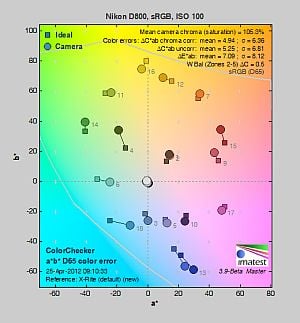
| In the diagram above, the squares show the original color, and the circles show the color that the camera captured. More saturated colors are located toward the periphery of the graph. Hue changes as you travel around the center. Thus, hue-accurate, highly saturated colors appear as lines radiating from the center. Mouse over the links to compare ISOs and click for larger versions. | ||||
Saturation. The Nikon D800 pushes dark blues and some darker greens moderately, but undersaturates yellow, light green, and cyan tones slightly. Overall, saturation levels are quite accurate, only 5.3% oversaturated at ISOÃ 100, which is lower than most SLRs. The D800’s default saturation is quite consistent across the ISOÃ range, increasing just slightly at higher ISOs. Most consumer
digital cameras produce color that’s more highly saturated (more intense)
than found in the original subjects. This is simply because most people
like their color a bit brighter than life.
Skin tones. The Nikon D800’s Caucasian skin tones looked realistic in outdoor lighting using auto white balance, just slightly on the pale side. (Likely because the camera doesn’t pump reds as much as most.) Manual white balance produced slightly pinker results. Where
oversaturation is most problematic is on Caucasian skin tones, as it’s very
easy for these “memory colors” to be seen as too bright, too pink,
too yellow, etc.
Hue. The Nikon D800 showed a few small color shifts relative to the mathematically precise translation of colors in its subjects, but its overall color accuracy was good. Reds were shifted slightly toward orange, cyan was shifted toward blue, and there were slight shifts in yellow, orange, green and purple, but deviations were relatively minor. (The cyan to blue shift is very common among the digital cameras we test; we think it’s a deliberate choice by camera engineers to produce better-looking sky colors.) White was also shifted slightly toward green at a few ISOs despite using custom white balance, which explains the greenish cast in some of our images. Mean “delta-C” color error at base ISO was 4.94 after correction for saturation, which is about average for a professional SLR these days. Hue is “what color” the color is.
Saturation Adjustment
The Nikon D800 lets you adjust the image saturation and contrast in seven steps each, brightness in three steps, hue in seven steps and sharpening in ten steps. There are also Auto settings for saturation, contrast and sharpening. As can be seen below, the saturation adjustment worked very well, providing a reasonably fine-grained adjustment over a useful range of control. The saturation adjustment also has almost no impact on contrast. That’s how a saturation control should work, but we’ve often found interactions between saturation adjustments and image contrast (and vice versa) on the cameras we test.
| Saturation Adjustment Examples | ||||
 |
 |
 |
 |
 |
| -3 | -1 | 0 | +1 | +3 |
The series of shots above shows results with several different saturation adjustment settings, showing the minimum step size around the default, as well as both extremes. There is also an Auto setting available that produced results very similar to the default for this scene. See the Thumbnails index page for more (look for the files named D800OUTBSATx.JPG). Click on any thumbnail above to see the full-sized image.
 |
 |
 |
| See full set of test images with explanations See thumbnails of all test and gallery images |
||
Sensor
Exposure and White Balance
Indoors, incandescent lighting
Very warm results with Auto and Incandescent white balance, though excellent color balance with Manual and 2,600 Kelvin settings. About average exposure compensation required.*
 |
 |
| Auto White Balance +0.3 EV |
Incandescent White Balance +0.3 EV |
 |
 |
| Manual White Balance +0.3 EV |
2,600 Kelvin White Balance +0.3 EV |
Indoors, in common incandescent lighting, color balance was very warm and reddish with the Auto white balance setting. (We’d say unacceptably so.) The Incandescent setting was also too warm and yellowish for our tastes. (Some users may prefer this look, though, as being more representative of the original lighting.) The Manual white balance setting produced accurate results, as did the 2,600 Kelvin color temperature setting (which matches the temperature of our lights in this scene). The Nikon D800 required about average exposure compensation for this shot (+0.3 EV). Our test lighting for this shot is a mixture of 60 and 100 watt household incandescent bulbs, a pretty yellow light source, but a very common one in typical home settings here in the U.S.
* Note: These shots were captured with a Sigma 70mm f/2.8 macro lens, one of the sharpest lenses we’ve ever tested on SLRgear.com. We use Sigma 70mm lenses in most of our studio test shots because they are so sharp and are available for most major platforms. For some reason, though, on some (but not all) Nikon bodies, the Sigma causes the camera’s exposure system to overexpose by somewhere between one third of a stop and a full stop depending on the aperture. The D800 is one such body (as was the D4, D7000, D300S and D90), as the exposure compensation settings actually used in the images above are lower than normal for this shot. Accordingly, the comments regarding exposure compensation required have been adjusted to match results we achieved with a Nikkor lens. Other than this exposure shift, the Sigma 70mm performs very well on Nikon bodies, so we continue to use it as our “reference” lens, due to its excellent optical qualities.
Outdoors, daylight
Good color and exposure outdoors, but somewhat high default contrast. Options like Active D-Lighting and contrast adjustment are a help when faced with tough conditions like these.
 |
 |
| Manual White Balance, +0.3 EV |
Auto White Balance, 0 EV |
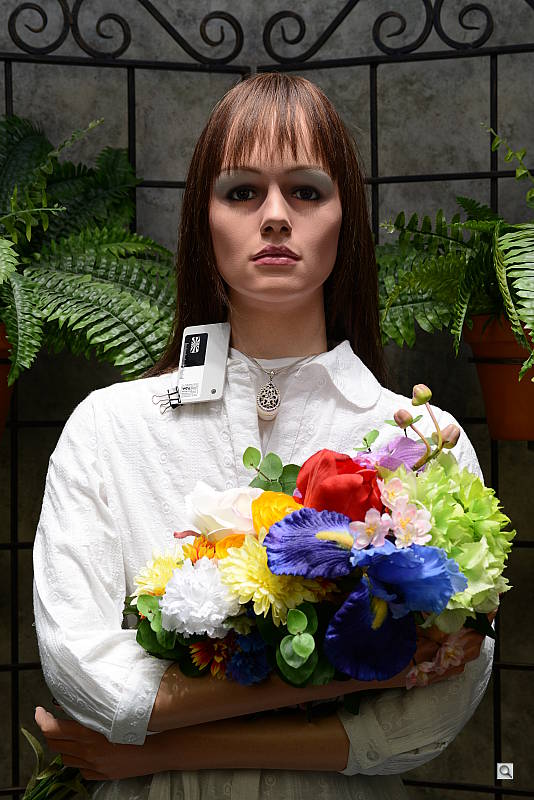
The Nikon D800 handled tough outdoor lighting under harsh sunlight well, producing very good overall exposure and color. We found skin tones a touch pale in our “Sunlit” Portrait shot with Auto white balance though, so we preferred Manual WB. Default contrast was on the high side (as most users prefer), so a few highlights were clipped in the model’s shirt, pendant and some of the flowers, while darker shadows were deep, though shadows were quite clean as we’ve come to expect from Nikons of late. +0.3 EV* exposure compensation was required to keep the mannequin’s face bright, which is better the +0.7 EVÃ average needed for this scene. The Far-field shot was well exposed at 0 EV, with only a few highlights clipped in white areas. Again, detail in the shadows was very good, and shadow noise very low. Color in our Far-field shot was accurate without looking washed-out.
See full set of test images with explanations
See thumbnails of all test and gallery images
Resolution
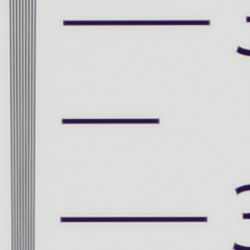
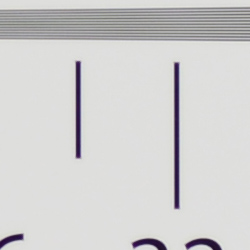
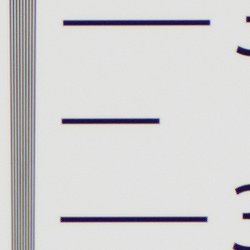
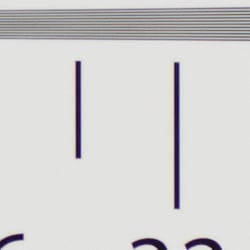
Extremely high resolution, ~3,300 to 3,400 lines of strong detail.
 |
 |
| Strong detail to ~3,400 lines horizontal Camera JPEG |
Strong detail to ~3,300 lines vertical Camera JPEG |
 |
 |
| Strong detail to ~3,400 lines horizontal ACRÃ processed RAW |
Strong detail to ~3,300 lines vertical ACRÃ processed RAW |
Our laboratory resolution chart revealed sharp, distinct line patterns down to about 3,400 lines per picture height in the horizontal direction, and about 3,300 lines per picture height in the vertical direction in JPEGs. (Some might argue for higher, but aliasing artifacts begin to appear at those resolutions.) Complete extinction of the pattern didn’t occur before the 4,000 line limit of our chart. We weren’t able extract more resolution from RAW files processed through Adobe Camera Raw 6.7, however we did notice the ACRà conversion contained much more color moiré than the in-camera images so the camera’s processing is doing a pretty good job suppressing it. Use these numbers to compare with other cameras of similar resolution, or use them to see just what higher resolution can mean in terms of potential detail.
See full set of test images with explanations
See thumbnails of all test and gallery images
Sharpness & Detail
Excellent detail with only minor edge-enhancement on high-contrast subjects. Minimal noise suppression artifacts at base ISO.
 |
 |
| Excellent definition of high-contrast elements, with only minor evidence of edge enhancement. |
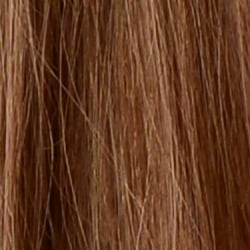
Subtle detail: Hair Noise suppression tends to blur detail in areas of subtle contrast, though detail remains strong in the darker parts of the model’s hair here. |
Sharpness. The Nikon D800 produced very sharp, detailed images with only minor edge enhancement artifacts visible on high-contrast subjects such as the larger branches and pine cones in the crop above left. Elements with fine detail such as the pine needles show very little edge enhancement. Excellent results here. Edge enhancement creates the illusion of sharpness by enhancing color and tonal differences right at the edge of a rapid transition in color or tone.
Detail. The crop above right shows only minimal detail loss due to noise suppression, as the darker areas of the model’s hair show a lot of detail. Individual strands are still distinguishable even in the lighter shadows, though they begin to merge as shadows deepen, and in places where the tone and color of adjacent strands is very close. Excellent results here as well. Noise-suppression
systems in digital cameras tend to flatten-out detail in areas of subtle
contrast. The effects can often be seen in shots of human hair, where the
individual strands are lost and an almost “watercolor” look appears.
RAW vs In-Camera JPEGs
As noted above, the Nikon D800 does an excellent job at capturing lots of detail in JPEGs. A little more detail can be obtained from carefully processing RAW files, though, without introducing additional artifacts. Take a look below, to see what we mean:
In the table above, mousing over a link at the bottom will load the corresponding crop in the area above, and clicking the link will load the full resolution image. Examples were shot at ISOÃ 100, and compare an in-camera Fine JPEG to the matching RAW file processed through Adobe Camera Raw (ACR) version 6.7. For the converted image, we got excellent results by disabling sharpening in ACR, and sharpening instead in Photoshop with 200% unsharp masking with a 0.6 pixel radius, though some may prefer slightly lighter sharpening.
As is frequently the case, the demosaicing in Adobe Camera Raw and sharpening in Photoshop deliver finer detail than the camera. Looking very closely at the images, ACR extracts a bit more detail that wasn’t present in the JPEGs from the camera itself, but the main difference is in the fineness of the rendering. While it doesn’t look quite as crisp, the Nikon rendering is smoother-looking and if you look very closely, there’s less visible noise, though noise is by no means an issue with the D800. Still, we’d personally go the Adobe (or other high-quality third-party RAW converter) route here if we were concerned about making the sharpest-looking print possible from the D800’s files. That said, the D800’s in-camera JPEGs are really quite good, and you can always try adjusting in-camera sharpening to your tastes.
ISO & Noise Performance
Very good high ISOÃ performance, especially considering the resolution.
| Noise Reduction = Default | ||
 |
 |
 |
| ISO 50 | ISO 100 | ISO 200 |
 |
 |
 |
| ISO 400 | ISO 800 | ISO 1,600 |
 |
 |
 |
| ISO 3,200 | ISO 6,400 | ISO 12,800 |
 |
||
| ISO 25,600 | ||
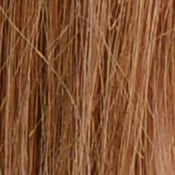
The Nikon D800’s images are surprisingly clean and very detailed at ISOs 50 through 800, with just a touch of luminance noise becoming more visible in the shadows as ISO increases. Detail is still excellent at ISO 1,600, despite higher noise. ISO 3,200 shows stronger luminance and chrominance noise, though detail is still very good. ISO 6,400 shows much higher luminance noise, but it’s pretty fine-grained, so detail is still quite good. At ISO 12,800, fine detail takes a larger hit, and chroma noise is quite strong in the shadows. As you’d expect, ISOÃ 25,600 is much worse, with fine detail swamped by strong noise and noise reduction.Ã Still, high ISOÃ performance is surprisingly good, and should compete well with lower-resolution models, especially when printed at the same size.
Of course, the impact of noise and detail loss are highly dependent on the size the photos are printed at, and pixel-peeping on-screen has surprisingly little relationship to how the images look when printed: See the Print Quality section below for recommended maximum print sizes at each ISO.
A note about focus for this shot: We shoot this image at f/4, using one of three very sharp reference lenses (70mm Sigma f/2.8 macro for most cameras, 60mm f/2.8 Nikkor macro for Nikon bodies without a drive motor, and Olympus Zuiko 50mm f/2.0 for Four Thirds and Micro Four Thirds bodies). To insure that the hair detail we use for making critical judgements about camera noise processing and detail rendering is in sharp focus at the relatively wide aperture we’re shooting at, the focus target at the center of the scene is on a movable stand. This lets us compensate for front- or back-focus by different camera bodies, even those that lack micro-focus adjustments. This does mean, though, that the focus target itself may appear soft or slightly out of focus for bodies that front- or back-focused with the reference lens. If you click to view the full-size image for one of these shots and notice that the focus target is fuzzy, you don’t need to email and tell us about it; we already know it. 🙂 The focus target position will simply have been adjusted to insure that the rest of the scene is focused properly.
Extremes: Sunlit, dynamic range and low light tests
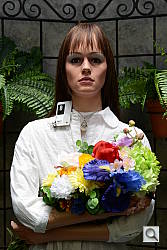
Very high resolution with good highlight and excellent shadow detail. Excellent low-light performance, capable of capturing bright images in near darkness.
 |
 |
 |
| 0 EV | +0.3 EV | +0.7 EV |
Sunlight:
The Nikon D800 handled the deliberately harsh lighting very well in the above test. Though contrast is a little high, highlight retention is good, and shadow detail exceptional. The camera’s contrast adjustment also did a good job of decreasing overall contrast without producing strong color variations; see the section below. The +0.3 EV exposure produced the best overall exposure here, though most pros would likely prefer the default 0 EV exposure to preserve more highlights while manually boosting shadow areas.Ã Though some highlights were blown in the model’s shirt and flowers at +0.3 EV, excellent detail was preserved in the shadows with lower than average noise. Note that these shots were captured with the Nikon D800’s Active D-Lighting control set to its default of “Off.” See below for how Active D-Lighting and contrast settings help with hot highlights and deep shadows.
Because digital cameras are more like slide film than negative film (in that they tend to have a more limited tonal range), we test them in the harshest situations to see how they handle scenes with bright highlights and dark shadows, as well as what kind of sensitivity they have in low light. The shot above is designed to mimic the very harsh, contrasty effect of direct noonday sunlight, a very tough challenge for most digital cameras. (You can read details of this test here. In actual shooting conditions, be sure to use fill flash in situations like the one shown here; it’s better to shoot in open shade whenever possible.)
Contrast Adjustment
We really like it when a camera gives us the ability to adjust contrast and saturation to our liking. It’s even better when those adjustments cover a useful range, in steps small enough to allow for precise tweaks. Just as with its saturation adjustment, the Nikon D800’s contrast setting meets both challenges, the contrast steps actually being a little finer than those for saturation, and thus even more to our liking.
| Minimum Contrast | |
 |
 |
| Contrast set to lowest, 0 EV |
Contrast set to lowest, 0 EV |
At its lowest contrast setting, the D800 did a very good job of preserving highlight detail, maintaining natural-looking skin tones, and bringing nice detail out of the shadows. Overall, very good results here, especially when the contrast setting is tweaked. (This is a really tough shot; the Nikon D800 does a much better than average job handling it.)
| Contrast Adjustment Examples | ||||
 |
 |
 |
 |
 |
| -3 | -1 | 0 | +1 | +3 |
The series of shots above shows results with several different contrast adjustment settings, showing the minimum step size around the default, as well as both extremes. There is also an Auto setting available. While you can see the extremes, it’s hard to really evaluate contrast on small thumbnails like these, click on any thumbnail to go to the full-size image.
One very nice feature of Nikon’s contrast adjustment is that it has very little effect on color saturation. Contrast and saturation are actually fairly closely coupled, it’s a good trick to be able to vary one with out the other changing as well. As usual, Nikon did a good job here.
Active D-Lighting
Active D-Lighting attempts to preserve detail in both highlights and shadows in high-contrast situations, while maintaining moderate levels of contrast. The series of shots below show the effect of the various Active D-Lighting settings available on the Nikon D800 on our high-contrast “Sunlit” Portrait scene. Note that Active D-Lighting is different from the Retouch menu’s D-Lighting, as it is performed during image capture instead of after. (It does affect only JPEG images though, Nikon very properly doesn’t apply tonal adjustments like this to RAW file data. NEF files, however, are tagged so that Nikon software can automatically apply the effect when converted.)
|
“Sunlit” Portrait Active D-Lighting (0 EV)
|
|
|
|
ADL Settings:
Low Normal High |
Mouse over the links to see how the various levels of Active D-Lighting affects our “Sunlit” Portrait shot at default exposure. Click on a link to get to the full-res image. (Active D-Lighting’s effect can be a little subtle in shots like those above, so we decided to use a mouse-over to better show how each setting compares.)
As you can see from the thumbnail images and histograms above, higher settings of Active D-Lighting did a very good job at preserving highlights while bringing up shadows and deeper midtones, without making the image look too flat. Normally, there is a noise penalty to be paid for boosting shadows, but noise levels in the shadows are very low with this sensor, so increased shadow noise is not much of a concern here.
See below for how Active D-Lighting worked with our Far-field shot.
| Far-field Active D-Lighting (0 EV) | ||
|
|
||
Here are the results with our Far-field shot. As you can see, Active D-Lighting brought up shadow detail while holding on to highlights. Also note the slightly cool cast in the white trim of the house as the strength of Active D-Lighting is increased. The Auto setting did a pretty good job here.
HDR Mode
The D800 is the third Nikon SLR to offer an in-camera high-dynamic-range imaging function (it was offered first in the D5100, then the D4), something we’ve seen in several DSLRs from competing manufacturers for a while now. When enabled, the D800 captures two images with one push of the shutter button, one underexposed and one overexposed and combines them in-camera to produce a high-dynamic-range JPEG. (RAW format is not supported). We don’t believe the Nikon D800 performs micro-alignment of the two images even though the user manual warns of possible cropping. If it is, it can only correct for very small amounts of camera movement between shots, and so Nikon recommends the use of a tripod. Obviously moving subjects should also be avoided.
|
“Sunlit” Portrait HDR (0 EV)
|
|
|
|
HDR Settings:
3 EV |
Like the D4 and D5100 before it, the Nikon D800 allows you to set the exposure differential between the two images from 1, 2 or 3 EV, and there’s an Auto setting where the camera decides. There is also an option to adjust the amount of “smoothing” that is applied to the boundaries between the two images, with selections of Low, Medium and High. One difference from the D5100 is the D800 adds an option to capture a Single HDR image as well as an On/Off toggle for shooting a series of HDR images. (The D5100 only offers On/Off.)
Mouse over the links above to see how various levels of HDR affects our “Sunlit” Portrait shot and click on a link to get to the full-res image. As you can see, the higher levels make quite a difference to the overall exposure by opening up shadow detail and toning-down highlights while at the same time reducing shadow noise, but lower levels of smoothing can lead to artificial looking shadows around bright objects or halos and glowing around dark ones. Colors can also be adversely affected in HDRÃ mode, such as a drop in saturation. Still, it’s a useful feature for capturing static scenes with dynamic range that exceeds the sensor for those not willing to use manual HDR techniques (bracketing exposure and then combining images while post-processing).
| Far-field HDR (0 EV) | |||
|
|
|||
Above are the same HDR settings with our Far-field shot. Notice the ghosting of objects or people that were not static during the two exposures.
Dynamic Range
A key parameter in a digital camera is its Dynamic Range, the range of brightness that can be faithfully recorded. At the upper end of the tonal scale, dynamic range is dictated by the point at which the RGB data “saturates” at values of 255, 255, 255. At the lower end of the tonal scale, dynamic range is determined by the point at which there ceases to be any useful difference between adjacent tonal steps. Note the use of the qualifier “useful” in there: While it’s tempting to evaluate dynamic range as the maximum number of tonal steps that can be discerned at all, that measure of dynamic range has very little relevance to real-world photography. What we care about as photographers is how much detail we can pull out of the shadows before image noise becomes too objectionable. This, of course, is a very subjective matter, and will vary with the application and even the subject matter in question. (Noise will be much more visible in subjects with large areas of flat tints and subtle shading than it would in subjects with strong, highly contrasting surface texture.)
What makes most sense then, is to specify useful dynamic range in terms of the point at which image noise reaches some agreed-upon threshold. To this end, Imatest computes a number of different dynamic range measurements, based on a variety of image noise thresholds. The noise thresholds are specified in terms of f-stops of equivalent luminance variation in the final image file, and dynamic range is computed for noise thresholds of 1.0 (low image quality), 0.5 (medium image quality), 0.25 (medium-high image quality) and 0.1 (high image quality). For most photographers and most applications, the noise thresholds of 0.5 and 0.25 f-stops are probably the most relevant to the production of acceptable-quality finished images, but many noise-sensitive shooters will insist on the 0.1 f-stop limit for their most critical work. A full discussion of all the data Imatest produces is really beyond the scope of this review: Visit the Imatest website for details of what the program measures, how it performs its computations, and how to interpret its output.
| Ã | 1 fc 11 lux |
1/2 fc 5.5 lux |
1/4 fc 2.7 lux |
1/8 fc 1.3 lux |
1/16 fc 0.67 lux |
1/16fc No NR |
|---|---|---|---|---|---|---|
| ISO 50 |
 3 s f2.8 |
 6 s f2.8 |
 13 s f2.8 |
 25 s f2.8 |
 30 s f2.8 |
 30 s f2.8 |
| ISO 100 |
 1.6 s f2.8 |
 3 s f2.8 |
 6 s f2.8 |
 13 s f2.8 |
 25 s f2.8 |
 25 s f2.8 |
| ISO 200 |
 0.8 s f2.8 |
 1.6 s f2.8 |
 3 s f2.8 |
 6 s f2.8 |
 13 s f2.8 |
 13 s f2.8 |
| ISO 400 |
 0.4 s f2.8 |
 0.8 s f2.8 |
 1.6 s f2.8 |
 3 s f2.8 |
 6 s f2.8 |
 6 s f2.8 |
| ISO 800 |
 1/5 s f2.8 |
 0.4 s f2.8 |
 0.8 s f2.8 |
 1.6 s f2.8 |
 3 s f2.8 |
 3 s f2.8 |
| ISO 1600 |
 1/10 s f2.8 |
 1/5 s f2.8 |
 0.4 s f2.8 |
 0.8 s f2.8 |
 1.6 s f2.8 |
 1.6 s f2.8 |
| ISO 3200 |
 1/20 s f2.8 |
 1/10 s f2.8 |
 1/5 s f2.8 |
 0.4 s f2.8 |
 0.8 s f2.8 |
 0.8 s f2.8 |
| ISO 6400 |
 1/40 s f2.8 |
 1/20 s f2.8 |
 1/10 s f2.8 |
 1/5 s f2.8 |
 0.4 s f2.8 |
 0.4 s f2.8 |
| ISO 12800 |
 1/80 s f2.8 |
 1/40 s f2.8 |
 1/20 s f2.8 |
 1/10 s f2.8 |
 1/5 s f2.8 |
 1/5 s f2.8 |
| ISO 25600 |
 1/160 s f2.8 |
 1/80 s f2.8 |
 1/40 s f2.8 |
 1/20 s f2.8 |
 1/10 s f2.8 |
 1/10 s f2.8 |
Low Light. The Nikon D800 performed very well here, able to capture usable images down to the 1/16 foot-candle light level (about 1/16 as bright as average city street lighting at night), at all ISOÃ settings, though lower light levels at ISOÃ 50 are a bit dim because of the 30 second shutter speed limit (bulb mode is required for longer exposures). As is usually the case, the D800’s metering system struggled a bit with getting the exposure right at the lowest levels though, so we used manual exposure for these shots. Color balance with Auto white balance is fairly neutral at higher light levels, but took on an increasingly stronger magenta cast as light levels dropped and ISOÃ increased, as we’ve seen with other Nikon SLRs. Noise is quite low up to ISO 6,400, and even at higher ISOs there’s still a lot of detail to work with when high ISO NR is set to “Off” (which still applies some noise filtering at ISO 1,600 and above). The Nikon D800 gives you four options for high ISO noise reduction: Off, Low, Normal, and High, so you have some flexibility in deciding how much noise to trade for detail. Except for the “No NR” shots in the table above, these were all shot using the Normal NR setting, and Long Exposure NR was enabled so it was applied to exposures longer than one second. We didn’t find any issues with hot pixels, but a hint of horizontal banding is visible at ISO 25,600. There’s also a purple tint emanating from the bottom edge at very high ISOs indicating some heat blooming, likely from warm component(s) nearby.
The camera’s phase-detection autofocus system was able to focus on the subject down to well below the 1/16 foot-candle light level unassisted with an f/2.8 lens, and in total darkness with AF assist enabled. In Live View mode, the D800’s contrast-detect autofocus was able to focus down to just below the 1/8 foot-candle, which is good.
(Keep in mind that the longer shutter speeds here demand the use of a tripod to prevent any blurring from camera movement. A useful trick is to just prop the camera on a convenient surface, and use its self-timer to release the shutter. This avoids any jiggling from your finger pressing the shutter button, and can work quite well when you don’t have a tripod handy.)
How bright is this? The one foot-candle light level
that this test begins at roughly corresponds to the brightness of typical
city street-lighting at night. Cameras performing well at that level should
be able to snap good-looking photos of street-lit scenes.
NOTE: This low light test is conducted with a stationary subject, and the camera mounted on a sturdy tripod. Most digital cameras will fail miserably when faced with a moving subject in dim
lighting. (For example, a child’s ballet recital or a holiday pageant in a gymnasium.) Digital SLRs like the Nikon D800 do much better than point & shoots, but you still shouldn’t expect a quick autofocus lock with moving subjects.
Output Quality
Print Quality
Excellent 40 x 60-inch prints from ISO 100 to 400; ISO 3,200 shots look good at 24 x 36; and ISO 25,600 images make a great 8×10!
ISO 100 images look pretty amazing printed at 40 x 60 inches, with good detail and great color.
ISO 200 shots are a little softer at 40 x 60 inches, but only by comparison. We’d still call them quite good.
ISO 400 images also stand up to printing at this very large size of 40 x 60. Though some luminance noise starts to appear in the shadows, it’s not objectionable.
ISO 800 images are a little soft for printing at 40 x 60 and 36 x 48, but look good and sharp printed at 30 x 40 inches.
ISO 1,600 shots are quite usable at 30 x 40 inches, but we prefer prints at 24 x 36 inches.
ISO 3,200 shots hold up well at 24 x 36 inches.
ISO 6,400 shots are usable but soft at 20 x 30 inches. Printing at 16 x 20 looks quite a bit better.
ISO 12,800 images are good at 13 x 19, but really tighten up at 11 x 14.
ISO 25,600 shots are usable at 11 x 14 inches, but shadow noise is distracting enough that we prefer 8 x 10-inch prints.
Overall, it’s a very impressive performance from a high-megapixel camera, far exceeding our expectations. At very low ISO settings, it’s a little like looking at our targets through a large magnifying glass.
Testing hundreds of digital cameras, we’ve found that you can only tell just so much about a camera’s image quality by viewing its images on-screen. Ultimately, there’s no substitute for printing a lot of images and examining them closely. For this reason, we now routinely print sample images from the cameras we test on our Canon Pro9000 Mark II studio printer, and on the Pixma MP610 here in the office. (See the Canon Pixma Pro9000 Mark II review for details on that model.)
The images above were taken from our standardized test shots. For a
collection of more pictorial photos, see our
Nikon D800 Photo Gallery
.
Not sure which camera to buy? Let your eyes be the ultimate judge!
Visit our Comparometer(tm)
to compare images from the Nikon D800 with those from other
cameras you may be considering. The proof is in the pictures, so let
your own eyes decide which you like best!
Performance
Timing and Performance
Good performance for its class.
|
Startup/Shutdown
|
||
|
Power on
to first shot |
~0.3 second
|
Time it takes for camera to turn on. (Very fast, difficult to measure.)
|
|
Shutdown
|
~0.3 second
|
How long it takes camera to turn off before you can remove the memory card. (Very fast, difficult to measure.)
|
|
Single-shot clearing times
|
||
|
Buffer clearing time
Large Fine JPEG |
~2 seconds
(after 20 frames) |
Worst case buffer clearing time. -- This is the delay after a set of shots before you can remove the card. Some cameras won't shut down until the buffer is cleared. (*See note about memory card speeds at bottom of table below.)
|
|
Buffer clearing time
14-bit RAW (Lossless compressed) |
~11 seconds
(after 23 frames) |
|
|
Buffer clearing time
14-bit RAW + L/F JPEG |
~19 seconds
(after 18 frames) |
|
|
Continuous mode buffer clearing times
|
||
|
Buffer clearing time
L/F JPEG |
~9 seconds
(after 54 frames) |
Worst case buffer clearing time. (*See note about card speeds below.)
|
|
Buffer clearing time
14-bit RAW (Lossless Compressed) |
~12 seconds
(after 18 frames) |
|
|
Buffer clearing time
14-bit RAW + L/F JPEG |
~20 seconds
(after 14 frames) |
|
|
*Note: Buffer clearing times measured with a SanDisk Extreme Pro 128GB 100MB/s UDMA 7 CompactFlash card unless otherwise noted. Slower cards will produce correspondingly slower clearing times. Slow cards may also limit length of bursts in continuous mode. ISO sensitivity and noise reduction settings can also affect cycle times and burst mode performance.
|
||
Startup and shutdown times were fast, difficult to measure. Buffer clearing times depend on the image size and quality, burst length and the speed of memory card used, but were generally pretty good with a 100MB/s CompactFlash card given the D800's buffer and file sizes.
|
Mode switching
|
||
|
Play to Record,
first shot |
~0.2 second
|
Time until first shot is captured.
|
|
Record to play
|
~0.5 second
|
Time to display a large/fine JPEG file immediately after capture.
|
|
Display
recorded image |
~0.2 second
|
Time to display a large/fine file already on the memory card.
|
Mode switching was quite fast.
|
Shutter Response (Lag Time)
|
||
|
Optical Viewfinder
|
||
|
Full Autofocus
Single Point (Center) AF |
0.209 second
|
Time from fully pressing shutter button to image capture using optical viewfinder. All timing performed with Sigma 70mm f/2.8 EX DG Macro lens.
|
|
Full Autofocus |
0.224 second
|
Time from fully pressing shutter button to image capture. Auto Flash enabled. |
|
Full Autofocus
51-point Auto Area |
0.306 second
|
Time from fully pressing shutter button to image capture using optical viewfinder.
|
|
Continuous AF
Release Priority |
0.044 second
|
This mode usually shows no speed increase with our static subject; we have no way to measure performance with moving subjects.
|
|
Manual focus
Optical Viewfinder |
0.044 second
|
For most cameras, shutter lag is less in manual focus than autofocus, but usually not as fast as when the camera is "prefocused".
|
|
Prefocused
|
0.043 second
|
Time to capture, after half-pressing and holding shutter button.
|
|
Live View
|
||
|
Full Autofocus
|
1.735 seconds
|
Time to capture, after half-pressing shutter button, waiting for focus confirmation, then fully pressing shutter button in Live View mode. (AF-S and AF-F produced identical results.)
|
|
Prefocused
|
0.184 second
|
Time to capture, after half-pressing and holding shutter button in Live View mode.
|
In terms of the Nikon D800's ability to determine that it's properly focused when shooting the same target multiple times (with no change of focus setting between iteration, to remove the impact of lens AF speed), its speed was good for an enthusiast model, but a little slow compared to professional models. The D800's AF shutter lag measured 0.209 second using single-area (center) AF mode, 0.224 second with flash enabled, and 51-point Auto Area AF lag measured 0.306 second. Some consumer SLRs are actually faster in this test.
In Continuous autofocus mode with release priority, shutter lag was extremely fast, at only 44 milliseconds. We measured the same lag when manually focused. When prefocused, lag was only 43 milliseconds, which is very good.
As expected, the Nikon D800's Live View mode adds considerable AF shutter lag. We measured 1.735 seconds for full autofocus which is pretty slow, though performance here will vary a lot more depending on the lens used. Nikon has eliminated the faster "Hand-held" phase-detect AF mode found on older models, relying on contrast detection (or face detection) autofocus in Live View mode. AF-S and AF-F modes measured almost identically.
Once prefocused, shutter lag in Live View mode was 0.184 second, which is pretty good but still quite a bit slower than using the optical viewfinder.
To minimize the effect of different lens' focusing speed, we test AF-active shutter lag with the lens already set to the correct focal distance. We also use the same Sigma 70mm f/2.8 macro with every camera (on all platforms except Four Thirds/Micro Four Thirds and Nikon consumer models lacking an in-body focus motor), to further reduce variation, and because our tests showed that focus-determination time with this lens was close to the fastest, across multiple camera bodies from different manufacturers. Being an older design with a non-ultrasonic motor, it wouldn't be the fastest at slewing from one focus setting to another, but that's exactly the reason we measure focus determination speed, which is primarily a function of the camera body, vs focus adjustment speed, which is primarily a function of the lens.
|
Cycle time (shot to shot)
|
||
|
Single Shot mode
Large Fine JPEG |
0.42 second
|
Time per shot, averaged over 20 shots.
|
|
Single Shot mode
14-bit RAW |
0.39 second
|
Time per shot, averaged over 23 shots.
|
|
Single Shot mode
14-bit RAW + L/F JPEG |
0.46 second
|
Time per shot, averaged over 18 shots.
|
|
Early shutter
penalty? |
No
(Yes with flash) |
Some cameras refuse to snap another shot if you release and press the shutter too quickly in Single Shot mode, making "No" the preferred answer.
|
|
Continuous Hi mode
Large Fine JPEG (Optimal quality) |
0.25 second
(3.98 frames/sec); 54 frames total; 9 seconds to clear* |
Time per shot, averaged over buffer length of 54 shots.
|
|
Continuous Hi mode
14-bit RAW (Lossless compressed) |
0.25 second
(3.99 frames/sec); 18 frames total; 12 seconds to clear* |
Time per shot, averaged over 18 shot buffer, then slowed to an average of 0.63s or 1.59 fps with full buffer.
|
|
Continuous Hi mode
14-bit RAW (Lossless) + L/F JPEG |
0.25 second
(4.00 frames/sec); 14 frames total; 20 seconds to clear* |
Time per shot, averaged over 14 shot buffer, then slowed to an average of 1.30s or 0.77 fps when buffer was full, with a lot of variation.
|
|
Continuous Hi
DX Crop Mode 15.4MP JPEG (Optimal quality) |
0.20 second
(4.99 frames/sec); 100 frames total; 3 seconds to clear* |
Time per shot, averaged over set buffer length of 100 shots.
|
|
Continuous Hi
DX Crop Mode 15.4MP 14-bit RAW (Lossless compressed) |
0.20 second
(4.98 frames/sec); 42 frames total; 8 seconds to clear* |
Time per shot, averaged over 42 shot buffer.
|
|
Continuous Hi
DX Crop Mode 15.4MP 14-bit RAW (Lossless) + L/F JPEG |
0.20 second
(4.98 frames/sec); 23 frames total; 10 seconds to clear* |
Time per shot, averaged over 23 shot buffer, then slowed to an average of 0.50s or 1.99 fps when buffer was full, with a lot of variation.
|
|
Flash recycling
|
3.8 seconds
|
Flash at maximum output.
|
|
*Note: Buffer clearing times measured with a SanDisk Extreme Pro 128GB 100MB/s UDMA 7 CompactFlash card except where otherwise noted. Slower cards will produce correspondingly slower clearing times. Slow cards may also limit length of bursts in continuous mode. ISO sensitivity and noise reduction settings can also affect cycle times and burst mode performance.
|
||
Single-shot cycle time performance was good, at about 0.42 second for Large/Fine JPEGs, 0.39 second for RAW frames, and 0.46 second for RAW+JPEG frames.
Continuous Hi-speed modes were on the slow side compared to most SLRs, but not bad considering the resolution. We measured four frames per second, matching Nikon's spec for full-frame FX mode. In DX Crop mode which captures 15.4MP images, frame rate increased to almost 5 frames per second. According to Nikon, DX Crop mode performance can be increased up to 6 frames per second when using the optional MB-D12 Multi-Power Batter Pack equipped with 8 R6/AA batteries.
Buffer depths were pretty good given the file sizes. We captured 54 Large/Fine JPEG frames before the camera started to slow, and that's with a difficult-to-compress target. You'll likely do much better with typical scenes. In 14-bit lossless RAW mode, we captured 18 frames per burst, and with 14-bit lossless RAW + Large/Fine JPEGs we captured 14 frames. In DX Crop mode, buffer depth naturally improved. Note that images were captured on a 100MB/s UDMA 7 CompactFlash card.
Buffer clearing was pretty fast given the file sizes, but can be lengthy. We measured 9 seconds after 54 JPEG frames, but that increased to 20 seconds after a 14 RAW + JPEG burst.
|
Download speed
|
||
|
Windows Computer, USB 2.0
|
17,041 KBytes/sec
|
Typical Values:
Less than 600=USB 1.1; 600-770=USB 2.0 Low; More than 770=USB 2.0 High |
Download speed with USB 2.0 was the fastest we've ever tested from a camera, at close to 17MB/s.
The Nikon D800 also supports the newer, faster (up to 10x) USB 3.0 standard, however we weren't able to measure any increase in transfer speed with our USB 3.0 add-on card. It's quite likely that an incompatibility caused our link to fallback to USB 2.0 mode, though, so be aware that compatibility issues do exist. We'll try to update this section if /when we figure out how to get USB 3.0 transfer performance going with our D800. (We have a USB 3.0 card reader which transfers a least 3x faster over 3.0 versus 2.0, so we know our card is actually capable of establishing a USB 3.0 link.)
Bottom line, the Nikon D800 is pretty fast in most respects for its class and resolution. Startup, shutdown and mode switching are very fast. Full autofocus speed was slower than average for a professional model, though good for an enthusiast model. The D800's full-resolution burst rate of 4 fps isn't exactly fast compared to most SLRs, but it's not bad considering 36 megapixels is a lot of data to move and process. (The 40-megapixel Pentax 645D for instance only managed 1.1 fps.) As you'd expect, though, buffer clearing can take a while with such large files.
Battery
Battery Life
Good battery life for its class.
| Test Conditions | Number of Shots |
|
Lithium-ion rechargeable battery,
(CIPA standard, Optical Viewfinder) |
900 |
|
Lithium-ion rechargeable battery,
(CIPA standard, Live View LCD) |
Unknown |
The Nikon D800 uses a custom rechargeable lithium-ion battery pack for power, and comes with both a single battery and charger. The CIPA rated 900 shots per charge using the optical viewfinder is good for its class. Unfortunately, Nikon does not seem to publish battery life results for when Live View mode is used, but it's a safe bet that it's considerably shorter.
The table above shows the number of shots the camera is capable of on fully-charged battery, based on CIPA battery-life and/or manufacturer standard test conditions.
(Interested readers can find an English translation of the CIPA DC-002 standards document here. (180K PDF document))
Video
Check out the links below for more sample images, videos and image quality analysis:
-
Nikon D800 Optics page
(Crops from images shot with the camera’s kit lens, if sold as a kit) -
Nikon D800 Sample Images page
(Index to all standard test shots, with explanations) -
Nikon D800 Thumbnails page
(Thumbnails of all shots, including RAWs, with EXIF data) -
Nikon D800 Gallery page
(Regular photos taken with the Nikon D800)
Like most DSLRs these days, the Nikon D800 offers not just still imaging, but also high-definition video recording. The D800’s video system is very capable, offering both automatic and manual exposure control, single and full-time autofocus, audio levels control, internal and external microphone support, audio monitoring, uncompressed HDMI video output, index point marking, and more. There are still a few things absent that we’ve seen from competitors, such as the ability to use Auto ISO with manual exposure, capture still images during video, and to shoot standard-def video capture, but we’re nitpicking. The Nikon D800 ticks almost all the boxes with its feature set, as you’d expect given its price point and target market. Here’s a quick rundown of its video capabilities, along with our usual selection of sample videos at the bottom.
Nikon D800 Basic Video Specs
- 1,920 x 1,080 (Full HD / 1080p) or 1,280 x 720 (720p) recording
- TTL (through the lens) matrix metering using the main image sensor
- MOV file format, with H.264/MPEG-4 AVC encoding
- Choice of two compression levels; High or Normal quality
- Autofocus can be triggered during movie recording by pressing the shutter button, or continuous AF can be enabled
- Focus point can be set manually, set automatically over wide or normal area, or set via face detection
- Focus mode and point location can be set both before and during recording
- Manual focus also available
- Program, Aperture- or Shutter-priority, and Manual exposure are available, set before recording
- Exposure compensation can be controlled in Program or priority exposure modes, both before and during recording
- Aperture and/or shutter speed can be controlled in priority or Manual modes, both before and during recording
- ISO sensitivity can be controlled in Manual exposure mode, both before and during recording
- Color space and picture control can be set before recording; white balance can be adjusted before or during capture
- Built-in monaural microphone and external stereo 3.5mm microphone jack; also has a 3.5mm stereo headphone jack
- 20-step microphone sensitivity adjustment available, including level display with peak hold indication; levels can also be controlled automatically, or sound disabled
- 30-step headphone levels adjustment available, or sound can be disabled
- 11-step LCD brightness adjustment available, plus automatic brightness adjustment based on ambient light level sensor
- Microphone and headphone levels adjustments must be set before capture; LCD brightness can be adjusted before or during capture
- Optional virtual horizon, histogram, and framing guide displays can be enabled before or during capture
- Can simultaneously display video feed on monitor, and output uncompressed 8-bit 4:2:2 video feed without any overlays via HDMI
- Can interrupt movie capture to record a still image, but movie capture will not resume afterwards
- Movies can be “trimmed” in-camera, selecting just the portion you want and optionally saving it as a new file
- Single frames from a movie can be extracted and saved as JPEG still image files
- Up to 20 index points can be set during video capture by pressing depth-of-field preview button; you can jump straight to index frames in editing and playback
- Auto / 50 Hz / 60 Hz flicker reduction function
- No spec for it, but rolling shutter seems relatively slight (see rolling shutter section at the end of this page for examples)
- Video duration limited to 20 minutes for High quality, or 29 minutes, 59 seconds for Normal quality
- File size restricted to 4 GB maximum
- Dual card slots; can select which movies will be recorded to, but there is no overflow or mirroring capability for movies
Nikon D800 Video Speeds & Feeds: Image size, frame rate, and file format
The Nikon D800 offers two different video resolutions and five frame rates, although only three or four rates are available at any given resolution.
|
Nikon D800 Video Options
|
|||
|---|---|---|---|
|
MOV files, H.264/MPEG-4 encoding
|
|||
|
Resolution |
Aspect Ratio
|
Available Frame Rates
|
Average Bit Rate
|
|
1,920 x 1,080 |
16:9 |
29.97 frames per second |
24 Mbps
|
|
12 Mbps
|
|||
|
25 frames per second |
24 Mbps
|
||
|
12 Mbps
|
|||
|
23.976 frames per second |
24 Mbps
|
||
|
12 Mbps
|
|||
|
1,280 x 720 |
16:9 |
59.94 frames per second |
24 Mbps
|
|
12 Mbps
|
|||
|
50 frames per second |
24 Mbps
|
||
|
12 Mbps
|
|||
|
29.97 frames per second |
12 Mbps
|
||
|
8 Mbps
|
|||
|
25 frames per second |
12 Mbps
|
||
|
8 Mbps
|
|||
All of the D800’s video modes are progressive scan, meaning that every video line is scanned, one after the other, for every frame. Compared to interlaced scanning, progressive scan video is much better for viewing videos on a computer screen. (Interlaced works fine for high-definition TVs, but some computer video players that de-interlace poorly will produce bad tearing of moving objects.)
The 24 frames/second mode is popular with some people, who feel it gives a more “movie like” look to their videos because 24fps is the frame rate for cinema. The lower frame rate can look choppy, though, particularly when shooting in bright light with fast shutter speeds. Note also that you can’t match the frame rate to the shutter speed for 24p capture; the slowest frame rate in this mode is still 25 frames per second; other modes allow you to match the frame rate to the shutter speed.
The 60 / 50 frames/second frame rates available in 1,280 x 720 mode are great for capturing smooth-looking action, but won’t be as good in low-light situations, because the camera can’t use a shutter speed longer than 1/60th or 1/50th second, respectively.
The Nikon D800 saves its video files in the MOV format, using H.264/MPEG-4 encoding. Pretty much any computer or editing program made within the last 5 years should be able to play its files with little problem, although the full 1,920 x 1,080 resolution files may strain older systems.
Nikon D800 video quality
Video quality from the Nikon D800 is excellent, with lots of fine detail, pleasing color, and relatively minimal rolling shutter artifacts. Our sample clips of Charlotte the wonder dog catching a frisbee show more subtle detail than is typical of most cameras, for example in the decorative grass. To our eye, the D800 matches or even betters the Canon 5D Mark III in terms of fine detail, which is an impressive feat given the higher compression of D800 videos. (Although file sizes for longer clips will still be hefty; expect around 2.5 to 3MB/second of video shot at the highest resolution.)
Even at higher ISOs, noise is quite well-controlled and fine-grained. Coupled with the ability to control exposure manually, this makes the Nikon D800 well-suited even for night shooting. For daytime shooting, the D800 biases automatic exposure in an attempt to attain a shallow depth of field. That can yield choppy-looking video, because the use of shorter shutter speeds means there’s less motion blurring, something which our eyes interpret as being unnatural. Of course, you can override the D800’s chosen shutter speed by switching to Manual or Priority exposure, if you prefer to match your shutter speed and frame rate for more natural-looking video.
We did notice some tendency to aliasing, especially for 720p video at the 60p frame rate. For real-world shooting, you can see this in our rolling shutter and night videos in particular. The roof of the house exhibits aliasing in the rolling shutter videos, while in the night video it’s present in the corrugated roof of the shop’s porch, and in the lintel of the premises next door. The aliasing is significantly more prominent at 60p than at other rates, but it’s present even in 1080p 24fps video to a lesser degree. We tried the same controlled test that we used with the Nikon D600, and thankfully didn’t see anywhere near as severe an effect as we did with video from that camera.
|
This 100% crop comes from a frame grab of D800E video, and given that they differ only in terms of the low-pass filter operates at a much higher frequency than can be captured even in Full HD video, performance from the D800 should be identical. The sample represents about the worst case for 1080p video; we didn’t see anything nearly this objectionable in real-world shooting. Still, we’d have liked to see the D800 handle this better.
|
|
Here, we’ve shot at 720p resolution with a 60p frame rate. With the exact same subject, camera position, and exposure variables, the moiré patterns are significantly more obtrusive, closer-spaced, and visible across a wider area of the frame. Interestingly, this happens only for 60p / 50p video. Drop the frame rate to 30p or below, and 720p video shows results more similar to the previous 1080p crop.
|
Nikon D800 video focusing
- By default, the D800 uses single-servo AF, but you can disable this and opt for full-time servo autofocus instead
- Single-servo autofocus focuses when the shutter button is half-pressed or the or AF-ON button is pressed; full-time servo AF focuses as the camera deems necessary during recording
- Depending on the lens in use, on-camera audio will likely pick up significant autofocus drive noise. This can be minimized by using an external microphone, however.
- AF area mode options:
- Face-priority
- Wide-area
- Normal-area
- Subject-tracking
- Regardless of AF area mode, the point on which to focus can be selected by moving the focus point using the four-way controller. In face-priority AF mode, detected faces will override the specified point. In subject-tracking, the point is used only to specify the initial subject location, and the subject locked with a press of the central button in the four-way controller. The D800 will then follow its subject around the image frame.
- Shutter button can be assigned to start and stop movie capture; if this is assigned, autofocus with Shutter button is disabled and must be performed with AF-ON button.
- Manual focus is also available during movie recording
Nikon D800 video exposure control
- Defaults to fully automatic Program exposure
- Aperture and shutter priority modes give access to either aperture control or shutter speed
- Manual mode gives access to both shutter speed and aperture, but requires manual ISO control
- ISO sensitivity is controlled automatically in all other modes
- Exposure compensation adjustment is available with a +/-3EV range in 1/3 EV steps in Program or priority modes
- Adjustments to all exposure variables can be made either before or during recording, but they are applied immediately, so the effect is not subtle. The controls also make significant handling noise, so manual changes to exposure variables will be clearly audible in on-camera audio.
- Available shutter speeds range from 1/8,000s down to 1/60s for 60p, 1/50s for 50p, 1/30s for 30p, and 1/25s for 25p or 24p
- Apertures depend upon the lens in use
- Sensitivity vary from ISO 100 to Hi 2.0 (ISO 25,600)
- Full range of Picture Control settings apply to movie recording. (Standard, Neutral, Vivid, Monochrome, Portrait, Landscape, and Custom 1-9), and each can be adjusted. Picture Style adjustments include sharpness, contrast, and brightness, plus saturation and hue for color styles, and toning / filter effects for monochrome. Each control also has an overall quick adjust strength setting)
- Color space and white balance options applicable to still imaging can also be adjusted in movie mode
- AE (auto-exposure) lock is supported in video mode, both before and during recording
- Evaluative metering is always used for video recording, regardless of metering mode selected
Nikon D800 audio recording
- Internal monaural microphone
- Defaults to automatic level control
- Manual level control available via Movie Settings menu item, with 20 levels available
- VU (audio level) meter display also available via Movie Settings menu item, and includes peak hold indication
- External 3.5mm stereo mic input – use external mics for better sound quality, control over stereo effect / directionality, and to eliminate camera / lens noise
- Audio can be turned off entirely
- Audio can be monitored via a 3.5mm stereo headphones, with a 30-step volume adjustment available
- Mic sensitivity and headphone volume cannot be adjusted while recording
Here are some examples of video shot with the Nikon D800:
 (The night shots below were taken with the Nikon D800E
which has the same ISO performance as the Nikon D800)
Nikon D800 video rolling shutter artifacts (“Jello effect”)
Pretty much every DSLR on the market distorts moving objects, or the entire scene, if the camera is being panned. The technical term for this is “rolling shutter artifacts,” but many users simply call it the “Jello effect,” because the image can jiggle and sway like Jello as the camera is moved. This occurs because the image is captured and read out line by line, so the bottom of an object may no longer be underneath the top of it by the time the camera gets around to capturing that part of the frame.
Rolling shutter artifacts can be very annoying if they’re severe, but as noted, all digital SLRs show them to one extent or another. In the case of the D800, rolling shutter is very slight; much less than we’ve seen with some cameras. Unless you have fast-moving subjects or pan rapidly while filming, you’re not likely to notice them much, if at all.
Flash
Flash Test Results
Coverage and Range
A fairly powerful pop-up flash. Average exposure compensation required.
 |
 |
| Normal Flash, +0.7 EV | Slow-Sync Mode, 0 EV |
Coverage. Since the Nikon D800 doesn’t ship with a kit lens, we didn’t take our usual flash coverage shots. Nikon specifies 24mm coverage (16mm in DX format), though we’ve found flash coverage specs are usually quite optimistic.
Exposure. When it came to exposure, the D800’s flash underexposed our Indoor Portrait subject somewhat at its default setting, requiring a +0.7 EV exposure compensation adjustment (which is about average for this shot). The camera’s Slow-Sync flash mode produced a good exposure without flash exposure compensation (0 EV), though with a stronger orange cast from the background incandescent lighting.
| Manufacturer-Specified Flash Range |
|---|
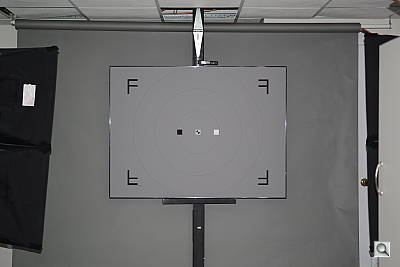 19.8 feet ISO 200 |
Manufacturer Specified Flash Range. The Nikon D800’s flash is rated with a Guide Number of 12/39 (m/ft) at ISO 100. That works out to about 19.8 feet at f/2.8 and ISO 200. As you can see in the flash range test shot above, the Nikon D800 produced a bright exposure, indicating the flash output rating is accurate.
Note: Our standard test method for flash range now uses a fixed setting of ISO 200, to provide a fair basis of comparison between cameras. This wasn’t performed for the D800, as flash range is lens dependent, and the camera ships body-only in the US. We have however also begun shooting using the manufacturer-specified camera settings, at the range the company claims for the camera, to assess the validity of the specific claims. The specified range has been calculated for the lens and aperture used in the test shot above.
High ISO Noise Reduction
The Nikon D800 offers four High ISO Noise Reduction settings: Off, Low, Normal (default), and High, allowing you quite a bit of flexibility in choosing how you want to make the trade-off between subject detail and noise levels in JPEGs. The Nikon D800 manual doesn’t say at what ISO High ISO Noise Reduction begins to be applied, so we’ve included crops from ISO 50 up here. Note that the Nikon D800 manual does say when Off is selected, noise reduction is only performed at ISO 1,600 and higher, and the amount is less than Low.
See for yourself how the four noise reduction settings work. Click on any of the crops below to see the corresponding full-sized image.
| High ISO Noise Reduction Comparison In-Camera JPEGs Simulated Daylight |
||||
|
Off
|
Low
|
Normal
|
High
|
|
| I S O 5 |
 |
 |
 |
 |
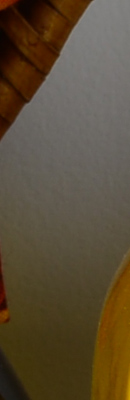 |
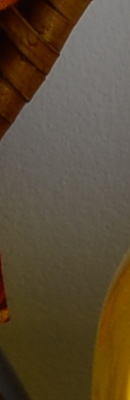 |
 |
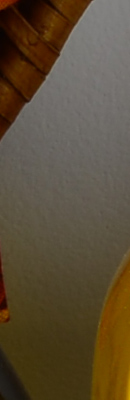 |
|
 |
 |
 |
 |
|
|
Off
|
Low
|
Normal
|
High
|
|
| I S O 1 |
 |
 |
 |
 |
 |
 |
 |
 |
|
 |
 |
 |
 |
|
|
Off
|
Low
|
Normal
|
High
|
|
| I S O 2 |
 |
 |
 |
 |
 |
 |
 |
 |
|
 |
 |
 |
 |
|
|
Off
|
Low
|
Normal
|
High
|
|
| I S O 4 |
 |
 |
 |
 |
 |
 |
 |
 |
|
 |
 |
 |
 |
|
|
Off
|
Low
|
Normal
|
High
|
|
| I S O 8 |
 |
 |
 |
 |
 |
 |
 |
 |
|
 |
 |
 |
 |
|
|
Off
|
Low
|
Normal
|
High
|
|
| I S O 1 |
 |
 |
 |
 |
 |
 |
 |
 |
|
 |
 |
 |
 |
|
|
Off
|
Low
|
Normal
|
High
|
|
| I S O 3 |
 |
 |
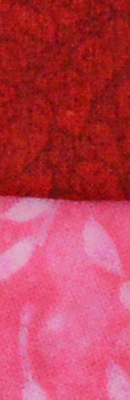 |
 |
 |
 |
 |
 |
|
 |
 |
 |
 |
|
|
Off
|
Low
|
Normal
|
High
|
|
| I S O 6 |
 |
 |
 |
 |
 |
 |
 |
 |
|
 |
 |
 |
 |
|
|
Off
|
Low
|
Normal
|
High
|
|
| I S O 1 |
 |
 |
 |
 |
 |
 |
 |
 |
|
 |
 |
 |
 |
|
|
Off
|
Low
|
Normal
|
High
|
|
| I S O 2 |
 |
 |
 |
 |
 |
 |
 |
 |
|
 |
 |
 |
 |
|
The above crops show the effects of the 4 levels of high ISO noise reduction, under the HMI lighting we use to simulate standard daylight. As you can see, the High ISO Noise Reduction setting already has an effect at ISOs as low as 400. At higher ISOs, the trade-off between detail and noise can easily be seen.
RAW Files
We used to convert raw files used for comparison crops with dcraw (an excellent freeware raw converter), as we could count on dcraw not to apply any noise reduction, sharpening or other corrections. Lately, though, we’ve switched to Adobe Camera Raw with its noise reduction and sharpening options set to zero. We’ve found conversions made with recent versions of ACR to be almost identical to dcraw when dcraw’s demosaicing option is set to match ACR’s method, so we’re pretty sure ACR isn’t applying any noise reduction “under the hood” like it used to.
Below are crops from Nikon D800 raw files compared to raw files from other high-resolution full-frame SLRs:
| Nikon D800 versus Canon 5D Mark III, Nikon D4, and Sony A99 Raw, no Noise Reduction, no Sharpening, Simulated Daylight |
||||
|
|
Nikon
D800 |
Canon
5D Mark III |
Nikon
D4 |
Sony
Alpha A99 |
| I S O 5 |
 |
 |
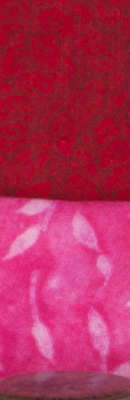 |
 |
 |
 |
 |
 |
|
 |
 |
 |
 |
|
| I S O 1 |
 |
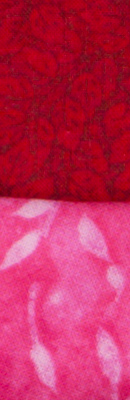 |
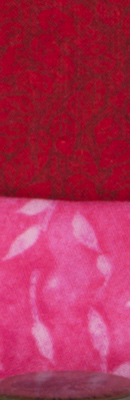 |
 |
 |
 |
 |
 |
|
 |
 |
 |
 |
|
| I S O 2 |
 |
 |
 |
 |
 |
 |
 |
 |
|
 |
 |
 |
 |
|
| I S O 4 |
 |
 |
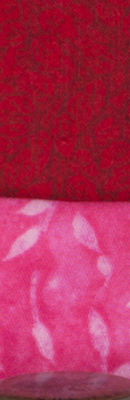 |
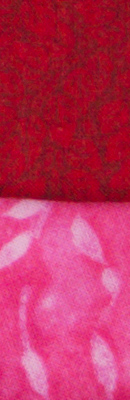 |
 |
 |
 |
 |
|
 |
 |
 |
 |
|
| I S O 8 |
 |
 |
 |
 |
 |
 |
 |
 |
|
 |
 |
 |
 |
|
| I S O 1 |
 |
 |
 |
 |
 |
 |
 |
 |
|
 |
 |
 |
 |
|
| I S O 3 |
 |
 |
 |
 |
 |
 |
 |
 |
|
 |
 |
 |
 |
|
| I S O 6 |
 |
 |
 |
 |
 |
 |
 |
 |
|
 |
 |
 |
 |
|
| I S O 1 |
 |
 |
 |

|
 |
 |
 |
 |
|
 |
 |
 |
 |
|
| I S O 2 |
 |
 |
 |

|
 |
 |
 |
 |
|
 |
 |
 |
 |
|
| I S O 5 |
N/A,
ISO 51,200 not supported. |
 |
 |
N/A,
ISO 51,200 not supported. |
 |
 |
|||
 |
 |
|||
| I S O 1 |
N/A,
ISO 102,400 not supported. |
 |
 |
N/A,
ISO 102,400 not supported. |
 |
 |
|||
 |
 |
|||
| I S O 2 |
N/A,
ISO 204,800 not supported. |
N/A,
ISO 204,800 not supported. |
 |
N/A,
ISO 204,800 not supported. |
 |
||||
 |
||||
|
Nikon
D800 |
Canon
5D Mark III |
Nikon
D4 |
Sony
A99 |
Here, we can see the 16-megapixel Nikon D4 performs the best in terms of noise at higher ISOs. That’s no surprise, though, given it has the largest photosites of this group (pixel pitch of 7.3 microns versus 4.8 for the D800 ). We’ve included it here as it’s arguably still the current high ISO king. Next would be the 22-megapixel Canon 5D Mark III, with its 6.1 micron pixel pitch. The 36-megapixel D800 comes in third, but keep in mind its resolution advantage is significant. If you resample the D800’s images down to the others, you may be surprised how well it compares. The 24-megapixel Sony A99 comes in fourth here with its 5.9 micron pixels, likely handicapped somewhat by its light-robbing semi-transparent mirror.
Pricing and availability
US-market availability for the standard Nikon D800 started late March 2012, with suggested retail pricing of around US$3,000. The limited-edition Nikon D800E variant with its different low-pass filtering followed in mid-April, at a premium of around 10% (US$3,300 approx.)