


Overview

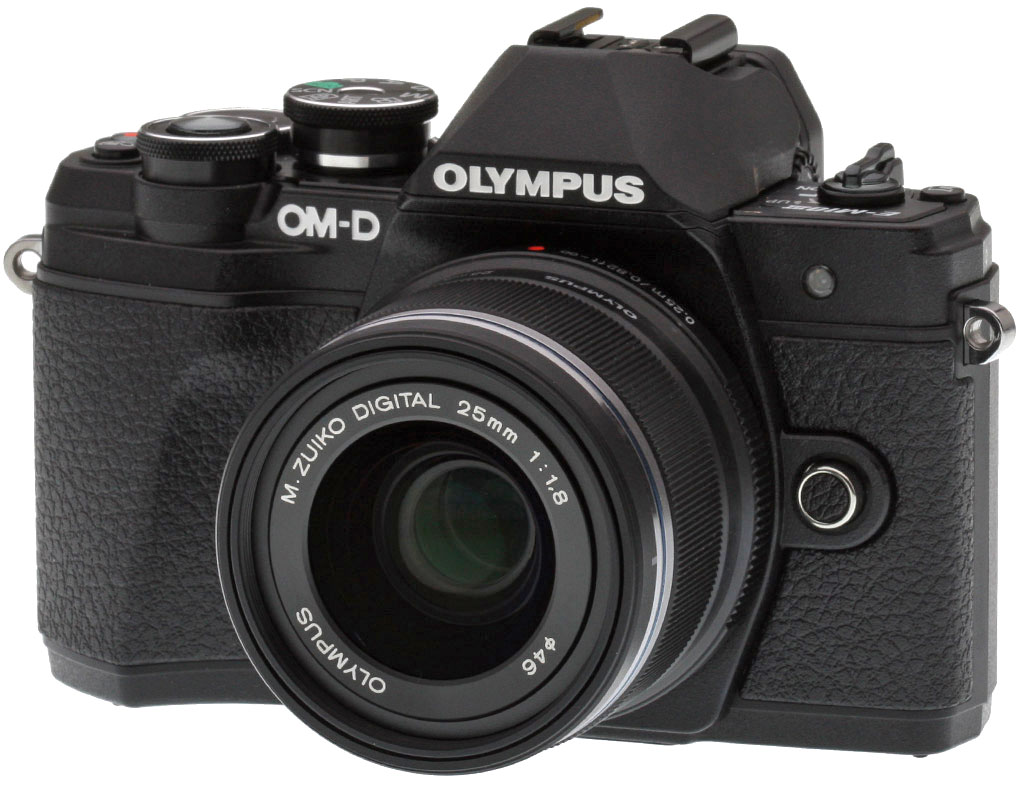
Early in 2014, Olympus took its retro-styled OM-D camera line to a new level of accessibility with the E-M10, a camera with affordable entry-level pricing, yet sharing much of its feature set with the higher-end E-M1 and E-M5. In late 2015, the company followed up with the E-M10 Mark II, swapping in a more compact 'pancake' kit lens, improved handling and an impressively crisp new viewfinder. And now, some two years after that camera, Olympus once again continues its progression with the E-M10 Mark III, aiming to make the entry-level OM-D camera even more approachable for a generation of photographers who may have grown up shooting with nothing other than their smartphone.
The basic package is strongly reminiscent of its predecessor
Like the E-M10 Mark II before it, the E-M10 Mark III offers 16-megapixel resolution from a Four Thirds-format Live MOS image sensor, and can span the sensitivity gamut from a low of ISO 100 to a high of ISO 25,600. Its top full-resolution burst capture rate of 8.6 frames per second, meanwhile, is only ever so fractionally higher than the 8.5 fps provided by its predecessor. And all of this comes in a body whose overall layout is much the same as that of the earlier camera, too.

The E-M10 III sports a brand-new imaging pipeline
So what's new? Well for one thing, while its resolution is unchanged, the imaging pipeline is brand-new. The OM-D E-M10 Mark III sports both a new image sensor and TruePic VIII image processor. The latter is inherited from the flagship E-M1 II, just as the original E-M10 drew its processor from the original flagship E-M1, incidentally. And that means you're getting high-end performance at an entry-level pricetag. Nice!
A friendlier body with a more secure handgrip
And while the E-M10 Mark III's control layout is unchanged, it sports a reworked body which is just fractionally (but not really noticeably) larger in every direction, as well as being just ever so slightly heavier than was its predecessor. At the same time, the front and rear hand grips have grown in depth for a more secure hand hold, and the top-deck Mode dial has grown a little taller, making it easier to grasp and turn. And many more of the E-M10 Mark III's physical controls are now labeled with their Record-mode function, making it easier for the unfamiliar to find the right control and operate their new camera, and easing the transition from your smartphone to a more capable camera.

At the same time, the Mode dial itself has been rearranged, with the Intelligent Auto position of the previous model replaced with a more straightforwardly-named Auto mode, and the quirky Photo Story mode of the E-M10 Mark II replaced by a new "AP" or Advanced Photo mode which aims to surface and provide quick access to some of the features less experienced photographers would otherwise miss in the menu system. And the Scene mode now proves rather less intimidating thanks to a rethought layout that layers the dozens of available scene types beneath one of six main category headings.
The E-M10 Mark III's user interface revolves around a brand-new Shortcut button
There's also a new Shortcut button where the E-M10 Mark II instead offered up its third customizable Function button. This new control varies in its function depending on the camera's operating mode, but in each case, it aims to provide quick access to the most important functions relevant in the current mode. This does, however, mean that the E-M10 Mark III now provides only two customizable Function buttons, where its predecessor gave you a choice of three.

A smarter Auto mode and an uprated contrast-detect AF system
And there are some other important differences between the E-M10 Mark III and its predecessor, as well. For one thing, Olympus tells us that it has redesigned its Auto-mode algorithms so that they will now better take account of subject and camera motion when determining the appropriate shutter speed, and will more readily roam to higher sensitivities as needed to yield a fast-enough shutter speed to freeze motion. And the contrast-detection autofocus system now has a more point-dense layout, with a total of 121 autofocus points as in the E-M1 II, up from "just" 81 points in the E-M10 Mark II.
Image stabilization does the thinking for you, and the battery lasts longer
Olympus has also removed the manually-selected image stabilization modes of the E-M10 Mark II, with the E-M10 Mark III now able to select the relevant operating mode for its five-axis image stabilization system automatically as needed, depending on whether you're panning or simply doing your best to hold the camera steady. And battery life to CIPA testing standards has improved just slightly as well, with the E-M10 Mark III now said to be capable of 330 frames on a charge, up from 320 frames in the previous model.

The E-M10 Mark III shoots better movies, and offers more Art filters too
There are also two new Art filter options catering to creative types, both offering the look of bleach bypass film processing straight out of the camera body. And the E-M10 Mark III boasts improved movie-capture chops as well, with the addition of in-camera 4K movie capture, not just the 4K time-lapse movie mode of the E-M10 Mark II. There's also an increased capture frame rate of 120 fps for the 720p high-def, high-speed mode, where the E-M10 Mark II recorded high-speed clips at 60 fps. This means that you'll be able to provide footage with double the slow-motion effect while not sacrificing on output frame rate and introducing stutter in the process.

In the Box
The Olympus E-M10 III retail kit package (as reviewed) contains the following items:
- Olympus OM-D E-M10 Mark III camera body (in black or silver)
- M.ZUIKO Digital ED 14-42mm f/3.5-5.6 EZ zoom lens (in black or silver, when ordered as a kit)
- BLS-50 Rechargeable Li-ion battery
- BCS-5 Battery charger
- USB cable
- Shoulder strap
- Instruction manual
- Warranty card
Optics
The Olympus E-M10 III is sold in the US body-only, or bundled with the compact M.ZUIKO 14-42mm f/3.5-5.6 EZ kit lens. To see how this lens performs, see our full lab test of this lens, as well as our Olympus E-M10 Mark II Optics page. Below we present our E-M10 Mark III viewfinder accuracy test results.
Viewfinder Test Results
Accuracy
Excellent accuracy from the EVF and LCD monitor.


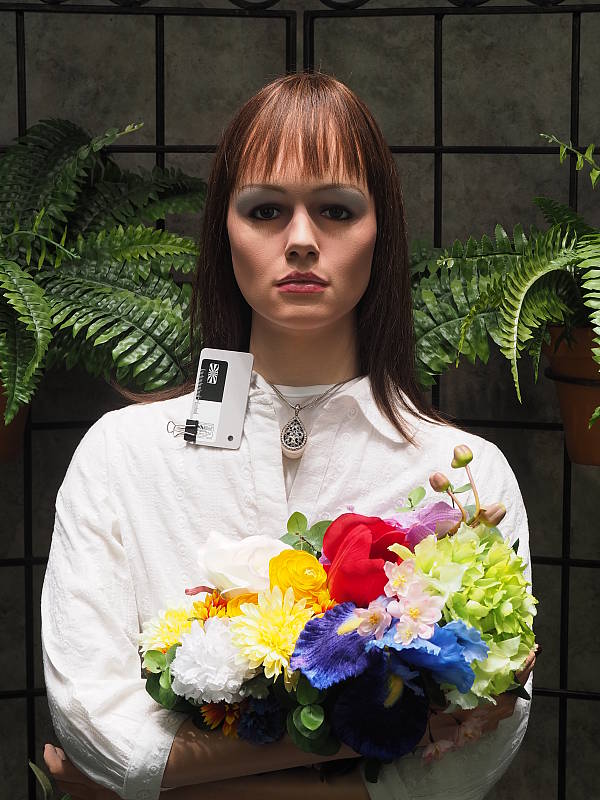
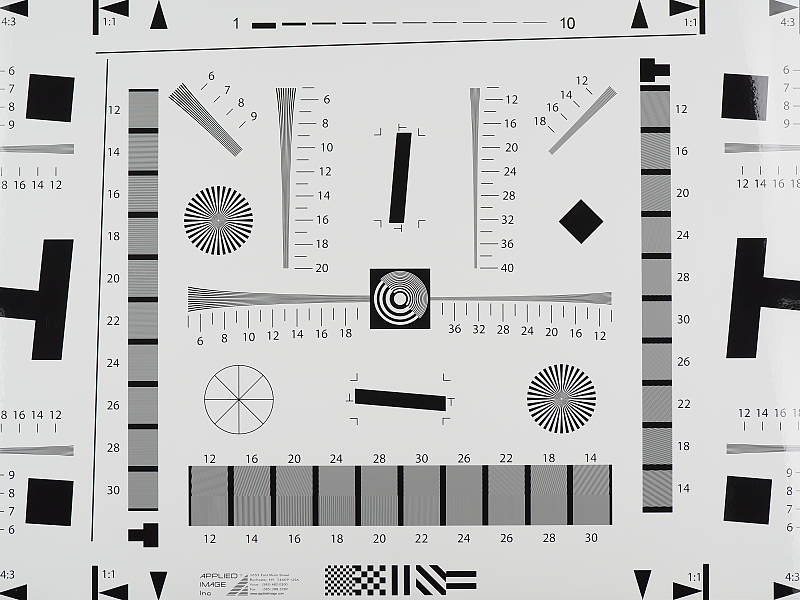
The Olympus E-M10 III's electronic viewfinder and LCD monitor both proved very accurate in record mode, showing essentially 100% coverage in our tests. Excellent results here.
The images above were taken from our standardized test shots. For a collection of more pictorial photos, see our Olympus OM-D E-M10 III Photo Gallery .
Exposure
Color
Saturation & Hue Accuracy
Bright colors with very good hue accuracy.
 |
||
| In the diagram above, the squares show the original color, and the circles show the color that the camera captured at base ISO. More saturated colors are located toward the periphery of the graph. Hue changes as you travel around the center. Thus, hue-accurate, highly saturated colors appear as lines radiating from the center. Click for a larger version. |
Saturation. The Olympus E-M10 III pushes darker reds by a fair amount and a number of other colors moderately, but most colors are fairly close to accurate in terms of saturation. Default mean saturation at base ISO of 200 is 113.1% (13.1% oversaturated), which is a little higher than average. Overall, default saturation levels are quite pleasing and they can of course be adjusted to taste. Most consumer digital cameras produce color that's more highly saturated (more intense) than what's found in the original subjects. This is simply because most people like their color a bit brighter than life.
Skin tones. The Olympus E-M10 III did reasonably well here when white balance was matched to the lighting, producing decent Caucasian skin tones that were slightly on the warm side. Where oversaturation is most problematic is on Caucasian skin tones, as it's very easy for these "memory colors" to be seen as too bright, too pink, too yellow, etc.
Hue. The Olympus E-M10 III generally exhibits very good overall hue accuracy, with a better-than-average Delta-C color error after correction for saturation of only 3.97 at base ISO (lower numbers are better). As is typical, cyan is shifted towards blue for bluer skies, and we see almost no yellow to green shift which is nice. Hue is "what color" the color is.


Sensor
Exposure and White Balance
Indoors, incandescent lighting
Auto and Incandescent white balance struggled, but good color Manual white balance. Slightly above average exposure compensation required.


Indoors, under normal incandescent lighting, color balance was much too warm and orange with the default Auto white balance setting. The E-M10 III has a "Keep Warm Color" option for Auto white balance which is On by default. When turned Off, the results were too cool with a cyan tint. Results with the Incandescent setting were not bad, but slightly greenish. The Manual setting was quite good and very neutral. The Olympus E-M10 III required +0.7 EV exposure compensation here, compared to +0.3 EV for most cameras we've tested. (Our test lighting for this shot is a mixture of 60 and 100 watt household incandescent bulbs, a pretty yellow light source, but a very common one in typical home settings here in the U.S.)
Outdoors, daylight
Bright looking colors overall, with good exposure accuracy.
In simulated sunlight, the Olympus E-M10 III performed well, with pleasing colors and good exposure. Skin tones were slightly warm and yellow with the Auto white balance setting in our "Sunlit" Portrait shot, so we preferred Manual white balance for is slightly pinker rendering, although skin tones were still a bit warm. The Olympus E-M10 III required an average amount of positive exposure compensation (+0.7 EV) to keep the mannequin's face relatively bright. Default contrast is a bit high as it is from most cameras producing some very dark shadows, but despite the bright appearance in some areas there are very few blown highlights in the mannequin's shirt and flowers, which is better than average. (Note that this shot was taken at ISO 200 as ISO 100 is an extended setting with inferior dynamic range.)
Resolution
~2,450 lines of strong detail in native resolution JPEG and RAW files.
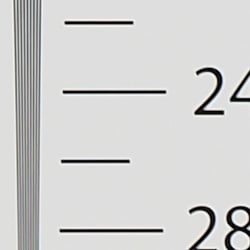
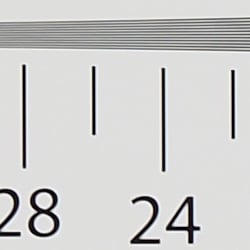
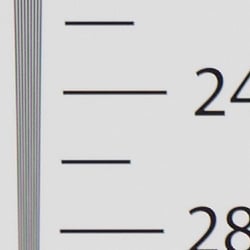

An in-camera JPEG of our laboratory resolution chart reveals sharp, distinct line patterns down to about 2,450 lines per picture height in the horizontal direction, and to about 2,450 lines in the vertical direction, although some strong aliasing is visible well before those limits. Complete extinction of the pattern doesn't occur until about 3,000 to 3,200 lines. Adobe Camera Raw wasn't really able to extract more resolution here but generated less luminance aliasing, though false colors and color moiré are much more apparent past the limits of resolution. Use these numbers to compare with other cameras of similar resolution, or use them to see just what higher resolution can mean in terms of potential detail.
Sharpness & Detail
Very sharp images though edge-enhancement artifacts on high-contrast subjects are visible. Mild noise suppression visible in the shadows.


Sharpness. The Olympus E-M10 III produces very sharp, crisp images overall, though as is often the case, edge enhancement artifacts are visible on high-contrast subjects when default settings are used, such as sharpening haloes around the lines and lettering in the crop above left. However, images that may look oversharpened when viewed on screen at 100% often look better when printed, and you can always turn down the in-camera sharpening if desired. Edge enhancement creates the illusion of sharpness by enhancing colors and tones right at the edge of a rapid transition in color or tone.
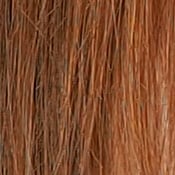
Detail. The crop above right shows fairly mild noise suppression artifacts in the darkest areas of the mannequin's hair as base ISO, smudging individual strands together when contrast between them is low, though quite a few individual strands remain visible. Overall detail is very good for a 16-megapixel Micro Four Thirds model, and chroma noise in particular is well controlled. Some minor aliasing artifacts can be seen, but this is a common issue with cameras that don't have an optical low-pass filter as they gain sharpness in return for an increase in possible aliasing artifacts. Noise-suppression systems in digital cameras tend to flatten-out detail in areas of subtle contrast. The effects can often be seen in shots of human hair, where the individual strands are lost and an almost "watercolor" look appears.
RAW vs In-Camera JPEGs
As noted above, the Olympus E-M10 III does a great job at capturing sharp images with lots of fine detail in its JPEGs, however more detail can often be obtained by carefully processing RAW files, while at the same time reducing sharpening artifacts. To see what we mean, take a look below:
|
Base ISO (200)
|
|
 |
 |
 |
 |
 |
 |
|
Camera JPEG, defaults
|
RAW via Adobe Camera Raw
|
In the table above, we compare an in-camera JPEG taken at base ISO using default noise reduction and sharpening (on the left) to the matching RAW file converted with Adobe Camera Raw 9.1 via DNG Converter 10.4 using default noise reduction with some strong but tight unsharp masking applied in Photoshop (300%, radius of 0.3 pixels, and a threshold of 0).
As you can see, the Adobe Camera Raw conversion contains fine detail superior to the camera's Super Fine JPEG at default settings, especially in the red-leaf swatch where low-contrast detail is better and much of the thread pattern is resolved. However, ACR does leave behind more noise at default noise reduction settings. The in-camera JPEG also has more "pop", with higher contrast, sharpening and saturation, however you can always adjust those attributes in the conversion as well. Overall, the E-M10 III's JPEG engine does a very good job capturing most of the detail offered by its 16-megapixel sensor, at least at low ISOs. (And its expanded ISO 100 setting does even better, but at the cost of lower dynamic range.)
ISO & Noise Performance
Very good high ISO performance for its class.
|
Default High ISO Noise Reduction
|
 |
 |
 |
| ISO 100 | ISO 200 | ISO 400 |
 |
 |
 |
| ISO 800 | ISO 1600 | ISO 3200 |
 |
 |
 |
| ISO 6400 | ISO 12,800 | ISO 25,600 |
The Olympus E-M10 III's images are quite clean and detailed at ISOs 100 through 400, though there's a minor increase in noise in the shadows as ISO rise within this range. ISO 800 shows a slight drop in overall image quality, but fine detail is still quite strong. At ISO 1600, we see some moderate detail loss due to stronger noise and noise reduction efforts, but fine detail is still pretty good. ISO 3200 is of course noisier, but fine detail retention is surprisingly good and chroma noise remains well-controlled. ISO 6400 is the first step in sensitivity where image quality suffers a large drop with much stronger blurring of fine detail as well as much higher luminance noise, though chroma noise is still in check. Image quality drops off significantly at ISO 12,800 and 25,600, with much stronger noise, visible noise reduction and sharpening artifacts, as well as some chroma noise blotching.
Overall, though, high ISO noise performance in JPEGs is quite good for a 16-megapixel Micro Four Thirds model with some minor improvements over the Mark II, and it even bests some APS-C rivals. As always, see the Print Quality section below for maximum recommended print sizes at each ISO.
Extremes: Sunlit, dynamic range and low light tests
High contrast but with very good dynamic range. Very good low-light performance as well.


Sunlight
The Olympus E-M10 III did very well with this difficult shot, requiring the average amount of exposure compensation (+0.7 EV) to keep the mannequin's face reasonably bright in this harsh lighting. As mentioned previously, despite the bright appearance of the mannequin's shirt, dynamic range is surprisingly good, with very few highlights blown and good detail in the shadows as well, though very deep shadows do sometimes exhibit blotchy discoloration or desaturation. Still, performance here is well above average, particularly for a Micro Four Thirds model.
Because digital cameras are more like slide film than negative film (in that they tend to have a more limited tonal range), we test them in the harshest situations to see how they handle scenes with bright highlights and dark shadows, as well as what kind of sensitivity they have in low light. The shot above is designed to mimic the very harsh, contrasty effect of direct noonday sunlight, a very tough challenge for most digital cameras. (You can read details of this test here. In actual shooting conditions, be sure to use fill flash in situations like the one shown here; it's better to shoot in open shade whenever possible.)
| Face Detection | ||
 |
 |
 |
| Off at 0 EV Aperture priority, f/8 |
On at 0 EV Aperture priority, f/8 |
Full Auto f/1.2 |
Face Detection. Like most cameras these days, the Olympus E-M10 III has the ability to detect faces, and adjust exposure and focus accordingly. As you can see from the examples above, it worked fairly well, as the center image with face detection enabled is better exposed for the face than with it disabled, without having to use exposure compensation. The Full Auto setting worked even better by choosing Portrait scene mode which selected max aperture (f/1.2) for much better subject isolation, and it applied i-Enhance and Auto Gradation to reduce strong shadows and highlights. An excellent performance under very difficult lighting such as this.
|
Outdoor Portrait Gradation Comparison
|
|||
 |
|||
Gradation. Similar to dynamic range optimization systems from other manufacturers, the Olympus E-M10 III's Gradation setting applies local contrast adjustments in an attempt to preserve shadow detail and prevent highlight clipping with the Auto setting. Above are examples of the Normal (default), Auto, Low Key and High Key settings applied to our "Sunlit" Portrait shot with no exposure compensation. Mouse over the links to load the associated thumbnail and click on the links to visit the full resolution image.
As you can see, the Low Key setting applies Gradation for making subjects darker, while the High Key setting does the opposite for brighter images. The Auto setting did a good job here, boosting shadows and midtones without blowing additional highlights, for a much better overall exposure than the Normal setting.
|
Highlight/Shadow Control Comparison
|
|||||||
 |
|||||||
|
Highlight:
|
|||||||
|
Shadow:
|
|||||||
Highlight/Shadow Control. Above, we can see the E-M10 Mark III's Highlight and Shadow Control options at work on our "Sunlit" Portrait test shots. This feature lets you adjust both ends of the tone curve independently in 15 steps from -7 to 7, giving you more control of highlights versus shadows than the regular contrast adjustment; a very nice feature. Mouse over the links to load the associated thumbnail, and click on the links to visit the full resolution image.
|
High Dynamic Range Comparison
|
|||
|
|
|||
HDR Setting: |
|||
High Dynamic Range. The E-M10 III's in-camera HDR feature works by combining four shots at different exposures. Two strength settings are available: HDR1 and HDR2, with the later providing a more extreme result. ISO is fixed to 200.
Above, you can see the E-M10 III's in-camera HDR mode at work with our "Sunlit" Portrait shots with no exposure compensation. HDR1 did a decent job brightening shadows and toning down highlights, though you can do better by using bracketing mode and combining the images yourself in software. HDR2 mode looks overprocessed and too flat for this subject, with soft details.
Notice that the HDR images are not cropped compared to the non-HDR image, which can imply the camera does not microalign the source images, or at least can't compensate for much camera motion. This is pretty much confirmed by the user manual which says to use a tripod for HDR shots, potentially making this mode less useful than those offered by some other manufacturers.
Dynamic Range Analysis (RAW mode)
A key parameter in a digital camera is its Dynamic Range, the range of brightness that can be faithfully recorded. At the upper end of the tonal scale, dynamic range is dictated by the point at which the RGB data "saturates" at values of 255, 255, 255. At the lower end of the tonal scale, dynamic range is determined by the point at which there ceases to be any useful difference between adjacent tonal steps. Note the use of the qualifier "useful" in there: While it's tempting to evaluate dynamic range as the maximum number of tonal steps that can be discerned at all, that measure of dynamic range has very little relevance to real-world photography. What we care about as photographers is how much detail we can pull out of the shadows before image noise becomes too objectionable. This, of course, is a very subjective matter, and will vary with the application and even the subject matter in question. (Noise will be much more visible in subjects with large areas of flat tints and subtle shading than it would in subjects with strong, highly contrasting surface texture.)
While we once performed our own dynamic range measurements based on in-camera JPEGs as well as converted RAW images (when the camera was supported by Adobe Camera Raw), we've switched to using DxO Labs' results from their DxOMark website. As technology advanced, the dynamic range of modern high-end cameras in some cases exceeded the range of the Stouffer T4110 density scale that we used for our own measurements. DxO's approach based on RAW data before demosaicing is also more revealing, because it measures the fundamental dynamic range of the sensor, irrespective of whatever processing is applied to JPEGs, or to RAW data by off-the-shelf conversion software.
In the following, we use DxO's "Print" dynamic range results, which are scaled based on camera resolution. As the name suggests, this scaling corresponds to the situation in which you print at a given size, regardless of how many megapixels the camera might have. (In other words, if you've decided to make a 13x19 inch print, that's the size you're printing, whether the camera's resolution is 16 or 300 megapixels.) Also note that DxO Labs uses a signal-to-noise (SNR) threshold of 1 when defining the lower boundary of acceptable luminance noise in their dynamic range measurements, which corresponds to the "Low Quality" threshold of the Imatest software we used to use for this measurement.
Unfortunately, DxOMark has not yet tested the E-M10 Mark III as of this writing, but we'll come back and update this section once they do.
Low-light Autofocus
The E-M10 III's autofocus system was able to focus on our legacy low-contrast AF target down to -3.3 EV unassisted with an f/2.8 lens, and down to -4.6 EV with our newer high-contrast target, which is excellent, especially for a camera with contrast-detect autofocus. The Olympus E-M10 III also has a focus-assist light which allows it to autofocus in total darkness, as long as the subject is within range and has sufficient contrast.
NOTE: This low light test is conducted with a stationary subject, and the camera mounted on a sturdy tripod. Most digital cameras will fail miserably when faced with a moving subject in dim lighting. (For example, a child's ballet recital or a holiday pageant in a gymnasium.) Thanks to their phase-detect AF systems, digital SLRs tend to do much better than point & shoots, but you still shouldn't expect a quick autofocus lock with moving subjects. The E-M10 III uses contrast-detect autofocus as is found in most point & shoot cameras, so its low-light focusing ability is less than that of most SLRs with phase-detect systems. That said, though, the larger, more sensitive pixels of the E-M10 III's sensor do better under dim lighting than do the tiny pixels of most point & shoots, (A useful trick is to just prop the camera on a convenient surface, and use its self-timer to release the shutter. This avoids any jiggling from your finger pressing the shutter button, and can work quite well when you don't have a tripod handy.)
Built-in Flash
Decent performance for a small built-in flash.

Exposure. Indoors under incandescent background lighting, the Olympus E-M10 III's flash underexposed our standard indoor portrait scene at ISO 200 and f/4, despite using +1.0 EV flash exposure compensation. (An average of +0.7 EV is normally needed for this shot.) With Auto ISO, the camera produced a good flash exposure at using +1.0 EV flash exposure compensation, and it only had to boost ISO to 320. As you can see, Auto white balance was quite cool, though.
Output Quality
Print Quality
Excellent 24 x 36 inch prints at ISO 100/200; a nice 13 x 19 at ISO 3200; a good 5 x 7 at ISO 12,800.
 ISO 100 and 200 prints are excellent at 24 x 36 inches, with full, rich color reproduction, crisp detail (especially at ISO 100), and a nice three-dimensionality "pop" to the printed images. At 16 megapixels the resolution doesn't allow for much larger prints, but if your intended viewing distance is not too close you can print as large as the resolution allows you to go at these ISO settings.
ISO 400 images are also good at 24 x 36 inches. They are not as super-crisp as the prints at base and extended-low ISO at this size, but still definitely pass our good seal with nice detail and color throughout, and no real sign of noise anywhere without straining your eyes. For your most critical printing a reduction in size to 20 x 30 inches will do the trick at this gain setting.
ISO 800 shots are good at 20 x 30 inches, which is a good size for this ISO and sensor size combination. There is a trace of noise in the flatter areas of our target upon closer inspection, and a definite loss of contrast detail in the red channel which is a typical phenomenon with most digital cameras in general, but otherwise it is still a good print. For critical printing a reduction to 16 x 20 inches is a wise precaution here.
ISO 1600 yields a very nice 16 x 20 inch print. There are minor issues such as the ones mentioned for the 20 x 20 inch print at ISO 800, including some apparent noise in the flatter shadow areas of our Still Life test target, but this is still a nice sized print for this ISO.
ISO 3200 delivers a solid 13 x 19 inch print, with full color representation and contrast detail remaining. Anything larger from this ISO begins to introduce too much noise in some areas, and too little detail in others, which is common for this sensor size. This is still a fairly large print for this ISO until you get into the full-frame world.
ISO 6400 and higher takes its toll on pretty much all Four Thirds cameras, and the E-M10 III is no exception. You'll need to limit your prints to an 8 x 10 inch size here, and can expect a "good" print at this size, but one still showing minor issues such as a loss of contrast detail in our tricky red-leaf fabric swatch. There is also a slight loss of fine detail in general at this size, so for your best printing projects we recommend remaining at ISO 3200 and below as a general rule with this camera (and Four Thirds cameras in general).
ISO 12,800 can deliver a sound 5 x 7 inch print. It has minor issues such as a slight loss in fine detail, but there is still enough saturation and contrast apparent to call this a good image, especially for casual family use and similar needs.
ISO 25,600 almost passes our good seal at 4 x 6 inches, but there's just not quite enough detail present to make the grade. For all but your least important prints we recommend avoiding this ISO altogether.
The Olympus E-M10 Mark III delivers very good results in the print quality department, as we've certainly come to expect from this solid line of cameras. You're in terrific hands up to ISO 1600, with larger prints abounding, and can even get by at ISO 3200 for most printing needs. Above that you really start to run out of good printing options, and for this reason we highly recommend limiting your Auto-ISO setting to ISO 3200 and below if quality prints are a part of your shooting goals.
The images above were taken from our standardized test shots. For a collection of more pictorial photos, see our Olympus OM-D E-M10 III Photo Gallery .
Not sure which camera to buy? Let your eyes be the ultimate judge! Visit our Comparometer(tm) to compare images from the Olympus OM-D E-M10 III with those from other cameras you may be considering. The proof is in the pictures, so let your own eyes decide which you like best!
Performance
Timing and Performance
Excellent performance for its class, with some nice improvements over its predecessor.
| Startup/Play to Record | ||
|---|---|---|
| Power on |
~1.0 second
|
Time it takes to turn on and capture a shot. |
| Play to Record, |
~0.5 second
|
Time until first shot is captured. |
Startup time including taking a shot was good for a mirrorless camera at about one second, though that's a bit slower than the Mark II's 0.8 second. Switching from Play to Record mode and taking a shot was also quite good and identical to the predecessor at about 0.5 second.
| Shutter Response (Lag Time) | ||
|---|---|---|
|
Full Autofocus, |
0.140 second
|
Time from fully pressing shutter button to image capture, with the lens already at the proper focal distance setting. (All AF timing performed with the M.Zuiko 45mm f/1.8 ED lens.) |
|
Full Autofocus, |
0.281 second
|
Time from fully pressing shutter button to image capture, with the lens already at the proper focal distance setting, TTL Auto flash enabled. |
|
Manual Focus |
0.072 second
|
For most cameras, shutter lag is less in manual focus than autofocus, but usually not as fast as when the camera is "prefocused". |
|
Prefocused |
0.051 second
|
Time to capture, after half-pressing and holding shutter button. |
The Olympus E-M10 Mark III's full-autofocus shutter lag in single-area AF mode (center AF position) was only 0.14 second when tested with our M.Zuiko 45mm f/1.8 ED lens. That's much faster than average for a mirrorless ILC and competitive with prosumer DSLRs. (The E-M10 II tested at 0.157 second so it appears AF speed has improved.)
Full autofocus shutter lag increased to 0.281 second with the flash enabled, to account for the additional delay for the preflash metering, however that's still quite fast and improved over the E-M10 II's 0.383 second.
When manually focused the Mark III's shutter lag time was 72 milliseconds, very fast and improved over the Mark II's 82 milliseconds. The E-M10 III's prefocused shutter lag time of 51 millisecond was quite quick, and again slightly improved over the E-M10 II's 60 milliseconds.
To minimize the effect of different lens' focusing speed, we test AF-active shutter lag with the lens already set to the correct focal distance.
| Cycle Time (shot to shot) | ||
|---|---|---|
| Single Shot mode |
0.24 second
|
Time per shot. |
|
Single Shot mode |
0.33 second
|
Time per shot. |
| Early shutter |
No
|
Some cameras don't snap another shot if you release and press the shutter too quickly in Single Shot mode, making "No" the preferred answer. |
|
Continuous H Mode |
0.12 second
(8.60 fps); Unlimited(?) frames; 1 second to clear* |
Time per shot, with no apparent limit other than card capacity. |
| Continuous H Mode |
0.12 second
(8.60 fps); 33 frames total; 2 seconds to clear* |
Time per shot, averaged over 33 shot buffer capacity, then slows to an average of 0.16s or 6.20 fps when buffer is full with a lot of variation. |
|
Continuous H Mode |
0.12 second
(8.61 fps); 14 frames total; 3 seconds to clear* |
Time per shot, averaged over 14 shot buffer capacity, then slows to an average of 0.23s or 4.41 fps when buffer is full with a lot of variation. |
| Flash Recycling |
4.3 seconds
|
Flash at maximum output. |
|
*Note: Buffer clearing times measured with a 64GB Lexar Pro 2000x UHS-II SDXC card. Slower cards will produce correspondingly slower clearing times. Slow cards may also limit length of bursts in continuous mode. ISO sensitivity and noise reduction settings can also affect cycle times and burst mode performance.
|
||
Single-shot cycle times were excellent for its class at a third of a second or less versus about half a second for the E-M10 Mark II. We no longer test just RAW file cycle time in single-shot mode, as it's usually somewhere in between JPEG and RAW+JPEG.
Continuous H mode performance was quite good, matching Olympus' 8.6 frames per second spec no matter the file type. That's marginally slower than the E-M10 II's 8.9 fps result but it tested faster than its 8.5 fps specification with a UHS-II card. Note that focus and exposure are fixed at the first frame of a burst in this mode. There is also a "low speed" mode rated at up to 4.8 fps (up from 4.0 fps) which supports continuous AF and exposure, however we didn't test that mode in the lab.
Buffer depths when shooting best quality JPEGs were much improved at over 400 frames with no signs of slowing (we'll call that unlimited) versus 28 frames for the E-M10 II. When shooting RAW files, the buffer depth was 33 frames which is also much improved over the E-M10 II's 18 frames. Interestingly, when shooting RAW+JPEG frames, buffer depth fell dramatically to 14 frames which is only one more than the E-M10 II's result.
Buffer clearing times were excellent and improved over the E-M10 II's, ranging from only one second after a burst of 400 LSF JPEGs to only three seconds after a burst of 14 RAW+JPEG frames with a fast 2000x UHS-II card, and you can take additional shots and adjust settings while the buffer is still clearing.
Note that when using an fast UHS-I card (95MB/s SanDisk Extreme Pro), buffer depths dropped to 23 best quality JPEGs, 14 RAW and 12 RAW+JPEG frames, while clearing times increased to about 4, 6 and 9 seconds respectively, so you'll want to use a fast UHS-II card for best burst performance.
Built-in flash recycle time was an average of 4.3 seconds after full power discharge, which is a tad sluggish.
Bottom line, the Olympus the E-M10 III improves on the already excellent Mark II's performance in most cases. The E-M10 Mark III offers faster autofocus, lower shutter lag, improved cycle times, improved buffer depths and faster clearing times compared to its predecessor.
Battery
Battery Life
Slightly below average battery life for a mirrorless camera.
| Operating Mode | Number of Shots |
|---|---|
|
Still Capture,
(CIPA standard) |
330
|
The Olympus E-M10 III uses a custom BLS-50 rechargeable lithium-ion battery pack for power, and comes with both a single battery and charger. The rated 330 shots per charge (Olympus makes no distinction between using the EVF or LCD monitor) has improved slightly from 320 shots for the E-M10 II but is still a bit below average for a mirrorless ILC, and well below the capacity of most DSLRs with their optical viewfinders. We recommend getting a second battery for your E-M10 III for use during extended outings.
The table above shows the number of shots the camera is capable of (on a fully-charged rechargeable battery), based on CIPA battery-life and/or manufacturer standard test conditions.
(Interested readers can find an English translation of the CIPA DC-002 standards document here. (180K PDF document))
Image Quality
Below are crops from our laboratory Still Life target comparing the Olympus E-M10 III's image quality at various ISOs to that of its predecessor, the E-M10 Mark II, as well as against several competing models at similar price points or in similar categories: the Canon M6, Fuji X-A5, Panasonic GX85 and Sony A6000.
NOTE: These images are from best quality JPEGs straight out of the camera, at default settings including noise reduction and using the camera's actual base ISO (not extended ISO settings) except where mentioned. All cameras in this comparison were shot with our very sharp reference lenses. Clicking any crop will take you to a carrier page where you can click once again to access the full resolution image as delivered straight from the camera. For those interested in working with the RAW files involved, click these links to visit each camera's respective sample image thumbnail page: Olympus E-M10 III, Olympus E-M10 II, Canon M6, Fuji X-A5, Panasonic GX85 and Sony A6000 -- links to the RAW files appear beneath those for the JPEG images, wherever we have them. And remember, you can always go to our world-renowned Comparometer to compare the Olympus E-M10 III to any camera we've ever tested!
Olympus E-M10 III: ISO Low (approx. ISO 100) vs ISO 200
 |
 |
 |
 |
 |
 |
Olympus E-M10 III at ISO 100 |
Olympus E-M10 III at ISO 200
|
Like all recent OM-D and PEN models, the Olympus E-M10 III offers an expanded low ISO setting down to approximately ISO 100 equivalent. We usually avoid expanded low ISO settings for our image quality comparisons as we don't normally see much improvement in image quality, and they often come at the cost of reduced dynamic range. However, like the E-M10 and E-M10 II before it, the Olympus E-M10 III produces significantly more detail in its ISO 100 JPEGs compared to the lowest standard ISO of 200, especially evident in the mosaic and fabric crops as shown above. Dynamic range is definitely lower with extended-low ISO settings, but if your subject and lighting suits, you may want to use the E-M10 III's extended low-ISO setting for maximum detail. | |
Olympus E-M10 III vs Olympus E-M10 II at Base ISO
|  |
|  |
|  |
Olympus E-M10 III at ISO 200 | Olympus E-M10 II at ISO 200 |
Here at base ISO, we can see the E-M10 III's image quality is very similar to its predecessor's, the E-M10 Mark II, although looking closely, it appears the Mark III does a slightly better job at controlling chroma noise in the shadows. Unfortunately, it also doesn't do quite as well in our tricky red-leaf fabric, which is often a casualty of chroma noise reduction. | |
Olympus E-M10 III vs Canon EOS M6 at Base ISO
|  |
|  |
|  |
Olympus E-M10 III at ISO 200 | Canon EOS M6 at ISO 100 |
As expected, the 24-megapixel APS-C Canon M6 out-resolves the 16-megapixel Micro Four Thirds E-M10 III, offering better detail in most areas of our test target, especially in our tricky red-leaf fabric, although the M6 generated some aliasing artifacts there. The Olympus image is however crisper and colors are more vibrant, as well as a little warmer. Both exhibit visible sharpening haloes around high-contrast edges, but the E-M10 III's haloes have a tighter radius. | |
Olympus E-M10 III vs Fujifilm X-A5 at Base ISO
|  |
|  |
|  |
Olympus E-M10 III at ISO 200 | Fujifilm X-A5 at ISO 200 |
Here we compare the Olympus E-M10 III to another 24-megapixel APS-C mirrorless camera, the Fuji X-A5. Both cameras produce very sharp images with visible sharpening artifacts here at base ISO, though sharpening haloes are more obvious from the Fuji around high-contrast elements. The X-A5 out-resolves the E-M10 III, though the Olympus offers somewhat higher contrast which helps it to appear a little crisper than the X-A5 in some areas. Noise is actually lower from the E-M10 III. however its JPEG engine does generate a few unwanted artifacts while smoothing noise out. Both cameras produce pleasing colors, though the Fuji's are generally a little brighter. | |
Olympus E-M10 III vs Panasonic GX85 at Base ISO
|  |
|  |
|  |
Olympus E-M10 III at ISO 200 | Panasonic GX85 at ISO 200 |
Like the Olympus E-M10 III, the 16-megapxiel Panasonic GX85 also does not have an OLPF to maximize sharpness at the risk of higher aliasing artifacts. Here at base ISO we see both cameras offer very similar resolving power, but the E-M10 III's default processing is a bit more aggressive, with stronger sharpening, higher contrast and brighter, more vibrant colors, giving the Olympus image more "pop". The E-M10 III's noise reduction also appears to be a bit stronger, producing slightly lower noise but at the cost of reduced detail in some areas, such as in our red-leaf swatch. | |
Olympus E-M10 III vs Sony A6000 at Base ISO
|  |
|  |
|  |
Olympus E-M10 III at ISO 200 | Sony A6000 at ISO 100 |
Yet another comparison with a 24-megapixel APS-C mirrorless, and again, the higher resolution offered by the Sony A6000 out-resolves the E-M10 III, performing noticeably better in the mosaic and fabric crops. And the Sony manages to produce a crisp image without obvious sharpening haloes, though the Olympus does better with colors. | |
Olympus E-M10 III vs Olympus E-M10 II at ISO 1600
 |  |
 |  |
 |  |
Olympus E-M10 III at ISO 1600 | Olympus E-M10 II at ISO 1600 |
Both E-M10 iterations produced similar image quality here at ISO 1600, but the Mark III appears to hold onto a little more detail than its predecessor, while producing similar noise levels. | |
Olympus E-M10 III vs Canon EOS M6 at ISO 1600
|  |
|  |
|  |
Olympus E-M10 III at ISO 1600 | Canon EOS M6 at ISO 1600 |
The Canon M6 continues to capture a little more detail than the E-M10 III at ISO 1600, but it also leaves behind a lot more noise. The Canon does much better with our tricky red-leaf fabric, though. | |
Olympus E-M10 III vs Fujifilm X-A5 at ISO 1600
|  |
|  |
|  |
Olympus E-M10 III at ISO 1600 | Fujifilm X-A5 at ISO 1600 |
The X-A5 continues to out-resolve the E-M10 III here at ISO 1600, though its luma noise levels are higher in flatter areas. The E-M10 III works hard at smoothing away noise while still doing a good job of holding onto fine detail, however it does generate more noise reduction artifacts than the X-A5. | |
Olympus E-M10 III vs Panasonic GX85 at ISO 1600
|  |
|  |
|  |
Olympus E-M10 III at ISO 1600 | Panasonic GX85 at ISO 1600 |
At ISO 1600, the E-M10 III produces a crisper, smoother, more vibrant image than the GX85, but noise reduction artifacts in the form of smudging and speckling are generally more evident. The GX85 produces fewer artifacts in areas with fine detail, but its area-specific noise reduction does leave some areas a bit rough and noisy. Both cameras struggle with our tricky red-lead swatch, but the GX85 retains a bit more detail. | |
Olympus E-M10 III vs Sony A6000 at ISO 1600
|  |
|  |
|  |
Olympus E-M10 III at ISO 1600 | Sony A6000 at ISO 1600 |
The 24-megapixel APS-C A6000 captures a bit more detail than the E-M10 III at ISO 1600, while producing fewer sharpening artifacts. Luminance noise levels are comparable, but the Olympus does a bit better at keeping chroma noise in check, while producing better color. The Sony does better in the red-leaf fabric overall, though some of the detail is false or exaggerated. | |
Olympus E-M10 III vs Olympus E-M10 II at ISO 3200
 |  |
 |  |
 |  |
Olympus E-M10 III at ISO 3200 | Olympus E-M10 II at ISO 3200 |
Here at ISO 3200, the E-M10 Mark III rendered significantly more fine detail than its predecessor in our mosaic crop with much less smudging. Luminance noise levels appear a little higher than the Mark II, but we prefer the Mark III's superior detail retention. | |
Olympus E-M10 III vs Canon EOS M6 at ISO 3200
|  |
|  |
|  |
Olympus E-M10 III at ISO 3200 | Canon EOS M6 at ISO 3200 |
Wow, the E-M10 III pulls further ahead of the M6, producing a much sharper image with more detail here at ISO 3200, while at the same time leaving behind less noise. Colors from the Canon are also a bit drab in comparison. An easy win for the Olympus. | |
Olympus E-M10 III vs Fujifilm X-A5 at ISO 3200
|  |
|  |
|  |
Olympus E-M10 III at ISO 3200 | Fujifilm X-A5 at ISO 3200 |
|
Similar to what we saw at ISO 1600, the X-A5 retains more detail and produces a crisper, more vibrant image with fewer noise reduction artifacts, but with more obvious sharpening artifacts. Noise levels are similar in flatter areas, however the X-A5's grain pattern has a less consistent nature than the E-M10 III's. | |
Olympus E-M10 III vs Panasonic GX85 at ISO 3200
|  |
|  |
|  |
Olympus E-M10 III at ISO 3200 | Panasonic GX85 at ISO 3200 |
The Olympus E-M10 III produced a smoother, yet more detailed, contrasty and vibrant image than the GX85 here at ISO 3200. Colors are better from the Olympus as well. Another easy win for the Olympus. | |
Olympus E-M10 III vs Sony A6000 at ISO 3200
|  |
|  |
|  |
Olympus E-M10 III at ISO 3200 | Sony A6000 at ISO 3200 |
The Sony A6000 image starts to take on a bit of veiled effect, and flatter areas show more noise reduction artifacts with a more processed look here at ISO 3200. Again, contrast in the red-leaf pattern is better from the Sony, but much of the detail is false. | |
Olympus E-M10 III vs. Olympus E-M10 II, Canon EOS M6, Fujifilm X-A5, Panasonic GX85, Sony A6000
 |  |  |  |  |  |
 |  |  |  |  |  |
 |  |  |  |  |  |
| Olympus E-M10 III ISO 200 ISO 3200 ISO 6400 | Olympus E-M10 II ISO 200 ISO 3200 ISO 6400 | Canon EOS M6 ISO 100 ISO 3200 ISO 6400 | Fujifilm X-A5 ISO 200 ISO 3200 ISO 6400 | Panasonic GX85 ISO 200 ISO 3200 ISO 6400 | Sony A6000 ISO 100 ISO 3200 ISO 6400 |
| Detail comparison. We also like to take a look at high-contrast detail, as results often differ from what we see in the tables above. Here, the E-M10 III continues the Olympus tradition of producing very good results with high-contrast detail as ISO rises, slightly besting its predecessor at ISO 6400. The Fuji X-A5 however performs the best in terms of detail here, but it does produce the most obvious sharpening haloes. The Sony A6000 also does better than the E-M10 III, but it generated the most false colors at the highest ISO. The Canon M6 drops in contrast and sharpness noticeably as ISO climbs, but still retains good detail at ISO 6400 thanks to its higher resolution. Trailing the pack in terms of contrast is the Panasonic GX85, although detail is actually very good even at ISO 6400. | |||||
Excellent 24 x 36 inch prints at ISO 100/200; a nice 13 x 19 at ISO 3200; a good 5 x 7 at ISO 12,800.
ISO 100 and 200 prints are excellent at 24 x 36 inches, with full, rich color reproduction, crisp detail (especially at ISO 100), and a nice three-dimensionality "pop" to the printed images. At 16 megapixels the resolution doesn't allow for much larger prints, but if your intended viewing distance is not too close you can print as large as the resolution allows you to go at these ISO settings.
ISO 400 images are also good at 24 x 36 inches. They are not as super-crisp as the prints at base and extended-low ISO at this size, but still definitely pass our good seal with nice detail and color throughout, and no real sign of noise anywhere without straining your eyes. For your most critical printing a reduction in size to 20 x 30 inches will do the trick at this gain setting.
ISO 800 shots are good at 20 x 30 inches, which is a good size for this ISO and sensor size combination. There is a trace of noise in the flatter areas of our target upon closer inspection, and a definite loss of contrast detail in the red channel which is a typical phenomenon with most digital cameras in general, but otherwise it is still a good print. For critical printing a reduction to 16 x 20 inches is a wise precaution here.
ISO 1600 yields a very nice 16 x 20 inch print. There are minor issues such as the ones mentioned for the 20 x 20 inch print at ISO 800, including some apparent noise in the flatter shadow areas of our Still Life test target, but this is still a nice sized print for this ISO.
ISO 3200 delivers a solid 13 x 19 inch print, with full color representation and contrast detail remaining. Anything larger from this ISO begins to introduce too much noise in some areas, and too little detail in others, which is common for this sensor size. This is still a fairly large print for this ISO until you get into the full-frame world.
ISO 6400 and higher takes its toll on pretty much all Four Thirds cameras, and the E-M10 III is no exception. You'll need to limit your prints to an 8 x 10 inch size here, and can expect a "good" print at this size, but one still showing minor issues such as a loss of contrast detail in our tricky red-leaf fabric swatch. There is also a slight loss of fine detail in general at this size, so for your best printing projects we recommend remaining at ISO 3200 and below as a general rule with this camera (and Four Thirds cameras in general).
ISO 12,800 can deliver a sound 5 x 7 inch print. It has minor issues such as a slight loss in fine detail, but there is still enough saturation and contrast apparent to call this a good image, especially for casual family use and similar needs.
ISO 25,600 almost passes our good seal at 4 x 6 inches, but there's just not quite enough detail present to make the grade. For all but your least important prints we recommend avoiding this ISO altogether.
The Olympus E-M10 Mark III delivers very good results in the print quality department, as we've certainly come to expect from this solid line of cameras. You're in terrific hands up to ISO 1600, with larger prints abounding, and can even get by at ISO 3200 for most printing needs. Above that you really start to run out of good printing options, and for this reason we highly recommend limiting your Auto-ISO setting to ISO 3200 and below if quality prints are a part of your shooting goals.
Field Test
The entry-level OM-D camera gets 4K video capture and an ease-of-use overhaul
by Mike Tomkins | Posted: 08/31/2017

I've been reviewing cameras for close to two decades now, and in all of those years, I've gotten to shoot more than a few cameras prior to their official announcement. Sadly with the digital camera market being a very different one to what it once was, that's become something of an exception these days, though. So it would be something of an understatement to say that I was thrilled to be given that opportunity when Olympus first told us of its plans for the OM-D E-M10 Mark III, it's third-generation, entry-level OM-D camera.
We were big fans of the preceding Olympus E-M10 Mark II when we reviewed it a couple of years ago, finding much to love within the trim confines of its Micro Four Thirds-format body. For such a relatively compact interchangeable-lens camera, the E-M10 Mark II packed in plenty of features along with excellent image quality, great performance and a price tag which felt very reasonable indeed. Our main concerns with that model were for its rather modest battery life, and a menu system which we described as "frustrating ... with a steep learning curve."
And it was the user interface which we understood was one of the main areas which Olympus intended to address with the OM-D E-M10 Mark III, which boded well for this new model. Suffice it to say that I tore into the packaging like a kid at Christmas when Olympus' latest OM-D camera landed on my doorstep recently. Along with the camera body itself and the bundled M.Zuiko ED 14-42mm F3.5-5.6 EZ kit lens, I chose several other Micro Four Thirds lenses for my review, and the first thing I did was try them all out on the E-M10 Mark III body to see how they handled.
The E-M10 Mark III's kit lens pairs beautifully with its compact body
The 14-42mm "pancake"-style kit lens makes for a great walkaround pairing for street photography, yielding 35mm-equivalent focal lengths from 28 to 84mm. As I assembled my initial gallery for this first field test, I did the majority of my shooting around the tourist towns of Gatlinburg and Pigeon Forge, Tennessee with this lens, which has a powered retraction / zoom function.

When retracted, it's very compact indeed, and while it does add a little to your startup time, it only takes around a second or less to extend as you power the camera on. Retracting takes a little bit longer, but that's not a concern as you're no longer using the camera. (And as an ILC, you're not really waiting to slip it in a pocket either.)
I was a little disappointed that the zoom speed -- which can be controlled in three steps -- has to be set through the menu, though. I'd have preferred it to be controlled by how far you turn the zoom ring, which truth be told is more of a zoom rocker, really, as it only moves a little bit in either direction. Doubly so for videos, for which you configure a separate zoom speed than for still images, as the default zoom speed is already too fast and jarring for my tastes, yielding only one really usable zoom speed.

But you can't really argue with its tiny dimensions when retracted, nor its very light weight, and I felt image quality was more than acceptable for the entry-level shooters Olympus is courting with this camera.
Some thoughts on my other lens choices; the 40-150mm is a great second lens

The M.Zuiko 25mm f/1.8, which has a 50mm-equivalent focal length on the E-M10 Mark III, is about twice as deep as the retracted 14-42mm EZ and just a little heavier. But it's actually a little shorter than the 14-42mm EZ once that lens is retracted, and again, pairs very nicely indeed with the E-M10 Mark III body. It also offers a nice, bright f/1.8 maximum aperture.
When retracted at its 40mm position, the M.Zuiko ED 40-150mm f4.0-5.6 R, meanwhile, is almost twice as deep as the 25mm f/1.8, but it's surprisingly light nevertheless. By the time you zoom all the way in to the 150mm position, it more than doubles in length without noticeably shifting the center of gravity forwards much at all. It offers 35mm-equivalent focal lengths from 80-300mm, and along with the kit lens, gives you coverage of everything from 28 to 300mm without any gaps. That makes it an excellent choice as a second lens, and image quality is surprisingly good. Sadly, the lens itself feels a bit plasticky, and the mechanical zoom has a fair amount of friction in its operation, which can make it tricky to make small and very precise zoom adjustments.
Longer, heavier lenses can make the handgrip a bit tiring
Finally, I selected the M.Zuiko ED 75-300mm f4.8-6.7 II for a 35mm-equivalent range of 150-600mm. This lens is a good bit heavier than others, and the center of gravity does shift forward significantly as you zoom in towards the telephoto end of the range. A two-handed grip is a must, and when walking around between photo opportunities, I preferred to switch to one of the other lenses as with the E-M10 Mark III's relatively modest handgrips, the weight of the lens quickly became tiring to carry by my side. And the same was true while adjusting the zoom, when I had to take up most of the weight on my right hand, freeing up my left to turn the zoom ring. (Which again, has a fair bit of friction in operation, although not as much so as the 40-150mm.)

Unfortunately, this lens is decidedly dim at the telephoto end of the range where you could most use some more light for a quick exposure. But while there's some chromatic aberration towards telephoto and the corners get rather soft, I think for the typical E-M10 Mark III shooter the image quality will prove more than sufficient. And the bokeh -- that is, the character of the blurred, out-of-focus areas of the image -- was fairly pleasant, if perhaps just a bit busy compared to that of a higher-end lens.
The E-M10 Mark III pairs superb build quality with a pretty comfortable design
But what of the E-M10 Mark III body itself? Well, the build quality is excellent, especially for a camera at this price point. There isn't a hint of panel flex or creak anywhere other than where you'd expect it on compartment doors and the articulated LCD panel. And while it's far from heavy, there's enough heft to counteract the weight of even larger lenses like the aforementioned 75-300mm, and to help you hold the camera reasonably steadily while shooting through the viewfinder or at arm's length.

Comfort-wise, I still feel the newly-expanded handgrip is rather on the shallow side, but then at 6'1" tall, I have larger hands than most. And it was only really when carrying the camera around with the 75-300mm lens mounted that this started to bother me, causing some uncomfortable hand cramps that took a few minutes to work back out again. With the other lenses mounted, I had no such problems, and I quickly learned that the solution was simply only to mount the 75-300mm lens when I was actually ready to shoot with it, then take it straight back off the camera in favor of a different optic afterwards.

The profusion of controls may intimidate initially, but help keep you out of menus
There are no two ways about it, though: This is one very busy camera body, and I can't help but think the sheer number of external controls protruding from the E-M10 Mark III's top deck, and clustered to the right of the LCD on the rear panel, are going to prove intimidating and off-putting to the entry-level shooters Olympus is courting with this camera. I'd like to see Olympus increase the depth of the front and rear grips just a little more, and then integrate the front and rear dials into the grips, rather than placing them on top of the camera. This would reduce the visual clutter quite significantly.
It would also negate the need for the taller-than-ever Mode dial, this being the second generation in a row that it has grown in height. But with that said, I felt the increase has certainly done its job, as I had no problems at all grasping and spinning the Mode dial when needed, and never once found it turned accidentally either. In fact, the only dial I ever bumped was the front dial, accidentally dialing in a stop of positive exposure compensation early on in my shoot, and realizing my mistake after just a handful of shots. I'm not sure how I managed it, as all of the dials have a reasonably strong click detent, and put it down to unfamiliarity with the body as it hasn't happened again since.
And all of the other controls were pleasant to use, too, if perhaps a bit on the cramped side, especially the little four-way controller with its central OK button. They were all easy to locate by touch, and had good button feel, with an obvious (but not overly obtrusive) click sound and feeling when pressed. Really, the only brief confusion I had with the physical controls was in figuring out how to raise the popup flash, which rather unusually is done by rotating the Power switch past its On position. That same technique was used in the E-M10 Mark II, though, and you get used to it quickly enough.
When user-friendliness gets in the way: "Where the heck did they hide exposure bracketing?"
Unfortunately, the same can't be said for the E-M10 Mark III's user interface, where I stumbled badly initially. One of the first things I do when shooting with a review camera is to enable raw+JPEG capture and bracketed shooting, usually with a 2/3EV step size. That's typically enough to help out with an unfamiliar metering system, saving the day if any shots are under or over-exposed a little because I'm not used to an individual camera's behavior yet.

But when the time came to do so with the E-M10 Mark III, I simply could not for the life of me find where on earth Olympus had hidden the exposure bracketing function. And I wasn't helped here by the fact that -- as is often the case with review cameras, which tend to be among the first off the production line and rushed into our eager, waiting hands -- there was no user manual or CD in the product package. (Fear not, though, our review camera itself is a final production model running production-grade version 1.0 firmware.)
I hunted and hunted through the menus. I even went so far as to go back to our E-M10 Mark II review to confirm where the function had been located in its menus. (Which was to say, right where I was expecting it to be.) Eventually, I stumbled on the answer almost by mistake: Exposure bracketing is now accessible only through the new AP or "Advanced Photo" position on the Mode dial, and cannot be enabled in other exposure modes.

Exposure bracketing in full-stops only, and not for priority-mode capture either
That, to my mind, is a terrible decision, and one Olympus should rethink stat. The reason being quite simple: You can now no longer combine a bracketed exposure with Aperture- or Shutter-priority capture, something I quite often find myself wanting to do. Instead, you're forced to rely on Program autoexposure, and can simply coax the aperture or shutter speed in your desired direction using the E-M10 Mark III's Program Shift function. That, to my mind, is simply not good enough for a camera which, in other respects, offers a fair few enthusiast-friendly features.

Shot using mild in-camera Keystone Compensation
And it's exacerbated by the fact that you also can't dial the bracketing step size in with 1/3-stop increments as is typically the case, but rather only in whole-stop increments. That's simply too coarse-grained an adjustment, and in the real world my experience as a result was that when the default exposure was under or overexposed, so too was the nearest bracketed shot on offer, just in the other direction.
The E-M10 Mark III's Advanced Photo mode is a nice idea, but it shouldn't be the only option
I get what Olympus is trying to do with the Advanced Photo mode, and I'd happily laud the idea if it wasn't the only way to access a critical feature like this. But it shouldn't be the only way to do so -- the option should still remain available through the menu system in other exposure modes where appropriate, so more experienced shooters can make the decision for themselves.
I'm hoping against hope that this is something Olympus can address with a firmware update, as the function itself already exists, it's just been somewhat hidden from the view of more experienced shooters who will simply ignore anything on the Mode dial which doesn't say P, A, S, M, or Movie. I can't imagine it would require that much code to add back in a menu item which can call the function from other exposure modes.
[Edit: As of late October 2018, as we finalize this review, Olympus has only released one firmware update for the E-M10 III. This fixes a bug with AF on Panasonic lenses and adds support for RC mode flash, but makes no other changes. It's not looking likely that this concern will be addressed in firmware.]
The user interface is an improvement otherwise, although the main menu could still use some work
But enough of that quibble, how did I find the experience of shooting with the E-M10 Mark III in the real world? Well, I have to say, I rather enjoyed it. The repurposed Shortcut button does help to surface settings I'd use most often through the Super Control Panel in PASM modes, and relevant options such as Scene mode options, Advanced Photo mode options, the Live guide and more, depending on your current exposure mode. You quickly learn to rely on it to get where you need to be depending upon your shooting mode

The newly-categorized Scene mode layout, which nests up to six scene types apiece under six different main categories -- People, Nightscapes, Motion, Scenery, Indoors or Close-ups -- is a great improvement that helps you find what you're looking for more quickly, and doesn't overwhelm less experienced shooters as badly. And even if I don't like that it's the only way to bracket exposures, Advanced Photo mode will certainly help newbies to find and take advantage of some very useful tools like Olympus' clever Live Time / Live Composite mode, multiple exposures, high dynamic range photography, focus bracketing and more. These are tools that, if hidden in a menu somewhere, they'd probably never find and learn to make the most of, so kudos to Olympus for calling attention to them.
The rest of the main menu system is typical Olympus, which is to say that it's usable, but not terribly well-organized, and relies too much on rather opaque, meaningless icons and abbreviations. But that's long been the case with the company's cameras, and you do get used to it eventually. And things like the generous selection of dedicated controls, a couple of customizable function buttons, and the Shortcut button do help keep you away from those confusing menus in the first place.

The E-M10 Mark III's viewfinder and touch-screen LCD are both great!
The viewfinder is bright and clear, and very generously-sized, making for a pleasant shooting experience. And there's just enough of an eyecup to prevent me having to shield the finder with my other hand as I have to do with some cameras when the sunlight is coming from just the wrong angle. The eyecup also has just enough "give" to it for comfort, without being soft and squishy enough that I'd worry about it getting damaged. And thanks to the small proximity sensor to the right of the viewfinder eyepiece, it is quickly enabled as you bring the finder to your eye, and then disabled once you lower the camera once more, reenabling the main LCD monitor.

The main display, too, is bright, clear and crisp. I've not had any issues with daylight visibility, even when shooting under direct sunlight. And the touch-screen overlay on the LCD is very precise and responsive indeed, accurately detecting where I touched with my finger to select a subject for focus, and quickly following allowing with my fingertip if I dragged my finger around the screen. You can also have a tap on the screen trip the shutter as it might on your smartphone, not just set the focus, if you desire. I tried it a few times to satisfy myself that the function worked, and then promptly disabled it using the small on-screen button which can also be used to disable the remainder of the touch screen entirely, preventing accidental focus point changes.
The LCD articulation mechanism is solid, but doesn't cater to selfie fans
The articulation mechanism, while not my preferred side-mounted, tilt/swivel type, felt exceptionally sturdy and solid, and was great for shooting from the hip, low to the ground or over my head. It leans out just far enough from the rear of the camera body when tilted upwards that the viewfinder eyepiece doesn't block your view, but only tilts downwards by around 45 degrees, although that was typically enough to see what I was doing. I still find side-mounted tilt/swivel displays to be even more versatile when framing shots from awkward angles, but I can certainly live with Olympus' tilt-only implementation.
Selfie fans take note, though: There's no way to see the display from in front of the camera, so you'll be reliant on remote shooting via Wi-Fi from your smartphone or tablet, or simply pointing and hoping to frame your self-portrait shots.

The E-M10 Mark III offers good performance with the exception of continuous autofocus
Performance also struck me as good in most respects, although I was rather disappointed with continuous autofocus. Burst capture performance was certainly very swift: Olympus claims 8.6 frames per second, and our performance testing results from the lab bear this out. With a UHS-II card, buffer depths are good too, with the lab finding as many as 33 raw or 14 raw+JPEG frames were possible in a burst. In my real-world shooting, I only had access to a regular 94MB/sec UHS-I card, and saw rather lower buffer depths, so you'll want to get a UHS-II card for the best results.

In my real-world shooting, I found that the AF system could consistently achieve a focus lock swiftly and accurately in daylight using single AF mode. The same was also mostly true for the first frame in continuous AF mode, but after that point it was noticeably less capable.
Go-karts: My challenging go-to for continuous autofocus testing
I tested this out using my long-time favorite AF test subject, the go-kart track of Xtreme Racing Center in Pigeon Forge, Tennessee. I like shooting around this track for several reasons. For one thing, I can walk around most of the outer track's perimeter without needing to access private property. For another, there are several long straights which I can shoot down the length of, following the karts as they come directly towards the camera. And Xtreme Racing Center's karts are the fastest I've found in the area, so this does represent a fairly challenging subject. (I've previously estimated the karts to have a top speed of around 25 mph -- perhaps not their claimed 40mph, but still a pretty decent clip.)
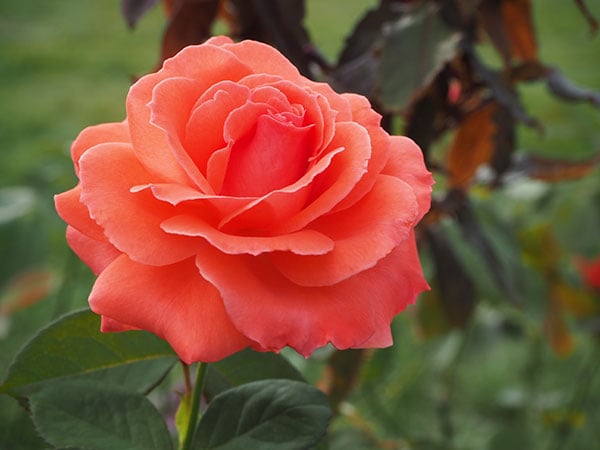
But shooting the karts with the E-M10 Mark III, I found that many of my bursts of shots failed to keep up with the action, lagging as much as a couple of kart lengths behind the driver on which I was trying to focus. Only perhaps a third of my attempts managed to keep the kart in focus for more than two or three frames from the start of the burst. That doesn't compare so well to DSLRs with phase-detection, nor with mirrorless rivals offering hybrid phase/contrast-detection, where at the same track, I'd have expected more like a 70-80%+ hit rate.
Reducing the burst capture rate seems to help, but not enough
And it wasn't down to just the lens, either. I shot with both the 75-300 and 40-150mm lenses at similar focal lengths to those I've used with other cameras, but the E-M10 Mark III struggled to keep up with the action regardless. Dialing back the burst capture rate from the full 8.6 frames-per-second rate to the lower-speed burst rate, which is now said to be around 4.8 fps, seemed to help, but even still, far too many shots were out of focus.

Great daytime image quality for the most part, but with some occasional quirks
Shooting in the daytime, I have to say I really rather liked the E-M10 Mark III's image quality. I did notice a tendency to overexposure at the go-kart track, but that seemed pretty specific to the subject, shooting small, dark colored karts on bright, light-colored concrete under full daylight. I didn't see the same issue with other subjects and could easily have resolved it with some negative exposure compensation, so I don't think it's a major concern.

I did notice an occasional tendency to focus on the background behind the subject in a few scenes, which was a little more concerning, but again, it was a relatively infrequent issue. And I did have some occasional issues with the E-M10 Mark III selecting a shutter speed which was too low to avoid blur from camera shake when shooting with the longer lenses, but again, this was in a relative minority of my shots and I got plenty of sharp ones too.

And otherwise, the E-M10 Mark III's images were very pleasing indeed. Colors were pleasing and lifelike, without being overly saturated and punchy as is often the case with cameras aimed at consumers. And the white balance system did a great job, yielding accurate color almost all of the time.
Oh, and the while in-camera Art filters aren't my cup of tea personally speaking, the new Bleach Bypass filters do pretty much as they say on the tin, so if you're into filtering your images in-camera, you'll likely appreciate them. :)


Get the details on high ISO capture from our Managing Editor
When I first wrote this field test, I was intending to come back for a second suck of the sav, if you'll pardon the Aussie colloquialism, by offering a second field test. For a variety of personal reasons, I wasn't able to manage it myself, but the most important thing I intended to cover -- image quality and noise levels throughout the sensitivity range -- has been covered instead by one of my colleagues.
If you want to see how the E-M10 III performs throughout the ISO range, you'll want to click here to hop on over to Managing Editor Dave Pardue's Olympus E-M10 III High ISO Supplement article for the full story on that. Or if you just want to know whether we recommend the E-M10 III at the end of the day, click here instead to read our final conclusion!

Video footage tested, too
One other thing I didn't cover in my first field test, intending to come back to it in a second, was video capture. I'd already shot the footage and uploaded it to YouTube in anticipation of a second field test, though, so I'm appending it to this one instead.
The new 4K video capture mode yields great quality, but its higher resolution also makes it much easier to notice some subtle focus hunting that would probably have slipped by almost unnoticed at Full HD resolution.
As always, all footage is straight out of the camera and recorded using the built-in microphone. Speeds and feeds can be seen directly under each video, and if you want to see it without YouTube's recompression, you'll find links to download the original videos in each case, too.
Go-kart videos
|
Download Original
4K video, 3,840 x 2,160 pixels @ 29.97 frames per second |
|
Download Original
Full HD video, 1,920 x 1,080 pixels @ 59.94 frames per second |
|
Download Original
4x slow-motion HD video, 1,280 x 720 pixels @ 120 fps (capture) / 29.97 fps (output) |
Waterfall videos
Download Original 4K video, 3,840 x 2,160 pixels @ 29.97 frames per second |
Download Original Full HD video, 1,920 x 1,080 pixels @ 59.94 frames per second |
Download Original 4x slow-motion HD video, 1,280 x 720 pixels @ 120 fps (capture) / 29.97 fps (output) |
Musical performance videos
Download Original 4K video, 3,840 x 2,160 pixels @ 29.97 frames per second |
Download Original Full HD video, 1,920 x 1,080 pixels @ 59.94 frames per second |
Slow-motion swing video
Download Original 4x slow-motion HD video, 1,280 x 720 pixels @ 120 fps (capture) / 29.97 fps (output) |
Tech2
ISO rising in the real world
By Dave Pardue | Posted: 08/28/2018
Studio images are terrific gauges of ISO prowess and comparisons against the competition, but shots from the real world are the best chance to see what a product can really deliver as the ISO sensitivity rises. In this piece I'll take a closer look at how the Olympus E-M10 III fares in the most commonly-used, real-world ISO settings.
Cranking the ISO is often a necessary evil, because while natural light is a wonderful thing, it is something we can rarely if ever control. Once we have our aperture where we want it, whether to increase depth of field or to make it shallow and create subject-to-background separation, we then need to ensure our shutter speed is fast enough for our particular shooting situation.
...Bring on the gain!

(Images have been resized to fit this page, cropped and/or altered in post-production, primarily to balance shadows and highlights as needed. Clicking any image will take you to a carrier page with access to the original, full-resolution image as delivered by the E-M10 III. For additional images and EXIF data please see our Olympus E-M10 III Gallery page.)
To help you decide if an Olympus E-M10 III is right for you, below are more real world images at many of the popular ISO settings above base ISO, as well as a few 1:1 crops to help you see exactly what you are getting.
Turning up the ISO is similar to cranking the volume on a portable audio speaker. In that scenario, if you have a larger speaker, you can usually crank the volume up pretty high without it distorting or sounding too poorly, but with smaller speakers you're often compromised if you turn it up too loud. This is also the case with ISO, which effectively "turns up" the light level, and if your sensor isn't large enough you will more easily introduce noise as you shift to higher ISO settings.
The Four Thirds sensor sits above the popular 1-inch-type sensors from cameras like the Sony RX100 VI in size, sporting roughly twice the surface area of those models. And it sits below APS-C sensors, such as the one found in the Nikon D500, which allows for about 50% more surface area than Four Thirds sensors. Of course, full frame and medium format sensors are even larger still.
What does this mean to you and me? Primarily, it imposes natural limits on how high you can go and still tolerate the noise!
 |
 |
Details: ISO 640 doesn't strain the E-M10 III to a noticeable degree from a normal viewing distance in the first image up above, and not much more even in the above 1:1 crop which is much closer than most will ever come to an image. There is a trace of noise, but still plenty of fine detail throughout the various textures from the sunflower and the feeding bee, even this magnified. |
Having had the privilege of Field Testing the E-M10 Mark II in the summer of 2015, I already had confidence in this line for having solid higher ISO chops, and also the knowledge that it handily beats the 1-inch-sensored cameras as ISO climbs as I found out during a direct comparison in this second Field Test. Sporting the same sensor size and resolution, I wasn't expecting monumental improvements with this latest model, but I was still pleased to find that the line continues to shine in this important area. It doesn't rival full frame cameras as you begin to shoot at the higher gain settings, but handily bests the smaller-sensored cameras while still maintaining a svelte feel in the hands, and that's a nice balancing act.


 |
Moving up: ISO 1600 begins to separate cameras like the E-M10 III from smaller-sensored cameras like the RX100 VI and especially smartphones. Those models tend to start to show their limitations at this gain setting, while the E-M10 III handles it in stride with no noticeable noise nor artifacts unless you zoom way in. |
 |
 |
Higher still: ISO 3200 usually begins to show its teeth for Four Thirds sensors while viewing up close and personal, and you can see evidence of noise in the background, too. But it's still well-controlled compared to the amount of detail still present in the texture of the headphones, and isn't at all noticeable at the normal viewing distance up above. |


So there's a more detailed look at the Olympus E-M10 Mark III's ISO chops in the more common shooting settings. We have additional examples in our E-M10 III Gallery Page, including a wide variety of gain settings, and you can access the full resolution originals and the RAW files as well for your own analysis. Having shot with this series across multiple versions over many years, I continue to be impressed with the image quality as ISO rises.

Olympus E-M10 III Gallery • Field Test
Conclusion
A follow-up to 2015's E-M10 II, the Olympus E-M10 III is an attractive, affordably-priced offering aimed at less experienced photographers who want decent image quality in a compact package. Like the camera which preceded it, the Micro Four Thirds-based, 16-megapixel E-M10 III packs plenty of features in despite its trim proportions, and on paper at least it's a swift shooter too.
But we don't do on-paper comparisons around these parts, at least not when we can get our hands on the real deal. So what do we think of the Olympus E-M10 III at the end of our time with this interesting little camera? Let's roll up our sleeves, and get right down to some conclusions.
Loads of controls and a comfortable grip, at least with small to medium lenses
The E-M10 III's compact body nevertheless manages to find room for plenty of controls. They're tightly packed in, which means they're not always the most comfortable in use, especially for the four-way controller with central OK button which sits quite near to the bottom left corner of the camera's rear deck. But as you'd expect from a company with a long history in the camera business, the main controls are well-placed and not unduly prone to accidental changes being dialed in.
And despite its relatively small size, the E-M10 III's newly-enlarged handgrips make it fairly comfortable to shoot with, even for those of us with larger-than-average hands. If you're planning to shoot longer, larger lenses like, say, the M.Zuiko 75-300mm, you may want to look further up Olympus' line for a model with an even more generous grip, in the interests of avoiding some hand cramp. But for many lenses that will prove popular with its target audience, the E-M10 III is very comfortable in-hand, while foregoing a lot of the bulk and heft of rivals.
The new user interface is a lot friendlier for beginners, but limits experienced shooters
Olympus also worked to improve the user interface of the E-M10 III, and in most respects, the fruits of that labor are clear to see. There are some rough edges here and there, sure, and they may cause more experienced photographers to forego this model. But for its target audience of typically less-experienced photographers coming from a smartphone or fixed-lens compact, the E-M10 III's new UI can make it much easier to get the results you're after.
Of particular note are the newly-overhauled Scene mode menu, which now groups related scene types together by category, making it quicker and easier to locate the specific one you're looking for. The Shortcut button also comes in very handy in PASM shooting, surfacing many options in the Super Control Panel. Add in a live guide and the dedicated "Advanced Photo" position on the Mode dial, and we'd wager that more of the E-M10 III's features will be found and used by its owners than with many cameras.
But if you're already an experienced shooter, there are times when all of these ease-of-use features can feel like the exact opposite, getting in your way instead of helping you. Most notably, you can't exposure bracket at all unless you're using Program autoexposure in AP mode. (And even then, only with full-stop exposure bracketing increments.)
Excellent overall performance that's hobbled by subpar continuous autofocus
Despite its affordable pricetag, the Olympus E-M10 III offers pretty excellent performance in most respects. It's pretty quick to start up, even if not quite as fast as was its predecessor. Continuous burst capture performance is also good, matching Olympus' claimed 8.6 frames per second rating in our in-house testing. And single autofocus performance, too, is much faster than average for a mirrorless camera.
Really, there's only one fly in the performance ointment here, but unfortunately it's a biggie, at least if you shoot a lot of sports or similarly active subjects. The contrast-detection autofocus system in the E-M10 III isn't great, often failing to keep up with subject motion across continuous bursts of frames, even if you reduce the capture rate significantly. You can, of course, focus manually instead, or simply fix your focus at a suitable point and then try to keep your subject within the available depth of field. But the E-M10 III's intended customers won't know how to do this, and so they're liable to find themselves frustrated when shooting more active subjects.
Great image quality that will slay your smartphone, especially in low light
But there's one area in which we have no real quibbles, and it's arguably even more important. On the image quality front, the Olympus E-M10 III turns in great results for its class. Images are packed with plenty of sharp detail, and dynamic range is very good. White balance is for the most part accurate, and while saturation tends a little high (a look which typical consumers favor), colors are otherwise accurately represented as well.
There's also a surprisingly even-handed noise reduction system which turns in great results all the way to ISO 3200-equivalent, and reasonably usable results (especially at smaller print sizes) as high as ISO 12,800-equivalent. Make no mistake: The E-M10 III is going to demolish results from your smartphone once the sun goes down.
4K video footage is excellent, but prone to autofocus hunting
The Olympus E-M10 III is also a reasonably capable video shooter, although it does lack many features experienced shooters will expect, such as built-in microphone or headphone jacks. The new 4K video capture mode can provide razor-sharp, attractive footage, and you can also shoot with a 4x slow-motion effect at HD resolution. Really, our biggest concern for video capture is the same as it was for stills: Full-time autofocus on this camera just isn't up to snuff, and even with relatively static scenes, the 4K mode in particular can show noticeable focus hunting.
A great choice for less experienced photographers on a budget
But with all of this, you have to bear in mind this camera's affordable pricetag. Just US$600 or thereabouts will net you a body-only E-M10 III as of this writing, and even a kit with a very compact pancake-style 14-42mm zoom will only cost around US$700 or so. And for that pricetag, it's a lot easier to overlook some of the few flaws we've found in our review, especially if you're looking for a really compact camera with plenty of dedicated controls and features.
If you're an experienced shooter, you'll likely want to look further up Olympus' Micro Four Thirds line instead, and the same is true if you'll predominantly be shooting sports or other very active subjects. But for family documentarians and less-experienced photographers who are ready to upgrade from their smartphones or fixed-lens cameras, the Olympus E-M10 III represents quite a lot of camera for your money, and makes it pretty easy to get good results. And even with a couple of reservations about its user interface and autofocus system, we think the E-M10 III more than merits the title of Dave's Pick, as well!
Pros
- Superb build quality for its class
- Very compact and light for its feature set
- Nice, large and high-res Organic LED electronic viewfinder
- Tilting, touchscreen LCD (but tilt mechanism isn't designed for selfie shooting)
- Larger, more comfortable handgrip than in its predecessors
- Improved ergonomics and UI (but may feel hobbled to experienced shooters)
- Newly-categorized Scene mode makes it much easier to find what you're after
- Very good image quality for its class
- Sharp, vibrant JPEGs with pleasing colors
- Improved noise processing gives very good JPEG results to ~ISO 3200, or a bit higher for smaller print sizes
- Excellent overall performance
- Improved buffer depths and shutter lag
- 121 point AF system (up from 81) works well for single-shot capture, even in low light
- Five-axis in-body image stabilization
- Two additional Art Filters for fans of bleach bypass processing
- 4K video (at 24/25/30p)
- Slower slo-mo video with 1280x720 at 120p
- Built-in Wi-Fi (but no Bluetooth or NFC for easier, faster connections)
- UHS-II SD card support with fast buffer clearing
- Decent performance from the tiny, light "pancake" kit zoom lens
Cons
- Controls are densely clustered together due to compact body
- Both front and rear grips are a bit small to pair well with larger lenses
- Fixed single-stop step size for exposure bracketing
- Bracketing is only available in Advanced Photo mode, so doesn't work in Priority-mode shooting
- Although battery life has improved slightly, it's still underwhelming
- Contrast-detect AF system doesn't perform well in continuous mode, noticeably hunts in videos
- "Pancake" kit zoom lens delays camera startup by a second or so
- Variable-speed zoom on kit lens must be changed through the menu
- Built-in flash no longer supports wireless flash control
- No external mic or headphone jacks
- No longer supports RM-UC1 USB wired release (Wi-Fi remote control only)
- In-camera battery charging via USB is not supported