



Overview
Updates
02/26/2016: Field Test by Jeremy Gray posted
05/04/2016: Review Conclusion posted

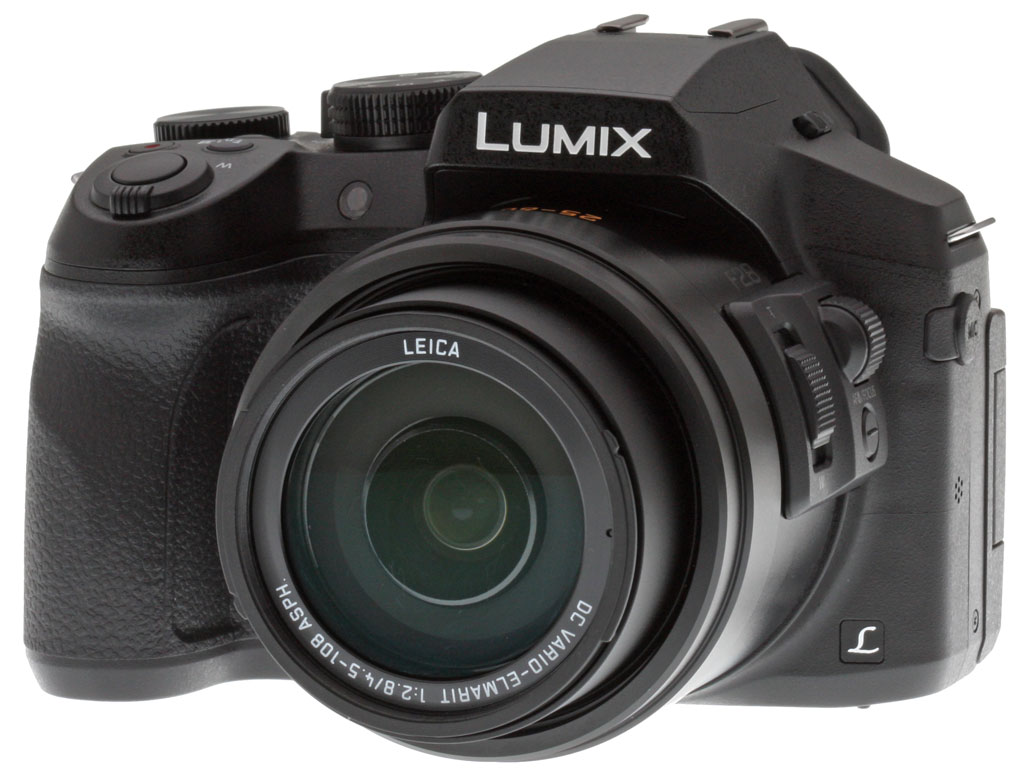
Back in 2012, Panasonic got long-zoom fans' pulses racing with the Lumix FZ200, a camera that paired a mighty 24x optical zoom range with an impressively-bright f/2.8 constant aperture. Now, it returns with the Panasonic FZ300, a camera which takes the best of its Dave's Pick-winning predecessor -- including the exact same lens -- but which brings the design right up to date and resolves the majority of our criticisms of the earlier model.
Just as in its predecessor, the 12-megapixel Panasonic FZ300 sports a 1/2.3"-type image sensor, but it's now paired to a current-generation Venus Engine image processor. That change brings with it a half-frame per second increase in performance with autofocus enabled, according to Panasonic. You should be able to extract six frames per second at full resolution with autofocus enabled, or as much as 12 fps with focus locked between frames. The new processor's more robust noise processing has also allowed Panasonic to do away with the concept of extended sensitivity, making the entire ISO 100 to 6400-equivalent range available by default.
The Panasonic FZ300 retains the SLR-like styling of its predecessor, but its body is just a little larger and heavier, having grown by some 0.2 to 0.3 inches in all dimensions, and gained around 3.6 ounces (17.5%) of extra mass. There's a very good reason for this, though, and it's one which will make the FZ300 a much more versatile camera than its predecessor, especially for sports and nature shooters who have to deal with the elements. The FZ300's body is brand new, and as well as the addition of some new controls, it's also been fully splash and dust-proofed!


While the imaging pipeline is pretty similar to that of the earlier camera, the electronic viewfinder and LCD monitor have both received a significant overhaul. The EVF is now both higher-resolution and, with a 0.7x magnification, yields a much larger image than the 0.46x finder of the FZ200. Contrast ratio of the new finder's Organic LED display is said to be 10,000:1, and it now includes a proximity sensor that allows it to be enabled (and if you choose, autofocus started automatically) as soon as you raise it to your eye.

And the tilting 3.0-inch LCD monitor also now boasts a higher resolution, brighter panel that should be easier to see in sunlight. For bonus points, it even includes a touch-screen overlay that lets it be used to select subjects for focus, control menus, and more. (You can even use the LCD monitor as a quasi-touch pad for selecting the focus point while framing through the viewfinder, which is a pretty cool feature.)
When we reviewed the FZ200, we noted our desire for better autofocus at longer focal lengths, and that seems to have been improved as well, though we no longer have an FZ200 to compare to. Panasonic has gifted the FZ300 with a brand-new Light Speed AF-branded autofocus system including Depth From Defocus technology. It now operates twice as fast, at a refresh rate of 240 frames per second, and includes predictive autofocus algorithms, changes that the company says will allow a doubling of tracking performance. And low-light AF -- an area we already singled out as impressive in the earlier camera -- has further improved, with Panasonic claiming that the Lumix FZ300 can now focus in starlit conditions all the way down to -3EV.
Panasonic has also worked on the FZ300's image stabilization system. In place of the dual-axis Power O.I.S. image stabilization system of the FZ200, the new model now sports a five-axis Hybrid O.I.S. system. Note, though, that during 4K movie capture or high-frame rate video, the five-axis system is not available. Oh, and if you found yourself disappointed that the FZ200 didn't allow access to its fastest 1/4,000 second shutter speed unless you stopped all the way down to f/8 or smaller, we have good news: The Panasonic FZ300 will now allow 1/4,000 second at f/4 or smaller. There's also a 1/16,000-second electronic shutter function, and the FZ300 can now automatically level horizons in your images much as do some DSLRs from Pentax.

And yes, we did mention 4K capture: That's another new feature for the FZ300. Specifically, you get both 4K (3,840 x 2,160 pixel) video at 24 or 30 frames per second, as well as Full HD (1,920 x 1,080 pixel / 60i, 60p, 30p, or 24p), HD (1,280 x 720 pixel / 30p) and VGA (640 x 480 / 30p) reduced-resolution modes. You can also extract stills from 4K video clips in 4K Photo mode, have the camera save 4K still images at 30 frames per second, or even let it continuously pre-buffer two seconds of 4K stills and then save them as a burst once you hit the shutter button. (That's great for those of us whose reflexes aren't quite up to par!)
There's also a brand-new 4K feature which was released in late 2015 via the firmware v2.0 update. Dubbed Post-Focus, it is in some ways reminiscent of the final result provided by light-field cameras like the Lytro. The way in which it works -- as well as its strengths and weaknesses -- are very different, though. Lytro's weakness has always been its resolution, which even in the current-generation Lytro Illum is just four megapixels. By contrast, the Panasonic FZ300's Post-Focus imagery will have the same 8.3-megapixel resolution as 4K video.
However, it's achieved not in a single shot as in the Lytro camera, but with a series of sequential frames. (We don't know how many, but they're said to be captured at the same 30 frames-per-second rate used for 4K video.) Between frames, the lens' focus will be adjusted somewhat, giving you a selection of images whose focus varies. You can then select the area you want to be in sharpest focus post-capture, and the camera will compare the frames it captured before selecting the one in which that area is best-defined.

The downside here is that your composition and subject position may also vary between frames, because they're being captured sequentially over a short period of time. In that respect, the Lytro has the advantage because no matter where you choose to put the point of focus, the overall composition won't change. (At least, not unless you intentionally use its pseudo-3D parallax effect, that is.)
Like its predecessor, the Panasonic FZ300 includes an external microphone jack, but rather than the less-common 2.5mm jack used by the earlier camera, the FZ300 now uses the much more common 3.5mm jack. And that's not the only connectivity change, either. These days, being able to get your photos onto your smartphone is important, and Panasonic delivers with in-camera Wi-Fi. Android and iOS devices can pair quickly and easily using a QR code shown on the camera's display, and once connected you can not only transfer images, but also control the camera and change settings remotely. Images and movies are still stored on a Secure Digital flash card, but as well as SDHC and SDXC types, the FZ300 supports the faster UHS-I cards too (U3 Speed Class needed for 4K video recording).

Although the battery pack capacity hasn't changed (7.2v, 1200mAh), battery life has dropped significantly from its predecessor. The FZ200 was CIPA-rated at 540 shots per charge (Panasonic didn't specify if that's with the LCD monitor or EVF, but we suspect LCD), while the FZ300 is rated at 380 shots using the LCD monitor, and 360 shots when using the EVF. Still, that's not bad for its class.
Available since mid-October 2015, the Panasonic FZ300 is priced at around US$600. That's the exact same price at which its predecessor first went on sale way back in August 2012. Only one body color is available for this model -- a traditional black color scheme, just as in the earlier camera.
In the Box
The Panasonic FZ300 retail package contains the following items:
- Panasonic Lumix DMC-FZ300 digital camera
- Li-ion battery pack
- Battery charger
- USB cable
- Shoulder strap
- Software CD-ROM with manual
- Lens cap and string
- Lens hood
- One-year Limited Warranty
Recommended Accessories
- Large capacity SDHC/SDXC memory card. We recommend at least 32GB capacity, with a minimum UHS Speed Class 3 rating for recording 4K video.
- Medium-to-large camera case/bag
- Extra battery pack for extended outings
Optics
Lens Test Results
Zoom
A fast, 24x zoom, with good overall performance.


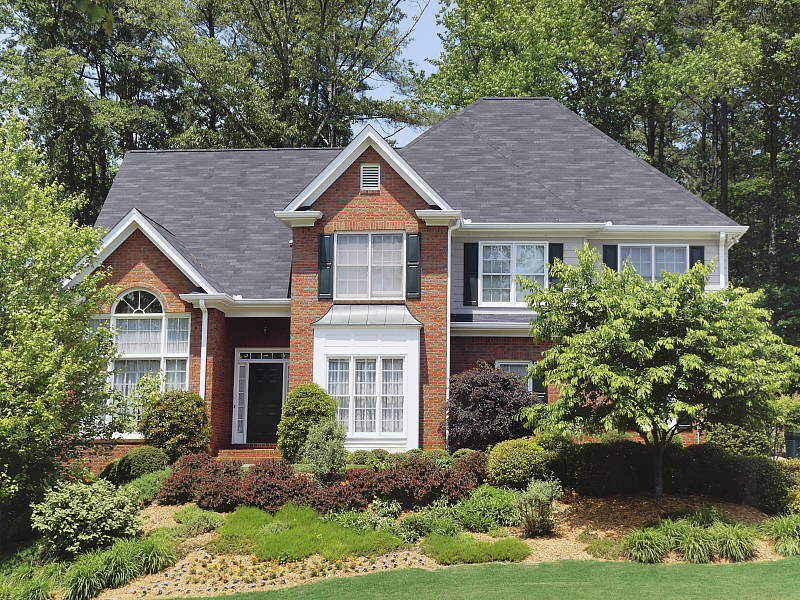
The Panasonic FZ300 is equipped with a 4.5-108mm lens, offering an optical zoom ratio of 24x, translating to a 35mm-equivalent focal range of about 25-600mm. The lens is quite fast (bright) for its type, with a maximum aperture of f/2.8 across the zoom range.
Far-field performance is good at both full wide angle and telephoto at f/4 as shown above, with good sharpness and contrast across most of the frame, with well-controlled chromatic aberration (like most cameras, the FZ300 suppresses it). Some minor flare can be seen from very bright highlights at full wide angle, though.
Note that these shots are use mainly to illustrate optical zoom range. See below for lab results on macro performance, geometric distortion, corner softness, etc.
Macro
A smaller than average minimum coverage area with very good detail, but minimum focusing distance is so close that it's difficult to illuminate the target with either ambient light or the built-in flash.


The Panasonic FZ300 captured a smaller than average sized minimum area in macro mode, measuring 1.65 x 1.23 inches (42 x 31 millimeters) at maximum wide angle. Sharpness over much of the frame is good with less corner softening than expected at f/8 (most lenses show some softening in the corners at macro distances). Exposure was very uneven though, because the lens focuses so closely (down to 1cm), blocking most of the flash and even a lot of the ambient light.
Geometric Distortion
Very low distortion in camera JPEGs.
| Camera JPEGs |
| Barrel distortion at wide angle is about 0.3% |
 |
| Pincushion distortion at telephoto is about 0.1% |
 |
Thanks to in-camera distortion correction, there's low geometric distortion in the FZ300's JPEG files. At full wide angle, we measured between 0.2 and 0.3 % barrel distortion depending on the edge, which is pretty low and not very noticeable. At full telephoto, distortion was very low, at about 0.1% pincushion distortion. This is the tendency for the lens to bend straight lines outward (like a barrel -- usually at wide-angle) or inward (like a pincushion -- usually at telephoto).
Chromatic Aberration and Corner Sharpness
Moderate to very low chromatic aberration in JPEGs. The lens produces some soft corners wide-open at telephoto though corner sharpness improves stopped-down.
|
Aperture: f/2.8 (maximum)
|
|
 |
 |
| Wide at f/2.8: Upper left C.A.: Moderately low Softness: Slightly soft |
Wide at f/2.8: Center C.A.: Very low Softness: Very sharp |
 |
 |
| Tele at f/2.8: Upper left C.A.: Moderate Softness: Soft |
Tele at f/2.8: Center C.A.: Very low Softness: Sharp |
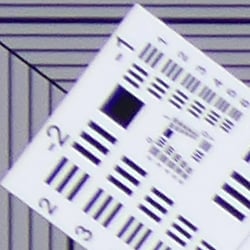
Chromatic Aberration. Thanks to in-camera chromatic aberration suppression, there's moderately low CA in the corners at wide angle in JPEGs, though CA is higher at full telephoto. As expected, though, uncorrected RAW files (see below) show much more CA than seen in the JPEG crops above.
Corner Softness. Wide-open at full wide angle, the FZ300's lens shows remarkable performance in the corners with just a bit of softness despite the strong distortion correction, and the center is quite sharp (though with noticeable sharpening halos). However at full telephoto, corners are fairly soft wide open though softness doesn't extended very far into the frame. The center appears not to be quite as sharp as at full wide angle, but be aware that our telephoto target for long zooms is a scaled version of our standard target used at shorter focal lengths, which makes absolute resolution difficult to compare. (It's meant mostly to compare sharpness across the same frame.)
Vignetting. There's hardly any vignetting (corner shading) in JPEGs at wide angle, and fairly minor corner shading at full telephoto.
|
Aperture: f/4
|
|
 |
 |
| Wide at f/4: Upper left C.A.: Low Softness: Slightly soft |
Wide at f/4: Center C.A.: Very low Softness: Very sharp |
 |
 |
| Tele at f/4: Upper left C.A.: Moderately low Softness: Soft |
Tele at f/4: Center C.A.: Very low Softness: Sharp |
Stopped Down: Stopping down three clicks to f/4 didn't improve sharpness in the corners at wide angle, and actually made the center slightly softer due to diffraction, though sharpness was still quite good and contrast improved slightly. It's a similar story at full telephoto, with improved contrast but no appreciable improvement in sharpness, and stopping down any further will likely have a detrimental effect due to stronger diffraction with such a small sensor. CA did however improve slightly at both ends, and corner shading was eliminated at full telephoto.
Digital Lens Corrections
Like most digital cameras these days, the Panasonic FZ300 applies plenty of "digital optical corrections" to its images. See below for uncorrected images at wide angle and telephoto.
Geometric Distortion
| Uncorrected RAW |
| Barrel distortion at wide angle is about 3% |
 |
| Barrel distortion at telephoto is about 0.5% |
 |
To see how much correction is taking place in the camera, we converted RAW files from the above shots with dcraw, which does not correct for distortion. As you can see at maximum wide angle, barrel distortion is very high, at about 3%, while full telephoto exhibits about 0.5% of barrel distortion instead of the slight pincushion seen in JPEGs.
This is not unusual, though. We expect to see significant distortion in uncorrected RAW files in fast, compact lenses allowing lens designers greater flexibility in optimizing center sharpness and other aberrations, as well as in reducing cost, size, and weight. The downside is that the distortion correction contributes additional blurring to the corners of the frame where pixels are "stretched" during correction. And in the case of the FZ300, the image circle does not even cover the entire sensor at wide angle, which means there's quite a bit of interpolation going on, not just in the extreme corners. Note that most RAW converters are capable of applying distortion correction automatically, as specified by the manufacturer in an embedded lens profile.
Chromatic Aberration Correction
| In-camera JPEG | Uncorrected RAW |
 |
 |
| Wide at f/4: Upper left CA: Low |
Wide at f/4: Upper left CA: Moderately high |
 |
 |
| Tele at f/4: Upper left CA: Moderately low |
Tele at f/4: Upper left CA: Moderately high |
As you can see in the crops from uncorrected RAW images on the right (again, taken from RW2 files converted with dcraw), the FZ300's lens produces moderately high and bright lateral chromatic aberration at both maximum wide angle and full telephoto. But the FZ300's processor does a great job suppressing CA in camera JPEGs (crops on the left). Note that most RAW converters should also automatically suppress CA when converting the FZ300's RW2 files.
| Wide Angle | Telephoto | ||
 |
 |
||
| Aperture: | f/2.8 | f/4 | |
Mouse over the aperture links to compare corner shading in uncorrected RAW files. We calculate there is about 0.5 EV of corner shading at wide angle and at telephoto when wide open in uncorrected RW2 files. (Keep in mind the corners in the final image at wide angle aren't nearly as close to the edge of the image circle as at telephoto because of the lower sensor coverage.) When stopped down to f/4, corner shading at wide angle was reduced to less than 1/4 EV (at the corners of the final image), and at full telephoto shading dropped to negligible.
Overall, pretty good performance from the FZ300's lens when considering its zoom ratio and how fast (bright) it is.
Viewfinder Test Results
Coverage
Very good accuracy from the LCD monitor and electronic viewfinder.


The Panasonic FZ300's LCD monitor and EVF both provide about 100% coverage at wide angle, and close to 101% coverage at full telephoto (a bit tight). This is very good performance, especially considering the amount of geometric distortion correction taking place at wide angle.
The images above were taken from our standardized test shots. For a collection of more pictorial photos, see our Panasonic Lumix DMC-FZ300 Photo Gallery .
Exposure
Color
Saturation & Hue Accuracy
Below average mean saturation levels, with about average hue accuracy.
 |
| In the diagram above, the squares show the original color, and the circles show the color that the camera captured. More saturated colors are located toward the periphery of the graph. Hue changes as you travel around the center. Thus, hue-accurate, highly saturated colors appear as lines radiating from the center. Click for a larger image. |
Saturation. Mean saturation levels are a little lower than average from the Panasonic FZ300 using default settings at base ISO, at 106% or 6% oversaturated. The FZ300 pushes dark blues quite a bit, but only oversaturates dark red and dark green by small amounts, and it undersaturates yellow moderately. Most other colors are close to accurate in terms of saturation. Most consumer digital cameras produce color that's more highly saturated (more intense) than found in the original subjects. This is simply because most people like their color a bit brighter than life.
Skin tones. Here, the Panasonic FZ300 did a decent job, producing reasonably natural-looking Caucasian skin tones with Auto white balance in simulated daylight, though transitions between lighter and darker skin tones showed a noticeable color shift from pink to more yellow. Where oversaturation is most problematic is on Caucasian skin tones, as it's very easy for these "memory colors" to be seen as too bright, too pink, too yellow, etc.
Hue. The Panasonic FZ300 shifts cyan toward blue by quite a bit, but most other shifts like orange toward yellow, and yellow toward green are by smaller amounts. The cyan to blue shift is very common among the digital cameras we test; we think it's a deliberate choice by camera engineers to produce better-looking sky colors. The FZ300's handling of yellows is one of its weaknesses: Yellows are noticeably undersaturated, and shifted slightly toward green. With a mean "delta-C" color error of 5.35 after correction for saturation, hue accuracy is about average. Hue is "what color" the color is.


Sensor
Exposure and White Balance
Indoors, incandescent lighting
The Auto setting produced slightly cool results and Incandescent was quite warm. Manual was pretty accurate, just slightly cool. Average exposure compensation required.


Indoors, under normal incandescent lighting, color balance was a bit cool and magenta with the Auto white balance setting, though it performed better than most cameras. Results with the Incandescent setting were quite warm and orange. The Manual setting produced very good, neutral results. (Note: The FZ300 also has a Kelvin Temperature White Balance option, however we did not test that mode.) The Panasonic FZ300 required +0.3 EV exposure compensation which is about average for this scene. (Our test lighting for this shot is a mixture of 60 and 100 watt household incandescent bulbs, a pretty yellow light source, but a very common one in typical home settings here in the U.S.)
Outdoors, daylight
Natural colors overall, with a tendency toward high contrast under harsh lighting. About average exposure accuracy.
Outdoors, the Panasonic FZ300 performed well for its class, with natural-looking though slightly cool colors in the Far-field shot. Skin tones are fairly realistic in our "Sunlit" Portrait shot, with a healthy-looking push of pinks and reds which is preferable to too flat and yellow, though transitions from lighter to darker skin tones showed a noticeable color shift. Exposure accuracy is about average, as the camera required +0.7 EV compensation for our "Sunlit" Portrait shot to keep facial tones reasonably bright. That's typical for this shot. Quite a few highlights were blown in the mannequin's shirt and flowers though, and there are some very deep shadows that are noisy and posterized, however that's to be expected from such a small sensor. The default exposure is quite good in our Far-field shot, with very few blown highlights, though again there are some very deep shadows that are noisy and discolored. Default contrast is on the high side, but that's how most consumers prefer their photos.
See full set of test images with explanations
See thumbnails of all test and gallery images
Resolution
~2,050 to ~2,100 lines of strong detail from JPEGs, a little higher from RAW.

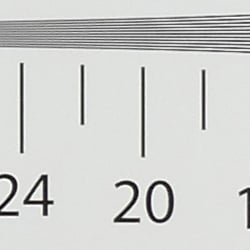
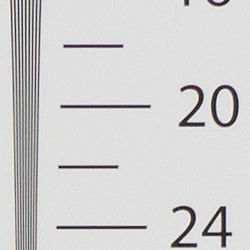
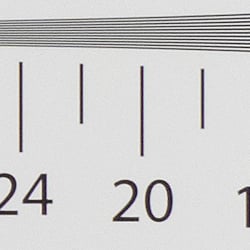
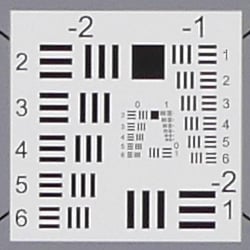
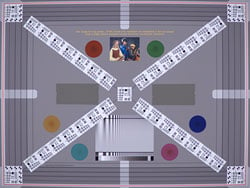
An in-camera JPEG of our laboratory resolution chart revealed sharp, distinct line patterns up to just under 2,100 lines per picture height in the horizontal direction, and to just under 2,050 lines per picture height in the vertical direction. Some may argue for more, but lines begin to merge at this resolution, and significant aliasing artifacts appear as early as 1,600 lines. Complete extinction of the pattern didn't occur until about 2,600 lines. Adobe Camera Raw produced very similar resolution results but with lower luminance moiré below the limits and higher color moiré above the limits. Use these numbers to compare with other cameras of similar resolution, or use them to see just what higher resolution can mean in terms of potential detail.
Sharpness & Detail
Fairly crisp images with good detail, but some sharpening artifacts are visible. Strong noise reduction already at base ISO.


Sharpness. The FZ300 produces fairly crisp, sharp looking images but with some obvious sharpening haloes around high contrast transitions, as can be seen around the lines and text in the crop above left. The camera uses area-specific sharpening, which means sharpening varies depending on the subject matter, which can lead to more obvious artifacts especially where the subject matter changes. Edge enhancement creates the illusion of sharpness by enhancing colors and tones right at the edge of a rapid transition in color or tone.
Detail. The crop above right shows a decent amount of detail for the size of the sensor, though as you can see, strong noise reduction blurs many of strands in the mannequins's hair already at base ISO. This is typical of cameras with small sensors, though, and the FZ300 does a good job at suppression more objectionable chroma noise here. Noise-suppression systems in digital cameras tend to flatten-out detail in areas of subtle contrast. The effects can often be seen in shots of human hair, where the individual strands are lost and an almost "watercolor" look appears.
RAW vs In-Camera JPEGs
As noted above the Panasonic FZ300 produces fairly sharp, crisp and clean images at base ISO. Let's see how an Adobe Camera Raw conversion compares.
|
Base ISO (100)
|
|
 |
 |
 |
 |
 |
 |
|
Camera JPEG, defaults
|
RAW via Adobe Camera Raw
|
In the table above, we compare an in-camera JPEG taken at base ISO using default noise reduction and sharpening (on the left) to a matching RAW file converted with Adobe Camera Raw 9.1 with no noise reduction and using strong but tight unsharp masking applied in Photoshop (in this case 350% USM with a radius of 0.5 pixels and a threshold of 0, as the FZ300's RAW files are quite soft).
As you can see, ACR revealed significantly higher detail than what is present in the JPEG from the camera, but also a lot more noise (remember, though, no noise reduction was applied to show what you'll need to contend with even at base ISO). The biggest increase in detail is in our tricky red-leaf fabric crop, and ACR also did a bit better reproducing fine detail in the pink fabric, as well as more accurate color. But as mentioned, noise is already quite high at base ISO from small sensors like the FZ300's, so you'll need to trade-off some of that detail for a cleaner image by applying moderate to high amounts of noise reduction depending on the sensitivity. Bottom line: As is almost always the case, you can do noticeably better than the camera with a good RAW converter, provided you're willing to apply your own noise reduction and sharpening to taste.
ISO & Noise Performance
About average high ISO performance for its class.
|
Default High ISO Noise Reduction
|
 |
 |
 |
| ISO 100 | ISO 200 | ISO 400 |
 |
 |
 |
| ISO 800 | ISO 1600 | ISO 3200 |
 |
ISO 6400 | |
ISO 100 is fairly clean, though as mentioned, lose of fine detail can already be seen at base ISO. ISO 200 is just a bit noisier and softer in areas, but fine detail is still pretty good. ISO 400 starts to show some purple and yellow chroma blotching in the lower midtones and shadows, but detail is still fair. ISO 800 exhibits noticeably stronger luminance noise with a slight peppering effect as artifacts of noise reduction. ISO 1600 is softer with much stronger color blotching, and image quality degrades rapidly from here to the point where ISO 6400 looks more like a watercolor painting than a photograph when viewed at 100% like this.
We're of course pixel-peeping to an extraordinary extent here, since 1:1 images on an LCD screen often have little to do with how those same images will appear when printed. See the Print Quality section below for our evaluation of maximum print sizes at each ISO setting.
Extremes: Sunlit, dynamic range and low light tests
High default contrast with limited dynamic range. Fair low-light performance.


Sunlight. The Panasonic FZ300 struggled with the deliberately harsh lighting of this test, though that's to be expected from a small 1/2.3"-type sensor. Contrast is quite high at its default setting, and dynamic range is limited. We felt the +0.7 EV exposure is the best compromise here. Although skin tones around the eyes are a bit dark, we prefer it to the +1.0 EV exposure overall, because there are fewer clipped highlights, and +0.3 EV was too dim. It's really the photographer's choice here as to which direction to go in. For those Panasonic FZ300 owners that are going to want to just print an image with little or no tweaking, the +1.0 image would probably produce a better-looking face uncorrected. The bottom line though, is that the Panasonic FZ300 struggled with the wide dynamic range of this shot, though that's typical of the class, and using features such as Intelligent Dynamic Range (see below) helps to mitigate the limited dynamic range offered by the small 1/2.3" sensor.
Because digital cameras are more like slide film than negative film (in that they tend to have a more limited tonal range), we test them in the harshest situations to see how they handle scenes with bright highlights and dark shadows, as well as what kind of sensitivity they have in low light. The shot above is designed to mimic the very harsh, contrasty effect of direct noonday sunlight, a very tough challenge for most digital cameras. (You can read details of this test here.)
A note about Panasonic DFD autofocus and sparkly objects
A key element of Panasonic's technology arsenal is their Depth from Defocus (DFD) autofocus technology. Basically, cameras with DFD use a detailed knowledge of exactly what out of focus objects look like through a given lens to determine how far the lens is out of focus for any given subject, and in what direction (near or far-focused). Normally, cameras using contrast-detect autofocus (CDAF) can only decide whether a subject is in focus or not by looking at the image, changing focus and then looking again, to see if contrast got worse or better. Panasonic's DFD lets the camera adjust the focus to very nearly the correct value after just one "look" at the subject, speeding up the process considerably.
This is essentially the same thing that the phase-detect AF (PDAF) systems in digital SLRs accomplish. PDAF can determine focus error amount and direction with just a single "look" at the subject. Conveying much the same information, DFD does a lot to narrow the AF performance gap between SLRs and mirrorless cameras, and the technology also works for point & shoots like the FZ300.
As far as we can tell, DFD does what it's supposed to, as AF systems in cameras employing it are indeed fast and accurate. We've encountered an oddity with our Outdoor Portrait subject above, though, where some cameras with DFD have refused to focus accurately on it. It's only that one subject that we've had trouble with, but having seen it a couple of times now, we thought it worth mentioning.
After some head-scratching, we're pretty sure we've figured out what's going on, and it's interesting indeed. Right in the center of the frame which is where we focus, there's a little costume-jewelry brooch with some faceted glass "jewels" in it. It turns out it's the cause of the AF problem, and if we cover up the brooch with a piece of paper (with some lines on it, so the camera has something to focus on), the FZ300 autofocuses just fine. Thus, we ended up reshooting the above series with manual focus.
So what's so special about a little fake-jewelry brooch? It sparkles! Acting as a collection of tiny mirrors, the facets of the jewels reflect surrounding light into the camera lens, notably the light from the bright daylight-simulator light source overhead. The thing is, the lights are at a much different overall distance from the camera than the main subject is, so their out-of-focus appearance ("bokeh") is telling the camera that the subject is a lot further away than it actually is, causing the mis-focusing.
In normal usage, most times you could just shift the camera slightly to put any sparkly objects outside the active AF area, half-press and hold the shutter button to lock focus, and then reframe as needed. But you need to know that sparkly things can cause problems in the first place, so you can take measures to avoid them. Now you do :-)
| Face Detection | ||
 |
 |
 |
| Aperture Priority, 0 EV, f/4 Face Detection Off |
Aperture Priority, 0 EV, f/4 Face Detection On |
iAuto, 0 EV, f/2.8 |
Face Detection. Like most cameras these days, the Panasonic FZ300 has the ability to detect faces (up to 15 in a scene) and even eyes, and adjust exposure and focus accordingly. As you can see from the examples above, face detection made a huge difference to exposure in Aperture Priority mode at f/4. iAuto mode where the camera selected Portrait scene mode was also much improved, with smoother skin tones and lower contrast from automatically applied Intelligent D-Range processing (see below).

Panasonic's Intelligent Dynamic Range
The above shots are examples of Panasonic's Intelligent Dynamic Range Control (or iD-Range) at work, with no exposure compensation. Note that the camera does not take multiple shots and merge them as HDR mode does (see below). It's a system that adjusts local contrast and exposure more akin to Nikon's Active D-lighting, Canon's Automatic Lighting Optimization or Sony's Dynamic Range Optimization.
There are three levels of iD-Range available on the Panasonic FZ300: Low, Standard and High, plus Auto and Off. It's automatically invoked in iAuto and some scene modes and manually selectable in PASM modes. Here, you can see darker midtones and shadows were progressively boosted as the strength was increased, without blowing any additional highlights in the process. Do be aware that boosting shadows and lower midtones can reveal more noise, though.
|
Far-field HDR Examples
|
||||
 |
||||
HDR mode
Here, you can see the Panasonic FZ300's High Dynamic Range mode at work with our Far-field shot. HDR mode takes three images at different exposures and combines them to increase dynamic range. Mouse over the links, and click on them the view the full resolution files.
Auto did a decent job, producing results similar to +/-1 EV, while +/-3 dimmed the entire image. Notice the double images and ghosting in the person, leaves and flag from movement between frames in some of the images. Also notice the angle of view is narrower in the HDR images, likely because the images have been cropped and upsized during the optional auto alignment process.
Dynamic Range Analysis (RAW mode)
While we once performed our own dynamic range measurements based on in-camera JPEGs as well as converted RAW images (when the camera was supported by Adobe Camera Raw), we've switched to using DxO Labs' results from their DxOMark website. As technology advanced, the dynamic range of modern high-end cameras in some cases exceeded the range of the Stouffer T4110 density scale that we used for our own measurements. DxO's approach based on RAW data before demosaicing is also more revealing, because it measures the fundamental dynamic range of the sensor, irrespective of whatever processing is applied to JPEGs, or to RAW data by off-the-shelf conversion software.
In the following, we use DxO's "Print" dynamic range results, which are scaled based on camera resolution. As the name suggests, this scaling corresponds to the situation in which you print at a given size, regardless of how many megapixels the camera might have. (In other words, if you've decided to make a 13x19 inch print, that's the size you're printing, whether the camera's resolution is 16 or 300 megapixels.) For the technically-minded, you can find a discussion of the reasoning behind this here on the DxOMark website. Also note that DxO Labs uses a signal-to-noise (SNR) threshold of 1 when defining the lower boundary of acceptable luminance noise in their dynamic range measurements, which corresponds to the "Low Quality" threshold of the Imatest software we used to use for this measurement.
Unfortunately, DxOMark has not tested the FZ300 at the time of writing. We'll to come back and fill this section in after they do.
| 1 fc 11 lux |
1/16 fc 0.67 lux |
1/16fc No NR |
|
|---|---|---|---|
| ISO 100 |
 2s, f2.8 |
 30s, f2.8 |
 30s, f2.8 |
| ISO 3200 |
 1/15s, f2.8 |
 1s, f2.8 |
 1s, f2.8 |
| ISO 6400 |
 1/30s, f2.8 |
 1/2s, 1 f2.8 |
 1/2s, f2.8 |
Low Light. The Panasonic Lumix DMC-FZ300 performed reasonably well for its class in our low light tests thanks in part to its fast lens, and was able to capture bright images down to the lowest light level we test at. The darkest level equates to about 1/16 the brightness of average city street lighting at night, so the Panasonic FZ300 should be able to take well-exposed photos in almost any environment in which you can see well enough to walk around in, though you'll want to steady the camera on a tripod or some other support to keep ISO sensitivity as low as possible.
Using default noise reduction setting, noise is low at ISO 100 but a little high at our standard ISO 3200 setting, particularly at the lowest light level. As you'd expect, noise is even higher at the maximum ISO of 6400. We didn't notice any significant issues with hot pixels, heat blooming or pattern noise.
Automatic color balance is quite good even at the lowest light level of 1/16 foot-candle, just a touch cool.
The camera's autofocus system was able to focus on our subject down to just above the 1/8 foot-candle light level unassisted with its f/2.8 lens, which is good, especially for a camera with contrast-detect autofocus and a small sensor. The Panasonic FZ300 also has a focus-assist light which allows it to autofocus in total darkness, as long as the subject is within range and has sufficient contrast.
How bright is this? The one foot-candle light level that this test begins at roughly corresponds to the brightness of typical city street-lighting at night. Cameras performing well at that level should be able to snap good-looking photos of street-lit scenes.
NOTE: This low light test is conducted with a stationary subject, and the camera mounted on a sturdy tripod. Most digital cameras will fail miserably when faced with a moving subject in dim lighting. (For example, a child's ballet recital or a holiday pageant in a gymnasium.) For such applications, you may have better luck with a digital SLR camera, but even there, you'll likely need to set the focus manually. For information and reviews on digital SLRs, refer to our SLR review index page.
Output Quality
Print Quality
Good 16 x 20 inch prints at ISO 100; a nice 8 x 10 at ISO 800; a good 4 x 6 at ISO 3200.
 ISO 100 prints are good at 16 x 20 inches, with crisp detail and good color reproduction. This is about the largest sized print for a 12-megapixel camera before individual pixels begin to show, but the printed 20 x 30's are also fine for wall display purposes.
ISO 200 yields 16 x 20 inch prints that are fairly good, certainly fine for less critical applications. We'll give the 13 x 19 inch prints our official "good" seal here.
ISO 400 images at 11 x 14 inches begin to lose some contrast detail in our tricky red-leaf swatch, and there is a hint of noise in flatter areas of our Still Life target, but it's still otherwise a good print overall.
ISO 800 prints at 11 x 14 inches start to introduce a bit too much noise to warrant our good seal, though they're fine for less critical applications. The 8 x 10 inch prints here are actually quite good for this sensitivity and sensor size, and only have minor issues similar to the 11 x 14 at ISO 400.
ISO 1600 is where this small sensor size begins to show signs of real strain. We can call the 5 x 7 inch prints good here, though there is very little contrast detail remaining in our target's red-leaf swatch, and a hint of noise is visible in flatter areas of our target such as in the shadows. It's important to note that these issues are all very typical for smaller-sensored cameras as ISO sensitivity rises to this level.
ISO 3200 yields a 4 x 6 inch that just passes our good grade. There is some loss in overall contrast visible, but full color reproduction is still on display, and the print is actually quite good as compared to the 4 x 6 from the FZ200 (which did not pass our good grade).
ISO 6400 prints are not usable at any size and this setting is best avoided.
Given the same 1/2.3" sensor size as the Panasonic FZ200 from 2012, and the same lens, we were pleasantly surprised to see print quality fare noticeably better from the FZ300. The new processor is certainly performing its function well indeed, as print sizes have gone up across the board at almost every ISO except for 6400 (which is still not usable for printing purposes). When you combine weather resistance and other new features and enhancements with higher image quality from printed images, the Panasonic FZ300 certainly stands out against its predecessor.
The images above were taken from our standardized test shots. For a collection of more pictorial photos, see our Panasonic Lumix DMC-FZ300 Photo Gallery .
Not sure which camera to buy? Let your eyes be the ultimate judge! Visit our Comparometer(tm) to compare images from the Panasonic Lumix DMC-FZ300 with those from other cameras you may be considering. The proof is in the pictures, so let your own eyes decide which you like best!
Performance
Timing and Performance
Generally excellent performance in our tests.
| Startup/Play to Record | ||
|---|---|---|
|
Power on |
~1.2 seconds
|
Time it takes to turn on and capture a shot. |
|
Play to Record, |
~0.9 second
|
Time until first shot is captured. |
The Panasonic FZ300 took about 1.2 seconds to power on and take a shot in our tests. That's much faster than average for its class. Switching from Play to Record mode and taking a shot took almost as long, though, at just under a second.
| Shutter Response (Lag Time) | ||
|---|---|---|
|
Full Autofocus, |
0.106 second
|
Time from fully pressing shutter button to image capture, with the lens already at the proper focal distance setting, at the wide-angle end of the lens' range. |
|
Full Autofocus, |
0.153 second
|
Time from fully pressing shutter button to image capture, with the lens already at the proper focal distance setting, at the telephoto end of the lens' range |
|
Full AF with Flash |
0.475 second
|
Using the flash slows the shutter release because the metering pre-flash has to occur before the shutter opens. Compare this number to the Full AF Wide Angle case above. |
|
Manual Focus |
0.127 second
|
For most cameras, shutter lag is less in manual focus than autofocus, but usually not as fast as when the camera is "prefocused". |
|
Prefocused |
0.028 second
|
Time to capture, after half-pressing and holding shutter button. |
Looking at the Panasonic FZ300's ability to determine that it's properly focused when shooting the same target multiple times using AF-S (single-shot AF) mode using the center AF point (our standard test), full autofocus shutter lag was very fast at 0.106 second at wide angle, and 0.153 second at telephoto. Enabling the flash increased full autofocus shutter lag to 0.475 second, which is still pretty good. Manual focus lag was a fast 0.127 second, and prefocused shutter lag was only 0.028 second, quite fast.
To minimize the effect of different lens' focusing speed, we test AF-active shutter lag with the lens already set to the correct focal distance.
| Cycle Time (shot to shot) | ||
|---|---|---|
|
Single Shot mode |
0.55 second
|
Time per shot, averaged over a few frames (we no longer test for buffer depths in single-shot mode). |
|
Single Shot mode |
0.52 second
|
Time per shot, averaged over a few frames (we no longer test for buffer depths in single-shot mode). |
|
Early shutter |
YES
|
Some cameras don't snap another shot if you release and press the shutter too quickly in Single Shot mode, making "No" the preferred answer. |
|
Continuous H mode |
0.08 second (12.3 frames per second);
100+ frames total; 5 seconds to clear* |
Time per shot, averaged over 100 shots with no signs of slowing. |
|
Continuous H mode |
0.08 second (12.4 frames per second);
25 frames total; 9 seconds to clear* |
Time per shot, averaged over 25 shots. (Sorry, we didn't measure buffer full rate.) |
|
Continuous H mode |
0.08 second (12.4 frames per second);
16 frames total; 16 seconds to clear* |
Time per shot, averaged over buffer length of 16 frames, then slows to an average of 2.0 fps when buffer is full. |
|
Continuous SH mode |
0.02 second (58.8 frames per second); 60 frames total; 6 seconds to clear* |
Time per shot, averaged over fixed buffer length of 60 shots. |
|
Flash Recycling |
3.7 seconds
|
Flash at maximum output. |
|
*Note: Buffer clearing times measured with a SanDisk Extreme Pro 95MB/s UHS-I card. Slower cards will produce correspondingly slower clearing times. Slow cards may also limit length of bursts in continuous mode. ISO sensitivity and noise reduction settings can also affect cycle times and burst mode performance.
|
||
Single-shot cycle times were quite good, ranging from 0.55 second for best quality JPEGs to 0.52 second for RAW+JPEG, though accurate timing is not possible because of a pre-press penalty, so your mileage may vary. (Note that we no longer test just RAW files in single-shot mode, as its cycle-time is usually somewhere between JPEG and RAW+JPEG.) .
In Continuous H mode (the FZ300's highest-speed full-res burst mode), the FZ300 captured 100 Large/Fine JPEG frames at 12.3 frames-per-second with no signs of slowing, easily meeting Panasonic's spec. RAW and RAW+JPEG modes were actually a bit faster at 12.4 fps, but buffer size dropped to 25 and 16 frames respectively. Note that this is with AF locked at the first frame. With continuous AF, Panasonic says the FZ300 can shoot at up to 6 fps, however we did not test that in the lab. There is also a low-speed option rated at 2 fps.
Continuous SH mode which captures ~3MP JPEGs clocked in at almost 59 frames-per-second, pretty close to Panasonic's 60 fps spec, with a fixed buffer limit of 60 frames.
Buffer clearing was reasonably fast, ranging from 5 seconds after a burst of 100 JPEGs to 16 seconds after 16 RAW+JPEG files with a fast UHS-I card.
The Panasonic FZ300's flash recycled in about 3.7 seconds after a full-power discharge on average, which is fair.
Bottom line, the Panasonic FZ300's performance is generally excellent for a long-zoom camera. Startup time is very good for its class, autofocus speeds are faster than most DSLRs, prefocused shutter lag is very fast, single-shot cycle times are good, and Continuous Hi mode is faster than most DSLRs as well (though the FZ300 won't track focus in that mode). Buffer depths are excellent with full-res JPEGs at over 100 frames, though with RAW files buffer depth drops to 25 frames and to 16 RAW+JPEG frames. Buffer clearing speeds were reasonable with a fast UHS-I memory card.
Battery
Battery Life
Decent battery life for its class.
| Operating Mode | Battery Life |
|---|---|
|
Still Capture,
(CIPA standard, LCD monitor) |
380 shots
|
|
Still Capture,
(CIPA standard, EVF) |
360 shots
|
The Panasonic FZ300 uses a custom rechargeable lithium-ion battery pack for power, and comes with a single battery and dedicated battery charger. Battery life is CIPA-rated for 380 shots per charge when using the LCD, which includes 50% flash shots. When using the electronic viewfinder, the number of shots per charge decreases slightly to 360. Battery life is not bad for its class, however it's not nearly as good as its predecessor (540 shots). We recommend getting a second battery for your FZ300 if you plan any extended outings or shoot a lot of video.
The table above shows the number of shots the camera is capable of (on a fully-charged rechargeable battery), based on CIPA battery-life and/or manufacturer standard test conditions.
(Interested readers can find an English translation of the CIPA DC-002 standards document here. (180K PDF document))
Field Test
Numerous improvements make this an excellent all-around camera

Introduction
In 2012, Panasonic released the FZ200 bridge camera, and then last October, just over three years later, Panasonic released the FZ300. During those three years, some things have remained the same between these two models, such as the sensor and lens, but many other things have changed, such as autofocus performance and video features. Not only that, but the camera body itself has seen an overhaul. Ultimately the FZ300 won't blow you away with resolving power or zoom capabilities but it is a versatile all-in-one camera that, overall, does nearly everything well.
Key Features
- 12.1-megapixel 1/2.3-inch sensor
- 25-600mm equivalent f/2.8 Leica-branded lens
- Newly designed camera body
- Five-axis Hybrid Optical Image Stabilization Plus
- 100-6400 ISO range
- Shutter speeds as fast as 1/16,000s
- 4K video recording at up to 30fps
- 4K Photo modes
SLR-like feel with a solid design
Built similarly to a DSLR, the FZ300 is far from compact. What it lacks in mobility it makes up for in versatility and overall build quality. This FZ200 successor has a completely redesigned camera body and even includes weather-sealing. Compared to its predecessor, the 24.4 ounce (691 grams) FZ300 is a bit bigger and is 3.6 ounces (just over 100 grams) heavier. The front grip is slightly larger, and the body is slightly taller. The ergonomics of the front grip have changed too, making the camera more comfortable to hold.

Other improvements to the camera body include enhancements to both the rear display and the electronic viewfinder. The 3" rear touchscreen display has a higher resolution, now 1,036,800 dots and is brighter overall. I found that the display worked well, especially with its tilt-swivel capabilities. Where the FZ200 had only a 0.46x magnification for its EVF, the FZ300's EVF has 0.7x magnification. The 0.39" OLED viewfinder has a very nice picture and is sharp (it has 1,440K dots). I found it to be a very nice EVF that worked well in the field, even when photographing fast-moving subjects or capturing continuous images.
There are a lot of external controls on the FZ300, including four customizable function buttons and a convenient focus mode switch surrounding an AF/AE lock button on the rear of the camera. The command dial is conveniently-located and rotates well, although it can be difficult at times to make precise selections.
Small sensor packs a punch
Using the same 12.1-megapixel 1/2.3" High Sensitivity MOS sensor as the FZ200, the FZ300 delivers good image quality across a wide range of ISO speeds and situations. Given the small size of the sensor, I'm glad that Panasonic has opted to keep the megapixel count relatively low for the sake of image quality. Although this limits your ability to crop images from the FZ300, its 600mm equivalent telephoto lens does help to compensate for this limitation.
 |
|
70mm equivalent (12.5mm), f/2.8, 1/80s, ISO 640. Even at ISO 640 I was able to recover a lot of shadow detail in this image, particularly within the tree at the top of the frame. This was a difficult scene to photograph because the late day sunlight was hitting the snow in the background and also parts of the water. I was impressed with how much processing I could do with this file.
This image has been modified. Click for original image. |
JPEG files from the FZ300 are sharp, although this sharpness brings with it some artifacts. Around fine details in particular, JPEG files straight from the camera appear over sharpened. On the other hand, RAW files come out of the camera quite dull, but they process easily. You will be able to rescue highlights and shadows to some extent when working with RAW files, but the FZ300 does not provide the dynamic range you would find from a camera with a larger sensor. Overall, considering the class of the camera, I was impressed with the FZ300's sensor and image quality.


Built-in lens provides 24x optical zoom and good performance
The built-in Leica-branded DC Vario-Elmarit 25-600mm-equivalent lens has an impressive constant f/2.8 aperture. This fast lens has an actual focal length of 4.5-108mm but remains a relatively compact lens, all things considered, thanks to the camera's small sensor size. The lens has a multistage iris diaphragm and a minimum aperture of f/8, which, unfortunately, causes considerable diffraction.

I was happy to find that the lens accepts screw-in 52mm filters as well. The lens' build quality seems quite nice. The lens hood does its job, and the switch on the lens for zooming and small dial for focus both work well. The zoom toggle on the lens itself provides more fine-tuned focal length adjustments than the rotating switch surrounding the shutter release.

I found the focusing dial to be somewhat unusual, but helpful once I got used to it. Rather than being a more traditional focus ring, the FZ300 features a small dial on the lens body (about half an inch in diameter) that you rotate with your thumb. On some other all-in-one cameras I've used, manual focusing has been handled using navigation buttons on the back of the camera. The FZ300's dial, while small and unlike other dials I've used, allows for fairly precise manual focusing.
Panasonic FZ300 25mm Comparison 100% center crops from RAW images (click images for full-size files). RAW files processed, cropped, and exported as JPEGs in Photoshop with default sharpening applied. |
|
 |
|
Full scene (f/2.8) |
|
 |
 |
f/2.8 |
f/4.0 |
 |
 |
f/5.6 |
f/8.0 |
With fourteen elements in eleven groups, including five aspherical lenses, three ED lenses, and one lens with Nano Surface Coating, the FZ300's built-in lens performs well across the entire focal length range. At the wide end of the lens, corners are a bit soft at f/2.8, but stopping down to f/4.0 alleviates this. Chromatic aberrations and purple fringing aren't a particular issue at 25mm. At 600mm, however, there is moderate purple fringing when shooting wide open, but stopping down to f/4.0 rectifies the issue. At all focal lengths, I found that diffraction started to rear its ugly head around f/5.6. At f/8, the entire frame becomes noticeably softer, even when viewing the image at smaller sizes.
Panasonic FZ300 600mm Comparison |
|
 |
 |
f/2.8 |
f/4.0 |
Both exposure and white balance metering is good
The FZ300 meters both exposure and white balance well. Exposure metering options include intelligent multiple, center-weighted, and spot. Multiple covers the whole frame and does a good job providing balanced exposures in typical scenes. Spot metering can be paired to an autofocus point, which is very handy. In situations when exposure compensation is needed, pressing the Fn1 button on the top of the camera provides fast access to exposure compensation, which is available up to +/-3 stops.

Likewise, white balance metering was good with the FZ300. I found auto white balance worked very well in almost all situations. When auto white balance isn't delivering the expected results, or if you just want to fine-tune the white balance, pressing the Fn2 button on the top of the camera allows you to quickly change the white balance setting by using the focus dial on the lens.
Dependable and quick autofocus in low light
Autofocus performance is good with the FZ300 overall. At less than extreme telephoto focal lengths, focus is very quick, even in low light, despite being contrast-detect only. The FZ300 is rated to autofocus down to an impressive -3 EV. The new Light Speed AF autofocus system includes Depth from Defocus technology and Panasonic states that it is twice as fast as the autofocus system found in the FZ200 with a refresh rate of 240 fps. Autofocus algorithms have also seen improvement, which according to Panasonic should double the tracking autofocus performance of the camera.

In my experience, AF-S performance was very good. In dim lighting conditions, the autofocus rarely skipped a beat. In difficult situations, however, such as ones with small subjects or a lot of complexity (like branches obstructing a bird, for example), the FZ300 did struggle somewhat, particularly at longer focal lengths.


Continuous autofocus performance was impressive as well, particularly when shooting stills. However, the continuous autofocus can get jittery when trying to focus on a small subject as the camera is unsure if focus has been achieved, and it has a tendency to not lock onto a subject very well in difficult conditions.
Autofocus modes include face/eye detection, tracking, 49-area, Custom Multi, and 1-area. There is also a pinpoint AF function which allows you to zoom in further on a selected AF point to fine-tune the focus. Full area AF covers approximately the entire frame, which is excellent and allows you to select an autofocus point across virtually the entire image. Utilizing the new touchscreen for autofocus point selection is much faster than using the camera's physical controls, so I recommend turning the touchscreen feature on.

When you want to manually focus, you can select 'MF' on the autofocus drive mode switch on the back of the camera (which includes AFS/AFF, AFC, and MF options) and adjust focus with the small dial on the lens itself. There is a real-time focus scale on the display, and the camera magnifies in on the select area of the image. Unlike the FZ200, the FZ300 also has focus peaking to help achieve sharp manually focused images.
With recent firmware upgrades, the FZ300 now has the ability to Post Focus. Post Focus lets you capture a series of images with different focal points and then select your point of focus after capture. This works by using 4K Photo so images are not full resolution. The feature does work well, though, so if you're okay with 3840 x 2160 (8MP) images then it is certainly worth checking out.
Decent high ISO performance, but heavy-handed noise reduction
As is often the case with compact cameras, the FZ300's noise reduction is aggressive and limits the usability of JPEG files captured at higher ISOs. With that said, the high ISO performance of the camera when looking at RAW files is quite good.
Panasonic FZ300 Noise Comparison 100% center crops from RAW images (click images for full-size files). RAW files processed, cropped, and exported as JPEGs in Photoshop with default sharpening and noise reduction set to zero. |
|
 |
|
ISO 100 Full Scene |
|
 |
 |
ISO 100 |
ISO 200 |
 |
 |
ISO 400 |
ISO 800 |
 |
 |
ISO 1600 |
ISO 3200 |
 |
|
ISO 6400 |
|
When considering RAW files, noise starts to become an issue when viewing images at full size around ISO 800. Here, a lot of color noise starts to appear, but it is manageable with only cursory noise reduction. The amount of noise at ISO 1600 is quite a bit greater than at ISO 800, but again the results after simple noise reduction during post-processing are better than what the camera produces with its JPEG files at ISO 1600. Beyond ISO 1600, I found the noise to be excessive. ISO 6400, the FZ300's maximum ISO sensitivity, is very noisy, lacking contrast, and lacking any real detail or sharpness.
JPEG files up to ISO 1600 look fine (although I maintain that processed RAW files can look better). At ISO 3200, the in-camera noise reduction goes overboard and gives files a very artificial and blocky appearance. Transitions aren't smooth, details are lost, and the image just looks poor when viewed at large sizes. With that said, considering how noisy RAW files are at ISO 6400, I was surprised that JPEG files at ISO 6400 look decent at small viewing sizes despite the heavy noise reduction.

The FZ300 has a built-in flash with a good range when using auto ISO: 0.3 - 8.8m at the wide end of the lens and 1.0 - 8.8m at telephoto focal lengths. Using the flash is as easy as sliding the button on the top left of the camera. It is a good design that feels sturdy. The FZ300 also has a hot shoe, so you can attach an external flash if you need more power. The constant f/2.8 aperture helps make the flash feel more powerful than it really is, providing a fast lens across the entire focal length range. That said, the flash is capable of providing illumination even in instances of bright ambient light. With a max flash sync of 1/4000s, the FZ300's built-in flash will work well at fast shutter speeds as well.

Using the FZ300 in the field is an enjoyable experience
Out in the field, the Panasonic FZ300 handles well. When you're trying to make an image, any shortcomings of the camera body show up quickly. I thought that the FZ300's camera body itself performed well; the weather-resistance is a welcome addition, too. The new, larger electronic viewfinder is really nice, providing a sharp image even when looking at a moving subject. An area of weakness was the camera's overall menu system, which felt somewhat confusing and slow to navigate.

The FZ300's fully automatic shooting mode works quite well, thanks to impressive metering and autofocus performance. All of the standard exposure modes are available on the top mode dial, including aperture priority, shutter speed priority, and a fully manual shooting mode. Given the lack of a second dedicated command dial, you're forced to press the Fn1 button to switch between aperture and shutter speed settings when shooting in full manual mode. Other than that, I always felt that the FZ300 provided me adequate control.
There are additional less serious shooting modes, such as panorama, scene guide, and creative control modes. Panorama mode works fine, although you're better off stitching your own panoramas if possible since the in-camera Panorama Mode saves images that are only 1,920 pixels tall. So manually-stitched panoramas are the only way to go for higher-resolution images.
Scene guide mode provides the user a large list of automatic settings to select from depending on what sort of subject you're shooting. One nice touch, which also applies to the creative control mode, is that you can change the display mode of the scenes (and creative effects) from normal (a slide show display), guide, and list display (which is the most efficient display option). Creative control gives the user a large array of different special effects to choose from. Which of these filters and effects works for your own photography is a matter of personal preference, but I was pleased to find that the camera can still record simultaneous RAW files in this mode, meaning that you can always go back and have a standard image to work with later.

Another great feature of the FZ300 is its outstanding image stabilization. At 25mm, I was able to capture sharp images down to 1/2.5s shutter speeds. At 600mm, I was able to capture reasonably sharp images at shutter speeds as slow as 1/15s, although 1/25s provided more consistently sharp results.
Speedy continuous shooting and a fast shutter
The FZ300 is rated to shoot full-resolution JPEG images at up to 12fps, although during my testing, it was actually around 11fps. My testing showed a buffer of just under 80 frames. Individual results may vary, however, as your SD card can impact performance. Nonetheless, the FZ300 is quite speedy when it comes to recording JPEG files.
Speeds do decrease slightly when recording RAW files, but not significantly. The FZ300 recorded RAW files at around 10fps during my testing -- which is certainly not bad -- with a buffer of 22 frames when recording RAW only. When recording RAW+JPEG files, the speeds remain essentially the same while the buffer decreased slightly to 20 frames. Clearing the RAW+JPEG burst took just under 25 seconds.

In addition to quick continuous shooting performance, the FZ300 has a new electronic shutter mode that allows it to shoot at shutter speeds up to 1/16000s. In contrast, the FZ200's shutter speed was capped at 1/4000s.
Menu navigation and single frame processing is fairly quick overall, although some of the real-time special effects can dramatically slow the camera's live view performance. Also, there were three instances during my testing where the FZ300 randomly locked up and forced me to power cycle the camera.
4K Video, 4K Photo, and more
Headlining the video features on the FZ300 is the capability to record 4K video, which was absent on the FZ200. In addition to 4K video recording, the FZ300 also gains Panasonic's 4K Photo modes.
Panasonic FZ300 1080p Video Sample, 1920 x 1080, 60 frames-per-second Download Original (44.9 MB .MP4 File) |
Full HD video is present, allowing 1080p video at up to 60fps. 1080p video quality is nice, with good continuous autofocus and exposure metering performance. The FZ300's five-axis Hybrid Optical Image Stabilization Plus system is fully-operational when recording 1080p video and works well, although handheld video is still difficult to keep steady, even at the widest angle.
Panasonic FZ300 1080p Handheld Video Sample, 1920 x 1080, 60fps Download Original (58.0 MB .MP4 File) |
When recording 4K video, five-axis image stabilization isn't available so a tripod or other platform is necessary for smooth, stable footage. 4K video quality is quite good when recording at lower ISO settings. At higher ISOs, the noise reduction can become excessive and reduce the fine detail that you desire from a 4K video.
Panasonic FZ300 4K Video Sample, 3840 x 2160, 30fps Download Original (343.6 MB .MP4 File) |
Interestingly, despite being a 25-600mm-eq. lens, you can actually zoom to 648mm when recording 4K video. Due to the 16:9 aspect ratio of video, the zoom range changes to 27-648mm-eq. for 4K video mode or unstabilized Full HD/HD video. For Full HD/HD video with O.I.S. enabled, the focal length range changes yet again to 30-720mm-eq. as there is some additional image cropping for the stabilization. Zooming is quite fast when using the switch around the shutter release, but I found that using the switch on the lens itself provided smoother zooming performance.
Panasonic FZ300 4K Video Sample - ISO 800, 3840 x 2160, 30fps Download Original (182.1 MB .MP4 File) |
Video recording can be started in a variety of shooting modes by pressing the dedicated movie record button on the top of the camera, but there is also a dedicated movie mode on the mode dial. When in the dedicated movie mode, you can select between automatic, shutter speed priority, aperture priority, and fully manual exposure video recording. During my testing, I found that the fully automatic movie mode setting did a good job, although it is excellent to have the option to go fully manual.
4K Photo Mode is a neat feature that allows you to capture a series of 4K resolution still images at up to 30fps. An additional cool video feature is a built-in stop motion animation creator. There are a few different options associated with this mode, including automatic shooting on an interval and choosing output frame rate and quality.
Panasonic FZ300 Stop-Motion Animation Sample, 1920 x 1080, 15 fps converted to 30fps Download Original (6.6 MB .MP4 File) |
I found the FZ300's overall video performance to be quite good. Its 4K capabilities are a welcome addition and its a mic input is a nice touch for the more advanced videographer.
Wireless connectivity comes to the FZ-series
With its new Wi-Fi connectivity, the FZ300 works well with the Panasonic Image Share mobile application. After connecting to the camera via my iOS device's Wi-Fi settings, the app quickly connected to the camera. Once connected, I was given options such as remotely controlling the camera, transferring images to my iOS device, or geotagging images.
Panasonic Image Share application screen shots |
|
 |
 |
The remote control offers a large amount of control over the camera, including changing the photo style, picture size, recording quality, metering mode, and more. You can control focus mode, white balance, exposure compensation, and ISO as well. By tapping in the live view screen area in the app, I was able to quickly focus and capture an image. Changing settings on the camera itself, such as exposure mode, didn't disconnect the camera but instead required only a short loading period on my mobile device. The app works really well and provides the user a lot of control, all with a stable connection and good live view performance.
Panasonic FZ300 Field Test Summary
Good image quality and a great lens make this a very good bridge camera
What I like:
- Comfortable and easy-to-use camera body
- Large, sharp electronic viewfinder
- A solid 25-600mm built-in lens with fast constant f/2.8 aperture
- Dependable and fast autofocus performance
- Good 4K features
- Weather sealing
What I dislike:
- Menu system can be difficult to navigate
- Default sharpening and noise reduction are both excessive

For just under $500 USD, you get a lot of camera for your money. With that said, you can find DSLRs for similar money and you can find smaller cameras that provide similar or better image quality, so what makes the FZ300 worth your consideration? The FZ300 is an all-encompassing camera system. Its built-in lens provides more than enough reach for most applications, but doesn't compromise overall quality. Its sensor may be small, but it delivers good images across a decently wide range of ISOs. The Panasonic FZ300 is good at nearly everything that it does.
Flash
Panasonic FZ300 Flash
Built-in Flash Test Results
Coverage, Exposure and Range
Good flash performance for its class.

Coverage. Flash coverage was a little narrow and uneven at wide angle, leaving dim corners in our flash coverage test image, but not as bad as some cameras we've tested. We no longer test flash coverage at telephoto, as it is invariably better, making wide angle the worst case scenario.


Exposure. Our standard Indoor Portrait test scene came out a bit dim at ISO 200 and f/4, even with +1.0 EV flash exposure compensation. The camera used a decently quick shutter speed of 1/60s. (Some cameras reduce shutter speed to 1/40s or below when using the flash, which can be problematic and lead to subject motion blur.) Slow-sync mode came out brighter with no flash exposure compensation, however as expected, it had a very warm cast from the ambient tungsten lighting.
| Manufacturer-Specified Flash Range |
|---|
 29 feet f/2.8, Auto ISO (1600) |
Manufacturer Specified Flash Range Test. The Panasonic FZ300's flash range is rated at 8.8 meters or 29 feet throughout its zoom range (thanks to its constant max f/2.8 aperture), with ISO sensitivity set to Auto. As you can see from the test shot taken at f/2.8 above, the Panasonic FZ300 produced a well-exposed flash target at the specified distance, though it boosted ISO to 1600 to achieve that result.
We shoot this test shot using the manufacturer-specified camera settings, at the range the company claims for the camera, to assess the validity of the specific claims.
Tech2
by Mike Tomkins
As we mentioned previously, the Panasonic FZ300 has a brand-new body that's just a little larger and heavier than that of its predecessor. Given the length and bright constant aperture of its zoom lens, though, it's certainly not unduly bulky -- in fact, the very opposite. Compare it to what would be needed to achieve the same focal range and aperture on an interchangeable-lens camera and it's actually impressively compact, with dimensions of just 5.2 x 3.6 x 4.6 inches (132 x 92 x 117mm), and a weight of 1.5 pounds (691g) loaded and ready to shoot.

It's when seen from the front that the Panasonic FZ300 looks most like its predecessor. Even here, though, there are changes aplenty. For one thing, the Lumix FZ300 has a more aggressive styling aesthetic than did the FZ200, with sharply-angled creases at its edges.
The handgrip is more deeply profiled for better comfort, but in other respects the basic layout from this angle is much as it was. There are no controls on the front of the camera, just the lens, autofocus assist lamp and product branding.

The top deck of the Panasonic FZ300 also looks quite similar to that of its predecessor, but the changes here are more significant. For one thing, the movie record button -- previously behind and left of the shutter button -- now jumps one button further right for an easier reach.
To the left, the button it previously occupied is now one of two top-deck function buttons, up from just one in the earlier camera, and defaults to exposure compensation control. The two custom positions on the FZ200's mode dial are consolidated into a single position on the Panasonic FZ300, a change that frees up space for a new dedicated panorama position on the dial. (The FZ200 could shoot panos too, but they didn't merit their own mode dial position.)
Visually, the biggest change on the top deck is to the top of the popup flash housing. Previously, it played host to two huge microphone grilles, but these are now replaced by two tiny left and right mic ports, directly between the flash and hot shoe. The rear control dial also projects up to the top deck, a change that makes it just a little easier to roll with your thumb. And one last change of note: The shutter button and the zoom lever that encircle it are now body-colored, where in the FZ200 they were silver.
There's a whole lot more going on when you move to the back of the Panasonic FZ300. The viewfinder now has a much more generous eyecup, and a small cutout near the top center of the eyecup indicates the location of the proximity sensor for eye-start autofocus and viewfinder / monitor switching.
The button at the top left shoulder still defaults to this latter function as well, but it's also one of two more buttons that's newly user-configurable. The other is the delete / return / quick menu button at the bottom right corner of the tilt/swivel LCD monitor. The play button has now moved to a more logical location alongside the display button, and the AF/AE lock button is now encircled by a new focus mode switch.
One last change of note is the addition of 4K Photo mode to the functions accessed by the down arrow position on the four-way controller.

Not a lot has changed on the right side of the Panasonic FZ300. Both the HDMI port and the cutout for the dummy battery sit just where they used to. You can, however, see that more silver trim has been removed, this time from around the lens barrel, giving the FZ300 more of a stealth look. And the rubber leatherette texture on the handgrip now wraps around the camera, where previously it stopped in front of the seam that lines the side of the camera body.
Saving the best for last, it's on the left of the camera body that we find the most significant change. There's now a dial on the left side of the lens barrel, just behind the zoom rocker. It's an unusual position -- most cameras put the second dial on the front or top of the grip, or encircle their four-way controller on the rear -- but it's quite a logical one that leads you to support the lens better with your left hand, and shares control duties rather than overloading your right hand.
The focus mode switch that used to sit in this location has, as we've mentioned, moved to the back of the camera. The focus button that sat beneath it remains on the lens barrel, though. And two other noteworthy changes: The microphone port cover is now larger and circular (likely because the port itself has gone from a 2.5mm to the more common 3.5mm type), while the four-hole speaker grille of the FZ200 is replaced by a seven-hole grille a little higher up on the FZ300's side flank.
Also note that you can see the diopter correction dial alongside the electronic viewfinder from this angle. The FZ200 had one as well, but on the FZ300 you can no longer see it from behind the camera because of the new model's more generous eyecup.
Conclusion

After releasing the popular long-zoom FZ200 back in 2012, Panasonic has followed it up with the Lumix FZ300. While some aspects of the camera have stayed the same, including the 24x zoom lens with a constant f/2.8 aperture and the 12.1-megapixel sensor, the Panasonic FZ300 includes numerous improvements that help make it an appealing choice for photographers looking for a long-zoom bridge camera.
Panasonic FZ300's redesigned body a bit bulkier, but also much better
While the Panasonic FZ300 shares many of the same internals as the FZ200, the exterior is vastly different and we found it to be much-improved. Some controls have been added and the body has become more durable, as it now sports dust and splash-proofing, as well as being slightly larger than its FZ200 predecessor.
Both the electronic viewfinder and rear LCD displays have been upgraded as well. The electronic viewfinder is higher-resolution and has more magnification, and the articulating 3.0-inch touchscreen LCD monitor is both sharper and brighter. During our time with the Panasonic FZ300, the improved EVF worked very well and provided a crisp, clear image.
We found that the camera body, while a bit bulky for a camera with a 1/2.3-inch sensor, felt good in the hands and provided us with a lot of control and comfort in the field.
The built-in lens proved to be powerful and versatile, offering a constant f/2.8 max aperture from 25 to 600mm equivalent focal lengths. When using the lens wide open, corner sharpness suffered, particularly at the telephoto end of the lens. At the wide angle end of the lens, however, performance was quite good across the entire frame. Considering its generous zoom ratio and constant f/2.8 aperture, the Panasonic FZ300's built-in lens is certainly one of the camera's most impressive features.

Panasonic FZ300 offers solid results despite smaller sensor
The 1/2.3-inch sensor size may be small, but it lets the Lumix FZ300 capture nice images overall while remaining reasonably compact. Its handling of color is pretty typical across the board, except for yellow, which are not rendered well. Yellows appear undersaturated and tend to lean a bit toward green.
Its 12.1-megapixel resolution captures reasonably sharp images, although the camera does have a tendency to over sharpen images slightly which creates some artifacts. Strong in-camera default noise reduction also robs images of very fine details, even at base ISO. When capturing RAW files, you are able to extract a lot more detail from images, but you also have a lot of noise to deal with.
High ISO performance keeps pace with its peers, bests FZ200
Low-light performance is not a strength nor weakness for the Panasonic FZ300; it performs about average for its class at high ISOs. However, even at its base ISO of 100 the FZ300 applies heavy default noise reduction to JPEG files. As you can imagine, noise reduction continues to increase as you increase ISO. By the time the FZ300 reaches ISO 1600, images appear very soft and tones become inconsistent and rough. The Panasonic FZ300 does however let you adjust noise reduction in +/- 5 steps, which is more flexibility that many cameras in this class provide.

The 12.1-megapixel Panasonic FZ300 produces good prints up to 16 x 20 inches when shooting at base ISO (you could safely print 20 x 30 inches if the print will not be viewed up close). Increasing ISO from 100 to 200 does lead to a slight decrease to 13 x 19 inches in what we would consider a "good" print. At ISO 1600, the small sensor size of the FZ300 becomes very noticeable, with a good print larger than 5 x 7 inches no longer being possible. While its high ISO performance might not sound impressive, the FZ300 actually performs noticeably better than its predecessor at higher ISOs despite using the same sensor and lens thanks to its updated processor, and fares well overall considering its sensor size.
Panasonic FZ300 is a speedy camera with good AF performance
Considering its high-zoom capabilities, the FZ300's performance is generally very good. For its class, the Panasonic FZ300 is a very fast camera overall. Capable of capturing images at just over 12fps with locked autofocus, the Lumix FZ300 has very good burst shooting speeds. When recording RAW or RAW+JPEG files, buffer depth drops from 100 to 25 and 16 frames respectively, but its frame rate stayed above 12fps.

While the FZ300's high-speed shooting speeds are impressive, when using continuous autofocus the frame rate drops down to a noticeably slower, but still decent 6fps. Unfortunately, the Panasonic FZ300's continuous autofocus and subject tracking performance is not great, but that's true of most cameras in this category.
With that said, we found autofocus performance overall to be impressive for a camera in this class. An area of weakness for its predecessor was slow autofocusing speeds at the telephoto end of the lens, which we're happy to see has been rectified with the FZ300. There is a slight decrease in AF speed as you increase focal length, but it is not dramatic.
We did uncover a weak point for Panasonic's sophisticated (and fast) DFD autofocus, namely sparkly objects. It shouldn't be too hard to avoid, as long as you know that things like bright lights reflected in jewelry can be problematic. Read our notes about the issue for full details.
4K abound: Both 4K video and 4K Photo modes impress
Panasonic is very big on 4K video and "4K Photo" features these days, and the FZ300 is no exception. With a bevy of video modes and 4K Photo features, the Panasonic FZ300 is definitely a multimedia camera. We found video performance to be good and the list of features and modes to be long. The addition of 4K video make it a big step up from the FZ200 in the video department.
After a firmware update in February 2016, the Lumix FZ300 has even more 4K Photo features than it did at launch. It is now possible to use Panasonic's Post-Focus feature, which allows you to capture 4K-resolution video at 30fps while shifting the plane of focus throughout the clip. You can then extract 4K-sized (8.3-megapixel) images with your preferred focus point after the fact.
Panasonic FZ300 is a meaningful upgrade over its predecessor
The FZ200 earned a "Dave's Pick" back in 2013 for its impressive zooming capabilities, strong performance, and good value. The Panasonic FZ300 continues in its footsteps, embracing a new body design and construction and many new features, while relying on the tried-and-true sensor and lens combination. Considering its substantial list of improvements and new features, including 4K video and 4K Photo features, we found the Panasonic FZ300 to be a strong camera in the high-zoom camera market and a definite Dave's Pick.

Pros
- Fast, wide-angle 24x zoom provides good overall optical performance for its type
- Constant f/2.8 max aperture
- Very close macro mode
- Generally good image quality for such a small sensor
- Fast startup for a long zoom
- Very fast autofocus
- Very low prefocused shutter lag
- RAW and RAW+JPEG file support
- Fast single-shot cycle times
- Fast 12+ fps burst mode
- Good to excellent buffer depths
- Super fast 60 fps mode (at 3 megapixels)
- Good flash performance
- Decent battery life
- Weather-resistant camera body
- Good 4K video performance
- 4K Photo features are plentiful and impressive
- Much larger, higher-resolution EVF than predecessor
- Brighter, higher-resolution articulating LCD with touchscreen
- Built-in Wi-Fi (unlike FZ200)
- External microphone jack
- Larger front grip improves comfort
- Lots of external controls with four customizable function buttons
Cons
- Limited dynamic range and poor high ISO performance compared to cameras with larger sensors
- Soft corners at some focal lengths even stopped-down
- Strong distortion correction at wide angle (typical)
- Default noise reduction is a little heavy-handed (though NR can be adjusted)
- Area-specific noise reduction can lead to rough edges and other artifacts
- JPEG colors could be better
- Clunky menu system
- Rather bulky and not much to look at
- Continuous autofocus performance is underwhelming
- DFD autofocus can have problems with sparkly objects
Follow Imaging-Resource.com on Twitter!