



Overview
Overview and Field Tests by William Brawley with Hands-on and Tech Insights by Dave Etchells
Preview posted: 10/17/2013
Review finalized: 02/27/2014
Updates:
11/25/2013: Image Quality Comparison Analysis
12/05/2013: Field Test Blog Part I: Initial thoughts
12/20/2013: Part II: The devil's in the details
02/07/2014: Part III: Big lenses, reader requests & final thoughts
02/27/2014: Field Test addendum

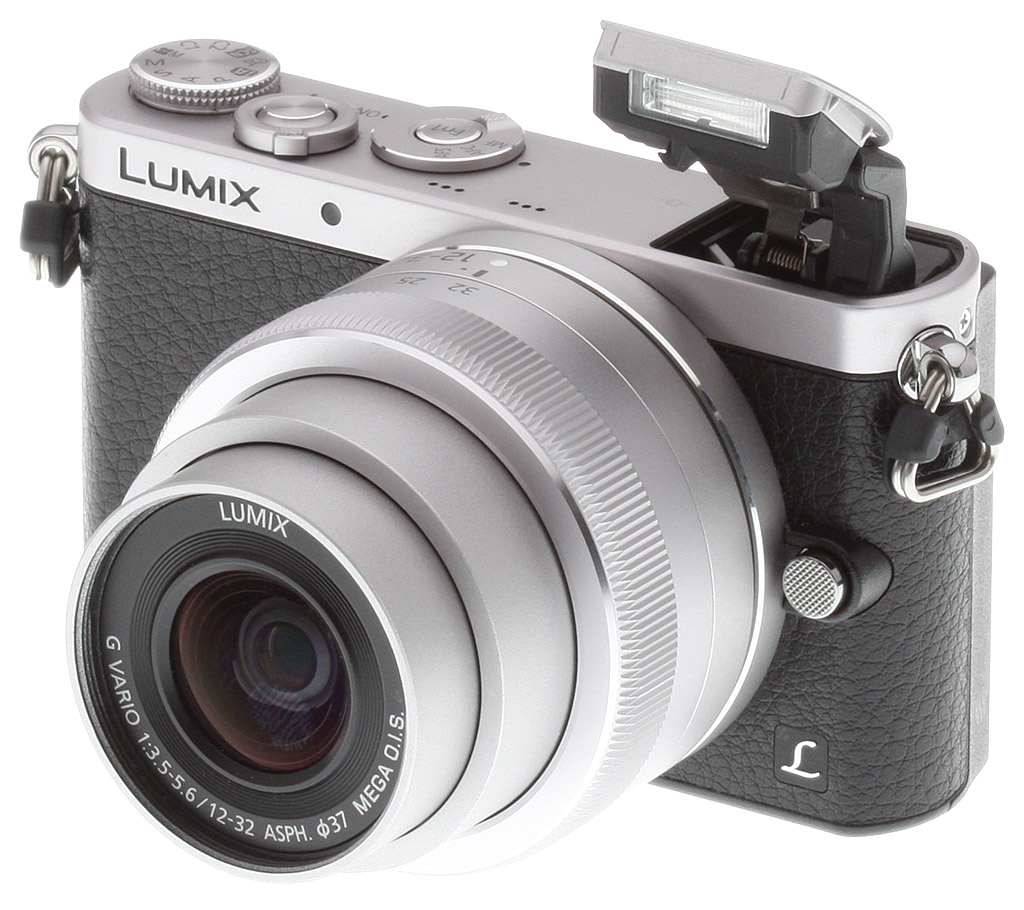
If you're a photographer who wants a camera that's the size of a point-and-shoot, but with the flexibility and larger sensor of an interchangeable lens camera, then the Panasonic GM1 might just be the camera for you. Panasonic has introduced the “micro-est” of Micro Four Thirds cameras with their diminutive yet powerful Lumix GM1 -- the latest addition to their already healthy lineup of Micro Four Thirds cameras.
The Panasonic GM1 shares the stage with its bigger brother, the GX7, featuring many of the same specs and performance capabilities. It shares the same sensor (minus sensor-shift IS), image processor and AF capabilities as the GX7, and Panasonic says the GM1 therefore has the same still image and video quality as the GX7.
The entire camera had to designed from the ground up; it's not just a shrunken GX7. Of course, in shrinking a camera down to this size, some compromises and trade-off had to be made, but it's not as drastic as one might think. For instance, due to the smaller size, issues with heat dissipation become much more critical, and as such more sensor- and processor-intensive features had to be dialed back. In the case of the GM1, there is no bulb exposure mode nor is there 1080/60p video resolution -- it tops out at 1080/60i. Also, it's not surprising that the smaller GM1 uses a smaller battery, and therefore has less battery life than a larger camera.

Another interesting compromise is in the shutter design. The GX7 uses a 2-curtain mechanical shutter, but in the GM1, the newly designed shutter is 80% smaller and is a hybrid mechanical and electronic shutter with the first curtain being electronic only, followed by a mechanical second curtain. In the GM1, the fastest shutter speed for the mechanical shutter is only 1/500 second, however the electronic shutter can be set to an astonishingly high 1/16,000! With the new shutter, the other big compromise is with flash sync - only 1/50th of a second.
Wondering how Panasonic managed to fit so much camera into such little space,
and what some of the technical drawbacks are?
Visit Dave's Tech Insights: Making it smaller, and the consequences thereof page for all the details.
The big story, however, is simply its size. The Panasonic GM1 should appeal to a wide range of shooters, from people who want to an interchangeable lens camera without the bulk and weight of DSLRs to seasoned Micro Four Thirds owners who want a small, secondary camera that provides the image quality they're used to and the flexibility to use all their existing m4/3 lenses. The GM1 should also make a excellent choice for step-up users looking to upgrade from their compact camera, but who aren't sure if a heavy DSLR is the best fit for them.
In fact, we shouldn't really consider the larger mirrorless cameras like the GX7 to be the competing cameras to the GM1, but rather the high-end compacts like the Sony RX100 MkII. Users who have been considering the RX100 and RX100 II should now give some serious thought to the GM1. The size of the GM1 is strikingly close to the RX100 pair of cameras, however with the Panasonic you get a much larger sensor and the flexibility of interchangeable lenses all for -- and here's the kicker -- the exact same price. Both the RX100 MkII and GM1 have an the same price tag: $749 (and that's including the new 12-32mm f/3.5-5.6 OIS kit lens).
The Panasonic GM1 is currently available with an MSRP of US$749 (€699) with the kit lens. There is no body-only configuration. The optional grip plate attachment is priced at US$99.
Place your order with trusted Imaging Resource affiliates now:
- Panasonic GM1 in silver/black with 12-32mm kit lens: ADORAMA | AMAZON | B&H
- Panasonic GM1 in silver/orange with 12-32mm kit lens: ADORAMA | AMAZON | B&H

Walkaround. The fit and finish of the GM1 strongly resembles the GX7 with a metal top plate and large rubberized, textured material across the front. Panasonic is releasing four different color options, but the availability varies by region. In the US, the primary colors will be the two-toned silver and black shown above and a silver and orange version, but there is also an all-black version that Panasonic says might be hitting US shores. They are also releasing one in white and silver, however it's currently not destined for the US.

The front of the GM1 is dominated by the lens mount, the diameter of which spans the entire height of the body. Despite its small size, you are still able to mount the full range of Micro Four Third lenses, although some larger lenses with a larger diameter will protrude past the bottom of the camera preventing it from sitting flush on a flat surface. Panasonic is offering an optional grip plate that adds a little bit of extra height that can help compensate for the heftier lenses (and lets it sit flush on a table). The front of the camera is all but devoid of any buttons or switches save for lens release button on the left side of the lens mount and a small AF assist lamp in the top right (as viewed from the back of the camera).
Moving to the top of the camera, we see a nice, simplified layout of controls comprised of three rounded dials bunched toward the right side of the camera. Starting from the far right is a full mode dial with two customizable preset modes (down from three on the GX7). Off-centered and toward the front of the camera is the shutter release button surrounded by the on/off toggle switch. And lastly, we have the focus mode switch with Panasonic's standard AFS, AFC and MF options. Inside this dial is the sole customizable Function button on the entire camera (in-camera there are five customizable function buttons that make use of the camera's touchscreen, but this Fn1 button is the only physical customizable button).

Just off-center from lens mount are a pair of triplet holes for the stereo microphone, and finally off to the far left we have the manually-released pop-up flash. The pop-up flash, which has been redesigned due the strict space constraints of the camera body, is activated by a sliding switch along the top rear edge of the camera. Notice the lack of hot-shoe, which of prevents the easy use or attachment of accessories like flashes or external viewfinders.

When we get the rear of the camera, the large 3.0-inch LCD touchscreen leaves little room for controls, which have all been clustered on the far right-hand side of the camera. Going from top to bottom, we see along the top edge the pop-up flash release slider as well as the trio of holes that cover the monaural speaker. Despite the quite proportionally large LCD screen, there is still room for a small rubberized thumb grip pad.
The GM1 features a standard array of controls that should feel quite familiar to compact camera users. Right next to the thumb grip area sits the movie record button, allowing users to quickly record video regardless of shooting mode with a quick thumb-press. Below this is the standard-issue playback button. The main controls utilize a rotating and directional push-button dial. The outer ring rotates allowing for adjustment of various settings like aperture, shutter speed or quickly scrolling through on-screen menus.
The control dial features the typical main functions in the 4 cardinal directions: north for exposure compensation, east for white balance, south for drive modes and west for AF point selection. When in manual exposure mode, the up direction toggles between shutter speed and aperture control, rather than exposure compensation. Inside the control dial sits the Menu/Set button for activating the menu system and confirming your selections.
Below the control dial sit the display information toggle button and the delete button. The delete button does double duty depending upon the mode you're in. If you're not in playback mode, this button activates a quick menu option or acts as a back function when your deep-diving into the menus.

Moving down to the bottom of the camera, things are pretty standard fare with a 1/4-20 (1/4" diameter) tripod socket as well as the door for the rechargeable Lithium-ion battery pack and SD memory card slot compartment.

Lastly, along the sides of the camera sit the camera strap mounting lugs, which use the same coiled triangle lug design like the GX7. On the right-hand side is the door covering the USB and HDMI ports. There is also labeling denoting the built-in Wi-Fi radio.

The left side of the camera is devoid of any buttons, switches or ports, though you can see the lens release button on the front of the camera from this view.

New kit lens. Announced alongside the Panasonic GM1 is the new LUMIX G VARIO 12-32mm f/3.5-5.6 ASPH MEGA O.I.S. This new lens is included as part of the GM1 kit and is a very small, compact 2.7x zoom, coming in at just 24mm (0.94 in.) in length and only 70g (2.47 oz) in weight. The lens features eight elements in seven groups with three aspherical lenses and one ED element, and has a seven-bladed, circular diaphragm. To keep size to a minimum, the lens manually retracts, and has no focus ring. (Manual focus control is via the left/right buttons on the back of the camera.) The stepper motor focus drive system should make for fast and quiet AF performance.
As the name suggests, the new lens features Panasonic's MEGA O.I.S. image stabilization system, which is controlled via the camera body (no external switches). The new lens uses a 3-element group for the moving optical image stabilizing system as opposed to the single element in the older 14-42mm kit lens. The manufacturer says their newly designed actuator is more powerful to move this heavier lens grouping for the stabilizer system.
The 12-32mm focal length range equates to a 35mm equivalent of 24-64mm, which is a nice, wide, versatile range and perfect as a walk-around, general purpose lens.

Connectivity. In addition to the previously mentioned built-in Wi-Fi radio (which supports IEEE 802.11 b/g/n but does not include NFC functionality), wired connectivity consists of USB 2.0 High Speed data, Type-D Micro HDMI high-def video output compatible with VIERA Link remote control, and NTSC standard-def audio/video output via the combined USB/AV port. There's no external microphone connectivity -- audio is only recorded from an onboard stereo mic located on the top panel above the lens mount. And unlike the GX7, there's no wired remote control jack, and no flash hot-shoe.

Storage and power. The Panasonic GM1 stores images and movies on Secure Digital cards, including SDHC, SDXC, and UHS-I types. (SDHC and SDXC cards boost capacity over standard types, while UHS-I cards are faster than standard ones. Hence, with the GM1 you're well-covered for both types.)
Power comes from a 7.2V, 680mAh lithium ion battery pack. It's CIPA-rated for 230 shots on a charge using the bundled H-FS12032 kit lens. Switch to the H-HS020A optic, which is a prime lens, and you should be able to take about 220 shots on a charge. That's pretty meager battery life, but not surprising given the size of the GM1. An optional DC coupler and AC adapter are also available.
A truly micro Micro Four Thirds camera! Hands-on with the Panasonic GM1
While most Micro Four Thirds cameras are smaller than many SLRs, there are plenty of smallish SLRs that give them a run for their money. When I was first briefed on the Micro Four Thirds (MFT) concept in Japan several years ago, I was expecting some seriously small cameras, but the actual products turned out to be not all that small. That's just changed, though, with the introduction of the Panasonic GM1. Finally, a truly "micro" Micro Four Thirds camera. I had an opportunity to spend a little time with a prototype sample of the GM1 recently; here's what I thought of it.

Obviously, the first thing that strikes you about the Panasonic GM1 is its size. It's tiny. In fact, the first sentence I wrote when taking notes at the briefing for it was "MAN, this thing is tiny!" The shot above, posed next to an SD card gives you some idea of just how small it is.
The shots below show another useful comparison, this time against a classic enthusiast "pocket" camera, the Sony RX100 II. (Equipped in this shot with one of Richard Franiec's excellent after-market grips.) As you can see, the two cameras are virtually identical in size when their lenses are extended, although the RX100 II wins the pocketability contest with the lens retracted. That said, the Panasonic GM1 will certainly fit into most reasonable-sized pockets when its lens is in the retracted position.

This perhaps leads to a discussion of what's a proper size for a camera. Panasonic told us that when they first released the original and significantly larger Micro Four Thirds cameras, many people complained that they were too small, too hard to hold, etc. So won't the Panasonic GM1 be even more so, prompting even more complaints?
I don't think so, and here's why. When the first MFT cameras were introduced, they were clearly too large to fit into a pocket, and were sold as alternatives to conventional SLRs. Essentially, they were marketed as somewhat smaller versions of "full-sized" SLR designs. In that context, the most important ergonomic characteristics had to do with how comfortable a camera is to hold and operate, as long as its bulk isn't such as to make it awkward or inconvenient to use. Hence, the complaints about some MFTs being "too small".
On the other hand, if the primary attribute of a camera is pocketable portability, ergonomic issues like the size of the grip or controls become secondary. The Panasonic GM1 clearly fits into this second category, and I think people will find it enormously appealing for what it offers in such a compact package. I don't think many people at all will complain of it being too small.
That said, there will be an optional grip available for it that I think many, if not most users will go for, either with the initial purchase or as an accessory purchase later. It's pretty subtle, and adds almost nothing to the bulk of the camera, but makes a huge difference when holding it. It's slated to be pricey, at a projected retail price of $99, but I'd buy one in a heartbeat if I owned a GM1.
Handling. So let's talk about handling. Like we mentioned in the walkaround section above, as you'd expect on such a tiny body, the controls are in fact very close together. The top panel controls are pretty tightly clustered on the right side of the body.
There are two ways to hold the Panasonic GM1, and which way you use it will probably depend a lot on whether you have the accessory grip or not. Without the grip, the only really comfortable way I found to hold the camera was two-handed, with my thumbs on the bottom and index fingers on the top. This is how I'd use a lot of smaller point & shoots, so it's pretty familiar, but it does require me to shift my grip to adjust the mode dial setting.
On the other hand, if you're using the accessory grip, it's pretty feasible to loop your middle finger over it, put your thumb on the back, and your index finger over the shutter button. In this position, it's fairly easy to pop your thumb up a little to adjust the mode dial, although you'll obviously want to support the camera with your other hand in the process. Likewise, it's much easier to get to the rear-panel controls in this position, without requiring a major grip-change. I found the rear-panel buttons very tiny indeed, but discovered I had no trouble using them, without accidentally pressing the wrong one or two at the same time.

The other advantage of the grip is that it provides just enough added depth to the body that it will sit level on a tabletop with a conventional Micro Four Thirds lens attached. The telescoping kit lens is actually smaller than conventional MFT lenses, so it won't project beyond the bottom of the camera body when attached. With a normal MFT lens on the front, the camera/lens combo will sit tilted back slightly, because standard MFT lens barrels will stick out past the bottom a little.

The GM1 shown here with the optional grip and larger Panasonic 20mm f/1.7 lens.
The grip does have one downside, though, in that it uses up the GM1's tripod socket, and has no provision on it for tripod mounting. This makes sense, as they'd either have had to use a really ungainly tripod-mounting screw with a 1/4-20 threaded hole on the bottom, or have introduced an unsightly bulge elsewhere on the grip to accept the tripod thread. Either approach would have meant that the camera wouldn't sit level on a table, regardless of the type of lens attached. For my part, I'm fine with the trade-off of losing the tripod socket. The grip is very handy, and it's a matter of seconds to put it on or off.
On the top panel, the shutter button is pretty darn close to the right edge of the camera. Even with the accessory grip, I found myself wishing that perhaps the shutter button and Fn1 button's places were exchanged, or if the shutter button itself were somehow just another 5-10mm further left. Exchanging it with the Fn1 button would be a longer reach, but I think even people with fairly small hands would find it comfortable. Bottom line, though, I didn't feel this crowding was a show-stopper of any sort, just a minor annoyance.
Ah, but the mode dial: I said that the accessory grip positioned my thumb such that it could easily reach up to access the mode dial. It's true that I could access it easily, but operating it was a bit more difficult. The Panasonic GM1's mode dial was rather stiff, taking more force than I'd like to operate it. I could move it with my thumb, but doing so more than once or twice would have left me with a groove in my finger. It's obviously not going to get moved accidentally from a bump or jostle, but it could be a bit easier to move without worrying about accidental changes.


User Interface. As I was writing this, it occurred to me that it's a little amusing that the top-panel function button is labeled Fn1, since there is no second function button anywhere. I'd normally lament the Panasonic GM1's paucity of external buttons, but found that I didn't miss them very much, given the excellent and highly-configurable touch-interface accessed via the LCD screen.

I've never been a big fan of touch interfaces on cameras, but Panasonic does an unusually good job with them, and I found the one on the GM1 very fast and easy to use. Both the touch-function menu and normal quick-menu are accessed via little tabs poking out on the right side of the LCD screen. Touching one or the other pops out a 5-element menu, from which you can select and adjust items just by touching the appropriate "soft button". When you're done, touch the tab on the left side of the pop-out menu (the original tab stayed attached as the menu slid out), and it'll collapse back. In practice, it's very fast and efficient for making settings changes, to the point that I felt it largely made up for the lack of external buttons. The Quick Menu is used for things like Zoom, touch shutter, touch AE, or peaking on/off, and the functions displayed there can be chosen from a total of 24 different options. The other (Fn) menu has five slots to each of which you can can assign any of 34 different control functions. Any of the same 34 control functions can be assigned to Fn1 button on top.
The configurability of the Panasonic GM1's interface follows a trend I've been advocating for some time now. Once you're familiar with a camera, being able to assign specific, often-used functions to either buttons or special menu items like these is enormously useful. Rather than spending time fumbling through menu upon menu, you can make the changes you need and get back to shooting immediately.
If you really don't want to use either, all or some of the touch functions, though, you can turn the touch screen on or off entirely, enable or disable the tabs leading to the menus Quick and Fn menus, and Touch AF can be either AF, AF+AE, or off.
Hands-on Summary. The Panasonic GM1 is an enormously appealing little camera. Despite its tiny size, I really had no trouble operating its controls, and I really appreciate the extent to which Panasonic has supported user interface customization. I think you'll almost certainly want the accessory grip, despite its price, as it adds a lot to the comfort and usability of the camera.
We're obviously huge camera geeks here at IR ourselves, so our reactions to cameras are generally a pretty good measure of how the enthusiast audience will react. On that basis, we think the Panasonic GM1 is going to be a huge success. The idea of being able to get essentially all the image quality and capability (just a small collection of minor trade-offs) of a flagship Panasonic Micro Four Thirds camera like the GX7 in what's truly a pocket-sized package is really fantastic. And the idea that this tiny, pocket-sized camera can accept a whole range of truly excellent optics from not only Panasonic, but Olympus and Sigma as well puts the Panasonic GM1 into a class all its own. If others like it nearly as much as we did, it's going do very well for Panasonic indeed.
Place your order with trusted Imaging Resource affiliates now:
Optics
The Panasonic GM1 is sold bundled with the new and very compact Lumix G VARIO 12-32mm f/3.5-5.6 OIS lens. The test images shown on most other pages of these test results were taken with the very sharp Olympus Zuiko 50mm f/2 prime lens, so we use this page to explore kit lens performance.
12-32mm Lens Test Results
Zoom Lens
A wider-than-average zoom for a kit lens, with above average performance.


The Panasonic 12-32mm kit lens has a 35mm-equivalent focal length of about 24-64mm, a result of the GM1's 2x "crop factor." Although zoom ratio is lower than average at only about 2.7x, this lens goes wider than most kit lenses.
Optical performance at full wide angle is very good at f/8, with sharp detail across most of the frame, though the right-hand side shows some noticeable softness and a bit of coma distortion, an indication our sample is slightly decentered. Chromatic aberration is well-controlled, because the GM1 suppresses it. At full telephoto and f/8, the lens performs even better with excellent sharpness and contrast, and just slightly soft corners on the right side. The GM1's 2x digital zoom works fairly well, but 4x reveals a lot of chroma noise and some interpolation artifacts, so digital magnification this high should be avoided except for small prints.
Macro
A larger-than-average minimum area, with good detail. Flash exposure is a little dim.


The Panasonic GM1's macro performance will depend entirely on the lens in use. However, with the 12-32mm kit lens, the Panasonic GM1 captured a larger-than-average minimum area measuring 4.61 x 3.46 inches (117 x 88 millimeters). Details are quite good across much of the frame at f/8, though corners are quite soft. (Most lenses have some additional softening in the corners at macro distances.) The popup flash throttled down a bit too much at this distance, resulting in a slightly dim exposure. Still, that's better than being strongly overexposed as some cameras tend to do.
Geometric Distortion
Average geometric distortion with the 12-32mm kit lens in JPEGs at wide angle, though strong distortion at wide angle in uncorrected RAW files.
| In-Camera JPEG: Barrel distortion at 12mm is 0.8 percent |
 |
| In-Camera JPEG: Distortion at 32mm is negligible |
 |
In camera JPEGs, the Panasonic GM1's 12-32mm kit lens produces about 0.8 percent barrel distortion at wide angle, which is about average and noticeable in its images. Pincushion distortion at full telephoto is very low, at only about one pixel's worth. This is the tendency for the lens to bend straight lines outward (like a barrel -- usually at wide-angle).
| Uncorrected RAW: Barrel distortion at 12mm is 2.6% |
 |
| Uncorrected RAW: Pincushion distortion at 32mm is 0.3% |
 |
To see how much correction is taking place in the camera, we convert matching RAW files from the same test shots with dcraw or RawDigger, which do not correct for distortion. As can be seen above, actual barrel distortion at wide angle is quite high at about 2.6%, while pincushion at telephoto is moderate at about 0.3%. We expect this for smaller interchangeable lenses though, so it's nothing to be concerned about unless you are using a RAW converter which does not understand the embedded "opcodes" to perform distortion corrections automatically. Most RAW converters these days (including Adobe Camera Raw and SilkyPix) are capable of applying distortion correction automatically, as specified by the manufacturer. There is however going to be some loss of resolution in the corners as a result of such correction, because pixels in the corners of the frame are being "stretched" to correct for the distortion. Obviously, a lens that doesn't require such correction, and is also sharp in the corners to begin with would be preferable, but relaxing constraints on distortion brings other benefits in the lens design, such as a more compact design.
Chromatic Aberration and Corner Sharpness
Low levels of chromatic aberration from the kit lens in JPEGs. Uncorrected RAW files show moderate amounts. Soft corners on the right-hand side even stopped down to f/8.
| Maximum Aperture | |
 |
 |
| 12mm @ f/3.5: Upper right C.A.: Moderately low Softness: Soft |
12mm @ f/3.5: Center C.A.: Very low Softness: Sharp |
 |
 |
| 32mm @ f/5.6: Upper right C.A.: Low Softness: Slightly soft |
32mm @ f/5.6: Center C.A.: Very low Softness: Sharp |
Chromatic Aberration. Chromatic aberration in the corners with the Panasonic GM1's 12-32mm kit lens is moderately low to very low in JPEGs. The camera's processor does a pretty good job of reducing CA in JPEGs (see below for uncorrected RAW). What color fringing there is gradually reduces in brightness and width as it approaches the center of the image, where it is almost non-existent.
Corner Softness. Our copy of the Panasonic 12-32mm kit is slightly decentered, producing soft corners on the right-hand side, while left corners are pretty sharp. The softness on the right extends into the frame about a quarter of the way, however the center is quite sharp. At full telephoto corners are sharper, but the right-hand side is still a but softer than the left, while the center is sharp.
Vignetting. Some moderate corner shading ("vignetting") is noticeable from the difference in brightness of the center versus corner crops above, at both wide angle and telephoto.
| f/8 Aperture | |
 |
 |
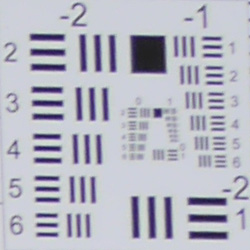
| 12mm @ f/8: Upper right C.A.: Low Softness: Moderately soft |
12mm @ f/8: Center C.A.: Very low Softness: Sharp |
 |
 |
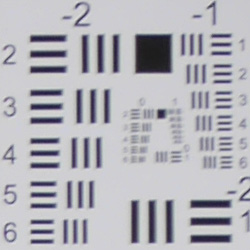
| 32mm @ f/8: Upper right C.A.: Low Softness: Moderately soft |
32mm @ f/8: Center C.A.: Very low Softness: Sharp |
F/8: Stopped down to f/8, corner sharpness improves only slightly at wide angle, and at full telephoto, corners are actually slightly softer than at wide open. Sharpness remains excellent in the center at both ends of the zoom range, though. Vignetting (corner shading) improves quite a bit, but is still somewhat noticeable.
| Chromatic Aberration Suppression | |
 |
 |
| 12mm @ f/8: Upper left: Camera JPEG |
12mm @ f/8: Upper left: Uncorrected RAW |
 |
 |
| 32mm @ f/8: Upper left: Camera JPEG |
32mm @ f/8: Upper left: Uncorrected RAW |
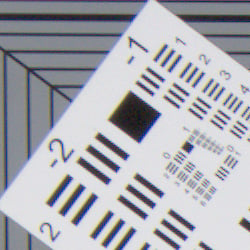
Chromatic Aberration Suppression. As mentioned above, the Panasonic GM1 applies lateral chromatic aberration correction to its JPEGs, as uncorrected RAW files show moderate but fairly bright green/magenta coloration at wide angle and duller blue/yellow fringing at telephoto. RAW files converted with the bundled SilkyPix software or Adobe Camera Raw are automatically corrected for lateral chromatic aberration and geometric distortion to roughly match the camera's processing.
Shading Compensation
The Panasonic GM1 features optional Shading Compensation to reduce vignetting in JPEG images.
 |
 |
||
| 12mm @ f/3.5 | 32mm @ f/5.6 | ||
| Shading Compensation: | Off (default) | On | |
Mouse over the links above to compare thumbnails, and click on the links to load the full resolution images.
As you can see, the Panasonic GM1's Shading Compensation reduces corner shading with the 12-32mm kit lens, so it's a useful feature. Shading Compensation is off by default, not available when shooting video or when burst rate is set to SH, and is not available with all lenses. It may also produce more visible noise in the periphery at higher ISOs.
Overall, well above average performance for a kit lens.
Viewfinder Test Results
Accuracy
Excellent coverage from the LCD monitor.

The Panasonic GM1's LCD monitor proved quite accurate in record mode, showing just over 100% coverage with our Olympus 50mm f/2 reference lens. Excellent results here.
The images above were taken from our standardized test shots. For a collection of more pictorial photos, see our Panasonic Lumix DMC-GM1 Photo Gallery .
Exposure
Color
Saturation & Hue Accuracy
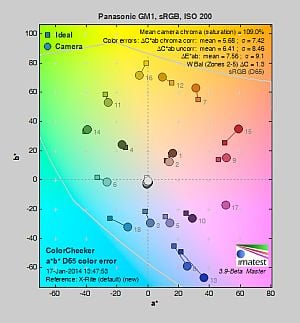
Typical mean saturation levels, with about average hue accuracy.
 |
||
|
ISO Sensitivity
|
||
| In the diagram above, the squares show the original color, and the circles show the color that the camera captured. More saturated colors are located toward the periphery of the graph. Hue changes as you travel around the center. Thus, hue-accurate, highly saturated colors appear as lines radiating from the center. Mouse over the links to compare results at different ISOs, and click on the links for larger images. | ||


Saturation. The Panasonic GM1 produces images with typical mean saturation levels compared to most cameras at default settings. Mean saturation is 109% (9% oversaturated) at the base ISO of 200, which falls to a minimum of 104.6% at ISO 6400. The Lumix GM1 pushes dark red and dark blues a fair bit and some other colors slightly, but undersaturates yellow, light green, aqua and cyan. Most consumer digital cameras produce color that's more highly saturated (more intense) than found in the original subjects. This is simply because most people like their color a bit brighter than life.
Skin tones. Here, the Panasonic GM1 does fairly well, producing natural-looking Caucasian skin tones with a slight push towards pink when either Auto or Manual white balance is used, giving a healthy appearance. Darker skin tones have a small nudge towards orange, but overall results are pretty good. Where oversaturation is most problematic is on Caucasian skin tones, as it's very easy for these "memory colors" to be seen as too bright, too pink, too yellow, etc.
Hue. The Panasonic GM1 shifts orange toward yellow and cyan toward blue, but most other hue shifts are quite minor. The typical Panasonic yellow to green shift and desaturation is still present, though not as pronounced as some prior Lumix models. The GM1's mean "delta-C" color error after correction for saturation is 5.68 for JPEGs at the base ISO of 200 (125 is an extended ISO). That's about average these days, and color error remains quite stable throughout the ISO range. Hue is "what color" the color is.
Saturation Adjustment
The Panasonic GM1 lets you adjust image saturation in eleven steps each, giving unusually fine control over the effect. The saturation setting also has little effect on contrast, which is good.
| Saturation Adjustment Examples | ||
 |
 |
 |
| -5 | 0 | +5 |
The table above shows results with the default as well as the two "extreme" saturation settings. Click on any thumbnail above, then click again to see the full-sized image.


Sensor
Exposure and White Balance
Indoors, incandescent lighting
Warm colors with Auto and Incandescent white balance setting. Best color balance with the Manual setting, a little cool with 2,600 Kelvin. Average positive exposure compensation required.


Indoors, under normal incandescent lighting, color balance is quite warm with the Auto white balance setting. Results with the Incandescent setting are also much too warm, with a slightly stronger orange-yellow cast. The Manual setting produced very accurate results, while the 2,600 Kelvin setting which should match the color temperature of our lights is a bit too cool with a very slight bluish cast. The Panasonic GM1 required +0.3 EV exposure compensation here, about average for this shot. (Our test lighting for this shot is a mixture of 60 and 100 watt household incandescent bulbs, a pretty yellow light source, but a very common one in typical home settings here in the U.S.)
Outdoors, daylight
Good colors overall, with a tendency toward high contrast under harsh lighting. About average exposure accuracy.
Outdoors, the Panasonic GM1 performed well, with good though slightly cool color in the Far-field shot. Skintones are fairly realistic in our "Sunlit" Portrait shot, with a healthy-looking push of pinks and reds which is preferable to too flat or yellow. Exposure accuracy is about average, as the camera required +0.7 EV compensation for our "Sunlit" Portrait shot to keep facial tones reasonably bright. That's typical for this shot. Despite the bright appearance, few highlights were actually blown in the mannequin's white shirt which is very good, though there are some very deep shadows that are a bit noisy and posterized. The default exposure is good, just slightly dim for the Far-field shot, but as a result there are very few blown highlights, though again there are some very deep shadows that are a bit noisy and posterized. Default contrast is on the high side, but that's how most consumers prefer their photos.
See full set of test images with explanations
See thumbnails of all test and gallery images
Resolution
Very high resolution, ~ 2,300 to ~2,400 lines of strong detail.


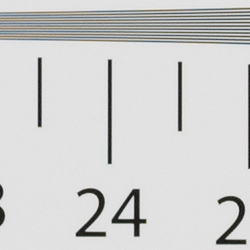
In camera JPEGs, our laboratory resolution chart reveals sharp, distinct line patterns to about 2,400 lines per picture height horizontally, and about 2,300 lines in the vertical direction. (Some might argue for higher, but aliasing artifacts begin to appear before that.) Complete extinction of the pattern occurs just after 3,000 lines horizontally and about 2,800 vertically. We weren't able to extract significantly more high-contrast resolution by processing the Panasonic GM1's RW2 file using Adobe Camera Raw, and the ACR conversion also shows some color moiré which is practically nonexistent in the camera JPEG.
Use these numbers to compare with other cameras of similar resolution, or use them to see just what higher resolution can mean in terms of potential detail.
See full set of test images with explanations
See thumbnails of all test and gallery images
Sharpness & Detail
Very good sharpness overall, with just minor edge-enhancement artifacts on high-contrast subjects. Mild to moderate noise suppression visible in the shadows even at base ISO.


Sharpness. The Panasonic GM1 captures sharp, detailed images overall. Some minor edge enhancement artifacts are visible on high-contrast subjects such as the sharpening "halos" along the lines and text in the crop above left, but default sharpening here is fairly typical for consumer-oriented models, and not too overdone. Edge enhancement creates the illusion of sharpness by enhancing colors and tones right at the edge of a rapid transition in color or tone.
Detail. The crop above right shows the effect of noise suppression in the form of smudging of individual strands together in the darker areas of the model's hair, as well as in areas with low local contrast. The GM1 also leaves behind a little more chroma noise than some other brands. Still, this is good noise versus detail processing performance for a 16-megapixel Micro Four Thirds model, leaving plenty of detail intact instead of blurring much of it away in an attempt to hide noise. Noise-suppression systems in digital cameras tend to flatten-out detail in areas of subtle contrast. The effects can often be seen in shots of human hair, where the individual strands are lost and an almost "watercolor" look appears.
Electronic Shutter Artifacts. As mentioned in our review, the Panasonic GM1 uses an all-electronic shutter at shutter speeds above 1/500s. This can lead to some artifacts that aren't usually issues when using a mechanical shutter.


Artificial Light Banding. For example, here you can see horizontal banding in a studio shot lit by HMI (Hydrargyrum Medium-arc Iodide) lighting which like many types of artificial lighting, actually pulses but at a rate and duty cycle that is imperceptible humans (when used with electronic ballasts like ours). The image on the right is a highly saturated version of the one on the left to make the banding more obvious, but you can still see the effect in the unmodified version (click on the left image to access the full resolution version). This happens because the light is actually pulsing while sensor data is captured row-by-row from top to bottom at a rate much slower than a mechanical shutter would have travelled at the same shutter speed. (Note that each row is allowed to accumulate charge for 1/1000s in this case, but processing all of them in sequence takes much longer.) This phenomenon only occurs with artificial lighting (such as LED or fluorescent), and will vary with the type, frequency and duty cycle.

Rolling Shutter. For the same reason (capturing and reading sensor data out row-by-row during exposure instead of after a mechanical shutter has ended the exposure), the GM1 is more susceptible to rolling shutter artifacts with moving subjects. You can see an example of this in this crop of one of our gallery shots above, where trees and a fence post which are perpendicular to the ground and the top rail are slanted because the camera was panned from right to left during the exposure. Rolling shutter artifacts are quite common during movie capture because an electronic shutter is always employed then, but be aware this is now an issue with still images at shutter speeds above 1/500s, or when you choose to use electronic only shutter. (Note: Mechanical shutters can also generate some rolling shutter effect because they too expose the sensor with a moving slit at higher shutter speeds, but that slit usually travels down the sensor faster than the GM1's electronic shutter.)
| In-Camera JPEG, default NR | |
 |
 |
| RAW, no NR | |
 |
 |
| ISO 25,600, 1/3200s | ISO 25,600, 1/640s |
Streaking. We've also noticed some streaking at the higher ISOs (6400 to 25,600) with subject matter containing sudden transitions between dark and light areas, likely also due to the electronic shutter because they didn't occur at shutter speeds below 1/500s and did not occur with the GX7 using its mechanical shutter under identical conditions. The camera's JPEG engine at default noise reduction does a fairly good job at masking them at ISOs below 25,600 as the streaking is more noticeable in RAW files without NR applied (second set of crops).
Note, though, that most of these issues are fairly minor. The banding only happens in artificial light where you're likely to use slower shutters speeds (and thus the mechanical second curtain); rolling shutter only occurs with a rapidly moving camera or subject; and the streaking only occurs at the highest ISOs which we don't recommend using and when you're likely to shoot at slower shutter speeds anyway. Probably the biggest limitation (for flash shooters anyway) is the slow 1/50s flash synchronization speed, however the pop-up flash isn't very powerful anyway and external flash is not even supported. Still, we thought it important to show the consequences of one of the tradeoffs made to achieve the GM1's tiny form-factor. On the plus side, shutter shock (blurring caused by shutter-induced vibrations) is not an issue with an all-electronic shutter, and shutter speeds as high as 1/16,000s are possible with the GM1.
RAW vs In-Camera JPEGs
As noted above, the Panasonic GM1 produces sharp in-camera JPEGs with good detail. As is almost always the case, better detail can be obtained from carefully processing RAW files than can be seen in the in-camera JPEGs, with fewer sharpening artifacts to boot. Take a look below, to see what we mean:
| Base ISO (200) | |
 |
 |
 |
 |
 |
 |
|
Camera JPEG, defaults
|
RAW via Adobe Camera Raw
|
In the table above, we compare an in-camera JPEG taken at base ISO using default noise reduction and sharpening (on the left) to a matching RAW file converted with Adobe Camera Raw 8.3 using default noise reduction with some strong but tight unsharp masking applied in Photoshop (300%, radius of 0.3 pixels, and a threshold of 0).
As you can see, the in-camera JPEG contains pretty good detail, however ACR extracted additional detail, but also shows more noise, especially in areas with little detail. You can always turn up the luminance noise reduction (default of zero was used here), or process the files in your favorite noise reduction program or plugin if you find the noise objectionable. Bottom line, though, as is usually the case shooting in RAW mode provides better detail, color, and control than in-camera JPEGs when using a good converter.
ISO & Noise Performance
Excellent high ISO performance for a Micro Four Thirds model.
|
Default Noise Reduction
|
||
 |
 |
 |
| ISO 125 | ISO 200 | ISO 400 |
 |
 |
 |
| ISO 800 | ISO 1600 | ISO 3200 |
 |
 |
 |
| ISO 6400 | ISO 12,800 | ISO 25,600 |
The Panasonic GM1's images are very detailed and clean at ISOs 125 (extended) and 200, with only minor luminance and chrominance noise detectable in the shadows. ISO 400 is also quite detailed, though a touch more noise can be seen. ISO 800 shows stronger noise reduction blurring some very fine detail in the process, though overall detail remains very good. ISO 1600 is of course a little noisier, but fine detail still pretty good. What looks to be a sudden increase in sharpening likely to make up for stronger noise reduction makes luminance noise more obvious with a bit of a crystalline peppered effect at ISO 3200. At ISO 6400 and above, the crystalline effect becomes progressively stronger while fine detail is reduced to the point where very little fine detail is left in the hair at ISO 25,600. Chroma noise also becomes progressively stronger and objectionable at ISO 6400 and above.
Overall, though, high ISO performance is excellent for a Micro Four Thirds model, and quite similar to its big brother, the GX7. We're of course pixel-peeping to an extraordinary extent here, since 1:1 images on an LCD screen have little to do with how those same images will appear when printed. See the Print Quality section below for our evaluation of maximum print sizes at each ISO setting.
A note about focus for this shot: We shoot this image at f/4, usually using one of three very sharp reference lenses (70mm Sigma f/2.8 macro for most cameras, 60mm f/2.8 Nikkor macro for Nikon bodies without a drive motor, and Olympus Zuiko 50mm f/2.0 for Four Thirds and Micro Four Thirds bodies). To insure that the hair detail we use for making critical judgements about camera noise processing and detail rendering is in sharp focus at the relatively wide aperture we're shooting at, the focus target at the center of the scene is on a movable stand. This lets us compensate for front- or back-focus by different camera bodies, even those that lack micro-focus adjustments. This does mean, though, that the focus target itself may appear soft or slightly out of focus for bodies that front- or back-focused with the reference lens. We know this; if you click to view the full-size image for one of these shots and notice that the focus target is fuzzy, you don't need to email and tell us. :-) The focus target position will have been adjusted to insure that the rest of the scene is focused properly.
Extremes: Sunlit, dynamic range and low light tests
Somewhat high default contrast but with good dynamic range. Very good low-light performance.


Sunlight. The Panasonic GM1 did well with the deliberately harsh lighting of this test. Contrast is a little high at its default setting, but dynamic range is good. We felt the +0.7 EV exposure is the best compromise here. Although skin tones around the eyes are a bit dark, we prefer it to the +1.0 EV exposure overall, because there are very few clipped highlights. It's really the photographer's choice here as to which direction to go in. For those Panasonic GM1 owners that are going to want to just print an image with little or no tweaking, the +1.0 image would probably produce a better-looking face uncorrected. The bottom line though, is that the Panasonic GM1 performed fairly well with the wide dynamic range of this shot, with perhaps just slightly noisier shadows than the GX7.
Because digital cameras are more like slide film than negative film (in that they tend to have a more limited tonal range), we test them in the harshest situations to see how they handle scenes with bright highlights and dark shadows, as well as what kind of sensitivity they have in low light. The shot above is designed to mimic the very harsh, contrasty effect of direct noonday sunlight, a very tough challenge for most digital cameras. (You can read details of this test here.)
Contrast Adjustment
The camera's contrast adjustment was at least some help in handling the harsh lighting.
|
Minimum Contrast
|
|
 |
 |
| Contrast set to lowest, +0.7 EV |
Contrast set to lowest, Auto Exposure |
The Panasonic GM1's lowest contrast setting does a good job bringing out detail in the shadows and darker midtones, but it does little did little to preserve clipped highlight detail in the "Sunlit" Portrait shot. (There were few highlights clipped to begin with.) Overall, pretty good performance.
| Contrast Adjustment Examples | ||
|
 |
 |
| -5 | 0 | +5 |
Like saturation, the Panasonic GM1 offers 11(!) contrast settings, providing more than the usual latitude in this adjustment. The table above shows results with the default as well as the two "extreme" contrast settings. Click on any thumbnail above, then click again to see the full-sized image.
| Face Detection | ||
 |
 |
 |
| Aperture Priority, 0 EV, f/8 Face Detection Off |
Aperture Priority, 0 EV, f/8 Face Detection On |
iAuto, 0 EV, f/3.2 |
Face Detection
Like most cameras these days, the Panasonic GM1 has the ability to detect faces (up to 15 in a scene), and adjust exposure and focus accordingly. As you can see from the examples above, face detection improved exposure in both Aperture Priority at f/8, and in iAuto mode where the camera had control over aperture, and automatically applied Intelligent D-Range (see below).
Panasonic's Intelligent Dynamic Range
The above shots are examples of Panasonic's Intelligent Dynamic Range Control (or iD-Range) at work, with no exposure compensation. Note that the camera does not take multiple shots and merge them as HDR mode does (see below). It's a system that adjusts local contrast and exposure more akin to Nikon's Active D-lighting, Canon's Automatic Lighting Optimization or Sony's Dynamic Range Optimization.
There are three levels of iD-Range available on the Panasonic GM1: Low, Standard and High, plus Auto and Off. It's automatically invoked in iAuto and some scene modes and manually selectable in PASM modes. Here, you can see darker midtones and shadows were progressively boosted as the strength was increased, without blowing many highlights in the process. In this case, Auto had little effect.
|
Far-field HDR Examples
|
||||
|
|
||||
HDR mode
Here, you can see the Panasonic GM1's High Dynamic Range mode at work with our Far-field shot. HDR mode takes three images at different exposures and combines them to increase dynamic range. Mouse over the links, and click on them the view the full resolution files.
We liked Auto and +/-1 EV the best for this scene, as higher settings didn't work very well with +/-2 making little difference and +/-3 dimming the entire image. Notice the double images and ghosting of objects or people moving between frames. Also notice the angle of view is narrower in the HDR images, likely because the images have been cropped and upsized during the optional auto alignment process.
Dynamic Range Analysis (RAW mode)
While we once performed our own dynamic range measurements based on in-camera JPEGs as well as converted RAW images (when the camera was supported by Adobe Camera Raw), we've switched to using DxO Labs' results from their DxOMark website. As technology advanced, the dynamic range of modern high-end cameras in some cases exceeded the range of the Stouffer T4110 density scale that we used for our own measurements. DxO's approach based on RAW data before demosaicing is also more revealing, because it measures the fundamental dynamic range of the sensor, irrespective of whatever processing is applied to JPEGs, or to RAW data by off-the-shelf conversion software.
In the following, we use DxO's "Print" dynamic range results, which are scaled based on camera resolution. As the name suggests, this scaling corresponds to the situation in which you print at a given size, regardless of how many megapixels the camera might have. (In other words, if you've decided to make a 13x19 inch print, that's the size you're printing, whether the camera's resolution is 16 or 300 megapixels.) For the technically-minded, you can find a discussion of the reasoning behind this here on the DxOMark website. Also note that DxO Labs uses a signal-to-noise (SNR) threshold of 1 when defining the lower boundary of acceptable luminance noise in their dynamic range measurements, which corresponds to the "Low Quality" threshold of the Imatest software we used to use for this measurement.

As you can see from the above graph comparing the Panasonic GM1's normalized dynamic range to two other Micro Four Thirds models (click for a larger image), the GM1's dynamic range (plotted in orange) isn't quite as good as its big brother, the GX7 (red). That's interesting, given they share the same sensor. Nor is the GM1's dynamic range as good as another compact Micro Four Thirds model, the Olympus E-PM2 (yellow). The GM1's maximum normalized dynamic range at the camera's minimum ISO setting of 125 is about 11.7 EV, which falls to a minimum of 5.8 EV at the maximum setting of ISO 25,600. At low to moderate ISOs, the ~0.5 EV difference in dynamic range may just barely be detectable in real-world images (likely as slightly higher noise in shadows), however at ISOs above 800 the difference is so minor that we doubt it would discernible. Click here to visit the DxOMark page for the Panasonic GM1 for more of their test results and additional comparisons.
| 1 fc 11 lux |
1/2 fc 5.5 lux |
1/4 fc 2.7 lux |
1/8 fc 1.3 lux |
1/16 fc 0.67 lux |
1/16fc No NR |
|
|---|---|---|---|---|---|---|
| ISO 125 |
 1.6 s f2.8 |
 3.2 s f2.8 |
 6 s f2.8 |
 13 s f2.8 |
 25 s f2.8 |
 25 s f2.8 |
| ISO 200 |
 1 s f2.8 |
 2 s f2.8 |
 4 s f2.8 |
 8 s f2.8 |
 15 s f2.8 |
 15 s f2.8 |
| ISO 400 |
 0.5 s f2.8 |
 1 s f2.8 |
 2 s f2.8 |
 4 s f2.8 |
 8 s f2.8 |
 8 s f2.8 |
| ISO 800 |
 1/4 s f2.8 |
 0.5 s f2.8 |
 1 s f2.8 |
 2 s f2.8 |
 4 s f2.8 |
 4 s f2.8 |
| ISO 1600 |
 1/8 s f2.8 |
 1/4 s f2.8 |
 0.5 s f2.8 |
 1 s f2.8 |
 2 s f2.8 |
 2 s f2.8 |
| ISO 3200 |
 1/15 s f2.8 |
 1/8 s f2.8 |
 1/4 s f2.8 |
 0.5 s f2.8 |
 1 s f2.8 |
 1 s f2.8 |
| ISO 6400 |
 1/30 s f2.8 |
 1/15 s f2.8 |
 1/8 s f2.8 |
 1/4 s f2.8 |
 0.5 s f2.8 |
 0.5 s f2.8 |
| ISO 12800 |
 1/60 s f2.8 |
 1/30 s f2.8 |
 1/15 s f2.8 |
 1/8 s f2.8 |
 1/4 s f2.8 |
 1/4 s f2.8 |
| ISO 25600 |
 1/125 s f2.8 |
 1/60 s f2.8 |
 1/30 s f2.8 |
 1/15 s f2.8 |
 1/8 s f2.8 |
 1/8 s f2.8 |
Low Light. The Panasonic Lumix DMC-GM1 performed fairly well in our low light tests, able to capture bright images down to the lowest light level we test at, at all ISO settings. The darkest level equates to about 1/16 the brightness of average city street lighting at night, so the Panasonic GM1 should be able to take well-exposed photos in almost any environment in which you can see well enough to walk around in.
Using default noise reduction setting, noise is well-controlled up to ISO 6400, though turning down NR produced some objectionable chroma noise in darker areas at lower ISOs. (At moderate to high ISOs, even the lowest NR setting eliminates much of it.) We didn't notice any significant issues with heat blooming, but there are some bright pixels that are slightly visible at low ISOs and longer shutter speeds even with long exposure noise reduction enabled, as well as a hint of pattern noise visible at the highest ISOs with NR turned down.
Automatic color balance is a little cool particularly at lower light levels, but not bad.
The camera's autofocus system was able to focus on our subject down to the 1/16 foot-candle light level unassisted with an f/2.8 lens, which is excellent, especially for a camera with contrast-detect autofocus. The Panasonic GM1 does have a focus-assist light option which allows it to autofocus in total darkness, as long as the subject is within range and has sufficient contrast.
The Panasonic GM1 features a new Handheld Night Shot mode which captures and merges six high-ISO images taken in a high-speed burst into a single exposure with reduced noise. This allows usable photos to be taken in low light without a tripod, and the GM1 is the first Panasonic Micro Four Thirds camera to support such a mode. See the Field Test for how well it worked including sample images.
How bright is this? The one foot-candle light level that this test begins at roughly corresponds to the brightness of typical city street-lighting at night. Cameras performing well at that level should be able to snap good-looking photos of street-lit scenes.
NOTE: This low light test is conducted with a stationary subject, and the camera mounted on a sturdy tripod. Most digital cameras will fail miserably when faced with a moving subject in dim lighting. (For example, a child's ballet recital or a holiday pageant in a gymnasium.) Thanks to their phase-detect AF systems, digital SLRs tend to do much better than point & shoots, but you still shouldn't expect a quick autofocus lock with moving subjects. The GM1 uses contrast-detect autofocus, as is found in most point & shoot cameras, so its low-light focusing ability may be less than that of some SLRs with phase-detect systems. That said, though, the larger, more sensitive pixels of the GM1's sensor do better under dim lighting than do the tiny pixels of most point & shoots.
Output Quality
Very good 24 x 36 inch prints at ISO 125/200; a nice 13 x 19 at ISO 1600; a good 4 x 6 at ISO 12,800.
 ISO 125/200 prints are quite good at 24 x 36 inches, with nice detail and rich colors. Wall display prints are possible up to 30 x 40 inches.
ISO 400 shots look very good at 20 x 30 inches, retaining good detail throughout our test image.
ISO 800 prints are good at 16 x 20 inches. Typical softening in the red channel begins to occur here, as is the case for many cameras we test.
ISO 1600 makes a nice 13 x 19 inch print, with only mild softening in the red fabric and minor noise in flatter areas.
ISO 3200 tends to be the turning point for many Micro Four Thirds cameras, as is the case here, and requires a reduction to 8 x 10 inches due mostly to noise in flatter areas.
ISO 6400 prints a very good 5 x 7. 8 x 10s don't quite pass our official "good" standard, but are not bad for less critical applications.
ISO 12,800 yields a good 4 x 6 for this ISO and sensor type.
ISO 25,600 prints are not usable by our standards; this setting is best avoided entirely.
The Panasonic GM1 turns in a solid performance in the print quality department, and as expected, it yields prints similar to its acclaimed cousin the GX7, which shares the same sensor and processor. These sizes are what we have come to expect from good Micro Four Thirds cameras, and the GM1 certainly doesn't disappoint. Note that the biggest decrease in quality occurs at ISO 3200, so it is best to stay at ISO 1600 and lower if you want to print photos larger than 8 x 10 inches. For online use or small prints, feel free to snap away at ISO 12,800!
Testing hundreds of digital cameras, we've found that you can only tell just so much about a camera's image quality by viewing its images on-screen. Ultimately, there's no substitute for printing a lot of images and examining them closely. For this reason, we now routinely print sample images from the cameras we test on our Canon Pro9000 Mark II studio printer, and on the Canon Pixma MP610 here in the office. (See the Canon Pixma Pro9000 Mark II review for details on that model.)
The images above were taken from our standardized test shots. For a collection of more pictorial photos, see our Panasonic Lumix DMC-GM1 Photo Gallery .
Not sure which camera to buy? Let your eyes be the ultimate judge! Visit our Comparometer(tm) to compare images from the Panasonic Lumix DMC-GM1 with those from other cameras you may be considering. The proof is in the pictures, so let your own eyes decide which you like best!
Performance
Timing and Performance
Generally good to excellent speed for a Compact System Camera.
| Startup/Play to Record/Buffer Clearing | ||
|---|---|---|
|
Power on |
~0.9 second
|
Time it takes to turn on and capture a shot. |
|
Play to Record, |
~0.7 second
|
Time until first shot is captured. |
|
Buffer clearing time |
3 seconds after
10 Large/Fine JPEGs* |
Worst case buffer clearing time. -- This is the delay after a set of shots before you can remove the card. |
|
4 seconds after
7 RAW files* |
||
|
7 seconds after
7 RAW+ L/F JPEG files* |
||
|
10 seconds after
39 4MP JPEGs* |
||
|
*Note: Buffer clearing times measured with a SanDisk Extreme Pro 95MB/sec UHS-I SDHC card. Slower cards will produce correspondingly slower clearing times. Slow cards may also limit length of bursts in continuous mode. ISO sensitivity and noise reduction settings can also affect cycle times and burst mode performance.
|
||
Startup time was faster-than-average and switching from Play to Record and taking a shot was pretty quick. Buffer clearing times were good with a fast UHS-I card.
| Shutter Response (Lag Time) | ||
|---|---|---|
|
Full Autofocus, |
0.187 second
|
Time from fully pressing shutter button to image capture, with the lens already at the proper focal distance setting. (All AF timing done with the bundled Panasonic 12-32mm kit lens.) |
|
Full Autofocus, |
0.212 second
|
Time from fully pressing shutter button to image capture, with the lens already at the proper focal distance setting. |
|
Full Autofocus, |
0.342 second
|
Time from fully pressing shutter button to image capture, with the lens already at the proper focal distance setting, auto flash enabled. |
|
Manual Focus |
0.101 second
|
For most cameras, shutter lag is less in manual focus than autofocus, but usually not as fast as when the camera is "prefocused". |
|
Prefocused |
0.087 second
|
Time to capture, after half-pressing and holding shutter button. |
The Panasonic GM1's autofocus was very fast in our tests, especially for a camera that uses contrast detection only. The GM1 produced full-autofocus shutter lag (with the subject at a fixed distance) of 0.187 second using 1-area (center) AF with the 12-32mm kit lens. That's faster than most CSCs, and faster than consumer DSLRs as well. 23-area AF was very slightly slower at 0.212 second, but that's still fast. Enabling the flash increased lag to 0.342 second, but that's still pretty fast. When manually focused, the GM1's lag time dropped to 0.101 second. The GM1's prefocused shutter lag time of 0.087 second which while quick, was a bit slower than average.
To minimize the effect of different lens' focusing speed, we test AF-active shutter lag with the lens already set to the correct focal distance.
| Cycle Time (shot to shot) | ||
|---|---|---|
|
Single Shot mode |
0.49 second
|
Time per shot, with no apparent limit. |
|
Single Shot mode |
0.50 second
|
Time per shot, with no apparent limit. |
|
Single Shot mode |
0.56 second
|
Time per shot, for 3 frames. |
|
Early shutter |
No
|
Some cameras don't snap another shot if you release and press the shutter too quickly in Single Shot mode, making "No" the preferred answer. |
|
Continuous H |
0.22 second (4.5 frames per second);
20+ frames total; 2 seconds to clear* |
Time per shot, averaged over 20 shots, with no signs of slowing. |
|
Continuous H |
0.10 second (9.89 frames per second);
10 frames total; 3 seconds to clear* |
Time per shot, averaged over buffer length of 10 frames, then slows to an average of 0.23s or 4.29fps with a lot of variation. |
|
Continuous H |
0.25 second (3.95 frames per second);
8 frames total; 4 seconds to clear* |
Time per shot, averaged over buffer length of 8 frames, then slows to an average of 0.52s or 1.92fps. |
|
Continuous H |
0.10 second (10.34 frames per second);
7 frames total; 4 seconds to clear* |
Time per shot, averaged over buffer length of 7 frames, then slows to an average of about 0.61s or 1.65fps with a lot of variation. |
|
Continuous H |
0.25 second (3.97 frames per second);
7 frames total; 6 seconds to clear* |
Time per shot, averaged over buffer length of 7 frames, then slows to an average of about 1.06s or 0.94 fps. |
|
Continuous H |
0.10 second (10.34 frames per second);
7 frames total; 7 seconds to clear* |
Time per shot, averaged over buffer length of 7 frames, then slows to an average of about 1.14s or 0.88fps with a lot of variation. |
|
Super HS mode |
0.03 second (40 frames per second);
39 frames total; 10 seconds to clear* |
Time per shot, averaged over buffer size of 39 shots. |
|
Flash Recycling |
3.2 seconds
|
Flash at maximum output. |
|
*Note: Buffer clearing times measured with a SanDisk Extreme Pro 95MB/sec UHS-I SDHC card. Slower cards will produce correspondingly slower clearing times. Slow cards may also limit length of bursts in continuous mode. ISO sensitivity and noise reduction settings can also affect cycle times and burst mode performance.
|
||
Single-shot cycle times were very good. We measured 0.49 second for large/fine JPEGs, 0.50 second for RAW files and 0.56 second for RAW+L/F JPEGs.
Continuous High Speed "H" mode was slower-than-average these days, at about 4.5 frames per second for L/F JPEGs, and about 4 fps for RAW or RAW+JPEG files. Please note that Live View is not available during a burst in H mode.
With the all electronic shutter option enabled, though, burst rate increased to 9.9fps for L/F JPEGs, 10.3fps for RAW and 10.3fps for RAW+JPEG files, which is excellent. In Super HS mode, we managed 40 frames-per-second, though resolution is only 4 megapixels in that mode. Using the electronic shutter can lead to distortion in moving subjects and other side-effects, though, so keep that in mind.
Full resolution buffer depths were generous for Large/Fine JPEGs, at over 20 frames, but when shooting RAW files buffer size dropped to 8 frames, and 7 for RAW+L/F JPEGs. Buffer depths dropped with the Electronic Shutter mode's faster burst speeds, to 10 L/F JPEGs, 7 RAWs and 7 RAW+JPEG frames. Buffer depth in Super HS mode was a very generous 39 frames.
Buffer clearing was fairly quick for full-res images, ranging from 2 to 7 seconds depending on the file type and mode, though clearing 39 4MP frames took 10 seconds.
The flash recycled after full discharge in an average of 3.2 seconds, which is fair.
| Download Speed | ||
|---|---|---|
|
Windows Computer, USB 2.0 |
12,746 KBytes/sec
|
Typical Values: |
Download speeds were reasonably fast, quick enough that you probably won't feel the need for a separate card reader, even with large memory cards. (Note that this test was performed with a SanDisk Extreme Pro 95MB/sec UHS-I SDHC card: Slower cards would likely show slower transfer times.)
Bottom line, the Panasonic GM1's performance is pretty good overall for a CSC. Startup is fast, mode switching is fast, and autofocus is fast. Full resolution burst speed with the mechanical second curtain shutter is mediocre, but very fast with full electronic shutter. Buffer depths are decent with JPEGs, though somewhat shallow with RAW files.
Battery Life
Below average battery life for a Compact System Camera.
| Operating Mode | Battery Life |
|---|---|
|
Still Capture, CIPA standard
(H-FS12032 lens) |
230 shots
|
|
Still Capture, CIPA standard
(H-H020A lens) |
220 shots
|
The Panasonic GM1 uses a custom rechargeable lithium-ion battery pack for power, and comes with both a single battery and charger. The CIPA-rated 230 shots per charge with the 12-32mm kit lens is well below average for a Compact System Camera (thanks to its small size), and much lower than a typical DSLR when using an optical viewfinder. We strongly recommend getting a second battery for your GM1 if you plan any extended outings.
The table above shows the number of shots the camera is capable of (on a fully-charged rechargeable battery), based on CIPA battery-life and/or manufacturer standard test conditions.
(Interested readers can find an English translation of the CIPA DC-002 standards document here. (180K PDF document))
Image Quality
We were really eager to see how the Panasonic GM1's image quality stacked up, given that it's basically a GX7 in a smaller body with just a few features missing, but selling for significantly less money -- and the GX7 had excellent image quality, arguably the best Panasonic has ever produced. So does the GM1 stack up? Check out our results below, but have your checkbook ready, this is a fantastic little camera!
Below are crops comparing the Panasonic GM1 with the Panasonic GX7, Fuji X-M1, Olympus E-PL5, Sony NEX-5T and Sony RX100 II.
NOTE: These images are best quality JPEGs straight out of the camera, at default settings including noise reduction and using the actual base ISO (not extended ISO settings). All cameras in this comparison were shot with our very sharp reference lenses. Click any image to bring up the full test shot.
Panasonic GM1 versus Panasonic GX7 at base ISO
|
 |
|
 |
|
 |
Panasonic GM1 at ISO 200 |
Panasonic GX7 at ISO 200 |
The GM1 shares the same sensor and processor as its larger sibling, the GX7, and as such we would expect these to be virtually identical in image quality. Both cameras look quite good and sharp here at base ISO, bringing out the subtle details of our test target. Since the GM1 is substantially smaller and less expensive than the GX7, the similarity in image quality should make it a very appealing option of advanced photographers. |
|
Panasonic GM1 versus Fuji X-M1 at base ISO
|
 |
|
 |
|
 |
Panasonic GM1 at ISO 200 |
Fuji X-M1 at ISO 200 |
The X-M1, with an MSRP of $800, is the most affordable of the Fuji models to sport an APS-C-sized version of its highly acclaimed X-Trans sensor. In this comparisons, the Fuji produces sublime image quality in the first two crops, and brings out subtle details in our red fabric swatch while losing out in the pink fabric detail. The smaller-sensored GM1, while having just slightly less detail in some areas, takes a more even approach in handling all areas well. |
|
Panasonic GM1 versus Olympus E-PL5 at base ISO
|
 |
|
 |
|
 |
Panasonic GM1 at ISO 200 |
Olympus E-PL5 at ISO 200 |
In this face-off between two Micro Four Thirds competitors, the E-PL5 has more aggressive default sharpening than does the GM1, and it shows here with sharper-looking edges and lines, especially in the mosaic tiles. But as we've seen in other recent image comparison tables, this aggressive processing often yields mixed results as ISO rises, and can actually obscure the finest detail in the subject. |
|
Panasonic GM1 versus Sony NEX-5T at base ISO
|
 |
|
 |
|
 |
Panasonic GM1 at ISO 200 |
Sony NEX-5T at ISO 200 |
The NEX-5T has an APS-C sensor with roughly 63% more surface area on which to gather light with than does the GM1. Here at base ISO they look fairly similar in fine detail performance, both doing a great job, with slight nod to the NEX-5T for its slightly better rendering of the mosaic and red fabric swatch. |
|
Panasonic GM1 versus Sony RX100 II at base ISO
|
 |
|
 |
|
 |
Panasonic GM1 at ISO 200 |
Sony RX100 II at ISO 160 |
As opposed to the NEX-5T with its larger sensor, the RX100 II has a sensor about half the size of the GM1, and yet sports roughly 4 more megapixels of resolution. Sony's "backlit" sensor technology does a very good job here at base ISO, though the GM1 extracts more fine detail from the red and pink fabric swatches, areas that smaller sensors typically have a hard time resolving. |
|
Most digital SLRs and CSCs will produce an excellent ISO 100 shot, so we like to push them and see what they can do compared to other cameras at ISO 1600, 3200, and 6400. Recent advances in sensor technology have made ISO 1600 look a lot more like ISO 100, but there are still cameras whose quality starts to fall apart at this setting. We also choose 1600 because we like to be able to shoot at least at this level when indoors and at night.
Panasonic GM1 versus Panasonic GX7 at ISO 1600
 |
 |
 |
 |
 |
 |
Panasonic GM1 at ISO 1600 |
Panasonic GX7 at ISO 1600 |
Once again, and as expected, these two siblings perform nearly identically in the image quality department. Both do a fairly good job for this ISO but show some noise processing artifacts in the bottle crop, lose some fine detail in the mosaic tiles and have a tough time resolving contrast and detail in our target's red fabric swatch. |
|
Panasonic GM1 versus Fuji X-M1 at ISO 1600
|
 |
|
 |
|
 |
Panasonic GM1 at ISO 1600 |
Fuji X-M1 at ISO 1600 |
As predicted, this is where the larger sensor and X-Trans technology of the X-M1 pulls away from the GM1. The bottle crop from the X-M1 is amazing, and there is still some good detail in the mosaic tiles and the red fabric swatch. However, as it did at base ISO, the X-M1 curiously loses detail in the pink fabric swatch, which is an odd twist on an otherwise solid performance. |
|
Panasonic GM1 versus Olympus E-PL5 at ISO 1600
|
 |
|
 |
|
 |
Panasonic GM1 at ISO 1600 |
Olympus E-PL5 at ISO 1600 |
The aggressive sharpening at default cameras settings helps the E-PL5 display crisper detail in these images, but at the cost of some unwanted artifacts starting to show up -- such as the granular-looking noise in the bottle crop and the pink fabric swatch. The GM1's approach to default noise reduction is more even-handed, so it would be helpful to view the two compared in RAW format with manual sharpening applied. |
|
Panasonic GM1 versus Sony NEX-5T at ISO 1600
|
 |
|
 |
|
 |
Panasonic GM1 at ISO 1600 |
Sony NEX-5T at ISO 1600 |
With its larger sensor, we would expect the NEX-5T to perform better at this ISO, and it certainly pulls more fine detail from the mosaic tile. But it also exhibits more noise in the shadowy areas behind the bottle and splotchiness in the pink fabric swatch. These are unwanted artifacts, and somewhat disappointing. |
|
Panasonic GM1 versus Sony RX100 II at ISO 1600
|
 |
|
 |
|
 |
Panasonic GM1 at ISO 1600 |
Sony RX100 II at ISO 1600 |
This is where the 1-inch-type sensor of the RX100 II starts to lose ground. It beats most other non-ILC compacts currently on the market, but can't keep pace with the GM1's much larger sensor as ISO rises. |
|
These days, ISO 3200 is a very viable shooting option for most quality cameras, so let's take a look at some comparisons there.
Panasonic GM1 versus Panasonic GX7 at ISO 3200
 |
 |
 |
 |
 |
 |
Panasonic GM1 at ISO 3200 |
Panasonic GX7 at ISO 3200 |
And again, the same sensor and processor on these two cameras produce virtually identical results, both yielding significant noise reduction artifacts in the bottle crop and losing a lot of detail in the mosaic tiles and red fabric swatch. |
|
Panasonic GM1 versus Fuji X-M1 at ISO 3200
|
 |
|
 |
|
 |
Panasonic GM1 at ISO 3200 |
Fuji X-M1 at ISO 3200 |
Here the X-M1 doesn't outpace the GM1 nearly as much as at ISO 1600, which is curious to note. There's more detail in the mosaic tile, but in the other two crops, it doesn't really deliver anything beyond what the GM1 produced. Yet again, the X-M1 curiously loses outright on the pink fabric. |
|
Panasonic GM1 versus Olympus E-PL5 at ISO 3200
|
 |
|
 |
|
 |
Panasonic GM1 at ISO 3200 |
Olympus E-PL5 at ISO 3200 |
Splotchiness from default noise reduction starts to really take a toll here on the E-PL5 images, with the GM1 yet again taking a more even-handed approach. |
|
Panasonic GM1 versus Sony NEX-5T at ISO 3200
|
 |
|
 |
|
 |
Panasonic GM1 at ISO 3200 |
Sony NEX-5T at ISO 3200 |
As at ISO 1600, the NEX-5T has quite a bit more visible noise in the bottle crop than does the GM1. It also produces a much softer rendering of the pink fabric swatch. The GM1 is certainly not perfect here by any means, but kudos to it for standing up so well against two good APS-C cameras at ISO 3200! |
|
Panasonic GM1 versus Sony RX100 II at ISO 3200
|
 |
|
 |
|
 |
Panasonic GM1 at ISO 3200 |
Sony RX100 II at ISO 3200 |
This ISO is tough terrain for a 1-inch sensor. The RX100-II does much better than many traditional compact cameras, but most people will be much happier with its results at ISO 1600 and below. |
|
Detail: Panasonic GM1 versus Panasonic GX7, Fuji X-M1, Olympus E-PL5, Sony NEX-5T and Sony RX100 II.
 |
 |
 |
 |
 |
 |
 |
 |
 |
 |
 |
 |
 |
 |
 |
 |
 |
 |
| Panasonic GM1 ISO 200 ISO 3200 ISO 6400 |
Panasonic GX7 ISO 200 ISO 3200 ISO 6400 |
Fuji X-M1 ISO 200 ISO 3200 ISO 6400 |
Olympus E-PL5 ISO 200 ISO 3200 ISO 6400 |
Sony NEX-5T ISO 100 ISO 3200 ISO 6400 |
Sony RX100 II ISO 160 ISO 3200 ISO 6400 |
| Detail comparison. Fine detail is fun to look at, and often yields far different results than the comparison table above. As is often the case these days, Olympus cameras tend to dominate this table, thanks to their stronger default image sharpening. The NEX-5T also looks quite sharp but there are a few noise reduction artifacts, as is the case with the granule in the "U" of the Pure bottle letters. The RX100 II sensor size limitations are quite obvious here, while the two Panasonic's and the Fuji turn in reasonably good performances, though obviously losing ground to the E-PL5 for overall sharpness. | |||||
Panasonic GM1 Review -- Print Quality
Very good 24 x 36 inch prints at ISO 125/200; a nice 13 x 19 at ISO 1600; a good 4 x 6 at ISO 12,800.
 ISO 125/200 prints are quite good at 24 x 36 inches, with nice detail and rich colors. Wall display prints are possible up to 30 x 40 inches.
ISO 400 shots look very good at 20 x 30 inches, retaining good detail throughout our test image.
ISO 800 prints are good at 16 x 20 inches. Typical softening in the red channel begins to occur here, as is the case for many cameras we test.
ISO 1600 makes a nice 13 x 19 inch print, with only mild softening in the red fabric and minor noise in flatter areas.
ISO 3200 tends to be the turning point for many Micro Four Thirds cameras, as is the case here, and requires a reduction to 8 x 10 inches due mostly to noise in flatter areas.
ISO 6400 prints a very good 5 x 7. 8 x 10s don't quite pass our official "good" standard, but are not bad for less critical applications.
ISO 12,800 yields a good 4 x 6 for this ISO and sensor type.
ISO 25,600 prints are not usable by our standards; this setting is best avoided entirely.
The Panasonic GM1 turns in a solid performance in the print quality department, and as expected, it yields prints similar to its acclaimed cousin the GX7, which shares the same sensor and processor. These sizes are what we have come to expect from good Micro Four Thirds cameras, and the GM1 certainly doesn't disappoint. Note that the biggest decrease in quality occurs at ISO 3200, so it is best to stay at ISO 1600 and lower if you want to print photos larger than 8 x 10 inches. For online use or small prints, feel free to snap away at ISO 12,800!
Field Test Part I
Field Test Part II
Initial thoughts
Posted: 12/5/2013

If you've read any of my other reviews on the Nikon D7100, Canon 70D or Nikon D610, it's pretty obvious that I'm a DSLR guy for the most part. That kind of camera has been my preferred style for a long time. However, I recently experimented with the Canon EOS M -- being a Canon guy and all with a variety of EF lenses -- and just as many others have experienced, shooting with the EOS M is a little frustrating: slow AF, poor battery life, no EVF attachment and limited lens choices (without an adapter). The image quality was nothing to sneer at, but I was still left wanting in some ways.
I've taken on the task of our Panasonic GM1 review, and I can say, boy, this is the camera I wish I had bought instead of the EOS M! I've only recently begun my review process with this camera and have only shot with it for about a week, but I thought this would be a good opportunity to share some of my initial impressions -- both positives and negatives -- as well as a first set of gallery images. So, without further ado, let's hit the positives!

Size. This thing is tiny! I thought the Canon EOS M was small, but the Panasonic GM1 feels like a point-and-shoot camera in terms of weight and slimness, but with the added flexibility of interchangeable lenses and a larger sensor. Plus, thanks to the all-magnesium body construction, durability is surely increased over typical all-plastic point-and-shoots. The GM1 feels strong, light and sturdy, and the compact 12-32mm makes it a go-anywhere camera. I could easily slip this guy into a jacket pocket or a larger pants pocket like those on cargo pants (still a little on the wider side for smaller jeans pocket, for instance).
The Panasonic GM1 that I'm testing also came with the optional screw-on baseplate grip attachment, which is a fantastic accessory, and something I wish desperately was available for my EOS M. I found the 12-32mm kit lens to be small and light enough that using the grip wasn't necessary. And thanks to the standard Micro Four Thirds mount, you open up a ton of options for other lenses, but given the GM1's diminutive size, the grip is instantly appreciated as it gives you just a bit of extra purchase to help securely hold those less-balanced, heavier or larger lenses.
 |
Not critically sharp, as Jack the Dog was running very quickly (and the shutter speed was a little too slow), but the AF on the GM1 did a great job. There's also a bit of rolling shutter, so beware with fast panning shots! (16mm, f/3.9, 1/640s, ISO 200) |
Fast AF. Manufacturers, please take note: This is how you do AF on mirrorless cameras -- it's amazing! The autofocus system on the GM1 was brought over from the GX7, and it's quite impressive. The AF feels near-instantaneous on all but the lowest contrast subjects. Half-press after half-press of the shutter button is followed by a quick little beep signifying confirmed focus. I found the performance to be great for both still and fast-moving subjects. Now, I didn't go out and attempt to shoot sports or birds-in-flight, for which a dedicated Phase-Detect AF system on a DSLR would be preferable, but for a fast-moving kid, or a dog running around in the backyard in my case, the GM1 did a great job.

I am also a big fan of the GM1's Pinpoint AF mode, which lets you autofocus on a very precise point. I found this great for shooting macro-ish photos or other subjects where I wanted to make sure I nailed the focus (i.e. flowers). The GM1 gives you a full-screen magnified view around the AF point for easy confirmation that your subject is indeed in focus. (As an aside, I really love the dedicated control dial shortcut (press left on the 4-way dial) to access the different AF point modes. I found this very handy when going back and forth between shooting various types of subjects.)

Get a grip. Now for a few negatives, unfortunately, and they start with the grip attachment. ("But wait, didn't you say that you loved the grip earlier?") For the ergonomic benefit, the grip is a very nice addition, but there's one big issue: when the grip is attached, you not only lose your tripod mounting socket, but the plate also completely covers the battery and SD card door. This means that you have to unscrew the plate completely to change the battery and/or memory card. Now, if you're out for a day of shooting and don't use up a full battery charge or fill up a memory card, then this is less of a problem, but given that these smaller cameras have smaller batteries, they tend to eat through a full charge more often. And if you're out shooting for a long time, chances are you'll need to change the battery. If I was out for a long hike or any other kind of traveling where I'd be away from a charger, I'd want to bring along at least one extra battery. Having to remove the grip plate is just an extra hassle. However, given the svelte body-matching design of the plate, I don't see how Panasonic could have avoided this, but nevertheless I felt it was worth mentioning.

Sensitive to the touch. The second little "gripe" with the GM1 that I ran into quite a bit was with the 4-way control dial on the rear of the camera. It doesn't take a lot of effort to press the buttons and given that the dial's edge is also used to scroll for various adjustments, like aperture and shutter speed, for example, I found myself accidentally pressing the buttons when I simply wanted to quickly adjust an exposure setting or magnify an image in playback mode. Instead, an accidental press activated a menu and I subsequently started scrolling through other settings that I never intended to change. Overall, a minor issue again, but one with which I got a bit annoyed.
The Panasonic GM1 also features a touchscreen, which in some cases can be quite useful, particularly with the extra, customizable Function (Fn) Buttons along the right edge of the screen (those are awesome!). However, I found the touchscreen was quite sensitive, and when you enable the touchscreen, Touch AF gets enabled by default as well. I liked Touch AF for the most part as it allowed very fast adjustments to the focus point for quicker compositions, but I would often accidentally touch the screen between shots, either with the edge of my thumb or edge of my palm, and unintentionally change the AF point. Thankfully, you can disable Touch AF while leaving the "Touch Tab" enabled so you still have access to the on-screen Fn buttons, which is excellent -- a nice middle ground.

Macro-ish. I noted above that I love the Pinpoint AF mode on the GM1 for fast and easy critical focus on small subjects. Naturally, this would be excellent for close-up, macro-type shots but, unfortunately, I found the close focusing distance of the GM1-specific kit lens, the Panasonic 12-32mm f/3.5-5.6, to be a bit too far with too little telephoto zoom to really take close-up shots. This is a pretty minor gripe, like most of my issues with this camera seem to be, but I constantly found myself framing shots of close up subjects only to presented with a little red AF box telling me that AF was not possible. Frustrating.
Overall, though, my first experience with the Panasonic GM1 has been overwhelmingly positive. This tiny, practically-pocketable Micro Four Thirds camera is a standout piece of photographic equipment. It's big on image quality, AF and speed, but not on size, weight or bulk. I'm looking forward to more!
Field Test Part III
The devil's in the details
This next installment of my Panasonic GM1 Field Test won't be as long-winded as the first one, as this section is focused on two specific areas: macro and close-up shooting, as well as my experience with high ISO performance.

Up close and personal. If you go back to the first installment of my shooter's report, you'll see that I was a bit disappointed in the close-up focusing performance of the included 12-32mm kit lens. I would often find myself with an idea for a nicely composed close-up shot only to find that I couldn't focus at that distance using the 12-32mm. Of course, this is exactly why the camera gods made interchangeable-lens cameras, so I wasted no time in trying out some new glass with the GM1.

We happen to have a lot of Olympus lenses here at IRHQ, and thanks to the Micro Four Thirds standard, I can easily use all of these great lenses on the Panasonic GM1. One of my favorite combos with the GM1, I've found, is the Olympus 12-40mm f/2.8 M.Zuiko PRO. Not only is it a fantastically sharp lens with a versatile zoom range and a constant f/2.8 aperture, but it also has an excellent close-focusing distance. (Note: I'll get more in-depth with using this and other, larger lenses with the GM1 and how they handle in my next shooter's report installment.)

Armed with the Olympus 12-40 on the tiny GM1 body, I took the camera out last weekend and got some nice close-up macro-ish photos. The Olympus 12-40 has a close focusing distance of 20cm (7.87 in.) for a magnification ratio of 1:3.3, making it a pretty nice close-up performer. As I suspected, the GM1's Pinpoint AF mode was very useful, offering more precise focusing and easier composition on smaller subjects, and making it easy to get the plane of focus exactly where I wanted it. The GM1 is so light and small that it's really fun to shoot, and it's easy to stick the camera close to small subjects. Coupled with the Olympus 12-40's nice minimum focusing distance, it's a great combo for macro of shooting.

I also wanted to experiment with a true macro lens, though, and we also have an Olympus 60mm f/2.8 M.Zuiko lens here at HQ. I was hoping that the Pinpoint AF mode would help with focusing here as well, but with proper macro shooting, the depth of field is so razor-thin, that it was tough to simply point and autofocus on a subject using the full 1:1 macro magnification. If I held the camera close to the proper distance, both 1-Area and Pinpoint AF were useful for autofocusing on the subjects, though I didn't see a big benefit to Pinpoint AF mode in this scenario.

Let there be light, or a lack thereof. I've really been pretty blown away by this camera -- its size, its AF speed and overall image quality are really impressive -- and I thought that this camera could pretty much do it all. I've been really surprised by the excellent IQ of the latest Micro Four Thirds cameras in low ISO shots, and was expecting spectacular results from the GM1 at higher ISOs, like ISO 3200-6400. I realized my expectations were set a little too high, though, albeit perhaps not through any unusual fault of the camera.

To preface this, I've been a full-frame and APS-C DSLR shooter for a number of years now, and I've grown accustomed to pixel peeping those kinds of images. I'm aware of how fine details get diminished in very high ISO images even from those types of cameras. So, when I shot some photos at ISO 3200 and 6400 with the GM1, I was initially pretty disappointed in the lack of detail, particularly in the JPEG images. The camera applied pretty heavy noise reduction by default, but the GM1 does offer a lot of flexibility (11 levels) in how much NR is applied to JPEG images. I did find the noise reduction settings easy to miss, though, as they are stuck inside the "Photo Style" menu settings. My first reaction when seeing this menu option was to assume it was for applying filter presets or effects to your photos, however it's pretty similar to Canon's "Picture Styles" menu minus the noise reduction adjustment.
| Panasonic GM1 High ISO crops | |
 |
 |
 |
 |
These four crops from the photo above really show how the high ISO combined with the JPEG noise reduction take its toll on fine detail. However, in this class of camera, the GM1 is very impressive. |
|
I brought the GM1 and the Olympus 12-40mm f/2.8 lens along with me to my brother's college graduation this past weekend, and took a handful of shots after the ceremony in a dimly lit Irish pub. I was pretty much pushing the GM1 to its limit with Auto White Balance, ISO 3200 and, in the case of JPEGs, heavy noise reduction applied by default. The lighting, however, was probably the biggest factor working against fine detail, with an intensely warm, ~2200 Kelvin color temperature (a 60 watt incandescent bulb is around 2600-2700 K, so this is crazy warm lighting, really a pathological case).


The resulting images were pretty lacking in fine detail to my eye, particularly when considered against my familiarity with high ISO images from larger-sensor DSLRs. The GM1's default noise reduction is pretty heavy-handed and really flattened and smoothed out fine detail in the images. Even with RAW photos, adjusting the very warm white balance back to an acceptable color took its toll as Adobe Lightroom had to boost the blue channel pretty dramatically to get back to a neutral hue, thus increasing blue channel noise significantly. Applying my own choice of noise reduction in LR5 helped to remove the noise, but fine detail still suffered.
Panasonic GM1 |
|
 |
|
(Olympus 12-40mm: 19mm, f/2.8, 1/60s, ISO 3200) |
|
 |
 |
Canon EOS M |
|
 |
|
(Canon 22mm f/2 STM: 22mm, f/2.8, 1/80s, ISO 3200) |
|
 |
 |
Four Thirds vs APS-C. The GM1 does exceptionally well against other Four Thirds cameras, but compared to larger sensor cameras like the APS-C Canon EOS M, you can start to see a slight drop in fine detail due to the GM1's heavier default noise reduction. The EOS M does appear a bit more grainy in this JPEG image, while the GM1 opts for heavier noise reduction, degrading its ability to resolve finer details at higher ISOs. |
|
On the other hand, it's not all bad news -- quite the opposite, in fact. When compared to other Micro Four Thirds cameras, even flagship models like the Olympus E-M1, the Panasonic GM1 is one of the best Micro Four Thirds out there for high ISO performance. Once I realized that I shouldn't be expecting APS-C, and certainly not full-frame high ISO performance from a camera with a much smaller sensor, I was much happier with the GM1's high-ISO results. And it's all relative to what you'll be doing with the images, too. As seen in our Print Quality results, the Panasonic GM1 does very well, indeed, unless you're needing to print ISO 6400 images at large sizes.
Panasonic GM1 (ISO 3200) |
Olympus E-M1 (ISO 3200) |
 |
 |
 |
 |
 |
 |
Apples to Apples. The Panasonic GM1 has fantastic low-light, high ISO performance when you compare it to other Four Thirds cameras, including the pro-level Olympus E-M1. The GM1 really is a stunning little camera. |
|
The bottom line is that the Panasonic GM1 does indeed have a Four Thirds sensor, which is significantly smaller than both APS-C and full-frame sensors. If you're a photographer like me, who's used to full-frame and even high-end APS-C performance with high ISO, low-light shooting, then the GM1's images at ISO levels in the 3200+ range might look disappointing to your eyes. Unless you're trying to print at large sizes from your very high-ISO shots, though, the results are entirely adequate. Compared to other Micro Four Thirds cameras, the Panasonic GM1 is actually a stellar performer at higher ISO levels. In fact, I'd go so far as to say that it's one of the best cameras in its class when it comes to high ISO performance, especially for a camera that small. When compared to other pocketable cameras, most of which have much smaller sensors, the Panasonic GM1 blows them out of the water at high ISO performance.
[The below obviously doesn't belong; cross-links to other review parts should be generated programmatically, so they'll auto-update as other sections and pages are added]
Field Test Part IV
Big lenses, reader requests & final thoughts

One of the big advantages of an interchangeable lens camera is the flexibility offered by those lenses. You can go from an ultra-wide landscape perspective to an up-close telephoto shot of a bird in a matter of minutes. However, as cameras get smaller and smaller, such as with the Panasonic GM1, you run into issues of comfort, balance and sheer portability when you want to use longer (and inherently larger) lenses. However, the fun of an ILC -- the flexibility -- is that you can do it if you want to, or need to.
In this last Field Test installment, I discuss my experience using larger Micro Four Thirds and even some Four Thirds lenses, just for fun. I also wrap up my Panasonic GM1 review with some reader requests and other small details, as well as my final summary. (Note: We'll be finalizing the entire review with test results, pros & cons and conclusions shortly.)

Going BIG. The Panasonic GM1, like we've said before, feels like the best truly pocketable interchangeable lens camera. With the included 12-32mm kit lens, the GM1 is indeed a high performance camera that's perfectly suited to photograph a wide variety of subjects, but that combo is quite limited when it comes to shooting that bird in the tree or your child across from you on the soccer field.
I've always been enamored with huge, long lenses, so I took the GM1 over the Christmas holidays along with a couple of long and beefy lenses: the Olympus 150mm f/2 Zuiko and Olympus 50-200mm f/2.8-3.5 Zuiko, and had a little telephoto fun. I was curious to see a) if the GM1 had usable autofocusing performance with Four Thirds lenses, like the Olympus E-M1, and b) what the handling was like using such a tiny camera with these large lenses. I should also note that we have a much more practical telephoto lens here at IRHQ -- the Olympus M.Zuiko 75-300mm f/4.8-6.7, a Micro Four Thirds lens -- that I used on the GM1 and will discuss further down.


Unfortunately, I'll have to start this shooter's report section with a negative. No, the Olympus 150mm f/2 Zuiko and Olympus 50-200mm f/2.8-3.5 Zuiko lenses are not practical to use on the GM1. At all. Particularly, the 150mm lens, with its massive size and weight -- 3.6 lbs. of it -- is definitely not suited for the GM1. It was hilarious to behold, however.

I was quick to discover that Four Thirds lenses with the M4/3-4/3 adapter do not autofocus well. Like we saw on other Olympus cameras before the E-M1, focusing with the adapter is abysmally slow with a distinct stepping actuation as the camera attempts to acquire focus.
That being said, I had fun shooting with these lenses. Especially the 50-200mm lens, which was the more practical of the pair as it was significantly lighter and more fun to use. The GM1 and 50-200mm lens produced a 400mm equivalent field of view at maximum telephoto. When you consider using a DSLR to get a 400mm focal length with a fast aperture, you're talking about substantially more weight and possibly thousands of dollars. Using the GM1 and the 50-200mm lens was much lighter, and barring the terribly slow AF speed, was very useful to shoot wildlife (albeit only of the slow-moving variety) and other telephoto subjects.


On the more practical side, I also had a chance to use a more sensible telephoto lens with the GM1: the Olympus M.Zuiko 75-300mm f/4.8-6.7 II. This lens, designed for Micro Four Thirds cameras rather than larger Four Thirds DSLRs, is still rather large for the tiny body of the GM1. However, it's considerably lighter and smaller than the Four Thirds 50-200mm lens, making it much more comfortable to use. The autofocusing performance also was a night-and-day experience compared to the older Four Thirds lenses, focusing very quickly like most other Micro Four Thirds lenses I've used.
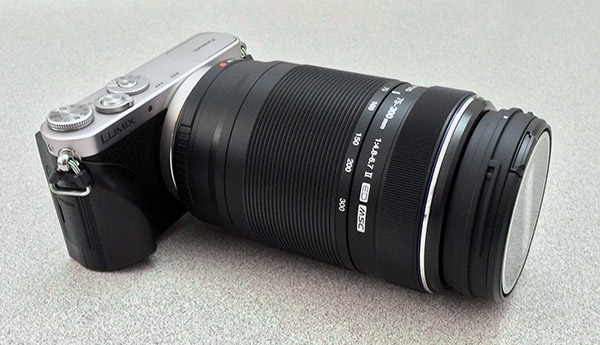
Similar to the comparison with the 50-200mm, the 75-300mm lens provides a whopping 600mm equivalent focal length, that, in typical DSLR-size lenses, would equate to significantly more weight and bulk, not to mention price. Taking this into account, the GM1 and the Olympus 75-300mm is an amazing combo.
 |
GM1+ Olympus 75-300mm: The lens provides a versatile reach, but the lack of IS makes precise framing at full tele a challenge -- the lack of an EVF makes it even more difficult as you have to hold the camera farther out from your center of gravity. (300mm, f/6.7, 1/640s, ISO 200) |
However, the biggest downside to using these longer, and often-heavier lenses, is that the lack of a viewfinder, built-in or otherwise, making for an awkward shooting stance. You're forced to hold the camera farther out in front of your face to use the LCD, rather than centering the camera up against your eye in a more balanced shooting position, making it quite uncomfortable to hold the camera, especially for any length of time.

Now, this isn't an issue exclusive to the GM1, as both the Sony NEX-3N and Canon EOS M, for example, offer the flexibility of interchangeable lenses, but lack any form of viewfinder. However, it's an issue nonetheless with this type of camera.
Also, the lack of body-based image stabilization on the GM1 is another ding to versatility and flexibility of lens choice. While it's not impossible to shoot with super-telephoto lenses that lack IS, simply framing your shot is more challenging at these very long focal lengths, as any and all camera vibrations appear magnified the farther you zoom. Combining this with the viewfinder-less shooting position makes the GM1 a not-so-stellar telephoto camera when shooting handheld.
Reader Requests. One of the best things about these episodic Field Tests is that we can now have a dialog with readers and take suggestions for things to test or compare while we review a camera. In this case, I'm going cover a few things readers have asked about or wanted confirmed.
First off, Harald E. Brandt commented after purchasing his own GM1 that the embedded JPEG thumbnail when shooting RAW-only was much lower in resolution that RAW+JPEG, which most likely displays the corresponding JPEG photo. I tested this out, and yes, this does seem to be the case. When shooting RAW-only, the image of the shot, when magnified is noticeably lower in resolution. I wouldn't consider it a deal-breaker for the GM1, but as Mr. Brandt indicated, it does make it more difficult to discern the sharpness of images. See for yourself in the table below:
Panasonic GM1: Playback Review: RAW vs RAW+JPEG |
|
 |
 |
RAW |
RAW+JPEG |
 |
 |
RAW @ 8x Magnification |
RAW+JPEG @ 8x Magnification |
 |
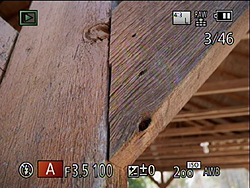 |
RAW |
RAW+JPEG |
 |
 |
RAW @ 8x Magnification |
RAW+JPEG @ 8x Magnification |
 |
 |
RAW @ 16x Magnification |
RAW+JPEG @ 16x Magnification |
Another reader comment, from Jason Ushkowski, asked about video priority mode on the GM1 and the image quality of simultaneously captured still photos. The GM1, like many cameras, lets you start recording video from any still shooting mode, and vice versa -- you can take a photo while shooting video (though not in the dedicated Movie Mode, as the shutter button acts as a secondary recording start/stop button). However, the GM1 gives you two options for how to snap still photos while recording video: Motion Picture Priority and Still Picture Priority.
In Motion Picture Priority, pressing the shutter button silently snaps a photo without interrupting the recording process. As the name suggests, priority is on the video recording and not still image quality. As such, the captured still in this mode is a much lower quality (small JPEG) and in the 16:9 aspect ratio (1920 x 1080; even when recording 720p video). Up to 30 stills can be captured during video recording in this mode. However, in Still Picture Priority, video recording is briefly interrupted allowing for the capture of a high resolution image, including RAW (4592 x 2584 pixels), but the image (even the RAW) is in the 16:9 aspect ratio. Video recording is then immediately resumed, and the resulting single video file is shown with a brief pause where the still was captured. Unlike in Motion Priority, in Still Priority only up to 4 images can be captured during video recording.
Panasonic GM1: Still Picture Priority vs Motion Picture Priority |
|
 |
 |
16:9, 4592 x 2584 pixels (RAW) |
16:9, 1920 x 1080 |
 |
 |
16:9, 4592 x 2584 pixels (RAW) |
16:9, 1920 x 1080 |
Stay tuned for a more in-depth review of the Panasonic GM1's video capabilities and quality.
The last reader request actually came to me from multiple readers, as "Whayne" and "Geordon" were interested in how the Panasonic 12-35mm f/2.8 lens performed on the GM1. If you recall back in my second SR installment, I described using the fast, high-performance Olympus 12-40mm f/2.8 lens, and despite being a little on the large size for the tiny GM1, I found it to be an excellent experience. Somehow, at that time, I never got around to using what I consider to be Panasonic's equivalent to the Oly 12-40mm. Now I have.

Right off the bat, I felt that the Panasonic 12-35mm f/2.8 was a much better fit on the GM1 than the Olympus 12-40mm f/2.8. It's noticeably lighter and a bit smaller, making it more comfortable to use with such a small camera. However, one of best things about this lens is how easily and smoothly the zoom ring rotates. Despite being a bright f/2.8 lens, it didn't feel like it had to move a lot of large glass elements around. This was very pleasing given how tiny the GM1 is and how little grip you have on the camera itself. With other lenses, such as the Olympus 12-40 and the Olympus 75-300, the zoom action is stiff enough that it's hard to hold the camera in shooting position while zoom smoothly -- I'm often having to bring the camera down to adjust the focal length. The 12-35mm f/2.8, in contrast, is very easy to rotate; zooming is easily accomplished with only two fingers.

And of course, being a highly-rated lens, the images from the 12-35mm were excellent. Plus, the addition of built-in optical image stabilization is a much welcome feature considering the GM1 does not have the sensor-shift in-body IS like its bigger brother, the GX7. This makes the 12-35mm not only better for stills in low light, but also better for video recording.


Final Thoughts. So, is the Panasonic GM1 an awesome camera? Absolutely. It's a fantastically small, lightweight and high-performance camera that's packed with lots of features much like a larger camera, such as the Panasonic GX7. The big story with this camera is, of course, its size. It's one of the best go-anywhere, carry-all-the-time, daily shooters out there today. While I wouldn't consider it "pocketable" in things like jeans or chinos, it's definitely small enough with the retractable 12-32mm kit lens to slip into a cargo pocket or jacket pocket with ease.

Get a grip. Panasonic GM1 with Richard Franiec's grip.
Unfortunately, its diminutive size can also be a downside. Especially when using larger and heavier lenses, the small, thin design of the GM1's body leaves little area for a secure grip (and the faux leather texture isn't all that "grippy," I found). Thankfully, Panasonic has recognized this issue and created a screw-on grip attachment plate that maintains the small size (no DSLR battery grip-like accessory here) while giving a more secure hold on the camera. Sadly, it's a bit awkward to use in some cases, as it not only uses the tripod socket but also blocks the battery and memory card door. As an alternative, the enterprising Richard Franiec has released a custom grip for the GM1 that does not use the tripod socket or block the battery door.
On the performance side of things, there's not much to complain about with the GM1. The autofocusing is amazingly fast. It feels near instantaneous when I half-press the shutter button and locks onto subjects quickly without a lot of hunting back and forth like I've seen with some other contrast-detect AF systems. And while it may not be as fast as a traditional phase-detect DSLR, the GM1 is certainly more than capable of shooting the majority of subjects most people tend to take, such as landscapes, portraits, travel and street photography as well as macro shots.
The big downside with the GM1 is if you're a fan of shooting telephoto shots like I am, this little camera may not be the best choice (not surprisingly). Longer, heavier lenses are quite awkward to use on such a small body (although the ability is there if you need it). Not only do you not have a lot of grip in the hand, but the lack of a viewfinder or optical viewfinder attachment also makes it uncomfortable to hold these longer, heavier lenses out in front of your face for any length of time.
I realize I'm probably trying to find a downside where there is none, as the Panasonic GM1 is clearly not designed for the telephoto wildlife or sports shooter. For 99% of the other possible subjects to photograph, however, the GM1 is an excellent camera with impressive performance and image quality all packed into an extremely convenient, compact and lightweight package. If you want a camera that's big on image quality with a large sensor and the flexibility of interchangeable lenses, but one that you can take with you everywhere, the Panasonic GM1 is that camera.
Field Test Part V
WiFi, crazy speed, handheld night shots
Posted: 02/12/2014
Wi-Fi. The GM1's Wi-Fi capabilities are quite robust and useful, not to mention fairly straight forward to setup, though it can be a little quirky. Like many other recent Wi-Fi-enabled cameras, the GM1 uses a companion app -- in this case called "Image App" -- on your smart device (iOS and Android only) not only for remote live view, sharing and remote control, but also for GPS location tagging, as the GM1 itself does not have a GPS module built in.

The process for setting this up was fairly straightforward: turn on Wi-Fi mode, which by default is conveniently assigned to the Fn1 button on the top of the camera, and the follow the on-screen instructions. You can connect directly to the GM1's own Wi-Fi network or connect through your home or office wireless network. Like with other cameras I've used and tested, setting up Wi-Fi is a bit of a back and forth process: enable Wi-Fi on the camera, go to smart device and change the Wi-Fi network to the camera's, then hope the camera sees the connection, close Settings and open Image App, then wait for the device to pair. (Note that the GM1 does not support NFC, but neither does my iPhone.) On my first try, everything worked perfectly, but later on, I ran into some inexplicable issue where my iPhone and the GM1 just didn't want to connect. After a couple tries, including a forced quit of the app and power cycle of the camera, the problem was resolved.
Once it's all good-to-go, the app works great and is very full-featured. Other than the inability to change exposure modes like P, A, S, or M, as those are manually controlled with a dial, you basically have full control over the camera via the app for both stills and video. You have a live view of the screen as well as the ability to change things like aperture, shutter speed, ISO and exposure compensation (depending on the exposure mode). You can also adjust the focus point simply by tapping on the area of the frame -- just like on the LCD of the GM1 -- and it even works during video recording! There's also a magnified view with focus peaking, when you adjust focus (peaking is not shown on the app during video recording, however).
The GPS tagging feature is a bit on the convoluted side, unfortunately. You'll need to start the app and enable GPS logging, then go take some photos (with the app or not -- works either way), then go back and connect the app to the camera, and use the app to send location data to the camera. Then, on the camera, go into the playback mode settings and choose "Location Logging" to apply the appropriate location data to this recent batch of images. Whew.
However, once the initial batch of images have been tagged with location data, and you go back to shooting photos, you can't add location data again to these newer photos without first reconnecting to the app to send new location data over to the camera. To me, that's all a bit too much hassle just to have some geotags added to my photos.
Overall, despite some quirks here and there with connecting the app to the camera and the strangely complicated GPS tagging process, the GM1's Wi-Fi capabilities are robust and very useful. Having the ability to remotely control such a tiny camera like this could make for some very interesting images and videos. The GM1 could be put in some very small or unique places that would be impossible for a larger DSLR or video camera.
Ludicrous Speed. For fans of fast action, the GM1 carries over the GX7's Super High Speed burst mode. In this setting, the camera will capture a blazingly-fast 40 frames per second! In-camera, the images are strung together into a frame-by-frame image sequence, but you can see the individual images when hooking the camera or memory card up to a computer. This mode certainly has its limitations: no continuous AF (your subject's distance better not change), no RAW, and only 4MP JPEG images. However, if you want to capture say a runner passing by, the pitcher at a baseball game or a racecar, enable Super High Speed burst mode and dial down your aperture for a nice deep depth of field and fire away. Also, the sound the GM1 makes in this mode is absolutely bonkers -- like a machine gun!
Handheld Nite Shot. A new feature for the Panasonic GM1 is a multi-shot low-light mode called Handheld Nite Shot, which combines a burst of 6 photos for a low-noise low-light shot without the need for a tripod. Typically, to shoot in very low-light situations, a longer shutter speed and a tripod are needed to get an acceptable exposure. Otherwise, you're left with cranking the ISO sensitivity up and the result is a noisier image. With Handheld Night Mode, the 6-shot burst is combined in-camera to reduce high ISO noise. Note: some cropping to the image will occur in the frame aligning process.
I tested this out by shooting a night scene in standard Program Auto mode (with a tripod) and comparing it to the Handheld Nite Shot scene mode, as well as the "iHandheld Nite Shot" option from the Intelligent Auto mode. (Based on a side-by-side look at Handheld Nite Shot vs iHandheld, my take is that it's the same algorithm and processing, but simply activated -- when enabled in the menu -- in Intelligent Auto mode when the camera determines you're trying to shoot a night scene.)
Check out the comparison photos in the table below:
Panasonic GM1 Handheld Nite Shot mode |
|
 |
 |
Program Auto (on tripod) |
Handheld Nite Shot Scene Mode (handheld) |
 |
 |
Program Auto (100% crop) |
Handheld Nite Shot (100% crop) |
 |
 |
Program Auto (100% crop) |
Handheld Nite Shot (100% crop) |
You can see that the standard Program Auto tripod shot produces noticeably more fine detail, as well as retaining more shadow detail compared to the Handheld Nite Shot. The GM1's Auto ISO system picked ISO 1600 in Program mode, whereas it chose a whopping ISO 5000 for the Handheld Nite Shot in order to avoid camera shake in such a dark scene. The lack of fine detail is further reduced due to the multi-shot nature of this mode. It happened to be a bit windy when I took this shot, so tree branches and leaves moved from shot-to-shot and were blurred somewhat in the multi-shot combining process. I found the 6-shot burst to be slower than I would have preferred, which I later found out was due to the camera defaulting to the Electronic Front Curtain shutter type. If there are moving objects in the scene while the 6 shots are being captured, there can be blurring when the camera combines each frame into a single image. Switching over to all-electronic shutter, I was able to get the full 10fps burst speed. However, in terms of reducing noise, the Handheld Nite Shot modes did great. Compared to the Program Auto shot above, you can see that the level of visible grain is quite similar despite one being at ISO 1600 and the other at ISO 5000. Even in the comparison below between a standard single-shot Intelligent Auto (ISO 3200) and multi-shot Intelligent Auto night mode image (ISO 6400), the single-shot image shows much more noise, although it also shows more fine detail. |
|
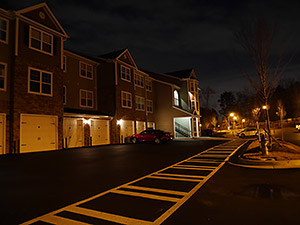 |
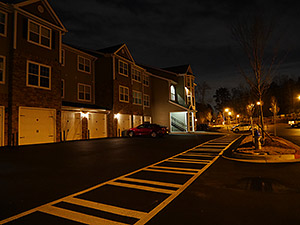 |
Intelligent Auto (iA) (iHandheld Nite Shot on, handheld) |
Intelligent Auto (iA) (iHandheld Nite Shot Off, handheld) |
 |
 |
iA (iHandheld Nite Shot on) - 100% crop |
iA (iHandheld Nite Shot off) - 100% crop |
 |
 |
iA (iHandheld Nite Shot on) - 100% crop |
iA (iHandheld Nite Shot off) - 100% crop |
Bottom line: if you find yourself out at night and the mood to snap a cool night landscape shot strikes you, but you forgot your tripod, the Handheld Nite Shot mode works well and produces very acceptable results. |
|
Flash
Panasonic GM1 Flash
Flash Test Results
Coverage and Range
A small, very weak flash with uneven coverage at wide angle. Above average positive exposure compensation required.


Coverage. Flash coverage is rather uneven at wide angle, leaving the corners of our flash target image darker at 12mm, thought that's not unusual, especially for a wider than average kit lens. Some of the corner shading can also attributable to the lens itself. Coverage is much more uniform at full telephoto (32mm).
Exposure. Indoors under incandescent background lighting, the Panasonic GM1's flash underexposed our indoor portrait scene at ISO 200, despite the +1.0 EV flash exposure compensation used. (An average of +0.7 EV is normally needed for this shot.) You'll likely need to boost ISO (or enable Auto ISO) for typical indoor shots. The camera's slow-sync flash mode required no compensation to produce a bright shot, though the longer shutter time resulted in a much warmer cast from the ambient background lighting.
| Flash Range: Wide Angle | |||||
|---|---|---|---|---|---|
| 6 ft | 7 ft | 8 ft | 9 ft | 10 ft | 11 ft |
 1/50 sec f3.5 ISO 200 |
 1/50 sec f3.5 ISO 200 |
 1/50 sec f3.5 ISO 200 |
 1/50 sec f3.5 ISO 200 |
 1/50 sec f3.5 ISO 200 |
 1/50 sec f3.5 ISO 200 |
| 12 ft | 13 ft | 14 ft | 15 ft | 16 ft | |
 1/50 sec f3.5 ISO 200 |
 1/50 sec f3.5 ISO 200 |
 1/50 sec f3.5 ISO 200 |
 1/50 sec f3.5 ISO 200 |
 1/50 sec f3.5 ISO 200 |
|
| Flash Range: Telephoto | |||||
|---|---|---|---|---|---|
| 6 ft | 7 ft | 8 ft | 9 ft | 10 ft | 11 ft |
 1/50 sec f5.6 ISO 200 |
 1/50 sec f5.6 ISO 200 |
 1/50 sec f5.6 ISO 200 |
 1/50 sec f5.6 ISO 200 |
 1/50 sec f5.6 ISO 200 |
 1/50 sec f5.6 ISO 200 |
| 12 ft | 13 ft | 14 ft | 15 ft | 16 ft | |
 1/50 sec f5.6 ISO 200 |
 1/50 sec f5.6 ISO 200 |
 1/50 sec f5.6 ISO 200 |
 1/50 sec f5.6 ISO 200 |
 1/50 sec f5.6 ISO 200 |
|
ISO 200 Range. At full wide angle, flash exposures started out a little dim at 6 feet, and brightness decreased with distance from there. At full telephoto, flash exposures started out very dim at 6 feet, and only got darker from there. Very poor flash range.
| Manufacturer-Specified Flash Range | |
|---|---|
| Wide Angle | Telephoto |
 15.0 feet Auto ISO 800 |
 9.2 feet Auto ISO 1250 |
Manufacturer-Specified Flash Range Test. The Panasonic GM1's small built-in flash has a Guide Number of only 4m at ISO 100, or 5.6m at ISO 200. With the kit lens and ISO set to Auto, Panasonic rates the flash's range at 15 feet at wide angle, and 9.2 at telephoto. As you can see above, the Panasonic GM1 produced a somewhat dim flash target at the rated distance at wide angle (12mm), but results at full telephoto (32mm) are fairly bright. Given the results at telephoto are good, we'd say Panasonic's flash range rating is credible as our wide-angle shot's white ceiling and wall likely influenced metering. Our standard test method for flash range uses either a fixed setting of ISO 200, to provide a fair basis of comparison between cameras. We've now also begun shooting two shots using the manufacturer-specified camera settings, at the range the company claims for the camera (at Auto ISO if so specified), to assess the validity of the specific claims.
High ISO Noise Reduction
Panasonic GM1 High ISO Noise Reduction
The Panasonic GM1 offers eleven(!) settings for noise reduction, ranging from -5 to +5. The user manual doesn't state at which ISO noise reduction kicks in, so we've started with ISO 125 (extended) to find out.
See for yourself how the Panasonic GM1's "0" (default) and "-5" (lowest) High ISO NR settings compare to RAW without noise reduction under daylight-balanced lighting. (Note that these RAW images also have no sharpening applied, so they are softer than camera JPEGs at low ISOs.) Click on any of the crops below to see the corresponding full-sized image.
| High ISO Noise Reduction Comparison Daylight-balanced illumination |
|||
|
"0"
|
"-5"
|
RAW (no NR)
|
|
|
I
S O 1 2 5 |
 |
 |
 |
 |
 |
 |
|
 |
 |
 |
|
|
"0"
|
"-5"
|
RAW (no NR)
|
|
|
I
S O 2 0 0 |
 |
 |
 |
 |
 |
 |
|
 |
 |
 |
|
|
"0"
|
"-5"
|
RAW (no NR)
|
|
|
I
S O 4 0 0 |
 |
 |
 |
 |
 |
 |
|
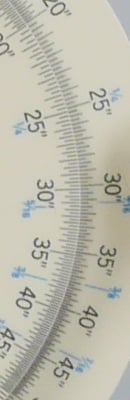 |
 |
 |
|
|
"0"
|
"-5"
|
RAW (no NR)
|
|
|
I
S O 8 0 0 |
 |
 |
 |
 |
 |
 |
|
 |
 |
 |
|
|
"0"
|
"-5"
|
RAW (no NR)
|
|
|
I
S O 1 6 0 0 |
 |
 |
 |
 |
 |
 |
|
 |
 |
 |
|
|
"0"
|
"-5"
|
RAW (no NR)
|
|
|
I
S O 3 2 0 0 |
 |
 |
 |
 |
 |
 |
|
 |
 |
 |
|
|
"0"
|
"-5"
|
RAW (no NR)
|
|
|
I
S O 6 4 0 0 |
 |
 |
 |
 |
 |
 |
|
 |
 |
 |
|
|
"0"
|
"-5"
|
RAW (no NR)
|
|
|
I
S O 1 2 8 0 0 |
 |
 |
 |
 |
 |
 |
|
 |
 |
 |
|
|
"0"
|
"-5"
|
RAW (no NR)
|
|
|
I
S O 2 5 6 0 0 |
 |
 |
 |
 |
 |
 |
|
 |
 |
 |
|
As you can see, even the lowest High ISO NR setting of -5 applies noise suppression at all ISOs. The -5 setting does apply less luminance noise suppression than the default, but as you can see, chroma noise is still fairly aggressively suppressed at both settings. Also note the signs of horizontal "streaking" near the bottom of the bottle crops at the highest ISOs, we think caused by the GM1's electronic shutter at exposures shorter than 1/500s. You can read more about the GM1's electronic shutter artifacts here.
Technical Info
Tech Insights: Making it smaller, and the consequences thereof
Panasonic did a number of things to shrink what's basically a GX7 into the incredibly small frame of the GM1, and some of those changes help explain the performance tradeoffs relative to its larger sibling. Let's take a look at some of these.
Shutter Assembly. One of the biggest changes in the GM1 is its all-new shutter assembly, and the changes there bring not only tradeoffs but at least one benefit as well.

The shot above shows the shutter assemblies from the GX7 and GM1 side by side. As you can see, the difference is pretty dramatic, the GM1's shutter assembly, on the right, occupies 80% less volume(!) than that of the GX7. The space savings comes from eliminating one shutter curtain entirely, and from moving to a stepper-motor actuated shutter, vs the spring-loaded unit that's been de rigeur on Micro Four Thirds cameras from the beginning.
Eliminating one of the shutter curtains means using an "electronic first-curtain" technique, in which the beginning of the exposure is determined electronically, row by row of pixels, down the sensor face. This mimics the opening of the first curtain of a conventional focal-plane shutter. The exposure is ended by moving the second curtain down the frame in a controlled fashion.
The trick here is that "in a controlled fashion" part. In a normal focal-plane shutter, the two curtains move at a relatively constant but not terribly precise speed (accuracy within a few percent is perfectly fine), and the duration of short exposures determined by the width of the slit between the two curtains. It's a pretty much an all-mechanical process, with the energy provided by a spring. Such shutter mechanisms have motors in them, but the motor's sole function is to raise the blades back to the starting position again, and rewind the spring so it'll be ready for the next shot. None of this has to happen with any precision.
With an electronic first curtain, though, the speed of the falling curtain has to be very precisely coordinated with and matched to the row-by-row electronic beginning of the exposure. If the curtain drops even a little bit faster or slower than the row-by-row clocking occurs, the result will be an obviously uneven exposure from the top of the frame to the bottom.
So with an electronic first curtain, you can't simply pull a trigger and let a spring do the work, you have to drive the second curtain electronically in a very precisely-determined manner. This was a key enabling technology in the GM1, namely a stepper motor fast enough and precise enough to match the row-by-row enabling of the electronic first curtain.
This literally amazed me. It's no problem to drive things rapidly with electromagnetic actuators, but I was stunned that a stepper motor could do the job quickly enough. The total time it takes the shutter curtain to travel from the top to the bottom of the frame is right around 10 milliseconds. To produce that motion, the stepper motor has to take a large number (hundreds? thousands?) of steps to advance it incrementally. Even if we assumed a very coarse resolution of only 100 steps from top to bottom, this means that the stepper motor is working at a rate of 10,000 steps/second - and I suspect it's actually taking a good many more steps than that, to avoid any exposure irregularity caused by the curtain jumping ahead many pixels at a time. Like I said, pretty amazing.
The tradeoff here, is that 10 milliseconds top to bottom is as fast as they can move the curtain, and they need to allow a little slack on either site for getting things going and stopping them again. Bottom line, this means that the Panasonic GM1's X-sync speed is only 1/50 second, and the fastest shutter speed with a mechanical second curtain is 1/500. (All-electronic shutter speeds go as high as 1/16,000, though.) That's pretty sluggish by modern standards, and it means you're going to have a hard time knocking down ambient light in your flash shots. Also, while we haven't had the opportunity to test a production sample of the GM1, in the past, cameras that we've tested with electronic shutters can have problems dealing with very bright light sources. I have no idea if this will prove to be the case with the GM1, but I felt it appropriate to at least voice the concern at this point.
I said that there was at least one benefit associated with the new shutter too, and it's not an insignificant one. To the best of our knowledge, all Micro Four Thirds cameras to date have used either the same Copal shutter (like the one from the GX7, shown above), or some close variant of one. We've found that these shutters produce a strong vibrational impulse when the first curtain drops and slams against the bottom of the shutter assembly. Depending on the lens in use, and how susceptible its elements are to moving about in response to vibration, the shutter vibration is often strong enough to produce blur in photos, in some cases, even with the camera locked down on a tripod.
We first observed this in the original Olympus E-P1, with its rather loose kit lens. (It drove us buggy for a full month, you can read the full story of our sleuthing and reverse-engineering analysis of the E-P1's "blur anomaly" here. Interesting reading for the uber-geeks out there.) We've seen the same phenomena to a greater or lesser extent with every Micro Four Thirds camera we've tested to date. In most cases, the manufacturers have tightened the tolerances for their lenses, so the vibration doesn't have as deleterious effect as we saw with the E-P1 and its original kit lens, but it's always there to one degree or another. (Also note that this impulse happens too quickly for a camera or lens' IS system to compensate. In many cases, the action of the IS system attempting to cope with this makes matters worse, not better.)
With the Panasonic GM1 and its electronic first curtain, though, this vibration problem should go away completely. There's no first curtain to slam into the bottom of the shutter assembly, and the very light second curtain being driven via the stepper motor should contribute little or no vibration as well. (Given this, we'll probably swap out the GX1 test body we're currently using for SLRgear lens tests in favor of a GM1. Besides, I'd love to have a little GM1 around. ;-)
Magnesium "Unibody" Casting. The shutter mechanism is a big part of the downsizing story, but another important part is what I'll call the Panasonic GM1's "unibody" frame casting. When weight is important, a lot of cameras resort to a magnesium-alloy frame to provide structural strength. Typically, though, the magnesium is used relatively sparingly, and a lot of aluminum added to fill in the spaces, providing mounting points for lens, shutter, and circuitry. There are really two reasons for this sparing use of mag-alloy. First, magnesium is a lot more expensive than aluminum, so using a lot of it will drive up your materials cost. Secondly, it's generally more cost-effective to either cast or machine the fill-in bits of metal, rather than trying to come up with a die-casting mold complex enough to provide all the needed attachment points on its own. Depending on the design, it may be outright impossible to do it all with a single part.

With the Panasonic GM1, space and weight were overriding concerns, so the engineers decided to push the mag-alloy die-casting to the max, designing a two-piece framework capable of supporting all the rest of the GM1's innards by itself, without any other aluminum bits added in. The shot above shows the two halves of the frame assembled to each other; we unfortunately neglected to grab a shot of the incredibly complex system of bosses, holes, and mounting points that cover the inner surface of the front piece.
We don't have any photos from Panasonic showing the GM1's guts actually assembled to the mag-alloy frame, but everything is basically stacked up and attached to it, circuit board, lens, sensor assembly, heat sink, etc. The LCD screen and rear-panel buttons are supported from the back half of the frame.
I mentioned the heat sink above; it turns out that that's the source of some of the performance tradeoffs in the Panasonic GM1. Both the sensor and image-processing circuitry in digital cameras generate heat, and heat is the enemy of image quality. As a sensor heats up, noise levels increase dramatically, so keeping the sensor cool is pretty important. Then, of course, there's the matter of not letting the circuitry simply cook itself. Beyond a certain internal temperature, circuits will sustain irreversible damage.
The only way to get rid of excess heat is to conduct it away to the outside of the camera's body, and thence to the surrounding atmosphere. With a body as tiny as the GM1's, though, there's not much surface area available to dissipate the heat. Thus, while the sensor and processor in the Panasonic GM1 are the same as in the GX7, some performance parameters had to be dialed back to keep the heat generated to a level that could be safely dissipated by the smaller body.
Heat-related performance limitations show up in two areas on the GM1, namely video and bulb exposure. While the GX7 can shoot 1080 video at a full 60p frame rate, the GM1 is restricted to 1080 60i or 30p. Clocking data off the sensor and processing it rapidly enough to produce 60p video just generates too much heat for the GM1's tiny envelope. Ditto for bulb exposures. Apparently, image data is being read out from the sensor and processed more or less continuously in bulb mode on the GX7, but doing so would again have produced too much heat for the GM1's tiny body.
Circuit Board. Speaking of the circuit board, that was another area where significant changes were made to help squeeze everything smaller. The main circuit board in the Panasonic GM1 has a large cutout in the middle of it, to accommodate the lens assembly. There are basically two lobes, the larger on the right side of the camera, with a thin bridge of circuit board sneaking under the lens to connect the two. (I'd hoped to have a photo to show you, but hadn't received it by press time; if we get it later, we'll drop it in here.)
Flash Unit. The last piece of the miniaturization puzzle was the flash head. Most flash heads use a pantograph-like design, with two frames, each as long as the camera is thick. In most cases, this gets the flash head a decent distance from the lens, to help reduce red-eye, and also to prevent the lens barrel from casting shadows. The Panasonic GM1's body is so thin, though, that a conventional pantograph design would have left the head barely clearing a standard Micro Four Thirds lens barrel. The solution was to attach the flash head to a little spring-loaded piston that sides upward when the flash is popped up, adding a crucial few millimeters (5-10mm?) to the open height of the head. Panasonic also told us that they used the inside of the little piston to hold the flash circuitry and large flash capacity, helping to further reduce size.
The Miniaturization Bottom Line. Panasonic has done an incredible job of packing full-sized camera features into an incredibly tiny body, with surprisingly few tradeoffs made along the way. The only performance differences between the Panasonic GM1 and the GX7 whose innards it shares are:
- 1/50 second X-sync speed
- Maximum mechanical second-curtain shutter speed of 1/500
- No 1080/60p video
- No bulb exposure
- No sensor-shift image stabilization (OIS only)
Panasonic GM1 In the Box
The Panasonic GM1 retail kit with 12-32mm lens (as reviewed) contains the following items:
- Panasonic GM1 body
- Lumix G Vario 12-32mm f/3.5-5.6 ASPH MEGA O.I.S. Lens (Silver)
- DMW-BLH7 Rechargeable Lithium-ion Battery Pack
- Battery Charger
- USB Cable
- Shoulder Strap
- Software CD-ROM
- Limited 1-Year Warranty
Panasonic GM1 Recommended Accessories
- Large capacity SDHC/SDXC memory card. 16GB Class 4 should be a minimum.
- Spare Panasonic DMW-BLH7 Rechargeable Lithium-ion Battery Pack (7.2V, 680mAh)
- Panasonic DMW-HGR1-S Hand Grip
- Small to medium camera case
Conclusion
| Pro: | Cons: |
|---|---|
|
|
The Panasonic GM1 surprised us all upon first glance -- it's a Panasonic GX7, for the most part, all crammed into an insanely small, practically-pocketable body! Indeed, the GM1 packs a lot of horsepower, including the same 16MP Live MOS sensor and Venus Engine image processor as the larger GX7, making it capable of an ISO range up to 25,600 and up to ~5fps burst shooting (~10fps with electronic shutter, or a whopping 40fps at 4MP). Furthermore, it includes other niceties like built-in Wi-Fi for easy sharing and remote control, as well as a host of creative modes and full PASM exposure modes for more advance photographers.
Performance-wise, the GM1 proved to have excellent chops. Panasonic has done a great job honing the performance of their contrast-detect AF system on this and their other recent cameras to really make it fast with minimal hunting. We found the GM1's AF performance to be excellent. Plus, features such as Pinpoint AF, for fine-grained focusing on small subjects, and the easy to use touch-to-focus capability make it simple to compose and focus quickly (note: Touch AF felt slow on its own, however tapping to move the focus point and then half-pressing the shutter button was quick and accurate).
Furthermore, JPEG image quality from the Panasonic GM1 was excellent with good color rendition and dynamic range at low ISOs, plus outstanding high ISO performance for a Micro Four Thirds camera -- even beating the flagship Olympus E-M1 in fine detail resolution as well as ranking very well against some APS-C cameras, too.
It's not just its physical size that makes the Panasonic GM1 a great camera to use; the body construction is equally excellent with a solid-feeling, magnesium-alloy chassis. While it may look like a dainty "fashion" camera, it's actually a very well built, solid little camera, yet one that can easily fit in a jacket or cargo pocket.
However, as with many cameras, especially one this small, the GM1 is not without its compromises. The physical size of the GM1 is both a blessing and a curse, at times. With the included kit lens, the GM1 feels great in the hand and is easy to hold, with or without Panasonic's optional grip-plate attachment. However being an interchangeable lens camera, chances are another lens or two will be mounted to this camera, and the GM1 doesn't handle well with larger lenses, especially without the grip attachments -- Panasonic's grip or otherwise. While it's comfortable to use small-to-medium-sized lenses such as the Panasonic 12-35mm f/2.8 or Olympus 12-40mm f/2.8, larger lenses, like telephoto zooms, can get a bit awkward. Furthermore, its physical size can also make it difficult for users with larger hands or those wearing gloves, as the buttons and rear dials are quite small.
There are other compromises to the GM1 apart from physical handholding quirks. Due to its small form factor, Panasonic really had to manage the heat generated by the processor and sensor, and therefore scaled back video recording to only 1080/60i and eliminated Bulb exposure mode for stills as well. Also, the shutter mechanism was completely redesigned limiting maximum flash sync to only 1/50 second, and the fastest shutter speed with a mechanical second curtain is 1/500s which can lead to artifacts at higher speeds in certain situations. (All-electronic shutter speeds go as high as 1/16,000, though!)
Overall, though, Panasonic squeezes so much good stuff into the lightweight, trim and slim GM1, that its compromises are altogether quite minor. It offers great image quality, great performance and the ability to use great lenses (for the most part -- this is not the wildlife shooter's camera), all in a package that fits in your pocket. The Panasonic GM1: it's an easy Dave's Pick.
Place your order with trusted Imaging Resource affiliates now:
- Panasonic GM1 in silver/black with 12-32mm kit lens: ADORAMA | AMAZON | B&H
- Panasonic GM1 in silver/orange with 12-32mm kit lens: ADORAMA | AMAZON | B&H
Follow Imaging-Resource.com on Twitter!
Pros
- Large Four Thirds sensor is impressive for a camera this small
- Shares sensor and processor of GX7
- Excellent image quality with class-leading high ISO performance
- Responsive all-around performer
- AF system is fast and accurate
- Easy to use and responsive touchscreen
- Built-in Wi-Fi with remote control and sharing features
- Lightweight and pocketable design makes it easy to carry everywhere.
Cons
- Can be awkward to use with larger lenses
- Rear dial is easy to accidentally press
- Lacks a hot-shoe for EVF or external flash
- Weak built-in flash
- 1/50s flash sync
- No 1080p60 video
- No external headphone jack or mic input.