

Overview

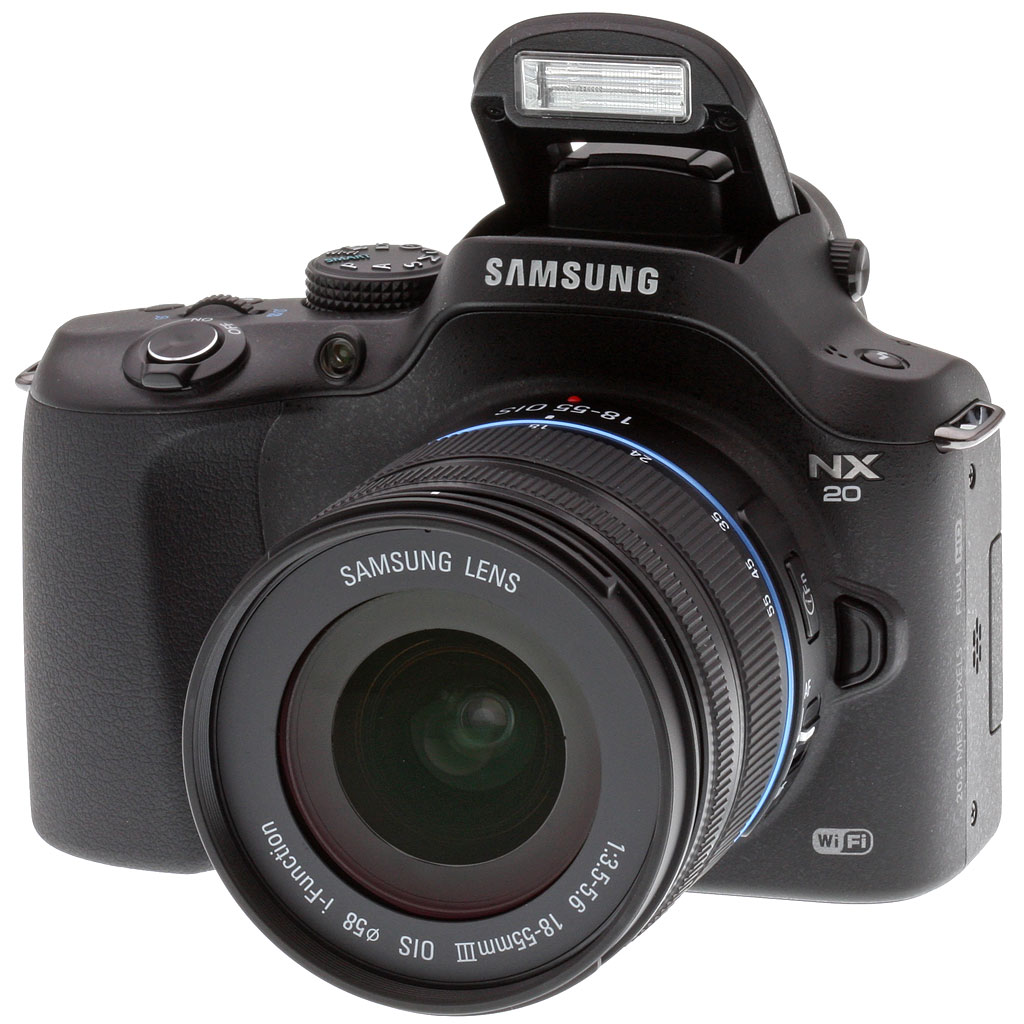
Taking up the top position in Samsung's more complete lineup of compact system cameras, the NX20 naturally sports the most deluxe feature set. It shares a 20.3-megapixel APS-C CMOS sensor, as well as the new WiFi functionality, but its claims to fame include an electronic viewfinder (EVF), a 3-inch AMOLED Swiveling display, a shutter speed of up to 1/8,000 second, and a built-in pop-up flash.
A slightly more pronounced grip features on the NX20, with a soft, rubber texture. A rather large hump rises above the lens mount for the EVF and pop-up flash, making the Samsung NX20 look more like an SLR than most compact system cameras.

The front of the Samsung NX20 has an AF-assist lamp, a Depth-of-field Preview button, and a Lens release button. The features are similar to the NX11, but the overall camera design is different, with more sloping shoulders and less apparent bulk. Note how large the APS-C sensor appears inside the small mount.

Stereo microphones flank the Samsung NX20's EVF hump. The flash pops up with a press on flash button to the left. A small Mode dial stands tall enough to turn easily. We like the power switch surrounding the shutter button, though it's a little stiff, and the jog dial on the top deck is great for quick exposure adjustments. Note also the use of metal lugs for a quieter cloth-to-metal interface, rather than reliance on noisier D-rings, as are found on the Samsung NX210 and NX1000.


The only camera of the three to have an articulating 3-inch AMOLED screen, the Samsung NX20 is more versatile than its underlings. The graphical interface on the screen is both impressive and well done.
The NX20's control cluster is similar to the NX210's, but with the addition of the AEL button, something missing on the latter camera. The main graphical adjustments are accessed by pressing the Fn button, which brings up the Smart Panel, a menu navigated via the four way and the rear wheel, and options are changed via the dial on the top deck.

Found on the side of the lenses, Samsung's i-Function button allows the user to quickly adjust a small range of settings in combination with the focus ring. When pressed in PASM modes, the camera toggles among shutter speed, aperture, EV, ISO, White Balance, and intelli-Zoom. Once you've reached your desired setting, turning the ring adjusts that parameter.


The NX20 has a 221 segment metering system that operates on data from the main image sensor, and considers the scene as a grid of 17 x 13 distinct areas. Multi, Center-weighted, and Spot metering modes are available, and the working range is 0 to 18 EV (ISO 100, 30mm, f/2.0).
Exposure modes include Program, Aperture- and Shutter-priority, Manual, Smart Auto, Lens Priority, Magic, Scene, Movie, WiFi, and Custom. Shutter speeds range from 1/8,000 to 30 seconds in 1/3 EV steps, plus a bulb mode. The fastest speed is reached courtesy of an electronic shutter. The bulb mode has a hard limit of four minutes. +/-3.0 EV of exposure compensation is available, again in 1/3 EV steps.
There are no less than ten Smart Filter modes (Vignetting, Miniature, Fish-Eye, Sketch, De-fog, Halftone Dots, Soft Focus, Old Film1, Old Film2, and Negative), twelve Picture Wizard modes, and a new Selective Color filter which desaturates most of your image, while retaining one of four colors. The NX20 offers none of the consumer-friendly Magic Frame modes found on the simultaneously-announced NX210 and NX1000, however.
You can also create panoramas in-camera with the Live Panorama function.
 |
 |
A handy addition to the NX20 is its new dual-axis level gauge function, which will make it easier to ensure horizons are true, and verticals parallel. |
Another important differentiator for the NX20 is its built-in flash, which is much more powerful than the small external strobe bundled with its siblings. This has a guide number of 11 meters at ISO 100, and 28mm coverage. X-sync is at 1/180 second or less. |
 |
 |
If you want more power, external strobes mount in a standard hot shoe on the top deck of the NX20. The most powerful Samsung strobe currently is the ED-SEF42A, with a guide number of 42 meters. As well as strobes, the hot shoe also accepts a proprietary, body-powered external stereo microphone. |
The Samsung EM10 external mic is particularly interesting for two reasons. It has adjustable levels and a built-in headphone jack for monitoring. Even cooler, unlike most competing solutions, it requires no clumsy external cables: A/D conversion is performed by the mic itself, and data is then transferred to the camera through the hot shoe. Nice! |
Another new accessory for the NX20 is SR2NX02 remote shutter release, which is not backwards-compatible with the NX200. This cabled remote plugs into the NX20's USB port.
The NX20's video mode allows high-def movies to be captured at a maximum resolution of 1080p (1,920 x 1,080 pixels, aka Full HD), with a rate of 30 frames per second. The NX20's movies are recorded in MP4 format using H.264 video compression and AAC audio, in one of two quality levels. Manual and priority exposure are possible for movie capture. As with the NX200, there are also slow-motion modes, and you can apply certain Smart Filter functions in movie mode.


Perhaps the coolest feature for our money, though, is the ability to connect to your phone or tablet, and get a live viewfinder feed on the remote device.

Connectivity options include a Micro USB 2.0 combined data / AV out / remote port, a Micro HDMI (Type D) 1.4a high-def video output, and the previously-mentioned external mic / flash hot shoe connectors. You can also use the NX20 with the company's WGS84 GPS module. Images tagged using this module can be viewed in Google Maps through the bundled intelli-Studio software package, and location names can be viewed on-screen in English or Korean.

Power comes courtesy of a 7.4v BP1310 lithium-ion rechargeable battery pack, rated at 1,300mAh. Battery life is CIPA-rated to 360 shots on a charge. No DC input jack is provided, however the battery compartment door has a cable channel for a dummy battery powered by an AC adapter, though Samsung currently doesn't offer such an accessory.
The Samsung NX20 stores images and movies on an SD/SDHC/SDXC memory card, however the camera does not take advantage of faster UHS cards. Samsung doesn't seem to recommend a minimum card speed for recording Full HD video, however Class 6 should suffice.
WiFi. We've all seen WiFi cameras come and go over the years, but this time may be different, for several reasons. First, WiFi itself is more ubiquitous than ever, with WiFi antennas even found recently on ski lift towers: WiFi is becoming the near-universal connectivity fabric of modern society.
What's different this time around is that these latest cameras have a whole lot more smarts to deal with WiFi interfacing, and there's also a new "WiFi Direct" protocol that makes it easy for devices to communicate with each other without the fiddling with network names, encryption types, etc., that was needed in the past. If there's an open WiFi network available, these new NX models can use that; but if not, they'll publish their own network to let a phone or computer connect to it.
Suddenly, rather than being islands unto themselves, cameras become true photo sharing hubs, able to email photos or upload to Facebook and YouTube or to a Samsung-provided cloud directly, automatically backup photos to your computer, let you use your smartphone or tablet as a remote viewfinder and shutter release, and connect to your cell phone for photo sharing even when there's no WiFi network around.
We think this is just the first ripple of a wave that's going to sweep through the camera industry in the next few years: Two or three years from now, this sort of connectivity will be expected in cameras, rather than an unusual feature. You can wait for the coming wave, or get onboard now with these latest NX models from Samsung. One way or another, the WiFi wave is coming.
Shooting with the Samsung NX20
by Dan Havlik with Shawn Barnett
The 20.3-megapixel Samsung NX20 is a mirrorless, compact system camera (CSC) that so closely resembles a digital SLR, you sometimes forget it's not a DSLR. The potential for mistaken identity carries over to people who see you shooting with the NX20, with several folks asking me what kind of DSLR it was when I took it out for a spin in New York City's Central Park recently.
Despite its generous handgrip, which makes holding and shooting with the NX20 a comfortable experience, this CSC is a notch smaller than entry-level DSLRs but bigger than most other CSCs. The Samsung has no optical viewfinder, though it does have a decent electronic viewfinder (EVF) and a very nice, swiveling, 3-inch AMOLED display on back to help you compose photos from unusual angles.
The NX20 is Samsung's flagship NX model, so it's packed with a kitchen sink's worth of features. While the NX20 uses the same APS-C CMOS sensor as the slightly smaller NX200 -- which I reviewed for Imaging Resource earlier this year -- it adds WiFi functionality, a pop-up flash and ramped up performance overall, including a fast-motion-freezing shutter speed of 1/8,000 second.
Along with its ability to shoot 1080p HD, the Samsung NX20 can record in stereo thanks to its top-mounted microphones, and it has enough manual and automatic functionality to suit a range of photographers, either those jumping up in class or newbies just getting started.
One of the NX20's most intriguing features is its WiFi functionality. Many manufacturers -- including Samsung -- have tried to add ways to connect cameras to the Internet to share images across social networks, but most have failed, often because the process is too complicated.

Sunny days. Color and hue accuracy were good. Many of my shots were in the park on a sunny day, and the colors were rich and vibrant.
In the hand. What's nice about the Samsung NX20 is that it's an easy camera to use. This is no small feat. As with many of Samsung's recent models, the NX20 is a "Smart" camera, which means it's designed to do a lot of the work for you.
I've encountered such "smart" or "intelligent" devices before, whether they're cameras, refrigerators or televisions, and oftentimes their automated features are so over-thought, they're more trouble than they're worth. The Samsung NX20, on the other hand, is a fairly straightforward and familiar-feeling camera that works smoothly.
The all-black Samsung NX20 has a larger handgrip than was on the previous model, but with dimensions of 4.8 x 3.5 x 1.6 inches (122 x 90 x 40mm), it feels slightly smaller overall. The grip's soft, rubberized texture felt comfy in my hand and I didn't get the sense it was going to slip out as with some competing small CSCs. Part of the reason the Samsung NX20 reminds me so much of a DSLR is probably because of the curved bump on top of the camera, which seems like it should be for an optical pentaprism; but since this is a mirrorless camera, the bump is for the EVF and pop-up flash.
The previous flagship CSC in Samsung's lineup, the NX11, was bulkier overall and I prefer the NX20's more curvaceous design with sloped shoulders and a trimmer look and feel. Again, it feels smaller but not petite, so even those with big hands won't have a problem getting a handle on it. At the same time, the Samsung NX20 takes up barely any space in a photo bag and at approximately 22.5 ounces with the kit lens attached, it's not going to weigh you down too much.
The front of the camera is fairly spare, with just the AF-assist lamp, Depth-of-field Preview button and Lens Release button. The top of the camera is dominated by the relatively large, knurled Mode dial, which juts out about a quarter of an inch from the right shoulder.
I didn't mind that Samsung made the dial so prominent on top of the camera -- I used it frequently to adjust settings, though I did find it slightly stiff to turn. The Shutter button is small but well placed for even those with long fingers, and I liked the easy access Jog dial and Multi-function "green" button on the top deck for changing exposure, white balance, color temperature, flash, focus points, and other settings on the fly. On either side of the pop-up flash are the stereo microphones for recording sound while shooting 1080p HD with the NX20. (Make sure your fingers don't accidentally cover them!)
Flip-out screen. The Samsung NX20 has one of the better articulating screens I've tried on a camera recently. Its 3-inch AMOLED (Active Matrix Organic LED) displays 614,400 dots of resolution and features a PenTile array, which means each pixel is comprised of only two subpixels instead of the more typical three. This unique array, which staggers narrow columns of green subpixels with wider columns of alternating red and blue subpixel, is designed to produce the same luminance resolution as a 921,600-dot LCD panel and improve the life of the display over AMOLEDs with RGB striping.
Whatever the science is behind it, the display offered crisp, seemingly high-resolution playback and Live View with 100% coverage. I'm someone who loves using vari-angle, articulating screens for composing shots from up high, down low or from side-angles, and the NX20's 3-inch flip-out display was a helpful tool.

For me, the biggest downside of CSCs in general is that their EVFs can't compare to an optical viewfinder on a DSLR. This is true for the Samsung NX20, as well, though it has a better-than-average EVF, with SVGA (800 x 600) resolution and approximately 100% coverage. The NX20's EVF also has an "Eye Contact Sensor" designed to automatically turn Live View on in the EVF while turning it off on the rear display. As with most cameras that have a similar switching function, I found the sensor to be just a step slow to react. With a wide +/-4 diopter correction though, it's a good fit for most eyes.
The controls and buttons on the rear of the NX20 are similar to the layout on the other CSC cameras in the Samsung NX line and I had no trouble figuring everything out. I like that Samsung has added an AEL (Autoexposure Lock) button on back of the NX20, which is a nice advanced feature I lean on a lot when shooting with a DSLR in mixed lighting situations.
Smart stuff. I've reviewed several Samsung cameras in recent years and continue to be impressed with how logically they integrate external controls with a clear and helpful graphical interface. Returning to the "Smart" theme mentioned earlier, the Samsung NX20's Smart Panel function is a carryover from the NX200, and I was impressed with how it was implemented then as it is now.
Smart Panel, which is called up by pressing the Fn button on the rear of the camera, lets you forego having to dive through menus to change basic camera functions. Instead, pressing the button calls up a friendly display with easy ways to adjust ISO, White Balance, Exposure, burst shooting and many other functions. It's a good system giving you direct access to important features.
I also like Samsung's similar i-Function button on the side of the kit lens -- the feature is available on several of Samsung's CSC lenses -- which lets you change a range of settings quickly. When you're in the PASM modes and press the button, you can choose shutter speed, aperture, EV, ISO, White Balance and other features.
Once you've found what setting you want to adjust, turning the lens ring changes its parameters. The NX20 offers i-Function 2.0, which gives you additional control over features using the lens ring, including Smart Filters and intelli-Zoom, which is a digital zoom / crop function.

Mixed-bag performance. The Samsung NX20 is a relatively nimble camera to use overall, but it probably wouldn't be my first choice to shoot sports or action, despite its spritely 1/8,000th of second maximum shutter speed. (Note: The Samsung NX20 hits that fast speed via an electronic shutter; the mechanical shutter tops out at 1/4,000.) Meanwhile, the NX20's maximum flash sync speed of 1/180 second is good for a CSC, but this is also probably not a camera to use to capture fast motion in the studio.
Don't get me wrong though, the Samsung NX20 is generally quick for a CSC, and its maximum eight frames-per-second shooting speed combined with that fast maximum shutter speed will help you capture some sharp images of motion when shooting a burst of images. Like many cameras in this class, though, the NX20's eight-frame raw or 11-frame JPEG buffer is a hindrance if you're trying to shoot several sequences in a row. The buffer clearing speed is also quite sluggish, taking 15-16 seconds after shooting a full burst of JPEGs or 25-31 seconds after shooting a full raw sequence.
So the Samsung NX20 is not for shooting professional sports, but if you use it for something like street photography or youth athletics it should be fine. As a general rule, I'd recommend shifting to the NX20's slower, three frames-per-second burst speed, which will let you shoot up to 15 JPEGs before slowing down to clear the buffer. Waiting for the camera to catch up to your shooting flow can be frustrating, and sometimes three-frames-per-second is fast enough.

Dog days. While the Samsung NX20's 18-55mm f/3.5-5.6 OIS NX kit lens doesn't completely blur out the background, it makes a decent portrait shooter.
Also I'd keep the NX20 powered on as much as you can because it's a little slow to get started, taking 1.6 seconds to be able to capture an image after you turn it on. Shot-to-shot cycle times were also not impressive, with our lab timing it at 1.4 seconds between large/superfine JPEGs and 1.32 seconds for raw files. Those numbers were pretty close to what I experienced in real-world testing. The Samsung NX20 is definitely a camera you want to do a fair amount of prefocusing on because once it's locked in, the very minimal shutter lag will help you stay on target. At 0.044 second, the NX20's prefocused shutter lag time was much faster than average.
The Samsung NX20's 15-point, contrast-based autofocus system is reasonably fast, though recent CSCs from Olympus and Panasonic are noticeably faster. The camera has single-point and 35-point closeup modes and Face Detection that will detect a maximum of 10 faces. So while the 18-55mm f/3.5-5.6 OIS NX kit lens doesn't offer a fast enough maximum aperture to completely blur out the background, it makes a pretty decent portrait shooter. If portraits are your thing -- and you have some money to spend -- we'd recommend splurging for the Samsung 85mm f/1.4 ED SSA Lens (which retails for US$999) and using that with the NX20. You won't regret it (though your spouse might when the credit card statement arrives).
Shooting options. The NX20, as with other CSCs in Samsung's NX line, has plenty of shooting options from the classic PASM modes with full manual control to numerous automated and pre-set choices. I've liked the in-camera tweaks Samsung has offered in the past but, truth be told, they're not significantly different from what you can find offered in some rival cameras. Also, with more photographers having fun with the filter apps on their smart phones to great effect, the NX20's tricks and treats are a bit quaint.
Along with the standard Scene modes such as Landscape, Portrait, Sports, Fireworks and others, the NX20 has Picture Wizard (photo style) options including Vivid (pumped up colors), Forest (pumped up greens), Retro (70s film look), Classic (B&W) and other looks you can add. A bit ho-hum, but I enjoyed some of them, especially the B&W style and the Forest style while shooting in Central Park.
There are also some pretty good Smart Filter effects including Vignetting, Miniature (for a tilt-shift lens effect), Fish Eye, and vintage film effects. There was also a bizarre one called Negative that is designed to apply a negative film effect, but it just looked surreal.


The Samsung NX20's Panorama mode is very similar to automated panorama modes in other cameras, where you simply hold down the shutter and move the camera across the scene to capture a full, wide-angle landscape or cityscape. Results are similar, too, with the NX20 able to capture an impressive panorama with little effort. On the downside, when you zoom in on sections of the panorama, detail is lacking and the image is not particularly sharp.

Image quality. Samsung developed the NX20's 20.3MP, APS-C CMOS image sensor in-house and we're told it's very similar to the chip in the NX200, but with some slightly different circuitry.
We quite liked the image quality from the NX200, so naturally we were pleased with this camera's JPEGs, and especially its raw images. First off, though, that bump to 20.3 megapixels gives you a lot more resolution to work with compared to the previous flagship NX model, which used a 14.6-megapixel sensor. Our Samsung NX20 photos from Central Park had tons of detail and JPEG quality was very good at low to moderate ISOs. At higher ISOs, there was, of course, some noise but it wasn't a significant increase from the previous model despite the increased resolution.


We messed around with a couple of the canned settings during our shoot, and while the Picture Wizard's Forest style setting pumped up the greens even further -- particularly for the algae-filled Turtle Pond -- it seemed like overkill. The Classic B&W style was nice, especially for our shots of Belvedere Castle and a band shell, but we were less charmed with the others.

Video skills. The Samsung NX20 shot fairly decent 1080p HD video at 30p but with some caveats. For one, there's a long (1-1.3 second) shutter lag, when you start movie recording and a 0.7-1 second delay when you stop recording. This can be annoying, especially if you see something spontaneous you'd like to shoot quickly. Unfortunately, this type of lag is not uncommon with video recording on CSCs these days.


Video. 1920x1080 30p resolution.
On the plus side, we liked that full PASM exposure control is available when shooting video with the NX20. We also thought the image stabilization in the NX20's kit lens worked quite well while shooting video, with no "jerking" with panning as we've seen with some other cameras.
Rolling shutter artifacts were pretty much non-existent. The only time we saw them was when we panned very quickly. This is a vast improvement over previous CSC models when you would get the wobbly "Jello" effect of rolling shutter even when you panned slightly. Overall, we liked the daytime HD video quality from the NX20; however, things did get noisy and grainy when shooting at night. The only way to get decent results at night is by cranking the ISO to 3,200, which, of course, adds noise. (Again, this is annoying but not surprising for CSCs.)
Samsung NX20 WiFi Mode
by Shawn Barnett and Dan Havlik
While the Samsung NX20 is one of the better APS-C-based CSCs we've tried, where it really separates itself from the pack is in its well-implemented WiFi features. Many companies have tried adding wireless to their digital cameras, but most have failed in the market. Comparatively, wireless connectivity and access to social networking sites such as Facebook, Twitter and Instagram in smartphones and tablets has been one of the main reasons those devices are so popular. The Samsung NX20 isn't really a match for a highly-connected device like an iPhone, but it does offer a more advanced WiFi experience for a camera.

WiFi Mode options. Selecting WiFi on the mode dial brings up a simple WiFi menu.
The Samsung NX20 puts its WiFi access right on the camera's Mode dial so you don't have to hunt for it in menus to turn it on. Once you turn the dial to WiFi, an interface on the rear display helps you choose among a few options. You can connect via the MobileLink app on an Android device to download photos; remotely control the camera with the Remote Viewfinder app, again from an Android device; upload to Facebook, Picasa, YouTube, and Photobucket via the Social Sharing tool; Email your images to any email address, upload your photos to SkyDrive; invoke Auto Backup to copy your photos to a computer; and finally you can connect to a TV wirelessly to display your photos on the big screen. No, the NX20 doesn't have built-in cellular connectivity as is planned for the Samsung's Galaxy Camera that will run Google's Android operating system, but it makes the most of the WiFi connectivity it does have, and it can certainly work with a cell phone's hot spot if you have sufficient data in your plan.
The Samsung NX20 uses 802.11 b/g/n WiFi Direct so you can connect to a wireless network or have the camera act as an access point itself. Though getting it set up was tougher than we had hoped -- using the virtual keyboard feature on back of the NX20 to load in a user name and password for a network was frustratingly slow -- once we connected, it was easy to share images and videos we had just shot to Facebook, Picasa and YouTube.

Qwerty. Typing was tough entering one character at a time via the four-way navigator.
The NX20's virtual keyboard is one instance where a touchscreen would have been very helpful. Typing into it is a nightmare, because you have to use the arrow keys or the scroll wheel to move around on the Qwerty keyboard. Qwerty is fine for those of us who know how to type, but problematic for those who don't. If you need to insert a capital letter, you have to scroll to the shift button, then back to the letter you seek. Uploading a photo to Facebook was easy until we got to the part where we needed to add a comment. And the text was limited to about 100 characters, so we didn't get to finish the thought.
Samsung also made it simple to email images directly from the NX20. Backing up my NX20 photos to a computer connected via a WiFi network was relatively painless, too.
 |
Copying the massive JPEG files to an older Android smartphone was pretty slow -- taking five minutes for just three files -- but much faster on the Nexus 7 tablet, taking 34 seconds to copy about 26 megabytes of JPEG files (four images). |
You can connect the NX20 wirelessly to a phone or a tablet. We tested it with Android devices because iOS apps were not available at the time (Samsung tells us they're coming). You can also use cell phones and tablets as a live viewfinder to compose and snap photos. This feature needs some work, though. The live view in the Remote Viewfinder app did not fill the whole screen on the tablets, and was squashed vertically. Rotating the tablet or phone doesn't rotate the display, but rotating the camera to vertical does rotate the live image to a larger vertical image.
 |
 |
Shown here on the Nexus 7 tablet, the Remote Viewfinder display is limited to smartphone size. The live view display is somewhat squashed vertically, but it refreshes fairly fast. Tapping in the live image area brings up three icons on the left side with options for Flash (off and auto), Timer (off, 2sec, 10sec), and PhotoSize (20M, 2.1M). |
Again on the Nexus 7, the MobileLink app is pretty rudimentary. Tapping on the checkboxes selects images to copy from the camera to the device, pressing and holding an image brings up a small thumbnail in the center of the display, and pressing the Copy button at the bottom begins copying the images. |
The Samsung NX20's WiFi capability was far from perfect, but it's quite a bit more capable than most of what's gone before. Anyone who can operate a cell phone app should be up and running quickly. We're glad to see WiFi integrated into more cameras, especially more serious models than we've seen in the past.
Samsung NX20 Image Quality
Below are crops comparing the Samsung NX20, Samsung NX200, Canon T4i, Nikon D3200, Olympus EM5, and Sony NEX-7. Though we normally start with ISO 1,600 here, we thought we'd start with the base ISO to show the best each camera can do.
NOTE: These images are best quality JPEGs straight out of the camera, at default settings including noise reduction. All cameras in this comparison were shot with our very sharp reference lenses.
Samsung NX20 versus Samsung NX200 at ISO 100
 |
 |
 |
 |
 |
 |
|
Samsung NX20 at ISO 100
|
Samsung NX200 at ISO 100
|
|
Image processing is clearly different between the NX20 and NX200, with the NX20 trading a little bit of detail for less luminance noise overall. The mosaic image is better in last year's NX200, but the pink swatch seems a bit sharper. The truth is, it's so close that it could come down to a slight focus discrepancy. What's noticeable is the softer rendition of the red leaf swatch. Both cameras render it way too soft for ISO 100, highlighting aggressive noise suppression in the red channel. |
|
Samsung NX20 versus Canon T4i at ISO 100
|
 |
|
 |
|
 |
|
Samsung NX20 at ISO 100
|
Canon T4i at ISO 100
|
|
The Canon T4i's 18-megapixel sensor also handles the scene differently, doing a bit better on the red leaf swatch, leaving the pink swatch a little soft, and the mosaic also seems less sharp. Both show sharpening halos around the letters on the Mas Portel bottle, but the T4i's images look a little softer. |
|
Samsung NX20 versus Nikon D3200 at ISO 100
|
 |
|
 |
|
 |
|
Samsung NX20 at ISO 100
|
Nikon D3200 at ISO 100
|
|
Going up against the Nikon D3200's 24-megapixel sensor is another mixed story, with the Samsung image having more punch, except in the red leaf swatch, where the Nikon turns out an image much closer to the real thing. The Nikon D3200 also gets closer on the pink swatch. |
|
Samsung NX20 versus Olympus EM5 at base ISO
|
 |
|
 |
|
 |
|
Samsung NX20 at ISO 100
|
Olympus EM5 at ISO 200
|
|
Surprisingly, the 16-megapixel Olympus E-M5's image looks a little better than the 20-megapixel NX20 in just about every respect. Sharpening halos are a little brighter on the Mas Portel bottle, but it's hard to argue with the crisp, sharp results. |
|
Samsung NX20 versus Sony NEX-7 at ISO 100
|
 |
|
 |
|
 |
|
Samsung NX20 at ISO 100
|
Sony NEX-7 at ISO 100
|
|
Sony's NEX-7 delivers more of what we'd expect from a 24-megapixel sensor than the Nikon D3200 managed. It looks more like the Olympus sensor enlarged a bit (and for good reason, because it's widely believed the Olympus E-M5's sensor is made by Sony). Color looks a little bit better, and detail is definitely better, though the pink swatch isn't quite as pink as we'd like to see. The NX20 gets more of the cloth texture in the pink swatch, and does pretty well all the same. |
|
Most digital SLRs and CSCs will produce an excellent ISO 100 shot, so we like to push them and see what they can do compared to other cameras at ISO 1,600, 3,200, and 6,400. Recent advances in sensor technology have made ISO 1,600 look a lot more like ISO 100, but there are still cameras whose quality starts to fall apart at this setting. We also choose 1,600 because we like to be able to shoot at least at this level when indoors and at night.
Samsung NX20 versus Samsung NX200 at ISO 1,600
 |
 |
 |
 |
 |
 |
|
Samsung NX20 at ISO 1,600
|
Samsung NX200 at ISO 1,600
|
|
Anti-noise processing is a little better controlled in the NX20, with a less staccato appearance to the shadows, and less aggressive sharpening overall. Chroma noise is also reduced well, resulting in a little more muted contrast, particularly in the mosaic swatch. |
|
Samsung NX20 versus Canon T4i at ISO 1,600
|
 |
|
 |
|
 |
|
Samsung NX20 at ISO 1,600
|
Canon T4i at ISO 1,600
|
|
The Canon T4i again produces a slightly softer image, but with higher contrast overall. Exposure between the two differs a bit, with the T4i appearing a bit darker. The shadows from the T4i look more like shadows should look, with almost no chroma noise. And at ISO 1,600, the NX20's rendering of the red leaf swatch is more believable. |
|
Samsung NX20 versus Nikon D3200 at ISO 1,600
|
 |
|
 |
|
 |
|
Samsung NX20 at ISO 1,600
|
Nikon D3200 at ISO 1,600
|
|
Though the usual Nikon approach is more even in most cameras, the high-contrast areas are downright soft on the D3200, while the red leaf swatch does look superior. Both images would probably produce similar results when printed. |
|
Samsung NX20 versus Olympus EM5 at ISO 1,600
|
 |
|
 |
|
 |
|
Samsung NX20 at ISO 1,600
|
Olympus EM5 at ISO 1,600
|
|
The Olympus E-M5 again surprises, a Micro Four Thirds sensor turning out better results than the NX20's APS-C sensor. The E-M5's higher contrast, better color, and a more distinct appearance of sharpness prints very well. |
|
Samsung NX20 versus Sony NEX-7 at ISO 1,600
|
 |
|
 |
|
 |
|
Samsung NX20 at ISO 1,600
|
Sony NEX-7 at ISO 1,600
|
|
Sony's adaptive noise suppression is evident at ISO 1,600, resulting in a mushy pink swatch, a decent red leaf swatch, a good, if somewhat muddled mosaic image, and a very blurry -- but faithfully gray -- background behind the Mas Portel bottle. Neither camera gets the pink swatch right, but the NX20 does better here. In this case, the Samsung's performance is more even, if not as high-res or contrasty; at least it doesn't look quite as processed. |
|
Today's ISO 3,200 is yesterday's ISO 1,600 (well, almost), so below are the same crops at ISO 3,200.
Samsung NX20 versus Samsung NX200 at ISO 3,200
 |
 |
 |
 |
 |
 |
|
Samsung NX20 at ISO 3,200
|
Samsung NX200 at ISO 3,200
|
|
Again, noise is better controlled at ISO 3,200 in the NX20, and contrast is reduced. I appreciate the tradeoff, and have to say I prefer the NX20's image. |
|
Samsung NX20 versus Canon T4i at ISO 3,200
|
 |
|
 |
|
 |
|
Samsung NX20 at ISO 3,200
|
Canon T4i at ISO 3,200
|
|
The Canon T4i still has a slight edge in the shadows and the mosaic image, but gets even worse in the red leaf and pink swatches. I prefer the contrast in the Canon image, but they're so close it's hard to call one better than the other. |
|
Samsung NX20 versus Nikon D3200 at ISO 3,200
|
 |
|
 |
|
 |
|
Samsung NX20 at ISO 3,200
|
Nikon D3200 at ISO 3,200
|
|
Though the Nikon exhibits less noise in the shadows, the yellow bottle and the mosaic swatch is flecked with yellow and orange dots that simply aren't there. The red leaf swatch also has black dots that you won't find in the image. Both print reasonably well, but I give the edge to the NX20 in this case. |
|
Samsung NX20 versus Olympus EM5 at ISO 3,200
|
 |
|
 |
|
 |
|
Samsung NX20 at ISO 3,200
|
Olympus EM5 at ISO 3,200
|
|
Again with the crisp detail, the OM-D E-M5 finds contrast and detail where the NX20 doesn't, particularly in the mosaic image. Still, the NX20 hangs on to a better impression of the red leaf swatch than the E-M5. |
|
Samsung NX20 versus Sony NEX-7 at ISO 3,200
|
 |
|
 |
|
 |
|
Samsung NX20 at ISO 3,200
|
Sony NEX-7 at ISO 3,200
|
|
The NEX-7's clean shadows stand out as quite good, but one look at the mosaic swatch shows how they got there: by suppressing color, creating a quite usable, but ashen impression of the mosaic image. It's arguable which you'd prefer in darkness, where the chroma noise would stand out more than the ashen look, so bear that in mind. |
|
Detail: Samsung NX20 versus Samsung NX200, Canon T4i, Nikon D3200, Olympus EM5, and Sony NEX-7
 |
 |
 |
 |
 |
 |
 |
 |
 |
 |
 |
 |
 |
 |
 |
 |
 |
 |
| Samsung NX20 ISO 100 ISO 3,200 ISO 6,400 |
Samsung NX200 ISO 100 ISO 3,200 ISO 6,400 |
Canon T4i ISO 100 ISO 3,200 ISO 6,400 |
Nikon D3200 ISO 100 ISO 3,200 ISO 6,400 |
Olympus EM5 ISO 200 ISO 3,200 ISO 6,400 |
Sony NEX-7 ISO 100 ISO 3,200 ISO 6,400 |
| Detail comparison. High-contrast details are often sharper as ISO rises, so they're worth a look as well. The Samsung NX20 looks pretty comparable to the others, and sharper than the D3200 and T4i at ISO 100. The Olympus stands out with more contrast and pretty strong sharpening. But as ISO rises, the NX20's detail takes on a more processed or watercolor look, while the others hold a more natural shape. The red letters turn to mush even more than the NX200's do. Still, I'd call the NX20 pretty close to the others, excluding the stand-out surprise winner, the Olympus E-M5. | |||||
Samsung NX20 Print Quality
 ISO 100 shots have enough detail for printing at 24 x 36 inches, though detail in our red leaf swatch is soft right from the start (we'll stipulate this from here on).
ISO 200 images are quite good at 20 x 30 inches, with good color and detail.
ISO 400 images print well at 20 x 30 too, though there is some faint luminance and chroma noise in the shadows. We still call them good.
ISO 800 shots are usable at 20 x 30, but look better at 16 x 20 inches.
ISO 1,600 prints are pretty good at 13 x 19, but blotchy luminance and chroma noise in the shadows is noticeable even from arm's length.
ISO 3,200 shots look better at 8 x 10, but dark colors continue to be marred by the blotchy noise, lightening darks such that it reduces contrast. This effect is diminished when printed at 5 x 7.
ISO 6,400 shots also look good at 5 x 7.
ISO 12,800 shots make good 4 x 6-inch prints from arm's length, but darks are affected by noise, important to note if you're printing a nighttime image.
Overall, the NX20's printed results are quite good. Image quality drops quickly from 1,600 to 3,200, though, something we've seen in past Samsung CSCs. This is quite a bit better, though, so we're happy to report Samsung has improved its image processing above ISO 1,600.
In the Box
The Samsung NX20 ships with the following items in the box:
- Samsung NX20 body
- Samsung 18-55mm f/3.5-5.6 OIS NX lens when bought as a kit
- Body cap
- Eye cup
- Hot Shoe cover
- USB cable (AD39-00190A)
- Rechargeable lithium-ion battery (AD43-00192A)
- Battery cradle (AD44-00157A)
- AC power cable (3903-000618)
- Software CD-ROM (AD46-00411A)
- Strap (AD63-07020A)
- User manual Basic Operation (AD68-07276A)
Recommended Accessories
- Extra battery pack for extended outings
- Large capacity SDHC/SDXC memory card. These days, 8GB is a good tradeoff between cost and capacity, but if you plan to capture HD movie clips, look for larger cards with Class 6 or faster ratings.
- Camera case
Samsung NX20 Conclusion
| Pros: | Cons: |
|---|---|
|
|
With other APS-C based Compact System Cameras (CSCs) from a company that also starts with "S" getting most of the press these days, it's sometimes easy to overlook Samsung and its line of NX models. This should start to change. The 20.3MP flagship NX20 is the best CSC that Samsung has made so far, and it comes with an abundance of features and an easy-to-use and well-thought-out interface.
The build and design of the Samsung NX20 resembles a small DSLR, which I liked since it fit comfortably in my hand, was ergonomic to use, and had good placement of buttons and controls without weighing me down. At the same time though, I wondered whether I would've have preferred just to have had a DSLR instead. While the flip-out 3-inch AMOLED vari-angle screen was nice for composing and reviewing shots and the electronic viewfinder for your eye wasn't bad, I still prefer a good optical viewfinder like you'd find on a DSLR for composing pictures. I also thought the NX20 was a step slower to use than even an entry-level DSLR overall, with somewhat sluggish start-up and shot-to-shot speeds.
Also, while the 7.5 frames-per-second burst speed of the Samsung NX20 was nice, the buffer fills up quickly and takes time to clear, especially when shooting raw.
On the plus side, image quality from the NX20's APS-C CMOS sensor was very good and our photos had great color and lots of resolution for making big prints and cropping. I also liked the abundance of preset filters for tweaking your images in-camera. However, truth be told, what you'd find on your smart phone with Instagram and Hipstamatic are more fun.
Our photos from the NX20 and its big sensor had a lot less noise though than anything you'd get from a smart phone and its full 1080p HD video shooting was easy to engage and produced excellent results in good light. And speaking of smart phones, while the built-in WiFi on the NX20 did not provide as seamless a photo sharing experience as, for example, an iPhone, it had one of the best WiFi implementations on any camera we've tried. Once you had the camera connected to a WiFi signal, sharing photos and video via Facebook, Picasa, YouTube or even email was a snap. Overall, while the Samsung NX20 had a few minuses in performance, this forward-thinking camera had enough smarts to earn a Dave's Pick.
Optics
Kit Lens Test Results
18-55mm Zoom
A typical zoom ratio for a kit lens, with good performance.


The Samsung NX20 is available bundled with the Samsung 18-55mm f/3.5-5.6 OIS NX lens, which has a 35mm equivalent focal range of about 27-84mm. Its 3.1x zoom ratio is about average for a kit lens. Optical performance is quite good at 18mm, with very good sharpness and contrast across most of the frame at f/8, and just minor softness in the corners. Coma distortion in the trees is low, and chromatic aberration very well controlled (suppressed by the camera), though some minor flare can be seen around bright highlights. Results are also very good at 33mm, with very good sharpness across the frame and negligible chromatic aberration. At full telephoto, sharpness and contrast are quite good in the center, but corners and edges are a little soft, particularly on the right side. Chromatic aberration is still very low, though. Overall, far-field performance is pretty good for a kit lens, and the optical image stabilization built-in to the lens will come in handy for low-light shots.
Macro
A larger-than-average minimum coverage area, with good detail in the center. Flash was partially blocked, and somewhat dim.


As with zoom performance, the Samsung NX20's macro performance will depend entirely on the lens in use. However with the 18-55mm kit lens set to 55mm, the Samsung NX20 captured a larger-than-average minimum area measuring 3.57 x 2.38 inches (91 x 61 millimeters). Sharpness is pretty good in the center of the frame, just a touch soft, but corners are quite a bit softer. (Most lenses show some softening in the corners at macro distances.) The flash was partially blocked by the lens at closest focus, and throttled-down a bit too much, making a dim, uneven exposure.
Geometric Distortion
High distortion at both wide-angle and telephoto with Distortion Correction disabled, though low distortion at wide-angle when enabled.
| Distortion Correction On (default) |
| Very low pincushion distortion at 18mm, less than 0.1% |
 |
| Slightly high pincushion distortion at 55mm, about 0.7% |
 |
| Distortion Correction Off |
| High barrel distortion at 18mm, about 0.9% |
 |
| Slightly high pincushion distortion at 55mm, about 0.7% |
 |
With Distortion Correction enabled by default, the 18-55mm kit lens' barrel distortion at wide-angle was overcorrected slightly to about 0.1% pincushion. At full telephoto, distortion is a little high and noticeable at 0.7% pincushion, where Distortion Correction didn't make a difference. It's worth noting here that the default seems to have changed from the prior generation of Samsung CSCs, with distortion correction on by default instead of off. We also don't see part of the framed image cropped away by Distortion Correction like we did with the NX200, which is a nice improvement. This is the tendency for the lens to bend straight lines outward (like a barrel -- usually at wide-angle) or inward (like a pincushion -- usually at telephoto).
With Distortion Control disabled, the Samsung NX20's 18-55mm kit lens produced higher-than-average distortion at both wide-angle and telephoto ends. At wide-angle, barrel distortion is 0.9% and at telephoto, pincushion distortion is unchanged at about 0.7%.
Chromatic Aberration and Corner Sharpness
JPEGs have low to moderately low chromatic aberration, though uncorrected raw files have much higher. The lens produced some soft corners at both wide-angle and telephoto.
| Maximum Aperture | |
 |
 |
| 18mm, f/3.5: Upper left C.A.: Moderately low Softness: Minor blurring |
18mm, f/3.5: Center C.A.: Very low Softness: Sharp |
 |
 |
| 55mm, f/5.6: Lower right C.A.: Low Softness: Soft |
55mm, f/5.6: Center C.A.: Very low Softness: Fairly sharp |
Chromatic Aberration. Chromatic aberration in the corners with the NX20's 18-55mm kit lens at wide-angle (18mm) is moderate in terms of the number of pixels, but not very bright, so it's only slightly noticeable in some shots. At full telephoto (55mm), chromatic aberration is fainter and less noticeable.
Corner Softness. The lens produced some soft corners in a few shots, though performance wide-open is better than average for a kit lens. At maximum wide-angle, all four corners exhibit minor blurring and loss of contrast, and softness does extend fairly deep into the frame. The center of the image is however very sharp with excellent contrast. At full telephoto, the bottom right corner is soft with lower contrast, however the other corners are sharper. The center is fairly sharp with good contrast, just a touch softer than wide-angle.
Vignetting. There's a bit of corner shading ("vignetting") at both wide-angle and telephoto when wide-open as indicated by the darker corner crops, but light fall-off isn't really an issue with this lens.
| f/8 Aperture | |
 |
 |
| 18mm, f/8: Upper left C.A.: Low Softness: Minor blurring |
18mm, f/8: Center C.A.: Very low Softness: Sharp |
 |
 |
| 55mm, f/8: Lower right C.A.: Low Softness: Soft |
55mm, f/8: Center C.A.: Very low Softness: Sharp |
Stopped down to f/8, corners improve at both wide-angle and telephoto, but still remain slightly soft. Vignetting is negligible at both wide-angle and telephoto.


C.A. Reduction in JPEGs. As you can see from the crops above comparing in-camera JPEGs (left) to Adobe Camera Raw converted SRW files (right) taken with the 18-55mm lens, the Samsung NX20's image processor does a good job at suppressing much of the lateral chromatic aberration produced by the lens during its processing of JPEG files.
Samsung NX20 Viewfinder
Viewfinder Test Results
Accuracy
Excellent accuracy from the EVF and AMOLED monitor.


The Samsung NX20's electronic viewfinder and AMOLED monitor proved to be quite accurate, both showing just under 100% coverage with the 18-55mm kit lens at wide-angle and full telephoto. Excellent results here, especially considering the amount of distortion correction applied at wide-angle.
The images above were taken from our standardized test shots. For a collection of more pictorial photos, see our Samsung NX20 Photo Gallery .
Exposure
Color
Saturation & Hue Accuracy
Realistic saturation levels with good overall hue accuracy, though some issues with manual white balance.
 |
|||
| ISO Sensitivity | |||
| 100 | 200 | 400 | 800 |
| 1,600 | 3,200 | 6,400 | 12,800 |
| In the diagram above, the squares show the original color, and the circles show the color that the camera captured. More saturated colors are located toward the periphery of the graph. Hue changes as you travel around the center. Thus, hue-accurate, highly saturated colors appear as lines radiating from the center. Mouse over the links to compare ISOs and click for larger versions. | |||
Saturation. The Samsung NX20 produces images with saturation levels that are more accurate than most cameras when using default settings. The NX20 pushes a number of colors but just a bit, less than we're used to seeing. Default saturation is 107.5% (only 7.5% oversaturated) at base ISO, which is lower than most competitors, but not dramatically so. (The recent average remains at about 110%.) Saturation falls gradually as ISO rises, reaching 100% at ISO 3,200, but there's a blip to 104.1% at ISO 6,400 before returning to 100.2% at maximum ISO. You can of course tweak saturation to your liking, or choose a different color mode. Most consumer digital cameras produce color that's more highly saturated (more intense) than found in the original subjects. This is simply because most people like their color a bit brighter than life.
Skin tones. The Samsung NX20 did well with Caucasian skin tones, rendering them with a pinkish tint that is realistic-looking. Darker skin tones had a slightly orange push, but overall skin tones were quite pleasing in simulated daylight, as long as you don't adjust contrast. Where oversaturation is most problematic is on Caucasian skin tones, as it's very easy for these "memory colors" to be seen as too bright, too pink, too yellow, etc.
Hue. The Samsung NX20 shifts yellow toward green and red toward orange slightly, and orange toward yellow moderately, but other shifts in color were relatively minor; even the cyan to blue shift we normally see is very small. Mean "delta-C" color error at base ISO is 4.19 after correction for saturation, which is pretty good, better than average. White and grays are shifted slightly toward green at lower ISOs despite using manual white balance, though, giving some shots like our Still Lifes and Indoor Portraits a greenish cast. Oddly, white balance improves as ISO rises. Hue is "what color" the color is.
Saturation Adjustment
Samsung NX20 lets you adjust image saturation (as well as contrast and sharpness) in nine steps. As can be seen below, the saturation adjustment was quite effective and covers a useful range, but it does impact contrast somewhat, at least for some colors. This is not uncommon though, as it's pretty tricky not to impact contrast when adjusting saturation so much.
| Saturation Adjustment Examples | ||||
 |
 |
 |
 |
 |
| -4 | -2 | 0 | +2 | +4 |
The table above shows results with every other saturation setting, including the default and the two extremes. Click on any thumbnail above, then click again to see the full-sized image.


Sensor
Exposure and White Balance
Indoors, incandescent lighting
The Samsung NX20 struggled with white balance here, producing results that are too warm or cool. Average amount of positive exposure compensation required.


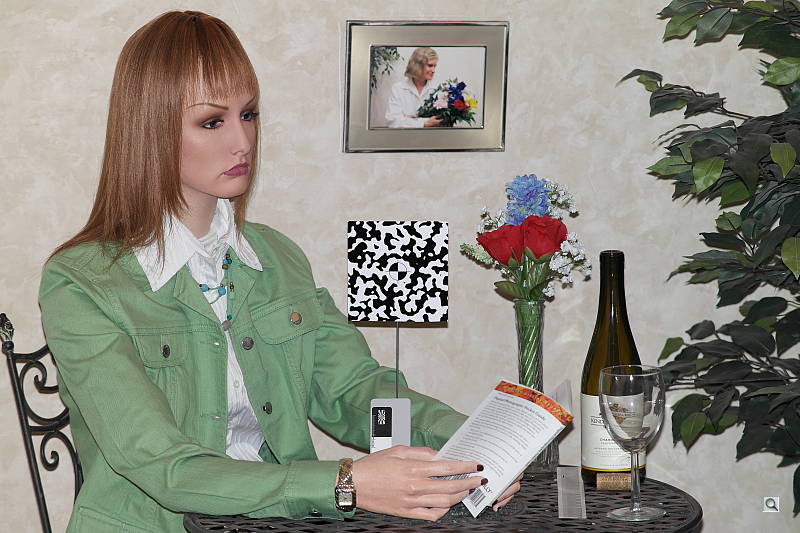
Indoors, under normal incandescent lighting, color balance is a bit too warm with the Auto setting, with a reddish cast. The Incandescent setting resulted in a fairly strong green cast, and the 2,600 Kelvin setting produced a strong blue-green tint. Manual white balance produced the best results, though with a bias toward yellow-green. The Samsung NX20 required an average amount of positive exposure compensation here, at +0.3 EV. (Our test lighting for this shot is a mixture of 60 and 100 watt household incandescent bulbs, a pretty yellow light source, but a very common one in typical home settings here in the U.S.)
Outdoors, daylight
Somewhat cool colors with slightly high contrast under harsh lighting. Better than average exposure accuracy.

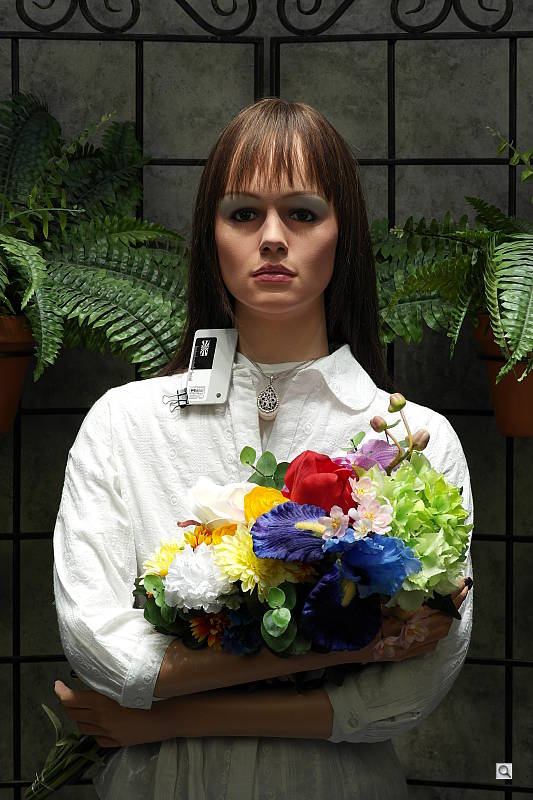
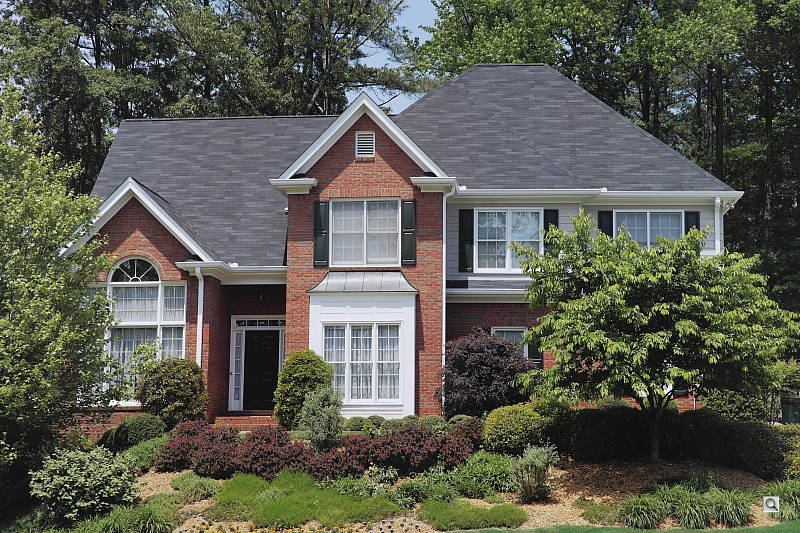
The Samsung NX20 produced pleasant pinkish skintones when set to Manual white balance in our "Sunlit" Portrait test, which we prefer to the slightly pale skintones from the Auto setting. The NX20 required +0.3 EV exposure compensation to keep facial tones bright on the mannequin. The average for this shot is about +0.7 EV, so that's pretty good. Default contrast is a little high, though, so quite a few highlights in her shirt and flowers are blown. The NX20 did a pretty good job with our Far-field shot, with very good exposure accuracy, though colors are slightly cool and muted. The Samsung NX20 preserved all but the brightest highlights here, though it did generate some very dark and posterized shadows.
See full set of test images with explanations
See thumbnails of all test and gallery images
Resolution
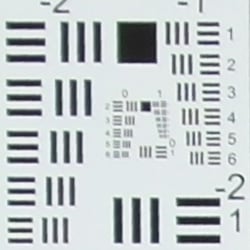
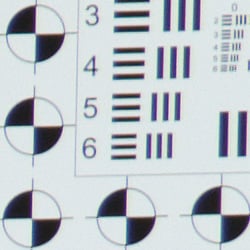
Very high resolution, 2,200 to 2,300 lines of strong detail in JPEGs, about the same from ACR converted raw files.


In-camera JPEGs of our laboratory resolution chart at the highest quality setting reveal sharp, distinct line patterns to about 2,300 lines per picture height in the horizontal direction, and to about 2,200 lines per picture height in the vertical direction. Complete extinction of the pattern doesn't occur until a little over 3,400 lines in the horizontal direction, and about 3,300 lines in the vertical. An Adobe Camera Raw conversion of a matching raw file showed very similar resolution along with a lot more color moiré, so the NX20 does a great job at extracting maximum high-contrast resolution at base ISO. Use these numbers to compare with other cameras of similar resolution, or use them to see just what higher resolution can mean in terms of potential detail.
See full set of test images with explanations
See thumbnails of all test and gallery images
Sharpness & Detail
Very good sharpness and detail overall, though with some visible edge-enhancement artifacts on some high-contrast subjects. Low levels of noise suppression generally leaves excellent detail at base ISO.

Sharpness. The Samsung NX20 captures sharp, detailed images, though some edge enhancement artifacts are visible on high-contrast subjects such as the sharpening halos around the thicker branches and pine cones in the crop above left. Fine detail such as the smaller twigs and pine needles show very little edge enhancement, yet show excellent detail, likely the result of a fairly weak low-pass filter and a light-handed approach to noise reduction at base ISO. Overall, very good results here. Edge enhancement creates the illusion of sharpness by enhancing colors and tones right at the edge of a rapid transition in color or tone.
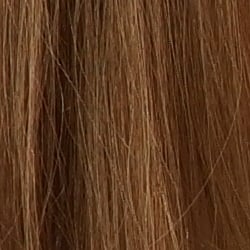
Detail. The crop above right shows relatively minor noise suppression in the darkest areas of the model's hair, as most individual strands of hair are well defined except in very low contrast areas. Overall, detail is very good for an APS-C sensor at base ISO, especially one with 20 megapixels of resolution. Excellent results here. Noise-suppression systems in digital cameras tend to flatten-out detail in areas of subtle contrast. The effects can often be seen in shots of human hair, where the individual strands are lost and an almost "watercolor" look appears.

There are however what look to be aliasing artifacts and "jaggies" in areas of fine vertical detail and high local contrast, such as in the strands of hair on the model's forehead at lower ISOs (see ISO 100 crop at right). We've seen similar artifacts in images from other cameras, especially Canon consumer SLRs, so they're not that unusual. The aberrations are very subtle to be sure, but they're something to be aware of if you plan to make very large prints of similar subject matter. They also appear in raw files processed with Adobe Camera Raw, a further indication that the NX20's low pass (anti-aliasing) filter isn't very strong.
Raw vs In-Camera JPEGs
As noted above, the Samsung NX20 produces sharp, detailed in-camera JPEGs. Let's see how the bundled raw converter and Adobe Camera Raw perform on the same image:
 |
|||
In the table above, mousing over a link at the bottom will load the corresponding crop in the area above, and clicking on the link will load the full resolution image.
Here, you can see that the Samsung Raw Converter 4 conversion at default settings resulted in an image that is quite a bit softer than the in-camera JPEG. (Normally, manufacturer provided converters produce results very similar to in-camera JPEGs at default settings, but Samsung Raw Converter 4 is a rebadged version of SilkyPix, so it probably doesn't implement the exact same image processing algorithms as the camera.) The bundled raw converter has quite a few features and presets, but we found that turning off sharping in the editor itself, and then applying a strong Unsharp Mask of 300% with a radius of 0.3 when generating the output JPEG produced better results. Even sharpened, the camera produced better fine detail than the bundled converter, as the software's noise reduction tends to flatten fine detail. The Adobe Camera Raw conversion (which was sharpened in Photoshop also using USM of 300% with a radius of 0.3) revealed slightly better detail than the camera JPEG, though not a whole lot, but there are less noticeable sharpening artifacts. The ACR conversion also shows more noise in flat areas, which is often the case. One of the advantages of shooting raw is being able to decide for yourself the optimum trade-off between detail and noise, especially when the camera provides very limited control over noise reduction like the NX20. At low ISOs, though, the Samsung NX20 generally does a great job at extracting the excellent detail captured by its 20-megapixel sensor, even if default sharpening is a bit high.
ISO & Noise Performance
Very good detail vs noise tradeoff to ISO 1,600, though strong noise reduction and high chroma noise at higher ISOs.
| Default High ISO Noise Reduction (On) |
 |
 |
 |
| ISO 100 | ISO 200 | ISO 400 |
 |
 |
 |
| ISO 800 | ISO 1,600 | ISO 3,200 |
 |
 |
|
| ISO 6,400 | ISO 12,800 | |
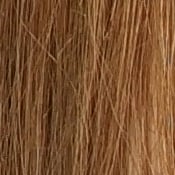
The Samsung NX20's light-handed approach to luminance noise reduction at lower ISOs leaves a lot of fine detail intact up to ISO 400, though some luminance noise is visible even at base ISO. At ISO 800, luminance noise reduction is noticeably stronger smudging some hairs together, but fine detail is still very good. Some chroma noise is visible in the shadows, though, and this gets worse at higher ISOs. Naturally, luminance and chrominance noise is higher at ISO 1,600, but a lot of fine detail remains intact. Chroma noise becomes quite strong at ISO 3,200 though, with small but noticeable clouds of color blotching, as well as an obvious drop in detail from more aggressive noise reduction. This of course worsens at ISO 6,400 where fine detail is smudged away to give a stippled effect, while chroma noise is spread out into larger, brighter color blotches. At 12,800, chroma noise is very high with more obvious purple, green and orange color blotches, as well as stronger luminance noise.
Overall, though, a better performance than the NX200 at higher ISOs where the NX200's aggressive noise reduction blurred-away more detail. Compared to recent APS-C competitors, the NX20 does well at lower ISOs, but chroma noise isn't handled as well in higher ISO JPEGs. As always, see the Print Quality section below for maximum recommended print sizes at each ISO.
A note about focus for this shot: We shoot this image at f/4, using one of three very sharp reference lenses (70mm Sigma f/2.8 macro for most cameras, 60mm f/2.8 Nikkor macro for Nikon bodies without a drive motor, Olympus Zuiko 55mm f/2.0 for Four Thirds and Micro Four Thirds bodies). For the Samsung NX20, we used the very sharp 85mm f/1.4 ED SSA NX. To insure that the hair detail we use for making critical judgements about camera noise processing and detail rendering is in sharp focus at the relatively wide aperture we're shooting at, the focus target at the center of the scene is on a movable stand. This lets us compensate for front- or back-focus by different camera bodies, even those that lack micro-focus adjustments. This does mean, though, that the focus target itself may appear soft or slightly out of focus for bodies that front- or back-focused with the reference lens. If you click to view the full-size image for one of these shots and notice that the focus target is fuzzy, you don't need to email and tell us about it; we already know it. :-) The focus target position will simply have been adjusted to insure that the rest of the scene is focused properly.
Red Channel NR. Although the Samsung NX20 does better at preserving fine detail at high ISOs than the NX200, it still struggles with the low-contrast detail in our red leaf cloth at low ISOs. And like the NX200, the NX20 doesn't provide much control over noise reduction either: only Off and On options for both High ISO NR and Long Term NR are offered. The user manual doesn't mention which ISO setting High ISO NR kicks in at, but from our Still Life ISO/NR series, it looks like it's at least ISO 1,600, so turning it off is no help at lower ISOs. Have a look at the crops below to see how much subtle detail is lost in the red leaf pattern to noise reduction even at ISO 100:


The above crops compare an in-camera JPEG (left) to an ACR converted raw file (right). Both shots were taken at ISO 100, and the converted raw file has default noise reduction applied.
Extremes: Sunlit, dynamic range, and low light tests
Very high resolution with good detail, but somewhat high default contrast and limited dynamic range. Good low-light performance, though Auto white balance struggled.


Sunlight. The Samsung NX20 struggled a bit with the deliberately harsh lighting of this test, as do a lot of cameras. Quite a few highlights are clipped in the white shirt and flowers, while some shadows are still quite dark, though noise in shadows is actually pretty good (apart from the posterization mentioned in very deep shadows). We preferred the +0.3 EV exposure overall, because the exposure of skintones in the face is better than 0 EV and +0.7 EV has too many clipped highlights. Depending on the photographer, you could lean one way or the other. Advanced users will want to shoot darker, to hold highlight detail. For those NX20 owners that are going to want to just print an image, the +0.3 EV image would probably produce the best-looking print with little or no tweaking. The bottom line though, is that the NX20 struggled in harsh lighting, producing either a slightly dim face with better highlight retention in the shirt, or a well-exposed face with more blown highlights in her shirt and flowers.
Because digital cameras are more like slide film than negative film (in that they tend to have a more limited tonal range), we test them in the harshest situations to see how they handle scenes with bright highlights and dark shadows, as well as what kind of sensitivity they have in low light. The shot above is designed to mimic the very harsh, contrasty effect of direct noonday sunlight, a very tough challenge for most digital cameras. (You can read details of this test here. In actual shooting conditions, be sure to use fill flash in situations like the one shown here; it's better to shoot in open shade whenever possible.)
Contrast Adjustment
The Samsung NX20's contrast adjustment wasn't much help in taming blown highlights in this harsh lighting.
|
Minimum Contrast
|
|
 |
 |
| Contrast set to lowest, Auto Exposure |
Contrast set to lowest, Auto Exposure |
At its lowest contrast setting, the Samsung NX20 didn't do much better at preserving highlight detail. However, at the lowest contrast setting midtones and shadows were boosted quite a bit. The odd-looking coloration in the mannequin's face is due to drop in saturation where contrast was reduced, which is an unfortunate interaction.
| Contrast Adjustment Examples | ||||
|
 |
 |
 |
 |
| -4 | -2 | 0 | +2 | +4 |
The table above shows results with every other contrast setting, including the default and two extremes. It's pretty hard to evaluate small differences in contrast on small thumbnails like these, click on any thumbnail to go to the full-size image. It's nice that Samsung offers such a wide range of settings, but as mentioned previously, the NX20's contrast adjustment helps very little with strong highlights, working mostly in the midtones and shadows. Also mentioned previously, there is some interaction with saturation, most noticeable in the facial tones and flowers at the lower contrast settings.
Because digital cameras are more like slide film than negative film (in that they tend to have a more limited tonal range), we test them in the harshest situations to see how they handle scenes with bright highlights and dark shadows, as well as what kind of sensitivity they have in low light. The shot above is designed to mimic the very harsh, contrasty effect of direct noonday sunlight, a very tough challenge for most digital cameras. (You can read details of this test here.)
Dynamic Range
A key parameter in a digital camera is its Dynamic Range, the range of brightness that can be faithfully recorded. At the upper end of the tonal scale, dynamic range is dictated by the point at which the RGB data "saturates" at values of 255, 255, 255. At the lower end of the tonal scale, dynamic range is determined by the point at which there ceases to be any useful difference between adjacent tonal steps. Note the use of the qualifier "useful" in there: While it's tempting to evaluate dynamic range as the maximum number of tonal steps that can be discerned at all, that measure of dynamic range has very little relevance to real-world photography. What we care about as photographers is how much detail we can pull out of the shadows before image noise becomes too objectionable. This, of course, is a very subjective matter, and will vary with the application and even the subject matter in question. (Noise will be much more visible in subjects with large areas of flat tints and subtle shading than it would in subjects with strong, highly contrasting surface texture.)
What makes most sense then, is to specify useful dynamic range in terms of the point at which image noise reaches some agreed-upon threshold. To this end, Imatest computes a number of different dynamic range measurements, based on a variety of image noise thresholds. The noise thresholds are specified in terms of f-stops of equivalent luminance variation in the final image file, and dynamic range is computed for noise thresholds of 1.0 (low image quality), 0.5 (medium image quality), 0.25 (medium-high image quality) and 0.1 (high image quality). For most photographers and most applications, the noise thresholds of 0.5 and 0.25 f-stops are probably the most relevant to the production of acceptable-quality finished images, but many noise-sensitive shooters will insist on the 0.1 f-stop limit for their most critical work. A full discussion of all the data Imatest produces is really beyond the scope of this review: Visit the Imatest website for details of what the program measures, how it performs its computations, and how to interpret its output.
 JPEG. The graph at right (click for a larger version) was generated using Imatest's dynamic range analysis for an in-camera NX20 JPEG file with a nominally-exposed density step target (Stouffer 4110). At default settings and ISO 200 (we found total dynamic range was optimal at ISO 200, not ISO 100), the graph shows 9.7 f-stops of total dynamic range, with 8.75 f-stops at the "High" quality level. Roll-off at the highlight end of the curve is fairly gradual, but at the low end, some steps are spread out, indicative of a tendency of the deepest shadows to break up into discrete levels, which can be seen when manipulating levels in our outdoor shots. Still, these scores aren't bad for a camera JPEG. Compared to the NX200, the NX20 scored better at the "High" quality level (8.75 vs 7.62 f-stops), but total dynamic range was quite a bit lower (9.7 vs 10.5 f-stops). Note though that this measurement has a margin of error of about 1/3 f-stop, so differences of less than 0.33 can be ignored.
 Raw. The graph at right is from the same Stouffer 4110 stepchart image captured as a raw (.SRW) file, processed with Adobe Camera Raw. The Samsung NX20's processed raw file actually scored lower than the matching in-camera JPEG at the highest quality level, with a decrease from 8.75 f-stops to 7.88, however total dynamic range increased significantly from 9.7 to 12.1 f-stops, though response at the shadow end of the curve is still not that well-behaved. Compare that to the NX200, which scored a nearly identical 7.89 f-stops at the highest quality level, but a lower 11.2 f-stops in total dynamic range. It's worth noting here that Adobe Camera Raw's default noise reduction settings usually reduce overall noise relative to the levels in the in-camera JPEG, which tends to boost the dynamic range numbers for the High Quality threshold. That wasn't the case for the NX20 (compare the noise plots in the bottom left of the graphs above).
Smart Range
Smart Range is Samsung's name for their dynamic range enhancement technology. It works similar to Canon's Highlight Tone Priority, preserving highlights at the expense of noisier shadows.


Despite the apparent brightness, very few highlights were clipped with Smart Range set to On in our "Sunlit" Portrait shot above. Smart Range doesn't affect levels in the shadows much, just boosting saturation, but because it uses ISO 200 there's more noise. The NX20 attempts to compensate by applying stronger noise reduction, which leads to some loss of detail in the shadows.
|
Far-field Smart Range Example
|
||
 |
||
| Smart Range: | ||
Here, you can see Smart Range at work with our Far-field shot, reducing highlights in the clock tower and pillars, but again, deep shadows are less detailed due to stronger noise reduction.
| 1 fc 11 lux |
1/2 fc 5.5 lux |
1/4 fc 2.7 lux |
1/8 fc 1.3 lux |
1/16 fc 0.67 lux |
1/16fc No NR |
|
|---|---|---|---|---|---|---|
| ISO 100 |
 3 s f3.5 |
 6 s f3.5 |
 13 s f3.5 |
 25 s f3.5 |
 30 s f3.5 |
 30 s f3.5 |
| ISO 200 |
 1.6 s f3.5 |
 3 s f3.5 |
 6 s f3.5 |
 13 s f3.5 |
 25 s f3.5 |
 25 s f3.5 |
| ISO 400 |
 0.8 s f3.5 |
 1.6 s f3.5 |
 3 s f3.5 |
 6 s f3.5 |
 13 s f3.5 |
 13 s f3.5 |
| ISO 800 |
 0.4 s f3.5 |
 0.8 s f3.5 |
 1.6 s f3.5 |
 3 s f3.5 |
 6 s f3.5 |
 6 s f3.5 |
| ISO 1600 |
 1/5 s f3.5 |
 0.4 s f3.5 |
 0.8 s f3.5 |
 1.6 s f3.5 |
 3 s f3.5 |
 3 s f3.5 |
| ISO 3200 |
 1/10 s f3.5 |
 1/5 s f3.5 |
 0.4 s f3.5 |
 0.8 s f3.5 |
 1.6 s f3.5 |
 1.6 s f3.5 |
| ISO 6400 |
 1/20 s f3.5 |
 1/10 s f3.5 |
 1/5 s f3.5 |
 0.4 s f3.5 |
 0.8 s f3.5 |
 0.8 s f3.5 |
| ISO 12800 |
 1/40 s f3.5 |
 1/20 s f3.5 |
 1/10 s f3.5 |
 1/5 s f3.5 |
 0.4 s f3.5 |
 0.4 s f3.5 |
Low Light. The Samsung NX20 performed reasonably well in our low light test. The NX20's slowest shutter speed of 30 seconds combined with the kit lens' maximum aperture of f/3.5 resulted in slightly dim (but still usable) images at the lowest light level we test at (1/16 foot-candle) at ISO 100. Noise is well controlled up to ISO 800, though at higher ISOs there are moderate amounts of fine luminance noise and increasing chroma noise.
Auto white balance did a reasonable job here at higher light levels, producing fairly neutral if slightly cool color balance, though there's sometimes a blue-green bias at lower light levels at ISOs up to 800. Interestingly, the color shift is not present when High ISO NR and Long Term NR are turned Off (right-most column). Some horizontal banding is visible at very high ISOs (starting at ISO 3,200), but that's not unusual. We didn't notice any issues with hot/dead pixels except when NR was turned Off, where they're expected.
The Samsung NX20's autofocus system was only able to focus down to about the 1/4 foot-candle light level unassisted with the 18-55mm kit lens, which isn't very good. Oddly, the NX200 was able to focus down to almost the 1/16 foot-candle using the same lens under the same conditions. The NX20 was however able to focus in complete darkness with its built-in focus assist lamp enabled.
How bright is this? The one foot-candle light level that this test begins at roughly corresponds to the brightness of typical city street-lighting at night. Cameras performing well at that level should be able to snap good-looking photos of street-lit scenes.
NOTE: This low light test is conducted with a stationary subject, and the camera mounted on a sturdy tripod. Most digital cameras will fail miserably when faced with a moving subject in dim lighting. (For example, a child's ballet recital or a holiday pageant in a gymnasium.) Thanks to their phase-detect AF systems, digital SLRs tend to do much better than point & shoots, but you still shouldn't expect a quick autofocus lock with moving subjects. The NX20 uses contrast-detect autofocus, as is found in most point & shoot cameras, so its low-light focusing ability is less than that of most SLRs with phase-detect systems. That said, though, the larger, more sensitive pixels of the NX20's sensor do better under dim lighting than do the tiny pixels of most point & shoots, (A useful trick is to just prop the camera on a convenient surface, and use its self-timer to release the shutter. This avoids any jiggling from your finger pressing the shutter button, and can work quite well when you don't have a tripod handy.)
Output Quality
Print Quality
Very good 24 x 36-inch prints from ISO 100; ISO 1,600 shots look good at 13 x 19; ISO 12,800 shots make decent 4 x 6-inch prints.
 ISO 100 shots have enough detail for printing at 24 x 36 inches, though detail in our red leaf swatch is soft right from the start (we'll stipulate this from here on).
ISO 200 images are quite good at 20 x 30 inches, with good color and detail.
ISO 400 images print well at 20 x 30 too, though there is some faint luminance and chroma noise in the shadows. We still call them good.
ISO 800 shots are usable at 20 x 30, but look better at 16 x 20 inches.
ISO 1,600 prints are pretty good at 13 x 19, but blotchy luminance and chroma noise in the shadows is noticeable even from arm's length.
ISO 3,200 shots look better at 8 x 10, but dark colors continue to be marred by the blotchy noise, lightening darks such that it reduces contrast. This effect is diminished when printed at 5 x 7.
ISO 6,400 shots also look good at 5 x 7.
ISO 12,800 shots make good 4 x 6-inch prints from arm's length, but darks are affected by noise, important to note if you're printing a nighttime image.
Overall, the NX20's printed results are quite good. Image quality drops quickly from 1,600 to 3,200, though, something we've seen in past Samsung CSCs. This is quite a bit better, though, so we're happy to report Samsung has improved its image processing above ISO 1,600.
Testing hundreds of digital cameras, we've found that you can only tell just so much about a camera's image quality by viewing its images on-screen. Ultimately, there's no substitute for printing a lot of images and examining them closely. For this reason, we now routinely print sample images from the cameras we test on our Canon Pro9000 Mark II studio printer, and the Canon Pixma MP610 here in the office. (See the Canon Pixma Pro9000 Mark II review for details on that model.)
The images above were taken from our standardized test shots. For a collection of more pictorial photos, see our Samsung NX20 Photo Gallery .
Not sure which camera to buy? Let your eyes be the ultimate judge! Visit our Comparometer(tm) to compare images from the Samsung NX20 with those from other cameras you may be considering. The proof is in the pictures, so let your own eyes decide which you like best!
Performance
Timing and Performance
Sluggish cycle times and buffer clearing, but fast prefocused shutter lag and burst rates.
| Startup/Shutdown |
||
| Power on |
~1.6 seconds
|
Time it takes to turn on and capture a shot. |
| Shutdown |
~1.6 seconds
|
How long it takes camera to turn off before you can remove the memory card. |
|
Buffer clearing time
|
16 seconds after 11 large/superfine JPEGs*
|
Worst case buffer clearing time. -- This is the delay after a set of shots before you can remove the card.
|
|
25 seconds after 8 RAW files*
|
||
|
31 seconds after 8 RAW+ LSF JPEG files*
|
||
|
*Note: Buffer clearing times measured with a SanDisk Extreme Pro 45MB/sec UHS-I SDHC card. Slower cards will produce correspondingly slower clearing times. Slow cards may also limit length of bursts in continuous mode. ISO sensitivity and noise reduction settings can also affect cycle times and burst mode performance.
|
||
Startup and shutdown times are about average for a CSC, but much longer than most SLRs. (Firmware v1.11 did however reduce startup from 3 seconds with v1.01, so be sure to upgrade.) Buffer clearing will depend on image size and quality, as well as card speed. Here the Samsung NX20 was very sluggish when RAW files were included, even with a relatively fast card. (The NX20 does not appear to take advantage of faster UHS-I cards.)
| Mode Switching | ||
|---|---|---|
| Play to Record, |
~0.9 second
|
Time until first shot is captured. |
| Record to Play |
~3.2 seconds
|
Time to display a large/superfine JPEG file immediately after capture. |
| Display |
~0.7 second
|
Time to display a large/superfine JPEG file already on the memory card. |
Mode switching was pretty good for its class, except Record to Play which was very sluggish.
| Shutter Response (Lag Time) | ||
|---|---|---|
| Full Autofocus, Single-area AF mode |
0.350 second |
Time from fully pressing shutter button to image capture, with the lens already at the proper focal distance setting. (All timing performed with Samsung 18-55mm OIS kit lens at medium focal length.) |
| Full Autofocus, Multi-area AF mode |
0.650 second |
Time from fully pressing shutter button to image capture, with the lens already at the proper focal distance setting. |
|
Full Autofocus,
Single-area AF mode Auto flash enabled |
0.620 second
|
Time from fully pressing shutter button to image capture, with the lens already at the proper focal distance setting. Built-in flash enabled.
|
| Continuous AF |
0.282 second |
This mode usually shows no
speed increase with our static subject; we have no way to measure
performance with moving subjects. |
| Manual Focus |
0.060 second |
For most cameras, shutter lag
is less in manual focus than autofocus, but usually not as fast
as when the camera is "prefocused". |
|
Prefocused |
0.044 second
|
Time to capture, after half-pressing and holding shutter button. |
The Samsung NX20 exhibited full-autofocus shutter lag (with the subject at a fixed distance) that ranged from 0.350 second in single-area AF mode to 0.650 second in multi-area AF mode when using the 18-55mm OIS kit lens. This is a bit slower than average for a CSC these days. Enabling the flash increased shutter lag to 0.620 second, to account for the preflash metering.
Shutter lag was 0.282 second in continuous mode AF, though the subject may not be in focus in this mode. When manually focused, the Samsung NX20's lag time dropped to 0.060 second, which is quite fast. The NX20's prefocused shutter lag time was very fast, at 0.044 second, much faster than average.
To minimize the effect of different lens' focusing speed, we test AF-active shutter lag with the lens already set to the correct focal distance.
| Cycle Time (shot to shot) | ||
|---|---|---|
| Single Shot mode |
1.40 seconds |
Time per shot, averaged over 20 shots, 3 seconds to clear*. |
| Single Shot mode |
1.32 seconds |
Time per shot, averaged over 4 shots, 7 seconds to clear*. |
| Single Shot
mode RAW + LSF JPEG |
1.38 seconds |
Time per shot, averaged over 4 shots, 11 seconds to clear*. |
| Early shutter |
No |
Some cameras don't snap another shot if you release and press the shutter too quickly in Single Shot mode, making "No" the preferred answer. |
| Continuous Hi Mode |
0.13 second (7.52 frames per second); 11 frames total; 16 seconds to clear* |
Time per shot, averaged over buffer length of 16 shots. |
| Continuous Hi Mode |
0.14 second (7.37 frames per second); 8 frames total; 25 seconds to clear* |
Time per shot, averaged over buffer length of 8 frames. |
| Continuous Hi Mode |
0.13 second (7.45 frames per second); 8 frames total; 31 seconds to clear* |
Time per shot, averaged over buffer length of 8 frames. |
|
Flash Recycling |
3.6 seconds
|
Flash at maximum output. |
|
*Note: Buffer clearing times measured with a SanDisk Extreme Pro 45MB/sec UHS-I SDHC card. Slower cards will produce correspondingly slower clearing times. Slow cards may also limit length of bursts in continuous mode. ISO sensitivity and noise reduction settings can also affect cycle times and burst mode performance. |
||
Single-shot cycle times are quite sluggish, ranging from 1.40 seconds for large/superfine JPEGs to 1.32 seconds for RAW files.
Continuous Hi mode at full resolution was well above average for its class, though, at about 7.5 frames-per-second for large/superfine JPEGs, 7.4 fps for RAW, and 7.5 fps for RAW+LSF JPEGs. Buffer depths were somewhat limited though, at 11 large/superfine JPEGs, and only 8 RAW or RAW + LSF JPEGs. Note that our test target for this is designed to be difficult to compress, so JPEG burst lengths may be longer with typical subjects. The NX20 has a Burst mode that can capture at up to 30 frames-per-second at a reduced resolution of 5 megapixels, however we didn't test that mode. As mentioned previously, buffer clearing is quite slow, though, taking up to 31 seconds to clear after a burst of 8 RAW + LSF JPEG frames, and that's with a pretty fast card.
Flash recycle was a bit slow, taking an average of 3.6 seconds after a full power discharge.
| Download Speed | ||
|---|---|---|
| Windows Computer, USB 2.0 |
4,338 KBytes/sec
|
Typical Values: |
Download speeds via USB 2.0 were just okay. You may want to consider a separate card reader, especially if you shoot a lot of RAW files or HD videos. (Note that this test was performed with a SanDisk Extreme Pro 45MB/sec UHS-I SDHC: Slower cards would likely show slower transfer times.)
Bottom line, the Samsung NX20's performance is a mixed bag. Startup is a bit sluggish but fairly typical for a CSC (after upgrading to firmware v1.11). Autofocus speeds are a little slower than average compared to recent competitors, but prefocused shutter lag is quite fast. Single-shot cycle times are slow, but continuous mode speeds are quite good. Buffer depths are a little shallow though, and buffer clearing very slow, especially with RAW files.
Battery
Battery Life
Slightly above average battery life for a compact system camera.
| Operating Mode | Battery Life |
|---|---|
| Still
Capture, (Samsung standard) |
360 shots |
The Samsung NX20 uses a custom rechargeable lithium-ion battery pack for power, and comes with both a single battery and charger. Samsung rates the NX20's battery life at 360 shots per charge, but doesn't distinguish between using the EVF or OLED monitor.
That's a bit above average for CSCs tested using the CIPA standard, but we still recommend getting a second battery for your NX20 if you plan any extended outings or shoot a lot of video.
The table above shows the number of shots the camera is capable of (on a fully-charged rechargeable battery), based on CIPA battery-life and/or manufacturer standard test conditions.
(Interested readers can find an English translation of the CIPA DC-002 standards document here. (180K PDF document))
Video
Check out the links below for more sample images, videos and image quality analysis:
- Samsung NX20 Optics page (Crops from images shot with the camera's kit lens, if sold as a kit)
- Samsung NX20 Sample Images page (Index to all standard test shots, with explanations)
- Samsung NX20 Thumbnails page (Thumbnails of all shots, including RAWs, with EXIF data)
- Samsung NX20 Gallery page (Regular photos taken with the Samsung NX20)
Most DSLRs offer HD video recording these days, and the Samsung NX20 is no exception. The Samsung NX20's video system is quite capable on the video side, with very flexible exposure options, considerable customizability in the "look" of its video, and both slow-motion and fast-motion recording options. Its native audio recording options are rather limited, but the built-in stereo microphone does a good job of picking up ambient audio, and an optional external microphone adds more audio recording flexibility and features. Here's a quick rundown of its video capabilities, along with our usual selection of sample videos at the bottom.
Samsung NX20 Basic Video Specs
- 1,920 x 1,080 (30p), 1,920 x 810 (24p) , 1,280 x 720 (30p), and 640 x 480 (30p), 320 x 240 (30p, max 30-second clips for online sharing) recording
- MP4 file format with H.264/MPEG-4 video encoding, AAC stereo audio
- High Quality or Normal compression levels
- TTL (through the lens) multi-zone, center-weighted and spot metering using the main image sensor
- Video ISO sensitivity to 3,200
- All still-mode white balance options are available in video mode
- Continuous AF or Manual Focus available; there's an option for Single AF in the menu, but we couldn't access it in video mode
- Manual focus assist via 5x, 7x, or a thermometer-bar indicator showing relative sharpness
- True PASM exposure control in movie mode, settings can be changed before or during recording (but control sounds are very obvious in the soundtrack if settings are changed during recording with internal mic)
- Recording can be paused/resumed by pressing the rear-panel OK button
- Multi Motion option lets you record for playback at 1/4, 1/2, normal, 5x, 10x, and 20x speeds
- EV adjustment (exposure compensation, +/- 3EV) can be selected prior to but not during recording
- "Picture Wizard" offers 9 preset creative modes, plus 3 separate user-controlled custom ones
- All Picture Wizard modes can be tweaked to adjust color (hue), saturation, sharpness and contrast
- Built-in stereo microphone, no external mic jack on body though optional hot-shoe mic offers monitor jack
- Mic can be turned on or off, but volume control is automatic-only
- Self-timer works in video mode to begin recording, recording must be ended manually, though. Self-timer duration can be set in still-capture modes; settings there apply to video recording as well.
- Movies can be "trimmed" in-camera, selecting just the portion you want and saving it as a new file
- Single frames can be selected from movie files and saved as separate JPEG files
- Playback can be controlled via the rear dial, for normal, 2x/4x/8x fast-forward, reverse, and 2x/4x/8x fast-reverse viewing
- No spec for it, but rolling shutter seems better than average (see rolling shutter section at the end of this page for examples)
- Fader lets you fade video in at start of recording and/or out at the end, taking 2-3 seconds for the fade
- Lens-based image stabilization (OIS) can be turned on or off for video recording
- Video duration limited to 25 minutes maximum, with 4GB file limit
Samsung NX20 Video Speeds & Feeds: Image size, frame rate, and file format
The Samsung NX20 offers five different video resolutions, and two frame rates, in combinations as shown below:
|
Samsung NX20 Video Options
|
||
|---|---|---|
H.264/MPEG-4 Format (.MP4 files) |
||
Resolution |
Aspect Ratio |
Frame Rate |
1,920 x 1,080 |
16:9 |
30 frames per second |
1,920 x 810 |
2.35:1 |
24 frames per second |
1,280 x 720 |
16:9 |
30 frames per second |
640 x 480 |
4:3 |
30 frames per second |
320 x 240 |
4:3 |
30 frames per second |
All of the NX20's video modes are progressive scan, meaning that every video line is scanned, one after the other, for every frame. Compared to interlaced scanning, progressive scan video is better for viewing videos on a computer screen: Interlaced works fine for HD TVs, but some computer video players that de-interlace poorly will produce bad "tearing" of moving objects.
The 24 frames/second mode is popular with some people, as they feel it gives a more "movie like" look to their videos, because 24fps is the frame rate for cinema. To avoid choppy-looking video with 24fps in bright light, though, use manual shutter speed control ("S" exposure mode) to set a shutter speed no faster than 1/50 second. Bright sunlight might make this difficult, but selecting a slower shutter speed when you can will produce much smoother-looking movies. (The caution about using slower shutter speeds when you're able applies to 30fps as well. Very fast shutter speeds result in video where motion appears as a disjointed set of static images. It's an effect that's been put to good use in some Hollywood productions, but tends to look unnatural for routine home footage.) On the Samsung NX20, 24 fps recording is only available in a 1,920 x 810 format, which has a 2.35:1 aspect ratio. When you play this video back on an HDTV, the video will be centered vertically on the screen, with black bands top and bottom.
The low-resolution 320 x 240 video mode is intended for internet sharing. Maximum recording time in this mode is 30 seconds, presumably to limit file sizes for emailing or sharing online.
Multi-motion mode lets you record either slow-motion or fast-motion videos, but the level of slow-motion available depends on the resolution you've selected. Fast-motion playback means that the video is recorded at slower frame rates than normal, so the 5, 10, and 20x recording options are available at any resolution setting. Slow-motion playback means that the video must be recorded at higher frame rates, so slow-motion is only available at lower resolutions. You can record 1/2x slow-motion video at resolutions of 1,280 x 720 and below, and 1/4x slow-motion at resolutions of 640 x 480 or 320 x 240.
The Samsung NX20 saves its video files in the .MP4 format, using H.264/MPEG-4 encoding. Pretty much any computer or editing program made within the last 5 years should be able to play its files with little problem, although the full 1,920 x 1,080 resolution files may strain older systems.
Here are some examples of video shot with the Samsung NX20:
| Samsung NX20: Video Samples
|
|---|
Samsung NX20 Video Quality
The Samsung NX20 produced good-quality video in our tests, with good detail, few motion artifacts, very few aliasing artifacts at 1,920 x 1,080, and accurate color. It's best for shooting in daylight, reasonably well-lit interiors, or shortly after the sun sets. Night scenes under typical city street-lighting came out very dark, although to the camera's credit, they show relatively little image noise. Contrast and color are good and quite natural, but the default settings render colors less brightly than on some other cameras we've tested. The NX20's color rendering is probably more accurate than some of its competitors, but many consumers prefer a slightly brighter, more saturated look in their pictures and videos. Fortunately, the custom settings available via the Picture Wizard sub-menu let you adjust color, saturation, and contrast to match your personal tastes quite easily, with a total of nine settings available for each parameter.
Compression artifacts are very well controlled in the Samsung NX20's video, even when the camera is panning or the subject is moving rapidly: While you lose detail from the inter-frame compression, the resulting video is still quite smooth-looking: Only at the most extreme levels of panning or subject motion do slight blocky artifacts appear. (Note that our comments here are based on recordings made at the HQ quality setting. Normal quality recording will almost certainly produce more compression artifacts.) At 1,920 x 1,080, we saw very little evidence of moiré or other resolution-related artifacts in the video, but some did appear at 1,280 x 720: If you look closely at the grass fronds in the background of the daytime dog/Frisbee videos below, you'll see very slight jaggies in some of them, and there are pronounced moiré patterns in the shingles of the house roof in the rolling shutter clip. The artifacts in the grass fronds are slight enough that we don't consider them to be a problem, but the moiré in the roof shingles is quite distracting. You'll get your best results with the NX20 at 1,920 x 1,080 or 1,920 x 810; at 1,280 x 720, results will depend a lot on the subject content.
As mentioned above, our nighttime videos were very dark, to the point that we don't consider the NX20 usable for street photography after dark. It should do well enough in well-lit interiors, though, and noise levels were better than average for ISO 3,200 videos from an APS-C sensor camera.
Samsung NX20 Video Focusing
- Video AF is controlled via the AF/MF switch on the lens, the default is continuous AF
- As noted earlier, a single-AF option appears on the menu, but we couldn't access it. As far as we can tell, Continuous AF is the only video AF option available)
- Several focus-assist options are available in MF mode, but only prior to recording. You can adjust the focus manually during recording, but you only have the unmagnified view on the rear LCD screen to guide you. (In our view, forget about trying to focus manually during recording.)
- The kit lens' focus motor is very quiet, but you can hear AF operation in the audio track if the surroundings are very quiet. (It's a soft "chuckling" noise.)
- Video AF is reasonably fast, fast enough that we feel it's useful for typical movie recording. (Some competing models are so slow that AF really isn't useful when panning between subjects at significantly different distances, or for moving subjects.)
Samsung NX20 Video Exposure Control
- The default is programmed exposure, but true PASM is available (Programmed, Aperture Priority, Shutter Priority, and full Manual)
- Shutter speed and aperture may be adjusted either before or during recording in ASM modes, but control actuation can be heard very clearly in the audio track if you make changes while recording
- All three exposure metering modes (Multi-area, Center-weighted, and Spot) are available for video recording
- Exposure compensation adjustment of +/- 3EV is available in all exposure modes but Manual, but must be set before recording begins
- Maximum movie-mode ISO is 3,200 (two stops down from the 12,800 maximum in still capture modes)
- The Auto-ISO limit in still capture mode doesn't affect video recording; Video-mode Auto ISO always tops out at ISO 3,200
- The full range of Picture Wizard settings apply to movie recording. (Off, Standard, Vivid, Portrait, Landscape, Forest, Retro, Cool, Calm, Classic, and three user-configurable Custom options)
- All Picture Wizard options let you tweak hue, saturation, sharpness and contrast, with nine settings for each
- The AEL (auto-exposure lock) button has no effect in video mode
| Samsung NX20: Aperture Control / Depth-of-Field
|
|---|
| 1,920 x 1,080 MP4, Progressive, 30 frames per second, aperture f/22 Download Original |
Samsung NX20 Audio Recording
- Very limited audio recording options with internal stereo microphone:
- Audio can be turned on or off
- Only automatic level (volume) control available
- No display of audio levels during recording
- No dedicated jack for external audio input on body
- Optional Samsung EM10 Hot-Shoe External Microphone offers:
- Digital interface via hot-shoe
- Powered by camera
- Stereo "Wide" and mono "Zoom" modes
- Sensitivity: Wide: -36 dB, Zoom: -30 dB
- Monitor output (3.5mm stereo jack)
- Record/Standby status lamp
- Removable windscreen
Samsung NX20 Video Image Stabilization
Samsung's image stabilization is lens-based, so the NX20's IS performance will naturally be a function of the lens you're using it with. Looking at the kit lens, though, we can say that its IS works pretty well. It provided good stabilization for video recording, even doing a reasonable job of stabilization while walking with the camera, and panning was quite smooth as well. If you're recording in a quiet environment, you'll likely notice a slight chattering noise on the audio track as the IS system does its job. We don't have a quantitative measure for something like this, but it's safe to say that even normal conversation would mask it pretty well.
|
Samsung NX20: Image Stabilization On
|
|---|
|
|
| 1,920 x 1,080 MP4, Progressive, 30 frames per second, IS enabled Download Original |
Samsung NX20 Rolling Shutter Artifacts ("Jello Effect")
Like essentially all large-sensor digital cameras, the Samsung NX20 will show some rolling shutter artifacts (also known as the "Jello effect") when the camera is moved or shaken during movie recording. There's a lot of variation between cameras in this respect, with some producing jiggling video in response to the slightest jostling of the camera, and others being quite steady. The Samsung NX20 does better than most in this area, if not quite to the level of the very best in the field. In normal usage, you aren't likely to see much of the effect in hand-held videos shot with the NX20.
|
Samsung NX20: Rolling Shutter Artifacts
|
|---|
| 640 x 480 MP4, Progressive, 30 frames per second Download Original |
Flash
Samsung NX20 Flash

If you want more power, external strobes mount in a standard hot shoe on the top deck of the NX20. The most powerful Samsung strobe currently is the ED-SEF42A, with a guide number of 42 meters.
As well as strobes, the Samsung NX20's hot shoe also accepts a proprietary, body-powered external stereo microphone.
Flash Test Results
Coverage and Range
A fairly powerful flash with somewhat narrow coverage. About average exposure compensation required.


Coverage. Flash coverage from the Samsung NX20's internal flash is uneven at wide-angle (18mm), leaving corners a little dim in our flash coverage test image. Narrow coverage at wide-angle isn't unusual, though, and some of the corner darkening is from the lens itself. Coverage is more uniform at telephoto (55mm), though exposure is darker and some fall-off is still noticeable.
Exposure. Our Indoor Portrait test scene is bright with +0.7 EV exposure compensation, about average for this test. The camera's Slow-Sync flash mode produced an overly bright image at the default setting, though with a stronger orange cast from the room lighting from the longer exposure.
| Flash Range: Wide Angle | |||||
|---|---|---|---|---|---|
| 6 ft | 7 ft | 8 ft | 9 ft | 10 ft | 11 ft |
 1/40 sec f3.5 ISO 200 |
 1/40 sec f3.5 ISO 200 |
 1/40 sec f3.5 ISO 200 |
 1/40 sec f3.5 ISO 200 |
 1/40 sec f3.5 ISO 200 |
 1/40 sec f3.5 ISO 200 |
| 12 ft | 13 ft | 14 ft | 15 ft | 16 ft | |
 1/40 sec f3.5 ISO 200 |
 1/40 sec f3.5 ISO 200 |
 1/40 sec f3.5 ISO 200 |
 1/40 sec f3.5 ISO 200 |
 1/40 sec f3.5 ISO 200 |
|
| Flash Range: Telephoto | |||||
|---|---|---|---|---|---|
| 6 ft | 7 ft | 8 ft | 9 ft | 10 ft | 11 ft |
 1/80 sec f5.6 ISO 200 |
 1/80 sec f5.6 ISO 200 |
 1/80 sec f5.6 ISO 200 |
 1/80 sec f5.6 ISO 200 |
 1/80 sec f5.6 ISO 200 |
 1/80 sec f5.6 ISO 200 |
| 12 ft | 13 ft | 14 ft | 15 ft | 16 ft | |
 1/80 sec f5.6 ISO 200 |
 1/80 sec f5.6 ISO 200 |
 1/80 sec f5.6 ISO 200 |
 1/80 sec f5.6 ISO 200 |
 1/80 sec f5.6 ISO 200 |
|
ISO 200 Range. With the 18-55mm kit lens, flash exposure starts out bright at 6 feet at wide-angle, roughly maintaining the same brightness out to about 13 feet, then actually increases in brightness at 14 through 16 feet, indicating a range that's likely greater than the limits of our test. At full telephoto, flash exposure is a little dim at 6 feet but becomes brighter up to 9 feet, then decreases in brightness from that point on. We'd say usable range at full telephoto is about 9 feet.
| Manufacturer-Specified Flash Range | |
|---|---|
| Wide Angle | Telephoto |
 14.6 feet ISO 200 |
 9.1 feet ISO 200 |
Manufacturer Specified Flash Test. The Samsung NX20's built-in flash is rated at a Guide Number of 11 meters at ISO 100. That works out to about 14.6 feet at wide-angle, and 9.1 feet at telephoto with the kit lens at maximum aperture at ISO 200. In the shots above, the NX20 produced a bright target at wide-angle, but flash exposure at full telephoto was a little dim, about 1/4 EV underexposed. Given the wide-angle shot was actually overexposed by about the same amount, and the brightness in our ISO 200 range series was better at 9 feet, we'd say Samsung's flash rating is credible. Our standard test method for flash range uses a fixed setting of ISO 200, to provide a fair basis of comparison between cameras. We also shoot two shots using the manufacturer-specified camera settings, at the range the company claims for the camera, to assess the validity of the specific claims.
Nr
Samsung NX20 Noise Reduction
The Samsung NX20 only offers two high ISO noise reduction settings: "On" (default) and "Off", so there's not a lot of flexibility in choosing how you want to make the trade-off between subject detail and noise levels. The Samsung NX20 user manual doesn't say what ISOs apply, so we've included crops from the base ISO in the table below. We've also included crops from raw files with no noise reduction (or sharpening) applied, so you can see that the "Off" setting still applies noise reduction.
See for yourself how the two noise reduction settings compare across the ISO range under daylight-balanced lighting. Click on any of the crops below to see the corresponding full-sized image.
| Samsung NX20 Noise Reduction Comparison Daylight-balanced illumination |
|||
|
NR = "On"
|
NR = "Off"
|
Raw (no NR)
|
|
| I S O 1 0 0 |
 |
 |
 |
 |
 |
 |
|
 |
 |
 |
|
|
NR = "On"
|
NR = "Off"
|
Raw (no NR)
|
|
| I S O 2 0 0 |
 |
 |
 |
 |
 |
 |
|
 |
 |
 |
|
|
NR = "On"
|
NR = "Off"
|
Raw (no NR)
|
|
| I S O 4 0 0 |
 |
 |
 |
 |
 |
 |
|
 |
 |
 |
|
|
NR = "On"
|
NR = "Off"
|
Raw (no NR)
|
|
| I S O 8 0 0 |
 |
 |
 |
 |
 |
 |
|
 |
 |
 |
|
|
NR = "On"
|
NR = "Off"
|
Raw (no NR)
|
|
| I S O 1 6 0 0 |
 |
 |
 |
 |
 |
 |
|
 |
 |
 |
|
|
NR = "On"
|
NR = "Off"
|
Raw (no NR)
|
|
| I S O 3 2 0 0 |
 |
 |
 |
 |
 |
 |
|
 |
 |
 |
|
|
NR = "On"
|
NR = "Off"
|
Raw (no NR)
|
|
| I S O 6 4 0 0 |
 |
 |
 |
 |
 |
 |
|
 |
 |
 |
|
|
NR = "On"
|
NR = "Off"
|
Raw (no NR)
|
|
| I S O 1 2 8 0 0 |
 |
 |
 |
 |
 |
 |
|
 |
 |
 |
|
As you can see, the "On" high ISO noise reduction setting does produce images with less noise at higher ISOs but at the cost of some detail, as expected. You can also see that the "Off" setting still applies fairly strong noise reduction, which is readily apparent in the red fabric even at base ISO. Both settings aren't very effective at removing chroma noise in the shadows at higher ISOs, leaving blotchy clouds of color. As always, for best results we recommend shooting in raw mode and applying noise reduction using your favorite image editor or plugin as you see fit during post processing.
Pricing and availability
The Samsung NX20 has been available since May 2012 as a kit with the Samsung 18-55mm f/3.5-5.6 OIS NX lens with a list price of US$1,100.