

Overview

At the 2006 Photokina tradeshow, Japanese third-party lens manufacturer Sigma announced development of its first compact digital camera. A year and a half later, the Sigma DP1 -- the camera that started the trend for large-sensor, fixed-lens compacts -- hit the market. Although there have been many followups in the six years since, they've all shared that one most important hallmark of Sigma's camera line: the Foveon X3 image sensor. (Sigma went on to acquire Foveon in November 2008.)
A radical change. But now, the status quo has gone out the window. With the Sigma dp2 Quattro and its simultaneously-launched siblings, the dp1 Quattro and dp3 Quattro -- the company uses a brand-new image sensor that's fundamentally different to those of its forebears. It's still a Foveon chip, and in fact still carries X3 branding, but the Foveon X3 Quattro image sensor is a huge departure from the sensors which have preceded it.
Before we go any further, a recap of the Foveon X3 sensor would probably be appropriate. Since it's only ever been used in Sigma's SD-series DSLRs and DP-series fixed-lens cameras, one quickly-discontinued, Polaroid-branded small-sensor compact camera, and a variety of industrial / scientific cameras, the X3 sensor line has likely flown under many photographers' radars. It has a pretty devoted following from a small subset of the photographic community, however, who've shunned more established name-brands in favor of Sigma's cameras.

How the others do it. Traditional CMOS and CCD image sensors can't differentiate between the wavelengths of light being collected by their photodiodes. Instead, they use a color filter over the surface of the sensor to reject most of the light before it reaches the photodiode, permitting only a limited range of frequencies to be gathered. That color filter array -- most typically a 2x2 pixel Bayer array with two green, one red, and one blue pixel that's repeated across the sensor surface -- allows color data to be recreated for the image.
Unfortunately, it also greatly reduces light-gathering efficiency, and reduces resolution -- especially color resolution. For any given pixel location, two thirds of the color information must be interpolated (read: guessed) by looking at the values of surrounding pixel locations. This can result in color moiré and false color artifacts. The process of demosaicing to recreate the final image requires battery-sucking processor power. Alternate color filter arrays such as RGBW, and Fuji's EXR / X-Trans exist and can mitigate some of these issues, but in turn can be even more computationally intensive.
Foveon 1.0. Foveon's X3 sensor works in a completely different manner, taking advantage of the fact that light of different wavelengths will penetrate to different depths in the silicon from which the sensor is constructed. Photodiodes aren't just spread across the sensor surface, but also stacked vertically. The result is that the sensor can record full color information at every pixel location -- there's no demosaicing to do, color moiré and false color are avoided, and no valuable light is turned away by a color filter array.

There's no free breakfast, though. Foveon sensors have had issues with cross-contamination of colors between channels, higher noise levels (especially color noise) and limited ISO sensitivity, drastically reduced saturation at higher sensitivities, reduced dynamic range, and modest performance (since they must read and process three times as much data for any given pixel count, compared to a Bayer camera). And although they are resistant to color moiré and false color, they can still suffer from luminance moiré, albeit at higher frequencies.
Still full color? The Foveon X3 Quattro aims to deal with some of these issues. The manner in which they're addressed is at once interesting, and quite a departure from the way in which they've worked in the past, something that may cause concern for Foveon-faithful fans. The reason? Although technically full color information is still being gathered at every pixel location, a variance in the pixel size and pitch between the top layer and those below it means that, if you count the resolution of the top layer as that of the camera, the layers beneath have significantly lower color resolution.
The top layer, which responds most strongly in the blue channel, has an effective 19.6 million photodiodes. Both layers beneath have just 4.9 million photodiodes, however. That brings up the potential for color moiré and false color artifacts, the very thing Foveon sensors have until now managed to avoid.

Forget the concept of megapixels. Ever since we first heard of the X3 Quattro chip, we've been debating precisely how to describe it on our site. Foveon's chips have always defied categorization in terms of the not-so-humble megapixel, but more than ever that's true with the Quattro image sensor.
In the past, we've always reported a resolution of one-third that claimed by Foveon and Sigma, who both count every photodiode as contributing to the megapixel number. Neither approach has felt entirely fair, though. Taking the example of the flagship Sigma SD1 digital SLR, its manufacturer would count it as a 44 megapixel design in terms of output images, where we classify it as 14.8 megapixel. In truth, its performance lies somewhere in the middle -- resolution of the SD1 is similar to that we'd expect from a 25-30 megapixel camera.
But now, things have taken an even more complex turn. Sigma and Foveon still add the number of photodiodes from all three layers. In their opinion, the sensor in the Sigma dp2 Quattro is a 29.4-effective megapixel chip, a number they round down to 29 megapixels. Given that it no longer has identical pixel grids on all three layers, it feels more unfair than ever to simply divide this by three, and call this a 9.8-megapixel camera. At the same time, though, referring to a camera that has only 4.9-megapixel resolution on two of its three color channels as being a 29-megapixel camera seems just as far from the truth.
We now have, essentially, no meaningful way to describe this sensor or the cameras on which it is based in terms of pixel resolution. You'll see it described at the top of this page as a 19.6 megapixel sensor, but realistically, we have no idea how it will correspond to a typical, Bayer-filtered camera in terms of resolution. It could, conceivably, still better a 19.6-megapixel Bayer chip in terms of luminance resolution, or it could go the other way. And it certainly does better in color resolution.
So why the change? Reducing the resolution of two out of three layers so radically, however, bring some advantages. For one thing, there's now a whole lot less information to read off the sensor and process for every shot. That should translate to greater performance.
Also, with larger photodiodes for the lower layers, noise levels should be reduced in two out of three channels. (Specifically, the red and green channels.) And although color resolution will certainly be reduced compared to a standard Foveon X3 chip of equal pixel count, luminance resolution will hopefully suffer less, with much of the information able to be reconstructed from the higher-resolution top layer.
But enough sensor talk. There's a new camera here, too -- well, three of them, actually. And we're going to go on record as saying that the new body they share is going to prove just as controversial as the sensor that lies inside them. To call this body design radical would be to downplay just how unusual it is.
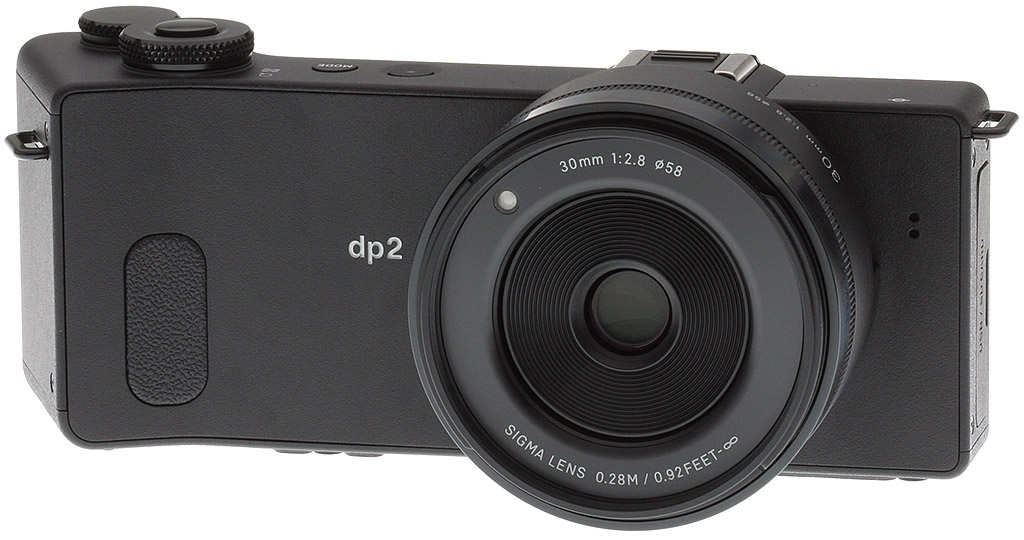
Walkaround. Where most cameras are either relatively box-like, or have a handgrip of some kind projecting from the front, perhaps accompanied by a smaller thumbgrip on the rear, the Sigma dp2 Quattro takes a different route. There's a small projection on the front, angled outward about 20 degrees, and finished in a sharp 90-degree corner around which your fingers will grip. On the rear, there's a much larger projection on which is control pad and focus button. This, too, finishes at a fairly sharp edge that then angles back towards the camera body and curves to meet it. The control pad, however, sticks out of the side of this angled surface.

Jumping to the front of the unusually wide dp2 Quattro camera body for a moment, it's almost entirely smooth and featureless, save for the angled grip, lens, a two-hole microphone port at the far left end (as seen from the rear), and a small leatherette grip pad at the base of the grip. Unusually, the autofocus assist lamp can be found not in the camera body, but in the top right corner of the lens barrel. We initially had concerns about the width in terms of handling comfort, however, as you can see in the video below, once we got our hands on the camera, it's surprisingly comfortable and stable.
Sigma dp2 Quattro Hands-On |

A fair few controls are to be found on the unusual, reverse L-shaped top deck. Sitting right of the flash hot shoe -- and note that there's no built-in flash at all -- you'll find the Power button, a Mode button, and two flat-topped dials, neither of them ergonomically angled. The shutter button sits inside the front dial. A sensor plane mark at the far left end of the body shows just how close to its front the sensor sits, just a tiny fraction behind the rear of the lens barrel. One remaining control -- the manual focus ring -- sits around that barrel.

On the rear, once you get past that grip with control pad and focus button, the remainder of the dp2 Quattro's back panel is relatively flat, accommodated only by the 3.0-inch, 920-Kdot LCD monitor and a handful of controls. One of these -- the Play button -- sits snug between the leatherette rear surface and the cover plate that tops the LCD. The others -- Display mode, Quick Set, AE-lock / Delete, and Menu -- sit in a column just a little further right. The SD card access lamp sits at the very bottom left corner, adjacent to the SD card slot and USB port, which live under a small door on the left end of the body.

On the bottom, you'll find a battery compartment door with dummy battery cable cutout in the base of the unusual grip, and a small projection for the tripod mount beneath the lens. While some tripod mounting plates may not prove ideal with the arrangement, it does look to place the tripod socket not only on the central axis of the lens, but also very close to the focal plane as well, which has advantages for panorama shooters.

The difference is in the lens. The key difference between the Sigma dp2 Quattro and its siblings, the dp1 Quattro and dp2 Quattro, can be found in their lens. The Sigma dp2 Quattro is based around a 30mm f/2.8 prime lens, equivalent to a 45mm lens after taking into account the focal length crop of the APS-C sized X3 Quattro imager's 23.5 x 15.7mm surface area. Both of the dp2 Quattro's siblings also have f/2.8 prime optics, but that of the dp1 Quattro is a 19mm (28mm equivalent) lens, while the dp3 Quattro has a 50mm (75mm equivalent) optic.
Of the trio, the Sigma dp2 Quattro's lens is the least complex. It has eight elements in six groups, and a nine-bladed iris aperture. Focusing is possible to as close as 28 centimeters, and maximum magnification is 1:7.6. With lens, the dp2 Quattro has a body depth of 3.2 inches, and a weight of 13.9 ounces (395g) without battery or flash card.

Processor. Handling output from the new image sensor, there's also a brand-new TRUE III image processor.
Autofocus. The dp2 Quattro uses a nine-point contrast-detection autofocus system. Three AF point sizes are available, and the focus point can also be moved freely around the frame. Face detection is provided, as is a focus lock function.

Sensitivity. The Sigma dp2 Quattro offers sensitivities ranging from ISO 100 to 6400 equivalents in 1/3 EV steps. The whole range is available under automatic control, courtesy of configurable high and low limits.
Exposure. There are a choice of just four exposure modes in the dp2 Quattro, just the way experienced shooters like it-- Program, Aperture-priority, Shutter-priority, and Manual.
Exposures are determined using evaluative, center-weighted average or spot metering, and +/-3.0 EV of exposure compensation is available in 1/3 EV increments. There's also a three-stop auto-bracketing function within the same range. An AE lock function is available.

Shutter speeds vary from 1/2,000 to 30 seconds, although the entire range may not be available depending on your chosen aperture, suggesting that the iris itself is used to time the exposure.
Creative. Among the dp2 Quattro's creative options are a choice of 11 color modes and 10 white balance modes, with the latter including Color Temperature, Flash, and Custom modes.
Connectivity. The Sigma dp2 Quattro's connectivity options couldn't be much simpler -- USB data (presumably 2.0 High Speed), and a cable release switch.
Power. The dp2 Quattro draws power from a BP-51 lithium-ion rechargeable battery pack. Battery life is rated at 200 shots on a charge. Two batteries as well as a dedicated battery charger are included in the bundle.
Price and availability. Priced at US$1,000 or thereabouts at its initial release around August 2014, the Sigma dp2 Quattro is now available in the US market for around US$880.
In the Box
The Sigma dp2 Quattro retail package (as reviewed) contains the following items:
- Sigma dp2 Quattro body
- 2 x BP-51 Lithium-ion battery packs
- BC-51 battery charger
- Battery charger cable
- Battery case
- Strap
- Lens cap
- Hot shoe cover
- USB cable
Recommended Accessories
- Large capacity SDHC/SDXC memory card. 16GB Class 10 should be a minimum.
- Extra battery pack BP-51 (~US$30)
- Sigma HC-21 Hard Case for dp2 Quattro Digital Camera (~US$80)
- Sigma VF-41 External Optical Viewfinder for dp2 Quattro (~US$245)
- Small camera bag
Optics
Lens Test Results
30mm fixed focal-length lens
Superb performance from the 30mm (45mm equivalent) lens.

The Sigma dp2 Quattro is equipped with a 30mm f/2.8 fixed lens, with a 35mm equivalent focal length of approximately 45mm. Construction consists of 8 elements in 6 groups, with a 9-bladed diaphragm providing a minimum aperture of f/16.
Sharpness and contrast are outstanding across the frame at f/8, with no signs of coma distortion and just a touch of chromatic aberration visible towards the corners and edges of the frame. Truly superb performance in our Far-field test.
Macro
A much larger-than-average macro area, with good detail.

The Sigma dp2 Quattro captures a much larger-than-average minimum macro area measuring 6.78 x 4.52 inches (172 x 115 millimeters). Detail is good, though, and corners are sharp when stopped down to f/8. (Most lenses have some softening in the corners at macro distances, so the dp2's lens performs quite well in this regard.)
Geometric Distortion
Low barrel distortion.
| Barrel distortion is about 0.4 percent |
 |
The Sigma dp2 Quattro's lens produces about 0.4 percent barrel distortion; which is fairly low and just slightly noticeable in its images. And the camera does not apply geometric distortion correction to JPEGs. This is the tendency for the lens to bend straight lines outward (like a barrel -- usually at wide-angle) or inward (like a pincushion -- usually at telephoto).
Chromatic Aberration, Corner Sharpness & Vignetting
Low chromatic aberration with outstanding corner sharpness, though some vignetting.
| Aperture: f/2.8 (maximum) | |
 |
 |
| f/2.8: Lower left C.A.: Low Softness: Sharp |
f/2.8: Center C.A.: Very low Softness: Very sharp |
| Aperture: f/8 | |
 |
 |
| f/8: Lower left C.A.: Low Softness: Very sharp |
f/8 Center C.A.: Very low Softness: Very sharp |
Chromatic Aberration. Chromatic aberration is low in the corners with fairly dim and narrow red/blue fringing wide open or stopped down, and the camera does not appear to be suppressing CA in JPEGs. (This distortion is visible as a slight colored fringe around the objects at the edges of the field of view on the resolution target.)
Corner Sharpness. The dp2 Quattro's lens produces sharp corners wide open, with only very minor softening, and the center is very sharp wide open. Corner sharpness stopped down to f/8 is about the same as the center, which is to say excellent.
Vignetting. A moderate amount of "vignetting" (corner shading) is visible when wide open, as can be seen from the darker corner crop at f/2.8 (top left). A small amount of corner shading still occurs when stopped-down to f/8, but it's almost negligible and easily correctable.
Bottom Line: A fantastically sharp lens from corner to corner, with only minor distortion and moderate vignetting wide open, though macro performance isn't great.
Viewfinder Test Results
Coverage
Excellent accuracy from the LCD monitor.

The Sigma dp2 Quattro's LCD monitor showed essentially 100% frame coverage in our test, which is excellent.
The images above were taken from our standardized test shots. For a collection of more pictorial photos, see our Sigma dp2 Quattro Photo Gallery .
Exposure
Note: Most of our test results on this page are derived from Sigma Photo Pro 6.0.6 conversions of X3F raw files unless otherwise noted. We normally base much our test results from camera JPEGs so that we're testing the camera and not third-party software, however the Sigma dp2 Quattro's image quality can be significantly different from SPP conversions. Also, Sigma released firmware updates to the camera which affected JPEG image quality after we shot the bulk of our lab shots, and we didn't have the opportunity to reshoot them all with the latest firmware before we had to return the camera.
Color
Saturation & Hue Accuracy
Fairly typical saturation levels at low ISOs, but falls rapidly as sensitivity increases. About average hue accuracy that also falls with ISO.
 |
|||
| ISO Sensitivity | |||
| 100 | 200 | 400 | 800 |
| 1600 | 3200 | 6400 | |
| In the diagram above, the squares show the original color, and the circles show the color that the camera captured. More saturated colors are located toward the periphery of the graph. Hue changes as you travel around the center. Thus, hue-accurate, highly saturated colors appear as lines radiating from the center. Mouse over the links to see results across the ISO range, and click the links for larger versions. | |||
Saturation. The Sigma dp2 Quattro produces images with colors that are a little more saturated than most cameras at ISO 100 and 200. Default saturation is 112.1% (or about 12% oversaturated) at base ISO, which is a bit higher than the typical 110% mean saturation we normally see. Dark red is pumped quite a bit, while purples and dark blues are boosted moderately. Most other colors are close to idea or just pushed a bit, though cyan is undersaturated. Mean saturation falls rapidly above ISO 400, though, reaching as low as 75.5% at ISO 6400, as it becomes more difficult to keep colors separated and noise under control. Most consumer digital cameras produce color that's more highly saturated (more intense) than found in the original subjects. This is simply because most people like their color a bit brighter than life.
Skin tones. The Sigma dp2 Quattro generally does a good job with Caucasian skin tones, but sometimes it renders them too yellow or with reddish or orange casts in shadow areas. The very high resolution and unique processing also tend to exaggerate fine features such as wrinkles and freckles which can lead to somewhat unflattering portraits at default settings. Where oversaturation is most problematic is on Caucasian skin tones, as it's very easy for these "memory colors" to be seen as too bright, too pink, too yellow, etc.
Hue. The Sigma dp2 Quattro shifts green and orange toward yellow, red toward orange and cyan toward blue, but most shifts in color are very minor; even the cyan to blue shift we normally see is quite small. Mean "delta-C" color error at base ISO is 5.98 after correction for saturation, which is about average, but color error increases dramatically above ISO 400 as the camera struggles with strong color pollution and noise. Hue is "what color" the color is.


Sensor
Exposure and White Balance
Indoors, incandescent lighting
The Sigma dp2 Quattro's Manual white balance setting worked well indoors, but other settings produced moderate to strong color casts. Slightly higher than average exposure compensation required.


Indoors, under normal incandescent lighting, color balance is reddish with the Auto setting, and the Incandescent setting resulted in a strong orange cast. Manual white balance produced very good results, though. The Sigma dp2 Quattro required +0.7 EV exposure compensation, which is a bit higher than the +0.3 EV average amount required for this shot. (Our test lighting for this shot is a mixture of 60 and 100 watt household incandescent bulbs, a pretty yellow light source, but a very common one in typical home settings here in the U.S.)
Outdoors, daylight
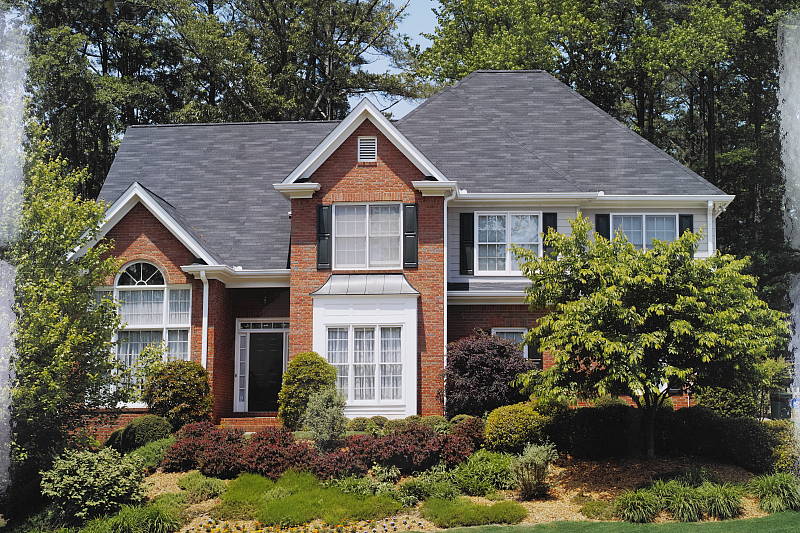
Very good performance outdoors in bright daylight, with about average exposure accuracy.
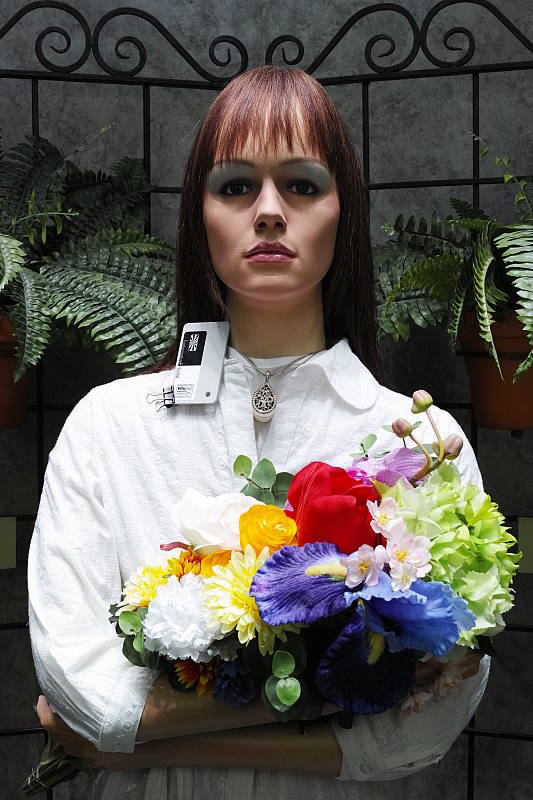
The Sigma dp2 Quattro produced overly warm and yellow skintones with the Manual white balance in our "Sunlit" Portrait, so we preferred Auto white balance shot above left. Skin tones are pretty good if a little flat, though darker areas take on an orange or reddish tint. The dp2 Quattro required +0.7 EV compensation to keep facial tones bright on the mannequin, which is about average for this shot. And despite the bright appearance, relatively few highlights were clipped. Shadow detail is very good but noise in dark shadows is on the high side and grainy. The dp2 Quattro underexposed our Far-field shot slightly (perhaps by 1/4 f-stop), producing a slightly dim exposure, but with natural colors. The Sigma dp2 Quattro preserved all but the brightest specular highlights here, though it did generate some very dark shadows. Shadow detail is again actually very good, though a little noisy and grainy-looking.
See full set of test images with explanations
See thumbnails of all test and gallery images
Resolution
Extremely high resolution, about 3,100 to 3,200 lines of strong detail in "High" size files, about 3,300 to 3,400 lines of strong detail in "Super High" size files,
| "High" Resolution | |
 |
 |
| Strong detail to ~3,100 lines horizontal SPP processed X3F, High |
Strong detail to ~3,200 lines vertical SPP processed X3F, High |
| "Super High" Resolution | |
 |
 |
| Strong detail to ~3,400 lines horizontal SPP processed X3F, Super High |
Strong detail to ~3,300 lines vertical SPP processed X3F, Super High |
A "High" size SPP conversion of our laboratory resolution chart reveals sharp, distinct line patterns to about 3,100 lines per picture height in the horizontal direction, and to about 3,200 lines in the vertical direction. Some may argue for higher numbers, but individual lines begin to fade and merge with others at those resolutions. Complete extinction of the pattern doesn't occur before the limit of our chart (4,000 lines) in both directions. Interestingly, an SPP "Super High" (39MP) conversion of the same RAW file shows higher resolution particularly in the horizontal direction (about 3,400 lines), though detail is not as well-defined or crisp. Although there is no color moiré to be seen (as expected), there is still plenty of luminance moiré, and you can also see bright or dark individual pixels between some of the lines, a result of imperfect bad pixel substitution. Use these numbers to compare with other cameras of similar resolution, or use them to see just what higher resolution can mean in terms of potential detail.
Color Resolution


Mouse over the links to compare how the Foveon Quattro sensor compares to a Bayer sensor of similar size and resolution.
The above two sets of crops compare the Sigma dp2 Quattro's ability to resolve our green/black and red/blue star burst patterns to that from the Samsung N30 which uses a Bayer (RGBR) filter of roughly the same size and pixel count. The green/black pattern is the best-case for a Bayer sensor while the red/blue is the worse-case primary color combination, since there is only one red and one blue filter for every four photosites (the other two are green). We chose the Samsung NX30 because the images it produces are roughly the same dimensions as the dp2 Quattro in pixels (~20 megapixels) and like the Sigma, it also does not have an optical low-pass filter. Note that both images are RAW conversions.
As you can see, the Sigma dp2 Quattro clearly out-resolves the Samsung NX30 in both cases, as it's able to resolve the "spokes" of the star burst much closer to the center of the target (where they get closer and closer but never touch), though poor bad pixel substitution and well as stronger aliasing artifacts and false detail such as straight horizontal and vertical lines are visible in the Sigma's red/blue crop.
See full set of test images with explanations
See thumbnails of all test and gallery images
Sharpness & Detail
Excellent sharpness and great detail overall, with fairly minor edge-enhancement artifacts visible around high-contrast subjects. Low levels of noise suppression generally leaves excellent detail at base ISO.


Sharpness. The Sigma dp2 Quattro captures incredibly sharp, detailed images. Some minor sharpening halos are visible around high-contrast subjects such as the text and border in the crop above left (taken from a RAW file converted with SPP at default settings), but sharpening is too high in camera JPEGs at default settings, with noticeable sharpening halos. Edge enhancement creates the illusion of sharpness by enhancing colors and tones right at the edge of a rapid transition in color or tone.
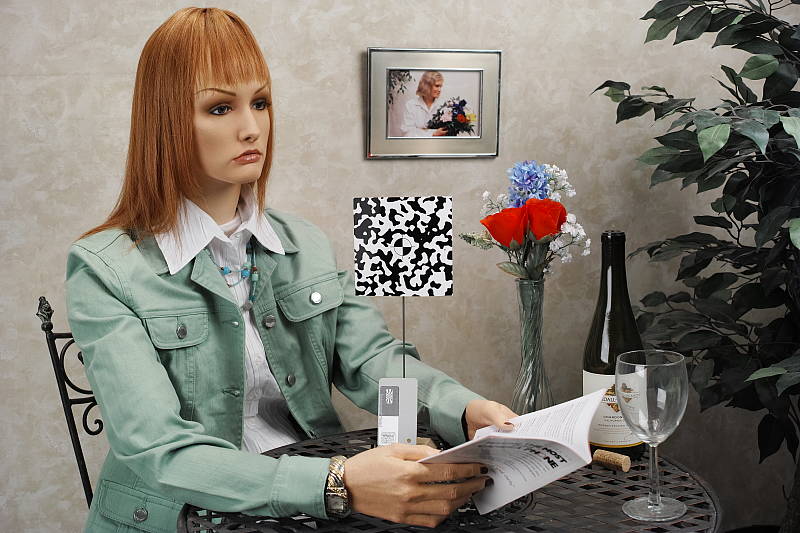
Detail. The crop above right shows relatively minor noise suppression in the darkest areas of the mannequin's hair, as most individual strands of hair are well defined except in very low contrast areas. Some very fine-grained luminance noise is visible, however this is preferable to the smudging we often see, and there is almost no chroma noise to speak of. You can however see aliasing in the form of "jaggies" if you look closely at individual strands of hair. This is because Foveon sensors do not have an anti-aliasing filter and the camera's lens is quite sharp. Noise-suppression systems in digital cameras tend to flatten-out detail in areas of subtle contrast. The effects can often be seen in shots of human hair, where the individual strands are lost and an almost "watercolor" look appears.
RAW vs In-Camera JPEGs
The Sigma dp2 Quattro produces very sharp, detailed in-camera JPEGs, but lets compare to a RAW file at base ISO converted with Sigma's Photo Pro v6.0.6 (Adobe Camera Raw, the converter we usually use, does not support the Sigma Quattro series yet.)
|
Base ISO (100)
|
|
 |
 |
 |
 |
 |
 |
|
Camera JPEG, v1.02 firmware
|
RAW via SPP v6.0.6
|
As you can see, the RAW conversion via Sigma Photo Pro version 6.0.6 (the latest as of time of writing) is similar to the camera running the latest firmware (version 1.02) in many respects, but there are a number of significant differences. Most noticeable is the improved rendering of our red-leaf swatch, revealing more detail than the camera JPEG (though many cameras still do a better job at low ISOs). Another difference is in amount of contrast and sharpening applied, as the camera appears to apply higher contrast and sharpen more aggressively than the software using default setting, though the camera does a little better in some respects, such as in the pink fabric and the more even rendering of fine horizontal lines. There are also slight differences in micro contrast, reduced color bleeding, as well as a reduction in certain artifacts especially at higher ISOs.
For example, check out the improvement in color rendition at ISO 1600 and above:
| Camera JPEG vs RAW via SPP | |
 |
 |
| ISO 1600 | |
 |
 |
| ISO 3200 | |
 |
 |
| ISO 6400 | |
|
Camera JPEG, v1.02 firmware
|
RAW via SPP v6.0.6
|
Notice how the software does a much better job extracting reds and blues, reducing color bleeding and edge desaturation, however it does suppress greens and purples.
Sigma Photo Pro also fixes other various artifacts as well, such as columns of errant pixels seen in our star burst patterns:
|
Camera JPEG vs RAW via SPP, ISO 100
|
|
 |
 |
 |
 |
 |
 |
|
Camera JPEG, v1.00 firmware
|
RAW via SPP v6.0.6
|
Here, we can see that SPP v6.0.6 avoided some strange artifacts in some of our star burst targets that the camera with original v1.00 firmware produced. (Sorry, we did not have a chance to retake this particular in-camera JPEG with v1.02 firmware before we had to return the camera.)
ISO & Noise Performance
Good image quality at low ISOs, but the dp2 Quattro is not a good high ISO performer.
| Default Noise Reduction | ||
 |
 |
 |
| ISO 100 | ISO 200 | ISO 400 |
 |
 |
 |
| ISO 800 | ISO 1600 | ISO 3200 |
 |
||
| ISO 6400 | ||
Here, we can see the Sigma dp2 Quattro does extremely well at ISO 100 and 200, with phenomenal detail and sharpness. You can however see some luminance noise in the shadows already at these low ISOs, but it's very fine-grained. Fine detail starts to take a hit at ISO 400, but it's still very good, though there is a minor color shift towards red. Image quality from ISO 800 and beyond goes downhill rather quickly, though. ISO 800 still shows pretty good detail and noise, while more prominent, is still fine-grained, but overall color shifts toward yellow and starts to desaturate. ISO 1600 shows quite a bit of luminance noise as well as some purple and green blotching as colors continue to desaturate. Some horizontal banding (pattern noise) can also be seen. Noise, desaturation and banding just get worse at ISO 3200 and 6400, making the inclusion of these ISOs questionable.
While high ISO performance has improved over the DP1 Merril we tested, the dp2 Quattro is still not a good high ISO performer for its sensor size. We recommend selecting the lowest ISO you can for best image quality.
A note about focus for this shot: We shoot this image at f/4 which doesn't provide very deep depth-of-field, but is more representative of the low light light levels. To insure that the hair detail we use for making critical judgements about camera noise processing and detail rendering is in sharp focus at the relatively wide aperture we're shooting at, the focus target at the center of the scene is on a movable stand. This lets us compensate for front- or back-focus by different camera bodies, even those that lack micro-focus adjustments. This does mean, though, that the focus target itself may appear soft or slightly out of focus for bodies that front- or back-focused with the reference lens. If you click to view the full-size image for one of these shots and notice that the focus target is fuzzy, you don't need to email and tell us about it; we already know it. :-) The focus target position will simply have been adjusted to insure that the rest of the scene is focused properly.
Extremes: Sunlit, dynamic range, and low light tests
Excellent detail but with limited dynamic range. Able to produce bright images in very low light, but autofocus really struggles.


Sunlight. The Sigma dp2 Quattro struggled with the harsh lighting of this test shot. We preferred the +0.7 EV exposure overall as +0.3 EV is a little too dim in the face while +1.0 EV is too bright. While relatively few highlights are clipped at +0.7 EV and shadows aren't crushed, noise in dark shadows is a little high and grainy, limiting useful dynamic range. We also noticed some colors tend to clip to white more abruptly than others when overexposed (such as the yellow flowers in the above shots) making detail in the highlights difficult if not impossible to recover.
Because digital cameras are more like slide film than negative film (in that they tend to have a more limited tonal range), we test them in the harshest situations to see how they handle scenes with bright highlights and dark shadows, as well as what kind of sensitivity they have in low light. The shot above is designed to mimic the very harsh, contrasty effect of direct noonday sunlight, a very tough challenge for most digital cameras. (You can read details of this test here. In actual shooting conditions, be sure to use fill flash in situations like the one shown here; it's better to shoot in open shade whenever possible.)
Tone Control
The Sigma dp2 Quattro offers a Tone Control setting with Off, Mild and Strong settings (in addition to contrast adjustment in +/- 5 steps).

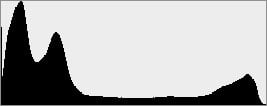


As you can see from the thumbnails and histograms, Tone Control settings had a very subtle effect on our "Sunlit" Portrait, with only the "Strong" setting showing a slight reduction in highlights.
|
Tone Control: Far-field
|
|||
 |
|||
| Tone Control: | |||
Here, you can see the same effect of the Tone Control settings on our Far-field scene.
Dynamic Range Analysis
We've recently switched to using DxO Labs' dynamic range test results from their DxOMark website. As technology advanced, the dynamic range of modern high-end cameras in some cases exceeded the range of the Stouffer T4110 density scale that we used for our own measurements. DxO's approach based on RAW data before demosaicing is also more revealing, because it measures the fundamental dynamic range of the sensor, irrespective of whatever processing is applied to JPEGs, or to RAW data by off-the-shelf conversion software.
However, since DxO does not support Foveon sensors, we're including our own analysis of best-case dynamic range at based ISO, for both in-camera JPEG and SPP processed RAW file.
A key parameter in a digital camera is its Dynamic Range, the range of brightness that can be faithfully recorded. At the upper end of the tonal scale, dynamic range is dictated by the point at which the RGB data "saturates" at values of 255, 255, 255. At the lower end of the tonal scale, dynamic range is determined by the point at which there ceases to be any useful difference between adjacent tonal steps. Note the use of the qualifier "useful" in there: While it's tempting to evaluate dynamic range as the maximum number of tonal steps that can be discerned at all, that measure of dynamic range has very little relevance to real-world photography. What we care about as photographers is how much detail we can pull out of the shadows before image noise becomes too objectionable. This, of course, is a very subjective matter, and will vary with the application and even the subject matter in question. (Noise will be much more visible in subjects with large areas of flat tints and subtle shading than it would in subjects with strong, highly contrasting surface texture.)
What makes most sense then, is to specify useful dynamic range in terms of the point at which image noise reaches some agreed-upon threshold. To this end, Imatest computes a number of different dynamic range measurements, based on a variety of image noise thresholds. The noise thresholds are specified in terms of f-stops of equivalent luminance variation in the final image file, and dynamic range is computed for noise thresholds of 1.0 (low image quality), 0.5 (medium image quality), 0.25 (medium-high image quality) and 0.1 (high image quality). For most photographers and most applications, the noise thresholds of 0.5 and 0.25 f-stops are probably the most relevant to the production of acceptable-quality finished images, but many noise-sensitive shooters will insist on the 0.1 f-stop limit for their most critical work. A full discussion of all the data Imatest produces is really beyond the scope of this review: Visit the Imatest website for details of what the program measures, how it performs its computations, and how to interpret its output.
 JPEG. The graph at right (click for a larger version) was generated using Imatest's dynamic range analysis for an in-camera dp2 Quattro JPEG file with a nominally-exposed density step target (Stouffer 4110). At default settings and base ISO, the graph shows 12.8 f-stops of total dynamic range, but with only 4.67 f-stops at the "High" quality level. (Note that threshold used by DxOMark is equivalent to the Low quality level, which is 9.34 f-stops.) Total dynamic range is excellent, among the best we've tested for an APS-C camera, but the scores at higher quality levels are much lower than average. The Sigma's higher than average noise levels are mainly to blame for the low scores. Note though that this measurement has a margin of error of about 1/3 f-stop, so differences of less than 0.33 can be ignored.
 RAW. It'll probably be some time before Adobe Camera Raw supports the dp2 Quattro and DxOMark may never test it, so we'll make an exception here and use Sigma's Photo Pro RAW conversion software to see if converted RAW files improve upon the JPEG dynamic range scores. The graph at right is from the same Stouffer 4110 stepchart image captured as a RAW (.X3F) file, processed with Sigma's SPP v6.0.6 software using default settings. The Sigma dp2 Quattro's RAW file produced the same total dynamic range as the JPEG (12.8 f-stops) however the score at the Low quality level increased 1.36 f-stops from 9.34 to 10.7, and the High quality level score increased about 1.6 f-stops from 4.67 to 6.25. While better than the in-camera JPEG results, these are still below average scores when compared to state-of-the-art Bayer-filtered APS-C or Four Thirds sensors. It's worth noting here is that Photo Pro's default noise reduction settings reduced overall noise relative to the levels in the in-camera JPEG (compare the noise plots in the graphs), which tends to boost the dynamic range numbers for the High Quality threshold.
| 1 fc 11 lux |
1/16 fc 0.67 lux |
|
|---|---|---|
| ISO 100 |
 2s, f2.8 |
 30s, f2.8 |
| ISO 3200 |
 1/15s, f2.8 |
 1s, f2.8 |
| ISO 6400 |
 1/30s, f2.8 |
 0.5s, f2.8 |
Low Light. The Sigma dp2 Quattro struggled in our low light tests. The dp2 Quattro's slowest shutter speed of 30 seconds and relatively fast lens did allow it to capture bright images at the lowest light level we test at (1/16 foot-candle), even at ISO 100. But while noise is low at ISO 100, it's high and grainy at ISO 3200, and ISO 6400 is quite noisy. You can also see the saturation drop as ISO is increased we mentioned previously.
Auto white balance did a decent job here at ISO 100 and 1-foot candle, producing fairly neutral results, but at 1/16 foot-candle, there was a noticeable shift towards magenta. ISO 3200 and 6400 were just slightly cool, but any shifts in white balance were likely masked by the saturation drop.
There are quite a few hot or bright pixels at the higher ISOs, though a few of them can be seen at base ISO. Horizontal banding (pattern noise) can also be seen at ISO 3200 and especially 6400.
The Sigma dp2 Quattro's autofocus system really struggled in our low light test, only able to focus down to just above the 1 foot-candle level. That's possibly the worst performance we've seen from a camera with an APS-C-sized sensor. The dp2 Quattro was however able to focus in complete darkness with its built-in focus assist lamp enabled, but real-world performance will of course depend on subject distance and contrast.
How bright is this? The one foot-candle light level that this test begins at roughly corresponds to the brightness of typical city street-lighting at night. Cameras performing well at that level should be able to snap good-looking photos of street-lit scenes.
NOTE: This low light test is conducted with a stationary subject, and the camera mounted on a sturdy tripod. Most digital cameras will fail miserably when faced with a moving subject in dim lighting. (For example, a child's ballet recital or a holiday pageant in a gymnasium.) A useful trick is to just prop the camera on a convenient surface, and use its self-timer to release the shutter. This avoids any jiggling from your finger pressing the shutter button, and can work quite well when you don't have a tripod handy.
Optional EF-140S Flash Test Results
Coverage and Range
A powerful flash, but with narrow coverage.

Coverage. Flash coverage from the Sigma dp2 Quattro's optional EF-140S compact flash is quite narrow, leaving the corners our flash test image a little dim even at the relatively normal focal length of 45mm equivalent. Some of the corner fall-off is from the lens itself, though.
| Manufacturer-Specified Flash Range |
|---|
 5.8 feet ISO 100 |
Manufacturer Specified Flash Test. The Sigma dp2 Quattro's optional EF-140S compact flash is rated at a Guide Number of 14 meters at ISO 100, which is actually pretty good. That works out to about 5.8 feet at f/8 and ISO 100 which may not seem like very much, but you would normally shoot flash shots at wider apertures. In the test shot above, the dp2 Quattro produced a reasonably bright target so we'd say Sigma's Guide Number rating is credible.
Output Quality
Print Quality
Good 30 x 40 inch prints and higher at ISO 100; a nice 11 x 14 at ISO 800; and a reasonably good 4 x 6 at ISO 1600.
 ISO 100 yields results we'd expect from a Foveon sensor. The sharpness and detail here at base ISO is phenomenal for 30 x 40 inch prints and larger -- as large as you need until the resolution of the Foveon sensor runs out causing pixelation. The colors at base ISO are deep and rich, though perhaps just a bit boosted in the darker yellows and magentas from the in-camera JPEGs.
ISO 200 requires a reduction to 24 x 36 inch prints, which look quite good in all areas of our test target when printed except for our tricky red fabric swatch which quickly begins to lose all contrast detail (and this usually doesn't happen on cameras with sensors this large until you get somewhat higher in ISO).
ISO 400 prints begin to show why Foveon sensors are made to primarily be shot at or near base ISO. There's too much noise in the 24 x 36 inch prints to call good, and even the 20 x 30 inch prints show some noise in flatter areas of our target, and the red fabric swatch detail is now all but gone. Still, we can give the 20 x 30's our seal of approval here.
ISO 800 shots begin to take on a scorched look in certain areas when printed, and some colors begin to appear muted. Even the 13 x 19 inch print is too noisy and muted to make our good rating, but the 11 x 14 inch print does make the grade here.
ISO 1600 images are not very good when printed. Detail and color accuracy fade quickly, allowing for only a modest 4 x 6 inch print to pass the test here.
ISO 3200/6400 both yield prints that are too scorched and noisy to be usable and these settings are best avoided.
The Sigma dp series of cameras sporting Foveon sensors continue to draw much interest among enthusiast photographers looking for astounding resolution and clarity at base ISO, and yet they're clearly not the cameras to use if you need performance as ISO rises. The Quattro sensor has been designed to improve on high ISO performance from the previous sensor, but the improvement is negligible in printed images. Remaining at ISO 400 and below is your best bet with these cameras for good image quality, and remaining at base ISO can produce stunning images that can yield terrific large prints.
[Note that the above print quality analysis was made using in-camera JPEGs, but we also printed Sigma Photo Pro 6.0.6 RAW conversions made with default settings. While SPP generally did a better job than the camera at higher ISOs, there wasn't enough improvement to alter any of our maximum size recommendations for what we'd consider "good" quality prints.]
Testing hundreds of digital cameras, we've found that you can only tell just so much about a camera's image quality by viewing its images on-screen. Ultimately, there's no substitute for printing a lot of images and examining them closely. For this reason, we now routinely print sample images from the cameras we test on our Canon Pro9000 Mark II studio printer, and the Canon Pixma MP610 here in the office. (See the Canon Pixma Pro9000 Mark II review for details on that model.)
The images above were taken from our standardized test shots. For a collection of more pictorial photos, see our Sigma dp2 Quattro Photo Gallery .
Not sure which camera to buy? Let your eyes be the ultimate judge! Visit our Comparometer(tm) to compare images from the Sigma dp2 Quattro with those from other cameras you may be considering. The proof is in the pictures, so let your own eyes decide which you like best!
Performance
Timing and Performance
Generally slow to fair speeds, but fast manual focus and prefocused shutter lag.
| Startup/Play to Record | ||
|---|---|---|
| Power on |
~3.0 seconds
|
Time it takes for camera to turn on and take a shot. |
|
Play to Record, |
~1.0 second
|
Time until first shot is captured. |
Startup time was quite sluggish for a fixed-lens, single focal length compact camera, but switching from play to record mode and taking a shot was not bad.
| Shutter Response (Lag Time) | ||
|---|---|---|
|
Full Autofocus |
0.389 second
|
Time from fully pressing shutter button to image capture. |
|
Full Autofocus, |
0.565 second
|
Time from fully pressing shutter button to image capture, with the lens already at the proper focal distance setting. Optional EF-140S flash enabled. |
|
Manual focus |
0.047 second
|
For most cameras, shutter lag is less in manual focus than autofocus, but usually not as fast as when the camera is "pre-focused." |
|
Pre-focused |
0.047 second
|
Time to capture, after half-pressing and holding shutter button. |
The Sigma DP2 Quattro's autofocus speeds were a little slower than most cameras these days, but still reasonable. Shutter lag in manual focus mode was however quite fast, though, at only 0.047s, and prefocused shutter lag tested the same at 0.047s.
| Cycle Time (shot-to-shot) | ||
|---|---|---|
|
Single Shot mode |
0.58 second
|
Time per shot, averaged over buffer depth of 7 shots. |
|
Single Shot mode |
0.64 second
|
Time per shot, averaged over buffer depth of 7 shots. |
|
Single Shot mode |
1.60 seconds
|
Time per shot, averaged over buffer depth of 8 shots. |
|
Early shutter |
Sometimes
(inconsistent) |
Some cameras refuse to snap another shot if you release and press the shutter too quickly in Single Shot mode, making "No" the preferred answer. |
| Continuous mode |
0.27 second
(3.73 fps); 7 frames total; 45 seconds to clear* |
Time per shot, averaged over the buffer length of 7 shots, then slows to 4.02s or 0.25fps while buffer is full. |
|
Continuous mode |
0.27 second
(3.70 fps); 7 frames total; 42 seconds to clear* |
Time per shot, averaged over the buffer length of 7 shots, then slows to 4.26s or 0.23fps while buffer is full. |
|
Continuous mode |
0.27 second
(3.75 fps); 7 frames total; 37 seconds to clear* |
Time per shot, averaged over the buffer length of 7 shots, then slows to 4.12s or 0.24fps while buffer is full. |
| Flash recycling |
9.6 seconds
|
Bundled flash at maximum output. |
| * Note: Buffer clearing times measured with a SanDisk Extreme Pro 95MB/s UHS-I SDHC card. Slower cards will produce correspondingly slower clearing times. Slow cards may also limit length of bursts in continuous mode. ISO sensitivity and noise reduction settings can also affect cycle times and burst mode performance. |
||
Average shot-to-shot cycle times were not bad for High (Large) Fine JPEGs or High RAW files at 0.58 second and 0.64 second respectively, but they varied a lot ranging from less than a third of a second to well over a second. RAW+JPEG was however significantly slower at 1.6 seconds, and also varied a lot. Cycle time with Super High JPEGs was also significantly slower than High JPEGs, at 1.33 seconds. Note that the DP2Q cannot shoot RAW+Super High JPEGs.
Continuous mode speeds weren't what is considered fast these days, at about 3.7 frames per second for all file types, but they were a little faster than Sigma's 3.5 fps spec. (We also tried also tried Super-High JPEGs, but they surprisingly had little effect on burst rate, buffer depth or clearing times.) Still, it's impressive that Foveon Quattro images can be processed this quickly, given the amount and complexity of processing required.
The Sigma DP2 Quattro's buffer depths were shallow at only 7 frames for all file types. The Sigma DP2 Quattro's full-resolution RAW files are quite large though (they can be over 50MB each), so we're not really surprised here, though we were surprised continuous mode buffer depths didn't improve when shooting just High Fine JPEGs. Buffer clearing was very slow at 45 seconds after a burst of JPEGs, 42 seconds after RAW and oddly a little faster at 37 seconds for after RAW+JPEG, even with our fast Sandisk Extreme Pro UHS-I SDHC card.
Full power recycling of the bundled flash was quite slow, at about 9.6 seconds.
Bottom line, we obviously wouldn't recommend the Sigma DP2 Quattro for any kind of fast action or sports photography as it's not designed for that, but its overall performance isn't too sluggish and shutter lag is actually quite low when you prefocus or manually focus. Buffer clearing does however take a long time, even with a fast card.
Battery
Battery Life
Poor battery life.
| Operating Mode | Number of Shots |
|---|---|
|
Still Capture
|
200
|
The Sigma DP2 Quattro uses a custom BP-51 rechargeable lithium-ion battery for power, and ships with two batteries and a charger. Battery life according to Sigma is only 200 shots per charge which while just over double that of the DP1 Merril, is still fairly low, especially considering the camera has no built-in flash, powered zoom or image stabilization which all require juice to operate. It's a good thing Sigma includes a spare battery and dedicated charger.
The table above shows the number of shots the camera is capable of (on either a fresh set of disposable batteries or a fully-charged rechargeable battery as appropriate), based on CIPA battery-life and/or manufacturer standard test conditions.
(Interested readers can find an English translation of the CIPA DC-002 standards document here. (180K PDF document))
Field Test
Field Test Part II
Getting a grip
By Eamon Hickey | Posted: 09/12/2014

If you review a lot of cameras, it's a welcome pleasure to use one that's a break from the ordinary, so I tossed my name in the hat for the Sigma dp2 Quattro. I was curious to find out how well its unusual design would work in real-world shooting; I wanted to get a close look at images from the new Quattro sensor; and I wanted to see if Sigma has been able to improve on the performance limitations of their past cameras, including the DP1 Merrill that I reviewed last year.
Design & handling
I knew from the previews and videos created by my colleagues for the other sections of this review that the Sigma dp2 Quattro was not pocket-sized. Or pocket-shaped, for that matter, unless your tailor is prone to drink. The unusual shape did take a bit of getting used to first thing out of the box, but I found that my right hand fits the angled grip with no real discomfort. I also watched our video where Dave Etchells describes a somewhat unconventional way to hold the dp2 Quattro — which I will henceforth refer to as The Dave Hold — and from that video I learned to rest the camera on the ball of my left thumb. It turns out that this is acceptably comfortable, too, although it's a hard habit to get into if, like me, you've been shooting with your left hand under the lens for somewhere around 35 years. That said, whenever I do camera reviews I try to keep in mind that while something unfamiliar may seem awkward to me at first, it might be easy to get used to if I owned the camera and used it long term. My left hand could probably be re-trained.

I should say that I have larger than average hands (Dave does, too), so that may help with handling the dp2 Quattro. I also did not have to significantly stretch or contort my fingers to reach the camera's crucial controls, but I would not be surprised if a person with smaller hands had more of a problem with this. Overall, I don't think I'd ever fall in love with the way the dp2 Quattro handles, but it's acceptable.
With the optional lens hood and VF-41 shoe-mount optical viewfinder that came with our sample Sigma dp2 Quattro, the whole apparatus is effectively as bulky as a DSLR — in other words, you're gonna need a shoulder strap or a camera bag of some sort. So be it; I threaded in the strap and headed out. I will say that I really enjoy the quirky retro/future mashup look of the dp2 Quattro body when it's paired with the old-school viewfinder. I expected to get some comments about it out on the streets of New York, but so far — after four different outings with it, including to one spot infested with other photographers — nobody has noticed.
On that first outing, I went to Tompkins Square Park, and then a couple of days later I headed for East River Park where I put The Dave Hold to the test. There, in evening light, I shot a couple dozen pictures with shutter speeds from 1/50 to 1/125, including a carefully taken image of the 130-year-old Domino Sugar factory across the river in Brooklyn. On these shots and on subsequent more formal tests I found that I could get very sharp handheld shots more often than not at 1/60, and quite consistently by 1/125 or higher. The Dave Hold forces your elbows into a pretty stable position against your body. Bottom line: I feel comfortable that I can get most of the benefit of the dp2 Quattro's very high real resolution (more on that in part 2) even without a tripod, as long as I can shoot at 1/60, or ideally a little bit faster.
 |
1/250s / f/4.5 / ISO 200 (converted using SPP v6.06) |
 |
1/125s / f/5.6 / ISO 100 (converted using SPP v6.06) |
| The Dave Hold in action capturing the old Domino Sugar factory. |
Controls
I've praised the straightforward controls of previous Sigma DP cameras, and the dp2 Quattro improves on those earlier cameras with the addition of a second control wheel. There's no secret about how to set up twin control wheels, and Sigma didn't blow it — in manual mode one wheel controls f-stop and the other controls shutter speed, and in any automatic mode one wheel changes your exposure parameter and the other controls exposure compensation. Which wheel does which function is customizable in all four exposure modes, but I left these at their defaults, which were exactly right for me.

You can also set the LCD display to show you a live exposure histogram. As I've noted in many previous reviews, this combination of direct access to exposure parameters and a live histogram is a very powerful toolset for quickly getting a good exposure. It came in very handy when I was walking through the Dumbo neighborhood of Brooklyn (Dumbo stands for ‘Down under Manhattan Bridge overpass') on my way to Brooklyn Bridge Park. I turned a corner and spotted a lovingly maintained red Volkswagen Bus. It was sitting backlit on one of Dumbo's cobblestone streets, which still have freight railway tracks embedded in them, from the long-ago days when this was a warehouse district rather than the hip spot to spend $5 million for a condo. I was able to instantly dial in minus 2/3-stop exposure compensation and fire off a shot mere seconds before a crowd of 20 tourists swarmed the scene for an orgy of selfies with the Bus as their background prop.
 |
1/100s / f/5.6 / ISO 200 (converted using SPP v6.06) |
| Old school meets older school when a Volkswagen Bus parks on the cobblestone streets of Dumbo. |
I was on my way through Dumbo in order to make a twilight long exposure of the Brooklyn Bridge. (I make no claims to originality for this shot — this is the spot where I encountered a lot of other photographers, a hive of shutterbugs busily buzzing around their tripods.) On an earlier twilight shoot I had discovered that I had some trouble focusing on very dark subjects with the Sigma dp2 Quattro. My results with autofocus were inconsistent, and when I tried to focus manually, I had some difficulty judging sharpness on the LCD screen, even when I used the manual focus assist function which magnifies the image by 8X. (I have not had these problems in decent or good light.) So for this shot, I just set the focus for infinity using the manual focus distance scale which the camera displays on the LCD, and it worked perfectly. More generally, the dp2 Quattro makes it easy for me to control my focus options, with a one-click toggle between auto and manual focus. One click also calls up the focus point selection mode, letting me choose any one of 9 focus points or change their size.
 |
15s / f/8 / ISO 100 (converted using SPP v6.06) |
| Could I interest you in a unique real estate opportunity? The Brooklyn Bridge from its namesake park. Converted from raw with small adjustments to noise reduction and sharpening. |
Most other important controls on the Sigma dp2 Quattro are available through the QS (Quick Setting) button, which calls up settings for ISO, drive mode, white balance, and more. (You can also customize what functions are available in the QS menu.) Although this system is a little bit slower than having dedicated buttons for these functions, it's fast enough for most practical purposes.
LCD and viewfinder
The LCD on the Sigma dp2 Quattro doesn't tilt or articulate, and I really wish it did. I've been happy to shoot this camera handheld, but its great resolution makes it a natural for the kinds of shots you do with a tripod, where a tilting LCD comes in very handy. I had to do a bit of unwelcome crouching to see the screen for my Brooklyn Bridge and other tripod shots.
I also struggled to compose my shots precisely using the LCD a few times in bright light, especially one afternoon when I went for a walk along the Hudson River and shot some backlit images of boating life along the shore. Although I think some other LCDs I've used are a little better in bright light, none are fantastic, and I don't consider this a huge drawback for the dp2 Quattro.
 |
1/500s / f/8 / ISO 100 (converted using SPP v6.06) |
| Composing with the LCD was a bit hit-or-miss on this image shooting into the sun. Converted from raw with some highlight and shadow adjustments. |
I'm still coming to grips with the optical viewfinder that came with our Sigma dp2 Quattro. It doesn't give you a very precise idea of your actual framing and is obviously designed to be a quick viewing option for street and snapshot photography where you can shoot a loose frame and crop later. Equally important, you can use it instead of the LCD to save battery power.
So far, I haven't been able to get a good shot using it for what it was designed to do. On my first walk with the dp2 Quattro, I came across a punk rock band that had attracted a colorful crowd in Tompkins Square Park, and I saw a guy with a truly impressive mohawk. I tried to make a few grab shots of him using the optical viewfinder for quick framing, but my first two images were completely misframed. I ended up having to use the LCD to get him centered. Luckily, he thought the band was good and wasn't paying any attention to my misadventures.
 |
1/500s / f/2.8 / ISO 800 (converted using SPP v6.06) |
| If you had that mohawk, you'd keep the rain off it, too. Converted from raw with adjusted noise reduction settings. |
I discovered later that the optical viewfinder had slid a few millimeters backwards in the hot shoe — it's prone to sliding around a bit — which threw off its alignment pretty badly. A few days later, it fell completely off as I was exiting a bus, and I was lucky I heard the clunk or it would still be on that bus, somewhere in the far reaches of The Bronx by now. All in all, I like the idea and the look of the optical viewfinder, but so far it hasn't been much of a practical aid to my shooting with the Sigma dp2 Quattro. If I were going to use it long term, I'd probably try to engineer a locking mechanism for the foot, by which I mean I'd glob on a foot or two of electrician's tape.
Up next
In part 2 of my shooting report, I'll take a look at the dp2 Quattro's performance and its lens, as well as talk a bit about the images I'm getting from it. Please be sure to reference the note below regarding why we chose to only show conversions from RAW in this report, including the link to news story we ran after testing with the dp2Q with new camera firmware and SPP software updates.
[All of the images for this installment of our Sigma dp2 Quattro shooter's report were shot with camera firmware v1.0, using the raw+JPEG setting. As we noted when we published our initial lab test images from the dp2 Quattro, we discovered an issue with JPEGs from firmware v1.0. In subsequent testing, we also discovered some image quality issues with raw conversions using Sigma Photo Pro v6.0.5 or earlier. For full details, check out the story we recently published that shows examples of what we found and also shows the results of our tests with the newest camera firmware, v1.0.2, and the latest version of Sigma Photo Pro, v6.0.6. We were pleased to find that the new firmware/software largely eliminates the issues we had seen.
All this has left us with a bit of a dilemma regarding the in-camera JPEGs we shot for this installment of the shooter's report using firmware v1.0. We've decided to publish raw conversions from Sigma Photo Pro 6.0.6 instead, because these more accurately represent what the camera is capable of producing now for any photographer who uses the up-to-date versions of their camera firmware and Sigma Photo Pro.]
Field Test Part III
In the details
By Eamon Hickey | Posted: 11/07/2014

Performance
In my reviews of previous Sigma Foveon cameras, especially the DP-series, I’ve complained about squandering what’s left of my youth shooting with them. I was talking about needing to change batteries every 60 shots and waiting much too long for the camera to turn on, focus, save images to its storage card, or display the picture I just took. Performance has been arguably their biggest weak spot.
And when I unpacked the DP2 Quattro and found that Sigma had seen fit to include two batteries with it, I knew not to expect too many miracles on the performance front. Still, on my first two or three outings with the camera, I found that battery life on the DP2 Quattro is definitely better than it was on the DP1 Merrill that I reviewed last year. In six different shoots with the DP2 Quattro, I’ve had to change batteries three times, but that’s typically after a couple of hours of fairly steady shooting and reviewing the LCD. Nearly all other contemporary cameras do better than this, but I would feel perfectly comfortable carrying just one spare battery for the DP2 Quattro on any photo outing I’d be likely to take. If you often take a lot of pictures without ready access to an AC outlet, you might feel differently.
The Sigma DP2 Quattro also focuses faster than its predecessors. Although it’s still certainly no autofocus champ, I haven’t missed a shot with it because of slow focus, even in the street shooting I’ve done. This has included the punk rock fans mentioned in Part 1 of this report as well as tourists in Central Park, families walking along Broadway, and folks getting their evening exercise in East River Park. In all cases, the DP2 Quattro has locked on to my subjects with acceptable speed and sureness — it’s not lightning fast, but it’s adequate.
 |
 |
| [1:1 crop from above image] |
| Improved overall focus speed. Adequately fast autofocus let me capture this selfie-in-the-making at Strawberry Fields in Central Park. Note, however, the strange highlight artifacts on the blond girl's arm. |
In some other ways, there’s still need for improvement. Shot-to-shot time on the DP2 Quattro lags a little bit, and if you’re very quick to press the shutter for the next shot, sometimes it won’t fire. To be fair, I never experienced this in real-world shooting; only when testing.
More annoying to me, there’s also a long lag while the Sigma DP2 Quattro saves an image to the SD card. You can shoot another picture while it writes — the buffer holds a decent 7 frames — and you can operate most of the camera’s shooting controls during this time, but you can’t review the image you just shot. I ran into this constantly in my tripod shooting, such as in Brooklyn Bridge Park, when I wanted to check the histogram in order to really fine tune my exposures. It’s more of an irritation than a real problem that could cost me a picture, but it’s a fairly constant irritation.
 |
| Decent autofocus and shutter response helped me catch this youngster's first, very scary encounter with bag pipes near 72nd St. in NYC. |
Lens
A 30mm (45mm equivalent in full-frame 35mm terms) f/2.8 lens seems pretty plain vanilla at first glance, but it’s a focal length I find very useful. In fact, I own a Sigma 30mm f/2.8 interchangeable lens for my Sony NEX-7, and I was interested to see how this built-in unit in the DP2 Quattro compares.
Well, it’s really impressive — among the best lenses I’ve used (and better than my interchangeable E-mount version, which is no slouch in its own right). The shot of the Domino Sugar Factory (see Part 1) shows a good example of the superb edge-to-edge sharpness of the DP2 Quattro’s lens, along with its low geometric distortion, as does another image I took in Central Park, which I’ll talk about a bit more below.
On that same Central Park walk, I got a chance to test the bokeh of the DP2 Quattro’s lens with a shot of some bees on pink flowers. I set the lens for f/4, and that plus the short focus distance produced a very blurry background. I find the bokeh quite pleasing in this shot. Another example can be seen in the picture of the white dog in Part 1. There is some green fringing in the out-of-focus background of that shot, but this is a small complaint.
 |
 |
[1:1 crop from above image] |
Bees and bokeh. Fairly smooth bokeh behind bees at work near The Lake in Central Park. Converted in Sigma Photo Pro 6.0.6 using "vivid" color mode. |
Software
As of this writing, there’s little or no support for Sigma DP2 Quattro raw files from third-party software makers like Adobe or Phase One. That means that if you want top-notch images from this camera, you’ll soon find yourself converting raw files with Sigma’s own Photo Pro software (SPP), which is a free download. (See elsewhere in this review, as well as this separate article, for a rundown of some issues we had with earlier versions of SPP, as well as in-camera JPEGs.)
The good news is that with SPP 6.0.6 it’s possible to consistently get very sharp, technically excellent images from DP2 Quattro raw files. Like its predecessors from Sigma, the program includes a wide range of advanced image processing controls. (In contrast, many other free raw converters from camera manufacturers are fairly rudimentary.)
 |
| There's nothing you can't buy in NYC. ISO 200 image quality and bokeh at f/ 3.5 in DUMBO, Brooklyn, NYC. |
The bad news is that getting those quality results is a real pain. Sigma Photo Pro is very slow on my fairly well-specified quad-core Mac, which runs other advanced raw converters fast and well. By all accounts, SPP is not much better on even the hottest machines. It’s really too slow to work interactively at high resolution — when you move an adjustment slider, it can take 10-20 seconds or even longer before you can see the result in the image.
If you’re willing to patch together a somewhat kludgey workflow, you can minimize your use of SPP — saving it only for creating good base images of your very best shots, for example. But we shouldn’t have to do that. You need Sigma Photo Pro to get the super high quality images the DP2 Quattro can produce. As such, Sigma should approach its development with a rigor and dedication similar to what they bring to the camera’s lens and its sensor.
Images
For me, one of the pleasures of reviewing Sigma Foveon cameras is the chance to play a fun, if not necessarily very useful, game. Let’s call it the Foveon Detail Dive, wherein the besotted photographer blows an image up to 100% on screen and scrolls around gazing goofily at all the fascinating details thus revealed. Yes, you can play this game with super high resolution images from non-Foveon cameras, too, but somehow it’s not as fun, at least for me.
I’ve enjoyed this game on one image that I took of the Bethesda Fountain area of Central Park. Along with the Domino Sugar Factory picture and the night shot of the Brooklyn Bridge, it’s a great example of the really crisp, fine edge-to-edge detail that the Sigma DP2 Quattro can capture. This crisp detail is the defining characteristic of Sigma Foveon images, of course, and if you shoot the kinds of things that benefit from it, the DP2 Quattro is hard to match for anywhere near its price.
 |
 |
1/125s / f/5.6 / ISO 100 (converted using SPP v6.0.6) |
| Deep diving with the dp2Q. What does the Foveon Detail Dive reveal? Two brides, a lost Venetian, a missing poet, a multitude of smartphoneographers, a puzzlingly placed (American) football, and much else. |
A bigger surprise for me is how well the DP2 Quattro does at higher ISO settings something I didn’t see until I re-processed one ISO 1600 images with SPP 6.0.6. It’s a shot I made on my way home from the Brooklyn Bridge, inside a subway station, and I think it would look fine printed at 8 x 10 inches or perhaps even a bit bigger. It warrants more testing, but ISO 1600 images that can reliably be enlarged to medium sizes would be a modest breakthrough for Sigma Foveon cameras. [Editor's note: When we actually printed ISO 1600 SPP 6.0.6 conversions at 8 x 10 inches, we found they weren't bad, but they did not quite meet our "good" standard for print quality.]
On the minus side, I did notice occasional strange effects in image areas where highlights transition to blown out white, and SPP 6.0.6 doesn’t appear to handle this any better than previous versions of the software. If I owned this camera, I’d be very careful about exposing highlights.

Wrapping it up
All in all, I found the Sigma DP2 Quattro to be a lot more usable than its DP-series predecessors, even with its unique shape and design. Though no speed demon, it’s performance is acceptable. I’m also impressed with the camera’s high ISO improvements, and I’d feel comfortable shooting it up to ISO 1600 in many situations.
In day-to-day use, the one big drawback that still remains is software — Sigma Photo Pro is, of necessity, a core part of the DP2 Quattro ecosystem, and it’s unfortunately still a pain to use.
[To see more of Eamon's gallery shots with the Sigma dp2 Quattro click here!]
Conclusion
| Pro: | Cons: |
|---|---|
|
|
When it comes to doing things a little differently in the photo industry, Sigma is usually quick to enter the conversation. Renowned for their well-priced and well-regarded lenses -- especially nowadays -- it's their camera systems that really stand out, and their radical new "dp Quattro family" of large sensor, fixed-lens cameras are perhaps the most head-scratchingly unique versions to date.
Starting with the 30mm f/2.8-equipped Sigma dp2 Quattro, this new 'dp'-series camera sports a brand new Foveon X3 Quattro APS-C image sensor. Still constructed around a three-layered RGB sensor array, the new 'Quattro' gets its namesake due to the top-most blue layer being split four ways into 19.6 million photodiodes with the underlying green and red layers remaining at 4.9 million. Effectively, the new dp2 Quattro produces images with a 19.6-megapixel resolution though there's also a Super High-Res image size that produces a whopping 39-megapixel image size (7680 x 5120). Suffice it to say, like Sigma's earlier DP cameras with Foveon sensors, the dp2 Quattro produces some absolutely stunning images with phenomenal detail at low ISOs -- especially if you shoot RAW and process them with their proprietary (though sadly rather clunky) Sigma Photo Pro software. With the ability to capture tons of detail at very high resolution, despite the APS-C size sensor, the dp2 Quattro competes, in some ways, against high-res full-frame cameras like the Nikon D810.
But there was a key phrase toward the end of the previous paragraph: "low ISOs." Unfortunately, like Sigma's previous DP models such as the predecessor DP2 Merrill camera, the dp2 Quattro's image quality severely degrades as the ISO sensitivity is cranked up, and to a much more severe degree than other APS-C-sensor cameras. In fact, even at just ISO 400 we start to see detail degradation due to noise. However, the most severe and noticeable color shift and loss of detail are seen at ISO 3200 and 6400, and we'd be hesitant to recommend shooting at anything higher than ISO 800. To its credit, however, the high ISO performance is much improved compared to the DP2 Merrill, but compared to other, standard Bayer-filter APS-C cameras, the high ISO performance just isn't there with the Sigma.
For some good news, though, given Sigma's reputation as a lens manufacturer, it's no surprise that the fixed lens on the dp2 Quattro exhibits superb performance. The 45mm-equivalent 30mm f/2.8 prime lens is indeed very sharp, with excellent corner-to-corner sharpness, low distortion, and minimal CA. It's a fabulous lens, indeed.
While this camera certainly has a radically different sensor, we'd be remiss to conclude our review of such a camera without talking about the Sigma dp2 Quattro's eye-catching external design. In a huge departure from the brick-like shape of the "Merrill" cameras -- and from most other camera designs -- the new Quattro models have a slim, elongated design with an almost reversed protruding handgrip. We actually found the camera's shape to be surprisingly comfortable, though you need to get used to holding it a different way -- with two hands on either side -- almost as if you were holding a tablet. It's quite comfortable and makes for a nice, stable hold. However, we will concede that the design and handling might not be for everyone, and certainly takes some getting used to.
So, who's this camera for? Well, to be honest, it's still a very niche camera. While AF speed and battery life have been improved somewhat, making the shooting experience less frustrating than with the earlier Merrill versions, the disappointing high ISO performance is still one of the biggest drawbacks. And it still suffers from slow startup time, sluggish burst shooting, and shallow buffers with near-exasperatingly slow clearing times, significantly limiting its versatility as an all-around shooter. Needless to say, if you're planning to photograph anything fast-paced, you might want to look elsewhere.
However, if your goal is top-notch fine detail and high-resolution images for still life subjects, such as landscapes and portraiture, this is where the Sigma dp2 Quattro shines. Far from being a quick and nimble pocket street shooter, the dp2 Quattro feels more at home mounted on a tripod, fixed to ISO 100 or 200 while calmly capturing stunning landscapes or other relatively stationary subjects in decent lighting (you really want to shoot at low ISOs if at all possible, and we can't really recommend the dp2 for low-light shooting).
All in all, the Sigma dp2 Quattro is one quirky camera, which has become the hallmark characteristic of Sigma's family of Foveon-based compact cameras. The unique sensor design and sharp 30mm prime lens together allow for some truly stunning, high-resolution files -- as long as you limit yourself to low ISOs. The strange, elongated design might scare away some at first, but it's quite comfortable after you try it for a while and provides a nice, steady hold for better handheld shots -- which is crucial for crisp, high-res shots. Performance-wise, it's still a bit clunky and sluggish, but some areas have thankfully been improved over the earlier Merrill-generation of DP cameras. Overall, if you're looking for a much more portable, high-res landscape or portrait camera, the Sigma dp2 Quattro merits consideration.
While it might have a lot of quirks and noticeable disadvantages compared to more traditional large-sensor cameras, we still think the Sigma dp2 Quattro deserves a Dave's Pick, with some caveats. This camera is not for everyone, that's for sure. However, given its ability to produce outstanding images with incredible detail -- all in a very portable and very well-priced package -- we feel that there are photographers out there, such as landscape, architectural and portrait photographers, who can work around or do not mind the performance and usability limitations if it means capturing fantastic, crisp, high-resolution photographs.
Follow Imaging-Resource.com on Twitter!
Pros
- Phenomenal detail and "depth" at low ISOs
- Extremely high resolution
- Incredible image quality for the price and size (at low ISOs)
- Fast x-sync speeds
- Unique design is unconventional but comfortable and balanced.
Cons
- Poor high ISO performance
- Very sluggish buffer clearing
- Poor low-light AF
- No built-in flash
- Very limited third-party RAW file support
- Bundled Sigma Photo Pro RAW software is slow and buggy.