


Overview
Now that the din of Canon and Nikon fans has quieted from last month's announcements, Sony and Minolta fans have something to smile about: the Sony A700. I longed for the next Alpha when I reviewed the first Sony Alpha A100. Though impressive, it seemed a lot like the Konica Minolta Maxxum 5D with a face lift, a few enhancements, and a higher resolution sensor. Though I didn't notice when it first arrived, the Sony A700 is actually largely an upgrade to the Maxxum 7D, a camera I enjoyed quite a bit. There are fewer dials, which is a shame, but there's a whole lot more Sony-ness about the A700, which is what I was looking forward to.
The new Sony A700 is a beefy SLR with a 12.2 megapixel CMOS sensor designed for the photo enthusiast. The sensor was made by Sony specifically for this camera, according to the company. The Sony A700's sensor has a 1.5x crop factor, the same as most other digital SLR cameras on the market.
Its body is a combination of magnesium alloy in the front and top, and polycarbonate on the back and other panels, which probably helps make it lighter than the previous Maxxum 7D by 2.3 ounces (65.5g).
 My experience with a Sony Alpha A700 camera has been great. The big, bright viewfinder makes framing images surprisingly easy, and the 3-inch, high-resolution LCD is a wonderful place to review your images. It was only a few minutes into my time with the A700 when I pulled the camera away from my eye and said, "Wow!"
I was able to keep my eye comfortably in the viewfinder, track and zoom as my toddler sons kicked a soccer ball, moving repeatedly from 15 to 2 feet away, as I fired and pulled zoom the whole time. The zoom was smooth, the shots were well-framed, and I felt in complete control. Playing back those images was ridiculously fast and smooth from high-res frame to high-res frame, and checking focus is a dream on that 640x480 screen.
Other features and improvements to the A700 include a higher x-sync speed of 1/250 second (1/200 with Super SteadyShot active), 5 frames per second continuous mode, a new Grip-start sensor, a bigger, brighter viewfinder, and direct HDMI output, a new Bionz processor, and a new 16-105mm f/3.5-5.6 kit lens, equivalent to a 24-157.5mm lens.
Body only, the Sony A700 digital SLR retails for US$1,400. Bundled with an 18-70mm lens, the price is set at US$1,500, and with the 16-105mm lens, the price is US$1,900.
Alpha History. Both Sony executives and Minolta fans who know will disagree with me on my impression that the A700 has more "Sony-ness." They have good reason. I'm told that the Minolta design team moved pretty much wholesale to the Sony division when Konica Minolta changed its long term strategy and essentially handed their long camera-making tradition over to Sony in early 2006. So in truth the Alpha line is just a continuation of the Mind of Minolta's vision for what a digital SLR camera should be. Still, I think it's clear that the Sony A700 is an amalgam of the best the two companies have to offer.
The Alpha line goes back 27 years. Called Maxxum here in the States, and Dynaxx elsewhere, Alpha was the line's name in the Japanese Domestic market from the beginning, and Sony made Alpha the worldwide moniker for the line from here forward.
Sony A700 Look and feel
I've always been impressed with Minolta SLR camera designs, as well as their optics. Taking nothing away from Minolta's design aesthetic, I see many Sony aspects in the A700's design, including a tendency for fine, precise, and intricate engineering of each part. Much like the R1 and the F818, the Sony A700 is built for the enthusiast.
The Sony A700's design is an unusual blend of angles and curves that does not attempt to imitate the more organic shapes used by Canon and Nikon. It is a high quality machine, and absolutely not ashamed of it; yet it conforms well to the human hand. Though the Sony A700 doesn't quite bristle with the analog dials I so enjoyed on the Maxxum 7D, its controls are thoughtfully placed for easy visibility and quick adjustment.

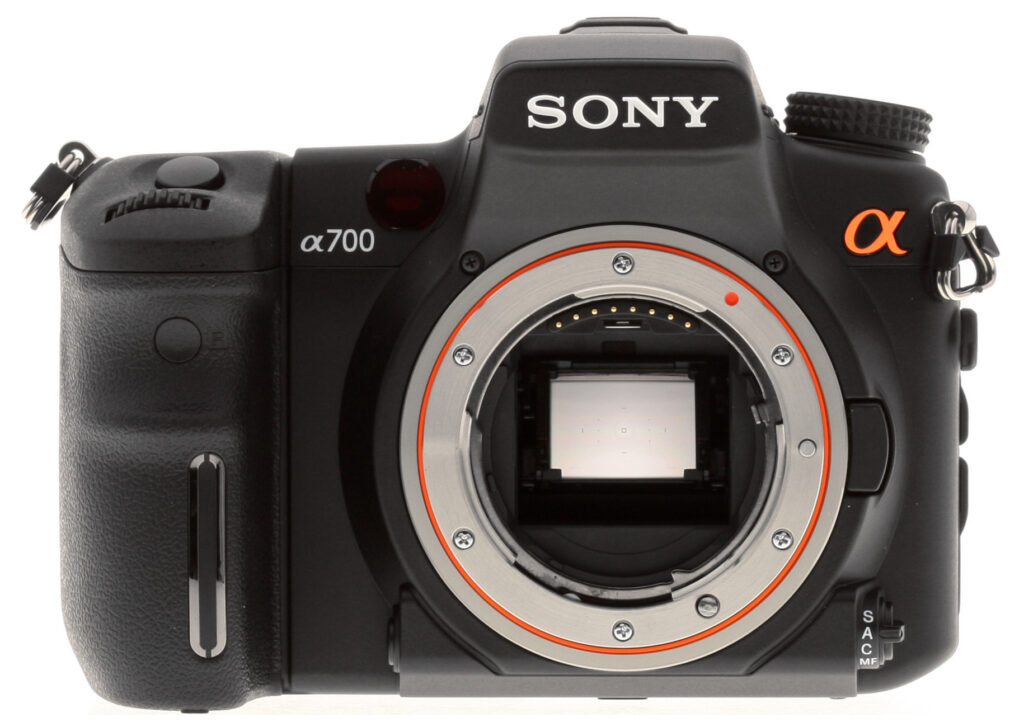
From the front you can see the Sony A700's unique grip sensor, which can be set to prevent the Eye-Start AF system from powering up until you hold the grip, useful if you normally hang the camera around your neck, not so useful if you tend to hold the camera by the grip. Up from that is the remote control sensor, the Shutter button and Front control dial. To the right is the camera's AF assist lamp, and down again from there is the Depth-of-field preview button. Off to the right is the Focus mode lever.
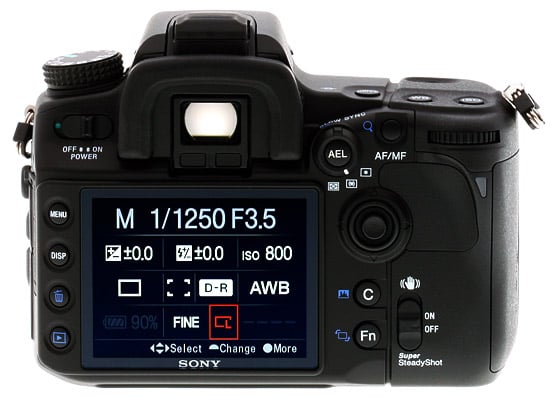
Here on the back of the Sony A700, the Playback zoom button has been taken from the midst of the left button cluster and moved to the AF/MF button upper right. The Flash EV compensation and Drive mode dials that were on the 7D have been removed from beneath the two large dials on the top deck, replaced with software controls. The Memory Set and ISO buttons are replaced by a programmable Custom button and the Function (Fn) button on the Sony A700. In Playback mode, the Sony A700's Custom button serves as a quick way to check histograms, and can be invoked right after capture. You can check highlights and shadows, and Luminance and separate RGB histograms without scrolling through half a dozen available display modes. Though it takes a few presses on the camera's Multi-controller, rotating images is also fairly simple, just press the Fn button and then press the joystick to cycle through the rotation options.
The Sony Alpha A700's Multi-controller joystick is surprisingly easy to use. I usually dislike most joysticks, but this one has just the right mix of resistance and play. Pressing it in is also not a risky gamble as is often the case with joysticks and rocker disks.
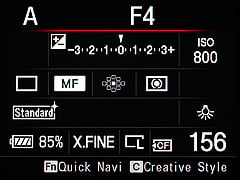
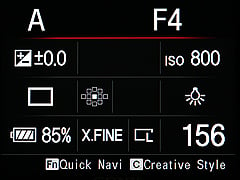
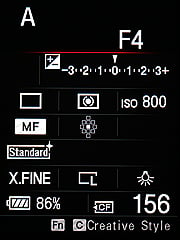
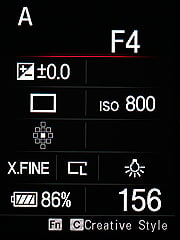
The Sony A700's LCD is a large, vibrant display that's striking to behold. Here in this shot its color and resolution aren't easily seen. It has a very high contrast and fine resolution that make fonts look incredibly smooth. Pressing the Function button turns the Status display into a graphical menu, as shown above. You can scroll among the camera's onscreen items with the Multi-controller joystick, and make rapid adjustments with the Rear control dial. Or you can launch a menu for a given item by pressing in on the Sony A700's joystick and scrolling through the options with either the joystick or any of the control dials. I like that they usually all make a change, and I'm not left trying one after the other until I've found the right one.
Note the Sony A700's Eye-Start AF sensors beneath the viewfinder.
Super SteadyShot is activated on the Sony Alpha A700 in the usual position on the back at the lower right. The CompactFlash/Memory Stick Pro Duo door is located on the right, opening toward the front with a slide to the rear. The Sony A700's springloaded door stays open and out of the way.

On top Sony took a minimalist approach, omitting the EV compensation dial on the left and moving the Mode dial to the left in its place. Though it's clear that there would be more space for a status LCD here, Sony stuck to the integrated status LCD on the A700, which does indeed offer that interactive graphical menu. Though I'm fine with the Drive, White balance, and ISO buttons here on the top deck, it is notable that it's more difficult to access these controls unless you take your hand off the Sony A700's main grip. Nevertheless, if you want to keep your hand on the grip, you can use the Multi-controller in combination with the gorgeous rear Status LCD display and make your changes to these items and many more.
The flash on the Sony A700 is still a pull-up design, and cannot be automatically deployed by the camera in full auto modes. That's not really a big deal for the Sony A700's target market. The Mode dial has the standard complement of manual and scene exposure modes, as well as the MR setting, which stands for Memory Recall. Sony/Minolta's proprietary hot shoe is concealed here by the hot shoe cover.
Sony A700 Heft and Grip
With the high quality 16-80mm Carl Zeiss optic attached, the Sony Alpha A700 feels hefty, but well balanced and solid. The contoured grip makes handling the A700 a pleasure, with a nice deep groove for the middle finger. The grip seems to be compatible with large or small hands. The thumb grip on the back has a soft rubber pad and a large raised curve to augment your hold on the A700. I do have to be careful to keep from pressing the AF/MF button on the back accidentally; though it's recessed and high, my thumb is more comfortable right on top of it than down a little lower. Once you learn its purpose and make adjustments, it's placed just right for quick activation.

Attach the optional battery grip and the camera gets a lot taller, but not much heavier. Most of the right-hand rear controls are duplicated on the grip, including the Multi-selector joystick and Rear control dial. Though the placement of the shutter button on the vertical grip is odd at first, it keeps the camera's balance a little more even, and the top of the lens remains the same with respect to both shutter buttons.
 Other designs tip a lot of the camera's weight into your left hand while shooting vertically, something I'd never given much thought. The hold does become a bit top-heavy with all that extra camera over the top, but I didn't find it too troublesome. I wouldn't mind a rubber pad for the rear thumb grip, though, because that's slightly slippery compared to the camera body's grip.
The battery grip holds two Sony InfoLithium NP-FM500H batteries via a special sled that slides in from the left side of the grip. Power is drained one at a time, and the detailed battery status appears on the Sony A700's status display. The grip's expected price will be around $350. With or without the vertical grip, the Sony A700 is a pleasure to hold.
Under the Skin
by Dave Etchells
Sony A700 Sensor
 The sensor in the new Sony A700 is a 12.2 megapixel CMOS design that Sony describes as "all new" and custom-designed for the A700. Many have speculated that the CMOS sensor in the recently announced Nikon D300 might be a Sony chip, and some of us under NDA for both cameras have been privately wondering if the two cameras may not in fact be using the same chip. It does seem that they're different models though, at least based on the extent to which Sony reps seemed to be holding out the A700 sensor as being a unique competitive advantage. Physically, the Nikon D300 produces images the same number of pixels high (2,848), but 16 pixels wider (4,288 vs 4,272) than those of the Sony A700.
One feature that Sony made much of the new sensor's integration of the 12-bit A/D converters right on the chip itself, rather than as separate components as on most digital SLR cameras. The advantage of having the A/D converters right on the Sony A700's sensor is that there's no chance of noise pickup in the connections between the converters and the sensor readout cells. It's always a design challenge in any mixed-signal (analog and digital) system to avoid picking up digital-generated noise in the low-level analog circuitry. By moving the A/D converters directly onto the sensor silicon itself, Sony engineers have eliminated an entire category of possible noise issues.
Sony A700 Super SteadyShot upgrade
 The new Sony Alpha A700 uses the same underlying sensor-shift image stabilization found in the A100, but with improvements. While we don't have specs at this point, one benefit of the more powerful BIONZ processor in the Sony A700 is improved performance in the anti-shake system. This should translate into better image stabilization performance, allowing slower shutter speeds than on the A100. (Stay tuned, we have some interesting studies of anti-shake technology coming, we'll hopefully be able to include the A700 in these tests, once we get a production sample.)
 Sensor-based image stabilization obviously involves some mechanical complexity in the camera body. The shot at left offers an interesting look at the Sony A700's sensor subassembly, with the chip itself (the light purple object with 3 gold dots in its corners) held inside the carrier frame that's driven by the anti-shake actuators.
As with the A100, Sony uses the Super SteadyShot actuator system as the basis of their anti-dust system. We'll try to look at that in more depth on the eventual production sample, but informal tests here at IR have generally shown anti-dust systems using anti-shake actuators (rather than ultrasonic transducers) to be relatively ineffective.
Sony A700 Shutter
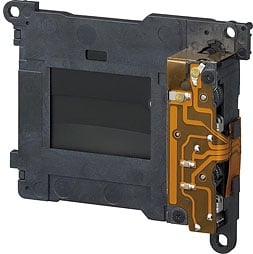 The Sony Alpha A700 contains an all-new shutter mechanism. It's a vertical-traverse design, with a maximum speed of 1/8,000 second. The new shutter's higher curtain speed translates into a noticeable improvement in the flash x-sync speed (the minimum exposure time that results in the entire sensor surface being exposed during the shutter cycle). The A100 had an x-sync speed of 1/160 second when Super SteadyShot was turned off, or 1/125 second when it was turned on. The corresponding times for the Sony A700 are 1/250 and 1/200 second. Sony USA gave no cycle lifetime specification for the A700's shutter mechanism, however we have since been notified by readers that the German Sony website mentions 100,000 cycles. (In higher-end digital SLR cameras, it's customary to rate the shutter life at a given number of exposure cycles. The shutter on Nikon's D300 for instance, is rated at 150,000 cycles, but Nikon did not publish a rating for the shutter in the D200.)
Sony A700 Viewfinder
The viewfinder in the Sony A700 has also been upgraded. It's now a pentaprism design (better brightness than the pentamirror type used in the A100), and still covers 95% of the frame, but the magnification has been increased almost 9 percent, going from 0.83x in the A100 to 0.9x in the A700. The eyepoint is 25mm from the eyepiece objective, 21mm from the surrounding eyepiece bezel, both numbers higher than those of the A100. This is a fairly high eye relief, and reasonably comfortable for eyeglass wearers, although we found that we did have to press our eyepiece lenses up against the bezel to see the full frame. I also noticed that the viewfinder image became quite distorted if I moved my eye away from the center of the eyepiece. This doesn't seem like a limitation of any sort, as I tend to keep my eye centered on the eyepiece anyway.
Another enhancement to the A700's viewfinder is its new focusing screen. When you look through the eyepiece of an SLR camera, you're not actually looking right out through the lens. What you're actually seeing is an image that's projected by the camera's optics onto a fine-grained, translucent glass (or plastic) screen. It's like a miniature camera obscura, that you carry around inside your camera. As you'd expect, the characteristics of the viewfinder screen affect the quality of the image you see.

Surface. Super Spherical Acute Mat.
Traditionally, viewfinder screens have been made from ground glass; literally a piece of glass that's been ground with very fine abrasive. These work well enough, but Sony's gone one better in the Alpha A700, with a new "super spherical acute mat" screen. The illustration of the surface of this screen seen above right shows that, rather than a random pattern of fine abrasions, the surface of the A700's screen is composed by a regular pattern of microscopic spherical lens shapes. Looking through the A700's viewfinder eyepiece, the end result is subtle but apparent. The A700's viewfinder is quite bright, and has a subtle, more smooth-looking appearance to it than the viewfinders on other cameras we compared it with, notably the Nikon D200.
New, Big, Bright LCD
The latest batch of digital SLR camera announcements from the major makers all seem to include large, high-resolution LCD screens, and the Sony A700 follows that trend. It's a 922,000 pixel screen (counting as usual the red, green, and blue elements as individual pixels), measuring three inches diagonally. It also has a very wide viewing angle, although Sony hasn't yet given a spec for this. Just playing with it, though, we felt we could still see the screen +/- 85 degrees from straight on, so that'd make (very roughly) a 170 degree viewing angle.
This is now the third or fourth ~920K pixel LCD screen we've seen, and we have to say the extra resolution is well worth it. (Tonality also seems better on this latest generation of LCD panels, our feeling has been that we can see highlight and shadow detail better on them as well.) It's difficult or impossible to convey how these screens look in a web article, photos won't come close to doing them justice because the linear pixel density of these panels is higher than most screens our readers would be viewing them on. Suffice it to say that the A700's LCD panel is really a thing of beauty.
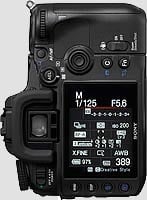
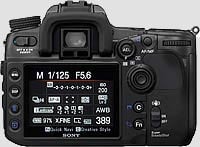
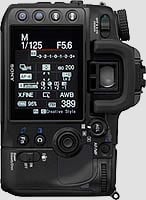
Sony A700 Construction
They're not calling it a "pro" camera, but the Sony A700 is clearly intended to compete against high-end amateur/low-end pro models from other makers, like the Nikon D200/D300 and Canon 40D. As befits a camera in this class, the A700's body and frame have been upgraded, with extensive use of magnesium-alloy castings and body panels, and the addition of environmental seals to a number of controls and body openings.
  |
Magnesium Body Castings. The new magnesium-alloy body is actually composed of two separate castings, with several stamped-metal panels fitting inside. The two castings are shown above, on the left, and then mated together on the right.
  |
Chassis Components. The castings are only the most prominent parts of a digital SLR body, though, there's always a lot of internal sheet metal and smaller parts that help hold everything together. In the shots above, we see front and back views of the camera with its body panels removed. In the shot of the front, it's a little hard to tell what all the pieces are made of, but judging from the metal color, the sheet metal on the left looks like stamped magnesium alloy. There appears to be a chunk of polycarbonate molding on the right side. Sony told us that some of the inner components of the camera are made from aluminum, to save weight, primarily in pieces that the body panel components mount to. In the shot of the back of the camera above, the large hunk of sheet metal looks like stamped sheet metal.
Environmental seals are almost a requirement for "semi-pro" digital SLR cameras these days, and the Sony Alpha A700 steps up to the mark, with seals on its button controls, as well as around its card compartment door. The battery door does not appear to have any gasket around it though. We don't have an overall view of the A700 showing the location of all environmental seals; our general sense is that the its sealing isn't quite as extensive as that of the Nikon D200/D300, the Pentax K10D, or the Canon 40D. If we learn more when the production samples of the Alpha A700 are available, we'll update this section accordingly.)
Thanks no doubt to all the metal castings and metal structural components, the Sony A700 certainly has a pleasant heft to it, but the use of lightweight magnesium and aluminum alloys keeps it from feeling too heavy. At 782 grams with a battery inserted but without a lens, the Alpha A700 is almost 150 grams heavier than the original A100, but weighs less than the Nikon D200 or D300. It's just slightly lighter than the Canon EOS-40D.
Sony A700 Memory Subsystem
The original Alpha A100 had a CompactFlash memory slot, and shipped with a CF to Memory Stick PRO Duo adapter, permitting use with Sony's proprietary Memory Stick card format. Perhaps reflective of their having had a bit more time since taking over the designs from Konica Minolta, the Sony A700 sports two memory card slots, a CompactFlash Type I/II slot, and another separate one for Memory Stick PRO Duo cards.
While the Sony A700 supports having cards in both slots simultaneously, you have to select between them manually: There's no provision (as in some high-end pro digital SLR cameras from Canon and Nikon) to write to both cards sequentially, switching to the second as the first fills up. Nor is there any provision for splitting storage of RAW and JPEG files between the two cards.
It's understandable that Sony would continue to promote their proprietary memory card format in the Alpha A700, but we suspect most serious users of the camera will gravitate toward the faster and more capacious CF format. While there's no difference in shooting speed between the two card types when you're shooting to the buffer memory, our tests showed that buffer clearing time was much longer with a Sony Memory Stick PRO Duo card than the Kingston 133x or 266x CF cards we compared it to.
Sony A700 Processor: Brand-New BIONZ
 Processing large digital images quickly demands huge amounts of computing power. This is why we've seen so much emphasis on processing chips by various companies, with various manufacturers drawing particular attention to their proprietary processor chips in their marketing pieces.
Sony has recently joined this fray with their "BIONZ" architecture, which we first saw in the Alpha A100. Here again, we have no specifics from Sony to go on, but their reps made a point of noting that the BIONZ chip in the Alpha A700 is an all-new design, developed just for this camera. This is certainly a believable proposition; just the basic performance of the camera implies that there's a lot more going on under the hood. The A100 turned out a modest 2.4 frames/second at 10 megapixels in our testing, while the new A700 comes within a hairsbreadth of 5 frames/second at 12 megapixels. That's a solid 2.5x increase in raw throughput, processing power that apparently also makes itself felt in other advanced features like the improved predictive AF system mentioned earlier, and enhanced image processing in the improved Dynamic Range Optimization feature.
Analysis
With Sony's new Alpha A700, the digital SLR camera market just got even hotter. Sony and Minolta fans have needed this camera, and Sony has delivered. The Maxxum 7D was a great design worth upgrading to keep up with advancing technology, and it seems the Sony A700 will be a more than competent contender in the market. Better, our experience says it should help photographers make great images, which is more what a camera is about than doing well in some spec comparison table.
Great control placement, a good fit, new lenses and accessories combine with improvements in the AF system, noise performance, image stabilization, and overall speed to create what should be an easy choice for enthusiasts.
Sony Alpha A700: New features
- 12.2MP CMOS sensor, Sony says sensor is "all-new for this camera"
- More rugged body, magnesium alloy and polycarbonate construction
- Environmental seals
- Continuous 5 fps shooting, no buffer limit in JPEG Fine/Normal mode with sufficiently fast memory card
- All-new shutter, vertical traverse, 1/8,000 max speed, 1/250 or 1/200 x-sync (slower when Super SteadyShot is turned on)
- Viewfinder is glass pentaprism, 95% coverage, 0.9x magnification.
- DRO (Dynamic Range Optimization) has been revised to include five user-selectable levels in D-R+ mode
- 922K-pixel LCD, 267 ppi vs 160 ppi for typical 230K-pixel 2.5" monitors
- Dual CompactFlash (type I/II) and Memory Stick Pro Duo card slots
- Lithium-ion battery good for 650 shots
- New lens for high-end kits: 16-105mm f/3.5-5.6
- Goes wider than any other kit lens, is equivalent of 24mm at wide end, vs 27mm equivalent for others. Doesn't sound like much, but the difference is 83 degree coverage for 16mm vs 76 degrees for 18mm.
- Super Steady-Shot image stabilization enhanced
- Both Eye Start and Grip Start sensors for AF
- Predictive autofocus has been enhanced
- Direct HDMI output built-in
- New Sony Bravia televisions will have special PhotoTV setting, optimized for still pictures. Higher resolution, more gradation, richer color. More natural contrast, not as pumped as standard TV mode
- New vertical grip with full controls, holds one or two batteries for extended runtime
- Sony's goal: "Number One total picture quality among mid-class DLSRs"
- New sensor with on-chip A/D converters
- New image processor (entirely new BIONZ design)
- RAW noise reduction, fast & low-noise processing optimized for CMOS
Design
Sony Alpha A700 Design
Roll-over the various controls and features with your mouse for a brief description.

Sony A700 Front View

Sony A700 Left Side

Sony A700 Right Side

Sony A700 Top View

Sony A700 Back View

Sony A700 Bottom View
Operation
Sony A700 Operation
I've always been impressed with Minolta SLR camera designs, as well as their optics. Taking nothing away from Minolta's design aesthetic, I see many Sony aspects in the A700's design, including a tendency for fine, precise, and intricate engineering of each part. Much like the R1 and the F818, the Sony A700 is built for the enthusiast. Though the Sony A700 doesn't quite bristle with the analog dials I so enjoyed on the Maxxum 7D, its controls are thoughtfully placed for easy visibility and quick adjustment.
The Sony A700's external dials and buttons access most of the main camera settings, reserving the LCD menu system for less commonly-used functions. The Control dials access shutter speed and aperture settings, in addition to a wide range of functions when used with other control buttons. Most of the camera adjustments are made by pressing a button, and turning a Control dial. Menus are navigated with the Multi-controller joystick, which is surprisingly easy to use. I usually dislike most joysticks, but this one has just the right mix of resistance and play. The major functions not accessed by an external control are clustered under the Function menu, which you activate by pressing the Function button. Unlike most competitors, the Sony A700 does not include a top-panel status LCD, relying on the main LCD to fulfill that function.
Sony A700 Record Mode Displays
 The Sony A700's rear-panel, 3.0-inch, TFT color LCD monitor is for image review, status display, and menu display. Unlike recent DSLRs from some of its competitors of late though, the Alpha A700 doesn't offer any form of live view mode, so the LCD can't be used to frame shots. Since the A700 does not have a top status LCD panel, the large, high resolution (640 x 480 full-color pixels, 921,600 dot) color LCD is put to good use to display various camera settings. We do have somewhat mixed feelings about using the rear panel LCD for setting readouts. While it provides a much larger area than the more typical small black & white data readouts, it necessarily also consumes more power. While the Sony A700's battery life is quite good, it'd arguably be even better if it didn't require the main LCD screen to be lit so much of the time. That said though, we do really like the wealth of camera information that the A700 makes available on its rear screen.
|
Sony A700 LCD Display Screen Info
|
|
|---|---|
 |
|
|
1 - Shutter Speed |
14 - Aperture Value |
Display Rotation
Here's a nice ergonomic touch, carried over from the A100: The Sony A700 has an orientation sensor inside, and uses it to keep the display oriented in the right direction so the information will appear right-side up when viewed by the photographer, whether shooting horizontally, or in either vertical orientation. (For those who might be wondering though, no, it won't turn completely upside-down.)
Large- and Small-Type Options
Sometimes you don't need to see every last detail about the camera's operation, but rather prefer to concentrate on just the most important settings. The Sony A700 has two different display options, that apply to both the horizontal and vertical formatted data screens. The large-type/low-density option drops the details on metering mode, AF mode, Creative Style, Flash mode, and Contrast, Saturation, and Brightness settings.
Sony A700 Playback Mode Displays
 The Playback button on the rear panel accesses Playback mode, where you can review captured images. Pressing the DISP button cycles through displays with information overlay on or off. The Histogram button displays a RGB+L histogram along with recording data and any areas with lost highlights or shadows are illuminated. Pressing the Index button cycles through 25, 9 or 4 frame index views and individual images can be selected using the multi-selector joystick. Images can be zoomed by using the Enlarge button, and magnification can be adjusted up to 13x (depending on image size) using the rear control dial, or a zoom box can be defined using the multi-selector joystick. Enlarged images can also be scrolled in the X or Y direction using the joystick.
Optics
Sony A700 Optics
 The Sony A700 features a bayonet lens mount (Minolta A-type), which accommodates a range of Sony and Konica Minolta lenses. The A700 ships in two bundles, one with the Sony 18-70mm f/3.5 lens found in the original A100 kits, and the other with a new 16-105mm f/3.5-5.6 kit lens. A small button on the front of the camera releases the lens from its mount, so it can be turned and removed. The A700's CCD is smaller than a 35mm frame, so the angle of view at any given focal length will not be the same as on a 35mm camera. To find the approximate 35mm equivalent focal length, multiply the focal length of the lens by 1.5. (Thus, a 100mm lens will provide about the same view as a 150mm lens on a 35mm camera.)
The Sony A700 provides both manual and automatic focus control modes, set by the Focus Mode switch on the left side of the camera. You can select between Single, Auto, Continuous and Manual focus modes. Single AF autofocuses once when you initially press the shutter button halfway. Continuous AF mode will continue adjusting focus as long as you hold the shutter button half-pressed. Auto AF mode will focus once if the subject is stationary, but continuously if it detects subject motion.
Manual focus mode has a couple of handy options. If you half-press and hold down the shutter button in Manual focus mode, the viewfinder focus indicator will tell you when the camera thinks the image is in focus. Better yet, if you press the AF/MF button on the back of the body (conveniently located right under your right thumb), the camera will momentarily take control and set the focus, returning control to the focus ring on the lens when you release the button.
 There are three options for Auto Focus Area, set via the "Quick Navi" screen on the rear-panel LCD (accessed via the Fn button): Wide Focus Area, Spot AF Area, and Local or Focus Area Selection. The default option is an 11-point Wide Focus area, indicated by an array of dashes arrayed across the central area of the viewfinder frame. You can override the chosen AF mode by depressing the Multi-Selector joystick, which switches to the more accurate center AF point (the latter indicated by a target box in the center of the viewfinder). Wide Area AF bases its focus on the most prominent subject detail in the portion of the image that falls within the AF brackets. Spot Focus bases its focus on the very center of the frame, where the square target resides. The Local or Focus Area Selection option lets you manually set the main AF point by using the Multi-Selector to highlight one of the 11 AF points. The active AF area is briefly illuminated in the viewfinder. Unlike its progenitor, the Konica Minolta 7D, there's no "lock" setting for focus area selection on the Sony A700: The Multi-Selector joystick is always live.
Sony A700 AF Assist
Unlike the Sony A100, which used its flash for AF-assist lighting, the Sony A700 has a very bright LED built into the body, that projects a pattern onto the subject for better focusing in dim light. The disadvantage of an LED is that it isn't as bright as the flash, limiting the distance at which the AF illuminator can work. The LED has several advantages though, including that you don't need to use the flash to have AF assist work, a huge benefit for available-light photography.
The pattern projected by the LED is also a significant help when dealing with low-contrast subjects. Thanks to the projected pattern, the Sony A700 can focus on a blank wall in total darkness. (Not that a blank wall would make a particularly interesting subject, but if it can handle that, it can probably handle most any normal subject.)
Sony A700 Anti-Shake
The A700 also employs Sony's Super SteadyShot anti-shake technology, which uses a highly sensitive angular rotation sensor and Smooth Impact Drive Mechanism (SIDM) to move the CCD assembly itself to counteract camera movement, rather than the more common approach of moving an optical element inside the lens. This body-based anti-shake approach is based on technology Sony acquired from Konica Minolta, but Sony claims that their more powerful processors increase the system's effectiveness beyond that of similar systems in the original Konica Minolta SLR models. (Theoretically, a faster CPU could let the system respond to and compensate for higher-frequency vibrations, and/or use a more sophisticated algorithm for matching the vibration pattern of the camera.)
Sony claims that the Super SteadyShot anti-shake system in the A700 provides a 2.5 to 4 stop reduction in the blurring produced by camera shake, a half-stop better than was claimed for the A100. Translating that into real-world shutter speeds, a 2.5-stop improvement means that a shutter speed of 1/25 second would give you the same resistance to blur from camera shake that a speed of 1/125 would without anti-shake. A 4-stop improvement would mean you could shoot as slow as 1/8 second and get the same results (blur-wise) as when shooting at 1/125 second unaided. Even the lower end of the specified range of effectiveness means a pretty significant improvement in one's ability to hand-hold long exposures.
When Super SteadyShot is activated, the SteadyShot scale on the right side of the viewfinder display indicates the degree of stabilization. A downside to Sony's body-based SteadyShot approach is that while you can see the results of stabilization on competing lens-based designs, you have only this scale to tell you how the A700's SteadyShot mechanism is doing. SteadyShot minimizes the effect of blurring caused by slight camera movement, which is more noticeable at long focal lengths.
We're working on a protocol for quantitative measurement of anti-shake performance, but haven't tested the Sony A700 with it yet. That said though, the system on the Sony A700 seemed to be pretty effective. In the past, we've generally found that body-based anti-shake systems were more effective at compensating for lower-frequency, larger-amplitude camera shake than were lens-based systems, but less effective with higher-frequency vibration. Body-based systems have also generally seemed to be more effective with shorter focal length lenses than long telephotos, perhaps because body-based sensors may be less sensitive to angular movement than lens-based sensors are to the corresponding linear motion out along the lens barrel where the motion sensor is presumably located. Finally, lens-based anti-shake systems do have a practical advantage in that they also stabilize the view in the optical viewfinder, while sensor-based ones do not. We'll report more on our experience with the A700's anti-shake and make some quantitative comparisons with the performance of some other systems at some point, hopefully in the near future. There's no question, though, that even with telephoto lenses, the A700's Super SteadyShot anti-shake system produces a dramatic improvement in the sharpness of handheld photos at slow shutter speeds.
Anti-Dust Too?
In an interesting wrinkle, Sony also appears to be using the same actuators used in the anti-shake system to deliberately vibrate the sensor at startup and shut down to dislodge dust particles that may have landed on its surface. This is reminiscent of the hypersonic dust-removal system pioneered by Olympus and also recently adopted by Canon and Nikon, but it appears that the vibrational frequencies used in the Sony system are much lower than the ultrasonics used by Olympus and Nikon, and to a lesser extent, by Canon.
In our experience, no anti-dust system will entirely eliminate the need to clean your sensor, so we strongly suggest that you avail yourself of a good sensor-cleaning system of your own. We don't pretend to have used everything currently on the market, but can tell you about one solution that worked very well for us. The "Copper Hill" cleaning method is straightforward and safe, and in our routine usage here at Imaging Resource, highly effective. Better yet, the products sold by Copper Hill Imaging are very reasonably priced. Best of all, Nicholas R (proprietor of Copper Hill) has put together an amazingly detailed tutorial on sensor cleaning, free for all.
Sony A700 Optical Test Results
Below are the results of our optical tests on the Sony A700. These tests are based on the 18-70mm f/3.5-5.6 and 16-105mm f/3.5-5.6 kit lenses, as these are the lenses most people will be buying the camera with. Some results shown here for the 18-70mm are from the earlier A100. Results should be similar on the A700, apart from the fact that optical artifacts (chromatic aberration, softening, etc) will be more apparent on the A700 due to its slightly higher resolution/smaller pixels.
Lens
Zoom
Good performance from the 16-105mm and 18-70mm kit lenses.
|
Results from 16-105mm kit lens
|
|
 |
 |
| 16mm |
105mm |
The Sony A700 is offered body-only, or bundled with either the Sony SAL-1870 18-70mm f/3.5-5.6 lens, or the new SAL-16105 16-105mm f/3.5-5.6 lens. Here, we can clearly see the advantage in focal length range the 16-105mm has over the 18-70mm below.
The 16-105mm is fairly sharp across the frame, but does show a little softening in extreme corners at wide angle. It also exhibits a bit more chromatic aberration than the 18-70mm at wide-angle, which is understandable given the increased range. Results at telephoto are also quite good, but the increase in chromatic aberration over the 18-70mm telephoto shot is more dramatic. While the 18-70mm has virtually no CA at full telephoto, the 16-105mm shows 6-7 pixels of bright coloration around high contrast objects near the edges of the frame. The 16-105mm's increased pincushion distortion at full telephoto is also quite evident.
|
Results from 18-70mm kit lens
|
|
 |
 |
| 18mm |
70mm |
Detail with the 18-70mm is good at full wide angle, with good definition throughout the frame, though with slightly soft corners. There's also a small amount of coma distortion in the top corners. Results are also very good at full telephoto, though again, with slight softening in the corners of the frame.
Macro
The 16-105mm produces an average size macro area for a kit lens, though good detail and resolution. Flash performs well also. The 18-70mm gets a bit closer.
|
Results from 16-105mm kit lens
|
|
 |
 |
| Macro | Macro with Flash |
The Sony SAL-16105's macro performance was average for a kit lens, capturing a minimum area of 3.92 x 2.61 inches (100 x 66 millimeters). Detail and resolution were both good, though there's a moderate amount of softening in the corners, as well as some vignetting in the extreme corners. (Most lenses have some softening in the corners when focusing at macro distances, the vignetting is less common.) Performance will naturally be better with a true macro lens, but the kit lens does a decent job in the macro area. The A700's flash did a good job of throttling down, and provided even coverage.
|
Results from 18-70mm kit lens (shot on A100)
|
|
 |
 |
| Macro | Macro with Flash |
From our testing with the Sony A100, we can see it gets a little closer for macro shots, capturing a minimum area of 3.12 x 2.09 inches (79 x 53mm). It also exhibited less vignetting in the extreme corners than the 16-105mm.
Distortion
16-105mm: Higher than average barrel and pincushion distortion.
17-80mm: Higher than average barrel, almost no pincushion distortion.
|
Results from 16-105mm kit lens
|
| Barrel distortion at 16mm is 0.9% |
 |
| Pincushion at 105mm is 0.3% |
 |
The 16-105mm SAL-16105's 0.9% barrel distortion at wide angle is just a little more than average among the cameras we've tested, and quite noticeable in some of its images. At the telephoto end, the SAL-16105's pincushion distortion is 0.3%, also higher than most, and again noticeable in some images. (It bears noting though, that long-ratio zoom lenses very commonly show greater distortion than shorter-ratio designs. At roughly 6.6x, the SAL-16105 is a longer-ratio zoom than most kit lenses, and so should perhaps be judged accordingly.)
|
Results from 18-70mm kit lens (shot on A100)
|
| Barrel distortion at 18mm is 0.9% |
 |
| Pincushion at 70mm is 0.03% |
 |
The 18-70mm lens shows almost identical distortion at the wide angle end, but at its longest telephoto setting, shows almost no pincushion distortion.
Distortion is the tendency for the lens to bend straight lines outward (like a barrel -- usually at wide angle) or inward (like a pincushion -- usually at telephoto).
Chromatic aberration
16-105mm: Moderately high, with noticeable effect on some images at edges, extends a ways into the frame.
18-70mm: Moderately high at 18mm, extends a ways into the frame. Very little aberration at 70mm.
|
Results from 16-105mm kit lens
|
|
 |
 |
| Wide: Moderately high and bright, top left @ 200% |
Wide: Moderately high and bright, top right @ 200% |
 |
 |
| Tele: Moderately high and bright, top left @200% |
Tele: Moderately high and bright, top right @200% |
Chromatic aberration in the 16-105mm kit lens is moderately high at wide angle, showing about 6-7 pixels of bright coloration on either side of the target lines. (This distortion is visible as a very slight colored fringe around the objects at the edges of the field of view on the resolution target.) At telephoto, chromatic aberration is also moderately high. The effect is noticeable in the corners of some of our test shots. As is usually the case, the amount of CA decreases as you move towards the center of the frame, but it's noticeable a fair ways into the frame. (As is the case with distortion, long-ratio zoom lenses very commonly show greater chromatic aberration than short-ratio zoom designs. At roughly 6.6x, the SAL-16105 is a longer-ratio zoom than most kit lenses, and so should perhaps be judged accordingly.)
|
Results from 18-70mm kit lens (shot on A100)
|
|
 |
 |
| Wide: moderate, top left @ 200% | Wide: fairly bright, top right @ 200% |
 |
 |
| Tele: quite low, top left @200% | Tele: quite low, top right @200% |
NOTE: The 18-70mm results above were shot on the Sony A100 camera. Results on the A700 will be similar, but slightly more pronounced, due to the A700's higher resolution. CA on the 18-70mm lens was similar to that of the 16-105mm at its wide-angle end, but very good at its tele end.
Corner Sharpness
16-105mm: Some blurring in the corners of the frame at wide angle and telephoto, doesn't extend too far into the image.
18-70mm: Slight softening in the corners of the frame with the kit lens, though not too strong. More noticeable at telephoto. (Much better than average performance.)
|
Results from 16-105mm kit lens
|
|
 |
 |
| Wide: Soft in the corners (upper left). |
Wide: Sharp at center. |
 |
 |
| Tele: Soft in the corners (upper left). |
Tele: Slightly soft at center. |
The Sony SAL-16105 produced soft corners at full wide angle and full telephoto, when wide open (above shots taken at f/3.5 and f/5.6 respectively). The center is quite sharp at wide angle, but a bit soft at full telephoto. The effect is noticeable in some images, however sharpness improves when the aperture is stopped down a few stops, and even wide open, the softness extends only about 15% of the way into the frame from each corner.
|
Results from 18-70mm kit lens (shot on A100)
|
|
 |
 |
| Wide Angle: Slightly soft in the lower left corner. |
Wide Angle: Sharp at center. |
 |
 |
| Telephoto: Stronger blurring in lower left corner. |
Telephoto: Sharper at center, though still a hair soft. |
NOTE: The 18-70mm results above were shot on the Sony A100 camera. Results on the A700 will be similar, but slightly more pronounced, due to the A700's higher resolution/smaller pixels. The 18-70mm kit lens produced slightly soft corners in a few shots, with the strongest effect at full telephoto. While the telephoto example above from the lower left-hand corner of our test unit looked pretty soft, that was by far the worst corner, and even there the effect didn't extend too far into the frame. Other corners were much better, overall lens performance was quite good in this area.
The images above were taken from our standardized test shots. For a collection of more pictorial photos, see our Sony Alpha DSLR-A700 Photo Gallery .
Exposure
Sony A700 Exposure
The Sony A700 offers excellent exposure control, with fine-grained adjustment of image attributes like sharpness, contrast, and color saturation, as well as extensive White Balance offerings. The Exposure Mode dial on the top panel selects the main shooting mode, offering Manual, Shutter Priority, Aperture Priority, Program AE (Program Shift), Full Auto, and six Scene settings.
New to the A700, a Memory Recall (MR on the dial) mode lets you store and then quickly recall up to three different camera setups. This could come in handy for situations where you needed to switch rapidly between two or three different environments. For instance, consider a wedding, where you'd want separate setups for outdoor, indoor available light, and indoor flash shots. With the A700's MR mode, you could configure the camera for each setup independently, and then quickly switch between them.
Exposure Modes In straight Auto mode, the camera controls everything about the exposure, except for flash, zoom, and focus. Program AE mode lets the camera control the exposure,while you have control over all other exposure options. While in Program AE mode, any time the metering system is active (just half-press the shutter button any time, to make the metering system "wake up"), you can choose between a range of equivalent exposure settings by rotating either the front or rear control dials. The front control dial selects different shutter speeds, while the camera adjusts the aperture to match. The rear control dial selects different apertures, with the camera adjusting the shutter speed as needed. Thus, you can bias your exposure toward a faster shutter speed or greater depth of field as circumstances dictate.
Aperture Priority mode lets you select the lens aperture setting, while the camera selects the most appropriate corresponding shutter speed. In Shutter Priority mode, the user selects the shutter speed, from 1/8,000 to 30 seconds, while the camera chooses the best corresponding aperture setting. Switching to Manual mode gives you control over both shutter speed and aperture, with a Bulb setting available for longer exposures. Exposure time in Bulb mode is determined by how long you hold down the Shutter button. There doesn't appear to be any limit to the duration of Bulb exposures, and the A700 appears to have surpassed the A100's 30-second limit for dark-frame subtraction (long-exposure noise reduction): I was able to shoot 1-minute bulb exposures with the dark-frame processing working properly. (I strongly recommend use of the optional wired remote in Bulb mode though, as the pressure of your finger on the Shutter button is bound to jiggle the camera somewhat, blurring the image.)
Scene Modes & DOF Preview
The six Scene modes include Portrait, Landscape, Macro, Sports Action, Sunset, and Night Portrait. Each optimizes the camera's exposure, white balance, and image processing systems for the particular program.
Portrait biases toward wider apertures to defocus the background while capturing warm, soft skin tones. Landscape produces sharp, colorful shots of outdoor scenery. The Macro setting boosts color in smaller subjects. (Note that Macro mode has no effect on the lens' minimum focusing distance, it only adjusts sharpening and color saturation.) Sports Action maximizes shutter speeds and automatically activates Continuous Autofocus and Continuous Advance Drive modes. Sunset sets the camera's white balance and saturation adjustments to enhance the rich warm palettes of sunsets. Finally, Night View/Night Portrait adjusts exposure parameters to produce good shots after dark. When the flash is used in Night Portrait mode, the camera balances ambient light with the flash, so background elements are visible along with your subject.
A Depth of Field Preview button on the front of the camera, on the right side of the lens mounting flange lets you look through the viewfinder with the aperture stopped down, previewing the depth of field before actually capturing the image.
Metering Modes The Sony A700 offers three metering modes accessible via a Metering Mode dial on the rear panel: Multi-segment, Center-Weighted, and Spot. The default Multi-segment metering mode takes readings throughout the image to determine exposure, using a 40-segment honeycomb pattern. The active AF sensor is taken into account by the exposure metering system. Center-Weighted gives precedence to the center of the image while reading the whole frame. The spot metering option is useful for high-contrast subjects, basing the exposure reading on the very center of the image, letting you set the exposure based on a small portion of your subject. (Very handy for subjects with strong backlighting.) You can also lock an exposure reading by pressing the Auto Exposure Lock (AEL) button on the back panel. Halfway pressing the Shutter button also locks exposure and focus, but only when the autofocus system is active: In Manual Focus mode, only the AEL button locks the exposure. Metering range is 0 EV to +20 EV for Multi-segment and Center-Weighted, and +2 EV to +20 EV for Spot.
ISO Range The A700's light sensitivity can be set to ISO equivalents ranging from 100 to 6,400 in steps of 0.3 or 0.5 EV, or it can be left in Auto mode for the camera to adjust as it sees fit. The camera's "official" ISO range is from 100 to 3,200; settings above 3,200 are considered to be in an extended range, with degraded image quality likely. ISO settings in the extended range are marked with bars above and below the value on the camera's LCD. There's also some evidence that the A700 sensor's "native" ISO is actually 200, rather than 100: Dynamic range is quite a bit better at ISO 200 than 100, and the auto ISO range bottoms out at 200. (Credit to DP Review for first noticing this.)
As just mentioned, the A700 also has an Auto ISO option, in which the camera automatically selects the best ISO setting when operating in Auto, Program, Aperture-priority or Shutter-priority exposure modes. You can choose different options for the maximum and minimum ISO settings in Auto ISO mode, via options on Record Menu 2. The minimum ISO can be either 200 or 400, while the maximum ISO can be 400, 800, or 1,600. Unfortunately, there is no selection of the minium shutter speed for Auto ISO to be activated.
Noise Reduction & "Cooked RAW"
Noise Reduction options are available for longer exposures and higher ISO settings, reducing the amount of image noise that would otherwise result. As always, high-ISO noise reduction always occurs at the expense of subtle subject detail, so you may want to experiment with that setting to decide what value suits your shooting style and personal preferences best.
Sony has come under some fire (from us and many Sony enthusiasts as well) for applying noise reduction processing to data in the A700's "RAW" files. Some have taken to calling the result "cooked RAW." In our view, the application of any processing to RAW files is a serious problem, defeating fundamental purpose of the format: To provide an unadulterated record of exactly what the sensor saw at the moment of exposure. Regardless of how good a given company's noise-reduction processing may be, hard-wiring it into the RAW data eliminates any possibility of achieving better results in the future through the use of more advanced algorithms. Image noise is also a highly subjective area, and different photographers will have very different approaches to dealing with it. (In fact, the same photographer may choose very different approaches to noise reduction, depending on the subject matter. It's very likely you'd want to use a different approach on candid portraits than on images shot for journalistic use.)
In our view, the A700's application of noise reduction processing to its RAW files is a serious flaw in an otherwise excellent camera. While the A700's high-ISO noise processing is in fact pretty decent, the loss of any ability to go in and process its RAW files with more advanced noise-reduction software after the fact is a real limitation. Of course, it must be said that it's entirely possible you'll be happy with the A700's high-ISO noise handling and the particular choices it makes between image noise and subtle subject detail. If you plan on doing much high-ISO photography though, you should examine our high-ISO image samples carefully to determine whether they meet your needs or not: What you see is all you'll get, regardless of what RAW file conversion software you happen to use.
Update: It seems the Sony has listened. Version 4 of Sony A700 firmware adds an Off setting to High ISO Noise Reduction menu, which allows RAW files to be truly RAW, with no noise reduction applied.
Exposure Compensation Exposure compensation is adjustable from -3 to +3 exposure equivalents (EV) in 0.3 or 0.5 EV increments by pressing the Multi-Selector left or right while pressing the Exposure Compensation button. The value is displayed on a scale on the LCD monitor, as well as in the viewfinder (oddly, the viewfinder Exposure Compensation scale only has a +/- 2 EV range). The +/- 3 EV range is an upgrade from the earlier A100, which offered +/-2 EV. An Auto Exposure Bracketing option can snap three or five shots in rapid succession if you hold down the shutter, varying the exposure between each in steps of 0.3, 0.5, or 0.7 EV units. (Another upgrade over the A100, which could only take 3 shots in steps of 0.3 or 0.7 EV each.) You can also bracket the exposures using the flash: Bracketing shifts from ambient to flash exposure when you raise the flash head. The A700's Drive mode menu offers Auto Exposure Bracketing for either Single Advance or Continuous Advance drive settings.
White Balance Options The A700 offers convenient control over white balance, color rendition, and tonal range. You adjust white balance by pressing the WB button on the camera's top panel, and then using either the control dials or the rear-panel joystick to select between the settings. Options include Auto, Daylight, Shade, Cloudy, Tungsten, Fluorescent, Flash, Color Temperature, and up to three Custom settings. Each of the preset white balance options let you tweak the color balance by +/- 3 units (on an arbitrary scale), to make the images warmer or cooler than the default setting. The Fluorescent option offers an adjustment scale of -2 to +4, to better accommodate the much cooler tones of "cool white" tubes.
The Color Temperature setting lets you select a specific color temperature in degrees Kelvin, between 2,500 and 9,900K. Rather than the arbitrary +/- 3 unit adjustment range, adjustments are expressed as Color Filter options of "G1" through "G9" or "M1" through "M9". The G settings are equivalent to adding a green filter of varying strength, while the M settings correspond to magenta filters. When you consider that the basic Color Temperature adjustment itself works along the yellow-blue axis, you can see that this ability to also adjust along the magenta-green axis gives you near total control over the A700's color balance. In one form or another, this two-dimensional color control has found its way into many current DSLRs, but the approach chosen by Sony expresses it in terms of color filters, which may be more intuitive to many old-school photographers.
Finally, the Custom option lets you set the white balance by pointing the camera at a neutral white or grey card and snapping the shutter. In an interesting wrinkle, the A700 translates the Custom white balance setting in a value in degrees Kelvin. It strikes us that this could be very handy if you had to color-balance disparate light sources to each other, letting the camera stand duty as a color-temperature meter. (Usually an extra, pricey accessory.) A total of three different Custom white balance settings can be stored in the camera for rapid recall, another convenient touch.
Creative Styles & Adjustments The Sony A700 replaces the A100's Digital Effects Control with the ability to adjust contrast, saturation and sharpness parameters for each of its "Creative Styles" independently. Creative Styles are accessible via the rear-panel shooting display, or the first screen of the Record menu. By default, the Custom button on the camera's rear panel also brings up the Creative Styles menu.
The Sony A700's Creative Style options include both "Switchable" and "Unswitchable" options. The Unswitchable options are Standard (the camera's default), Vivid, Neutral and Adobe RGB. In addition to these, three Switchable styles are available. These default to Portrait (optimized skin tones), Landscape (higher saturation, contrast, and sharpness for landscapes), and Black/White, but you can swap out any of these in favor of Sunset (optimized landscapes at dusk or dawn), Night view (optimized for nighttime scenery without flash), Autumn Leaves (increased saturation for yellows, reds, and oranges), Sepia, Clear (reduced saturation in highlight colors, good for capturing radiant light), Deep (slightly higher contrast, saturation of already highly-saturated colors boosted), and Light (a little hard to describe, looks like the tone curve is shifted a bit to brighten 3/4 tones and highlights somewhat).
As noted above, all of the options on the Creative Styles menu let you adjust contrast, saturation, and sharpness parameters in seven steps, from -3 to +3 arbitrary units. These adjustments can be made for each of the Styles independently of the others, providing a great deal of customization ability. The Switchable options also offer Brightness and "Zone Matching" settings as well. Brightness does pretty much what you'd expect, adjusting overall brightness over a -3 to +3 range. Zone Matching is a little different, apparently intended to be used the way exposure compensation normally is when shooting scenes that are either bright or dark overall. A setting of -1 keeps shots of high-key (mostly light or white) scenes from being underexposed, while settings of +1 or +2 keep low-key shots (those that are dark overall) from being overexposed. If Zone Matching is set to anything other than zero, the Contrast adjustment is disabled.
Interestingly, any of the Unswitchable options can be loaded into the Switchable slots in the Creative Style menu as well. This lets you have one or more variations of the Standard, Vivid, Neutral, or Adobe RGB settings available for rapid selection while shooting. It also lets you apply Brightness and Zone Matching adjustments to the Unswitchable options, bringing them the same flexibility as is found in the Switchable options.
Dynamic Range Optimization Sony's D-Range Optimization system analyzes the range of brightness of each image, and adjusts the camera's image processing parameters accordingly, to make the best use of the available dynamic range. Four options are available on the Sony A700: DRO Off, Standard DRO, DRO?Advanced Auto and DRO Advanced with strength levels selectable from 1 to 5. Standard DRO looks at the entire image and effectively adjusts contrast and brightness across the entire image for best effect. Advanced DRO modes analyze everything, but makes local adjustments to bring out shadow detail and preserve highlights.
Overall, the Sony A700 offers a tremendous amount of control over its image rendering, more than most (any?) other DSLRs on the market.
Drive Modes
 The A700's Drive Mode button on the top panel accesses a range of shooting modes, including Single Frame Advance, Continuous Advance (either high or low-speed), 10-second and Two-second Self-timer modes, Continuous Advance Bracketing, Single Frame Bracketing, White Balance Bracketing, DRO bracketing, and Remote Commander mode. The first two bracketing modes access the camera's Auto Exposure Bracketing system, with options to shoot either 3 or 5 frames, with exposure steps of 0.3, 0.5, or 0.7 EV. In Continuous Advance mode, the A700 captures a rapid series of images, with a maximum frame rate of five frames per second in high speed mode, or 3 frames/second with the low speed setting. Actual frame rates may vary, depending on the image size and quality settings, as will the total number of images in the series, due to the amount of memory card space. White Balance Bracketing lets you capture a series of images as well, though with bracketed white balance values instead of exposures. Two settings (Hi 3 or Lo 3) let you select white balance adjustment step sizes of 10 or 20 mireds. (A mired is a measure of color shift commonly used to calculate adjustments made by color filters.)
The DRO Advanced bracketing option essentially lets the camera automatically vary the amount of DRO+ dynamic range optimization that's applied. As with White Balance bracketing, DRO bracketing offers two step sizes, although the manual doesn't say how these step sizes translate to the 5-step scale for DRO+ available through the menu.
The two Self-Timer modes lock the mirror up, then fire the shutter a short delay after the Shutter button is pressed. The shorter, two-second delay is very handy when you need to prop the camera on something to take a photo in dim lighting, and don't want the pressure of your finger on the shutter button to jiggle the camera. The 10-second delay is long enough that you can run around to get into the photo yourself. An LED lamp on the front of the A700 blinks and the camera beeps as the 10-second Self-Timer is counting down, the blink and beeps becoming faster in the last few seconds.
The images above were taken from our standardized test shots. For a collection of more pictorial photos, see our Sony Alpha DSLR-A700 Photo Gallery .
Not sure which camera to buy? Let your eyes be the ultimate judge! Visit our Comparometer(tm) to compare images from the Sony Alpha DSLR-A700 with those from other cameras you may be considering. The proof is in the pictures, so let your own eyes decide which you like best!
Performance
Sony Alpha A700 Performance
Updated with results from a production unit.
Timing and Performance
Average to above average speed for a semi-pro level SLR.
|
Startup/Shutdown
|
||
|
Power on
to first shot |
0.6 second
|
Time it takes for LCD to turn on and capture the first picture.
|
|
Shutdown
|
1.7 seconds
|
Time to shut down, if buffer is empty.
|
|
Buffer clearing time
Continuous LEF JPEG 133x CF card |
15 seconds
(After 13 shots) |
Worst case buffer clearing time. -- This is the delay after a set of shots before you can remove the card. Card used was Kingston 133x CF.
|
|
Buffer clearing time
Continuous RAW 266x CF card |
6 seconds
(After 13 shots) |
Worst case buffer clearing time. -- This is the delay after a set of shots before you can remove the card. Card used was Kingston 266x CF.
|
|
Buffer clearing time
Continuous RAW 133x CF card |
8 seconds
(After 11 shots) |
Slightly longer buffer clearing with a Kingston 133x CF card vs a 266x one.
|
|
Buffer clearing time
Continuous RAW Sony Memory Stick PRO Duo |
25 seconds
(After 10 shots) |
Sony Memory Stick PRO Duo increased buffer clearing time to 25 seconds.
|
|
Mode switching
|
||
|
Play to Record,
first shot |
0.6 second
|
Time until first shot is captured.
|
|
Record to play
|
0.9 second
|
Time to display a large/fine file immediately after capture.
|
|
Display
recorded image |
0.6 second
|
Time to display a large/fine file already on the memory card.
|
|
Shutter response (Lag Time)
|
||
|
Full Autofocus Wide
|
0.18 second
|
Time from fully pressing shutter button to image capture. Lens used was Sony 16-105mm f/3.5-5.6 DT at full wide angle.
|
|
Full Autofocus Tele
|
0.18 second
|
Time from fully pressing shutter button to image capture. Lens used was Sony 16-105mm f/3.5-5.6 DT at full telephoto.
|
|
Full Autofocus,
with SteadyShot active |
0.208 second
|
Time from fully pressing shutter button to image capture, including time required for the system to determine the vibration and compensate.
|
|
Prefocused
|
0.075 second
|
Time to capture, after half-pressing and holding shutter button.
|
|
Continuous AF
|
0.22 second
|
This mode usually shows no speed increase with our static subject; we have no way to measure performance with moving subjects.
|
|
Manual focus
|
0.20 second
|
For most cameras, shutter lag is less in manual focus than autofocus, but usually not as fast as when the camera is "prefocused".
|
|
Cycle time (shot to shot)
|
||
|
Single Shot mode
Large Extra Fine JPEG |
0.41 second
|
Time per shot, averaged over 20 shots.
|
|
Single Shot mode
Small/Basic JPEG |
0.40 second
|
Time per shot, averaged over 20 shots.
|
|
Single Shot mode
RAW |
0.48 second
|
Time per shot, averaged over 20 shots.
|
|
Early shutter
penalty? |
No
|
Some cameras refuse to snap another shot if you release and press the shutter too quickly in Single Shot mode, making "No" the preferred answer. If we hit the shutter immediately after a shot was captured, before the mirror had time to slap back down, it wouldn't re-trigger. A very slight pause in re-pressing the shutter button would cause it to fire again right away.
|
|
Continuous mode
Large Extra Fine JPEG (133x CF) |
0.20 second (4.91 frames per second);
13 frames total; 15 seconds to clear |
Time per shot, averaged over buffer length or 20 shots, whichever came first.
|
|
Continuous mode
Small Basic JPEG (133x CF) |
0.20 second (4.91 frames per second);
8 seconds to clear |
Time per shot, averaged over buffer length or 20 shots, whichever came first.
|
|
Continuous mode
RAW (133x CF) |
0.20 second (4.90 frames per second);
11 frames total; 8 seconds to clear |
Time per shot, averaged over buffer length or 20 shots, whichever came first.
|
|
Continuous mode
RAW (266x CF) |
0.20 second (4.94 frames per second);
13 frames total; 6 seconds to clear |
Time per shot, averaged over buffer length or 20 shots, whichever came first.
|
|
Continuous mode
RAW (Memory Stick PRO Duo) |
0.20 second (4.95 frames per second);
10 frames total; 25 seconds to clear |
Time per shot, averaged over buffer length or 20 shots, whichever came first.
|
|
Flash recycling
|
2.5 seconds
|
Flash at maximum output.
|
|
Download speed
|
||
|
Windows Computer, USB 2.0
|
10,726 KBytes/sec
|
Typical Values:
Less than 600=USB 1.1; 600-770=USB 2.0 Low; more than 770=USB 2.0 High (Extremely fast) |
In continuous mode, where the A100 struggled to get to 3 frames/second (it routinely tested out at 2.85 fps in our lab), the Sony A700 nudges the bar at just a shade under 5 frames/second (4.90 to 4.95 frames/second, depending on the shooting mode).
The Sony A700 is very fast internally too, able to take good advantage of the fastest memory card we threw at it, a 266x Kingston 2GB card. Often, cameras will "top out" as you increase the speed of the memory cards used with them: At some point, the buffer clearing time gets no shorter despite increases in card speed. In the case of the Sony A700 though, while the difference was slight, we did find a noticeable difference in buffer clearing speed as we went from a 133x to 266x Kingston CF card. Download speed to a host PC was blazingly fast, easily among the very fastest (if not the fastest) we've seen on any camera to date, at over 10 megabytes/second. (No card reader needed here!)
Things slowed markedly when we switched to a Sony MemoryStick PRO Duo card though. Not the continuous mode frame rate of course, as that's governed by the camera's processor and buffer memory bandwidth. But buffer capacity slipped to 10 RAW frames (from a high of 13), and it took 25 seconds to write those 10 RAW images to the Memory Stick card. Sandisk's Extreme III PRO Duo and Sony's PRO HG Duo cards are both faster than the Memory Stick PRO Duo we tested with, at least on paper, but we haven't had a chance to try them out with the A700 yet.
Battery and Storage Capacity
Battery
Good battery life for an SLR lithium-ion design.
| Test Conditions | Number of Shots |
|
Lithium-ion rechargeable battery,
LCD on |
650 |
The Sony A700 uses a custom rechargeable Lithium-ion battery for power, and comes with both a single battery and charger. Though runtime is good, we do recommend picking up a spare battery and keeping it freshly charged and on-hand for extended outings.
The table above shows the number of shots the camera is capable of (on either a fresh set of disposable batteries or a fully-charged rechargeable battery as appropriate), based on CIPA battery-life and/or manufacturer standard test conditions.
(Interested readers can find an English translation of the CIPA DC-002 standards document here. (180K PDF document))
Storage
The Sony Alpha A700 stores its photos on CompactFlash or Memory Stick Duo cards (card not included).
| Image Capacity with 512 MB CompactFlash Card |
Extra Fine
|
Fine
|
Standard
|
cRAW | RAW | RAW + JPEG | |
|---|---|---|---|---|---|---|---|
|
4272 x 2848
|
Images
(Avg size) |
47
10.9 MB |
88
5.8 MB |
130
3.9 MB |
39
13.1 MB |
26
19.3 MB |
20
25.6 MB |
|
Approx.
Compression |
3:1
|
6:1
|
9:1
|
1.4:1
|
0.9:1
|
-
|
|
|
3104 x 2064
|
Images
(Avg size) |
81
6.3 MB |
145
3.5 MB |
204
2.5 MB |
-
|
-
|
22
23.3 MB |
|
Approx.
Compression |
3:1
|
6:1
|
8:1
|
-
|
-
|
-
|
2128 x 1424
|
Images
(Avg size) |
135
3.8 MB |
230
2.2 MB |
300
1.7 MB |
-
|
-
|
23
21.8 MB |
|
Approx.
Compression |
2:1
|
4:1
|
5:1
|
-
|
-
|
-
|
|
We strongly recommend buying a large capacity CompactFlash or Memory Stick PRO Duo card, at least a 2GB card, preferably a 4 or 8GB one, to give yourself extra space for extended outings and raw files. (Check the shopping link above, cards are very reasonable these days, so no reason to skimp.)
Imaging
Sony A700 Imaging Characteristics
(Updated with crops using V2 or V3 firmware)
(V2 firmware introduced changes to noise reduction processing that may affect detail in low-contrast subject content. Firmware v3 resolved minor operational issues, image processing should be identical to that of v2.)
Image and file quality are the ultimate bottom line for digital cameras, and the Sony A700 generally does well in this area, but we were surprised to see how much more image detail is contained in its RAW files than ever make it out through the in-camera JPEG processing. It's a camera with very different personalities, detail-wise, depending on whether you're looking at in-camera JPEGs or the results of careful RAW processing. See the sections below to understand what we mean by this.
Resolution and Detail
Resolution
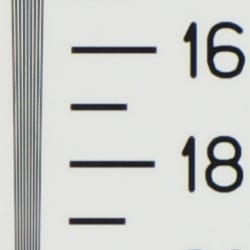
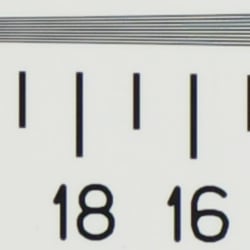
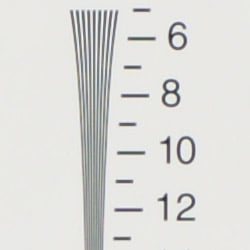
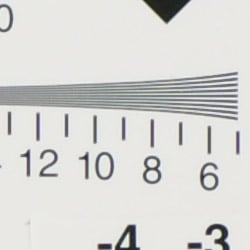
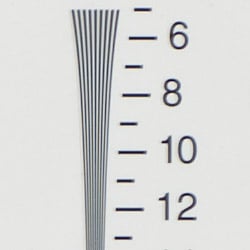
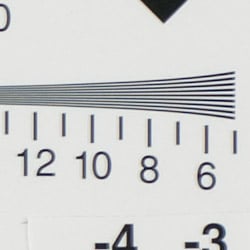
High resolution, 1,650 ~ 1,700 lines of strong detail from in-camera jpegs, 1,850 ~ 1,900 lines from raw.
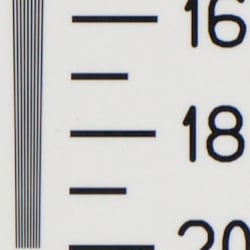
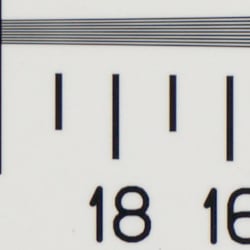
| 2X Res Chart: Resolution numbers are 2x those indicated | |
 |
 |
| Strong detail to ~1,650 lines horizontal (w/some artifacts), in-camera JPEG |
Strong detail to ~1,700 lines vertical (w/some artifacts), in-camera JPEG |
 |
 |
| Strong detail to ~1,850 lines horizontal, ACR processed ARW (RAW) |
Strong detail to ~1,900 lines vertical, ACR processed ARW (RAW) |
Our laboratory resolution chart revealed sharp, distinct line patterns down to about 1,650 lines per picture height horizontally and 1,700 vertically from in-camera JPEGs, but we got much better results using Adobe Camera Raw to process the raw file - about 1,850 lines horizontal, 1,900 vertical. (Images were extracted from ARW files with ACR's sharpening turned off. Unsharp masking was then applied in Photoshop to deliver the best results.) Extinction of the pattern didn't occur until 2,200 - 2,400 lines per picture height. Use these numbers to compare with other cameras of similar resolution, or use them to see just what higher resolution can mean in terms of potential detail.
Sharpness & Detail
Two very different personalities: Very noticeable detail loss in in-camera JPEGs, incredible detail in properly-processed RAW images.


Sharpness. The Sony Alpha A700 captures reasonably sharp images, with good detail. Some minor edge enhancement artifacts are visible on high-contrast subjects such as the crop above left, but results are still quite good. Edge enhancement creates the illusion of sharpness by enhancing colors and tones right at the edge of a rapid transition in color or tone.
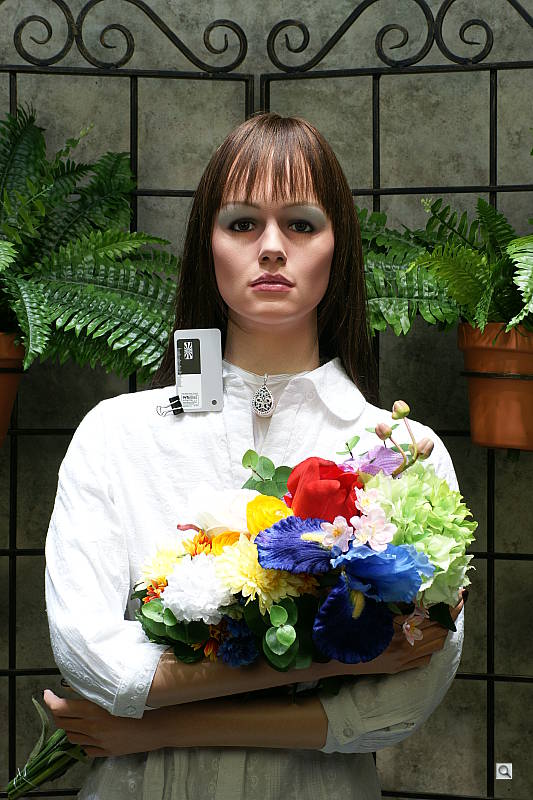
Detail. This is an area where the Sony A700 either suffers somewhat or does incredibly well, depending on the image file format you use. In-camera JPEGs (even in Extra-Fine mode) lose significant detail, particularly in areas of subtle contrast. It's a guess, but our thought is that this is likely due to over-aggressive noise suppression processing, even at low ISO settings. The standard crops above show this somewhat in Marti's hair, more so in the lack of texture and detail in the pine needles of the crop from the far-field image on the left. We'll take a look at the differences between RAW and JPEG files in the next section below. Noise-suppression systems in digital cameras tend to flatten-out detail in areas of subtle contrast. The effects can often be seen in shots of human hair, where the individual strands are lost and an almost "watercolor" look appears.
RAW vs In-Camera JPEGs
As noted above, the Sony A700 has two distinct personalities when it comes to image quality. It's a completely different camera, depending on whether you look at its in-camera JPEGs or RAW files. Take a look below, to see what we mean:
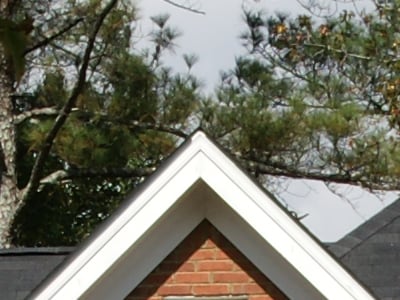
In the table above, mousing over a link at the bottom will load the corresponding crop in the area above. Examples include in-camera Extra-Fine JPEG, RAW file processed through Sony's Image Data Converter SR version 2 software, and RAW file processed through Adobe Camera Raw version 4.3.1, then sharpened in Photoshop. (I've found that sharpening results in ACR are inferior to those obtained with the Unsharp Masking tool in Photoshop itself. For the Sony A700's images, I found best results with no sharpening at all in ACR and then 250% unsharp masking with an 0.3 pixel radius.)
Note: ACR renders colors somewhat differently than either the A700 or the Sony software, so the greens in the trees are rather different. There's no mistaking the increase in detail though, regardless of changes in color or tone.
The images themselves tell the story: Even in its Extra-Fine JPEGs, the Sony A700 loses noticeable image detail, although firmware version 2 made worthwhile improvements in this area. (As some readers have pointed out to me, fairness demands mentioning that it's not alone in this; Many current cameras give up a lot of subtle detail in forming their JPEGs. I'll be investigating this more going forward, hopefully will be able to share some comparisons with our readers at some point in the future.)
In the case of the Sony A700, careful processing of its RAW files delivers really exceptional detail and tonal nuance. It's very, very worthwhile spending the time to process the A700's RAW images, rather than working with its JPEGs. You'll certainly get acceptable images from the JPEGs, but the RAW image quality is really of an entirely different level. Sony's included Image Data Converter SR version 2 produces a useful increase in detail over the camera's internal JPEG conversion, and offers some forms of sharpening control not provided in Photoshop (namely undershoot and overshoot of the luminance curve near edges), but is missing the critical ability to control the radius of the sharpening operator. As a result, output from IDC version 2 doesn't reveal as much really fine detail as does that from Adobe Camera Raw/Photoshop. Still, it's a worthwhile product, and provides more control than many manufacturer-provided RAW converters.
Here's another look, at samples from the "Sunlit" Portrait shot:
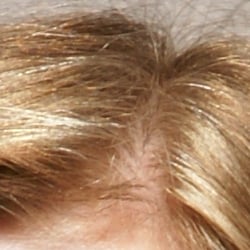 |
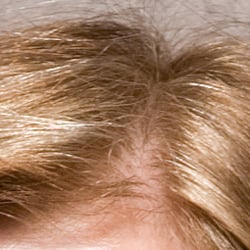 |
| Extra-Fine JPEG from the camera, 16-80mm f/3.5-4.5 Carl Zeiss lens, shot at f/7.1. You can pick out some hairs where they contrast strongly with their background, but there's a good bit of softness, probably from noise-reduction processing. | Image from RAW, through Adobe Camera Raw v4.3.1, shot a few minutes later with the same settings as the image at left. (Focus was also set to manual, so zero focus difference between shots.) Exceptional fine detail, and relatively low noise. (Luminance noise reduction was set to 20, chroma noise reduction to 30 in ACR.) Unsharp masking of 250% at 0.3 pixel radius was applied in Photoshop after the image was imported. |
These images aren't from the same shot, as the Sony A700 only saves fine-mode images when shooting RAW + JPEG. The lighting and focus should be identical though, as the lab lighting and Marti's position were both constant, and I was using manual focus at this point: You can see that even minor details of Marti's hair are the same between the two images. I was also shooting with a fairly small aperture (f/7.1) to give me good depth of field. Bottom line, it's not 100% guaranteed that the two images have precisely the same focus, but it would have to be within a fraction of an inch, so I don't think the in-camera JPEG image is at all out of focus. Once again, the improvement with the RAW file is pretty dramatic, although Sony did make some worthwhile changes in this area when they came out with firmware version 2. (Results from firmware version 2 are what's shown above.)
Color
Saturation & Hue Accuracy
Very good color overall, with accurate saturation and very good hue accuracy.
 |
| In the diagram above, the squares show the original color, and the circles show the color that the camera captured. More saturated colors are located towards the periphery of the graph. Hue changes as you travel around the center. Thus, hue-accurate, highly saturated colors appear as lines radiating from the center. |
Saturation. The Sony Alpha A700 produced extremely accurate color in our testing. Saturation was very close to neutral (only 0.14% undersaturated), with some reds and blues slightly oversaturated, while some yellows, greens and purples were undersaturated slightly. Its accurate default color saturation may endear it to some users but leave those preferring brighter, more pumped color cold. The good news for everyone is that the A700's color saturation adjustment lets you choose from a wide range of color saturation settings, in relatively small steps. (See the table of Sunlit Portrait shots below for an example of how changes in its color saturation setting affect a natural image. Most consumer digital cameras produce color that's more highly saturated (more intense) than found in the original subjects. This is simply because most people like their color a bit brighter than life.
Skin tones. Here, the A700 did very well, producing natural-looking skin tones that were neither over- nor under-saturated, with very natural hues. Where oversaturation is most problematic is on Caucasian skin tones, as it's very easy for these "memory colors" to be seen as too bright, too pink, too yellow, etc.
Hue. The A700 did introduce several small hue shifts, moving red towards orange, cyan towards blue slightly, and purples back toward blue slightly as well. Reds went very slightly to orange, but the overall hue accuracy was quite good, with an average delta-C (formerly known as delta-E*ab) of only 5.33 after correction for luminance and saturation. The other important part of color rendition is hue accuracy. Hue is "what color" the color is.
Saturation Adjustment
As mentioned above, the Sony A700 has a saturation adjustment, available via the Creative Style submenu off the first Record-mode menu. A total of 7 settings are available, three above and three below the default saturation. This covers a pretty wide range of saturation levels, about as wide a range as you're likely to find photographically relevant, apart from special effects that are arguably better achieved in software. The fine steps between settings mean you can program the camera to just the level of saturation you prefer.
| Saturation Adjustment Examples | ||||
 |
 |
 |
 |
 |
| -3 | -1 | 0 | +1 | +3 |
The table above shows results with several saturation settings, see the Thumbnails index page for more (look for the files named A700OUTSAT0x.JPG). Click on any thumbnail above to see the full-sized image.


Sensor
Exposure and White Balance
Indoors, incandescent lighting
Warm cast with Auto white balance setting, but very good results from the Incandescent, 2,800 Kelvin, and Manual settings. About average positive exposure compensation required.


The Sony A700's Auto white balance setting resulted in a very strong warm color cast indoors under household incandescent lighting. (Surprisingly, this isn't at all uncommon, even on high-end DSLRs.) The Incandescent setting cleaned things up quite a bit, but left a slight warm cast as well. (It's worth noting though, that many people would prefer this to an entirely neutral rendering, feeling that the slight tinge more faithfully conveys the mood of the original scene.) The Manual white balance produced the most pleasing overall color (IMHO), though the 2,700 Kelvin setting produced a very similar result. The camera required a +1.0 EV exposure compensation boost for a bright exposure (about average for this shot) with all white balance settings. Overall color looks good, though a little dark, the blue flowers in particular looking dark and purplish. (Many digital cameras reproduce these flowers with a dark, purplish tint, so the A700's performance here wasn't at all unusual.) Our test lighting for this shot is a mixture of 60 and 100 watt household incandescent bulbs, a pretty yellow light source, but a very common one in typical home settings here in the U.S.
Outdoors, daylight
Good color and exposure, though slightly high default contrast. Lots of options for dealing with high-contrast subjects & lighting though.
| Default Contrast, normal D-R setting | |
 |
|
| 4900K White Balance, +0.3 EV (Default Contrast) |
Auto White Balance, Auto Exposure |
Outdoors, the Sony Alpha A700 performed pretty well, with just a very slight overexposure in the outdoor far-field house shot. The Sony A700 required less than the average amount of positive exposure compensation on the "Sunlit" portrait. Default contrast is on the high side, but fortunately, there's an effective contrast adjustment to help compensate. Even at its default contrast setting, it does an excellent job of holding onto highlight detail: Even though the shirt looks blown out in the thumbnail above, there's actually full detail in it. - More on this below, in the "Extremes" section.
ISO & Noise Performance
Low to moderate noise below ISO 1,600, higher levels at 3,200 and 6,400 equivalents, but also significant loss of fine detail.
| Results from in-camera JPEGs | ||
 |
 |
 |
| ISO 100 | ISO 200 | ISO 400 |
 |
 |
 |
| ISO 800 | ISO 1,600 | ISO 3,200 |
|
||
| ISO 6,400 | ||
In its in-camera JPEGs, the Sony A700 produced very low noise levels at low ISO settings, but as noted above, at the cost of considerable loss of fine detail in areas of subtle contrast (where anti-noise processing takes its toll). Images stayed pretty clean as high as ISO 800, but with a progressive and noticeable loss of subtle detail as the ISO increased.. At ISO 1,600, we start to see some blotchiness in the shadows, but detail is still quite good. At ISO 3,200 the grain pattern and chroma noise become quite prominent in the darker areas, and at ISO 6,400, chroma noise and the effects of heavy noise reduction obliterate much of the finer details.
| Results from RAW via Adobe Camera Raw v4.3.1 | ||
 |
 |
 |
| ISO 100 | ISO 200 | ISO 400 |
 |
 |
 |
| ISO 800 | ISO 1,600 | ISO 3,200 |
 |
 |
 |
| ISO 6,400 | ISO 6,400, No NR | ISO 6,400 Sony IDC, No NR |
| Settings: ACR 4.3.1 used, unsharp masking 250%, radius=0.3. ISO 800 and above, both NR sliders at 25, except for last crop where they were both 0. |
||
I have to admit that the results above were a bit of a shock. At low ISOs, Adobe Camera Raw delivers substantially more detail than do the in-camera JPEGs, but at high ISOs, it's really the other way around. Thinking that I was just getting too aggressive with the noise reduction controls in ACR, I processed the ISO 6400 file with both luminance and chroma noise sliders set to zero. As you can see from the results, the detail loss is still pretty dramatic.
| Results from RAW via Adobe Camera Raw v3.7 | ||
 |
 |
 |
| ISO 100 | ISO 200 | ISO 400 |
 |
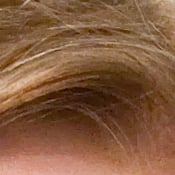 |
 |
| ISO 800 | ISO 1,600 | ISO 3,200 |
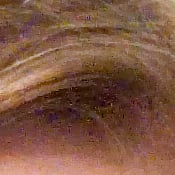 |
 |
|
| ISO 6,400 | ISO 6,400 - No NR | ISO 6,400 Sony IDC, No NR |
| Settings: ACR 3.7 used, unsharp masking 250%, radius=0.4. ISO 800-6,400, both NR sliders at 25, except for last crop, where they were both 0, and no USM. |
||
Some readers have reported that problems with high-ISO images are a known behavior of ACR4.x with CMOS sensors, so went one extra step and made the second set of crops above by converting the Sony ARW files to DNG with Adobe's converter (which supposedly leaves the image data itself untouched), and then converted the images to JPEGs using ACR 3.7. I haven't studied the issue to know whether the CMOS issue is true or a photographic urban legend, but it's apparent from both sets of crops above that there's some pretty extensive noise processing going on somewhere in ACR, outside the control of its noise reduction sliders.
At the time of its announcement, Sony touted the fact that the A700 was doing noise reduction on the raw image data, before it was written to the RAW format. I initially had hoped that what we saw above was simply a matter of not being able to fully disable the anti-noise processing in ACR, and not a result of NR that's being done in-camera prior to the RAW file being written. Unfortunately, after examining the A700's high-ISO RAW files with several RAW converters it's clear that Sony is in fact "cooking" their RAW files. This is really a shame, as it largely defeats the purpose of a RAW file, and means that the detail traded away by the in-camera "cooking" is forever lost to post-processing.
There's always a question of what's really in a RAW file, as there always has to be at least some processing done to convert it for viewing on an RGB display. In an attempt to get at least one more data point for what's going on in the A700's RAW files at high ISO, I converted a file in Sony's own Image Data Converter, with the noise-reduction processing option turned off. The results can be seen in the bottom right crop in the table above, and again seem to support the idea that the noise reduction (and detail loss) is indeed present in the RAW files themselves.
More on Noise Reduction in RAW files
After posting all the above images, a reader asked the (should have been obvious) question of what setting of the High-ISO Noise Reduction option they were shot with. - And whether that setting would affect the RAW files as well. The images above were shot with the camera's default NR setting, and to see whether that would affect the RAW files, we shot yet another series, this time of the Still Life target, at ISO settings between 1,600 and 6,400, and with all three high-ISO NR settings (low, medium, and high). (We're beginning to feel that there's no end to testing the A700!) Crops from these shots are shown below (also now all updated to show results from version 2 firmware).
| High-ISO NR examples (all crops at ISO 3,200) | ||||
| Camera JPEG |
 |
 |
 |
|
| High-ISO NR Value |
High | Medium | Low | |
| From RAW (All via Sony IDC, except far right via ACR) |
 |
 |
 |
|
| High-ISO NR Value |
Auto | Low | Low, via ACR | |
As you can see from the examples, the High-ISO Noise Reduction menu option clearly affects the contents of the RAW files pretty drastically. Given the amount of time we've spent on the A700 already though, it unfortunately wasn't feasible to reshoot the Indoor Portrait test shots yet again with the High-ISO NR set to low.
A quick comparison with some other cameras:
There's been a lot of interest in our forums and elsewhere in comparing how the A700's detail and noise levels at high ISO stack up against those of some other mid- to high-end DSLRs currently on the market. To inject some reality into these discussions, here are some crops comparing images from the A700 with those from other cameras. All shots were captured under identical lighting, and with overall exposure as close as could reasonably be matched. (Tone curve differences between cameras mean that the particular part of the images compared may be brighter or darker with any given camera.)
| High-ISO NR examples (all crops at ISO 3,200) | |||
| Sony A700 | |
 |
|
| In-camera JPEG Default noise reduction |
Adobe Camera RAW No NR, USM=250/0.3 |
Adobe Camera RAW NR=25, USM=250/0.3 |
|
| Nikon D300 |  |
 |
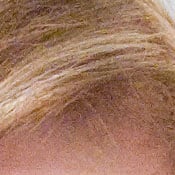 |
| In-camera JPEG Default noise reduction |
In-camera JPEG, Noise reduction off |
Adobe Camera RAW NR=25, USM=200/0.3 |
|
| Canon 40D |  |
Sorry, no NR variations available for 40D |
Sorry, high-ISO RAWs not available for 40D for this shot. |
| In-camera JPEG Default NR settings |
|||
| Olympus E3 |  |
Sorry, no NR variations available for E3 |
 |
| In-camera JPEG Default NR settings |
Adobe Camera RAW NR=25, USM=200/0.3 |
||
| Nikon D3 |  |
 |
 |
| In-camera JPEG Default NR settings (lens slightly front-focused) |
In-camera JPEG Noise Reduction Off (!) |
Adobe Camera RAW No NR, USM=200/0.4 |
|
| Note: Noise performance can vary quite a bit with color temperature. These shots were captured under incandescent lighting, at a color temperature of about 2,800K. All the cameras will perform somewhat better under daylight-balanced (5,500K) lighting. |
|||
We didn't have shots showing differences in in-camera noise reduction settings for all of the cameras represented above, and in fact had no RAW file at ISO 3,200 for the Canon 40D. The crops nonetheless do give a clearer apples-to-apples comparison between the four cameras than has been available to this point. The A700's default in-camera noise reduction is a bit more heavy-handed than that in some of its competition, and (at the risk of belaboring the point), much of the noise reduction is actually applied in the RAW files, precluding effective post-processing with third-party RAW-development software. That said, The A700 generally acquits itself very well against the competition at ISO 3,200. The Nikon D300 arguably leaves a bit more fine detail in its images in areas of subtle contrast, but in more contrasty regions, the A700 carries the day with lower noise and good edge sharpness. At the end of the day, prints made from A700 shots captured at ISO 3,200 can look quite decent, even as large as 8x10 inches.
Color Saturation at High ISO
What doesn't come out in the small crops above is how well the A700 holds color accuracy at very high ISOs. Many cameras drop the color saturation of their images quite drastically at very high ISOs, partly in an attempt to reduce image noise. The Sony A700 does this less than we've seen in many cameras in the past. By the same token though, so do most of its current competitors, perhaps even more so than the A700. Some A700 enthusiasts have claimed that the A700 has significantly better color at high ISOs than do the Nikon D300 or Canon 40D, but our tests under controlled conditions seem to show that all three cameras maintain color saturation quite well at extreme ISOs. Differences can be seen between the three in the samples shown below, but they're small, so it would be hard to say that any of the three has a dramatic advantage in high-ISO color rendering over any of the others. (Note too though, that these images were shot under daylight-balanced lighting. It's possible that the cameras involved may show different saturation characteristics under light sources with different color balances.)
| Color Saturation vs ISO |
||
| Sony A700 |  |
 |
| ISO 200 | ISO 3,200 | |
| Nikon D300 |  |
 |
| ISO 200 | ISO 3,200 | |
| Canon 40D |  |
 |
| ISO 200 | ISO 3,200 | |
Extremes: Sunlit and low light tests
High resolution with good overall detail, but slightly high default contrast. Good low-light performance, but with some exposure variation.


Sunlight:
The Sony Alpha A700 performed quite well under the deliberately harsh lighting of this test, though contrast was a little high at its default setting. As mentioned previously however, the camera's contrast adjustment did a better than average job of handling the harsh lighting, and even at the default contrast setting, detail was preserved quite well in the white shirt. Though the shirt looks blown at +0.3 EV at default contrast, there's actually good detail there, a welcome change from many cameras' handling of this test. - And see below for the results with Sony's Dynamic-Range Optimization (DRO) technology. (In "real life", of course, be sure to use fill flash in situations like the one shown above; it's better to shoot in the shade when possible.)
Contrast Adjustment
We really like it when a camera gives us the ability to adjust contrast and saturation to our liking. It's even better when those adjustments cover a useful range, in steps small enough to allow for precise tweaks. Just as with its saturation adjustment, the Sony A700's contrast setting meets both challenges.
| Minimum Contrast, normal D-R setting | |
 |
 |
| Contrast set to lowest, +0.3 EV |
Contrast set to lowest, Auto Exposure |
At its lowest contrast setting, the A700 did an excellent job of preserving highlight detail, maintaining natural-looking skin tones, and holding nice detail in the shadows. The A700 captures good color outdoors, though just slightly on the warm side. Overall, very good results here, especially when the contrast setting is tweaked.
| Contrast Adjustment Examples | ||||
 |
 |
 |
 |
 |
| -3 | -1 | 0 | +1 | +3 |
The series of shots above shows results with several different contrast adjustment settings, showing the minimum step size above and below the default setting, as well as both extremes. While you can see the extremes, it's hard to really evaluate contrast on small thumbnails like these, click on any thumbnail to go to the full-size image.
One very nice feature of Sony's contrast adjustment is that it has very little effect on color saturation. Contrast and saturation are actually fairly closely coupled in image processing; it's a good trick to be able to vary one with out the other changing as well. Sony did a good job here.
| Highlight Detail vs Contrast, normal D-R setting | |
 |
 |
| Default Contrast | Default Contrast Gamma=0.25 (same image as at left) |
 |
 |
| Lowest Contrast | Lowest Contrast Gamma=0.25 (same image as at left) |
As I mentioned above, even the default contrast and D-R settings (more on D-R shortly), the Sony A700 held perfect highlight detail in Marti's shirt, even though it looked blown out. To better show this, the above show unaltered images on the left, and ones processed in Photoshop to stretch the highlights to cover most of the tonal scale. (I boosted the midtone slider in Photoshop's Levels control to a gamma setting of 0.25.) The first pair of crops show results with the camera's default contrast setting, the second shows highlight results with the lowest contrast setting.
Interestingly, after the extreme gamma shift above, the image shot with the lowest contrast setting actually shows more contrast in the highlights. What's up with that? The reason for this is that the low contrast setting has pulled the entire highlight end of the tone curve closer to the midtones, so there's more room to record variations between subtle highlight tones, hence the greater apparent contrast there after the gamma adjustment.
| Shadow Detail vs Contrast Setting | |
 |
 |
| Default Contrast | Lowest Contrast (Different image, very slight subject differences) |
The impact of the contrast adjustment was even more evident at the shadow end of the tone scale, the lowest contrast setting did quite a bit to brighten the dark shadows. The two crops above are from two separate frames, one shot at the default, the other at the lowest contrast setting. The two photos unfortunately aren't exactly identical, Marti's hand position is a bit different between the two. (One of the downsides of a live model, I've tried to get Marti to wear a straightjacket, but she just refuses. ;-) The areas of the crop are quite equivalent in terms of light levels though. (Note that you'll need a well-calibrated monitor and a rather dark viewing environment to be able to see the deep shadow detail in the images above.)
Sony's DRO (Dynamic Range Optimization)
While the Sony A700's contrast adjustment feature works very well, their Dynamic Range Optimization system is a critical part of it. This system analyzes the range of brightness of each image, and adjusts the camera's image processing parameters accordingly, to make the best use of the available dynamic range. Four options are available, DRO Off, Standard D-R, D-R+, and D-R Advanced, which lets you choose between 5 levels of strength for the D-R Plus effect. Standard D-R looks at the entire image and effectively adjusts contrast and brightness across the entire image for best effect. D-R+ analyzes everything, but makes local adjustments to bring out shadow detail and preserve highlights.
We saw DRO in the Sony A100 last year, and found that it worked fairly well, but we really wished there was an option to adjust the strength of the effect in D-R+ mode. It seems the Sony engineers were listening, because that's exactly what they gave us this time around.
| DRO Examples | |||
 |
 |
 |
 |
| DRO Off | DRO Standard (D-R) |
DRO Plus (D-R+) |
DRO Advanced +5 (D-R ADV+5) |
 |
 |
 |
 |
The crops above show the results of four DRO settings. They were shot in rapid succession, but you'll notice that minor movements by Marti mean that the shots aren't absolutely identical. The cropped areas are very closely equivalent in terms of light level though. As you can see, the bulk of the difference between different levels of DRO is found in the shadow areas. By default, the A700 shoots with DRO set to the Standard (D-R) level. Interestingly, there's a pretty pronounced difference between DRO Standard and Off, in terms of exposure. I confirmed that the shots above were all captured with the same aperture and shutter speed settings, but the DRO Standard version is a good 2/3 of a stop or so lighter than the shot with DRO turned off entirely.
As noted, we felt that DRO in the A100 had some limitations, but the technology seems to have matured very nicely in the intervening time since that model was introduced. It works well enough and with little enough impact on normally-lit subjects that I'd be entirely comfortable leaving it in Standard mode all the time. (Sony obviously felt so too (since it's on by default), but it's unusual that I personally would be comfortable leaving an image-tweaking option enabled by default.) And it's nice that Sony listened to our plea to make DRO adjustable. The Advanced option gives 5 gradations, giving you a very nice range of control over its application.
| DRO Advanced Mode Adjustment Examples | ||||
|
|
|
|
|
| 1 | 2 | 3 | 4 | 5 |
Note: Because digital cameras are more like slide film than negative film (in that they tend to have a more limited tonal range), we test them in the harshest situations to see how they handle scenes with bright highlights and dark shadows, as well as what kind of sensitivity they have in low light. The shot above is designed to mimic the very harsh, contrasty effect of direct noonday sunlight, a very tough challenge for most digital cameras. (You can read details of this test here.)
| 1 fc 11 lux |
1/2 fc 5.5 lux |
1/4 fc 2.7 lux |
1/8 fc 1.3 lux |
1/16 fc 0.67 lux |
1/16fc No NR |
|
|---|---|---|---|---|---|---|
| ISO 100 |
 2 sec f3.5 |
 4 sec f3.5 |
 6 sec f3.5 |
 13 sec f3.5 |
 20 sec f3.5 |
 20 sec f3.5 |
| ISO 200 |
 1 sec f3.5 |
 2 sec f3.5 |
 4 sec f3.5 |
 6 sec f3.5 |
 10 sec f3.5 |
 10 sec f3.5 |
| ISO 400 |
 0.5 sec f3.5 |
 1 sec f3.5 |
 1.6 sec f3.5 |
 3.2 sec f3.5 |
 5 sec f3.5 |
 5 sec f3.5 |
| ISO 800 |
 1/4 sec f3.5 |
 0.5 sec f3.5 |
 1 sec f3.5 |
 1.6 sec f3.5 |
 2.5 sec f3.5 |
 2.5 sec f3.5 |
| ISO 1600 |
 1/8 sec f3.5 |
 1/4 sec f3.5 |
 0.5 sec f3.5 |
 0.8 sec f3.5 |
 1.3 sec f3.5 |
 1.3 sec f3.5 |
| ISO 3200 |
 1/15 sec f3.5 |
 1/8 sec f3.5 |
 1/4 sec f3.5 |
 0.4 sec f3.5 |
 0.6 sec f3.5 |
 0.6 sec f3.5 |
| ISO 6400 |
 1/30 sec f3.5 |
 1/15 sec f3.5 |
 1/10 sec f3.5 |
 1/5 sec f3.5 |
 0.3 sec f3.5 |
 0.3 sec f3.5 |
Low light: The Sony A700 did fairly well in our low light test, but at the very lowest light levels, its meter underexposed the shot slightly at all ISO settings. ISO 1600 shots were pretty clean across the board, ISO 3200 was noticeably noisy but probably usable for many applications, and ISO 6400 was noisy to the point that we'd probably not use it except for 4x6 inch prints.
Interestingly, noise didn't increase much at all as the exposure time was increased, with noise levels in the darkest shots not being far different from the noise in much shorter exposures. We also found little difference at the exposure times we used here with the long-exposure noise reduction on or off. Playing around with the camera later, we were surprised by how little noise was present in even 5-minute exposures. When we went to 10 minutes at ISO 100, noise became pretty high when the long-exposure noise reduction was turned off, but with it on, the images were surprisingly clean. (Note that the Sony A700 uses a dark-frame subtraction method for long-exposure noise reduction, so a 10-minute exposure with NR enabled means your camera will be tied up for a total of 20 minutes before you'll be able to see the captured image.)
The Sony A700 focused quite well (of not a little slowly) in dim lighting as well, its AF system operating down to a bit under 1/8 foot-candle with the AF-assist light turned off, and in total darkness with it enabled.
How bright is this? The one foot-candle light level that this test begins at roughly corresponds to the brightness of typical city street-lighting at night. Cameras performing well at that should be able to snap good-looking photos of street-lit scenes.
NOTE: This low light test is conducted with a stationary subject, and the camera mounted on a sturdy tripod. Most digital cameras will fail miserably when faced with a moving subject in dim lighting. (For example, a child's ballet recital or a holiday pageant in a gymnasium.) For such applications, you may have better luck with a digital SLR camera like the Sony A700, but even there, you'll likely need to set the focus manually.
Output Quality
Print Quality
Good print quality, accurate color, good 13x19 inch prints from in-camera JPEGs, excellent ones from carefully-processed RAW files. RAW images capable of making good-looking 20x30 inch prints with little trouble. In-camera JPEGs are sharp at 8x10 inches to ISO 1,600.
 Testing hundreds of digital cameras, we've found that you can only tell just so much about a camera's image quality by viewing its images on-screen. Ultimately, there's no substitute for printing a lot of images and examining them closely. For this reason, we now routinely print sample images from the cameras we test on our Canon PRO9000 studio printer, and on the Canon iP5200 here in the office. (See the Canon PRO9000 review for details on that model.)
PictBridge Printing
When its USB interface is set to PTP mode, the Sony A700 supports direct printing (no computer required) to PictBridge compatible photo printers. The extent of PictBridge support varies greatly between cameras, and the Sony A700's support is better than many, but not quite as robust as we remember from the A100. Provided that it's connected to a printer that offers an equivalent level of support and control, you can select batch printing either singly or in 1-up, 2-up, or 4-up layouts or an index print, paper size, bordered or borderless prints, and time/date imprint options directly from the camera's menu system. (Pretty slick.) Printing via PictBridge to our Canon PRO9000 studio printer , we found it to be a little slow in formatting and preparing the data to send to the printer, but significantly better than the A100. (It took 1 minute and 30 seconds to print a 4x6 photo at best quality, pretty slow but still more than twice as fast as the A100.)
Output Quality
The Sony A700 certainly has plenty of resolution to make great-looking enlargements straight from the camera: 13x19 inch prints looked good in areas of high contrast, but regions of subtle contrast looked a bit mushy and soft. The version 2 firmware improved the handling of low-contrast areas, but subtle details still tended to get flattened more than we'd prefer. Images we processed from its RAW files (via Photoshop and Adobe Camera Raw version 4.3.1, the best RAW converter we had that would read the A700's files at the time of this writing) showed incredible detail, holding together exceptionally well even at 20x30 inches.
As always, the biggest challenge was at high ISO, and there the A700 faltered slightly, but once again did better than the A100. Noise and softening from the anti-noise processing are well-balanced, but there's more of both than we'd like to see at the highest ISOs. Shots at ISO 1600 look fine up to 8x10 inches (a full stop improvement over the earlier A100's images), but ISO 3200 images are softer but probably acceptable for most uses, and at ISO 6400, image noise was pretty obtrusive. On a positive note though, as we commented on earlier, color held up quite well even at ISO 6400. In the past, many cameras tended to decrease their color saturation at high ISO settings, in part as a trade-off to control image noise, but the A700 and its modern competition (Canon 40D and Nikon D300) do much better in this regard.
While the shots at ISO 6400 were quite noisy, many users will be satisfied with 5x7 inch prints for display on wall or table, and 4x6 inch prints are likely to be acceptable to most.
Color-wise, the Sony A700 did very well, in that its photos were generally hue-accurate and very accurately saturated. They were perhaps slightly brighter overall than the A100's images, something we think will help the A700 appeal to a broader audience, although its default color rendering tends more toward the accuracy of professional gear than the higher saturation levels of products aimed at consumers. Perhaps the best news is that the A700's saturation adjustment has nice fine steps on it, so you can easily tweak the camera's color up or down to match your personal preferences. All in all, a very good performance. -- But serious shooters will find their greatest reward in the A700's RAW files.
Viewfinder
Sony A700 Viewfinder
The Sony A700 features a digital SLR design, so the optical viewfinder offers a true, through-the-lens (TTL) display. A dioptric adjustment dial accommodates eyeglass wearers, letting them adjust the viewfinder optics betwee -3 to +1 diopters. The viewfinder eyepiece has a fairly high eyepoint (specified at 25mm from the eyepiece, 21mm from the eyepiece frame with the dioptric adjustment set to -1 diopter), an improvement over the A100's 20mm/16mm eyepoint. Magnification has also improved, to 0.9x, up from 0.83x for a 50mm lens and -1 diopter of dioptric correction.
The Sony A700 uses a true pentaprism optics for its viewfinder, rather than the pentamirror design found in the A100. The advantage of a pentaprism is that it delivers more light to the viewfinder eyepiece, thanks to its 100% internal reflection. As a result, the Sony A700's viewfinder image is noticeably brighter than those of many lower-end DSLR models.

The Sony A700's extensive information display features a series of focus and exposure target marks in the center of the view that highlight briefly when the AF system is activated. Camera information appears beneath the image area in a small strip, and reports all of the major camera settings, such as shutter speed, aperture, flash mode, EV compensation, etc. To the far right side of the strip is the Super SteadyShot (anti-shake) scale, indicating the degree of stabilization whenever anti-shake mode is activated. The information readout in the viewfinder activates whenever you half-press the Shutter button, and remains active for a few seconds afterward.
 A pair of horizontal infrared sensors just below the viewfinder (we've high-lighted with a green rectangle) detects your eye as it approaches the viewfinder, and deactivates the LCD information display if you have the auto-display option enabled. Through the Custom menu, you can also set these sensors to enable the autofocus whenever your eye is in range of the eyepiece. New to the A700 is a grip sensor which optionally requires you to hold the grip as well as look into the viewfinder to enable Eye-Start AF, useful if you normally hang the camera around your neck. It too can be enabled in the Custom menu.
Viewfinder Test Results
Coverage
Good accuracy from the optical viewfinder. The Sony A700 has no LCD Live View mode.


The Sony AA700 optical viewfinder is slightly tight, showing approximately 95% coverage at wide angle, and 94% at telephoto when using the 16-105mm kit lens. These results are typical for a non-pro SLR, although as usual, we wonder why manufacturers don't make SLR viewfinders that cover 100% of the frame.
While the A700 is rumored to use the same CCD as the new Nikon D300, the A700 does not offer a live view mode.
Flash
Sony A700 Flash

The Sony A700 features a built-in, swing-up flash, which operates in either Auto, Fill-Flash, Rear Flash Sync, or Wireless modes. (I call it a swing-up flash because it doesn't pop up automatically when needed, and also doesn't manually pop up at the press of a button under spring pressure, which can be more convenient when you're in a hurry.) To release the flash from its compartment, pull on the two small grips on either side and toward the front of the housing to lift up the flash head. Close it again by pushing the flash head back down.
 The Flash mode is changed from the Quick Navi screen (shown at right), or via the Record 2 menu. In Auto flash mode (available only in the camera's Auto or Scene Selection modes), the camera automatically determines when to fire the flash, based on the existing lighting. In Fill-Flash mode, the flash fires with every exposure, regardless of lighting conditions. The Rear Flash Sync mode fires the flash at the end of the shutter time, rather than the beginning. If you have moving objects in a relatively brightly lit environment, this will produce a sharp image of your subject, with a "motion trail" following behind it when shooting at slower shutter speeds. The flash is off when it's closed. The Wireless mode lets the A700 work with compatible remote flash units with wireless capability, such as the Sony HVL-F56AM, HVL-F42AM or HVL-F36AM. Four separate control channels are available for wireless operation, to allow multiple photographers to work wirelessly in the same area without interfering with each other. You can only control the power to a single flash or group of flash units though: It's not possible to separately control the exposure for two or more groups of external flash units, as it is with the Canon (two groups of external units plus the camera's own flash) or Nikon (three groups plus the camera's flash) wireless systems.
A Red-Eye Reduction option is available through the Custom 3 menu. When Red-Eye reduction is enabled, the camera will fire a few low-power flash pulses before it actually snaps the picture, to make the pupils of your subjects' eyes contract.
In Program AE, Full Auto, and Aperture Priority exposure modes, pressing and holding the AE Lock / Slow Sync button (holding it down while you press the shutter button) activates a Slow-Sync mode setting, which uses a slower shutter speed to balance the flash exposure with the ambient lighting. The exposure is based on the ambient light, and the flash power is based on the aperture setting. Results with indoor and outdoor shots that include light fixtures can be dramatic and pleasing.
The A700 offers two methods of flash metering. Its default mode is called ADI, which stands for Advanced Distance Integration. In this mode, it bases its flash exposure on the lens aperture and distance feedback from the autofocus system, as well as on the light reflected back from a pre-flash. By determining how far away the target subject is, the camera knows how much flash power is required to illuminate it, and is less likely to be fooled by subjects that are unusually light or dark overall, or by light subjects against a darker background. Alternatively, the Pre-Flash TTL (through the lens) method bases the exposure determination solely on a low-power metering flash before the main exposure. Used in conjunction with the spot autofocus option, the ADI flash metering should be more accurate with small subjects against a different colored background than the pre-flash method. A manual flash mode is also provided, offering 1/1 (full power), 1/2, 1/4, 1/8 and 1/16 power settings.
The A700's built-in flash has a Guide Number (GN) of 12 meters or 39 feet at ISO 100. Maximum sync speed is 1/200s with Super SteadyShot enabled and 1/250s with stabilization off. High Speed Sync (HSS) shooting with shutter speeds up to 1/8000s is available with Sony HVL-F56AM and HVL-F36AM external flash units.
The A700 also has a top-mounted hot shoe for attaching an external flash unit. The shoe design and contact arrangement are set up for Sony's own dedicated flash units, but I imagine that compatible models are available from the major third-party flash manufacturers (Metz, Sigma, Sunpak, et. al.).
There is also an external flash sync terminal (the so-called "PC" style connector) for third-party flash units, located under a rubber cover on the left side of the camera body. A flash sync voltage of up to 400V is supported.
Flash Test Results
Coverage and Range
Uneven coverage at wide angle, but fairly powerful flash.


Coverage.
Flash coverage was quite uneven at the maximum wide angle lens setting, but this is not really unexpected, especially considering that 16mm is wider than most kit lenses. Coverage was very uniform at telephoto, with the lens itself contributing to some minor corner shading. In the Indoor test, the A700's flash underexposed our subject somewhat at its default setting, requiring a +0.7 EV exposure compensation adjustment (though this appears just a tad bright, +0.5 EV would probably have been better, were it available). The camera's Slow-Sync flash mode produced a more balanced exposure at +1.0 EV, though with a bit more of an orange cast from the background incandescent lighting. Most cameras we test require a +1.0 EV flash exposure adjustment on this shot, so the A700's performance here is pretty good.
| Flash Range: Wide Angle | |||||
|---|---|---|---|---|---|
| 6 ft | 7 ft | 8 ft | 9 ft | 10 ft | 11 ft |
 1/60 sec f3.5 ISO 100 |
 1/60 sec f3.5 ISO 100 |
 1/60 sec f3.5 ISO 100 |
 1/60 sec f3.5 ISO 100 |
 1/60 sec f3.5 ISO 100 |
 1/60 sec f3.5 ISO 100 |
| 12 ft | 13 ft | 14 ft | 15 ft | 16 ft | |
 1/60 sec f3.5 ISO 100 |
 1/60 sec f3.5 ISO 100 |
 1/60 sec f3.5 ISO 100 |
 1/60 sec f3.5 ISO 100 |
 1/60 sec f3.5 ISO 100 |
|
| Flash Range: Telephoto | |||||
|---|---|---|---|---|---|
| 6 ft | 7 ft | 8 ft | 9 ft | 10 ft | 11 ft |
 1/125 sec f5.6 ISO 100 |
 1/125 sec f5.6 ISO 100 |
 1/125 sec f5.6 ISO 100 |
 1/125 sec f5.6 ISO 100 |
 1/125 sec f5.6 ISO 100 |
 1/125 sec f5.6 ISO 100 |
| 12 ft | 13 ft | 14 ft | 15 ft | 16 ft | |
 1/125 sec f5.6 ISO 100 |
 1/125 sec f5.6 ISO 100 |
 1/125 sec f5.6 ISO 100 |
 1/125 sec f5.6 ISO 100 |
 1/125 sec f5.6 ISO 100 |
|
ISO 100 Range. At ISO 100, images with the 16-105mm kit lens at full wide angle were bright all the way out to the maximum distance we test at, which is 16 feet. At full telephoto, images were bright out to about 10 feet. As can be seen from the wide angle shots though, the longer-than-average kit lens blocks the flash from illuminating part of the frame at 16mm. An external flash can be used to avoid this.
| Manufacturer-Specified Flash Range |
|---|
| 100mm, f/4.5 |
 8.75 feet ISO 100 |
Manufacturer Specified Flash Test. As mentioned previously, the Sony A700's built-in flash has a Guide Number of 12m or 39 feet at ISO 100. This works out to 8.75 feet (2.67 m) with an aperture of f/4.5. In the shot above, the A700 seems to perform exactly as Sony's GN rating says it will, producing a good exposure, at the rated distance with its ISO set to 100.
Note: Our standard test method for flash range uses a fixed setting of ISO 100, to provide a fair basis of comparison between cameras. We've now also begun shooting one or two shots using the manufacturer-specified camera settings, at the range the company claims for the camera, to assess the validity of the specific claims.
High ISO Noise Reduction
Sony A700 High ISO Noise Reduction
The Sony A700 applies high ISO noise reduction at ISO 1,600 and higher. Its three high ISO noise-reduction settings allow you some flexibility in choosing how you want to make the tradeoff between subject detail and noise levels. Maximum burst speed drops to 3.5 frames-per-second when high ISO NR is set to "High".
Note that these crops were taken from images captured by an A700 with v2 firmware loaded. Sony has since released v3 firmware, but the fixes that it implements do not impact image quality.
See for yourself how the noise reduction works under simulated daylight lighting. Click on any of the crops below to see the corresponding full-sized image.
| High ISO Noise Reduction Comparison Simulated Daylight |
|||
|
Hi ISO NR
|
Low
|
Normal
|
High
|
|
ISO 1600
|
 |
 |
 |
 |
 |
 |
|
 |
 |
 |
|
|
Hi ISO NR
|
Low
|
Normal
|
High
|
|
ISO 3200
|
 |
 |
 |
 |
 |
 |
|
 |
 |
 |
|
|
Hi ISO NR
|
Low
|
Normal
|
High
|
|
ISO 6400
|
 |
 |
 |
 |
 |
 |
|
 |
 |
 |
The above crops show the effects of the 3 levels of high ISO noise reduction, under our studio HMI lighting we use to simulate daylight. Note that the Sony A700 doesn't have an "Off" setting.
RAW Files
Digital Cameras - Sony Alpha A700 RAW Test Images
The tables below show selected representative images from our test shot series that were shot in RAW mode. All were shot with the default ("normal") high ISO noise reduction setting, except the Still Life High ISO NR Series. RAW shots taken with V2 firmware have been added. (Sorry, we didn't have time to do a complete set.)
Depending on your browser, you can download the images by clicking on the links, or by right-clicking on the links and selecting "Save Target As...", or similar. Some browsers change the file extension to .TIFF. In that case, just rename to .ARW after downloading. You can see the full set of in-camera JPEG shots, including exposure information extracted from the EXIF file headers, on the Thumbnail index page.
NOTE: These are very large files (18+ megabytes each). They're here for you to use, but please be considerate of our bandwidth; don't just download everything willy-nilly. - Thanks!
Still Life
| Still Life ISO Series, RAW, V1 | |||
| ISO 100 | ISO 200 | ISO 400 | ISO 800 |
| ISO 1600 | ISO 3200 | ISO 6400 | |
| Still Life High ISO NR Series, RAW, V1 | |||
| ISO 1600 | Low NR | Norm. NR | High NR |
| ISO 3200 | Low NR | Norm. NR | High NR |
| ISO 6400 | Low NR | Norm. NR | High NR |
| Still Life ISO Series, RAW, V2 | |||
| ISO 100 | ISO 200 | ISO 400 | ISO 800 |
| ISO 1600 | ISO 3200 | ISO 6400 | |
Multi-Target
| Multi Target ISO Series, RAW, V2 | |||
| ISO 100 | ISO 200 | ISO 400 | ISO 800 |
| ISO 1600 | ISO 3200 | ISO 6400 | 2x Res Chart |
Indoor Portrait, No Flash
| Indoor Portrait No Flash ISO Series, RAW, V1 | |||
| ISO 100 | ISO 200 | ISO 400 | ISO 800 |
| ISO 1600 | ISO 3200 | ISO 6400 | Comp. RAW |
| Indoor Portrait No Flash ISO Series, RAW, V2 | |||
| ISO 100 | ISO 200 | ISO 400 | ISO 800 |
| ISO 1600 | ISO 3200 | ISO 6400 | |
Far-Field
| Far-Field ISO Series, RAW, V1 | |||
| ISO 100 | ISO 200 | ISO 400 | ISO 800 |
| ISO 1600 | ISO 3200 | ISO 6400 | |
Menus
Sony A700 Modes and Menus
Capture Modes: When powered on, the camera is automatically placed into Record mode. The Exposure Mode dial on top of the camera sets the main shooting mode, with the following options:
 Full Auto: This mode places the camera entirely in control of the exposure, though the user can adjust the exposure compensation and determine the flash mode.
 Program AE (with Shift): This mode places the camera in control over both aperture and shutter speed, while the user has access to all other menu functions. Turning the Control dial with or without shifting the Exposure Compensation button cycles through a range of equivalent exposure settings, enabling the Program Shift mode.
 Aperture Priority: The opposite of Shutter Priority, this mode puts the user in control of the aperture setting while the camera selects the best shutter speed. (The aperture range varies with the lens in use.)
 Shutter Priority: Allows the user to set the shutter speed, from 1/8,000 to 30 seconds, while the camera selects the most appropriate aperture setting.
 Manual: Provides complete user control over the exposure, including both aperture and shutter speed settings. A Bulb shutter setting also becomes available in this mode, allowing variable length exposures for as long as you hold down the shutter button.
 Memory Recall: Up to three sets of shooting modes and settings can be stored, and are accessed quickly in this mode.
 Portrait: Optimizes camera settings to reproduce warm, soft skin tones against a slightly blurred background.
- Landscape: Optimizes settings to produce sharp, colorful landscapes.
 Macro: This mode is for close-up pictures of small objects, enhancing color in flowers, etc.
- Sports Action: Enables continuous AF and continuous drive modes while favoring faster shutter speeds to capture moving subjects.
- Sunset: Optimizes settings to capture rich, warm sunsets.
 Night View/Portrait: Allows slower shutter speeds. Balances the foreground subject illuminated by flash with the ambient light of the background.
 Full Auto: This mode places the camera entirely in control of the exposure, though the user can adjust the exposure compensation and determine the flash mode.
 Program AE (with Shift): This mode places the camera in control over both aperture and shutter speed, while the user has access to all other menu functions. Turning the Control dial with or without shifting the Exposure Compensation button cycles through a range of equivalent exposure settings, enabling the Program Shift mode.
 Aperture Priority: The opposite of Shutter Priority, this mode puts the user in control of the aperture setting while the camera selects the best shutter speed. (The aperture range varies with the lens in use.)
 Shutter Priority: Allows the user to set the shutter speed, from 1/8,000 to 30 seconds, while the camera selects the most appropriate aperture setting.
 Manual: Provides complete user control over the exposure, including both aperture and shutter speed settings. A Bulb shutter setting also becomes available in this mode, allowing variable length exposures for as long as you hold down the shutter button.
 Memory Recall: Up to three sets of shooting modes and settings can be stored, and are accessed quickly in this mode.
 Portrait: Optimizes camera settings to reproduce warm, soft skin tones against a slightly blurred background.
 Landscape: Optimizes settings to produce sharp, colorful landscapes.
 Macro: This mode is for close-up pictures of small objects, enhancing color in flowers, etc.
 Sports Action: Enables continuous AF and continuous drive modes while favoring faster shutter speeds to capture moving subjects.
 Sunset: Optimizes settings to capture rich, warm sunsets.
 Night View/Portrait: Allows slower shutter speeds. Balances the foreground subject illuminated by flash with the ambient light of the background.
Sony A700 Menus
Pressing the Menu button provides access to the camera's full menu system. The following options are available in most camera modes as menu tabs at the top of the display:
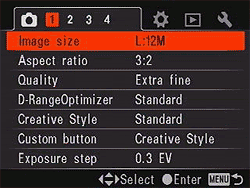
| Record Menu 1 Options | ||
|
Top-Level
Selection |
Second-Level
|
Notes
|
|
Image Size
|
3:2 aspect mode:
- L:12M 16:9 aspect mode: - L:10M |
Sets the pixel dimensions of captured still images. L=(4,272 x 2,848) L=(4,272 x 2,400) |
|
Aspect Ratio
|
- 3:2 |
Select normal or HDTV wide screen aspect ratios for images.
|
|
Quality
|
- RAW
- cRAW - RAW & JPEG - cRAW & JPEG - Extra fine - Fine - Standard |
Specifies the compression level and file type of images. cRAW is compressed RAW. JPEG is Fine when saved with RAW or cRAW.
|
|
D-RangeOptimizer
|
- Off
- Standard - Advanced Auto - Advance with 5-step level adjustment. |
Dynamic Range Optimization settings.
|
|
Creative Style
|
- Standard
- Vivid - Neutral - Adobe RGB - 1 - 2 - 3 Customizable styles 1-3: - Standard |
Color mode. First four are preset styles with adjustable contrast, saturation, sharpness.
Customizable styles 1-3 start with a preset style, but allow contrast, saturation, sharpness,brightness and zone adjustments (B/W and Sepia styles exclude saturation adjustment). |
|
Custom button
|
- AF lock
- AF/MF control - D.O.F. preview - ISO - White balance - Exposure comp. - Flash compens. - Drive mode - AF area - Image size - Quality - Creative Style - D-RangeOptimizer - Flash mode - Memory |
Defines the function of the Custom button.
|
|
Exposure step
|
- 0.5 EV
- 0.3 EV |
Exposure compensation increment.
|
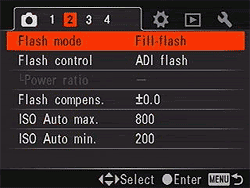
| Record Menu 2 Options | ||
|
Top-Level
Selection |
Second-Level
|
Notes
|
|
Flash mode
|
- Autoflash
- Fill-flash - Rear sync. - Wireless |
Wireless flash shooting requires HVL-F56AM or HVL-F36AM external flash.
|
|
Flash control
|
- ADI Flash
- Pre-flash TTL - Manual flash |
Selects the flash metering method. ADI uses pre-flash, but includes distance info provided by lens. Pre-flash TTL uses exposure calculated with pre-flash only, and Manual uses specific power output (5 level settings 1/1 - 1/16).
|
|
Flash compens.
|
- +/-3 EV scale
|
Sets the flash exposure compensation level in EV.
|
|
ISO Auto max.
|
-1600
- 800 - 400 |
Sets the upper limit for Auto ISO.
|
|
ISO Auto min.
|
- 400
- 200 |
Sets the lower limit for Auto ISO.
|
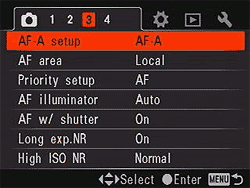
| Record Menu 3 Options | ||
|
Top-Level
Selection |
Second-Level
|
Notes
|
|
AF-A setup
|
- AF-A
- DMF |
Automatic AF or Direct Manual Focus which allows fine manual adjustment after AF.
|
|
AF area
|
- Wide
- Spot - Local |
Wide option lets the camera choose AF area, Spot uses center focus area, Local allows user to choose which of the 11 AF sensors to use.
|
|
Priority setup
|
- AF
- Release |
The AF option will not release the shutter unless focus is set, while the Release setting trips the shutter even if AF is not established.
|
|
AF illuminator
|
- Auto
- Off |
Enables the LED AF illuminator, for use in very dark shooting conditions.
|
|
AF with shutter
|
- On
- Off |
Enables AF when shutter button is half-depressed. When Off, autofocus by pressing center of multiselector, or a programmed button.
|
|
Long exp.NR
|
- On
- Off |
Enables dark frame subtraction noise reduction for exposures longer than one second.
|
|
High ISO NR
|
- High
- Normal - Low |
Noise reduction levels at high ISOs. Max frame rate drops to ~3.5fps.When ISO is 1600 or higher, High NR is automatically selected.
|
| Record Menu 4 Options | ||
|
Top-Level
Selection |
Second-Level
|
Notes
|
|
Memory
|
Select settings for register:
- 1 - 2 - 3 |
Allows three sets of shooting modes and parameters to be saved for quick recall in MR capture mode.
|
|
Rec mode reset
|
- OK
- Cancel |
Resets record mode settings to factory defaults.
|
| Playback Menu 1 Options | ||
|
Top-Level
Selection |
Second-Level
|
Notes
|
|
Delete
|
- Marked images
- All images |
Lets you delete all photos on the card, or only marked photos.
|
|
Format
|
- OK
- Cancel |
Formats the selected memory card, erasing all files (even protected ones).
|
|
Protect
|
- Marked images
- All images - Cancel all |
Write protects images, or removes protection.
|
|
DPOF setup
|
- Marked images
- All images - Cancel all |
Sets up photos for DPOF (Digital Print Order Format) printing on a compatible standalone printer.
|
|
Date imprint
|
- On
- Off |
Chooses whether or not to print the date on all photos in your DPOF order.
|
|
Index print
|
- Create index
- Delete index |
Chooses whether to create or delete an index print of all photos in your DPOF order.
|
|
PlaybackDisplay
|
- Auto rotate
- Manual rotate |
Sets whether the camera automatically rotates vertically-shot images in Playback mode.
|
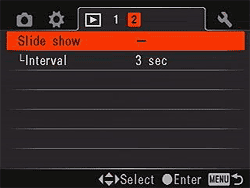
| Playback Menu 2 Options | ||
|
Top-Level
Selection |
Second-Level
|
Notes
|
|
Slide show
|
Press center of multi-selector to start/stop slide show.
|
Display slide show of captured images.
|
|
Interval
|
- 30 sec
- 10 sec - 5 sec - 3 sec - 1 sec |
Sets the slide show interval.
|
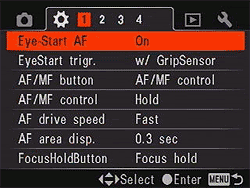
| Custom Menu 1 Options | ||
|
Top-Level
Selection |
Second-Level
|
Notes
|
|
Eye-Start AF
|
- On |
Enables AF when you look into the viewfinder. |
|
EyeStart trigr.
|
- w/ GripSensor |
Enables grip sensor, which requires you to hold the grip as well as look into the viewfinder to enable Eye-Start AF.
|
|
AF/MF button
|
- AF/MF control
- AF lock |
Use AF/MF for AF lock instead of switching between auto focus and manual focus.
|
|
AF/MF control
|
- Hold |
Hold requires button to be held down to switch, while toggle switches modes every time it's pressed.
|
|
AF drive speed
|
- Fast |
Speed of AF. Slow is useful for macro work.
|
|
AF area disp.
|
- 0.6 sec
- 0.3 sec - Off |
Duration of AF area illumination in viewfinder.
|
|
FocusHoldButton
|
- Focus hold
- D.O.F. preview |
For lenses with a Focus Hold button, you can change it to enable depth-of-field preview.
|
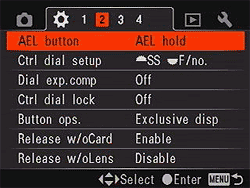
| Custom Menu 2 Options | ||
|
Top-Level
Selection |
Second-Level
|
Notes
|
|
AEL button
|
- AEL hold |
Changes the behavior of the AE Lock button. Spot AE can be performed before AEL hold or toggle, regardless of metering mode. |
|
Ctrl dial setup
|
- Front shutter speed / back aperture |
Adjust the shutter speed with the front dial and aperture with the rear, or vice vera.
|
|
Dial exp.comp
|
- Off
- Front dial - Rear dial |
Selects which dial adjusts exposure compensation. Has no effect in Manual exposure mode.
|
|
Ctrl dial lock
|
- On |
On only allows dials to function while shutter speed and aperture are displayed. Off allows changes even when not displayed.
|
|
Button ops.
|
- Exclusive disp |
Display exclusive screen, or Quick Navi screen when pressing ISO, WB, Drive, EV comp or C (custom) button .
|
|
Release w/oCard
|
- Enable
- Disable |
Allows shutter release without card installed.
|
|
Release w/oLens
|
- Enable
- Disable |
Allows shutter release without lens mounted.
|
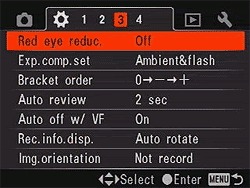
| Custom Menu 3 Options | ||
|
Top-Level
Selection |
Second-Level
|
Notes
|
|
Red eye reduc.
|
- On |
Enables red-eye reduction flash mode. |
|
Exp.comp.set
|
- Ambient&flash |
Sets whether Exposure Compensation adjusts the ambient exposure only, or the ambient exposure and the flash (if flash is in use).
|
|
Bracket order
|
- 0 to - to +
- - to 0 to + |
Sets the order in bracket sequence. Does not apply to DRO advanced bracket.
|
|
Auto review
|
- 10 sec |
Amount of time newly captured image is displayed on LCD.
|
|
Auto off w/ VF
|
- On |
When On, turns LCD off when eye is detected at viewfinder.
|
|
Rec.info.disp.
|
- Auto rotate
- Horizontal |
LCD record mode display rotates automatically to match camera orientation.
|
|
Img.orientation
|
- Record
- Not record |
Enables image orientation to be recorded with each image.
|
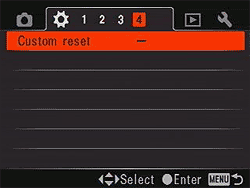
| Custom Menu 4 Options | ||
|
Top-Level
Selection |
Second-Level
|
Notes
|
|
Custom reset
|
- OK |
Resets custom settings to factory defaults. |
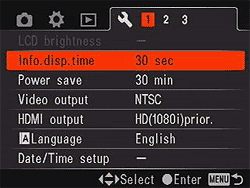
| Setup Menu 1 Options | ||
|
Top-Level
Selection |
Second-Level
|
Notes
|
|
LCD brightness
|
Select level (-5 to +5) |
Adjust LCD brightness. |
|
Info.disp.time
|
- 1 min |
Length of time record information is displayed on LCD in record mode.
|
|
Power save
|
- 30 min
- 10 min - 5 min - 3 min - 1 min |
Determines the amount of inactivity time that will cause camera to enter a low power mode. Pressing shutter button half-way exits power save mode.
|
|
Video output
|
- NTSC. |
Selects composite video out standard.
|
|
HDMI ouput
|
- HD(1080i)prior. |
Selects type of signal over HDMI interface (normally automatic).
|
|
Language
|
- English
- French - Spanish - Italian - Japanese - Chinese |
Menu language setup.
|
|
Date/Time setup
|
Fields for:
- Date - Time - Date format |
Set the cameras internal clock and calander.
|
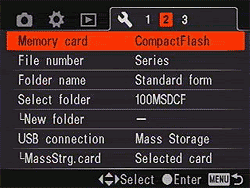
| Setup Menu 2 Options | ||
|
Top-Level
Selection |
Second-Level
|
Notes
|
|
Memory card
|
- Memory stick |
Select type of memory card. |
|
File number
|
- Series |
Set whether filename continues to increment from last image, regardless of whether folder or card has changed, or the card has been formatted.
|
|
Folder name
|
- Standard form
- Date form |
Select standard folder names (ie., 100MSDCF), or include the date in the folder name (ie., 10170101).
|
|
Select folder
|
Select from a list of folders. |
Selects current folder.
|
|
New folder
|
- OK |
Create a new folder with a number incremented from the largest previous number.
|
|
USB connection
|
- Mass Storage
- PTP - Remote PC |
Sets USB mode.
|
|
MassStrg.card
|
- Both cards
- Selected card |
Display both the memory stick duo and CF cards, (requires Windows 2000 SP3 or higher) or just the selected card when connected to a computer.
|
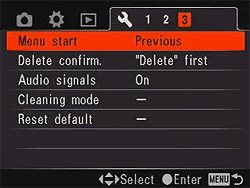
| Setup Menu 3 Options | ||
|
Top-Level
Selection |
Second-Level
|
Notes
|
|
Menu start
|
- Top |
Diplay the first or previous menu when menu button is pressed. |
|
Delete confirm
|
- "Delete" first |
Selects default action for Delete.
|
|
Audio signals
|
- On
- Off |
Enables sound during self-timer countdown, etc.
|
|
Cleaning mode
|
After cleaning, turn camera off. Continue? |
Enables sensor cleaning mode, which vibrates the sensor, then flips the mirror up and opens the shutter for access with a blower or swab. Can be performed only when battery is at least 3/4 charged.
|
|
Reset default
|
- OK |
Restore factory defaults.
|
Comparison
Sony A700 Feature Comparison
The chart below compares the A700 with the A100 as well as Konica-Minolta models, since they are compatible with the same lenses and accessories. What we've done below is to present something of a hybrid comparison between these four models. A red cell means that a given camera performs below the others, a green cell means that it performs better, and a yellow cell means it falls somewhere between. In cases where two cameras share a superior capability, both their cells will be colored green, etc. Sharp-eyed readers may find some areas where we haven't chosen to highlight a particular difference. Those cases are simply ones that we don't feel are significant in typical use of the camera.
We also have a table comparing the Sony A700 with competing models from other manufacturers. This table is a bit wider though, and breaks the page layout in some browsers, so we're simply providing a link to it here that will open in a separate browser window. See the Sony A700 vs the Competition comparison table for more info.
| Sony Alpha and Konica Minolta DSLR Camera Comparison | |||||
Manufacturer |
Sony
|
Sony
|
Konica Minolta
|
Konica Minolta
|
|
| Model
|
Alpha A700
|
Alpha A100
|
Maxxum 7D
|
Maxxum 5D
|
|
|
Imaging
System |
Sensor Manufacturer
|
Sony
|
Sony
|
Sony
|
Sony
|
|---|---|---|---|---|---|
|
Sensor Type
|
CMOS
|
CCD
|
CCD
|
CCD
|
|
|
Color Filter Array
|
RGB
|
RGB
|
RGB
|
RGB
|
|
|
Total Megapixels
|
13.05
|
10.8
|
6.3
|
6.3
|
|
|
Effective Megapixels
|
12.25
|
10.2
|
6.1
|
6.1
|
|
|
Effective Sensor Size (mm)
|
23.5 x 15.6
|
23.6 x 15.8
|
23.7 x 15.6
|
23.7 x 15.6
|
|
|
Focal Length Multiplier (approx.)
|
1.5x
|
1.5x
|
1.5x
|
1.5x
|
|
|
Sensor-shift image stabilization
|
Yes
|
Yes
|
Yes
|
Yes
|
|
|
Ultrasonic sensor dust-removal function
|
Yes (via anti-shake mechanism)
|
Yes (via anti-shake mechanism)
|
No
|
No
|
|
|
Image Processor
|
BIONZ
(2nd generation) |
BIONZ
|
CxProcess III
|
CxProcess III
|
|
|
A/D Conversion
|
12-bit
|
12-bit
|
12-bit
|
12-bit
|
|
|
Viewfinder
|
Type
|
Eye-level pentaprism
|
Eye-level pentamirror
|
Eye-level pentaprism
|
Eye-level pentamirror
|
|
Coverage
|
95%
|
95%
|
95%
|
95%
|
|
|
Magnification (-1 diopter with 50mm lens at infinity)
|
0.9x
|
0.83x
|
0.9x
|
0.83x
|
|
|
Eyepoint (mm)
|
25
|
20
|
25
|
20
|
|
|
Dioptric Adjustment Range (diopters)
|
-3.0 to +1.0
|
-2.5 to +1.0
|
-3.0 to +1.0
|
-2.5 to +1.0
|
|
|
Focusing Screen
|
Interchangeable Spherical Acute Matte
|
Fixed Spherical Acute Matte
|
Interchangeable Spherical Acute Matte (G-type as standard)
|
Fixed Spherical Acute Matte
|
|
|
Viewfinder
Info Display |
16:9 area frames, AF frames, Spot metering area, Flash compensation, Flash status, Flash mode, (wireless/ HS), Manual focus, AF mode, Shutter speed, Aperture, EV scale, Autoexposure lock, Shots remaining, Shake warning, Super SteadyShot scale, Aspect ratio
|
Wide focus frame, spot AF area, local focus areas, Spot metering area, Flash compensation, Flash status, Flash mode, (wireless/ HS), Autoexposure lock, Shutter speed, Aperture, EV scale, Shots remaining, Shake warning, Super SteadyShot scale
|
Wide focus frame, spot AF area, local focus areas, spot metering area, anti-shake scale, flash compensation indicator, flash signal, high-speed sync indicator, wireless / remote flash indicator, manual focus indicator, AE lock indicator, focus signal, shutter-speed display, aperture display, EV scale, camera-shake warning, frames-remaining counter
|
Wide focus frame, spot AF area, local focus areas, spot metering area, flash compensation indicator, flash signal, high-speed sync indicator, wireless / remote flash indicator, AE lock indicator, focus signal, shutter-speed display, aperture display, EV scale, frames-remaining counter, camera-shake warning, anti-shake scale
|
|
|
Depth of Field Preview
|
Enabled with depth-of-field preview button
|
Enabled with depth-of-field preview button
|
Enabled with depth-of-field preview button
|
Enabled with depth-of-field preview button
|
|
|
Live Preview on LCD
|
No
|
No
|
No
|
No
|
|
|
Recording
System |
Recording Media / Quantity / Slot Type
|
Type I or II CF card / Microdrive / MS Duo / MS Pro Duo
|
Type I or II CF card / Microdrive
|
Type I or II CF card / Microdrive
|
Type I or II CF card / Microdrive
|
|
Compatible File System
|
FAT 12 / FAT 16 / FAT 32
|
FAT 12 / FAT 16 / FAT 32
|
FAT 16 / FAT 32
|
FAT 16 / FAT 32
|
|
|
Recording Formats
|
RAW (ARW 2.0), JPEG
|
RAW (ARW), JPEG
|
RAW (MRW), JPEG
|
RAW (MRW), JPEG
|
|
|
Maximum Resolution
|
4288 x 2856 (RAW);
4272 x 2848 (JPEG) |
3872 x 2592
|
3008 x 2000
|
3008 x 2000
|
|
|
Reduced Resolutions
|
3:2
3104 x 2064; 2128 x 1424 16:9 |
2896 x 1936;
1920 x 1280 |
2256 x 1496;
1504 x 1000 |
2256 x 1496;
1504 x 1000 |
|
|
RAW + JPEG Recording
|
Yes, selectable JPEG resolution (Fine compression only)
|
Yes, Large/Fine JPEG only
|
Yes, selectable JPEG resolution (Fine compression only)
|
Yes, selectable JPEG resolution (Fine compression only)
|
|
|
Color Space &
White Balance |
User Selectable Color Space
|
Yes
sRGB (thirteen variants) + Adobe RGB |
Yes
sRGB (six variants) + Adobe RGB |
Yes
sRGB (two variants) + Adobe RGB |
Yes
sRGB (eight variants) + Adobe RGB (two variants) |
|
Processing Parameters
(Contrast, Sharpness, Saturation, Color Tone) / # of Increments |
7 options each for sharpness, saturation, contrast, and brightness, plus 4 options for zone matching.
|
5 options each for sharpness, saturation, and contrast.
|
5 options each for sharpness, contrast, saturation and hue.
|
5 options each for sharpness, contrast, and saturation.
|
|
|
Preset WB settings
|
6 (Daylight, Shade, Cloudy, Tungsten, Fluorescent, Flash), plus Auto and Custom
|
6 (Daylight, Shade, Cloudy, Tungsten, Fluorescent, Flash), plus Auto and Custom
|
6 (Daylight, Shade, Cloudy, Tungsten, Fluorescent, Flash), plus Auto and Custom
|
6 (Daylight, Shade, Cloudy, Tungsten, Fluorescent, Flash), plus Auto and Custom
|
|
|
Manual Color Temperature Setting Range
|
2500 - 9900K with 19-step magenta / green compensation
|
2500 - 9900K with 19-step magenta / green compensation
|
2500 ~ 9900K in 100K increments
|
2500 - 9900K with 19-step magenta / green compensation
|
|
|
WB Adjustment Range
|
Preset WB:
-3 to +3; Fluorescent WB: -2 to +4; |
Preset WB:
-3 to +3; Fluorescent WB: -2 to +4 |
+/-3 steps in 1-step increments
Arbitrary step size (approx. 10 mireds per step in most modes) |
+/-3 steps in 1-step increments
Arbitrary step size (approx. 10 mireds per step in most modes) |
|
|
Autofocus
System |
Type
|
TTL phase detection
|
TTL phase detection
|
TTL phase detection
|
TTL phase detection
|
|
# of Focusing Points (Focusing Point Type)
|
11 points, (1 center twin-cross type and 11 single-axis with high accuracy f/2.8 center point)
|
9 points
(1 center cross-type and 8 single-axis) |
9 points
(1 center cross-type and 8 single-axis) |
9 points
(1 center cross-type and 8 single-axis) |
|
|
Superimposed Focus Point
Display
|
Yes
|
Yes
|
Yes
|
Yes
|
|
|
AF Working Range (ISO 100)
|
EV 0 ~ 18
|
EV 0 ~ 18
|
EV -1 ~ 18
|
EV -1 ~ 18
|
|
|
AF-assist Beam
|
Yes,
LED, range 1 - 7m |
Yes, stroboscopic flash
|
Yes, stroboscopic flash
|
Yes, stroboscopic flash
|
|
|
Eye-start Focusing
|
Yes
(grip detection too) |
Yes
|
No
|
No
|
|
|
Exposure
Control |
Shooting Modes
|
12 - Auto, Program Shift, Aperture-priority AE, Shutter-priority AE, Manual, Memory Recall, Portrait, Landscape, Macro, Sports, Sunset, Night view/portrait
|
12 - Auto, Program Shift, Aperture Priority AE, Shutter Priority AE, Manual, Portrait, Landscape, Macro, Sports, Evening, Night, Night Portrait
|
8 - Full Auto, Program, Shutter-priority AE, Aperture-priority AE, Manual, Three memory register settings
|
10 - Full Auto, Program, Shutter-priority AE, Aperture-priority AE, Manual, Portrait, Sports Action, Landscape, Sunset, Night Portrait
|
|
Metering Zones
|
40
|
40
|
14
|
14
|
|
|
Metering Modes
|
Multi-segment Honeycomb pattern, Center-Weighted, and Spot
|
Multi-segment Honeycomb pattern, Center-Weighted, and Spot
|
Multi-segment honeycomb-pattern metering, Center-weighted, Spot
|
Multi-segment honeycomb-pattern metering, Center-weighted, Spot
|
|
|
Metering System Working Range
(F1.4, ISO 100) |
1) Honeycomb-Pattern / Center-Weighted Average; EV 0 ~ 20
2) Spot; EV 2 ~ 20 |
1) Honeycomb-Pattern / Center-Weighted Average; EV 1 ~ 20
2) Spot; EV 4 ~ 20 |
1) Honeycomb-Pattern / Center-Weighted Average; EV 0 ~ 20
2) Spot; EV 3 ~ 20 |
1) Honeycomb-Pattern / Center-Weighted Average; EV 1 ~ 20
2) Spot; EV 4 ~ 20 |
|
|
ISO Range / Extended
|
100 ~ 3200 / 6400
|
100 ~ 1600 / 80
|
100 ~ 3200
|
100 ~ 3200
|
|
|
Exposure Compensation
|
+/-3 EV in 1/3EV increments
|
+/-2 EV in 1/3EV increments
|
+/-3EV in 1/2EV increments, or +/- 2EV in 1/3EV increments
|
+/-2EV in 1/3EV increments
|
|
|
Automatic Exposure Bracketing
|
3 or 5 shots in +/-1/3, 1/2 or 2/3 EV steps
|
3 shots, +/-2 EV in 1/3 or 2/3 EV increments
|
3 or 5 shots, +/-2 EV in 1/3 or 1/2 EV increments
|
3 shots, +/-2 EV in 1/3 or 2/3 EV increments
|
|
|
Shutter Speeds,
Frame Rate, |
Shutter Type
|
Electronically controlled mechanical focal plane
|
Electronically controlled mechanical focal plane
|
Electronically controlled mechanical focal plane
|
Electronically controlled mechanical focal plane
|
|
Shutter Speed Range
|
1/8000 ~ 30 sec., bulb
|
1/4000 ~ 30 sec., bulb
|
1/4000 ~ 30 sec., bulb
|
1/4000 ~ 30 sec., bulb
|
|
|
Maximum Frames Per Second / Buffer depth
|
4.91 fps
/ 13 Extra Fine JPEG, 11 RAW frames |
2.85 fps
/ 24 LF JPEG, 3 RAW+JPEG, or 8 RAW frames |
2.75 fps
/ 15 LF JPEG or 9 RAW frames |
2.75 fps
/ 15 LF JPEG or 9 RAW frames |
|
|
Flash
|
Built-in Flash / Guide Number at ISO 100.
|
Yes (12 meters / 39 feet)
|
Yes (12 meters / 39 feet)
|
Yes (12 meters / 39 feet)
|
Yes (12 meters / 39 feet)
|
|
Max flash x-sync speed. (sec.)
|
1/250 (1/200 with Super SteadyShot)
|
1/160 (1/120 with Super SteadyShot)
|
1/160 ( 1/125 anti-shake on)
|
1/160 ( 1/125 anti-shake on)
|
|
|
Flash Exposure Compensation
|
+/-3 EV in 1/3 or 1/2 EV steps
|
+/-2 EV in 1/3 EV steps
|
+/-2EV in 1/2EV steps
|
+/-2EV in 1/3EV steps
|
|
|
Slow-sync flash
|
1st or 2nd curtain
|
1st or 2nd curtain
|
1st or 2nd curtain
|
1st or 2nd curtain
|
|
|
PC Sync Terminal
|
Yes
|
Hot shoe only
|
Yes
|
Hot shoe only
|
|
|
Playback
System |
LCD Size / Pixel Count
|
3.0 in LCD / 921,600 pixels
|
2.5 in LCD / 230,000 pixels
|
2.5 in LCD / 207,000 pixels
|
2.5 in LCD / 115,000 pixels
|
|
Enlarged Playback / Scroll
|
13x max. / Yes
|
12x max. / Yes
|
4.7x max / Yes
|
4.7x max / Yes
|
|
|
LCD Monitor Brightness Adjustment Range
|
11 steps
|
5 steps
|
11 steps
|
11 steps
|
|
|
Automatic Rotation for Vertical Shots
|
Yes
|
Yes
|
Yes
|
Yes
|
|
|
Video Out/ HD Video
|
Yes/Yes (HDMI)
|
Yes/No
|
Yes/No
|
Yes/No
|
|
|
Other Features
|
Computer Connection
|
Yes, USB 2.0 High Speed, PTP-compliant
|
Yes, USB 2.0 High Speed, PTP-compliant
|
Yes, USB 2.0 High-Speed (PTP compliant)
|
Yes, USB 2.0 High-Speed (PTP compliant)
|
|
Direct Printing (PictBridge printers)
|
Yes
|
Yes
|
Yes
|
Yes
|
|
|
Menu Languages
|
6 (English, French, Spanish, Italian, Japanese, Chinese)
|
6 (English, French, Spanish, Italian, Japanese, Chinese)
|
8 (English, German, French, Spanish, Italian, Swedish, Simplified Chinese, and Japanese.)
|
11 (Japanese, English, German, French, Spanish, Italian, Swedish, Russian, Simplified Chinese, Traditional Chinese, Korean)
|
|
|
Camera Default Reset
|
Yes
|
Yes
|
Yes
|
Yes
|
|
|
Custom Functions (Quantity)
|
Yes (21)
|
Yes (12)
|
Yes (20)
|
Yes (12)
|
|
|
Remote Control
|
Wireless: with included RMT-DSLR1 IR remote control
or Wired: with optional RM-S1AM or RM-L1AM |
Wired with optional RM-S1AM or RM-L1AM
|
Optional, compatible with RC-1000S or RC-1000L
|
Optional, compatible with RC-1000S or RC-1000L
|
|
|
Info LCD Panel / Illumination
|
No / n/a
|
No / n/a
|
No / n/a
|
No / n/a
|
|
|
Body Structure
|
Body Cover / Chassis
|
Magnesium Alloy (front), Polycarbonate (rear) / Aluminum
|
Polycarbonate / Unknown
|
Magnesium Alloy (front), Plastic (rear) / Unknown
|
Glass Fiber Plastic
|
|
Environmental Seals
|
Yes
|
No
|
No
|
No
|
|
|
Power System
|
Battery Compatibility
|
NP-FM500H
|
NP-FM55H
|
NP-400
|
NP-400
|
|
Rated Shooting Capacity at 20C/68F
|
CIPA: 650
|
CIPA: 750
|
100% AE: 600
50% Flash: 400 (Konica Minolta spec) |
CIPA: 550;
Konica Minolta spec: 700 |
|
|
Dimensions &
Weight
|
Dimensions (WxHxD, mm)
|
142 x 105 x 80
|
133 x 95 x 72
|
150 x 106 x 78
|
131 x 93 x 67
|
|
Weight (body only)
|
690 g
|
545 g
|
760 g
|
590 g
|
|
|
Oper.
Env. |
Operating Temperature Range
|
0 ~ 40C
|
0 ~ 40C
|
0 ~ 40C
|
0 ~ 40C
|
|
Operating Humidity Range
|
Not stated
|
Not stated
|
Not Stated
|
Not Stated
|
|
|
Kit Lens
|
Focal length / aperture
|
18-70mm
f3.5-4.5 DT or 16-105mm f3.5-5.6 DT |
18-70mm
f3.5-4.5 DT |
-
|
18-70mm
f/3.5-5.6 AF |
|
Lens Compatibility
|
Lens Mount / Compatibility
|
Sony Alpha mount; compatible with "most" Konica Minolta A-mount (Maxxum-compatible) AF lenses as well.
|
Sony Alpha mount; compatible with "most" Konica Minolta A-mount (Maxxum-compatible) AF lenses as well.
|
A-type / All A-type lenses except MD and MC series manual focus lenses. AF Macro 3x - 1x f/1.7-2.8 lens cannot be used with Anti-Shake, nor does Anti-Shake work with any lens with a macro release. (Sony Alpha lenses should work as well)
|
A-type / All A-type lenses except MD and MC series manual focus lenses. AF Macro 3x - 1x f/1.7-2.8 lens cannot be used with Anti-Shake, nor does Anti-Shake work with any lens with a macro release. (Sony Alpha lenses should work as well)
|