
Smarter selections in Photoshop: How to make clean selections and improve your photo editing

Imaging Resource is reader-supported. When you buy through links on our site, we may earn an affiliate commission. How this works.
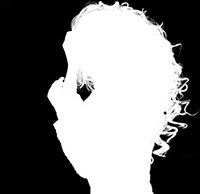
As Fstoppers’ Alex Cooke puts it, “The better you are at selecting things, the better you are at Photoshop. It’s one of the most fundamental skills.” He hits the nail on the head there. While Lightroom and other similar software is amazing for making a wide range of edits to your images, for making complex selections, Photoshop cannot be beat. However, it is not always easy to make good selections and Photoshop’s built-in tools can be a bit daunting for new users.
Nathaniel Dodson of Tutvid, a maker of many great tutorials, such as this one, has a new tutorial all about selections. In the tutorial, which includes ten tips and tricks for making difficult selections and masks, Dodson will teach you how to “cut out anything in Photoshop.”
Readers, do you have any tips for making selections in Photoshop that Dodson didn’t cover above? If so, let us know in the comments below. Be sure to visit Tutvid for many more tutorials.
(Via Fstoppers)
More in News
 NewsThypoch Sculptor AF 23mm F1.4 Debuts With Compact Design and Autofocus20 Nov 2026
 NewsNew vs used cameras: Where can photographers get the best value this Black Friday?20 Nov 2026
 NewsFujifilm Confirms December X Summit as X-T6 Announcement Speculation Grows19 Nov 2026
 NewsInstagram Now Lets Users Edit Stories Within 15 Minutes of Posting19 Nov 2026
 NewsMitakon Updates Speedmaster 65mm F1.4 With Lighter Mark II Version18 Nov 2026
 NewsXiaomi 18 Pro Series Launches Globally With Dual Displays and Leica Cameras18 Nov 2026