


Overview
Canon EOS-1D Mark III Introduction
by Dave Etchells,
Shawn Barnett
Posted: 02/21/2007
Updates:
2/23/07 - AF Details
2/24/07 - Sample Images
2/25/07 - User Report
2/28/07 - Live View section,* Accessories video**
3/3/07 - Incandescent noise,
High Tone Priority
(See exposure tab above)
4/12/07 - Performance results
(See performance tab above)
1/22/10 - Updated with production images and performance results
The big story with the Canon EOS 1D Mark III is that it's a better, more universally appealing professional camera for more types of professional photographers. I think a lot of intermediate photographers may want to make the jump as well, given its more friendly interface and astonishing high ISO performance. With past Canon EOS 1D announcements, the big story was the incredibly high capture speed at reasonably high resolutions. The amazing technology required to dump high res images at high speed tended to dominate our coverage of these sport-tuned professional SLRs. But the scene has changed. The additional 1.5 frames per second isn't the most important improvement with the Canon EOS 1D Mark III, it's just a nice enhancement. The same goes for the jump from 8 megapixels to 10.
The Canon EOS 1D Mark III isn't just for sports anymore. It's a more universal camera for the vast majority of pro photographers. With the multiple improvements in the new camera, photographers will no longer need to trade off resolution, image quality, and speed against each other. The 1D Mark III now has enough of all three to satisfy a huge slice of the market in a single camera body.
The EOS 1D Mark III has several improvements that illustrate its greater versatility:
- Fast performance, high resolution, and improved image quality across the board
- Resolution sufficient for double-truck spreads and general commercial photography
- Even faster capture, processing, and write speeds, and faster AF tracking for sports shooters
- Super low-light capability for photojournalists (High ISO)
In addition, the EOS 1D Mark III has a few new features that will expand the camera's versatility and convenience, including a new Live View mode for image composition on the camera's LCD or via a remote computer; compatibility with a faster optional WiFi transmission system; several AF improvements; a stack of custom functions; and Canon's new dust reduction technology, which first appeared in the Canon EOS Digital Rebel XTi.
There's a lot to cover, so stick with us over the next few days as we build on our preview coverage of the Canon EOS 1D Mark III.
Canon EOS-1D Mark III Hands-on Preview
by Shawn Barnett
Posted: February 25, 2007
At a glance, you really can't tell the difference between the Canon EOS 1D Mark II N and the Canon EOS 1D Mark III. They're both large, cut an imposing profile, and look like high quality instruments. Even the name looks similar. But look more closely and there are different design accents and, new buttons, new button arrangements, and a nice big three-inch LCD.
But the exterior is more similar to the Mark II N than the interior. Canon says the Mark III was redesigned from the ground up; and I believe it. There are so many changes in the Mark III that it's a little tough to know where to start. Writing about a camera like the 1D Mark III after only a day is a little like writing a report on a textbook on the first day of class. So I haven't delved into every custom function, or its potential impact on each of the settings I'll comment on. That will come, but later. Also, note that this is a prototype camera, and anything is subject to change as they finalize the camera before its release.


Big and beautiful: The 1D Mark III is very similar to the 1D Mark II N at first glance, but look more closely and the functional differences become apparent.
Quoting the bare specs says a lot: 10 frames per second, 10 megapixels, 110 JPEG buffer, three inch LCD, Live View mode, dual DIGIC III processors, automatic sensor cleaning. These are all impressive, but the Mark II N was pretty darn impressive, too. What I'm more excited about is the radical interface improvements that make all this impressive power more accessible to the photographer. If I have to think too much about how to set the camera while I'm shooting, I lose connection with my subject, and the creative process is stifled.
As it was, going out to shoot our usual Gallery shots left me feeling a little frustrated. The 1D Mark III is far more sophisticated than any of my snapshots of inanimate objects could convey, and my limited time wouldn't allow me to get truly creative and explore the vast possibilities with a camera of this caliber. But the Galleries aren't intended to show any artistic ability; they're taken to give you a sample shot of something textured and colorful with the camera in the daylight. Let's just say I was wishing I had a week in the Sierras, four days with models in a studio, three days with the same models on a beach, 36 hours photographing bears in Alaska, and a weekend at the racetrack. Just me and the Mark III.
But I did the next best thing, and closer to my heart: I took some pictures of my kids in my makeshift studio in the basement. Righteous.
 |
 |
 |
|
Portrait shoot. Took me a few shots to get the lighting right. Not sure I did. It's a struggle when Dad's trying to take pictures and control chaos at the same time. It helped to have a camera that's fast and easier to use, because if I spend too much time looking at menus I lose their attention in a hurry. Though the shirt sleeves in the left shot appear blown out, there's still detail in those highlights, even in the JPEG if you slide the mids control around. You won't likely be able to parse the CR2 yet, unless you're fortunate to have Canon's Digital Photo Professional 3.0. Adobe RAW doesn't seem to have the key yet. |
||
|
NOTE: The Safari browser cannot download the CR2 files for some reason; please use Firefox or another browser.
|
||
| Y0B0B0327.CR2 14.6MB |
Y0B0B0430.CR2 14MB |
Y0B0B0494.CR2 13MB |
Opening Canon EOS-1D Mark III RAW files: Canon's Chuck Westfall was kind enough to let us know that there is a way for users of Canon's software to access Mark III RAW files, through a software update. The "RAW Image Task" software built into the latest version of Canon's ZoomBrowser EX (for Windows only) can apparently read the Mark III's CR2 files. NOTE though, that you must already have an earlier version of ZoomBrowser EX, Digital Photo Professional, or EOS Viewer Utility installed for the updater to work. Here's what to do:
Note once again, that this will only work if you have a previous version of one of the aforementioned software utilities installed on your computer, and that this is a Windows-only solution. (Interestingly, Canon reports that ZoomBrowser EX 5.8 is compatible with both Vista and Windows XP SP2.) Canon expects updaters for Digital Photo Professional (for Windows and Mac) as well as ImageBrowser (for Mac) to be available in the next 4-8 weeks, but doesn't have a finalized schedule for them yet. |
||
Anticipation. Picking up the 1D Mark III is like climbing on a mountain bike at the top of a long hill and placing your feet on the pedals. It's like taking a glider to the edge of the cliff on a perfect spring day and looking down. It's like pushing your raft out toward the center of a river just above the rapids and jumping aboard. Nothing has happened, but it's about to. And you're really looking forward to it.
 But with that anticipation comes a sense of responsibility. The 1D Mark III costs $4,000, not including the lens. You better take a good picture! But if you like a challenge, and have some time, the EOS 1D Mark III has everything you need to make great images. If you don't get a great picture, it's you. That's not nice, but it's true. The good news is, that $4,000 and the Mark III's serious capabilities will draw you into learning more about it, and drive you to experiment until you make some great images worthy of its power. Okay, I may be projecting, because the 1D Mark III sure is drawing me.
The funny part is, I've had access to other EOS 1D cameras, but I've not been drawn at all, at least not after the review. I've been frustrated instead. They've long had a cumbersome menu system, and that alone has kept me from exploring the depth of the 1D cameras after the review, despite their superior capabilities. The press and hold menu system worked like no other system on the market, and seemed to be designed to make changing settings accidentally more difficult. What it did instead was make the menu more like a puzzle than a quick way to adjust your camera. First, you press and hold the menu button down, then scroll the Quick Control dial to move to the tab you want to change. Then you release that button and press and hold the Select button just below. Then you can scroll to your desired menu item. When you release it, your menu item is selected. If you've changed your mind, you're out of luck, because you have to release the button somewhere, and wherever you release it, you go to another screen, where you have to press the Select button again to start scrolling again. I always say, anything can be learned, but I use too many other cameras to bother messing with such a silly way of making simple settings.

New control: Both the Multi-Controller and the Set button are new interface twists that make the 1D Mark III more usable than past Canon Pro offerings.
When the full-frame EOS 5D hit the market, I was pleased that it had inherited the EOS 20D's straightforward interface, and I'm happy to report that the 1D Mark III has also taken on many of the same intelligent design elements of that prosumer EOS series, refining them along the way. What that means is that I'm less frustrated with an odd interface and better able to explore, adjust settings, and take pictures.
That's what a pro camera should do: give easy access to its myriad features. Like anything worth doing, it will require practice. You don't just jump on a bike, jump off a cliff, or push to the center of a raging river without some experience with and knowledge of your equipment. I suppose you could, but the results would probably be messy.
Once I get over the reverie that comes from picking up the 1D Mark III, I generally support it with my left hand, because it's heavy. It seems a little lighter than the Mark II N. My middle finger feels secure in the grip's top groove (though not as comfortable as it is on the 5D), and my index finger settles perfectly on the black shutter release. It might not be so perfect for everyone's hand, but this couldn't get better for me. My thumb supports the weight comfortably, and surprisingly does so without accidentally pressing the new AF-ON button. This new button is positioned in the same place you'll find it on the Nikon D200. It's just right. On the Mark II N, there's a button in the same place, though it's slightly smaller and a smidge higher; but was used in conjunction with the Command dial to switch between the last Registered AF point and the auto AF selection mode, or to adjust the White balance. I think it's better used as the AF-ON button.

Vertical grip: The vertical grip offers all of the same buttons, and is an equally nice fit.
Since I do most of my shooting vertically, I like that the 1D Mark III's vertical release is built in, rather than an accessory as it is on the 30D and 5D. Attach a battery grip to either of those, and they easily approach a 1D in size and weight, but there's often flex between the body and grip. There's nothing like that here. It's all one big rock. The surfaces are different, and all the buttons are in slightly different places from the horizontal grip controls, but it's all quite comfortable. The AF-ON button is also higher than the WB button was on the 1D Mark II N.
Joystick. The first major import from the prosumer series is the eight-way, joystick-like Multi-Controller. In general, it's a little more useful than it is on the 20D/30D. You can use it to navigate among tabs and menu items, which makes the tabbed menu system superior to the long list that I once preferred on the 20D. You can also use the Main and Quick Control dials to navigate the tabs and items: Main for the tabs, and Quick Control for the menu items. I haven't settled on either just yet. The dials are faster, but the Multi-Controller requires only the thumb.
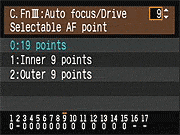
By default, the 1D Mark III's Multi-Controller doesn't make selecting an AF point easy, like it does on the 30D. On that model, the eight directions of the joystick take you to the eight AF points surrounding the center, and pressing the joystick in selects the center AF point. With 45 AF points total, and 19 that can be manually selected, picking your AF point is unfortunately more complicated. The joystick only switches between the center point and an AF mode that illuminates only the 20 outer points, but enables all 49 the intelligent AF system, regardless of the Custom Function. CF 3.9 modifies the behavior, but it's more than a little confounding. You have to choose to use all "19 points" (default), the "Inner 9," or the "Outer 9." To be completely accurate, it's all 19 cross-type AF points including the center, the inner eight plus the center point, and the outer eight plus the center point. Only the camera can select the non-cross-type AF points in Auto AF mode.
In 19 points, you really can select all 19, but it's not immediately obvious how. It's the least intuitive feature I've found on this amazingly friendly Pro camera, but it can be grasped if you're clever. If you just stick with the center ring of eight, it's pretty easy. Just turn the Quick Control dial. It rolls through all of the points in a circle, dipping to the center point after top center, then back out to the 2 o'clock position and around. To get to the outer points, you turn the Main dial. Once you reach the outer points, you switch back to the Quick control dial to move up and down. Here's where it gets tricky; but to keep it from being tricky, just give up the idea of rolling around the "racetrack."
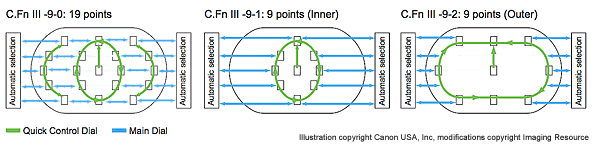
If you want to move to any of the 19 points in the viewfinder, you use the Main dial to move left or right, and you use the Quick Control dial to move in up or down in a vertical arc. On the outer ring, once you get to the top of either the left or right arc with the Quick Control dial, you have to move the main dial in the direction you want to go next. If you're at the top or bottom of the left arc, you turn the main dial to the right to move to the top or bottom center point, then turn it again to hop to the right arc. If you move beyond that, you enter Auto AF mode. Until you give up on the idea of an outer "racetrack," this default mode will befuddle you. I'd like to see an approach that includes the Multi-Controller, selectable via a Custom Function, because in my early shooting with the 1D Mark III, I've wanted faster AF point selection.
Alternately, if you want to just move around the racetrack of eight outer points, you can set it to Outer 8. As with the better menu navigation method, I haven't yet decided which I prefer, but I needed both inner and outer points when photographing the kids today.
There's no question, though, that having 19 cross-type AF points to choose from is very good. I've had some struggles working with the AF system on previous 1D cameras, and come away feeling deceived by the camera's idea of "in focus" as represented by the selected points in post-processing. The photos last night were far better, with the only out-of-focus shots being either wiggly kids or daddy error. There are far more in-focus shots in the studio than I'm used to getting from any of the other cameras I work with. Some of those shots were in Auto AF mode, but most were one of the single AF points. We'll see how true that holds as I continue to explore the 1D Mark III prototype I'm working with.
Viewfinder. I found the viewfinder quite accurate while framing shots outdoors. I'm curious to see what our VFA target shows, but I'd guess it's 97 percent or better. I do have trouble seeing the entire viewfinder with my glasses on, without pressing them against the rubber cup. Adjusting the diopter wheel requires removing the eyecup (just pinch the sides at the bottom and pull up). I still prefer the diopter out in the open, but I seldom use it anymore, as my prescription has long since moved out of the range of even a professional camera's range of settings. Canon's new focusing screen does seem a little better, giving out of focus objects an almost foggy appearance when out of focus. That kind of natural feedback gives me more confidence when shooting candids.
Live preview: See a live image on the three-inch LCD, or pipe it through your computer, where you can remote control the camera.
Live View. While on the subject of viewfinders, the 1D Mark III has a new feature that has heretofore only appeared on the Olympus E-330 and its offspring, the Panasonic Lumix L1 and the Leica Digilux 3 (see video). Canon's Live View mode operates much like the E-330's Live View B mode: You're seeing the image directly off the main imaging sensor, but you can't autofocus while you're viewing with the LCD. You can zoom in either 5x or 10x and focus manually, or you can leave Live View mode to autofocus, then compose, and shoot. The clarity and speedy refresh on the 1D Mark III's three-inch LCD is really impressive, making manual focus fairly easy. Using the new CameraWindow MC program, you can remote control the camera, seeing exactly what the camera sees. You can do this either wired via USB 2.0, or via WiFi with the WFT-E2A that screws into the side of the camera.

Click photo to go to Live View tab.
Using USB 2.0, I had varying degress of success depending on the computer I used. A three-year-old computer is not going to cut it; you'll need a faster, more recent model, with a faster system bus to make good use of the 1D Mark III's Live View mode through a computer. At this point, I've only tested it with Macs. The frame rate is nowhere near as fast as it is on the back of the camera. The fastest I've seen with the iMac G5 was about five frames per second, which is jerky, but good enough for tripod work. My PowerBook was only about 1 to 2 frames per second, which is too slow. Bear in mind, this is all with Beta software. There are six icons that do allow you to focus from the computer. It's a slow process changing focus this way, but at least it's there. You can also zoom in what looks like 10x, which really helps you get even sharper focus. With the 50mm f/1.8 attached, I was able to get quite good focus in the normal view, given its excellent bokeh. Note that all on-camera controls are disabled in Live View mode, so all settings must be made through the computer. Someone also needs to come up with a more permanent attachment system, because the cable can fall out with the slightest tug. For more on this experience, see the Operation Tab and click on the Live View subtab (or click here).


New perspective: One potential use illustrated here is a shift of perspective, something you can currently do with a digicam, but few other digital SLRs.
I happened on a thought while shooting, that it might be possible to AF from one perspective, but take the shot from another. I tried that out, producing a not-so-great picture, but it illustrates the point. I wanted to focus on the second lantern in the scene, taking advantage of row of repeating lanterns, but including some of the street and paintings below. So I focused on the lantern from head level (first shot) then switched into Live View mode and raised the 1D Mark III above my head and framed the image using the three-inch LCD. The result is not a good picture, but I hope it illustrates the point. Hopefully I'll have some better subjects soon and more ideas to use Live View when we get the shipping version of the 1D Mark III.


Slight modifications: Good but subtle additions and reshuffling have made for a more comprehensible interface. Unlike the Mark II N, you don't have to hold these buttons down to make your adjustments. Instead, like the 30D, you just press and release and you have about seven seconds to make a change with either the Main or Quick Control dial, depending on the item you're adjusting.
Access. Changing settings on the 1D Mark III has improved somewhat from the 1D Mark II N, with a slight retasking of several buttons. On the left deck, the three buttons used to control six functions: three with a single press, and three more with a combination press. Though it seems strange at first, I think most photographers liked the clever simplicity of the method. Now those three buttons only have one direct combination purpose, which is to set the bracketing mode. Drive mode has been integrated into the AF button. Just press the button and AF is changed with the Main dial, while Drive mode is adjusted with the Quick Control dial. Users of prosumer Canon SLRs are familiar with this style of control. ISO has been moved from this cluster to a new button on the right. This oft-changed control is better placed here, where you can watch the change on the top Status display as you turn the Quick Control dial with your thumb.
Two of the three buttons on the back beneath the LCD display have also been repurposed. The trash button is the same, but the middle button is the Function button, and lets you adjust the image quality mode or White Balance with a turn of the Quick Control dial. That leaves the third button open for locking images, recording audio notes to images (just press and hold), or accessing Picture Styles in a hurry.
Status LCDs. The top Status LCD has changed less than the back Status LCD, which now accommodates a little more information for the greater number of image quality modes. The top deck's most welcome change is the four-stage battery icon, instead of the old two-stage icon on the 1D Mark II N. I've seen the big batteries in the old 1D cameras die quite suddenly, and with as much power as modes like Live View can use, you want to have a much better picture of your battery status than this.

LP-E4: You have to love a battery that is both lighter and carries more juice. The LP-E4 battery pack can deliver up to 2,200 shots, compared to the 1D Mark II N's 1,200 shots.
New battery. The good news is that the 1D Mark III has a new battery. It looks just like the battery in the Nikon D2Xs, probably because it's made by the same battery supplier. That's the same reason most of the batteries in prosumer digital SLRs have nearly the same form factor. Unfortunately, they don't have the same contact arrangement, so those shooting both Nikon and Canon might get a little confused now and then. The battery's a lot smaller and lighter, and packs a lot more power. That would be due to the higher power density inherent in lithium-ion batteries. The LP-E4 delivers 11.1v, 2,300mAh and weighs 6.29 ounces (178.5g). That's light enough that you could make a handsome bandolier to hold them; except that most photographers won't need that, since the battery is good for 2,200 shots according to CIPA standards (I'm sure that doesn't include Live View mode). The old NP-E3 NiMH battery is rated at 12v, 1,650mAh, and weighs 11.77 ounces (333.7g). The new LP-E4 is also easier to remove, without that secondary lock button on the NP-E3. The dual-pack charger that comes with the 1D Mark III holds the batteries on its back, rather than just leaving them to sit on the carpet or table connected by a cable, as the older 1D-series chargers do. Yet another major improvement.
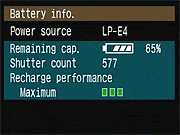
The LP-E4 is no longer a "dumb" battery, either. It has integrated electronics that can monitor charge cycles and adjust the battery gauge readout as the battery's capacity changes. Not only does the Status LCD report more charge levels, you can see the percentage remaining in the Battery info dialog, available in the Setup menu 2. This is a change that has been long overdue.
A secondary power supply comes with the camera, with its own power cord and dummy battery to provide power from a normal AC wall outlet.
Need for Speed: The 1D Mark III is made to be fast. See the video to experience it, or download our MPEG4 video here for smoother playback.
Ten frames per second. I know, all you care about is speed. Sorry to bore you with all that talk of buttons, batteries, and modes. You're right, though. This camera is very fast. It's tough to write about fast, though, so I made a little video to convey the speed. I first shot the 1D Mark II N, the former speed leader at 8.5 frames per second. I didn't think 1.5 frames more could really seem that much faster. But it does. Unfortunately, the YouTube compression messes up the audio, so you can also download the MPEG4 video here. It's only 3.5MB, so it should be no trouble to download for most. It's copyrighted, but so long as you don't claim it's yours, sample from it, or remove or modify the references to Imaging Resource from the beginning and end, you may distribute the video as you wish.
The video shows the worst case, with RAW + JPEG, with JPEG set to the highest quality. The resulting file sizes are 15MB and 4MB each, but the Mark III handles them more quickly than the Mark II N handled the data generated from its lower-res sensor and lower speed shutter, thanks to the dual DIGIC III chips onboard, and an as-yet-unspecified buffer. With high quality JPEGs, the Mark III should capture about 110 images before the buffer fills. Naturally that depends on the subject and how compressible the elements are. At high ISO, the number is significantly lower, only 47 in low light, at ISO 3,200. But changing that to ISO 100 with a fairly simple subject, I'm able to get 150 shots, so the 110 figure is a believable average.
**Accessories: Two new accessories were announced with the 1D Mark III: the WFT-E2A Wireless Transmitter for WiFi, Ethernet, hard drive, and GPS compatibility; and the 580EX II, with several new features, including weather sealing around the hot shoe.
Image Quality. As you can see from the shots at the top of the page, the images from the 1D Mark III are beautiful. Though we usually roll our eyes when companies list ridiculously high ISO ratings, we were pleasantly surprised by how good the Mark III's ISO 6,400 images are. Noise is present, of course, but it's at a level that most cameras produce at ISO 1,600 or 800. We found the 8x10 printed results to be quite acceptable from the ISO 6,400 setting. That means that ISO 1,600 should be more like ISO 200 or 400 on another camera, right? With Noise Reduction on, some would make that argument. Since most don't enlarge their images significantly beyond 8x10, it's absolutely true that the 1D Mark III at ISO 1,600 delivers images that are better than acceptable at 8x10, they're great. See the crops we've done on the Exposure tab for sample crops from the 1D Mark III compared to the Mark II N. Also see the difference between all the images in the Thumbnails section on the Samples tab.
Image Size. Be warned that the now popular practice of shooting RAW plus JPEG can really cost you. I've been using the new Lexar 8GB and a Kingston 2GB CF card in the 1D Mark III, and it does take some time to fill them up. But that's not as big a problem as copying them to my computer. The photoshoot with the kids was 2.7GB worth of photos. If you're thinking of getting a 1D Mark III and like the high speed setting, consider shopping online for a few big hard drives, like two 500GB babies and a couple of Firewire or USB 2 drive housings. You're going to need them.
More info from Rob Galbraith: Practicing sports shooter and digital workflow consultant extraordinaire Rob Galbraith has published a detailed hands on with the Canon Mark III, including a detailed look at image quality vs the Mark II N, some observations on its AF system, and a report on his real-world experiences with the Mark III and Canon's new WFT-E2 wireless remote system.
More info from Canon: The Digital Photography Show has posted an interview about the Mark III with Rudy Winston of Canon on their podcast site. (The Mark III discussion begins 20 minutes and 40 seconds into the show.)
Features/Capabilities
Here's a list of the Canon EOS-1D Mark III's salient characteristics, as listed by Canon:
- World's fastest AF DSLR with approximately 10 fps continuous shooting in One-Shot AF or AI Servo AF
- Maximum burst (JPEG Large, compression level 8) approximately 110 shots; RAW, approximately 30 shots (based on Canon's testing standards)
- Dual DIGIC III Image Processors for fine detail, natural color reproduction and high-speed performance
- ISO 100-3200 with ISO speed extension, L= 50, H = 6400
- 14-bit A/D conversion for fine gradation
- Live View in camera and remote, wired and wireless
- New 45-point Area AF sensor with 19 high-precision, cross-type points (f/2.8 compatible), 26 standard-precision Assist AF points
- New AF point selection methods
- AF micro-adjustment (fine adjustment of AF point of focus)
- Adjustable operation characteristics for AF point selection, shutter release priority and focus-tracking sensitivity with AI Servo AF
- New methods of AF point expansion during manual AF point selection
- New 10.1-megapixel CMOS sensor, APS-H size
- Improved microlens array and pixel fill factor plus optimized photodiode structure to increase light-reception efficiency
- Professional EOS Integrated Cleaning System with Self-Cleaning Sensor Unit, Dust Delete Data acquisition
- RAW, sRAW (new SmallRAW), RAW+JPEG, sRAW+JPEG, JPEG+JPEG simultaneous recording
- Increased shutter durability of approximately 300,000 cycles
- Large and bright 3.0-inch LCD monitor with 230,000 pixels and wide viewing angle
- Five custom WB settings
- Selectable noise reduction for high ISO images, 50% less shadow noise for all images
- Selectable Highlight Tone Priority
- High-speed shutter with 1/8000 sec. maximum speed and high-speed X-sync at 1/300 sec. with EX Speedlites
- Startup time approx. 0.2 sec.
- Shutter release time lag approx. 55 ms. (approximately 40 ms. at maximum aperture with C. Fn IV-13-1) and viewfinder blackout time 80 ms. at 1/250 or higher
- Compatible with SDHC (SD High-Capacity) memory cards as well as high capacity CF cards
- Compatible with USB 2.0 Hi-Speed image transfer
- Faster writing to memory card
- High-magnification, wide-coverage viewfinder and improved focusing screen with 100% finder coverage
- 63-zone metering sensor for more stable exposure control with ambient light and flash
- High-capacity, lightweight and compact lithium-ion battery with estimated battery life display
- Enhanced recording options include automatic switching of recording media, separate recordings to media and identical recordings to multiple media
- Silent mode for single images
- Image copying and backup to external media enabled
- ISO speed safety shift
- ISO speed and metering pattern always displayed in viewfinder and on top LCD data panel
- New control layout with SET button, AF On button and Multi-Controller
- Displayable camera settings and better image information during playback
- Histogram display, jump display, error code display, and shooting settings display
- Chassis, mirror box, and exterior covers made of magnesium alloy
- Maintains water resistance with new 580EX II Speedlite
- Personal Functions consolidated with Custom Functions, resulting in 57 Custom Functions in 4 groups
- Custom Function settings can be registered and called up
- Camera settings can be saved and read
- Camera's basic settings can be registered and applied
- New "My Menu" function can be registered and displayed at startup
- Camera direct printing (PictBridge) improved and DPOF print ordering provided
- Direct printing of RAW and sRAW images
- Direct image transfer
- Wireless/wired LAN for image transfers via new WFT-E2A dedicated Wireless File Transmitter
- External USB recording media and GPS unit usable via the WFT-E2A
- Verification data can be generated, encrypted and appended to the image with new Original Data Security Kit OSK-E3
- Compatible with original image verification system
- Speedlite Custom Functions settable with the camera when the 580EXII Speedlite is attached
- New software package includes Digital Photo Professional 3.0 and EOS Utility 2.0
- New EF 16-35mm f/2.8L II USM lens features improved peripheral image quality
Image Quality
For a lot of people, when they look at the specs for the Canon 1D Mark III, the first thing they'll focus on is that it has a couple more megapixels than the Mark II N before it. It turns out though, that the image quality story of the Canon 1D Mark III isn't just about the addition of a couple of extra megapixels, it's about delivering more megapixels, while simultaneously increasing dynamic range, increasing light sensitivity, and improving tonality. That's an achievement of quite another order.
Here's a quick run-down of the sensor and system-level improvements Canon made to improve the 1D Mark III's image quality:
- Improved sensor layout, for higher "fill factor," and thereby better light sensitivity. Fill factor refers to the percentage of each pixel
area that's able to gather light. More efficient layout of the
circuit elements leaves more space for gathering light, and therefore
better high-ISO performance.
- Improved microlens
design, allowing larger lenses with closer spacing. This is a
design improvement that's been making its way through the Canon SLR
line. The larger microlenses once again improve the light-collection
ability of the sensor, giving a higher inherent efficiency, and
therefore lower image noise at high ISO settings.
- Improved on-chip active
noise reduction. This also seems to be a feature that's working
is way through Canon's SLR models. One of the unique advantages of
the active CMOS sensor technology developed by Canon is the ability
to perform noise-reduction signal processing right on the sensor chip
itself. (Before the signal is ever transferred off to the external
processing circuitry.) In recent sensors, Canon has implemented a
more advanced form of this processing that has the effect of reducing
the noise levels seen by the camera's processor. This helps noise
levels across the board.
 New high-speed output
amplifier design also offers improved noise characteristics.
Noise in a digital camera isn't solely caused by the sensor chip
itself. All the signal-processing circuitry has some contribution to
the overall noise level that ends up in the final pictures. Canon
engineers redesigned the output amplifiers on the sensor chip to
deliver the speed required by the 10 frames/second design spec. In
the process, they also managed to reduce the noise these amplifiers
contributed to the final images.
New high-speed output
amplifier design also offers improved noise characteristics.
Noise in a digital camera isn't solely caused by the sensor chip
itself. All the signal-processing circuitry has some contribution to
the overall noise level that ends up in the final pictures. Canon
engineers redesigned the output amplifiers on the sensor chip to
deliver the speed required by the 10 frames/second design spec. In
the process, they also managed to reduce the noise these amplifiers
contributed to the final images.- Improved tonality through higher-resolution digitization. The EOS-1D Mark II N digitized its sensor output to 12 bits of resolution, allowing 4,096 levels of gradation from each pixel. The 1D Mark III digitizes to 14 bits, allowing 16,384 levels. At first blush, this would seem to be about dynamic range, but it really isn't: Dynamic range is set by the noise floor of the overall system and the maximum signal level that can be captured by each pixel, not by how many bits your digitizer has. What the 14 bit digitizer in the Mark III offers though, is much better control over tonal gradation. It will be interesting to see what the impact of this is in the final images. The Canon EOS-5D shows some of the most beautiful tonality we've seen to date from a digital camera. In the past we've attributed this to its larger pixels and a tone curve with very gentle tails at both highlight and shadow levels. We're excited to discover whether the 14-bit digitization in the 1D Mark III will let it achieve similar subtlety. It sounds like this may well be the case, as the 1D Mark III has a special exposure option called High Tone Priority that Canon claims delivers a full f-stop of headroom in strong highlights. Watch for our eventual lab tests of the 1D Mark III to see how this plays out.
- 8-channel output, and a faster output amplifier. Like the 1D Mark II N before it, the 1D Mark III reads data out of the sensor chip 8 pixels at a time. That just holds things even though, the Mark III has to move its pixels almost 50% faster than did the Mark II (10Mp at 10 fps vs 8Mp at 8.5 fps). Part of the answer was the faster output amplifier we mentioned earlier when we were talking about image quality. Boosting amplifier bandwidth by 50% is no mean feat; doing so while simultaneously reducing noise levels is quite an accomplishment.

- Dual Digic IIIs, with parallel processing. Canon's Digic III image-processor chip is arguably one of the fastest camera-based processing chips on the planet. Among other things, it's the key to Canon's fast performance and low power consumption in their high-end point & shoot models, and to their excellent noise-suppression processing (which takes a lot of computational horsepower). But even the zippy Digic III couldn't keep up with the absurd data rates generated by the 1D Mark III. So Canon took the simple expedient of doubling up on the processors, packing two Digic IIIs onto the Mark III's processor board. (Does that make it a Digic VI?)
- New drive design. If the electrical engineers had a hard time boosting the electrical and computational throughput of the Mark III, that was nothing compared to what the mechanical guys (and gals, presumably) had to do to get the mirror to slam up and down fast enough without destroying itself or the camera, and to get the shutter to be able to fire and reset fast enough. It'd take a lot more than the paragraph or so we have here to describe all they did, but their approach had three main elements:
- A new bound/bounce prevention mechanism for the mirror's downward travel, to provide a "gentle landing" when it comes whipping down after the shutter fires.
- A separate, dedicated motor for mirror cocking, to get it wound up and ready to fire again in jig time.
- A separate, dedicated motor for shutter cocking, to get the curtain drawn back to be ready for the next exposure
- A new bound/bounce prevention mechanism for the mirror's downward travel, to provide a "gentle landing" when it comes whipping down after the shutter fires.
 New high-speed output
amplifier design also offers improved noise characteristics.
Noise in a digital camera isn't solely caused by the sensor chip
itself. All the signal-processing circuitry has some contribution to
the overall noise level that ends up in the final pictures. Canon
engineers redesigned the output amplifiers on the sensor chip to
deliver the speed required by the 10 frames/second design spec. In
the process, they also managed to reduce the noise these amplifiers
contributed to the final images.
New high-speed output
amplifier design also offers improved noise characteristics.
Noise in a digital camera isn't solely caused by the sensor chip
itself. All the signal-processing circuitry has some contribution to
the overall noise level that ends up in the final pictures. Canon
engineers redesigned the output amplifiers on the sensor chip to
deliver the speed required by the 10 frames/second design spec. In
the process, they also managed to reduce the noise these amplifiers
contributed to the final images.High Speed
Of course, the most startling feature of the Canon EOS-1D Mark III is its raw speed. I mean 10 frames/second at 10 megapixels? Very few film cameras approached that frame/second rate; the Canon EOS-1 RS managed 10 fps, a pellicle-mirror Canon F-1 did 14 fps, and Nikon pellicles (the F2H-MD and F3H) managed 13.5 fps, but all of those were decidedly special-purpose devices. In the digital realm, the Olympus E-100RS managed 15 fps, but it was only a 1.5 megapixel digicam. (Thanks to reader Tom Trottier for the details on the fastest pellicle-mirror designs, and for reminding us of the E-100RS' performance.)
The pellicle mirror SLR designs worked by using a half-silvered mirror that never flipped up: Half the light went to the viewfinder, half to the film, and the mirror stayed put during the exposures. That made it possible to achieve very high frame rates, but at the cost of a dim viewfinder and an effective ISO only half that of the film you were using. How'd Canon achieve this incredible frame rate in a digital SLR? Here's the short list:

Bottom line, the Canon 1D Mark III is by far the fastest digital SLR on the planet, and one of the very fastest SLRs ever.
Canon Japan has posted sample images from the EOS-1D Mark III on their website.
See the 63-page white paper in PDF format.

Design
Canon EOS-1D Mark III Design

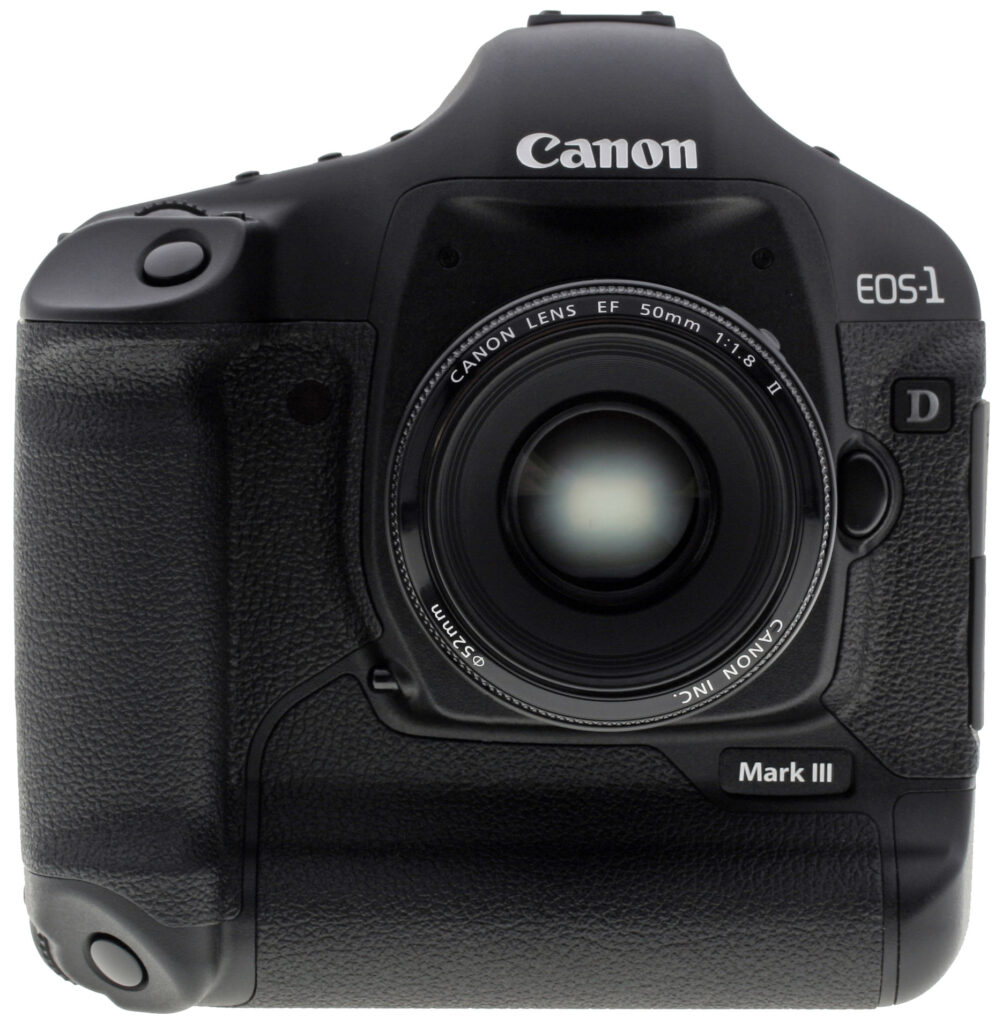
EOS-1D Mark III - front view w/ EF 50mm F1.8 II lens attached

EOS-1D Mark III - rear view showing large 3.0" LCD

EOS-1D Mark III - left view w/ EF 50mm F1.8 II lens attached

EOS-1D Mark III - right view w/ EF 50mm F1.8 II lens attached

EOS-1D Mark III - top view w/ EF 50mm F1.8 II lens attached

EOS-1D Mark III - bottom view w/ EF 50mm F1.8 II lens attached
These next images provided courtesy of Canon U.S.A. (click on them for larger versions):

EOS-1D Mark III - angled front view w/ new EF 16-35 F2.8 L lens attached

EOS-1D Mark III - rear view w/ WFT-E2A Wireless File Transmitter attached

EOS-1D Mark III - front cutaway view

EOS-1D Mark III - rear cutaway view

EOS-1D Mark III - front view of magnesium alloy chassis

EOS-1D Mark III - rear view of magnesium alloy chassis

Built-in anti dust solution, courtesy of the EOS Integrated Sensor Cleaning System

Proprietary Canon APS-H sized 10.1 effective megapixel CMOS image sensor

EOS-1D Mark III - System overview

Confirm image integrity with the OSK-E3 Original Data Security Kit
Operation
Canon EOS-1D Mark III Operation
Status Displays
The Canon EOS-1D Mark III has a rather different user interface than did the 1D Mark II N, including some new arrangements on the LCD status displays.
See the Viewfinder tab above for info on and test results for the viewfinder, and the Live View tab for more on that new mode.
 Top LCD panel. The new Top LCD panel is familiar, with slightly larger icons, and the addition of High and Low speed icons (H and L) for the two continuous capture modes, and an S for Single frame mode. A Mirror Lockup icon has been added, and the "# Personal Function" icon is now deleted. The new battery icon also has four bars, which Canon calls six modes, as indicated in the diagram above. The last two modes are flashing with one bar, and just flashing empty, at which point the camera usually stops working. (Illustration below courtesy Canon USA.)

 Rear LCD panel. More changes are visible on the Rear LCD panel, due to the addition of an external media option (requires a WFT-E2A and a self-powered hard drive or other option). You can set just how to write to all three of the media types via the Function button and the Quick Control dial. Also new is the Wireless LAN connection icon and Data transfer icon that seems to indicate signal strength as well. Gone are the Blue/Amber and Green/Magenta white balance compensation indicators, in favor of a simple "WB +/-" icon. (Illustration below courtesy Canon USA.)

Main LCD
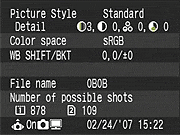 Record Mode. In record mode, pressing the INFObutton displays current camera setting information on the main LCD. Most of this info is not available on the Top or Rear LCDpanels. There is also an option in the Custom menu to display shooting info, for situations when it is difficult to see the other LCD displays.
See the illustration below (courtesy of Canon USA)for callouts on the default information display.

 Playback Mode. The Canon 1D Mark IIIby default shows each image as it's captured, though you can turn off this function through the Shooting menu. The display mode used in Record Review is the same as was last used in Playback mode, or you can hit the INFO button to cycle to a different mode. Likewise, in Playback mode, you can cycle between the available display options by pressing the INFO button repeatedly. The displays available are single image with basic information displayed on the top (the file number is displayed upper right, the shutter speed and aperture in the upper left), the same but with an overlay displaying image size/quality and and frame number, a detailed shooting info display with a luminance histogram, and a histogram display with RGB and luminance histograms.
 If you press the Zoom Out button while viewing a single image on the LCD screen, it'll take you to a 4- and then a 9-image thumbnail display. You can also zoom in on an image, up to 10x at the highest resolution. The small navigator window in the lower right-hand corner shows you what part of the larger image you're currently viewing. The multi-controller lets you navigate around the full image, and the zoom in / zoom out keys increase or decrease the magnification level. You can also rotate, protect, erase, copy, and print images in playback mode, as well as add voice memos.
Optics
Canon EOS-1D Mark III Optics
Like all other Canon EOS-1 series cameras, the EOS-1D Mark III accepts the full range of EF lenses available for full-frame cameras. Because its sensor is larger than those of the Rebel and 30D line (a 1.3x crop factor), it can't use the EF-S lenses Canon manufactures for use on sub-frame DSLRs. The same would apply to lenses with sub-35mm image circles available from third-party manufacturers as well.
Since the optical characteristics of the 1D Mark III will depend entirely on the lens you happen to be using with it, there's not a lot to say about optical quality here. As we'll see though, there's a lot to say about the Mark III's autofocus system, both operationally, and from a user-interface standpoint. The Mark III also has the extraordinary ability to adapt its AF system to individual lenses, a first for any SLR that we're aware of. Read on for the details.
Significant, wide-ranging autofocus improvements
In talking about a camera's speeds and feeds, megapixels and digitizer bits, it's easy to miss the importance of autofocus in the story. To do so with the Canon EOS-1D Mark III, though, would be to miss a great deal indeed: Improvements in its AF system are both significant and wide-ranging, and in at least one area, truly revolutionary.
On the surface, the 1D Mark III's AF system looks a lot like those of its predecessors, in that there's the same 45-point array of AF sensors that we've seen in all the EOS-1 series models. When you stop to look under the hood, though, it immediately becomes clear that there have been a lot of pretty significant changes.
Some of the more technical details are a little unclear to us as we're assembling this, so we'll be seeking clarification from Canon and updating this section over the next few days. The basics are plain enough that there's plenty we can talk about now.
 19 cross-type AF sensors
Autofocus sensors have a directionality associated with them, in that they generally can "see" subject detail along only a single axis. That is, individual elements are sensitive to either horizontally- or vertically-oriented subject detail. These are commonly referred to as line-type AF sensors. It's possible to make AF sensor elements that respond to both horizontal and vertical subject detail by combining two line-type sensors, oriented at 90 degrees to each other. These are referred to as cross-type AF sensors. For reasons we admittedly don't understand, making cross-type sensors appears to be difficult, expensive, or both. Whatever the reason, most cameras with multiple AF points have far fewer cross-type sensors than line-type ones. (Quite commonly, only the central AF point will be a cross-type one, the outlying ones being line-type, often with different orientations on different sensors.)
On the earlier EOS-1 bodies, seven out of the 45 AF sensors were cross-type, arranged in a cluster around the center of the frame. This meant that focus acquisition was much more reliable near the center of the frame than around the edges. On the EOS-1D Mark III, there are no less than 19 cross-type sensors, which are now distributed across the entire AF area.
The remaining 26 AF sensors have been demoted to "assist" sensor status. They contribute to AF operation, but can't be independently selected under user control. We don't see this as a limitation of any practical extent, as we've almost never found ourselves caring greatly whether we selected one particular AF point on the EOS-1 cameras or the one next to it. (Actually, we'll welcome only having to scroll through 19 sensors when making our manual AF selections, the selection process would go that much more quickly.)
Inner workings of the Mark III's AF system
The initial Canon white paper on the Mark III was more than a little confusing about some of the specifics of the Mark III's AF improvements. A little discussion with top Canon USA technical rep Chuck Westfall set the story straight, though.
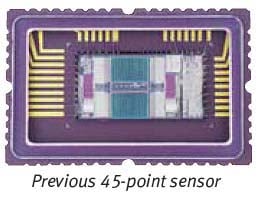
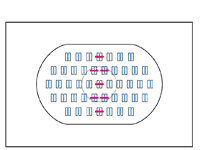
To understand the AF sensor improvements in the Mark III, let's start with the AF sensor that was used on previous EOS-1 series bodies. The illustration shot above shows the earlier sensor layout. (Image courtesy Canon USA, Inc.) We added the red and blue tints to designate the vertical-line-sensitive and horizontal-line-sensitive sensor arrays respectively, matching the AF array illustration to the right. To understand how this works, envision the full frame image being mapped into four separate areas on the AF sensor, each image centered on one of the arrays.
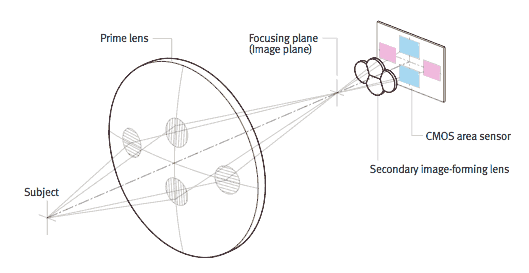
The Canon illustration above shows how a cluster of small secondary lenses diverts and directs light from the camera's lens onto each of the AF sensor arrays. (We colored the AF arrays to match the previous photo of the sensor itself and illustration of the AF points above.) The AF arrays are in pairs, the two to left and right combining to form the central cluster of vertical-line-sensitive AF points, and the large arrays top and bottom combining to form the array of horizontal-sensitive elements that cover the full AF area.
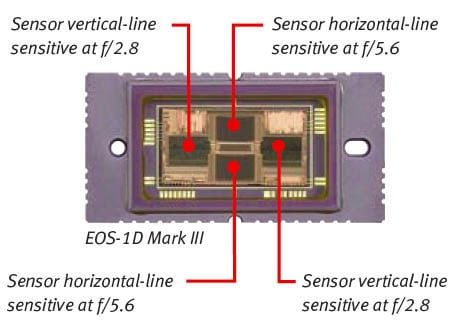
The photo above (also courtesy Canon USA, Inc.) shows the sensor from the new EOS-1D Mark III. Notice how all four sensor arrays are the same size, both vertical- and horizontal-sensitive elements now covering the full AF area. This is how the Mark III manages to distribute cross-type AF points across the entire AF area, rather than just in a cluster around the center. The two full-size AF arrays on the left and right contain elements corresponding to the pink-marked vertical-sensitive AF points in the diagram below.
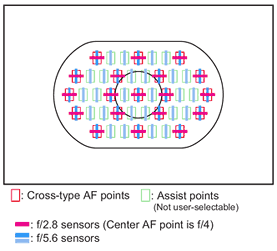
The legend on the diagram above makes reference to "f/2.8 sensors" and "f/5.6 sensors," and also notes that the Center AF point is "f/4." Without going into all the details of how phase-detect autofocus systems work, at the heart of it is the need for light rays to reach the AF sensor, passing through different parts of the lens' optics. When the aperture is large, you can separate the light rays more widely, providing a longer "baseline" for the AF system, and in the process improve its accuracy. When the aperture is small, though, the light rays can't reach widely-separated sensor elements. Any AF elements having a wider separation than that allowed by the current aperture setting simply stop working, because they're not seeing any light from the subject at that point.
What this means for the EOS-1D Mark III is that its more closely spaced horizontal-sensitive AF arrays can work at apertures as small as f/5.6, while the more widely-separated (and therefore more accurate) vertical-sensitive arrays can only work at apertures of f/2.8 and larger.
Improved center focus accuracy at f/4 and below
The central AF point strikes a compromise, working as a full cross-type sensor at f/4, and as a horizontal-only sensor down to f/8. Canon added one more interesting twist with the central array, though: While it doesn't cover as wide an area as the "f/2.8" arrays, it does have twice as many sensor elements per unit of length. This gives it accuracy equivalent to the f/2.8 arrays, but at a smaller aperture of f/4.
Improved low-light AF capability
The AF sensor is really just another type of image sensor, very much akin to the main image sensor in the Mark III's body. It turns out that the same sort of noise reduction technology that improved noise levels in images and layout enhancements that led to better light-gathering efficiency in the 1D Mark III's CMOS image sensor could be applied to the AF sensor as well, with similar results: The Canon EOS-1D Mark III's AF system works over a range from EV -1 to EV 18, reaching a full stop lower than the EV 0 limit of previous EOS-1 series bodies. That should make focusing faster and more accurate in low light situations.
Different AF-point Selection Options
As we've noted elsewhere in this review, there are a lot of changes in the Canon EOS-1D Mark III's user interface relative to previous EOS-1 series models. The autofocus system is one area where the user interface changes may initially confound photographers familiar with previous EOS-1D cameras. The diagram below shows the three options available for selecting the AF points.
In all AF-selection modes, the large Quick Control Dial on the rear panel lets you step along the green-marked path in the diagrams above. The top-mounted Main Dial lets you step between groups of points and/or the Automatic selection setting.
The default mode (Custom Function setting III-9-0) is shown on the left, and may prove rather confusing for existing EOS-1 shooters. Here, the selectable AF points are split into three groups, the left "(" group, the center circle, and the right ")" group. Turning the Main Dial will select between the groups. Scrolling past either end of the array will select the Automatic setting, where the camera will choose whichever points it thinks best correspond to the active subject. (This setting is indicated in the viewfinder by a flash of all the points on the outer ring or "racetrack."
In center illustration (Custom Function setting III-9-1), the Main Dial selects between the center group of 9 AF points and the Auto setting. This setting would be most useful if you expect your subject to be somewhere in the middle of the frame.
Custom Function setting III-9-2, shown on the right above, will probably be most familiar to previous EOS-1 shooters; providing the "racetrack plus center" option that was the default on previous EOS-1 cameras. This setting will work best for off-center subjects.
NOTE in the above, that while you can only select from among the 19 cross-type AF points, all 45 AF points remain active, and will light up in the viewfinder display as come into focus. Likewise, all 45 AF points are active in AF tracking, such that all points help track the subject as it moves across the frame.
We confess that we found the default AF-point selection mode very confusing and awkward to work with. It was surprisingly hard to switch back and forth between the Quick Command Dial and Main Dial to move the AF point around the image. We think we understand what Canon was trying to do with the default mode, namely avoid having to scroll through all the points in sequence to get to the one you want . Frankly though, we think it would have been much easier and in practice faster to do that than to have to juggle back and forth between the dials. It's possible that this would become more natural as you get more familiar with the camera, but we wonder why Canon didn't just include a fourth mode that would let you scroll through all points via the Quick Command Dial, without having to resort to the Main Dial at all.
Focus- vs Shooting-Priority During Continuous-Mode Shooting
Here's an area where the changes Canon has made should be welcome to a lot of sports and other action shooters: The new EOS-1D Mark III offers some much-improved options for how the Mark III handles the shutter release priority in continuous shooting mode.
As a preface to understanding the release behavior, it's important to understand what focus-priority and shooting-priority mean. The terms are the opposite of each other, referring to whether the camera waits for the AF system to lock on to the subject before releasing the shutter in response to the user pressing the shutter button or the continuous-mode shot timer requesting another exposure. In Focus Priority, the camera will wait for a focus lock before firing the shutter, insuring that your shots will always be in-focus, but possibly missing a critical moment. In Release Priority, the camera will fire the shutter when you ask it to, so you'll always capture the moment you intended, but possibly at the cost of some frames being out of focus.
During continuous shooting sequences, the camera can be set to behave differently for the first shot of the series than for subsequent shots. Previous Mark II models could be configured to be release priority for the first shot of a series, and then either release or focus-priority for subsequent shots. The release/focus-priority setting was often disconcerting to photographers, as the camera would grab the first frame when they were expecting it to (but sometimes capturing an out-of-focus image as a result), but then would "stutter" through the remaining images, waiting for the subject to be in focus for each shot, and therefore not necessarily shooting at the frame rate that was selected.
The new Mark III no longer offers a release/focus shutter priority option, but instead adds options for focus/release and focus/focus, which probably make more sense for the way most photographers work. For instance, it's quite likely that you'd want the camera to wait for the subject to initially come into focus before firing the first shot, but then simply do its best to track the subject during the rest of the series, always shooting at the selected frame rate. Alternatively, you may want the camera to shoot only when the subject is in focus, for all shots in the series, including the first. Finally, there may be times when you just want the camera to fire the shutter regardless of focus, for all shots in the series. The unsupported release/focus priority option really doesn't seem to be that useful, and we expect few shooters will mourn its passing.
Just for the sake of clarity, here's a table showing the various shutter priority options available on the Mark II and Mark III:
| Continuous-Mode Shutter Priority Options | |||
| First Shot | Subsequent Shots | Mark II | Mark III |
| Release | Focus | x | - |
| Release | Release | x | x |
| Focus | Release | - | x |
| Focus | Focus | - | x |
Phew! That's a lot of detail about the Mark III's AF system and user interface, but we thought it would be helpful for readers to understand the details of how the various AF points work at different apertures, and the reasons why.
AF Micro-Adjustment(!)
Of all the EOS-1D Mark III's amazing technological developments, this is the one that really caught our eye. The impact is literally nothing short of revolutionary. (In our humble opinion, at least.)
Testing dozens of lenses on several different camera bodies for our SLRgear.com sister site, we'd about come to the conclusion that the fine detail of SLR autofocus operation was one of the dirty little secrets of the photo business. As photographers, we've come to pretty much take for granted the accuracy and reliability of modern AF systems. When we've gotten an out-of-focus image, we generally assumed that we just didn't give the camera a good enough piece of subject detail to focus on, or that we twitched while it was focusing.
By their nature, though, the measurements performed by DxO Analyzer (the software we use to evaluate lens focus, chromatic aberration, and distortion) are incredibly exacting, and have been quite revealing of weaknesses in the focus systems on the camera bodies we use for our testing. Ultimately, to separate out the influence of a particular camera body (or the coupling between that particular body and that particular lens), we've had to resort to focus bracketing, using an optical-bench rail and movable camera support to adjust the camera over a range of positions once the AF system (thought it had) achieved focus. We went in assuming that a given body might front- or back-focus slightly, but really expected that the results with that body would be the same with all lenses. (That is, it would either front- or back-focus the same amount, regardless of the lens we were using it with.)
But it turns out that focus accuracy can depend as much on the lens as on the body! That is, a body that front-focuses with one lens might be perfectly accurate with another, and back-focus somewhat with a third. This is supported by stories we've heard of photographers sending their entire kit of bodies and multiple lenses back to the manufacturer, so the whole collection can be "tuned" to work together.
 Imagine our amazement and delight then, upon discovering that the 1D Mark III lets you (the user) tune its micro-focusing behavior! That's right, you can now directly adjust the camera's front/back focus characteristic yourself, without having to send it in to Canon for repair.
That by itself is pretty amazing, but there's more: You can register up to 20 different lenses with the 1D Mark III, and program different front/back focus settings for each! This is a huge step forward for image quality and focus accuracy, a real technical breakthrough of the first order.
 Lest we be accused of painting too rosy a picture, there are some limitations in the Mark III's AF micro-adjustment system. First, the camera can only recognize lenses based on the lens model, not the lens serial number: If you have two of the same model lens, the camera will apply the same correction factor to both.
The second limitation is that there can only be a single correction factor for each lens, but some wide-ratio zoom lenses may actually need different focus adjustments at the wide and telephoto ends of their zoom range. In such cases, Canon recommends dialing in the focus adjustment based on the telephoto performance, since that's where the correction is likely to be the most needed.
Lens
The Canon EOS-1D Mark III is sold body only, so this section left blank intentionally, as optical performance will depend on the lens being used.
The images above were taken from our standardized test shots. For a collection of more pictorial photos, see our Canon EOS-1D Mark III Photo Gallery .
Exposure
Canon EOS 1D Mark III Exposure
Being a professional model, the Canon EOS 1D Mark III provides only the essentials in terms of exposure modes. The modes consist of Program AE, Aperture-Priority, Shutter-Priority, and full Manual mode, along with a Bulb mode for manually timed exposures. The full Auto, Depth of Field AE and various Scene modes found on lesserCanon models are absent. The majority of the exposure modes are fairly self-explanatory, as Program AE, Aperture Priority, Shutter Priority, and Manual modes provide varying degrees of manual and automatic exposure control. While available apertures vary with the lens used, shutter speeds range from 1/8,000 to 30 seconds in all modes except Bulb, which keeps the shutter open as long as the Shutter button is depressed. (Interestingly, Bulb mode has no time limit, other than the available charge in the battery.) Canon's optional RS-80N3 remote switch and TC-80N3 Timer Remote Controller allow you to take long time exposures without having to hold your finger on the Shutter button.
A Custom menu setting can enable a "Safety Shift" option, which automatically adjusts the primary variable (aperture or shutter speed) in Av or Tv modes, if the setting you've selected won't permit a good exposure under the current lighting conditions. This could come into play if you were shooting in shutter-priority mode to achieve a motion-blur effect, but the light suddenly got brighter, pushing the required aperture value beyond what the lens could provide. In this situation, the camera would automatically boost the shutter speed the minimum amount needed to achieve a good exposure. Safety Shift can instead automatically adjust ISO from 100 to 3,200 in P, Av or Tv modes, if so enabled in the same Custom menu (C.Fn 1-8).
As you'd expect, in Program AE mode, turning the Main dial on top of the camera cycles through a range of equivalent exposure settings, allowing you to pick the best exposure with an emphasis on either aperture or shutter speed, while letting the camera determine the exposure. (This is commonly referred to as a "program shift" or "vari-program" option.)
Metering Options
Metering options include a 63-zone Evaluative metering mode, Partial (approximately 13.5% of viewfinder at center), Center Spot (approximately 3.8% of viewfinder at center), AF-point Linked Spot (approximately 3.8% of viewfinder), Multi-spot (a maximum of eight spot meter readings can be entered) and Center-weighted Average options. Metering range is 0 to 20 EV (at 23C/73F, with EF50mm f/1.4 USMlens, ISO 100).

The Multi-Spot metering option bases the exposure on as many as eight separate readings from different parts of the image. In Multi-Spot metering mode, the central spot metering sensor is activated, and a meter reading is taken every time you press the "FEL" button on the top front of the camera. As you take successive readings, the exposure readouts in the viewfinder show the current aperture and shutter speed settings the camera has computed, while the vertical exposure level indicator shows the relative light levels corresponding to each of the points you measured. This is a pretty powerful exposure option, giving the photographer great control over the final exposure. The exposure level indicator gives you a pretty good idea of how much dynamic range the shot requires, and you can choose to give more weight to a given area of the image by taking multiple readings there.
The Canon EOS 1D Mark III's Exposure Compensation setting allows the user to increase or decrease the metered exposure by up to three stops positively or negatively, in one-third or one-half EV increments. An automatic exposure bracketing feature lets you set the Canon EOS 1D Mark III's total exposure variation (across 2, 3, 5 or 7 shots) at anywhere from +/- one-third or one-half EV, all the way up to +/- 3 EV. You can also specify the order of the sequence: 0, -, + or -, 0, +or +, 0, -.
ISO Sensitivity Options
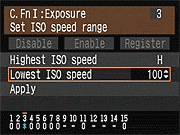 The Canon EOS 1D Mark III offers regular ISO equivalents of 100, 200, 400, 800, 1,600, and 3,200, with the option to use fractional settings in 1/3 EV increments (100, 125, 160...). The 1D Mark III also offers two additional ISO settings when enabled by C.Fn I-3 "Set ISOspeed range" settings: ISO 6,400 equivalent ("H"), and ISO 50 equivalent ("L"). No Auto ISO mode is offered, though the "Safety Shift" feature mentioned previously performs a very similar function.
Noise Reduction Options
 The Canon EOS 1D Mark III offers two types of adjustable noise reduction. The first is Long Exposure NR, for exposures one second or longer. In this mode, the camera will take a second image of the same exposure length, but with the shutter closed, to produce what is commonly referred to as a "dark frame". This frame is then subtracted from the actual exposure, which has the effect of cancelling out noisy pixels. This works for both JPEGs and RAWfiles. The Auto mode will attempt to automatically detect when this type of noise reduction is beneficial. The other type of noise reduction is called High ISO NR, though it is applied at all ISOs in Canons. It has the effect of filtering out noise via post processing, with some minor loss to detail. It is particularly effective at reducing chroma noise. This noise reduction is only applied to JPEGs however, keeping RAWfiles as they should be: unprocessed.
AE Lock / FE Lock
The Canon EOS 1D Mark III has the simplified AE Lock button, which unbundles the AF Lock feature from the old button on the older EOS cameras. Marked with an asterisk (*) symbol, the AE Lock button simply holds the exposure at one setting while you recompose the image. It's very useful when spot metering, but also when dealing with subjects where you want to draw your exposure from one place, while autofocusing on another. Pressing theFlash Exposure Lock ("FEL") button with an external flash mounted activates the FE Lock function, which fires the flash and locks the proper exposure for the following frame(s).
White Balance Options
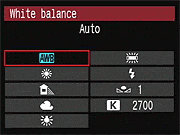 The Canon EOS 1D Mark III offers a full range of White Balance settings, including six presets, an Auto setting, and five Custom settings. The six presets consist of Daylight, Shade, Cloudy, Tungsten, Fluorescent, and Flash. The Custom settings base color balance on an exposure, meaning you can snap an image of a white or gray card and then base the color temperature on that image, and Custom settings can be captioned for convenience. The desired color temperature in Kelvin can also be entered directly, from 2,500K to 10,000K, in 100K increments. Finally, a Personal White Balance feature allows you to create as many as five different white balance settings on a computer and load them into the Mark III for quick use. This strikes me as a great option for pros who have to shoot under highly variable lighting, or for groups of pros needing consistency between their setups. Not quite as flexible as the Custom option, because the Personal settings must be downloaded to the camera from a host computer, but arguably more powerful.
A White Balance bracketing option snaps only one image, but then writes three successive files from that single capture. Bracketing steps are from -/+ 3 stops in whole-stop increments. (Each stop corresponds to five mireds of a color conversion filter, for a total range of +/- 15 mireds. This corresponds to about a +/- 500K shift at a normal daylight color temperature of 5,500K.)
 The Canon EOS 1D Mark III's WB Bracketing is set on the same grid as the White Balance correction control. Fairly sophisticated, the white balance correction tool lets you shift the color balance toward more or less green vs magenta or blue vs amber, using a +/-9 step grid format. You move a highlighted square through the grid to adjust the color balance, and bracketing adjustments spread the single square into a cluster of three. It's an advanced interface that greatly extends the camera's color corrective abilities.
Picture Styles
 As with most other Canon DSLRs, the EOS 1D Mark III also offers a Picture Style option through the LCD menu, which lets you select from Standard, Portrait, Landscape, Neutral, Faithful, Monochrome, or three User Defined settings. In each of the preset modes, the contrast, saturation, sharpness, and tone are set for specific conditions. The three User Defined options let you manually adjust each variable, then save it as a custom parameter. Finally, you can set the camera's color space to sRGB or Adobe RGB.
Highlight Tone Priority (HTP)
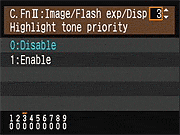 Also included on the Canon EOS 1D Mark III is Highlight Tone Priority (HTP for short), a feature that works quite well when dealing with subjects with important detail in strong highlights. (Think of the standard wedding dress shot, and you'll get the idea.) Digital cameras normally expose more like slide film: Once you hit a certain exposure level, detail just vanishes. This really becomes an issue when you're dealing with contrasty lighting and a subject with lots of highlights in it.
HTP's action is pretty subtle, but the results are very evident when dealing with strong highlights under harsh lighting. The way it works is to set the camera's base ISO up one notch, to 200, so it's only half-filling the sensor's pixels with charge during the exposure. The Canon EOS 1D Mark III then alters its tone curve, basically compressing the top half (that would normally be blown out) into a smaller range, thereby preserving the highlight detail. You can do this yourself when working from RAW files, you just need to significantly underexpose most of the scene, and then fiddle with the tone curve to drastically reduce the contrast, but only in the extreme highlights. If that sounds difficult, it is; it can be a real time-sink, and very difficult to make the end result look natural. Canon's HTP does this for you automatically, though, and the results look just great: You have no sense that the camera has been making radical adjustments to its tone curve; you just see all the detail in the highlights that otherwise would be missing. HTP is controlled via C.Fn II-3, giving you options to Disable (the default) or Enable it.
Continuous Shooting Mode and Self-Timer
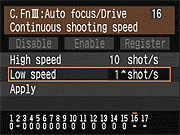 The Canon EOS 1D Mark III's Continuous Shooting modes are accessed via the Drive button, and rated by Canon at ten frames per second in high speed mode, for a total of 110 Large (Quality 8) JPEG shots, 30 RAW or 22 RAW+ Large JPEGs before the buffer fills (at 1/500 sec. or faster). When shooting JPEGs of a very complex scene with a lot of sharp, fine detail may also compress less and result in lower buffer capacities, as was seen in our testing. You can specify the maximum burst rate in Continuous High mode between two and ten frames per second, and between one and nine frames per second in Continuos Low, using C.Fn III-16. You can also limit the burst depth (number of shots) in Continuous mode from two to 99 shots.
The Canon EOS 1D Mark III's Drive setting also accesses two Self-Timer modes, which open the shutter 10 or 2 seconds after the Shutter button is pressed, giving you time to dash around in front of the camera, or to avoid camera shake from depressing the shutter on a tripod. There is also a Mirror Lockup function to avoid camera shake due to mirror-slap.
The images above were taken from our standardized test shots. For a collection of more pictorial photos, see our Canon EOS-1D Mark III Photo Gallery .
Not sure which camera to buy? Let your eyes be the ultimate judge! Visit our Comparometer(tm) to compare images from the Canon EOS-1D Mark III with those from other cameras you may be considering. The proof is in the pictures, so let your own eyes decide which you like best!
Performance
Canon EOS-1D Mark III Performance
NOTE: All performance numbers shown here have been updated with results from a production model.
Timing and Performance
Very good speed for a pro digital SLR.
| Startup/Shutdown | ||
|---|---|---|
|
Power on |
0.1 second
|
Time it takes for camera to turn on, ready for a shot. Very fast, really limited by our own reaction times. |
|
Shutdown |
~0 second
|
How long it takes to turn off. Very fast, unmeasurable. |
|
Buffer clearing time |
27 seconds
(after 12 LF JPEGs) |
Worst case buffer clearing time. -- This is the delay after a set of shots before you can remove the card. Some cameras won't retract their lenses and shut down until the buffer is cleared. |
|
7.5 seconds
(after 11 SB JPEGs) |
||
|
30 seconds
(after 6 RAW frames) |
||
|
50 seconds
(after 20 RAW + LF JPEG frames) |
||
The Canon EOS-1D Mark III's performance is very good, beginning with its super speedy startup and shutdown times.
| Mode Switching | ||
|---|---|---|
|
Play to Record, |
0.3 second
|
Time until first shot is captured. |
|
Record to play |
1.1 seconds
|
Time to display a large/fine file immediately after capture. |
|
Display |
0.4 second
|
Time to display a large/fine file already on the memory card. |
Mode switching is also quite fast, with the exception of Record to Play, which is about average.
| Shutter Response (Lag Time) | ||
|---|---|---|
|
Full Autofocus, |
0.094 second
|
Time from fully pressing shutter button to image capture. |
|
Prefocused |
0.057 second
|
Time to capture, after half-pressing and holding shutter button. |
|
Continuous AF |
0.087 second
|
This mode usually shows no speed increase with our static subject; we have no way to measure performance with moving subjects. |
|
Manual focus |
0.066 second
|
For most cameras, shutter lag is less in manual focus than autofocus, but usually not as fast as when the camera is "prefocused". |
|
Prefocused, |
0.119 second
|
Time from fully pressing shutter button to image capture, Live View mode. |
| Note: Shutter response lag times measured with Sigma 70mm f/2.8 EX DG Macro lens. Center AF area used. Firmware version was 1.2.3. |
||
Full AF shutter response is excellent, averaging only 0.094 second. There was quite a bit of variation though, ranging from 0.08s to 0.20s. "Prefocusing" the camera by half-pressing and holding down the shutter button before the final exposure results in a lag time of only 0.057 second, and manual focus shutter lag was 0.066 second. Shutter lag when using Live View was pretty fast at 0.119 second, but does not include any focusing time, as the Canon EOS-1D Mark III does not support any form of autofocus in Live View mode.
| Cycle Time (shot to shot) | ||
|---|---|---|
|
Single Shot mode |
0.40 second
|
Time per shot, averaged over 20 shots, 11 seconds to clear. |
|
Single Shot mode |
0.42 second
|
Time per shot, averaged over 20 shots, 1.5 seconds to clear. |
|
Single Shot mode |
0.39 second
|
Time per shot, averaged over 20 shots, 25 seconds to clear. |
|
Single Shot mode |
0.44 second
|
Time per shot, averaged over 20 shots, 51 seconds to clear. |
|
Early shutter |
No
|
Some cameras snap another shot if you release and press the shutter too quickly in Single Shot mode, making "No" the preferred answer. |
|
Continuous mode |
0.10 second (9.91 frames per second);
12 frames total 27 seconds to clear |
Time per shot, averaged over buffer length or 20 shots, whichever came first. |
|
Continuous mode |
0.10 second (10 frames per second);
11 frames total 7.5 seconds to clear |
Time per shot, averaged over buffer length or 20 shots, whichever came first. |
|
Continuous mode |
0.10 second (10 frames per second);
6 frames total 30 seconds to clear |
Time per shot, averaged over buffer length or 20 shots, whichever came first. |
|
Continuous mode |
0.10 second (10 frames per second);
20 frames total 50 seconds to clear |
Time per shot, averaged over buffer length or 20 shots, whichever came first. |
| Note: Buffer clearing times measured with a SanDisk Extreme III 1GB CompactFlash memory card. Slower cards will produce correspondingly slower clearing times. Slow cards may also limit length of bursts in continuous mode. ISO sensitivity and other settings can also affect cycle times and burst mode performance. |
||
Shot-to-shot cycle times are also excellent, at about 0.40 second for large/fine JPEGs and 0.39 second for RAW files, and the camera appears to capture shots continuously in single-shot mode without having to slow to clear the buffer. Continuous mode is also outstanding, at 9.91 frames per second for 12 large/fine JPEG frames, and 10.0 frames per second for 6 frames in RAW mode. Interestingly, with RAW + large/fine JPEGs, the camera was able to maintain 10 frames per second and didn't slow to clear the buffer until after 20 frames.
| Download Speed | ||
|---|---|---|
| Windows Computer, USB 2.0 |
1,958 KBytes/sec
|
Typical Values: |
Connected to a computer or printer with USB 2.0, download speeds are a bit slow for this class of camera these days, but we suspect most owners would use a card reader.
Bottom line, the EOS-1D Mark III is responsive enough for the pros, able to handle fast paced action and basically anything you can throw at it.
Battery and Storage Capacity
Battery
Very good battery life for a lithium-ion pack.
| Operating Mode | Number of Shots |
|---|---|
|
Lithium-ion Rechargeable Battery,
(CIPA standard, but no flash) |
2,200
|
The Canon EOS-1D Mark III uses a custom rechargeable lithium-ion battery for power, and ships with a charger. Battery life is well above average, but when comparing to other SLRs, keep in mind the EOS-1D Mark III has no built-in flash. (The flash is normally fired for 50% of shots using the CIPA standardized method, reducing the number of shots on a charge for models with a flash.)
The table above shows the number of shots the camera is capable of (on either a fresh set of disposable batteries or a fully-charged rechargeable battery as appropriate), based on CIPA battery-life and/or manufacturer standard test conditions.
(Interested readers can find an English translation of the CIPA DC-002 standards document here. (180K PDF document))
Storage
The Canon EOS-1D Mark III accepts CompactFlash and SD memory cards, though no card is included. The table below shows approximately how many images can be stored on a 1GB card at each size/quality setting, as well as the approximate compression ratio.
| Image Capacity with 1GB Memory Card |
Fine | RAW | RAW+ JPEG |
|
|---|---|---|---|---|
| 3,888
x 2,592 |
Images
File Size |
178
5.7 MB |
65
15.6 MB |
47
21.6 MB |
|
Approx. Compression
|
5:1
|
1.1:1
|
-
|
|
| 3,456
x 2,304 |
Images
File Size |
225
4.6 MB |
-
|
-
|
|
Approx. Compression
|
5:1
|
-
|
-
|
|
| 2,816
x 1,880 |
Images
File Size |
293
3.5 MB |
-
|
-
|
|
Approx. Compression
|
5:1
|
-
|
-
|
|
| 1,936
x 1,288 |
Images
File Size |
502
2.0 MB |
110
9.3 MB |
-
|
|
Approx. Compression
|
4:1
|
0.5:1
|
-
|
|
We strongly recommend buying a large capacity CompactFlash memory card or a large capacity SDHC memory card, at least a 2GB card, preferably a 4 or 8GB one, to give yourself extra space for extended outings and/or when shooting RAW. (Check the shopping links above, cards are really cheap these days, so no reason to skimp.)
Imaging
Canon EOS-1D Mark III (Prototype) Imaging Characteristics
NOTE: All crops shown here are from a prototype camera, however thumbnails and full resolution images have been updated from a production model.
As mentioned elsewhere in this review, one of the more important improvements the Canon engineers made in the EOS-1D Mark III was in the area of light sensitivity and image noise relative to the earlier EOS-1D Mark II N. To our eye, they've managed almost a full f-stop of noise improvement, meaning that ISO 3200 images from the Mark III look about like ISO 1600 ones from the Mark II, and the Mark III's amazing ISO 6400 shots look only slightly noisier than the ISO 3200 ones from the Mark II. The crops below compare critical detail areas from our Still Life test target shot with the two cameras under identical conditions.(Click on the thumbnails at the top of each table to see and download the full-resolution files. See the Thumbnail index page of this review for a broader range of sample shots, at a variety of ISO settings.)
As usual, the red-on-red fabric swatches seem to be the real torture test for noise-suppression systems, but both cameras do very well with them. The brighter leaf pattern shows a bit less subtle detail on the Mark III than on the Mark II, revealing a slight tradeoff of subject detail for lower noise on the Mark III. That said though, the difference is small, and the Mark III is clearly the overall leader in the high-ISO derby, among all competitors.
A note on lenses used: Several readers have asked about the lenses used in these shots. All studio shots were taken with the Canon 100mm f/2.8 macro lens, stopped down to f/8. This is a very sharp lens, and gets even better at f/8. Shawn's walking-around shots were captured with the Canon 50mm f/1.8, again for the most part stopped down. Despite its low price and inexpensive construction, the 50/1.8 is a surprisingly good lens, and its sharpness in the range of f/5.6-f/8 is nearly indistinguishable from that of many very expensive lenses. Its chromatic aberration, shading, and distortion are all very low as well. (For reference, you can examine the following lens test results on SLRgear: Canon EF 100mm f/2.8 Macro USM, Canon EF 50mm f/1.8 II, and (for reference only, as an example of a very high-end lens; we didn't have this one on hand when testing the Mark III) Canon EF 85mm f/1.2L II USM. We very deliberately avoided zooms for these shots, as the two primes used are as good or better optically than any zoom available.
A note on exposure mode: All the images here were shot in the Mark III's default exposure mode. We'll have some samples showing the impact of the camera's Highlight Tone Priority mode later.
| ISO 1600 Tone-on-Tone Noise/Detail Comparison | |
|---|---|
| Canon EOS-1D Mark III Prototype | Canon EOS-1D Mark II N |
 |
 |
 |
 |
 |
 |
 |
 |
 |
 |
 |
 |
 |
 |
 |
 |
| ISO 3200 Tone-on-Tone Noise/Detail Comparison | |
|---|---|
| Canon EOS-1D Mark III Prototype | Canon EOS-1D Mark II N |
 |
 |
 |
 |
 |
 |
 |
 |
 |
 |
 |
 |
 |
 |
 |
 |
| ISO 6400 vs ISO 3200 Tone-on-Tone Noise/Detail Comparison | |
|---|---|
| Canon EOS-1D Mark III Prototype | Canon EOS-1D Mark II N |
 |
|
 |
|
 |
|
 |
|
 |
|
 |
|
 |
|
 |
|
Viewfinder
Canon EOS-1D Mark III Viewfinder
 According to the company, the Canon 1D Mark III's pentaprism viewfinder has a coverage of approximately 100% (which agrees fairly well with our test results), a magnification of 0.76x (-1 diopter with 50mm lens at infinity), an eyepoint of 20mm, and offers a diopter adjustment range of -3 to +1. The viewfinder hasn't changed that much from the Mark II N, except that a few important icons have been added. There's a new metering mode indicator, plus RAW mode and Battery level indicators. Also, the new Laser-matte screen does seem to help differentiate between in-focus and out-of-focus objects. The screen is interchangeable, with 11-types being offered. A built-in eyepiece shutter is also provided, for when you aren't using the viewfinder.
See below for callouts of the information available (diagram courtesy of Canon USA):

Viewfinder Test Results
Coverage
Excellent accuracy from the optical viewfinder and "Live View" LCD monitor.


The Canon EOS-1D Mark III's optical viewfinder showed about 99% frame accuracy, while the "Live View" mode of the LCD monitor showed just under 100%.
Live View
Canon EOS-1D Mark III Live View Mode
Though it's not the first SLR to have a Live View mode, the Canon EOS 1D Mark III is the first professional camera to have a true, full-color live view. It's also the first SLR to allow both remote control and live view through a computer via USB, Ethernet, and WiFi (the latter two methods require a special adapter, the WFT-E2A). Note that many (it used to be all) Canon digicams and SLRs come with some form of remote control software that works via USB. Up to now, only the digicams offered live view through the computer.
See the illustration below (Courtesy of Canon USA) for the display and information available in Live View mode on the camera.

The computer screenshots below are cropped from my screen grabs, then resized and sharpened. To see the full-pixel versions, click on the images. They'll open in their own window, sized about 1,280 x 743.

When I connect the Canon 1D Mark III to the computer with a USB cable, the new EOS Utility launches. I click on "Camera settings/Remote shooting," and I'm taken to a window with just the right pane open (the one marked "EOS-1D Mark III" above. I have to click the Live View radio button down on the lower right to bring up the "Remote Live View Window at left. The image comes up horizontally oriented, as you see, though I have the camera mounted on a tripod in vertical format mode. No problem, I just press the left rotate button along the bottom, and get the following screen.

It's surprising how easy it is to focus on the Mark III in this mode, especially with a nice little lens like the Canon EF 50mm 1.8. I can physically turn the focus ring on the lens, or use the Focus controls on the screen at upper right. The three levels of movement in either direction make it easy to get fairly precise in your focusing.

It took a few presses of the level-two focus movement to get the photo almost in focus.

Press it one more time, and the focus pops. You can take a picture at any time, using the shutter button in the upper right of the screen (this didn't work on my PowerBook, for whatever reason), and the image begins to transfer. While it's transferring, you can still adjust any of the settings.

You can do a lot from these two windows, even adjust white balance via the eyedropper, and send the setting to the camera. Here, I have the Mode button pressed (double click to bring it up), and I'm switching to Manual mode. It took a long time to send this setting back to the camera (at least 30 seconds), but I attribute that to the beta status of the software.

Now in Manual mode, I'm able to change the shutter speed and aperture settings via the pop-up dialogs.

Thus... This, too, is a little slow in the beta software, though not as slow as the mode change.

The image doesn't change to reflect the new setting, however, until I press the Depth-of-field preview button in the Remote Live View window.

Not a big change, but you can see that the lamp and pens are slightly less blurry (especially if you look at the full size images by clicking on the one above).

If I really want to check fine focus, I can zoom in and pan around (the pan feature did not work in this beta version), and adjust focus either manually or again with the onscreen buttons.

Here it's a little sharper than above, about the sharpest I can get this image, which is a printed photograph hanging on the wall behind my desk. If I move this zoomed window to show the control cluster, I can take a picture, or else I can launch a new control cluster by pressing the little button in the lower left corner. I don't know what Display Mode is supposed to do at this point, because nothing happens when I press it. I would think it would return the view to the camera's LCD, or at least enable both, but neither happened.
So without going into everything, it's easy to see the potential of the Live View mode on the EOS 1D Mark III. I can see a lot of event portrait photographers taking great advantage of this mode, as well as creative types wanting to get remote shots from anywhere.
Flash
Canon EOS-1D Mark III Flash
 Like most pro cameras, the 1D Mark III has no internal pop-up flash, but provides both an external flash hot-shoe as well as an external PC socket for connecting a strobe. The hot-shoe accommodates all Canon EX series speedlights, as well as a variety of third-party flash units. A Flash Exposure Lock button allows users to lock the flash exposure in advance of the shot, and a Flash Exposure Compensation option adjusts the overall flash power from -3 to +3 EV in one-third-step increments (only for Canon EX series speedlights). Automatic flash exposure bracketing is also available.
The Canon 1D Mark III's X-Sync speed is 1/300 second, and a High Speed Sync option synchronizes the flash with all shutter speeds available on the Mark III, from 1/8,000 to 30 seconds. (Note though, that a full-power flash almost invariably lasts longer than 1/8,000 second, so you won't see the full flash power when working with a shutter speed that fast.) When using a wireless capable Canon EX flash unit, you can also sync up wireless slave units for greater coverage, with no connecting wires, special codes, or anything. Full TTL flash metering is available even with multi-flash wireless setups.
Other flash related options available on the Canon 1D Mark III include evaluative or average flash metering, first- or second-curtain synchronization, in-camera access to Custom Functions specific to the attached Speedlite model, and the ability to disable the external flash while still using its AF assist beam for low-light photography without flash.
Flash Test Results
The Canon EOS-1D Mark III does not feature an on-board flash, thus we did not perform any testing here. Performance will depend on the external flash in use.
Shooting Modes
Canon EOS-1D Mark III Modes & Menus
Capture Modes
 As you'd expect, Canon EOS-1D Mark III offers full manual exposure control, as well as a complement of partial manual and automatic exposure modes. For example, you can choose between Program AE, Aperture Priority, Shutter Priority, Manual, and Bulb modes. (The Depth of Field AE mode is absent, however.) The majority of these are fairly self-explanatory, as Program AE, Aperture Priority, Shutter Priority, and Manual modes provide varying degrees of manual and automatic exposure control. While available apertures vary with the lens used, shutter speeds range from 1/8,000 to 30 seconds in all modes except Bulb, which keeps the shutter open as long as the Shutter button is depressed. (Interestingly, Bulb mode has no time limit, other than the available charge in the battery.) Canon's optional RS-80N3 remote switch and TC-80N3 Timer Remote Controller allow you to take long time exposures without having to hold your finger on the Shutter button. In Program AE mode, turning the Main dial on top of the camera cycles through a range of equivalent exposure settings, allowing you to pick the best exposure with an emphasis on either aperture or shutter speed, while letting the camera determine the exposure. (This is commonly referred to as a "program shift" or "vari-program" option.) Being a professional camera, the EOS-1D Mark III offers no scene modes.
Playback Mode
 Activated by pressing the Play button on the back panel. Playback mode lets you view images, erase them, protect them, or set them up for printing on DPOF and PictBridge-compatible devices. You can also view images in an index display, enlarge images to 10x, view a slide show of all captured images, or rotate an image. The DISP button activates an information display, which reports the exposure settings for the image; a second press graphs the exposure values and a small luminance histogram, and another press displays both the luminance and separate Red, Green, and Blue histograms.
Canon EOS-1D Mark III Menus
Even more different from the 1D Mark II N is the new tabbed menu interface that uses a combination of either the Quick Command Dial and Main Dial, or the joystick-like Multi-Controller to navigate between tabs or up and down the options on each tab. We found both methods to be much easier and more efficient than the previous approach that relied on the Quick Command Dial and buttons on the left side of the camera body to accomplish the same functions.
If you click on each of the screen shots below, they'll open up a separate window showing all the options for that screen in a tabular matrix.
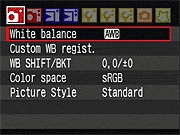
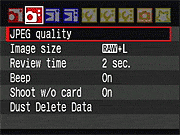
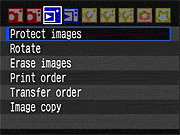
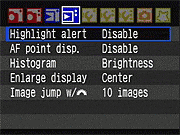
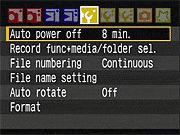
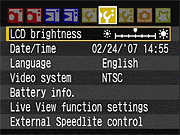
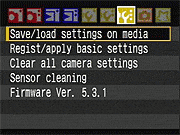
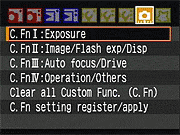
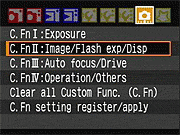
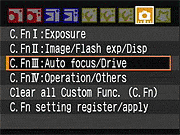
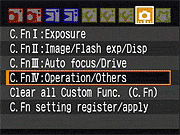
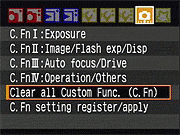
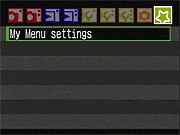
Exposure Incandescent
Canon EOS-1D Mark III (Prototype) Imaging Characteristics
High ISO, incandescent light source
NOTE: All Canon EOS-1D Mark III images shown here are from a prototype camera: production models may show improved image quality, please don't view the results shown here as final!
By Dave Etchells
Several readers expressed interest in what the Canon EOS-1D Mark III's high-ISO performance looked like under a more challenging light source than our studio HMIs. - They very rightly pointed out that daylight-balanced lighting represents something of a best-case in terms of high-ISO image noise. By contrast, household incandescent lighting (about 2800K color temperature) is a very tough light source to deal with, because its very warm-toned color balance requires a significant boost of the blue-channel gain, the channel most susceptible to noise.
While I want to avoid shooting all our test shots with the prototype sample, and then having to go back and re-shoot all of them again once we get a production model to work with, I felt that the issue of image noise under difficult lighting was an important one to address, important enough to justify the added effort involved.
I shot my long-suffering wife Marti in our "Indoor Portrait" set, which is primarily lit by 60-watt household incandescent bulbs, with fill lighting provided by a pair of 120-watt floods shining through cloth diffusers. This is indeed a very warm-hued light source, measuring about 2800K on my Minolta color meter, a value that's supported by the good color balance produced by the Mark III when I set the white balance to 2800K, as seen below.
I shot this series with the Canon 50mm f/1.8 II lens, stopped down to f/5.0, where it's very sharp. The crops below show the results from the Mark III next to those from the 1D Mark II N, shot with Canon's excellent EF 24-70mm f/2.8L lens, stopped down to f/3.5.
I've inserted comments below the crops themselves, but the overall conclusion is pretty clear: While the 1D Mark II N turned in a really excellent performance, the Mark III clearly betters it by a noticeable margin. Trying to pin it down to a specific differential based on these shots is a judgement call, but to my eye, it looks like a good f-stop's worth of improvement.
| EOS-1D Mark III (prototype) vs EOS-1D Mark II N | |
|---|---|
| Canon EF 50mm f/1.8 II @ f/5.0 | Canon EF 24-70mm f/2.8L @ f/3.5 |
 |
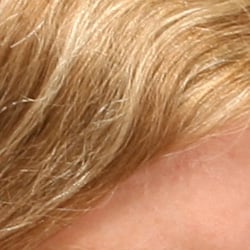 |
ISO 100 |
ISO 100 |
|
Starting out at ISO 100, the Mark III's image is slightly softer, but I attribute this to slight movement of either Marti or the camera during the ~0.4 second exposure (dropping to 1/5 second at ISO 200). ISO 100 gives cameras the best chance at producing low-noise images on this shot, but probably doesn't represent real-world conditions for most photographers. Even with a f/2.8 or faster lens, shutter times at ISO 100 under this light level are just too slow for most live subjects. Needless to say, both the Mark IIN and Mark III deliver absolutely pristine images at ISO 100 under this light source.
One note though: I didn't refer back to the IIN's shot before shooting the Mark III here, so the exposure on the III is a little brighter. (Perhaps 1/4 - 1/3 of a stop.) Marti's position is also slightly different, so her face has a bit more light on it in the Mark III's shots. Looking at her hair though, the tones there are very close to each other, and that's where we'll see most of the impact of noise-suppression processing, so I do think the crops here represent a pretty fair comparison between the two cameras. |
|
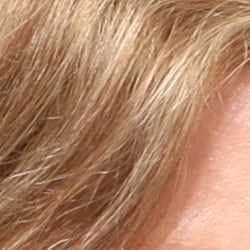 |
 |
ISO 200 |
ISO 200 |
 |
 |
ISO 400 |
ISO 400 |
|
At ISO 400 and above, the Mark III's shots are nice and sharp, thanks to the higher shutter speeds; every bit the equal of those from the Mark II N. Still virtually no noise visible in these crops, and both cameras are doing an excellent job of holding onto the subtle detail in Marti's hair. (The very subtle tone-on-tone detail between strands of slightly differently-colored hair is where you tend to first see the impact of noise-suppression processing.)
|
|
 |
 |
ISO 800 |
ISO 800 |
|
At ISO 800, we start to see just slight loss of subtle detail in some parts of the hair, but you have to really squint to see it. There's just the slightest softening of the Mark III image overall. Were it not for the unforgivable pun, I'd say that it'd be splitting hairs to find fault with it. :-)
|
|
 |
 |
ISO 1,600 |
ISO 1,600 |
|
At ISO 1,600, both cameras visibly lose sharpness and detail, but remember that we're pixel-peeping 250x250 crops from 10- and 8-megapixel images here. On my Apple Cinema display (about 100 pixels/inch), this magnification corresponds to a 39-inch wide print from the Mark III!
In the shots above, I can start to see a little image noise in the Mark III's image, but it's certainly far from obvious, even at this magnification. The noise is somewhat more evident in the Mark II N's image, but that camera does a surprisingly good job too. |
|
 |
 |
ISO 3,200 |
ISO 3,200 |
|
At ISO 3,200, the Mark II N's image starts to fall apart, while that from the Mark III holds together very nicely. Noise is clearly evident in parts of the hair, and is slightly so in the shadowed areas of skin tone, but it's still amazingly low.
|
|
 |
At ISO 6,400, the Mark III's image is looking a little the worse for wear, but would still be quite usable at smaller print sizes. (When we printed this at 8x10 on our Canon i9900 studio printer, it was just amazing how good it looked: Download a copy and try a print for yourself, to see what I'm talking about.) It's very much a judgement call, but to my eye, the Mark III at 6,400 looks slightly better than the Mark II N at 3,200. |
| ISO 6,400 | |
Hmm - what about that f/5 aperture I was using with the Mark III though? After I'd shot the above images with the Mark III, it occurred to me that some readers might be concerned that the f/5 aperture would be penalizing the Mark III somewhat, because there after all would be less light hitting the sensor. I really didn't think that this would be an issue, since these exposure times were all in a range where dark-current leakage shouldn't be a significant factor. (In other words, only at longer exposure times would the length of the exposure itself make an appreciable difference in the amount of noise present.)
Rather than leave the results in question (not to mention having to deal with the flood of reader emails), I decided to re-shoot the series, this time using our Canon 100mm f/2.8 macro lens, shot wide open. (At the moment, this is arguably the best lens f/2.8 prime that we had laying around.) The crops below compare the results with this lens at f/2.8 with the results from the 50mm at f/5.0.
Interestingly and somewhat vexingly, while I adjusted the exposure time the same number of stops (five-thirds stops) as the aperture was opened, the 100mm f/2.8 shots came out slightly darker. - This raises a question I've long wondered about, but have never explicitly tested: How well calibrated are different lenses with respect to each other, in terms of how much light they let through at a given f-stop? It appears in this case that the 50mm lets in somewhat more light than its f-stop would indicate, relative to the 100mm.
Despite the difference in brightness levels, looking at similarly-toned parts of the image, it seems pretty plain that the differences in exposure time really make little or no difference in the noise levels seen.
| Prime Lens Sharpness/Noise Comparison (w/ Canon EOS-1D Mark III Prototype) |
|
|---|---|
| Canon EF 100mm f/2.8 @ f/2.8 | Canon EF 50mm f/1.8 II @ f/5.0 |
 |
|
|
ISO 100
|
ISO 100
|
|
All the 100mm shots are softer than the 50mm ones at f/5: This is to be expected because the 100mm at f/2.8 is softer than the 50mm at f/5.0. (You can check their respective test results on SLRgear.com to verify this for yourself.) This first shot is softer yet, probably due to minor camera movement during the relatively long exposure: To frame the image appropriately, I was shooting across the room from Marti, a good 12 feet or so away from her. At that distance, almost microscopic camera movement could produce the blurring seen in the crop above. I was using a pretty sturdy tripod and being very careful about how I pressed the shutter button, but as noted it wouldn't take much to blur the image by a couple of pixels at a working distance of 12 feet.
|
|
 |
|
|
ISO 200
|
ISO 200
|
 |
|
|
ISO 400
|
ISO 400
|
 |
|
|
ISO 800
|
ISO 800
|
 |
|
|
ISO 1,600
|
ISO 1,600
|
 |
|
|
ISO 3,200
|
ISO 3,200
|
 |
|
|
ISO 6,400
|
ISO 6,400
|
Exposure Htpmode
Canon EOS-1D Mark III (Prototype) Imaging Characteristics
High Tone Priority Mode
NOTE: All crops shown here are from a prototype camera, however thumbnails and full resolution images are from a production model.
By Dave Etchells
One of the most distinctive new features in the Canon EOS-1D Mark III is its "High Tone Priority" option, available via C.Fn. II-3. This is exactly the sort of thing our horribly-lit "Outdoor Portrait" shot is intended to test. (For those wondering, I do know not to light shots like this in real life: The purpose here has always been to present cameras with a true torture test for highlight handling.)
The Mark III did a very credible job of holding detail in the strong highlights of Marti's shirt here even in its normal exposure mode (and can do even better if you dial the contrast setting down below its default value), but the results we got from High Tone Priority mode were impressively better.
As noted below, after shooting these images, I saw that the HTP versions were captured at ISO 200, even though I'd set the camera to ISO 100 at the start. It turns out that HTP is only available with a minimum ISO of 200. This doubtless has to do with the maximum "fill" level of the Mark III's pixels, in terms of how much light-produced charge they can handle. What Canon is clearly doing here is to exploit the much greater headroom available in the sensor pixels when shooting at elevated ISO settings (that is, with less total light striking the sensor) to recover highlight detail that would otherwise be lost. (One of those things that are totally obvious once someone's done them, but that take a creative mind to think of in the first place.) It'll be very interesting to play with the RAW files from HTP-mode shots, once key third-party tools like Bibble, QImage, Capture One, and Adobe Camera Raw support the Mark III's RAW format.
In the images below, we look at normal- and HTP-mode shots side by side, captured under identical lighting a few minutes apart, with both nominally-exposed and slightly overexposed examples.
| EOS-1D Mark III Prototype High Tone Priority Mode Demonstration | |
|---|---|
| Nominally-exposed images | |
| Normal Exposure | High Tone Priority |
+0.33 EV |
+0.33 EV |
 |
 |
|
Images straight from the camera (JPEGs)
The two shots above were captured under identical conditions, the only difference being that High Tone Priority was set for the one on the right. Well, the conditions were identical, but HTP made one adjustment to the camera that I wasn't aware of until long after the session was over: I was initially shooting at ISO 100, but when I turned HTP on, the camera reset itself to ISO 200. (!) When HTP is active, the minimum ISO setting is 200. |
|
 |
 |
|
Photoshop histograms corresponding to the images above
The way Photoshop displays its histograms makes the results a little confusing, in that the vertical scale shifts to accommodate the highest peaks. Particularly when there's a large spike at one or the other end of the tone scale (as above in the shadows), the vertical scales can change a fair bit between shots. (The graph above right shows higher values than the one on the left, apparently because the High Tone Priority exposure pulled some deep-shadow pixels up out of the murk on the extreme left edge of the graph. Despite the vertical distortion of the two curves, you can see HTP at work in both the highlight and shadow areas. (The latter was a surprise to us.) At the right-hand edge of the plot (corresponding to highlights), neither image shows any evidence of lost highlight detail, but there's clearly more headroom between the large spike corresponding to the white shirt and the right-hand edge of the plot, corresponding to the saturation point. Surprisingly, the shadow end shows a bit more detail as well, as there's now some separation between absolute black (the left-hand edge of the plot) and the spike corresponding to the deep shadow areas of the image. (The spike is probably from Marti's dark blue pants, strongly shadowed with this lighting.) |
|
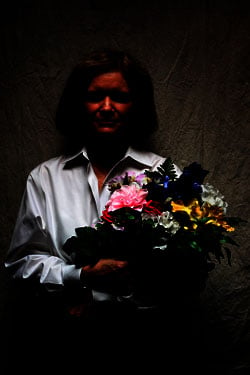 |
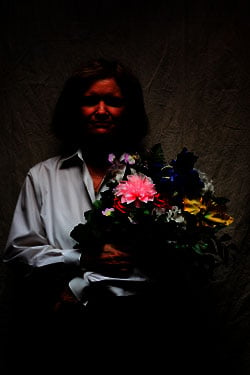 |
|
Photoshop midtone slider adjusted to gamma 0.15 to show highlight preservation
Looking at Marti's shirt in these shots, it's clear that the HTP version holds a lot more subtle detail. |
|
 |
 |
|
Highlight preservation crops of images straight out of the camera
Even though the histograms didn't show any outright clipping in either image, there's definitely a lot more detail in the highlights with HTP enabled. |
|
 |
 |
Shadow crops of images straight out of the camera
While HTP clearly seemed to be doing something in the shadows, the effect is barely noticeable without fiddling with the tone curve in Photoshop to see what's down there. |
|
 |
 |
Photoshop midtone slider adjusted to gamma 3.0 to show shadow detail and noise levels
Here, we've jacked the gamma up to 3.0, to open up the shadows. (Marti moved slightly, so there isn't an exactly corresponding point in the two images. Lighting under the leaves of the bouquet can be trusted to be very equivalent though.) There's definitely more to see in the shadows of the HTP version, but there's also more image noise. How much of that is the work of HTP itself, and how much is simply from the doubling of the ISO between the two shots isn't clear at this point. (I'll reshoot this test once we get a production sample of the Mark III, and at that time will do both sets of shots at ISO 200, to keep it more apples-to-apples.) |
|
|
Slightly Overexposed Images
|
|
+0.67 EV |
+0.67 EV |
 |
 |
|
Images straight from the camera
When we go to a greater overexposure, we can see more of HTP's effect. Viewed on-screen, both shots look pretty blown out, the one on the right only less so. While it doesn't look it though, there's actually a lot of detail preserved by HTP here. |
|
 |
 |
|
Photoshop histograms
Here, we really see the way HTP has pulled detail out of blown highlights: See how much the lump in the curve corresponding to Marti's shirt has been pulled back off the right-hand edge of the plot. (Once again, we see some lightening of the deepest shadows as well though, on the left-hand side of the graph.) |
|
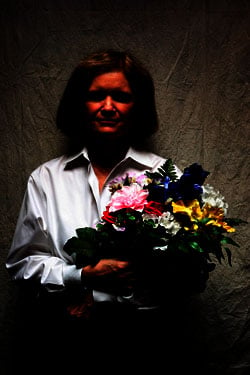 |
 |
Photoshop midtone slider adjusted to gamma 0.15 to show highlight preservation
These adjusted thumbnails clearly show that full detail is preserved in the white shirt. (Checking in Photoshop, it turns out the only things blown out in the image are parts of the pink and yellow flowers, both in the red channel.) | |
 |
 |
Highlight preservation crops of images straight out of the camera
There's still some detail lost in the pink flower in the HTP version, but the difference between it and the normal-mode exposure is pretty dramatic. |
|
 |
 |
Shadow preservation crops of images straight out of the camera
Unadjusted shadows are still pretty hard to see, although there's a bit more detail visible in the HTP version. |
|
 |
 |
Photoshop midtone slider adjusted to gamma 3.0 to show shadow noise
Pushing the midtone slider down to a gamma value of 3.0 does indeed show more detail in both shots, but more in the HTP version than in the normally-exposed one. |
|