Digital Cameras - HP Photosmart R707 Test Images
| I've begun including links in our reviews to a Thumber-generated index page for the test shots. The Thumber data includes a host of information on the images, including shutter speed, ISOsetting, compression setting, etc. Rather than clutter the page below with *all*that detail, we're posting the Thumber index so only those interested inthe information need wade through it! |
| "Sunlit" Portrait: (This is my new "Outdoor" Portrait test - read more about it here.) Better than average, but somewhat high contrast at the default setting. Low contrast option helps, but hurts color saturation.
The shot at right was taken with a +0.3 EV exposure compensation adjustment, and the contrast set to low. (Here's the shot at the default contrast setting, which results in slightly dark shadows.) Shooting at the low contrast setting resulted in the camera doing an exceptionally good job with the highlight detail, but at the cost of rather washed-out looking color. I stuck with the Auto white balance setting, though both the Daylight and Manual settings produced good results with only slight color casts. The HP R707's color is technically more accurate than that of many digicams, but most consumers will likely see its images as being a little flat, because it doesn't have the boosted color saturation of many competing models. The colors in this shot are actually pretty close to being on the money, relative to how the scene looks in real life. My only complaint is that Marti's skin tones look just a tad yellowish to me. As noted though, I suspect that most consumers would find this image a little dull-looking, being accustomed to seeing more pumped-up color from most consumer digicams. The R707 has a lot of native resolution, but a lot of it is unfortunately lost in this shot to anti-noise processing. This is particularly visible in the smudging of fine detail in Marti's hair, and in the almost painterly appearance of some of the flowers and foliage.) Detail is also very low in the shadows, with high image noise. To view the entire exposure series from zero to +1.0 EV, see files R7OUTAP0.HTM
through R7OUTAP3.HTM on the thumbnail index page.
Contrast Series:
Saturation Series:
Adaptive Lighting Series:
|
|||||||||||||||||||||||||||||||||||||||||||||
| Closer Portrait:
Stronger resolution and detail, and very good control of highlight detail with the low contrast setting , but rather flat color as a result. Overall results are similar to the wider shot above, and the R707's 3x optical zoom lens prevents any geometric distortion of Marti's feature. The shots at right were taken with a +0.7 EV exposure compensation adjustment and the camera's contrast control set to its low setting. The net result is actually a pretty nice image, particularly considering the deliberate harshness of the light source. The low contrast setting further cuts the camera's already modest color saturation, but in this image it looks quite nice. Resolution and detail are stronger in this close-up, with better definition than in the wider shot above. Still, high image noise obscures detail in the shadows. All in all though, a nice job with a very tough subject. To view the entire exposure series from zero to +1.0 EV, see files R7FACAP0.HTM
through R7FACAP3.HTM on the thumbnail index page.
|
|||||||||||||||||||||||||||||||||||||||||||||
| Indoor Portrait, Flash:
A bright flash, even at the default exposure. Some orange color cast from the room lighting, however. The R707's built-in flash illuminated the subject very well at its default exposure setting, though I opted for a +0.3 EV boost in exposure compensation for the main shot. The strong incandescent room lighting produced an orange cast in this shot. The camera's Slow-Sync flash mode produced similar results at its default exposure, but with much less orange cast. (This is very unusual, generally the longer exposure time in slow-sync mode results in a greater effect from the room lighting). Increasing the exposure compensation in Slow-Sync mode resulted in strong shifts in color balance, in addition to overexposing the image. At the highest setting, color was strongly orange, while the lower settings resulted in strong blue casts. Overall though, the default exposure setting in slow-sync flash mode produced an exceptionally well-balanced image. To view the entire exposure series from zero to +1.3 EV, see files R7INFP0.HTM through R7INFP4.HTM on the thumbnail index page. To view the same exposure series in Slow-Sync mode, see files R7INFSP0.HTM
through R7INFSP4.HTM on the thumbnail index page.
|
|||||||||||||||||||||||||||||||||||||||||||||
| Indoor Portrait, No Flash:
Excellent color balance with all three white balance options. Good exposure as well. This shot is always a very tough test of a camera's white balance capability,
given the strong, yellowish color cast of the household incandescent bulbs
used for the lighting. The R707's Auto, Incandescent,
and Manual white balance settings all performed
very well here, each producing nearly identical results to the others.
In the end, I settled on the Manual option for the main shot, as it was
just a shade warmer than the other two. The blue flowers in the bouquet
are very dark and purplish (not surprising, given the light source), and
the red flowers appear almost fuchsia. The main exposure was taken with
a +0.3 EV exposure compensation boost, which is much less than the average
amount required for this shot. All in all, the HP R707 does much better
than average with this difficult shot.
|
|||||||||||||||||||||||||||||||||||||||||||||
| House Shot:
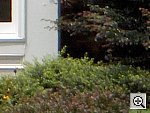
Fine detail in some areas, but a general fuzziness and very soft corners. Good color though. The R707's Daylight white balance setting
actually produced the best overall color here, with a good white value
on the house trim and just enough warmth for natural-looking color. The
Auto setting resulted in a red cast, while
the Manual setting turned out much too cool
for my taste. Resolution is high, with a lot of detail visible in the
tree limbs and shrubbery, but many details are soft, almost ghostly, and
the corners of the image are very soft, the softness extending pretty
far into the frame. |
|||||||||||||||||||||||||||||||||||||||||||||
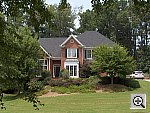
| Far-Field Test 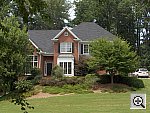
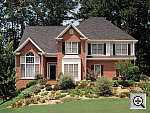
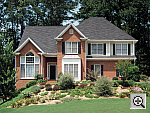
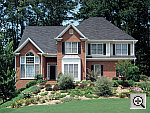
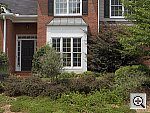
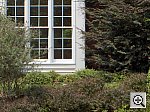
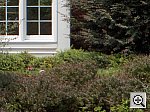
High resolution, but slightly soft details, and very soft corners. Good dynamic range though. This image is shot at infinity to test far-field lens performance. NOTE that this image cannot be directly compared to the other "house" shot, which is a poster, shot in the studio. The rendering of detail in the poster will be very different than in this shot, and color values (and even the presence or absence of leaves on the trees!) will vary in this subject as the seasons progress. In general though, you can evaluate detail in the bricks, shingles and window detail, and in the tree branches against the sky. Compression artifacts are most likely to show in the trim along the edge of the roof, in the bricks, or in the relatively "flat" areas in the windows. This is my ultimate "resolution shot,"
given the infinite range of detail in a natural scene like this, and the
R707 picked up a lot of fine detail, although details are generally a
little softer than I'd expect from a 5-megapixel camera. The camera picks
up good detail in the bright white paint surrounding the bay window, a
trouble spot for many digicams. (Although the R707 was helped by the rather
hazy, overcast sky the day this shot was taken.) Detail is also fairly
strong in the shadow area above the front door. Overall color looks good,
and exposure is about right. The table below shows a standard resolution
and quality series, followed by ISO, sharpness, saturation, contrast,
and Adaptive Lighting series. Resolution Series:
ISO Series:
Sharpness Series:
Saturation Series:
Contrast Series:
Adaptive Lighting Series:
|
|||||||||||||||||||||||||||||||||||||||||||||
|
Lens Zoom Range A typical 3x zoom range. I routinely shoot this series of images to show the field of view for each camera, with the lens at full wide angle, at maximum telephoto (3x, in this case), and at full telephoto with the digital zoom enabled. The R707's lens is equivalent to a 39-117mm zoom on a 35mm camera. That corresponds to a moderate wide angle to a moderate telephoto. Following are the results at each zoom setting.
|
|||||||||||||||||||||||||||||||||||||||||||||
| Musicians Poster
Reddish color casts in response to the large amount of blue in the composition, but strong detail. This shot is often a tough test for digicams, as the abundance of blue
in the composition frequently tricks white balance systems into producing
a warm color balance. Both the R707's Auto and
Daylight white balance settings fell victim to this trap, and produced
strong red casts. The Manual setting erred
in the opposite direction, producing an image with a strong blue cast.
Despite the blue/magenta color balance, I felt skin tones were closest
to reality with the Manual setting though, so went with that as my main
selection for this shot. (You could likely warm them up some with image
editing software on a computer. The reddish skin tones were much too strong.)
The blue background and robe are a bit purplish from the magenta tint
as well. Resolution is high, with a lot of fine detail in the embroidery
of the blue robe, instrument strings, and flower garland. (The original
data file for this poster was only 20MB though, so cameras like the R707
are definitely capable of showing more detail than the poster has in it.)
As with the other images from the R707 though, details are somewhat soft
and the corners of the frame are very soft. Fine, curved edges tend to
have a jagged appearance as well. |
|||||||||||||||||||||||||||||||||||||||||||||
| Macro Shot
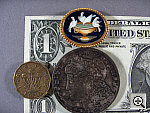
An average-sized macro area, but great resolution and detail. Flash has trouble up close though. The R707 performed well in the macro category, capturing a minimum area
of 3.22 x 2.42 inches (82 x 62 millimeters). Resolution is very high,
as the brooch, coins, and dollar bill all show strong, well-defined detail.
The corners of the frame are rather soft though, and the softness extends
quite a ways into the image. The R707's flash
had trouble throttling down for the macro area, however, and overexposed
the shot. - Plan on using external lighting for your closest macro shots. |
|||||||||||||||||||||||||||||||||||||||||||||
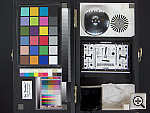
| "Davebox" Test Target
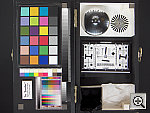
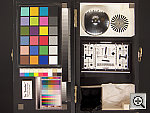
Good overall exposure, and better than average color accuracy, slightly high contrast. The R707's Auto white balance setting, though
slightly reddish, produced the best overall color and white value here.
The Daylight setting resulted in a warmer image,
while the Manual option produced a cooler cast.
Exposure looks good, though contrast is a little high. Despite this, the
R707 distinguishes the subtle tonal variations of the Q60 target pretty
well. Compared to the results produced by most consumer digicams, the
large color blocks here look a tad washed out, but in actual fact, the
R707's color rendering is very close to being dead-on, with little or
n one of the oversaturation that's common in consumer digicams. The image
as a whole is slightly soft, lens flare around the edges of the frame
give the Q60 and some of the swatches of the MacBeth chart an almost ghostly
appearance. Shadow detail is quite limited in the charcoal briquettes,
and noise is high there as well.
Saturation Series:
Contrast Series:
Color Series:
|
|||||||||||||||||||||||||||||||||||||||||||||
|
Low-Light Tests Good exposures even at the lowest light levels and good color, but high image noise. The R707 produced clear, bright, usable images down to the 1/16 foot-candle (0.67 lux) limit of my test, at all three ISO settings. Color balance was pretty good with the Auto white balance option, with only minor color casts. The R707 would benefit greatly from a lower-noise image sensor though, as image noise was quite high at the ISO 200 and 400 settings, and moderately high even at ISO 100. On a positive note though, the R707 focused well down to the lowest limit of my test. The table below shows the best exposure I was able to obtain for each of a range of illumination levels. Images in this table (like all sample photos) are untouched, exactly as they came from the camera. (Note: If you'd like to use a light meter to check light levels for subjects you might be interested in shooting, a light level of one foot-candle corresponds to a normal exposure of two seconds at f/2.8 and ISO 100.)
|
|||||||||||||||||||||||||||||||||||||||||||||
|
Flash Range Test A fairly powerful flash, with a range of 9-10 feet, but only a small amount of falloff at the 14 foot limit of our test.
|
|||||||||||||||||||||||||||||||||||||||||||||
|
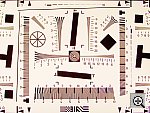
ISO-12233 (WG-18) Resolution Test
High resolution, 1,350 lines of "strong detail." High barrel distortion at wide angle. "Purple fringing" at wide angle, severe coma at telephoto. The R707 delivered maximum resolution befitting its 5-megapixel class on the "laboratory" resolution test chart. It started showing artifacts in the test patterns at resolutions as low as 600 lines per picture height, in both horizontal and vertical directions. However, I found "strong detail" out to at least 1,300 lines vertically, 1,350 lines horizontally. "Extinction" of the target patterns didn't occur until about 1,650 lines. Geometric distortion on the R707 is a good bit higher than average at
the wide-angle end, where I measured approximately 1.17 percent barrel
distortion. The telephoto end fared a little better, as I measured approximately
0.2 percent barrel distortion. While chromatic aberration seems low, the
wide angle images show a fair bit of what looks to be "purple fringing",
a bright purple fringe around dark objects against bright backgrounds.
At telephoto focal lengths, severe coma blurs the corners of the image
badly, extending a fair ways into the image area. Overall, its lens appears
to be one of the weaker elements of the R707's design. Resolution Series, 50mm
Resolution Test, Zoom Series
Sharpness Series
|
|||||||||||||||||||||||||||||||||||||||||||||
|
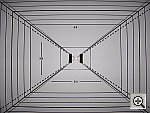
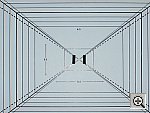
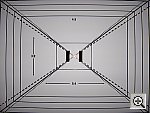
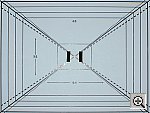
Viewfinder Accuracy/Flash Uniformity A tight optical viewfinder, but very accurate LCD monitor. The R707's optical viewfinder proved a little tight, showing only about 85 percent frame accuracy at wide angle, and about 84 percent at telephoto. (This is about average accuracy among the digicams I test, but is less than what I consider ideal for consumer cameras.) The LCD monitor fared much better, showing about 99 percent frame accuracy at both zoom settings. Given that I like LCD monitors to be as close to 100 percent accuracy as possible, the R707's LCD monitor is close to perfect in that regard, but I'd like to see the optical viewfinder be a little more precise. Flash distribution is fairly even at wide angle, with just a little falloff at the corners and edges of the frame. At telephoto, flash distribution appears more uniform. |
|||||||||||||||||||||||||||||||||||||||||||||

























Photosmart R707 Test Images
Photosmart R707 Specifications
Photosmart R707 "Picky Details"
Up to Imaging Resource digital cameras area


Follow Imaging Resource: