Canon PowerShot SX110 IS Exposure
Color
Saturation & Hue Accuracy
Some oversaturation in the reds, but overall good saturation and hue
accuracy.
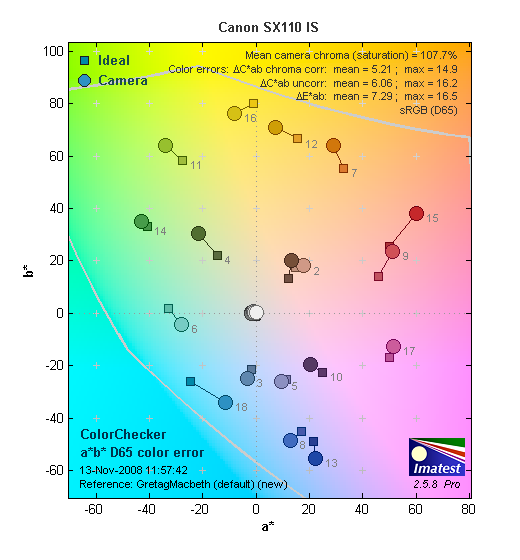 |
| In the diagram above, the squares show the original color, and the circles show the color that the camera captured. More saturated colors are located towards the periphery of the graph. Hue changes as you travel around the center. Thus, hue-accurate, highly saturated colors appear as lines radiating from the center. |
Saturation. The Canon PowerShot SX110 IS oversaturates strong reds more than anything else, which is fairly common among consumer digital cameras. Yellows and greens are actually just about right, and blues are fairly close as well. Most consumer digital cameras produce color that's more highly saturated (more intense) than found in the original subjects. This is simply because most people like their color a bit brighter than life.
Skin tones. Here, with the color balanced properly for the light source, the PowerShot SX110 IS' Caucasian skin tones had a slight pink cast, while darker skin tones were pushed toward yellow. However, performance here is still pleasing. Where oversaturation is most problematic is on Caucasian skin tones, as it's very easy for these "memory colors" to be seen as too bright, too pink, too yellow, etc.
Hue. The Canon PowerShot SX110 IS showed a few small color shifts
relative to the correct mathematical translation of colors in its subjects,
most notably pushing cyan toward blue. The camera pushed some orange tones
toward yellow, and some yellows toward green, but overall hue accuracy was
quite good. Hue is "what color" the color is.
 |
 |
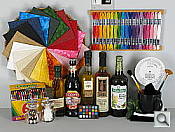 |
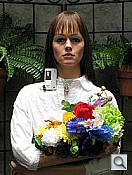
| See full set of test images
with explanations See thumbnails of all test and gallery images |
||
Sensor
Exposure and White Balance
Indoors, incandescent lighting
Best color with Manual white balance, slightly more than average
positive exposure compensation required.
 |
 |
 |
| Auto White Balance +0.7 EV |
Incandescent White Balance +0.7 EV |
Manual White Balance +0.7 EV |
Color balance indoors under incandescent lighting was a hint red in Auto white balance mode, while the Incandescent setting produced a very strong pink cast. Manual mode produced the most accurate overall color. The Canon PowerShot SX110 IS required a +0.7 EV exposure compensation boost to get a bright exposure, which is higher than average. Our test lighting for this shot is a mixture of 60 and 100 watt household incandescent bulbs, a pretty yellow light source, but a very common one in typical home settings here in the U.S.
Outdoors, daylight
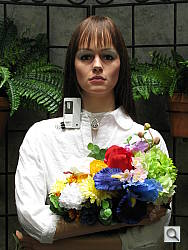
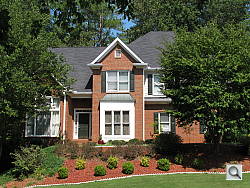
Generally good color and exposure outdoors.
 |
 |
| Auto White Balance, +0.7 EV |
Auto White Balance, Auto Exposure |
Outdoors, the Canon PowerShot SX110 IS handled harsh lighting pretty well, though contrast is pretty high. Shadow detail is limited, showing the effects of noise grain and noise suppression. Highlights are also pretty hot. Overall color looks good, however, though the strong reds in the portrait shot are quite bright. The PowerShot SX110 IS does have an adjustable contrast setting, which helps tone down high contrast images like these without too heavy a hand.
See full set of test images with explanations
See thumbnails of all test and gallery images
Resolution
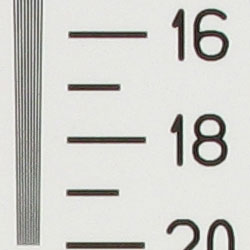
High resolution, 1,500 - 1,600 lines of strong detail.
 |
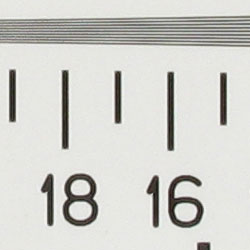 |
| Strong detail to 1,500-1,600 lines horizontal |
Strong detail to 1,500 lines vertical |
Our laboratory resolution chart revealed sharp, distinct line patterns down to about 1,500-1,600 lines per picture height in both directions. While lines are distinguishable here, they aren't overly clear. Extinction began just a hair before 2,000 lines. Use these numbers to compare with other cameras of similar resolution, or use them to see just what higher resolution can mean in terms of potential detail.
See full set of test images with explanations
See thumbnails of all test and gallery images
Sharpness & Detail
Good definition in higher-contrast areas of fine detail, though softer
areas show less distinct definition. Noise suppression is evident in the
shadows.
 |
 |
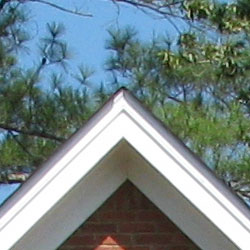
| Definition of high-contrast elements is good, though there's evidence of edge enhancement. |
Subtle detail: Hair Noise suppression blurs detail in areas of subtle contrast, as in the darker parts of hair here. |
Sharpness. The Canon PowerShot SX110 IS captures a lot of fine detail, with pretty good definition in the more contrasty areas of fine foliage, though the softer foliage (pine needles) is less distinct. In high contrast areas, the camera produces slight enhancement artifacts, such as along the trim in the crop above left. Edge enhancement creates the illusion of sharpness by enhancing colors and tones right at the edge of a rapid transition in color or tone.
Detail. The crop above right shows moderately high noise suppression, with the darker areas of hair showing limited detail. Individual strands become lost as the shadow deepens. Noise-suppression systems in digital cameras tend to flatten-out detail in areas of subtle contrast. The effects can often be seen in shots of human hair, where the individual strands are lost and an almost "watercolor" look appears.
ISO & Noise Performance
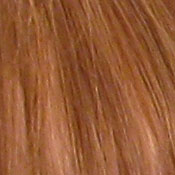
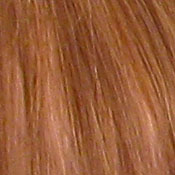
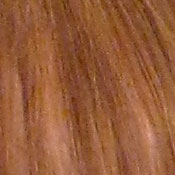
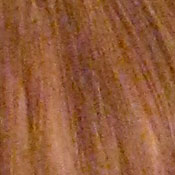
Good noise handling at the lower sensitivity settings, though even at
the moderate settings, noise suppression becomes noticeable.
 |
 |
 |
| ISO 80 | ISO 100 | ISO 200 |
 |
 |
 |
| ISO 400 | ISO 800 | ISO 1,600 |
The Canon PowerShot SX110 IS produced little noise at the lower ISO settings, though starting at ISO 200, noise suppression efforts become visible. At ISO 400, noise grain is moderately high, but the camera's attempts to suppress it result in smudged detail. The effect only gets worse at ISO 800, and by 1,600, the image is much too blurry.
Extremes: Sunlit and low light tests
High resolution with strong overall detail, though limited shadow detail
and high contrast. Good low-light performance.
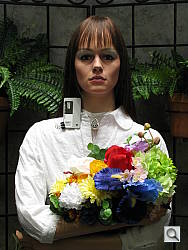 |
|
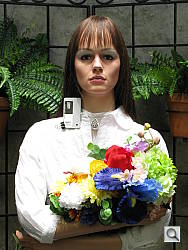 |
| +0.3 EV | +0.7 EV | +1.0 EV |
Sunlight. The Canon PowerShot SX110 IS responded to the deliberately harsh lighting in the test above with high contrast. Shadows are quite dark, with limited detail blurred by noise and noise suppression. At +0.7 EV, the highlights on the white shirt are a tad hot, but any lower exposure resulted in too dark of an image overall. As it is, the exposure on the face is still a hint too dim. The Canon PowerShot SX110 IS features an adjustable contrast setting, which makes small adjustments to overall contrast. Though the effect doesn't solve the problem here completely, it does help tone things down. Be sure to use fill flash in situations like the one shown above; and it's better to shoot in the shade when possible.
Because digital cameras are more like slide film than negative film (in that they tend to have a more limited tonal range), we test them in the harshest situations to see how they handle scenes with bright highlights and dark shadows, as well as what kind of sensitivity they have in low light. The shot above is designed to mimic the very harsh, contrasty effect of direct noonday sunlight, a very tough challenge for most digital cameras. (You can read details of this test here.)
| 1 fc 11 lux |
1/2 fc 5.5 lux |
1/4 fc 2.7 lux |
1/8 fc 1.3 lux |
1/16 fc 0.67 lux |
|
|---|---|---|---|---|---|
| ISO 80 |
 2 sec f3.0 |
 4 sec f3.0 |
 8 sec f3.0 |
 16 sec f3.0 |
 16 sec f2.9 |
| ISO 100 |
 1.6 sec f3.0 |
 2.5 sec f2.9 |
 6.3 sec f3.0 |
 12.6 sec f3.0 |
 16 sec f2.9 |
| ISO 200 |
 0.6 sec f2.9 |
 1.2 sec f2.9 |
 3.2 sec f3.0 |
 6.3 sec f3.0 |
 12.6 sec f3.0 |
| ISO 400 |
 0.4 sec f3.0 |
 0.6 sec f2.9 |
 1.6 sec f3.0 |
 3.2 sec f3.0 |
 6.3 sec f3.0 |
| ISO 800 |
 1/6 sec f2.9 |
 0.3 sec f2.9 |
 0.8 sec f3.0 |
 1.6 sec f3.0 |
 3.2 sec f3.0 |
| ISO 1600 |
 1/16 sec f2.9 |
 1/8 sec f2.9 |
 1/4 sec f2.9 |
 0.5 sec f2.9 |
 1 sec f2.9 |
Low light. The Canon PowerShot SX110 IS handled low lighting well, thanks in part to its maximum 16-second exposure time. Images were bright at the lowest light level as low as ISO 200, though you could arguably use the images at ISOs 80 and 100 (the test target is a hair dim, but quite visible). Color balance was cool from the Auto white balance in many shots, mainly those with darker exposures. The camera's AF system was able to focus down to just above the 1/8 foot-candle light level without AF assist enabled, and to total darkness with the AF assist beam.
How bright is this? The one foot-candle light level that this test begins at roughly corresponds to the brightness of typical city street-lighting at night. Cameras performing well at that level should be able to snap good-looking photos of street-lit scenes.
NOTE: This low light test is conducted with a stationary subject, and the camera mounted on a sturdy tripod. Most digital cameras will fail miserably when faced with a moving subject in dim lighting. (For example, a child's ballet recital or a holiday pageant in a gymnasium.) For such applications, you may have better luck with a digital SLR camera, but even there, you'll likely need to set the focus manually. For information and reviews on digital SLRs, refer to our SLR review index page.
Flash
Coverage and Range
Fairly strong flash power at close range, though coverage is slightly
uneven. About average positive exposure compensation required.
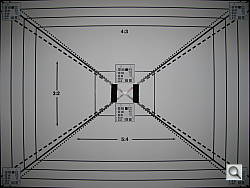 |
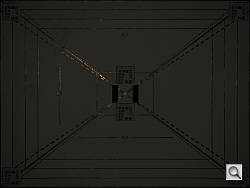 |
| 36mm equivalent | 360mm equivalent |
 |
 |
| Normal Flash, +0.3 EV | Slow-Sync Flash, +0.3 EV |
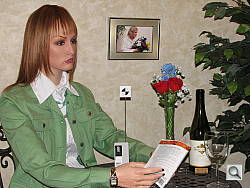
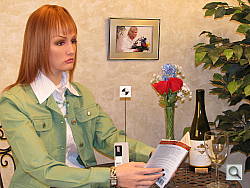
Coverage and Exposure. Flash coverage was uneven at wide angle, with dark falloff in the corners of the frame. At full telephoto, the flash was no match for the 10x optical zoom. In the Indoor test, the PowerShot SX110 IS' flash underexposed our subject at its default setting, requiring a boost of +0.3 EV for brighter results. The image is still slightly dim here, but boosting the exposure compensation any higher did not have a strong effect on brightness. The camera's Slow-Sync flash mode produced much brighter and more even results, though with a warm cast from the background lighting. Though results are a bit warm, the Slow-Sync image seems more natural because of the ambient lighting.
| Flash Range: Wide Angle | |||||
|---|---|---|---|---|---|
| 6 ft | 7 ft | 8 ft | 9 ft | 10 ft | 11 ft |
 1/64 sec f2.9 ISO 100 |
 1/64 sec f2.9 ISO 100 |
 1/64 sec f2.9 ISO 100 |
 1/64 sec f2.9 ISO 100 |
 1/64 sec f2.9 ISO 100 |
 1/64 sec f2.9 ISO 100 |
| 12 ft | 13 ft | 14 ft | 15 ft | 16 ft | |
 1/64 sec f2.9 ISO 100 |
 1/64 sec f2.9 ISO 100 |
 1/64 sec f2.9 ISO 100 |
 1/64 sec f2.9 ISO 100 |
 1/64 sec f2.9 ISO 100 |
|
| Flash Range: Telephoto | |||||
|---|---|---|---|---|---|
| 6 ft | 7 ft | 8 ft | 9 ft | 10 ft | 11 ft |
 1/64 sec f4.4 ISO 100 |
 1/64 sec f4.4 ISO 100 |
 1/64 sec f4.4 ISO 100 |
 1/64 sec f4.4 ISO 100 |
 1/64 sec f4.4 ISO 100 |
 1/64 sec f4.4 ISO 100 |
| 12 ft | 13 ft | 14 ft | 15 ft | 16 ft | |
 1/64 sec f4.4 ISO 100 |
 1/64 sec f4.4 ISO 100 |
 1/64 sec f4.4 ISO 100 |
 1/64 sec f4.4 ISO 100 |
 1/64 sec f4.4 ISO 100 |
|
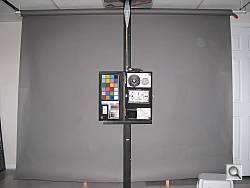
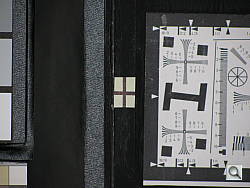
ISO 100 Range. At wide angle and ISO 100, flash intensity began to decrease slightly from about 9 feet on. At telephoto, flash power maintained the same intensity to about 7 feet, decreasing in brightness at 8 feet and beyond.
| Manufacturer-Specified Flash Range | |
|---|---|
| Wide Angle | Telephoto |
 9.8 feet Auto ISO 200 |
 6.6 feet Auto ISO 200 |
Manufacturer Specified Flash Test. In the shots above, the PowerShot SX110 IS performs close to Canon's assertions, though it had to raise the sensitivity slightly at both wide angle and telephoto settings. Our standard test method for flash range uses a fixed setting of ISO 100, to provide a fair basis of comparison between cameras. We've now also begun shooting two shots using the manufacturer-specified camera settings, at the range the company claims for the camera, to assess the validity of the specific claims.
Output Quality
Print Quality
Very good print quality at 16x20 inches. ISO 400 images are soft but usable at 8x10, ISO 800 shots are better at 5x7.
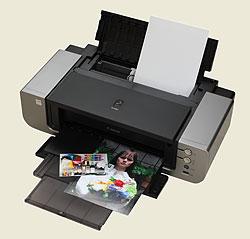 With loads of detail, ISO 100 and 200 shots from the Canon PowerShot SX110 make nice-looking 16x20 inch prints, suitable for wall or table display. At 11x14-inch sizes, they'll stand up to close inspection very well. The limitations are felt more at higher ISO settings: ISO 400 is about the limit for good-looking 8x10-inch prints, ISO 800 for 5x7-inch prints. ISO 1,600 shots are grainy but usable at 4x6 inches.
Overall, a pretty good performance from the Canon SX110 IS.
Testing hundreds of digital cameras, we've found that you can only tell just so much about a camera's image quality by viewing its images on-screen. Ultimately, there's no substitute for printing a lot of images and examining them closely. For this reason, we now routinely print sample images from the cameras we test on our Canon Pro9000 studio printer, and on the Canon iP5200 here in the office. (See the Canon Pixma Pro9000 review for details on that model.)
The images above were taken from our standardized test shots. For a collection of more pictorial photos, see our Canon PowerShot SX110 IS Photo Gallery .
Not sure which camera to buy? Let your eyes be the ultimate judge! Visit our Comparometer(tm) to compare images from the Canon PowerShot SX110 IS with those from other cameras you may be considering. The proof is in the pictures, so let your own eyes decide which you like best!
 Fujifilm GFX 50S Review
 Fujifilm X-T3 Review
 Olympus E-M5 III Review


Follow Imaging Resource