


Overview
Canon SD1100 IS Overview
by Tony Gomez
Review Date: 05/15/08
The Canon SD1100 IS Digital ELPH includes an eight megapixel 1/2.5" CCD imager and a Canon-branded 3x optical zoom lens with image stabilization, which covers a fairly standard range of 38-114mm equivalent -- a moderate wide angle to a moderate telephoto.
Exposure is fully automatic, but the user can tweak it with 2.0EV of exposure compensation and four metering modes to handle difficult lighting, including a mode which ties metering to the camera's face detection system.
Thirteen scene modes keep the camera approachable for beginners. A long-exposure mode in the Canon SD1100 IS ELPH lets you set exposure times as long as 15 seconds manually, and a 2.5" LCD display plus an real-image optical zoom viewfinder -- rather rare on digicams these days.
The Canon SD1100 IS sports a fairly wide ISO sensitivity range, from 80 to 1600. The PowerShot SD1100 IS is PictBridge compliant, and so is able to print to any printer that supports PictBridge directly, without the need for a computer in the middle. Images are stored on SD/SDHC/MMC memory cards with a not-so-generous 32MB card in the product bundle, and power comes from a proprietary NB-4L lithium-ion rechargeable battery.
Available from March 2008, the Canon SD1100IS Digital ELPH retails for under US$250. Five body colors are available: silver, gold, brown, blue and pink.
Canon SD1100 IS
User Report
by Tony Gomez
 Canon's new SD1100 IS has just about all the bells and whistles you could imagine for a camera that's about the size of a pack of cards. To start, there's a healthy 2.5-inch LCD monitor, built-in optical image stabilization (that's the IS designation), Face Detection, a small, but still quite useful optical viewfinder, 8 megapixel still capture mode, an excellent 640 x 480, 30 frames per second movie mode, a 3X optical zoom (expandable by 1.6X and 2X), and a host of other cool features that we'll get into later in this report.
Look and feel. The Canon SD1100 has a simple, yet supple feel. Corners taper softly, quite a change from the SD1000's hard angular design. It's actually a little thicker than the SD1000, perhaps to accommodate the new image stabilization system inside; but the controls are essentially unchanged. The shutter button is flat and easy to find, with the zoom toggle surrounding it. On the back you'll find the 2.5-inch LCD and a selection of controls. The mode switch is on the upper right, with choices of Still Record, Movie Record, and Playback modes. The other buttons and the multi-controller are flush mounted, and a soft press activates them.
One feature in particular that I appreciate is the way you can reprogram the function of the Transfer button just right of the LCD screen. You can set it to one of a number of functions, including Face Select, EV compensation, White Balance, Custom White Balance, Red-Eye Correction, Digital Tele-converter, Display mode, Record Movie, Display Off, or Play Sound Effect. Because I often switch between Still and Movie mode, I chose Record Movie, which instantly drops me into Movie mode and starts recording.
 An optical viewfinder also graces the SD1100. This is a rarity in digital cameras in this size category, and Canon is to be commended for keeping it in such a small digital camera. There are many scenarios in which having an optical viewfinder is huge benefit, such as in overly bright environments where you can't see the LCD screen very well, or in very dark places where it's hard to judge framing.
Of course, these viewfinders are seldom accurate, so be aware that you're going to capture more than you see through the optical viewfinder. According to our tests, you see 84 percent of the view at wide angle, and only 82 percent at telephoto.
On the bottom of the Canon SD1100 is a nice surprise: a metal tripod socket that replaces the plastic one on the SD1000.
Lens. The zoom is a 3X optical zoom equivalent to a 38-114mm lens, with digital enhancements of 1.6X and 2X. This means that effectively the zoom is about 60mm on the wide end at 1.6X digital zoom, and 182mm on the telephoto end. From a practical standpoint, I'd keep the digital zoom at 1.6X maximum because digital artifacts start creeping in if you blow the images up significantly. Another problem is that using this digital zoom mode eliminates your wide angle photography ability, so it's probably best to stick to the traditional digital zoom if you use it at all.
Canon pioneered Optical Image Stabilization many years ago in its camcorders and in special IS lenses made for its larger EOS digital SLRs. It's a tribute to their genius that they have evolved the design of their image stabilization hardware to fit inside the Canon SD1100 IS, the smallest of their pocket digital cameras. Canon uses optical image stabilization, where the actual elements of the lens are shifted to stabilize any shaking. This form of image stabilization is arguably the better of the various forms of IS available today.

Function. The Function menu sets commonly-changed items.

Menu. The Main menu sets everything else.
Interface. The menu system in the Canon SD1100 is a little confusing unless you're already familiar with Canon cameras. It's the Menu system that must be mastered before you can become really adept at setting up the camera for the many shooting conditions you might encounter. There are two menus, and two ways to enter them. To enter the Function menu, you must press the Func./Set button. You are presented with a left column and a lower row that is used to set all the controls for the Canon SD1100. At the lower row are the menu controls for selecting either the Automatic or Manual mode.
There are also special Scene Modes for selecting shooting conditions that will help you take better pictures under specific shooting conditions: Portrait, Night Snapshot, and Kids and Pets. The Manual mode allows even more controls, with selections for JPEG resolution: Superfine (least compression), Fine (moderate compression), or Normal (the most compression). The lower row also controls the capture image size.
For the finest print quality, images should be captured at Large/SuperFine resolution. For sharing images on the Internet, you select select Small/Normal for images that are lower in resolution, but very quick to upload and download, but if you ever plan to enlarge your images, be sure to stick with the Large/Superfine resolution, since images shot at lower resolutions, or compressed too much can never be upsampled.
Along the left column you also select the type of metering (Evaluative, Center Weighted, or Spot). Evaluative is the default metering mode, but the Spot setting is great for difficult lighting situations. White Balance is also selectable here (Automatic, Daylight, Cloudy, Tungsten, Fluorescent, Manual). Finally, manual exposure override can also be selected through 12 different offsets in 1/3EV settings.

Face Detection. Before you even half-press the shutter, the Canon's Face Detection finds and brackets all the faces it it recognizes. When you press the shutter release, it picks the faces it can keep in focus and puts a green box around them. After capture, it zooms in on the most clear face it found so you can check focus and exposure. You can use the zoom toggle to get in closer, and press the Set button to switch between the faces to check them all.
Special Features. Face Detection is the newest buzzword for most of today's point-and-shoot digital cameras. Canon's version of face detection performs very well in scenes that have a moderate amount of light. The Canon SD1100 found faces quickly and accurately, even from a surprising distance. The Canon SD1100 not only sets autofocus with its face detection algorithm, it also sets exposure; quite useful since having the face exposed properly is key to a good portrait.
We live in the era of High-Definition TV, so it was really nice to see that the SD1100 IS has two features that make it easy to capture shots ideal for viewing on your wide-screen HDTV: the Widescreen mode and the Stitch Assist Mode. Widescreen is a special mode that captures an image at a 5-megapixel resolution of 3264 x 1832 pixels. When you view this image on the SD1100's built-in LCD monitor you'll see black bars at top and bottom, the so-called letterbox mode. This is OK because the LCD monitor was only designed to show images that were captured in the more standard 4 x 3 capture mode. But when you watch the Widescreen captured images on your HDTV set, thanks to a provided AV output cable, it will look much more dramatic. You'll still see a black bar at the top and bottom because all widescreen TV's have a larger screen size.
To enter the Canon SD1100's Widescreen capture mode, you press Func./Set and select WS (Widescreen) from the row at the bottom of the LCD screen. This is where you also select the six other image size modes (including the 8-megapixel maximum size for best print quality, all the way down to low resolution 640 x 480 for quick uploading and downloading). In my opinion, once you start shooting in Widescreen mode, you may never want to go back to the normal mode, especially if you watch the image playback on HDTVs, or if you make DVD slide shows based on these widescreen images.
The Canon SD1100 IS also has a great movie mode -- 640 x 480 resolution at 30 frames per second -- but they also have several lower resolution versions that are very useful if you were shooting video for e-mail or for websites. The image quality rivals MiniDV recordings on camcorders.
Storage and battery. The video recording time at the highest quality is about 16 minutes for a 2GB SD card. So if you want to shoot an hour epic, be prepared with an 8GB SDHC card. These cards are essentially commodities today at under $100, with 16GB and 32GB versions becoming available later in 2008. A 4GB SDHC card will also hold about 1118 Large/Superfine shots.
 The Canon SD1100 uses the same NB-4L 3.7V 760mAh lithium-ion battery as its predecessor, which can capture 240 shots, which is about average. Note that the plastic battery door seems quite fragile, but should be fine if the camera is treated with the care that all camera components demand.
Another feature that Canon has been promoting for almost as long as they have been making digital still cameras is the Stitch Assist mode. In this mode you can shoot a sequence of overlapping images and have the bundled Stitch Assist program stitch or blend them into a new, seamless, wider-than-widescreen image. The trick to make this work right is to shoot with the right amount of overlap. Canon makes this easy by retaining a small amount of the previous image to allow you a fast way of getting the proper overlap.

Stitched. Making a quick panorama is easy with the Canon SD1100, and tells a better story about your surroundings. (Images are stitched in the computer after capture.)
Stitch assist works in the horizontal mode, and you can shoot successive images in either a left or a right direction. If your overlap doesn't fall within the proper range, you will get a noticeable seam at the overlap points. The panoramic stitched effect is startling. It can even be made comic if you have a person staging themselves in different parts of captured images -- a process that can have your friend and their many digital clones reacting in the same panoramic scene.
Image Quality. As with any digital camera that's as small as the Canon SD1100 IS Digital ELPH, there are compromises. But thankfully I didn't find many compromises in the nature of image quality, which was excellent. Naturally, as ISO increases, quality degrades, but we found the printed results to be quite good, with even the ISO 1,600 image preserving enough quality for a decent 4x6. The ISO 80 and 100 images were capable of withstanding up to 13x19-inch print sizes, despite a little softening in the corners.
There is some chromatic aberration in the wide angle shots, but it's not very bright, so it's not very noticeable except at high magnification or large print sizes. And despite the slight softening in the corners at wide angle, the rest of the frame at is quite sharp, ditto for telephoto. Macro mode was good, capturing a very small area (smaller is better, meaning that you can get closer to your subject), though the flash did overwhelm the exposure system at this distance, an unsurprising result.

Bling. The real bling here is the SD1100's performance at ISO 800.
Optically there's some average barrel distortion at wide angle, but no detectable pincushion at telephoto, which means that the lens does pretty well for such a small design.
Color from the Canon SD1100 is pretty accurate, with only the reds and cyans being slightly oversaturated, and hue is pleasingly accurate overall.
See the Optics and Exposure tabs for more on the Canon SD1100's image quality.
Shooting. I used the Canon SD1100 in a wide variety of lighting environments, from indoor incandescent and fluorescent to bright outdoor sun. For the indoor scenario, I chose the Manual mode because that allowed me to preset a manual ISO setting.
In one particular case, I chose ISO 800 because I was shooting small items of jewelry in an antique shop in Palm Springs, California. I was handholding the Canon SD1100 and also shooting in macro mode, so I really needed the ability to shoot at higher shutter speeds to capture sharp images without significant image blur. (Many thanks to Route 66 West Antique Shop in Palm Springs, California and owner Matt Burkholz for allowing me the use of their store to shoot the great jewelry and art pieces.)

Depth and detail. Outdoors at ISO 80, the Canon SD1100 showed its full potential.
Most of these macro shots were taken with the lens wide open at f/2.8, but at speeds that varied from 1/30 to 1/400 second, depending on the lighting. Many of the captured macro images exhibit limited depth of field, but that's expected at f/2.8. If I could have selected a higher f-number like f/5.6 or f/8, I could have expanded the range of focus; but that's not possible with the Canon SD1100. Though it's called Manual mode, aperture and shutter settings are still under the camera's control.
I also used Automatic White Balance in this shop, and I was satisfied with the results. On closer inspection of the jewelry images, you can see some digital noise, but this is expected when shooting at ISO 800. It was an acceptable compromise in order to get sharp, blur-free images.

Macro. Though the Canon SD1100 IS is still set to f/8, the closer range decreases the depth of field, making a nice portrait of this cactus blossom.
In outdoor environments, I chose the Auto ISO mode. I visited a desolate village called Pioneer City near Yucca Valley, California. Because of the bright outdoor sun the ISO was automatically set to 80. This meant the image quality would be as noise-free as possible. This was confirmed when I zoomed in on the captured images of amazing rocks, flowering purple cactus, and other interesting plants in the area. I would expect that large 13 x 19 blowups of these images shot at ISO 80 would be excellent, revealing all their detail.
Appraisal. The Canon SD1100 IS is a full-featured point-and-shoot digicam that really impresses. It offers all the best feature sets of 8MP resolution, Image Stabilization, Face Detection, Widescreen/Panorama Stitch, Movie Mode, Macro mode, and much more, all in the size of a pack of playing cards. If you crave compactness without sacrificing too much, the Canon SD1100 really delivers. Probably the only real compromise is the "mere" 3x zoom, while some of Canon's more expensive models offer 3.8 and 4x zooms.
Canon SD1100 IS Basic Features
- 8 megapixel 1/2.5-inch type CCD sensor
- 3x optical zoom (38-114mm 35mm equivalent)
- 4x digital zoom
- Optical viewfinder
- 2.5-inch LCD with 230,000 pixels
- ISO sensitivity from 80 to 1,600
- Shutter speeds from 15 to 1/1,500 seconds
- Widest aperture from f/2.8 at wide angle to f/4.9 at telephoto
- Automatic exposure
- Built-in flash with red-eye reduction and slow synchro options
- SD/SDHC compatible, with 32MB card included
- USB 2.0 Hi-Speed computer connection
- Self-timer with 2 or 10 second delay
- Powered by a lithium-ion battery
Canon SD1100 IS Special Features
- Optical image stabilization
- Automatic Face Detection optimized for focus, exposure, and flash intensity
- Up to 26-image stitch-assist for panoramas
- Thirteen Scene modes
- Long-exposure mode
- Adjustable contrast, sharpness, saturation, red, green, blue, and skin tones
- Programmable Print/Share Button
- In-camera red-eye correction in playback mode
- Evaluative, Center-Weighted, and Spot metering modes
- White balance (color) adjustment with seven options, including a manual setting
- DPOF (Digital Print Order Format), PictBridge printing compatibility
- Custom /adjustable self-timer
- Movie recording modes with sound, including fast frame rate and time lapse
In the Box
The Canon PowerShot SD1100 IS ships with the following items in the box:
- Canon PowerShot SD1100 IS camera
- Wrist strap
- Rechargeable Lithium battery and charger
- USB cable
- AV cable
- 32MB MMC card
- Software CD containing ImageBrowser, PhotoStitch, EOS Utility (Mac); ZoomBrowser EX, PhotoStitch, Camera TWAIN Driver, and EOS Utility
Recommended Accessories
- Large capacity SDHC/SD memory card. These days, 2-4GB is a good tradeoff between cost and capacity.
- Small camera case like Canon's PSC-55 Deluxe Leather Compact Case
- Canon High-Power Flash (HF-DC1)
Canon SD1100 IS Conclusion
| Pro: | Con: |
|---|---|
|
|
Easily the greatest bargain among pocket cameras, the Canon SD1100 has it all: small size, sleek design, optical image stabilization, a good lens, face detection, custom modes, and a low price. Though it's an improvement over last year's incredibly popular SD1000, the Canon SD1100 retains the impressive image quality, despite a slight increase in resolution from 7.1 to 8.0 megapixels. The Canon SD1100 increased in thickness just a little, probably due to the addition of image stabilization, but it's still quite comfortable to hold, and it slips discretely into most pockets. High ISO performance was reasonably good, with ISO 1,600 still producing a decent 4x6-inch print; and ISO 80 and 100 maintained surprisingly good quality at 13x19 inches. Overall, the Canon SD1100 is an improvement to an already impressive camera, and well worthy of a Dave's Pick.
Optics
Canon SD1100 IS Optics
Lens
Zoom
Pretty good performance from the camera's 3x optical zoom lens. Digital zoom performance is a little better than average.


The Canon PowerShot SD1100 IS' optical zoom covers the equivalent of a 38-114mm, a typical range for a compact digital camera, though 38mm is a little tight for wide angle. Details are sharp and clear throughout most of the frame at wide angle, with little visible chromatic aberration. There's a fair amount of blurring in the corners, but it doesn't extend too far into the frame. Results at full telephoto are also quite good. The camera's 4x digital zoom produces fairly soft images with visible artifacts. That's not unusual though, considering the amount of interpolation required for a 4x digital zoom from a small area of an 8-megapixel image, so results are actually better than average in this respect.
Macro
A smaller than average macro area, with good detail and resolution in the center. Flash produces a very uneven exposure, use natural light for your closest shots.


The Canon PowerShot SD1100 IS' macro setting performed fairly well, capturing a minimum area of 1.22 x 0.91 inches (31 x 23 millimeters). Detail and resolution are both very good toward the center, but there's a moderate amount of softening extending fairly deep into the frame from the corners. (Most cameras have some softening in the corners in macro mode.) The Canon SD1100 IS' flash had trouble throttling down, producing a very overexposed image, and the lens partially blocks the flash at this distance, casting a shadow in the bottom right. (Plan on using external lighting for important macro shots with the SD1100 IS.)
Distortion
Moderate barrel distortion, though virtually no pincushion.
| Barrel distortion at 38mm is 0.8% |
 |
| Pincushion at 114mm is unmeasurable |
 |
The Canon PowerShot SD1100 IS' 0.8% barrel distortion at wide angle is on the high side of average, and fairly noticeable in some images. At the telephoto end, there is hardly a pixel of pincushion distortion.
This is the tendency for the lens to bend straight lines outward (like a barrel -- usually at wide angle) or inward (like a pincushion -- usually at telephoto).
Chromatic aberration
Moderate but not very bright at wide angle, less noticeable at telephoto.
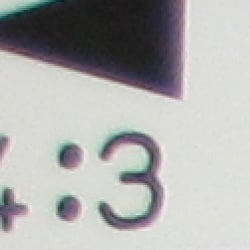
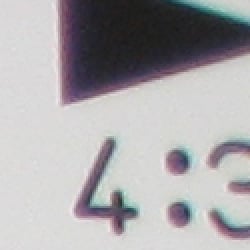
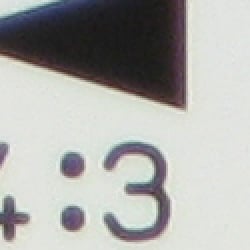
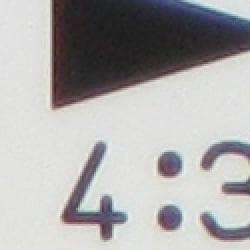
Chromatic aberration is moderate at wide angle, showing about 8-10 pixels of fairly dull coloration on either side of the target lines. However, blurring is also noticeable here, which is intensifying the effect somewhat. At telephoto, the distortion is again moderate, but dimmer and less noticeable. (This distortion is visible as a slight colored fringe around the objects at the edges of the field of view on the resolution target.)
Corner Sharpness
Strong blurring in the corners of the frame at wide angle, but not extending too far into the image. Only a little softening at telephoto.
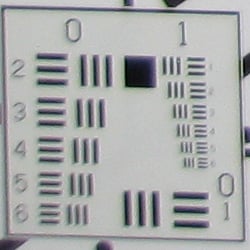
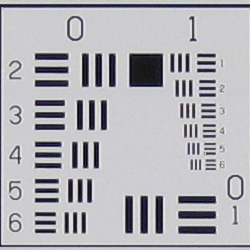
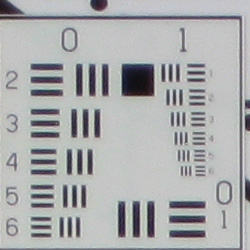
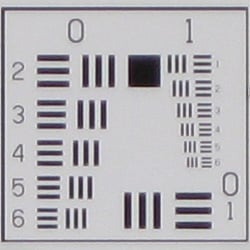
The Canon PowerShot SD1100 IS produced fairly soft corners of the frame at full wide angle, with the left side being a little softer than the right. The effect was quite noticeable in some of its images, but fortunately doesn't extend too far into the frame. At full telephoto, corners aren't quite as soft as wide angle, but the center isn't quite as sharp either.
Viewfinder
Coverage
Poor performance with the optical viewfinder, but very good results with
the LCD monitor.
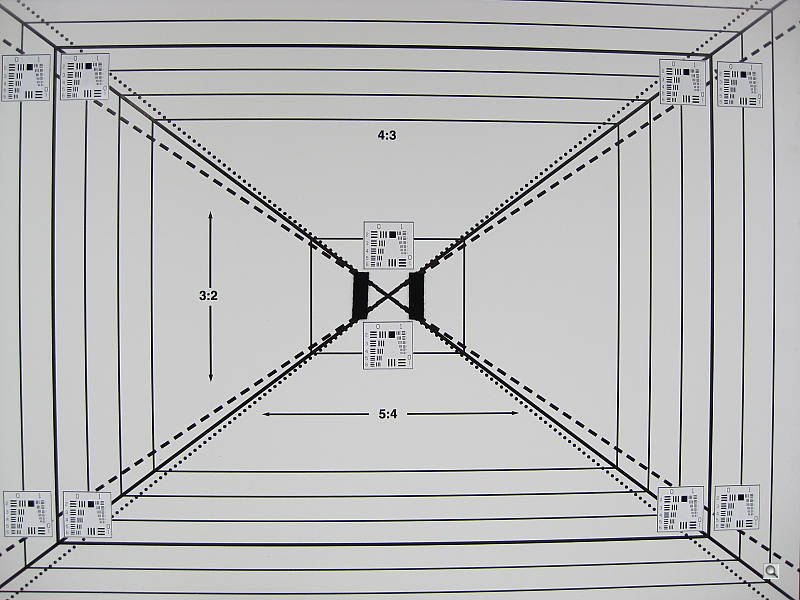
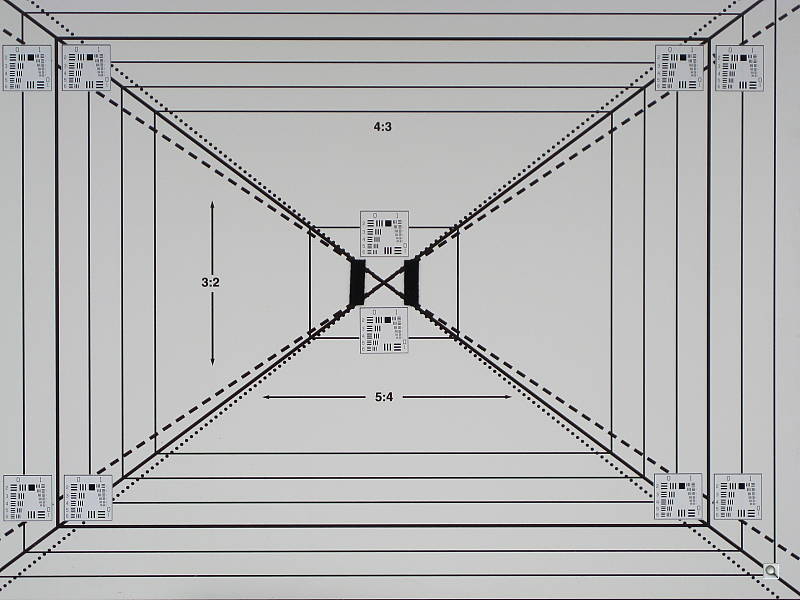
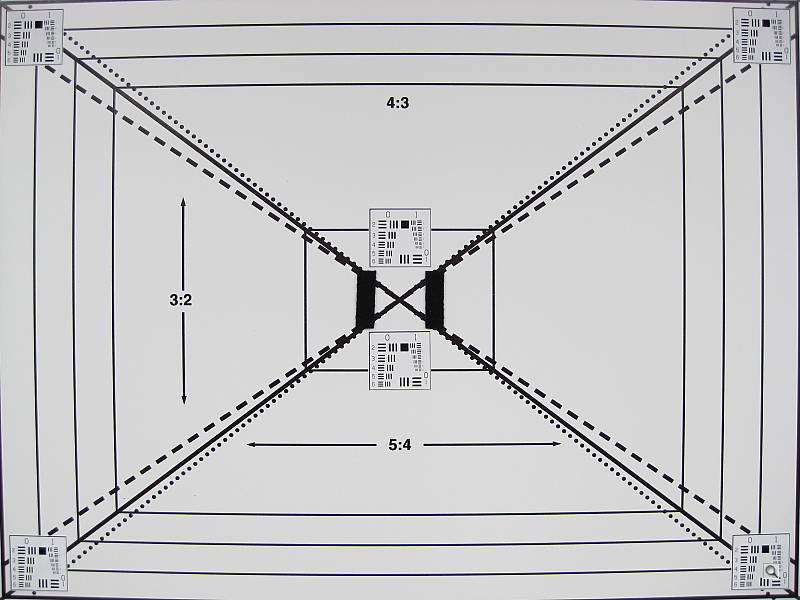
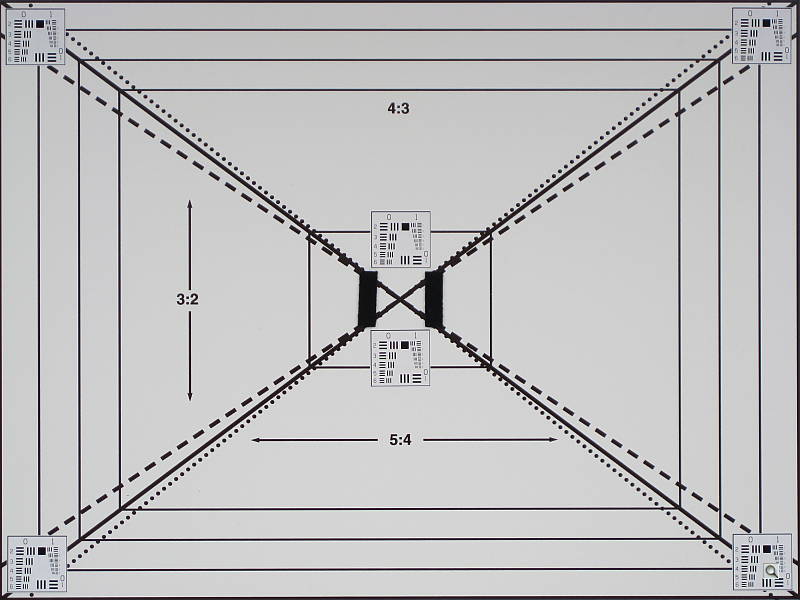
The Canon PowerShot SD1100 IS' optical viewfinder was quite inaccurate, and appears to be not quite parallel to the imaging sensor, however we expect to see some parallax error with non-TTL optical viewfinders. We measured its accuracy at about 84% at wide angle, and 82% at telephoto, which is quite tight but not unusual. In contrast, the camera's LCD monitor turned in a much better performance, measuring about 102% coverage at wide angle and about 101% at telephoto. (In essence, 100% accuracy, within the limits of our test.)
The images above were taken from our standardized test shots. For a collection of more pictorial photos, see our Canon PowerShot SD1100 IS Photo Gallery .
Exposure
Canon SD1100 IS Exposure
Color
Saturation & Hue Accuracy
Very good overall color and hue accuracy, with minor oversaturation of some colors.
 |
| In the diagram above, the squares show the original color, and the circles show the color that the camera captured. More saturated colors are located towards the periphery of the graph. Hue changes as you travel around the center. Thus, hue-accurate, highly saturated colors appear as lines radiating from the center. |
Skin tones. Here, with the color balanced properly for the light source, the SD1100 IS again does a good job, and produces natural skin tones with just a hint of warmth. Where oversaturation is most problematic is on Caucasian skin tones, as it's very easy for these "memory colors" to be seen as too bright, too pink, too yellow, etc.
Hue. The PowerShot SD1100 IS showed minor color shifts relative to the correct mathematical translation of colors in its subjects, pushing cyan toward blue, and orange towards yellow for example. Most cameras shift cyans toward blue, apparently a tactic to produce better-looking sky colors. The SD1100 IS does this a bit more than most, but its images were still very pleasing. Overall, the color was more accurate than many digital cameras we test. Hue is "what color" the
color is.


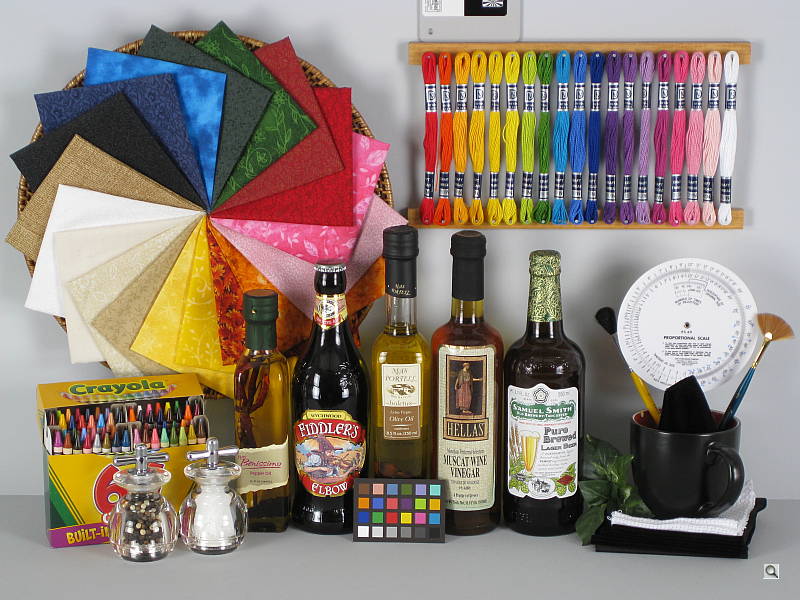
Sensor
Exposure and White Balance
Indoors, incandescent lighting
Actually pretty good results with all three white balance settings,
though most accurate color with the Manual option. About average positive
exposure compensation required.


Indoors, under incandescent lighting, the PowerShot SD1100 IS' Auto white balance setting produced pretty good results, despite the slight warm cast. (Though warm, color balance here is much better than average performance for Auto white balance on consumer cameras.) Both the Incandescent and Manual settings produced more accurate results, with the Manual option producing the best overall, though still a touch warm. The Canon SD1100 IS required a +1.0 EV exposure compensation boost to get a good exposure, which is about average for this shot. Overall color with the Manual white balance setting is good, though skin tones are a hint pink. Though a little dark, the blue flowers look pretty good as well. (Many digital cameras reproduce these flowers with a dark, purplish tint, so the SD1100 IS performs well here.) Our test lighting for this shot is a mixture of 60 and 100 watt household incandescent bulbs, a pretty yellow light source, but a very common one in typical home settings here in the U.S.
Outdoors, daylight
Better than average exposure accuracy, though high contrast results in very bright highlights and some lost highlight detail. Bright colors outdoors with good hue accuracy.
Outdoors, the Canon PowerShot SD1100 IS produced pretty good overall exposures, though contrast was very high, resulting very hot highlights. In both shots above, the brightest highlights show a fair amount of lost detail. Shadow areas show moderate detail, though with some noise and noise suppression. The camera's low contrast adjustment produced a modest effect on overall contrast, but is still a welcome feature. The Auto white balance setting handled both situations pretty well, though with slightly pinkish highlights on the portrait shot.
See full set of test images with explanations
See thumbnails of all test and gallery images
Resolution
High resolution, 1,400 lines of strong detail.
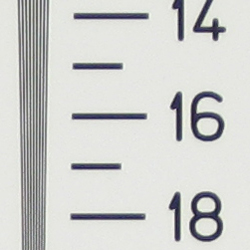
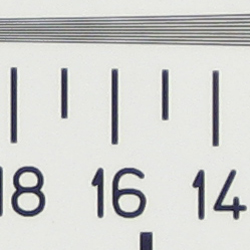
Our laboratory resolution chart revealed sharp, distinct line patterns down to about 1,400 lines per picture height in both directions, though lines are clearest horizontally. Extinction of the pattern didn't really occur before 2,000 lines, the limit of this chart. Use these numbers to compare with other cameras of similar resolution, or use them to see just what higher resolution can mean in terms of potential detail.
See full set of test images with explanations
See thumbnails of all test and gallery images
Sharpness & Detail
Overall pretty good image sharpness. A small amount of visible edge enhancement in areas of high contrast, and a fair amount of noise suppression in shadow areas.
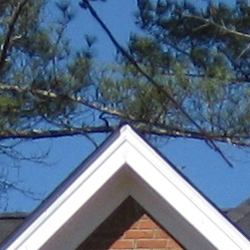

Sharpness. The Canon PowerShot SD1100 IS' captures fairly sharp images, with very good definition that responds well to additional sharpening during post-processing. Only slight enhancement artifacts are visible, such as in the crop above left. We have noticed that the SD1100 IS seems to apply slightly different amounts of sharpening in certain situations, even at its default sharpening setting, as can be seen by comparing the tree branches in the wide angle far-field shot, which shows notably stronger edge enhancement. Edge enhancement creates the illusion of sharpness by enhancing colors and tones right at the edge of a rapid transition in color or tone.
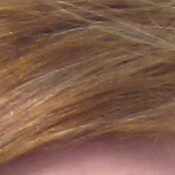
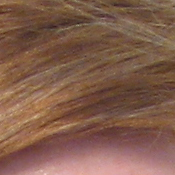
Detail. The crop above right shows a fair amount of noise suppression, with darker areas of Marti's hair showing limited detail. Individual strands are smudged and fade into each other in low contrast areas. While quite visible at this scale though, the effect is much less evident in prints 8x10 inches in size and smaller. Noise-suppression systems in digital cameras tend to flatten-out detail in areas of subtle contrast. The effects can often be seen in shots of human hair, where the individual strands are lost and an almost "watercolor" look appears.
ISO & Noise Performance
Low to moderate noise at the normal sensitivity settings, though a jump in noise with strong blurring at the higher settings.
 |
 |
 |
| ISO 80 | ISO 100 | ISO 200 |
 |
 |
 |
ISO 400 | ISO 800 | ISO 1,600 |
At the Canon PowerShot SD1100 IS' lower ISO settings, noise levels are fairly low, with good results up to ISO 200, though some subtle effects of noise reduction are still evident even at these low ISOs. At ISO 400, noise jumps with more obvious noise reduction artifacts and blurring of fine detail. At ISOs 800 and 1,600, noise is much higher with stronger blurring and color blotches in shadow areas. ISO 800 still may be usable in "emergency" situations, but at 1,600, noise dominates the image, obliterating most detail. See Output Quality notes below for how all this translates to printed results.
Extremes: Sunlit and low light tests
High contrast and limited highlight detail, though good resolution and detail. Good low-light performance, capable of capturing bright images in near darkness.


Sunlight. The Canon PowerShot SD1100 IS produced high contrast (using the default contrast setting) in response to the deliberately harsh lighting in the test above, with rather limited highlight detail. However, shadow detail is pretty good, despite some noise suppression and noise artifacts. Exposure compensation required to keep Marti's face from being too dim was lower than average at +0.3 EV, but still created very hot highlights on the white shirt and flowers.
|
Additional Contrast Settings (all +0.3 EV)
|
|||
 |
 |
 |
 |
| -2 | -1 | +1 | +2 |
Contrast. Canon has included five contrast settings in the SD1100 IS (see above table for results using non-default values). The range on the lower end is a little limited but still useful, so consider reducing the contrast setting, and be sure to use fill flash in situations like the one shown above; it's better to shoot in the shade when possible.
Because digital cameras are more like slide film than negative film (in that they tend to have a more limited tonal range), we test them in the harshest situations to see how they handle scenes with bright highlights and dark shadows, as well as what kind of sensitivity they have in low light. The shot above is designed to mimic the very harsh, contrasty effect of direct noonday sunlight, a very tough challenge for most digital cameras. (You can read details of this test here.)
| 1 fc 11 lux |
1/2 fc 5.5 lux |
1/4 fc 2.7 lux |
1/8 fc 1.3 lux |
1/16 fc 0.67 lux |
|
|---|---|---|---|---|---|
| ISO 80 |
 2 sec f2.9 |
 4 sec f2.9 |
 8 sec f2.9 |
 16 sec f2.9 |
 16 sec f2.9 |
| ISO 100 |
 1.6 sec f2.9 |
 3.2 sec f2.9 |
 6.3 sec f2.9 |
 12.6 sec f2.9 |
 16 sec f2.9 |
| ISO 200 |
 0.7 sec f2.9 |
 1.6 sec f2.9 |
 3.2 sec f2.9 |
 6.3 sec f2.9 |
 12.6 sec f2.9 |
| ISO 400 |
 0.3 sec f2.9 |
 0.6 sec f2.9 |
 1.6 sec f2.9 |
 3.2 sec f2.9 |
 6.3 sec f2.9 |
| ISO 800 |
 1/6 sec f2.9 |
 0.3 sec f2.9 |
 0.7 sec f2.9 |
 1.6 sec f2.9 |
 3.2 sec f2.9 |
| ISO 1600 |
 1/12 sec f2.9 |
 1/6 sec f2.9 |
 0.4 sec f2.9 |
 0.7 sec f2.9 |
 1.6 sec f2.9 |
Low light. The Canon PowerShot SD1100 IS performed well on the low-light test, capturing reasonably bright images at the lowest light level with the next to lowest sensitivity setting (ISO 100). At ISO 80, the image at the darkest light level is a bit dim. but still usable. Noise increases with higher ISOs, but this is expected. Color balance was good with the Auto white balance setting. The camera's autofocus system worked well also, as it was able to focus on the subject down to the 1/16 foot-candle light level unassisted, and in complete darkness with the AF assist enabled. (A useful trick when shooting with such long exposure times is to just prop the camera on a convenient surface, and use its self-timer to release the shutter. This avoids any jiggling from your finger pressing the shutter button, and can work quite well when you don't have a tripod handy.)
How bright is this? The one foot-candle light level that this test begins at roughly corresponds to the brightness of typical city street-lighting at night. Cameras performing well at that level should be able to snap good-looking photos of street-lit scenes.
NOTE: This low light test is conducted with a stationary subject, and the camera mounted on a sturdy tripod. Most digital cameras will fail miserably when faced with a moving subject in dim lighting. (For example, a child's ballet recital or a holiday pageant in a gymnasium.) For such applications, you may have better luck with a digital SLR camera, but even there, you'll likely need to set the focus manually. For information and reviews on digital SLRs, refer to our SLR review index page.
Flash
Coverage and Range
A reasonably powerful flash (given the size of the camera), although the lens' smaller aperture at the maximum zoom setting limits range at longer focal lengths. About average coverage. Our standard shots required average exposure compensation.
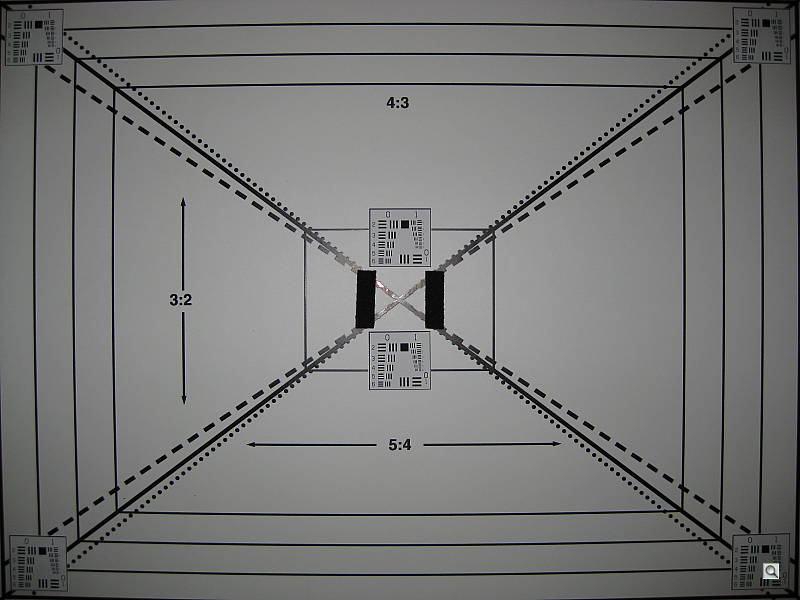
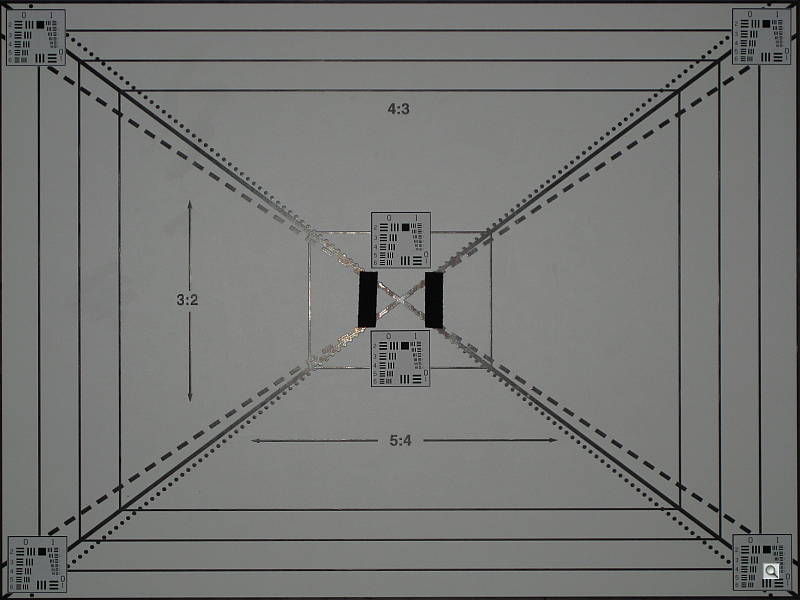


Coverage. Flash coverage was uneven at wide angle, but quite more uniform at full telephoto. In the Indoor test, the Canon SD1100 IS' flash underexposed our subject a little at its default setting, requiring +1.0 EV exposure compensation adjustment to get reasonably bright results. (About an average amount of exposure adjustment for this shot.) The camera's Slow-Sync flash mode produced slightly brighter and more even results, though with a stronger orange cast from the room lighting. In this mode, the camera required only +0.7 EV of exposure compensation. Compared to many other cameras, the Canon SD1100 is one of the better Slow-Sync Flash performers.
| Flash Range: Wide Angle | |||||
|---|---|---|---|---|---|
| 6 ft | 7 ft | 8 ft | 9 ft | 10 ft | 11 ft |
 0.7 sec f2.9 ISO 100 |
 0.7 sec f2.9 ISO 100 |
 0.7 sec f2.9 ISO 100 |
 0.7 sec f2.9 ISO 100 |
 0.7 sec f2.9 ISO 100 |
 0.7 sec f2.9 ISO 100 |
| 12 ft | 13 ft | 14 ft | 15 ft | 16 ft | |
 0.7 sec f2.9 ISO 100 |
 0.7 sec f2.9 ISO 100 |
 0.7 sec f2.9 ISO 100 |
 0.7 sec f2.9 ISO 100 |
 0.7 sec f2.9 ISO 100 |
|
| Flash Range: Telephoto | |||||
|---|---|---|---|---|---|
| 6 ft | 7 ft | 8 ft | 9 ft | 10 ft | 11 ft |
 1 sec f5.0 ISO 100 |
 1 sec f5.0 ISO 100 |
 1 sec f5.0 ISO 100 |
 1 sec f5.0 ISO 100 |
 1 sec f5.0 ISO 100 |
 1 sec f5.0 ISO 100 |
| 12 ft | 13 ft | 14 ft | 15 ft | 16 ft | |
 1 sec f5.0 ISO 100 |
 1 sec f5.0 ISO 100 |
 1 sec f5.0 ISO 100 |
 1 sec f5.0 ISO 100 |
 1 sec f5.0 ISO 100 |
|
ISO 100 Range. At wide angle, flash shots at ISO 100 remained fairly bright out to a distance of about 12 feet. That's not bad for such a small camera. At full telephoto and ISO 100, the target started out a little dim, and brightness began to fall-off gradually after about 7 or 8 feet.
| Manufacturer-Specified Flash Range | |
|---|---|
| Wide Angle | Telephoto |
 11.0 feet Auto ISO 200 |
 6.6 feet Auto ISO 200 |
Manufacturer Specified Flash Test. In the wide angle shot above, the Canon SD1100 IS performs as Canon says it will, producing a good exposure (somewhat overexposed actually) at the rated distance with its ISO set to Auto (which selected ISO 200). At telephoto, the camera again selected ISO 200 and the exposure looks pretty good .
Note: Our standard test method for flash range uses a fixed setting of ISO 100, to provide a fair basis of comparison between cameras. We've now also begun shooting two shots using the manufacturer-specified camera settings, at the range the company claims for the camera, to assess the validity of the specific claims.
Output Quality
Print Quality
Good print quality, good color, clear 13x19-inch prints. ISO 400 is good to 11x14, ISO 800 images are usable at 8x10, good at 5x7, ISO 1,600 shots are only usable for 4x6 prints.
 The Canon PowerShot SD1100 IS had enough resolution to make good looking 13x19-inch prints from ISO 80 and 100 shots. ISO 400 shots start to get a little soft at 11x14, but are still quite usable at that size for wall or table display. ISO 800 images are soft and noisy at 8x10, good at 5x7 inches. ISO 1,600 shots are noisy even at 4x6 inches, but probably usable as snapshots if you aren't too particular. Overall, a good performance from a compact pocket camera.
Color is quite good: Noticeably less saturated than the most over-exuberant digicams we test, images the SD1100 IS manage to look bright and snappy without seeming overdone.
Testing hundreds of digital cameras, we've found that you can only tell just so much about a camera's image quality by viewing its images on-screen. Ultimately, there's no substitute for printing a lot of images and examining them closely. For this reason, we now routinely print sample images from the cameras we test on our Canon i9900 studio printer, and on the Canon iP5200 here in the office. (See the Canon i9900 review for details on that model.)
The images above were taken from our standardized test shots. For a collection of more pictorial photos, see our Canon PowerShot SD1100 IS Photo Gallery .
Not sure which camera to buy? Let your eyes be the ultimate judge! Visit our Comparometer(tm) to compare images from the Canon PowerShot SD1100 IS with those from other cameras you may be considering. The proof is in the pictures, so let your own eyes decide which you like best!
Performance
Canon SD1100 IS Performance
Timing and Performance
Good to average speed for a consumer camera.
| Startup/Shutdown |
||
|
Power on |
1.0 second
|
Time it takes for LCD to turn on and lens to deploy. |
|
Shutdown |
1.3 seconds
|
How long it takes to retract lens. |
|
Buffer clearing time |
1.5 seconds
(after Large/Superfine JPEG) |
Worst case buffer clearing time. -- This is the delay after a set of shots before you can remove the card. Some cameras won't retract their lenses and shut down until the buffer is cleared. |
Startup and shutdown times are above average. Buffer clearing is pretty fast, but will depend on the speed of your memory card.
| Mode Switching | ||
|---|---|---|
|
Play to Record, |
2.6 seconds
|
Time until first shot is captured. |
|
Record to Play |
1.0 second
|
Time to display a large/superfine file immediately after capture. |
|
Display |
2.1 seconds
|
Time to display a large/superfine file already on the memory card. |
Play to Record mode time is a little slower than average, but Record to Play is quite fast.
| Shutter Response (Lag Time) | ||
|---|---|---|
|
Full Autofocus Wide |
0.42 second
|
Time from fully pressing shutter button to image capture, zoom lens at wide angle position. |
|
Full Autofocus Tele |
0.75 second
|
Time from fully pressing shutter button to image capture, zoom lens at telephoto position. |
|
Full Autofocus, |
1.85 seconds
|
Time from fully pressing shutter button to image capture, flash enabled. |
|
Prefocused |
0.067 second
|
Time to capture, after half-pressing and holding shutter button. |
Shutter response is better than average at both wide angle and telephoto, at 0.42s and 0.75s respectively. Enabling the flash adds quite a bit of delay, increasing lag time to 1.85s. "Prefocusing" the camera by half-pressing and holding down the shutter button before the final exposure results in a lag time of only 0.067 second.
| Cycle Time (shot to shot) | ||
|---|---|---|
|
Single Shot mode
Large SuperFine JPEG |
1.94 seconds
|
Time per shot, averaged over 20 shots. |
|
Single Shot mode |
1.63 seconds
|
Time per shot, averaged over 20 shots. |
|
Early shutter |
No
|
Some cameras refuse to snap another shot if you release and press the shutter too quickly in Single Shot mode, making "No" the preferred answer. |
|
Continuous mode |
1.05 seconds (0.95 frames per second);
>20 frames total; 1 second to clear |
Time per shot, averaged over buffer length or 20 shots, whichever came first. |
|
Continuous mode |
0.76 second (1.32 frames per second);
>20 frames total; 0.8 second to clear |
Time per shot, averaged over buffer length or 20 shots, whichever came first. |
|
Continuous mode |
0.77 second (1.30 frames per second);
>20 frames total; 0.8 second to clear |
Time per shot, averaged over buffer length or 20 shots, whichever came first. |
|
Flash recycling |
9.6 seconds
|
Flash at maximum output. |
| *Note: Buffer clearing times measured with a Kingston Ultimate 133x SD memory card. Slower cards will produce correspondingly slower clearing times. Slow cards may also limit length of bursts in continuous mode. ISO sensitivity also affects cycle times and burst mode performance, with higher ISOs generally increasing cycle times and reducing burst performance. |
||
Shot-to-shot cycle times are about average, at about 1.94 seconds for large/superfine JPEGs, though the camera does capture frames continuously at this rate. (That is, given a fast enough memory card, it doesn't have to pause every few frames to wait for the card to catch up.) The PowerShot SD1100 IS drags a little in its Continuous modes, capturing large/superfine frames at 0.95 frames per second, however it maintains this pace for more than 20 frames. This increases slightly to 1.32 frames per second for large/fine JPEGs. The flash takes 9.6 seconds to recharge after a full-power shot, which is slower than average, but not unheard of among cameras as small as the SD1100 IS.
| Download Speed | ||
|---|---|---|
| Windows XP, |
3,046 KBytes/sec
|
Typical Values: |
Connected to a computer or printer with USB 2.0, download speeds are quite fast; you're not likely to feel the need for a separate card reader.
Bottom line, the Canon SD1100 IS won't be a good choice for sporting events or any fast-paced action, but is responsive enough for most family and travel photo opportunities.
Battery and Storage Capacity
Battery
Average battery life for a lithium-ion design.
| Operating Mode | Number of Shots |
|---|---|
| Lithium-ion Rechargeable
Battery, LCD On (CIPA standard) |
240 |
| Lithium-ion
Rechargeable Battery, LCD Off (CIPA standard) |
600 |
The Canon PowerShot SD1100 IS uses a custom rechargeable lithium-ion battery for power, and ships with a charger. Battery life is about average, though we still recommend you pick up a spare battery and keep it freshly charged and on-hand for extended outings.
The table above shows the number of shots the camera is capable of (on either a fresh set of disposable batteries or a fully-charged rechargeable battery as appropriate), based on CIPA battery-life and/or manufacturer standard test conditions.
(Interested readers can find an English translation of the CIPA DC-002 standards document here. (180K PDF document))
Storage
The Canon PowerShot SD1100 IS accepts SDHC/SD/MMC memory cards, and comes with a 32MB card. The table below shows approximate image size and capacity for the included card.
| Image Capacity with 32MB Memory Card |
SuperFine | Fine | Normal | |
|---|---|---|---|---|
|
3,264 x 2,448 |
Images |
8 |
14 |
29 |
| File Size |
3.7 MB |
2.2 MB |
1.1 MB |
|
|
2,592
x 1,944 |
Images |
11 |
21 |
41 |
| File Size |
2.7 MB |
1.5 MB |
762 KB |
|
|
2,048 x 1,536 |
Images |
18 |
33 |
65 |
| File Size |
1.7 MB |
966 KB |
491 KB |
|
| 1,600
x 1,200 |
Images |
29 |
52 |
99 |
| File Size |
1.1 MB |
610KB |
322 KB |
|
| 640
x 480 |
Images |
111 |
171 |
269 |
| File Size |
288 KB |
186 KB |
119 KB |
|
We strongly recommend buying a large capacity SDHC or SD memory card at least a 1GB card, preferably a 2 or 4GB one, to give yourself extra space for extended outings and video. If you only intend to shoot stills, a 1GB card is likely to be plenty. Video can really burn up card space though. (Check the shopping link above, cards are really cheap these days, so no reason to skimp.)