


Overview
Panasonic Lumix DMC-ZS7
Overview
By Mike Pasini and Zig Weidelich
Review Posted: 03/12/2010
Though it's small enough to slip into a pocket, the Panasonic ZS7 has a 12.1-megapxiel sensor and a Leica-branded 12x optical zoom lens, including a very wide-angle setting equivalent to a 25mm lens. There's sadly no optical viewfinder, but this is understandable given the strength of the zoom. The Panasonic ZS7 opts instead for a roomy 3.0-inch LCD display with excellent 460,000 dot resolution on which images and videos are both framed and reviewed. The Panasonic ZS7's lens has a maximum aperture that varies from f/3.3 to f/4.9 across the zoom range. The minimum focusing distance for the Panasonic DMC-ZS7 is ordinarily 50 centimeters, but drops to just three centimeters when switched to Macro mode.
The Panasonic ZS7 is the company's first camera to include a built-in GPS receiver, allowing automatic geotagging of images with the location at which they were shot. The Panasonic ZS7 has an 11-point multi-area autofocus system which also includes a single-point "high speed" focusing mode. As with many digital cameras these days, there's also a face detection function, with Panasonic's implementation using the information to adjust both focus and exposure to properly capture your subjects' faces. The Lumix DMC-ZS7 can also be programmed to recognize specific individuals' faces, and prioritize these over other detected photos when capturing photos, or search for photos containing a specific face in playback mode. The Panasonic Lumix ZS7 also has an implementation of autofocus tracking, which can monitor a subject as it moves around the frame, continuing to update autofocus as required.
ISO sensitivity ordinarily ranges from 80 to 1,600 equivalents, with the ability to extend this as far as ISO 6,400 equivalent in High Sensitivity Auto mode. Shutter speeds from 1/2,000 to 60 seconds are possible. The Panasonic ZS7 uses Intelligent Multiple metering, with Center Weighted and Spot metering options available. The Panasonic ZS7 offers six white balance settings including Auto, Manual, and four fixed presets. A whopping selection of twenty nine scene modes let users tailor the look of their images with a minimum of effort, and the Panasonic ZS7 also offers aperture-, shutter-priority, or fully manual modes when more control is desired. There's also an Intelligent Scene Selection function, which can automatically select from a subset of the available scene modes. A five mode flash strobe includes red-eye reduction capability, and has a rated range of up to 5.3 meters at wide-angle, or 3.6 meters at telephoto. There's also digital red-eye correction, and Panasonic's Intelligent Exposure, Intelligent ISO, Intelligent Auto functions as seen on past models.
As well as JPEG still images, the Panasonic ZS7 can capture movies with stereo sound at up to 1280 x 720 pixel resolution or below, with a choice of AVCHD Lite or QuickTime Motion JPEG compression. A new Video Divide function allows in-camera movie splitting, letting users trim away the unwanted portions to keep just the parts of movies that they desire.
The Panasonic ZS7 stores its images and movies on Secure Digital or MultiMediaCards, including the newer SDHC and SDXC types. There's also 15MB of built-in memory. Connectivity options include a USB 2.0 High-Speed connection, plus standard definition NTSC / PAL video output. The Panasonic ZS7 can also output high-definition video via an optional HDMI cable, and is compatible with Panasonic's proprietary "VIERA Link" system that allows the connected TV's remote control to be used to navigate the camera's slideshows.
Power comes from a proprietary lithium-ion battery with ID-Security feature that prevents use of counterfeit or third-party batteries, and is rated as good for 300 shots on a charge to CIPA testing standards. The software bundle includes PHOTOfunSTUDIO 5.1 HD Edition (5.0 Edition for China).
Panasonic Lumix DMC-ZS7
User Report
by Mike Pasini
The Panasonic Lumix DMC-ZS7 (in some areas labeled DMZ-TZ10) arrived shortly after I'd shipped back the Sony HX5V, which it very closely resembles. The two compact, long-zoom digicams may be cousins, but not the kissing kind. I can just hear their mothers bragging about what one can do that the other can't at every family gathering.
There's plenty of intelligence packed into both packages. The Panasonic ZS7 uses Panasonic's Venus Engine HD II to provide Intelligent Resolution Technology that analyzes the image to enhance detail even in Movie mode, which itself is HD in AVCHD Lite format. The 12x Leica lens enjoys Power optical image stabilization, an improvement over Mega OIS. Intelligent ISO control considers motion detection and Intelligent Exposure salvages shadow detail, particularly in backlit scenes. There's built-in GPS and a 460K pixel LCD along with 15MB of onboard memory.
So they're both intelligent -- but their personalities are very different. Where the Sony HX5V doesn't need any direction, the Panasonic ZS7 does exactly what it's told.
You might think that means the Sony would be ideal for the beginner and the Panasonic for the enthusiast, but it isn't quite that simple, we discovered.
Design. While the Panasonic ZS7 body could easily be confused with the Sony HX5V, the differences are telling.
They both sport a large lens of more sophistication than you'll find on most digicams. But the Panasonic ZS7's Leica glass is a 12x zoom ranging from 25mm to 300mm, a bit longer than the Sony's 10x (which stops at 250mm).
Oddly enough, both the Panasonic ZS7 and Sony HX5V locate the flash between the lens and the small grip, so on either model beware of blocking the flash if you have large hands.
The grip is small enough not to protrude but large enough to help secure the camera. Still, I wouldn't and didn't use the Panasonic ZS7 without the wrist strap.
The Panasonic ZS7's speaker is on the top panel (instead of the bottom), which shifts the left and right microphones to nearly the middle of the top panel (rather than directly over the lens, as on the Sony).
Between them a small bump indicates where the GPS radio is, something the Sony doesn't reveal. I had a little more trouble reading the Sony's GPS icons in the field, but not so with the Panasonic ZS7.
The Shutter button and Zoom lever are in about the same position. But the Mode dial is to the left of the Shutter button rather to its right on the corner as on the Sony. I don't find either position a problem. The corner of the top panel on the Panasonic ZS7 is reserved for the Power switch.

Both back panels have 3.0-inch LCDs but the Panasonic ZS7 has more controls. This is where you begin to understand that the Panasonic ZS7 allows you to set things, fiddle with things, make adjustments, where the Sony HX5V prefers to do it for you.
The tripod socket on the Panasonic ZS7's bottom panel is near the middle of the camera, which may or may not conflict with the battery door operation, depending on your tripod. But it seems a more secure location than the far corner on the Sony.
And the Panasonic ZS7's battery compartment door has a latch which must be manually pushed to release the door, where the Sony door simply slides out and pops up. It sounds similar but on the Sony it's one motion and on the Panasonic it always feels like two. One to deal with the latch, another to swing the door.
Where the Sony relies on a proprietary connector for either its octopus plug or HDMI adapter, the Panasonic ZS7 has a connector door on the right side with two outlets: an HDMI socket (mini) and an AV Out/Digital socket.
Controls. Panasonic favors switches rather than buttons for some controls and there's no better place for a switch than the Power control. After trying to find and press miniscule Power buttons with their dainty LEDs, it is a relief to rub your thumb across the Panasonic ZS7's knobby Power switch to push the power on or off.

The Panasonic ZS7's Shutter button and Zoom lever were very much like those on the Sony HX5V (and the Zoom lever was just as jerky too, unfortunately). It really takes the fun out of composing an image to try to game a Zoom lever.
The Mode dial has quite a few things we missed on the Sony. In addition to Program Auto and Manual, the Panasonic ZS7 adds Aperture Priority and Shutter Priority modes, both missing on the Sony. There is a Scene mode as well (for stills and movies), but there are also two My Scene modes you can dedicate to Scene modes you use frequently (a very nice little touch). There's also a Custom mode and a Clipboard mode. More about these in the Modes section below.

The Panasonic ZS7 relies on a Mode switch to set the camera into either Record mode or Playback mode. It's simple, but the disadvantage is getting caught in Playback mode when a photo opportunity strikes: Cameras with a button to switch between modes can return to Record mode with a half-press on the shutter button, while Panasonic ZS7 shooters will be left fumbling for the Mode switch.
The arrow keys do double duty, of course. Up accesses Exposure Compensation. Right cycles through the Flash modes, which include Auto, Auto Red-Eye, Forced Flash On, Slow Sync/Red-Eye, and Forced Flash Off. There's no control of the Flash power itself. Down cycles through Off, Macro and Macro Zoom modes. And Left cycles through the Off, 2-second and 10-second self-timers.
Other back panel buttons include the Exposure button, active in Aperture Priority, Shutter Priority and Manual modes to enable adjustment of the aperture, shutter or both respectively. There's also a Movie button to start video capture regardless of mode. Below the four-way navigator is the Display button to cycle through the LCD options and the Q.Menu button to bring up a tool bar on the shooting screen for quick changes to options that might change from shot to shot.
To access the Panasonic ZS7's Menu system itself, including the Setup options, you press the Menu/Set button in the center of the four-way navigator.
The Panasonic ZS7's 3.0-inch LCD features 460,000 dots of resolution (which, unfortunately, the fonts don't take advantage of) and a very wide viewing angle (so you can hold the camera above your head and still see the image on the screen). Panasonic calls it an intelligent LCD because it adjust brightness according to the scene in 11 steps. The LCD's antireflective coating minimizes glare, and indeed I had no trouble shooting with it in direct sunlight. It also didn't smudge with fingerprints.
Lens. Like the Sony HX5V, the long zoom on the Panasonic ZS7 starts at a very useful 25mm. You can get the whole room without breaking through the wall behind you. But it extends 50mm more than the Sony HX5V lens, to 300mm. And with Panasonic's optical image stabilization, you can (just barely) hold that still.
The image did float in the Panasonic ZS7's LCD at 300mm as I handheld it, but I was able to snag my shot as the zoom range images show. (I wasn't able to access my usual spot at Twin Peaks because the one afternoon there was sun, the area was occupied by a Bollywood film crew.)
The Panasonic ZS7's Leica Elmar lens itself includes 10 elements in eight groups with two extra low dispersion lenses and two aspherical lenses with three aspherical surfaces.
The multistage iris diaphragm offers apertures of f/3.3 to f/6.3 at wide-angle and f/4.9 to f/6.3 at telephoto.
Power optical image stabilization, which the company claims "nearly doubles the hand-shake correction power of conventional Mega O.I.S.," can be disabled or set to one of two modes or set to Auto. That's something the Sony handles invisibly, in contrast.
The Panasonic ZS7's shutter speeds, incidentally, run from 60 to 1/2,000 second in Still mode and in Starry Sky Scene mode are 15, 30, or 60 seconds.
ISO sensitivity (while we're at it) options include Auto (which can be capped at 400, 800, or 1,600), 80, 100, 200, 400, 800, and 1,600. High Sensitivity Scene mode runs from ISO 1,600 to 6,400).

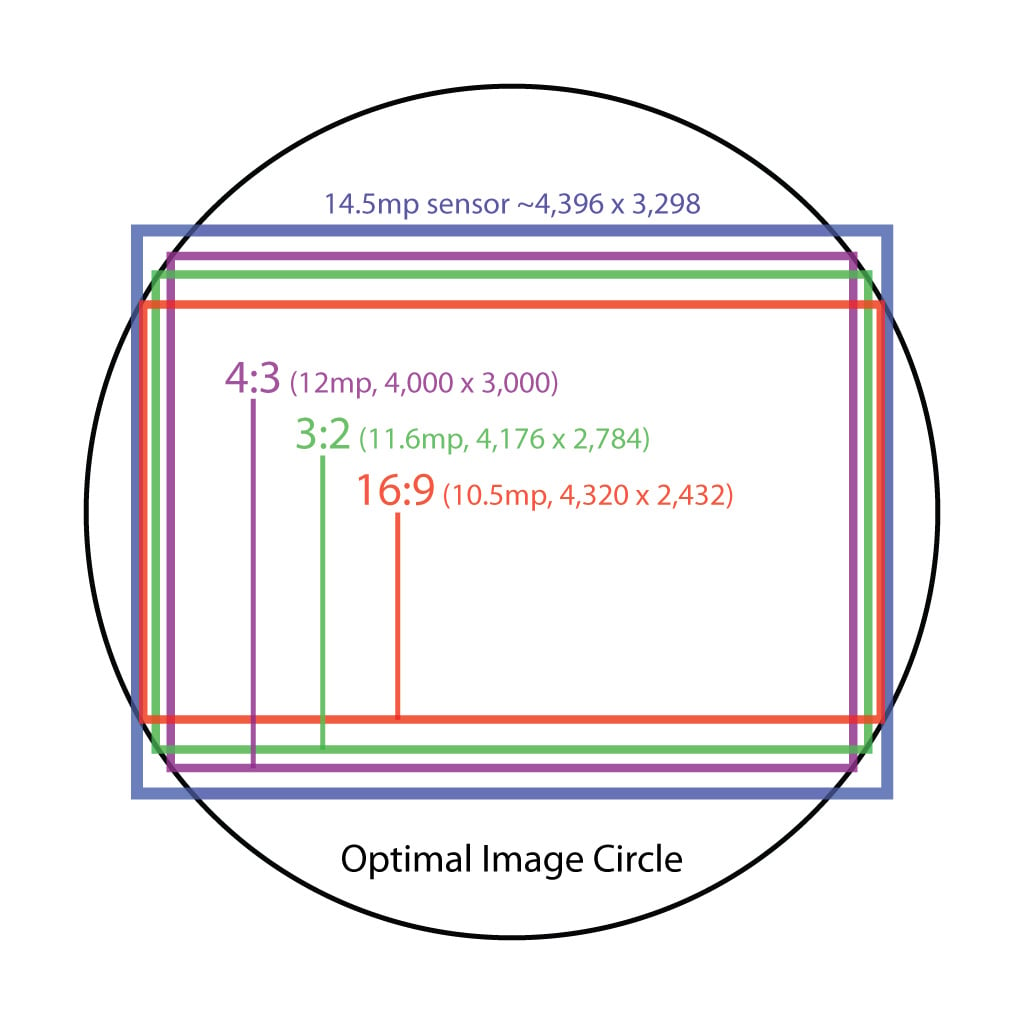
Sensor trick. Panasonic uses a neat trick in their pocket long-zoom digital cameras, that leads to better optical quality than would otherwise be the case. We've known about this for some time, but thought we'd take the time to make a graphic to showcase it with their most recent models. The essence of the "trick" is to deliberately give up a bit of the sensor area in exchange for better image quality and the ability to maintain a constant angle of view when changing apect ratios.
We first saw this in the TZ3, which we reviewed way back in July of 2007, albeit with a different, much lower-resolution sensor. This year they're using a 14.5-megapixel sensor in both the Panasonic ZS5 and ZS7, and cropping the raw sensor image to select just those portions of the frame that give the best corner quality and highest resolution for each aspect ratio. The illustration at left shows how the camera's three aspect ratios are arranged on a nominally 4:3 aspect ratio sensor. While the ZS7's 4:3 ratio frame yields a 12-megapixel image that's 4,000 pixels wide, 3:2 is 4,176 pixels wide, and 16:9 is 4,320 pixels wide. As the width increases, the height decreases, so the distance from the center of the sensor to the corner of the frame remains the same. When using a 4:3 sensor, most companies use the full width of the sensor for maximum resolution at 4:3, then just chop off the top and bottom of the image to get the other two sizes. (The illustration above assumes a 4:3 aspect ratio for the sensor itself, but the concept remains the same, regardless of sensor shape.)
Some might wonder why Panasonic doesn't just use the whole 14.5-megapixel sensor, as do their competitors: After all, it'd let them advertise a bigger megapixel number on their spec sheets. The answer is that geometric distortion, corner softness, and chromatic aberration all get worse, the further from the center of the lens you get. At the edges of a lens' image circle, distortion and optical artifacts are often much worse than they are just a short distance closer to the center of the frame. As you can see above, a modest concession in megapixels lets images at all aspect ratios stay within the area of the lens' best performance. Also, all three aspect ratios capture the same diagonal angle of view, meaning that you always get a 25mm equivalent image, regardless of which aspect ratio you're shooting with. In fact, in its Multi-aspect Mode, the Panasonic ZS7 captures all three aspect ratios at once, and you can choose which you like after the shot; another neat trick.
Modes. The Panasonic ZS7 features an Intelligent Auto mode that not only recognizes the kind of scene it's looking at but optimizes the camera's special features as well. The camera adds to that the traditional manual controls of Program Auto, Aperture Priority, Shutter Priority and Manual modes. There are extensive Scene modes and two user-defined Scene mode settings on the dial. And there is a Custom setting to access any of three stored camera configurations. Finally, a Clipboard mode stores small but handy shots in built-in memory with a settable zoom mark to indicate an important point.

Although there is no Movie mode on the Panasonic ZS7, it does take movies when you press the Movie button on the back panel. I was a little disappointed with this arrangement. The ergonomics of pushing the camera instead of pressing the Shutter button to start and stop a video capture led to jerky clips, as my sample shows.
Let's take a closer look at each of these modes now:
Intelligent Auto can identify six different Scene modes: Portrait, Scenery, Night Portrait, Night Scenery, Sunset, and Macro. It also sets many of the Panasonic ZS7's "intelligent" options to fit the occasion. It's more than a green Auto mode for both those reasons.
Program Auto sets the aperture and shutter speed automatically. You can darken or lighten the capture using Exposure Compensation. You can not change to a different aperture or shutter speed combination, however.
Aperture Priority lets you select the aperture to control depth of field using the Exposure button.
Shutter Priority lets you select the shutter speed using the Exposure button to control subject motion blur, as in a waterfall (slow) or sports shooting (fast).

Manual lets you set both the aperture and shutter speed independently of each other using the Exposure button.
Custom recalls up to three custom camera configurations. After configuring the camera in any of its modes, you record the configuration to one of the three custom settings (C1, C2, C3). You can set the camera to that configuration just by switching to Custom and selecting the custom setting. There are 25 recording functions and 4 setup functions that can be stored.
MS1 and MS2 are My Scene modes that you dedicate to one of the Panasonic ZS7's Scene modes. Rather than switching the dial to Scene and scrolling through the list to find the mode you want, you can simply set one of these Mode dial options to the Scene mode to switch directly to it.

Scene Modes. There are two panels of these.
Scene provides optimized camera setups for the following types of photos: Portrait (improves skin tone), Soft Skin (smooths skin), Transform (slim high or low, stretch high or low, no effect), Self Portrait, Scenery, Panorama Assist, Sports, Night Portrait, Night Scenery, Food, Party, Candle Light, Baby (weak flash to spare skin color and records age and name), Pet (age and name), Sunset, High Sensitivity, Hi-Speed Burst, Flash Burst (up to five consecutive shots with flash), Starry Sky, Fireworks, Beach, Snow, Aerial Photo, Pin Hole (vignette), Film Grain (black and white with grain), High Dynamic (less over/underexposure, art, black and white), Photo Frame (2-megapixel image with superimposed frame), and Underwater (color correction).
Clipboard captures a 1- or 2-megapixel image to the clipboard folder of the Panasonic ZS7's built-in memory. You can, in Playback mode, zoom into the image using the Zoom lever and set a Zoom Mark by navigating to the important point of the image and using the Menu/Set button to mark it. You can then instantly zoom to the Zoom Mark in Playback just by moving the Zoom lever when the image is displayed. This is handy for making visual notes of maps, timetables and other documentation.


Movie mode offers a number of options. While maximum resolution is 1,280 x 720 in AVCHD Lite format, the Panasonic ZS7 can output 1080i video through its mini HDMI port. AVCHD Lite offers three quality or bitrate settings: 17, 13 or 9 Mbps. In 16:9 mode, you can also record Motion JPEG format in HD (1280 x 720) and WVGA (848 x 480) at 30 fps. In 4:3 mode you can record in VGA mode at 640 x 480 and 30 fps or QVGA mode at 320 x 240 at 30 fps, both in Motion JPEG format. Optical zoom is supported, and audio is recorded in stereo.
Scene modes available in Movie mode when the Panasonic ZS7's Mode dial is set to Intelligent Auto include Portrait, Scenery, Low Light, and Macro.
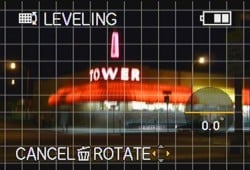
Leveling. Nice to see this option in Playback mode.
Continuous Autofocus can be enabled and Wind Cut to reduce wind noise can be enabled as well.
Menu System. There are two menu systems on the Panasonic ZS7. The main Menu system (as already illustrated in screen shots above) is a tabbed display with line items for all of the camera's options. A Quick Menu can be displayed on the top of the LCD in Record mode by pressing the Q.Menu button below the four-way navigator.
I never got a handle on which settings the camera remembered when it was turned off. There are so many settings that no one place really shows all of them to you. The Panasonic ZS7 does warn you that the lens is zooming out to its last position if you enable that in Setup mode, but that's pretty obvious. I resorted to using the Reset option to return the camera to a known state.
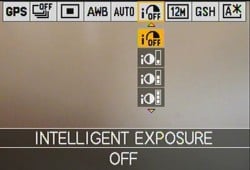
Q.Menu. Nine options on tool bar.
Options available in the Quick Menu are GPS Setting, Burst Shooting, AF Mode, White Balance, Intelligent ISO, Intelligent Exposure, Picture Size, Movie Record Quality, and LCD Mode. The current setting for each option is displayed in the tool bar. When you scroll to a setting, the set of options is displayed below the setting. It's very quick to make a change.
Storage & Battery. The Panasonic ZS7 includes 15MB of internal memory, which is handy for storing images captured in Clipboard mode. The camera supports SD cards from 8MB to 2GB, SDHC cards from 4GB to 32 GB and SDXC cards from 48GB to 64GB. Card access time is faster than access time to internal memory.

The number of shots varies depending on the aspect ratio selected, image quality and subject matter. In 4:3 at the highest quality a 2GB card will hold about 391 images. No memory card is included with the camera, which accepts cards in the SD format. SD cards from 8MB to 2GB, SDHC cards from 4GB to 32 GB and SDXC cards from 48GB to 64GB are all supported.
Movie recording time for a 2GB card varies from about 15 minutes for AVCHD Lite in GSH/SH quality to 20 minutes in GH/H quality to 29 minutes in GL/L quality. In Motion JPEG mode, recording time varies from 8:20 in HD to 20:50 in WVGA to 21:40 in VGA to one hour in QVGA.
Using CIPA standards, Panasonic rates the ID-Security lithium-ion battery pack of 3.6 volts and 895 mAh at 300 shots. An AC adapter is optional, connecting to the camera with a dummy battery through a rubber port on the battery compartment door.
Special Features. The Panasonic ZS7 is packed with special features. It can be daunting to get a handle on them and there were times I wondered if using them to optimize my results wasn't just screwing something up horribly. How else can I explain the beach shots that varied from ISO 80 to ISO 800 just by swinging the camera north? Moments like that made me appreciate Sony's approach.
Using the Panasonic ZS7's Intelligent Auto can help you out there, though.
Intelligent Auto. Forget Green mode. The Panasonic ZS7's red Intelligent Auto mode uses seven detection and correction functions simultaneously to set the camera for you -- both in still and movie modes. That starts with the Intelligent Scene Selector, which automatically sets the Scene mode to either Scenery, Portrait, Macro, Night Portrait, Night Scenery, or Sunset. It also taps into a few other Intelligent options, detailed below. And it adds a Happy color mode to bump up the saturation.


Intelligent Resolution. Bottom image has it enabled.
Intelligent Resolution Technology. Thanks to the new Venus Engine HD II image processor in the Panasonic ZS7, the camera can enhance detail without adding noise in flat areas like skies. Intelligent Resolution Technology looks for three kinds of things in an image: outlines, texture, and gradations. It applies a different sharpening setting to each area it defines to outlines are sharp while gradations are smooth and texture enhanced.
It works in both still and movie modes and is automatically enabled in Intelligent Auto and some Scene modes. You can toggle it on or off from the Panasonic ZS7's Menu system in other modes. Because I was taking so many of the same shots I'd just taken days earlier with the Sony HX5V, I turned it on in Program Auto and left it on to highlight the effect.
Intelligent Zoom. If the 12x optical zoom doesn't quite do it for you (and in a few cases it left me short), you have a couple of choices on the Panasonic ZS7.
- You can, of course, slip into conventional 4x digital zoom, kicking things up to 48x or 1200mm (and good luck holding that steady). But sharpness and detail will suffer as it always does with digital zoom.
- You can tap into the Panasonic ZS7's Intelligent Zoom, which is the equivalent of just 1.3x more than optical (16x or 390mm). That maintains sharpness and detail before yielding to digital zoom, which takes you out to 63.8x (1,595mm) using a 12.1-megapixel image size. Intelligent Zoom turns on in Intelligent Auto and some Scene modes. You can toggle it on or off from the Menu system in other modes. I had it on most of the time. I couldn't see a reason not to have it on, frankly.
Intelligent Exposure. Intelligent Exposure "increases the exposure only in under-exposed areas by detecting the brightness level part-by-part in the image. If the background includes the sky, which tends to be easily washed out, the Panasonic ZS7 automatically adjusts the aperture and shutter speed to keep the setting slightly under-exposed to prevent wash-out while brightening the darkened area by increasing the ISO only in that area. If the background of an indoor portrait receives insufficient lighting from a flash and becomes dark, the ISO sensitivity is raised in only the low-lit area to make it brighter without causing graininess in the subject's face."
Sonic Speed Autofocus. Panasonic claims that the ZS7 focuses as fast as 0.35 second at wide-angle and 0.41 second at telephoto when using single-point autofocus. The speed increase was achieved using "a higher-speed actuator, optimized algorithms and parallel software processing." Our tests show the Panasonic ZS7's speed at autofocusing and capturing an image to be 0.51 second at wide-angle, and 0.45 at telephoto using standard 1-area AF. Panasonic claims Shutter Lag time is as short as 0.006 second, but our lab found it took 0.012 second when prefocused, which is still blazingly fast.
Fast Start-Up. By switching from linear processing to parallel processing code, Panasonic says the Panasonic ZS7 is 0.52 second faster starting up than previous models. Panasonic claims it takes about 1.28 seconds to start up, although our lab measured a 2.5 second start up time, but we include capturing a shot.
Power OIS. Panasonic has re-engineered its Mega OIS optical image stabilization into Power OIS to deliver nearly twice the shake correction, particularly low-frequency shake typically induced by pressing the Shutter button or shooting at slow shutter speeds. It's turned on automatically in Intelligent Auto mode and available in PASM and some Scene modes as well.


Travel Mode. The GPS Setting option takes you to the Info screen, the second line of which shows number of satellites synched. Updating is shown in bottom screen shot.
GPS. One place the Panasonic ZS7 runs rings around the Sony HX5V is its implementation of GPS. On the Sony, you enable it; but is it working? Turns out it was, but I had a hard time seeing the tiny dots on the screen indicating it was in the process of acquiring the signals.
In contrast, the Panasonic ZS7's icon clearly shows if the feature is enabled and if it has synched with any satellites. Many of our Sony shots didn't have GPS data because the Sony HX5V hadn't synched, which always takes a few minutes.
On the Panasonic ZS7, there's even a status screen to show you sync progress, when sync was last achieved, and where you are. Very nice. So there's no surprise about which images have GPS tags.
And as for ongoing awareness, Panasonic simply tells you with a brief popup display that GPS remains on even when the camera is off. The company estimates you lose only the battery power required to take 10 shots by using GPS for an hour, during which the unit checks location once every minute.
GPS Tags
Panasonic ZS7 GPS tags with sample values
- GPSVersionID: 2.2.0.0
- GPSLatitudeRef: North
- GPSLongitudeRef: West
- GPSTimeStamp: 22:58:50
- GPSSatellites: 5
- GPSStatus: Measurement Active
- GPSMeasureMode: 2-Dimensional Measurement
- GPSDOP: 1.6
- GPSMapDatum: WGS-84
- GPSProcessingMethod: GPS
- GPSDateStamp: 2010:03:02
plus
- GPSLatitude: 37 deg 45' 15.97" N
- GPSLongitude: 122 deg 26' 46.60" W
- GPSPosition: 37 deg 45' 15.97" N, 122 deg 26' 46.60" W
No heading information or altitude is given but, unlike the Sony, the Panasonic ZS7 does report how many satellites it used to triangulate position.
It's so unobtrusive that you may be inclined to turn the Panasonic ZS7's GPS on and use it all the time. But if you post your pictures publicly, think this strategy over carefully. Do you really want to reveal the location of, say, your private residence or the home of some child whose party you attended?
Panasonic sees the Panasonic ZS7's GPS feature as a part of a larger travel package. And no doubt, the Panasonic ZS7 was designed to travel.
Built into the Panasonic ZS7 are the names and locations of 173 countries or regions and over 500,000 landmarks. They're used by a special GPS Playback mode called GPS Area Play to limit display to any particular Country/Region, State/Province/Count, City/Town or Landmark. After selecting one of those options, the Panasonic ZS7 scans the stored images, shows an alphabetical index along the top of the screen and the first landmark with a thumbnail. I tried Landmark because every shot on the card was taken in San Francisco.
Our thumbnail was of a gallery located many miles from the landmark, so I wasn't too impressed at first. But as I scrolled through the alphabet, the Panasonic ZS7 did a lot better. It identified as landmarks Beach Chalet-Golden Gate Park, the California Palace of the Legion of Honor, Lincoln Park, and Sutro Heights. Selecting one landmark showed me all the images I'd taken in that location.


In Record mode, four tabs are available: Still mode options, Movie mode options, Travel, and Setup. Travel and Setup are identical to Playback mode.

Record Mode. Live histogram.
This works for movies, too. But it does not work in China. I didn't have a chance to confirm that it doesn't work in China, but that's what Panasonic says.
Movie Scene Modes. The inclusion of Movie Scene modes is another unusual feature. I found it confusing to activate, particularly because there's no Movie mode on the Panasonic ZS7. To shoot video, you simply press the Movie button on the back panel.
But once you know the trick it isn't hard at all.

AVCHD Lite Movie. 1280x720 60p HD movie. (Click to download 12MB MTS file.)
To shoot Movies in Scene mode, you switch the Mode dial to Scene mode and select a mode before pressing the Movie button to record. Scene modes available for Movies include Portrait, Transform, Scenery, Food, Candle Light, High Sensitivity, Snow, Pin Hole, High Dynamic, Soft Skin, Self-Portrait, Low Light, Party, Sunset, Beach, Aerial, Film Grain, and Underwater mode.
High Dynamic Mode. This is a new Scene mode on the Panasonic ZS7, offering three rendering options including Standard, Art, or B/W. It's designed to "capture a scene with moderate exposure even though the scene contains both bright and dark areas."
If you think that sounds a little like Sony's Dynamic Range Optimization with a little of Olympus's art effects thrown in, I won't blame you. But Intelligent Exposure is the equivalent of DRO.

Macro. In Intelligent Auto, the Panasonic ZS7's Macro mode can be set by the camera for subjects that are close to the lens. The Macro icon is displayed when Intelligent Auto sets the camera to Macro mode.
Normal Macro mode, accessible from the Down arrow, lets you use both optical and digital zoom but at some distance from your subject. At telephoto focal lengths, for example, you must be about three feet away. Optical and digital zoom are both available.
In Macro Zoom, you can get as close as 3cm to your subject and use up to 3x digital zoom for even greater magnification.
Image Quality. Our lab shot of the test target at ISO 80 shows excellent resolution running almost up to the 2,000-line limit both horizontally and vertically. Very little chromatic aberration (mostly on the right side) was evident.
The Still Life at ISO 80 was a real treat to examine. The colored yarns were easily distinguishable with excellent detail, although the white yarn detail was nearly blown out. The proportional scale below it is as sharp as I've seen it on a digicam. The dark and light fabric under the mug both held detail without the lighter one blooming. The Samuel Smith label actually held detail in the "Pure Brewed" type. The salt and pepper shakers likewise held detail, although the salt just barely. Highlights were just barely there, otherwise the test showed superlative results. The only real problem we saw in these images can easily be seen in the lemon yellow embroidery floss that appears quite greenish, and the slightly darker yellow just to the left that looks positively orange. These two quite yellow colors are not rendered properly in this scene.
The Multitarget test at ISO 80 and wide-angle showed some softening in the corners. Both top corners were noticeably softer than the bottom corners.
Shooting. I managed to shoot a number of the gallery shots for the Panasonic ZS7 that I had just shot with the Sony HX5V only a few days before. So you can make some direct comparisons. After the first day, I set the Panasonic ZS7 on Program and enabled all the bells and whistles. Intelligent bells and whistles, that is.

While that seemed to be the smart thing to do at the time, I wonder if I shouldn't have just set it on Intelligent Auto and let the camera configure its own bells and whistles?
Why? Well, some of the shots are simply peculiar. And many of them suffer from blown highlights. This doesn't really go to image quality as much as to usability, though. And since my shots on the mountain were my first, it suggests there's a bit of a learning curve to using Program Auto well.
Or is there, I had to wonder, when I took some shots mid-morning at the beach the next day. More peculiar results and a few just not usable at all.
The third time I shot with the camera, I relied on Intelligent Auto and it seemed to perform better. Well, let's say it performed within its limits. It was, overall, a strange experience. The details follow.
Day One. The purple flowers on Twin Peaks are a Macro Zoom shot. It was windy after a storm had blown through and I was a bit unsteady (one-footed) trying to get down low enough for the shot. Moving camera, in short. A 1/100 shutter speed, that wasn't quite fast enough to avoid some blur. But I couldn't tell in the LCD.
The shot of the moss is much better, very sharp, at 1/160 in Macro Zoom mode. But what I came to consider the Panasonic ZS7's Achilles' heel, is also evident. The highlights of the gray moss are blown.
The poppy, which has no highlights to blow, is probably the most successful of these Macro Zoom shots.


Zoom Range. 25mm to 300mm to 4x digital zoom.
The zoom range shots are impressive for their range. They hardly appear to go together. The wide-angle shot makes an interesting study in Intelligent Resolution. On the one hand, it's sharp enough to make out the Campanile at the University of California at Berkeley just above the second tower of the Bay Bridge. And the Claremont Hotel south of that is the bright white building (mostly rectangular with a short tower) in the hills.
But look at the trees in the foreground. While the shapes are nicely delineated, the branches themselves are smoothed free of detail. Same with Market St., the long strip down the middle of the shot.
At full telephoto, the sharpening paid off on the office buildings, clearly delineating the windows and features. The smoothing is still there but is not as objectionable (well, no trees).
The digital zoom shot in the series looks like a mess at full resolution, as you might expect. But downsampled a bit, it really comes off better than most. You can often tell the digital zoom shot in the series by its quality even in the thumbnails, but not this time.
Almost all of the shots from this shoot show a dramatic tonal scale (thanks in part to the passing storm) with vibrant blue skies and voluminous clouds. Still, in a couple of them, the sky went a little too far, and is even blown out in the shot of the logs running up hill. The camera just didn't expose those shots correctly.
The first set of low-light doll shots were a catastrophe. In fairness to the Panasonic ZS7, it is a very dark shot. The ISO 800 image comes closest to mimicking the situation.
ISO 6,400 bins the pixels into a 1,536 x 2,048 image. It yields a lighter thumbnail but the full resolution version is devoid of detail.

I took another set of doll shots under slightly brighter conditions (but still so dim you would never think of turning your camera on). The sequence of four shots is Intelligent Auto, High Sensitivity Scene mode (binned at ISO 3,200), Program with Auto ISO capped at 800, and Program with ISO set to 1,600.
This time low-light results were better, although hampered by camera blur at low shutter speeds. It's worth listening to your shutter sound in a situation like this. If it isn't snappy, increase the ISO.
In this case, the best shots were the Intelligent Auto shot (pictured) and Scene mode shot. Most interesting were the two Program shots. The first, with Auto ISO capped at 800 is, as far as shutter speed, aperture and ISO go, identical to the Intelligent Auto shot: 1/4 second, f/4.2, and ISO 800. Both are stabilized, too. But the Program shot is blurry and the Intelligent Auto shot sharp. A discrepancy I got used to.
The forced ISO 1,600 shot loses some color compared to the Intelligent Auto shot but hangs onto the detail.
My shots at Ocean Beach are a real puzzle. In this case Intelligent ISO was active and Auto ISO was capped at 800. Apparently that was a mistake. The first beach shot and the second beach shot were taken at the same spot. I simply shot one to the south (you know, where the sun trolls) and one to the north. The sky at the time, believe me, was the same color.


But not to the Panasonic ZS7. There seems to be a storm coming in when I looked south and balmy days when I looked north. South was captured at ISO 80 and north at ISO 800. ISO 800 on a sunny day? At 1/2,000 of a second no less? What was the Panasonic ZS7 thinking? Was it trying to stop the motion of the waves? And why in one and not the other?
It seemed to like ISO 800 way too much. Only the ISO 80 shots make any sense in that sequence.

Shooting Rodin's Thinker at the Legion of Honor teaches you everything you need to know about photography. It is, first of all, a dark subject, and not only because the bronze is dark. The sun is on his back, not his face and hands. And it is hard to compose it well with the surrounding building insisting on sneaking into the frame. So it's tricky. You have to decide just what exactly it is about the statute that you want to capture. It certainly won't be what you see.
In the first shot (see the Gallery page), the blue sky held up well while the dark statue held onto detail, too. In fact, looking at the full resolution images, the shadow detail is very well captured. Those bumps you see on his head and shoulders are rain drops.
The Exif pages shows Intelligent ISO was on but Intelligent Exposure was off. Noise Reduction was Standard. I did use -0.7 EV on the first shot and -1.3 EV on the second.
On the second shot, the idea was to highlight not the silhouette but the surfaces. So the sky was sacrificed. It's nearly a monochrome image but the camera captured what I was after.
A few scenics follow, the typical travel shot. It was fun to play these back and see them labeled Lincoln Park. The Panasonic ZS7 has a database of locations and monuments built in and can caption playback with the information based on the GPS tags.
I didn't include the shots in the gallery because Security here at the bunker wouldn't allow it, but I did shoot a wall of books with the morning light streaming through from a window on the left wall. Very high contrast. A perfect test for Intelligent Exposure.
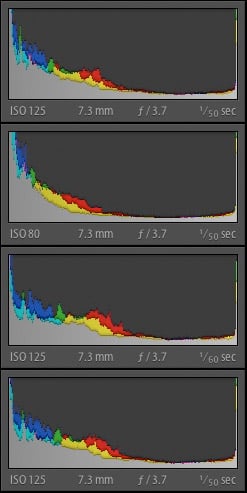
I did notice some difference from the four shots (Off, Low, Mid, and High). I've included histograms from Lightroom to illustrate the changes. Oddly enough one of the images uses a different ISO.
But the key things to observe are the increasing shift in shadow values toward the midtones as the option is intensified and, more importantly, the highlight values. On the image itself, highlights are blown and remain so, suggesting that Intelligent Exposure doesn't protect highlight detail. That's usually the reason for this sort of tool, so it's an odd approach and not one I found particularly valuable.
Finally, I gave Intelligent Auto a tough test. I took a night shot of Tower Market (pretending to be a world famous landmark) using both Program with all the bells and whistles and Intelligent Auto. Power OIS is supposed to be the trick here, but both shots employed it. Notice, however, how much sharper the Intelligent Auto shot is.
In three days I didn't really get a chance to run through everything the camera can do. But I suspect I wouldn't have gotten a handle on it in three months either. There's simply a lot of technology packed into this little box.
Panasonic ZS7 Print Quality
 Prints from the Panasonic ZS7 are good up to 16x20 inches in terms of resolution at ISO 80 and 100, but there's a noticeable dark tint that affects certain colors in the test image, including yellow and orange colors. Detail is quite good, though.
ISO 200 shots make a good 13x19-inch print with only minor softening appearing in fine detail from noise suppression.
ISO 400 shots are usable at 13x19, but look better at 11x14.
ISO 800 shots are good at 8x10 with only minor luminance noise in the shadows.
ISO 1,600 shots are soft on close inspection, but look good when printed at 5x7 inches and smaller.
Overall a good performance from the Panasonic ZS7, though the rendering of yellows in particular is the only disappointing aspect.
In the Box
The retail package includes:
- The Panasonic ZS7 body
- DMW-BCG10E battery pack
- Battery carrying case (a plastic cover)
- Battery charger with built-in prongs
- Wrist strap
- USB cable
- AV cable
- Software CD-ROM with the 176-page advanced manual in PDF
- Basic operating instructions (32 pages)
Panasonic ZS7 Conclusion
| Pro: | Con: |
|---|---|
|
|
The Panasonic ZS7 and the Sony HX5V are so different it's not prudent to recommend one over the other. But after reading both detailed reviews, you shouldn't have any doubts about which one best fits your style.
I like them both so much that I finally understand why pants come with at least two pockets. I had a little more trouble with the Panasonic ZS7 because too many of the intelligent features didn't work for me. Features like Intelligent ISO, I learned to leave off. Others, like Intelligent Exposure, I decided offered much less help than I'd hoped. And some, like Intelligent Resolution, seemed to be no-brainer benefits. Ultimately, though, I found trusting the camera in either regular Program mode or Intelligent Auto routinely captured a better shot than I could in Program mode with all the extra features.
I also really liked the GPS implementation. The information I needed (Are we synched? To how many satellites?) was readily available. While some tags are not reported (like heading and altitude) that did not bother me. Altitude triangulated from GPS data is seldom very accurate, especially with just a few satellites. But being able to translate GPS data in the camera into locations was a real benefit and would be a boon on a trip.
With or without the GPS, the Panasonic ZS7 merits a Dave's Pick. Its higher resolution LCD is beautiful and lets you confirm focus more easily, and its 12x zoom gets you in as close as you want, or lets you step back as far as you need, without stepping at all. And when you're done, all of the Panasonic ZS7's zoom power sits comfortably in a pocket.
Optics
Panasonic ZS7 Optics
Lens
Zoom
A 12x optical zoom range, starting at a wide 25mm equivalent, with good performance. Average results from the 4x digital zoom.
 |
 |
 |
| 25mm eq. | 300mm eq. | 4x Digital Zoom |
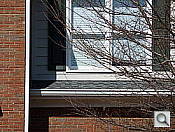
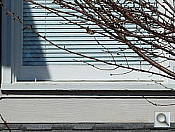
The Panasonic ZS7’s lens offers a very useful 12x optical zoom range, equivalent to a 25-300mm zoom on a 35mm camera. Performance at full wide-angle is quite good for such a wide-angle on a compact long-zoom, though detail is a hint soft across the frame with mild blurring in the corners. Chromatic aberration is visible along the edges, but well controlled for its class. At full telephoto, sharpness is very good across the frame, but chromatic aberration is more noticeable, especially in the tree branches. Results from the camera’s 4x digital zoom are about average, with the typical loss in fine detail and artifacts you’d expect with 4x digital enlargement.
Macro
Smaller than average macro area, with strong detail in the center. The Panasonic ZS7’s flash throttled down well, but was blocked by the lens.
 |
 |
 |
| Standard Macro | Standard Macro with Flash | Macro Zoom |
The Panasonic ZS7’s macro setting captured a fairly small minimum area measuring 1.66 x 1.25 inches (42 x 32 millimeters). Resolution and detail are excellent in the center, but corners were pretty soft, and the softness extends fairly far into the frame. (Most cameras have some softening in the corners in macro mode.) There is also some noticeable chromatic aberration in the dollar bill. The Lumix ZS7’s flash did a pretty good job throttling down, but is blocked by the lens, casting a large shadow across almost have the image. You’ll want to use external lighting for your closest macro shots. The ZS7 also offers digital enlargement during Macro, making for a tiny capture area, but detail isn’t as good because of the interpolation.
Geometric Distortion
Lower than average distortion at both wide-angle and telephoto.
| Barrel distortion at 25mm is 0.5% |
 |
| Pincushion distortion at 300mm is 0.1% |
 |
At full wide-angle, the Panasonic ZS7’s images show about 0.5% distortion, which is lower than average, especially for a 25mm wide long-zoom. At full telephoto, distortion is “moustache-shaped” with about 0.1 % maximum deflection, also lower than average. We’re pretty sure distortion is being corrected during processing, as Panasonic has been doing that for quite a while now on other models. Distortion is the tendency for the lens to bend straight lines outward (like a barrel — usually at wide-angle) or inward (like a pincushion — usually at telephoto).
Chromatic Aberration and Corner Softness
Moderate C.A. at both wide-angle and telephoto. Slight to moderate softness in some corners of the frame.
 |
 |
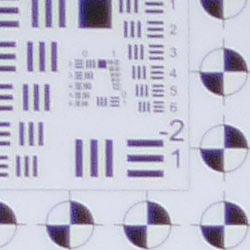
| Wide: top left C.A.: Moderate but not very bright, Softness: Moderate blurring |
Wide: center C.A.: Low Softness: Sharp |
 |
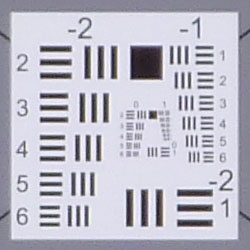 |
| Tele: top right C.A.:Â Moderate Softness: Slightly soft |
Tele: center C.A.: Low Softness: Fairly sharp |
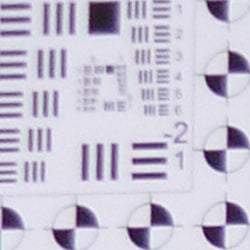
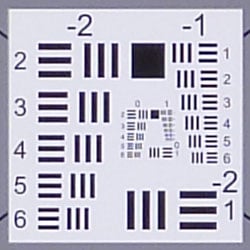
Chromatic Aberration. The Panasonic ZS7’s 12x zoom lens exhibits moderate chromatic aberration at both wide-angle and telephoto. It’s a little brighter at full telephoto, so it’s slightly more noticeable than at wide-angle. The effect extends fairly deep into the frame, but the width and intensity of the fringes reduce as you move toward the center, where it’s very low. Chromatic aberration is a type of distortion visible as a slight colored fringe around the objects at the edges of the field of view on the resolution target.
Corner Softness. The Panasonic ZS7’s lens produced some soft corners at full wide-angle, but the softness doesn’t extend very far into the frame. The top corners were both softer than the bottom corners, while the center was sharp. At full telephoto, corners were only slightly soft. The center was fairly sharp, suffering from slightly lower contrast than at wide-angle. Overall, this is a good performance considering the compact size and range of the lens.
Viewfinder
Coverage
Very good accuracy from the LCD monitor.
 |
 |
| 25mm eq., LCD | 300mm eq., LCD |
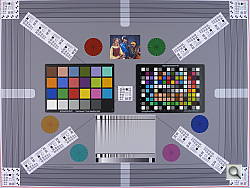
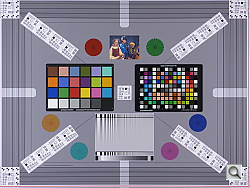
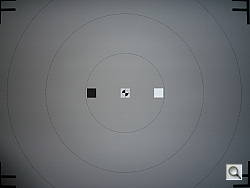
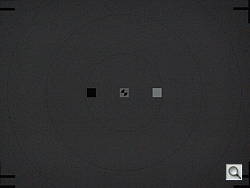
The Panasonic ZS7’s LCD monitor showed 100% coverage accuracy at wide-angle, and about 99% and at full telephoto. We did notice a slight vertical and horizontal shift, but still a very good performance here.
The images above were taken from our standardized test shots. For a
collection of more pictorial photos, see our
Panasonic Lumix DMC-ZS7 Photo Gallery
.
Exposure
Panasonic ZS7 Exposure
Color
Saturation & Hue Accuracy
Very good overall color and hue accuracy, with only minor oversaturation of some colors.
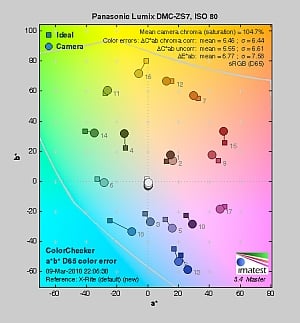 |
| In the diagram above, the squares show the original color, and the circles show the color that the camera captured. More saturated colors are located towards the periphery of the graph. Hue changes as you travel around the center. Thus, hue-accurate, highly saturated colors appear as lines radiating from the center. |
Saturation. The Panasonic ZS7 produced very good saturation overall, with only minor oversaturation in blues, purples and some greens. as well as some greens, some reds and purples. Some other colors such as cyan, yellow and some greens were undersaturated a small amount. Overall, the Panasonic ZS7’s images appeared to have natural looking color that didn’t appear dull. See the Print Quality section below, though, for more on a problem with yellows that look more orange or green. Most consumer digital
cameras produce color that’s more highly saturated (more intense) than found
in the original subjects. This is simply because most people like their
color a bit brighter than life.
Skin tones. Here, the Panasonic ZS7’s skin tones looked a little flat, with only slight warmth. The camera’s Portrait mode adds a nice healthy glow, though. Where oversaturation is most problematic
is on Caucasian skin tones, as it’s very easy for these “memory colors”
to be seen as too bright, too pink, too yellow, etc.
Hue. The Panasonic Lumix ZS7 produced a few color shifts relative to the correct mathematical translation of colors in its subjects, most visibly pushing cyan towards blue (for better-looking skies), red toward orange, and yellow toward green. Still, most shifts were minor and overall hue accuracy was very good. Hue is “what color” the
color is.
 |
 |
 |
| See full set of test images with explanations See thumbnails of all test and gallery images |
||
Sensor
Exposure and White Balance
Indoors, incandescent lighting
Very good color with the Manual white balance setting. About average positive exposure compensation required.
 |
 |
 |
| Auto White Balance +0.3 EV |
Incandescent White Balance +0.3 EV |
Manual White Balance +0.3 EV |
Color balance indoors under incandescent lighting had a slight magenta cast to it with the Auto white balance setting, though it wasn’t too far off the mark. Results were quite warm with the Incandescent setting. The Manual option was the most accurate; perhaps just a touch cool. The Panasonic ZS7’s exposure system handled this lighting well, producing good results with an average amount of exposure compensation, +0.3 EV. Overall color looks pretty good, though the blue flowers look a touch purplish. (Many digital cameras reproduce the blue flowers here with more of a purplish tint, so the Panasonic ZS7 actually performs a bit better than average here.) Our test lighting for this shot is a mixture of 60 and 100 watt household incandescent bulbs, a pretty yellow light source, but a very common one in typical home settings here in the U.S.
Ã
Outdoors, daylight
Slightly high contrast, but generally good exposure and color.
 |
 |
| Auto White Balance, +0.7 EV |
Auto White Balance, Auto Exposure |
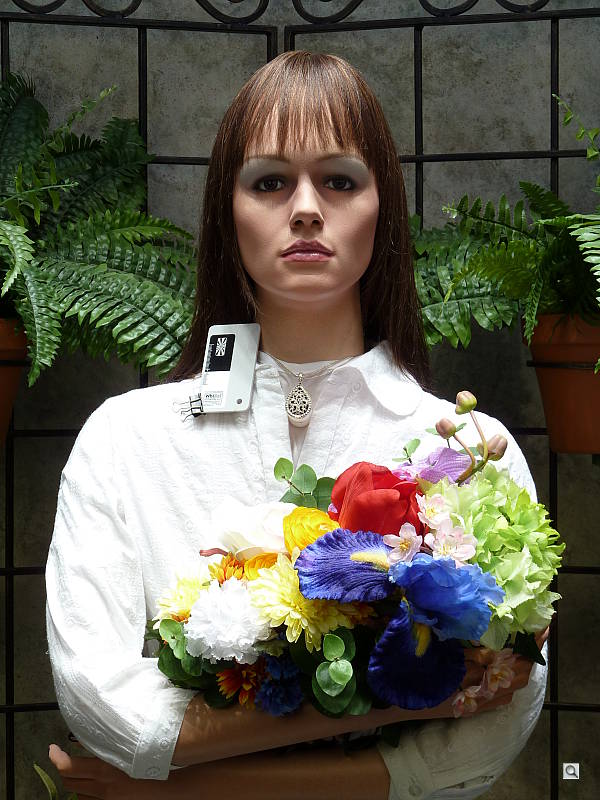
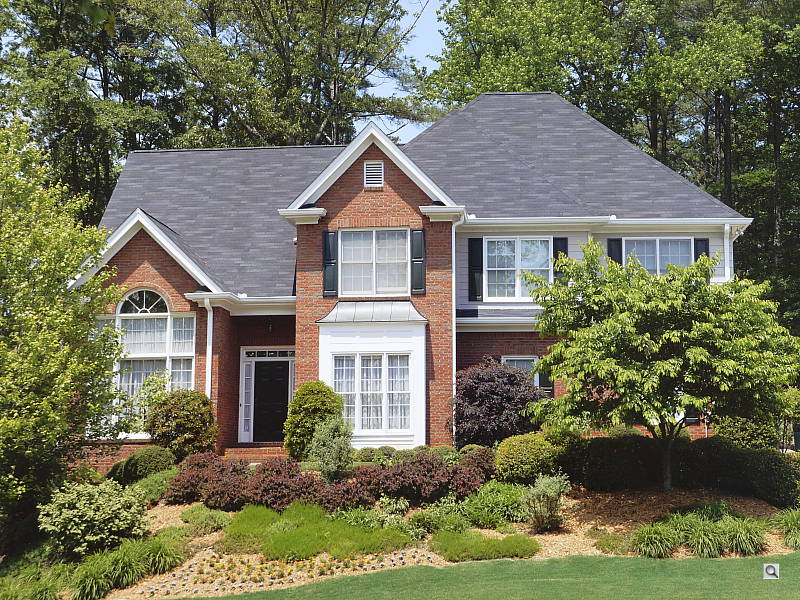
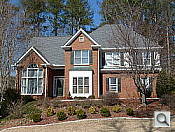
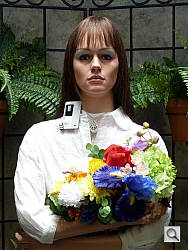
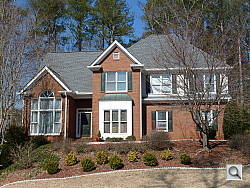
Outdoors, the Panasonic Lumix DMC-ZS7 produced good overall color and exposure, though with slightly high contrast and bright highlights. Shadow detail was pretty good, though noise and noise suppression did limit detail definition there. In the portrait above, an average amount of EV boost (+0.7 EV)Ã was necessary for good skin tones, but it wound up blowing quite a few highlights on the white shirt. Skin tones were somewhat flat, but Portrait mode (see below) added some warmth. Default exposure was a bit hot in the far-field house shot, resulting in some clipped highlights in the white trim. Color looked very natural.
See full set of test images with explanations
See thumbnails of all test and gallery images
Resolution
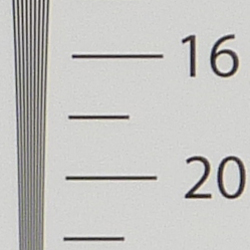
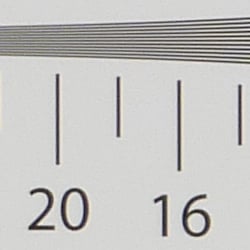
High resolution, 1,700 ~ 1,800 lines of strong detail.
 |
 |
| Strong detail to 1,800 lines horizontal Fine JPEG |
Strong detail to 1,700 lines vertical Fine JPEG |
Our laboratory resolution chart revealed sharp, distinct line patterns down to about 1,800 lines per picture height in the horizontal direction, and about 1,700 lines in the vertical direction. (Some might argue for over 1,800 lines, but artifacts begin to appear at much lower resolutions.) Extinction of the pattern occurred between 2,200 and 2,400 lines in both directions. Use these numbers to compare with other cameras of similar resolution, or use them to see just what higher resolution can mean in terms of potential detail.
See full set of test images with explanations
See thumbnails of all test and gallery images
Sharpness & Detail
Slightly soft images overall, but with only minor edge-enhancement artifacts on high-contrast subjects. Some noise suppression limits detail even at low ISOs in darker areas, even though some noise is still visible. That said, fine detail is better preserved than with many of its competitors.
 |
 |
| Definition of high-contrast elements is affected by noise suppression and there’s evidence of edge enhancement. |
Subtle detail: Hair Noise suppression blurs detail in areas of subtle contrast, as in the darker parts of hair here. |
Sharpness. The Panasonic ZS7 captures a lot of fine detail, though detail definition suffers somewhat from noise suppression, even at low ISO settings. Or it could be a side-effect of Intelligent Resolution. Still, the ZS7 preserves fine detail better than many of its competitors: A better-than-average performance in this area. Only slight enhancement artifacts are visible on high-contrast subjects such as the crop above left. Edge enhancement creates the illusion of sharpness by enhancing colors and tones right at the edge of a rapid transition in color or tone.
Detail. The crop above right shows moderately high noise suppression, with the darker and low contrast areas of hair showing limited detail. Individual strands become smudged together and lose definition in the shadows. Noise-suppression
systems in digital cameras tend to flatten-out detail in areas of subtle
contrast. The effects can often be seen in shots of human hair, where the
individual strands are lost and an almost “watercolor” look appears.
ISO & Noise Performance
Moderate but fine-grained noise at low ISOs, but noise and noise suppression quickly becomes fairly strong at the higher settings.
 |
 |
 |
| ISO 80 | ISO 100 | ISO 200 |
 |
 |
 |
| ISO 400 | ISO 800 | ISO 1,600 |
For its class, the Panasonic Lumix ZS7 shows very good detail at the lowest ISO sensitivity of 80. Luminance noise is visible, but it’s quite fine grained leaving lots of detail except in shadows. Some minor chroma noise is also visible, but it’s quite low. ISOÃ 100 is only slightly noisier, with similar levels of detail. We start to see some smudging of fine detail due to stronger noise reduction at ISOÃ 200. The chroma noise is all but gone at ISOÃ 200 however. ISOÃ 400 has even more detail blurred away, but an increase in sharpening to try to make up for the stronger blurring makes noise pixels and NR artifacts more visible. As you’d expect, the loss of detail continues at ISOÃ 800, and chroma noise becomes an issue, with large patches of purple and yellow in shadows and midtones. ISO 1,600 is very soft due to heavy NRÃ blurring, with visible noise pixel artifacts. On-screen crops like this tell you only part of the story with a camera, though: To see how these images held up when printing at various sizes, read the Output Quality section below.
Extremes: Sunlit and low light tests
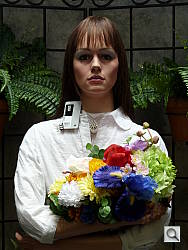
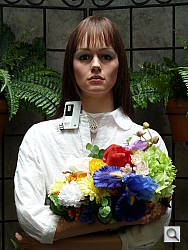
High resolution with good overall detail, but somewhat high contrast. Good low-light capabilities.
 |
 |
 |
| 0.0 EV | +0.3 EV | +0.7 EV |
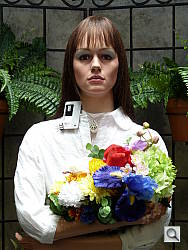
Sunlight. The Panasonic Lumix ZS7 produced somewhat high contrast under the deliberately harsh lighting in the test above, with washed-out highlights and deep shadows. Noise and noise suppression artifacts limit detail in the shadow areas, though some detail there still remains. At +0.7 EV, the highlights on the white shirt are really quite hot, but the exposure at +0.3 EV was a little too dim in the face. The DMC-ZS7 does have an Intelligent Exposure mode, which attempts to correct for situations like this, by adjusting exposure and contrast automatically.
 |
 |
 |
| 0.0 EV | +0.3 EV | +0.7 EV |
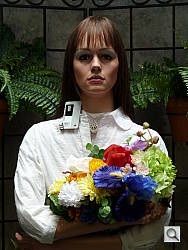
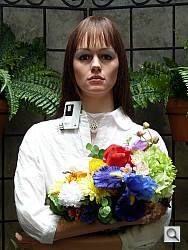
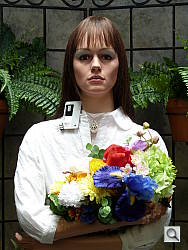
Intelligent Exposure. Here is the same series, but with Intelligent Exposure enabled. As you can see, the effect can be quite subtle. It seemed to work best with +0.3 EVÃ compensation in this case, but would probably work better with a strongly backlit scene.
| Face Detection Example | |
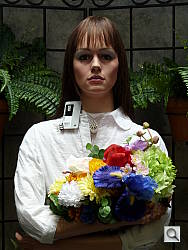 |
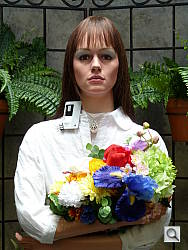 |
| Program AE, 0 EV | Portrait Mode, 0 EV |
Face Detection. The above images show the effect of the Panasonic ZS7’s face detection auto exposureà in Portrait mode. The ZS7 Portrait mode did make a big difference to our Portrait shot, not only automatically adjusting exposure to keep the face bright, but also warming the skin tones and turning down the sharpening to reduce the visibility of blemishes. As you can see, auto exposure in Portrait mode was similar to our manual selection of +0.7 EV with Portrait mode off.
Because digital cameras are more like slide film than negative film (in that they tend to have a more limited tonal range), we test them in the harshest situations to see how they handle scenes with bright highlights and dark shadows, as well as what kind of sensitivity they have in low light. The shot above is designed to mimic the very harsh, contrasty effect of direct noonday sunlight, a very tough challenge for most digital cameras. (You can read details of this test here.)
| 1 foot-candle (11 lux) | |||||
|---|---|---|---|---|---|
 2.5 sec f3.3 ISO 80 |
 2.0 sec f3.3 ISO 100 |
 1.0 sec f3.3 ISO 200 |
 0.5 sec f3.3 ISO 400 |
 1/4 sec f3.3 ISO 800 |
 1/8 sec f3.3 ISO 1600 |
| Special Modes, 1 foot-candle | |
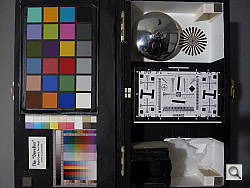 |
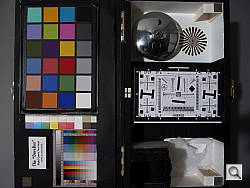 |
| Intelligent Exposure 1/2 sec, f3.3, ISO 400 |
Night Scene Mode 2.5 sec, f3.3, ISOÃ 80 |
Low light. The Panasonic Lumix ZS7 performed fairly well on the low-light tests. In Shutter Priority mode, the maximum exposure is 8 seconds. This increases to 60 seconds in Manual exposure mode, which is better than most compacts. The LZ7 would have no problem properly exposing at the lowest light level we normally test at. Noise is well controlled up to ISOÃ 200, but higher ISOs should still be usable for smaller prints. Auto white balance performed well, resulting in fairly neutral color that was just a touch cool.
In the Special Modes examples above, Intelligent Exposure mode selected ISOÃ 400, which is a bit noisy, but you may get away hand holding the camera with the help of the ZS7’s optical image stabilization. Night Scene mode selected ISOÃ 80, which is much cleaner, but the shutter speed is also much longer, requiring a tripod. (A useful trick when shooting under dim lighting is to just prop the camera on a convenient surface, and use its self-timer to release the shutter. This avoids any jiggling from your finger pressing the shutter button, and can work quite well when you don’t have a tripod handy.)
The camera’s AF system preformed fairly well, able to focus down to about the 1/8 foot-candle light level unassisted, an in complete darkness with the AF assist lamp enabled.
How bright is this? The one foot-candle light level
that this test begins at roughly corresponds to the brightness of typical
city street-lighting at night. Cameras performing well at that level should
be able to snap good-looking photos of street-lit scenes.
NOTE: This low light test is conducted with a stationary subject,
and the camera mounted on a sturdy tripod. Most digital cameras will
fail miserably when faced with a moving subject in dim lighting. (For
example, a child’s ballet recital or a holiday pageant in a gymnasium.)
For such applications, you may have better luck with a digital SLR camera,
but even there, you’ll likely need to set the focus manually. For information
and reviews on digital SLRs, refer to our SLR
review index page.
Flash
Coverage and Range
Fairly weak flash with uneven coverage at wide-angle. iAuto flash produced bright results.
 |
 |
| 25mm equivalent (ISO 160) |
300mm equivalent (ISOÃ 1,000) |
 |
|
| iAuto Flash (ISO 320) |
|
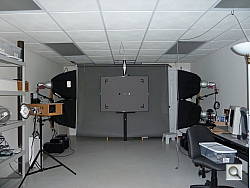
Coverage. Flash coverage was uneven at wide-angle (but not too bad, given the wider-than-average 25mm equivalent focal length). Coverage is more uniform at telephoto, but even at ISOÃ 1,000 the flash range isn’t powerful enough for full telephoto in our test.
Exposure. In the Indoor test, the camera’s iAuto mode produced a bright image, but boosted ISO sensitivity to 320 to compensate for the under-powered flash.
| Flash Range: wide-angle | |||||
|---|---|---|---|---|---|
| 6 ft | 7 ft | 8 ft | 9 ft | 10 ft | 11 ft |
 1/30 sec f3.3 ISO 100 |
 1/30 sec f3.3 ISO 100 |
 1/30 sec f3.3 ISO 100 |
 1/30 sec f3.3 ISO 100 |
 1/30 sec f3.3 ISO 100 |
 1/30 sec f3.3 ISO 100 |
| 12 ft | 13 ft | 14 ft | 15 ft | 16 ft | |
 1/30 sec f3.3 ISO 100 |
 1/30 sec f3.3 ISO 100 |
 1/30 sec f3.3 ISO 100 |
 1/30 sec f3.3 ISO 100 |
 1/30 sec f3.3 ISO 100 |
|
| Flash Range: Telephoto | |||||
|---|---|---|---|---|---|
| 6 ft | 7 ft | 8 ft | 9 ft | 10 ft | 11 ft |
 1/60 sec f4.9 ISO 100 |
 1/60 sec f4.9 ISO 100 |
 1/60 sec f4.9 ISO 100 |
 1/60 sec f4.9 ISO 100 |
 1/60 sec f4.9 ISO 100 |
 1/60 sec f4.9 ISO 100 |
| 12 ft | 13 ft | 14 ft | 15 ft | 16 ft | |
 1/60 sec f4.9 ISO 100 |
 1/60 sec f4.9 ISO 100 |
 1/60 sec f4.9 ISO 100 |
 1/60 sec f4.9 ISO 100 |
 1/60 sec f4.9 ISO 100 |
|
ISO 100 Range. At wide-angle and ISO 100, flash shots started out a bit dim at 6 feet, becoming gradually dimmer from there. At telephoto, flash shots were quite dim already at 6 feet, becoming dark at farther distances.
| Manufacturer-Specified Flash Range | |
|---|---|
| wide-angle | Telephoto |
 17.4 feet Auto ISO 400 |
 11.8 feet Auto ISO 640 |
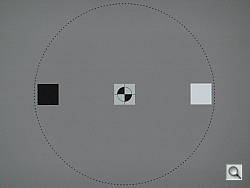
Manufacturer Specified Flash Test. In both the wide-angle and telephoto shots above, the Lumix ZS7’s flash does not appear to perform to Panasonic’s rated distances, producing somewhat dim exposures despite boosting ISO to 400 and 640 respectively. Our standard test method for flash
range uses a fixed setting of ISO 100, to provide a fair basis of comparison
between cameras. We’ve now also begun shooting two shots using the manufacturer-specified
camera settings, at the range the company claims for the camera, to assess
the validity of the specific claims.
Output Quality
Print Quality
Good print quality at 16×20 inches. ISO 400 images are soft but usable at 13×19, ISO 800 shots are better at 8×10, and ISO 1,600 shots are usable at 5×7 or smaller.
ISO 200 shots make a good 13×19-inch print with only minor softening appearing in fine detail from noise suppression.
ISO 400 shots are usable at 13×19, but look better at 11×14.
ISO 800 shots are good at 8×10 with only minor luminance noise in the shadows.
ISO 1,600 shots are soft on close inspection, but look good when printed at 5×7 inches and smaller.
Overall a good performance from the Panasonic ZS7, though the rendering of yellows in particular is the only disappointing aspect.
Testing hundreds of digital cameras, we’ve found that you can only tell just so much about a camera’s image quality by viewing its images on-screen. Ultimately, there’s no substitute for printing a lot of images and examining them closely. For this reason, we now routinely print sample images from the cameras we test on our Canon Pro9000 Mark II studio printer, and on the Canon Pixma MP610 here in the office. (See the Canon Pixma Pro9000 Mark II review for details on that model.)
The images above were taken from our standardized test shots. For a
collection of more pictorial photos, see our
Panasonic Lumix DMC-ZS7 Photo Gallery
.
Not sure which camera to buy? Let your eyes be the ultimate judge!
Visit our Comparometer(tm)
to compare images from the Panasonic Lumix DMC-ZS7 with those from other
cameras you may be considering. The proof is in the pictures, so let
your own eyes decide which you like best!
Performance
Panasonic ZS7 Performance
Timing and Performance
Good performance overall for a compact long-zoom digicam.
|
Startup/Shutdown
|
||
|
Power on |
2.5 seconds |
Time it takes for LCD to turn on |
|
Shutdown |
1.8 seconds |
How long it takes to retract lens. |
|
Buffer clearing time |
2 seconds * (after 3 frame burst of L/F JPEGs) |
Worst case buffer clearing time. |
|
*Note: Buffer clearing times measured with a SanDisk Extreme III 8GB memory card. Slower cards will produce correspondingly longer clearing times.
|
||
Good startup and shutdown times here for a long-zoom digicam. Buffer clearing times will depend a lot on the speed of the card.
| Shutter Response (Lag Time) | ||
|---|---|---|
|
Full Autofocus Wide |
0.51 second |
Time from fully pressing shutter button to image capture, zoom lens at wide-angle position. |
|
Full Autofocus Tele |
0.45 second |
Time from fully pressing shutter button to image capture, zoom lens at telephoto position. |
|
Full Autofocus
Flash enabled |
0.65 second
|
Time from fully pressing shutter button to image capture, zoom lens at wide-angle position, Auto flash enabled.
|
|
Prefocused |
0.012 second |
Time to capture, after half-pressing |
The Panasonic ZS7’s full AF shutter response is slightly faster than average at wide-angle for a long zoom, at 0.51 second. At full telephoto, AF shutter lag is much faster than average for its class, at 0.45 second. Enabling the flash increases lag time to 0.65s due to the preflash metering involved, but that’s still pretty good. “Prefocusing” the camera by half-pressing and holding down the shutter button before the final exposure results in a lag time of only 0.012 second, which is incredibly fast.
| Cycle Time (shot to shot) | ||
|---|---|---|
|
Single Shot mode
Large Fine JPEG |
1.96 seconds |
Time per shot, averaged over 20 shots, 2 seconds to clear. |
|
Early shutter |
YES
|
Some cameras don’t snap another |
|
Continuous mode |
0.55 second (1.82 frames per second); 3 frames total; 2 second to clear* |
Time per shot, averaged over buffer length of 3 frames. |
|
Hi-Speed Burst mode |
0.10 second (10.0 frames per second); 48 frames total; 5 second to clear* |
Time per shot, averaged over buffer length of 48 frames. |
|
Flash recycling |
6.9 seconds |
Flash at maximum output. |
|
*Note: Buffer clearing times measured with a SanDisk Extreme III 8GB memory card. Slower cards will produce correspondingly slower clearing times. Slow cards may also limit length of bursts in continuous mode. ISO sensitivity also affects cycle times and burst mode performance, with higher ISOs generally increasing cycle times and reducing burst performance. |
||
Shot-to-shot cycle times are about average, at about 1.96 seconds for large/fine JPEGs. The Panasonic ZS7’s full resolution continuous shooting mode is a bit slower than average, at 1.82 frames per second for only 3 large/fine frames. Switching to standard quality JPEGs increases the buffer to 5 frames. The Lumix ZS7 has a Hi-Speed Burst mode at a reduced resolution of 3-megapixels, though. In that mode, we got 10 frames per second for 48 frames. The flash takes 6.9 seconds to recharge after a full-power shot, which is a bit slow.
| Download Speed | ||
|---|---|---|
|
Windows Computer, USB 2.0 |
6,607 KBytes/sec |
Typical Values: |
Connected to a computer or printer with USB 2.0, download speeds are excellent.
Bottom line, the Panasonic Lumix ZS7’s performance is generally better than average for a compact long-zoom, though full resolution burst mode and flash recycle times are slower than average.
Battery and Storage Capacity
Battery
Average battery life for a lithium-ion design.
| Operating Mode | Battery Life |
|---|---|
|
Still shot capture,
(CIPA standard) |
300 shots
|
|
Video, continuous recording
(AVCHD or Motion JPEG) |
100 mins
|
|
Playback
|
300 mins
|
The Panasonic ZS7 uses a custom rechargeable lithium-ion battery for power, and ships with a charger. Although battery life is about average, we recommend you pick up a spare battery and keep it freshly charged and on-hand for extended outings.
The table above shows the number of shots the camera is capable of (on a fully-charged rechargeable battery as appropriate), based on CIPA battery-life and/or manufacturer standard test conditions.
(Interested readers can find an English translation of the CIPA DC-002 standards document here. (180K PDF document))
Storage
The Panasonic ZS7 accepts SD/SDHC/SDXC memory cards, and includes 15MB of usable built-in memory. For HD movie capture, Panasonic recommends using cards that are Class 4 or higher.
| Image Capacity with 15MB Internal Memory |
Fine | Standard | |
|---|---|---|---|
|
4,000 x 3,000
|
Images
(Avg Size) |
2 7.5 MB |
3 5.0 MB |
|
Approx.
Comp. |
5:1 | 7:1 | |
|
3,264 x 2,448
|
Images
(Avg Size) |
3 5.0 MB |
5 3.0 MB |
|
Approx.
Comp. |
5:1 | 8:1 | |
|
2,560 x 1,920
|
Images
(Avg Size) |
4 3.8 MB |
7 2.1 MB |
|
Approx.
Comp. |
4:1 | 7:1 | |
|
2,048 x 1,536
|
Images
(Avg Size) |
8 1.9 MB |
17 882 KB |
|
Approx.
Comp. |
5:1 | 11:1 | |
|
640 x 480
|
Images
(Avg Size) |
65 231 KB |
100 150 KB |
|
Approx.
Comp. |
4:1 | 6:1 | |
We strongly recommend buying a large capacity SD/SDHC memory card at least a 2GB card, preferably a 4 or 8GB one, to give yourself extra space for extended outings or video. (Check the shopping link above, cards are really cheap these days, so no reason to skimp.)