

Overview
- - -
Review update:
Canon recently updated this model line with the Rebel T7i, which keeps a similar 24-megapixel APS-C sensor, yet offers a number of other upgrades, including a faster DIGIC 7 image processor, higher ISO range, more individual AF points (45 insteady of 19) and a faster burst shooting rate. To see how it compares to the T6i, read our Canon T7i review for more information or see a detailed side-by-side comparison!
- - -

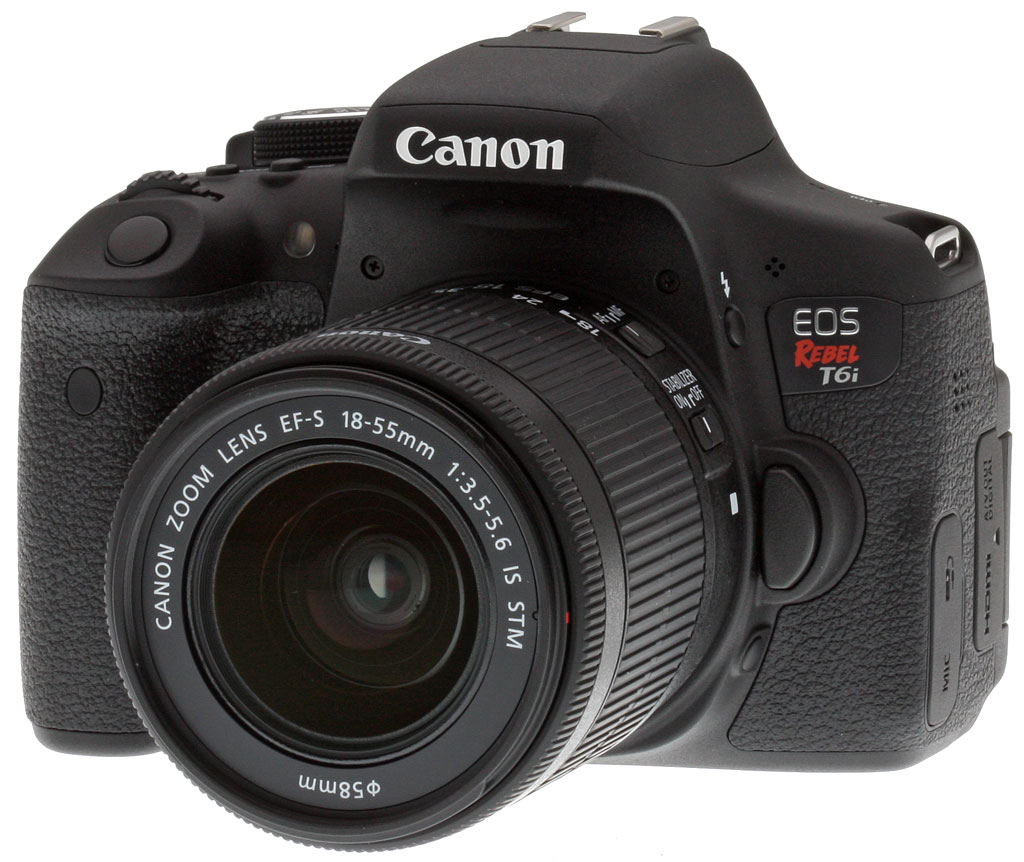
Looking for an affordable consumer-grade DSLR, but want something from the 2015 model year that incorporates plenty of up-to-date tech? If so, the Canon T6i (750D) has your name on it. Launched alongside the Rebel T6s -- Canon's 2015 flagship Rebel-series camera -- the T6i includes most of the same features at a noticeably lower pricetag. (And that's money back in your pocket -- or some spending cash for lenses and accessories, if you prefer.)
With a difference in list price of around US$100 at launch, it's pretty important to know what you're missing out on, though. Most notably, the Canon T6i lacks its flagship sibling's top deck LCD info display and rear-panel Control Dial interface, features that would likely make things easier on you if you're shooting with a higher-end Canon DSLR, and want to pick up a Rebel as a second body.
The Canon T6i also relies on the user to enable or disable its LCD monitor as needed, where the T6s does so automatically, saving time and battery life. And the T6i also lacks its sibling's single-axis electronic level, ability to adjust focus between burst frames in live view mode, and HDR / digital zoom functions for movie capture.
In most other respects, though, the Canon T6i is much the same camera at an even better price. You gain access to the same brand-new 24.2-megapixel CMOS image sensor as in the T6s -- the highest resolution ever provided by a Canon APS-C format DSLR. Output is handled by a DIGIC 6 image processor, making its first appearance in the Rebel series. Together, the pairing provide the same ISO 100-12,800 (plus 25,600 boost) sensitivity range and five frames per second burst rate as in the earlier Rebel T5i, despite a one-third increase in the total pixel count.

The Canon T6i also shares the same 19-point, all cross-type phase-detection autofocus coupled with the latest-generation Hybrid CMOS AF III autofocus, which yields significantly better performance and tracking in live-view shooting. And like the T6s, the Rebel T6i boasts a significantly improved 7,560 pixel RGB+IR metering sensor, sports a locking mode dial, and features a thru-the-lens viewfinder with Canon's Intelligent Viewfinder overlay function, another Rebel-series first. Also new are in-camera Wi-Fi wireless networking with Active NFC pairing, Silent Shooting mode support, flicker detection, and lens distortion correction among others.
Available since April 2015 in the US market, the Canon T6i is sold in three bundle variants: body-only for around US$750, in a kit with 18-55mm STM zoom lens for some US$900, or in a kit with 18-135mm STM zoom lens for about US$1,099.
In the Box
The Canon T6i retail box ships with the following items:
- Canon EOS Rebel T6i (750D in Europe) body
- Body cap
- Ef Eyecup
- 18-55mm or 18-135mm IS STM lens (depending on bundle and market)
- Front and rear lens caps
- LP-E17 battery pack
- LC-E17 battery charger
- IFC-130U USB interface cable
- EW-300D shoulder strap
- EOS Digital Solution Disk CD-ROM
- Camera Instruction Manual booklet
Recommended Accessories
- Large capacity SDHC/SDXC memory card. Look for at least a Class 6 speed grade card if you plan on shooting video, and consider a fast UHS-I card to minimize buffer clearing times.
- Extra LP-E17 battery pack for extended outings
- BG-E18 battery grip
- ACK-E18 AC adapter kit or DR-E8 DC coupler if you already have a suitable AC adapter (for studio shooting)
- Additional lenses
- External Speedlite flash, or other shoe-mount accessory flash
- Dioptric lenses for viewfinder (if built-in diopter adjustment is insufficient for your prescription)
- External monaural or stereo microphone
- HTC-100 or other Mini-HDMI cable
- Medium size camera bag
Optics
The Canon T6i is available body-only, or bundled with either the Canon EF-S 18-55mm f/3.5-5.6 IS STM lens, or the Canon EF-S 18-135mm f/3.5-5.6 IS STM lens. To see how the 18-55mm STM lens performs, see our Canon T5i Optics page or our full review of this lens on SLRgear.com. For test results of the 18-135mm STM lens, see our Canon 70D Optics page or our full review on SLRgear.com.
Below are our Canon T6i viewfinder accuracy test results.
Viewfinder Test Results
Accuracy
Fair accuracy from the optical viewfinder, though excellent accuracy from the LCD in Live View mode.


We measured the Canon T6i's optical viewfinder coverage at about 94%, a little less than Canon's 95% spec, and the resulting image is slightly shifted both horizontally and vertically with respect to the sensor. This unfortunately isn't that unusual for a consumer DSLR, though. Live View mode using the LCD in record mode was much more accurate, resulting in essentially 100% coverage, and of course the image isn't tilted or offset.
The images above were taken from our standardized test shots. For a collection of more pictorial photos, see our Canon EOS Rebel T6i (EOS 750D) Photo Gallery .
Exposure
Color
Saturation & Hue Accuracy
Realistic saturation levels with excellent hue accuracy.
 |
||
|
ISO Sensitivity
|
||
| In the diagram above, the squares show the original color, and the circles show the color that the camera captured. More saturated colors are located toward the periphery of the graph. Hue changes as you travel around the center. Thus, hue-accurate, highly saturated colors appear as lines radiating from the center. Mouse over the links above to compare ISOs, and click to load a larger version. | ||


Saturation. The Canon T6i produces images with saturation levels that are slightly less pumped than most cameras at default settings. Dark reds are boosted the most, with orange, dark greens and dark blues pushed a little, while cyans and light green are slightly muted. The mean saturation of 107.3% (7.3% oversaturated) at base ISO is slightly lower than average, and it's fairly stable across the ISO ranges, varying from a maximum of 109.5% at ISO 3200 to a minimum of 106.7% at ISO 12,800. Most consumer digital cameras produce color that's more highly saturated (more intense) than found in the original subjects. This is simply because most people like their color a bit brighter than life.
Skin tones. The Canon T6i produces pleasing, natural-looking Caucasian skin tones in our tests when using manual white balance. Darker skin tones show a small nudge toward orange, but lighter tones are more pinkish. Very good results overall. Where oversaturation is most problematic is on Caucasian skin tones, as it's very easy for these "memory colors" to be seen as too bright, too pink, too yellow, etc.
Hue. As we've come to expect from Canon, the T6i's hue accuracy is excellent when manual white balance is used (as it always is for these results), and is much better than average. There are the usual shifts in cyan toward blue (though actually quite small), red toward orange, orange toward yellow, but all are fairly minor and there's virtually no shift in yellow (which is often shifted towards green). Average "delta-C" color error at base ISO is only 3.37 which is first-rate, one of the better scores we've recorded to date. Delta-C color error increases with ISO, but remains better than average even at the highest ISOs. Hue is "what color" the
color is.


Sensor
Exposure and White Balance
Indoors, incandescent lighting
Auto and Incandescent settings both struggled with household incandescent lighting, though Manual white balance worked well. Slightly higher than average exposure compensation required.


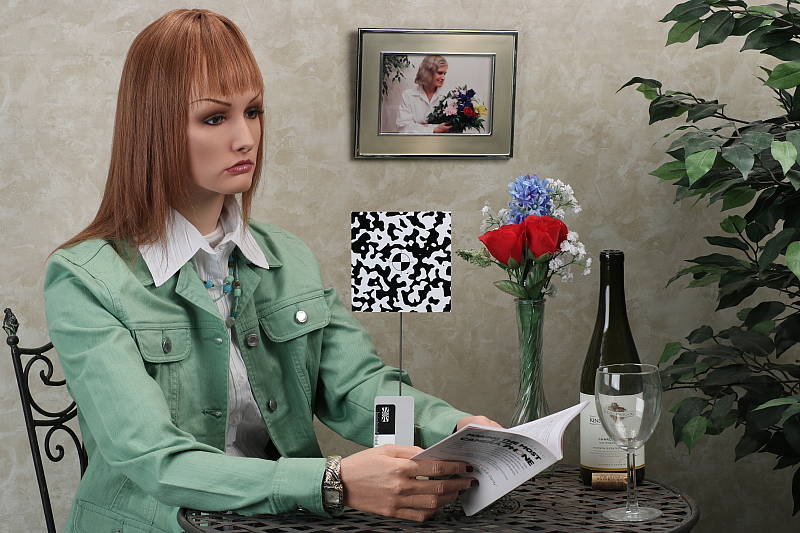
Indoors, under incandescent lighting, the Canon T6i's Auto and Incandescent white balance settings struggled, producing very warm reddish or orange/yellow color casts. Unfortunately, this is not uncommon among cameras we've tested, but disappointing nonetheless. The Manual setting produced the most accurate results, though just slightly cool with a small nudge towards green. The Canon T6i required +0.7 EV exposure compensation for this shot, which is slightly higher than the +0.3 EV average among the cameras we've tested. (Our test lighting for this shot is a mixture of 60 and 100 watt household incandescent bulbs, a pretty yellow light source, but a very common one in typical home settings here in the U.S.)
Outdoors, daylight
Very good color, though a tendency towards slightly cool color balance with somewhat high contrast under harsh lighting. Average exposure accuracy.
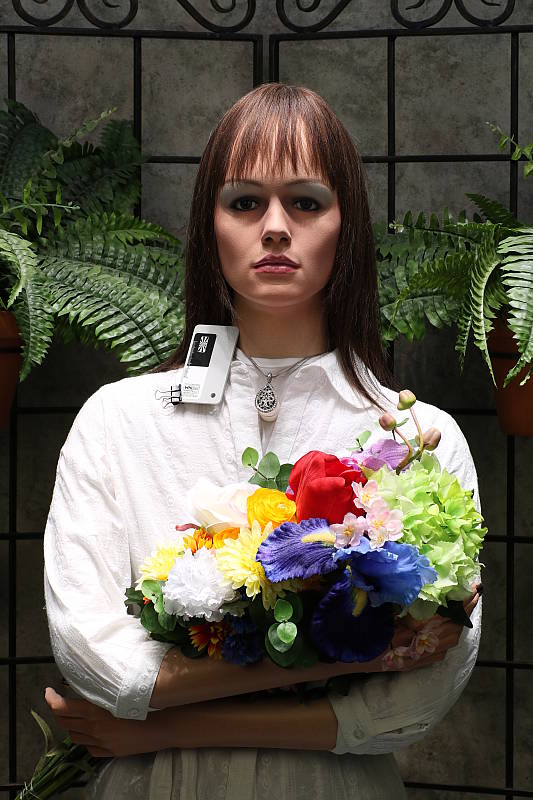
Outdoors, the Canon T6i tended toward a slightly cool color balance with auto WB, so we preferred the manual white balance setting for our "Sunlit" portrait shot above left for its warmer skin tones, though overall color is generally very good. The Canon T6i required +0.7 EV exposure compensation to keep the mannequin's face bright, about average for this shot. The Canon T6i's default contrast is a little high, producing some washed-out highlights and dark shadows under the deliberately harsh lighting of the shot above left, though the camera's contrast, Auto Lighting Optimizer and Highlight Tone Priority settings help with high contrast scenes like these. See below for examples of this. The Far-field shot (above right) is also a bit cool with auto white balance, but exposure is pretty good, perhaps just slight dim. But the camera avoided blowing almost all highlights, though there are some deep shadows which contain moderate amounts of noise.
See full set of test images with explanations
See thumbnails of all test and gallery images
Resolution
~2,700 lines of strong detail from JPEGs, about 2,800 from RAW.

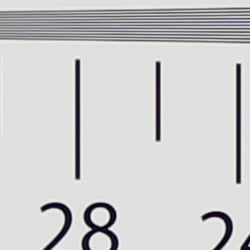
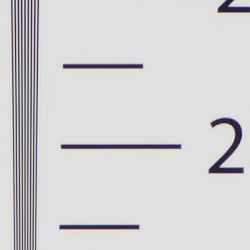

Our laboratory resolution chart showed the Canon T6i's images with sharp, distinct line patterns down to just over 2,700 lines per picture height horizontally and to about 2,700 lines vertically. Some may argue for higher numbers, but lines begin to merge at this resolution, and some aliasing artifacts in the form of moiré patterns can be seen as low as 2,300 lines. Extinction of the pattern occurred between 3,400 and 3,600 lines. An Adobe Camera Raw converted .CR2 file shows slightly higher resolution than the in-camera JPEG, perhaps another 100 lines, though complete extinction of the pattern was extended to between 3,600 and 4,000 lines, close to the limit of our chart. While ACR was able to extract more detail, it also produced more moiré and false colors. Use these numbers to compare with other cameras of similar resolution, or use them to see just what higher resolution can mean in terms of potential detail.
See full set of test images with explanations
See thumbnails of all test and gallery images
Sharpness & Detail
Slightly soft images at default sharpening, but with noticeable sharpening artifacts. Minor to moderate detail loss due to noise reduction processing even at low ISOs.


Sharpness. The Canon T6i's 24-megapixel sensor captures very good image detail when coupled with a good lens, though JPEG images are a bit soft. (Keep in mind Canon has decided to keep an optical low-pass filter in the T6i to reduce aliasing artifacts at the cost of slightly reduced sharpness, unlike some competing models which have gone the other way. However the T6i's OLPF appears to be fairly weak.) Yet the T6i's default sharpening setting generates visible edge-enhancement artifacts in the form of obvious sharpening halos around high-contrast edges, as shown in the crop above left. Edge enhancement creates the illusion of sharpness by enhancing colors and tones right at the edge of a rapid transition in color or tone.
Detail. The crop above right shows some detail loss due to noise suppression in darker areas and in areas with low contrast, perhaps just a little more than we're accustomed to seeing from a digital SLR at base ISO. Still, a good performance for a 24-megapixel APS-C model. Noise-suppression systems in digital cameras tend to flatten-out detail in areas of subtle contrast. The effects can often be seen in shots of human hair, where the individual strands are lost and an almost "watercolor" look appears.
RAW vs In-Camera JPEGs
As noted above the Canon T6i produces JPEG images with very good detail, but that are somewhat soft with visible sharpening halos. With a good RAW converter, additional detail can often be extracted with fewer sharpening artifacts. See below:
|
Base ISO (100)
|
|
 |
 |
 |
 |
 |
 |
|
Camera JPEG, defaults
|
RAW via Adobe Camera Raw
|
In the table above, we compare a best quality in-camera JPEG taken at base ISO using default noise reduction and sharpening (on the left) to the matching RAW file converted with Adobe Camera Raw 9.1 using default noise reduction with some strong but tight unsharp masking applied in Photoshop (300%, radius of 0.3 pixels, and a threshold of 0).
Looking closely at the images, we can see ACR extracts additional detail that isn't present in the JPEG from the camera, particularly in the red-leaf and pink swatches where the fine thread pattern is likely treated as noise by the JPEG engine. Fine detail in the mosaic crop is also improved, but as is often the case, the conversion isn't as clean and smooth looking, with more noise that can be seen in the flatter areas of the bottle crop. You can of course apply stronger noise reduction (default ACR NR used here) to arrive at your ideal noise versus detail tradeoff. And, as expected, sharpening halos aren't nearly as strong as the default camera output. Still, not bad in-camera default JPEG processing, but as usual you can do noticeably better by shooting in RAW mode and using a good RAW converter.
ISO & Noise Performance
Pretty good high ISO performance for a high-res APS-C sensor.
|
Default High ISO Noise Reduction
|
||
 |
 |
 |
| ISO 100 | ISO 200 | ISO 400 |
 |
 |
 |
ISO 800 | ISO 1600 | ISO 3200 |
 |
 |
 |
ISO 6400 | ISO 12,800 | ISO 25,600 |
Images are quite clean at ISOs 100 and 200, with just a tiny amount of luminance noise seen in the darker areas, and very little chroma noise. Some blurring of fine low-contrast detail is already visible at base ISO, though, as mentioned previously. Noise "grain" is slightly more evident at ISO 400, but detail remains very strong despite some minor blurring due to noise reduction. ISO 800 is of course a little noisier, but fine detail is still very good with a noise grain that's quite fine and chroma noise well under control. At ISO 1600 blurring becomes noticeably stronger resulting in a more evident drop in image quality, though a fair amount of fine detail is still left. ISO 3200 is quite a bit grainier with minor chroma noise, but there is still some fine detail left. ISO 6400 is quite grainy, but the grain is still fairly tight and not too obtrusive. Noise and the effects of noise reduction working hard to keep it under control really become apparent at ISOs 12,800 and 25,600 with heavier luminance noise, stronger blurring and more obvious chroma blotching.
All-in-all, pretty good high ISO performance for its class, though not quite as good as some rivals.
As always, see the Print Quality section below for maximum recommended print sizes at each ISO, as printed results often don't correlate well to images viewed on a monitor at 100%.
A note about focus for this shot: We used to shoot this image at f/4, however depth of field became so shallow with larger, high-resolution sensors that it was difficult to keep important areas of this shot in focus, so we have since started shooting at f/8, the best compromise between depth of field and sharpness.
Extremes: Sunlit, dynamic range and low light tests
Very high resolution with strong overall detail, but somewhat high default contrast and unremarkable dynamic range. HTP and ALO options do a great job of dealing with tough lighting. Very good low-light performance.


The Canon T6i produces images with moderately high contrast with some washed-out highlights and deep shadows under the deliberately harsh lighting of the test above. The mannequin's face was too dim at the default and +0.3 EV settings and too many highlights were blown with +1.0 EV, so we preferred the image with +0.7 EV exposure compensation. This resulted in some clipped highlights in the shirt and flowers, a bit more than we're used to seeing from an APS-C sensor lately, indicating mediocre use of available dynamic range compared to the best of recent competitors. Shadow detail was however pretty good, though very deep shadows are a bit noisy and posterized. Bottom line: while dynamic range isn't bad, the Canon T6i didn't do as well with this difficult shot compared to some recent state-of-the-art peers.
Because digital cameras are more like slide film than negative film (in that they tend to have a more limited tonal range), we test them in the harshest situations to see how they handle scenes with bright highlights and dark shadows, as well as what kind of sensitivity they have in low light. The shot above is designed to mimic the very harsh, contrasty effect of direct noonday sunlight, a very tough challenge for most digital cameras. (You can read details of this test here. In actual shooting conditions, be sure to use fill flash in situations like the one shown here; it's better to shoot in open shade whenever possible.)
Face Detection
Just like most point & shoot cameras these days, the Canon T6i has the ability to detect faces in Live View mode, and adjust exposure and focus accordingly.
| Face Detection | ||
 |
 |
 |
| Aperture Priority Face Detect: Off 0 EV |
Aperture Priority Face Detect: On 0 EV |
Auto Mode 0 EV |
As you can see from the examples above, it works well, as the center image with face detection enabled is better exposed for the face than the left image where face detection was not employed. Full Auto mode (right) was also an improvement over Aperture Priority without face detection, selecting a larger aperture than we normally use for this shot (f/3.5 vs f/8). Good results here.
Highlight Tone Priority
The Canon T6i's Highlight Tone Priority (HTP) option did an excellent job of preserving highlight detail, though shadows were also affected, as shown below. (Mouse over the Off and On links to load the corresponding thumbnail, histogram and crops.)
|
Highlight Tone Priority (0 EV)
|
|
 |
|
| Highlights |  |
| Shadows (Levels boosted to reveal noise.) |
 |
| Histogram |  |
Both shots above were captured at the same exposure, the only difference being that HTP was enabled for the second shot which necessarily increases the ISO to 200; part of how HTP works. The result is evident in the histograms and thumbnails above, clearly showing the superior highlight preservation when HTP is enabled, though shadow brightness is also affected somewhat. If you look closely at shadows (the levels in shadow crops above are heavily boosted to reveal noise that would be difficult to see otherwise), you'll notice an increase in noise is the price you pay when ISO is boosted from 100 to 200.
Automatic Lighting Optimization
Like previous Canon EOS models, the T6i offers three selectable levels of Automatic Lighting Optimization (ALO), plus Off. In fully automatic (Scene Intelligent Auto) ALO is automatically enabled and it's available in P, Tv and Av exposure modes. Mouse over the links below to load the associated thumbnail and histogram, and click on the links to load full resolution images.
|
Automatic Lighting Optimization (0 EV)
|
|
 |
|
 |
|
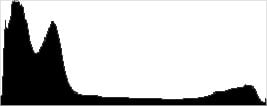
As you can see above, ALO has the effect of shifting shadows and darker mid-tones in the histograms to the right, brightening shadows and indeed most of the image without affecting highlights much. ISO is not boosted for ALO so increased noise is not an issue, though it may be slightly more visible in shadows that have been boosted significantly.
HDR Backlight Control
Like its predecessor, the T5i, the Canon T6i has an HDR Backlight Control scene mode, which takes three continuous shots at different exposures and merges them together to create an image with wider tonal range than would be possible with a single exposure. We did not however test this scene mode in the lab.
Dynamic Range Analysis (RAW mode)
While we once performed our own dynamic range measurements based on in-camera JPEGs as well as converted RAW images (when the camera was supported by Adobe Camera Raw), we've switched to using DxO Labs' results from their DxOMark website. As technology advanced, the dynamic range of modern high-end cameras in some cases exceeded the range of the Stouffer T4110 density scale that we used for our own measurements. DxO's approach based on RAW data before demosaicing is also more revealing, because it measures the fundamental dynamic range of the sensor, irrespective of whatever processing is applied to JPEGs, or to RAW data by off-the-shelf conversion software.
In the following, we use DxO's "Print" dynamic range results, which are scaled based on camera resolution. As the name suggests, this scaling corresponds to the situation in which you print at a given size, regardless of how many megapixels the camera might have. (In other words, if you've decided to make a 13x19 inch print, that's the size you're printing, whether the camera's resolution is 16 or 300 megapixels.) For the technically-minded, you can find a discussion of the reasoning behind this here on the DxOMark website. Also note that DxO Labs uses a signal-to-noise (SNR) threshold of 1 when defining the lower boundary of acceptable luminance noise in their dynamic range measurements, which corresponds to the "Low Quality" threshold of the Imatest software we used to use for this measurement.

Here, we decided to compare the Canon T6i's (750D) dynamic range to its predecessor, the T5i (700D), and also to Nikon's D5500. You can always compare other models on DxOMark.com.
As you can see from the above graph (click for a larger version), the Canon T6i's dynamic range is improved over the T5i's across the board, with a peak of about 12.0 versus 11.2 EV at base ISO, and a minimum of about 6.6 vs 5.7 EV at the ISO 25,600 setting.
The Nikon D5500 does significantly better at low to moderate ISOs, though, with a peak of about 14.0 EV at base ISO which is a whopping 2 EV advantage. But as ISO rises, the gap shrinks and the two cameras perform very similarly at ISO 1600 and above. Click here to visit the DxOMark page for the Canon T6i for more of their test results and additional comparisons.
| 1 fc 11 lux |
1/16 fc 0.67 lux |
1/16fc No NR |
|
|---|---|---|---|
| ISO 100 |
 2s, f2.8 |
 30s, f2.8 |
 30s, f2.8 |
| ISO 3200 |
 1/15s, f2.8 |
 1s, f2.8 |
 1s, f2.8 |
| ISO 25600 |
 1/125s, f2.8 |
 1/8s, f2.8 |
 1/8s, f2.8 |
Low Light. The Canon T6i performed well in our low-light tests, capturing bright images at the lowest light level (1/16 foot-candle), even with the lowest sensitivity setting (ISO 100). As expected, noise increases as ISO goes up and light levels go down, but luminance noise remains fairly low and fine-grained at ISO 3200. Some chroma noise in the form of subtle color blotching in the shadows and dark areas is visible at lower light levels, though it's effectively suppressed by default noise reduction. As you'd expect, noise is quite high at the maximum ISO of 25,600, particularly when noise reduction is minimized (extreme right column in the table above).
We noticed a few hot pixels here and there, but nothing out of the ordinary. We didn't see any signs of heat blooming and banding (fixed pattern noise) appears to be very low, though random noise in very deep shadows is a bit high.
Color balance was fairly neutral with Canon T6i's Auto white balance setting, just a touch cool at higher light levels, but warming up at lower.
When using the optical viewfinder and dedicated phase-detect AF, the Canon T6i's autofocus system was able to focus on the subject down to just above the 1/16 foot-candle light level unassisted with an f/2.8 lens. That's good for a consumer DSLR, and the camera was able to focus in complete darkness with AF assist enabled. In Live View mode with Hybrid AF, the Canon T6i was almost able to focus down to the same light level as with the optical viewfinder, which is also very good for a consumer DSLR in Live View mode with an f/2.8 lens.
As always, keep in mind that the longer shutter speeds here demand the use of a tripod to prevent any blurring from camera movement. (A useful trick is to just prop the camera on a convenient surface, and use its self-timer to release the shutter. This avoids any jiggling from your finger pressing the shutter button, and can work quite well when you don't have a tripod handy.)
How bright is this? The one foot-candle light level that this test begins at roughly corresponds to the brightness of typical city street-lighting at night. Cameras performing well at that level should be able to snap good-looking photos of street-lit scenes.
NOTE: This low light test is conducted with a stationary subject, and the camera mounted on a sturdy tripod. Most digital cameras will fail miserably when faced with a moving subject in dim lighting. (For example, a child's ballet recital or a holiday pageant in a gymnasium.) Digital SLRs like the Canon T6i do much better than point & shoots, but you still shouldn't expect a quick autofocus lock with moving subjects.
Output Quality
Print Quality
High-quality prints up to 30 x 40 inches at ISO 100-400; Nice 13 x 19 inch prints at ISO 3200; and 4 x 6 inch prints just pass muster at ISO 25,600.
 ISO 100/200/400 images looks impressive up to a whopping 30 x 40 inches. At all three sensitivities, prints of our Still Life test images look very good with lots of fine detail and pleasing colors. 30 x 40 prints are quite large, and the largest we test-print now at IR. You're really only limited by how much you want to push the 24-megapixel sensor's resolution should you wish to print larger sizes.
ISO 800 prints still look very, very good, and in fact, quite close to the previous three ISOs at 24 x 36 inches. However, we can see that subtle shadow noise has become more apparent at this sensitivity, making a 20 x 30 inch print the largest size with our stamp of approval. That said, colors and detail are still very good, so a 24 x 36 print could do well for less critical applications.
ISO 1600 images look great up to 16 x 20 inches. Noise in the shadows is more visible now, though finely grained, but overall, prints at this size show a lot of detail and pleasing colors.
ISO 3200 prints do nicely up until 13 x 19 inches. At this point, noise is heavier, though it still has a fine-grained quality to it, but nevertheless it prevents us from calling larger print sizes acceptable. Fine detail and colors are still quite good at this print size, though.
ISO 6400 images look great up to 8 x 10 inches. Naturally, noise is stronger and more apparent at this ISO now, but there's still a good amount of detail, and colors are pleasing.
ISO 12,800 prints max-out at 5 x 7 inches. Detail becomes too soft due to noise to really consider any larger print sizes acceptable.
ISO 25,600 images manage to squeak out a rather pleasant 4 x 6 inch print. Colors still look surprisingly good, and there's just enough detail to make a decent print at this size.
Sporting the highest-resolution APS-C sensor ever packed into a Rebel-series camera, the 24-megapixel Canon T6i has an impressive showing in the print department. Surprisingly, prints from ISO 100 up to 400 look practically identical with tons of detail and great colors allowing for very large prints up to 30 x 40 inches. Hitting the middle ISO ranges, the T6i does very well to control noise and balance NR processing with a good amount of fine detail. At ISO 3200, the T6i manages a nice 13 x 19 inch print. And even at the tip-top of the ISO scale, this new Canon Rebel achieves a good 5 x 7 at ISO 12,800 and a 4 x 6 at 25,600.
The images above were taken from our standardized test shots. For a collection of more pictorial photos, see our Canon EOS Rebel T6i (EOS 750D) Photo Gallery .
Not sure which camera to buy? Let your eyes be the ultimate judge! Visit our Comparometer(tm) to compare images from the Canon EOS Rebel T6i (EOS 750D) with those from other cameras you may be considering. The proof is in the pictures, so let your own eyes decide which you like best!
Performance
Timing and Performance
Mixed performance for a consumer DSLR.
| Startup/Play to Record | ||
|---|---|---|
| Power on |
~0.9 second
|
Time it takes to turn on and capture a shot. |
|
Play to Record, |
~0.1 second
|
Time until first shot is captured. |
Powering on and taking a shot was fair for a DSLR, at about 0.9 second. Switching from Play to Record mode and taking a shot was a lot faster, at about 0.1 second.
| Shutter Response (Lag Time), Optical Viewfinder, 18-55mm IS STM | ||
|---|---|---|
|
Full Autofocus |
0.086 second
|
Time from fully pressing shutter button to image capture. |
|
Full Autofocus |
0.350 second
|
Time to capture while forcing flash to fire. Preflash metering pulses from flash often slow shutter response. |
|
Manual Focus |
0.097 second
|
For most cameras, shutter lag is less in manual focus than autofocus, but usually not as fast as when the camera is "prefocused". |
|
Prefocused |
0.073 second
|
Time to capture, after half-pressing and holding shutter button. |
| Shutter Response (Lag Time), Live View, 18-55mm IS STM | ||
|
Prefocused |
0.114 second
|
Time to capture, after half-pressing and holding shutter button. |
In terms of the Canon T6i's ability to determine that it's properly focused when shooting the same target multiple times using the optical viewfinder and the 18-55mm IS STM kit lens, its full autofocus shutter response was very fast for a consumer DSLR. We measured only 0.086 second for full AF lag using single point (center) AF, which is close to pro DSLR speeds. Enabling the flash added considerable delay for the pre-flash metering, though, resulting in a capture lag of about 0.35 second.
Shutter lag with manual focus was good at 0.097 second. "Prefocusing" the camera by half-pressing and holding down the shutter button before the final exposure resulted in a lag time of only 0.073 second, also good for a DSLR.
The Canon T6i's prefocused shutter lag time in Live View mode was almost as fast as using the optical viewfinder, measured at 0.114 second, which is very good. Note that we no longer test full AF lag in Live View mode for DSLRs, because the lens used makes such a huge difference that comparing is pointless. We'll try to comment on real-world Live View AF performance in our field tests.
To minimize the effect of different lens' focusing speed, we test AF-active shutter lag with the lens already set to the correct focal distance.
| Cycle Time (shot to shot) | ||
|---|---|---|
|
Single Shot mode |
< 0.3 second
|
Time per shot, averaged over a few frames. |
|
Single Shot mode |
< 0.3 second
|
Time per shot, averaged over a few frames. |
|
Early shutter |
No
|
Some cameras don't snap another shot if you release and press the shutter too quickly in Single Shot mode, making "No" the preferred answer. |
|
Continuous mode |
0.21 second (4.83 frames per second);
50+ frames total; 2 seconds to clear* |
Time per shot, averaged over 50 shots with no signs of slowing. |
| Continuous mode |
0.21 second (4.81 frames per second);
6 frames total; 4 seconds to clear* |
Time per shot, averaged over 6 shot buffer capacity, then slowed to an average of 0.74s or 1.35fps when buffer was full. |
|
Continuous mode |
0.21 second (4.85 frames per second);
6 frames total; 6 seconds to clear* |
Time per shot, averaged over 6 shot buffer capacity, then slowed to an average of 1.08s or 0.93fps when buffer was full. |
| Flash recycling |
3.3 seconds
|
Flash at maximum output. |
|
*Note: Buffer clearing times measured with a SanDisk Extreme Pro 95MB/s UHS-I SDHC card. Slower cards will produce correspondingly slower clearing times. Slow cards may also limit length of bursts in continuous mode. ISO sensitivity and noise reduction settings can also affect cycle times and burst mode performance.
|
||
Single-shot cycle times were so fast that they were difficult to accurately measure as they depend on the tester's nimbleness and ability to maintain an optimum rhythm. (Note that we no longer test single-shot mode with just RAW files, as the results are usually somewhere in between JPEG and RAW+JPEG modes.)
Full-resolution continuous mode speeds were fair given the class and resolution, at about 4.8 frames-per-second, no matter the file type. That's about average for a consumer-level 24-megapixel APS-C DSLR.
Buffer depth for best quality JPEGs was excellent at well over 50 frames with no signs of slowing (Canon claims up to 940 Large/Fine JPEGs in a burst with a UHS-I card). When shooting RAW files, however, buffer depths were quite shallow at only 6 frames with or without JPEGs. Shallow buffers when shooting RAW files isn't uncommon for its class, though.
Buffer clearing times were quite good considering the resolution with our fast UHS-I card, ranging from 2 seconds after 50 best quality JPEGs, to 6 seconds after a burst of RAW+JPEG frames.
The Canon T6i's flash took an average of 3.3 seconds to recharge after a full-power discharge, which is good.
Bottom line, the Canon T6i offers mixed performance, ranging from mediocre burst speeds with shallow RAW buffers to excellent single-point AF speed for its class. Overall. though, good performance for an entry-level DSLR.
Battery
Battery Life
Below average battery life for consumer DSLR.
| Operating Mode | Number of Shots |
|---|---|
|
Still Capture,
(CIPA standard, Optical Viewfinder) |
440
|
|
Still Capture,
(CIPA standard, Live View LCD) |
180
|
The Canon T6i uses a custom LP-E17 rechargeable lithium-ion battery for power, and ships with a dedicated battery charger. Battery life is below average for a DSLR using the optical viewfinder, rated at only 440 shots with 50% using flash, and of course Live View mode draws more power reducing battery life considerably. We recommend you pick up a spare battery and keep it freshly charged and on-hand, or consider purchasing the BG-E18 battery grip which doubles battery life with a second battery installed.
The table above shows the number of shots the Canon T6i is capable of (on a fully-charged rechargeable battery), based on CIPA battery-life and/or manufacturer standard test conditions.
(Interested readers can find an English translation of the CIPA DC-002 standards document here. (180K PDF document))
Image Quality
Below are crops from our laboratory Still Life target comparing the Canon T6i's image quality to its predecessor, the T5i, as well as against several competing APS-C models -- and one Micro Four Thirds camera for good measure -- which all sit at similar price points or product categories: the Nikon D5500, Olympus E-PL7, Samsung NX500 and Sony A6000.
NOTE: These images are from best quality JPEGs straight out of the camera, at default settings including noise reduction and using the camera's actual base ISO (not extended ISO settings). All cameras in this comparison were shot with our very sharp reference lenses. Clicking any crop will take you to a carrier page where you can click once again to access the full resolution image as delivered straight from the camera. For those interested in working with the RAW files involved: click these links to visit each camera's respective sample image thumbnail page: Canon T6i, Canon T5i, Nikon D5500, Olympus E-PL7, Samsung NX500 and Sony A6000 -- links to the RAW files appear beneath those for the JPEG images, wherever we have them. And remember, you can always go to our world-renowned Comparometer to compare the Canon T6i to any camera we've ever tested!
Canon T6i vs Canon T5i at Base ISO
 |  |
 |  |
 |  |
Canon T6i at ISO 100 | Canon T5i at ISO 100 |
The Canon T6i brings a new, higher-res 24-megapixel APS-C sensor to the 'Rebel' series over the 18-megapixel sensor in the T5i. At base ISO, both cameras display a lot of fine, crisp detail, but minute details such as in the mosaic tile and fabrics are more apparent from the T6i due to the increase in resolution. | |
Canon T6i vs Nikon D5500 at Base ISO
|  |
|  |
|  |
Canon T6i at ISO 100 | Nikon D5500 at ISO 100 |
While both cameras here feature 24-megapixel APS-C sensors, the Nikon D5500's sensor lacks an optical low-pass filter, unlike the T6i which includes one. This, along with different approaches to default sharpening, allows the D5500 to resolve crisper fine detail than the T6i here in this base ISO comparison. | |
Canon T6i vs Olympus E-PL7 at Base ISO
|  |
|  |
|  |
Canon T6i at ISO 100 | Olympus E-PL7 at ISO 200 |
Overall, both cameras do well here at base ISO. Details look a bit cleaner and more natural from the T6i. The 16-megapixel Micro Four Thirds E-PL7 on the other hand displays some minor noise reduction artifacts upon close inspection in shadow areas (such as in the bottle crop), but keep in mind its higher base ISO. | |
Canon T6i vs Samsung NX500 at Base ISO
|  |
|  |
|  |
Canon T6i at ISO 100 | Samsung NX500 at ISO 100 |
The 28-megapixel APS-C Samsung NX500 edges out the Canon T6i in resolution here at base ISO. Details are crisp, shadow areas are clean and oft-difficult areas like the fabric swatches look pretty good from both cameras, though NX500 gets the nod here for crisper, more natural detail overall. The Samsung does however show more noticeable moiré patterns in the red-leaf fabric, thanks to its lack of an optical low-pass filter, as well as less saturated colors | |
Canon T6i vs Sony A6000 at Base ISO
|  |
|  |
|  |
Canon T6i at ISO 100 | Sony A6000 at ISO 100 |
Here we have another 24-megapixel APS-C sensor head-to-head match up. Again, both cameras do very well at base ISO with resolving lots of detail, though the Sony A6000 produces much sharper images here at its default parameters for in-camera JPEG processing, while at the same time producing less haloing along high-contrast edges. | |
Canon T6i vs Canon T5i at ISO 1600
 |  |
 |  |
 |  |
Canon T6i at ISO 1600 | Canon T5i at ISO 1600 |
Apart from the relatively minor resolution difference, both Canons here display very similar image quality at ISO 1600. Detail is slightly better from the T6i, particularly in the fabric swatches, though both cameras still struggle with resolving the actual leaf pattern in the red fabric at this sensitivity. | |
Canon T6i vs Nikon D5500 at ISO 1600
|  |
|  |
|  |
Canon T6i at ISO 1600 | Nikon D5500 at ISO 1600 |
While the Nikon struggles more with the red-leaf fabric at ISO 1600, its shadow noise is more pleasing and finely-grained compared to the Canon's. Fine detail in the mosaic crop is slightly more natural-looking from the Nikon as well. | |
Canon T6i vs Olympus E-PL7 at ISO 1600
|  |
|  |
|  |
Canon T6i at ISO 1600 | Olympus E-PL7 at ISO 1600 |
Higher contrast detail certainly does well from both cameras at this higher ISO, and the E-PL7's noise reduction works well to smooth out and remove shadow noise more so than the T6i's, however the Canon continues to resolve more fine detail. Both cameras have a tough time with the fabric swatches, but the edge goes to the Canon. | |
Canon T6i vs Samsung NX500 at ISO 1600
|  |
|  |
|  |
Canon T6i at ISO 1600 | Samsung NX500 at ISO 1600 |
Upon close inspection, the NR processing appears a bit more heavy-handed from the NX500, especially in the red-leaf fabric swatch, but otherwise, the Samsung has the edge over the Canon here at ISO 1600 with more detail and less noise. Colors from the Samsung continue to be less saturated, though. | |
Canon T6i vs Sony A6000 at ISO 1600
|  |
|  |
|  |
Canon T6i at ISO 1600 | Sony A6000 at ISO 1600 |
The NR processing from the Sony is a bit more aggressive than Canon's -- it removes more noise from the shadows, but its area-specific algorithm can produce more artifacts, such as in the pink fabric. Noise from the Canon T6i, while more visible, is more uniform and natural-looking. Fine detail overall, however, is quite good from both cameras. | |
Canon T6i vs Canon T5i at ISO 3200
 |  |
 |  |
 |  |
Canon T6i at ISO 3200 | Canon T5i at ISO 3200 |
Apart from the resolution difference, the image quality from these two cameras at ISO 3200 is very similar. Noise and NR processing is certainly impacting detail, especially in the fabric swatches, but higher contrast detail in the mosaic looks quite good. Noise in the shadows of the bottle crop is visible, but not overly objectionable. | |
Canon T6i vs Nikon D5500 at ISO 3200
|  |
|  |
|  |
Canon T6i at ISO 3200 | Nikon D5500 at ISO 3200 |
Fine detail in the mosaic crop looks very similar between these two cameras here, but up in the bottle crop, the D5500 has better noise control than the T6i. The fabric swatches cause trouble for both cameras. The Canon shows some semblance of the red-leaf pattern, while the Nikon manages to show more subtle, noisy detail, but overall, both camera have a tough time here. | |
Canon T6i vs Olympus E-PL7 at ISO 3200
|  |
|  |
|  |
Canon T6i at ISO 3200 | Olympus E-PL7 at ISO 3200 |
The noise reduction processing from the E-PL7 does really well at removing a lot of noise, while the T6i displays more, however keep in mind we are dealing with a 24-megapixel APS-C chip in the Canon and a 16-megapixel Four Thirds one in the Olympus. Despite the significant resolution difference, image quality is good from both cameras, though the Canon looks a bit more detailed and natural in the mosaic crop. Both cameras struggle with the fabrics. | |
Canon T6i vs Samsung NX500 at ISO 3200
|  |
|  |
|  |
Canon T6i at ISO 3200 | Samsung NX500 at ISO 3200 |
At ISO 3200, the NX500 has the edge with better noise control than the T6i, and fine details in the mosaic crop appear more natural from the Samsung as well. Both cameras have trouble with the fabric swatches, but the NX500 fares a bit better with detail in the pink fabric, though it appears quite faded. | |
Canon T6i vs Sony A6000 at ISO 3200
|  |
|  |
|  |
Canon T6i at ISO 3200 | Sony A6000 at ISO 3200 |
The Sony A6000's NR processing does well to remove more noise than the Canon's, but it appears more aggressive and less natural, and is particularly noticeable in flatter areas such as in the bottle crop. Very fine detail in the mosaic crop looks slightly better from the Canon, though both cameras are quite close in performance here. Our infamous fabric swatches prove troublesome for both cameras with NR impacting detail in different ways from each camera. | |
Canon T6i vs. Canon T5i, Nikon D5500, Olympus E-PL7, Samsung NX500, Sony A6000
 |  |  |  |  |  |
 |  |  |  |  |  |
 |  |  |  |  |  |
| Canon T6i ISO 100 ISO 3200 ISO 6400 | Canon T5i ISO 100 ISO 3200 ISO 6400 | Nikon D5500 ISO 100 ISO 3200 ISO 6400 | Olympus E-PL7 ISO 200 ISO 3200 ISO 6400 | Samsung NX500 ISO 100 ISO 3200 ISO 6400 | Sony A6000 ISO 100 ISO 3200 ISO 6400 |
| Detail comparison. We also like to take a look at high-contrast detail, and while the Canon T6i is a decent performer, it doesn't enter the winner's circle here against the competition. At base ISO, detail from the T6i looks quite good, but the D5500, NX500 and A6000 all get top marks with crisper, sharper detail. As sensitivity rises, contrast drops in the Canon images. The T6i clearly does much better than its predecessor here, but against some of the other competitors, particularly the D5500 and NX500, the T6i lags behind. | |||||
High-quality prints up to 30 x 40 inches at ISO 100-400; Nice 13 x 19 inch prints at ISO 3200; and 4 x 6 inch prints just pass muster at ISO 25,600.
ISO 100/200/400 images look impressive up to a whopping 30 x 40 inches. At all three sensitivities, prints of our Still Life test images look very good with lots of fine detail and pleasing colors. 30 x 40 prints are quite large, and the largest we test-print now at IR. You're really only limited by how much you want to push the 24-megapixel sensor's resolution should you wish to print larger sizes.
ISO 800 prints still look very, very good, and in fact, quite close to the previous three ISOs at 24 x 36 inches. However, we can see that subtle shadow noise has become more apparent at this sensitivity, making a 20 x 30 inch print the largest size with our stamp of approval. That said, colors and detail are still very good, so a 24 x 36 print could do well for less critical applications.
ISO 1600 images look great up to 16 x 20 inches. Noise in the shadows is more visible now, though finely grained, but overall, prints at this size show a lot of detail and pleasing colors.
ISO 3200 prints do nicely up until 13 x 19 inches. At this point, noise is heavier, though it still has a fine-grained quality to it, but nevertheless it prevents us from calling larger print sizes acceptable. Fine detail and colors are still quite good at this print size, though.
ISO 6400 images look great up to 8 x 10 inches. Naturally, noise is stronger and more apparent at this ISO now, but there's still a good amount of detail, and colors are pleasing.
ISO 12,800 prints max-out at 5 x 7 inches. Detail becomes too soft due to noise to really consider any larger print sizes acceptable.
ISO 25,600 images manage to squeak out a rather pleasant 4 x 6 inch print. Colors still look surprisingly good, and there's just enough detail to make a decent print at this size.
Sporting the highest-resolution APS-C sensor ever packed into a Rebel-series camera, the 24-megapixel Canon T6i has an impressive showing in the print department. Surprisingly, prints from ISO 100 up to 400 look practically identical with tons of detail and great colors allowing for very large prints up to 30 x 40 inches. Hitting the middle ISO ranges, the T6i does very well to control noise and balance NR processing with a good amount of fine detail. At ISO 3200, the T6i manages a nice 13 x 19 inch print. And even at the tip-top of the ISO scale, this new Canon Rebel achieves a good 5 x 7 at ISO 12,800 and a 4 x 6 at 25,600.
Field Test
A great launching pad into the world of DSLR cameras

Introduction
The Canon Rebel T6i (EOS 750D) was announced alongside the Canon Rebel T6s (EOS 760D) and the two DSLRs share many important features with one another; both represent significant upgrades from the earlier Canon Rebel T5i. The T6s has some features that the T6i does not, but the T6i body-only costs $750 USD, $100 less than the T6s camera body. The Canon T6i can be purchased with an EF-S 18-55mm f/3.5-5.6 IS STM kit lens for an estimated retail price of just under $900 USD. At these prices, the T6i is an excellent value.
Key Features
The Rebel T6i brings a variety of improvements compared to the T5i, including an upgraded APS-C sensor that stands now at 24.2 megapixels rather than 18MP. The autofocus sensor has seen improvement, moving from a 9-point AF sensor to a 70D-like 19-point AF sensor in which all 19 points are cross-type phase-detection points. The metering sensor is improved as well, as it is now a 7,560 pixel RGB + IR metering sensor with skin tone detection. The T6i has a fully articulating 3" LCD with touchscreen capabilities and 1.04 million dots. The native ISO range is an impressive 100-12,800. The Canon T6i is fairly quick as well, capable of continuously shooting at up to 5fps (IR measured just over 4.8fps in the lab).

Camera Body and Handling
The Rebel T6i is a more traditional successor to the T5i than the T6s, which introduced some new features from more enthusiast-oriented models not previously seen in Rebel cameras. The T6i, on the other hand, follows the Rebel tradition of not having a top LCD or a 'Quick Control' dial -- both of which the T6s now includes. The exclusion of a top display means that the T6i is slightly narrower than the T6s and also marginally lighter (about 10 grams lighter). The Canon T6i is quite small, but it fits nicely in my hand. In my opinion, the T6i would be better if the camera grip was deeper, but it is still a comfortable camera to hold. The body is not weather-sealed, just like other Rebel models, but it does feel sturdy.

There are also some differences in the layout of buttons between the T6i and the T6s. The mode dial, which does not have a locking mechanism like the T6s, is on the right side of the camera. The power switch is also on the right side. I consider these two differences to actually be an advantage for the Canon T6i because you can adjust the camera's mode and switch the camera to movie mode with your right hand while still operating the lens with your left hand. I never accidentally moved the mode dial, so the lack of a locking mechanism does not appear to be a problem in my experience. With that said, it is still unfortunate to not have a top LCD, as that information is great to have at a quick glance. Personally, I like Canon's Quick Control dials and would have preferred to have this feature on the T6i. In the absence of the Quick Control dial, the T6i does have a button to quickly adjust aperture and exposure compensation on the back of the camera.

The Canon T6i's articulating 3" touchscreen LCD display looks great, but is quite reflective, so shooting outside during a sunny day can be difficult. However, with the option to articulate the screen, it is usually possible to position the display in a way that reduces glare. The touchscreen works well and registers touches accurately. Fingerprints on the display are also an issue in bright light, but some degree of fingerprints and smudges are to be expected with a touchscreen. Using touch controls works well both when shooting and when navigating the menus. Without a Quick Control dial, I found myself utilizing the touchscreen more and more as I used the T6i.

The Canon T6i has built-in Wi-Fi and NFC capabilities in addition to USB 2.0, mini-HDMI out, a remote control terminal, and a microphone port. The lack of built-in GPS is slightly disappointing, although there is the option to attach Canon's GPS GP-E2 accessory to the camera.

Overall, the Canon T6i does not offer the plethora of physical controls as you might find on a larger DSLR camera body, but it handles and operates well nonetheless. The menu system is organized well, and the touchscreen makes navigation and changing settings quick and easy.

Shooting Experience
Shooting with the Canon T6i is a pleasant experience overall. The sensor delivers sharp and vibrant image files. The autofocus system works quickly and accurately in a variety of situations, and the updated RGB + IR metering sensor helps the T6i to consistently expose images well. Live view shooting is also great, although the T6i does not include Servo AF for burst shooting in live view mode like the higher-end T6s.
Like the T6s, the T6i offers silent shooting modes for both single-shot and continuous burst modes (which drops the burst rate to about 3fps from 5fps). While the idea of this function is nice, especially if you often photograph in sound-sensitive scenarios, however, I found the silent modes to be only negligibly quieter than the standard shooting modes, negating much of the benefit.
The 24.2 APS-C sensor is Canon's highest-resolution sensor ever put in their Rebel line (along with the T6s), and the camera delivers high-quality, sharp JPEG files. I felt that RAW files were slightly soft straight out of the camera, but were easily sharpened in post-production and contained a lot of information for various adjustments. The T6i's dynamic range is not bad for APS-C sensor, and RAW files offer leniency for adjustments to shadows and highlights. Increasing exposure can introduce quite a lot of noise to shadow areas, however.

The built-in Wi-Fi and NFC allows you to connect a smartphone to the camera and remotely capture and transfer images. The process to connect my iOS device to the T6i was slightly more complicated than it has been with other cameras and applications. After entering the camera's menu system and turning on Wi-Fi, I went into my device's Wi-Fi options and had to enter an encryption code as shown on the camera's screen. After entering this code, I had to go back to the camera's menus to enter a command. I then left the phone's settings menu and opened up Canon's Camera Connect application, and was finally all set.
With the camera connected, the amount of control from the application is fairly limited. Depending on the shooting mode of the camera, you can adjust drive mode, AF mode, shutter speed, aperture, ISO, and exposure compensation. It is not possible to change white balance, metering, or file recording settings, however. Additionally, you cannot remotely change the shooting mode of the camera via the app, and doing so on the camera body itself disconnects the application from the camera.
Remote shooting itself is quite nice. I like that the application has a separate focusing button to tap so that you can focus the camera without capturing an image. There is a slight delay when moving the focus point around the screen, but it is not severe to point of being frustrating. The application is useful in certain situations, but it could certainly be improved by offering more remote adjustments to the camera and its settings and modes.

With the sharp, articulating touchscreen display, live view shooting with the Canon T6i is a good experience, although the lack of Servo AF in live view makes shooting moving subjects difficult. The camera is able to continuously autofocus while in live view, but without Servo AF functionality, you can't continuously autofocus during a burst of shots. The T6s, on the other hand, does offer Servo AF in live view, greatly increasing the usability of live view for still photography, in my experience.
The T6i has an exposure simulation feature that gives a live preview of the scene given current settings. Exposure simulation works well in most lighting conditions, struggling only in very low light. There are numerous view options, such as a grid and a live histogram overlay when doing live view shooting. There is no focus peaking feature, however, but you can zoom in on the image in 5x and 10x increments for accurate manual focusing. Live-view shooting works well with the touchscreen. When live view shooting, many important shooting settings can be quickly adjusted using the touchscreen by just tapping on the corresponding icon. There is tap to shoot and tap to focus options, the latter of which also allows for subject tracking.
While live view shooting is generally pleasant, shooting through the viewfinder is not great with the Canon T6i. The viewfinder has only about 95% coverage and 0.82x magnification. It is a fairly small viewfinder -- and feels as such -- and the lack of 100% coverage can cause issues with items like tree branches and other peripheral objects creeping into an image without being able to see them through the viewfinder. On a more positive note, the text in the viewfinder is bright and clear, and there is a lot of information contained within the viewfinder.

Autofocus Performance
The T6i's new 19-point all-cross-type autofocus system performs quite well, and making the jump up from the T5i's 9-point AF system is a big improvement. Like other Canon DSLRs, the T6i offers three autofocus modes when shooting through the viewfinder: One-Shot AF, AI Focus AF, and AI Servo AF. When using AI Focus AF, the more fully automatic AF mode of the three, the camera utilizes One-Shot AF the majority of the time, and then if it detects the subject moving, switches to AI Servo AF. Unfortunately, the camera can be slow to detect if a subject is moving before switching to AI Servo AF, thus making it easy to miss the shot.
For AF point selection modes, the Canon T6i offers the standard set of Single-point AF, Zone AF -- of which there are five AF point groupings -- as well as a full 19-point Automatic Selection AF area mode, in which the camera automatically determines the best AF point or zone for the shot. Both manual single-point and manual zone AF modes require pressing the AF point selection button to choose a new point or zone. I often used the 19-point automatic selection AF area mode first to see if the camera could quickly focus the correct subject rather than have to regularly go through the process of changing the AF point. Oftentimes, 19-point automatic selection AF worked well. When shooting moving subjects using AI Servo AF, the 19-point automatic selection starts focusing using a manually selected AF point and then if the subject moves outside of this point, the camera starts using the full AF sensor to track the subject.

The Canon T6i's continuous autofocus performance through the viewfinder is good. In good lighting conditions and with less complex scenes, the camera rarely loses focus between frames and is quick to reacquire focus. For subjects that move predictably, using a single AF point or AF zone is preferable to the automatic selection AF mode because the automatic selection AF mode can struggle to maintain focus on the subject in complex scenes -- so you need to be sure to keep the your AF point or AF zone over your intended subject. Given the price point of the T6i, it is a very capable camera for photographing action in terms of its autofocus performance.
Autofocus performance with live view is also quite good. The T6i has a new Hybrid CMOS AF III focus system for live view AF. Despite being excellent at live view AF when photographing stationary subjects, the T6i struggles with moving subjects. The T6i has to refocus every time the shutter is pressed halfway. If the subject moves while the shutter is depressed halfway, the camera cannot refocus continuously; you'll have to release and press the shutter halfway again to refocus the subject. Without Servo AF operation, I found the Canon T6i is not well suited for photographing moving subjects in live view mode. For some people, this alone may make the T6s worth the extra cost as the T6s includes Servo AF in live view for precisely this purpose. For others, it may not matter at all, particularly if you're accustomed to shooting a DSLR through the viewfinder. It really comes down to how an individual intends to use the camera.

Metering
Thanks to its new 7,560 pixel RGB + IR metering sensor with skin tone detection, I found the Canon T6i to meter accurately and consistently. Spot metering is not tied to the active AF point, unfortunately, but is instead stationary in the center of the frame. By utilizing the AE lock button on the back of the camera, spot metering can work well, nonetheless, when the light in a scene is highly varied. At times when none of the metering modes are working well enough at default exposure settings, which was a rare occurrence in my experience with the T6i, exposure compensation can be set in 1/3 stop increments for +/- 5 stops. In live view shooting, the same metering mode options exist and metering works well. With exposure simulation during live view shooting, it is easier to predict the final image's exposure and make any necessary adjustments before capture. The T6i has an aperture/exposure compensation button above the directional buttons that allows exposure compensation to be set by holding the button and rotating the main dial.
The Canon T6i's auto white balance setting worked well, too, in all of the conditions I shot with the camera. In situations where auto white balance does not deliver the expected results, the T6i offers numerous white balance presets to choose from.
Shooting in Automatic Modes
While it is nice to have the control and flexibility of the creative zone modes (M, Av, Tv, and P) when shooting with the T6i, it is important that an entry-level DSLR camera can perform well in automatic modes. The fully-automatic Scene Intelligent Auto mode works well at determining the subject you are shooting and what settings are best for it. There are also Creative Auto (CA), portrait, landscape, close-up, sports, and Special Scene (SCN) modes. Special Scene Mode offers an HDR shooting option that works quite well.

With good autofocus and metering performance, the Canon T6i allows you to capture great images without having to take a lot of control of the camera's settings. The camera's auto ISO feature works well too. Auto ISO is set to 100-6400 by default, although the maximum allowable ISO can be changed. Unfortunately, you cannot set a minimum shutter speed through the Auto ISO menu, but the camera does consider the focal length of the lens when selecting the shutter speed. It would be nice to be able to customize a minimum shutter speed when using auto ISO, which can be especially helpful in lower light situations to avoid too slow a shutter speed and protect against camera shake.

Speed
With the ability to capture images at close to 5 frames per second, the Canon T6i is a moderately quick camera. However, the T6i can be slow to process RAW image files when shooting a burst of frames. Using a Class 10 SD card and shooting at ISO 100, I found the T6i captured 7 RAW images at 5fps before slowing down to capturing images at roughly 0.5fps. Processing the burst of RAW files took slightly longer than five seconds. Buffer depth and processing speeds depend on the SD card and certain camera settings, so others may get different results than I did when capturing RAW image bursts. See our Canon T6i Performance page for timing results from the IR lab.
Despite the slow processing of RAW files, the T6i is a fairly fast camera when shooting JPEG files and can capture action for a long period of time at 5fps. The camera's manual states that up to 940 high quality JPEG files can be captured in a burst when recording to a UHS-I SD card. The camera also processes a burst of JPEG images much faster than RAW files, taking only a couple of seconds to finish buffering a burst of JPEG images. Overall, the updated DIGIC 6 image processor handles most tasks well and makes the T6i a capable and quick camera for many kinds of photography.

Shooting in Low Light
The Canon T6i's low light autofocus performance is not excellent, but it is not bad either. The autofocus sensor is rated to autofocus from -0.5 EV to 18 EV. When shooting around dawn and dusk, the T6i was generally able to achieve autofocus, but it was noticeably slower. When shooting in live view, the low light autofocus does not noticeably drop in performance, however. The AF assist feature uses burst firing of the built-in flash rather than a dedicated light, so the flash has to be up for AF assist to work. I found AF assist does not dramatically help the autofocus performance in low light as it has an effective range of only 4m at the center of the frame.
The built-in flash has a flash guide of 12m, a maximum flash sync of 1/200s and a flash exposure compensation of +/- 2 EV. The flash provides plenty of power for fill-flash, but for more flexibility and creative options, the T6i is, of course, compatible with Canon's Speedlight external flash system. The built-in flash can also act as a master for wireless control of compatible slave flash units.

On a more positive note, I was impressed by the Canon T6i's high ISO performance. The native ISO range of the T6i is 100-12,800, with the ability to expand the ISO up to 25,600. Noise levels get moderately high at ISO 1600, but the noise was not distracting to me, and it did not drastically reduce the detail in the image files. Throughout the default auto ISO range of 100-6400, I consider image files to be usable. Images captured at ISO 6400 do have a lot of color noise and some loss of detail, but they're not bad files. On the other hand, images captured at ISO 12,800 do not look good to my eye. Images lose a lot of detail at ISO 12,800, and there is a lot of color noise and false color, particularly in shadow areas. The built-in noise reduction does a good job at low and normal settings, but high noise reduction reduces the detail in images too much for my taste, though it does do a great job at reducing noise. When recording only JPEG image files, you can also use a multi-shot noise reduction option and this works well to reduce noise, but can soften a lot of fine detail.
Canon T6i Noise Reduction Comparison: ISO 12,800 (Click images for full-res) |
|
 |
|
NR "Off" |
|
 |
 |
NR Low |
NR Standard |
 |
 |
NR High |
Multi-shot NR (Stacked) |
Shooting with the kit lens
The 18-55mm f/3.5-5.6 IS STM lens that can be purchased as a kit lens with the T6i performs well and provides a decent focal length range for landscapes and general photography. The lens' optical performance is decent, but the lens is a bit soft when shooting wide open at both extreme ends of the focal length range. When shooting backlit subjects, the lens is also prone to fringing issues around fine details. The lens is small, lightweight, and balances nicely with the smaller T6i camera body. The autofocus performance of the lens is quick, and the image stabilization works well. While the lens does not provide much reach, it is a good lens for those purchasing their first Canon DSLR and is a great value.

Shooting with Other Lenses
Canon EF-S 55-250mm f/4-5.6 IS STM Lens
The Canon EF-S 55-250mm f/4-5.6 IS STM lens pairs nicely with the T6i and provides good reach. Considering its focal length, the lens is rather small and lightweight. Like other STM lenses, autofocus performance is quick and very quiet. The lens is also quite sharp even at 250mm. Like its autofocus, the lens' image stabilization is also quiet, effective, and a great feature to have, especially at the longer focal lengths.

Canon EF-S 10-18mm f/4.5-5.6 IS STM Lens
With the EF-S 10-18mm f/4.5-5.6 IS STM lens, it is possible to capture a very wide angle of view. Vignetting and distortion can be problems across the focal length range, particularly at 10mm and at f/4.5, but the camera does a good job of handling these issues with its built-in lens correction. Sharpness does fall off slightly in the corners when shooting wide open. Overall, the lens provides unique shooting opportunities and impressive performance.

Video
The Canon T6i records good quality video, although there are some limitations. One of the more significant limitations is that there is no 1080/60p video option. To get video at 60fps, you can only record at up to a 720p resolution. There is also no slow motion video recording option, either, which is disappointing. Video is recorded as MPEG-4 files using the H.264 codec, with a choice of compression between 'standard' and 'lightweight.' The 'Lightweight' compression option records video at a lower bitrate, resulting in roughly 2.5x smaller file sizes at the expense of some image quality. The T6i also has a built-in stereo mic, as well as a jack for an external microphone, but no headphone jack. There's also no real support for clean HDMI output, contrary to early reports. The camera can output a preview in live view mode, however overlays cannot be eliminated unless you switch to manual focus, not record or adjust anything, and hope no warnings such as low battery pop-up.
Continuous AF Sample Video 1,920 x 1,080, H.264, 30 fps, Standard Compression Download Original (71.1MB MP4) |
The Canon T6i cannot record HDR video or use digital zoom like its higher-end T6s sibling. Despite the limitations of both HDR video and digital zoom on the T6s, these are disappointing omissions on the T6i. Beyond that, video performance on the T6i is identical to that of the T6s. Continuous AF is available for recording video, which works really well. The camera is quick to acquire focus and does a good job of maintaining focus. Automatic selection AF can struggle with complex scenes, but the manual point and zone AF options work well in many situations. You can also tap on the touchscreen to move the focus around as well as choose a subject for the camera to track focus on while recording video. When manual focus is necessary or desired, you can magnify in at 5x and 10x increments before recording video to check focus. You can also zoom in when using AF point and AF zone selection.
Canon T6i 1080p AF Servo Sample |
|
Field Test Summary
What I like:
- The 24.2 megapixel sensor performs well
- The articulating touchscreen is great
- Fast and accurate autofocus performance in most situations
- Impressive high ISO performance
What I dislike:
- The optical viewfinder is small and provides only ~95% coverage
- Slow processing of RAW files when burst shooting
- No Servo AF in live view
- No HDR video
- No 1080/60p video
The Canon EOS Rebel T6i is a great camera for the price, and its performance is good across the board for most subject matter. The T6i is a good choice for photographers stepping up to the world DSLR photography and are looking for a small, entry-level camera that allows for flexibility and controls as desired while still being able to capture good quality images in fully-automatic shooting modes.
Flash
Canon T6i Flash

Built-in Flash Test Results
Coverage and Range
Decent flash range, though with narrow coverage. Average positive exposure compensation required.
|
Coverage
|
 |
| 18mm @ f/3.5 |
Coverage. Canon rates the EOS T6i's internal flash coverage at approximately 17mm, though as you can see in the above shot taken at 18mm, we've found manufacturers' coverage ratings are usually quite optimistic. Peripheral Illumination Correction was on (by default) for this shots, so the fall-off seen here in the corners and vertical edges is mostly from the flash itself.


Exposure. Indoors, under incandescent background lighting, the Canon T6i's flash performed very well, requiring the typical +0.7 EV positive exposure compensation needed for this test scene at ISO 100 and f/4, with the camera selecting a shutter speed of 1/60s. (Note that we normally take this shot at ISO 200, but the T6i's flash was powerful enough to produce a bright image at ISO 100, so we didn't retake it.) The camera's slow-sync flash mode didn't require exposure compensation for a good exposure, though the longer exposure (1/20s) resulted in a warmer orange/yellow cast from the ambient background lighting.
|
Manufacturer-Specified Flash Range
|
 7.0 feet ISO 100, f/5.6 |
Manufacturer Specified Flash Test. The Canon T6i's built in flash has a rated Guide Number of 12 meters or 39.4 feet at ISO 100. That works out to about 7.0 feet at f/5.6. In the shot above at those settings, we can see that the Canon T6i's built-in flash didn't quite perform to specification, producing a slightly dim flash target at the rated distance. The image was only underexposed by about 1/3 EV though.
High ISO Noise Reduction
Canon T6i High ISO Noise Reduction
The Canon T6i's four High ISO Noise Reduction settings ("High, "Standard", "Low" and "Off") provide good flexibility in choosing how you want to make the trade-off between subject detail and noise levels. The camera also offers a Multi Shot Noise Reduction option which takes 4 shots, and then aligns and merges them into one image to average out noise.
See for yourself how the Canon T6i's "Standard" and "Off" High ISO NR settings compare to RAW without noise reduction under daylight-balanced lighting. (Note that these RAW images also have no sharpening applied, so they're a little softer than camera JPEGs at low ISOs.) Click on any of the crops below to see the corresponding full-sized image. Since the Canon T6i user manual states noise reduction is applied at all ISOs, we've included crops from the base ISO on up.
| High ISO Noise Reduction Comparison Daylight-balanced illumination |
|||
|
"Standard"
|
"Off"
|
RAW (no NR)
|
|
|
I
S O 1 0 0 |
 |
 |
 |
 |
 |
 |
|
 |
 |
 |
|
|
"Standard"
|
"Off"
|
RAW (no NR)
|
|
|
I
S O 2 0 0 |
 |
 |
 |
 |
 |
 |
|
 |
 |
 |
|
|
"Standard"
|
"Off"
|
RAW (no NR)
|
|
|
I
S O 4 0 0 |
 |
 |
 |
 |
 |
 |
|
 |
 |
 |
|
|
"Standard"
|
"Off"
|
RAW (no NR)
|
|
|
I
S O 8 0 0 |
 |
 |
 |
 |
 |
 |
|
 |
 |
 |
|
|
"Standard"
|
"Off"
|
RAW (no NR)
|
|
|
I
S O 1 6 0 0 |
 |
 |
 |
 |
 |
 |
|
 |
 |
 |
|
|
"Standard"
|
"Off"
|
RAW (no NR)
|
|
|
I
S O 3 2 0 0 |
 |
 |
 |
 |
 |
 |
|
 |
 |
 |
|
|
"Standard"
|
"Off"
|
RAW (no NR)
|
|
|
I
S O 6 4 0 0 |
 |
 |
 |
 |
 |
 |
|
 |
 |
 |
|
|
"Standard"
|
"Off"
|
RAW (no NR)
|
|
|
I
S O 1 2 8 0 0 |
 |
 |
 |
 |
 |
 |
|
 |
 |
 |
|
|
"Standard"
|
"Off"
|
RAW (no NR)
|
|
|
I
S O 2 5 6 0 0 |
 |
 |
 |
 |
 |
 |
|
 |
 |
 |
|
As you can see, Canon T6i's default "Standard" High ISO NR setting is quite effective at reducing noise, but it struggles to maintain subtle contrast detail at higher ISOs, especially in our red-leaf fabric (as many cameras do). We'd probably shoot with lower settings at higher ISOs and reduce noise ourselves with post-processing (or just shoot RAW). Note how the "Off" setting doesn't disable noise reduction entirely even at low ISOs, which is true for most cameras.
Technical Info
by Mike Tomkins
Sensor
At the heart of the Rebel T6i is a newly-developed, 24.2-megapixel APS-C CMOS image sensor. Developed in-house by Canon, it's the company's highest resolution APS-C imager to date, and offers a total of around one-third more pixels than the 18-megapixel image sensor in the earlier Canon T5i. The image sensor is overlaid with a low-pass filter that subtly blurs the finest details to help fight moiré and false-color effects, a sensible choice in a camera aimed at consumers.

Processor
To help handle the higher pixel count, the Canon T6i also sports a new DIGIC 6 image processor in place of the DIGIC 5 chip used in the T5i. It's the first time that we've seen DIGIC 6 used in a Rebel-series camera.
ISO
Together, the pairing of sensor and processor allow a standard sensitivity range of ISO 100 to 12,800 equivalents which is expandable to 25,600 equivalent, despite a reduction in pixel pitch from the T5i's 4.3µm photodiodes to 3.7µm in the Rebel T6i.
Burst
Burst performance is also unchanged at up to five frames per second (in our lab tests, we managed about 4.8 fps), although just retaining the same speed means that the T6i is processing fully one-third more data in the same time period. Canon claims buffer depth is up to 940 frames when shooting large/fine JPEGs, but drops to 7 frames when shooting RAW files, or 6 RAW+Large/Fine JPEGs. Our lab results generally agree, though we captured one frame less in RAW mode before the camera slowed.
Optics
As in the T5i before it, the Canon T6i offers up a Canon EF / EF-S compatible lens mount that can use either full-frame or sub-frame optics. One noteworthy change, though: in-camera lens distortion correction is now available, both for still images and video capture.
Focus
The Canon T6i has received a pretty comprehensive upgrade in the autofocus department, whether you're shooting thru the viewfinder or using live view.
Perhaps the most significant change for day-to-day use is a 19-point, all cross-type autofocus sensor that's inherited from the EOS 70D. It sits in place of the earlier 9-point, all cross-type phase-detection autofocus sensor of the T5i, more than doubling the total number of points.
And interestingly, it works in concert with the Canon T6i's new color metering sensor to locate skin tones, taking these into account when determining subject location, too. (In the past, the Canon T5i would simply have chosen the nearest subject for focus, even if it was an inanimate object.)
Switch to live view mode, and you gain access to the new Hybrid CMOS AF III autofocus system, which couples an unspecified number of dedicated, on-sensor phase-detection autofocus pixels with contrast-detection. Canon isn't saying how many more PDAF pixels this new chip boasts compared to that of the T5i, but it does promise both better tracking and faster performance from the new system -- and that gels with what we've seen in sample videos provided by the company.
As in Hybrid CMOS AF II, all pixels used for autofocus do not contribute to image capture, and their contents are thus interpolated from surrounding pixels when you press the shutter button. That's the key difference from the Dual Pixel CMOS AF tech used in some of Canon's higher-end models, which allows the focus pixels to also contribute to the final image capture.
Canon tells us that the performance of Hybrid CMOS AF III approaches that of Dual Pixel CMOS AF. Unlike the Rebel T6s, though, the T6i still won't allow autofocus adjustment between frames in image bursts shot with focus in live view mode. With that slight catch aside, you should find it quicker to focus and get the shot in live view mode than ever before.
Metering
Another upgrade which we alluded to in the previous section is to be found in the Canon T6i's metering sensor. Previously, the T5i used just a coarse 63-zone sensor to determine exposures, but now it uses a 7,560 pixel RGB+IR metering sensor that's sensitive to red, green, blue and infrared light. The result, as well as allowing the camera to determine the location of skin tones as mentioned previously, is that the Canon T6i should better be able to handle exposure metering of difficult subjects.
Viewfinder
Like most consumer DSLRs, the Canon T6i features a pentamirror optical viewfinder, as opposed to a brighter, heavier and more expensive pentaprism. Coverage is approximately 95% (we measured closer to 94%) which is again typical for consumer DSLRs, and magnification is about 0.82x, a bit lower than the T5i's 0.85x. Eyepoint is approximately 19mm (at -1m-1 from the eyepiece lens center) and there's a dioptric adjustment with a range of -3.0 to +1.0m-1.
Canon refers to it as an Intelligent Viewfinder -- essentially, there's an LCD overlay on the finder that allows a generous range of information to be provided to you without the need to switch to the main LCD monitor.
Unlike the viewfinder in the simultaneously-launched T6s, that in the Rebel T6i lacks a proximity sensor adjacent to the viewfinder eyepiece. That difference means you'll need to manually toggle the display mode to disable the LCD, if you want to prevent glare and improve battery life when shooting through the finder.
Display
On the rear of the Canon T6i is a side-mounted, tilt/swivel LCD monitor similar to that of the earlier Rebel T5i. As in that camera, it's based around a 3.0-inch LCD panel with a total dot count of around 1.04 million dots, and is overlaid with a touchscreen that allows it to be used as an input device. And thanks to the articulation mechanism, which allows viewing from a wide range of angles, it's both selfie-friendly (assuming you're using an appropriate lens, of course), and can be closed inwards for a modicum of protection against smudges or minor bumps and scrapes.
The Canon T6i lacks the secondary, monochrome LCD panel of the T6s, which sits on the top deck and provides a quick at-a-glance indication of basic camera settings.
Creative
There are a couple of new creative options on the Canon T6i that are noteworthy. For sports shooters and others who find themselves shooting under difficult sodium, mercury-vapor and even dimmed LED lighting, there's a new flicker detection function as previously seen in the 7D Mark II.
What this does, in a nutshell, is to monitor ambient light levels to determine when these light sources -- which continually flicker -- are at their peak brightness. When you press the shutter button, the actual shutter release time is adjusted just fractionally to ensure you don't get an underexposed shot.
There's also a silent shooting mode that helps when beeps and clicks are a no-no -- weddings, for example -- or when shooting skittish subjects that would react to mirror and shutter noise. But unlike the Rebel T6s, the Canon T6i lacks a level sensor to detect and indicate the degree of side-to-side roll. If you want to ensure level horizons, an external bubble level or similar will be needed.
Movie
As in the Canon T5i, the Rebel T6i provides the ability to record high-definition movies at up to Full HD (1,920 x 1,080 pixels) resolution with a rate of up to 30 frames per second. 25p and 24p rates are also available at Full HD, while HD (1280 x 720) is offered at 60p/50p, and VGA (640 x 480) at 30p/25p. Recording time per clip is limited to 29m:59s. The maximum movie file size is 4GB, but the T6i will automatically create subsequent files without interruption up to the aforementioned time limit.
There's one noteworthy upgrade in the movie department, though: You can now shoot movies with a miniature effect. What this does is to blur the top and bottom of the image frame, yielding a final result that's similar to what you'd get from a tilt/shift lens, although the degree of blur isn't actually based on the subject distance as it would be with the real lens.
Note that the Canon T6i lacks the HDR movie and movie-mode digital zoom functions of the flagship Rebel T6s.
Flash
The Canon T6i's built-in flash has a Guide Number of 12m or 39.4 feet (ISO 100). That's down slightly from the T5i's 13m / 42.7 ft. GN. Coverage is rated at 17mm, and recycle time is rated at 3 seconds. Maximum flash sync remains at 1/200 second, +/-2 EV flash exposure compensation is available, and Flash Exposure Lock (FE) is supported. Flash exposure modes include E-TTL Auto and Manual, and second curtain sync as well as red-eye reduction options are offered. Like the T5i, the Canon T6i's built-in flash can act a master to off-camera slave flashes, supporting multiple channels and groups. The built-in flash also doubles as an AF assist lamp, for conditions that are too dark to autofocus in without additional light.

Storage
Images and movies are stored on Secure Digital cards, courtesy of a single SD card slot that is compatible with SDHC, SDXC and UHS-I cards. The Canon T6i also supports Eye-Fi cards, although given the in-camera Wi-Fi connectivity, there would seem to be little reason to use one.
Still images can be stored in 14-bit .CR2 RAW or compressed JPEG formats, or both simultaneously. Movies are stored in MP4 format, using an MPEG-4 AV/H.264 codec for video, and AAC stereo for audio.

Power
Power comes courtesy of a proprietary LP-E17 lithium-ion battery pack, which is a different model than the T5i's LP-E8 battery. Battery life is still rated at 440 shots on a charge when using the optical viewfinder, and 180 shots in live view mode according to CIPA testing standards, which is unchanged from the T5i. A dedicated LC-E17 battery charger is included in the bundle and in-camera charging via USB is not supported.
An optional BG-E18 battery grip is available, allowing you to double battery life by installing two LP-E17 batteries, however it does not support AA batteries. An ACK-E18 AC adapter kit which includes the DR-E18 DC coupler is also available should you want to power the T6i from an AC power source.

Ports
Wired connectivity in the Canon T6i includes a combined USB/AV port for USB 2.0 High Speed data transfer and analog audio/video output, and a Type-C Mini HDMI high-definition video output under one port flap.
Although the T6i was originally slated to support clean HDMI output when first announced, that feature has pretty much been dropped. The only way to get clean HDMI output with no overlays is to use manual focus mode (to disable the AF area box), don't adjust any settings, don't record internally (or you'll get a red recording dot displayed), and hope that a low battery or card space warning doesn't pop up. You'll also need to disable Wi-Fi/NFC to enable the HDMI port.

A second flap covers a wired remote jack compatible with Canon's RS-60E3 remote switch, and a 3.5mm stereo microphone jack, but there's no headphone jack.
Of course the Rebel T6i includes a dedicated hot shoe for external flash units and other shoe-mount accessories. The T6i is also compatible with Canon's infrared RC-6 remote control, as well as the GP-E2 GPS receiver.
Wi-Fi / NFC
And finally, we come to the Canon T6i's new wireless connectivity options. Unlike its predecessor, which relied on third-party Wi-Fi capable SD cards if you wanted a way to get photos onto your smartphone or tablet, the Rebel T6i now has in-camera Wi-Fi. And not just that, it comes accompanied by active NFC, or near-field communications support, a first for an EOS DSLR.
Unlike passive NFC, which uses no battery power and is simple to implement, but relatively limited in its utility, active NFC allows the camera to change what information is provided to your NFC-capable smartphone, tablet or other device when its NFC radio is brought near that in the camera.
Active NFC support will prove particularly handy if you own Canon's Connect Station CS100, an affordable photo and video storage device that also serves as a hub for sharing, viewing and managing your media library. Instead of needing to fiddle with menus and settings, a quick bump of the Canon T6i's NFC antenna located on the bottom of the camera against that on the Connect Station will transfer content from camera to storage device automatically.

Conclusion
Released alongside the Canon T6s, the T6i sports a wholly similar design to the earlier Canon T5i, its direct predecessor. The T6s, on the other hand, offers a handful of more enthusiast-oriented features, such as a top-plate LCD screen and rear-panel Control Dial interface. For more entry-level or beginning DSLR photographers, the Canon T6i is more familiar territory, though it still comes with significant under-the-hood upgrades and improvements over the T5i.
New sensor packs in pixels but soft images straight from camera
The headline upgraded feature is the all-new 24-megapixel APS-C sensor, which is a significant resolution bump over the 18-megapixel T5i and also the highest-resolution APS-C DSLR that Canon offers (alongside the T6s). It also brings the Rebel models more in line with competing models from Nikon and Sony. The new sensor packs in a lot of resolution and results in very good image quality. Based on our tests and our real-world Field Test, the T6i's higher resolution sensor captures highly detailed images, though images straight from the camera can appear slightly soft. Shooting in RAW and applying some sharpening in post helps bring out much more fine detail.
Solid high-ISO performance & better dynamic range
In other image quality characteristics, the T6i is a strong performer. High ISO performance is very good for an APS-C camera, especially one with such a high megapixel count. Colors are realistic and accurate, and dynamic range is improved over the earlier T5i, though it still lags behind some of its competitors in this regard.
Video is good, but missing 60fps
If you're interested in video, the T6i is certainly capable, too, but it unfortunately lacks the increasingly popular 1080/60p frame rate, but otherwise the video quality is good and the touchscreen interface is very handy to adjust the focus point during video. And while the T6i does not have the Dual Pixel CMOS AF technology of the higher-end 70D and 7D Mark II models, its updated Hybrid CMOS AF III system and full-time autofocus during videos was quick and accurate.
Fantastic single-shot AF performance
On the performance side of things, the Canon T6i is overall fairly decent for a consumer-class DSLR. Single-shot AF performance is outstanding and very fast for this class of camera -- center-point AF shutter lag clocked-in at nearly pro-DSLR speeds. The T6i also offers a significant upgrade in autofocus specs, as it borrows the capable 19-point all-cross-type system from the higher-end EOS 70D, which does well in both single-shot and continuous AF modes. And we found it was able to focus accurately in very low light, too.
Live View autofocus has also been improved, though it lacks the Servo AF capability of its higher-end T6s sibling, putting the T6i at a disadvantage for capturing stills of moving subjects in Live View mode. For other, more stationary subjects, the Hybrid AF system of phase-detect and contrast-detect is quick and accurate. Furthermore, live exposure simulation as well as the articulating, responsive touchscreen LCD make for an all-around pleasant experience using Live View for most subject matter.
Speedy AF hampered by burst speed & RAW buffer
While AF performance is excellent and perhaps better than most DSLRs in its class, the Canon T6i's burst speed doesn't follow suit, though its ~5 frames-per-second performance is competitive with entry-level DSLR rivals. That said, when compared to competing mirrorless cameras that are capable of 8 frames-per-second or faster, the T6i's burst mode can feel downright slow nowadays. Buffer depth when shooting JPEGs is very good, but as is typical for the class, the buffer is quite shallow when shooting RAW files at only 6 frames, diminishing the camera's usefulness for shooting subjects such as action, sports or fast-moving wildlife for those that want to shoot in RAW mode.
Solid upgrade to the T5i for nice all-around entry-level DSLR
All told, though, the Canon T6i is a solid, advanced entry-level camera (a nice bump-up feature- and performance-wise from the more basic Canon T5), and one that's capable of good, general-use photography in a variety of situations. Ergonomically, it's nearly identical to its predecessor, which isn't a bad thing. If you're familiar with the Canon Rebel lineup, you'll be right at home, and if not, the controls are straightforward and the camera is lightweight and comfortable.
Overall, the Canon T6i is not a ground-breaking camera, but it does offers useful upgrades over its predecessor, especially in terms of image resolution and autofocus, as well as built-in Wi-Fi with NFC. It blends new features with tried-and-true Canon DSLR characteristics resulting in a very nice, well-rounded entry-level DSLR and therefore earns a spot as a Dave's Pick.
Pros
- Highest resolution Canon APS-C camera yet
- Improved dynamic range over its predecessor (but still not as good as some competing models)
- Very good high ISO performance for a 24-megapixel APS-C model
- OLPF means fewer aliasing artifacts, but images are a bit soft (could be a Pro or Con depending on perspective)
- Excellent color and hue accuracy with manual white balance
- Very fast autofocus with optical viewfinder
- Fast single-shot cycle times
- Competitive though unexceptional burst speed for its class
- Autofocuses well in low light
- Built-in flash can act as master to off-camera slave flash units
- Built-in Wi-Fi & NFC
- Lightweight build with solid construction & comfortable ergonomics
- Responsive and handy tilt/swivel touchscreen LCD
- Good video quality with full-time AF
- Supports wired and wireless remotes
Cons
- Below average battery life
- Shallow buffer when shooting RAW
- OVF coverage only 94%, with offset (this will likely change with sample variation)
- Auto and Incandescent white balance settings too warm in tungsten lighting
- No Servo AF for stills in Live View
- No 60p option for video
- HDMI output only functions when Wi-Fi/NFC is disabled
- No clean HDMI output
- No headphone jack
Follow Imaging-Resource.com on Twitter!