




Overview
Overview by Roger Slavens with Hands-On by Dave Etchells
Posted: 10/17/2013

We featured the Nikon D5300 in this year's Best DSLR Cameras Under $1,000 article. The incredible images from the fitlerless sensor design and the solid bundles available for the camera made it an easy pick. Curious to see the best deals for Nikon D5300 bundles? Want to see what other cameras won our 'Under $1,000' crown? Check out our Best DSLR Under $1,000 article now!
---
The Nikon D5300 may mark an evolutionary -- rather than a revolutionary -- upgrade over the 15-month-old D5200. However, the camera's improvements are quite considerable, positioning the DSLR as a compelling, more affordable option for advanced amateurs who may be eyeing the higher-end, prosumer D7100, as well enticing owners of Nikon's consumer-level DSLRs to take a step up. The most noticeable enhancement appears to be the D5300's built-in Wi-Fi functionality, which makes it the first Nikon DSLR that doesn't rely on an accessory dongle (WU-1a/b) to share images wirelessly or provide remote control capture when paired with smart devices. The D5300 is also the first Nikon DSLR to feature built-in GPS.
Improved sensor, sans OLPF. In addition to its Wi-Fi savviness, the Nikon D5300 holds a few other advantages over its predecessor, the D5200, and in some instances rivals the D7100. For one, the D5300's enhanced DX-format, 24-megapixel APS-C CMOS sensor helps maximize the camera's resolving power by omitting the optical low-pass filter (as Nikon did earlier with the D7100). Forgoing the OLPF in a consumer-friendly DSLR opens up a realm of incredible detail and sharpness to a mass audience, though with a risk of more moiré and other aliasing artifacts.

Processor and performance. What's more, the D5300 incorporates Nikon's latest processor -- the EXPEED 4 -- which even the company's most recently announced full-frame prosumer DSLR, the D610, doesn't have. This next-generation imaging engine purports to better optimize the DSLR's detail-versus-noise output and enhance color accuracy. The Nikon D5300's sensitivity has also been bolstered, now spanning a standard ISO range of 100 to 12,800 (compared to a standard max 6,400 for the D5200), as well as reaching as high as ISO 25,600 in expanded sensitivity mode. Meanwhile, the D5300's continuous shooting speed clocks in at about 5 frames per second at full JPEG resolution, roughly the same as the earlier model, but still above average for high-resolution DSLRs in its class.

Size and design. While the D5300 retains the same basic layout and form as the D5200, it's now even more compact, measuring 4.9 x 3.9 x 3 inches (125 x 98 x 76mm) compared to the 5.1 x 3.9 x 3.1 inch (129 x 98 x 78mm) dimensions of its predecessor. The new model is also a bit lighter, weighing just 16.9 ounces (480 grams) empty and 18.7 ounces (530g) with battery and memory card, versus 17.8 ounces (505g) and 19.6 ounces (555g), respectively, for the D5200. Yet the D5300's build feels very robust, featuring a new monocoque body made of carbon fiber-reinforced polymer instead of the usual polycarbonate body over metal chassis construction typically found in consumer DSLRs. The most obvious difference between the two models can be found on the back of the camera, in the form of the larger 3.2-inch Vari-angle (full tilt-swivel, which provides terrific shooting flexibility) LCD monitor that features a whopping 1,037K dots of resolution. And unlike the D5200's 4:3 aspect ratio LCD, the D5300's display now matches the sensor's 3:2 aspect ratio.

Video. Another upgrade on the Nikon D5300 is its video capabilities. The DSLR now records in Full HD 1080p at 60 frames per second, a huge improvement over the D5200 which could only film at 30p, or a max of 60i. Recording at 60p results in much smoother video, and the camera also provides flexibility by also being able to record at 50p, 30p, 25p and 24p frame rates. The D5300 features built-in stereo audio mics, and full-time AF is said to have been improved.
Autofocus and exposure. Like its predecessor, the D5300 employs Nikon's 39-point AF system, which works in conjunction with the company's Scene Recognition System and 2,016-pixel RGB metering system.
Other features old and new. The D5300 brings back a lot of familiar functionality, including Nikon's Active D-lighting mode to optimize dynamic range. Also returning is a two-shot HDR mode, and a selection of special effects filters ranging from High Key to Miniature. Two new filters have been added: Toy camera (creative vignetting) and HDR painting that applies a drastic HDR effect that posterizes the sky.
Wi-Fi and GPS. Again, the camera's built-in Wi-Fi functionality stands out as a highlight, and when used in conjunction with Nikon's Wireless Mobile Utility app, can not only transfer files to connected smartphones and tablets, but also allow for remote control operation of the camera in Live View mode, including touch AF on the paired devices. You can see aperture and shutter information displayed on the phone or tablet you're viewing remotely, but you can't change the settings using those devices. The Nikon D5300's built-in GPS, again a first for Nikon DSLRs, allows photographers to geotag images and share location information with friends and family.

Flash and hotshoe. Like its predecessor, the D5300 includes both a pop-up flash, and an iTTL hot shoe for external strobes. The camera supports Nikon's Creative Lighting System, but unlike higher-end Nikon DSLRs, the built-in flash does not support commander mode. You'll have to use a mounted SB-910, SB-900, SB-800 or SB-700 flash, or an SU-800 Speedlight commander to control remote flashes wirelessly.

Additional connectivity. The Nikon D5300 can be connected to a computer or printer using a USB (2.0 High Speed) cable with a Micro-B plug connection on the camera side. This is a combined USB/AV port used for both data transfer and standard-def composite video/stereo audio output. There's also a Mini HDMI (Type-C) port for high-def output with CEC support. The D5300 includes an accessory terminal for use with an MC-DC2 cable remote, WR-R10 wireless remote transceiver, or GP-1 GPS unit (all available separately). A 3.5mm stereo microphone jack for attaching external microphones for video recording is also provided. Like its predecessor, the D5300 also features front and back IR receivers compatible with Nikon's inexpensive ML-L3 infrared remote control.

Storage and battery. The Nikon D5300 provides a single slot for SD/SDHC/SDXC memory cards, and both UHS-1 and Eye-Fi cards are supported. Still images can be recorded and stored as JPEG, 12 or 14-bit RAW (.NEF) and RAW+JPEG files. Videos are recorded and stored as H.264/MPEG-4 AVC MOV files with stereo sound.

The camera is powered by a rechargeable Lithium-ion battery pack (EN-EL14a) and comes with a dedicated charger (MH-24 Quick Charger). The battery is CIPA-rated for 600 shots on a single charge -- a 20% improvement over the D5200, which only provided 500 shots per charge. An optional AC adapter kit (EH-5b AC Adapter) is available separately, but requires an additional EP-5A Power Connector.
Analysis. The Nikon D5300 is entry-level when it comes to ease of use, but decidedly high-end in terms of image quality and features. With built-in Wi-Fi, GPS, and extensive video capabilities, it's an extraordinary package.
Pricing and availability. As mentioned previously, the Nikon D5300 is available in two kits, either bundled with the 18-140mm VR lens for about US$1,400 (on sale for ~$1,100 at time of writing), or the 18-55mm VR II lens for about US$900. It's also available body-only, for about US$800. The body comes in black, red or -- a brand new DSLR color for Nikon -- gray.
Place your order with trusted Imaging Resource affiliates Adorama, Amazon or B&H now:
Adorama:
- Nikon D5300 body only: Black | Gray | Red
- Nikon D5300 kit with black 18-140mm VR lens: Black | Gray | Red
- Nikon D5300 kit with black 18-55mm VR II lens: Black | Gray | Red
Amazon:
- Nikon D5300 body only: Black | Gray | Red
- Nikon D5300 kit with black 18-140mm VR lens: Black | Gray | Red
- Nikon D5300 kit with black 18-55mm VR II lens: Black | Gray | Red
B&H:
- Nikon D5300 body only: Black | Gray | Red
- Nikon D5300 kit with black 18-140mm VR lens: Black | Gray | Red
- Nikon D5300 kit with black 18-55mm VR II lens: Black | Gray | Red
Hands-On with the Nikon D5300
The Nikon D5300 will be immediately familiar to anyone who's shot with its predecessor, the D5200. Most controls are all pretty much in the same positions, although the drive mode button on the top panel has sadly disappeared, to make room for the GPS and/or Wi-Fi radios.

Design and ergonomics. While I didn't have a D5200 simultaneously available to compare handling with, as far as I could tell, the grip and body ergonomics of the D5300 seem very similar to those of the earlier model. The viewfinder bulge on the top seems a bit narrower and more elongated, possibly giving the flash head a tad more height when it's popped up, but any increase would be minor, more cosmetic than likely to affect red-eye any. As we mentioned earlier, the biggest physical difference is the oversized 3.2-inch Vari-angle LCD display, and I found to be crystal clear, with excellent (1,037K dots) resolution.
I'm a bit of a dilettante when it comes to grip design, and the Nikon D5300's is very well executed. The front grip is very comfortable, even with my rather long fingers, but also works very well for people with smaller hand sizes. Holding the camera with a relaxed grip, your index finger naturally falls directly over the shutter button, and your thumb lands right on the rear command dial control. Shooting two-handed, it's easy to get your thumb over to the "i" and AE-L/AF-L buttons, and only a bit more of a reach to drop down to the Playback and Four-way controller buttons. The Menu button is easily accessible in the upper left corner of the rear panel, and the Fn button is easy for your left thumb to get to upon releasing the zoom or focus rings.

Smaller viewfinder eyecup. One of the more noticeable changes is in the optical viewfinder eyecup. While the cup on the D5300 is a good bit smaller than the D5200's, I didn't find the difference significant when shooting with the D5300. I suppose the wider cup would prevent a bit more glare from ambient light, but as far as I'm concerned the D5300's smaller one means just that much less to smudge my eyeglasses. The D5300's optical viewfinder itself also sports a very useful enhancement, a very useful higher magnification factor of 0.82x vs the 0.78x of the D5200. A larger field of view in the viewfinder is almost always a good thing, so this increase in OVF effective magnification is very welcome.
New kit lens. This was the first chance we'd had to see the new 18-140mm f/3.5-5.6G ED DX VR lens that is kitted with the D5300, and we liked what we saw. Longer-ratio zooms always involve some compromises in optical quality so we didn't expect amazing performance. That said, 18-140mm isn't pushing things as much as the 18-200mm or 18-250mm optics that are on the market, and Nikon's earlier 18-135mm lens was very sharp, its main failing being excessive chromatic aberration. That lens debuted in the days before in-camera CA correction was common, though, so as expected, this new 18-140mm doesn't show much CA in JPEGs. Overall, the 18-140mm performs well for its type, with good to excellent sharpness in the center across the zoom range, though distortion is a bit high.
With such a compact body, a 18-140mm zoom adds a fair bit of bulk, but the balance between the two felt quite comfortable, not nearly as front-heavy as we would have expected. With the zoom at its wide-angle position, the center of gravity between lens and body is maybe a quarter-inch or so in front of the lens mount flange. Surprisingly, zooming to full tele only moves the balance point another quarter-inch or so further forward. Holding the camera and lens in both hands, there's no sense of front-heaviness whatever.

Video prowess. One very welcome addition is full 1080/60p HD video recording; the earlier model was limited to 30p, and 60p provides both much smoother recording of fast action, as well as the opportunity for great slow-motion -- by recording at 60p, and then playing back at 30p or 24p. (You'll need video editing software to accomplish this, though; the movie file itself contains information saying it should be played at 60p.) The D5200 supported 60i recording, but we at IR frankly don't find interlaced recording very useful or interesting; it plays fine on HDTVs, but some computer playback systems don't cope well with the "tearing" that happens when your subject moves in the interval between one scan field and the next.
The Nikon D5300 also supports full manual exposure control in movie mode, but still has the limitation that you can't adjust the aperture setting in Live View mode for videos, but instead must drop back to normal viewfinder operation, set the aperture, and then pop back into Live View for the new aperture to take effect.
Added creative effects. Continuing a general trend in the industry, the Nikon D5300 sports a couple of additional creative effects / filter options, adding Toy Camera and HDR Painting modes to the previous set, making a total of nine different available effects. This doesn't include built-in HDR, which of course was brought back.
Control limitations. While I'm once complaining about things, I'll also mention the slight disconnect I feel when using the quick menu system (accessed by pressing the "i" button) to change various settings. The rear control dial only adjusts program shift (flexible program), shutter speed, aperture, scene or effects mode depending on the mode dial position; other settings can only be changed with the arrow keys of the 4-way controller if there isn't a dedicated button to hold down (like exposure compensation or flash mode). While you need to use the arrow keys to select which parameter you're adjusting anyway, I initially found myself wanting to hit the "OK" button on the parameter I selected, and then use the control dial to rapidly scroll through the options. Instead, you must use the arrow keys to make your choices. This isn't much of an issue for settings with few options available, but I found it a bit of a pain when faced with a lot of options, as is the case with ISO (though you can program the Fn button to select ISO and use it in conjunction with the dial).

We don't have any (easy) way of verifying the numbers, but Nikon reports that battery life has been considerably enhanced, going from 500 shots in the D5200 to 600 in the D5300, using the CIPA battery-life measurement protocol. That's a noticeable step up in performance.
Hands-on summary. Overall, we're excited about the improvements in the Nikon D5300, especially its Wi-Fi and video capabilities, and we're pleased that it performed well in the lab and in the field. Read on for all the details.
In the Box
The Nikon D5300 retail kit w/18-140mm lens (as reviewed) contains the following items:
- Nikon D5300 Body
- NIKKOR AF-S DX 18-140mm f/3.5-5.6G ED VR lens
- EN-EL14a Rechargeable Lithium-ion Battery
- MH-24 Quick Charger
- EG-CP16 Nikon Audio/Video Cable
- UC-E17 USB Cable
- DK-25 Rubber Eyecup
- AN-DC3 Camera Strap
- DK-5 Eyepiece Shield
- BF-1B Body Cap
- BS-1 Hot-Shoe Cover
- Nikon View NX2 Software CD-ROM
- 67mm Snap-On Lens Cap
- LF-4 Rear Lens Cap
- Warranty Cards
Recommended Accessories
- Large capacity SDHC/SDXC memory card. 16GB Class 10 should be a minimum.
- Extra EN-EL14A Rechargeable Lithium-ion Battery (~US$47)
- Additional lenses
- Nikon Speedlight flash
- Small to Medium DSLR bag
Optics
The Nikon D5300 is available body-only, or bundled with the new Nikkor AF-S 18-140mm f/3.5-5.6G ED VR DX lens. Below are the results of our optical tests with the 18-140mm kit lens. The test images shown on most other pages of these test results were taken with very sharp references lenses, so we use this page to explore kit lens performance.
Kit Lens Test Results
Zoom
Above average zoom range with the 18-140mm kit lens, with decent performance.


The Nikon D5300 comes bundled with the new Nikkor AF-S DX 18-140mm f/3.5-5.6G VR (Vibration Reduction) kit lens. This 7.8x zoom lens has a 35mm-equivalent focal length range of about 27-210mm thanks to the D5300's 1.5x "crop factor", offering a lot more telephoto reach than the typical ~3x kit lens.
Sharpness and contrast are fairly good across much of the frame at full wide-angle and f/8, though some corners are soft. Chromatic aberration isn't a significant issue because it's effectively suppressed by the D5300's image processor (see below). Performance at 32mm (48mm eq.) is actually quite good at f/8, with pretty good sharpness and contrast across most of the frame. Full telephoto isn't quite as good at f/8 with slightly soft details, significant blurring in the corners and some visible chromatic aberration, though performance is still decent considering the range.
Macro
A larger-than-average macro area with the kit lens, with good performance in the center. Flash throttles down well.


The Nikon D5300 captured a larger-than-average minimum macro area with the 18-140mm kit lens, measuring 3.89 x 2.60 inches (99 x 66 millimeters). Performance is pretty good in the center, just a touch soft, though corners are quite soft despite being stopped down to f/8. (Most lenses have some softening in the corners at macro distances.) Some vignetting can also be seen in the extreme corners. The Nikon D5300's flash throttled down well at minimum distance, resulting in a well-exposed image with fairly even coverage, and the larger-than-average kit lens did not cast a shadow with the built-in flash.
Geometric Distortion
Higher-than-average distortion with the 18-140mm kit lens.
| Barrel distortion is ~1.2% at 18mm |
 |
| Pincushion distortion is ~0.7% at 140mm |
 |
The Nikon D5300's 18-140mm kit lens produces about 1.2 percent barrel distortion at wide angle, which is higher-than-average and quite noticeable in its images. At the telephoto end pincushion distortion is about 0.7 percent, also higher-than-average and noticeable. This is the tendency for the lens to bend straight lines outward (like a barrel -- usually at wide-angle) or inward (like a pincushion -- usually at telephoto).
Auto Distortion Control
Low geometric distortion when Auto Distortion Control is enabled.
| Barrel distortion at 18mm is ~0.5% |
 |
| Pincushion distortion at 140mm is less than 0.1% |
 |
The Nikon D5300 offers an Auto Distortion Control feature to reduce geometric distortion automatically with most recent Nikkor lenses. As you can see it worked quite well with the 18-140mm lens, reducing barrel distortion at wide angle significantly to only about 0.5% and pincushion at telephoto to less than 0.1%, though some of the image is cropped away in the process, particularly at wide angle. Since this option is database driven, it's only available for Nikkor D, E and G-type lenses with certain optics such as Fisheye and Perspective Control lenses excepted. Auto Distortion Control is Off by default.
You can also apply Auto or Manual Distortion Control to JPEGs after the fact, in the Retouch menu. Manual mode works with images from any lens.
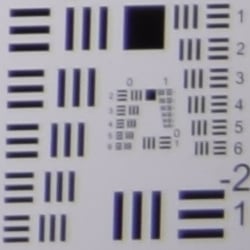
Chromatic Aberration and Corner Sharpness
Low to moderately low C.A. in JPEGs, much higher in uncorrected RAW files. Corners are slightly soft to moderately soft.
| Maximum Aperture | |
 |
 |
| Wide, f/3.5: Lower right C.A.: Moderately low Softness: Slightly soft |
Wide, f/3.5: Center C.A.: Very low Softness: Sharp |
 |
 |
| Tele, f/5.6: Lower right C.A.: Moderate Softness: Soft |
Tele, f/5.6: Center C.A.: Very low Softness: Slightly soft |
Chromatic Aberration. Chromatic aberration is moderately low at the full wide angle setting of the Nikon D5300's 18-140mm VR kit lens, suppressed by the D5300's image processor. (See below for crops from uncorrected RAW files.) At full telephoto, levels of chromatic aberration are similar, though somewhat more visible and more magenta/green in color instead of blue/yellow. (This distortion is visible as a slight colored fringe around the objects at the edges of the field of view on the resolution target.)
Corner Sharpness. The Nikon D5300's 18-140mm VR kit lens produced slightly soft corners at full wide angle at all 4 corners when wide open, though corner performance is actually pretty good. Softness didn't extend very far into the frame, and the center is sharp. At full telephoto and wide open, corners on the right-hand-side were a little softer than the left, but the lens is softer overall than at wide angle. Still, pretty good performance wide open for its type.
Corner Shading. Significant corner shading ("vignetting") is visible at both ends of the zoom when wide open, as indicated by the darker corner crops. And because the D5300 is an APS-C model, Nikon offers no lens shading compensation in-camera, unlike their full-frame models.
| f/8 Aperture | |
 |
 |
| Wide, f/8: Lower right C.A.: Moderately low Softness: Fairly sharp |
Wide, f/8: Center C.A.: Very low Softness: Sharp |
 |
 |
| Tele, f/8: Lower right C.A.: Moderate Softness: Softer |
Tele, f/8: Center C.A.: Very low Softness: Fairly sharp |
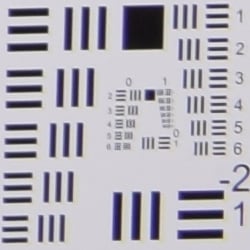
F8. Stopped-down to an aperture of f/8, corner performance did improve slightly at wide angle, though at full telephoto, corners actually became softer. Sharpness in the center improved, but the lens is still not tack sharp at full telephoto. Vignetting improved significantly, but it still somewhat visible.
Uncorrected RAW
Higher levels of C.A. at wide angle and telephoto in uncorrected RAW files.
| In-camera JPEG | Uncorrected RAW |
 |
 |
| Wide: Upper left C.A.: Moderately low |
Wide: Upper left C.A.: High |
 |
 |
| Tele: Upper left C.A.: Moderate |
Tele: Upper left C.A.: High |
As you can see from the crops above comparing camera JPEGs to uncorrected RAW files (taken at maximum aperture), levels of lateral chromatic aberration are much higher in uncorrected RAW files at both wide angle and telephoto. Thus, the D5300's processor does a good job suppressing it in JPEGs. Note that Nikon's bundled ViewNX 2 software also automatically suppresses C.A. when converting NEF files, and Adobe Camera Raw can as well via a lens profile.
Overall, decent performance for a kit lens with the 18-140mm's generous zoom range, but enthusiasts will likely want to invest in some premium glass to get the most out of the D5300's 24-megapixel sensor.
Nikon D5300 Viewfinder
Viewfinder Test Results
Coverage
Slightly better than average coverage from the optical viewfinder. Good accuracy from the LCD in Live View mode.


The Nikon D5300's optical viewfinder tested at about 96% coverage with our reference Nikkor 60mm f/2.8 macro lens. This is a bit better than average for a consumer DSLR and exceeds Nikon's specification of 95% for the D5300. In Live View mode, the Nikon D5300's LCD showed about 99% coverage which is good, though we often see 100% coverage in Live View mode.
The images above were taken from our standardized test shots. For a collection of more pictorial photos, see our Nikon D5300 Photo Gallery .
Exposure
Color
Saturation & Hue Accuracy
Vibrant colors with slightly below average hue accuracy.
 |
||
|
ISO Sensitivity
|
||
| In the diagram above, the squares show the original color, and the circles show the color that the camera captured. More saturated colors are located toward the periphery of the graph. Hue changes as you travel around the center. Thus, hue-accurate, highly saturated colors appear as lines radiating from the center. Mouse over the links to compare ISOs, and click on them for larger images. | ||


Saturation. The Nikon D5300 boosts dark blues quite a bit and also pushes dark green, red and orange by moderate amounts, but slightly undersaturates bright yellow, light green, and some cyans. Mean saturation is 113.6% or 13.6% oversaturated at base ISO, and remains fairly stable across the ISO range peaking at 115.1% at max ISO. The average for consumer DSLRs is about 10% oversaturated, so the D5300 produces slightly more vibrant colors than most at default settings, but it's easy to customize saturation to match your personal preference. Most consumer digital cameras produce color that's more highly saturated (more intense) than found in the original subjects. This is simply because most people like their color a bit brighter than life.
Skin tones. The Nikon D5300's produces healthy-looking pinkish Caucasian skin tones when using manual white balance in simulated daylight, while auto white balance produces slightly warm results. A good job when manual white balance is used. Where oversaturation is most problematic is on Caucasian skin tones, as it's very easy for these "memory colors" to be seen as too bright, too pink, too yellow, etc.
Hue. The Nikon D5300 shifts cyan toward blue quite a bit, with minor shifts in red toward orange, and light green toward yellow. (The cyan to blue shift is very common among the digital cameras we test; we think it's a deliberate choice by camera engineers to produce better-looking sky colors.) With an average "delta-C" color error at base ISO of 6.24 after correction for saturation, overall hue accuracy is a bit lower than average, but still well within what we'd consider respectable. Hue is "what color" the
color is.
Saturation Adjustment
The Nikon D5300 has a total of seven saturation levels available, three above and three below the default saturation, plus an Auto setting. This covers a pretty wide range of saturation levels, about as wide a range as you're likely to find photographically relevant, apart from special effects that are arguably better achieved in software. The fine steps between settings mean it's easy to program the camera to just the level of saturation you prefer. Saturation also doesn't impact contrast, which is ideal but not always the case.
| Saturation Adjustment Examples | ||||
 |
 |
 |
 |
 |
| -3 | -1 | 0 | +1 | +3 |
The table above shows results with several saturation settings, see the Thumbnails index page for more (look for the files named D5300OUTBSATx.JPG). Click on any thumbnail above to see the full-sized image.


Sensor
Exposure and White Balance
Indoors, incandescent lighting
Overly-warm results with Auto and Incandescent white balance settings, but good color with Manual. About average positive exposure compensation required.


Indoors, under normal incandescent lighting, color balance was very warm and reddish with the Auto white balance setting. (We'd say unacceptably so, though unfortunately this is common.) The Incandescent setting was also too warm, this time with a yellowish cast. The Manual setting by far produced the most accurate results, if just a touch cool and magenta. The Nikon D5300 required an average amount of positive exposure compensation here, at +0.3 EV. Our test lighting for this shot is a mixture of 60 and 100 watt household incandescent bulbs, a pretty yellow light source, but a very common one in typical home settings here in the U.S.
Outdoors, daylight
Excellent results under harsh lighting, with good handling of color and contrast, but the D5300 underexposed our "Sunlit" Portrait shots.
Outdoors, the Nikon D5300 performed well in terms of color and contrast, but it underexposed our "Sunlit" Portrait a bit more than most cameras do. The D5300 required +1.0 EV of exposure compensation to keep the mannequin's face fairly bright, while most cameras need about +0.7 EV. That's a bit below average performance. On the plus side, the camera did a very good job of holding onto detail in the highlights and deep shadows. We preferred skintones from the Manual white balance setting as they were a touch pinker than Auto. The Nikon D5300 did a great job exposing our far-field scene with only a few highlights and shadows lost. Colors outdoors are vibrant and quite pleasing.
See full set of test images with explanations
See thumbnails of all test and gallery images
Resolution
Very high resolution, ~2,800 lines of strong detail from JPEGs, a bit higher from ACR processed RAW files.

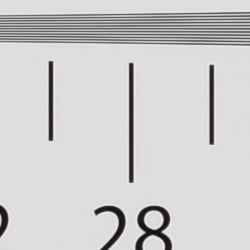


Our laboratory resolution chart revealed sharp, distinct line patterns down to about 2,750 lines per picture height in the horizontal direction, and to about 2,800 lines in the vertical direction. Some may argue for higher numbers, but aliasing artifacts start to interfere with detail at this resolution. Extinction of the pattern didn't occur until around 3,800 lines in both directions. We weren't able to do significantly better with NEF files processed through Adobe Camera Raw with about 50 more lines in both directions, though complete extinction of the pattern was extended up to the 4,000 line limit of our chart. Color moire was more evident in the ACR converted RAW files, however not as high as we'd expect for a camera without an optical low-pass filter. Use these numbers to compare with other cameras of similar resolution, or use them to see just what higher resolution can mean in terms of potential detail.
See full set of test images with explanations
See thumbnails of all test and gallery images
Sharpness & Detail
Sharp images with great detail. Minor edge-enhancement artifacts visible on high-contrast subjects. Moderate noise suppression visible at base ISO.

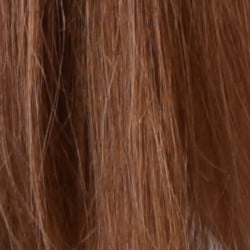
Sharpness. The Nikon D5300 produces images that are crisp and sharp when coupled with a sharp lens as used in the above left crop. Some very minor edge enhancement artifacts are visible on high-contrast subjects such as the halos around the border and text, but default sharpening looks to be a very good compromise between crispness and sharpening artifacts. Some aliasing artifacts such as moiré patterns are visible in our test shots, but that's not a surprise given the camera has no optical low-pass filter. Edge enhancement creates the illusion of sharpness by enhancing colors and tones right at the edge of a rapid transition in color or tone.
Detail. The crop above right shows some mild to moderate noise suppression, as the darker and lower-contrast areas of the model's hair show significant smudging where individual strands of hair merge. Still, a pretty good performance here considering the resolution and target market. Noise-suppression systems in digital cameras tend to flatten-out detail in areas of subtle contrast. The effects can often be seen in shots of human hair, where the individual strands are lost and an almost "watercolor" look appears.
RAW vs In-Camera JPEGs
As noted above, the Nikon D5300 does a great job at capturing lots of fine detail in its JPEGs, but more detail can often be obtained from carefully processing RAW files, while at the same time reducing sharpening artifacts. Let's have a look at base ISO:
| Base ISO (100) | |
 |
 |
 |
 |
 |
 |
|
Camera JPEG, defaults
|
RAW via Adobe Camera Raw
|
In the table above, we compare an in-camera JPEG taken at base ISO using default noise reduction and sharpening (on the left) to the matching RAW file converted with Adobe Camera Raw 8.3 (right) using default noise reduction with some strong but tight unsharp masking applied in Photoshop (200%, radius of 0.3 pixels, and a threshold of 0).
As is frequently the case, the demosaicing in Adobe Camera Raw and sharpening in Photoshop deliver finer detail than the camera, with fewer sharpening artifacts. Looking closely at the images, ACR extracts more detail that wasn't present in the camera JPEG, especially in the red-leaf swatch. The RAW conversion was able to resolve the individual threads, while the camera's JPEG engine tended to blur them away as if noise. Both show moiré patterns in the cloth, though the D5300's default processing does mask it somewhat (which is perhaps a reason why the red-leaf swatch is a little softer than we're used to seeing from a Nikon DSLR). The D5300 did do a very good job at reducing noise while maintaining excellent detail in most other areas of our target. Still, for maximum detail (and flexibility), using a good RAW converter does yield better results than in-camera JPEGs, as is usually the case.
ISO & Noise Performance
Good detail versus noise handling up to ISO 3,200.
| High ISO Noise Reduction = Normal (Default) | ||
 |
 |
 |
| ISO 100 | ISO 200 | ISO 400 |
 |
 |
 |
| ISO 800 | ISO 1,600 | ISO 3,200 |
 |
 |
 |
| ISO 6,400 | ISO 12,800 | ISO 25,600 |
Noise levels are fairly low at ISOs 100 through 800, though some detail is lost to noise reduction and an increase in a very fine noise "grain" can be seen as ISO increases. Chroma noise is exceptionally well-controlled , even in the shadows. At ISO 1,600 noise levels increase with a touch more blurring in fine details and more visible grain, but detail retention is still very good. ISO 3,200 shows a larger step in luminance noise, but the noise grain pattern is still pretty tight and film-like, while chroma noise remains remarkably low. As you'd expect, ISO 6,400 is noisier and softer due to stronger noise reduction efforts, but chroma noise is still under control. At ISO 12,800 image quality continues to degrade fairly progressively, with much strong luminance noise, though chroma is still relatively low. ISO 25,600 finally shows some strong chroma noise in the form of purple and yellow blotches, while luminance noise eradicates most fine detail.
Still, excellent high ISO noise performance for an APS-C sensor, especially considering the 24-megapixel resolution. See our Print Quality analysis section below for recommended print sizes at each ISO.
A note about focus for this shot: We shoot this image at f/4, usually using one of three very sharp reference lenses (70mm Sigma f/2.8 macro for most cameras, 60mm f/2.8 Nikkor macro for Nikon bodies without a drive motor, and Olympus Zuiko 50mm f/2.0 for Four Thirds and Micro Four Thirds bodies). To insure that the hair detail we use for making critical judgements about camera noise processing and detail rendering is in sharp focus at the relatively wide aperture we're shooting at, the focus target at the center of the scene is on a movable stand. This lets us compensate for front- or back-focus by different camera bodies, even those that lack micro-focus adjustments. This does mean, though, that the focus target itself may appear soft or slightly out of focus for bodies that front- or back-focused with the reference lens. We know this; if you click to view the full-size image for one of these shots and notice that the focus target is fuzzy, you don't need to email and tell us. :-) The focus target position will have been adjusted to insure that the rest of the scene is focused properly.
Extremes: Sunlit, dynamic range, and low light tests
Very good detail in both highlights and shadows, very high resolution. Good low-light performance, capable of capturing bright images in near darkness.


Sunlight:
Apart from the underexposure issue, the Nikon D5300 handled the deliberately harsh lighting in the test above very well. Though contrast is a little high, shadow and highlight detail are both very good. The +1.0 EV exposure was best here, producing a bright face without blowing out many highlights. Despite the bright appearance, there are actually very few clipped highlights in the mannequins's white shirt. Some shadows are pretty dark, but remain fairly clean except for a slight yellow cast in very deep tones. The camera's contrast adjustment also did a good job of decreasing overall contrast without also affecting color saturation. (See below.) Still, be sure to use fill flash in situations like the one shown above; it's better to shoot in the shade when possible.
Because digital cameras are more like slide film than negative film (in that they tend to have a more limited tonal range), we test them in the harshest situations to see how they handle scenes with bright highlights and dark shadows, as well as what kind of sensitivity they have in low light. The shot above is designed to mimic the very harsh, contrasty effect of direct noonday sunlight, a very tough challenge for most digital cameras. (You can read details of this test here.)
Contrast Adjustment
We really like it when a camera gives us the ability to adjust contrast and saturation to our liking. It's even better when those adjustments cover a useful range, in steps small enough to allow for precise tweaks. Just as with its saturation adjustment, the Nikon D5300's contrast setting offers seven levels, plus an Auto setting.
| Minimum Contrast | |
 |
 |
| Contrast set to lowest, +1.0 EV |
Contrast set to lowest, 0 EV |
At its lowest contrast setting, the D5300 did a very good job of preserving highlight detail and bringing out shadow detail. Highlight detail was improved, but the contrast setting had a larger impact on opening up the shadows. The lower contrast setting opened-up shadows in our far-field shot as well, without making the image too flat looking. Overall, very good results here.
| Contrast Adjustment Examples | ||||
|
 |
 |
 |
 |
| -3 | -1 | 0 | +1 | +3 |
The series of shots above shows results with several different contrast adjustment settings, showing the minimum step size around the default, as well as both extremes. While you can see the extremes, it's hard to really evaluate contrast on small thumbnails like these, click on any thumbnail to go to the full-size image.
Nikon's contrast adjustment is that it has very little effect on saturation. Contrast and saturation are actually fairly closely coupled, it's a good trick to be able to vary one with out the other changing as well. As usual, Nikon did a very good job here.
Active D-Lighting
Active D-Lighting attempts to preserve detail in both highlights and shadows in high-contrast situations, while maintaining moderate levels of contrast. The series of shots below show the effect of the various Active D-Lighting settings available on the Nikon D5300 on our high-contrast "Sunlit" Portrait scene. Note that Active D-Lighting is different from the touch-up menu's D-Lighting, as it is performed during image capture instead of after. (It does affect only JPEG images though, Nikon very properly doesn't apply tonal adjustments like this to RAW file data. NEF files, however, are tagged so that Nikon software can automatically apply the effect when converted.)
|
"Sunlit" Portrait Active D-Lighting (0 EV)
|
|
 |
ADL Settings: Auto (Default) Off Low Normal High Extra High |
 |
|
Mouse over the links to see how the various levels of Active D-Lighting affects our "Sunlit" Portrait shot at default exposure. Click on a link to get to the full-res image. (Active D-Lighting's effect can be a little subtle in shots like those above, so we decided to use a mouse-over to better show how each setting compares to Off.)
When Active D-Lighting is enabled (Auto is the default), the camera usually exposes for the highlights in an attempt to preserve them, then adjusts the tone curve to bring the midtones and shadows back up to produce an image that doesn't look underexposed. In this case, the default exposure without Active D-Lighting was underexposed and didn't have any blown highlights to preserve, so this is not the best example, although you can still see that highlights are being toned-down while shadows boosted. To see how Active D-Lighting works without underexposure in this shot, see the examples from our Nikon D7000 review.
See below for how Active D-Lighting worked on our Far-field shot.
| Far-field Active D-Lighting (0 EV) | ||
|
|
||
Here are the results with our Far-field shot. The D5300's Active D-Lighting worked a bit better here, as the default exposure wasn't underexposed like it was for its "Sunlit" Portrait scene. As you can see, Active D-Lighting brought up shadow detail while holding on to more of the highlights, though the difference between different strengths can be subtle.
HDR Mode
The D5300 offers an in-camera high-dynamic-range imaging function, something we've seen in several prior models as well as from most competitors. When enabled, the D5300 captures two images with one push of the shutter button -- one underexposed and one overexposed -- and combines them in-camera to produce a high-dynamic-range JPEG. (RAW format is not supported.) The Nikon D5300 seems to perform micro-alignment of the two images so the user manual warns of possible cropping but Nikon recommends the use of a tripod, so it can likely only correct for very small amounts of camera movement between shots. Obviously moving subjects should also be avoided.
|
"Sunlit" Portrait HDR (0 EV)
|
|
 |
HDR Settings: Off (Default) Low Normal High Extra High Auto |
 |
|
Unlike some Nikons which allow you to set the exposure differential between the two images from 1, 2 or 3 EV, and also adjust the amount of "smoothing" that is applied to the boundaries between the two images with selections of Low, Medium and High, the D5300 takes a simpler approach offering just four strengths in addition to Auto. Mouse over the links above to see how various levels of HDR affects our "Sunlit" Portrait shot and click on a link to get to the full-res image.
Again, because of the underexposure issue, these aren't very good examples, but you can still see higher levels make quite a difference to the overall exposure by opening up shadow detail but they can lead to artificial looking shadows around bright objects or halos and glowing around dark ones.
| Far-field HDR (0 EV) | ||
|
|
||
Here are the same HDR settings with our Far-field shot. Again, some settings do a good job of taming hot highlights while bringing up some of the shadows and deeper midtones, while stronger settings cause a lot of glowing and halos. You can also see ghosting in the flag and leaves from movement between the exposures caused by wind. Still, it's a useful feature for capturing static scenes with dynamic range that exceeds the sensor for those not willing to use manual HDR techniques (bracketing exposure and then combining images in post-processing).
| Face Detection | |||
|
 |
 |
|
| Off Aperture-priority 0 EV |
Live View with Face-priority AF 0 EV |
Portrait Auto mode 0 EV |
|
Here, we can see the effect of the Nikon D5300's face detection enabled in Live View mode, as well as full Auto mode which selected Portrait Scene mode. As you can see from the shots above, Face-priority AF mode improved exposure compared to Aperture-priority alone, by using a slower shutter speed of 1/50s versus 1/80, though contrast is still quite high. Portrait Scene mode also improved exposure versus Aperture-priority at f/8, but it also reduced overall contrast and lightened shadows by employing Active D-Lighting, though it boosted ISO sensitivity to 280. In addition, Portrait mode selected a wider aperture of f/5.6 for better subject isolation, and a faster shutter speed of 1/250s to avoid subject motion blur.
Dynamic Range Analysis (RAW mode)
While we once performed our own dynamic range measurements based on in-camera JPEGs as well as converted RAW images (when the camera was supported by Adobe Camera Raw), we've switched to using DxO Labs' results from their DxOMark website. As technology advanced, the dynamic range of modern high-end cameras in some cases exceeded the range of the Stouffer T4110 density scale that we used for our own measurements. DxO's approach based on RAW data before demosaicing is also more revealing, because it measures the fundamental dynamic range of the sensor, irrespective of whatever processing is applied to JPEGs, or to RAW data by off-the-shelf conversion software.
In the following, we use DxO's "Print" dynamic range results, which are scaled based on camera resolution. As the name suggests, this scaling corresponds to the situation in which you print at a given size, regardless of how many megapixels the camera might have. (In other words, if you've decided to make a 13x19 inch print, that's the size you're printing, whether the camera's resolution is 16 or 300 megapixels.) For the technically-minded, you can find a discussion of the reasoning behind this here on the DxOMark website. Also note that DxO Labs uses a signal-to-noise (SNR) threshold of 1 when defining the lower boundary of acceptable luminance noise in their dynamic range measurements, which corresponds to the "Low Quality" threshold of the Imatest software we used to use for this measurement.

Here, we're comparing the Nikon D5300's dynamic range to the Canon T5i (700D) and the Sony A58. As you can see from the above graph (click for a larger image), the D5300's dynamic range is about 1.4 EV higher than the Sony A58 at base ISO (13.86 vs 12.47), and a whopping 2.7 stops higher than the T5i's at its ISO 100 setting (13.86 vs 11.17). It is however important to note that the actual sensitivity from the Nikon and especially the Sony are significantly less than the ISO 100 settings, which means the T5i is at a bit of a disadvantage in terms of noise. Still, the difference is significant at lower ISOs. At ISOs 400 and above the Sony and Canon are about even, but the Nikon manages to best them both all the way to maximum ISO, although the advantage isn't nearly as great as at lower ISOs. Still, excellent results for the Nikon D5300. Click here to visit the DxOMark page for the Nikon D5300 for more of their test results and additional comparisons.
| 1 fc 11 lux |
1/2 fc 5.5 lux |
1/4 fc 2.7 lux |
1/8 fc 1.3 lux |
1/16 fc 0.67 lux |
1/16fc No NR |
|
|---|---|---|---|---|---|---|
| ISO 100 |
 2 s f2.8 |
 4 s f2.8 |
 8 s f2.8 |
 15 s f2.8 |
 30 s f2.8 |
 30 s f2.8 |
| ISO 200 |
 1 s f2.8 |
 2 s f2.8 |
 4 s f2.8 |
 8 s f2.8 |
 15 s f2.8 |
 15 s f2.8 |
| ISO 400 |
 0.5 s f2.8 |
 1 s f2.8 |
 2 s f2.8 |
 4 s f2.8 |
 8 s f2.8 |
 8 s f2.8 |
| ISO 800 |
 1/4 s f2.8 |
 0.5 s f2.8 |
 1 s f2.8 |
 2 s f2.8 |
 4 s f2.8 |
 4 s f2.8 |
| ISO 1600 |
 1/8 s f2.8 |
 1/4 s f2.8 |
 0.5 s f2.8 |
 1 s f2.8 |
 2 s f2.8 |
 2 s f2.8 |
| ISO 3200 |
 1/15 s f2.8 |
 1/8 s f2.8 |
 1/4 s f2.8 |
 0.5 s f2.8 |
 1 s f2.8 |
 1 s f2.8 |
| ISO 6400 |
 1/30 s f2.8 |
 1/15 s f2.8 |
 1/8 s f2.8 |
 1/4 s f2.8 |
 0.5 s f2.8 |
 0.5 s f2.8 |
| ISO 12800 |
 1/60 s f2.8 |
 1/30 s f2.8 |
 1/15 s f2.8 |
 1/8 s f2.8 |
 1/4 s f2.8 |
 1/4 s f2.8 |
| ISO 25600 |
 1/125 s f2.8 |
 1/60 s f2.8 |
 1/30 s f2.8 |
 1/15 s f2.8 |
 1/8 s f2.8 |
 1/8 s f2.8 |
Low Light. The Nikon D5300 performed well on the low-light test, capturing usable images at the lowest light level (1/16 foot-candle) with the lowest sensitivity setting (ISO 100). As you'd expect, noise increases as ISO goes up and light levels go down, but remains well controlled and fine-grained to ISOs as high as 6,400. We did not detect any significant issues with hot pixels or banding (pattern noise), and only minor heat blooming can be seen emanating from the bottom edge at the highest ISOs.
Color balance is good at higher light levels with Auto white balance, just slightly cool, though there's a strong shift towards magenta at lower light levels.
The camera's phase-detection autofocus system was able to focus on the subject down to between 1/8 and 1/16 foot-candle (about 1/11 fc) unassisted with an f/2.8 lens. That's pretty good for its class. And the Nikon D5300 was able to autofocus in complete darkness with the AF assist enabled. Surprisingly, in Live View mode the camera's contrast-detect autofocus was able to focus down to the same light level as its phase-detect system, which is excellent.
Keep in mind that the longer shutter speeds here demand the use of a tripod to prevent any blurring from camera movement. (A useful trick is to just prop the camera on a convenient surface, and use its self-timer to release the shutter. This avoids any jiggling from your finger pressing the shutter button, and can work quite well when you don't have a tripod handy.)
How bright is this? The one foot-candle light level that this test begins at roughly corresponds to the brightness of typical city street-lighting at night. Cameras performing well at that level should be able to snap good-looking photos of street-lit scenes.
NOTE: This low light test is conducted with a stationary subject, and the camera mounted on a sturdy tripod. Most digital cameras will fail miserably when faced with a moving subject in dim lighting. (For example, a child's ballet recital or a holiday pageant in a gymnasium.) Digital SLRs like the Nikon D5300 do much better than point & shoots, but you still shouldn't expect a quick autofocus lock with moving subjects.
Output Quality
Print Quality
Very good 30 x 40 inch prints at ISO 100; a nice 13 x 19 at ISO 1600; a good 5 x 7 at ISO 12,800.
 ISO 100 prints are very nice at 30 x 40 inches, with terrific color reproduction and nice detail for such a large print. Wall display prints are possible up to 36 x 48 inches.
ISO 200 makes an excellent 24 x 36 inch print with very crisp detail and color.
ISO 400 images look very good at 20 x 30 inches, and 24 x 36 inch prints have only a minor trace of noise and are usable for all but the most critical of applications.
ISO 800 prints are good at 16 x 20 inches, and the D5300 does a nice job of controlling noise levels for such a large print at this ISO. In addition, subtle contrast detail is really good in our difficult red swatch, something enthusiast and professional grade Nikons tend to shine at.
ISO 1600 produces a very good 13 x 19 inch print, the first ISO that is a size larger than its predecessor, the D5200.
ISO 3200 prints begin to show a slight decline in detail in the red fabric area, but 11 x 14s still look quite good, again a size larger than the D5200.
ISO 6400 is the third ISO where the D5300 outshines its predecessor, besting it by a print size and producing a good 8 x 10 inch print.
ISO 12,800 yields a good 5 x 7, once again besting the D5200 by a print size.
ISO 25,600 does not yield a good print and is best avoided except for less critical applications.
The Nikon D5300 follows in the excellent footsteps of the D5200, producing large prints for its price range and doing a great job with fine detail and color. As compared to many APS-C cameras we have seen recently, the D5300 does a nice job of controlling noise, and when it does appear it tends to look more like film grain than many other cameras' default processing in this class, which can often look more like splotches than grain in flatter areas. It actually bests the D5200 by a print size at ISOs 1600 through 12,800, and almost passes the test at the extended setting of 25,600. Well done, Nikon, for an affordable DSLR that prints this nicely straight out of the camera.
The images above were taken from our standardized test shots. For a collection of more pictorial photos, see our Nikon D5300 Photo Gallery .
Not sure which camera to buy? Let your eyes be the ultimate judge! Visit our Comparometer(tm) to compare images from the Nikon D5300 with those from other cameras you may be considering. The proof is in the pictures, so let your own eyes decide which you like best!
Performance
Timing and Performance
Good to slightly slower than average speed for its class.
| Startup/Shutdown | ||
|---|---|---|
| Power on |
~0.5 second
|
Time it takes for camera to turn on and take a shot. |
|
Play to Record, |
~0.3 second
|
Time until first shot is captured. |
The Nikon D5300's startup time was good for a consumer DSLR, and switching from Play to Record and taking a shot was also fast.
| Shutter Response (Lag Time), Optical Viewfinder | ||
|---|---|---|
|
Full Autofocus |
0.292 second
|
Time from fully pressing shutter button to image capture. (All AF timing measured with Nikkor AF-S 60mm f/2.8G Macro lens.) |
|
Full Autofocus |
0.418 second
|
Time from fully pressing shutter button to image capture, Auto Flash enabled. |
|
Full Autofocus |
0.424 second
|
Time from fully pressing shutter button to image capture. |
|
Manual focus |
0.226 second
|
For most cameras, shutter lag is less in manual focus than autofocus, but usually not as fast as when the camera is "pre-focused." |
|
Pre-focused |
0.080 second
|
Time to capture, after half-pressing and holding shutter button. |
| Shutter Response (Lag Time), Live View mode | ||
|
Full Autofocus |
1.33 seconds
|
Time from fully pressing shutter button to image capture. |
|
Pre-focused |
0.418 second
|
Time to capture, after half-pressing and holding shutter button. |
The Nikon D5300's full autofocus shutter lag when shooting the same target multiple times was a little slower than average for a consumer DSLR. The D5300 required about 0.29 second for full AF using the center focus point. Enabling the flash raised shutter lag to 0.42 second, reflecting the added delay caused by the metering preflash. Shutter lag increased to about 0.42 second in Auto-area AF mode which is a bit on the slow side for a DSLR. Manual focus shutter lag was faster than full autofocus at about 0.23 second, but that's still a touch slow for a DSLR. When prefocused, shutter lag dropped to 0.080 second which is about average for a consumer DSLR.
As expected, autofocus and shutter lag were much slower in Live View mode. The Nikon D5300 only offers contrast-detect AF in Live View, which took about 1.3 seconds to focus in our tests. (How fast the lens can adjust focus makes a big difference here.) Prefocused shutter lag was also slower but still reasonable in Live View mode, at about 0.42 second.
To minimize the effect of different lens' focusing speed, we test AF-active shutter lag with the lens already set to the correct focal distance.
| Cycle Time (shot-to-shot) | ||
|---|---|---|
|
Single Shot mode |
0.58 second
|
Time per shot, averaged over 20 shots, 1 second to clear. |
|
Single Shot mode |
0.60 second
|
Time per shot, averaged over 20 shots, 3 seconds to clear. |
|
Single Shot mode |
0.63 second
|
Time per shot, averaged over 8 shots, 3 seconds to clear. |
|
Early shutter |
No
(Yes with Flash) |
Some cameras refuse to snap another shot if you release and press the shutter too quickly in Single Shot mode, making "No" the preferred answer. |
| Continuous mode |
0.20 second (4.99 frames per second);
20+ frames total; 1 second to clear |
Time per shot, averaged over 20 shots with no signs of slowing down. |
|
Continuous mode |
0.20 second (5.07 frames per second);
8 frames total; 2 seconds to clear |
Time per shot, averaged over 8 frame buffer. Slows to an average of 0.28 second or 3.58fps when buffer is full. |
|
Continuous mode |
0.20 second (5.05 frames per second);
6 frames total; 5 seconds to clear |
Time per shot, averaged over 6 frame buffer. Slows to an average of 0.72 second or 1.39fps when buffer is full. |
|
Continuous mode |
0.25 second (3.95 frames per second);
4 frames total; 3 seconds to clear |
Time per shot, averaged over 4 frame buffer. Slows to an average of 0.60 second or 1.67fps when buffer is full. |
|
Continuous mode |
0.25 second (3.95 frames per second);
4 frames total; 3 seconds to clear |
Time per shot, averaged over 4 frame buffer. Slows to an average of 0.81 second or 1.23fps when buffer is full. |
| Flash recycling |
4.2 seconds
|
Flash at maximum output. |
| *Note: Buffer clearing times measured with a SanDisk Extreme Pro 95MB/s UHS-I SDHC memory card. Slower cards will produce correspondingly slower clearing times. Slow cards may also limit length of bursts in continuous mode. ISO sensitivity and other settings such as Advanced D-Lighting or NR can also affect cycle times and burst mode performance. |
||
Shot-to-shot cycle times were about average for a consumer DSLR, at 0.58 second for Large/Fine JPEGs, 0.60 second for 14-bit RAW files, and 0.63 second for 14-bit RAW + L/F JPEG frames.
Continuous mode speed when shooting best quality JPEGs was slightly above average considering the class and resolution, at almost 5 frames per second. When shooting 14-bit RAW files, frame rate dropped to just below 4 frames per second in our tests however Nikon says switching to 12-bit allows speeds similar to JPEGs (5fps). And indeed in our tests, the D5300 managed just over 5 fps when shooting 12-bit RAW or RAW+JPEG files.
Buffer depth in continuous mode was excellent with JPEGs at over 20 L/F JPEG frames with no signs of slowing (Nikon says up to 100 frames), though with 14-bit RAW files buffer depths were quite shallow at only 4 RAW frames or 4 RAW+L/F JPEG frames. Buffer capacity with 12-bit RAW files improved to 8 RAW frames and 6 RAW+L/F JPEG frames.
The built-in flash took 4.2 seconds to recharge after a full-power shot, which is a touch slow for a DSLR.
| Download speed | ||
|---|---|---|
|
Windows Computer, USB 2.0 |
16,230 KBytes/sec
|
Typical Values: |
Connected to a computer via USB 2.0, download speeds were very fast.
Bottom line, the Nikon D5300's performance was generally good to a little below average in our tests. Startup was good, as were single shot cycle-times, as well as JPEG and 12-bit RAW continuous mode performance. Autofocus speeds however were slightly slower than average, and burst performance with 14-bit RAW files was mediocre. Buffer depths with RAW files were shallow (particularly in 14-bit mode), but that's not unusual for its class.
Battery
Battery Life
About average battery life for a lithium-ion powered consumer DSLR.
| Operating Mode | Number of Shots |
|---|---|
|
Optical Viewfinder,
(CIPA standard) |
600
|
The Nikon D5300 uses a custom rechargeable lithium-ion battery for power, and ships with a dedicated charger. Battery life when using the optical viewfinder is about average for a consumer DSLR, though Nikon does not specify battery life for Live View mode, which will certainly be a lot lower. We recommend you pick up a spare battery and keep it freshly charged and on-hand for extended outings, or when using Live View a lot.
The table above shows the number of shots the camera is capable of (on either a fresh set of disposable batteries or a fully-charged rechargeable battery as appropriate), based on CIPA battery-life and/or manufacturer standard test conditions.
(Interested readers can find an English translation of the CIPA DC-002 standards document here. (180K PDF document))
Image Quality
The crops below compare the Nikon D5300 to the Nikon D5200, Canon T5i, Nikon D7100, Samsung NX300 and Sony A58.
Note that these images are best quality JPEGs straight out of the camera, at default settings including noise reduction. Each camera was shot with one of our very sharp reference prime lenses.
Nikon D5300 versus Nikon D5200 at Base ISO
 |
 |
 |
 |
 |
 |
Nikon D5300 at ISO 100 |
Nikon D5200 at ISO 100 |
Although not strikingly different, the updated 24.2MP sensor on the D5300 helps produce more fine detail than the 24.1MP sensor of the D5200, thanks primarily to the removal of the optical low-pass filter. The D5300 does excellent in all three comparison areas, though it does show hints of moiré in the red-leaf fabric which the D5200 does not. Detail in the red-leaf fabric is also a bit softer than the D5200, likely due to stronger default chroma noise reduction. |
|
Nikon D5300 versus Canon T5i at Base ISO
|
 |
|
 |
|
 |
Nikon D5300 at ISO 100 |
Canon T5i at ISO 100 |
The T5i does well here with lots of fine, sharp detail. However, the D5300's noticeable advantage in resolution and crispness of fine detail makes it the clear winner in this comparison. |
|
Nikon D5300 versus Nikon D7100 at Base ISO
|
 |
|
 |
|
 |
Nikon D5300 at ISO 100 |
Nikon D7100 at ISO 100 |
Head-to-head with two of Nikon's 24MP OLPF-less APS-C cameras! Both cameras produce very similar images here at ISO 100, with the first two crop comparisons looking nearly identical. However, although both do great with the pink fabric, the D7100 pulls ahead with slightly better detail in the red fabric. Both cameras only show hints of moiré, with the D7100 showing perhaps a touch more. |
|
Nikon D5300 versus Samsung NX300 at Base ISO
|
 |
|
 |
|
 |
Nikon D5300 at ISO 100 |
Samsung NX300 at ISO 100 |
|
Both cameras show impressive detail with the mosaic crop at ISO 100. The most striking difference is with the red fabric, with which the NX300 really struggles compared to the D5300. Both do well with the pink fabric, however. |
|
Nikon D5300 versus Sony A58 at Base ISO
|
 |
|
 |
|
 |
Nikon D5300 at ISO 100 |
Sony A58 at ISO 100 |
As in the previous comparison, both cameras show impressive fine detail in the mosaic tiles. The bottle crops also show crisp, noise-free detail, and both cameras also do very well with the fabric crop. However, the new AA-filter-less sensor of the D5300 just edges out the A58 by starting to show individual threads of the red fabric. |
|
Most digital SLRs and CSCs will produce an excellent ISO 100 shot, so we like to push them and see what they can do compared to other cameras at ISO 1600, 3200, and 6400. Recent advances in sensor technology have made ISO 1600 look a lot more like ISO 100, but there are still cameras whose quality starts to fall apart at this setting. We also choose 1600 because we like to be able to shoot at least at this level when indoors and at night.
Nikon D5300 versus Nikon D5200 at ISO 1600
 |
 |
 |
 |
 |
 |
Nikon D5300 at ISO 1600 |
Nikon D5200 at ISO 1600 |
Both the bottle and mosaic crops show fairly similar results here at ISO 1600, though the D5300 manages to out-resolve the D5200 with fine detail in the mosaic area. Interestingly, the D5200 manages to produce a better, more detailed image of the fabric swatches compared to the D5300. |
|
Nikon D5300 versus Canon T5i at ISO 1600
|
 |
|
 |
|
 |
Nikon D5300 at ISO 1600 |
Canon T5i at ISO 1600 |
At ISO 1600, noise is well-controlled from both the D5300 and T5i, as you can see in the bottle crop comparison. Also, apart from the difference in resolution, both cameras do very well with fine detail in the mosaic crop. The biggest difference is with the fabric, with which the D5300 excels as compared to the T5i. |
|
Nikon D5300 versus Nikon D7100 at ISO 1600
|
 |
|
 |
|
 |
Nikon D5300 at ISO 1600 |
Nikon D7100 at ISO 1600 |
Like we saw with the ISO 100 comparison, here at 1600 both cameras display similar results in the bottle and mosaic crops. The D7100, however, does noticeably better at handling the red fabric swatch. |
|
Nikon D5300 versus Samsung NX300 at ISO 1600
|
 |
|
 |
|
 |
Nikon D5300 at ISO 1600 |
Samsung NX300 at ISO 1600 |
The Samsung NX300's default noise reduction is more heavy-handed than the D5300's, but it does well removing grain from the shadows while still keeping good detail. Both cameras do well with fine detail in the mosaic, but the Nikon is the winner in the red fabric. |
|
Nikon D5300 versus Sony A58 at ISO 1600
|
 |
|
 |
|
 |
Nikon D5300 at ISO 1600 |
Sony A58 at ISO 1600 |
Both cameras do well with noise at ISO 1600, but the A58 is a bit cleaner in the shadows in comparison. Fine detail also looks sharper though more "processed" from the A58 in the mosaic crop, and the Sony handles noise in the red fabric better than the D5300, albeit with slightly less detail. However, the pink fabric in the A58 looks a bit distorted from noise reduction, whereas the D5300 handles that area better. |
|
Today's ISO 3200 is yesterday's ISO 1600 (well, almost), so below are the same crops at ISO 3200.
Nikon D5300 versus Nikon D5200 at ISO 3200
 |
 |
 |
 |
 |
 |
Nikon D5300 at ISO 3200 |
Nikon D5200 at ISO 3200 |
Very similar noise in the shadows, but the D5300 has the clear advantage with fine detail in the mosaic crop. Yet the D5200 produces a more discernible leaf pattern in the red fabric. |
|
Nikon D5300 versus Canon T5i at ISO 3200
|
 |
|
 |
|
 |
Nikon D5300 at ISO 3200 |
Canon T5i at ISO 3200 |
Similarly low levels of noise, but the D5300 does better with fine detail in the mosaic as well as the red fabric (though the leaf pattern is difficult to discern in both images). |
|
Nikon D5300 versus Nikon D7100 at ISO 3200
|
 |
|
 |
|
 |
Nikon D5300 at ISO 3200 |
Nikon D7100 at ISO 3200 |
Tough comparison here at ISO 3200. There's ever-so-slightly more chroma noise in the D7100 bottle crop, but in the mosaic both cameras show a similarly high level of fine detail. The biggest difference is the noticeably better handling of the red fabric by the D7100. |
|
Nikon D5300 versus Samsung NX300 at ISO 3200
|
 |
|
 |
|
 |
Nikon D5300 at ISO 3200 |
Samsung NX300 at ISO 3200 |
It's clear here at ISO 3200 that the NX300 applies much stronger noise reduction by default, though it does a good job of maintaining high-contrast detail. The fine mosaic pattern detail looks more clearly defined in the D5300 image, however. The red fabric is most telling, though, with the D5300 retaining much more detail. |
|
Nikon D5300 versus Sony A58 at ISO 3200
|
 |
|
 |
|
 |
Nikon D5300 at ISO 3200 |
Sony A58 at ISO 3200 |
The D5300 shows a bit more shadow noise at ISO 3200 in the bottle crop comparison, but noise reduction distorts and mottles the fine mosaic pattern in the A58 image. The A58, on the other hand, arguably does better at handling the red fabric swatch. |
|
Detail: Nikon D5300 vs. Nikon D5200, Canon T5i, Nikon D7100, Samsung NX300 and Sony A58
 |
 |
 |
 |
 |
 |
 |
 |
 |
 |
 |
 |
 |
 |
 |
 |
 |
 |
| Nikon D5300 ISO 100 ISO 3200 ISO 6400 |
Nikon D5200 ISO 100 ISO 3200 ISO 6400 |
Canon T5i ISO 100 ISO 3200 ISO 6400 |
Nikon D7100 ISO 100 ISO 3200 ISO 6400 |
Samsung NX300 ISO 100 ISO 3,200 ISO 6,400 |
Sony A58 ISO 100 ISO 3200 ISO 6400 |
| Detail comparison. Apart from slight exposure differences, the cameras do very well with high-contrast fine detail at base ISO, with the D5300 taking the crown not only with the crisp black lettering, but also the clean, sharp red lettering as well. As the ISO rises, the D5300 handles higher ISOs very well -- similar to the D7100 -- and improves over the D5200's performance. | |||||
Nikon D5300 Print Quality Analysis
Very good 30 x 40 inch prints at ISO 100; a nice 13 x 19 at ISO 1600; a good 5 x 7 at ISO 12,800.
ISO 100 prints are very nice at 30 x 40 inches, with terrific color reproduction and nice detail for such a large print. Wall display prints are possible up to 36 x 48 inches.
ISO 200 makes an excellent 24 x 36 inch print with very crisp detail and color.
ISO 400 images look very good at 20 x 30 inches, and 24 x 36 inch prints have only a minor trace of noise and are usable for all but the most critical of applications.
ISO 800 prints are good at 16 x 20 inches, and the D5300 does a nice job of controlling noise levels for such a large print at this ISO. In addition, subtle contrast detail is really good in our difficult red swatch, something enthusiast and professional grade Nikons tend to shine at.
ISO 1600 produces a very good 13 x 19 inch print, the first ISO that is a size larger than its predecessor, the D5200.
ISO 3200 prints begin to show a slight decline in detail in the red fabric area, but 11 x 14s still look quite good, again a size larger than the D5200.
ISO 6400 is the third ISO where the D5300 outshines its predecessor, besting it by a print size and producing a good 8 x 10 inch print.
ISO 12,800 yields a good 5 x 7, once again besting the D5200 by a print size.
ISO 25,600 does not yield a good print and is best avoided except for less critical applications.
The Nikon D5300 follows in the excellent footsteps of the D5200, producing large prints for its price range and doing a great job with fine detail and color. As compared to many APS-C cameras we have seen recently, the D5300 does a nice job of controlling noise, and when it does appear it tends to look more like film grain than many other cameras' default processing in this class, which can often look more like splotches than grain in flatter areas. It actually bests the D5200 by a print size at ISOs 1600 through 12,800, and almost passes the test at the extended setting of 25,600. Well done, Nikon, for an affordable DSLR that prints this nicely straight out of the camera.
Field Test
by Jason Schneider | Posted: 04/17/2014

Nikon's D5300 is essentially a thoughtful upgrade of the popular, much admired D5200, which, at the moment, is still available brand new at about $150 less. Like its predecessor, the D5300 is perched at the upper end of the entry-level tier. It's a broad-spectrum model designed to appeal to those buying their first or second DSLR, but also with enough performance, panache, and advanced features to satisfy budding photography enthusiasts. Overall, it's compact and solid, and its large, ergonomic handgrip, excellent balance, and well-placed shutter-release button contribute to its fine handling.

I put the D5300 through its paces using the higher-end kit lens, the AF-S Nikkor 18-140mm f/3.5-5.6G ED DX VR, which provides a 35mm equivalent field of view range of 27-210mm. While this lens increases the price of a D5300 outfit by at least $200 compared to the standard 18-55mm VR II short zoom, I would strongly recommend it to any prospective D5300 purchaser -- it balances beautifully on the camera, considerably extends the camera's shooting versatility, and its imaging performance is good for a kit lens with its range.
As mentioned, the D5300 is compact (it's actually tad smaller than the D5200, but it's not something you'd notice), and it feels very comfortable and secure in your hands. On the top deck you'll find a large classic mode dial with the usual P, S, A, M exposure modes, a green basic Auto mode, a convenient "flash off" setting, and a selection of scene mode icons including Portrait, Landscape, Child, Sports and Close-up. More interesting are the detents labeled SCENE and EFFECTS. Select the former and turn the command dial above the back thumb rest and a much wider selection of selectable scene modes is displayed sequentially on the LCD including Night Portrait, Beach/Snow, Candlelight, Food, etc. Turn the dial to EFFECTS and you can choose from a fairly extensive array, including Toy Camera, Color Sketch, Miniature, Silhouette, HDR Painting, Selective Color, Night Vision, etc. This system of selecting creative options is very cool, very intuitive and commendably easy to use.


For the most part, the controls on the D5300 are pretty straightforward and easy to understand. Press the MENU button and you'll find an array of menu options appear on the LCD, including Playback, Shooting, Setup, and Custom Settings. Scroll down to the menu you want, toggle the 4-way controller to the right, toggle down to the setting you want and press the OK button to enter and set the sub-menu, and press the OK button to activate your setting. Warning: The use and functions of the custom settings are not described in detail in the otherwise well organized instruction manual.

Press the "i" button to the right of the eyepiece and an info display appears at the top of the screen and a selection of 14 different variables appears at the bottom (quick menu), with the setting in use highlighted in yellow. These settings include frequently adjusted parameters such as image quality, metering pattern, exposure compensation, white balance, focus mode, ISO, etc., and available settings change depending on the exposure mode. For example, if you highlight Metering and press the OK button, you can now scroll to set metering mode to Matrix, Center-weighted or Spot using the 4-way controller. It's a logical system but not as direct as the dedicated buttons found on other cameras. There is a dedicated exposure-compensation button next to the movie button behind the shutter release that can be quickly set by turning the command dial, a dedicated flash button on the left-hand side of the camera that can be used to set flash mode with the dial (and even flash compensation when both the flash and compensation buttons are held down), and a Fn button below the flash button that can be assigned for quick access to a variety of frequently used settings or menus. Options include image quality/size, ISO, white balance, Active D-Lighting, HDR, +RAW, bracketing, AF-area mode, viewfinder grid and Wi-Fi menu (I assigned it to the ISO setting).
The D5300's LCD is very good -- it's large, bright, displays live and captured images in crisp detail at the same aspect ratio as the sensor, swings to the side and rotates upward and downward for low- and high-angle viewing, and can be turned outward against the camera body for convenient image review or composition, or turned inward to protect the screen while the camera is being transported. In bright sunlight, the glossy LCD screen is prone to glare and reflections making it slightly difficult to see, which could aggravate some, but thankfully the articulated design lets you maneuver it a bit to a more optimal angle. And of course, there's always the optical viewfinder for stills.

The viewfinder is about par for the course for a penta-mirror finder, which is to say it's OK but hardly stellar in terms of either brightness or magnification, and it does have some of the accursed tunnel effect. With an increased magnification of 0.82X and displaying ~95% of the captured image both vertically and horizontally its specs are actually better than many of its rivals, but it's the most obvious compromise that's been made to keep the price of this full-featured camera competitive. Of course, many shooters won't notice or even care, but if you hanker for a real solid glass pentaprism viewfinder that provides a truly brilliant viewing image, take a look at the pricier Nikon D7100.

One area where the Nikon D5300 definitely excels is sheer image quality. The quality of the RAW NEF and JPEG files is spectacular at low and moderate ISO settings in the ISO 100-800 range. However, this level of performance is maintained with minimal artifacts and impressive color saturation all the way up to ISO 6400 in my experience. The combination of a high-end-sensor without an optical low-pass filter and the EXPEED 4 processor really accounts for this camera's great image quality performance.
View the IR Lab's in-depth Nikon D5300 image quality test results by clicking here, but be sure
to read further on to see side-by-side comparisons of the D5300 against its top competitors.
Click here to see how the D5300's default and lowest noise reduction settings
compare to RAW files without noise reduction across the ISO range.

I mostly used the 2016-pixel RGB Matrix Metering exposure mode and it delivered about 95% perfect exposures under a wide variety of lighting conditions. Only when shooting snow scenes and severely backlit portraits did I resort to using up to +1.0 EV exposure compensation. This is commendable performance indeed.
While I tend to favor available light photography and shoot mostly still images, I did shoot about a dozen flash pictures and can confirm that the built-in flash (guide number in feet, 39 at ISO 100 in Auto mode) is powerful and delivers good coverage, in my experience. However, the IR lab tests showed some rather inconsistent exposure results with the built-in flash and 18-140mm kit lens. The lens also cast a shadow at the bottom of our test frame at wide angle. So, depending on your focal length and distance to your subject, your mileage may vary, as they say.
The camera also provides a simplified Auto HDR setting that combines two sequential exposures and lets you adjust the exposure interval between them up to 3 stops. It's easy to set and for most situations it's an adequate work-around for capturing subjects with an extended brightness range, but it can't capture the same tonal range or subtlety as the multi-shot Auto HDR systems found in more expensive pro-caliber cameras. As we saw with the HDR modes in the D5200, the more extreme High and Extra High modes (and even the Normal mode to a lesser degree) reduced highlight areas, such as the sky, to the point of producing an artificial-looking halo-effect around the trees and building in the shots below. Scenes with greater tonal range would likely fare better.
Nikon D5300: HDR Modes |
|
 |
 |
Off |
Auto |
 |
 |
Low |
Normal |
 |
 |
High |
Extra High (High+) |

I was also impressed with the camera's AF performance and decisiveness, and the fact that selecting AF zones is simple, quick and intuitive -- just use the 4-way directional buttons. Part of the camera's excellent AF performance is attributable to the 39-zone phase-detect AF system including 9 cross-type AF sensors distributed in the central area of the image field. The cross-type sensors can lock onto to subjects having either horizontal or vertical line patterns, and this certainly enhances AF performance and speed with challenging subjects and in low light. For the record the AF system's detection range is -1 to +19 EV at ISO 100 and 20°C/68°F, so it's not surprising that it performs well in a variety of lighting conditions.
Autofocus frame coverage is quite generous for its class, however as is usually the case with dedicated phase-detect AF systems, there are no AF sensors at the periphery or corners of the field. So, it's essential to place what you're focusing on somewhere near the center of the frame (particularly if you want to use the cross-type sensors), and recompose if you want to place this subject at the edges or corners of the picture. Theoretically this can lead to focusing errors that can be eliminated by focusing manually, which the camera does very efficiently whether you're in AF or manual-focus mode by simply turning the focusing ring on the lens until the image in the finder is sharp where you want it to be -- a nice feature that lets you touch up the focus at any time. It is however difficult to nail critical focus manually at wide apertures without a focus aid, especially using a penta-mirror viewfinder on a high resolution camera such as the D5300. The D5300's Live View mode does however offer 100% AF coverage, allowing you to move the focus area anywhere in the frame, but focus speed with Live View's contrast-detect AF is rather slow.

Using Live View on the D5300 is handy, especially when using a tripod and shooting at awkward angles in conjunction with the articulated LCD screen. However, as mentioned, autofocus performance leaves a lot to be desired as it uses much slower contrast-detect AF that is quite prone to hunting and "wobbling" while achieving focus. Therefore, it's not the best choice for fast-moving subjects or small objects, unless you plan to manually focus. And speaking of which, the D5300 let's you magnify the scene up to 8.3x for really precise control over what area of the frame is in focus. However, oddly, beyond the first magnification level, the Live View image becomes quite laggy, which makes it a little awkward to use. There's also no focus peaking option.
Continuous AF Sample Video 1,920 x 1,080, H.264/MOV, Progressive, 60 fps Download Original (134MB MOV) |
Shooting video with the D5300 is very similar to other Nikon DSLRs, with quick flip of the live-view lever and a press of the dedicated record button. One big pro-level feature on the D5300 is the ability to output clean, uncompressed video (60p, 30p, 24p only) via HDMI for use on an external HD monitor or HD video capture recorder.
By default, the D5300 automatically sets the exposure for video (although, exposure compensation is available), but photographers willing to get their hands dirty can also manually adjust exposure settings by enabling "Manual Movie Settings" in the menu, which gives you control over shutter speed and ISO. Like on other non-pro (read: D800, D4S) Nikon DSLRs, you cannot adjust the aperture while Live View is enabled, due to the way the aperture mechanism is designed. You'll need to leave Live View mode, adjust the aperture, and re-enable Live View. You can change shutter speed either before or during recording, but doing so during recording will produce very loud clicks in the audio track, as you rotate the control dial. Available shutter speeds range from 1/4,000s down to 1/60s for 60p, and down to 1/30s for 30p and 1/25s for 24p. ISO sensitivity can be set from ISO 100 to 25,600, however ISO can only be changed before recording begins.
Recording times are relatively limited, unfortunately, with only a 10 minute maximum recording time for High movie quality at 1080/60p (this increases to 20 minutes at Normal quality setting). The rest of the 1080p and the 720p framerates have 20m/29m:59s (High/Normal) recording limits. Standard definition video is also available with a 29:59 limit.
The few Full HD movie clips I shot at 60 fps looked excellent on my 52-inch TV and the sound quality was much better than average. The camera will also provide AF when shooting movies, but you first have to enable Live View to get the option to select AF-F mode (full-time servo AF), and even then it will focus using contrast-detection AF which is quite precise, but much slower than phase-detection AF and may result in visible "hunting" in your videos.
Audio features for video recording for pretty standard fare, with a 3.5mm microphone input jack -- though no headphone jack -- and 20-step adjustable audio recording levels for the built-in stereo mic (though you can opt for automatic audio level adjustment). There's also a wind filter, and the ability to completely disable the mic.

The Nikon D5300 is the first Nikon DSLR with Wi-Fi and GPS built-in to the camera. The Wi-Fi functions were very straightforward to setup -- enable Wi-Fi on the camera, then connect your smart device (iOS or Android) to the camera's wireless network and then open the companion app. Once connected, I was able to view and transfer photos as well as remotely control the camera (with live view if I chose to). The app itself is pretty basic, and the remote shooting features equally so. While it worked as a nice remote trigger, I wasn't able to change any of the exposure settings like shutter speed or aperture via the app or by adjusting a dial on the camera itself while I had the remote live view enabled. There's also no remote video recording capabilities, but you do have the ability to have nice touch-to-focus via the app.
Whereas getting Wi-Fi to work was pretty straightforward, GPS was less so. I was not able to get it to work, at least at first. When the instruction manual recommends having an "unobstructed view of the sky," they mean it. Initially, I had a hard time getting the camera's GPS receiver to sync to the satellites, even if I thought I had a clear view of the sky. However, nearby tall trees must have blocked or interfered with the signals, as it wasn't until I had a very open, clear view of the sky that the camera reported that it had GPS reception. It would also easily drop reception often if I moved around a bit, seemingly into areas where some obstruction blocked or reduced the signals. However, when it had a signal, the GPS worked as expected and attached geotag info to the photos' metadata.

The camera also provides a quiet (Q) shutter-release mode, which attenuates shutter and mirror noise by slowing down the mirror action a bit. It also delays lowering of the mirror until the shutter button is released, separating the noise of this operation from that of the mirror being raised and the shutter fired. This allows you to decide when the mirror return click occurs. This mode also silences the autofocus confirmation beep, though that can be disabled separately. Frankly, the camera's shutter/mirror noise is so quiet to begin with any slight decrease is generally not worth the slightly longer shutter delay, especially when shooting action subjects.
Speaking of sports, the 5 fps maximum burst rate is quite sufficient for all but the most extreme sports, and the buffer size enables you to capture long sequences of JPEGs without having the camera bog down. In our IR lab tests, the D5300's JPEG shooting performance was quite impressive with the buffer clearing at a quick rate allowing you to shoot continuously without stopping or worrying about the buffer when using a fast card. When shooting 14-bit RAW, on the other hand, we found the D5300's buffer to fill only after 4 frames. Switching to 12-bit RAWs helps, though, increasing buffer to 8 RAW files or 6 RAW+JPEG pairs.

Another nice feature is the increased battery capacity. Nikon claims you can shoot up to 600 exposures on a freshly charged battery according to CIPA standards, and while I can't actually confirm that figure based on my experience, I did shoot 300-400 pictures over the course of a few days and still had battery capacity to spare.
Summary. The Nikon D5300 is certainly a worthy successor to the D5200. It's sturdy, reliable, responsive, handles very well, and it's a lot of fun to shoot with. And it definitely delivers the goods when it comes to capturing high-quality pictures and awesome videos. If you're already into the Nikon system and are seeking middle-tier performance at a somewhat less than middle-tier price you can hardly do better. On the other hand at a current street price of about US$1,100 with the 18-140mm Nikkor lens and US$900 with 18-55mm Nikkor lens it falls smack in the middle of a fiercely competitive segment of the market that includes enticing models from Sony, Canon, Pentax, and (yes!) Nikon. Can the D5300 hold it own among such rivals? Yes, but make sure to check which features and specs are most important to you before pulling the trigger.
Flash
Nikon D5300 Flash
Built-in Flash Test Results
Coverage and Range
Uneven coverage and inconsistent flash performance with the kit lens. Our standard portrait shots required less than average exposure compensation.


Coverage and Exposure. Flash coverage was rather uneven at wide angle (18mm), with very dark corners. The lens also cast a shadow at the bottom of our test frame. Coverage at telephoto (140mm) was better despite being very dim, though still somewhat uneven. (Some of the corner shading is due to the lens itself, though.) For our Indoor Portrait scene test, the Nikon D5300's flash required only +0.3 EV exposure compensation adjustment to get bright results with our Nikkor 60mm lens at f/4, which is a bit better than average for DSLRs we've tested. The camera's Slow-Sync flash mode at 1/15 second produced bright results without any compensation, though with a stronger pinkish-orange cast from the ambient room lighting.
| Flash Range: Wide Angle | |||||
|---|---|---|---|---|---|
| 6 ft | 7 ft | 8 ft | 9 ft | 10 ft | 11 ft |
 1/60 sec f3.5 ISO 200 |
 1/60 sec f3.5 ISO 200 |
 1/60 sec f3.5 ISO 200 |
 1/60 sec f3.5 ISO 200 |
 1/60 sec f3.5 ISO 200 |
 1/60 sec f3.5 ISO 200 |
| 12 ft | 13 ft | 14 ft | 15 ft | 16 ft | |
 1/60 sec f3.5 ISO 200 |
 1/60 sec f3.5 ISO 200 |
 1/60 sec f3.5 ISO 200 |
 1/60 sec f3.5 ISO 200 |
 1/60 sec f3.5 ISO 200 |
|
| Flash Range: Telephoto | |||||
|---|---|---|---|---|---|
| 6 ft | 7 ft | 8 ft | 9 ft | 10 ft | 11 ft |
 1/60 sec f5.6 ISO 200 |
 1/60 sec f5.6 ISO 200 |
 1/60 sec f5.6 ISO 200 |
 1/60 sec f5.6 ISO 200 |
 1/60 sec f5.6 ISO 200 |
 1/60 sec f5.6 ISO 200 |
| 12 ft | 13 ft | 14 ft | 15 ft | 16 ft | |
 1/60 sec f5.6 ISO 200 |
 1/60 sec f5.6 ISO 200 |
 1/60 sec f5.6 ISO 200 |
 1/60 sec f5.6 ISO 200 |
 1/60 sec f5.6 ISO 200 |
|
ISO 200 Range. With the kit lens at wide angle, the Nikon D5300's flash exposures started out dim at 6 feet, got a little brighter at 7 and 8 feet, then became dimmer again. Our flash range series remained underexposed at all distances we test. At the telephoto end, flash intensity started out a bit dim at 6 feet and also remained dimmer than ideal, while varying quite a bit as well. These are odd results, and we wouldn't be surprised if a firmware update is pending to fix this behavior.
| Manufacturer-Specified Flash Range |
|---|
| 105mm@f/5.6 |
 9.8 feet ISO 200 |
Manufacturer Specified Flash Test. The Nikon D5300's built-in flash has a Guide Number (GN) of 12 meters (39 feet) in Auto mode at ISO 100. That translates to about 9.8 feet at f/5.6 at ISO 200. In the shot above at those settings the D5300 appears to perform to Nikon's specification, producing a bright exposure at the rated distance. It's interesting that this shot is well-exposed at 105mm, while the shot at 10 feet in our range series at full telephoto using the same aperture is underexposed. Our standard test method for flash range uses a fixed setting of ISO 200, to provide a fair basis of comparison between cameras. We've now also begun taking a shot using the manufacturer-specified camera settings, at the range the company claims for the camera, to assess the validity of the specific claims.
High ISO Noise Reduction
Nikon D5300 High ISO Noise Reduction
The Nikon D5300's four noise-reduction settings ("High, "Normal", "Low" and "Off") provide good flexibility in choosing how you want to make the trade-off between subject detail and noise levels. The Nikon D5300 user manual doesn't say when High ISO NR kicks in, so we've included crops from the base ISO on up in the tables below. The manual does however say that the "Off" still applies noise reduction "as required", though at a lower strength than the "Low" setting.
See for yourself how the Nikon D5300's "Normal" and "Off" High ISO NR settings compare to RAW without noise reduction under daylight-balanced lighting. (Note that these RAW images have no sharpening applied, so they look softer than camera JPEGs at low ISOs.) Click on any of the crops below to see the corresponding full-sized image.
| High ISO Noise Reduction Comparison Daylight-balanced illumination |
|||
|
"Normal"
|
"Off"
|
RAW (no NR)
|
|
|
I
S O 1 0 0 |
 |
 |
 |
 |
 |
 |
|
 |
 |
 |
|
|
"Normal"
|
"Off"
|
RAW (no NR)
|
|
|
I
S O 2 0 0 |
 |
 |
 |
 |
 |
 |
|
 |
 |
 |
|
|
"Normal"
|
"Off"
|
RAW (no NR)
|
|
|
I
S O 4 0 0 |
 |
 |
 |
 |
 |
 |
|
 |
 |
 |
|
|
"Normal"
|
"Off"
|
RAW (no NR)
|
|
|
I
S O 8 0 0 |
 |
 |
 |
 |
 |
 |
|
 |
 |
 |
|
|
"Normal"
|
"Off"
|
RAW (no NR)
|
|
|
I
S O 1 6 0 0 |
 |
 |
 |
 |
 |
 |
|
 |
 |
 |
|
|
"Normal"
|
"Off"
|
RAW (no NR)
|
|
|
I
S O 3 2 0 0 |
 |
 |
 |
 |
 |
 |
|
 |
 |
 |
|
|
"Normal"
|
"Off"
|
RAW (no NR)
|
|
|
I
S O 6 4 0 0 |
 |
 |
 |
 |
 |
 |
|
 |
 |
 |
|
|
"Normal"
|
"Off"
|
RAW (no NR)
|
|
|
I
S O 1 2 8 0 0 |
 |
 |
 |
 |
 |
 |
|
 |
 |
 |
|
|
"Normal"
|
"Off"
|
RAW (no NR)
|
|
|
I
S O 2 5 6 0 0 |
 |
 |
 |
 |
 |
 |
|
 |
 |
 |
|
The Nikon D5300's "Normal" High ISO NR setting provides a good tradeoff between noise and detail at lower ISOs to our eye, but we'd probably shoot with lower settings at higher ISOs and reduce noise ourselves in post-processing (or just shoot RAW). At higher ISOs, we can see the "Off" setting still performs noise reduction, but leaves much more chroma noise which helps with better definition in our red-leaf swatch. Nikons usually perform very well with that difficult subject, but the D5300's more effective default chroma noise reduction does cause stronger blurring in the red-leaf swatch than what we're used to seeing from Nikon. Still, we're sure many target users will appreciate the reduced chroma noise in their high ISO JPEGs.
Conclusion
| Pro: | Cons: |
|---|---|
|
|
At first glance the Nikon D5300 may look just like the D5200, but there are some decidedly big upgrades under the hood that make it an even more attractive option for more serious beginner photographers and budding enthusiasts as well. One of the major upgrades comes in the form of a new, high-resolution 24.2MP sensor without an optical low-pass filter, putting it on par with the resolving power of the D7100. Nikon's also squeezed in their latest EXPEED 4 image processor for not only improved JPEG image quality and battery life, but also better video recording capabilities as well -- now up to 1080/60p Full HD video. The D5300 is also the first Nikon DSLR to feature built-in Wi-Fi connectivity (no more WU-1a/b dongle) and GPS.
While the design of the D5300 looks fairly straightforward for a consumer-oriented DSLR, the camera nevertheless is very comfortable in the hand with a nice, solid feel thanks to the use of carbon-fiber reinforced plastic. Nikon's also managed to cram in a larger, 3.2-inch hi-res LCD, while still making the D5300 a few cubic centimeters smaller than its predecessor. The screen is bright and crisp to read in good lighting with the same 3:2 aspect ratio as still images, but the glossy outer surface can be prone to glare and reflections.
In terms of image quality and performance, the D5300 is a solid performer for its class of camera. Not only does it have great image quality, but the improved resolution and better high ISO performance makes it a clear winner over the D5200. RAW images also have excellent dynamic range, though uncorrected RAW files can display noticeable CA, distortion and vignetting produced by the 18-140mm kit lens (some of which the camera corrects in its JPEG processing). Still, the 18-140mm lens offers a lot more reach than the typical kit lens, and offers decent optical performance for its type.
There are some downsides, however, but none that are too severe. One thing to watch out for is moiré and other aliasing artifacts. With the lack of an optical low-pass filter, the D5300 can produce crisper and sharper fine detail than the D5200, but at the risk of more moiré and aliasing. The D5300 does a pretty good job at suppressing moiré in JPEGs in most cases, though. Also, continuous burst shooting gets bogged down with highest quality 14-bit RAW files, and the buffer fills quite quickly as well. Other quibbles include slow Live View AF, limited Wi-Fi remote control capabilities, and a GPS receiver that can struggle with satellite reception when you're not out in the clear.
However, all in all, the D5300 is another solid consumer DSLR from the folks at Nikon. With comfortable ergonomics, good performance and excellent image quality, plus nice higher-end bonuses like built-in Wi-Fi, GPS and 1080/60p video with clean HDMI output, the Nikon D5300 is a first-rate choice for photographers looking to upgrade from a compact camera or a more entry-level DSLR, as well as those more enthusiast-oriented photographers who want higher-resolution photos, better high ISO performance and high quality Full HD video. Given its high image quality and added features, the Nikon D5300 is a sure-fire winner of a Dave's Pick.
Place your order with trusted Imaging Resource affiliates Adorama, Amazon or B&H now:
Adorama:
- Nikon D5300 body only: Black | Gray | Red
- Nikon D5300 kit with black 18-140mm VR lens: Black | Gray | Red
- Nikon D5300 kit with black 18-55mm VR II lens: Black | Gray | Red
Amazon:
- Nikon D5300 body only: Black | Gray | Red
- Nikon D5300 kit with black 18-140mm VR lens: Black | Gray | Red
- Nikon D5300 kit with black 18-55mm VR II lens: Black | Gray | Red
B&H:
- Nikon D5300 body only: Black | Gray | Red
- Nikon D5300 kit with black 18-140mm VR lens: Black | Gray | Red
- Nikon D5300 kit with black 18-55mm VR II lens: Black | Gray | Red
---
We featured the Nikon D5300 in this year's Best DSLR Cameras Under $1,000 article. The incredible images from the fitlerless sensor design and the solid bundles available for the camera made it an easy pick. Curious to see the best deals for Nikon D5300 bundles? Want to see what other cameras won our 'Under $1,000' crown? Check out our Best DSLR Under $1,000 article now!
Pros
- Excellent image quality similar to more expensive DSLRs (like the D7100)
- Great dynamic range
- Responsive all-around performer
- Excellent Full HD video-shooting quality
- Built-in Wi-Fi with remote control and sharing features
- Built-in GPS
- Compact and lightweight size
- 18-140mm kit lens performs well for its type and has a very versatile focus length range.
Cons
- AA-filterless sensor makes it more prone to moire
- Burst speed slows with highest quality 14-bit RAW images
- Live View mode not as good as some competitors
- No external headphone jack
- GPS receiver not very sensitive.