

Overview
A new modern classic

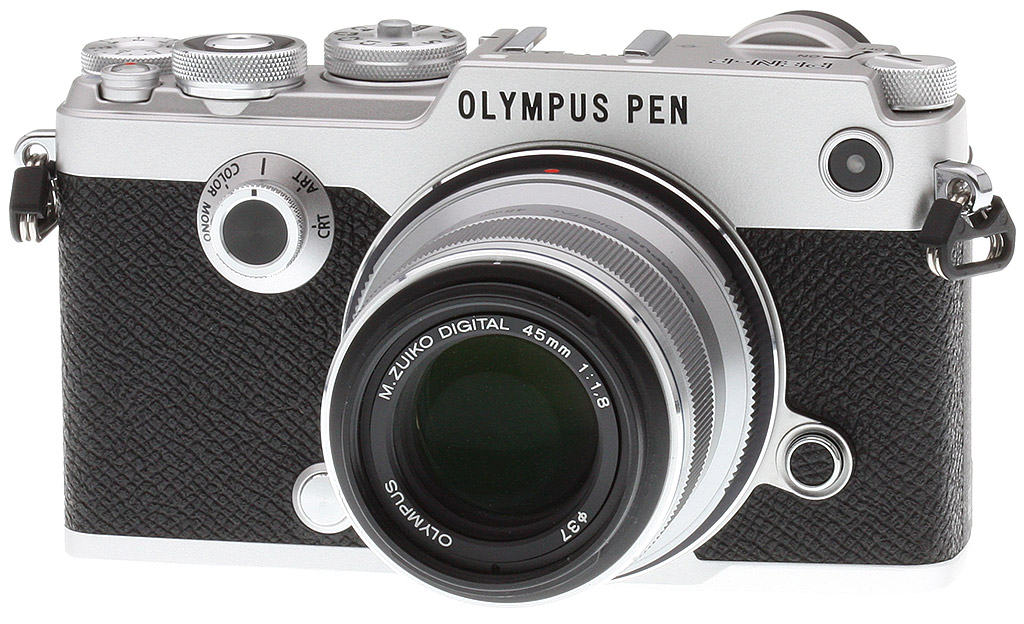
Boy, oh boy, has Olympus released one beautiful camera! Marking the 80th anniversary of the first Olympus camera, the 'Semi-Olympus 1' from 1936, the new Olympus PEN-F is named, not surprisingly, after its film-based predecessor from the 1960s. Olympus seems to have a knack for launching new cameras on major milestone points in the company's history, with the original digital PEN camera, the EP-1, launching 50 years after the first PEN film camera. The "2016 Olympus PEN-F" is an all-new premium Micro Four Thirds camera that strikes us as one of the most interesting blends of new technology and classical film camera styling we've yet seen.
The new PEN-F is all about premium style and design
A well-defined step above the earlier E-P5, which is also quite reminiscent of the original PEN-F, the new PEN-F puts a clear focus on premium design and build quality, but with an additional big serving of functionality and high-end technical features. Given this new camera's focus on sophisticated design, the Olympus PEN-F is clearly targeted toward the stylish and design-conscious street shooter, though to us, it certainly feels like a camera that would be welcomed in the camera bag of any seasoned enthusiast photographer.

It's clear that the design of the Olympus PEN-F is one of its hallmark characteristics. The magnesium alloy construction feels extremely solid in the hand. Unlike the beefier E-M1 and E-M5 Mark II of the OM-D family, the PEN-F is not weather-sealed, however, so if you need a camera that can withstand mother nature, the PEN-F is not the right choice for that task. Nevertheless, the PEN-F feels very well built. The camera certainly has a nice heft to it, and while it's a bit more angular and boxy than cameras with nice curvy contoured grips, the rather deep thumb grip area is positioned perfectly and the faux-leather body coating provides a nice grip. It's not overly grippy, however the camera can certainly be held and operated one-handed, though it feels better to use two.
The small details also stand out as well. Not only are there niceties like engraved lettering and diamond knurling on all of the metal dials, but there was also a conscious effort by the designers not to have visible screws or barely any seams in the body's construction. The PEN-F is as solidly built as it is cool looking.
The first PEN camera with a built-in EVF

Unlike the earlier E-P5 and other digital PEN models, the new PEN-F is the first with a built-in EVF. Rather than the center-mounted EVFs that adorn the OM-D cameras, the new PEN-F takes more of a rangefinder-style approach with an EVF in the top-left corner of the camera. One might infer that the new Olympus PEN-F is aiming to take on Fujifilm, one of the long-heralded kings of the über-stylish, retro-inspired digital camera.
In addition to style points, there are ergonomic benefits to a "left-shifted" EVF. If you're a right eye-dominant photographer, shooting with the PEN-F is quite comfortable, as your face and other eye are less obstructed. Furthermore, this configuration makes it easier to control the camera with your right hand without taking the camera down from your eye, as your face doesn't cover any of the camera's controls and buttons.
For left-eye dominant shooters, however, the PEN-F's ergonomics are more or less business as usual. Using the EVF on the PEN-F with your left eye keeps the cameras squarely in front of your face, as it would on other cameras with center-mounted viewfinders. However, the ease of access to controls and dials is still clear and comfortable.
As for the technical details of the PEN-F's EVF, the camera shares the same specs as the Olympus E-M10 Mark II. The screen of the electronic viewfinder is a 2.36M-dot OLED that offers very clear, crisp readability and very little lag time. The EVF features the same simulated optical viewfinder mode, or "S-OVF" mode, which simulates the view one would see with an optical viewfinder -- thereby eliminating various color adjustments, white balance settings and exposure compensation changes.

While the original Olympus PEN-F from the film days was rather devoid of buttons and dials, the realities of today's digital era necessitates a handful of them. Today's PEN-F feels like a pleasing blend of the earlier E-P5, in terms of the rear control layout, and the top deck of an OM-D camera, more or less.
Buttons and dials put controls at your fingertips
In addition to the redesigned locking PASM dial with spots for up to four custom shooting mode presents, the PEN-F features dual control dials as well as a dedicated exposure compensation dial -- something totally different from an OM-D camera. On the rear of the camera, the control cluster is more or less identical to the E-P5, though the video record button has moved to the top deck of the camera and the thumb rest protrusion is more pronounced and gains a customizable Fn1 function button (there's also another Fn2 button on the back of the camera under the hotshoe). Also, gone is the dual-mode toggle lever that surrounded the movie record button on the E-P5.

Classic PEN-F front dial opens world of creative customization
A big call-back to the original PEN-F is its characteristic front-mounted dial. While on the original model this front dial served as the shutter speed adjustment, the new camera uses it for quick access to a variety of color effect and art filter modes. Olympus moved away from their standard PASM dial, which included spots for modes like Art Filters and Scene mode, to make way for four custom settings presets. In doing so, they move similar modes down to this front-facing dial.
But... this dial is more than just a shortcut to fun and funky filters. In fact, the Olympus PEN-F offers a unique and highly intuitive color and tonal adjustment system. The front offers a choice between monochrome, color profiles, art filters and a color creator mode, which offers various tone, hue and saturation adjustments.

There's more to it than just a dial and some preset modes, though. In each creative function mode, you can then control and adjust the strength of the filters, the color saturation, the tint as well as adjust the tone curve for highlights, shadows and now for the first time, midtones, too. The user interface for these adjustments is all very intuitive, even though it involves a combination of multiple buttons and dials.
Upon switching any of the creative function modes, the adjustment parameters will display on the screen. You then use the front control dial around the shutter release button to toggle through individual color channels (for both color and monochrome modes), and then use the rear control dial to adjust the strength.
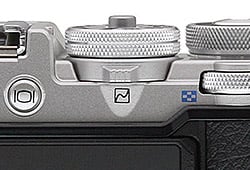
Additionally, in the monochrome mode, you also have an adjustable-strength (and optional), realistic film grain simulation effect. The film grain simulation is more than a simply grain effect that applied evenly across the entire image, but rather, according to Olympus, it's more intelligently applied based on the tonal information for a more realistic film grain look.
To access this UI again after shooting, you simply use the two-way toggle switch located at the base of the PASM dial. Flick to the right to access the "color wheel" interface (or scrollable menu of Art Filters, if you're in that mode), or you can flick the toggle switch to the left to access the adjust tone curve settings. The Olympus PEN-F offers a ton of creative options and image customization to get just the style or type of shot your looking for.
Brains behind the beauty: new sensor, High-Res mode and more!
Of course, there's way more to the Olympus PEN-F than good looks and cool customizations, the camera packs in a ton of the latest Olympus technology. For starters, the PEN-F utilizes an all-new 20-megapixel Live MOS Four Thirds sensor, making it currently the highest-resolution Olympus Micro Four Thirds camera on the market, and rivaling the Panasonic GX8. Combined with the snappy TruePic VII image processor, the PEN-F is a high-resolution, high-performance piece of kit. Like the E-M5 Mark II before it, the PEN-F offers an interesting and impressive multi-shot High-Res mode that's able to provide a whopping JPEG resolution of 50 megapixels in High Res Shot Mode. With RAW, the High-Res Shot mode is able to capture a whopping 80 megapixels of resolution!
• Go in-depth with the PEN-F's High-Res Shot mode •
Editor Mike Tomkins offers a detailed look at the image quality performance and how it stacks up to other competing high-res offerings, such as the E-M5 Mark II, Pentax K-3 II, and Canon 5DS R.
Like the current crop of OM-D cameras, the new PEN-F features their 5-axis image stabilization system, and while it allows for excellent handheld shooting capabilities at slower shutter speeds, the really impressive feature is that it also includes a cool High Resolution Mode (High-Res Shot Mode).

Good looks paired with latest & greatest Olympus technology
As for the other specs of the new Olympus PEN-F, they more or less fit in-line with the latest and greatest from the OM-D family of cameras. However, there are a few more improvements and difference here and there.
The camera's mechanical shutter allows for speeds up to 1/8000s, but opting for Silent Mode with an all-electronic shutter can bump up the speed to 1/16,000s. The PEN-F offers a variety of continuous burst shooting options and speeds. When using the mechanical shutter, burst shooting achieves rates up to 10fps with single-shot AF, though with C-AF the speed drops to 5fps. Also, with Anti-Shock mode, the max sequential shooting rate is pegged at 5fps.
Now, if you use the electronic shutter, there's an all-new burst mode called "H+" that offers a whopping 20fps burst rate at full resolution, which uses the electronic shutter but you must be using shutter speeds between 1/25s and 1/16,000s.

According to Olympus, the PEN-F's buffer capacity is around 39 frames for RAW or 45 frames for JPEG when using 10fps High-Speed continuous mode with a fast UHS-II card, and that's pretty close to what we measured in the lab. However, that increases to 250 RAW files and unlimited JPEGs in the slower 5fps Low-Speed continuous mode. No spec was given for buffer capacity for the 20fps H+ mode, though our lab results have determined it's about 25 frames. Head on over to our Performance page for details.
The ISO range is changed slightly compared to earlier OM-D cameras. The top-end of the scale is the same as the E-M5 Mark II, for instance, with a native, non-expandable ISO 25,600, and the native base ISO is still at 200. However, expanded low ISO options are now offered at both ISO 100 and an even lower ISO 80.

Despite its clear focus as a still camera, no camera in 2016 would be complete without video recording functionality. Olympus has added most of the video recording features of the E-M5 II into this camera, which is to say, an impressive set of specs, though there are no external microphone or headphone jacks.
Video resolutions are offered up to 1080/60p, though 30p and 24p options are also available, as is lower resolution 720p HD video. The camera offers various bitrate options, including 'Fine' and 'SuperFine' quality settings using the IPB compression scheme, as well as the even higher quality "All-I" intra-frame compression. According to Olympus' specs, the SuperFine bitrate is approximately 52Mbps and Fine is pegged at around 30Mbps, while All-I tops out at a very nice 77Mbps. For even more image quality control, the PEN-F offers clean HDMI out with timecode support.
Unfortunately there is no real 4K video support, however the PEN-F does include the E-M10 II's Timelapse Movie feature at up to 5fps at 4K UHD resolution.

The PEN-F draws power from a BLN-1 lithium-ion rechargeable battery pack and a dedicated battery charger is included in the bundle. Battery life rated to CIPA testing standards is 330 shots on a charge, though Olympus doesn't mention if that's with the EVF or LCD.
Wired connections on the Olympus PEN-F include USB 2.0 High Speed data, NTSC / PAL standard-definition video output (which shares the same connector as USB), Type-D Micro HDMI high-definition video output, and a flash hot shoe. As mentioned previously, there's no external mic or headphone jack.
The USB terminal is compatible with the RM-UC1 remote release cable, and also allows tethered shooting via a Windows / Mac OS-compatible application called Olympus Capture.
Like most current Olympus cameras, the PEN-F also sports built-in Wi-Fi wireless connectivity for pairing to a smartphone. You can transfer and share images and video as well as fully remotely control the camera for your Android or iOS device.
The Olympus PEN-F stores images and movies on a single SD memory card slot, compatible with higher-capacity SDHC and SDXC cards, as well as higher-speed UHS-I and UHS-II cards. It's also Eye-Fi card compatible, although with in-camera support for Wi-Fi wireless networking, there would seem to be little reason to use an Eye-Fi card.

Pricing & Availability
All said and done, the Olympus PEN-F looks and feels like an amazing camera that's right up the alley for someone looking for a compact yet very well-built model that packs a big punch in the style department. The Olympus PEN-F began shipping in March in a body-only configuration for US$1,199.99 (CAD $1,499.99) in black or two-tone silver and black, and the FL-LM3 flash unit (shown above) is included. Optional accessories include a leather half-case and a nifty external grip attachment with built-in Arca-Swiss-compatible flanges.
In the Box
The Olympus PEN-F retail package contains the following items:
- Olympus PEN-F body (in silver or black)
- BLN-1 rechargeable Li-ion battery
- BCN- battery charger
- FL-LM3 flash
- USB cable
- Shoulder strap
- Software CD-ROM
- Warranty card
Recommended Accessories
- Large capacity SDHC/SDXC memory card. 32GB Class 10 should be a minimum, and we highly recommend a UHS-II card for shooting in continuous burst mode.
- Spare BLN-1 battery for extended shooting sessions
- M.Zuiko lenses, especially the M.Zuiko Pro 12-40mm f/2.8
- RM-UC1 remote cable release
- ECG-4 grip
- Medium camera bag
- Micro HDMI cable
Optics
The Olympus PEN-F is sold body-only, so we have no kit lens test results here. We do however have viewfinder coverage test results below.
Viewfinder Test Results
Accuracy
Excellent coverage accuracy from the EVF and LCD monitor.


The Olympus PEN-F's electronic viewfinder and LCD monitor proved accurate in terms of coverage in record mode, with both showing essentially 100% coverage with our Olympus Zuiko Digital 50mm f/2.0 low distortion prime.
The images above were taken from our standardized test shots. For a collection of more pictorial photos, see our Olympus PEN-F Photo Gallery .
Exposure
Color
Saturation & Hue Accuracy
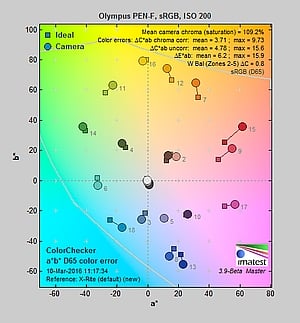
Typical saturation levels with very good hue accuracy.
 |
||
|
ISO Sensitivity
|
||
| In the diagram above, the squares show the original color, and the circles show the color that the camera captured. More saturated colors are located toward the periphery of the graph. Hue changes as you travel around the center. Thus, hue-accurate, highly saturated colors appear as lines radiating from the center. Mouse over the links to compare ISOs and click for a larger version. | ||


Saturation. The Olympus PEN-F pushes darker reds by a fair amount and a few other colors by relatively small amounts, but most colors are pretty close to accurate in terms of saturation. Default mean saturation at base ISO of 200 is 109.2% (9.2% oversaturated), which is about average these days. Mean saturation remains fairly stable across the ISO range, except at ISO 25,600 where it falls off moderately to 104.2% respectively (likely in an attempt to help control chroma noise). Most consumer digital cameras produce color that's more highly saturated (more intense) than what's found in the original subjects. This is simply because most people like their color a bit brighter than life.
Skin tones. The Olympus PEN-F did very well here when white balance was matched to the lighting, producing pleasant, realistic-looking Caucasian skin tones, just slightly on the warm side. Where oversaturation is most problematic is on Caucasian skin tones, as it's very easy for these "memory colors" to be seen as too bright, too pink, too yellow, etc.
Hue. The Olympus PEN-F exhibits very good overall hue accuracy, with a better-than-average Delta-C color error after correction for saturation of only 3.71 at base ISO (the average is about five among cameras we've tested, and lower scores are better). And hue accuracy is quite good across the ISO sensitivity range. Hue is "what color" the color is.


Sensor
Exposure and White Balance
Indoors, incandescent lighting
Default Auto white balance was too warm, but good color balance with Incandescent and Manual white balance settings. Average exposure compensation required.


Indoors, under normal incandescent lighting, color balance was much too warm and orange with the default Auto white balance setting. The PEN-F has a "Keep Warm Color" option for Auto white balance which is On by default. (When turned Off, the results are usually cool with a cyan tint, but we didn't test that option for the PEN-F.) Results with the Incandescent setting were not bad, though, just slightly warm and yellow. The Manual setting was quite good, just a touch cool. The Olympus PEN-F required an average amount of positive exposure compensation here, at +0.3 EV. (Our test lighting for this shot is a mixture of 60 and 100 watt household incandescent bulbs, a pretty yellow light source, but a very common one in typical home settings here in the U.S.)
Outdoors, daylight
Very good color and dynamic range, with good exposure.
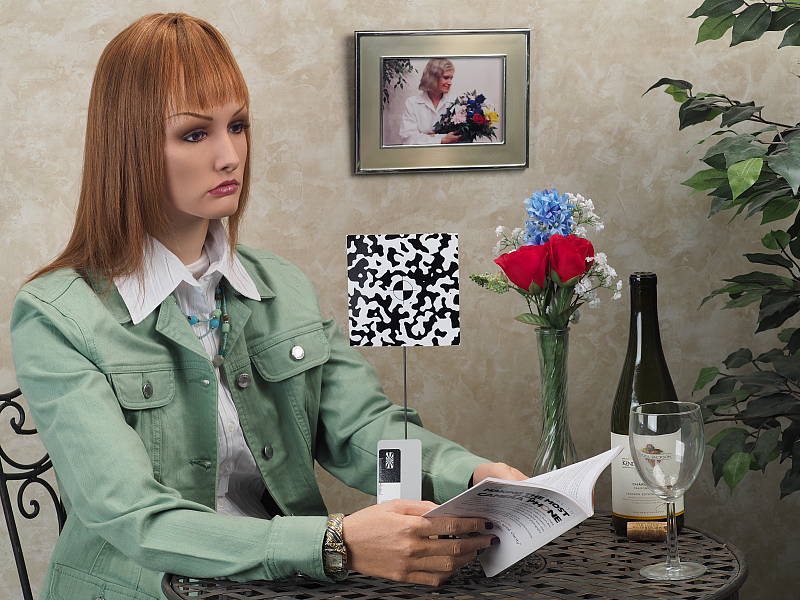
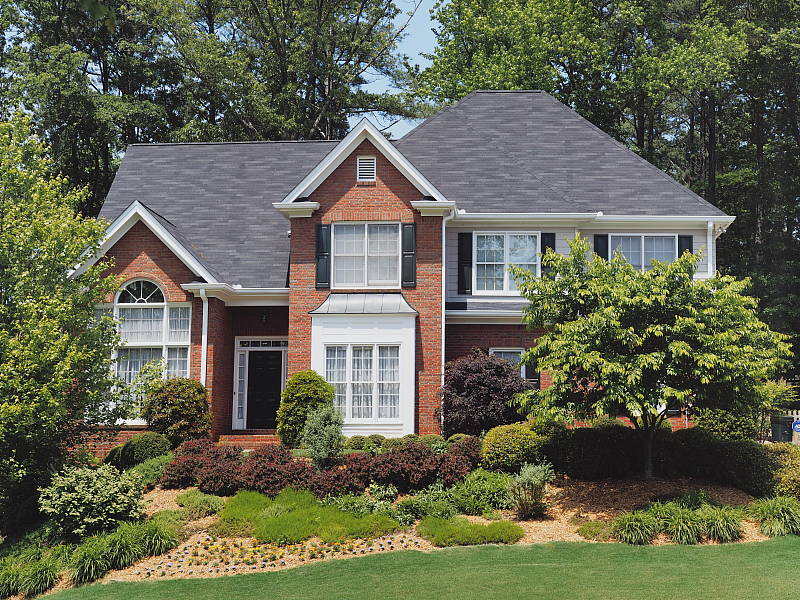
Outdoors, the Olympus PEN-F performed well, with nice colors and good exposure. Skin tones are good but slightly warm and yellow with the Auto white balance setting in our "Sunlit" Portrait shot, so we preferred Manual white balance for its slightly pinker rendering. The Olympus PEN-F required an average amount of positive exposure compensation (+0.7 EV) to keep the mannequin's face relatively bright. Default contrast is a bit high as it is on most cameras, but despite the bright appearance in some areas there are very few blown highlights in the mannequin's shirt and flowers, which is much better than average. There are few lost shadows as well, but noise in all but the deepest shadows is quite low for a 4/3" sensor. The Far-field shot has very good exposure at default settings and almost no blown highlights or lost shadows. Noise in the shadows is low, though there are signs fairly aggressive noise reduction is applied in darker regions. (Note that these shots were taken at ISO 200 as ISO 80 is an extended setting with inferior dynamic range.)
See full set of test images with explanations
See thumbnails of all test and gallery images
Native Resolution
~2,750 lines of strong detail in native resolution JPEG and RAW files.
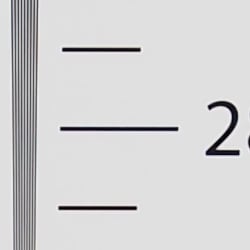


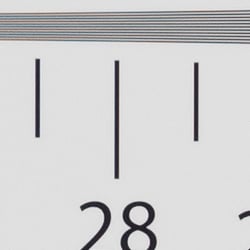
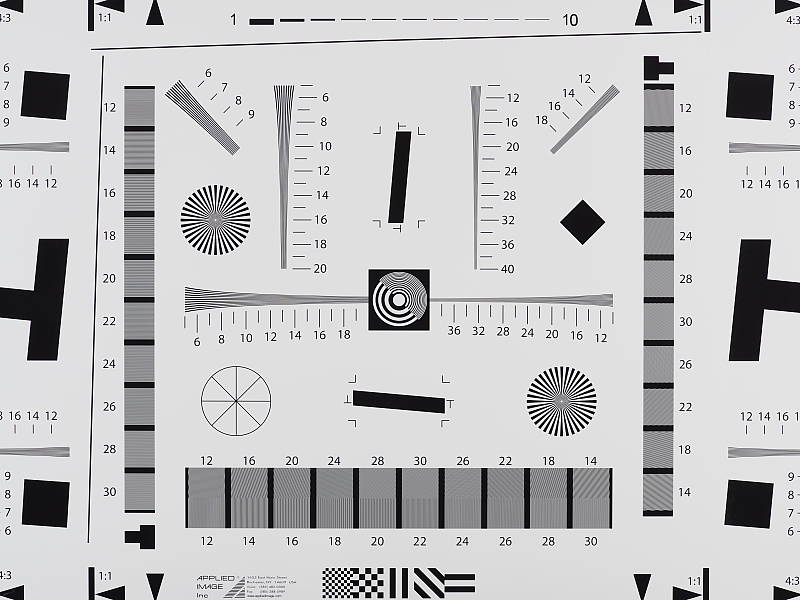
In-camera JPEGs of our laboratory resolution chart reveals sharp, distinct line patterns up to about 2,750 lines per picture height in the horizontal direction, and to about 2,750 lines in the vertical direction, although some fairly strong aliasing is visible well before those limits. Complete extinction of the pattern doesn't occur until about 3,700 lines. Adobe Camera Raw wasn't really able to extract more resolution here but generated far less luminance aliasing, though false colors and color moiré are much more apparent past the limits of resolution. Use these numbers to compare with other cameras of similar resolution, or use them to see just what higher resolution can mean in terms of potential detail.
See full set of test images with explanations
See thumbnails of all test and gallery images
Sharpness & Detail
Sharp images though moderate edge-enhancement artifacts on high-contrast subjects are visible. Mild noise suppression visible in the shadows.

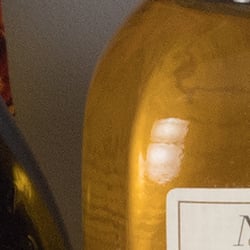
Sharpness. The Olympus PEN-F captures sharp images, though as is usually the case for most manufacturers, edge enhancement artifacts are visible on high-contrast subjects such as sharpening halos around the lines and lettering in the crop above left when default settings are used. The halos are a little bright, but at least they are not very thick. Edge enhancement creates the illusion of sharpness by enhancing colors and tones right at the edge of a rapid transition in color or tone.
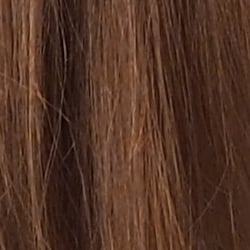
Detail. The crop above right shows fairly mild noise suppression artifacts in the darkest areas of the model's hair as base ISO, smudging individual strands together when contrast between them is low, though quite a few individual strands remain visible. Overall detail is very good for a 20-megapixel Micro Four Thirds model, and chroma noise is very low. Noise-suppression systems in digital cameras tend to flatten-out detail in areas of subtle contrast. The effects can often be seen in shots of human hair, where the individual strands are lost and an almost "watercolor" look appears.
Native Res RAW vs In-Camera JPEGs
As noted above, the Olympus PEN-F does a great job at capturing lots of fine detail in its JPEGs, but more detail can often be obtained by carefully processing RAW files, while at the same time reducing sharpening artifacts. Take a look below, to see what we mean:
|
Base ISO (200)
|
|
 |
 |
 |
 |
 |
 |
|
Camera JPEG, defaults
|
RAW via Adobe Camera Raw
|
In the table above, we compare an in-camera JPEG taken at base ISO using default noise reduction and sharpening (on the left) to the matching RAW file converted with Adobe Camera Raw 9.1 via DNG Converter 9.5 using default noise reduction with some strong but tight unsharp mask applied in Photoshop (350%, radius of 0.3 pixels, and a threshold of 0).
The Adobe Camera Raw conversion contains fine detail superior to the camera's Super Fine JPEG at default settings as can be seen in the mosaic crop and especially in the red-leaf swatch where much of the thread pattern is resolved, though it does leave behind a lot more noise at default noise reduction settings. In-camera JPEGs also have more "pop" though, with higher default contrast, sharpening and saturation. Overall, the PEN-F's JPEG engine does a very good job balancing the detail offered by its 20-megapixel sensor with keeping noise in check, at least at low ISOs (and its expanded low ISO 80 setting does even better, but at the cost of lower dynamic range), however as is usually the case, additional detail can be extracted when working with RAW files.
High Res mode RAW vs In-Camera JPEGs
The Olympus PEN-F's multi-shot High Res mode produces in-camera 49.9-megpixel JPEGs, but High-Res .ORF files are converted to 80.1-megapixel images! Below, we compare the two at base ISO:
|
High Res Mode, Base ISO (200)
|
|
 |
 |
 |
 |
 |
 |
|
Camera JPEG, defaults
|
RAW via Adobe Camera Raw
|
Adobe Camera Raw 9.5 supports the PEN-F's High-Res RAW files natively, so we decided to compare a conversion with an in-camera High Res JPEG here at base ISO. But to make the comparison easier, we've downsampled the 80-megapixel converted RAW file to the same resolution as the 50-megapixel JPEG using Photoshop's Bicubic Sharper resampling. You can view the full 80.1-megapixel ACR converted RAW image here. Olympus offers a free Photoshop High-Res Raw File plug-in which also produces 80.1-megapixels files, but with processing similar to the camera's. You can view the same file converted with the plugin using default settings here. And if you don't use Photoshop, Olympus Viewer 3 can now also convert them. You can access an Olympus Viewer conversion here.
As you can see, the High Res in-camera JPEG and RAW files both offer a lot more detail than the native resolution files in the previous comparison, but the converted High Res RAW file only offers a modest increase in detail over the in-camera High Res JPEG. It also shows slightly higher aliasing artifacts in some areas, as well as slightly higher noise, however we just used ACR's default noise reduction. The converted High-Res RAW file was pretty soft, though, so we had to apply strong sharpening to bring it close to the sharpness in the JPEG (we used USM 500% with a radius of 0.5), which exacerbates the appearance of noise. Still, shooting High Res images in RAW mode still offers the same advantages as native resolution RAW images over JPEGs, which is much greater control over sharpening, contrast, color, noise reduction, etc.
See our Astounding resolution from High Res Shot Mode page for more on the PEN-F's new high-res capture mode.
ISO & Noise Performance
Very good high ISO performance for its class.
|
Default High ISO Noise Reduction
|
 |
 |
 |
| ISO 80 | ISO 200 | ISO 400 |
 |
 |
 |
| ISO 800 | ISO 1600 | ISO 3200 |
 |
 |
 |
| ISO 6400 | ISO 12,800 | ISO 25,600 |
The Olympus PEN-F's images are quite clean and detailed at ISOs 80 though 400, though there's a minor increase in noise in the shadows as ISO sensitivity rises within this range. ISO 800 shows a slight drop in overall image quality, but fine detail is still quite strong. At ISO 1600, we see some moderate detail loss due to stronger noise and noise reduction efforts, as well as more visible chroma noise in the shadows, but fine detail is still pretty good. ISO 3200 shows a more noticeable drop in image quality, with much stronger blurring of fine detail. ISO 6400 is a lot grainer with more noticeable chroma noise, and image quality drops off rapidly from there, with much higher luma and chroma noise, visible noise reduction and sharpening artifacts, as well as a shift in color towards green.
Overall, high ISO noise performance is comparable to its closest competitor, the Panasonic GX8, and appears to even be a little better at the highest ISOs when looking at RAW files. As always, see the Print Quality section below for maximum recommended print sizes at each ISO.
Note that we now shoot this series at f/8 instead of f/4, for increased depth of field (at f/4, it was very difficult to focus for maximum sharpness in the crop area while maintaining consistent focus between models).
Extremes: Sunlit, dynamic range and low light tests
Very good dynamic range in JPEGs, and very good low-light performance as well.


Sunlight
The Olympus PEN-F did very well with this difficult shot, requiring an average amount of exposure compensation (+0.7 EV) to keep the mannequin's face bright in this harsh lighting. As mentioned previously, despite the bright appearance of the mannequin's shirt, dynamic range is surprisingly good, with very few highlights blown and good detail in the shadows as well, though very deep shadows do exhibit fairly strong noise reduction and blotchy coloration. Still, performance here is well above average, particularly for a Micro Four Thirds model.
Because digital cameras are more like slide film than negative film (in that they tend to have a more limited tonal range), we test them in the harshest situations to see how they handle scenes with bright highlights and dark shadows, as well as what kind of sensitivity they have in low light. The shot above is designed to mimic the very harsh, contrasty effect of direct noonday sunlight, a very tough challenge for most digital cameras. (You can read details of this test here. In actual shooting conditions, be sure to use fill flash in situations like the one shown here; it's better to shoot in open shade whenever possible.)
| Face Detection | ||
 |
 |
 |
| Off at 0 EV Aperture priority, f/8 |
On at 0 EV Aperture priority, f/8 |
Full Auto f/2 |
Face Detection. Like most cameras these days, the Olympus PEN-F has the ability to detect faces, and adjust exposure and focus accordingly. As you can see from the examples above, face detection worked well, as the center image with it enabled is much better exposed for the face without having to use any exposure compensation. The Full Auto setting worked even better by choosing Portrait scene mode which selected a larger aperture (f/2) and selected i-Enhance Picture Mode to boost shadows and reduce contrast. An excellent performance under very difficult lighting such as this.
|
Outdoor Portrait Gradation Comparison
|
|
 |
Gradation Normal (Default) Auto Low Key High Key |
 |
|
Gradation. Similar to dynamic range optimization systems from other manufacturers, the Olympus PEN-F's Gradation setting applies local contrast adjustments in an attempt to preserve shadow detail and prevent highlight clipping with the Auto setting. Above are examples of the Normal (default), Auto, Low Key and High Key settings applied to our "Sunlit" Portrait shot with no exposure compensation. Mouse over the links to load the associated thumbnail and histogram, and click on the links to visit the full resolution image.
As you can see, the Low Key setting applies Gradation for making subjects darker (in the thumbnail and histogram above, you can see that the camera shifted levels to the left, darkening the image dramatically), while the High Key setting does the opposite to produce brighter images (shifting levels to the right so that lighter tones are blown, but darker ones are opened up). The Auto setting did a good job here, boosting shadows and midtones without blowing many highlights, for a much better overall exposure than the Normal setting.
|
Far-field Gradation Comparison
|
|||
 |
|||
Above, we can see the Gradation options at work in our Far-field test shot series with similar results. Mouse over the links to load the associated thumbnail, and click on the links to visit the full resolution image.
|
High Dynamic Range
|
|||
|
|
|||
HDR setting: |
|||
High Dynamic Range. The PEN-F's in-camera HDR feature works by combining four shots at different exposures. Two strength settings are available: HDR1 and HDR2, with the later providing a more extreme result. ISO is fixed to 200, and slowest shutter speed is 1 second (4 seconds total).
Above, you can see the PEN-F's in-camera HDR mode at work with our Far-field shot. HDR1 did a pretty good job brightening shadows and toning down highlights, though it looks a bit dim and flat. You can probably do much better by using the bracketing mode and combining the images yourself in software. HDR2 mode looks overprocessed and too bright with blown-out highlights as well as soft, noisy details. Unfortunately, the camera seems to have moved during the HDR2 sequence, which caused ghosting in bright static objects like the building's pillars. (Notice that the HDR images are not cropped compared to the non-HDR image, which implies the camera can't compensate for much camera motion during a sequence. This is pretty much confirmed by the user manual which says to use a tripod for HDR shots, potentially making this mode less useful than those offered by some other manufacturers.)
Dynamic Range Analysis (RAW mode)
A key parameter in a digital camera is its Dynamic Range, the range of brightness that can be faithfully recorded. At the upper end of the tonal scale, dynamic range is dictated by the point at which the RGB data "saturates" at values of 255, 255, 255. At the lower end of the tonal scale, dynamic range is determined by the point at which there ceases to be any useful difference between adjacent tonal steps. Note the use of the qualifier "useful" in there: While it's tempting to evaluate dynamic range as the maximum number of tonal steps that can be discerned at all, that measure of dynamic range has very little relevance to real-world photography. What we care about as photographers is how much detail we can pull out of the shadows before image noise becomes too objectionable. This, of course, is a very subjective matter, and will vary with the application and even the subject matter in question. (Noise will be much more visible in subjects with large areas of flat tints and subtle shading than it would in subjects with strong, highly contrasting surface texture.)
While we once performed our own dynamic range measurements based on in-camera JPEGs as well as converted RAW images (when the camera was supported by Adobe Camera Raw), we've switched to using DxO Labs' results from their DxOMark website. As technology advanced, the dynamic range of modern high-end cameras in some cases exceeded the range of the Stouffer T4110 density scale that we used for our own measurements. DxO's approach based on RAW data before demosaicing is also more revealing, because it measures the fundamental dynamic range of the sensor, irrespective of whatever processing is applied to JPEGs, or to RAW data by off-the-shelf conversion software.
In the following, we use DxO's "Print" dynamic range results, which are scaled based on camera resolution. As the name suggests, this scaling corresponds to the situation in which you print at a given size, regardless of how many megapixels the camera might have. (In other words, if you've decided to make a 13x19 inch print, that's the size you're printing, whether the camera's resolution is 16 or 300 megapixels.) For the technically-minded, you can find a discussion of the reasoning behind this here on the DxOMark website. Also note that DxO Labs uses a signal-to-noise (SNR) threshold of 1 when defining the lower boundary of acceptable luminance noise in their dynamic range measurements, which corresponds to the "Low Quality" threshold of the Imatest software we used to use for this measurement.

Here, we compare the Olympus PEN-F (in red) to its closest, tested Micro Four Thirds competitor, the Panasonic GX8 (yellow), as well as to the Sony A6300 (orange), a class-leading APS-C mirrorless camera. You can always compare to other models on DxOMark.com.
As you can see from the above graph (click it for a larger version), the PEN-F's dynamic range is similar to the GX8's, which is not a surprise since they probably share the same or at least very similar sensors. The GX8 does a little better at low ISOs with a peak dynamic range of 12.58 EV versus 12.35 for the PEN-F, but the Olympus does a little better at higher ISOs, with up to about a half EV advantage between ISO 1600 and 6400. You'd probably have a tough time seeing the difference in real-world shots, though.
Unsurprisingly, the Olympus PEN-F lags behind the APS-C-sensored Sony A6300 across the board, with the Sony offering up to about a 1.4 stop advantage at base ISO (13.37 EV vs 12.35), as well as significantly better dynamic range at higher ISOs.
Bottom line: The Olympus PEN-F's dynamic range is excellent for a Four Thirds sensor, close to the best tested to date, though as expected, it's not as good as state-of-the-art APS-C mirrorless rivals.
Click here to visit the DxOMark page for the Olympus PEN-F for more of their test results and additional comparisons.
| 1 fc 11 lux |
1/16 fc 0.67 lux |
1/16 fc No NR |
|
|---|---|---|---|
| ISO 200 |
 1s, f2.8 |
 15s, f2.8 |
 15s, f2.8 |
| ISO 3200 |
 1/15s, f2.8 |
 1s, f2.8 |
 1s, f2.8 |
| ISO 25600 |
 1/125s, f2.8 |
 1/8s, f2.8 |
 1/8s, f2.8 |
Low Light
The Olympus PEN-F performed quite well in our low light testing, capturing bright exposures at the lowest light level we test (1/16 foot-candle), even at base ISO. Noise is low at ISO 200 and well-controlled at ISO 3200, though the top ISO ISO of 25,600 is noisy and is probably best avoided except for small prints or web images.
White balance was fairly neutral using the Auto setting, just slightly cool, and we didn't notice any significant issues with hot pixels, pattern noise or heat blooming.
The camera's autofocus system was able to focus on our subject down to below the 1/16 foot-candle light level unassisted with an f/2.8 lens, which is excellent, and in total darkness with the aid of its focus assist lamp.
How bright is this? The one foot-candle light level that this test begins at roughly corresponds to the brightness of typical city street-lighting at night. Cameras performing well at that level should be able to snap good-looking photos of street-lit scenes.
NOTE: This low light test is conducted with a stationary subject, and the camera mounted on a sturdy tripod. Most digital cameras will fail miserably when faced with a moving subject in dim lighting. (For example, a child's ballet recital or a holiday pageant in a gymnasium.) Thanks to their phase-detect AF systems, digital SLRs tend to do much better than point & shoots, but you still shouldn't expect a quick autofocus lock with moving subjects. The PEN-F uses contrast-detect autofocus as is found in most point & shoot cameras, so its low-light focusing ability is less than that of most SLRs with phase-detect systems. That said, though, the larger, more sensitive pixels of the PEN-F's sensor do better under dim lighting than do the tiny pixels of most point & shoots, (A useful trick is to just prop the camera on a convenient surface, and use its self-timer to release the shutter. This avoids any jiggling from your finger pressing the shutter button, and can work quite well when you don't have a tripod handy.)
Output Quality
Print Quality
High-quality prints up to 30 x 40 inches at ISO 80; Nice 8 x 10 inch prints all the way up to ISO 6400; and usable 4 x 6 inch prints at ISO 12,800.
 ISO 80 prints display fantastic detail all the way up to an impressive 30 x 40 inches. At this expanded low ISO, fine detail is clean and crisp, colors are vibrant and noise is practically nonexistent. There's very subtle pixelation if you look closely, but from a normal viewing distance for a print of this size, it's not an issue.
ISO 200 images look excellent up to 24 x 36 inches. There's still a lot of detail, but we see a subtle yet noticeable increase in noise that degrades some very fine detail, particularly in a number of fabric swatches of our Still Life scene. Noise is mainly seen in the shadows, but it's quite low overall given the ISO level.
ISO 400 prints show a lot of fine detail and well-controlled shadow noise up to 20 x 30 inch prints. Shadow noise does become a bit more visible at larger print sizes, so it's more a personal taste whether or not you're okay with bumping the print size here to 24 x 36 -- we'd be okay with it for less critical applications, though.
ISO 800 images look great up to 16 x 20 inches. At this print size, noise is very well controlled and barely an issue; any larger, and its effects become apparent. Despite the slight increase in noise, we'd be okay with a 20 x 30 inch print here for less critical applications.
ISO 1600 prints show more noise than the previous ISO sensitivity, and it's starting to impact fine detail in more places now, such as in the mosaic tile pattern of our test image. Shadow noise has increased some as well, so to our eyes, a 13 x 19 inch print is the maximum size for this ISO.
ISO 3200 images top-out at 11 x 14 inches. Prints at this size look quite nice with a good amount of detail, though noise is beginning to soften things up a bit if you look closely. Colors are still bright and pleasing at this ISO level.
ISO 6400 prints show increased softening due to noise, but the PEN-F still manages a nice 8 x 10 at this ISO sensitivity. Visible noise is more apparent, which isn't surprising.
ISO 12,800 images are fairly noisy and soft at larger print sizes, but we still managed to find nice performance with a 5 x 7 inch print. Shadow noise is still visible at this print size, but not to an excessive degree.
ISO 25,600 prints, however, appear too noisy and lacking in fine detail to consider usable to our eyes. A 4 x 6 inch print might be acceptable for less critical applications, but we'd recommended avoiding this ISO for making prints if possible.
Sporting the highest resolution Four-Thirds sensor yet for an Olympus camera, the PEN-F's new 20-megapixel chip allows it to perform rather nicely in the printing department. We see very large, highly detailed prints at the expanded low ISO of 80, with up to 30 x 40 inch prints. There is a hint of pixelation at this print size, so we're pushing the resolving power of the sensor, but from a normal viewing distance for such a large print, it's all rather impressive. We observed a fairly steady decrease in maximum print size as ISO sensitivity increases, but overall the Olympus PEN-F does very well. At ISO 1600, for example, the Olympus PEN-F is capable of a nice 13 x 19 inch print, a pleasing 8 x 10 at ISO 6400, and it even manages a usable 5 x 7 inch print all the way up to ISO 12,800. The camera's maximum ISO of 25,600, however, is best avoided for prints.
The images above were taken from our standardized test shots. For a collection of more pictorial photos, see our Olympus PEN-F Photo Gallery .
Not sure which camera to buy? Let your eyes be the ultimate judge! Visit our Comparometer(tm) to compare images from the Olympus PEN-F with those from other cameras you may be considering. The proof is in the pictures, so let your own eyes decide which you like best!
Performance
Timing and Performance
Generally excellent performance for its class, though startup was sluggish.
| Startup/Play to Record | ||
|---|---|---|
|
Power on |
~1.8 seconds
|
Time it takes to turn on and capture a shot. |
|
Play to Record, |
~0.5 second
|
Time until first shot is captured. |
Startup time including taking a shot was a bit slow for its class at 1.8 seconds, but switching from Play to Record and taking a shot was quite fast.
| Shutter Response (Lag Time) | ||
|---|---|---|
|
Full Autofocus, |
0.144 second
|
Time from fully pressing shutter button to image capture, with the lens already at the proper focal distance setting. (All AF timing performed with the Olympus M.Zuiko 45mm f/1.8 ED prime lens.) |
|
Full Autofocus, |
0.406 second
|
Time from fully pressing shutter button to image capture, with the lens already at the proper focal distance setting, TTL Auto flash enabled on bundled flash. |
|
Manual Focus |
0.092 second
|
For most cameras, shutter lag is less in manual focus than autofocus, but usually not as fast as when the camera is "prefocused". |
|
Prefocused |
0.070 second
|
Time to capture, after half-pressing and holding shutter button. |
The Olympus PEN F's full-autofocus shutter lag in single-area AF mode (center AF position) was 0.144 second when tested with our Olympus M.Zuiko 45mm f/1.8 ED prime lens. That's faster than average for a mirrorless camera and competitive with prosumer DSLRs, though keep in mind our test target is static and we don't refocus between trials for this test.
When using the bundled flash, full AF shutter lag increased to 0.406 second to account for preflash metering, though that's still pretty fast.
When manually focused, the Olympus PEN F's shutter lag time was 0.092 second, also fast. The PEN F's prefocused shutter lag time was decent at 0.070 second, but not quite as fast as most recent mirrorless cameras.
To minimize the effect of different lens' focusing speed, we test AF-active shutter lag with the lens already set to the correct focal distance.
| Cycle Time (shot to shot) | ||
|---|---|---|
|
Single Shot mode |
0.85 second
|
Time per shot, averaged over a few frames (we no longer test for buffer depths in single-shot mode). |
|
Single Shot mode |
0.95 second
|
Time per shot, averaged over a few frames (we no longer test for buffer depths in single-shot mode). |
|
Early shutter |
No
|
Some cameras don't snap another shot if you release and press the shutter too quickly in Single Shot mode, making "No" the preferred answer. |
|
Continuous H mode |
0.10 second (10.4 frames per second);
43 frames total; 5 seconds to clear* |
Time per shot, averaged over 43 shot buffer capacity, then slows to an average of 0.19s or 5.3 fps when buffer is full. |
|
Continuous H mode |
0.10 second (10.5 frames per second);
39 frames total; 6 seconds to clear* |
Time per shot, averaged over 39 shot buffer capacity, then slows to an average of 0.20s or 5.1 fps when buffer is full. |
|
Continuous H mode |
0.10 second (10.4 frames per second);
29 frames total; 10 seconds to clear* |
Time per shot, averaged over 29 shot buffer capacity, then slows to an average of 0.36s or 2.8 fps when buffer is full. |
|
Continuous H+ mode |
0.05 second (20.6 frames per second);
25 frames total; 3 seconds to clear* |
Time per shot, averaged over 25 shot buffer capacity, then slows to an average of 0.18s or 5.7 fps when buffer is full. |
|
Continuous H+ mode |
0.05 second (20.6 frames per second);
25 frames total; 5 seconds to clear* |
Time per shot, averaged over 25 shot buffer capacity, then slows to an average of 0.20s or 5.1 fps when buffer is full. |
|
Continuous H+ mode |
0.05 second (20.6 frames per second);
22 frames total; 7 seconds to clear* |
Time per shot, averaged over 22 shot buffer capacity, then slows to an average of 0.36s or 2.8 fps when buffer is full. |
|
Flash Recycling |
6.0 seconds
|
Bundled flash at maximum output. |
|
*Note: Buffer clearing times measured with a SanDisk Extreme Pro 280MB/sec UHS-II SDHC card. Slower cards will produce correspondingly slower clearing times. Slow cards may also limit length of bursts in continuous mode. ISO sensitivity and noise reduction settings can also affect cycle times and burst mode performance.
|
||
Single-shot cycle times were about average for a mirrorless camera, ranging from 0.85 second for best quality JPEGs to 0.95 second for RAW+JPEG. (Note that we no longer test just RAW files in single-shot mode, as its cycle-time is usually somewhere between JPEG and RAW+JPEG.)
Continuous H mode performance was excellent, at over 10 frames per second with any file type, easily meeting Olympus' spec. Note that focus and exposure are fixed at the first frame of a burst in this mode. There is also a L (low) mode rated at 5 fps which supports continuous AF and exposure. The Olympus PEN-F also offers a new H+ mode using a fully electronic shutter that is rated at 20 fps, the fastest burst speed offered by a Micro Four Thirds camera at full-resolution thus far, and in the lab it also easily met the spec at 20.6 fps no matter the file type.
Buffer depths were quite good for its class in Continuous H mode at 43 frames for Large/Super Fine JPEGs, 39 frames for RAW files, and 29 frames for RAW+JPEGs before the camera slowed down. Note that our target for this test was designed to be difficult to compress, so JPEG burst lengths should be longer with typical subjects. (An you'll be able to take longer JPEG bursts by switching to Fine quality.) As expected, in Continuous H+ mode, buffer depths were lower, ranging from 22 to 25 frames depending on the file type. That's not bad considering the resolution, but keep in mind at that frame rate, the buffer only lasts a little over a second.
Buffer clearing was pretty fast with a fast UHS-II card, ranging from 5 seconds after a maximum length burst of 43 LSF JPEGs to 10 seconds after a burst of 29 RAW+JPEG frames. With our 95MB/s UHS-I card, buffer clearing times were about twice as long, and buffer depths were 5 frames less for JPEGs and RAW+JPEGs, and 8 frames less for RAW.
Flash recycle time was a bit sluggish with the included body-powered external flash, at 6.0 seconds after a full power discharge.
Bottom line, the Olympus PEN F's performance is generally excellent for its class, with fast autofocus speeds, very swift burst performance and generous buffer depths, though startup time is a bit sluggish.
Battery
Battery Life
Slightly below average battery life for a mirrorless camera.
| Operating Mode | Number of Shots |
|---|---|
|
Still Capture,
(CIPA standard) |
330
|
The Olympus PEN F uses a custom BLN-1 rechargeable lithium-ion battery pack for power, and comes with both a single battery and charger. The rated 330 shots per charge is slightly below average for a mirrorless interchangeable lens camera (unfortunately Olympus doesn't specify if that's with the EVF or LCD), and well below the capacity of most DSLRs with their optical viewfinders. We recommend getting a second battery for your PEN F if you plan any extended outings.
The table above shows the number of shots the camera is capable of (on a fully-charged rechargeable battery), based on CIPA battery-life and/or manufacturer standard test conditions.
(Interested readers can find an English translation of the CIPA DC-002 standards document here. (180K PDF document))
Image Quality
Below are crops from our laboratory Still Life target comparing Olympus PEN-F image quality to its OM-D E-M5 II sibling, as well as against several premium mirrorless models at similar price points or in similar categories: the Fuji X-Pro2, Panasonic GX8 and Sony A7. We've also decided to include the Nikon J5 here which may seem a little odd, but we wanted to include an interchangeable lens camera with a smaller sensor for comparison purposes, and the J5 uses the latest generation 1"-type sensor we've tested in an ILC thus far.
NOTE: These images are from best quality JPEGs straight out of the camera, at default settings including noise reduction and using the camera's actual base ISO (not extended ISO settings). All cameras in this comparison were shot with our very sharp reference lenses. Clicking any crop will take you to a carrier page where you can click once again to access the full resolution image as delivered straight from the camera. For those interested in working with the RAW files involved, click these links to visit each camera's respective sample image thumbnail page: Olympus PEN-F, Olympus E-M5 II, Fuji X-Pro2, Nikon J5, Panasonic GX8, and Sony A7 -- links to the RAW files appear beneath those for the JPEG images, wherever we have them. And remember, you can always go to our world-renowned Comparometer to compare the Olympus PEN-F to any camera we've ever tested!
Olympus PEN-F vs Olympus E-M5 II at Base ISO
 |  |
 |  |
 |  |
Olympus PEN-F at ISO 200 | Olympus E-M5 II at ISO 200 |
The resolution advantage of the 20-megapixel PEN-F is apparent compared to the 16-megapixel E-M5 II by virtue of the larger scale on the left, but the PEN-F also resolves a bit more fine detail while producing similar noise levels. In other respects, both cameras offer very similar image quality at base ISO. | |
Olympus PEN-F vs Fujifilm X-Pro2 at Base ISO
|  |
|  |
|  |
Olympus PEN-F at ISO 200 | Fujifilm X-Pro2 at ISO 200 |
The 24-megapixel Fuji X-Pro2 has a slight resolution advantage in terms of pixel count, but because of its unique X-Trans sensor, it isn't able to resolve significantly more detail in most areas, and even struggles with reproducing small text as accurately as the PEN-F in our Pure Brewed label. Although overall contrast is lower, the Fuji does however reproduce better fine detail in our tricky red-leaf swatch, and colors are generally a little warmer as well. | |
Olympus PEN-F vs Nikon J5 at Base ISO
|  |
|  |
|  |
Olympus PEN-F at ISO 200 | Nikon J5 at ISO 160 |
Here we compare the PEN-F with its 4/3"-type sensor to a camera sporting a 1"-type sensor with roughly the same 20-megapixel pixel count, the Nikon J5. At base ISO, both cameras do well overall, but there are notable differences. Looking very closely, it's clear the PEN-F's larger sensor produces lower noise levels and thus retains a bit more detail, and the PEN-F's image is also crisper. The Nikon on the other hand does a slightly better job with our tricky red-leaf fabric, retaining more detail while producing a smoother rendering. | |
Olympus PEN-F vs Panasonic GX8 at Base ISO
|  |
|  |
|  |
Olympus PEN-F at ISO 200 | Panasonic GX8 at ISO 200 |
The Panasonic GX8 and Olympus PEN-F share very similar if not identical sensors, so the differences we see are mostly down to different approaches in processing. The Olympus image is crisper, cleaner, and brighter, and also has better color. The Panasonic on the other hand retains more detail in many areas, preserves more of the coloration caused by offset printing in the mosaic label, and produces fewer sharpening halos around high-contrast edges. However, the GX8 is noisier in flatter areas, its area-specific noise reduction does produce some minor artifacts along boundaries between areas of changing detail, and its overall color is not as pleasing. | |
Olympus PEN-F vs Sony A7 at Base ISO
|  |
|  |
|  |
Olympus PEN-F at ISO 200 | Sony A7 at ISO 100 |
Here, we decided to compare the PEN-F to the 24-megapixel full-frame Sony A7 mirrorless camera, because they are currently selling for about the same price. At base ISO, the Sony A7 produces a crisper, more contrasty and more detailed image with fewer sharpening artifacts, however moiré patterns are much more visible in the red-leaf swatch. The Sony also exaggerates the offset printing coloration in the mosaic label which the Olympus attenuates, perhaps treating it as chroma noise. | |
Olympus PEN-F vs Olympus E-M5 II at ISO 1600
 |  |
 |  |
 |  |
Olympus PEN-F at ISO 1600 | Olympus E-M5 II at ISO 1600 |
At ISO 1600, the PEN-F actually produces a slightly cleaner image than the E-M5 II, but that's thanks to slightly stronger default noise reduction, as the E-M5 II manages to retain a touch more detail in most areas of the target. Still, fairly similar performance here at ISO 1600, despite the smaller pixels. | |
Olympus PEN-F vs Fujifilm X-Pro2 at ISO 1600
|  |
|  |
|  |
Olympus PEN-F at ISO 1600 | Fujifilm X-Pro2 at ISO 1600 |
The Fuji X-Pro2's image is noisier, but it also displays more detail with fewer noise reduction artifacts. Contrast has fallen in the red-leaf swatch, but the X-Pro2 still outperforms the PEN-F in the fabrics in terms of fine detail. | |
Olympus PEN-F vs Nikon J5 at ISO 1600
|  |
|  |
|  |
Olympus PEN-F at ISO 1600 | Nikon J5 at ISO 1600 |
Here at ISO 1600, the PEN-F clearly has the advantage in terms of detail and lower noise. The J5's image is much softer and noisier than the PEN-F's, though the Nikon still manages to reproduce fine detail in the red-leaf swatch better than the Olympus. | |
Olympus PEN-F vs Panasonic GX8 at ISO 1600
|  |
|  |
|  |
Olympus PEN-F at ISO 1600 | Panasonic GX8 at ISO 1600 |
Similar to what we saw at base ISO, the Olympus image is cleaner and brighter with better color at ISO 1600, but fine detail is more distorted by stronger noise reduction. The Panasonic retains finer details, but is noisier with noticeable artifacts from its area-specific noise reduction. | |
Olympus PEN-F vs Sony A7 at ISO 1600
|  |
|  |
|  |
Olympus PEN-F at ISO 1600 | Sony A7 at ISO 1600 |
The full-frame Sony A7 easily bests the Micro Four Thirds Olympus PEN-F at ISO 1600, with much better detail and lower noise levels, nicely demonstrating the advantage of using a much larger full-frame sensor. | |
Olympus PEN-F vs Olympus E-M5 II at ISO 3200
 |  |
 |  |
 |  |
Olympus PEN-F at ISO 3200 | Olympus E-M5 II at ISO 3200 |
Similar to what we saw at ISO 1600, the PEN-F has to work a little harder to keep noise in check at ISO 3200, which limits the advantage of its slightly higher-resolution sensor at this sensitivity. | |
Olympus PEN-F vs Fujifilm X-Pro2 at ISO 3200
|  |
|  |
|  |
Olympus PEN-F at ISO 3200 | Fujifilm X-Pro2 at ISO 3200 |
Noise levels are a little higher from the X-Pro2 at ISO 3200, but it retains better detail than the PEN-F in the mosaic and red-leaf fabric crops. | |
Olympus PEN-F vs Nikon J5 at ISO 3200
|  |
|  |
|  |
Olympus PEN-F at ISO 3200 | Nikon J5 at ISO 3200 |
The Nikon J5 produces a noisier image at ISO 3200, and tries to compensate with stronger noise reduction, but at the expense of fine detail and sharpness. It does still manage to produce slightly better fine detail in the red-leaf fabric, but both cameras blur most of it away at this sensitivity. | |
Olympus PEN-F vs Panasonic GX8 at ISO 3200
|  |
|  |
|  |
Olympus PEN-F at ISO 3200 | Panasonic GX8 at ISO 3200 |
Similar to what we saw at ISO 1600 only amplified, the GX8 holds on to more fine detail than the PEN-F, however noise in flatter areas is more apparent, as are area-specific noise reduction artifacts. The PEN-F meanwhile continues to produce a smoother image with brighter, more accurate colors, but fine detail suffers more at the hands of strong noise reduction. | |
Olympus PEN-F vs Sony A7 at ISO 3200
|  |
|  |
|  |
Olympus PEN-F at ISO 3200 | Sony A7 at ISO 3200 |
No contest here at ISO 3200, with the Sony A7 easily out-performing the Olympus PEN-F, however Sony's aggressive processing is starting to distort fine detail. | |
Olympus PEN-F vs. Olympus E-M5 II, Fujifilm X-Pro2, Nikon J5, Panasonic GX8, Sony A7
 |  |  |  |  |  |
 |  |  |  |  |  |
 |  |  |  |  |  |
| Olympus PEN-F ISO 200 ISO 3200 ISO 6400 | Olympus E-M5 II ISO 200 ISO 3200 ISO 6400 | Fujifilm X-Pro2 ISO 200 ISO 3200 ISO 6400 | Nikon J5 ISO 160 ISO 3200 ISO 6400 | Panasonic GX8 ISO 200 ISO 3200 ISO 6400 | Sony A7 II ISO 100 ISO 3200 ISO 6400 |
| Detail comparison. High-contrast detail is also important, pushing the camera in different ways, so we like to look at it, too. Unsurprisingly, the full-frame Sony A7 comes out ahead in this comparison, with the best detail and contrast, and with very little decline in image quality as sensitivity rises to ISO 6400. The PEN-F performs quite well at base ISO, but contrast and detail fall off more quickly as ISO climbs than its lower-resolution sibling, the E-M5 II. The Nikon J5 does quite well at base ISO, however image quality drops off quite quickly as sensitivity is increased. The Panasonic GX8 and Fuji X-Pro2 trail the pack in terms of contrast, but do a little better with fine detail as ISO rises. | |||||
High-quality prints up to 30 x 40 inches at ISO 80; Nice 8 x 10 inch prints all the way up to ISO 6400; and usable 4 x 6 inch prints at ISO 12,800.
ISO 80 prints display fantastic detail all the way up to an impressive 30 x 40 inches. At this expanded low ISO, fine detail is clean and crisp, colors are vibrant and noise is practically nonexistent. There's very subtle pixelation if you look closely, but from a normal viewing distance for a print of this size, it's not an issue.
ISO 200 images look excellent up to 24 x 36 inches. There's still a lot of detail, but we see a subtle yet noticeable increase in noise that degrades some very fine detail, particularly in a number of fabric swatches of our Still Life scene. Noise is mainly seen in the shadows, but it's quite low overall given the ISO level.
ISO 400 prints show a lot of fine detail and well-controlled shadow noise up to 20 x 30 inch prints. Shadow noise does become a bit more visible at larger print sizes, so it's more a personal taste whether or not you're okay with bumping the print size here to 24 x 36 -- we'd be okay with it for less critical applications, though.
ISO 800 images look great up to 16 x 20 inches. At this print size, noise is very well controlled and barely an issue; any larger, and its effects become apparent. Despite the slight increase in noise, we'd be okay with a 20 x 30 inch print here for less critical applications.
ISO 1600 prints show more noise than the previous ISO sensitivity, and it's starting to impact fine detail in more places now, such as in the mosaic tile pattern of our test image. Shadow noise has increased some as well, so to our eyes, a 13 x 19 inch print is the maximum size for this ISO.
ISO 3200 images top-out at 11 x 14 inches. Prints at this size look quite nice with a good amount of detail, though noise is beginning to soften things up a bit if you look closely. Colors are still bright and pleasing at this ISO level.
ISO 6400 prints show increased softening due to noise, but the PEN-F still manages a nice 8 x 10 at this ISO sensitivity. Visible noise is more apparent, which isn't surprising.
ISO 12,800 images are fairly noisy and soft at larger print sizes, but we still managed to find nice performance with a 5 x 7 inch print. Shadow noise is still visible at this print size, but not to an excessive degree.
ISO 25,600 prints, however, appear too noisy and lacking in fine detail to consider usable to our eyes. A 4 x 6 inch print might be acceptable for less critical applications, but we'd recommended avoiding this ISO for making prints if possible.
Sporting the highest resolution Four-Thirds sensor yet for an Olympus camera, the PEN-F's new 20-megapixel chip allows it to perform rather nicely in the printing department. We see very large, highly detailed prints at the expanded low ISO of 80, with up to 30 x 40 inch prints. There is a hint of pixelation at this print size, so we're pushing the resolving power of the sensor, but from a normal viewing distance for such a large print, it's all rather impressive. We observed a fairly steady decrease in maximum print size as ISO sensitivity increases, but overall the Olympus PEN-F does very well. At ISO 1600, for example, the Olympus PEN-F is capable of a nice 13 x 19 inch print, a pleasing 8 x 10 at ISO 6400, and it even manages a usable 5 x 7 inch print all the way up to ISO 12,800. The camera's maximum ISO of 25,600, however, is best avoided for prints.
Field Test
Premium & pricey, but oh so fun

Form meets function: classic design with modern goodies
The new Olympus PEN-F is all about style and function. Sporting a cool, classic design that hearkens back to the original PEN-F of the 1960s, the new digital PEN-F is nevertheless packed with lots of new technologies and modern amenities. The PEN-F borrows lots of goodies from its neighboring OM-D family members, namely the E-M5 Mark II, including 5-axis image stabilization, dual control dials, and a fully articulated LCD touchscreen, as well as tons of user-customizable functions.
As the new flagship PEN-series camera, the PEN-F also features a number of "firsts," including the first Olympus Micro Four Thirds camera with a 20-megapixel sensor. This subsequently helps bump up the resolving power for the camera's High-Res Shot mode -- another feature borrowed from the E-M5 Mark II -- to astonishing numbers: 50MP JPEGs and 80MP RAW files!
Customization is also a major feature of the PEN-F, and not only functional customization for things like buttons and dials, but also creative customization for the look of your photos. Creative functions have been expanded way beyond the simple presets and "Art Filters" of Olympus' earlier cameras. The PEN-F's new "Creative Dial" opens up a whole new way to tweak the colors, tones, monochrome filters, and more all on the fly, and in a rather fun and intuitive way.
Prior to the PEN-F's debut, Olympus invited a number of journalists to Austin, Texas to get some hands-on shooting experience with the new PEN-F, myself among them. After shooting with this for a while now, I've walked away rather impressed. As a DSLR guy who's quickly being wooed by the magic of mirrorless cameras -- my current personal go-to camera is an E-M1, by the way -- the new PEN-F is a fantastic camera. Still, this camera is not for everyone, and there are few things (not much, to be honest) that might hold me back from buying it. Read on to find out…

Beautiful design with excellent build quality...
Having talked extensively about the new design features and cool retro styling in our Olympus PEN-F Hands-On Preview, I won't do a detailed overview of every feature and characteristic, so feel free to jump back to our Preview to get a lay of the land first before proceeding.
To start, the Olympus PEN-F is simply a cool-looking camera. It's hard to deny that, though if you dislike throwback, retro-y camera designs, well then, this might not be the camera for you. This camera looks and feels great, to me anyway. Offered in both a two-toned silver and black styling as well as an all-black one, I personally would pick the more understated and stealthy black model, but the two-tone color certainly looks as though it was pulled straight out of a time machine from the 1960s.
Built out of magnesium alloy, the PEN-F feels very solid with a nice heft to it. There's nothing creaky, squeaky or flimsy about it. The dials all rotate with a nice, solid "click" and don't feel light, or loose, to the point where you'd risk rotating them accidentally. The rear buttons might be a little small for some, but I never ran into any issue with them; they're small, but there's enough space around them to make them easy to distinguish and press.
...that does not have weather-sealing for some reason
One of my first gripes about the PEN-F is that while its build quality is highly touted and the mag-alloy construction feels fantastic, the camera is strangely not weather-sealed. To be fair, I'm not a professional photographer braving the harsh arctic snow, the dusty Sahara or a rainy tropical jungle; in other words, I probably don't need weather sealing for 99% of the subjects I'm photographing or locations I'm in. However, I've been caught out in inclement weather more than once while carrying a camera and having that bit of protection is nice. On a $1,200 camera that's all about premium design and metal construction, it would certainly be a nice amenity to have…you know, just in case.
Getting a grip
It's certainly not the most curvaceous of cameras, but the camera actually fit rather nicely in my hand. Despite not having any sort of front grip, the rear thumb grip is quite deep with a nice recessed design with a prominent curved protrusion that gives you a nice, secure grip. If you do fancy a bigger grip, this is certainly possible thanks to the optional ECG-4 grip accessory. Undoubtedly taking some design cues from Really Right Stuff in my opinion, this all-metal Arca-Swiss compatible baseplate simply screws into the tripod socket and adds a bigger handgrip to the front.
I had a chance to use the handgrip attachment for a while, and though it's certainly nice, I don't think it's completely necessary for this type of camera. The camera is already easy to hold, and the grip adds more weight and bulk. I do love the Arca-Swiss compatibility, though, and the fact that you can still access the battery and memory card door with the grip attached. Also, if you don't use Arca-Swiss-style tripod mounts, the grip provides a secondary standard 1/4-inch tripod socket.

Tripod troubles thanks to awkwardly-placed socket
While we're on the subject of tripod sockets, here's another one of my little complaints about the PEN-F: the tripod socket is located too close to the lens mount. On the base of the camera, the tripod socket is right up at the edge below the lens mount. Given that there's not much space between the lens mount and the base of the camera, the placement of the tripod socket can make it difficult or nearly impossible to mount larger lenses, such as the 12-40mm or 7-14mm Zuiko PRO lenses for instance, while a tripod plate is attached. Smaller diameter lenses, like a number of their compact primes, work just fine with tripod plates, as they don't encroach below the edge of the camera. Adding the optional grip attachment raises the base of the camera and helps when mounting larger-diameter lenses.
I'm guessing that due to the size of the camera itself, its large sensor, and perhaps the mechanics needed for the 5-axis IS, there was probably no other place the tripod socket could go. Still, it's all a bit frustrating, especially since you need to use a tripod for High-Res Shot mode.
The devil's in the details
Moving on, there are a couple of small design details that enhance the ergonomics of the PEN-F that you may not even notice at first glance. On the bottom rear corner of the camera, you'll see a small chunk missing. No, this isn't from dropping the camera and bashing the corner, but rather a conscious decision by the designers to make the camera more comfortable to hold. Fitting right in the crux of your hand, this small cutout should make the camera slightly more comfortable.
Moving over to the front left of the camera, there's yet another small indentation, this time to the bottom edge, which is angled so that it rests flat up against your left hand as you hold underneath the lens. I obviously can't really say for certain that the camera would feel awkward to hold had these notches not been there, but I find it rather clever that the designers took the time to go to this level of detail.
EVF is great, but left-eye users should disable AF Targeting Pad
One of the major features of the PEN-F is its built-in electronic viewfinder -- a first for a PEN-series camera. Sharing similar specs to the E-M10 II's EVF, the viewfinder is certainly nice; the display is large, crisp and easy to read. It's great when shooting in sunny conditions, but, depending on my position, I still found myself using my hand to block stray glare at times due to the shallow eyecup.
As I mentioned in the Hands-On Preview, the corner-positioned EVF is great for right-eye shooters, since it moves the camera off to the side and away from your face. For left-eye shooters like myself, we don't get such a benefit; the camera is squarely in front of our face. This isn't really a big problem, in my opinion, but I had to quickly make sure I disabled the AF Targeting Pad (which keeps the display active to touch input while using the EVF), otherwise my nose would constantly move the AF point each time I raised the camera to my face!

Responsive, articulated touchscreen offers flexibility
Lastly, the PEN-F borrows the same articulating LCD touchscreen as the E-M5 Mark II. The screen is crisp and clear with responsive touch performance and performs well in brighter conditions (though glare can still happen, and the articulating design makes it is easy to move slightly to adjust for it). For me, personally, I'm more a tilting screen fan than an articulated one. Don't get me wrong, it's nice to have an adjustable screen first and foremost, but for shooting low, I find it easier to simply tilt a screen up than having it off to the side.
On the plus side, the PEN-F's screen can, of course, be rotated and closed completely, making for a more traditional shooting experience with just the EVF, which is quite nice actually. Interestingly, not only does the LCD screen turnoff while closed, but the EVF does as well when the camera is not up at your eye. Though I couldn't really test this, I would imagine this could help conserve battery life, with the EVF only activated while the camera is at your eye.

Highest-res Olympus camera to date captures excellent photos
With a new 20MP Four Thirds sensor, the PEN-F is the highest-resolution Olympus camera to date. I've been impressed with Olympus image quality from their earlier 18MP-based cameras, so it's not really surprising that the new PEN-F does a great job overall in the image quality department. Shooting in and around Austin, in a variety of outdoor and indoor settings, the PEN-F managed to capture fantastic images. With a sharp lens, the camera is capable of capturing a ton of detail, especially at lower ISOs (and even with regular, non-High-Res images at 20MPs).
I found the dynamic range to be quite pleasing, and though Photoshop has yet to be updated to handle PEN-F RAW files, using the latest version of Olympus Viewer 3, I was able to pull quite a bit of detail out of the shadows -- even from higher contrast photos with deep black areas. Even so, before editing, I found the PEN-F often did a nice job balancing highlights and shadows. In this image below, shot at default settings, you can see nice detail in the shadows while the bright sky is not over exposed or blown out.

In less-than-stellar lighting, the PEN-F handled higher ISOs quite well for this class of camera. The PEN-F captures quite a bit of detail at the higher end of the ISO scale, though JPEGs can become a bit soft due to in-camera noise reduction (which I left at its default "Standard" level). Looking at RAW images, however, even an ISO 6400 image with NR set to "OFF" in Olympus Viewer 3 displayed very well controlled noise levels and a nice amount of fine detail.
Beware of overly warm Auto White Balance
On some newer OM-D cameras, and this new PEN-F model as well, Olympus includes an auto-white balance option called "Keep Warm Colors," which maintains warmer lighting colors than the straight Auto WB would normally account for. This option to keep colors warm is enabled by default, for some reason. In normal, daylight and outdoor lighting, images looks just fine in terms of auto white balance performance, however with indoor lighting, particular dimmer, warmer incandescent lighting, the resulting images can be too warm; skin tones can become very reddish-orange in particular. Turning Keep Warm Colors 'off' seems to clear this up quite nicely. Of course, if you shoot RAW, this doesn't really matter, as it's simple work to adjust the white balance in post.
 |
Auto White Balance option "Keep Warm Color" enabled. |
 |
| Auto White Balance option "Keep Warm Color" disabled. |
12-40mm f/2.8 Zuiko Pro Lens: 21mm, f/2.8, 1/20s, ISO 6400. Note: These images were converted straight from the RAW file using Olympus Viewer 3, which lets you to toggle white balance presets. |
Lack of OLPF brings increased risk of moiré & aliasing artifacts
Starting with the E-M1, most of Olympus' new camera models have done away with an optical low-pass filter, and the PEN-F is no exception. While you gain some resolving power for very fine detail, you run the risk of moiré and aliasing artifacts. Though not a major problem with the PEN-F, I did manage to capture evidence of moiré and aliasing artifacts in a variety of places, including carpet patterns and along the edges of the Texas State Capitol's molding, as you can see in the examples below:


High-Res Shot Mode can be stunning if done correctly
Lastly, I want to talk briefly about the new High-Res Shot mode, which the PEN-F carries over from the E-M5 Mark II. Thanks to the camera's higher-resolution 20MP sensor, the PEN-F goes a step beyond the E-M5 II with even more resolving power from this multi-shot mode. The PEN-F's High-Res Shot mode produces huge 50MP JPEGs as well as massive 80MP RAW files! You also get a standard 20MP RAW image file as well.
Mike Tomkins goes into great detail about the PEN-F's High-Res Shot mode and how it compares against competing cameras in our Hands-On Preview, so I'll refrain from repeating too much here. Suffice it to say, the PEN-F is capable of capturing some stunning images with this special shooting mode, if you're willing to work around some limitations.

As mentioned in the Hands-On Preview, given the multi-shot nature of this sensor-shifting high-resolution mode, a tripod or some form of stationary platform is needed in order to capture crisp shots. Furthermore, any subject movement during the multiple exposures will show up distorted in the final stitched shot. Keeping this in mind, I tried my hand at a couple of High-Res shots, but even for what I assumed was generally static shots, I ran into issues -- either a waving flag or subtle ripples in the water came out distorted. What seems like a very cool, impressive feature is quite limited to a few use-cases, unfortunately, such as architectural or product photography, where you can ensure that nothing moves during your shot.
Customization is the name of the game with the PEN-F
Beyond simple image quality performance, one of the hallmark new features of the PEN-F is its highly customizable creative image modes. Using the front-facing knob, dubbed the "Creative Dial," the PEN-F gives you quick access to its four primary creative functions: Monochrome Profile Control, Color Profile Control, Color Creator, and Olympus' long-standing Art Filter mode.
As I mentioned in the Hands-On Preview, the user interface for how all these creative options work is rather simple, despite being spread across a number of buttons and menus. The front-facing dial activates the various creative modes; the top-deck front and rear control dials are used to adjust the various parameters; and then other effects like film grain simulation and choosing profile presets are accessed via the Super Control Panel. It can all be a little overwhelming at first, especially if you're not already familiar with Olympus' menu system and UI quirks, but you quickly get the hang of it.
To start, simply turn the front Creative Dial to the mode of your choice. Both the Monochrome Profile and Color Profile modes offer three default presets (with profile #1 in either mode being the neutral preset, with no effects or filters added), but using the on-screen color wheel interface, you can then customize the look and style of any profile further to suit your preference.

Super fun Monochrome modes, but careful with Film Grain effect
I had a blast playing with the various color and monochrome image styles, even with just the default profile presets. The Classic Film Monochrome (aka Mono Profile 2) was my initial favorite, producing striking, high-contrast black and white images.

In the Monochrome Profile mode, the PEN-F defaults to adding some film grain simulation effects, however I found it difficult to discern just how strong the film grain effect is by looking at the LCD. By default, Mono Profile 2 defaults to a "High" level of film grain effect, and while Olympus touts the grain simulation as being intelligently applied, rather than just evenly across the entire image, I found "High" to be much too strong for my taste after looking at the images on my computer. I ended up disabling the film grain simulation altogether, and stuck to more pure black and white images. To each his own, however, but I suggest playing with the strength of the film to see what suits you.
Vibrant & saturated with eye-catching color profiles
The highly saturated "Chrome Film Vivid Saturation" profile in the Color Profile Mode (aka Color Profile 3) was my next favorite for outdoor shots, landscapes and anything with bright, rich colors. This preset, even without much manual tweaking, is a lot of a fun, and produces photos with nice contrast and vibrant, saturated colors. A word of warning for this preset, too, as it can go a little too far with the saturation boost, especially with people, giving skin tones an over-saturated orange-y/reddish look. For people shots, dial it back to Color Profile 2 (aka Chrome Film Rich Color), which doesn't boost the saturation as much, or tweak a custom color profile to fit the look you want.
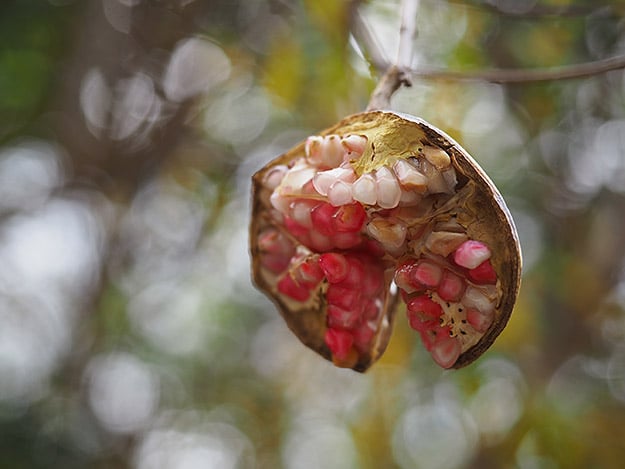

Of course, you can go beyond the Monochrome and Color presets to fine-tune your images in a variety of ways. For example, I often liked to experiment with adding a red-color filter to my Monochrome images in order to darken the blue sky for a really stark, dramatic look. Also, the high-contrast Mono Profile 2 can sometimes be a little too contrast-y, in which case, I simply opened the Shadow/Highlight curve tool to make the necessary adjustments.

Shoot RAW+JPEG for the best of both worlds
Now, there's a caveat to all these color adjustments, filters and various effects: it's JPEG only. For RAW shooters, you'll miss out on all the fun, as these effects aren't applied to RAW (at least not directly -- you can add Profile effects and tweaks to RAW files using the Olympus Viewer 3 desktop software). However, if you shoot RAW+JPEG, you can get the best of both worlds. You get a customized JPEG image for quick and easy "Instagramming" (thanks to the camera's easy to use built-in Wi-Fi), and you also get a standard, pure RAW file that you edit and process in your typical editing workflow.

Autofocus is quick & accurate, despite lack of phase-detect
On the performance front, the Olympus PEN-F feels light, fast and responsive, which is similar to other Olympus OM-D cameras I've used. Autofocus performance is quick and nimble, though despite Olympus having the technology for on-sensor phase-detect AF, that feature remains an E-M1 exclusive for now. The PEN-F's AF system therefore remains contrast-detect only.
For single-shot use, the AF was very fast and accurate and functioned like other Olympus cameras I've used. In good lighting, the AF speed is nearly instantaneous after half-pressing the shutter button, however in dim or very low-light conditions or on low-contrast subjects, the AF can slow down and hunt for focus at times. The AF assist beam helps in these less-than-ideal situations, but the beam can be very bright and distracting, so I typically turn the AF assist beam off and deal with the consequences.
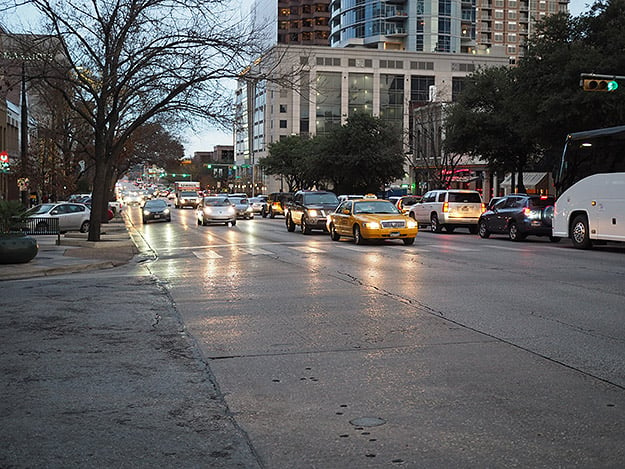
Given the camera's use of contrast-detect AF, its continuous autofocus performance is a little lacking. Flipping the camera into C-AF mode, you get the characteristic "wobbling" affect as you half-press the shutter button and the camera continuously attempts to maintain focus. That being said, its C-AF performance certainly isn't terrible. Using the Sequential Low option at 5fps with continuous autofocusing between frames, I did a few walking tests with the 40-150mm f/2.8 Pro lens, and the PEN-F managed to capture a fairly decent number of sharp photos from each sequence. Every now and then an image would appear slightly back-focused, as if the camera simply couldn't keep up with the walking subject -- rather the face is crisp focus, the person's ear or shoulder would be instead. For casual people shots and slower-moving subjects, the PEN-F's C-AF performance is pretty good, but I would be hesitant to reply on it for fast-paced action or sports.

Fast burst rates & new 20fps mode, but buffer can hold you back
Continuous AF aside, the PEN-F does have some speedy performance capabilities. With focus locked at the first frame, the PEN-F is capable of 10fps burst shooting, though you dip down to 5fps if you chose low-speed burst with AF between each frame. The PEN-F also has an all-electronic shutter option, which in addition to allowing for up to a 1/16,000s shutter speed in Silent Shooting mode, there's a new "H+" burst mode that Olympus says shoots at 20 frames per second.
The buffer capacity was pretty respectable for both JPEGs and RAW+JPEGs for standard mechanical shutter-based burst shooting, but for the new H+ high-speed burst, things aren't as great. Though we've yet to test the H+ mode in our lab, I found that with RAW+JPEG the buffer filled only after a couple of seconds of shooting in H+ mode. In one instance, I got about 24 frames before I felt like it slowed down. The H+ mode is also completely silent, so there's no auditory cue to note that the frame rate as slowed. You can continue to shoot after a moment's pause as it clears some of the buffer, but I found that it will only capture about 4-5 frames or so until the buffer refills and it slows down once more.

Clearing the buffer of all of these RAW+JPEG images from H+ mode takes quite a while too, which I've unscientifically timed to be around 15-16 seconds with a UHS-1 card. With SuperFine JPEGs, however, I got around 32 or so frames before the buffer filled and after what felt like a second or so longer of shooting time compared to RAW+JPEGs. The buffer clearing also was also much quicker with JPEGs, at around 5-7 seconds.
On a related note regarding the electronic shutter features on the PEN-F, users should be aware of potential rolling shutter distortion. Panning quickly or capturing a fast-moving subject like a car at 1/16,000s, will likely show rolling shutter effects with noticeably slanted vertical lines. I also noticed this distortion quite easily with the H+ burst mode, where even small side-to-side movements showed very wobbly, slanted vertical lines, especially when using a telephoto lens.
Decent video featureset with ALL-I, 1080/60p & great I.S.
The PEN-F offers a decent featureset when it comes to video, including 1080/60p and a variety of bitrate options. though the increasingly popular 4K video is sadly absent. Fine and SuperFine quality levels use the space-saving IPB compression, however "ALL-I" intra-frame compression is also available for even higher image quality. Opting for ALL-I mode restricts the frame rate to 30p or 24p (or 25p for PAL), however, which is fine for most use-cases.

In typical Olympus fashion, the highest quality ALL-I video setting is confusingly disabled and hidden by default. Similar to the "SuperFine" JPEG option, you have to dive into the Movie options in the "Gears" menu, and then under "Movie Specifications Settings." Once there, you'll need to assign the ALL-I option to one of the four video quality settings.
I found image quality to be pretty good, from both SuperFine and ALL-I video, with a nice amount of fine detail. Using the default "Natural" picture profile, the video does not appear overly contrast-y or overly saturated, and the dynamic range looks quite good with visible shadow detail even on heavily backlit subjects. There's an array of other picture profiles to choose from, and you can even use the front Creative Dial to capture video with any number of image customization tweaks, even monochrome.
Olympus PEN-F Sample Video #1 1,920 x 1,080, 30 fps, ALL-Intra Quality Download Original (220.8MB MOV) |
Given the camera's lack of an optical low-pass filter, I did manage to capture some moiré and aliasing artifacts on certain objects, such as the repeating parallel lines of a wooden deck and on lots of very small objects like a distance cluster of trees. These artifacts are quite difficult, if not impossible to remove in post, so be cautious of what or how you shoot.
Similar to the E-M5 Mark II, the PEN-F features 5-axis image stabilization, and for videos, users get an overall really nice stabilization system. The default M-IS 1 mode offers a combined sensor-shift and electronic image stabilization. I found handheld video looks very stable, though it can look a bit wobbly and distorted or jerky if you move too much past the camera's ability to correct for shake and movement. I found that if you have a reasonably steady hand to begin with and pan slowly, I.S.-enabled video looks excellent and very smooth.
Olympus PEN-F Video Image Stabilization Demo 1,920 x 1,080, 60 fps, SuperFine Quality Download Original (162.1MB MOV) |
Continuous AF is available during video recording, and it overall does a nice job maintaining focus, though it can shift in and out of focus depending on the size or contrast of the object behind the focus point. Focus transitions between different subjects all appeared smooth and controlled.
Olympus PEN-F Sample Video #2 1,920 x 1,080, 60 fps, SuperFine Quality Download Original (293.8MB MOV) |
Overall, video is quite nice from the PEN-F, though moiré and aliasing can be a bit tricky and I.S. a bit wobbly if you're not careful. Quality is good, though the lack of a headphone jack and a microphone jack is disappointing, which could certainly be a deal-breaker for advanced videographers.

Premium & pricey, but PEN-F is an all-around great camera
All said and done, the Olympus PEN-F, by most counts, is a fantastic camera. The design is excellent, the materials used for its construction feel great in the hand, and the controls are plentiful -- all combined, it's one solid-feeling camera, though inexplicably not weather-sealed. A throwback to the 1960s, the shape is certainly not the most contoured, but Olympus makes some smart choices that make the camera quite comfortable and secure to hold. The EVF and LCD are both excellent and perform well, as I've come to expect after shooting with a number of Olympus OM-D cameras.
With its higher-res sensor, the image quality is impressive for this class of camera at both low and higher ISOs. The new sensor allows for more resolving power with its multi-frame High-Res Shot mode, but given the limitations necessary to get a crisp shot, it comes off feeling a bit like a novelty feature or at least a very niche one.

The big story, though, is all the creative features built into the camera. With tons of customization to colors, tones and filters, you can tweak and tailor the look of your photos all in-camera on the fly, and then easily share them via the built-in Wi-Fi. For the travel or street photographer on the go, for example, the vast range of in-camera image customization and wireless connectivity is a very compelling combination -- especially if you love to share images online.
The Olympus PEN-F is the most premium PEN yet, and certainly the priciest. I would have liked weather sealing and phase-detect AF, but overall, it packs in a ton of features, the image quality is great, and with all the creative customization all built-in, it's a very fun camera to use.
Flash
Olympus PEN-F Flash
Bundled Flash Test Results
Range
A slightly dim exposure at the specified range.
We didn't test flash coverage or exposure of our Indoor Portrait scene since that is lens dependent and the PEN-F does not ship with a kit lens. We did however check Olympus' flash range claim for the bundled flash below.
| Manufacturer-Specified Flash Range |
|---|
 7.5 feet, f/5.6, ISO 200 |
Manufacturer Specified Flash Test. The Olympus FL-LM3 bundled flash has a Guide Number (GN) of 9 meters at ISO 100. That works out to about 7.5 feet at f/5.6 and ISO 200. In the shot above, the FL-LM3 did not quite perform to Olympus' GN spec in terms of range, producing a somewhat dim exposure (about 0.5 EV underexposed) at the calculated distance, aperture and ISO. You can of course use a more powerful flash unit if you find the bundled unit is not powerful enough for your needs.
High ISO Noise Reduction
Olympus PEN-F High ISO Noise Reduction
The Olympus PEN-F offers four settings for noise reduction, or "Noise Filter" as the company calls it: "Off", "Low", "Standard" and "High". The user manual doesn't state at which ISO noise reduction kicks in, so we've started with ISO 80 (extended) to find out.
See for yourself how the Olympus PEN-F's "Standard" and "Off" High ISO NR settings compare to RAW without noise reduction under daylight-balanced lighting. (Note that these RAW images also have no sharpening applied, so they are softer than camera JPEGs at low ISOs.) Click on any of the crops below to see the corresponding full-sized image.
| High ISO Noise Reduction Comparison Daylight-balanced illumination |
|||
|
"Standard"
|
"Off"
|
RAW (no NR)
|
|
|
I
S O 8 0 |
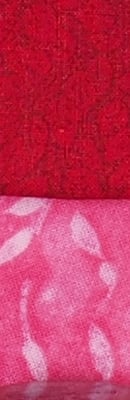 |
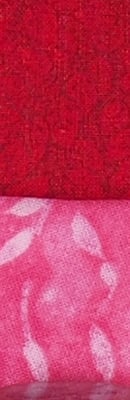 |
 |
 |
 |
 |
|
 |
 |
 |
|
|
"Standard"
|
"Off"
|
RAW (no NR)
|
|
|
I
S O 2 0 0 |
 |
 |
 |
 |
 |
 |
|
 |
 |
 |
|
|
"Standard"
|
"Off"
|
RAW (no NR)
|
|
|
I
S O 4 0 0 |
 |
 |
 |
 |
 |
 |
|
 |
 |
 |
|
|
"Standard"
|
"Off"
|
RAW (no NR)
|
|
|
I
S O 8 0 0 |
 |
 |
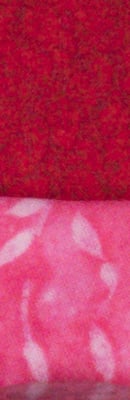 |
 |
 |
 |
|
 |
 |
 |
|
|
"Standard"
|
"Off"
|
RAW (no NR)
|
|
|
I
S O 1 6 0 0 |
 |
 |
 |
 |
 |
 |
|
 |
 |
 |
|
|
"Standard"
|
"Off"
|
RAW (no NR)
|
|
|
I
S O 3 2 0 0 |
 |
 |
 |
 |
 |
 |
|
 |
 |
 |
|
|
"Standard"
|
"Off"
|
RAW (no NR)
|
|
|
I
S O 6 4 0 0 |
 |
 |
 |
 |
 |
 |
|
 |
 |
 |
|
|
"Standard"
|
"Off"
|
RAW (no NR)
|
|
|
I
S O 1 2 8 0 0 |
 |
 |
 |
 |
 |
 |
|
 |
 |
 |
|
|
"Standard"
|
"Off"
|
RAW (no NR)
|
|
|
I
S O 2 5 6 0 0 |
 |
 |
 |
 |
 |
 |
|
 |
 |
 |
|
As you can see, PEN-F noise reduction settings apply noise suppression at all ISOs, even the "Off" setting. The "Off" setting does apply less luminance noise suppression than the default, but as you can see, chroma noise is still fairly aggressively suppressed at all settings.
It's interesting to see that JPEGs at the low extended ISO 80 setting show much better detail in the red-leaf fabric than at ISO 200, a much bigger difference than the ISO 80 and 200 RAW files show. This is not new, though, as we've seen this in all prior Olympus MFT models that support extended low ISOs. It seems Olympus continues to be concerned with showing slightly higher chroma noise at ISO 200 versus 80 in its JPEGs.
Tech2
by Mike Tomkins
In early 2015, Olympus debuted a brand-new feature in its enthusiast-grade E-M5 Mark II. Dubbed High Res Shot Mode, this was the cause of much excitement because it allowed a pretty impressive step forward in resolution, a significant reduction in noise levels, and an impressive resistance to moiré artifacts. All of this was achieved thanks to a technique known as oversampling.
In effect, what the E-M5 II did was to capture eight images in quick succession using an electronic shutter to avoid resolution-robbing vibrations. Between each frame's capture, the camera made very subtle adjustments to the positioning of its sensor-shift image stabilization system. These sub-pixel sized adjustments let the sensor gather more information about its subject, resulting in the advantages mentioned above.
The technology itself isn't actually new; it dates back at least as far as the late 1980s to the ProgRes 3000-series cameras from Kontron. And over the years, we've seen a handful of fixed-lens consumer cameras such as the Ricoh RDC-7, JVC QX3 HD and JVC QX5 HD use a similar approach. (There are likely others which have done the same, but if so they escape our memory right now.)

What made the Olympus E-M5 II so exciting was that it brought oversampling to an affordable, interchangeable-lens camera which already had reasonably high resolution, bringing the potential for extremely high-res imagery to the masses. Shortly after Olympus launched its first High Res Shot Mode-equipped model, rival Ricoh brought a similar function to its Pentax K-3 II DSLR -- albeit with some differences in the implementation -- and the game was truly on!
And now, Olympus' High Res Shot Mode arrives for the first time in a PEN-series camera. That makes it all the more exciting, in no small part because it allows resolution akin to what you'd expect from a medium-format camera, but in a body that's even more compact than that of the E-M5 II. And as an added bonus, the higher resolution of the Olympus PEN-F's new image sensor means that there's more data than ever for this new camera to work with.
Where the E-M5 II was limited to a 40-megapixel JPEG or a 64-megapixel raw file in High Res Shot Mode -- and where the Pentax K-3 II still records at its native sensor resolution of 24 megapixels -- the Olympus PEN-F will be able to provide a whopping JPEG resolution of 50 megapixels in High Res Shot Mode. Switch to raw format, and you'll be able to capture imagery at an astounding resolution of 80 megapixels!
To reach these lofty heights, though, you'll need to process your raw files on your computer. Adobe Camera Raw 9.5 and Lightroom CC 2015.5 / Lightroom 6.5 now natively support PEN-F High Res raw files, as does a free Photoshop CS5 or higher High Res Shot plug-in from Olympus. Or you can use the newly-upgraded Olympus Viewer 3, which now supports processing of High Res Shot Mode raws. You'll need to be using at least a reasonably recent computer, as the plug-in and Viewer 3 need a 64-bit processor / operating system and 4GB of memory, but if you've made an upgrade in the last few years it's very likely your computer will meet the grade. (And if not, you can still shoot 50-megapixel JPEGs in-camera, or process your High Res Shot Mode raws in-camera to obtain a 50-megapixel JPEG after the fact. You just won't quite reach the 80-megapixel limit without processing your images on a computer.)
Of course, there are some gotchas when shooting at such high resolutions. For one thing, you're going to want to be using reasonably high-quality lenses to get the best results. If your glass isn't up to the job, no amount of technical wizardry is going to improve your results.
You'll also need to be shooting with the camera mounted on a tripod and with a subject that's pretty much static, because any subject or camera motion during capture of the eight frames used to make a High Res Shot Mode image will prevent the technique from working. That rules out use of the function for sports, nature, family photos and the like, but if you're shooting landscapes, architecture, still lifes, product photography and the like, you should be just fine.
You'll be limited to a sensitivity of ISO 1600-equivalent or below, although this makes a lot of sense when one considers that your subjects must be static, and that increasing the sensitivity would also raise noise levels (and thereby rob detail courtesy of noise reduction.)
But enough of the theory: What about the real world? How does the Olympus PEN-F's High Res Shot Mode compare to that of the E-M5 II, or the similar Pixel Shift Resolution mode of the Pentax K-3 II? And how does it compete with what's possible from a camera which offers really high-res imagery captured in a single shot? That's what we wanted to know, so we got the PEN-F into our lab to answer the question just as quickly as possible.
Read on to see how the PEN-F performed. We don't think it's too much of a spoiler to say that the results are absolutely stunning!
NOTE: The Olympus PEN-F images below are 100% crops from High Res Shot Mode JPEGs at the 50-megapixel resolution provided in-camera. We're comparing these to 100% crops of 40-megapixel High Res Shot Mode JPEGs from the Olympus E-M5 II, 24.35-megapixel Pixel Shift Resolution JPEGs from the Pentax K-3 II, and 50.6-megapixel JPEGs from the Canon EOS 5DS R. All crops link to full-resolution images straight out of their respective cameras. Since we're most interested in resolution and noise levels in this analysis, we're comparing images shot at the lowest noise reduction level offered by each camera.
 |
|
100% crop from the Olympus PEN-F at ISO 200 using High Res Shot Mode
|
 |
|
100% crop from the Olympus E-M5 II at ISO 200 using High Res Shot Mode
|
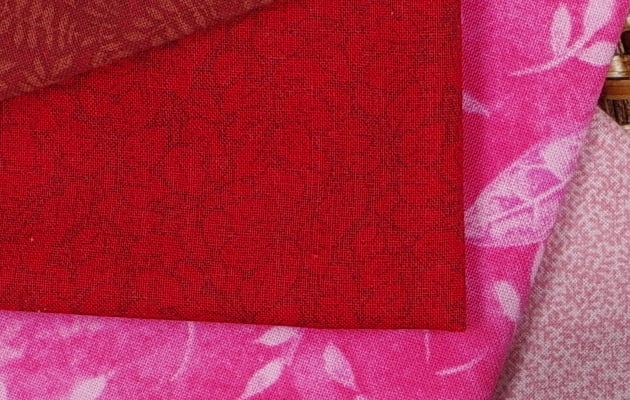 |
|
100% crop from the Pentax K-3 II at ISO 200 using Pixel Shift Resolution function
|
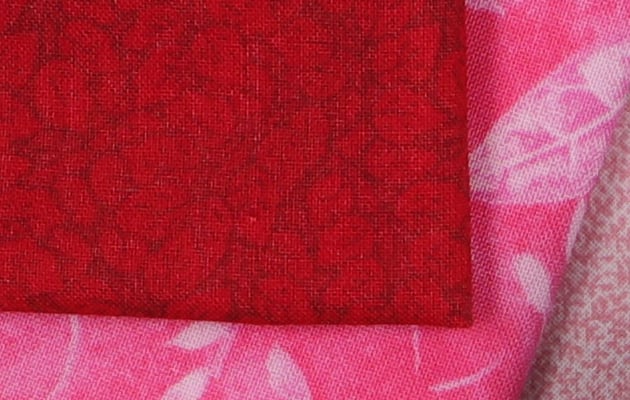 |
|
100% crop from the Canon EOS 5DS R at ISO 200, captured as a single-frame exposure
|
|
At base sensitivity, things are looking mighty promising for the Olympus PEN-F's High Res Shot Mode function. Bearing in mind the resolution differences between cameras, the PEN-F is clearly capturing a fair bit more detail than the lower-resolution E-M5 II managed using the same mode. The Pentax K-3 II likewise trails the PEN-F, as you'd expect with just half the output resolution when oversampling. Perhaps most interesting is the comparison against the Canon EOS 5DS R, however: If anything we'd have to give the PEN-F a slight edge in the detail department. That's pretty impressive when one considers that we're comparing a 20-megapixel Four Thirds-sensored camera against one with a 50.6-megapixel full-frame image sensor! |
 |
|
100% crop from the Olympus PEN-F at ISO 200 using High Res Shot Mode
|
 |
|
100% crop from the Olympus E-M5 II at ISO 200 using High Res Shot Mode
|
 |
|
100% crop from the Pentax K-3 II at ISO 200 using Pixel Shift Resolution function
|
 |
|
100% crop from the Canon EOS 5DS R at ISO 200, captured as a single-frame exposure
|
|
Looking at the bottle labels, results are similar. Again, the PEN-F turns in a very impressive result, matching or perhaps just slightly besting the Canon EOS 5DS R for resolution. And for bonus points, it also manages to avoid the unsightly moiré visible in the green portion of the Samuel Smith label, which is a result of the fine halftone pattern used in printing the label. The Olympus E-M5 II holds its own pretty well, but to our eye there's just a little less detail, which is most noticeable in the mosaic label of the Hellas bottle. And again, Pentax's approach -- while it yields a very crisp image indeed -- holds onto the least detail of the group. |
 |
|
100% crop from the Olympus PEN-F at ISO 400 using High Res Shot Mode
|
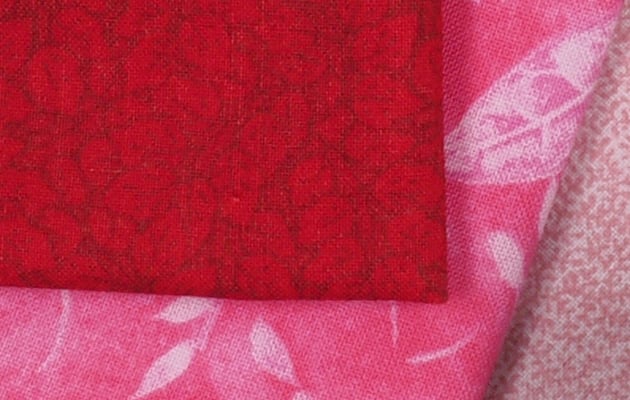 |
|
100% crop from the Olympus E-M5 II at ISO 400 using High Res Shot Mode
|
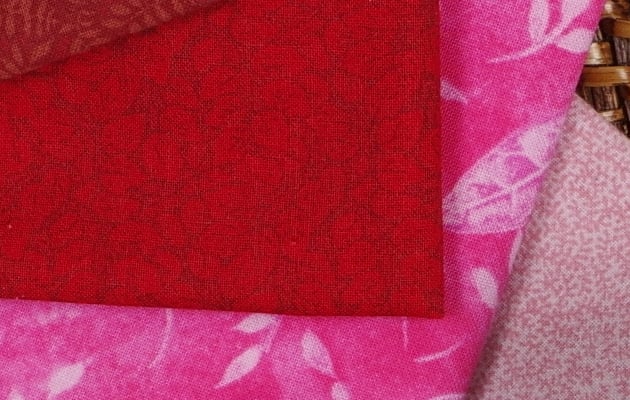 |
|
100% crop from the Pentax K-3 II at ISO 400 using Pixel Shift Resolution function
|
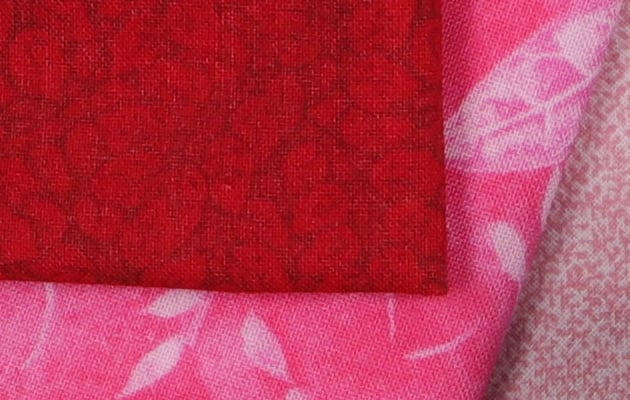 |
|
100% crop from the Canon EOS 5DS R at ISO 400, captured as a single-frame exposure
|
|
Bumping the sensitivity up to ISO 400, the difference between the Olympus PEN-F and E-M5 II in High Res Shot Mode becomes even more noticeable. There's quite a bit more detail in the smaller camera's rendering of the finer thread patterns, especially in the red fabric swatch. Compared to the Canon EOS 5DS R, the PEN-F is running neck and neck in the detail department, but it does manage a little better with the red swatch. And once again, the Pentax K-3 II brings up the rear, with less detail as one would expect given the difference in output resolution -- but of course its file sizes are also barely more than half those of the PEN-F and 5DS R. |
 |
|
100% crop from the Olympus PEN-F at ISO 400 using High Res Shot Mode
|
 |
|
100% crop from the Olympus E-M5 II at ISO 400 using High Res Shot Mode
|
 |
|
100% crop from the Pentax K-3 II at ISO 400 using Pixel Shift Resolution function
|
 |
|
100% crop from the Canon EOS 5DS R at ISO 400, captured as a single-frame exposure
|
|
Returning to the bottles, once again the PEN-F matches the Canon 5DS R for resolution while avoiding that camera's moiré patterning in the Samuel Smith label. Look closely, though, and Canon's image is rather cleaner; you can see a bit more noise from the PEN-F's High Res Shot Mode in the shadows between the two labels, and in the flatter areas of the labels themselves. The E-M5 II trails its new sibling in terms of detail, but its image is also just slightly less noisy. And finally, the Pentax K-3 II offers up a pretty clean result, but with less detail than its rivals. |
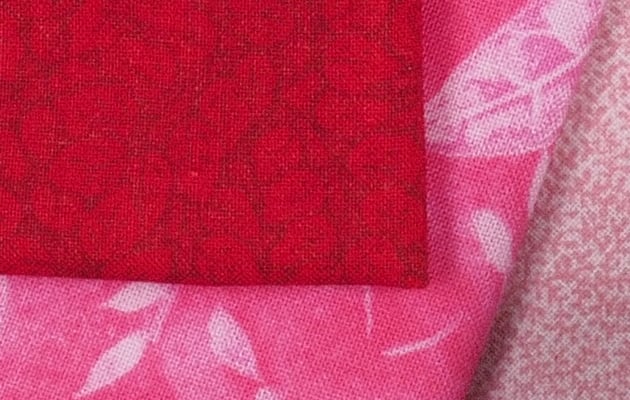 |
|
100% crop from the Olympus PEN-F at ISO 800 using High Res Shot Mode
|
 |
|
100% crop from the Olympus E-M5 II at ISO 800 using High Res Shot Mode
|
 |
|
100% crop from the Pentax K-3 II at ISO 800 using Pixel Shift Resolution function
|
 |
|
100% crop from the Canon EOS 5DS R at ISO 800, captured as a single-frame exposure
|
|
Moving another notch up the sensitivity scale, the Olympus PEN-F continues to impress at ISO 800. The E-M5 II has fallen even further behind in the detail department, and only the Canon EOS 5DS R with its much larger, higher-res sensor can keep up. Particularly in the red swatch, the E-M5 II and Pentax K-3 II have now lost much of the finer thread detail. |
 |
|
100% crop from the Olympus PEN-F at ISO 800 using High Res Shot Mode
|
 |
|
100% crop from the Olympus E-M5 II at ISO 800 using High Res Shot Mode
|
 |
|
100% crop from the Pentax K-3 II at ISO 800 using Pixel Shift Resolution function
|
 |
|
100% crop from the Canon EOS 5DS R at ISO 800, captured as a single-frame exposure
|
|
Moving back to the bottles once more, the Olympus PEN-F's High Res Shot Mode turns in a noticeably noisier result than that from the E-M5 II, but also holds onto more detail. And again, the comparison is very close indeed with the Canon 5DS R. |
 |
|
100% crop from the Olympus PEN-F at ISO 1600 using High Res Shot Mode
|
 |
|
100% crop from the Olympus E-M5 II at ISO 1600 using High Res Shot Mode
|
 |
|
100% crop from the Pentax K-3 II at ISO 1600 using Pixel Shift Resolution function
|
 |
|
100% crop from the Canon EOS 5DS R at ISO 1600, captured as a single-frame exposure
|
|
And finally, we arrive at the ISO 1600 upper sensitivity limit for High Res Shot Mode on both the Olympus PEN-F and E-M5 II. The PEN-F still manages to hold its own against the Canon EOS 5DS R, and its edge over the E-M5 II increases significantly, with much more detail in the thread patterns. The Pentax K-3 II trails by quite some way, having lost almost all of the finer detail. |
 |
|
100% crop from the Olympus PEN-F at ISO 1600 using High Res Shot Mode
|
 |
|
100% crop from the Olympus E-M5 II at ISO 1600 using High Res Shot Mode
|
 |
|
100% crop from the Pentax K-3 II at ISO 1600 using Pixel Shift Resolution function
|
 |
|
100% crop from the Canon EOS 5DS R at ISO 1600, captured as a single-frame exposure
|
|
And finally, we return to the bottles at ISO 1600-equivalent. Here, the Canon EOS 5DS R bests the PEN-F in terms of noise, but the Olympus still better manages to avoid moiré. The pair are head and shoulders above both the E-M5 II and Pentax K-3 II. The earlier Olympus camera does, however, have quite a bit less noise than does the new model, even if it can't come close on resolution. |
Below are a couple of comparisons of 80-megapixel raw conversions from the Olympus PEN-F against 64-megapixel raw conversions from the Olympus E-M5 II using Olympus Viewer 3 with default settings at ISO 200 and 1600. As noted previously, these maximum resolutions cannot be attained in-camera.
 |
|
100% crop from the Olympus PEN-F at ISO 200 using High Res Shot Mode raw conversion using Olympus Viewer 3 at default settings
|
 |
|
100% crop from the Olympus E-M5 II at ISO 200 using High Res Shot Mode raw conversion using Olympus Viewer 3 at default settings
|
 |
|
100% crop from the Olympus PEN-F at ISO 200 using High Res Shot Mode raw conversion using Olympus Viewer 3 at default settings
|
 |
|
100% crop from the Olympus E-M5 II at ISO 200 using High Res Shot Mode raw conversion using Olympus Viewer 3 at default settings
|
|
The 80-megapixel PEN-F raw conversion does resolve more detail than the 64-megapixel E-M5 II conversion, however perhaps not quite as much as you'd expect from the relative pixel counts. Both still manage to avoid the unsightly moiré in the green portion of the Samuel Smith label. |
 |
|
100% crop from the Olympus PEN-F at ISO 1600 using High Res Shot Mode raw conversion using Olympus Viewer 3 at default settings
|
 |
|
100% crop from the Olympus E-M5 II at ISO 1600 using High Res Shot Mode raw conversion using Olympus Viewer 3 at default settings
|
 |
|
100% crop from the Olympus PEN-F at ISO 1600 using High Res Shot Mode raw conversion using Olympus Viewer 3 at default settings
|
 |
|
100% crop from the Olympus E-M5 II at ISO 1600 using High Res Shot Mode raw conversion using Olympus Viewer 3 at default settings
|
|
It's a similar story at ISO 1600, the highest resolution supported in High Res Shot Mode, with the PEN-F resolving modestly more detail than the E-M5 II, while noise levels are roughly equal, and much lower than native resolution files. |
You can view the intermediate ISO conversions using the following links (clicking on the crops above provide access to ISO 200 and 1600 files):
ISO 400: PEN-F E-M5 II
ISO 800: PEN-F E-M5 II
Conclusion
The Olympus PEN-F is a unique direction for Olympus and its PEN line of Micro Four Thirds cameras, one that puts a focus on premium features, build quality and styling. In years past, the PEN has run the gamut from ultra affordable PEN Lite models to the rather expensive E-P5 (US$999 at launch), but the new Olympus PEN-F goes a step beyond in both price and build quality -- plus in sheer technological goodies.
Classic styling & modern features, but lacking a notable perk
Starting with its design, it's clear the Olympus PEN-F is meant to appeal to the stylish and design-conscious photographer, but who still wants a lot of technological features and physical controls. Sporting a cool, classic design that is strikingly reminiscent of the 1960s-era PEN-F, the new "digital" PEN-F of 2016 features a generous array of physical controls and dials similar to those on OM-D cameras, as well as nice amenities like a built-in EVF and an articulating touchscreen.
Despite its boxier shape, the Olympus PEN-F is rather comfortable to hold with a nice thumb grip and a decent amount of tactile grip around the front of the camera. And although we are really pleased overall with the design and solid magnesium alloy build quality of the PEN-F, we're a little disappointed that Olympus did not add weather sealing on such a high-end camera -- especially considering the E-M5 Mark II is $300 cheaper and features a rugged dust- and splash-proof construction.
20MP sensor captures excellent images at low & high ISOs
Under the hood, the Olympus PEN-F features the latest and greatest Olympus tech, including a 20-megapixel Four-Thirds sensor -- the highest-resolution sensor for an Olympus camera to date. The image quality capabilities of the PEN-F are excellent, with lots of sharp fine detail and very good high ISO performance for its class.
The Olympus PEN-F also features the cool High-Res Shot mode like the earlier E-M5 Mark II, which results in some stunningly high-resolutions images: 50MP JPEGS and whopping 80MP RAW files! Of course, like with the E-M5 II, the High-Res mode on the PEN-F comes with some limitations, such as necessitating a tripod and very still subjects, but overall, when done correctly, it can make for some fantastic images.
Impressive performance for a rather portable little camera
Overall, the Olympus PEN-F offers quite impressive performance. Autofocus was quick and accurate, and in fact, AF tested faster than average for a mirrorless camera and right up there against prosumer-level DSLRs. It doesn't have on-sensor phase-detect AF -- that's still an E-M1 exclusive -- but AF was nevertheless quick, snappy and accurate in most conditions, though the PEN-F can struggle somewhat with continuous AF.
Burst capabilities are also very good, with a maximum rate of just over 10 frames per second using the mechanical shutter, though this speed is without continuous AF. Still, the PEN-F is able to chew through frames at a consistent 10fps rate no matter the file type. And if you need some more speed, the PEN-F offers a new 20fps "H+" e-shutter burst mode -- the fastest burst rate with full-res images on a Micro Four Thirds camera to date. And like the 10fps burst mode, the PEN-F passes with flying colors with a tested 20.6fps burst rate regardless of file type.
With all these fast continuous shooting modes, we're glad the PEN-F has equally useful buffer depths. For 10fps shooting, the PEN-F is capable of 43 frames for Large/Super-Fine JPEGs and 29 frames for RAW-only in our tests. For the H+ burst mode, the buffer isn't too bad, at 22-25 frames, but at 20fps, that's only about a second or so of shooting time, so keep that in mind. Buffer clearing times were also quite good, at only five seconds for a full 43-frame JPEG buffer when using faster UHS-II memory cards.
An array of advanced video features courtesy of the E-M5 Mark II
Video features are also quite plentiful and much more advanced than on earlier PEN models. In fact, the Olympus PEN-F shares basically the same video featureset as the E-M5 Mark II. And though there's no 4K video recording unfortunately (apart from a special Timelapse Mode), the PEN-F still offers a lot of advanced video features that's sure to please both beginners and more advanced videographers. For starters, there's a high quality 1080/30p option using ALL-I compression and a bit rate of approximately 77Mbps. The PEN-F also includes 1080p at up to 60fps with 52Mbps IPB compression, as well as a number of other goodies like 5-axis I.S. support, clean HDMI out, timecode support and focus peaking. The one main drawback for filmmakers is the glaring omission of jacks for both headphones and an external microphone, which could be a dealbreaker for some.
The video quality itself is very good with lots of detail and nice dynamic range. The PEN-F lacks an optical low-pass filter on the sensor, so while that does increase fine detail, there's a greater risk for moiré and aliasing artifacts. So be cautious of what or how you shoot.
Get your creative juices flowing with tons of image customization
One of the Olympus PEN-F's more unique aspects is its range of creative filters, art filters and image effect customization. Offering tons of tweaks to colors, tones and filters, you can adjust and tailor the look of your photos all in-camera and on the fly, and then easily share them thanks to the built-in Wi-Fi. For the travel or street photographer on the go, for example, the vast range of in-camera image customization and wireless connectivity is a very compelling combination. Some of the color profiles, effects and add-on grain for monochrome can be a bit too strong for our taste if you're not careful, but overall, the creative capabilities of the PEN-F offer an extra dimension of fun while shooting.
Summary: A pricey but rather impressive and stylish camera
Overall, the Olympus PEN-F checks-off a lot of boxes on our list for what makes a fantastic camera. It offers excellent image quality, great performance with quick burst rates and a healthy buffer, fast autofocus, and a stylish yet well-built construction. In a decidedly retro-inspired camera, there are tons of modern amenities, too, including a crisp EVF and handy articulated touchscreen, plus built-in Wi-Fi and a raft of in-camera image processing features.
There's not much to dislike about the PEN-F, to be honest. However, there's no 4K video, no mic or headphone jacks, High-Res Shot mode (while capable of very impressive images) is rather tricky to use, and the battery life isn't all that spectacular. The price is also certainly a bit steep, especially for a camera without any weather sealing. However, in our opinion, the pros far outweigh the cons, and the Olympus PEN-F certainly gets the nod for a Dave's Pick in our book.
Pros
- New 20-megapixel 4/3" sensor offers more resolution than 16-megapixel predecessors and siblings
- Generally excellent image quality for its class
- High Res Shot mode offers the most resolution of any Micro Four Thirds camera (50-megapixel JPEGs, 80-megapixel RAWs!)
- High Res Shot mode also reduces noise and color artifacts
- Very good dynamic range in JPEGs
- Very good hue accuracy when using manual white balance
- Fast autofocus
- Autofocuses in very low light
- Swift 10fps burst mode with mechanical shutter
- Good buffer depths
- Quick buffer clearing with fast UHS-II card
- 20fps burst mode is fastest full-res offered by a Micro Four Thirds model
- 5-axis image stabilization system for still & video
- Built-in high-res EVF is crisp and easy to read
- Vast customization of controls and shooting modes, with 4 custom modes on PASM dial
- Accurate coverage from EVF and LCD monitor
- Responsive touchscreen with fully articulated design
- Deep thumb grip offers nice grip; accessory grip can be added, too
- Lots of user-customizable image filters and art effects
- Good quality video with lots of advanced features
- 1080/30p with ALL-I (77Mbps)
- 1080/60p video
- 4K Timelapse movies
Cons
- Mediocre battery life
- No built-in flash (but is bundled with small external flash)
- No weather sealing
- Contrast-detect AF can struggle with fast-moving subjects
- High Res Shot mode limited to ISO 100-1600
- High Res Shot mode tricky to use; requires tripod & very static subjects
- 20fps H+ burst mode only offers about one second of shooting before filling buffer
- Lack of a low-pass filter increases risk of moiré and aliasing artifacts
- No 4K video mode
- No external microphone or headphone jacks
- Dedicated Creative Dial may be just a gimmick to some, and it can't be re-purposed
- Pricey
Follow Imaging-Resource.com on Twitter!