
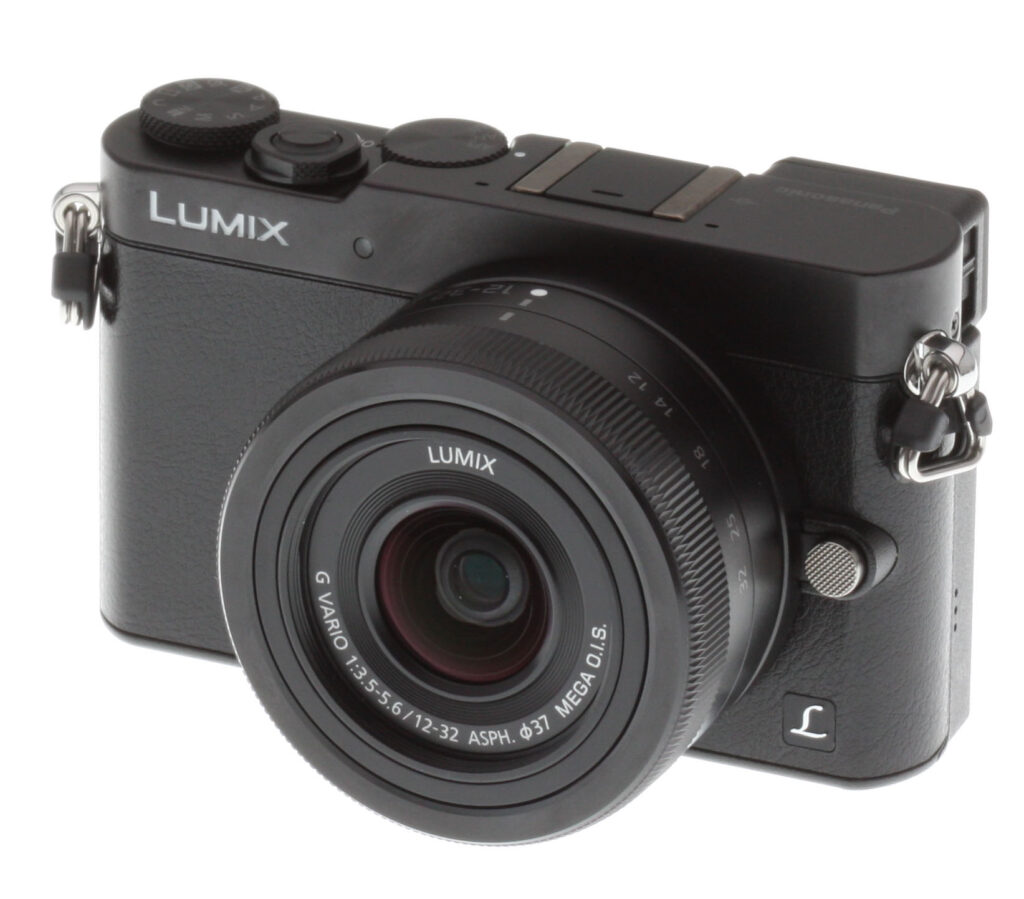




Overview
Overview by Arthur Etchells

---
We chose the GM5 as a top contender in our best mirrorless camera under $1,000 article. Curious to find out what other mirrorless cameras got top billing? Check out the article here.
---
Released in 2013, the Panasonic GM1 was the first camera to deliver in a big way on the diminutive size we were always hoping to see from Micro Four Thirds cameras. The camera quickly became a favorite in the Imaging Resource offices and often found its way into many of our camera bags.
Why? Read on to find out...
Love at first sight
Well, the thing really is tiny. It's tough to convey just how small it is, but it really borders on pocketable with the special collapsing lenses Panasonic has released for the camera. And that diminutive kit lens it came bundled with was actually pretty darned impressive. And the GM1 also offered the same great sensor and much of the performance of its big brother, the GX7.
While you might expect such a small camera to be a pain to use, the touchscreen interface was very intuitive and well executed, making the camera a joy to use. As our Editor-in-Chief, Dave Etchells, noted "I've never been a big fan of touch interfaces on cameras, but Panasonic does an unusually good job with them, and I found the one on the GM1 very fast and easy to use." While the GM1's buttons and dials are necessarily constrained, and a separate control dial on the top would've been nice, the GM1 is surprisingly usable.
Sacrifices had to be made
Nevertheless, Panasonic had to leave a lot on the chopping-room floor to deliver such a tiny camera. Features found in the GX7, like 1080/60p video recording, in-camera image stabilization, tiltable LCD, electronic viewfinder, hot shoe and bulb mode, all made the ultimate sacrifice to keep the GM1's size and weight down.
We couldn't really argue with any of these decisions, because the results were so great. The GM1 really is a fantastic camera. That said, some decisions, like the lack of an electronic viewfinder, stand out now as some compact cameras begin to offer the feature. The most notable example would be the similarly-priced RX100 Mark III (RX100 III vs Panasonic GM5). So what has Panasonic been up to in the intervening year?
More features, only a little bit larger
Panasonic has clearly been hard at work, and they appear to be well aware of the sacrifices we noted. Happily, they've successfully addressed a number of issues with the GM1: the headline features missing from the GM1 and added to the GM5 include:
- 1080/60p recording
- Electronic viewfinder
- Hot shoe
Small camera, hot camera
When Panasonic visited IRHQ to introduce the GM1, we were perplexed by the omission of 1080/60p recording. Surely the size of the camera didn't prohibit a simple firmware option, we thought. As it turns out, the size of the camera did have a big downside: small cameras simply can't dissipate heat as well as larger cameras. The diminutive size of the GM1 simply didn't allow for the heat dissipation necessary to deliver higher resolution/framerate pairs. Fortunately, it looks like Panasonic overcame this hurdle, and the new camera provides 60p (NTFC) and 50p (PAL) FHD support. Sadly, bulb mode (another feature sensitive to heat dissipation) still doesn't make an appearance, however there's a new T (Time) mode which is similar to bulb mode except you press and release the shutter button to start an exposure and press it again to stop instead of holding it down, though it's limited to a maximum of around 60s, about the same as the GM1's longest programmed exposure.
The EVF is darned impressive, but also pretty small
We were frankly shocked to see that Panasonic was able to shoehorn an electronic viewfinder into such a small envelope, and we believe the GM5 is the smallest interchangeable lens camera to feature a viewfinder (please correct us in the comments if we're off-base!). For someone who does a lot of shooting in bright light outdoors, this is a welcome addition indeed.
At least in the pre-production unit we sampled, the electronic viewfinder was quite small, but Panasonic hasn't yet published the spec for the electronic viewfinder size so we'll have to wait for confirmation when we get our hands on a production unit. Panasonic has published a specification for the viewfinder's magnification: 0.46x. This compares to its bigger brother, the GX7, which is a much larger 0.7x, while the similarly svelte RX100 III has a viewfinder magnification of 0.59x. (Numbers are 35mm equivalent.) That means you'll see a bigger image in GX7 and RX100 III viewfinders, which can make it easier to frame your subject.
The GM5 trades a hot shoe for the GM1's tiny flash
We were happy to see Panasonic work a hot shoe into the GM5, which is a feature we find quite a bit more useful than the miniscule flashes shoehorned into smaller interchangeable lens cameras (and premium compacts). To be sure, we appreciated the flash in the GM1, but a hot shoe just provides quite a bit more versatility. And lest you lament the requirement to buy an external flash, Panasonic has bundled a small external flash unit with the GM5!
Size increases, but not by much
Given all the additional features, you might expect the GM5 to have grown quite a bit. In fact, the increase in size is very modest, as you can see in the images below.


The official spec for the GM5's size is 98.5 x 59.5 x 36.1mm, up from the GM1's size of 98.5 x 54.9 x 30.4mm. While height and depth have both grown by about 5mm, the weight appears to be unchanged. We measured the GM1 at 279 grams with battery, SD card and 12-32mm kit lens. Panasonic's spec for the GM5 is 281 grams for the identical setup, though by our measurements, the GM5 kit is 294 grams.
Controls on the back were reworked (and for the better)

As you can see above, Panasonic had to add some height to the camera in order to fit the EVF above the LCD. Thankfully, they took the opportunity to rearrange the interface a bit, too. The control dial has been promoted from its location surrounding the four-way controller on the GM1 to a separate horizontal dial right next to the thumbgrip. This seems small, but we found it to be a big improvement: the dedicated wheel was simply a lot less finicky than the 4-way control dial + wheel combination. It also makes it trivial to adjust your PASM settings with your thumb.
Panasonic also moved a function button from the center of the focus mode selection dial on the top, to a position in a row of small buttons between the new control dial and EVF. Also present are the play button (moved from just below the record button on the right) and an additional function button not present on the GM1.
We are happy to see Panasonic make these changes: while subtle, they all serve to enhance the usability of the camera and take great advantage of the slight bump in size.
Some other noteworthy features
Fortunately, Panasonic didn't stop at adding a few features missing on the tiny GM1, but shored up some areas they were a little behind the curve and added some interesting new creative features as well. A brief rundown of these:
- Panorama mode
- Manual creative mode (PASM adjustment in creative modes)
- Casual snap movies
- Improved AF and burst performance
No more panorama envy
One GX7 feature that we were perplexed to find missing from the GM1 was a built-in panorama mode. Given the processor in the GM1 is identical to that in the GX7, we found this a bit surprising. Fortunately, you can now get your panorama mode and your tiny camera fix without looking farther afield to the RX100 III or a much larger interchangeable lens camera like the GX7.
Creative control
Nearly every camera these days has a smattering of creative exposure modes and the GM5 delivers an impressive array. The complete list from Panasonic:
| Clear Portrait / Silky Skin / Backlit Softness / Relaxing Tone / Sweet Child's Face / Distinct Scenery / Bright Blue Sky / Romantic Sunset Glow / Vivid Sunset Glow / Glistening Water / Clear Nightscape / Cool Night Sky / Warm Glowing Nightscape / Artistic Nightscape / Glittering Illuminations / Handheld Night Shot / Clear Night Portrait / Soft Image of a Flower / Appetizing Food / Cute Dessert / Freeze Animal Motion / Clear Sports Shot / Monochrome |
These span the range from the artistic (romantic sunset glow) to genuinely useful (handheld night shot), a feature that composites several exposures to generate a cleaner final image. The big change introduced in the GM5 is to integrate manual control in the creative exposure modes: now you can control the aperture or ISO while using the 'Silky Skin' exposure mode (as one example).
Vine-like videos
If creative exposure modes speak to the same urge as served by Instagram, the 'casual snap movie' mode speaks to a similar urge as served by vines and quick snapchat videos. The shareable mini-movie is more popular than ever and it looks like Panasonic has gone out of their way to add some compelling features to their Casual Snap Movie mode.
The casual snap mode creates video snapshots of 2, 4, 6 or 8 seconds. Several different effects are included, including several fade in/out: black, white and color fades. We found the most interesting effect mode to be the rack focus feature, which allows you to select two spots using the touchscreen, then rack the focus from one to the other smoothly. The effect was pretty neat.
Last but definitely not least: improved performance
The GM5 still uses Panasonic's "Light Speed AF" contrast-detect autofocus, but performance is said to be improved, allowing the camera to shoot at a manufacturer-rated 5.0 frames-per-second with continuous autofocus (AF-C), versus 4.0 for the GM1. And with AF fixed at the first frame (AF-S), burst speed with the mechanical shutter has also improved from 5.0 to 5.8fps. Performance with the electronic shutter remains the same, at up to 10fps at full resolution and 40fps at 4 megapixels. The buffer capacity spec also remains the same at 7 RAW frames, or unlimited full-res JPEGs with a fast card.
Speaking of autofocus, the GM5 gets a new Face/Eye Detection AF mode, which focuses on the closest eye by default, but also lets you select which eye is in sharpest focus.
 |
| The top deck sees evidence of Panasonic's upgrades: EVF and hot shoe are obvious on the left; the function button formerly found in the focus mode selection dial is move to the back of the camera; and the new panorama mode gets its own spot on the mode dial |


Overview summary
Echoing a recent trend in the industry, Panasonic maintains the GM1 in the lineup at US$799, adding the GM5 kit above it at US$899. Bundled with the kit is a small accessory flash, though Panasonic also offers three additional, larger external flash accessories: the DMW-FL220L, DMW-FL360L and DMW-FL580L (approx. US$120, US$227 and US$508, respectively). The optional hand grip, body case and bag/soft case continue to be available.
There is a lot of competition at $899, to be sure, but precious little as small or full-featured as the GM5. There are no real direct competitors in the mirrorless space: the Sony A5000 (GM5 vs A5000) and Olympus E-M10 (GM5 vs E-M10) are both quite a bit larger, and the Olympus E-PM2 (GM5 vs E-PM2) is about the same size, but now quite old. Perhaps the most direct competition is from the Nikon 1 system, but none of these cameras offer the combination of the GM5's diminutive size and built-in EVF. We suspect, that the RX100 III (GM5 vs RX100 III) will be the Panasonic GM5's stiffest competition: the prices are identical, the sizes are similar and both offer an EVF.
Update 3/16/2016: See the GM5 paired with the award-winning 42.5mm f/1.7 Lumix portrait lens!
In the Box
The Panasonic GM5 retail kit w/12-32mm lens package (as reviewed) contains the following items:
- Panasonic GM5 camera body
- Panasonic Lumix G Vario 12-32mm f/3.5-5.6 ASPH Lens
- External Flash
- Flash Storage Bag
- Hot Shoe Cover
- DMW-BLH7 Rechargeable Lithium-Ion Battery Pack (7.2V, 680mAh)
- Battery Charger
- USB Cable
- Shoulder Strap
- AC Cable
- Software DVD-ROM
- Limited 1-Year Warranty
Recommended Accessories
- Large capacity SDHC/SDXC memory card. 16GB Class 10 should be a minimum.
- Extra Panasonic DMW-BLH7 Rechargeable Lithium-Ion Battery Pack (7.2V, 680mAh) (~US$40)
- Panasonic DMW-HGR1-S Hand Grip (~US$75)
- Small to medium camera case
Optics
The Panasonic GM5 is sold bundled with the very compact Lumix G VARIO 12-32mm f/3.5-5.6 OIS lens. This is the same lens sold with the GM1, so please refer to our GM1 Review Optics page, and our full test on SLRgear.com to see how this lens performs. Below, we present our GM5 viewfinder accuracy test results.
Viewfinder Test Results
Accuracy
Excellent coverage from the EVF and LCD monitor.


The Panasonic GM5's electronic viewfinder and LCD monitor both proved quite accurate in record mode, showing just over 100% coverage with our Olympus 50mm f/2 reference lens. Excellent results here.
The images above were taken from our standardized test shots. For a collection of more pictorial photos, see our Panasonic Lumix DMC-GM5 Photo Gallery .
Exposure
Color
Saturation & Hue Accuracy
Slightly lower than average mean saturation levels, with about average hue accuracy.
 |
||
|
ISO Sensitivity
|
||
| In the diagram above, the squares show the original color, and the circles show the color that the camera captured. More saturated colors are located toward the periphery of the graph. Hue changes as you travel around the center. Thus, hue-accurate, highly saturated colors appear as lines radiating from the center. Mouse over the links to compare results at different ISOs, and click on the links for larger images. | ||
Saturation. The Panasonic GM5 produces images with slightly muted colors compared to most cameras at default settings. Mean saturation is 107.9% (7.9% oversaturated) at the base ISO of 200, which falls to a minimum of 101.4% at ISO 25600. The Lumix GM5 pushes dark red and dark blues moderately and some other colors slightly, but undersaturates yellow, light green, aqua and cyan. Most consumer digital cameras produce color that's more highly saturated (more intense) than found in the original subjects. This is simply because most people like their color a bit brighter than life.
Skin tones. Here, the Panasonic GM5 does fairly well, producing natural-looking Caucasian skin tones with a slight push towards pink when either Auto or Manual white balance is used, giving a healthy appearance. Darker skin tones have a small nudge towards orange, but overall results are pretty good. Where oversaturation is most problematic is on Caucasian skin tones, as it's very easy for these "memory colors" to be seen as too bright, too pink, too yellow, etc.
Hue. The Panasonic GM5 shifts orange toward yellow and cyan toward blue, but most other hue shifts are quite minor. The typical Panasonic yellow to green shift and desaturation is still present, though not as pronounced as some prior Lumix models. The GM5's mean "delta-C" color error after correction for saturation is 5.37 for JPEGs at the base ISO of 200 (100 is an extended ISO). That's about average these days, and color error remains quite stable throughout the ISO range, except at maximum ISO where it jumps to 6.22. Hue is "what color" the color is.


Sensor
Exposure and White Balance
Indoors, incandescent lighting
Warm colors with Auto and Incandescent white balance setting. Good color balance with the Manual setting. Average positive exposure compensation required.


Indoors, under normal incandescent lighting, color balance is quite warm with the Auto white balance setting. Results with the Incandescent setting are also much too warm, with a slightly stronger orange-yellow cast. The Manual setting produced very accurate results. The Panasonic GM5 required +0.3 EV exposure compensation here, about average for this shot. (Our test lighting for this shot is a mixture of 60 and 100 watt household incandescent bulbs, a pretty yellow light source, but a very common one in typical home settings here in the U.S.)
Outdoors, daylight
Natural colors overall, with a tendency toward high contrast under harsh lighting. About average exposure accuracy.
Outdoors, the Panasonic GM5 performed well, with natural-looking though slightly cool color in the Far-field shot. Skin tones are fairly realistic in our "Sunlit" Portrait shot, with a healthy-looking push of pinks and reds which is preferable to too flat or yellow. Exposure accuracy is about average, as the camera required +0.7 EV compensation for our "Sunlit" Portrait shot to keep facial tones reasonably bright. That's typical for this shot. Despite the bright appearance, only a few highlights were actually blown in the mannequin's white shirt which is quite good, though there are some very deep shadows that are a bit noisy and posterized. The default exposure is good, just slightly dim for the Far-field shot, but as a result there are very few blown highlights, though again there are some very deep shadows that are a bit noisy and posterized. Default contrast is on the high side, but that's how most consumers prefer their photos.
See full set of test images with explanations
See thumbnails of all test and gallery images
Resolution
Very high resolution, ~ 2,350 to ~2,450 lines of strong detail.


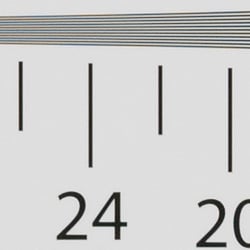
In camera JPEGs, our laboratory resolution chart reveals sharp, distinct line patterns to about 2,450 lines per picture height horizontally, and about 2,350 lines in the vertical direction. (Some might argue for higher, but aliasing artifacts begin to interfere at these limits.) Complete extinction of the pattern occurs just after 3,000 lines horizontally and about 2,800 vertically. We weren't able to extract significantly more high-contrast resolution by processing the Panasonic GM5's RW2 file using Adobe Camera Raw, and the ACR conversion also shows some color moiré which is practically nonexistent in the camera JPEG.
Use these numbers to compare with other cameras of similar resolution, or use them to see just what higher resolution can mean in terms of potential detail.
See full set of test images with explanations
See thumbnails of all test and gallery images
Sharpness & Detail
Very good sharpness overall, with minor edge-enhancement artifacts on high-contrast subjects. Mild to moderate noise suppression visible in the shadows even at base ISO.


Sharpness. The Panasonic GM5 captures sharp, detailed images overall. Some minor edge enhancement artifacts are visible on high-contrast subjects such as the sharpening "halos" along the lines and text in the crop above left, but default sharpening here is fairly typical for consumer-oriented models, and not too overdone. Edge enhancement creates the illusion of sharpness by enhancing colors and tones right at the edge of a rapid transition in color or tone.
Detail. The crop above right shows the effect of noise suppression in the form of smudging of individual strands together in the darker areas of the model's hair, as well as in areas with low local contrast. The GM5 also leaves behind a little more chroma noise than some other brands. Still, this is good noise versus detail processing performance for a 16-megapixel Micro Four Thirds model, leaving plenty of detail intact instead of blurring much of it away in an attempt to hide noise. Noise-suppression systems in digital cameras tend to flatten-out detail in areas of subtle contrast. The effects can often be seen in shots of human hair, where the individual strands are lost and an almost "watercolor" look appears.
Electronic Shutter Artifacts. Like the GM1, the Panasonic GM5 uses an all-electronic shutter at shutter speeds above 1/500s, and the user can select all-electronic shutter for completely silent shooting. This can however lead to a number of artifacts that aren't usually issues when using a mechanical or hybrid shutter. See our GM1 review for examples.
|
RAW via ACR, no NR, ISO 25600, 1/3200s
|
|
 |
 |
| GM1 | GM5 |
The good news is that GM5 doesn't seem to suffer from pattern noise ("streaking" or "banding") at the highest ISOs like the GM1 did, as you can see from the above Adobe Camera Raw conversion comparison.
RAW vs In-Camera JPEGs
As noted above, the Panasonic GM5 produces sharp in-camera JPEGs with good detail. As is almost always the case, better detail can be obtained from carefully processing RAW files than can be seen in the in-camera JPEGs, with fewer sharpening artifacts to boot. Take a look below, to see what we mean:
|
Base ISO (200)
|
|
 |
 |
 |
 |
 |
 |
|
Camera JPEG, defaults
|
RAW via Adobe Camera Raw
|
In the table above, we compare an in-camera JPEG taken at base ISO using default noise reduction and sharpening (on the left) to a matching RAW file converted with Adobe Camera Raw 8.7 using default noise reduction with some strong but tight unsharp masking applied in Photoshop (300%, radius of 0.3 pixels, and a threshold of 0).
As you can see, the in-camera JPEG contains pretty good detail, however ACR extracted additional detail, particularly in the red-leaf fabric where it managed to resolve some of the thread pattern. The ACR conversion also shows less chroma noise at default settings, though it shows more luminance noise after sharpening, especially in areas with flat detail. You can always turn up the luminance noise reduction (default of zero was used here), or process the files in your favorite noise reduction program or plugin if you find the noise objectionable. Bottom line, though, as is usually the case shooting in RAW mode provides better detail, color, and control than in-camera JPEGs when using a good converter. Note that we used electronic shutter mode for our GM5 Still Life shots, however the slight drop in image quality compared to hybrid shutter mode is insignificant.
ISO & Noise Performance
Great high ISO performance for a Micro Four Thirds model.
|
Default Noise Reduction
|
||
 |
 |
 |
| ISO 100 | ISO 200 | ISO 400 |
 |
 |
 |
| ISO 800 | ISO 1600 | ISO 3200 |
 |
 |
 |
| ISO 6400 | ISO 12,800 | ISO 25,600 |
The Panasonic GM5's images are very detailed and clean at ISOs 100 (extended) and 200, with only minor luminance and chrominance noise detectable in the shadows. ISO 400 is also quite detailed, though a touch more noise can be seen. ISO 800 shows stronger noise reduction blurring some very fine detail in the process, though overall detail remains very good. ISO 1600 is of course a little noisier, but fine detail still pretty good. What looks to be a sudden increase in sharpening likely to make up for stronger noise reduction makes luminance noise more obvious with a bit of a crystalline peppered effect at ISO 3200. At ISO 6400 and above, the crystalline effect becomes progressively stronger while fine detail is reduced to the point where very little fine detail is left in the hair at ISO 25,600. Chroma noise also becomes progressively stronger and objectionable at ISO 6400 and above.
Overall, high ISO performance is quite similar to its sibling, the GM1, as expected. We're of course pixel-peeping to an extraordinary extent here, since 1:1 images on an LCD screen have little to do with how those same images will appear when printed. See the Print Quality section below for our evaluation of maximum print sizes at each ISO setting.
A note about focus for this shot: We shoot this image at f/4, usually using one of three very sharp reference lenses (70mm Sigma f/2.8 macro for most cameras, 60mm f/2.8 Nikkor macro for Nikon bodies without a drive motor, and Olympus Zuiko 50mm f/2.0 for Four Thirds and Micro Four Thirds bodies). To insure that the hair detail we use for making critical judgements about camera noise processing and detail rendering is in sharp focus at the relatively wide aperture we're shooting at, the focus target at the center of the scene is on a movable stand. This lets us compensate for front- or back-focus by different camera bodies, even those that lack micro-focus adjustments. This does mean, though, that the focus target itself may appear soft or slightly out of focus for bodies that front- or back-focused with the reference lens. We know this; if you click to view the full-size image for one of these shots and notice that the focus target is fuzzy, you don't need to email and tell us. :-) The focus target position will have been adjusted to insure that the rest of the scene is focused properly.
Extremes: Sunlit, dynamic range and low light tests
Somewhat high default contrast but with decent dynamic range. Very good low-light performance.


Sunlight. The Panasonic GM5 did fairly well with the deliberately harsh lighting of this test. Contrast is a little high at its default setting, but dynamic range is decent in JPEGs. We felt the +0.7 EV exposure is the best compromise here. Although skin tones around the eyes are a bit dark, we prefer it to the +1.0 EV exposure overall, because there are fewer clipped highlights. It's really the photographer's choice here as to which direction to go in. For those Panasonic GM5 owners that are going to want to just print an image with little or no tweaking, the +1.0 image would probably produce a better-looking face uncorrected. The bottom line though, is that the Panasonic GM5 performed fairly well with the wide dynamic range of this shot, though not as good as some competitors. See below for how the Panasonic GM5's sensor performs (RAW mode) in terms of dynamic range.
Because digital cameras are more like slide film than negative film (in that they tend to have a more limited tonal range), we test them in the harshest situations to see how they handle scenes with bright highlights and dark shadows, as well as what kind of sensitivity they have in low light. The shot above is designed to mimic the very harsh, contrasty effect of direct noonday sunlight, a very tough challenge for most digital cameras. (You can read details of this test here.)
| Tone Curve Adjustment | ||
 |
 |
 |
| Lower Contrast | Raise Contrast | Brighten Dark Areas |
Tone Curve. In addition to traditional +/- 5 contrast adjustment, the Panasonic GM5 also has a curves setting called Highlight Shadow which allows you to adjust the shape of the tone curve to tweak shadows and highlights independently. There are 4 presets (Standard, Raise Contrast, Lower Contrast, and Brighten Dark Areas) as well as 3 custom settings that allow you to adjust the highlight and shadow ends of the curves by +/-5 units. Above are samples using the 3 non-standard presets.
| Face Detection | ||
 |
 |
 |
| Aperture Priority, 0 EV, f/8 Face Detection Off |
Aperture Priority, 0 EV, f/8 Face Detection On |
iAuto, 0 EV, f/3.2 |
Face Detection. Like most cameras these days, the Panasonic GM5 has the ability to detect faces (up to 15 in a scene), and adjust exposure and focus accordingly. As you can see from the examples above, face detection improved exposure in both Aperture Priority at f/8, and in iAuto mode where the camera had control over aperture, and automatically applied Intelligent D-Range (see below).


Panasonic's Intelligent Dynamic Range
The above shots are examples of Panasonic's Intelligent Dynamic Range Control (or iD-Range) at work, with no exposure compensation. Note that the camera does not take multiple shots and merge them as HDR mode does (see below). It's a system that adjusts local contrast and exposure more akin to Nikon's Active D-lighting, Canon's Automatic Lighting Optimization or Sony's Dynamic Range Optimization.
There are three levels of iD-Range available on the Panasonic GM5: Low, Standard and High, plus Auto and Off. It's automatically invoked in iAuto and some scene modes and manually selectable in PASM modes. Here, you can see darker midtones and shadows were progressively boosted as the strength was increased, without blowing many highlights in the process.
|
Far-field HDR Examples
|
||||
|
|
||||
HDR mode
Here, you can see the Panasonic GM5's High Dynamic Range mode at work with our Far-field shot. HDR mode takes three images at different exposures and combines them to increase dynamic range. Mouse over the links, and click on them the view the full resolution files.
Auto did a good job, producing results identical to +/-2 EV which was the best for this scene, while +/-3 dimmed the entire image. Notice the double images and ghosting of leaves or people moving between frames. Also notice the angle of view is narrower in the HDR images, likely because the images have been cropped and upsized during the optional auto alignment process. The camera does seem to apply slightly high sharpening as part of the processing, which leads to more obvious halos.
Dynamic Range Analysis (RAW mode)
While we once performed our own dynamic range measurements based on in-camera JPEGs as well as converted RAW images (when the camera was supported by Adobe Camera Raw), we've switched to using DxO Labs' results from their DxOMark website. As technology advanced, the dynamic range of modern high-end cameras in some cases exceeded the range of the Stouffer T4110 density scale that we used for our own measurements. DxO's approach based on RAW data before demosaicing is also more revealing, because it measures the fundamental dynamic range of the sensor, irrespective of whatever processing is applied to JPEGs, or to RAW data by off-the-shelf conversion software.
In the following, we use DxO's "Print" dynamic range results, which are scaled based on camera resolution. As the name suggests, this scaling corresponds to the situation in which you print at a given size, regardless of how many megapixels the camera might have. (In other words, if you've decided to make a 13x19 inch print, that's the size you're printing, whether the camera's resolution is 16 or 300 megapixels.) For the technically-minded, you can find a discussion of the reasoning behind this here on the DxOMark website. Also note that DxO Labs uses a signal-to-noise (SNR) threshold of 1 when defining the lower boundary of acceptable luminance noise in their dynamic range measurements, which corresponds to the "Low Quality" threshold of the Imatest software we used to use for this measurement.

Here, we compare the Panasonic GM5's dynamic range to its predecessor, the GM1, and also to another Micro Four Thirds model, the Olympus E-M10.
As you can see from the above graph, the GM5's dynamic range is similar to the GM1's peaking at about 11.7 EV at ISO 100, though interestingly it does up to about 0.5 EV better at a number of ISOs. The GM5's dynamic range is not as good as the Olympus E-M10's at lower ISOs, trailing it by about 2/3 EV at base ISO and up to just under one EV between ISO 200 and 400, though it's pretty much on par at moderate to high ISOs.
Overall dynamic range is fair for a Four Thirds sensor, though not as good as some recent competitors, and definitely not as good as the best APS-C mirrorless rivals.
Click here to visit the DxOMark page for the Panasonic GM5 for more of their test results and additional comparisons.
| 1 fc 11 lux |
1/16 fc 0.67 lux |
1/16fc No NR |
|
|---|---|---|---|
| ISO 200 |
 1s, f2.8 |
 15s, f2.8 |
 15s, f2.8 |
| ISO 3200 |
 1/15s, f2.8 |
 1s, f2.8 |
 1s, f2.8 |
| ISO 25600 |
 1/125s, f2.8 |
 1/8s, 1 f2.8 |
 1/8s, f2.8 |
Low Light. The Panasonic Lumix DMC-GM5 performed well in our low light tests, able to capture bright images down to the lowest light level we test at. The darkest level equates to about 1/16 the brightness of average city street lighting at night, so the Panasonic GM5 should be able to take well-exposed photos in almost any environment in which you can see well enough to walk around in.
Using default noise reduction setting, noise is low at ISO 200 and well-controlled at ISO 3200, though as you'd expect, noise is quite high at the maximum ISO of 25,600. We didn't notice any significant issues with hot pixels, though with long exposure noise reduction turned off (rightmost column) there were a lot of slightly brighter pixels in the shadows, as well as a few hot pixels where you'd expect to see them. Performance here seems to be noticeably better than its predecessor, though. We didn't detect any issues with heat blooming or pattern noise.
Automatic color balance is just a touch cool particularly at lower light levels, but pretty neutral.
The camera's autofocus system was able to focus on our subject down to well below the 1/16 foot-candle light level unassisted with an f/2.8 lens, which is excellent, especially for a camera with contrast-detect autofocus. The Panasonic GM5 also has a focus-assist light which allows it to autofocus in total darkness, as long as the subject is within range and has sufficient contrast.
How bright is this? The one foot-candle light level that this test begins at roughly corresponds to the brightness of typical city street-lighting at night. Cameras performing well at that level should be able to snap good-looking photos of street-lit scenes.
NOTE: This low light test is conducted with a stationary subject, and the camera mounted on a sturdy tripod. Most digital cameras will fail miserably when faced with a moving subject in dim lighting. (For example, a child's ballet recital or a holiday pageant in a gymnasium.) Thanks to their phase-detect AF systems, digital SLRs tend to do much better than point & shoots, but you still shouldn't expect a quick autofocus lock with moving subjects. The GM5 uses contrast-detect autofocus, as is found in most point & shoot cameras, so its low-light focusing ability may be less than that of some SLRs with phase-detect systems. That said, though, the larger, more sensitive pixels of the GM5's sensor do better under dim lighting than do the tiny pixels of most point & shoots.
Bundled Flash Test Results
Coverage and Range
A fairly weak flash with narrow coverage. Above average positive exposure compensation required.

Coverage. Flash coverage is rather uneven at wide angle, leaving the corners of our flash target image quite dark at 12mm, thought that's not unusual, especially for a wider than average kit lens. Some of the corner shading can also attributable to the lens itself. We no longer test flash coverage at telephoto, as it is invariably better.


Exposure. Indoors under incandescent background lighting, the Panasonic GM5's flash underexposed our indoor portrait scene at ISO 200, despite the +1.0 EV flash exposure compensation used. (An average of +0.7 EV is normally needed for this shot.) You'll likely need to boost ISO (or enable Auto ISO) for typical indoor shots. The camera's slow-sync flash mode required no compensation to produce a bright shot, though the longer shutter time (1/6s vs 1/50s) resulted in a strong orange cast from the ambient background lighting.
| Manufacturer-Specified Flash Range |
|---|
| Telephoto (f/5.6) |
 14 feet (Auto ISO 1000) |
Manufacturer-Specified Flash Range Test. The Panasonic GM5's small bundled flash has a Guide Number of 7m at ISO 100, or 10m at ISO 200. With the kit lens and ISO set to Auto, Panasonic rates the flash's range at 22 feet at wide angle, and 14 at telephoto. As you can see above, the Panasonic GM5 produced a somewhat dim flash target at the rated distance at full telephoto (32mm), which means Panasonic's flash rating is likely a bit optimistic. Our standard test method for flash range uses either a fixed setting of ISO 200, to provide a fair basis of comparison between cameras. We've now also begun shooting two shots using the manufacturer-specified camera settings, at the range the company claims for the camera (at Auto ISO if so specified), to assess the validity of the specific claims.
Output Quality
Note: The image quality between the GM1 and GM5 are practically identical, and as such, the print quality does not differ here either. We printed some samples from the GM5 to verify, but the below print quality analysis is the same as from the Panasonic GM1.
Print Quality
Very good 24 x 36 inch prints at ISO 125/200; a nice 13 x 19 at ISO 1600; a good 4 x 6 at ISO 12,800.
 ISO 125/200 prints are quite good at 24 x 36 inches, with nice detail and rich colors. Wall display prints are possible up to 30 x 40 inches.
ISO 400 shots look very good at 20 x 30 inches, retaining good detail throughout our test image.
ISO 800 prints are good at 16 x 20 inches. Typical softening in the red channel begins to occur here, as is the case for many cameras we test.
ISO 1600 makes a nice 13 x 19 inch print, with only mild softening in the red fabric and minor noise in flatter areas.
ISO 3200 tends to be the turning point for many 4/3rds cameras, as is the case here, and requires a reduction to 8 x 10 inches due mostly to noise in flatter areas.
ISO 6400 prints a very good 5 x 7. 8 x 10s don't quite pass out official "good" standard, but are not bad for less critical applications.
ISO 12,800 yields a good 4 x 6 for this ISO and sensor type.
ISO 25,600 prints are not usable and this setting is best avoided when possible.
The Panasonic GM5 turns in a solid performance in the print quality department, and as expected, it yields prints similar to its acclaimed cousin the GX7, which shares the same sensor and processor. These sizes are what we have come to expect out of good micro 4/3rds cameras, and the GM5 certainly doesn't disappoint. Note that the biggest decrease in quality occurs at ISO 3200, so it is best to stay at ISO 1600 and above if you intend to print above 8 x 10 inches.
Testing hundreds of digital cameras, we've found that you can only tell just so much about a camera's image quality by viewing its images on-screen. Ultimately, there's no substitute for printing a lot of images and examining them closely. For this reason, we now routinely print sample images from the cameras we test on our Canon Pro9000 Mark II studio printer, and on the Canon Pixma MP610 here in the office. (See the Canon Pixma Pro9000 Mark II review for details on that model.)
The images above were taken from our standardized test shots. For a collection of more pictorial photos, see our Panasonic Lumix DMC-GM5 Photo Gallery .
Not sure which camera to buy? Let your eyes be the ultimate judge! Visit our Comparometer(tm) to compare images from the Panasonic Lumix DMC-GM5 with those from other cameras you may be considering. The proof is in the pictures, so let your own eyes decide which you like best!
Performance
Timing and Performance
Generally good to excellent speed for a Compact System Camera.
| Startup/Play to Record | ||
|---|---|---|
|
Power on |
~1.0 second
|
Time it takes to turn on and capture a shot. |
|
Play to Record, |
~0.8 second
|
Time until first shot is captured. |
Startup time was faster-than-average and switching from Play to Record and taking a shot was pretty quick.
| Shutter Response (Lag Time) | ||
|---|---|---|
|
Full Autofocus, |
0.220 second
|
Time from fully pressing shutter button to image capture, with the lens already at the proper focal distance setting. (All AF timing done with the bundled Panasonic 12-32mm kit lens.) |
|
Full Autofocus |
TBD second
|
Time from fully pressing shutter button to image capture. Auto Flash enabled. |
|
Manual Focus |
0.134 second
|
For most cameras, shutter lag is less in manual focus than autofocus, but usually not as fast as when the camera is "prefocused". |
|
Prefocused |
0.123 second
|
Time to capture, after half-pressing and holding shutter button. |
The Panasonic GM5's autofocus was very fast in our tests, especially for a camera that uses contrast detection only. The GM5 produced full-autofocus shutter lag (with the subject at a fixed distance) of 0.220 second using 1-area (center) AF with the 12-32mm kit lens. That's faster than most CSCs, and faster than consumer DSLRs as well, though oddly slightly slower than the GM1 which managed 0.187 second. When manually focused, the GM5's lag time dropped to 0.134 second, also slightly slower than the GM1's 0.101 second result. The GM5's prefocused shutter lag time of 0.123 second, again slower than the 0.087 second result we got from the GM1.
To minimize the effect of different lens' focusing speed, we test AF-active shutter lag with the lens already set to the correct focal distance.
| Cycle Time (shot to shot) | ||
|---|---|---|
|
Single Shot mode |
0.59 second
|
Time per shot, averaged over a few frames (we no longer test for buffer depths in single-shot mode). |
|
Single Shot mode |
0.55 second
|
Time per shot, averaged over a few frames (we no longer test for buffer depths in single-shot mode). |
|
Early shutter |
No
|
Some cameras refuse to snap another shot if you release and press the shutter too quickly in Single Shot mode, making "No" the preferred answer. |
|
Continuous H |
0.17 second (5.73 frames per second);
56 frames total; 3 seconds to clear* |
Time per shot, averaged over 56 shots, then slows to an average of 0.22s or 4.59fps. |
|
Continuous H |
0.09 second (10.7 frames per second);
7 frames total; 3 seconds to clear* |
Time per shot, averaged over buffer length of 7 frames, then slows to an average of 0.23s or 4.44fps with a lot of variation. |
|
Continuous H |
0.21 second (4.88 frames per second);
7 frames total; 4 seconds to clear* |
Time per shot, averaged over buffer length of 8 frames, then slows to an average of 0.52s or 1.91fps. |
|
Continuous H |
0.21 second (4.88 frames per second);
7 frames total; 7 seconds to clear* |
Time per shot, averaged over buffer length of 7 frames, then slows to an average of about 1.03s or 0.97fps. |
|
Super HS mode |
0.02 second (40.6 frames per second);
40 frames total; 6 seconds to clear* |
Time per shot, averaged over buffer size of 40 shots. |
|
Flash Recycling |
TBD
|
Flash at maximum output. |
|
*Note: Buffer clearing times measured with a SanDisk Extreme Pro 95MB/sec UHS-I SDHC card. Slower cards will produce correspondingly slower clearing times. Slow cards may also limit length of bursts in continuous mode. ISO sensitivity and noise reduction settings can also affect cycle times and burst mode performance.
|
||
Single-shot cycle times were very good. We measured 0.59 second for large/fine JPEGs and 0.55 second for RAW+L/F JPEGs. (We no longer test single-shot mode with just RAW files, as the result is usually somewhere in between.)
Continuous High Speed "H" mode burst rate was good at 5.7 frames per second for best quality JPEGs, a noticeable improvement over the GM1's 4.5 frames per second when shooting with the hybrid shutter. When shooting RAW or RAW+JPEG files, the frame rate dropped to 4.9 fps, also improved over the GM1's 4 frames per second. Please note that Live View is not available during a burst in H mode.
The GM5 also has an all-electronic shutter mode which boosted the full-resolution frame rate to 10.7 fps, though buffer depth was only 7 frames no matter the file type.
In Super HS mode, the GM5 managed just over 40 frames-per-second, though resolution is only 4 megapixels in that mode.
Full-resolution buffer depths were generous for Large/Fine JPEGs at 56 frames, but when shooting RAW files buffer size dropped to 7 frames. Buffer depth in Super HS mode was a very generous 40 frames.
Buffer clearing was very quick for full-res images, ranging from 3 to 7 seconds depending on the file type and mode, and clearing 40 4-megapixel frames took only 6 seconds.
We'll try to add bundled flash timing when we have a chance.
Bottom line, the Panasonic GM5's performance is pretty good overall for a CSC. Startup is relatively fast, mode switching is fast, and autofocus is fast, though oddly slightly slower than the GM1. Full resolution burst speed with the mechanical second curtain shutter is improved over the GM1, though. Buffer depths are very good with JPEGs, though remain somewhat shallow with RAW files.
Battery Life
Below average battery life for a Compact System Camera.
| Operating Mode | Battery Life |
|---|---|
|
Still Capture, CIPA standard
(H-FS12032 lens, LCD) |
210 shots
|
|
Still Capture, CIPA standard
(H-FS12032 lens, EVF) |
220 shots
|
The Panasonic GM5 uses a custom rechargeable lithium-ion battery pack for power, and comes with both a single battery and dedicated charger. The CIPA-rated 210 shots per charge with the LCD and 220 shots with the EVF when using the 12-32mm kit lens is well below average for a Compact System Camera (thanks to its small size), and much lower than a typical DSLR when using an optical viewfinder. (Note that test ratings include 50% of shots taken with the bundled flash; without flash, numbers increase to 250 and 260 respectively.) Still, we strongly recommend getting a second battery for your GM5 if you plan any extended outings.
The table above shows the number of shots the camera is capable of (on a fully-charged rechargeable battery), based on CIPA battery-life and/or manufacturer standard test conditions.
(Interested readers can find an English translation of the CIPA DC-002 standards document here. (180K PDF document))
Image Quality
Below are crops comparing the Panasonic GM5 against the Panasonic GX7, Fuji X-M1, Olympus E-PL7, Sony A6000 and Sony RX100 IIII. All of these models sit at relatively similar price points and/or categories in their respective product lineups as advanced enthusiast or professional-level cameras.
These images are best quality JPEGs straight out of the camera, at default settings including noise reduction and using the camera's actual base ISO (not extended ISO settings). All cameras in this comparison were shot with our very sharp reference lenses. Clicking any crop will take you to a carrier page where you can click once again to access the full resolution image as delivered straight from the camera. For those interested in working with the RAW files involved, click these links to visit each camera's respective sample image thumbnail page: Panasonic GM5, Panasonic GX7, Fuji X-M1, Olympus E-PL7, Sony A6000 and Sony RX100 III -- links to the RAW files appear beneath those for the JPEG images, wherever we have them. And remember, you can always go to our world-renowned Comparometer to compare the Panasonic GM5 to any camera we've ever tested.
NOTE: The Panasonic GM1 and GM5 share the same imaging pipeline (including sensor and image processor), as such, in our testing, we found no discernible difference in the image quality between the two cameras. Instead of just having a link over to our Panasonic GM1 Image Quality Comparison page, we've recreated the crop comparison tables below, substituting in crops from the Panasonic GM5 as well as updating the comparison cameras to newer models and adjusting the commentary accordingly. The Print Quality Analysis performs identically to the earlier GM1 as well.
Panasonic GM5 versus Panasonic GX7 at base ISO
 |
 |
 |
 |
 |
 |
Panasonic GM5 at ISO 200 |
Panasonic GX7 at ISO 200 |
The GM5 shares the same sensor and processor as its larger sibling, the GX7, and as such we would expect these to be virtually identical in image quality. Both cameras look quite good and sharp here at base ISO, bringing out the subtle details of our test target. Since the GM5 is substantially smaller and less expensive than the GX7, the similarity in image quality should make it a very appealing option of advanced photographers. |
|
Panasonic GM5 versus Fuji X-M1 at base ISO
|
 |
|
 |
|
 |
Panasonic GM5 at ISO 200 |
Fuji X-M1 at ISO 200 |
The X-M1, with an MSRP of $800, is the most affordable of the Fuji models to sport an APS-C-sized version of its highly acclaimed X-Trans sensor. In this comparisons, the Fuji produces sublime image quality in the first two crops, and brings out subtle details in our red fabric swatch while losing out in the pink fabric detail. The smaller-sensored GM5, while having just slightly less detail in some areas, takes a more even approach in handling all areas well. |
|
Panasonic GM5 versus Olympus E-PL7 at base ISO
|
 |
|
 |
|
 |
Panasonic GM5 at ISO 200 |
Olympus E-PL7 at ISO 200 |
In this face-off between two Micro Four Thirds competitors, the E-PL7 has more aggressive default sharpening than does the GM5, and it shows here with crisper overall detail, especially in the mosaic tiles. But as we've seen in other recent image comparison tables, this aggressive processing often yields mixed results as ISO rises. |
|
Panasonic GM5 versus Sony A6000 at base ISO
|
 |
|
 |
|
 |
Panasonic GM5 at ISO 200 |
Sony A6000 at ISO 100 |
The A6000 has an APS-C sensor with roughly 35% more surface area on which to gather available light than does the GM5. Here at base ISO, both camera display an excellent level of fine detail, though the increase in sheer resolution from the A6000 makes detail more apparent. We also give a slight nod to the A6000 for its better rendering of the mosaic and red fabric swatch. |
|
Panasonic GM5 versus Sony RX100 III at base ISO
|
|  |
|
|  |
|
|  |
Panasonic GM5 at ISO 200 |
Sony RX100 III at ISO 125 |
As opposed to the A6000 with its larger sensor, the RX100 III has a sensor about half the size of the GM5, and yet sports roughly 4 more megapixels of resolution. With its back-lit technology it does a very good job here at base ISO, though the GM5 extracts cleaner fine detail from the mosaic. Both cameras are quite evenly matched when it comes to the red fabric, though the pink fabric goes to the GM5. |
|
Most digital SLRs and CSCs will produce an excellent ISO 100 shot, so we like to push them and see what they can do compared to other cameras at ISO 1600, 3200, and 6400. Recent advances in sensor technology have made ISO 1600 look a lot more like ISO 100, but there are still cameras whose quality starts to fall apart at this setting. We also choose 1600 because we like to be able to shoot at least at this level when indoors and at night.
Panasonic GM5 versus Panasonic GX7 at ISO 1600
 |
 |
 |
 |
 |
 |
Panasonic GM5 at ISO 1600 |
Panasonic GX7 at ISO 1600 |
Once again, and as expected, these two siblings perform nearly identically in the image quality department. Both do a fairly good job for this ISO but show some noise processing artifacts in the bottle crop, lose some fine detail in the mosaic tiles and have a tough time resolving contrast and detail in our target red fabric swatch. |
|
Panasonic GM5 versus Fuji X-M1 at ISO 1600
|
 |
|
 |
|
 |
Panasonic GM5 at ISO 1600 |
Fuji X-M1 at ISO 1600 |
As predicted, this is where the larger sensor and X-Trans technology of the X-M1 pulls away from the GM5. The bottle crop from the X-M1 is amazing, and there is still some good detail in the mosaic tiles and the red fabric swatch. However, as it did at base ISO, the X-M1 curiously loses out on the detail in the pink fabric swatch, which is an odd twist on an otherwise solid performance. |
|
Panasonic GM5 versus Olympus E-PL7 at ISO 1600
|
 |
|
 |
|
 |
Panasonic GM5 at ISO 1600 |
Olympus E-PL7 at ISO 1600 |
The aggressive sharpening at default cameras settings allows the E-PL7 is extract more fine detail in these images, but with the price of some unwanted artifacts starting to show up -- such as the granulated noise in the bottle crop and the pink fabric swatch. The GM5's approach to default noise reduction is more even-handed, so it would be helpful to view the two compared in RAW format with manual sharpening applied. |
|
Panasonic GM5 versus Sony A6000 at ISO 1600
|
 |
|
 |
|
 |
Panasonic GM5 at ISO 1600 |
Sony A6000 at ISO 1600 |
Apart from the resolution disparity, both cameras do well with fine detail at this higher ISO. The GM5's bottle crop appears grainier than the A6000's, but fine detail in the mosaic crop on the other hand looks fairly even between the cameras. The fabric swatches displays the strongest difference. The GM5 looses a lot of detail in the red fabric, while retaining a fair amount in the pink fabric. The A6000 in contrast attempts to display more detail from the red, but the NR processing really introduces noticeable splotchiness in the pick fabric. |
|
Panasonic GM5 versus Sony RX100 III at ISO 1600
|
 |
|
 |
|
 |
Panasonic GM5 at ISO 1600 |
Sony RX100 III at ISO 1600 |
This is where the 1-inch-type sensor of the RX100 III starts to lose ground. It beats out most other non-ILC compacts currently on the market, but can't hold stride with the GM5's much larger sensor as ISO rises. However, with the red fabric, the RX100 III does display slightly more detail in the red fabric, though both cameras struggle to truly resolve the detailed leaf pattern. |
|
These days, ISO 3200 is a very viable shooting option for most good cameras, so let's take a look at some comparisons there.
Panasonic GM5 versus Panasonic GX7 at ISO 3200
 |
 |
 |
 |
 |
 |
Panasonic GM5 at ISO 3200 |
Panasonic GX7 at ISO 3200 |
And again, the same sensor and processor on these two cameras produce virtually identical results, both yielding significant noise reduction artifacts in the bottle crop and losing a lot of detail in the mosaic tiles and red fabric swatch. |
|
Panasonic GM5 versus Fuji X-M1 at ISO 3200
|
 |
|
 |
|
 |
Panasonic GM5 at ISO 3200 |
Fuji X-M1 at ISO 3200 |
Here the X-M1 doesn't out-pace the GM5 nearly as much as at ISO 1600, which is curious to note. There is more detail in the mosaic tile, but the other two crops yield fairly similar results between the two and, yet again, the X-M1 curiously loses outright on the pink fabric. |
|
Panasonic GM5 versus Olympus E-PL7 at ISO 3200
|
 |
|
 |
|
 |
Panasonic GM5 at ISO 3200 |
Olympus E-PL7 at ISO 3200 |
Splotchiness from default noise reduction starts to really take a toll here on the E-PL7 images, especially in the mosaic crop. We see more noise in the GM5's bottle crop, while the E-PL7 looks very clean. Both cameras, however, struggle with the fabric swatches, with the E-PL7 notably so with the pink fabric. |
|
Panasonic GM5 versus Sony A6000 at ISO 3200
|
 |
|
 |
|
 |
Panasonic GM5 at ISO 3200 |
Sony A6000 at ISO 3200 |
At ISO 3200, the A6000 has a bit less apparent noise in the bottle crop than does the GM5. It also produces a much softer rendering of the pink fabric swatch. The GM5 is certainly not perfect here by any means, but kudos to it for standing up so well against two good APS-C cameras at ISO 3200! |
|
Panasonic GM5 versus Sony RX100 III at ISO 3200
|
 |
|
 |
|
 |
|
Panasonic GM5 at ISO 3200
|
Sony RX100 III at ISO 3200 |
This ISO is tough terrain for a 1-inch sensor. It's not terrible like many traditional compact cameras are, but still better to keep it at ISO 1600 and below for sharper results. |
|
Detail: Panasonic GM5 versus Panasonic GX7, Fuji X-M1, Olympus E-PL7, Sony A6000 and Sony RX100 III.
 |
 |
 |
 |
 |
 |
 |
 |
 |
 |
 |
 |
 |
 |
 |
 |
 |
 |
| Panasonic GM5 ISO 200 ISO 3200 ISO 6400 |
Panasonic GX7 ISO 200 ISO 3200 ISO 6400 |
Fuji X-M1 ISO 200 ISO 3200 ISO 6400 |
Olympus E-PL7 ISO 200 ISO 3200 ISO 6400 |
Sony A6000 ISO 100 ISO 3200 ISO 6400 |
Sony RX100 III ISO 125 ISO 3200 ISO 6400 |
| Detail comparison. Fine detail is fun to look at, and often yields far different results than the comparison tables above. As is often the case these days, Olympus cameras tend to dominate this table. The A6000 also looks quite sharp. The RX100 III sensor size limitations are quite obvious here, while the two Panasonics and the Fuji turn in reasonably good performances, though obviously losing much ground to the E-PL7 for overall sharpness. | |||||
Note: The image quality between the GM1 and GM5 are practically identical, and as such, the print quality does not differ here either. We printed some samples from the GM5 to verify, but the below print quality analysis is the same as on the Panasonic GM1.
Very good 24 x 36 inch prints at ISO 125/200; a nice 13 x 19 at ISO 1600; a good 4 x 6 at ISO 12,800.
 ISO 125/200 prints are quite good at 24 x 36 inches, with nice detail and rich colors. Wall display prints are possible up to 30 x 40 inches.
ISO 400 shots look very good at 20 x 30 inches, retaining good detail throughout our test image.
ISO 800 prints are good at 16 x 20 inches. Typical softening in the red channel begins to occur here, as is the case for many cameras we test.
ISO 1600 makes a nice 13 x 19 inch print, with only mild softening in the red fabric and minor noise in flatter areas.
ISO 3200 tends to be the turning point for many 4/3rds cameras, as is the case here, and requires a reduction to 8 x 10 inches due mostly to noise in flatter areas.
ISO 6400 prints a very good 5 x 7. 8 x 10s don't quite pass out official "good" standard, but are not bad for less critical applications.
ISO 12,800 yields a good 4 x 6 for this ISO and sensor type.
ISO 25,600 prints are not usable and this setting is best avoided when possible.
The Panasonic GM5 turns in a solid performance in the print quality department, and as expected, it yields prints similar to its acclaimed cousin the GX7, which shares the same sensor and processor. These sizes are what we have come to expect out of good micro 4/3rds cameras, and the GM5 certainly doesn't disappoint. Note that the biggest decrease in quality occurs at ISO 3200, so it is best to stay at ISO 1600 and above if you intend to print above 8 x 10 inches.
Field Test
Revised & Refined: The mini Micro Four Thirds camera gets minor but important upgrades & features
By William Brawley | Posted: 12/05/2014

There is a lot to love about the Panasonic GM1, the minuscule Micro Four Thirds camera released last year -- very fast autofocus, excellent image quality, compatibility with the full Micro Four Thirds stable of lenses, and, of course, the extreme compactness and lightweight design (particularly when using the included 12-32mm kit lens).
And yet, nothing's perfect, and there were certainly some issues with the little GM1, namely the lack of a viewfinder of some form and also a hot shoe to add-on an OVF or EVF, or an external flash. Also, the sheer compactness of the camera came with a few downsides as well. For one, using larger lenses could become a bit awkward to hold, and also the small body led to some issues with heat dissipation -- hence the lack of 1080/60p and Bulb mode in the GM1.
With the updated GM5, Panasonic has taken the best of the GM1 and tweaked it to address most of the shortcomings of the original model, including the addition of an EVF, 1080/60p video, and a special T-mode, which is similar to Bulb exposure mode (though it is limited to a maximum of around 60s, about the same as the GM1's longest programmed exposure). Still, the GM5 and GM1 are nearly identical in many areas, including using the same 16-megapixel Live MOS sensor and Venus Engine image processor (though Panasonic claims there are slight performance increases, such as improved AF speed and faster burst performance at 5fps with continuous autofocus with the hybrid shutter; up from 4fps).
Given the strong similarities between models, my Field Test for the GM5 will be a single installment and focus on the primary changes and tweaks compared to the GM1 rather than deep-diving into all the features and nuances of the updated camera.

Ergonomics
Upon first glance, the Panasonic GM5 is not strikingly different than the GM1 in terms of design, shape, and size, however there are few notable changes. The most obvious of which is the addition of the built-in electronic viewfinder, which I'll discuss in detail further down.
Also of note is the tweaked rear button layout and thumb rest. Because the designers and engineers squeezed an EVF into the GM5, the camera had to be made slightly taller than the GM1. Due to this slight increase in real estate, Panasonic was able to shift around the button layout a bit, as well as put in additional buttons and a rear thumb control dial. (Thank you!) Furthermore, by moving the playback button up to the "top row" and the record start/stop button down to take its place, the GM5 now has room for a small, but very welcomed thumb rest. Again, thank you, Panasonic!
These may seem like small changes, but they directly address some of the gripes I had with the GM1. First, with the redesigned control layout, the added space near the top edge allowed Panasonic to add a proper thumb dial, whereas the GM1 has a thin wheel built into the multi-direction control dial. I found this control dial on the GM1 to be very sensitive to light touches, and I found myself accidentally pressing the buttons when all I wanted to do was scroll. Now, on the GM5, these functions are separate, one thumb dial for adjustments and the 4-way dial to activate menus and other settings. The thumb dial has a nice, solid feel to it (perhaps a little on the stiff side, but the camera is still quite new) and you can also depress it to toggle between adjustment parameters such as aperture and shutter speed.
The addition of a raised thumb rest is also a small (literally) but very nice change over the GM1, which had a smaller and flatter area to place your thumb. Thanks to the raised edge on the thumb bar, the GM5 feels just a bit more secure in the hand, which is nice for such a small, thin camera. The DMW-HGR1S removable grip plate that debuted alongside the GM1 is also compatible with the GM5, but you still run into the problem of being without a tripod socket since the grip uses that mounting point and doesn't provide a secondary socket. With the small raised thumb rest, I don't feel as inclined to need some form of attachable grip. However, I will say that if I were to purchase this camera, I'd opt for something like a Franiec grip.
EVF & LCD
As mentioned earlier, one of the most notable changes to the GM5 is the addition of a built-in electronic viewfinder. For me, this was a very welcomed inclusion. Perhaps it simply stems from my long-time experience of using DSLRs, but I enjoy having a viewfinder of some form, which gives me that "traditional" raised-to-your-eye shooting experience. While the GM1 was undoubtedly fun to use and resulted in excellent images, I couldn't help but feel like I was using a point-and-shoot camera as I held it out in front of my face, pinching it with thumbs and forefingers. Granted, for users stepping up from a compact camera, the GM1 and GM5 can most certainly be used like a point-and-shoot in terms of hand-holding -- they're that small and light!
Of course, there are more substantial and tangible benefits to using an EVF. One of the biggest benefits to a viewfinder, EVF or optical, is shooting in bright and sunny conditions. Glossy LCD screens often become difficult to see in these conditions, and the viewfinder gives you a nice, glare-free way to compose your shots. That being said, I did find that the GM5's LCD, like the GM1 before it, performed very well in bright daylight. The screen itself is laminated or placed very close to the glass surface (there's a very minimal air gap, if one exists at all) and glare is greatly reduced, unless you're trying to view it at a very oblique angle or with it just so as to have the sun directly aimed at the screen.
Viewfinders also provide one more point of contact with the body. When placing the camera up to your eye, this extra contact point helps to further stabilize the camera. This can make a big difference in reducing camera shake while shooting in low-light conditions where slower shutter speeds are often needed. Also, since the GM5 has an EVF versus an optical viewfinder, you get a live preview of your exposure settings and adjustments before you capture an image. It can also help in dim and poorly lit conditions as the illuminated screen can make it easier to see a dark scene.

There are also a few downsides to the EVF on the Panasonic GM5, the main one being its size. As you know, the name of the game with the GM5 is all about keeping things small and compact, and unfortunately that goes for the EVF as well. The actual EVF screen itself is very small, and while it still provides all the on-screen information as the rear LCD does and gives you 100% coverage, it's very different than what I'm used to on other Micro Four Thirds cameras such as the Panasonic GH4 or Olympus E-M1. The view into the EVF also feels a bit tunnel-like, in that there's a lot of extra gray space you can see around the tiny screen, and the screen itself feels far away from your eye -- very unlike the EVF in the E-M1, for instance, that feels large and close to your eye.
Nevertheless, despite the small size, I can still read the on-screen text crisply and compose shots easily. I did, however, notice a distracting RGB rainbow tearing effect around crisp, high-contrast edges of things like text and other graphics if I blinked or moved my eye around the viewfinder. All in all, does the GM5 have the best EVF? No, of course not, but it gets the job done, and I absolutely love having it added to this camera.
As for the LCD, it's actually a bit shorter than the one on the GM1, due to the room needed for the EVF. At more of a 16:9 aspect ratio, the GM5's 3-inch touchscreen resolution is 922K dots compared to the 1,036K-dot 3:2 LCD of the GM1. With the standard 4:3 aspect ratio of the Four Thirds image, the viewable screen appears slightly smaller with more black bars on the left and right edges. However, that allows for more space to display the on-screen Function buttons and other slide-out touchscreen "buttons" without overlaying them over the image area itself.

Image Quality & Performance
Overall, the image quality of the Panasonic GM5 remains very impressive for a camera of this size. I found the picture quality to be excellent for a Micro Four Thirds camera, with low ISO shots in particular being very sharp with crisp, fine detail, great color rendition and good dynamic range. At higher ISOs, the GM5 does very well, again, for a Micro Four Thirds camera. Sure, larger sensored cameras are going to handle higher ISOs better with lower noise. However, given the size of this camera, it can easily compete with or outclass many other pocketable compact cameras that often have much smaller sensors resulting in much lower image quality, especially at higher ISOs. All in all, though, image quality is very similar compared to the GM1 before it, which isn't surprising given the GM5's use of the same imaging sensor and processor.

Panasonic claims autofocus performance is slightly improved over the GM1, but without hard data yet from the IR lab to back this up, it's hard to know for certain at this point. That said, Panasonic says continuous AF has been slightly improved to allow for 5fps burst shooting with continuous AF. I unfortunately didn't have a sporting event or other fast-moving subjects to test continuous AF performance, but I did do a quick moving subject test with people walking at various paces toward the camera. Using JPEG-only mode to get an unlimited continuous burst of shots, I found the GM5 performed really well at keeping moving subjects in focus. In one set of 42 frames, 41 were in focus, and with another set of 32 frames -- with the subject walking a bit faster -- I had about 30 keeper shots where the subject was in focus. Nevertheless, since the GM5 is still just using contrast-detect AF, I probably wouldn't rely on the Panasonic GM5 for super-fast action, sports or subjects of that nature.
The single-shot AF, like the GM1 before it, is incredibly fast -- near instantaneous when half-pressing -- on all but very dim or very low-contrast subjects. The AF performance, even with the GM5's contrast-detect-only AF, is one of my favorite features. It's super-quick and reliable.
The buffer performance of the GM5 is said to remain unchanged from the GM1, and I experienced similar real-world performance of around 6-7 RAWs before the buffer filled when using a fast UHS Speed Class 3 card for RAW-only and RAW+JPEG modes. With JPEG-only capture, I could record basically an unlimited continuous burst of shots with only periodic "hiccups" of slow-down, but the camera was able to chew through image processing fast enough that I didn't feel hindered by this.
 |
 |
The top photo is a straight-out-of-camera JPEG, while the bottom image is from the corresponding RAW file after small adjustments in Adobe Camera Raw, demonstrating the ability to pull back details in the highlights -- even when using an expanded low ISO (which often has slightly less dynamic range than native base ISO). *Click on the bottom image to download the unedited RAW file. |
12-32mm: 12mm, f/3.5, 1/500s, ISO 100 |
HD Video
One of the big limitations to video enthusiasts on the GM1 was the lack of 1920 x 1080p video at 60fps. It was explained that, as a result of the small body size of the GM1, heat dissipation was a big concern and that Full HD video at 60 frames per second was therefore not available -- too much heat created to read the data off the sensor 60 times a second and process it. Well, it seems the engineers at Panasonic have figured it out for the GM5. Perhaps due to the slightly larger body and other internal "re-jiggering," 1080/60p video is now available, in both MP4 and AVCHD and at a 28Mbps bitrate on the GM5.
Speaking of heat dissipation, and related to that, during sustained recording time for HD video, the GM5 is actually very good at regulating heat and recording for long periods of time -- with some caveats. Most still cameras that shoot video often have a continuous recording limit either due to European import tariffs, file system limits or a combination of those two. The Panasonic GM5 is an interesting case, as it features both MP4 and AVCHD video formats, and both have different recording limits, or a lack thereof!
Panasonic GM5 Sample Video #1 1,920 x 1,080, H.264 (MP4), Progressive, 60 fps Download Original (86.3MB MP4) |
For MP4 video, maximum continuous recording is limited to 29 minutes, 59 seconds for both 720/30p and VGA video. Unfortunately, for the higher quality 1080p resolutions, recording time is reduced to 27m11s for 30p and 20m23s for 60p. The GM5 can comfortably record continuously -- with no issues of overheating that I experienced -- until this hard limit, at which point it will stop recording automatically and you'll have to manually re-start recording.
On the other hand, if you're okay with AVCHD format, you can enjoy practically unlimited continuous recording, or at least until you fill up your memory card. With 1080/60p video in AVCHD format, the camera indicated a little over five hours of recording capacity with a 64GB SD card. I tested this for a bit and the GM5 easily captured over one hour of footage, with no pauses, re-starts or overheating. The camera was indeed a bit warm after an hour or so of recording, but there was no on-screen warning and I could re-start recording immediately.
Being based in the USA, the Panasonic GM5 I tested has US firmware. According to the UK instruction manual for the GM5, however, continuous video recording time is limited to 29 minutes, 59 seconds for both MP4 and AVCHD videos. The US manual makes no such statement regarding maximum sustained recording time for AVCHD, only MP4 video, which is limited by a 4GB filesize.
Video image quality itself looks very good, especially at Full HD in MP4 format that I shot with most of the time. Fine detail is crisp and colors look very good to my eye. Dynamic range also looks nice, especially in terms of shadow detail at default picture style settings. Highlights can easily become overexposed in this case, so be mindful of this and either adjust the exposure compensation down a bit, or fine-tune the contrast or the highlight and shadow levels accordingly.
Panasonic GM5 Sample Video #2 1,920 x 1,080, H.264 (MP4), Progressive, 60 fps Download Original (124.5MB MP4) |
As for quirks and other downsides regarding video recording, the GM5 is relatively devoid of big issues, at least as it pertains to non-professional or advanced video shooters. There are still no headphone or microphone jacks, so advanced audio recording is relegated to external recorders, though there are on-screen audio meters, adjustable recording levels (though only a four-step adjustment) and a wind-cut filter.
I also ran into a strange quirk in which image stabilization can't be enabled or disabled while in movie mode. In order to do so, you'll need to switch to a stills mode first to even access the I.S. menu item, which is located in the still images menu section. To me, this sounds like an easy enough feature to add in a firmware update, but why is the I.S. setting missing in movie mode to begin with?

A Few Remaining Details
Flash. One of the other changes from the GM1 was the removal of the built-in pop-up flash, which was obviously a result of making room for the EVF. Instead, the GM5 has a hot-shoe and an included mini detachable flash unit. The unit itself is pretty nondescript with a little locking switch for secure mounting and an on/off switch, and it derives its power from the camera.

It's got a Guide Number rating of 7 meters at ISO 100 (10m at ISO 200), which is quite a bit more powerful than the GM1's built-in flash which was rated at 4m (6m at ISO 200). Flash output can be adjusted up to +/-3 EV in 1/3 EV steps (up from +/-2 EV on the GM1), and both TTL and manual exposure modes are available, with manual mode offering full (1/1) to 1/64 output power in 1/3 steps.
Otherwise, flash modes and features are the same as the GM1's: maximum flash sync is 1/50 second, first and second curtain sync modes are supported, and the following modes are available: Auto, Auto/Red-eye Reduction, Forced On, Forced On/Red-eye Reduction, Slow Sync., Slow Sync./Red-eye Reduction, and Forced Off.

I'll admit I'm not the most experienced with flash photography, but the bundling of a removable flash with the GM5 gets the job done for simple flash photography where a bit more light is needed. Bear in mind that the unit itself doesn’t have a vari-angle head like more advanced flash units.
Hot Pixels. One of the issues with the GM1 that users experienced was a tendency to display hot or bright pixels with very long exposure photos -- another possible consequence of heat dissipation with such a small camera body. A good example of such a shot can be seen over at Cameralabs' GM1 review. I don't have a review unit of the GM1 on-hand, though, to conduct a side-by-side comparison, but I did do a quick test with the GM5 and 60-second exposures with both Long Shutter Noise Reduction enabled and disabled.


Not surprisingly, with Long Shutter NR disabled, a 60 second exposure on the GM5 displayed several faint white pixels that can been seen across the entire frame (though mainly when pixel-peeping with very close magnification -- click images above for the full size image) and a handful of a few really hot pixels here and there. With Long Shutter NR turned back on, the GM5's processing does an excellent job of eliminating practically all of the faint pixel "noise" and hot pixels. Compared to the shot from the Cameralabs' GM1 testing, with Long Shutter NR turned on, the GM5 seems to show a significant improvement in handling long exposure noise and hot pixels. I also repeated this test using both expanded low ISOs and the standard base ISO of 200, and saw similar behavior, however the noise appeared slightly more obvious at ISO 200 in the NR-disabled shots. With Long Shutter NR enabled, both ISO 100 and 200 shots looked much cleaner.
After taking more long exposure shots, I used the GM5's built-in "Pixel Refresh" feature, which should remap hot pixels, however I saw little to no change in 60s, ISO 200 shots with Long Shutter NR disabled taken before and after running it.


Image Playback Resolution. Lastly, back when I reviewed the GM1, a reader pointed out an interesting issue in which the playback review image had a much lower resolution if you shot RAW-only compared to RAW+JPEG. Basically, in RAW+JPEG mode, the camera appears to display the corresponding, full-resolution JPEG image, whereas with RAW-only shooting, it appears to display the embedded JPEG image, which has a much lower resolution (1920x1440 pixels). This makes it more difficult to discern the sharpness in shots. I was curious to see if this was improved in the GM5, but unfortunately this doesn't appear to be the case, as demonstrated in the table below using sharply focused, tripod-based shots. The behavior with RAW playback appears the same as on the GM1.
Panasonic GM5: Playback Image: RAW vs RAW+JPEG |
|
 |
 |
RAW |
RAW+JPEG |
 |
 |
RAW @ 8x Magnification |
RAW+JPEG @ 8x Magnification |
 |
 |
RAW @ 16x Magnification |
RAW+JPEG @ 16x Magnification |
Conclusion
 |
The GM5 now finally inherits the built-in panorama mode from the GX7. It's works great -- just like a smartphone: begin your shot on the left, press the shutter and slowly pan to the right, then finish with a second press of the shutter button. The camera will then automatically create a seamless pano shot! 12-32mm: "13mm", f/4, 1/250s, ISO 400 |
The Panasonic GM1 was, and still is, a stunning camera, and the follow-up to it, the Panasonic GM5, takes what was great about the GM1, adds to it and improves it immensely. While still keeping an extremely slim, lightweight and compact design -- that's practically pocketable even with the kit lens -- the GM5 manages to include a fully-functional, albeit small, electronic viewfinder. Creative lighting options are expanded by the addition of a standard hot shoe and external flash support, though some users may miss the convenience of a built-in flash, instead having to always carry one around. The ergonomics and customization are subtly yet noticeably improved with additional function buttons, a larger raised thumb rest and a true rear thumb control dial.

Image quality remains essentially unchanged and impressive for what really is a full-fledged Micro Four Thirds camera and not a tiny pocketable point-and-shoot with a significantly smaller sensor. Performance is still excellent with very fast autofocus, convenient touch-to-focus with the rear LCD (which I love), and burst shooting with the hybrid shutter is a tad faster. While I wish RAW buffer capacity was improved, it's still not all that bad for this class of camera and its intended use-cases (i.e. it's not primarily a sports and wildlife camera).
All in all, the Panasonic GM5 is an excellent camera -- a great step up from a pocketable compact, the ideal travel camera with the creative flexibility of interchangeable lenses or the perfect secondary camera for any Micro Four Thirds photographer.
Conclusion
| Pro: | Cons: |
|---|---|
|
|
The Panasonic GM5 shares many similarities with the GM1. See more Pros & Cons in our Panasonic GM1 Review Conclusion. |
|
The Panasonic GM1 was, and still is, a stunning camera, and the follow-up to it, the Panasonic GM5, takes what was great about the GM1 and adds to it and improves it immensely. While still keeping an extremely slim, lightweight and compact design -- that's practically pocketable even with the 12-32mm kit lens -- the GM5 manages to includes a fully-functional, albeit small, electronic viewfinder. Creative lighting options are expanded by the addition of a hot-shoe and external flash support. And the ergonomics and customization are subtly yet noticeably improved with additional function buttons, a larger and raised thumb rest, and a true rear thumb control dial.
The image quality remains unchanged and impressive for what really is a full-fledged Micro Four Thirds camera and not a tiny pocketable point-and-shoot with a significantly smaller sensor. Performance is still excellent with very fast autofocus, convenient touch-to-focus with the rear LCD (which I love), and burst shooting is a tad faster. While I wish RAW buffer capacity were improved, it's still not all that bad for this class of camera and for its intended use-cases (i.e. it's not meant to be a sports and wildlife camera).
All in all, the Panasonic GM5 is an excellent camera -- a great step up from a pocketable compact, the ideal travel camera with the creative flexibility of interchangeable lenses or the perfect secondary camera for any Micro Four Thirds photographer.
Overall, Panasonic squeezed so much good stuff into the trim and slim GM1 yet managed to thoroughly improve this compact ILC with the GM5, that this is an easy addition to our Dave's Pick list.
Follow Imaging-Resource.com on Twitter!