


Overview
Preview posted: 01/04/2016
Updated: 05/29/2019
For those looking for our Overview of the camera's features and specs, please click here.
Is this the new standard-bearer in image quality?

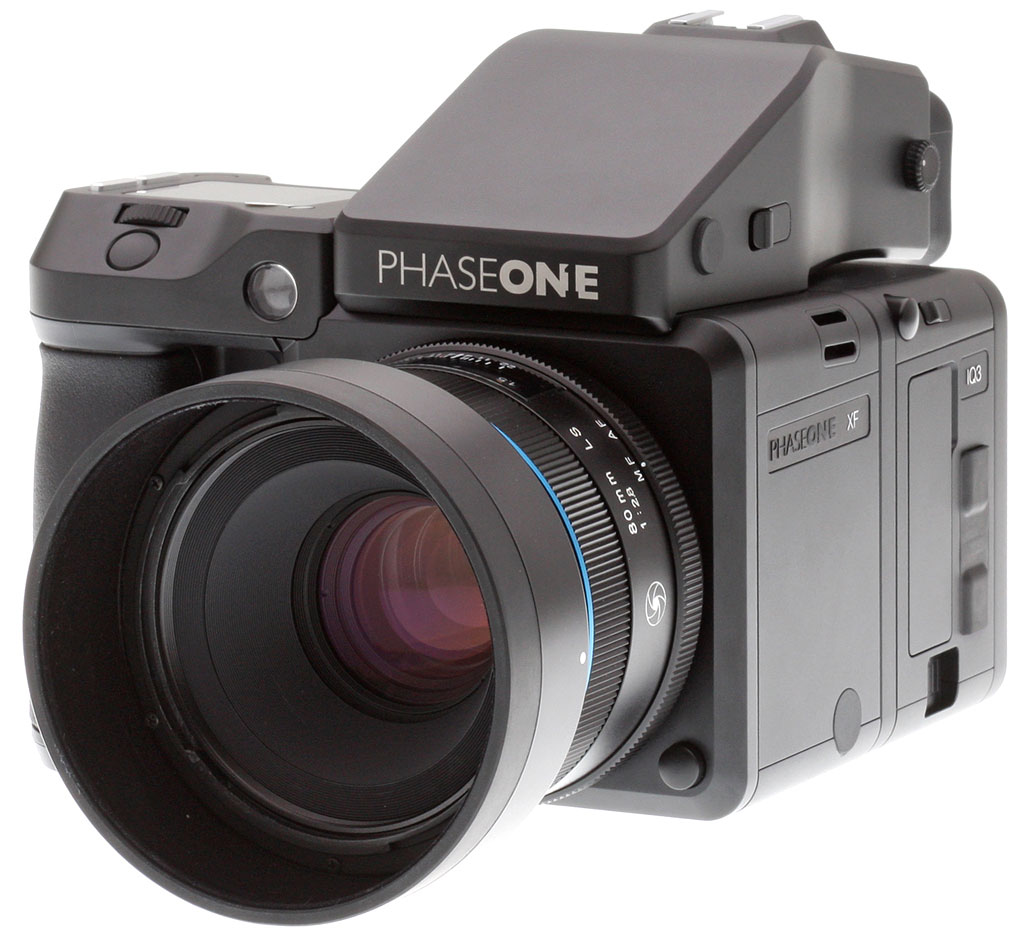
Last summer, I went hands on with the Phase One XF medium format camera and the IQ3 100MP Trichromatic digital back. Later in the year, Phase One introduced their new IQ4 series of digital backs, including the 150MP digital back. This new back is the Danish company's highest-resolution back ever and the world's first 151-megapixel camera. I recently had the opportunity to test the new back alongside the existing XF camera body.

During my time with the camera, I was particularly impressed by the improved user experience of the IQ4 digital back and Infinity Platform, but the real star of the show is the image sensor. The 16-bit 151-megapixel raw files look absolutely stunning. Let's take a deeper dive into my hands-on experience with the Phase One XF IQ4 150MP.

Key Features and Specs
- XF camera body
- IQ4 150MP digital back delivers 151 megapixels
- Backside-illuminated CMOS image sensor
- Native ISO range of 50-25,600
- 15-stop dynamic range
- 16-bit raw files
- Touchscreen user interface
- Around $52,000 for the camera, digital back, viewfinder and a prime lens

XF Camera Body and the new IQ4 150MP Digital Back
In our first Field Test for the Phase One XF camera, which was tested alongside the IQ3 100MP digital back, we discussed the camera body and design some, although I do want to revisit it after having spent more time with the XF camera alongside the IQ4 150MP digital back.
The camera body when paired with a back is very large. This is basically a given for a "full-frame" medium-format camera system. Despite being large, the excellent grip design of the XF camera means that it is easy to get a solid hold of the camera. It's very comfortable thanks to the deep front grip and pronounced rear grip. Even when using a heavy lens, the camera balances quite nicely in the hand thanks to the grip design.

The camera body itself features a variety of buttons and dials. There are three buttons next to the top display and a couple on the front of the camera. As for dials, there are three of them, two on the rear of the camera and one near the shutter release. By default, the rightmost rear dial controls aperture and the front dial handles shutter speed. The leftmost rear dial controls ISO speed.
The top display looks nice, with sharp, detailed text and logos. It is also a touchscreen, which proves to be very useful. You can tap on basically any element on the display to access settings and make adjustments. For example, you can tap on the ISO and then set minimum and maximum limits for auto ISO. You can also navigate a wide array of camera settings just through the top display.

Unlike most cameras, the sensor is not built into the camera with the Phase One XF system. Rather, you attach a digital back to the camera. The IQ4 150MP digital back, in this case, has its own large 3.2-inch multi-touch display, four buttons and ports, including USB-C, Ethernet, HDMI and more, along with XQD and SD card slots. The touchscreen on the back is very responsive and works well.

The detachable viewfinder, which was the 90 degree prism viewfinder in my kit, offers 97 percent frame coverage. 100 percent coverage would be a welcome improvement, but the viewfinder is quite large and clear. The information display at the bottom is nice as well, similar to what you'd expect from a high-end DSLR viewfinder.

Overall, there's a lot to like about the design of the Phase One XF camera system and the IQ4 digital back. The combination is large and heavy, but comfortable and functional.
Image Quality
While the design of the camera and its resulting user interface are good, where the Phase One XF system really shines is with the incredible image quality of its digital backs. The new IQ4 150MP digital back is an impressive feat of engineering, and the raw files it produces are top-notch.

Looking at the specs, the sensor is a 151-megapixel backside-illuminated CMOS image sensor with a physical size of 53.4 x 40 millimeters, which results in a 3.76-micron pixel size. The image sensor is 2.5 times larger than a 35mm full-frame image sensor. The sensor's ISO range is 50-25,600, and it promises a 15-stop dynamic range. In case you're wondering what such a high megapixel sensor produces in terms of prints, if you printed a file at full-size with a 300 dpi resolution, the print would be 47.3 x 35.5 inches (120.3 x 90.2 centimeters)!
Sharpness
It is no surprise that the IQ4 150MP back produces images with an incredible level of detail. At base ISO in particular, the sharpness is superb.


In fact, shooting across the river, I was able to pick out numerous fine details in the scene, including a company logo on an AC unit and an advertisement featuring a dog on the side of a truck. With the Phase One IQ4 150MP, you can find details in a scene you would never be able to see with the naked eye.

 |
| Schneider Kreuznach 150mm LS f/2.8 lens (96mm eq.), f/11, 1/80s, ISO 50. 100 percent crop. This image has been converted and processed to taste using Capture One 12 and Adobe Photoshop CC. Click for the full-size image. Click here for the RAW file. |
 |
| Schneider Kreuznach 150mm LS f/2.8 lens (96mm eq.), f/11, 1/80s, ISO 50. 100 percent crop. This image has been converted and processed to taste using Capture One 12 and Adobe Photoshop CC. Click for the full-size image. Click here for the RAW file. |
 |
| Schneider Kreuznach 150mm LS f/2.8 lens (96mm eq.), f/11, 1/80s, ISO 50. 100 percent crop. This image has been converted and processed to taste using Capture One 12 and Adobe Photoshop CC. Click for the full-size image. Click here for the RAW file. |
High ISO
As you increase the ISO, performance remains generally good. However, even at ISO 800, some of the finer details of the image are lost to noise and resulting noise reduction algorithms. If you are spending the money for the ultimate in sharpness and image quality, it's a shame to lose some of that detail to noise. At ISO 6400, image quality dips quite significantly, and at ISO 25,600, image quality is poor.


You can download and view shots at each full stop of ISO by heading to the gallery. You will need Capture One to view the .IIQ files, but a free trial is available from Phase One.
File flexibility
When shooting any high-end camera, file flexibility is of utmost importance. The IQ4 150MP digital back does an amazing job here. The files, even when highlights are blown or shadows are clipped while shooting, are very flexible and most detail is easily recovered. The camera offers a level of security while shooting in difficult conditions that very few other cameras can match. Further, the dynamic range of the sensor is such that some scenes which normally would pose a significant challenge to most cameras are handled easily. I've spent a lot of time shooting around sunrise, and no sensor has ever performed as well for me as the IQ4 150MP.

It is not just about the flexibility of a file, it is also about being able to maintain high fidelity and quality while making adjustments. Pushing detail in the shadows, especially when shooting at low ISOs, never resulted in the addition of unwelcome noise. Recovering detail in the highlights, particularly with the sky, didn't result in ugly banding either. Of course, that is not to say that you can't push the files from the IQ4 150MP past their limit, because you can, but I never reached that point during my standard editing workflow.

Shooting Experience
Autofocus
The Phase One XF system, as I will discuss further in the next section, is not one built for speed. The autofocus system is sluggish and features only a single central autofocus point. There are a couple of nice aspects of the autofocus performance, including impressive accuracy and a built-in autofocus and recompose feature, but by and large, it is not an action camera. The camera offers spot, average and hyperfocal focus modes. I found spot to be the best bet with respect to speed and accuracy, although hyperfocal can be useful when shooting landscapes.

Beyond autofocus, it's worth discussing manual focus since it's going to be an important part of the workflow for many Phase One users. The manual focus experience through the viewfinder is fine, and the camera can tell you when something in the center of the frame is in focus. The IQ4 150MP offers live view shooting as well, which is much better overall. You can zoom in easily to evaluate focus and utilize focus peaking as well, although you cannot currently adjust the threshold of focus peaking, which is disappointing and hopefully will be improved in a future firmware update.

Ultimately, there's not a lot to say about the autofocus on the XF camera and IQ4 digital back. The combination results in somewhat simple, but effective autofocus. There aren't any bells and whistles here, but I'm not sure that there is really much call for fancy autofocus with a system like this.

Speed
The startup time of the XF IQ4 camera system is very slow at around 17 seconds. It is not a camera designed to be routinely turned it off and on again. The slow speed can be quite frustrating while out in the field. Further, I went through batteries pretty quickly, which disincentivized leaving the camera on while moving from location to location.

Once booted up, the camera does feel quite snappy during use. While it doesn't shoot very quickly, it can capture 16-bit files continuously at a little under a frame per second. You can shoot at 1.2-1.4 fps at 14-bit depending upon the shutter type being used, but I always opted for the 16-bit file quality. Navigating menus is pretty quick and considering the sheer size of the files, playback and zooming in on shot images is pretty responsive, too.
Modes
A feature of the IQ4 which doesn't particularly impact my own workflow is its really interesting Capture One integration and the use of the new Infinity Platform. Basically, the Infinity Platform is the new underpinning of the IQ4 camera system. It is not only designed for today, but also around the idea of openness and flexibility such that Phase One can readily update and improve the overall camera system and the user experience. This is generally a good thing, but even more important when considering the cost of the Phase One XF camera system. It's not simply a matter of buying a tool for today, a cutting-edge camera like the Phase One XF and IQ4 150MP is a long-term investment.

Thanks to the new Infinity Platform, the IQ4 incorporates the core of the Capture One software platform into the Infinity Platform. As of now, this includes JPEG processing in-camera, improved image quality and preview performance, improved Live View, faster frame rates and new tools. Having worked some with an IQ3 digital back, I can confirm that overall preview performance, live view and shooting speeds have been improved. I would like to see a bit more Capture One integration in the camera itself, including fuller IIQ "Style" integration, but the Infinity Platform shows promise.

Further, while not something I'd use for landscape or nature work, the tethering functionality of the IQ4 is excellent. You have a very high level of control of the tethered camera when working inside Capture One, including batch processing tools, live view, adjustments to camera settings and control over focus. For a studio photographer, the IQ4 and Capture One is a very powerful combination.

In the Field: Landscapes
During the course of this Field Test, I have mentioned how excellent the image sensor is but the camera can be limiting in other ways. For landscape photography, the IQ4 150MP with the XF camera is an interesting photographic tool. In some ways, it's excellent. In other ways, it's frustrating.

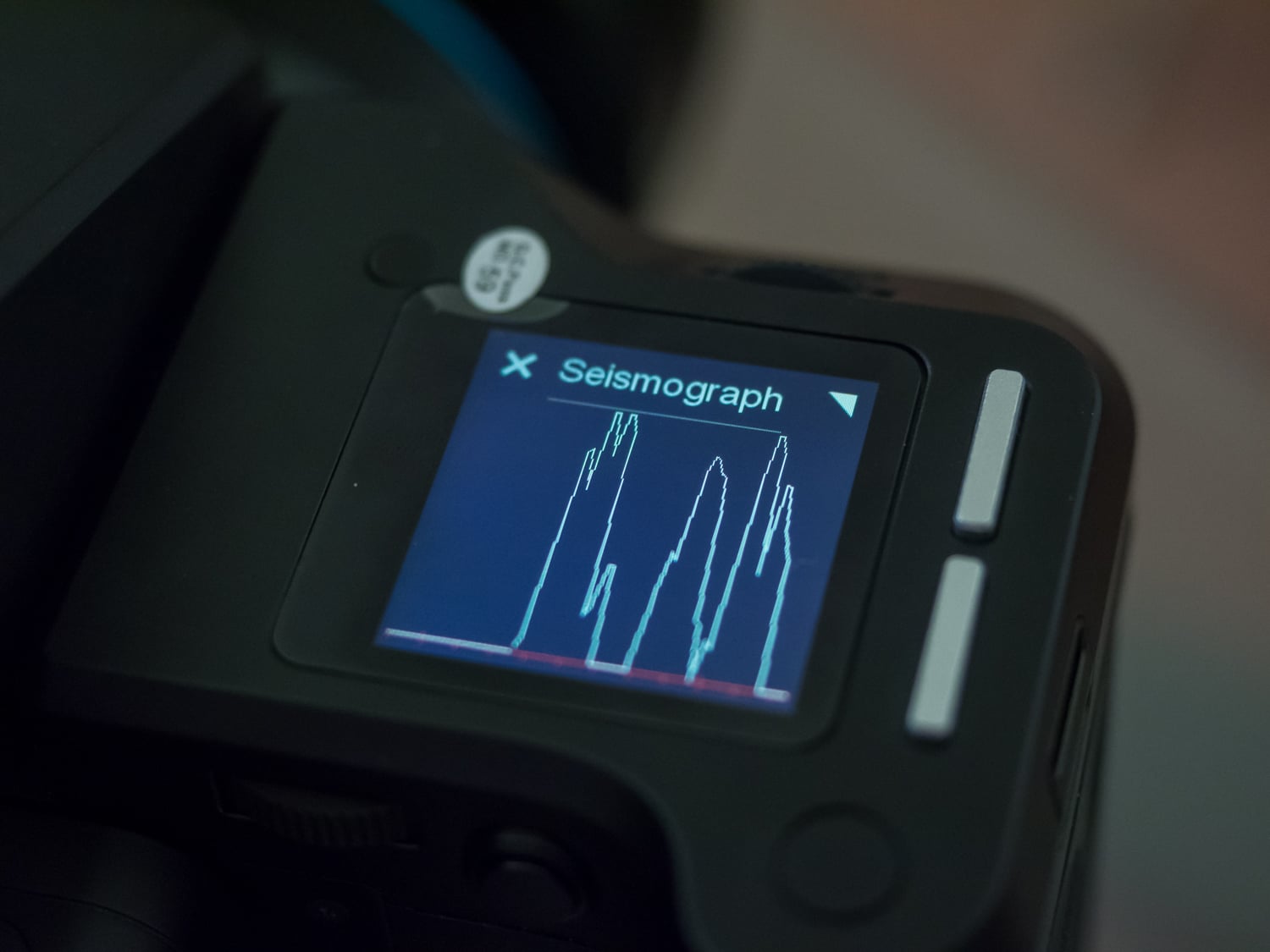
Some strong aspects of the experience come down to some nice, distinct features. The camera has a built-in seismograph, which allows you to set the camera to capture an image only when the camera is very stable. This is great when working on tricky terrain or when capturing long exposure images. Granted, a simple self-timer works in most cases, but the vibration delay mode is an excellent touch. The camera also offers built-in 60-minute exposure times, which can be very useful in certain scenarios.

Image quality from the IQ4 150MP digital back is incredible. There is just something special about the image files when they are viewed large. There's a level of detail and depth that I don't see in images from smaller sensors. It is not merely the sharpness that impresses, but also the dynamic range and the flexibility of the camera's raw files.

The autofocus system offers a less positive experience. As I have mentioned, the single autofocus point is tricky to work with. When shooting landscapes, manually focusing is a solid option, but the live view functionality on the 150MP, while improved when compared to the IQ3 digital back, can still feel a bit sluggish. Further, exposure and white balance metering proved somewhat inconsistent. It's not a big deal because I intended to process every file, but there is often quite a bit of tinkering required with exposure and white balance.

An aspect of the camera which proved problematic for me but would not impact a studio photographer or someone with an assistant is the sheer size and weight of the Phase One XF camera system. The camera and digital back are large and the lenses are heavy. Carrying them around in their included (excellent) hard case requires a lot of effort. Setting up the gear takes time and you must use a very good tripod while shooting, which can negatively impact one's ability to capture a shot. It's the price you pay for 151 megapixels and true medium-format image quality, however.

At the end of the day, the Phase One XF system is very capable, but for my own workflow, its pros don't quite outweigh the cons. With that said, the 151-megapixel image sensor captures the best image quality I have ever seen and that is certainly an important and valuable aspect of a medium-format camera.

Phase One XF IQ4 150MP Field Test Summary
A special photographic experience
What I liked:
- Incredible image quality
- Great dynamic range
- Improved user interface
- Good camera design

What I didn't like:
- Sluggish and limited autofocus performance
- While faster than the IQ3, IQ4 back is still slow
- Bulky and heavy camera system
- Very expensive

Much like the IQ3 before it, the IQ4 150MP digital back produces outstanding image quality. Images are incredibly sharp and detailed with fantastic colors, dynamic range and depth. As is often the case with technology, the cutting edge comes at an immense cost, and the XF camera system and IQ4 digital back are no exception. The image quality is superb and for the photographers who demand the best, the price and noted shortcomings of the XF camera system will likely prove insignificant in light of what the system can accomplish.

Phase One XF 100MP Review -- Overview
by Jeremy Gray
Preview posted: 01/04/2016

Just before CES 2016 kicked off in Las Vegas, Phase One announced the result of a collaborative development effort with Sony, a 100-megapixel full-frame CMOS sensor back for Phase One’s medium-format XF camera system.
Unlike some digital medium-format camera sensors, such as the IQ250 sensor, this new IQ3 100MP sensor has no lens crop factor; it is a true full-frame medium format digital sensor. This isn't Phase One and Sony's first collaborative effort, they also worked together on the IQ250.
The 53.7 x 40.4 millimeter sensor offers 16-bit color output, a 15-stop dynamic range, and an ISO range from 50 to 12,800. With this incredibly high-resolution sensor, Phase One’s hardware and software teams have created a new, exclusive file format to bring the most out of the XF 100MP camera system, which “will offer unprecedented image quality.”

Capable of 60 minute exposures, the XF 100 MP system is very versatile for its class. The XF camera system also utilizes Phase One’s Electronic First Curtain Shutter technology. EFCS reduces the effects of vibration on high-resolution images by allowing “less mechanical dependency.” EFCS activates automatically when using Vibration Delay or Mirror Up modes.

The Phase One XF Camera System, which was introduced in June of 2015, was built around the concept of optimal 100-megapixel performance. The system utilizes features such as Honeybee Auto Focus, Vibration Tracking, and Vibration Detection technologies in addition to the EFCS mentioned above. Utilizing a new series of Schneider Kreuznach Leaf Shutter lenses and interchangeable viewfinders, the XF system allows photographers to fine-tune their own personal shooting experience and bring out the best that Phase One’s high-resolution sensors have to offer.

The Phase One XF 100MP kit which includes the XF camera body, the new IQ3 100MP digital back, a prism viewfinder, a focusing screen, a 52mm-equivalent Schneider Kreuznach LS 80mm f/2.8 lens, four 3400mAh battery packs, a charger, a 16GB CF card, a card reader, a Pelican Storm carry on case, Capture One Pro 9 software and various other accessories and cables began shipping in January, and retails for about US$48,990.
Performance
Timing and Performance
Generally slow performance, even for a medium format camera.
| Startup/Play to Record | ||
|---|---|---|
|
Power on |
10 / 12 seconds
|
Time it takes for camera to turn on and take a shot. |
|
Play to Record, |
2.4 seconds
|
Time until first shot is captured. |
The Phase One XF 100MP took a glacial 10 seconds to power on and take a shot when using the power button on the camera body. And when powered up using the button on the digital back, it took even longer at about 12 seconds. Switching from Playback mode to Record and taking a shot took 2.4 seconds, which is very slow.
| Shutter Response (Lag Time) | ||
|---|---|---|
|
Full Autofocus |
0.333 second
|
Time from fully pressing shutter button to image capture. (All timing measurements taken with the Schneider Kreuznach LS 80mm f/2.8 kit lens.) |
|
Manual focus |
0.351 second
|
For most cameras, shutter lag is less in manual focus than autofocus, but usually not as fast as when the camera is “pre-focused.” |
|
Pre-focused |
0.352 second
|
Time to capture, after half-pressing and holding shutter button. |
| Live View | ||
|
Pre-focused |
0.251 second
|
Time to capture, after half-pressing and holding shutter button. |
The shutter lag numbers above measure time from shutter button press to image capture, with the lens already set to the correct focal distance. This largely removes the issue of differences in lens focusing speed, and measures how fast the camera can measure and act on focus information.
In this metric, the Phase One XF 100MP was a bit on the slow side for a modern camera. Full autofocus shutter lag was 0.333 second using Spot AF mode. While still reasonably responsive, that’s about twice as long as the Pentax 645Z took in our tests.
Oddly, when manually focused or pre-focused, shutter lag actually increased slightly to about 0.35 second, which are some of the longest non-AF shutter lags we’ve recorded. (Note: All lag times were taken with Latency set to Zero for maximum performance.)
In Live View mode, prefocused shutter lag was lower at about 0.25 second, likely because the massive mirror is already up in that mode.
| Cycle Time (shot-to-shot) | ||
|---|---|---|
|
Single Shot mode |
1.87 seconds
|
Time per shot, averaged over a few frames. |
|
Early shutter |
No
|
Some cameras refuse to snap another shot if you release and press the shutter too quickly in Single Shot mode, making “No” the preferred answer. |
|
Continuous mode |
1.91 seconds
(0.52 fps); Unlimited frames(?) 2 seconds to clear* |
Time per shot, averaged over about 60 shots. |
|
Continuous mode |
1.77 seconds
(0.56 fps); Unlimited frames(?) 2 seconds to clear* |
Time per shot, averaged over about 60 shots. |
|
Continuous mode |
1.65 seconds
(0.60 fps); Unlimited frames(?) 4 seconds to clear* |
Time per shot, averaged over about 60 shots. |
|
Flash recycling |
N/A
|
Flash at maximum output. |
|
* Note: Buffer clearing times measured with a 64GB Lexar Professional 1066x UDMA 7 CompactFlash card. Slower cards will produce correspondingly slower clearing times. Slow cards may also limit length of bursts in continuous mode. |
||
Shot-to-shot cycle times were quite slow, taking about 1.9 seconds per frame. (The camera only shoots RAW files so we have no JPEG or RAW+JPEG results.)
Continuous mode speeds weren’t much different than single-shot and thus also quite slow, varying from about 0.5 frames per second in Focal Plane Shutter mode to 0.6 frames per second with the mirror up and Electronic First Curtain Shutter enabled. The camera very occasionally produced a cycle that was noticeably longer than the average, but then continued at full speed so the above averages include any minor “hiccups”. Again, all cycle times were taken with Latency set to Zero for maximum performance.
Buffer depths in all tested modes were over 60 frames. We didn’t continue past ~60 frames to determine if there was an actual limit as this is not a sports camera and we wanted to be mindful of the number of shutter actuations on our (very expensive) loaner, but it appears as if there is no buffer limit with a fast card other than battery and card capacity.
Buffer clearing was quite quick, ranging between 2 and 4 seconds with our fast Lexar Professional 1066x UDMA 7 CompactFlash card.
Bottom line, the Phase One XF 100MP is pretty slow at most things even for a medium format camera, however shutter lag is reasonable and buffer clearing is actually quite quick with a fast card. Although obviously not designed for quick action, the camera’s performance should be adequate for its intended applications.
Battery
Battery Life
Phase One doesn’t appear to publish CIPA battery life figures for the XF 100MP, however battery life wasn’t great during lab shooting which is likely why the company includes four 7.2V 3400mAh batteries and a dual battery charger in the standard bundle. (Note that two batteries are needed to power the camera: one installed in the body and one in the digital back.)
Field Test Part I
Phase One XF 100MP Field Test
A test-drive with the highest-resolution camera we’ve ever used
The Phase One XF 100MP: A camera on another level
I’ve had the opportunity to test and use a number of different kinds of cameras, from pocketable point-and-shoots to big, full-size DSLRs. For me, while I’ve known about medium format cameras for a long time, they were always sort of “out there;” a camera system that for the most part was way too expensive for a mere mortal such as myself to ever own, let alone even have the need to rent one. So, when Phase One came knocking at IR’s proverbial door asking us if we wanted to test their new XF camera system with a 100-megapixel digital back, well, color me intrigued.
Getting the Phase One XF System is much different than just ordering from Amazon!
Right off the bat, the experience with this camera system was different than any other camera I, and most of the IR staff, have used. For starters, just acquiring the camera was out of the ordinary. Phase One won’t just ship you a camera and some lenses. I mean, the base MSRP for this Phase One XF100 Kit rings up at just under $50,000! No, you need to get in touch with a Phase One partner retailer and have them hand-deliver the system to you. In our case, we coordinated with Capture Integration here in Atlanta for a hands-on demonstration session with the camera at their shop before we were set free with the gear.
The Capture Integration product tour of the Phase One system, as it turns out, was very helpful, as there are tons of minor tips and tricks as well as extensive tether-based shooting features that we do not typically see or use on “run-of-the-mill” interchangeable lens cameras. Sure, you could slap a lens on there, slide in a CF card, and fire away, but tethered shooting opens up a lot of expanded versatility.
Phase One IQ3 100MP Trichromatic Field Test
A superb image sensor inside a slow and expensive camera system
I recently had the opportunity to shoot with a Phase One XF camera and the new IQ3 100MP Trichromatic digital back. This 101-megapixel medium-format camera system is expensive, precise and impressive. Make no mistake, this is not a typical camera system and is not something many photographers, myself included, ever expect to have a chance to use.
In this Field Test, I will be discussing the XF camera in general and then speak more specifically to the IQ3 Trichromatic digital back itself, as they are separate components and you can use the XF camera with different digital backs.
XF camera system design and handling
The Phase One XF camera is quite large by normal standards but isn’t overly large in real use. It’s very comfortable to hold thanks to its ample front grip. It features customizable dials and buttons, all of which feel very well-built and are located in convenient places. It’s not very much larger than a pro-oriented DSLR camera.
Field Test Part II
A test-drive with the highest-resolution camera we’ve ever used
by William Brawley | Posted 10/03/2016
 |
|
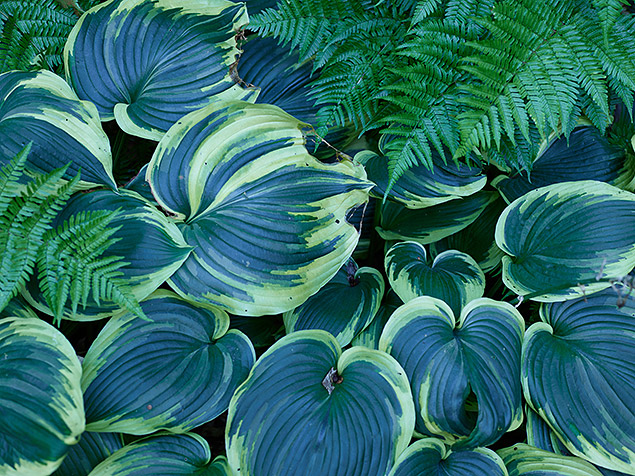
Schneider Kreuznach LS 80mm f/2.8: 80mm, f/5, 1/200s, ISO 400, -0.7EVs
|
The Phase One XF 100MP: A camera on another level
I’ve had the opportunity to test and use a number of different kinds of cameras, from pocketable point-and-shoots to big, full-size DSLRs. For me, while I’ve known about medium format cameras for a long time, they were always sort of “out there;” a camera system that for the most part was way too expensive for a mere mortal such as myself to ever own, let alone even have the need to rent one. So, when Phase One came knocking at IR’s proverbial door asking us if we wanted to test their new XF camera system with a 100-megapixel digital back, well, color me intrigued.
Getting the Phase One XF System is much different than just ordering from Amazon!
Right off the bat, the experience with this camera system was different than any other camera I, and most of the IR staff, have used. For starters, just acquiring the camera was out of the ordinary. Phase One won’t just ship you a camera and some lenses. I mean, the base MSRP for this Phase One XF100 Kit rings up at just under $50,000! No, you need to get in touch with a Phase One partner retailer and have them hand-deliver the system to you. In our case, we coordinated with Capture Integration here in Atlanta for a hands-on demonstration session with the camera at their shop before we were set free with the gear.
The Capture Integration product tour of the Phase One system, as it turns out, was very helpful, as there are tons of minor tips and tricks as well as extensive tether-based shooting features that we do not typically see or use on “run-of-the-mill” interchangeable lens cameras. Sure, you could slap a lens on there, slide in a CF card, and fire away, but tethered shooting opens up a lot of expanded versatility.
 |
The Phase One XF is a beast: big, bulky and a little awkward
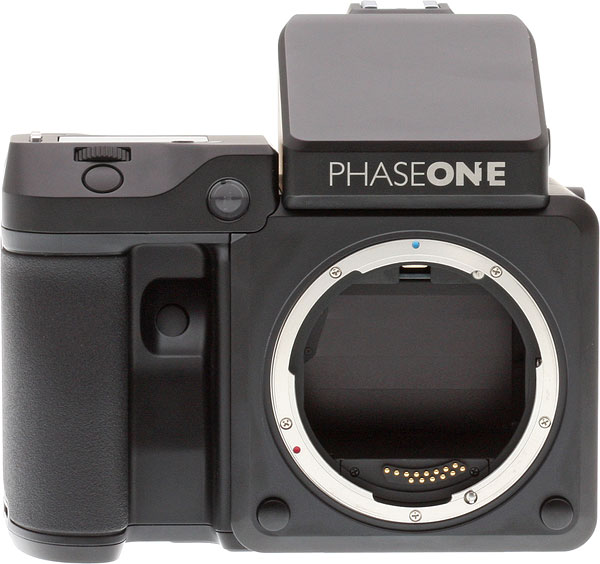
Before we start discussing image quality or performance, let’s talk about ergonomics: This camera is huge! That should be expected, given that the system is centered around a full-frame Medium Format sensor that measures 53.7mm x 40.4mm. I knew the camera was big, but still I wasn’t expecting it to be as heavy and bulky as it was. Kitted-up, with camera body, digital back, viewfinder, the 80mm f/2.8 kit lens, and two batteries (one for the camera and one for the back), the camera weighs in just shy of six pounds! That’s heavier than a Canon 300mm f/2.8L II lens.
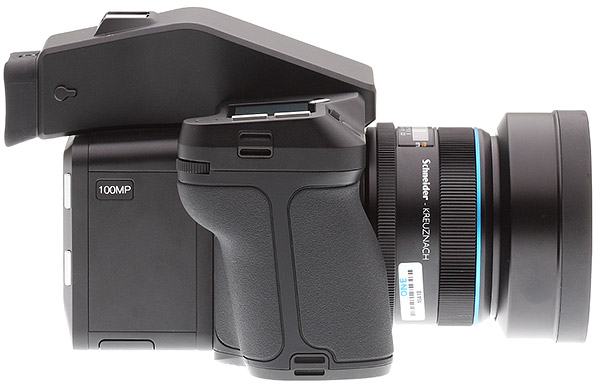
Despite the size and weight, the grip is very comfortable
Apart from the weight, as you can see from the photos, the camera is quite boxy, and when used handheld, the bulk of the camera rests a lot into the palm of your left hand. The grip, on the other hand — no pun intended — is quite deep and contoured. And even though the overall camera system is large, the handgrip area feels more or less like a standard full-size DSLR. The camera fits comfortably into my hand, and the three control dials on the front and rear of the camera are easily operated by my thumb and forefinger.
 |
Lots of touchscreen interaction
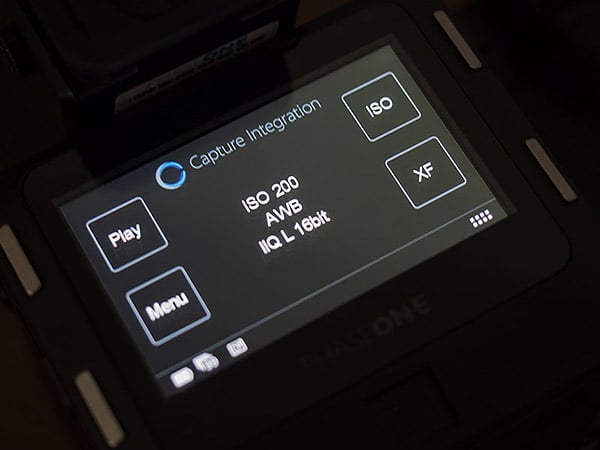
Interestingly, despite its large form-factor, the Phase One XF system relies a lot on touch-based interface, both on the top-panel LCD — aka “the XF Grip LCD” — and the digital back’s large 3.2-inch LCD screen. While it does have an array of albeit unlabeled buttons that can be used for menu navigation or on-the-fly settings and exposure adjustments, much of the camera’s settings can also be adjusted purely by touchscreen.
 |
The digital back’s menu system and user interface are fairly straightforward and easy to navigate for the most part. However, there were times when I had trouble remembering where certain settings were located within the array of menu categories. For one, the digital back has menu categories for both the XF camera body as well as the digital back itself; there’s not a single “camera” menu, so to speak, as in other cameras. That being said, I would probably just chalk this up to my unfamiliarity with the Phase One system and that given enough time with the camera, that the menu navigation would become second nature. Thankfully, like an iPhone, if you get lost you can always “back out” to the main screen on the Phase One back simply by pressing and holding the top-left button on the back.
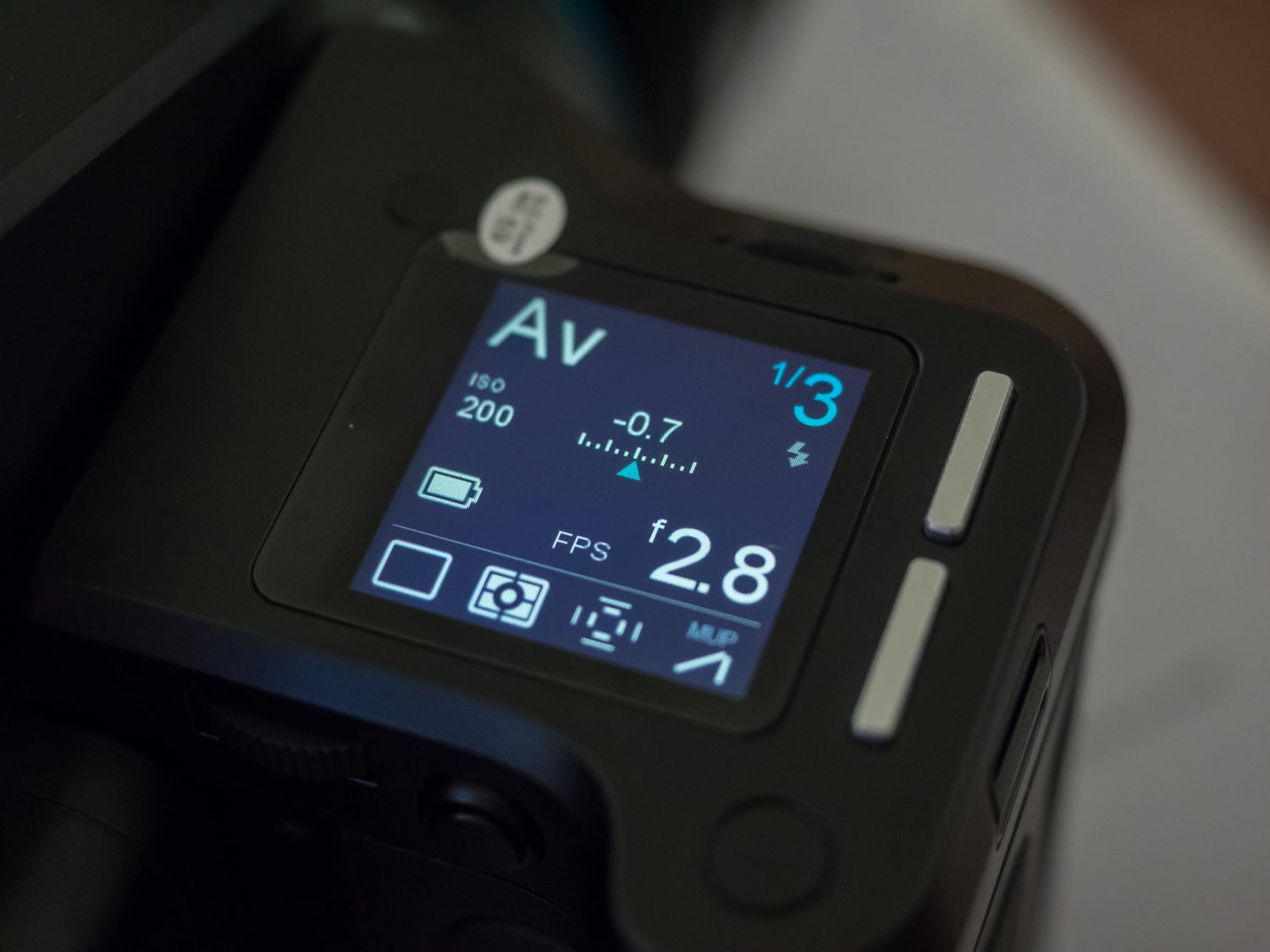
The touch-sensitive XF Grip LCD screen has its own menu navigation “language,” which I found a bit more frustrating to deal with. On the one hand, the Grip LCD’s top-level UI is quite handy, and you can simply swipe left or right between difference panes for either the main settings screen or various specialized shooting modes like timelapse, HDR or Focus Stacking, as well as composition tools like a simulated bubble level and a built-in seismograph (!) to monitor camera vibrations. The main camera settings screen (see on the right) on this top LCD is clear and easy to understand, and you can easily tap an icon to change its mode or view related options.
The Phase One XF is the first camera I can recall that has three separate control dials, and each control is set (by default) to adjust the three major exposure settings — front dial for shutter speed, “side dial” (the one on the thumbrest hump) for aperture, and the rear dial for ISO. Pretty handy. Most cameras don’t have such a setup, so I found myself tapping on the ISO icon on the LCD to make an adjustment before realizing all I needed to do was rotate its assigned dial.
For better or worse, all of the buttons and dials on the camera are unlabeled — even the power button. For those just picking up this camera system for the first time, it can be a bit confusing as to which functions are controlled by any one button or dial. On the other hand, everything is customizable, so you can easily assign the functions that you need for your particular shooting style to any of the controls without any sense of confusion.
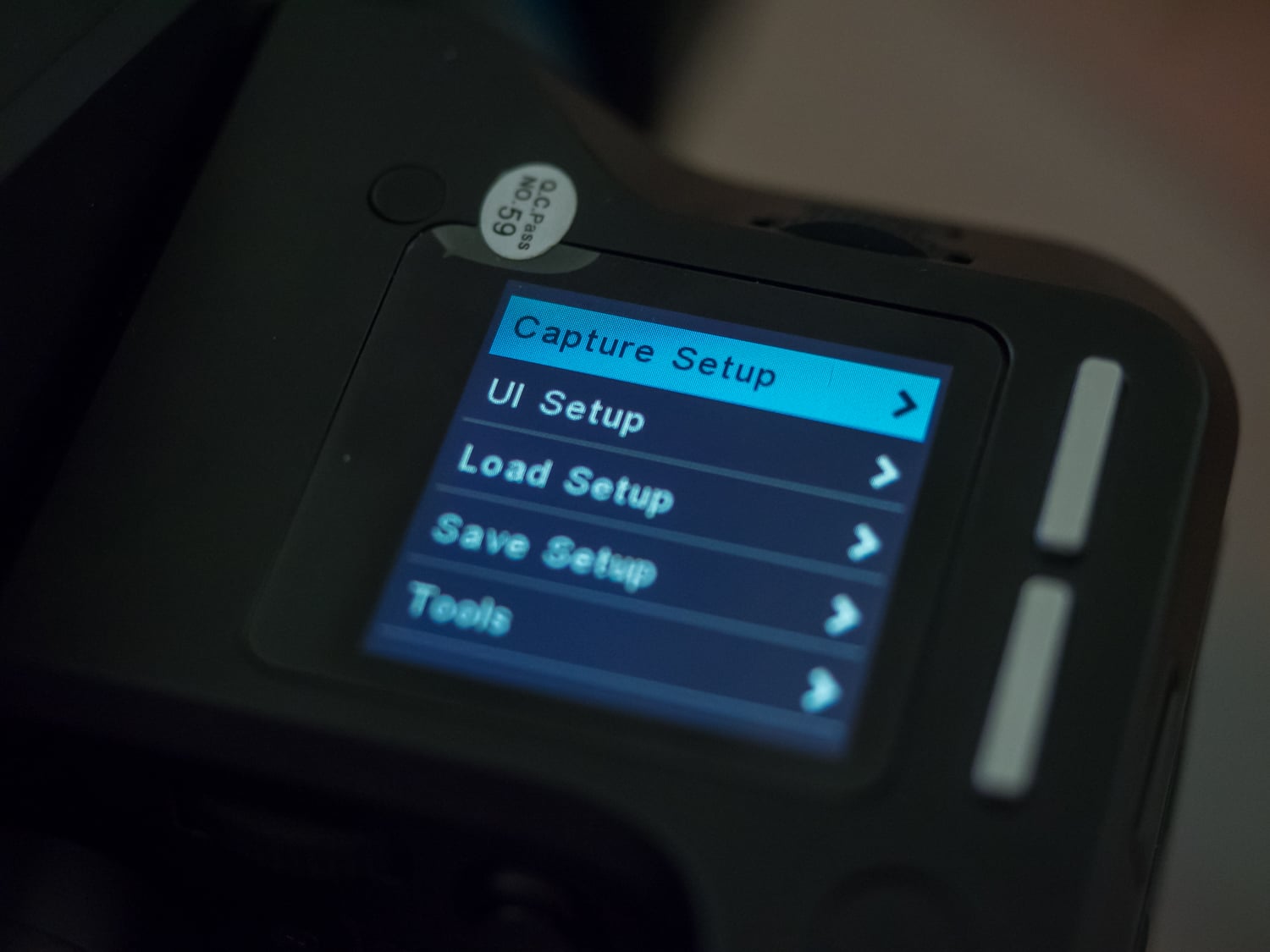
The primary confusing part of the Grip LCD’s menu system was navigating *into* the menus. Using a combination of the two silver buttons as well as the three controls dials for selecting menus and moving into the menu hierarchy or back out again, it took a bit a fumbling around to get the hang of which buttons do what or which direction I needed to rotate a dial in order to navigate properly.
The rear LCD on the IQ3 100MP digital back, on the other hand, felt much more straightforward to use. The four silver buttons at the corners, depending on the menu screen at the time, would correspond to certain menus or functions. But, you don’t have to use the physical buttons if you don’t want to. Everything can be selected or navigated via touch, which is very nice.
 |
The two touchscreens are fairly responsive, but I found at times that I needed to be pretty accurate with my tapping in order for my touch to register on the appropriate icon or menu item, or be recognized at all. Also, when shooting out in bright sunlight, I found both screens showed quite a bit of glare and could be difficult to read. Thankfully, to get around the glare — at least when it comes to shooting and composing shots — the Phase One system does include a traditional optical viewfinder.
|
Shooting the Phase One handheld: Definitely not your ordinary, walk-around camera!
|
Handheld shooting is certainly an option on the XF 100MP, but…
Despite its heftiness and bulk, the Phase One camera system can certainly be used handheld. The size certainly makes it more challenging to use if you’re on the move in any way, and it’s far from a stealthy rig. While the Phase One certainly feels more appropriate mounted on a tripod — either in the field on in a studio — there are a couple important things to keep in mind if you ever find yourself with one of these cameras and want to shoot handheld: focus and your shutter speed.
High resolution sensor makes focus and shutter speed all the more critical
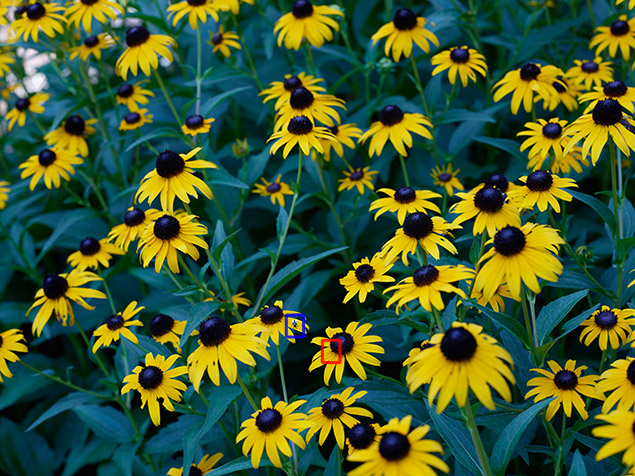
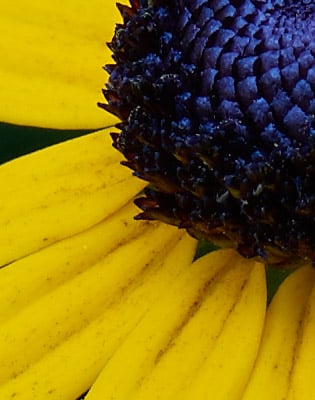
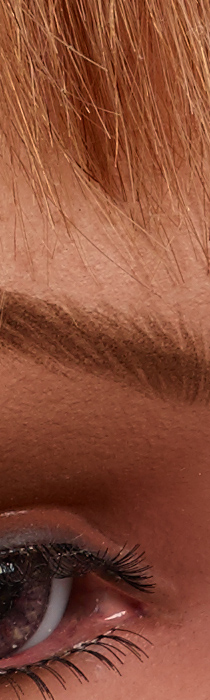
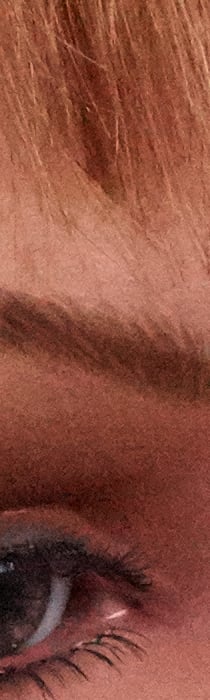
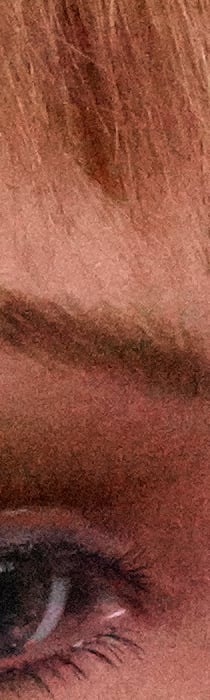
Similar to my experience with the 50MP Canon 5DS R, the extreme resolution of the Phase One camera requires even more precise care when it comes to focusing and stabilization. Having your focus just a bit off is extremely noticeable when you magnify in at 100%. With such a large sensor and the potential for a super-shallow depth-of-field, it could mean the different in an eyebrow being in focus rather than the surface of the eye itself.
 |
|
 |
 |
|
As you can see from these two 100% crops from similar regions of the image that the depth of field can be extremely shallow and missing focus by just a “hair” can put your subject out of focus.
|
|
|
Schneider Kreuznach LS 80mm f/2.8: 80mm, f/8, 1/25s, ISO 50, -0.7EVs
|
|
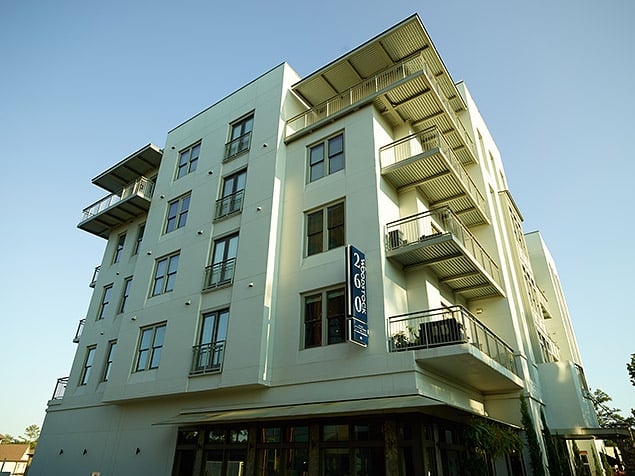
Furthermore, just like how the “1/focal length” shutter speed rule-of-thumb — a.k.a. the Reciprocal Rule — didn’t really apply for the Canon 5DS R, the same can be said for the Phase One. Whereas I might have needed around 1/(2x focal length) for the 5DS R, the Phase One requires even faster shutter speeds — maybe 1/4x. The 100MP resolution is so great that the risk of blurring at the pixel level is even more critical. For the most critically sharp images, and without resorting to raising the ISO, I’d recommend using a tripod for the Phase One whenever possible. Heck, the camera even has a built-in seismograph to help monitor camera vibrations and can even delay capture automatically if it detects vibrations above a set threshold.
 |
|
Schneider LS 35mm f/3.5: 35mm, f/5.6, 1/500s, ISO 200, -0.7EVs
|
…tethered shooting with Capture One is very powerful
Handheld shooting, in general, is certainly more flexible and convenient in my opinion, but the Phase One camera is much more appropriate on a tripod. You can get sharper photos, shoot longer exposures as well as take advantage of the camera’s advanced shooting modes such as Focus Stacking and Timelapse.
The other main shooting scenario is studio-based with tethered capture into a computer. Bundled with a free* full version of Capture One, the tethering solution with the Phase One is amazingly robust and powerful. In fact, if you don’t need to move the camera, as with product photography for instance, you could set the camera up and control pretty much the entire camera via the Capture One software on the computer. (*Capture One Pro is free for Phase One owners. Using the free Capture One “DB” mode is fully functional, but only works for Phase One raw files.)
For our standard lab shooting, the tethering capabilities were a big help. We need to get exposure, as well as framing and focus, to pretty precise tolerances, and the tethering setup really sped up our workflow once we got the hang of it all. One of the biggest time-savers with the tethered workflow was capturing a photo and then being able to immediately check the exposure levels, as well as make necessary exposure adjustments on the camera right away from the computer remotely. It was much simpler than our traditional workflow with a back-and-forth system of taking a shot, removing the memory card, checking the image on the computer, returning the card to the camera and repeating.
Furthermore, the large rear LCD was great for framing as well as focusing manually as it was both sufficiently large and sharp enough to ensure crisp focus. But, in cases where we weren’t exactly sure, we could simply stream a real-time Live View signal out via USB (or HDMI) into Capture One and have a larger real-time view of the scene, which was pretty nice.
 |
|
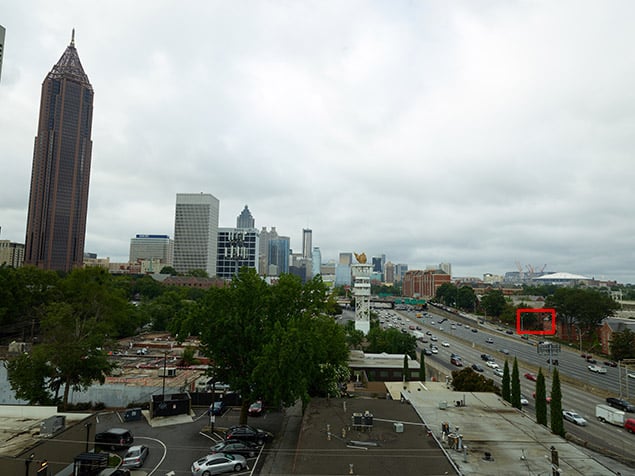
Schneider LS 35mm f/3.5: 35mm, f/8, 1/80s, ISO 50, -0.3EVs
|
Phase One XF 100MP image quality is simply stunning
Of course, the big question regarding this 100-megapixel medium format system is its image quality. Simply put: Holy moly, this camera can capture some insanely detailed photographs! I could pretty much just stop there. The images are incredible.
Similar to our experience with the Pentax 645D and 645Z, the Phase One XF100MP’s resolving power reveals textures and other fine details that are barely perceptible to the naked eye, especially when it comes to our Still Life test images!
 |
|
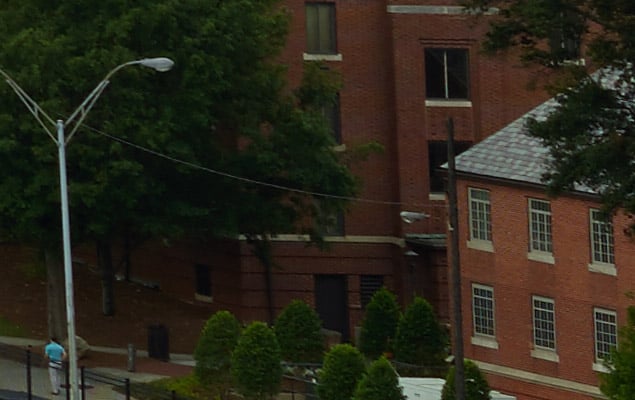
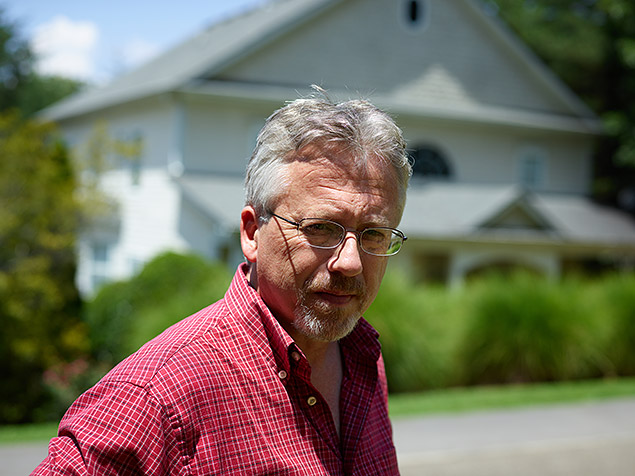
A 100% crop of the above skyline photo. Even at this extreme magnification, you can still make out tons of fine detail, such as the brickwork pattern, leaves and the color of the man’s shirt.
|
Amazing detail that will certainly entertain the pixel-peepers!
The amount of detail that the Phase One XF100 can capture is stunning. It’s quite a fun pastime now to zoom-in all the way (even past 100%) in Capture One and find yourself amazed that you can make out the brickwork detail of a far-off building or still read the license plate on what amounts to a speck-sized car when zoomed all the way out. It’s incredible. Of course, most people do not need this much resolution in a typical photograph. However, for the target customer of this type of camera — the fine art photographer, the landscape photographer, the editorial and advertising photographer — the Phase One offers a staggering amount of resolving power, allowing for precise editing and retouching down to the finest detail.
 |
 |
|
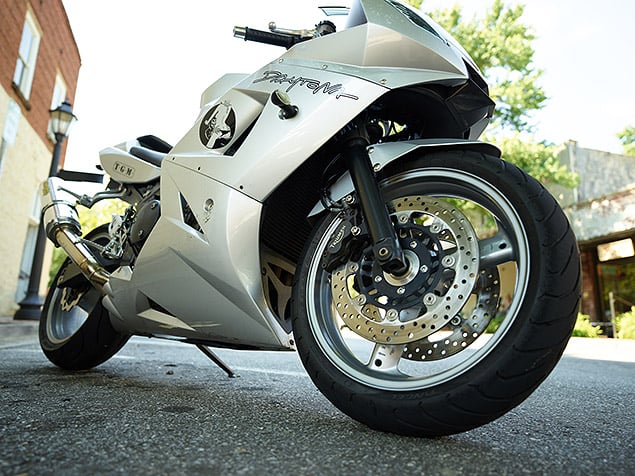
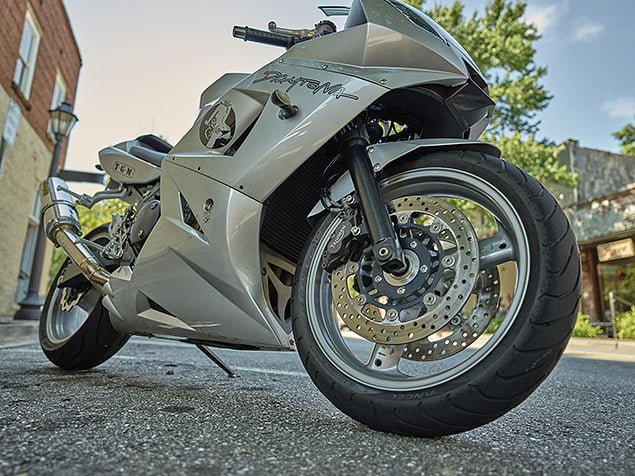
As you can see from the highly and overly-edited bottom image, the Phase One offers a lot of dynamic range with a lot of latitude to pull back details in overexposed highlights and bring out details of shadow areas.
|
| Schneider LS 35mm f/3.5: 35mm, f/3.5, 1/160s, ISO 200 |
Excellent dynamic range with tons of adjustability in post-production
Sheer resolving power aside, the Phase One XF100 captures images with fantastic dynamic range.ÃÂ Using Capture One, I was able to recover tons of detail in the highlights, if I found myself with blown-out, overexposed areas. On the other end, I was also able to lift up the shadows to reveal lots of detail without introducing much noticeable noise.
 |
 |
 |
|
ISO 50
|
ISO 6400
|
ISO 12,800
|
Impressive high ISO capabilities offers a big step up from earlier CCD medium format cameras
And speaking of noise, the XF100’s higher ISO capabilities are also quite impressive. Using a CMOS sensor compared to a CCD that a lot of earlier medium format cameras used, the Phase One XF100 has a maximum high ISO of 12,800. By comparison, a CCD-based Phase One back, such as the 80-megapixel IQ3 back, has a native high ISO of just 800.
The higher ISO image quality from the XF100 is excellent, given its sensor size and resolution. Personally, I’d have no issue shooting at ISO 3200 or 6400 with this camera. The images are impressively clean of distracting noise artifacts and still possess tons and tons of fine detail, even on tricky lower contrast areas like hair. When zooming to 100% on the RAW files in Capture One, you can, of course, see some fine-grained noise — even ISO 12,800 doesn’t look bad by any means, though I can see some slight false color banding. At higher ISOs, you do lose some detail compared to base or lower ISO images, but that’s to be expected, medium format or not. All in all, while I wouldn’t pick the XF100 as my go-to low-light/high-ISO camera, it’s very capable and much more versatile in this regard, which wasn’t typically the case for cameras in this category in years past.
The Phase One is far from speedy, but has a deep buffer for 100MP files
As for straight-up performance, the Phase One XF100 is not a speedy camera. Capturing 100MP shots, the Phase One is clearly all about capturing amazing detail and not about fast-action — I certainly wouldn’t make this my first choice for a camera out on the sidelines! If you do want or need to do a somewhat quick flurry of frames, the Phase One XF does have a continuous capture mode, but the burst rate is well under a frame per second. In fact, in our lab tests, we could fire off shots in single-shot mode at about the same rate as the continuous capture mode, regardless of the shutter mode (leaf shutter, focal-plane shutter or electronic first curtain shutter). Still though, we tested the XF100’s buffer depth at over 60 frames with a fast Lexar Professional 1066x CompactFlash card. The burst rate may not be anything close to quick, but if you do find yourself needing to take a lot of high resolution images in a continuous scenario, the Phase One XF100 is capable at least when it comes to buffer depth.
Also, despite having a unique hybrid phase-detect and contrast-detect autofocus system, we found the XF100 wasn’t a top-notch performer in terms of autofocus — especially compared to traditional DSLRs. In good lighting and on high contrast subjects, as well as with smaller focus adjustments between shorter distances, the AF speed was fairly snappy. I did find that in low-contrast scenes, the AF performance could suffer somewhat, however.
See our Performance test results for details.
 |
|
Schneider Kreuznach LS 80mm f/2.8: 80mm, f/4.5, 1/3200s, ISO 400, -0.7EVs
|
Despite its professional nature, the XF 100MP has its share of quirks
Now, while the image quality of the Phase One is stunning, it’s not all smooth sailing when it comes to performance and usability. The Phase One system is complex, with both a camera body and digital back working in conjunction to form the camera. Then, add in a computer for tethering, and you’re bound to run into a few hiccups.
Exposure problems had us dialing back the compensation dial
One of the first issues we noticed was a tendency for the camera to overexpose, both in the field and in the lab. Despite using the camera’s default matrix metering mode and no exposure compensation applied, I often found myself with washed out, overexposed skies. For our lab shots, we were consistently having to manually underexpose shots slightly in order to match our stringent exposure levels for our test scenes. At default exposure compensation, shots were well outside of our exposure tolerance levels. Out in the field, I found myself having to consistently dial back exposure compensation by at least -0.3EVs, sometimes -0.7EVs. Thankfully, this isn’t too much of an issue, as the Phase One files have excellent dynamic range. Be careful not to overexpose too much, however, and you’ll have plenty of latitude in Capture One to pull back the highlights to reveal lost detail.
 |
| Schneider LS 35mm f/3.5: 35mm, f/5, 1/800s, ISO 200, -0.7EVs |
Freezing and odd exposure issues after the camera auto-sleeps
We also ran into issues with sporadic freezing and periods of unresponsiveness, particularly while tethered to Capture One. While photographing, the camera will give you a little “beep” to indicate the buffer is cleared and the camera is ready to fire the next shot. Now, while tethered, you can remotely trigger the shutter release and automatically send the captured image back to your computer. Sporadically, the camera would lockup and become unresponsive after a single shot. The camera would not respond to the Capture One software, either to fire off the next shot or adjust any exposure settings. The only solution was to turn the camera off and on again.
When asked about this behavior, our Capture Integration contact said that this issue could happen on occasion, for a variety of reasons such as the camera’s power level or the computer’s USB port power. Our assumption was that perhaps we were a little too “trigger-happy” and tried to fire off another photo before the camera had given off its “ready” beep after the previous capture. In any case, simply powering the camera off and on again cleared up any issue, and we were back in action once again.
 |
|
Schneider Kreuznach LS 80mm f/2.8: 80mm, f/2.8, 1/400s, ISO 100
|
Another odd behavior we experienced in the lab was the camera’s inability to respond to changing lighting conditions after auto-powering off from inactivity. In other words, after taking a series of shots in the lab, we’d leave the camera setup alone, but go off to review the images or go to adjust the lighting setup. In any case, there was a period of inactivity and the camera, by default, would go into a sleep mode to conserve power. However, upon waking up the camera, the auto-exposure settings, such as adjusting the shutter speed automatically in aperture priority mode, would not reflect changes in the lighting condition, thus resulting in an incorrect exposure upon taking the next photo. We could adjust exposure compensation once more to “fix” the exposure settings for the new lighting, or we could simply turn the camera off and on again.
Intermittent communication issues between body, lens and digital back
Our last strange hiccup with the camera seemed related to component communication, either between the lens and camera body or the body and the digital back. In one case, we had trouble with autofocusing. The various lenses we had all offered both AF and MF modes, with a sliding clutch or click-ring to toggle between AF and MF modes. Sometimes, however, the camera would not autofocus at all, in that the lens would not even attempt to adjust for focus; almost as if the camera thought it was in manual focus mode. Toggling the AF/MF switch would have no effect, however powering the camera off and on again would fix the problem.
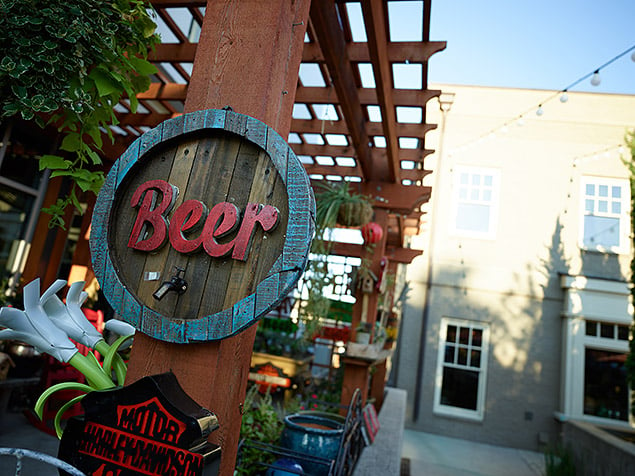 |
| Schneider LS 35mm f/3.5: 35mm, f/3.5, 1/400s, ISO 200, -0.3EVs |
In another strange instance, we were attempting to do a low-light long exposure shot in the lab that required around a 30 second exposure time at ISO 50. Here, we were able to set the exposure setting on the camera body itself, but the digital back seemingly ended the exposure each time prematurely — after about five seconds or so — therefore sending an extremely underexposed image out to the computer. This occurred despite both the camera itself and the Capture One software reporting our manually selected exposure settings. However, after shutting down the camera and removing and then replacing the digital back onto the camera, the system all worked again as expected, and we were able to capture the long exposure shots that we needed.ÃÂ
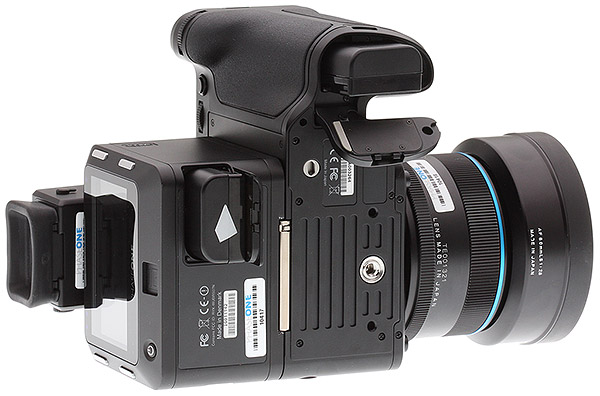 |
Battery life on the Phase One isn’t that great
For the Phase One system, both the camera body and the digital back use their own battery. And while we don’t test battery life in our lab, our feeling is that the battery life on the Phase One as a whole isn’t that great. The XF100 is a pretty powerful camera with lots of features and a gigantic sensor. And while there isn’t a CIPA rating for the battery life, the technical support manager at Capture Integration states that we should expect around a few hours of studio shooting time with the battery pair. Of course, things like ambient temperature, enabling Live View, tethering and Wi-Fi can all drain the battery much quicker. Thankfully, in the Phase One XF100 standard kit, you get a total of four rechargeable batteries. So leave a pair charging up while you’re shooting and you’re all good!
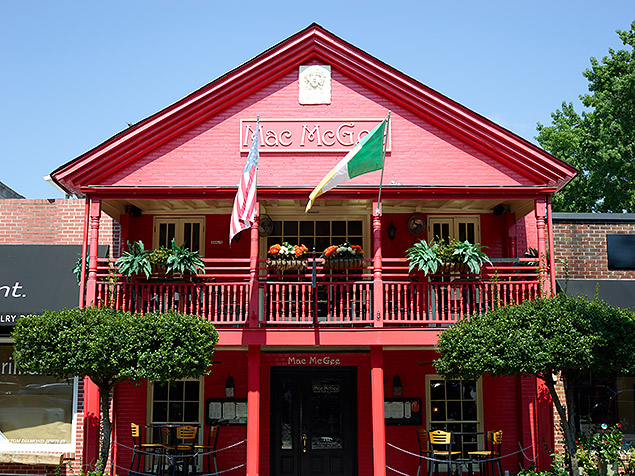 |
|
Schneider Kreuznach LS 80mm f/2.8: 80mm, f/6.3, 1/160s, ISO 50, -0.7EVs
|
Phase One XF 100 MP: Field Test Summary
All in all, the Phase One XF100 is a ridiculously good camera. The image quality is phenomenal with an incredible amount of detail, even despite the overexposing quirk we ran into. Sure, the camera is far from svelte. In fact, it weighs a ton compared to most cameras that I or anyone here at IR has held. Getting past the weight though, it’s decently hand-holdable with lots of external controls and a nice contoured handgrip. However, with its massive resolution, a tripod is definitely recommended. It’s also fantastically expensive, so it’s certainly not a camera I’m going to pickup for my next weekend excursion. But if you’re a professional photographer — emphasis on professional — or perhaps a deep-pocketed advanced amateur photographer, looking for the ultimate in image quality, then the Phase One XF100 is a great way to go. For landscapes, fine art, architecture, advertising and editorial work, if you need to capture the utmost in detail, then here’s you camera. Just don’t forget to power it on and off if you run into a jam.
Field Test Part III
A superb image sensor inside a slow and expensive camera system
by Jeremy Gray | Posted 07/23/2018
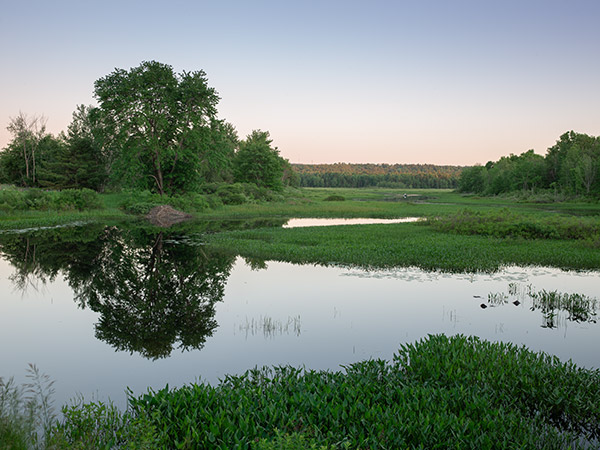 |
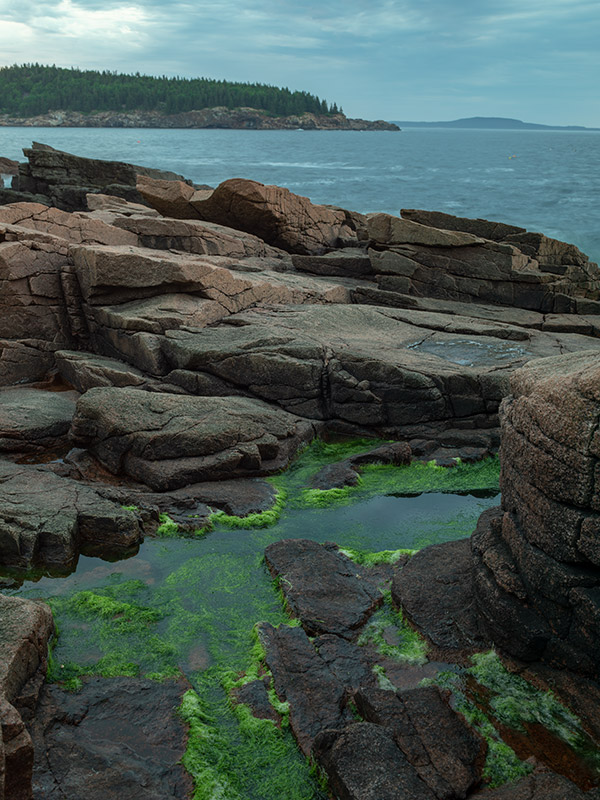
| Schneider LS 40-80mm f/4-5.6 lens at 60mm (38mm equiv.), f/11, 0.6s, ISO 35. This image has been modified. Click for full-size image. Click here for RAW image. |
I recently had the opportunity to shoot with a Phase One XF camera and the new IQ3 100MP Trichromatic digital back. This 101-megapixel medium-format camera system is expensive, precise and impressive. Make no mistake, this is not a typical camera system and is not something many photographers, myself included, ever expect to have a chance to use.
In this Field Test, I will be discussing the XF camera in general and then speak more specifically to the IQ3 Trichromatic digital back itself, as they are separate components and you can use the XF camera with different digital backs.
 |
| Schneider LS 40-80mm f/4-5.6 lens at 60mm (38mm equiv.), f/11, 1s, ISO 35. This image has been modified. Click for the full-size image. Click here for RAW image. |
Key Features and Specs
- Phase One XF camera system is modular and allows for use of different digital backs
- The IQ3 100MP Trichromatic digital back has 101 megapixels
- 16-bit CMOS sensor
- 15 stops of dynamic range
- ISO range of 35 to 12,800
- 60-minute long exposure
- Lenses feature leaf shutter system
- XF camera with Trichromatic digital back and 80mm kit lens is available for around $50,000 USD
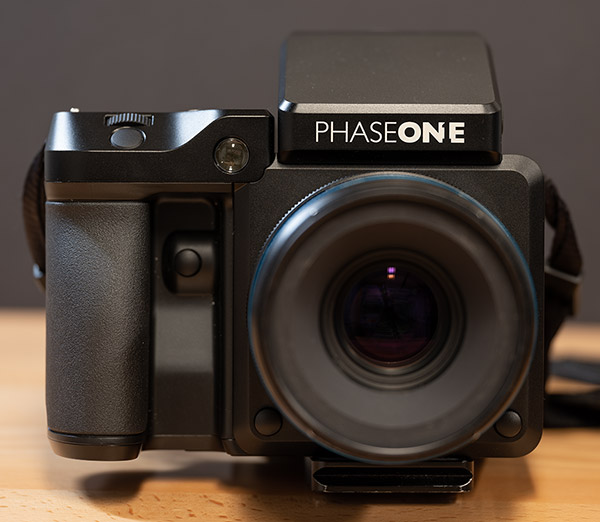 |
| The Phase One Trichromatic is quite large, but also easy to hold and use. |
XF camera system design and handling
The Phase One XF camera is quite large by normal standards but isn’t overly large in real use. It’s very comfortable to hold thanks to its ample front grip. It features customizable dials and buttons, all of which feel very well-built and are located in convenient places. It’s not very much larger than a pro-oriented DSLR camera.
However, when you attach the digital back, the size of the camera changes quite a bit. The digital back protrudes far from the back of the camera, and it weighs quite a lot. In the case of the IQ3 Trichromatic, much like the standard IQ3 100MP back, the display is a touchscreen, and it looks quite good. There are also four buttons around the edge of the display, which handle menu navigation tasks.
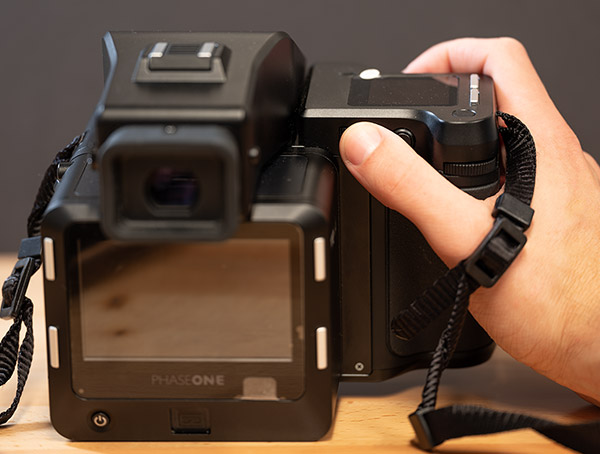 |
| The digital back protrudes quite far, but the camera fits nicely in my medium-sized hands. |
User interface
Speaking of displays, one of my favorite parts of using the XF is that the top display is also a touchscreen. You can press various elements to change settings, shooting modes and more. You can press and hold to change the available settings and organize the display. It works very well and is a convenient way to adjust common settings.
The user interface as a whole is excellent. The menus are easy to navigate and you can set the camera up exactly the way you want it. It can be a little daunting at first, but once you get used to it, it’s an enjoyable camera to use.
With that said, there is sometimes some sluggishness with respect to menu navigation, particularly when viewing images. Of course, the files are very large so it makes sense that there would be some delays and overall slowness when viewing images on the camera.
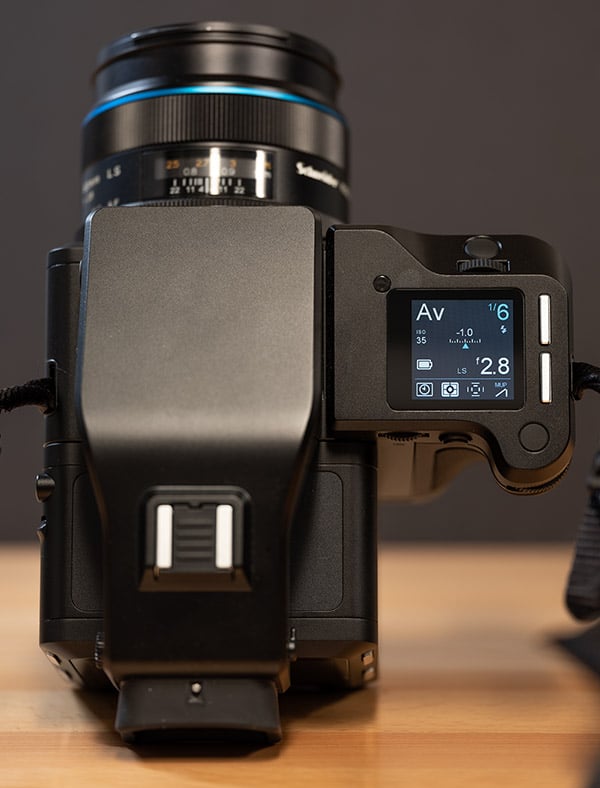 |
| Equipped with a touchscreen, the top of the camera is very well-designed. It’s easy to see shooting settings and then quickly change them via the top display. |
Overall, the user interface is good because it’s very customizable. Aspects of it could be faster, but generally speaking, it’s an enjoyable camera to interact with.
IQ3 100MP Trichromatic digital back
The star of the show for the IQ3 100MP Trichromatic is its sensor. Phase One markets the sensor with the tagline “The art of expression. The science of color.” What these words amount to, in the end, is a fantastic 101-megapixel image sensor. It’s a special sensor, and the quality of the images it produces are second to none.
The Sony-made CMOS sensor is all new and features unique Bayer Filter color technology. The sensor is designed around the concept of not compromising color. I’ll save you the super in-depth science, which is quite complex, but the gist of the sensor is that it picks up wavelengths of light in a different way than traditional sensors, allowing for more subtle tonal transition, more accurate colors and a more accurate look. For me, this was most evident when looking at the sky and natural greens. These colors are tricky for many cameras, with blue skies typically tending toward a more magenta hue, but the Trichromatic sensor shows a richer, more natural blue. It’s a small difference, but these are the kinds of differences people desire at the cutting edge of photographic technology.
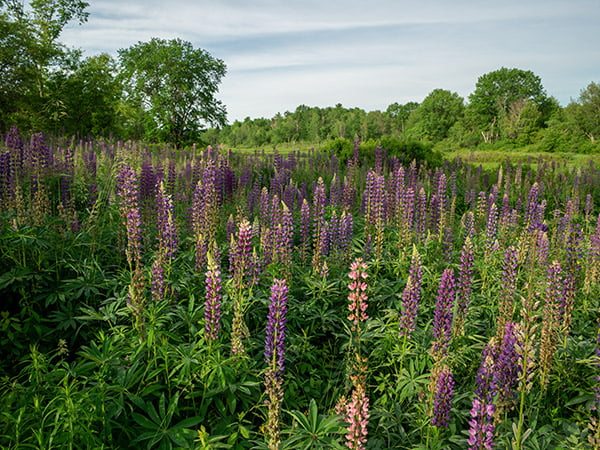 |
| Schneider LS 40-80mm f/4-5.6 lens at 40mm (26mm equiv.), f/16, 0.1s, ISO 35. This image has been modified. Click for full-size image. Click here for RAW image. |
Looking closer at the color rendition from the Trichromatic sensor, let’s allow Phase One themselves to describe the technology:
“In the average sensor, the degree of color separation between the wavelengths of blue, green and red light is where the color compromise begins. The color filter array of the Trichromatic sensor, however, is designed to pick up exactly the right wavelength of light that allows us to get the most color nuances in the most natural way possible. This means that we achieve fully saturated colors, and that we can get every shade of blue, green, and red exactly as the scene reveals itself. The uncompromised nature of the color rendering from the sensor in the Trichromatic means that straight out of the camera, the possibilities in the RAW capture and color are wide open.”
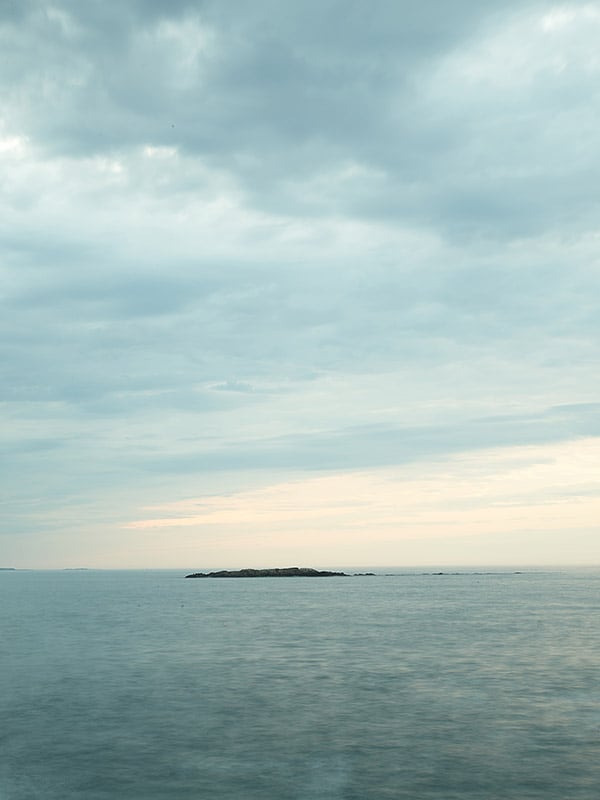 |
| Schneider LS 40-80mm f/4-5.6 lens at 80mm (51mm equiv.), f/16, 6s, ISO 35. Click for the full-size image. Click here for RAW image. |
As I said above, the difference in practical terms is subtle. Importantly, however, it is there, and you can see it. Granted, it isn’t like many of these differences in color rendition could be achieved via post-processing, but it would take time and some of the tonal transitions would be very difficult to replicate, particularly without sacrificing the integrity of the image file and quality. It’s not necessarily the case that the Trichromatic is a groundbreaking advancement from the regular IQ3 100MP sensor, but it is superior and the technology involved is interesting and powerful. I can’t speak to whether it’d be worth upgrading, but I can confidently say that if you want the ultimate in image quality and you care greatly about color rendition, you’ll be hard-pressed to top this latest sensor.
In addition to “purer color,” the Trichromatic sensor’s unique array also allowed for the engineers to tune the sensor for a lower base ISO, 35 compared to 50. This also allows for images from the sensor to be pushed further when post-processing, resulting in images with cleaner tones and more sharpness even after making extreme adjustments during editing.
Something I hadn’t considered at first was how the better color rendering and cleaner separation of individual tones might affect optical aberrations, but Phase One states that the IQ3 100MP Trichromatic is more resistant to purple fringing than the IQ3 100MP digital back. For what it’s worth, the 80mm kit lens I used struggles a fair bit with chromatic aberration, so I’m not sure if I was in the best position to show off the sensor’s resistance to fringing.
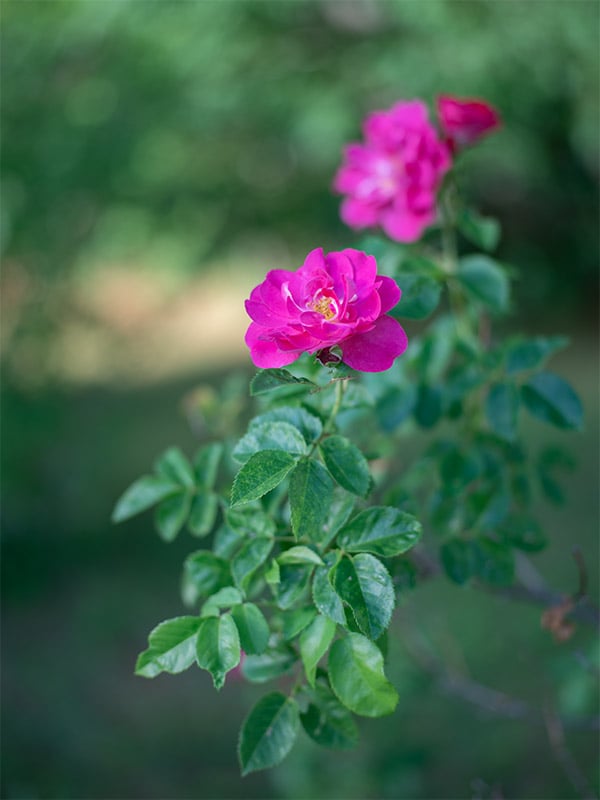 |
| Schneider LS 80mm f/2.8 lens at 80mm (51mm equiv.), f/2.8, 1/100s, ISO 35. This image has been modified. Click for full-size image. Click here for RAW image. |
Sharpness
It should come as no surprise that the Trichromatic 100MP digital back delivers very sharp image files. There’s a lot of resolving power at work and it shows. At base ISO and up through ISO 400 or so, the sharpness is superb. There are some artifacts along very fine edges, but they aren’t bad and they’re barely noticeable in most cases.
 |
| Schneider LS 80mm f/2.8 lens at 80mm (51mm equiv.), f/11, 0.5s, ISO 35. 100 percent crop. Click for the full-size JPEG conversion. Click here for RAW image. |
 |
| Schneider LS 80mm f/2.8 lens at 80mm (51mm equiv.), f/11, 1/20s, ISO 400. 100 percent crop. Click for the full-size JPEG conversion. Click here for RAW image. |
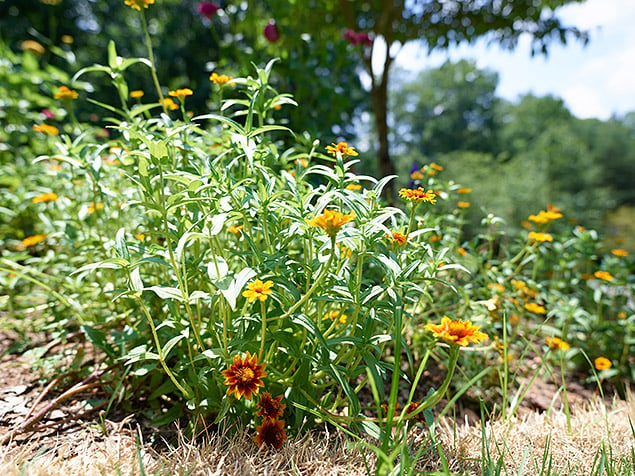
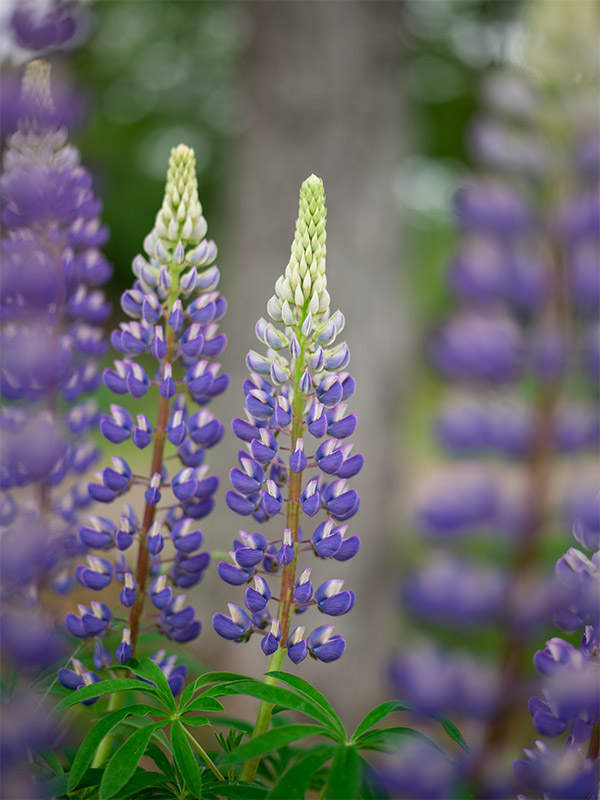
Consider the image below, you can literally count the fine hairs along the stem of the lupine! Sure, there are full-frame DSLRs that capture very sharp images at a much lower price, but there is a degree of separation between a true medium-format digital back and high-end 35mm DSLR cameras when it comes to resolving power.
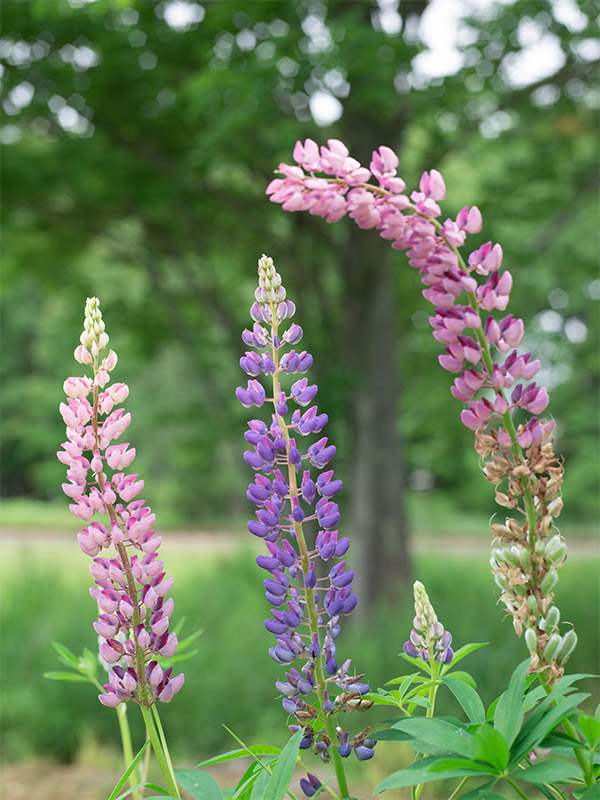 |
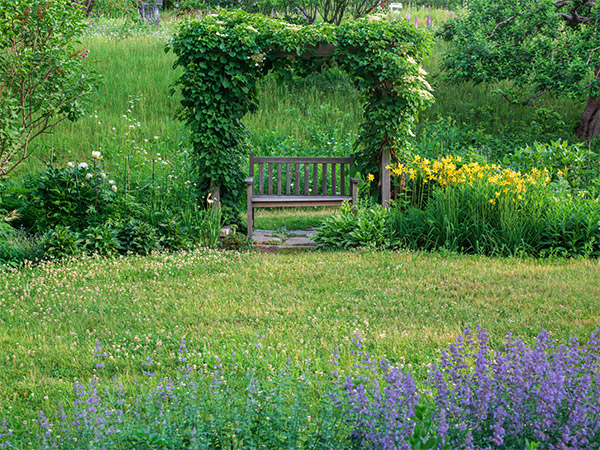
| Schneider LS 80mm f/2.8 lens at 80mm (51mm equiv.), f/5.6, 1/20s, ISO 35. This image has been modified. Click for full-size image. Click here for RAW image. |
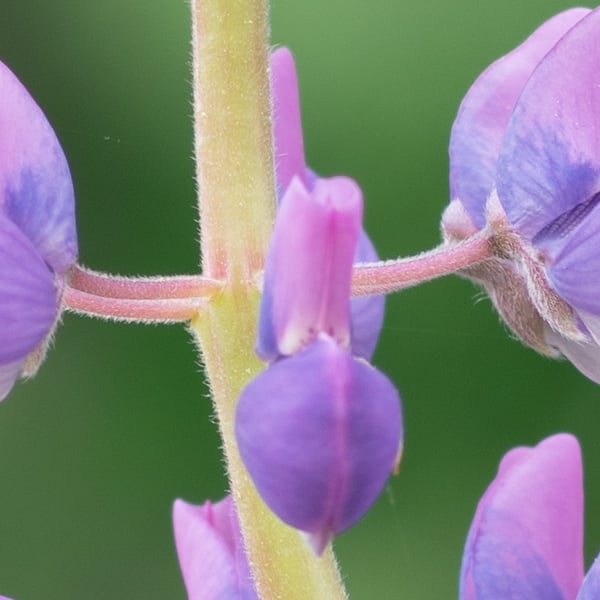 |
| Schneider LS 80mm f/2.8 lens at 80mm (51mm equiv.), f/5.6, 1/20s, ISO 35. 100 percent crop from the above image. Click for full-size image. Click here for RAW image. |
 |
| Schneider LS 40-80mm f/4-5.6 lens at 80mm (51mm equiv.), f/10, 0.2s, ISO 35. This image has been modified. Click for the full-size image. Click here for RAW image. |
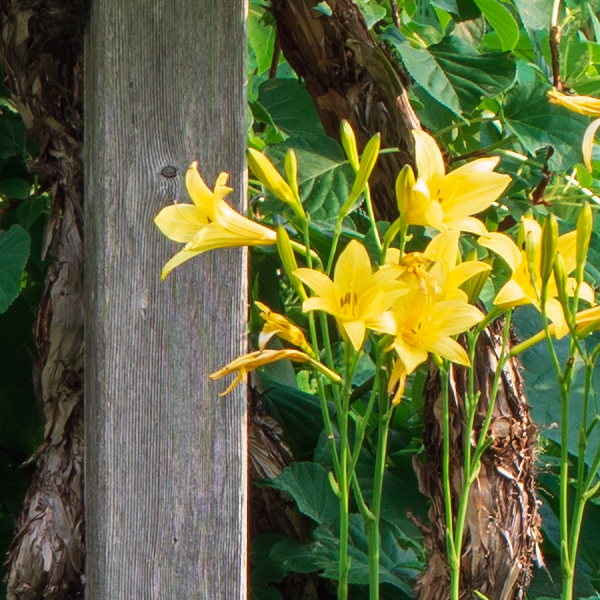 |
| Schneider LS 40-80mm f/4-5.6 lens at 80mm (51mm equiv.), f/10, 0.2s, ISO 35. 100 percent crop from the above image. Click for the full-size image. Click here for RAW image. Not only are edges occasionally problematic, but the sensor is also prone to moiré. |
High ISO
The ISO range of the sensor is 35 to 12,800, although the usable range is of course much narrower. At ISO 400, there’s already a decent bit of noise, although it’s easy enough to control via careful noise reduction. By ISO 1600, the noise is fairly high, although very fine and evenly-distributed, which means it’s not particularly distracting nor difficult to remove if you so desire. At ISO 3200, the files are harder to deal with, and there’s more color noise, but it could still be finessed into something usable. At ISO 6400 and ISO 12,800, the images are muddy and honestly, I’d avoid these two ISO settings altogether.
 |
| Schneider LS 80mm f/2.8 lens at 80mm (51mm equiv.), f/11, 1/80s, ISO 1600. 100 percent crop. Click for the full-size JPEG conversion. Click here for RAW image. |
 |
| Schneider LS 80mm f/2.8 lens at 80mm (51mm equiv.), f/11, 1/640s, ISO 12,800. 100 percent crop. Click for the full-size JPEG conversion. Click here for RAW image. |
Dynamic range
I don’t have the means to test the 15 stops of dynamic range Phase One promises with their latest sensor, but I’ve shot a wide variety of camera sensors of various sizes and capabilities and the IQ3 Trichromatic is the best one I’ve used. When looking at the back of the camera, it might seem like you’ve lost highlights or shadows, complete with histogram evidence and blinking warnings, but it’s very easy to recover them during post-processing.
It’s not only that the files are very flexible and offer a lot of room for recovery, but also the camera itself does a really good job of getting a good dynamic and tonal range in-camera. It can’t quite match up to the human eye, but it comes closer to capturing what a scene looks like to my eyes than any other camera I’ve used. Pair that with the fantastic color rendition, and it proves to be very impressive.
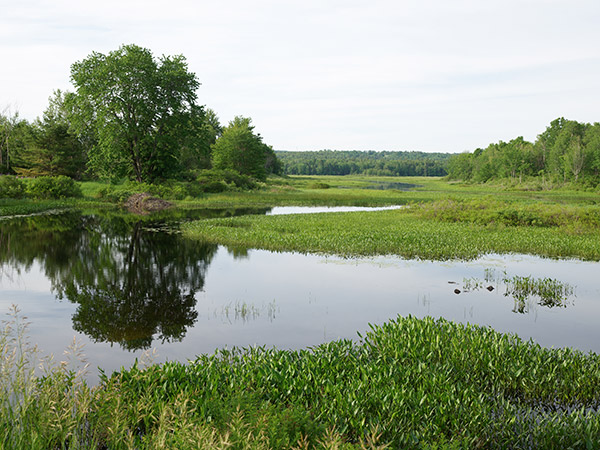 |
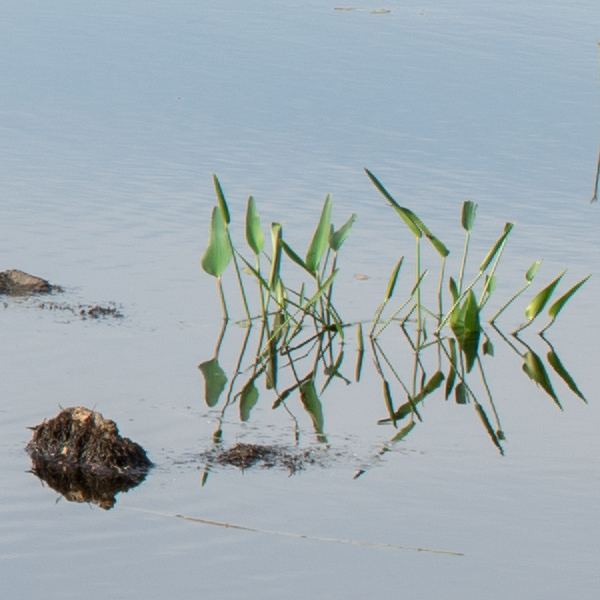
| Schneider LS 40-80mm f/4-5.6 lens at 60mm (38mm equiv.), f/11, 1/20s, ISO 35. Click for the full-size JPEG conversion. Click here for RAW image. This is not a spectacular image by any stretch of the imagination, but having shot this location many times, I can safely say that very few cameras I’ve shot would be able to capture this scene with the exposure in the foreground being what it is without losing the highlight detail in the sky. Per the RAW histogram, this file has no highlight clipping, which is a true testament to the Trichromatic sensor. In the crops below, we can take another close look at the camera’s ability to resolve incredible detail as well. |
 |
| Schneider LS 40-80mm f/4-5.6 lens at 60mm (38mm equiv.), f/11, 1/20s, ISO 35. 100 percent crop. Click for the full-size JPEG conversion. Click here for RAW image. |
 |
| Schneider LS 40-80mm f/4-5.6 lens at 60mm (38mm equiv.), f/11, 1/20s, ISO 35. 100 percent crop. Click for the full-size JPEG conversion. Click here for RAW image. With great detail also sometimes comes some artifacts, as you can see in this crop in particular. It’s a delicate balance being struck between sharpness and overall image quality. |
Autofocus and performance
As good as the image quality is, there is still a lot more that makes for a good camera. With respect to speed and performance, the Phase One is, unsurprisingly, a slow system. There’s a considerable amount of data that has to read from the large sensor, and with 16-bit files, the camera can only shoot at a maximum speed of 0.7 frames per second. If you’re fine 14-bit files instead, you can shoot at 1.2 fps, but if you’re spending upwards of $40-50,000 on a camera, why sacrifice any level of file quality?
This camera is designed for the ultimate in image quality, not speed, and so the sluggish shooting speed is not unexpected. A bit more frustrating is how slow the camera is with respect to starting up and switching between shooting and playback modes. Also, the autofocus is slow and not very versatile, with only a central autofocus area. Focusing and recomposing is nearly always necessary, which isn’t a big deal if your subject is stationary and you don’t need to work quickly, but it can be an issue if your subject is moving.
 |
| Schneider LS 80mm f/2.8 lens at 80mm (51mm equiv.), f/2.8, 1/500s, ISO 200. This image has been modified. Click for the full-size image. Click here for RAW image. This is not a particularly challenging scene for most cameras. However, with a bit of a breeze, this was very difficult for the camera’s autofocus system. It cannot keep up with even small movements and missing focus by a short distance is an issue fully exposed by the large, high-resolution sensor. |
To aid in autofocusing and recomposing, Phase One recently added an AFr mode, which is a dedicated focus recompose mode. This feature works similarly to utilizing back-button autofocus and performing focusing and recomposing on your own, but it’s a bit more complex. When the mode is enabled, you focus on your subject using the center of the frame. The camera beeps to let you know focus has been acquired. Then, you recompose and any tilt is compensated for by the camera’s 3D autofocus sensor. The camera is reading shifts in the axis and then compensating for them and then it beeps again to let you know it’s all set once more and you shoot. It’s a neat option and it does help compensate for the limited AF point coverage.
Shooting experience
The XF Trichromatic offers the standard assortment of metering modes, with my preference being the matrix metering mode. Generally, the metering works pretty well, but there were times when the camera behaved in a way I did not expect. For example, I could shoot two consecutive frames with nearly the same composition and scene, and the camera’s automatic white balance would produce dramatically different results. Likewise, exposure could vary a fair bit across similar scenes, which required regular use of exposure compensation. It’s a camera that’s meant to be used slowly and with care, but I do want the camera to behave predictably.
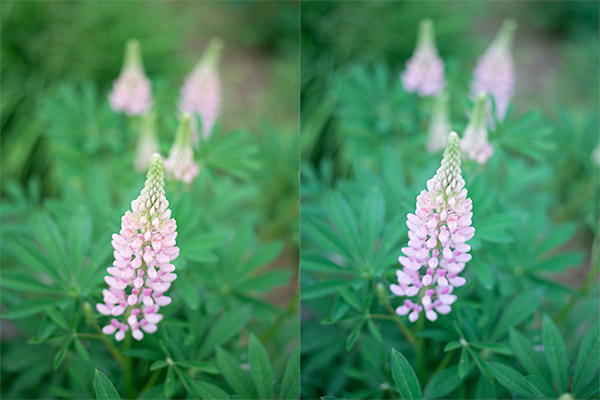 |
| Schneider LS 80mm f/2.8 lens at 80mm (51mm equiv.), f/2.8, 1/125s, ISO 35. Click here for the lefthand image. Click here for the righthand image. |
Live view is a relative strength of the XF system, even if it does struggle with some of the same slowness as the camera’s playback functionality. When manually focusing, live view is a saving grace, as manually focusing in the optical viewfinder can be tricky. The electronic shutter functionality works well too, proving to be much quieter than the leaf shutter mechanism.
 |
| Schneider LS 80mm f/2.8 lens at 80mm (51mm equiv.), f/2.8, 1/160s, ISO 800. This image has been modified. Click for the full-size image. Click here for RAW image. In photographing my cousin, the XF camera and Trichromatic back were very much challenged. Babies are not known for their ability to sit still. Nonetheless, I found the camera to do a nice job with the skin tones. |
The camera has a variety of interesting shooting modes. There’s a built-in seismograph, which allows you to shoot the camera with a vibration delay feature. This means that the camera will not shoot until the seismograph detects that the camera is still. The camera also has a built-in exposure calculator, a built-in thermometer and more.
Field Test Summary
Fantastic image quality within a modular, expensive camera system
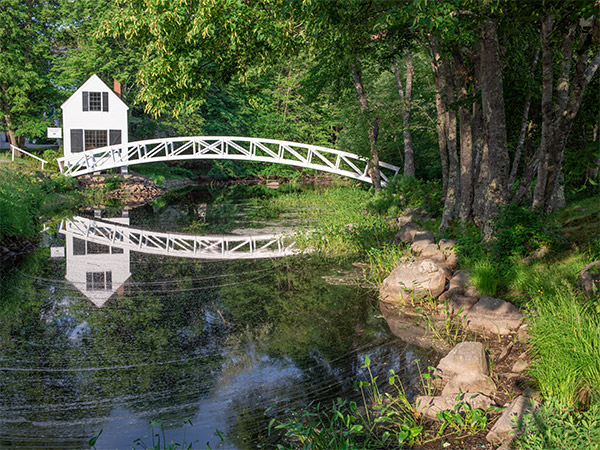 |
| Schneider LS 40-80mm f/4-5.6 lens at 65mm (42mm equiv.), f/10, 1/20s, ISO 35. This image has been modified. Click for the full-size image. Click here for RAW image. |
What I liked:
- Excellent image quality
- Accurate color reproduction
- Fantastic dynamic range
- Good ergonomics for the XF camera
- Great touchscreen functionality
What I didn’t like:
- Very expensive
- Heavy and a bit bulky
- Slow autofocus
- Slow overall performance
The Phase One XF Trichromatic is not a camera I would purchase, simply because I don’t have $50,000 to spend on a camera. With that said, the image quality is basically unparalleled. For users who demand the absolute cutting-edge in imaging technology, particularly with respect to sharpness, color reproduction and dynamic range, good luck topping a Phase One XF camera and the Trichromatic 100MP digital back, in particular.
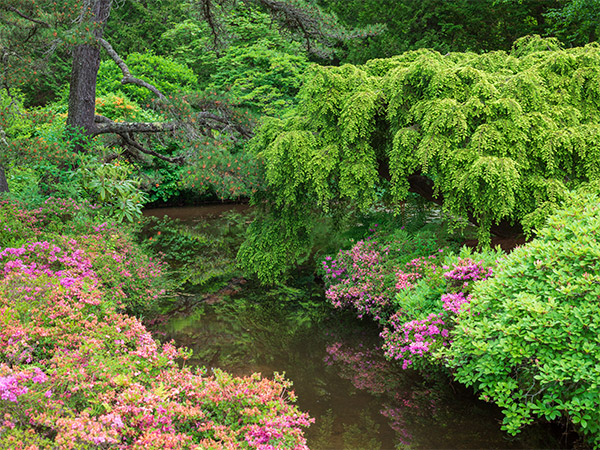 |
| Schneider LS 40-80mm f/4-5.6 lens at 65mm (42mm equiv.), f/11, 1.3s, ISO 35. This image has been modified. Click for the full-size image. Click here for RAW image. |
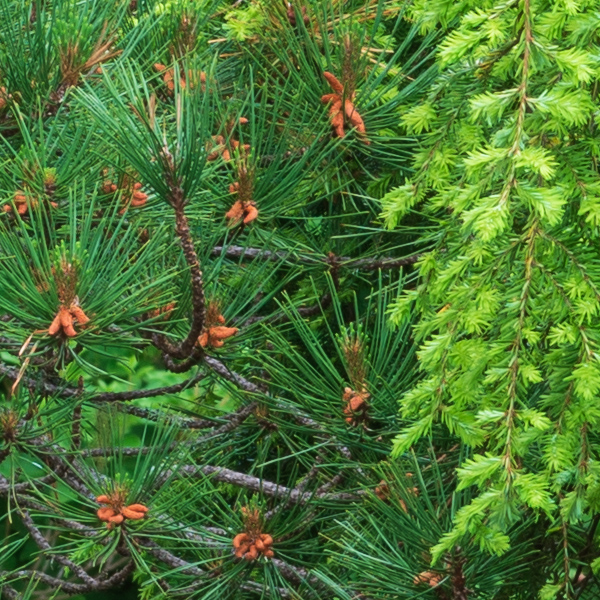 |
| Schneider LS 40-80mm f/4-5.6 lens at 65mm (42mm equiv.), f/11, 1.3s, ISO 35. 100 percent crop from the above image. Click for the full-size image. Click here for RAW image. |
In the end, this camera is not for me, and it’s not good fit for many photographers. However, for those who desire the kind of images the Phase One XF + IQ3 Trichromatic 100MP digital back can produce, its shortcomings will be small nagging issues you simply must deal with in pursuit of the ultimate in image quality. Where this system falls short, it falls very short, but what the Trichromatic does well, it does superbly well.