
Overview
|
Eye AF Comparison: Sony A7 III vs. Nikon Z6 |

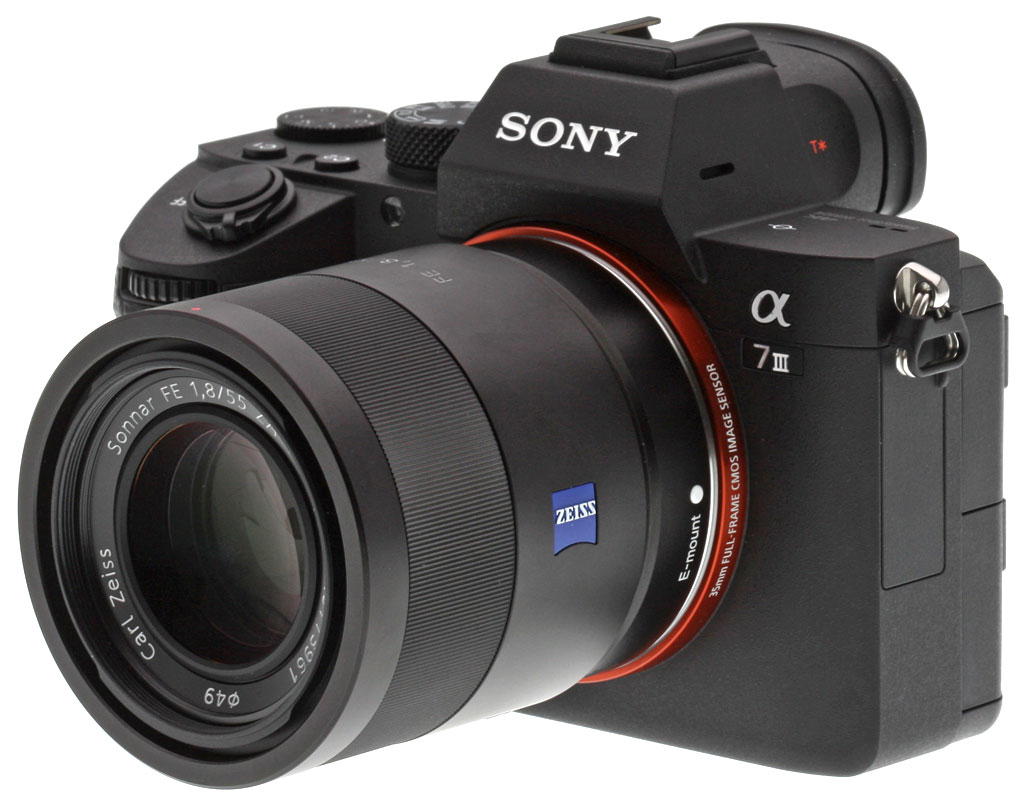
Sony has filled the last gap in its full-frame lineup with the A7 III. With a newly developed full-frame 24.2-megapixel back-illuminated Exmor R CMOS image sensor, the same advanced autofocus engine found on the lauded A9 and A7R III, and 10 frames per second (even in fully silent shooting mode), there is quite a lot to unpack with Sony's latest professional mirrorless camera. Some might be tempted to label it "prosumer," but it may just challenge how robust a camera can be and still be given that moniker.
Sony A7 III Key Features
- Newly developed full-frame 24.2MP back-illuminated Exmor R CMOS sensor with Evolved Image Processing
- Wide ISO range of 100 - 51,200 (expandable to ISO 50 - 204,800 for still images)
- 15 stops of claimed dynamic range
- Autofocus system features 693 phase-detection AF points covering 93% of image area, 425 contrast AF points and Sony's fast and reliable "Eye AF"
- Continuous Shooting at up to 10 fps with either mechanical shutter or Silent Shooting and full AF/AE tracking
- 5-axis optical in-body image stabilization with a 5.0-stop shutter speed advantage
- 4K UHD video with full pixel readout and no pixel binning across full-width of full-frame sensor
- The longest rated battery life of any mirrorless camera at 710 shots per charge
- Dual SD card slots
- SuperSpeed USB (USB 3.1 Gen 1) USB Type-C terminal
Camera Body and Design
If you've held a Sony Alpha camera, you probably have noticed that they tend to follow a very similar design path. Even when they are different, like the subtle body changes to the A9, the general aesthetic is the same. Holding the A7 III feels exactly like holding the A7R III...because they are exactly the same. From a body design perspective, it is impossible to visually tell the A7R III and the A7 III apart aside from the model number on the front and back of the camera.
If you're new to the body and want to compare it to the A7 II, the biggest and most noticeable difference is on the back of the camera, where Sony removed the AF/MF and AEL switch and changed it to a joystick/toggle. This same change was made on the A7R III and allows you to more easily navigate a menu or adjust focus points while shooting. Though the A7 III has a touchscreen and the control wheel on the back of the camera are useful for most of the things you might find yourself needing the joystick for, it's still an addition that many customers asked for and therefore Sony delivered.

Other changes include moving a few of the custom function buttons around and relocating the video record button, which used to be up near the shutter button, to the rear of the camera to the right of the EVF.
Speaking of the EVF, the A7 III features a high-resolution, high-contrast, fast-start XGA OLED Tru-Finder with approximately 2.3 million dots for extremely accurate, true-to-life detail reproduction. Standard or High display quality settings are available for both the viewfinder and monitor as well. The Mark III's EVF is also noticeably larger than the Mark II's, with a magnification of 0.78x versus 0.71x.
The new camera also features what Sony is calling 'My Menu' functionality, which allows up to 30 menu items to be registered for instant recall when needed. You can also apply star ratings to your still images through the camera controls for easier image playback and review, and edit the first three characters of all still image files. Additionally, there is a total of 81 functions that are assignable to 11 custom buttons, and the camera is both dust and moisture resistant.

The A7 III and its 24.2 megapixel sensor
Opting for a smaller and more manageable 24.2-megapixel sensor, the A7 III is equipped with a back-illuminated Exmor R CMOS image sensor that is paired with a front-end LSI that Sony says effectively doubles the readout speed of the image sensor, as well as an updated BIONZ X processing-engine that boosts processing speed by approximately 1.8 times compared to the A7 II.
These components work together to allow the camera to shoot at faster speeds while also enabling its impressive ISO range of 100 - 51,200 (expandable to ISO 50 - 204,800 for still images) and an overall 1.5 stop improvement in image quality over the A7 II. The camera also features the same ~15 stops of dynamic range at low sensitivity settings found on the A7R III, that Sony says ensures outstanding overall performance at all settings and in all shooting conditions, with significant advancements in accurate color reproductions of skin tones and the vibrant natural colors.
The A7 III can also output 14 bit RAW format even in silent and continuous shooting modes, and is equipped with a 5-axis optical image stabilization system that results in a 5.0-stop shutter speed advantage.

Bringing A9-like autofocus performance to the table
The A7 III features a level of AF performance that borrows much from the success of the A9 and A7R III, and has been greatly improved over that in the A7 II. The camera has 425 contrast AF points that work with a 693-point focal-plane phase-detection AF system inherited from the aforementioned A9. This innovative AF system covers approximately 93% of the frame, ensuring reliable focusing and tracking for even the most difficult to capture subjects.
AF response and tracking has also been greatly improved in the new camera, with almost twice the focusing speed in low-light conditions and twice the tracking speed compared to the previous model as a result of the faster image sensor readout. This allows complex and unpredictable motion to be captured with far greater precision and accuracy.
Sony has also added their Eye AF feature to the A7 III, which works even in AF-C mode. Eye AF is a very useful feature that allows you to lock on and track a subject's eye while they are in motion and even through obstructions. Other additional improvements in focusing flexibility include using the aforementioned joystick for moving focusing points quickly, the addition of touch focusing capability, AF availability in Focus Magnifier mode, and an "AF On" button.

Fast to shoot and with an impressive buffer
The new A7 III is equipped with an updated image processing system that allows it to shoot full resolution images at up to 10 fps with continuous, accurate AF/AE tracking for up to 177 Standard JPEGs, 172 Fine JPEGs, 163 Extra Fine JPEGs, 89 compressed RAW images or 40 uncompressed RAW images, according to Sony. (Unfortunately, there's still no lossless compressed RAW format.) This high speed mode is available with either a mechanical shutter or a completely silent shooting, a feature we saw first in the A9 and has been brought to the A7R III and now the A7 III. The camera can also shoot continuously at up to 8 fps in "live view" mode with minimal lag in the viewfinder or LCD screen.
Sony listened to customer feedback, and allows you to access many of the features of the A7 III even while it is writing large groups of burst images. You can access the "Fn" (Function) and "Menu" buttons, image playback and several other menus and parameters including image rating and other sorting functions. Sony also added an on-screen prompt to show you how many images remain to be written.
Additionally, if there is fluorescent or artificial lighting present in a shooting environment, users can activate the Anti-flicker function to allow the A7 III to automatically detect frequency of the lighting and time the shutter to minimize its effect on images being captured. This minimizes any exposure or color anomalies that can sometimes occur during burst shooting and/or at the top and bottom of images shot at high shutter speeds.

Full frame, high quality 4K video
The A7 III brings many of the video features found in the A7R III to the table, including 4K UHD (3840 x 2160 pixels) video recording across the full width of the full-frame image sensor, using a full pixel readout without pixel binning to collect about 2.4 times the amount of data required for 4K movies, oversampling it to produce high quality 4K footage.
An HLG (Hybrid Log-Gamma) picture profile is available on the A7 III as well, which supports an Instant HDR workflow, allowing HDR (HLG) compatible TV's to playback 4K HDR imagery.
Further, both S-Log2 and S-Log3 are available for increased color grading flexibility, as well as Zebra functionality, Gamma Display assist and proxy recording. The camera can also record Full HD at 120 fps at up to 100 Mbps, allowing footage to be reviewed and eventually edited into 4x or 5x slow motion video files in Full HD resolution with AF tracking.
Upgraded storage options, connectivity & battery life

Sony's newest full-frame camera is equipped with a variety of enhanced capabilities that were first implemented in the A9 and then again in the A7R III. These include dual media slots, with support in one slot for UHS-II type SD memory cards (the second slot supports UHS-I SD or Memory Stick PRO Duo cards, and in cases of dual writing, top write speeds are limited to the slowest card). You also have a variety of options for storing content in each of the cards, including separate JPEG / RAW recording, separate still image / movie recording, relay recording and more.

The A7 III is also is capable of seamlessly transferring files to a smartphone, tablet, computer or FTP server via Wi-Fi (with NFC) and now includes Bluetooth, while also offering a SuperSpeed USB (USB 3.1 Gen 1) USB Type-C terminal for increased flexibility in power supply and faster image transfer speed during tethered shooting. The camera still has a Multi Micro-B USB 2.0 port, Micro HDMI (Type D) port, 3.5mm stereo microphone jack (with power), 3.5mm stereo headphone jack, Multi Interface Hot Shoe, and an IR remote receiver.

Battery life has been greatly extended as well -- with a CIPA rating of up to 710 shots per charge when using the LCD monitor or 610 shots using the EVF, the A7 Mark III offers the world's longest battery life of any mirrorless camera (without a battery grip). The new camera utilizes Sony's Z-series NP-FZ100 battery pack that has approximately 2.2 times the capacity of the W-series NP-FW50 battery utilized in the A7 II. This is the same battery that brought excellent battery life to both the A9 and A7R III. In-camera charging is supported and an AC/USB adapter is provided, but a dedicated battery charger is not included.
Sony A7 III Pricing and Availability
The Sony A7 III began shipping in April 2018 for about $2,000 USD for the body and $2,200 in a kit with the FE 28-70mm f/3.5-5.6 OSS lens. In Canada, list price is $2,600 CAD for the body and $2,800 for the kit.

In the Box
The Sony A7 III body-only retail package as tested contains the following items:
- Sony Alpha ILCE-7M3 camera body
- NP-FZ100 Lithium-ion battery
- AC-UUD12 AC Adapter
- Body cap
- Eyepiece cup
- Accessory shoe cap
- Micro USB cable
- Shoulder strap
- Warranty card
Optics
Viewfinder Test Results
Coverage
Excellent coverage accuracy from the EVF and LCD monitor.


The Sony A7 III's electronic viewfinder and LCD monitor both show essentially 100% coverage in record mode in our tests. Excellent performance here.
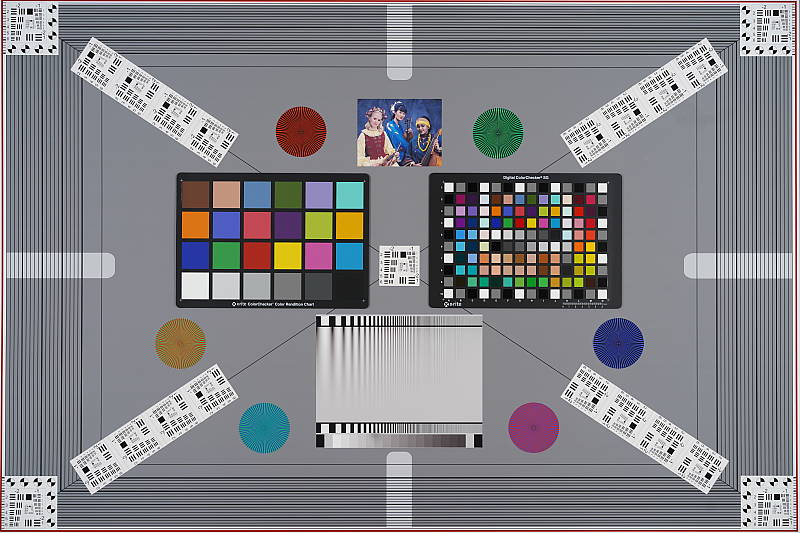
The images above were taken from our standardized test shots. For a collection of more pictorial photos, see our Sony Alpha ILCE-A7 III Photo Gallery .
Exposure
Color
Saturation & Hue Accuracy
Typical mean saturation levels with good hue accuracy.
 |
||||
| In the diagram above, the squares show the original color, and the circles show the color that the camera captured at base ISO. More saturated colors are located toward the periphery of the graph. Hue changes as you travel around the center. Thus, hue-accurate, highly saturated colors appear as lines radiating from the center. Click on the link for a larger image. |
Saturation. The Sony A7 III's mean default color saturation is 110.8% at base ISO or in other words, oversaturated by 10.8%. That's about average these days. As usual, dark reds and dark blues are boosted the most, but not as much as we often see. Most other colors are pushed just a bit, though yellow, light green and cyan are slightly undersaturated which isn't uncommon. Overall, saturation levels are pleasing and you can of course tweak saturation to your liking. Most consumer digital cameras produce color that's more highly saturated (more intense) than found in the original subjects. This is simply because most people like their color a bit brighter than life.
Skin tones. The Sony A7 III did a nice job with Caucasian skin tones when using Manual white balance in the lab, with Auto white balance producing just slightly warmer results. Brighter flesh tones have a healthy-looking pinkish tint, though darker areas are nudged slightly toward orange. Still, pretty good results here. Where oversaturation is most problematic is on Caucasian skin tones, as it's very easy for these "memory colors" to be seen as too bright, too pink, too yellow, etc.
Hue. Like many cameras, the Sony A7 III pushes cyan toward blue, red toward orange, orange toward yellow and yellow toward green, but most shifts are actually quite minor. The yellow toward green shift combined with its desaturation does make some yellows look slightly dingy, though, and the cyan toward blue shift is so slight that blue skies my not appear as deep blue as from other cameras. With an average "delta-C" color error of 4.83 after correction for saturation at base ISO, overall hue accuracy is slightly better than average. Hue is "what color" the color is.
See full set of test images with explanations
See thumbnails of all test and gallery images
Sensor
Exposure and White Balance
Indoors, incandescent lighting
Warm color with default Auto white balance; Incandescent is pretty good, and Manual is very good. Better than average default exposure.


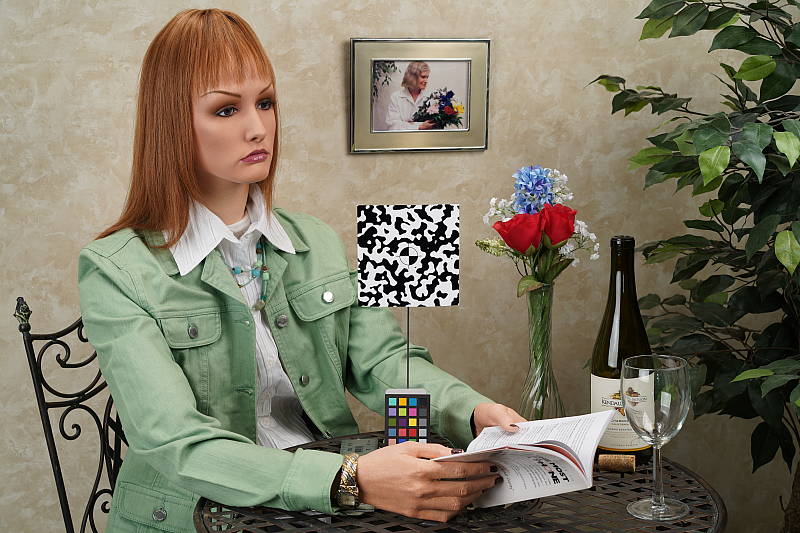
Indoors, under typical incandescent lighting, color balance was a bit too warm and orange with the default Auto white balance setting, although with the White Priority option set, color balance was pretty good, just ever-so-slightly magenta. Results with the Incandescent setting were pretty good, though slightly yellow. The Manual setting was the most neutral and accurate. The Sony A7 III required no exposure compensation here, while most cameras need +0.3 EV for this shot, so exposure accuracy was excellent here. (Our test lighting for this shot is a mixture of 60 and 100 watt household incandescent bulbs, a pretty yellow light source, but a very common one in typical home settings here in the U.S.)
Outdoors, daylight
Very good handling of contrast, color, and exposure in harsh lighting.

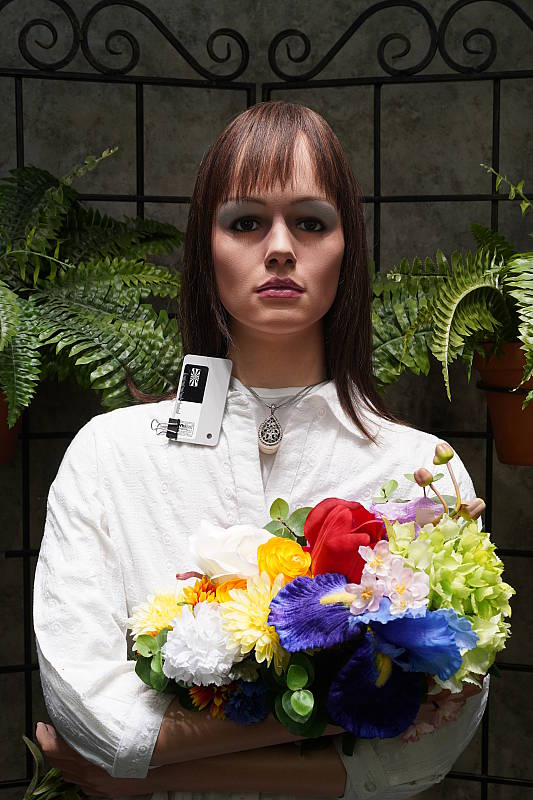
The Sony A7 III performed very well in harsh simulated sunlight. +0.3 EV exposure compensation was required to keep the mannequin's face reasonably bright in our "Sunlit" Portrait shot, which is less than the average amount required from the cameras we've tested. Contrast is a little high as you might expect under such harsh lighting, but the camera did a great job of holding onto bright highlights and detail in the shadows, even without the help of Sony's Dynamic Range Optimization (DRO) feature. We preferred Manual white balance though, as Auto white balance produced skin tones that were a touch warmer and yellow There are some very deep shadows, however detail is quite good and noise is well-controlled. Overall, great performance in harsh lighting, especially considering DRO was off for these shots.
Resolution
~2,800 lines of strong detail from JPEGs, about the same from RAW files.


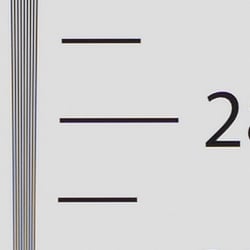

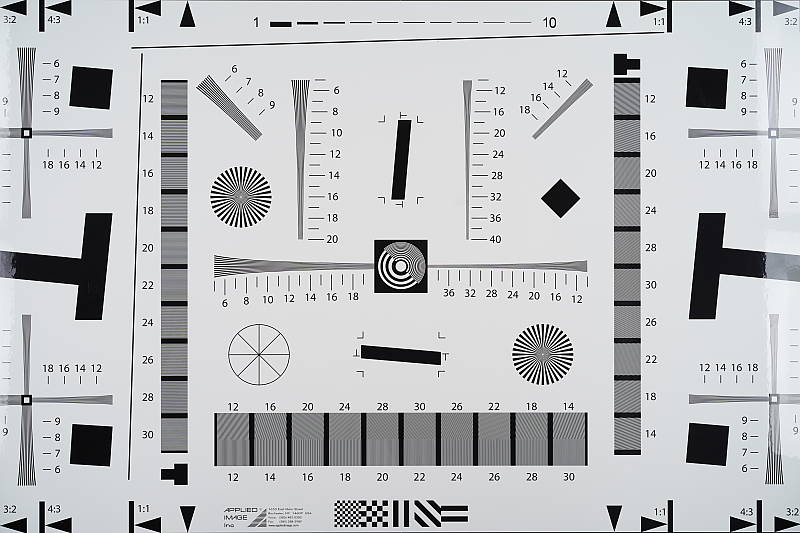
An in-camera best quality JPEG of our laboratory resolution chart revealed sharp, distinct line patterns up to just over 2,800 lines per picture height in the horizontal direction, and to about 2,800 lines per picture height in the vertical direction, though some slightly odd-looking artifacts in the form of brighter line segments occurred near the resolution limit (perhaps a result of embedded PDAF pixels?). Some may argue for higher numbers, but lines begin to merge here and aliasing artifacts start to occur much earlier, at between 2,100 and 2,200 lines. Complete extinction of the pattern doesn't occur until about 3,500 lines in both directions. Adobe Camera Raw wasn't really able to extract more resolution here from a RAW file, but it produced a lot more color moiré both before and past the resolution limits, as it often the case. Use these numbers to compare with other cameras of similar resolution, or use them to see just what higher resolution can mean in terms of potential detail.
Sharpness & Detail
Excellent sharpness, with few sharpening artifacts. Mild noise suppression visible in the shadows and areas of low contrast.


Sharpness. The Sony A7 III captures very sharp, crisp images overall, and it doesn't generate heavy sharpening haloes around edges with high contrast that we often see from other manufacturers, such as around the lines and letters of our olive oil bottle label crop (above left). Excellent results here. Edge enhancement creates the illusion of sharpness by enhancing colors and tones right at the edge of a rapid transition in color or tone.
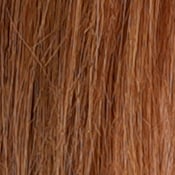
Detail. The crop above right shows relatively mild noise suppression in the darker areas of the mannequins's hair. Only a relatively small number of low-contrast strands are smudged together, while higher contrast strands remain distinct. Excellent results here as well. Noise-suppression systems in digital cameras tend to flatten-out detail in areas of subtle contrast. The effects can often be seen in shots of human hair, where the individual strands are lost and an almost "watercolor" look appears.
RAW vs In-Camera JPEGs
As noted above, the Sony A7 III produces in-camera JPEGs with sharp, crisp detail. Additional detail can often be obtained from carefully processing RAW files with a good converter, so let's have a look:
| Base ISO (100) | |
 |
 |
 |
 |
 |
 |
|
Camera JPEG, defaults
|
RAW via Adobe Camera Raw
|
In the table above, we compare a best quality in-camera JPEG taken at base ISO using default noise reduction and sharpening (on the left) to the matching RAW file converted with Adobe Camera Raw 9.1 via DNG Converter 9.12 with some moderate but tight unsharp masking applied in Photoshop (300%, radius of 0.3 pixels, and a threshold of 0).
As you can see, the Adobe Camera Raw conversion does contain slightly more fine detail, though the difference is quite minor here at base ISO, and the camera produces higher contrast which give JPEGs better "pop." (You can of course dial up the contrast in ACR to match.) Noise is a bit higher with ACR's default noise reduction, though that's usually the case.
Bottom line: The Sony A7 III's JPEG engine does a great job, producing crisp, detailed images here at base ISO without introducing sharpening artifacts, however discerning users will likely still want to shoot in RAW mode to make the most out of the A7 III's excellent sensor, especially at higher ISOs.
ISO & Noise Performance
Excellent high ISO performance.
|
Default High ISO Noise Reduction
|
 |
 |
 |
| ISO 50 | ISO 100 | ISO 200 |  |
 |
 |
| ISO 400 | ISO 800 | ISO 1600 |
 |
 |
 |
| ISO 3200 | ISO 6400 | ISO 12,800 |
 |
 |
 |
| ISO 25,600 | ISO 51,200 | ISO 102,400 |  |
| ISO 204,800 | ||
The Sony A7 III's in-camera JPEG images are very clean and detailed at ISOs 50 through 800, with almost no degradation in image quality as ISOs increase within this range. ISOs 1600 through 12,800 show a nice, gradual decline in image quality, well-controlled chroma noise, and a good amount detail left at 12,800 for such a high ISO. At ISO 25,600, luma noise starts to become prominent, noise reduction artifacts are more noticeable, chroma noise becomes visible, and image quality drops off more rapidly from there, with the top two ISOs showing a lot of grain and chroma blotching.
Still, excellent high ISO performance for its class, with area-specific noise reduction that hangs onto more high-frequency detail and produces fewer artifacts around high-contrast edges than some prior Sony models.
As always, see the Print Quality section below for maximum recommended print sizes at each ISO.
A note about focus for this shot: We used to shoot this image at f/4, however depth of field became so shallow with larger, high-resolution sensors that it was difficult to keep important areas of this shot in focus, so we have since started shooting at f/8, the best compromise between depth of field and sharpness.
Extremes: Sunlit, dynamic range and low light tests
Excellent highlight and shadow detail in harsh lighting. Very good low-light performance, capable of capturing bright images in near darkness.


Sunlight. The Sony A7 III handled the deliberately harsh lighting in the test above very well. We preferred the +0.3 EV exposure here, as the default 0 EV exposure is a touch dim in the face while the +0.7 EV exposure had too many blown highlights. Contrast is a little high, but shadow and highlight detail are both excellent. Despite the bright appearance, only a few highlights are blown in the mannequin's shirt and white flowers at +0.3 EV, though the red channel is clipped in some of the flowers as is often the case, as well as in specular highlights where you'd expect clipping. There are some dark shadows however they're quite clean and detailed, though very deep shadows are posterized and discolored as expected. Overall, excellent performance here.
See below for results with Dynamic Range Optimization and High Dynamic Range features enabled.
Because digital cameras are more like slide film than negative film (in that they tend to have a more limited tonal range), we test them in the harshest situations to see how they handle scenes with bright highlights and dark shadows, as well as what kind of sensitivity they have in low light. The shot above is designed to mimic the very harsh, contrasty effect of direct noonday sunlight, a very tough challenge for most digital cameras. (You can read details of this test here. In actual shooting conditions, be sure to use fill flash in situations like the one shown here; it's better to shoot in open shade whenever possible.)
| Face Detection | ||
 |
 |
 |
| Aperture Priority, 0 EV Face Detection Off |
Aperture Priority, 0 EV Face Detection On |
Auto Mode, 0 EV |
Face Detection. Like most cameras these days, the Sony A7 III has the ability to detect faces (up to 8 in a scene), and adjust exposure and focus accordingly. As you can see from the examples above, face detection worked as expected in Aperture Priority at f/8, producing a brighter image than without it by reducing the shutter speed from 1/60 to 1/50s. Full Auto mode also performed better than Aperture Priority without face detection. It selected a larger aperture of f/4 while maintaining a relatively fast shutter speed of 1/160s, and automatically applied DRO (see below) to reduce overall contrast.

Dynamic Range Optimization is Sony's name for their dynamic range enhancement technology. DRO divides the image into small areas, analyzes the range of brightness of each area, and adjusts the camera's image processing parameters accordingly to make the best use of the available dynamic range. Auto DRO is enabled by default on the Sony A7 III. You can also set the level manually, from 1 ("weak") to 5 ("strong"), or turn it off. As one would expect, DRO is only available for JPEG files.
The above thumbnails show the effects of the various levels of DRO on our "Sunlit" Portrait shot with +0.3 EV exposure compensation. Mouse over the links on the right to load the associated thumbnail, and click on the link to visit the full resolution image. As you can see from the thumbnails, increasing DRO progressively boosts shadows and midtones while leaving highlights essentially intact, though oddly Level 1 was overexposed. The Auto setting produced a much better overall exposure compared to the exposure without DRO, and the five manual levels give quite a bit of control over the effect.

High Dynamic Range. The Sony A7 III's HDR mode takes three images in rapid succession, one nominally exposed, one underexposed, and one overexposed, then combines them into one high dynamic range JPEG automatically. Lighter areas from the underexposed image are combined in-camera with darker areas from the overexposed image to produce an image with compressed tonal range. The camera then saves a single composite image, as well as the nominally exposed image. The overlaid images are micro-aligned by the camera, but it can only correct for so much movement. If the camera can't micro-align successfully, an icon indicating HDR capture failed will appear. For best results, the subject should not move or even blink, so it's not really intended for portraits. There is also a manual mode where you can select 1 EV ("weak") to 6 EV ("strong") difference in exposures.
Mouse over the links to load the associated thumbnail, and click on the link to visit the full resolution image. As you can see, the Auto setting did a pretty good job, with an effect somewhere between the 2 and 3 EV manual settings. The higher the manual setting, the more highlights were toned-down and shadows opened up, but as you can see higher settings can produce flat and unnatural results with this subject.
Dynamic Range Analysis (RAW mode). While we once performed our own dynamic range measurements based on in-camera JPEGs as well as converted RAW images (when the camera was supported by Adobe Camera Raw), we've switched to using DxO Labs' results from their DxOMark website. As technology advanced, the dynamic range of modern high-end cameras in some cases exceeded the range of the Stouffer T4110 density scale that we used for our own measurements. DxO's approach based on RAW data before demosaicing is also more revealing, because it measures the fundamental dynamic range of the sensor, irrespective of whatever processing is applied to JPEGs, or to RAW data by off-the-shelf conversion software.
In the following, we use DxO's "Print" dynamic range results, which are scaled based on camera resolution. As the name suggests, this scaling corresponds to the situation in which you print at a given size, regardless of how many megapixels the camera might have. (In other words, if you've decided to make a 13x19 inch print, that's the size you're printing, whether the camera's resolution is 16 or 300 megapixels.).Also note that DxO Labs uses a signal-to-noise (SNR) threshold of 1 when defining the lower boundary of acceptable luminance noise in their dynamic range measurements, which corresponds to the "Low Quality" threshold of the Imatest software we used to use for this measurement.

Here, we compare Sony A7 III dynamic range to its predecessor, the A7 Mark II, and to the Nikon D750, which is also a 24-megapixel full-frame ILC that is similarly priced.
As you can see, the Sony A7 III's peak dynamic range is similar to that of the Nikon D750 at base ISO, with the Sony just edging the Nikon out at 14.65 vs 14.53 EV, a difference that would not be discernible in real-world shots. The Sony however pulls ahead of the Nikon after ISO 200, offering up to almost a 1.25 stop advantage at higher ISOs.
The Sony A7 III offers significantly better dynamic range than the A7 II across the ISO range, with about a 1-stop advantage at base ISO, which then varies between about 0.5 stop to over 1.5 stops over the A7 II at higher ISOs.
Bottom line, excellent dynamic range for a full-frame camera, with significant improvement over its predecessor across the board. In fact, it's the best scoring 24-megapixel full-frame sensor to date. Click here to visit the DxOMark page for the Sony A7 III for more of their test results and additional comparisons.
Low-light Autofocus
In the lab, the Sony A7 III's autofocus system was able to focus unassisted on our legacy low-contrast target down to -2.8 EV with an f/2.8 lens, which is good for the class. However the Sony A7 III was able to autofocus on our newer high-contrast target down to about -4.8 EV, which is excellent. (Sony rates the A7 III's low-light AF sensitivity at -3.0 EV but at f/2.0 which is a stop faster than the lens we test with, so it appears the A7 III does meet Sony's spec even with our low-contrast legacy target.) With the Sony A7 III's AF assist lamp enabled, the camera is able to autofocus in complete darkness if the subject is in range and has sufficient contrast.
How bright is this? The one foot-candle light level that this test begins at roughly corresponds to the brightness of typical city street-lighting at night. Cameras performing well at that level should be able to snap good-looking photos of street-lit scenes. (A useful trick is to just prop the camera on a convenient surface, and use its self-timer to release the shutter. This avoids any jiggling from your finger pressing the shutter button, and can work quite well when you don't have a tripod handy.)
NOTE: This low light test is conducted with a stationary subject, and the camera mounted on a sturdy tripod. Most digital cameras will fail miserably when faced with a moving subject in dim lighting. (For example, a child's ballet recital or a holiday pageant in a gymnasium.) Thanks to its hybrid AF system and large sensor, the Sony A7 III autofocuses in extremely low light, but you still shouldn't expect a quick autofocus lock with moving subjects.
Output Quality
Print Quality
Excellent, high-quality prints up to at least 30 x 40 inches up to ISO 800; Very good prints up to 13 x 19 inches at ISO 6400; Usable 5 x 7 inch print at ISO 51,200.
 ISO 50/100/200/400/800 images all look fantastic with lots of fine detail and vibrant colors that can make excellent prints all the way up to a massive 30 x 40 inches. At this size, you are pushing the resolving power of the 24-megapixel sensor, as you can see very subtle pixelation if you look really closely. However, at typical viewing distances for a print this large, you won't notice any issues. This is an impressive range of ISOs that all offer wonderfully large print sizes, despite the rise in sensitivity. At ISO 400, we finally start to see the subtlest of hints of luminance noise, but it's such a minor amount that it doesn't affect fine detail nor print size. It's a similar story at ISO 800, which as expected shows ever-so-slightly more noise, but it's still so minimal and fine detail is still abundant that a 30 x 40-inch print is definitely acceptable at this ISO.
ISO 1600 prints show very well-controlled noise, although it's subtly noticeable in shadows, and there is some very slight detail loss due to noise reduction. That said, fine detail overall looks excellent and colors are nicely saturated, letting us easily print all the way up to 24 x 36 inches. With careful post-processing, 30 x 40-inch print may work at this ISO, as well.
ISO 3200 images display stronger noise, which reduces fine detail to some degree, though not by a severe amount. We're going to call it at 16 x 20 inches for this ISO. However, a 20 x 30-inch print is probably usable with careful post processing or for less critical applications.
ISO 6400 prints top-out at 13 x 19-inches. At this ISO, we begin to see more significant noise, especially in the shadows, and it definitely causes a reduction in fine detail.
ISO 12,800 images show stronger noise and detail throughout certainly takes a hit, but up to 8 x 10 inches, prints look very good with pleasing detail, contrast and colors.
ISO 25,600 prints work well up to 5 x 7 inches. Images at this high sensitivity display rather strong noise and signs of noise reduction processing, which together take a toll on fine detail.
ISO 51,200 images look quite similar to the previous ISO, and we're happy with print quality also up to 5 x 7 inches.
ISO 102,400 prints are pretty tricky. This first expanded ISO level is certainly very noisy, and there's strong noise reduction occurring here, which significantly degrades detail and overall image quality. A 4 x 6-inch print looks okay, however, and you likely could get away with it for less critical applications, but this ISO is simply too noisy for our taste to consider it acceptable for "good" printmaking.
ISO 204,800 images are, unfortunately, much too noisy and lacking in fine detail for us to consider them usable for quality prints.
Much like Sony's flagship 24MP A9 mirrorless camera, the A7 III offers fantastic results with it comes to print quality. Sporting a similar imaging pipeline to the A9, the Sony A7 III is capable of amazingly-large 30 x 40-inch prints from expanded low ISO 50 all the way up to ISO 800. The largest size we print at is 30 x 40 inches, so up to ISO 800, you're really limited by how much you want to push the resolving power of the A7 III's 24-megapixel sensor. At 30 x 40 inches there is a slight bit of pixelation if you look closely, but given the viewing distance for such large prints, you're not likely to have any issues with perceived quality. As the ISO rises, the A7 Mark III displays very well-controlled noise, which results in rather large prints despite the rising sensitivity. At ISO 6400, for example, the Sony A7 III offers a pleasing 13 x 19-inch print and even manages a usable 5 x 7-inch print all the way up to ISO 51,200. The A7 III's two expanded ISOs, however, are best avoided for prints, as they are simply too noisy to produce usable prints.
The images above were taken from our standardized test shots. For a collection of more pictorial photos, see our Sony Alpha ILCE-A7 III Photo Gallery .
Not sure which camera to buy? Let your eyes be the ultimate judge! Visit our Comparometer(tm) to compare images from the Sony Alpha ILCE-A7 III with those from other cameras you may be considering. The proof is in the pictures, so let your own eyes decide which you like best!
Performance
Timing and Performance
Generally very good performance for its class, though startup time and buffer clearing are sluggish.
| Startup/Play to Record | ||
|---|---|---|
| Power on |
~1.7 seconds
|
Time it takes to turn on and capture a shot. |
|
Play to Record, |
~0.9 second
|
Time until first shot is captured. |
The Sony A7 III's startup time (power on to first shot) was a little sluggish for a mirrorless camera, and much slower than most DSLRs. Switching from Play to Record mode and taking a shot was faster, but still a bit slow compared to most ILCs.
| Shutter Response (Lag Time) | ||
|---|---|---|
| Mechanical Shutter (EFCS On/Off) | ||
|
Full Autofocus, |
0.196 / 0.265
second |
Time from fully pressing shutter button to image capture, with the lens already at the proper focal distance setting. |
|
Manual Focus |
0.125 / 0.192
second |
For most cameras, shutter lag is less in manual focus than autofocus, but usually not as fast as when the camera is "prefocused". |
|
Prefocused |
0.023 / 0.101
second |
Time to capture, after half-pressing and holding shutter button. |
| Electronic Shutter (Silent Shooting Mode) | ||
|
Full Autofocus, |
0.325 second
|
Time from fully pressing shutter button to image capture, with the lens already at the proper focal distance setting. |
|
Manual Focus |
0.182 second
|
For most cameras, shutter lag is less in manual focus than autofocus, but usually not as fast as when the camera is "prefocused". |
|
Prefocused |
0.082 second
|
Time to capture, after half-pressing and holding shutter button. |
The Sony A7 III's full-autofocus shutter lag (with the subject at a fixed distance) was good, measuring in at 0.196 second in Single-area (Center) AF mode with the Sony Zeiss 35mm f/2.8 lens. This was with the mechanical shutter and electronic first curtain shutter (EFCS) enabled by default. With EFCS disabled, full AF shutter lag increased to 0.265 second. With the fully electronic shutter, full AF shutter lag increased to 0.325 second.
When manually focused, the Sony A7 III's shutter lag dropped to 0.125 second with EFCS, and 0.192 second without. With the fully electronic shutter, manual focus shutter lag was 0.182 second.
The Sony A7 III's prefocused shutter lag was only 0.023 second with EFCS, which is very fast. Without EFCS, prefocused shutter lag increased to 0.101 second, but with the fully electronic shutter, it was 0.082 second.
To minimize the effect of different lens' focusing speed, we test AF-active shutter lag with the lens already set to the correct focal distance.
| Cycle Time (shot to shot) | ||
|---|---|---|
|
Single Shot mode |
0.57 second
|
Time per shot, averaged over a few frames (we no longer test for buffer depths in single-shot mode). |
|
Single Shot mode |
0.57 second
|
Time per shot, averaged over a few frames (we no longer test for buffer depths in single-shot mode). |
|
Early shutter |
No
|
Some cameras don't snap another shot if you release and press the shutter too quickly in Single Shot mode, making "No" the preferred answer. |
|
Continuous Hi+ |
0.10 second
(9.86 fps); 163 frames total; 50 seconds to clear* |
Time per shot, averaged over 163 frames, then slowed to an average of 0.42s or 2.36 fps when buffer was full. |
|
Continuous Hi+ |
0.10 second
(9.73 fps); 33 frames total; 26 seconds to clear* |
Time per shot, averaged over 33 frames, then slowed to an average of 0.83s or 1.21 fps when buffer was full. |
|
Continuous Hi+ |
0.10 second
(9.73 fps); 30 frames total; 36 seconds to clear* |
Time per shot, averaged over 30 frames, then slowed to an average of 1.16s or 0.86 fps when buffer was full. |
|
Continuous Hi |
0.13 second
(7.98 fps); 176 frames total; 54 seconds to clear* |
Time per shot, averaged over 176 frames, then slowed to an average of 0.42s or 2.37 fps when buffer was full. |
|
Continuous Hi |
0.13 second
(7.99 fps); 34 frames total; 26 seconds to clear* |
Time per shot, averaged over 34 frames, then slowed to an average of 0.83s or 1.21 fps when buffer was full. |
|
Continuous Hi |
0.13 second
(7.99 fps); 32 frames total; 36 seconds to clear* |
Time per shot, averaged over 32 frames, then slowed to an average of 1.16s or 0.87 fps when buffer was full. |
|
*Note: Buffer clearing times measured with a 64GB Lexar Pro 2000x UHS-II SDXC card. Slower cards will produce correspondingly slower clearing times. Slow cards may also limit length of bursts in continuous mode. ISO sensitivity and noise reduction settings can also affect cycle times and burst mode performance.
|
||
Single-shot cycle times were pretty fast, at just under 0.6 second for both Large/Extra Fine JPEGs and RAW + Large/Extra Fine JPEG frames. (Note that we no longer test single-shot mode with just RAW files, as the results are usually somewhere in between JPEG and RAW+JPEG modes.)
In Continuous Hi+ mode, the Sony A7 III's top burst speed is a claimed 10 frames per second, and that's with continuous AF/AE. In the lab, the A7 III tested very close to that spec, at about 9.9 frames per second with just JPEGs, and about 9.7 frames per second with uncompressed RAW files. In Continuous Hi mode which updates the viewfinder image between captured frames for easier subject tracking, the Sony A7 III essentially met its spec at about 8.0 frames per second. The A7 III also offers Mid and Lo Continuous mode settings rated at 6.0 and 3.0 fps respectively.
Buffer depths were excellent when shooting best quality JPEGs, at 163 frames in Hi+ mode, and 176 frames in Hi mode in our tests. Uncompressed RAW buffer depths were pretty good, ranging from 30 to 34 frames depending on the mode. Sony claims buffer depths increase to between 79 and 89 frames respectively when shooting compressed RAW or RAW+JPEG frames, however we did not test compressed RAW performance in the lab. Sadly, the Sony A7 III still does not offer a losslessly compressed RAW option.
Unfortunately, even with one of the fastest UHS-II cards on the market (a Lexar Pro 2000x UHS-II SDXC card) installed in the one slot that supports UHS-II, clearing the buffer still took a long time, particularly with JPEG files. The worst-case buffer clearing time in our tests was 54 seconds after a max-length burst of best quality JPEGs at 8 fps, which fell slightly to 50 seconds after shooting 163 JPEGs at 10 fps. Buffer clearing was faster when shooting RAW files, but still took 26 to 36 seconds to clear after long bursts. The A7 Mark III does let you change some settings, access the menus and view just-shot images while the buffer is clearing, though.
Bottom line, the Sony A7 III generally offers very good performance for the class with good AF speeds, low shutter lag, class-leading burst speeds and deep buffers, however buffer clearing can be slow (particularly with JPEG files), and power-on to first shot is sluggish.
Battery
Battery Life
Excellent battery life for a mirrorless camera.
| Operating Mode | Battery Life |
|---|---|
|
Still Capture,
(EVF, CIPA standard) |
610 shots
|
|
Still Capture,
(LCD Monitor, CIPA standard) |
710 shots
|
The Sony A7 III uses a custom NP-FZ100 rechargeable lithium-ion battery pack for power and comes with a single battery, a dedicated battery charger, and an AC adapter for in-camera charging via USB. While CIPA-rated battery life is well above average for a mirrorless camera, it's still well below most prosumer and pro DSLRs when using their optical viewfinders. We recommend purchasing a second battery and consider getting the optional VG-C3EM portrait battery grip which doubles battery life with a second battery installed.
The table above shows the number of shots the camera is capable of (on a fully-charged rechargeable battery), based on CIPA battery-life and/or manufacturer standard test conditions.
(Interested readers can find an English translation of the CIPA DC-002 standards document here. (180K PDF document))
Image Quality
Below are Still Life crops comparing Sony A7 III image quality at various ISOs with its predecessor, the Sony A7 II, and against several competing ILCs: the Canon 6D Mark II, Fuji X-H1, Nikon D750 and Nikon D500. All of these models sit at relatively similar price points and/or categories in their respective product lineups, and we decided to include the APS-C Fuji X-H1 and Nikon D500 as they offer similar burst performance to the A7 III which the similarly priced full-frame DSLRs in this comparison cannot.
NOTE: These images are best quality JPEGs straight out of the camera, at default settings including noise reduction and using the camera's actual base ISO (not extended ISO settings). All cameras in this comparison were shot with our very sharp reference lenses. Clicking any crop will take you to a carrier page where you can click once again to access the full resolution image as delivered straight from the camera. For those interested in working with the RAW files involved, click these links to visit each camera's respective sample image thumbnail page: Sony A7 III, Sony A7 II, Canon 6D II, Fuji X-H1, Nikon D750 and Nikon D500 -- links to the RAW files appear beneath those for the JPEG images, wherever we have them. And remember, you can always go to our world-renowned Comparometer to compare the Sony A7 III to any camera we've ever tested.
Sony A7 III vs Sony A7 II at Base ISO
 |  |
 |  |
 |  |
Sony A7 III at ISO 100 | Sony A7 II at ISO 100 |
Here we compare the Sony A7 III to its predecessor, the 24-megapixel Sony A7 II, just to see how default image processing has progressed since the A7 II came out in late 2014. As you can see, image quality here at ISO 100 is similar in most areas, however the Mark III does a much better job with fine detail in our tricky red-leaf swatch, resolving many of the individual threads that the A7 II blurs away as if noise. The A7 III image also looks slightly crisper, and color has improved as well. It'll be interesting to see how they compare at higher ISOs but there is a definite improvement here at base ISO. | |
Sony A7 III vs Canon 6D Mark II at Base ISO
|  |
|  |
|  |
Sony A7 III at ISO 100 | Canon 6D Mark II at ISO 100 |
Above we compare the A7 III to the 26-megapixel Canon 6D Mark II DSLR (the 5D Mark IV sells for over $1000 more than the Sony, so the $1600 6D Mark II is a closer competitor in terms of price). Here we can see the Sony A7 III resolves similar levels of detail with comparable noise levels, however Sony's sharpening is much more advanced producing a much crisper image with less noticeable sharpening haloes. (Note that Canon's Fine Detail Picture Style does better than the default Standard Picture Style shown here in terms of detail and sharpening, but it's also noisier and not quite as contrasty.) Contrast in our red-leaf swatch is much better from the Sony with less pattern break up from individual threads, however moiré patterns are more evident suggesting a weaker optical low-pass filter. Colors are a little more pumped from the Sony, however they are generally more accurate from the Canon. | |
Sony A7 III vs Fujifilm X-H1 at Base ISO
|  |
|  |
|  |
Sony A7 III at ISO 100 | Fujifilm X-H1 at ISO 200 |
Above we compare the new 24-megapixel APS-C Fuji X-H1 to the 24-megapixel full-frame Sony A7 III. This isn't really a fair comparison, but the A7 III body lists for a similar price, and Fuji has claimed their X-Trans APS-C sensors offer image quality comparable to full-frame cameras. Here, the Sony produces a sharper, crisper image with better detail and lower noise, however there are noticeable moiré patterns in the red-leaf swatch which the Fuji's X-Trans sensor helps to avoid. The Sony reproduces many of the offset printing colors in the mosaic crop and resolves much more of the fine thread pattern in the fabrics, but overall color is warmer and generally a little more pleasing from the Fuji. | |
Sony A7 III vs Nikon D750 at Base ISO
|  |
|  |
|  |
Sony A7 III at ISO 100 | Nikon D750 at ISO 100 |
Here we compare the A7 III to the Nikon D750, an older full-frame 24-megapixel DSLR that currently sells for about $300 less than the Sony. The default in-camera JPEG processing of the A7 III creates a noticeably crisper and more detailed image which is particularly noticeable on the mosaic and fabric crops, though both cameras show obvious moiré patterns in red-leaf fabric. Color is also a little more accurate from the Sony. | |
Sony A7 III vs Nikon D500 at Base ISO
|  |
|  |
|  |
Sony A7 III at ISO 100 | Nikon D500 at ISO 100 |
Here, we decided to compare the full-frame Sony A7 III to the 20.9-megapixel APS-C Nikon D500, as the A7 III offers similar burst speed and is similarly priced. As you can see, the 24-megapixel A7 III generates a sharper, more detailed image than the D500, with less obvious sharpening haloes. Both cameras produce good color, though the Sony's is a little more accurate. | |
Sony A7 III vs Sony A7 II at ISO 1600
 |  |
 |  |
 |  |
Sony A7 III at ISO 1600 | Sony A7 II at ISO 1600 |
Both of these siblings produce very crisp images with excellent detail for ISO 1600, however both luma and chroma noise appear a little higher from the A7 III, and as mentioned previously, the revised area-specific noise reduction retains more fine detail in our red-leaf swatch. However, the Mark III leaves behind small areas with well-defined individual thread patterns while blurring other areas that results in a somewhat peppered look compared to the smoother but more blurred rendering of our trickly red-leaf fabric from the A7 II. | |
Sony A7 III vs Canon 6D Mark II at ISO 1600
|  |
|  |
|  |
Sony A7 III at ISO 1600 | Canon 6D Mark II at ISO 1600 |
The Sony A7 III's image remains much crisper here at ISO 1600, while still containing only minor sharpening haloes that have a smaller radius than the ones generated by the Canon. Fine detail is better from the Sony as well, despite the slightly lower resolution. Noise levels are higher from the Sony, though, and the "grain" pattern is a little less consistent and natural than the Canon's. Color continues to be a bit more accurate from the Canon. | |
Sony A7 III vs Fujifilm X-H1 at ISO 1600
|  |
|  |
|  |
Sony A7 III at ISO 1600 | Fujifilm X-H1 at ISO 1600 |
Unsurprisingly, the full-frame Sony A7 III out-performs the X-H1 here at ISO 1600, with a crisper, more detailed image overall, although moiré patterns and area/frequency-dependent noise reduction artifacts interfere with subtle detail in the red-leaf swatch. Luma noise is a little higher from the Fuji, though chroma noise is practically non-existent. Colors are still warmer and arguably more pleasing from the Fuji. | |
Sony A7 III vs Nikon D750 at ISO 1600
|  |
|  |
|  |
Sony A7 III at ISO 1600 | Nikon D750 at ISO 1600 |
Here at ISO 1600, the Sony still produces a much crisper image with better detail and lower noise, though its area-specific noise reduction does generate that pepper effect in the red-leaf fabric while moiré interferes with the leaf pattern much more than from the Nikon. Color remains a little more accurate from the Sony. | |
Sony A7 III vs Nikon D500 at ISO 1600
|  |
|  |
|  |
Sony A7 III at ISO 1600 | Nikon D500 at ISO 1600 |
Again, the Sony A7 III's image quality is markedly better than the Nikon D500 here ate ISO 1600, producing a much sharper, more detailed image with lower noise levels. The Nikon does better with our red-leaf fabric, though, with fewer noise reduction and aliasing artifacts. | |
Sony A7 III vs Sony A7 II at ISO 3200
 |  |
 |  |
 |  |
Sony A7 III at ISO 3200 | Sony A7 II at ISO 3200 |
Here at ISO 3200, the Sony A7 III leaves behind more noise than the A7 II which is especially visible in the flatter areas, but the noise "grain" appears a little tighter and more consistent, and fine detail is noticeably better in our mosaic crop. The A7 II does a bit better overall with our tricky red-leaf swatch as well as the pink fabric even though the Mark III still manages to hold onto at least some of the fine thread pattern in the red-leaf fabric. Color from the Mark III also remains improved, giving the A7 III an overall win here. | |
Sony A7 III vs Canon 6D Mark II at ISO 3200
|  |
|  |
|  |
Sony A7 III at ISO 3200 | Canon 6D Mark II at ISO 3200 |
The Sony A7 III continues to produce a much sharper, crisper image with better detail than the 6D II, however noise is much higher in flatter areas, and the noise "grain" is not as consistent giving the Sony image a slightly more processed look. Color is still more accurate and pleasing from the Canon, but overall the Sony easily comes out ahead here as we prefer to see a little noise with better detail retention versus a cleaner image which looks somewhat smeared. | |
Sony A7 III vs Fujifilm X-H1 at ISO 3200
|  |
|  |
|  |
Sony A7 III at ISO 3200 | Fujifilm X-H1 at ISO 3200 |
The A7 III continues to produce a crisper, more contrasty and detailed image than the X-H1 here at ISO 3200. Luma noise levels are indeed lower from the full-frame Sony, though less natural-looking noise reduction artifacts can be seen in flatter areas, and we still see aliasing artifacts in the red-leaf swatch. Overall, the Sony A7 III still comes out ahead here when viewed at 100% like this, but there is no denying the X-H1 does amazingly well for an APS-C camera. | |
Sony A7 III vs Nikon D750 at ISO 3200
|  |
|  |
|  |
Sony A7 III at ISO 3200 | Nikon D750 at ISO 3200 |
The A7 Mark III easily wins this battle against the D750 at ISO 3200, with a much sharper, more detailed image with better color. Luma noise levels are perhaps slightly lower from the Sony in flatter areas, however the Nikon's "grain" pattern looks more consistent and film-like. | |
Sony A7 III vs Nikon D500 at ISO 3200
|  |
|  |
|  |
Sony A7 III at ISO 3200 | Nikon D500 at ISO 3200 |
Unsurprisingly, it's a similar story here as the A7 III clearly comes out ahead against the D500 at ISO 3200, with a much crisper, more detailed image | |
Sony A7 III vs. Sony A7 II, Canon 6D Mark II, Fujifilm X-H1, Nikon D750, Nikon D500
 |  |  |  |  |  |
 |  |  |  |  |  |
 |  |  |  |  |  |
| Sony A7 III ISO 100 ISO 3200 ISO 6400 | Sony A7 II ISO 100 ISO 3200 ISO 6400 | Canon 6D Mark II ISO 100 ISO 3200 ISO 6400 | Fujifilm X-H1 ISO 200 ISO 3200 ISO 6400 | Nikon D750 ISO 100 ISO 3200 ISO 6400 | Nikon D500 ISO 100 ISO 3200 ISO 6400 |
| Detail comparison. High-contrast detail is also important, pushing the camera in different ways, so we like to look at it separately here. As you can see above, the A7 Mark III's results are very similar to the Mark II's. All of the cameras here do well at base ISO although the 6D II and D750 lag behind a bit in terms of sharpness, but the X-H1 and D500 produce more noticeable sharpening haloes than either of the Sonys. Fine detail and contrast drop off more rapidly from all the others as ISO climbs, though, placing the two Sonys ahead of the pack in this comparison. | |||||
Excellent, high-quality prints up to at least 30 x 40 inches up to ISO 800; Very good prints up to 13 x 19 inches at ISO 6400; Usable 5 x 7 inch print at ISO 51,200.
ISO 50/100/200/400/800 images all look fantastic with lots of fine detail and vibrant colors that can make excellent prints all the way up to a massive 30 x 40 inches. At this size, you are pushing the resolving power of the 24-megapixel sensor, as you can see very subtle pixelation if you look really closely. However, at typical viewing distances for a print this large, you won't notice any issues. This is an impressive range of ISOs that all offer wonderfully large print sizes, despite the rise in sensitivity. At ISO 400, we finally start to see the subtlest of hints of luminance noise, but it's such a minor amount that it doesn't affect fine detail nor print size. It's a similar story at ISO 800, which as expected shows ever-so-slightly more noise, but it's still so minimal and fine detail is still abundant that a 30 x 40-inch print is definitely acceptable at this ISO.
ISO 1600 prints show very well-controlled noise, although it's subtly noticeable in shadows, and there is some very slight detail loss due to noise reduction. That said, fine detail overall looks excellent and colors are nicely saturated, letting us easily print all the way up to 24 x 36 inches. With careful post-processing, 30 x 40-inch print may work at this ISO, as well.
ISO 3200 images display stronger noise, which reduces fine detail to some degree, though not by a severe amount. We're going to call it at 16 x 20 inches for this ISO. However, a 20 x 30-inch print is probably usable with careful post processing or for less critical applications.
ISO 6400 prints top-out at 13 x 19-inches. At this ISO, we begin to see more significant noise, especially in the shadows, and it definitely causes a reduction in fine detail.
ISO 12,800 images show stronger noise and detail throughout certainly takes a hit, but up to 8 x 10 inches, prints look very good with pleasing detail, contrast and colors.
ISO 25,600 prints work well up to 5 x 7 inches. Images at this high sensitivity display rather strong noise and signs of noise reduction processing, which together take a toll on fine detail.
ISO 51,200 images look quite similar to the previous ISO, and we're happy with print quality also up to 5 x 7 inches.
ISO 102,400 prints are pretty tricky. This first expanded ISO level is certainly very noisy, and there's strong noise reduction occurring here, which significantly degrades detail and overall image quality. A 4 x 6-inch print looks okay, however, and you likely could get away with it for less critical applications, but this ISO is simply too noisy for our taste to consider it acceptable for "good" printmaking.
ISO 204,800 images are, unfortunately, much too noisy and lacking in fine detail for us to consider them usable for quality prints.
Much like Sony's flagship 24MP A9 mirrorless camera, the A7 III offers fantastic results with it comes to print quality. Sporting a similar imaging pipeline to the A9, the Sony A7 III is capable of amazingly-large 30 x 40-inch prints from expanded low ISO 50 all the way up to ISO 800. The largest size we print at is 30 x 40 inches, so up to ISO 800, you're really limited by how much you want to push the resolving power of the A7 III's 24-megapixel sensor. At 30 x 40 inches there is a slight bit of pixelation if you look closely, but given the viewing distance for such large prints, you're not likely to have any issues with perceived quality. As the ISO rises, the A7 Mark III displays very well-controlled noise, which results in rather large prints despite the rising sensitivity. At ISO 6400, for example, the Sony A7 III offers a pleasing 13 x 19-inch print and even manages a usable 5 x 7-inch print all the way up to ISO 51,200. The A7 III's two expanded ISOs, however, are best avoided for prints, as they are simply too noisy to produce usable prints.
Field Test
A great all-rounder with full-frame image quality and a sensible pricetag

Back in late 2013, Sony offered up its Alpha A7 mirrorless camera as a significantly more affordable alternative to the headline-grabbing A7R alongside which it was launched. A year later, it followed up with the A7 II, but it wasn't that long before the A7R II arrived, once again, to reinforce that its sibling bore the stigma of an entry-level status.
Fast-forward to today, though, and 2018's Sony A7 III no longer feels like the entry-level, full-frame camera which it still is. Sure, it retains much the same 24-megapixel resolution as its predecessors, and bears quite similar styling as well, but it suddenly feels like a much more complete package thanks to a very convincing upgrade in the performance department, as well as a profusion of useful new features.

The basic model, decoded
In introducing the A7 III to journalists attending the WPPI show in Las Vegas -- myself included -- Sony called its new creation "The Basic Model", a moniker which was met with perhaps a little confusion from press and public alike. I think perhaps a little subtlety was lost in translation here, but I believe what Sony was getting at was that the A7 III no longer leaves you with the impression that something is still wanting.
Sure, the A7 III can't keep pace with the spectacular performance of the Sony A9, and nor can it match the A7R III for the detail-gathering abilities of its ultra-high-res sensor. But unlike in Sony's past entry-level, full-frame cameras, those differences from the flagship models no longer feel limiting. The A7 III doesn't lack for resolution or performance because it's an entry-level camera, but because most of the time you're not going to need any more resolution or performance than it already offers.
I think perhaps that what Sony meant, in referring to the A7 III as the "Basic Model", is that it hits all of the basics in terms of its abilities. Having already shot several thousand frames with this impressive camera over the course of several days in Las Vegas, I have to say that I'm inclined to agree with them.

A brand-new body with some great improvements to handling and controls
But I'm getting ahead of myself. Let's rewind a little, and start with some initial thoughts on how the Sony A7 III handles, and take a look at what's new around its body. It might look a whole lot like that of the A7 II before it, but the A7 III's chassis is brand-new and brings with it more than a few important improvements.

Many of these are inherited directly from the previous Sony A7R III and A9, including a refined rear-panel control layout with a joystick control and separate AF-On / AEL buttons, in place of earlier models' combined focus mode / exposure lock button and switch. The new joystick control and the four-way controller / control wheel beneath it now stand proud of the rear deck a little, making both controls easier to access with your right thumb.
At the same time, the video record button has been moved just right of the viewfinder, an infinitely better position than its previous location on the outside of the rear thumb grip. Previously, it was difficult to start or stop video without unintentionally turning the camera body at the same time. Now, you don't need to throw away the start and end of your video clips, nor to avoid this by reassigning the function to a different control.

A touch-screen display and a more generously-sized viewfinder
Another important change is the addition of a touch-screen to the rear-panel display, which can also still tilt upwards or downwards for shooting over your head, from the hip or low to the ground. The touch screen makes light work of subject selection, but I still prefer the more versatile side-mounted tilt/swivel articulation mechanisms used by some rivals. For one thing, they're useful for portrait-orientation shots too, not just landscapes. And for another, they sometimes allow you to close the screen facing inwards, for a little added protection against knocks and scrapes.
At the same time, the Sony A7 III viewfinder is more generously sized than before, thanks to an increase in magnification from 0.71x to 0.78x. The panel resolution is unchanged, and does have significantly lower resolution than that used in the A7R III and A9. But only rarely did I really notice pixelation, predominantly as a faintly-visible grid effect on bright subjects with minimal detail. (The sky or sand dunes, for example.) And lag was pretty minimal, too.
Dual card slots in an entry-level camera... cool!
Sony has also switched to the newer flash card compartment door design seen previously in the A7R III and A9, which places dual card slots beneath a spring-loaded compartment door that is released with a switch on the outside of the thumb grip. It takes a little getting used to initially, but quickly becomes second nature, making flash card changes easier and quicker. And since you now have two card slots instead of one, you need change cards half as often, as well. (Or if you prefer, you can use the secondary slot as a backup of the primary one, potentially saving your bacon if a card dies in the field.)

Other more minor changes include the removal of the panorama position from the mode dial (it's been replaced by Slow & Quick video mode), and the front dial now sits horizontally rather than being tilted upwards a little at the front as in the A7 II. There's also a new "A7 III" badge atop the left shoulder on the rear deck, and the hand grip is a little deeper than before, as well as the body itself being a bit thicker.
And unless we're going to start counting screws, that's essentially it for the external changes. The good news is that most controls are unchanged, making for an easier introduction if you're upgrading from an earlier model, and that the few changes made are all well-considered, making the camera easier and more comfortable to shoot with. And as you'd expect of a Sony Alpha camera, the controls all have good feel. Only once all week did I accidentally bump a control unintentionally. (And that was when trying to contort my 6'1" frame to fit myself into the cockpit of a helicopter that, apparently, wasn't designed for the vertically inclined such as myself.)
Great results from a first shoot at the press event
Immediately after revealing its new camera at a press conference held in an event space just off the Vegas strip, Sony had cameras on hand for the assembled press, bloggers and YouTube personalities who'd gathered to hear the news. The company also provided a selection of shooting opportunities at the launch event. As well as an acrobat suspended from the ceiling, twirling and generally making hanging from a hoop look easy, there were a couple of other model shoots set up, too.
Together with my colleague Jaron Schneider, who also attended the event (and whose shots from that first night sit alongside mine in the gallery), we quickly familiarized ourselves with the gear on hand and got down to some shooting. Each of us had an A7 III body and two lenses in hand, with occasional access to a third off and on throughout the next few days.
As well as the FE 24–105 mm F4 G OSS zoom and FE 85mm F1.8 prime in our personal kits, we had occasional access to the FE 100-400mm F4.5-5.6 GM OSS super-tele zoom . I was also briefly able to borrow the lust-worthy E-mount Voigtländer MACRO APO-LANTHAR 65mm F2 Aspherical lens from my friend Kishore Sawh, over at SLR Lounge. (From memory, I think only one Voigtländer shot made it into the gallery, though, as I only had a few minutes with this lens.)

As you'll see in the gallery, our results from that initial shoot were very positive. The Sony A7 III showed itself able to focus very quickly and confidently, and to capture plenty of detail with an accurate exposure and good color. But all of this is in a controlled, studio environment with good lighting, shooting predominantly at low sensitivities of ISO 1600 or below. I wanted to see how the A7 III would handle in more challenging conditions.
Noise is well-controlled over most of the base sensitivity range
With that goal in mind, I headed out from Sony's event, but not back to the hotel. Instead, I grabbed Las Vegas' criminally underutilized monorail system to the strip, and went for a photo walk of my own. I shot more than 600 frames over the next few hours around Vegas, ranging all the way from the Sony A7 III's base sensitivity of ISO 100, right the way up to its maximum expanded sensitivity limit of ISO 204,800.

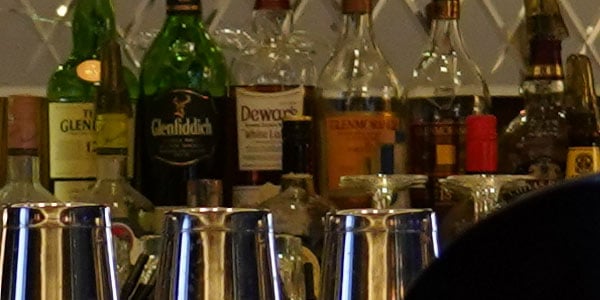
I had to whittle the gallery down to a meaningful number of shots, so nothing from that shoot above ISO 32,000 actually made it into the gallery. I've since added an ISO sensitivity series shot in the dimly-lit hotel bar which runs all the way across the expanded range, though, which you can see in the gallery or in the crops below.
Sony A7 III ISO Comparison (Click images for full-res) |
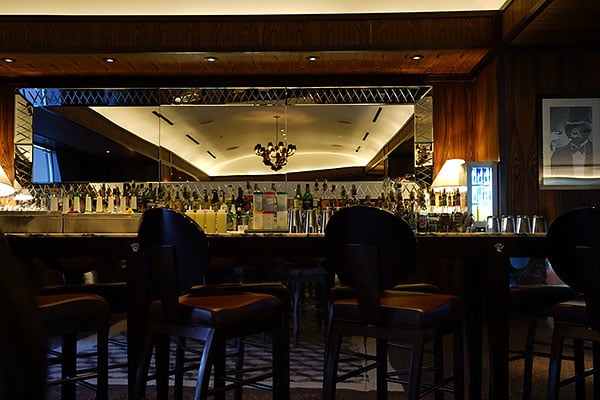 |
FE 24-105mm F4 G OSS: 36mm, f/4, 1s, ISO 50 |
 |
ISO 50: 100% Crop |
 |
ISO 100: 100% Crop |
 |
ISO 200: 100% Crop |
 |
ISO 400: 100% Crop |
 |
ISO 800: 100% Crop |
 |
ISO 1600: 100% Crop |
 |
ISO 3200: 100% Crop |
 |
ISO 6400: 100% Crop |
 |
ISO 12800: 100% Crop |
 |
ISO 25600: 100% Crop |
 |
ISO 51200: 100% Crop |
 |
ISO 102400: 100% Crop |
 |
ISO 204800: 100% Crop |
Between my first day's shooting and the subsequent ISO series, I came away pretty impressed with the Sony A7 III's high ISO chops. I wouldn't hesitate to use anything up to ISO 6400, and even up to ISO 25,600 is surprisingly usable. Noise levels rise significantly from ISO 51,200 and beyond, and there's a noticeable drop in saturation at the very highest sensitivities, although even these could prove useful for smaller print sizes, in a pinch.
Performance is in a whole different league from the A7 II
My first couple of shoots told me plenty about image quality and autofocus, but with relatively static or at least rather less energetic subjects, they didn't necessarily take much advantage of impressive performance on offer. And compared to its predecessor, it's on the performance front where the Sony A7 III makes its biggest gains. Sure, it still pales in comparison to the jaw-dropping performance of Sony's flagship A9, but the A7 III is vastly more affordable than that camera, too.
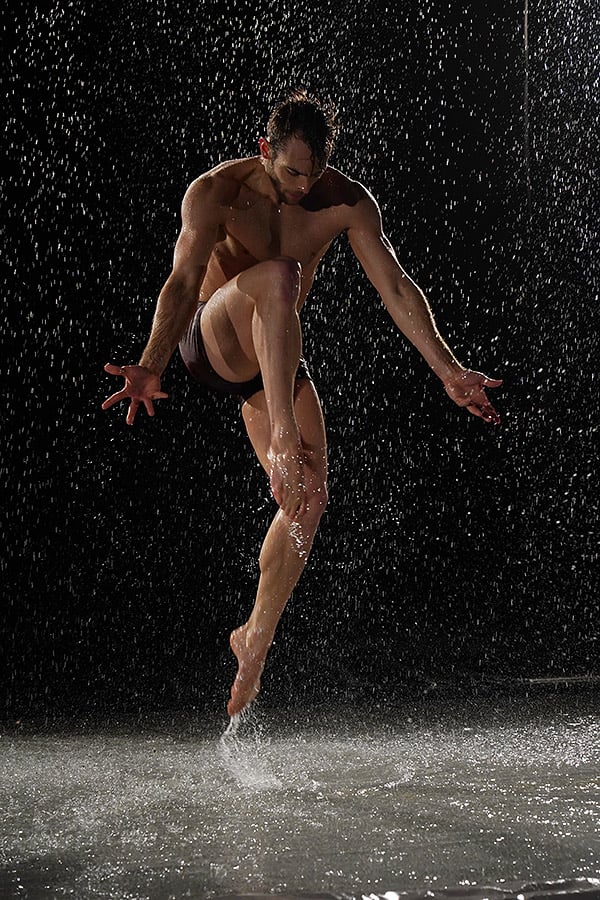
Our first chance for some more active subjects came the following day, when we regrouped at Sony's event venue for more shooting. With the stage and seating from the previous night's presentation gone, there was room for a brand-new set alongside those from the previous day, though. Instead of shooting models who were staying fairly still, we were presented with a large splash pad with water cascading near its rear, and lights set up to illuminate both subjects and waterfall effect alike. And the performers were extremely energetic, taking turns giving us countless leaps, flips, twirls and other impressive demonstrations of their athleticism for a good couple of hours.
I must admit, while quite a visually impressive setup, I'm not terribly great at anticipating what the performers are going to do next on shoots like this. Doubly so given that I wasn't able to provide direction for the performers. Bearing that in mind, I decided for the most part to frame rather loosely, so as to avoid missing limbs and heads if the action didn't move as I expected. I also switched to manual exposure and deliberately underexposed a little as well, in hopes of holding onto more of the many highlights in this energetic set. (You'll see a note next to the thumbnail for any images which I applied curves to post-capture, and these will link to unedited, straight out of the camera versions for each shot so you can see what I was working from.)
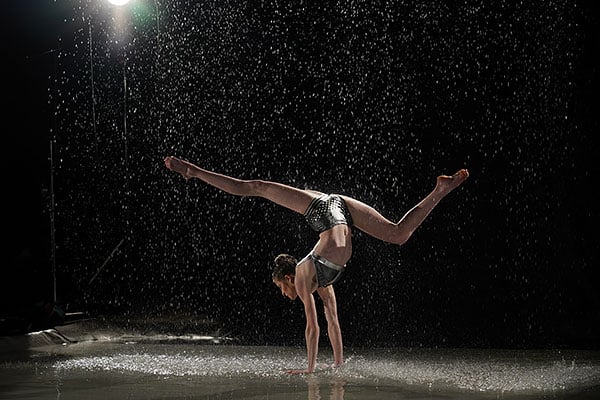
But while I took control of exposure, for the most part I left the camera in charge of autofocus. And as you might expect given that its extremely point-dense autofocus system is based upon that in the flagship Sony A9, I came away rather impressed. Admittedly, the performers were mostly staying at a relatively consistent distance from me, but this was also a rather challenging shoot with loads of subject motion, harsh lighting and extreme dynamic range.
And I was constantly moving around myself, framing shots from different angles and switching lenses quite regularly, so the AF function was nevertheless given quite a workout. And almost all of the time, it performed admirably, quickly and accurately locking focus. Out of almost a thousand frames expended upon the water set, I only saw the Sony A7 III significantly fail to lock focus twice, for a total of perhaps five or six frames. And the overwhelming majority of my shots were focused perfectly. In fact, most of the shots that weren't successful were my own fault, as I kept trying to manage longer trails from the water drops in the background, a tough balancing act while trying to simultaneously render the performers reasonably crisply.

And where the A7 II was a relatively sedate performer, the A7 III didn't keep me waiting around anywhere near as much. We've not timed it precisely in the lab yet, but my gut feeling is that Sony's 10 frames-per-second burst capture rating -- double that of the A7 and A7 II -- will likely prove pretty accurate. And I'd expect the same of its burst depth, too. Even in raw+JPEG mode (which I used almost exclusively), where Sony predicts a 36-frame buffer, you can expect to get around 50% more frames in a burst than with the A7 II. And if you shoot predominantly in JPEG mode, Sony predicts an approximate tripling of burst depth over the earlier camera. That was borne out by my own experiences, where even rattling off dozens of frames in a burst and then immediately re-framing for another batch, I seldom ran up against the buffer limits.
Continuous AF, too, performs amazingly well for a $2k camera
Of course, the waterfall shoot wasn't really giving us much of a chance to test continuous AF tracking. Thankfully, we got that opportunity the following day, as we headed out of Las Vegas in the direction of Nellis Air Force Base, and the nearby Nellis Dunes Recreation Area. Here, Sony had arranged for a significantly more active subject: Dune buggies!

And what a shoot it was. Hands-down my favorite of the trip, it gave me a really good chance to see how the A7 III handled faster-moving subjects. And while dune buggies might be towards the lower end of the spectrum when it comes to their speed, they can still come towards you at a pretty good clip if you're shooting them head-on, as I spent quite a while doing. I really, really wanted to get a good shot of the buggies getting air as they crested the top of a dune, and to try and emphasize just how much air they were getting.
It turned out that the best -- if perhaps not necessarily safest -- way to do so was to wait near the base of a dune, laying on my stomach fairly near to the buggy tracks from past jumps. I did my best to anticipate where the buggies were going to appear, which wasn't so easy to figure out either, as the tell-tale buggy tracks were on the far side of the dune from me, and frequently even the flags above each buggy would vanish out of sight behind the dunes.

Eventually, I got my timing and framing just right, and at the perfect moment, too! My chosen buggy racer had crested a dune and threw his arms apart in classic "Look, Ma! No hands!" pose, and I had the FE 100-400mm lens trained on him right as he appeared. I rattled off a burst of nine frames, and in every single one -- including the fourth frame, which was the money shot -- the buggy is tack sharp as the dune behind slowly vanishes into the bokeh, frame by frame.

Field Test Summary
I'm just not used to autofocus of this caliber in a camera I could justify buying. With its aggressive pricetag, the Sony A7 III is conceivably within my reach, and thus far it has seriously impressed me with its capabilities. If you want the most camera possible for your money in a relatively compact body for around US$2,000... well, you will definitely want the A7 III near the top of your shortlist.
Video

The Sony A7 III is no doubt enticing to video shooters because of its price point: at just $2000 it shoots 4K video in a full frame format, should have good ISO performance, and comes with S-Log included. It is considerably cheaper than a number of other full frame camera on the market, and comes with better specifications (say, compared to the Canon 6D II or 5D Mark IV). A more likely comparable product would be the Panasonic GH5, since they share the same price point and similar features. The A7 III is perhaps even more appealing when you consider the smaller GH5 sensor, and the fact that V-Log in the GH5 is an paid, after-purchase add-on. So knowing where the A7 III sits in prospective buyers' minds, let's take a look at what it actually can do when it comes to video and what the shooting experience is like.
Sony A7 III 4K Video Review |
4K, Full HD and Frame Rate Options
In NTSC, the Sony A7 III offers two different 4K frame rates at two different bitrates: 30p and 24p, at 100 MBPS and 60 MBPS. For the same length of shooting, you can expect to save a little bit less than half the total storage space between the two and in most cases you won't likely notice any dip in quality.
Here is the full breakdown of 4K shooting options:
- 23.98/25/29.97 fps (100 Mb/s XAVC S via H.264)
- 23.98/25/29.97 fps (60 Mb/s XAVC S via H.264)
If you look very closely at 100%, you will see a slight difference in how sharp/vibrant shapes are. In my side by side video comparison, I would probably not have noticed a difference had I not known there was supposed to be one.
And... that's all when it comes to 4K frame rate options on the A7 III. It doesn't have the option to select between UHD and Cinema 4K, and it doesn't offer 4Kp60 either. When compared to other full frame offerings, this is generally par for the course with the exception of the Canon 1DX Mark II, which doesn't offer full frame readout like the Sony does. At this point, video shooters will have to decide what is more important: full sensor readout without pixel binning or line skipping, or slow motion in 4K with a crop.
Interjecting personal opinion here, I think I prefer having more frame rate options over the higher quality video promised by the A7 III. Why? Mostly because that higher quality isn't much different to the naked eye, and creatively-speaking, I'm going to get more out of frame rate options than I will out of that quality boost.
However, price is a major player here. To get that lower quality 4K/60p in the 1DX II, I have to shell out more than double the price of the A7 III. That's not honestly a fair comparison, so let's look at the Panasonic GH5 instead, since it's asking price is identical to the Sony.

On the GH5, we don't get a full frame sensor, but we do get a great many more options in 4K. Not only do we get the high bitrate that the Sony offers, we also get it in a choice among 8 bit (which is the only option on the A7 III), 10 bit, as well as multiple compression options for either two bitrates, All-I or Long GOP. We get those three choices in both UHD and Cinema 4K as well. Oh, and we also get 4Kp60 in 8-bit.
Now, does every filmmaker need the laundry list of options the GH5 offers? No. For most, what you find on the A7 III will suffice, though 60p would certainly have been a really nice addition. In the end, that's my only gripe in terms of the A7 III's 4K offerings. It was expected however, since none of the Alpha cameras have, to date, been able to handle 4Kp60. If it wasn't in the A7R III, I personally didn't expect it in the A7 III.
In full HD 1080p, the Sony has several more options. Though it doesn't give you multiple bitrate options for 24p, it does give you two for both 60p, 30p, and 120p (and in their PAL equivalents):
- 100/120 fps (100 Mb/s XAVC S via H.264)
- 100/120 fps (60 Mb/s XAVC S via H.264)
- 23.98/25/29.97/50/59.94 fps (50 Mb/s XAVC S via H.264)
- 50/59.94 fps (25 Mb/s XAVC S via H.264)
- 25/29.97 fps (16 Mb/s XAVC S via H.264)
- 50/59.94 fps (24 Mb/s AVCHD via H.264)
- 50/59.94 fps (17 Mb/s AVCHD via H.264)
This is a nice, healthy list of options that covers the bases for anyone shooting in 1080p, which is a lot of people still. What's more, you get the excellent 5x slow motion in the 120p, which can look really spectacular.
Sony A7 III 1080p Video Review |
Unfortunately, the drop in quality of the 1080p footage compared to the 4K footage is noticeable. Footage is less clear, the details aren't as crisp, colors are more muddled, and it's overall lesser than what the 4K is capable. This was a problem that plagues a lot of modern cameras in the SLR-style bodies. The 1DX II, the 5D Mark IV, and even the GH4 had this same problem. At least on the A7 III, it's not a huge dip in quality, and the 120p footage once slowed, looks pretty good. If you plan to only shoot in 1080, you will probably find the A7 III to be one of the better options for the job in this form factor and price point.
ISO Performance
ISO is, for almost all video shooters these days, a huge player in the decision-making process. It's why the GH5S is such an intriguing option. So how does the A7 III do? Really, really well actually. Though I wouldn't say all clips past ISO 6400 are "sharp" or "crisp," footage at just about every ISO is going to be considered usable by a wide range of shooters. Even at max video ISO of 102,400, the A7 III looks... pretty darn good. Sure, there is visible noise and the edges of objects in frame are not as distinct as they were at, say, ISO 6400, but they're absolutely still usable clips.
For example, in a wedding scenario, a couple is going to find that capturing any footage at all in near darkness to be a win, and the A7 III footage absolutely does that. It's not the best out there, but it's also by no means the worst. I would say that the best quality footage will be captured up to ISO 6400, but you shouldn't feel tethered to that ISO as your maximum.
Image Stabilization
Sony really was the first company to impress me with in-body image stabilization, but the technology hasn't really advanced much in my opinion. At least, it doesn't come across to me in a video shooting situation that the in-body image stabilization (IBIS) is market-leading anymore. It's by no means bad, and I'm glad it is included when faced with the alternative of not having it at all.
But compared to the GH5, the A7 III is significantly less good at stabilizing normal human walking gait. Panasonic's stabilization absorbs footfalls far better when compared side by side with the A7 III, and I've found that the Sony sensor will also succumb to "wobbling" when hit with something like extreme wind (the Panasonic can also have this problem).
That said you can turn off the IBIS if you don't want it. This is hugely advantageous for some locked-off camera situations where you don't want to see the sensor attempting to compensate for vibrations that would result in "liquid-like" sensor movement in the corners. The IBIS cannot be fully turned off (the "off" setting still means the camera is actively trying to hold the sensor still; the sensor is not physically locked in-place). More advanced videographers might still experience unexpected issues with IBIS, which is why Panasonic left it off their GH5S. So while the Sony isn't the best IBIS money can buy, it's more versatile than what in my opinion is the market-leading Panasonic GH5.

Shooting Experience
If you're going to point to one thing about the A7 III that is less than ideal, it's the overall experience shooting with the camera: it can often be quite the pain to use. My experience is pretty heavily colored by my time with both Canon and Panasonic cameras, but the way the user must interact with the Sony is often frustrating compared to these other competitors.
First, the menu is not good. This isn't a complaint that is aimed solely at a video shooter's experience, as photographers are also starting to complain about Sony's rats nest of a menu system. Let's start there.
The content Sony is cramming into the menu of their cameras has dramatically increased since even the A7S II days. Side by side, the A7 III and A7S II share almost nothing in common anymore in this regard. It seems like there are twice as many things to select in the menu of the A7 III than the A7S II, and just about nothing is in the same location. To Sony's credit, coming from the A7S II and looking at the A7 III is like breathing a gasp of oxygen after holding your breath underwater for longer than you like. There certainly have been improvements, but the experience is still clunky.
For example, there is no reason for where they chose to put the "Format Card" option. It's in the middle of the pages dedicated to the "gear" icon, and it's then in the middle of the options on that page. Meanwhile, most everyone else seems to know to either put it on the first page or last page of that menu, and to make it at the top or bottom of the list for quick, easy access. Similarly, though S-Log 2 and S-Log 3 are included with the A7 III, good luck figuring out which of the profiles is which without consulting the manual, or Googling. For an inexplicable reason, Sony does not label their profiles in camera either. They simply list profile "PP1" through "PP10" in the menu, and it's up to you to figure out which is which. If you assumed that last two were S-Log, you would be mistaken. The correct answer is PP7 and PP8. This decision makes no sense at all, and it's incredibly frustrating as a user.
And while I am aware you can customize the camera to your liking to some degree and map specific options to the custom function keys on the body of the camera, out of the box, the A7 III doesn't aim to help you as a shooter at all. It lacks a quick menu to give you immediate access to frame rate options or picture profiles. Without mapping them manually (to either a custom Function button or into the My Menu page), you'll find yourself spending precious minutes digging through the convoluted menus in order to find the option you were looking for. For run-and-gun shooters, like wedding and event videographers, this is crippling.

My last note on the camera's usability is the record button. While it's nice that it has been relocated on the newer Alpha bodies away from the edge of the grip and into a dedicated slot near the diopter, it's not the most "responsive" button I've used. I will press that button fully down, and that leads me to believe that a clip has either been started or stopped, but in several times throughout a shoot day that will not be the case. It's either a responsiveness thing with the camera itself, or the button doesn't work every time because I've missed shots multiple times thinking the camera was recording when it was not. I've also wasted space thinking I've stopped recording when, in fact, the camera continues to capture footage of my feet or jacket pocket.
It's gotten to a point where I have to remember to look down at the screen and actively watch the recording start and stop, which when shooting in documentary situations (my bread and butter) as a lone videographer is a real stress-inducer. It's not that I don't already have a ton of other things to think about, and remembering to make sure my camera is recording even after I press the record button down as far as it goes is... not fun.
The final takeaways
Though the Sony A7 III takes some truly beautiful video clips, especially when you consider its form factor, full frame video and technical specs for its $2000 price point, it's not perfect. Though it has some crazy video specifications like full frame capture with no pixel binning or line skipping and the ability to oversample when using Super 35 mode, these benefits aren't immediately noticeable due to the compression for SD cards.
The A7 III at best shoots 4:2:0 in 8-bit internally, and 4:2:2 in 8-bit to an external recorder via clean HDMI out. That's less than ideal, and even if you're oversampling or doing all that jazz with the sensor, that kind of color compression means you're not going to be able to take full advantage of those specs. Most colorists will tell you that shooting in Log isn't even worth it if you're not at least in 10-bit. Combining that with the compression internally that I just mentioned and despite the flashy tech specs, the A7 III isn't capable of actually delivering much more finished, visible quality than its competitors.


However, that doesn't make the A7 III a bad video camera by any stretch. It's really quite wonderful that there are so many great video camera options that we can nitpick the way I am here. When you look at the high quality 4K video footage out of the A7 III, you're going to be happy.
Aside from having a tendency to crush the blacks, the A7 III footage looks really, really good. The in-camera stabilization is nice, the lens options Sony has for their full frame E-mount are substantial, and the A7 III is well-priced considering what it can do. Is it the best video camera for $2000? Probably not. But if you're already shooting Sony and looking for a B-camera, the A7 III more than fits the bill. Heck, I would shoot with two A7 III cameras today over two A7S II cameras. That should be saying something.
Conclusion
Sony's "entry-level" full-frame mirrorless camera undergoes its third revision, and by most counts, it's better than ever -- better image quality, better performance, better video, better design and better battery life. At $2,000, however, it's a bit of stretch to call it "entry-level," but that's the barrier of entry for the latest tech when it comes to Sony's full-frame mirrorless series; step-up to the latest-gen A7R, the A9 or the more-specialized A7S model, and you'll easily surpass $2,000 and potentially hit three or four grand. But for serious amateurs, enthusiasts and even professional photographers, the Sony A7 III packs in a ton of improvements across the board at a very reasonable and attainable price point. If you've been holding out on making the jump to the Sony ecosystem, the A7 III just might be the push you've been waiting for.
Image Quality
Like its predecessor, the Sony A7 III sticks with a 24MP full-frame sensor, which we feel offers a good balance of resolving power and reasonable file sizes. However, both the sensor and the image processor inside the A7 III are new compared to the A7 II, resulting in image quality performance that is outstanding for the class. Low ISO images are packed with crisp, fine detail, and the camera shows better color reproduction as well. High ISO image quality is equally impressive, with improved detail retention, well-controlled noise and excellent print quality performance even as the ISO rises. In addition, dynamic range is significantly improved at all ISOs over its predecessor. In fact, with its multiple image quality advances, the A7 III is currently the highest scoring 24-megapixel full-frame camera tested on DxOMark.com.
Performance
Not only is image quality top-notch, but most of the A7 III's performance metrics are equally impressive as well. The camera shares a lot of hardware and features with the high-end A9, including an image sensor that uses a front-end LSI, which among other things, helps increase readout performance. The autofocus system, too, undergoes a lot of improvements, not only gaining way more contrast-detect AF points but also borrowing the impressively-dense 693-point focal-plane phase-detection AF system from the A9, which offers much improved focus tracking capabilities over its predecessor.
So, you have a camera with a fast-reading sensor, lots of processing horsepower and a super-charged AF system. The result is a nimble camera with excellent speed, performance and responsiveness in most respects. Shot-to-shot times are quick and shutter lag is minimal. The A7 III offers above-average burst speeds for a full-frame ILC -- up to 10fps -- and in our lab, the A7 III tested very close to this spec. Buffer depths were great, especially with JPEGs, but the main performance hangup we experienced were buffer clearing times. Despite adding UHS-II support to one of the slots and using a fast UHS-II SD card, buffer clearing was still quite slow, especially with JPEG files. Unlike the A7 Mark II, though, the Mark III does at least let you change some settings and menu options while the buffer is clearing.
Lastly, a note about battery life. The A7 III gains a significant upgrade in battery performance, using the same NP-FZ100 rechargeable lithium-ion battery pack that debuted in the A9. The result is excellent battery life for a mirrorless camera. The A7 III is CIPA-rated for 610 shots/charge with the EVF and 710 shots with the LCD monitor, which is a big improvement over the meager 270/340 shots per charge found on the A7 II.
Design
If you've used an A7R III, then you'll be very familiar with the design and controls of the A7 III; they are practically identical in appearance, except for the different model name branding. The A7 III is quite similar to the A7 II in terms of grip shape and the general layout of controls, but the A7 III does share the A7R III's updated buttons and dials, including a larger rear control dial, repositioned video record button, a dedicated AF-ON button, and most notably, a handy new joystick control. Like the A7R III, this model gains a touchscreen LCD as well as a larger 0.78x EVF. While the EVF here is larger, the screen inside is a lower resolution than that of the A7R III -- it's the same as on the A7 II. That's not a big deal most of the time, but our field tester did notice some pixelation in the EVF in rare cases. Finally, the A7 III also gains the dual card slots we first saw on the A9, but yet again, we're somewhat disappointed that only one slot is UHS-II-compatible.
Ergonomically, the A7 III feels unsurprisingly similar to the A7R III. As with other Sony full-frame mirrorless bodies, the relatively compact size of the camera might seem cramped for those with larger hands. The smaller body can also feel somewhat unbalanced with big telephoto lenses, though adding a battery grip helps alleviate this. In general, though, the A7 III's built-in grip is contoured, comfortable, and large enough for a secure, balanced hold in most scenarios.
From a build quality standpoint, the A7 III feels just as robust and rugged as its predecessor, if not more so, as construction has been improved compared to the Mark II model. For example, the A7 III has two additional screws in its lens mount compared to the A7 II, for increased durability with large, heavy lenses. Again, Sony touts the A7 III as having a dust- and moisture-resistant construction, but how well it's sealed against the elements and if the A7 III differs in the level or degree of weather-resistance compared to the A7R III or A9 is unclear. We weren't able to subject the A7 III to our weather-sealing test as we did with the A7R III, and while that camera still functioned after a good dousing, it wasn't as sealed as some competitors. Given that Sony uses the same description for weather-sealing on its own product pages for both the A7 III and A7R III, we're going to assume that both cameras are more or less sealed to a similar degree. In the end, the A7 III will likely withstand light inclement weather and dust, just don't push your luck.
Video
Lastly, the Sony A7 III offers a host of top-notch video features, including 4K at both 30p and 24p as well as 1080p up to 120fps for excellent slow-motion capabilities. 4K recording utilizes the full width of the full-frame sensor, using full pixel readout and no pixel binning. Quality-wise, the A7 III is capable of excellent video, especially in 4K, and the ISO performance is impressive. Straight-from-camera video can be a bit contrasty with easily-crushed blacks, but A7 III video supports picture profiles, including S-Log, so you can tweak the look of your video in-camera, or more easily in post. When it comes to video autofocus, the A7 III proves very reliable in that regard with fast and precise performance. Add in some pro-friendly features like zebras, focus peaking, clean HDMI output, a handy Super35 mode, and the A7 III is a feature-rich high-quality video camera.
Summary
Sony keeps knocking it out of the park with their full-frame mirrorless cameras. Each generation gets better and better, and with the A7 III, especially, they've created an impressive all-around camera with professional-level image quality, performance and features, while at the same time maintaining a price point that's attainable for a lot of photographers. Sure, if you need more resolution, the A7R is there; and if you need crazy-fast burst speeds, the A9 is waiting. But you'll pay a lot for these upgrades. The Sony A7 III, on the other hand, is all about balance; it's a "Goldilocks" camera in a way. The A7 III offers such a well-balanced mix of performance, quality and features that it suits many different types of photographers and many photographic disciplines, and it's worth the current ~$600 premium over the Mark II model in our books. As we said earlier, if you've been pondering the move to a mirrorless camera, especially full-frame, the Sony A7 III should absolutely be at the top of your list.
As you can guess, the Sony A7 III definitely gets the thumbs-up as a Dave's Pick!
Pros
- Newly developed full-frame 24MP BSI CMOS sensor offers excellent image quality
- Outstanding high ISO performance and dynamic range
- Class-leading JPEG processing yields very crisp, detailed images
- Improved JPEG colors over its predecessor
- Advanced Hybrid AF system works well
- Good single-shot AF speeds
- Low shutter lag
- Quick cycle times
- Above average burst speeds for its class (10fps, 8fps with "live view")
- Generous buffer depths
- 5-axis optical in-body image stabilization
- Improved build quality over predecessor
- Larger 0.78x EVF than A7 II
- EVF looks fantastic with minimal lag, though some pixelation is visible in rare cases
- Tilting touchscreen monitor
- Excellent 4K video with full pixel readout and no pixel binning across full-width of sensor
- 1920x1080 video up to 120p
- Clean HDMI out
- S-Log 2, S-Log 3 Picture Profile support
- External mic and headphone jacks
- Built-in Wi-Fi, NFC and Bluetooth
- Excellent battery life for a mirrorless camera
- Dual card slots
- USB 3.1 Gen 1 Type-C terminal
- In-camera charging supported
- Menus can be accessed while buffer is clearing
- Excellent external controls with lots of customization
- Movie record button moved to a better location
- Multi Interface Shoe allows for various smart accessories and adapters
Cons
- Buffer clearing can be slow even with fast UHS-II cards
- Only one card slot is UHS-II compatible
- Weather sealing likely not as robust as some competitors
- Still no losslessly compressed RAW option
- Startup time a bit sluggish
- Top shutter speed still 1/8000s with electronic shutter
- No built-in flash
- Dedicated battery charger not included
- No 4K/60p framerate
- Menu system still feels confusing
- No built-in intervalometer & no PlayMemories support to add this and other features
- Small body size can feel unbalanced with larger, telephoto lenses, but battery grip or grip extension is available
- Tilt-only LCD isn't as versatile as a tilt/swivel type