



Overview
---
Special update: The Sony RX10 II was named Best Enthusiast Zoom camera in our 2015 Camera of the Year awards!
---

In late 2013, Sony created a brand-new segment for the digital camera market: The large-sensor, long-zoom camera. In an instant, the Sony RX10 redefined the image quality you could achieve, vaulting past smaller-sensored rivals thanks to its 1"-type image sensor. And for a long eight months, it had the market all to itself. Then the Panasonic FZ1000 hit the scene, offering the same sensor size and an even more powerful lens for a whole lot less money. (And since then, another rival has also gotten in on the game, in the form of the Canon G3X.)
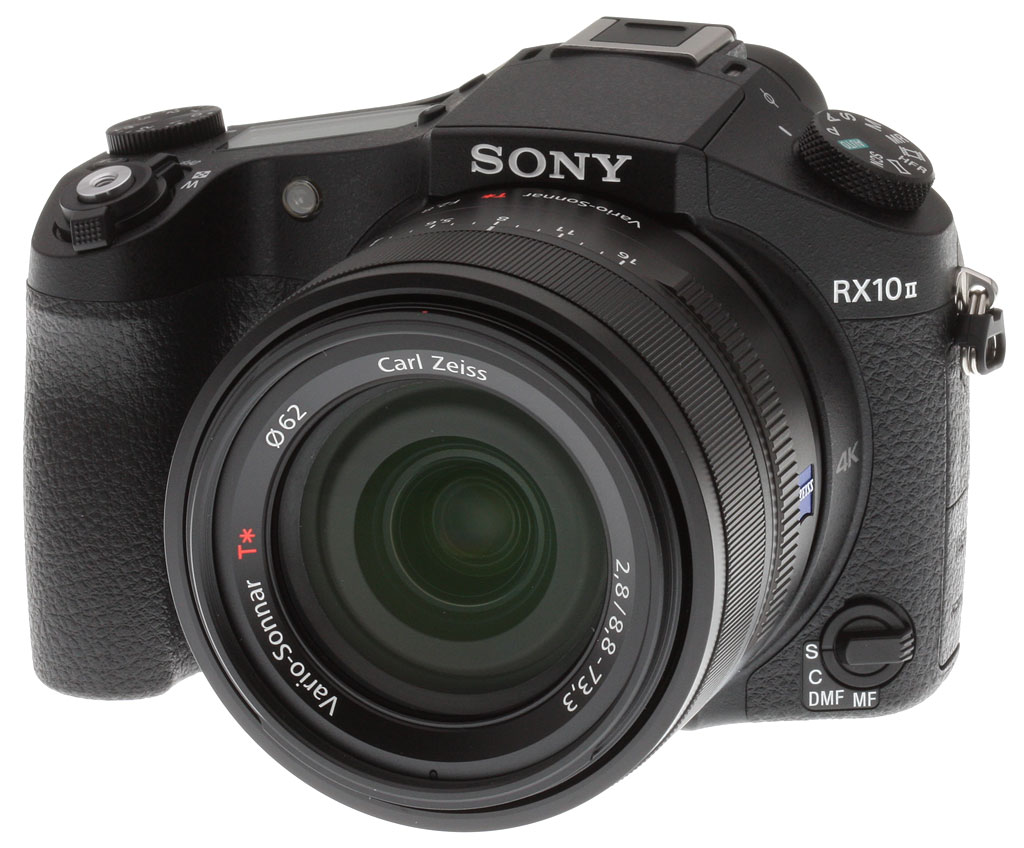
The Sony RX10 II, then, lands in an entirely different and more competitive market to that which its predecessor first created. Yet take a glance at its exterior and you could be forgiven for thinking it was unchanged: Looking only at the body and lens of both RX10 and RX10 II, you'd be hard-pressed to find any difference between the pair. Underneath its skin, though, the Sony RX10 II is a far more powerful and capable camera than was its predecessor.
In much the same way that Sony improved its RX100-series pocket cameras with the Sony RX100 IV, the RX10 II gets most of its new capabilities from the company's brand new 20.2-megapixel 1"-type Exmor RS stacked CMOS sensor with integrated DRAM, which allows for much faster performance.
And what a handy increase in performance it is! The RX10 II's top burst rate now hits a maximum of 14 frames per second in Speed Priority Continuous mode, and 5 fps in standard continuous mode, a significant improvement over the earlier model's slower 10 fps and 2.5 fps rates, respectively. And at the same time, the RX10 II's buffer has also increased to accommodate 44 Extra Fine JPEG frames or 29 raw frames in out tests, a big step above the original RX10's 21 JPEG or 10 raw frames. (See our Performance test results for details.)

Autofocus performance is also much improved, now employing Sony's "Fast Intelligent AF" technology to allow manufacturer-claimed AF speeds as fast as just 0.09 seconds.
In addition, the new Sony Exmor RS sensor provides electronic shutter capability up to 1/32,000 second, which comes in very handy when shooting in bright conditions at wide apertures. And Sony claims that the RX10 II shows little to no rolling shutter "jello" effect, thanks to the high-speed readout enabled by the fast, local DRAM.
But perhaps the biggest news is that the RX10 II is now capable of capturing 4K (3,840 x 2,160 pixel) video at rates of 30 or 24 fps, and storing it to the in-camera memory card for as long as 29 minutes per clip. The RX10 II's 4K video is encoded using an XAVC S codec at a bit rate of up to 100Mbps, and even more impressively uses full pixel readout without pixel binning. (That translates to excellent video quality with minimal artifacts.)
And that's not all, either. If you drop the video capture resolution to Full HD (1,920 x 1,080 pixels) at a rate of 60 fps or lower, you can also capture high-resolution 16.8-megapixel stills using Sony's Dual Rec function. (And if you are worried about shaking the camera or inducing handling noise into your video, the RX10 II can also be programmed to periodically capture stills automatically during the video, without user intervention.)

The RX10 Mark II can also capture very high frame rate, super slow motion video clips at up to a staggering 240, 480 or 960 frames per second in NTSC mode, and then play it back at anywhere from 24 to 60 frames per second, allowing everything from 4x to 40x slow-motion effects. (Capture rates are just slightly higher at 250, 500 or 1,000 fps for PAL mode, but playback rates also differ, meaning that the slow-motion effect is identical.)
There is a catch, in that you can only record two or four seconds of high frame-rate video in each clip, but that's not actually the limitation it might sound to be. (Typically, you only need very short clips to capture the key moment; a longer clip would quickly get boring.)
And where these high frame-rate modes impress most of all is in their relatively high resolution compared to other high frame rate-capable consumer cameras to date. All HFR video from the Sony RX10 II is output at Full HD (1,920 x 1,080 pixel) resolution, but that's after upsampling. Even prior to upsampling, though, 240p / 250p video is recorded at a surprisingly high 1,824 x 1,026-pixel resolution.
Stepping up to 480p / 500p capture does degrade the quality quite a bit with a capture resolution of 1,676 x 566 pixels (approximately halving the vertical resolution), but it's actually still pretty usable. And even the highest-rate 960p / 1,000p capture has 1,136 x 384 resolution before upsampling.

Apart from the Mark II badging, nothing has changed from the front to distinguish the Sony RX10 II from its predecessor. As previously mentioned, the optics of the RX10 II remain unchanged from its older sibling, offering the same excellent Zeiss-branded 24 to 200mm-equivalent zoom range, with both an f/2.8 constant aperture and Sony's SteadyShot image stabilization.
The top of the camera is very similar to the RX10 as well, though the mode dial now has an MR position capable of accessing up to 3 sets of custom settings instead of 2 dedicated custom settings. That freed up space to add an HFR mode setting for quick access to High Frame Rate video. Also note the single Custom button on the RX10 is now labeled C1 on the RX10 II -- we'll see why in a moment.
The Sony RX10 II's sensitivity range is similar to that of the original RX10, with the same upper limit of ISO 12,800-equivalent, which can be extended to ISO 25,600-equivalent when using Multi Frame NR. However, the base sensitivity is now ISO 100-equivalent versus ISO 125, and it's expandable down to ISO 64-equivalent versus 80 on the earlier camera.

Of course, all of those pixels need to be processed by something. To handle the workload, Sony packed in its latest BIONZ X-branded image processor. And with all of that updated hardware also comes new firmware functionality. The Sony RX10 II now includes a more robust flexible spot autofocus function, a new self-timer duration of 5 seconds, and a longer shutter speed of 30 seconds when shooting in Program or Aperture Priority modes. Also added are new Picture Profile options for movies that let you precisely adjust black level, black gamma, gamma (including S-Log2), color mode, saturation, color depth, knee and more.
For the RX10 II's electronic viewfinder, Sony has opted to use a new 2.35-million dot XGA OLED Tru-Finder display, almost doubling the dot count of its predecessor's EVF. Sony claims the updated EVF offers higher contrast and more natural color rendering as well, and although we didn't have a chance to try both old and new versions side-by-side, we'd certainly agree that it's a very impressive finder indeed.
The tilting three-inch, 1.23 million-dot LCD monitor on the rear of the Sony RX10 II remains unchanged from its predecessor, as does the control layout. One change that's visible from the back, though, is that the Delete button has an additional C2 label, indicating it now serves as a second customizable button in capture mode.

The Sony RX10 II uses the same NP-FW50 lithium-ion battery pack as did the RX10, but CIPA-rated battery life differs slightly, gaining in electronic viewfinder mode at the expense of arm's length capture. While the RX10 was rated for 420 shots using the LCD and 340 shots with the EVF, the RX10 II is rated for 400 and 360 shots respectively.
And with that, let's dig into the meat of the review with our real-world field tests, lab test results and plenty more besides!
You can compare the Sony RX10 II with both its predecessor and its nearest rivals -- or for that matter, any other camera of your choosing -- using our Camera Comparison tool! Here are a few of the most obvious comparisons to get you started:
Sony RX10 II vs Sony RX10Sony RX10 II vs Panasonic FZ1000Sony RX10 II vs Canon G3X |
Optics
Lens Test Results
Zoom
A very versatile 24-200mm equivalent zoom range, with excellent performance.


The Sony RX10 II is equipped with a 8.8-73.3mm f/2.8 lens, offering a zoom ratio of about 8.3x for a very versatile 35mm-equivalent focal range of about 24-200mm.
Far-field performance appears to be excellent at f/5.6, with very good sharpness and contrast across most of the frame throughout the zoom range, and only minor softening and coma distortion in the extreme corners. Chromatic aberration is fairly low (like most cameras, the RX10 II suppresses it), and flare appears to be well-controlled. This scene isn't great for judging distortion or performance in the corners, though, so see below for lab results on corner softness, geometric distortion, macro performance, etc.
Like other recent Sonys, the RX10 II offers Clear Image Zoom up to 2x and standard digital zoom up to 4x, however we did not test those features in our lab results.
Macro
A larger than average sized minimum coverage area, with very good detail. Flash worked fairly well at full telephoto.


The Sony RX10 II captured a slightly larger than average sized minimum area measuring 2.98 x 1.99 inches (76 x 51 millimeters) at full telephoto, which is very similar to the maximum reproduction rate at wide angle. Detail is excellent across much of the frame, though corners show a bit of softness even at f/8 (most lenses show some softening in the corners at macro distances). Unlike at maximum wide angle where the RX10 II's formidable lens casts a large, very dark shadow when using the built-in flash, at full telephoto the flash worked fairly well producing a good though slightly dim image, and the lens casts no shadow.
Geometric Distortion
Very low distortion in camera JPEGs, much higher in uncorrected RAW files.
|
Camera JPEGs
|
| Barrel distortion at wide angle is ~0.3 percent |
 |
| Barrel distortion at telephoto is less than 0.1 percent |
 |
Geometric distortion in JPEGs is well-corrected, with only about 0.3% barrel distortion at wide angle, and under 0.1% barrel distortion at full telephoto. This is the tendency for the lens to bend straight lines outward (like a barrel -- usually at wide-angle) or inward (like a pincushion -- usually at telephoto).
|
Uncorrected RAW
|
| Barrel distortion at wide angle is about 2.1 percent |
 |
| Pincushion distortion at telephoto is about 1.6 percent |
 |
Unsurprisingly, uncorrected RAW files show fairly high geometric distortion. We measured about 2.1% barrel distortion at maximum wide angle, and about 1.6% pincushion distortion at full telephoto. That's not unusual, though, and most RAW converters should automatically correct for it, but strong correction can lead to some additional softness in the corners.
Chromatic Aberration and Corner Sharpness
Very low to moderately low chromatic aberration at wide angle; fairly low levels at full telephoto. The lens produced some soft corners wide-open, though corner sharpness improved stopped-down.
|
Aperture: f/2.8
|
|
 |
 |
| Wide at f/2.8: Upper left C.A.: Moderately low Softness: Slightly soft |
Wide at f/2.8: Center C.A.: Very low Softness: Very sharp |
 |
 |
| Tele at f/2.8: Lower left C.A.: Low Softness: Soft, with lower contrast |
Tele at f/2.8: Center C.A.: Fairly low Softness: Sharp |
Chromatic Aberration. Lateral chromatic aberration in camera JPEGs is well corrected, with moderately low amounts in the corners at wide angle, and fairly low amounts and telephoto, though you can see that some edge acuity it lost in the corners from suppression particularly at telephoto. The center shows very low levels of C.A. at wide angle but higher levels at telephoto, though still fairly low.
Corner Softness. Sharpness and corner performance is generally very good for the type and speed of lens, though our copy appears to have a slightly decentered element or group (unfortunate, but not at all unusual). In our sample, at maximum aperture (f/2.8), corner performance is fairly symmetrical at wide angle and sharpness is pretty good, while the center is tack sharp. At full telephoto however, the bottom corners are quite soft and softness extends far into the frame, however the top corners are fairly sharp, while the center is sharp, though not quite as sharp as maximum wide angle. Note that some of the corner softness is due to strong distortion correction, both geometric and chromatic aberration (see below for uncorrected results).
Vignetting. You can also notice some minor corner shading ("vignetting") from the darker corner crops particularly at full telephoto.
|
Aperture: f/5.6
|
|
 |
 |
| Wide at f/5.6: Upper left C.A.: Low Softness: Slightly soft |
Wide at f/5.6: Center C.A.: Very low Softness: Very sharp |
 |
 |
| Tele at f/5.6: Lower left C.A.: Very Low Softness: Slightly soft |
Tele at f/5.6: Center C.A.: Very low Softness: Sharp |
F5.6: Interestingly, stopping down to f/5.6 at wide angle actually produced some slightly softer results in both the corners and center, though contrast, chromatic aberration and vignetting improved. Stopping down to f/5.6 noticeably improved sharpness in the corners at full telephoto, especially for the lower corners, while also improving contrast and shading, though the center remained about the same, still not quite as sharp as wide angle.
|
Aperture: f/8
|
|
 |
 |
| Wide at f/8: Upper left C.A.: Low Softness: Slightly soft |
Wide at f/8: Center C.A.: Very low Softness: Sharp |
 |
 |
| Tele at f/8: Lower left C.A.: Low Softness: Slightly soft |
Tele at f/8: Center C.A.: Very low Softness: Sharp |
F8: Here we see the effect of stopping down to f/8. At wide angle, the corners and the center lose a bit of sharpness due to diffraction. At full telephoto, the worst-case left corners improve, but the others as well as center aren't quite as sharp. Vignetting is further reduced, but still visible at full telephoto.
|
In-camera JPEG
|
Uncorrected RAW
|
 |
 |
| Wide @ f/2.8: Upper left: Camera JPEG |
Wide @ f/2.8: Upper left: Uncorrected RAW |
 |
 |
| Tele @ f/2.8: Upper left: Camera JPEG |
Tele @ f/2.8: Upper left: Uncorrected RAW |
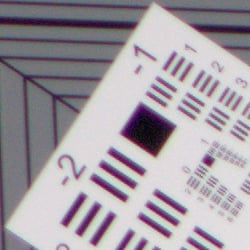
Chromatic Aberration Suppression. As mentioned previously, lateral chromatic aberration in camera JPEGs is well corrected, with low to moderately low amounts at wide angle and telephoto. As you can see from the uncorrected RAW crops (above right), lateral chromatic aberration is actually quite high and bright at maximum wide angle, and moderately high though not nearly as bright at full telephoto, so the Sony RX10 II's processor does a good job suppressing most of it in JPEGs.
Overall, very good to excellent performance for a 24-200mm equivalent f/2.8 constant aperture lens.
Sony RX10 II Viewfinder
Viewfinder Test Results
Coverage
Excellent accuracy from the electronic viewfinder and LCD monitor.


The Sony RX10 II's electronic viewfinder and LCD monitor both showed essentially 100% coverage at wide angle and at full telephoto, which is excellent, especially given the amount of geometric distortion correction being applied.
The images above were taken from our standardized test shots. For a collection of more pictorial photos, see our Sony Cyber-shot DSC-RX10 II Photo Gallery .
Exposure
Color
Saturation & Hue Accuracy
Slightly below average saturation levels and hue accuracy.
 |
| In the diagram above, the squares show the original color, and the circles show the color that the camera captured. More saturated colors are located toward the periphery of the graph. Hue changes as you travel around the center. Thus, hue-accurate, highly saturated colors appear as lines radiating from the center. Click for a larger version. |
Saturation. The Sony RX10 II pushes some colors likes strong reds, dark blues, dark greens, purples and browns, but not as much as many camera, and it actually undersaturates lighter greens, yellow and aqua tones moderately. The RX10 II's mean color saturation of 105.1% (5.1% oversaturated) is a bit lower than average these days, but the camera generally produces attractive yet realistic colors in its images. You can of course tweak saturation to your liking, or choose a non-default color mode. Most consumer digital cameras produce color that's more highly saturated (more intense) than found in the original subjects. This is simply because most people like their color a bit brighter than life.
Skin tones. Here, the Sony RX10 II did fairly well, producing fairly natural-looking Caucasian skin tones but that were a bit on the warm side. Where oversaturation is most problematic is on Caucasian skin tones, as it's very easy for these "memory colors" to be seen as too bright, too pink, too yellow, etc.
Hue. The Sony RX10 II shifts aqua toward cyan, cyan toward blue, orange toward yellow, and yellow toward green by small to moderate amounts, but most other shifts are very minor. The cyan to blue shift is very common among the digital cameras we test; we think it's a deliberate choice by camera engineers to produce better-looking sky colors, and we don't find the resulting color objectionable. The RX10 II's handling of yellows and yellow-orange colors is one of its weaknesses: Yellows are rendered closer to a yellow-green, and significantly undersaturated as well. With a mean "delta-C" color error of 5.67 after correction for saturation, hue accuracy is slightly below average, but still pretty good overall. Hue is "what color" the color is.


Sensor
Exposure and White Balance
Indoors, incandescent lighting
Auto setting produced reddish results, though Incandescent and Manual white balance worked well. Average exposure compensation required.


Indoors, under normal incandescent lighting, color balance was warm and reddish with the Auto white balance setting. Results with the Incandescent setting were pretty good, just a touch yellow. The Manual setting was the most accurate, just slightly on the cool side. (Note: The RX10 II also has a Kelvin Temperature White Balance option, however we did not test that mode.) The Sony RX10 II required +0.3 EV exposure compensation which is about average required for this shot. (Our test lighting for this shot is a mixture of 60 and 100 watt household incandescent bulbs, a pretty yellow light source, but a very common one in typical home settings here in the U.S.)
Outdoors, daylight
Pleasing color and good exposure accuracy under harsh lighting.
Outdoors, the Sony RX10 II performed very well for its class. +0.3 EV exposure compensation was required to keep the mannequin's reasonably face bright in our "Sunlit" Portrait shot, which is actually a bit less compensation than most cameras require. Contrast is a quite high as you might expect under such harsh lighting, but despite the bright appearance, the camera did a good job, holding on to the majority of highlights. Auto color balance performed well in our "Sunlit" Portrait shot, though Manual and Daylight white balance also produced very similar results. The Far-field shot with Auto white balance has very good color, just a touch cool. Default exposure is perhaps just slightly underexposed, but with very few highlights blown, and while there are some very deep shadows, detail in the shadows is surprisingly good for its class. However as expected, deep shadows do have moderate amounts luminance noise as well as some odd discoloration particularly in greens as the camera attempts to control chroma noise. Overall, though, very good performance in harsh lighting, especially considering DRO was off for these shots.
See full set of test images with explanations
See thumbnails of all test and gallery images
Resolution
~2,500 to ~2,600 lines of strong detail.


In camera JPEGs of our laboratory resolution chart revealed sharp, distinct line patterns down to about 2,600 lines per picture height in the horizontal direction, and about 2,500 lines per picture height in the vertical direction. Some may argue for more, but aliasing artifacts start to interfere too much at that point. Complete extinction of the pattern didn't occur until about 3,200 to 3,400 lines. Adobe Camera Raw produced similar results though color moiré mixed with chromatic aberration was much more visible. Use these numbers to compare with other cameras of similar resolution, or use them to see just what higher resolution can mean in terms of potential detail.
Sharpness & Detail
Crisp images with good detail, but area-specific noise reduction and sharpening can produce an overprocessed look, especially at higher ISOs.


Sharpness. The RX10 II produces fairly crisp, sharp looking images without obvious sharpening haloes, but Sony's area-specific noise reduction and sharpening algorithms can lead to some unnatural or slightly crude looking results at higher ISOs. Edge enhancement creates the illusion of sharpness by enhancing colors and tones right at the edge of a rapid transition in color or tone.
Detail. The crop above right shows good detail for the class of camera, with moderate levels noise suppression in the darkest areas of the mannequins's hair, and almost no chroma noise. Quite a few individual strands are smudged together in areas of low contrast at base ISO, but performance here is actually quite good considering the size and resolution of the sensor. Noise-suppression systems in digital cameras tend to flatten-out detail in areas of subtle contrast. The effects can often be seen in shots of human hair, where the individual strands are lost and an almost "watercolor" look appears.
RAW vs In-Camera JPEGs
As noted above the Sony RX10 II produces sharp, crisp and clean images, but fine detail can suffer as a result of aggressive default processing. Compare a base ISO in-camera JPEG to an Adobe Camera Raw conversion below to see what we mean.
|
Base ISO (100)
|
|
 |
 |
 |
 |
 |
 |
|
Camera JPEG, defaults
|
RAW via Adobe Camera Raw
|
In the table above, we compare an in-camera JPEG taken at base ISO using default noise reduction and sharpening (on the left) to a matching RAW file converted with Adobe Camera Raw 9.1 using default noise reduction with strong but tight unsharp masking applied in Photoshop (in this case 400% USM with a radius of 0.3 pixels and a threshold of 0).
As you can see, ACR produced quite a bit of additional detail that isn't present in the JPEG from the camera. Fine detail in the mosaic crop for example is more realistic and refined-looking from the ACR conversion, while the in-camera JPEG is much cleaner and more contrasty, but isn't as detailed or accurate. This is also true of the fabric crop, where ACR was able to resolve much of the thread pattern in the red-leaf swatch which the camera's JPEG engine presumably treats as noise, and also does a much better job reproducing fine detail in the pink fabric. But as is usually the case, more noise can be seen in the RAW conversion particularly in flat areas as shown in the bottle crop, thanks to ACR's light default noise reduction. You can of course apply stronger noise reduction (default ACR NR used here) to arrive at your ideal noise versus detail tradeoff. Color is improved as well, with ACR producing slightly warmer and more accurate colors while removing much of the yellow-to-green shift seen in the JPEG bottle crop. Bottom line: You can do noticeably better than the camera with a good RAW converter, provided you're willing to apply your own noise reduction and sharpening to taste.
ISO & Noise Performance
Very good high ISO performance for its class.
|
Default High ISO Noise Reduction
|
 |
 |
 |
| ISO 64 | ISO 100 | ISO 200 |
 |
 |
 |
| ISO 400 | ISO 800 | ISO 1600 |
 |
 |
 |
| ISO 3200 | ISO 6400 | ISO 12,800 |
ISO 64 (extended) and ISO 100 produce clean, very detailed, crisp images containing almost no chroma noise. ISO 200 shows a very minor drop in image quality as noise reduction ramps, but fine detail is still quite good. ISO 400 shows an additional small step down in detail with very good overall image quality, but stronger sharpening attempts to compensate, making luminance noise more visible in some areas. At ISO 800, luminance noise is more noticeable, accentuated by fairly aggressive sharpening, but chroma noise is still welll-controlled. ISO 1600 is noticeably softer thanks to stronger noise reduction and more visible luma noise, but chroma noise is still very low. At ISO 3200, fine detail takes a larger hit, and the camera's aggressive processing produces images with a somewhat crystalline look in some areas. Image quality drops off very quickly from here, with ISOs 6400 and 12,800 looking more like impressionistic paintings than photos, with an almost hammered looked to flatter areas. Chroma noise in the form of diffuse purple and/or yellow blotches is also visible in darker midtones and shadows.
Overall, though, high ISO performance remains much better than average for a long zoom camera, and very similar to the RX10. We're of course pixel-peeping to an extraordinary extent here, since 1:1 images on an LCD screen have little to do with how those same images will appear when printed. See the Print Quality section below for our evaluation of maximum print sizes at each ISO setting.
Note: We used to shoot this series at f/4 because of the relatively low light, but we now shoot it at f/5.6 or f/8 for 1"-type and larger sensors, as lens performance well away from center where we take the above crops is often not optimal at wider apertures. The added depth of field for a scene with this depth is also a better compromise than the potentially slightly sharper but shallower focus depth that a larger aperture would produce.
Extremes: Sunlit, dynamic range and low light tests
Pretty good dynamic range for its class. Good low-light performance, capable of capturing bright images in near darkness at all ISOs, but autofocus can struggle.


Sunlight. The Sony RX10 II did fairly well under the deliberately harsh lighting in the test above. To keep facial tones reasonably bright, +0.3V compensation was required, which led to some clipped highlights in the mannequin's shirt and flowers, though not as many as we often see from smaller sensors. Some may prefer the +0.7 EV setting for its brighter overall exposure, but we found too many highlights were clipped. Detail is quite good in the shadows at +0.3 EV, though very deep shadows are a little grainy with some discoloration, though noise is fairly well controlled and fairly fine grained. Very good results in harsh lighting for such a long zoom camera, but consider using fill flash in situations like the one shown above; and it's better to shoot in the shade when possible.
Because digital cameras are more like slide film than negative film (in that they tend to have a more limited tonal range), we test them in the harshest situations to see how they handle scenes with bright highlights and dark shadows, as well as what kind of sensitivity they have in low light. The shot above is designed to mimic the very harsh, contrasty effect of direct noonday sunlight, a very tough challenge for most digital cameras. (You can read details of this test here.)
| Face Detection | ||
|
 |
 |
| Aperture Priority, 0 EV Face Detection Off |
Aperture Priority, 0 EV Face Detection On |
Auto Mode, 0 EV |
Face Detection. Like most cameras these days, the Sony RX10 II has the ability to detect faces (up to 8 in a scene), and adjust exposure and focus accordingly. As you can see from the examples above, face detection improved exposure in Aperture Priority at f/8, producing a slightly brighter face than without it. Full Auto mode performed much better than Aperture Priority without face detection. It selected a larger aperture of f/3.2 while using a relatively fast shutter speed of 1/200s, and automatically applied DRO (see below) to reduce overall contrast.


Dynamic Range Optimization is Sony's name for their dynamic range enhancement technology. DRO divides the image into small areas, analyzes the range of brightness of each area, and adjusts the camera's image processing parameters accordingly to make the best use of the available dynamic range. Auto DRO is enabled by default on the Sony RX10 II. You can also set the level manually, from 1 ("weak") to 5 ("strong"), or turn it off. As one would expect, DRO is only available for JPEG files.
The above thumbnails and histograms show the effects of the various levels of DRO on our "Sunlit" Portrait shot with no exposure compensation. Mouse over the links on the right to load the associated thumbnail and histogram, and click on the link to visit the full resolution image. As you can see from the thumbnails and associated histograms, increasing DRO progressively boosts shadows and midtones while leaving highlights essentially intact, though boosting shadows does make noise slightly more visible. The Auto setting did a pretty good job overall, and the five manual levels give quite a bit of control over the effect.

Above, you can see the effect of DRO settings on our Far-field shot. The default Auto setting produced a nicely balanced exposure, despite the harsh lighting. A useful feature. (Apologies for the change in framing in the "Off" shot.)
High Dynamic Range. The Sony RX10 II's HDR mode takes three images in rapid succession, one nominally exposed , one underexposed, and one overexposed, then combines them into one high dynamic range JPEG automatically. Lighter areas from the underexposed image are combined in-camera with darker areas from the overexposed image to produce an image with compressed tonal range. The camera then saves a single composite image, as well as the nominally exposed image. The overlaid images are micro-aligned by the camera, but it can only correct for so much movement. If it can't micro-align successfully, an icon indicating HDR capture failed will appear. For best results, the subject should not move or even blink, so it's not really intended for portraits. There is also a manual mode where you can select 1 EV ("weak") to 6 EV ("strong") difference in exposures.
Mouse over the links above to load the associated thumbnail, and click on the link to visit the full resolution image. (Again, apologies for the change in framing in the "Off" shot.) As you can see, the Auto setting did a decent job, similar to the 3 EV manual setting. Normally, the higher the manual setting, the more highlights are toned-down and shadows opened up, however the 4 EV setting oddly seemed to take a step back. As you can see, though, higher settings can produce flat and unnatural results. Watch out for ghost images and other artifacts from subject movement during the capture sequence, though, as can be seen in some of the shots above. (It seems the RX10 II attempts to avoid ghosting by including a moving subject from only one of the frames, however this isn't always entirely successful.)
Dynamic Range Analysis (RAW mode)
While we once performed our own dynamic range measurements based on in-camera JPEGs as well as converted RAW images (when the camera was supported by Adobe Camera Raw), we've switched to using DxO Labs' results from their DxOMark website. As technology advanced, the dynamic range of modern high-end cameras in some cases exceeded the range of the Stouffer T4110 density scale that we used for our own measurements. DxO's approach based on RAW data before demosaicing is also more revealing, because it measures the fundamental dynamic range of the sensor, irrespective of whatever processing is applied to JPEGs, or to RAW data by off-the-shelf conversion software.
In the following, we use DxO's "Print" dynamic range results, which are scaled based on camera resolution. As the name suggests, this scaling corresponds to the situation in which you print at a given size, regardless of how many megapixels the camera might have. (In other words, if you've decided to make a 13x19 inch print, that's the size you're printing, whether the camera's resolution is 16 or 300 megapixels.) For the technically-minded, you can find a discussion of the reasoning behind this here on the DxOMark website. Also note that DxO Labs uses a signal-to-noise (SNR) threshold of 1 when defining the lower boundary of acceptable luminance noise in their dynamic range measurements, which corresponds to the "Low Quality" threshold of the Imatest software we used to use for this measurement.

Here, we decided to compare the RX10 II (in red) to the Canon G3X (orange) as well as to the Panasonic FZ1000 (yellow), which are also long-zoom cameras that use 1"-type 20-megapixel BSI sensors. You can always compare other models on DxOMark.com.
As you can see from the above graph (click for a larger image), the Sony RX10 II's dynamic range is very similar to the Canon G3X's though its peak value s slightly better because of the RX10's slightly lower base ISO. At ISO 100, the RX10 II managed 12.6 EV compared to the G3X's 12.3 EV, which could be just barely discernible in real-world images.
Interestingly, the Sony RX10 II's dynamic range is significantly better than the Panasonic FZ1000's, which peaks at about 11.7 EV at base ISO giving the RX10 II almost a 0.9 EV advantage, and the Sony does a little better across the board.
Overall, excellent dynamic range performance from the RX10 II for a 1"-type sensor, and we're glad to see the faster stacked architecture didn't negatively impact dynamic range compared to its predecessor. Click here to visit the DxOMark page for the Sony RX10 II for more of their test results and additional comparisons.
| 1 fc 11 lux |
1/16 fc 0.67 lux |
1/16 fc No NR |
|
|---|---|---|---|
| ISO 100 |
 2s, f2.8 |
 30s, f2.8 |
 30s, f2.8 |
| ISO 3200 |
 1/15s, f2.8 |
 1s, f2.8 |
 1s, f2.8 |
| ISO 12800 |
 1/60s, f2.8 |
 1/4s, f2.8 |
 1/4s, f2.8 |
Low Light. The Sony RX10 II performed well in our low-light tests thanks to its relatively fast lens, capturing bright images at the lowest light level (1/16 foot-candle), even at the lowest native sensitivity setting (ISO 100). As expected for a 1"-type sensor, luma noise is a little high at ISO 3200, but fairly fine-grained, while chroma noise is well controlled. The RX10 II's highest ISO of 12,800 is quite grainy with noticeable noise reduction artifacts, but that's no surprise.
Color balance is pretty good with Sony RX10 II's Auto white balance setting, just a touch cool, even at highest ISO and lowest light level. We didn't notice any significant issues with hot pixels, pattern noise or heat blooming. (Some hot pixels can be seen with long exposure noise reduction disabled (rightmost column, but that's normal.)
The camera's AF system was able to focus unassisted to just above the 1/4 foot-candle light level in our tests, which is only fair for its class. With AF assist lamp enabled, the RX10 II could only focus down to about 1/2 foot candle, as the lamp overwhelmed the AF system. This of course will vary with subject and distance, though.
How bright is this? The one foot-candle light level that this test begins at roughly corresponds to the brightness of typical city street-lighting at night. Cameras performing well at that level should be able to snap good-looking photos of street-lit scenes.
NOTE: This low light test is conducted with a stationary subject, and the camera mounted on a sturdy tripod. Most digital cameras will fail miserably when faced with a moving subject in dim lighting. (For example, a child's ballet recital or a holiday pageant in a gymnasium.) For such applications, you may have better luck with a digital SLR camera, but even there, you'll likely need to set the focus manually. For information and reviews on digital SLRs, refer to our SLR review index page.
Output Quality
Print Quality
High-quality prints up to 24 x 36 inches at ISO 64-100; Nice 11 x 14 inch prints at ISO 1600; and 4 x 6 inch prints just pass the mark at ISO 12,800.
 ISO 64/100 prints show impressive detail and pleasing colors all the way up to 24 x 36 inches. Even with larger 30 x 40 prints, there is very little visible pixelation from this 20-megapixel image, making this size just fine for wall display.
ISO 200 images show a hint of shadow noise, but detail and colors are otherwise excellent, making for a great 20 x 30 inch print. We'd be fine with a 24 x 36 print for wall display here, too.
ISO 400 prints, despite the increase in sensitivity, look strikingly similar to ISO 200, in terms of noise level and detail. We're happy to call 20 x 30 inch prints good here too. Our tricky red fabric swatch does appear slightly less detailed here than at the previous ISO, but detail elsewhere in the print at this size looks great.
ISO 800 images start to show noticeably stronger noise, and a 16 x 20 inch print is on the cusp of being considered acceptable. We're more comfortable, however, calling it at 13 x 19 inches, with the next higher print size used only for less critical applications.
ISO 1600 prints still display nice, pleasing colors, but noise is certainly becoming an issue and impacting fine detail, therefore making 11 x 14 inch prints the largest size we're calling at this sensitivity.
ISO 3200 images display both higher noise as well as slightly blander-looking colors. Detail is still high enough for an acceptable 8 x 10 inch print, though.
ISO 6400 prints show a lot of softening due to noise and noise reduction processing, but we're still pleased with a 5 x 7 inch print at this ISO level.
ISO 12,800 images max-out at 4 x 6 inches. Any larger and the lack of detail due to noise makes for a disappointing print.
The Sony RX10 II maintains the same 20-megapixel resolution as its predecessor and the print sizes are more or less similar -- which is to say very good for a 1-inch sensor camera. As with its RX100 IV sibling, the RX10 II's big upgrades are centered around the new 1"-type Exmor RS stacked CMOS sensor, which offers improvements to performance rather than image quality. If you're debating between this model and its predecessor, the still image quality difference is not a major factor in terms of available print sizes.
The images above were taken from our standardized test shots. For a collection of more pictorial photos, see our Sony Cyber-shot DSC-RX10 II Photo Gallery .
Not sure which camera to buy? Let your eyes be the ultimate judge! Visit our Comparometer(tm) to compare images from the Sony Cyber-shot DSC-RX10 II with those from other cameras you may be considering. The proof is in the pictures, so let your own eyes decide which you like best!
Performance
Timing and Performance
Generally excellent performance, but buffer clearing can be slow.
| Startup/Play to Record | ||
|---|---|---|
| Power on |
~1.7 seconds
|
Time it takes for LCD to turn on and lens to deploy and capture a picture. |
|
Play to Record, |
~1.0 second
|
Time until first shot is captured. |
Startup to first shot time was faster than average for its class, and Play to Record switching was quite fast.
| Shutter Response (Lag Time) | ||
|---|---|---|
|
Full Autofocus |
0.157 second
|
Time from fully pressing shutter button to image capture, zoom lens at wide angle position. |
|
Full Autofocus |
0.149 second
|
Time from fully pressing shutter button to image capture, zoom lens at telephoto position. |
|
Full Autofocus |
0.268 second
|
Time to capture while forcing flash to fire, zoom lens at medium focal length. |
|
Manual Focus |
0.030 second
|
For most cameras, shutter lag is less in manual focus than autofocus, but usually not as fast as when the camera is "prefocused". |
| Prefocused |
0.012 second
|
Time to capture, after half-pressing and holding shutter button. |
The Sony RX10 II's full autofocus shutter lag when shooting the same target multiple times was fast for its class. The RX10 II's full AF shutter lag clocked in at about 0.16 second at wide angle using center AF mode. Full AF shutter lag was a little faster at full telephoto, at about 0.15 second. Enabling the flash raised shutter lag to 0.27 seconds, to account for the metering preflash. Manual focus shutter lag was very fast at 30 milliseconds, and prefocused shutter lag was even faster at only 12 milliseconds.
| Cycle Time (shot to shot) | ||
|---|---|---|
| Single Shot mode |
0.38 second
|
Average time per shot. |
| Single Shot mode |
0.44 second
|
Average time per shot. |
| Early shutter |
No
|
Some cameras don't snap another shot if you release and press the shutter too quickly in Single Shot mode, making "No" the preferred answer. |
|
Speed Priority Continuous mode |
0.07 second (14.18 frames per second);
44 frames total; 31 seconds to clear |
Time per shot, averaged over buffer size of 44 frames. Then slows to an average of 0.74s or 1.35 fps when buffer is full. |
|
Speed Priority Continuous mode |
0.13 second (7.97 frames per second);
29 frames total; 16 seconds to clear |
Time per shot, averaged over buffer size of 29 frames. Then slows to an average of 0.61s or 1.65 fps when buffer is full. |
|
Speed Priority Continuous mode |
0.13 second (7.97 frames per second);
27 frames total; 23 seconds to clear |
Time per shot, averaged over buffer size of 27 frames. Then slows to an average of 0.88s or 1.14 fps when buffer is full. |
| Flash recycling |
3.1 seconds
|
Flash at maximum output. |
| *Note: Buffer clearing times measured with a SanDisk Extreme Pro 95MB/sec UHS-I SDHC memory card. Slower cards will produce correspondingly slower clearing times. Slow cards may also limit length of bursts in continuous mode. ISO sensitivity also affects cycle times and burst mode performance, with higher ISOs generally increasing cycle times and reducing burst performance. |
||
Shot-to-shot cycle times were excellent in single shot mode, at about 0.4 second for Large/Extra Fine JPEGs or RAW+Large/Fine JPEG files. Note that the Sony RX10 II does not support capturing JPEGs using highest quality Extra Fine compression when shooting with RAW files, dropping JPEGs down to Fine quality. We no longer test just RAW file cycle time in single-shot mode, as it's usually somewhere in between JPEG and RAW+JPEG.
The Sony RX10 II's Speed Priority Continuous shooting mode burst rate was outstanding when shooting just Extra Fine JPEGs, averaging about 14.2 frames per second in our test. When shooting RAW files, the RX10 II's burst speed slowed to about 8 frames per second for RAW or RAW+JPEG files, but that's still quite fast. Do note that Speed Priority Continuous mode locks autofocus at the first frame of a burst, though, however it can be setup to adjust exposure between frames. We didn't test the RX10 II's standard continuous mode in the lab; Sony rates it at about 5 fps and continuous AF is supported.
Buffer depths were excellent at about 44 best quality JPEGs, 29 RAW or 27 RAW+JPEG files. Buffer clearing was sluggish, though, taking 31 seconds after a max-length burst of best quality JPEGs, 16 seconds for RAW, and 23 seconds for RAW+JPEG files with our 95MB/s UHS-I SDHC card.
The built-in flash took an average of 3.1 seconds to recharge after a full-power discharge, which is good.
Bottom line, the Sony RX10 II's performance was generally excellent with fast AF, very low shutter lag and an outstanding 14.2 fps full-res burst speed when shooting JPEGs. It does slow down to 8 fps when shooting RAW files, but that's still quite fast. Buffer clearing was however quite sluggish, taking up to 31 seconds after a max-length burst of Extra Fine JPEGs with a fast UHS-I card.
Battery
Battery Life
Decent battery life for its class.
| Operating Mode | Number of Shots |
|---|---|
|
Still Capture
(CIPA standard, LCD Monitor) |
400
|
|
Still Capture
(CIPA standard, EVF) |
360
|
The Sony RX10 II uses a custom NP-FW50 rechargeable lithium-ion battery for power, and the battery is charged in-camera via the USB port. CIPA battery life is about average for its class at 400 shots when using the LCD monitor, though it drops a bit to 360 shots when using the electronic viewfinder. We recommend you pick up a spare battery for extended outings.
The table above shows the number of shots the camera is capable of (on a fully-charged rechargeable battery as appropriate), based on CIPA battery-life and/or manufacturer standard test conditions.
(Interested readers can find an English translation of the CIPA DC-002 standards document here. (180K PDF document))
Image Quality
Below are crops from our laboratory Still Life target comparing the Sony RX10 II vs. the original Sony RX10, Canon G3X, Panasonic FZ1000, Olympus Stylus 1 and Nikon J5. These models represent the RX10 II's direct predecessor, both of its closest rivals, an enthusiast-grade long-zoom camera with constant-aperture lens but a smaller sensor size, and a very compact mirrorless camera with the same sensor size.
NOTE: These images are best quality JPEGs straight out of the camera, at default settings including noise reduction and using the camera's actual base ISO (not extended ISO settings). All cameras in this comparison were shot with our very sharp reference lenses. Clicking any crop will take you to a carrier page where you can click once again to access the full resolution image as delivered straight from the camera.
For those interested in working with the RAW files involved: click these links to visit each camera's respective sample image thumbnail page: Sony RX10 II, Sony RX10, Canon G3X, Panasonic FZ1000, Olympus Stylus 1 and Nikon J5 -- links to the RAW files appear beneath those for the JPEG images, wherever we have them. And remember, you can always go to our world-renowned Comparometer to compare the Sony RX10 II to any camera we've ever tested.
Sony RX10 II vs Sony RX10 at Base ISO
 |  |
 |  |
 |  |
Sony RX10 II at ISO 100 | Sony RX10 at ISO 125 |
At base sensitivity -- which is now just slightly lower than before -- the Sony RX10 II looks to have just a slight edge on its predecessor. Sharpening haloes in the bottle crop aren't quite as prominent, and there's just a little more detail in the mosaic label, as well. The RX10 does just slightly better with the fabric swatches, though, holding onto the thread patterns slightly better and showing more contrast in the red swatch. | |
Sony RX10 II vs Canon G3X at Base ISO
|  |
|  |
|  |
Sony RX10 II at ISO 100 | Canon G3X at ISO 125 |
Against the Canon G3X, the Sony RX10 II looks to have a little bit more of an edge. (And again, a slightly lower base sensitivity.) As well as a crisper mosaic label and more detail in the fabric swatches, Sony's noise reduction better handles the bottle crop. (Even at base ISO, Canon's NR gives the edges of the bottles a slightly stippled look.) | |
Sony RX10 II vs Panasonic FZ1000 at Base ISO
|  |
|  |
|  |
Sony RX10 II at ISO 100 | Panasonic FZ1000 at ISO 125 |
The Panasonic FZ1000 proves to be a tougher rival. There's clearly more detail in the fabric swatches than Sony was able to gather, and the FZ1000 also yields an even crisper mosaic label. | |
Sony RX10 II vs Olympus Stylus 1 at Base ISO
|  |
|  |
|  |
Sony RX10 II at ISO 100 | Olympus Stylus 1 at ISO 100 |
We've included the Olympus Stylus 1 in this comparison as an example of an enthusiast-grade, small-sensor long zoom that, like the RX10 II, has a constant-aperture f/2.8 zoom lens. And right off the bat, you can see that at base sensitivity the Sony RX10 II does a better job. Olympus' noise reduction leaves mottlin in the bottle crop even at ISO 100, despite a lower resolution that offsets its smaller sensor size. And that lower resolution shows itself in the mosaic and fabric swatches, both of which contain far less detail. In fairness, though, it's also a much smaller and lighter camera than is the RX10 II. | |
Sony RX10 II vs Nikon J5 at Base ISO
|  |
|  |
|  |
Sony RX10 II at ISO 100 | Nikon J5 at ISO 160 |
And finally we come to the Nikon J5. It uses the same sensor size as does the Sony RX10 II, but allows for interchangeable lenses. The rumor mill has it that unlike past 1-series models which uses sensors from Aptina, this one may in fact feature a Sony chip. Whether that's true or not, the Nikon J5 seems to gather a little less detail than the Sony RX10 II in the mosaic label. It also has less aggressive sharpening, though. The bottle crop doesn't show as much haloing, and also looks a little cleaner. | |
Sony RX10 II vs Sony RX10 at ISO 1600
 |  |
 |  |
 |  |
Sony RX10 II at ISO 1600 | Sony RX10 at ISO 1600 |
Stepping up to ISO 1600-equivalent, we have a more interesting comparison between predecessor and successor. Sony seems to have dialed back its noise reduction, leaving more grain in the bottle crop but perhaps holding onto a touch more detail in the mosaic label. Clearly, both cameras are starting to have a little difficulty, though, and noise reduction is squashing some finer details, yielding a somewhat smudgy look. | |
Sony RX10 II vs Canon G3X at ISO 1600
|  |
|  |
|  |
Sony RX10 II at ISO 1600 | Canon G3X at ISO 1600 |
Canon's approach looks to have even less noise reduction processing, but despite this the mosaic label looks muddy and has lost most of its finer details. | |
Sony RX10 II vs Panasonic FZ1000 at ISO 1600
|  |
|  |
|  |
Sony RX10 II at ISO 1600 | Panasonic FZ1000 at ISO 1600 |
At ISO 1600, Panasonic still seems to have an edge over Sony. The FZ1000 shows a bit more detail in the mosaic label, along with better-controlled noise in the bottle crop. And while it really struggles with the red fabric swatch, it holds onto some thread patterns in the pink swatch that the RX10 II has lost. | |
Sony RX10 II vs Olympus Stylus 1 at ISO 1600
|  |
|  |
|  |
Sony RX10 II at ISO 1600 | Olympus Stylus 1 at ISO 1600 |
At ISO 1600, the Olympus Stylus 1 is really handicapped by its smaller sensor. Almost all fine detail is gone in both the mosaic label and fabric swatches, and the bottle crop is much noisier too. | |
Sony RX10 II vs Nikon J5 at ISO 1600
|  |
|  |
|  |
Sony RX10 II at ISO 1600 | Nikon J5 at ISO 1600 |
Again, Sony holds onto detail better than Nikon in the mosaic label, which is a bit muddy in the J5's image. And the RX10 II also wins in the red fabric swatch, albeit not by a huge margin. However, the Nikon still shows a little thread detail in the pink fabric swatch and does a noticeably better job with noise reduction in the bottle crops. | |
Sony RX10 II vs Sony RX10 at ISO 3200
 |  |
 |  |
 |  |
Sony RX10 II at ISO 3200 | Sony RX10 at ISO 3200 |
Finally, at ISO 3200 the Sony RX10 II definitely shows more noise than did the RX10 in the bottle crop, but thanks to that less aggressive noise reduction holds onto more detail in the mosaic label. The fabric crops are a wash: Neither model does a great job in them this time around. | |
Sony RX10 II vs Canon G3X at ISO 3200
|  |
|  |
|  |
Sony RX10 II at ISO 3200 | Canon G3X at ISO 3200 |
The Canon G3X's mosaic label and fabric swatches are both muddy and have relatively little detail. At the same time, its bottle crop is noisier, although that noise has a finer and more film-like grain to it. | |
Sony RX10 II vs Panasonic FZ1000 at ISO 3200
|  |
|  |
|  |
Sony RX10 II at ISO 3200 | Panasonic FZ1000 at ISO 3200 |
At ISO 3200, the Panasonic FZ1000 still has an edge over the Sony RX10 II, but it's much more modest. There's a little more fabric detail in the swatches, and the mosaic label also shows a touch more detail as well as better contrast. Completing the sweep, noise is also better controlled in the bottle crops. Not a huge difference in any area, but a worthwhile one across the board, we'd say. | |
Sony RX10 II vs Olympus Stylus 1 at ISO 3200
|  |
|  |
|  |
Sony RX10 II at ISO 3200 | Olympus Stylus 1 at ISO 3200 |
No two ways about it: At ISO 3200, the Olympus Stylus 1's results from that small sensor are pretty ugly. Chroma and luma noise run rampant, and most fine detail is obscured. The Sony RX10 II's image is still pretty usable so long as you don't pixel peep, by contrast. | |
Sony RX10 II vs Nikon J5 at ISO 3200
|  |
|  |
|  |
Sony RX10 II at ISO 3200 | Nikon J5 at ISO 3200 |
Very different approaches from Sony and Nikon at ISO 3200. If these truly are related sensors, then it just goes to show how much the processing affects the final result. The J5 somehow still retains a touch of pink fabric pattern and better tamps down noise in the bottle crop, but detail in the mosaic label really suffers. | |
Sony RX10 II vs. Sony RX10, Canon G3X, Panasonic FZ1000, Olympus Stylus 1, Nikon J5
 |  |  |  |  |  |
 |  |  |  |  |  |
 |  |  |  |  |  |
| Sony RX10 II ISO 100 ISO 3200 ISO 6400 | Sony RX10 ISO 125 ISO 3200 ISO 6400 | Canon G3X ISO 125 ISO 3200 ISO 6400 | Panasonic FZ1000 ISO 125 ISO 3200 ISO 6400 | Olympus Stylus 1 ISO 100 ISO 3200 ISO 6400 | Nikon J5 ISO 160 ISO 3200 ISO 6400 |
| Detail comparison. If one thing stands out in a glance at the high-contrast detail, it's the Olympus Stylus 1. Partly for its lower resolution and partly its weaker high-sensitivity results, its smaller sensor clearly hobbles it against the 1"-type sensors of the other cameras. The Nikon J5 and especially the Panasonic FZ1000 stand tall above the rest with the best results. Behind them, the Sony RX10 II has a slight but worthwhile edge on the original RX10, with the Canon G3X trailing the large-sensored field. | |||||
Sony RX10 II Print Quality
High-quality prints up to 24 x 36 inches at ISO 64-100; Nice 11 x 14 inch prints at ISO 1600; and 4 x 6 inch prints just pass the mark at ISO 12,800.
ISO 64/100 prints show impressive detail and pleasing colors all the way up to 24 x 36 inches. Even with larger 30 x 40 prints, there is very little visible pixelation from this 20-megapixel image, making this size just fine for wall display.
ISO 200 images show a hint of shadow noise, but detail and colors are otherwise excellent, making for a great 20 x 30 inch print. We'd be fine with a 24 x 36 print for wall display here, too.
ISO 400 prints, despite the increase in sensitivity, look strikingly similar to ISO 200, in terms of noise level and detail. We're happy to call 20 x 30 inch prints good here too. Our tricky red fabric swatch does appear slightly less detailed here than at the previous ISO, but detail elsewhere in the print at this size looks great.
ISO 800 images start to show noticeably stronger noise, and a 16 x 20 inch print is on the cusp of being considered acceptable. We're more comfortable, however, calling it at 13 x 19 inches, with the next higher print size used only for less critical applications.
ISO 1600 prints still display nice, pleasing colors, but noise is certainly becoming an issue and impacting fine detail, therefore making 11 x 14 inch prints the largest size we're calling at this sensitivity.
ISO 3200 images display both higher noise as well as slightly blander-looking colors. Detail is still high enough for an acceptable 8 x 10 inch print, though.
ISO 6400 prints show a lot of softening due to noise and noise reduction processing, but we're still pleased with a 5 x 7 inch print at this ISO level.
ISO 12,800 images max-out at 4 x 6 inches. Any larger and the lack of detail due to noise makes for a disappointing print.
Summary: The Sony RX10 II maintains the same 20-megapixel resolution as its predecessor and the print sizes are more or less similar -- which is to say very good for a 1-inch sensor camera. As with its RX100 IV sibling, the RX10 II's big upgrades are centered around the new 1"-type Exmor RS stacked CMOS sensor, which offers improvements to performance rather than image quality. If you're debating between this model and its predecessor, the still image quality difference is not a major factor in terms of available print sizes.
Field Test
Field Test Part II
A hard act, followed: Sony's impressive long-zoom just got even better
By Mike Tomkins | Posted: 08/20/2015
 73mm-equivalent, 1/200 sec. @ f/2.8, ISO 100
Back in late 2013, Sony launched the RX10, a camera which promised to do the same thing for the long-zoom camera that its RX100-series had for pocket cameras. With a much larger than average 1"-type sensor, the RX10 could capture really great photos that were packed with detail.
And while it wouldn't rival a DSLR or mirrorless camera in low light, the Sony RX10's bright constant aperture 24-200mm equivalent zoom lens would've required a hefty bag of glass to match with an interchangeable-lens body.
I was a big fan of the original Sony RX10
I first got the chance to shoot with the Sony RX10 alongside the Sony A7 and A7R mirrorless cameras, and while their full-frame sensors ensured that the latter duo grabbed all the headlines, the long-zoom RX10 was the sleeper hit for me. Nor was I alone in that assessment: We gave the RX10 our 2013 Camera of the Year award in the Enthusiast Zoom category.
There are two main rivals for the Sony RX10 II
For a long while, the RX10 went completely unchallenged in the marketplace. It wasn't until the launch of the Panasonic FZ1000 in mid-2014 that there was a true rival, but when it arrived choosing between the pair became a mighty difficult task. Image quality was pretty much a wash between the two, but Sony's camera boasted a higher-quality feel, bright f/2.8 constant-aperture zoom, and better battery life. For its part, Panasonic answered with greater performance, a more powerful zoom and 4K video support.

It was a very, very close thing, but in the end I found myself reaching for the FZ1000 more often when I left the office, after shooting the pair side by side. Since then, Canon has also joined the fray with the G3X, a model with which I've yet to have the opportunity to shoot. And that's the market into which the Sony RX10 II launches, a followup that keeps the same great lens and body as its predecessor, but with some very important changes.
 98mm-equivalent, 1/100 sec. @ f/2.8, ISO 2000
(Want to see how they compare? We've prepared side-by-side comparisons against the new Sony RX10 II for you -- see them at these links: Sony RX10 II vs. Sony RX10, Sony RX10 II vs. Panasonic FZ1000 or Sony RX10 II vs. Canon G3X.)
A beautiful backdrop for my first shoot with the RX10 II
Now, the Sony RX10 II is here, aiming to win my allegiance once more with greater performance, in-camera 4K video capture and high frame-rate / slow-motion video key among the new feathers in its cap. And once again, my first opportunity to shoot with the new camera came at a press event -- this time, in Portland, Oregon.
This was my first time in Portland, which I found to live up to its rather quirky reputation. (And I have to say that I found it to be a really picturesque city, as well!) Strolling around the center of town early on the morning after my arrival -- having missed shooting the previous afternoon and evening, thanks to a succession of flight delays -- I refamiliarized myself with the basic design that's shared by the Sony RX10 II and its predecessor pretty quickly.
The same great body with some subtle improvements
The body of the Sony RX10 II is essentially identical to that of the earlier camera. The only control changes are the replacement of one of the two Memory Recall positions on the Mode dial with the new HFR or High Frame-Rate position, and the addition of the Delete button to the roster of the RX10 II's customizable controls.

The control layout is pretty good, overall, although one criticism from my original Sony RX10 review remains: I'd still like to see the upper rear dial tweaked for better comfort and tactile feedback. As is, it's very close to flush with the slight bulges above and below it in the camera body, and this coupled with its small size and placement a bit left of your thumb's natural resting position make it both slightly tricky to roll with the pad of your thumb, and hard to tell by feel whether you've done so successfully. (Of course, you can look at the exposure indications in the viewfinder or on the LCD monitor for a visual confirmation of the change.)

 31mm-equivalent, 1/40 sec. @ f/2.8, ISO 800
And I still find the control for the optional click detent on the aperture ring a little too well-hidden. It sits beneath and just to the right of the lens (as seen from the rear), a location that's obscured by your hand and the grip from most angles. Out of sight, out of mind, as the saying goes -- because I couldn't see it, I tended to forget the control was even there. Saying that, a journalist from one of our friendly rival publications told me that more than once he'd changed the control by mistake when intended to turn a lens ring, something I can't say that I personally experienced at all either on the Sony RX10 II or its predecessor.
My other control concerns, it seems, have largely been addressed. For example, the easily-bumped lower rear dial, which sits face-on around the OK button, no longer defaults to ISO sensitivity control, and so I no longer faced that initial confusion on finding that my ISO sensitivity had changed every time I picked up the camera. (You can still set the dial to one of several options -- including ISO control -- should you want to do so, though.)
And throughout my Portland shoot, I never once noticed the exposure compensation dial having been changed unintentionally, something I noted in my RX10 review. It seems, perhaps, that Sony has increased the click detent just slightly on the RX10 II's dial. Either that, or I've just been luckier this time around!

Gone, too, is the slight panel creak I noted around the upper rear dial on my RX10 review sample. The Sony RX10 II feels extremely solid, and lacks the rather plasticky feel of its closest rival, the Panasonic FZ1000.
One seriously gorgeous electronic viewfinder
The new electronic viewfinder in the Sony RX10 II is a beauty, and I definitely gravitated towards shooting through the finder rather than at arm's length with this camera.
 57mm-equivalent, 1/60 sec. @ f/2.8, ISO 320
(With a fairly generous 200mm-equivalent telephoto and a high-res sensor, it makes sense to do so even with the camera's SteadyShot image stabilization, as well. Holding the finder to your eye helps give a steady shooting posture.)
Sadly, I didn't have the original RX10 for a side-by-side comparison, but the higher-resolution viewfinder display in the RX10 II is certainly very sharp indeed, making it extremely easy to judge focus.
Still no touch-screen or tilt/swivel, sadly
At various points in my Portland shoot, I did find myself wishing for both a touch-screen display (as in the Canon G3X) and a side-mounted LCD tilt/swivel articulation mechanism (as in the Panasonic FZ1000), but neither is a deal-breaker for me. The touch-screen would have been nice for focus point selection, and the side-mounted display would be more versatile than the tilt-only screen of the RX10 II.
The reason I find the Sony's articulation less versatile is that it can't be turned forwards for selfies, tilt sideways for portrait shots over your head, or close inwards for protection. I still found myself using the RX10 II's more limited articulation quite a bit, though, often shooting from waist-height or over my head for an interesting perspective on my subjects.

For the most part, an intuitive interface
And save for the lack of touch autofocus, the Sony RX10 II's on-screen user interface is for the most part quite intuitive. There are a few places where the menu system feels a little bit disorganized, but that's true of quite a few rivals as well, and for the most part options I wanted to change frequently were to be found in logical groupings near the start of the relevant menu. And the Function menu makes it very quick to change the very most frequent options, especially if you leave the LCD monitor set to its Info Display mode.
 117mm-equivalent, 1/100 sec. @ f/10, ISO 6400
I'd quite like to see the ability to disable the LCD altogether in record mode, though, so I could save battery by activating only the EVF when the camera was raised to my eye. It's not that battery life was short -- on the contrary, one battery pack usually got me through a full day's shooting unless I was recording a lot of video -- but anything that would help me get more life out of a battery would be a good thing when I'm away from a charger, as I typically was all day long during the Portland trip.
A very responsive camera, although raw shooters won't see the full performance
During my first shoot with the Sony RX10 II in Portland, I found it to be a very swift camera in most respects. Autofocus was fast and confident in good light, and even in fairly low light the camera was able to lock focus by itself more often than not. With that said, I was able to focus manually through the electronic viewfinder in even lower light, thanks to the RX10 II's ability to ramp up brightness of the live view image at the expense of noise.
The Sony RX10 II also lends itself well to fast-moving subjects, able to shoot at seriously impressive rates of up to 14 frames per second in full resolution, so long as you're in JPEG mode and keep focus locked from the first frame. I'm a raw shooter for the most part -- or raw+JPEG when I'm working on a review -- and the RX10 II sadly still penalizes you significantly with its raw burst performance. Even here, though, the rate of around eight frames per second matches my enthusiast-grade DSLR, and is more than capable of making up for my less-than-perfect reflexes.

The buffer is much more generous, but takes a while to clear
And the buffer depth is now significantly more generous than that of the original RX10, meaning that I never found myself waiting on the camera and missing a shooting opportunity -- at least, so long as I didn't want to make a significant settings tweak between bursts. In fact, the only real weak spot in terms of performance was the buffer clearing time, which struck me as a bit longer than average for a camera of this resolution. (And that was when using Sony's own 94MB/second flash cards.)
 200mm-equivalent, 1/800 sec. @ f/4.5, ISO 100
The Sony RX10 II also retains its predecessor's slightly frustrating tendency to lock you out of the main menu system for a short period after long bursts, and to gray out the drive mode option in the Function menu while the buffer is being cleared. A problem I hit even more often was that I couldn't start reviewing images while the camera was still writing to its flash card, leaving me waiting a few seconds after a bracketed burst of raw+JPEG shots to see my result.
Excellent image quality for its class
But really, I'm splitting hairs here. Overall, performance was great for this class of camera. And the same is true of image quality, which if anything I felt was just ever so slightly better than that of the original RX10. (With that said, though, it's a modest improvement -- not that I was expecting anything different given that the sensor resolution and use of backside-illumination are both unchanged.)
To get any better image quality, though, you'd need to step up to an interchangeable-lens camera with a larger sensor -- and that's going to mean buying at least a couple of lenses to match the RX10 II's bright constant aperture, generous zoom range and handy macro capabilities. The result won't be as compact and convenient, and that size and weight savings is what makes the RX10 II's 1"-type sensor so attractive to me.
4K and high frame-rate video set the RX10 II apart

Once I'd gotten a generous selection of still images under my belt, it was time to switch to video capture -- and it was here that I was really keen to see how the Sony RX10 II performed. In particular, I couldn't wait to get my hands on the new high frame-rate mode, which the RX10 II shares with its pocket-friendly sibling, the RX100 IV. (If you want to see why I was so excited, you'll find the answer in this awesome video shot by my fellow IR staffers when we first got that camera in for review. Sadly, I wasn't in the office at the time, and so missed out on all the fun!)
Until just recently, I'd never really played with high frame-rate video, because none of my cameras supported the function, and nor did those I'd gotten the chance to review -- at least, not in any meaningful manner. (The high frame-rate functions of the few cameras I'd tested all came accompanied by postage stamp-sized resolutions that made them utterly unappealing for me.)

High frame-rate video is great even for slower-moving subjects
My first experience with high frame rate capture came only recently, when I picked up my Sony Xperia Z2 smartphone about a year ago. That certainly whet my appetite, but with a maximum capture rate of 120 fps, anything beyond about a 5x slow-motion effect proved unacceptably stuttery, and so I was limited to a fairly modest slow-mo. (And of course, the fixed focal length lens and smartphone image quality left something to be desired, as well.)

But I knew from playing with my phone that slow-motion could be a worthwhile tool, and not just for action-packed subjects. The video clip below, shot with the RX10 II, is a nice example of what I mean. As the dancer pirouettes in front of me, her hair bouncing in slow motion gives the clip a dreamy, languid feel that I really like. And in a touch of luck, one of the key drawbacks of high frame-rate mode -- the fact that you can't adjust zoom, focus or anything else while the clip is being captured -- became a boon for this particular clip.
I'd set focus before the clip started, and was shooting with the camera set to buffer high frame-rate video continuously, then only save the last two seconds once I indicated the end point for the clip. The dancer strayed beyond my depth of field as she moved, but at the perfect moment she both moved back to her original position, and then chose to look straight at the camera.
Action is the obvious choice to slow down, but even less active subjects can benefit from high frame rate capture. Here, I'm shooting at 240 fps with 60 fps playback, for a 4x slow-motion effect. Coupled with a shot that starts out of focus and ends up sharp, it gives a rather dreamy, languid effect. Click to download the original file |
My point is this: You wouldn't expect a tightly-framed portrait of a relatively slow-moving dancer to make a good high frame-rate subject, but it most certainly can be. A clip like this one -- albeit more likely coached a little, instead of being just a happy accident -- wouldn't look out of place in a music video or movie.
It's the fast action which benefits most, though
Of course, it's the really active subjects that are the most fun. Allowing us to test the high frame-rate capabilities of its cameras in the real world, Sony had arranged an array of interesting subjects, from boxers to breakdancers, plus a full-sized ramp for skateboarders. The subject that most grabbed me initially was the boxers, thanks to the extra visual interest added by a couple of inches of water in which they were splashing around.
The same 4x slow-motion effect also lets you see quite a bit that escapes your eyes in faster-moving subjects. Click to download the original file |
Even a 4x slow-motion effect proved plenty to let you pick up details that would normally escape your attention, as you can see above. And while I was initially thinking the two-second default clip length limit would prove too short, it turned out to be plenty for most subjects even at these relatively modest slow-mo rates. (A two-second video works out to be eight seconds long when played back at 4x slow motion.)
Doubly so since I was indicating when I wanted the clips to end, rather than when they should start. (I did try the other option, but found that too often it cut the action off right when things were getting interesting, because I'd started the clip too early.)
Here, I've opted for a longer four-second clip length with the same 4x slow-motion effect. Click to download the original file |
You can trade quality for greater clip length
You can, however, trade off some image quality to achieve a longer clip length of four seconds, as I've done above. In 4x slow motion, that yields a 16-second clip length at 4x slow motion, or potentially as long as two minutes, 40 seconds with a 40x slow-motion effect. It's hard to say just how much quality you're losing, though, because the Sony RX10 II upsamples all of its high frame-rate video in-camera to Full HD resolution.
I can see why Sony chose to do this, because relatively low resolutions are par for the course in many high frame rate-capable cameras, even expensive models aimed at professional use. And for consumer use, upsampling video is perhaps beyond the abilities of some shooters. However, I wish this in-camera upsampling was optional, for several reasons.
Capturing this skateboarder nailing a flip trick took a lot of trial and error on both of our parts. I'd probably have gotten the video sooner had I not had to wait so long between shooting each video, however. Click to download the original file |
Upsampling to Full HD has some drawbacks
Firstly, and perhaps most importantly, the upsampling process doubtless contributes to the lengthy delay after each clip is captured -- and while I was trying to shoot some difficult subjects such as the skateboarder you'll see above, I frequently found myself missing a good opportunity because I was still waiting for the previous video to render. I'd imagine that the camera could be ready to shoot again a whole lot quicker were it not potentially having to upsample anywhere from 480 to 3,840 frames of video to a significantly higher resolution.
And that's not all: These upsampled videos take up a whole lot more flash card space than they would at their original capture resolution. At around 6-6.5MB per second of playback time, they can build up very quickly. (A two second, 20x slow-mo clip is a weighty 250MB.) And since the upsampling is baked in at capture time, you lose the opportunity to take advantage of higher-quality upsampling algorithms on the desktop, where there's a lot more processor power to throw at the problem.
Keeping a fast-moving subject centered at high frame rates can be pretty tricky, but I found myself getting better at it with practice. Here, I lost the bike rider out of the top of the frame, but I still liked the shot for his handlebar spin. Without it, though, I'd probably have scrapped the clip and tried once more. Click to download the original file |
One of the nice things about these press trips, though, is that it gives me the opportunity to meet some of the product designers responsible for these cameras. Rest assured that I gave this feedback to Sony's team, and I remain hopeful that they'll take my thoughts onboard. Whether or not it would be possible to make the upsampling optional in a firmware update, I'm not sure, but I'd really like to see it happen.
Great image quality at the low to mid capture rates
As-is, I don't know the original capture resolutions for high frame rate videos, and how they very with record frame rate and clip length. I personally found the image quality to be great at 240p with a two-second clip length, and plenty good enough at 480p for two seconds, or 240p for four seconds. Once I reached the top NTSC-mode frame rate of 960p, I personally found the quality a bit lower, but if the subject itself warrants that kind of speed I'd still be willing to put up with it.
This breakdancer looks mighty cool in 20x slow motion, but even a short two-second capture feels far too long. Of course, you can edit it down to just the best moments post-capture, but it proves the point that for human subjects, even a less powerful 10x slow-mo is plenty for most clips. Click to download the original file |
Slowing down too much yields boring videos
But on this particular shoot, none of the subjects I shot really needed that maximum frame rate -- and indeed, they looked too slow (and hence were rather boring) if I shot them so swiftly - in fact, even 480p capture and 24p playback was arguably too slow for some subjects. That's the case in the breakdancing video above: It starts off looking very cool, but by the time I was past the 30-second point in the playback, I found myself wishing it was playing a little faster.
With the right subject, though, such a high rate was enough to reveal a jaw-dropping amount of hidden detail. For example, in the clip below, you can see the skateboard flexing and vibrating as its rider's feet hit it mid-air, and again as the board lands on the metal rail at the top lip of the ramp.
The amount of detail hidden in this 20x slow-motion clip makes my jaw drop. There's just not a chance of seeing the subtle vibrations and flexing of the skateboard with your naked eye. With the Sony RX10 II's high frame rate capabilities, you're literally gaining access to a whole new world of interesting subjects. Click to download the original file |
That long zoom makes high frame rate more appealing
And the high frame rate capture struck me as even more useful on the Sony RX10 II than it is on its pocket-friendly sibling, the RX100 IV. The reason for that is simple: With a whole lot more telephoto reach on offer, you can frame your subjects much more tightly to focus the viewer's detail and extract every last subtle detail of the motion. I did just that in the 8x slow-motion clip below which focuses on the boxers' footwork, and the water splashing around as they sparred with each other.
The Sony RX10 II's powerful zoom lens is a huge boon when shooting high frame rate video, as it lets you focus your viewers' attention on much finer details that would be invisible at real-world speeds. Click to download the original file |
It's quite addictive uncovering little details like these as you're shooting, and it really made me want to get out there and shoot more high frame rate video. But I had other things I needed to test -- key among them the 4K video capture capability of the Sony RX10 II -- and so it was time to move on to other things.
4K is here and worth shooting -- even if your workflow isn't ready
4K isn't yet something I need from an output standpoint. I haven't personally made the leap to ultra high-def displays or TV yet, for two reasons. Firstly, I was burned by the rise and all-too-quick fall of 3D, but secondly and perhaps more importantly, I only just bought a new TV and wide-gamut monitor right before the 4K push started in earnest, and also recently upgraded my laptop to a model which I'm thrilled with, but which didn't include 4K. I can't justify the cost of yet another upgrade quite yet, although I'm sure it'll happen sooner or later.
A comparison of 4K 30p (top) and Full HD 60p (bottom) video shot on the Sony RX10 II. The first clip uses XAVC S compression, and the second uses AVCHD compression.
|
Neither have most of my friends and family made the jump to 4K yet, but with all that said, it's nevertheless nice to have the ability to record at 4K resolution. And not just for a degree of futureproofing, either: The post-capture possibilities make it very worthwhile. Video shot at 4K and then downsampled to Full HD has noticeably higher quality, and shooting 4K also allows me to further crop in post to tweak framing, guide the viewer's attention or simply further stabilize my video.
Great video quality and an impressive feature set
Overall, I found the Sony RX10 II's 4K video quality to be excellent. I did find its onboard microphone rather prone to wind noise, but that's true of most built-in mics. And not only is there a wind cut filter function available, but you also have two choices for external microphones.
Full HD 30p video shot using XAVC S compression. Click to download the original file |
You can connect a standard 3.5mm stereo microphone on the left side of the camera body, or one of Sony's proprietary Multi Interface Shoe microphones in the hot shoe on the top deck. (And one of these even offers a zoom function, mixing audio from the external mic and onboard mics in an attempt to match your focal length.)
For bonus points, you can even adjust audio levels manually and monitor them courtesy of a 3.5mm stereo headphone jack that sits right next to the mic jack. For video, there's no question about it: The Sony RX10 II is a powerful offering indeed.

Plenty more in my second Field Test
And that brings me to the end of this first Field Test. In the second part, I take an in-depth look at Wi-Fi connectivity, and shoot plenty more high ISO / long-exposure images in low-light conditions. Hop on over to the second Field Test now, and find out what I made of it all!
Field Test Part III
Shooting the 'works at Knoxville's final Boomsday
By Mike Tomkins | Posted: 09/11/2015
 24mm-equivalent, 15 sec. @ f/8, ISO 100
If you've read the first part of my Sony RX10 II field test, you'll know that I've already found a whole lot to like about this camera. (If you've not already read that first Field Test, I'd recommend starting there and then coming back to this one afterwards!)
A quick recap for those who've just tuned in!
Just as did its predecessor a couple of years earlier, the Sony RX10 II packs a whole lot of camera into a solid and surprisingly compact body. It would take at least a few lenses to match the RX10 II's capabilities in an interchangeable-lens camera, and it's really quite freeing to shoot with something of not dissimilar size to an entry-level DSLR with kit lens, and yet not feel limited by it.
The RX10 II still has the same quality feel and (for the most part) good ergonomics as did its predecessor. And its now even more of a pleasure than ever to shoot with, thanks to a superb new high-resolution electronic viewfinder, which truly makes manual focusing a snap.
And just as in the earlier model, the RX10 II's versatile combination of sensor and lens give good coverage from a generous 24mm-equivalent wide angle to a fairly far-reaching 200mm-equivalent telephoto. In good light at least, image quality is great across that whole range, too. (I preface that comment because, as of my last field test, I'd yet to test in low light. We'll come to that in just a moment, as you'll see.)
And I found the RX10 II's new high frame-rate and Ultra High Def 4K video capture options to be really great, too. Sure, there are still things I'd like to see improved. Most importantly, I'd like to see a touch-screen and a more versatile side-mounted tilt/swivel mechanism added to the LCD monitor instead of the existing tilt-only screen. I also found myself wishing that I could just save high frame-rate videos at their native resolution, rather than waiting for them to be upsampled. Really, though, those are some very minor niggles.
Documenting the end of an era
I've been having a whole lot of fun shooting with the RX10 II over the last few weeks, and have found myself reaching for it over other, larger-sensored cameras time and again. And now it's time to complete my field test with a look at the RX10 II's Wi-Fi wireless communications, as well as how it handles shooting in low light conditions. (Both in terms of high ISO sensitivity and noise characteristics, and in the long exposure department.)

To give these a good workout, I decided to head down to Knoxville, Tennessee's Boomsday, a Labor Day tradition which began as an anchor event for a local radio station in the late 1980s. That's well before my time -- I first moved to Knoxville in 1998 -- but by the time I arrived in town it was said to be the the largest fireworks show in the Southeast, and the country's largest Labor Day weekend show. And while the crowds have soared, more than doubling the population of downtown for that one evening each year, I've always found Boomsday to be a lot of fun.
Sadly, this year was also to be Boomsday's last. It turns out that strapping a whopping five tons of fireworks to a bridge and then setting it alight is an extraordinarily expensive affair, especially once all the ancillary costs of running and policing the event are added in. The pricetag was fast approaching a quarter of a million dollars for a seven hour event (and 20 minutes of fireworks), and far too many attendees were simply driving in from out of town, then leaving right after the show having spent almost nothing. The result was a big loss on each year's festivities, and an end to the fun.
And so I really wanted to get some good shots by which to remember Boomsday, because I rather doubt we'll have a fireworks show approaching its scope again in Knoxville any time soon.

Time for a night shoot!
I couldn't make it downtown early, though, as I had other commitments, so I showed up right around sunset -- still a good couple of hours before the fireworks were set to start, but well after the festivities were underway. Parking was, predictably, a difficult proposition and I finally found a space a good three-mile, rather hilly roundtrip walk away from the riverfront.
Needless to say, as I made the long trek to the river -- surrounded by my fellow hordes of would-be revelers -- I once again found myself greatly appreciative of the RX10 II's compact size and relatively light weight, for the zoom reach on offer. The Sony RX10 II really is just about the perfect balance of hand-holdability, zoom reach and image quality for the common man, in my opinion.
Sure, I'd love to have more zoom and a bigger sensor, but either would inevitably bring compromises in other areas, and I wouldn't want to make those trade-offs. Instead, I find the RX10 II to be the perfect complement to my DSLR, with the latter coming out only when image quality is the most critical thing, and Sony's stunning long-zoom doing the bulk of the shooting the rest of the time.

Starting off with some high ISO
And speaking of shooting, it was time to do some. As I was passing Market Square enroute to the river, I figured I'd stop and get some early blue hour shots to test out the Sony RX10 II's high ISO chops.
The square was about as busy as I've ever seen it, at least other than when there's a live event under its pavilion. The sheer number of people milling around made getting good angles a bit tricky, because there were just so many people constantly walking through the frame.
And honestly, the blue hour hadn't reached its prime yet anyway -- it would be another five or ten minutes until the sky had that really deep, rich blue I was after, and I was on a bit of a tight schedule. After a few quick shots, I decided I'd do better to head down to the river front and try to secure a good location for a photo.
I'd yet to stray beyond about ISO 5000 equivalent, but what I saw in these early Market Square shots suggested that ISO 3200 was very usable indeed, and even higher sensitivities still had a good bit of detail, although noise was starting to intrude a bit.

Really user-friendly Wi-Fi -- for Android, anyway
This little stop-off also gave me a chance to test out another feature on my checklist. I'd been wanting to try the Sony RX10 II's Wi-Fi, and I've also been working to grow my Twitter following lately. (Are you among my followers? If not, I'd be honored if you'd follow me here -- and of course don't forget our official IR Lab Twitter account, as well.)
And so I killed two birds with one stone by sending a photo from Market Square to my phone, and then sharing it on Twitter. It really couldn't have been much easier: The Sony RX10 II has one of the cleanest and friendliest Wi-Fi implementations I've ever seen, at least if you're an Android user.
(Those of you on Apple's iOS platform will still need to pair manually before you can transfer images, but that's entirely Apple's fault. The company still continues to resist calls for it to allow third-parties to access the NFC radio which is built into its newest phone models, and it's that radio which Sony is using to such good effect on Android devices.)
Documenting #Knoxville's last ever #Boomsday with the #Sony #RX10II. Boy is it ever busy downtown tonight! pic.twitter.com/fXWvZVMVru
— Mike Tomkins (@TomkinsMike) September 7, 2015
I'd already used Sony's Wi-Fi app off and on over the past few weeks, and so I knew what to expect. A first gentle tap of my phone against the camera's right side -- approximately aligning the NFC logos on both devices -- had been enough to bring me to the Google Play store to install the required PlayMemories Mobile app on my Sony Xperia Z2 smartphone.
Share photos to your phone without pressing a single button
Where it got really clever, though, was the next step. If I started playback mode on the camera, a second tap of the two devices would not only launch the PlayMemories Mobile app automatically, but would also transfer that image to the phone for me immediately, with no fuss whatsoever.
Compared to cameras which make you fumble to select images on the camera after connecting from the phone, or which make you wait to download thumbnails of your images to the phone and then decide what to transfer, this is a much more logical workflow. Chances are I've already opened my image in playback mode to take a look at it anyway, and will make my decision to share or not pretty much instantly. Letting me act on that decision without a single extra button press is just plain genius.

Fast transfers, even among a gigantic Boomsday crowd
By default, the image transfers at two megapixel resolution, but this can be changed through the phone app's menu to allow transfer of the original image, instead. I tried this, and found that even on a day like Boomsday -- and once I'd made my way into the very epicenter of the party -- the full-res transfers were still swift, taking just a few seconds apiece.
That's really rather impressive, considering the number of phones and Wi-Fi hotspots all over the place competing with each other. Early reports are that this year's Boomsday attendance topped 200,000 people, with a large proportion of those packed into an area of just six or seven acres. It was enough that at some points my phone had issues maintaining cell service, but there were no such issues for the Wi-Fi connection between phone and camera.

Just a few taps to tag and share on social networks
With the image transferred, it was just a matter of a few seconds to share it on Twitter. I tapped the Share icon in Sony's app, then selected from the list of apps on my phone. PlayMemories Mobile then helpfully provided me with a chance to preselect some hashtags.
Here, I was given a choice of my own user-generated tags which could be saved for future reuse, or some that, honestly speaking, are predominantly there for the company's own marketing purposes -- #Sony, #SonyCamera and #SonyRX -- but which some users who were particularly proud of their new camera might also opt for.
One minor tagging criticism -- #listenupsony
With the tags selected, Twitter's app took over with the image already added to my pending tweet, along with the tags. One extra tag -- #PlayMemoriesMobile -- had been added, something which I found just a little bit cheeky. A quick test ascertained that this was only the case if I had selected other tags for inclusion, though; if I skipped Sony's tagging altogether, no tag for PlayMemories Mobile was added to the tweet either.

It's easy enough to delete that extra tag if you don't want it, but I'd still like to see it listed for deselection in the tagging dialog nonetheless. It gets a bit tedious manually removing it every time, and on Twitter in particular, a 19-character tag (20, once you add a space) seems a bit wasteful when you have a 140-character limit.
Tagging doesn't work with all apps -- Facebook, for example
I only have one other very minor criticism of the tagging function. After selecting my tags for the first time, I was shown a rather clumsily-worded warning that the "Hashtag function of this application may not be available depending on the service". What Sony is trying to communicate here is that the tagging function may not work, depending on which service or application you're sharing to. And that's true -- the hashtags work with Twitter and Google Plus, for example, but not with Facebook.
That message could be better worded though, and there's no reason to show it at all if you're using one of the most common networks. After all, before the tagging dialog appears you've already selected which app you'll be sharing via, and so Sony's own app must presumably be aware of that choice.

Sure, Sony can't test every app for compatibility, but I can't imagine it would be that difficult to test just the most common ones. It strikes me that there are probably only a handful of most popular social networks in each market, and quite likely there would be a grand total of maybe a couple of dozen really broadly-adopted social networks worldwide. So why not simply test their apps for compatibility with tagging, and then if the user elects to share to one of those networks' apps and it doesn't support tagging, just don't show the dialog in the first place?
The warning message could then be reserved for use solely when you're using a social network whose app hasn't been tested for compatibility. I'd really like to see this happen, as it would make Sony's already quite robust Wi-Fi sharing implementation even better.
 26mm-equivalent, 1/30 sec. @ f/2.8, ISO 4000
Transferring images in bulk is very straightforward
Incidentally, you may be wondering what happens if you want to transfer more than one image at a time, and so did I. The tap-to-transfer method is incredibly easy and intuitive if you just want to transfer a handful of images, but it would quickly become tedious and quite time-consuming if you had to do it with dozens or hundreds of them.
The answer is pretty straightforward, although not quite as simple as the single-image transfer. You can either switch to playback mode and then hit the function button (which acts as a "send to smartphone" button when reviewing images), or use the "Send to Smartphone" option in the menu system. (There's also a "Send to Computer" option, which requires that you first install PlayMemories Home and then connect via USB once to allow the camera to determine where it should transfer images.)
The menu option will allow you to select images either on your phone, or on the camera itself. Selecting on the phone is pretty straightforward, providing a list of dates and then thumbnails for a given date when you tap on it. Tap again once on each thumbnail for which you want to download the image, and a check mark appears. Quick and easy, but there's still quite a bit of tapping involved to select large swathes of images.
Selecting on-camera gives three options: Single-image transfer, transfer of all images on a certain date, or multiple-image transfer. This last works somewhat similarly to selection on the phone, except that you can only see one image at a time, and select it by using the center button which sits at the middle of the four-way control wheel.
 31mm-equivalent, 1/15 sec. @ f/2.8, ISO 6400
And you get the same three options if you simply hit the function button in playback mode, so if this is your preferred transfer method -- which it will be if you have many images to transfer -- then you can save yourself a trip to the menu system.
Movies can be transferred too, but only with limitations
You'll notice that I've so far mentioned images only. Yes, you can transfer movies, but only with one very important limitation: XAVC S movies (whether 4K or Full HD) and AVCHD movies cannot be transferred via Wi-Fi. Nor can high frame-rate movies. The only choice for Wi-Fi transfer is vanilla MPEG-4 movies, and that limits you to a choice of 28Mbps, 60 frames-per-second Full HD; 16 Mbps, 30 fps Full HD; or 6Mbps, 30 fps HD capture.
In fairness, it's likely that most smartphones and tablets aren't going to be capable of playing XAVC S or AVCHD video without third party software. And playing 4K video smoothly might be too much of a challenge for the relatively less powerful chipsets used in many smart devices. But be that as it may, fast mobile internet is pretty broadly-available these days, and at least some of us are lucky enough to have high data caps that let us take advantage of it.
It'd be nice if the Sony RX10 II also played ball in this area, and allowed transfer of any file type, perhaps after displaying a warning that the transfer might take some time and the file might not be playable on the smart device. Then we could offload and share our highest-quality videos online, regardless of whether the phone or tablet itself was capable of playing them.
But then Sony's hardly alone in not allowing transfer of these file types -- in fact, some cameras still won't allow Wi-Fi transfer of videos at all.

Continuing on to the riverfront (and higher sensitivities)
But enough of Wi-Fi for the moment. (We'll come back to it once more in a minute.) Having finished sharing my photo on Twitter, I'd started to make my way back down towards the riverfront, following the crowds through downtown Knoxville. And now, the blue hour was well and truly here. The Sony RX10 II's ISO sensitivity started to climb, and with it the noise levels.
By the time I reached ISO 6400, there was some definite splotchiness appearing, with the grain looking less film-like in out-of-camera JPEGs. And noise reduction was definitely obscuring the finer details. Still, shots at this sensitivity and even a bit beyond were still very usable, just not for pixel peeping. And here I was, shooting handheld with a relatively compact long-zoom camera more than half an hour after sunset. That's something smaller-sensored long zooms wouldn't be capable of with remotely this image quality.
 200mm-equivalent, 1/50 sec. @ f/2.8, ISO 12,800
A country concert reminds me of some likes and desires
Arriving at the riverfront, I found a country music concert underway, and quite a crowd in front of the stage, singing along. The singer, Nashville-based Camaron Ochs -- better known as Cam -- wasn't one I was personally familiar with, but the music was pleasant enough, and Cam certainly seemed to be a crowd-pleaser.
I stopped for a few quick shots, and once again found myself thankful that Sony had included a tilting LCD, although a side-mounted tilt/swivel would have made my shots in portrait orientation over the top of the crowd rather easier to frame. That great zoom lens did help me bring the talent right up close and personal, though, even from way back in the crowd.
I did discover a slight shortcoming of the RX10 II's design at this point, however. It's tripod mount, although very nicely centered on the central axis of the lens, is very near the back of the camera body. My tripod of choice for the evening -- a relatively lightweight Feisol Traveler CT-3441S Rapid with a Photo Clam PC-33NS ball head -- uses a small Arca-style camera plate that's just 2.3 x 1.5 inches in size, and I'd mounted it on the camera before leaving the house to save time.
Even though it was so small and mounted as far forwards as possible, this camera plate nevertheless caught on the bottom of the LCD monitor if I tilted it downwards without first popping the top of the display out from the camera body. (And even if I tilted the top of the display out first, the camera plate still limited how far inwards the base of the display could be tilted.) Hence, I couldn't get the full 45-degree downward tilt without first removing the camera plate.
Not a huge problem, but a minor annoyance which Sony could resolve on future models simply by moving the tripod socket a bit further forwards.

Even ISO 12,800 is pretty usable
Even with the lighting set up for the concert, the Sony RX10 II had by this point reached its single-shot upper sensitivity limit of ISO 12,800-equivalent, and with the exception of my fireworks long-exposures, here it would remain for much of the rest of the evening.
Even at this maximum sensitivity, I still thought the RX10 II's images were quite usable, but the higher noise reduction levels did start to give images a somewhat "painted" look. Looking at the raw files, noise levels were obviously much higher, but the grain pattern was at least reasonably tight.
I'd really be interested to see what DxO OpticsPro's PRIME noise reduction can do with the RX10 II's raw files, but sadly it isn't yet supported as of this writing. (The company is promising support from October 2015.) I'm betting it will be worth processing my favorite shots again in OpticsPro once that support arrives, because the PRIME engine has done a really great job with the other cameras I've tried it with.

Wi-Fi remote control is a very handy feature to have
Having arrived at the riverfront, I was fortunate to find a pretty good position right down by the river, at the base of a rather packed boat dock. After a few shots of the boats, I set up my tripod, aiming to keep a bit of the boats and Boomsday attendees in the foreground. I couldn't get as much as I'd have liked into the shot, though, as I'd ended up pretty close to the bridge from which the fireworks are set off, and so really needed to angle my camera upwards a long way to be sure of getting the 'works at the top of the image.
Having set everything up how I wanted it, I had some time to kill, and so offloaded a few more images with the one-tap process to share with friends and family. I'd been planning on shooting the fireworks with a short self-timer to avoid camera shake on the tripod, but as I was downloading images via Wi-Fi, it suddenly occurred to me: I had full remote control of the camera at my disposal from the same app.
I quickly configured the RX10 II to launch the Smart Remote app on the camera itself, allowing remote control whenever I bumped phone to camera in record mode, and was set to go. And just in time, too -- the fireworks started a couple of minutes after I got done testing out the live view feed, which was updating reasonably quickly despite the number of people, phones and Wi-Fi hotspots in the vicinity.
 24mm-equivalent, 4 sec. @ f/13, ISO 500
Given my position, even at wide angle there was no way I'd get anything in the foreground if I framed in landscape orientation, and so there wasn't much opportunity to change my framing through the show. Hence, I decided to stick with the same framing and instead play around with my exposure instead, varying the shutter speed and aperture while sticking around base ISO.
Not all camera body controls work when using Smart Remote
I was briefly confused when I changed the aperture setting on the camera and nothing happened in the app. After all, I'd already figured that changing the shutter speed on the camera body caused a corresponding update in the app, and I found it easier to use the physical controls than to try to use the on-screen controls in the app itself.
Thinking about it, though, there's no way for an aperture update in the app to make a change to the physical ring position, so the compromise for having that physical aperture ring is that aperture control when using Smart Remote must take place on the phone or tablet. And understanding that, I can live with it even if initially it seems a little unintuitive.
Smart Remote is quick and responsive, and a pleasure to use...
After that initial hiccup, though, I found shooting with my phone very easy indeed. In fact, I could even look away from the camera and enjoy the fireworks myself, holding my phone up higher where it remained in my peripheral vision and I could see when each exposure finished. I'd accidentally left full-sized image transfer enabled, but decided not to bother with changing this during the show, since the transfers were taking place impressively quickly.
I did change the app settings to stop reviewing images after capture, though, so I could get back to shooting more quickly. And throughout the show, I got some photos I was really quite pleased with. I couldn't wait to get the raw files onto my PC and tweak the exposure, pulling back highlights a little here, or bringing up the shadow detail there.
 24mm-equivalent, 8 sec. @ f/13, ISO 250
(The latter, in particular, was needed as it turned out that my foreground subjects mostly weren't lit up very much during the exposures, but also didn't reach far enough up the frame to be silhouetted, leaving the foreground feeling rather empty.)
...but there's an important catch to remember
And then I stumbled on the fly in the ointment. Even though the camera had been configured for raw+JPEG capture, once I got back to the office and offloaded my photos, I made a sad discovery. All of my images shot using the Smart Remote app were saved in JPEG-format only, with not a single raw file I could tweak to better my results. Sure, I could still work on the JPEGs, but any clipped highlights or blocked-up shadows were permanently lost to me.
It was heartbreaking, because there were a couple of shots I really felt could have benefited a lot from that tweaking, and while the Sony RX10 II's raw files didn't seem to offer as much latitude to recover highlight and shadow detail as would my DSLR, there still seemed to be a good bit of scope for correction. And as I looked more closely at my photos, I also realized that auto ISO sensitivity control was also active, when I'd believed myself to be shooting at ISO 100. (That explained why the exposure wasn't varying quite how I'd expected it to through the shoot.)
PlayMemories apps have their own separate menu system
So why weren't my raw files saved, even though I'd just been shooting in raw format right beforehand? Well, it turns out that there's a completely separate menu system -- inaccessible from the smartphone, only from the camera itself -- which is hidden until the Smart Remote app is running. Changes made in other modes aren't reflected here, even if the menu option is simply a duplicate of that in the regular menus, and so you have to reconfigure everything when you switch to Smart Remote shooting.
In all, this separate menu gives you a choice of image size, aspect ratio, quality, drive mode, flash mode, flash compensation, focus area, ISO sensitivity, metering mode, white balance, DRO / Auto HDR, Creative Style, Picture Effect, Focus Magnifier, Face Detection and Movie options. So in other words, there's quite a bit to keep track of -- and keep updating -- as you switch back and forth between shooting on the camera, and in Smart Remote mode.
This is just downright unintuitive, frankly, and I can see no reason for it. I wasn't a big fan of Sony's PlayMemories camera apps when they first launched, and although they've since grown on me, the way in which they're isolated from the rest of the menu system still makes it far too easy to forget they're present.

Thinking back, I've hit this problem before
During my Portland trip as discussed in my first field test, I actually ran into a similar issue with the $10 time-lapse app on the Sony A7R II, which I'm also reviewing. On that trip, I wanted to shoot a time-lapse with the A7R II, but could not for the life of me find where it was enabled. I tried the drive modes. I tried hunting through the menu. I even tried checking if it was somehow configured from a custom button control. And then it hit me: It was hidden among the PlayMemories camera apps, and siloed off from the rest of the camera.
Much as I now love the availability of these apps, which I understand are quite a popular purchase with Sony's customers, I think that isolation really hurts their utility. It's too easy to forget they exist, and too easy to forget how they're configured -- especially Smart Remote where most everything else about the app leads you to expect to do the gruntwork on the phone, not the camera.
I'd really like to see Sony rethink this design. For my money, once a PlayMemories app is installed, all of its options should then appear in logical places in the camera's existing menu system -- and if they mirror an existing option (for example, file type selection) then they should simply share that option with the camera's other modes. That would be far, far more intuitive than a dozen separate menu systems for a dozen different user-installed PlayMemories apps.

Closing thoughts
Be that as it may, I do still appreciate the presence of these PlayMemories apps. They are, in effect, a way of upgrading the camera's firmware to add new features and capabilities after you purchase. And while some of them cost a bit of money, you're only paying for the apps you intend to use. (Not are you paying a lot -- the pricing is in impulse buy territory, and not dissimilar to what you'd pay for a smartphone app.)
Pricing is one area where the Sony RX10 II does face a bit of a battle, though. With a list price of US$1,300, both of Sony's main rivals are a whole lot more affordable. The Panasonic FZ1000 lists for US$900 (30% less than the RX10 II), while the Canon G3X lists for US$1,000 (a 23% savings).
 67mm-equivalent, 1/80 sec. @ f/2.8, ISO 12,800
And list pricing doesn't tell the whole story, either. Sure, Panasonic's camera has been on the market for quite a while longer, but street pricing for the FZ1000 is now in the region of $750, while Sony's camera still remains at around the list price. Realistically, you're quite close to being able to pick up two FZ1000s for the price of one RX10 II, and that's quite a big ask.
But there's no question about it: You're getting a whole lot of camera for that pricetag. If I was on a budget, I think I'd reach for the Panasonic FZ1000 without hesitation, knowing I was saving a significant amount and still getting a very well-reviewed camera. (It scored a Dave's Pick in our review, after all.)
But the Sony RX10 II is an even more compelling camera than was its predecessor, and that makes it a much harder decision which camera I'd pick if money were no object. The Panasonic FZ1000 sports a tilt/swivel LCD which I find much more versatile, and boasts more zoom range at the expense of a variable aperture, but the RX10 II bests it in several other important ways.
There's the handy top-deck info LCD, which lets me switch to a less-distracting overlay on the main LCD. And as a raw shooter, I really appreciate the RX10 II's greater raw burst depth. And the RX10 II's integrated neutral-density filter is a big plus, too, making it easier to take advantage of that bright maximum aperture or to use lower shutter speeds.
But I think the biggest advantages for the RX10 II come in video mode. Not only does it match the FZ1000's highest-quality 4K capture mode, but it also provides high-quality XAVC S capture at 1,920 x 1,080 resolution, almost doubling the Panasonic's Full HD bit-rate. And there's also a headphone jack for audio levels monitoring, not to mention all of those really fun high frame-rate modes.
I think for a videographer, the Sony RX10 II offers the more impressive package. Were I not wanting to record video, though, I think I'd probably stick with the Panasonic FZ1000. And so the close battle between Sony and Panasonic continues -- and indeed, is now closer than ever!
Flash
Sony RX10 II Flash

Built-in Flash Test Results
Coverage, Exposure and Range
Decent flash range helped by the fast lens, with somewhat narrow coverage.

Coverage. Flash coverage was somewhat uneven at wide angle, leaving very dark corners and edges in our flash coverage test image. Narrow coverage at wide angle is common, though, and some of the corner darkening is likely from the lens itself. Illumination isn't very even vertically either, however we doubt that'll be an issue in most real-world shots. We no longer test flash coverage at telephoto, as it is invariably better, making wide angle the worst case scenario.


Exposure. Our Indoor Portrait test scene came out a little dim in our normal flash test at f/4 and ISO 200, even with +1.0 EV flash compensation and a somewhat slow 1/50s shutter speed. You'll likely want to raise ISO sensitivity further in similar situations. Slow-sync mode was brighter as you'd expect, with its slow shutter speed of 1/13s capturing more of the warm, ambient light.
| Manufacturer-Specified Flash Range |
|---|
| Telephoto |
 33.5 feet ISO 1600 |
Manufacturer Specified Flash Range Test. The Sony RX10 II's flash range is rated at 10.2m / 33.5 ft. with Auto ISO. In the test shot above at 33.5 feet, the RX10 II chose ISO 1600 and produced a well-exposed flash image, so Sony's flash range rating is credible. We shoot this test shot using the manufacturer-specified camera settings, at the range the company claims for the camera, to assess the validity of the specific claims.
Conclusion
by Mike Tomkins
2013's Sony RX10 was a camera that went unrivaled, a fact due in no small part to the fact that it had no direct rivals. The closest alternatives were a long-zoom whose image quality was crippled by its smaller sensor size, or an interchangeable-lens camera which couldn't compete on size and weight -- at least not if you wanted the same focal length range and bright f/2.8 constant aperture.
But time has moved on, and two years later that is no longer the case. Where the original RX10 launched into a market of its own creation, the Sony RX10 II must now do battle with cameras from both Panasonic and Canon.

There's no question about it: The Sony RX10 II is an even better camera than ever before. The same great body, lens, and resolution are retained, but 2015's model focuses faster, shoots faster for longer, has an even more enjoyable viewfinder and -- for those who favor using that finder -- even boasts just slightly better battery life.
And then there is its Wi-Fi wireless communication capability, far and away the most intuitive I've ever seen -- at least if you're an Android user. (And if you're not, well you only have Apple to blame for refusing to allow a similarly-slick experience on the iOS platform.)
Nor is that all. With the RX10 II, Sony catches up with its rivals by offering in-camera 4K video capture, and then takes things to the next level with really fun (and frankly, useful) slow-motion capture capabilities. Sure, the camera upsamples these to Full HD post-capture and I'd really rather that it didn't, but even prior to upsampling the resolution of its high frame-rate video is far beyond anything seen in consumer cameras before.
With all of that said, there are still some flies in the ointment. While image quality has improved since the original RX10, arguably the Panasonic FZ1000 still has a slight edge in this area. The rear control dial is also still unnecessary small and has an unsatisfying feel.

And while the bright constant aperture of the Sony RX10 II's lens is really great, that lens can't pull subjects up close from as far away as can those of its direct rivals. Nor are versatile features like a tilt/swivel LCD or touch control included in the RX10 II's design, which is something of a shame. Instead, there's a tilt-only screen which can bind up on tripod mounts, can't be used for selfies, and doesn't help when shooting over your head in portrait orientation.
But the real elephant in the room is the list price, a whopping US$1,300. This hasn't come down even slightly since the launch of the original RX10 two years ago, and nor have I yet seen the Sony RX10 II selling for more than a few dollars below list. (As of this writing in late September 2015, that is.)

By contrast, the Canon G3X lists for US$1,000, saving you several hundred dollars that could instead be spent on an external strobe, batteries, flash cards and other accessories, or on transporting yourself and your new camera to some cool locations at which to shoot great photos.
And the margin to the Panasonic FZ1000 is even greater. Even at its US$900 list price you'll save a full 30% of the cash you'd have proffered for the RX10 II. And with street prices for the FZ1000 now sometimes reaching as low as $750, you're very close indeed to being able to buy two of Panasonic's cameras for the price of a single RX10 II. That's a pretty big ask.
Of course, an argument can be made that Sony's price would have dropped were RX10 IIs not flying off the shelf even at their current, rather stiff price. But it's not easy to recommend a camera when you can get another which can do most of the same things -- and with as good or better image quality -- for half as much cash.
Of course, therein lies the rub: I did say most of the same things. There are some features the Panasonic FZ1000 simply can't give you. It lacks any way to monitor audio levels, for example, and has no built-in neutral density filter to help you blur backgrounds and motion. And if you're a raw shooter, the RX10 II's greater buffer depth will also be very welcome.
Not to mention the Sony's oh-so-cool high frame rate capability, which is unique among long-zoom cameras of this writing. Sure, you can also get that in the more affordable and pocket-friendly RX100 IV, but the RX10 II's far more powerful lens makes it a much more useful tool.
If those features don't matter to you, there's really no reason to hesitate. Go ahead and read our Panasonic FZ1000 review right now, and have your wallet ready: You're going to want one.
But if they do matter -- and for many of you they will -- then it seems that the RX10 II is still the cream of the crop. And for that, you'll certainly pay a premium, but a worthwhile one I think. Brace yourself, put thoughts of the bank manager from your mind and click that buy button: This is one heck of a camera, and you're really not going to regret it.
But what of our Dave's Pick award? I hemmed and hawed a little over this, I must admit. But despite reservations over that pricetag, I have to look at this camera for what it is, what it can do, and in particular its completely unique capabilities, of which high frame-rate video is key. And when I think about those, there can really be no question: The Sony RX10 II is very clearly worthy of a Dave's Pick, and that hallowed spot in your camera bag!
Pros
- Excellent image quality at low to moderate ISOs, very similar to the RX10
- Very good detail levels for a fixed-lens, long-zoom camera
- Prints to an impressive 24 x 36 inches, or perhaps even 30 x 40 inches in a pinch
- Excellent dynamic range for 1"-type sensor
- Very good high ISO performance for its class
- Even at maximum ISO can yield a usable 4 x 6-inch print
- Good long-exposure image quality, too
- Accurate exposure metering
- Pleasing colors are for the most part true-to-life
- Even better results can be had from raw files
- Very fast autofocus, about 30% faster than its predecessor
- Extremely low prefocused shutter lag
- Really fast electronic shutter
- Very good cycle times
- Very fast 14 fps JPEG burst mode
- Fast 8 fps burst mode for raw files
- Generous buffer depths
- 4K video capture has excellent image quality
- 4K is useful even if you plan to output at lower resolution (potential for cropping, stabilizing or just increasing image quality by downsampling post-capture)
- High-quality XAVC S recording for 4K
- XAVC S is also available for Full HD capture
- Superb, relatively high-res and very fun high frame rate / slow motion video capture from 4x to 40x
- High frame-rate video allows shutter to either start capture, or pre-buffer and then stop capture at the decisive moment
- Can shoot high-res 16.8-megapixel stills during HD capture at 60p or slower
- External microphone jack for better audio; can also use proprietary Sony mics on the Multi-Interface Shoe
- External headset jack for audio levels monitoring
- Superb build quality
- Predominantly very good ergonomics
- Excellent electronic viewfinder with high resolution and accurate coverage
- Really intuitive Wi-Fi wireless transfer for Android (but not for iOS, since Apple won't allow similar functionality)
- Wi-Fi transfers are impressively swift
- Auto-tagging function can be a nice time-saver
- Feature-rich wireless live view and remote control
- Face detection with eye autofocus function
- DRO and HDR functions help balance difficult exposures
- Decent battery life (and better than before for viewfinder shooting)
- Camera functionality can be extended with downloadable PlayMemories Camera Apps
- Very versatile 24 to 200mm-equivalent zoom range
- Bright and constant f/2.8 maximum aperture
- Excellent optical performance for its type
- Good macro performance at wide or telephoto
- Fairly low levels of chromatic aberration across the zoom range
- Only mild vignetting
- Good flash range from built-in strobe
- Hot shoe for external strobes
Cons
- Noise reduction becomes obtrusive at higher sensitivities
- Default colors somewhat muted compared to most cameras
- Yellows are undersaturated and shifted toward green
- Occasional aliasing artifacts with some subjects
- Uncorrected raw files show high distortion and high chromatic aberration at wide angle (that's not unusual in this class of camera, though)
- Buffer clearing is slower than typical
- Performance is degraded slightly if you shoot in raw format
- High frame-rate video is limited to two or four-second capture (but honestly, this should really be a positive; longer clips are likely to prove very boring in slow-motion)
- Upsamples high frame-rate video to 1080p instead of recording at actual resolution, wasting time and battery and potentially missing shots
- High frame-rate mode locks down all camera functions, even the zoom lens, once the mode is activated and ready to record
- User interface for high frame-rate mode could use some work to simplify and improve ease-of-use
- Very expensive compared to its nearest rivals
- No tilt/swivel for LCD monitor, only tilting (so no good for selfies or portrait-orientation shots over your head)
- No touch-screen control, either
- Rear control dial is too small and has poor feel with little feedback
- Menus aren't always logically grouped
- Auto-tagging doesn't work on all social networks, and a tag you didn't ask for (#PlayMemoriesMobile) is always added if you've chosen at least one other tag
- Movie transfer via Wi-Fi is limited
- PlayMemories Camera Apps have their own siloed menu systems which often mirror settings from other modes, but ignore their most recent values
- Many apps are payware, and often surprisingly expensive compared to much more complex smartphone apps
- Corners can be a bit soft wide-open, especially at telephoto
- Somewhat narrow and vertically uneven coverage from built in strobe at wide-angle
- Hot shoe is proprietary to Sony