


Overview

Once a popular category, the market for enthusiast-grade, all-in-one cameras (aka "bridge" cameras) has been a little moribund in recent years. The new Sony RX10 promises to breathe new life into the high end of that field. While there's been a steady stream of new bridge-camera models, increasingly compact and affordable mirrorless interchangeable-lens cameras have squeezed the category unmercifully, making it harder to justify spending $500 to $600 on what's basically just a small-sensor camera.
Canon upped the ante some in early 2012 by introducing their G1X, bringing a near APS-C sized sensor, and a price point of $800 to the fray. It was a very capable camera, but some found its 4x zoom range a little limiting, and the maximum aperture at the tele end was only f/5.8. Now comes the Sony RX10, using the same (excellent) 1-inch type sensor as the RX100 II, but this time adding a bright, constant aperture, 8.3x f/2.8 zoom lens with a 35mm-equivalent range of 24-200mm.
That's just the very tip of the iceberg of goodness, though. The Sony RX10's feature list is pretty eye-popping, including superior electronic viewfinder optics, a new and super-fast autofocus system, 10 frames per second shooting, and exceptional video capabilities.
The Sony RX10 also sets a new high mark for bridge-camera pricing, with an equally eye-popping list price of US$1,300. Given its feature set, excellent sensor and quality optics, though, we think Sony's going to sell as many of them as it can manage to produce. This is a bridge camera that truly redefines what's possible for the category.
Buy the Sony RX10 from one of Imaging Resource's trusted affiliates:
(Your purchases help keep reviews like this one coming)
- Adorama: Sony RX10 ~$850 with free shipping
- Amazon: Sony RX10 ~$850 with free shipping
- B&H: Sony RX10 ~$850 with free shipping
Sony RX10 Review: Extended Walkaround
I've always liked the all-in-one convenience of bridge cameras, and have owned and used a number of them in the past. At some point I became frustrated with the low-light limitations imposed by their small sensors, and AF speed was often lacking as well. For a while, I resigned myself to lugging my SLR along everywhere with me, or at least everywhere from which I cared about bringing back reasonable-quality images. But the bulk of not only the camera body but the necessary complement of lenses made that frustrating as well. As mirrorless cameras have improved in performance and simultaneously become more compact, I've gravitated to them but there were still lenses to lug, albeit much smaller ones than the equivalents for my APS-C SLR bodies.
I immediately loved the Sony RX100 and the even better-performing RX100 II when I first saw them, as they were quite pocketable while still delivering excellent image quality, even in low-light conditions and after dark. I still wished for more than the short 3.6x zoom range, though, and while I loved the f/1.8 maximum aperture at wide angle, f/4.9 at tele made it harder to isolate subjects with shallow depth of field. While the RX100 has let my SLR and CSCs stay home more often than not, its lack in the telephoto department meant that I still felt the need for a CSC with a longer zoom when going on any extended trips.

The Sony RX10 changes all this, though, as it not only offers a 200mm-equivalent telephoto, but a 24mm-equivalent wide angle, usefully wider than the RX100's 28mm.
The Sony RX10's great optics don't come without a price, though, and the first thing I noticed when I picked one up was how large and heavy it was -- comparatively speaking, at least. Nobody is going to mistake this baby for a pocket camera. Comparing it to the RX100, which very much is a pocket camera, the RX10 weighs in at 1lb 13.3oz (832g), compared to the RX100's 8.5oz (240g). When it comes to size, the RX10's roughly 5.1 x 3.5 x 4.1 inches (129 x 88.1 x 102.2mm) bulk is fully 5.2x larger than the RX100's svelte 4.0 x 2.3 x 1.5 inches (102 x 58 x 38mm).

OK, so the Sony RX10 is a solid handful, but making the comparison in the other direction, a Micro Four Thirds shooter would need to pack along a body and two lenses to cover the same range at an f/2.8 constant aperture, a 12-35mm f/2.8 and a 35-100mm f2.8. Those two lenses plus even a smallish Micro Four Thirds body would end up involving more bulk, more hassle, and considerably more money than what the RX10 provides in one package. And that's just for Micro Four Thirds; a similar setup on many mirrorless systems and DSLRs would likely be even larger.
Admittedly, the Micro Four Thirds system sports a sensor about 35% larger than the one found in the RX10, but the RX10's uses backside illumination for greater light-gathering efficiency, so the actual difference in picture quality at higher sensitivities isn't as much as you might expect.
In the hand. As noted above, the magnesium alloy-bodied Sony RX10 is a substantial handful, but it's still quite compact for what it offers. It has a fairly deep grip, which I always like, given my longer-than-average fingers. In the interest of keeping the whole package as small as possible, though, it's also a relatively narrow grip. One of the consequences of this is that I found myself having to reach back a bit to get my index finger on the shutter button. Really, though, given the desire for as small an envelope as possible, there wasn't much of a choice for any other way to do it. I'll gladly accept that minor ergonomic bobble for the sake of not having the camera be any bigger than it is.

In addition to the deeply-sculpted grip, my hold on the camera was enhanced by the pronounced thumb lip on its rear panel. Between the two, the camera always felt very secure in my hand, to the point that I could actually shoot one-handed if I wanted, despite its mass. That said, I'd very much want to shoot with a two-handed grip as a matter of course, as the RX10's weight and balance almost demand it.
Cameras can be heavy without necessarily feeling well-built, but that's not the case with the Sony RX10. You'd expect a $1,300 camera to feel solidly constructed, and thankfully that's very much the impression the RX10 conveys. Controls feel precise, and the body has a very solid, "quality" feel to it. The zoom lens, too, seems quite solid, even when extended to full telephoto. Some zooms have a tendency to rattle around a little when fully extended, but the lens on the RX10 struck me as more solid than most. I could wiggle it a little at full extension, and it didn't seem as loose as many do.
The lens has two control rings on it, one to adjust either the focal length or manual focus, and the other for lens aperture. The zoom setting can also be controlled via the zoom toggle that surrounds the shutter button. (If you're focusing manually, then this is the only way to control zoom.) As is the case with most fixed-lens cameras these days, zoom operation is always "fly by wire". The zoom ring only instructs the camera to adjust the focal length setting; there's no direct connection between the ring and the optical elements. The same is true of focus and aperture, as well.

A common gripe I have about fly-by-wire zoom controls is that they often aren't very fast, and the Sony RX10's zoom operation is unfortunately no exception. Whether controlled via the zoom toggle or the zoom ring on the lens, the RX10's zoom operation can best be called leisurely. I understand why fly-by-wire zooms need to move at a very measured pace when controlled via a toggle control, but a zoom ring offers much richer possibilities, in which large or small, rapid or gradual motions of the ring could convey to the camera detailed information about the user's intent. Why not free the zoom ring from the plodding pace dictated by the zoom toggle, and allow for both more rapid and more precise control? It's possible that the very measured pace of the RX10's zoom operation is all that the actuator can manage, but if there's some margin for greater speed, I hope Sony will consider a firmware update to provide more responsive control when the zoom ring is used.
Electronic viewfinder and LCD screen. I liked the Sony RX10's EVF and LCD displays quite a bit. The LCD sports a resolution of 1,228,000 dots, better than than the vast majority of cameras out there. It can be tilted 84 degrees up or 43 degrees down for low-level or overhead shooting, and offers either automatic brightness control, or a manual option with 5 steps of adjustment. It also has a "sunny weather" mode that cranks the brightness up enough that I had no trouble seeing what was going on, even in full sunlight.
The electronic viewfinder (EVF) has an OLED screen, with 1,440,000 dots of resolution. That's a step down from the incredible EVF resolution of the Sony Alpha 7 that was announced at the same time, but it's sufficient that there's relatively little pixelation visible when looking through the eyepiece. Text and readouts did appear a bit sharper in the A7 and its dynamic range is greater as well, but the EVF in the Sony RX10 is clearly in the top tier of what's out there, regardless.

Speaking of the eyepiece, Sony's really outdone itself with viewfinder optics on the RX10. We're told that the viewfinder lens has no fewer than four double-sided aspheric lens elements, an unprecedented level of optical sophistication for an EVF. It shows in the view you see when looking through it, though. No fuzzy corners, chromatic aberration or other distortions; the view is clear and crisp, from corner to corner.
The RX10's EVF view is quite expansive as well. It has a 33 degree angle of view, and a 0.7x viewfinder ratio. Bottom line, it's a big, roomy viewfinder with an unusually broad field of view. Unfortunately, as an eyeglass-wearer, this also means that I need to mash my glasses against the viewfinder eyecup a little, in order to be able to see all of the frame without shifting my eye position. A minor gripe there, but I'll gladly accept the trade-off for the expansive view inside. While it can be tough seeing the entire EVF frame when wearing glasses, the good news is that the Sony RX10's dioptric correction appears to cover an unusually wide range. It has a working range of -4.0 to +3.0m-1, and handled my roughly 20:200 nearsighted vision easily, with some adjustment left beyond that level.

User interface. The Sony RX10's user interface will be immediately familiar to anyone who's used a Sony camera in the recent past. It's very similar to the UI on the RX100 and RX100 II, an efficient collection of tabbed menus that does a good job of presenting a wide range of configuration options in a compact format.
I always prefer more functions available directly via external buttons, versus less, and the Sony RX10 scores well in that area, with two more buttons than its little brothers. First and foremost, there's a nice exposure compensation adjustment dial on the right rear corner of the top deck, right under your thumb - excellent! There's also a C ("custom") button on the top deck that can have multiple functions assigned to it, as well as AEL and Fn buttons on the rear panel, along with the usual four-way keys surrounding a central button, all inside the rear-panel control dial. Another dial is presented edge-on, above the Fn button and to the right of the dedicated Movie button.

Like other recent RX cameras and the simultaneously-announced A7/A7R, the Sony RX10's user interface is highly configurable. You can assign any of 41 different functions to the C button, 41 to the AEL button, 42 functions to the center button inside the rear control dial, and 37 functions to each of the left/right/down buttons. Even the rear control wheel can have one of four different functions assigned to it.

As if that's not enough, the Fn button brings up a "Quick Navi" display across the bottom of the screen, whether you're viewing the LCD or EVF, with 12 slots or tiles in it. Each of these tiles can have one of no fewer than 27 functions assigned to it, or it can be left empty or blank, to simplify the function display.
For the most part, this interface worked the way I expected; the Fn button drops you into it and the up/down keys let you scroll to the function you want to adjust. I experienced a bit of a disconnect between the operation of the upper command dial and the lower control ring (lower rear dial), once I'd positioned the cursor over the function I wanted. The control ring would always immediately act to change the selected setting when I rotated it, while the upper command dial would only do so for ISO adjustment, the rest of the time requiring that I press the center button to first to enable it. Why not more consistent? (I initially commented on this originally with our pre-production camera, but have confirmed behavior is identical with final Version 1.00 firmware.)

One hugely welcome change from earlier Sony models is that the terribly modal user interface now offers useful explanations of why you can't select a menu item that's grayed-out. Previously, various options would be grayed-out if they didn't apply to the current camera configuration. (For example, a setting pertaining to manual focus would be grayed out if you were in an autofocus mode.) The problem was, the camera wouldn't tell you why something was grayed out! It was often a puzzle and guessing game of many steps to figure out why the @#! you couldn't change a given menu setting.
I suspect others complained to Sony about this as well, so it probably wasn't just me bringing it up every time I had a chance to talk with their engineers, but I'm happy to report that Sony listened, and the new RX10 (and the A7/7R that were announced at the same time) actually tells you why you can't access grayed-out menu options! To my mind, this was the single biggest thing Sony needed to change in their user interface, and they've done it! It doesn't appear that every grayed-out menu has an information screen associated with it (a couple still say only that "this function is currently disabled") even in production firmware, but it's nevertheless a huge improvement.
The Sony RX10's larger body also enabled another welcome addition, namely the top-panel LCD data-readout screen. While most of what's displayed there is also visible in data overlays on the rear LCD screen, my old-school side likes seeing them clearly displayed on the camera's top panel.

In the Box
The Sony RX10 retail box ships with the following items:
- Sony RX10 camera body
- NP-FW50 lithium-ion rechargeable battery pack
- AC-UB10 battery charger (charges in-camera via USB)
- Lens cap
- Lens hood
- Hot shoe cap
- Eyepiece cup
- Shoulder strap
- Micro USB cable
- Instruction manual
- CD-ROM with Sony PlayMemories Home and Image Data Converter 4 software
Recommended Accessories
- Extra NP-FW50 battery pack for extended outings
- BC-VW1 battery charger (if you want to charge one battery while shooting with another)
- Large capacity SDHC/SDXC memory card. These days, 16GB is a good tradeoff between cost and capacity for a consumer DSLR, but if you plan to capture HD movie clips or shoot in RAW format, look for larger cards with Class 6 or faster ratings.
- External shoe mount flash (HVL-F20M, HVL-F60M, or HVL-F43M), or other accessory flash
- ADP-MAA shoe mount adapter (if you want to use an older strobe with Sony / Konica Minolta's proprietary shoe, colloquially known as an iISO shoe)
- AC-PW20 power supply kit with DC coupler
- HVL-LEIR1 or HVL-LE1 video light
- ECM-CG50 mono or ECM-ALST1 / ECM-XYST1M / XLR-KM1 stereo microphone
- CLM-V55 clip-on LCD monitor
- RM-VPR1 remote commander
- PCK-LM15 screen protector
- Small-to-medium size camera bag
Optics
Lens Test Results
Zoom
A very versatile 24-200mm equivalent zoom range, with excellent performance.


The Sony RX10 is equipped with a 8.8-73.3mm f/2.8 lens, offering a zoom ratio of about 8.3x for a very versatile 35mm-equivalent focal range of about 24-200mm.
Far-field performance appears to be excellent at f/5.6, with very good sharpness and contrast across most of the frame throughout the zoom range, and only minor softening and coma distortion in the extreme corners. Chromatic aberration is fairly low (the RX10 suppresses it), and flare appears to be well-controlled. This scene isn't great for judging distortion or performance in the corners, though, so see below for lab results on corner softness, geometric distortion, macro performance, etc.
Like other recent Sonys, the RX10 offers Clear Image Zoom up to 2x and standard digital zoom up to 4x. We're not big fans of digital zoom, but Sony's Clear Image Zoom does offer slightly better results than standard digital zoom, however it's difficult to see a difference with this subject. Edges appear a little better defined, but a scene with more detail is needed.
Macro
A larger than average sized minimum coverage area, with very good detail. The lens casts a large shadow at minimum distance and wide angle when using the built-in flash.


The Sony RX10 captured a slightly larger than average sized minimum area measuring 3.02 x 2.02 inches (76 x 51 millimeters) at wide angle. Detail is excellent across much of the frame, however corners show quite a bit of softness even at f/8 (most lenses show some softening in the corners at macro distances). The RX10's formidable lens casts a large, very dark shadow at wide angle when using the built-in flash, though, so you'll likely want to use external lighting for the closest RX10 macro shots. Or you could try using full telephoto which offers almost the same maximum reproduction ratio and casts no shadow.
Geometric Distortion
Very low distortion in camera JPEGs, much higher in uncorrected RAW files.
|
Camera JPEGs
|
| Barrel distortion at wide angle is ~0.2 percent |
 |
| Distortion at telephoto is essentially nonexistent |
 |
|
Uncorrected RAW
|
| Barrel distortion at wide angle is about 2.0 percent |
 |
| Pincushion distortion at telephoto is about 1.6 percent |
 |
Geometric distortion in JPEGs is well-corrected, with only about 0.2% barrel distortion at wide angle, and under 0.1% barrel distortion at full telephoto.
Unsurprisingly, uncorrected RAW files show fairly high geometric distortion. We measured about 2% barrel distortion at maximum wide angle, and about 1.6% pincushion distortion at full telephoto. That's not unusual, though, and most RAW converters should automatically correct for it, but as mentioned, strong correction can lead to some additional softness in the corners.
Chromatic Aberration and Corner Sharpness
Moderately low chromatic aberration at wide angle; even lower levels at full telephoto. The lens produced some soft corners wide-open, though corner sharpness improved stopped-down.
|
Aperture: f/2.8
|
|
 |
 |
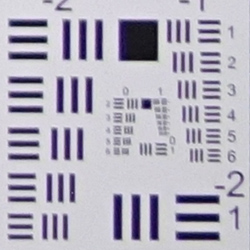
| Wide at f/2.8: Lower right C.A.: Moderately low Softness: Slightly soft |
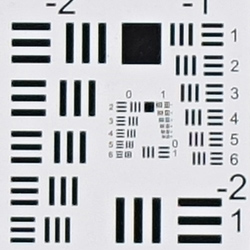
Wide at f/2.8: Center C.A.: Very low Softness: Very sharp |
 |
 |
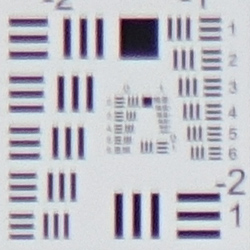
| Tele at f/2.8: Upper left C.A.: Low Softness: Slightly soft, with lower contrast |
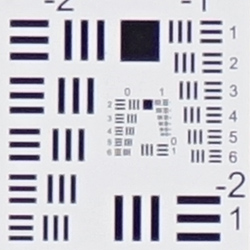
Tele at f/2.8: Center C.A.: Very low Softness: Sharp |
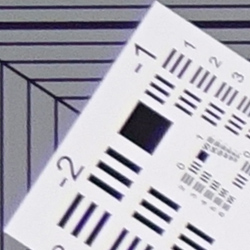
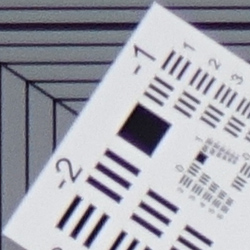
Chromatic Aberration. Lateral chromatic aberration in camera JPEGs is well corrected, with moderately low amounts in the corners at wide angle, and fairly low amounts and telephoto, though you can see that some edge acuity it lost in the corners from suppression particularly at telephoto. The center shows very low levels at both wide angle and telephoto.
Corner Softness. Sharpness and corner performance is generally very good for the type and speed of lens, though our copy appears to have a slightly decentered element or group (unfortunate, but not at all unusual). In our sample, at maximum aperture (f/2.8), the bottom right corner is the softest at wide angle, but as you can see, sharpness is still pretty good, while the center is tack sharp. The blurring does however extend fairly far into the frame from the bottom right. At full telephoto, the upper left corner is the softest, while the center is sharp, though not quite as sharp as maximum wide angle. Note that some of the corner softness is due to strong distortion correction, both geometric and chromatic aberration (see below for uncorrected results).
Vignetting. You can also notice some minor corner shading ("vignetting") from the darker corner crops, though it's pretty mild.
|
Aperture: f/4
|
|
 |
 |
| Wide at f/4: Lower right C.A.: Low Softness: Slightly soft |
Wide at f/4: Center C.A.: Very low Softness: Very sharp |
 |
 |
| Tele at f/4: Upper left C.A.: Low Softness: Slightly soft |
Tele at f/4: Center C.A.: Very low Softness: Sharp |
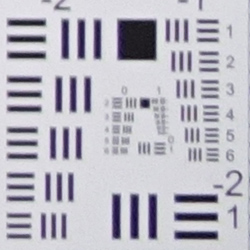
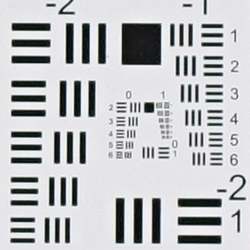
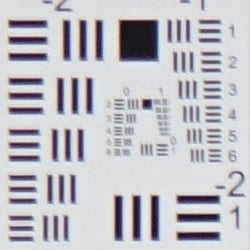
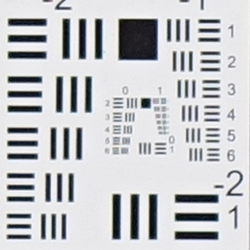
F/4: Interestingly, stopping down to f/4 at wide angle actually produced slightly softer corners on the right-hand-side, though the left corners improved and the center remained tack sharp. Stopping down to f/4 improved sharpness in the corners at full telephoto slightly, while also improving contrast, though the center still isn't quite as sharp as wide angle. Corner shading also improved slightly, as did chromatic aberration.
|
Chromatic Aberration Suppression
|
|
 |
 |
| Wide @ f/2.8: Upper left: Camera JPEG |
Tele @ f/2.8: Upper left: Camera JPEG |
 |
 |
| Wide @ f/2.8: Upper left: Uncorrected RAW |
Tele @ f/2.8: Upper left: Uncorrected RAW |
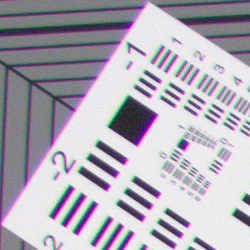
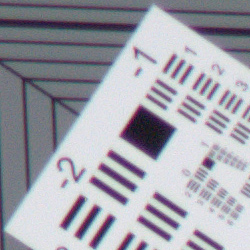
Chromatic Aberration Suppression. As mentioned previously, lateral chromatic aberration in camera JPEGs is well corrected, with low to moderately low amounts at wide angle and telephoto. As you can see from the uncorrected RAW crops (lower set), lateral chromatic aberration is actually quite high and bright at maximum wide angle, and moderately high though not nearly as bright at full telephoto, so the Sony RX10's processor does a good job suppressing most of it in JPEGs.
Overall, very good to excellent performance for a 24-200mm equivalent f/2.8 constant aperture lens.
Sony RX10 Viewfinder
Viewfinder Test Results
Coverage
Excellent accuracy from the electronic viewfinder and LCD monitor.


The Sony RX10's electronic viewfinder and LCD monitor both showed 100% coverage at wide angle and slightly over 100% at full telephoto, which is excellent, especially given the amount of geometric distortion correction being applied.
The images above were taken from our standardized test shots. For a collection of more pictorial photos, see our Sony Cyber-shot DSC-RX10 Photo Gallery .
Exposure
Color
Saturation & Hue Accuracy
Slightly below average saturation levels and hue accuracy.
 |
| In the diagram above, the squares show the original color, and the circles show the color that the camera captured. More saturated colors are located toward the periphery of the graph. Hue changes as you travel around the center. Thus, hue-accurate, highly saturated colors appear as lines radiating from the center. Click for a larger version. |
Saturation. The Sony RX10's mean color saturation at base ISO (106% or 6% oversaturated) is a little lower than average these days (most cameras oversaturate by about 10%), but the camera still produces attractive images. You can of course tweak the saturation setting to your liking, or choose a different color mode. The RX10 pushes strong reds, dark blues, dark greens, purples and browns, but just a little, and it actually undersaturates lighter greens, orange and cyan tones slightly, though yellow and aqua are moderately undersaturated. Most consumer digital cameras produce color that's more highly saturated (more intense) than found in the original subjects. This is simply because most people like their color a bit brighter than life.
Skin tones. Here, the Sony RX10 did well, producing fairly natural-looking Caucasian skin tones that didn't look overly pink or yellow. Where oversaturation is most problematic is on Caucasian skin tones, as it's very easy for these "memory colors" to be seen as too bright, too pink, too yellow, etc.
Hue. The Sony RX10 pushed cyan toward blue, orange toward yellow, and yellow toward green by moderate amounts, but most other shifts were pretty minor. The cyan to blue shift is very common among the digital cameras we test; we think it's a deliberate choice by camera engineers to produce better-looking sky colors, and we don't find the resulting color objectionable. The RX10's handling of yellows and yellow-orange colors is one of its real weaknesses: Yellows are rendered closer to a yellow-green, and significantly undersaturated as well. With a mean "delta-C" color error of 5.87 after correction for saturation at base ISO, overall hue accuracy is a touch below average, but still well within acceptable limits. Hue is "what color" the color is.


Sensor
Exposure and White Balance
Indoors, incandescent lighting
Warm results with Auto white balance setting, slightly warm with Incandescent, good results with Manual. Average exposure compensation required.


Indoors, under normal incandescent lighting, the RX10's Auto white balance setting worked better than many cameras, but it produced moderately warm results in our indoor portrait test. The Incandescent setting was also warm with a slightly yellow tint, but again, better than average. The Manual white balance setting was very good, producing the most accurate color balance, perhaps just slightly on the cool side. The Sony RX10 required +0.3 EV positive exposure compensation here, which is about average. (Our test lighting for this shot is a mixture of 60 and 100 watt household incandescent bulbs, a pretty yellow light source, but a very common one in typical home settings here in the U.S.)
Outdoors, daylight
Very good results under harsh lighting, with good handling of contrast and exposure.
Outdoors, the Sony RX10 performed well. +0.3 EV compensation was required to keep the mannequin's face reasonably bright in our "Sunlit" Portrait shot. The average among the cameras we've tested is +0.7 EV, so the RX10 performed a little better than average here. Note that Dynamic Range Optimization (DRO) was disabled for these shots which tends to brighten shadows. (More on DRO below.) Contrast is a little high, as you might expect under such harsh lighting, but the camera does a very good job of holding onto detail in bright highlights and shadows, even without the help of DRO. Yes, some highlights are blown in the white shirt and flowers, but fewer than most cameras in this class, and shadow detail remains pretty good so overall performance here is actually much better than average for its type. Colors are just a touch cool and muted in our Far-field shot using Auto white balance, though still quite pleasant. Exposure is bang on with very few blown highlights, though some shadows are very deep.
See full set of test images with explanations
See thumbnails of all test images
Resolution
Very high resolution, ~2,200 to ~2,300 lines of strong detail from JPEGs.
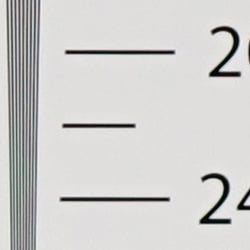
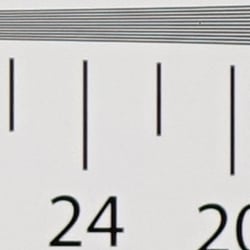
In camera JPEGs of our laboratory resolution chart revealed sharp, distinct line patterns down to about 2,200 lines per picture height in the horizontal direction, and a little more at 2,300 lines in the vertical direction. Some may argue for more, but aliasing artifacts start to interfere at those points. Complete extinction of the pattern didn't occur until about 2,800 to 3,000 lines. Use these numbers to compare with other cameras of similar resolution, or use them to see just what higher resolution can mean in terms of potential detail.
See full set of test images with explanations
See thumbnails of all test images
Sharpness & Detail
Very good detail and sharpness, with fairly minor sharpening artifacts visible around high-contrast elements. Low to moderate levels of noise suppression visible in the shadows and areas of low contrast.


Sharpness. The Sony RX10 captures sharp, detailed images, with only mild edge enhancement artifacts on high-contrast elements such as the sharpening halos seen around the text in the crop above left. Very good results here. Edge enhancement creates the illusion of sharpness by enhancing colors and tones right at the edge of a rapid transition in color or tone.
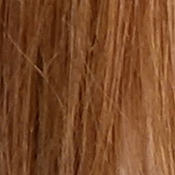
Detail. The crop above right shows good detail with low to moderate levels noise suppression in the darkest areas of the model's hair. Quite a few individual strands are smudged together in areas of low contrast at base ISO, but performance here is actually quite good considering the size and resolution of the sensor. Noise-suppression systems in digital cameras tend to flatten-out detail in areas of subtle contrast. The effects can often be seen in shots of human hair, where the individual strands are lost and an almost "watercolor" look appears.
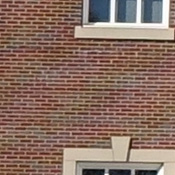
False Colors. We did however notice color moiré patterns in the bricks of the building in our wide angle far-field shot taken at f/4. This is an indication that the Sony RX10's lens is very sharp and the sensor's optical low-pass filter is inadequate to ensure aliasing artifacts like these will be avoided. We only saw hints of aliasing artifacts in a few other RX10 shots, though, so it's likely a pretty minor issue.
Note that we've seen similar false coloration in other cameras, particularly ones with larger sensors that have either a weak or no optical low pass filter. The Sony RX1 is a good example.
ISO & Noise Performance
Class-leading noise vs detail performance.
|
Default High ISO Noise Reduction
|
 |
 |
 |
| ISO 80 | ISO 125 | ISO 200 |
 |
 |
 |
| ISO 400 | ISO 800 | ISO 1600 |
 |
 |
 |
| ISO 3200 | ISO 6400 | ISO 12,800 |
As you'd expect, the Sony RX10's high-ISO performance isn't up to the level of APS-C and Four Thirds sensors, but it's head and shoulders above most if not all current all-in-ones and long-zooms. The camera's high resolution means that the crops above are at a larger scale than those of many cameras you might compare it to, but there's no denying that cameras with larger sensors will beat it in the ISO sweepstakes. When you compare to cameras that the RX10 competes with, though, there really is no comparison. Noise levels are much better than typical all-in-one cameras.
The RX10's images are pretty clean and very detailed at ISOs 80 and 125. ISO 200 shows a bit of softening, but fine detail is still quite good. ISO 400 has more aggressive sharpening applied giving the impression of more detail, but there's a bit less. Still, performance here is very good. ISO 800 is noticeably grainier with more visible sharpening artifacts, but a lot of fine detail remains. ISO 1600 is softer as you'd expect, and the noise pattern starts to take on a crystalline look, but detail is still fairly good given the sensitivity. ISO 3200 isn't too bad , but image quality goes south quickly at ISO 6400 and above, where fine detail all but vanishes with a very mottled look. Chroma noise is well-controlled up to ISO 3200, but the highest ISOs show blotchy clouds of purple and yellow.
Overall, though, excellent high ISO performance for an all-in-one, especially considering the 20MP resolution. As always, check the Print Quality section below to see how well the RX10's images appear in print.


RAW. Interestingly, the RX10's noise performance is not quite as good as the Sony RX100 II's even in RAW files, even though they apparently use the same sensor. As you can see above, the RX10's Adobe Camera Raw converted ARW file (left) is a bit noisier with a coarser "grain" structure than the RX100 II's at the same ISO setting of 3200. (No noise reduction or sharpening was applied in Adobe Camera Raw to either.) Note that ACR version 8.3 was used, with preliminary support for the RX10.
Extremes: Sunlit, dynamic range and low light tests
Very high resolution with good dynamic range for a compact. Good low-light performance, capable of capturing bright images in near darkness. Special modes make it possible to capture low-light images without a tripod.


Sunlight. The Sony RX10 handled the deliberately harsh lighting in the test above very well. It was a tough call between the +0.3 EV and +0.7 EV shot here. The mannequin's face is too dim at default exposure and still just a little dim at +0.3 EV, but +0.7 EV had a few too many blown highlights, so we'd probably go with the +0.3 exposure here.
Contrast is a little high, but highlight detail is excellent, and shadow detail pretty good. Despite the apparent brightness, there are relatively few clipped highlights in the model's face and shirt at +0.3 EV. There were only a few shadows that were completely lost, but if you work too hard to pull up detail, the shadows break apart into discrete levels.
Of course it's best to use fill flash in situations like the one shown above, and better still to shoot in the shade when possible.
| Face Detection | ||
|
 |
 |
| Aperture Priority, 0 EV Face Detection Off |
Aperture Priority, 0 EV Face Detection On |
Portrait Scene Mode, 0 EV |
Face Detection
Like most cameras these days, the Sony RX10 has the ability to detect faces (up to 8 in a scene), and adjust exposure and focus accordingly. As you can see from the examples above, face detection improved exposure with both Aperture Priority at f/5.6, and in Portrait Scene mode where the camera had control over aperture, and automatically applied DRO. Nice.
Because digital cameras are more like slide film than negative film (in that they tend to have a more limited tonal range), we test them in the harshest situations to see how they handle scenes with bright highlights and dark shadows, as well as what kind of sensitivity they have in low light. The shot above is designed to mimic the very harsh, contrasty effect of direct noonday sunlight, a very tough challenge for most digital cameras. (You can read details of this test here. In actual shooting conditions, be sure to use fill flash in situations like the one shown here; it's better to shoot in open shade whenever possible.)
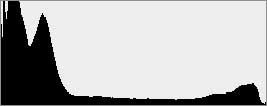
Dynamic Range Optimization is Sony's name for their dynamic range enhancement technology. DRO divides the image into small areas, analyzes the range of brightness of each area, and adjusts the camera's image processing parameters accordingly to make the best use of the available dynamic range. Auto DRO is enabled by default on the Sony RX10. You can also set the level manually, from 1 ("weak") to 5 ("strong"), or turn it off. As one would expect, DRO is only available for JPEG files.
The above thumbnails and histograms show the effects of the various levels of DRO on our "Sunlit" Portrait shot with no exposure compensation. Mouse over the links to load the associated thumbnail and histogram, and click on the links to visit the full resolution image.
As you can see from the thumbnails and associated histograms, DRO had only a slight effect on the highlights in this shot, though few highlights were clipped to begin with at default. The bulk of the difference between different levels of DRO is found in the shadows and darker midtones. The stronger the DRO level, the more boost is applied to darker areas. That usually results in more visible noise in boosted areas of the image, but the RX10 produces images with reasonably low shadow noise for its class, so increased noise wasn't really an issue even at the highest DRO levels.
High Dynamic Range. The Sony RX10's HDR mode takes three images in rapid succession, one nominally exposed , one underexposed, and one overexposed, then combines them into one high dynamic range JPEG automatically. Lighter areas from the underexposed image are combined in-camera with darker areas from the overexposed image to produce an image with increased dynamic range. The overlaid images are micro-aligned by the camera, but it can only correct for so much movement. If it can't micro-align successfully, an icon indicating HDR capture failed will appear. For best results, the subject should be static or there could be "ghost" images, though the RX10 seems to do a good job at avoiding them. There is also a manual mode where you can select 1 EV ("weak") to 6 EV ("strong") difference in exposures.
Mouse over the above links to load the associated thumbnail, and click on the links to visit the full resolution image. As you can see the effect can be quite subtle with little difference between some of the settings, however the Auto setting did a pretty good job at boosting shadows, reducing highlights, while still retaining enough contrast. The RX10's HDR images also remain quite sharp and detailed (apart from any ghosting caused by movement), which isn't always the case with other cameras. As expected, RAW mode is not supported.
| 1 fc 11 lux |
1/2 fc 5.5 lux |
1/4 fc 2.7 lux |
1/8 fc 1.3 lux |
1/16 fc 0.67 lux |
1/16 fc No NR |
|
|---|---|---|---|---|---|---|
| ISO 80 |
 1.6 s f2.8 |
 3.2 s f2.8 |
 6 s f2.8 |
 13 s f2.8 |
 25 s f2.8 |
 25 s f2.8 |
| ISO 125 |
 1.3 s f2.8 |
 2.5 s f2.8 |
 5 s f2.8 |
 10 s f2.8 |
 20 s f2.8 |
 20 s f2.8 |
| ISO 200 |
 0.8 s f2.8 |
 1.6 s f2.8 |
 3.2 s f2.8 |
 6 s f2.8 |
 13 s f2.8 |
 13 s f2.8 |
| ISO 400 |
 0.4 s f2.8 |
 0.8 s f2.8 |
 1.6 s f2.8 |
 3.2 s f2.8 |
 6 s f2.8 |
 6 s f2.8 |
| ISO 800 |
 1/5 s f2.8 |
 0.4 s f2.8 |
 0.8 s f2.8 |
 1.6 s f2.8 |
 3.2 s f2.8 |
 3.2 s f2.8 |
| ISO 1600 |
 1/10 s f2.8 |
 1/5 s f2.8 |
 0.4 s f2.8 |
 0.8 s f2.8 |
 1.6 s f2.8 |
 1.6 s f2.8 |
| ISO 3200 |
 1/20 s f2.8 |
 1/10 s f2.8 |
 1/5 s f2.8 |
 0.4 s f2.8 |
 0.8 s f2.8 |
 0.8 s f2.8 |
| ISO 6400 |
 1/40 s f2.8 |
 1/20 s f2.8 |
 1/10 s f2.8 |
 1/5 s f2.8 |
 0.4 s f2.8 |
 0.4 s f2.8 |
| ISO 12800 |
 1/80 s f2.8 |
 1/40 s f2.8 |
 1/20 s f2.8 |
 1/10 s f2.8 |
 1/5 s f2.8 |
 1/5 s f2.8 |
Low Light. The Sony RX10 performed well in our low light tests, producing bright images down to the lowest light level we test at (1/16 fc) at all ISO settings. Noise is remarkably well-controlled, with essentially zero chroma noise at all but the highest ISOs, and very fine-grained luminance noise that is surprisingly unobtrusive up to ISO 3200.
We didn't see any significant issues with uncorrected hot pixels (except at lower ISOs when long-exposure noise reduction was turned off where you'd expect them), and no signs of banding (pattern noise) or heat blooming.
Auto white balance did a very good job here, producing a fairly neutral, just slightly cool color balance at all ISOs and light levels.
The RX10's AF system was able to focus down to just below the 1/4 foot-candle light level without AF assist enabled, and in complete darkness with the AF assist lamp enabled. Fair results here.
| Multi-Shot Mode (All shots taken at 1 foot-candle) |
|||||||
|---|---|---|---|---|---|---|---|
 0.8 s f2.8 ISO 200 |
 0.4 s f2.8 ISO 400 |
 1/5 s f2.8 ISO 800 |
 1/10 s f2.8 ISO 1600 |
 1/20 s f2.8 ISO 3200 |
 1/40 s f2.8 ISO 6400 |
 1/80 s f2.8 ISO 12800 |
 1/160 s f2.8 ISO 25600 |
Crazy Low Light. In common with their SLR and CSC models, the Sony RX10 goes even further for low-light shooting, taking advantage of its fast multi-shot capability to boost ISO and reduce noise even further. It does this by grabbing multiple shots of a subject in rapid succession, and then micro-aligning and adding or "stacking" them together to produce the final image. The results are shots built from shorter individual exposures that are easy to hand-hold, and significantly reduced noise as a result of the summing procedure. The thumbnails in the table above link to examples of this, captured in the camera's Multi-frame Noise Reduction mode. Noise levels are between 1 and 2 stops lower with Multi-frame Noise Reduction active, however images are a bit softer.
How bright is this? The one foot-candle light level that this test begins at roughly corresponds to the brightness of typical city street-lighting at night. Cameras performing well at that level should be able to snap good-looking photos of street-lit scenes.
NOTE: This low light test is conducted with a stationary subject, and the camera mounted on a sturdy tripod. Most digital cameras will fail miserably when faced with a moving subject in dim lighting. (For example, a child's ballet recital or a holiday pageant in a gymnasium.) Thanks to their larger sensors, compact system cameras like the Sony RX10 tend to do better than point & shoots, but you still shouldn't expect a quick autofocus lock with moving subjects. (A useful trick is to just prop the camera on a convenient surface, and use its self-timer to release the shutter. This avoids any jiggling from your finger pressing the shutter button, and can work quite well when you don't have a tripod handy.)
Output Quality
Print Quality
Good 24 x 36 inch prints at ISO 80/125; a decent 11 x 14 at ISO 1600; a good 4 x 6 at ISO 12,800.
 ISO 80/125 images are good at 24 x 36 inches, with crisp detail for this sensor size. Wall display prints are possible to 30 x 40 inches.
ISO 200 prints are good at 20 x 30 inches, although 24 x 36 inch prints are fine for less critical applications, with only a minor loss in fine detail.
ISO 400 yields a good 16 x 20 inch print, with only minor noise in flatter areas but is otherwise a good print.
ISO 800 prints a 13 x 19 that passes our good standard, but does have some apparent noise in some areas and begins to lose subtle detail and contrast in our red fabric swatch (which is fairly typical for all but some full frame cameras as ISO rises).
ISO 1600 produces an 11 x 14 similar to the 13 x 19 at ISO 800, which is acceptable but still has some noise in flatter areas.
ISO 3200 is where the relatively small sensor for this price range starts to lose ground, and the 8 x 10s here are just too noisy to call good. This is also where we are starting to see strange mottling and blotchiness in areas with noise, likely the result of the RX10's JPEG noise reduction algorithms. 5 x 7s work just fine here.
ISO 6400 also prints a good 5 x 7. All detail is now lost in our red fabric swatch, but colors are still retained throughout the range.
ISO 12,800 yields a good 4 x 6, which is great for this sensor size.
The Sony RX10 does a very good job in the print quality department given the typical constraints of a relatively small sensor. 24 x 36 is a nice, large size for base ISO, equalling all but the higher-end full frame cameras, and the RX10 is generally pleasing all the way to ISO 1600. After that, it takes an odd turn and the noisy areas take on a mottled look, forcing the acceptable print size down to 5 x 7 at that point. This is only relevant if comparing to cameras like the RX100 II, which sports the same size sensor but yields a higher possible print size at many ISO settings. But when comparing to superzooms like the Panasonic FZ200, the RX10 yields far superior print quality results, besting it by 2 to 3 prints sizes at most ISO settings. Given what it can do with its constant aperture zoom range, this camera is basically in a class of its own, and if you stay at ISO 1600 and below we believe you'll likely be pleased with your prints.
The images above were taken from our standardized test shots. For a collection of more pictorial photos, see our Sony Cyber-shot DSC-RX10 Photo Gallery .
Not sure which camera to buy? Let your eyes be the ultimate judge! Visit our Comparometer(tm) to compare images from the Sony Cyber-shot DSC-RX10 with those from other cameras you may be considering. The proof is in the pictures, so let your own eyes decide which you like best!
Performance
Timing and Performance
Generally good to excellent performance in our tests.
| Startup/Shutdown | ||
|---|---|---|
| Power on |
~2 seconds
|
Time it takes to turn on and capture a shot. |
| Shutdown |
~2 seconds
|
How long it takes camera to turn off before you can remove the memory card. |
|
Buffer clearing time |
~18 seconds
(after 21 Large/Extra Fine JPEGs) |
Worst case buffer clearing time. -- This is the delay after a set of shots before you can remove the card. |
|
~12 seconds
(after 22 Large Fine or Standard JPEGs) |
||
|
~7 seconds
(after 10 RAW files) |
||
|
*Note: Buffer clearing times measured with a SanDisk Extreme Pro 95MB/s UHS-1 SDHC card. Slower cards will produce correspondingly slower clearing times. Slow cards may also limit length of bursts in continuous mode. ISO sensitivity and noise reduction settings can also affect cycle times and burst mode performance.
|
||
The Sony RX10 takes about 2 seconds to power on and take a shot. That's slightly faster than average for its class. Shutdown takes about the same at 2 seconds. Buffer clearing times are pretty good for its class, especially considering the buffer depth and its 20-megapixel images.
| Mode Switching | ||
|---|---|---|
| Play to Record, |
~0.6 second
|
Time until first shot is captured. |
| Record to Play |
~2.2 seconds
|
Time to display a large/fine JPEG file immediately after capture. |
| Display |
~0.3 second
|
Time to display a large/fine JPEG file already on the memory card. |
Mode switching performance is pretty good for its class, though Record to Play is a bit sluggish.
| Shutter Response (Lag Time) | ||
|---|---|---|
|
Full Autofocus, |
0.225 second
|
Time from fully pressing shutter button to image capture, with the lens already at the proper focal distance setting, at the wide-angle end of the lens' range. |
|
Full Autofocus, |
0.227 second
|
Time from fully pressing shutter button to image capture, with the lens already at the proper focal distance setting, at the telephoto end of the lens' range |
|
Flash |
0.275 second
|
Using the flash slows the shutter release because the metering pre-flash has to occur before the shutter opens. Compare this number to the Full AF Wide Angle case above. |
| Manual Focus |
0.136 second
|
For most cameras, shutter lag is less in manual focus than autofocus, but usually not as fast as when the camera is "prefocused". |
|
Prefocused |
0.012 second
|
Time to capture, after half-pressing and holding shutter button. |
Looking at the Sony RX10's ability to determine that it's properly focused when shooting the same target multiple times, full autofocus shutter lag is quite fast at 0.225 second at wide angle, and 0.227 second at telephoto. Enabling the flash raises full autofocus shutter lag to 0.275 second, which is still pretty good. Manual focus lag is a very fast 0.136 second, and prefocused shutter lag is 0.012 second, which is incredibly quick.
Autofocus is as fast as most consumer DSLRs, while prefocused shutter lag is much faster.
To minimize the effect of different lens' focusing speed, we test AF-active shutter lag with the lens already set to the correct focal distance.
| Cycle Time (shot to shot) | ||
|---|---|---|
| Single Shot mode |
0.61 second
|
Time per shot, averaged over 20+ shots*. |
|
Single Shot mode |
0.63 second
|
Time per shot, averaged over 20+ shots*. |
|
Single Shot mode |
0.87 second
|
Time per shot, averaged over 20+ shots*. |
| Early shutter |
YES
|
Some cameras don't snap another shot if you release and press the shutter too quickly in Single Shot mode, making "No" the preferred answer. |
|
Continuous mode |
0.33 second (3.08 frames per second);
30 frames total; 15 seconds to clear* |
Time per shot, averaged over 30 shots. |
| Continuous mode |
0.39 second (2.55 frames per second);
21 frames total; 5 seconds to clear* |
Time per shot, averaged over buffer length of 21 frames, then slows to an average of 1.67 fps when buffer is full. |
|
Continuous mode |
0.40 second (2.50 frames per second);
13 frames total; 8 seconds to clear* |
Time per shot, averaged over buffer length of 13 frames, then slows an average of 1.16 fps when buffer is full. |
Speed Priority Continuous mode |
0.10 second (10.0 frames per second); 21 frames total; 18 seconds to clear* |
Time per shot, averaged over 21 shots, then slows to an average 0.93 fps when buffer is full. |
|
Speed Priority Continuous mode |
0.10 second (10.0 frames per second);
22 frames total; 12 seconds to clear* |
Time per shot, averaged over 22 shots, then slows to an average of 1.70 fps when buffer is full. |
|
Speed Priority Continuous mode |
0.10 second (10.0 frames per second);
22 frames total; 12 seconds to clear* |
Time per shot, averaged over 22 shots, then slows to an average of 1.65 fps when buffer is full. |
Speed Priority Continuous mode |
0.15 second (6.52 frames per second); 10 frames total; 7 seconds to clear* |
Time per shot, averaged over 10 shots, then slows to an average of 1.45 fps when buffer is full. |
| Flash Recycling |
3.2 seconds
|
Flash at maximum output. |
|
*Note: Buffer clearing times measured with a SanDisk Extreme Pro 95MB/s UHS-1. Slower cards will produce correspondingly slower clearing times. Slow cards may also limit length of bursts in continuous mode. ISO sensitivity and noise reduction settings can also affect cycle times and burst mode performance.
|
||
Single-shot cycle times are very good for its class, averaging 0.61 second for Large/Extra Fine JPEGs, 0.63 second for RAW and 0.87 second for RAW+ Large/Fine JPEGs.
In standard continuous mode, the RX10 captured 30 Large/Fine JPEG frames at 3.1 frames-per-second, 21 RAW frames at 2.6 fps, and 13 RAW+JPEG frames at 2.5 fps. Continuous AF and AE are available in this mode.
The Sony RX10's Speed Priority continuous mode captures large Standard, Fine or Extra Fine JPEGs at 10.0 fps, though focus is locked at the first frame of a burst in this mode (however exposure is adjusted for each image.) The maximum burst length at that speed was 24 frames for Large/Standard JPEGs, 22 for Large/Fine and 21 for large/Extra Fine JPEGs. Not exactly the unlimited buffer depth we were told at the product briefing with Sony, but still very good. (Note, though, that our target is difficult to compress, so you may be able to shoot longer bursts with typical scenes.) When shooting RAW files, burst speed dropped to 6.52 fps and buffer depth to 10 frames.
Buffer clearing was fast considering buffer depths and resolution, but varied a lot depending on the file type. We measured about 7 seconds after 10 RAW files, 9 seconds after 24 Large/Standard JPEGs, 12 seconds after 22 Large/Fine JPEGs, and 18 seconds after 21 Large/Extra Fine JPEGs. We used a SanDisk 95MB/s UHS-1 flash card and tried a Sony 94MB/s UHS-1 card as well, with no difference in buffer depths and virtually the same clearing times.
The Sony RX10's flash recycles in about 3.2 seconds after a full-power discharge, which is good.
| Download Speed | ||
|---|---|---|
| Windows Computer, USB 2.0 |
24,161 KBytes/sec
|
Typical Values: |
Connected to a computer via USB 2.0, the Sony RX10's download speeds are very fast. We measured 24,161 KBytes/sec. (Note that this test was performed with a SanDisk Extreme Pro 95MB/s SD card: Slower cards would likely show slower transfer times.)
Bottom line, the Sony RX10's performance is generally excellent for a high-resolution all-in-one camera. Autofocus is on par with consumer DSLRs, prefocused shutter lag is very much in the top tier regardless of camera type, single-shot cycle times are very good, and Speed Priority burst mode is faster than most professional SLRs when shooting JPEGs (though the RX10 won't track focus in that mode). Buffer depths are excellent with JPEGs at over 20 frames, though with RAW files frame rate dropped to 6.5 fps and buffer depth dropped to 10 frames, though that's still very good.
Battery
Battery Life
Good battery life for its class when using the LCD monitor.
| Operating Mode | Battery Life |
|---|---|
|
Still Capture,
(CIPA standard, LCD monitor) |
420 shots
|
|
Still Capture,
(CIPA standard, EVF) |
340 shots
|
The Sony RX10 uses a custom rechargeable lithium-ion battery pack for power, and comes with a single battery and AC adapter (charging is in-camera via USB). The battery is CIPA-rated for 420 shots per charge when using the LCD, which includes 50% flash shots. When using the electronic viewfinder, the number of shots per charge drops significantly to 340.
Battery life is respectable, but we do recommend getting a second battery for your RX10 if you plan any extended outings or shoot a lot of video.
The table above shows the number of shots the camera is capable of (on a fully-charged rechargeable battery), based on CIPA battery-life and/or manufacturer standard test conditions.
(Interested readers can find an English translation of the CIPA DC-002 standards document here. (180K PDF document))
Image Quality
The Sony RX10 truly stands in a class by itself -- a premium fixed-lens, long-zoom camera with a constant maximum aperture of f/2.8, a 1-inch-type imaging sensor, and a hefty pricetag. Since the RX10 has no direct competitor, we had to pit it against a wide variety of cameras to help give you a better idea of how unique this bridge camera is, and where exactly it fits among DSLRs, mirrorless models, bridge cameras and enthusiast compacts. And we're glad we did, as we soon discovered that it stacks up surprisingly well against larger-sensored cameras. Is the Sony RX10 a plausible replacement for an SLR or mirrorless camera and expensive, bulky constant-aperture lenses? See for yourself!
Below are crops comparing the Sony RX10's images against those taken with the Canon T5i, Olympus E-M1, Panasonic FZ200, Panasonic GX7 and Sony RX100 II.
NOTE: These images are best quality JPEGs straight out of the camera, at default settings including noise reduction and using the camera's actual base ISO (not extended ISO settings). All cameras in this comparison were shot with our very sharp reference lenses except for fixed lens cameras.
Sony RX10 versus Canon T5i at Base ISO
 |
 |
 |
 |
 |
 |
Sony RX10 at ISO 125 |
Canon T5i at ISO 100 |
This is an interesting lead-off to be sure. The T5i DSLR has a much larger APS-C sensor, while the RX10 has roughly two megapixels more resolution. Surprisingly, it's a very close race here overall, with the RX10 managing a bit more fine detail in the mosaic tiles and both fabric swatches, despite its apparent limitations. |
|
Sony RX10 versus Olympus E-M1 at Base ISO
|
 |
|
 |
|
 |
Sony RX10 at ISO 125 |
Olympus E-M1 at ISO 200 |
The E-M1 is the most expensive camera in these comparisons, and the only camera body priced higher than the RX10. Add in excellent lenses covering the same focal length and aperture range, and the Olympus mirrorless system camera could cost twice or three times as much as the Sony. In this direct comparison at base ISOs, the E-M1 fares slightly better with detail in the mosaic tiles and the pink fabric swatch, but the RX10 is a bit better in the red fabric swatch. |
|
Sony RX10 versus Panasonic FZ200 at Base ISO
|
 |
|
 |
|
 |
Sony RX10 at ISO 125 |
Panasonic FZ200 at ISO 100 |
At first blush, the FZ200 may seem like the closest approximation to the RX10. After all, it's a fixed-lens zoom with a constant f/2.8 max aperture. However, the FZ200's sensor is considerably smaller, and the camera costs about a third as much as the RX10. As is obvious in these comparison crops, the RX10 outperforms the FZ200 in terms of image quality across the board at base ISO. In a moment, we'll see if it fares even better as sensitivity rises. |
|
Sony RX10 versus Panasonic GX7 at Base ISO
|
 |
|
 |
|
 |
Sony RX10 at ISO 125 |
Panasonic GX7 at ISO 200 |
Flipping the scales, the GX7 compact system camera sports a larger Micro Four Thirds sensor than the RX10, and about four fewer megapixels in resolution. However, the two cameras stand quite close to each other in price, once you add on the cost of a decent zoom lens to the GX7 (although once again f/2.8 zooms covering the same range would be much more expensive.) Here, at base ISO, image quality between the two is very similar, although the RX10 does a slightly better job at resolving detail in the fabric swatches. Read on below to see if higher ISOs alter the playing field in this comparison. |
|
Sony RX10 versus Sony RX100 II at Base ISO
|
 |
|
 |
|
 |
Sony RX10 at ISO 125 |
Sony RX100 II at ISO 160 |
We saved the best comparison for last (if only for alphabetical reasons), as many of you will want to know just how this new big brother compares to the highly touted RX100 II, given that each camera sports the same sensor. Here at base ISO, each performs quite admirably in the first two crops, while the RX10 does a much better job at resolving detail in the fabrics. (Is this camera made for interior decorators, or what?) |
|
Most digital SLRs and CSCs will produce an excellent ISO 100 shot, so we like to push them and see what they can do compared to other cameras at ISO 1600, 3200, and 6400. Recent advances in sensor technology have made ISO 1600 look a lot more like ISO 100, but there are still cameras whose quality starts to fall apart at this setting, especially those with smaller sensors, so this is where the real fun begins.
Sony RX10 versus Canon T5i at ISO 1600
 |
 |
 |
 |
 |
 |
Sony RX10 at ISO 1600 |
Canon T5i at ISO 1600 |
Given the much larger APS-C sensor of the T5i, it's remarkable that the RX10 holds up as well as it does at a higher sensitivity. The T5i wins the battle for fine detail in the bottle crop and mosaic, but it's a lot closer race than we would have predicted based on sensor size alone. Perhaps with the RX10 you can finally get a fixed-lens zoom camera that delivers the performance of a decent DSLR, but without having to buy multiple lenses? |
|
Sony RX10 versus Olympus E-M1 at ISO 1600
|
 |
|
 |
|
 |
Sony RX10 at ISO 1600 |
Olympus E-M1 at ISO 1600 |
Though the E-M1 is rather aggressive with its default sharpening algorithms, those combined with its larger sensor produce superior images at ISO 1600, compared to the smaller-sensored RX10. Expect this separation to increase as sensitivity climbs. |
|
Sony RX10 versus Panasonic FZ200 at ISO 1600
|
 |
|
 |
|
 |
Sony RX10 at ISO 1600 |
Panasonic FZ200 at ISO 1600 |
This is where the RX10 shows the world that it stands in its own class, as the FZ200 just doesn't have enough sensor area to compete at higher sensitivities. The RX10 with its 1-inch backlit illuminated sensor produces far superior results at ISO 1600. (The FZ200's much lower price point does deserve mentioning here again, though.) |
|
Sony RX10 versus Panasonic GX7 at ISO 1600
|
 |
|
 |
|
 |
Sony RX10 at ISO 1600 |
Panasonic GX7 at ISO 1600 |
As expected, the larger Micro Four Thirds sensor on the GX7 holds down noise levels, which in turn allows for much less aggressive noise reduction processing. The result is better resolving of subtle detail in the bottle label, and lower image noise in the background shadows. |
|
Sony RX10 versus Sony RX100 II at ISO 1600
|
 |
|
 |
|
 |
Sony RX10 at ISO 1600 |
Sony RX100 II at ISO 1600 |
The sibling rivalry continues here. The results here are almost identical, save for minor variations in detail and noise. Not unexpected, given that the RX10 and RX100 II both use the same sensor, but the processor in the RX10 is much more powerful. It'll be interesting to see how this difference plays out at even higher ISOs. |
|
Today's ISO 3200 is yesterday's ISO 1600 (well, almost), so below are the same crops at ISO 3200.
Sony RX10 versus Canon T5i at ISO 3200
 |
 |
 |
 |
 |
 |
Sony RX10 at ISO 3200 |
Canon T5i at ISO 3200 |
The RX10 pulls off a bit of a magic act here, coming very close to performing like an APS-C camera shot with a sharp reference lens at ISO 3200. Yes, the T5i again does somewhat better with fine detail and lower noise in the background, but the difference isn't nearly what we'd expect, considering the difference in sensor size. The Sony RX10's noise reduction and JPEG processing is simply exceptional. |
|
Sony RX10 versus Olympus E-M1 at ISO 3200
|
 |
|
 |
|
 |
Sony RX10 at ISO 3200 |
Olympus E-M1 at ISO 3200 |
Here again, fairly aggressive sharpening is apparent in the E-M1 at its default noise reduction settings, but even with the sharpening artifacts, it still produces noticeably better image quality here. |
|
Sony RX10 versus Panasonic FZ200 at ISO 3200
|
 |
|
 |
|
 |
Sony RX10 at ISO 3200 |
Panasonic FZ200 at ISO 3200 |
With a 1/2.3-inch sensor, the FZ200 simply can't match the RX10's results, with the differences here at ISO 3200 even more profound than before. The FZ200 loses the ability to produce even a decently detailed image at this relatively high ISO, again making the RX10 a more interesting proposition for those looking for the best all-in-one camera, and having the budget to afford the RX10. |
|
Sony RX10 versus Panasonic GX7 at ISO 3200
|
 |
|
 |
|
 |
Sony RX10 at ISO 3200 |
Panasonic GX7 at ISO 3200 |
The GX7 continues to outperform the RX10 in resolving fine detail as ISO rises. Remember, though, that even though the GX7 body costs a few hundred dollars less than the RX10, the Sony still gives you something that will cost a ton more to add to the Panasonic -- a sharp, bright 24-200mm equivalent f/2.8 zoom lens. |
|
Sony RX10 versus Sony RX100 II at ISO 3200
|
 |
|
 |
|
 |
Sony RX10 at ISO 3200 |
Sony RX100 II at ISO 3200 |
Once again these two siblings go stride for stride in most respects, although the RX100 II does demonstrate quite a bit less noise in our bottle crop than the RX10. We're frankly surprised by this result. We'd really been expecting to see the RX10 pull ahead, thanks to its more powerful BIONZ X processor. However as it turns out, raw data from the RX10's sensor appears to be a little noisier. |
|
Detail: Sony RX10 vs. Canon T5i, Olympus E-M1, Panasonic FZ200, Panasonic GX7 and Sony RX100 II
 |
 |
 |
 |
 |
 |
 |
 |
 |
 |
 |
 |
 |
 |
 |
 |
 |
 |
| Sony RX10 ISO 125 ISO 3200 ISO 6400 |
Canon T5i ISO 100 ISO 3200 ISO 6400 |
Olympus E-M1 ISO 200 ISO 3200 ISO 6400 |
Panasonic FZ200 ISO 100 ISO 3200 ISO 6400 |
Panasonic GX7 ISO 200 ISO 3200 ISO 6400 |
Sony RX100 II ISO 160 ISO 3200 ISO 6400 |
Detail comparison. For fine, high-contrast detail, looking at the above text allows us to really read between the lines, so to speak. For the past few years Olympus cameras have tended to all but dominate this table, as the E-M1 certainly does here. And all the cameras in our comparison except the FZ200 look sharp at base ISO, but by ISO 3200 and again at ISO 6400, only the E-M1 and GX7 are able to resolve the lines in the lettering with any semblance of real detail. Take particular interest in these comparisons if you crave fine detail in mid- to low-light settings and need the better light gathering power of a larger sensor (though somehow the largest-sensored camera here, the T5i, doesn't do well when pitted against the E-M1 and GX7). Meanwhile, the Sony RX10 shows fine detail at lower ISOs, but loses some of its magic at ISO 3200 and 6400 when compared to the interchangeable-lens models. We again feel compelled to point out how much more expensive and bulky it would be to equip any of the interchangeable-lens bodies with lenses covering a 24-200mm equivalent zoom range at f/2.8. |
|||||
What we find interesting about these comparisons is just how well the Sony RX10 stands up to SLRs and mirrorless cameras with larger sensors. As you'd expect, it does extremely well at low ISOs, where sensor size is less of a factor. It clearly loses some ground at ISOs of 1,600 and above, but it's important to note that we're pixel-peeping pretty hard here, looking at images from a 20-megapixel camera 1:1 on-screen. Let's take a look at how it does in print:
Sony RX10 Review -- Print Quality
Good 24 x 36 inch prints at ISO 80/125; a decent 11 x 14 at ISO 1600; a good 4 x 6 at ISO 12,800.
ISO 80/125 images are good at 24 x 36 inches, with crisp detail for this sensor size. Wall display prints are possible to 30 x 40 inches.
ISO 200 prints are good at 20 x 30 inches, although 24 x 36 inch prints are fine for less critical applications, with only a minor loss in fine detail.
ISO 400 yields a good 16 x 20 inch print, with only minor noise in flatter areas, and is otherwise a good print.
ISO 800 prints a 13 x 19 that passes our 'good' standard, but does have some apparent noise in some areas and begins to lose contrast detail in our red fabric swatch. That's fairly typical for all but some full frame cameras as sensitivity rises.
ISO 1600 produces an 11 x 14 similar to the ISO 800 print at 13 x 19, which is acceptable but still has some noise in flatter areas.
ISO 3200 is where the relatively small sensor for this price range starts to lose ground, and the 8 x 10s here are just too noisy to call good. This is also where we are starting to see strange mottling and blotchiness in areas with noise, likely the result of the RX10's JPEG noise reduction algorithms. 5 x 7s work just fine here.
ISO 6400 also prints a good 5 x 7. All contrast detail is now lost in our red fabric swatch, but colors are still retained throughout the range.
ISO 12,800 yields a good 4 x 6, which is great for this sensor size.
The Sony RX10 does a good job in the print quality department, given the typical constraints of a relatively small sensor for this price range. 24 x 36 is a nice, large size for base ISO, equalling all but the higher-end full frame cameras, and the RX10 is generally pleasing all the way to ISO 1600. After that, it takes an odd turn and the noisy areas take on a mottled look, forcing the acceptable print size down to 5 x 7 at that point. This is only relevant if comparing to cameras like the RX100 II, which sports the same size sensor but yields a higher possible print size at many ISO settings. But if comparing to superzooms like the Panasonic FZ200, the RX10 yields far superior print quality results, besting it by 2 to 3 prints sizes at most ISO settings. Given what it can do with its constant aperture and generous zoom range, this camera is basically in a class of its own, and if you stay at ISO 1600 and below you'll likely be pleased with your prints.
Field Test

The Sony RX10 is radically different to anything else on the market, but the pairing of a bridge camera design, a really great lens, and a larger-than-average sensor (by point-and-shoot camera standards, anyway) makes a whole lot of sense.
The RX10 foreshadowed. When Sony announced its RX100 compact camera -- spiritual forebear of the RX10 -- in the middle of last year, I was thrilled -- and I was among the first to rush out, credit card in hand, to buy one for myself. The RX100 answered what seemed to me to be an obvious need for some middle ground between point-and-shoot cameras with the image quality you'd expect of a postage stamp-sized sensor, and mirrorless or SLR cameras with the bulk you'd expect from a large sensor.
My RX100 wasn't intended to replace the latter -- and you'll still have to work hard to pry my SLR from my cold, dead hands -- but its combination of significantly better image quality than the typical point-and-shoot and a much more compact body than an interchangeable-lens camera made huge sense to me. It's gone on to become my go-to camera, with my cellphone relegated to throw-away snapshots, and my SLR to carefully-planned, you'll-never-have-another-chance photo opportunities.
Why do I shoot with the RX100 so much? I have a four-year old son, and since his birth, travel -- whether it's halfway around the world, or just a few miles down the road -- has become much more of an event. My smartphone doesn't provide satisfactory image quality for my keeper shots, but at the same time, my heavy, bulky camera gear now invariably has to be left at home in favor of a more compact, portable option.
And doubly so when traveling overseas. Everything required to occupy (and care for) my son takes up most of the carry-on space, and I'm hesitant to send my expensive camera gear for a dropkick ride in the cargo hold. (I have family who worked in the airline industry, so I know very well just what my checked bags -- and their contents -- go through.)
Answer to the RX100's shortcomings. Much as I loved my RX100, though, I longed for a little more in the lens department. The Sony RX10 answers that need in spades, providing a spectacular lens that gives far more zoom reach and a bright f/2.8 constant aperture across the whole zoom range. When I first heard that the RX10 was on the way, I was both excited, and a little worried. Could Sony put the ball out of the park again? It seemed a tall order, and I was especially concerned about the RX10's size and price.
 |
I shot the Cyber-shot RX10 alongside Sony's full-frame Alpha A7 and A7R for a week, on a press trip in Nashville, Tennessee, and I've used it for a couple of weeks since. It rapidly became my go-to camera, getting great shots I'd have missed while fumbling with lens changes if shooting with a DSLR or mirrorless camera. It's also smaller and less expensive than either, once you include similar optics. |
Would size be an issue? When I finally got my hands on the RX10 at a Sony press event in Nashville, Tennessee a couple of weeks later, my concerns about the size were redoubled, but only briefly. This is a much bigger camera than the RX100, certainly, and initially I found that a little offputting. But then, I sat down and thought carefully about what I'd need to provide similar coverage and a constant f/2.8 maximum aperture with an interchangeable-lens camera.
The answer was pretty clear: I'd need at least a couple of lenses just to match the Sony RX10's coverage, and that's even before I considered trying to account for the bright, constant-aperture design of its lens. No matter which mirrorless mount I chose, I couldn't find one that could compete with the Sony RX10 on size and convenience, let alone would an SLR manage to do so.

I had high hopes for the RX10's image quality, having seen what the RX100 II -- with which it shares an image sensor -- is capable of. It didn't disappoint, turning in great results in all manner of different shooting situations.
The turn-to camera. Once I got out and started shooting with the RX10, my impression that its size wasn't really an issue was reinforced. For most of the next week, I shot the RX10 alongside Sony's full-frame A7 and A7R mirrorless cameras side-by-side, and quickly found it becoming my favorite of the trio. I've since shot the RX10 by itself for a couple more weeks, and my love for it has only grown.
Incidentally, my rapidly-forming positive opinion of the RX10 was mirrored by what I heard from more than a few of my fellow journalists at Sony's press event. Sure, the larger sensors of the other cameras were nice, but there was definitely something to be said for having plenty of zoom reach -- not to mention some handy macro performance -- on tap, without having to constantly switch lenses back and forth. And the RX10's huge, crisp viewfinder was inviting indeed.
The image quality of the RX10, also, was more than sufficient for the majority of my photos. And even if I'm not really a movie guy, per se, it didn't hurt that the RX10 had great video chops as well.
The RX10 in-hand. But I'm getting ahead of myself. Let's return, for a moment, to how the RX10 handles.
Not surprisingly, given its greater size than my RX100, the Sony RX10 is pretty comfortable in-hand. Its large lens coupled with a relatively narrow grip meant that it wasn't terribly conducive to single-handed shooting -- the center of gravity is just too far from the grip for that -- but shooting two-handed was a delight. And with this style of camera, with zoom / focus and aperture rings around the lens barrel, I'd really want to shoot two-handed anyway. Occasional shots single-handed were no problem, certainly.
Tilting display. The tilting LCD display -- not a feature of my RX100 -- was great for shooting over my head, or low to the ground. It's a shame that it doesn't help out with portrait-orientation shots, though, and for that reason I would have preferred a side-mounted tilt-swivel screen, even if it cost a little more.
 |
With default settings, colors were a little muted compared to typical point-and-shoot cameras, but I think the Sony RX10's target customer will likely prefer this to blown-out, garish colors. (And not only is there a lot of scope for tuning this to your taste in camera -- you can also shoot raw for total control.) |
Gorgeous viewfinder. When I wasn't framing from a challenging angle, I shot almost exclusively with the electronic viewfinder, which is very inviting indeed. It's not quite as high-res as that in the Alpha 7, but it's certainly more than sufficient in terms of sharpness and resolution, and it's sharp right out into the corners, as well.
Perhaps more importantly, it compares well even to my APS-C SLR, with a large, bright view and relatively minimal lag. Add in the benefits of being able to see info overlays, exposure, white balance, and even menus without taking my eye from the viewfinder, and even I -- someone who has long favored a prism-based TTL viewfinder -- am pretty much sold on the merits of the EVF.

With a smaller sensor than a DSLR and most-all mirrorless cameras, the Sony RX10 doesn't provide quite as much scope for shallow depth-of-field effects, but it also outperforms its bridge camera competitors with their smaller sensors handily. (And the bokeh is buttery-smooth.)
And for bonus points, it projects a good way from the rear of the camera, so I don't feel I have to smoosh my nose against the screen to see anything.
Split personality zoom. Initially, I found the presence of two zoom controls -- the ring around the lens, and the rocker around the shutter button -- a little confusing. I quickly realized the reason for this, however: there's no dedicated manual focus ring, and so the zoom ring takes over this action when manual focus is enabled. That means a backup control is needed for the zoom, and so the rocker makes perfect sense.
There's not really room to comfortably accommodate another ring around the lens, and I don't think I'd want to sacrifice the aperture ring to gain a dedicated manual focus ring, as I control aperture manually much more than I focus manually.
Lens rings. Both rings are fly-by-wire types, and while I'd have preferred to have had a direct, mechanical connection, they were reasonably responsive. The zoom ring allows very small, accurate adjustments -- much more so than I could achieve with its rocker control -- but I did find myself wishing the drive mechanism was faster, and could better keep up with swift turns of the ring. (There's a step zoom function, but this doesn't increase speed, just steps the zoom to certain predefined focal lengths instead of zooming smoothly.)
The aperture ring was interesting to me for another reason: the small switch on the base of the lens which is used to enable or disable its click detents when the ring is turned. I'm not used to seeing controls placed on the underside of the lens barrel, and so it took me quite a while to find this. (In part, perhaps, because my RX100 has conditioned me to expect a smooth, clickless ring on RX-series cameras, as that on my RX10 was when I took it out of the box.) On the plus side, it's very unlikely to get accidentally bumped in this location.
The optional click. I was thrilled once I finally found the switch, and was able to provide the click stops that my RX100 lacks. That little bit of tactile feedback makes a world of difference to me. But why, then, provide a click-free option? The answer is for video shooting, where the clicks wreck the audio portion of your movie, and make it hard not to shake the camera, to boot.
 |
The RX10 also betters the typical bridge camera in terms of autofocus performance, responding much like a DSLR in this regard, even though it lacks a phase-detection sensor, and so has to rely on contrast-detection. And if you focus manually, shutter lag is actually less than most consumer DSLRs. |
Sadly, the stepless ring isn't accompanied by a stepless aperture -- peek in the front of the lens as you turn the ring, and you can still see that the aperture diaphragm still stops down in measured steps. The RX10 does do a reasonably good job of minimizing steps in brightness as you turn the ring, though, and for consumer use it's likely good enough to make playing with depth-of-field effects in video enjoyable.
Weather sealing. (!) Another nice surprise came when I took a closer look at the RX10's specifications. I hadn't realized this at launch, but the RX10 is environmentally sealed against dust and moisture, both on body seams and controls. We've not seen the degree of sealing stated in the US market, but overseas, the camera has been described as "splash and dustproof", suggesting that you shouldn't have to worry too much about a little light rain.

Burst performance was also quite good, although it slows significantly when raw files are needed, which describes most of my shooting. Still, it helped me get some nice shots of the extremely energetic and vivacious Leah Turner, an up-and-coming country singer, in the recording studio.
Occasionally imperfect. There were only a few things I'd like to see changed about the Sony RX10's body. Perhaps the most significant of these was its upper rear dial, which is presented end-on, just barely protruding from the body. It's sandwiched top and bottom by slight bulges in the camera body, and this coupled with shallow knurling made it a bit awkward to turn with the pad of my thumb. The problem wasn't helped by the texturing on the camera body, which made it hard to differentiate whether or not the dial had even turned, unless I paid attention to the value for the setting I was adjusting in the display or viewfinder.
My impression of the upper dial, incidentally, wasn't helped by the fact that there was noticeable panel flex / creak around this point on the RX10's body. Albeit slight, it was the only place in which I noticed this, and it detracted a bit from what otherwise seemed like a pretty bullet-proof body.
A mind of its own? The lower dial, which sits side-on in a ring around the OK button, and doubles as a clickable four-way controller, was also the source of a little early frustration for another reason. This dial turns smoothly and easily, but perhaps a little too easily. It defaults to ISO sensitivity control in most modes, and it took me a little while to realize why the sensitivity kept changing on me seemingly at random, until I realized that my shirt buttons were turning the dial as the camera swung around my neck.
A quick visit to the menu system, and I simply disabled the dial altogether, but a slightly stronger click detent on the dial would have obviated the need to do so (and to lose a valuable external control in the process.)
Just a few times, I found that the exposure compensation dial -- which has a relatively mild detent -- had gotten turned by mistake, as well. It only happed perhaps three or four times in several weeks of shooting, though, so I don't consider it to be a huge issue. I just made sure to glance at exposure compensation a little more often than I normally would.
 |
White balance was pretty good for the most part, although indoors and under street lighting it often tended a little on the warm side with a bit of a yellow cast. Of course, you can always shoot raw, and then fine-tune the color to your heart's content after the fact, without affecting image quality. |
Plenty to love. Otherwise, though, I really loved the body. Controls were in just the right places, and comfortably within reach -- mostly, without even needing to adjust my grip. The menu system was straightforward, and mostly pretty logical. The addition of hints as to why features are disabled when you can't access them (and how to fix the problem) is great, and helped me to become familiar with the camera much more quickly.
Bright, clear monitor. I've already mentioned the Sony RX10's viewfinder, but I should note that its main, tilting LCD is also great. It combines high resolution with Sony's WhiteMagic technology, and just like that on my RX100, it's very visible even on a bright, sunny day, with minimal glare and reflections. It's also surprisingly resistant to fingerprints and smudges, and those which manage to adhere are easily wiped off with a lens cloth.


Handy status display. The top-deck LCD info display is a great touch, too. I actually didn't use it as often as I expected to, and as I would with my SLR cameras, perhaps because there's so much info already available through the electronic viewfinder. It was great for checking basic setup at a glance, though, and the backlight design is very thoughtful. (There's a small button next to the display, used to enable and disable the backlight, and its not-too-bright orange color didn't disturb my night vision as some info LCD backlights can.)
The menu delay. Performance was, for the most part, excellent. There was one thing, though, which I found quite frustrating. (And I'm probably more sensitive to it than most photographers, because I take lots of bracketed raw+JPEG sequences which take a while to write to the flash card.) For some reason, the Sony RX10's menu system takes a second or two to come back to life after each burst of shots. More frustratingly, when it does finally appear, quite a few menu options are grayed out for a further second or two. (And there seems to be no rhyme or reason to which these grayed-out items are.)

I enjoyed shooting with Sony's full-frame Alpha A7 and A7R, but for my money the DSC-RX10 was even more fun, and much more approachable. Pros and serious enthusiasts will want the Alphas' full-frame sensor, but for consumers and size-conscious enthusiasts, a more portable camera+lens package like the RX10 makes a lot more sense than an interchangeable-lens camera.
It strikes me that the menu system likely takes very little processor time to render and display, and that the same is likely true of changing an individual setting. The fact that you have to wait around for this to happen can make the camera feel sluggish when it really isn't, and I'd like to see Sony address this with a firmware update. Simply allowing all settings to be accessed while your images write to the flash card would let the photographer get on with the job of setting up for their next shot while they wait for the buffer to clear, and reinforce the impression of a high-performance device.
Otherwise, a swift performer. And that, if you ignore this menu system quirk, is how the camera largely feels in other respects. It starts up reasonably swiftly, considering that the lens must be extended an inch or so at power-on. Autofocus is swift and reliable, and worked confidently for me even under relatively dim street lighting on a dark night. (In fact, in terms of AF performance, I'd describe the Sony RX10 as SLR-like, which is impressive for a contrast-detect based camera. And burst performance is reasonable, too. In fact, if you're willing to lock focus from the first frame, you'll get a full ten frames per second in JPEG mode, although for me with my raw shooting, that fell to a bit over six fps.
On-camera flash. I don't use on-camera flash particularly often, as I find it harsh and unflattering, and prefer to use an external strobe or a higher ISO sensitivity for a more natural look. Sadly, I didn't have access to any of Sony's external strobes in my time with the RX10, and so didn't get to give off-camera flash a spin. The internal strobe certainly seemed up to the job, though, with pretty good range for its size, and throttling down well for macro subjects. I was concerned about the lens shading the strobe, but in actual fact this wasn't a concern until I got very close to my subject at wide-angle. Shooting at telephoto, I could frame almost as tightly (and with less distortion, to boot), yet the flash wasn't blocked by the lens even at its closest focus.
Fun with macros. And man, could I ever focus close with the Sony RX10. I was surprised by just how small an area was covered, especially at wide-angle if I didn't need artificial light on my subject, and didn't mind a bit of distortion. OK, many point-and-shoot cameras will manage a smaller macro, but they don't typically do so without needing to enable a macro mode. And with an SLR or mirrorless camera, you'd be looking at buying a macro lens to get closer than the RX10 will. With the RX10, though, you can frame an area of around three by two inches at wide angle straight out of the box, and not a whole lot larger at telephoto.

Great image quality. Overall, I was quite impressed with the RX10's lens and sensor pairing, especially in Sony's corrected JPEG output. Not surprisingly, uncorrected raw files show quite a bit of distortion and chromatic aberration, but out-of-camera JPEGs at lower ISOs had lots of sharp detail, and controlled the lens defects well. Color was pleasing, and white balance mostly accurate, although it tended a bit warm under indoor lighting, and struggled to compensate for street lighting, with quite a yellow cast. (But then, that's not exactly rare.)
Noise levels. Compared to my RX100, noise at higher ISO sensitivities seemed -- not stronger, but less even and blotchier. Partly, it was likely down to differences in noise processing, but interestingly our lab testing also showed slightly higher noise in raw files compared to the follow-up RX100 II, with which we understand the RX10 to share its image sensor.
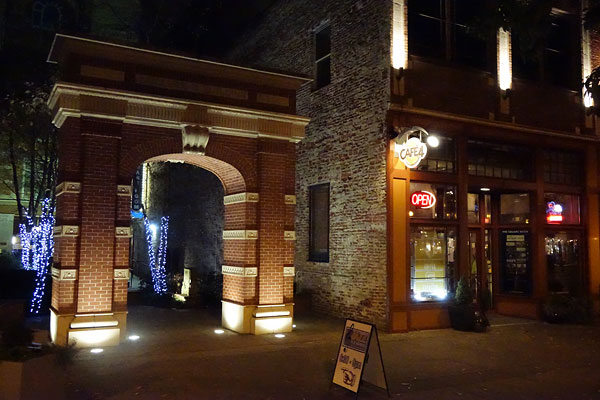
The difference isn't night and day, though, and the bright f/2.8 maximum aperture across the zoom range means you'll be needing those higher ISO sensitivities less than you would with many bridge cameras in the first place. Not to mention that, while larger SLRs and mirrorless cameras with their larger sensors will better the RX10 in terms of noise performance, its bridge camera competitors all have much smaller sensors, and the RX10 will simply trounce them in terms of noise performance. (Of course, it also costs a lot more than the typical bridge camera.)

Here's another shot at the highest sensitivity. It has a bit of a watercolor-esque look viewed 1:1, but again, there's quite a bit of detail left. The metering system nailed the exposure, producing a result much as I remembered the scene.
Wireless connectivity. The Sony RX10 includes built-in Wi-Fi and NFC wireless networking connectivity, allowing you to shoot remotely, and to transfer data from camera to smart device without a cable. The function work for both stills and movies, but with greater limitations for the latter. It's potentially useful when you want to distance yourself from your subject at least somewhat, although I had some issues with its functionality.
In my testing, I didn't have access to an iPhone, but I attempted to use Wi-Fi and NFC with two Android devices: an HTC One X+ smartphone (International edition), and a Google Nexus 10 tablet. NFC worked just fine on both devices, launching the PlayMemories app automatically, or prompting to install it (and calling it up in the Google Play store) if it wasn't already installed. The NFC functionality also triggered a Wi-Fi connection to be established automatically. So far, so good -- very simple indeed. (Sadly, Apple users can't take advantage of this simplicity, because Apple products don't include NFC.)
From this point on, things got rather spottier, though. My HTC One X+, which works fine on Wi-Fi with every other network and device -- including cameras -- which I've tried was never once able to connect to the RX10, showing an interminable "Connecting" message. My Google Nexus 10 tablet connected just fine, but the connection was quite flaky, with a range of just 10 or 12 feet, and never working beyond line of sight. Even when side-by-side with the camera, the connection also regularly dropped out altogether, or connected fine (as confirmed by the working live view feed), but showed an animated, circular "busy" symbol at the center of the screen that never went away, preventing any of the cintrols from being used.
When it did work -- which unfortunately, was perhaps only two thirds of the time -- the live view feed was extremely quick, with perhaps a quarter-second of lag or less. Resolution was fair -- certainly nowhere near that of the Nexus 10 tablet, but sufficient to judge focus. And the controls, albeit basic, worked well too. Zoom was responsive and could be racked simply by holding my finger on the on-screen soft button, and lag before starting or stopping movie capture was minimal.
Unfortunately, settings control is extremely basic indeed, which robs the feature of some versatility. Beyond the optical zoom and shutter, few functions can be controlled remotely. Images and movies are shot with Program autoexposure, and all on-camera controls are ignored -- including even the focus mode and exposure compensation controls. There is no way to select a subject for focus, to focus manually or in single-servo mode, or to adjust the exposure level. All you can do is change the zoom position trip the shutter, start or stop movie capture, and for still images only, enable self-timer and flash.
Equally frustrating is that the data you've just captured isn't transferred to the smart device automatically. You have to disconnect the devices and then reconnect before you can transfer any data between them, and even then, you can't transfer raw images or AVCHD movies. Only JPEG or MPEG-4 movie transfer is available, and that rules out access to Full HD movies from your smart device, since these can only be shot as AVCHD. Hence you can only view and share Anamorphic HD (1,440 x 1,080 rectangular pixel; 16:9 aspect) and standard-def VGA (640 x 480 pixel) movies from your smart device.
You can, at least, select single or multiple files for transfer, from either the camera or smart device. There's no way to preview information about movies before transfer, though -- all you get is a thumbnail and a filename from which to make your transfer decisions. And I found transfer to be fairly slow, taking around 25-30 seconds to send a single, 45-second, Anamorphic HD MPEG-4 movie of around 63MB. This may explain why AVCHD transfer isn't possible at all.
I should also note at this point that my testing was done in a relatively quiet Wi-Fi environment, with only four visible networks other than the camera -- and three of these only showing a weak signal. Hence, I wouldn't expect issues with Wi-Fi dropouts and transfer rates, and nor do I see them with other devices. The tablet was also set to hold a Wi-Fi connection even when asleep, to choose Wi-Fi frequency bands automatically, and not to minimize power usage when Wi-Fi is active.
Still, even if it's limited in its feature set, the presence of Wi-Fi remote control and transfer at all is a nice touch, and it's quite possible that updates to the camera's firmware and to Sony's PlayMemories Home app on Android could resolve some of my issues. The iOS app may also perform better, although I didn't have the chance to test this.
Surprisingly good video camera. I'm not much of a movie shooter myself, as I don't have the mindset for video editing, and simple single-perspective video clips aren't the most exciting. Still, the Sony RX10 has some seriously impressive video chops. We'll have a video page shortly explaining this in more detail, but in a nutshell there are a few things to know: It's significantly less prone to moire and false color than most other video-capable still cameras, even interchangeable-lens models that cost a lot more. The RX10 also offers a built-in ND filter to help you tame too-fast shutter speeds, external mic and headphone connectivity, levels display and fine-grained levels control, and the (optionally) smooth-turning aperture ring I mentioned earlier. Throw in full-time autofocus to keep the consumer videographers happy, and the RX10 makes for quite a video camera.
But what about the price? Does it merit its pricetag? If you ask me, the answer is yes, and if I had the money available right now I'd probably pick one up myself. (Unfortunately, I don't -- but chances are I'll be buying an RX10 of my own, sooner or later.)
There really is nothing comparable to it on the market, much as was the case with the RX100 last year, and it offers a heck of a proposition for anybody wanting great image quality without an interchangeable lens mount. (And realistically, that's a lot of people -- many photographers will buy an ILC and then seldom if ever change the lens anyway -- in which case, why not go with a great fixed lens, rather than a kit lens that's almost an afterthought?)
I've had a huge amount of fun shooting with the Sony RX10 -- more so than any fixed-lens camera I've shot with in years. That, to me, says it all.
 |
The Sony RX10 is among the rare ranks of cameras that really hurt to give back when the review's over. It's a safe bet that, sooner or later, I'll be picking one up for myself -- I enjoyed shooting with it too much and got too many great photos for that not to be the case. |
Video
Check out the links below for more sample images, videos and image quality analysis:
- Sony Cyber-shot DSC-RX10 Optics page (Crops from images shot with the camera's kit lens, if sold as a kit)
- Sony Cyber-shot DSC-RX10 Sample Images page (Index to all standard test shots, with explanations)
- Sony Cyber-shot DSC-RX10 Thumbnails page (Thumbnails of all shots, including RAWs, with EXIF data)
- Sony Cyber-shot DSC-RX10 Gallery page (Regular photos taken with the Sony Cyber-shot DSC-RX10)
The Sony RX10 is that rare camera which is truly unique. It's a bridge camera, but with a far larger sensor than its bridge camera rivals. It lacks an interchangeable lens, yet it's arguably more versatile than any SLR or mirrorless camera kit of similar cost. And if you equip the interchangeable-lens camera with lenses to cover a similar focal length range and aperture, the RX10 works out to be much more affordable and compact.
Where the RX10 really stands out most of all, though, is on the video front. It might have the SLR-like form factor you'd associate with a still camera, but the RX10 is a surprisingly good movie camera as well. In some respects, it offers features that best even professional, movie-oriented interchangeable-lens cameras. For example, it reads out the whole sensor for every frame, greatly reducing moiré and false color effects, and improving image quality. It also has a built-in neutral density filter, to help put your shutter speeds where you want them.
You can select between framing and reviewing your videos either on a superb, roomy electronic viewfinder, or a bright, tilting LCD monitor. And Sony provides an optional, clickless mode for the aperture dial which, although the aperture itself does still move in discreet steps, helps keep the camera steadier and reduce ambient noise. So, too, does the zoom rocker control, which serves as an alternative to the lens' zoom ring. (Although you're limited to a very slow zoom rate during video capture, no matter which control you use.) And considering it's contrast-detection based, the autofocus system is swift and confident.
Although the choice of video capture resolutions, frame rates, compression levels, and compression types aren't quite as generous as in some pro cameras, they're great by fixed-lens camera standards, and better some interchangeable-lens models. And of course, there's sound as well, courtesy of a built-in stereo microphone which is exquisitely sensitive. (Max the gain, and it easily picks up not just the quietest whisper from several feet away, but even the sound produced if you gently rub your thumb and forefinger together.)
Throw in features that are rare to unheard-of in fixed-lens cameras, such as uncompressed HDMI output, zebra stripes, focus peaking, fine-grained manual levels control, external microphone and headphone connectivity, manual focus or full-time autofocus, and manual exposure control, and you've got one heck of a movie-capture tool. If listening with headphones, you can even opt to have audio delayed just slightly to match the live view shown on-screen, or played in near-real time to avoid a disconcerting delay if you're using open headphones.
In short, we think Sony is going to sell more than a few of these to professional videographers looking for a light and (by movie camera standards) very affordable capture device with which to supplement their dedicated cameras on a shoot. Sure, pros would doubtless have preferred interchangeable lenses, but they'll likely get by with the built-in lens just fine. And as for enthusiasts, well -- the Sony RX10 is in a class of its own, once again. If you like shooting movies, you're going to like this camera a lot. Here's the full rundown of the RX10's video capabilities, along with our usual selection of sample videos.
Sony RX10 Basic Video Specs
- .MTS file format with variable bitrate AVCHD (MPEG-4 AVC/H.264) encoding, or .MP4 file format with constant bitrate MPEG-4 encoding
- 1,920 x 1,080 (Full HD / 1080p/i) recording in AVCHD mode; 1,440 x 1,080 (Anamorphic HD) or 640 x 480 (VGA) recording in MPEG-4 mode
- Choice of interlaced 60i or progressive-scan 60p/24p frame rate for AVCHD mode in US cameras; cameras in PAL markets add 50i, 50p, and 25p frame rates
- MPEG-4 movies always use progressive-scan 30p frame rate in US cameras; cameras in PAL markets add 25p frame rate
- Choice of 28Mbps, 24Mbps, or 17 Mbps depending on frame rate in AVCHD mode; 12Mbps or 3 Mbps depending on resolution in MPEG-4 mode
- Intelligent Movie, Program, Aperture-priority, Shutter-priority, or Manual exposure possible
- Sensitivity ranges from ISO 125 to ISO 12,800 plus an auto setting; adjustment possible before or during video capture
- Aperture and Shutter speed control is possible before or during video capture
- TTL (Through-the-lens) multi, center-weighted, or spot metering using the image sensor, selected before movie capture
- Exposure compensation is available with a dedicated control, before or during video capture
- Exposure lock is available
- Shutter speeds range from 1/12,800 down to 1/4 seconds; can optionally slow to below frame rate automatically
- Apertures range from f/2.8 to f/16, regardless of focal length and exposure variables
- Aperture dial can optionally be adjusted without click detents
- SteadyShot optical image stabilization available, including Active mode with higher corrective strength; can be enabled or disabled before or during (!) capture
- Focal lengths range from 26-212mm to 35-386mm depending on aspect ratio and SteadyShot Active setup
- 2x Clear Image Zoom or 8x digital zoom functions available once max. optical zoom reached
- Optional 3-stop neutral density filter can be enabled or disabled before or during capture
- 25-point, wide-area, contrast-detect autofocus system operates in continuous autofocus before and during movie capture
- Face detection / face recognition and Lock-on (tracking) autofocus are available, as well as manual focus
- Focus mode can be changed during capture
- 4x focus magnifier with panning function can be enabled and disabled before or during capture
- White balance options include auto, eight presets, kelvin, or three custom modes, each with fine tuning, set before movie capture only
- Dynamic Range Optimizer can be set to Auto, Level 1-5, or Off before movie capture starts
- 19 different Creative Style options can be set and fine-tuned before movie capture starts
- 7 different Picture Effects options can be set before movie capture starts
- Optional audio from internal stereo microphone on top deck, external 3.5mm stereo jack, or Multi Interface Shoe mic / XLR adaptor kits
- 3.5mm stereo headphone jack available for levels monitoring
- Headphone jack can sync to live view display, or play audio in near-real time
- Automatic or 32-step manual audio level control
- Stereo VU (audio levels) display with peak hold is available before or during recording, and during levels adjustment
- Pre-recording VU readout calibrated in standard dB units, can be overlaid full-screen during capture as well
- Optional wind cut filter function reduces levels for low-frequency audio
- AVCHD movies use 16-bit, 48KHz, 256 Kbps AC-3 audio
- MPEG-4 movies use 44.1KHz, 256 Kbps AAC (LC) audio
- Video recording can be started and stopped with dedicated movie button or optional RM-VPR1 wired remote control
- Movie button can be disabled in modes other than Movie mode
- 3.0-inch, 1,228k-dot RGBW LCD monitor is easily viewable in sunlight, tilts up 84 degrees or down 43 degrees
- LCD has Auto or 5-step Manual brightness adjustment, plus Sunny Weather mode
- 1,440k-dot, RGB Organic LED electronic viewfinder has 33-degree field of view and 0.7x magnification
- Electronic viewfinder has Auto or 5-step Manual brightness adjustment
- LCD and viewfinder brightness must be adjusted before capture starts
- Live-view display is cropped to match output video before capture starts when in Movie mode
- Overlays on live view display can be enabled or disabled before or during capture (but record time always overlays on video, and some overlays remain around video)
- Compatible with HVL-LEIR1 and HVL-LE1 video lights, as well as built-in video light of HVL-F43M flash strobe
- Can output uncompressed 8-bit 4:2:2 live feed without overlays via HDMI
- Optional zebra stripes overlay can be enabled / disabled before or during recording
- Optional rule of thirds, square, or diagonal plus square grid line overlays can be enabled / disabled before or during recording
- Optional stereo audio levels display can be enabled / disabled before or during recording
- Optional peaking display in Manual focus mode (High, Mid, or Low level; Red, Yellow or White peaking color) can be enabled / disabled before or during recording
- Luminance histogram is available, and can be enabled / disabled before or during capture
- Dual-axis virtual horizon level is available in all exposure modes except Movie, but only before capture starts, and can't be combined with live view display
- Video duration limited to 29 minutes for AVCHD, or 15 minutes for MPEG-4
- File size limited to 2GB maximum; new file is automatically created in AVCHD format when the 2GB limit is reached, and recording is not interrupted (but the resulting files won't automatically play sequentially; you'll need to manually play the second when the first is done)
- If sensor temperature threshold is exceeded, shooting may stop before either limit is reached; camera warns before threshold is reached
- Single SD memory card slot. Uses SD, SDHC, and SDXC cards, including UHS-I types.
Sony RX10 Video: Image Size, Frame Rate, and Encoding
The Sony RX10 offers three different video resolutions and five frame rates, although only two or three rates are available at any given resolution.
|
Sony RX10 Video Options
|
|||
|---|---|---|---|
|
MPEG-4 AVC Format (H.264, .MTS files)
|
|||
|
Resolution |
Aspect Ratio |
Frame Rate
|
Bit Rate
|
1,920 x 1,080 |
16:9 |
60p (59.940 fps) |
28 Mbps |
50p* |
|||
60i (59.940 fps) |
24Mbps 17 Mbps |
||
50i* |
24Mbps 17 Mbps |
||
25p* |
24Mbps 17 Mbps |
||
24p (23.976 fps) |
24Mbps 17 Mbps |
||
MPEG-4 Format (.MP4 files) |
|||
1,440 x 1,080 |
16:9 |
30p (29.97 fps) |
12 Mbps |
25p* |
|||
640 x 480 |
4:3 |
30p (29.97 fps) |
3 Mbps |
25p* |
|||
* NOTE: All frame rates marked with an asterisk are not available in US-market cameras, but may be available in certain overseas markets |
|||
The Sony RX10 can shoot in either AVCHD or MPEG-4 formats, with the resolution dictating the type you must use. AVCHD video uses variable bitrates depending on subject matter, while MPEG-4 video uses a constant bitrate.
At Full HD (1,920 x 1,080 pixel) resolution, you have a choice of frame rates, both progressive-scan and interlaced. In US-market cameras, PAL frame rates of 50p, 50i, and 25p are not available. In other markets where PAL is in use, you may have a much greater selection of frame rates. When shooting Full HD, you also have a choice of two bit rates at all frame rates, with the exception of the highest-quality 60p mode, which is fixed at 28Mbps.
At lower resolutions, your frame rate and bit rate are fixed in US-market cameras, although cameras in some overseas markets may provide a choice of frame rates.
Unlike some manufacturers, Sony does not limit the minimum shutter speed to the frame rate of the captured video. Instead, it allows shutter speeds as low as 1/4 second, and repeats frames as necessary to match the video frame rate. The result is better low-light shooting capability, but at the expense of noticeably jerky, stuttering motion when your shutter speed falls below the frame rate.
Sony is also a little unusual in providing only for Full HD video. The widely-adopted 720p (1,280 x 720) pixel resolution is not available, and in its place is the rather rarer 1,440 x 1,080 pixel resolution, also known as Anamorphic HD. This still plays back with a 16:9 aspect ratio, and simply sacrifices horizontal resolution for a smaller file size. Horizontal resolution is around 25% lower than in a Full HD video.
The inclusion of 1080p HD video at 50/60 frames per second is a great feature, as it allows users to more easily film fast action scenes. The faster frame rate also helps should you want to create a slow-motion video in post-production.
Another great feature is the inclusion of a built-in neutral density filter, helpful if you want to slow your shutter speed to better match your frame rate. (Video recorded at high shutter speeds lack the subtle motion blur our eyes expect to see with fast-moving subjects, and this can cause a choppy-looking result, which the RX10's ND filter will help you to avoid.)
Most computers and editing programs made within the last few years should be able to play RX10 files with little problem, but editing of high-def files may strain older systems, especially with high frame rate, high bitrate video. With the highest-quality 28Mbps, 60p Full HD mode, you can expect around 3MB of data for each second of video. That's a lot more reasonable than cameras using interframe compression, such as older cameras with Motion JPEG compression, or Canon's ALL-I capable cameras. The use of interframe compression means more work for your computer in editing, however, as rendering any given frame involves accounting for the cumulative changes of every frame since the last key frame.
Surprisingly, Sony only recommends a Class 4 Secure Digital card with the Sony RX10, a recommendation we'd disregard. Secure Digital cards -- even relatively fast ones -- are quite affordable these days, and we'd suggest a Class 6 card as an absolute minimum. Faster Class 10 and UHS-I cards will likely pay dividends with buffer clearing times for still image shooting, and provide a better video experience as well.
Note that the Sony RX10 has a 29 minute clip length on video, and will stop capture once that limit is reached -- or earlier, if the image sensor's temperature threshold is surpassed. (Shooting at higher frame rates will increase the temperature load on the sensor, so if you face issues with temperature causing recording to stop, try a lower frame rate if possible.) There's also a 2GB file size limit, although for AVCHD capture, the RX10 will automatically span multiple files without interruption, which you can then merge in post-production.
Sony RX10 Video: Image Quality
The Sony RX10 produces excellent image quality in video, batting well above what you'd expect from its sensor size. In part, that's thanks to the fact that it reads off the full image sensor for every frame, then downsamples in-camera to achieve the final video resolution.
By contrast, most still/video cameras -- even those aimed at professional videographers -- only read off a limited number of pixel rows, skipping the remainder to reduce the amount of data the image pipeline and processor must handle. That undersampling of the original data leads to the issues with moiré, false color, and other objectionable artifacts that we see in video from most cameras.
The Sony RX10 is much less prone to these issues, thanks to the greater amount of data that goes into making each frame of its video. With that said, we did still see some occasional moiré, although the RX10 is certainly much less prone to it than most.
It takes a powerful image processor to handle so much data, and we understand that BIONZ X contains a subsystem dedicated just to its downsampling. It's certainly worthwhile, though. Video from the Sony RX10 is loaded with fine detail, and in a completely different class from typical bridge cameras and even APS-C models. In fact, to our mind it rivals video from the Canon EOS 5D Mark III, a full-frame camera which has been widely-adopted in the movie business.
By default, we found bright daylight scenes a bit too contrasty, but that's easily fixed by using a different Creative Style, or simply tweaking the default style. Night scenes, too, were rather contrasty by default, but had lots of detail and relatively modest noise. (This is another area where downsampling the whole sensor rather than simply skipping rows helps -- the noise gets averaged out across a greater number of pixels.)
Below you can see our standard array of sample videos for the RX10:
| Sony RX10: Video Samples
|
|---|
Sony RX10 Video: Exposure Control
Unlike most bridge cameras, the Sony RX10 allows for full manual exposure control, including full control of shutter speed, aperture and ISO sensitivity, both before and during recording. If you prefer to leave the camera in charge of some variables, the RX10 provides for both aperture and shutter-priority shooting. It also allows automatic or manual ISO sensitivity control in all modes, including manual. (In effect, providing a shutter-and-aperture priority mode. And of course, you can shoot with program autoexposure.
That means you can opt either for a very user friendly experience, for a degree of hand-holding, or for full control over how your videos look. No matter your experience level, you should be able to get the results you're after.
- Program, Aperture-priority, Shutter-priority, or Manual exposure possible in dedicated Movie mode, or when using PASM and Custom modes
- Intelligent Movie exposure used in Auto or Scene modes; Program exposure used in Panorama mode
- Automatic or Manual ISO control is possible before or during video capture in all except Auto, Scene, or Panorama modes which use Auto ISO only
- Aperture and Shutter speed control is possible before or during video capture, if relevant to the current exposure mode
- TTL (Through-the-lens) multi, center-weighted, or spot metering using the image sensor can be selected before movie capture
- Exposure compensation is available so long as camera is controlling at least one exposure variable (including Auto ISO), but EV dial is loud and hard to turn without shake
- Exposure lock is available so long as camera is controlling at least one exposure variable (including Auto ISO)
- Shutter speeds range from 1/12,800 down to 1/4 seconds (if shutter speed is below video frame rate, frames are duplicated in video file)
- Shutter speed can optionally slow below frame rate automatically unless using manual exposure, shutter priority, or manual ISO sensitivity
- Apertures range from f/2.8 to f/16, regardless of focal length and exposure variables
- Aperture dial can optionally be adjusted without click detents, but iris still moves in discrete steps
- Optional 3-stop neutral density filter can be enabled or disabled before or during capture
- Optional zebra stripes overlay at IRE 70, 75, 80, 85, 90, 95, 100, or 100+ can be enabled / disabled before or during recording
- Sensitivity ranges from ISO 125 to ISO 12,800
- Dynamic Range Optimizer can be set to Auto, Level 1-5, or Off before movie capture starts
- White balance options include auto, eight presets, kelvin, or three custom modes, each with +/- 7-step A-B and G-M fine tuning, set before movie capture only
- 19 different Creative Style options can be set and fine-tuned before movie capture starts
- Creative style, white balance, exposure, dynamic range optimizer, and picture effects functions are all previewed on LCD monitor, and preview cannot be disabled
- 7 different Picture Effects options (Toy Camera, Pop Color, Posterization, Retro Photo, Soft High-key, Partial Color, and High Contrast Mono) can be set and adjusted before movie capture starts
Sony RX10 Video: Focusing
Many cameras these days -- especially interchangeable-lens models -- are adopting hybrid autofocus systems that combine on-chip phase detection with contrast detection. The idea is to combine the speed and directional awareness of PDAF with the accuracy and simplicity of CDAF.
With the RX10, though, Sony opts instead for a 25-point contrast-detection based system that is nonetheless fast and confident. It functions both before and during video capture, but its functionality is somewhat more limited for video than it is for still imaging. With that said, we still found the system to be eminently usable by consumer standards, locking on and tracking subjects well, and adjusting focus smoothly -- and for enthusiasts or pros, it'll likely be ignored altogether in favor of manual focus, anyway.
Although in other modes you can opt for center and spot autofocus with a choice of AF point sizes, the RX10 allows only wide-area 25-point AF during video capture, and you can't select which autofocus point the camera will use. Nor can you opt for single autofocus operation, triggered when you choose. Instead, the RX10 operates in continuous autofocus mode at all times when AF is enabled -- that is to say, if the Focus Mode dial is set to Single, Continuous, or Direct Manual Focus.
You can, however, opt to focus manually -- and indeed, can change the focus mode during capture, although the dial is hard to turn without shaking the camera, and its strong detent leaves a very audible click when the position is changed. Switch to manual focus, and you can control the focus distance yourself using the dial around the lens that would otherwise control lens zoom. (When manual focus is enabled, lens zoom is controlled with the rocker around the shutter button.)
It's worth noting that the manual focus system is fly-by-wire, and so there's no direct mechanical linkage between ring and lens. If you turn the ring faster than the camera's focus motor can keep up with, it will simply continue along at its maximum speed until it catches back up. On the plus side, the system operates very quietly indeed, and while we could easily hear the fly-by-wire lens zoom operating in our recorded video -- even though it zooms much more slowly than in still image mode -- we had no such issues with the autofocus system.
If you're focusing manually, you can enable a focus peaking display that helps you determine the point of focus by illuminating high-contrast edges. Four peaking strengths are available: High, Mid, Low, or Off. When active, you can choose from Red, Yellow, or White peaking colors. Interestingly, you can change the color, strength, and whether peaking is active both before and during recording, if you configure the camera's controls appropriately.
There's also a 4x focus magnifier function, which allows you to position a "window" anywhere within the image frame, and then view this area with greater magnification. (You can also pan the window around the frame while magnification is enabled.) Again, this can be enabled, disabled, and moved either before or during capture, and it works not only with manual focus, but also with autofocus.
And when autofocus is active, you can also opt for a couple of handy aids to letting the camera know what you're trying to focus on. There's a face detection function which locates and takes into account your subjects' faces, and a face recognition function that allows you to register and prioritize certain individuals over other detected faces, when they appear in the frame. There's also a focus tracking function which allows you to identify your subject at the center of the frame, and then have the camera track it as it moves around the frame, attempting to keep that subject in focus.
- 25-point, wide-area, contrast-detect autofocus system operates in continuous autofocus before and during movie capture, when Focus Mode dial set to Single, Continuous, or Direct Manual Focus
- Face detection / face recognition and Lock-on (tracking) autofocus are available
- Manual focus is also available when Focus Mode dial is set to MF
- Focus mode can be changed during capture (but with clearly audible click from dial)
- 4x focus magnifier with panning function can be enabled and disabled before or during capture
- Optional peaking display in Manual focus mode (High, Mid, or Low level; Red, Yellow or White peaking color) can be enabled / disabled before or during recording
Sony RX10 Video: Audio Recording

Even by the standards of the typical interchangeable-lens camera at this price point, the Sony RX10's audio feature set stands out from the crowd. By bridge camera standards, it offers unheard-of versatility, and makes clear that Sony intends this camera be used by journalists or even professional videographers.
On the top deck sits an exquisitely sensitive stereo microphone -- and when we say sensitive, it is easily able to pick up the sound of a finger and thumb gently rubbed together from a distance of several feet, a sound our own ears can barely pick up on from the same distance.
If that's not enough, then you can attach a stereo microphone to the standard 3.5mm jack hidden under a hinged, plastic door on the RX10's left side. Beneath sits a standard 3.5mm headphone jack, which allows for monitoring of audio levels. And since the Sony RX10 is a live view camera, which by necessity involves a degree of lag between the action happening and its representation appearing on the LCD monitor or viewfinder, you have two choices of how audio can be played back. The RX10 can either play audio on your headphones in near-real time, or it can delay it just enough that it matches what you're seeing on screen. (If you're using closed-ear headphones, you'll probably prefer the delay; those with open-ear headphones will likely find the echo-like delay disconcerting, and switch to real-time audio.)
That in itself sounds like a lot, but it goes even further. Thanks to the Sony RX10's Multi Interface Shoe, you can attach a variety of external microphone and audio adapters, such as the ECM-XYST1M stereo microphone (which caters to sound-field control with adjustable microphone direction), or the XLR-K1M adapter kit which offers up two standard XLR connectors and a range of separate audio controls for each.
The Sony RX10 also offers a fine-grained 32-step (including mute) audio levels control, complete with on-screen stereo VU levels display and peak hold display. The levels display is calibrated in standard dB units on the levels adjustment screen, while that shown during live view (which can be enabled or disabled during capture) simply shows the VU bar without any unit markings. And if you feel that your audio is starting to clip or get too faint, you can adjust levels during capture, as well. There's also a wind cut filter function, which simply reduces levels for low-frequency audio.
- Optional audio from internal stereo microphone on top deck, external 3.5mm stereo jack, or Multi Interface Shoe mic / XLR adaptor kits
- AVCHD movies use 16-bit, 48KHz, 256 Kbps AC-3 audio
- MPEG-4 movies use 44.1KHz, 256 Kbps AAC (LC) audio
- 3.5mm stereo headphone jack available for levels monitoring
- Headphone jack can sync to live view display, or play audio in near-real time
- Automatic or 32-step manual audio level control (bottom step mutes audio altogether)
- Stereo VU (audio levels) display with peak hold is available before or during recording, and during levels adjustment
- Pre-recording VU readout calibrated in standard dB units, can be overlaid full-screen during capture as well
- Optional wind cut filter function reduces levels for low-frequency audio
Sony RX10 Video: Image Stabilization
Since it has a reasonably far-reaching fixed, non-removable lens, image stabilization is an important feature of the Sony RX10. Although the bright f/2.8 maximum aperture gives it good light-gathering capabilities, you'll still appreciate the camera's image stabilization in low light, and doubly so when shooting video. That's because the RX10 includes Sony's SteadyShot Active mode, which increases the corrective ability of the stabilization system.
When SteadyShot Active is enabled, you lose a little of the RX10's wide-angle capabilities, because a slight sensor crop is applied. That's worthwhile, though, because it makes it possible to shoot very watchable movies even while walking, with only a little effort to keep the camera steady. If you're planning on staying still and want the maximum wide-angle possibilities, though, you'll want to switch to the standard SteadyShot mode. And of course, stabilization can be disabled altogether.
Focal lengths for 16:9 aspect movies range from 26-212mm, while 4:3 aspect movies offer a range from 31-259mm. When SteadyShot Active mode is enabled, you'll get 29-315mm in 16:9, or 35-386mm in 4:3 aspect.
We didn't notice much in the way of operational noise from the stabilization system in our recorded movies, either, which is good news.
- SteadyShot optical image stabilization available, including Active mode with higher corrective strength; can be enabled or disabled before or during (!) capture
- Focal lengths range from 26-212mm for 16:9 aspect movies, or 29-315mm if SteadyShot Active mode is enabled
- Focal lengths range from 31-259mm for 4:3 aspect movies, or 35-386mm if SteadyShot Active mode is enabled
Sony RX10 Video: Rolling Shutter Artifacts ("Jello effect")
Like all large-sensor, video-capable cameras on the market today, the Sony RX10 has to contend with rolling shutter artifacts. These image distortions are caused by the way the image is read from the camera's sensor. Data is read line-by-line, rather than the entire frame at once, so the top of the image is recorded at a slightly different time than the bottom. Therefore, when panning or moving the camera side-to-side quickly, vertical lines in the image can appear to bend and slant back and forth in a "Jello-like" effect.
The RX10 does very well controlling the amount of rolling shutter distortion, especially when you consider that it is reading out the whole sensor for every frame, and can't skip lines in video mode like almost every other camera does. At 1080p60, rolling shutter distortion was noticeable but slight, and 1080p30 video showed only a little more pronounced rolling shutter. 1080p24 video seemed to show rolling shutter more severely, but we'd still consider video at this rate pretty usable. Overall, the RX10 turns in a very good performance when it comes to rolling shutter. As long as you are mindful of this effect, and avoid quick pans or back-and-forth motions, particularly around objects with vertical lines like trees and buildings, you probably won't notice the rolling shutter distortion.
|
Sony RX10: Rolling Shutter Artifacts
|
|---|
|
|
|
|
Sony RX10 Video: Wireless Connectivity
The Sony RX10 includes built-in Wi-Fi and NFC wireless networking connectivity, allowing you to shoot remotely, and to transfer data from camera to smart device without a cable. The function does work for movies, but with limitations. Still, it could be useful when you want to distance yourself from your subject at least somewhat.
In our testing, we didn't have access to an iPhone, but attempted to use Wi-Fi and NFC with two Android devices: an HTC One X+ smartphone (International edition), and a Google Nexus 10 tablet. NFC worked just fine on both devices, launching the PlayMemories app automatically, or prompting to install it (and calling it up in the Google Play store) if it wasn't already installed. The NFC functionality also triggered a Wi-Fi connection to be established automatically. So far, so good -- very simple indeed. (Sadly, Apple users can't take advantage of this simplicity, because Apple products don't include NFC.)
From this point on, things got rather spottier, though. Our HTC One X+, which works fine on Wi-Fi with every other network and device -- including cameras -- which we've tried was never once able to connect to the RX10, showing an interminable "Connecting" message. Our Google Nexus 10 tablet connected just fine, but the connection was quite flaky, with a range of just 10 or 12 feet, and never working beyond line of sight. Even when side-by-side with the camera, the connection also regularly dropped out altogether, or connected fine (as confirmed by the working live view feed), but showed an animated, circular "busy" symbol at the center of the screen that never went away, preventing any of the cintrols from being used.
When it did work -- which unfortunately for us, was perhaps only two thirds of the time -- the live view feed was extremely quick, with perhaps a quarter-second of lag or less. Resolution was fair -- certainly nowhere near that of the Nexus 10 tablet, but sufficient to judge focus. And the controls, albeit basic, worked well too. Zoom was responsive and could be racked simply by holding your finger on the on-screen soft button, and lag before starting or stopping movie capture was minimal.
Unfortunately, settings control is extremely basic indeed, which robs the feature of some versatility. Beyond the optical zoom and shutter, no functions can be controlled remotely. Movies are shot with Program autoexposure, and all on-camera controls are ignored -- including even the focus mode and exposure compensation. There is no way to select a subject for focus, to focus manually or in single-servo mode, to adjust the exposure level, or to do anything except change the zoom position and start or stop capture. For still imaging, there's not a whole lot more configurability, either.
Equally frustrating is that the movie you've just captured isn't transferred to the smart device automatically. You have to disconnect the devices and then reconnect before you can transfer any data between them, and even then, you can't transfer AVCHD movies. Only MPEG-4 movie transfer is available, and that rules out access to Full HD movies from your smart device, since these can only be shot as AVCHD. Hence you can only view and share Anamorphic HD (1,440 x 1,080 rectangular pixel; 16:9 aspect) and standard-def VGA (640 x 480 pixel) movies from your smart device.
You can, at least, select single or multiple movies for transfer, from either the camera or smart device. There's no way to preview information about movies before transfer, though -- all you get is a thumbnail and a filename from which to make your transfer decisions. And we found transfer to be fairly slow, taking around 25-30 seconds to send a single, 45-second, Anamorphic HD MPEG-4 movie of around 63MB. This may explain why AVCHD transfer isn't possible at all.
We should also note at this point that our testing was done in a relatively quiet Wi-Fi environment, with only four visible networks other than the camera -- and three of these only showing a weak signal. Hence, we wouldn't expect issues with Wi-Fi dropouts and transfer rates, and nor do we see them with other devices. The tablet was also set to hold a Wi-Fi connection even when asleep, to choose Wi-Fi frequency bands automatically, and not to minimize power usage when Wi-Fi is active.
Still, even if it's limited in its feature set, the presence of Wi-Fi remote control and transfer at all is a nice touch, and it's quite possible that updates to the camera's firmware and to Sony's PlayMemories Home app on Android could resolve some of our issues. The iOS app may also perform better, although we didn't have the chance to test this.
Sony RX10 Video: Wired Connectivity
If you aren't a fan of Wi-Fi transfer, you'll find that the Sony RX10 includes both USB and HDMI connectivity to help you get your data off the camera without removing the flash card. The USB data connection is pretty straightforward, providing for USB 2.0 High Speed data transfer via a Micro USB connection, with a choice of either USB Mass Storage Class or MTP transfer modes.
The HDMI connection is a bit more interesting. That's because, according to Sony, the RX10 can output an uncompressed 8-bit, 4:2:2 live feed on the HDMI port, which uses a Type-D Micro connector. We didn't have access to an external recorder with which to test this out, but it allows capture of the raw video feed without compression artifacts, which is big news if you're after the maximum image quality. Of course, there are no overlays when outputting uncompressed video, as well.
Alternatively, you can just use the HDMI port to hook the RX10 up to your TV. If you take that route, you'll find that BRAVIA Sync -- Sony's brandname for HDMI Consumer Electronics Control -- is included. This will allow you to control certain of the camera's playback functions from your Sony Bravia HDTV remote. The same may or may not be true when using other TV brands. And there's another unusual feature here, too: The Sony RX10 supports output of 4K imagery via HDMI, so if you're lucky enough to have a 4K HDTV, you'll be able to experience razor-sharp playback when the camera's tethered to the display.
Flash
Sony RX10 Flash

Flash Test Results
Coverage and Range
Fair flash range due to the relatively bright lens, but with somewhat narrow coverage.


Coverage. Flash coverage was uneven at wide angle, leaving dark corners in our flash coverage test image. Narrow coverage at wide angle isn't unusual, though, and some of the corner darkening is likely from the lens itself, and keep in mind the RX10's lens is wider than most at 24mm equivalent. Coverage was more uniform at telephoto, but quite dim here.
Exposure. Our Indoor Portrait test scene came out a little dim in our Auto flash test. The camera did maximize aperture at f/2.8 and used a relatively quick 1/60s shutter speed to help avoid motion blur, though. Some positive exposure compensation or a slightly higher ISO (the camera chose ISO 200) would have helped.
| Flash Range | |||||
|---|---|---|---|---|---|
| 6 ft | 7 ft | 8 ft | 9 ft | 10 ft | 11 ft |
 1/60 sec f2.8 ISO 200 |
 1/60 sec f2.8 ISO 200 |
 1/60 sec f2.8 ISO 200 |
 1/60 sec f2.8 ISO 200 |
 1/60 sec f2.8 ISO 200 |
 1/60 sec f2.8 ISO 200 |
| 12 ft | 13 ft | 14 ft | 15 ft | 16 ft | |
 1/60 sec f2.8 ISO 200 |
 1/60 sec f2.8 ISO 200 |
 1/60 sec f2.8 ISO 200 |
 1/60 sec f2.8 ISO 200 |
 1/60 sec f2.8 ISO 200 |
|
ISO 200 Range. With the lens at maximum aperture, flash exposures started out bright at 6 feet, and increased in brightness before starting to fall off. Brightness remained good out to about 10 or 11 feet at ISO 200.
| Manufacturer-Specified Flash Range |
|---|
 33.5 ft. |
Manufacturer Specified Flash Test. The Sony RX10's flash range is rated at 10.2m / 33.5 ft. with Auto ISO. In the test shot above at 33.5 feet, the RX10 chose ISO 1600 and produced a well-exposed flash image, so Sony's flash range rating is credible. Our standard test method for flash range uses a fixed setting of ISO 200, to provide a fair basis of comparison between cameras. We've now also begun shooting two shots using the manufacturer-specified camera settings, at the range the company claims for the camera, to assess the validity of the specific claims.
Technical Info
by Mike Tomkins and Dave Etchells
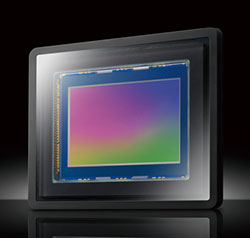
Sensor. It might have a completely different form factor, but the Sony RX10 is based around the exact same 20.2-megapixel, 1.0"-type Exmor R CMOS image sensor seen previously in the Sony RX100 II.
Typical point-and shoots with similar zoom reach use a 1/2.3"-type sensor; the RX10's sensor is almost 4.1x larger. All other things being equal, that greater size translates to more light-gathering area, and a better signal-to-noise ratio. (Read: lower noise.) On the other side of the coin, though, the RX10's sensor area is only about one-third the size of an APS-C sensor, as used by most DSLRs and some CSCs.
Backside illumination. We mentioned that the Sony RX10 uses an Exmor R-branded image sensor, indicating that it's a backside-illuminated design. BSI sensors move their circuitry beneath the active layer of the sensor, as shown in the diagram below, so that incoming light isn't blocked. That gives the RX10's chip an advantage in terms of sensitivity and noise performance, compared to a standard image sensor of the same size.
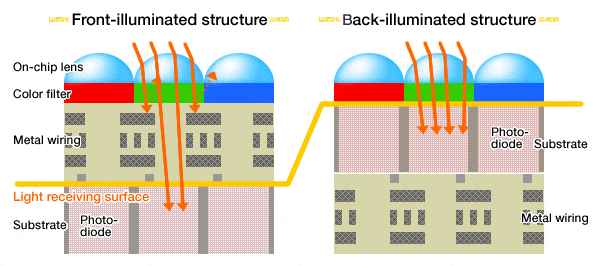
Sensitivity. The RX10's image sensor offers sensitivity ranging from ISO 80 to 12,800 equivalents. Although it uses the same image sensor as the RX100 II, and has the same upper sensitivity limit, the lower end of that range reaches a little further. (The RX100 II bottoms out at ISO 100 equivalent.)
As in Sony's other recent cameras, there's a multi-shot function which reduces image noise by averaging subsequent exposures. Dubbed Multi-Frame NR, this function has an upper limit of ISO 25,600 equivalent.

Performance. Thanks in part to Sony's new BIONZ X image processor, the RX10 is capable of shooting at a fast burst rate of 10 frames per second in Speed Priority Advance mode, which locks focus (but not exposure) from the first frame.
Ordinarily, the performance is more modest, ranging from 2.5 fps for raw+large/fine JPEG to 3.1 fps for JPEG images, in continuous burst mode with autofocus between frames. Burst depth in this mode is 13 raw+large/fine JPEG or 30 JPEG frames.
Lens. The Sony RX10's 8.3x optical zoom lens is its headline-grabbing feature. For one thing, it offers far more reach than the lenses of other RX-series cameras, covering everything from a 24mm-equivalent wide angle to a 200mm-equivalent telephoto. That's a pretty good walkaround range, with enough reach to pull the action up close, and enough wide angle for architecture, interiors, group photos, and the like.
Even more impressively, though, the Carl Zeiss Vario-Sonnar T*-branded optic has a constant aperture, unlike most long-zoom lenses. It doesn't matter where you are in the zoom range, a maximum aperture of f/2.8 is available. Focusing is possible to as close as 1.2 inches (3cm), for some impressive macro shots, as well.

The lens' optical formula is not surprisingly quite complex, including 14 elements in 11 groups, of which seven elements are aspherics. There's also a seven-bladed, rounded aperture, and a T* coating which reduces ghosting and flare. There's also a built-in 3-stop neutral density filter, which can be deployed automatically or manually as needed to attain a slower shutter speed, or disabled if you prefer not to use it for a given shot.
Stabilization. As you'd expect, Sony has included its Optical SteadyShot lens-based image stabilization in the RX10. For video capture, the system provides a greater corrective range; Active Mode, in Sony parlance.
Focusing. When they briefed us on the RX10, Sony called particular attention to the new autofocus drive system it contains. It's a contrast-detect AF system, but the company has made major strides in AF speed, thanks to the combination of a CMOS sensor with very fast readout, a greatly-enhanced image processor, and an all new hybrid-drive AF actuator.

To understand what this is all about, it would help to take a moment to understand how contrast-detect AF works in the first place.
The basic idea behind contrast-detect AF is that crisp detail means the maximum brightness difference between adjacent pixels, wherever there's a contrast edge in the original subject. Think about it - when an image is out of focus, everything is soft and blurry, and nothing changes very rapidly as you move across the image. On the other hand, when an image is crisply focused with fine detail, the brightness will change much more abruptly as you look across the image. This is the basis of contrast detection. The camera looks across a row of pixels, and adds up the differences from one pixel to the next, all across the image (or all across the area it's concerned about evaluating focus for). The summed differences between pixels is a measure of the overall contrast of the image, which in turn is a measure of how well the image is focused.
This is a relative measurement, though, since the summed contrast will vary enormously depending on the subject. The only way the camera can tell whether the focus is optimum, then, is to measure the contrast, adjust the focus slightly, and measure the contrast again. If the contrast number increased, the focus improved. If it decreased, it worsened.
Most people understand that being able to make the contrast measurement quickly will be key to being able to focus rapidly, but fewer realize how critical it is to be able to move and stop the lens quickly. After each contrast measurement, the camera must move the lens a precise amount, and then have it stop moving before the next measurement can be made. It turns out that this last requirement is one of the most difficult to achieve. It's (relatively) easy to make a lens motor more powerful, so it can get the lens moving quickly, but it's often another matter to bring it back to a stop with equal quickness.
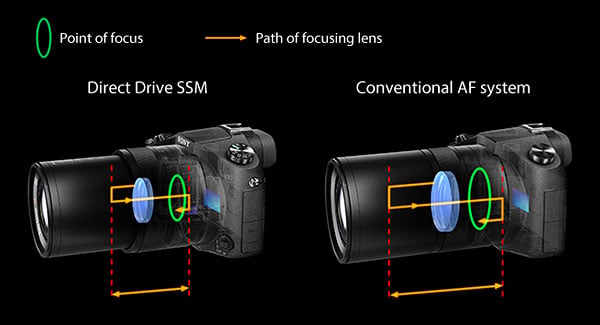
Sony developed a special hybrid actuator for the RX10, making dramatically faster AF cycles possible. The RX10 uses a standard ultrasonic-wave motor to get the lens moving, but then uses a special piezoelectric actuator (borrowed from Sony's sensor-shift image stabilization technology) to stop the motion quickly and precisely. As it was explained to us, the piezo actuator in this case isn't so much operating as a driver, but rather as a brake. Apparently, the ultrasonic-wave motor is good at getting things moving, but not so good at stopping them, hence the need for a brake or "friction clamp", in the form of the piezo element.
The NDA briefing was a little sparse on deep technical details for this, but if we understood correctly, Sony says that this hybrid system can complete 50,000 start-move-stop cycles per second(!) That's apparently how many cycles the focus-actuator system can perform per second, but it's not clear how many cycles the camera actually performs in practice, as clocking the image data off the array and performing the contrast measurement will add at least some time to the process, and we don't know whether the 50K/sec spec included the contrast measurement process or not. It's likely that contrast measurement is very fast, though, given how fast we know the array can be read (from the video processing mentioned elsewhere), and that we know the new BIONZ X processor has an enormous amount of processing horsepower to bring to bear.
Regardless of the cycle rate, though, this new system clearly works. Our lab testing found autofocus on the Sony RX10 to be as fast as most consumer DSLRs using phase detection. And this was also borne out in our real-world shooting with the camera, too: It focused quickly and confidently, and nailed focus right where we wanted it most of the time.

Viewfinder. The Sony RX10's body has SLR-like styling, and that provides plenty of room for a viewfinder. Of course, there's no reflex mirror here, and so it's not an optical viewfinder. Arguably, though, it's better. It's an electronic viewfinder, and one that's clear, bright, sharp even in the corners, and with very generous magnification.
The RX10's EVF is based around a 0.39-inch organic LED display, and has 100% coverage. Resolution is 800 x 600 pixels (that's 1,440,000 RGB dots), and magnification is 0.7x with a 50mm lens at infinity.
Tilting display. We found ourselves using the electronic viewfinder most of the time, but that's no reason to skimp on the LCD. Fear not, Sony didn't do so. It's retained the same VGA (640 x 480 pixel; 1,228,800 RGBW dot), WhiteMagic-branded unit used in the RX100 and RX100 II. That's great news, because it pairs good resolution with excellent outdoor visibility -- even under sunlight. (And indoors, the design saves power, since the backlight can be run dimmer than a standard RGB LCD at equivalent brightness.)
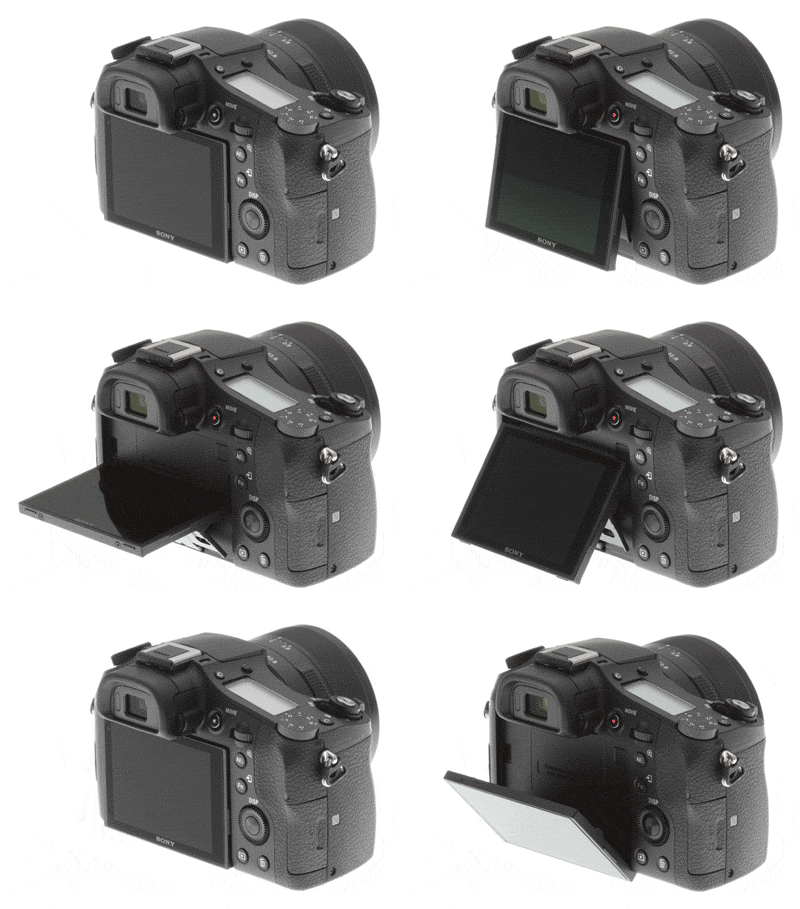
The RX10's LCD is articulated in just the same way as that of the RX100 II, and allows tilting upwards by 84 degrees, or downward by 45 degrees. It's great for shooting from the hip, low to the ground, or over your head, and makes the RX10 significantly more versatile than cameras with a fixed screen. It's not quite as versatile as side-mounted tilt/swivel displays, though, offering no help with self-portraits or shooting high / low shots in portrait orientation.
Dials and rings and levers (oh my!) The Sony RX10 sports a triple-dial design, if you count the combined multi-function controller / dial on the rear of the camera. It's not the traditional front-and-rear dial arrangement you'd find on most SLR bodies these days, though. Instead, the front dial is replaced by an aperture ring around the lens barrel as it did in the days of mechanical aperture linkages. Don't be fooled, though: It's still a fly-by-wire design, even if it's a very nice one. (A particularly rare touch is the ability to switch between a stepped and a smooth, click-free rotation on the dial, courtesy of a switch on the bottom of the lens.)

Two of the three actual dials are on the rear of the camera, and neither is the most satisfying. The upper dial is presented end-on, is very small, barely protrudes from the camera, and is consequently not terribly easy to locate and turn by feel with your thumb. The lower dial sits face-on, and is easily located and turned -- but perhaps a little too easily so. It defaults to control of ISO sensitivity in most modes, and accidental bumps can cause unintended sensitivity changes. Thankfully, the dial's function can be changed or disabled altogether, if you find it to be an issue.
The remaining dial is dedicated to exposure compensation, and sits on the top deck. Its presence makes clear this is a camera aimed at enthusiasts, who want the quickest access possible to important exposure features like these, and don't want to be caught hunting in the menu system while there's a photo opportunity slipping away.
There's also a dedicated zoom ring around the lens barrel, as well as a zoom rocker around the shutter button. The zoom ring, like that for aperture control, is fly-by-wire rather than a mechanical linkage. Ordinarily, you can use either control for zoom adjustment, but the ring around the lens is both more accurate and faster. If you enable manual focus, however, the ring around the lens becomes a focus control, leaving zoom control to the rocker.
Flash. The Sony RX10 includes both a built-in, popup flash strobe, and a hot shoe for external strobes. The popup flash is released mechanically with a small flash button just to its right, and it's very strongly sprint-loaded indeed, popping up quickly and with a loud "thunk".
Given the size of the camera and especially its lens, it doesn't raise terribly high, though. Even at wide-angle, and with the lens retracted to its shortest length, the flash is still partially blocked by the lens for any subject closer than a couple of feet. Sony rates working range as 3.3 to 33.5 feet (1.0 to 10.2m) using Auto ISO, and the maximum range at ISO 12,800 at 66.9 feet (20.4m).

For better flash exposures -- and bounce flash, which isn't possible at all with the internal strobe -- you'll want to switch to an external flash. Here, Sony offers up its Multi Interface Shoe, a proprietary intelligent flash hot shoe that's based on the standard ISO 518 hot shoe. This accepts strobes including the HVL-F20M, HVL-F60M, and the HVL-F43M (which includes an LED video light.) You can also mount older strobes including the HVL-F20AM and HVL-F43AM using an ADP-MAA Multi-Interface Shoe Adapter.
Sony doesn't state flash sync speed of the DSC-RX10.
Accessory Terminal. As noted, the RX10's flash hot shoe also doubles as an accessory terminal that accepts a variety of accessories. (Hence, the name Multi Interface Shoe). Not all of these will make sense -- for example, the Viewfinder and Wi-Fi accessories would duplicate features built into the RX10 -- but there are nevertheless quite a few options available beyond flash strobes. We've already mentioned the ADP-MAA shoe adapter. Other accessories you can attach include the HVL-LEIR1 video light, ECM-XYST1M stereo microphone, and CLM-V55 clip-on LCD monitor.

Exposure. The Sony DSC-RX10 includes the usual array of operating modes -- Program, Aperture-priority, Shutter-priority, and Manual -- that you'd find on a consumer-oriented SLR or mirrorless camera. It also offers an Auto mode -- in lieu of the separate single-shot Intelligent Auto and multi-shot Superior Auto modes typically found on consumer-oriented Cyber-shot models -- plus a Movie mode, a Sweep Panorama mode, and two Memory Recall modes that let you save settings groups for quick access. And, of course, there's a generous selection of user-friendly Scene modes.
Metering modes include Multi-Segment, Center-weighted, and Spot. Shutter speeds range from 1/3,200 to 30 seconds, plus Bulb, although the longest time varies depending on exposure mode.
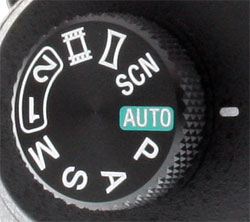
Creative. Like the RX100 and RX100 II, the Sony RX10 features a wide variety of Sony-specific tools aimed at making it easier to get great photos. (Or at least, what the camera feels to be great photos, greatness being a rather subjective thing.)
The Clear Image Zoom function is based on what Sony calls By Pixel Super Resolution algorithms. In essence, it's a digital zoom that tries to improve quality by using pattern matching. (A standard digital zoom function is also available, but the two can't be combined). Clear Image Zoom interpolates (read: guesses) missing data, but does so in a more intelligent manner than the standard digital zoom.
The underlying pattern-matching, interpolating algorithms also come into play for Auto Portrait / Object Framing, which uses face / subject detection to locate your subject, and then recrops the image based on a rule-of-thirds algorithm for a more pleasing layout. After cropping, your image is interpolated back up to the same resolution as the original shot. Both your original and the new shot are saved separately, so if you don't like the results, nothing is lost.
There's also still a Self Portrait Self-timer function, which automatically starts a countdown timer when either one or two faces are detected in the scene, saving you the trouble of pressing the shutter button at all. Since the tilting display still can't face forwards, though, you're flying blind with this function.
The RX10 retains Sony's Picture Effects function for soft focus, watercolor, miniature, and many more effects, as well as the other creative functions we've come to expect: High Dynamic Range, Dynamic Range Optimizer, and 2D Sweep Panorama.
Level gauge. The RX10 features a dual-axis level display function, which helps you avoid tilted horizons and converging verticals. Since it also has an electronic viewfinder, the function is particularly helpful, letting you see and account for pitch and roll even when framing against your eye.
Movies. Sony is making a pretty big deal about video performance with the RX10, and with some justification. The Sony RX10 ticks off all the proper check-marks for video shooting, including jacks for both external microphones and headphones. It also has real-time audio level readouts and 31 steps of manual level control. When it comes to video specs, it's capable of recording Full HD (1080p60) high-definition video in the AVCHD format, at a 28 Mbit/second data rate. (Very good, if not full pro quality.)
There's also a 3-stop ND filter built in, that can be activated manually or automatically. The significance of this is that you can shoot video with the RX10 in bright daylight with reasonably large apertures, while maintaining low enough shutter speeds that your video won't look choppy. (And yes, the RX10 has full Program, Aperture-priority, Shutter-priority, and Manual exposure control in video mode.)
Speaking of full exposure control, one very nice touch for the Sony RX10 is that the aperture ring has a mechanical switch on it, to disable the 1/3-stop click detents. This is great for video shooting, as you can shoot in aperture-priority or manual-exposure modes with silent aperture actuation. Very slick, even if the aperture itself does still move in steps (and so does cause noticeable shifts in brightness)!
| Sony RX10 - De-clickable Aperture Ring Demonstration |
Where the Sony RX10 really breaks new ground for video, though, is that it's the first camera we're aware of that reads out the entire sensor pixel array for every frame, performing sub-sampling/video anti-aliasing in the processor. This addresses the huge bugaboo of still-camera video recording, namely the tendency towards moiré and false-color artifacts, thanks to the mismatch between still-image and video resolution.
Pretty much every digital still camera we've tested produces very noticeable moiré patterns and color artifacts in its video. (The Canon 5D Mark III deserves note as doing better than most, but even it still shows some level of video artifacts.)
The issue is that still cameras have to get rid of a lot of their image data in order to output a 1,920 x 1,080 video image. They usually don't have enough processor horsepower to do a proper job of sub-sampling the image in the vertical direction (across scan lines), so resort to simply skipping rows of pixels, jumping 2, 3, or 4 rows for each one actually output. The problem with this is that the image data is way undersampled from an image-processing standpoint, so moiré and artifacts are pretty much guaranteed. It's not that the industry doesn't know what to do to prevent the problem, it's just that there isn't enough processing horsepower available to do what the job requires -- until now.
Besides its advantages for still image processing, the new BIONZ X processor in the Sony RX10 has a special LSI front-end processing section ideally suited to processing huge amounts of video data on the fly. For the first time (that we're aware of), the RX10's processor clocks the entire 20-megapixel image off the array up to 60 times/second, and then sub-samples the raw image data digitally (think of it as a special class of signal averaging), to produce the final 1,920 x 1,080 video image. Doing so effectively performs a low-pass filtering operation on the video data, thus greatly reducing the propensity for moiré and false color artifacts.

While we didn't find the RX10 to completely eliminate moiré patterns, they were greatly reduced relative to just about every other camera we've seen, and there were no false-color artifacts to be seen anywhere. Not only that, but the video itself was very clean and crisp-looking, so the reduction in false color and moiré didn't seem to come at the expense of mushy subject detail.
The RX10 is also rare -- perhaps unique, among point-and-shoot cameras -- in providing uncompressed HDMI output without any overlays, if you want to record straight to an external device without your video getting trampled on by a compression algorithm. It can also display 4K stills via HDMI, incidentally, an even rarer feature.
With its constant-aperture f/2.8 24-200mm equivalent lens, advanced video capabilities, and compact size given the focal length/aperture range we suspect the RX10 will open up new video applications that have been impossible until now.
Wireless networking. Much like the compact Sony RX100 II, the RX10 includes built-in Wi-Fi and Near Field Communications radios. This is big news if you're a fan of social networking, because it means you can get your photos and videos off the camera via your smart device, without the need for third-party hardware.
And if you have an NFC-compatible device, you can even establish a connection without any intervention at all -- just enable NFC on the smart device if necessary, and then hold the two devices together briefly. This is enough for a Wi-Fi connection to be negotiated between both devices, and your data then transfers via that high-speed connection.
Unfortunately for iPhone and iPad users, Apple has yet to implement NFC in any of its devices, but many newer and more sophisticated Android and Windows Phone devices support NFC.
Once paired, you can not only transfer data between camera and smart device, but also remotely control the camera's shutter, and view a live view feed. That could prove very handy, whether you're looking to film skittish wildlife without getting too close yourself, or just want to confirm everybody's standing in the right place before tripping the shutter on a group portrait.
Wired connectivity. Four ports sit under flaps on the left side of the camera: a 3.5mm stereo microphone input, a 3.5mm headphone output, what Sony dubs the Multi Terminal, and a micro HDMI port for high-definition video output. The HDMI port can provide both uncompressed video with no overlays at Full HD resolution, and 4K still images, if you have a 4K display. The Multi Terminal is both a USB port, and a wired remote control port compatible with the RM-VPR1 remote commander, and tripods such as the GP-VPT1, VCT-VPR1, VCT-VPR10, and VCT-VPR100 which feature built-in wired remotes.
There's also the aforementioned Multi Interface Shoe on the top deck, which allows a variety of accessories to be connected to the camera.
Storage. The Sony RX10 stores data on SD cards, including the higher-capacity SDHC and SDXC cards, and the higher-speed UHS-I cards. It also accepts Sony's own Pro Duo / Pro HG Duo types.
Power. Sony is using an NP-FW50 InfoLithium rechargeable battery pack in the RX10. The company rates the combination as good for 420 shots on a charge to CIPA testing standards, which includes 50% flash usage and generous zoom usage.

Power consumption with the electronic viewfinder is significantly higher, at 2.7W versus the 2.1W of the LCD in record mode. That leads to a 20% shorter battery life of 340 shots with the EVF. If you plan to shoot predominantly with the EVF, you'll want to pick up a second battery.
Buy the Sony RX10 from one of Imaging Resource's trusted affiliates:
(Your purchases help keep reviews like this one coming)
Conclusion
| Pro: | Con: |
|---|---|
|
|
When Sony announced its RX10 bridge camera last month, the news was met with a mixture of excitement and confusion. Some saw it for what it was, and were absolutely thrilled. Others didn't understand: Weren't the days of thousand-dollar-plus bridge cameras long gone? What was the point of a smaller sensor than a mirrorless or SLR camera, but in a body of similar size? Just whom was this thing for?
For many of those who got it, there was little question that the Sony RX10 was a camera they'd long been waiting for. Perhaps there was a stifled groan at the price, followed by a quick look over our samples to be sure, but chances are they've already bought theirs, or at least made a mental note to do so just as soon as they can.
It's the latter group that our conclusion will really speak to, then. We're here to tell you that this camera is essentially unrivaled. Yes, it might be pretty pricey, but that's for good reason: The Sony RX10 is revolutionary in a way few cameras truly are these days, and it provides things no other camera does.
Compared to its mirrorless and SLR rivals, the Sony RX10 is both significantly more compact and affordable, once you factor in the lenses you'd need to match that built into the RX10. And bear in mind that both body and lens are also weather-sealed, something that's not too common in affordable, compact interchangeable-lens cameras and their optics.
Compared to bridge cameras, the Sony RX10 might be a lot more expensive, but it's in a totally different league when it comes to image quality, thanks to a great lens and a much larger image sensor. Compare it to Panasonic's Lumix FZ200, for example. Both might have constant-aperture f/2.8 zooms (admittedly, the Lumix lens with a lot more telephoto reach), but the sensor in the Sony RX10 has four times the area of that in the Panasonic -- and it's a more sensitive backside illuminated chip, to boot.
That makes for a huge difference in light-gathering capability, which is after all what cameras are all about. And boy, does that difference ever show up in our image quality comparisons.
Realize all this, and you start to understand that the cost of the Sony RX10 could be justifiable. Take a look at the great images it produces, and some of the other unique and very useful technologies it includes -- most notably, full sensor readout during high-definition movie capture -- as well as its ergonomics, which are for the most part well-considered, and we think you'll agree the price is fair.
Is the Sony RX10 perfect? Certainly not, but no camera ever is. Things we'd like to see addressed include the rear dials, one of which is too hard to use, and the other too-easily bumped. The lens zoom's drive mechanism could also use a boost in speed, and the menu system is surprisingly unresponsive for a few seconds after shooting a burst of photos, something we'd hope to see Sony fix in a firmware update. The RX10's default color is rather muted, and noise levels are slightly higher than those of the RX100 II. But none of these are showstoppers -- you can work around them pretty easily.
If you're not sold on the Sony RX10, or are still put off by its pricetag, we'd suggest that you take a look at our sample and gallery photos, then have an internal dialog with yourself about just what you'd need to match or better the RX10's lens, sensor, and size / weight from another camera system. You may well find your mind changed after the exercise. We must admit we weren't entirely convinced by the RX10 ourselves, until we went through that same exercise.
Has our opinion changed since spending some time with the Sony RX10, and realizing just what it offers? Very much so. We had more fun shooting with the Sony RX10 than we've had with any fixed lens camera we can remember. And not only is it fun to shoot with, it gets great results in all manner of shooting situations. If you'd told us beforehand that we'd have set aside two full-frame cameras so we could shoot more with a fixed-lens camera, we'd have told you that you were crazy -- but time and again, we found ourselves doing just that. The Sony RX10 quickly became our default choice whenever we saw a photo opportunity; only once the RX10 had already gotten the shot would we spend time fiddling with lens changes on our other cameras.
With the RX10, Sony offers something truly different to any of its rivals, and we don't feel that we have any grounds to quibble about the price until there is a realistic competitor to this camera. The Sony RX10 is a clear Dave's Pick, and easily one of the most exciting cameras of 2013 -- a year that's already had far more than its fair share of exciting cameras!
Buy the Sony RX10 from one of Imaging Resource's trusted affiliates:
(Your purchases help keep reviews like this one coming)
- Adorama: Sony RX10 ~$850 with free shipping
- Amazon: Sony RX10 ~$850 with free shipping
- B&H: Sony RX10 ~$850 with free shipping
Follow Imaging-Resource.com on Twitter!
Pros
- Smaller than SLR/CSC with comparable lenses
- Larger sensor than other bridge cameras
- SLR-like body without the hassle of changing lenses
- Weather-sealed
- Constant f/2.8 maximum aperture
- Generous zoom range
- Great viewfinder
- Swift performance
- Plenty of enthusiast-friendly features including raw shooting
- Wi-Fi and NFC wireless sharing.
Cons
- Expensive compared to other bridge cameras
- Menus respond slowly after burst shooting
- Lens doesn't zoom very quickly
- High ISO performance doesn't quite match RX100 II.