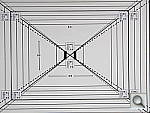
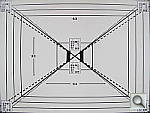
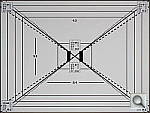
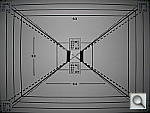
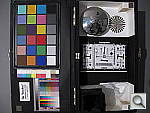
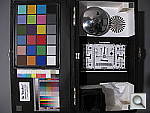
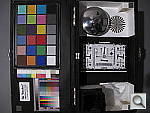
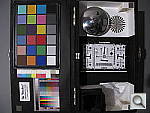
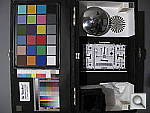
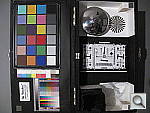
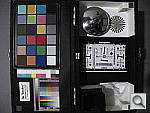
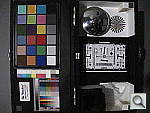
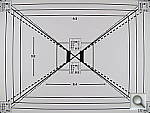
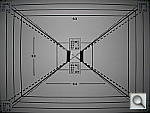
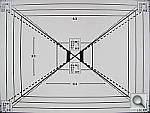
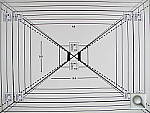
Canon G10 Review – Test Shots

Add us on

Digital Cameras – Canon PowerShot G10 Test Images

Not sure which camera to buy? Let your eyes be the ultimate judge!
Visit our Comparometer(tm)
to compare images from the Canon PowerShot G10 with those from other
cameras you may be considering. The proof is in the pictures, so let
your own eyes decide which you like best!

Still LifeCanon PowerShot G10 Sample images image 1

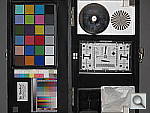
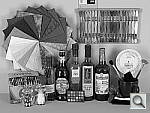
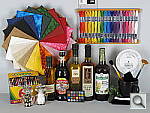
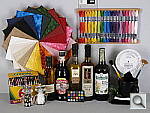
This is our new “Still Life” test target. We’re combining some of the elements from previous shots (DaveBox and Res Chart) into this and the “Multi Target” shot below, plus added a number of elements that are very revealing of various camera characteristics and foibles.

Here’s what to look for in this target:

  • Tone-on-tone detail & noise suppression: The cloth swatches in the pinwheel were chosen because they show a lot of tone-on-tone detail, across a broad range of colors. This is just the sort of detail that noise suppression processing tends to flatten out. If you look at the detail in these swatches as the ISO increases, you’ll see just where different cameras start to lose subtle detail. — The white and tan swatches and the dark swatches tend to be particularly revealing of this. The label of the vinegar bottle (second from the right) is another great place to look for lost detail from noise suppression, as the image of the person at the top of the label is actually a depiction of a mosaic. The dark colors in the background and in the figure’s clothes contain detail that’s very quickly lost when a camera’s noise suppression system kicks in. Cameras with really high-quality, low-noise sensors that require little noise suppression will be able to hold onto the detail in these areas, many others will show only a uniform swath of smudged color.

    Another place where you’ll quickly see the effects of over-aggressive noise suppression is in the white salt grains of the salt grinder in lower left. Cameras are often more conservative about suppressing noise in highlight areas (because our eyes tend to see less of it there), but many cameras seem to have a hard time holding onto the subtle shadings that distinguish the salt grains from each other, particularly at higher ISO levels.

  • Fine Detail: You’ll find a lot of fine detail in the label of the beer bottle on the right, in its fine cursive text, but the other bottle labels hold a lot of fine detail as well. Fine text is often a good visual indicator of resolution, because our brains have an excellent idea of what the text should look like, so are very quick to notice even minor loss of detail.

    For really fine detail, look to the circular scale/calculator on the right side of the scene. Some of the fine lines there are extremely fine indeed. Looking at results from many different cameras with this target, we found that camera noise-suppression systems often confuse the fine lines with image noise, and so flatten them out. There’s also a nice range of fine text sizes in this chart as well, once again great visual cues for resolution and detail.

  • Highlight Detail: Three elements in this scene show off (or show up) a camera’s ability to hold onto highlight detail. As mentioned above, the salt grains (and reflections of the studio lights) in the salt mill are examples of fairly subtle highlight detail that cameras’ anti-noise processing sometimes obliterate. The folded white cloth under the mug on the right side of the frame likewise shows a lot of white-on-white detail that is easy to lose, particularly if a camera’s tone curve is too contrasty. As it turns out though, the most sensitive test of a camera’s highlight abilities seems to be the hank of white embroidery thread in the upper right corner. These fibers are unusually bright and reflective, so its easy for a camera to blow out detail in them.
  • Shadow Detail: Several elements of this subject are useful for evaluating shadow detail, particularly the black mug and the pieces of folded black velvet, both under and inside the mug. The bottoms of the beer bottles also provide some gradations of deep shadow, and the clump of peppers in the bottom of the pepper oil bottle had a fair bit of detail that’s far down at the shadow end of the tone curve.

    We were actually surprised when we constructed this scene just how dark the velvet and sides of the beer bottles ended up being. Even with the bright studio lights shining directly on it, the velvet in particular stays way, way down at the shadow end of the tone curve. With most cameras and on most monitors, the velvet will simply appear as an unrelieved swatch of black. To see whether it contains deep detail or not, in most cases you’ll have to open the file in an image editor and boost the brightness dramatically, to bring the detail up into a visible range.

  • Preservation of “Shape” in Strong Colors: As you approach the extremes of a camera’s color gamut (its range of recordable colors), it becomes more and more difficult for the camera to show fine gradations of tone, because one or more of the RGB color channels are close to saturation. It’s not uncommon to see a brightly colored piece of clothing or a vibrant flower appear in digicam photos as just a blob of color, because the camera ran up against the limits of its color gamut. The brightly colored embroidery threads in the upper right portion of the Still Life target are good examples of situations where this might happen. Pay particular attention to the bright red and dark blue colors here, as these are both colors near the edge of the typical sRGB color gamut.
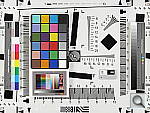
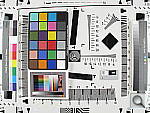
  • Color accuracy and white balance: It’s pretty small in there, but we’ve included a mini-MacBeth chart, which displays very carefully controlled color swatches. Our Multi Target (see below) sports a full-sized MacBeth chart, but the one here serves as a good check of color balance and rendition, and is also useful for checking white balance on this particular shot.
  • Image noise and detail vs ISO: As mentioned above, this target contains many elements useful for evaluating detail loss to anti-noise processing. We’ll therefore always shoot a full set of test images of this target across each camera’s ISO range, for every camera we test. (See below.)
ISO Series
ISO 100 ISO 200 ISO 400 ISO 800 ISO 1,600 ISO 3,200
Color Effects Series
Neutral
Canon PowerShot G10 Sample images image 2
Vivid
Canon PowerShot G10 Sample images image 3
Black & White
Canon PowerShot G10 Sample images image 4
Sepia
Canon PowerShot G10 Sample images image 5
Dark Skin Tone
Canon PowerShot G10 Sample images image 6
Light Skin Tone
Canon PowerShot G10 Sample images image 7

Multi TargetCanon PowerShot G10 Sample images image 8

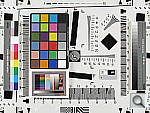
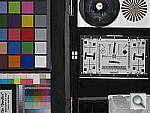
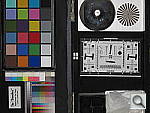
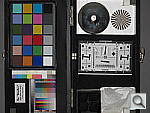
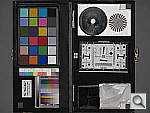
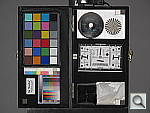
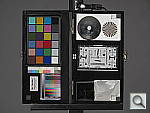
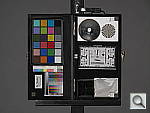
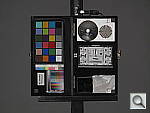
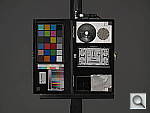
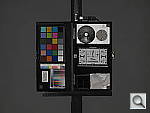
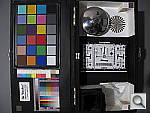
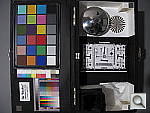
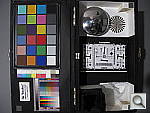
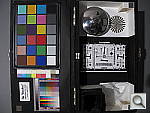
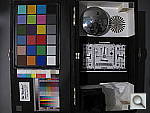
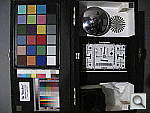
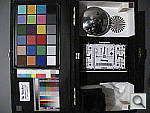
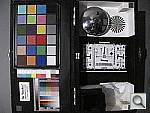
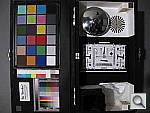
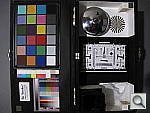
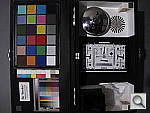
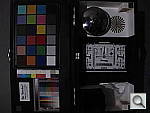
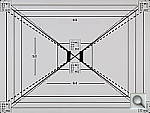
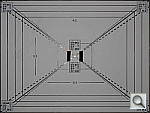
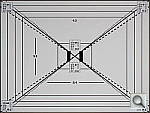
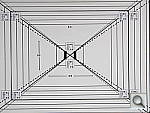
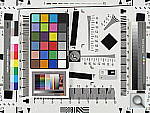
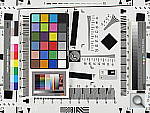
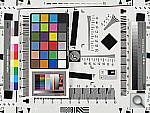
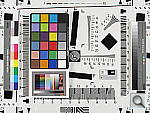
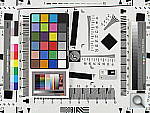
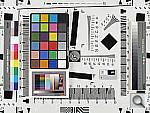
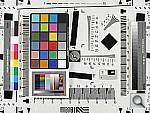
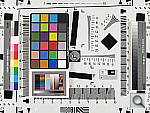
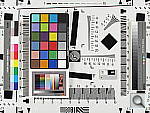
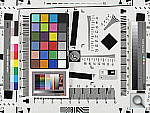
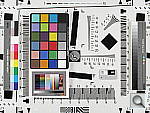
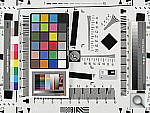
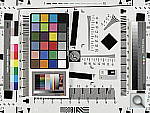
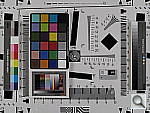
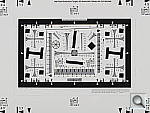
Our new “Multi Target” is actually an interim design that we plan to replace with a modified version within the next few months. (By the end of summer, 2006.) In its current form, its just an ISO-12233 res chart with several other elements attached to it, covering portions of the target we don’t generally use in our reviews. (We’ll continue shooting the full res chart in SLR reviews for the sake of interested readers, but all lesser cameras will now show just the Multi-Target instead.) The added elements largely mirror ones that were present in our “DaveBox” test target, which we’ve now semi-retired. Here’s some of what you’ll find in this target:

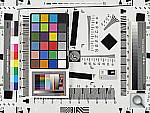
Res chart elements: In placing the new elements on the ISO target, we were careful to leave the highest-frequency hyperbolic resolution wedges (the sets of fine lines that fan out vertically and horizontally), since these are what most people look at on the ISO chart to judge camera resolution from. There are also enough of the slanted black parallelograms available to use them to measure a camera’s Spatial Frequency Response characteristics with Imatest.

Gray Scale: While reflective gray scales don’t cover the full dynamic range of higher-end cameras, advanced readers may be interested in using the gray scale here to evaluate noise performance vs brightness level, and/or examine the shape of a camera’s tone curve.

MacBeth Chart: This is about as common a color standard as you can get these days, very widely available for only mildly exorbitant cost, and quite well controlled in its production. It thus serves as a good basis of comparison between cameras and between test setups. Imatest also understands the MacBeth colors very well, and uses them to produce its color accuracy map that we feature in all our reviews.

Kodak Color Separation Target: We include this for reference because it’s used by other reviewers out there, but caution our readers that it really isn’t well-suited for use as an absolute color standard. As its name suggests, its actual intended purpose is as an aid in setting exposure levels for old-style film-based color separation, using panchromatic graphic arts film, RGB filters, and halftone screens. It’s ideal for that usage, but the colors aren’t well-controlled enough and are too subject to fading for it to be usable as a true reference standard for color accuracy.

Kodak Q60 target: This is another target that’s perhaps not well enough controlled for quantitative measurements between cameras, but one that does have several useful characteristics nonetheless. For instance, it provides a good reference for the handling of various colors representative of common skin tones (the tan and brown patches along its right side), as well as of lighter, less-saturated tints of both additive and subtractive primaries (red, green, blue, cyan, magenta, and yellow). The MacBeth chart’s colors lean heavily toward highly saturated values, and there aren’t any pastel tones present at all. In the past, we’ve found that cameras with contrasty tone curves sometimes have trouble with the pastel tones in the Q60 target, making it a valuable reference that we’ll continue to include.

Resolution Series:

(Medium Focal Length) “SuperFine”
JPEG
“Fine”
JPEG
“Economy”
JPEG
4,416 x 3,312 G10hMULTI4416F G10hMULTI4416N G10hMULTI4416E
3,456 x 2,592 G10hMULTI3456 – –
2,592 x 1,944 G10hMULTI2592 – –
1,600 x 1,200 G10hMULTI1600 – –
640 x 480 G10hMULTI0640 – –
ISO Series
ISO 100 ISO 200 ISO 400 ISO 800 ISO 1,600 ISO 3,200
2x Res Chart
G10hMULTI_2X

Wide and Tele Resolution Tests:
The main shots of this target above are captured at an intermediate focal length, roughly corresponding to 60mm on a 35mm camera. (Just slightly longer than “normal.”) Zoom lenses often behave quite differently at wide angle and telephoto focal lengths though, so we offer below examples shot at the two extremes of the camera’s focal length range. (We’ll include these wide/tele shots for any cameras we do full reviews of, but not on cameras that receive “basic test” treatment only.)

(Max Res & Quality) Wide Angle Telephoto
4,416 x 3,312 G10hMULTIW

G10hMULTIT

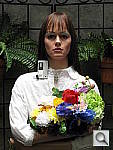
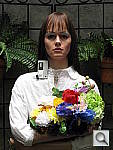
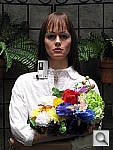
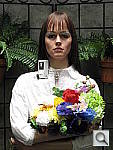
“Sunlit” Portrait:
(This is our “Outdoor” Portrait test – read more about it here.)

Canon PowerShot G10 Sample images image 9

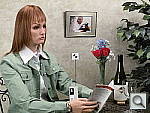
The lighting in this shot is deliberately awful, about what you’d expect from noontime sunshine here in the Atlanta, GA area. (In fact, the color balance has been chosen to pretty well match the hazy sunshine here in mid-August.)

The reason for the harsh lighting is to provide a real “torture test” of how cameras handle conditions of extreme contrast; and in particular, how well they do holding onto highlight detail.

Look for:

  • Overall color: Matching summer sunlight here in the South, the lighting in this scene is a bit more yellow-tinged than that in many parts of the country, or in the fall or winter. – So there may be an overall warm cast to the color. That said though, there’s a fair range of color represented in the bouquet, presenting a tough challenge for the cameras. For some reason, the blue flowers seem particularly hard to handle, with many cameras rendering them as purple. (In real life, they’re a light shade of navy blue, with just a bit of purple in them.)
  • Skin tones: The overall slight warm cast will tend to leave the model’s skin tones a bit on the warm side as well. Nonetheless, look to see if her skin seems overly pink or if they have a too-bright tinge of yellow: Some cameras oversaturate skin tones (make their color too intense), leading to an almost sunburned look. A little oversaturation can make for a more “healthy-looking” complexion, but it doesn’t take much variation for skin tones to look unnatural.
  • Highlight detail: When the model’s skin tones are at a more or less normal level of brightness, how much detail can you see in her shirt? Does it blow out entirely to white, or can you still see the creases and folds in the fabric?
  • Overall contrast: Most consumer digital cameras produce bright, contrasty images, because that’s what most consumers like. Unfortunately, under bright sunlit conditions, many such cameras produce images with little or no highlight detail, and dark, plugged-up looking shadows.
  • Shadow detail: The area under the flower bouquet is in quite deep shadow. Does the camera in question retain good detail here, with low image noise? To see, you may need to download the image and play with it in Photoshop(tm) or another imaging program. Brighten the image, and see how far detail extends into the shadows. Photo printers are generally much better at showing shadow detail than are CRTs, so you’ll want a camera that preserves good detail here. The ability to boost brightness without encountering too much image noise is important if you ever have to “rescue” an underexposed image on the computer.
  • Detail in areas of subtle contrast: Most digital cameras employ some sort of noise-suppression to remove electronic noise from their images. Noise suppression is a good thing, but only if it’s not overdone. Too much noise suppression will “flatten out” subtle detail in areas of reduced contrast. You can often see this in hair, where the individual strands become blurred, and the image takes on an almost watercolor effect. Look at the detail in the model’s hair, and compare how it looks with different cameras in the Comparometer.

To view the entire exposure series from zero to +1.0 EV, see files G10OUTBAP0.HTM through /cameras/canon-g10-review/image/819807?section=samples on the thumbnail index page.

Contrast Series
Lowest
Canon PowerShot G10 Sample images image 10
Low
Canon PowerShot G10 Sample images image 11
Normal
Canon PowerShot G10 Sample images image 12
High
Canon PowerShot G10 Sample images image 13
Highest
Canon PowerShot G10 Sample images image 14
Saturation Series
Lowest
Canon PowerShot G10 Sample images image 15
Low
Canon PowerShot G10 Sample images image 16
Normal
Canon PowerShot G10 Sample images image 17
High
Canon PowerShot G10 Sample images image 18
Highest
Canon PowerShot G10 Sample images image 19
i-Contrast Series
Off
Canon PowerShot G10 Sample images image 20
Auto
Canon PowerShot G10 Sample images image 21

Indoor Portrait, Flash:

Normal Flash
+0.7 EV
Canon PowerShot G10 Sample images image 22
Slow-Sync Flash
0.0 EV
Canon PowerShot G10 Sample images image 23

This shot duplicates indoor shooting conditions in most US homes, with fairly bright incandescent room lighting. The challenge here is for the camera’s flash to blend naturally with the room lighting, and produce good, neutral color overall. – Some cameras will be overly affected by the room lighting, even with their flash enabled, and the result will be a strong orange cast. Another common failing is for the highlights from the flash to take on an unnatural bluish cast.

Finally, exposure is important here, and frequently a tough challenge for the cameras. the model’s white shirt is central in the scene, reflecting a lot of the light from the flash right back at the camera. As a result, most cameras underexpose this shot, and require some positive exposure compensation to produce a good result. – And that’s an important consideration in itself: Does the camera even permit adjustment of its flash exposures? Many do not. These photos are a tough exposure challenge, if they come out OK, the camera in question can probably be coaxed into delivering a good flash exposure of any subject within its range.

Note too, that the normal flash shot (as opposed to the slow sync one, if the camera offers that feature) will be sharply rendered, any subject or camera movement frozen by the quick pop of the flash. That makes this shot a good one to look for the effect of over-aggressive noise suppression in the model’s hair.

To view the intensity series from zero to +1.0 EV in the normal flash mode, see files G10INBFP0.HTM through G10INBFP3.HTM on the thumbnail index page.

To view the same series in the Slow-Sync flash mode, see files /cameras/canon-g10-review/image/819790?section=samples through G10INBFSP3.HTM on the thumbnail index page.

Indoor Portrait, No Flash:

Auto White Balance
Canon PowerShot G10 Sample images image 24
Incandescent White Balance
Canon PowerShot G10 Sample images image 25
Manual White Balance
Canon PowerShot G10 Sample images image 26

The incandescent lighting used in most US homes actually has a very strong yellow color to it. Our eyes have an amazing ability to ignore color casts like this, something digital cameras struggle to emulate.

The incandescent lighting used for this shot is thus not only very common here in the US, but also very difficult for most digital cameras to deal with. While we probably want a little yellow color to remain in the image (to convey some of the mood of the original scene), too much will look unnatural and distort colors.

Most cameras’ auto white balance systems have a great deal of difficulty with this shot, but many incandescent white balance settings struggle as well. (It seems that many cameras’ incandescent settings are actually calibrated to the tungsten lighting used in professional studio systems, which isn’t nearly as warm-toned as typical household lighting.)

If you intend to do much shooting indoors after dark, pay careful attention to this test, as cameras vary widely in this regard.

To view the entire exposure series from zero to +1.0 EV, see files G10INBMP0.HTM through G10INBMP3.HTM on the thumbnail index page.

ISO Series:
“ISO equivalent” refers to a camera’s light sensitivity. ISO 200 represents twice the sensitivity of ISO 100, meaning that you can use a shutter speed that’s twice as fast. Higher ISO settings are often required to get any picture at all when shooting after dark, but even in full daylight, using a higher ISO can help you freeze fast action. The problem is, increasing a digital camera’s ISO also increases image noise. In practical terms, this means that higher-ISO images often can’t be used to produce prints as large as lower-ISO ones. The tricky thing here is that high-ISO images often look much different when printed at various sizes than they do when viewed on-screen. In particular, for any level of image noise, you’ll often find that while noise is quite evident at larger print sizes, as you reduce the size of the prints, there will come a point where it suddenly ceases to be an issue. We routinely print high-ISO photos from the cameras we test on our studio printer (currently a Canon PIXMA Pro9000) at a range of sizes, and report our findings. If you’re interested in investigating the effect of image noise for yourself, don’t judge cameras’ performance by how their images look on your CRT, viewed pixel-for-pixel. Rather, download the test shots linked in the table below and output them on your own printer, so you can see how prints of various sizes will actually look.

One additional note about this particular test series though: Because these images are shot under household incandescent lighting, the camera has to boost its blue-channel signal quite a bit to get back to a neutral color balance. Since the blue channel is generally the one with the most noise, this makes this shot a real acid test of noise performance. Noise levels in high-ISO shots taken under daylight conditions usually won’t show as much noise. (See the “Far Field” test for examples of high ISO shots captured in daylight.)

ISO Series
ISO 100 ISO 200 ISO 400 ISO 800 ISO 1,600 ISO 3,200

House Shot:

Canon PowerShot G10 Sample images image 27

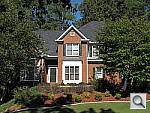
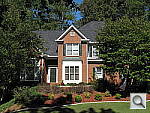
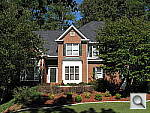
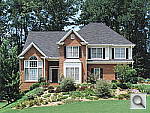
Like several of our tests, these images are actually photos of a high-resolution poster, shot under studio lighting. As of this writing, the poster in question was produced from a high-resolution scan of a 4×5-inch transparency, scanned to a resolution of about 150 megapixels. Even at that, it’s starting to show its age, as the combination of camera lens, film emulsion and scanner resolution mean that many of the current 5+ megapixel cameras come close to capturing all the detail that’s present. (We have a new poster under production, produced from 45 separate digital images, “stitched” into a single 400+ megapixel image, that should comfortably outpace the resolution of portable digital cameras for years to come.)

Why did we choose to shoot a picture of a picture? The idea was to show a typical subject (a house and surrounding foliage) in a way that would be absolutely consistent from camera to camera. Any outdoor subject is going to vary considerably from day to day, as the lighting changes with the weather, atmospheric conditions, and season. Shooting a poster lets us compare images from cameras shot weeks, months, or even years apart, with the sure knowledge that nothing has changed from one shot to another.

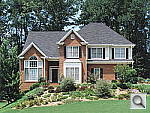
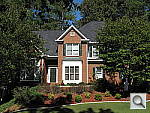
Things to look for here are fine detail, as seen in the foliage and tree limbs against the sky, sharpness in the corners, and the preservation of subtle detail in the shaded brick patterns. – Many cameras with overactive noise suppression severely blur the brick patterns that are in shadow.

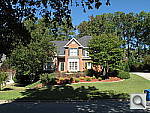
Far-Field TestCanon PowerShot G10 Sample images image 28

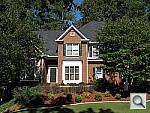
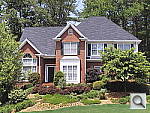
While the House poster in the shot above provides absolute repeatability from test to test, it doesn’t offer the range of brightness (dynamic range) that the original scene had, nor does it contain the nearly infinite range of fine detail found in nature. For these reasons, we still shoot the original house, even though the vagaries of nature mean that no two shots will ever be directly comparable. (In fact, over the eight or so years since we first shot this subject, the trees in front of the house have now grown so large that they obscure much of the subject. – We’re unfortunately going to have to switch to a different subject in the near future.)

Things to look for here are how well the camera handles the range of light levels from very bright to quite dark, and how well it renders the very fine detail visible in various parts of the image.

Note though, that because this is shot outdoors, the character of the light is unavoidably going to change quite a bit, depending on the atmospheric humidity and the time of year. – You thus shouldn’t rely on it for absolute comparisons between cameras, since it’s unlikely that conditions will be identical from one test to the next.

Contrast Series
Lowest
Canon PowerShot G10 Sample images image 29
Low
Canon PowerShot G10 Sample images image 30
Normal
Canon PowerShot G10 Sample images image 31
High
Canon PowerShot G10 Sample images image 32
Highest
Canon PowerShot G10 Sample images image 33

Lens Zoom Range

Simply reading “5x zoom range” doesn’t do a lot to help you visualize what that means. It also says nothing regarding just how wide the wide-angle end of that range is. To give you an idea of exactly what each camera’s zoom lens does, we shoot this series of images, showing results at maximum wide angle, maximum telephoto, and telephoto with “digital zoom” enabled. (Note of course though, that so-called “digital zoom” just crops out and enlarges the central pixels of the image, achieving increased size at the cost of reduced resolution.)

Canon PowerShot G10 Sample images image 34 Wide Angle
Canon PowerShot G10 Sample images image 35 5x Telephoto
Canon PowerShot G10 Sample images image 36 4x Digital Telephoto

Musicians Poster

We’ve discontinued use of the Musicians poster in our testing, due to its low resolution, and the unavailability of any higher-resolution versions of the image.

“Davebox” Test Target

Because most of its various elements are now contained or represented in the combination of the Still Life and Multi Target shots, we no longer routinely shoot the Davebox by itself, as would normally appear in this space. (We do however, still use it for our flash range and low light tests below.)

Macro Shot

Standard Macro Shot
Canon PowerShot G10 Sample images image 37
Macro with Flash
Canon PowerShot G10 Sample images image 38

Many are interested in close-up or “macro” photography. This test shows the best results we could obtain using each camera’s macro mode. What to look for:

  • Minimum Macro Area: What’s the smallest area that the camera can photograph? – We calculate this and report on it in the Test Results section of each review.
  • Softness in corners?: The images from most digital cameras get fairly soft when shooting in macro mode. Some are better than others though, you can use the texture of the paper fibers or the details in the dollar bill to compare corner sharpness between models.
  • Flash performance in macro mode?: Macro mode flash performance varies widely between cameras. Some can’t throttle down the flash enough, others throttle down enough, but have very uneven lighting, while others have lenses that project into the path of the flash, casting strong shadows. The Macro with Flash shot here will show you what to expect.

Low-Light Tests

Low light photography is an area where there are really enormous differences between digital camera models. This test starts at a light level about equivalent to typical city street lighting at night (one foot-candle), and then progresses down from there, each successive test being at half the light level of the preceding one. You may also see the effect of poor low-light autofocus in some of these shots, although we use a different test setup to check autofocus performance more directly. (The results of which are reported on in the main Test Results section.) Things to look for here include:

  • Exposure limit: What’s the darkest level a camera can handle at each ISO setting? If the leftmost images are reasonably bright, the camera should do fine with typical city night scenes. If you’re shooting in the more dimly-lit suburbs, you’ll need a camera capable of producing good images one, two, or three steps to the right of that.
  • Autofocus Limit: How dark can you shoot and still get well-focused pictures?
  • White Balance: Does the camera’s white balance suffer at low light levels? (Many do.)
  • Noise Levels: Look at the photos, print them on your own photo printer. How large a print can you make at acceptable quality levels, at various ISO settings and light levels?
  • Detail loss to anti-noise processing?: Do details in the white gauze and even in the lettering on the test targets suffer at lower light levels?

(Note: If you’d like to use a light meter to check light levels for subjects you might be interested in shooting, a light level of one foot-candle corresponds to a normal exposure of two seconds at f/2.8 and ISO 100.)


1 fc
11 lux
1/2 fc
5.5 lux
1/4 fc
2.7 lux
1/8 fc
1.3 lux
1/16 fc
0.67 lux
ISO
80
Canon PowerShot G10 Sample images image 39
2 sec
f3.0
Canon PowerShot G10 Sample images image 40
4 sec
f3.0
Canon PowerShot G10 Sample images image 41
8 sec
f2.9
Canon PowerShot G10 Sample images image 42
15 sec
f2.9
Canon PowerShot G10 Sample images image 43
15 sec
f2.9
ISO
100
Canon PowerShot G10 Sample images image 44
1.6 sec
f3.0
Canon PowerShot G10 Sample images image 45
3.2 sec
f3.0
Canon PowerShot G10 Sample images image 46
6.3 sec
f3.0
Canon PowerShot G10 Sample images image 47
12.6 sec
f2.9
Canon PowerShot G10 Sample images image 48
15 sec
f2.9
ISO
200
Canon PowerShot G10 Sample images image 49
0.8 sec
f3.0
Canon PowerShot G10 Sample images image 50
1.6 sec
f3.0
Canon PowerShot G10 Sample images image 51
3.2 sec
f3.0
Canon PowerShot G10 Sample images image 52
8 sec
f3.0
Canon PowerShot G10 Sample images image 53
12.6 sec
f2.9
ISO
400
Canon PowerShot G10 Sample images image 54
0.4 sec
f3.0
Canon PowerShot G10 Sample images image 55
0.6 sec
f2.9
Canon PowerShot G10 Sample images image 56
1.6 sec
f3.0
Canon PowerShot G10 Sample images image 57
4 sec
f3.0
Canon PowerShot G10 Sample images image 58
6.3 sec
f2.9
ISO
800
Canon PowerShot G10 Sample images image 59
1/5 sec
f3.0
Canon PowerShot G10 Sample images image 60
0.4 sec
f3.0
Canon PowerShot G10 Sample images image 61
0.8 sec
f3.0
Canon PowerShot G10 Sample images image 62
2 sec
f3.0
Canon PowerShot G10 Sample images image 63
4 sec
f3.0
ISO
1600
Canon PowerShot G10 Sample images image 64
1/10 sec
f3.0
Canon PowerShot G10 Sample images image 65
1/6 sec
f2.9
Canon PowerShot G10 Sample images image 66
0.4 sec
f3.0
Canon PowerShot G10 Sample images image 67
1 sec
f3.0
Canon PowerShot G10 Sample images image 68
2 sec
f3.0
ISO
3200
Canon PowerShot G10 Sample images image 69
1/24 sec
f2.9
Canon PowerShot G10 Sample images image 70
1/12 sec
f2.9
Canon PowerShot G10 Sample images image 71
1/8 sec
f2.9
Canon PowerShot G10 Sample images image 72
1/8 sec
f2.9
Canon PowerShot G10 Sample images image 73
1/8 sec
f2.9

Flash Range Test

Digital camera makers have gotten better with their flash-range ratings. In the early days, many cameras had rather “optimistic” flash range specs, to put it politely. These days, the manufacturers seem to be toeing the line. (No doubt at least in part because of tests like this.) Consistent with our philosophy of testing worst-case conditions, this test also involves some use of each camera’s zoom lens. Flash range is greater at wide angle focal lengths than at telephoto ones. If you’re shooting at the wide angle end of the lens’ range, you might get better flash range than what’s shown here. – But you’ll never get a nasty surprise if you let the test shots below be your guide to flash capability.


Flash Range: Wide Angle
6 ft 7 ft 8 ft 9 ft 10 ft 11 ft
Canon PowerShot G10 Sample images image 74
1/64 sec
f2.9
ISO 100
Canon PowerShot G10 Sample images image 75
1/64 sec
f2.9
ISO 100
Canon PowerShot G10 Sample images image 76
1/64 sec
f2.9
ISO 100
Canon PowerShot G10 Sample images image 77
1/64 sec
f2.9
ISO 100
Canon PowerShot G10 Sample images image 78
1/64 sec
f2.9
ISO 100
Canon PowerShot G10 Sample images image 79
1/64 sec
f2.9
ISO 100
12 ft 13 ft 14 ft 15 ft 16 ft
Canon PowerShot G10 Sample images image 80
1/64 sec
f2.9
ISO 100
Canon PowerShot G10 Sample images image 81
1/64 sec
f2.9
ISO 100
Canon PowerShot G10 Sample images image 82
1/64 sec
f2.9
ISO 100
Canon PowerShot G10 Sample images image 83
1/64 sec
f2.9
ISO 100
Canon PowerShot G10 Sample images image 84
1/64 sec
f2.9
ISO 100

Flash Range: Telephoto
6 ft 7 ft 8 ft 9 ft 10 ft 11 ft
Canon PowerShot G10 Sample images image 85
1/64 sec
f4.6
ISO 100
Canon PowerShot G10 Sample images image 86
1/64 sec
f4.6
ISO 100
Canon PowerShot G10 Sample images image 87
1/64 sec
f4.6
ISO 100
Canon PowerShot G10 Sample images image 88
1/64 sec
f4.6
ISO 100
Canon PowerShot G10 Sample images image 89
1/64 sec
f4.6
ISO 100
Canon PowerShot G10 Sample images image 90
1/64 sec
f4.6
ISO 100
12 ft 13 ft 14 ft 15 ft 16 ft
Canon PowerShot G10 Sample images image 91
1/64 sec
f4.6
ISO 100
Canon PowerShot G10 Sample images image 92
1/64 sec
f4.6
ISO 100
Canon PowerShot G10 Sample images image 93
1/64 sec
f4.6
ISO 100
Canon PowerShot G10 Sample images image 94
1/64 sec
f4.6
ISO 100
Canon PowerShot G10 Sample images image 95
1/64 sec
f4.6
ISO 100

Resolution Target

Because the critical elements of this target now appear as part of the Multi Target above, we no longer shoot standalone images of the Resolution Target.

Viewfinder Accuracy/Flash Uniformity

Viewfinder accuracy is an important parameter, especially for shots where framing is critical. The optical viewfinders on most digital cameras match the (poor) accuracy of those on film cameras, typically showing only about 85% of the actual final frame area. It’s likely that this is a deliberate design choice by the camera engineers, to help avoid users accidentally cutting off the heads of their subjects. We disagree with this approach, or at least feel that it should be mitigated a bit, perhaps by increasing the accuracy to 90 to 95%.

Unlike the optical viewfinders, the LCD viewfinders on most digital cameras tend to be quite accurate. There are exceptions though, and it’s unfortunately not uncommon to find an LCD monitor that only shows 90% or less of the final frame.

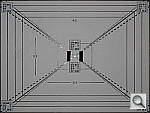
Things to look for on this test chart are:

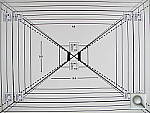
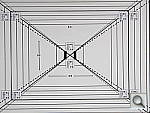
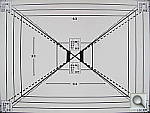
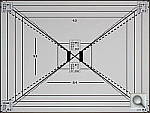
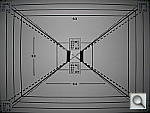
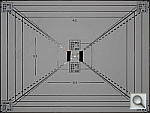
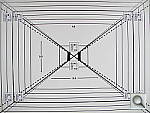
  • Optical and LCD viewfinder accuracy: When we shoot this target in the studio, we line things up so the bold black outline on the target is just visible at the edges of the viewfinder frame. The resulting photo then very directly shows how accurate the viewfinder is.
  • Flash Uniformity: The flash units on many digital cameras don’t illuminate the scene very evenly, especially at wide angle focal lengths. We also shoot the viewfinder target with the flash enabled, so the last pair of photos here show how uniform the flash is.

Digital Cameras – Canon PowerShot G10 Test Images

Not sure which camera to buy? Let your eyes be the ultimate judge!
Visit our Comparometer(tm)
to compare images from the Canon PowerShot G10 with those from other
cameras you may be considering. The proof is in the pictures, so let
your own eyes decide which you like best!

Still LifeCanon PowerShot G10 Test Shots image 1

This is our new “Still Life” test target. We’re combining some of the elements from previous shots (DaveBox and Res Chart) into this and the “Multi Target” shot below, plus added a number of elements that are very revealing of various camera characteristics and foibles.

Here’s what to look for in this target:

  • Tone-on-tone detail & noise suppression: The cloth swatches in the pinwheel were chosen because they show a lot of tone-on-tone detail, across a broad range of colors. This is just the sort of detail that noise suppression processing tends to flatten out. If you look at the detail in these swatches as the ISO increases, you’ll see just where different cameras start to lose subtle detail. — The white and tan swatches and the dark swatches tend to be particularly revealing of this. The label of the vinegar bottle (second from the right) is another great place to look for lost detail from noise suppression, as the image of the person at the top of the label is actually a depiction of a mosaic. The dark colors in the background and in the figure’s clothes contain detail that’s very quickly lost when a camera’s noise suppression system kicks in. Cameras with really high-quality, low-noise sensors that require little noise suppression will be able to hold onto the detail in these areas, many others will show only a uniform swath of smudged color.

    Another place where you’ll quickly see the effects of over-aggressive noise suppression is in the white salt grains of the salt grinder in lower left. Cameras are often more conservative about suppressing noise in highlight areas (because our eyes tend to see less of it there), but many cameras seem to have a hard time holding onto the subtle shadings that distinguish the salt grains from each other, particularly at higher ISO levels.

  • Fine Detail: You’ll find a lot of fine detail in the label of the beer bottle on the right, in its fine cursive text, but the other bottle labels hold a lot of fine detail as well. Fine text is often a good visual indicator of resolution, because our brains have an excellent idea of what the text should look like, so are very quick to notice even minor loss of detail.

    For really fine detail, look to the circular scale/calculator on the right side of the scene. Some of the fine lines there are extremely fine indeed. Looking at results from many different cameras with this target, we found that camera noise-suppression systems often confuse the fine lines with image noise, and so flatten them out. There’s also a nice range of fine text sizes in this chart as well, once again great visual cues for resolution and detail.

  • Highlight Detail: Three elements in this scene show off (or show up) a camera’s ability to hold onto highlight detail. As mentioned above, the salt grains (and reflections of the studio lights) in the salt mill are examples of fairly subtle highlight detail that cameras’ anti-noise processing sometimes obliterate. The folded white cloth under the mug on the right side of the frame likewise shows a lot of white-on-white detail that is easy to lose, particularly if a camera’s tone curve is too contrasty. As it turns out though, the most sensitive test of a camera’s highlight abilities seems to be the hank of white embroidery thread in the upper right corner. These fibers are unusually bright and reflective, so its easy for a camera to blow out detail in them.
  • Shadow Detail: Several elements of this subject are useful for evaluating shadow detail, particularly the black mug and the pieces of folded black velvet, both under and inside the mug. The bottoms of the beer bottles also provide some gradations of deep shadow, and the clump of peppers in the bottom of the pepper oil bottle had a fair bit of detail that’s far down at the shadow end of the tone curve.

    We were actually surprised when we constructed this scene just how dark the velvet and sides of the beer bottles ended up being. Even with the bright studio lights shining directly on it, the velvet in particular stays way, way down at the shadow end of the tone curve. With most cameras and on most monitors, the velvet will simply appear as an unrelieved swatch of black. To see whether it contains deep detail or not, in most cases you’ll have to open the file in an image editor and boost the brightness dramatically, to bring the detail up into a visible range.

  • Preservation of “Shape” in Strong Colors: As you approach the extremes of a camera’s color gamut (its range of recordable colors), it becomes more and more difficult for the camera to show fine gradations of tone, because one or more of the RGB color channels are close to saturation. It’s not uncommon to see a brightly colored piece of clothing or a vibrant flower appear in digicam photos as just a blob of color, because the camera ran up against the limits of its color gamut. The brightly colored embroidery threads in the upper right portion of the Still Life target are good examples of situations where this might happen. Pay particular attention to the bright red and dark blue colors here, as these are both colors near the edge of the typical sRGB color gamut.
  • Color accuracy and white balance: It’s pretty small in there, but we’ve included a mini-MacBeth chart, which displays very carefully controlled color swatches. Our Multi Target (see below) sports a full-sized MacBeth chart, but the one here serves as a good check of color balance and rendition, and is also useful for checking white balance on this particular shot.
  • Image noise and detail vs ISO: As mentioned above, this target contains many elements useful for evaluating detail loss to anti-noise processing. We’ll therefore always shoot a full set of test images of this target across each camera’s ISO range, for every camera we test. (See below.)
ISO Series
ISO 100 ISO 200 ISO 400 ISO 800 ISO 1,600 ISO 3,200
Color Effects Series
Neutral
Canon PowerShot G10 Test Shots image 2
Vivid
Canon PowerShot G10 Test Shots image 3
Black & White
Canon PowerShot G10 Test Shots image 4
Sepia
Canon PowerShot G10 Test Shots image 5
Dark Skin Tone
Canon PowerShot G10 Test Shots image 6
Light Skin Tone
Canon PowerShot G10 Test Shots image 7

Multi TargetCanon PowerShot G10 Test Shots image 8

Our new “Multi Target” is actually an interim design that we plan to replace with a modified version within the next few months. (By the end of summer, 2006.) In its current form, its just an ISO-12233 res chart with several other elements attached to it, covering portions of the target we don’t generally use in our reviews. (We’ll continue shooting the full res chart in SLR reviews for the sake of interested readers, but all lesser cameras will now show just the Multi-Target instead.) The added elements largely mirror ones that were present in our “DaveBox” test target, which we’ve now semi-retired. Here’s some of what you’ll find in this target:

Res chart elements: In placing the new elements on the ISO target, we were careful to leave the highest-frequency hyperbolic resolution wedges (the sets of fine lines that fan out vertically and horizontally), since these are what most people look at on the ISO chart to judge camera resolution from. There are also enough of the slanted black parallelograms available to use them to measure a camera’s Spatial Frequency Response characteristics with Imatest.

Gray Scale: While reflective gray scales don’t cover the full dynamic range of higher-end cameras, advanced readers may be interested in using the gray scale here to evaluate noise performance vs brightness level, and/or examine the shape of a camera’s tone curve.

MacBeth Chart: This is about as common a color standard as you can get these days, very widely available for only mildly exorbitant cost, and quite well controlled in its production. It thus serves as a good basis of comparison between cameras and between test setups. Imatest also understands the MacBeth colors very well, and uses them to produce its color accuracy map that we feature in all our reviews.

Kodak Color Separation Target: We include this for reference because it’s used by other reviewers out there, but caution our readers that it really isn’t well-suited for use as an absolute color standard. As its name suggests, its actual intended purpose is as an aid in setting exposure levels for old-style film-based color separation, using panchromatic graphic arts film, RGB filters, and halftone screens. It’s ideal for that usage, but the colors aren’t well-controlled enough and are too subject to fading for it to be usable as a true reference standard for color accuracy.

Kodak Q60 target: This is another target that’s perhaps not well enough controlled for quantitative measurements between cameras, but one that does have several useful characteristics nonetheless. For instance, it provides a good reference for the handling of various colors representative of common skin tones (the tan and brown patches along its right side), as well as of lighter, less-saturated tints of both additive and subtractive primaries (red, green, blue, cyan, magenta, and yellow). The MacBeth chart’s colors lean heavily toward highly saturated values, and there aren’t any pastel tones present at all. In the past, we’ve found that cameras with contrasty tone curves sometimes have trouble with the pastel tones in the Q60 target, making it a valuable reference that we’ll continue to include.

Resolution Series:

(Medium Focal Length) “SuperFine”
JPEG
“Fine”
JPEG
“Economy”
JPEG
4,416 x 3,312 G10hMULTI4416F G10hMULTI4416N G10hMULTI4416E
3,456 x 2,592 G10hMULTI3456 – –
2,592 x 1,944 G10hMULTI2592 – –
1,600 x 1,200 G10hMULTI1600 – –
640 x 480 G10hMULTI0640 – –
ISO Series
ISO 100 ISO 200 ISO 400 ISO 800 ISO 1,600 ISO 3,200
2x Res Chart
G10hMULTI_2X

Wide and Tele Resolution Tests:
The main shots of this target above are captured at an intermediate focal length, roughly corresponding to 60mm on a 35mm camera. (Just slightly longer than “normal.”) Zoom lenses often behave quite differently at wide angle and telephoto focal lengths though, so we offer below examples shot at the two extremes of the camera’s focal length range. (We’ll include these wide/tele shots for any cameras we do full reviews of, but not on cameras that receive “basic test” treatment only.)

(Max Res & Quality) Wide Angle Telephoto
4,416 x 3,312 G10hMULTIW

G10hMULTIT

“Sunlit” Portrait:
(This is our “Outdoor” Portrait test – read more about it here.)

Canon PowerShot G10 Test Shots image 9

The lighting in this shot is deliberately awful, about what you’d expect from noontime sunshine here in the Atlanta, GA area. (In fact, the color balance has been chosen to pretty well match the hazy sunshine here in mid-August.)

The reason for the harsh lighting is to provide a real “torture test” of how cameras handle conditions of extreme contrast; and in particular, how well they do holding onto highlight detail.

Look for:

  • Overall color: Matching summer sunlight here in the South, the lighting in this scene is a bit more yellow-tinged than that in many parts of the country, or in the fall or winter. – So there may be an overall warm cast to the color. That said though, there’s a fair range of color represented in the bouquet, presenting a tough challenge for the cameras. For some reason, the blue flowers seem particularly hard to handle, with many cameras rendering them as purple. (In real life, they’re a light shade of navy blue, with just a bit of purple in them.)
  • Skin tones: The overall slight warm cast will tend to leave the model’s skin tones a bit on the warm side as well. Nonetheless, look to see if her skin seems overly pink or if they have a too-bright tinge of yellow: Some cameras oversaturate skin tones (make their color too intense), leading to an almost sunburned look. A little oversaturation can make for a more “healthy-looking” complexion, but it doesn’t take much variation for skin tones to look unnatural.
  • Highlight detail: When the model’s skin tones are at a more or less normal level of brightness, how much detail can you see in her shirt? Does it blow out entirely to white, or can you still see the creases and folds in the fabric?
  • Overall contrast: Most consumer digital cameras produce bright, contrasty images, because that’s what most consumers like. Unfortunately, under bright sunlit conditions, many such cameras produce images with little or no highlight detail, and dark, plugged-up looking shadows.
  • Shadow detail: The area under the flower bouquet is in quite deep shadow. Does the camera in question retain good detail here, with low image noise? To see, you may need to download the image and play with it in Photoshop(tm) or another imaging program. Brighten the image, and see how far detail extends into the shadows. Photo printers are generally much better at showing shadow detail than are CRTs, so you’ll want a camera that preserves good detail here. The ability to boost brightness without encountering too much image noise is important if you ever have to “rescue” an underexposed image on the computer.
  • Detail in areas of subtle contrast: Most digital cameras employ some sort of noise-suppression to remove electronic noise from their images. Noise suppression is a good thing, but only if it’s not overdone. Too much noise suppression will “flatten out” subtle detail in areas of reduced contrast. You can often see this in hair, where the individual strands become blurred, and the image takes on an almost watercolor effect. Look at the detail in the model’s hair, and compare how it looks with different cameras in the Comparometer.

To view the entire exposure series from zero to +1.0 EV, see files G10OUTBAP0.HTM through /cameras/canon-g10-review/image/819673?section=test on the thumbnail index page.

Contrast Series
Lowest
Canon PowerShot G10 Test Shots image 10
Low
Canon PowerShot G10 Test Shots image 11
Normal
Canon PowerShot G10 Test Shots image 12
High
Canon PowerShot G10 Test Shots image 13
Highest
Canon PowerShot G10 Test Shots image 14
Saturation Series
Lowest
Canon PowerShot G10 Test Shots image 15
Low
Canon PowerShot G10 Test Shots image 16
Normal
Canon PowerShot G10 Test Shots image 17
High
Canon PowerShot G10 Test Shots image 18
Highest
Canon PowerShot G10 Test Shots image 19
i-Contrast Series
Off
Canon PowerShot G10 Test Shots image 20
Auto
Canon PowerShot G10 Test Shots image 21

Indoor Portrait, Flash:

Normal Flash
+0.7 EV
Canon PowerShot G10 Test Shots image 22
Slow-Sync Flash
0.0 EV
Canon PowerShot G10 Test Shots image 23

This shot duplicates indoor shooting conditions in most US homes, with fairly bright incandescent room lighting. The challenge here is for the camera’s flash to blend naturally with the room lighting, and produce good, neutral color overall. – Some cameras will be overly affected by the room lighting, even with their flash enabled, and the result will be a strong orange cast. Another common failing is for the highlights from the flash to take on an unnatural bluish cast.

Finally, exposure is important here, and frequently a tough challenge for the cameras. the model’s white shirt is central in the scene, reflecting a lot of the light from the flash right back at the camera. As a result, most cameras underexpose this shot, and require some positive exposure compensation to produce a good result. – And that’s an important consideration in itself: Does the camera even permit adjustment of its flash exposures? Many do not. These photos are a tough exposure challenge, if they come out OK, the camera in question can probably be coaxed into delivering a good flash exposure of any subject within its range.

Note too, that the normal flash shot (as opposed to the slow sync one, if the camera offers that feature) will be sharply rendered, any subject or camera movement frozen by the quick pop of the flash. That makes this shot a good one to look for the effect of over-aggressive noise suppression in the model’s hair.

To view the intensity series from zero to +1.0 EV in the normal flash mode, see files G10INBFP0.HTM through G10INBFP3.HTM on the thumbnail index page.

To view the same series in the Slow-Sync flash mode, see files /cameras/canon-g10-review/image/819641?section=test through G10INBFSP3.HTM on the thumbnail index page.

Indoor Portrait, No Flash:

Auto White Balance
Canon PowerShot G10 Test Shots image 24
Incandescent White Balance
Canon PowerShot G10 Test Shots image 25
Manual White Balance
Canon PowerShot G10 Test Shots image 26

The incandescent lighting used in most US homes actually has a very strong yellow color to it. Our eyes have an amazing ability to ignore color casts like this, something digital cameras struggle to emulate.

The incandescent lighting used for this shot is thus not only very common here in the US, but also very difficult for most digital cameras to deal with. While we probably want a little yellow color to remain in the image (to convey some of the mood of the original scene), too much will look unnatural and distort colors.

Most cameras’ auto white balance systems have a great deal of difficulty with this shot, but many incandescent white balance settings struggle as well. (It seems that many cameras’ incandescent settings are actually calibrated to the tungsten lighting used in professional studio systems, which isn’t nearly as warm-toned as typical household lighting.)

If you intend to do much shooting indoors after dark, pay careful attention to this test, as cameras vary widely in this regard.

To view the entire exposure series from zero to +1.0 EV, see files G10INBMP0.HTM through G10INBMP3.HTM on the thumbnail index page.

ISO Series:
“ISO equivalent” refers to a camera’s light sensitivity. ISO 200 represents twice the sensitivity of ISO 100, meaning that you can use a shutter speed that’s twice as fast. Higher ISO settings are often required to get any picture at all when shooting after dark, but even in full daylight, using a higher ISO can help you freeze fast action. The problem is, increasing a digital camera’s ISO also increases image noise. In practical terms, this means that higher-ISO images often can’t be used to produce prints as large as lower-ISO ones. The tricky thing here is that high-ISO images often look much different when printed at various sizes than they do when viewed on-screen. In particular, for any level of image noise, you’ll often find that while noise is quite evident at larger print sizes, as you reduce the size of the prints, there will come a point where it suddenly ceases to be an issue. We routinely print high-ISO photos from the cameras we test on our studio printer (currently a Canon PIXMA Pro9000) at a range of sizes, and report our findings. If you’re interested in investigating the effect of image noise for yourself, don’t judge cameras’ performance by how their images look on your CRT, viewed pixel-for-pixel. Rather, download the test shots linked in the table below and output them on your own printer, so you can see how prints of various sizes will actually look.

One additional note about this particular test series though: Because these images are shot under household incandescent lighting, the camera has to boost its blue-channel signal quite a bit to get back to a neutral color balance. Since the blue channel is generally the one with the most noise, this makes this shot a real acid test of noise performance. Noise levels in high-ISO shots taken under daylight conditions usually won’t show as much noise. (See the “Far Field” test for examples of high ISO shots captured in daylight.)

ISO Series
ISO 100 ISO 200 ISO 400 ISO 800 ISO 1,600 ISO 3,200

House Shot:

Canon PowerShot G10 Test Shots image 27

Like several of our tests, these images are actually photos of a high-resolution poster, shot under studio lighting. As of this writing, the poster in question was produced from a high-resolution scan of a 4×5-inch transparency, scanned to a resolution of about 150 megapixels. Even at that, it’s starting to show its age, as the combination of camera lens, film emulsion and scanner resolution mean that many of the current 5+ megapixel cameras come close to capturing all the detail that’s present. (We have a new poster under production, produced from 45 separate digital images, “stitched” into a single 400+ megapixel image, that should comfortably outpace the resolution of portable digital cameras for years to come.)

Why did we choose to shoot a picture of a picture? The idea was to show a typical subject (a house and surrounding foliage) in a way that would be absolutely consistent from camera to camera. Any outdoor subject is going to vary considerably from day to day, as the lighting changes with the weather, atmospheric conditions, and season. Shooting a poster lets us compare images from cameras shot weeks, months, or even years apart, with the sure knowledge that nothing has changed from one shot to another.

Things to look for here are fine detail, as seen in the foliage and tree limbs against the sky, sharpness in the corners, and the preservation of subtle detail in the shaded brick patterns. – Many cameras with overactive noise suppression severely blur the brick patterns that are in shadow.

Far-Field TestCanon PowerShot G10 Test Shots image 28

While the House poster in the shot above provides absolute repeatability from test to test, it doesn’t offer the range of brightness (dynamic range) that the original scene had, nor does it contain the nearly infinite range of fine detail found in nature. For these reasons, we still shoot the original house, even though the vagaries of nature mean that no two shots will ever be directly comparable. (In fact, over the eight or so years since we first shot this subject, the trees in front of the house have now grown so large that they obscure much of the subject. – We’re unfortunately going to have to switch to a different subject in the near future.)

Things to look for here are how well the camera handles the range of light levels from very bright to quite dark, and how well it renders the very fine detail visible in various parts of the image.

Note though, that because this is shot outdoors, the character of the light is unavoidably going to change quite a bit, depending on the atmospheric humidity and the time of year. – You thus shouldn’t rely on it for absolute comparisons between cameras, since it’s unlikely that conditions will be identical from one test to the next.

Contrast Series
Lowest
Canon PowerShot G10 Test Shots image 29
Low
Canon PowerShot G10 Test Shots image 30
Normal
Canon PowerShot G10 Test Shots image 31
High
Canon PowerShot G10 Test Shots image 32
Highest
Canon PowerShot G10 Test Shots image 33

Lens Zoom Range

Simply reading “5x zoom range” doesn’t do a lot to help you visualize what that means. It also says nothing regarding just how wide the wide-angle end of that range is. To give you an idea of exactly what each camera’s zoom lens does, we shoot this series of images, showing results at maximum wide angle, maximum telephoto, and telephoto with “digital zoom” enabled. (Note of course though, that so-called “digital zoom” just crops out and enlarges the central pixels of the image, achieving increased size at the cost of reduced resolution.)

Canon PowerShot G10 Test Shots image 34 Wide Angle
Canon PowerShot G10 Test Shots image 35 5x Telephoto
Canon PowerShot G10 Test Shots image 36 4x Digital Telephoto

Musicians Poster

We’ve discontinued use of the Musicians poster in our testing, due to its low resolution, and the unavailability of any higher-resolution versions of the image.

“Davebox” Test Target

Because most of its various elements are now contained or represented in the combination of the Still Life and Multi Target shots, we no longer routinely shoot the Davebox by itself, as would normally appear in this space. (We do however, still use it for our flash range and low light tests below.)

Macro Shot

Standard Macro Shot
Canon PowerShot G10 Test Shots image 37
Macro with Flash
Canon PowerShot G10 Test Shots image 38

Many are interested in close-up or “macro” photography. This test shows the best results we could obtain using each camera’s macro mode. What to look for:

  • Minimum Macro Area: What’s the smallest area that the camera can photograph? – We calculate this and report on it in the Test Results section of each review.
  • Softness in corners?: The images from most digital cameras get fairly soft when shooting in macro mode. Some are better than others though, you can use the texture of the paper fibers or the details in the dollar bill to compare corner sharpness between models.
  • Flash performance in macro mode?: Macro mode flash performance varies widely between cameras. Some can’t throttle down the flash enough, others throttle down enough, but have very uneven lighting, while others have lenses that project into the path of the flash, casting strong shadows. The Macro with Flash shot here will show you what to expect.

Low-Light Tests

Low light photography is an area where there are really enormous differences between digital camera models. This test starts at a light level about equivalent to typical city street lighting at night (one foot-candle), and then progresses down from there, each successive test being at half the light level of the preceding one. You may also see the effect of poor low-light autofocus in some of these shots, although we use a different test setup to check autofocus performance more directly. (The results of which are reported on in the main Test Results section.) Things to look for here include:

  • Exposure limit: What’s the darkest level a camera can handle at each ISO setting? If the leftmost images are reasonably bright, the camera should do fine with typical city night scenes. If you’re shooting in the more dimly-lit suburbs, you’ll need a camera capable of producing good images one, two, or three steps to the right of that.
  • Autofocus Limit: How dark can you shoot and still get well-focused pictures?
  • White Balance: Does the camera’s white balance suffer at low light levels? (Many do.)
  • Noise Levels: Look at the photos, print them on your own photo printer. How large a print can you make at acceptable quality levels, at various ISO settings and light levels?
  • Detail loss to anti-noise processing?: Do details in the white gauze and even in the lettering on the test targets suffer at lower light levels?

(Note: If you’d like to use a light meter to check light levels for subjects you might be interested in shooting, a light level of one foot-candle corresponds to a normal exposure of two seconds at f/2.8 and ISO 100.)


1 fc
11 lux
1/2 fc
5.5 lux
1/4 fc
2.7 lux
1/8 fc
1.3 lux
1/16 fc
0.67 lux
ISO
80
Canon PowerShot G10 Test Shots image 39
2 sec
f3.0
Canon PowerShot G10 Test Shots image 40
4 sec
f3.0
Canon PowerShot G10 Test Shots image 41
8 sec
f2.9
Canon PowerShot G10 Test Shots image 42
15 sec
f2.9
Canon PowerShot G10 Test Shots image 43
15 sec
f2.9
ISO
100
Canon PowerShot G10 Test Shots image 44
1.6 sec
f3.0
Canon PowerShot G10 Test Shots image 45
3.2 sec
f3.0
Canon PowerShot G10 Test Shots image 46
6.3 sec
f3.0
Canon PowerShot G10 Test Shots image 47
12.6 sec
f2.9
Canon PowerShot G10 Test Shots image 48
15 sec
f2.9
ISO
200
Canon PowerShot G10 Test Shots image 49
0.8 sec
f3.0
Canon PowerShot G10 Test Shots image 50
1.6 sec
f3.0
Canon PowerShot G10 Test Shots image 51
3.2 sec
f3.0
Canon PowerShot G10 Test Shots image 52
8 sec
f3.0
Canon PowerShot G10 Test Shots image 53
12.6 sec
f2.9
ISO
400
Canon PowerShot G10 Test Shots image 54
0.4 sec
f3.0
Canon PowerShot G10 Test Shots image 55
0.6 sec
f2.9
Canon PowerShot G10 Test Shots image 56
1.6 sec
f3.0
Canon PowerShot G10 Test Shots image 57
4 sec
f3.0
Canon PowerShot G10 Test Shots image 58
6.3 sec
f2.9
ISO
800
Canon PowerShot G10 Test Shots image 59
1/5 sec
f3.0
Canon PowerShot G10 Test Shots image 60
0.4 sec
f3.0
Canon PowerShot G10 Test Shots image 61
0.8 sec
f3.0
Canon PowerShot G10 Test Shots image 62
2 sec
f3.0
Canon PowerShot G10 Test Shots image 63
4 sec
f3.0
ISO
1600
Canon PowerShot G10 Test Shots image 64
1/10 sec
f3.0
Canon PowerShot G10 Test Shots image 65
1/6 sec
f2.9
Canon PowerShot G10 Test Shots image 66
0.4 sec
f3.0
Canon PowerShot G10 Test Shots image 67
1 sec
f3.0
Canon PowerShot G10 Test Shots image 68
2 sec
f3.0
ISO
3200
Canon PowerShot G10 Test Shots image 69
1/24 sec
f2.9
Canon PowerShot G10 Test Shots image 70
1/12 sec
f2.9
Canon PowerShot G10 Test Shots image 71
1/8 sec
f2.9
Canon PowerShot G10 Test Shots image 72
1/8 sec
f2.9
Canon PowerShot G10 Test Shots image 73
1/8 sec
f2.9

Flash Range Test

Digital camera makers have gotten better with their flash-range ratings. In the early days, many cameras had rather “optimistic” flash range specs, to put it politely. These days, the manufacturers seem to be toeing the line. (No doubt at least in part because of tests like this.) Consistent with our philosophy of testing worst-case conditions, this test also involves some use of each camera’s zoom lens. Flash range is greater at wide angle focal lengths than at telephoto ones. If you’re shooting at the wide angle end of the lens’ range, you might get better flash range than what’s shown here. – But you’ll never get a nasty surprise if you let the test shots below be your guide to flash capability.


Flash Range: Wide Angle
6 ft 7 ft 8 ft 9 ft 10 ft 11 ft
Canon PowerShot G10 Test Shots image 74
1/64 sec
f2.9
ISO 100
Canon PowerShot G10 Test Shots image 75
1/64 sec
f2.9
ISO 100
Canon PowerShot G10 Test Shots image 76
1/64 sec
f2.9
ISO 100
Canon PowerShot G10 Test Shots image 77
1/64 sec
f2.9
ISO 100
Canon PowerShot G10 Test Shots image 78
1/64 sec
f2.9
ISO 100
Canon PowerShot G10 Test Shots image 79
1/64 sec
f2.9
ISO 100
12 ft 13 ft 14 ft 15 ft 16 ft
Canon PowerShot G10 Test Shots image 80
1/64 sec
f2.9
ISO 100
Canon PowerShot G10 Test Shots image 81
1/64 sec
f2.9
ISO 100
Canon PowerShot G10 Test Shots image 82
1/64 sec
f2.9
ISO 100
Canon PowerShot G10 Test Shots image 83
1/64 sec
f2.9
ISO 100
Canon PowerShot G10 Test Shots image 84
1/64 sec
f2.9
ISO 100

Flash Range: Telephoto
6 ft 7 ft 8 ft 9 ft 10 ft 11 ft
Canon PowerShot G10 Test Shots image 85
1/64 sec
f4.6
ISO 100
Canon PowerShot G10 Test Shots image 86
1/64 sec
f4.6
ISO 100
Canon PowerShot G10 Test Shots image 87
1/64 sec
f4.6
ISO 100
Canon PowerShot G10 Test Shots image 88
1/64 sec
f4.6
ISO 100
Canon PowerShot G10 Test Shots image 89
1/64 sec
f4.6
ISO 100
Canon PowerShot G10 Test Shots image 90
1/64 sec
f4.6
ISO 100
12 ft 13 ft 14 ft 15 ft 16 ft
Canon PowerShot G10 Test Shots image 91
1/64 sec
f4.6
ISO 100
Canon PowerShot G10 Test Shots image 92
1/64 sec
f4.6
ISO 100
Canon PowerShot G10 Test Shots image 93
1/64 sec
f4.6
ISO 100
Canon PowerShot G10 Test Shots image 94
1/64 sec
f4.6
ISO 100
Canon PowerShot G10 Test Shots image 95
1/64 sec
f4.6
ISO 100

Resolution Target

Because the critical elements of this target now appear as part of the Multi Target above, we no longer shoot standalone images of the Resolution Target.

Viewfinder Accuracy/Flash Uniformity

Viewfinder accuracy is an important parameter, especially for shots where framing is critical. The optical viewfinders on most digital cameras match the (poor) accuracy of those on film cameras, typically showing only about 85% of the actual final frame area. It’s likely that this is a deliberate design choice by the camera engineers, to help avoid users accidentally cutting off the heads of their subjects. We disagree with this approach, or at least feel that it should be mitigated a bit, perhaps by increasing the accuracy to 90 to 95%.

Unlike the optical viewfinders, the LCD viewfinders on most digital cameras tend to be quite accurate. There are exceptions though, and it’s unfortunately not uncommon to find an LCD monitor that only shows 90% or less of the final frame.

Things to look for on this test chart are:

  • Optical and LCD viewfinder accuracy: When we shoot this target in the studio, we line things up so the bold black outline on the target is just visible at the edges of the viewfinder frame. The resulting photo then very directly shows how accurate the viewfinder is.
  • Flash Uniformity: The flash units on many digital cameras don’t illuminate the scene very evenly, especially at wide angle focal lengths. We also shoot the viewfinder target with the flash enabled, so the last pair of photos here show how uniform the flash is.

All test shots

Canon PowerShot G10 Thumbnails

Not sure which camera to buy? Let your eyes be the ultimate judge!
Visit our Comparometer(tm)
to compare images from the Canon PowerShot G10 with those from other
cameras you may be considering. The proof is in the pictures, so let
your own eyes decide which you like best!

This page may take a long time to load, due to the many thumbnails!

All images copyright © 2009 by The Imaging Resource. All rights reserved.
Canon PowerShot G10 All test shots image 1
G10FAR4416F.JPG
8,395,100 bytes
4416×3312
1/384 sec
f5.7
0.0 EV
10.8 mm focal length
ISO 80

Canon PowerShot G10 All test shots image 2
Canon PowerShot G10 All test shots image 3
G10FARCON1.JPG
8,681,522 bytes
4416×3312
1/386 sec
f5.7
0.0 EV
10.8 mm focal length
ISO 80
Canon PowerShot G10 All test shots image 4
Canon PowerShot G10 All test shots image 5
G10FARCON2.JPG
8,581,628 bytes
4416×3312
1/384 sec
f5.7
0.0 EV
10.8 mm focal length
ISO 80
Canon PowerShot G10 All test shots image 6
Canon PowerShot G10 All test shots image 7
G10FARCON3.JPG
8,654,050 bytes
4416×3312
1/384 sec
f5.7
0.0 EV
10.8 mm focal length
ISO 80
Canon PowerShot G10 All test shots image 8
Canon PowerShot G10 All test shots image 9
G10FARCON4.JPG
8,656,055 bytes
4416×3312
1/384 sec
f5.7
0.0 EV
10.8 mm focal length
ISO 80
Canon PowerShot G10 All test shots image 10
Canon PowerShot G10 All test shots image 11
G10FARCON5.JPG
8,653,652 bytes
4416×3312
1/384 sec
f5.7
0.0 EV
10.8 mm focal length
ISO 80
Canon PowerShot G10 All test shots image 12
Canon PowerShot G10 All test shots image 13
G10FARI0080-CONV-DPP.JPG
13,800,328 bytes
4416×3312
1/400 sec
f5.6
0.0 EV
10.8 mm focal length
ISO 80
Canon PowerShot G10 All test shots image 14
Canon PowerShot G10 All test shots image 15
G10FARI0080.JPG
G10FARI0080.CR2
8,593,624 bytes
4416×3312
1/386 sec
f5.7
0.0 EV
10.8 mm focal length
ISO 80
Canon PowerShot G10 All test shots image 16
Canon PowerShot G10 All test shots image 17
G10FARI0080_acr.jpg
14,625,771 bytes
4416×3312
1/400 sec
f5.6
0.0 EV
10.8 mm focal length
ISO 80
Canon PowerShot G10 All test shots image 18
Canon PowerShot G10 All test shots image 19
G10FARI0080_dxo.jpg
6,027,217 bytes
4416×3312
1/386 sec
f5.7
0.0 EV
10.8 mm focal length
ISO 80
Canon PowerShot G10 All test shots image 20
Canon PowerShot G10 All test shots image 21
G10FARI0100.JPG
G10FARI0100.CR2
8,840,595 bytes
4416×3312
1/516 sec
f5.7
0.0 EV
10.8 mm focal length
ISO 100
Canon PowerShot G10 All test shots image 22
Canon PowerShot G10 All test shots image 23
G10FARI0200.JPG
G10FARI0200.CR2
8,816,690 bytes
4416×3312
1/1031 sec
f5.7
0.0 EV
10.8 mm focal length
ISO 200
Canon PowerShot G10 All test shots image 24
Canon PowerShot G10 All test shots image 25
G10FARI0400.JPG
G10FARI0400.CR2
8,312,576 bytes
4416×3312
1/2048 sec
f5.7
0.0 EV
10.8 mm focal length
ISO 400
Canon PowerShot G10 All test shots image 26
Canon PowerShot G10 All test shots image 27
G10FARI0800.JPG
G10FARI0800.CR2
9,073,490 bytes
4416×3312
1/2063 sec
f8.0
0.0 EV
10.8 mm focal length
ISO 800
Canon PowerShot G10 All test shots image 28
Canon PowerShot G10 All test shots image 29
G10FARI1600.JPG
G10FARI1600.CR2
9,020,094 bytes
4416×3312
1/4096 sec
f8.0
0.0 EV
10.8 mm focal length
ISO 1600
Canon PowerShot G10 All test shots image 30
Canon PowerShot G10 All test shots image 31
G10FARWTDT.JPG
2,824,556 bytes
4416×3312
1/709 sec
f5.7
0.0 EV
30.5 mm focal length
ISO 80
Canon PowerShot G10 All test shots image 32
Canon PowerShot G10 All test shots image 33
G10FARWTT.JPG
5,706,241 bytes
4416×3312
1/679 sec
f5.7
0.0 EV
30.5 mm focal length
ISO 80
Canon PowerShot G10 All test shots image 34
Canon PowerShot G10 All test shots image 35
G10FARWTW.JPG
8,557,067 bytes
4416×3312
1/218 sec
f5.7
0.0 EV
6.1 mm focal length
ISO 80
Canon PowerShot G10 All test shots image 36
Canon PowerShot G10 All test shots image 37
G10FAR_ICON_AUTO.JPG
9,753,999 bytes
4416×3312
1/378 sec
f5.7
0.0 EV
10.8 mm focal length
ISO 80
Canon PowerShot G10 All test shots image 38
Canon PowerShot G10 All test shots image 39
G10FAR_ICON_OFF.JPG
8,646,643 bytes
4416×3312
1/349 sec
f5.7
0.0 EV
10.8 mm focal length
ISO 80
Canon PowerShot G10 All test shots image 40
Canon PowerShot G10 All test shots image 41
G10FL06T.JPG
5,668,629 bytes
4416×3312
1/64 sec
f4.6
0.0 EV
30.5 mm focal length
ISO 100
Canon PowerShot G10 All test shots image 42
Canon PowerShot G10 All test shots image 43
G10FL06W.JPG
5,141,023 bytes
4416×3312
1/64 sec
f2.9
0.0 EV
6.1 mm focal length
ISO 100
Canon PowerShot G10 All test shots image 44
Canon PowerShot G10 All test shots image 45
G10FL07T.JPG
5,794,645 bytes
4416×3312
1/64 sec
f4.6
0.0 EV
30.5 mm focal length
ISO 100
Canon PowerShot G10 All test shots image 46
Canon PowerShot G10 All test shots image 47
G10FL07W.JPG
5,131,531 bytes
4416×3312
1/64 sec
f2.9
0.0 EV
6.1 mm focal length
ISO 100
Canon PowerShot G10 All test shots image 48
Canon PowerShot G10 All test shots image 49
G10FL08T.JPG
5,747,108 bytes
4416×3312
1/64 sec
f4.6
0.0 EV
30.5 mm focal length
ISO 100
Canon PowerShot G10 All test shots image 50
Canon PowerShot G10 All test shots image 51
G10FL08W.JPG
5,098,356 bytes
4416×3312
1/64 sec
f2.9
0.0 EV
6.1 mm focal length
ISO 100
Canon PowerShot G10 All test shots image 52
Canon PowerShot G10 All test shots image 53
G10FL09T.JPG
5,656,710 bytes
4416×3312
1/64 sec
f4.6
0.0 EV
30.5 mm focal length
ISO 100
Canon PowerShot G10 All test shots image 54
Canon PowerShot G10 All test shots image 55
G10FL09W.JPG
5,265,894 bytes
4416×3312
1/64 sec
f2.9
0.0 EV
6.1 mm focal length
ISO 100
Canon PowerShot G10 All test shots image 56
Canon PowerShot G10 All test shots image 57
G10FL10T.JPG
5,499,806 bytes
4416×3312
1/64 sec
f4.6
0.0 EV
30.5 mm focal length
ISO 100
Canon PowerShot G10 All test shots image 58
Canon PowerShot G10 All test shots image 59
G10FL10W.JPG
5,411,281 bytes
4416×3312
1/64 sec
f2.9
0.0 EV
6.1 mm focal length
ISO 100
Canon PowerShot G10 All test shots image 60
Canon PowerShot G10 All test shots image 61
G10FL11T.JPG
5,738,564 bytes
4416×3312
1/64 sec
f4.6
0.0 EV
30.5 mm focal length
ISO 100
Canon PowerShot G10 All test shots image 62
Canon PowerShot G10 All test shots image 63
G10FL11W.JPG
5,443,293 bytes
4416×3312
1/64 sec
f2.9
0.0 EV
6.1 mm focal length
ISO 100
Canon PowerShot G10 All test shots image 64
Canon PowerShot G10 All test shots image 65
G10FL12T.JPG
5,607,079 bytes
4416×3312
1/64 sec
f4.6
0.0 EV
30.5 mm focal length
ISO 100
Canon PowerShot G10 All test shots image 66
Canon PowerShot G10 All test shots image 67
G10FL12W.JPG
5,440,791 bytes
4416×3312
1/64 sec
f2.9
0.0 EV
6.1 mm focal length
ISO 100
Canon PowerShot G10 All test shots image 68
Canon PowerShot G10 All test shots image 69
G10FL13T.JPG
5,453,901 bytes
4416×3312
1/64 sec
f4.6
0.0 EV
30.5 mm focal length
ISO 100
Canon PowerShot G10 All test shots image 70
Canon PowerShot G10 All test shots image 71
G10FL13W.JPG
5,688,481 bytes
4416×3312
1/64 sec
f2.9
0.0 EV
6.1 mm focal length
ISO 100
Canon PowerShot G10 All test shots image 72
Canon PowerShot G10 All test shots image 73
G10FL14T.JPG
5,261,600 bytes
4416×3312
1/64 sec
f4.6
0.0 EV
30.5 mm focal length
ISO 100
Canon PowerShot G10 All test shots image 74
Canon PowerShot G10 All test shots image 75
G10FL14W.JPG
5,854,216 bytes
4416×3312
1/64 sec
f2.9
0.0 EV
6.1 mm focal length
ISO 100
Canon PowerShot G10 All test shots image 76
Canon PowerShot G10 All test shots image 77
G10FL15T.JPG
5,154,144 bytes
4416×3312
1/64 sec
f4.6
0.0 EV
30.5 mm focal length
ISO 100
Canon PowerShot G10 All test shots image 78
Canon PowerShot G10 All test shots image 79
G10FL15W.JPG
5,712,558 bytes
4416×3312
1/64 sec
f2.9
0.0 EV
6.1 mm focal length
ISO 100
Canon PowerShot G10 All test shots image 80
Canon PowerShot G10 All test shots image 81
G10FL16T.JPG
5,094,536 bytes
4416×3312
1/64 sec
f4.6
0.0 EV
30.5 mm focal length
ISO 100
Canon PowerShot G10 All test shots image 82
Canon PowerShot G10 All test shots image 83
G10FL16W.JPG
5,896,110 bytes
4416×3312
1/64 sec
f2.9
0.0 EV
6.1 mm focal length
ISO 100
Canon PowerShot G10 All test shots image 84
Canon PowerShot G10 All test shots image 85
G10FL_MFR092TA0250.JPG
6,015,477 bytes
4416×3312
1/64 sec
f4.6
0.0 EV
30.5 mm focal length
ISO 233
Canon PowerShot G10 All test shots image 86
Canon PowerShot G10 All test shots image 87
G10FL_MFR150WA0250.JPG
6,120,281 bytes
4416×3312
1/64 sec
f2.9
0.0 EV
6.1 mm focal length
ISO 233
Canon PowerShot G10 All test shots image 88
Canon PowerShot G10 All test shots image 89
G10INBAP0.jpg
6,555,389 bytes
4416×3312
0.3 sec
f3.7
0.0 EV
15.7 mm focal length
ISO 100
Canon PowerShot G10 All test shots image 90
Canon PowerShot G10 All test shots image 91
G10INBAP1.jpg
6,716,232 bytes
4416×3312
0.3 sec
f3.7
+0.3 EV
15.7 mm focal length
ISO 100
Canon PowerShot G10 All test shots image 92
Canon PowerShot G10 All test shots image 93
G10INBAP2.jpg
6,837,388 bytes
4416×3312
0.4 sec
f3.7
+0.7 EV
15.7 mm focal length
ISO 100
Canon PowerShot G10 All test shots image 94
Canon PowerShot G10 All test shots image 95
G10INBAP3.jpg
6,874,822 bytes
4416×3312
0.5 sec
f3.7
+1.0 EV
15.7 mm focal length
ISO 100
Canon PowerShot G10 All test shots image 96
Canon PowerShot G10 All test shots image 97
G10INBFP0.jpg
6,689,383 bytes
4416×3312
1/64 sec
f3.7
0.0 EV
15.7 mm focal length
ISO 100
Canon PowerShot G10 All test shots image 98
Canon PowerShot G10 All test shots image 99
G10INBFP1.jpg
6,829,329 bytes
4416×3312
1/64 sec
f3.7
0.0 EV
15.7 mm focal length
ISO 100
Canon PowerShot G10 All test shots image 100
Canon PowerShot G10 All test shots image 101
G10INBFP2.jpg
6,968,711 bytes
4416×3312
1/64 sec
f3.7
0.0 EV
15.7 mm focal length
ISO 100
Canon PowerShot G10 All test shots image 102
Canon PowerShot G10 All test shots image 103
G10INBFP3.jpg
7,096,390 bytes
4416×3312
1/64 sec
f3.7
0.0 EV
15.7 mm focal length
ISO 100
Canon PowerShot G10 All test shots image 104
Canon PowerShot G10 All test shots image 105
G10INBFSP0.jpg
6,595,786 bytes
4416×3312
0.3 sec
f3.7
0.0 EV
15.7 mm focal length
ISO 100
Canon PowerShot G10 All test shots image 106
Canon PowerShot G10 All test shots image 107
G10INBFSP1.jpg
6,702,760 bytes
4416×3312
0.3 sec
f3.7
0.0 EV
15.7 mm focal length
ISO 100
Canon PowerShot G10 All test shots image 108
Canon PowerShot G10 All test shots image 109
G10INBFSP2.jpg
6,735,398 bytes
4416×3312
0.3 sec
f3.7
0.0 EV
15.7 mm focal length
ISO 100
Canon PowerShot G10 All test shots image 110
Canon PowerShot G10 All test shots image 111
G10INBFSP3.jpg
6,784,914 bytes
4416×3312
0.3 sec
f3.7
0.0 EV
15.7 mm focal length
ISO 100
Canon PowerShot G10 All test shots image 112
Canon PowerShot G10 All test shots image 113
G10INBI0080.jpg
6,201,958 bytes
4416×3312
0.7 sec
f4.0
+0.3 EV
15.7 mm focal length
ISO 80
Canon PowerShot G10 All test shots image 114
Canon PowerShot G10 All test shots image 115
G10INBI0100.jpg
6,629,669 bytes
4416×3312
0.5 sec
f4.0
+0.3 EV
15.7 mm focal length
ISO 100
Canon PowerShot G10 All test shots image 116
Canon PowerShot G10 All test shots image 117
G10INBI0200.jpg
6,682,995 bytes
4416×3312
0.3 sec
f4.0
+0.3 EV
15.7 mm focal length
ISO 200
Canon PowerShot G10 All test shots image 118
Canon PowerShot G10 All test shots image 119
G10INBI0400.jpg
6,290,791 bytes
4416×3312
1/8 sec
f4.0
+0.3 EV
15.7 mm focal length
ISO 400
Canon PowerShot G10 All test shots image 120
Canon PowerShot G10 All test shots image 121
G10INBI0800.jpg
6,899,818 bytes
4416×3312
1/16 sec
f4.0
+0.3 EV
15.7 mm focal length
ISO 800
Canon PowerShot G10 All test shots image 122
Canon PowerShot G10 All test shots image 123
G10INBI1600.jpg
7,154,691 bytes
4416×3312
1/32 sec
f4.0
+0.3 EV
15.7 mm focal length
ISO 1600
Canon PowerShot G10 All test shots image 124
Canon PowerShot G10 All test shots image 125
G10INBI3200.jpg
697,000 bytes
1600×1200
1/124 sec
f3.7
0.0 EV
15.7 mm focal length
ISO 3200
Canon PowerShot G10 All test shots image 126
Canon PowerShot G10 All test shots image 127
G10INBMP0.jpg
6,477,374 bytes
4416×3312
0.3 sec
f3.7
0.0 EV
15.7 mm focal length
ISO 100
Canon PowerShot G10 All test shots image 128
Canon PowerShot G10 All test shots image 129
G10INBMP1.jpg
6,585,405 bytes
4416×3312
0.4 sec
f3.7
+0.3 EV
15.7 mm focal length
ISO 100
Canon PowerShot G10 All test shots image 130
Canon PowerShot G10 All test shots image 131
G10INBMP2.jpg
6,680,329 bytes
4416×3312
0.5 sec
f3.7
+0.7 EV
15.7 mm focal length
ISO 100
Canon PowerShot G10 All test shots image 132
Canon PowerShot G10 All test shots image 133
G10INBMP3.jpg
6,731,416 bytes
4416×3312
0.7 sec
f3.7
+1.0 EV
15.7 mm focal length
ISO 100
Canon PowerShot G10 All test shots image 134
Canon PowerShot G10 All test shots image 135
G10INBTP0.jpg
6,282,654 bytes
4416×3312
0.3 sec
f3.7
0.0 EV
15.7 mm focal length
ISO 100
Canon PowerShot G10 All test shots image 136
Canon PowerShot G10 All test shots image 137
G10INBTP1.jpg
6,432,497 bytes
4416×3312
0.4 sec
f3.7
+0.3 EV
15.7 mm focal length
ISO 100
Canon PowerShot G10 All test shots image 138
Canon PowerShot G10 All test shots image 139
G10INBTP2.jpg
6,511,964 bytes
4416×3312
0.5 sec
f3.7
+0.7 EV
15.7 mm focal length
ISO 100
Canon PowerShot G10 All test shots image 140
Canon PowerShot G10 All test shots image 141
G10INBTP3.jpg
6,592,806 bytes
4416×3312
0.6 sec
f3.7
+1.0 EV
15.7 mm focal length
ISO 100
Canon PowerShot G10 All test shots image 142
Canon PowerShot G10 All test shots image 143
G10LL00803.JPG
4,682,697 bytes
4416×3312
2 sec
f3.0
0.0 EV
6.1 mm focal length
ISO 80
Canon PowerShot G10 All test shots image 144
Canon PowerShot G10 All test shots image 145
G10LL00804.JPG
4,859,057 bytes
4416×3312
4 sec
f3.0
0.0 EV
6.1 mm focal length
ISO 80
Canon PowerShot G10 All test shots image 146
Canon PowerShot G10 All test shots image 147
G10LL00805.JPG
4,794,927 bytes
4416×3312
8 sec
f2.9
0.0 EV
6.1 mm focal length
ISO 80
Canon PowerShot G10 All test shots image 148
Canon PowerShot G10 All test shots image 149
G10LL00806.JPG
4,783,120 bytes
4416×3312
16 sec
f2.9
0.0 EV
6.1 mm focal length
ISO 80
Canon PowerShot G10 All test shots image 150
Canon PowerShot G10 All test shots image 151
G10LL00807.JPG
4,328,890 bytes
4416×3312
16 sec
f2.9
0.0 EV
6.1 mm focal length
ISO 80
Canon PowerShot G10 All test shots image 152
Canon PowerShot G10 All test shots image 153
G10LL01003.JPG
5,400,480 bytes
4416×3312
1.6 sec
f3.0
0.0 EV
6.1 mm focal length
ISO 100
Canon PowerShot G10 All test shots image 154
Canon PowerShot G10 All test shots image 155
G10LL01004.JPG
5,515,078 bytes
4416×3312
3.2 sec
f3.0
0.0 EV
6.1 mm focal length
ISO 100
Canon PowerShot G10 All test shots image 156
Canon PowerShot G10 All test shots image 157
G10LL01005.JPG
5,300,475 bytes
4416×3312
6.3 sec
f3.0
0.0 EV
6.1 mm focal length
ISO 100
Canon PowerShot G10 All test shots image 158
Canon PowerShot G10 All test shots image 159
G10LL01006.JPG
5,152,189 bytes
4416×3312
12.7 sec
f2.9
0.0 EV
6.1 mm focal length
ISO 100
Canon PowerShot G10 All test shots image 160
Canon PowerShot G10 All test shots image 161
G10LL01007.JPG
5,086,921 bytes
4416×3312
16 sec
f2.9
0.0 EV
6.1 mm focal length
ISO 100
Canon PowerShot G10 All test shots image 162
Canon PowerShot G10 All test shots image 163
G10LL02003.JPG
5,695,315 bytes
4416×3312
0.8 sec
f3.0
0.0 EV
6.1 mm focal length
ISO 200
Canon PowerShot G10 All test shots image 164
Canon PowerShot G10 All test shots image 165
G10LL02004.JPG
6,133,993 bytes
4416×3312
1.6 sec
f3.0
0.0 EV
6.1 mm focal length
ISO 200
Canon PowerShot G10 All test shots image 166
Canon PowerShot G10 All test shots image 167
G10LL02005.JPG
6,052,184 bytes
4416×3312
3.2 sec
f3.0
0.0 EV
6.1 mm focal length
ISO 200
Canon PowerShot G10 All test shots image 168
Canon PowerShot G10 All test shots image 169
G10LL02006.JPG
6,187,841 bytes
4416×3312
8 sec
f3.0
0.0 EV
6.1 mm focal length
ISO 200
Canon PowerShot G10 All test shots image 170
Canon PowerShot G10 All test shots image 171
G10LL02007.JPG
6,217,464 bytes
4416×3312
12.7 sec
f2.9
0.0 EV
6.1 mm focal length
ISO 200
Canon PowerShot G10 All test shots image 172
Canon PowerShot G10 All test shots image 173
G10LL04003.JPG
5,695,165 bytes
4416×3312
0.4 sec
f3.0
0.0 EV
6.1 mm focal length
ISO 400
Canon PowerShot G10 All test shots image 174
Canon PowerShot G10 All test shots image 175
G10LL04004.JPG
5,664,081 bytes
4416×3312
0.6 sec
f2.9
0.0 EV
6.1 mm focal length
ISO 400
Canon PowerShot G10 All test shots image 176
Canon PowerShot G10 All test shots image 177
G10LL04005.JPG
6,444,589 bytes
4416×3312
1.6 sec
f3.0
0.0 EV
6.1 mm focal length
ISO 400
Canon PowerShot G10 All test shots image 178
Canon PowerShot G10 All test shots image 179
G10LL04006.JPG
6,544,399 bytes
4416×3312
4 sec
f3.0
0.0 EV
6.1 mm focal length
ISO 400
Canon PowerShot G10 All test shots image 180
Canon PowerShot G10 All test shots image 181
G10LL04007.JPG
6,507,821 bytes
4416×3312
6.3 sec
f2.9
0.0 EV
6.1 mm focal length
ISO 400
Canon PowerShot G10 All test shots image 182
Canon PowerShot G10 All test shots image 183
G10LL08003.JPG
6,804,767 bytes
4416×3312
1/5 sec
f3.0
0.0 EV
6.1 mm focal length
ISO 800
Canon PowerShot G10 All test shots image 184
Canon PowerShot G10 All test shots image 185
G10LL08004.JPG
6,800,293 bytes
4416×3312
0.4 sec
f3.0
0.0 EV
6.1 mm focal length
ISO 800
Canon PowerShot G10 All test shots image 186
Canon PowerShot G10 All test shots image 187
G10LL08005.JPG
6,747,185 bytes
4416×3312
0.8 sec
f3.0
0.0 EV
6.1 mm focal length
ISO 800
Canon PowerShot G10 All test shots image 188
Canon PowerShot G10 All test shots image 189
G10LL08006.JPG
7,917,448 bytes
4416×3312
2 sec
f3.0
0.0 EV
6.1 mm focal length
ISO 800
Canon PowerShot G10 All test shots image 190
Canon PowerShot G10 All test shots image 191
G10LL08007.JPG
7,949,492 bytes
4416×3312
4 sec
f3.0
0.0 EV
6.1 mm focal length
ISO 800
Canon PowerShot G10 All test shots image 192
Canon PowerShot G10 All test shots image 193
G10LL16003.JPG
8,740,289 bytes
4416×3312
1/10 sec
f3.0
0.0 EV
6.1 mm focal length
ISO 1600
Canon PowerShot G10 All test shots image 194
Canon PowerShot G10 All test shots image 195
G10LL16004.JPG
8,769,067 bytes
4416×3312
1/6 sec
f2.9
0.0 EV
6.1 mm focal length
ISO 1600
Canon PowerShot G10 All test shots image 196
Canon PowerShot G10 All test shots image 197
G10LL16005.JPG
8,731,312 bytes
4416×3312
0.4 sec
f3.0
0.0 EV
6.1 mm focal length
ISO 1600
Canon PowerShot G10 All test shots image 198
Canon PowerShot G10 All test shots image 199
G10LL16006.JPG
8,717,436 bytes
4416×3312
1 sec
f3.0
0.0 EV
6.1 mm focal length
ISO 1600
Canon PowerShot G10 All test shots image 200
Canon PowerShot G10 All test shots image 201
G10LL16007.JPG
8,692,148 bytes
4416×3312
2 sec
f3.0
0.0 EV
6.1 mm focal length
ISO 1600
Canon PowerShot G10 All test shots image 202
Canon PowerShot G10 All test shots image 203
G10LL32003.JPG
620,110 bytes
1600×1200
1/24 sec
f2.9
0.0 EV
6.1 mm focal length
ISO 3200
Canon PowerShot G10 All test shots image 204
Canon PowerShot G10 All test shots image 205
G10LL32004.JPG
619,152 bytes
1600×1200
1/12 sec
f2.9
0.0 EV
6.1 mm focal length
ISO 3200
Canon PowerShot G10 All test shots image 206
Canon PowerShot G10 All test shots image 207
G10LL32005.JPG
618,724 bytes
1600×1200
1/8 sec
f2.9
0.0 EV
6.1 mm focal length
ISO 3200
Canon PowerShot G10 All test shots image 208
Canon PowerShot G10 All test shots image 209
G10LL32006.JPG
547,105 bytes
1600×1200
1/8 sec
f2.9
0.0 EV
6.1 mm focal length
ISO 3200
Canon PowerShot G10 All test shots image 210
Canon PowerShot G10 All test shots image 211
G10LL32007.JPG
459,138 bytes
1600×1200
1/8 sec
f2.9
0.0 EV
6.1 mm focal length
ISO 3200
Canon PowerShot G10 All test shots image 212
Canon PowerShot G10 All test shots image 213
G10MAC.JPG
5,889,826 bytes
4416×3312
1/17 sec
f2.9
0.0 EV
6.1 mm focal length
ISO 80
Canon PowerShot G10 All test shots image 214
Canon PowerShot G10 All test shots image 215
G10MACFL.JPG
5,702,808 bytes
4416×3312
1/64 sec
f2.9
0.0 EV
6.1 mm focal length
ISO 80
Canon PowerShot G10 All test shots image 216
Canon PowerShot G10 All test shots image 217
G10OUTBAP0.jpg
4,708,862 bytes
3312×4416
1/74 sec
f5.7
0.0 EV
18.1 mm focal length
ISO 80
Canon PowerShot G10 All test shots image 218
Canon PowerShot G10 All test shots image 219
G10OUTBAP1.jpg
4,921,051 bytes
3312×4416
1/60 sec
f5.7
+0.3 EV
18.1 mm focal length
ISO 80
Canon PowerShot G10 All test shots image 220
Canon PowerShot G10 All test shots image 221
G10OUTBAP2.jpg
5,127,328 bytes
3312×4416
1/48 sec
f5.7
+0.7 EV
18.1 mm focal length
ISO 80
Canon PowerShot G10 All test shots image 222
Canon PowerShot G10 All test shots image 223
G10OUTBAP3.jpg
5,231,771 bytes
3312×4416
1/38 sec
f5.7
+1.0 EV
18.1 mm focal length
ISO 80
Canon PowerShot G10 All test shots image 224
Canon PowerShot G10 All test shots image 225
G10OUTBCON1.jpg
5,258,490 bytes
3312×4416
1/37 sec
f5.7
+1.0 EV
18.1 mm focal length
ISO 80
Canon PowerShot G10 All test shots image 226
Canon PowerShot G10 All test shots image 227
G10OUTBCON2.jpg
5,249,668 bytes
3312×4416
1/38 sec
f5.7
+1.0 EV
18.1 mm focal length
ISO 80
Canon PowerShot G10 All test shots image 228
Canon PowerShot G10 All test shots image 229
G10OUTBCON3.jpg
5,214,178 bytes
3312×4416
1/38 sec
f5.7
+1.0 EV
18.1 mm focal length
ISO 80
Canon PowerShot G10 All test shots image 230
Canon PowerShot G10 All test shots image 231
G10OUTBCON4.jpg
5,136,081 bytes
3312×4416
1/38 sec
f5.7
+1.0 EV
18.1 mm focal length
ISO 80
Canon PowerShot G10 All test shots image 232
Canon PowerShot G10 All test shots image 233
G10OUTBCON5.jpg
5,052,542 bytes
3312×4416
1/38 sec
f5.7
+1.0 EV
18.1 mm focal length
ISO 80
Canon PowerShot G10 All test shots image 234
Canon PowerShot G10 All test shots image 235
G10OUTBDP0.jpg
4,904,307 bytes
3312×4416
1/76 sec
f5.7
0.0 EV
18.1 mm focal length
ISO 80
Canon PowerShot G10 All test shots image 236
Canon PowerShot G10 All test shots image 237
G10OUTBDP1.jpg
4,944,979 bytes
3312×4416
1/60 sec
f5.7
+0.3 EV
18.1 mm focal length
ISO 80
Canon PowerShot G10 All test shots image 238
Canon PowerShot G10 All test shots image 239
G10OUTBDP2.jpg
5,110,626 bytes
3312×4416
1/48 sec
f5.7
+0.7 EV
18.1 mm focal length
ISO 80
Canon PowerShot G10 All test shots image 240
Canon PowerShot G10 All test shots image 241
G10OUTBDP3.jpg
5,221,358 bytes
3312×4416
1/38 sec
f5.7
+1.0 EV
18.1 mm focal length
ISO 80
Canon PowerShot G10 All test shots image 242
Canon PowerShot G10 All test shots image 243
G10OUTBMP0.jpg
4,847,855 bytes
3312×4416
1/76 sec
f5.7
0.0 EV
18.1 mm focal length
ISO 80
Canon PowerShot G10 All test shots image 244
Canon PowerShot G10 All test shots image 245
G10OUTBMP1.jpg
4,888,469 bytes
3312×4416
1/60 sec
f5.7
+0.3 EV
18.1 mm focal length
ISO 80
Canon PowerShot G10 All test shots image 246
Canon PowerShot G10 All test shots image 247
G10OUTBMP2.jpg
5,084,436 bytes
3312×4416
1/47 sec
f5.7
+0.7 EV
18.1 mm focal length
ISO 80
Canon PowerShot G10 All test shots image 248
Canon PowerShot G10 All test shots image 249
G10OUTBMP3.jpg
5,156,264 bytes
3312×4416
1/37 sec
f5.7
+1.0 EV
18.1 mm focal length
ISO 80
Canon PowerShot G10 All test shots image 250
Canon PowerShot G10 All test shots image 251
G10OUTBSAT1.jpg
5,115,438 bytes
3312×4416
1/37 sec
f5.7
+1.0 EV
18.1 mm focal length
ISO 80
Canon PowerShot G10 All test shots image 252
Canon PowerShot G10 All test shots image 253
G10OUTBSAT2.jpg
5,170,797 bytes
3312×4416
1/38 sec
f5.7
+1.0 EV
18.1 mm focal length
ISO 80
Canon PowerShot G10 All test shots image 254
Canon PowerShot G10 All test shots image 255
G10OUTBSAT3.jpg
5,202,914 bytes
3312×4416
1/38 sec
f5.7
+1.0 EV
18.1 mm focal length
ISO 80
Canon PowerShot G10 All test shots image 256
Canon PowerShot G10 All test shots image 257
G10OUTBSAT4.jpg
5,246,002 bytes
3312×4416
1/38 sec
f5.7
+1.0 EV
18.1 mm focal length
ISO 80
Canon PowerShot G10 All test shots image 258
Canon PowerShot G10 All test shots image 259
G10OUTBSAT5.jpg
5,302,050 bytes
3312×4416
1/38 sec
f5.7
+1.0 EV
18.1 mm focal length
ISO 80
Canon PowerShot G10 All test shots image 260
Canon PowerShot G10 All test shots image 261
G10OUTB_ICON_AUTO.jpg
5,097,884 bytes
3312×4416
1/37 sec
f5.7
+1.0 EV
18.1 mm focal length
ISO 80
Canon PowerShot G10 All test shots image 262
Canon PowerShot G10 All test shots image 263
G10OUTB_ICON_OFF.jpg
5,208,014 bytes
3312×4416
1/38 sec
f5.7
+1.0 EV
18.1 mm focal length
ISO 80
Canon PowerShot G10 All test shots image 264
Canon PowerShot G10 All test shots image 265
G10VFATB.JPG
4,199,656 bytes
4416×3312
1/63 sec
f4.6
+1.0 EV
30.5 mm focal length
ISO 80
Canon PowerShot G10 All test shots image 266
Canon PowerShot G10 All test shots image 267
G10VFATF.JPG
4,767,627 bytes
4416×3312
1/64 sec
f4.6
0.0 EV
30.5 mm focal length
ISO 80
Canon PowerShot G10 All test shots image 268
Canon PowerShot G10 All test shots image 269
G10VFATL.JPG
4,295,656 bytes
4416×3312
1/7 sec
f4.6
+1.0 EV
30.5 mm focal length
ISO 80
Canon PowerShot G10 All test shots image 270
Canon PowerShot G10 All test shots image 271
G10VFATO.JPG
4,355,621 bytes
4416×3312
1/6 sec
f4.6
+1.0 EV
30.5 mm focal length
ISO 80
Canon PowerShot G10 All test shots image 272
Canon PowerShot G10 All test shots image 273
G10VFAWB.JPG
4,375,085 bytes
4416×3312
1/154 sec
f2.9
+1.0 EV
6.1 mm focal length
ISO 80
Canon PowerShot G10 All test shots image 274
Canon PowerShot G10 All test shots image 275
G10VFAWF.JPG
4,452,935 bytes
4416×3312
1/64 sec
f2.9
0.0 EV
6.1 mm focal length
ISO 80
Canon PowerShot G10 All test shots image 276
Canon PowerShot G10 All test shots image 277
G10VFAWL.JPG
4,401,583 bytes
4416×3312
1/16 sec
f2.9
+1.0 EV
6.1 mm focal length
ISO 80
Canon PowerShot G10 All test shots image 278
Canon PowerShot G10 All test shots image 279
G10VFAWO.JPG
4,477,673 bytes
4416×3312
1/13 sec
f2.9
+1.0 EV
6.1 mm focal length
ISO 80
Canon PowerShot G10 All test shots image 280
Canon PowerShot G10 All test shots image 281
G10hHOUSE.JPG
8,931,026 bytes
4416×3312
1/14 sec
f5.7
0.0 EV
12.1 mm focal length
ISO 80
Canon PowerShot G10 All test shots image 282
Canon PowerShot G10 All test shots image 283
G10hHOUSE3.JPG
9,513,209 bytes
4416×3312
1/12 sec
f5.7
0.0 EV
15.7 mm focal length
ISO 80
Canon PowerShot G10 All test shots image 284
Canon PowerShot G10 All test shots image 285
G10hMULTI0640.JPG
170,518 bytes
640×480
1/23 sec
f5.7
+1.0 EV
13.8 mm focal length
ISO 80
Canon PowerShot G10 All test shots image 286
Canon PowerShot G10 All test shots image 287
G10hMULTI1600.JPG
766,666 bytes
1600×1200
1/23 sec
f5.7
+1.0 EV
13.8 mm focal length
ISO 80
Canon PowerShot G10 All test shots image 288
Canon PowerShot G10 All test shots image 289
G10hMULTI2592.JPG
1,883,904 bytes
2592×1944
1/23 sec
f5.7
+1.0 EV
13.8 mm focal length
ISO 80
Canon PowerShot G10 All test shots image 290
Canon PowerShot G10 All test shots image 291
G10hMULTI3456.JPG
2,965,217 bytes
3456×2592
1/23 sec
f5.7
+1.0 EV
13.8 mm focal length
ISO 80
Canon PowerShot G10 All test shots image 292
Canon PowerShot G10 All test shots image 293
G10hMULTI4416E.JPG
1,223,753 bytes
4416×3312
1/23 sec
f5.7
+1.0 EV
13.8 mm focal length
ISO 80
Canon PowerShot G10 All test shots image 294
Canon PowerShot G10 All test shots image 295
G10hMULTI4416F.JPG
4,787,942 bytes
4416×3312
1/23 sec
f5.7
+1.0 EV
13.8 mm focal length
ISO 80
Canon PowerShot G10 All test shots image 296
Canon PowerShot G10 All test shots image 297
G10hMULTI4416N.JPG
2,898,009 bytes
4416×3312
1/23 sec
f5.7
+1.0 EV
13.8 mm focal length
ISO 80
Canon PowerShot G10 All test shots image 298
Canon PowerShot G10 All test shots image 299
G10hMULTII0080.JPG
G10hMULTII0080.CR2
4,778,686 bytes
4416×3312
1/23 sec
f5.7
+1.0 EV
13.8 mm focal length
ISO 80
Canon PowerShot G10 All test shots image 300
Canon PowerShot G10 All test shots image 301
G10hMULTII0100.JPG
G10hMULTII0100.CR2
5,242,973 bytes
4416×3312
1/30 sec
f5.7
+1.0 EV
13.8 mm focal length
ISO 100
Canon PowerShot G10 All test shots image 302
Canon PowerShot G10 All test shots image 303
G10hMULTII0200.JPG
G10hMULTII0200.CR2
5,529,812 bytes
4416×3312
1/60 sec
f5.7
+1.0 EV
13.8 mm focal length
ISO 200
Canon PowerShot G10 All test shots image 304
Canon PowerShot G10 All test shots image 305
G10hMULTII0400.JPG
G10hMULTII0400.CR2
5,757,916 bytes
4416×3312
1/122 sec
f5.7
+1.0 EV
13.8 mm focal length
ISO 400
Canon PowerShot G10 All test shots image 306
Canon PowerShot G10 All test shots image 307
G10hMULTII0800.JPG
G10hMULTII0800.CR2
6,375,888 bytes
4416×3312
1/242 sec
f5.7
+1.0 EV
13.8 mm focal length
ISO 800
Canon PowerShot G10 All test shots image 308
Canon PowerShot G10 All test shots image 309
G10hMULTII1600.JPG
G10hMULTII1600.CR2
6,602,256 bytes
4416×3312
1/483 sec
f5.7
+1.0 EV
13.8 mm focal length
ISO 1600
Canon PowerShot G10 All test shots image 310
Canon PowerShot G10 All test shots image 311
G10hMULTII3200.JPG
694,444 bytes
1600×1200
1/2048 sec
f5.5
0.0 EV
13.8 mm focal length
ISO 3200
Canon PowerShot G10 All test shots image 312
Canon PowerShot G10 All test shots image 313
G10hMULTIT.JPG
4,633,212 bytes
4416×3312
1/22 sec
f5.7
+1.0 EV
30.5 mm focal length
ISO 80
Canon PowerShot G10 All test shots image 314
Canon PowerShot G10 All test shots image 315
G10hMULTIW.JPG
4,767,618 bytes
4416×3312
1/21 sec
f5.7
+1.0 EV
6.1 mm focal length
ISO 80
Canon PowerShot G10 All test shots image 316
Canon PowerShot G10 All test shots image 317
G10hMULTI_2X.JPG
4,356,398 bytes
4416×3312
1/31 sec
f5.7
+1.0 EV
21.5 mm focal length
ISO 80
Canon PowerShot G10 All test shots image 318
Canon PowerShot G10 All test shots image 319
G10hSLCOL_BNW.JPG
5,329,143 bytes
4416×3312
1/19 sec
f5.7
0.0 EV
21.5 mm focal length
ISO 80
Canon PowerShot G10 All test shots image 320
Canon PowerShot G10 All test shots image 321
G10hSLCOL_DST.JPG
6,260,325 bytes
4416×3312
1/19 sec
f5.7
0.0 EV
21.5 mm focal length
ISO 80
Canon PowerShot G10 All test shots image 322
Canon PowerShot G10 All test shots image 323
G10hSLCOL_LST.JPG
6,003,604 bytes
4416×3312
1/19 sec
f5.7
0.0 EV
21.5 mm focal length
ISO 80
Canon PowerShot G10 All test shots image 324
Canon PowerShot G10 All test shots image 325
G10hSLCOL_NEUTRAL.JPG
6,140,633 bytes
4416×3312
1/19 sec
f5.7
0.0 EV
21.5 mm focal length
ISO 80
Canon PowerShot G10 All test shots image 326
Canon PowerShot G10 All test shots image 327
G10hSLCOL_POSITIVE.JPG
6,303,488 bytes
4416×3312
1/18 sec
f5.7
0.0 EV
21.5 mm focal length
ISO 80
Canon PowerShot G10 All test shots image 328
Canon PowerShot G10 All test shots image 329
G10hSLCOL_SEPIA.JPG
5,836,504 bytes
4416×3312
1/19 sec
f5.7
0.0 EV
21.5 mm focal length
ISO 80
Canon PowerShot G10 All test shots image 330
Canon PowerShot G10 All test shots image 331
G10hSLCOL_VIVID.JPG
6,460,146 bytes
4416×3312
1/19 sec
f5.7
0.0 EV
21.5 mm focal length
ISO 80
Canon PowerShot G10 All test shots image 332
Canon PowerShot G10 All test shots image 333
G10hSLI0080.JPG
G10hSLI0080.CR2
6,332,363 bytes
4416×3312
1/19 sec
f5.7
0.0 EV
21.5 mm focal length
ISO 80
Canon PowerShot G10 All test shots image 334
Canon PowerShot G10 All test shots image 335
G10hSLI0080_DCR.JPG
12,914,196 bytes
4432×3326
1/20 sec
f5.6
Unreported EV
21.5 mm focal length
ISO 80
Canon PowerShot G10 All test shots image 336
Canon PowerShot G10 All test shots image 337
G10hSLI0100.JPG
G10hSLI0100.CR2
6,604,415 bytes
4416×3312
1/25 sec
f5.7
0.0 EV
21.5 mm focal length
ISO 100
Canon PowerShot G10 All test shots image 338
Canon PowerShot G10 All test shots image 339
G10hSLI0100_DCR.JPG
13,782,550 bytes
4432×3326
1/25 sec
f5.6
Unreported EV
21.5 mm focal length
ISO 100
Canon PowerShot G10 All test shots image 340
Canon PowerShot G10 All test shots image 341
G10hSLI0200.JPG
G10hSLI0200.CR2
6,974,047 bytes
4416×3312
1/49 sec
f5.7
0.0 EV
21.5 mm focal length
ISO 200
Canon PowerShot G10 All test shots image 342
Canon PowerShot G10 All test shots image 343
G10hSLI0200_DCR.JPG
16,410,849 bytes
4432×3326
1/50 sec
f5.6
Unreported EV
21.5 mm focal length
ISO 200
Canon PowerShot G10 All test shots image 344
Canon PowerShot G10 All test shots image 345
G10hSLI0400.JPG
G10hSLI0400.CR2
6,886,251 bytes
4416×3312
1/99 sec
f5.7
0.0 EV
21.5 mm focal length
ISO 400
Canon PowerShot G10 All test shots image 346
Canon PowerShot G10 All test shots image 347
G10hSLI0400_DCR.JPG
19,567,913 bytes
4432×3326
1/101 sec
f5.6
Unreported EV
21.5 mm focal length
ISO 400
Canon PowerShot G10 All test shots image 348
Canon PowerShot G10 All test shots image 349
G10hSLI0800.JPG
G10hSLI0800.CR2
7,576,841 bytes
4416×3312
1/197 sec
f5.7
0.0 EV
21.5 mm focal length
ISO 800
Canon PowerShot G10 All test shots image 350
Canon PowerShot G10 All test shots image 351
G10hSLI0800_DCR.JPG
22,891,521 bytes
4432×3326
1/202 sec
f5.6
Unreported EV
21.5 mm focal length
ISO 800
Canon PowerShot G10 All test shots image 352
Canon PowerShot G10 All test shots image 353
G10hSLI1600.JPG
G10hSLI1600.CR2
7,658,962 bytes
4416×3312
1/395 sec
f5.7
0.0 EV
21.5 mm focal length
ISO 1600
Canon PowerShot G10 All test shots image 354
Canon PowerShot G10 All test shots image 355
G10hSLI1600_DCR.JPG
26,389,583 bytes
4432×3326
1/404 sec
f5.6
Unreported EV
21.5 mm focal length
ISO 1600
Canon PowerShot G10 All test shots image 356
Canon PowerShot G10 All test shots image 357
G10hSLI3200.JPG
755,061 bytes
1600×1200
1/1534 sec
f4.1
0.0 EV
21.5 mm focal length
ISO 3200
Canon PowerShot G10 All test shots image 358
Canon PowerShot G10 All test shots image 359
G10hSLICON_AUTO.JPG
6,171,215 bytes
4416×3312
1/19 sec
f5.7
0.0 EV
21.5 mm focal length
ISO 80
Canon PowerShot G10 All test shots image 360
Canon PowerShot G10 All test shots image 361
G10hSLICON_OFF.JPG
6,302,383 bytes
4416×3312
1/19 sec
f5.7
0.0 EV
21.5 mm focal length
ISO 80
Canon PowerShot G10 All test shots image 362

All images copyright © 2009 by The Imaging Resource. All rights reserved.