


Overview
Canon SD790 IS Review
The Canon PowerShot SD790 IS is smaller than a deck of playing cards, yet conveys a sophisticated and substantial look and feel, thanks to its solid, streamlined and modern digital camera design.
The Canon SD790 IS Digital ELPH features a 10-megapixel 1/2.3-inch CCD imager and a Canon-branded 3x optical zoom lens with image stabilization, which covers a fairly standard range of 35-105mm equivalent -- a moderate wide angle to a moderate telephoto. Exposure is fully automatic, but you can tweak it with 2.0 EV of exposure compensation and four metering modes to handle difficult lighting, including a mode which ties metering to the camera's face detection system. Twelve scene modes keep the Canon SD790 approachable for beginners. A long-exposure mode in the Canon SD790 IS ELPH lets you set exposure times as long as 15 seconds manually, and a large 3.0-inch PureColor LCD II display helps when framing images, leaving no space for an optical viewfinder. The Canon SD790 derives its power from a proprietary NB-5L lithium-ion battery pack, and is rated at 330 shots per charge with the LCD on (CIPA method).
Canon SD790 IS Pricing and Availability
The Canon PowerShot SD790 IS Digital ELPH ships from late March 2008, and is expected to retail for about US$350. Be sure to check our shopping links for better prices.
Canon SD790 IS User Report
by Mike Pasini
Intro. Canon offers so many digicams, it's hard (but possible) to distinguish one from another. The Canon SD790 IS is an attractive 10-megapixel ELPH with optical image stabilization and a DIGIC III processor. Its main drawback is that its optical zoom range extends only three times to 105mm. If you can live with that limitation, well, you won't find many others in this remarkable, if automatic, digicam.
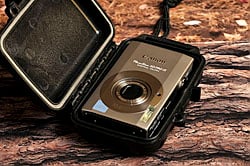
Closed. It's small enough to fit in a watertight Otter box.
Look and Feel. Size has always been at the heart of the ELPH's allure and the SD790 IS maintains that advantage, adding a bit of charm with a symmetrically sculpted look that is attractive standing on-end or sideways.
Even the back is attractive with its 230,000-pixel, 3-inch LCD and simple die-cut buttons above and below the rotating navigator dial. That new dial doubles as a sub-mode dial (if a bit awkwardly). The top two buttons are Print/Share and Playback. The bottom two are Display and Menu. The Control Dial uses the Up arrow for ISO, Right for Flash modes, Down for Trash/Shutter Release modes/Self-Timer, and Left for Focus modes. Look closely and you'll find the "thumb grip" of eight raised bumps between the top buttons and the LCD.
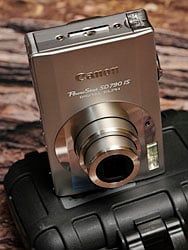
Open. It's quick on the draw, thanks to the Canon SD790's DIGIC III processor.
A speaker is all you'll find on the left side (or bottom) of the camera, while the opposite end holds a neatly covered USB port and an eyelet for the strap. The bottom of the camera is equally uncomplicated with the sliding door to the battery/card compartment and a metal tripod socket under the center of the LCD.
On the front, the design highlights the protruding lens with a chrome accent flange interrupted only by the flash in the top right corner and the focus-assist lamp next to it.
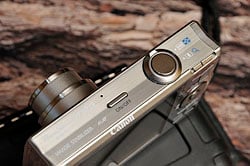
Top. Nicely grooved so the Power button protrudes without snagging.
The top panel is neatly grooved so the slim Power button is easily discovered without protruding beyond the profile of the case. There's a small microphone grill just to the front of it. The large Shutter button is ringed with the Zoom lever and a very slim Mode switch is on the beveled back edge. The Mode switch can be a problem because the small bump that makes it easy to grip also makes it easy for pockets and bags to grab and move the switch to a different setting. Once you're aware of the issue, it's easy enough to avoid, but it's a vulnerability that caught me off guard a couple of times.
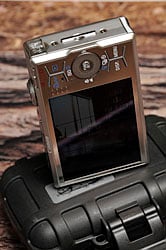
Back. A big LCD and just a few controls.
The 3-inch LCD is the only viewfinder on the Canon SD790 IS, but it's a high-resolution one with 230,000 pixels. And you can see it in direct sunlight without squinting.
The rotating Control dial spins to select any of the various Auto mode options (including Auto, Camera M, Color Accent, Color Swap, Digital Macro, and Stitch Assist).
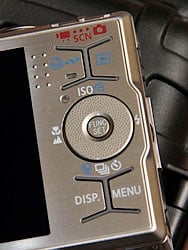
Controls. The die-cut buttons work well, but the rotating Control Dial is a bit awkward, not responding reliably to each turn of the wheel.
The Control dial also navigates Canon's menu system. You access the system by pressing the Menu button. Then either rotate the Control Dial or press the Up/Down arrow keys to scroll through the selections. To change a setting, you press either the Left/Right arrow keys to scroll through your options, or the Set button to access another screen of options. The Set button also confirms your selection.
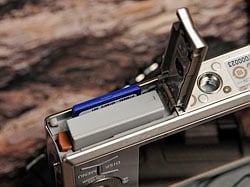
Bottom. Neatly arranged with a strong cover and a springloaded metal hinge, the door covers the battery and SD card slot. Note also the metal tripod socket.
The lens is the 35mm equivalent of a 35mm to 105mm zoom. That's wide enough to capture a small room, and long enough for middle distance landscapes. The 4x digital zoom gets you close enough (420mm equivalent) to compose less-detailed photos of far-away subjects. Among digital zooms, it isn't great quality but about average.
The "IS" in the camera name stands for Image Stabilization. That means that the Canon SD790's lens has an element that shifts to compensate for camera movement. That stabilizes those 420mm digital zoom shots, but, more importantly, lets you take more natural-light shots without resorting to flash by steadying the image at very slow shutter speeds.
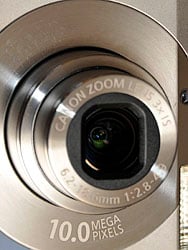
Lens. Only 3x optical zoom.
Interface. As it happened, I had the Canon SD790 IS for a couple of weeks, so it became my pocket camera. I found it easy enough to use that at certain events like dinner parties it was no trouble to hand it off to someone who had never seen one before and ask them to take my picture.
All I had to show them -- no matter their age -- was where to find three buttons: the Power button, the Shutter button and the Zoom ring. The big screen made it easy to compose the shot and check the capture.
Of course, there are buttons and a dial and they do offer useful functions, as we detailed above. But the beauty of this ELPH is that you rarely have to use them.
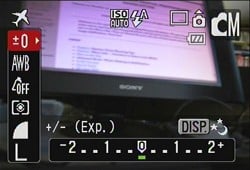
Camera M. The most control with EV, White Balance, Metering, and more.
Modes. An ELPH is an automatic camera. Slide the Mode switch to Auto and forget about it. If you see something strange on the LCD, try a Scene mode by sliding the Mode switch to the middle. But Auto does very well.
If you've got some shooting experience, you'll probably prefer Camera M as your default shooting mode because Auto only lets you change file size and compression in the menu system. If you want to change EV or set the white balance or change the exposure metering (and who doesn't?), you want Camera M. To get to Camera M, set the Mode switch to Auto and spin the navigator. The screen will display the Auto options (which include some fun things like Color Accent, Color Swap, Digital Macro, and Stitch Assist).
Shooting modes are surprisingly extensive.
They include Auto, Camera M, Special Scene (Portrait, Foliage, Snow, Beach, Sunset, Fireworks, Aquarium, ISO 3200, Underwater, Indoor, Kids & Pets, Night Snapshot, Color Accent, Color Swap, Digital Macro, Stitch Assist, and Movie. You can use digital zoom in Movie mode and there's even a time-lapse option.

High Quality Movie. A 10.7MB file lasting six seconds. Digital zoom, too.
Playback modes are just as extensive.
Still image modes include Single, Magnification (approximately 2x to 10x), Jump, Auto Rotate, Rotate, Resume, My Colors, My Category, Transition Effects, Histogram, Overexposure Warning, Index (9 thumbnails), Sound Memos, Slide Show, Red-eye Correction, Raw, Trimming, Resize, and the helpful Image Inspection Tool. Movie modes include Normal Playback, Special Playback, Editing, Auto Rotate, and Resume.
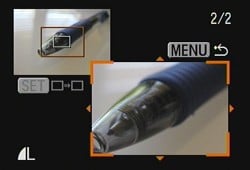
Image Inspection Tool. Here the SD790 IS is showing us the focus point and letting us examine a magnified view of it.
Storage and Battery. The Canon SD790 IS has an SD memory card slot, which can accommodate SD/SDHC memory cards, MultiMediaCard/MMC Plus cards, and HC MMC Plus cards. It does not have any internal memory storage.
File sizes vary quite a bit, but my shots at the highest resolution with the least compression were typically about 4.6MB, although a few ran as high as 5.2MB. A nearly black image is about 2.2MB for comparison (yes, I had one of those).
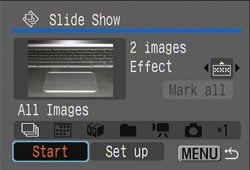
Slide Show Options. The bar second from the bottom lets you select various groups of images.
The NB-5L lithium-ion battery never failed me, holding a charge through any of the events where I used the camera. CIPA testing standards (which tax the battery a good deal more than I do, using quite a few flash shots) rate the capacity at about 330 shots or 420 minutes of playback time.
Performance. With Canon's fastest processor (the same one used in its digital SLRs), you'd expect the SD790 IS to score above average on our essential tests -- and it does indeed.
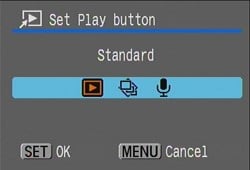
Define Playback. You can define the Playback bottom function.
Its 1.5 second startup time (as the lens extends) and 1.1 second shutdown time are both safely above average for current compact digicams.
More importantly, its combined autofocus lag is only 0.541 seconds (0.48 wide, 0.60 tele), also above average in a field that's getting pretty responsive. Nobody who shot with this camera complained about shutter lag. Prefocus lag is a very brisk 0.072 second to ice that cake. Cycle time was only average for a 10-megapixel digicam though.
Download speed was swift at 5,831K bytes a second. I used both a folding USB/SD card and an Eye-Fi wireless card in the camera rather than plugging a USB cable into the neatly capped port in the top corner. But there's no penalty for using a cable at that speed.


Zoom Range. 35mm to 105mm to 4x digital zoom.
Flash cycle time was only average at 6.7 seconds with a full-power discharge. While the flash is competent, reaching 11 feet at wide angle using only ISO 250 and 6.6 feet at telephoto using ISO 200, it isn't going to light up big rooms.
The 3-inch LCD ranks above average, while 3x optical zoom is just average. This isn't the camera to take sightseeing. But few ELPHs really are. Weight was a trim 6.31 ounces, but that's a bit heavier than average. I have no complaint with that, however, since it helps stabilize the camera in your hand.
In short, the Canon SD790 IS gets high marks for performance with the usual compact flash syndrome.
Image Quality. Performance is important when you're using the camera, but what you are left with is image quality. How good are the SD790 IS images?
Like other digicams in its class, barrel distortion at wide angle was high at 0.9 percent, but pincushion at telephoto was low at less than 0.1 percent. Chromatic aberration was high at wide angle, as well, exacerbated by corner blur. That sounds worse than it is. I can't think of a single compact digicam that doesn't suffer the same fate.
While there is some oversaturation of reds and blues, color was generally vibrant and pleasing. That's saying something because in this class the tendency is to oversaturate, to make images "pop," to really dazzle you. Except if you walked around town being dazzled, you'd probably be run over by a bus. Natural color is something we all prize around here and the Canon comes very close to it.
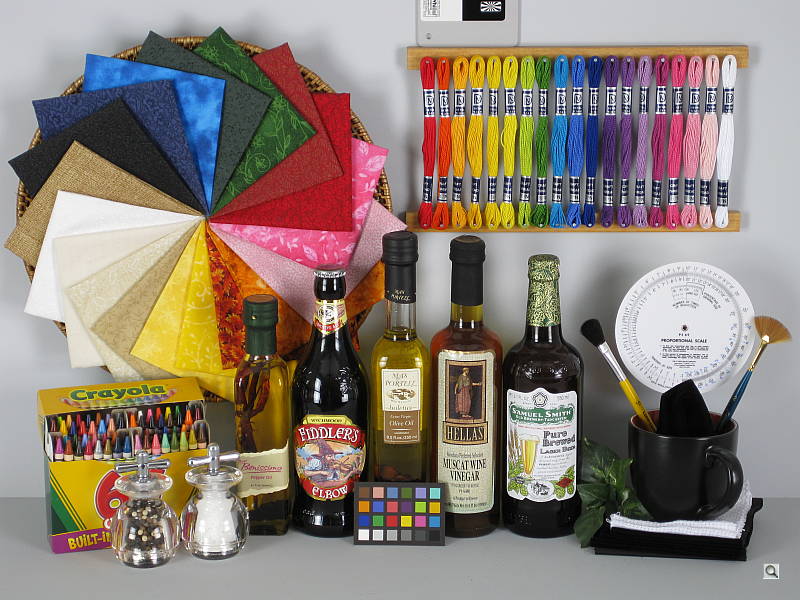
Our lab shots get to the meat of the matter. The ISO 100 Still Life does exhibit issues with corner blur (yarns are sharper at the bottom) and highlight bleeding (see the white napkin under the dark coffee cup or the top edge of the Samuel Smith label). But you can still distinguish the mosaic pattern on the Hellas vinegar bottle, and the proportional scale looks pretty good.
The high resolution Multi Target shows the extent of the chromatic aberration we mentioned in the corners but also the very sharp resolution at the center of the image.

Red. A natural rendering.
When we talk about natural color, the best illustration is a cherry red car. The very first gallery shot is one such, the vehicle parked under a blue and red Bank of America sign with a scarlet Memorial Day notice on the door. None of those reds is oversaturated (although they are certainly bright for a foggy day). The effect is natural.
My shot of an AA battery illustrates the quality of Digital Macro mode. I was just a few inches away with the lens at wide angle. If I had wanted more of the battery in focus, I would have tapped the ISO button (Up arrow) and changed the ISO to 400.

ISO 3,200. Reduced image size only.
The dolls are a good illustration of the value of the DIGIC III chip. I actually prefer the ISO 3,200 shot to the ISO 1,600 shot. The 1,600 shot is full resolution (2,736 x 3,648) while the 3,200 shot is smaller (1,200 x 1,600). But color is better at the smaller size.
My fire hydrant torture test shows almost no highlight blooming from the white hydrant into the dark hedge. That is really pretty remarkable. Our lab's outdoor shot didn't do quite as well, however. Still, many more expensive digicams can't do as well. We also shot that at -2/3 EV after looking at the 0 EV shot in the LCD but on the computer the original 0 EV shot looks about right.
So despite the typical ultracompact issues, I have no complaints about image quality. Would that every digicam did as well.
Appraisal. The Canon SD790 IS has only one strike against it and that's its 3x optical zoom. You might think the lack of a Manual mode would be another, but the Canon SD790 IS is designed for taking great snapshots. With its DIGIC III processor, it does just that.
Canon SD790 IS Basic Features
- 10 megapixel sensor with DIGIC III image processor
- 3x optical zoom lens (35-105mm 35mm equivalent)
- 3-inch LCD
- ISO sensitivity from 80 to 3,200
- Shutter speeds from 15 to 1/1,500
- Max Aperture: f/2.8
- SDHC/SD memory card support
- Custom lithium-ion battery
Canon SD790 IS Special Features
- Improved Face Detection Technology sets the focus, exposure, flash, and white balance automatically
- Motion Detection Technology detects subject movement and optimizes exposure control and ISO settings to reduce image blur
- DIGIC III Image Processor
- USB 2.0 Hi-Speed
In the Box
The Canon SD790 IS ships with the following items in the box:
- PowerShot SD790 IS Digital ELPH Body
- Lithium-ion Battery Pack NB-5L
- Battery Charger CB-2LX
- SD Memory Card SDC-32M
- Wrist Strap WS-DC2
- Digital Camera Solution CD-ROM
- USB Interface Cable IFC-400PCU
- AV Cable AVC-DC400
Recommended Accessories
- Large capacity SDHC/SD memory card. These days, 2GB is a good tradeoff between cost and capacity.
- Small camera case like the $19.99 PowerShot Case PSC-55 for outdoor and in-bag protection
- High-Power Flash HF-DC1
- Waterproof Case WP-DC24 and Waterproof Weight WW-DC-1
Canon SD790 IS Conclusion
| Pro: | Con: |
|---|---|
|
|
With a generous 10-megapixel sensor and a high-resolution, 3-inch LCD, the chiseled Canon SD790 IS ELPH is hard to ignore. Add Canon's Face Detection and Motion Detection technology, all handled by the company's premier DIGIC III image processor, and even what you don't see is impressive. Like all compact digicams it suffers from slightly noticeable corner softening and chromatic aberration at wide angle. But that's forgivable. We're less inclined to forgive the meager 3x zoom, particularly if you do a lot of landscape shooting. But when it comes to image quality, the Canon SD790 IS impressed me with its dynamic range and natural color capture. Small enough to take anywhere, you'll never want to be without it. The Canon SD790 is an easy Dave's Pick.
Optics
Canon Powershot SD790 IS Optics
Lens
Zoom
A fairly standard 3x optical zoom lens, with good performance. Digital
zoom performance is about average these days.


The Canon PowerShot SD790 IS features a standard 3x optical zoom, covering a range equivalent to a 35-105mm zoom on a 35mm camera. Results are good at wide angle with strong detail and only a small amount of visible blurring in the corners that doesn't extend very far into the image area. Coma distortion is also slight. At telephoto, results are also good, though blurring in the corners is a little more noticeable. The camera's 4x digital zoom performs about average, with pretty good detail but a lot of artifacts and less definition.
Macro
A small macro area with good detail and high resolution. Closest focusing
distance is too close for the flash.


The Canon PowerShot SD790 IS' macro setting performed well, capturing a small minimum area of just 1.31 x 0.99 inches (33 x 25 millimeters). Detail and resolution were both very good at the center of the frame, though there's a moderately high amount of softening in the corners from the lens. (Most cameras have some softening in the corners in macro mode.) The flash had trouble throttling down for the macro area, however, and was also partially blocked by the lens, resulting in a very uneven exposure with a strong hot spot. Plan on using external lighting for any macro shots with the Canon SD790 IS.
Distortion
High barrel distortion, though very low pincushion.
| Barrel distortion at 35mm is 0.9% |
 |
| Pincushion at 105mm is less than 0.1% |
 |
The Canon Powershot SD790 IS's 0.9% barrel distortion at wide angle is higher than average, and quite noticeable in its full wide angle images. At the telephoto end, the SD790 IS's less than 0.1% (about 0.03%) pincushion distortion is really very low -- actually only about one pixel's worth. Distortion is the tendency for the lens to bend straight lines outward (like a barrel -- usually at wide angle) or inward (like a pincushion -- usually at telephoto).
Chromatic Aberration
High and bright at wide angle, though very low at telephoto. Noticeable
effect on some images in the corners toward full wide angle.
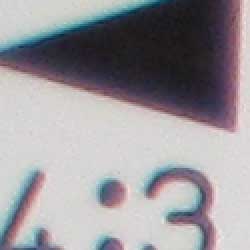
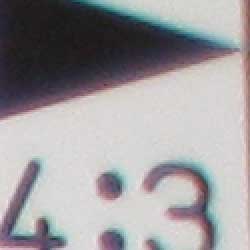
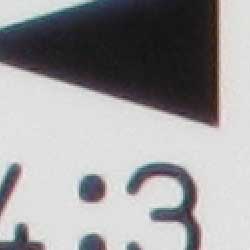
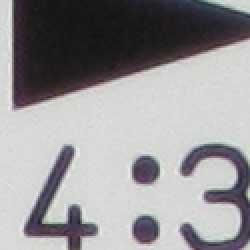
Chromatic aberration is high at wide angle, showing fairly bright coloration on either side of the target lines. Some blurring in the corners here is likely intensifying the effect, however. At telephoto, the effect is much less visible, with almost transparent color on either side of the target lines. (This distortion is visible as a slight colored fringe around the objects at the edges of the field of view on the resolution target.)
Corner Sharpness
Moderately high blurring in the corners of the frame at wide angle, less
at telephoto.
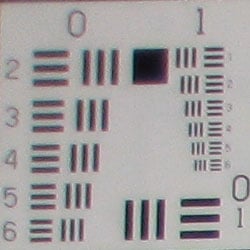
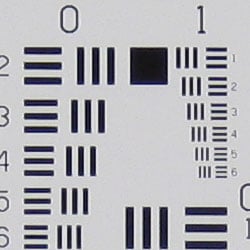
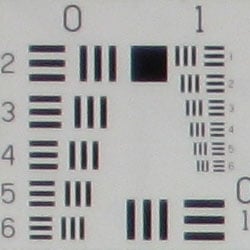
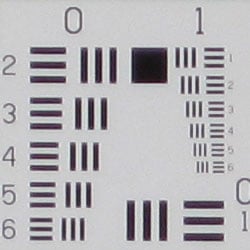
The Canon Powershot SD790 IS produced fairly soft corners of the frame at full wide angle, which was noticeable in some images. At full telephoto, blurring was almost indistinguishable from the center of the image, a very good result.
Viewfinder
Coverage
Very good accuracy from the LCD monitor.
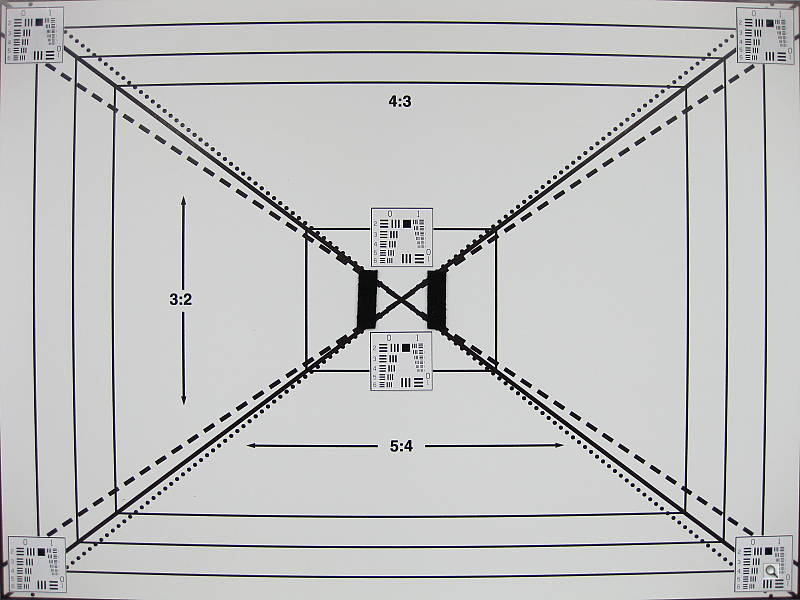
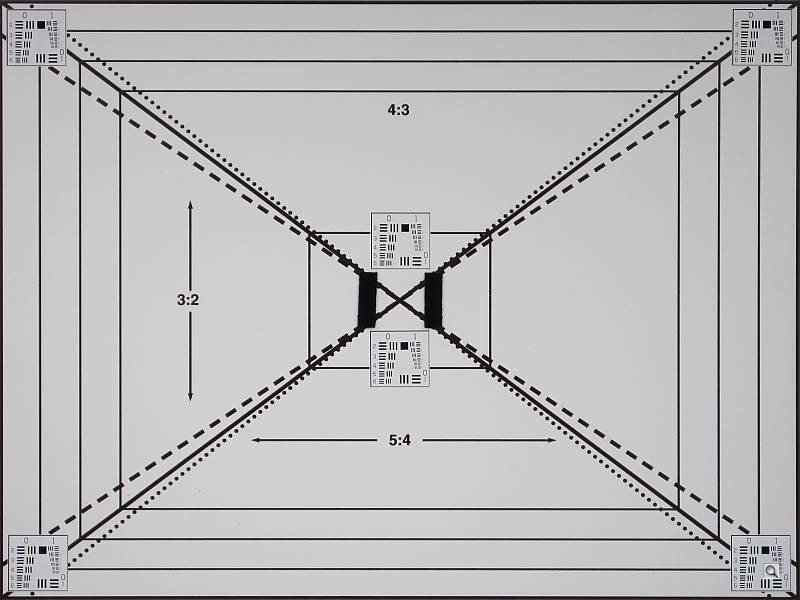
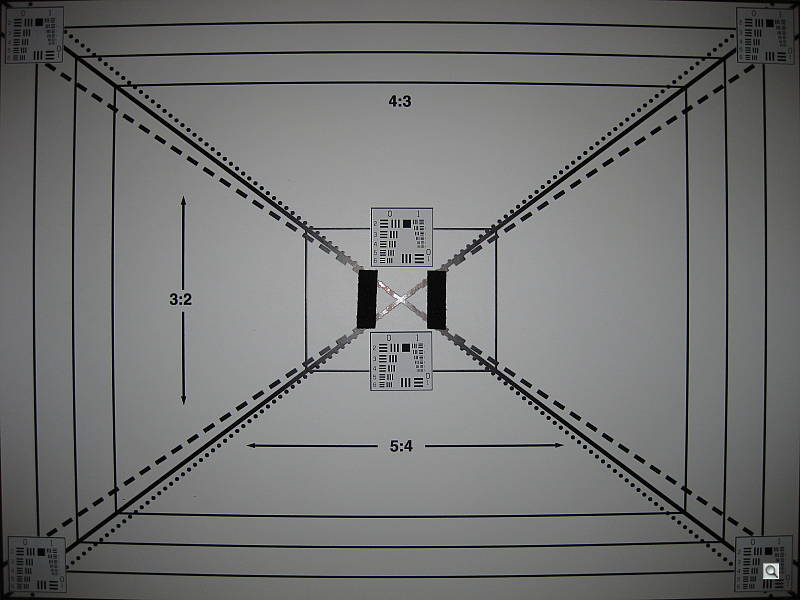
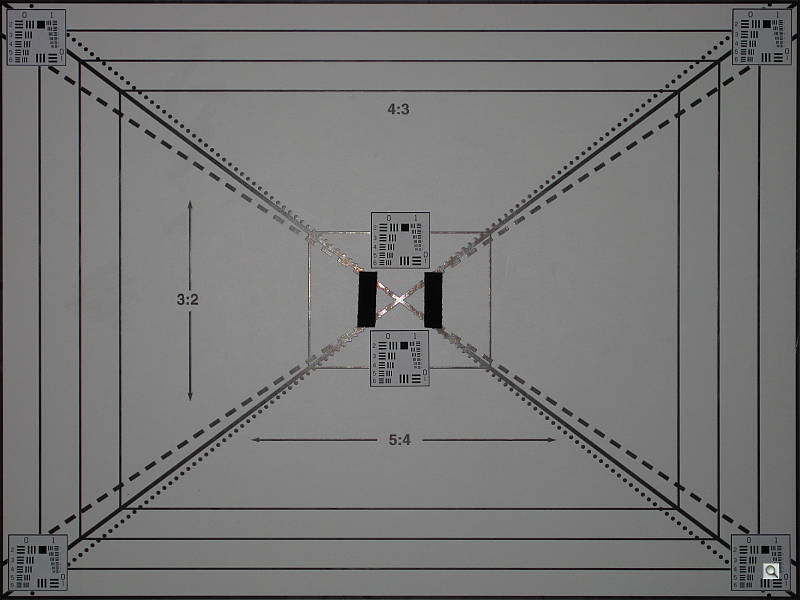
The Canon Powershot SD790 IS' LCD monitor showed about 103% coverage accuracy at wide angle, and about 101% at telephoto. Both are a little loose, but overall results are still good.
The images above were taken from our standardized test shots. For a collection of more pictorial photos, see our Canon PowerShot SD790 IS Photo Gallery .
Exposure
Canon Powershot SD790 IS Exposure
Color
Saturation & Hue Accuracy
Very nice overall color saturation and hue accuracy, with only slight
oversaturation in some reds and blues.
 |
| In the diagram above, the squares show the original color, and the circles show the color that the camera captured. More saturated colors are located towards the periphery of the graph. Hue changes as you travel around the center. Thus, hue-accurate, highly saturated colors appear as lines radiating from the center. |
Saturation. True to Canon form, the Powershot SD790 IS produced pretty good overall color. The camera did oversaturate strong reds and blues a little, which is actually normal among consumer digital cameras. Still, color was vibrant and pleasing across an array of subjects. Most consumer digital cameras produce color that's more highly saturated (more intense) than found in the original subjects. This is simply because most people like their color a bit brighter than life.
Skin tones. Here, with the color balanced properly for the light source, the SD790's skin tones were a hint warm, but quite natural. Where oversaturation is most problematic is on Caucasian skin tones, as it's very easy for these "memory colors" to be seen as too bright, too pink, too yellow, etc.
Hue. The Powershot SD790 IS showed a few small color shifts relative
to the correct mathematical translation of colors in its subjects. Cyan
tones were pushed strongly toward blue, while oranges pushed toward yellow
and yellows toward green. Still, overall color accuracy was quite good.
Hue is "what color" the color is.

Sensor
Exposure and White Balance
Indoors, incandescent lighting
Nearly accurate color with the Manual white balance, though Auto performance isn't too terribly off. Less than average positive exposure compensation was required.


Color balance indoors under incandescent lighting was slightly magenta in Auto white balance mode, while the Incandescent setting produced a much stronger pink cast. Manual mode was the most accurate overall, if a hint on the yellow side. Overall color here is quite good, with only slight purplish tints in the blue flowers. The Powershot SD790 IS required only a +0.7 EV exposure compensation boost to get a good exposure, which is less than average for this shot. Our test lighting for this shot is a mixture of 60 and 100 watt household incandescent bulbs, a pretty yellow light source, but a very common one in typical home settings here in the U.S.
Outdoors, daylight
Bright color outdoors, though high contrast exposure under harsh
lighting.

Outdoors, the Canon Powershot SD790 IS performed fairly well, though high contrast creates hot highlights and deep shadows. Though the shirt is almost completely blown out in the +0.7 EV shot, this is the closest it gets to good skin tones without excessive highlights taking over. The SD790 IS does have an adjustable contrast setting, which is useful under conditions like these. Shadow detail is somewhat limited in both shots, partially from noise suppression and partially from interference from noise pixels. Overall color outdoors remains vibrant however, despite the extreme exposure conditions.
See full set of test images with explanations
See thumbnails of all test and gallery images
Resolution
Very high resolution, 1,600 ~ 1,800 lines of strong detail.
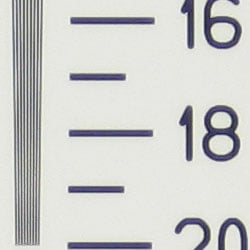
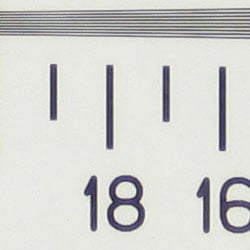
Our laboratory resolution chart revealed sharp, distinct line patterns down to about 1,700~1,800 lines per picture height horizontally, though lines are really only clear to about 1,600 lines vertically. Extinction didn't really occur, though lines get fuzzy at around 1,900. Use these numbers to compare with other cameras of similar resolution, or use them to see just what higher resolution can mean in terms of potential detail.
See full set of test images with explanations
See thumbnails of all test and gallery images
Sharpness & Detail
Fairly sharp images overall, with only minor edge-enhancement on high-contrast subjects. Noise suppression limits detail in the shadows.
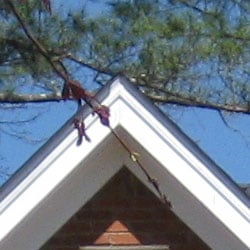

Sharpness. The Canon Powershot SD790 IS captures a lot of detail with pretty good definition and sharpness. Very slight enhancement artifacts are visible on high-contrast subjects such as the crop above left, but overall results are good. Edge enhancement creates the illusion of sharpness by enhancing colors and tones right at the edge of a rapid transition in color or tone.
Detail. The crop above right shows moderate noise suppression, with darker areas of hair showing more limited detail. Individual strands merge in the darker shadows, losing definition. Noise-suppression systems in digital cameras tend to flatten-out detail in areas of subtle contrast. The effects can often be seen in shots of human hair, where the individual strands are lost and an almost "watercolor" look appears.
ISO & Noise Performance
Low to moderate noise at the normal sensitivity settings, though a jump in noise with strong blurring at the higher settings.
 |
 |
 |
| ISO 80 | ISO 100 | ISO 200 |
 |
 |
 |
ISO 400 | ISO 800 | ISO 1,600 |
 |
ISO 3,200 (1,600 x 1,200 pixels) |
The Canon Powershot SD790 IS handles image noise well at its lower ISO settings, with minimal interference up to ISO 200. At ISO 400, image noise is slightly higher, with less visible fine detail as well. Where things really start to fall apart is at ISO 1,600, as the noise pattern is quite strong and affects detail and color balance. In an attempt to control the effects of noise, the SD790 IS limits resolution to 1,600 x 1,200 pixels at ISO 3,200, the highest setting, though the entire image is quite soft.
Extremes: Sunlit and low light tests
High resolution with strong overall detail, but high contrast and limited
shadow detail. Good low-light performance, capable of capturing bright images
in near darkness.


Sunlight. The Canon Powershot SD790 IS had some difficulty dealing with the deliberately harsh lighting in the test above, producing very high contrast with washed-out highlights and deep shadows. Shadow detail is limited, with the effects of noise suppression evident in the form of smudged detail in deep shadow areas. The strong highlights also hold onto minimal detail. The camera required about average compensation to get proper exposure of skin tones, at +0.7 EV, but at the expense of detail in the white shirt. Consider reducing the contrast setting with the Powershot SD790 IS, and be sure to use fill flash in situations like the one shown above -- it's better to shoot in the shade when possible.
Because digital cameras are more like slide film than negative film (in that they tend to have a more limited tonal range), we test them in the harshest situations to see how they handle scenes with bright highlights and dark shadows, as well as what kind of sensitivity they have in low light. The shot above is designed to mimic the very harsh, contrasty effect of direct noonday sunlight, a very tough challenge for most digital cameras. (You can read details of this test here.)
| 1 fc 11 lux |
1/2 fc 5.5 lux |
1/4 fc 2.7 lux |
1/8 fc 1.3 lux |
1/16 fc 0.67 lux |
|
|---|---|---|---|---|---|
| ISO 80 |
 2.5 sec f2.9 |
 5 sec f2.9 |
 9.9 sec f2.9 |
 16 sec f2.9 |
 16 sec f2.9 |
| ISO 100 |
 2 sec f2.9 |
 4 sec f2.9 |
 8 sec f2.9 |
 16 sec f2.9 |
 16 sec f2.9 |
| ISO 200 |
 1 sec f2.9 |
 2 sec f2.9 |
 4 sec f2.9 |
 8 sec f2.9 |
 16 sec f2.9 |
| ISO 400 |
 0.5 sec f2.9 |
 1 sec f2.9 |
 2 sec f2.9 |
 4 sec f2.9 |
 8 sec f2.9 |
| ISO 800 |
 1/4 sec f2.9 |
 0.6 sec f2.9 |
 1 sec f2.9 |
 2 sec f2.9 |
 4 sec f2.9 |
| ISO 1600 |
 1/8 sec f2.9 |
 1/4 sec f2.9 |
 0.5 sec f2.9 |
 1 sec f2.9 |
 2 sec f2.9 |
| ISO 3200 |
 1/22 sec f2.9 |
 1/11 sec f2.9 |
 1/8 sec f2.9 |
 1/8 sec f2.9 |
 1/8 sec f2.9 |
Low light. The Canon Powershot SD790 IS performed well on the low-light test, capturing bright images almost at the lowest light level with the lowest sensitivity setting (ISO 80). Images were bright all the way to 1/16 foot-candle at ISOs 200 and up. Color balance was pretty good with the Auto white balance setting. The camera's autofocus system worked well also, as it was able to focus on the subject down to just under the 1/8 foot-candle light level unassisted, and down to the darkest light level with the AF assist enabled. Keep in mind that the longer shutter times here demand the use of a tripod to prevent blurring from camera movement. (A useful trick is to just prop the camera on a convenient surface, and use its self-timer to release the shutter. This avoids any jiggling from your finger pressing the shutter button, and can work quite well when you don't have a tripod handy.)
How bright is this? The one foot-candle light level that this test begins at roughly corresponds to the brightness of typical city street-lighting at night. Cameras performing well at that level should be able to snap good-looking photos of street-lit scenes.
NOTE: This low light test is conducted with a stationary subject, and the camera mounted on a sturdy tripod. Most digital cameras will fail miserably when faced with a moving subject in dim lighting. (For example, a child's ballet recital or a holiday pageant in a gymnasium.) For such applications, you may have better luck with a digital SLR camera, but even there, you'll likely need to set the focus manually. For information and reviews on digital SLRs, refer to our SLR review index page.
Flash
Coverage and Range
A slightly dim flash overall. EV compensation had no effect on standard
flash shots.


Coverage. Flash coverage was uneven at wide angle, but more even at telephoto. In the Indoor test, the Powershot SD790 IS' flash underexposed our subject just a little at its default setting, but the camera's EV adjustment had no effect on the standard flash exposure. The camera's Slow-Sync flash mode produced brighter and more even results, though with a stronger pinkish-orange cast from the room lighting. Here, the +0.3 EV exposure produced the best results.
| Flash Range: Wide Angle | |||||
|---|---|---|---|---|---|
| 6 ft | 7 ft | 8 ft | 9 ft | 10 ft | 11 ft |
 1/64 sec f2.9 ISO 100 |
 1/64 sec f2.9 ISO 100 |
 1/64 sec f2.9 ISO 100 |
 1/64 sec f2.9 ISO 100 |
 1/64 sec f2.9 ISO 100 |
 1/64 sec f2.9 ISO 100 |
| 12 ft | 13 ft | 14 ft | 15 ft | 16 ft | |
 1/64 sec f2.9 ISO 100 |
 1/64 sec f2.9 ISO 100 |
 1/64 sec f2.9 ISO 100 |
 1/64 sec f2.9 ISO 100 |
 1/64 sec f2.9 ISO 100 |
|
| Flash Range: Telephoto | |||||
|---|---|---|---|---|---|
| 6 ft | 7 ft | 8 ft | 9 ft | 10 ft | 11 ft |
 1/64 sec f5.0 ISO 100 |
 1/64 sec f5.0 ISO 100 |
 1/64 sec f5.0 ISO 100 |
 1/64 sec f5.0 ISO 100 |
 1/64 sec f5.0 ISO 100 |
 1/64 sec f5.0 ISO 100 |
| 12 ft | 13 ft | 14 ft | 15 ft | 16 ft | |
 1/64 sec f5.0 ISO 100 |
 1/64 sec f5.0 ISO 100 |
 1/64 sec f5.0 ISO 100 |
 1/64 sec f5.0 ISO 100 |
 1/64 sec f5.0 ISO 100 |
|
ISO 100 Range. At wide angle, flash shots at ISO 100 remained fairly bright out to a distance of about 9 feet, decreasing in brightness slightly from that point on. At full telephoto and ISO 100, the target remained at the same brightness to about 7 feet before decreasing with each foot of distance.
| Manufacturer-Specified Flash Range | |
|---|---|
| Wide Angle | Telephoto |
 11.0 feet Auto ISO 250 |
 6.6 feet Auto ISO 200 |
Manufacturer Specified Flash Test. In the wide angle shot above, the Powershot SD790 IS performs almost as Canon says it will, though it boosted ISO to 250 to compensate. At telephoto, the camera again boosted ISO, this time to 200. Our standard test method for flash range uses a fixed setting of ISO 100, to provide a fair basis of comparison between cameras. We've now also begun shooting two shots using the manufacturer-specified camera settings, at the range the company claims for the camera, to assess the validity of the specific claims.
Output Quality
Print Quality
Good print quality, good color, sharp 11x14 inch prints at ISO 80 and 100. ISO 400 images are soft but still usable at 11x14, ISO 800 shots are usable at 8x10.
 The Canon SD790 IS had enough resolution to make sharp 11x14-inch prints at ISO 80 and 100. 13x19 and 16x20-inch prints were reasonable, but detail was soft at both sizes. ISO 200 shots are good at 11x14, with good color and detail, but with noticeable chroma noise in the shadows. ISO 400 shots are soft at 11x14, but most of the chroma noise is gone. At 8x10 detail returns; contrast is also a little higher at ISO 400. ISO 800 shots are grainy, but not bad at 8x10; at 5x7 they look pretty much normal. ISO 1,600 shots are usable at 5x7, but not much better at 4x6. They're noticably grainy, but acceptable. ISO 3,200 shots are blurry and poor at 4x6 inches, so steer clear of this Scene mode. Pretty good results overall.
Testing hundreds of digital cameras, we've found that you can only tell just so much about a camera's image quality by viewing its images on-screen. Ultimately, there's no substitute for printing a lot of images and examining them closely. For this reason, we now routinely print sample images from the cameras we test on our Canon Pro9000 studio printer, and on the Canon iP5200 here in the office. (See the Canon PIXMA Pro9000 review for details on that model.)
The images above were taken from our standardized test shots. For a collection of more pictorial photos, see our Canon PowerShot SD790 IS Photo Gallery .
Not sure which camera to buy? Let your eyes be the ultimate judge! Visit our Comparometer(tm) to compare images from the Canon PowerShot SD790 IS with those from other cameras you may be considering. The proof is in the pictures, so let your own eyes decide which you like best!
Performance
Canon Powershot SD790 IS Performance
Timing and Performance
Good to average speed for a consumer camera.
| Startup/Shutdown |
||
| Power on |
1.5 seconds | Time it takes for LCD to turn on and lens to deploy and capture a picture. |
| Shutdown |
1.1 seconds | How long it takes to retract lens. |
| Buffer clearing time |
2 seconds (2 seconds buffer clearing in LSF JPEG) |
Worst case buffer clearing time. -- This is the delay after a set of shots before you can remove the card. Some cameras won't retract their lenses and shut down until the buffer is cleared. |
Startup and shutdown times are about average.
| Mode Switching | ||
|---|---|---|
| Play to Record, |
2.1 seconds | Time until first shot is captured. |
| Record to play |
1.1 seconds | Time to display a large/superfine file immediately after capture. |
| Display |
1.8 seconds | Time to display a large/superfine file already on the memory card. |
Mode switching times are about average also.
| Shutter Response (Lag Time) | ||
|---|---|---|
| Full Autofocus Wide |
0.48 second | Time from fully pressing shutter button to image capture, zoom lens at wide angle position. |
| Full Autofocus Tele |
0.60 second | Time from fully pressing shutter button to image capture, zoom lens at telephoto position. |
|
Full Autofocus |
1.70 seconds |
Time from fully pressing shutter button to image capture, zoom lens at wide angle position, flash enabled. |
| Prefocused |
0.072 second | Time to capture, after half-pressing and holding shutter button. |
Shutter response is better than average at both wide angle and telephoto, at 0.48s and 0.60s respectively, and "prefocusing" the camera by half-pressing and holding down the shutter button before the final exposure results in a lag time of only 0.072 second. Enabling the flash adds quite a bit of delay to full autofocus lag (1.7 seconds).
| Cycle Time (shot to shot) | ||
|---|---|---|
| Single Shot mode Large SuperFine JPEG |
2.09 seconds | Time per shot, averaged over 20 shots. |
| Single Shot mode |
1.94 seconds | Time per shot, averaged over 20 shots. |
| Early shutter |
No | Some cameras don't snap another shot if you release and press the shutter too quickly in Single Shot mode, making "No" the preferred answer. |
| Continuous mode |
0.77 second (1.31 frames per second); 20+ frames total; 2 seconds to clear |
Time per shot, averaged over buffer length or 20 shots, whichever came first. |
| Continuous mode |
0.71 second (1.40 frames per second); 20+ frames total; 1.5 seconds to clear |
Time per shot, averaged over buffer length or 20 shots, whichever came first. |
| Continuous mode |
0.71 second (1.41 frames per second); 20+ frames total; 1 second to clear |
Time per shot, averaged over buffer length or 20 shots, whichever came first. |
| Flash recycling |
6.7 seconds | Flash at maximum output. |
| *Note: Buffer clearing times measured with a SanDisk Extreme III SD memory card. Slower cards will produce correspondingly slower clearing times. Slow cards may also limit length of bursts in continuous mode. ISO sensitivity also affects cycle times and burst mode performance, with higher ISOs generally increasing cycle times and reducing burst performance. |
||
Shot-to-shot cycle times are on the slower side of average, at about 2.09 seconds for large/superfine JPEGs, though the camera does capture frames continuously at this rate. (That is, given a fast enough memory card, it doesn't have to pause every few frames to wait for the card to catch up.) Also a consideration here is the very large 3,648 x 2,736 resolution. The PowerShot SD790 IS also drags a little in its Continuous modes, capturing 20 large/superfine frames at 1.31 frames per second, but with no signs of slowing down. The flash takes 6.7 seconds to recharge after a full-power shot, which is about average.
| Download Speed | ||
|---|---|---|
| Windows Computer, USB 2.0 |
5,831 KBytes/sec | Typical Values: |
Connected to a computer or printer with USB 2.0, download speeds are very fast.
Bottom line, the Canon Powershot SD790 IS won't be a good choice for sporting events or any fast-paced action, but is responsive enough for most family photo opportunities.
Battery and Storage Capacity
Battery
Above average battery life for a Lithium-ion design.
| Operating Mode | Number of Shots |
|---|---|
|
Lithium-ion Rechargeable Battery,
(CIPA standard) |
330
|
The Canon Powershot SD790 IS uses a custom rechargeable lithium-ion battery for power, and ships with a charger. Although battery life is above average, we recommend you pick up a spare battery and keep it freshly charged and on-hand for extended outings.
The table above shows the number of shots the camera is capable of (on either a fresh set of disposable batteries or a fully-charged rechargeable battery as appropriate), based on CIPA battery-life and/or manufacturer standard test conditions.
(Interested readers can find an English translation of the CIPA DC-002 standards document here. (180K PDF document))
Storage
The Canon Powershot SD790 IS accepts SDHC/SD/MMC memory cards, and comes with a 32MB card.
| Image Capacity with 32MB Memory Card |
Super Fine | Fine | Normal | |
|---|---|---|---|---|
| 3,648
x 2,736 |
Images |
7 |
11 |
24 |
| File Size |
4.5 MB |
2.7 MB |
1.3 MB |
|
| 2,816
x 2,112 |
Images |
11 |
18 |
38 |
| File Size |
2.8 MB |
1.7 MB |
827 KB |
|
| 2,272
x 1,704 |
Images |
15 |
27 |
53 |
| File Size |
2.1 MB |
1.2 MB |
595 KB |
|
| 1,600
x 1,200 |
Images |
30 |
53 |
101 |
| File Size |
1.1 MB |
595 KB |
314 KB |
|
| 640
x 480 |
Images |
113 |
176 |
276 |
| File Size |
281 KB |
182 KB |
116 KB |
|
We strongly recommend buying a large capacity SDHC or SD memory card at least a 1GB card, preferably a 4GB one, to give yourself extra space for extended outings and video. (Check the shopping link above, cards are really cheap these days, so no reason to skimp.)