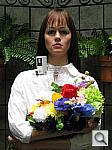
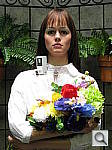
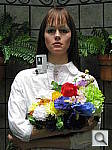
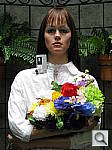
Black Friday 2026: camera deals are going live nowSee the best deals →

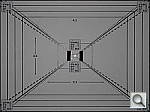
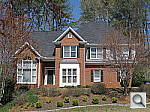
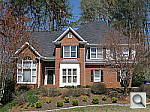
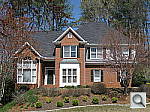
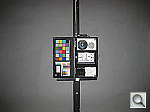
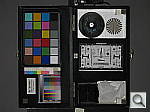
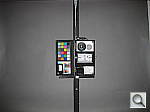
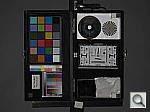
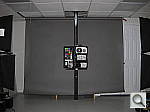
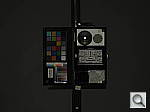
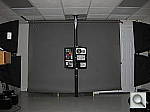
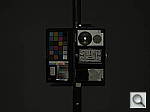
Canon SD790 IS Review – Test Shots

Add us on

Digital Cameras – Canon PowerShot SD790 IS Test Images

Not sure which camera to buy? Let your eyes be the ultimate judge!
Visit our Comparometer(tm)
to compare images from the Canon PowerShot SD790 IS with those from other
cameras you may be considering. The proof is in the pictures, so let
your own eyes decide which you like best!

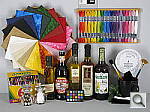
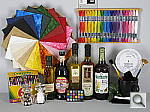
Still LifeCanon PowerShot SD790 IS Sample images image 1

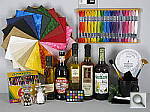
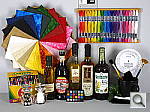
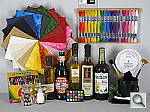
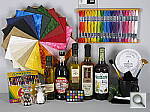
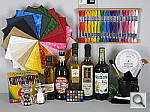
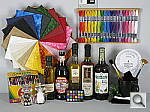
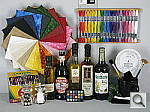
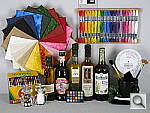
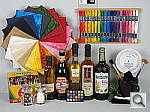
This is our new “Still Life” test target. We’re combining
some of the elements from previous shots (DaveBox and Res Chart) into
this and the “Multi Target” shot below, plus added a number
of elements that are very revealing of various camera characteristics
and foibles.

Here’s what to look for in this target:

  • Tone-on-tone detail & noise suppression:
    The cloth swatches in the pinwheel were chosen because they show a lot
    of tone-on-tone detail, across a broad range of colors. This is just
    the sort of detail that noise suppression processing tends to flatten
    out. If you look at the detail in these swatches as the ISO increases,
    you’ll see just where different cameras start to lose subtle detail.
    — The white and tan swatches and the dark swatches tend to be particularly
    revealing of this. The label of the vinegar bottle (second from the
    right) is another great place to look for lost detail from noise suppression,
    as the image of the person at the top of the label is actually a depiction
    of a mosaic. The dark colors in the background and in the figure’s clothes
    contain detail that’s very quickly lost when a camera’s noise suppression
    system kicks in. Cameras with really high-quality, low-noise sensors
    that require little noise suppression will be able to hold onto the
    detail in these areas, many others will show only a uniform swath of
    smudged color.

    Another place where you’ll quickly see the effects of over-aggressive
    noise suppression is in the white salt grains of the salt grinder in
    lower left. Cameras are often more conservative about suppressing noise
    in highlight areas (because our eyes tend to see less of it there),
    but many cameras seem to have a hard time holding onto the subtle shadings
    that distinguish the salt grains from each other, particularly at higher
    ISO levels.

  • Fine Detail: You’ll find a lot of fine detail
    in the label of the beer bottle on the right, in its fine cursive text,
    but the other bottle labels hold a lot of fine detail as well. Fine
    text is often a good visual indicator of resolution, because our brains
    have an excellent idea of what the text should look like, so
    are very quick to notice even minor loss of detail.

    For really fine detail, look to the circular scale/calculator on the
    right side of the scene. Some of the fine lines there are extremely
    fine indeed. Looking at results from many different cameras with this
    target, we found that camera noise-suppression systems often confuse
    the fine lines with image noise, and so flatten them out. There’s also
    a nice range of fine text sizes in this chart as well, once again great
    visual cues for resolution and detail.

  • Highlight Detail: Three elements in this scene
    show off (or show up) a camera’s ability to hold onto highlight detail.
    As mentioned above, the salt grains (and reflections of the studio lights)
    in the salt mill are examples of fairly subtle highlight detail that
    cameras’ anti-noise processing sometimes obliterate. The folded white
    cloth under the mug on the right side of the frame likewise shows a
    lot of white-on-white detail that is easy to lose, particularly if a
    camera’s tone curve is too contrasty. As it turns out though, the most
    sensitive test of a camera’s highlight abilities seems to be the hank
    of white embroidery thread in the upper right corner. These fibers are
    unusually bright and reflective, so its easy for a camera to blow out
    detail in them.

  • Shadow Detail: Several elements of this subject
    are useful for evaluating shadow detail, particularly the black mug
    and the pieces of folded black velvet, both under and inside the mug.
    The bottoms of the beer bottles also provide some gradations of deep
    shadow, and the clump of peppers in the bottom of the pepper oil bottle
    had a fair bit of detail that’s far down at the shadow end of the tone
    curve.

    We were actually surprised when we constructed this scene just how dark
    the velvet and sides of the beer bottles ended up being. Even with the
    bright studio lights shining directly on it, the velvet in particular
    stays way, way down at the shadow end of the tone curve. With most cameras
    and on most monitors, the velvet will simply appear as an unrelieved
    swatch of black. To see whether it contains deep detail or not, in most
    cases you’ll have to open the file in an image editor and boost the
    brightness dramatically, to bring the detail up into a visible range.

  • Preservation of “Shape” in Strong Colors:
    As you approach the extremes of a camera’s color gamut (its range of
    recordable colors), it becomes more and more difficult for the camera
    to show fine gradations of tone, because one or more of the RGB color
    channels are close to saturation. It’s not uncommon to see a brightly
    colored piece of clothing or a vibrant flower appear in digicam photos
    as just a blob of color, because the camera ran up against the limits
    of its color gamut. The brightly colored embroidery threads in the upper
    right portion of the Still Life target are good examples of situations
    where this might happen. Pay particular attention to the bright red
    and dark blue colors here, as these are both colors near the edge of
    the typical sRGB color gamut.

  • Color accuracy and white balance: It’s pretty
    small in there, but we’ve included a mini-MacBeth chart, which displays
    very carefully controlled color swatches. Our Multi Target (see below)
    sports a full-sized MacBeth chart, but the one here serves as a good
    check of color balance and rendition, and is also useful for checking
    white balance on this particular shot.

  • Image noise and detail vs ISO: As mentioned above,
    this target contains many elements useful for evaluating detail loss
    to anti-noise processing. We’ll therefore always shoot a full set of
    test images of this target across each camera’s ISO range, for every
    camera we test. (See below.)
ISO
Series
ISO
80
ISO
100
ISO
200
ISO
400
ISO
800
ISO
1,600
ISO
3,200
Color
Effects Series
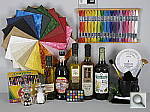
Neutral
Canon PowerShot SD790 IS Sample images image 2
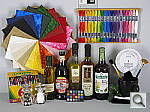
Vivid
Canon PowerShot SD790 IS Sample images image 3
Black
& White
Canon PowerShot SD790 IS Sample images image 4
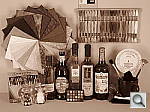
Sepia
Canon PowerShot SD790 IS Sample images image 5
Darker
Skin Tone
Canon PowerShot SD790 IS Sample images image 6
Lighter
Skin Tone
Canon PowerShot SD790 IS Sample images image 7
Positive
Canon PowerShot SD790 IS Sample images image 8

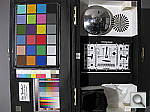
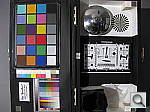
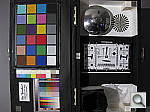
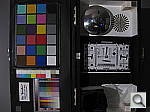
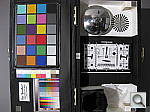
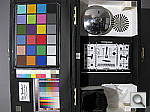
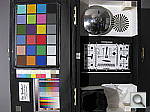
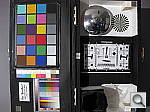
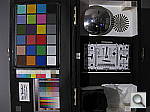
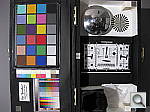
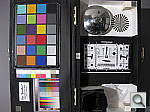
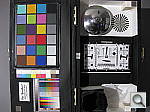
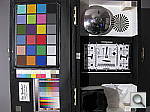
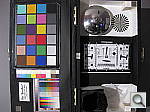
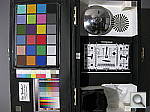
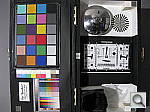
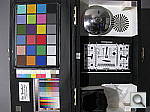
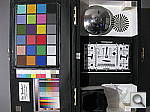
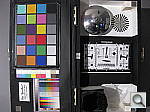
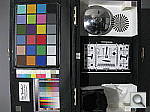
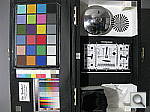
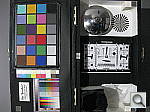
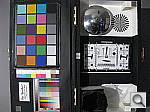
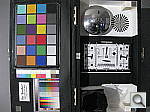
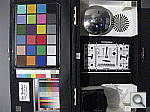
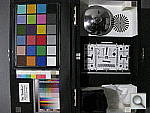
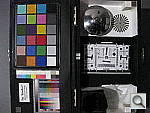
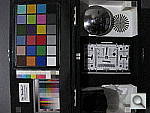
Multi TargetCanon PowerShot SD790 IS Sample images image 9

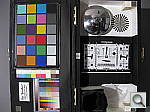
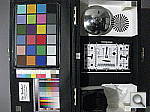
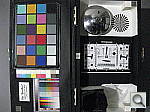
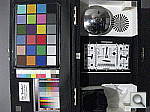
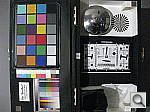
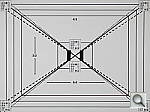
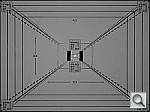
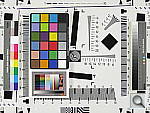
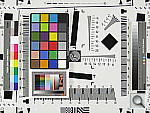
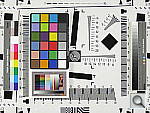
Our new “Multi Target” is actually an interim design that
we plan to replace with a modified version within the next few months.
(By the end of summer, 2006.) In its current form, its just an ISO-12233
res chart with several other elements attached to it, covering portions
of the target we don’t generally use in our reviews. (We’ll continue shooting
the full res chart in SLR reviews for the sake of interested readers,
but all lesser cameras will now show just the Multi-Target instead.) The
added elements largely mirror ones that were present in our “DaveBox”
test target, which we’ve now semi-retired. Here’s some of what you’ll
find in this target:

Res chart elements: In placing the new elements on the ISO
target, we were careful to leave the highest-frequency hyperbolic resolution
wedges (the sets of fine lines that fan out vertically and horizontally),
since these are what most people look at on the ISO chart to judge camera
resolution from. There are also enough of the slanted black parallelograms
available to use them to measure a camera’s Spatial Frequency Response
characteristics with Imatest.

Gray Scale: While reflective gray scales don’t cover the full
dynamic range of higher-end cameras, advanced readers may be interested
in using the gray scale here to evaluate noise performance vs brightness
level, and/or examine the shape of a camera’s tone curve.

MacBeth Chart: This is about as common a color standard as
you can get these days, very widely available for only mildly exorbitant
cost, and quite well controlled in its production. It thus serves as a
good basis of comparison between cameras and between test setups. Imatest
also understands the MacBeth colors very well, and uses them to produce
its color accuracy map that we feature in all our reviews.

Kodak Color Separation Target: We include this for reference
because it’s used by other reviewers out there, but caution our readers
that it really isn’t well-suited for use as an absolute color standard.
As its name suggests, its actual intended purpose is as an aid in setting
exposure levels for old-style film-based color separation, using panchromatic
graphic arts film, RGB filters, and halftone screens. It’s ideal for that
usage, but the colors aren’t well-controlled enough and are too subject
to fading for it to be usable as a true reference standard for color accuracy.

Kodak Q60 target: This is another target that’s perhaps not
well enough controlled for quantitative measurements between cameras,
but one that does have several useful characteristics nonetheless. For
instance, it provides a good reference for the handling of various colors
representative of common skin tones (the tan and brown patches along its
right side), as well as of lighter, less-saturated tints of both additive
and subtractive primaries (red, green, blue, cyan, magenta, and yellow).
The MacBeth chart’s colors lean heavily toward highly saturated values,
and there aren’t any pastel tones present at all. In the past, we’ve found
that cameras with contrasty tone curves sometimes have trouble with the
pastel tones in the Q60 target, making it a valuable reference that we’ll
continue to include.

Resolution Series:

(Medium Focal Length) “Super Fine”
JPEG
“Fine”
JPEG
“Normal”
JPEG
3,648 x 2,736 SD790IShMULTI3648F SD790IShMULTI3648N SD790IShMULTI3648E
2,816
x 2,112
SD790IShMULTI2816 – –
2,272 x 1,704 SD790IShMULTI2272 – –
1,600 x 1,200 SD790IShMULTI1600 – –
640 x 480 SD790IShMULTI0640 – –

Wide and Tele Resolution Tests:
The main shots of this target above are captured at an intermediate focal
length, roughly corresponding to 60mm on a 35mm camera. (Just slightly
longer than “normal.”) Zoom lenses often behave quite differently
at wide angle and telephoto focal lengths though, so we offer below examples
shot at the two extremes of the camera’s focal length range. (We’ll include
these wide/tele shots for any cameras we do full reviews of, but not on
cameras that receive “basic test” treatment only.)

(Max Res & Quality) Wide Angle Telephoto
3,648 x 2,736 SD790IShMULTIW

SD790IShMULTIT

“Sunlit”
Portrait
:

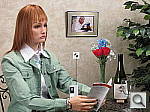
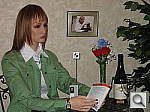
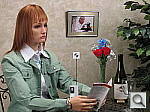
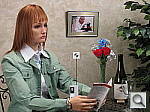
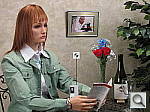
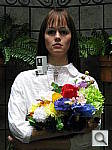
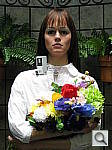
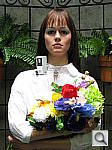
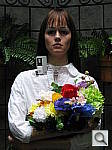
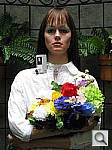
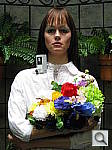
(This is our “Outdoor” Portrait test – read more about it
here.)

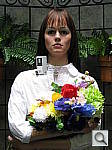
Canon PowerShot SD790 IS Sample images image 10

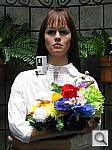
The lighting in this shot is deliberately awful, about what you’d expect
from noontime sunshine here in the Atlanta, GA area. (In fact, the color
balance has been chosen to pretty well match the hazy sunshine here in
mid-August.)

The reason for the harsh lighting is to provide a real “torture
test” of how cameras handle conditions of extreme contrast; and in
particular, how well they do holding onto highlight detail.

Look for:

  • Overall color: Matching summer sunlight here in the South,
    the lighting in this scene is a bit more yellow-tinged than that in
    many parts of the country, or in the fall or winter. – So there may
    be an overall warm cast to the color. That said though, there’s a fair
    range of color represented in the bouquet, presenting a tough challenge
    for the cameras. For some reason, the blue flowers seem particularly
    hard to handle, with many cameras rendering them as purple. (In real
    life, they’re a light shade of navy blue, with just a bit of purple
    in them.)
  • Skin tones: The overall slight warm cast will tend to leave
    the model’s skin tones a bit on the warm side as well. Nonetheless,
    look to see if her skin seems overly pink or if they have a too-bright
    tinge of yellow: Some cameras oversaturate skin tones (make their color
    too intense), leading to an almost sunburned look. A little oversaturation
    can make for a more “healthy-looking” complexion, but it doesn’t
    take much variation for skin tones to look unnatural.
  • Highlight detail: When the model’s skin tones are at a more
    or less normal level of brightness, how much detail can you see in her
    shirt? Does it blow out entirely to white, or can you still see the
    creases and folds in the fabric?
  • Overall contrast: Most consumer digital cameras produce bright,
    contrasty images, because that’s what most consumers like. Unfortunately,
    under bright sunlit conditions, many such cameras produce images with
    little or no highlight detail, and dark, plugged-up looking shadows.
  • Shadow detail: The area under the flower bouquet is in quite
    deep shadow. Does the camera in question retain good detail here, with
    low image noise? To see, you may need to download the image and play
    with it in Photoshop(tm) or another imaging program. Brighten the image,
    and see how far detail extends into the shadows. Photo printers are
    generally much better at showing shadow detail than are CRTs, so you’ll
    want a camera that preserves good detail here. The ability to boost
    brightness without encountering too much image noise is important if
    you ever have to “rescue” an underexposed image on the computer.
  • Detail in areas of subtle contrast: Most digital cameras employ
    some sort of noise-suppression to remove electronic noise from their
    images. Noise suppression is a good thing, but only if it’s not overdone.
    Too much noise suppression will “flatten out” subtle detail
    in areas of reduced contrast. You can often see this in hair, where
    the individual strands become blurred, and the image takes on an almost
    watercolor effect. Look at the detail in the model’s hair, and compare
    how it looks with different cameras in the Comparometer.

To view the entire exposure series from zero to +1.0 EV, see files
SD790ISOUTBMP0.HTM through SD790ISOUTBMP4.HTM on the thumbnail
index page
.

Contrast
Series
Lowest
Canon PowerShot SD790 IS Sample images image 11
Low
Canon PowerShot SD790 IS Sample images image 12
Normal
Canon PowerShot SD790 IS Sample images image 13
High
Canon PowerShot SD790 IS Sample images image 14
Highest
Canon PowerShot SD790 IS Sample images image 15
Saturation
Series
Lowest
Canon PowerShot SD790 IS Sample images image 16
Low
Canon PowerShot SD790 IS Sample images image 17
Normal
Canon PowerShot SD790 IS Sample images image 18
High
Canon PowerShot SD790 IS Sample images image 19
Highest
Canon PowerShot SD790 IS Sample images image 20
Indoor Portrait, Flash:

Normal
Flash
Default Exposure
Canon PowerShot SD790 IS Sample images image 21
Slow-Sync
Flash
+0.3 EV
Canon PowerShot SD790 IS Sample images image 22

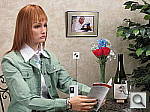
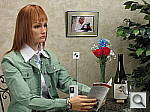
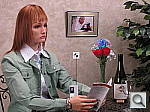
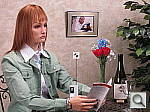
This shot duplicates indoor shooting conditions in most US homes, with
fairly bright incandescent room lighting. The challenge here is for the
camera’s flash to blend naturally with the room lighting, and produce
good, neutral color overall. – Some cameras will be overly affected by
the room lighting, even with their flash enabled, and the result will
be a strong orange cast. Another common failing is for the highlights
from the flash to take on an unnatural bluish cast.

Finally, exposure is important here, and frequently a tough challenge
for the cameras. The model’s white shirt is central in the scene, reflecting
a lot of the light from the flash right back at the camera. As a result,
most cameras underexpose this shot, and require some positive exposure
compensation to produce a good result. – And that’s an important consideration
in itself: Does the camera even permit adjustment of its flash
exposures? Many do not. These photos are a tough exposure challenge, if
they come out OK, the camera in question can probably be coaxed into delivering
a good flash exposure of any subject within its range.

Note too, that the normal flash shot (as opposed to the slow sync one,
if the camera offers that feature) will be sharply rendered, any subject
or camera movement frozen by the quick pop of the flash. That makes this
shot a good one to look for the effect of over-aggressive noise suppression
in the model’s hair.

To view the exposure series from zero to +1.0 EV in the normal flash
mode, see files /cameras/canon-sd790-is-review/image/796071?section=samples through SD790ISINBFP3.HTM on the thumbnail
index page
.

To view the same series in the Slow-Sync flash mode, see files SD790ISINFBSP0.HTM
through SD790ISINFBSP3.HTM on the thumbnail
index page
.

Indoor Portrait, No Flash:

Auto
White Balance
Canon PowerShot SD790 IS Sample images image 23
Incandescent
White Balance
Canon PowerShot SD790 IS Sample images image 24
Manual
White Balance
Canon PowerShot SD790 IS Sample images image 25

The incandescent lighting used in most US homes actually has a very
strong yellow color to it. Our eyes have an amazing ability to ignore
color casts like this, something digital cameras struggle to emulate.

The incandescent lighting used for this shot is thus not only very common
here in the US, but also very difficult for most digital cameras to deal
with. While we probably want a little yellow color to remain in
the image (to convey some of the mood of the original scene), too much
will look unnatural and distort colors.

Most cameras’ auto white balance systems have a great deal of difficulty
with this shot, but many incandescent white balance settings struggle
as well. (It seems that many cameras’ incandescent settings are actually
calibrated to the tungsten lighting used in professional studio systems,
which isn’t nearly as warm-toned as typical household lighting.)

If you intend to do much shooting indoors after dark, pay careful attention
to this test, as cameras vary widely in this regard.

To view the entire exposure series from zero to +1.0 EV, see files SD790ISINBMP0.HTM
through SD790ISINBMP3.HTM on the thumbnail index
page
.

ISO Series:
“ISO equivalent” refers to a camera’s light sensitivity. ISO
200 represents twice the sensitivity of ISO 100, meaning that you can
use a shutter speed that’s twice as fast. Higher ISO settings are often
required to get any picture at all when shooting after dark, but even
in full daylight, using a higher ISO can help you freeze fast action.
The problem is, increasing a digital camera’s ISO also increases image
noise. In practical terms, this means that higher-ISO images often can’t
be used to produce prints as large as lower-ISO ones. The tricky thing
here is that high-ISO images often look much different when printed at
various sizes than they do when viewed on-screen. In particular, for any
level of image noise, you’ll often find that while noise is quite evident
at larger print sizes, as you reduce the size of the prints, there will
come a point where it suddenly ceases to be an issue. We routinely print
high-ISO photos from the cameras we test on our studio printer (currently
a Canon i9900) at a range of sizes, and report our findings. If you’re
interested in investigating the effect of image noise for yourself, don’t
judge cameras’ performance by how their images look on your CRT, viewed
pixel-for-pixel. Rather, download the test shots linked in the table below
and output them on your own printer, so you can see how prints of various
sizes will actually look.

One additional note about this particular test series though: Because
these images are shot under household incandescent lighting, the camera
has to boost its blue-channel signal quite a bit to get back to a neutral
color balance. Since the blue channel is generally the one with the most
noise, this makes this shot a real acid test of noise performance. Noise
levels in high-ISO shots taken under daylight conditions usually won’t
show as much noise. (See the “Far Field” test for examples of
high ISO shots captured in daylight.)

ISO
Series
ISO
80
ISO
100
ISO
200
ISO
400
ISO
800
ISO
1,600
ISO
3,200

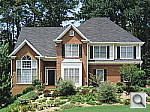
House Shot:

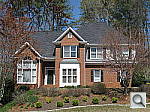
Canon PowerShot SD790 IS Sample images image 26

Like several of our tests, these images are actually photos of a high-resolution
poster, shot under studio lighting. As of this writing, the poster in
question was produced from a high-resolution scan of a 4×5-inch transparency,
scanned to a resolution of about 150 megapixels. Even at that, it’s starting
to show its age, as the combination of camera lens, film emulsion and
scanner resolution mean that many of the current 5+ megapixel cameras
come close to capturing all the detail that’s present. (We have a new
poster under production, produced from 45 separate digital images, “stitched”
into a single 400+ megapixel image, that should comfortably outpace the
resolution of portable digital cameras for years to come.)

Why did we choose to shoot a picture of a picture? The idea was to show
a typical subject (a house and surrounding foliage) in a way that would
be absolutely consistent from camera to camera. Any outdoor subject
is going to vary considerably from day to day, as the lighting changes
with the weather, atmospheric conditions, and season. Shooting a poster
lets us compare images from cameras shot weeks, months, or even years
apart, with the sure knowledge that nothing has changed from one shot
to another.

Things to look for here are fine detail, as seen in the foliage and
tree limbs against the sky, sharpness in the corners, and the preservation
of subtle detail in the shaded brick patterns. – Many cameras with overactive
noise suppression severely blur the brick patterns that are in shadow.

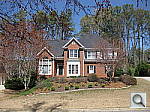
Far-Field TestCanon PowerShot SD790 IS Sample images image 27

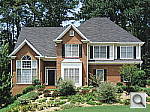
While the House poster in the shot above provides absolute repeatability
from test to test, it doesn’t offer the range of brightness (dynamic range)
that the original scene had, nor does it contain the nearly infinite range
of fine detail found in nature. For these reasons, we still shoot the
original house, even though the vagaries of nature mean that no two shots
will ever be directly comparable. (In fact, over the eight or so years
since we first shot this subject, the trees in front of the house have
now grown so large that they obscure much of the subject. – We’re unfortunately
going to have to switch to a different subject in the near future.)

Things to look for here are how well the camera handles the range of
light levels from very bright to quite dark, and how well it renders the
very fine detail visible in various parts of the image.

Note though, that because this is shot outdoors, the character of the
light is unavoidably going to change quite a bit, depending on the atmospheric
humidity and the time of year. – You thus shouldn’t rely on it for absolute
comparisons between cameras, since it’s unlikely that conditions will
be identical from one test to the next.

Contrast
Series
Lowest
Canon PowerShot SD790 IS Sample images image 28
Low
Canon PowerShot SD790 IS Sample images image 29
Normal
Canon PowerShot SD790 IS Sample images image 30
High
Canon PowerShot SD790 IS Sample images image 31
Highest
Canon PowerShot SD790 IS Sample images image 32

Lens Zoom Range

Simply reading “4x zoom range” doesn’t do a lot to help you
visualize what that means. It also says nothing regarding just how wide
the wide-angle end of that range is. To give you an idea of exactly what
each camera’s zoom lens does, we shoot this series of images, showing
results at maximum wide angle, maximum telephoto, and telephoto with “digital
zoom” enabled. (Note of course though, that so-called “digital
zoom” just crops out and enlarges the central pixels of the image,
achieving increased size at the cost of reduced resolution.)

Canon PowerShot SD790 IS Sample images image 33 Wide
Angle
Canon PowerShot SD790 IS Sample images image 34 3x
Telephoto
Canon PowerShot SD790 IS Sample images image 35 Digital
Telephoto

Musicians Poster

We’ve discontinued use of the Musicians poster in our testing, due to
its low resolution, and the unavailability of any higher-resolution versions
of the image.

“Davebox” Test Target

Because most of its various elements
are now contained or represented in the combination of the Still Life
and Multi Target shots, we no longer routinely shoot the Davebox by itself,
as would normally appear in this space. (We do however, still use it for
our flash range and low light tests below.)

Macro Shot

Standard
Macro Shot
Canon PowerShot SD790 IS Sample images image 36
Macro
with Flash
Canon PowerShot SD790 IS Sample images image 37

Many are interested in close-up or “macro” photography. This
test shows the best results we could obtain using each camera’s macro
mode. What to look for:

  • Minimum Macro Area: What’s the smallest area that the camera
    can photograph? – We calculate this and report on it in the Test Results
    section of each review.
  • Softness in corners?: The images from most digital cameras
    get fairly soft when shooting in macro mode. Some are better than others
    though, you can use the texture of the paper fibers or the details in
    the dollar bill to compare corner sharpness between models.
  • Flash performance in macro mode?: Macro mode flash performance
    varies widely between cameras. Some can’t throttle down the flash enough,
    others throttle down enough, but have very uneven lighting, while others
    have lenses that project into the path of the flash, casting strong
    shadows. The Macro with Flash shot here will show you what to expect.

Low-Light Tests

Low light photography is an area where there are really enormous differences
between digital camera models. This test starts at a light level about
equivalent to typical city street lighting at night (one foot-candle),
and then progresses down from there, each successive test being at half
the light level of the preceding one. You may also see the effect of poor
low-light autofocus in some of these shots, although we use a different
test setup to check autofocus performance more directly. (The results
of which are reported on in the main Test Results section.) Things to
look for here include:

  • Exposure limit: What’s the darkest level a camera can handle
    at each ISO setting? If the leftmost images are reasonably bright, the
    camera should do fine with typical city night scenes. If you’re shooting
    in the more dimly-lit suburbs, you’ll need a camera capable of producing
    good images one, two, or three steps to the right of that.
  • Autofocus Limit: How dark can you shoot and still get well-focused
    pictures?
  • White Balance: Does the camera’s white balance suffer at low
    light levels? (Many do.)
  • Noise Levels: Look at the photos, print them on your own photo
    printer. How large a print can you make at acceptable quality levels,
    at various ISO settings and light levels?
  • Detail loss to anti-noise processing?: Do details in the white
    gauze and even in the lettering on the test targets suffer at lower
    light levels?

(Note: If you’d like to use a light meter to check light levels
for subjects you might be interested in shooting, a light level of one
foot-candle corresponds to a normal exposure of two seconds at f/2.8 and
ISO 100.)


1 fc
11 lux
1/2 fc
5.5 lux
1/4 fc
2.7 lux
1/8 fc
1.3 lux
1/16 fc
0.67 lux
ISO
80
Canon PowerShot SD790 IS Sample images image 38
2.5 sec
f2.9
Canon PowerShot SD790 IS Sample images image 39
5 sec
f2.9
Canon PowerShot SD790 IS Sample images image 40
9.9 sec
f2.9
Canon PowerShot SD790 IS Sample images image 41
16 sec
f2.9
Canon PowerShot SD790 IS Sample images image 42
16 sec
f2.9
ISO
100
Canon PowerShot SD790 IS Sample images image 43
2 sec
f2.9
Canon PowerShot SD790 IS Sample images image 44
4 sec
f2.9
Canon PowerShot SD790 IS Sample images image 45
8 sec
f2.9
Canon PowerShot SD790 IS Sample images image 46
16 sec
f2.9
Canon PowerShot SD790 IS Sample images image 47
16 sec
f2.9
ISO
200
Canon PowerShot SD790 IS Sample images image 48
1 sec
f2.9
Canon PowerShot SD790 IS Sample images image 49
2 sec
f2.9
Canon PowerShot SD790 IS Sample images image 50
4 sec
f2.9
Canon PowerShot SD790 IS Sample images image 51
8 sec
f2.9
Canon PowerShot SD790 IS Sample images image 52
16 sec
f2.9
ISO
400
Canon PowerShot SD790 IS Sample images image 53
0.5 sec
f2.9
Canon PowerShot SD790 IS Sample images image 54
1 sec
f2.9
Canon PowerShot SD790 IS Sample images image 55
2 sec
f2.9
Canon PowerShot SD790 IS Sample images image 56
4 sec
f2.9
Canon PowerShot SD790 IS Sample images image 57
8 sec
f2.9
ISO
800
Canon PowerShot SD790 IS Sample images image 58
1/4 sec
f2.9
Canon PowerShot SD790 IS Sample images image 59
0.6 sec
f2.9
Canon PowerShot SD790 IS Sample images image 60
1 sec
f2.9
Canon PowerShot SD790 IS Sample images image 61
2 sec
f2.9
Canon PowerShot SD790 IS Sample images image 62
4 sec
f2.9
ISO
1600
Canon PowerShot SD790 IS Sample images image 63
1/8 sec
f2.9
Canon PowerShot SD790 IS Sample images image 64
1/4 sec
f2.9
Canon PowerShot SD790 IS Sample images image 65
0.5 sec
f2.9
Canon PowerShot SD790 IS Sample images image 66
1 sec
f2.9
Canon PowerShot SD790 IS Sample images image 67
2 sec
f2.9
ISO
3200
Canon PowerShot SD790 IS Sample images image 68
1/22 sec
f2.9
Canon PowerShot SD790 IS Sample images image 69
1/11 sec
f2.9
Canon PowerShot SD790 IS Sample images image 70
1/8 sec
f2.9
Canon PowerShot SD790 IS Sample images image 71
1/8 sec
f2.9
Canon PowerShot SD790 IS Sample images image 72
1/8 sec
f2.9

Flash Range Test

Digital camera makers have gotten better with their flash-range ratings.
In the early days, many cameras had rather “optimistic” flash
range specs, to put it politely. These days, the manufacturers seem to
be toeing the line. (No doubt at least in part because of tests like this.)
Consistent with our philosophy of testing worst-case conditions, this
test also involves some use of each camera’s zoom lens. Flash range is
greater at wide angle focal lengths than at telephoto ones. If you’re
shooting at the wide angle end of the lens’ range, you might get better
flash range than what’s shown here. – But you’ll never get a nasty surprise
if you let the test shots below be your guide to flash capability.

Flash Range: Wide Angle
6 ft 7 ft 8 ft 9 ft 10 ft 11 ft
Canon PowerShot SD790 IS Sample images image 73
1/64 sec
f2.9
ISO 100
Canon PowerShot SD790 IS Sample images image 74
1/64 sec
f2.9
ISO 100
Canon PowerShot SD790 IS Sample images image 75
1/64 sec
f2.9
ISO 100
Canon PowerShot SD790 IS Sample images image 76
1/64 sec
f2.9
ISO 100
Canon PowerShot SD790 IS Sample images image 77
1/64 sec
f2.9
ISO 100
Canon PowerShot SD790 IS Sample images image 78
1/64 sec
f2.9
ISO 100
12 ft 13 ft 14 ft 15 ft 16 ft
Canon PowerShot SD790 IS Sample images image 79
1/64 sec
f2.9
ISO 100
Canon PowerShot SD790 IS Sample images image 80
1/64 sec
f2.9
ISO 100
Canon PowerShot SD790 IS Sample images image 81
1/64 sec
f2.9
ISO 100
Canon PowerShot SD790 IS Sample images image 82
1/64 sec
f2.9
ISO 100
Canon PowerShot SD790 IS Sample images image 83
1/64 sec
f2.9
ISO 100

Flash Range: Telephoto
6 ft 7 ft 8 ft 9 ft 10 ft 11 ft
Canon PowerShot SD790 IS Sample images image 84
1/64 sec
f5.0
ISO 100
Canon PowerShot SD790 IS Sample images image 85
1/64 sec
f5.0
ISO 100
Canon PowerShot SD790 IS Sample images image 86
1/64 sec
f5.0
ISO 100
Canon PowerShot SD790 IS Sample images image 87
1/64 sec
f5.0
ISO 100
Canon PowerShot SD790 IS Sample images image 88
1/64 sec
f5.0
ISO 100
Canon PowerShot SD790 IS Sample images image 89
1/64 sec
f5.0
ISO 100
12 ft 13 ft 14 ft 15 ft 16 ft
Canon PowerShot SD790 IS Sample images image 90
1/64 sec
f5.0
ISO 100
Canon PowerShot SD790 IS Sample images image 91
1/64 sec
f5.0
ISO 100
Canon PowerShot SD790 IS Sample images image 92
1/64 sec
f5.0
ISO 100
Canon PowerShot SD790 IS Sample images image 93
1/64 sec
f5.0
ISO 100
Canon PowerShot SD790 IS Sample images image 94
1/64 sec
f5.0
ISO 100

Resolution Target

Because the critical elements of this target now appear as part of the
Multi Target above, we no longer shoot standalone images of the Resolution
Target.

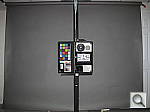
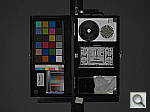
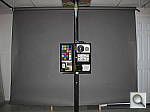
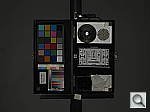
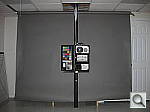
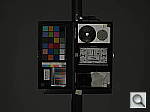
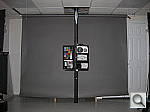
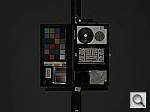
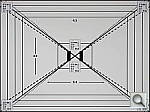
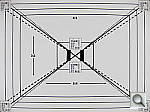
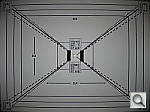
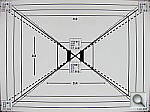
Viewfinder Accuracy/Flash Uniformity

Viewfinder accuracy is an important parameter, especially for shots
where framing is critical. The optical viewfinders on most digital cameras
match the (poor) accuracy of those on film cameras, typically showing
only about 85% of the actual final frame area. It’s likely that this is
a deliberate design choice by the camera engineers, to help avoid users
accidentally cutting off the heads of their subjects. We disagree with
this approach, or at least feel that it should be mitigated a bit, perhaps
by increasing the accuracy to 90 to 95%.

Unlike the optical viewfinders, the LCD viewfinders on most digital
cameras tend to be quite accurate. There are exceptions though, and it’s
unfortunately not uncommon to find an LCD monitor that only shows 90%
or less of the final frame.

Things to look for on this test chart are:

  • Optical and LCD viewfinder accuracy: When we shoot this target
    in the studio, we line things up so the bold black outline on the target
    is just visible at the edges of the viewfinder frame. The resulting
    photo then very directly shows how accurate the viewfinder is.
  • Flash Uniformity: The flash units on many digital cameras don’t
    illuminate the scene very evenly, especially at wide angle focal lengths.
    We also shoot the viewfinder target with the flash enabled, so the last
    set of photos here also show how uniform the flash is.

Digital Cameras – Canon PowerShot SD790 IS Test Images

Not sure which camera to buy? Let your eyes be the ultimate judge!
Visit our Comparometer(tm)
to compare images from the Canon PowerShot SD790 IS with those from other
cameras you may be considering. The proof is in the pictures, so let
your own eyes decide which you like best!

Still LifeCanon PowerShot SD790 IS Test Shots image 1

This is our new “Still Life” test target. We’re combining
some of the elements from previous shots (DaveBox and Res Chart) into
this and the “Multi Target” shot below, plus added a number
of elements that are very revealing of various camera characteristics
and foibles.

Here’s what to look for in this target:

  • Tone-on-tone detail & noise suppression:
    The cloth swatches in the pinwheel were chosen because they show a lot
    of tone-on-tone detail, across a broad range of colors. This is just
    the sort of detail that noise suppression processing tends to flatten
    out. If you look at the detail in these swatches as the ISO increases,
    you’ll see just where different cameras start to lose subtle detail.
    — The white and tan swatches and the dark swatches tend to be particularly
    revealing of this. The label of the vinegar bottle (second from the
    right) is another great place to look for lost detail from noise suppression,
    as the image of the person at the top of the label is actually a depiction
    of a mosaic. The dark colors in the background and in the figure’s clothes
    contain detail that’s very quickly lost when a camera’s noise suppression
    system kicks in. Cameras with really high-quality, low-noise sensors
    that require little noise suppression will be able to hold onto the
    detail in these areas, many others will show only a uniform swath of
    smudged color.

    Another place where you’ll quickly see the effects of over-aggressive
    noise suppression is in the white salt grains of the salt grinder in
    lower left. Cameras are often more conservative about suppressing noise
    in highlight areas (because our eyes tend to see less of it there),
    but many cameras seem to have a hard time holding onto the subtle shadings
    that distinguish the salt grains from each other, particularly at higher
    ISO levels.

  • Fine Detail: You’ll find a lot of fine detail
    in the label of the beer bottle on the right, in its fine cursive text,
    but the other bottle labels hold a lot of fine detail as well. Fine
    text is often a good visual indicator of resolution, because our brains
    have an excellent idea of what the text should look like, so
    are very quick to notice even minor loss of detail.

    For really fine detail, look to the circular scale/calculator on the
    right side of the scene. Some of the fine lines there are extremely
    fine indeed. Looking at results from many different cameras with this
    target, we found that camera noise-suppression systems often confuse
    the fine lines with image noise, and so flatten them out. There’s also
    a nice range of fine text sizes in this chart as well, once again great
    visual cues for resolution and detail.

  • Highlight Detail: Three elements in this scene
    show off (or show up) a camera’s ability to hold onto highlight detail.
    As mentioned above, the salt grains (and reflections of the studio lights)
    in the salt mill are examples of fairly subtle highlight detail that
    cameras’ anti-noise processing sometimes obliterate. The folded white
    cloth under the mug on the right side of the frame likewise shows a
    lot of white-on-white detail that is easy to lose, particularly if a
    camera’s tone curve is too contrasty. As it turns out though, the most
    sensitive test of a camera’s highlight abilities seems to be the hank
    of white embroidery thread in the upper right corner. These fibers are
    unusually bright and reflective, so its easy for a camera to blow out
    detail in them.

  • Shadow Detail: Several elements of this subject
    are useful for evaluating shadow detail, particularly the black mug
    and the pieces of folded black velvet, both under and inside the mug.
    The bottoms of the beer bottles also provide some gradations of deep
    shadow, and the clump of peppers in the bottom of the pepper oil bottle
    had a fair bit of detail that’s far down at the shadow end of the tone
    curve.

    We were actually surprised when we constructed this scene just how dark
    the velvet and sides of the beer bottles ended up being. Even with the
    bright studio lights shining directly on it, the velvet in particular
    stays way, way down at the shadow end of the tone curve. With most cameras
    and on most monitors, the velvet will simply appear as an unrelieved
    swatch of black. To see whether it contains deep detail or not, in most
    cases you’ll have to open the file in an image editor and boost the
    brightness dramatically, to bring the detail up into a visible range.

  • Preservation of “Shape” in Strong Colors:
    As you approach the extremes of a camera’s color gamut (its range of
    recordable colors), it becomes more and more difficult for the camera
    to show fine gradations of tone, because one or more of the RGB color
    channels are close to saturation. It’s not uncommon to see a brightly
    colored piece of clothing or a vibrant flower appear in digicam photos
    as just a blob of color, because the camera ran up against the limits
    of its color gamut. The brightly colored embroidery threads in the upper
    right portion of the Still Life target are good examples of situations
    where this might happen. Pay particular attention to the bright red
    and dark blue colors here, as these are both colors near the edge of
    the typical sRGB color gamut.

  • Color accuracy and white balance: It’s pretty
    small in there, but we’ve included a mini-MacBeth chart, which displays
    very carefully controlled color swatches. Our Multi Target (see below)
    sports a full-sized MacBeth chart, but the one here serves as a good
    check of color balance and rendition, and is also useful for checking
    white balance on this particular shot.

  • Image noise and detail vs ISO: As mentioned above,
    this target contains many elements useful for evaluating detail loss
    to anti-noise processing. We’ll therefore always shoot a full set of
    test images of this target across each camera’s ISO range, for every
    camera we test. (See below.)
ISO
Series
ISO
80
ISO
100
ISO
200
ISO
400
ISO
800
ISO
1,600
ISO
3,200
Color
Effects Series
Neutral
Canon PowerShot SD790 IS Test Shots image 2
Vivid
Canon PowerShot SD790 IS Test Shots image 3
Black
& White
Canon PowerShot SD790 IS Test Shots image 4
Sepia
Canon PowerShot SD790 IS Test Shots image 5
Darker
Skin Tone
Canon PowerShot SD790 IS Test Shots image 6
Lighter
Skin Tone
Canon PowerShot SD790 IS Test Shots image 7
Positive
Canon PowerShot SD790 IS Test Shots image 8

Multi TargetCanon PowerShot SD790 IS Test Shots image 9

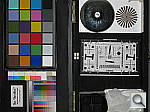
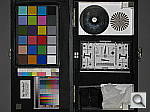
Our new “Multi Target” is actually an interim design that
we plan to replace with a modified version within the next few months.
(By the end of summer, 2006.) In its current form, its just an ISO-12233
res chart with several other elements attached to it, covering portions
of the target we don’t generally use in our reviews. (We’ll continue shooting
the full res chart in SLR reviews for the sake of interested readers,
but all lesser cameras will now show just the Multi-Target instead.) The
added elements largely mirror ones that were present in our “DaveBox”
test target, which we’ve now semi-retired. Here’s some of what you’ll
find in this target:

Res chart elements: In placing the new elements on the ISO
target, we were careful to leave the highest-frequency hyperbolic resolution
wedges (the sets of fine lines that fan out vertically and horizontally),
since these are what most people look at on the ISO chart to judge camera
resolution from. There are also enough of the slanted black parallelograms
available to use them to measure a camera’s Spatial Frequency Response
characteristics with Imatest.

Gray Scale: While reflective gray scales don’t cover the full
dynamic range of higher-end cameras, advanced readers may be interested
in using the gray scale here to evaluate noise performance vs brightness
level, and/or examine the shape of a camera’s tone curve.

MacBeth Chart: This is about as common a color standard as
you can get these days, very widely available for only mildly exorbitant
cost, and quite well controlled in its production. It thus serves as a
good basis of comparison between cameras and between test setups. Imatest
also understands the MacBeth colors very well, and uses them to produce
its color accuracy map that we feature in all our reviews.

Kodak Color Separation Target: We include this for reference
because it’s used by other reviewers out there, but caution our readers
that it really isn’t well-suited for use as an absolute color standard.
As its name suggests, its actual intended purpose is as an aid in setting
exposure levels for old-style film-based color separation, using panchromatic
graphic arts film, RGB filters, and halftone screens. It’s ideal for that
usage, but the colors aren’t well-controlled enough and are too subject
to fading for it to be usable as a true reference standard for color accuracy.

Kodak Q60 target: This is another target that’s perhaps not
well enough controlled for quantitative measurements between cameras,
but one that does have several useful characteristics nonetheless. For
instance, it provides a good reference for the handling of various colors
representative of common skin tones (the tan and brown patches along its
right side), as well as of lighter, less-saturated tints of both additive
and subtractive primaries (red, green, blue, cyan, magenta, and yellow).
The MacBeth chart’s colors lean heavily toward highly saturated values,
and there aren’t any pastel tones present at all. In the past, we’ve found
that cameras with contrasty tone curves sometimes have trouble with the
pastel tones in the Q60 target, making it a valuable reference that we’ll
continue to include.

Resolution Series:

(Medium Focal Length) “Super Fine”
JPEG
“Fine”
JPEG
“Normal”
JPEG
3,648 x 2,736 SD790IShMULTI3648F SD790IShMULTI3648N SD790IShMULTI3648E
2,816
x 2,112
SD790IShMULTI2816 – –
2,272 x 1,704 SD790IShMULTI2272 – –
1,600 x 1,200 SD790IShMULTI1600 – –
640 x 480 SD790IShMULTI0640 – –

Wide and Tele Resolution Tests:
The main shots of this target above are captured at an intermediate focal
length, roughly corresponding to 60mm on a 35mm camera. (Just slightly
longer than “normal.”) Zoom lenses often behave quite differently
at wide angle and telephoto focal lengths though, so we offer below examples
shot at the two extremes of the camera’s focal length range. (We’ll include
these wide/tele shots for any cameras we do full reviews of, but not on
cameras that receive “basic test” treatment only.)

(Max Res & Quality) Wide Angle Telephoto
3,648 x 2,736 SD790IShMULTIW

SD790IShMULTIT

“Sunlit”
Portrait
:

(This is our “Outdoor” Portrait test – read more about it
here.)

Canon PowerShot SD790 IS Test Shots image 10

The lighting in this shot is deliberately awful, about what you’d expect
from noontime sunshine here in the Atlanta, GA area. (In fact, the color
balance has been chosen to pretty well match the hazy sunshine here in
mid-August.)

The reason for the harsh lighting is to provide a real “torture
test” of how cameras handle conditions of extreme contrast; and in
particular, how well they do holding onto highlight detail.

Look for:

  • Overall color: Matching summer sunlight here in the South,
    the lighting in this scene is a bit more yellow-tinged than that in
    many parts of the country, or in the fall or winter. – So there may
    be an overall warm cast to the color. That said though, there’s a fair
    range of color represented in the bouquet, presenting a tough challenge
    for the cameras. For some reason, the blue flowers seem particularly
    hard to handle, with many cameras rendering them as purple. (In real
    life, they’re a light shade of navy blue, with just a bit of purple
    in them.)
  • Skin tones: The overall slight warm cast will tend to leave
    the model’s skin tones a bit on the warm side as well. Nonetheless,
    look to see if her skin seems overly pink or if they have a too-bright
    tinge of yellow: Some cameras oversaturate skin tones (make their color
    too intense), leading to an almost sunburned look. A little oversaturation
    can make for a more “healthy-looking” complexion, but it doesn’t
    take much variation for skin tones to look unnatural.
  • Highlight detail: When the model’s skin tones are at a more
    or less normal level of brightness, how much detail can you see in her
    shirt? Does it blow out entirely to white, or can you still see the
    creases and folds in the fabric?
  • Overall contrast: Most consumer digital cameras produce bright,
    contrasty images, because that’s what most consumers like. Unfortunately,
    under bright sunlit conditions, many such cameras produce images with
    little or no highlight detail, and dark, plugged-up looking shadows.
  • Shadow detail: The area under the flower bouquet is in quite
    deep shadow. Does the camera in question retain good detail here, with
    low image noise? To see, you may need to download the image and play
    with it in Photoshop(tm) or another imaging program. Brighten the image,
    and see how far detail extends into the shadows. Photo printers are
    generally much better at showing shadow detail than are CRTs, so you’ll
    want a camera that preserves good detail here. The ability to boost
    brightness without encountering too much image noise is important if
    you ever have to “rescue” an underexposed image on the computer.
  • Detail in areas of subtle contrast: Most digital cameras employ
    some sort of noise-suppression to remove electronic noise from their
    images. Noise suppression is a good thing, but only if it’s not overdone.
    Too much noise suppression will “flatten out” subtle detail
    in areas of reduced contrast. You can often see this in hair, where
    the individual strands become blurred, and the image takes on an almost
    watercolor effect. Look at the detail in the model’s hair, and compare
    how it looks with different cameras in the Comparometer.

To view the entire exposure series from zero to +1.0 EV, see files
SD790ISOUTBMP0.HTM through SD790ISOUTBMP4.HTM on the thumbnail
index page
.

Contrast
Series
Lowest
Canon PowerShot SD790 IS Test Shots image 11
Low
Canon PowerShot SD790 IS Test Shots image 12
Normal
Canon PowerShot SD790 IS Test Shots image 13
High
Canon PowerShot SD790 IS Test Shots image 14
Highest
Canon PowerShot SD790 IS Test Shots image 15
Saturation
Series
Lowest
Canon PowerShot SD790 IS Test Shots image 16
Low
Canon PowerShot SD790 IS Test Shots image 17
Normal
Canon PowerShot SD790 IS Test Shots image 18
High
Canon PowerShot SD790 IS Test Shots image 19
Highest
Canon PowerShot SD790 IS Test Shots image 20
Indoor Portrait, Flash:

Normal
Flash
Default Exposure
Canon PowerShot SD790 IS Test Shots image 21
Slow-Sync
Flash
+0.3 EV
Canon PowerShot SD790 IS Test Shots image 22

This shot duplicates indoor shooting conditions in most US homes, with
fairly bright incandescent room lighting. The challenge here is for the
camera’s flash to blend naturally with the room lighting, and produce
good, neutral color overall. – Some cameras will be overly affected by
the room lighting, even with their flash enabled, and the result will
be a strong orange cast. Another common failing is for the highlights
from the flash to take on an unnatural bluish cast.

Finally, exposure is important here, and frequently a tough challenge
for the cameras. The model’s white shirt is central in the scene, reflecting
a lot of the light from the flash right back at the camera. As a result,
most cameras underexpose this shot, and require some positive exposure
compensation to produce a good result. – And that’s an important consideration
in itself: Does the camera even permit adjustment of its flash
exposures? Many do not. These photos are a tough exposure challenge, if
they come out OK, the camera in question can probably be coaxed into delivering
a good flash exposure of any subject within its range.

Note too, that the normal flash shot (as opposed to the slow sync one,
if the camera offers that feature) will be sharply rendered, any subject
or camera movement frozen by the quick pop of the flash. That makes this
shot a good one to look for the effect of over-aggressive noise suppression
in the model’s hair.

To view the exposure series from zero to +1.0 EV in the normal flash
mode, see files /cameras/canon-sd790-is-review/image/795973?section=test through SD790ISINBFP3.HTM on the thumbnail
index page
.

To view the same series in the Slow-Sync flash mode, see files SD790ISINFBSP0.HTM
through SD790ISINFBSP3.HTM on the thumbnail
index page
.

Indoor Portrait, No Flash:

Auto
White Balance
Canon PowerShot SD790 IS Test Shots image 23
Incandescent
White Balance
Canon PowerShot SD790 IS Test Shots image 24
Manual
White Balance
Canon PowerShot SD790 IS Test Shots image 25

The incandescent lighting used in most US homes actually has a very
strong yellow color to it. Our eyes have an amazing ability to ignore
color casts like this, something digital cameras struggle to emulate.

The incandescent lighting used for this shot is thus not only very common
here in the US, but also very difficult for most digital cameras to deal
with. While we probably want a little yellow color to remain in
the image (to convey some of the mood of the original scene), too much
will look unnatural and distort colors.

Most cameras’ auto white balance systems have a great deal of difficulty
with this shot, but many incandescent white balance settings struggle
as well. (It seems that many cameras’ incandescent settings are actually
calibrated to the tungsten lighting used in professional studio systems,
which isn’t nearly as warm-toned as typical household lighting.)

If you intend to do much shooting indoors after dark, pay careful attention
to this test, as cameras vary widely in this regard.

To view the entire exposure series from zero to +1.0 EV, see files SD790ISINBMP0.HTM
through SD790ISINBMP3.HTM on the thumbnail index
page
.

ISO Series:
“ISO equivalent” refers to a camera’s light sensitivity. ISO
200 represents twice the sensitivity of ISO 100, meaning that you can
use a shutter speed that’s twice as fast. Higher ISO settings are often
required to get any picture at all when shooting after dark, but even
in full daylight, using a higher ISO can help you freeze fast action.
The problem is, increasing a digital camera’s ISO also increases image
noise. In practical terms, this means that higher-ISO images often can’t
be used to produce prints as large as lower-ISO ones. The tricky thing
here is that high-ISO images often look much different when printed at
various sizes than they do when viewed on-screen. In particular, for any
level of image noise, you’ll often find that while noise is quite evident
at larger print sizes, as you reduce the size of the prints, there will
come a point where it suddenly ceases to be an issue. We routinely print
high-ISO photos from the cameras we test on our studio printer (currently
a Canon i9900) at a range of sizes, and report our findings. If you’re
interested in investigating the effect of image noise for yourself, don’t
judge cameras’ performance by how their images look on your CRT, viewed
pixel-for-pixel. Rather, download the test shots linked in the table below
and output them on your own printer, so you can see how prints of various
sizes will actually look.

One additional note about this particular test series though: Because
these images are shot under household incandescent lighting, the camera
has to boost its blue-channel signal quite a bit to get back to a neutral
color balance. Since the blue channel is generally the one with the most
noise, this makes this shot a real acid test of noise performance. Noise
levels in high-ISO shots taken under daylight conditions usually won’t
show as much noise. (See the “Far Field” test for examples of
high ISO shots captured in daylight.)

ISO
Series
ISO
80
ISO
100
ISO
200
ISO
400
ISO
800
ISO
1,600
ISO
3,200

House Shot:

Canon PowerShot SD790 IS Test Shots image 26

Like several of our tests, these images are actually photos of a high-resolution
poster, shot under studio lighting. As of this writing, the poster in
question was produced from a high-resolution scan of a 4×5-inch transparency,
scanned to a resolution of about 150 megapixels. Even at that, it’s starting
to show its age, as the combination of camera lens, film emulsion and
scanner resolution mean that many of the current 5+ megapixel cameras
come close to capturing all the detail that’s present. (We have a new
poster under production, produced from 45 separate digital images, “stitched”
into a single 400+ megapixel image, that should comfortably outpace the
resolution of portable digital cameras for years to come.)

Why did we choose to shoot a picture of a picture? The idea was to show
a typical subject (a house and surrounding foliage) in a way that would
be absolutely consistent from camera to camera. Any outdoor subject
is going to vary considerably from day to day, as the lighting changes
with the weather, atmospheric conditions, and season. Shooting a poster
lets us compare images from cameras shot weeks, months, or even years
apart, with the sure knowledge that nothing has changed from one shot
to another.

Things to look for here are fine detail, as seen in the foliage and
tree limbs against the sky, sharpness in the corners, and the preservation
of subtle detail in the shaded brick patterns. – Many cameras with overactive
noise suppression severely blur the brick patterns that are in shadow.

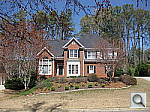
Far-Field TestCanon PowerShot SD790 IS Test Shots image 27

While the House poster in the shot above provides absolute repeatability
from test to test, it doesn’t offer the range of brightness (dynamic range)
that the original scene had, nor does it contain the nearly infinite range
of fine detail found in nature. For these reasons, we still shoot the
original house, even though the vagaries of nature mean that no two shots
will ever be directly comparable. (In fact, over the eight or so years
since we first shot this subject, the trees in front of the house have
now grown so large that they obscure much of the subject. – We’re unfortunately
going to have to switch to a different subject in the near future.)

Things to look for here are how well the camera handles the range of
light levels from very bright to quite dark, and how well it renders the
very fine detail visible in various parts of the image.

Note though, that because this is shot outdoors, the character of the
light is unavoidably going to change quite a bit, depending on the atmospheric
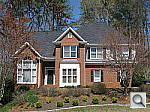
humidity and the time of year. – You thus shouldn’t rely on it for absolute
comparisons between cameras, since it’s unlikely that conditions will
be identical from one test to the next.

Contrast
Series
Lowest
Canon PowerShot SD790 IS Test Shots image 28
Low
Canon PowerShot SD790 IS Test Shots image 29
Normal
Canon PowerShot SD790 IS Test Shots image 30
High
Canon PowerShot SD790 IS Test Shots image 31
Highest
Canon PowerShot SD790 IS Test Shots image 32

Lens Zoom Range

Simply reading “4x zoom range” doesn’t do a lot to help you
visualize what that means. It also says nothing regarding just how wide
the wide-angle end of that range is. To give you an idea of exactly what
each camera’s zoom lens does, we shoot this series of images, showing
results at maximum wide angle, maximum telephoto, and telephoto with “digital
zoom” enabled. (Note of course though, that so-called “digital
zoom” just crops out and enlarges the central pixels of the image,
achieving increased size at the cost of reduced resolution.)

Canon PowerShot SD790 IS Test Shots image 33 Wide
Angle
Canon PowerShot SD790 IS Test Shots image 34 3x
Telephoto
Canon PowerShot SD790 IS Test Shots image 35 Digital
Telephoto

Musicians Poster

We’ve discontinued use of the Musicians poster in our testing, due to
its low resolution, and the unavailability of any higher-resolution versions
of the image.

“Davebox” Test Target

Because most of its various elements
are now contained or represented in the combination of the Still Life
and Multi Target shots, we no longer routinely shoot the Davebox by itself,
as would normally appear in this space. (We do however, still use it for
our flash range and low light tests below.)

Macro Shot

Standard
Macro Shot
Canon PowerShot SD790 IS Test Shots image 36
Macro
with Flash
Canon PowerShot SD790 IS Test Shots image 37

Many are interested in close-up or “macro” photography. This
test shows the best results we could obtain using each camera’s macro
mode. What to look for:

  • Minimum Macro Area: What’s the smallest area that the camera
    can photograph? – We calculate this and report on it in the Test Results
    section of each review.
  • Softness in corners?: The images from most digital cameras
    get fairly soft when shooting in macro mode. Some are better than others
    though, you can use the texture of the paper fibers or the details in
    the dollar bill to compare corner sharpness between models.
  • Flash performance in macro mode?: Macro mode flash performance
    varies widely between cameras. Some can’t throttle down the flash enough,
    others throttle down enough, but have very uneven lighting, while others
    have lenses that project into the path of the flash, casting strong
    shadows. The Macro with Flash shot here will show you what to expect.

Low-Light Tests

Low light photography is an area where there are really enormous differences
between digital camera models. This test starts at a light level about
equivalent to typical city street lighting at night (one foot-candle),
and then progresses down from there, each successive test being at half
the light level of the preceding one. You may also see the effect of poor
low-light autofocus in some of these shots, although we use a different
test setup to check autofocus performance more directly. (The results
of which are reported on in the main Test Results section.) Things to
look for here include:

  • Exposure limit: What’s the darkest level a camera can handle
    at each ISO setting? If the leftmost images are reasonably bright, the
    camera should do fine with typical city night scenes. If you’re shooting
    in the more dimly-lit suburbs, you’ll need a camera capable of producing
    good images one, two, or three steps to the right of that.
  • Autofocus Limit: How dark can you shoot and still get well-focused
    pictures?
  • White Balance: Does the camera’s white balance suffer at low
    light levels? (Many do.)
  • Noise Levels: Look at the photos, print them on your own photo
    printer. How large a print can you make at acceptable quality levels,
    at various ISO settings and light levels?
  • Detail loss to anti-noise processing?: Do details in the white
    gauze and even in the lettering on the test targets suffer at lower
    light levels?

(Note: If you’d like to use a light meter to check light levels
for subjects you might be interested in shooting, a light level of one
foot-candle corresponds to a normal exposure of two seconds at f/2.8 and
ISO 100.)


1 fc
11 lux
1/2 fc
5.5 lux
1/4 fc
2.7 lux
1/8 fc
1.3 lux
1/16 fc
0.67 lux
ISO
80
Canon PowerShot SD790 IS Test Shots image 38
2.5 sec
f2.9
Canon PowerShot SD790 IS Test Shots image 39
5 sec
f2.9
Canon PowerShot SD790 IS Test Shots image 40
9.9 sec
f2.9
Canon PowerShot SD790 IS Test Shots image 41
16 sec
f2.9
Canon PowerShot SD790 IS Test Shots image 42
16 sec
f2.9
ISO
100
Canon PowerShot SD790 IS Test Shots image 43
2 sec
f2.9
Canon PowerShot SD790 IS Test Shots image 44
4 sec
f2.9
Canon PowerShot SD790 IS Test Shots image 45
8 sec
f2.9
Canon PowerShot SD790 IS Test Shots image 46
16 sec
f2.9
Canon PowerShot SD790 IS Test Shots image 47
16 sec
f2.9
ISO
200
Canon PowerShot SD790 IS Test Shots image 48
1 sec
f2.9
Canon PowerShot SD790 IS Test Shots image 49
2 sec
f2.9
Canon PowerShot SD790 IS Test Shots image 50
4 sec
f2.9
Canon PowerShot SD790 IS Test Shots image 51
8 sec
f2.9
Canon PowerShot SD790 IS Test Shots image 52
16 sec
f2.9
ISO
400
Canon PowerShot SD790 IS Test Shots image 53
0.5 sec
f2.9
Canon PowerShot SD790 IS Test Shots image 54
1 sec
f2.9
Canon PowerShot SD790 IS Test Shots image 55
2 sec
f2.9
Canon PowerShot SD790 IS Test Shots image 56
4 sec
f2.9
Canon PowerShot SD790 IS Test Shots image 57
8 sec
f2.9
ISO
800
Canon PowerShot SD790 IS Test Shots image 58
1/4 sec
f2.9
Canon PowerShot SD790 IS Test Shots image 59
0.6 sec
f2.9
Canon PowerShot SD790 IS Test Shots image 60
1 sec
f2.9
Canon PowerShot SD790 IS Test Shots image 61
2 sec
f2.9
Canon PowerShot SD790 IS Test Shots image 62
4 sec
f2.9
ISO
1600
Canon PowerShot SD790 IS Test Shots image 63
1/8 sec
f2.9
Canon PowerShot SD790 IS Test Shots image 64
1/4 sec
f2.9
Canon PowerShot SD790 IS Test Shots image 65
0.5 sec
f2.9
Canon PowerShot SD790 IS Test Shots image 66
1 sec
f2.9
Canon PowerShot SD790 IS Test Shots image 67
2 sec
f2.9
ISO
3200
Canon PowerShot SD790 IS Test Shots image 68
1/22 sec
f2.9
Canon PowerShot SD790 IS Test Shots image 69
1/11 sec
f2.9
Canon PowerShot SD790 IS Test Shots image 70
1/8 sec
f2.9
Canon PowerShot SD790 IS Test Shots image 71
1/8 sec
f2.9
Canon PowerShot SD790 IS Test Shots image 72
1/8 sec
f2.9

Flash Range Test

Digital camera makers have gotten better with their flash-range ratings.
In the early days, many cameras had rather “optimistic” flash
range specs, to put it politely. These days, the manufacturers seem to
be toeing the line. (No doubt at least in part because of tests like this.)
Consistent with our philosophy of testing worst-case conditions, this
test also involves some use of each camera’s zoom lens. Flash range is
greater at wide angle focal lengths than at telephoto ones. If you’re
shooting at the wide angle end of the lens’ range, you might get better
flash range than what’s shown here. – But you’ll never get a nasty surprise
if you let the test shots below be your guide to flash capability.

Flash Range: Wide Angle
6 ft 7 ft 8 ft 9 ft 10 ft 11 ft
Canon PowerShot SD790 IS Test Shots image 73
1/64 sec
f2.9
ISO 100
Canon PowerShot SD790 IS Test Shots image 74
1/64 sec
f2.9
ISO 100
Canon PowerShot SD790 IS Test Shots image 75
1/64 sec
f2.9
ISO 100
Canon PowerShot SD790 IS Test Shots image 76
1/64 sec
f2.9
ISO 100
Canon PowerShot SD790 IS Test Shots image 77
1/64 sec
f2.9
ISO 100
Canon PowerShot SD790 IS Test Shots image 78
1/64 sec
f2.9
ISO 100
12 ft 13 ft 14 ft 15 ft 16 ft
Canon PowerShot SD790 IS Test Shots image 79
1/64 sec
f2.9
ISO 100
Canon PowerShot SD790 IS Test Shots image 80
1/64 sec
f2.9
ISO 100
Canon PowerShot SD790 IS Test Shots image 81
1/64 sec
f2.9
ISO 100
Canon PowerShot SD790 IS Test Shots image 82
1/64 sec
f2.9
ISO 100
Canon PowerShot SD790 IS Test Shots image 83
1/64 sec
f2.9
ISO 100

Flash Range: Telephoto
6 ft 7 ft 8 ft 9 ft 10 ft 11 ft
Canon PowerShot SD790 IS Test Shots image 84
1/64 sec
f5.0
ISO 100
Canon PowerShot SD790 IS Test Shots image 85
1/64 sec
f5.0
ISO 100
Canon PowerShot SD790 IS Test Shots image 86
1/64 sec
f5.0
ISO 100
Canon PowerShot SD790 IS Test Shots image 87
1/64 sec
f5.0
ISO 100
Canon PowerShot SD790 IS Test Shots image 88
1/64 sec
f5.0
ISO 100
Canon PowerShot SD790 IS Test Shots image 89
1/64 sec
f5.0
ISO 100
12 ft 13 ft 14 ft 15 ft 16 ft
Canon PowerShot SD790 IS Test Shots image 90
1/64 sec
f5.0
ISO 100
Canon PowerShot SD790 IS Test Shots image 91
1/64 sec
f5.0
ISO 100
Canon PowerShot SD790 IS Test Shots image 92
1/64 sec
f5.0
ISO 100
Canon PowerShot SD790 IS Test Shots image 93
1/64 sec
f5.0
ISO 100
Canon PowerShot SD790 IS Test Shots image 94
1/64 sec
f5.0
ISO 100

Resolution Target

Because the critical elements of this target now appear as part of the
Multi Target above, we no longer shoot standalone images of the Resolution
Target.

Viewfinder Accuracy/Flash Uniformity

Viewfinder accuracy is an important parameter, especially for shots
where framing is critical. The optical viewfinders on most digital cameras
match the (poor) accuracy of those on film cameras, typically showing
only about 85% of the actual final frame area. It’s likely that this is
a deliberate design choice by the camera engineers, to help avoid users
accidentally cutting off the heads of their subjects. We disagree with
this approach, or at least feel that it should be mitigated a bit, perhaps
by increasing the accuracy to 90 to 95%.

Unlike the optical viewfinders, the LCD viewfinders on most digital
cameras tend to be quite accurate. There are exceptions though, and it’s
unfortunately not uncommon to find an LCD monitor that only shows 90%
or less of the final frame.

Things to look for on this test chart are:

  • Optical and LCD viewfinder accuracy: When we shoot this target
    in the studio, we line things up so the bold black outline on the target
    is just visible at the edges of the viewfinder frame. The resulting
    photo then very directly shows how accurate the viewfinder is.
  • Flash Uniformity: The flash units on many digital cameras don’t
    illuminate the scene very evenly, especially at wide angle focal lengths.
    We also shoot the viewfinder target with the flash enabled, so the last
    set of photos here also show how uniform the flash is.

All test shots

Canon PowerShot SD790 IS Thumbnails

Not sure which camera to buy? Let your eyes be the ultimate judge!
Visit our Comparometer(tm)
to compare images from the Canon PowerShot SD790 IS with those from other
cameras you may be considering. The proof is in the pictures, so let
your own eyes decide which you like best!

This page may take a long time to load, due to the many thumbnails!

All images copyright © 2008 by The Imaging Resource. All rights reserved.
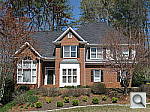
Canon PowerShot SD790 IS All test shots image 1
SD790ISFAR3648.JPG
6,656,194 bytes
3648×2736
1/919 sec
f3.6
0.0 EV
9.7 mm focal length
ISO 80
Canon PowerShot SD790 IS All test shots image 2
SD790ISFARCON01.JPG
6,777,212 bytes
3648×2736
1/919 sec
f3.6
0.0 EV
9.7 mm focal length
ISO 80
Canon PowerShot SD790 IS All test shots image 3
SD790ISFARCON02.JPG
6,816,170 bytes
3648×2736
1/919 sec
f3.6
0.0 EV
9.7 mm focal length
ISO 80
Canon PowerShot SD790 IS All test shots image 4
SD790ISFARCON03.JPG
6,827,256 bytes
3648×2736
1/899 sec
f3.6
0.0 EV
9.7 mm focal length
ISO 80
Canon PowerShot SD790 IS All test shots image 5
SD790ISFARCON04.JPG
6,743,039 bytes
3648×2736
1/919 sec
f3.6
0.0 EV
9.7 mm focal length
ISO 80
Canon PowerShot SD790 IS All test shots image 6
SD790ISFARCON05.JPG
6,740,816 bytes
3648×2736
1/919 sec
f3.6
0.0 EV
9.7 mm focal length
ISO 80
Canon PowerShot SD790 IS All test shots image 7
SD790ISFARWTDT.JPG
2,236,827 bytes
3648×2736
1/724 sec
f5.0
0.0 EV
18.6 mm focal length
ISO 80
Canon PowerShot SD790 IS All test shots image 8
SD790ISFARWTT.JPG
4,975,449 bytes
3648×2736
1/583 sec
f5.0
0.0 EV
18.6 mm focal length
ISO 80
Canon PowerShot SD790 IS All test shots image 9
SD790ISFARWTW.JPG
7,209,011 bytes
3648×2736
1/146 sec
f7.9
0.0 EV
6.2 mm focal length
ISO 80
Canon PowerShot SD790 IS All test shots image 10
SD790ISFL06T.JPG
4,175,993 bytes
3648×2736
1/64 sec
f5.0
0.0 EV
18.6 mm focal length
ISO 100
Canon PowerShot SD790 IS All test shots image 11
SD790ISFL06W.JPG
4,166,152 bytes
3648×2736
1/64 sec
f2.9
0.0 EV
6.2 mm focal length
ISO 100
Canon PowerShot SD790 IS All test shots image 12
SD790ISFL07T.JPG
4,134,587 bytes
3648×2736
1/64 sec
f5.0
0.0 EV
18.6 mm focal length
ISO 100
Canon PowerShot SD790 IS All test shots image 13
SD790ISFL07W.JPG
4,101,066 bytes
3648×2736
1/64 sec
f2.9
0.0 EV
6.2 mm focal length
ISO 100
Canon PowerShot SD790 IS All test shots image 14
SD790ISFL08T.JPG
3,908,333 bytes
3648×2736
1/64 sec
f5.0
0.0 EV
18.6 mm focal length
ISO 100
Canon PowerShot SD790 IS All test shots image 15
SD790ISFL08W.JPG
4,313,654 bytes
3648×2736
1/64 sec
f2.9
0.0 EV
6.2 mm focal length
ISO 100
Canon PowerShot SD790 IS All test shots image 16
SD790ISFL09T.JPG
3,754,929 bytes
3648×2736
1/64 sec
f5.0
0.0 EV
18.6 mm focal length
ISO 100
Canon PowerShot SD790 IS All test shots image 17
SD790ISFL09W.JPG
4,360,564 bytes
3648×2736
1/64 sec
f2.9
0.0 EV
6.2 mm focal length
ISO 100
Canon PowerShot SD790 IS All test shots image 18
SD790ISFL10T.JPG
3,611,769 bytes
3648×2736
1/64 sec
f5.0
0.0 EV
18.6 mm focal length
ISO 100
Canon PowerShot SD790 IS All test shots image 19
SD790ISFL10W.JPG
4,387,541 bytes
3648×2736
1/64 sec
f2.9
0.0 EV
6.2 mm focal length
ISO 100
Canon PowerShot SD790 IS All test shots image 20
SD790ISFL11T.JPG
3,419,376 bytes
3648×2736
1/64 sec
f5.0
0.0 EV
18.6 mm focal length
ISO 100
Canon PowerShot SD790 IS All test shots image 21
SD790ISFL11W.JPG
4,421,448 bytes
3648×2736
1/64 sec
f2.9
0.0 EV
6.2 mm focal length
ISO 100
Canon PowerShot SD790 IS All test shots image 22
SD790ISFL12T.JPG
3,303,819 bytes
3648×2736
1/64 sec
f5.0
0.0 EV
18.6 mm focal length
ISO 100
Canon PowerShot SD790 IS All test shots image 23
SD790ISFL12W.JPG
4,338,800 bytes
3648×2736
1/64 sec
f2.9
0.0 EV
6.2 mm focal length
ISO 100
Canon PowerShot SD790 IS All test shots image 24
SD790ISFL13T.JPG
3,189,640 bytes
3648×2736
1/64 sec
f5.0
0.0 EV
18.6 mm focal length
ISO 100
Canon PowerShot SD790 IS All test shots image 25
SD790ISFL13W.JPG
4,232,794 bytes
3648×2736
1/64 sec
f2.9
0.0 EV
6.2 mm focal length
ISO 100
Canon PowerShot SD790 IS All test shots image 26
SD790ISFL14T.JPG
3,049,423 bytes
3648×2736
1/64 sec
f5.0
0.0 EV
18.6 mm focal length
ISO 100
Canon PowerShot SD790 IS All test shots image 27
SD790ISFL14W.JPG
4,158,200 bytes
3648×2736
1/64 sec
f2.9
0.0 EV
6.2 mm focal length
ISO 100
Canon PowerShot SD790 IS All test shots image 28
SD790ISFL15T.JPG
2,878,579 bytes
3648×2736
1/64 sec
f5.0
0.0 EV
18.6 mm focal length
ISO 100
Canon PowerShot SD790 IS All test shots image 29
SD790ISFL15W.JPG
4,085,859 bytes
3648×2736
1/64 sec
f2.9
0.0 EV
6.2 mm focal length
ISO 100
Canon PowerShot SD790 IS All test shots image 30
SD790ISFL16T.JPG
2,785,453 bytes
3648×2736
1/64 sec
f5.0
0.0 EV
18.6 mm focal length
ISO 100
Canon PowerShot SD790 IS All test shots image 31
SD790ISFL16W.JPG
4,131,660 bytes
3648×2736
1/64 sec
f2.9
0.0 EV
6.2 mm focal length
ISO 100
Canon PowerShot SD790 IS All test shots image 32
SD790ISFL_MFR066TA0200.JPG
4,382,519 bytes
3648×2736
1/64 sec
f5.0
0.0 EV
18.6 mm focal length
ISO 200
Canon PowerShot SD790 IS All test shots image 33
SD790ISFL_MFR110WA0250.JPG
4,681,167 bytes
3648×2736
1/64 sec
f2.9
0.0 EV
6.2 mm focal length
ISO 248
Canon PowerShot SD790 IS All test shots image 34
SD790ISINBAP0.JPG
4,553,255 bytes
3648×2736
0.3 sec
f4.4
0.0 EV
14.3 mm focal length
ISO 100
Canon PowerShot SD790 IS All test shots image 35
SD790ISINBAP1.JPG
4,596,561 bytes
3648×2736
0.4 sec
f4.4
+0.3 EV
14.3 mm focal length
ISO 100
Canon PowerShot SD790 IS All test shots image 36
SD790ISINBAP2.JPG
4,700,977 bytes
3648×2736
0.5 sec
f4.4
+0.7 EV
14.3 mm focal length
ISO 100
Canon PowerShot SD790 IS All test shots image 37
SD790ISINBAP3.JPG
4,718,445 bytes
3648×2736
0.6 sec
f4.4
+1.0 EV
14.3 mm focal length
ISO 100
Canon PowerShot SD790 IS All test shots image 38
SD790ISINBFP0.JPG
4,854,942 bytes
3648×2736
1/64 sec
f4.4
0.0 EV
14.3 mm focal length
ISO 100
Canon PowerShot SD790 IS All test shots image 39
SD790ISINBFP1.JPG
4,564,419 bytes
3648×2736
1/64 sec
f4.4
+0.3 EV
14.3 mm focal length
ISO 100
Canon PowerShot SD790 IS All test shots image 40
SD790ISINBFP2.JPG
4,532,022 bytes
3648×2736
1/64 sec
f4.4
+0.7 EV
14.3 mm focal length
ISO 100
Canon PowerShot SD790 IS All test shots image 41
SD790ISINBFP3.JPG
4,591,943 bytes
3648×2736
1/64 sec
f4.4
+1.0 EV
14.3 mm focal length
ISO 100
Canon PowerShot SD790 IS All test shots image 42
SD790ISINBFSP0.JPG
4,609,258 bytes
3648×2736
0.3 sec
f4.4
0.0 EV
14.3 mm focal length
ISO 100
Canon PowerShot SD790 IS All test shots image 43
SD790ISINBFSP1.JPG
4,671,068 bytes
3648×2736
0.3 sec
f4.4
+0.3 EV
14.3 mm focal length
ISO 100
Canon PowerShot SD790 IS All test shots image 44
SD790ISINBFSP2.JPG
4,664,073 bytes
3648×2736
0.3 sec
f4.4
+0.7 EV
14.3 mm focal length
ISO 100
Canon PowerShot SD790 IS All test shots image 45
SD790ISINBFSP3.JPG
4,671,462 bytes
3648×2736
0.3 sec
f4.4
+1.0 EV
14.3 mm focal length
ISO 100
Canon PowerShot SD790 IS All test shots image 46
SD790ISINBI0080.JPG
4,331,360 bytes
3648×2736
0.5 sec
f4.4
+0.3 EV
14.3 mm focal length
ISO 80
Canon PowerShot SD790 IS All test shots image 47
SD790ISINBI0100.JPG
4,658,929 bytes
3648×2736
0.4 sec
f4.4
+0.3 EV
14.3 mm focal length
ISO 100
Canon PowerShot SD790 IS All test shots image 48
SD790ISINBI0200.JPG
4,763,766 bytes
3648×2736
1/5 sec
f4.4
+0.3 EV
14.3 mm focal length
ISO 200
Canon PowerShot SD790 IS All test shots image 49
SD790ISINBI0400.JPG
4,451,119 bytes
3648×2736
1/10 sec
f4.4
+0.3 EV
14.3 mm focal length
ISO 400
Canon PowerShot SD790 IS All test shots image 50
SD790ISINBI0800.JPG
5,076,424 bytes
3648×2736
1/19 sec
f4.4
+0.3 EV
14.3 mm focal length
ISO 800
Canon PowerShot SD790 IS All test shots image 51
SD790ISINBI1600.JPG
6,153,801 bytes
3648×2736
1/40 sec
f4.4
+0.3 EV
14.3 mm focal length
ISO 1600
Canon PowerShot SD790 IS All test shots image 52
SD790ISINBI3200.JPG
730,313 bytes
1600×1200
1/97 sec
f4.4
0.0 EV
14.3 mm focal length
ISO 3200
Canon PowerShot SD790 IS All test shots image 53
SD790ISINBMP0.JPG
4,490,507 bytes
3648×2736
0.5 sec
f4.4
0.0 EV
14.3 mm focal length
ISO 100
Canon PowerShot SD790 IS All test shots image 54
SD790ISINBMP1.JPG
4,570,420 bytes
3648×2736
0.6 sec
f4.4
+0.3 EV
14.3 mm focal length
ISO 100
Canon PowerShot SD790 IS All test shots image 55
SD790ISINBMP2.JPG
4,550,213 bytes
3648×2736
0.7 sec
f4.4
+0.7 EV
14.3 mm focal length
ISO 100
Canon PowerShot SD790 IS All test shots image 56
SD790ISINBMP3.JPG
4,592,297 bytes
3648×2736
0.9 sec
f4.4
+1.0 EV
14.3 mm focal length
ISO 100
Canon PowerShot SD790 IS All test shots image 57
SD790ISINBTP0.JPG
4,388,878 bytes
3648×2736
0.4 sec
f4.4
0.0 EV
14.3 mm focal length
ISO 100
Canon PowerShot SD790 IS All test shots image 58
SD790ISINBTP1.JPG
4,423,076 bytes
3648×2736
0.6 sec
f4.4
+0.3 EV
14.3 mm focal length
ISO 100
Canon PowerShot SD790 IS All test shots image 59
SD790ISINBTP2.JPG
4,515,513 bytes
3648×2736
0.7 sec
f4.4
+0.7 EV
14.3 mm focal length
ISO 100
Canon PowerShot SD790 IS All test shots image 60
SD790ISINBTP3.JPG
4,508,910 bytes
3648×2736
0.9 sec
f4.4
+1.0 EV
14.3 mm focal length
ISO 100
Canon PowerShot SD790 IS All test shots image 61
SD790ISLL00803.JPG
3,990,397 bytes
3648×2736
2.5 sec
f2.9
0.0 EV
6.2 mm focal length
ISO 80
Canon PowerShot SD790 IS All test shots image 62
SD790ISLL00804.JPG
3,996,046 bytes
3648×2736
5 sec
f2.9
0.0 EV
6.2 mm focal length
ISO 80
Canon PowerShot SD790 IS All test shots image 63
SD790ISLL00805.JPG
3,925,910 bytes
3648×2736
9.9 sec
f2.9
0.0 EV
6.2 mm focal length
ISO 80
Canon PowerShot SD790 IS All test shots image 64
SD790ISLL00806.JPG
3,832,945 bytes
3648×2736
16 sec
f2.9
0.0 EV
6.2 mm focal length
ISO 80
Canon PowerShot SD790 IS All test shots image 65
SD790ISLL00807.JPG
3,406,556 bytes
3648×2736
16 sec
f2.9
0.0 EV
6.2 mm focal length
ISO 80
Canon PowerShot SD790 IS All test shots image 66
SD790ISLL01003.JPG
4,371,522 bytes
3648×2736
2 sec
f2.9
0.0 EV
6.2 mm focal length
ISO 100
Canon PowerShot SD790 IS All test shots image 67
SD790ISLL01004.JPG
4,328,107 bytes
3648×2736
4 sec
f2.9
0.0 EV
6.2 mm focal length
ISO 100
Canon PowerShot SD790 IS All test shots image 68
SD790ISLL01005.JPG
4,345,726 bytes
3648×2736
8 sec
f2.9
0.0 EV
6.2 mm focal length
ISO 100
Canon PowerShot SD790 IS All test shots image 69
SD790ISLL01006.JPG
4,331,528 bytes
3648×2736
16 sec
f2.9
0.0 EV
6.2 mm focal length
ISO 100
Canon PowerShot SD790 IS All test shots image 70
SD790ISLL01007.JPG
3,950,706 bytes
3648×2736
16 sec
f2.9
0.0 EV
6.2 mm focal length
ISO 100
Canon PowerShot SD790 IS All test shots image 71
SD790ISLL02003.JPG
4,480,838 bytes
3648×2736
1 sec
f2.9
0.0 EV
6.2 mm focal length
ISO 200
Canon PowerShot SD790 IS All test shots image 72
SD790ISLL02004.JPG
4,684,148 bytes
3648×2736
2 sec
f2.9
0.0 EV
6.2 mm focal length
ISO 200
Canon PowerShot SD790 IS All test shots image 73
SD790ISLL02005.JPG
4,672,392 bytes
3648×2736
4 sec
f2.9
0.0 EV
6.2 mm focal length
ISO 200
Canon PowerShot SD790 IS All test shots image 74
SD790ISLL02006.JPG
4,683,463 bytes
3648×2736
8 sec
f2.9
0.0 EV
6.2 mm focal length
ISO 200
Canon PowerShot SD790 IS All test shots image 75
SD790ISLL02007.JPG
4,692,182 bytes
3648×2736
16 sec
f2.9
0.0 EV
6.2 mm focal length
ISO 200
Canon PowerShot SD790 IS All test shots image 76
SD790ISLL04003.JPG
4,330,787 bytes
3648×2736
0.5 sec
f2.9
+0.3 EV
6.2 mm focal length
ISO 400
Canon PowerShot SD790 IS All test shots image 77
SD790ISLL04004.JPG
4,314,284 bytes
3648×2736
1 sec
f2.9
0.0 EV
6.2 mm focal length
ISO 400
Canon PowerShot SD790 IS All test shots image 78
SD790ISLL04005.JPG
4,678,259 bytes
3648×2736
2 sec
f2.9
0.0 EV
6.2 mm focal length
ISO 400
Canon PowerShot SD790 IS All test shots image 79
SD790ISLL04006.JPG
4,660,728 bytes
3648×2736
4 sec
f2.9
0.0 EV
6.2 mm focal length
ISO 400
Canon PowerShot SD790 IS All test shots image 80
SD790ISLL04007.JPG
4,713,714 bytes
3648×2736
8 sec
f2.9
0.0 EV
6.2 mm focal length
ISO 400
Canon PowerShot SD790 IS All test shots image 81
SD790ISLL08003.JPG
5,516,589 bytes
3648×2736
1/4 sec
f2.9
+0.3 EV
6.2 mm focal length
ISO 800
Canon PowerShot SD790 IS All test shots image 82
SD790ISLL08004.JPG
5,498,937 bytes
3648×2736
0.6 sec
f2.9
+0.7 EV
6.2 mm focal length
ISO 800
Canon PowerShot SD790 IS All test shots image 83
SD790ISLL08005.JPG
5,453,767 bytes
3648×2736
1 sec
f2.9
0.0 EV
6.2 mm focal length
ISO 800
Canon PowerShot SD790 IS All test shots image 84
SD790ISLL08006.JPG
5,492,861 bytes
3648×2736
2 sec
f2.9
0.0 EV
6.2 mm focal length
ISO 800
Canon PowerShot SD790 IS All test shots image 85
SD790ISLL08007.JPG
5,503,718 bytes
3648×2736
4 sec
f2.9
0.0 EV
6.2 mm focal length
ISO 800
Canon PowerShot SD790 IS All test shots image 86
SD790ISLL16003.JPG
6,218,921 bytes
3648×2736
1/8 sec
f2.9
+1.0 EV
6.2 mm focal length
ISO 1600
Canon PowerShot SD790 IS All test shots image 87
SD790ISLL16004.JPG
6,185,030 bytes
3648×2736
1/4 sec
f2.9
+1.0 EV
6.2 mm focal length
ISO 1600
Canon PowerShot SD790 IS All test shots image 88
SD790ISLL16005.JPG
6,181,615 bytes
3648×2736
0.5 sec
f2.9
+1.0 EV
6.2 mm focal length
ISO 1600
Canon PowerShot SD790 IS All test shots image 89
SD790ISLL16006.JPG
6,131,307 bytes
3648×2736
1 sec
f2.9
0.0 EV
6.2 mm focal length
ISO 1600
Canon PowerShot SD790 IS All test shots image 90
SD790ISLL16007.JPG
6,183,356 bytes
3648×2736
2 sec
f2.9
0.0 EV
6.2 mm focal length
ISO 1600
Canon PowerShot SD790 IS All test shots image 91
SD790ISLL32003.JPG
683,240 bytes
1600×1200
1/22 sec
f2.9
0.0 EV
6.2 mm focal length
ISO 3200
Canon PowerShot SD790 IS All test shots image 92
SD790ISLL32004.JPG
680,090 bytes
1600×1200
1/11 sec
f2.9
0.0 EV
6.2 mm focal length
ISO 3200
Canon PowerShot SD790 IS All test shots image 93
SD790ISLL32005.JPG
689,771 bytes
1600×1200
1/8 sec
f2.9
0.0 EV
6.2 mm focal length
ISO 3200
Canon PowerShot SD790 IS All test shots image 94
SD790ISLL32006.JPG
629,006 bytes
1600×1200
1/8 sec
f2.9
0.0 EV
6.2 mm focal length
ISO 3200
Canon PowerShot SD790 IS All test shots image 95
SD790ISLL32007.JPG
520,551 bytes
1600×1200
1/8 sec
f2.9
0.0 EV
6.2 mm focal length
ISO 3200
Canon PowerShot SD790 IS All test shots image 96
SD790ISMAC.JPG
5,074,894 bytes
3648×2736
1/146 sec
f2.9
0.0 EV
6.2 mm focal length
ISO 80
Canon PowerShot SD790 IS All test shots image 97
SD790ISMACFL.JPG
3,363,906 bytes
3648×2736
1/64 sec
f7.9
0.0 EV
6.2 mm focal length
ISO 80
Canon PowerShot SD790 IS All test shots image 98
SD790ISOUTBAP0.JPG
3,547,035 bytes
2736×3648
1/101 sec
f4.4
0.0 EV
14.3 mm focal length
ISO 80
Canon PowerShot SD790 IS All test shots image 99
SD790ISOUTBAP1.JPG
3,684,000 bytes
2736×3648
1/79 sec
f4.4
+0.3 EV
14.3 mm focal length
ISO 80
Canon PowerShot SD790 IS All test shots image 100
SD790ISOUTBAP2.JPG
3,761,726 bytes
2736×3648
1/63 sec
f4.4
+0.7 EV
14.3 mm focal length
ISO 80
Canon PowerShot SD790 IS All test shots image 101
SD790ISOUTBAP3.JPG
3,842,487 bytes
2736×3648
1/47 sec
f4.4
+1.0 EV
14.3 mm focal length
ISO 80
Canon PowerShot SD790 IS All test shots image 102
SD790ISOUTBCON1.JPG
3,807,038 bytes
2736×3648
1/64 sec
f4.4
+0.7 EV
14.3 mm focal length
ISO 80
Canon PowerShot SD790 IS All test shots image 103
SD790ISOUTBCON2.JPG
3,785,041 bytes
2736×3648
1/64 sec
f4.4
+0.7 EV
14.3 mm focal length
ISO 80
Canon PowerShot SD790 IS All test shots image 104
SD790ISOUTBCON3.JPG
3,771,615 bytes
2736×3648
1/63 sec
f4.4
+0.7 EV
14.3 mm focal length
ISO 80
Canon PowerShot SD790 IS All test shots image 105
SD790ISOUTBCON4.JPG
3,707,771 bytes
2736×3648
1/64 sec
f4.4
+0.7 EV
14.3 mm focal length
ISO 80
Canon PowerShot SD790 IS All test shots image 106
SD790ISOUTBCON5.JPG
3,652,765 bytes
2736×3648
1/64 sec
f4.4
+0.7 EV
14.3 mm focal length
ISO 80
Canon PowerShot SD790 IS All test shots image 107
SD790ISOUTBDP0.JPG
3,562,413 bytes
2736×3648
1/101 sec
f4.4
0.0 EV
14.3 mm focal length
ISO 80
Canon PowerShot SD790 IS All test shots image 108
SD790ISOUTBDP1.JPG
3,697,572 bytes
2736×3648
1/79 sec
f4.4
+0.3 EV
14.3 mm focal length
ISO 80
Canon PowerShot SD790 IS All test shots image 109
SD790ISOUTBDP2.JPG
3,791,796 bytes
2736×3648
1/61 sec
f4.4
+0.7 EV
14.3 mm focal length
ISO 80
Canon PowerShot SD790 IS All test shots image 110
SD790ISOUTBDP3.JPG
3,846,976 bytes
2736×3648
1/47 sec
f4.4
+1.0 EV
14.3 mm focal length
ISO 80
Canon PowerShot SD790 IS All test shots image 111
SD790ISOUTBMP0.JPG
3,545,805 bytes
2736×3648
1/102 sec
f4.4
0.0 EV
14.3 mm focal length
ISO 80
Canon PowerShot SD790 IS All test shots image 112
SD790ISOUTBMP1.JPG
3,696,729 bytes
2736×3648
1/78 sec
f4.4
+0.3 EV
14.3 mm focal length
ISO 80
Canon PowerShot SD790 IS All test shots image 113
SD790ISOUTBMP2.JPG
3,782,829 bytes
2736×3648
1/61 sec
f4.4
+0.7 EV
14.3 mm focal length
ISO 80
Canon PowerShot SD790 IS All test shots image 114
SD790ISOUTBMP3.JPG
3,842,362 bytes
2736×3648
1/46 sec
f4.4
+1.0 EV
14.3 mm focal length
ISO 80
Canon PowerShot SD790 IS All test shots image 115
SD790ISOUTBSAT1.JPG
3,660,965 bytes
2736×3648
1/64 sec
f4.4
+0.7 EV
14.3 mm focal length
ISO 80
Canon PowerShot SD790 IS All test shots image 116
SD790ISOUTBSAT2.JPG
3,713,445 bytes
2736×3648
1/64 sec
f4.4
+0.7 EV
14.3 mm focal length
ISO 80
Canon PowerShot SD790 IS All test shots image 117
SD790ISOUTBSAT3.JPG
3,763,899 bytes
2736×3648
1/64 sec
f4.4
+0.7 EV
14.3 mm focal length
ISO 80
Canon PowerShot SD790 IS All test shots image 118
SD790ISOUTBSAT4.JPG
3,798,309 bytes
2736×3648
1/64 sec
f4.4
+0.7 EV
14.3 mm focal length
ISO 80
Canon PowerShot SD790 IS All test shots image 119
SD790ISOUTBSAT5.JPG
3,861,465 bytes
2736×3648
1/63 sec
f4.4
+0.7 EV
14.3 mm focal length
ISO 80
Canon PowerShot SD790 IS All test shots image 120
SD790ISVFATB.jpg
3,196,526 bytes
3648×2736
1/43 sec
f5.0
+1.0 EV
18.6 mm focal length
ISO 80
Canon PowerShot SD790 IS All test shots image 121
SD790ISVFATF.jpg
3,757,599 bytes
3648×2736
1/64 sec
f5.0
0.0 EV
18.6 mm focal length
ISO 80
Canon PowerShot SD790 IS All test shots image 122
SD790ISVFATL.jpg
3,263,566 bytes
3648×2736
1/7 sec
f5.0
+1.0 EV
18.6 mm focal length
ISO 80
Canon PowerShot SD790 IS All test shots image 123
SD790ISVFAWB.jpg
3,282,458 bytes
3648×2736
1/120 sec
f2.9
+1.0 EV
6.2 mm focal length
ISO 80
Canon PowerShot SD790 IS All test shots image 124
SD790ISVFAWF.jpg
3,745,742 bytes
3648×2736
1/64 sec
f2.9
0.0 EV
6.2 mm focal length
ISO 80
Canon PowerShot SD790 IS All test shots image 125
SD790ISVFAWL.jpg
3,337,960 bytes
3648×2736
1/16 sec
f2.9
+1.0 EV
6.2 mm focal length
ISO 80
Canon PowerShot SD790 IS All test shots image 126
SD790IShHOUSE.jpg
5,949,065 bytes
3648×2736
1/27 sec
f3.9
0.0 EV
11.6 mm focal length
ISO 80
Canon PowerShot SD790 IS All test shots image 127
SD790IShMULTI0640.jpg
157,955 bytes
640×480
1/40 sec
f3.9
+1.0 EV
11.6 mm focal length
ISO 80
Canon PowerShot SD790 IS All test shots image 128
SD790IShMULTI1600.jpg
743,440 bytes
1600×1200
1/40 sec
f3.9
+1.0 EV
11.6 mm focal length
ISO 80
Canon PowerShot SD790 IS All test shots image 129
SD790IShMULTI2272.jpg
1,509,732 bytes
2272×1704
1/39 sec
f3.9
+1.0 EV
11.6 mm focal length
ISO 80
Canon PowerShot SD790 IS All test shots image 130
SD790IShMULTI2816.jpg
2,144,556 bytes
2816×2112
1/40 sec
f3.9
+1.0 EV
11.6 mm focal length
ISO 80
Canon PowerShot SD790 IS All test shots image 131
SD790IShMULTI3648E.jpg
881,061 bytes
3648×2736
1/39 sec
f3.9
+1.0 EV
11.6 mm focal length
ISO 80
Canon PowerShot SD790 IS All test shots image 132
SD790IShMULTI3648F.jpg
3,618,324 bytes
3648×2736
1/40 sec
f3.9
+1.0 EV
11.6 mm focal length
ISO 80
Canon PowerShot SD790 IS All test shots image 133
SD790IShMULTI3648N.jpg
2,109,775 bytes
3648×2736
1/40 sec
f3.9
+1.0 EV
11.6 mm focal length
ISO 80
Canon PowerShot SD790 IS All test shots image 134
SD790IShMULTIT.jpg
3,523,135 bytes
3648×2736
1/23 sec
f5.0
+1.0 EV
18.6 mm focal length
ISO 80
Canon PowerShot SD790 IS All test shots image 135
SD790IShMULTIW.jpg
3,741,713 bytes
3648×2736
1/65 sec
f2.9
+1.0 EV
6.2 mm focal length
ISO 80
Canon PowerShot SD790 IS All test shots image 136
SD790IShSLCOL_BNW.jpg
3,558,453 bytes
3648×2736
1/18 sec
f5.0
0.0 EV
18.6 mm focal length
ISO 80
Canon PowerShot SD790 IS All test shots image 137
SD790IShSLCOL_DST.jpg
4,405,711 bytes
3648×2736
1/18 sec
f5.0
0.0 EV
18.6 mm focal length
ISO 80
Canon PowerShot SD790 IS All test shots image 138
SD790IShSLCOL_LST.jpg
4,237,674 bytes
3648×2736
1/18 sec
f5.0
0.0 EV
18.6 mm focal length
ISO 80
Canon PowerShot SD790 IS All test shots image 139
SD790IShSLCOL_NEUTRAL.jpg
4,262,009 bytes
3648×2736
1/18 sec
f5.0
0.0 EV
18.6 mm focal length
ISO 80
Canon PowerShot SD790 IS All test shots image 140
SD790IShSLCOL_POSITIVE.jpg
4,468,793 bytes
3648×2736
1/18 sec
f5.0
0.0 EV
18.6 mm focal length
ISO 80
Canon PowerShot SD790 IS All test shots image 141
SD790IShSLCOL_SEPIA.jpg
3,949,230 bytes
3648×2736
1/18 sec
f5.0
0.0 EV
18.6 mm focal length
ISO 80
Canon PowerShot SD790 IS All test shots image 142
SD790IShSLCOL_VIVID.jpg
4,534,884 bytes
3648×2736
1/18 sec
f5.0
0.0 EV
18.6 mm focal length
ISO 80
Canon PowerShot SD790 IS All test shots image 143
SD790IShSLI0080.jpg
4,412,539 bytes
3648×2736
1/18 sec
f5.0
0.0 EV
18.6 mm focal length
ISO 80
Canon PowerShot SD790 IS All test shots image 144
SD790IShSLI0100.jpg
4,718,403 bytes
3648×2736
1/24 sec
f5.0
0.0 EV
18.6 mm focal length
ISO 100
Canon PowerShot SD790 IS All test shots image 145
SD790IShSLI0200.jpg
4,850,872 bytes
3648×2736
1/48 sec
f5.0
0.0 EV
18.6 mm focal length
ISO 200
Canon PowerShot SD790 IS All test shots image 146
SD790IShSLI0400.jpg
4,632,640 bytes
3648×2736
1/95 sec
f5.0
0.0 EV
18.6 mm focal length
ISO 400
Canon PowerShot SD790 IS All test shots image 147
SD790IShSLI0800.jpg
5,082,280 bytes
3648×2736
1/189 sec
f5.0
0.0 EV
18.6 mm focal length
ISO 800
Canon PowerShot SD790 IS All test shots image 148
SD790IShSLI1600.jpg
5,981,796 bytes
3648×2736
1/386 sec
f5.0
0.0 EV
18.6 mm focal length
ISO 1600
Canon PowerShot SD790 IS All test shots image 149
SD790IShSLI3200.jpg
773,921 bytes
1600×1200
1/756 sec
f5.0
0.0 EV
18.6 mm focal length
ISO 3200
Canon PowerShot SD790 IS All test shots image 150
SD790IShSL_TUNGSTEN.jpg
4,210,835 bytes
3648×2736
1/5 sec
f5.0
0.0 EV
18.6 mm focal length
ISO 80

All images copyright © 2008 by The Imaging Resource. All rights reserved.