


Overview

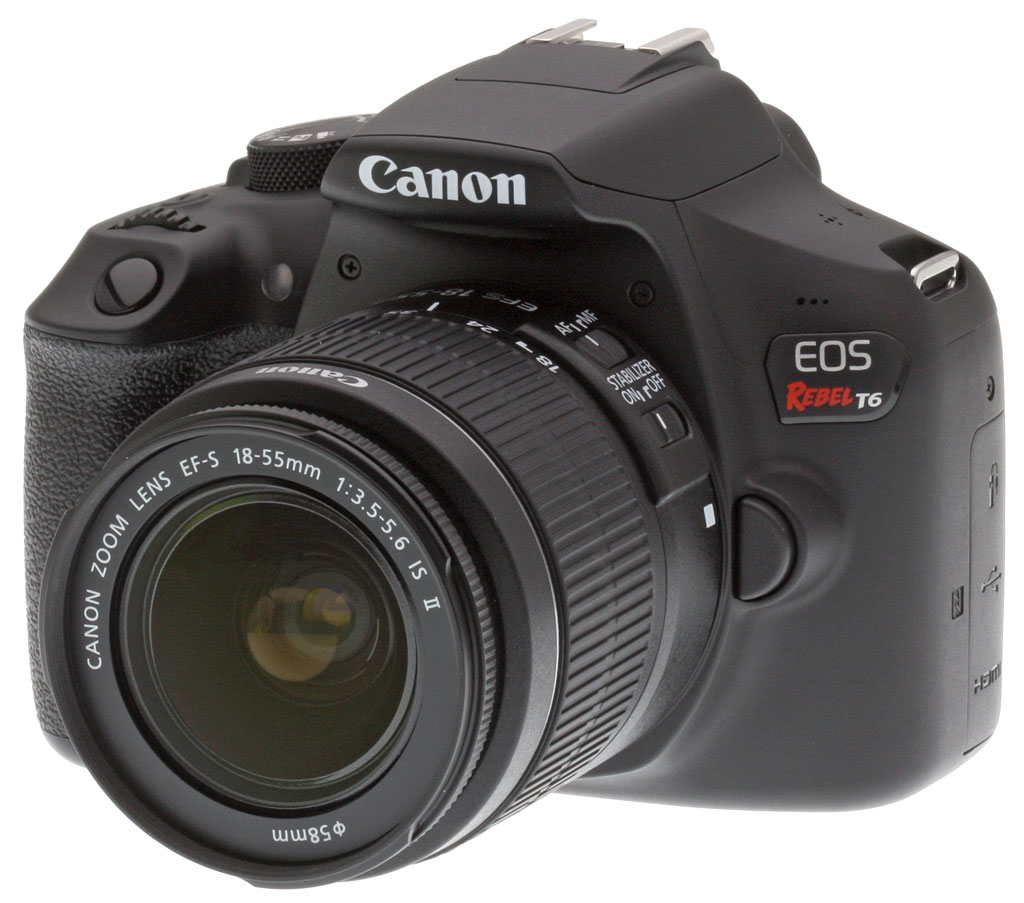
If you're shopping for a camera that will give you much better image quality than your smartphone, but you're on a very tight budget, we have some good news for you. The Canon Rebel T6 is here, and it takes one of the most popular cameras in recent years, then tweaks the design to make it much easier to get your photos onto your phone.
The Canon T6 shares a whole lot with its well-received predecessor. Its smooth, polycarbonate body is nearly identical to that of the Rebel T5, and remains both friendly and approachable. (It's also pretty similar to that of the previous-generation Rebel T3. If you're considering an upgrade from that camera, you'll find yourself almost immediately at home with the T6.)
On the inside, the Canon T6 also sports pretty much exactly the same imaging pipeline as its nearest predecessor. With a resolution of 18 megapixels from a roomy APS-C sized image sensor, the T6 might lag more expensive cameras in terms of resolution, but it arguably provides more than enough for the entry-level shooters at whom this model is aimed. Sensitivity ranges from ISO 100 to 6400 equivalents, and can be expanded to a maximum of ISO 12,800-equivalent, which again should be plenty for the needs of most entry-level shooters (and far beyond what your cameraphone will manage).

If you're planning on shooting sports, kids or other very active subjects, however, you may want to look at a more fully-featured camera instead. With a continuous shooting speed of just three frames per second, the Canon T6's relatively modest burst-capture rate may leave you waiting and missing photo opportunities, especially if you're a raw shooter. You'll manage just five or six raw frames before the T6's buffer fills, although in JPEG mode the new DIGIC 4+ image processor now allows an unlimited burst depth, according to Canon. (This is may well be true for typical scenes, but in the lab with a difficult to compress scene, the Canon T6 slowed down after 15 best quality JPEG frames versus 12 JPEGs for the T5. See our Performance page for more details.)

So what's new compared to the Canon T5? The biggest change in the new Rebel T6 is the inclusion of both Wi-Fi and Near-Field Communications technology. Wi-Fi lets you get your images off the camera and onto your Android or iOS smartphone or tablet with ease. From there, it's just a few taps to get your photos onto social networks like Facebook, Twitter or Instagram so your friends and family can share in the moment while it's still fresh. The NFC radio, meanwhile, makes it even easier for Android users to connect their smart device to the camera. Simply bumping the two devices together is enough to create a connection and start sharing your creations.

Compared to its predecessor, the Canon Rebel T6 now sports a higher-resolution LCD monitor. If you shoot in live view mode, that should prove handy when you want to focus manually, with the crisper display making it easier to tell precisely where the sharpest point in the image is located. And of course, the higher resolution will also make for a more satisfying experience when reviewing the photos you've already captured.

In other respects, the Canon T6 is a whole lot like its predecessor, although some minor tweaks can be found if you look more closely. For example, the Rebel T6 now offers a Food scene mode among the Basic Zone options on the mode dial, helping foodies to share their favorite culinary creations without needing to understand the subtleties of shutter speeds, apertures, white balance options and so forth. There's also a new "white priority" setting for the T6's auto white balance mode, which aims to better neutralize the warm color casts typical under incandescent lighting.
In the Box
The Canon T6 retail kit w/18-55mm IS II lens package contains the following items:
- Canon Rebel T6 camera body
- EF-S 18-55mm f/3.5-5.6 IS II Lens
- Eyecup Ef for Digital Rebel Cameras
- LC-E10 Battery Charger
- LP-E10 Lithium-Ion Battery Pack
- Front and Rear Lens Caps
- Battery Cover
- IFC-130U Interface Cable
- EW-400D Wide Strap
Recommended Accessories
- Large capacity SDHC/SDXC memory card. 16GB Class 10 should be a minimum.
- Extra battery pack LP-E10 (~US$45)
- Canon Speedlite flash
- Small/Medium DSLR bag
Optics
The Canon T6 ships with the same kit lens as the T5, the Canon EF-S 18-55mm f/3.5-5.6 IS II, which performed quite well for a kit lens. Since we've already fully tested that lens, please refer to our Canon EF-S 18-55mm IS II review. We do however present Canon T6 viewfinder accuracy test results below.
Viewfinder Test Results
Accuracy
Fair accuracy from the optical viewfinder, but excellent from the LCD in Live View mode.


The Canon T6's optical viewfinder accuracy is fair, providing about 95% coverage along with minor vertical and horizontal offsets and even a bit of tilt, which is about par for an entry-level DSLR. Live View mode accuracy using the LCD monitor to frame is excellent, though, with essentially 100% coverage and of course no offset or tilt.
The images above were taken from our standardized test shots. For a collection of more pictorial photos, see our Canon EOS Rebel T6 (EOS 1300D) Photo Gallery .
Exposure
Color
Saturation & Hue Accuracy
Slightly lower than average mean saturation levels with excellent hue accuracy.
 |
|||
|
ISO Sensitivity
|
|||
| 800 | |||
| In the diagram above, the squares show the original color, and the circles show the color that the camera captured. More saturated colors are located toward the periphery of the graph. Hue changes as you travel around the center. Thus, hue-accurate, highly saturated colors appear as lines radiating from the center. Mouse over the links above to compare ISOs, and click to load a larger version. | |||
Saturation. The Canon EOS Rebel T6 produces images with mean saturation levels that are a little lower than most cameras, but not by much. Strong reds, oranges, dark greens, dark brown and dark blues are boosted by minor to moderate amounts, while yellow and cyan are just slightly muted. The mean saturation of 107.4% (7.4% oversaturated) at base ISO is just a bit lower than average these days, and saturation gradually drops as ISO sensitivity increases (likely in an attempt to help suppress chroma noise), to a low of 97.3% at ISO 12,800. Still, pretty good overall results here. Most consumer digital cameras produce color that's more highly saturated (more intense) than found in the original subjects. This is simply because most people like their color a bit brighter than life.
Skin tones. The Canon T6 produced pleasing, natural-looking Caucasian skin tones in our simulated daylight tests when Auto white balance setting was used. Interestingly, Manual white balance produced skin tones that were a bit too warm and yellow for our tastes. Where oversaturation is most problematic is on Caucasian skin tones, as it's very easy for these "memory colors" to be seen as too bright, too pink, too yellow, etc.
Hue. The Canon Rebel T6's hue accuracy is excellent, much better than average. There are the usual shifts in cyan toward blue (actually quite small), red toward orange, and orange toward yellow, but all are fairly minor. (The cyan to blue shift is very common among the digital cameras we test; we think it's a deliberate choice by camera engineers to produce better-looking sky colors.) Average "delta-C" color error at base ISO is only 3.45, which is excellent. Delta-C color error increases with sensitivity, but remains better than average across the ISO range. Hue is "what color" the
color is.


Sensor
Exposure and White Balance
Indoors, incandescent lighting
Auto and Incandescent white balance settings both struggled with household incandescent lighting, though Manual white balance worked well. Average exposure compensation required.


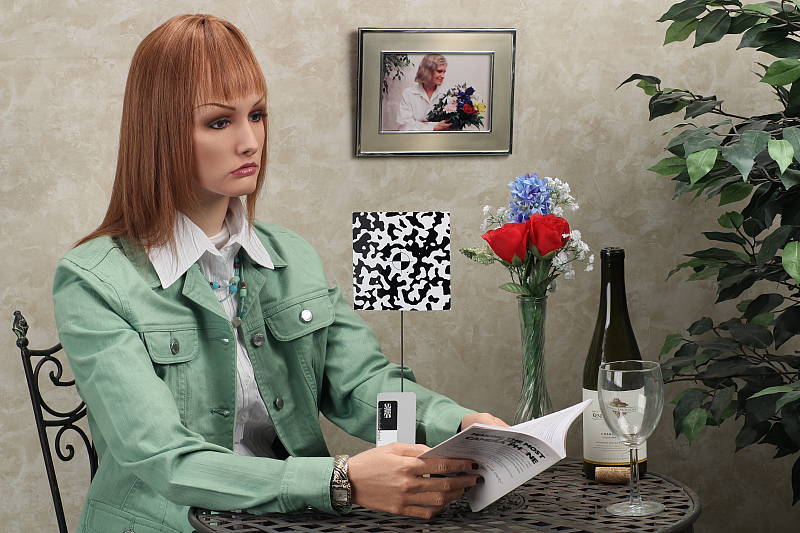
Indoors, under incandescent lighting, the Canon EOS Rebel T6's default Auto white balance setting struggled, producing a very warm red/orange color cast. The Canon T6 does however have a White Priority option for Auto white balance that should result in more neutral color balance, however we did not test that mode in the lab. The Incandescent setting performed a bit better, but was still too warm. The Manual setting however produced very good white balance here. Note that the Rebel T6 doesn't offer a Kelvin temperature setting like its more expensive siblings, but like all recent Canon DSLRs, you can shift color balance toward more or less green vs magenta or blue vs amber, using a +/-9 step grid format display. The Canon Rebel T6 required +0.3 EV exposure compensation for this shot, which about average among the cameras we've tested. (Our test lighting for this shot is a mixture of 60 and 100 watt household incandescent bulbs, a pretty yellow light source, but a very common one in typical home settings here in the U.S.)
Outdoors, daylight
Color and saturation are good, though a tendency towards high contrast under harsh lighting. About average exposure accuracy.
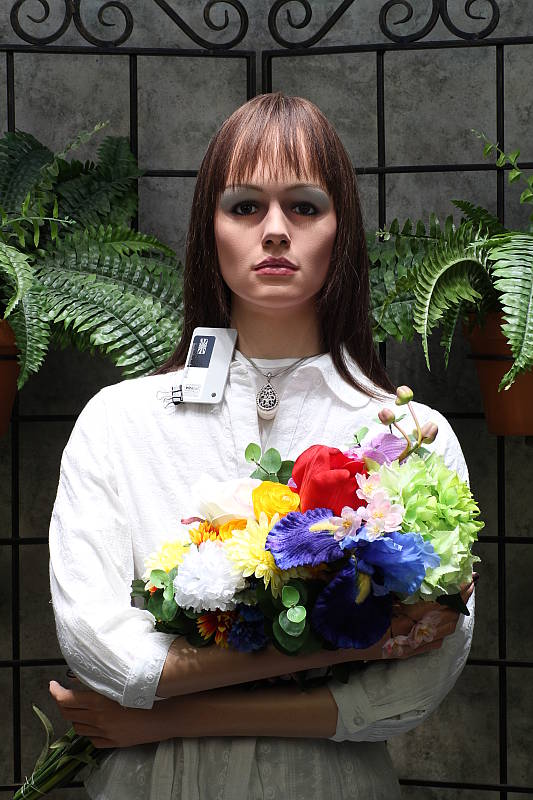
The Canon T6 produced pleasing, natural-looking Caucasian skin tones in our simulated daylight tests when Auto white balance setting was used. The Rebel T6 required +0.7 EV exposure compensation to keep our mannequin's face bright which is typical for our "Sunlit" Portrait shot. The Canon T6's default contrast is a somewhat high, though, producing quite a few washed-out highlights as well as dark shadows under the deliberately harsh lighting of our portrait test shown above left, though the camera's contrast can always be adjusted, and more advanced features like Auto Lighting Optimizer and Highlight Tone Priority do help with high contrast scenes like these. See below for examples of this. The Far-field shot (above right) has pleasing colors, perhaps just a touch cool, but exposure is a tad hot (too bright) likely because of the dark tree, leading to a lot of blown highlights in the building at default exposure. Deep shadows have good detail but are noisy, as we've seen from other Canon DSLRs using older generation sensors.
See full set of test images with explanations
See thumbnails of all test and gallery images
Resolution
~2,400 lines of strong detail from JPEG, about the same from ACR converted RAW.


Our laboratory resolution chart in an in-camera best quality JPEG showed sharp, distinct line patterns up to about 2,400 lines per picture height horizontally, and to about 2,400 lines vertically. Some may argue for higher numbers, but lines begin to merge at those resolutions. Extinction of the pattern occurred just past 3,300 lines horizontally but only at about 3,000 lines vertically. An Adobe Camera Raw converted .CR2 file does not show any higher resolution than the in-camera JPEG, however ACR produced more moiré and false colors than in-camera JPEGs, especially in vertical lines. Use these numbers to compare with other cameras of similar resolution, or use them to see just what higher resolution can mean in terms of potential detail.
See full set of test images with explanations
See thumbnails of all test and gallery images
Sharpness & Detail
Good sharpness and detail with a sharp lens, though with obvious sharpening artifacts. Some detail loss to noise reduction processing even at low ISOs.


Sharpness. The Canon EOS Rebel T6's 18-megapixel sensor and processor capture fairly sharp images with good detail when coupled with a sharp lens, though some obvious edge-enhancement artifacts are visible around high-contrast edges such the halos around the lettering and border in the crop above left. This is pretty typical, though, especially for models from Canon. Edge enhancement creates the illusion of sharpness by enhancing colors and tones right at the edge of a rapid transition in color or tone.
Detail. The crop above right shows some detail loss due to noise suppression in darker areas and in areas with low contrast, perhaps a bit more than is expected for an APS-C sensor these days, but overall detail is still good. Noise-suppression systems in digital cameras tend to flatten-out detail in areas of subtle contrast. The effects can often be seen in shots of human hair, where the individual strands are lost and an almost "watercolor" look appears.
RAW vs In-Camera JPEGs
As noted above the Canon T6 produces reasonably sharp JPEG images with good detail. With a good RAW converter, additional detail can often be extracted with fewer sharpening artifacts. See below:
|
Base ISO (100)
|
|
 |
 |
 |
 |
 |
 |
|
Camera JPEG, defaults
|
RAW via Adobe Camera Raw
|
In the table above, we compare a best quality in-camera JPEG taken at base ISO using default noise reduction and sharpening (on the left) to the matching RAW file converted with Adobe Camera Raw 9.1 via DNG Converter 9.5 using default noise reduction with some strong but tight unsharp masking applied in Photoshop (300%, radius of 0.3 pixels, and a threshold of 0).
Looking closely at the images, we can see ACR extracts additional detail that isn't present in the JPEG from the camera, particularly in the red-leaf swatch where the fine thread pattern is likely treated as noise by the JPEG engine. Fine detail in the mosaic crop is also improved, but as is often the case, more noise can be seen in flatter areas such as in the bottle crop. As expected, sharpening halos aren't nearly as strong as default camera output, however the in-camera JPEG image has a bit more "pop" with higher contrast and saturation at default settings. You can of course apply stronger noise reduction (default ACR NR used here) to arrive at your ideal noise versus detail tradeoff, as well as adjust contrast, saturation and other image processing parameters to your liking.
In-camera default JPEG processing isn't bad, but as usual you can do noticeably better by shooting in RAW mode and using a good RAW converter.
ISO & Noise Performance
Good detail versus noise tradeoff up to ISO 1,600.
|
Default High ISO Noise Reduction
|
||
 |
 |
 |
| ISO 100 | ISO 200 | ISO 400 |
 |
 |
 |
ISO 800 | ISO 1,600 | ISO 3,200 |
 |
 |
ISO 6,400 | ISO 12,800 |
The Canon T6's high ISO performance is good for its class, though as previously mentioned, some loss of fine detail due to noise reduction is already present at base ISO. Images are quite clean at ISOs 100 through 400, with just a tiny amount of luminance noise seen in the shadows, as well as what looks to be chroma noise in the darker areas. Noise "grain" is slightly more evident at ISO 800, but detail remains strong despite stronger blurring due to noise reduction. ISO 1,600 is of course noisier, but fine detail is still pretty good. At ISO 3,200 noise grain becomes coarser, blurring stronger, and chroma noise more apparent, resulting in a more noticeable drop in image quality. ISO 6,400 is quite grainy with obvious chroma blotching in dark to middle tones, but there is still some fine detail left. Noise and the effects of noise reduction working hard to keep it under control really become apparent at ISO 12,800, with strong blurring and obvious chroma blotching even in the brighter areas of the mannequin's face. There are also some bright pixels scattered throughout darker areas at the highest ISO.
Overall, though, not a bad performance for an entry-level DSLR. See the Print Quality section below for our evaluation of maximum print sizes at each ISO setting.
A note about focus for this shot: We used to shoot this image at f/4, however depth of field became so shallow with larger, high-resolution sensors that it was difficult to keep important areas of this shot in focus, so we have since started shooting at f/8, the best compromise between depth of field and sharpness.
Extremes: Sunlit, dynamic range and low light tests
Somewhat high default contrast and unremarkable dynamic range. Highlight Tone Priority and Auto Lighting Optimization options help with tough lighting. Good low-light performance, but autofocus can struggle at lower light levels.


The Canon Rebel T6 struggled a bit here, producing moderately high contrast with some washed-out highlights and deep shadows under the deliberately harsh lighting of the test above. Our mannequin's face was too dim at the default and +0.3 EV settings, so we preferred the image with +0.7 EV exposure compensation here. This resulted in more clipped highlights in the shirt and flowers than we're used to seeing from an APS-C sensor these days, indicating mediocre dynamic range compared to the best of recent competitors. Despite the +0.7 EV compensation, there are still some dark shadows, and very deep shadows are on the noisy side. Bottom line: Dynamic range in JPEGs isn't as good as some competing models, at least not without features such as HTP and ALO enabled (see below).
Because digital cameras are more like slide film than negative film (in that they tend to have a more limited tonal range), we test them in the harshest situations to see how they handle scenes with bright highlights and dark shadows, as well as what kind of sensitivity they have in low light. The shot above is designed to mimic the very harsh, contrasty effect of direct noonday sunlight, a very tough challenge for most digital cameras. (You can read details of this test here. In actual shooting conditions, be sure to use fill flash in situations like the one shown here; it's better to shoot in open shade whenever possible.)
Face Detection
Just like most point & shoot cameras these days, the Canon EOS Rebel T6 has the ability to detect faces in Live View mode, and adjust exposure and focus accordingly.
| Face Detection | |
 |
 |
| Aperture Priority Face Detect: Off 0 EV |
Aperture Priority Face Detect: On 0 EV |
As you can see from the examples above, face detection works well, as the image with it enabled on the right is better exposed for the face than the left image where face detection was not employed.
Highlight Tone Priority
The Canon T6's Highlight Tone Priority (HTP) option did a good job of toning down highlights, as shown below. (Mouse over the Off and On links to load the corresponding thumbnail and histogram, and click on the links to load full resolution images.)

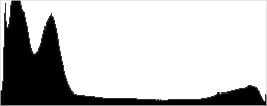


Both shots above were captured at the same exposure (default exposure), the only difference being that HTP was enabled for the second shot which necessarily increases the ISO to 200; part of how HTP works. Although few highlights were blown at default exposure, the result is still evident in the histograms and thumbnails above, clearly showing highlights dialed back with little impact to midtones and shadows when HTP is enabled. If you look closely at shadows in the full resolution image, you'll notice an increase in noise and a slight decrease in detail is the price you pay when ISO is boosted from 100 to 200.
Automatic Lighting Optimization
Like previous EOS models, the Canon T6 offers three selectable levels of Automatic Lighting Optimization (ALO), plus Off. In fully automatic, Creative Auto, as well as in all scene modes, ALO is automatically enabled. Again, mouse over the links below to load the associated thumbnail and histogram, and click on the links to load full resolution images.
|
Automatic Lighting Optimization
|
|
 |
|
 |
|
As you can see above, ALO has the effect of shifting shadows and midtones in the histograms to the right, brightening shadows and indeed most of the image without clipping too many additional highlights. ISO is not boosted for ALO so increased noise is not an issue, though it may be slightly more visible in shadows that have been boosted significantly.
Dynamic Range Analysis (RAW mode)
While we once performed our own dynamic range measurements based on in-camera JPEGs as well as converted RAW images (when the camera was supported by Adobe Camera Raw), we've switched to using DxO Labs' results from their DxOMark website. As technology advanced, the dynamic range of modern high-end cameras in some cases exceeded the range of the Stouffer T4110 density scale that we used for our own measurements. DxO's approach based on RAW data before demosaicing is also more revealing, because it measures the fundamental dynamic range of the sensor, irrespective of whatever processing is applied to JPEGs, or to RAW data by off-the-shelf conversion software.
In the following, we use DxO's "Print" dynamic range results, which are scaled based on camera resolution. As the name suggests, this scaling corresponds to the situation in which you print at a given size, regardless of how many megapixels the camera might have. (In other words, if you've decided to make a 13x19 inch print, that's the size you're printing, whether the camera's resolution is 16 or 300 megapixels.) For the technically-minded, you can find a discussion of the reasoning behind this here on the DxOMark website. Also note that DxO Labs uses a signal-to-noise (SNR) threshold of 1 when defining the lower boundary of acceptable luminance noise in their dynamic range measurements, which corresponds to the "Low Quality" threshold of the Imatest software we used to use for this measurement.
Unfortunately, DxOMark has not tested the Canon T6 at the time of writing. We'll come back and fill this section in after they do, but in the meantime, check out their T5 test results which should be very similar.
| 1 fc 11 lux |
1/16 fc 0.67 lux |
1/16 fc Minimum NR |
|
|---|---|---|---|
| ISO 100 |
 1.6s, f2.8 |
 25s, f2.8 |
 25s, f2.8 |
| ISO 3200 |
 1/20s, f2.8 |
 0.8s, f2.8 |
 0.8s, f2.8 |
| ISO 6400 |
 1/40s, f2.8 |
 0.4s, f2.8 |
 0.4s, f2.8 |
Low Light. The Canon T6 performed fairly well in our low-light imaging test, capturing bright images at the lowest light level we test (1/16 foot-candle), even with the lowest sensitivity setting (ISO 100). As expected, noise is visible at ISO 3,200, but it's quite fine grained, and not too objectionable. Noise is a bit high at the maximum native ISO of 6,400 particularly when noise reduction is minimized (right-hand column in the table above), though not too bad and images are still usable.
A few bright pixels can be seen at ISO 3,200 and 6,400 at the lower light level, but nothing to be concerned of. Some very minor banding (pattern noise) can be seen in very deep shadows, and we didn't notice any heat blooming.
Color balance is pretty neutral with Canon Rebel T6's Auto white balance setting at one foot-candle (just a touch cool), though white balance took on a slightly reddish tint at the lower 1/16 foot-candle light levels.
LL AF: When using the optical viewfinder and dedicated phase-detect AF system, the Canon Rebel T6's autofocus system was able to focus on our test subject down to just above the 1/8 foot-candle (-0.9 EV) light level unassisted with an f/2.8 lens, which good for an entry-level DSLR, and it was able to focus in complete darkness with AF assist enabled. In Live View mode, the Canon T6 was able to focus down to below the 1/4 foot-candle (-0.5 EV) light level, which is also good for an entry-level DSLR in Live View mode with an f/2.8 lens.
As always, keep in mind that the longer shutter speeds here demand the use of a tripod to prevent any blurring from camera movement. (A useful trick is to just prop the camera on a convenient surface, and use its self-timer to release the shutter. This avoids any jiggling from your finger pressing the shutter button, and can work quite well when you don't have a tripod handy.)
How bright is this? The one foot-candle light level that this test begins at roughly corresponds to the brightness of typical city street-lighting at night. Cameras performing well at that level should be able to snap good-looking photos of street-lit scenes.
NOTE: This low light test is conducted with a stationary subject, and the camera mounted on a sturdy tripod. Most digital cameras will fail miserably when faced with a moving subject in dim lighting. (For example, a child's ballet recital or a holiday pageant in a gymnasium.) Digital SLRs like the Canon T6 do much better than point & shoots, but you still shouldn't expect a quick autofocus lock with moving subjects.
Output Quality
Print Quality
A good 24 x 36 inch print at ISO 100/200; a nice 11 x 14 at ISO 1600; and a good 5 x 7 at ISO 6400.
 ISO 100/200 images from the Canon T6 look very good up to 24 x 36 inches, with crisp fine detail and nice colors across the board in printed images. At 18 megapixels, you will generally be OK even at 30 x 40 inches for wall display purposes, depending on your viewing distance.
ISO 400 prints look good at 20 x 30 inches. The 24 x 36 inch prints aren't bad at all, and certainly usable in less critical applications, but a bit of noise in flatter areas of our target image prevent us from giving this size our official "good" seal.
ISO 800 shots require a further reduction in size to 16 x 20 inches, where noise is once again well-controlled and minimal. Anything larger has too much apparent noise in certain areas to call good, but 16 x 20 inches is still an impressive size for this ISO, especially given the affordable cost of this camera.
ISO 1600 is where the T6 begins to suffer a bit in the print quality department, as both noise as well as noise reduction artifacts become more apparent in larger prints. Keeping your maximum print size to 11 x 14 inches is advisable here, as that size still retains good color and detail throughout, with very little apparent noise or issues.
ISO 3200 images just pass our good grade at 8 x 10 inches. The overall print is not quite as vibrant, and there is a mild amount of noise visible, as well as some typical softening in our tricky red fabric swatch as well as a few other areas of our test target. We can still give this print our "good" seal overall though.
ISO 6400 can deliver a good 5 x 7 inch print, but as with the 8 x 10 above there is not as much pop in the colors nor fine detail as seen in the lower ISO images, so be advised you may need to adjust for this in post-processing.
ISO 12,800 does not yield a good print and is best avoided for printing purposes.
For its affordable price tag, the Canon T6 certainly holds its own in the print quality department. Producing nice 24 x 36-inch images at the lowest two sensitivities and yet still delivering a good 16 x 20-inch print at ISO 800 is a nice feat at this price. Not surprisingly, the print sizes were similar to the sizes attained by the predecessor model Canon T5, which shares the same imaging pipeline as this latest entry-level Rebel. If 8 x 10-inch prints and under are what you are generally printing, we advise keeping your sensitivity to under either ISO 3200 or 1600-equivalents, depending on your subject matter and overall tastes.
The images above were taken from our standardized test shots. For a collection of more pictorial photos, see our Canon EOS Rebel T6 (EOS 1300D) Photo Gallery .
Not sure which camera to buy? Let your eyes be the ultimate judge! Visit our Comparometer(tm) to compare images from the Canon EOS Rebel T6 (EOS 1300D) with those from other cameras you may be considering. The proof is in the pictures, so let your own eyes decide which you like best!
Performance
Timing and Performance
Mostly entry-level performance.
| Startup/Play to Record | ||
|---|---|---|
| Power on |
~0.5 second
|
Time it takes to turn on and capture a shot. |
|
Play to Record, |
~0.3 second
|
Time until first shot is captured. |
Powering on and taking a shot was good, at about 0.5 second. Switching from Play to Record mode and taking a shot was faster, at about 0.3 second.
| Shutter Response (Lag Time), Optical Viewfinder | ||
|---|---|---|
|
Full Autofocus |
0.273 second
|
Time from fully pressing shutter button to image capture. |
|
Full Autofocus |
0.343 second
|
Time to capture while forcing flash to fire. Preflash metering pulses from flash often slow shutter response. |
|
Manual Focus |
0.120 second
|
For most cameras, shutter lag is less in manual focus than autofocus, but usually not as fast as when the camera is "prefocused". |
|
Prefocused |
0.112 second
|
Time to capture, after half-pressing and holding shutter button. |
| Shutter Response (Lag Time), Live View | ||
|
Prefocused |
0.097 second
|
Time to capture, after half-pressing and holding shutter button. |
In terms of the Canon T6's ability to determine that it's properly focused when shooting the same target multiple times using the optical viewfinder and a Canon 50mm f/1.8 STM kit lens, its full autofocus shutter response was a bit slower than average for a DSLR these days. We measured 0.273 second for full AF lag using single point (center) AF. Enabling the flash added a delay to account for pre-flash metering, resulting in a capture lag of 0.343 second.
Shutter lag with manual focus was good at 0.120 second. "Prefocusing" the camera by half-pressing and holding down the shutter button before the final exposure resulted in a lag time of 0.112 second, which is fair.
The Canon T6's prefocused shutter lag time in Live View mode was a bit faster than using the optical viewfinder, measured at 0.097 second, which is very good. Note that we no longer test full AF lag in Live View mode for DSLRs, because the lens used makes such a huge difference that comparing is pointless. We'll try to comment on real-world Live View AF performance in our field tests.
To minimize the effect of different lens' focusing speed, we test AF-active shutter lag with the lens already set to the correct focal distance.
| Cycle Time (shot to shot) | ||
|---|---|---|
|
Single Shot mode |
0.53 second
|
Time per shot, averaged over a few frames. |
|
Single Shot mode |
0.54 second
|
Time per shot, averaged over a few frames. |
|
Early shutter |
No
|
Some cameras don't snap another shot if you release and press the shutter too quickly in Single Shot mode, making "No" the preferred answer. |
|
Continuous mode |
0.33 second (2.99 frames per second);
15 frames total; 5 seconds to clear* |
Time per shot, averaged over 15 shot buffer capacity, then slowed to an average of 0.55s or 1.83fps when buffer was full. |
| Continuous mode |
0.34 second (2.98 frames per second);
6 frames total; 9 seconds to clear* |
Time per shot, averaged over 6 shot buffer capacity, then slowed to an average of 1.39s or 0.72fps when buffer was full. |
|
Continuous mode |
0.34 second (2.97 frames per second);
4 frames total; 9 seconds to clear* |
Time per shot, averaged over 4 shot buffer capacity, then slowed to an average of 1.93s or 0.52fps when buffer was full. |
| Flash recycling |
1.8 seconds
|
Flash at maximum output. |
|
*Note: Buffer clearing times measured with a SanDisk Extreme Pro 95MB/s UHS-I SDHC card. Slower cards will produce correspondingly slower clearing times. Slow cards may also limit length of bursts in continuous mode. ISO sensitivity and noise reduction settings can also affect cycle times and burst mode performance.
|
||
Single-shot cycle times were about average for a consumer DSLR at just over 0.5 second for JPEG and RAW+JPEG files. (Note that we no longer test single-shot mode with just RAW files, as the results are usually somewhere in between JPEG and RAW+JPEG modes.)
Full-resolution continuous mode speeds were sedate at about three frames-per-second, no matter the file type. That's slow even for an entry-level DSLR these days.
Buffer depth for best quality JPEGs was decent at 15 frames, and you may be able to do better with real-world subjects as our target for this test was designed to be difficult to compress. When shooting RAW files, however, buffer depths were quite shallow at only 6 frames for RAW, and 4 for RAW+JPEG frames. Shallow buffers when shooting RAW files isn't uncommon for its class, though.
Buffer clearing times were a bit sluggish ranging between 5 seconds after a burst of JPEGs to 9 seconds after a burst of RAW or RAW+JPEG frames.
The Canon T6's built-in flash took an average of 1.8 seconds to recharge after a full-power discharge, which is pretty good.
Bottom line, the Canon T6's performance is fairly typical for an entry-level DSLR, however its burst speed is below average these days. Still, it's capable of capturing some action, but don't be surprised if it can't keep up with active subjects.
Battery
Battery Life
Mediocre battery life for a DSLR.
| Operating Mode | Number of Shots |
|---|---|
|
Still Capture,
(CIPA standard, Optical Viewfinder) |
500
|
|
Still Capture,
(CIPA standard, Live View LCD) |
180
|
The Canon T6 uses a custom LP-E10 rechargeable lithium-ion battery for power, and ships with a dedicated battery charger. Battery life is a little below average for an entry-level DSLR using the optical viewfinder, rated at 500 shots with 50% using flash, and of course Live View mode draws more power reducing battery life considerably. We recommend you pick up a spare battery and keep it freshly charged and on-hand for extended outings.
The table above shows the number of shots the Canon T6 is capable of (on a fully-charged rechargeable battery), based on CIPA battery-life and/or manufacturer standard test conditions.
(Interested readers can find an English translation of the CIPA DC-002 standards document here. (180K PDF document))
Image Quality
Below are crops from our laboratory Still Life target comparing the Canon T6's single-shot image quality to its predecessor, the Canon T5, as well as to its nearest entry-level DSLR rivals, the Nikon D3300 and Pentax K-S2. By way of comparison to a more expensive model, we've also included the Canon T6i in the comparison, while the Canon EOS M3 joins the group as an example of a mirrorless camera at the same APS-C sensor size.
NOTE: These images are from best quality JPEGs straight out of the camera, at default settings including noise reduction and using the camera's actual base ISO (not extended ISO settings). All cameras in this comparison were shot with our very sharp reference lenses. Clicking any crop will take you to a carrier page where you can click once again to access the full resolution image as delivered straight from the camera. For those interested in working with the RAW files involved: click these links to visit each camera's respective sample image thumbnail page: Canon T6, Canon T5, Nikon D3300, Pentax K-S2, Canon T6i and Canon EOS M3 -- links to the RAW files appear beneath those for the JPEG images, wherever we have them. And remember, you can always go to our world-renowned Comparometer to compare the Canon T6 to any camera we've ever tested!
Canon T6 vs Canon T5 at Base ISO
 |  |
 |  |
 |  |
Canon T6 at ISO 100 | Canon T5 at ISO 100 |
As you might expect given their essentially identical imaging pipelines, the differences between the Canon T6 and its predecessor, the T5, are minimal at base sensitivity. The T6's rendering is just fractionally warmer than that from the T5, and if we had to call it for one or other camera, the T6 also looks to have a very slight edge in sharpness in the mosaic label and fabric swatches as well. The T5 shows slightly higher contrast in the difficult red swatch, though, and really both cameras turn in an extremely similar performance overall. | |
Canon T6 vs Nikon D3300 at Base ISO
|  |
|  |
|  |
Canon T6 at ISO 100 | Nikon D3300 at ISO 100 |
The Nikon D3300 sports a higher-res 24.2-megapixel sensor, rather than the 18-megapixel chip found in the Canon T6. That's not going to make for a night-and-day difference, but it's enough that there's noticeably more detail from the Nikon in this comparison. The consumer-friendly T6 also amps up the reds rather more than does the D3300, with the latter turning in a more realistic representation of the red fabric swatch. The T6 manages better with the pink swatch, though, where the D3300 renders this swatch rather too warmly. | |
Canon T6 vs Pentax K-S2 at Base ISO
|  |
|  |
|  |
Canon T6 at ISO 100 | Pentax K-S2 at ISO 100 |
At 20.1 megapixels, the Pentax K-S2's image sensor is rather closer to the 18-megapixel resolution of the Canon T6 than are the other rivals in this roundup. Despite that, the Pentax's rendering is a little crisper than that of its Canon rival. But in terms of their default color rendering, the T6 definitely does a better job. As usual for a Pentax camera, the K-S2 turns the pink fabric swatch magenta. And if you click through to the full-sized images, you'll see that the K-S2 also pumps up the blues quite a bit more than does the T6. | |
Canon T6 vs Canon T6i at Base ISO
|  |
|  |
|  |
Canon T6 at ISO 100 | Canon T6i at ISO 100 |
For just a little more money than the entry-level model, the Canon T6i gives you a higher-resolution 24-megapixel sensor like that of the D3300, versus the 18-megapixel chip used in the T6. Again, that shows itself in this head-to-head at base sensitivity: The T6i definitely gathers a little more detail in the mosaic label and fabric swatches. The T6i also has slightly better contrast in the red swatch, but otherwise the two cameras render the scene quite similarly. | |
Canon T6 vs Canon EOS M3 at Base ISO
|  |
|  |
|  |
Canon T6 at ISO 100 | Canon EOS M3 at ISO 100 |
The Canon EOS M3, too, opts for a higher-res 24.2-megapixel image sensor. And again, that shows itself with noticeably more detail for the mirrorless camera than for its entry-level DSLR rival in the mosaic label, and to a lesser extent in the fabric swatches, as well. Both cameras pump up the reds, but the EOS M3 doesn't do so quite as much as does the Canon T6, and its pink swatch is also closer to reality than that from its DSLR sibling. The T6 manages just slightly better in terms of contrast in the red swatch, however. | |
Canon T6 vs Canon T5 at ISO 1600
 |  |
 |  |
 |  |
Canon T6 at ISO 1600 | Canon T5 at ISO 1600 |
Stepping up the sensitivity range to ISO 1600-equivalent, higher noise levels (and the effects of noise reduction efforts) are visible in both the Canon T5 and T6's imagery. Again, there's little to choose between the pair. The T6 is perhaps just slightly crisper in the mosaic label than the T5, and perhaps loses just slightly less of the finer details to noise reduction. Both cameras have lost almost all of the detail in the red fabric swatch, but the T5's red is closer to accurate, with the T6 pumping up the saturation too much. | |
Canon T6 vs Nikon D3300 at ISO 1600
|  |
|  |
|  |
Canon T6 at ISO 1600 | Nikon D3300 at ISO 1600 |
Now that we've dialed the sensitivity up a little, there's a bigger difference between the Canon and Nikon rivals. The D3300 clearly holds onto quite a bit more detail in the mosaic label, and where the T6 has lost almost all of the detail in the red fabric swatch, there's still quite a bit left in the Nikon's image. The Canon's more aggressive noise reduction gives its image a slightly less noisy feel, but we prefer the more film-like grain of the D3300's representation than the slightly mottled look of the Canon T6 here. | |
Canon T6 vs Pentax K-S2 at ISO 1600
|  |
|  |
|  |
Canon T6 at ISO 1600 | Pentax K-S2 at ISO 1600 |
The ISO 1600 comparison against Pentax is quite an interesting one. The K-S2's noise reduction does a better job in smooth areas with little detail, yet at the same time, manages not to wreck havoc on the mosaic label, retaining most of the fine detail. But the Canon T6 does a much better job in the fabric swatches. Sure, it has lost most of the detail in the red swatch, but Pentax has basically turned the entire swatch into an amorphous blob. And again, Canon's representation of the pink swatch is much more true-to-life than the magenta hues of the K-S2. | |
Canon T6 vs Canon T6i at ISO 1600
|  |
|  |
|  |
Canon T6 at ISO 1600 | Canon T6i at ISO 1600 |
At ISO 1600-equivalent, the higher-res Canon T6i still has a modest but noticeable detail-gathering advantage over its entry-level sibling. Noise levels are similar between the two cameras, but the Canon T6 extracts far less detail from the difficult red swatch than does the more expensive T6i. | |
Canon T6 vs Canon EOS M3 at ISO 1600
|  |
|  |
|  |
Canon T6 at ISO 1600 | Canon EOS M3 at ISO 1600 |
The EOS M3, too, still manages to extract a bit more detail out of the scene at ISO 1600 than does the Canon T6. Noise levels are similar in both cameras, and both also struggle about equally with detail in the fabric swatches, and especially that tough-to-render red swatch. Again, the EOS M3 renders the color of the pink swatch more accurately, however. | |
Canon T6 vs Canon T5 at ISO 3200
 |  |
 |  |
 |  |
Canon T6 at ISO 3200 | Canon T5 at ISO 3200 |
Finally, once we raise the sensitivity to ISO 3200-equivalent, there's a slightly more noticeable difference between the Canon T6 and its predecessor, even if it's still subtle. The T6 continues to pump the saturation more on the red swatch, and to our eye, it also turns in a just slightly noisier result than did the T5, although there's not much in it. Really, though, you're not going to notice the difference unless you're pixel peeping in the extreme. | |
Canon T6 vs Nikon D3300 at ISO 3200
|  |
|  |
|  |
Canon T6 at ISO 3200 | Nikon D3300 at ISO 3200 |
While the difference from the T5 was subtle, that between the Canon T6 and Nikon D3300 is anything but. Nikon's camera wins hands-down, holding onto significantly more detail in the mosaic label, and managing to retain a reasonable amount of detailn the red fabric swatch as well. And while noise levels are similar, the Canon T6 seems a little more prone to chroma noise than does its Nikon rival. | |
Canon T6 vs Pentax K-S2 at ISO 3200
|  |
|  |
|  |
Canon T6 at ISO 3200 | Pentax K-S2 at ISO 3200 |
At ISO 3200-equivalent, the Pentax K-S2 clearly holds onto more detail in the mosaic label, and its noise pattern is also tighter, with a finer grain and less of the mottling that's visible in the shadows with the Canon T6. However, Canon's entry-level DSLR still does a better job with the fabric swatches, both in terms of pink swatch hue and (more slightly) in terms of what little contrast / detail remain in the red swatch. | |
Canon T6 vs Canon T6i at ISO 3200
|  |
|  |
|  |
Canon T6 at ISO 3200 | Canon T6i at ISO 3200 |
At ISO 3200-equivalent, the Canon T6i bests its entry-level sibling in most respects. It holds onto more detail in the mosaic label, although the effects of noise reduction are certainly making themselves felt even for the T6i. And its noise-reduction algorithms also seem to damp down the chroma noise a little better. Perhaps the most obvious difference, though, is in the red fabric swatch, where the T6i holds onto a fair bit of detail which the Canon T6 has lost almost entirely. | |
Canon T6 vs Canon EOS M3 at ISO 3200
|  |
|  |
|  |
Canon T6 at ISO 3200 | Canon EOS M3 at ISO 3200 |
And finally, we come to the EOS M3. Here, the Canon T6 has provided a more neutral color balance, and also does just fractionally better with the red fabric swatch. The higher-res sensor of the Canon M3 gives it an edge on fine detail in the mosaic label, however, and again its noise reduction does a slightly better job at neutralizing chroma noise. | |
Canon T6 vs. Canon T5, Nikon D3300, Pentax K-S2, Canon T6i, Canon EOS M3
 |  |  |  |  |  |
 |  |  |  |  |  |
 |  |  |  |  |  |
| Canon T6 ISO 100 ISO 3200 ISO 6400 | Canon T5 ISO 100 ISO 3200 ISO 6400 | Nikon D3300 ISO 100 ISO 3200 ISO 6400 | Pentax K-S2 ISO 100 ISO 3200 ISO 6400 | Canon T6i ISO 100 ISO 3200 ISO 6400 | Canon EOS M3 ISO 100 ISO 3200 ISO 6400 |
| Detail comparison. We like to take a look at high-contrast detail, as well, as it often has its own story to tell. Here, the Nikon D3300 probably has a slight edge over the rest, with the Canon T6i and EOS M3 hot on their heels. With their lower resolution, the Pentax K-S2, Canon T5 and Canon T6 trail the rest by a little. And as we'e seen throughout these comparisons, there's very little difference between the two entry-level Canon siblings. | |||||
A good 24 x 36 inch print at ISO 100/200; a nice 11 x 14 at ISO 1600; and a good 5 x 7 at ISO 6400.
ISO 100/200 images from the Canon T6 look very good up to 24 x 36 inches, with crisp fine detail and nice colors across the board in printed images. At 18 megapixels, you will generally be OK even at 30 x 40 inches for wall display purposes, depending on your viewing distance.
ISO 400 prints look good at 20 x 30 inches. The 24 x 36 inch prints aren't bad at all, and certainly usable in less critical applications, but a bit of noise in flatter areas of our target image prevent us from giving this size our official "good" seal.
ISO 800 shots require a further reduction in size to 16 x 20 inches, where noise is once again well-controlled and minimal. Anything larger has too much apparent noise in certain areas to call good, but 16 x 20 inches is still an impressive size for this ISO, especially given the affordable cost of this camera.
ISO 1600 is where the T6 begins to suffer a bit in the print quality department, as both noise as well as noise reduction artifacts become more apparent in larger prints. Keeping your maximum print size to 11 x 14 inches is advisable here, as that size still retains good color and detail throughout, with very little apparent noise or issues.
ISO 3200 images just pass our good grade at 8 x 10 inches. The overall print is not quite as vibrant, and there is a mild amount of noise visible, as well as some typical softening in our tricky red fabric swatch as well as a few other areas of our test target. We can still give this print our "good" seal overall though.
ISO 6400 can deliver a good 5 x 7 inch print, but as with the 8 x 10 above there is not as much pop in the colors nor fine detail as seen in the lower ISO images, so be advised you may need to adjust for this in post-processing.
ISO 12,800 does not yield a good print and is best avoided for printing purposes.
For its affordable price tag, the Canon T6 certainly holds its own in the print quality department. Producing nice 24 x 36-inch images at the lowest two sensitivities and yet still delivering a good 16 x 20-inch print at ISO 800 is a nice feat at this price. Not surprisingly, the print sizes were similar to the sizes attained by the predecessor model Canon T5, which shares the same imaging pipeline as this latest entry-level Rebel. If 8 x 10-inch prints and under are what you are generally printing, we advise keeping your sensitivity to under either ISO 3200 or 1600-equivalents, depending on your subject matter and overall tastes.
Field Test
It's priced to sell, but does this modestly-upgraded Rebel have what it takes to beat its rivals?
By Mike Tomkins | Posted: 08/04/2016
 16mm-equivalent, 1/160 sec. @ f/10, ISO 100
Two years ago, we reviewed the Canon T5, the company's most affordably-priced DSLR. Although not surprisingly it lacked bells and whistles of more fully-featured (and more expensive) cameras -- especially in terms of burst performance -- we nevertheless found a lot to like in Canon's entry-level DSLR. And with a pricetag just under $500 with kit lens, it was certainly priced affordably, putting it within easy reach of those looking to trade up from a smartphone or point-and-shoot camera.
The combination of low cost and great image quality ensured that the T5 took home our Dave's Pick award, recommending it as a good choice for photographers on a tight budget. Now, we're two years further down the road and the Canon T6 has landed on my desk for a review. By and large, it retains its predecessor's feature set almost intact, with upgrades in just a couple of key areas.
Perhaps the most important of these is the addition of in-camera Wi-Fi, ensuring that you can get photos off the camera and onto your phone quickly and easily. (And from there, it's just a quick hop further to put them on social networks like Facebook, Twitter and their ilk, ready for your friends and family to see.) Compared to its predecessor, the Canon T6 also brings support for Wi-Fi remote control, and a crisper, higher-resolution LCD monitor.
The list of unchanged features is rather longer. The Canon T6's polycarbonate body is near-identical to that of the earlier camera, save for the addition of a Wi-Fi status lamp and a few subtle tweaks to styling and labeling. Inside, the entire imaging pipeline from sensor to card slot is essentially unchanged. That means the Canon T6 still boasts a reasonable ISO range compared to smartphones and compact cameras, but has rather sluggish burst capture and a very limited raw buffer.
Its predecessor was a great pic two years ago, but how does the Canon T6 stack up in today's camera market? That's what I wanted to find out in my real-world field test!

How does the Canon T6 compare to its nearest rivals?
The first thing I wanted to do when I got my hands on the Canon T6 was to compare it with its rivals, just quickly. And since we're talking about a DSLR camera here, I limited myself to comparisons with other SLRs. (At the entry level, I think that likely makes more sense. Size and weight of entry-level DSLRs is already fairly modest, and even a pentamirror viewfinder will fare well in comparison to the lower-res electronic viewfinders typically found in entry-level mirrorless cameras.)
 27mm-equivalent, 1/80 sec. @ f/8.0, ISO 100
Three cameras stood out to me as the most valid comparisons, once I dropped some much older cameras that are still available in the market from contention. Nikon's nearest rival is the D3300, while from Pentax the K-S2 was the closest equivalent.
Head-to-head with the Nikon D3300
We'll start with a comparison to the Nikon D3300, and to be completely fair we should note straight away that it's a bit more expensive than the Canon T6. At some US$650 with 18-55mm kit lens, its list price is around US$100 higher. On the street, the difference as of August 2016 is even a little greater, with the T6 selling for about US$150 less than its Nikon rival. Given that the T6 currently has a street price of some US$400 with kit lens (again, as of August 2016), that's a pretty substantial price advantage in the Canon's favor.
Nikon's camera also boasts somewhat higher resolution, and yet a wider sensitivity range, helped in part due to a slightly larger sensor. It also shoots quite a bit faster -- some five frames per second for the Nikon, versus three for the Canon -- and boasts both a more generously-sized viewfinder image and a significantly longer battery life. (You'll be able to keep shooting with the D3300 for around 200 shots after the T6 has run out of juice.)
But in the Canon T6's favor -- as well as the aforementioned lower pricetag -- it boasts in-camera Wi-Fi and NFC connectivity that its Nikon rival lacks. That means you'll be able to share your images straight away so long as there's cellular data or Wi-Fi connectivity in your shooting location, where with the D3300 you'd need to pay for a separate Wi-Fi adapter ($60 list / $40 street) or fumble with cables or flash card adapters.
For a more detailed breakdown of each camera's strengths and weaknesses, take a look at our Nikon D3300 vs. Canon T6 comparison.

Head-to-head with the Pentax K-S2
And how about the Pentax? Well, the K-S2 again has rather higher list price than the T6, at US$600 for the Pentax versus US$550 for the Canon. And street prices again show even more of an advantage for the T6, as of this writing in August 2016. Where you can pick up the Canon T6 with 18-55mm kit lens for around US$400, the Pentax K-S2 will run you around US$550 street with its retractable 18-50mm lens.
 400mm-equivalent, 1/400 sec. @ f/7.1, ISO 100
But the laundry list of advantages for the Pentax K-S2 is even longer. It has an even roomier viewfinder than either the Canon T6 or Nikon D3300, and it's a glass pentaprism type that's sharper and brighter than the pentamirror viewfinders of its two rivals. It also shoots faster than either camera at around 5.2 fps, versus the Canon T6's three fps. And it bests the T6 for burst depth in either raw or JPEG shooting, as well as providing a much wider sensitivity range and a faster top shutter speed of 1/6,000 second. (The T6 tops out at 1/4,000, making it harder to freeze motion in sports or shoot with a wide aperture in bright light or with flash.)
Add in a more sophisticated autofocus system, in-camera image stabilization, external microphone connectivity for movie capture, and a clever on-demand anti-aliasing filter function which lets you choose whether you're more concerned about resolution or avoiding ugly moire and false color artifacts for any given photo -- the T6 has a resolution-sapping fixed anti-aliasing filter -- and it's obvious that for a bit more money, the Pentax K-S2 is a whole lot more camera.
But that's not to say that Pentax wins in every respect. As well as being more affordable, the Canon T6 has noticeably longer battery life than does the Pentax K-S2, letting you shoot an extra 90 shots or so before you run out of charge. It also starts up a fair bit more quickly, and has a crisper, higher-resolution LCD monitor. And where Canon and Nikon both have much larger communities of users -- meaning its quite likely you'll know at least one or two friends with whom you can share gear and advice -- the Pentaxian community is still pretty small. (At least, in the North American market, anyway.) That means you'll probably be the only person you know with a Pentax, and you'll also find third parties less likely to offer gear you can use with your new camera.
For a more detailed rundown of the advantages and disadvantages of each, take a look at our Pentax K-S2 vs. Canon T6 comparison!

A solid, comfortable body with very approachable handling
As I noted earlier on, the Canon T6's polycarbonate body is near-identical to that of the earlier Canon T5, save for a few subtle changes. These include the addition of a Wi-Fi status lamp, subtle styling tweaks to the flash button and both front and rear grips, an extra logo to mark the position of the new NFC antenna, and one additional scene mode position on the mode dial.
 400mm-equivalent, 1/320 sec. @ f/6.3, ISO 2000
As Jason Schneider noted in his Canon T5 field test, the Canon T6's body is lightweight for a DSLR, and really quite comfortable in-hand. It's gently-rounded corners really help here, as well as making it quite a handsome camera.
I did find myself wishing for a slightly deeper handgrip, though, as my fingers pressed into the camera body on the inside of the grip a bit more than I'd have liked. I'm tall, though, at a little over six feet, and have rather large hands. (And with the relatively light weight of the body and typical consumer lenses, it really wasn't too much of an issue.)
And as Jason noted with the earlier camera, almost all of the main controls are well-positioned and clearly labeled. There's not a lot of room on the back of the camera, so the rear-panel controls are quite close to the edge of the camera, and most of them hence dictate a two-handed grip. That's not unusual in a consumer DSLR like the Canon T6, though, so I wouldn't consider it a concern.
I did find myself wondering why Canon did away with the screen-printed label next to the flash button on the top deck, though. Sure, almost all of the other controls are labeled on the button or dial itself rather than on the adjacent body panel, but the new flash button still differs from the others, so it wasn't changed for consistency. And the flash button now has only a slightly indented flash logo on its surface which isn't colored in any way, making it hard to see if there's not much light or it's from the wrong angle. But again, you'll get used to this pretty quickly, so it's not a big deal -- I just mention it for completeness.
The viewfinder is a bit of a tunnel compared to rivals, but better than entry-level electronic viewfinders
As I noted in my comparisons against its Nikon and Pentax rivals, the Canon T6's thru-the-lens optical viewfinder is a bit on the small side, delivering a rather less generous view than other entry-level DSLRs. And since it's a pentamirror design, it's also not quite as bright or crisp as would be a pentaprism viewfinder. (But then only Pentax gives you that feature in an entry-level DSLR.) With all of that said, though, I certainly prefer shooting with the optical viewfinder of the Canon T6 to the electronic viewfinders typical of entry-level mirrorless cameras.

For one thing, there's zero lag with a true optical viewfinder, where more affordable mirrorless cameras can have slight (but noticeable) lag between something happening in the real world, and being shown in the viewfinder. Entry-level electronic viewfinders can also tend to have rather low resolution, whereas with an optical viewfinder you get a sharper image. That pays dividends if you decide to focus manually.
I don't wear eyeglasses, but if you do, it's good to know that there's a -2.5 to +0.5 m-1 dioptric correction available. If that's not sufficient, the included eyecup can be removed and various dioptric adjustment or other accessories attached. (For long exposures, you can also cover the viewfinder with a small eyepiece blank that's attached to the bundled shoulder strap.)
 16mm-equivalent, 1/30 sec. @ f/5.0, ISO 200
The Canon T6's new display is crisp and fairly good outdoors
For an entry-level DSLR, the Canon T6's new display is reasonably crisp, thanks to its upgraded 307,000-dot screen. Colors are also reasonably accurate, even if viewed from a fair angle. (The screen does dim quite a bit from extreme vertical angles, though.)
Shooting outdoors in sunlight, I found the T6's monitor to have reasonable brightness, as well. Especially if it's turned up to the maximum brightness, which is done manually through the menu system. It's a bit prone to glare in direct sunlight, though, so when reviewing images, fiddling with the menu system or shooting in live view mode, you may occasionally need to shade it with your hand.
And it's a shame that it lacks any articulation mechanism, of course. But then just as with the pentaprism viewfinder, no other DSLR manufacturer really offers tilt/swivel screens at the entry-level.
Thoughtful controls and an entry-level feature set mean you'll get to grips with the Canon T6 very quickly
As interchangeable-lens cameras go, the Canon T6 has a relatively modest learning curve. If you don't know even the basics of exposure variables yet, you'll find the Scene Intelligent Auto or Creative Auto modes will offer all the hand-holding you could ask for. They'll even raise the popup flash automatically as needed.
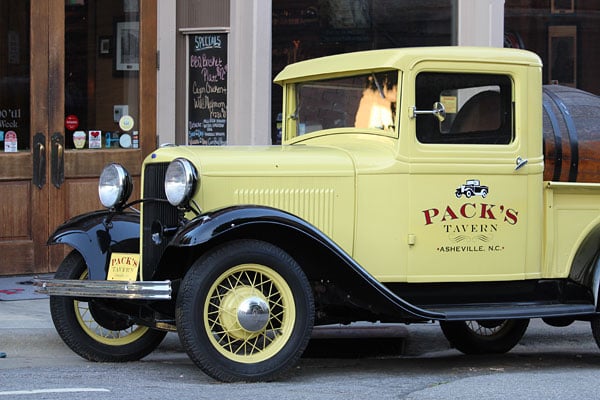
There are also six scene modes, including a new Food mode that will be a natural fit for the foodies amongst us. And when changing modes or options in the quick menu, you'll also get handy tips that tell you precisely what the mode or option you're considering will do.
The full menu system, too, is pretty straightforward and approachable, although it lacks the tips shown in the quick menu system. As you'd expect in an entry-level camera, there aren't too terribly many screens of options, and they're fairly well organized. And depending on your shooting mode, you may find that many of these options are also disabled.
 50mm-equivalent, 1/50 sec. @ f/4.5, ISO 4000
In fact, in the Auto modes, there are a total of just nine record menu options and one quick menu option available! It really couldn't get much simpler, but at the same time there's a reasonable amount of room to grow as you get more proficient and learn the basics of photography.
Performance is mostly fair, but burst capture is slow compared to the competition
If there's an Achilles heel for the Canon T6, unquestionably it's the camera's burst performance. At its maximum capture rate, you'll manage only a sedate three frames per second. That's below average even at the entry level, these days. , Single-shot cycle times are more average, at around a half-second per shot.
And burst depth, too, is somewhat limited at just 15 frames or so in JPEG mode, six frames for raw only, and as few as four frames in raw+JPEG mode. Buffer clearing, too, is a bit on the slow side. Snap just a handful of shots in a row in raw mode, and you'll find yourself waiting as long as ten seconds or so for the buffer to clear. Even in JPEG-only mode, a few seconds of shooting will leave you waiting around five seconds for the buffer to clear.
Depending on your subject and shooting style, this may well not be a concern. If you're wanting to shoot a lot of sports or particularly active, unpredictable subjects, though -- pets or young kids running around, say -- then you may want to consider either a higher-priced, better-performing model in Canon's own EOS lineup, such as the Canon T5i or T6i, or an alternative from Nikon or Pentax. But if you're more judicious in your shooting, taking time to compose your shots one at a time, it's going to prove much less of an issue.
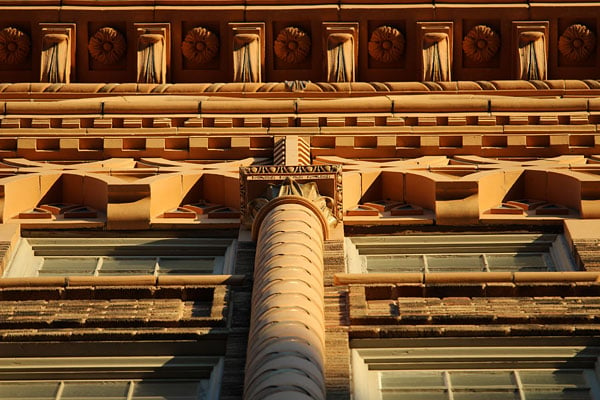
And while burst performance is undeniably slow, in other respects the Canon T6's performance is about par for the course. Startup is reasonably swift, and autofocus performance is fair, if not startlingly quick. The AF system can struggle a bit in low light, if your subject is too far away to be illuminated by a brief burst from the popup flash strobe, though. Oh, and speaking of the flash, its recharging time is reasonably good at around 1.8 seconds.
Great image quality in most respects, but watch for somewhat limited dynamic range
 40mm-equivalent, 1/30 sec. @ f/4.0, ISO 4000
Especially when bearing in mind its affordable price, the Canon T6 offers pretty decent image quality. Exposure is generally pretty accurate, and so too is white balance for the most part, although it can tend a bit warm under incandescent lighting. Colors look realistic, and while they tend to be a bit less saturated than consumer tastes typically favor by default, it's easy enough to tweak them if you feel you want a little more punch to your photos.
During my review, I've only had consumer-grade glass available to me -- the EF-S 10-18mm f/4.5-5.6 IS STM, EF-S 18-55mm f/3.5-5.6 IS II and EF-S 55-250mm f/4-5.6 IS STM lenses, with the 18-55mm being the same lens included in Canon T6 kits -- but bearing that in mind, detail has been pretty good. Put some better glass on there and for its resolution, the Canon T6 can provide excellent detail levels.
I didn't feel that noise levels were an issue up to the maximum standard sensitivity of ISO 6400-equivalent, either. Even the expanded ISO 12,800 position was reasonably usable, in my opinion, although finer details certainly suffered the effects of noise reduction, and a fair bit of chroma noise was visible, especially in the shadows. Of course, it has to be pointed out that the Canon T6's ISO sensitivity range is rather more abbreviated than is offered by its nearest competitors, these days.
If there's a weak point in the image quality department, it would have to be dynamic range. Whether you shoot in raw or JPEG modes, the Canon T6's sensor just won't provide quite as much of a range from shadows to highlights as will the competition these days. You can work around this to some extent with the Highlight Tone Priority and Automatic Lighting Optimization functions, though.

Overall, I think most Canon T6 shooters will be happy with what they see in the image quality department, especially if they stay at around ISO 3200-6400 or below. Realistically, this camera is a step-up option for smartphone or compact camera shooters, or perhaps those still using a much older entry-level DSLR. In comparison with any of those, image quality should be significantly better than what you're used to, even if it's not quite the match of the entry-level DSLR competition in all areas.
Wi-Fi and NFC make it easy to get your photos off the camera and onto the Internet
The biggest difference between the Canon T6 and its predecessor, the T5, is the addition of in-camera Wi-Fi wireless networking. It comes complemented by NFC technology for quick-and-easy pairing, and makes light work of getting your photos off the camera, onto your phone, and from there onto the Internet for family and friends to see them on your social network of choice.

The fact that the feature is included in-camera is a big boon versus the competing Nikon D3300, which has to rely on a separate Wi-Fi dongle which plugs into the camera. With the Canon T6, your shooting ergonomics aren't degraded to use Wi-Fi, and you don't need to spend more money to make it happen, either. Of course, as we saw in my review of the Pentax K-S2, the inclusion of Wi-Fi in the camera is only half the battle: You also need a good implementation for it to be really useful. (And sadly, the K-S2's implementation wasn't great.)
Pairing by NFC is quick and easy once you enable Wi-Fi
Thankfully, Canon's implementation is much better. If you have an Android phone with NFC support -- and that's almost all of them, these days -- then pairing couldn't be much easier. Simply tap phone or tablet to camera, aligning their NFC antennas as you do, and you'll be taken to the Google Play store to install the required, free Canon Camera Connect app. A second tap will open the app and trigger a connection to be set up automatically, so long as Wi-Fi and NFC are enabled on the camera.

The only real stumble is that by default, they're completely disabled, causing your phone or tablet to complain that it "Cannot connect because NFC is not enabled on the camera". It'd be nice if NFC was always active (and could enable Wi-Fi by itself), given that it only has a range of a couple of inches. If somebody is close enough to pair by NFC, they're close enough to change the camera settings anyway, so any feeling of safety from requiring the manual interaction with the camera is illusory. And NFC uses next-to-no power, so it's not really a concern for that reason, either.
iPads and iPhones pair manually, but that's Apple's fault
Of course, all of the above is applicable only to Android users. Those of you with iPads and iPhones will need to pair manually, selecting the camera-created Wi-Fi network from your smart device and entering the provided security key as you connect.

That's entirely Apple's fault, though, as even though all of its latest devices contain all the hardware required to skip this step, the tech giant continues to refuse to let third parties access the hardware you paid for. Only Apple can change that, and it doesn't seem likely to do so any time soon.
Three choices once you're connected: View, Shoot or Setup
Once connected, you have a few options: view the images on your camera's SD card, shoot images remotely, or adjust camera settings. This last simply lets you sync the date, time, timezone and daylight savings status of your phone or tablet to the camera body, ensuring that your camera's time is accurate.
 50mm-equivalent, 1/50 sec. @ f/4.5, ISO 2000
Image transfer is quick and very easy
Viewing and transferring images is quick and easy. You're presented with a thumbnail view of the images on your camera, which loads fairly quickly. You can then either tap on the image you want to view -- in which case a higher-resolution copy is quickly transferred for a full-screen preview -- or tap on buttons to select multiple images for download or deletion at one time.
By default, images are downloaded at 1,920 x 1,080 pixel resolution, but you can override this to always download full-resolution versions, or to ask you as each image or batch of images is downloaded. You can also opt to display basic exposure information alongside image thumbnails, to sort images by date, folder or rating, and to jump to images from a specific date.
Images are rated in the full-screen preview mode, and you can also choose to enable or disable an overlay of basic exposure information here. And image transfers are pretty swift, taking perhaps three seconds or less to transfer each full-resolution image, and less than a second for resized images.
Remote control is basic, but works nicely
The real fun is to be had in the remote shooting section of the app. Here, the interface isn't quite so polished, although it's still much better than that offered up by Pentax. For one thing, screen real-estate is used efficiently: On a tablet, you can get almost a full-screen live view feed that's positively huge, although resolution is fairly low, and so it's quite pixelated. Canon also doesn't force its choice of orientation on users, allowing the screen to rotate by default, but giving you the option to lock the orientation.

Once connected, you get an array of options you can control, based on the current operating mode of the camera. These can include shutter speed, aperture, ISO sensitivity, exposure compensation, manual focus adjustment, drive mode, and autofocus mode. Tapping on-screen sets the focus area on-screen, and double-tapping enables a focus magnification function.
You also have a shutter button, an info button to select which exposure overlays should be shown, and through a drop-down menu can access screen orientation and AF button controls. The latter adds an on-screen autofocus button, rather than waiting to focus before image capture. It takes a second to realize that you have to hold this button in to focus, but once you do it works nicely. And courtesy of the autofocus mode button, you can opt for regular contrast-detection, contrast detect with face detection, or phase-detection autofocus. (This last option drops the reflex mirror briefly to focus, causing an interruption to the live view feed.)

There are a few rough edges to remote control, though
So what are the rough edges here? Well, for one thing it is a little unintuitive that if you just tap the focus button, nothing happens. It'd make more sense for this to trigger a full AF cycle. Also, only a handful of exposure controls can be shown on-screen at once, with more hidden behind two arrow buttons at screen left or right -- even though you may have plenty of room to show every single button at once.
And although you can use the camera in different exposure modes, seeing only the variables relevant to that mode, it's not possible to change modes from the app. Instead, you have to turn the mode dial on the camera -- and doing so instantly drops the Wi-Fi connection entirely, causing you to have to reconnect.

Finally, it feels just a tad unintuitive that the manual focus adustment control is separate from the autofocus mode control. It'd make more sense to me to have a single focus control option (with manual focus as one of those options) and then only show the manual focus adjustment control when you believe yourself to be in manual focus mode. As-is, since the focus button isn't shown by default either, if you miss the tiny arrows to get you to the autofocus mode control, you could think that manual focus was your only option.
The Canon T6 boasts hands-down the best Wi-Fi setup in an entry-level DSLR
These are relatively minor quibbles, though. As-is, the Canon T6's in-camera Wi-Fi is already a much more friendly and robust solution than that provided by Pentax, and much more seamless than Nikon's reliance on an external Wi-Fi dongle. And perhaps most important of all, as well as transfer speeds being good, range is also pretty decent. I found that I could get perhaps 30-40 feet from the camera in line-of-sight, or 20-30 feet with a wall between myself and the camera, before the live view feed degraded to the point of being unusable.

Movie capture is present, too, but a bit of an afterthought
We've discussed still images quite a bit, but what about movies? Here, the Canon T6 feels a bit dated, with its movie mode lacking some of the functionality found on some rivals. For example, the Nikon D3300 offers full-time autofocus during movie capture, where the Canon T6 will limit you solely to single autofocus operations.
And the Canon T6 also limits capture framerates at the full 1,920 x 1,080-pixel resolution to just 30 frames per second or below, where rivals like the D3300 offer up to 60 fps capture at full resolution. (You can manage this framerate with the T6, but only if you're willing to drop the movie resolution to 1,280 x 720 pixels.) And where the D3300 provides clean HDMI output for recording on an external device, the Canon T6 lacks this capability too.

Nor can you attach an external microphone to the Canon T6, although both the competing Pentax K-S2 and Nikon D3300 offer this capability. Instead, you're limited to the built-in microphone, which is monaural and so can't record stereo sound. (You could get around this by using an external audio recorder and then manually replacing the audio post-capture, but that's a hoop most Canon T6 owners won't want to jump through.)
On the plus side, you can shoot not only with automatic exposure control, but also by controlling the aperture and shutter speed manually. It's an all-or-nothing option, though: Unlike both the Nikon D3300 and Pentax K-S2, the Canon T6 doesn't allow aperture-priority movie capture.

A quick recap of my Canon T6 shooting experience
At the outset of my field test, I said that I wanted to see how the Canon T6, which is pretty closely-based on a two-year old design, fares against its rivals in today's entry-level DSLR market. Having spent a fair bit of time shooting with the T6, I have to say that overall it fares pretty well, especially when considering its pricetag.
As of this writing in August 2016, it's a significantly more affordable camera in terms of street pricing than its closest competitors, the Nikon D3300 and Pentax K-S2. Enough so that you could potentially afford an extra lens or accessory with the money you've saved.
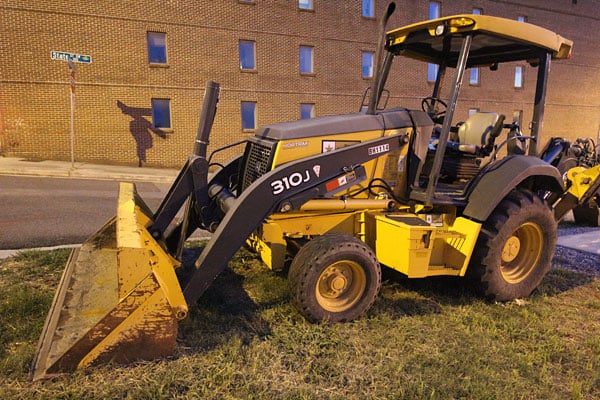
With that said, there are a couple of weak spots to be aware of. Perhaps the most important of these is the Canon T6's sedate burst-capture performance. The T6 also trails its nearest competitors in terms of dynamic range, ISO sensitivity range, and its video capabilities.
For most potential Canon T6 buyers, though, it's really the burst performance that's most likely to prove of significant concern. My advice would be to think carefully about what you're planning to shoot. If it involves sports or other very active, unpredictable subjects, this alone should be enough to sway you either to a more fully-featured model in Canon's own DSLR lineup, or to a competing camera.
If you're mostly going to be avoiding burst shooting in favor of carefully-framed exposures or lots of landscapes, still lifes and pictures of family gatherings, though, then the Canon T6 offers a nice, approachable introduction to DSLR photography with a relatively minimal investment -- and the Canon EOS lineup will give you plenty of room to grow should you get really serious about your newfound hobby!
Flash
Canon T6 Flash

Built-in Flash Test Results
Coverage, Exposure and Range
Narrow coverage with average exposure compensation required for our standard Indoor Portrait shot; Somewhat weak flash but not a surprise given its size.
| Coverage |
|---|
 |
| 18mm |
Coverage. Flash coverage from the T6's built-in flash is narrow and uneven at wide angle (18mm), leaving corners and edges in our flash test image a little dim. Narrow coverage at wide angle isn't unusual, though, and some of the corner fall-off is from the lens itself. We no longer test coverage at telephoto, as wide angle is always worst-case.
| Exposure |
|---|
 |
| Normal Flash Auto ISO (800), +0.3 EV |
Exposure. Indoors, under incandescent background lighting, the Canon Rebel T6's flash performed reasonably well, requiring an average amount of positive exposure compensation of +0.3 EV for a bright image, though it boosted ISO to 800 which resulted in a very warm, orange tint from the ambient tungsten lighting. The camera chose a slightly slower 1/50s shutter speed which can lead to more subject motion blur than 1/60s or faster.
| Manufacturer-Specified Flash Range |
|---|
 8.5 feet f/3.5, ISO 100 |
Manufacturer Specified Flash Range Test. The Canon Rebel T6's built in flash has a rated Guide Number of 9.2 meters or 30.2 feet at ISO 100. That works out to about 8.5 feet at f/3.5 at ISO 100. In the shot above, we can see that the Canon Rebel T6's built-in flash produced a well-exposure target at the rated distance, ISO and aperture, indicating the flash range quoted by Canon is accurate.
Technical Info
by Mike Tomkins | Posted: 03/10/2016
Sensor
The Canon Rebel T6 is based around an 18-megapixel, APS-C sized CMOS image sensor with a Bayer color filter array and dimensions of 22.3 x 14.9mm. Likely the same chip as that in the Rebel T5, it has a 4.3µm pixel pitch and a total resolution of 18.7 megapixels.
A low-pass filter is included, helping to prevent moiré and false color artifacts at the expense of a little per-pixel sharpness. There is, however, no built-in sensor cleaning mechanism. You can opt instead to have the camera simply detect the locations of dust particles on the sensor and then fill these in with data from surrounding pixels, or to clean the sensor manually.

Processor
Output from the Rebel T6's image sensor is handled by a DIGIC 4+ image processor, a newer generation than the DIGIC 4 chip in the Canon T5. Although no direct comparison is made to the previous generation, and performance looks to be unchanged in most respects, we do note that the T6 can now provide an unlimited burst depth when shooting in JPEG mode, according to Canon. In our testing, we did hit a limit, however, as we'll see momentarily, but in real-world use you may not have the same experience.
Performance
Unlimited burst depth sounds pretty impressive, but it's important to remember that performance is -- as is often the case at the entry-level end of the market -- pretty sedate. Together, the image sensor and processor provide for burst capture at a rate of just three frames per second for as many as six raw or five raw+JPEG frames. Or if you switch to JPEG capture alone -- and have a suitably fast flash card -- you'll manage to shoot JPEGs for as long as sufficient card space and battery power remain for typical scenes.
In the lab with a difficult to compress scene, the Canon T6 slowed down after 15 best quality JPEG frames versus 12 JPEGs for the T5. See our Performance page for more details.
Sensitivity
By default, sensitivity ranges from ISO 100 to 6400 equivalents. This can be pushed to a maximum of ISO 12,800-equivalent, but only when shooting with manual sensitivity. If the Canon T6's Highlight Tone Priority function is used, the lower end of the range is curtailed slightly, starting instead from ISO 200-equivalent.
Optics
Like the T5 before it, the Canon Rebel T6 features a Canon EF lens mount that's also compatible with EF-S lenses. Note that EF-M lenses are not compatible with this model.
Focusing
When shooting through the viewfinder, the Canon T6 uses a dedicated TTL-SIR phase-detection autofocus sensor to determine subject distance. The sensor provides a total of nine autofocus points, just as in the Rebel T5, and all but one point have a working range of 1-18 EV. The centermost point functions to f/5.6, and has an expanded working range of 0-18 EV.
Focus points can be selected automatically or manually, and the location of selected points is superimposed in the viewfinder, as well as being visible on the LCD monitor. Autofocus modes include one-shot, predictive AI servo, and AI focus. This last switches between the other two modes automatically.
There is no dedicated AF assist lamp on this model, with the internal popup flash strobe instead used to fire bursts of flash while focusing. This system has a working range of 13.1 feet at the center of the image frame, or 11.5 feet for the outermost focus points.
In live view mode, the dedicated autofocus sensor cannot be used by default, and hence the Canon T6 will switch to contrast-detection autofocus alone. Here, you have a choice of FlexiZone single or face-detection live autofocus, either of which provide for coverage across 80% of the frame width and height. Alternatively, you can opt to have the camera drop the mirror briefly during focus operation, interrupting the live view feed but allowing for phase-detection autofocus to be used.
You can of course focus manually, whether in live view mode or shooting through the viewfinder. In live view mode, a choice of 5x or 10x enlargement of the live view feed is possible, to help determine the point of focus more accurately.
Viewfinder
The Canon T6 includes an eye-level pentamirror viewfinder, just as in the earlier T5. Viewfinder coverage is manufacturer-rated at 95% both vertically and horizontally, and viewfinder magnification is 0.8x. Eyepoint is 21mm from the eyepiece lens, and a dioptric correction function is included with a working range of -2.5 to +0.5 diopters.
The viewfinder has a fixed focusing screen, and displays information including focus point location, basic exposure information and flash status. It can also display certain other functions such as highlight tone priority, monochrome shooting, white balance correction and more. Depth of field preview is possible using a custom function.
Monitor
On the rear of the Canon T6 sits a brand-new, 3.0-inch LCD monitor with a resolution of about 920,000 dots. That's significantly higher than the 460,000-dot resolution of the display used in the earlier Canon T5. The display has wide 170-degree viewing angles both horizontally and vertically, and also provides a seven-step manual brightness adjustment.
No anti-glare coating is used, however, and the display is also unarticulated, so cannot be used to frame selfies. As is typical at this pricepoint, it also lacks a touch-screen overlay, meaning that it can't be used to set the point of focus, nor to control other features of the camera.
Exposure modes
The Canon Rebel T6 includes almost the same complement of exposure modes and features as in the earlier T5, although there are at least a couple of small tweaks.
Exposure modes include a fairly typical choice of flexible program, shutter-priority, aperture-priority, or manual exposure modes, with the latter including a bulb mode capability. These are paired with a scene intelligent auto mode, a flash off mode, a creative auto mode, and six scene positions on the mode dial (portrait, landscape, close-up, sports, food and night portrait). The food mode is a new addition compared to the earlier camera.
Shutter speed
Shutter speeds range from 1/4,000 to 30 seconds using an electronic first-curtain shutter, and a mechanical second-curtain shutter. In manual mode, you can also opt for a bulb exposure which will keep the shutter open for as long as you hold down the shutter button, but ISO is limited to 800 and below in bulb mode.

Exposure metering
Exposures are determined using a 63-zone AF-linked evaluative metering system from a dual-layer metering sensor. 10% partial or center-weighted average metering are also possible, but there is no spot metering function. The metering system has a working range of 1-20 EV. Autoexposure lock is possible with a half-press of the shutter button when using one-shot autofocus, or by pressing the AE lock button in program or priority exposure modes.
Exposure compensation is possible within a range of +/-5EV using either 1/3 or 1/2EV increments. An exposure bracketing function is also provided, and likewise has a 1/3 or 1/2EV step size, but a narrower 2EV working range. The bracketing function has a fixed shot order, capturing the metered exposure first, then the decreased exposure, and finally the increased exposure.
When shooting in live view mode, the Canon T6 is fixed to 315-zone evaluative metering derived from the image sensor itself, and the system has a slightly broader working range of 0-20 EV. Autoexposure lock is still possible when shooting in live view mode.
White balance
The Canon T6 offers the same Auto, Daylight, Shade, Cloudy, Tungsten, White Fluorescent, Flash and Custom white balance options as the T5, but there is new feature. The Auto white balance function can now adopt a new "White Priority" setting, which will cause the warm color cast typical with shots under incandescent lighting to be better-neutralized.
White balance can be fine-tuned within a +/-9-step range on both blue/amber and magenta/green axes.
Drive modes
Several drive mode options are included in the Canon T6. These include single or continuous shooting, with the latter limited to a modest three frames per second to manufacturer specifications. Burst depth is unlimited with a sufficiently fast flash card if shooting solely in JPEG mode for typical scenes according to Canon, although with our hard-to-compress test target, we filled the buffer after 15 best-quality frames. But if you add raw capture you'll manage just five frames before the buffer fills. If you shoot raw files alone, this can be increased just slightly to a manufacturer-rated six frames.
A two or 10-second self-timer is also provided, should you want to avoid camera shake or get yourself in the picture, and the 10-second self-timer can optionally capture anywhere from two to 10 shots in a row.
Flash
The Canon T6 includes a built-in, popup flash strobe with a guide number of 9.2 meters (30.2 feet) at ISO 100. There's also a flash hot shoe for external Speedlite strobes.
Flash exposures are determined using E-TTL II metering with a choice of evaluative or average metering modes, and flash exposure lock is provided for. Flash exposure compensation is possible within a range of +/-2EV in 1/3 or 1/2EV increments.
The internal strobe pops up automatically as needed, and will recycle in around two seconds, according to the manufacturer rating. It has coverage of around 17mm (28mm-equivalent).
The Rebel T6 will sync flash at shutter speeds of 1/200 second or slower.
Movie
Like the T5 before it, the Canon Rebel T6 can record not just stills, but also movies at up to High-Definition (1080p) resolution. At this maximum resolution, frame rates are limited to a choice of 24p (23.976 frames per second) or 30p (29.97 fps). Drop the resolution to HD (720p), and you instead have a fixed 60p (59.94 fps) capture rate. At the lowest standard-definition (VGA) resolution, there is instead a fixed 30p (29.97 fps) capture rate.
When shooting in movie mode, you have a choice of either program autoexposure or fully-manual exposure, and priority-mode capture is not possible. Exposure compensation is available within a +/-3EV range in 1/3EV increments, and shutter speeds from 1/30 second are possible for Full HD or VGA capture, while HD capture allows shutter speeds from 1/60 sec.
Movies are stored in a .MOV container with H.264 / MPEG-4 AVC compression and use a variable bitrate. Linear PCM monaural audio is included.
Wireless connectivity
Unlike its predecessor, the Canon Rebel T6 includes in-camera Wi-Fi wireless networking capability. This allows Android and iOS smart device owners to transfer images to their phone or tablet for sharing online or viewing on a larger display. The system supports 802.11b/g/n wireless networks, and can operate either in access point or infrastructure modes. It has a manufacturer-rated working range of up to 15 meters (49.21 feet) without obstructions between the camera and smart device.
As well as the Wi-Fi connectivity, a Near-Field Communications antenna is included. This makes it even easier for Android users to connect their smart device to the camera. Simply bumping the two devices together is enough to create a connection and start sharing your creations. Sadly, Apple devices can't take advantage of this feature, even though newer models do include an NFC radio. That's Apple's fault, though, as the company has chosen to lock down the hardware solely for its own use, instead of allowing third-party access as on Android devices.

Wired connectivity
The Canon T6 also includes a range of wired connectivity options. Catering to data transfer, there's a USB 2.0 High Speed connection. To put your photos or movies onto a high-definition display, there's a Type C HDMI mini-connector which automatically switches to support displays with anywhere from 480p to 1080i resolution. There's also a remote shutter release terminal compatible with the RS60-E3 wired remote, and as already mentioned, there's a flash hot shoe on the top deck.
Storage
The Canon T6 stores its images and movies on Secure Digital cards. These include both the higher-capacity SDHC and SDXC card types. However, not surprisingly given its modest performance, this model does not support the higher-speed UHS-I standard, and will instead operate at the regular, lower rate with these cards. Eye-Fi cards are said to be supported, although their use is not guaranteed. There would seem to be little reason to use these, though, given the inclusion of in-camera Wi-Fi.

You can store your images not only in compressed JPEG format, but also in Canon's proprietary, 14-bit CR2 raw format. And as mentioned previously, movies are stored in a .MOV container using H.264 / MPEG-4 AVC compression.
Power
The Canon Rebel T6 draws power from a proprietary LP-E10 lithium-ion rechargeable battery pack, and a dedicated LC-E10 battery charger is included in the bundle. (In-camera battery charging is not supported.)
Battery life is CIPA-rated at 500 frames on a charge when using the optical viewfinder, the same as the T5. In live view mode, this falls to just 180 shots on a charge.
The battery compartment has a channel to allow an optional dummy-battery-type DR-E10 DC coupler to power the camera via a CA-PS700 AC adapter. An ACK-E10 AC Adapter Kit can also be used.

Conclusion
by Mike Tomkins
Like the Rebel T5 before it, not to mention its nearest rivals from Nikon and Pentax, the Canon T6 is a DSLR camera which has clearly been aimed at the entry-level photographer. But unlike those cameras, both of which were quite significant upgrades, the T6 is nearly identical to its predecessor. It brings improvements to the table in only two main areas: Easier sharing with smartphones and tablets thanks to built-in Wi-Fi connectivity, and a crisper, higher-resolution LCD monitor. (Sure, there are some other tweaks here and there, but they're very minor.)
If you're looking for a DSLR camera which shoots better photos than your smartphone or small-sensor compact camera can offer, and you're on a very tight budget, well... you're not likely to find a more affordable DSLR than the Canon T6. At least, not without taking a trip down memory lane to buy an older model. And that older camera likely won't play nicely with your smartphone, making it harder than it needs to be to put your photos online for friends and family to see, so it's probably smarter to stick with current offerings.
Good image quality, if not quite on par with its nearest rivals
Among the features which the Canon T6 retains from its predecessor, the most noteworthy is its imaging pipeline. This has been lifted intact for the new model, with the Rebel T6 using the same image sensor and processor pairing, so there are few surprises here.
The Canon T6 can provide pretty good image quality for an entry level, especially in terms of color. (In fact, many amateurs will want to dial up the saturation just a little, as out of the box the T6's color is more accurate and muted than the punchy, bold colors consumers typically favor. That's an easy change to make, though.
However, while its image quality is good -- and certainly far better than what you'll manage from a smartphone or small-sensor camera -- the Canon T6's resolution is a little lower than typical these days. even at the entry level. At the same time, its noise levels are higher, and its dynamic range more limited.
With that said, sensitivities as high as ISO 3200 or 6400-equivalents are still pretty usable by the likely standards of an amateur shooter, and even ISO 12,800 would be workable in a pinch, perhaps, if you had no alternative. By and large, I think the T6 will satisfy most entry-level owners in this area, even if its now rather long-in-the-tooth pipeline isn't quite the match of rivals these days.
It's easy to get images onto your smartphone, wirelessly
The main difference between the Canon T6 and its predecessor is the addition of in-camera wireless networking connectivity. It's also an important point of differentiation from its Nikon and Pentax rivals.
At the entry-level, Nikon's D3300 relies on an external Wi-Fi accessory which is an optional extra, and something of a clumsy solution which disrupts the camera's handling. A followup to that camera has just launched, but it's both pricier than the Canon T6 and has also yet to go through our in-depth review process.
Pentax brand-owner Ricoh, meanwhile, has Wi-Fi in its entry-level model too, but in our review of its Pentax K-S2 DSLR, we found the user interface of its Wi-Fi app really held the camera back. It's far less polished than the Canon T6's Wi-Fi setup, which by comparison is a joy to use.
Performance is a mixed bag; this is not a sports shooter by any means
In some respects, the Canon T6 is actually reasonably swift for its class. For example, it starts up quite quickly and has minimal shutter lag if prefocused or focused manually. But if you are wanting to shoot sports or other active subjects like kids and pets, you might do better to look to another camera -- either higher up Canon's EOS Rebel line, or from rivals such as Nikon and Pentax.
The reasons for that are twofold. For one thing, the Canon T6's modest autofocus performance is below average these days, and if your subjects won't stay still the result will likely be more missed or out-of-focus shots than you'd like. And for another, even if you can disable autofocus altogether because your subject isn't moving outside your depth of field, you'll find yourself limited by a burst speed of just three frames per second.
And if you're a raw shooter... well, you can pretty much forget about it. With a raw or raw+JPEG buffer of just four or five frames, you're going to find yourself sitting waiting for the camera at very regular intervals. At least this isn't a concern in JPEG mode, though, even if we weren't able to confirm Canon's claim of unlimited JPEG burst depth. Our hard-to-compress test target saw a JPEG burst depth of around 15 frames, enough for at least several seconds of non-stop shooting.
The Canon T6 is clearly designed for overall value, not performance
Of course, it's important to bear in mind Canon's target customer here. If you're a regular IR reader, that's probably not you -- this is a camera aimed at someone wanting a bit more than their smartphone or small-sensor camera can give them, but at the absolute lowest possible price tag. That's something the Rebel T6 achieves rather nicely, even if it lacks the performance and many of the features found on more expensive models.
As of this writing in October 2016, Canon's entry-level DSLR is tied with its Nikon rival at a street price of just US$400 or thereabouts, and that's with a kit lens. The nearest equivalent from Pentax is about 10% more expensive, selling for around $450. And while the Pentax is significantly more feature-rich than either of its rivals, the company's comparitively tiny market share in the USA means the chances of your finding a friend with whom to share lenses and accessories are slim to none. The new Canon T6 owner, by contrast, is much more likely to find a circle of friends with whom to share gear and hone their photographic skills.
And so we come to the bit you've all been waiting for: Our final verdict. Does the addition of Wi-Fi and a better LCD monitor sustain this now rather long-in-the-tooth design through another generation of entry-level DSLRs? Well, there are two things we think are key to consider here: What price you can get it for, and what your friends are shooting with.
Price-wise, the Canon T6 is already about the most affordable option on the market, at least unless you look to an older model that's likely been discontinued by its manufacturer already. And with Canon already having earned back much of the development costs on the earlier Rebel T5, we don't doubt it will be able to match any pricing moves that Nikon or Pentax are likely to make. That box, then, definitely gets a check.
A worthwhile buy if your friends are Canon shooters, and you're on a tight budget
But the other one is a question only you can answer for yourself. As an entry-level shooter, learning is key here: If you want to ignite a passion for photography, it helps to have friends you can share from and learn alongside. Chances are that most of your DSLR-owning friends will be shooting with either Canon or Nikon cameras, and if you stick with the same brand that they're using, you'll be able to swap gear and tips with them.
That's probably more important than having the absolute best, most feature-rich and capable camera that money can buy. If your friends mostly shoot Nikon or Pentax, you'd probably do better to opt for a camera from those brands, and you'll find that you get even more camera for your money than you do with the Canon Rebel T6.
But if your friends are mostly shooting with Canon cameras and you can't afford to stretch to a more highly-specified camera in Canon's line, the Rebel T6 will give you quite a bit of camera for the money. Not as much as you might get from Nikon or Pentax, sure, but certainly enough -- and as you and your friends broaden your photographic knowledge you'll be able to keep shooting with the Canon lenses and accessories you buy for your T6 when, a couple of years down the road, you decide it's time to upgrade to a more capable camera.
Not quite a Dave's Pick, but a reasonably solid entry-level buy nonetheless
It might not, perhaps, be worthy of a Dave's Pick this time round, as the market has certainly moved along some since the T5 earned itself that award a couple of years back. If you're not a big sports fan, though, the Canon T6 will help you to shoot far better images than you'll ever get from your smartphone, and it'll do so without provoking a single bead of sweat on your bank manager's brow.
Pros
- Good image quality for an entry-level DSLR, very similar to the T5
- Good color with excellent hue accuracy
- Highlight Tone Priority and Auto Lighting Optimizer features help with high contrast subjects
- Fast startup
- Fast single-shot cycle times
- Deeper JPEG buffer than predecessor
- Minimal shutter lag when prefocused or manually focused
- Full HD movies
- A good bit of value for very little money
- Pretty good ergonomics for an entry-level model
- Feature Guide and Creative Auto mode help less experienced photographers
- Higher resolution (920k-dot) LCD monitor than T5
- LCD backlight is fairly bright, making it easier to view outdoors
- Built-in Wi-Fi wireless networking
- Simple pairing via NFC for Android users
- Reasonably swift transfer of images even at full resolution, and very fast transfer if automatically resized before sending
- Fairly good range for Wi-Fi remote control, perhaps as much as 30-40 feet in line of sight
- Quite robust Wi-Fi remote control capability allows the user to change many variables remotely
- Wi-Fi remote control allows near-full screen live view, and respects the user's chosen orientation, unlike some rivals
- Vast selection of compatible lenses and accessories
- Lots of room to grow within Canon's ecosystem without having to ditch all your gear, if you later become more serious about your photography
- Kit lens has decent performance in most respects
- Flash pops up automatically when it's needed, which is helpful for beginners
- Hot shoe is included for greater versatility with external strobes
Cons
- 18-megapixel sensor and JPEG engine is getting a little long-in-the-tooth
- Dynamic range and high ISO performance aren't as good as most competing models
- Warm Auto and Incandescent white balance indoors
- Slow burst mode
- Extremely shallow buffers when shooting raw or raw+JPEG (no improvement over T5)
- Mediocre autofocus speed
- No continuous AF in movie mode
- Only auto or fully manual exposure; there are no priority modes for movie capture
- Mono sound, and no external mic jack
- No high frame-rate video at Full HD resolution
- Hand grip is just a tad shallow for those of us with larger hands
- Flash button is poorly marked and tricky to identify in low light, precisely when you'll most need it
- Pentamirror viewfinder isn't as bright, clear or accurate as a pentaprism viewfinder, but only Pentax offers this feature at the entry-level
- Can struggle to focus in very low light without AF assist
- Lacks touch-screen control
- No anti-glare coating on the LCD monitor makes it rather prone to reflections
- No monitor articulation makes it hard to shoot selfies
- Wi-Fi remote live view feed has relatively low resolution, making it pixelated on tablets
- Changing the camera's mode causes the Wi-Fi connection to be dropped, causing you to have to reconnect
- No in-camera HDR or capture-mode creative effects
- No dedicated AF illuminator (uses flash)
- Mediocre battery life with no improvement over the T5
- No ultrasonic sensor cleaning
- Bulb exposure is limited to just 30 seconds
- Kit lens is prone to chromatic aberration even towards the center of the image, especially at wide-angle
- Built-in flash is a bit weak and has narrow, uneven coverage