

Overview
Overview by Shawn Barnett and Mike Tomkins
Posted 09/06/2012
Field Test by Dan Havlik
Posted 03/27/2013

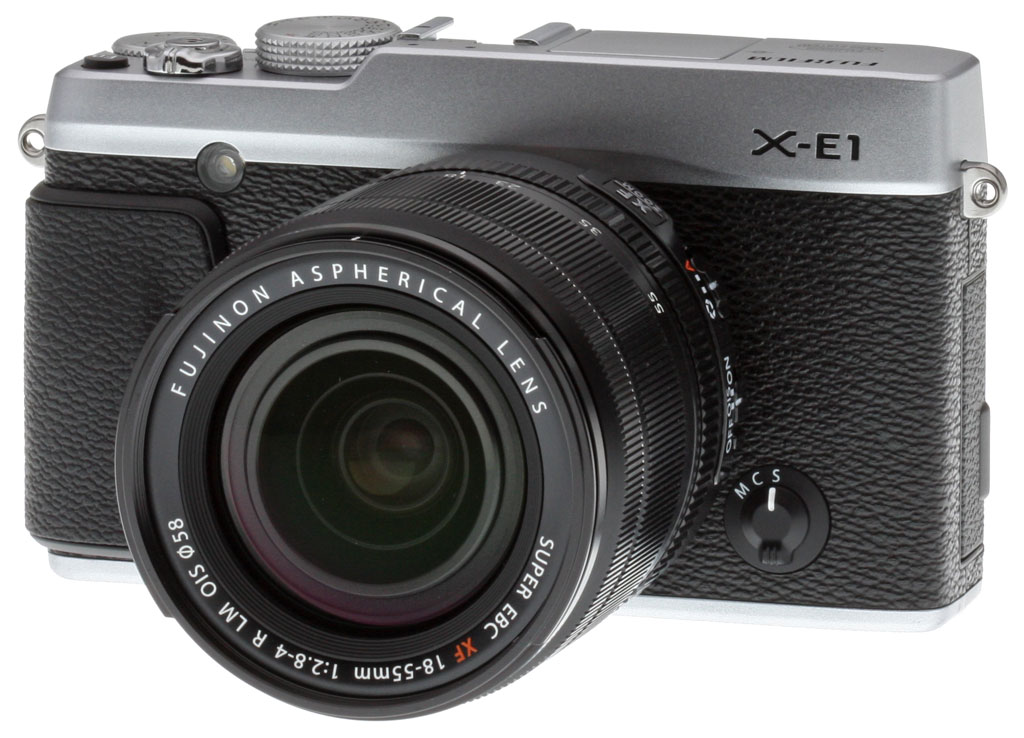
Though they still have "film" in their name, Fujifilm has attracted a lot of attention with their digital cameras over the last two years by giving enthusiasts exactly what they want: Cool-looking, rangefinder-like digital cameras with excellent image quality. The latest model in the X-series, called the Fujifilm X-E1, leaves out the rather elaborate hybrid optical/electronic viewfinder in favor of a simpler OLED electronic viewfinder. One of the key goals with this omission is to make a lower-priced model that's not just easier to afford, but also easier to use. Fujifilm also reduced the body size and lowered the weight, but left most of the rest of the design unchanged, using the same 16-megapixel X-Trans CMOS sensor, the same X-Mount lens, and essentially the same set of well-placed controls.
Available from November 2012 for about US$1,000 body-only, the Fuji X-E1 comes in a two-tone black and silver design (harking back to the X100 with its silver top deck and black body) as well as an all black design. The X-E1 ships as a kit with a new XF18-55mm lens for US$1,400. The 18-55mm is the first X-Mount zoom lens, and features a maximum aperture of f/2.8-4 across its zoom range, quite bright for a kit lens. The new design also features a linear motor for faster autofocus.

Missing from the front of the Fujifilm X-E1 is the Viewfinder Selector lever, omitted for the obvious reason that there's no Hybrid optical/electronic viewfinder. The X-E1's logo appears there instead. The left and right stereo microphones are also no longer on the front panel, taking up a new position on the top deck. The AF-assist lamp is just above the grip, and the lens release button is in a great spot for quick lens changes, just left of the lens mount. Finally, the focus mode selector switch is right of the lens mount, as it was on past designs.

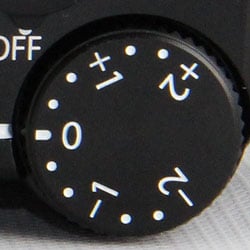
New on the top deck is the cutout for the pop-up flash. It's very small, hinged similar to the flash on the Sony RX100, retracting flush with the top of the Fujifilm X-E1. Left of that is the focal plane indicator mark, and to the right you'll find the stereo microphones. A standard hot shoe sits behind that. The rest will feel very similar to the X100 and X-Pro1. While the X-Pro1 has a locking Shutter speed dial, the X-E1's dial doesn't lock, like the X100. The Exposure compensation dial is perfectly placed for easy activation, and the shutter button -- threaded for a conventional cable release -- is ringed by the Power switch. A small Function button resides in the upper right corner.

Starting in the upper left, the diopter correction wheel returns to the X-E1, to the same position it occupied on the X100 (there is no diopter correction on the X-Pro1). To the right of the electronic viewfinder is an infrared proximity sensor, and the new flash release button takes up a position just right of that. Four buttons line the left of the LCD, and four buttons surround the Menu/OK button on the right. The Command dial (which is also a button) is in nearly the same position, making menu navigation and adjustments easy. An AE/AF-Lock button is in good position on the thumbgrip, and a Quick Menu button is just below that.
Shooting with the Fuji X-E1
by Dan Havlik
You've got to hand it to Fujifilm for creating what has quickly become a fully realized group of digital cameras based on analog designs. No, Fuji was not the first imaging company to release a digital model that resembled an older film camera, but it has been one of the only manufacturers to produce such a wide lineup of retro-styled offerings. One of Fujifilm's latest cameras is the 16.3-megapixel X-E1, a rangefinder-style compact system camera which is the baby brother to Fuji's current top-of-the-line CSC, the X-Pro1.
The Fuji X-E1 uses the same 16.3-megapixel APS-C X-Trans CMOS sensor and the same X-Mount for Fujinon XF lenses as the X-Pro1 but it's 30% smaller and significantly lighter, weighing just 12.6 ounces (358g) with the battery and media card installed. It's also about US$700 less, despite having many of the same features and looking quite similar to the X-Pro1.

The X-E1 adds a new kit lens to the line-up too, the surprisingly good XF18-55mm (27-84mm equivalent) f/2.8-4 OIS, which, at the time of this writing, was the first XF Zoom available from Fujifilm, as well as the first optically stabilized XF lens. All in all, the X-E1 would seem, on paper at least, to be a good bargain, especially for anyone interested in getting their feet wet in the world of retro CSCs (compact system cameras). Does it stand up to the exceptional image quality and solid performance of the more professional X-Pro1? Let's take a look.
In the hand. Even if you don't remember classic, film-based rangefinders of the past, the Fuji X-E1 will impress you with its simple, elegant, and highly functional design. Drawing style elements from a variety of cameras (to me, it recalled Canon's enthusiast-focused Canonet rangefinders as much as Leica's coveted M-series of cameras), the X-E1 feels like a stripped down version of the X-Pro1. Available in two color schemes, all black and silver two-tone (which is the version I tried), it's easy to mistake the X-E1 for an actual rangefinder, which, it would seem, is the point. While rangefinder cameras have their devoted fans, the learning curve for newbies is high and some photographers find the unique, manual focus-only set-up of RFs to be tricky. CSCs, with their compact, lightweight, mirrorless bodies and improving AF speed, are a good alternative for aspiring street photographers or anyone else who doesn't want to be weighed down by a digital SLR.

Instead of the distinctive, optical viewfinder window of a rangefinder, the Fuji X-E1 has a small OLED electronic viewfinder on the upper left hand corner of the rear of the camera. You can also compose photos via the 2.8-inch LCD screen on back. More about the performance of these two features in the section "EVF & LCD Screen" section below.
One difference between the X-E1 and the X-Pro1, aside from the lower price, is the build quality. While my silver two-tone X-E1 looked a lot like my old Canonet G-III QL film rangefinder, it doesn't have an all-metal body like that camera. Instead it's mostly polycarbonate with magnesium and metal accents, and feels a bit less substantial than it looks. But hey, this is why it's the less-expensive, step-down model.
|
Fujifilm X-E1 vs Fujifilm X-Pro1
|
 |
 |
 |
|
The Fujifilm X-E1 is slightly smaller than the X-Pro1, making for a less bulky camera overall. It's still larger than most mirrorless cameras, but has that nice rangefinder appeal.
|
But this construction does make the Fuji X-E1 noticeably lighter than the metal X-Pro1, weighing in at 12.6 ounces (body only) vs. 16 ounces (body only) for the flagship camera. Even with the new 18-55mm kit lens attached, which increases the X-E1's overall weight to 24.2 ounces (687 grams), the X-E1 still feels a lot less hefty than the X-Pro1 and, ultimately, more portable.
The faux leather texture of the Fuji X-E1's body looks nice, but when I held the camera, I thought it felt a bit plasticky to the touch. The small, leatherette handgrip is made from rubber and has a less slippery, higher-end feel to it. It's comfortable, but I would've liked it to be slightly bigger. After a day of street shooting with the X-E1, my fingers grew tired from gripping the camera. I'd recommend springing for the optional HG-XE1 hand grip, which attaches to the base plate of the camera and then extends up the right side of the camera, giving you a thicker area to hold on to.

The top of the X-E1 looks a lot like a traditional rangefinder with a similar control layout to the X-Pro1. The camera's pop-up flash is on the small side with a Guide Number of 7 meters at ISO 200, and a range of up to about 16 feet (five meters) with an f/1.4 lens. Flash range with the kit lens set to its widest angle would be half that, or just 8 feet, and only about 5.5 feet at telephoto. And flash x-sync speed is also a little on the slow side, at 1/180s. Just the fact that the X-E1 has a pop-up flash, makes it clear that this camera is aimed at prosumers and enthusiasts rather than pros. I did find the flash to come in handy as a fill light, however, when shooting portraits or macro close-ups of flowers. You'll want an external strobe for any serious flash work, though. Enthusiasts and pros will however be pleased to know the built-in flash has a "commander" mode, allowing you to trigger compatible remote flashes wirelessly, though it can't actually control the output power of remote flashes like more advanced systems from Canon and Nikon can. That has to be done manually on the slave flash(es).
One nice design touch about the flash is that when it's not in use, it tucks back into the Fuji X-E1's top deck and stays flush so it's out of the way. Also on top of the camera are a shutter speed dial, an exposure compensation dial, a function button, and a shutter button that reminded me a lot of a shutter on an old rangefinder but without the film winder. Overall, I was very satisfied with the build and design of the X-E1. Fuji's done a great job of marrying the classic look of a traditional rangefinder with the modern conveniences of a lightweight CSC.
Controls. There's a minimalist design quality to the Fuji X-E1 but the camera by and large doesn't skimp on external controls. Along with the pop-up flash and the aforementioned controls on top of the camera, the X-E1 has a hotshoe if you want to add a more powerful external flash. While I liked the old school look of the X-E1's shutter button, it also had an unfortunate old school feel to it. It wasn't particularly responsive to the touch, feeling a bit "mushy" when you press down on it. This took me some time to get used to, especially when trying to get the right feel on how hard I needed to press the shutter to lock in autofocus.

If autofocus isn't your thing or if you just want to experiment with the X-E1's manual capabilities, flip a switch on the front of the camera to activate manual focus, which you adjust via a ring on the front of the 18-55mm kit lens. The kit lens also has a switch on its back barrel that lets you turn the Optical Image Stabilizer (OIS) on or off. Another interesting but somewhat confusing feature on the kit lens' back barrel is a switch that lets you choose between manual aperture adjustment or auto aperture control.
The confusing part, at least to me, was the choice of nomenclature for the two settings. For manual aperture control, you move the switch to the aperture icon; for automatic aperture selection, switch it to the "A." I guess I have it ingrained in my brain from previous cameras that "A" should stand for Aperture Priority, so I kept accidentally picking that setting when I wanted to manually set the lens to f/2.8. It also took me a few tries to figure out that the rear ring on the kit lens lets you manually change the aperture settings, not the control wheel on the back of the camera.

The generously sized, knurled shutter speed dial on top of the X-E1 lets you select shutter speeds from 1/4000th to 1/4th of a second. There's also an "A" setting for Aperture Priority (there it is!), which lets you pick the aperture via the lens ring while the camera automatically selects a comparable shutter speed. For timed exposures, turn the dial to T, which lets you pick from 1/2 to 30 sec exposures. The B setting on the dial puts the camera bulb mode, which will keep the X-E1's shutter open for as long as the shutter button is pressed down, up to 60 minutes.
Most of this won't seem strange to anyone who's shot with a rangefinder or an older film camera before, but for those looking for the familiar PASM settings, scene modes and custom settings on the mode dials of most digital cameras, it could be a little confusing. Take some time, however, and you might grow to like these throwback options.

Controls on the rear of the X-E1 might look more familiar to most digital camera users and, in particular, to anyone who's tried Fujifilm's latest X-series models. There are generously sized buttons for the menu, image playback, autoexposure, autofocus adjustment, etc. Many of the camera's internal settings can be adjusted quickly via the Q (quick menu) button on back, including white balance, aspect ratio, image quality and other features.
One conspicuous absence is the lack of a dedicated ISO button on the camera. This is disappointing, especially considering that the X-E1 fares quite well at high ISOs -- more about that later -- and it would be nice to be able to change the setting more quickly. As it is, you have to hit the Q (quick menu) button on back and then cycle through to change ISO. Not hard, but a single button would be faster.
The Fuji X-E1 also has a slow system for switching the camera into video mode. There's no dedicated movie button or setting on the top dial so, instead, you have to press the Drive button on back of the camera and scroll down to the movie camera icon to engage the feature. (A slight shortcut is to scroll up one menu position, as the menu "wraps" when you scroll off either the top or bottom.) One workaround for the lack of dedicated ISO and video buttons is to program the FN (Function) button on top of the camera for one of these tasks. If you program it for one thing, however, you can't program it for the other, so you end up with one less dedicated control
EVF and LCD Screen. Unlike the more expensive X-Pro1, the X-E1 doesn't have the flagship model's elaborate hybrid optical/electronic viewfinder. To tell you the truth, we didn't miss it as much as we thought we would, especially considering the X-E1's much lower price. Instead, the X-E1 has a 0.5-inch, 2.36M-dot OLED electronic viewfinder with 100% coverage, 23mm eyepoint, and a -4 to +2 diopter adjustment. It's not bad, but if you're already ambivalent about EVFs, this one won't likely turn you into a convert. While the resolution is high, there's a slight, jerky lag when you pan, particularly in low light. Also, when you lock in focus by half-pressing the X-E1's shutter button, the small EVF screen partially pixellates before it achieves focus.

This also occurs when using the X-E1's rear, 2.8-inch, 460,000-dot LCD display but it's less noticeable. I liked the rear screen just fine for previewing and reviewing shots, but with most cameras offering displays of at least three inches, it seemed a little small. (Again, this is a side product of the X-E1 being the less expensive, step-down model.) The X-E1's LCD also washed out in bright light, especially when I was shooting in the snow, which reflected the sun's light. With the X-Pro1's superior LCD, this was much less of a problem.
The View Mode button, which lets you switch between the EVF or LCD screen, is a helpful concept but needs a few tweaks, maybe via a firmware update. As it is, you can choose to use the rear LCD for framing shots, the EVF for framing shots, or select the Eye Sensor mode, which automatically turns on the EVF and turns off the rear screen when the camera detects your eye in the eyecup. It works fine but if you want to review shots, you can only do so via the EVF, not the rear LCD in this mode.
I was also disappointed by how long it takes to wake the X-E1 when it goes into battery-preserving sleep mode. I found myself having to mash on the shutter button to get it to wake up and be ready to take pictures. You can adjust the sleep mode and have the camera run continuously but this will drain the battery because the EVF and rear LCD use a lot of power.

Performance. I shot with the Fuji X-E1 this past winter in New York City and tested it under two different sets of weather conditions: an unseasonable warm spell in early December 2012 that had plants and flowers unexpectedly blooming; and then after a severe snowstorm hit the area in early February. In terms of performance, the X-E1 is a mixed bag. At times I really wished it was faster, yet other times it felt about right for a CSC. But if you're expecting the speed of a DSLR or one of the faster CSCs on the market -- such as Sony's NEX series -- you'll probably be disappointed. That said, once I got used to the X-E1's performance quirks, I found it to be a smooth and stealthy camera to shoot with that's great for candid street photography, if you're able to do a fair amount of pre-focusing.
Powering on the X-E1 and getting it to snap a first shot is rather sluggish, even for a CSC. Our lab timed it at 2.4 seconds, which can seem like a lifetime if you're in a rush to capture a photo. The Fuji X-E1's autofocus speed is slightly slower than average for a current CSC. In our lab testing, shutter lag ranged from 0.44 second using Area AF mode (center) to 0.52 second using Multi AF mode. In real world shooting, I felt I had to anticipate shots a bit more with the X-E1 and pre-focus as much as I could. As I noted earlier, the X-E1's shutter is not as touch sensitive as a DSLR, so if you have any itchy trigger finger, this camera might not be for you.
Also, as I mentioned earlier, the time it takes to wake the Fuji X-E1 from sleep mode can take anywhere from a second to four seconds. I missed a few candid opportunities while trying to “wake” the camera, which was frustrating. Other than turning sleep mode off completely, which drains the battery, my workaround was to keep tapping on the shutter button, to make sure the X-E1 stayed awake.

The Fuji X-E1 fared extremely well when I prefocused, with a very slight lag that our lab clocked at just 0.054 second. That's faster than most SLRs and quicker than many CSCs as well. During my shoot after the snow storm, I was able to get some fairly decent shots of sledders speeding down a big hill if I pre-focused the X-E1 and timed it right. While candid photos were hard to nail at first, the more I shot with the X-E1, the more I was able to get the pre-focusing/timing down pat.
Shot to shot cycle times were a bit slower than average for a CSC, taking just under a second between images, and flash recycling took 4.2 seconds after a full power discharge.
The Fuji X-E1's continuous shooting mode was quite good, with the camera approximately reaching its maximum burst speed of 6 frames per second. (Our lab found the X-E1's maximum burst speed ranged from 5.45 fps to 5.56 fps, depending on the image file type.) Buffer depth was only average at approximately 16 JPEG frames before the X-E1 had to stop to catch up. With RAW files, buffer depth dropped to 12 frames.
So, no, the Fuji X-E1 is certainly not going to win any speed contests. However, thanks to its comprehensive external controls and its logical and well executed menu system, changing settings on the fly to adjust to different shooting situations was fast and easy. I just wish the camera was a notch faster to use overall.
Image quality. While the X-E1 wasn't as quick or responsive as a DSLR, the camera produced top-notch image quality and we got surprisingly good results from the 18-55mm kit lens. In short, this CSC captured photos that looked better than most APS-C-sensor-based DSLRs on the market.
As already noted, the X-E1 uses the same 16.3MP X-Trans CMOS sensor as is in the more expensive X-Pro1. And like the X-Pro1, the X-E1 has no low-pass filter, a move that's designed to increase resolution and sharpness. Low pass filters are typically used in digital cameras to prevent moiré from occurring in images with subjects that have repeating patterns. To tackle moiré, the X-E1's sensor (as with the X-Pro1) has a new color filter array inspired by the random arrangement of fine film grain. In the array, RGB pixels are arranged in 6x6 pixel sets as opposed to the traditional Bayer array of 2x2 pixel sets.


Is it effective? Tough to say specifically, but I did get excellent detail in the landscape and cityscape photos I captured with the X-E1. Also, I saw almost no moiré in my shots, even in images of the vertical wires on the George Washington Bridge in upper Manhattan. When I zoomed in at 200% on my shots, I not only saw details I didn't know were there, they looked surprisingly sharp with few aberrations.
X-E1 also eclipsed most APS-C-based DLSRs I've tried when it came to shooting in low light at high ISOs. At ISOs of up to 6,400, the camera produced images with manageable levels of noise -- and without significant smearing of pixels from anti-noise processing. Images at ISO 12,800 were, of course, much more noisy and blurry, but in a pinch I'd feel comfortable using this setting in dim conditions. I was helping a professional photographer friend with a shoot of dancers in front of a bar in New York City, and I was able to get fairly decent shots of them as they leapt from the sidewalk at night. Sure, there was noise but considering the conditions, the camera performed quite well. In short, the X-E1 did a deft job, producing crisp images in low light at high ISOs.

I was also impressed with the 18-55mm kit lens, which produced excellent sharpness overall. I think this is due, in part, to having no low-pass filter over the X-E1's sensor, but also to the better than expected optics of the lens, which is the first zoom in Fuji's X-mount lineup. Its maximum aperture is relatively fast at f/2.8-4, and the kit lens produced images with tack sharpness in the center for portraits and nice background blur (aka bokeh), particularly for portraits and Macro shots. (One feature I liked about the X-E1 is the camera's very simple one-button adjustment on back to get it into Macro mode.)
As mentioned in the Controls section, I was a little confused by the way you switch between manual aperture and auto aperture control via a switch on the 18-55mm lens' barrel. I pretty much kept it on the manual setting and adjusted aperture on my own but, when I was feeling lazy, I let the camera pick the aperture.
Filter effects. My shots during the unseasonably warm day in December had great color that looked realistic and not too oversaturated. Of course, if you want to add some saturation, you can switch to the Fuji X-E1's Velvia/Vivid, film simulation mode, which is designed to mimic the look of Velvia slide film, with pumped up colors. The camera defaults to Provia/Standard mode, and there's also an Astia/Soft setting, as well as Pro Negative and Monochrome modes to choose from.
 |
 |
|
Monochrome
|
Sepia
|
|
Fuji X-E1 filter modes: I liked playing with the X-E1's Monochrome film simulation modes for classic black and white. The Sepia mode produces an "old-timey" light brown effect but it can become boring if you use it too much.
|
|
While some consumer-oriented digital cameras hit you with a ton of effects modes, many of which you probably won't use, I'm glad Fuji's kept it simple with its filter options on the X-E1. I also like that the company continues to draw on its film lineage in these film-simulation modes. After the snowstorm, I tried out several of the Fuji X-E1's black-and-white modes including traditional Monochrome, and Monochrome with a Yellow, Red, and Green filter options. I also tested out the Sepia mode, which produces an "old-timey" light brown effect. Overall, I liked the monochrome modes quite a bit, and they worked really well with snowy images I shot in a local park, giving them am austere, classic look. The sepia effect, I could take or leave, and only used it sparingly.

Full HD video. 1920 x 1080 @ 24 fps. Click image to view/download 16MB MOV file.
Video. For video, the Fuji X-E1 can capture HD clips at the increasingly standard 1080p resolution but only at 24p (24 frames/second), not at 30p as with most competing cameras. I also wish it was faster to switch into video mode. Instead of a dedicated video button, or a setting on the mode dial, you have to press the Drive button on back of the X-E1 and scroll all the way down to the movie camera icon at the bottom of the screen to engage the feature. If you're looking to capture video of one of those precious, spur-of-the-moment slices of life, you might miss it. As mentioned earlier, a workaround is to program the Fn (Function) button on top of the camera for video, but that prevents you from giving it any other functionality, such as for adjusting ISO, which you might want.
Movies can be recorded in full Auto mode, or in Aperture priority mode, and you can use the full selection of available film modes, including the various black and white modes. As with still photography, this feature can create some pretty classic-looking video clips. Video quality, compared to a good DSLR, is only so-so and gets worse in lower light. There are also significant rolling shutter effects when you move the camera rapidly, especially when panning. Most of my videos of sledders zooming down a big hill were fine when I focused on a single spot but if I tried to pan with them as they moved, I'd get the wobbly "jell-o" effect in the video.

One big plus for shooting video with the Fuji X-E1 is that its zoom kit lens has built-in OIS (Optical Image Stabilization), which made it far easier to handhold the camera when recording movies. While the XE-1 has a built-in stereo microphone, sound quality is limited, so you'll want to take advantage of the external mic jack to capture the best audio.
See our Fuji X-E1 video page for more details and sample clips.
Overall, I was pretty pleased with the lightweight build of the Fujifilm X-E1: It's solid without seeming too bulky. It's still a larger camera, but I'd be happier carrying it around than the larger, heavier X-Pro1. Inclusion of a kit zoom lens makes more sense for the consumer market, but the good news is the X-E1's introduction also includes another prime to appeal to the X-Mount owner, a 14mm f/2.8 prime. Given its excellent image quality, the X-E1 looks like another winner for Fujifilm.
Fuji X-E1 Technical Info
by Mike Tomkins
 |
 |
Like the X-Pro1 before it, the Fuji X-E1 is based around a mirrorless Fujifilm X-mount that's just 2.5 mm thick, reducing flange back distance to 17.7 mm. Ten small gold pins at its base provide for communication between body and lens. At its center sits an APS-C sized X-Trans CMOS image sensor with 16.3 megapixel resolution, unchanged from that featured in the earlier camera. |
The X-Trans sensor replaces the standard 2x2 Bayer color filter array found in almost all digital cameras with a proprietary, Fuji-designed 6x6 X-Trans array that the company says better emulates film, and in the process reduces the incidence of moire patterns. Just as in the X-Pro1, there's thus no resolution-robbing, moire-erasing low-pass filter in the Fujifilm X-E1, yet we've rarely encountered moiré issues with either camera. |
Output from the unusual X-Trans CMOS sensor is handled by Fujifilm's proprietary EXR Processor Pro, also inherited directly from the X-Pro1. The Fuji X-E1's ISO sensitivity range of 100 to 25,600 equivalents is unchanged; note that only ISO 200 to 6,400 equivalents are available to the ISO Auto function.
The Fuji X-E1 delivers around the same burst shooting rate as the X-Pro1, at up to six frames per second. The company predicted a startup time of around 0.5 seconds, and a shutter release lag of 0.05 seconds, but we found the startup time to be much longer in our testing and use of the camera.
 |
|
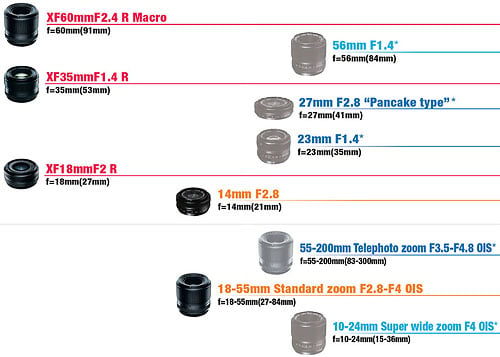
As promised in June 2012, Fujifilm has created its first X-mount zoom lens, which debuted alongside the X-E1. Although the 18-55mm focal length range (equivalent to 27-84mm on a 35mm camera) is quite standard, the maximum aperture is uncommonly bright, ranging from f/2.8 at wide angle to f/4 at telephoto. It's not only the first X-mount zoom; it's also the first stabilized X-mount lens; Fujifilm claims approximately four stops of shake reduction is possible. Focusing is provided for with an in-lens, linear autofocus motor. (More on that in a minute.) The optical formula features 14 elements in 10 groups, with three aspheric lenses and one extra-low dispersion element. The aperture diaphragm has seven rounded blades, and there's an aperture ring on the lens barrel, as well as 58mm filter threads. |
|
 |
|
There's also a new 14mm f/2.8 prime shipping alongside the X-E1, which likewise accepts 58mm filters and has a seven-bladed, rounded aperture. The optical formula includes 10 elements in seven groups, two aspherics, and three ED elements. The barrel offers up both distance and depth-of-field scales. This new prime joins the three that shipped when the X-Pro1 was launched, taking the total stock of X-mount glass to five lenses. Five more are planned to arrive in 2013 or by early 2014, including three more primes and two stabilized zooms. You can also mount third-party lenses from the likes of Carl Zeiss, Leica, Ricoh, and Voigtländer using Fujifilm's M-mount adapter, announced last May. |
|
 |
 |
We mentioned the linear autofocus motor of the 18-55mm zoom lens: Fujifilm says this is key to the swift performance of autofocus in the Fuji X-E1. Fujifilm claimed that focus lock can be achieved with this lens in just 0.1 seconds, but we found a full autofocus cycle took considerably longer. Shutter lag is very brief if you pre-focus before snapping your shot, though. We're told that other lenses will also offer improved performance on the X-E1, but won't be quite as fast as the 18-55mm zoom. These improvements are said to be down to firmware--likely an increase in algorithm performance, the speed data is clocked off the sensor, or both. |
A key difference from the X-Pro1 is the Fuji X-E1's viewfinder. Gone is the earlier camera's unusual hybrid viewfinder, replaced with a more standard--if very high resolution--EVF. At its heart is an Organic LED panel said to have a resolution of 2.36 million dots, which Fujifilm notes is among the highest electronic viewfinder resolutions to date. Horizontal field of view is 25 degrees, with a 5,000:1 contrast ratio. An eye proximity sensor are included in the design, just as in the earlier X-Pro1; diopter adjustment is a (very welcome) new feature. |
 |
|
On the rear panel is a 2.8-inch LCD monitor. Resolution is approximately 460,000 dots. The new panel is just a little bit smaller than the 3.0-inch panel on the X-Pro1, a concession to the Fuji X-E1's smaller body. It's also a standard RGB LCD, rather than the brighter / lower-power RGBW type used in the pricier camera. |
|
 |
 |
The Fuji X-E1 offers shutter speeds ranging from 1/4,000 to 1/4 second or T (1/2 to 30 sec.), controlled via a photographer-friendly dial on the top deck. There's also a bulb mode for exposures as long as 60 minutes. |
Exposure compensation is also provided for with a physical dial on the top deck, just as in the X-Pro1. The range of +/- 2.0 EV with a step size of 1/3 EV is unchanged from the earlier camera. |
 |
 |
In a nod to the fact that the Fuji E1 is aimed more at enthusiast / prosumer use than at pros, there's now a built-in, popup flash strobe. That's something pros would likely shun, and so isn't found on the higher-end X-Pro1. Though it does have a simple (non-TTL) "commander" mode that can be used to trigger slave flashes. |
Of course, there's still a hot shoe as well. It's compatible with Fujifilm's EF-20 and EF-40 strobes, as well as the attractively retro EF-X20 that was launched alongside the X-Pro1. There's no X-sync terminal though, unlike that camera. |
Like the X-Pro1 before it, the Fuji X-E1 includes a good selection of creative functions. Dynamic range can also be bracketed, as can film simulation, exposure, and ISO sensitivity. Hinting at Fuji's film heritage, there is a selection of film simulation modes that reproduce the look of popular Fuji film formulations of days gone by, including Provia, Astia, and Velvia. There are also two settings based on professional color negative films: Pro Neg.Std, and Pro Neg.Hi. Also retained from the X-Pro1 are a two-shot multiple exposure function and a consumer-friendly ability to stitch panoramas in-camera.
The X-E1 also retains the X-Pro1's 24 frames-per-second, Full HD (1080p / 1,920 x 1,080 pixel) movie capture capabilities, but with two important changes. Firstly, there's now an external stereo microphone jack, letting you record off-camera sound, something that's not possible for X-Pro1 shooters without resorting to a separate audio capture device. You can also now use both Film Simulation and Monochrome modes during video capture.
 |
 |
Like that on the X-Pro1, the Fuji X-E1 unfortunately has a tripod mount that's quite a way from the central axis of the lens. That's less than optimal if you're planning on shooting a lot of panoramas. Another issue: it's very close to the battery / flash card compartment door. |
Connectivity options include USB data, and a Mini (Type C) HDMI high-definition video output. The USB port is compatible with Fuji's optional RR-80 remote release cable. You can also use the microphone jack as a shutter release, or a mechanical shutter release cable on the shutter button. |
 |
|
The Fujifilm X-E1 stores images and movies on Secure Digital cards, including the higher-capacity SDHC and SDXC types. Images can be saved in both JPEG and raw formats, and the X-E1 includes the ability to process raw files in-camera. Power comes courtesy of a proprietary lithium-ion battery pack, which the company says provides battery life in the region of 350 frames based on CIPA testing standards, about 50 shots more than for the X-Pro1. |
|
 |
|
Available since mid November 2012, the Fujifilm X-E1 is sold both body-only, and in a kit with the new 18-55mm zoom lens. Two body colors are offered: either black, or a handsome two-tone black and silver. Body-only pricing is around US$1,000, well below the US$1,700 tag for the X-Pro1 body. The Fuji X-E1 kit with 18-55mm zoom lens sells at a US$400 premium, for a final price of approximately US$1,400. The kit zoom lens by itself costs about US$700, and the new 14mm prime lists for US$900. If you're using the earlier X-Pro1 body, you'll need to apply a firmware update to shoot with either new lens. As well as lenses, M-mount adapter, flash strobes, and the remote cable, Fuji also offers several accessories for the X-E1. These include a leather half-case, hand grip, and protective filters sized to match the various lens options. |
|
Fuji X-E1 Image Quality Comparison
Below are crops comparing the Fuji X-E1 with the Fuji X-Pro1, Olympus OM-D E-M5, Panasonic GH3, Pentax K-5 II and Sony NEX-7.
NOTE: These images are best quality JPEGs straight out of the camera, at default settings including noise reduction. All cameras in this comparison were shot with our very sharp reference lenses. (We used the very sharp XF 35mm f/1.4 R lens for the two Fujifilm cameras.)
Fuji X-E1 versus Fuji X-Pro1 at ISO 100
 |
 |
 |
 |
 |
 |
|
Fuji X-E1 at ISO 100
|
Fuji X-Pro1 at ISO 100
|
|
Sporting the same resolution Fuji X-trans sensor, we'd expect these two cameras to yield similar results in image quality. The X-E1 does show slightly better contrast in the mosaic, while the X-Pro1 shows slightly better detail in our red swatch. |
|
Fuji X-E1 versus Olympus OM-D EM-5 at Base ISO
|
 |
|
 |
|
 |
|
Fuji X-E1 at ISO 100
|
Olympus OM-D E-M5 at ISO 200
|
|
The E-M5 is incredibly sharp here at base ISO, obviously outperforming the X-E1 in most respects, especially in the detail of the fabric threads. The Olympus applies much stronger default sharpening, though. |
|
Fuji X-E1 versus Panasonic GH3 at Base ISO
|
 |
|
 |
|
 |
|
Fuji X-E1 at ISO 100
|
Panasonic GH3 at ISO 125
|
|
The GH3 shows slightly more detail in the first two images, but far outshines the X-E1 in the rendering of fine detail across all 3 fabric swatches. |
|
Fuji X-E1 versus Pentax K-5 II at ISO 100
|
 |
|
 |
|
|
|
Fuji X-E1 at ISO 100
|
Pentax K-5 II at ISO 100
|
|
The K-5 II pumps the yellows in the mosaic and the magenta in the lower pink swatch beyond what is actually on the target. The detail and sharpness are better, but the colors are just too overprocessed. |
|
Fuji X-E1 versus Sony NEX-7 at ISO 100
|
 |
|
 |
|
 |
|
Fuji X-E1 at ISO 100
|
Sony NEX-7 at ISO 100
|
|
All 5 previous cameras are roughly 16 megapixels, so we decided to throw a 24 megapixel camera selling for about the same price as the X-E1 into the mix to see how it compared. Obviously the detail in the NEX-7 images is far superior, and very accurate in terms of color, with an incredible overall rendering of our ever-difficult red swatch. |
|
Most digital SLRs and CSCs will produce an excellent ISO 100 shot, so we like to push them and see what they can do compared to other cameras at ISO 1,600, 3,200, and 6,400. Recent advances in sensor technology have made ISO 1,600 look a lot more like ISO 100, but there are still cameras whose quality starts to suffer at this setting. We also choose 1,600 because we like to be able to shoot at least at this level when indoors and at night.
Fuji X-E1 versus Fuji X-Pro1 at ISO 1,600
 |
 |
 |
 |
 |
 |
|
Fuji X-E1 at ISO 1,600
|
Fuji X-Pro1 at ISO 1,600
|
|
This is pretty much a draw, as expected, with perhaps slightly better detail in the fabric crop from the X-Pro1. |
|
Fuji X-E1 versus Olympus OM-D E-M5 at ISO 1,600
|
 |
|
 |
|
 |
|
Fuji X-E1 at ISO 1,600
|
Olympus OM-D E-M5 at ISO 1,600
|
|
While the E-M5 outperformed at base ISO, here its aggressive noise processing and what looks to us like a fundamentally noisier sensor starts to show signs of unnatural image blurring and distortion. The X-E1's images are very reasonable for ISO 1,600. |
|
Fuji X-E1 versus Panasonic GH3 at ISO 1,600
|
 |
|
 |
|
 |
|
Fuji X-E1 at ISO 1,600
|
Panasonic GH3 at ISO 1,600
|
|
The GH3 displays noticeably more noise here than the X-E1, and a bit more softness in certain areas like the mosaic. |
|
Fuji X-E1 versus Pentax K-5 II at ISO 1,600
|
 |
|
 |
|
 |
|
Fuji X-E1 at ISO 1,600
|
Pentax K-5 II at ISO 1,600
|
|
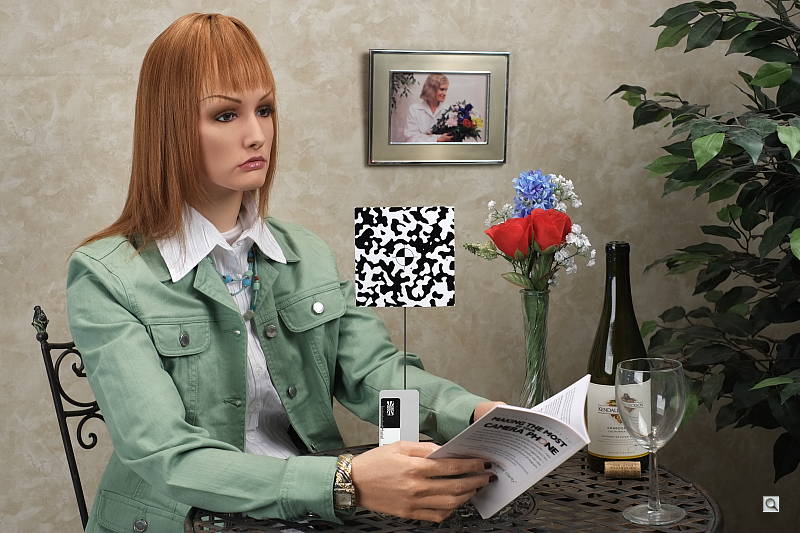
Again, the X-E1 wins this battle. The K-5 II shows more noise and grain in the Mas Portell bottle and the shadow behind it, loses all contrast and definition in the red swatch, and once again artificially pumps magenta into the pink swatch. |
|
Fuji X-E1 versus Sony NEX-7 at ISO 1,600
|
 |
|
 |
|
 |
|
Fuji X-E1 at ISO 1,600
|
Sony NEX-7 at ISO 1,600
|
|
The different sizes of the two images due to megapixel differences make an accurate comparison a bit tougher. However, there are both pros and cons to be found for each camera at this ISO, with the X-E1 staying fairly consistent across the images and the NEX-7 showing some noise in the top bottle, considerably more low-frequency noise in the shadowed background, and some blotching in the mosaic due to slightly more aggressive noise processing. |
|
These days, ISO 3,200 is a very viable shooting option for most good cameras, so let's take a look at some comparisons there.
Fuji X-E1 versus Fuji X-Pro1 at ISO 3,200
 |
 |
 |
 |
 |
 |
|
Fuji X-E1 at ISO 3,200
|
Fuji X-Pro1 at ISO 3,200
|
|
Once again basically a draw here, with the X-Pro1 showing slightly more grain in the bottle but rendering the fabric swatches slightly sharper. |
|
Fuji X-E1 versus Olympus OM-D E-M5 at ISO 3,200
|
 |
|
 |
|
 |
|
Fuji X-E1 at ISO 3,200
|
Olympus OM-D E-M5 at ISO 3,200
|
|
The E-M5 really begins fall behind here, with more noise in the bottle, blotchiness in the mosaic and the shadowed background, and losing all detail in the red swatch. More aggressive sharpening makes the type and lines on the Mas Portell bottle pop more, but fine detail is coarsened in the process. The X-E1's approach here is much more consistent and generally pleasing in comparison across all three images crops. |
|
Fuji X-E1 versus Panasonic GH3 at ISO 3,200
|
 |
|
 |
|
 |
|
Fuji X-E1 at ISO 3,200
|
Panasonic GH3 at ISO 3,200
|
|
With the exception of the swatch of pink fabric at the bottom (where it does extremely well), the GH3 loses this round to the X-E1, with more noise, blotchiness, and loss of detail in most other areas. |
|
Fuji X-E1 versus Pentax K-5 II at ISO 3,200
|
 |
|
 |
|
 |
|
Fuji X-E1 at ISO 3,200
|
Pentax K-5 II at ISO 3,200
|
|
As we've now said a few times, the K-5 II shows artificially pumped yellows in the mosaic and magentas in the pink fabric swatch. And there is far more noise in the Mas Portell bottle and background and much less detail in the red fabric swatch. |
|
Fuji X-E1 versus Sony NEX-7 at ISO 3,200
|
 |
|
 |
|
 |
|
Fuji X-E1 at ISO 3,200
|
Sony NEX-7 at ISO 3,200
|
|
The NEX-7 shows more noise in the bottle and more blotchiness in the mosaic. The NEX-7 shows more contrast in the red fabric swatch, but the X-E1 shows more detail, albeit with very low contrast. We'd like to see more contrast in the X-E1's red swatch, but prefer it over the blotchiness of the NEX-7's rendering. |
|
Detail: Fuji X-E1 versus Fuji X-Pro1, Olympus OM-D E-M5, Panasonic GH3, Pentax K-5 II and Sony NEX-7.
 |
 |
 |
 |
 |
 |
 |
 |
 |
 |
 |
 |
 |
 |
 |
 |
 |
 |
| Fuji X-E1 ISO 100 ISO 3,200 ISO 6,400 |
Fuji X-Pro1 ISO 100 ISO 3,200 ISO 6,400 |
Olympus OM-D E-M5 ISO 200 ISO 3,200 ISO 6,400 |
Panasonic GH3 ISO 125 ISO 3,200 ISO 6,400 |
Pentax K-5 II ISO 100 ISO 3,200 ISO 6,400 |
Sony NEX-7 ISO 100 ISO 3,200 ISO 6,400 |
| Detail comparison. The E-M5 tends to stand out in these comparisons when present, and for good reason. It does a great job of rendering detail as in the lines inside the letters, although part of the "pop" of its images is the result of stronger in-camera sharpening. If you apply careful sharpening to the X-E1 or X-Pro1 images in Photoshop, you'll see that there's actually more and finer detail present in those shots. The NEX-7 is also fairly good with detail here. Both Fujis and the Panasonic do a pretty good job, with the K5II coming up last in the crisp detail department for these crops. | |||||
Fuji X-E1 Print Quality Analysis
 Excellent 24 x 36 inch prints at ISO 100/200; a good 16 x 20 at ISO 1600; and even prints a good 4 x 6 at ISO 25,600 (!)
ISO 100/200 yields excellent 24 x 36 inch prints, with sharp detail, rich colors and only minor softening in our target red swatch. Prints for wall display are great all the way up to 36 x 48 inches.
ISO 400 prints very nicely at 20 x 30, with the wall texture from our difficult shadowy areas still rendering accurately. 24 x 36 inch prints are nice here as well, but have more noticeable softness in the red channel. 30 x 40s are quite usable for wall prints.
ISO 800 produces nice prints to 16 x 20, with sizes up to 24 x 36 usable for wall display and other purposes where a mild softening effect in certain areas is desirable.
ISO 1,600 yields a nice 16 x 20 inch print for this ISO. Larger prints introduce softness in some areas and minor noise in the shadows, but would look good on a wall as large as 20 x 30.
ISO 3,200 prints well at 11 x 14, and are still usable for less critical applications at 13 x 19.
ISO 6,400 is the first ISO in this series that starts to introduce obvious graininess from image noise. Other than losing most of the contrast in our target red swatch, we'll rate 8 x 10 as good here.
ISO 12,800 is capable of a good 5 x 7 inch print, which is really good for this ISO.
ISO 25,600 yields a good 4 x 6, which is yet again quite good for ISO 25,600.
With its award-winning X-trans sensor, the Fujifilm X-E1 follows in the footsteps of the X-Pro1, delivering excellent image quality in print and on screen. Simply put, it was hard to make this camera print bad images. We threw higher ISOs at it, threw higher print sizes at it, and still it held fast. It wasn't until ISO 6,400 (which not so long ago was the end of the line for most cameras) that noise and softening really became apparent above 8 x 10s, which is the largest size most people ever print. If you want really great-looking prints, especially if you shoot in low light on occasion, you're in good hands with the Fuji X-E1.
In the Box
The Fujifilm X-E1 retail package includes:
- Fujifilm X-E1 digital camera
- Fujinon XF18-55mm f/2.8-4 R LM OIS lens (with kit)
- NP-W126 Li-ion battery pack
- BC-W126 battery charger
- Shoulder strap
- USB cable
- Body cap
- Metal strap clip
- Protective cover
- Clip attachment tool
- Lens cap
- Rear lens cap
- CD-ROM software
- Owner's Manual
- One-Year Limited Warranty
Recommended Accessories
- Large capacity SDHC/SDXC memory card. 16GB Class 6 should be a minimum.
- NP-W126 Battery (~US$50)
- HG-XE1 Handgrip (~US$99)
- BLC-XE1 Leather case (~US$50)
- ER-X20 Shoe Mount Flash (~US$200)
- RR-80 Remote Release (~US$35)
Fuji X-E1 Conclusion
| Pro: | Con: |
|---|---|
|
|
The Fuji X-E1 may be the baby brother to Fuji's flagship X-Pro1, but in many ways is its equal. Most importantly, the two cameras share the same impressive 16.3-megapixel APS-C X-Trans CMOS sensor, which produces image quality superior to most APS-C-sensor-based digital SLRs, but in arguably more attractive camera body designs. The X-E1 is also significantly less expensive than its older sibling, while boasting many of the same features. We loved the X-E1's look, which marries the design of a classic rangefinder camera with a smart and sophisticated CSC. We wished the camera grip was larger and more comfortable; it's not a great camera to handhold over long periods of time, but if you're just going out for a day of street shooting, it should be fine. The Fuji X-E1's polycarbonate-and-magnesium build make it quite light and highly portable, especially when compared to the X-Pro1. The X-E1's shutter button, which has a nice old-school look to it (minus the film winder), unfortunately is mushy to press and doesn't feel very responsive.
Our photos, however, looked wonderful -- with lots of resolution and detail (partly due to the absence of a low-pass filter). And thanks to the X-Trans sensor technology, there was also a low incidence of moiré despite the lack of the LP filter. While we didn't expect much from the XF 18-55mm f/2.8-4 kit lens -- which is the first zoom for Fuji's X-series interchangeable lens cameras -- it produced images with impressive sharpness and professional looking background blur (bokeh), which is great for portraits. The X-E1 also really stood out against the competition in low-light situations and higher ISOs (especially in the 1,600 to 3,200 range).
The camera's operational performance was a mixed bag, however, with some full AF shutter lag and shot-to-shot speed issues. The X-E1 was also painfully slow to wake up from sleep mode, which resulted in some missed candid shots.
Bottom line though, there's not a lot to complain about with the X-E1, especially considering its more budget-friendly price tag. The X-E1 is a great addition to Fuji's impressive line-up of retro-style cameras and one of the finest digital cameras Fuji has ever produced. The Fuji X-E1 is a strong Dave's Pick as one of the best compact system cameras on the market today.
Follow Imaging-Resource.com on twitter!
Optics
The Fujifilm X-E1 is available body-only, or bundled with XF 18-55mm f/2.8-4R OIS kit lens. The test images shown on most other pages of these test results were taken with the very sharp XF 35mmF1.4 R, so we use this page to explore 18-55mm kit lens quality.
18-55mm Kit Lens Test Results
Zoom Lens
A typical zoom ratio for a kit lens, with good performance.


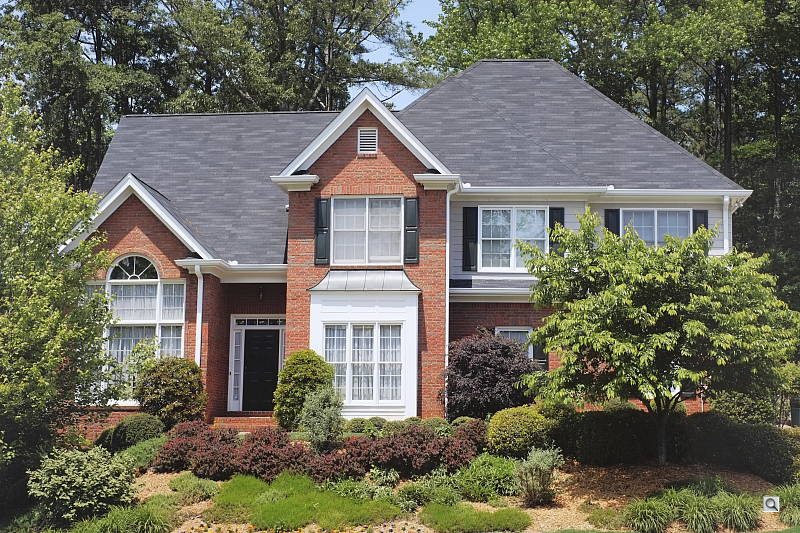
The XF 18-55mm f/2.8-4R OIS kit lens has an equivalent focal length of about 27-84mm lens on a full-frame body. Optical performance at full wide angle (18mm) is good at f/8, with very good sharpness and contrast across most of the frame. Upper corners look a bit soft, though the depth of this scene makes judging corner performance difficult (see sections below for corner performance, as well as distortion, etc.) There are hints of flare around bright objects, though the camera overexposed at wide angle, blowing quite a few highlights in the white areas of the building. Chromatic aberration is very low, though the camera suppresses it. Far-field performance at 31.5mm (47mm eq.) is similar, with very good sharpness except in the extreme corners. At full telephoto (55mm), the sweet spot is smaller and sharpness isn't quite as good in the center, though optical performance is still above average for a 3x zoom kit lens.
Macro
A larger than average minimum area, with slightly soft detail. Flash throttled down well.


The Fuji X-E1's macro performance will depend entirely on the lens in use. However, with the 18-55mm kit lens at 55mm, the Fuji X-E1 captures a much larger than average minimum area measuring 5.32 x 3.54 inches (135 x 90 millimeters). Detail is a little soft across the frame at f/8, with additional softening in the corners. (Most lenses have some additional softening in the corners at macro distances.) The popup flash had no trouble throttling down at this distance, resulting in a pretty good exposure, though corners are a touch dim.
Geometric Distortion
Low geometric distortion with the 18-55mm kit lens in JPEGs, though strong distortion in uncorrected raw files.
| In-Camera JPEG: Barrel distortion at 18mm is 0.27 percent |
 |
| In-Camera JPEG: Pincushion distortion at 55mm is 0.14 percent |
 |
When shooting JPEGs, the Fuji X-E1's 18-55mm kit lens produces about 0.3 percent barrel distortion at wide angle, which is much less than average and just slightly noticeable in its images. It isn't very symmetrical though. Pincushion distortion at full telephoto is just over 0.1 percent, also much lower-than-average and hardly noticeable. This is the tendency for the lens to bend straight lines outward (like a barrel -- usually at wide-angle). The Fuji X-E1 compensates for most distortion, though. See below for uncorrected distortion.
| Uncorrected Raw: Barrel distortion at 18mm is 1.6% |
 |
| Uncorrected Raw: Pincushion distortion at 55mm is about 1.0% |
 |
To see how much correction is taking place in the camera, we converted matching .RAF raw files from the above shots with dcraw, which ignores distortion correction instructions in raw files. dcraw doesn't do a good job at demosaicing the Fuji's X-Trans filter pattern so we haven't included links to full-res files, however it's still a useful tool to evaluate uncorrected sensor data.
As can be seen above, actual barrel distortion at wide angle is quite high at about 1.6%, while pincushion at telephoto is fairly high, at about 1.0%. We expect this for smaller interchangeable lenses though, so it's nothing to be concerned about unless you are using a raw converter which does not understand the embedded "opcodes" to perform distortion corrections automatically. Most raw converters these days (including Adobe Camera Raw and SilkyPix) are capable of applying distortion correction automatically, as specified by the manufacturer. There is however going to be some loss of resolution in some areas of the frame as a result of such correction, because pixels are being "stretched" to correct for the distortion. Obviously, a lens that doesn't require such correction, and is also sharp in the corners to begin with would be preferable, but relaxing constraints on distortion brings other benefits in the lens design, such as a very compact design.
Chromatic Aberration and Corner Sharpness
Low levels of chromatic aberration from the kit lens in JPEGs. Uncorrected raw files show higher amounts. Very good corner performance at wide angle, however corners are a bit soft at full telephoto.
| Maximum Aperture | |
 |
 |
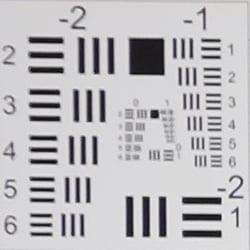
| 18mm @ f/2.8: Upper left C.A.: Very low Softness: Sharp |
18mm @ f/2.8: Center C.A.: Very low Softness: Sharp |
 |
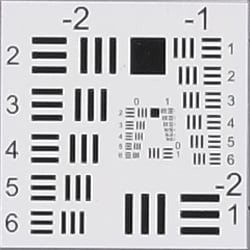 |
| 55mm @ f/4: Upper left C.A.: Very low Softness: Moderate blurring |
55mm @ f/4: Center C.A.: Very low Softness: Sharp |
Chromatic Aberration. Chromatic aberration in the corners of JPEGs taken with the Fuji X-E1's 18-55mm X kit lens is quite low at both wide angle and telephoto, but the camera does suppress it (see below for uncorrected raw).
Corner Softness. Corner sharpness is excellent at wide angle when wide open at f/2.8, almost as sharp as the center which is remarkable for f/2.8. Corners have moderate blurring at full telephoto with the left corners a bit softer than the right, while the center is sharp.
Vignetting. Minor corner shading ("vignetting") is noticeable at both wide angle and telephoto, as can be seen from the difference in brightness of the center versus corner crops above.
| f/8 Aperture | |
 |
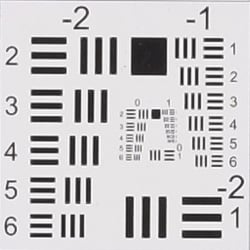 |
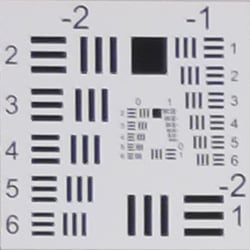
| 18mm @ f/8: Upper left C.A.: Very low Softness: Slightly soft |
18mm @ f/8: Center C.A.: Very low Softness: Sharp |
 |
 |
| 55mm @ f/8: Upper left C.A.: Very low Softness: Soft |
55mm @ f/8: Center C.A.: Very low Softness: Fairly sharp |
Stopped down to f/8, corner sharpness actually got worse, which is a bit odd. We'll look at this a little closer when we do a full test of the lens on SLRgear.com, but for now it looks like spherical aberration may have caused a focus shift when stopping down. Chromatic aberration remains very low, and vignetting (corner shading) improves a bit but is still somewhat noticeable.


Chromatic Aberration Suppression. As mentioned above, the Fuji X-E1 suppresses lateral chromatic aberration in its JPEGs. The uncorrected raw files (right) show moderate but bright magenta and green coloration along high-contrast edges that have been effectively suppressed in the matching camera JPEGs (left).
Fuji X-E1 Viewfinder
Viewfinder Test Results
Accuracy
Excellent coverage accuracy from the electronic viewfinder and LCD monitor.


The Fuji X-E1's electronic viewfinder and LCD monitor both proved quite accurate in record mode, showing essentially 100% coverage. Excellent results here.
The images above were taken from our standardized test shots. For a collection of more pictorial photos, see our Fujifilm X-E1 Photo Gallery .
Exposure
Color
Saturation & Hue Accuracy
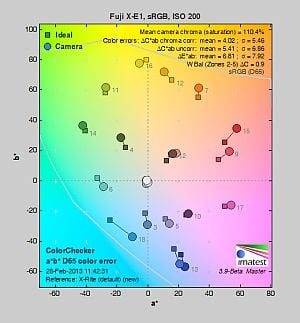
Very good color with excellent hue accuracy.
 |
||||
|
ISO Sensitivity
|
||||
| 1600 | ||||
| In the diagram above, the squares show the original color, and the circles show the color that the camera captured. More saturated colors are located toward the periphery of the graph. Hue changes as you travel around the center. Thus, hue-accurate, highly saturated colors appear as lines radiating from the center. Mouse over the links above to compare ISOs, and click to load a larger version. | ||||
Saturation. The Fuji X-E1 produces images with fairly bright, pleasing color using standard, default settings. The camera pushes most colors by a small amount, red by a moderate amount, but undersaturates yellow, aqua and cyan by just a bit. Default saturation at the base ISO of 200 is 110.4% (10.4% oversaturated), which is about average these days. You can of course tweak saturation and/or select a different film simulation mode. Mean saturation fell gradually as ISO increased as it often does, ending up at 106% at maximum ISO. Most consumer digital cameras produce color that's more highly saturated (more intense) than found in the original subjects. This is simply because most people like their color a bit brighter than life.
Skin tones. The Fuji X-E1 rendered Caucasian skin tones that were a touch on the pinkish side when white balance was adjusted to match the light source, because of the moderate push in reds. Still, results were quite pleasing, with a healthy look. (Here, too, the X-E1's saturation and/or film mode adjustments may come into play for some users, letting them tweak the color on skin tones, if they find the default rendering a bit too saturated for their personal tastes.) Where oversaturation is most problematic is on Caucasian skin tones, as it's very easy for these "memory colors" to be seen as too bright, too pink, too yellow, etc.
Hue. The Fuji X-E1 produced only a few small color shifts relative to the mathematically precise translation of colors in its subjects, and has excellent hue accuracy overall. Most noticeable were shifts in cyan toward blue, orange toward yellow, as well as some smaller shifts in yellow, green and purple. (The cyan to blue shift is very common among the digital cameras we test; we think it's a deliberate choice by camera engineers to produce better-looking sky colors.) Average "delta-C" color error after correction for saturation was only 4.02, which is excellent. Hue is "what color" the
color is.
Saturation Adjustment
The Fuji X-E1 has a total of five saturation settings available ("Low", "Medium Low", "Mid", "Medium High" and "High"), which the user manual simply calls "Color." That's not as many steps as most cameras, and as you can see the steps are pretty fine, making the effect very subtle except for reds. It had no effect on contrast, which is good.
| Saturation Adjustment Examples | ||
 |
 |
 |
| Low | Mid | High |
The table above shows results with several saturation settings including the default and both limits. Click on any thumbnail above to see the full-sized image.


Sensor
Exposure and White Balance
Indoors, incandescent lighting
Auto and Incandescent white balance were quite warm, but very good results with the Manual setting. No exposure compensation required.


Indoors, under typical incandescent lighting, color balance was quite warm using the Auto setting, with a fairly strong reddish cast. Results with the Incandescent white balance setting were also warm, with a yellow/orange cast, but Incandescent kept more of the mood of the lighting than the Auto setting. The Manual white balance setting was quite accurate and neutral, while the 2,600 Kelvin temperature setting produced a slight yellow tint. The Fuji X-E1 required no exposure compensation here, while most cameras need about +0.3 EV for this scene. Our test lighting for this shot is a mixture of 60 and 100 watt household incandescent bulbs, a pretty yellow light source, but a very common one in typical home settings here in the U.S.
Outdoors, daylight
Very good color though slightly cool outdoors. Excellent exposure accuracy.

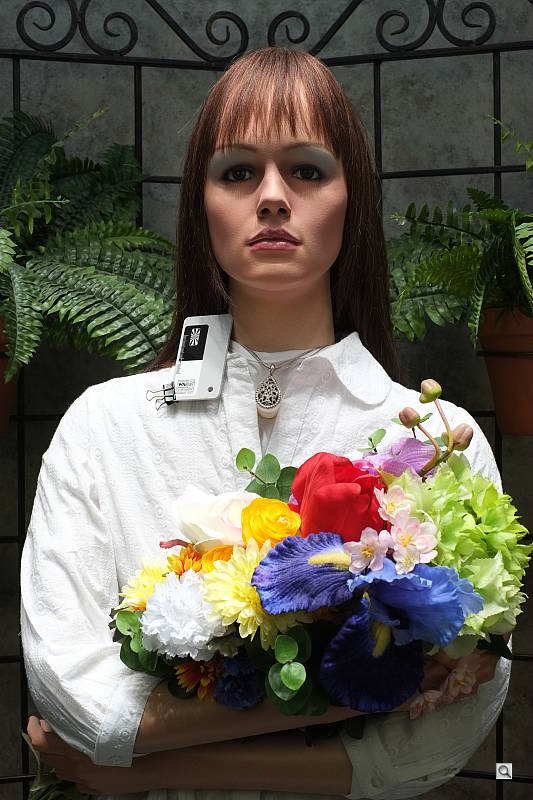
Outdoors, the Fuji X-E1 produced good color at default settings, just slightly on the cool side, so we preferred Manual white balance for our "Sunlit" Portrait shot. The Fuji X-E1 required no exposure compensation adjustment to produce fairly bright facial tones on the mannequin. Despite the bright appearance, there was only relatively minor clipping of highlights in the white shirt, though specific channels were clipped in the flowers as is usually the case. Shadows contain very good detail, with low levels of noise except in the very deepest tones. Most cameras require about +0.7 EV to produce a bright face in this shot, so the X-E1 did much better than average here. Skin tones are pleasing, with a healthy-looking pinkish cast that's not too overdone. The Fuji X-E1 also did a great job exposing our Far-field shot, producing very few clipped highlights or lost shadows. Again, color was just a touch cool with the Auto white balance setting. See the Extremes: Sunlit section below to see how the X-E1's Highlight/Shadow Tone and D-Range settings deal with harsh lighting like this.
See full set of test images with explanations
See thumbnails of all test and gallery images
Resolution
Very high resolution, ~2,300 lines of strong detail from JPEGs, about the same from RAW.


Our laboratory resolution chart revealed sharp, distinct line patterns down to about 2,300 lines per picture height in the horizontal direction, and about 2,300 lines per picture height in the vertical direction as well. (Some may argue for higher, but lines begin to merge at after 2,300 lines.) Complete extinction of the pattern didn't occur before the 4,000 line limit of our chart in both directions. Fuji's bundled Raw File Converter EX (based on SilkyPix) wasn't able to extract any more resolution from this high-contrast target, and it generated noticeable color moiré which was a bit of a surprise. The Fuji X-E1 on the other hand did an excellent job suppressing color moiré in its JPEG output here. Use these numbers to compare with other cameras of similar resolution, or use them to see just what higher resolution can mean in terms of potential detail.
See full set of test images with explanations
See thumbnails of all test and gallery images
Sharpness & Detail
Very good detail and sharpness overall, with only minor edge-enhancement artifacts appearing around some high-contrast subjects. Mild noise suppression is visible in the shadows at base ISO.


Sharpness. The Fuji X-E1 captures very sharp, detailed images, though some minor edge enhancement artifacts are visible on high-contrast subjects such as the thicker branches and pine cones in the above left crop. Fine detail such as the smaller branches and pine needles however show very little edge enhancement, though the pine needles do look a touch soft. Still, excellent results here. Edge enhancement creates the illusion of sharpness by enhancing colors and tones right at the edge of a rapid transition in color or tone.
Detail. The crop above right shows low levels of luminance noise suppression, as the darker areas of the model's hair still show a pretty good amount of detail. Some individual strands do merge together when local contrast is low and as shadows deepen, but performance here is very good. The Fuji X-E1 does a great job at keeping chrominance noise low as well. Noise-suppression systems in digital cameras tend to flatten-out detail in areas of subtle contrast. The effects can often be seen in shots of human hair, where the individual strands are lost and an almost "watercolor" look appears.
 |
|
Demosaicing. As mentioned elsewhere in this review, the Fuji X-E1 doesn't use the standard Bayer 2x2 color filter pattern. The X-E1's 6x6 pattern is designed to reduce the occurrence of color moiré, which means a resolution-robbing low-pass (anti-alias) filter is not required. As you can see from the crops at right (magnified 2X) comparing the X-E1 to the Sony NEX-6, the Fuji does a better job a avoiding color moiré and has better per-pixel sharpness. You can however see that the X-E1 struggles a bit with rendering the fine italic text, leaving what look to be small gaps and extra strokes in the letters, and some rough edges as well. Still, you have to look very closely to spot these errors and overall, the increased per-pixel sharpness and reduced color moiré really are worth the tradeoffs in our opinion.
RAW vs In-Camera JPEGs
As noted above, the Fuji X-E1 produces sharp JPEG images with very good detail at default settings. Let's see if we can extract more fine detail from RAW files without introducing additional sharpening artifacts:


In the table above, mousing over a link at the bottom will load the corresponding crop in the area above, and clicking on the link will load the full resolution image. Examples include (from left to right): an in-camera Fine JPEG at default settings, the matching RAW file processed through Fuji's Raw File Converter EX software (which is based on SilkyPix) at default settings, and another processed with Adobe Camera Raw 7.4rc (with improved X-Trans sensor support), which was then sharpened in Photoshop using unsharp mask of 250% with radius 0.3 pixels.
As you can see, the Fuji Raw File Converter EX version at default settings renders the image rather differently than the camera. Color rendering is warmer and fine detail is a little courser, though local contrast appears a bit better. We still prefer the in-camera JPEG. Adobe Camera Raw does a pretty good job here, but doesn't really extract more detail than the camera does. Bottom line: Fuji's in-camera processing is excellent, and there's very little advantage to shooting raw in terms of detail reproduction, at least at low ISOs.
ISO & Noise Performance
Excellent high ISO performance, with strong detail to ISO 3,200.
|
Default High ISO Noise Reduction
|
 |
 |
 |
| ISO 100 | ISO 200 | ISO 400 |
 |
 |
 |
| ISO 800 | ISO 1,600 | ISO 3,200 |
 |
 |
 |
| ISO 6,400 | ISO 12,800 | ISO 25,600 |
Just like the X-Pro1, the Fuji X-E1's images are very clean and detailed up to ISO 800. Luminance noise "grain" is quite fine and tight, and there is very little sign of chrominance noise. At ISO 1,600, noise reduction efforts are little stronger as you'd expect, but fine detail is still very good. ISO 3,200 shows another slight increase in noise and blurring, but fine detail remains very good. 6,400 is the first ISO where luminance noise becomes noticeable, though it's still fairly fine-grained, and chrominance noise is well controlled. Image quality drops off more rapidly at ISO 12,800, with more visible grain, blurring, noise reduction artifacts, and blotchy chroma noise in the shadows. Fine detail at ISO 25,600 is quite soft with heavy luminance noise accentuated by sharpening artifacts, and chrominance noise in the form of large yellow and purple blotches. Still, noise performance in high ISO JPEGs is excellent, among the best we've seen from a 16-megapixel APS-C sensor, and as expected, very similar to the X-Pro1.
We're pixel-peeping to the extreme here though, which isn't always representative of what you see in prints. As always, see the Print Quality section below for maximum recommended print sizes at each ISO.
Extremes: Sunlit, dynamic range and low light tests
Very high resolution with very good overall detail. Very good highlight retention and shadow detail. Excellent low-light performance.


Sunlight.
As mention previously, the Fuji X-E1 performed very well with the deliberately harsh lighting of this test; much better than average in terms of exposure. We preferred the default exposure overall, because exposures at higher exposure compensations were too bright with too many clipped highlights. While a few highlights were blown in the model's shirt and flowers at 0 EV (default exposure), the amount of clipping wasn't as high as many cameras we have tested. Shadow detail is very good, with low levels of noise except in the very deepest shadows. The Fuji X-E1 performed quite well here.
Because digital cameras are more like slide film than negative film (in that they tend to have a more limited tonal range), we test them in the harshest situations to see how they handle scenes with bright highlights and dark shadows, as well as what kind of sensitivity they have in low light. The shot above is designed to mimic the very harsh, contrasty effect of direct noonday sunlight, a very tough challenge for most digital cameras. (You can read details of this test here.)
Contrast Adjustment
The Fuji X-E1 does not offer a traditional contrast adjustment. Instead, it offers Shadow and Highlight Tone settings, which let you adjust contrast in highlights and shadows independently. There are five settings each: "Soft", "Medium Soft", "Standard" (default), "Medium Hard", and "Hard."
|
"Sunlit" Portrait Highlight and Shadow Tone Comparison
|
|
 |
Highlight and Shadow Tone Settings: Highlight: Soft Highlight: Standard Highlight: Hard Shadow: Soft Shadow: Standard Shadow: Hard |
 |
|
Shadow and Highlight Tone. Above you can see the effects of three of the five settings for Highlight and Shadow Tone control on our high contrast "Sunlit" Portrait shot. Mouse over the links to load the associated thumbnail and histogram, and click on the links to visit the full resolution image. Note how the Highlight settings mainly affect the brighter portions of the image, while the Shadow settings impact the darker areas. Both settings can be used simultaneously, giving more flexibility to tune the tone curve at both ends compared to a single contrast setting.
| Far-field Highlight and Shadow Tone Comparison | ||
 |
||
Above, you can see the effect of the same Highlight and Shadow Tone settings on our Far-field shot.
|
"Sunlit" Portrait D-Range Comparison
|
|||
|
|
 Histogram |
||
 Highlight Retention |
|||

Shadow Noise (levels boosted) |
|||
| D-Range Setting: | |||
| DR 100% (default) (ISO 200) |
DR 200% (ISO 400) |
DR 400% (ISO 800) |
DR Auto (ISO 800) |
D-Range is Fuji's name for their dynamic range enhancement technology. D-Range designed to preserve hot highlights, by exposing for highlights and then boosting mid-tones and shadows. There are three levels: DR100 100% (default), DR200 200%, DR400 400%, as well as an Auto mode. Mouse over the links above to load the corresponding thumbnail image, histogram, highlight and shadow crop. Click on the links to get to the full resolution images.
As you can see the images above, the Fuji X-E1's manual D-Range settings were very effective at retaining clipped highlights in our "Sunlit" Portrait shot, though the Auto setting did little. As they say, though, there's no free lunch: if you look closely at the full resolution images or the crops, you'll see that improved highlight retention comes at a cost of increased noise in the shadows. This is because the camera raises minimum ISO to 400 and 800 for DR 200% and 400% respectively. Still, even with the DR 400% setting (ISO 800), noise from the Fuji X-E1's sensor is low enough that it shouldn't be an issue for most applications. (Note that the shadow crops above have had levels adjusted in Photoshop significantly to reveal the increase in shadow noise.)
Above, you can see how the various D-Range settings affect our Far-field shot.
Face Detection
The Fuji X-E1 does not offer a face detection AF or AE mode which is a little odd for a camera that uses only contrast-detection AF, though we don't know if the camera employs either automatically.
Dynamic Range
A key parameter in a digital camera is its Dynamic Range, the range of brightness that can be faithfully recorded. At the upper end of the tonal scale, dynamic range is dictated by the point at which the RGB data "saturates" at values of 255, 255, 255. At the lower end of the tonal scale, dynamic range is determined by the point at which there ceases to be any useful difference between adjacent tonal steps. Note the use of the qualifier "useful" in there: While it's tempting to evaluate dynamic range as the maximum number of tonal steps that can be discerned at all, that measure of dynamic range has very little relevance to real-world photography. What we care about as photographers is how much detail we can pull out of the shadows before image noise becomes too objectionable. This, of course, is a very subjective matter, and will vary with the application and even the subject matter in question. (Noise will be much more visible in subjects with large areas of flat tints and subtle shading than it would in subjects with strong, highly contrasting surface texture.)
What makes most sense then, is to specify useful dynamic range in terms of the point at which image noise reaches some agreed-upon threshold. To this end, Imatest computes a number of different dynamic range measurements, based on a variety of image noise thresholds. The noise thresholds are specified in terms of f-stops of equivalent luminance variation in the final image file, and dynamic range is computed for noise thresholds of 1.0 (low image quality), 0.5 (medium image quality), 0.25 (medium-high image quality) and 0.1 (high image quality). For most photographers and most applications, the noise thresholds of 0.5 and 0.25 f-stops are probably the most relevant to the production of acceptable-quality finished images, but many noise-sensitive shooters will insist on the 0.1 f-stop limit for their most critical work.
 JPEG. The graph at right (click for a larger version) was generated using Imatest's dynamic range analysis for a Fuji X-E1 in-camera JPEG file with a nominally-exposed density step target (Stouffer 4110). At default settings and normal base ISO (200), the graph shows an impressive 12.5 f-stops of total dynamic range, with 7.73 f-stops of dynamic range at the High Quality level. Both Total and High Quality dynamic range scores are very good, particularly the total dynamic range. Note though that this measurement has a margin of error of about 1/3 f-stop, so differences of less than 0.33 can be ignored. With that in mind, the X-E1 scored about the same as the X-Pro1 at the highest quality levels (7.73 vs 7.89), but the X-E1 did better at lower quality levels, with a total dynamic range score of 12.5 vs 11.5, likely due to Fuji tweaking default JPEG output since the we tested the X-Pro1.
 Raw. The graph at right is from the same Stouffer 4110 stepchart image captured as a raw (.RAF) file, processed with Adobe Camera Raw using the Auto setting, then manually tweaking from there. As can be seen, the score at the highest quality increased by about 1.1 f-stops from 7.73 to 8.82 compared to the in-camera JPEG, while total dynamic range also increased by about 2/3 f-stops from from 12.5 to 13.1. That's pretty close to theoretical maximum dynamic range that can be tested with a Stouffer 4110 step chart (13.67 f-stops). While total dynamic range is very impressive, we've seen scores at the highest quality level exceed 10 f-stops from other 16-megapixel APS-C sensors (such as the Pentax K-5's 10.2 score and the Nikon D7000's 10.1 score). This is most certainly due to the Fuji's X-E1's base ISO of 200, which is naturally a little noisier than other cameras with lower base ISOs such as the Pentax and Nikon. Still, very good dynamic range results from the Fuji X-E1.
| 1 fc 11 lux |
1/2 fc 5.5 lux |
1/4 fc 2.7 lux |
1/8 fc 1.3 lux |
1/16 fc 0.67 lux |
1/16fc No NR |
|
|---|---|---|---|---|---|---|
| ISO 100 |
 2 s f2.8 |
 4 s f2.8 |
 8 s f2.8 |
 15 s f2.8 |
 30 s f2.8 |
 30 s f2.8 |
| ISO 200 |
 1 s f2.8 |
 2 s f2.8 |
 4 s f2.8 |
 8 s f2.8 |
 15 s f2.8 |
 15 s f2.8 |
| ISO 400 |
 0.5 s f2.8 |
 1 s f2.8 |
 2 s f2.8 |
 4 s f2.8 |
 8 s f2.8 |
 8 s f2.8 |
| ISO 800 |
 1/4 s f2.8 |
 0.5 s f2.8 |
 1 s f2.8 |
 2 s f2.8 |
 4 s f2.8 |
 4 s f2.8 |
| ISO 1600 |
 1/8 s f2.8 |
 1/4 s f2.8 |
 0.5 s f2.8 |
 1 s f2.8 |
 2 s f2.8 |
 2 s f2.8 |
| ISO 3200 |
 1/15 s f2.8 |
 1/8 s f2.8 |
 1/4 s f2.8 |
 0.5 s f2.8 |
 1 s f2.8 |
 1 s f2.8 |
| ISO 6400 |
 1/30 s f2.8 |
 1/15 s f2.8 |
 1/8 s f2.8 |
 1/4 s f2.8 |
 0.5 s f2.8 |
 0.5 s f2.8 |
| ISO 12800 |
 1/60 s f2.8 |
 1/30 s f2.8 |
 1/15 s f2.8 |
 1/8 s f2.8 |
 1/4 s f2.8 |
 1/4 s f2.8 |
| ISO 25600 |
 1/125 s f2.8 |
 1/60 s f2.8 |
 1/30 s f2.8 |
 1/15 s f2.8 |
 1/8 s f2.8 |
 1/8 s f2.8 |
Low Light. The Fuji X-E1 was able to capture bright images at the lowest light level with the lowest sensitivity setting (ISO 100). Color balance looks quite good with the Auto white balance setting, just a touch cool at higher light levels, and a bit warm at lower. Noise is quite low up to ISO 3,200, and at higher ISOs, noise grain is very fine and tight so detail remains very good, though chroma noise gets a little blotchy at the highest ISOs. We didn't notice any banding issues, nor where there any uncorrected hot or bright pixels except with NR was turned off where you'd expect to see some (though there were very few).
The camera's contrast-detect autofocus system was able to focus on the subject down to just above the 1/16 foot-candle light level unassisted, thanks in part to the relatively fast (bright) kit lens. With the AF assist lamp enabled, the Fuji X-E1 was able to focus in complete darkness (as long as the subject was in range of the focus assist lamp). Keep in mind that the longer shutter speeds here demand the use of a tripod to prevent any blurring from camera movement. (A useful trick is to just prop the camera on a convenient surface, and use its self-timer to release the shutter. This avoids any jiggling from your finger pressing the shutter button, and can work quite well when you don't have a tripod handy.)
How bright is this? The one foot-candle light level that this test begins at roughly corresponds to the brightness of typical city street-lighting at night. Cameras performing well at that level should be able to snap good-looking photos of street-lit scenes.
NOTE: This low light test is conducted with a stationary subject, and the camera mounted on a sturdy tripod. Most digital cameras will fail miserably when faced with a moving subject in dim lighting. (For example, a child's ballet recital or a holiday pageant in a gymnasium.) The Fuji X-E1 uses contrast-detect autofocus, as is found in most point & shoot cameras, so its low-light focusing ability is less than that of some SLRs with phase-detect systems. That said, though, the larger, more sensitive pixels of the X-E1's sensor do better under dim lighting than do the tiny pixels of most point & shoots, (A useful trick is to just prop the camera on a convenient surface, and use its self-timer to release the shutter. This avoids any jiggling from your finger pressing the shutter button, and can work quite well when you don't have a tripod handy.)
Output Quality
Print Quality
Excellent 24 x 36 inch prints at ISO 100/200; a good 16 x 20 at ISO 1,600; and even prints a good 4 x 6 at ISO 25,600 (!)
 ISO 100/200 yields excellent 24 x 36 inch prints, with sharp detail, rich colors and only minor softening in our target red swatch. Prints for wall display are great all the way up to 36 x 48 inches.
ISO 400 prints very nicely at 20 x 30, with the wall texture from our difficult shadowy areas still rendering accurately. 24 x 36 inch prints are nice here as well, but have more noticeable softness in the red channel. 30 x 40s are quite usable for wall prints.
ISO 800 produces nice prints to 16 x 20, with sizes up to 24 x 36 usable for wall display and other purposes where a mild softening effect in certain areas is desirable.
ISO 1,600 yields a nice 16 x 20 inch print for this ISO. Larger prints introduce softness in some areas and minor noise in the shadows, but would look good on a wall as large as 20 x 30.
ISO 3,200 prints well at 11 x 14, and are still usable for less critical applications at 13 x 19.
ISO 6,400 is the first ISO in this series that starts to introduce obvious graininess from image noise. Other than losing most of the contrast in our target red swatch, we'll rate 8 x 10 as good here.
ISO 12,800 is capable of a good 5 x 7 inch print, which is really good for this ISO.
ISO 25,600 yields a good 4 x 6, which is yet again quite good for ISO 25,600.
With its award-winning X-trans sensor, the X-E1 follows in the footsteps of the X-Pro1, delivering excellent image quality in print and on screen. Simply put, it was hard to make this camera print bad images. We threw higher ISOs at it, threw higher print sizes at it, and still it held fast. It wasn't until ISO 6,400 (which not so long ago was the end of the line for most cameras) that noise and softening really became apparent above 8 x 10s, which is the largest size most people ever print. If you want really great-looking prints, especially if you shoot in low light on occasion, you're in good hands with the Fuji X-E1.
Testing hundreds of digital cameras, we've found that you can only tell just so much about a camera's image quality by viewing its images on-screen. Ultimately, there's no substitute for printing a lot of images and examining them closely. For this reason, we now routinely print sample images from the cameras we test on our Canon Pro9000 Mark II studio printer, and the Canon Pixma MP610 here in the office. (See the Canon Pixma Pro9000 Mark II review for details on that model.)
The images above were taken from our standardized test shots. For a collection of more pictorial photos, see our Fujifilm X-E1 Photo Gallery .
Not sure which camera to buy? Let your eyes be the ultimate judge! Visit our Comparometer(tm) to compare images from the Fujifilm X-E1 with those from other cameras you may be considering. The proof is in the pictures, so let your own eyes decide which you like best!
Performance
Timing and Performance
Mixed performance from the Fuji X-E1.
| Startup/Shutdown |
||
| Power on |
~2.4 seconds
|
Time it takes to turn on and capture a shot. |
| Shutdown |
~1.1 seconds
|
How long it takes camera to turn off before you can remove the memory card. |
|
Buffer clearing time
|
8 seconds after 16
Large/Fine JPEGs* |
Worst case buffer clearing time. -- This is the delay after a set of shots before you can remove the card.
|
|
13 seconds after 12
RAW files* |
||
|
18 seconds after 11
RAW+ L/F JPEG files* |
||
|
*Note: Buffer clearing times measured with a SanDisk Extreme Pro 95MB/sec 8GB SDHC card. Slower cards will produce correspondingly slower clearing times. Slow cards may also limit length of bursts in continuous mode. ISO sensitivity and noise reduction settings can also affect cycle times and burst mode performance.
|
||
Power on to first shot is sluggish even for a compact system camera. Buffer clearing times are good with JPEGs, but slow with RAW and RAW+JPEG files, even with a very fast 95MB/s UHS-I card.
| Mode Switching | ||
|---|---|---|
| Play to Record, |
~0.6 second
|
Time until first shot is captured. |
| Record to Play |
~2.5 seconds
|
Time to display a large/fine file immediately after capture. |
| Display |
~0.6 second
|
Time to display a large/fine file already on the memory card. |
Play to Record is quite fast as is displaying a recorded image, but Record to Play is a bit slow.
| Shutter Response (Lag Time) | ||
|---|---|---|
|
Full Autofocus,
Single-area AF mode |
0.438 second
|
Time from fully pressing shutter button to image capture, with the lens already at the proper focal distance setting. (All timing performed with the Fujinon XF 35mm f/1.4 R lens. We also tested AF timing with the newer 18-55mm kit lens, and got nearly identical results.)
|
|
Full Autofocus,
Multi AF mode |
0.523 second
|
Time from fully pressing shutter button to image capture, with the lens already at the proper focal distance setting.
|
|
Full Autofocus,
Single-area AF mode Auto Flash Enabled |
0.577 second
|
Time from fully pressing shutter button to image capture, with the lens already at the proper focal distance setting, TTL Auto flash enabled. |
|
Continuous AF |
0.455 second
|
This mode usually shows no speed increase with our static subject; we have no way to measure performance with moving subjects. |
|
Manual Focus |
0.240 second
|
For most cameras, shutter lag is less in manual focus than autofocus, but usually not as fast as when the camera is "prefocused". |
|
Prefocused |
0.054 second
|
Time to capture, after half-pressing and holding shutter button. |
The Fuji X-E1's autofocus speed is slightly slower than average for compact system camera these days. The Fuji X-E1 produced full-autofocus shutter lag (with the subject at a fixed distance) that ranged from 0.44 second using Area AF mode (center), to 0.52 second using Multi AF mode in our tests. With the flash enabled, the X-E1's full AF shutter lag increases to 0.58s, to account for the preflash metering. Manual focus shutter lag is faster at 0.24 second, though that's not impressive as some CSCs have full autofocus shutter lag in that range. Prefocused shutter lag is quite fast, though, at only 0.054 second. This is much faster than most SLRs and faster than many CSCs as well, though not as fast as some models with electronic first curtain shutters.
To minimize the effect of different lens' focusing speed, we test AF-active shutter lag with the lens already set to the correct focal distance.
| Cycle Time (shot to shot) | ||
|---|---|---|
| Single Shot mode |
0.92 second
|
Time per shot, averaged over 20 shots with no signs of slowing, 2 seconds to clear*. |
|
Single Shot mode |
0.97 second
|
Time per shot, averaged over 20 shots with no signs of slowing, 10 seconds to clear*. |
|
Single Shot mode
RAW + L/F JPEG |
0.93 second
|
Time per shot, averaged over 16 shots, 18 seconds to clear*. |
| Early shutter |
Yes
|
Some cameras don't snap another shot if you release and press the shutter too quickly in Single Shot mode, making "No" the preferred answer. |
|
Continuous 6 fps |
0.18 second (5.45 frames per second);
16 frames total; 8 seconds to clear* |
Time per shot, averaged over buffer length of 16 frames. Then slows to 0.55s or 1.82 fps after buffer is full. |
| Continuous 6 fps |
0.18 second (5.56 frames per second);
12 frames total; 13 seconds to clear* |
Time per shot, averaged over buffer length of 12 frames. Then slows to 1.01s or 0.99 fps after buffer is full. |
|
Continuous 6 fps |
0.18 second (5.56 frames per second);
11 frames total; 18 seconds to clear* |
Time per shot, averaged over buffer length of 11 frames. Then slows to 1.32s or 0.76 fps after buffer is full. |
| Flash Recycling |
4.2
|
Flash at maximum output. |
|
*Note: Buffer clearing times measured with a SanDisk Extreme Pro 95MB/sec 8GB SDHC card. Slower cards will produce correspondingly slower clearing times. Slow cards may also limit length of bursts in continuous mode. ISO sensitivity and noise reduction settings can also affect cycle times and burst mode performance.
|
||
Single-shot cycle times are slightly slower than average for a CSC. We measured 0.92 second when shooting large/fine JPEGs, 0.97 second for RAW files, and 0.93 second for RAW+JPEG files.
"Continuous 6 fps" mode speeds are good, ranging from 5.45 to 5.56 frames per second depending on the file type, though that's a bit below Fuji's 6 fps spec and slower than some other recent CSCs. The Fuji X-E1 also offers a "Continuous 3 fps" mode, but we didn't test that mode.
Full resolution buffer depths are fair for JPEGs, at 16 frames with our difficult to compress target. You'll likely do better with typical subjects. When shooting RAW files, buffer depth drops to 12 frames, and 11 frames with RAW+JPEG. Buffer clearing is a fairly quick 8 seconds after shooting a max-length burst of JPEGs, but this increases to 13 seconds for a RAW burst, and 18 seconds for RAW+JPEG burst.
| Download Speed | ||
|---|---|---|
| Windows Computer, USB 2.0 |
9,880 KBytes/sec
|
Typical Values: |
Download speeds are reasonably fast, quick enough that you probably won't feel the need for a separate card reader. (Note that this test was performed with a SanDisk Extreme Pro 95MB/sec SD card: Slower cards would likely show slower transfer times.)
Bottom line, the Fuji X-E1's performance was a mixed bag during our testing. Startup time was sluggish while autofocus speed was slightly below average these days, as were single-shot cycle times. Prefocused shutter lag was however very good and burst mode speeds good, but buffer depths were only so-so. Buffer clearing was good with JPEGs, but slowed down markedly with RAW files.
Battery
Battery Life
Average battery life for a compact system camera.
| Operating Mode | Battery Life |
|---|---|
|
Still Capture,
(CIPA standard) |
350 shots
|
The Fuji X-E1 uses a custom rechargeable lithium-ion battery pack for power, and comes with both a single battery and charger. The CIPA rated 350 shots per charge is about average for a Compact System Cameras these days. As is usually the case, we recommend getting a second battery for your X-E1 if you plan any extended outings.
The table above shows the number of shots the camera is capable of (on a fully-charged rechargeable battery), based on CIPA battery-life and/or manufacturer standard test conditions.
(Interested readers can find an English translation of the CIPA DC-002 standards document here. (180K PDF document))
Video
Check out the links below for more sample images, videos and image quality analysis:
- Fujifilm X-E1 Optics page (Crops from images shot with the camera's kit lens, if sold as a kit)
- Fujifilm X-E1 Sample Images page (Index to all standard test shots, with explanations)
- Fujifilm X-E1 Thumbnails page (Thumbnails of all shots, including RAWs, with EXIF data)
- Fujifilm X-E1 Gallery page (Regular photos taken with the Fujifilm X-E1)
Like most new interchangeable-lens cameras produced in the last few years, the Fujifilm X-E1 includes high-definition video recording capabilities, albeit with a somewhat limited feature set in this case. Similar to Fujifilm's other X Series interchangeable-lens camera, the X-Pro1, the video capabilities on the X-E1 do not appear to have been a priority in the design of the camera; many features, settings and recording formats for video present on similar cameras in this price category are not available on the X-E1.

The X-E1 does, however, offer full 1080p high-definition video recording at the cinema-friendly 24 frames per second. Users are also given the option of 720p HD recording at this same frame rate. The X-E1 does have full-time autofocus during video recording, which many people will welcome, although the option for manual focusing during video is available. Audio is recorded in stereo using the built-in microphone, although unlike the X-Pro1, users now have the option of using an external microphone.
Users have the option of adjusting the depth of field before recording video by manually setting the aperture. However, aperture, exposure compensation, and focus mode, along with movie settings like video resolution, film simulation effects and white balance cannot be changed during video recording.
The other limitation in video recording is the lack of video frame rate choices. Video recording on the X-E1 is limited to only 24 frames per second, which is nice for that cinematic look and feel. However, if you're looking to shoot fast action scenes for use in slow motion video, for instance, at a more appropriate 60 frames per second, another camera would be a better choice.
All in all, the X-E1 is a stills camera first and foremost, with a limited set of video capabilities as a nice add-on feature. It's there if you want it, or need it. It doesn't provide a wide range of enthusiast- or professional-level video features, but for the target customer of the X-E1, the video features should suffice.
Fujifilm X-E1 Basic Video Specs
- Full HD 1,920 x 1,080 pixels (1080p) or HD 1,280 x 720 pixels (720p) at 24 frames per second, in H.264 MOV format.
- Autofocus functions during movie recording; manual focus also available but fly-by-wire control means there's still focus motor drive noise.
- Image Stabilization is available in Movie Mode, with lenses that support stabilization.
- Program or Aperture-priority exposure, but aperture must be set before recording starts.
- Exposure compensation, white balance, and film simulation mode adjustments are available, all set before recording starts.
- Stereo audio recording via built-in microphones, but with very little separation between channels.
- A 2.5mm external stereo microphone jack is provided; kudos for the jack, but you'll need an adapter for most mics.
- Video recording time for individual video files is limited to 29 minutes.
- Unique viewfinder eye sensor that switches off the LCD and enables the electronic viewfinder when you place the camera up to your eye. Primarily for still photography, but works identically in video mode.
Fujifilm X-E1 Video: Image Size, Frame Rate, and Encoding
The Fujifilm X-E1, like its bigger brother, the X-Pro1, offers video recording at two different video resolutions: either 1,920 x 1,080 pixels (aka Full HD / 1080p), or 1,280 x 720 pixels (aka 720p), with a fixed capture rate of 24 frames per second. No standard-definition modes are offered. The X-E1 records movies in H.264 format with stereo PCM audio, using an MOV container. No spec is provided for the audio sampling rate, though video players report 16-bit, 48 kHz stereo audio, regardless of resolution.
The table below shows the specs for various video recording options:
|
Fujifilm X-E1 Video Options
|
||
|---|---|---|
|
High Profile MPEG-4 AVC/H.264 Format (.MOV files)
|
||
|
Resolution |
Frame Rate
|
Average Bit Rate
|
1,920 x 1,080 |
24 fps (progressive) |
~14 Mbps
|
1,280 x 720 |
24 fps (progressive) |
~9-10 Mbps |
The Fujifilm X-E1 offers only one video recording format: MPEG-4 AVC/H.264. Compared to the older Motion JPEG formats still used in a few cameras, the X-E1's MPEG-4 file format is rather more efficient in its use of memory card space for a given image quality level, but seems to be a bit harder for older computers to read. As is often the case with digital still cameras, continuous movie recording is limited to 29 minutes to satisfy European tariff restrictions, regardless of resolution. Fujifilm recommends use of at least a Class 4 Secure Digital card to avoid issues with write speeds during video capture.
Here are some examples of video shot with our sample of the Fujifilm X-E1:
|
Fujifilm X-E1: Video Samples
|
|---|
Fujifilm X-E1 Video Quality
Surprisingly, the X-E1 produced only average quality video during the day, but did strikingly better at night. In our daylight test videos, there was a noticeable flickering noise pattern with the appearance of compression artifacts in highly textured areas such as the asphalt street. High contrast details were crisp and sharp, but any subtle local contrast or texture very quickly became mushy looking, losing a lot of fine detail. Color rendition appeared natural, bright and accurate.
Nighttime and low-light video is, forgive the pun, like night and day with this camera. The X-E1 did unexpectedly well in our standard night tests. Very little noise was seen in the overall image, and even in the shadow areas, noise was barely noticeable or well controlled. The fast kit lens (f/2.8 - 3.2 in the focal length range we were using) helped quite a bit in this area, as it allowed us to shoot a lower ISO speed than we normally do for night videos. The X-E1 was set to ISO 2000 in this case, rather than the typical ISO 3200-6400 range. (Most cameras end up at about ISO 3200 in our standard night shots.)
Fujifilm X-E1 Video-Mode Focusing
- Multiple focus modes:
- Single AF
- Continuous AF
- Manual focus
- Single AF and Continuous AF function identically during video recording
- AF-L button for One-Touch AF in Manual focus mode prior to recording
- Focus check in Manual focus mode; magnifies screen prior to recording
The X-E1 does offer full-time autofocus during video recording, much like other mirrorless interchangeable lens cameras, but in our tests, AF performance during video left a lot to be desired. In bright, sunny conditions, shooting with the XF 18-55mm f/2.8-4 R LM OIS kit lens, the camera had trouble locking on and tracking focus of moving subjects. It seemed to hunt for focus if the subject moved out from the center of the frame, but even objects in the center of the frame drifted out of focus at times.
In Single AF (S) mode, the user must first press the shutter button halfway down to focus on the desired subject, however whenever the shutter button is completely pressed and video recording has started, full-time autofocus will take over. Continuous AF (C) mode works identically during video recording, the only difference being that the camera is constantly autofocusing, so the initial half-press of the shutter button is not needed. Fujifilm does note that Continuous AF decreases battery life.

Manual focusing is also available in video mode, both before and during recording. Using the XF 18-55mm f/2.8-4 R LM OIS kit lens, manual focusing was smooth and gradual, although it did take more rotation of the focus ring to rack focus from near and far subjects than we expected. The AF-L button is a nice feature that bridges the gap between manually focusing and autofocus; while in Manual Focus mode, you have the option of pressing the AF-L button to quickly autofocus on your subject. This is similar to half-pressing the shutter button in Single AF mode. The AF-L button is deactivated once video recording has started, though.
Another nice feature is the ability to magnify the view to check your focus before recording. This feature is understandably unavailable during recording, as it would interfere with the video stream. (It sure would be nice if someone could develop an optional magnified live view mode that could be used during movie recording, though.) You are also presented with a focus distance meter (note the blue/green bar in the screenshot above right) on the screen before and during recording, which allows you to estimate your focus distance to your subject. This is a nice little feature, as a reasonable estimate of subject distance is often close enough at video resolutions.
Fujifilm X-E1 Video Exposure
- Shutter speed and ISO are adjusted automatically by the camera before and during recording.
- Aperture-priority exposure mode can be used for video, but the aperture must be set before recording.
- Exposure compensation settings can be changed prior to recording.
- White balance can be set to Auto or changed to the various presets, identical to stills options, with the exception that Manual white balance isn't available. Again, white balance changes can only be made prior to the start of recording, though.
- Your choice of Fujifilm Film Simulation exposure styles (same set as in stills mode):
- Provia/Standard
- Velvia/Vivid
- Astia/Soft
- Pro Neg. Hi
- Pro Neg. Std
- Sepia
- Monochrome
- + Ye Filter
- + R Filter
- + G Filter
The X-E1 doesn't give the user many options when it comes to video exposure control. The camera always sets two out of three sides of the exposure triangle for you automatically: shutter speed and ISO. Depending on the lens being used, there is the choice of having the aperture set automatically or manually. On the Fujinon XF 18-55mm f/2.8-4 R LM OIS lens that we used with this camera, the aperture ring could be used to manually adjust the it prior to video recording. Once video recording has started, though, you're locked into that aperture, and shutter speed and ISO are continuously adjusted by the camera accordingly.

Other exposure adjustments include exposure compensation, which functions just like it would in still image mode, but it can only be set before recording. Also, white balance can be set automatically or from the standard array of settings that are present in still image mode.
One nice feature is a live histogram that can be enabled to display on the screen. This is a handy addition that will let you know if you are under or over exposed. As is often the case, the histogram is only available before recording, disappearing once recording starts.
Fujifilm X-E1 Audio Recording
- Built-in stereo microphone
- 2.5mm external stereo microphone jack
- Recording level manually adjustable in 4 steps, prior to recording only

Audio options on the X-E1 are pretty limited, but as mentioned earlier, it does provide the option to use an external microphone. The X-E1 itself has a built-in stereo microphone, although we found the stereo separation relatively poor. You do have some control over the microphone recording level, which can be adjusted in 4-stage increments prior to recording. Again, there is no way to change the audio level in the camera during video recording.
If you choose to use an external microphone, be aware that the microphone jack on the X-E1 is a 2.5mm jack, therefore a 2.5mm to 3.5mm mic jack adapter will be needed for most microphones. Also, the mic jack on the X-E1 is a dual-function jack. This port can also be used with a remote release, such as the Fujifilm RR-80 (sold separately) or other third-party remotes. You have to specify in the Video mode shooting menu what function you want to use (mic or remote).
Fujifilm X-E1 Movie Recording/Playback User Interface
The primary mode of the X-E1 is for still images. In order to shoot videos, you will have to enable it in the DRIVE menu. Unlike many other cameras, the X-E1 does not have a separate video record button that lets you to start recording video immediately. Once in video mode, recording is started and stopped with a full-press of the shutter button. Some reviewers have complained that the movie mode option is all the way at the bottom of the Drive menu, but you can just arrow-up and the menu selection will wrap around, making it just two button presses to get to where you want. It's still much slower than having a dedicated external button. As we pointed out in the Field Test section of this review, you can always assign the Fn button to enable video mode, but that of course means not being able to use it for some other parameter like ISO.

The menu options available to you in video mode are fairly limited. The primary menu screen is comprised of only six options: Movie Mode (1080p or 720p), Film Simulation (image effects), White Balance, Mic Level Adjustment, Mic/Remote Release and Display Custom Setting. This last menu option allows you enable or disable various on-screen information such as framing guides, electronic level, histogram and exposure compensation.
The Quick menu button gives you fast access to four main options in movie mode: Movie Mode (movie resolution), White Balance, Film Simulation and LCD brightness.
Rolling Shutter Artifacts ("Jello Effect")
|
Fujifilm X-E1: Rolling Shutter Artifacts
|
|---|
With video from most any stills camera, rolling shutter artifacts are something that you will have to contend with any time the camera or subject moves. Some cameras do a much better job at minimizing this effect than others. The X-E1, sadly, does not do well in this area. In both 1080p and 720p video, rolling shutter was very noticeable and pronounced with even modest camera motion. At higher frame rates, you'd normally see less of an effect, but the X-E1 only offers 24 frames per second, so keep that in mind when shooting video. Slow pans only!
Computer Requirements for Viewing HD Video
The MPEG-4 AVC / H.264 image compression used by the Fujifilm X-E1 is one of the more compute-intensive formats, and its maximum resolution of 1,920 x 1,080 pixels means there's a LOT of data in each frame to deal with. As a result, you'll want a fairly recent computer to play the X-E1's Full HD video files, and a pretty powerful machine for Full HD video editing. Here in the office, we're largely Mac-based. For reference, old machines with Core Duo processors really can't handle AVC / H.264 video. Core 2 Duo machines are usable for viewing, but you'll often see minor glitches. You should really have a Core i5 or Core i7 processor for best results. (Sorry, we don't have any experience with Core i3 or AMD-based Windows machines, so can't offer any guidance there.)
You also have the option of viewing your movies on a high definition TV via the Mini HDMI (Type C) output (cable optional). If you're still on a standard-def TV, though, you're out of luck, as the X-E1 doesn't offer any form of standard-def video output connectivity.
Flash
Fuji X-E1 Flash
Built-in Flash Test Results
Coverage and Range
Limited flash range, with somewhat narrow coverage at wide angle. Our standard indoor portrait shot required average exposure compensation.


Coverage. Flash coverage is a little narrow and uneven at wide angle (18mm), leaving dim corners in our flash coverage test image, though we've certainly seen worse. Coverage is more uniform at full telephoto (55mm).
Exposure. Our Indoor Portrait test scene is was well exposed with +0.7 EV flash exposure compensation at ISO 200, which is average for this shot. The camera's Slow-Sync flash mode produced a brighter image with no flash exposure compensation, though with a strong orange cast from the ambient room lighting.
| Flash Range: Wide Angle | |||||
|---|---|---|---|---|---|
| 6 ft | 7 ft | 8 ft | 9 ft | 10 ft | 11 ft |
 1/26 sec f2.8 ISO 200 |
 1/26 sec f2.8 ISO 200 |
 1/26 sec f2.8 ISO 200 |
 1/26 sec f2.8 ISO 200 |
 1/26 sec f2.8 ISO 200 |
 1/26 sec f2.8 ISO 200 |
| 12 ft | 13 ft | 14 ft | 15 ft | 16 ft | |
 1/26 sec f2.8 ISO 200 |
 1/26 sec f2.8 ISO 200 |
 1/26 sec f2.8 ISO 200 |
 1/26 sec f2.8 ISO 200 |
 1/26 sec f2.8 ISO 200 |
|
| Flash Range: Telephoto | |||||
|---|---|---|---|---|---|
| 6 ft | 7 ft | 8 ft | 9 ft | 10 ft | 11 ft |
 1/80 sec f4.0 ISO 200 |
 1/80 sec f4.0 ISO 200 |
 1/80 sec f4.0 ISO 200 |
 1/80 sec f4.0 ISO 200 |
 1/80 sec f4.0 ISO 200 |
 1/80 sec f4.0 ISO 200 |
| 12 ft | 13 ft | 14 ft | 15 ft | 16 ft | |
 1/80 sec f4.0 ISO 200 |
 1/80 sec f4.0 ISO 200 |
 1/80 sec f4.0 ISO 200 |
 1/80 sec f4.0 ISO 200 |
 1/80 sec f4.0 ISO 200 |
|
ISO 200 Range. With the 18-55mm kit lens, flash exposures at wide angle are bright to about 9 feet, falling off gradually from there, and some exposures suffer from a reddish cast. At full telephoto, flash exposures start out a dim at 6 feet and decrease in brightness fairly rapidly with distance.
| Manufacturer-Specified Flash Range | |
|---|---|
| Wide Angle | Telephoto |
 7.9 feet ISO 200 |
 5.5 feet ISO 200 |
Manufacturer Specified Flash Test. The Fuji X-E1's built-in flash is rated with a Guide Number of 7m/22 ft. at ISO 200. That works out to about 7.9 feet at f/2.8 and 5.5 feet at f/4 and ISO 200, the maximum apertures of the kit zoom lens. In the test shots above, the X-E1 performs as Fuji says it will, producing well-exposed flash exposures at the rated distances with ISO set to 200. You can however see the reddish cast we mentioned earlier.
Our standard test method for flash range uses a fixed setting of ISO 100, to provide a fair basis of comparison between cameras. We've now also begun shooting two shots using the manufacturer-specified camera settings, at the range the company claims for the camera, to assess the validity of the specific claims.
High ISO Noise Reduction
Fuji X-E1 Noise Reduction
The Fuji X-E1's five noise reduction settings provide some flexibility in choosing how you want to make the trade-off between subject detail and noise levels in JPEGs. The Fuji X-E1 user manual doesn't say at what ISO noise reduction kicks in, so we've included crops from the base ISO on up in the tables below.
The crops below show the effects of three of the Fuji X-E1's five levels of noise reduction available, under the studio HMI lighting we use to simulate daylight. We've also included RAW crops converted using Adobe Camera Raw with noise reduction and sharpening turned off, to show what the sensor output is like. See for yourself how the noise reduction works under daylight-balanced lighting. Click on any of the crops below to see the corresponding full-sized image.
| Noise Reduction Comparison Daylight-balanced illumination |
||||
|
|
NR = Low
|
NR = Standard
|
NR = High
|
RAW (No NR)
|
|
I
S O 1 0 0 |
 |
 |
 |
N/A
RAW not supported |
 |
 |
 |
||
 |
 |
 |
||
|
|
NR = Low
|
NR = Standard
|
NR = High
|
RAW (No NR)
|
|
I
S O 2 0 0 |
 |
 |
 |
 |
 |
 |
 |
 |
|
 |
 |
 |
 |
|
|
|
NR = Low
|
NR = Standard
|
NR = High
|
RAW (No NR)
|
|
I
S O 4 0 0 |
 |
 |
 |
 |
 |
 |
 |
 |
|
 |
 |
 |
 |
|
|
|
NR = Low
|
NR = Standard
|
NR = High
|
RAW (No NR)
|
|
I
S O 8 0 0 |
 |
 |
 |
 |
 |
 |
 |
 |
|
 |
 |
 |
 |
|
|
|
NR = Low
|
NR = Standard
|
NR = High
|
RAW (No NR)
|
|
I
S O 1 6 0 0 |
 |
 |
 |
 |
 |
 |
 |
 |
|
 |
 |
 |
 |
|
|
|
NR = Low
|
NR = Standard
|
NR = High
|
RAW (No NR)
|
|
I
S O 3 2 0 0 |
 |
 |
 |
 |
 |
 |
 |
 |
|
 |
 |
 |
 |
|
|
|
NR = Low
|
NR = Standard
|
NR = High
|
RAW (No NR)
|
|
I
S O 6 4 0 0 |
 |
 |
 |
 |
 |
 |
 |
 |
|
 |
 |
 |
 |
|
|
I
S O 1 2 8 0 0 |
 |
 |
 |
N/A
RAW not supported |
 |
 |
 |
||
 |
 |
 |
||
|
I
S O 2 5 6 0 0 |
 |
 |
 |
N/A
RAW not supported |
 |
 |
 |
||
 |
 |
 |
||
The Fuji X-E1 starts applying noticeable noise reduction at ISO 800, as we can see some chroma noise in the Adobe Camera Raw conversions that is suppressed in the camera JPEGs. The camera's noise reduction is fairly aggressive in the red channel as can be seen by the loss of definition in our red leaf swatch, though even the converted raw files have less contrast than most Bayer sensor cameras. (Keep in mind though that we don't sharpen these raw conversions to get a better idea of what the sensor is actually outputting.) The difference between the X-E1's noise reduction settings is fairly subtle. All three of the five settings available do a good job at removing most chroma noise, working mostly on luma noise.
Pricing and availability
The Fuji X-E1 has been available since November 2012 as a kit with the XF 18-55mm f/2.8-4 OIS lens for US$1,400, or body-only for US$1,000.