
Overview
From the Firmware Files: Just bought an X-Pro2 of your very own, or planning to do so soon? If so, you'll want to check to be sure that your firmware is up to date. There have been more than a few firmware updates since the X-Pro2 launched, the most recent of them (as of May 2017) taking place just a couple of months ago.
Want your whistle wetted with some of the new features you may find after upgrading? You can expect to gain access to a raft of brand-new functionality and tweaks, including significantly improved autofocus, better manual focus accuracy, vastly expanded long-exposure capability, better EVF performance and plenty else besides.
You'll find the full change log described in past Firmware Friday roundups, which you can find most easily by researching past X-Pro2 stories on Imaging Resource here. And be sure to watch our Firmware Friday series in future to keep up to date with all the latest firmware news!
By Mike Tomkins
Preview posted: 01/14/2016

---
UPDATE: 02/09/2017:
Want to know if you're onto a winner? The answer to that question would be a resounding yes! The X-Pro2 earned itself a Camera of Distinction award in the Professional Mirrorless category of our 2016 Camera of the Year awards! We praised Fuji's pro-friendly mirrorless camera for its intuitive, weather-sealed body, great image quality and performance, swift and accurate autofocus and superb hybrid viewfinder.
Want to showcase your style while you shoot with the X-Pro2? Note that in January 2017, Fuji debuted a new color variant, the X-Pro2 Graphite Edition. Available from late January 2017, it costs an extra US$100 over the standard X-Pro2, for a final pricetag of US$1,800 body-only.
---
Way back at the Photokina show in late 2010, Fujifilm teased development of its first compact system camera. Some 18 months later, the Fuji X-Pro1 launched to much acclaim, offering superb image quality, retro ergonomics that actually made sense in a modern camera, and a completely unique hybrid optical viewfinder offering benefits of both optical and electronic finders. The start of what is now a much-loved series of interchangeable-lens cameras from Fuji, the X-Pro1 has long been one of our favorite cameras, and indeed it took home a Camera of Distinction title in our 2012 Camera of the Year awards.
A brand new body with twin-dial operation
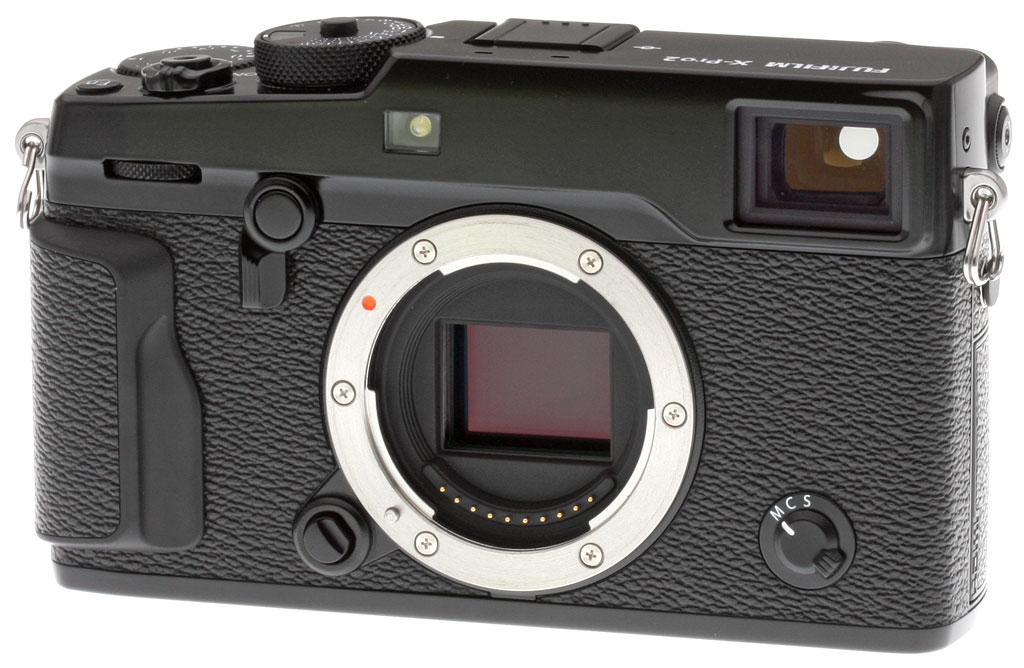
Some four years after the launch of that camera, the X-Pro2 made its debut, and thanks to comprehensive updates throughout it's even more of a beauty than its long-in-the-tooth sibling. Take a quick glance at the new model and you could be forgiven for thinking its an X-Pro1, as the basic layout of the front deck is very similar to that in the earlier camera. However, the presence of a control dial above the handgrip hints at the truth: This is an all-new body design.
Compared to its predecessor, the X-Pro2 has grown just a little in all dimensions. Save for a more generous handgrip which adds 3.4mm to the depth, you're not likely to notice the increase, however. Both body width and height have grown by a scant one millimeter. The increase in weight is rather more noticeable, though, at some 45 grams or ~11%.
Fuji X-Pro2 updates: Weather-sealing joins the feature list
Changes in the new body go far beyond the simple -- if very desirable -- addition of a front dial and more generous grip. Perhaps most importantly, the X-Pro2's four-piece magnesium alloy body now features no less than 61 different seals which help to prevent ingress of water splashes or dust. That's big news if you like to shoot in harsh environments, as is the ability to shoot in temperatures below freezing, to a minimum of 14°F (-10°C).

Tweaks to top-deck controls
Further reinforcing this camera's retro design aesthetic and helping to reinforce the impression of quality, both top-deck control dials are milled from aluminum, as is the viewfinder lever. Both dials have been changed from those in the earlier camera, though, with the X-Pro2's controls hinting at new capabilities of the uprated model. There's now a small window inset into the shutter speed dial which allows the user to quickly see not just shutter speed, aperture and exposure compensation with a glance at the top of the camera and attached lens, but also the ISO sensitivity.

You'll also notice a top shutter speed of 1/8,000 second, and a wider exposure compensation range of +/-3EV. (A "C" position on the EV dial provides access to an even wider range of +/-5EV.) More on those changes in a moment. And one other change of note on the top deck is the addition of a twin-hole stereo microphone just in front of the hot shoe, relocated from its earlier position on the front of the camera in the X-Pro1.
The X-Pro2's rear deck has been totally overhauled
It's the rear of the X-Pro2 which sports the most changes, however. For one thing, the LCD monitor now sits at the very left of the camera body, leaving more room for controls at right of the screen. The autoexposure and autofocus lock functions now have their own separate buttons, and there's a new joystick control used to make autofocus point selections. The dedicated Drive button of the earlier camera has been removed, with its functionality rehomed on the top button of the four-way controller, a position that was previously used to access macro shooting.

An updated on-screen GUI, as well
And it's not just the external controls which have been tuned for better operation, either. There's a new My Menu feature which allows users to choose 16 of their most frequently-used options for quick access. Coupled with the 16 options from the existing Quick Menu, this takes X-Pro2 users up to a total of 32 speedy shortcuts.

X-Pro2: A brand-new imaging pipeline
Of course, the changes go well beyond just the user interface and newly weather-sealed body. The X-Pro2 boasts a brand-new imaging pipeline, for one thing. The 16.3-megapixel X-Trans image sensor which gave its predecessor such great image quality has been replaced with a newer and significantly higher-resolution 24.3-megapixel X-Trans CMOS III image sensor.
It still features the same unique color filter array shared by Fuji's other X-Trans imagers, which is designed to resist the unsightly moiré artifacts which can plague standard Bayer-sensored cameras. The new sensor also now includes on-chip phase detection autofocus pixels.
A healthy step forwards in performance
Output from the new sensor is handled by a new X-Processor Pro-branded image processor which offers a big step forwards on the performance front. Startup time is said to have been reduced by 0.1 seconds to just 0.4 seconds, and burst performance has risen from six to a new high of eight frames per second. Shutter lag is manufacturer-rated at just 0.05 seconds, and autofocus performance at as little as 0.08 seconds.
The improvement in burst performance comes paired with a much greater buffer size, as well. Where the X-Pro1 was limited to just 11 raw or 18 JPEG frames in a burst, the X-Pro2 will now yield as many as 27 uncompressed raw or 83 JPEG frames in a burst. (And if you enable the new losslessly-compressed raw option, you can get several more frames in the buffer for a maximum of 33 raw images in each burst.)
These are all Fujifilm's numbers, though, some of which are likely measured internally or require non-default settings. See our Fuji X-Pro2 Performance page to see how the camera performed in our standard lab tests.

An even wider sensitivity range
Together, the new image sensor and processor also yield a wider sensitivity range. By default, the X-Pro2 offers sensitivity from ISO 200 to 12,800 equivalents, where the X-Pro1 topped out at ISO 6400 equivalent. Enabling the X-Pro2's expanded sensitivity range gives access to everything from ISO 100 to 51,200 equivalents, which matches the bottom end of the X-Pro1's expanded range, but bests the earlier camera's upper limit of ISO 25,600 equivalent. And unlike its predecessor and other previous Fuji mirrorless cameras, the X-Pro2 lets you record in raw format across the entire extended ISO range.

Much-improved autofocus capabilities
If there was an Achilles heel in the earlier X-Pro1, it was probably autofocus performance. There are no such worries with the X-Pro2, thanks to a completely overhauled AF system. As noted earlier, the primary change here is the addition of on-chip phase detection autofocus pixels. This allows a hybrid autofocus system pairing the speed of phase detection with the accuracy of contrast detection, and that's reflected in the claimed autofocus speed of as little as 0.08 second. (In our lab tests, the X-Pro2 managed a full AF shutter lag of only 0.057 second in single-area AF mode, a huge improvement over the X-Pro1's 0.369 second result.)
A doubling of autofocus readout speed doubtless plays a big part here, too. The X-Pro2 is, says Fujifilm, now fast enough to provide for motion-predictive autofocus tracking during continuous shooting at rates of up to eight frames per second.
The system is also far more point-dense than in the earlier camera. Where the Fuji X-Pro1 had just 49 contrast-detection autofocus points, the X-Pro2 provides a whopping 273 AF points, 169 of which are phase-detection points. The phase-detection pixels cover an area spanning some 40% of the image frame.

An even better Hybrid Viewfinder
One of the features with which we were the most taken when shooting with the original X-Pro1 was its viewfinder, and the X-Pro2 retains the basic concept while making some key improvements in this area. The new Advanced Hybrid Multi Viewfinder in the X-Pro2 still provides a user-switchable choice of optical and electronic viewfinders, but the latter is now based around an even higher-resolution 2.36-million dot panel, versus the 1.44-million dot unit of the X-Pro1. Manufacturer-rated accuracy for the optical viewfinder has also improved just slightly to 92%, and the finder now has a more generous eyepoint of 16mm.

That's not all, though. There have also been some operational enhancements to the new finder, including the ability to automatically change the bright frame in optical viewfinder mode to match the focal length of the mounted lens, and there's also now an electronic rangefinder function which displays an electronic viewfinder image on top of the optical viewfinder. Add in a swift refresh rate of up to 85 frames per second for smoother motion, and the X-Pro2's new viewfinder is even more of a joy to use.
Fuji X-Pro2 advantage: Higher-resolution display, too
Obviously the typical X-Pro2 shooter will likely spend most of their time using that clever viewfinder, but when it comes time for chimping -- or if you want to shoot at arm's length -- you'll need to rely on the rear-panel display instead. Here, there's still a 3.0-inch diagonal with a 3:2 aspect ratio, but the resolution of the LCD has been boosted from 1.23 to 1.62 million dots.

Plenty more changes, too
As you'd expect in a camera like this, the X-Pro2 caters to experienced photographers with a full complement of exposure modes and physical controls for the key exposure variables. There have been quite a few changes in this department, too, though.
We've already mentioned the exposure compensation dial, which now has a +/-3EV range instead of +/-2EV, and which gives access to a broader +/-5EV range when set to the "C" position. Exposure bracketing, too, has been tweaked for a greater range, though, with a step size between exposures of as much as 2EV. (The X-Pro1 had a 1EV limit.)

You can also now bracket white balance, in addition to the existing exposure, sensitivity, dynamic range and film simulation bracketing functions of the earlier camera. And in the exposure department, the existing 256-zone multi, spot and average metering options are joined by a new center-weighted metering mode.
There's also a significantly faster maximum shutter speed of 1/8,000-second, where the X-Pro1 was limited to 1/4,000 second or slower. (The slowest shutter speed of 30 seconds plus a one hour-limited bulb exposure function remain unchanged.) If you need even faster, though, there's now an electronic shutter function which tops out at a whopping 1/32,000-second. And flash fans will be pleased to see that X-sync is now at 1/250 second in the X-Pro2, where the X-Pro1 had a 1/180-second limit.
And as if that wasn't already plenty, there's now an interval timer function that can shoot sequences of up to 999 frames, with anywhere from one second to 24 hours between exposures. There's also a new grain effect function and an additional film simulation which replicates the look of Fuji's ACROS film, which it says provides "smooth tones, deep blacks and rich textures".

X-Pro2 Video: Much more capable movie shooting
One area in which the original Fuji X-Pro1 was rather limited was in movie capture. With only an internal microphone and a fixed capture rate of 24 frames per second, movie capture was clearly not a primary goal of the design. With the X-Pro2 that changes, as the company has not only brought the frame rate up to a maximum of 60 fps at Full HD (1,920 x 1,080 pixels) or HD (1,280 x 720 pixels), but also offers reduced 50p, 30p, 25p and 24p frame rates as well as an external microphone jack.

Get your photos onto your phone with ease
Another must-have feature in a 2016 camera is wireless communication, which makes it quick and easy to get photos online for your friends, family and colleagues to see on social networks. Where the X-Pro1 lacked any wireless communications, the X-Pro2 sports in-camera Wi-Fi wireless networking. You can not only transfer images post-capture via 802.11b/g/n Wi-Fi, but also control the camera remotely using a free app for Android and iOS devices.
Storage and connectivity have improved, too
Fujifilm has also revised both storage and wired connectivity in the X-Pro2. There is, of course, still a hot shoe for external strobes (as well as a sync terminal), and we've already mentioned the new microphone jack which doubles as a shutter release input. Those are joined by both USB 2.0 data connectivity as in the earlier camera, and a high-definition HDMI video output. However the USB port is now compatible with Fuji's RR-90 Remote Release, and the HDMI port has switched to the smaller Micro (Type D) connector, as compared to the Mini (Type C) connector of the earlier camera.

There are also two flash card slots in the new camera, as opposed to the single slot of the earlier model. As in that camera, fast UHS-I SD cards are supported, as well as higher-capacity SDHC / SDXC types. However, if you have a UHS-II card, fear not -- that too is supported, but only in the primary card slot.

Power still comes courtesy of a proprietary NP-W126 lithium ion rechargeable battery pack, just as in the earlier camera. It's a little tricky to compare the battery life rating, however, as the X-Pro1 was rated for 300 shots on a charge without specifying if this was for the optical or electronic viewfinder. With the X-Pro2, you can expect to manage a manufacturer-rated 350 frames on a charge using the optical finder, or 250 shots with the electronic viewfinder. The X-Pro2 comes with a dedicated battery charger and in-camera USB charging is unfortunately not supported.
X-Pro2: Price and availability
The Fujifilm X-Pro2 was initially slated to begin shipping in the US market from February 2016, but first shipments were delayed slightly into March. Body-only pricing is set at around US$1,700.
In the Box
The Fuji X-Pro2 retail box ships with the following items:
- X-Pro2 camera body
- Body cap
- NP-W126 lithium-ion rechargeable battery pack
- BC-W126 battery charger
- Hot shoe cover
- Shoulder strap
- Metal strap clips with leatherette protective covers
- Clip attaching tool
- Sync terminal cap
- Instruction manual
Recommended Accessories
- An assortment of X-mount lenses, if you don't already have any
- Extra NP-W126 lithium-ion rechargeable battery pack for extended outings
- Large capacity SDHC/SDXC memory cards. Given the high resolution and large file sizes of the X-Pro2, 32GB is a good tradeoff between cost and capacity. If you plan to capture HD movie clips, shoot image bursts, or shoot in RAW format, look for cards with UHS-I or UHS-II markings. UHS-II cards will be the fastest option.
- M mount adapter (to use Carl Zeiss, Leica, Voigtland and Ricoh M-mount lenses)
- External shoe mount flash (EF-X20, EF-42 or EF-20) or other accessory flash
- RR-90 wired remote release
- Medium to large camera bag
Optics
The Fujifilm X-Pro2 is sold body-only, so we have no "kit" lens results for you here. We do however present our viewfinder accuracy tests below.
Viewfinder Test Results
Accuracy
Good accuracy from the electronic viewfinder and LCD monitor, though the hybrid optical viewfinder isn't as accurate.


The Fuji X-Pro2's electronic viewfinder and LCD monitor proved fairly accurate, both showing about 98% coverage. The hybrid optical viewfinder's framing guides actually provide improved coverage over the X-Pro1 at about 96% instead of just under 86%, but parallax correction is poor, resulting in quite an offset both horizontally and vertically compared to the captured image in our test. The amount of parallax error will of course change with subject distance, though, with greater distances showing less framing error. (The above hybrid optical viewfinder test shot was taken at a distance of approximately 11 feet.)
The images above were taken from our standardized test shots. For a collection of more pictorial photos, see our Fujifilm X-Pro2 Photo Gallery .
Exposure
Color
Saturation & Hue Accuracy
Typical saturation levels with excellent hue accuracy.
 |
||||
|
ISO Sensitivity
|
||||
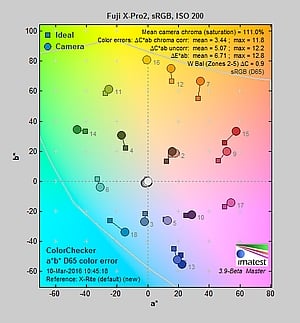
| In the diagram above, the squares show the original color, and the circles show the color that the camera captured. More saturated colors are located toward the periphery of the graph. Hue changes as you travel around the center. Thus, hue-accurate, highly saturated colors appear as lines radiating from the center. Mouse over the links to compare ISOs and click for larger versions. | ||||
Saturation. The Fuji X-Pro2 produces images with fairly bright, pleasing colors using the standard film simulation (Provia) at default settings. The camera pushes most colors by a small amount, dark red, orange and dark green by moderate amounts, but undersaturates aqua by just a bit. Default mean saturation at the base ISO of 200 was 111.0% (11% oversaturated), which is close to average these days. You can of course tweak saturation and/or select a different film simulation mode if the default is not to your taste. Mean saturation fell only slightly as ISO increased, ending up at 108.1% at the maximum extended ISO. Most consumer digital cameras produce color that's more highly saturated (more intense) than found in the original subjects. This is simply because most people like their color a bit brighter than life.
Skin tones. The Fuji X-Pro2 rendered pleasant Caucasian skin tones that were just a touch on the pinkish side when white balance was adjusted to match the light source at base ISO, because of the moderate push in reds. Results were quite pleasing, though, with a healthy look. (Here, too, the X-Pro2's saturation and/or film mode options may come into play for some users, letting them tweak the color of skin tones if they find the default rendering a bit too saturated for their personal tastes. Note that Fujifilm claims their Astia film simulation produces "true-to-life" skin tones.) Where oversaturation is most problematic is on Caucasian skin tones, as it's very easy for these "memory colors" to be seen as too bright, too pink, too yellow, etc.
Hue. The Fuji X-Pro2 produced only a few color shifts relative to the ideal reproduction of hues, and has excellent hue accuracy overall, with less of an orange to yellow shift compared to its predecessor, and no discernible yellow to green shift that we often see. The largest shift is in cyan toward blue, however we think it's a deliberate choice by camera engineers to produce better-looking sky colors. Average "delta-C" color error after correction for saturation at base ISO was only 3.44 (lower numbers are better), which is excellent, and hue accuracy remained better than average across the ISO range. Hue is "what color" the
color is.


Sensor
Exposure and White Balance
Indoors, incandescent lighting
Auto and Incandescent white balance were quite warm, but very good results with the Manual setting. Above average exposure compensation required.


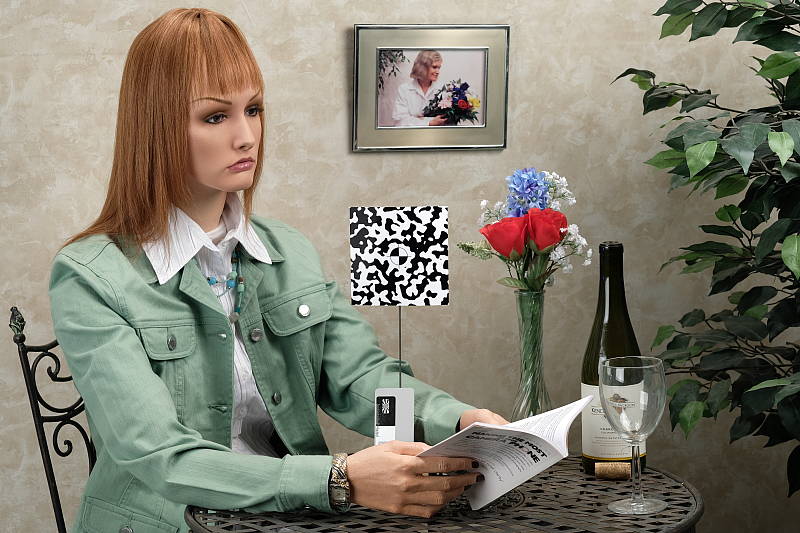
Indoors, under typical incandescent lighting, color balance was quite warm using the Auto setting, with a fairly strong reddish cast. Results with the Incandescent white balance setting were also very warm, with a strong yellow/orange cast. The Manual white balance setting was quite accurate, though. The Fuji X-Pro2 required +0.7 EV exposure compensation here, while most cameras need about +0.3 EV for this scene. Our test lighting for this shot is a mixture of 60 and 100 watt household incandescent bulbs, a pretty yellow light source, but a very common one in typical home settings here in the U.S.
Outdoors, daylight
Very good color outdoors, though the camera tended to overexpose.
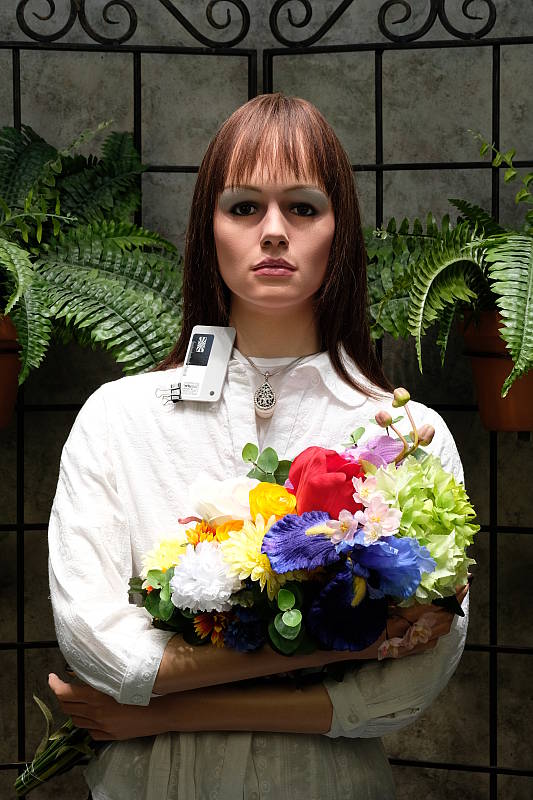
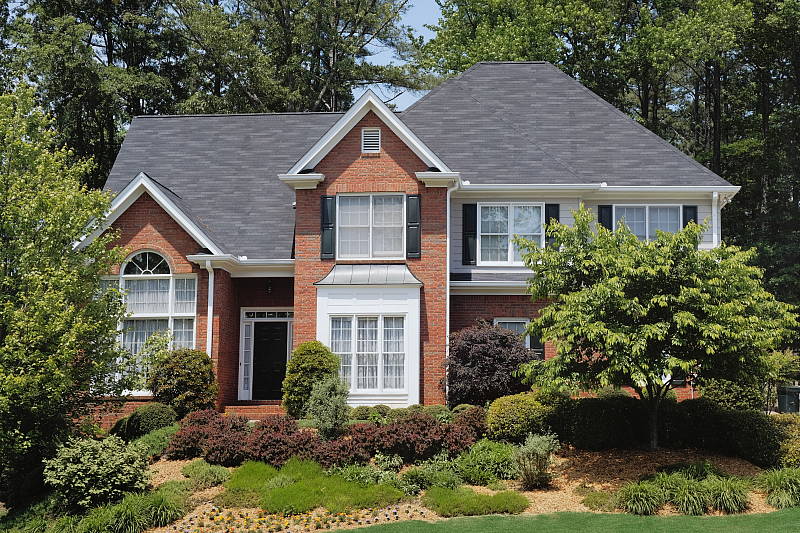
Outdoors, the Fuji X-Pro2 produced very nice color at default settings. The X-Pro2's default exposure was a bit too bright in our "Sunlit" Portrait shot when using Manual white balance (interestingly Auto and Daylight white balance weren't quite as bright even though WB was all that was changed). This is still better than average, though, as most cameras need +0.7 EV to keep the face bright for this shot, but it did lead to a lot of blown highlights in the mannequin's shirt and flowers. Skin tones were pleasing, with a healthy-looking pinkish cast that's not too overdone with Manual white balance, and Auto wasn't much different (just a touch cooler though as mentioned not quite as bright for some reason). The Fuji X-Pro2 also overexposed our high-contrast Far-field shot, blowing quite a few highlights at default exposure, and some shadows are quite dark as well. Very deep shadows contain good detail, but are noisy, posterized and are abruptly clipped to black. Color was very pleasing with the Auto white balance setting. See the "Extremes: Sunlit..." section below to see how the X-Pro2's Highlight/Shadow Tone and D-Range settings deal with harsh lighting like this.
See full set of test images with explanations
See thumbnails of all test and gallery images
Resolution
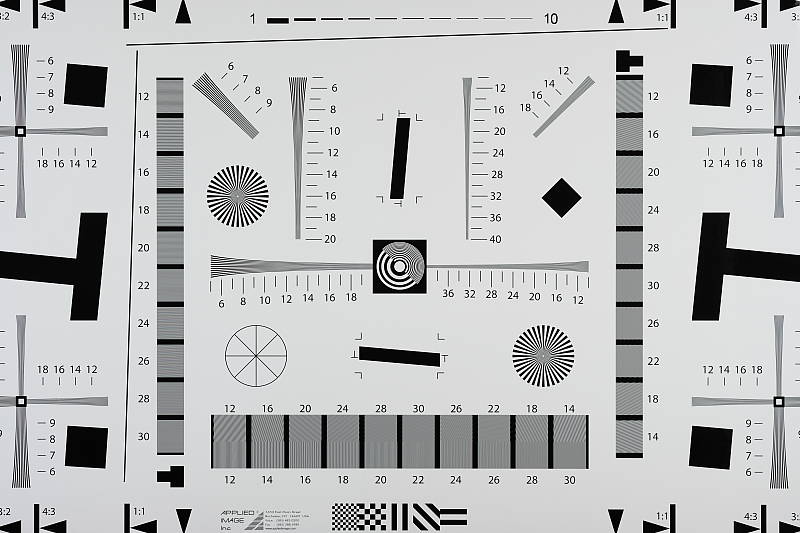
~2,900 lines of strong detail from JPEGs, about the same from ACR converted RAW.
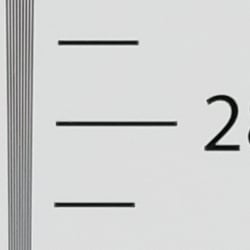

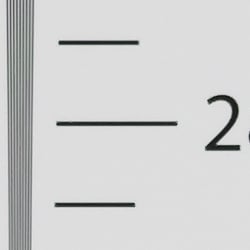
Our in-camera JPEG resolution chart revealed sharp, distinct line patterns up to about 2,900 lines per picture height in the horizontal direction, and to about 2,900 lines per picture height in the vertical direction as well. Some may argue for higher numbers, but lines begin to merge and are not very distinct at higher resolutions. Complete extinction of the pattern didn't occur before the 4,000 line limit of our chart in both directions. Adobe Camera Raw wasn't able to extract any additional resolution, however it did produce lower amounts of luma moiré near the limits of resolution. As expected, ACR produced very low amounts of chroma moiré even though it normally produces higher from Bayer-filtered cameras, thanks to the X-Trans sensor's irregular color filter pattern. Use these numbers to compare with other cameras of similar resolution, or use them to see just what higher resolution can mean in terms of potential detail.
See full set of test images with explanations
See thumbnails of all test and gallery images
Sharpness & Detail
Slightly soft images at default settings, with only minor edge-enhancement artifacts appearing around high-contrast subjects. Mild noise suppression is visible in the shadows at base ISO.


Sharpness. The Fuji X-Pro2 captures slightly soft images by default, though there are still some minor edge enhancement artifacts visible along high-contrast edges such as the relatively thin sharpening "halos" around the lines and letters of the bottle label above left. Default sharpening seems to be a touch stronger than some prior X-Trans models, but still quite conservative. Edge enhancement creates the illusion of sharpness by enhancing colors and tones right at the edge of a rapid transition in color or tone.
Detail. The crop above right shows low levels of luminance noise suppression, as the darker areas of the model's hair still show a pretty good amount of detail. Some individual strands do merge together when local contrast is low and as shadows deepen, but performance here is very good for an APS-C sensor. The Fuji X-Pro2 does a great job at keeping chrominance noise low as well, better than most Bayer-filtered cameras, but it can struggle to resolve fine detail or accurate color in certain fine subject matter because of its unique color filter arrangement. Noise-suppression systems in digital cameras tend to flatten-out detail in areas of subtle contrast. The effects can often be seen in shots of human hair, where the individual strands are lost and an almost "watercolor" look appears.
RAW vs In-Camera JPEGs
As noted above, the Fuji X-Pro2 produces slightly soft JPEG images but with very good detail at default settings. Let's see how an Adobe Camera Raw conversion with relatively strong unsharp mask sharpening compares.
|
Base ISO (200)
|
|
 |
 |
 |
 |
 |
 |
|
Camera JPEG, defaults
|
RAW via Adobe Camera Raw
|
In the table above, we compare an in-camera JPEG taken at base ISO (200) using default noise reduction and sharpening (on the left) to the matching RAW file converted with Adobe Camera Raw 9.1 via DNG Converter 9.6 using default noise reduction with quite strong but tight unsharp masking applied in Photoshop. (We've found that the X-Pro2's RAW files are softer than previous Fuji X-series models, at least when converted in ACR, so we needed to use fairly strong sharpening to get images to look reasonably crisp. In this case, we used USM of 400%, radius of 0.3 pixels, and a threshold of 0.)
Adobe Camera Raw does a pretty good job here, but doesn't extract significantly more detail than the camera does, though contrast and subtle detail in the our red-leaf fabric is better. There is a touch more detail in the mosaic crop and perhaps more accurate colors, but nothing really to write home about. The strong sharpening required to keep images reasonably sharp does tend to exacerbate noise, though, as can be seen in the background of the first set of crops, however that can be mitigated by experimenting with the sharpening settings, or using some luminance noise reduction. Bottom line: Fuji's in-camera processing is excellent, and there isn't much advantage to shooting RAW in terms of detail reproduction, at least with Adobe Camera Raw and at low ISOs.
ISO & Noise Performance
Excellent high ISO performance for an APS-C sensor.
|
Default High ISO Noise Reduction
|
 |
 |
 |
| ISO 100 | ISO 200 | ISO 400 |
 |
 |
 |
| ISO 800 | ISO 1,600 | ISO 3,200 |
 |
 |
 |
| ISO 6,400 | ISO 12,800 | ISO 25,600 |
 |
||
| ISO 51,200 | ||
The Fuji X-Pro2's images are quite clean with good detail up to ISO 800, with low, fine-grained luma noise and almost no chroma noise. At ISO 1,600, noise reduction efforts are a little stronger as you'd expect, but fine detail is still very good. ISO 3,200 shows a stronger increase in noise and blurring, but fine detail remains pretty good. At ISO 6,400 luminance noise becomes more noticeable along with noise reduction artifacts, though noise still fairly fine-grained, and chroma noise is still well-controlled. Image quality drops off more rapidly at ISO 12,800 and above, with progressively more visible grain, stronger blurring and more noticeable noise reduction artifacts. Fine detail at ISOs 25,600 and 51,200 is quite soft with heavy luminance noise accentuated by sharpening artifacts, as well as chrominance noise in the form of large yellow and purple blotches. Still, noise performance in high ISO JPEGs is excellent, among the best we've seen from an APS-C sensor.
We're pixel-peeping to the extreme here though, which isn't always representative of what you see in prints. As always, see the Print Quality section below for maximum recommended print sizes at each ISO.
Extremes: Sunlit, dynamic range and low light tests
Mediocre dynamic range in JPEGs at default settings. Very good low-light performance.


Sunlight. The Fuji X-Pro2 struggled with the harsh lighting of this test at default settings at the base ISO of 200 (which should be best case). We preferred the default exposure overall, because the exposure at +0.3 EV exposure compensation was too bright with far too many clipped highlights. Even at default exposure (0 EV), quite a few highlights were blown in the mannequin's shirt and flowers. There are quite a few dark shadows as well, and very deep shadows are somewhat posterized and clip to black rather abruptly, likely in an attempt to hide noise. Overall, the Fuji X-Pro2's JPEGs performed below average here without any highlight and shadow adjustments, nor any dynamic range enhancement (see below).
The good news is the blown highlights and clipped shadows in the above test scene were easily recoverable in the RAF RAW files, even at +1.0 EV, so dynamic range captured in the X-Pro2's RAW files appears to be excellent.
Because digital cameras are more like slide film than negative film (in that they tend to have a more limited tonal range), we test them in the harshest situations to see how they handle scenes with bright highlights and dark shadows, as well as what kind of sensitivity they have in low light. The shot above is designed to mimic the very harsh, contrasty effect of direct noonday sunlight, a very tough challenge for most digital cameras. (You can read details of this test here.)
Contrast Adjustment
The Fuji X-Pro2 does not offer a traditional contrast adjustment. Instead, it offers Shadow and Highlight Tone settings, which let you adjust contrast in highlights and shadows independently. There are five settings each: "Soft", "Medium Soft", "Standard" (default), "Medium Hard", and "Hard."
| Far-field Highlight and Shadow Tone Comparison | ||
 |
||
Shadow and Highlight Tone. Above you can see the effects of three of the five settings for Highlight and Shadow Tone control on our high-contrast Far-field shot. Mouse over the links to load the associated thumbnail and click on the links to visit the full resolution image.
Note how the Highlight settings mainly affect the brighter portions of the image, while the Shadow settings impact the darker areas. Both settings can be used simultaneously, giving more flexibility to tune the tone curve at both ends compared to a single contrast setting, though we wish the range of adjustment toward lower contrast was greater as highlights and particularly shadows are still clipped with the "softest" settings.


D-Range is Fuji's name for their dynamic range enhancement technology. D-Range designed to preserve hot highlights, by exposing for highlights and then boosting mid-tones and shadows. There are three levels: DR100 100% (default), DR200 200%, DR400 400%, as well as an Auto mode which can select DR100 or DR200. DR200 is available at ISO 400 and above, while DR400 is available at ISO 800 and above, so all the examples above were taken at ISO 800. Mouse over the links above to load the corresponding thumbnail image. Click on the links to get to the full resolution images.
As you can see the images above, the Fuji X-Pro2's higher D-Range settings were very effective at retaining clipped highlights in our Far-field shot. As they say, though, there's no free lunch, because improved highlight retention comes at a cost of increased noise. This is because the camera's sensitivity needs to be raised to take advantage of the D-Range feature, though that's not much of penalty because the X-Pro2's high ISO performance is so good. (Note that the Fuji X-Pro2 does not offer a multi-shot in-camera HDR mode.)
Dynamic Range Analysis
A key parameter in a digital camera is its Dynamic Range, the range of brightness that can be faithfully recorded. At the upper end of the tonal scale, dynamic range is dictated by the point at which the RGB data "saturates" at values of 255, 255, 255. At the lower end of the tonal scale, dynamic range is determined by the point at which there ceases to be any useful difference between adjacent tonal steps. Note the use of the qualifier "useful" in there: While it's tempting to evaluate dynamic range as the maximum number of tonal steps that can be discerned at all, that measure of dynamic range has very little relevance to real-world photography. What we care about as photographers is how much detail we can pull out of the shadows before image noise becomes too objectionable. This, of course, is a very subjective matter, and will vary with the application and even the subject matter in question. (Noise will be much more visible in subjects with large areas of flat tints and subtle shading than it would in subjects with strong, highly contrasting surface texture.)
What makes most sense then, is to specify useful dynamic range in terms of the point at which image noise reaches some agreed-upon threshold. To this end, Imatest computes a number of different dynamic range measurements, based on a variety of image noise thresholds. The noise thresholds are specified in terms of f-stops of equivalent luminance variation in the final image file, and dynamic range is computed for noise thresholds of 1.0 (low image quality), 0.5 (medium image quality), 0.25 (medium-high image quality) and 0.1 (high image quality). For most photographers and most applications, the noise thresholds of 0.5 and 0.25 f-stops are probably the most relevant to the production of acceptable-quality finished images, but many noise-sensitive shooters will insist on the 0.1 f-stop limit for their most critical work. A full discussion of all the data Imatest produces is really beyond the scope of this review: Visit the Imatest website for details of what the program measures, how it performs its computations, and how to interpret its output.
Note: Recently, we've switched to using DxOMark's dynamic range results because some cameras were exceeding what could measured with a Stouffer T4110 step chart, but DxOMark does not publish results for Fuji X-Trans sensors, probably because they don't support RAW files from those sensors which require more complex demosaicing than standard Bayer-filtered models. So, here we're showing our Imatest results at base ISO (best case). Note that Imatest's Quality Level threshold of Low corresponds to DxOMark's dynamic range signal-to-noise (SNR) threshold of 1.0.
 JPEG. The graph at right (click for a larger version) was generated using Imatest's dynamic range analysis for an in-camera Fuji X-Pro2 JPEG file with a nominally-exposed density step target (Stouffer T4110). At default settings and native base ISO of 200, the results show 9.04 f-stops of total dynamic range, however the range at the "Low" quality threshold is still 9.04 stops and at the "High" threshold, it drops down to only 7.0 stops. These scores are below average for an APS-C model and confirm the mediocre dynamic range in JPEGs mentioned previously, but keep in mind we didn't enable any of the Fuji X-Pro2's dynamic range enhancement features for this test. The gaps in the density response chart at the low end also reflect the posterization seen in very deep shadows of the X-Pro's JPEGs.
 RAW. The graph at right is from the same Stouffer T4110 stepchart image captured as a raw (.RAF) file, processed with Adobe Camera Raw using the Auto setting, then tweaked from there for best results. As can be seen, the score at the highest quality level increased significantly compared to the in-camera JPEG, from 7.0 to 9.22 f-stops, and total dynamic range improved even more from 9.04 to 13.1 f-stops. At the "Low" quality level (matching DxOMark's threshold), total dynamic range is still available (13.1 f-stops). These results are very similar to the Imatest scores Fuji's previous generation 16-megapixel X-Trans sensor scored. This is good performance for an APS-C sensor, if not quite as good as the best which can exceed 14 f-stops, but keep in mind these results are not normalized to a standard print size like the scores we use from DxOMark, which would give a higher resolution 24-megapixel sensor like the X-Pro2's a noise advantage over the previous 16-megapixel sensor when normalized.
| 1 fc 11 lux |
1/16 fc 0.67 lux |
1/16 fc No NR |
|
|---|---|---|---|
| ISO 200 |
 1.3s, f2.8 |
 20s, f2.8 |
 20s, f2.8 |
| ISO 3200 |
 1/13s, f2.8 |
 1.3s, f2.8 |
 1.3s, f2.8 |
| ISO 12800 |
 1/50s, f2.8 |
 0.3s, f2.8 |
 0.3s, f2.8 |
Low Light. The X-Pro2 performed very well in our low light tests, able to capture bright images down to the lowest light level we test at. The darkest level equates to about 1/16 the brightness of average city street lighting at night, so the Fuji X-Pro2 should be able to take well-exposed photos in almost any environment in which you can see well enough to walk around in.
Using the default high ISO noise reduction setting, noise is low at ISO 200 and very well-controlled at ISO 3200. The maximum native ISO of 12,800 is of course noisier, but the noise "grain" is very fine and the images are still very usable. We didn't notice any significant issues with hot pixels, heat blooming or banding (fixed pattern noise).
Automatic color balance performed well in low light, just a touch cool at one foot-candle shifting to a bit warmer at 1/16 foot-candle.
Low Light AF: The Fuji X-Pro2's hybrid autofocus system was able to focus in extremely low light. With our low-contrast AF target, the camera was able to focus down to well below the 1/16 foot-candle light level unassisted with an f/2.8 lens, which is very good, though results varied from about -3 EV to -4 EV in different trials. With our new high-contrast AF target, the X-Pro2 was able to repeatedly autofocus down to about -4.5 EV unassisted, which is excellent. The Fuji X-Pro2 also has a built AF assist lamp, which lets it autofocus in complete darkness as long as the subject is in range and has sufficient contrast.
How bright is this? The one foot-candle light level that this test begins at roughly corresponds to the brightness of typical city street-lighting at night. Cameras performing well at that level should be able to snap good-looking photos of street-lit scenes.
NOTE: This low light test is conducted with a stationary subject, and the camera mounted on a sturdy tripod. Most digital cameras will fail miserably when faced with a moving subject in dim lighting. (For example, a child's ballet recital or a holiday pageant in a gymnasium.) Thanks to its larger sensor and Hybrid AF, compact system cameras like the Fuji X-Pro2 tend to do better than point & shoots, but you still shouldn't expect a quick autofocus lock with moving subjects.
Output Quality
Print Quality
Excellent 30 x 40 inch prints at ISO 100 & 200; a good 13 x 19 inch print at ISO 3200; and a good 5 x 7 inch print at ISO 25,600.
 ISO 100/200 each produce excellent, very natural and vibrant prints at 30 x 40 inches and larger, as large as you can go before running out of available resolution.
ISO 400 delivers a very sharp and vibrant print at 24 x 36 inches, with no artifacts of any kind visible at this print size.
ISO 800 also delivers a nice print at 24 x 36 inches. There is now a mild trace of noise in the flatter areas of our test target, but otherwise color reproduction and fine detail are still splendid. This is one of the best ISO 800 prints we've yet seen from a camera with an APS-C sensor. For super-critical printing needs, a reduction in size to 20 x 30 inches clears up even mild traces of noise in these few areas.
ISO 1600 yields 20 x 30 inch prints that are quite impressive for this ISO setting, with pleasing colors and good clarity throughout the image. There is a sign of mild noise in the flatter areas of our test target, similar to the 24 x 36 at ISO 800, as well as a typical softening of contrast detail in our tricky red-leaf fabric swatch, but otherwise a very nice print for this ISO. (Once again, a reduction in size, this time to 16 x 20 inches, yields a very clean print for those ultra-critical applications.)
ISO 3200 produces a 16 x 20 inch print that, like the sizes recommended at ISO 800 and 1600, is quite a capable size for this sensitivity setting. Similar evidence of minor noise exists in the shadow areas behind the bottles in our Still Life test target, although there is now virtually no contrast detail remaining in our red-leaf swatch. This print therefore almost passes our official "good" rating, and is certainly fine for less critical applications, but for print quality purposes we'll call 13 x 19 inch prints "good" here.
ISO 6400 prints are good at 11 x 14 inches. There is a trace of mild noise in the flatter areas of our target and the customary loss of detail in our red-leaf fabric swatch, but otherwise a very nice print for this ISO and sensor size.
ISO 12,800 allows for a good print at 8 x 10 inches, a rare feat for an APS-C camera and one of the best prints we've seen at this ISO for this camera class. There is still good color reproduction and detail with only mild issues apparent from noise reduction artifacts; a solid print overall.
ISO 25,600 delivers an 8 x 10 that almost passes our good seal, and is fine for less critical applications, while the 5 x 7 inch print here very much passes our good grade.
ISO 51,200 prints are rather amazing in that the 5 x 7 almost passes our good seal. This is, once again, quite rare for an APS-C camera. The 4 x 6 is quite good, and very much warrants our good seal of approval.
Do you like being able to crank the gain up to ISO 12,800 without a harsh penalty in image quality? If so, the Fuji X-Pro2 can deliver, being capable of a solid 8 x 10 inch print at that lofty ISO. While it certainly can't match strides with most full-frame offerings, it equals or bests most other cameras we've tested in the APS-C world for impressive print quality, and that's quite a feat given the current competition. What's also significant is that the X-Pro2 can make usable prints at every available ISO, and this is something we see from a relatively small percentage of cameras, even in the enthusiast category.
The images above were taken from our standardized test shots. For a collection of more pictorial photos, see our Fujifilm X-Pro2 Photo Gallery .
Not sure which camera to buy? Let your eyes be the ultimate judge! Visit our Comparometer(tm) to compare images from the Fujifilm X-Pro2 with those from other cameras you may be considering. The proof is in the pictures, so let your own eyes decide which you like best!
Performance
Timing and Performance
Excellent performance from the Fuji X-Pro2.
| Startup/Play to Record | ||
|---|---|---|
| Power on |
~1.1 seconds
|
Time it takes to turn on and capture a shot. |
|
Play to Record, |
~0.7 second
|
Time until first shot is captured. |
Power on to first shot was slightly faster than average for a mirrorless camera, but not as fast as most DSLRs. It's also difficult to accurately time, as there is a shutter pre-press penalty. Play to Record wasn't bad, but required two shutter button presses to capture an image.
| Shutter Response (Lag Time) | ||
|---|---|---|
|
Full Autofocus, |
0.057 second
|
Time from fully pressing shutter button to image capture, with the lens already at the proper focal distance setting. (All timing performed with the Fujinon 60mm f/2.4 Macro lens. ) |
| Manual Focus |
0.123 second
|
For most cameras, shutter lag is less in manual focus than autofocus, but usually not as fast as when the camera is "prefocused". |
|
Prefocused |
0.046 second
|
Time to capture, after half-pressing and holding shutter button. |
The Fuji X-Pro2's full autofocus shutter lag was much faster than average for a mirrorless camera in our lab tests. The Fuji X-Pro2 produced full-autofocus shutter lag (with the subject at a fixed distance) of only 0.057 second using Single Point AF mode (center) with the 60mm f/2.4 Macro ens. That's faster than most pro DSLRs! At first we thought this is because AF-S Release/Focus Priority defaults to Release Priority (instead of Focus Priority like most other brands that have such an option), but we retested with Focus Priority, and got very similar results.
Manual focus shutter lag was oddly slower, with an average of 0.123 second, and it varied a lot. Prefocused shutter lag was quick at only 0.046 second, though that's not much faster than full AF lag.
Interestingly, full AF and prefocused lag times increased when using the electronic shutter, to 0.081 and 0.068 second respectively, though manual focus lag time decreased to 0.080 second with a lot less variation.
To minimize the effect of different lens' focusing speed, we test AF-active shutter lag with the lens already set to the correct focal distance.
| Cycle Time (shot to shot) | ||
|---|---|---|
| Single Shot mode |
< 0.3 second
|
Time per shot, averaged over a few frames (we no longer test for buffer depths in single-shot mode). |
|
Single Shot mode |
0.34 second
|
Time per shot, averaged over a few frames (we no longer test for buffer depths in single-shot mode). |
| Early shutter |
Yes
|
Some cameras don't snap another shot if you release and press the shutter too quickly in Single Shot mode, making "No" the preferred answer. |
|
Continuous High |
0.12 second (8.16 frames per second);
62 frames total; 5 seconds to clear* |
Time per shot, averaged over buffer length of 62 frames. Then slows to an average of 0.20s or 4.97 fps when buffer is full. |
| Continuous High |
0.12 second (8.16 frames per second);
28 frames total; 11 seconds to clear* |
Time per shot, averaged over buffer length of 28 frames. Then slows to an average of 0.5s or 1.99 fps when buffer is full. |
|
Continuous High |
0.12 second (8.16 frames per second);
28 frames total; 15 seconds to clear* |
Time per shot, averaged over buffer length of 28 frames. Then slows to an average of 0.66s or 1.51 fps when buffer is full. |
| Flash Recycling |
N/A
|
Flash at maximum output. (No built-in or bundled flash.) |
|
*Note: Buffer clearing times measured with a SanDisk Extreme Pro 280MB/sec UHS-II card. Slower cards will produce correspondingly slower clearing times. Slow cards may also limit length of bursts in continuous mode. ISO sensitivity and noise reduction settings can also affect cycle times and burst mode performance.
|
||
Single-shot cycle times were so fast that they were difficult to accurately measure as they depend on the tester's dexterity and ability to maintain an optimum rhythm, so your results may vary. (Note that we no longer test single-shot mode with just RAW files, as the results are usually somewhere in between JPEG and RAW+JPEG.)
The Fuji X-Pro2's Continuous High burst mode speed was quite good, at about 8.2 frames per second no matter the file type, slightly exceeding Fuji's 8.0 fps spec. There is also a Continuous Low mode rated at 3.0 fps, but we did not test that in the lab.
Full-resolution buffer depths were excellent when shooting best quality JPEGs, at 62 frames with our difficult to compress target. You may do even better with typical subjects. When shooting uncompressed RAW or RAW+JPEG files, the buffer depth dropped to 28 frames, which is still quite good. Buffer clearing was a fairly quick considering the buffer depths and resolution. With a fast UHS-II card, we measured 5 seconds after a max-length burst of JPEGs, 11 seconds after a maximum burst of uncompressed RAW, and 15 seconds after max-length burst of uncompressed RAW+JPEG frames.
Switching to lossless compressed RAF files had almost no effect on burst speed or buffer depth in RAW and RAW+JPEG modes, however clearing times improved to 7 and 10 seconds respectively.
Bottom line, the Fuji X-Pro2's performance was generally excellent with a decent startup time, super fast autofocus, low shutter lag and a fast 8.2 fps burst mode with good to excellent buffer depths.
Battery
Battery Life
Decent battery life for a mirrorless camera.
| Still Capture with XF 35mm f/1.4 lens |
Battery Life, Shots Standard / High Performance / Economy |
|---|---|
|
LCD Monitor
|
280 / 250 / 330
|
|
Electronic Viewfinder
|
250 / 210 / 330
|
|
Optical Viewfinder
|
350 / 350 / 380
|
The Fuji X-Pro2 uses a custom NP-W126 rechargeable lithium-ion battery pack for power, and comes with both a single battery and a dedicated charger. Fuji provides battery life numbers for when using the LCD monitor, electronic viewfinder and optical viewfinder, as well as for Standard, High Performance and Economy modes. CIPA-rated battery life is not bad for a mirrorless camera, particularly when using the optical viewfinder, but still no where near the typical prosumer DSLR. As is usually the case, we strongly recommend getting a second battery for your X-Pro2.
The table above shows the number of shots the camera is capable of (on a fully-charged rechargeable battery), based on CIPA battery-life and/or manufacturer standard test conditions.
(Interested readers can find an English translation of the CIPA DC-002 standards document here. (180K PDF document))
Image Quality
Below are crops from our laboratory Still Life target comparing Fuji X-Pro2 image quality to its predecessor, the X-Pro1, as well as against several premium mirrorless models at similar or lower price points: the Olympus PEN-F, Panasonic GX8, Sony A6300 and Sony A7 II. The Sony A7 II is the only full-frame model in this comparison, but we decided to include it because it sells for about the same price as the X-Pro2.
NOTE: These images are from best quality JPEGs straight out of the camera, at default settings including noise reduction and using the camera's actual base ISO (not extended ISO settings). All cameras in this comparison were shot with our very sharp reference lenses. Clicking any crop will take you to a carrier page where you can click once again to access the full resolution image as delivered straight from the camera. For those interested in working with the RAW files involved, click these links to visit each camera's respective sample image thumbnail page: Fuji X-Pro2, Fuji X-Pro1, Olympus PEN-F, Panasonic GX8, Sony A6300, and Sony A7 II -- links to the RAW files appear beneath those for the JPEG images, wherever we have them. And remember, you can always go to our world-renowned Comparometer to compare the Fuji X-Pro2 to any camera we've ever tested!
Fujifilm X-Pro2 vs Fujifilm X-Pro1 at Base ISO
 |  |
 |  |
 |  |
Fujifilm X-Pro2 at ISO 200 | Fujifilm X-Pro1 at ISO 200 |
The 24-megapixel Fuji X-Pro2 clearly resolves more detail in most areas than the 16-megapixel X-Pro1, but its predecessor does better with the subtle detail in our tricky red-leaf fabric. (The X-Pro2 manages to resolve some of the fine thread pattern which the X-Pro1 doesn't, interfering with the leaf pattern as well as producing lower contrast.) Noise levels appear comparable here at base ISO, perhaps just slightly higher from the X-Pro2. Interestingly, colors are more pleasing from the X-Pro2, as the X-Pro1 exhibits slight shifts from orange to yellow and yellow to green. Default sharpening appears to be a little higher from the X-Pro2 as well. | |
Fujifilm X-Pro2 vs Olympus PEN-F at Base ISO
|  |
|  |
|  |
Fujifilm X-Pro2 at ISO 200 | Olympus PEN-F at ISO 200 |
Here we compare the Bayer-filtered Micro Four Thirds Olympus PEN-F to the X-Trans-filtered APS-C X-Pro2. You would think the 24-megapixel X-Pro2 would have a noticeable resolution advantage over the 20-megapixel PEN-F here, but both cameras have similar resolutions on the vertical axis (4,000 vs 3,888 pixels) which is how this scene is framed, so the resolution difference is very minor and mostly boils down to different demosaicing algorithms. Luminance noise appears higher from the Fuji, but chrominance noise is higher from the Olympus. The Olympus produces a crisper image with higher contrast, though default sharpening also appears higher. The X-Pro2 resolves more fine detail in our red-leaf swatch though contrast is lower, while the PEN-F renders it smoother but with less detail, however the Olympus does better with thread patterns in the pink fabric. | |
Fujifilm X-Pro2 vs Panasonic GX8 at Base ISO
|  |
|  |
|  |
Fujifilm X-Pro2 at ISO 200 | Panasonic GX8 at ISO 200 |
Here's another comparison to a 20-megapixel Micro Four Thirds camera, this time the GX8 from Panasonic. Again, we see very similar resolving power because of the different aspect ratios. The Fuji image is however brighter and more vibrant, with better overall color as well. It also shows lower noise, both luma and chroma, and the noise "grain" looks more natural and less rectilinear in nature. However, the monk's attire in the mosaic crop is devoid of the specks of color present as a result of the offset printing process which the Panasonic at least hints at. Apart from color, the Panasonic does better with our tricky red-leaf and pink fabrics. | |
Fujifilm X-Pro2 vs Sony A6300 at Base ISO
|  |
|  |
|  |
Fujifilm X-Pro2 at ISO 200 | Sony A6300 at ISO 100 |
Here we compare APS-C sensors of the same pixel count and aspect ratio, with the main difference being X-Trans vs Bayer filtering, and in-camera processing. The Sony produces a much crisper, sharper image yet its sharpening algorithm avoids the noticeable halos around high-contrast edges the Fuji produces. Contrast is also higher from the Sony, especially in the red-leaf swatch, however it does contain some moiré patterns while the Fuji image does not. Luma noise is a bit higher from the Fuji, but again, chroma noise is much lower. Color is more pleasing from the Fuji, with less orange to yellow and yellow to green shift, but the Sony preserves much more of the coloration caused by offset printing in the mosaic label. | |
Fujifilm X-Pro2 vs Sony A7 II at Base ISO
|  |
|  |
|  |
Fujifilm X-Pro2 at ISO 200 | Sony A7 II at ISO 100 |
Here we compare the 24-megapixel APS-C X-Pro2 to the 24-megapixel full-frame Sony A7 II. This isn't really a fair comparison, but the A7 II body is available for roughly the same price and Fuji has claimed their X-Trans APS-C sensors offer full-frame image quality. Results are similar to the A6300 comparison with the Sony producing a sharper, crisper image but with lower noise and noticeable moiré patterns in the red-leaf swatch. Again, the Sony reproduces some of the offset printing colors in the mosaic crop and resolves much more of the thread pattern in the pink fabric, but overall color is warmer and generally more pleasing from the Fuji. | |
Fujifilm X-Pro2 vs Fujifilm X-Pro1 at ISO 1600
 |  |
 |  |
 |  |
Fujifilm X-Pro2 at ISO 1600 | Fujifilm X-Pro1 at ISO 1600 |
The resolution advantage of the X-Pro2 is still evident in more areas while producing better color and similar noise levels, but the X-Pro1 continues to do a better job rendering our tricky red-leaf fabric. | |
Fujifilm X-Pro2 vs Olympus PEN-F at ISO 1600
|  |
|  |
|  |
Fujifilm X-Pro2 at ISO 1600 | Olympus PEN-F at ISO 1600 |
The Fuji X-Pro2 starts to pull away from the Olympus PEN-F here at ISO 1600, with much lower chroma noise and fewer noise reduction artifacts. While contrast is and sharpness are a bit better from the Olympus, the PEN-F's default noise reduction starts to obliterate subtle detail in the mosaic crop and especially in the red-leaf fabric. | |
Fujifilm X-Pro2 vs Panasonic GX8 at ISO 1600
|  |
|  |
|  |
Fujifilm X-Pro2 at ISO 1600 | Panasonic GX8 at ISO 1600 |
Luminance noise levels are a little higher from the X-Pro2 in flatter areas, but again, chrominance noise is noticeably lower, and the noise "grain" remains more natural-looking than the GX8's. The Panasonic manages to hold onto a bit more detail in some areas thanks to its area-specific noise reduction, though noise reduction artifacts are more evident, and it blurs away subtle detail in our red-leaf swatch. The Fuji continues to produce a brighter, more vibrant image with better color. | |
Fujifilm X-Pro2 vs Sony A6300 at ISO 1600
|  |
|  |
|  |
Fujifilm X-Pro2 at ISO 1600 | Sony A6300 at ISO 1600 |
The Sony A6300 continues to produce a sharper, crisper, more contrasty image at ISO 1600. The offset printing coloration in the mosaic crop is no longer present in the A6300 image, suppressed by the Sony's noise reduction. The Sony appears to do better in the red-leaf swatch, however much of the detail is badly distorted and false. The A6300 definitely does better with detail in the pink fabric, however the X-Pro2 continues to deliver better overall color. | |
Fujifilm X-Pro2 vs Sony A7 II at ISO 1600
|  |
|  |
|  |
Fujifilm X-Pro2 at ISO 1600 | Sony A7 II at ISO 1600 |
Unsurprisingly, the full-frame Sony A7 II out-performs the X-Pro2 here at ISO 1600, with a cleaner, punchier, more detailed image although as mentioned previously, moiré patterns and noise reduction interfere with subtle detail in the red-leaf swatch. | |
Fujifilm X-Pro2 vs Fujifilm X-Pro1 at ISO 3200
 |  |
 |  |
 |  |
Fujifilm X-Pro2 at ISO 3200 | Fujifilm X-Pro1 at ISO 3200 |
Similar to the comparison of these two siblings at ISO 1600, the X-Pro2 still manages to resolve more high-contrast detail and renders more pleasing colors, but the X-Pro1 does noticeably better in our difficult red-leaf swatch, while producing slightly lower noise levels. | |
Fujifilm X-Pro2 vs Olympus PEN-F at ISO 3200
|  |
|  |
|  |
Fujifilm X-Pro2 at ISO 3200 | Olympus PEN-F at ISO 3200 |
The Fuji X-Pro2 is the overall winner here at ISO 3200, with better detail and fewer noise reduction artifacts than the Olympus PEN-F. Luminance noise from the X-Pro2 does appear a little higher, but chrominance noise is lower, and the Fuji hangs on to more fine detail in most areas. | |
Fujifilm X-Pro2 vs Panasonic GX8 at ISO 3200
|  |
|  |
|  |
Fujifilm X-Pro2 at ISO 3200 | Panasonic GX8 at ISO 3200 |
Again, the Fuji X-Pro2 comes out on top in this battle at ISO 3200. The Fuji's image is more detailed with brighter, more pleasing colors and fewer noise reduction artifacts. | |
Fujifilm X-Pro2 vs Sony A6300 at ISO 3200
|  |
|  |
|  |
Fujifilm X-Pro2 at ISO 3200 | Sony A6300 at ISO 3200 |
The Sony A6300 still produces a crisper, contrastier image with more punch here at ISO 3200, but you can see it's working hard to control noise, producing unwanted noise reduction artifacts in flatter areas and along high contrast edges. Again, the red-leaf pattern may look more detailed from the Sony, but much of that detail is false, and the Fuji still produces more pleasing colors. | |
Fujifilm X-Pro2 vs Sony A7 II at ISO 3200
|  |
|  |
|  |
Fujifilm X-Pro2 at ISO 3200 | Sony A7 II at ISO 3200 |
Like the A6300, the A7 II produces a sharper, more contrasty image than the X-Pro2 here at ISO 3200. Because noise levels are lower than the APS-C A6300, noise reduction artifacts aren't as bad, so the Sony comes out ahead here except in color, but the X-Pro2 does amazingly well for an APS-C sensor. | |
Fujifilm X-Pro2 vs. Fujifilm X-Pro1, Olympus PEN-F, Panasonic GX8, Sony A6300, Sony A7 II
 |  |  |  |  |  |
 |  |  |  |  |  |
 |  |  |  |  |  |
| Fujifilm X-Pro2 ISO 200 ISO 3200 ISO 6400 | Fujifilm X-Pro1 ISO 200 ISO 3200 ISO 6400 | Olympus PEN-F ISO 200 ISO 3200 ISO 6400 | Panasonic GX8 ISO 200 ISO 3200 ISO 6400 | Sony A6300 ISO 100 ISO 3200 ISO 6400 | Sony A7 II ISO 100 ISO 3200 ISO 6400 |
| Detail comparison. High-contrast detail is also important, pushing the camera in different ways, so we like to look at it, too. While contrast isn't as high as some, the X-Pro2 does well here against its Micro Four Thirds rivals, able to fully resolve the line pattern inside the lettering even at ISO 6400. That's something the lower-resolution X-Pro1 had difficulty with, especially as ISO climbed. The APS-C Sony A6300 produced higher contrast, but detail wasn't significantly better. The Sony A7 II is the overall winner here especially as sensitivity climbed, though that's not a surprise given its full-frame sensor. | |||||
Excellent 30 x 40 inch prints at ISO 100 & 200; a good 13 x 19 inch print at ISO 3200; and a good 5 x 7 inch print at ISO 25,600.
ISO 100/200 each produce excellent, very natural and vibrant prints at 30 x 40 inches and larger, as large as you can go before running out of available resolution.
ISO 400 delivers a very sharp and vibrant print at 24 x 36 inches, with no artifacts of any kind visible at this print size.
ISO 800 also delivers a nice print at 24 x 36 inches. There is now a mild trace of noise in the flatter areas of our test target, but otherwise color reproduction and fine detail are still splendid. This is one of the best ISO 800 prints we've yet seen from a camera with an APS-C sensor. For super-critical printing needs, a reduction in size to 20 x 30 inches clears up even mild traces of noise in these few areas.
ISO 1600 yields 20 x 30 inch prints that are quite impressive for this ISO setting, with pleasing colors and good clarity throughout the image. There is a sign of mild noise in the flatter areas of our test target, similar to the 24 x 36 at ISO 800, as well as a typical softening of contrast detail in our tricky red-leaf fabric swatch, but otherwise a very nice print for this ISO. (Once again, a reduction in size, this time to 16 x 20 inches, yields a very clean print for those ultra-critical applications.)
ISO 3200 produces a 16 x 20 inch print that, like the sizes recommended at ISO 800 and 1600, is quite a capable size for this sensitivity setting. Similar evidence of minor noise exists in the shadow areas behind the bottles in our Still Life test target, although there is now virtually no contrast detail remaining in our red-leaf swatch. This print therefore almost passes our official "good" rating, and is certainly fine for less critical applications, but for print quality purposes we'll call 13 x 19 inch prints "good" here.
ISO 6400 prints are good at 11 x 14 inches. There is a trace of mild noise in the flatter areas of our target and the customary loss of detail in our red-leaf fabric swatch, but otherwise a very nice print for this ISO and sensor size.
ISO 12,800 allows for a good print at 8 x 10 inches, a rare feat for an APS-C camera and one of the best prints we've seen at this ISO for this camera class. There is still good color reproduction and detail with only mild issues apparent from noise reduction artifacts; a solid print overall.
ISO 25,600 delivers an 8 x 10 that almost passes our good seal, and is fine for less critical applications, while the 5 x 7 inch print here very much passes our good grade.
ISO 51,200 prints are rather amazing in that the 5 x 7 almost passes our good seal. This is, once again, quite rare for an APS-C camera. The 4 x 6 is quite good, and very much warrants our good seal of approval.
Do you like being able to crank the gain up to ISO 12,800 without a harsh penalty in image quality? If so, the Fuji X-Pro2 can deliver, being capable of a solid 8 x 10 inch print at that lofty ISO. While it certainly can't match strides with most full-frame offerings, it equals or bests most other cameras we've tested in the APS-C world for impressive print quality, and that's quite a feat given the current competition. What's also significant is that the X-Pro2 can make usable prints at every available ISO, and this is something we see from a relatively small percentage of cameras, even in the enthusiast category.
Field Test Part I
Field Test Part II
Street shooting with Fujifilm’s new flagship
By Eamon Hickey | Posted: 04/26/2016
When it came out in 2012, I was intrigued by the Fujifilm X-Pro1 and its hybrid optical/electronic viewfinder. It seemed like it might be great for the kind of street photography I like to do around New York City, but I never got a chance to use one. I did have the opportunity to use a similar hybrid viewfinder when I reviewed Fujfilm’s X100T a year ago, and I gave it fairly high praise. So, when I was offered the chance to field test the X-Pro2, the answer was easy: 'Yes, indeed." Would I like to also try out the lovely new XF 35mm F2 R WR lens as well? "Well, sure!"

[A note on sample images in this report: Some of these example JPEG images were created from original RAW files using the Fujifilm X-Pro2’s in-camera RAW development feature, which lets you apply film simulations and other camera settings to a RAW image on your SD card, then save a JPEG of the result.]
Fuji X-Pro2: not exactly small but quite portable
When I received my Fujifilm X-Pro2 sample, I unpacked it, slapped the XF 35mm F2 lens on it, and checked out the weight and feel. It’s not a small camera, especially compared to other mirrorless models. That said, its rangefinder shape and relatively modest weight mean it’s not much of a burden to handle and carry at least with the also relatively compact 35mm lens mounted. I immediately spent some time working the dials and buttons and handling the body, and found that the X-Pro2 feels sturdy and very well-made. Heavier pro-level DSLR cameras may feel more robust than the Fuji X-Pro2 to some people, but I suspect that’s partly an illusion provided by the greater weight alone.

I’ve now carried the Fuji X-Pro2 on seven or eight long walks around the city, and I’ve never felt weighed down or encumbered, especially with the 35mm lens mounted. The camera does not have a deep or prominent grip, but the thumb and forefinger ridges give me a very secure grasp on the body. One upside to the Fuji X-Pro2’s large-ish size (for a mirrorless rangefinder-style camera) is that the controls are not at all cramped or prone to being hit accidentally. I’ve had the X-Pro2 with me on several rainy or drizzly days, and it was nice to be able to rely on its weather-resistant construction. I just let it get wet, without worrying, and experienced no problems.

An advanced, time-tested control system from Fuji's X-line
As we noted, the Fujifilm X-Pro2 uses essentially the same advanced control design as most of the X-series lineup. It’s a well worked-out system that lets you quickly and surely change a wide range of key settings, once you’re familiar with it. As an example, many times I was walking along with my standard setup aperture-priority mode with single AF (S-AF) when a fast-moving subject came along. It would generally take me about a second to use the X-Pro2’s shutter speed dial and focus mode switch to set a discrete fast shutter speed and continuous AF (C-AF) mode that are more appropriate for action. I haven’t used any cameras where I could do a setting change like that much faster, but I’ve used plenty that were slower.
The same efficiency extends to nearly all important setting changes that I needed to make in my shooting with the camera — except ISO. The new pull-up and twist ISO ring on the X-Pro2’s shutter speed dial is a bad idea, plain and simple. That said, it can easily be adjusted with your eye to the viewfinder or while composing with the LCD, so it’s only about half as inconvenient as it might first appear. (And if you like to shoot using Auto ISO — and the XPro2’s implementation of this feature is excellent — then it’s not much of a problem at all.) Leaving ISO aside, I quickly became confident that I could change settings on the X-Pro2 essentially as fast as I can on any other advanced camera I’ve used.

Playing around with the new front control wheel on the Fujifilm X-Pro2, I found it handy for setting intermediate shutter speeds. In theory, with certain Fuji lenses, you can duplicate the twin-dial control setup common on modern DSLR cameras, but both of the lenses I used have their own aperture ring, so they don’t support that function. Both the front and rear wheels can also be pushed in to activate secondary features. The most important of these is the manual focus assist function, which is very easy to activate quickly with your thumb. I also used it to access a very useful shortcut for formatting my memory cards. One minor quibble: to me, neither wheel feels as crisp and well-engineered as the control wheels on professional DSLR bodies.
Fuji X-Pro2 controls:The new joystick is, well, a joy

The other major new control on the Fuji X-Pro2 is the joystick for selecting the active autofocus point. It’s well-positioned, at least for my thumb, and works quite well it’s a big plus for the X-Pro2. I used it very successfully while shooting remote-control model sailboats in the Conservatory Water in Central Park, easily moving the active focus point around to match rapidly changing compositions on moving subjects. In fact, I relied on it heavily for nearly all my shooting.
I did have one small problem with the joystick: when I was walking around with the Fujifilm X-Pro2 on a strap around my neck, the camera’s slight bouncing against my body would constantly activate the joystick and change the AF point position, meaning I always had to reset it when I raised the camera to my eye to take a picture. I cured this by setting the joystick so that I had to push it inwards to activate it, adding one more small step to the process. This is a minor issue, and I needed to use the lock function only in situations where I was walking around with the camera for extended periods between shots.
 |
1/420s / f/5.6 / ISO 200 / 83mm eq. / XF 18-55mm f/2.8-4 lens |
| The AF point selector/joystick made it easy to move my selected AF point as I shot multiple rapid-fire off-center compositions of sailing vessels on the wind. |
A different control has been really disappointing to me: the button required for using back-button autofocus, a crucial function for me. I’ll say more about that in part 2 of this field test.
As I shot with the Fujifilm X-Pro2, I found the menu system to be reasonably good. There are a few inscrutable features, and the menus are dense enough to make it hard to remember where to find certain feature settings, but the arrangement is reasonably logical. For me, the new My Menu feature, which allows you to customize your own menu bank with the features you care about most, was only modestly useful. But that’s mainly because the Fuji X-Pro2 has such a well-designed set of external controls that I didn’t need to dive into the menus very often.
Versatile viewing and composing with the X-Pro2's smart control system
The hybrid optical/electronic viewfinder system of the Fujifilm X-Pro2 is certainly its most distinguishing feature. In my shoots with the X-Pro2, the optical viewfinder (OVF) mode has helped me shoot in sunny situations where the EVF and LCD were hard to use, and I also like it for quick framing of subjects on the street. The new automatic bright-frame syncing feature should make the X-Pro2 easier to use when you’re changing lenses a lot (I didn’t really need this in my testing). As you’d probably guess, I liked using the OVF much more with the 35mm prime lens than with zoom lenses, many of which are large enough that they protrude significantly into the OVF’s field of view.
 |
1/200s / f/3.6 / ISO 6400 / 54mm eq. / XF 18-55mm f/2.8-4 lens |
| I used the optical viewfinder for this quick grab portrait. Developed from RAW in-camera using the Acros film simulation. |
When I reviewed Fujifilm’s X100T, I could not make myself fall in love with the electronic rangefinder feature of the OVF, now also available in the X-Pro2, and time has not really changed my mind. Yes, it’s technologically cool, and it’s easy to determine sharp focus using it. But it blocks about 15% of the viewfinder, and its location in the lower right corner of the frame just doesn’t work as well for me as a rangefinder patch in the center of the frame. In my manual focus shooting with the X-Pro2, I’ve just been happier with other methods of ensuring good focus, of which the camera provides plenty.
You really appreciate the versatility of the hybrid system in the Fujifilm X-Pro2 when you go from quick street shots to something that requires precise framing, as I did when I found myself perched above a family having lunch outdoors in lower Manhattan. A quick flip of the viewfinder selector lever activated the electronic viewfinder (EVF) for a 100% accurate view of the scene. It’s fast and easy to switch between the two modes, adjust the OVF magnification, or invoke the electronic rangefinder. Fuji has done a great job of designing the control system for this complicated viewfinder setup. The EVF itself is very good — sharp and smooth with decent finder magnification. I have seen a couple that are bigger and better, but I was perfectly happy with the X-Pro2’s EVF in use.
 |
1/250s / f/4 / ISO 200 / 53mm eq. / XF 35mm f/2 lens |
| The EVF came in handy for precisely framing this composition of a tourist family's lunch near Battery Park. |
The Fujifilm X-Pro2 also sports an upgraded LCD. It’s an excellent unit, but top-notch LCD displays are pretty much a given in advanced cameras today. Although I had no problem with the quality of the LCD in my shooting, I was always a bit frustrated that it does not tilt. That’s just a personal preference — many photographers don’t care about tilting LCDs — but I really like shooting waist-level style, so it’s a big drawback for me. I’ve found that a fixed LCD is less of a handicap for “hail-mary” overhead shots, however, and I made several shots I liked using the X-Pro2 that way in a Chinatown park on one of my walks.
 |
1/125s / f/5.6 / ISO 500 / 29mm eq. / XF 18-55mm f/2.8-4 lens |
| The LCD helped me frame a "hail mary" of the action in Columbus Park. Developed from RAW in-camera using the Classic Chrome film simulation. |
A stroll through part of the Fuji X-Pro2's ISO spectrum

 |
1/750s / f/4 / ISO 200 / 53mm eq. / XF 35mm f/2 lens |
| The X-Pro2 was no problem to carry on a long, drizzly walk around Manhattan's waterfront, photographing landings and departures. Developed from RAW in-camera using the Acros film simulation. |

 |
1/500s / f/2 / ISO 1600 / 53mm eq. / XF 35mm f/2 lens |
| Focus-tracking action. Developed from RAW in-camera using the Classic Chrome film simulation. |

In part 2 of this report, I’ll explore the Fujifilm X-Pro2’s performance and focusing, the wonderful 35mm lens, Wi-Fi connectivity, video recording, and fun stuff like film simulations. In the meantime, check out more images and full EXIF data in our Fuji X-Pro2 Gallery.
Field Test Part III
A fast performer in almost every way (but disappointing back-button AF)
By Eamon Hickey | Posted: 05/24/2016
I’ve used some X-series cameras from Fujifilm that had somewhat middling performance, but the X-Pro2, while not the fastest camera I’ve ever used, gave me very little cause for complaint. In my first tests of the camera, it was clear that its control response is fast and crisp. The very slight exception is that the X-Pro2 was sometimes a bit slow to wake from sleep in cases where I had left it idle for many minutes between shots. In other basic ways, such as shot-to-shot-time and buffer depth, I had no problems with the X-Pro2 in any of my shoots -- never missed a shot because of either factor.
In my early walks with the Fujifilm X-Pro2, I paid particular attention to the speed and decisiveness of its autofocus system in the most typical use case — single AF on stationary subjects. In walks along the East River and around the Lower East Side, I shot in bright light and at dusk, and the camera’s AF system was quick and sure. During one walk at night, in very dim light with low contrast subjects, the AF system was perfectly acceptable but not as good as the best AF cameras I’ve used, and it behaved the same in several later tests in very dim light.

It was also during these first few walks that I discovered my biggest gripe about the Fujifilm X-Pro2 — I could not make back-button autofocus work for me. The problem is that the AF-L button, which you must use for activating autofocus in the back-button setup, is flush with the camera body. I just couldn’t find it by feel, even after several days of trying to get used to it, and this made back-button AF so frustrating that I ended up turning it off and going back to conventional shutter-release AF. If you don’t care about back-button AF, then this is no big deal. But for me, a good back-button AF setup is a non-negotiable requirement, and thus a major drawback.
Fuji X-Pro2: Continuous autofocus
To get an informal test of the Fujifilm X-Pro2’s continuous AF performance on moving subjects I shot some touch football, the model sailboats that I mentioned in Part 1 of this Field Test, ice skating, and dog Frisbee, among other things. Overall, I got a fairly high percentage of sharply focused shots on these kinds of subjects, even the touch football shots, which were taken in fairly dim light around dusk. I came across the ice skaters on a small rink near Battery Park. To shoot them, I used the camera in its high-speed burst mode, and my sequences of 8-12 shots typically had hit rates (i.e. percentage of well-focused pictures) above 50%.
My general opinion is that the X-Pro2 is definitely a credible performer for autofocusing on moving subjects. That said, I’ve used pro-level SLR cameras that gave me higher hit rates on similar subjects, and I did not test the X-Pro2 on the truly difficult AF subjects like multi-player sports, especially the ones that are played indoors (i.e. basketball, hockey etc.) I think it’s a safe to say that the X-Pro2 is not really designed for photographers who shoot a ton of sports anyway, and its very decent C-AF performance would be more than satisfactory for me and my general walkaround people and street shooting.
 |
1/500s / f/2 / ISO 250 / 53mm eq. / XF 35mm f/2 lens |
| This is one of several sharp images from a sequence shot using Continuous AF. |
On several of my outings with the Fujifilm X-Pro2, I tried out the camera’s manual focus features. I ended up mostly preferring to use the standard manual focus assist function, which is just a magnified view of the focus area. It’s quick and easy to activate — you just press the thumb wheel in — and makes it easy to determine proper focus using either the EVF or the LCD. The split-image focus assist also works perfectly well, and if it were the only manual focusing aid available, I’d have no complaints. Focus peaking is the third manual focus assist function. I’m not as crazy about focus peaking as many photographers are, but I found the X-Pro2’s system to be as good as any other I’ve used.
 |
1/350s / f/8 / ISO 200 / 53mm eq. / XF 35mm f/2 lens |
| I used the standard magnification aid to manually focus this shot, but the split-image focusing aid also worked well for this scene. |
Fujifilm’s lens lineup continues to impress
I was delighted to get Fujifilm’s relatively new Fujinon XF 35mm F2 R WR lens along with the X-Pro2. They seem like they should go together like bread and butter, and that’s exactly how it turned out. I loved this lens every time I shot with it. It feels really well built, yet remains relatively compact and light. Its aperture and manual focus rings have a nice feel, and it autofocuses very quickly. We reviewed this lens a few months back and gave it great marks, and all of my results with it back up what we found in that review. This is just a little jewel of a lens.
One shot I took at Bethesda Fountain in Central Park sums up its good qualities for me. The day was cold, and I as I walked around the fountain, I spotted a miniature poodle in a cozy spot. It took me only about a second to set the aperture for f/2.8, focus and shoot. The picture is very sharp, but I’m especially pleased with the smooth, neutral bokeh in the background.
 |
1/250s / f/2.8 / ISO 200 / 53mm eq. / XF 35mm f/2 lens |
| I loved the 35mm lens for street shots of cozy poodles and any other subject. Developed from raw in camera using the Pro Neg Hi film simulation. |
I also received a Fujinon XF 18-55mm F2.8-4 R LM OIS zoom lens with the X-Pro2. This is another lens we’ve reviewed very favorably. It’s somewhat on the large size for mirrorless system standard zooms, but that’s its only drawback as far as I’m concerned. It’s very well made and produces excellent images, and it's a kit lens! I made good use of the versatility of this zoom when I was shooting pictures of Chinatown markets one afternoon, alternating between wide-angle shots of storefronts and close-ups of customers and shopkeepers.
 |
1/125s / f/5.6 / ISO 1250 / 76mm eq. / XF 18-55mm f/2.8-4 R |
| The 18-55mm lens came in handy for both wide-angle and detail shots in this Chinatown fish market. |
I will mention one issue we had with this Field Test, which we’ve had some trouble diagnosing and characterizing. My first copy of the XF 18-55mm lens produced a very high ratio of pictures with a definite double-image effect, visible at any modest magnification and similar to the way images that suffer from shutter shock can look. A lot of double-checking, firmware upgrading and testing (believe me, a lot!) could not narrow down the cause, however, and we ultimately ended up with replacements for both the camera and the lens. With the new lens (on either body), the issue is almost completely gone, but I’ve still seen it on a very small percentage of my pictures, and I very occasionally see slight softness from the 35mm lens that I can’t quite explain either.
The bottom line is that the frequency of this is now so low that I don’t consider it a problem of any kind — simple focus and camera shake errors are far more common on any system that I’ve ever used. I’m confident that I’ll get an extremely high percentage of tack-sharp pictures with the X-Pro2. But we’re noting it in case anyone else encounters something similar. For us, it ended up being a puzzling issue that only significantly affected one specific copy of the 18-55mm lens on the X-Pro2.


Fuji X-Pro2: Great images and a very nice new film simulation
As usual, you should check out our lab tests of the Fujifilm X-Pro2 to get the nitty-gritty details on its image quality. My own summary is this: it’s excellent. The camera produces very sharp, highly detailed images with very good dynamic range and comparatively low noise at most all ISOs. I’ve said before that Fujifilm has always had a good sense of color, at least to my eye, and that’s just as true as ever with the X-Pro2. I’ve also praised the Film Simulation feature in the past, and the new ACROS black-and-white simulation is another good one. The best image I shot during this Field Test the seagull picture from part 1 of the Field Test — was made using the ACROS simulation. I really like how convenient it is to use the in-camera raw development function to try out different film simulations on any given raw image.
 |
1/400s / f/8 / ISO 200 / 27mm eq. / XF 18-55mm f/2.8-4 R |
| Developed from raw in-camera using the Velvia film simulation, plus highlight and shadow tone corrections. |
Fuji X-Pro2: Wi-Fi connectivity is about average, but video is much improved
To test out the Wi-Fi connectivity functions of the Fujifilm X-Pro2 I used my iPhone 6 and the Fujifilm Camera Remote app. I was able to make fairly quick and reliable connections using this setup. It does, however, work like most such systems to transfer images in the field you have to create a Wi-Fi network with the camera, then join it with your phone, with all the steps that entails. Once connected, it’s easy to browse and transfer images, and the Camera Remote app allows decent remote control of the camera, although it’s not as extensive as some systems. Overall, my experience of it was that Fujifilm’s Wi-Fi system was neither better nor worse than most others, at least not in any significant way.
As we mentioned in the overview, the movie capabilities of the Fujifilm X-Pro2 are a big step up for Fujifilm X-series cameras. There’s a good range of resolution and frame rate choices. And like most modern mirrorless cameras, the X-Pro2 gives you significant control over your exposure and focus settings when recording video. This camera is a pretty versatile video shooting machine. I’ve shot video on one previous Fujifilm camera with an X-Trans sensor, and it was pretty bad — not very sharp and marred by lots of moiré and other artifacts. Although I did not do any exhaustive tests of the X-Pro2’s video, it clearly is much better in these respects. My test clips are very sharp, with nice color and tonality and less moiré and artifacting than in previous Fuji cameras I’ve used. I feel like I could put together a perfectly decent movie with the X-Pro2 (and I would not have said that about those other Fuji's I mentioned).
Summary: Three perspectives on the Fuji X-Pro2
I’ll sum up my conclusions about the Fujifilm X-Pro2 from three different perspectives. First, is it a significant step forward compared to the X-Pro1? It’s clear that the answer here is definitely yes. It retains all the strengths of the X-Pro1 and corrects nearly all of its important weaknesses, especially on the autofocus and performance fronts.
Secondly, how does it work as a general street, travel and documentary style camera for advanced photographers (i.e. like the film rangefinders it resembles)? Again, I think the X-Pro2 does very well here — its performance, versatility, and unique viewing system, plus the great lens lineup it uses, make it an extremely capable camera for that kind of photography. Speaking personally, my problems with back-button autofocus on the X-Pro2 are a deal-breaker, but tons of photographers won’t be concerned about that at all.
Third, is the Fujifilm X-Pro2 a good all-around professional camera? Here, my answer is a qualified yes. For many, many professional photographic uses, it will work extremely well. The X-Pro2 would not, however, be my first choice for sports shooting, and I didn’t have a chance to test its on-camera flash system, which is something I would want to do before using it for event shooting.
All-in-all, the Fujifilm X-Pro2 really fulfills the promise of the X-Pro1, offering a unique viewfinder experience, professional controls, a compact system and high build quality in a camera with no real performance shortcomings.
• Fuji X-Pro2 Gallery • Field Test Part I •
Conclusion
It has been four long years for Fujifilm X-series fans since the release of the X-Pro1 -- which earned a Camera of Distinction award in our 2012 Camera of the Year wrap-up -- and the waiting ended with the release of the X-Pro2 earlier this year. Four years is a long time in the camera industry and Fujifilm put that time to good use by including many improvements and new features in their X-Pro2 mirrorless camera. Let's take a look at whether or not these improvements make the X-Pro2 a worthy follow-up.
Fuji X-Pro2 body is redesigned and very user friendly
Many changes were made to the camera itself, including a brand-new body with intuitive twin-dial operation and comprehensive weather sealing. The 61 different seals allowed us to confidently use the X-Pro2 in rainy, harsh conditions. The somewhat large -- at least for a mirrorless camera -- body means that the button layout isn't cramped, which is a welcome design element when shooting in slick conditions or chilly weather (in addition to weather-sealing, the X-Pro2 can be safely shot in temperatures as low as 14°F (-10°C)).
We were less pleased with some of the Fuji X-Pro2's controls. While the top deck layout is good, the new pull-up and twist ISO ring on the shutter speed dial was irksome, proving to be more inconvenient than anything. And the back panel AF-L button is flush to the body and difficult to locate without looking. On a more positive note, the new joystick on the back is very useful. Despite occasionally being accidentally activated while the camera is around your neck, the joystick works very well for quickly moving the autofocus point.
The X-Pro2's rear layout has seen a change as well, with the 3-inch, 1,620,000 dot display moving to the far left of the camera's back, allowing for some changes to the rear buttons. Autoexposure lock and autofocus lock are now two separate buttons, the aforementioned joystick is a new addition, and the Drive button is no more but instead is a function of the topmost directional button. The new LCD -- which sports nearly 400,000 more dots than the X-Pro1's -- is put to good use with an improved My Menu feature, which allows users to select 16 of their most-used options to quickly access. With that said, this menu system would be even quicker if Fuji had incorporated a touchscreen display in their X-Pro2 (although as we've seen with their touchscreen-enabled X-series cameras, having a touchscreen doesn't necessarily mean it'll be fully-utilized). We also lament the lack of a tilting rear display, but that's a small complaint.
The Fuji X-Pro2's hybrid optical/electronic viewfinder system is one of its most notable features. The optical viewfinder now includes the option to automatically change the bright frame to match the focal length of the lens you have mounted to the X-Pro2. You can also now utilize an electronic rangefinder feature to overlay an electronic viewfinder over the optical viewfinder. Regarding the electronic viewfinder, the refresh rate has been upped to 85 frames per second and the resolution has increased from 1.44 million dots to 2.36 million. We found the optical viewfinder to work particularly well in bright shooting conditions, where the electronic viewfinder and LCD struggled slightly. It's worth noting that where the electronic viewfinder offers close to a 100% view of the scene (we measured 98% in the lab), the optical viewfinder is rated for 92% coverage. While our lab results showed higher coverage at about 96%, up from the just under 86% coverage we found on the X-Pro1, parallax error correction was not as good in our test at about 11 feet. (There's always the EVF if you need better coverage accuracy for nearby subjects, though.)
Overall, the rangefinder-style mirrorless X-Pro2 feels excellent to use. Controls are for the most part user-friendly and the rugged, durable body is well-suited for challenging shooting conditions. The upgraded EVF and LCD display both work well.
Fuji X-Pro 2's new 24-megapixel APS-C sensor delivers great results
Where the X-Pro1 utilized a 16.3-megapixel X-Trans image sensor -- which was great for its time -- the Fujifilm X-Pro2 ups its game with a new 24.3-megapixel X-Trans CMOS III image sensor. You still get the same unique color filter array X-Trans sensors are known for, but you get a much higher resolution. That's not all, the new sensor also includes on-chip phase detection autofocus pixels, more on that later.

As expected, the 24-megapixel sensor in the X-Pro2 resolves better detail than the 16-megapixel sensor used in the X-Pro1. In our testing we also found colors more pleasing from the X-Pro2, due in part to less shifting from orange to yellow and yellow to green.
Fujifilm X-Pro2's high ISO performance impresses
Across its entire 100 to 51,200 ISO range, the Fuji X-Pro2 delivers usable prints. This is an impressive feat and not one we see very often. With that said, you won't be making large prints at ISO 51,200 as a good print tops out at 4 x 6 inches. At its base ISO, you can make an excellent 30 x 40 print, certainly big enough for the vast majority of applications. Even at ISO 800, a 24 x 36 print looks nice and about as good as any ISO 800 print has looked from an APS-C camera. You can manage a 20 x 30 print from ISO 1600 images, although for particularly critical applications a 16 x 20 print might work better. At ISO 12,800, you can make a good 8 x 10 print, which is very impressive for an APS-C camera. The X-Pro2 is definitely one of the better APS-C cameras we've tested when it comes to high ISO performance.
X-Pro2 has a new hybrid autofocus system and it's quick
Autofocus features have seen a big change with the Fuji X-Pro2. With its overhauled autofocus system, the X-Pro2 offers impressive speed and accuracy. It has on-chip phase detection autofocus pixels in addition to a contrast detect system, meaning it's a hybrid AF camera. There are 273 AF points used in the X-Pro2 compared to just 49 (contrast-detect only) AF points found in its predecessor. 169 of the 273 points are phase-detect, covering approximately 40% of the frame. In addition to more AF points, the camera's AF readout speeds have been doubled, allowing the camera to perform better when shooting continuously.
Single shot autofocus performance was very good in our testing, providing very quick, reliable AF performance in a variety of lighting conditions, including low light. As mentioned previously, one issue that we had with the camera’s overall autofocus performance is that the AF-L button on the back of the camera which is also used for back button autofocus sits flush with the camera body and as a result is difficult to find and press without looking.
Continuous autofocus was quite good, although not quite on par with high-end DSLR cameras or other cameras aimed at high-speed shooting. You won't necessarily want to use an X-Pro2 if you're a sports photographer, but if you shoot the occasional moving subject then the X-Pro2 should offer plenty of consistency and performance.
We did however run into some issues with manual focus, at least in the lab. Precise manual focus can be a bit tricky with fly-by-wire focusing with the lens sometimes making large focus changes when the focus ring was just slightly turned. Also for studio shooters, be aware manual focus can sometimes change unexpectedly if you remove the memory card, insert the card or format the card after focusing.
New processor makes the X-Pro2 a much faster camera than its predecessor
The Fuji X-Pro1 left something to be desired with regard to its overall performance. The Fujifilm X-Pro2, on the other hand, provides excellent performance. Full autofocus shutter lag was a mere 0.057 second, which is a very fast result and trumps many high-end DSLR cameras.
Single-shot cycle times were fast and continuous shooting speeds were impressive at about 8.2 frames per second in our testing. Buffer depths varied quite a bit depending on the selected file quality. When recording highest-quality JPEG images, we were able to shoot 62 frames at the 8.2 fps speed before it slowed down to just under 5 fps. The buffer cleared in five seconds with a fast UHS-II card. When recording uncompressed RAW images, the buffer depth dropped to 28 frames and it cleared in 11 seconds. RAW + JPEG had the same buffer depth of 28 frames but took 15 seconds to clear. When the buffer is full, RAW and RAW + JPEG file results in the camera slowing down to about 2.0 and 1.5 fps respectively. If you want your buffer to clear faster (seven and ten seconds respectively) you can shoot with lossless compressed RAF RAW files, but continuous shooting performance is otherwise unchanged.
Overall, performance is much improved over the X-Pro1.
Utilizing a custom NP-W126 lithium-ion battery, CIPA battery life varies significantly depending on whether or not you're using the LCD monitor, electronic viewfinder or optical viewfinder. Using the LCD monitor, battery life is 280 / 250 / 330 shots (standard, high performance and economy mode). The electronic viewfinder reduces standard and high performance battery life to 250 and 210 shots respectively. The best battery performance comes when using the optical viewfinder, unsurprisingly, with 350, 350 and 380 shots respectively. This isn't bad for a mirrorless camera but if you're looking to shoot for a full day, you'll want a spare battery. Unfortunately, in-camera charging via USB port is not supported so you'll have to use the included dedicated battery charger.
Fuji X-Pro2's video performance is much improved, but still no 4K
Video has long been a sore spot for Fujifilm X-series cameras, but the X-Pro2 takes steps to turn things around. Capable of recording 1080p video at up to 60 frames per second, the 4K-less X-Pro2 won't turn any heads with its video resolving capabilities, but its Full HD MOV files look a lot better than those from previous X-Trans cameras, not displaying the moiré and other artifacts that Fujifilm mirrorless cameras typically exhibit. For the more serious video shooters, it is worth noting that the X-Pro2 includes a microphone jack but no headphone jack.
Final thoughts on the Fuji X-Pro2: An excellent follow-up flagship camera for Fuji
Two of the biggest knocks on the X-Pro1 were its autofocus speeds and continuous shooting performance. These two issues have definitely been addressed with the Fujifilm X-Pro2. The things we liked about the X-Pro1 -- such as its build quality, body design, distinct hybrid viewfinder and image quality -- have all gotten better with the Fuji X-Pro2, in some cases dramatically better.
The Fuji X-Pro2 is an even more capable street shooter than was its much-loved predecessor. It has all the control you could ask for, great image quality, and Fuji’s unique film simulation modes for gorgeous color. We consider it an excellent option for advanced photographers looking for a great walk around camera.
Pros
- Excellent image quality from both JPEGs and RAW files
- Superb high ISO performance for an APS-C camera, among the best we've seen
- Very good dynamic range
- Excellent hue accuracy
- Very fast hybrid autofocus system
- Able to autofocus in extremely low light
- Low shutter lag
- Very quick shot to shot times
- Fast 8 fps burst mode
- Generous buffer depths and faster buffer clearing when using a fast UHS-II card
- Improved coverage from optical viewfinder (but see related Con)
- Higher resolution EVF and LCD monitor
- Decent battery life for a mirrorless camera when using the optical viewfinder
- Dual SD card slots (but only one supports UHS-II)
- Mechanical shutter speeds up to 1/8000s, electronic up to 1/32,000s
- 1/250s x-sync speed
- External mic jack (which doubles as a shutter release input)
- Able to capture RAW files throughout the extended ISO range
- Film simulation modes
- Separate highlight and shadow contrast control
- D-Range feature works well to preserve highlights in JPEGs
- Rugged, weather-resistant camera body
- New joystick on the rear of the camera works well
- Twin-dial operation
- Updated user interface including My Menu feature
- Better video quality than its predecessor
- In-camera Wi-Fi
Cons
- Mediocre battery life with LCD or EVF
- Shutter pre-press penalty
- Optical viewfinder has poor parallax correction
- Auto and incandescent white balance struggle in tungsten lighting
- No built-in or bundled flash
- Internal USB charging not supported
- Some controls are not well-designed (awkward ISO dial and flush AF-L button)
- Continuous autofocus performance, while improved over X-Pro1, doesn't have the speed and accuracy of some competing DSLR cameras
- Precise manual focus is tricky with fly-by-wire focusing, plus focus can change unexpectedly
- No 4K video
- Fixed LCD; not touch sensitive
Follow Imaging-Resource.com on Twitter!