




Overview

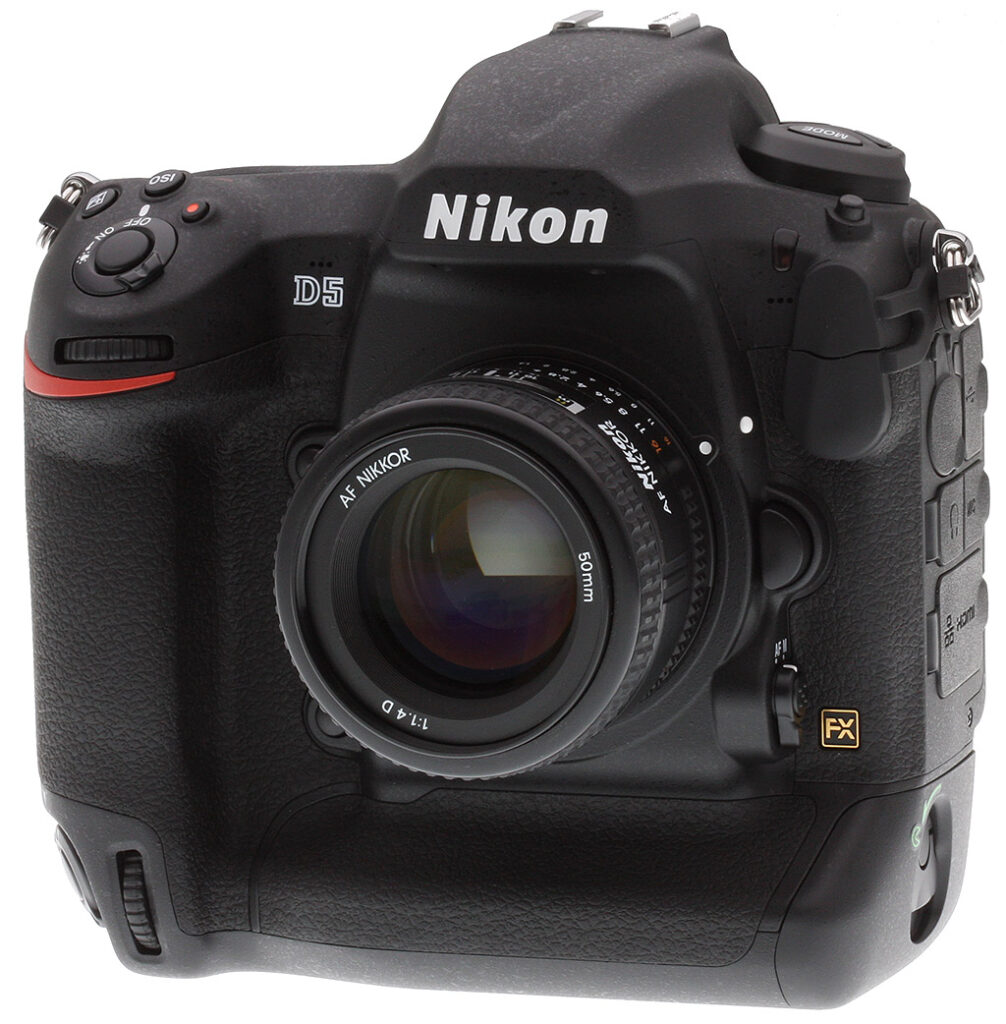
Nearly four years ago, Nikon released the D4. Two years later, they gave it minor upgrades with the D4S. Now, Nikon is poised to change the game yet again with their new flagship DSLR, the D5. While you could be forgiven for not noticing the subtle changes to the camera body itself, the internal changes are extensive, including a brand-new sensor, autofocus system, image processor, and an expanded suite of video features.
Performance and Autofocus
The Nikon D5 utilizes a brand-new, 20.8-megapixel full-frame CMOS sensor and a new, faster EXPEED 5 image processor. This new higher-resolution sensor -- up from the 16.2MP chip of the D4-series -- includes an optical low-pass filter and also includes an anti-reflective coating to minimize ghost and flare.
In conjunction with the EXPEED 5 processor, the Nikon D5's sensor has a native ISO range of 100 to 102,400. While that in and of itself is already impressive, the D5's extended ISO range is 50 to a whopping 3,276,800 (!) equivalent, making it the widest ISO range on a Nikon camera ever. Compared to the D4S, the D5 not only has a 4.5 megapixel increase, but also a native ISO range improvement of 2 EV and an expanded ISO sensitivity improvement of 3 EV. Along with a new sensor and processor, the Nikon D5 also uses a new noise reduction system. The D5 is designed to, as Nikon's press release says, "Conquer the Dark."

Additional low light performance improvements couple the improved ISO range with a new autofocus system that can acquire focus in as little as -4 EV. The D5 is the first Nikon camera to utilize a dedicated autofocus processor. Its Multi-CAM 20K AF sensor module (shown on the left) brings with it 153 autofocus points, of which 99 are cross-type sensors, which is three times the amount found in the D4S. Fifteen of the autofocus points are also functional at up to f/8, perfect for when using teleconverters. Of these 153 AF points, the user can select from 55 AF points/35 cross-type points. You can select either 153, 72, or 25-point coverage when using the camera's continuous autofocus mode. Selectable autofocus modes include single-point, dynamic area, auto-area, 3D-tracking, and group-area.

Metering has also been improved with the introduction of a new 180K pixel RGB metering sensor and Advanced Scene Recognition System. Building upon the D4S' facial detection capabilities, the D5 adds a watch area menu option. Further, Nikon has added a new 'Keep White' white balance option when using Auto White Balance, to achieve more natural color reproduction.
There are also improvements made to the camera's speed. The Nikon D5 gives high-speed shooters an extra frame-per-second with full AE and AF capabilities, bringing it to 12fps. However, with the mirror up and exposure and focus locked, the D5 can capture images at 14fps. The buffer depth has been increased from 133 shots when using XQD to up to 200 shots. And speaking of XQD memory cards, the D5 is available in two flavors: dual XQD slots or dual CF slots.

Usability and Battery Life
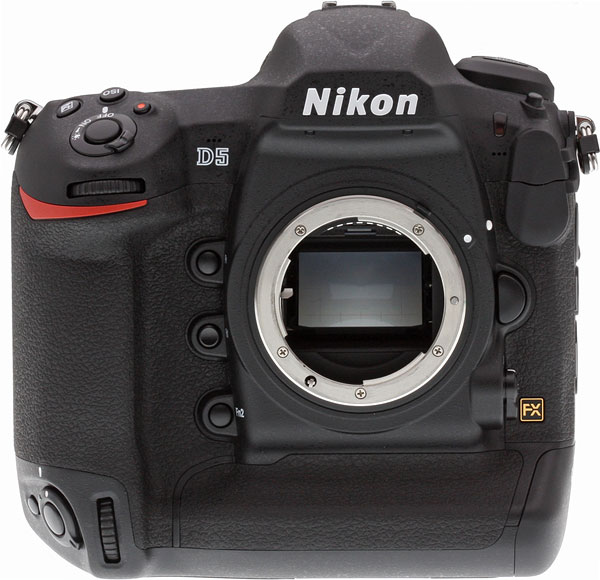
The Nikon D5 has increased slightly in size, gaining a couple of millimeters of width, a millimeter of height, and just over two ounces in weight (59 grams). The rear display has remained the same size, 3.2" diagonally, but dot count has increased from 921k to 2,359k and the D5's display gets new touchscreen capabilities for playback and text input. Additionally, the viewfinder has seen an improvement in magnification from 0.7x to 0.72x and the eyepiece adapter is now detachable. The viewfinder is not just larger, however, it also has shortened blackout time and reduced image blur compared to the D4S' viewfinder.

There are a handful of changes to how the camera body handles as well, with slight changes in ergonomics, button layout, and the addition of two more function buttons (one is on the front of the camera and one is to the left of the rear display). The Nikon D5 also introduces a quick settings ability, which allows for the release mode setting to be changed while shooting through the viewfinder by holding the release mode button with your left hand and command dial with your right hand. Also, like the D4S, the D5's buttons are illuminated for easier shooting in low-light conditions.
Of course, the D5 is compatible with Nikon's new radio-frequency capable SB-5000 Speedlight flash, of which up to 18 can be controlled remotely without a direct line of sight at a range of up to 98 feet (30 meters) by a WR-R10 wireless remote controller attached to the Nikon D5 via a WR-A10 adapter.

As durable and rugged as ever, the robust, weather-sealed body also has a new shutter and mirror sequencing mechanism which "nearly eliminates blackout time and mirror slap," for a bright and consistent image through the viewfinder when doing high-speed shooting. This new shutter is rated for 400,000 actuations as well, so you'll be able to enjoy its higher quality for a long time.
With a more efficient image processor, the Nikon D5 is able to squeeze additional life out of its EN-EL18a rechargeable Li-Ion battery. The D4S' impressive battery life of approximately 3,020 shots is now eclipsed by the D5's approximately 3,780 shot battery life.
Workflow

High-speed shooting and efficient capabilities are only useful if the camera can handle and offload files quickly, too. The Nikon D5 is up to the task with its built-in LAN capabilities. With an improved 1000 Base T Ethernet port, the D5 can transfer files at up to 400Mbps, which is 1.5x faster than the D4S' transfer speeds. And the USB port has been upgraded to SuperSpeed USB 3.0, which supports up to a 5Gbps link compared to 480Mbps for the D4S' Hi-Speed USB 2.0. Wireless speeds are also improved from 30 to 130Mbps when using the new WT-6A Wireless Transmitter. The WT-6A supports the IEEE 802.11ac standard and has a connectivity distance of 656 feet. The device can transfer images to an FTP server or computer, and when in HTTP mode can be used to operate camera controls, begin Live View shooting, or start/stop HD video recording.
If you opt for the dual-XQD variant of the Nikon D5, you'll enjoy up to 35% faster read and write speeds compared to CF. If you want to make the camera even faster, you can have the D5 record small or medium 12-bit, uncompressed RAW files.
Video
Along with the newly-announced Nikon D500, the D5 is the first Nikon DSLR capable of capturing 4K Ultra High-Definition video. Thanks to its EXPEED 5 image processor, the D5 can capture 4K video (3840 x 2160 resolution) at up to 30fps. The Nikon D5 can record up to three minutes of 4K video at a time and can also record video either in-camera to its memory card or simultaneously to an external recording device. (Update: Firmware v1.10 has since increased the D5's 4K video recording limit to 29m:59s by recording across multiple 4GB files which can be concatenated using software, and has also added Electronic VR for movies.) From the D810, the D5 also gains uncompressed HDMI out, simultaneous live view, and headphone/microphone connections. In addition to the microphone connection, the Nikon D5 has a built-in stereo mic with twenty levels of user-selected sensitivity.

Capable of recording video at ISO 100-3,276,800, the Nikon D5 can use nearly all of its expanded ISO range and provide photojournalists near night-vision video recording. When shooting 4K video, you can also save a still frame as an 8-megapixel image file, providing even more versatility for multimedia photographers. Additionally, the D5 includes the following new video features: Flat Picture Control, a dedicated movie shooting menu, Auto ISO (from ISO 200 and up), and smooth exposure compensation. Carried over from the D4S are zebra stripes display option and power aperture control.
With Multi-area D-movie, the Nikon D5 offers selectable image areas for recording video. 4K video is only available in one image area size, but Full HD video is available in three different options: FX-based movie format which uses the full width of the FX field-of-view, DX-based which crops in 1.5x, and 1920 x 1080 crop which crops in even further. The 4K movie image area (3840 x 2160) is almost the same as the DX-based crop.
And the little things…
It isn't always about the big new features and improvements; the Nikon D5 has numerous small feature improvements as well. For photographers that are often burst shooting, the D5 allows you to select the first or last frame of a burst to check immediately after concluding a burst. You can also play bursts automatically or use the touchscreen to advance frames with the "frame advance bar."
The ISO button has been relocated to be near the shutter release button, which allows you to control all of the exposure-related controls with just your right hand. More buttons are now illuminated, including the release mode dial and playback/delete buttons.

Image quality and compression options have now been combined into one menu screen, and the custom control assignment menu has been optimized specifically for stills and movie shooting.
Multiple exposure mode, which combines up to 10 frames to create a single image, now includes "lighten" and "darken" modes. Lighten mode selects only the brightest pixels in each exposure, and darken mode, as you might guess, selects only the darkest pixels.
When autofocus fine-tuning is required, you can now use the Nikon D5's new auto fine-tuning option. All you have to do is achieve focus in live view, make a few selections in the menu, and then let the camera automatically acquire the appropriate AF tuning value for your camera/lens combination.

Availability and Pricing
The Nikon D5 began in March 2016 for the suggested retail price of US$6499.95 in a body-only configuration, and in either dual-XQD or dual-CF card versions with no difference in price.
The Nikon SB-5000 Speedlight and WT-6A Wireless Transmitter also became available in March for suggested retail prices of US$599.95 and US$749.95 respectively.
In the Box
The Nikon D5 retail box ships with the following items:
- Nikon D5 DSLR Camera (Body Only, Dual CF Slots or Dual XQD Slots)
- EN-EL18a Rechargeable Lithium-Ion Battery (10.8V, 2500mAh)
- MH-26a Battery Charger
- UC-E22 USB 3.0 Cable
- AN-DC15 Camera Strap
- BF-1B Body Cap
- BS-3 Accessory Shoe Cover
- USB Cable Clip
- HDMI Cable Clip
- DK-27 Eyepiece Adapter
- DK-17F Fluorine-Coated Finder Eyepiece
- BL-6 Battery Chamber Cover
- Network Guide
- Warranty Card
Recommended Accessories
- Large capacity XQD or CompactFlash memory cards (depending on model)
- Extra EN-EL18a lithium-ion rechargeable battery pack for extended outings
- Large capacity CompactFlash and XQD memory cards. Given the high resolution and large file sizes of the D5, 32GB is a good tradeoff between cost and capacity. If you plan to capture high-definition or 4K movie clips, shoot image bursts, or shoot in RAW format, opt for the fastest cards you can afford.
- External shoe mount flash (SB-5000, SB-910 AF, SB-700 AF), macro light (R1C1, R1), wireless commander (SU-800) or other accessory flash
- EH-6b AC adapter with EP-6 power supply connector for studio shooting
- ME-1 external stereo microphone or other mic with 3.5mm stereo or mono jack
- WT-6A Wireless Transmitter
- UT-1 communication unit
- WR-1 and/or WR-R10/T10/A10 wireless remote adapter set
- Medium to large camera bag
Optics
The Nikon D5 does not ship with a standard “kit” lens, so we don’t have any lens test results. We do however have out viewfinder accuracy test results below.
Viewfinder Test Results
Coverage
Excellent accuracy with the optical viewfinder, very good with the LCD monitor in Live View mode.
 |
 |
| 70mm, Optical | 70mm, Live View LCD |
The Nikon D5’s optical viewfinder displayed essentially 100% coverage in our test, which is excellent. Interestingly, LCD coverage in Live View mode was closer to 101% in our tests. Still, very good.
The images above were taken from our standardized test shots. For a
collection of more pictorial photos, see our
Nikon D5 Photo Gallery
.
Exposure
Color
Saturation & Hue Accuracy
Vibrant colors with average hue accuracy.
 |
|||
|
ISO Sensitivity |
|||
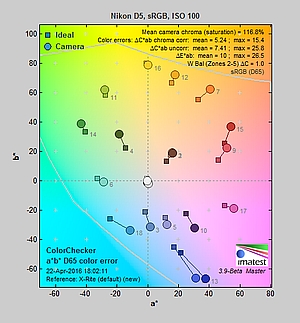
| In the diagram above, the squares show the original color, and the circles show the color that the camera captured. More saturated colors are located toward the periphery of the graph. Hue changes as you travel around the center. Thus, hue-accurate, highly saturated colors appear as lines radiating from the center. Mouse over the links above to compare ISOs, and click to load a larger version. | |||
Saturation. The Nikon D5 pumps dark blues a lot, dark green, dark orange, purple and reds moderately, and quite a few other colors slightly. Overall, mean saturation levels are a little higher than average at 16.8% oversaturated at ISO 100 versus a more typical 10%, however colors are quite pleasing in real-world images. The D5’s default mean saturation is fairly consistent at low to moderately high ISOs, but starts to fall off at ISO 51,200, to a minimum of 95.7% at ISO 1,638,400. Images are quite discolored at extended ISOs above 409,600, so take those numbers with a grain of salt. (Note that we had to use an ND filter above ISO 204,800, which may impact color accuracy results.) Most consumer
digital cameras produce color that’s more highly saturated (more intense)
than found in the original subjects. This is simply because most people
like their color a bit brighter than life.
Skin tones. The Nikon D5’s rendering of Caucasian skin tones were a bit too saturated and pinkish with Manual white balance in our “sunlit” outdoor lighting. However when using Auto white balance, skin tones were slightly on the pale side, and in Daylight white balance, they were definitely too yellow, so we preferred Manual white balance overall. Where
oversaturation is most problematic is on Caucasian skin tones, as it’s very
easy for these “memory colors” to be seen as too bright, too pink,
too yellow, etc.
Hue. The Nikon D5 produces a few color shifts relative to ideal colors. Reds are shifted slightly toward orange, and cyan toward blue, but there are only slight shifts in yellow, orange, green and purple. (The cyan to blue shift is very common among the digital cameras we test; we think it’s a deliberate choice by camera engineers to produce better-looking sky colors.) Mean “delta-C” color error at base ISO was 5.24 after correction for saturation, which is about average, and remains about average up to ISO 204,800, increasing rapidly from there. Hue is “what color” the color is.
 |
 |
 |
| See full set of test images with explanations See thumbnails of all test and gallery images |
||
Sensor
Exposure and White Balance
Indoors, incandescent lighting
Warm results with Auto and Incandescent white balance, though excellent color balance with Manual. Better than average exposure accuracy.
 |
 |
| Auto White Balance 0 EV |
Incandescent White Balance 0 EV |
 |
|
| Manual White Balance 0 EV |
Indoors, in common incandescent lighting, color balance is a little warm and reddish with the default Auto white balance setting, however performance here is noticeably better than prior Nikons. The D5 has Auto WB options to reduce warm colors (“Keep white”) which is the default tested here, “Normal”, or “Keep warm lighting colors”, however we did not test the non-default options. The Incandescent setting is very warm with a strong yellow tint. (Some users may prefer this look, though, as being more representative of the original lighting.) The Manual white balance setting produced accurate results. The Nikon D5 didn’t require any exposure compensation while most cameras need about +0.3 EV for this scene, so the D5 performed better than average here. Our test lighting for this shot is a mixture of 60 and 100 watt household incandescent bulbs, a pretty yellow light source, but a very common one in typical home settings here in the U.S.
Outdoors, daylight
Vibrant color and good exposure outdoors, but high default contrast. Options like Active D-Lighting and contrast adjustment are a help when faced with tough conditions like these.
 |
 |
| Manual White Balance +0.7 EV |
Auto White Balance, 0 EV |
We found skin tones a touch pale in our “Sunlit” Portrait shot with Auto white balance, so we preferred Manual WB, though pink skin tones are little too exaggerated. Default contrast is on the high side, so quite a few highlights were clipped in the mannequin’s shirt, pendant and some of the flowers while darker shadows are quite deep, though shadow noise is very low. Exposure accuracy was about average for this shot, requiring +0.7 EV exposure compensation to keep the face bright. The Far-field image on the right is just slightly hot at default exposure with a few clipped highlights in very bright white areas and in specular highlights. Again, detail in the shadows is very good, and deep shadow noise is remarkably low. Color here with Auto white balance is very pleasing, if a little more pumped than we’re used to seeing from Nikon.
See full set of test images with explanations
See thumbnails of all test and gallery images
Resolution
~2,500 to ~2,600 lines of strong detail from JPEGs, about the same from converted RAW files.
 |
 |
| Strong detail to ~2,600 lines horizontal Camera JPEG |
Strong detail to ~2,500 lines vertical Camera JPEG |
 |
 |
| Strong detail to ~2,600 lines horizontal ACR processed RAW |
Strong detail to ~2,500 lines vertical ACR processed RAW |
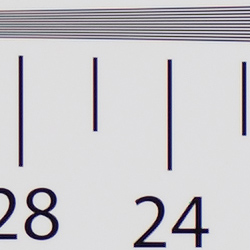
Our laboratory resolution chart revealed sharp, distinct line patterns up to about 2,600 lines per picture height in the horizontal direction, and to about 2,500 lines per picture height in the vertical direction in JPEGs. (Some might argue for higher, but lines begin to merge at those resolutions.) Complete extinction of the pattern didn’t occur until around 3,400 lines with signs of moiré/false color suppression. We weren’t able to extract any more resolution with RAW files processed through Adobe Camera Raw, though the ACR conversion contained more color moiré than the in-camera JPEG images, so the camera’s processing does a pretty good job suppressing it. Use these numbers to compare with other cameras of similar resolution, or use them to see just what higher resolution can mean in terms of potential detail.
See full set of test images with explanations
See thumbnails of all test and gallery images
Sharpness & Detail
Very crisp detail for the resolution, though default sharpening is a bit high and generates noticeable sharpening halos. Minimal noise suppression artifacts at base ISO.
 |
 |
| Very good definition of high-contrast elements, bur with some evidence of edge enhancement. |
Subtle detail: Hair Noise suppression tends to blur detail in areas of subtle contrast, though detail remains strong in the darker parts of the model’s hair here. |
Sharpness. The Nikon D5 produced very sharp, detailed images for a 21-megapixel sensor at default settings, though edge enhancement artifacts are visible around high-contrast edges, such as the sharpening halos around the lines and lettering in the crop above left. Default sharpening is probably optimized for crisp-looking prints which can look overdone on screen at 100%, and you can always turn it down if you prefer. Edge enhancement creates the illusion of sharpness by enhancing color and tonal differences right at the edge of a rapid transition in color or tone.
Detail. The crop above right shows only minimal detail loss due to noise suppression, as the darker areas of the mannequin’s hair show a lot of detail. Individual strands are still distinguishable even in the lighter shadows, though some begin to merge as shadows deepen, and in places where the tone and color of adjacent strands is very close. The hair is also virtually free from chroma noise, which is often not the case. An excellent performance here. Noise-suppression
systems in digital cameras tend to flatten-out detail in areas of subtle
contrast. The effects can often be seen in shots of human hair, where the
individual strands are lost and an almost “watercolor” look appears.
RAW vs In-Camera JPEGs
As noted above, the Nikon D5 does a great job at capturing lots of fine, crisp detail in its JPEGs, but more detail can often be obtained from carefully processing RAW files, while at the same time reducing sharpening artifacts. Let’s have a look at base ISO:
| Base ISO (100) | |
 |
 |
 |
 |
 |
 |
|
Camera JPEG, defaults
|
RAW via Adobe Camera Raw
|
In the table above, we compare an in-camera JPEG taken at base ISO using default noise reduction and sharpening (on the left) to the matching RAW file converted with Adobe Camera Raw 9.1 via DNG Converter 9.5 using default noise reduction with some strong but tight unsharp mask sharpening applied in Photoshop (300%, radius of 0.3 pixels, and a threshold of 0).
As is frequently the case, the demosaicing in Adobe Camera Raw and sharpening in Photoshop deliver finer detail than the camera, with fewer sharpening artifacts. Looking very closely at the images, ACR extracts a bit more detail that isn’t present in the JPEGs from the camera itself, even in the red-leaf swatch Nikons do very well with. The ACR conversion manages to resolve some of the thread patterns in the fabrics while the camera treats them as noise and blurs them away. While it don’t look quite as finely detailed, Nikon’s rendering is smoother-looking with higher contrast and more vibrant colors, and if you look very closely, there’s a touch less visible noise, though noise is by no means an issue with the D5. Still, we’d personally go the Adobe (or other high-quality third-party RAW converter) route here if we were concerned about making the best images possible from the D5’s sensor. That said, the D5’s in-camera JPEGs are excellent and you can always try adjusting image processing settings to your tastes.
ISO & Noise Performance
Very good detail versus noise up to ISO 12,800!
| Noise Reduction = Default | ||
 |
 |
 |
| ISO 50 | ISO 100 | ISO 200 |
 |
 |
 |
| ISO 400 | ISO 800 | ISO 1600 |
 |
 |
 |
| ISO 3200 | ISO 6400 | ISO 12,800 |
 |
 |
 |
| ISO 25,600 | ISO 51,200 | ISO 102,400 |
 |
 |
 |
| ISO 204,800 | ISO 409,600 | ISO 819,200 |
 |
 |
|
| ISO 1,638,400 | ISO 3,276,800 | |
Images are clean and very detailed up to ISO 1600, with just a touch of luminance noise becoming more visible in the shadows as ISO increases. ISO 3200 shows more noticeable luminance noise, but detail is excellent, and chroma noise is very low. ISO 6400 still contains very good detail and relatively low noise, but ISO 12,800 is a bit grainy with some blotchy chroma noise, however fine detail is still pretty good. Image quality drops off rapidly from ISO 25,600 on, with increasing noise “grain”, blurring from noise reduction and chroma blotches, and ISOs above 204,800 are so noisy and discolored we question why Nikon included them other than for pure specmanship.
All in all, excellent high ISO performance with noise reduction processing that is improved over its 16-megapixel predecessor particularly at very high ISOs, however noise performance in RAW files appears to be similar and perhaps even not quite as good as the D4S when viewed at 100%.
Of course, the impact of noise and detail loss are highly dependent on the size the photos are printed at, and pixel-peeping on-screen has surprisingly little relationship to how the images look when printed: See the Print Quality section below for recommended maximum print sizes at each ISO.
A note about focus for this shot: We used to shoot this image at f/4, however depth of field became so shallow with larger, high-resolution sensors that it was difficult to keep important areas of this shot in focus, so we have since started shooting at f/8, the best compromise between depth of field and sharpness.
Extremes: Sunlit, dynamic range and low light tests
Very good shadow detail, though default contrast is high blowing some highlights. Excellent low-light performance, capable of capturing bright images in near darkness.
 |
 |
 |
| +0.3 EV | +0.7 EV | +1.0 EV |
Sunlight:
Somewhat surprisingly, the Nikon D5 struggled a little with the deliberately harsh lighting in the above test, because of its high default contrast. We felt +0.7 EV exposure compensation was required to keep the mannequin’s face bright, but that led to quite a few blown highlights in her shirt and flowers. Pros would likely prefer +0.3 EV or even 0 EV and brighten the image in post (or just shoot RAW), thereby holding on to highlight detail that the +0.7 EV exposure lost. Since shadows and midtones are quite clean, boosting shadows isn’t really a problem in terms of noise. Note that these shots were captured with the Nikon D5’s Active D-Lighting control set to its default of “Off.” See below for how Active D-Lighting and contrast settings help with hot highlights and deep shadows.
Because digital cameras are more like slide film than negative film (in that they tend to have a more limited tonal range), we test them in the harshest situations to see how they handle scenes with bright highlights and dark shadows, as well as what kind of sensitivity they have in low light. The shot above is designed to mimic the very harsh, contrasty effect of direct noonday sunlight, a very tough challenge for most digital cameras. (You can read details of this test here. In actual shooting conditions, be sure to use fill flash in situations like the one shown here; it’s better to shoot in open shade whenever possible.)
Active D-Lighting
Active D-Lighting attempts to preserve detail in both highlights and shadows in high-contrast situations, while maintaining moderate levels of contrast. The series of shots below show the effect of the various Active D-Lighting settings (Off (default), Low, Normal, High, Extra High 1, Extra High 2 and Auto) available on the Nikon D5 on our high-contrast “Sunlit” Portrait scene.
Note that Active D-Lighting is different from the Retouch menu’s D-Lighting, as it is performed during image capture instead of after. (It does affect only JPEG images, though, Nikon very properly doesn’t apply tonal adjustments like this to RAW file data. NEF files are however tagged so that Nikon software can automatically apply the effect when converted.)
|
“Sunlit” Portrait Active D-Lighting
|
|
 |
ADL Settings:
Low Normal High |
 |
|
Mouse over the links to see how the various levels of Active D-Lighting affects our “Sunlit” Portrait shot at default exposure, and click on any link to get to the full-res image. (Active D-Lighting’s effect can be a little subtle in shots like those above, so we use a mouse-over with matching histograms to better show how each setting compares.)
As you can see from the thumbnail images and histograms above, higher Active D-Lighting settings did a very good job at preserving highlights while bringing up shadows and deeper midtones, without making the image look too flat. Normally, there is a noise penalty to be paid for boosting shadows, but noise levels in the shadows are very low with this camera, so increased shadow noise is not a concern here at base ISO. It’s also interesting to note that the default ADL setting for the D5 is Off, while in more consumer-oriented models, the default is Auto.
| Far-field Active D-Lighting (0 EV) | |||
 |
|||
Here are the results with our Far-field shot. As you can see, Active D-Lighting brought up shadow detail while holding on to highlights. The Auto setting did a pretty good job here.
HDR Mode
Like other recent Nikon DSLRs, the D5 offers an in-camera high-dynamic-range imaging function. When enabled, the D5 captures two images with one push of the shutter button — one underexposed and one overexposed — and combines them in-camera to produce a high-dynamic-range JPEG. (RAW format is not supported.) There are three exposure differentials available: 1, 2 and 3 EV, as well as an Auto option, and there are three Smoothing options: Low, Normal and High. You can also elect to do a series of HDR shots without having to re-enable the mode each time, or select a Single Photo option.
| Far-field HDR mode | ||||
|
|
||||
Mouse over the links to see how the Auto, 1 EV, 2 EV and 3 EV levels of HDR with default Smoothing affects our Far-field shot at default exposure. Click on a link to get to the full-res image.
Overall, we think Nikon D5’s in-camera HDR is one of the better implementations we’ve seen, though it would be nice if more than two images were captured. Obviously moving subjects should be avoided, as you can see from the ghosting around the flags and leaves in some of HDR shots above.
Dynamic Range Analysis (RAW mode)
While we once performed our own dynamic range measurements based on in-camera JPEGs as well as converted RAW images (when the camera was supported by Adobe Camera Raw), we’ve switched to using DxO Labs’ results from their DxOMark website. As technology advanced, the dynamic range of modern high-end cameras in some cases exceeded the range of the Stouffer T4110 density scale that we used for our own measurements. DxO’s approach based on RAW data before demosaicing is also more revealing, because it measures the fundamental dynamic range of the sensor, irrespective of whatever processing is applied to JPEGs, or to RAW data by off-the-shelf conversion software.
In the following, we use DxO’s “Print” dynamic range results, which are scaled based on camera resolution. As the name suggests, this scaling corresponds to the situation in which you print at a given size, regardless of how many megapixels the camera might have. (In other words, if you’ve decided to make a 13×19 inch print, that’s the size you’re printing, whether the camera’s resolution is 16 or 300 megapixels.) For the technically-minded, you can find a discussion of the reasoning behind this here on the DxOMark website. Also note that DxO Labs uses a signal-to-noise (SNR) threshold of 1 when defining the lower boundary of acceptable luminance noise in their dynamic range measurements, which corresponds to the “Low Quality” threshold of the Imatest software we used to use for this measurement.
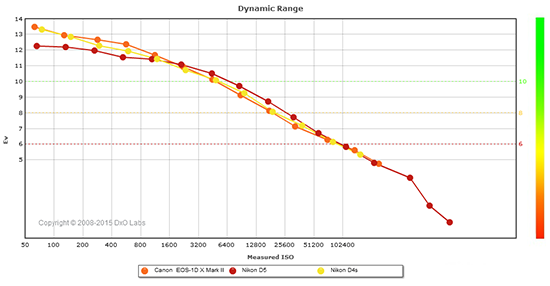 |
Here, we compare the Nikon D5’s dynamic range (in red) to that of its predecessor, the D4S (yellow), and also to its closest competitor, the Canon 1DX Mark II (orange).
As you can see from the above graph (click for a larger image), the D5’s dynamic range is significantly lower than the D4S at lowest ISO (12.3 vs 13.2 EV), despite having slightly higher resolution which helps with normalized dynamic range. However the D5 catches up at around the ISO 1600 mark, and is slightly improved or similar at higher ISOs.
The Nikon D5’s dynamic range is however also significantly lower than Canon’s 1DX II at low ISOs to moderate ISOs, with almost a 1-1/4 EV disadvantage at base ISO (12.3 vs 13.5 EV). The Nikon catches up to the Canon by ISO 3200, though, and offers up to a little more than 1/2 EV advantage at high ISOs, but they closely match at very high ISOs.
Still, the D5’s dynamic range is not bad, but it’s not up to the class-leading levels we’ve come to expect from recent Nikon DSLRs.
Click here to visit the DxOMark page for the Nikon D5 for more of their test results and additional comparisons.
| 1 fc 11 lux |
1/16 fc 0.67 lux |
1/16 fc No NR |
|
|---|---|---|---|
| ISO 100 |
 2 s f2.8 |
 30 s f2.8 |
 30 s f2.8 |
| ISO 3200 |
 1/15 s f2.8 |
 1 s f2.8 |
 1 s f2.8 |
| ISO 102400 |
 1/500 s f2.8 |
 1/30 s f2.8 |
 1/30 s f2.8 |
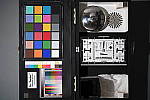
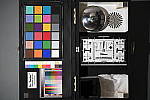
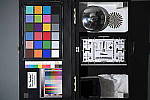
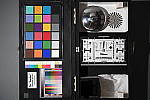
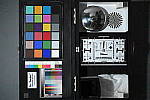
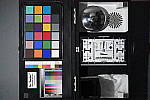
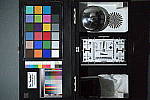
Low Light. The Nikon D5 performed extremely well here, able to capture usable images down to the 1/16 foot-candle light level (about 1/16 as bright as average city street lighting at night) even at base ISO. Noise is of course very low at ISO 100, and still quite low at ISO 3200, but as expected, noise is a little high at maximum native ISO of 102,400. (The maximum extended ISO of 3,276,800 was so noisy it was unusable so we’ve switched to shooting up to maximum native ISO for our low-light shots.)
Color balance with Auto white balance is fairly neutral, just a touch cool and without the usual magenta shift at the lowest light level we see often from Nikons, however a few shots have a slight cyan tint to them.
We didn’t notice any issues with hot or overly bright pixels except when long exposure noise reduction is disabled (right-most column) where they are expected. Horizontal banding (fixed pattern noise) is visible at ISO 102,400 particularly when noise reduction is minimized, but we didn’t detect any issues with heat blooming.
LL AF: The camera’s phase-detection autofocus system was able to focus on our low-contrast AF target down to well below the 1/16 foot-candle light level (0.31 Lux or -3.0 EV) unassisted with an f/2.8 lens, which is excellent. (Our low-contrast AF target is more difficult to focus on than how manufacturers rate their cameras, and when using a high-contrast AF target, the D5 was able to focus lower than we could accurately measure.) The Nikon D5 doesn’t have a built-in AF illuminator, but can utilize the illuminator found on most compatible flash units. In Live View mode, the D5’s contrast-detect autofocus was able to focus even lower light levels, down to about 0.2 Lux or -3.6 EV with our low-contrast AF target, and again, down to lower than we could measure with our high-contrast target. Outstanding.
How bright is this? The one foot-candle light level
that this test begins at roughly corresponds to the brightness of typical
city street-lighting at night. Cameras performing well at that level should
be able to snap good-looking photos of street-lit scenes.
NOTE: This low light test is conducted with a stationary subject, and the camera mounted on a sturdy tripod. Most digital cameras will fail miserably when faced with a moving subject in dim
lighting. (For example, a child’s ballet recital or a holiday pageant in a gymnasium.) Digital SLRs like the Nikon D5 do much better than point & shoots, but you still shouldn’t expect a quick autofocus lock with moving subjects.
Output Quality
Print Quality
High-quality prints up to 30 x 40 inches from ISO 50-800; Nice 8 x 10 inch prints all the way up to ISO 51,200; and a 5 x 7 inch print just squeaks by at ISO 102,400.
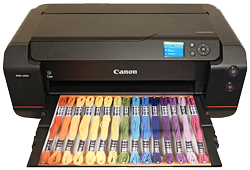 ISO 50/100/200/400/800 images are all amazingly detailed and show little to no noise, even at ISO 800. Despite the 20MP full-frame sensor, the D5 can make prints up to 30 x 40 inches at these ISO levels. That’s pushing the resolving power of the sensor at this size, with some minor pixelation upon close inspection, but given the full dimensions and the typical viewing distance for a print of this size, a 30 x 40 inch print looks very good.
ISO 1600 prints still display amazingly low levels of noise and lots of fine detail. At this ISO, there is a bit of visible noise now, which limits prints to a very respectable 24 x 36 inches. Noise is, however, minimal enough that perhaps with careful post-processing a 30 x 40 inch print could be doable.
ISO 3200 images top-out with impressive 20 x 30 inch prints. Noise is understandably a bit stronger now, but at this size it’s not much of an issue. Fine detail is great, and colors are still vibrant and pleasing.
ISO 6400 prints look great up to 16 x 20 inches. Stronger noise and a decrease in some fine detail prevent us from calling any larger sizes acceptable. That being said, you might be able to get away with a 20 x 30 inch print for less critical applications.
ISO 12,800 images have more visible noise, but there’s still enough detail to make pleasing 13 x 19 inch prints.
ISO 25,600 prints display rather strong noise now, with noise reduction processing also taking its toll on fine detail. But, we can just squeak by with an acceptable 11 x 14 inch print at this ISO.
ISO 51,200 images display a remarkably low level of noise for such a high ISO. Here, the D5 can print an excellent 5 x 7 inch print, but noise is minimal enough that we think an 8 x 10 is usable here as well. Simply impressive!
ISO 102,400 prints just get by at up to 5 x 7 inches. Noise is quite strong now and has a noticeable effect on detail if you attempt to print larger.
ISO 204,800/409,600/819,200/1,638,400/3,276,800 images are all simply too noisy and lacking in detail for any sort of usable print. Particularly on the three highest expanded ISOs, noise is so strong that prints are completely unusable, even for less critical shots.
With a new 20MP full-frame sensor, the flagship Nikon D5 does an outstanding job with prints. Even up to ISO 800, the camera manages clean, crisp prints up to a whopping 30 x 40 inches. You’re pushing the resolving power of the sensor, that’s for sure, but detail is sharp and pixelation isn’t much of an issue, especially at typical viewing distances for prints of this size. Going way up on the ISO scale, the camera still manages to impress us with rather large prints, such as a 16 x 20 at ISO 6400 and even an 11 x 14 at ISO 25,600. The D5 is also our new 8 x 10 champion, offering a usable print up to ISO 51,200. To date, no other camera has offered that kind of performance. The last useable ISO for prints is 102,400, which makes a decent 5 x 7. Cranking the ISO even higher results in images with too much noise and not enough detail for an acceptable print to our eyes.
The images above were taken from our standardized test shots. For a
collection of more pictorial photos, see our
Nikon D5 Photo Gallery
.
Not sure which camera to buy? Let your eyes be the ultimate judge!
Visit our Comparometer(tm)
to compare images from the Nikon D5 with those from other
cameras you may be considering. The proof is in the pictures, so let
your own eyes decide which you like best!
Performance
Timing and Performance
Excellent performance, with significant improvements over the D4S.
|
Startup/Play to Record
|
||
|
Power on |
~0.4 second
|
Time it takes for camera to turn on. |
|
Play to Record, |
~0.2 second
|
Time until first shot is captured. |
Startup including taking a shot was fast though oddly a bit slower than the D4S’s ~0.2 second. Play to Record and taking a shot was even faster, about the same as the D4S.
|
Shutter Response (Lag Time)
|
||
|
Optical Viewfinder
|
||
|
Full Autofocus |
0.132 second
|
Time from fully pressing shutter button to image capture using optical viewfinder. All timing performed with a Nikkor AF-S 60mm f/2.8 Micro lens. |
|
Manual focus |
0.041 second
|
For most cameras, shutter lag is less in manual focus than autofocus, but usually not as fast as when the camera is “prefocused”. |
|
Prefocused |
0.039 second
|
Time to capture, after half-pressing and holding shutter button. |
|
Live View
|
||
|
Prefocused |
0.095 second
|
Time to capture, after half-pressing and holding shutter button in Live View mode. |
In terms of the Nikon D5’s ability to determine that it’s properly focused when shooting the same target multiple times (with no change of focus setting between iteration, to remove the impact of lens AF speed), its speed was very good. The D5’s AF shutter lag measured only 0.132 second using single-area (center) AF mode with a Nikkor 60mm f/2.8G Macro lens. The D4S took 0.204 second with the same lens, so a noticeable improvement here.
Manual focus lag was 41 milliseconds, a bit faster than the D4S’s 44ms. When prefocused, shutter lag was only 39 milliseconds, which is very fast for a DSLR and once again improved over the D4S’s 43ms.
When prefocused in Live View mode shutter lag was 95 milliseconds, much faster than the D4S’s 239ms, but still more than twice as long as when using the optical viewfinder. We no longer test autofocus speeds during Live View mode for DSLRs, since it’s very lens dependent.
To minimize the effect of different lens’ focusing speed, we test AF-active shutter lag with the lens already set to the correct focal distance.
|
Cycle Time (shot to shot)
|
||
|
Single Shot mode |
< 0.3 second
|
Time per shot, averaged over a few frames (we no longer test for buffer depths in single-shot mode). |
|
Single Shot mode |
< 0.3 second
|
Time per shot, averaged over a few frames (we no longer test for buffer depths in single-shot mode). |
|
Early shutter |
No
|
Some cameras don’t snap another shot if you release and press the shutter too quickly in Single Shot mode, making “No” the preferred answer. |
|
Continuous High |
0.08 second
(12.1 frames/sec); 200 frames total; <1 second to clear* |
Time per shot, averaged over buffer length of 200 shots. (Maximum programmable limit.) |
|
Continuous High |
0.08 second
(12.1 frames/sec); 183 frames total; 5 seconds to clear* |
Time per shot, averaged over 183 shot buffer, then slowed to an average of 0.15s or 6.6 fps with a full buffer. |
|
Continuous High |
0.08 second
(12.1 frames/sec); 74 frames total; 7 seconds to clear* |
Time per shot, averaged over 74 shot buffer, then slowed to an average of 0.17s or 6.0 fps with a full buffer. |
|
Continuous High |
0.07 second
(14.1 frames/sec); 200 frames total; 3 seconds to clear* |
Time per shot, averaged over set buffer length of 200 shots. (Maximum programmable limit.) |
|
Continuous High |
0.07 second
(14.1 frames/sec); 121 frames total; 6 seconds to clear* |
Time per shot, averaged over 121 shot buffer, then slowed to an average of 0.10s or 10.5 fps with a full buffer, but with a lot of variation. |
|
Continuous High |
0.07 second
(14.1 frames/sec); 65 frames total; 8 seconds to clear* |
Time per shot, averaged over 65 shot buffer, then slowed to an average of 0.19s or 5.9 fps with a full buffer with a lot of variation. |
|
Flash recycling |
N/A
|
Flash at maximum output. |
|
*Note: Buffer clearing times measured with a Lexar Pro 2933x XQD 2.0 400MB/s flash card. Slower cards will produce correspondingly slower clearing times. Slow cards may also limit length of bursts in continuous mode. ISO sensitivity and noise reduction settings can also affect cycle times and burst mode performance.
|
||
Single-shot cycle times were so fast that they were difficult to accurately measure as they depend on the tester’s dexterity and ability to maintain an optimum rhythm, so your results may vary. (Note that we no longer test single-shot mode with just RAW files, as the results are usually somewhere in between JPEG and RAW+JPEG.)
Continuous High burst mode has improved over the D4S. We measured the D5’s at just over 12 frames per second, compared to just under 11 fps for the D4S, despite the increase in resolution. And with the mirror locked up (focus and exposure locked at the first frame), the Nikon D5 managed just over 14 frames per second at full resolution.
Buffer depths have also improved over its predecessor, however we don’t have direct comparisons because we stopped testing the D4S at 50 frames, and we used different flash cards. With an incredibly fast Lexar Pro 2933x XQD 2.0 card rated at 400MB/s for writes, the D5 captured 200 best quality JPEGs in a continuous 12fps burst, which is the maximum programmable limit. When shooting 14-bit lossless compressed RAW files the buffer depth was 183 frames, and 74 frames for 14-bit lossless compressed RAW+JPEG files. In mirror lockup mode, buffer depths for RAW and RAW+JPEG files fell to 121 and 65 frames respectively, because of the faster 14.1 fps burst rate.
The Nikon D5 also offers uncompressed and lossy compression options for RAW files, as well as a 12-bit option. Small (5.2MP) and Medium (11.6MP) size RAW files are available as well, but only at 12 bits with lossless compression.
Buffer clearing was very fast given the burst speeds and buffer depths. When shooting best quality JPEGs, buffer clearing ranged from under one second (pretty much instantaneous) to 3 seconds after 200 frames. When shooting lossless compressed RAW or RAW+JPEG files, buffer clearing ranged from 5 to 8 seconds depending on the mode and file type in our tests.
Bottom line, as you’d expect from a flagship pro model, the Nikon D5 is very fast, with noticeably improved AF speed, shutter lag and burst mode performance over its predecessor.
Battery
Battery Life
Outstanding battery life.
|
Test Conditions |
Number of Shots |
|
Lithium-ion rechargeable battery,
(CIPA standard, Optical Viewfinder) |
|
|
Lithium-ion rechargeable battery,
(CIPA standard, Live View LCD) |
|
The Nikon D5 uses a custom EN-EL18a 2500 mAh rechargeable lithium-ion battery pack for power, and comes with both a single battery and a dedicated dual battery charger. The CIPA rated 3,780 shots per charge using the optical viewfinder is outstanding for a pro SLR, but keep in mind the D5 does not have a built-in flash which is normally fired for 50% of shots when tested using the CIPA standard. Still, battery life is exceptional. Unfortunately, Nikon does not seem to publish battery life for Live View mode, but it’s a safe bet that it’s considerably shorter.
The table above shows the number of shots the camera is capable of on fully-charged battery, based on CIPA battery-life and/or manufacturer standard test conditions.
(Interested readers can find an English translation of the CIPA DC-002 standards document here. (180K PDF document))
Image Quality
Below are crops from our laboratory Still Life target comparing Nikon D5 image quality to its predecessor, the D4S, as well as to its closest competitor, the Canon 1DX Mark II. We’ve also included the Nikon D500 and Canon 7D Mark II, since they offer the top frame rates currently available from pro-level Nikon and Canon APS-C DSLRs (~10 fps), as well as the Samsung NX1, which is capable of 15 fps.
NOTE: These images are from best quality JPEGs straight out of the camera, at default settings including noise reduction and using the camera’s actual base ISO (not extended ISO settings). All cameras in this comparison were shot with our very sharp reference lenses. Clicking any crop will take you to a carrier page where you can click once again to access the full resolution image as delivered straight from the camera. For those interested in working with the RAW files involved, click these links to visit each camera’s respective sample image thumbnail page: Nikon D5, Nikon D4S, Canon 1DX II, Nikon D500, Canon 7D II, and Samsung NX1 — links to the RAW files appear beneath those for the JPEG images, wherever we have them. And remember, you can always go to our world-renowned Comparometer to compare the Nikon D5 to any camera we’ve ever tested!
Nikon D5 vs Nikon D4S at Base ISO
 |
 |
 |
 |
 |
 |
|
Nikon D5 at ISO 100
|
Nikon D4S at ISO 100
|
|
The 20.7-megapixel Nikon D5 is able to resolve a bit more detail than its 16.2-megapixel predecessor, however noise levels are a touch higher as can be seen in flatter areas. Both cameras apply similar amounts of sharpening which leaves some visible halos around high-contrast edges. Interestingly, the D5 shows a bit more aliasing in the red-leaf fabric indicating it has a fairly weak anti-aliasing filter though the D4S manages slightly better detail in the red-leaf fabric, and higher contrast in the pink fabric. The D5’s color reproduction is however more pleasing, with brighter reds and less of a shift to green in yellows. |
|
Nikon D5 vs Canon 1D X Mark II at Base ISO
 |
 |
 |
 |
 |
 |
|
Nikon D5 at ISO 100
|
Canon 1D X Mark II at ISO 100
|
|
Image quality from these two rivals is actually fairly close, with the Nikon producing an ever-so-slightly crisper image in some areas, thanks to a slightly tighter sharpening radius and higher contrast, while the 1DX II appears sharper in others. Interestingly, the 1DX II shows a slightly higher amount of aliasing artifacts, which indicates it has a fairly weak AA filter. Colors from the Nikon are a touch warmer as well, but otherwise image quality is quite comparable here at base ISO. |
|
Nikon D5 vs Nikon D500 at Base ISO
 |
 |
 |
 |
 |
 |
|
Nikon D5 at ISO 100
|
Nikon D500 at ISO 100
|
|
The full-frame D5 and APS-C D500 produce files with identical pixel count (20.7MP), so it’s not surprising both cameras resolve essentially the same amount of detail here at base ISO. Noise levels are however a bit lower from the D5 as can be seen in the shadows, and fine detail in our tricky red-leaf swatch is just slightly better, likely due to stronger noise reduction from the D500, though detail in the pink fabric is better from the D500. Both cameras show some moire patterns in the red-leaf fabric (the D500 has no OLPF while the D5 has a weak one). |
|
Nikon D5 vs Canon 7D Mark II at Base ISO
 |
 |
 |
 |
 |
 |
|
Nikon D5 at ISO 100
|
Canon 7D Mark II at ISO 100
|
|
Canon’s top-of-the-line APS-C DSLR offers similar resolution, but again, its smaller APS-C sensor means that noise levels are a little higher at base ISO, which translates to slightly less detail thanks to noise reduction which has to work a little harder to produce similar noise levels here at base ISO. The Canon’s image is also not as sharp and crisp as the D5’s, due to its stronger anti-aliasing filter as well as slightly less aggressive sharpening and contrast. Color from the Nikon D5 is warmer and more pleasing, without the Canon’s shift towards green in yellows and beiges. |
|
Nikon D5 vs Samsung NX1 at Base ISO
 |
 |
 |
 |
 |
 |
|
Nikon D5 at ISO 100
|
Samsung NX1 at ISO 100
|
|
The 28-megapixel APS-C Samsung NX1 definitely resolves more high-contrast detail here at base ISO, while producing fewer sharpening artifacts. Noise levels are similar with lower luma noise but slightly higher chroma noise. Moire patterns are however much more noticeable in the red-leaf fabric from the Samsung interfering with fine detail, and colors are a bit drab compared to the Nikon. |
|
Nikon D5 vs Nikon D4S at ISO 1600
 |
 |
 |
 |
 |
 |
|
Nikon D5 at ISO 1600
|
Nikon D4S at ISO 1600
|
|
Similar to what we saw at base ISO, the Nikon D5 continues to resolve more detail in most areas at ISO 1600, but the D4S does better in the red and pink fabrics. Noise levels are similar, however the D5’s noise reduction is a bit better at handling chroma noise. Both still generate obvious sharpening halos around high-contrast edges, and colors continue to be brighter and more pleasing from the D5. |
|
Nikon D5 vs Canon 1D X Mark II at ISO 1600
 |
 |
 |
 |
 |
 |
|
Nikon D5 at ISO 1600
|
Canon 1D X Mark II at ISO 1600
|
|
Again, fairly similar image quality from these two rivals at ISO 1600 apart from color and contrast, though the Canon image appears slightly cleaner in the shadows and dark areas. |
|
Nikon D5 vs Nikon D500 at ISO 1600
 |
 |
 |
 |
 |
 |
|
Nikon D5 at ISO 1600
|
Nikon D500 at ISO 1600
|
|
Unsurprisingly, the D500 is noisier here at ISO 1600 thanks to its smaller pixels. High-contrast detail is quite comparable, but subtle detail does suffer from stronger noise reduction, as can be seen in our difficult red-leaf swatch. Still, pretty good performance here from the Nikon D500 for an APS-C camera. |
|
Nikon D5 vs Canon 7D Mark II at ISO 1600
 |
 |
 |
 |
 |
 |
|
Nikon D5 at ISO 1600
|
Canon 7D Mark II at ISO 1600
|
|
At ISO 1600, the full-frame D5 easily bests the APS-C 7D Mark II, with much better detail and clarity, much lower noise with a finer noise grain, and better color. |
|
Nikon D5 vs Samsung NX1 at ISO 1600
 |
 |
 |
 |
 |
 |
|
Nikon D5 at ISO 1600
|
Samsung NX1 at ISO 1600
|
|
The Samsung NX1 still manages to resolve more high-contrast detail, but noise is much higher in flatter areas ,with stronger noise reduction artifacts. Color and contrast from the Nikon D5 also continue to be better. |
|
Nikon D5 vs Nikon D4S at ISO 3200
 |
 |
 |
 |
 |
 |
|
Nikon D5 at ISO 3200
|
Nikon D4S at ISO 3200
|
|
The Nikon D5’s resolution advantage is still apparent in high-contrast detail while maintaining similar if not slightly lower noise levels, but again, the D4S does better with subtle detail in our tricky red-leaf swatch as well as in the pink fabric. Colors remain brighter and more pleasing from the D5. |
|
Nikon D5 vs Canon 1D X Mark II at ISO 3200
 |
 |
 |
 |
 |
 |
|
Nikon D5 at ISO 3200
|
Canon 1D X Mark II at ISO 3200
|
|
Once again, very similar image quality from these two rivals at ISO 3200 apart from color and tone curves, though the Canon does show slightly lower luma noise in the shadows. |
|
Nikon D5 vs Nikon D500 at ISO 3200
 |
 |
 |
 |
 |
 |
|
Nikon D5 at ISO 3200
|
Nikon D500 at ISO 3200
|
|
As expected, the Nikon D5 bests the D500 in most respects here, with noticeably lower noise and better detail with fewer noise reduction artifacts. The difference is quite apparent in our troublesome red-leaf swatch. |
|
Nikon D5 vs Canon 7D Mark II at ISO 3200
 |
 |
 |
 |
 |
 |
|
Nikon D5 at ISO 3200
|
Canon 7D Mark II at ISO 3200
|
|
Unsurprisingly, there’s no contest here between the full-frame D5 and APS-C 7D Mark II, with much better detail, lower noise and better, brighter colors from the D5. |
|
Nikon D5 vs Samsung NX1 at ISO 3200
 |
 |
 |
 |
 |
 |
|
Nikon D5 at ISO 3200
|
Samsung NX1 at ISO 3200
|
|
While the Samsung NX1 manages to hold onto a bit more detail in limited areas, its much higher noise requires much stronger noise reduction, smudging fine detail as well as leaving more noise behind in flatter areas. Our tricky red-leaf swatch now is heavily smudged, and colors continue to look flat and drab compared to the D5. |
|
Nikon D5 vs. Nikon D4S, Canon 1D X Mark II, Nikon D500, Canon 7D Mark II and Samsung NX1
 |
 |
 |
 |
 |
 |
 |
 |
 |
 |
 |
 |
 |
 |
 |
 |
 |
 |
| Nikon D5 ISO 100 ISO 3200 ISO 6400 |
Nikon D4S ISO 100 ISO 3200 ISO 6400 |
Canon 1D X Mark II ISO 100 ISO 3200 ISO 6400 |
Nikon D500 ISO 100 ISO 3200 ISO 6400 |
Canon 7D Mark II ISO 100 ISO 3200 ISO 6400 |
Samsung NX1 ISO 100 ISO 3200 ISO 6400 |
| Detail comparison. High-contrast detail is also important, pushing the camera in different ways, so we like to look at it, too. Here, all the 20-megapixel cameras in this group do well at base ISO, though the Canons have lower contrast. As expected, the 16-megapixel D4S doesn’t quite resolve as much fine detail in the lines, while the 28-megapixel Samsung NX1 is able to resolve a bit more detail, however its contrast is the lowest. As expected, the full-frame models hold up the best as ISO rises. The D5 does do a bit better than its predecessor thanks to its higher resolution, but its not quite as crisp. The Nikons offer the highest contrast of the group, with surprisingly little difference between the full-frame D5 and sub-frame D500. The 7D Mark II trails the pack at higher ISOs, in both detail and contrast. | |||||
Nikon D5 Print Quality Analysis
High-quality prints up to 30 x 40 inches from ISO 50-800; Nice 8 x 10 inch prints all the way up to ISO 51,200; and a 5 x 7 inch print just squeaks by at ISO 102,400.
ISO 50/100/200/400/800 images are all amazingly detailed and show little to no noise, even at ISO 800. Despite the 20MP full-frame sensor, the D5 can make prints up to 30 x 40 inches at these ISO levels. That’s pushing the resolving power of the sensor at this size, with some minor pixelation upon close inspection, but given the full dimensions and the typical viewing distance for a print of this size, a 30 x 40 inch print looks very good.
ISO 1600 prints still display amazingly low levels of noise and lots of fine detail. At this ISO, there is a bit of visible noise now, which limits prints to a very respectable 24 x 36 inches. Noise is, however, minimal enough that perhaps with careful post-processing a 30 x 40 inch print could be doable.
ISO 3200 images top-out with impressive 20 x 30 inch prints. Noise is understandably a bit stronger now, but at this size it’s not much of an issue. Fine detail is great, and colors are still vibrant and pleasing.
ISO 6400 prints look great up to 16 x 20 inches. Stronger noise and a decrease in some fine detail prevent us from calling any larger sizes acceptable. That being said, you might be able to get away with a 20 x 30 inch print for less critical applications.
ISO 12,800 images have more visible noise, but there’s still enough detail to make pleasing 13 x 19 inch prints.
ISO 25,600 prints display rather strong noise now, with noise reduction processing also taking its toll on fine detail. But, we can just squeak by with an acceptable 11 x 14 inch print at this ISO.
ISO 51,200 images display a remarkably low level of noise for such a high ISO. Here, the D5 can print an excellent 5 x 7 inch print, but noise is minimal enough that we think an 8 x 10 is usable here as well. Simply impressive!
ISO 102,400 prints just get by at up to 5 x 7 inches. Noise is quite strong now and has a noticeable effect on detail if you attempt to print larger.
ISO 204,800/409,600/819,200/1,638,400/3,276,800 images are all simply too noisy and lacking in detail for any sort of usable print. Particularly on the three highest expanded ISOs, noise is so strong that prints are completely unusable, even for less critical shots.
With a new 20MP full-frame sensor, the flagship Nikon D5 does an outstanding job with prints. Even up to ISO 800, the camera manages clean, crisp prints up to a whopping 30 x 40 inches. You’re pushing the resolving power of the sensor, that’s for sure, but detail is sharp and pixelation isn’t much of an issue, especially at typical viewing distances for prints of this size. Going way up on the ISO scale, the camera still manages to impress us with rather large prints, such as a 16 x 20 at ISO 6400 and even an 11 x 14 at ISO 25,600. The D5 is also our new 8 x 10 champion, offering a usable print up to ISO 51,200. To date, no other camera has offered that kind of performance. The last useable ISO for prints is 102,400, which makes a decent 5 x 7. Cranking the ISO even higher results in images with too much noise and not enough detail for an acceptable print to our eyes.
Field Test Part I
Nikon D5 Field Test Part I
Impressive performance helps the Nikon D5 hit a home run
 Introduction
The D5 is Nikon’s latest flagship camera and it promises to deliver top-end performance across the board. Designed from the ground up for professional photographers who demand extreme reliability and agility in all conditions, the Nikon D5 offers an improved autofocus system and a class-leading ISO range.
I will be doing two field tests for the Nikon D5 and this first one focuses on the camera body, autofocus performance, and technical performance. The second field test will focus on image quality, low light performance (although there’s some of that here), and video performance.
The Nikon D5 handles very well
A professionally-oriented DSLR has to be many things including fast, powerful and reliable. It also has to be comfortable to use for an extended period of time and have all of the important controls at your fingertips. There’s a delicate balance to be struck between giving photographers everything they demand without giving them too much and actually slowing them down. The Nikon D5 strikes an excellent balance between control and usability.
Nikon D5 Field Test Part II
Excellent low light performance, robust video & a great user experience
 Introduction
In the first part of my field test for the Nikon D5, I discussed the camera body’s design as well as autofocus and high-speed performance. In this second installment, I will be covering the new image sensor, overall user experience, low light performance and video before giving a final wrap-up of my experiences with the Nikon D5.
While the D5 is very impressive for fast-paced continuous shooting, it is also very good for slower-paced work and is excellent for low light photography. It is also the first flagship FX Nikon camera to include 4K UHD video recording.
Nikon D5’s 20.8-megapixel sensor delivers good results
The Nikon D5 comes equipped with a new 20.8-megapixel full-frame CMOS sensor, which was developed in-house by Nikon and is designed for capturing images with better quality at higher ISOs. This engineering for higher ISOs comes at a slight cost to dynamic range at lower ISOs, though. With that said, it still does have a very respectable dynamic range of 12.3 EVs, according to DxO Mark’s review. At the begining of the ISO range, the D5’s dynamic range starts at a lower level than other full-frame cameras, but it also stays higher for longer as ISO is increased. At higher ISOs, from roughly ISO 1600 onward, the D5’s dynamic range surpasses that of the earlier D4S and D3S.
Field Test Part II
Impressive performance helps the Nikon D5 hit a home run
by Jeremy Gray | Posted 05/17/2016
 |
|
400mm (Nikon 400mm f/2.8G IF-ED AF-S VR), f/2.8, 1/8000s, ISO 220, -0.7 EV
This image has been modified. Click for full-size image. |
Introduction
The D5 is Nikon’s latest flagship camera and it promises to deliver top-end performance across the board. Designed from the ground up for professional photographers who demand extreme reliability and agility in all conditions, the Nikon D5 offers an improved autofocus system and a class-leading ISO range.
I will be doing two field tests for the Nikon D5 and this first one focuses on the camera body, autofocus performance, and technical performance. The second field test will focus on image quality, low light performance (although there’s some of that here), and video performance.
Key Features
- 20.8-megapixel CMOS full-frame sensor
- Professional-oriented body and controls
- 153 focus points, including 99 cross-type sensors
- Native ISO range of 100-102,400
- ISO expandable to 3,276,800
- 12 frames per second continuous shooting (14fps with mirror up)
- 4K UHD video at up to 30fps
 |
The Nikon D5 handles very well
A professionally-oriented DSLR has to be many things including fast, powerful and reliable. It also has to be comfortable to use for an extended period of time and have all of the important controls at your fingertips. There’s a delicate balance to be struck between giving photographers everything they demand without giving them too much and actually slowing them down. The Nikon D5 strikes an excellent balance between control and usability.
There are a lot of function buttons on the camera and perhaps some photographers won’t want to use all of them, but they’re there if you need them. Compared to the D4S, the Nikon D5 adds a pair of function buttons and moves a few things around. An excellent change is that the ISO button is now on the top right of the camera near the shutter release instead of on the back (I love this location for the ISO button, by the way, as now I can easily change ISO with my right hand and even enable/disable auto ISO using the secondary command dial).
 |
In addition to a few subtle tweaks to the body, the Nikon D5 also adds a touchscreen display. Don’t get too excited yet, though, as you still won’t be able to move the autofocus point around using the touchscreen (unless you’re recording video, more on that in my second field test). The touchscreen is really only useful for playback functions. With that said, the 3.2-inch display is excellent overall, but I do wish that its touchscreen functionality was more fleshed out. It’s also worth noting that the display has 2,359k dots, up from the 921k-dot display of the Nikon D4S.
The viewfinder has also seen improvement. The frame coverage remains 100%, of course, but the magnification is up to 0.72x from the 0.70x of the D4S. That isn’t a big difference but it is a welcome improvement nonetheless. A much more important change is that blackout time has been reduced for an improved high-speed continuous shooting experience. Additionally, the fluorine-coated eyepiece adapter is now detachable making it much easier to clean.
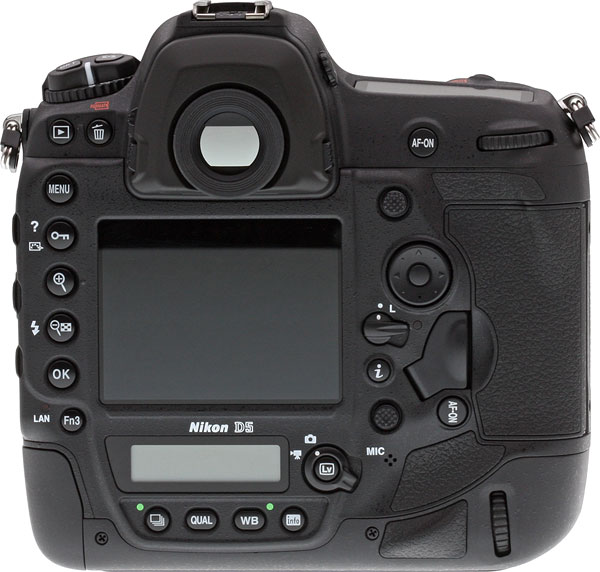 |
As is the case with other professional-grade D-series Nikon cameras, you can easily shoot with it in portrait orientation. This works really well and the grip, despite being a bit narrow, is comfortable. The only issue I found is that the AF-On button is very sensitive and even resting my thumb on it triggered autofocus. In this regard, it behaves differently from the AF-On button you use when shooting the camera in landscape orientation for whatever reason.
A camera like the Nikon D5 is meant to be customized to fit your own needs, and the camera certainly provides you the ability to do so. All of the controls you need are right at your fingertips and the camera is remarkably comfortable to use.
New autofocus system is one of the Nikon D5’s standout features
Nikon is billing the D5’s autofocus as its “fastest, most accurate AF system yet.” While that’s a big claim, my experience with the Nikon D5 backs it up. The new Multi-CAM 20K AF sensor module delivers excellent results; the autofocus is fast, accurate and reliable.

One of the important new autofocus features is the number of autofocus points for the Nikon D5. There are 153 focus points, 99 of which have cross-type sensors. All 153 autofocus points are compatible with f/5.6 or faster lenses and the center 15 points work with f/8 lenses. It is worth noting that of the 153 focus points, you are only able to select from 55 of them (which is might be a good thing because having to cycle through 153 points manually would be tedious).
In addition to a larger number of autofocus points, the Nikon D5 has improved low-light autofocus performance. The D5 can autofocus in light as low as -4 EV according to the company, 2 EVs better than the D4S and 3 EVs better than the D3S.
An interesting new feature is automatic AF fine-tune, which allows you to have the camera automatically fine-tune front/back focus for each of your lenses. I wrote about this feature in a Caffeine Priority post, so check that out. The main takeaway is that it works well and should help iron out any focusing issues you have with your lenses.
Lightning-quick AF-S performance
AF-S (single-servo AF) performance is very good. The camera is able to autofocus remarkably quickly and it nailed focus in nearly every instance. Unlike its predecessor, the D4S, the Nikon D5 includes a dedicated AF processor.
When shooting in AF-S autofocus mode, you can select from single-point, group area AF, and auto area AF. Selecting an autofocus mode is simple, you press the focus-mode selector button on the front of the camera and cycle through modes using the command dials (the secondary command dial handles mode whereas the main command dial handles AF-S versus AF-C selection).
 |
|
800mm (Nikon 400mm f/2.8G IF-ED AF-S VR with Nikon TC-20E III teleconverter), f/5.6, 1/800s, ISO 1800.
This image has been modified. Click for full-size image. |
As a side note, you can assign various AF area modes (except for 3D-tracking) to different function buttons on the camera. For example, you can assign group-area AF to one of the function buttons while using the camera in single-point autofocus area mode. When you press the function button, you can shoot in group-area AF as long as you’re pressing the function button. Once you’ve released the button, the camera will go back to single-point AF, or whichever AF area mode it is set to.
Moving the autofocus point when shooting with single-point or group-area autofocus is easy with the Nikon D5. You simply use either the multi-selector or the sub-selector. Personally, I like using the multi-selector, but the joystick-like sub-selector works well too. The sub-selector does take a bit of getting used to, but when shooting in portrait orientation it is much easier to reach (for me, at least) than the multi-selector.
Auto area autofocus performance is quite good and works well if you don’t have time to select an individual focus point or group of focus points. With face-detect turned on, it gives priority to faces, which makes it a good choice for fast-paced events or just general event photography. When shooting sports with only one person in the frame, it works quite well too (more on that in a bit).
 |
|
600mm (Nikon 200-500mm f/5.6E ED VR AF-S lens with Nikon TC-14E III teleconverter), f/8.0, 1/1600s, ISO 400.
This image has been modified. Click for full-size image. |
When you get right down to it, the Nikon D5 is particularly well-suited for continuous autofocus performance, but it needs to have excellent AF-S performance to lay down a solid foundation. And excellent AF-S performance is something it has in spades.
Intelligent and reliable continuous autofocus make the Nikon D5 a high-speed star
Continuous autofocus performance is where the Nikon D5 truly shines. I was very impressed with its ability to not only acquire focus on a moving subject, but maintain focus during fast motion.
 |
|
400mm (Nikon 400mm f/2.8G IF-ED AF-S VR), f/2.8, 1/8000s, ISO 3600.
Click for full-size image. |
One of my favorite autofocus modes is the dynamic-area AF which allows you to select from 25, 72, and 153 points. The 153-point dynamic-area AF mode works very well. You select an initial focus point and then if your subject leaves this area, the camera maintains focus using additional focus points. This mode was very reliable for me.
The 3D-tracking autofocus mode is also effective for capturing moving subjects. Like with dynamic-area AF, you select the initial focus point and then the camera uses the rest of the points to maintain focus on the subject. 3D-tracking uses color information to help track the subject while the shutter is pressed halfway.
 |
|
400mm (Nikon 400mm f/2.8G IF-ED AF-S VR), f/2.8, 1/8000s, ISO 4500, -0.3 EV.
This image has been modified. Click for full-size image. |
The Nikon D5 also comes with new settings for lock-on autofocus performance. On previous pro-level Nikon D-series cameras, you could select from different speed settings for how quickly the camera would switch focus. With the D5, you can select from two different parameters. The first is blocked shot AF response. You can select how quickly the camera will try to focus on a subject that gets in front of your original subject. For example, if you’re photographing an athlete and another athlete moves into your frame and blocks your subject. The other parameter is subject motion where you can select between “erratic” and “steady” on a sliding scale.
 |
|
GIF showing the Nikon D5 acquire focus during a high-speed burst of a play at the plate. The focus had been on the pitcher, but when I saw that there was going to be a play at the plate I quickly moved the camera over to cover the play. As the play started, the camera was out of focus, but it quickly acquired focus before the main action took place. Click on the GIF above to see an in-focus frame from the burst.
|
Overall, the Nikon D5 does a superb job of maintaining focus on moving subjects. Fast movements are handled really well and the camera is able to get focus locked in quickly. When using the D5, I got more in-focus images during burst shooting than with any other Nikon camera I’ve used.
EXPEED 5-powered Nikon D5 is a solid all-around performer
Excellent continuous autofocus performance doesn’t mean much if the camera is slow to capture images, and the Nikon D5 is not slow at all. The new EXPEED 5 image-processing engine delivers up to 12 frames per second shooting with full-time AF and AE.
Nikon reports that you can capture up to 102 14-bit uncompressed RAW images (the largest RAW files available) in a burst with a Lexar Professional 2933x XQD 2.0 card which is rated at 400MB/s for writes. We found that the buffer was exhausted after 61 frames in the lab, but we tested with a somewhat slower Sony G-Series XQD 2.0 card rated at 350MB/s for writes. The buffer then cleared in about ten seconds. While this is quite a bit less than the published figure from Nikon with the fastest XQD card currently available, it’s still impressive. And if you want more buffer depth with RAW images, you can shoot lossless-compressed or compressed RAW files for up to 200 frames in a burst according to Nikon.
 |
|
GIF showing the Nikon D5 capture a series of images at 12fps. Click on the GIF above to see a frame from the burst.
|
When shooting optimal quality JPEG images the buffer was tested at 200 frames (capped by the programmable Max Continuous Release range is 1 to 200) and the buffer cleared in less than a second, which is incredibly fast. See our lab Performance test results for details.
An additional continuous shooting option is continuous high mirror-up, which provides 14fps shooting but AF and AE are locked with the first frame. If you’re shooting a mostly stationary subject, this will work well. You do lose the optical viewfinder experience, but you get an extra couple of frames per second of high-speed shooting.
A particularly impressive aspect of the Nikon D5’s overall performance is how quickly you can view images and cycle through them. When you’re done a burst, your images are ready to be viewed. If you’re shooting an event, it’s great to be able to quickly view a burst, make any necessary adjustments, and then get right back to shooting.
 |
|
400mm (Nikon 400mm f/2.8G IF-ED AF-S VR), f/2.8, 1/8000s, ISO 360.
This image has been modified. Click for full-size image. |
On the topic of new performance features, the improved viewfinder (which I touched on a bit previously) is due to a new mechanism that drives the camera’s mirror. There’s a stepping motor that accelerates initial up and down movements of the mirror while also decelerating it just before the mirror completes its downward movement, which reduces mirror bounce and provides a more stable viewfinder experience. This motor is also responsible for the decreased blackout time.
Note: I tested an XQD Nikon D5. The Nikon D5 is also available with dual-CF card slots. We have not tested the CF model in the lab, but it stands to reason that it will offer reduced buffer depth and clearing performance than the faster XQD cards.
In the field: Nikon D5 hits for the cycle at the ball park
I was able to extensively test the Nikon D5 at high-level (and high-speed) baseball games. When photographing a University of Maine double header, the D5’s fast shutter and continuous shooting performance was really put to the test. The double header also proved that the Nikon D5’s battery life is very good. It is CIPA-rated for 3,780 shots on a charge, which is simply excellent.
With pitchers throwing at about 90 miles per hour, a fast shutter speed is a must. Even 1/8000s isn’t enough to completely freeze the ball in mid-flight, but it does a good job nonetheless. With a very bright sun and a difficult uniform combination of navy blue over white for the local UMaine team, the metering abilities and the dynamic range of the D5’s sensor was put to the test.
 |
|
400mm (Nikon 400mm f/2.8G IF-ED AF-S VR), f/2.8, 1/8000s, ISO 200, -0.7 EV.
This image has been modified. Click for full-size image. |
You might have seen rumblings on the web about the Nikon D5’s dynamic range performance at lower ISOs. It’s true, it’s not as good as the D800-series or some other recent Nikon cameras, but it is still plenty good enough to rescue highlights and bring shadows up when the need arises.
Metering performance, on the other hand, was mostly good. I’ll discuss metering more in-depth in my second field test, but for now I’ll just say that both exposure and white balance metering performed well and the well-located exposure compensation button allowed quick adjustments. The best thing a camera’s metering system can do is be consistent, and the Nikon D5 is very consistent, even though there are a few quirks to its matrix metering mode.
When shooting baseball, the 12fps continuous shooting performance is really critical. Capturing the ball hitting the bat or the pitcher at his release point is tough to do, but your odds are certainly better at 12fps. When you don’t need the excellent optical viewfinder experience, you can increase your odds a bit by using the D5’s 14fps mirror-up continuous shooting mode, which works really well. It’s also quite a bit quieter, so this is a mode I like for wildlife shooting as well.
 |
|
400mm (Nikon 400mm f/2.8G IF-ED AF-S VR), f/2.8, 1/8000s, ISO 8000.
This image has been modified. Click for full-size image. |
I also had the opportunity to photograph a Portland Sea Dogs minor league baseball game. The cloudy evening conditions and 6pm first pitch allowed me to put the D5’s low-light performance to the test and it performed very well.
Even in conditions requiring high ISO speeds, the Nikon D5 handled very well and produced a lot of really nice images. The in-camera high ISO processing and noise reduction didn’t slow the camera down at all and its high ISO performance was generally very good.
 |
|
400mm (Nikon 400mm f/2.8G IF-ED AF-S VR), f/2.8, 1/8000s, ISO 40000, -0.3 EV. While this image wouldn’t look good printed at a very large size, this is still a very impressive image quality for having been shot at ISO 40,000. The colors are a little washed out, but the image still has good contrast and pretty decent sharpness when viewed at less than 100%. |
I did find that the automatic white balance metering struggled slightly with the stadium lighting and images can get a bit washed out at higher ISOs, but other than that, I was very impressed with its performance.
In both cases of shooting baseball, the strong performance of the EXPEED 5 image processing engine and value of the XQD card became apparent. Firing off a large burst of images at 12fps and being able to view them on the display immediately after you finish capturing the images is impressive.
In the field: Unpredictable wildlife is no problem for the Nikon D5
While not necessarily as demanding as sports photography, wildlife photography presents a different set of challenges. I don’t have much control over where subjects are and they can often be much smaller in the frame, particularly birds.
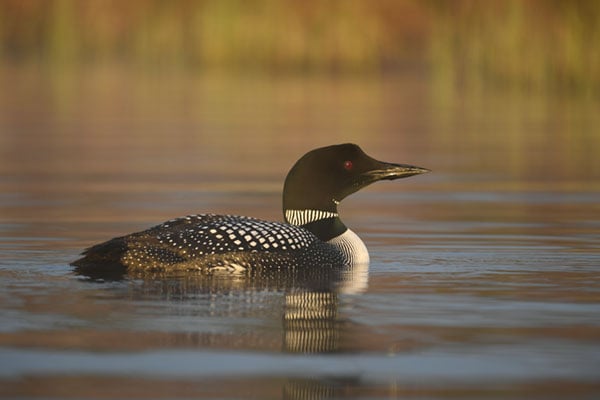 |
|
500mm (Nikon 200-500mm f/5.6E ED VR AF-S lens), f/5.6, 1/500s, ISO 360.
Click for full-size image. |
A small subject can often present challenges for an autofocus system as it can quickly lose focus on the subject and then focus on the background, but this didn’t happen very often with the Nikon D5. When it did, it was able to reacquire focus on the selected point quite quickly.
Photographing small birds, especially on a full-frame sensor, often requires the use of teleconverters on long lenses. This is where all 153 autofocus points being compatible with f/5.6 lenses comes in particularly handy, as my 400mm f/2.8G lens with a 2x teleconverter becomes an 800mm f/5.6 equivalent lens. Even with the 2x teleconverter on the 400mm lens, the D5 autofocused very well and quite quickly across the entire frame.
 |
|
500mm (Nikon 200-500mm f/5.6E ED VR AF-S lens), f/5.6, 1/500s, ISO 4500.
Click for full-size image. |
Using a Nikon 200-500mm f/5.6E lens with a 1.4x teleconverter makes it an f/8 lens, which can be too slow for autofocus to work on many DSLRs, but the D5’s 15 central focus points for f/8 lenses worked really well. In fact, despite not being “officially” listed as able to autofocus with the rest of the autofocus points with an f/8 effective lens, the Nikon D5 was capable of focusing fairly quickly across the entire array of AF points at f/8.
Nikon D5 Field Test Part I Summary
The D5 impresses in demanding situations
What I like:
- Very comfortable and customizable camera body
- New function buttons are great additions
- Relocated ISO button puts all exposure-related controls within reach of the right hand
- Autofocus performance is great all-around
- Continuous shooting performance is very impressive, particularly with an XQD card
What I dislike:
- Portrait-orientation AF-On button is overly sensitive
- Touchscreen functionality feels tacked on and isn’t particularly useful
 |
|
500mm (Nikon 200-500mm f/5.6E ED VR AF-S lens), f/5.6, 1/1000s, ISO 400.
This image has been modified. Click for full-size image. |
The Nikon D5 is a professional workhorse. It has been designed from top-to-bottom to provide reliable high-speed performance in all conditions. During my experience with the camera for this field test, it has thoroughly impressed me. The autofocus performance and continuous shooting performance were particular standouts when shooting sports and wildlife.
In my next field test, I will be further discussing shooting modes, the overall user experience, low-light performance, and video performance. I will also give a final wrap-up of my time with the camera. Stay tuned!
Field Test Part III
Excellent low light performance, robust video and a great user experience
by Jeremy Gray | Posted 06/02/16
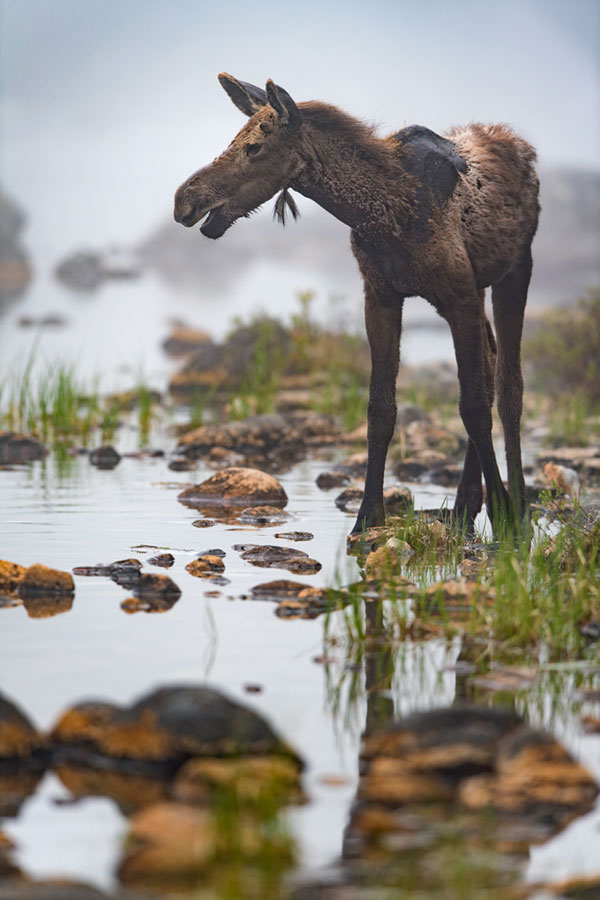 |
|
400mm eq. (Nikon 400mm f/2.8G IF-ED AF-S VR), f/4, 1/400s, ISO 280.
This image has been modified. Click for full-size image. |
Introduction
In the first part of my field test for the Nikon D5, I discussed the camera body’s design as well as autofocus and high-speed performance. In this second installment, I will be covering the new image sensor, overall user experience, low light performance and video before giving a final wrap-up of my experiences with the Nikon D5.
While the D5 is very impressive for fast-paced continuous shooting, it is also very good for slower-paced work and is excellent for low light photography. It is also the first flagship FX Nikon camera to include 4K UHD video recording.
 |
|
20mm eq. (Nikon 20mm f/1.8G ED AF-S), f/11, 8s, ISO 100, -0.67 EV.
This image has been modified. Click for full-size image. |
Nikon D5’s 20.8-megapixel sensor delivers good results
The Nikon D5 comes equipped with a new 20.8-megapixel full-frame CMOS sensor, which was developed in-house by Nikon and is designed for capturing images with better quality at higher ISOs. This engineering for higher ISOs comes at a slight cost to dynamic range at lower ISOs, though. With that said, it still does have a very respectable dynamic range of 12.3 EVs, according to DxO Mark’s review. At the begining of the ISO range, the D5’s dynamic range starts at a lower level than other full-frame cameras, but it also stays higher for longer as ISO is increased. At higher ISOs, from roughly ISO 1600 onward, the D5’s dynamic range surpasses that of the earlier D4S and D3S.
With four more megapixels than its predecessor, the D4S, the Nikon D5 doesn’t experience a massive leap in resolution, but it still captures sharp, detailed image files. If maximum resolution is needed, a camera like the 36MP D810 is perhaps more appropriate, but overall, D5’s sensor offers impressive image quality.
 |
|
24mm eq. (Nikon 24-70mm f/2.8E ED VR AF-S), f/8, 1/50s, ISO 100.
Click for full-size image. |
D5’s strong metering contributes to an excellent user experience
With excellent ergonomics, the D5 certainly feels nice in the hands. It has the features and performance to follow that up with a great overall user experience as well.
Metering
The pixel count of the 3D Color Matrix Metering sensors in Nikon cameras has continued to increase over the years. For example, the Nikon D3S had a 1,005-pixel RGB sensor and the D4S upped it to 91,000 pixels. The Nikon D5 has a 180k-pixel RGB sensor along with Advanced Scene Recognition and face-detection options, including a customizable watch area.
This new metering system delivers very good metering performance. No camera is going to perfectly meter every situation or be able to read your mind, even top of the line DSLRs such as the D5, but it does come as close to perfect as any Nikon DSLR I’ve used.
 |
|
70mm eq. (Nikon 24-70mm f/2.8E ED VR AF-S), f/8, 1/80s, ISO 220, Auto 2 White Balance (keep warm lighting), +0.67 EV.
Click for full-size image. |
Available metering modes are matrix metering, center-weighted area, and spot. Center-weighted metering is customizable in size with options ranging from 9mm to 20mm with 12mm being the default and the one that the camera uses when a non-CPU lens is attached. Spot metering is tied to the autofocus point and encompasses approximately 1.5% of the frame and has an additional “highlight-weighted” option which tells the camera to assign the greatest weight when determining the correct exposure to highlights in the image, which ideally will reduce the amount of detail lost in highlight areas.
In the relatively rare instances when the D5 struggles to meter a scene, the exposure compensation button is easily reached with the right index finger. If you find that a particular metering mode typically requires a level of compensation for your own shooting, you can fine-tune exposures for each metering mode in the camera’s custom settings.
 |
|
800mm eq. (Nikon 400mm f/2.8G IF-ED AF-S VR + Nikon TC-20E III TC), f/5.6, 1/640s, ISO 900.
Click for full-size image. |
Along with the new metering sensor, the Nikon D5 also includes new white balance metering options. There are now multiple auto white balance options available: Auto 0 (keep white, reduce warm colors), Auto 1 (normal, same as the D4S) and Auto 2 (keep warm lighting colors). Overall, auto white balance works really well, although I did find that Auto 2 still neutralized warmer whites quite a bit.
Another neat feature that the D5 offers is spot white balance metering during Live View shooting. When in Live View, you set White Balance to “PRE” on the rear of the camera and select direct measurement (this shows up as “d – 1” on the smaller information display on the rear of the camera). You can then move the selector over your white balance target and then hold the shutter-release button down. You can save the results as white balance presets for up to six targets.
Standard assortment of modes, plus a not so quiet Quiet mode
Offering a pretty standard suite of exposure modes, the Nikon D5 will feel familiar to anyone who has shot with a DSLR. Your P, S, A, and M modes are all there on the mode dial. Besides that, there really is not much else, nothing too fancy here. The D5 does offer a quiet shutter release mode that allows for continuous shooting at up to 3 frames per second. It is definitely quieter, which isn’t saying too much considering the D5’s very loud shutter, but it is far from what I would consider quiet.
For quieter shooting, utilizing Live View is much better than either of the two shutter release modes. For the utmost in quiet shooting, the D5 does offer a special “Silent Live View Photography” mode, but the camera only records in low-resolution JPEGs (2784 x 1856, and the ISO is restricted to Auto ISO unless you’re in Manual exposure mode. Here, you can shoot at either 15 or 30fps, and shutter speed can be set as slow as 1/30s in M mode. It’s basically like a movie mode except you’re only capturing stills.
Familiar menu system
Menus, in general, on the D5 are well-organized. Granted, I’m used to Nikon menus, but you mostly find settings where you would expect them, which is something I can’t say for every camera menu I’ve experienced. For your most frequently used settings, you can place them in My Menu, which can then be accessed via a one of the many customizable function buttons if you so desire.
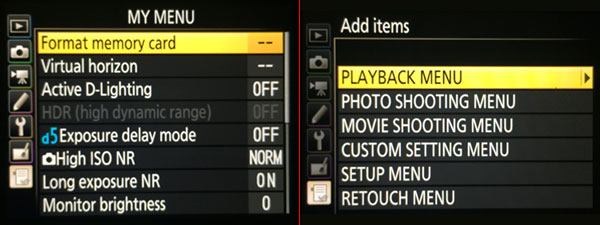 |
|
Nikon MyMenu screenshot with default items. On the right, you can see the menus from which you can add items to your MyMenu. You can add, remove and re-rank selected items.
|
One of my favorite autofocus modes is the dynamic-area AF which allows you to select from 25, 72, and 153 points. The 153-point dynamic-area AF mode works very well and was very reliable for me. You select an initial focus point and then if your subject leaves this area, the camera maintains focus using additional focus points.
Summing up the very good user experience
The overall user experience is excellent. In both field tests, I’ve touched on various aspects of the D5’s body and controls. With very few exceptions, this is a brilliantly-designed camera that is fun to use. You can use it for a long time too, as the D5’s battery life is an incredible 3,780 shots in single-frame release mode and up to 8,160 shots in continuous-release mode.
Nikon D5 offers fantastic low light performance
The Nikon D5 brings with it something of a revolutionary ISO range. If you thought that the D4S’ native range of ISO 100-25,600 was impressive, then the D5’s native ISO range of 100-102,400 is staggering. But, the D5’s expanded ISO range of ISO 50-3,280,000 might just blow you away. It is worth noting that Canon’s latest 1D X Mark II camera, the D5’s most obvious competitor, has a native range of 100-51,200 and can expand to 50-409,600.
So, the D5 can shoot images at over ISO three million, but what does that actually mean for real-world performance and image quality? Well, as you may expect, you won’t be getting good images at ISO 3 million, as the noise is very extreme. But you will be able to capture high-quality, clean images at some very high ISO levels.
JPEG images can look quite good straight from the camera, even at very high ISO settings. Consider the image below from a night baseball game that was captured at ISO 40,000.
 |
|
400mm eq. (Nikon 400mm f/2.8G IF-ED AF-S VR), f/2.8, 1/8000s, ISO 40000, -0.33 EV. Normal high ISO noise reduction applied in-camera. |
 |
|
100% crop RAW file for the above image captured at ISO 40000. Default Adobe Camera RAW settings applied. |
Sure, there’s a lot of visible noise when viewing the 100% crop image, but it’s also a 100% crop of a RAW image shot at ISO 40,000. There’s a lot of detail still visible in the image, and it looks good when viewed at smaller sizes. There is also still a good amount of contrast in the image as the black of the batting gloves and baseball bat aren’t completely washed out. Colors are generally well-rendered, although the shadow areas are a bit rough overall.
Most importantly, the D5’s really good high ISO performance allowed me to shoot at the shutter speeds I wanted to without worrying about the ISO speed. The less time I spend wondering about whether or not I will be able to capture good images, the more productive I can be in the field.
 |
|
800mm eq. (Nikon 400mm f/2.8G IF-ED AF-S VR + Nikon TC-20E III TC), f/5.6, 1/640s, ISO 8000.
This image has been cropped. Click for full-size image. |
Impressive high ISO performance lets me put a teleconverter on my longer lenses and not worry about the decrease in maximum effective aperture. The image above, shot at ISO 8,000, would be difficult to capture with many other cameras. The JPEG file has “normal” noise reduction applied to in-camera, and it still delivers impressive sharpness and an overall very clean image file.
Good high ISO images doesn’t mean as much if the camera’s low light autofocus struggles. Fortunately, the Nikon D5’s autofocus is fantastic in low light. Every autofocus point on the Multi-CAM 20K autofocus sensor is rated to focus down to -3 EV, but the central point is rated down to -4 EV. No matter where your subject is in the frame, the D5 is very capable of achieving focus even in low light.
Overall, the Nikon D5 is one of the most impressive low light cameras I’ve used. Its sensor strikes an excellent balance between resolution and high ISO performance.
In the field: Night shooting is no problem for the Nikon D5
The Nikon D5 is an excellent night photography camera for a couple big reasons. Firstly, its high ISO performance is excellent, as I discussed in detail above. Secondly, it has a variety of night-friendly features.
While you can stack a multi-shot sequence of high ISO images of the night sky in software to reduce noise, it is often desirable to get good results using a single file because it is faster and better for shooting subjects like auroras or meteors. While I didn’t have the opportunity to shoot either of those subjects with the D5, its handling when photographing the Milky Way was very impressive.
I often have to make the difficult decision of getting tack sharp stars or having an image with acceptable levels of noise. The D5 does a great job of providing me with the ability to achieve both goals. For example, the image below was shot at ISO 8,000 and made a very clean file that still allowed me to make adjustments during post-processing without ruining the file. ISO 8,000 also allowed me to capture the shot with a 15 second exposure, which ensured that the stars didn’t move too much during the exposure.
 |
|
14mm eq. (Nikon 14-24mm f2.8G IF-ED AF-S), f/2.8, 15s, ISO 8000.
This image has been modified. Click for full-size image. |
Besides the excellent high ISO performance, the D5 also has some neat features that allow this camera to shine at night. Like the D4/D4S, the D5 has illuminated buttons, but, whereas the D4 models illuminated only the rear buttons, the D5’s mode dial now illuminates too.
Live View also works very well at night, provided that you disable the live view exposure preview option. By pressing the “OK” button to the left of the display, you can toggle exposure preview on and off. Exposure preview is fine during the day, but not good at night because the exaggerated noise renders the live image practically useless. When not previewing exposure, you can easily dial in focus using a bright star or the moon (assuming you have a fast lens on your camera, which you should for night shooting).
 |
|
14mm eq. (Nikon 14-24mm f2.8G IF-ED AF-S), f/2.8, 20s, ISO 6400.
This image has been modified. Click for full-size image. |
Regarding the optical viewfinder for night shooting, it can be useful in certain situations. If your eyes are well-adjusted to the low ambient light and you’re using a fast lens (f/1.4-2.8), then the optical viewfinder can be useful for framing. There are a lot of variables at play here. For focus, I recommend that you use Live View. Of course, once you use Live View then your night vision will need to readjust.
In the field: Bass Harbor Lighthouse at sunset challenges the D5
Bass Harbor Lighthouse is one of the most picturesque locations along the rugged Maine coast. At sunset, you can sometimes be treated to brilliant colors, but depending on the cloud cover you can also be subject to some very difficult lighting conditions because the sun sets almost behind the lighthouse from the most accessible shooting locations.
 |
|
20mm eq. (Nikon 20mm f/1.8G ED AF-S), f/11, 4s, ISO 100, -0.33 EV.
This image has been modified. Click for full-size image. |
Unfortunately, as the sun was setting the conditions were such that there was a very bright blotchy area of the sky to the left of the lighthouse. This provided me the opportunity to test out both the D5’s in-camera HDR and also its exposure bracketing functions.
One slightly annoying thing is that you have to manually turn off RAW image capture before the HDR option becomes selectable. A better option would be to select HDR and then have the camera present a dialog saying something like, “To use this feature, you must disable RAW recording. Would you like to disable RAW recording now?” This may be a small issue, but it does slow you down in the field and this camera is designed to always be fast.
 |
|
Non HDR image
|
 |
|
HDR image
|
In-camera HDR can be set to single photo or series (when it is set to single photo, HDR automatically turns off after one image is captured). HDR in the Nikon D5 combines two images into one final file. You can select from Auto, 1 EV, 2 EV or 3 EV for exposure differential, and you can select from low, normal or high smoothing. Overall, the Nikon D5 did a good job handling what was a very difficult shooting situation. If you’d like to do your own HDR images, the D5 does bracketing very well. You can bracket up to nine shots provided that exposure increments are less than 2 EV. For exposure increments of 2 EV or more, you can bracket up to five shots.
 |
|
HDR created using Nik’s HDR Efex Pro 2. This was created from five frames captured using the D5’s exposure bracketing feature.
|
4K video makes its way to the Nikon D5 with a couple of caveats
The Nikon D5 is Nikon’s first full-frame DSLR to include 4K UHD video recording capabilities, but it does come with some caveats. 4K UHD (3840 x 2160) video can be recorded at up to 30 frames per second and uncompressed video is available via HDMI output. You can also capture still images during video recording, including full 20MP JPEGs with FX-format 1080p video mode or 8MP 4K stills when using 4K UHD mode. There are a few gotcha with this: it’s JPEG-only at Fine Quality level, and video recording will be interrupted — you’ll have to manually restart video capture after recording a still image.
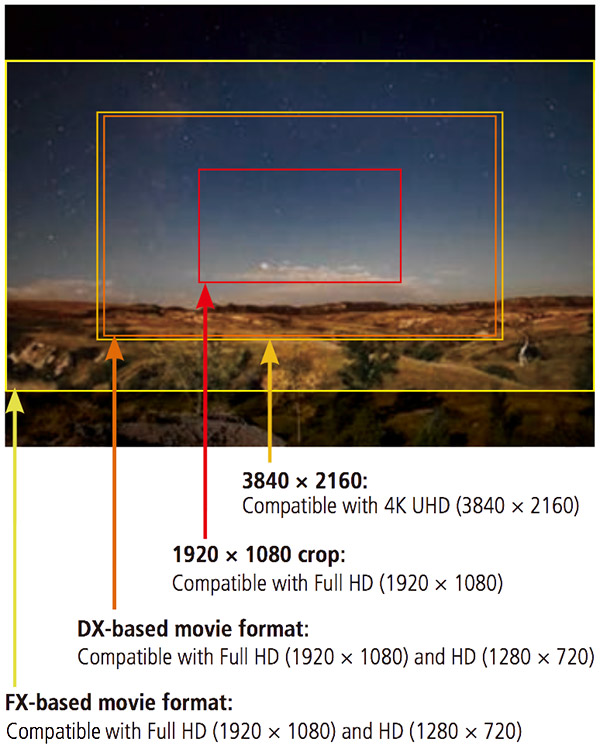
Thanks to the new sensor, the Nikon D5 offers high quality video without line-skipping or downsampling for most video modes. When recording 4K UHD video, the 3840 x 2160 resolution comes from the central 3840 x 2160 portion of the sensor with full pixel readout, so there’s a noticeable crop factor when recording in 4K, which is something of a disappointment if, for example, you’re looking to get the most out your wide angle lenses. The angle of view is approximately 1.5x the focal length, similar to a DX-format (APS-C) crop factor. If you want to “zoom in” more on your subject, you can record in the 1920 x 1080 Crop mode and achieve an approximately 3x crop factor — again using full pixel readout from a central 1920 x 1080 portion of the sensor.
To utilize the full-width FX sensor, you need to record in FX-format mode, which only crops part of the top and bottom of the frame to achieve 16:9 aspect ratio. In this mode, the video is therefore resampled down to the 1080p or 720p resolution. The D5 also offers a DX-format movie mode for both Full HD and HD resolutions (1.5x crop), that’s also downsampled from an APS-C-sized area of the sensor. For those hoping to record 4K video using the full width of the sensor, I’m afraid that the D5 won’t satisfy your desires in that regard.
With that said, this is a very capable DSLR for recording video. The D5 offers Flat Picture Control, which records as much image information as possible and is ideal for post-production work. There are a number of other useful features available as well, including exposure compensation, power aperture control,and auto ISO when recording using a fixed shutter speed and aperture. Sound controls include 20 sensitivity increments and a frequency response function. There is also a new dedicated movie shooting menu in the camera’s menu system, placing all of the important movie recording settings in their own dedicated tab.
There is one more caveat for the D5 and 4K video, one that I hope will be addressed in the future via firmware update, but for now the D5’s continuous 4K video recording is limited to a mere 3 minutes. In contrast, the D500 can record 4K video continuously up to 29 minutes and 59 seconds. I’m not sure why this disparity exists, but it is something to keep in mind if your workflow is emphasizing video. For most 1080p and 720p video options, continuous recording is increased to the more common 29:59 limit, however 1080/60p (and 50p for PAL) is limited to 10 minutes for High quality and 20 minutes for Normal quality. (Update: Firmware v1.10 has since increased the D5’s video recording limit in all modes to 29m:59s by recording across multiple 4GB files which can be concatenated using software, and has also added Electronic VR for movies.)
Like previous Nikon DSLRs, the D5 lacks on-sensor phase-detect autofocus, so Live View focusing displays a characteristic wobble as it adjusts focus. However, despite being a contrast-detect AF system, Live View AF on the Nikon D5 is really fast; faster than any Nikon DSLR that I’ve used. Nikon claims that it is up to 50% faster than previous AF systems. Nevertheless, in the field, using Live View for both stills and video is a much faster than on earlier Nikon DSLRs. For video, you will notice some characteristic CDAF “wobble,” but it’s generally quite brief as the camera adjusts focus quickly. Also, as you can hear in the sample video above, autofocus noises can be audible so care should be taken in sound-sensitive environments either by using an external microphone or a quieter-focusing lens.
I’m not a seasoned video shooter, but I am a seasoned Nikon shooter, and I found the Nikon D5 to offer better video performance than previous Nikon DSLRs I’ve used. For the first time, I can say that the D5 actually feels like a multimedia camera rather than a stills camera with video recording tacked on. That 4K recording limit, however, is certainly a potential issue for some shooters.
Nikon D5 Field Test Part II Summary
The D5 is an impressive all-around camera
While the Nikon D5 is clearly designed for fast-paced shooting, it handled very well when I slowed down and took it out in the field for landscapes and night images.
The sensor is impressive at higher ISOs but does have a slight disadvantage at lower ISOs when considering both resolution and dynamic range. When thinking about its target audience though, this is an understandable trade off. There are numerous useful features in the D5, such as the touchscreen and the illuminated buttons, that make it very good for landscape and night photography. It would be nice if the screen tilted, but given the strenuous conditions that a D5 might be subjected to, I understand the decision to stick with a non-tilting display for sheer durability.
 |
| 400mm eq. (Nikon 400mm f/2.8G IF-ED AF-S VR ), f/8, 1/250s, ISO 100, on camera SB-5000 used. This image has been modified. Click for full-size image. |
Wrapping it all up: The Nikon D5 is a true flagship camera
What I like:
- Consistent and impressive metering performance
- 4K UHD video
- Illuminated controls
- Fantastic battery life
- Very comfortable and configurable camera body
- Relocated ISO button places all exposure controls in the same area
- Fantastic autofocus performance
- Excellent continuous shooting speeds and performance
What I dislike:
- Loud shutter
- Touchscreen serves very little purpose outside of Live View
- 4K video recording limit of 3 minutes might be an issue for some
At $6500 USD, the Nikon D5 is without a doubt an expensive camera. With this high cost Nikon has delivered excellent build quality, durability and top-end features and performance. However, can you justify the cost? That’s ultimately for you to decide, but if you do need this camera, you’ll know it and there will likely be a variety of excellent reasons why you choose to purchase a D5.
 |
|
400mm eq. (Nikon 400mm f/2.8G IF-ED AF-S VR ), f/2.8, 1/400s, ISO 220, +0.67 EV.
This image has been modified. Click for full-size image. |
If you decide to go the route of the D5, then you’ll get an excellent camera that will take whatever you throw at it and ask, “Is that all you’ve got?” Fast subjects, demanding conditions, these are what the D5 is made for. It is the ultimate Nikon DSLR, as it well should be considering its lineage and steep price tag. With that said, it is not a jack-of-all-trades. It is not the perfect landscape or portrait camera nor is it a compact traveler. The Nikon D5 is an immensely fast camera with superb autofocus, image processing and build quality that is designed to stand the test of time.
High ISO Noise Reduction
The Nikon D5 offers four High ISO Noise Reduction settings: Off, Low, Normal (default), and High, allowing you quite a bit of flexibility in choosing how you want to make the trade-off between subject detail and noise levels in JPEGs. The Nikon D5 manual doesn’t say at what ISO High ISO Noise Reduction begins to be applied, so we’ve included crops from ISO 50 on up here.
See for yourself how the Normal and Off settings work compared to RAW files with no noise reduction (or sharpening) applied. Click on any of the crops below to see the corresponding full-sized image.
| High ISO Noise Reduction Comparison Simulated Daylight |
|||
|
Normal
|
Off
|
RAW (no NR)
|
|
| I S O 5 |
 |
 |
 |
 |
 |
 |
|
 |
 |
 |
|
|
Normal
|
Off
|
RAW (no NR)
|
|
| I S O 1 |
 |
 |
 |
 |
 |
 |
|
 |
 |
 |
|
|
Normal
|
Off
|
RAW (no NR)
|
|
| I S O 2 |
 |
 |
 |
 |
 |
 |
|
 |
 |
 |
|
|
Normal
|
Off
|
RAW (no NR)
|
|
| I S O 4 |
 |
 |
 |
 |
 |
 |
|
 |
 |
 |
|
|
Normal
|
Off
|
RAW (no NR)
|
|
| I S O 8 |
 |
 |
 |
 |
 |
 |
|
 |
 |
 |
|
|
Normal
|
Off
|
RAW (no NR)
|
|
| I S O 1 |
 |
 |
 |
 |
 |
 |
|
 |
 |
 |
|
|
Normal
|
Off
|
RAW (no NR)
|
|
| I S O 3 |
 |
 |
 |
 |
 |
 |
|
 |
 |
 |
|
|
Normal
|
Off
|
RAW (no NR)
|
|
| I S O 6 |
 |
 |
 |
 |
 |
 |
|
 |
 |
 |
|
|
Normal
|
Off
|
RAW (no NR)
|
|
| I S O 1 |
 |
 |
 |
 |
 |
 |
|
 |
 |
 |
|
|
Normal
|
Off
|
RAW (no NR)
|
|
| I S O 2 |
 |
 |
 |
 |
 |
 |
|
 |
 |
 |
|
|
Normal
|
Off
|
RAW (no NR)
|
|
| I S O 5 |
 |
 |
 |
 |
 |
 |
|
 |
 |
 |
|
|
Normal
|
Off
|
RAW (no NR)
|
|
| I S O 1 |
 |
 |
 |
 |
 |
 |
|
 |
 |
 |
|
|
Normal
|
Off
|
RAW (no NR)
|
|
| I S O 2 |
 |
 |
 |
 |
 |
 |
|
 |
 |
 |
|
|
Normal
|
Off
|
RAW (no NR)
|
|
| I S O 4 |
 |
 |
 |
 |
 |
 |
|
 |
 |
 |
|
|
Normal
|
Off
|
RAW (no NR)
|
|
| I S O 8 |
 |
 |
 |
 |
 |
 |
|
 |
 |
 |
|
|
Normal
|
Off
|
RAW (no NR)
|
|
| I S O 1 |
 |
 |
 |
 |
 |
 |
|
 |
 |
 |
|
|
Normal
|
Off
|
RAW (no NR)
|
|
| I S O 3 |
 |
 |
 |
 |
 |
 |
|
 |
 |
 |
|
High ISO noise reduction seems to kick in already at ISO 200, however it is quite subtle until ISO 800, where it starts to impact fine detail in our difficult red-leaf swatch. And as is usually the case, the Off setting is not truly off, at least at sensitivities above base ISO. At intermediate to high ISOs, we would probably elect to shoot with the Low or even the Off setting, to better preserve fine detail. As you can see, sensitivities above the maximum native ISO of 102,400 or perhaps extended ISO 204,800 are so swamped with noise we wonder why Nikon even included them, other than for pure specmanship.
Conclusion
div.conclusion-experiment ul li {
list-style-image: none!important;
list-style: none;
background-repeat: no-repeat;
background-position: 0px 4px;
background-size: 1.5em auto;
padding-left:25px;
padding-top: 3px;
padding-bottom: 5px;
}
div.conclusion-experiment h4 {
clear: left;
border-bottom: 1px rgb(224, 224, 224) solid;
padding-bottom: 5px;
}
div.conclusion-experiment ul {
padding-left: 10px;
width: 300px;
float: left;
}
div.conclusion-experiment ul.pros {
}
div.conclusion-experiment ul.cons {
}
div.conclusion-experiment ul.pros li {
background-image: url(‘/PRODS/sony-a99/assets/images/ui/pro-mark.jpg’);
}
div.conclusion-experiment ul.cons li {
background-image: url(‘/PRODS/sony-a99/assets/images/ui/con-mark.jpg’);
}
 |
|
400mm (Nikon 400mm f/2.8G IF-ED AF-S VR), f/2.8, 1/8000s, ISO 220, -2/3 EV
This image has been modified. Click for full-size image. |
We put Nikon’s latest flagship camera, the D5, through its paces and came away very impressed. The Nikon D5 is designed to excel as a professional workhorse, and it shows in every aspect of the camera. From the Nikon-developed 20.8-megapixel full frame CMOS sensor to the new autofocus system, which offers an impressive 153 autofocus points, the D5 delivers exceptional performance across the board.
Nikon D5 body is big and heavy but very user-friendly
You know you’re using a pro-oriented DSLR the second you pick up the D5. Its bulky, durable body impressed us with its refinement and comfort, but this is not the camera for you if you’re looking for something compact and lightweight — not by a mile. Weighing in at over a whopping three pounds, this beast is far from small and light.
 |
With this size, however, comes excellent ergonomics and many external controls. A very welcome change on the D5 is the placement of the ISO button near the shutter release. All of the exposure-related controls are now in reach of your right hand. Regarding the viewfinder, magnification has been increased from 0.70x to 0.72x compared to the D4S and mirror blackout has been reduced. Overall, the camera body handles very well, despite its size.
 |
The D5 has excellent high ISO performance, but it comes at a cost
The D5’s new 20.8-megapixel full-frame CMOS sensor offers 4.6 more megapixels than its predecessor, which isn’t a big jump but it’s certainly notable nonetheless. The new sensor includes anti-reflective coating on various sensor components, designed to reduce ghost and flare.
 |
|
20mm (Nikon 20mm f/1.8G ED AF-S), f/11, 4s, ISO 100, -0.33 EV
This image has been modified. Click for full-size image. |
In conjunction with the new EXPEED 5 image processor, the sensor has also been designed to deliver improved tonal gradation and color reproduction. Our testing showed that the D5 displayed vibrant colors with average hue accuracy. Caucasian skin tones were a bit pale when using automatic white balance and a few colors were shifted (red toward orange and cyan toward blue). Yellow, orange, green and purple were pretty good though.
Regarding sharpness, the D5 produces very sharp JPEG images, although they’re perhaps a bit too sharp at default settings as there are sharpening halos visible around fine detail. Noise suppression at base ISO is quite minimal, and the results were excellent overall.
Impressive high ISO performance and print capabilities
With default noise reduction, JPEG files look clean and exhibit very good detail until around ISO 1600. At ISO 6400, images are still quite clean and display many fine details. Even at ISO 12,800, the results are impressive, with only some slight grain and chroma noise issues. When comparing JPEG files from the D5 against its predecessor, the D5 proved to be better at higher ISOs despite increasing the resolution. However, the difference is less evident when considering RAW files.
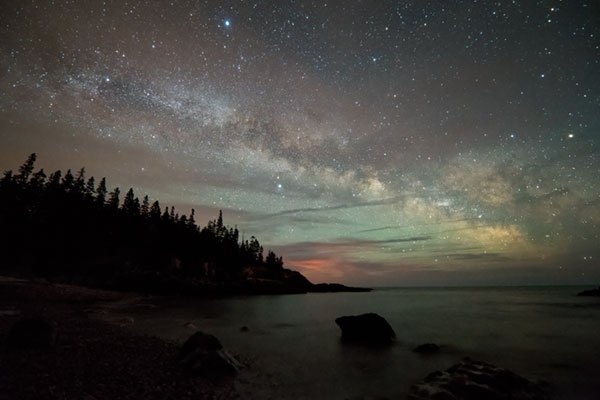 |
|
14mm (Nikon 14-24mm f2.8G IF-ED AF-S), f/2.8, 15s, ISO 8000
This image has been modified. Click for full-size image. |
Up to ISO 800, the Nikon D5 is able to make very good prints up to 30″ x 40″. Maximum size for a good quality print drops down to 24 x 36 at ISO 1600, still a very impressive result. At ISO 6400, you can make a great 16 x 20 print, but you might even be able to achieve an acceptable 20 x 30 print if you don’t expect a particularly close viewing distance. The D5 is also our first camera to deliver a usable 8 x 10 print at ISO 51,200! That’s an incredible result. Beyond ISO 102,400, the D5 cannot produce usable prints, so the ISO 3,280,000 equivalent Hi-5 setting is more marketing hype than anything else. With that said, for a camera to deliver a print at all at its highest native ISO setting — particularly when it’s 102,400 — is very impressive.
Dynamic range: An area of compromise
One area where the Nikon D5 under performs relative to both the D4S and the D5’s current closest competitor, the Canon 1DX Mark II, is with regard to dynamic range at lower ISOs. DxO Mark found the D5’s sensor to have a maximum dynamic range of 12.3 EVs compared to the D4S’ 13.3 EVs and the 1DX Mark II’s 13.5 EVs.
Considering the D5 against only the D4S, by the time you reach ISO 1600, the D5 pulls ahead of the D4S in dynamic range and offers a better tonal range across the board. Compared to the 1DX II, the Canon holds the dynamic range advantage until around ISO 2000, and then the D5 offers better performance until the two converge around ISO 102,400. What is particularly impressive about the D5’s high ISO dynamic range performance is that the D5 offers right around 10 EVs of dynamic range at ISO 6400, which is quite remarkable.
 |
|
400mm (Nikon 400mm f/2.8G IF-ED AF-S VR), f/2.8, 1/8000s, ISO 360
This image has been modified. Click for full-size image. |
What’s the overall takeaway with the D5 and dynamic range? The D5 is not simply marketed toward photojournalists, sports photographers and others who demand good high ISO performance — it is fundamentally designed for them. You give up dynamic range performance at the lower end of the ISO range in exchange for very good dynamic range at higher ISOs. Whether or not this is a good trade off depends upon what you want to do with the camera. Keep in mind that while its dynamic range at base ISO isn’t as good as the competition, or the camera it replaces for that matter, it is still very good good. The camera’s sensor is strong at tonal reproduction, so that’s important to keep in mind, too.
The Nikon D5 offers an excellent user experience
With a new 180k-pixel RGB metering sensor and its improved ergonomics and controls, it’s no surprise that the D5 offers a very good user experience. While its touchscreen is somewhat underutilized, it is good that Nikon has finally included the functionality in a professional DSLR body. We found that the D5 was comfortable to use and offered a lot of customizability in its controls and function buttons, allowing photographers the opportunity to augment their experience as they see fit. You expect speed and agility — and a few perks like illuminated buttons — when using a $6,500 DSLR and that’s exactly what you get with the D5.
153 AF points help make the Nikon D5 a fast focusing DSLR
It’s hard to single out any particular aspect of the D5 that is the most impressive, but the new autofocus system has to be a serious contender. Nikon calls it the “fastest, most accurate autofocus system yet,” and our time with the camera certainly backs up the claim.
 |
|
400mm (Nikon 400mm f/2.8G IF-ED AF-S VR ), f/2.8, 1/400s, ISO 220, +0.67 EV
This image has been modified. Click for full-size image. |
The excellent AF performance is driven by the new Multi-CAM 20K AF sensor module and a dedicated AF processing engine. With 153 focus points, 99 of which are cross-type — compared to 51 and 15, respectively, in the D4S — the D5 offers the most autofocus points of any Nikon DSLR to date (along with the simultaneously-announced DX-format D500). Of the D5’s 153 AF points, the user can select 55 of them in various point configurations. All 153 AF points are compatible with f/5.6 or faster lenses and the central 15 points are compatible at f/8 — a fact that should be of particular interest to photographers who use telephoto lenses with teleconverters.
Low light autofocus performance has been improved as well, with the D5 capable of focusing in light as low as -4 EV, which is 2 EVs better than its predecessor and 3 EVs better than the D3S. We found that the D5’s autofocus performed very well in dim lighting conditions, certainly supporting Nikon’s listed specifications for the camera.
 |
|
400mm (Nikon 400mm f/2.8G IF-ED AF-S VR), f/2.8, 1/8000s, ISO 8000
This image has been modified. Click for full-size image. |
So single shot autofocus is excellent, but what about continuous autofocus? Continuous autofocus performance is critical for much of the D5’s target audience, and we found results that should please them. During our field testing, the D5 performed exceptionally well shooting both sports and wildlife, two subjects that typically trip up lesser cameras. The D5’s ability to not only maintain focus on a fast-moving subject, but also reacquire it in the event of the subject moving out from underneath the AF point or even leaving the frame entirely before reentering, was very impressive.
The densely-distributed autofocus points helped the D5 lock focus on very small portions of the frame, such as an animal’s eye or a specific part of the frame when shooting sports. AF performance is important, as is the ability to quickly change your focus settings, and the D5 gives photographers quick and easy access to all of the critical settings without missing a beat. (As an aside: It’s also worth noting that the D5 — along with the D500 — are the first DSLRs to offer automatic autofocus fine-tune. You can read more about that here.)
 |
|
500mm (Nikon 200-500mm f/5.6E ED VR AF-S lens), f/5.6, 1/500s, ISO 4500
Click for full-size image. |
Single shot autofocus is very quick and accurate and continuous autofocus is excellent. It can at times feel like the D5 is reading your mind when you’re shooting moving subjects; it’s simply capable of being that fast. If there is a minor downside with the D5’s autofocus system it’s that its AF points — as plentiful as they are — don’t cover more of the full frame image sensor. Frame coverage is better than it was on the D4/D4S, but it is still not quite what you can find on DX-sensor DSLR cameras or some full frame mirrorless bodies.
EXPEED 5 image processor takes D5’s speeds up a notch
The D5 is powered by a new EXPEED 5 image processor that delivers excellent performance. When recording large fine JPEG images at 12.1 frames per second, the D5 can record 200 images and clear the buffer in less than one second. When recording 14-bit lossless compressed RAW images, we were able to capture 183 images at 12.1fps with the buffer clearing in a very impressive five seconds. RAW + JPEG with the same settings as above delivered 74 frames with the buffer clearing in seven seconds. When the buffer was exhausted recording RAW and RAW + JPEG images, shooting speeds slowed to around 6.6 and 6fps respectively. The D5 also offers 14fps continuous shooting when the mirror is locked up and this allowed us to capture 121 14-bit lossless compressed RAW images before the camera slowed down to around 10.5fps (although the slower fps results varied a lot).
Note that your results may vary depending on the XQD card that is used. The results above were achieved using a Lexar Pro 2933x XQD 2.0 400MB/s flash card. Further, the D5 is also available with dual CF card slots rather than XQD slots. We did not test a CF version of the D5, but you can expect the results to be less impressive than those that the XQD D5 provided.
If you’re planning on using the D5’s continuous shooting modes regularly then you’ll be pleased to hear that the camera includes a new shutter mechanism that is rated for 400,000 actuations. The improved shutter is accompanied by a new mirror sequencing mechanism designed to “nearly eliminate blackout time and mirror slap.” Shutter lag is a mere 0.132 second when using full autofocus with the center-most AF point, a big improvement compared to the D4S’ 0.204 second result. With manual focus, shutter lag is 0.041 second, a four millisecond improvement over its predecessor. With that said, we did find that the D5’s shutter — even in the so-called “Quiet” release mode — is very loud.
 |
|
400mm (Nikon 400mm f/2.8G IF-ED AF-S VR), f/2.8, 1/8000s, ISO 4500, -1/3 EV
This image has been modified. Click for full-size image. |
4K UHD video comes to a full frame Nikon DSLR
4K ultra high-definition video has made its way to a full-frame Nikon camera. The D5 can record 3840 x 2160 resolution video at up to 30 frames per second for up to 29 minutes and 59 seconds. (Note, at the time of our field test, the camera was limited to 3 minutes of continuous 4K UHD video recording, but a June firmware update allowed the camera to record 8 files up to 4GB size for up to 29 minutes and 59 seconds of continuous 4K UHD recording).
While video performance itself is pretty good, it’s disappointing that 4K UHD video is recorded with an approximately DX-sensor crop. Recording video with the full FX sensor is capped at 1080p resolution. Autofocus performance is okay, but Live View autofocus is still not very fast despite being improved from previous Nikon DSLRs.
Overall, video performance and features are improved over its predecessor, but it still leave something to be desired. For multimedia photographers with a stills focus, the D5 should offer plenty of video performance. But for videographers who want a good stills camera, they might look elsewhere.
Nikon D5: A pro workhorse that’s more than just a speed demon
 |
|
20mm (Nikon 20mm f/1.8G ED AF-S), f/11, 8s, ISO 100, -0.67 EV
This image has been modified. Click for full-size image. |
What you get if you part with your hard-earned $6,500 is a professional-quality DSLR that offers very good imaging, autofocus and technical performance. The camera is built to last, is very fast and consistently good in basically every way. When you are looking for cutting edge autofocus performance and speed wrapped in a dual-gripped professional-oriented body, you have to pay a premium, there’s no way around that.
Whether this high-speed ride is worth the price of admission is difficult to say because it is one of those cameras — like all professional cameras — that you either need it or you don’t. And if you don’t? Well, you can get a lot of good and sometimes even better performance in limited areas by opting for something else. For example, you can buy a D500 — which is almost as fast and uses the same autofocus system as the D5 — or a higher-resolution D810 for less money than the D5 and still have some cash to spare.
With that said, we can say with certainty that the Nikon D5 has the best autofocus system, the best continuous shooting performance and the most refined camera body of any full frame Nikon DSLR. A Dave’s Pick, for sure!
Pros & Cons
- Excellent image quality with crisp, vibrant JPEG images
- Excellent high ISO performance
- Good dynamic range
- Vibrant colors
- Very quick power-up and mode changes
- Fast autofocus with fantastic tracking performance
- Able to autofocus in incredibly dim light, lower than we can measure
- Very low shutter lag
- 12 fps full-res burst mode (14 fps with mirror locked up)
- Very deep buffers
- Very fast buffer clearing with fast XQD 2.0 card
- Big, bright, accurate viewfinder
- Outstanding battery life
(3,780 shots/charge) - Available with dual XQD or dual CF slots
- Comfortable ergonomics with more function buttons than the D4S
- ISO button relocated to near the shutter release
- Improved viewfinder performance — more magnification and less blackout time
- Automatic AF Fine Tune is useful (although do it a few times per lens as results occasionally can be inconsistent) Â
- 4K UHD video recording (plus, updated with 29:59 continuous recording limit)
- Joystick near vertical grip doesn’t work as well as a directional pad for moving AF points
- Portrait orientation AF-On button is very sensitive
- Dynamic range not as good as predecessor or closes competitor (Canon 1DXÂ Mark II) at low to moderate ISOs
- Default sharpening a bit high, generating noticeable halos around high-contrast edges
- Ridiculously high extended ISOs are incredibly noisy and not very useful
- Loud shutter
- Not just any XQD card will get you the specified continuous shooting performance
- 4K UHD video is limited to an approximate DX-sensor crop
- Live View AF is still sluggish
- Touchscreen functionality is somewhat limited
- Expensive
Follow Imaging-Resource.com on Twitter!