

Overview
Overview and Walkaround by Mike Tomkins, Field Tests by Eamon Hickey
Preview posted: 11/04/2013
Review finalized: 03/02/2014

Many of us who've been photographers since the film days still remember our favorite cameras from that time gone by, and often find ourselves reminiscing about them -- the way they felt in our hands, the way they handled. Sure, we look through rose-tinted glasses in our nostalgia, but our film cameras were decidedly different to their digital brethren. They were simple and elegant, with form matching function. Major features had physical controls dedicated to their use; there were no complicated menu systems to hide them. And those film cameras were backed up by some truly great lenses, too -- lenses we no longer use solely because modern digital cameras don't support them.
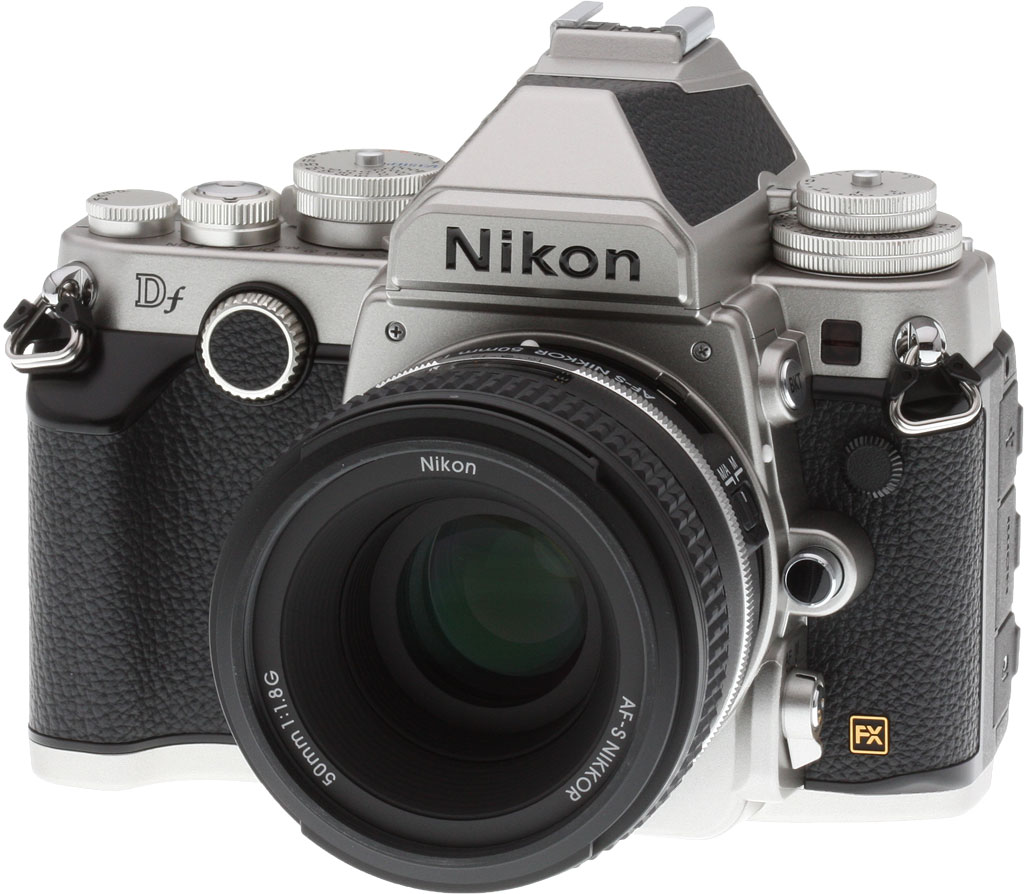
The Nikon Df is a full-frame DSLR that puts you in a time machine and takes you back to those days of film, merging the control-rich aesthetic of F-series film cameras with modern digital design, and bringing new support for your classic Nikkor lenses. The Df trades on our nostalgia, but it's a lot more than just a throwback to another era. Sure, the weather-sealed, magnesium alloy-bodied camera sports physical controls aplenty, but it will also excite photographers who've never touched a classic film camera, because it's the smallest and lightest full-frame camera Nikon has produced to date.

At the heart of the Nikon Df is a 16.2-megapixel, FX-format CMOS image sensor, the same chip used previously in the pro-oriented Nikon D4. As in that camera, it's paired with an EXPEED 3 image processor. Although the Df's 5.5 frames-per-second burst performance lags well behind the 10fps of the D4, it boasts the same exceptionally wide expanded sensitivity range of ISO 50 to 204,800 equivalents.
A key feature of the Nikon Df for fans of the company's F-series film camera will be its 100% pentaprism optical viewfinder. Of course, this is a DSLR, and so there's still a 3.2-inch, 921k dot LCD monitor on the rear panel as well, but we'd imagine the typical Df owner will be spending less time fumbling around in menus than most photographers do today. There's also a small info display on the top deck, again as you'd expect on a modern Nikon DSLR.
The styling and handling of a modern lens might, perhaps, seem out of place on a retro-styled body, but you have two alternatives. First, you can mount your historic Nikon lenses on the Df body, with welcome news if you've been holding onto your favorite film camera lenses: The Nikon Df has fewer limitations on old glass than do other Nikon DSLRs, thanks to a new, collapsible metering coupling lever on the bayonet which supports pre-AI lenses. Second, Nikon is also releasing a retro AF-S NIKKOR 50mm f/1.8G (Special Edition) lens alongside the Df body, and this couples modern optical design with classic Nikkor styling.

The Nikon Df uses a 2,016-pixel 3D Color Matrix Metering II sensor to determine exposures, and features a 39-point autofocus system with nine cross-type points. Seven of those points will work to f/8. Both a hot shoe and flash sync terminal cater to external strobes, and as you'd expect on a retro-styled, enthusiast camera, there's no built-in flash.
The retro design goes beyond simply the aesthetic, with a design decision that may surprise you. Unlike almost all SLRs these days, the Nikon Df doesn't support movie capture. For those looking for a film camera experience, that's likely another check in the plus column, however.
The Df stores its images on Secure Digital cards with support for SDHC/SDXC and faster UHS-I types, and power comes from an EN-EL14a battery pack, rated for 1,400 shots on a charge. Connectivity includes both Type-C Mini HDMI high-def video, plus USB 2.0 High Speed data. You can also connect either a WU-1a Wi-Fi adapter or GP-1 / GP-1a GPS receiver to the Nikon Df.

Let's take a look around the Nikon Df's rather handsome body.
Place your order with trusted Imaging Resource affiliate Adorama now:
- Nikon Df body -- Black, body only, US$2,746.95
- Nikon Df body -- Silver, body only, US$2,746.95
- Nikon Df kit -- Black, with 50mm f/1.8G Special Edition lens, US$2,996.95
- Nikon Df kit -- Silver, with 50mm f/1.8G Special Edition lens, US$2,996.95
Or with B&H Photo Video:
- Nikon Df body -- Black, body only, US$2,746.95
- Nikon Df body -- Silver, body only, US$2,746.95
- Nikon Df kit -- Black, with 50mm f/1.8G Special Edition lens, US$2,996.95
- Nikon Df kit -- Silver, with 50mm f/1.8G Special Edition lens, US$2,996.95
Walkaround. Seen from the front, it's very clear that the Nikon Df is a camera which doesn't hide its controls. Buttons, knobs, and dials sprout in all directions, sometimes stacked wedding cake-style, multiple layers deep. The Df is surprisingly light in hand, and weighs about 1.8 ounces (50g) less than the D600 / D610, previously Nikon's lightest and most compact FX-format models. Retro styling aside, it doesn't feel as substantial as old Nikon film bodies like the F3, but it still feels comfortable. That's in part thanks to the rubbery leatherette coating that overlies many of its panels.

In terms of size, the Nikon Df is almost the same height and width as the Nikon D610, but quite a bit slimmer. It's around 0.6 inches (16mm) less deep, a difference that comes largely thanks to a shallower handgrip. The grip lines the right side of the camera body (as seen from the rear), and at its top resides an eyelet for the neckstrap, mirroring one at the left end of the body. Both eyelets are angled forwards to help keep the camera from tipping down on the strap, at least when using lighter lenses.
Moving left a bit, there's the Front dial, adjacent to the silk-screened model number. Unusually, the whole dial is visible, rather than it being mostly hidden inside the camera body. Its front surface is lined with a circle of leatherette trim matching the material that wraps most of the camera body. The design makes for an interesting, retro look, but it's not as easy to turn as the more typical, embedded dial.
Beneath are the DOF Preview and Function buttons. At the top left is the Self-timer lamp and below that, in the body's leatherette portion, is the flash sync terminal. Move down a little further and you get to the Lens Release button.

Also worth noting is a small lever at top right of the lens mount. This must be raised when using non-AI lenses, and lowered for AI lenses. Not doing so, says Nikon, could result in damage to camera and lens. When shooting with a non-AI lens, you must first program the camera with information about the lens' focal length and maximum aperture, and select that the lens is a non-AI type. Then you must select that lens for use in the camera's firmware, mount it, and shoot only in Aperture-priority or Manual modes. (The camera can't control aperture with a non-AI lens, so Program and Shutter-priority modes won't work.) And finally, you must dial in your chosen aperture not just on the lens, but also on the camera body.

Looking at the top of the Nikon Df, hardly any space goes unused. Starting at left, there are two stacked dials, both with locking buttons. The lower dial controls ISO sensitivity, with its locking button sitting just left of and behind it. The upper dial controls exposure compensation within a +/-3 stop range. It is locked with a button at its center.
Moving right, there's a sharply defined magnesium alloy pentaprism housing, and at its rear, an intelligent flash hot shoe with a hole for a locking pin. The pentaprism housing is, like much of the camera, leatherette wrapped, reinforcing the camera's retro aesthetic.
Finally, at right there are numerous controls. A Shutter Speed dial offers full-stop positions, and includes a 1/3 stop position. When this is dialed in, you can adjust the shutter speed in finer steps using the rear dial. Again, there's a central locking button for the Shutter Speed dial. Beneath is a lever which selects the camera's Drive mode, and a Quiet mode is among the options on offer.
The Shutter button is encircled by a Power switch, and includes a thread at its center for a release cable. It sits just left of a tiny and very simple four-position Mode dial. (No unnecessary "fluff" such as Scene modes on what's clearly an enthusiast-oriented camera.) Unusually, the Mode dial must be pulled upwards before it can be turned; it's spring-loaded to retract again once you let go. This locking function prevents accidental mode changes, but it can take a while to get used to.
Finally, there's a small info display, and an adjacent button with which to activate its backlight.

The rear of the Nikon Df, too, is pretty busy. It's fairly similar to the layout seen in recent cameras like the D7100, though, so it shouldn't take long for existing Nikon DSLR shooters to get used to.
The Playback and Delete buttons occupy their traditional positions at top left, above a column of five buttons which line the left side of the 3.2-inch LCD monitor. From top to bottom, these access the Menu system, control white balance and image protection, adjust image quality / zoom in during playback, control the flash / zoom out during playback, and finally, provide configurable access to various functions.
Above the LCD monitor sits a pentaprism viewfinder with 100% coverage and 0.70x magnification, and this is encircled by a rubber eyecup. Above and to the right is a small diopter correction dial, providing a -3 to +1m-1 corrective range. Continuing right, you'll find the Autoexposure / Autofocus Lock button, the Autofocus On button, and the Rear dial.
The remaining controls line the right side of the LCD, and sit inside a gently sculpted rear thumbgrip. From top to bottom, there's a Metering mode switch, a Four-way controller with central OK button and Lock ring, a small Flash Card Status lamp, and buttons for both Live View and Info functions.


On the left side of the body, you can find a few more controls and features. The Bracket button sits above the Lens Release button on the side of the lens mount, and further down, there's a Focus Mode selector. The side of the body, meanwhile, plays host to three separate rubber flaps. From top to bottom (left to right in the crop), these cover the USB data port, HDMI high-definition video output, and accessory port for options like a wired or wireless remote release, or a GPS unit. Note that the Nikon Df does not provide a composite A/V output.

The right side of the Nikon Df, meanwhile, is almost featureless. The only thing of note is a small rubber flap at the base of the camera, which provides access to the battery compartment if using a dummy battery to provide external power.


The base of the camera, too, is largely smooth and featureless. There's a 1/4 inch metal tripod socket, placed on the central axis of the lens, but rather close to the rear of the camera at or very near to the focal plane. There's also a locking compartment door at the base of the handgrip, behind which you'll find both the battery compartment and the single Secure Digital card slot. The compartment is opened by raising the metal lock hasp, and then rotating it to release the door lock.
Nikon Df Review -- Labmaster Luke's Take
When we received our test sample of the Nikon Df, the first one of us to actually shoot with it was our senior lab technician Luke Smith. Luke has shot pretty much every significant camera that's been announced in the last ten years or so, so we thought his insights on the Nikon Df would be interesting to our readers. Herewith, then, some handling notes from Luke:
"The Nikon Df focuses nicely, the exposure is consistent and it's reasonably quiet to operate. To my eye, its images look quite like those from the Nikon D4, as expected.
The control dials work well for the most part, especially the ones with the center depress button, but there are two that don't work so well for my tastes. The ISO dial is a bear, and takes two hands -- one to press the lock release and one to turn the dial, which is really frustrating. And the Shutter Speed dial is pointless to me, because in order to achieve precise speeds you have to turn the dial close to where you want it, and then use the common digital scroll wheel to get it precise. But if you just set the dial to 1/3-stop increments then you can do this anyway, and I am guessing most people will set it there and never touch it again, using the more common and easy rear dial instead.
The top shutter speed is only 1/4,000s, where the D4 will go to 1/8,000s. Because of this and the minimum aperture being f/22, I was unable to complete our full series of ISO tests, because as I approached the top sensitivity -- a whopping ISO 204,800, as also found on the D4 -- I was unable to achieve optimal exposure. This is only a small gripe that will not affect many shots, but it is still worth noting.
The viewfinder is very nice and big, like a film SLR, but the overall look of the camera is not to my tastes. The 'silver' edition that we're testing seems to use several different shades of plating for the exterior, making the body somewhat cheap-looking compared to most pro cameras. And the shiny black front caps on several of the front buttons don't help in this respect.
Overall, the Nikon Df is an interesting camera which takes nice images, but has some rather oddball quirks."
In the Box
The Nikon Df Special Edition Lens kit with 50mm prime lens (as reviewed) contains the following items:
- Nikon Df body
- AF-S NIKKOR 50mm f/1.8G Special Edition lens (optically and functionally identical to standard version.)
- HB-47 bayonet lens hood
- CL-1013 soft lens case
- LC-58 lens cap
- LF-4 rear cap
- BF-1B body cap
- EN-EL14a rechargeable lithium-ion battery pack
- MH-24 quick charger
- AN-DC9 shoulder strap
- UC-E6 USB cable
- BS-1 accessory shoe cover
- DK-26 eyepiece cap
- DK-17 eyepiece
- NikonView NX2 Software CD-ROM
- 1-Year Limited Warranty
Recommended Accessories
- Large capacity SDHC/SDXC memory card. 16GB Class 4 should be a minimum.
- Spare EN-EL14A or EN-EL14 rechargeable lithium-ion battery pack for extended shooting
- EH-5b AC adapter and EP-5A power supply connector for studio shooting
- Additional lenses
- External Speedlight flash, or other shoe-mount accessory flash
- DK-17 series dioptric lenses for viewfinder (if built-in diopter adjustment is insufficient for your prescription)
- DG-2 eyepiece magnifier or DR-5 right-angle viewfinder
- MC-DC2 remote release cord
- AR-3 threaded cable release
- GP-1A GPS unit (for geotagging of images)
- WU-1a wireless mobile adapter (for Wi-Fi remote control)
- WR-1, WR-R10 and/or WR-T10 wireless remote controls
- HTC-100 or other Mini-HDMI cable
- Small to medium camera case or Nikon's CF-DC6 leather case (available in black or brown)
Place your order with trusted Imaging Resource affiliate Adorama now:
- Nikon Df body -- Black, body only, US$2,746.95
- Nikon Df body -- Silver, body only, US$2,746.95
- Nikon Df kit -- Black, with 50mm f/1.8G Special Edition lens, US$2,996.95
- Nikon Df kit -- Silver, with 50mm f/1.8G Special Edition lens, US$2,996.95
Or with B&H Photo Video:
- Nikon Df body -- Black, body only, US$2,746.95
- Nikon Df body -- Silver, body only, US$2,746.95
- Nikon Df kit -- Black, with 50mm f/1.8G Special Edition lens, US$2,996.95
- Nikon Df kit -- Silver, with 50mm f/1.8G Special Edition lens, US$2,996.95
Follow Imaging-Resource.com on Twitter!
Optics
Below are the results of our optical tests with the optional Nikkor AF-S 50mm f/1.8G Special Edition kit lens.
Kit Lens Test Results
Prime
A 50mm f/1.8 prime, with excellent performance at f/8.

The Nikon Df is available bundled with a Nikkor AF-S 50mm f/1.8G Special Edition "kit" lens.
As you'd expect from a normal prime, sharpness and contrast are excellent at f/8 across the frame. Chromatic aberration is nowhere to be seen (the lens produces low amounts plus the camera suppresses it), and flare is well controlled. Really excellent performance at f/8. See below for comments on macro, geometric distortion, performance wide-open, chromatic aberration, etc.
Macro
Poor macro performance with the 50mm kit lens, as you'd expect.

The Nikon Df's macro performance will of course depend entirely on the lens mounted. However with the 50mm kit lens, the Df captured a very large minimum area measuring 8.53 x 5.68 inches (217 x 144 millimeters). Sharpness is quite good over much of the frame, though corners and edges are soft even at f/8. (Most lenses have some softening in the corners at macro distances.) This is no macro lens, and you'll definitely want to invest in a macro-capable lens for any serious close-up work with the Df.
Geometric Distortion
Moderately low barrel distortion.
| Barrel distortion at 50mm is ~0.4 percent |
 |
The Nikon Df's 50mm kit lens produces about 0.4 percent barrel distortion, which is moderately low and just slightly noticeable. This is the tendency for the lens to bend straight lines outward (like a barrel -- usually at wide-angle) or inward (like a pincushion -- usually at telephoto).
Note that the Nikon Df offers automatic Distortion Correction. See below for details.
Chromatic Aberration, Corner Sharpness & Vignetting
Low levels of C.A. The lens produces soft corners wide-open, but sharpens up nicely stopped-down.
| Aperture: f/1.8 | |
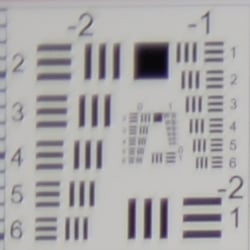 |
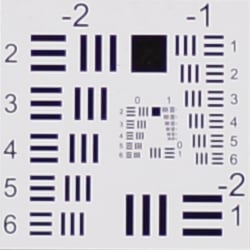 |
| 50mm@f/1.8: Upper left C.A.: Low Softness: Moderate blurring |
50mm@f/1.8: Center C.A.: Very low Softness: Very sharp |
Chromatic Aberration. Chromatic aberration in the corners with the Nikon Df's 50mm kit lens is quite low with just minor magenta fringing, and the center of the image shows very little C.A. The camera does a pretty good job suppressing what little lateral C.A. the lens produces (see below).
Corner Softness. Wide-open, the 50mm lens that came with our Df is moderately soft in the top corners, with the upper left corner being the softest. Softness doesn't extend very far into the frame, though, and the bottom corners are a little sharper, while the center is very sharp with good contrast.
Vignetting. Moderate vignetting (corner shading) is noticeable when wide-open as indicated by the darker corner crop, even though Vignette Control was enabled by default (see below).
| Aperture: f/8 | |
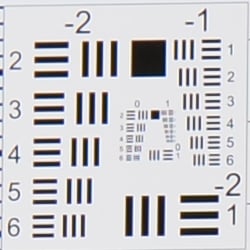 |
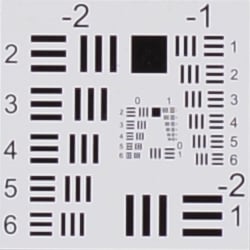 |
| 50mm@f/8: Upper left C.A.: Low Softness: Sharp |
50mm@f/8: Center C.A.: Very low Softness: Sharp |
F8: "Stopped-down" to f/8, corner sharpness and contrast are almost as good as the center. Chromatic aberration remains quite low but as we can see from the brighter corner crop, Vignette Control over-compensated a bit, producing corners a touch brighter than the center.
Lens Corrections
The Nikon Df includes the ability to automatically correct or reduce geometric distortion, chromatic aberration, and lens shading (vignetting), as JPEG images are captured. RAW files are not corrected, but are tagged for correction by a compatible converter.
Geometric Distortion
| Barrel distortion at 50mm is negligible |
 |
Above is a scaled crop with Auto Distortion Correction enabled. As you can see, the kit lens shows significantly less distortion (only about one pixel's worth) than with it disabled, though extreme edges are cropped away in the process. The default Auto Distortion Correction setting is Off.
Chromatic Aberration
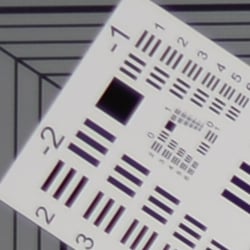
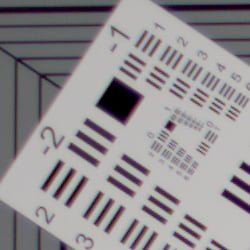
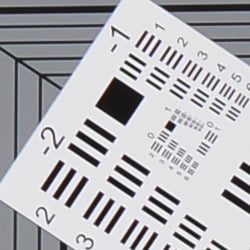
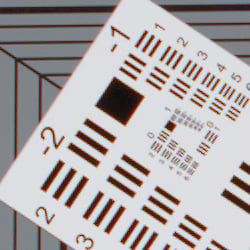
| In-camera JPEG | Uncorrected RAW |
 |
 |
| 50mm@f/1.8: Upper left C.A.: Low |
50mm@f/1.8: Upper left C.A.: Moderately low |
 |
 |
| 50mm@f/8: Upper left C.A.: Very low |
50mm@f/8: Upper left C.A.: Moderately low |
Above, you can see higher lateral Chromatic Aberration in uncorrected RAW files (right) versus camera JPEGs (left), though the difference isn't dramatic because C.A. is fairly low to begin with. Chromatic Aberration correction is automatic with no option to turn it off.
Lens Shading
 |
|
| 50mm@f/1.8 | |
| Normal (default) | Off |
The Nikon Df offers three levels of Vignette Control: Low, Normal, High, plus Off. Mouse-over the links above to see the difference the default Normal setting makes when wide-open at f/1.8 (the worst-case scenario). As you can see, corners are brightened without affecting brightness at the center. Vignette Control does not apply to multiple-exposures or DX-format images, and may increase the appearance of noise in corners.
Overall, an excellent lens for the money (about US$250 when bundled), particularly when stopped-down a couple clicks from maximum aperture. Note that optically the Special Edition 50mm is no different than the standard version lens. See our full test results of that lens on SLRgear.com.
Nikon Df Viewfinder
Viewfinder Test Results
Coverage
Fair accuracy with the optical viewfinder, excellent accuracy with the LCD monitor in Live View mode.


The Nikon Df's optical viewfinder displayed about 98% coverage in our test, and the captured image was also offset slightly to the left. Unfortunately shifts (as well as tilts) aren't all that uncommon with pentaprism finders. Still, a somewhat disappointing result given Nikon's 100% coverage specification and the price of the camera. In Live View mode, LCD coverage was however very accurate at 100% with perfect alignment, as expected.
The images above were taken from our standardized test shots. For a collection of more pictorial photos, see our Nikon Df Photo Gallery .
Exposure
Color
Saturation & Hue Accuracy
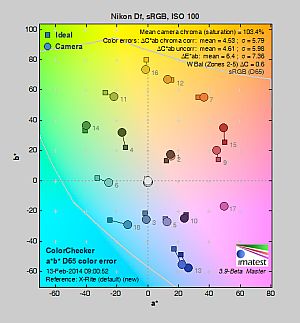
Realistic saturation and accurate colors.
 |
||||
|
ISO Sensitivity
|
||||
| In the diagram above, the squares show the original color, and the circles show the color that the camera captured. More saturated colors are located toward the periphery of the graph. Hue changes as you travel around the center. Thus, hue-accurate, highly saturated colors appear as lines radiating from the center. Mouse over the links to see results across the ISO range, and click on the links for larger images. | ||||


Saturation. The Nikon Df pushes dark blues and some darker greens moderately, but actually undersaturates yellow, light green and cyan tones slightly. Overall, saturation levels are quite accurate, only 3.4% oversaturated at ISO 100, which is noticeably lower than most cameras. The Df's default saturation is quite consistent at low to moderately high ISOs, but increases to 110% at 204,800. Some may find the Df's default saturation too realistic and lacking "pop", but you can always adjust saturation and/or select the Vivid Picture Control. Most consumer digital cameras produce color that's more highly saturated (more intense) than found in the original subjects. This is simply because most people like their color a bit brighter than life.
Skin tones. The Nikon Df's Caucasian skin tones looked realistic in outdoor lighting using auto white balance, just slightly on the pale side. (Likely because the camera doesn't pump reds as much as most.) Manual white balance produced slightly pinker results. Where oversaturation is most problematic is on Caucasian skin tones, as it's very easy for these "memory colors" to be seen as too bright, too pink, too yellow, etc.
Hue. The Nikon Df produces a few small color shifts relative to the mathematically precise translation of colors in its subjects, but its overall color accuracy is very good. Reds are shifted slightly toward orange, and cyan toward blue, but there are only slight shifts in orange, green and purple. (The cyan to blue shift is very common among the digital cameras we test; we think it's a deliberate choice by camera engineers to produce better-looking sky colors.) Mean "delta-C" color error at base ISO was 4.53 after correction for saturation, which is quite good and better than average, and accuracy remained very good except at the highest ISO. Hue is "what color" the color is.
Saturation Adjustment
The Nikon Df lets you adjust image saturation and contrast in seven steps each, brightness in three steps, hue in seven steps and sharpening in ten steps. There are also Auto settings for saturation, contrast and sharpening. As can be seen below, the saturation adjustment worked very well, providing a reasonably fine-grained adjustment over a useful range of control. The saturation adjustment also has almost no impact on contrast. That's how a saturation control should work, but we've often found interactions between saturation adjustments and image contrast (and vice versa) on the cameras we test.
| Saturation Adjustment Examples | ||||
 |
 |
 |
 |
 |
| -3 | -1 | 0 | +1 | +3 |
The series of shots above shows results with several different saturation adjustment settings, showing the minimum step size around the default, as well as both extremes. See the Thumbnails index page for more (look for the files named DFOUTBSATx.JPG). Click on any thumbnail above to see the full-sized image.


Sensor
Exposure and White Balance
Indoors, incandescent lighting
Very warm results with Auto and Incandescent white balance, though excellent color balance with Manual and 2,600 Kelvin settings.


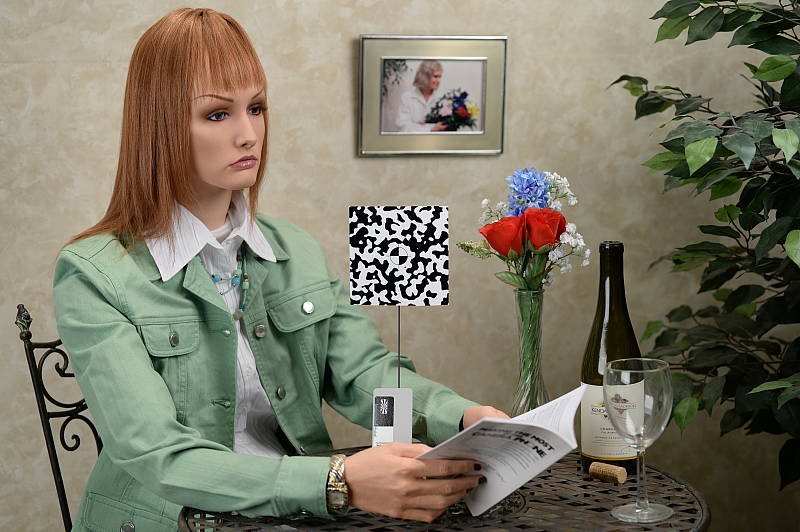
Indoors, in common incandescent lighting, color balance was very warm and reddish with the Auto white balance setting. (We'd say unacceptably so.) The Incandescent setting was also too warm and yellowish for our tastes. (Some users may prefer this look, though, as being more representative of the original lighting.) The Manual white balance setting produced accurate results, as did the 2,600 Kelvin color temperature setting (which matches the temperature of our lights in this scene). We can't really comment on exposure accuracy, as the Nikon Df doesn't play nicely with our third-party Sigma 70mm reference prime when it comes to exposure (see below). Our test lighting for this shot is a mixture of 60 and 100 watt household incandescent bulbs, a pretty yellow light source, but a very common one in typical home settings here in the U.S.
Note: These shots were captured with a Sigma 70mm f/2.8 macro lens, one of the sharpest lenses we've ever tested on SLRgear.com. We use Sigma 70mm lenses in most of our studio test shots because they are so sharp and are available for most major platforms. For some reason, though, on some (but not all) Nikon bodies, the Sigma causes the camera's exposure system to overexpose by somewhere between one third of a stop and a full stop depending on the aperture. The Df is one such body (as was the D4, D7000, D90 and D300S), as the exposure compensation settings actually used in the images above are lower than normal for this shot, while others are higher. Other than exposure shifts, the Sigma 70mm performs very well on Nikon bodies, so we continue to use it as our "reference" lens, due to its excellent optical qualities.
Outdoors, daylight
Good color and exposure outdoors, but somewhat high default contrast. Options like Active D-Lighting and contrast adjustment are a help when faced with tough conditions like these.
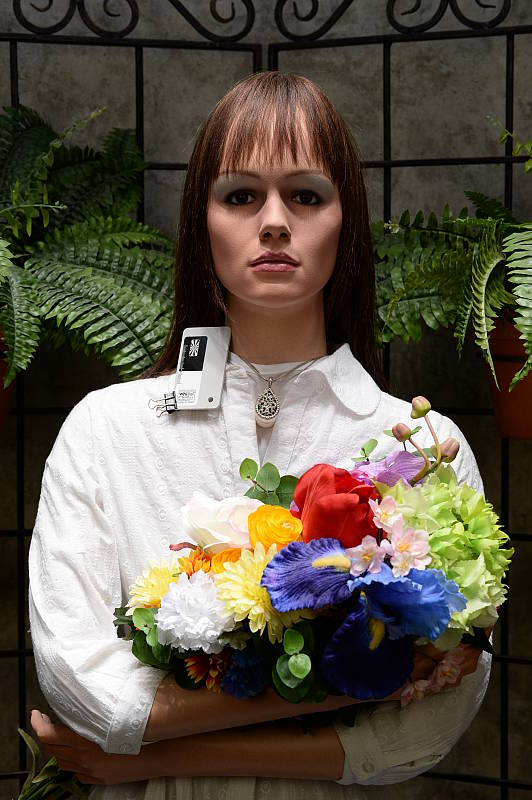
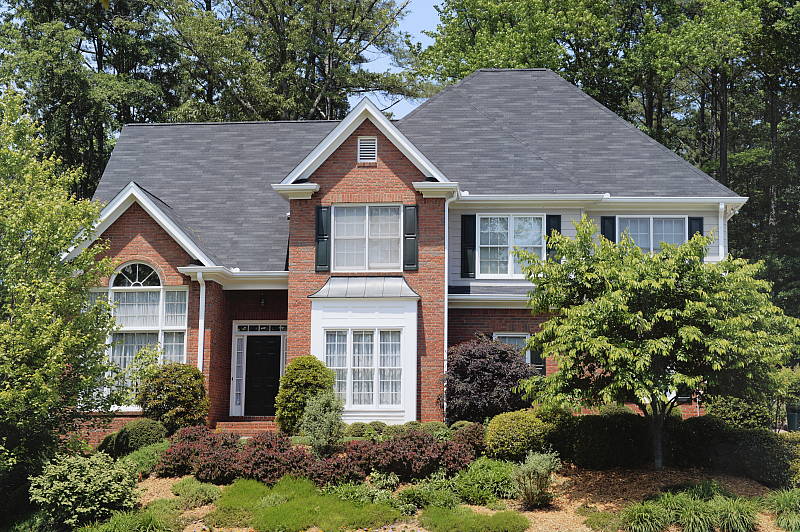
The Nikon Df handled tough outdoor lighting under harsh sunlight well. We found skin tones a touch pale in our "Sunlit" Portrait shot with Auto white balance though, so we preferred Manual WB. Default contrast was on the high side (as most users prefer), so a few highlights were clipped in the mannequin's shirt, pendant and some of the flowers while darker shadows were quite deep, though deep shadow noise is quite clean if a little yellow/green and posterized in this shot. We can't really comment on exposure accuracy for our "Sunlit" Portrait shot because of the Sigma lens compatibility issue (even the white balance setting affected exposure here). The Far-field image on the right was shot with the bundled Nikkor 50mm and was just slightly overexposed with a few clipped highlights in white areas. Again, detail in the shadows is very good, and deep shadow noise is low but a bit posterized. Color is both pleasing and realistic.
See full set of test images with explanations
See thumbnails of all test and gallery images
Resolution
Very high resolution, ~2,000 to 2,100 lines of strong detail from JPEGs, about 2,200 lines from converted RAW files.
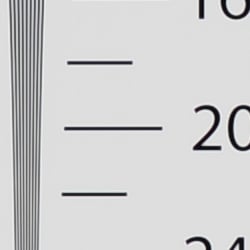
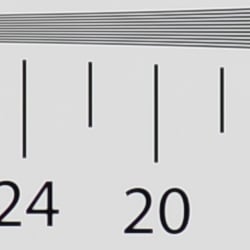
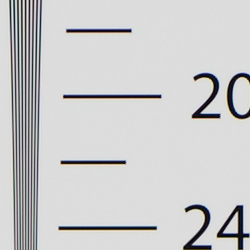
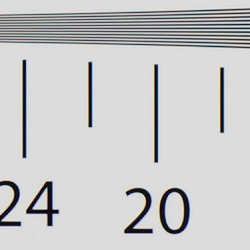
Our laboratory resolution chart revealed sharp, distinct line patterns down to about 2,000 lines per picture height in the horizontal direction, and about 2,100 lines per picture height in the vertical direction in JPEGs. (Some might argue for higher, but aliasing artifacts begin to appear at those resolutions.) Complete extinction of the pattern didn't occur until around 2,800 to 3,000 lines. We were able to extract a bit more resolution with RAW files processed through Adobe Camera Raw 8.3, perhaps 200 lines horizontally and 100 vertically, while complete extinction was extended past 3,200 lines in both directions. The ACR conversion contained more color moiré than the in-camera JPEG images so the camera's processing is doing a pretty good job suppressing it. Use these numbers to compare with other cameras of similar resolution, or use them to see just what higher resolution can mean in terms of potential detail.
See full set of test images with explanations
See thumbnails of all test and gallery images
Sharpness & Detail
Very good detail for the resolution, though default sharpening is a bit higher than the D4. Minimal noise suppression artifacts at base ISO.

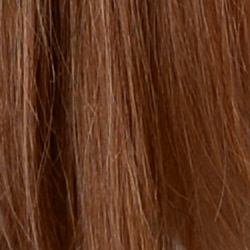
Sharpness. The Nikon Df produced sharp, detailed images for a 16-megapixel sensor at default settings, though we noticed edge enhancement artifacts are slightly more visible compared to the D4 around high-contrast subjects such as the sharpening halos around the lines and lettering in the crop above left. Overall, though, default sharpening is very good leading to crisper looking images while not being too oversharpened. (And you can always adjust sharpening to your liking.) Edge enhancement creates the illusion of sharpness by enhancing color and tonal differences right at the edge of a rapid transition in color or tone.
Detail. The crop above right shows only minimal detail loss due to noise suppression, as the darker areas of the model's hair show a lot of detail. Individual strands are still distinguishable even in the lighter shadows, though they begin to merge as shadows deepen, and in places where the tone and color of adjacent strands is very close. The hair is also virtually free from chroma noise, which is often not the case. All in all, an excellent performance for the resolution here. Noise-suppression systems in digital cameras tend to flatten-out detail in areas of subtle contrast. The effects can often be seen in shots of human hair, where the individual strands are lost and an almost "watercolor" look appears.
RAW vs In-Camera JPEGs
As noted above, the Nikon Df does a great job at capturing lots of fine detail in its JPEGs, but more detail can often be obtained from carefully processing RAW files, while at the same time reducing sharpening artifacts. Let's have a look at base ISO:
| Base ISO (100) | |
 |
 |
 |
 |
 |
 |
|
Camera JPEG, defaults
|
RAW via Adobe Camera Raw
|
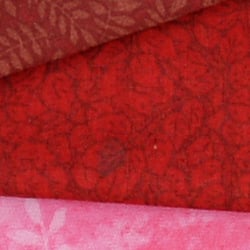
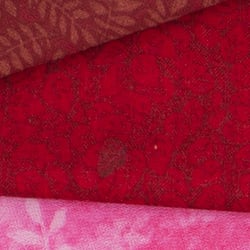
In the table above, we compare an in-camera JPEG taken at base ISO using default noise reduction and sharpening (on the left) to the matching RAW file converted with Adobe Camera Raw 8.3 using default noise reduction with some strong but tight unsharp mask sharpening applied in Photoshop (250%, radius of 0.3 pixels, and a threshold of 0).
As is frequently the case, the demosaicing in Adobe Camera Raw and sharpening in Photoshop deliver finer detail than the camera, with fewer sharpening artifacts. Looking very closely at the images, ACR extracts a bit more detail that wasn't present in the JPEGs from the camera itself even in the red-leaf swatch Nikons do very well with. The ACR conversion manages to resolve some of the thread patterns in the fabrics while the camera treats them as noise and blurs them away. While they don't look quite as detailed, Nikon's rendering is smoother-looking and if you look very closely, there's less visible noise, though noise is by no means an issue with the Df. Still, we'd personally go the Adobe (or other high-quality third-party RAW converter) route here if we were concerned about making the sharpest-looking print possible from the Df's files. That said, the Df's in-camera JPEGs are excellent and you can always try adjusting image processing settings to your tastes.
ISO & Noise Performance
Excellent handling of noise vs detail to ISO 3200, with good performance up to ISO 12,800.
| Noise Reduction = Default | ||
 |
 |
 |
| ISO 50 | ISO 100 | ISO 200 |
 |
 |
 |
| ISO 400 | ISO 800 | ISO 1600 |
 |
 |
 |
| ISO 3200 | ISO 6400 | ISO 12,800 |
 |
 |
 |
| ISO 25,600 | ISO 51,200 | ISO 102,400 |
 |
||
| ISO 204,800 | ||
The Nikon Df's JPEG noise performance is similar to its big brother, the D4 with slightly lower chroma noise along with slightly higher luminance noise which is likely just the result of higher default sharpening.
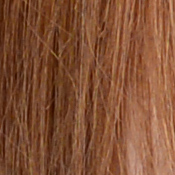
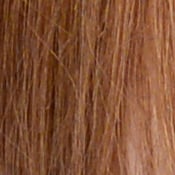
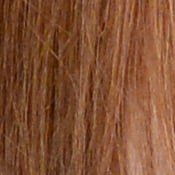
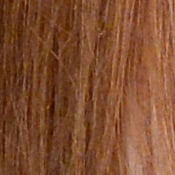
Images are very clean at ISOs 50 through 800, which just a touch of luminance noise becoming more visible in the shadows as ISO increases. Performance at ISOs 1600 and 3200 is very good, with excellent detail retention despite slightly higher noise levels. Detail is still very good at ISO 6400, with a tight film-like noise "grain" and very little fine detail lost to noise reduction, though chroma noise is more noticeable. At ISO 12,800, subject detail is still quite good, much better than average at such a high ISO. ISO 25,600 is noticeably less detailed than lower sensitivity levels, with more visible noise reduction artifacts, though still usable. ISO 51,200 and above show a lot more chroma noise, in the form of yellow and purple blotches which also shifts white balance towards yellow. Some horizontal banding is also noticeable at ISO 51,200 and up, and ISO 204,800 shows a very strong blue shift in the shadows. Still, amazing high ISO performance, once of the best we've seen thanks to the Df's larger than average photosites and excellent image processing.
Of course, the impact of noise and detail loss are highly dependent on the size the photos are printed at, and pixel-peeping on-screen has surprisingly little relationship to how the images look when printed: See the Print Quality section below for recommended maximum print sizes at each ISO.
A note about focus for this shot: We shoot this image at f/4, using one of three very sharp reference lenses (70mm Sigma f/2.8 macro for most cameras, 60mm f/2.8 Nikkor macro for Nikon bodies without a drive motor, and Olympus Zuiko 50mm f/2.0 for Four Thirds and Micro Four Thirds bodies). To insure that the hair detail we use for making critical judgements about camera noise processing and detail rendering is in sharp focus at the relatively wide aperture we're shooting at, the focus target at the center of the scene is on a movable stand. This lets us compensate for front- or back-focus by different camera bodies, even those that lack micro-focus adjustments. This does mean, though, that the focus target itself may appear soft or slightly out of focus for bodies that front- or back-focused with the reference lens. If you click to view the full-size image for one of these shots and notice that the focus target is fuzzy, you don't need to email and tell us about it; we already know it. :-) The focus target position will simply have been adjusted to insure that the rest of the scene is focused properly.
Extremes: Sunlit, dynamic range and low light tests
Very high resolution with very good highlight and shadow detail. Very good low-light performance, capable of capturing bright images in near darkness.


Sunlight:
The Nikon Df handled the deliberately harsh lighting well in the above test. Though contrast is a little high, highlight and shadow detail are very good. The "+0.3 EV" exposure did the best job here, though the mannequin's eyes are a bit dim. Relatively few highlights were blown in the mannequins's shirt and flowers at +0.3 EV, though there are some very dark shadows. Shadows are quite clean, but very deep shadows tend to have a green/yellow tint. Note that these shots were captured with the Nikon Df's Active D-Lighting control set to its default of "Off." See below for how Active D-Lighting and contrast settings help with hot highlights and deep shadows.
Because digital cameras are more like slide film than negative film (in that they tend to have a more limited tonal range), we test them in the harshest situations to see how they handle scenes with bright highlights and dark shadows, as well as what kind of sensitivity they have in low light. The shot above is designed to mimic the very harsh, contrasty effect of direct noonday sunlight, a very tough challenge for most digital cameras. (You can read details of this test here. In actual shooting conditions, be sure to use fill flash in situations like the one shown here; it's better to shoot in open shade whenever possible.)
Contrast Adjustment
We really like it when a camera gives us the ability to adjust contrast and saturation to our liking. It's even better when those adjustments cover a useful range, in steps small enough to allow for precise tweaks. Just as with its saturation adjustment, the Nikon Df's contrast setting meets both challenges, the contrast steps actually being a little finer than those for saturation, and thus even more to our liking.
| Minimum Contrast | |
 |
 |
| Contrast set to lowest, 0 EV |
Contrast set to lowest, 0 EV |
At its lowest contrast setting, the Df did a good job of preserving highlight detail, maintaining natural-looking skin tones, and bringing nice detail out of the shadows. Overall, very good results here, especially when the contrast setting is tweaked. (This is a really tough shot; the Nikon Df does a better than average job handling it.)
| Contrast Adjustment Examples | ||||
|
 |
 |
 |
 |
| -3 | -1 | 0 | +1 | +3 |
The series of shots above shows results with several different contrast adjustment settings, showing the minimum step size around the default, as well as both extremes. While you can see the extremes, it's hard to really evaluate contrast on small thumbnails like these, click on any thumbnail to go to the full-size image.
One very nice feature of Nikon's contrast adjustment is that it has very little effect on color saturation. Contrast and saturation are actually fairly closely coupled, it's a good trick to be able to vary one with out the other changing as well. As usual, Nikon did a good job here.
Active D-Lighting
Active D-Lighting attempts to preserve detail in both highlights and shadows in high-contrast situations, while maintaining moderate levels of contrast. The series of shots below show the effect of the various Active D-Lighting settings (Off (default), Low, Normal, High, Extra High 1, Extra High 2 and Auto) available on the Nikon Df on our high-contrast "Sunlit" Portrait scene.
Note that Active D-Lighting is different from the Retouch menu's D-Lighting, as it is performed during image capture instead of after. (It does affect only JPEG images, though, Nikon very properly doesn't apply tonal adjustments like this to RAW file data. NEF files are however tagged so that Nikon software can automatically apply the effect when converted.)
|
"Sunlit" Portrait Active D-Lighting (0 EV)
|
|
 |
ADL Settings: Off (Default) Auto Low Normal High Extra High 1 Extra High 2 |
 |
|
Mouse over the links to see how the various levels of Active D-Lighting affects our "Sunlit" Portrait shot at default exposure. Click on a link to get to the full-res image. (Active D-Lighting's effect can be a little subtle in shots like those above, so we decided to use a mouse-over with matching histograms to better show how each setting compares.)
As you can see from the thumbnail images and histograms above, the various Active D-Lighting settings did a very good job at preserving highlights while bringing up shadows and deeper midtones, without making the image look too flat. Normally, there is a noise penalty to be paid for boosting shadows, but noise levels in the shadows are very low with this sensor, so increased shadow noise is not much of a concern here. It's also interesting to note that the default ADL setting for the Df is Off, while in more consumer-oriented models, the default is Auto.
See below for how Active D-Lighting worked with our Far-field shot.
| Far-field Active D-Lighting (0 EV) | |||
|
|
|||
Here are the results with our Far-field shot. As you can see, Active D-Lighting brought up shadow detail while holding on to highlights. Also note the slight blue cast in the white pillars and trim of the building as the strength of Active D-Lighting is increased. The Auto setting did a pretty good job here.
HDR Mode
Like other recent Nikon DSLRs, the Df offers an in-camera high-dynamic-range imaging function. When enabled, the Df captures two images with one push of the shutter button -- one underexposed and one overexposed -- and combines them in-camera to produce a high-dynamic-range JPEG. (RAW format is not supported.) There are three exposure differentials available: 1, 2 and 3 EV, as well as an Auto option, and there are three Smoothing options: Low, Normal and High. You can also elect to do a series of HDR shots without having to re-enable the mode each time, or select a Single Photo option.
| Far-field HDR mode | |||
|
|
|||
Mouse over the links to see how the various levels of HDR with default smoothing affects our Far-field shot at default exposure. Click on a link to get to the full-res image.
Because the Nikon Df performs micro-alignment of the two images, the resulting field of view is slightly cropped. The system can only correct for small amounts of camera movement between shots, though, so Nikon recommends the use of a tripod. Obviously moving subjects should also be avoided, as you can see from the ghosting around people, branches and flags in the HDR shots above. Overall, we think Nikon Df's in-camera HDR is one of the better implementations.
Dynamic Range Analysis (RAW mode)
While we once performed our own dynamic range measurements based on in-camera JPEGs as well as converted RAW images (when the camera was supported by Adobe Camera Raw), we've switched to using DxO Labs' results from their DxOMark website. As technology advanced, the dynamic range of modern high-end cameras in some cases exceeded the range of the Stouffer T4110 density scale that we used for our own measurements. DxO's approach based on RAW data before demosaicing is also more revealing, because it measures the fundamental dynamic range of the sensor, irrespective of whatever processing is applied to JPEGs, or to RAW data by off-the-shelf conversion software.
In the following, we use DxO's "Print" dynamic range results, which are scaled based on camera resolution. As the name suggests, this scaling corresponds to the situation in which you print at a given size, regardless of how many megapixels the camera might have. (In other words, if you've decided to make a 13x19 inch print, that's the size you're printing, whether the camera's resolution is 16 or 300 megapixels.) For the technically-minded, you can find a discussion of the reasoning behind this here on the DxOMark website. Also note that DxO Labs uses a signal-to-noise (SNR) threshold of 1 when defining the lower boundary of acceptable luminance noise in their dynamic range measurements, which corresponds to the "Low Quality" threshold of the Imatest software we used to use for this measurement.

Since the Nikon Df has virtually identical dynamic range test results as the D4, we decided to compare it to some other "compact" full-frame models: the Canon 5D Mark III and Sony A7. As you can see from the above graph (click for a larger image), the Df's dynamic range is about a stop less than the A7's at the ISO 100 setting (13.09 EV vs 14.01), but it soon catches up and indeed surpasses the A7 above ISO 400. The Df's dynamic range is however more than a full stop better than the 5D Mark III's at lower ISOs, though at moderate to high ISOs, it's only slightly better. Keep in mind these are resolution-normalized results, so the Nikon Df's lower resolution puts it at a slight disadvantage compared to "screen" dynamic range. Click here to visit the DxOMark page for the Nikon Df for more of their test results and additional comparisons.
| 1 fc 11 lux |
1/2 fc 5.5 lux |
1/4 fc 2.7 lux |
1/8 fc 1.3 lux |
1/16 fc 0.67 lux |
1/16 fc No NR |
|
|---|---|---|---|---|---|---|
| ISO 50 |
 3 s f2.8 |
 6 s f2.8 |
 13 s f2.8 |
 25 s f2.8 |
 30 s f2.8 |
 30 s f2.8 |
| ISO 100 |
 2 s f2.8 |
 4 s f2.8 |
 8 s f2.8 |
 15 s f2.8 |
 30 s f2.8 |
 30 s f2.8 |
| ISO 200 |
 1 s f2.8 |
 2 s f2.8 |
 4 s f2.8 |
 8 s f2.8 |
 15 s f2.8 |
 15 s f2.8 |
| ISO 400 |
 0.5 s f2.8 |
 1 s f2.8 |
 2 s f2.8 |
 4 s f2.8 |
 8 s f2.8 |
 8 s f2.8 |
| ISO 800 |
 1/4 s f2.8 |
 0.5 s f2.8 |
 1 s f2.8 |
 2 s f2.8 |
 4 s f2.8 |
 4 s f2.8 |
| ISO 1600 |
 1/8 s f2.8 |
 1/4 s f2.8 |
 0.5 s f2.8 |
 1 s f2.8 |
 2 s f2.8 |
 2 s f2.8 |
| ISO 3200 |
 1/15 s f2.8 |
 1/8 s f2.8 |
 1/4 s f2.8 |
 0.5 s f2.8 |
 1 s f2.8 |
 1 s f2.8 |
| ISO 6400 |
 1/30 s f2.8 |
 1/15 s f2.8 |
 1/8 s f2.8 |
 1/4 s f2.8 |
 0.5 s f2.8 |
 0.5 s f2.8 |
| ISO 12800 |
 1/60 s f2.8 |
 1/30 s f2.8 |
 1/15 s f2.8 |
 1/8 s f2.8 |
 1/4 s f2.8 |
 1/4 s f2.8 |
| ISO 25600 |
 1/125 s f2.8 |
 1/60 s f2.8 |
 1/30 s f2.8 |
 1/15 s f2.8 |
 1/8 s f2.8 |
 1/8 s f2.8 |
| ISO 51200 |
 1/250 s f2.8 |
 1/125 s f2.8 |
 1/60 s f2.8 |
 1/30 s f2.8 |
 1/15 s f2.8 |
 1/15 s f2.8 |
| ISO 102400 |
 1/500 s f2.8 |
 1/250 s f2.8 |
 1/125 s f2.8 |
 1/60 s f2.8 |
 1/30 s f2.8 |
 1/30 s f2.8 |
| ISO 204800 |
 1/1000 s f2.8 |
 1/500 s f2.8 |
 1/250 s f2.8 |
 1/125 s f2.8 |
 1/60 s f2.8 |
 1/60 s f2.8 |
Low Light. The Nikon Df performed well here, able to capture usable images down to the 1/16 foot-candle light level (about 1/16 as bright as average city street lighting at night) at all ISO settings, though lower light levels at ISO 50 are a bit dim because of the 30 second shutter speed limit (Bulb mode is required for longer exposures).
Color balance with Auto white balance is fairly neutral at higher light levels, but took on an increasingly stronger magenta cast as light levels dropped and ISO increased, as we've seen with other Nikons.
Noise is quite low up to ISO 12,800, and even at higher ISOs there's still a lot of detail to work with, especially when high ISO NR is set to "Off" (which still applies some noise filtering at ISO 3200 and above). The Nikon Df gives you four options for high ISO noise reduction: Off, Low, Normal, and High, so you have some flexibility in deciding how much noise to trade for detail. Except for the "No NR" shots in the table above, these were all shot using the Normal NR setting, and Long Exposure NR was enabled so it was applied to exposures longer than one second.
Some horizontal banding (pattern noise) is visible at ISO 25,600 and above, and there's also a purple tint emanating from the bottom right at very high ISOs indicating some heat blooming, likely from a warm component nearby. Longer exposures at lower ISOs may show similar heat-blooming discoloration.
We did notice some hot pixels, one of which is visible even in our brightly-lit Still Life studio images as well as in some other shots at ISO 1600 and 3200, however the offending pixel(s) can easily be mapped out. While the Df does not have a pixel remapping menu option that some other manufacturers provide, we've heard running sensor cleaning twice in a row on recent Nikon DSLRs will also remap bad pixels, so we gave it a try. Sure enough, it worked! So if you spot hot pixels from your Nikon DSLR, try this apparently undocumented feature. It just may save you a trip to a Nikon service center!
The camera's phase-detection autofocus system was able to focus on our test subject down to just below the 1/8 foot-candle light level unassisted with an f/2.8 lens, which while good, isn't quite as good as expected for this class of camera. The Nikon Df doesn't have a built-in AF illuminator, but can utilize the illuminator found on most compatible flash units. In Live View mode, the Df's contrast-detect autofocus was able to focus down to just above the 1/16 foot-candle, which is very good.
(Keep in mind that the longer shutter speeds here demand the use of a tripod to prevent any blurring from camera movement. A useful trick is to just prop the camera on a convenient surface, and use its self-timer to release the shutter. This avoids any jiggling from your finger pressing the shutter button, and can work quite well when you don't have a tripod handy.)
How bright is this? The one foot-candle light level that this test begins at roughly corresponds to the brightness of typical city street-lighting at night. Cameras performing well at that level should be able to snap good-looking photos of street-lit scenes.
NOTE: This low light test is conducted with a stationary subject, and the camera mounted on a sturdy tripod. Most digital cameras will fail miserably when faced with a moving subject in dim lighting. (For example, a child's ballet recital or a holiday pageant in a gymnasium.) Digital SLRs like the Nikon Df do much better than point & shoots, but you still shouldn't expect a quick autofocus lock with moving subjects.
Output Quality
Print Quality
Excellent 30 x 40 inch prints up to ISO 200; a nice 16 x 20 at ISO 3200; a good 4 x 6 at ISO 51,200.
 ISO 50 through 200 prints look excellent at 30 x 40 inches, with incredible detail for this size. Wall display prints look great even at 40 x 60 inches, with pixelation only appearing if you get close and squint.
ISO 400 also produces a good 30 x 40 inch print and is super sharp for this ISO and size. Wall display prints are quite good up to 36 x 48 inches.
ISO 800 yields a very good 24 x 36 inch print, an excellent size for ISO 800 and maintaining fine detail even in our tricky target red swatch (which Nikons do particularly well with) and revealing virtually no noise in flatter areas. One of the best ISO 800 prints we have yet seen from any camera, as well as a 20 x 30 inch print here with amazing clarity.
ISO 1600 images begin to show the first trace of minor chroma noise in flatter areas, but this ISO still produces a very nice 20 x 30 inch print and a super-tight 16 x 20.
ISO 3200 prints a good 16 x 20, with only a moderate amount of noise in flat and shadowy areas. Our target red swatch is still rendered with an amazing amount of detail, almost unprecedented for this ISO.
ISO 6400 produces a 13 x 19 inch print that is usable for less critical applications, and an 11 x 14 that is quite good.
ISO 12,800 yields a rarity in the print department for this ISO: a good 8 x 10 inch print!
ISO 25,600 prints a very good 5 x 7, yet again an amazing feat at this ISO.
ISO 51,200 allows for a good 4 x 6 inch print.
ISOs 102,400 and 204,800 do not yield good prints and are best avoided.
DxOMark awarded the Nikon Df its best low light score to date, and that is certainly supported from our results here. It is simply THE low light camera, doing a terrific job yielding good prints all the way to ISO 51,200. What is most amazing is the Df's capabilities in common low light settings of ISO 800 through ISO 6400, where very large prints for these settings are still possible, and a rare 8 x 10 inch print size is easily attainable at ISO 12,800!
The images above were taken from our standardized test shots. For a collection of more pictorial photos, see our Nikon Df Photo Gallery .
Not sure which camera to buy? Let your eyes be the ultimate judge! Visit our Comparometer(tm) to compare images from the Nikon Df with those from other cameras you may be considering. The proof is in the pictures, so let your own eyes decide which you like best!
Performance
Timing and Performance
Generally good speed for a prosumer full-frame DSLR, though autofocus is somewhat sluggish for its class, and burst speed is unremarkable.
| Startup/Record to Play/Buffer Clearing | ||
|---|---|---|
|
Power on |
0.55 second
|
Time it takes for camera to turn on and take a shot. |
|
Play to Record, |
0.32 second
|
Time until first shot is captured. |
|
Buffer clearing time |
~9 seconds
(after 50 frames) |
Worst case buffer clearing time. -- This is the delay after a set of shots before you can remove the card. Some cameras won't shut down until the buffer is cleared. |
|
Buffer clearing time |
~10 seconds
(after 29 frames) |
|
|
Buffer clearing time |
~7 seconds
(after 22 frames) |
|
|
*Note: Buffer clearing times measured with a SanDisk Extreme Pro 95MB/s UHS-I SDHC memory card. Slower cards will produce correspondingly slower clearing times.
|
||
Startup and Play to Record mode switching times were fairly quick. Buffer clearing time depends on the image size and quality, burst length and the speed of memory card used, but was generally pretty good with a 95MB/s UHS-I SDHC card.
| Shutter Response (Lag Time), Optical Viewfinder | ||
|---|---|---|
|
Full Autofocus |
0.274 second
|
Time from fully pressing shutter button to image capture using optical viewfinder. All timing performed with Nikkor 50mm f/1.8G Special Edition kit lens. |
|
Full Autofocus |
0.493 second
|
Time from fully pressing shutter button to image capture using optical viewfinder. |
|
Manual focus |
0.079 second
|
For most cameras, shutter lag is less in manual focus than autofocus, but usually not as fast as when the camera is "prefocused". |
|
Prefocused |
0.054 second
|
Time to capture, after half-pressing and holding shutter button. |
| Shutter Response (Lag Time), Live View mode | ||
|
Full Autofocus |
1.388 seconds
|
Time from fully pressing shutter button to image capture. |
|
Pre-focused |
0.233 second
|
Time to capture, after half-pressing and holding shutter button. |
In terms of the Nikon Df's ability to determine that it's properly focused when shooting the same target multiple times (with no change of focus setting between iteration, to remove the impact of lens AF speed), its speed was a little slow for prosumer model. With its 50mm f/1.8 kit lens, the Df 's full autofocus shutter lag was 0.274 second using single-area center AF mode, and 39-point Auto Area AF lag measured 0.493 second. Quite a few consumer DSLRs are actually faster in this test.
Manual focus shutter lag was very fast, though, at 0.079 second, and prefocused shutter lag was faster, at 0.054 second.
Full autofocus was much slower in Live View mode, as expected. The Nikon Df only offers contrast-detect AF in Live View, which took about 1.39 seconds to focus and take a shot with the 50mm f/1.8 kit lens. (How fast the lens can adjust focus makes a big difference here -- with our Sigma 70mm f/2.8 lens, it took about 1.74s.) Prefocused shutter lag was also much slower in Live View mode but not too bad, at about 0.23 second.
To minimize the effect of different lens' focusing speed, we test AF-active shutter lag with the lens already set to the correct focal distance.
| Cycle time (shot to shot) | ||
|---|---|---|
|
Single Shot mode |
0.54 second
|
Time per shot, averaged over 20 shots, 1 second to clear. |
|
Single Shot mode |
0.54 second
|
Time per shot, averaged over 20 shots, 1 second to clear. |
|
Single Shot mode |
0.53 second
|
Time per shot, averaged over 20 shots, 7 seconds to clear. |
|
Early shutter |
No
|
Some cameras refuse to snap another shot if you release and press the shutter too quickly in Single Shot mode, making "No" the preferred answer. |
|
Continuous Hi mode |
0.19 second
(5.38 frames/sec); 50+ frames total; 9 seconds to clear* |
Time per shot, averaged over 50 frames with no signs of slowing. |
|
Continuous Hi mode |
0.19 second
(5.41 frames/sec); 29 frames total; 10 seconds to clear* |
Time per shot, averaged over buffer depth of 29 frames. |
|
Continuous Hi mode |
0.19 second
(5.38 frames/sec); 22 frames total; 7 seconds to clear* |
Time per shot, averaged over buffer depth of 22 frames. |
|
Flash recycling |
n/a
|
Flash at maximum output. |
|
*Note: Buffer clearing times measured with a SanDisk Extreme Pro 95MB/s UHS-I SDHC memory card. Slower cards will produce correspondingly slower clearing times. ISO sensitivity and noise reduction settings can also affect cycle times and burst mode performance.
|
||
Single-shot cycle time performance was good, at just over 0.5 second per frame no matter the file type.
Continuous High Speed modes were fair for a prosumer full-frame SLR model. We measured a consistent 5.4 frames per second, not matter the file type, just slightly lower than Nikon's 5.5fps spec. The Nikon Df also has a Continuous Low Speed mode with a programmable 1 to 5fps framerate.
Buffer depths were good at over 50 best quality JPEGs, 29 14-bit lossless compressed RAW and 22 14-bit RAW+ best quality JPEGs. (Even better buffer depths are likely available when shooting typical subjects and/or using lower quality settings.) Buffer clearing was fairly swift considering the buffer sizes, ranging from 7 to 10 seconds after maximum-length bursts.
| Download speed | ||
|---|---|---|
|
Windows Computer, USB 2.0 |
13,378 KBytes/sec
|
Typical Values: |
Download speeds were fairly fast, fast enough that you probably won't feel the need for a separate card reader.
Bottom line, the Nikon Df's performance is generally good for a full-frame DSLR with fast startup, single-shot cycle times and low shutter lag, though both autofocus and burst mode speeds are a little slower than most DSLRs. Even the more budget-friendly full-frame D610 had slightly faster AF and burst rate despite being higher resolution, though the Df has deeper buffers.
Battery
Battery Life
Excellent battery life for a prosumer DSLR.
| Test Conditions | Number of Shots |
|---|---|
|
Lithium-ion rechargeable battery,
(CIPA standard, Optical Viewfinder) |
1,400 |
|
Lithium-ion rechargeable battery,
(CIPA standard, Live View LCD) |
Unknown |
The Nikon Df uses a custom rechargeable lithium-ion battery pack for power, and comes with both a single battery and charger. The CIPA rated 1,400 shots per charge using the optical viewfinder is excellent, but keep in mind the Df does not have a built-in flash which is normally fired for 50% of shots when tested using the CIPA standard. Unfortunately, Nikon does not seem to publish battery life results for when Live View mode is used, but it's a safe bet that it's considerably shorter.
The table above shows the number of shots the camera is capable of on fully-charged battery, based on CIPA battery-life and/or manufacturer standard test conditions.
(Interested readers can find an English translation of the CIPA DC-002 standards document here. (180K PDF document))
Image Quality
Below are crops comparing the Nikon Df with the Nikon D4, Canon 5D Mark III, Fuji X-T1, Nikon D800 and Sony A7.
NOTE: These images are best quality JPEGs straight out of the camera, at default settings including noise reduction. All cameras in this comparison were shot with our very sharp reference lenses.
Nikon Df versus Nikon D4 at ISO 100
 |
 |
 |
 |
 |
 |
Nikon Df at ISO 100 |
Nikon D4 at ISO 100 |
This comparison is almost too close to call. Both perform admirably here at base ISO, as expected. The Df does pull more fine detail from the pink fabric swatch, and perhaps just a slight bit more from the mosaic tiles as well, but the default JPEG sharpening could be as much of a factor here as anything else. Note, of course, that the Df costs roughly half as much as the D4. |
|
Nikon Df versus Canon 5D Mark III at ISO 100
|
 |
|
 |
|
 |
Nikon Df at ISO 100 |
Canon 5D Mark III at ISO 100 |
The 5D Mark III has 6.1 megapixels greater resolution than does the Df, and the fine detail is amazing and crisp. Note that the Df does still out-resolve it in the difficult red fabric swatch, an area Nikons are known to excel in more than any other manufacturer. |
|
Nikon Df versus Fuji X-T1 at base ISO
|
 |
|
 |
|
 |
Nikon Df at ISO 100 |
Fuji X-T1 at ISO 200 |
Resolutions are almost identical between these two, but the X-T1 has an APS-C sensor and the size difference is clear here, as the Df does a better job with fine detail in the mosaic tiles, and far outperforms the X-T1 in the fabric swatches. |
|
Nikon Df versus Nikon D800 at ISO 100
|
 |
|
 |
|
 |
Nikon Df at ISO 100 |
Nikon D800 at ISO 100 |
The D800 has a monstrous 36.3 megapixel resolution, which is a pixel count of more than double that of the Df, and it very clearly out-resolves it in every detail. The tiles and pink fabric are incredibly sharp, but there is a trace of moiré in the red fabric swatch. |
|
Nikon Df versus Sony A7 at ISO 100
|
 |
|
 |
|
 |
Nikon Df at ISO 100 |
Sony A7 at ISO 100 |
The A7 has 8.1 megapixels more than the Nikon Df, and is just über-sharp here at default processing settings. The mosaic tiles and the pink fabric swatch are about as sharp and clear as anything we've yet seen from any camera. Note that as with the 5D Mark III, the Df does outperform the A7 here in the red fabric swatch, and has a trace of moiré as well. |
|
Most digital SLRs and CSCs will produce an excellent ISO 100 shot, so we like to push them and see what they can do compared to other cameras at ISO 1600, 3200, and 6400. Recent advances in sensor technology have made ISO 1600 look a lot more like ISO 100, but there are still cameras whose quality starts to fall apart at this setting. We also choose 1600 because we like to be able to shoot at least at this level when indoors and at night.
Nikon Df versus Nikon D4 at ISO 1600
 |
 |
 |
 |
 |
 |
Nikon Df at ISO 1600 |
Nikon D4 at ISO 1600 |
Again, a tight race here between the new Nikon on the block and the storied veteran. At half the price, the Df does produce a slightly crisper image in some areas, especially the mosaic tiles crop and pink fabric swatch. |
|
Nikon Df versus Canon 5D Mark III at ISO 1600
|
 |
|
 |
|
 |
Nikon Df at ISO 1600 |
Canon 5D Mark III at ISO 1600 |
The 5D Mark III begins to introduce signs of noise processing artifacts here, seen as mild splotches in the tile crop and pink fabric swatch. They are minor, but the Df does look a bit more natural here, and far superior in the red fabric swatch. |
|
Nikon Df versus Fuji X-T1 at ISO 1600
|
 |
|
 |
|
 |
Nikon Df at ISO 1600 |
Fuji X-T1 at ISO 1600 |
The X-T1 and its APS-C sensor start to lose ground here to the full-frame Df, with more noise in the bottle, less detail in the mosaic and far less detail in the fabric. |
|
Nikon Df versus Nikon D800 at ISO 1600
|
 |
|
 |
|
 |
Nikon Df at ISO 1600 |
Nikon D800 at ISO 1600 |
Both cameras do an excellent job for ISO 1600, and the resolution differences makes an accurate comparison somewhat difficult. The Df does hold its own though. |
|
Nikon Df versus Sony A7 at ISO 1600
|
 |
|
 |
|
 |
Nikon Df at ISO 1600 |
Sony A7 at ISO 1600 |
The A7 outperforms the Df here in every area except for the red fabric swatch. The detail in the mosaic tile is incredible for this ISO. It's odd that it misses the red fabric so badly, but most cameras other than Nikons do as ISO rises. |
|
Today's ISO 3200 is yesterday's ISO 1600, so below are the same crops at ISO 3200.
Nikon Df versus Nikon D4 at ISO 3200
 |
 |
 |
 |
 |
 |
Nikon Df at ISO 3200 |
Nikon D4 at ISO 3200 |
Interesting, as the Df has a bit less noise in the shadows behind the bottle crop. Both do exceptionally well for this ISO sensitivity, with a nod to the Df in the mosaic tiles and pink fabric swatch, and to the D4 in the red fabric swatch. |
|
Nikon Df versus Canon 5D Mark III at ISO 3200
|
 |
|
 |
|
 |
Nikon Df at ISO 3200 |
Canon 5D Mark III at ISO 3200 |
The 5D Mark III has a bit less noise in the bottle crop shadows, but exhibits more noise processing artifacts as well. The Df's rendering of the fabric swatch is far superior in all respects. |
|
Nikon Df versus Fuji X-T1 at ISO 3200
|
 |
|
 |
|
 |
Nikon Df at ISO 3200 |
Fuji X-T1 at ISO 3200 |
Again, the X-T1 loses a lot of ground here, with less detail in the mosaic tiles and almost no detail in the fabric swatch. Higher ISO is where the Df's full-frame sensor really dominates most-all APS-C competitors. |
|
Nikon Df versus Nikon D800 at ISO 3200
|
 |
|
 |
|
 |
Nikon Df at ISO 3200 |
Nikon D800 at ISO 3200 |
The Df's reasonably controlled noise levels here are interesting in comparison. The resolution differential makes an accurate comparison difficult, but again the Df certainly belongs in the same league as the highly regarded D800. |
|
Nikon Df versus Sony A7 at ISO 3200
|
 |
|
 |
|
 |
Nikon Df at ISO 3200 |
Sony A7 at ISO 3200 |
The A7 finally starts to show some noise processing artifacts here, with minor splotches in the tiles and pink fabric, bit nothing serious. It does lose out in the red fabric, while the Df appears more natural and well-rounded throughout. |
|
Detail: Nikon Df versus Nikon D4, Canon 5D Mark III, Fuji X-T1, Nikon D800 and Sony A7.
 |
 |
 |
 |
 |
 |
 |
 |
 |
 |
 |
 |
 |
 |
 |
 |
 |
 |
| Nikon DF ISO 100 ISO 3200 ISO 6400 |
Nikon D4 ISO 100 ISO 3200 ISO 6400 |
Canon 5D Mk III ISO 100 ISO 3200 ISO 6400 |
Fuji X-T1 ISO 200 ISO 3200 ISO 6400 |
Nikon D800 ISO 100 ISO 3200 ISO 6400 |
Sony A7 ISO 100 ISO 3200 ISO 6400 |
| Detail comparison. The Sony A7 virtually leaps off the page here. If sharp, fine detail is your primary concern for something like architectural photography, it will undoubtedly make your short list. The 5D Mark III is also quite nice for fine detail as ISO rises. The Df certainly holds its own though, and none of these cameras look bad, although the X-T1 has a sensor with less than half the surface area of the other cameras, and that certainly shows in the results here. | |||||
Excellent 30 x 40 inch prints up to ISO 200; a nice 16 x 20 at ISO 3200; a good 4 x 6 at ISO 51,200.
ISO 50 through 200 prints look excellent at 30 x 40 inches, with incredible detail for this size. Wall display prints look great even at 40 x 60 inches, with pixelation only appearing if you get close and squint.
ISO 400 also produces a good 30 x 40-inch print and is super-sharp for this ISO and size. Wall display prints are quite good up to 36 x 48 inches.
ISO 800 yields a very good 24 x 36-inch print, an excellent size for ISO 800, maintaining fine detail even in our tricky target red swatch (which Nikons do particularly well with) and revealing virtually no noise in flatter areas. One of the best ISO 800 prints we have yet seen from any camera, as well as a 20 x 30-inch print here with amazing clarity.
ISO 1600 images begin to show the first trace of minor chroma noise in flatter areas, but this sensitivity still produces a very nice 20 x 30-inch print or a super-tight 16 x 20.
ISO 3200 prints a good 16 x 20, with only a moderate amount of noise in flat and shadowy areas. Our target red swatch is still rendered with an amazing amount of detail, almost unprecedented for this sensitivity.
ISO 6400 produces a 13 x 19-inch print that is usable for less critical applications, or an 11 x 14 that is quite good.
ISO 12,800 yields a rarity in the print department for this sensitivity: a good 8 x 10-inch print!
ISO 25,600 prints a very good 5 x 7, yet again an amazing feat at this ISO.
ISO 51,200 allows for a good 4 x 6-inch print.
ISOs 102,400 and 204,800 do not yield good prints, and are best avoided.
DxOMark awarded the Nikon Df its best low light score to date, and that is certainly supported from our results here. It is simply the low light camera, doing a terrific job yielding good prints all the way to ISO 51,200. Most amazing are the Df's capabilities in the common low light settings of ISO 800 through ISO 6400. Very large prints are still possible at these sensitivities, and a rare 8 x 10-inch print is possible at ISO 12,800.
Field Test
By Eamon Hickey
Field Test Part I -- Initial thoughts
Posted: 01/20/2013

A great many moons ago, when I was fifteen, my mom and my uncle banded together and bought me the Christmas present I hardly dared hope for: a single-lens reflex camera. It was a lightly-used Minolta SRT-101 with a 50mm f/1.7 lens, a classic metal all-manual SLR. I loved it. Using its simple controls I learned to make pictures.
A decade or so later, while working in a camera store, I earned a Nikon N8008s -- also known as the F-801S -- as a sales incentive. Here was a different beast, with a slew of automatic capabilities and, more radically, a much different control system centered on push-buttons and a multi-function command dial. This new system was made necessary by the camera's dozens of adjustable settings. I took to the N8008s immediately and soon strongly preferred its controls, which made my photography both faster and more precise.
I mention this to sketch the background I bring to the Nikon Df, which its manufacturer sees not as a retro throwback, but as a new blend of the classic and modern. Is that blend a good idea? I've been a bit dubious ever since the camera was announced. At the same time, I was hoping that Nikon would pull it off.
Handling & controls. Straight out of the box, my first impression of the Nikon Df was -- well, it's thicker and bulkier than most classic film SLRs. But that's partly apples and oranges, because it would really only be true if those SLRs didn't have a motor drive attached, and they'd all require bulky ones to match the Df’s 5.5 frames-per-second burst mode. On the other side of the coin, the Df is a bit smaller than most 35mm full-frame DSLRs, and it's lighter than you'd expect. In my large-ish hands, it feels secure and comfortable to hold.
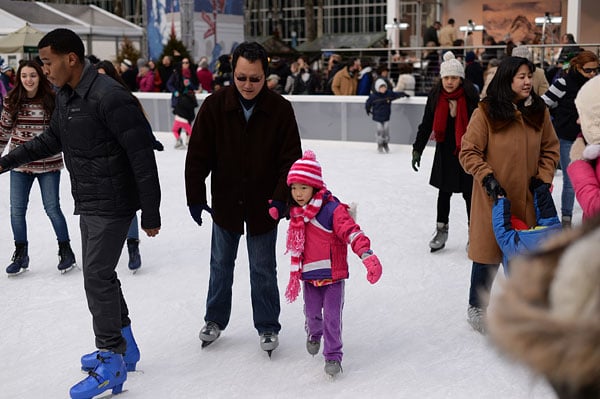
My next move was to start spinning the Nikon Df's old-school dials, which, even if I no longer prefer them, are delightful to behold. Although the feel and precision of the controls -- and of the body itself -- are perfectly decent, they don't quite live up to the premium price and intended aura of the Df. This had no effect on my shooting, but it's still mildly disappointing.

After a quick run through the Nikon Df's menus to set the camera up, I spent some time figuring out how I would interact with its unique control system. My test unit came with the new AF-S NIKKOR 50mm f/1.8G (Special Edition), which doesn't have an aperture ring, so I would be using the vertically oriented front command dial to change f-stops. Within a couple of minutes, it was clear to me that I wasn't going to love using the Df -- but, by the same token, that it wasn't going to make me miserable either.
And that's exactly how it turned out when I took the Nikon Df on a walk around my neighborhood. Shooting in Aperture-priority mode, I found the front command dial to be usable, but not as good as more typical dials on other high-end DSLRs. I like to shoot in Aperture-priority and make heavy use of exposure compensation. On the Df, the exposure compensation dial requires you to press a locking button to make a change. It can be done by feel without taking your eye off the viewfinder, but it's still slower and less convenient to use than most exposure compensation controls on modern, advanced DSLRs.
I took my walk with the Nikon Df in the late afternoon of a rainy day. The waning light required some ISO sensitivity adjustments, and this setting, too, is controlled by a locking dial. This dial, however, is a real pain. Because of the position of the locking button, you really have to take the camera away from your eye and do some finger gymnastics to change ISO. I neither love nor hate the Df's other dial controls, but the ISO dial was an actual impediment to my shooting.
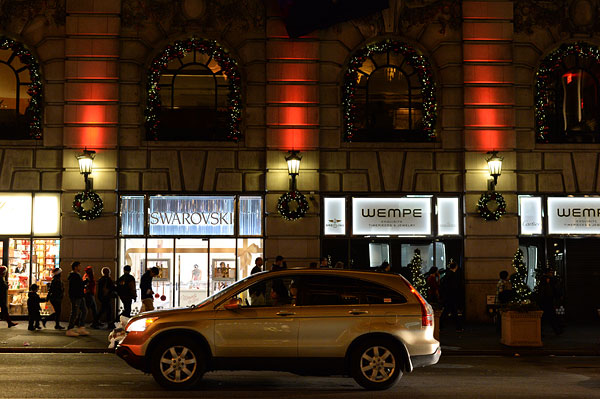
In the hand & initial performance thoughts. My first outing with the Df may have left me lukewarm, at best, about its control design, but I was pleasantly surprised by how comfortable and trouble-free it was to shoot with once the settings were dialed in. I was using the AF-ON button for activating autofocus, and it, as well as the shutter release, were simple to find by feel. With plenty of room on the body, button spacing is very good, and I had no problems with accidental control activations. The dedicated exposure bracketing button on the front of the camera made it quick and easy to activate and adjust bracketing, a big plus in my book.
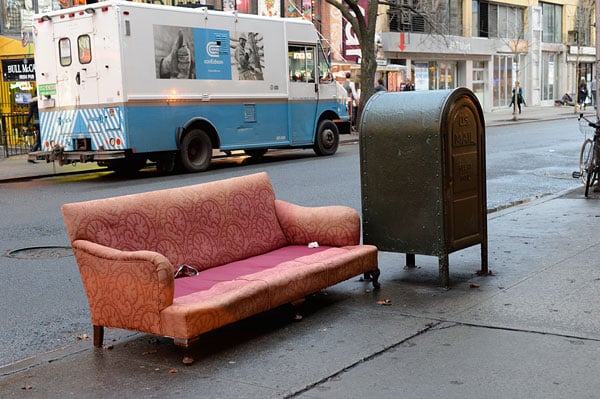
My last impression from that first shoot with the Nikon Df was that it -- like other high end Nikon and Canon DSLRs I've used -- is a very sure picture-taking machine. As I shot images of passers-by, storefronts, and even burgundy couches out on the sidewalk in the rain (in New York one disposes of almost anything, even unwanted furniture, by simply piling it up on the sidewalk), the Df's performance was excellent. Focusing was fast and decisive, and shutter delay was minimal. Control response was instant, and bracketed sequences fired off very quickly. Some of the Df's settings can't be changed quite as quickly as I prefer, but once it's set, this camera is plenty responsive.

Field Test Part 2 -- A Nighttime Stroll
Posted: 01/24/2013
Performance. Since it's equipped with the same sensor and processor as used by the professional D4 DSLR, one could reasonably expect the Nikon Df to be a great low light camera. I decided to test that with a nighttime stroll up Fifth Avenue a few days before Christmas. In this riot of holiday lights and light shows, trees and decorations, display windows and teaming crowds of sightseers, lighting conditions were changing wildly from shot to shot, so I set the Df for manual exposure mode, auto ISO and 3-shot exposure bracketing with the burst rate set for 5.5 frames per second.
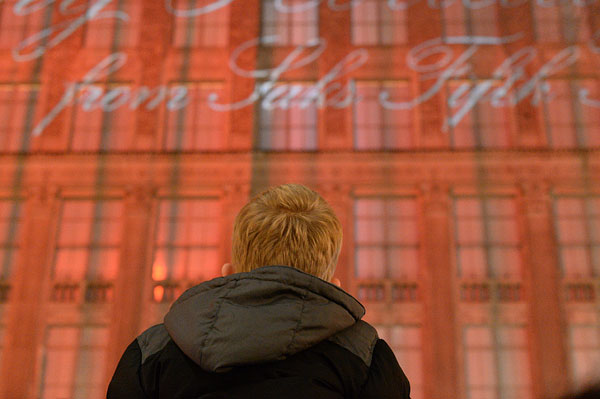
This setup worked exceptionally well on the Nikon Df, letting me quickly grab shots as I went; each 3-shot sequence took just over half a second. At one point, near the entrance to Rockefeller Center, I looked up to see a young boy above the sea of people, riding on his father's shoulders. I raised the camera, autofocused and shot three different exposures. The image with 1/3EV of negative exposure compensation turned out to be the best.
I made similarly-quick raise-and-shoot images with the Nikon Df all along Fifth Avenue. These included other kids on parents' shoulders, and shots of cars passing the brightly-lit storefronts. I shot the Rockefeller Center Christmas tree, and several other images of the people and lights around the skating rink in "hail mary" style, holding the Df above my head to shoot over the crowd. In every case the camera focused quickly and decisively, and cranked out bracketed exposures with no delay, fuss or muss.

The Df's controls also responded immediately to my changes and inputs, and it never kept me waiting. As I said in Part 1 of this report, once the controls are set, the Df is a very sure and responsive picture-taking machine. As I shot with it more, I also learned that its battery life is impressive -- I didn't have to worry if I forgot to charge the battery every night, as I do with the smaller cameras I've been using a lot lately.
Image Quality. As expected, the Nikon Df makes gorgeous high ISO pictures. The image of the boy on his dad's shoulders was shot at ISO 12,800 equivalent, and it's amazingly good considering that very high sensitivity setting. In the wildly-varying light on my walk, the camera's auto ISO function ended up choosing sensitivity settings from ISO 110 to 12,800 equivalents, and I got several dozen images at ISO 1600 and above. They look great -- very few cameras can approach this level of quality at high sensitivities.
On later walks in Central Park and Washington Square Park, I made some low-ISO shots of buildings and foliage, and these look great, too. They're incredibly smooth and noise free, with plenty of dynamic range and very few artifacts.
Field Test Part 3 -- Icy Rivers and Skating Rinks
Posted: 02/23/2013

Viewfinder and LCD. All current full-frame DSLRs that I'm aware of provide nice, big viewfinder images. The Nikon Df is no exception. It's one of the pleasures of these cameras, especially because you benefit from it on every shot. The Df doesn't skimp on the viewfinder, which is sharp and bright. The top professional full-frame cameras might be slightly better, but I didn't have one to directly compare, and it would be splitting hairs anyway. On two different days in mid-January, I took the camera out along the Hudson River at dusk to shoot landscapes, and the roomy viewfinder made precise decisions about composition easy despite the waning light. It was equally enjoyable on my night walk up Fifth Avenue.
The Nikon Df's LCD is among the best I've seen, providing a large, very sharp image. It does seem to have a somewhat warm color cast, though, something I didn't notice until I shot some comparisons with another camera one day. That said, color casts in camera LCDs are almost universal. We're in the middle of a long, cold winter in New York, so I almost never had the camera out on a sunny day, but I noticed nothing unusual about the LCD in bright light, compared to other high-end displays.
Shooting action. Nikon is marketing the Df as a tool for a more classical, contemplative style of photography, so I didn't expect it to be optimized for action shooting. In that sense, I can't really criticize the company's choice to use their second-tier autofocus system on the Nikon Df. Still, the camera can shoot at 5.5 frames per second, and does so for 25 raw frames or more without stalling (depending on bit depth and compression). While I wouldn't recommend it for full-time sports shooters, it certainly merits consideration as an all-around, shoot-anything DSLR.
With that in mind, on one Sunday I grabbed the Nikon Df and headed for the ice rink at Bryant Park. It was snowing lightly for most of the time shooting, but I was confident the camera's weather sealing would be up to the task.

At the rink, I set up at the end of the longest straightaway and shot a few dozen bursts of the fastest skaters I could find. I tried both single-area AF and the 9-point dynamic AF modes, and shot at f/2.8 or wider so that depth-of-field would not hide focus errors. The results were about what I expected: adequate but not spectacular. The Df had a hit rate above 50%, but noticeably behind the best-focusing sports cameras from Nikon and its rivals.
That said, on my subway ride over to the rink, I shot some quick street-style images of my fellow riders on the trains and in the stations. The Nikon Df focused very decisively and accurately in these low-light conditions, just as it did at night on Fifth Avenue, during the stroll that I wrote about in part two of my Field Test.
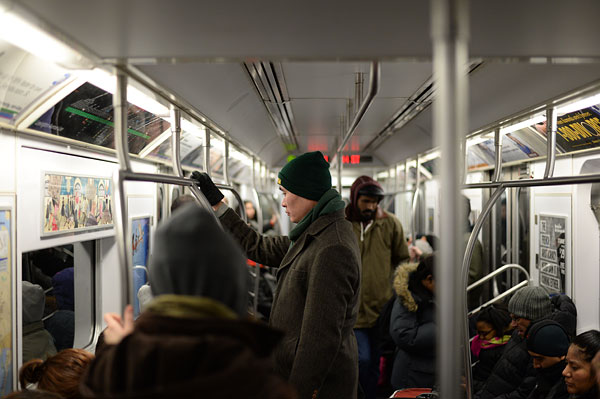
Throughout the time I spent with the Nikon Df, I found its autofocus, control, shutter response to be more than fine for most shooting environments, and I never got close to stalling its generous buffer.
Lens. In the general city shooting I've already mentioned in this report, I found myself liking the AF-S NIKKOR 50mm f/1.8G (Special Edition) lens. Using it to shoot street images in Central Park and along Fifth Avenue, I was pleased with its near-silent operation and quick focus response. Although it's not a premium-quality optic, it still feels solidly built and has a reasonably well-dampened manual focus ring. I also like its slightly retro look.


Early in the year, I got a chance to shoot some landscapes along the banks of the half-frozen Hudson River near Kingston, New York under a cold, dark gray late afternoon sky. When I came across a fallen tree, I decided to shoot it wide open at f/1.8, hoping to cause the background to fade into a blur and evoke the quiet, almost melancholy feel of the day. I was really pleased with the way the lens rendered that scene and other landscapes I shot the same way. Although I'm generally skeptical of subjective impressions, I'll break my rule and say this optic has an unusually nice look to it with very pleasing bokeh when shot at wide apertures.
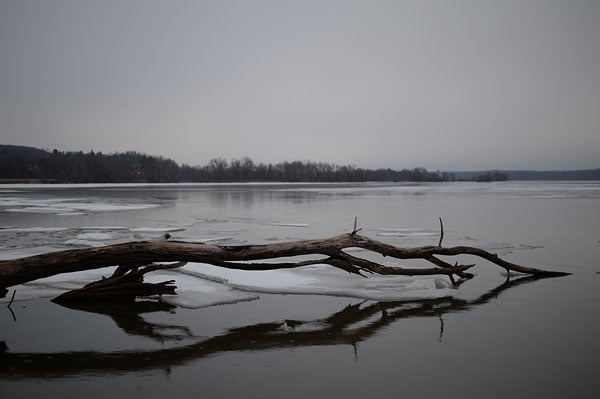
My images from the AF-S NIKKOR 50mm f/1.8G (Special Edition) were also quite sharp and low in distortion. I did notice fairly significant light falloff at wider apertures, although the Nikon Df (and other Nikon DSLRs) can automatically compensate for that.
Summing it up. Over the course of my six weeks with the Nikon Df, I shot a lot of different subjects, from frozen rivers to giant soap bubbles; nieces to novelists. The camera did a pretty good job with all of them, and a couple of the images are downright gorgeous.
Through all that shooting -- more than 1,000 images, all told -- the Nikon Df churned away with unassailable competence and exceptional flexibility, capturing picture after picture quickly and decisively. If you need the absolute best high ISO capability, you'd probably have to spend twice as much to match the Df, and that is perhaps this camera’s biggest advantage.
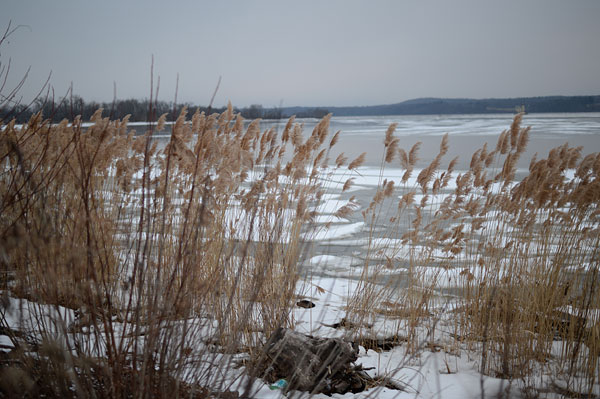
And yet, in physical terms I don't really think the Df is a successful design. Other than the frustrating ISO dial, there's nothing terribly wrong with the design; it's just that it doesn't feel especially right, either. Trying to intelligently accommodate new and old aperture control regimes -- lens rings vs. body control dials -- has implications that ripple through the design, and it turns out to have been too big a hurdle for Nikon's design team this time around.
For me, what it comes down to in the end is that all the nice things I said about the Nikon Df's responsiveness are at least as true of other (in some cases, cheaper) full-frame DSLRs with more modern control setups, which make them faster and easier to use. There's just no real benefit to the Df's throwback controls. The blend, like a mediocre coffee, may be perfectly drinkable, but it's not deliciously tasty.
This, then, is a camera that leaves me conflicted. I'm not satisfied with it ergonomically-speaking, but there's no question that it can shoot great photos, and handles low-light shooting with aplomb. Is it right for you? The answer to that question may depend in large part on what you consider most important: the shooting experience, or the final result of your labor.
High ISO Noise Reduction
Nikon Df High ISO Noise Reduction
The Nikon Df offers four High ISO Noise Reduction settings: Off, Low, Normal (default), and High, allowing you quite a bit of flexibility in choosing how you want to make the trade-off between subject detail and noise levels in JPEGs. The Nikon Df manual doesn't say at what ISO High ISO Noise Reduction begins to be applied, so we've included crops from ISO 50 on up here. Note that the Nikon Df manual does say when Off is selected, noise reduction is only performed at ISO 3200 and higher, and the amount is less than Low.
See for yourself how the Normal and Off settings work compared to RAW files with no noise reduction (or sharpening) applied. Click on any of the crops below to see the corresponding full-sized image.
| High ISO Noise Reduction Comparison In-Camera JPEGs vs RAW with no NR Simulated Daylight |
|||
|
Normal
|
Off
|
RAW (no NR)
|
|
| I S O 5 0 |
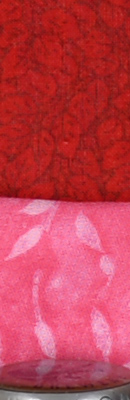 |
 |
 |
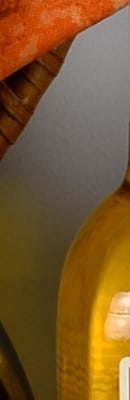 |
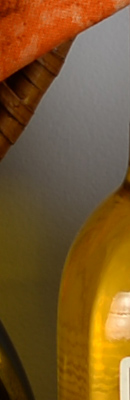 |
 |
|
 |
 |
 |
|
|
Normal
|
Off
|
RAW (no NR)
|
|
| I S O 1 0 0 |
 |
 |
 |
 |
 |
 |
|
 |
 |
 |
|
|
Normal
|
Off
|
RAW (no NR)
|
|
| I S O 2 0 0 |
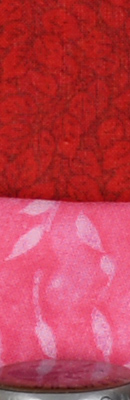 |
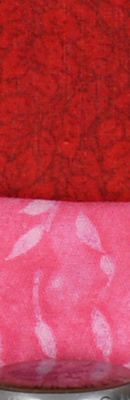 |
 |
 |
 |
 |
|
 |
 |
 |
|
|
Normal
|
Off
|
RAW (no NR)
|
|
| I S O 4 0 0 |
 |
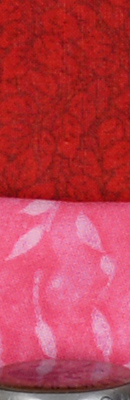 |
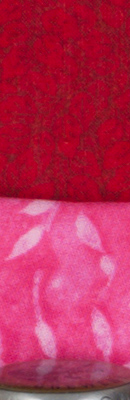 |
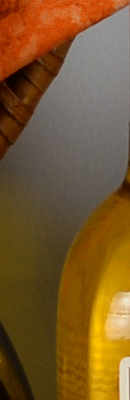 |
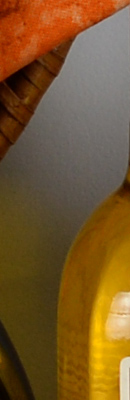 |
 |
|
 |
 |
 |
|
|
Normal
|
Off
|
RAW (no NR)
|
|
| I S O 8 0 0 |
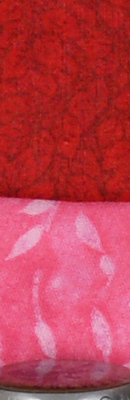 |
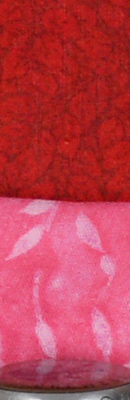 |
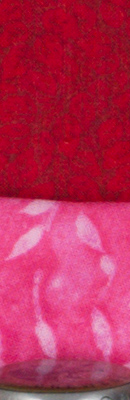 |
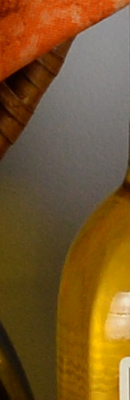 |
 |
 |
|
 |
 |
 |
|
|
Normal
|
Off
|
RAW (no NR)
|
|
| I S O 1 6 0 0 |
 |
 |
 |
 |
 |
 |
|
 |
 |
 |
|
|
Normal
|
Off
|
RAW (no NR)
|
|
| I S O 3 2 0 0 |
 |
 |
 |
 |
 |
 |
|
 |
 |
 |
|
|
Normal
|
Off
|
RAW (no NR)
|
|
| I S O 6 4 0 0 |
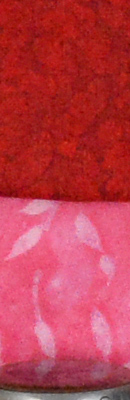 |
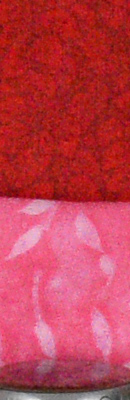 |
 |
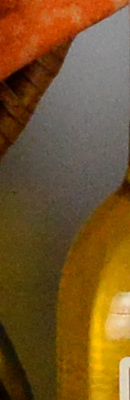 |
 |
 |
|
 |
 |
 |
|
|
Normal
|
Off
|
RAW (no NR)
|
|
| I S O 1 2 8 0 0 |
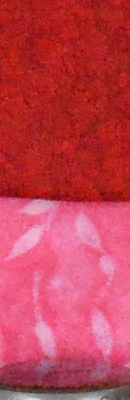 |
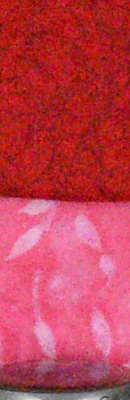 |
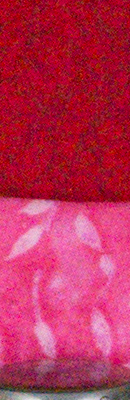 |
 |
 |
 |
|
 |
 |
 |
|
|
Normal
|
Off
|
RAW (no NR)
|
|
| I S O 2 5 6 0 0 |
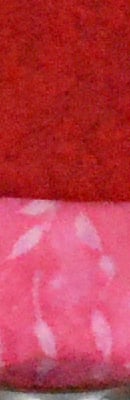 |
 |
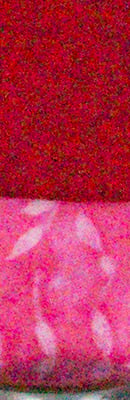 |
 |
 |
 |
|
 |
 |
 |
|
|
Normal
|
Off
|
RAW (no NR)
|
|
| I S O 5 1 2 0 0 |
 |
 |
 |
 |
 |
 |
|
 |
 |
 |
|
|
Normal
|
Off
|
RAW (no NR)
|
|
| I S O 1 0 2 4 0 0 |
 |
 |
 |
 |
 |
 |
|
 |
 |
 |
|
|
Normal
|
Off
|
RAW (no NR)
|
|
| I S O 2 0 4 8 0 0 |
 |
 |
 |
 |
 |
 |
|
 |
 |
 |
|
As you can see, the Normal and Off high ISO noise reduction settings have little effect below ISO 3200. At higher ISOs, the trade-off between detail and noise can easily be seen. You can also see the Off setting still applies some minimal noise reduction at ISO 3200 and above, just as Nikon says.
Conclusion
| Pro: | Cons: |
|---|---|
|
|
The retro-styled, weather-sealed Nikon Df is an undeniably handsome camera, packed with external controls much like the F-series film cameras of days gone by. But perhaps its best attribute is what lies inside -- the very same sensor and processor featured in the professional Nikon D4. It's an undeniably high-end imaging pipeline, and yet the Nikon D4 costs half as much as that camera.
The Df is not without its quirks, though. The extensive use of plastic throughout its design doesn't gel with the retro design aesthetic, and some of its controls feel clumsy in use. The unusual lift-and-turn Mode dial is less intuitive than the Fuji X-T1's simple A-position on each control, but the lack of an aperture ring on many modern lenses paints Nikon into a corner with this interface. The locking ISO dial is also awkward to adjust single-handed, and the front dial uncomfortable as well.
Nor is the Nikon Df's autofocus system the best performer either in terms of speed or low-light sensitivity. And burst performance, while fair, could certainly have been better given the relatively modest sensor resolution by modern SLR standards.
And there are other ways in which the Df feels limited, too. The lack of a built-in flash is understandable for the camera's target market, but the absence of an autofocus assist lamp is a rather strange decision. And if you want to shoot movies, you're going to need to look elsewhere. Nor are enthusiast-friendly features like dual card slots or a portrait / battery grip available, either, despite being offered by significantly more affordable cameras.
But then, you hold the Nikon Df's roomy viewfinder to your eye, do some shooting, take a look at the results, and find yourself willing to overlook some of these shortcomings. Low-light autofocus aside, it makes for a really great available-light shooter. In fact, it's arguably the best we've seen in its class, and that's all thanks to the choice of sensor and processor. The Nikon Df can capture some really great images in conditions where other cameras would be reliant on flash photography, and great images are the most important attribute of any camera.
While we ended up not being huge fans of its ergonomics and design, the pairing of great image quality and the chance to avoid flash altogether for many shots earns the Nikon Df a spot on our Dave's Pick list. More than most, though, the Nikon Df is a camera we recommend trying in person before buying -- its unusual ergonomics may make or break it for you.
Place your order with trusted Imaging Resource affiliate Adorama now:
- Nikon Df body -- Black, body only, US$2,746.95
- Nikon Df body -- Silver, body only, US$2,746.95
- Nikon Df kit -- Black, with 50mm f/1.8G Special Edition lens, US$2,996.95
- Nikon Df kit -- Silver, with 50mm f/1.8G Special Edition lens, US$2,996.95
Or with B&H Photo Video:
- Nikon Df body -- Black, body only, US$2,746.95
- Nikon Df body -- Silver, body only, US$2,746.95
- Nikon Df kit -- Black, with 50mm f/1.8G Special Edition lens, US$2,996.95
- Nikon Df kit -- Silver, with 50mm f/1.8G Special Edition lens, US$2,996.95
Follow Imaging-Resource.com on Twitter!
Pros
- Same sensor and processor as professional D4
- Great image quality
- Arguably the best available-light shooter in its class
- Handsome, retro styling
- Weather-sealed design
- Big, clear full-frame viewfinder
- Excellent battery life
Cons
- Expensive
- Bulky, yet handgrip is quite modest
- Some controls are clumsy
- Plastic body panels don't gel with retro aesthetic
- Autofocus isn't in the same league as image quality
- No AF assist lamp
- No movie capture
- No portrait grip
- Single card slot