


Overview

Wildlife, birding and sports photographers, who's ready for the super-est of superzooms? Say hello to the Nikon Coolpix P1000!
Not content with the shockingly-impressive zooming performance of the popular P900, Nikon has upped the ante with its P1000 successor. While the P900 offered a record-breaking 83x optical zoom range (24-2000mm eq.), the Nikon P1000 goes well beyond that with an astonishing 125x optical zoom lens. Yes, you read right, 125x! In 35mm-equivalent terms, the P1000's lens offers a zoom range from a nice 24mm wide-angle to a mind-boggling 3000mm! (And just wait until we tell you how far digital zoom gets you!)
The P900 was not a svelte compact camera by any means, and the P1000 is even less so. The lens is massive and the camera itself is large, but this means you get some DSLR-like features, including lots of physical controls and dials, as well as a deep hand grip and comfortable ergonomics. With excellent close-focusing capabilities and incredibly powerful telephoto chops, the Nikon P1000 makes for a highly versatile all-in-one camera for those looking to capture images both close-up and far away...far, far away.
Let's dive into the details of this formidable superzoom camera...

The Lens
As mentioned, this camera is anything but compact. Given the increased zoom ratio, the P1000 is, as expected, larger than its already-sizable predecessor. Weight alone is pretty telling, with the P1000 tipping the scales at over three pounds (1,415g) whereas the P900 was about two pounds (916g). As for the dimensions, the width and height of the P1000 are slightly larger than those of the P900, while the length (depth) of the new model is close to two inches greater -- not including the extreme extension of the lens when zoomed to full telephoto. The diameter of the lens barrel has also increased, providing a larger 77mm filter thread compared to the 67mm thread on the P900. A petal-shaped bayonet lens hood is included.
As for the optical layout of the lens, the P1000 uses a lot of lens elements, 17 to be exact, situated into 12 groups (only one more element compared to the lens of the P900). The lens also utilizes a total of five ED (Extra Low Dispersion) elements and one Super ED element to help combat against chromatic aberration and color fringing.

The P1000's 4.3-539mm (24-3000mm eq.) lens uses a variable aperture design much like the P900, offering a bright f/2.8 aperture at the wide angle, before quickly narrowing down as you zoom in to the longer focal lengths. With the P1000, the lens' maximum aperture falls to a rather narrow f/8 at full telephoto. While this max aperture may be sufficient for reasonably sharp, well-exposed photos in good lighting, it does make for difficult shooting in lower light or even shaded conditions, as the camera will either need a very slow shutter speed or a big boost in ISO sensitivity if you find yourself without flash or supplemental lighting.
As mentioned, the P1000 offers an impressive 3000mm eq. maximum focal length, but if you somehow need more reach, the camera offers two levels of digital zoom. With Nikon's Dynamic Fine Zoom option, the camera can reach up to 6000mm eq. while standard "digital zoom" will provide up to a whopping 12,000mm equivalent! Note that with both Dynamic Fine Zoom and digital zoom, image quality will be decreased compared to images shots within the optical zoom range; less so with Dynamic Fine Zoom than with standard digital zoom thanks to enhanced image processing.

Whether or not you shoot with optical zoom or reach into digital zoom range, we are talking about some serious telephoto reach here, and if you shoot handheld -- which is likely with this kind of camera -- you'll be glad that there's some powerful image stabilization on-board. Like the P900, the P1000 offers up to 5 stops of shake correction with its Dual Detect Optical Vibration Reduction system. For still photos, the VR system is purely optical, while for video shooting the camera uses a combination of optical VR and electronic stabilization to help steady your clips.
The Coolpix P1000 can focus as close as approximately 0.4 in. (1.0cm) from the front of the lens at wide angle in Macro mode, just like the P900. At full telephoto, minimum focus distance is 23 ft. (7.0m).
Design
When it comes to the body design itself, the P1000 is, in a sense, a bigger, beefier P900. It sports a similar DSLR-style shape with a deep handgrip and lots of physical controls and dials, as well as finally including a Nikon i-TTL-compatible ISO 518 hotshoe on top. There are two control dials, as before on the P900. There's one on the top deck right above the thumbrest area, and another, a rotary multi-selector, on the rear of the body, which rotates as well as doubles as a four-way directional control. There have been a few tweaks as well, including borrowing the AE-L/AF-L button from Nikon's DSLRs and surrounding it with an AF/MF switch. The mode dial has been changed to include a new Manual Movie mode as well as dedicated Bird Watching and Moon scene mode positions. Most other controls remain largely unchanged, with the exception of removing the dedicated Wi-Fi transfer button on the rear of the camera and relocating some buttons.

Like most superzoom cameras, the P1000 offers a zooming toggle switch around the shutter button. There's also a secondary zoom toggle on the left side of the lens barrel that provides a smoother zooming action during video recording. There's also a new control ring around the lens barrel that can be used for manual focus control as well as other programmable functions such as adjusting white balance presets.
With the high-powered zoom on the P1000, it can be challenging to keep the camera aimed at your subject, so Nikon has included its snap-back zoom button on the side of the lens (much like on the P900) that will quickly zoom the lens out some so that you can see more of the scene and help re-acquire your subject -- then simply release the snap-back button and the lens will return to its previous focal length.

Lastly, the Nikon P1000 features both an electronic viewfinder and a vari-angle LCD screen, much like on the P900. The rear TFT LCD maintains a similar 921K-dot resolution as the P900, but its size has increased slightly from a 3-inch display to a larger 3.2-inch panel. The EVF, however, undergoes a more significant refresh, moving up to a larger, higher resolution OLED panel with 2.3-million dots -- a nice change from a 921K-dot-equivalent LCD.
Image Quality Goes RAW
Sitting behind this massive lens is the same 16-megapixel 1/2.3-inch backside-illuminated CMOS sensor as found in the P900. However, despite having the same sensor as the previous model, there are some nice photo and video upgrades compared to the earlier model. For example, the P1000 is now capable of RAW image capture whereas the P900 was a JPEG-only camera. For those more advanced photographers who want more control over the final look of their photos, the ability to capture and process RAW files is a big plus. For video shooters, the camera now offers 4K UHD video at 30p, whereas the P900 topped-out at 1080p60. The camera also allows for clean HDMI output as well as manual exposure controls in movie mode for more advanced video creators.

In addition to the typical PASM shooting modes, the P1000 offers a wide variety of scene modes, creative shooting modes and superzoom-specific image capture modes, such as the previously mentioned Moon and Bird Watching modes in which the camera automatically adjusts settings to suit the scenario. The camera also has built-in timelapse and superlapse video capture modes, as well as an interval timer for stills.
In terms of ISO performance, the P1000 offers a similar range of sensitivities as in the P900. The full ISO range spans 100-6400, however the ISO range available varies depending on the shooting mode. ISO 3200 and 6400 are only user-selectable while in Program Auto, Aperture Priority, Shutter Priority or Manual mode as well as Manual exposure mode in Movie mode -- otherwise, the ISO range is limited to 100-1600. For video, the base ISO available is ISO 125.
The longest exposure in Manual exposure mode (at ISO 100) has been increased from 15 to 30 seconds, and the P1000 adds Bulb and Timer modes which support exposures up to 60 seconds. The top shutter speed remains at 1/4000 second (1/8000s for videos).

Performance
Performance specs are similar to those of the P900, with a continuous mode burst rate of 7fps for up to seven frames at full resolution. Our lab tests confirmed the P1000's 7fps burst rate and buffer depth specs, including for RAW and RAW+JPEG files which the P900 could not shoot. Like the P900, the P1000 also offers faster JPEG-only burst shooting rates at lower image resolutions: 1920x1080 at 60fps and 640x480 at 120fps.
The autofocus system remains a contrast-detect AF system, much like on the P900. The single-shot AF performance from the P1000 in our lab was similar to the P900's, testing very fast for a superzoom in controlled conditions. However, while our field tester found the P1000's AF-S performance generally good out in the real world, he noted that it struggled some in low-light and at longer focal lengths. Nikon hasn't mentioned any specific AF performance improvements or technical changes to the AF system in the P1000, so it's no surprise it behaves similarly to the P900's autofocus.
Connectivity, Ports & Battery

Like most modern cameras, the P1000 offers various wireless connectivity options, utilizing Nikon's SnapBridge connectivity system that incorporates Bluetooth Low Energy to pair and maintain an always-on connection to a smartphone. The P1000 then uses a faster Wi-Fi connection for image transfer and remote shooting capabilities with the SnapBridge app.
Unlike the P900, the Coolpix P1000 does not have NFC connectivity nor does it offer a built-in GPS receiver. However, it does gain the previously mentioned hotshoe, an accessory port (WR-R10 remote compatible) for additional creative control, and a 3.5mm external mic jack. The camera also includes support for a new ML-L7 Bluetooth connected remote, which allows for easy remote control of the camera including video start and smooth zoom control. Unsurprisingly, support for the ML-L3 infrared remote has been dropped.

The P1000 provides a Micro-B USB 2.0 port as well as a Micro HDMI (Type D) connection with clean output for external video capture. The camera uses SD storage media and is compatible with SD/SDHC/SDXC cards with support for UHS-I types.
When it comes to battery life, the P1000 is actually CIPA-rated for fewer shots per charge than the P900, at just 250 shots compared to 360 shots from the previous model despite using a higher capacity 8.0Wh battery pack. The P1000 uses an EN-EL20a rechargeable lithium-ion battery -- the same battery as the Nikon 1 V3 camera -- which is different from the P900's 7.1Wh EN-EL23 battery pack.

Nikon P1000 Pricing and Availability
The Nikon Coolpix P1000 began shipping in September 2018 at a suggested retail price of US$999.95. The new ML-L7 Bluetooth remote control has a suggested retail price of US$49.95
In the Box
The Nikon P1000 retail box includes:
- Nikon Coolpix P1000 digital camera
- EN-EL20a lithium-ion rechargeable battery
- EH-73P charging AC adapter
- UC-E21 USB cable
- AN-DC3 camera strap
- LC-77 lens cap
- HB-CP1 lens hood
- Warranty card
Optics
Lens Test Results
Zoom
An enormous 125x optical zoom, with surprisingly good performance.


The Nikon P1000 is equipped with a 4.3-539mm lens which translates to a 35mm-equivalent focal range of about 24-3000mm, offering a record-breaking optical zoom ratio of 125x. The lens is fairly fast (bright) at wide angle with a maximum aperture of f/2.8, but at the telephoto end, maximum aperture falls to only f/8, which is quite dim. The following table reflects the maximum and minimum apertures as reported by the camera at some popular focal lengths:
|
Focal length
(mm eq.) |
24
|
35 |
50
|
70
|
105 |
200
|
400 | 800 |
2000
|
3000
|
|
Max. aperture
|
f/2.8
|
f/3.2 |
f/3.2
|
f/3.5
|
f/4.0 |
f/4.5
|
f/5.0 | f/5.6 |
f/6.3
|
f/8.0
|
|
Min. aperture
|
f/8 at all focal lengths | |||||||||
The above set of images was taken from the same location as an illustration of the incredible amount of optical zoom offered by the P1000. Optical performance is surprisingly good considering the enormous range, however the lens isn't terribly sharp at longer focal lengths in part because of the considerable amount of diffraction caused by the small maximum aperture. On top of the 125x optical zoom, there's up to 4x digital zoom for a whopping 12,000mm equivalent focal length, though as you can see, that much digital zoom produces a very soft image. See below for lab results on macro mode, geometric distortion, sharpness, corner performance, etc.
Macro
A slightly smaller-than-average sized minimum coverage area, with very good detail. Flash is blocked by lens at macro distances.


The Nikon P1000 captured a slightly smaller-than-average sized minimum area in macro mode, measuring 2.13 x 1.59 inches (54 x 41 millimeters) in our tests. The P1000's macro mode is available from maximum wide angle (24mm eq.) to about 155mm equivalent, however we found the maximum reproduction ratio was produced at about 105mm equivalent, which is nice, giving more working distance than at wide focal lengths. Sharpness over much of the frame is quite good, but corners show some softness (most lenses show some softening in the corners at macro distances), even this focal length. Unsurprsingly, the lens casts a large shadow when using the flash in macro mode, blocking much of the light and resulting in a somewhat dim, unevenly lit image.
Geometric Distortion
Low geometric distortion for in-camera JPEGs; high barrel distortion in uncorrected RAWs at wide angle.
| Barrel distortion at wide angle is about 0.2 percent |
 |
| Pincushion distortion at telephoto is less than 0.1 percent |
 |
JPEGs: Thanks to effective in-camera distortion correction, there's low geometric distortion in the P1000's JPEG files at normal distances. At full wide angle, we measured just over 0.2% barrel distortion in JPEGs. At full telephoto, distortion was difficult to accurately measure with the target we use for superzooms, but it appears be quite low, so we're estimating it as less than 0.1% pincushion distortion. This is the tendency for the lens to bend straight lines outward (like a barrel -- usually at wide-angle) or inward (like a pincushion -- usually at telephoto).
The Nikon P1000 supports raw capture, so we can see how much distortion correction is taking place during JPEG processing by examining the NRW files with a converter that doesn't apply corrections as shown below.
| Uncorrected RAW |
|---|
| Barrel distortion at 24mm eq. is about 4.4% |
 |
| Pincushion distortion at 3000mm eq. is about 0.4% |
 |
Uncorrected RAW files: When converting NRW files using dcraw (with no corrections applied), we see that actual barrel distortion at wide angle is very high, at about 4.4%. Also note how the image circle does not cover the corners of the sensor at maximum wide angle, leaving them very dark. Uncorrected distortion at full telephoto is estimated to be just over 0.4% pincushion, which isn't is pretty low.
High distortion is quite common at wide angle these days, and most raw converters will automatically correct for it. Nikon's free ViewNX-i software and Adobe Camera Raw for example automatically reduce geometric distortion in NRW files, producing distortion similar to in-camera JPEGs. There is however going to be a loss of resolution as well as possible interpolation artifacts as a result of such strong correction, because pixels in the corners of the frame are being "stretched" to correct for the distortion. And in the case of the P1000, the image circle does not cover the entire sensor at wide angle (we've seen this with other cameras as well), requiring even more interpolation back to full 16-megapixel image dimensions. If you look closely at the corners in the P1000's wide-angle JPEGs, they are soft and detail is a little rough with straight edges in the resolution target looking jagged. Obviously, a lens that doesn't require such correction and is also sharp in the corners to begin with would be preferable, but relaxing constraints on distortion brings other benefits in the lens design, such as a much more compact, lower-cost design than would be otherwise possible.
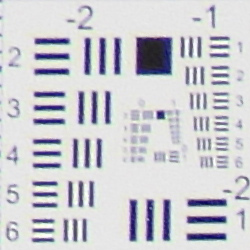
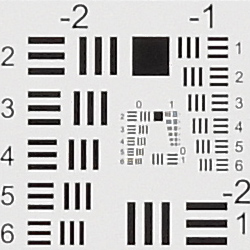
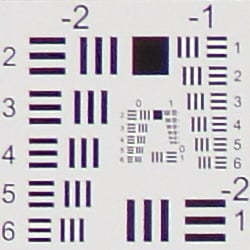
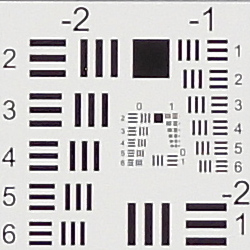
Chromatic Aberration and Corner Sharpness
Low to moderate chromatic aberration in JPEGs. The lens produces soft corners at some focal lengths, but actually performs very well for its type.
|
Aperture: Wide Open
|
|
 |
 |
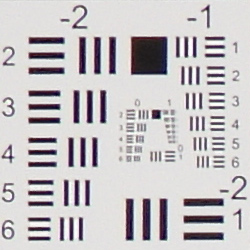
| 24mm eq. at f/2.8: Upper left C.A.: Moderate Softness: Soft, with rough edges |
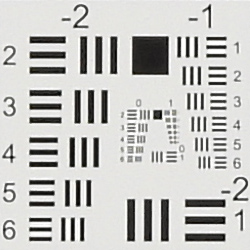
24mm eq. at f/2.8: Center C.A.: Very low Softness: Sharp |
 |
 |
| 50mm eq. at f/3.2: Upper left C.A.: Low Softness: Slightly soft |
50mm eq. at f/3.2: Center C.A.: Very low Softness: Sharp |
 |
 |
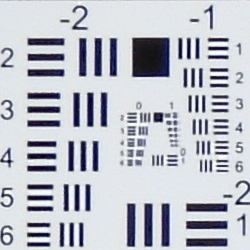
| 105mm eq. at f/4: Upper left C.A.: Low Softness: Slightly soft |
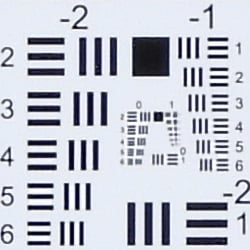
105mm eq. at f/4: Center C.A.: Very low Softness: Sharp |
 |
 |
| 500mm eq. at f/5: Upper left C.A.: Low Softness: Slightly soft |
500mm eq. at f/5: Center C.A.: Very low Softness: Pretty sharp |
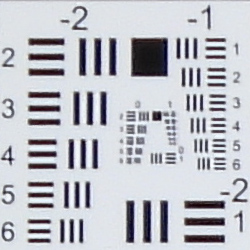 |
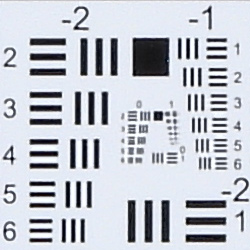 |
| 1000mm eq. at f/5.6: Upper left C.A.: Low Softness: Slightly soft |
1000mm eq. at f/5.6: Center C.A.: Very low Softness: Slightly soft |
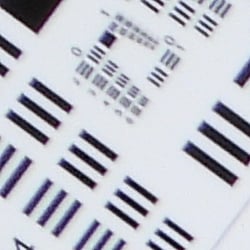 |
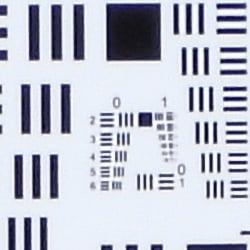 |
| 2000mm eq. at f/6.3: Upper left C.A.: Moderate Softness: Moderately soft |
2000mm eq. at f/6.3: Center C.A.: Low Softness: Slightly soft |
 |
 |
| 3000mm eq. at f/8: Upper left C.A.: Moderate Softness: Moderately soft |
3000mm eq. at f/8: Center C.A.: Low Softness: Moderately soft |
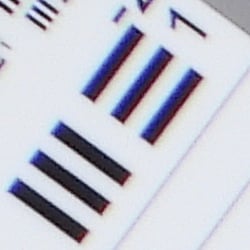
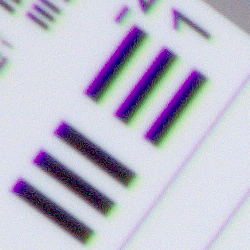
Chromatic Aberration. Thanks to effective in-camera chromatic aberration suppression, there's low to moderate C.A. in the corners in camera JPEGs, and there's virtually none to low C.A. visible in the center.
Corner Softness. Wide open, our sample's lens was well centered, with all four corners showing roughly the same performance. At maximum wide angle, corners are soft with reduced contrast and rough edge artifacts. Much of the softness and artifacts is due to the strong geometric distortion correction needed at 24mm equivalent (see below). At intermediate focal lengths, corner performance was actually quite good, only slightly softer than the center. Corners got softer above 1000mm equivalent, but so did the center. Some of this is due to the small maximum aperture causing stronger diffraction. Still, corner performance relative to the center is quite good across the entire range for a superzoom, especially for one with this amount of range.
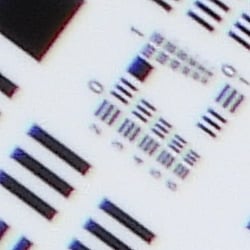
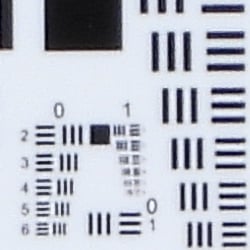
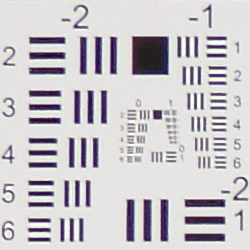
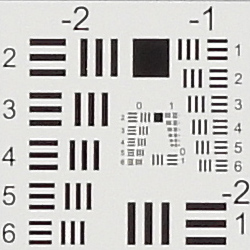
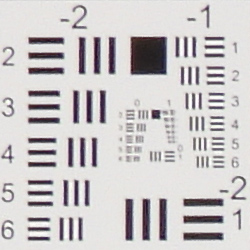
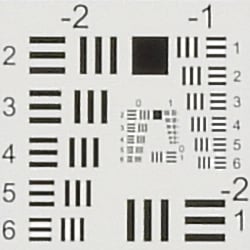
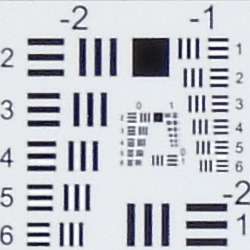
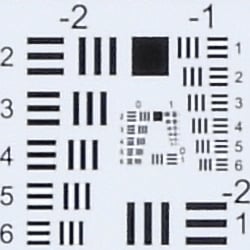
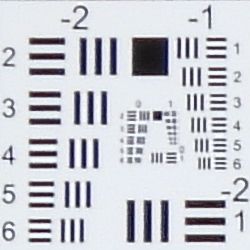
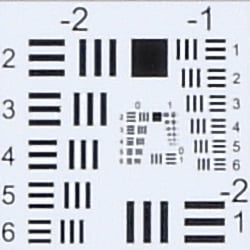
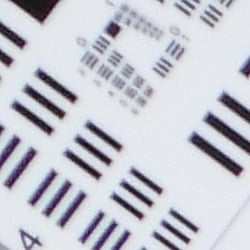
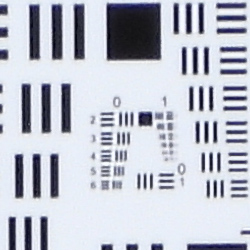
Please note that the target used at 1000mm equivalent and above has slightly lower resolution in the USAF resolution charts. (They are the same relative scale compared to the overall target, but the target is smaller and has lower resolution.) Also note that focal lengths above 1000mm equivalent were too long to capture the entire target in our lab, so the magnification shown is greater. Thus, higher focal lengths are not directly comparable in terms of the resolution shown by the USAF charts, however relative center and corner performance can still be judged.
Vignetting. There is almost no noticeable vignetting (corner shading) visible in camera JPEGs even wide open.
|
Aperture: Stopped Down
|
|
 |
 |
| 24mm eq. at f/4 Upper left C.A.: Low Softness: Improved, but still soft |
24mm eq. at f/4: Center C.A.: Very low Softness: Sharp |
 |
 |
| 50mm eq. at f/4: Upper left C.A.: Low Softness: Moderately soft |
50mm eq. at f/4: Center C.A.: Low Softness: Slightly soft |
 |
 |
| 105mm eq. at f/5.6: Upper left C.A.: Low Softness: Moderately soft |
105mm eq. at f/5.6: Center C.A.: Low Softness: Slightly soft |
 |
 |
| 500mm eq. at f/6.3: Upper left C.A.: Low Softness: Moderately soft |
500mm eq. at f/6.3: Center C.A.: Low Softness: Slightly soft |
 |
 |
| 1000mm eq. at f/6.3: Upper left C.A.: Low Softness: Moderately soft |
1000mm eq. at f/6.3: Center C.A.: Low Softness: Slightly soft |
 |
 |
| 2000mm eq. at f/7.1: Upper left C.A.: Low Softness: Moderately soft |
2000mm eq. at f/7.1: Center C.A.: Low Softness: Moderately soft |
|
|
| 3000mm eq. at f/8: Upper left C.A.: Moderate Softness: Moderately soft |
3000mm eq. at f/8: Center C.A.: Low Softness: Moderately soft |
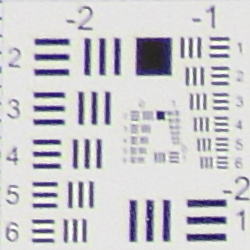
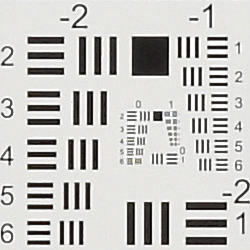
Stopped-down: As is often the case, stopping down a few clicks improved corner performance at wide angle, however at the expense of slightly softer center due to diffraction (even at f/4, a slight drop in sharpness can be seen compared to f/2.8 in the center). At other focal lengths, corner performance actually degraded slightly when stopping down due to increased diffraction, so we recommend shooting the P1000 wide open when you can for maximum sharpness in the center, and also for maximum sharpness across the frame at non-wide-angle focal lengths. (Stopping down a bit usually improves soft corners even at longer focal lengths, but the P1000's lens performs very well in the corners wide open. So there's little to no advantage in the corners when stopping down, but the stronger diffraction when stopping down reduces performance across the frame.) Note that at 3000mm equivalent, the maximum aperture is f/8, which is the minimum aperture at all focal lengths. (In other words, you can't stop down at max telephoto.)
Chromatic Aberration Correction
| In-camera JPEG | Uncorrected RAW |
 |
 |
| Wide (f/2.8): Upper left CA: Moderately low |
Wide (f/2.8): Upper left CA: Moderately high |
 |
 |
| Tele (f/8): Upper left CA: Moderate |
Tele: (f/8): Upper left CA: Very High |
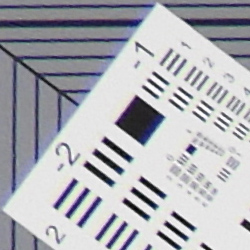
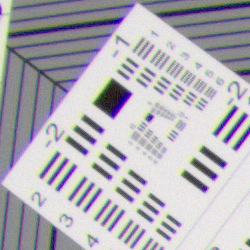
As you can see, the P1000's processor does a great job suppressing much of the chromatic aberration in in-camera JPEGs (crops on the left) versus NRW files converted in dcraw (on the right) which does not correct for chromatic aberration by default. Not surprisingly, lateral chromatic aberration is moderately high at wide angle and very high at full telephoto in uncorrected raw files
Overall, though, very good performance from the P1000's 125x zoom lens considering the phenomenal range it offers.
Viewfinder Test Results
Coverage
Very good coverage accuracy from the electronic viewfinder and LCD monitor.


The Nikon P1000's EVF and LCD monitor both provided about 99% coverage at full wide angle and at 70mm equivalent, matching Nikon's spec. (Note that the P1000's lens is too long to test viewfinder coverage at full telephoto in our lab.) This is very good performance, especially considering the amount of geometric distortion correction that is taking place at wide angle.
The images above were taken from our standardized test shots. For a collection of more pictorial photos, see our Nikon Coolpix P1000 Photo Gallery .
Exposure
Color
Saturation & Hue Accuracy
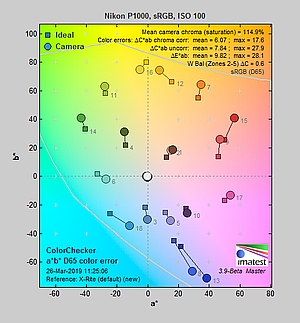
Bright colors with slightly below average mean hue accuracy.
 |
|||
|
ISO Sensitivity
|
|||
| In the diagram above, the squares show the original color, and the circles show the color that the camera captured. More saturated colors are located toward the periphery of the graph. Hue changes as you travel around the center. Thus, hue-accurate, highly saturated colors appear as lines radiating from the center. Mouse over the links to compare ISOs, and click on them for larger images. | |||


Saturation. The Nikon P1000 pumps blues and reds quite a bit, greens moderately, and most other colors by small amounts, but slightly undersaturates bright yellow and cyans. Mean saturation at base ISO was 114.9% or 14.9% oversaturated, which is slightly higher than average. Interestingly, saturation levels gradually increased as sensitivity climbed, to a mean of 121.5% at ISO 6400, while most cameras decrease saturation to help control chroma noise. Overall, we found the P1000's default saturation levels quite pleasing to the eye. Most consumer digital cameras produce color that's more highly saturated (more intense) than found in the original subjects. This is simply because most people like their color a bit brighter than life.
Skin tones. The Nikon P1000's Caucasian skin tones looked pretty good when using Auto white balance in simulated daylight, just slightly pinkish but perhaps a little flat. Skin tones with Manual or Daylight white balance were just a bit too exaggerated and orange for our tastes. Where oversaturation is most problematic is on Caucasian skin tones, as it's very easy for these "memory colors" to be seen as too bright, too pink, too yellow, etc.
Hue. The Nikon P1000 shifted cyan toward blue by quite a bit (which is very common among the digital cameras we test; we think it's a deliberate choice by camera engineers to produce better-looking sky colors), as well as orange toward yellow by a significant amount, with smaller shifts in reds, yellow and magenta. With an average "delta-C" color error of 6.07 after correction for saturation at base ISO, overall hue accuracy was a little below average (lower numbers are better) but still good, and hue accuracy remained fairly stable across the ISO range. Hue is "what color" the
color is.


Sensor
Exposure and White Balance
Indoors, incandescent lighting
Good color with the Manual (Custom) and Incandescent white balance settings, but reddish results with default Auto. Average amount of exposure compensation required.


Indoors, under normal incandescent lighting, color balance was warm and reddish with the default Auto white balance setting. The P1000 also offers a Keep Warm option for Auto white balance, and as you can see, it produced very warm, orange results. The Incandescent setting was pretty good, producing just a slightly warm but realistic cast. The Manual (Custom) setting produced the most accurate results, if just a touch warm and yellow. The Nikon P1000 required +0.3 EV exposure compensation here, which is about average for this shot. Our test lighting for this shot is a mixture of 60 and 100 watt household incandescent bulbs, a pretty yellow light source, but a very common one in typical home settings here in the U.S.
Outdoors, daylight
Bright colors and good exposure, but with limited dynamic range.
Outdoors, the Nikon P1000 performed reasonably well for its class, requiring +0.7 EV exposure compensation for our "Sunlit" Portrait shot to keep the mannequin's face reasonably bright. (The average for this shot is +0.7 EV, so the P1000 performed about average in terms of exposure.) We preferred skin tones from the Auto white balance setting as they were a little pinker and healthier-looking than Manual (Custom) or Daylight white balance, which were a bit too orange. Contrast is quite high as you might expect under such harsh lighting, and the camera blew a lot of highlights, but limited dynamic range is expected for this type of camera, and the P1000's Active D-Lighting option (turned off here; see below) helps in harsh lighting like this.
Resolution
~2300 lines of strong detail.
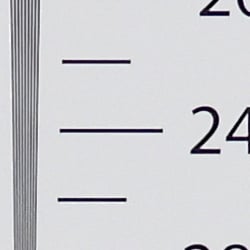
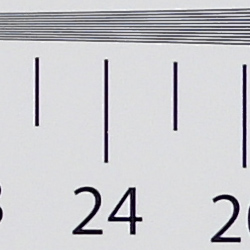
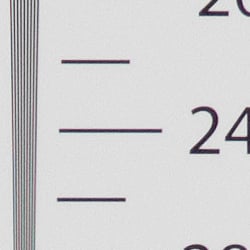
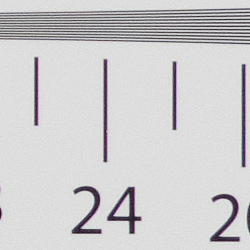
Our resolution chart revealed sharp, distinct line patterns up to about 2300 lines per picture height in the horizontal direction, and to about 2300 lines in the vertical direction. Some may argue for higher numbers, but lines begin to merge and aliasing artifacts start to interfere with detail at these resolutions. Extinction of the pattern didn't occur until around 2800-3000 lines where color moiré and other aliasing artifacts swamp it out. We weren't able to do significantly better with the matching NRW file processed through Adobe Camera Raw, perhaps just slightly higher because of a reduction in luminance moiré, though color moiré is more evident in the ACR converted file. Use these numbers to compare with other cameras of similar resolution, or use them to see just what higher resolution can mean in terms of potential detail.
Sharpness & Detail
Slightly soft images with moderate sharpening artifacts. Strong default noise reduction reduces detail even at base ISO.


Sharpness. The P1000 produces slightly soft images with noticeable sharpening haloes along high-contrast edges as shown in the crop above left. Still, not a bad performance given the target market, sensor size and massive lens. Edge enhancement creates the illusion of sharpness by enhancing colors and tones right at the edge of a rapid transition in color or tone.
Detail. The crop above right shows significant softening due to strong noise reduction, even at base ISO, smudging or merging many of the individual strands of hair together. This is typical of tiny sensors, though, and the P1000 did a very good job at controlling chroma noise here. Noise-suppression systems in digital cameras tend to flatten-out detail in areas of subtle contrast. The effects can often be seen in shots of human hair, where the individual strands are lost and an almost "watercolor" look appears.
RAW vs In-Camera JPEGs
As noted above, the Nikon P1000 does a decent job at capturing fine detail in its JPEGs for such as small sensor, but more detail can often be obtained from carefully processing RAW files, while at the same time reducing sharpening artifacts. Let's have a look at base ISO:
| Base ISO (100) | |
 |
 |
 |
 |
 |
 |
|
Camera JPEG, defaults
|
RAW via Adobe Camera Raw
|
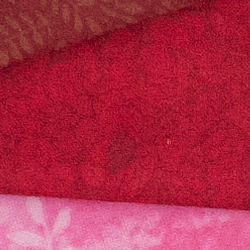
In the table above, we compare an in-camera JPEG taken at base ISO using default noise reduction and sharpening (on the left) to the matching NRW file converted with Adobe Camera Raw 9.1 via DNG Converter 11.2 (right) using default noise reduction with some strong but tight unsharp masking applied in Photoshop (300%, radius of 0.5 pixels, and a threshold of 0).
As expected, the Adobe Camera Raw conversion contains much finer detail but it is also a lot noisier (default ACR noise reduction used). The P1000's NRW files are quite soft even at relatively wide apertures like f/4, so they require a lot of sharpening which accentuates noise. The in-camera JPEGs appear sharper but sharpening artifacts are much more visible. The in-camera JPEG also has higher contrast and more vibrant colors, but those too can be adjusted to taste in Adobe Camera Raw. Bottom line, as is usually the case you can extract better detail from RAW files, but because the sensor is so small producing high noise levels even a base ISO, be prepared to apply copious amounts of noise reduction and sharpening for best results.
ISO & Noise Performance
Typical high ISO performance for its class.
| Noise Reduction = On (Default) | ||
 |
 |
 |
| ISO 100 | ISO 200 | ISO 400 |
 |
 |
 |
| ISO 800 | ISO 1600 | ISO 3200 |
 |
||
| ISO 6400 | ||
As mentioned previously, ISO 100 already shows significant smudging in areas of low contrast as in the above crop, though a fair amount of fine detail is still present and both luma and chroma noise are well-controlled. There's slightly stronger smudging at ISO 200, but fine detail is still pretty decent for its class. At ISO 400, there's another drop in image quality as noise reduction works harder, though some fine detail is still preserved. ISO 800 is noticeably softer and starts to show some objectionable chroma blotching in the hair and darker areas while flatter areas start to take on a watercolor painting effect. Image quality drops off quickly at ISO 1600 and above, with strong blurring, higher noise, and visible noise reduction artifacts.
Overall, not a bad performance for such a small sensor and chroma noise abatement at high ISOs appears to be improved over the P900, but you'll want to keep the ISO sensitivity as low as possible for best image quality.
We're of course pixel-peeping to an extraordinary extent here, since 1:1 images on an LCD screen have little to do with how those same images will appear when printed. See the Print Quality section below for our evaluation of maximum print sizes at each ISO setting.
Extremes: Sunlit, dynamic range, and low light tests
Fair amount of detail in both highlights and shadows, with dynamic range for its class. Low-light AF performance is quite good at wide angle (f/2.8).


Sunlight:
The Nikon P1000 handled the deliberately harsh lighting in the test above reasonably well for a camera with such a small sensor. The +0.7 EV exposure did the best overall job here, producing a fairly bright face without blowing out as many highlights in the brighter areas as +1.0 EV. Yes, some highlights were blown as expected, but overall the image has relatively few clipped highlights. Some shadows are pretty dark and a little noisy, but contain pretty good detail. Be sure to use fill flash in situations like the one shown above; it's better to shoot in the shade when possible.
Because digital cameras are more like slide film than negative film (in that they tend to have a more limited tonal range), we test them in the harshest situations to see how they handle scenes with bright highlights and dark shadows, as well as what kind of sensitivity they have in low light. The shot above is designed to mimic the very harsh, contrasty effect of direct noonday sunlight, a very tough challenge for most digital cameras. (You can read details of this test here.)
| Face Detection | ||
 |
 |
 |
| Aperture-priority 0 EV |
Portrait scene mode 0 EV |
Auto mode 0 EV |
Here, we compare Aperture-prioirty mode using default Matrix metering to Portrait scene mode and to full Auto, all with no exposure compensation. As you can see, Portrait scene mode and full Auto mode produced nearly identical results with much brighter images which also employed Active D-Lighting to help preserve highlights and shadows. Nice.
|
"Sunlit" Portrait Active D-Lighting (+0.7 EV)
|
|
 |
ADL Settings: Off Low Normal (Default) High |
 |
|
Nikon's Active D-Lighting
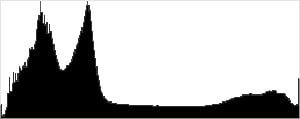
The shots above show the results with Active D-Lighting set to Off, Low, Normal (default) and High, with +0.7 EV exposure compensation. This is different than the touch-up menu's D-Lighting, as it is performed during image capture instead of after. Mouse-over the links to see the differences, and click on the links to load the corresponding full-resolution image.
As you can see from the thumbnails and histograms above, enabling Active D-Lighting resulted in boosted shadows and midtones while at the same time toning down and preserving highlights, and the default Normal setting did a pretty good job overall. A nice feature, especially for cameras with limited dynamic range.
|
"Sunlit" Portrait HDR mode (+0.7 EV)
|
|
 |
HDR Scene Mode: Off On |
 |
|
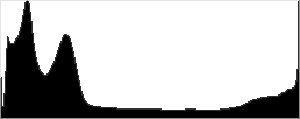
The P1000 also offers an HDR (High Dynamic Range) mode, within the Backlighting Scene mode. It takes multiple images at different exposures (the user manual doesn't say how many) and merges them to a single HDR image. Mouse over the links above to compare thumbnails and histograms, and click on the links for access to the full res images.
Although portraits aren't good subjects for HDR images, you can still see it makes quite a difference to the overall exposure by opening up shadows and toning down highlights, without any artificial-looking shadows around bright objects or haloes and glowing around dark ones. Do notice that the resulting HDR image is at a slightly higher magnification which means after aligning and merging the captured exposures, some of the image is cropped away and image is resized back to normal, resulting in a reduction of fine detail and sharpness. And be aware any movement between or during frames can lead to motion artifacts, so using a static image and shooting on a tripod is recommended.
Low-Light AF:
The P1000's contrast-detection autofocus system was able to focus on our legacy low-contrast AF target down to about -3.6 EV and on our new high-contrast AF target down to -6.0 EV unassisted with the lens at wide-angle and f/2.8. That's fantastic for its class, but keep in mind depth-of-field is quite deep and the lens gets dimmer as you zoom in so low-light focusing will not be nearly as good at long focal lengths. (We always test low-light AF at f/2.8 for comparable results, however that forced us to use the wide end of the P1000's lens.) Also note that this test is performed on a sturdy tripod which helps achieve focus lock reliably, especially important for contrast-detect AF. Results when hand-held may vary. The Nikon P1000 is able to focus in complete darkness with the AF assist enabled, as long as the target is in range and has sufficient contrast.
NOTE: This low light test is conducted with a stationary subject, and the camera mounted on a sturdy tripod. Most digital cameras will fail miserably when faced with a moving subject in dim lighting. (For example, a child's ballet recital or a holiday pageant in a gymnasium.) Digital SLRs and mirrorless cameras do much better than point & shoots, but you still shouldn't expect a quick autofocus lock with moving subjects.
Built-in Flash
Very good performance for a pop-up flash.


Exposure. Indoors under incandescent background lighting, the P1000's flash only required +0.3 EV of flash exposure compensation for our standard indoor portrait scene at ISO 200 and f/4, while +0.7 EV is about the average needed for this shot. And with Auto ISO, the camera selected the same ISO of 200, so it didn't have to boost ISO at all to make up for a weak flash. Very good performance for a pop-up flash.
Output Quality
Print Quality
A very nice 13 x 19 inch print at ISO 100; a pleasing 8 x 10 at ISO 800; a usable 4 x 6 at ISO 3200.
 ISO 100 images display a pleasing amount of sharp detail and vibrant colors, allowing for a nice print up to 13 x 19 inches. Given the P1000's tiny 1/2.3-inch sensor, the camera, even at base ISO, simply can't resolve the level of detail needed to make larger super-crisp prints. That said, one can print a 16 x 20 inch for wall display.
ISO 200 prints look very similar to those at ISO 100, though upon close inspection, we do see a very mild amount of detail loss starting to appear thanks to noise and noise reduction. However, it's very minor, and you'd only really notice if you have an ISO 100 print side-by-side to compare. At ISO 200, the P1000 is also capable of a pleasing 13 x 19-inch print.
ISO 400 images begin to show more effects of noise and the downsides inherent with these small sensors; even at ISO 400, we already see a drop in fine detail due to noise reduction. Images aren't so much as "noisy," but rather begin to show increased softness and a decrease in detail compared to lower ISOs. Here, we're fine with prints up to 11 x 14 inches, which is still a decent sized print for this kind of camera. Given that the P1000 allows for RAW capture, you might be okay with a 13 x 19 inch print for less critical applications and with careful post-processing.
ISO 800 prints just pass the mark for classic 8 x 10-inch print. Noise has definitely increased here, and we see a noticeable decrease in fine detail, especially in lower contrast areas.
ISO 1600 images top-out at 5 x 7 inches for acceptable prints. Although there's still some okay detail in high-contrast areas and on vibrantly colored such as fabric threads in our test scene, noise is quite strong across the image and really takes its toll on detail in general.
ISO 3200 prints are very noisy and lacking a lot of detail now, making a 4 x 6-inch print the largest we're willing to accept at this ISO.
ISO 6400 images are much too noisy and way too soft with a lack of detail to make a usable print at this sensitivity setting.
Sharing the same 16MP 1/2.3-inch sensor as its P900 predecessor, the Nikon P1000 has a similar performance when it comes to print quality. As long as you keep the ISO down as much as possible, you can make some pleasing and fairly large prints from this camera, despite the small sensor. At base ISO and ISO 200, the P1000 is capable of nice, fairly detail-rich 13 x 19-inch prints. One could potentially squeeze out a 16 x 20 inch print for wall display or less critical applications. Once you hit ISO 400, you can also see the effects of noise and noise reduction processing beginning to soften detail. By ISO 800, we're hitting the limit for an acceptable 8 x 10-inch print. Noise and general image softness really become problematic as you climb higher in ISO sensitivity, with a usable 4 x 6 at ISO 3200. For the camera's highest ISO of 6400, we don't recommend making prints at that sensitivity level.
The images above were taken from our standardized test shots. For a collection of more pictorial photos, see our Nikon Coolpix P1000 Photo Gallery .
Not sure which camera to buy? Let your eyes be the ultimate judge! Visit our Comparometer(tm) to compare images from the Nikon Coolpix P1000 with those from other cameras you may be considering. The proof is in the pictures, so let your own eyes decide which you like best!
Performance
Timing and Performance
Good performance overall in the lab, though single-shot cycle time is slow and full-res continuous mode buffer is shallow.
| Startup/Play to Record | ||
|---|---|---|
| Power on |
~2.0 seconds
|
Time it takes for LCD to turn on and lens to deploy and capture a picture. |
|
Play to Record, |
~1.0 second
|
Time until first shot is captured. |
Good startup to first shot time for a superzoom. Switching from Play to Record and taking a shot was also pretty good for its class.
| Shutter Response (Lag Time) | ||
|---|---|---|
|
Full Autofocus |
0.135 second
|
Time from fully pressing shutter button to image capture, zoom lens at wide angle position. |
|
Full Autofocus |
0.174 second
|
Time from fully pressing shutter button to image capture, zoom lens at telephoto position. |
|
Full Autofocus |
0.271 second
|
Time to capture while forcing flash to fire, zoom lens at medium focal length. |
|
Manual Focus |
0.104 second
|
For most cameras, shutter lag is less in manual focus than autofocus, but usually not as fast as when the camera is "prefocused". |
| Prefocused |
0.038 second
|
Time to capture, after half-pressing and holding shutter button. |
The Nikon P1000's full autofocus shutter lag when shooting the same target multiple times from a tripod in the lab was very fast, especially for a superzoom. The P1000's full AF shutter lag clocked in at only about 0.14 second at wide angle using center-area AF. Full AF shutter lag was a little slower at full telephoto, at about 0.17 second, but that's still very fast, especially for its class. Enabling the flash raised shutter lag to about 0.27 second, to account for the metering preflash. Manual focus shutter lag was just over 0.1 second, and when prefocused, shutter lag dropped to 38 milliseconds which is quite fast.
Note that autofocus speed varies with lighting conditions, distance, subject and whether the camera is hand-held or stabilized, but we test all our cameras the same way in the lab on a tripod for valid comparisons.
| Cycle Time (shot to shot) | ||
|---|---|---|
| Single Shot mode |
1.46 seconds
|
Average time per shot. |
| Single Shot mode |
1.91 seconds
|
RAW files not supported. |
| Early shutter |
No
|
Some cameras don't snap another shot if you release and press the shutter too quickly in Single Shot mode, making "No" the preferred answer. |
|
Continuous H mode |
0.14 second
(7.06 fps); 7 frames total; 3.6 seconds to clear* |
Time per shot, averaged over 7 frame buffer. Camera is unresponsive during clearing. |
|
Continuous H mode |
0.14 second
(7.06 fps); 7 frames total; 8.7 seconds to clear* |
Time per shot, averaged over 7 frame buffer. Camera is unresponsive during clearing. |
|
Continuous H mode |
0.14 second
(6.98 fps); 7 frames total; 9.2 seconds to clear* |
Time per shot, averaged over 7 frame buffer. Camera is unresponsive during clearing. |
| Flash recycling |
3.2 seconds
|
Flash at maximum output. |
| *Note: Buffer clearing times measured with a 64GB Lexar Pro 2000x UHS-II SDXC card. Slower cards will produce correspondingly slower clearing times. Slow cards may also limit length of bursts in continuous mode. ISO sensitivity and noise reduction settings can also affect cycle times and burst mode performance. |
||
Shot-to-shot cycle times were a bit sluggish in single-shot mode, at about 1.5 seconds for Large Fine JPEGs and 1.9 seconds for RAW+ L/F JPEG frames. (Note that unlike the P900, the P1000 does support capturing RAW and RAW+JPEG frames.)
The P1000's full-resolution Continuous H shooting mode speed was decent, averaging about 7 frames per second for Large/Fine JPEGs, RAW or RAW+JPEG files. Buffer depth was limited to only 7 frames for all three capture modes, though, and buffer clearing took between 3.6 and 9.2 seconds with our fast SDXC card, during which the camera was unresponsive. (Note that the P1000 is not UHS-II compliant, but still takes advantage our card's UHS-I mode.)
A full-res Continuous L mode rated at 1 fps with a much deeper buffer is available (Nikon says up to 200 images), however we did not test that mode. The P1000 also offers a pre-shooting cache mode which captures about 20 1280x960 JPEGs at 15 fps including 5 frames before fully depressing the shutter button, to help you capture the perfect moment. In addition, Continuous Hi 120 and 60 modes are provided, which capture up to 60 640x480 JPEGs at 120 fps or 60 1920x1080 JPEGs at 60 fps respectively (speeds and buffer depths confirmed in the lab).
The built-in flash took an average of 3.2 seconds to recharge after a full-power discharge, which is fair, but the delay was very irregular, varying from 2.3 to 5.9 seconds in our tests.
Bottom line, the Nikon P1000's timing performance is good for its class and similar to the P900's, with reasonably quick startup, fast autofocus, low shutter lag, and a decent 7 fps full-res burst speed, however single-shot cycle times are a bit sluggish and the full-resolution buffer is quite shallow at only 7 frames in Continuous H burst mode. Unlike the P900, though, the P1000 now supports RAW capture with the same 7 frame buffer limit.
Battery
Battery Life
Poor battery life for its class.
| Operating Mode | Number of Shots |
|---|---|
|
Still Capture
(CIPA standard) |
250
|
The Nikon P1000 uses a custom EN-EL20a rechargeable lithium-ion battery for power, and it's charged in-camera via USB (a dedicated battery charger is optional). CIPA battery life is well below average for its class at only 250 shots per charge, and Nikon doesn't state if that's with the LCD or EVF (it may not make a difference). As is often the case, we recommend you pick up a spare battery for extended outings.
The table above shows the number of shots the camera is capable of (on a fully-charged rechargeable battery as appropriate), based on CIPA battery-life and/or manufacturer standard test conditions.
(Interested readers can find an English translation of the CIPA DC-002 standards document here. (180K PDF document))
Field Test Part I
Field Test Part II
First impressions from the far away world
by Dave Pardue | Posted: 09/18/2018
It was only a few years ago that the Nikon P900 leapfrogged the superzoom world and offered a then-unprecedented 2000mm-eq. optical focal length in a fixed lens camera, wooing birding and wildlife enthusiasts with a very powerful tool at their disposal, and one that we aptly praised here at IR. But when Nikon told us about their new P1000, with its new 3000mm-eq. offering, our heads virtually spun around on their axis... "What?!?" Needless to say, we were chomping at the bit to try it out and bring you images from the real world.

(Images have been resized to fit this page, cropped and/or altered in post-production, primarily to balance shadows and highlights as needed. All images in this piece were shot handheld with VR engaged, except the moon shots which were on a tripod. Clicking any image will take you to a carrier page with access to the original, full-resolution image as delivered by the P1000. For additional images and EXIF data please see our Nikon P1000 Gallery page.)
But first, a few initial handling notes...
The Nikon P1000 is not small, and yet considering that you get 3000mm-eq. optical shooting distance, with a whopping 24-3000mm optical (125x!) zoom range, it is actually surprisingly light in the hands. It's not feather-light, but you wouldn't want that anyway because you need at least a little weight to help stabilize your hands for those longer shots! In fact, I have to say I was pleasantly surprised by how little fatigue set in over several hours of carrying this camera around by my side on multiple occasions, and shooting virtually all of the images handheld.
At just over 3lbs (or about 1400g for the rest of the world) it is significantly lighter than anything you could get for the Full Frame, APS-C, or even MFT world even at one-third the focal distance. As the sensor sizes rise, so does the overall mass of the rig as simple physics comes into play. Yes, the ILC combinations do get lighter every year, but nothing remotely close to the fact that with the P1000 you get 3000mm for about 3lbs. That's 1000mm per pound!

It's hard to find fault with the physical design and external controls of the P1000. The grip is nice and deep, allowing a very secure hold, and the thumb rest is hearty, with plenty of real estate. So even while handheld, the rather large body feels solid and secure. I have medium-sized hands, and the buttons and dials all fall in comfortable positions for me, and there is an overall feeling of stability and precision to the rig.
I am generally a fan of LCDs that tilt upwards rather than swiveling outwards, but with superzooms I prefer the outward swivel, as there are shooting situations (such as shooting the moon, as seen below) that lend themselves to the versatility of fully articulated, swivel-type screens. The P1000's LCD mechanism feels quite robust, and I used it often. The AF/MF switch is also conveniently located right at your thumb, and it's easy to flip on-the-fly while in the heat of battle. Given the longer focal lengths, this is a nice switch to have handy, as you do sometimes need it at your disposal.

The only button I had to routinely search for was the playback button, as I tend to like it at the bottom right where I don't have to "think" to find it, but that is a small gripe indeed. I would swap it with the trash button, but no big concern, just a personal preference.
The 4-way control contains a convenient assortment of common functions, and I used the self-timer button, exposure compensation and macro function often in my shooting. Macro, in particular with this camera, is intriguing, and I'll talk more about that down below. The EVF is "good enough"... certainly nothing akin to the new Nikon Z7's EVF, which is just stellar at over 3x the price. But this one still does the job. And the eyepiece is abundantly large and cups the eye nicely, easily shielding bright light while out in the field hunting for your quarry.
The mode dial is large and rotates with a stiff, reassuring click. You are for sure not going to need to worry about accidentally bumping it in your camera bag, as we have experienced with some mode dials along the way. It doesn't lock as some do, but the P1000's really doesn't need it. We'll cover more on handling and feel in an additional Field Test, so let's go ahead now and turn our attention to the images that this new long-zoomer can reel in for you!
Nikon P1000 Image Quality
 |
1/500s / f/5.6 / ISO 110 / 1000mm-eq. |
Just getting started: It used to be that a 1000mm-equivalent focal length was a "Big Deal" for a digicam. With the P1000, in hunting down this gorgeous local blue heron, 1000mm is just a casual walk in the park. |
We'll begin our foray into the P1000 I.Q. with images in the middle focal length ranges, and when you have 24-3000mm-eq. range at your disposal, "the middle" begins to cover a lot of ground! Zoom lenses by nature require trade-offs in manufacturing, as design compromises have to be made that wouldn't be needed with prime lenses. For this reason I've tried to provide you with a full spectrum of images throughout the available optical range. And don't forget to peruse the gallery at your leisure, as you'll find even more images, originals straight from the camera, as well as RAW files for most shots that you're free to download and examine.
We'll also go "under the hood" of some of these images and give you 1:1 crops so that you can gauge from this report what you're actually getting down in the nitty-gritty pixel details. With a small sensor, we won't be looking for the kind of detail available with an expensive, Full Frame camera coupled with a high-dollar supertelephoto prime lens, but we are hopeful to be able to at least get images that are close and, equally as important, that are pleasing to the eye!
 |
1/500s / f/5.6 / ISO 200 / 800mm-eq. |
Amped dragonfly: The ISO floated to 200 for this shot, which is normally not a big deal. As we'll see below in a special ISO section, 400 is about as high as I like to see the gain go with the P1000. |
Ample light a major plus with Superzooms
Light levels play an important role in your success while shooting with a camera that has a relatively small sensor and a relatively dim lens, at least compared to a large, constant aperture, expensive rig from the APS-C or MFT worlds. And while the P1000's lens starts its journey at a reasonably generous f/2.8, it does dim rather quickly. I more or less stayed "wide open" at most all focal lengths, other than a few wide angle shots, because with superzooms like this you are normally forced to stop down a lot anyway as you zoom.
 |
1/200s / f/8 / ISO 100 / 300mm-eq. |
Wildlife territory: 300mm-equivalent range is roughly where wildlife shooting range begins for many enthusiasts, but it is interesting to note that it's only a tenth as far as the P1000 can go. I like this image in that the duck's head is sharp but the wings show movement from motion blur. But that was not intentional, as I would not have remained at f/8 on purpose with a 1/200s shutter speed. See below for a brief explanation of this. |
One gripe I have is in regards to the image above of the duck flapping her wings. Basically, when you zoom to a longer focal length, the aperture naturally "stops down," which is unavoidable with a variable aperture lens. However, if I then power down the camera and then turn it back on to shoot, it remains at that previously-used, dimmer aperture even if I have not yet zoomed out to a long focal length, such as in the shot above. As such, you have to remember to reset the aperture back to its widest, which is a bit cumbersome since I never "asked" the camera to stop down. Not a big deal, and certainly not a deal breaker, but something to keep in mind. (Or, perhaps address with a firmware fix.)
Now about that variable aperture...
As we've discussed, and in fact as with most digicams past and present, the available widest aperture dims as you zoom further into your subject or scene. But how quickly it dims isn't generally a specification listed by the manufacturers, so we try and give it to you so you'll be aware of what to expect. For the Nikon P1000 the max aperture dims relative to 35mm-equivalent focal length accordingly:
24mm |
35mm |
70mm |
105mm |
200mm |
f/2.8 |
f/3.2 |
f/3.5 |
f/4 |
f/4.5 |
400mm |
800mm |
1600mm |
2200mm |
2800mm+ |
f/5 |
f/5.6 |
f/6.3 |
f/7.1 |
f/8 |
Your shooting potential at longer focal lengths therefore becomes heavily compromised when the light falls below a certain point in shade or shadows, even during otherwise bright days, because the lens becomes more and more "stopped down" (dimmer) as you zoom, letting in less and less light. The result, as we'll see in a special section down below, is that the ISO must then climb in order to allow for fast enough shutter speeds. But as you can see from this batch of images shot in relatively ample light (and thus ISO levels kept at or near base) the image quality is quite good for this class of camera, and stellar when conditions allow for optimal settings.
 |
1/500s / f/5.6 / ISO 125 / 1000mm-eq. |
 |
[1:1 crop from above image] |
Depth and detail: This dragonfly is a great example of differing types of detail to scrutinize and analyze. It is not what you could achieve with a $3000+ rig, but is quite good in detail for a Superzoom costing $1000. |
Subject Isolation
A brief note about depth of field: The coveted subject isolation (a.k.a. shallow depth of field) that's easily achievable with larger sensors married to bright aperture lenses is not something generally associated with fixed lens digicams, given their traditionally small sensors and relatively dim apertures. This all begins to change though as the focal lengths extend, since the depth of field decreases as you zoom. And so, as is evident in many of these images, you are able to achieve good to very good subject-to-background isolation with the P1000, even when the background is fairly close by.
 |
1/50s / f/5.0 / ISO 100 / 500mm-eq. |
 |
[1:1 crop from above image] |
Good for the gander: This is a 1/50s shutter speed handheld at 500mm-eq. range, and is yet another good example of the P1000's VR, as the image is obviously quite crisp. In addition, long zoom lenses require multiple compromises to design and produce, often resulting in sharpness issues at varying focal lengths. The P1000 offers a surprising amount of consistent image quality across the entire optical range. |


S-AF is terrific with the P1000, and Macro Mode is quite useful
I have yet to try continuous autofocus, but single autofocus with the P1000 is spot-on. I hardly ever missed a shot, even as the depths of field grew shallower due to the longer focal lengths. I found it fast and accurate, and really something I simply stopped even thinking about at all. We'll explore much more on autofocus performance in a second Field Test, but I can report wholeheartedly that I experienced solid S-AF performance across the focal length range.
Just as interesting is Macro Mode, which is usable not only at wide angle but also as you zoom into the subject. In our P900 Field Test, my colleague Jeremy Gray discovered some interesting trade-offs to using Macro Mode, including some softening at the edges of the frame. We'll also take a closer look at how this camera fares in that regard during our follow-up Field Test.
 |
1/500s / f/5.6 / ISO 400 / 1200mm-eq. |
Macro Passion: I used Macro Mode for many images in this initial Field Test, including times when the camera was zoomed in quite a bit, as it allowed for closer shooting distances when needed. And I found that the "regular" world around me was made a lot more spectacular as well, including with the Passion Butterfly here. |
 |
1/40s / f/5 / ISO 400 / 600mm-eq. |
Closing in: Here's yet another good example of Macro Mode with the P1000, as this gorgeous "writing spider" was situated for a few days just outside the front door to our headquarters. (We put up signs to protect her from the delivery people, etc., and vice versa.) I needed to let the ISO climb to 400 here in order to achieve a usable 1/40s shutter speed, which is generally considered too slow for 600mm-eq. range, but the Vibration Reduction system onboard the P1000 is super-solid. (As with any image in this piece, clicking on the image will take you to a carrier page with the original, unedited version as delivered by the P1000. From that page you can access the full resolution version, EXIF data and additional information.) |


3000mm-eq. (or, just 33¢ per millimeter)
Getting anywhere near 3000mm-equivalent optical focal range has never been possible before in a digital camera that can be easily handheld, and in fact not even close. "Superzoom" cameras were named for the ability to go to more than 500mm-equivalent range, and later 1000mm. The Nikon P900 lapped the field by going to 2000mm-eq. range, and now the P1000 reaches a new mind-boggling distance while shooting a virtual country mile.
But, how do the images look at this focal length, and can you really shoot it handheld? We already know from the images above that you can achieve solid image quality at the middle focal lengths, so let's now explore the primary reason we're all here. (Or... there!)
 |
1/500s / f/8.0 / ISO 100 / 3000mm-eq. |
 |
[1:1 crop from above image] |
A dove by any other focal length: Similar to the Nikon P900, the strength of the P1000 lies in the fact that you can, indeed, capture a worthwhile image at its longest optical focal length. The close-crop above at 1:1 doesn't rival anything in the higher-end world, obviously, but at a normal viewing distance (which is where most people view) the image is just fine. And bear in mind this was shot handheld! In fact, by the time I could have set up a tripod, this Mourning Dove would have already flown the coup, as they aren't fond of people (at least not where I live). [Note that in the P1000 Gallery I also have examples of this same image at 1600mm and 2800mm for comparison.] |
VR is incredible with the P1000, even at 3000mm-eq.
Vibration Reduction is obviously critical to a camera like this because it's meant to let you roam free and be mobile, free from the limitations imposed by hauling a tripod. If you are shooting long focal lengths handheld you simply must have stabilization, even if your hands are rock steady. Mine are in the middle, maybe slightly above average, but not rock steady, and I was happy to have the reported 5 stops of VR correction. For my own shake-quotient, I can report experiencing at least 5 stops, possibly 6, and was even able to achieve success some of the time (though not every single shot) at 3000mm-eq. And after 6 years of reviewing cameras for you, I can say for certain that the ability to shoot handheld at 3000mm-equivalent range is a very worthwhile feat for the Nikon engineers to have pulled off.
 |
1/640s / f/8 / ISO 100 / 3000mm-eq. |
Shallow field: It is interesting to note that while the camera only allows f/8 as a maximum aperture while zoomed to 3000mm-eq., the long focal length makes the depth of field super-shallow! This is terrific if you have ample light at your disposal, and in fact you can often achieve terrific results even in harsh midday light. As with all shots in this initial piece, this image was shot handheld, with only medium-steady hands. This makes the Vibration Reduction system on this camera a formidable feature. |

The least expensive way to travel to the moon
The Nikon P600 won our Superzoom Roundup of 2014 for good reasons, including its excellent image of the lunar surface while at its optical maximum focal length of 1380mm-eq. And then, of course, the Nikon P900 was able to achieve a solid lunar image at its maximum 2000mm-eq. For these reasons we were hopeful that the P1000 could follow in the footsteps of its forebears, but we were still at least somewhat skeptical of what it would be able to achieve once the focal lengths extended beyond 2000mm-eq., simply because this is sooo long!
And then we tried it... and our skepticism faded into awe.
 |
1/160s / f/7.1 / ISO 400 / 2600mm-eq. |
 |
[1:1 crop from above image] |
Houston, we have our landing site in view: The primary object near center above is Mare Nectaris, or The Sea of Nectar, while the partial crater attached to the lower left of the sea is called Fracastorius. Further towards the lower left of the image is the crater known as Piccolomini, noted by the bright central point. Many other easily identifiable craters pervade the image; the detail potential from this $999 camera is simply astounding, even at ISO 400. Lunar photography enthusiasts can feel good about pulling out your checkbooks for this camera. |

In the above image I used Moon Mode, which is conveniently located on the mode dial. This mode sets your self-timer at 3s and sets exposure to common lunar shooting parameters. It disables RAW capture, unfortunately, and I'm not yet sure the reason for this but will find out for you before our next Field Test. But the mode is quite easy to use, and the images speak for themselves, so I suggest beginning your lunar prospecting with Moon Mode engaged.
Going all the way
I then decided to try shooting the moon again a few nights later, as it was higher in the sky and a bit brighter and fuller, and placed the P1000 into Manual Mode in order to dial in the exposure parameters myself. This also allowed for RAW capture, and to be able to choose the 10s timer instead of 3s. The 3s timer proved consistently good, but I found the 10s timer more a guaranteed safe bet for the moon dancing around in the LCD. The reason is that even a stable tripod can still wobble a bit after handling the camera, and when shooting the moon a lot of handling is required because the moon is moving fairly quickly through the sky, and you therefore need to be constantly adjusting the tripod. The full 10s allowed for plenty of time for everything to settle down and be still for reeling in our lunar neighbor in all its abundant and spectacular detail.
 |
1/125s / f/8.0 / ISO 100 / 3000mm-eq. |
 |
[1:1 crop from above image] |
Houston, we are on final approach: In the top right quadrant of this image is The Sea of Tranquility, the landing site of the Apollo 11 lunar landing of 1969, with the crater at the top right known as Plinius. Also notable in this image to the lower right is the Theophilus Crater, with Cyrillus adjoining it just to the left. And all of this captured from my little vantage point in the northern quadrant of the state of Georgia, USA. [My 8-year-old son's reaction to seeing these images for the first time was: "Daddy, it looks like you took these from outer space."] |
[A quick note for anyone interested in shooting the moon: It is reflecting daylight, and so the f/8 aperture is actually appropriate here. You don't ever want to set your shutter speed below about 1/125s, even on a solid tripod, because the moon is moving so quickly through the sky (especially when using longer focal lengths) that you'll get motion blur at slower shutter speeds. Setting for f/8 and 1/160s at base ISO is usually a great starting point, and then just adjust from there depending on your own shooting situation. I kept stabilization on for these shots, because while you normally disable it for tripod shooting, the enormously long focal length here still predicates leaving it engaged.]
Not all is moon rocks and roses with the P1000
Naturally, for a lightweight, $1000 camera with such a powerful zoom potential, there are going to be a trade-offs somewhere. With the P1000, a big tradeoff comes at you quick as soon as the light level begins to dim. It's especially obvious if you are zoomed beyond about 400mm-eq. because the aperture dims further as you zoom, and the sensor is quite small. The result is that when the light levels drop, it's hard to keep your shutter speeds fast enough to avoid motion blur unless you crank the ISO high enough to induce noise.
Fortunately the camera allows you to limit your ISO while in Auto-ISO, to cap it at either 400 or 800. I used this option often, and used both settings at times. I frankly do not like going above ISO 400 (and in fact I really don't like going above 200 with this sensor size) but sometimes the circumstances force your hand, such as in the example below. And if your only options are blur or ISO noise, the noise is usually easier to deal with than the blur.
 |
1/50s / f/5.6 / ISO 800 / 800mm-eq. |
 |
[1:1 crop from above image] |
Praying for lower noise: Unfortunately for shooters in lower light, the noise levels even at ISO 800 take a toll on the image, and I needed to let it climb that high in order to get a usable 1/50s shutter speed. But the image was taken in lower light shadows (even though it was midday) and definitely identifies the limitations of the camera. The solution? Stick with abundant light while shooting with the P1000 unless you are shooting at wide angle and can open the aperture a bit more. And otherwise use the auto-ISO setting that caps the ISO at 400. |
 |
1/500s / f/5.6 / ISO 360 / 800mm-eq. |
 |
[1:1 crop from above image] |
Some detail: Even at ISO 360 there are obvious traces of noise and some marginal softening of the image. But you do need to heavily magnify the image to really see these signs, so your own mileage will vary depending on your intended viewing size and also how much you intend to crop into the image. This photo was taken later in the day, in shade, and is obviously a lot less appealing for image quality than what you can achieve when the light is abundant, such as with the shots of the yellow butterfly at the beginning. |
Of course, some of the images above this section were shot with ISO 400 and were successful at displaying good detail without invoking too much noise, so your subject matter is another variable in the tricky ISO balancing act. It's a great addition to the camera to include the two auto-ISO settings, which cap the ISO at either 400 or 800, as these are the two I would choose most often myself if I had even more options.
Wrapping it up
I only had a few precious days with the Nikon P1000 before our lab commandeered it, but I thoroughly enjoyed those outings very much. It is a powerful camera, and yet at just over 3lbs it offers a ton of options for the size and weight. The camera feels great in the hands, the controls and ergonomics are sound and functional, and the single-shot autofocus is spot on. In addition, the moon is now fully at your fingertips.
The only real drawbacks I could find on initial testing are ones that plague all cameras with small sensors and longer lenses, where the physics required to capture the light make it harder to operate these type cameras effectively in lower light situations and even dimmer shade. To be sure, if you're shooting mostly in the sun or at least in bright shade, or our celestial neighbor in the night skies, you will experience solid results with the Nikon P1000, and will go where no camera in this price range has gone before.
 |
1/50s / f/5 / ISO 100 / 24mm-eq. |
The Twilight Zone: After shooting the moon, to then be zooming back out to wide angle with the P1000 felt surreal, but it is nice to know you can do it when the shot presents itself. |
Stay tuned, as we have much more to come from the Nikon P1000!
• Nikon P1000 Gallery •
Field Test Part III
Nikon's latest superzoom is super fun

If you have yet to read Dave Pardue's Field Test for the Nikon P1000, you should do so now. He covers a lot about the camera's design/handling and its image quality in a variety of situations.
When Nikon released the P900 during the spring of 2015, I was very excited about the camera for many reasons, not the least of which was its incredible 83x zoom range. There were some concerns, however, including sluggish autofocus and the lack of raw image recording. The P1000 doubles down on what made the P900 an intriguing camera by adding an extra 1000mm of reach, bringing the total focal length range to 24-3000mm while also improving upon some of its predecessor's weaknesses.
There's no such thing as free lunch, though. Nikon achieves the incredible feat of a 24-3000mm lens by utilizing a very small 1/2.3-inch sensor (although it can capture raw files this time around). It's a 16-megapixel BSI CMOS sensor, and 16 megapixels is a lot to put on a sensor that small. Further, the lens is quite large, making the P1000 a generally unwieldy camera. However, it is pretty light for its size, surprisingly so when you first pick it up, but it's far from compact. Small sensor, big camera and bigger lens.

Making the impossible possible
I photograph a lot of wildlife with APS-C and full-frame cameras and while these are excellent photographic tools, especially with a long lens, there are many times when I see an animal that is simply too far away. Even with a 200-500mm lens on a Nikon D500, there are a lot of times when I would love more reach. That's basically never a problem with the Nikon P1000. Not only can the P1000 photograph a very distant subject, it can also shoot at 24mm with the flip of a switch. That type of flexibility helps make the P1000 a very special photographic tool. It not only gives you unique opportunities that hardly any other camera can offer, but it also doesn't handcuff you by locking you into any specific type of photography.


But there's a price to pay when the light gets low
The P1000 has a pretty slow lens when you start to zoom in. As Dave Pardue noted, the lens may start at f/2.8, but by 105mm, it's an f/4 lens. At 800mm, it's an f/5.6 lens, and it drops down to f/6.3, f/7.1 and f/8 at 1600mm, 2200mm and 2800mm focal lengths, respectively. That is not a lot of light-gathering ability when you start zooming in. In the field, this results in pretty sluggish autofocus in low light, especially when you start to zoom in.
 |
| 135mm (750mm equiv.), f/5.6, 1/250s, ISO 450, Flash. Click for full-size image. Click here for RAW image. As you can see, it was quite dark. Nonetheless, the P1000 was able to acquire focus. It helped that the lens was not extended very far, as the low-light autofocus capabilities decrease quite rapidly as you surpass 1,000mm and 2,000mm focal lengths. |
Not only is the autofocus speed underwhelming in low light and when zoomed in, but the very small sensor leads to some issues with respect to image quality. Supposing you are photographing wildlife in early morning light, you are probably at f/5 or slower and likely need a quick-ish shutter speed. If your ISO on the P1000 gets up above 400, you will start to see some pretty noticeable degradation to image quality. If you go as high as 800 or 1600, which aren't very high by modern standards, the situation only worsens, quite dramatically at the latter ISO speed. It makes sense, given the small sensor, but it's an issue that is exacerbated by the slow lens.

 |
| 252mm (1400mm equiv.), f/5.6, 1/320s, ISO 1250. 100 percent crop from the above image. Click for full-size image. Click here for RAW image. There's quite a bit of softening of fine details, but it doesn't look too bad when you zoom out. As you can see in this 100 percent crop, however, file quality decreases quite a bit at higher ISOs. |

The lens is an incredible feat of engineering
Let's take a closer look at the technology involved in the 24-3000mm zoom lens. The Zoom-Nikkor ED VR lens has 17 elements in 12 groups, including 5 ED elements and a single super ED element. The lens is a 4.3-539mm focal length lens in actual terms, but there's a 5.58 times crop factor due to the small size of the sensor, which produces an equivalent focal length range of 24-3000mm. The lens can focus as close as 11.8 inches (30 centimeters) in normal focus mode and as close as 0.4 inches (1 centimeter) in macro focus mode, and we found a focal length of about 105mm equivalent produced the maximum reproduction ratio.
Where the P900 struggled some in the corners, especially at wider focal lengths, I think that the P1000's lens is pretty solid. Even when shooting a macro image at maximum reproduction where corners are often very soft, it maintains a decent amount of sharpness across the frame as shown below.


 |
| 359mm (2000mm equiv.), f/6.3, 1/500s, ISO 160. 100 percent crop from the above image. Click for full-size image. Click here for RAW image. In this crop, we can see that even at 2000mm, the P1000 can produce a detailed image. With a good amount of light, its performance is really quite impressive. |


The flash works surprisingly well for fill
With a max flash sync of 1/4000s, which is impressive, you can easily use the P1000's built-in flash for fill, especially on a cloudy day. While it can create some iffy shadows at times, as any on-camera flash will, the camera does a nice job of balancing the power of the flash with the situation at hand. You can get some natural, pleasing results when there is some ambient light.


The P1000 is pretty big, but how does it handle in the field?
The P1000's main body is basically the size of a large DSLR camera, albeit quite a bit lighter than how a robust DSLR feels in the hands. It'll feel familiar for people who have used other Nikon cameras, although there are some differences, such as the lack of a front command dial – there is instead a dial surrounding the directional pad on the back to accompany the rear command dial – and a few different button locations.
I generally liked the layout of the camera's buttons when in the field, although I found everything is a bit too clicky and buttons don't have a lot of travel distance. The zoom mechanisms, both around the shutter release and on the lens barrel itself, felt nice and offer a good blend of speed and precision. When zooming in, there is a point around the 250-350mm range where you can start to feel the extending lens throw the balance off a bit. The image stays pretty stable when zooming in, although there is some variation in framing at times as you zoom in and out.

The electronic viewfinder is a somewhat weak aspect of the P1000's design and build quality. It is a 0.39-inch type OLED viewfinder with 99 percent coverage – which is pretty good – and 2,359K dots – also pretty good. The viewfinder image itself often looks a bit flat, although it's reasonably sharp. The primary issue I have is that the on-screen text, such as shutter speed and aperture, are not high-fidelity. It may seem like a minor issue, but clean-looking text goes a long way.
The rear display is much less sharp, offering only 921,600 dots. The 3.2-inch display delivers a soft image much of the time. On the plus side, its tilt/swivel mechanism is excellent. I do really wish that the display was a touchscreen, however, as that would make overall usability much better.
Overall, the P1000 feels pretty good in the hands although there is definitely room for improvement with handling in general and with the rear display in particular.

It isn't all about stills, the P1000 has video chops, too
The Nikon P1000 is more than a stills camera, it also has some interesting video features. It can record 4K UHD video at up to 30 frames per second and Full HD video at up to 60 frames per second. Further, the camera does not crop in from the sides when recording video, and it has vibration reduction even when recording 4K UHD video.
Nikon P1000 4K Video #1 3840 x 2160 video at 30 frames per second. ISO 125 (this is the base ISO for video recording). Three clips recorded in the camera as part of a single video. Download Original (638.8 MB .MP4 File) |
You can start a recording at any time by pressing on the dedicated record button on the back of the camera, which works well, but there is also a fully manual video recording mode on the mode dial. In manual video mode, you can then select an exposure mode in the camera's menu. It's rather odd that by default, M Video Mode actually goes into Aperture Priority mode, although it's easy enough to switch to a full manual mode, which gives you control over shutter speed and aperture. You can select an ISO from 125 to 6400, although by default, it is set to Auto ISO. You can also select an ISO Auto mode that goes from 125 to 400 and a second option goes from ISO 125 to 800.
Regarding video quality, it probably comes as no surprise that the P1000's small sensor does not deliver excellent 4K UHD video quality. It produces footage with quite a few artifacts, and the camera's dynamic range is not very good. Further, like with stills, low-light video is not great.
Nikon P1000 4K ISO Test Video #1 - ISO 125 3840 x 2160 video at 30 frames per second. ISO 125. Download Original (161.7 MB .MP4 File) |
Nikon P1000 4K ISO Test Video #2 - ISO 800 3840 x 2160 video at 30 frames per second. ISO 800. Download Original (135.3 MB .MP4 File) |
Nikon P1000 4K ISO Test Video #3 - ISO 6400 3840 x 2160 video at 30 frames per second. ISO 6400. Download Original (167.9 MB .MP4 File) |
Autofocus performance is hit or miss during video recording. When you don't zoom in very far, it is pretty good, but there are times, even in good light, when the camera cannot focus at all when you fully extend the lens. Even when focus is acquired, it is quite slow to lock in and slow to adjust if your subject moves. However, with such a small sensor, perfect focus is not quite as necessary anyways, there's a bit more leeway than you'd have with most interchangeable lens cameras.
Overall, the P1000 has pretty good video features, including manual video recording, and its 4K UHD video quality is fine for this type of camera. If you want high-quality video with responsive autofocus capabilities, the P1000 probably isn't it, but it allows an incredible amount of zoom that no other camera can really match, so you take the bad with the good.
In the video below, we see a lot of aspects of the P1000's video performance at work. First, the video is handheld, so we can see how well the vibration reduction works during video recording. Further, we see autofocus speeds at different focal lengths, particularly how slow they can be at longer focal lengths, and finally we see how the camera handles exposure adjustments on the fly.
Nikon P1000 4K Test Video #4 3840 x 2160 video at 30 frames per second. Handheld with full-time autofocus. Download Original (736.1 MB .MP4 File) |
Nikon P1000 Field Test Part II Summary
Very fun to use, especially in bright light
What I like:
- 125x zoom lens offers a huge amount of versatility
- Pretty good optical performance, especially in bright light
- Nice image quality at low ISO settings
- 4K video may not be great, but it is a nice inclusion
- Great tilt/swivel mechanism on the rear display

What I didn't like
- Autofocus speeds are not great in low light and at long focal lengths
- High ISO image quality is poor
- Continuous autofocus underwhelms
- Some aspects of the camera feel cheap
- No touchscreen
The Nikon Coolpix P1000 is a fascinating camera. While it does have its shortcomings, especially when working in dim light, its strengths are very strong. The 125x built-in zoom lens is very fun to use and is a pretty strong performer throughout its focal length range, slow aperture issues aside. Further, the image quality may suffer when you increase the ISO, but it's pretty good at lower ISO settings. Plus, the P1000 can record raw files, something its predecessor could not do.
 |
| 4.3mm (24mm equiv.), f/8, 1.3s, ISO 100. This image has been modified. Click for full-size image. Click here for RAW image. I recommend against stopping down to f/8 when shooting wide because of diffraction. I wanted the slower shutter speed, but you would be better off using a neutral density filter than stopping down with the P1000. |
No, the P1000 is not perfect, but it is unique. You can go from photographing an expansive landscape at 24mm to photographing a very distant bird at 3,000mm in a matter of seconds. That type of versatility is special and will make the P1000 appeal to many different types of photographers. It can't replace a camera with a larger sensor when it comes to image quality, but it can make a very fun addition to any photographer's bag, especially for photographers who enjoy exploring nature and photographing everything they come across.

Conclusion
Go big or go home. That's Nikon's sentiment when it comes to their latest offering in the consistently-popular "superzoom" category. Nikon already wowed us with the previous Coolpix P900, which offered a record-breaking (at the time) 83x optical zoom range. Yet they decided that wasn't enough zoom and created the rather outrageous Coolpix P1000, which sports a whopping 125x optical zoom range. In other words, this is a fixed-lens digicam with a 24-3000mm-equivalent zoom lens. That is just a shocking amount of zoom range for any camera!
Capable of shooting everything from landscapes to far-off wildlife, the Nikon P1000 is perhaps the most versatile cameras we've come across, particularly if you're simply talking about zoom capabilities. However, like most things, there are trade-offs to consider before you pick up this or any camera. Like its predecessor -- and most superzoom cameras -- the P1000 uses a tiny sensor, a 1/2.3"-type sensor to be exact, in order to have such a long-zooming lens be anywhere near handhold-able. The big downside is that this camera struggles in low lighting conditions and with higher ISOs. The smaller sensor, in general, is also simply not going to capture the level of detail compared to that of a larger-sensored camera.
But, if you're looking for a one-stop-shop camera for your outdoor adventures and traveling, the Nikon Coolpix P1000 just might hit the spot. Read on below to see how it fared in our testing...
Design & Features
By their nature, superzoom cameras aren't really "compact," usually sporting a fairly large, long-extending zoom lens, and the P1000 is no exception to that. However, the P1000 is quite small and lightweight compared to the gigantic lenses you'd need if you opted for a comparable DSLR setup. On the other hand, "comparable" doesn't really make sense; given the P1000's 3000mm-equivalent maximum focal length, as there really isn't a DSLR or mirrorless lens out there that can give you kind of telephoto reach.
However, when it comes to superzooms by themselves, the Nikon P1000 has to be largest, most extreme superzoom we've ever come across! The majority of the camera is composed of its massive 125x zoom lens. With a 77mm filter thread, the P1000's lens is very large -- larger than the already-big lens of the P900 -- and when fully extended it practically doubles in length. The "body" of the camera, relative to the lens, is pretty small, but it's still about the size of standard DSLR body. Like its predecessor, the P1000 features a nice DSLR-style grip that offers a sizable, comfortable hold on the camera. The body also features numerous physical controls, as well as a built-in EVF and articulated touchscreen. The OLED EVF is pretty good, and while it's not the largest nor the sharpest compared to higher-end cameras like the new Z6 or Z7, for example, the EVF here is both much larger and has a higher-res display than the EVF inside the P900. The LCD also works well, though we'd have liked a higher-res display and touchscreen functionality.
Overall, despite the rather shocking size of the camera compared to previous superzoom cameras, we don't have a lot of complaints when it comes to usability. As mentioned, the camera is fairly large, with a nice grip and lots of physical controls and buttons that are easy to find and operate. Nikon's managed to keep the weight down by using plastic for a majority of the camera's construction. Despite the size, the camera feels surprisingly lightweight. On one hand, that's a positive quality, but on the other, the camera does feel a little on the "cheaper" side just due to the lighter weight. The camera feels voluminous and almost "hollow," and its plastic construction doesn't have the same sturdy, refined fit and finish as we see with Nikon's DSLRs. Another drawback to this lightweight construction, albeit a minor one, is that with this big, long-zooming lens, the camera can start to feel unbalanced and front-heavy when you zoom in to longer focal lengths.
Image Quality
Yes, OK, so the P1000 has a record-breaking zoom lens, but can it take good photos? Thankfully, the answer is yes, but with some caveats. If you have enough light, such as shooting outdoors and during the daytime, the P1000 can capture pleasing images, with lots of detail and low noise. The P1000 even captures raw files now, something the earlier P900 could not, which is a nice upgrade for those who want more fine-grained control over image processing.However, with its very small 16MP sensor, the P1000 won't be able to capture the level of fine detail that you can get with higher-end cameras with bigger sensors. But then the trade-off is that you simply can't get this level of zoom range elsewhere. If you're not a pixel-peeper, the image quality at lower ISOs and in good lighting is generally quite pleasing.
Further, unlike the P900, the P1000 now offers 4K video recording at 30p (and 25p for PAL). Full HD video up to 60fps is also available. Although designed mainly for stills, the ability to capture 4K video is a big plus and can be a particularly fun endeavor given the camera's powerful zoom. What's more, the P1000 offers manual exposure controls for video, giving advanced video shooters a bit more control over the look and feel of their videos. Quality-wise, 4K footage is decent, but much like with photos, the camera struggles with high ISOs and in low-light. Autofocus during video recording was also a bit hit or miss, performing faster at shorter focal lengths.
The big story here is, of course, the P1000's massive optical zoom lens, which performs surprisingly well given its range. Sharpness is pretty good, especially at short to moderately long focal lengths, however, we observed some noticeable corner softness due to strong distortion correction at wide angle. As is typical with long-zoom lenses, the sharpness degrades somewhat the farther you zoom. The lens offers a relatively bright f/2.8 max aperture, but that's only when zoomed out to the widest focal length. As you start zooming in to longer focal lengths, the lens begins to "stop down" rather severely and quickly, for example reducing the maximum aperture to f/5.6 at just 800mm-eq. At the really long focal length of about 2800mm-eq., the lens dims down to a maximum of f/8. The narrow max aperture when zooming in not only reduces the amount of light transmitted, but it causes significant diffraction which softens the image.
Suffice it to say, with the combination of a small sensor and some very narrow aperture values at longer focal lengths, the P1000 struggles in low light situations. Not only does image quality suffer due to high ISO noise and diffraction, but the camera's contrast-detect AF system struggles in low light, especially when hand-held as you zoom.
Autofocus & Performance
When it comes to autofocus and performance, the Nikon P1000 is decent, but it's certainly not going to win any awards for speed. In terms of single-shot autofocus, the P1000's contrast-detect-based AF system proved quite swift when shooting at shorter focal lengths and in good lighting conditions. However, when you start to zoom to longer focal lengths and if the light levels drop, AF speed can drop quite a bit, especially when the camera is hand-held. As mentioned, the lens dims down rather severely at longer focal lengths, putting the camera at a big disadvantage in low light situations, not only for image quality but for AF performance as well. And although we don't test continuous AF speed in the lab, one of our field testers found that C-AF was underwhelming, which isn't all that surprising given the P1000's contrast-detect AF system. So while this powerful superzoom camera seems tailor-made for subjects like birds and wildlife, it's best suited for more static subjects and those in good lighting.
In other metrics, the Nikon P1000 exhibited a pleasingly low shutter lag and a decent 7fps full-res burst rate. However, in single-shot mode, the shot to shot time was a bit sluggish, and burst shooting was quite limited given the camera's meager 7-frame buffer capacity in Continuous Hi (7fps) mode. Plus, the camera seemed to lock up while it clears the buffer.
Summary
Despite some rather notable downsides when it comes to image quality and performance in certain circumstances, the Nikon P1000 is, nevertheless, a rather astounding camera. No other camera to date has managed to offer such an impressive level of optical zoom. What's more, with the P1000's 3000mm-eq. optical zoom, no interchangeable lens system can match that either. It really does stand on its own.
If you manage expectations when it comes to sheer performance and can shoot at the lower ISO settings and in bright, outdoor lighting, the P1000 can capture some impressive images and 4K video. Having that much zoom ends up being just a lot of fun! It's not compact by any means, but it's still comfortable to hold, the VR works well (thankfully!), and it will fit in a backpack or medium-sized shoulder bag with ease. The P1000 is also rather pricey compared to the other superzoom models, with an MSRP of $1000 -- that's a steep jump compared to the $600 asking price of the Coolpix P900.
Overall, though, the P1000 is a very fun all-in-one solution for travelers, backyard birders, and wildlife enthusiasts. So, despite some shortcomings, the Nikon P1000 is a really unique, super-interesting camera that provides a shooting experience unlike any other camera currently on the market. The impressive Nikon P1000 definitely earns a Dave's Pick!
Pros
- Record-breaking optical zoom from 24mm wide-angle to 3000mm ultra-telephoto
- Surprisingly good optical performance for its range
- Fast f/2.8 maximum aperture at wide-angle
- Effective VR image stabilization
- Low geometric distortion in JPEGs
- Good Macro mode, works up to about 155mm eq.
- Decent image quality at low ISOs given sensor size
- Bright, snappy colors in JPEGs
- Supports RAW mode (.NRW)
- Quick startup
- Fast AF speeds (when tested on a tripod in good light)
- Low shutter lag
- Decent 7fps full-res burst speed (but see Con regarding buffer size)
- Very good coverage accuracy from EVF and LCD
- Larger, higher-res EVF than P900
- Comfortable, deep hand grips
- Lots of physical controls
- Vari-angle LCD
- Pop-up flash works well
- 1/4000s flash sync
- i-TTL flash hot shoe
- Shoots 4K video at 30p/25p
- Built-in Wi-Fi with Bluetooth
- Accessory port
- Clean HDMI out
- External mic jack
- USB charging
- Multiple remote control options (Wi-Fi, MC-DC2, ML-L7, WR-R10/WR-T10, WR-1)
Cons
- Tiny sensor struggles with low-light/high ISO image quality
- Default noise reduction is a bit heavy-handed
- Slightly soft JPEGs with noticeable sharpening haloes at default settings
- Max aperture reduces quickly as you zoom in (but no surprise given the range)
- Soft corners at wide angle (due to strong distortion correction)
- Sharpness falls as you zoom in (again, no surprise)
- Shallow 7 frame buffer in Continuous H mode
- Camera locks up while clearing buffer
- Overly warm results with Auto white balance indoors
- Hand-held autofocus performance drops in low-light & at longer focal lengths
- Underwhelming C-AF performance
- Large size can be unwieldy & long-extending lens can feel unbalanced a longer focal lengths
- Plastic body construction keeps weight down, but doesn't feel as sturdy or robust as Nikon's DSLRs
- No touchscreen
- No headphone jack
- Poor battery life
- Expensive