
Overview
Overview by William Brawley and Roger Slavens; Hands-on by Dave Etchells;
Field Tests and Conclusion by Dave Pardue
Preview posted: 10/29/2013
Review finalized: 03/07/2014
Updates:
12/19/2013: Field Test Part I: Dreamy Bokeh on a Budget
01/27/2014: Part II: Reader Requests, Special Features and More
03/07/2014: Part III: Ergonomics, Lens Comparison Testing and Conclusion

---
The Olympus Stylus 1 is a genuinely unique camera. Its sensor isn't equal to the size of other compact camera competitors under $1,000, but its unique zoom reach, fast lens and teleconverter capabilities set it apart. Check out our best compact cameras under $1,000 shootout here for more options!
---
Olympus married off two of its highly regarded cameras -- the premium compact XZ-2 and the Micro Four Thirds mirrorless OM-D E-M5 -- to beget the Olympus Stylus 1, a high-end bridge camera featuring an electronic viewfinder, hotshoe, advanced Wi-Fi capabilities and, most important, a new i.Zuiko 10.7x optical zoom lens with a constant f/2.8 maximum aperture. And though the camera follows in the footsteps of the Sony RX10 in providing an all-in-one, long-zoom geared for enthusiasts, the Olympus Stylus 1 arrives on the market far more compact, lightweight and inexpensive.
Though neither camera can be tucked away in your pants pocket, the Stylus 1 is significantly smaller than the RX10. (Unlike the RX10, you can pretty easily fit the Stylus 1 into a coat or cargo pocket.) With lenses retracted, the Olympus Stylus 1 measures 4.6 (W) x 3.4 (H) x 2.2 (D) inches (116.2 x 87 x 56.5mm) compared to 5.1 x 3.5 x 4 inches (129 x 88 x 102mm) for the Sony. Interestingly, the Stylus 1 was purposefully designed to be extremely similar in size and shape to the Olympus E-M5, whose body measures 4.8 x 3.5 x 1.7 inches (122 x 89 x 43mm). The Stylus 1 tips the scales at just 404g (with battery and memory card), less than half the weight of the Sony RX10 (832g). Moreover, the Stylus 1 costs about US$700 compared to US$1,300 for the Sony, and at least on paper seems worth its premium upgrades over the Olympus XZ-2, which at launch over a year ago cost US$600.
Sensor, processor and AF. The Stylus 1 is based around a 12-megapixel (12.8 total megapixels), 1/1.7-inch-type backlit CMOS sensor that we believe is the same one found in the Olympus XZ-2. That's a fair-sized imager for a premium compact camera, certainly a step above the 1/2.3-inch-type sensors we see on many bridge cameras. However, it's not as big as the 1-inch-type sensor that's found in the Sony RX10 (and the company's truly pocketable RX100 II).
The Stylus 1's TruePic VI image processor, meanwhile, is borrowed from the OM-D E-M5, and that translates to speedy performance. Sensitivity ranges from ISO 100 to 12,800 (though ISO 100-1600 is the default) in both auto and manual ISO modes. The camera is capable of recording still image files in 12-bit lossless RAW format, as well as JPEG and RAW+JPEG. And continuous shooting mode allows for bursts at up to 7 frames per second at full JPEG resolution. Shutter speeds maxes out at 1/2000s, but can go as slow as 60s or be set in bulb mode.
Incorporating a 35-area multiple AF system, with 9-area group targeting, the Stylus 1 is capable of both single and continuous autofocusing. It also features AF tracking, Face Priority and Eye Detect AF.

Optics. As for the lens, the i.Zuiko 10.7x zoom lens spans a 28-300mm equivalent range, besting the XZ-2's 28-112mm range, and even the Sony RX10's 24-200mm reach, though the Stylus 1 doesn't start out as wide. It features 12 elements (8 aspherical) in 10 groups, and incorporates optical image stabilization to combat camera shake. The camera can focus as close as 5cm away in Super Macro mode, as well as 10cm at normal (non-macro) wide and 80cm at full tele.
Unlike the XZ-2, whose lens cap would automatically -- and annoyingly -- pop off when the camera was turned on and the lens extended to shooting position, the Stylus 1 features a removable, automatic lens cap that protects the lens when it's fully retracted into the body.

Additionally, the camera's built-in ND filter provides a 3-stop reduction in light, helping photographers make sure they don't run out of shutter speed and overexpose shots when shooting wide open and seeking good bokeh, or for reducing shutter speeds to convey motion in bright conditions. Of note, the optional TCON-17X teleconverter is compatible with the Stylus 1, and extends the max focal length of the camera to 510mm while retaining the constant f/2.8 max aperture, according to Olympus. The teleconverter is currently available for around US$200.

EVF and LCD monitor. The Stylus 1's electronic viewfinder is the same found on the E-M5, and boasts 1.44M-dots of resolution with eye-level field-of-view coverage of approximately 100% and 1.15x magnification. An eye-proximity sensor automatically detects when you raise your eye to it, switching viewing from the rear LCD monitor. Speaking of the rear display, the 3-inch, 1.04M-dot LCD touchscreen monitor can be tilted upwards 80 degrees and downwards 50 degrees to provide flexible viewing angles for a variety of shooting situations. The touchscreen allows for limited menu navigation, including choosing the settings to be changed on the Super Control Panel (as we found on the E-M1) but not permitting you to cycle through the settings themselves. The Stylus 1 does inherit the very effective Fast Touch AF touch focus and shutter system found on Olympus PEN-series cameras such as the E-P5, E-PL5 and E-PM2.

Advanced Wi-Fi. Here's a feature we're excited about -- sophisticated Wi-Fi controls in a compact camera. Most compacts that offer Wi-Fi remote control shooting simply allow for Live View touch focusing and shutter release using the camera's Auto mode. But like in the high-end Olympus E-PL5, the Stylus 1 lets a smartphone equipped with the free Olympus Image Share 2.1 app and paired with the camera to not only focus and shoot, but also change shutter speed, aperture, ISO and exposure compensation. That's cool and fairly cutting edge.
As you'd expect, Wi-Fi capabilities also include fast sharing of images and video from the camera to a connected smart device. Olympus speeds up pairing by providing a QR code to sync the camera and smartphone or tablet on a device-to-device Wi-Fi network.
Creative features and filters. The Olympus Stylus 1 is packed with a ton of built-in options for expressing your creativity. Most notable is Photo Story, which resides on the Mode dial as a square divided into a three-image layout. Photo Story -- which we saw recently on the Olympus E-PL5 -- allows you to shoot a group of images and import them into creative layouts for an almost photo-booth (or photo-book) type treatment. We thought this was strange to include on the pro-oriented E-M1, but it makes more sense on the Stylus 1, though we're not sure that Photo Story merits a valuable spot on the Mode dial.

In addition, the Stylus 1 features 11 art filters such as Grainy Film, Diorama and Dramatic Tone (one of our favorites), even though we're not big on Instagram-esque filters here at IR. The art filters can be bracketed (as can exposure, white balance, flash and ISO) giving you a variety to chose from at a single press of the shutter. Curiously there's no built-in HDR mode in the camera -- not that we're complaining, but consumers may expect in-camera HDR. There's no sweep panorama mode either, just a panorama assist mode which helps you align separate images and requires the use of software to stitch them together.
Video. Like most Olympus cameras we've seen, the Stylus 1 can record Full HD 1080p video, but the camera does so only at 30p. That alone doesn't give you much indication at the quality of the camera's video output, as the E-P5 and E-M1 had fairly impressive (if limited) results while the XZ-2 and lower-end PENs were rather mediocre. The one stroke of creative implementation here is that the camera allows for high-speed video at both 120p and 240p at reduced resolutions. Max recording time for is 29 minutes for regular video, and 20 seconds for a high-speed clip.
The camera has built-in stereo mics with settings for wind-noise reduction and recording volume. Audio dubbing for still pictures (up to 30 seconds) is also available. Unfortunately, there's no jack on the camera for an accessory mic.

Connectivity. In addition to built-in Wi-Fi, connectivity options include USB 2.0 High-Speed for data transfer, and a high-definition Type-D Micro HDMI video output. An optional remote cable (RM-UC1) can be used in the USB port for remote focus and shutter triggering, and the USB multi-connector also serves as a composite A/V output.

Battery and storage. Power for the Stylus 1 comes courtesy of Olympus' proprietary BLS-5 rechargeable lithium-ion battery pack and is CIPA-rated at 410 shots on a charge (with 50% using flash). The camera ships with a dedicated battery charger.
The Stylus 1 supports a variety of SD card types, including SDHC, SDXC, and is UHS-I and Eye-Fi compatible.
Price and availability. The Stylus 1 began shipping in December 2013 for a suggested retail price of US$700. It is available only in black.
Summary. The Stylus 1's lens has surprised us in our testing -- we were amazed at the quality Olympus managed to build into a telescoping 10.7x zoom, let alone one with an f/2.8 constant aperture. With strong image quality and a 10.7x f/2.8 constant aperture zoom, the Stylus 1 takes the bulky Enthusiast Zoom camera of times past and shoehorns it into an amazingly compact package. Read below for a comprehensive walkaround, shooter's reports and image quality testing and comparisons.
Place your order with trusted Imaging Resource affiliates now:
- Adorama: Olympus Stylus 1 -- US$699 with free shipping (USA)
- Amazon: Olympus Stylus 1 -- US$699 with free shipping (USA)
- B&H: Olympus Stylus 1 -- US$699 with free shipping (USA)
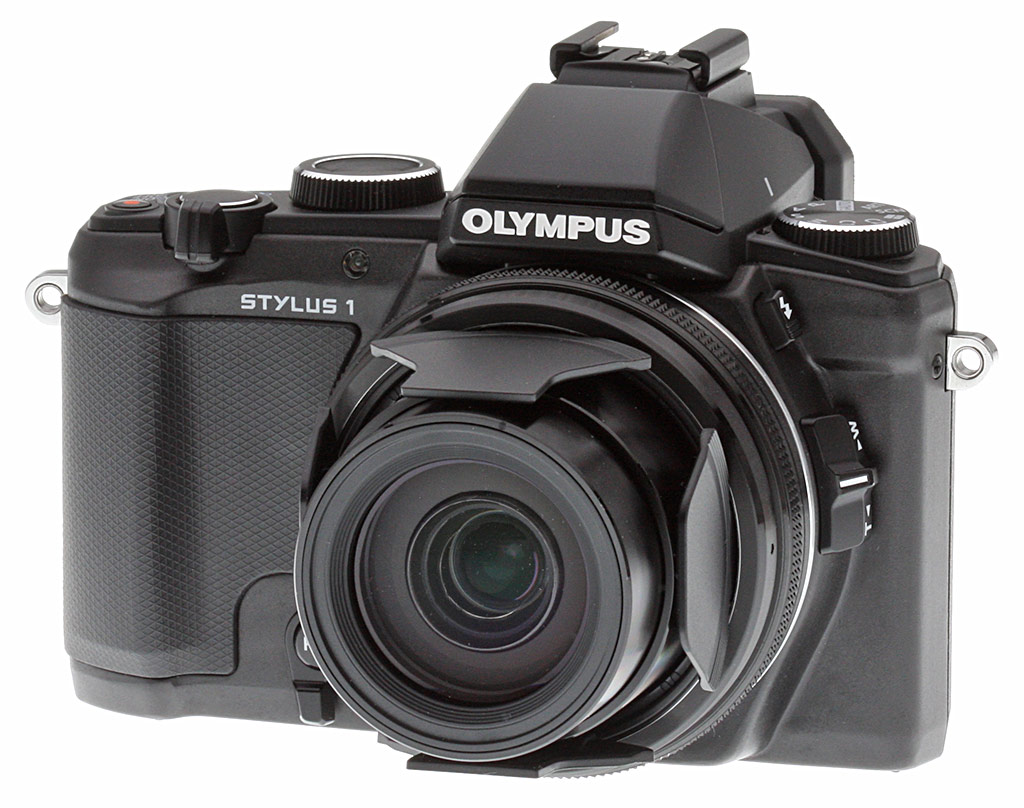
Walkaround. Upon first glance, the Olympus Stylus 1 bares a strong resemblance to the Olympus OM-D E-M5, with the distinctive electronic viewfinder bulge above the lens and a similarly-angled handgrip, all in a package that's remarkably close in size to its larger cousin. In the hand, the Stylus 1 is much lighter than the E-M5, as it opts for a sturdy plastic construction over the metal body of the OM-D camera. Nevertheless, it has a very solid feel without feeling too bulky or heavy.

Looking at the front, you really see the styling cues that Olympus carried over from the OM-D E-M5 with a very retro-inspired, traditional camera shape. The handgrip, like we mentioned above, shares a similar angled design like that of the E-M5, and provides a nice amount of purchase for a comfortable, secure grip.
The large lens is one of the key features of this new enthusiast compact camera with a versatile 10.7x zoom lens providing 35mm equivalent focal range of 28-300mm all at a constant f/2.8 aperture. The lens also features a built-in, automatic lens cap that splits apart into a four-petal shape when powered on and covers the lens when its retracted.
Also on the front side of the Olympus Stylus 1 is a programmable Fn2 button that's surrounded by a manual focus toggle switch. Along the diameter of the lens is a knurled "hybrid control ring" that controls exposure functions such as shutter speed or aperture, and also controls manual focusing similar to the focusing ring on an interchangeable lens. This ring can be customized to adjust many other functions.

Along the top of the camera, there are variety of control dials, including a full mechanical Mode dial on the left-hand side featuring PASM exposure modes, Scene, Art Filter and Photo Story modes, and two Custom modes. On top of the viewfinder housing is a standard-sized hotshoe, allowing the use of accessories such as an external flash. (Note: Unfortunately, as mentioned before, there is no external microphone input on the Stylus 1.) Surrounding the viewfinder, on either side, are the stereo microphones. Then, on the right side of the viewfinder housing is a larger Control dial that changes functions depending on the mode the camera is in. Of course, it's unlabeled for a reason, as this is another one of the many dials and buttons on the Olympus Stylus 1 that can be programmed and configured to the user's taste. Further to the right, there is the standard Shutter release button with surrounding wide-to-tele zooming lever. Next to the edge of the camera is the Movie Record button, allowing users to quickly record video regardless of shooting mode. Lastly, below the video recording button sits the power switch.
Moving down to the back of the camera, we see the large electronic viewfinder, which provides 1.15x magnification (equivalent to 0.58x on a 35mm camera) and a 100% field of view. Dominating the rear of the camera is a large 3-inch, tiltable LCD touchscreen, that is very similar to those featured on other Olympus cameras such as the E-M5 and E-M1. Like other Olympus cameras, the Stylus 1 features a proximity sensor in the viewfinder that toggles between the rear LCD and the EVF when placed near the user's eye. There is also a diopter adjustment dial on the left-hand side of the viewfinder and a manual EVF/LCD toggle button on the right-hand side.

The Stylus 1 also features another customizable function button on the top right edge above the lightly textured thumb rest. Below this is your standard four-way directional push-button controls that should be very familiar to compact camera users. We also have the Playback button placed right above the four-way controls, and the Menu and Info button sitting right below. The Menu button activates the menu system and OK confirms your selections. The Info button toggles through various on-screen features such as a new 3D-style level gauge, real-time histogram and highlight/shadow clipping readout. The button can also be used to turn off all graphical overlays.
The four-way features the typical main functions in the four cardinal directions: north for exposure adjustments such as aperture or shutter speed (depending on the mode), east for flash settings, south for drive modes and self-timer, and west for AF-point selection. When in PASM modes, the up direction activates exposure adjustments like shutter speed or aperture control that is then controlled via the directional buttons. Otherwise the physical controls including the thumb dial along the top and control ring around the lens adjust these functions.

On the bottom of the Stylus 1, things are pretty standard fare with a 1/4-20 (1/4" diameter) metal tripod socket as well as the door for the rechargeable Lithium-ion battery pack and SD memory card slot compartment. Unfortunately, the tripod socket is not aligned to the central axis of the lens, and is very close to the battery / card compartment door, making it impossible to access either while the camera is tripod-mounted.

Over on the sides of the cameras, things are par for the course as well with both sides featuring the camera strap mounting lugs, which use the same coiled triangle lug design like other Olympus cameras. The right side of the camera houses the combined USB 2.0/AV/Remote port as well as a Micro HDMI Type-D port.

On the left side of the camera, we see a secondary wide/tele zoom toggle switch that appears to provide a slightly smoother, slower zooming action than the top-side zoom lever. (The zoom speed of this control can be programmed, unlike the zoom lever around the shutter button.) Above this switch is the button to open the pop-up flash that sits at the front of the viewfinder housing. Speaking of the built-in flash, it supports Olympus' RC wireless flash system giving the Stylus 1 the ability to wirelessly control compatible external flashes (FL-50R, FL-36T, FL-300R and FL-600R) in up to 4 groups and 4 channels.
Hands-On with the Olympus Stylus 1
The Olympus Stylus 1 continues the evolution of Olympus' high-end point-and-shoot line, previously represented only by their XZ-series cameras. The new Stylus 1 is less pocketable than its predecessors, thanks largely to the addition of an EVF housing on its top. Overall, the Stylus 1 is only about 3mm wider and 8mm thicker than the XZ-2, but a good 20mm taller. We called the XZ-2 "not-quite-pocketable," the Olympus Stylus 1 is less so; expect to carry it on a neckstrap or small camera bag. That said, the Olympus Stylus 1 is remarkably compact for a camera with a 10.7x f/2.8 constant-aperture zoom lens. (*images below are of a pre-production sample.)

I found the Olympus Stylus 1 to be quite comfortable in the hand, the contoured grip on the front and curved thumb rest on the back make for a very secure hold on the camera, and the shutter button is well-placed for one-hand shooting. (Slightly close to the edge of the camera, but I still found it pretty comfortable to use.)
The rear-panel LCD on the Stylus 1 has a few more dots than its predecessors (1,040K dots vs 921K), not enough more that you'll be able to notice any difference. (And plenty, really for a rear-panel display.) The newly-added EVF sports 1.44 million dots, enough that, while you can see pixels around text displays, they're far from obtrusive. The view through the EVF is also quite wide, dioptric adjustment range good (-4 to +2m-1), and eye relief decent (18mm from rear lens surface), although I still had to press my eyeglasses against the viewfinder eyepiece a bit to see the whole frame. The viewfinder optics also appear to be well-corrected, producing a sharp image corner to corner, with very little chromatic aberration to boot.
With the addition of the EVF housing, the flash moves under the hot shoe, opening space on the left side of the camera for the mode dial, thereby making room just to the right of the EVF housing for a new control wheel as well. As with the XZ-2, the Stylus 1 also sports a control ring around the base of the lens, that can be used to control various camera functions, depending on the exposure mode you're in and how you've configured its operation in Custom Menu B. Options for the front and top dials are a little limited, mainly confined to choosing between things like program shift or exposure compensation, or which function is assigned to which dial (a/b, b/a, both a, both b) and the like. In some modes, you can chose between exposure compensation for ambient light or flash exposure.
Configuration options for the programmable buttons are a bit more flexible. You can assign any of a variety of settings to the Fn1 button on the camera's top panel, the Fn2 button on the front, just next to the lens bezel, the movie record button on the top panel, and the right and down-arrow keys on the camera's back. You can also control the function of the front-panel lever that surrounds the Fn2 button, the direction of dial rotation for positive/negative adjustments of Exposure, Menu, Manual Focus, or Zoom. There are also options to control whether pressing the playback button wakes the camera if it's powered down, and to adjust the zoom speed to high or low values.

While the Olympus Stylus 1 has a number of user-configurable buttons, the control options aren't quite as rich as those of some other high-end point-and-shoots, such as the Sony RX100/RX100M2. Any of 9 different functions can be assigned to the Fn1 button, while a total of 14 are available for Fn2. The way Fn2 works is interesting, though, in some ways making up for a lack of greater options. Rather than assigning a single function to it, you get to choose which and how many of the palette of 14 are available. Pressing the Fn2 button multiple times cycles through the set of functions you've assigned to it, so you can access up to 14 functions fairly rapidly just by pressing the button multiple times. The camera remembers which function you adjusted last, and drops you into the sequence at that position, but if you want to access the previous function in the rotation, you have to press the Fn2 button up to 13 times. (In what seems to me to be an obvious miscue or missed opportunity, the front control ring and top control dial both operate to select the setting for the current option, vs letting you scroll to the previous or next option in the series. This could obviously be fixed with a firmware change -- here's hoping Olympus releases one in the near future.)
Pressing the OK button in standby mode takes you to a Quick menu of items (Live Guide) displayed along the right side of the LCD screen, arranged in two sets of 7 each. Here, the front and top control dials work as you'd hope, with one selecting between options, and the other choosing settings within each option. Note as well that you can also activate Olympus' Super Control Panel from the menu, which allows the OK button to bring this up in lieu of the Live Guide menu items. Once you have the SCP activated, you can then use the "info" button to toggle back and forth between the SCP and Live Guides, which is very useful.
As with the XZ-2, the Olympus Stylus 1's Mode dial has two custom setting options, which will preserve any settings adjustments made when in that mode previously. This lets you configure two custom setups and then switch between them rapidly. (An example use case would be to have separate indoor and outdoor setups if you were at a wedding or family event, with activities both outdoors in the sun and indoors in more subdued lighting.)

There's also a new option on the Mode dial (albeit one we first saw with the pro-level E-M1) marked by a symbol showing a square divided into 3 sections. This mode lets you combine multiple shots into a single image, combined at the time of capture. You can choose the image effect applied, the aspect ratio of the final image, and the number of sub-images per master frame. Alternately, you can opt for one of three different "Fun Frames," an instant-print inset on a larger image, 3 tall/narrow frames with a filmstrip border, and 5 taller, thinner images side by side, with no framing adornment. After shooting a series to fill the shots within a given template, you have the option of going back and re-shooting any of them if you don't like what you've captured. When you're done, hitting the OK button or touching the OK icon on-screen saves the composite image to the memory card.
Speaking of the touchscreen, it worked quite well, but its use overall seemed a little limited. Its use varies depending on the shooting mode you're in, but in most modes, its function is restricted to moving the focus point or for touch-shutter operation. In iAuto mode, there's a little tab on the right that pops open when touched, to give you options for adjusting color saturation, color balance, brightness, background blur (aperture), express motions (shutter speed), or view a list of shooting tips. The touchscreen plays little role in making menu selections, either in the Quick Menu or the main menu system itself. When bringing up the Super Control Panel, you can tap on a setting you'd like to adjust, but that's the extent of the touchscreen interaction. To actually adjust a setting you tap-selected, you have to press the "OK" button and then use the directional buttons (or Control dial on the top of the camera) to make the adjustments.
While the sample I used in writing this hands-on preview was a prototype (firmware version 0.9), I did do a little shooting with it, and enjoyed the experience quite a bit. While I miss the ultra-fast f/1.8 aperture of the XZ-2 at wide angle, the Olympus Stylus 1's constant f/2.8 aperture isn't too far off from the XZ-2's f/2.5 at its tele setting -- and the Stylus 1 has a 10.7x zoom lens that effectively reaches out to a focal distance of 300mm. I'm overall quite happy to give up a little aperture at the wide end to gain so much focal length at the long end. I would have liked to see the zoom start a little wider, perhaps at a 24mm equivalent versus the 28mm of the Stylus 1 and its predecessors, but the 300mm equivalent maximum focal length is very welcome, particularly with that f/2.8 constant max aperture.
 |
Not long enough? If you find that 300mm is not long enough, the Stylus 1 can be fitted with the optional CLA-13 converter adapter letting you attach the Olympus TCON-17X 1.7x teleconverter lens to extend the focal length to 510mm while retaining the constant f/2.8 aperture. |
[Update 5-10-14: To see how the Olympus Tcon-17 1.7x teleconverter performs with the Stylus 1, click here!]
One very positive aspect of the Stylus 1 shooting experience is how responsive the camera is, with short to very short shutter lag times, whether at wide angle or full tele. We haven't seen a spec for maximum macro magnification other than the 5cm minimum focus distance, but I have to say that it's pretty good. Maximum magnification is enough that I can very easily distinguish the red, green, and blue pixels on my 2013 MacBook Air 11-inch display.
I didn't spend a lot of time playing with the Olympus Stylus 1's Movie mode, but it works much as you'd expect. You can zoom the lens while recording, although you'll be able to hear the noise of the zoom motor pretty clearly in quiet surroundings. Autofocus is live during recording, albeit not terribly quick; this won't be the camera to use for live video of your sports star running down the baseline and sliding into home.
Speaking of sports, though, the Stylus 1 has two slow-motion movie modes, recording 120fps or 240fps at reduced resolutions of 640x480 and 320x240, respectively.
One thing that I've seen in other cameras with 4:3 aspect-ratio sensors is that there's a sudden jump in magnification (effective focal length) when you begin movie recording at either of the HD resolutions. This can be a little disconcerting, and possibly lead to framing errors for your movies, and (oddly), it persists even if you're shooting stills at a 16:9 aspect ratio as well. There doesn't appear to be any such jump in magnification when recording in either of the high-speed modes, which have a 4:3 aspect ratio.
Overall, I found the Olympus Stylus 1 comfortable to hold and enjoyable to use, and my highly informal playing with the prototype was very encouraging. There will clearly be image-quality tradeoffs involved with the smaller 1/1.7-inch-type sensor used in the Stylus 1 vs the 1-inch-type in Sony's new RX10 model, but the flip side of that is the significant difference in size (and cost!) between the two cameras. While neither could be considered pocketable, the Olympus Stylus 1 is a much smaller, lighter package to bring along on trips and outings (and it costs about US$600 less).
Bottom line, the Olympus Stylus 1 looks to be a very competent performer in its category, with good image and optical quality, and a much smaller size than we're accustomed to seeing in long-zoom bridge cameras. I'd say it looks like Olympus (again) has a winner on its hands.

Place your order with trusted Imaging Resource affiliates now:
- Adorama: Olympus Stylus 1 -- US$699 with free shipping (USA)
- Amazon: Olympus Stylus 1 -- US$699 with free shipping (USA)
- B&H: Olympus Stylus 1 -- US$699 with free shipping (USA)
In the Box
The Olympus Stylus 1 retail box contains the following items:
- Olympus Stylus 1 fixed lens camera with eyecup and automatic lens cap
- BLS-5 rechargeable lithium-ion battery pack
- Battery charger
- USB cable
- Shoulder strap
- Olympus Viewer 3 CD-ROM
- Instruction manual
- Warranty card
Recommended Accessories
- Large capacity SDHC/SDXC memory card. 16GB Class 4 should be a minimum, but the Stylus 1 can take advantage of faster cards and even supports UHS-I.
- Spare Olympus BLS-5 rechargeable lithium-ion battery pack
- Small to medium camera case
Optics


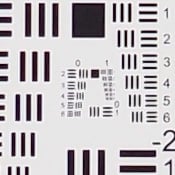
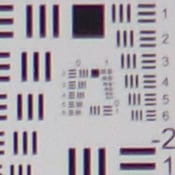
Zoom: The Olympus Stylus 1's 10.7x zoom lens exhibits good sharpness and contrast at the maximum wide angle setting at f/5.6, though corners are a bit soft and minor to moderate chromatic aberration can be seen along high-contrast edges. Some flare is also evident around very bright elements in our test scene. Performance is quite good at a medium focal length of about 50mm equivalent, with very good sharpness and contrast across the frame as well as lower CA and flare. At full 10.7x telephoto, performance appears to be good at f/5.6 with just a touch of softness, though this target isn't very good for judging long-zooms at full telephoto. (It's primarily meant to demonstrate zoom range.) 2x digital zoom (which can be engaged at any focal length) performs fairly well with few interpolation artifacts, though details are soft and noise is more visible as you'd expect from digital magnification. Overall, the Stylus 1's lens may not offer the range of the latest superzooms from competitors with smaller sensors, but its constant f/2.8 maximum aperture is exceptional and optical performance is very good for its class.
|
Aperture: f/2.8
|
|
 |
 |
|
Wide: Very sharp at center
|
Wide: Soft, upper left
|
 |
 |
|
Tele: Fairly sharp at center
|
Tele: Slightly soft, upper right
|
|
Aperture: f/4
|
|
 |
 |
|
Wide: Very sharp at center
|
Wide: Soft, upper left
|
 |
 |
|
Tele: Fairly sharp at center
|
Tele: Soft, upper right
|
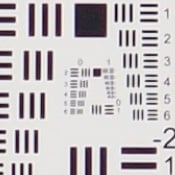
Sharpness: At maximum aperture, the wide-angle end of the Olympus Stylus 1's zoom shows some moderate softness in all four corners of the frame compared to what we see at center, and blurring extends fairly deep into the frame, though sharpness progressively improves as you move away from the corners to the point where the center is very sharp. At full telephoto and maximum aperture, blurring in the corners is minimal, however the center isn't quite as sharp as wide angle. Some noticeable vignetting (corner shading) is visible at full telephoto, but interestingly wide angle shows very little.
Stopping down to f/4 improves corner sharpness at both wide angle and telephoto only slightly, but stopping down a bit further may improve corners more. Vignetting is still visible at full telephoto, but it's not quite a strong as when wide open.
Overall, very good performance for a fast, long-zoom lens.
|
In-camera JPEG
|
 |
|
Wide: Moderate barrel distortion; noticeable
|
 |
|
Tele: No visible distortion
|
|
Uncorrected RAW
|
 |
|
Wide: Very high barrel distortion
|
 |
|
Tele: Moderately high pincushion distortion
|
Geometric Distortion: There is moderate (~0.6%) barrel distortion at wide angle in JPEGs, and really no visible distortion at telephoto. Thus, the Olympus Stylus 1's processor does a good job controlling lens distortion.
As expected, uncorrected RAW files contain much higher barrel distortion at wide angle, at about 2.6%, and uncorrected pincushion distortion at telephoto is moderately high, at about 1.0%. Keep in mind most RAW converters will automatically correct for distortion, though sharpness can suffer when pixels are "stretched" during the correction process.
|
In-camera JPEG
|
|
 |
 |
|
Wide:
Moderate and bright |
Tele:
Moderately low |
|
Uncorrected RAW
|
|
 |
 |
|
Wide:
High and bright |
Tele:
Moderate |
Chromatic Aberration: Chromatic aberration at wide angle is moderate in terms of pixel count, though pixels are fairly bright blue-purple and noticeable on our target. At full telephoto, fewer colored pixels are visible and fringing isn't as bright.
As expected, uncorrected RAW files show much higher and brighter green and magenta lateral chromatic aberration at wide angle, and moderate levels of blue and red CA at full telephoto. Again, most RAW converters will likely automatically suppress CA to try and match the camera's suppression.


Macro: The Olympus Stylus 1's macro mode captures a sharp image with strong detail across much of the frame, with just minor blurring at the extreme corners of the frame (a common limitation among consumer digital cameras in macro mode). Minimum coverage area in standard macro mode occurs at full telephoto, but is much larger than average at 4.07 x 3.05 inches (103 x 78mm), which is quite poor. The camera's flash throttled down a bit too much at this distance, producing an underexposed image, but at least there was no shadow from the lens. The camera's Super Macro mode did better, with a much smaller and closer to average minimum capture area of 2.22 x 1.67 inches (56 x 42mm). Note that flash and zoom are not supported in Super Macro mode, and that focal length is fixed at ~42mm eq.
Olympus Stylus 1 Viewfinder Accuracy


Viewfinder Accuracy: The Olympus Stylus 1's LCD monitor and electronic viewfinder both show about 100% coverage at wide angle, and closer to 101% coverage at full telephoto. Very good results here, especially considering the amount of distortion correction being performed.
The images above were taken from our standardized test shots. For a collection of more pictorial photos, see our Olympus Stylus 1 Photo Gallery .
Exposure

Color: The Olympus Stylus 1 produces realistic colors with fairly accurate saturation in most colors, though bright reds are noticeably pumped. Mean saturation is 105% or just 5% oversaturated. That's lower than the average of about 10% oversaturation, but still not too drab looking. In terms of hue accuracy, the Stylus 1 is pretty accurate, without only minor shifts in colors. The camera's average "delta-C" color error after correction for saturation is 4.41 at base ISO, which is better than average. When it comes to skin tones, darker skin tones show a slight push toward orange, and lighter skin tones are only a hint pink. Overall, pretty realistic and pleasing color performance.


Incandescent: The Olympus Stylus 1's Auto white balance setting handled our household incandescent lighting fairly well, but with a slight magenta cast. Still, it performed better than average. The Incandescent setting is a bit too warm, with an orange cast. Switching to Manual white balance yielded the most accurate color performance, though perhaps just slightly on the cool side.
 |
|||
|
Gradation Setting
in Aperture Priority mode |
|||
Sunlit: Similar to dynamic range optimization systems from other manufacturers, the Olympus Stylus 1's Gradation setting applies local contrast adjustments in an attempt to preserve shadow detail and prevent highlight clipping with the Auto setting. To the right are examples of the Normal (default), Auto, Low Key and High Key settings applied to our "Sunlit" Portrait shot. Mouse over the links to load the associated thumbnail, and click on the links to access full resolution images.
As you can see, the Low Key setting applies Gradation for making subjects darker, while the High Key setting does the opposite, for brighter subjects. The Auto setting did a good job toning down highlights while boosting shadows and darker midtones without making the image too flat-looking or washed-out, though overall exposure is a bit dim.


Resolution: Our laboratory resolution chart reveal sharp, distinct line patterns down to about 2,050 lines per picture height horizontally and about 2,000 lines vertically, which is good for a 12-megapixel sensor. Extinction of the pattern occurred around 2,600 lines per picture height.


Flash: Manufacturer-specified testing with Auto ISO resulted in a good, just slightly dim exposure at 33.8 feet, and the Stylus 1 boosted ISO to 1600 to achieve this. Our standard test at ISO 200 shows good brightness out to about 12 feet. And since the lens maintains the same maximum aperture of f/2.8 across its zoom range, flash range theoretically won't vary with focal length. This is good flash range performance for the type of camera.
Auto flash produced bright results in our indoor portrait scene, selecting f/2.8 and ISO 800, with a 1/60s shutter speed, though white balance is very warm from the ambient lighting. The relatively fast shutter should be sufficient at preventing blur from subject motion in typical portraits, and the Stylus 1's optical image stabilization will help avoid camera shake-induced blur. Shot taken at ~5 feet (~1.5m) on a stable tripod. Coverage is a little narrow at wide angle in our test, but that's to be expected and not as uneven as some. Coverage at telephoto is more even.
| 1 fc 11 lux |
1/2 fc 5.5 lux |
1/4 fc 2.7 lux |
1/8 fc 1.3 lux |
1/16 fc 0.67 lux |
1/16 fc No NR |
|
|---|---|---|---|---|---|---|
| ISO 100 |
 2 s f2.8 |
 4 s f2.8 |
 8 s f2.8 |
 15 s f2.8 |
 30 s f2.8 |
 30 s f2.8 |
| ISO 200 |
 1 s f2.8 |
 2 s f2.8 |
 4 s f2.8 |
 8 s f2.8 |
 15 s f2.8 |
 15 s f2.8 |
| ISO 400 |
 0.5 s f2.8 |
 1 s f2.8 |
 2 s f2.8 |
 4 s f2.8 |
 8 s f2.8 |
 8 s f2.8 |
| ISO 800 |
 1/4 s f2.8 |
 0.5 s f2.8 |
 1 s f2.8 |
 2 s f2.8 |
 4 s f2.8 |
 4 s f2.8 |
| ISO 1600 |
 1/8 s f2.8 |
 1/4 s f2.8 |
 0.5 s f2.8 |
 1 s f2.8 |
 2 s f2.8 |
 2 s f2.8 |
| ISO 3200 |
 1/15 s f2.8 |
 1/8 s f2.8 |
 1/4 s f2.8 |
 0.5 s f2.8 |
 1 s f2.8 |
 1 s f2.8 |
| ISO 6400 |
 1/30 s f2.8 |
 1/15 s f2.8 |
 1/8 s f2.8 |
 1/4 s f2.8 |
 0.5 s f2.8 |
 0.5 s f2.8 |
| ISO 12800 |
 1/60 s f2.8 |
 1/30 s f2.8 |
 1/15 s f2.8 |
 1/8 s f2.8 |
 1/4 s f2.8 |
 1/4 s f2.8 |
Low light: The Olympus Stylus 1 was able to capture a bright image at the lowest light level we test at (1/16 foot-candle) using its lowest ISO setting. Noise is relatively low, and Auto WB did a good job with color, just slightly on the cool side.
The camera's AF system was only able to focus down to the 1/4 foot-candle light level without AF assist enabled, but in complete darkness with the AF assist lamp enabled. Decent results here, but we had hoped low-light focusing without AF assist was a little better.
With its fast f/2.8 lens, optical image stabilization and larger than average (for a long zoom) 1/1.7"-type sensor, the Stylus 1 does quite well in low light for its class, though autofocus can struggle at lower light levels. Shots taken on a stable tripod.


ISO: Noise and Detail: Fine detail is very good at ISOs 100 through 400, though both luma and chroma noise increase progressively from base ISO. ISO 800 shows a fair amount of fine detail, but smudging caused by default noise reduction is taking its toll. ISO 1600 comes with much stronger luminance noise giving images a much grainier look, while detail is further reduced. Image quality drops off rapidly from there with increasing noise and blurring from stronger noise reduction. Along with almost no fine detail, there's quite a bit of chroma noise and color bleeding at ISOs 6400 and 12,800 as the camera attempts to keep noise under control.
Still, as expected, the Stylus 1 performs slightly better than typical long-zooms using smaller 1/2.3" sensors at low to moderate ISOs, but its default noise reduction is a little heavy-handed at higher ISOs. It's also no surprise that it doesn't perform as well as Sony RX10 with its 1-inch type sensor, particularly at moderate to high ISOs. See Printed results below for more on how this affects prints.
Print Quality: Good 20 x 30 inch prints at ISO 100; a nice 8 x 10 at ISO 800; a good 4 x 6 at ISO 3200.
 ISO 100 prints are good at 20 x 30 inches, which is on the larger size for this type sensor. There is mild softness in our target red-leaf swatch, typical for most smaller sensors, but the prints are otherwise nice and crisp with good detail and color.
ISO 200 images look good at 16 x 20 inches, with only minor noise in a few flatter areas and the previously mentioned softness in our tricky red swatch.
ISO 400 shots are fairly good at 13 x 19 inches, with minor issues similar to the 16 x 20 at ISO 200.
ISO 800 prints an 11 x 14 that almost passes our "good" standard, and will be more than adequate for less critical applications, but there's a bit too much noise overall to merit our good rating. A reduction in size to 8 x 10 inches resolves most of the issues.
ISO 1600 yields a nice 5 x 7 inch print. 8 x 10's are too noisy in some areas and too soft in others to call good.
ISO 3200 produces a 5 x 7 inch print that will pass for most situations, but we'll reserve our "good" ranking for the 4 x 6 inch print here.
ISOs 6400 and 12,800 do not make good prints and are best avoided.
For a camera with a 1/1.7"-type sensor, the Olympus Stylus 1 does a good job in the print quality department. 20 x 30 inches at base ISO is great for this sensor, as many other cameras we've tested with a 1/1.7 sensor (the Olympus XZ2 and Canon G16 for example) remain at 16 x 20 inches, and you can print a good 8 x 10 all the way to ISO 800. After that, the adverse effects at higher ISOs from smaller sensors takes its usual toll, so if you can remain at ISO 800 and below you will be in better shape if you intend to enlarge your prints.
The images above were taken from our standardized test shots. For a collection of more pictorial photos, see our Olympus Stylus 1 Photo Gallery .
Not sure which camera to buy? Let your eyes be the ultimate judge! Visit our Comparometer(tm) to compare images from the Olympus Stylus 1 with those from other cameras you may be considering. The proof is in the pictures, so let your own eyes decide which you like best!
Performance
Timing and Performance
Excellent performance for a long-zoom compact.
|
Startup/Play to Record/Buffer Clearing |
||
|---|---|---|
| Power on |
~1.3 seconds
|
Time it takes for LCD to turn on and lens to deploy and capture a picture. |
|
Play to Record, |
~0.6 second
|
Time until first shot is captured. |
| Buffer clearing time |
3 seconds
after 40 L/F JPEGs* 7 seconds after 32 RAW files* 10 seconds after 26 RAW+JPEG files* |
Worst case buffer clearing time. -- This is the delay after a set of shots before you can remove the card. Some cameras won't retract their lenses and shut down until the buffer is cleared. |
|
*Note: Buffer clearing times measured with a SanDisk Extreme Pro 95MB/s UHS-I SDHC memory card. Slower cards may produce correspondingly slower clearing times.
|
||
The Stylus 1 takes about 1.3 seconds to power on and take a shot, which is quite fast for a long zoom. The Stylus 1 takes only 0.6 second to switch from Play to Record mode and take a shot, also quite fast. Buffer clearing is pretty fast with a fast card, considering the deep buffers.
|
Shutter Response (Lag Time)
|
||
|---|---|---|
| Full Autofocus Wide |
0.270 second
|
Time from fully pressing shutter button to image capture, zoom lens at wide angle position. |
| Full Autofocus Tele |
0.322 second
|
Time from fully pressing shutter button to image capture, zoom lens at telephoto position. |
|
Full Autofocus |
0.404 second
|
Time to capture while forcing flash to fire, zoom lens at wide angle position. |
| Prefocused |
0.040 second
|
Time to capture, after half-pressing and holding shutter button. |
Full autofocus shutter lag is very good at 0.27 second at wide angle and 0.32 second at telephoto. Enabling the flash increases shutter lag to 0.40 second, also good. Prefocused shutter lag is a fast 0.040 second.
|
Cycle Time (shot to shot)
|
||
|---|---|---|
| Single Shot mode |
0.42 second
|
Time per shot, averaged over 20 shots, 1 second to clear.* |
| Single Shot mode |
0.44 second
|
Time per shot, averaged over 20 shots, 2 seconds to clear.* |
|
Single Shot mode |
0.40 second
|
Time per shot, averaged over 20 shots, 6 seconds to clear.* |
| Early shutter |
No
|
Some cameras don't snap another shot if you release and press the shutter too quickly in Single Shot mode, making "No" the preferred answer. |
| Continuous mode |
0.12 second (8.14 frames per second);
40+ frames total; 3 seconds to clear* |
Time per shot, averaged over 40 shots, with no signs of slowing. |
| Continuous mode |
0.12 second (8.12 frames per second);
32 frames total; 7 seconds to clear* |
Time per shot, averaged over buffer of 32 shots, then slows to an average of 0.3 or 3.4fps when buffer is full. |
|
Continuous mode |
0.12 second (8.02 frames per second);
26 frames total; 10 seconds to clear* |
Time per shot, averaged over buffer of 26 shots, then slows to an average of 0.5 or 2.0fps when buffer is full. |
| Flash recycling |
3.4 seconds
|
Flash at maximum output. |
| *Note: Buffer clearing times measured with a SanDisk Extreme Pro 95MB/s UHS-I SDHC memory card. Slower cards will produce correspondingly slower clearing times. Slow cards may also limit length of bursts in continuous mode. ISO sensitivity also affects cycle times and burst mode performance, with higher ISOs generally increasing cycle times and reducing burst performance. |
||
Cycle times are excellent, capturing a Large/Fine JPEG every 0.42 second, a RAW file every 0.44 second and a RAW+L/F JPEG pair every 0.40 second in single-shot mode.
The Olympus Stylus 1's full resolution continuous mode performance is very good, capturing large/fine JPEGs at 8.1 frames per second, RAW files at 8.1 frames per second and RAW+L/F JPEG files at 8.0 frames per second.
Buffer depths and clearing times are excellent. In JPEG mode, there is no apparent buffer limit, and the buffer cleared in just 3 seconds after 40 frames. In RAW mode, buffer depth is 32 frames with 7 seconds to clear, and RAW+JPEG mode has a buffer depth of 26 frames with 10 seconds to clear, all using a fast 95MB/s UHS-I SDHC card.
The Olympus Stylus 1's built-in flash recycles in about 3.4 seconds after a full-power discharge, which is good.
|
Download Speed
|
||
|---|---|---|
| Windows Computer, USB 2.0 |
10,373 KBytes/sec*
|
Typical Values: |
Connected to a computer or printer with USB 2.0, download speeds are reasonably fast. Note that we used fast 95MB/s UHS-I SDHC card, so slower cards may result in slower download speeds.
Bottom line, the Olympus Stylus 1's timing performance is excellent all around.
Battery Life
Above average battery life.
|
Operating Mode
|
Number of Shots
|
|---|---|
|
Lithium-ion Rechargeable Battery,
(CIPA standard) |
410
|
The Olympus Stylus 1's battery life has a CIPA rating of 410 shots per charge, which is slightly above average for its class. (Note that Olympus doesn't state if that's with the LCD or EVF.)
The table above shows the number of shots the camera is capable of (on a fully-charged rechargeable battery as appropriate), based on CIPA battery-life and/or manufacturer standard test conditions.
(Interested readers can find an English translation of the CIPA DC-002 standards document here. (180K PDF document))
Image Quality
We don't generally post side-by-side crop comparison tables for fixed lens cameras except in special cases, and the Stylus 1 is certainly one of those. Below are crops comparing the Olympus Stylus 1's test images against those taken with the Olympus E-PL5, Panasonic FZ200 and Sony RX10.
The E-PL5 is a Micro Four Thirds camera who's sensor has five times the surface area of the Stylus 1 and yet costs less (and doesn't come equipped with a long constant aperture zoom), while the Panasonic FZ200 is a bridge camera with a constant aperture zoom and smaller (1/2.3") sensor and the RX10 is a bridge camera with a constant aperture zoom and a larger (1" type) sensor.
NOTE: These images are best quality JPEGs straight out of the camera, at default settings including noise reduction and using the camera's actual base ISO (not extended ISO settings). The E-PL5 was shot with our sharp lab reference test lens, and the other three are fixed lens cameras.
Olympus Stylus 1 versus Olympus E-PL5 at Base ISO
 |
 |
 |
 |
 |
 |
Olympus Stylus 1 at ISO 100 |
Olympus E-PL5 at ISO 200 |
The E-PL5 has not only a much larger sensor than the Stylus 1 but roughly 4 more megapixels resolution, and as such we would expect more detail here at base ISO. Most notable is the greater fine detail in the mosaic tiles and the fabric swatches. We wanted you to see this comparison, as the relatively small size of the Stylus 1 sensor is the single biggest trade-off to most people vs going with a Micro Four Thirds camera. |
|
Olympus Stylus 1 versus Panasonic FZ200 at Base ISO


Olympus Stylus 1 versus Sony RX10 at Base ISO


Most digital SLRs and CSCs will produce an excellent ISO 100 shot, so we like to push them and see what they can do compared to other cameras at ISO 1600 and 3200. Recent advances in sensor technology have made ISO 1600 look a lot more like ISO 100, but there are still cameras whose quality starts to fall apart at this setting, especially those with smaller sensors, so this is where the real fun begins.
Olympus Stylus 1 versus Olympus E-PL5 at ISO 1600
 |
 |
 |
 |
 |
 |
Olympus Stylus 1 at ISO 1600 |
Olympus E-PL5 at ISO 1600 |
As ISO rises, larger sensors like the E-PL5's start to show their worth and smaller sensors start to fade. I find the Stylus 1 to be useful up to about ISO 800 for printing, and after that it is generally only useful for less critical applications and smaller online postings. |
|
Olympus Stylus 1 versus Panasonic FZ200 at ISO 1600
|
 |
|
 |
|
 |
Olympus Stylus 1 at ISO 1600 |
Panasonic FZ200 at ISO 1600 |
Again, neither small-sensored camera looks very good here, but the Stylus 1's sensor certainly out-performs the FZ200's here at ISO 1600 with more detail and less noise. |
|
Olympus Stylus 1 versus Sony RX10 at ISO 1600
|
 |
|
 |
|
 |
Olympus Stylus 1 at ISO 1600 |
Sony RX10 at ISO 1600 |
The RX10 looks fairly good here, and this comparison is where anyone interested in low light shooting should take special note. The RX10 still controls noise fairly well and has a reasonable amount of detail in the mosaic tiles and the fabric swatches, while the Stylus 1 is already starting to lose both of those battles. |
|
Compact cameras rarely deliver the goods at ISO 3200 and above, so let's take a quick look.
Olympus Stylus 1 versus Olympus E-PL5 at ISO 3200
 |
 |
 |
 |
 |
 |
Olympus Stylus 1 at ISO 3200 |
Olympus E-PL5 at ISO 3200 |
The E-PL5 still looks fairly good here at the relatively high ISO 3200, but the Stylus 1 is all but lost here and displays mostly blur and noise by comparison. |
|
Olympus Stylus 1 versus Panasonic FZ200 at ISO 3200
|
 |
|
 |
|
 |
Olympus Stylus 1 at ISO 3200 |
Panasonic FZ200 at ISO 3200 |
Neither camera performs well here, although by comparison the Stylus 1 is clearly better. |
|
Olympus Stylus 1 versus Sony RX10 at ISO 3200
|
 |
|
 |
|
 |
Olympus Stylus 1 at ISO 3200 |
Sony RX10 at ISO 3200 |
Yet again, not a bad showing for the RX10 with its 1" sensor here at ISO 3200. The reasonably low amount of noise is fairly good for this sensor size, and it clearly bests the Stylus 1 in all respects here, whose images are both noisy and low on detail. |
|
Olympus Stylus 1 Review -- Print Quality
Good 20 x 30 inch prints at ISO 100; a nice 8 x 10 at ISO 800; a good 4 x 6 at ISO 3200.
ISO 100 prints are good at 20 x 30 inches, which is on the larger size for this type sensor. There is mild softness in our target red-leaf swatch, typical for most smaller sensors, but the prints are otherwise nice and crisp with good detail and color.
ISO 200 images look good at 16 x 20 inches, with only minor noise in a few flatter areas and the previously mentioned softness in our tricky red swatch.
ISO 400 shots are fairly good at 13 x 19 inches, with minor issues similar to the 16 x 20 at ISO 200.
ISO 800 prints an 11 x 14 that almost passes our "good" standard, and will be more than adequate for less critical applications, but there's a bit too much noise overall to merit our good rating. A reduction in size to 8 x 10 inches resolves most of the issues.
ISO 1600 yields a nice 5 x 7 inch print. 8 x 10's are too noisy in some areas and too soft in others to call good.
ISO 3200 produces a 5 x 7 inch print that will pass for most situations, but we'll reserve our "good" ranking for the 4 x 6 inch print here.
ISOs 6400 and 12,800 do not make good prints and are best avoided.
For a camera with a 1/1.7"-type sensor, the Olympus Stylus 1 does a good job in the print quality department. 20 x 30 inches at base ISO is great for this sensor, as many other cameras we've tested with a 1/1.7 sensor (the Olympus XZ-2 and Canon G16 for example) remain at 16 x 20 inches, and you can print a good 8 x 10 all the way to ISO 800. After that, the adverse effects at higher ISOs from smaller sensors takes its usual toll, so if you can remain at ISO 800 and below you will be in better shape if you intend to enlarge your prints.
Field Test Part I
Field Test Part II
Dreamy Bokeh on a Budget
By Dave Pardue
Posted: 12/19/2013
When a camera company unveils a new product it's generally accompanied with claims about all the special features embedded within, so I went to the Olympus website and read their claim that the Stylus 1 and its fixed i.Zuiko f/2.8 lens could: "...produce pro-quality stills with beautiful, defocused background..." That's quite a bold statement, but the sharp subject and gorgeous blurred background in the image below are proof that they're onto something rather good with this unique little camera. So let's take a closer look!

At a price point of US$700 we're no longer in traditional consumer camera territory, but have instead entered "enthusiast" land, that nether world between the consumer and the professional market. Enthusiasts often have particular styles or types of shooting they gravitate to... wildlife, portraiture, street shooting, etc... and as such are naturally interested in finding tools to support that particular style.
So when we at IR saw the Stylus 1 for the first time, most of us scratched our heads and asked "who is this camera for?"
While all of us at IR like cameras from a variety of manufacturers, I feel I should let you in on a little secret: Most of us have one brand that we lean towards and/or own personally, and for me that brand is Olympus. In fact, the first camera I bought with my own money after joining IR was the XZ-1, a terrific little compact that has the same sensor size as the Stylus 1, but in a smaller package and costing hundreds less (but with much less zoom range, I should add). Olympus fan that I am, though, I still wondered whether there was really a case to be made for a camera with a 1/1.7" sensor selling for $700.
I'm happy to report that after just a short time with this camera, I realized something rather interesting: It can do what few other cameras at this price point can do, and that's produce terrific portraits and nature shots that include the highly coveted "creamy bokeh" at the shallow depths of field often seen in many professional and commercial photographs.


Skimming the cream. Not all background blur (aka: bokeh) is created equal. It comes in a variety of different "flavors", some of which are highly desired and others not so much. The flavor that most pros and enthusiasts strive for yields results that are often described as "buttery" or "creamy", and like a fine Bordeaux or a fabulous french soup, the achievement often takes quite some doing.
"Good" bokeh depends on quite a number of factors, not least of which is the right composition and technical execution of the shot (it's obviously best if you can keep background elements as far away as possible), but the gear is certainly important as well. The "hat-trick" for achieving creamy bokeh is a complex combination of lens quality, the aperture blade configuration and being able to achieve your desired depth of field. This used to require high-dollar rigs that had large sensors and therefore high price tags and lots of heft. That has changed a lot over the last few years with the smaller mirrorless APS-C and Micro Four Thirds cameras, and the landscape changes even more with the introduction of the Olympus Stylus 1 (and another new competitor, the Sony RX10).
The law of physics states that the larger your sensor, the larger your optics must be in order for its image circle to cover said sensor, which explains why a camera with a tiny (1/2.3") sensor can achieve such extraordinary zoom ranges and still remain relatively compact. It also explains why a truly "professional" rig looks gargantuan in comparison, since the pros use full-frame cameras that require a large body and an even larger lens for telephoto shots. The Stylus 1 and the Sony RX10 come in between these two extremes, both in size and in price, but the Stylus 1 is quite a bit smaller and much more affordable than the RX10 (list: $1300), although the RX10 has a sensor with roughly 2.7 times the area.
The Olympus Stylus 1 sports a constant aperture 28-300mm equivalent f/2.8 lens. As of this writing it is the only fixed lens camera other than the Panasonic FZ200 to achieve this (the FZ200 offers a much larger zoom range, though, at 25-600mm eq.), and also one of the only cameras in this price range and sensor size capable of delivering such a shallow depth of field. Sure, you can buy a lens for your ILC to do this, but you'll leave this price territory far behind in the process, and you'll also have to give up the relatively small size of the Stylus 1. After all, this little guy may not be a true compact by strict definition, but it fits quite easily into a vest or coat pocket and is quite light for what it can deliver. And Olympus has a solid track record with lens quality, having delivered some terrific offerings across the Four Thirds and Micro Four Thirds lines for many years now, and even providing some of the best compact lenses to date (including the terrific lens on the XZ-1 and XZ-2).
| The Olympus Stylus 1 - Shallow Depth of Field Potential |
 |
| 300mm eq., f/3.5, 1/640s, ISO 100 |
 |
|
How shallow can you go? The first shot above shows the full image, and the second a crop from it to showcase just how shallow your depth of field possibilities are with the Stylus 1. These two ducks are less than a foot apart, but the top one is nice and crisp while the lower duck is quite blurred, giving the overall image a good sense of depth and isolation of the primary subject.
|
Ducks are easy targets, though, because they're slow and most don't mind being fairly close to people, so for the next test I wanted to try my hand at capturing a few faster birds. Most of the subjects out on the day I chose to shoot were very quick movers who don't like being close to people, so I felt they'd be a real test. Yes, I had the bird feeders to lure them in, but that was little help to ease their trepidation regarding my presence.
I knew the Stylus 1 had the zoom range I would need for the shots I was trying to capture, and the fast AF required to react quickly to the speed of these particular birds, but I discovered one additional benefit to this camera as compared to mirrorless and SLR cameras in its price range, and that was virtually silent operation when the sounds are switched off. I was able to position myself fairly close to the action and fire away without frightening them too badly, allowing for nice close-ups that yet again had the subject to background isolation I was hoping for. The Stylus 1 should be especially interesting to nature photographers or anyone needing a measure of stealth compared to the "clack" from a typical interchangeable-lens camera shutter.

I also grew to love the simple controls on the front of the Stylus 1. Having a zoom lever instead of worrying about manual zoom simplified certain shots, such as zeroing in on the fast birds below. I often found myself flipping the convenient toggle beside the lens that allows for jumping back and forth between manual and automatic focus. With my right forefinger on the zoom lever, my right middle finger on the focus toggle and my left middle finger on the control ring (which acts as a focus ring while in manual focus) I was able to rapidly adjust both zoom and focus while still being ready to fire away at will.
 |
| 300mm eq., f/2.8, 1/640s, ISO 400 |
 |
| 242mm eq., f/2.8, 1/160s, ISO 800 |
|
A fast and stealthy performer. This Titmouse and the Red-bellied Woodpecker were not particularly fond of me being close by, but the Stylus 1 had the zoom range, fast AF and quiet operation I needed to get pretty good shots of these two shy customers.
|
Now let's talk about the obvious trade-off that I'm sure some of you are concerned about: that relatively small sensor housed inside the Olympus Stylus 1. To many enthusiast shooters, a 1/1.7" sensor is simply too small to be worth considering for their needs, and is in fact less than half the area of the sensor inside the compact Sony RX10, and less than a quarter the area of Micro Four Thirds sensors inside so many of Olympus' enthusiast lines. The smaller sensor, however, is why the Stylus 1 can be so small and yet deliver such great zoom range at a constant f/2.8 aperture. When you migrate upward to even a 1"-type sensor like the one found in the Stylus 1's closest rival, the enthusiast zoom Sony RX10, the body size and weight needed to house the lens grows substantially, even though the RX10 is only capable of 200mm equivalent at its maximum telephoto setting, compared to the Stylus 1's 300mm (the RX10 does go much wider, though, to 24mm equivalent).
The most common complaint about smaller sensors is their poor image quality at high ISOs, and typically poor performance under dim lighting, so I took the Stylus 1 indoors and out at dusk for some lower light and higher ISO tests. The results were much better than I'd anticipated given its sensor size, and while not of the caliber you can expect from much larger sensors, I was still pretty pleased with what this relatively small camera could do under these challenging conditions.
| The Olympus Stylus 1 - Low Light and ISO Testing |
 |
| 28mm eq., f/2.8, 1/160s, ISO 800 |
 |
| 182mm eq., f/2.8, 1/30s, ISO 1600 |
 |
| 124mm eq., f/2.8, 1/20s, ISO 2500 |
|
How high can you go? While smaller sensors have traditionally struggled with noise as ISO rises, the Stylus 1 packs a decent low-light punch for its modest sensor size, thanks in part to its relatively fast lens. Above are images shot at ISO 800, ISO 1600 and ISO 2500. Click on any image to see it at full resolution.
|
Bokeh. When the lens is wide-open at f/2.8, it renders pleasing circular blur patterns to smaller background elements like the little holiday lights in one of our gallery shots. Below are images that show this in more detail, as well as crops of the images to allow a closer inspection of the effect.
We'll add some shots with the lens stopped-down a bit soon, as aperture blade configurations with fewer sides tend to render blur patterns that are less circular and more polygonal in nature, which is often viewed from an artistic perspective as less desirable.


In summary for part 1 of my Olympus Stylus 1 Field Test, the shallow depth of field and dreamy bokeh possible with this $700 fixed lens camera is astonishing. It spurred me to look for other cameras to compare it to in this price range, and I simply couldn't find any. Yes, there are plenty of fabulous interchangeable-lens cameras out there for under $700, but a high quality constant aperture lens of this caliber for any of them will take you well over the Stylus 1's price point. As mentioned, the Sony RX10 has a larger sensor and gets close in the zoom department, but stops at 200mm vs the Stylus 1's 300mm equivalent. And the Panasonic FZ200's smaller sensor means higher noise as well as less-shallow depth of field at equivalent settings. Bottom line, there just isn't a competitor currently on the market that can do all the things that the Stylus 1 can do as good as it does at anywhere near this price.

Field Test Part III
Reader Requests, Special Features and More
By Dave Pardue
Posted: 01/27/2014
Reader Requests. Thanks for your comments and suggestions for additional testing (and patience!).
Below we'll take a look at some of them in detail and see if we can further expand on the benefits of owning a Stylus 1 versus any potential drawbacks or shortcomings. So grab another coffee, dive right in and don't forget to keep your comments and suggestions coming at the bottom of the page when you're finished reading.
| Olympus Stylus 1 - Low light test against the Sony RX100 II at 100mm eq. |
 |
Thanks to our reader Duoxi for suggesting the simple and pertinent comparison in low light against the very capable and similarly priced Sony RX100 II. We already know without hesitation that the RX100 II with its much larger 1"-type sensor performs better as ISO rises, and that the Stylus 1 has a much longer zoom range and a larger available aperture across the farther end of that range. So this is a test to determine if the larger aperture on the Stylus 1 at longer focal lengths takes in enough light (thus allowing for a lower ISO at similar settings) to compensate for its weaker high-ISO performance.
I enlisted our senior lab technician, Luke Smith, to help me create test conditions in our lab comparable to the available light level in a typical restaurant at night. The floor lamp we used for this experiment wasn't as warm as typical indoor lighting, but better for being able to get an accurate read of the test images. We set both cameras to manual and adjusted the various settings of each to be as close as possible, given the inherent differences from camera to camera, with the basic settings consisting of a 100mm (eq.) focal length (the maximum for the RX100 II), a 1/30 second exposure time, and the maximum available aperture at that focal length (f/2.8 on the Stylus 1, f/4.9 on the RX100 II). We then allowed the ISO to fall where it needed to be in order to achieve good exposure as determined by the camera's exposure system. We also performed a custom gray-card white balance for each camera and set center focus on the "Chiquita" banana label.
 |
| Olympus Stylus 1 at 100mm eq., f/2.8, 1/30s, ISO 1000 |
 |
| Sony RX10 at 100mm eq., f/4.9, 1/30s, ISO 3200 |
Larger sensor vs. faster aperture. At 100mm eq. focal length (the maximum zoom for the RX100 II) the Stylus 1 with its larger available aperture is able to capture just enough additional light to balance the ISO playing field and produce a comparable image in terms of quality and noise levels. |
It should be noted that the important comparison here is not color saturation, as that can vary from shot to shot and can be a bit arbitrary. We're primarily interested in whether the Stylus 1 at ISO 1000 can hold up in the image quality department with the RX100 II at ISO 3200, as these were the ISOs needed to achieve good exposure in this simulated test condition. Does one image have significantly more noise than the other? Or more examples of over-aggressive noise processing artifacts? Better sharpness and clarity?
...Let's take a closer look!
Clicking any of these images will take you to a carrier page that will allow you to click on and explore the image at full resolution and see EXIF data as produced directly by the camera, so feel free to analyze away. To save you that trouble, below are several side-by-side crops of interesting areas for comparison purposes.
*(One technical note about this test: while both cameras are at a comparable focal length, the higher resolution sensor on the RX100 II yields larger full resolution images. Therefore, to be fair to the RX100 II, I re-sized the images slightly so that we're comparing them at the same apparent size visually onscreen.)


A very interesting comparison indeed. This test does not suggest that the Stylus 1 can hold its own against the RX100 II in all low light situations - far from it, actually. At wide angle, the RX100 II has a larger aperture and, combined with its better high ISO capabilities, will easily best the Stylus 1. But zoomed to 100mm eq. range, the Stylus 1 comes quite close in most respects, due to its constant f/2.8 aperture letting in so much more light. So if you need zoom range to go along with your low light shooting, that certainly levels the playing field quite a bit, especially given that you can keep zooming in for days compared to the RX100 II and still remain at f/2.8. It's also interesting to note that the level of background blur is actually pretty similar in the comparison above; the f/2.8 aperture of the Stylus 1 helps compensate for its smaller sensor when it comes to shallow depth of field.
Wide and tele. Mentioned more than any other facet of the Stylus 1 is the i.Zuiko 28-300mm (eq.) f/2.8 lens, which has quite a nice range for a camera this size, paired with a larger sensor than the 1/2.3"-type chips found in most consumer long-zoom cameras. We explored the telephoto end quite a bit in part 1, especially as it relates to isolating subjects with background blur. Now we'll zoom out and see just how good the Stylus 1 is at capturing landscapes and other subjects at wide angle. Thanks to our reader Nigel Brown for requesting landscapes, which led us to solve a mystery with the Fn1 button (at least in the current F.0 firmware on our sample, mentioned in a bit).
| Olympus Stylus 1 - the same location at wide angle (28mm eq.) and telephoto (300mm eq.) |
 |
| 28mm eq., f/4, 1/640s, ISO 100 |
 |
| 300mm eq., f/4, 1/500s, ISO 100 |
Reaching out. 28mm is a little narrow for some traditional landscape shooting, but the images are plenty sharp if 28mm is wide enough for you. Olympus has yet to announce a wide angle converter, but we strongly suspect they will at some point, since they have done so with other lines in the past. |
The Stylus 1 has several things working against it for consideration as a capable wide angle shooter. As mentioned in the caption above, 28mm is a bit on the narrow side for most landscape purposes. Also, for those of you who prefer maximum depth of field in your wide angle shots, the minimum aperture of f/8 produces slightly soft images due to some diffraction limiting.
If you're interested in seeing the wide angle shot across the full range of apertures, click on the gallery tab above and you'll be able to access full resolution versions of this same shot at f/2.8. f/5.6 and f/8 as well as the f/4 shot displayed above. Below are examples of the wide angle shot with the built in neutral density filter engaged, as well as a shot zoomed in with the 2x digital zoom feature engaged.
| Olympus Stylus 1 - Neutral Density Filter and 2x Digital Zoom features |
 |
| 28mm eq., f/4, 1/80s, ISO 100 (neutral density filter engaged) |
 |
| 300mm optical eq., f/4, 1/400s, ISO 100 (digital 2x zoom engaged for effective 600mm eq.) |
Special effects. The neutral density feature allows the same shot to be taken at a much slower shutter speed (in this case 1/80 instead of 1/640) and gives you 3 stops less light without the need to add an external filter. We'll discuss this feature more below, but wanted to include it here as a reference against another test image without it. The 2x "Digital Tele-converter" feature doubles the effective zoom range and can be used across the entire focal length range (some cameras only allow it to engage at full telephoto optical zoom). |
For further wide angle comparison purposes, below is an indoor shot zoomed out. I stopped down just a bit to yield a slightly greater depth of field and had to push the camera to ISO 800 to achieve this and still get a fast enough shutter to stop most of the motion. Note that I did add just a wee bit of post-processing to this image, which we normally don't do, primarily for leveling out shadows and highlights.

The mystery of the function button (as referenced above) is that the user manual states the Fn1 button should default to "no setting" and we were told we had production firmware (which is true in terms of image quality and performance). However, both of our test units defaulted to that button being set to toggle "Digital Tele-converter" which is a 2x digital zoom. I was unaware of this and inadvertently bumped it a few times and had to re-shoot as a result. For any of you that have purchased a Stylus 1, make sure and test to see if your unit has the Fn1 button disabled until you go into the menu and set the function you'd like it to control.
Voice Memo Function. The Stylus 1 sports the ability to add a voice recording of up to 30 seconds length to any image while still in the camera. This function is not new to the camera world but was a first for some of us here at IR. Of course, Olympus has been making great handheld voice recorders for some time now, so the marriage of the two seems a logical match, and the feature is valuable for a wide range of shooting purposes.
Our reader Cesare inquired about this nifty little feature, and I'm pleased to report that it works quite well and is easy to use. For any image that you have created while still on the card in the camera, you simply hit the playback button, scroll to find the image you want, hit "OK" which brings up a dialogue of options, scroll down to the microphone icon, hit "OK", select the icon again with "Start" beside it, and start talking. You can manually stop the recording, or it will stop automatically at 30 seconds.
| Olympus Stylus 1 - nifty voice memo function allows you to tag a photo with an audio recording |
 |
The camera will then play the recording back to you using similar commands, only this time hitting the music note button that has now been created (images with a recording also display a musical note on the screen when displayed, as shown above). You can also re-record it as many times as you want, but only one recording per image. The sound file is saved as a common WAV file with the same filename as the JPEG and/or RAW file. Once you transfer the contents to your computer or smart device, the WAV file can be played by any audio player that supports that file type. Neither the image file nor the EXIF data are changed, the WAV file simply exists with the same name, so if you want to preserve the connection of audio to the image you'll want to keep the files in the same location with the same name (except the extension of course).
After testing it out, I have now begun using it to record my test settings, and can see the feature being used extensively for anyone shooting out in the field where a description of shooting conditions or subject matter would be handy to record without the need to write or type, including for certain business purposes like insurance adjusters or real estate operatives.
Neutral Density. As mentioned previously, the Stylus 1 comes with an onboard neutral density filter which effectively lowers the amount of incoming light by 3 stops without changing the aperture. This can be useful in bright conditions when a large aperture is needed for a shallower depth of field than could be otherwise achieved with the camera's top shutter speed of 1/2000s, and also when motion blur at slower shutter speeds is desired in brighter than optimal conditions. In the example below, I was already at the smallest available aperture (f/8) and was unable to dial in a slow enough shutter speed to catch some of the waterfall blur without greatly overexposing the shot. The neutral density filter allowed me to achieve a 1/8s exposure which was not as slow as I would have preferred but still enough to achieve some of the motion blur I wanted.

Capturing moments. For the last section of this second Field Test I thought it would be fun to end with a few spur-of-the-moment shots I was able to get with the Stylus 1. With its long zoom range and relatively small size, it effectively becomes a no-brainer to keep with you during times when a larger rig is not convenient, but for those of us who are not willing to compromise on things like lens quality just for the sake of smaller size. For me that's one of biggest reasons to consider owning a Stylus 1... it's just a great little catch-all camera.


Field Test Part IV
Ergonomics, lens comparison testing and conclusions
By Dave Pardue
Posted: 03/07/2014
For this third and final chapter shooting with the Olympus Stylus 1 I'll write more about the handling and controls onboard the camera, and take a closer look at some of the additional features and functions. I'll also explore how the incredible i.Zuiko lens compares to a high-end Olympus Four Thirds lens (the beautiful and pricey 300mm eq. f/2.0 prime), and also to the lower-priced and smaller-sensored Panasonic FZ200.
| Olympus Stylus 1 - Super Macro Mode |
 |
| 42mm eq., f/2.8, 1/30s, ISO 200 |
Up close and personal. Let's start with a quick look at focus modes. There are five general focus modes, including Single AF, Continuous AF, Continuous AF with Subject Tracking, Super Macro and good ol' fashioned manual focus. Super Macro allows focus to be achieved at just 5cm (~2"), which is quite a tight range. For the Spanish doubloon image above I had the lens barrel right up against the bottom of the coin itself. You are not able to use zoom while in Super Macro mode, nor flash, but as you can see from this shot you're still afforded a very nice dose of bokeh (background blur) if it's desired. Clicking on the image will take you to a page where you can then click to see the full resolution image up close (and it's quite revealing in doubloon detail).

There are also no less than 4 face priority focus modes. You can choose from Face, Face and Eyes, and Face + either left or right eye, and somewhat to my surprise these worked quite well. As you might expect, this last mode is able to lock in more quickly the closer you get to your subject. Not too close of course, but as you begin to move in, the camera puts a large focus box over the subject's face and a smaller green box over the eye that you've chosen. Portrait shooter's will undoubtedly find this feature helpful since it's so easy to employ.
Ergonomics. I wrote briefly in the first installment of this report about how useful I found the overall control scheme, and wanted to expound upon that just a bit. The small size and relatively light weight of the Stylus 1 is naturally a big reason that so many people have become interested in this camera to begin with given its capabilities. I'd like to add that the controls themselves have a very precise and reassuring feel.
The mode dial has just the right amount of stiffness to not be accidentally bumped in a bag, but is not too tight either. The primary control dial up top is situated where it is unlikely to be accidentally bumped, unlike some other cameras I've tested recently. And the tilt-screen itself feels super-solid and well-built. I also like the rather substantial front grip and rear thumb rest, as they provide quite a bit more heft than the XZ-2, but not too much to be distracting.
The Fn1 button is nestled comfortably above the rear thumb rest, while Fn2 is on the front panel within the focus mode toggle switch. Each are customizable to varying degrees and serve somewhat different purposes. And I like the simplicity of the Playback, Menu and Info buttons around the 4-way dial. So many cameras I have tested in the past year (including one Olympus model) have moved the Playback button away from this area, but to me it only makes sense to position it where it is naturally used, beside the screen and near the 4-way pad.
One last thing to mention on the ergonomic side of things is just how enjoyable it is to not have a lens cap to lose! The automatic cap that covers the Stylus 1 is not a perfect protector, and can be pushed in if enough force is applied, so you'll still want to be careful with it and not let anything protruding near the cover itself. But not needing an external lens cap is a nice little added luxury. Oh, and by the way, for anyone who doesn't like the appearance of the lens cover while the lens is extended (to some the appearance may be a bit clunky-looking) the entire cover can be easily removed by simply unscrewing it.
Lens love. Working for IR has increased my love for both cameras and photography, but nothing has increased more than my desire to own and shoot with great lenses. While the sensor may indeed be the heart of a camera, that light portal sitting out front is surely the soul, and the lens on the Stylus 1 has plenty of it. This lens is in fact so good at delivering the goods it seemed imperative to compare it to a higher-end lens for fun, and we're fortunate to have an Olympus 150mm (300mm eq.) f/2 Four Thirds lens in-house. This gorgeous and heavy piece of glass (as shown below) will set you back more than twice what the Stylus 1 costs, and then you'll still need a body to attach it to, so the assumption going in is that it should produce a better overall shot. And, I'll save you the suspense: indeed it does, so the question becomes how close can the Stylus 1 get to that level.
It's the middle of winter as of this report, so I pulled out some faux flowers for the test and chose some immediate foreground for close background blur, set against some distant trees to see how each lens rendered these as well. I dialed each camera to aperture priority at f/2.8 with a focal length of 300mm eq. range and fired away. Below are the results, which are interesting and also, for the most part, as we would expect based on the price differential of the Stylus vs the competitors.
Testing the Stylus 1's i.Zuiko lens against a high-end Olympus |
 |
| Olympus Four Thirds 150mm (300mm eq.) f/2 on the Olympus E-PL5 300mm eq.; manual exposure: f/2.8, 1/200s |
 |
| Olympus Stylus 1 300mm eq.; manual exposure: f/2.8, 1/200s |
 |
| Panasonic FZ200 323mm eq.; manual exposure: f/2.8, 1/200s |
You get what you pay for. The expensive Olympus Four Thirds 150mm f/2 prime lens shot with the larger-sensored Olympus E-PL5 renders a gorgeous image with incredible detail paired with sublime background blur, while the Panasonic FZ200 renders an image with background blur that is not quite as pleasing in nature, but still not bad for its price and small sensor size. The Olympus Stylus 1 comes in between these two, as we might expect, but appears just a bit closer to the somewhat more expensive Four Thirds lens in quality than to the lesser-priced FZ200. [Editors note: We tried for exact settings but the FZ200 was difficult to set precisely at 300mm eq, so we got it as close as we could.] |
| Olympus Stylus 1 - size comparison vs a 300mm eq. f/2.0 Four Thirds prime lens |
 |
|
Big reach, small package. This is one example of the type of glass you'll need to get to a 300mm equivalent focal with a bright aperture in the Micro Four Thirds world (this is a Four Thirds lens with an adapter). And the size and weight is similar or larger if you step up to the APS-C world on a camera like the Canon EOS-M. You'll spend thousands of dollars on the lens itself, still need a body, and will be required to deal with weight and size elements. Of course, you will acquire better low light performance in the process, and will experience stronger and richer background blur potential as well.
|
After performing this lens comparison test, our reader Laszlo wrote to request a test that is just as pertinent as the ones above, namely with a lesser-priced zoom lens attached to a Micro Four Thirds body. I had not thought to perform this test because the zoom lenses in this price range (such as the one he suggested, the Olympus 14-150mm (28-300mm eq.)) are not constant aperture zooms and tend to fall to f/5.6 at full tele. But it occurred to me while thinking about his request that the difference in sensor size might more than balance the scales, so I took a quick look at both low light performance and background blur potential at full telephoto.
While the Stylus 1 at f/2.8 gives you two more stops of available light at 300mm eq. focal range than the 14-150mm at f/5.6, the Four Thirds sensor is so much larger than the Stylus 1's 1/1.7" sensor (more than 5 times the surface area, actually) that it more than balances the playing field. Below, therefore, is a comparison of the Stylus 1 at ISO 400 with the E-PL5 at ISO 1600 (2 stops different) to show you the noise level comparison. To my eye the noise levels are comparable, but the E-PL5 image crop looks a bit sharper with more fine detail (it was shot with a very sharp prime, though, so there are differences in lens performance as well as resolution at play here as well). You can currently buy the E-PL5 with a 14-42mm kit lens and add the Olympus 40-150mm (80-300mm eq.) lens for about the same price as the Stylus 1, though that means even more bulk and the inconvenience of two lenses. The 14-150mm lens is considerably more expensive than the 40-150mm, at about $600.
ISO comparison vs the Olympus E-PL5 in order to show the 2-stop difference |
 |
| Olympus Stylus 1 ISO 400 |
 |
| Olympus E-PL5 ISO 1600 |
Note that the above E-PL5 image was taken with a very sharp 50mm f/2 prime lens, and is only meant to compare noise levels at the two ISOs. |
Background blur also looks quite similar in nature between the Stylus 1 at 300mm eq f/2.8 and the E-PL5 with the 14-150mm (300mm eq.) at f/5.6. The much larger sensor and longer actual focal length balance the scale and allows for enough added blur to make the two appear almost identical, as seen in the comparison below.
Testing the 300mm eq. i.Zuiko lens against the |
 |
| Olympus Stylus 1 300mm eq.; auto exposure: f/2.8, 1/1000s, ISO 200 |
 |
| Olympus 14-150mm (28-300mm eq.) on the Olympus E-PL5 300mm eq.; auto exposure: f/5.6, 1/320s, ISO 200 |
A $700 Olympus showdown. For around $700 (the same price as the Stylus 1) you can buy the Olympus E-PL5 with the 14-42mm kit lens and add the 40-150mm f/4.0-5.6 in order to achieve the same 35mm equivalent focal length range provided by the Stylus 1 of 28-300mm, but you're unable to achieve f/2.8 at any focal length and have to carry around two lenses. (Note that the 14-150mm lens used above to illustrate background blur is much more expensive than the 40-150mm, and doesn't perform nearly as well at 300mm eq. Its bokeh may also be different.) |
Given that the results for low light and background blur potential are about the same, you are therefore left with a choice: do you want the flexibility of interchangeable lenses including the ability to add faster primes down the road, or would you prefer the convenience and smaller size of an all-in-one package? We can test the cameras for you all day long, but this is a choice only you can make.
More reader requests. Thanks to our reader Bertrand for requesting some attention to the Stylus 1's flash capabilities, specifically of the fill-flash variety. Many shooters shy away from using a camera's flash in auto for portrait shots, as the flash tends to blow out and often flatten subject faces. But dialing the compensation down to allow for just the right amount can be a great aid in both day and night portrait shots, as seen below.
Olympus Stylus 1 - Flash capabilities |
|
 |
|
|
Nighttime Fill Flash. For this shot of my daughter studying there was enough ambient light from a lamp to allow for a compelling enough shot at ISO 640 with a 1/60s exposure time at f/2.8, but dialing in just a touch of fill flash (-2 EV) balanced the photo while still leaving the contrast and depth I wanted.
|
|
 |
 |
Daytime Fill Flash. Dialing the flash compensation down to -0.7 allowed me to provide just enough flash to illuminate my subject's face to smooth out some of the shadows without washing him out entirely. |
|
The Stylus 1 with its Super Control Panel makes it quite easy to alter settings quickly, including flash mode and compensation directly from the panel itself. I've found the best way to accomplish this is by using the 4-way buttons to navigate to the parameter or mode you'd like to alter and then using the lens ring to adjust the settings directly on the panel itself. The other options are to tap the buttons using the touchscreen in order to select a parameter, and to then use the lens ring to make the adjustment or click the OK button to bring up a separate screen where you can then use the lens ring or the 4-way buttons to make adjustments. If this sounds confusing, it's actually not in practice. The Stylus 1 simply offers several different methods of achieving the same adjustment depending on your preference. [A special thanks to our reader Pauline M. for helping me discover that the Stylus 1 behaves just a bit differently while engaging the Super Control Panel than the Olympus XZ-2 when using the touchscreen, and no longer allows repeated tapping to adjust settings.]
| Olympus Stylus 1 - Super Control Panel |
 |
Stopping down. I got so obsessed early in the testing of this camera with the background blur possible at 300mm eq. and f/2.8 that I nearly forgot it was capable of any other settings. Fortunately, our senior technical editor Zig Weidelich never forgets anything, and has been kindly and persistently reminding me that other readers may be interested in other settings too. As such, below is the same shot taken with the range of full f-stops possible on the Stylus 1 (f/2.8, f/4, f/5.6 and f/8) in order to give you an easy comparison of just how the bokeh looks at the various f-stops. Please visit our Stylus 1 Gallery page for more examples of images stopped down a bit.
| Olympus Stylus 1 - Background blur at full f-stops | |
 |
 |
| f/2.8, 242mm eq., ISO 200 | f/4, 242mm eq., ISO 200 |
 |
 |
| f/5.6, 242mm eq., ISO 200 | f/8, 242mm eq., ISO 200 |
|
How do you take your bokeh? Clicking on any of these images will bring you to a carrier page where you can click on that image to access the full resolution JPEG as delivered straight from the camera. Use these to analyze the background blur at various apertures for evaluation and comparison purposes.
|
|
 |
|
| 300mm eq., f/4, 1/320s, ISO 100 | |
|
Skating ducks. Here's another real-world example of background blur when stopped down to f/4.
|
|
Outdoor sports. Our reader Bob C and a few others asked if we could weigh in on the Stylus 1 as a potential outdoor sports camera. Given the need for very fast shutter speeds to freeze most sports action, a camera with a sensor this small isn't going to excel at indoor sports shooting given its limitations at higher ISOs, even with a relatively fast aperture. But how does it do outdoors? Being mid-winter I was unable to locate any organized outdoor sporting events to use for testing, so I grabbed our faithful test-dog Charlotte (who loves to run and also garner the dog-treat-rewards afterwards) and set out to test several key aspects of the camera: burst mode, continuous AF and EVF performance.
As EVF's go, this one works quite well in real-world shooting. The eye sensor is quick to switch back and forth between the EVF and the LCD, with hardly any delay at all, which is of course critical for sports. Tracking and panning is fairly seamless and fast, with no noticeable artifacts or delays due to rapid panning. There is a typical "mechanical" look to the EVF display as well as a slight decrease in saturation, but not enough to detract from the overall usability. There are 3 info display options including a histogram display, and a convenient diopter adjustment that allows you to adjust the EVF to accommodate your eyesight (-4 to +2m-1). You can allow the EVF to come on automatically with the eye sensor, or set it to toggle manually. All in all, a nice display with a solid range of adjustments and options and a practical aid to action photography.
Sequential shooting (burst) mode performs pretty much as advertised, although it's mentioned a bit differently in the manual than how it actually fares in terms of continuous autofocus performance. The manual clearly states that in sequential shooting, focus, exposure, and white balance are locked at the first frame of a burst, with no special mention for how it behaves in C-AF. But in our tests, continuous AF actually did operate during sequential mode, albeit with somewhat mixed results.
| Olympus Stylus 1 - Burst mode with C-AF | |
 |
 |
|
Catch me if you can. Continuous AF while in sequential shooting (burst) mode works well some of the time. It's not perfect, but on some sequences the Stylus 1 adjusted and found good focus on most frames. Above is one of the better examples, as these are the first and ninth frames in a sequential (one shutter press) burst that covered about 20 feet in just a few seconds time. Unfortunately, this was not the norm, and more of our test-runs had fewer in-focus frames than not.
|
|

The user manual suggests that sequential mode will yield roughly 5 frames per second, while the online technical specs suggest 7fps, and our lab tests managed just over 8fps. At any rate, it certainly provides solid burst performance, and the quiet shutter operation as mentioned previously is quite welcome as well. Buffer depths were generous, too, at over 40 JPEGs, 32 RAW and 26 RAW+JPEG frames in our lab tests. The one thing that left me yearning was the mixed C-AF performance, and if using this camera to catch key moments of a child's soccer game, I would certainly try and snap many burst series in order to make sure I got some that were, indeed, in focus. On the other hand, the user manual did say focus is locked at the first frame of a burst, so the fact that it attempted to track focus in sequential mode was a pleasant surprise.
Video. The Stylus 1 comes packed with video capabilities to go along with that long fast lens, though frame rate is fixed at 30fps for high-def movies. Full HD (1920 x 1080 at 30p) is available of course, as well as HD (1280 x 720 at 30p), both delivered in the computer-friendly MOV format to a maximum 4GB file size or 29 minutes. There are also a couple of high-speed Motion JPEG modes (640 x 480 at 120fps and 320 x 240 at 240fps, both limited to 20 seconds) for slow-mo playback.
You can start recording a video in most exposure modes (but not all, such as the new Photo Story mode), however exposure is always under automatic control even in A/S/M modes, though exposure compensation is available before recording starts. Art Filters are supported for videos, which I personally find really cool.
Optical zoom and image stabilization are supported. Zooming in video mode is far, far slower than in normal shooting, though. But this is likely to reduce noise, as it's almost non-existent (but it does creep along). There is a zoom speed menu setting, but that appears to only affect stills shooting and not video. Autofocus is fairly slow, but it does focus continuously. Also, half-depressing the shutter prompts it to reacquire focus.
Sound is recorded in 16-bit 48KHz PCM stereo though you can choose to disable audio and record silent movies. You can adjust microphone sensitivity and there's a wind noise reduction feature as well, though as mentioned previously there's no support for an external mic.
Wi-Fi. With the assistance of our senior lab technician Luke Smith I was able to get Wi-Fi working on an iPad, (iPad 2, iOS 7) but the task was not straightforward nor intuitive. My biggest gripe with Olympus is undoubtedly their manuals, as they tend to often be counter-intuitive and even misleading at times, and Wi-Fi was no exception. We were forced to resort to using tidbits of user advice we found on the internet, but were finally able to get it activated.

Downloading and installing the Olympus Image Share application was straightforward and simple enough. After that, though, the application prompted us to scan the QR code on the camera, but neither the camera nor the manual could guide us on how to make the camera display the code. We found out how to achieve this online, and learned that you need to tap the "Wi-Fi" icon on the Stylus 1's LCD, which again is not referenced by the camera or manual. (We later discovered this step is listed in the manual in a different section than the Wi-Fi section.)

Once installed and connected, the software works well and the camera controls are fairly good. You are only presented with a very low-res JPEG of the image however for shot composing (see above), which is somewhat distracting, but this is really the only issue we found overall. You can press the focus option to tap focus on the screen for any point on your image, which is very fast, zoom the lens as desired with the zoom bar on the left side of the screen, and then snap the photo when ready. Basic parameters such as ISO can also be controlled from the software as well.


Transferring and viewing images is also straightforward, and you can bring them in one and a time or as a group and then display them at varying zoom levels. In short, once we were able to get past the set-up hurdles and get used to the low-res viewer image, the rest of the experience was surprisingly good.
"3D" level gauge. The Stylus 1 is equipped with a 2-axis level sensor, and if you are patient enough to be able to actually find the 3D-style level gauge setting in the custom menu and activate it (there are two versions of level gauge available) then you will likely be very pleased with the end result. Once activated, you can use the "Info" button to toggle these on or off, as with the histogram and other display settings. The first type of level gauge display uses familiar bar graphs on the horizontal and vertical axes along the bottom and right side of your screen, while the second option displays a 3D version which is what you see below and is quite useful.


Shown in these images are what it looks like while the camera is heavily tilted, and also the green display once fully level. Note that you can also aim the camera downwards and the display adds a white ball (bubble) similar to a carpenter's level gauge, and is level when the ball is in the center of the crosshairs.
Nothing's perfect. We're always on the lookout for the "perfect camera" but as of this writing we have yet to find it. While the Stylus 1 has many facets that are high on the scale (great lens, great size, etc.) there is one area that leaves me wanting, and that is high ISO performance. As you can see from our print quality write-up in our Image Quality section below, ISO 800 is the highest ISO that will allow for a good 8 x 10 inch print. Go above that and you'll quickly begin to introduce noise into your prints, and by ISO 3200 the camera simply can't produce much of anything worthwhile for printing (although, as seen in the first report above, you may still be able to get good images for lower resolution online use up to about ISO 5000).
By way of comparison, the Olympus E-PL5 and its Four Thirds sensor (which has more than 5 times the surface area for light gathering than the Stylus 1 sensor) is able to produce a good 8 x 10 inch print all the way up to ISO 6400, 3 full stops above the Stylus 1, and at a lower pricetag as well (although without the long, constant aperture lens). This is where the big trade-off mentioned in the comments below by our reader Bigk comes into play. The Stylus 1 is so good for what it can do, and yet it's just not a great choice for low light photography unless you can control your lighting to a degree, learn to use the flash to its best potential, and don't have fast-moving subject matter.
| Olympus Stylus 1 - Creative Art Filters and Scene modes | |
 |
 |
| (no filter applied) | Grainy Film |
 |
 |
| Dramatic Tone | Pop Art |
 |
|
| Multi Exposure (this effect is created in-camera) | |
The Stylus 1 packs a wealth of creative filters and scene settings. Above are examples of 3 of my personal favorite Art Filters including Dramatic Tone, which is a flavor pioneered by Olympus and now copied by several other manufacturers. Also displayed is Multi Exposure, which allows you to compose and snap one image, then compose and snap a second image, and the camera will process it into one combined image for you. The mode dial includes "Art" and "Scene" for quickly dialing in a desired setting without having to resort to the menus. |
|
Shooter's report conclusion. Ah, parting is indeed sweet sorrow, as I very much enjoyed my time shooting with the capable and clever little Olympus Stylus 1 and do not want to give it back. It really is just chock full of cool for what it is and allows you to do in this price range and relatively small, light body. It's a 300mm eq. f/2.8 lens on a capable body that fits comfortably in a coat pocket and delivers high quality photographs in favorable light.
It feels solid and ergonomically sound, delivers incredible background blur when desired and is hugely customizable. The dial around the lens ring is both versatile and practical, as is the dedicated focus mode toggle. The practicality of the built-in EVF, tilt-screen and hotshoe for expandability round out the professional all-around quality of the camera. Drawbacks include less than stellar low-light performance and marginal capabilities for continuous autofocus, but these are natural trade-offs you'll encounter with virtually any sensor this size. The lens is also not as wide as many compacts for getting to optimal landscape focal lengths.
Drawbacks aside, however, at the time of this report the Stylus 1 is in a class of its own in terms of the capabilities it possess at this price point and size. I suppose it's time to start saving up for one of my own.
 |
| 300mm eq., f/2.8, 1/400s, ISO 320 (slightly enhanced for shadows/highlights) |
| I'll conclude the Field Test just as it began, by zooming in and cranking open that bright lens! (*potential shooters beware: this can be very addictive*) |
If you'd like to explore the real-world images further, head over to the Stylus 1 Gallery page for a closer look at all of the sample gallery images, including some not on display here. And, as always, feel free to write out any questions you might have about the Stylus 1 in the comments section at the bottom of this page.
And to see how the Olympus Tcon-17 1.7x teleconverter performs with the Stylus 1, click here!
[Special note: Many of you may already know, but it's worthwhile repeating once again, that we don't apply any post-processing to our gallery images other than a size reduction for showing them onscreen unless we specifically mention it in the image caption area or review text. Clicking on the images will take you to a page where you can access the full size image exactly as the camera produced it. You're welcome to download these for your own testing purposes, play with them in post-processing, etc., to help you further evaluate the cameras' potential for your own individual shooting needs. Please contact us for permission to use for commercial purposes, or on another website.]
Place your order with trusted Imaging Resource affiliates now:
- Adorama: Olympus Stylus 1 -- US$699 with free shipping (USA)
- Amazon: Olympus Stylus 1 -- US$699 with free shipping (USA)
- B&H: Olympus Stylus 1 -- US$699 with free shipping (USA)
Conclusion
| Pro: | Cons: |
|---|---|
|
|
It's rare when a new class of camera comes our way, but that's just what the Olympus Stylus 1 is. Yes, it's a bridge camera, but in a compact body with a long, constant aperture zoom that still yields high quality images at lower ISOs and at a reasonable price, which does put it in a whole new class.
All cameras have limitations of some form or other, and the Stylus 1 suffers most when higher ISOs are needed, as the sensor is simply too small to deliver high quality over about ISO 800. And yet, the sensor is notably larger than typical long-zooms sporting 1/2.3" sensors, and this difference combined with the excellent quality of the i.Zuiko lens yields exceptional image quality at lower ISOs and better quality as ISO rises than these conventional models. The Stylus 1 falls far short in image quality as ISO rises compared to the Sony RX10, but to get that camera requires a lot more money and more space in your camera bag. It also falls short of the similarly priced Sony RX100 II, but can catch up when zoomed beyond 100mm eq. due to its much faster aperture at that focal length.
As long as you are aware of what you are giving up in the form of limited high-ISO performance, the Stylus 1 packs quite a punch for image quality, ergonomics, speed, customizability and its solid build, making it an attractive proposition for someone wanting all of this in a small package at an affordable price. With all that it has going for it, the Olympus Stylus 1 is indeed a bona fide Dave's Pick.
Place your order with trusted Imaging Resource affiliates now:
- Adorama: Olympus Stylus 1 -- US$699 with free shipping (USA)
- Amazon: Olympus Stylus 1 -- US$699 with free shipping (USA)
- B&H: Olympus Stylus 1 -- US$699 with free shipping (USA)
Follow Imaging-Resource.com on Twitter!
Pros
- High-quality constant aperture 10.7x zoom lens with excellent performance
- Very affordable for what it delivers
- Ergonomically sound with a solid, professional feel
- Highly customizable
- Fast overall performance
- Built-in EVF and tilting touchscreen LCD
- Automatic lens cap.
Cons
- Smaller sensor size than 1-inch and Micro Four Thirds models mean far lower image quality as ISO tops 800
- 28mm eq. is not as wide as some competitors and not overly suited for landscape photography.