


Overview
Overview and walkaround by Mike Tomkins
Posted 08/27/2013

Since Sony launched its first mirrorless cameras -- the Alpha NEX-3 and NEX-5 -- back in early 2010, its E-mount has gone on to become extremely popular. Now that Alpha mirrorless models have been around for several years, though, the company finds itself faced with a question.
Almost two thirds of step-up buyers are still opting for an SLR-style camera instead of mirrorless. Something more along the lines of what they see the professionals using, in other words. How can it bring them to the E-mount? The answer, it believes, is the brand-new Sony Alpha A3000.
With the 20-megapixel Sony A3000, the company has offered a camera that looks more like a traditional SLR, yet which offers the lens mount of a mirrorless camera. (In other words, like the cameras popularly known by the NEX moniker, one which has now been officially folded into the overall Alpha ecosystem.)
And like a NEX camera, the A3000 forgoes both the bulky, expensive mechanical mirror system found in most SLRs, as well as the Translucent Mirror system found in Alpha SLT-series models. By ditching these, Sony has been able to pare pricing down to a new, even more affordable low.
Even though it lacks its predecessor's Translucent Mirror and Alpha lens mount, the Sony A3000 is essentially a replacement for the now-discontinued Alpha A37. It forms the new entry-point to the Alpha A-series line, after all. As the first A-series camera to feature an E-mount (and conversely, the first E-mount camera without NEX branding), there's doubtless going to be a little confusion as to just where the A3000 fits in.
But any grumbling about the confusion is given a firm answer when one looks at the pricetag. The new model offers a strong challenge indeed when compared to the entry-point into rivals' product lines. And it's worth noting that here, we're talking about older models such as the Canon T3 and Nikon D3100. Both have been on the market for a long time, and now list for well below their original pricetags at launch. Yet Sony's much newer model is noticeably more affordable than both.
The gauntlet in a brand-new entry level price war has just been thrown down. Let's take a tour of the new model.
Like what you see? Support Imaging Resource and place your order with trusted Imaging Resource affiliate Adorama now:
Or with Amazon:
Or with B&H Photo Video:
Sony A3000 Review -- Walkaround
by Mike Tomkins

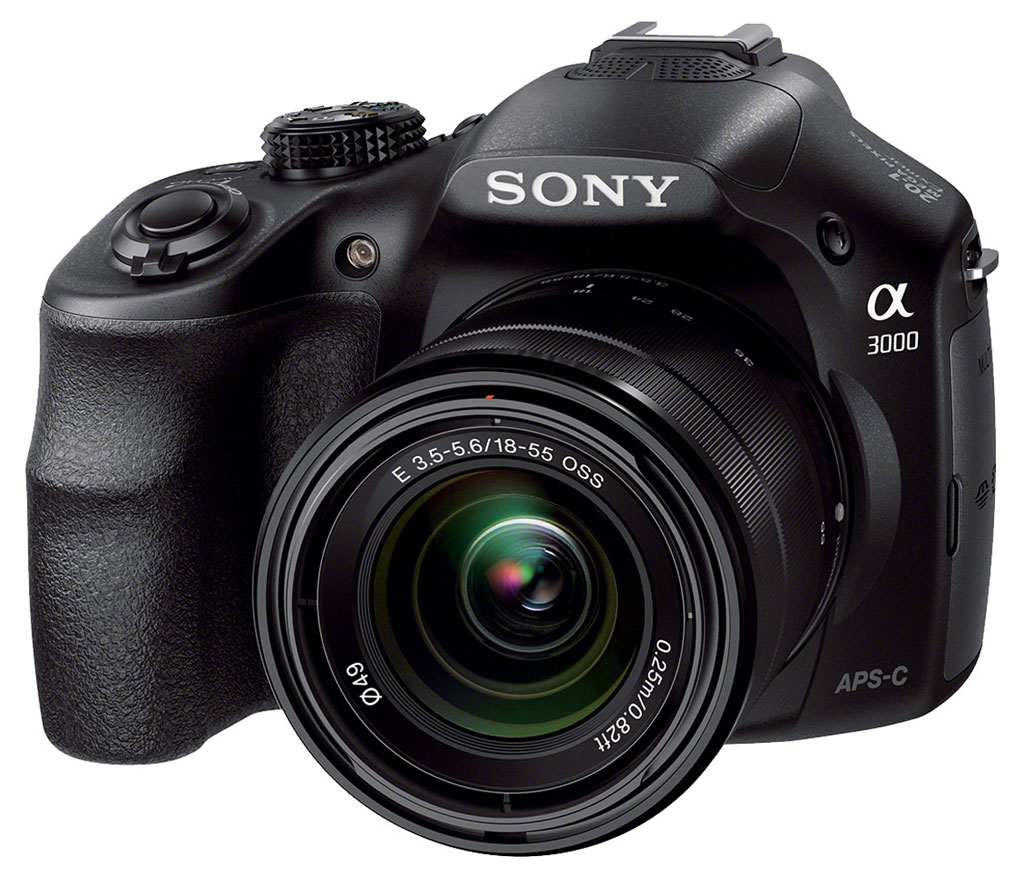
The Sony A3000 eschews the angular, slightly ungainly styling of the A37, in favor of a rounder, gentler aesthetic that's more similar to the company's other Alpha-series models. It's definitely an entry-level model, though: the first thing you'll notice when you look at the front of the camera is that there's no front dial beneath the shutter button. What you will find is a nice, chunky grip that's sculpted to fit your hand, alongside the Sony E-mount that previously had been found only on NEX-series cameras. At top right of the mount (as seen from behind) is an LED lamp for autofocus assist.

Jump to the top of the body, and things are again very straightforward, as you'd expect in an entry-level camera. The leftmost end of the body is featureless. At center, there's a popup flash strobe and Multi Interface Shoe for external strobes, and between them sits a stereo microphone. A control for switching between the LCD monitor and electronic viewfinder sits just right of the popup flash, and you will certainly be using it, as the entry-level pricetag doesn't allow for the sensor used to provide automatic switching on pricier models. The only other top-deck controls are the Mode dial, Power lever, Shutter button, and Playback button.

On the rear of the Sony A3000, you'll find the interface of a Sony mirrorless camera, rather than that typical of a Translucent Mirror model. At right of the three-inch LCD monitor are two soft buttons, split by a combined Four-way controller and Control dial, with another soft button at its center. As in the NEX cameras, the functions of the soft buttons change with operating mode, and are indicated on the adjacent LCD panel. And as you'd expect given the pricetag, the LCD is neither articulated, nor does it feature touch functionality. Near the top right corner sits a Movie record button, snugged up against the electronic viewfinder and the top right corner of the LCD.

Two final controls can be found on the leftmost end of the Sony A3000's body. Directly above the screen-printed Alpha A3000 is a button used to deploy the popup flash strobe. There's also a small dial on the side of the electronic viewfinder, used for a generous -4 to +3.5m-1 diopter adjustment that will let many eyeglass wearers shoot without their glasses. You'll also find a lug for the left side of the shoulder strap. Beneath this, most of the left end of the body is occupied by a large compartment door. Behind the door, you'll find the Multi terminal and a combined Secure Digital / Memory Stick Duo multi slot.
The right side of the Sony A3000 is featureless, save for a shoulder strap lug, mirroring that on the left side.

And finally, the bottom, too, is largely featureless. At the base of the handgrip is a compartment door for the InfoLithium battery pack, complete with a small cutout that allows ingress for the optional AC adapter kit's dummy battery cable. There's also a tripod mount, nicely positioned on the central axis of the lens.
In the Box
The Sony A3000 retail box ships with the following items:
- Sony A3000 camera body
- Sony SEL1855 18-55mm F3.5-5.6 OSS E-mount zoom lens
- Front lens cap
- ALC-SH112 lens hood
- NP-FW50 InfoLithium lithium-ion rechargeable battery pack
- AC-UB10 USB battery charger (charges in-camera)
- Micro USB cable
- Shoulder strap
- Instruction manual
- Warrant card
Recommended Accessories
- Extra NP-FW50 lithium-ion rechargeable battery pack for extended outings
- BC-VW1 or BC-QM1 external battery charger (so you can use your camera while charging another battery)
- Large capacity SDHC/SDXC memory cards. Given the high resolution and large file sizes of the A3000, 32GB is a good tradeoff between cost and capacity. If you plan to capture HD movie clips, shoot image bursts, or shoot in RAW format, look for cards with markings indicating Class 4 or higher. (Smaller numbers are slower cards.)
- LA-EA1 or LA-EA2 lens mount adapters (to use Sony Alpha-mount lenses; LA-EA2 also allows phase-detect autofocus for better performance)
- External shoe mount flash (HVL-F20M) or video light (HVL-LEIR1) or other accessory flash
- AC-PW20 power supply kit with DC coupler
- ECM-XYST1 external stereo microphone
- RM-VPR1 cabled remote control
- PCK-LS1EM or PCK-LM1EA LCD protective cover
- Medium to large camera bag
Optics
Below are the results of our optical tests with the Sony A3000 and the bundled Sony E 18-55mm f/3.5-5.6 OSS kit lens. The test images shown on most other pages of these test results were taken with very sharp references lenses, so we use this page to explore kit lens performance.
Kit Lens Test Results
Optical Zoom
A typical zoom ratio of ~3.1x for a kit lens, with average performance.


The Sony A3000 is available bundled with an 18-55mm f/3.5-5.6 OSS "kit" E-mount lens. This lens possesses a typical optical zoom ratio for a kit lens of about 3.1x with a 35mm equivalent focal range of about 28-82mm.
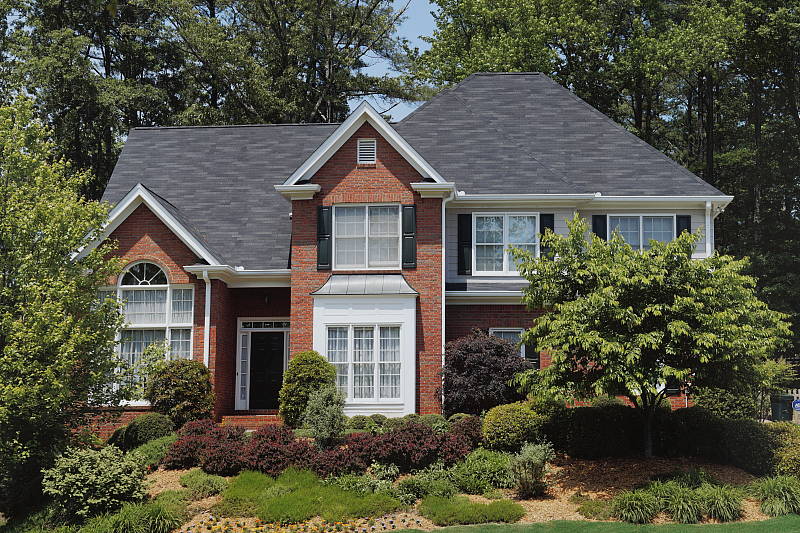
Sharpness and contrast at full wide angle (18mm) are decent at f/8 over most of the frame, and chromatic aberration isn't an issue (the camera suppresses), however some flare is slightly visible around the building's white surfaces. It's difficult to judge corner performance here because of the depth in this scene, so we'll do that below. At medium focal length (31mm), the lens performs quite well at f/8 with good sharpness and contrast, though some corner softness can bee seen. At full telephoto (55mm), overall performance is fair, with decent sharpness in the center but soft corners, as well as some flare. The A3000's 2x Clear Image digital zoom works reasonably well, but still produces a loss in fine detail as well as interpolation artifacts.
See sections below for comments on macro, geometric distortion, corner softness, performance wide open, chromatic aberration, etc.
Macro
A slightly larger than average minimum coverage area, with good detail. Flash throttled down well.


As with zoom performance, the Sony A3000's macro performance will depend entirely on the lens mounted. With the 18-55mm kit lens set to 55mm, the A3000 captures a minimum area measuring 2.96 x 1.97 inches (75 x 50 millimeters), which is slightly larger than average for a kit lens. Performance is very good in the center at f/8 with strong detail, though the corners and edges of the frame are quite soft. (Most lenses have some softening in the corners at macro distances.) The flash did a good job throttling down at minimum distance resulting in a good exposure. The flash also had no trouble clearing the lens as there is no detectable shadow.
Geometric Distortion
Higher than average geometric distortion at wide angle, but about average distortion at telephoto.
| Barrel distortion at 18mm is ~1.2 percent |
 |
| Pincushion distortion at 55mm is ~0.4 percent |
 |
The 18-55mm kit lens produces about 1.2 percent barrel distortion at wide angle, which is higher than average and quite noticeable. At the telephoto end, there's about 0.4 percent of pincushion distortion, which is about average and somewhat noticeable. This is the tendency for the lens to bend straight lines outward (like a barrel -- usually at wide-angle) or inward (like a pincushion -- usually at telephoto).
Chromatic Aberration, Corner Sharpness & Vignetting
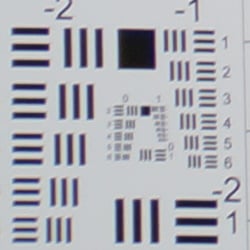
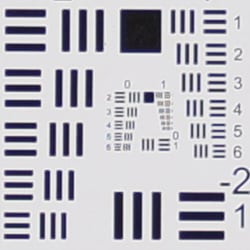
Low levels of C.A. in JPEGs (the camera suppresses it). The lens produces some soft corners.
| Aperture: maximum | |
 |
 |
| 18mm@f/3.5: Lower left C.A.: Low Softness: Slightly soft |
18mm@f/3.5: Center C.A.: Very low Softness: Sharp |
 |
 |
| 55mm@f/5.6: Lower right C.A.: Low Softness: Soft |
55mm@f/5.6: Center C.A.: Low Softness: Fairly sharp |
Chromatic Aberration. Chromatic aberration in the corners with the A3000's 18-55mm kit lens at wide angle (18mm) is fairly low, and the center of the image shows very little C.A. The camera does a pretty good job at suppressing much of the lateral C.A. produced by the lens (see below for uncorrected results). At full telephoto (55mm), C.A. is lower in the corners, though the center shows a bit more than at wide angle (possibly the result of a slight focus difference), however it's still quite low.
Corner Softness. Wide open at full wide angle, the 18-55mm lens that came with our A3000 has decent corner performance, with good sharpness in right-hand side corners, and slightly soft corners on the left. What little softness there is extends fairly deep into the frame, though, however the center is pretty sharp and contrasty. At full telephoto, the right-hand corners are softer with the lower-right the softest, though blurring doesn't extend very far into the frame. Oddly, while the top left corner is fairly sharp, as you move toward to the center the image suffers from some doubling which extends fairly deep into the frame. The center exhibits good sharpness, though with slightly lower contrast than at wide angle.
Vignetting. Moderate vignetting (corner shading) is noticeable at full wide angle, as indicated by the darker corner crop. Vignetting is not as noticeable at full telephoto.
| Aperture: f/8 | |
 |
 |
| 18mm@f/8: Lower left C.A.: Low Softness: Minor blurring |
18mm@f/8: Center C.A.: Very low Softness: Sharp |
 |
|
| 55mm@f/8: Lower right C.A.: Low Softness: Soft |
55mm@f/8: Center C.A.: Very low Softness: Sharp |
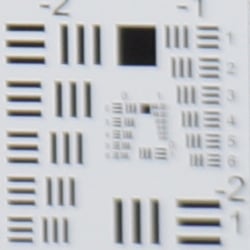
F8. "Stopped-down" to f/8, all four corners exhibit good sharpness and improved contrast at wide angle. At full telephoto, corner sharpness and contrast improved only slightly compared to f/5.6. Vignetting is also improved but still noticeable at wide angle.
Lens Corrections
When shooting JPEGs, the Sony A3000 includes the ability to automatically compensate for geometric distortion, chromatic aberration, and lens shading (vignetting), as images are captured.
Geometric Distortion
| Barrel distortion at 18mm is <0.2 percent |
 |
| Pincushion distortion at 55mm is <0.1 percent |
 |
Above, you can see the corrected geometric distortion from the 18-55mm kit lens is very low, with less than 0.2 percent barrel distortion at wide angle, and less than 0.1 percent pincushion at telephoto. Note however than some of the wide-angle shot is cropped away during the correction process. The default setting for this compensation is Off (at least with the 18-55mm lens).
Chromatic Aberration
| CA Correction Auto | CA Correction Off |
 |
 |
| 18mm@f/8: Upper left C.A.: Low |
18mm@f/8: Upper left C.A.: High and bright |
 |
 |
| 55mm@f/8: Upper left C.A.: Very low |
55mm@f/8: Upper left C.A.: Very low |
Above, you can see fairly high and bright lateral chromatic aberration at wide angle with Chromatic Aberration Compensation disabled, though the difference at telephoto is minimal because C.A. is quite low at telephoto to begin with. The default for this setting is Auto.
Lens Shading
 |
 |
||
| 18mm@f/3.5 | 55mm@f/5.6 | ||
| Lens Shading Correction: | Off | ||
Mouse-over the links above to see the difference Lens Shading Compensation makes when wide open (the worst-case scenario for most lenses). As you can see, at wide angle, corners are brightened significantly without affecting brightness at the center, though some fall-off is still left behind in the corrected image. There's however very little difference at full telephoto as there wasn't much lens shading to begin with. The default setting is also Auto.
Note that the A3000 like other Sonys applies Shading Compensation to ARW files as well as JPEGs, so if you'd rather correct for it yourself when shooting RAW, make sure to turn Shading Compensation off before shooting. As far as we can tell, Shading Compensation is the only lens correction the A3000 bakes into RAW image data (the other corrections are just tags in metadata).
Overall, a fairly typical performance for an inexpensive kit lens (which is to say decent but not great). It's a good start and a great value when bought as part of a kit, but to get the most out of the Sony A3000's 20-megapixel resolution, you'll likely want to invest in some better glass.
Sony A3000 Viewfinder Accuracy
Viewfinder Test Results
Coverage
Very good accuracy from the EVF and LCD monitor.


The Sony A3000's electronic viewfinder and LCD monitor both show slightly over 100% coverage in record mode. This is very good performance, though not a surprise given the preview image is derived from the main imaging sensor.
The images above were taken from our standardized test shots. For a collection of more pictorial photos, see our Sony Alpha ILCE-A3000 Photo Gallery .
Exposure
Color
Saturation & Hue Accuracy
Typical saturation levels and hue accuracy.
 |
||
|
ISO Sensitivity
|
||
| In the diagram above, the squares show the original color, and the circles show the color that the camera captured. More saturated colors are located toward the periphery of the graph. Hue changes as you travel around the center. Thus, hue-accurate, highly saturated colors appear as lines radiating from the center. Mouse over the links to compare ISOs and click on the links for larger images. | ||
Saturation. The Sony A3000's overall default color saturation is oversaturated by 10.2% at base ISO in our tests, which is about average these days. Saturation remains fairly consistent across the ISO range, except at ISO 6400 where it dips to 104.3%. Reds and dark blues are boosted the most, but not as much as we often see. Most other colors are pushed just a bit or are pretty close to ideal, though yellow, light green and cyan are slightly undersaturated. Overall, saturation levels are quite pleasing to our eyes, and you can of course tweak saturation more to your liking. Most consumer digital cameras produce color that's more highly saturated (more intense) than found in the original subjects. This is simply because most people like their color a bit brighter than life.
Skin tones. The Sony A3000 does fairly well with Caucasian skin tones. Brighter flesh tones have a healthy pinkish tint, though darker areas are nudged toward orange. Still, pretty good results here. Where oversaturation is most problematic is on Caucasian skin tones, as it's very easy for these "memory colors" to be seen as too bright, too pink, too yellow, etc.
Hue. Like many cameras, the Sony A3000 shifts cyan toward blue, red toward orange, orange toward yellow and yellow toward green, but shifts are relatively minor. (The cyan to blue shift is very common among the digital cameras we test; we think it's a deliberate choice by camera engineers to produce better-looking sky colors.) With an average "delta-C" color error of 4.94 after correction for saturation at base ISO, overall hue accuracy is about average, with accuracy only moderately lower at higher ISOs. Hue is "what color" the color is.
Saturation Adjustment
The Sony A3000 has a total of seven saturation settings available, three above and three below the default saturation. This covers a pretty wide range of saturation levels. Saturation also has almost no effect on contrast, which is how it should work.
| Saturation Adjustment Examples | ||||
 |
 |
 |
 |
 |
| -3 | -1 | 0 | +1 | +3 |
The table above shows results with five of the seven saturation settings, including the default and the two extremes. Click on any thumbnail above, then click again to see the full-sized image.


Sensor
Exposure and White Balance
Indoors, incandescent lighting
Slightly warm casts with Auto and Incandescent, good with Manual, but too cool with Kelvin white balance settings. Average exposure compensation required.


Indoors, under normal incandescent lighting, color balance is a bit warm and orange with the Auto white balance setting, though results here are better than average. Results with the Incandescent setting are a bit better but still somewhat warm and orange/yellow. The Manual setting is quite accurate, just slightly on the cool side. The 2,600 Kelvin setting which should match the color temperature of our lights is too cool and bluish. (Though it's nice a camera at this price range even offers a Kelvin setting.) The Sony A3000 required +0.3 EV positive exposure compensation here, about average for this shot, though images are just a touch bright (but default exposure is too dim). (Our test lighting for this shot is a mixture of 60 and 100 watt household incandescent bulbs, a pretty yellow light source, but a very common one in typical home settings here in the U.S.)
Outdoors, daylight
Very good results under harsh lighting, with good handling of contrast, color and exposure.
Outdoors, the Sony A3000 performed very well. No exposure compensation was required to keep the mannequin's face reasonably bright in our "Sunlit" Portrait shot, which is much better than average among the cameras we've tested. (Most cameras require about +0.7 EV here.) Contrast is a little high as you might expect under such harsh lighting, but the camera does a good job of holding onto detail in both the shadows and bright highlights, even without the help of DRO (see below). Both Auto and Manual while balance produced decent skintones, with lighter tones slightly pinkish while darker ones slightly warm, with a slight orange tint. Default exposure is quite good for our Far-field shot as well, just a touch underexposed but with very few highlights blown, again with DRO disabled. There are quite a few dark shadows in the trees, however only very dark shadows are noisy and posterized, but that's not usually an issue as we're talking *very* dark shadows. The Far-field shot with Auto white balance has very good color, just a touch on the cool side. Overall, a very good performance in harsh lighting, especially considering DRO was off for these shots.
See full set of test images with explanations
See thumbnails of all test and gallery images
Resolution
Very high resolution, ~2,550 to ~2,600 lines of strong detail from both JPEGs and RAW files.
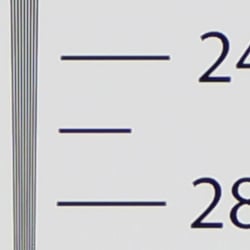
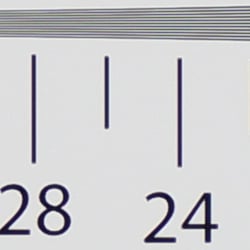


In-camera JPEGs of our laboratory resolution chart reveal sharp, distinct line patterns down to about 2,600 lines per picture height in the horizontal direction, and about 2,550 lines in the vertical direction. Some may argue for higher numbers, but aliasing and sharpening artifacts start to interfere at this resolution. Complete extinction of the pattern doesn't occur until about 3,300 lines. Some color moiré is evident in JPEGs, though that's not uncommon. Adobe Camera Raw wasn't really able to extract more lines of resolution here from a matching RAW file, and it generated stronger color moiré, so the Sony A3000 does a good job holding on to high-contrast detail at base ISO in its JPEGs. Use these numbers to compare with other cameras of similar resolution, or use them to see just what higher resolution can mean in terms of potential detail.
See full set of test images with explanations
See thumbnails of all test and gallery images
Sharpness & Detail
Good default sharpness, though with moderate sharpening artifacts. Mild to moderate noise suppression visible in the shadows and areas of low contrast.


Sharpness. The Sony A3000 captures sharp, detailed images overall, though there are some visible edge enhancement artifacts seen around high-contrast elements such as sharpening halos around the lettering and lines in our bottle labels. While they look slightly excessive on screen at 100% magnification, they should lead to crisp-looking prints straight out of the camera which is probably what Sony had in mind for this target market. Edge enhancement creates the illusion of sharpness by enhancing colors and tones right at the edge of a rapid transition in color or tone.
Detail. The crop above right shows mild to moderate noise suppression in the darker areas of the model's hair. A number of low-contrast strands are smudged together, though higher contrast strands are still distinct. Still, pretty good results here, especially for a high-resolution APS-C sensor. Noise-suppression systems in digital cameras tend to flatten-out detail in areas of subtle contrast. The effects can often be seen in shots of human hair, where the individual strands are lost and an almost "watercolor" look appears.
RAW vs In-Camera JPEGs
As noted above, the Sony A3000 produces in-camera JPEGs with lots of crisp detail, though default sharpening is a bit high. Additional detail can often be obtained from carefully processing RAW files with a good converter.
| Base ISO (100) | |
 |
 |
 |
 |
 |
 |
|
Camera JPEG, defaults
|
RAW via Adobe Camera Raw
|
In the table above, we compare an in-camera JPEG taken at base ISO using default noise reduction and sharpening (on the left) to the matching RAW file converted with Adobe Camera Raw 8.3 using default noise reduction with some strong but tight unsharp masking applied in Photoshop (250%, radius of 0.3 pixels, and a threshold of 0).
As is frequently the case, demosaicing in Adobe Camera Raw and sharpening in Photoshop delivers finer detail than the camera, with fewer sharpening artifacts. Looking closely at the images, ACR extracted quite a bit more detail that wasn't present in the JPEGs from the camera particularly in the red-leaf swatch where the thread pattern is treated as noise in by the JPEG engine. Fine detail in the mosaic is also improved, but as is often the case, more noise can be seen in the bottle crop. You can of course apply stronger noise reduction (default used here) to arrive at your ideal noise versus detail tradeoff.
|
|
|
Aliasing Artifacts. It's not always easy to see without doing an A to B comparison by flipping between images, but the red-leaf swatch shows moiré patterns, an indication that the A3000's anti-alias filter is quite weak. In the table at right, mouse over a two links at the bottom to compare an in-camera JPEG to a conversion made with Sony's bundled Image Data Converter 4 software at default settings.
As you can see, the wavy moiré patterns move relative to the fabric, making it much easier to spot. We've also seen aliasing artifacts in some of our other A3000 shots. We don't think it's a deal-breaker as quite a few cameras produce similar artifacts these days, but it is something to be aware of especially if you shoot a lot of man-made subjects with repeating patterns, such as buildings, fabrics, etc. Techniques than can be used to reduce or avoid false colors and moiré patterns include shooting at a smaller aperture so that lens diffraction acts as an anti-alias filter, defocusing slightly, shooting at higher ISOs, and post-processing particularly with RAW files.
ISO & Noise Performance
Very good noise versus detail performance up to ISO 1,600.
|
Default High ISO Noise Reduction
|
 |
 |
 |
| ISO 100 | ISO 200 | ISO 400 |
 |
 |
 |
| ISO 800 | ISO 1,600 | ISO 3,200 |
 |
 |
 |
| ISO 6,400 | ISO 12,800 | ISO 16,000 |
The Sony A3000's JPEG images are very clean up to ISO 400. There are minor demosaicing errors in the hair above the mannequin's forehead, though that's pretty common these days, especially with a sharp lens. We start to see some minor softening at ISO 400 where stronger noise reduction kicks in, but fine detail is excellent and chroma noise very low. ISO 800 is a bit noisier and softer, but detail is still excellent. ISO 1,600 is slightly softer though fine detail is still very good. ISO 3,200 is noticeably softer with stronger smudging and more noticeable noise "grain", and image quality continues to fall rapidly from there. ISO 6,400 still shows some fine detail, but 12,800 and especially 16,000 suffer from much stronger blurring from aggressive noise reduction and more noticeable luma noise accentuated by the camera's sharpening. Chroma noise is also stronger at these high ISOs, producing blotchy purple and yellow patches. Overall, though, these are very good results especially considering the A3000's price point and resolution.
As always, see the Print Quality section below for maximum recommended print sizes at each ISO, as printed performance often doesn't correlate well to what's seen on-screen at 100%.
A note about focus for this shot: We shoot this image at f/4, usually using one of three very sharp reference lenses (70mm Sigma f/2.8 macro for most cameras, 60mm f/2.8 Nikkor macro for Nikon bodies without a drive motor, and Olympus Zuiko 50mm f/2.0 for Four Thirds and Micro Four Thirds bodies). To insure that the hair detail we use for making critical judgements about camera noise processing and detail rendering is in sharp focus at the relatively wide aperture we're shooting at, the focus target at the center of the scene is on a movable stand. This lets us compensate for front- or back-focus by different camera bodies, even those that lack micro-focus adjustments. This does mean, though, that the focus target itself may appear soft or slightly out of focus for bodies that front- or back-focused with the reference lens. We know this; if you click to view the full-size image for one of these shots and notice that the focus target is fuzzy, you don't need to email and tell us. :-) The focus target position will have been adjusted to insure that the rest of the scene is focused properly.
Extremes: Sunlit, dynamic range and low light tests
Very high resolution with very good highlight and shadow detail. Good low-light performance, capable of capturing bright images in near darkness.


Sunlight. The Sony A3000 handled the deliberately harsh lighting in the test above very well. We preferred the default (0 EV) exposure here as the face is reasonably bright while almost no highlights are blown in the white shirt. Some may prefer the +0.3 EV exposure for its brighter exposure in the face, though, while the +0.7 EV exposure is definitely too bright. It's really up to the photographer. Folks printing directly from the camera will likely want the +0.3 EV image, while people post processing will likely prefer the default exposure for its slightly better highlight retention (though +0.3 EV only blew a few highlights, mostly in the flowers). As mentioned previously, contrast is a little high, but highlight detail is very good at default exposure. There are some deep shadows however they contain good detail, though very deep shadows are posterized as is usually the case.
For best results, be sure to use fill flash in situations like the one shown above; it's better to shoot in the shade when possible. See below for results with Dynamic Range Optimization and High Dynamic Range features enabled.
Because digital cameras are more like slide film than negative film (in that they tend to have a more limited tonal range), we test them in the harshest situations to see how they handle scenes with bright highlights and dark shadows, as well as what kind of sensitivity they have in low light. The shot above is designed to mimic the very harsh, contrasty effect of direct noonday sunlight, a very tough challenge for most digital cameras. (You can read details of this test here. In actual shooting conditions, be sure to use fill flash in situations like the one shown here; it's better to shoot in open shade whenever possible.)
Contrast Adjustment
We really like it when a camera gives us the ability to adjust contrast and saturation to our liking. It's even better when those adjustments cover a useful range, in steps small enough to allow for precise tweaks. Just as with its saturation adjustment, the Sony A3000's contrast setting meets both challenges.
|
Minimum Contrast
|
|
 |
 |
| Contrast set to lowest, 0 EV |
Contrast set to lowest, 0 EV |
At its lowest contrast setting, the A3000 does a really excellent job of toning down highlights and opening up shadows while maintaining natural-looking skin tones. Very good results here.
| Contrast Adjustment Examples | ||||
|
 |
 |
 |
 |
| -3 | -1 | 0 | +1 | +3 |
The table above shows five of the seven contrast setting, including the default and two extremes. It's pretty hard to evaluate small differences in contrast on small thumbnails like these, so click on any thumbnail to go to the full-size image.
One very nice feature of Sony's contrast adjustment is that it has very little effect on color saturation. Contrast and saturation are actually fairly closely coupled, it's a good trick to be able to vary one with out the other changing as well. As usual, Sony did a good job here.


Dynamic Range Optimization is Sony's name for their dynamic range enhancement technology. DRO divides the image into small areas, analyzes the range of brightness of each area, and adjusts the camera's tone curve and other image processing parameters accordingly to make the best use of the available dynamic range. DRO does not boost ISO like some systems, so increased noise is less of an issue, though existing noise may be more visible in boosted shadows. Auto DRO is enabled by default on the Sony A3000, but you can also set the level manually, from 1 ("weak") to 5 ("strong"), or turn it off. As one would expect, DRO is only available for JPEG files.
The above thumbnails and histograms show the effects of the available levels of DRO on our "Sunlit" Portrait shot with no exposure compensation. Mouse over the links to load the associated thumbnail and histogram, and click on the links to visit the full resolution image. As you can see from the thumbnails and histograms, DRO worked as expected, boosting shadows and mid-tones without blowing additional highlights, yielding more balanced exposures. Auto DRO setting did a good job here, and the five manual levels give quite a bit of control over the effect.


High Dynamic Range. The Sony A3000's HDR mode takes three images in rapid succession, one nominally exposed, one underexposed, and one overexposed, then combines them into one high dynamic range JPEG automatically. Lighter areas from the underexposed image are combined with darker areas from the overexposed image to produce an image with compressed tonal range. The camera then saves a single composite image, as well as the nominally exposed image. The overlaid images are micro-aligned by the camera, but it can only correct for so much movement. If it can't micro-align successfully, an icon indicating HDR capture failed will appear. For best results, the subject should not move or blink, so it's not really intended for portraits. There is also a manual mode where you can select from 1 EV ("weak") up to 6 EV ("strong") difference in exposures.
Mouse over the links to load the associated thumbnail and histogram, and click on the links to visit the full resolution image. As you can see, the Auto setting did a decent job boosting shadows and mid-tones while reigning back highlights, however we prefer the lower manual settings for this subject. The higher the manual setting, the more highlights are toned-down and shadows opened up, but higher settings can produce flat and unnatural results with this scene. Still, it's nice that Sony provides six manual levels, giving quite a bit of control over the effect.
Dynamic Range Analysis (RAW mode)
While we once performed our own dynamic range measurements based on in-camera JPEGs as well as converted RAW images (when the camera was supported by Adobe Camera Raw), we've switched to using DxO Labs' results from their DxOMark website. As technology advanced, the dynamic range of modern high-end cameras in some cases exceeded the range of the Stouffer T4110 density scale that we used for our own measurements. DxO's approach based on RAW data before demosaicing is also more revealing, because it measures the fundamental dynamic range of the sensor, irrespective of whatever processing is applied to JPEGs, or to RAW data by off-the-shelf conversion software.
In the following, we use DxO's "Print" dynamic range results, which are scaled based on camera resolution. As the name suggests, this scaling corresponds to the situation in which you print at a given size, regardless of how many megapixels the camera might have. (In other words, if you've decided to make a 13x19 inch print, that's the size you're printing, whether the camera's resolution is 16 or 300 megapixels.) For the technically-minded, you can find a discussion of the reasoning behind this here on the DxOMark website. Also note that DxO Labs uses a signal-to-noise (SNR) threshold of 1 when defining the lower boundary of acceptable luminance noise in their dynamic range measurements, which corresponds to the "Low Quality" threshold of the Imatest software we used to use for this measurement.

It was a little tough to choose which cameras to compare the Sony A3000 to, as not many ILCs have an MSRP of only $400 with a kit lens. It really is a terrific bargain for what you get. While the Canon EOS-M and Olympus E-PM2 have higher MSRPs ($600 and $500 respectively), they can often be found on sale for around $400 or less, so we decided to go with them, and you can always compare to other models on DxOMark.com.
As you can see from the above graph (click for a larger image), at low ISOs the A3000's dynamic range bests both competitors, particularly the Canon. At base ISO, the A3000's dynamic range is about 1.6 EV higher than the EOS-M's (12.8 vs 11.2), and slightly better than the E-PM2's (12.2 EV). The Olympus catches up to the Sony at ISO 200, but the EOS-M continues to lag behind significantly up to ISO 800. As sensitivity increases further, though, the differences are so minor that all three cameras perform essentially the same. Click here to visit the DxOMark page for the Sony A3000 for more of their test results and additional comparisons.
| 1 fc 11 lux |
1/2 fc 5.5 lux |
1/4 fc 2.7 lux |
1/8 fc 1.3 lux |
1/16 fc 0.67 lux |
1/16 fc No NR |
|
|---|---|---|---|---|---|---|
| ISO 100 |
 1.6 s f2.8 |
 3.2 s f2.8 |
 6 s f2.8 |
 13 s f2.8 |
 25 s f2.8 |
 25 s f2.8 |
| ISO 200 |
 0.8 s f2.8 |
 1.6 s f2.8 |
 3.2 s f2.8 |
 6 s f2.8 |
 13 s f2.8 |
 13 s f2.8 |
| ISO 400 |
 0.4 s f2.8 |
 0.8 s f2.8 |
 1.6 s f2.8 |
 3.2 s f2.8 |
 6 s f2.8 |
 6 s f2.8 |
| ISO 800 |
 1/5 s f2.8 |
 0.4 s f2.8 |
 0.8 s f2.8 |
 1.6 s f2.8 |
 3.2 s f2.8 |
 3.2 s f2.8 |
| ISO 1600 |
 1/10 s f2.8 |
 1/5 s f2.8 |
 0.4 s f2.8 |
 0.8 s f2.8 |
 1.6 s f2.8 |
 1.6 s f2.8 |
| ISO 3200 |
 1/20 s f2.8 |
 1/10 s f2.8 |
 1/5 s f2.8 |
 0.4 s f2.8 |
 0.8 s f2.8 |
 0.8 s f2.8 |
| ISO 6400 |
 1/40 s f2.8 |
 1/20 s f2.8 |
 1/10 s f2.8 |
 1/5 s f2.8 |
 0.4 s f2.8 |
 0.4 s f2.8 |
| ISO 12800 |
 1/80 s f2.8 |
 1/40 s f2.8 |
 1/20 s f2.8 |
 1/10 s f2.8 |
 1/5 s f2.8 |
 1/5 s f2.8 |
| ISO 16000 |
 1/100 s f2.8 |
 1/50 s f2.8 |
 1/25 s f2.8 |
 1/13 s f2.8 |
 1/6 s f2.8 |
 1/6 s f2.8 |
Low Light. The Sony A3000 was able to capture bright images down to the lowest light level we test at (1/16 fc) at all ISO settings. Noise is well-controlled up to ISO 3,200, though as expected, at higher ISOs there are moderate to high amounts of fine luminance noise and some blotchy chroma noise.
Auto white balance did a very good job here, producing a fairly neutral, just slightly cool color balance.
We didn't detect any significant banding (pattern noise), even at high ISOs. A few hot pixels can be seen at higher ISOs and lower light levels, particularly with long exposure noise reduction turned off (the right-most column), but nothing out of the ordinary. Some heat blooming (the reddish tint) can be seen emanating from the bottom of the frame at the highest ISO and lower light levels, but that's not unusual either.
The Sony A3000's autofocus system was able to focus on our test subject down to just above the 1/16 foot-candle light level unassisted with an f/2.8 lens in our tests, which is very good. And the A3000 was able to focus in complete darkness with its built-in focus assist lamp enabled.
How bright is this? The one foot-candle light level that this test begins at roughly corresponds to the brightness of typical city street-lighting at night. Cameras performing well at that level should be able to snap good-looking photos of street-lit scenes.
NOTE: This low light test is conducted with a stationary subject, and the camera mounted on a sturdy tripod. Most digital cameras will fail miserably when faced with a moving subject in dim lighting. (For example, a child's ballet recital or a holiday pageant in a gymnasium.) Thanks to their larger pixels, compact system cameras like the Sony A3000 tend to do much better than point & shoots, but you still shouldn't expect a quick autofocus lock with moving subjects. (A useful trick is to just prop the camera on a convenient surface, and use its self-timer to release the shutter. This avoids any jiggling from your finger pressing the shutter button, and can work quite well when you don't have a tripod handy.)
Output Quality
Print Quality
Very good printed image quality, with ISO 100 producing terrific 24 x 36 inch prints; ISO 6,400 images look good at 8 x 10, and even 12,800 prints a good 5 x 7.
 ISO 100/200 prints are quite good at 24 x 36 inches, with crisp detail and accurate color. Wall display prints are possible to 40 x 60 inches due to the higher resolution sensor.
ISO 400 images are almost as good, with just a little softening beginning in low-contrast red areas. Detail is still nice and crisp at 20 x 30 inches and wall display prints look good up to 36 x 48 inches.
ISO 800 shots look good at 20 x 30 inches, only red areas continue to soften. We'd still call it good, and a relatively large print for this ISO.
ISO 1,600 prints are good at 13 x 19 inches, again with softening in red areas, and some cloudy noise appearing in the shadows, but they're still good. 16 x 19s here may be usable for less critical applications.
ISO 3,200 takes a sharp downward turn in potential size and really only look good at 8 x 10 inches. Still, not bad, especially at this camera's price range.
ISO 6,400 shots are also good at 8 x 10 inches, as the noise levels in flatter areas are still kept in check for the most part, and color saturation is still quite good.
ISO 12,800 produces a reasonable 5 x 7, which not many cameras in this price range can do!
ISO 16,000 yields a good 4 x 6. which is yet again out of the range for most cameras in this price range.
The Sony A3000 gets a lot right in the print quality department. For starters, it delivers low ISO images at 24 x 36 inches that rival much more expensive cameras. And, it delivers a good 20 x 30 inch print at ISO 800, which is rare for a camera costing under $500. Also rare are the sizes possible at ISOs 6,400, 12,800 and 16,000. The sharp turn by ISO 3,200 is the only small gripe for this performance, but that is a common phenomenon until you reach a substantially higher price point. Great job delivering image quality of this caliber at this price point.
The images above were taken from our standardized test shots. For a collection of more pictorial photos, see our Sony Alpha ILCE-A3000 Photo Gallery .
Not sure which camera to buy? Let your eyes be the ultimate judge! Visit our Comparometer(tm) to compare images from the Sony Alpha ILCE-A3000 with those from other cameras you may be considering. The proof is in the pictures, so let your own eyes decide which you like best!
Performance
Timing and Performance
Good autofocus speed and excellent shutter lag, but sluggish power-on and mode switching, and mediocre full-res burst mode.
| Startup/Shutdown | ||
|---|---|---|
|
Power on |
~2.2 seconds
|
Time it takes to turn on and capture a shot. |
|
Shutdown |
~0.3 second
|
How long it takes camera to turn off before you can remove the memory card. |
|
Buffer clearing time |
4 seconds after 11 large/fine JPEGs*
|
Worst case buffer clearing time. -- This is the delay after a set of shots before you can remove the card. |
|
8 seconds after 5 RAW+ L/F JPEG files*
|
||
|
*Note: Buffer clearing times measured with a SanDisk Extreme Pro 95MB/sec UHS-1 SDHC card. Slower cards will produce correspondingly slower clearing times. Slow cards may also limit length of bursts in continuous mode. ISO sensitivity and noise reduction settings can also affect cycle times and burst mode performance.
|
||
Startup time was much slower than most DSLRs and slower than most CSCs, but shutdown was very fast. Buffer clearing times were good, but buffers were shallow.
| Mode Switching | ||
|---|---|---|
| Play to Record, |
~1.0 second
|
Time until first shot is captured. |
| Record to Play |
~3.1 seconds
|
Time to display a large/fine JPEG file immediately after capture. |
| Display |
~0.7 second
|
Time to display a large/fine JPEG file already on the memory card. |
Mode switching performance was sluggish (particularly Record to Play).
| Shutter Response (Lag Time) | ||
|---|---|---|
|
Full Autofocus |
0.279 second
|
Time from fully pressing shutter button to image capture. (All timing measurements made with a the E 18-55mm kit lens) |
|
Full Autofocus |
0.289 second
|
Time from fully pressing shutter button to image capture. |
|
Full Autofocus, |
0.394 second
|
Time from fully pressing shutter button to image capture, with the lens already at the proper focal distance setting, Auto flash enabled. |
|
Continuous AF |
0.354 second
|
This mode usually shows no speed increase with our static subject; we have no way to measure performance with moving subjects. |
|
Manual focus |
0.069 second
|
For most cameras, shutter lag is less in manual focus than autofocus, but usually not as fast as when the camera is "pre-focused." |
|
Prefocused |
0.022 second
|
Time to capture, after half-pressing and holding shutter button. |
Looking at the Sony A3000's ability to determine that it's properly focused when shooting the same target multiple times, its autofocus speed was good for a CSC, but a bit slower than most consumer DSLRs. The A3000 required 0.279 second for full AF using the center focus point in our tests. This decreased only slightly to 0.289 second in wide-area AF mode. With the flash enabled, the A3000's full AF shutter lag increased to 0.394s to account for the preflash metering.
Manual focus was quite fast at about 0.069 second. When prefocused, shutter lag was only 0.022 second which is very fast for a CSC, and much faster than even pro DSLRs.
To minimize the effect of different lens' focusing speed, we test AF-active shutter lag with the lens already set to the correct focal distance.
| Cycle Time (shot-to-shot) | ||
|---|---|---|
|
Single Shot mode |
0.98 second
|
Time per shot, averaged over 20 shots, 2 seconds to clear*. |
|
Single Shot mode |
N/A
|
The A3000 does not support shooting just RAW files. |
|
Single Shot mode |
1.84 seconds
|
Time per shot, averaged over 20 shots, 4 seconds to clear*. |
|
Early shutter |
No
|
Some cameras refuse to snap another shot if you release and press the shutter too quickly in Single Shot mode, making "No" the preferred answer. |
| Continuous Hi mode |
0.28 second 3.53 frames per second);
11 frames total; 4 seconds to clear* |
Time per shot, averaged over buffer depth of 11 shots, then slows to an average of 0.51s or 1.95 fps. |
|
Continuous Hi mode |
N/A
|
The A3000 does not support shooting just RAW files. |
|
Continuous Hi mode |
0.29 second (3.51 frames per second);
5 frames total; 8 seconds to clear* |
Time per shot, averaged over buffer depth of 5 shots, then slows to an average of 1.69s or 0.59 fps. |
|
Flash Recycling |
2.2 seconds
|
Flash at maximum output. |
| *Note: Buffer clearing times measured with a SanDisk Extreme Pro 95MB/sec UHS-1 SDHC memory card. Slower cards will produce correspondingly slower clearing times. Slow cards may also limit length of bursts in continuous mode. ISO sensitivity and other settings such as DRO or NR can also affect cycle times and burst mode performance. |
||
Shot-to-shot cycle times were sluggish even for an entry-level model, ranging from 0.98 second for large/fine JPEGs, to 1.84 seconds for RAW+JPEG files. The A3000 does not appear to support just RAW capture.
Full-resolution continuous mode speeds were below average these days even for an entry-level model at about 3.5 frames-per-second, and that's with focus and exposure locked at the first frame of a burst. (A 2.5 fps mode is available with continuous autofocus and auto exposure.)
Full-resolution buffer depths were quite shallow, with only 11 large/fine JPEGs or 5 RAW + large/fine JPEG files captured before the burst rate slows down, though that's not uncommon in entry-level models. You should be able to do better with typical subjects when shooting JPEGs (our target for this test is designed to be difficult to compress). Buffer clearing was relatively fast for the resolution, but keep in mind buffers are shallow.
The flash was able to recycle from a full discharge in 2.2 seconds, which is very fast.
| Download Speed | ||
|---|---|---|
| Windows Computer, USB 2.0 |
11,694 KBytes/sec
|
Typical Values: |
Download speeds were fast, quick enough that you won't feel the need for a separate card reader, even with large memory cards. (Note that this test was performed with a SanDisk Extreme Pro 95 MB/sec UHS-1 SDHC card: Slower cards would likely show slower transfer times.)
Bottom line, the Sony A3000 offers decent autofocus speeds and excellent shutter lag, but cycle-times and full-resolution burst speed are slower than average, startup and mode switching are sluggish, while buffers are shallow. This is not uncommon for an entry-level model, though.
Battery
Battery Life
Good battery life for an interchangeable lens camera with an EVF.
| Operating Mode | Number of Shots |
|---|---|
|
Electronic Viewfinder,
(CIPA standard) |
460
|
|
LCD Monitor,
(CIPA standard) |
470
|
The Sony A3000 uses a custom rechargeable NP-FW50 lithium-ion battery for power, and ships with an AC adapter for in-camera charging via USB. Battery life is pretty good for a consumer-level interchangeable lens camera equipped with an electronic viewfinder, though not as good compared to most traditional consumer DSLRs using an optical viewfinder. We recommend you pick up a spare battery and keep it freshly charged and on-hand for extended outings or shooting video.
The table above shows the number of shots the camera is capable of (on either a fresh set of disposable batteries or a fully-charged rechargeable battery as appropriate), based on CIPA battery-life and/or manufacturer standard test conditions.
(Interested readers can find an English translation of the CIPA DC-002 standards document here. (180K PDF document))
Field Test
Thinking beyond the mirror box
By Jason Schneider | Posted: 06/25/2014

Have the tech mavens and marketing gurus at Sony finally managed to deliver a high-performance APS-C-format DSLR -- complete with stabilized 18-55mm zoom kit lens -- for the truly astounding price of US$300? (Street price as of this writing in June 2014.) Well, that all depends on how you define a DSLR, and whether you're willing to put up with the inevitable compromises that have gone into designing this ingenious entry-level camera.
The A3000 is aimed primarily at folks stepping up from point-and-shoots and (dare I say it?) cell phone cameras, who are likely to be attracted to its DSLR form, functionality and interchangeable lenses. It's really more of a mirrorless compact like a Sony NEX, though, dressed up to resemble a Translucent Mirror "SLR" like the (now discontinued) Sony Alpha A37.
Still, with a high-resolution 20.1-megapixel Exmor APS HD CMOS image sensor coupled to a BIONZ image processor, Full HD (1080p) video capture at 60i or 24p, plus features such as HDR, Dynamic Range Optimizer and Sweep Panorama, it might tempt an enthusiast -- especially one who already owns an E-mount mirrorless camera. And it even accepts Sony Alpha-mount lenses via an optional Sony LA-EA2 Adapter ($400 list) which adds phase-detection autofocus to the camera's 25-point contrast-detection AF system.
When you pick up the Sony A3000 the first thing you notice is how light it is. It weighs under 22 ounces complete with lens, battery, and memory card, and it balances quite comfortably in your hands thanks in part to its deep, ergonomically contoured handgrip, which is surmounted with a well-placed angled shutter release surrounded by a large, clearly marked On/Off switch. The textured finish on the body and the grippy leather-like inserts on the grip and rear thumb-rest give it a "serious" appearance that is belied by its somewhat plasticky feel, but on the whole it makes a good first impression. As you'd expect the controls are simple, and, for the most part, straightforward, especially for those familiar with the Sony NEX line.

The SLR-style mode dial atop the camera has the usual Program, Aperture-priority, Shutter-priority and Manual modes. There's also a Scene mode that lets you access a range of settings including Night Scene, Anti Motion Blur, and Hand-held Twilight. These are selected by pressing what Sony refers to as Soft Key C: the button in the center of the control wheel, which also works as a 4-way toggle switch for selecting display, drive mode, ISO, and exposure compensation. After pressing it, you spin the dial to make your selection, then press the soft key again to activate your setting. Why is it referred to as a soft key? Because its function changes from mode to mode, and is indicated at the right-hand side of the LCD monitor.

In addition, there's a choice of two Intelligent Auto settings for shooting on auto-pilot. The second of these, iAuto+, creates a composite of several images -- great for capturing good exposures of high brightness range scenic and portrait images, but not for action. And finally, there's a Panorama icon for selecting Sweep Panorama mode, a cool feature common to most current Sony cameras.
To the left of the mode dial and the to the left of the pentaprism-like flash are little buttons that both, in a way, reflect cost concessions. The first is marked FINDER/LCD, and pressing it transfers the display between the 3.0-inch LCD monitor, and the eyepiece of the electronic viewfinder. The second button pops up the flash manually. Having to remember to press the button to get the display where you want it is a little annoying, and many other EVF cameras do it automatically by means of a proximity sensor that detects when you're holding the camera to your eye. It's also likely to be a turnoff for novices comparing the A3000 to its competitors at the store counter.
Unfortunately, no matter where you frame your scene, display performance of the A3000 is underwhelming. I'd go so far as to say that it's the camera's most serious shortcoming.
The EVF shows a 100% view of the scene you're framing, but at quite low resolution. Sony describes it as having a dot count of "201,600 dots equivalent", suggesting that it's actually a field-sequential LCOS chip with full color at every pixel location, but only one color -- red, green, or blue -- at any given moment in time. That means an actual pixel count of just 67,200 pixels, or something in the region of 280 x 240 pixels. Perceived resolution is a bit higher thanks to the full-color LCOS design, but blinking and some subjects can provoke a rainbow effect that's a little distracting.

Magnification of this smallish 0.2-inch EVF is only about 0.7X, and while the view is reasonably bright and detailed is does give you that constricted "tunnel" effect that is fairly common on entry-level DSLR viewfinders. The tiny eyepiece window, which measures only about 5/16 x 1/4-inch, doesn't help and while the dioptric adjustment range of -4 to +3.5 diopters is commendable, the flat striated eyesight adjustment wheel on the left-hand side of the eyepiece housing makes adjusting the eyepiece precisely a real challenge.

And it's worth noting that what looks like a rubber bezel around the eyepiece is actually hard plastic -- neither the most comfortable option, nor the friendliest for eyeglass-wearers.
The 3.0-inch LCD, meanwhile, is reasonably large and bright, but it too has a low resolution of 320 x 240 pixels, and its coarseness is emphasized by the relatively large size of the screen. It's not atrocious, and it's just but it does limit your ability to assess fine details when viewing a magnified captured image. Sony clearly feels it to be the better option for image review, though, because it simply won't allow you to view already-captured images on the EVF. The LCD is your only option for playback.
Incidentally, in order to zoom images, you have to press the Menu soft button, open the Playback menu, then select and activate Enlarge Image. You then control the degree of enlargement by turning the back rotary control. It works fine once you get the hang of it, but it's a nice example of the camera's unconventional control concept. You wouldn't expect to find Panoramic Direction in "Image Size" either, nor Metering Mode, Auto HDR, and ISO in the "Brightness/Color" menu, but there they are. At least you can set the sensitivity more directly by using the four-way function of the rotary dial to toggle the ISO menu.
Whatever the A3000's drawbacks may be, none of them affect the camera's overall picture-taking performance, which is truly impressive -- especially when you consider its price. Based on shooting a wide variety of subjects at light levels ranging from dim, dark interiors to outdoor scenes in brilliant sunshine, I found the camera's imaging performance to be consistently excellent at ISO settings ranging from 100 to 800.

Even in the ISO 1600 to 6400 range, I found very good detail, definition, color saturation. and very low noise. Of course at high magnification with these elevated sensitivities some artifacts were visible, but the pattern was tight and even and detail and color saturation were well maintained. Images shot at the top sensitivity of ISO 16,000 were definitely noisy and marred by noise-reduction smoothing, but still useable at lower print sizes.

While the A3000 doesn't provide phase-detection autofocus without an accessory, the 25-zone contrast-detection AF system proved to be reasonably fast and very accurate in all but the dimmest light, and it acquitted itself quite well with low-contrast subjects.
The Sony A3000's metering performance is likewise commendable, yielding accurate exposures with all but the most severely backlit or high-contrast subjects in Program and Aperture-priority modes, and using multi-pattern metering. It performed even better in terms of exposure accuracy in the iAuto modes, especially iAuto+ or Auto HDR, both of which can really save the day whether you're a novice or a seasoned enthusiast.
A truly prodigious array of features are on offer in the Sony A3000, including Auto Object Framing (a second alternative image is captured based the camera's built-in "composition" algorithms), Face Detection and Recognition, Clear Image Zoom (an enhanced virtually lossless 2X digital zoom capability that increases the maximum effective focal length to over 160mm), and a wide range of Creative Style modes (including Vivid, Sunset, and B&W). And despite its low price, the A3000 has quality touches that include a stainless steel lens mount and a hefty metal tripod socket.
Perhaps most important of all, the standard kit includes a reasonably sharp kit zoom lens. It's an 11-element, nine-group design with a seven-bladed diaphragm, and incorporates four aspheric elements to deliver pretty good image quality, considering the pricetag -- especially if you stop down a little. And it will focus down to 6.8 inches (25cm) for a maximum 0.3X magnification -- not really a macro lens, but probably enough for many purposes.

While it may have its foibles and compromises, the Sony A3000 still represents an excellent value. In terms of sheer imaging performance per dollar, it's a pretty amazing offering. Anyone seeking a lightweight, competent camera that provides the DSLR shooting experience at minimal cost would do very well indeed to put the Sony A3000 on their short list!

Flash
Sony A3000 Flash
Built-in Flash Test Results
Coverage and Range
A weak flash with narrow and uneven coverage at wide angle. Our standard indoor portrait shot required more than average exposure compensation and still came out dim.


Coverage. Flash coverage is quite narrow and uneven at wide angle (18mm), leaving very dark corners in our flash coverage test image, though that's fairly typical. Coverage is more uniform at full telephoto (55mm), with less fall-off in the corners (though quite dim here at ISO 200).
Exposure. Our Indoor Portrait test scene came out dim even with +1.0 EV flash exposure compensation at ISO 200, and flash exposure compensation didn't make much difference. The average amount of flash exposure compensation required for this scene is +0.7 EV, so the A3000's flash system performed below average here. The camera's Slow-Sync flash mode produced very bright results with no flash exposure compensation, though with a strong orange cast from the ambient room lighting.
| Flash Range: Wide Angle | |||||
|---|---|---|---|---|---|
| 6 ft | 7 ft | 8 ft | 9 ft | 10 ft | 11 ft |
 1/60 sec f3.5 ISO 200 |
 1/60 sec f3.5 ISO 200 |
 1/60 sec f3.5 ISO 200 |
 1/60 sec f3.5 ISO 200 |
 1/60 sec f3.5 ISO 200 |
 1/60 sec f3.5 ISO 200 |
| 12 ft | 13 ft | 14 ft | 15 ft | 16 ft | |
 1/60 sec f3.5 ISO 200 |
 1/60 sec f3.5 ISO 200 |
 1/60 sec f3.5 ISO 200 |
 1/60 sec f3.5 ISO 200 |
 1/60 sec f3.5 ISO 200 |
|
| Flash Range: Telephoto | |||||
|---|---|---|---|---|---|
| 6 ft | 7 ft | 8 ft | 9 ft | 10 ft | 11 ft |
 1/60 sec f5.6 ISO 200 |
 1/60 sec f5.6 ISO 200 |
 1/60 sec f5.6 ISO 200 |
 1/60 sec f5.6 ISO 200 |
 1/60 sec f5.6 ISO 200 |
 1/60 sec f5.6 ISO 200 |
| 12 ft | 13 ft | 14 ft | 15 ft | 16 ft | |
 1/60 sec f5.6 ISO 200 |
 1/60 sec f5.6 ISO 200 |
 1/60 sec f5.6 ISO 200 |
 1/60 sec f5.6 ISO 200 |
 1/60 sec f5.6 ISO 200 |
|
ISO 200 Range. With the 18-55mm kit lens flash exposures at wide angle started out bright at 6 feet, but exposure quickly fell from there with a range of only about 7 feet. At full telephoto, flash exposures started out dim at 6 feet and became dark quite quickly.
| Manufacturer-Specified Flash Range | |
|---|---|
| Wide Angle | Telephoto |
 5.6 feet ISO 200 |
 3.5 feet ISO 200 |
Manufacturer Specified Flash Test. The Sony A3000's built-in flash unit is rated with a Guide Number of only 6 meters or 19.7 feet at ISO 200. That works out to about 5.6 feet at f/3.5 and 3.5 feet at f/5.6, the maximum apertures of the kit zoom lens. In the test shots above taken at those distances, the A3000's flash produced bright flash exposures (even slightly overexposed), which confirms Sony's modest flash power rating is at least credible.
Our standard test method for flash range uses a fixed setting of ISO 200, to provide a fair basis of comparison between cameras. We also shoot two shots using the manufacturer-specified camera settings, at the range the company claims for the camera, to assess the validity of the specific claims.
High ISO Noise Reduction
Sony A3000 High ISO Noise Reduction
The Sony A3000 offers three High ISO Noise Reduction settings: "High, "Normal" and "Low". The camera's user manual doesn't say when High ISO NR kicks in, so we've included crops from the base ISO in the tables below.
See for yourself how the Sony A3000's "Normal" and "Low" High ISO NR settings compare to RAW without noise reduction under daylight-balanced lighting. (Note that these RAW images also have no sharpening applied, so they're a little softer than camera JPEGs at low ISOs.) Click on any of the crops below to see the corresponding full-sized image.
| High ISO Noise Reduction Comparison Daylight-balanced illumination |
|||
|
"Normal"
|
"Low"
|
RAW (no NR)
|
|
|
I
S O 1 0 0 |
 |
 |
 |
 |
 |
 |
|
 |
 |
 |
|
|
"Normal"
|
"Low"
|
RAW (no NR)
|
|
|
I
S O 2 0 0 |
 |
 |
 |
 |
 |
 |
|
 |
 |
 |
|
|
"Normal"
|
"Low"
|
RAW (no NR)
|
|
|
I
S O 4 0 0 |
 |
 |
 |
 |
 |
 |
|
 |
 |
 |
|
|
"Normal"
|
"Low"
|
RAW (no NR)
|
|
|
I
S O 8 0 0 |
 |
 |
 |
 |
 |
 |
|
 |
 |
 |
|
|
"Normal"
|
"Low"
|
RAW (no NR)
|
|
|
I
S O 1 6 0 0 |
 |
 |
 |
 |
 |
 |
|
 |
 |
 |
|
|
"Normal"
|
"Low"
|
RAW (no NR)
|
|
|
I
S O 3 2 0 0 |
 |
 |
 |
 |
 |
 |
|
 |
 |
 |
|
|
"Normal"
|
"Low"
|
RAW (no NR)
|
|
|
I
S O 6 4 0 0 |
 |
 |
 |
 |
 |
 |
|
 |
 |
 |
|
|
"Normal"
|
"Low"
|
RAW (no NR)
|
|
|
I
S O 1 2 8 0 0 |
 |
 |
 |
 |
 |
 |
|
 |
 |
 |
|
|
"Normal"
|
"Low"
|
RAW (no NR)
|
|
|
I
S O 1 6 0 0 0 |
 |
 |
 |
 |
 |
 |
|
 |
 |
 |
|
As you can see, some noise reduction is already applied at base ISO, as chroma noise is a little higher in the RAW crops, and even the Low setting reduced it. The difference between the three noise reduction settings is fairly subtle even at high ISOs, with just slightly higher noise levels as you reduce the setting, and NR remains quite strong even with the Low setting. We wish Sony would have offered a less heavy-handed setting, however we suspect the A3000's target market won't mind that much.
It's quite evident that the Sony A3000's image processor works hard to control noise at higher ISOs, as you can see fairly strong, coarse noise in the RAW crops. JPEGs are remarkably clean, though as you can see, fine and low-contrast detail suffers. Still, a pretty good performance for its class and price tag, as our print quality analysis attests to.
Technical Info
By Mike Tomkins | Posted: 08/27/2013

Sensor. At the heart of the Sony A3000 is an EXMOR APS HD CMOS image sensor with an effective resolution of 20.1 megapixels. Total resolution is 20.4 megapixels, and the APS-C sized chip has a 3:2 aspect ratio. Unlike Sony's DSLR and SLT models, though, the sensor is not stabilized, as the A3000 supports only lens-based optical image stabilization just like NEX models.
Performance. Sony doesn't specify the image processor used in the Alpha A3000 beyond that it's a BIONZ-branded chip, but as you'd expect in such an affordable, entry-level camera, performance is modest.
Ordinarily, the A3000 will capture just 2.5 frames per second, but if you're willing to lock exposure and focus from the first frame, this can be increased to a still-sedate 3.5 fps. Burst depth is 13 frames in JPEG mode, and drops to just five frames if you add raw files.
Sensitivity. Everything from ISO 100 to 16,000 equivalents is available from the Sony A3000. Of this range, ISO 100 to 3200 equivalents is available under automatic control. In movie mode, you'll face the a reduced upper limit on sensitivity of ISO 3200 equivalent.
Sony is using the same noise reduction algorithms as in its flagship Alpha A99. These will vary noise reduction levels adaptively across the image as needed.
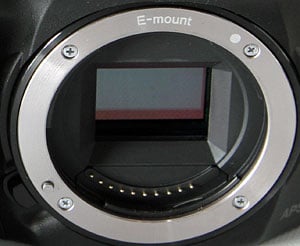
Lens mount. Perhaps the biggest story of the Sony A3000 is its lens mount. It's the first Alpha A-series model to feature a Sony E-mount, and forgo the company's earlier NEX camera branding.
You'll actually get the best of both worlds, since you can mount Alpha-mount lenses via an adapter. At the same time -- and unlike other A-series cameras -- you'll be able to use E-mount lenses, which are typically smaller and lighter than their DSLR / SLT-oriented A-mount equivalents, thanks to a shorter backfocus distance.

Viewfinder. One of the key advantages of the Sony Alpha A3000 versus similarly-priced NEX-series models is its built-in electronic viewfinder. To get a built-in EVF in the NEX-series (and including a similar lens to that bundled with the A3000), you'd need to step up to the NEX-7, and you'd looking at a pricetag of US$1250 list. That's more than triple the cost of the SLR-like A3000. Admittedly, the NEX-7 is a lot more camera than is the A3000, in terms both of its electronic viewfinder, and in other respects. Still, for US$400 list, it's big news that you get a viewfinder at all.
The Sony A3000's electronic viewfinder is a 0.2-inch (0.5cm) type with 100% coverage, 0.7x magnification, and an equivalent resolution of 201,600 dots. Eyepoint is 15mm from the eyepiece frame, or 21mm from the eyepiece lens, and there's a -4.0 to +3.5m-1 built-in diopter correction.

LCD. If you want the maximum possible resolution, you'll need to use the LCD monitor. At 230,000 dots, it has approximately 320 x 240 pixels, or QVGA resolution. The display has a 3-inch diagonal, and is neither articulated, nor touch-sensitive.
Autofocus. As you'd expect in an entry-level camera, the Sony A3000 forgoes a complex hybrid autofocus system, in favor of a simpler, less expensive contrast detection system. The A3000's CDAF system provides 25 predefined autofocus points, and has a working range of EV 0 to 20 (at ISO 100 with an f/2.8 lens). Center-weighted and flexible spot AF modes are available, as are tracking and AF lock. You can also opt for manual focus, or let the camera get focus in the ballpark and then fine-tune using Direct Manual Focus.
A built-in autofocus illuminator LED has a working range of 0.5 to 3.0 meters with the kit lens attached.

Exposure. Shutter speeds on offer in the Sony A3000 range from 1/4000 to 30 seconds, plus bulb. The A3000 uses an electronically-controlled, vertical traverse focal plane shutter, as well as an electronic first curtain shutter.
Exposures are metered using the image sensor, with a 1200-zone evaluative metering system. Metering modes include multi-segment, center-weighted, and spot.
Flash. The Sony A3000 includes both a popup flash, and a hot shoe for external strobes. The internal flash has a guide number of 13 feet (4m) at ISO 100, and 16mm coverage. Flash X-sync is at 1/160 second, and the strobe recycles in 4 seconds.

The external shoe is Sony's newer Multi Interface Shoe, and can be converted to Konica Minolta-style strobes with an optional adapter. The Multi Interface Shoe also accepts certain accessories such as external microphones, video lights, and more via 21 additional pins embedded at its front.
Video. The Sony Alpha A3000 can record Full HD (1920 x 1080 pixel; 1080i) movies at a rate of 60 fields per second, although this is derived from 30 frames-per-second sensor data. (In some markets, the 60i rate is replaced with a 50i rate, derived from 25p sensor data.) You can also opt for a film-like rate of 24 progressive-scan frames per second (25p on overseas models), or for lower-res 1440 x 1080 (Anamorphic HD) and 640 x 480 (VGA) movies.
At the maximum resolution, movies are saved using AVCHD version 2.0 (MPEG-4 AVC / H.264) compression with AC-3 stereo Dolby Digital audio. At lower resolutions, movies are saved with MP4 compression and MPEG-4 AAC-LC stereo audio.

Connectivity. As well as its aforementioned Multi Interface Shoe, the Sony A3000 includes a multi-terminal USB port, compatible with the RM-VPR1 wired remote control. It also provides for USB 2.0 High Speed data transfer, but not for video output. In fact, this is one area in which budget has clearly been the overriding factor, because the A3000 also lacks a high-def video output. If you want to get your images on a TV, you'll need to do it via another device, or on a display with a built-in card reader.
Storage. Images and movies are stored on Secure Digital cards, including the higher-capacity SDHC and SDXC types. You can alternatively use Sony's proprietary Memory Stick Duo cards in the same slot, should you prefer.

Power. The Sony A3000 draws its power from a proprietary InfoLithium NP-FW50 lithium-ion rechargeable battery pack. Sony rates the camera as good for 460 shots on a charge when using the electronic viewfinder, or 470 shots with the LCD screen, to CIPA testing standards. The battery is charged in-camera via the multi-terminal USB port, and an AC-UB10 USB AC adaptor is included in the bundle. You can also charge the battery via USB from a computer.
Conclusion
| Pro: | Con: |
|---|---|
|
|
Some cameras are all about cramming in as many features as possible, even if you'll seldom use them. That's great for the belt-and-suspenders types, but it makes them much more expensive than they need to be. The Sony A3000 doesn't play that game. This is a camera that's been pared down to the basics -- you get precisely what you need, and little more. But boy, does that approach ever pay dividends when it comes time to fetch your wallet.
For a list price of just US$400 -- and at the time of this writing (June 2014), street prices without rebates are below US$350 -- you're getting an extremely high-res, SLR-like camera with great image quality, and a stabilized kit zoom lens to boot. Sure, it's not a true DSLR, but the lack of a reflex mirror means one less mechanical part to fail, and it makes the Sony A3000 quieter to shoot with, as well. And while this is clearly an entry-level camera, Sony has somehow managed to buck the typical cost-saving strategies where it really counts: There are no plastic lens mounts here. Both body and lens have metal mounts that will help this camera last.
That's not to say that you won't notice you're using an entry-level camera. Performance -- particularly in terms of burst speed and depth -- is limited, and the Sony A3000's body does feel a little plasticky. (Although we've seen a lot worse). Perhaps its biggest Achilles heels are its electronic viewfinder and LCD monitor, both of which have very low resolution by modern standards. The LCD is also fixed in place, and the viewfinder uses an LCOS design that can cause shimmering, rainbow effects on some subjects. They won't affect your photos, but they can be a little distracting when framing images. And it's a shame that, for whatever reason, Sony has decided not to allow you to review your images in the viewfinder at all.
But it's ever so easy to overlook these drawbacks when you take a glance at the price tag. With some cameras, you can question whether you're getting a good deal. With the Sony A3000, it's simply not up for debate: This camera is a spectacular value, and that makes it a whole lot easier to overlook any shortcomings it has. If you're in the market for a new interchangeable-lens camera, and you're on a tight budget, the Sony A3000 should be right near the top of your shortlist. If you've been looking at a bridge camera or a fixed-lens compact, or simply considering ditching a camera altogether and using your smartphone, the affordable Sony A3000 makes a very strong case indeed for changing your mind.
Seldom has an entry-level camera been so deserving of a Dave's Pick as the Sony A3000. With a street price of just US$350, perhaps the question we should've been asking in this review isn't whether to buy this camera, but rather, how many you should buy. One for the house, one for the car, another to pack with your hiking gear... Sony is going to sell a lot of these cameras!
Like what you see? Support Imaging Resource and place your order with trusted Imaging Resource affiliate Adorama now:
Or with Amazon:
Or with B&H Photo Video:
Pros
- Absolutely incredible value
- Includes a stabilized kit lens
- More versatile than a fixed-lens bridge camera
- Comfortable body with good ergonomics
- Great image quality
- Good autofocus performance
- Decent battery life.
Cons
- Feels a bit plasticky
- Slow burst shooting with limited buffer
- Sluggish to power on or switch modes
- Low-res EVF and LCD monitor
- Can't review images using EVF
- No video output
- Weak flash
- Battery charges in-camera.