
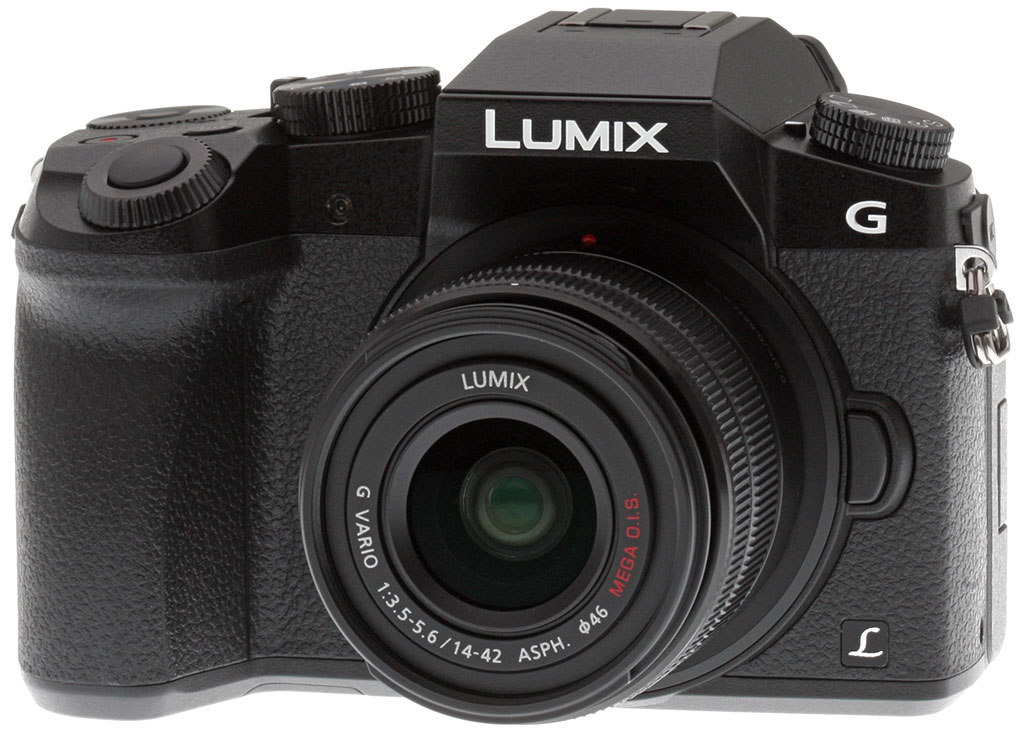


Overview

With the Panasonic Lumix DMC-G7 compact system camera, the company offers a sequel to the G6, a well-received camera from the 2013 model year. Like its predecessor, the follow-up Panasonic G7 is packed with a generous helping of features at a very competitive price. Panasonic is aiming the camera at photographers who need a capable camera with which to document the day-to-day life of their family.
The Panasonic G6 was a mid-term update to the earlier G5, sporting a restyled body and newer image processor. It also updated the LCD monitor and electronic viewfinder, and introduced some handy firmware tweaks. Interestingly, the Panasonic G7 again replaces the body with a ground-up redesign sporting even more controls than before. A particularly welcome addition is a true twin-dial design, something that's extremely intuitive if you like to manually adjust exposure variables, but which is relatively scarce in cameras at this price point.
Both electronic viewfinder and LCD monitor have also been upgraded again in the new model, as has not just the processor, but this time the sensor as well. Sensor resolution is essentially unchanged at 16.00 megapixels, where the G5 and G6 shared a 16.05-megapixel chip. The sensitivity range is wider, though, now starting from ISO 200 equivalent and reaching out to a maximum of ISO 25,600 equivalent without any expansion needed. An ISO 100 expansion is also available, besting the G6's sensitivity range of ISO 160 to 12,800 equivalents with an expanded range that topped out at ISO 25,600 equivalent.


Burst performance is also said to have improved by one frame per second, now reaching a manufacturer-claimed maximum of eight frames per second at full resolution with mechanical shutter, or six frames per second with autofocus enabled between frames. And according to Panasonic, image quality should be noticeably better than that from the G6, thanks both to a better sensor and improved algorithms in the new Venus Engine image processor.
The new electronic viewfinder has an extremely high resolution of 2,360k dots, up from 1,440k in the G6. The eyepoint of 17.5mm remains unchanged from that of the earlier camera, as does the magnification of 1.4x (or 0.7x equivalent for a 35mm camera). The Panasonic G7's LCD monitor, meanwhile, has as near as makes no difference the same resolution as that in the earlier camera, and retains the same size as well. Here, the change is a much stronger backlight, allowing a claimed 50% increase in panel brightness.

Another valuable change is the inclusion of Panasonic's Depth from Defocus technology, which is said to roughly double autofocus performance. We first saw DFD autofocus in the Panasonic GH4 in early 2014, and described the technology in great depth at the time, but here's the executive summary: Courtesy of a detailed knowledge of the bokeh characteristics of its lenses, Panasonic can determine the direction and magnitude of the focus adjustment needed to obtain a focus lock, much as does a phase-detection autofocus sensor. However, it doesn't need to dedicate sensor pixels to this task like most mirrorless cameras would, nor use a separate phase-detection autofocus sensor as would a DSLR. The result is much faster AF adjustment when using Panasonic's own lenses; third-party optics revert to standard contrast detection AF.
Panasonic says that DFD technology in the Lumix G7 will allow confirmation of a focus lock in as little as 0.07 seconds, down from 0.15 seconds in the G6, which used only contrast detection AF. Of course, results will vary depending on the lens in use. That figure applies to the H-FS14140 Lumix G Vario 14-140mm F3.5-5.6 Asph. Power O.I.S. lens, specifically.
High-res stills from 4K video: The Panasonic G7 now sports the company's 4K Photo mode, which allows users to extract high-resolution eight-megapixel still images from 4K video clips. The touch-screen user interface for the function has been updated, making it easier to choose and extract the frames you're after. |
The Panasonic G7's AF system can also operate in even lower ambient light than in the past, with a working range of -4 to 18EV. That allows for a rather cool feature: Starlight AF. Yes, really -- you should be able to focus just using a brightly starlit sky! This rather nifty trick is achieved by using a slower shutter speed while determining autofocus in low light. Autofocus tracking is also said to have been improved, with the Panasonic G7 now using not just subject color to track motion, but also calculating a motion vector and using this to estimate the subject's motion, a change that allows tracking of faster-moving subjects. (This, says Panasonic, is the first Lumix model with this capability.)

Another significant change between the Panasonic G7 and its predecessor is support for 4K video capture in-camera. Available frame rates include 30 and 24 frames per second for NTSC regions. There's a new wind cut function which is compatible with stereo audio capture, not just monaural capture as in past models.
And even if you're exclusively a stills shooter, Panasonic's 4K Photo mode offers a compelling reason to consider 4K capture. That's because you can go back and extract still images from the 4K video clip at a high resolution of around eight megapixels. You have a choice of output aspect ratios for your extracted stills -- 4:3, 3:2 or 1:1 -- and and Panasonic stores the necessary information in its videos to provide an EXIF header for the extracted stills too, allowing you to review capture info. And as you can see in the video clip above, there's a great new user interface with which to select and extract as many stills as you like from each 4K clip.

There are plenty of other new firmware features in the Panasonic G7, too. For example, the electronic shutter function of the G6 has been improved, and now tops out at 1/16,000 second. The Panorama function now lets you trade off image height to get a wider panorama, and creative filters can be applied to panoramic images in-camera. You can also now use creative filters with program, priority or fully manual capture modes, and there are new monochrome filter functions. Highlight and shadow gamma curve adjustment is also now possible.
Perhaps most intriguing is a feature that's been in some of Panasonic's fixed-lens cameras for a while now, but which slipped by under the radar.
The Panasonic G7's Clear Retouch function allows you to select unwanted objects and then erase them in-camera, much like the Content-Aware Fill tool in Adobe Photoshop. The Panasonic G7 also now sports compatibility with not just UHS-I Secure Digital cards, but also the even faster UHS-II cards, another first for the Lumix line.

And Panasonic has managed a 10-shot improvement in battery life versus the earlier Lumix G6, with a total of 350 frames possible with the H-FS14140 Lumix G Vario 14-140mm/F3.5-5.6 Asph./Power O.I.S. lens.

There are a couple of areas in which the Panasonic G7 doesn't quite match up to its predecessor. The built-in popup flash strobe on the top deck has a rather lower guide number of 6.6 meters at ISO 100, versus 8.3 meters for the Lumix G6, but it's possible that the company has merely tightened up its standards for specifying flash output. Our in-house testing suggested the figure to be fairly accurate, if slightly optimistic.
Panasonic has also removed the near-field communications radio of the G6, meaning that you'll have to pair your smartphone or tablet using a QR code shown on the camera's LCD panel, instead. That's of no import to iOS device owners, since Apple doesn't allow third parties access to the NFC radios in its latest products, but for Android users, it's a slightly less swift method of pairing and establishing a Wi-Fi connection, which is a shame.
Optics
The Panasonic G7 is sold bundled with either the G Vario 14-42mm f/3.5-5.6 II Mega OIS lens, or the G Vario 14-140mm f/3.5-5.6 Power OIS lens. Please refer to our full test of these lenses on SLRgear.com by clicking on the links above. Below, we present our G7 viewfinder accuracy test results.
Viewfinder Test Results
Accuracy
Excellent coverage from the EVF and LCD monitor.

The Panasonic G7's electronic viewfinder and LCD monitor both proved quite accurate in record mode, showing just over 100% coverage with our Olympus 50mm f/2 reference lens. Excellent results here.
The images above were taken from our standardized test shots. For a collection of more pictorial photos, see our Panasonic Lumix DMC-G7 Photo Gallery .
Exposure
Color
Saturation & Hue Accuracy
Slightly lower than average mean saturation levels, with about average hue accuracy.
 |
||
|
ISO Sensitivity
|
||
| In the diagram above, the squares show the original color, and the circles show the color that the camera captured. More saturated colors are located toward the periphery of the graph. Hue changes as you travel around the center. Thus, hue-accurate, highly saturated colors appear as lines radiating from the center. Mouse over the links to compare results at different ISOs, and click on the links for larger images. | ||


Saturation. The Panasonic G7 produces images with slightly muted colors compared to most cameras at default settings. Mean saturation is 106.1% (6.1% oversaturated) at the base ISO of 200, which falls to a minimum of 99.2% at ISO 25,600. The Lumix G7 pushes dark reds and dark blues moderately and some other colors slightly, but undersaturates yellow, light green, aqua and cyan. Most consumer digital cameras produce color that's more highly saturated (more intense) than found in the original subjects. This is simply because most people like their color a bit brighter than life.
Skin tones. Here, the Panasonic G7 does reasonably well, producing fairly natural-looking Caucasian skin tones with only a slight push towards pink when either Auto or Manual white balance is used in simulated sunlight. Some skin tones were a bit too orange in our tests, but overall results not too bad. Where oversaturation is most problematic is on Caucasian skin tones, as it's very easy for these "memory colors" to be seen as too bright, too pink, too yellow, etc.
Hue. The Panasonic G7 shifts orange toward yellow and cyan toward blue, but most hue shifts are quite minor. The characteristic Panasonic yellow to green shift is mild, but when combined with moderate desaturation it can produce dingy-looking yellows. The G7's mean "delta-C" color error after correction for saturation is 4.85 for JPEGs at the base ISO of 200 (100 is an extended ISO). That's about average these days, and color error remains quite stable throughout the ISO range. Hue is "what color" the color is.


Sensor
Exposure and White Balance
Indoors, incandescent lighting
Warm colors with Auto and Incandescent white balance setting. Good color balance with the Manual setting. Average positive exposure compensation required.


Indoors, under normal incandescent lighting, color balance was warm with the Auto white balance setting, though we've seen much worse. Results with the Incandescent setting was also too warm, with a slightly stronger orange-yellow cast. The Manual setting produced accurate results, just a hair on the cool side. The Panasonic G7 required +0.3 EV exposure compensation here, about average for this shot. (Our test lighting for this shot is a mixture of 60 and 100 watt household incandescent bulbs, a pretty yellow light source, but a very common one in typical home settings here in the U.S.)
Outdoors, daylight
Slightly cool colors overall. About average exposure accuracy.
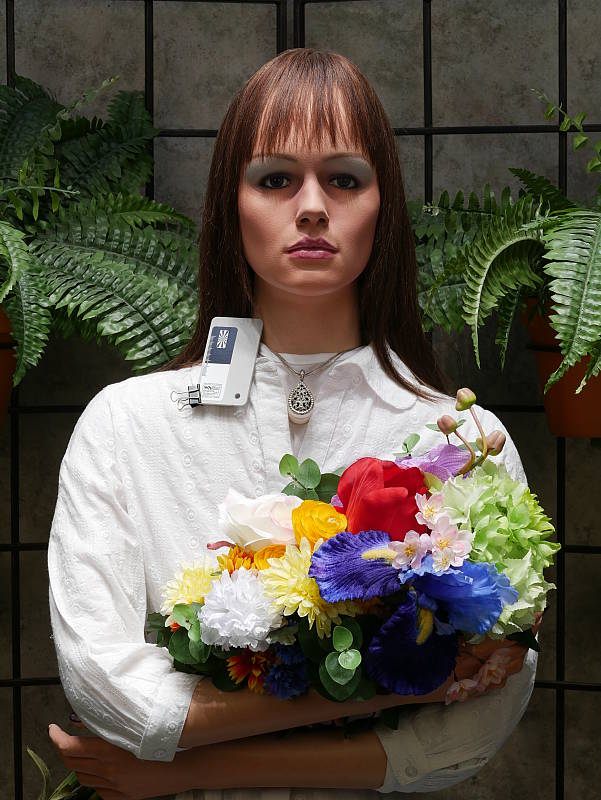
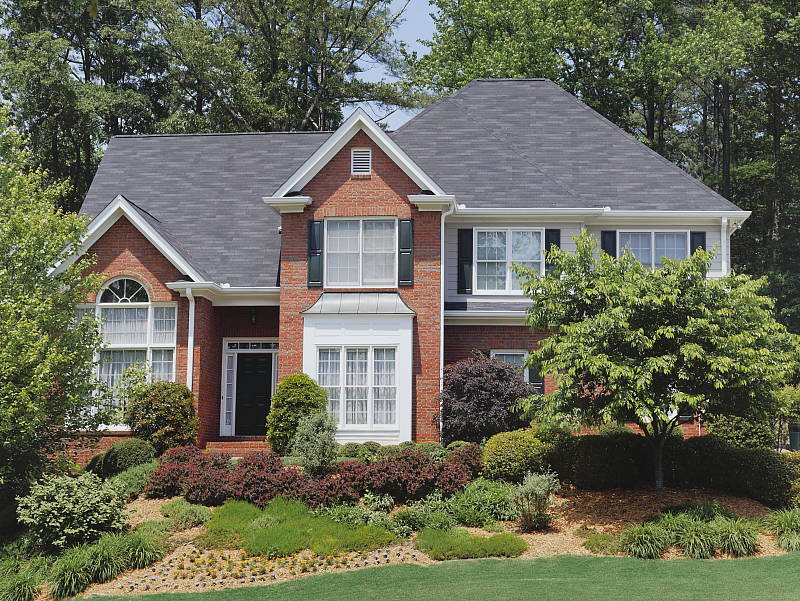
Outdoors, the Panasonic G7 performed well, with natural-looking though slightly cool color in the Far-field shot. Skin tones are fairly realistic in our "Sunlit" Portrait shot, though perhaps just a bit too orange. Exposure accuracy was about average, as the camera required +0.7 EV compensation for our "Sunlit" Portrait shot to keep facial tones reasonably bright. That's typical for this shot. Despite the bright appearance, very few highlights were actually blown in the mannequin's white shirt which is quite good, though there are some very deep shadows that are a a bit greenish and posterized. The default exposure was a bit dim for the Far-field shot, but as a result there are almost no blown highlights, though again there are some very deep shadows that are a bit noisy and discolored.
See full set of test images with explanations
See thumbnails of all test and gallery images
Resolution
~ 2,350 to ~2,450 lines of strong detail.


In an in-camera JPEG, our laboratory resolution chart revealed sharp, distinct line patterns to about 2,450 lines per picture height horizontally, and about 2,350 lines in the vertical direction. (Some might argue for higher, but merging and aliasing artifacts begin to occur at these limits.) Complete extinction of the pattern occurs between 3,000 and 3,200 lines per picture height in both directions. We weren't able to extract significantly more high-contrast resolution by processing the Panasonic G7's RW2 file using Adobe Camera Raw, and the ACR conversion also shows higher color moiré which is practically nonexistent in the camera JPEG.
Use these numbers to compare with other cameras of similar resolution, or use them to see just what higher resolution can mean in terms of potential detail.
See full set of test images with explanations
See thumbnails of all test and gallery images
Sharpness & Detail
Good sharpness overall, with minor edge-enhancement artifacts on high-contrast subjects. Mild to moderate noise suppression visible in the shadows even at base ISO.


Sharpness. The Panasonic G7 captures fairly sharp, detailed images overall. Some minor edge enhancement artifacts are visible on high-contrast subjects such as the sharpening "halos" along the lines and text in the crop above left, but default sharpening here is fairly typical for consumer-oriented models, and not too overdone. Edge enhancement creates the illusion of sharpness by enhancing colors and tones right at the edge of a rapid transition in color or tone.
Detail. The crop above right shows the effect of noise suppression in the form of smudging of individual strands together in the darker areas of the model's hair, as well as in areas with low local contrast. Still, this is good noise versus detail processing performance for a 16-megapixel Micro Four Thirds model, leaving plenty of detail intact instead of blurring much of it away in an attempt to hide noise. Noise-suppression systems in digital cameras tend to flatten-out detail in areas of subtle contrast. The effects can often be seen in shots of human hair, where the individual strands are lost and an almost "watercolor" look appears.
RAW vs In-Camera JPEGs
As noted above, the Panasonic G7 produces sharp in-camera JPEGs with good detail. As is almost always the case, better detail can be obtained from carefully processing RAW files than can be seen in the in-camera JPEGs, with fewer sharpening artifacts to boot. Take a look below, to see what we mean:
|
Base ISO (200)
|
|
 |
 |
 |
 |
 |
 |
|
Camera JPEG, defaults
|
RAW via Adobe Camera Raw
|
In the table above, we compare an in-camera JPEG taken at base ISO using default noise reduction and sharpening (on the left) to a matching RAW file converted with Adobe Camera Raw 9.1 using default noise reduction with some strong but tight unsharp masking applied in Photoshop (300%, radius of 0.3 pixels, and a threshold of 0).
As you can see, the in-camera JPEG contains very good detail, however ACR extracted additional detail, particularly in the red-leaf fabric where it managed to resolve some of the thread pattern. The ACR conversion also shows less chroma noise at default settings, though it shows much higher luminance noise after sharpening, especially in areas with flat detail. You can always turn up the luminance noise reduction (default of zero was used here), or process the files in your favorite noise reduction program or plugin if you find the noise objectionable.
Bottom line, though, as is usually the case shooting in RAW mode provides better detail, improved color, and offers much more control over the final image when using a good converter.
ISO & Noise Performance
Very good high ISO performance for a Micro Four Thirds model.
|
Default Noise Reduction
|
||
 |
 |
 |
| ISO 100 | ISO 200 | ISO 400 |
 |
 |
 |
| ISO 800 | ISO 1600 | ISO 3200 |
 |
 |
|
| ISO 6400 | ISO 12,800 | ISO 25,600 |
The Panasonic G7's images are detailed and clean at ISOs 100 (extended) and 200. ISOs 400 and 800 are also quite detailed, though a touch more noise can be seen primarily in the shadows. ISO 1600 shows higher noise levels with stronger noise reduction blurring some very fine detail in the process, though overall detail remains very good. ISO 3200 shows a larger drop in image quality with stronger smudging, more noticeable noise "grain", and some subtle chroma blotching, though there is some fine detail left. At ISO 6400 and above, images take on a crystalline or peppered effect as noise reduction struggles, while detail is reduced to the point where very little fine detail is left in the hair at ISO 25,600. Chroma blotching also becomes progressively stronger and objectionable at ISO 6400 and above, and saturation drops off as well.
Overall, though, high ISO performance is quite similar to recent Panasonic Micro Four Thirds models, which is to say very good. We're of course pixel-peeping to an extraordinary extent here, since 1:1 images on an LCD screen have little to do with how those same images will appear when printed. See the Print Quality section below for our evaluation of maximum print sizes at each ISO setting.
A note about focus for this shot: We used to shoot this series at f/4, however depth of field became so shallow with larger, high-resolution sensors that it was difficult to keep important areas of this shot in focus, so we have started shooting it at f/8 for 4/3" and larger sensors, the best compromise between depth of field and sharpness.
Extremes: Sunlit, dynamic range and low light tests
Somewhat high default contrast but with decent dynamic range. Very good low-light performance.


Sunlight. The Panasonic G7 did fairly well with the deliberately harsh lighting of this test. Contrast is a little high at its default setting, but dynamic range is pretty good in JPEGs, with good highlight retention and fairly clean shadows, though deep shadows are somewhat discolored. We felt the +0.7 EV exposure is the best compromise here. Although skin tones around the eyes are a bit dark, we prefer it to the +1.0 EV exposure overall, because there are fewer clipped highlights. It's really the photographer's choice here as to which direction to go in. For those Panasonic G7 owners that are going to want to just print an image with little or no tweaking, the +1.0 image would probably produce a better-looking face uncorrected. The bottom line though, is that the Panasonic G7 performed well with the wide dynamic range of this shot, though not quite as good as some competitors.
Because digital cameras are more like slide film than negative film (in that they tend to have a more limited tonal range), we test them in the harshest situations to see how they handle scenes with bright highlights and dark shadows, as well as what kind of sensitivity they have in low light. The shot above is designed to mimic the very harsh, contrasty effect of direct noonday sunlight, a very tough challenge for most digital cameras. (You can read details of this test here.)
Panasonic's Intelligent Dynamic Range
The above shots are examples of Panasonic's Intelligent Dynamic Range Control (or iD-Range) at work, with no exposure compensation. Note that the camera does not take multiple shots and merge them as HDR mode does (see below). It's a system that adjusts local contrast and exposure more akin to Nikon's Active D-lighting, Canon's Automatic Lighting Optimization or Sony's Dynamic Range Optimization.
There are three levels of iD-Range available on the Panasonic G7: Low, Standard and High, plus Auto and Off. It's automatically invoked in iAuto and some scene modes and manually selectable in PASM modes. Here, you can see darker midtones and shadows were progressively boosted as the strength was increased, without blowing many highlights in the process. As a result, though, noise is a little more visible, especially noticeably in areas with little detail such as the sky.
|
Far-field HDR Examples
|
||||
|
|
||||
HDR mode
Here, you can see the Panasonic G7's High Dynamic Range mode at work with our Far-field shot. HDR mode takes three images at different exposures and combines them to increase dynamic range. Four settings are available, ranging from Auto to up to +/-3 EV of exposure difference. Mouse over the links, and click on them the view the full resolution files.
Auto, +/-1 EV and +/-2 EV produced very similar results, while +/-3 dimmed the entire image, so the feature did not work very well (and we saw the same behavior with our Outdoor Portrait series). Be aware that double images and ghosting is possible when elements in the scene move between frames. Also notice the angle of view is narrower in the HDR images, likely because the images have been cropped and upsized during the optional auto alignment process.
Dynamic Range Analysis (RAW mode)
While we once performed our own dynamic range measurements based on in-camera JPEGs as well as converted RAW images (when the camera was supported by Adobe Camera Raw), we've switched to using DxO Labs' results from their DxOMark website. As technology advanced, the dynamic range of modern high-end cameras in some cases exceeded the range of the Stouffer T4110 density scale that we used for our own measurements. DxO's approach based on RAW data before demosaicing is also more revealing, because it measures the fundamental dynamic range of the sensor, irrespective of whatever processing is applied to JPEGs, or to RAW data by off-the-shelf conversion software.
In the following, we use DxO's "Print" dynamic range results, which are scaled based on camera resolution. As the name suggests, this scaling corresponds to the situation in which you print at a given size, regardless of how many megapixels the camera might have. (In other words, if you've decided to make a 13x19 inch print, that's the size you're printing, whether the camera's resolution is 16 or 300 megapixels.) For the technically-minded, you can find a discussion of the reasoning behind this here on the DxOMark website. Also note that DxO Labs uses a signal-to-noise (SNR) threshold of 1 when defining the lower boundary of acceptable luminance noise in their dynamic range measurements, which corresponds to the "Low Quality" threshold of the Imatest software we used to use for this measurement.
Sorry, DxOMark has not tested the G7 at timing of writing. We'll to come back and fill this section in after they do.
| 1 fc 11 lux |
1/16 fc 0.67 lux |
1/16 fc No NR |
|
|---|---|---|---|
| ISO 200 |
 1s, f2.8 |
 15s, f2.8 |
 15s, f2.8 |
| ISO 3200 |
 1/15s, f2.8 |
 1s, f2.8 |
 1s, f2.8 |
| ISO 25600 |
 1/125s, f2.8 |
 1/8s, 1 f2.8 |
 1/8s, f2.8 |
Low Light. The Panasonic Lumix DMC-G7 performed well in our low light tests, able to capture bright images down to the lowest light level we test at. The darkest level equates to about 1/16 the brightness of average city street lighting at night, so the Panasonic G7 should be able to take well-exposed photos in almost any environment in which you can see well enough to walk around in.
Using the default noise reduction setting, noise is low at ISO 200 and well-controlled at ISO 3200, though as you'd expect, noise is quite high at the maximum ISO of 25,600. We didn't notice any significant issues with hot pixels, though with long exposure noise reduction turned off (rightmost column) there were a number of hot pixels visible at base ISO, as well as a *lot* of brighter white, red or blue colored pixels in darker areas. We didn't detect any issues with heat blooming or fixed-pattern noise.
Automatic color balance is just a touch cool particularly at lower light levels, but pretty neutral.
The camera's autofocus system was able to focus on our subject down to just below the 1/8 foot-candle light level unassisted with an f/2.8 lens, which is good, especially for a camera with contrast-detect autofocus, though AF slowed down quite a bit. The Panasonic G7 also has a focus-assist light which allows it to autofocus in total darkness, as long as the subject is within range and has sufficient contrast.
How bright is this? The one foot-candle light level that this test begins at roughly corresponds to the brightness of typical city street-lighting at night. Cameras performing well at that level should be able to snap good-looking photos of street-lit scenes.
NOTE: This low light test is conducted with a stationary subject, and the camera mounted on a sturdy tripod. Most digital cameras will fail miserably when faced with a moving subject in dim lighting. (For example, a child's ballet recital or a holiday pageant in a gymnasium.) Thanks to their phase-detect AF systems, digital SLRs tend to do much better than point & shoots, but you still shouldn't expect a quick autofocus lock with moving subjects. The G7 uses contrast-detect autofocus, as is found in most point & shoot cameras, so its low-light focusing ability may be less than that of some SLRs with phase-detect systems. That said, though, the larger, more sensitive pixels of the G7's sensor do better under dim lighting than do the tiny pixels of most point & shoots.
Output Quality
Print Quality
Very nice 24 x 36 inch prints up to ISO 200; a good 11 x 14 inch print at ISO 3200; a usable 4 x 6 at ISO 12,800.
 ISO 100/200 prints look practically indistinguishable from one another, and both ISOs print very nicely up to 24 x 36 inches. As is typical for a 16-megapixel Four Thirds sensor, you can see very minor softness and subtle pixelation if you look closely, but at normal viewing distances for prints of this size, they look very good with lots of detail and pleasing colors.
ISO 400 images look very similar, but with just a subtle hint of softness compared to lower ISOs. We're comfortable calling it at 20 x 30 inches here, at which prints look very nice.
ISO 800 prints top out at 16 x 20 inches. At this ISO sensitivity, images are now exhibiting a bit more softness due to noise and the subsequent in-camera NR processing. Noise itself is very well controlled, and there's quite a bit of fine detail despite the higher sensitivity. Colors are still pleasing, but lower contrast areas like our tricky red-leaf fabric are showing a drop in detail, for example.
ISO 1600 images show a further decrease in fine detail, however the G7 still manages a pleasing 13 x 19 inch print with nice detail and very well-controlled noise.
ISO 3200 prints show an expected increase in softness, making an 11 x 14 inch print the maximum size we're willing to call at this sensitivity.
ISO 6400 images make for a nice 8 x 10, which is rather impressive for a 16-megapixel Micro Four Thirds camera. Any larger and the drop in detail is apparent, but thanks to the camera's nice balance of noise reduction and detail, a print at 8 x 10 inches is certainly doable.
ISO 12,800 prints just squeak by at 4 x 6 inches. Softness due to noise is certainly an issue, and printing any larger is not advisable.
ISO 25,600 images are too soft and noisy for our liking and should be avoided for prints.
The 16-megapixel Panasonic G7 fares rather well in our print quality testing. The camera manages to impress with large, nicely detailed prints all the way up to 24 x 36 inches at ISO 100/200. Towards the mid-range of ISOs, the G7 manages to keep noise in-check, offering a nice 11 x 14 inch print at ISO 3200 and a usable 8 x 10 at ISO 6400. At the top end of the ISO scale, the Panasonic G7 manages to squeak by with usable 4 x 6 at ISO 12,800, however we'd recommend avoiding ISO 25,600 for prints.
The images above were taken from our standardized test shots. For a collection of more pictorial photos, see our Panasonic Lumix DMC-G7 Photo Gallery .
Not sure which camera to buy? Let your eyes be the ultimate judge! Visit our Comparometer(tm) to compare images from the Panasonic Lumix DMC-G7 with those from other cameras you may be considering. The proof is in the pictures, so let your own eyes decide which you like best!
Performance
Timing and Performance
Generally very good performance for a mirrorless ILC.
| Startup/Play to Record | ||
|---|---|---|
|
Power on |
~1.1 seconds
|
Time it takes to turn on and capture a shot. |
|
Play to Record, |
~0.7 second
|
Time until first shot is captured. |
Startup time was a little faster-than-average for a mirrorless camera, and switching from Play to Record and taking a shot was reasonably quick.
| Shutter Response (Lag Time) | ||
|---|---|---|
|
Full Autofocus, |
0.182 second
|
Time from fully pressing shutter button to image capture, with the lens already at the proper focal distance setting. |
|
Full Autofocus |
0.404 second
|
Time from fully pressing shutter button to image capture. Auto Flash enabled. |
|
Manual Focus |
0.073 second
|
For most cameras, shutter lag is less in manual focus than autofocus, but usually not as fast as when the camera is "prefocused". |
|
Prefocused |
0.059 second
|
Time to capture, after half-pressing and holding shutter button. |
The Panasonic G7's autofocus speed was very good our tests, especially for a camera that uses contrast detection only. The G7 produced full-autofocus shutter lag (with the subject at a fixed distance) of 0.18 second using 1-area (center) AF. That's quite good for a mirrorless camera and competitive with most prosumer DSLRs. Enabling the flash increased lag to 0.40 second, to account for preflash metering. When manually focused, the G7's lag time dropped to 0.073 second, also very good. The G7's prefocused shutter lag time of 0.059 second was also quite fast.
To minimize the effect of different lens' focusing speed, we test AF-active shutter lag with the lens already set to the correct focal distance.
| Cycle Time (shot to shot) | ||
|---|---|---|
|
Single Shot mode |
< 0.3 second
|
Time per shot, averaged over a few frames (we no longer test for buffer depths in single-shot mode). |
|
Single Shot mode |
< 0.3 second
|
Time per shot, averaged over a few frames (we no longer test for buffer depths in single-shot mode). |
|
Early shutter |
Yes
|
Some cameras refuse to snap another shot if you release and press the shutter too quickly in Single Shot mode, making "No" the preferred answer. |
|
Continuous H |
0.12 second (8.10 frames per second);
~240 frames total; 5 seconds to clear* |
Time per shot, averaged over buffer depth of about 240 shots. |
|
Continuous H |
0.15 second (6.61 frames per second);
16 frames total; 8 seconds to clear* |
Time per shot, averaged over buffer length of 16 frames, then slows to an average of 0.37s or 2.68 fps. |
|
Continuous H |
0.15 second (6.61 frames per second);
9 frames total; 13 seconds to clear* |
Time per shot, averaged over buffer length of 9 frames, then slows to an average of about 0.68s or 1.46 fps. |
|
Continuous SH |
0.03 second (40.0 frames per second);
60 frames total; 6 seconds to clear* |
Time per shot, averaged over buffer length of 60 frames. |
|
Flash Recycling |
2.4 seconds
|
Flash at maximum output. |
|
*Note: Buffer clearing times measured with a SanDisk Extreme Pro 95MB/sec UHS-I SDHC card. Slower cards will produce correspondingly slower clearing times. Slow cards may also limit length of bursts in continuous mode. ISO sensitivity and noise reduction settings can also affect cycle times and burst mode performance.
|
||
Single-shot cycle times were so fast that they were difficult to accurately measure as they depend on the tester's dexterity and ability to maintain an optimum rhythm, so your results may vary. (Note that we no longer test single-shot mode with just RAW files, as the results are usually somewhere in between JPEG and RAW+JPEG.)
Continuous High Speed "H" mode burst rate was good for its class at 8.1 frames per second for best quality JPEGs, slightly exceeding Panasonic's 8 fps spec. When shooting RAW or RAW+JPEG files, the frame rate dropped to 6.6 fps, which is still pretty good. Note that these burst rates are with single-shot AF mode (AFS). Panasonic claims up to 6 fps with continuous autofocus (AFC).
The G7 also has an all-electronic shutter mode which boosts the full-resolution frame rate to 10 fps, however we did not test that mode in the lab. We did however test Super High Speed mode which also uses the all-electronic shutter, and it met Panasonic's spec, capturing 4-megapixel JPEGs at precisely 40 frames per second for up to 60 frames.
Full-resolution buffer depth was very generous for Large/Fine JPEGs at about 240 frames, but when shooting RAW files buffer size dropped to 16 frames, or 9 frames when shooting RAW+JPEG files.
Buffer clearing was reasonably quick with a fast 95MB/s UHS-I card, ranging from 5 seconds after a long burst of JPEGs to 13 seconds after a 9-frame burst of RAW+JPEG files. According to Panasonic the G7 is UHS-II compatible, but we found buffer depths dropped and clearing times increased with our 280MB/s UHS-II SDHC card, suggesting that the G7's UHS-II interface may not be optimized for stills capture. For example when shooting best quality JPEGs in Continuous H mode, buffer depth fell to about 88 frames, and buffer clearing increased to about 10 seconds, resulting in significantly lower performance than with our UHS-I card. Note that Panasonic's documentation states that a U3 card is required for 4K video recording, but not necessarily a UHS-II card.
Flash recycling after full-power discharge took an average of 2.4 seconds, which is pretty fast for a built-in flash.
Bottom line, the Panasonic G7's performance is very good for its class. Startup and mode switching are reasonably fast, while autofocus speed and shutter lag are very good. Burst performance is good to excellent depending on the mode. Buffer depths are excellent when shooting JPEGs, but limited with RAW files.
Battery Life
Average battery life for a mirrorless interchangeable lens camera.
| Operating Mode | Battery Life |
|---|---|
|
Still Capture, CIPA standard
(LCD Monitor, with H-FS1442A lens) |
360 shots
|
|
Still Capture, CIPA standard
(EVF, with H-FS1442A lens) |
360 shots
|
The Panasonic G7 uses a custom rechargeable lithium-ion battery pack for power, and comes with both a single battery and dedicated battery charger. The CIPA-rated 360 shots per charge when using the LCD monitor or EVF is about average for a mirrorless ILC, but much lower than a typical DSLR when using an optical viewfinder. We strongly recommend getting a second battery for your G7 if you plan any extended outings.
The table above shows the number of shots the camera is capable of (on a fully-charged rechargeable battery), based on CIPA battery-life and/or manufacturer standard test conditions.
(Interested readers can find an English translation of the CIPA DC-002 standards document here. (180K PDF document))
Image Quality
Below are crops from our laboratory Still Life target comparing the Panasonic G7's image quality to its predecessor, the G6, as well as its nearest rivals, the Fujifilm X-T10, Olympus E-M10 II, Samsung NX500 and Sony A6000. With the exception of the even-more affordable A6000, all of these mirrorless cameras hit roughly the same affordable price-point, but how does their image quality compare? Read on and find out!
NOTE: These images are from best quality JPEGs straight out of the camera, at default settings including noise reduction and using the camera's actual base ISO (not extended ISO settings). All cameras in this comparison were shot with our very sharp reference lenses. Clicking any crop will take you to a carrier page where you can click once again to access the full resolution image as delivered straight from the camera. For those interested in working with the RAW files involved: click these links to visit each camera's respective sample image thumbnail page: Panasonic G7, Panasonic G6, Fuji X-T10, Olympus E-M10 II, Samsung NX500 and Sony A6000 -- links to the RAW files appear beneath those for the JPEG images, wherever we have them. And remember, you can always go to our world-renowned Comparometer to compare the Panasonic G7 to any camera we've ever tested!
Panasonic G7 vs Panasonic G6 at Base ISO
 |  |
 |  |
 |  |
Panasonic G7 at ISO 200 | Panasonic G6 at ISO 160 |
At base sensitivity, there's not a whole lot of difference between the Panasonic G7 and its predecessor, the G6. That's to be expected, though, as both cameras have the same sensor resolution. Improvements in the G7's sensor were aimed at improving burst performance and high ISO noise levels. With that said, the earlier G6 shows a little greater contrast in our difficult red swatch, and perhaps holds onto just a touch more thread detail in the pink swatch. It's a close thing, though! | |
Panasonic G7 vs Fujifilm X-T10 at Base ISO
|  |
|  |
|  |
Panasonic G7 at ISO 200 | Fujifilm X-T10 at ISO 200 |
The comparison against Fuji's X-T10 is a little more interesting. Fuji uses its proprietary X-Trans color filter array rather than the more common Bayer filter used by the G7. Fuji's approach yields just slightly lower noise levels at base sensitivity, but the Panasonic G7 has a noticeable advantage in terms of fine detail, especially in the pink fabric swatch, and to a lesser extent in the mosaic label too. | |
Panasonic G7 vs Olympus E-M10 II at Base ISO
|  |
|  |
|  |
Panasonic G7 at ISO 200 | Olympus E-M10 II at ISO 200 |
Olympus' E-M10 II has the same sensor size and pixel count as in the Panasonic G7, but nevertheless there are some notable differences here. Panasonic is applying less sharpening than its rival, and the G7's crops also show less contrast and saturation. To our eye, the Panasonic G7 looks more natural here, while the E-M10 II caters more to consumers craving a punchier result. | |
Panasonic G7 vs Samsung NX500 at Base ISO
|  |
|  |
|  |
Panasonic G7 at ISO 200 | Samsung NX500 at ISO 100 |
The Samsung NX500 has the highest sensor resolution in this roundup, at 28.2 megapixels versus the 16 megapixels of the Panasonic G7. Not surprisingly, the Micro Four Thirds camera can't hold onto as much detail as does its higher-res, larger-sensored rival. That's most noticeable in the pink fabric swatch, but also in the mosaic label. The G7's image is also a little noisier and has slightly lower contrast, but in other respects, the image quality of both cameras is similar at base sensitivity. It's the resolution where the main difference can be found. | |
Panasonic G7 vs Sony A6000 at Base ISO
|  |
|  |
|  |
Panasonic G7 at ISO 200 | Sony A6000 at ISO 100 |
The Sony A6000, too, has quite a resolution advantage over the Panasonic G7, with a sensor bearing up an impressive 24.3 megapixels. And again, that difference is visible mostly in detail-gathering, with the Panasonic camera holding onto less of the thread pattern in the pink fabric swatch, and losing more of the finer details in the mosaic label. And that's despite Sony using just a little less sharpening than its rival, too. Look at the flatter areas of the image and you'll see a bit more noise in the G7's crops, as well as a touch less contrast. We're going to give the nod to Sony on this particular comparison. | |
Panasonic G7 vs Panasonic G6 at ISO 1600
 |  |
 |  |
 |  |
Panasonic G7 at ISO 1600 | Panasonic G6 at ISO 1600 |
Moving up to ISO 1600, it seems that Panasonic has accomplished its goal of reducing noise levels in the newer camera. The Panasonic G7's bottle crop shows noticeably less noise than did the G6, yet detail levels are pretty similar to those of the earlier camera. The G6 does have an edge on contrast, though, especially in that difficult red swatch. | |
Panasonic G7 vs Fujifilm X-T10 at ISO 1600
|  |
|  |
|  |
Panasonic G7 at ISO 1600 | Fujifilm X-T10 at ISO 1600 |
Fuji's X-Trans technology looks to pay dividends in this comparison. The Bayer-filtered Panasonic G7 shows similar noise levels to its rival in the bottle crops, but that's achieved thanks to stronger noise processing which robs detail in the mosaic label and red fabric swatches in particular. The G7 does have a bit of an edge in the pink fabric swatch, though. | |
Panasonic G7 vs Olympus E-M10 II at ISO 1600
|  |
|  |
|  |
Panasonic G7 at ISO 1600 | Olympus E-M10 II at ISO 1600 |
Now that we've cranked up the sensitivity a little, the Panasonic G7 again turns in a less-processed looking image than does the E-M10 II. The result is that there's a bit more noise in the G7's crops, but there's also more detail retained in the mosaic label. Olympus provides higher contrast and greater saturation, just as it did at base sensitivity. | |
Panasonic G7 vs Samsung NX500 at ISO 1600
|  |
|  |
|  |
Panasonic G7 at ISO 1600 | Samsung NX500 at ISO 1600 |
At ISO 1600-equivalent, the Samsung NX500 has lost its edge against the lower-resolution Panasonic G7. There's still a touch more detail in the NX500's mosaic label and pink fabric swatch, but the Samsung's image -- especially the pink fabric swatch -- has more muted colors than those from the Panasonic. | |
Panasonic G7 vs Sony A6000 at ISO 1600
|  |
|  |
|  |
Panasonic G7 at ISO 1600 | Sony A6000 at ISO 1600 |
Once again, the Sony A6000 has an edge at ISO 1600-equivalent. The Panasonic G7 yields similar saturation to the Sony, but lags a little in detail and contrast, especially in the red fabric swatch. The G7 does manage better in the bottle crop, though, where the A6000 turns in a slightly noiser, more mottled image. | |
Panasonic G7 vs Panasonic G6 at ISO 3200
 |  |
 |  |
 |  |
Panasonic G7 at ISO 3200 | Panasonic G6 at ISO 3200 |
Finally, at ISO 3200-equivalent, the newer Panasonic G7 shows significantly less noise than did its predecessor, and its image is less mottled to boot. Contrast and saturation are similar from both cameras, with the exception of the red swatch. The G7 loses almost all detail in this troublesome hue, where the G6 still holds onto just a little. | |
Panasonic G7 vs Fujifilm X-T10 at ISO 3200
|  |
|  |
|  |
Panasonic G7 at ISO 3200 | Fujifilm X-T10 at ISO 3200 |
Now that we've dialed the sensitivity up by quite some way, the Panasonic G7's smaller sensor struggles to keep up with that in the Fuji X-T10, despite similar resolution. The Fuji's image has a little more detail and more appealing contrast / saturation. The G7 does best its rival in the pink fabric swatch, though. | |
Panasonic G7 vs Olympus E-M10 II at ISO 3200
|  |
|  |
|  |
Panasonic G7 at ISO 3200 | Olympus E-M10 II at ISO 3200 |
Once again, the Panasonic G7 has an edge over the E-M10 II in terms of detail thanks to more subtle noise reduction processing, but the Olympus has a punchier result. | |
Panasonic G7 vs Samsung NX500 at ISO 3200
|  |
|  |
|  |
Panasonic G7 at ISO 3200 | Samsung NX500 at ISO 3200 |
At ISO 3200-equivalent, the Samsung NX500 still holds onto a bit more detail than can the Panasonic G7 , but in other respects -- noise levels, saturation and artifacts -- we definitely prefer the G7's result. | |
Panasonic G7 vs Sony A6000 at ISO 3200
|  |
|  |
|  |
Panasonic G7 at ISO 3200 | Sony A6000 at ISO 3200 |
It's harder to make a call either way against the Sony A6000. The Panasonic G7 has rather less noise and artifacts from noise processing, but the A6000 shows more contrast and holds onto far more of the pattern in the red swatch. | |
Panasonic G7 vs. Panasonic G6, Fujifilm X-T10, Olympus E-M10 II, Samsung NX500, Sony A6000
 |  |  |  |  |  |
 |  |  |  |  |  |
 |  |  |  |  |  |
| Panasonic G7 ISO 200 ISO 3200 ISO 6400 | Panasonic G6 ISO 160 ISO 3200 ISO 6400 | Fujifilm X-T10 ISO 200 ISO 3200 ISO 6400 | Olympus E-M10 II ISO 200 ISO 3200 ISO 6400 | Samsung NX500 ISO 100 ISO 3200 ISO 6400 | Sony A6000 ISO 100 ISO 3200 ISO 6400 |
| Detail comparison. At base sensitivity, the Panasonic G7's lower contrast holds it back just a little compared to its predecessor. The Olympus E-M10 II turns in the best result for a Micro Four Thirds camera, but it's clear that the larger-sensored Samsung and Sony cameras have the edge here. Raise the sensitivity, and the G7's result is harder to distinguish from that of the G6. We still prefer the E-M10 II over its Micro Four Thirds rivals thanks to its higher contrast, and the APS-C cameras also give a bolder, punchier result. | |||||
Very nice 24 x 36 inch prints up to ISO 200; a good 11 x 14 inch print at ISO 3200; a usable 4 x 6 at ISO 12,800.
ISO 100/200 prints look practically indistinguishable from one another, and both sensitivities print very nicely up to 24 x 36 inches. As is typical for a 16-megapixel Four Thirds sensor, you can see very minor softness and subtle pixelation if you look closely, but at normal viewing distances for prints of this size, they look very good with lots of detail and pleasing colors.
ISO 400 images look very similar, but with just a subtle hint of softness compared to lower ISOs. We're comfortable calling it at 20 x 30 inches here, at which prints look very nice.
ISO 800 prints top out at 16 x 20 inches. At this sensitivity, images are now exhibiting a bit more softness due to noise and the subsequent in-camera NR processing. Noise itself is very well controlled, and there's quite a bit of fine detail despite the higher sensitivity. Colors are still pleasing, but lower contrast areas like our tricky red-leaf fabric are showing a drop in detail, for example.
ISO 1600 images show a further decrease in fine detail, however the G7 still manages a pleasing 13 x 19 inch print with nice detail and very well-controlled noise.
ISO 3200 prints show an expected increase in softness, making an 11 x 14 inch print the maximum size we're willing to call at this sensitivity.
ISO 6400 images make for a nice 8 x 10, which is rather impressive for a 16-megapixel Micro Four Thirds camera. Any larger and the drop in detail is apparent, but thanks to the camera's nice balance of noise reduction and detail, a print at 8 x 10 inches is certainly doable.
ISO 12,800 prints just squeak by at 4 x 6 inches. Softness due to noise is certainly an issue, and printing any larger is not advisable.
ISO 25,600 images are too soft and noisy for our liking and should be avoided for prints.
The 16-megapixel Panasonic G7 fares rather well in our print quality testing. The camera manages to impress with large, nicely detailed prints all the way up to 24 x 36 inches at ISO 100/200. Towards the mid-range of ISOs, the G7 manages to keep noise in-check, offering a nice 11 x 14 inch print at ISO 3200 and a usable 8 x 10 at ISO 6400. At the top end of the ISO scale, the Panasonic G7 manages to squeak by with usable 4 x 6 at ISO 12,800, however we'd recommend avoiding ISO 25,600 for prints.
Field Test Part I
Field Test Part II
Once more unto the night with this very capable mirrorless camera
By Mike Tomkins | Posted: 12/29/2015
 84mm-equivalent, 1/100 sec. @ f/5.6, ISO 8000
My first field test for the Panasonic G7 was a rather unusual one, thanks to a really great shooting opportunity: A chance to shoot trackside at the Indy 500. That event told me quite a bit about this interesting camera, but it also resulted in a very long writeup, and so I left some things for the second field test that I'd ordinarily touch upon right off the bat.
A quick recap
As I said in that first test, I really loved the Panasonic G7's compact size, as well as the trim proportions of its lenses. This camera really plays to the strengths of mirrorless, and because of that it's more likely to be with you when you need it. (In my experience, even if the image quality can be spectacular it's just too easy to leave a larger camera and its various accessories sitting on the shelf at home. The result, when an unexpected photo opportunity arrives, is an unsatisfying photo from a smartphone, and a whole lot of regret that the proper camera wasn't to hand.)
I also found myself really liking the Panasonic G7's 4K video-related features. For one thing, the videos themselves are clean and crisp, and even in a non-4K workflow like mine they allow generous cropping, post-capture stabilization and (with a suitably good video editor) a noticeable improvement in video quality even after downsampling to Full HD resolution.
The overhauled 4K Photo feature, which allows extraction of high-resolution 8.3-megapixel still images from 4K video clips, is now a whole lot easier and more intuitive to use, as well. And while it is prone to rolling shutter distortion, with the right subjects it can make it really easy to get the shot you're after without needing superhuman reflexes.
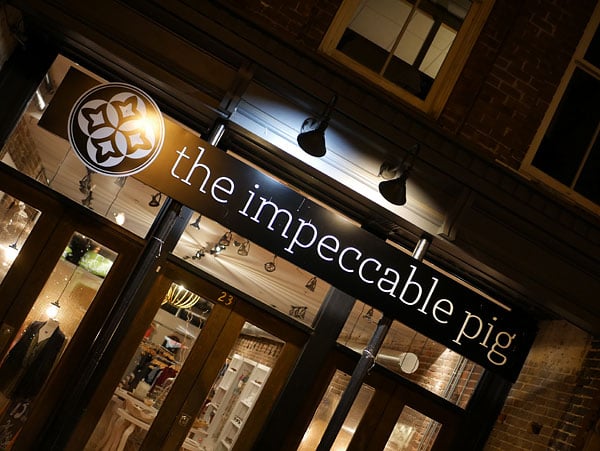
Great ergonomics for a compact mirrorless camera
One of the things I didn't have time to discuss in that first report was handling. Not because it wasn't important; more just because I'd run out of space. I have to say, though, that by and large I really liked how the Panasonic G7 feels in-hand, and how the controls are positioned.
I should note here that this is a pretty compact camera, so there are some of the usual gotchas in this respect. That's the price you pay to attain a lightweight device which you'll take with you wherever you go. For example, with my larger-than-average hands, I found my fingertips pressed somewhat uncomfortably into the camera body, although this was only really a concern when shooting single-handed with larger lenses. Making the grip deeper would have increased the size of the camera, so it's a tradeoff I'm willing to make.
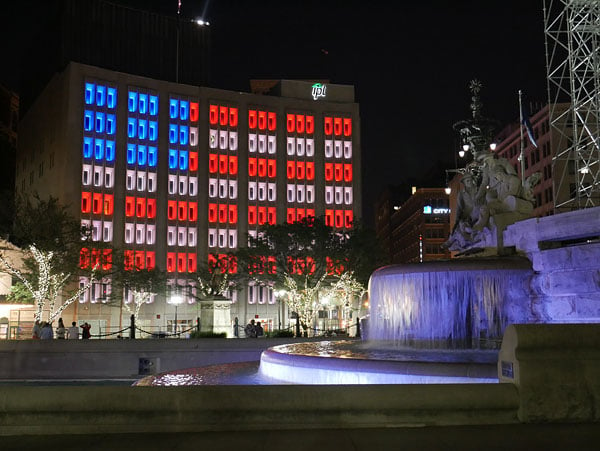
I also found a few of the rear-panel controls -- and especially the four-way control pad -- a little too close to the bottom right corner of the camera body, making them a bit uncomfortable to reach single-handed with the tip of my right thumb. And the drive mode dial, which sits atop the left shoulder of the camera, is a bit stiffer to turn than I'd like. (I usually had to grip it between thumb and forefinger, as it's too stiff to roll with just a single digit.) But again, this is nitpicking.
All of the other controls are pretty much ideally located for my liking, and have a good feel as well. The focus mode lever in particular is a joy, sitting just within reach of my right thumb for super-easy focus mode changes with no risk of the control being moved by mistake. And the twin control dials also help make this a very intuitive camera to shoot with.
 62mm-equivalent, 1/80 sec. @ f/5.4, ISO 10,000
A great new viewfinder and versatile tilt-swivel LCD
The first thing I noticed on lifting the Panasonic G7 to my eye back at Indy was its new viewfinder. It's bright, clear and very high resolution indeed. And thanks to a fairly high eyepoint, you don't have to mash it against your face to see the whole scene you're framing -- I could just barely manage to see everything without quite touching the non-removeable viewfinder eyepiece.
I also really liked the LCD monitor, which is extremely bright when set to its maximum luminance, making it easier than many to see outdoors. (You don't have to adjust it manually as it has an auto brightness control, but you can do so if you want to, albeit only with a three-step control over brightness.)
What I liked most about the LCD, though, isn't actually new. I'm a big fan of the side-mounted tilt/swivel articulation mechanism used in the Panasonic G7 and its predecessor. Not only does it make light work of framing from most any angle (even when shooting in portrait orientation, or when grabbing a quick selfie), but it also allows the screen to be closed facing inwards.
That helps protect it from minor knocks and scrapes, and for someone like myself who mostly frames using the viewfinder anyway -- switching to the LCD mostly for shots from difficult angles -- the LCD can be left protected in this manner most of the time. This tilt-swivel design is far more versatile than the more common tilt-only style in my book.
High ISO performance is pretty impressive
One of the main things I wanted to return to after my first field test was to see how the Panasonic G7 handled high-sensitivity shooting in low light. And after shooting at night both in Indianapolis and back home here in Knoxville, I came away pretty impressed.

Wandering around shooting under city street lighting, I felt comfortable routinely shooting at anything up to around ISO 6400-equivalent. Noise was well-controlled to this point, and fairly film-like as well. And in a pinch, pushing this to as high as ISO 12,800 still gave pretty good results, although there was some noticeable loss of finer details from noise reduction processing.
I generally avoided going beyond this point, as towards the upper limit of ISO 25,600-equivalent, images started to look a bit muddy, and had somewhat muted colors. Still, even here the Panasonic G7 was capable of turning in usable prints at smaller sizes.

All things considered, the Panasonic G7 showed itself more than up to the task of shooting handheld in low-light. And although autofocus performance wasn't quite as swift as it is under good ambient lighting conditions, the G7 also managed to lock focus accurately the majority of the time long after the sun had gone down.
The lack of NFC connectivity is a shame
Although there are quite a few upgrades in the Panasonic G7, there's also one feature which has been dropped in the new model. If you're an iPhone user, it's not something you'll miss as while Apple's hardware is quite capable of supporting it, the company hasn't provided that capability in software. For Android users, though, the lack of an NFC radio in the new camera means that Wi-Fi connection isn't quite as simple as it was in the G6.
 30mm-equivalent, 1/60 sec. @ f/3.6, ISO 20,000
In the earlier camera, you could simply bump your NFC-capable Android phone (and that's most of them, these days) against your camera, and a Wi-Fi connection would be established. If you didn't already have the required Panasonic Image App software installed on your phone, you'd also be taken to the app in Google's Play Store, saving you searching for it manually. That's no longer the case, though.
Instead, you'll now launch Wi-Fi either through the menu system or through one of the custom function buttons. By default, Wi-Fi is assigned to a soft button shown on the LCD monitor, and hidden behind the on-screen Function menu tab. You can, if you prefer, assign one of the physical function buttons to Wi-Fi instead. And of course, you'll then need to connect the phone to the camera's Wi-Fi network manually, once it's activated. It's a little more work for us Android folks than it used to be, but still reasonably straightforward.
Once connected, the Wi-Fi feature set of the Panasonic G7 is fairly comprehensive. You can control the camera remotely -- including the main exposure variables -- and view a live view image on your phone. You can also transfer images singly or en masse, and create photo collages from multiple images as you transfer them to your phone.
You can also geotag images, although this relies on the GPS receiver in your phone being active while you're shooting. That has a downside over a built-in GPS receiver in the camera: You're reducing battery life of the phone itself since the GPS has to be active all the time just in case you're about to shoot a photo. And in my own personal setup with all location services enabled on my phone -- a Sony Xperia Z2 -- the function simply didn't work for me, repeatedly advising me that a location fix couldn't be obtained even though other apps on the phone had no difficulty determining my location to within a few yards.

The live view image is smooth and responsive if the phone and camera are near each other, but I found range to be fairly limited in my own setup, and live view quality likewise quickly degraded. (And this in a fairly low-density residential neighborhood; my phone could see just four or five other Wi-Fi networks competing with the Panasonic G7's built-in Wi-Fi.)
Thankfully, there's a setting allowing the user to change the live view resolution, and this does help to extend range. At the maximum VGA live view resolution, I was already experiencing Wi-Fi dropouts and stuttering in the live view feed at a range of just ~10 feet from the camera. Reducing resolution to QVGA extended this to about 20-25 feet, but I wasn't able to connect at all if there was even a single wall between myself and the camera.
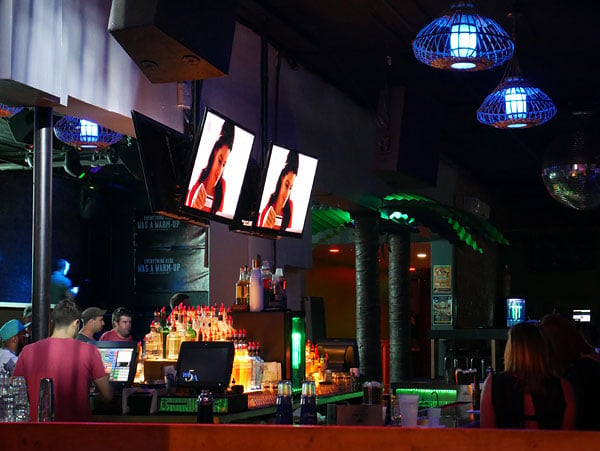
One other thing I found a bit disappointing with the Panasonic G7's Wi-Fi functionality was the app itself. The user interface is very crowded, with lots of rather obscurely-labeled icons, controls and menu options. Perhaps more frustrating though is that I couldn't get the live view feed to occupy the whole of my phone's screen. Instead, whether in landscape or portrait orientation the live view occupied at best a little under half of the screen, with the remainder given over to controls and display indications alongside, above and below the live view feed. Pressing the on-screen display button would reduce the clutter a little, but not increase the area given over to live view.
That's doubly a shame because, as I noted previously, the remote control capabilities of the Panasonic G7 are pretty comprehensive. Not only can you control exposure variables and trip the shutter, but you can even adjust focus manually complete with a repositionable loupe tool to check for focus, and a focus peaking function too. The interface while adjusting focus manually was a bit slow -- you can't drag the focus slider, but instead have to tap buttons to move focus in either direction -- but you can get around this by using autofocus to get you in the ballpark, or simply by using the on-camera controls.
 80mm-equivalent, 1/15 sec. @ f/5.6, ISO 6400
And this was something I really rather liked, actually. Too many cameras simply disable all physical controls as soon as Wi-Fi is connected, and it was nice to be able to make a quick adjustment from the camera body without first disconnecting the Wi-Fi. (You do sometimes have to half-press the shutter button to dismiss a rather obtuse warning on the phone that "camera operating is in progress", however, as it doesn't always clear by itself once you stop touching the camera.)
I also appreciated that unlike some cameras, I could jump from live view to playback / image transfer without first having to drop and then recreate the Wi-Fi connection. That's a big time saver if you are shooting a lot of images via Wi-Fi, but only want to transfer full-res copies of some of these to your phone.
And so long as phone and camera are pretty near each other, Wi-Fi transfers are pretty swift, as well. Of course, you can only transfer JPEG still images, as like most cameras out there, raw files and movies can't be transferred. Interestingly, though, there's a menu option in the app allowing you to choose whether movies are played by the app itself or using third-party functionality. I couldn't get this to work on either setting, though, despite having an app called MX Player on my phone which is quite capable of playing the Panasonic G7's movies.
At the end of the day, I felt the Panasonic G7's Wi-Fi functionality showed quite a bit of promise, even if it clearly has some rough edges, and an interface which is far too complex and opaque. Improvements to the app could make things much more enjoyable to use while still retaining a very comprehensive feature set. The limited range means I wouldn't expect to be able to set the camera up and then control it from a significant distance to avoid disturbing skittish wildlife, or anything along those lines. It's certainly fine for transferring images to your phone to share on Facebook, or for shooting the occasional group photo, though.

Final thoughts
At the end of my time with the Panasonic G7, I come away finding myself rather impressed with what it offers. For a very affordable pricetag, you can get great image quality in a very compact and lightweight package. Ergonomics are for the most part very good -- within the constraints of its body size of course -- and while the Panasonic G7's profusion of external controls can initially prove rather intimidating, you get used to them very quickly.
Compared to the earlier Panasonic G6, there are some very worthwhile improvements on offer here beyond the redesigned body, complete with its twin control dials. The new sensor, processor and Depth from Defocus technology provide a wider sensitivity range and greater performance than before. The new viewfinder is a real treat for the eyes, and the brighter LCD monitor helps with outdoor visibility. And the refinements to the 4K Photo user interface make it noticeably easier to use.
I've had a lot of fun shooting with the Panasonic G7, and it yielded more than a few photos I'm really happy with. And for bonus points, I didn't have to strain myself lugging a big bag of gear around;* a few relatively compact lenses and the camera easily fit into a small bag. With my personal camera -- a Pentax DSLR -- I'd have needed quite a bit more bulky gear to get the same shots. If you're looking for a camera that pairs versatility and image quality with take-anywhere proportions, I'd highly recommend you put the Panasonic G7 near the top of your shortlist!
Field Test Part II
High-octane excitement at the Indy 500!
By Mike Tomkins | Posted: 06/05/2015
 58mm-equivalent, 1/320 sec. @ f/9, ISO 200
One of the perks of my job is that I get to shoot some very cool cameras, and so I like to seek out equally cool shooting opportunities with which to put them to the test, whether it's hiking in the Colorado mountains, flying in an 85-year old Ford Trimotor, or searching for shipwrecks on the rocky coast of Hong Kong. For the Panasonic G7, though, I had the most awesome subject I've had in years, shooting at the world-famous Indianapolis 500!
For those of you who aren't well-versed on your motorsports, the Indy 500 is a motor race that's famed worldwide as the fastest venue in the Triple Crown of Motorsport! Alongside my fellow members of the photo press, I attended the Indy 500 as a guest of Panasonic. That got me much closer to the action than I'd have been on a standard ticket, including behind-the-scenes access to both the pit lane and garages, and a spectacular view from top of the recently-renamed Panasonic Pagoda.
(Panasonic doesn't just have its name on the pagoda, either. The company has also recently upgraded the many video boards that surround the circuit with brand new high-def displays. They're incredibly bright and vivid, and an excellent reminder that this is a company with a lot of experience in imaging, al the way from capture to display. But I digress...)
We're going to do things just a little differently
Shooting at the Indy 500 has necessitated a change in the way I'm writing my review, though. I got my hands on the Panasonic G7 shortly before the event itself, so I had ample opportunity to familiarize myself, but once the weekend was over the camera had to be returned temporarily. We have another review sample, but it's in the lab for testing as we speak, so I won't have a chance to handle it again until all of our many tests have been completed.

Typically, I start my Field Tests with a discussion of ergonomics, handling and controls, hitting both the high and low points. When I'm writing about handling, I like to have the camera in-hand to refresh my memory, though. Hence, I'll be saving a more in-depth discussion of how the Panasonic G7 feels in-hand until it returns from the lab, and I can follow up with my second shooter's report. Briefly, though, I will say that it shot confidently and ergonomics were pretty good overall -- impressively so given it's pretty compact and I have big hands.
Instead, for this Field Test I'll be focusing on the weekend's shooting. And boy, did I ever have the subject to put this camera to the test!
Great shooting locations, but challenging ones too
 600mm-equivalent, 1/640 sec. @ f/5.6, ISO 250
The weekend's shooting started in anger on Saturday morning, what the Indy folks refer to as Legends Day. For the fans, Legends Day has several things to offer: The chance (after some queueing, of course) to meet the drivers and get autographs, an opportunity to experience legendary cars of days gone by on the track, and live music in the evening.
For myself, the proposition was a little different. I've shot motorsports before, but it's been a very long time indeed since I last tried my hand at taking photos of really fast cars driving flat-out. (How long? Think all the way back to when Formula One used to hold its annual United States Grand Prix at Indy, something that last happened in 2007.)
In my earlier experiences, I'd learned that shooting race cars as they tear down the straight at 200mph+ is a very, very difficult task, at least if you want some part of your photo to be tack sharp. And forget about autofocus: There's simply not time. Instead, shooting prefocused is the way to go, rattling off a quick burst of shots as you pan across the point where you've prefocused.
Ideally, I'd have put myself inside one of the Indianapolis Motor Speedway's incredible banked corners for a smoother panning motion, or perhaps at the end of the front or back straights, with the subject motion heading straight towards me. But while my level of access for the Indy 500 was pretty spectacular, my pass didn't allow me to enter either location.

Instead, most of my shooting was from the upper levels of (or from right in front of) the Panasonic Pagoda, right in the middle of the front straight, and adjacent to the legendary yard of bricks that lines Indy's start / finish line. That still provided me with a really great view, no question about it. For photography, though, it was about as challenging a location as you can get if you're after tightly-cropped shots of the action. As they tear down the straight, the cars are nearing their top speed and the lateral motion that you have to follow when panning is as fast as it gets.
Bringing my panning skills back up to date
 40mm-equivalent, 1/400 sec. @ f/9, ISO 200
For Legends Day, though, the cars thankfully weren't being pushed anywhere near their limits. Their relatively slower speeds meant that I had a better chance of a good panning shot from my location -- and just as well, because when they first started rolling, I was literally standing just feet from the track itself.
My choice of lenses was made with race day itself in mind. For wide-angle shots in the garages and pit lane, I had the LUMIX G VARIO 14-42mm / F3.5-5.6 II ASPH. / MEGA O.I.S. kit lens. For shots of the cars on track, I chose the strongest telephoto lens on offer, a LUMIX G VARIO 100-300mm / F4.0-5.6 / MEGA O.I.S. zoom, to help bring the action up close from the pagoda.
And this choice did stand me in good stead for race day. On Legends Day and standing right next to the track, though, it wasn't an ideal choice. With the 14-42mm being too wide for the tightly-framed shots I was after, it meant the widest I could shoot at was 200mm-equivalent, taking into account the 2x focal length crop of a Micro Four Thirds camera.
Were I shooting for my own benefit, I'd have stuck with the 14-42mm and just cropped post-capture, but since my photos must go into the gallery unedited, I faced something of a baptism of fire even at the slower speeds of the classic race cars being shown off. Clearly, I needed to get back in the swing of panning to follow these gorgeous machines, and quickly.

A degree of motion blur is actually fine in shots like these, to my mind, so long as something -- preferably around the driver's helmet -- is very close to tack sharp. It's really a bit of a balancing act, though. You want to freeze the car with a fast-enough shutter speed, but blurring the background and tires gives a greater impression of speed, and that demands you drop the shutter speed.
The cars hit the track
Thankfully, my muscle memory kicked in fairly quickly once the cars started rolling, and after a few laps during which I resurrected my panning skills, I got myself in the ballpark on shutter speed. With the relatively lower speeds of the classic racing cars, somewhere in the region of 1/200 second seemed to work pretty well, although I also shot a fair few images at much higher shutter speeds just to be certain of getting some sharp captures. (I'm a belt-and-suspenders kinda guy!)

While I didn't get any panning shots which were perfectly framed, blurred the background, and yet got the driver (or somewhere near them) tack-sharp on this first day, I got quite a few images that I was nevertheless very happy with. The exceptionally compact lens and body sizes allowed by the Micro Four Thirds format -- and the lighter weight that come along with them -- definitely helped. I don't think I could've gotten as many keepers with a typical DSLR shooting at the same equivalent focal lengths, simply because of the extra effort required to hold and pan a larger, heavier body and lens combo.

All too soon, the action was over though. After heading down to the Snake Pit -- think a mosh pit, but in the middle of a race track and not yet a quagmire of mud -- I headed back to the hotel to filter through the thousand-plus images I'd already shot. There really wasn't much going on at the track with the live music not yet started, and I wanted to come up with a plan of action after analyzing my first batch of images. It was the following day that I'd really put my skills -- and the Panasonic G7 -- to the test.

Race day arrives, and with it the world
Waking up the next morning, it was almost as if I'd been transported to a different city as I slept. Relatively sleepy just 24 hours earlier, Indianapolis was packed to bursting. Thankfully, we had a police escort to the racetrack, because without it we'd definitely have taken an hour and a half or more just to drive the few miles to the speedway.

Arriving early at the circuit meant not only that I had some time to kill before the race, but also that I was right at the front of the queue when it came time to hand out passes that would let us into the garage area behind pit lane. That turned out to be extremely fortuitous, as shortly after I made my way down there from the pagoda, cars started to be rolled from the garages to head out on track.
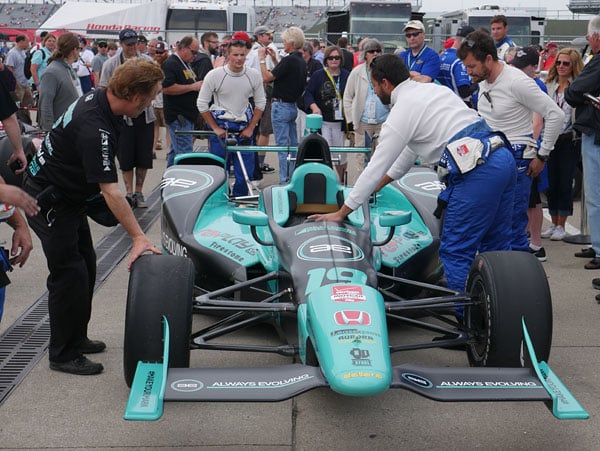
And here was little old me -- not well versed on Indy racing, but a long-time Formula One race fan and very enthusiastic about my motorsports -- standing right in the midst of it all. I was like a kid in a candy store, dashing from garage to garage to get up close and personal with each and every car.

And I do mean up close and personal! Several times, I found myself trapped behind a car that had turned in front of me to exit its garage, and had to actually enter the garage forecourt just to get out of the way and avoid my toes being run over! It gave me an opportunity for some great shots, though, such as the one above showing a rather delighted young chap beaming from ear to ear at getting to sit in the car while it was pushed out. (It seemed mostly to be mechanics in the cars at this point; I presume the drivers show up only once the car arrives in pit lane.)

And that was where I found myself next, as the stands slowly filled with fans eager to see some racing. Time was running out before I had to hand my garage pass over to the next journalist, but nonetheless I got some great shots in the pits as cars were prepped for the race. All too soon though, it was time to head back up to the Panasonic Pagoda. It wasn't only the drivers and teams who were getting ready: I, too, had to come up with a plan of action for the race.
600mm-equivalent, 1/320 sec. @ f/16, ISO 400
After looking at my photos, I'd come to the conclusion that my best bet was to aim for a wide spread of shutter speeds in Shutter-priority mode. With some luck, I'd get good results with nicely-blurred backgrounds at the lower speeds, but by roaming as high as 1/1,000 second I'd ensure that I still had some keepers. And it's a good thing I did, because two of my favorite shots from the weekend, as it turned out, were at 1/125th and 1/1,000 second respectively -- quite a difference even taking into account that the latter image was much more tightly framed.
Perhaps the biggest thing I'd decided overnight, though, was that I wanted to aim to capture passes. Cool as the shots of the vintage cars were, they lacked a bit of excitement simply because the cars were coming past single-file. When still distant, the heat haze coming off the track made the shots blurry and unattractive, but once the cars got close to me, they were too widely-spaced to get a pair in-shot together without shooting at wide-angle, which made them look small and insignificant.
A race distance gives time to learn and experiment
There would be no such problems on race day, because there is a lot of passing in oval racing. I just had to remind myself to wait and watch for a likely pass, rather than panning to follow the first car that came around. Panasonic's big-screen displays around the track were a boon here, giving me a good indication of when to expect the front-runners around the banked turn onto the front straight, and whether I should be expecting a close battle.

I shot with both eyes open, one framing the track at the point where the cars would come into my view, and the other watching the video boards. As soon as two cars came around the corner that were close together, I'd start panning to follow them, hoping for a pass -- and more often than not, there was one. It actually got pretty easy to predict when it was going to happen, and to guess how far down the track the passes would take place, then set my focus and zoom before the cars arrived.

Sure, panning to follow cars moving at probably 230 miles per hour or thereabouts was still a difficult task, but I'd stacked the odds of getting interesting shots in my favor. And I had another advantage on race day -- a whole lot more cars on track at once and a much greater distance turned by each car. I was set for a whole lot of shooting opportunities, and easily rattled through another couple of thousand shots on race day, even taking my time to put down the camera now and then just to soak in the experience.

4K Photo now has an excellent interface...
Another feature I'd decided to test on race day was the Panasonic G7's upgraded 4K Photo mode, which now has a much more simple and intuitive user interface with which to select your images. Simply swiping left or right on the LCD monitor scrolls through a cascade of frames from a 4K Photo-mode video clip, and a quick tap of an on-screen button saves a still. And you don't need to do this straight after shooting the clip, either. You can return to it at any time from playback mode to extract as many stills as you want.

I figured 4K Photo mode would make it easier to get a shot with the cars just where I wanted them, and indeed it was. For example, I could put a car right on the start / finish line by simply stepping through the 30 frames per second that the G7 had captured. Shooting even high-speed bursts of regular stills made the chances of hitting the moment that the car crossed the line much, much harder.
...but there are still some quirks to its operation
It did take me a few attempts to get the hang of 4K Photo shooting, though, because when I first started a capture, the viewfinder would blank just briefly and I'd lose sight of the cars I wanted to follow. The answer was to start the clip shortly before the cars came into view, by which time the viewfinder image had restored itself and I could see my subject as I panned with it.

Sadly, my images in 4K Photo mode revealed a significant rolling shutter effect. If I framed tightly enough, it wasn't a problem because my panning speed approximated that of the car itself, and so the degree of rolling shutter wasn't so high. If I included much of the background in the frame, though, vertical elements such as the fences around the track and antennas in pit lane were skewed at extremely drunken-looking angles.
WOW! Access to pit lane during the race
A little while after the halfway point of the race, I was thrilled to discover that our group had a special tag giving us access to the pit lane, one at a time. With quite a few journalists on the trip, that meant a relatively short period in the pit lane, but my timing was fortuitous and several pitstops happened while I was there. And really, you can't ask for any better access than to walk among the teams and sit on the pit wall, just feet away from the cars as they're being worked on. It was a truly jawdropping experience, and one I'll remember for the rest of my life.
Pitstop time: This 60 frames-per-second Full HD (1080p60) video shows a pitstop by Graham Rahal of the Rahal Letterman Lanigan Racing team. Apologies for the shakiness of the clip, but I had to jostle for position a little, all while trying not to get in the way of the pro photographers or team staff! |
Those memories will be reinforced by the videos I shot at the race, an example of which you can see above. Between jostling for position with other photographers and trying to stay out of the way of the teams, the result was a bit shaky but nonetheless very cool. If I'd shot in 4K, I could've stabilized the clip and still had plenty of resolution for Full HD output, but as it happened, none of the 4K clips I shot in the pit were as exciting as this particular video.
The side show: Alongside the race, there were plenty of other activities to keep fans entertained. Here, the Indiana Pacers' "High Octane" Drumline show off for the crowd while I film them in 4K. |
For those of you who have 4K displays and want to see what video straight from the camera looks like, I'm also including a 4K clip of the Indiana Pacers' drumline below,, as well as a clip shot in 4K Photo mode for still image extraction, showing Juan Pablo Montoya as he starts his final, race-winning lap. Note that the latter intentionally has no sound, since it is shot in 4K Photo mode. It also has a much higher frame rate (1/1,600 second, if I recall correctly) to try and freeze the cars, although as it turned out I needed an even higher shutter speed to manage this.
4K Photo: The clever -- if somewhat rolling shutter-prone -- 4K Photo mode of the Panasonic G7 also saves its results in video form, allowing you to go back and extract high-res stills at your convenience. The clips typically use a much faster frame rate than regular videos, which is good for stills, but yields rather stuttery video. Still, it's there if you need it -- just bear in mind that there's no sound being recorded in 4K Photo mode. |
More 4K Photo fun!
Towards the end of the race and having gotten plenty of panning shots I was happy with, I opted for a different strategy with 4K Photo mode. Instead of panning to follow the cars, I tried keeping the camera static, first of all with a low shutter speed that would turn the cars into streaks across the frame, and then with a higher shutter speed to freeze their motion.
This latter idea worked quite well, so long as one ignores the distortion caused by the rolling shutter effect. If Panasonic can get a handle on rolling shutter, it's going to have a real hit on its hands, because it really is spectacularly easy to get your subject just where you want it.

Proving the point, I managed a still of Juan Pablo Montoya's final pass on Will Power for the lead in the race, just four laps before his eventual win -- and not just that, but the nose of Montoya's car has just edged past the first row in the yard of bricks.
Were it not for the rolling shutter and the fact that I had the shutter speed just slightly too low, it would've been an absolutely epic shot of the decisive moment in the race. But using 4K Photo mode does take some getting used to, for sure. It's hard not to think in terms of limited buffer depth, and four laps later when I reached the moment I'd been waiting for, I experienced monumental brain fade.
A moment of heartbreak
I'd set the camera up so that the winning car would be nicely framed as it crossed the line, checkered flag waving right above his head. I saw the cars coming around the final turn on the video boards, and I heard them coming down the straight. I'd chosen a perfect location from which to see the start / finish line unobstructed, but I wouldn't be able to see the cars themselves until just a fraction of a second before they crossed the line.

As the noise levels peaked, I started a 4K Photo capture, the camera set to record for as long as I held the shutter down -- and then the wrong car appeared in my view! Unbeknownst to me, a back marker had fallen all the way back to just about be lapped by the leaders, and I'd reacted to the wrong car. All would have been well if I'd just kept that shutter button held down, but in my confusion, something in the back of my head -- echoes of filled buffers from so many cameras over the years -- told me to let go, and I did.
Heartbreakingly, the final frame of that 4K Photo clip showed the nose of Montoya's car entering the frame, and the checkered flag just falling at the top of the shot. Had I only held that shutter for a fraction of a second longer, I'd have managed a perfectly-framed shot of Montoya as he crossed the line to take his win, but it wasn't to be. Not the camera's fault in the least, mind you. I genuinely believe I've just been trained not to risk filling the buffer at the crucial moment, and reverted to form as if I were shooting a regular still.

Not the end of the world, by any means, and honestly I was still thrilled with all the great photos I shot on Race Day. I got more keepers than I had any right to expect given my relative inexperience at motor racing photography -- in fact, enough that it was a day-long struggle just to cull them down to my favorites for the gallery.
Plenty more to come, and lots more shots in the gallery
There's still plenty more to talk about in my second Field Test, including handling, Wi-Fi connectivity, and high ISO image quality. (I've already shot a raft of shots at high sensitivity, which you'll find in my Panasonic G7 gallery, but I'm already several thousand words in here, so I'll save the analysis for the next section of my report.)

And of course, if you have any questions or requests for features you'd like me to test once the Panasonic G7 is back in my hands, I'll do my best to answer -- just sound off in the comments below!

Flash
Panasonic G7 Flash

Built-in Flash Test Results
Coverage and Range
A fairly weak flash but with decent coverage. Above average positive exposure compensation required.
| Coverage |
 |
| 14mm, f/3.5, ISO 200 |
Coverage. Flash coverage is a little uneven at wide angle, leaving the corners of our flash target a little dim at 14mm, though results are actually better than average. Some of the corner shading can also attributable to the lens itself. We no longer test flash coverage at telephoto, as it is invariably better.


Exposure. Indoors under incandescent background lighting, the Panasonic G7's flash underexposed our indoor portrait scene slightly at ISO 200, despite the +1.0 EV flash exposure compensation used. (An average of +0.7 EV is normally needed for this shot.) You'll likely need to boost ISO (or enable Auto ISO) for typical indoor shots. The camera's slow-sync flash mode required no compensation to produce a bright shot, though the longer shutter time (1/15s vs 1/60s) resulted in a strong orange cast from the ambient background lighting.
| Manufacturer-Specified Flash Range |

|
| Telephoto (f/5.6) 5.5 feet, ISO 200 |
Manufacturer-Specified Flash Range Test. The Panasonic G7's built-in flash has a Guide Number of 6.6m at ISO 100, or 9.3m at ISO 200. That works out to a range of 5.5 feet at ISO 200 and f/5.6, the maximum aperture of the kit lens at full telephoto. As you can see above, the G7 produced a flash target that was just slightly underexposed, which means Panasonic's flash rating is pretty accurate, though perhaps just a bit optimistic.
Our standard test method for flash range uses either a fixed setting of ISO 200 when a Guide Number is given, or the manufacturer-specified camera settings, at the range the company claims for the camera (at Auto ISO if so specified), to assess the validity of the specific claims.
High ISO Noise Reduction
Panasonic G7 Noise Reduction
The Panasonic G7 offers no fewer than 11(!) noise reduction levels, offering very fine granularity on noise reduction strength, however there doesn't appear to be a way to assign different NR levels to specific ISO ranges as we've seen on some cameras. The Panasonic G7 user manual doesn't say when noise reduction kicks in, so we've included crops from the entire range of ISOs in the tables below.
See for yourself how the Panasonic G7's default and -5 (lowest) noise reduction settings compare to RAW without noise reduction under daylight-balanced lighting. (Note that these RAW images also have no sharpening applied, so they're a little softer than camera JPEGs at low ISOs.) Click on any of the crops below to see the corresponding full-sized image.
| High ISO Noise Reduction Comparison Daylight-balanced illumination |
|||
|
Default
|
-5
|
RAW (no NR)
|
|
|
I
S O 1 0 0 |
 |
 |
 |
 |
 |
 |
|
 |
 |
 |
|
|
Default
|
-5
|
RAW (no NR)
|
|
|
I
S O 2 0 0 |
 |
 |
 |
 |
 |
 |
|
 |
 |
 |
|
|
Default
|
-5
|
RAW (no NR)
|
|
|
I
S O 4 0 0 |
 |
 |
 |
 |
 |
 |
|
 |
 |
 |
|
|
Default
|
-5
|
RAW (no NR)
|
|
|
I
S O 8 0 0 |
 |
 |
 |
 |
 |
 |
|
 |
 |
 |
|
|
Default
|
-5
|
RAW (no NR)
|
|
|
I
S O 1 6 0 0 |
 |
 |
 |
 |
 |
 |
|
 |
 |
 |
|
|
Default
|
-5
|
RAW (no NR)
|
|
|
I
S O 3 2 0 0 |
 |
 |
 |
 |
 |
 |
|
 |
 |
 |
|
|
Default
|
-5
|
RAW (no NR)
|
|
|
I
S O 6 4 0 0 |
 |
 |
 |
 |
 |
 |
|
 |
 |
 |
|
|
Default
|
-5
|
RAW (no NR)
|
|
|
I
S O 1 2 8 0 0 |
 |
 |
 |
 |
 |
 |
|
 |
 |
 |
|
|
Default
|
-5
|
RAW (no NR)
|
|
|
I
S O 2 5 6 0 0 |
 |
 |
 |
 |
 |
 |
|
 |
 |
 |
|
The Panasonic G7's default noise reduction setting provides a good tradeoff between noise and detail at lower ISOs to our eye, but it has quite an impact on our difficult red-leaf swatch atlready at low ISOs, and turning noise reduction down to the lowest strength doesn't help that much. Still, we'd probably shoot with the lowest setting at higher ISOs and reduce noise ourselves in post-processing (or just shoot RAW). As you can see, the G7 already applies noise reduction at its lowest (extended) ISO of 100. At the other end of the ISO range, you can see that the G7 is quite effective at reducing chroma noise, even at the lowest NR setting.
Technical Info
by Mike Tomkins | Posted: 05/21/2015
Sensor
At the center of the Panasonic G7 sits an updated 16.00-megapixel Live MOS image sensor, replacing the 16.05-megapixel chip used in the earlier G5 and G6 models.
The new imager is the same as that used in the Panasonic GX7, and compared to the earlier design, it's said to have a better signal to noise ratio, yielding lower noise levels at ISO 800 and above. Dynamic range is also better, according to Panasonic. These improvements were achieved courtesy of larger photodiodes, better microlenses, an improved on-chip amplifier design, and on-chip A/D conversion.
Processor
Panasonic has also upgraded the Venus Engine image processor of the G7, bringing it up to the same spec as that used in the FZ1000 and LX100. It's the same processor design as used in the GH4, but running newer algorithms that provide for better detail and gradation.
Sensitivity
By default, the Panasonic G7 offers a sensitivity range covering everything from ISO 200 to 25,600 equivalents, compared to the ISO 160 to 12,800-equivalent base sensitivity range of the earlier G5 and G6.
Those cameras could reach the G7's maximum sensitivity if they used ISO expansion, but Panasonic now feels that image quality at this upper limit is now good enough to include in the base range. And while the G7 is bested just a little by its predecessors at the bottom end, you can enable the ISO 100 expansion on the newer model if you don't mind sacrificing some highlight headroom.
Performance
With a full-resolution burst performance of eight frames per second with focus fixed from the first frame, or six frames with AF between frames, Panasonic claims an increase in performance of around one frame per second overall.
Using the Panasonic G7's electronic shutter function, performance can be increased still further to a maximum of 40 frames per second. However, Panasonic has yet to state the image resolution in this configuration.
Optics
The Panasonic G7 offers up a standard Micro Four Thirds lens mount, compatible with lenses from Panasonic, Olympus, and their Micro Four Thirds partners. Including optics from companies such as Cosina Voigtländer, Kenko Tokina, Leica, Schneider Kreuznach, Sigma and Zeiss, the selection of lenses for the Micro Four Thirds mount is very healthy indeed. (And frankly speaking, well past the point that we can easily give a figure for the number of different models available.)
The Panasonic G7's lens mount ring is crafted from metal.
Focusing
Like its predecessors, the Panasonic G7 relies solely on contrast detection autofocus, eschewing the on-chip phase detection pixels of some rivals. Don't take that to mean it's slow to focus, though!
Courtesy of Panasonic's clever Depth from Defocus technology, the G7 can determine the distance and direction to a focus lock using an intimate knowledge of the attached lens' bokeh characteristics. That's the same information that would be provided using phase detection, and it allows the G7 to focus very swiftly indeed.
Panasonic says that DFD technology in the Lumix G7 will allow confirmation of a focus lock in as little as 0.07 seconds, down from 0.15 seconds in the G6, which used only contrast detection AF. Of course, results will vary depending on the lens in use. That figure applies to the H-FS14140 Lumix G Vario 14-140mm F3.5-5.6 Asph. Power O.I.S. lens, specifically.
The Panasonic G7's AF system can also operate in extremely low ambient light conditions, with a working range of -4 to 18EV. That allows for a rather cool feature: Starlight AF. Yes, really -- you can now focus just using a brightly starlit sky! This rather nifty trick is achieved by using a slower shutter speed while determining autofocus in low light.
Autofocus tracking is also said to have been improved, with the Panasonic G7 now using not just subject color to track motion, but also calculating a motion vector and using this to estimate the subject's motion, a change that allows tracking of faster-moving subjects. (This, says Panasonic, is the first Lumix model with this capability.)
Viewfinder
The Panasonic G7 sports a brand-new electronic viewfinder that's better than those of its predecessors in a couple of ways. For one thing, it provides a significantly sharper view, courtesy of a new Organic LED panel with an extremely high resolution of 2,360k dots. (In comparison, the OLED panel in the G6 had a resolution of 1,440k dots.)
Panasonic still rates coverage at 100%, with a magnification of 1.4x (or 0.7x if you're comparing to a 35mm full-frame camera). Both a -4 to +4 diopter correction and an eye proximity sensor are included. The eyepoint of 17.5mm remains unchanged from that of the earlier camera, as does the magnification of 1.4x (or 0.7x equivalent for a 35mm camera).
Monitor
The Panasonic G7's LCD monitor is also a new design. Its 1,040k-dot resolution is, as near as makes no difference, the same as that in the earlier camera, and it retains the same 3.0-inch diagonal as well.
What's new is a much more powerful backlight, which according to Panasonic has allowed a 50% increase in panel brightness. Controls for brightness, contrast, saturation, red-green, and blue-yellow adjustments are all available.
Articulation
Just as in the earlier cameras, the Panasonic G7 includes an articulation mechanism that allows for viewing the LCD monitor from a range of angles. And it's not just the more common tilt-only style, but rather a full tilt/swivel that allows for unobstructed selfie framing and shooting from awkward angles regardless of whether you're framing in landscape or portrait orientations.
Touchscreen interface
Panasonic has also retained a touch-sensitive overlay on the G7's LCD monitor as in earlier models, allowing it to serve as an input device. This can be used for everything from selecting a subject on which to focus or set exposure to menu control.
Exposure
As well as a full complement of Program, Aperture and Shutter-priority and Manual exposure modes, the Panasonic G7 also offers up a generous selection of 24 Scene modes, and both Intelligent Auto and Intelligent Auto+ modes for maximum simplicity.
Scene modes on offer include Clear Portrait, Silky Skin, Backlit Softness, Clear in Backlight, Relaxing Tone, Sweet Child's Face, Distinct Scenery, Bright Blue Sky, Romantic Sunset Glow, Vivid Sunset Glow, Glistening Water, Clear Nightscape, Cool Night Sky, Warm Glowing Nightscape, Artistic Nightscape, Glittering Illuminations, Handheld Night Shot, Clear Night Portrait, Soft Image of a Flower, Appetizing Food, Cute Dessert, Freeze Animal Motion, Clear Sports Shot and Monochrome.
All but Glistening Water, Glittering Illuminations and Soft Image of a Flower can also be used during movie capture.
Exposures are determined using a 1,728-zone multi-pattern metering system by default, with options to use center-weighted or spot metering. The metering system has a working range of EV 0 to 18 using an f/2.0 lens at ISO 100 equivalent, and determines exposures using the image sensor.
To tune the results, a generous +/-5EV of exposure compensation is available in 1/3EV steps. (Or +/-3EV for movie capture.) You can also bracket exposures inside a range of +/-3EV, with a total of three, five or seven frames in 1/3, 1/2 or 1EV steps.
Shutter speeds on offer range from 1/4,000 to 60 seconds, with a Bulb mode pushing this out to a maximum of two minutes. An electronic shutter function allows shutter speeds from 1/16,000 to one second.
Flash
If you need to throw a little more light on nearby subjects, the Panasonic G7 offers two options. There's a built-in, popup flash strobe with a guide number of 6.6 meters at ISO 100 (9.3 meters at the base sensitivity of ISO 200), and a hot shoe for external strobes.
Flash sync is at 1/160 second, and available flash modes include Auto, Auto with Red-eye Reduction, Forced On, Forced On with Red-eye Reduction, Slow Sync., Slow Sync. with Red-eye Reduction and Forced Off. Slow sync provides both first and second-curtain shutter options. Flash exposure compensation is also available, with a range of +/-3EV in 1/3EV steps.
Creative
The Panasonic G7 offers a number of creative options, should you wish to take your photos beyond the exposure in-camera. Both standard and wide panorama options are provided, and you can also shoot time-lapse series or create stop-motion animations.
The look of photos can be tuned with a choice of Standard, Vivid, Natural, Monochrome, Scenery, Portrait or Custom photo styles. In movie mode, you can also choose Cinelike D and Cinelike V photo styles.
A wide range of filter functions -- called Creative Controls -- are available, including Expressive, Retro, Old Days, High Key, Low Key, Sepia, Monochrome, Dynamic Monochrome, Rough Monochrome, Silky Monochrome, Impressive Art, High Dynamic, Cross Process, Toy Effect, Toy Pop, Bleach Bypass, Miniature Effect, Soft Focus, Fantasy, Star Filter, One Point Color and Sunshine.
All but the Rough Monochrome, Silky Monochrome, Soft Focus, Star Filter and Sunshine filters can also be used with movies. You can also shoot high dynamic range imagery in-camera.
Movie
The Panasonic G7 is relatively rare in being able to shoot not just standard-definition or high-definition movies in-camera, but also ultra-high def movies. Topping out at the consumer 4K video standard of 3,840 x 2,160 pixels, the G7 uses MPEG-4 compression at a bitrate of 100Mbps, and offers frame rates of 24, 25 or 30 frames per second.
Dropping the resolution to Full HD (1,920 x 1080 pixels), the default compression is AVCHD, and frame rate options include 60, 50, 30, 25 or 24 frames per second, or 60 / 50 interlaced fields per second. Bitrates range from 17 to 28Mbps in this configuration. You can also opt for MPEG-4 capture at rates of 30p or 60p, with bitrates of 20 or 28Mbps.
At HD resolution (1,280 x 720 pixels), MPEG-4 is the only option, with a choice of 25p / 30p frame rates, and a fixed bitrate of 10Mbps. Finally, at VGA resolution (640 x 480 pixels), you have a choice of 25p or 30p framerates and a fixed 4Mbps bit rate.
Note that in the US market, frame-rates intended for PAL video -- 25fps at 4K, 50p/i or 25 fps at Full HD, and 25 fps at HD or VGA -- are not possible, as US-market cameras lack PAL compatibility.
Audio comes courtesy of an internal stereo microphone, or external mics via a 3.5mm stereo mic jack. A wind cut function is provided, and now works even on stereo video. Three strength levels are available, as well as an auto wind cut filter.
4K Photo
The Panasonic G7 also includes the company's 4K Photo function. What this does, in a nutshell, is to record a 4K video clip and then let you browse through it to select individual frames you'd like to extract as high-res eight megapixel still images. In essence, it provides a 30 frames-per-second burst capture mode with a whopping half-hour burst depth. And it can even be configured to start capture two seconds before you press the shutter button!
You have a choice of Program, Aperture-priority, Shutter-priority or Manual exposure in 4K Photo mode, and shutter speeds are biased towards the shortest possible exposure time to freeze motion. That choice would lead to undesirably jerky video, but it's just what you'd want to do when shooting high-speed bursts of still images to avoid motion blur. Nor is that the only difference from regular 4K capture: In 4K Photo mode the Panasonic G7 uses a wider signal range, where in regular capture that range is curtailed just slightly at both the shadow and highlight ends.
There's a nifty new user interface for selecting 4K Photo stills, as you can see in the video below:
High-res stills from 4K video: The Panasonic G7 now sports the company's 4K Photo mode, which allows users to extract high-resolution eight-megapixel still images from 4K video clips. The touch-screen user interface for the function has been updated, making it easier to choose and extract the frames you're after. |
Wireless Networking
The Lumix G7 features in-camera Wi-Fi wireless networking connectivity. While it's no longer paired with NFC for easy setup on Android devices, Panasonic does offer the next best thing -- an on-screen QR code that works to pair both Android and iOS by aiming your smartphone's camera at the LCD display. Compatibility includes 802.11b/g/n networks on channels one to 11, and WPA / WPA2 encryption are supported, as well as infrastructure mode connections.
Once paired with your smartphone or tablet, you can control the camera remotely and options such as focus control or shutter release are available to you. Images you've shot can also be transferred for sharing with friends and family online. And while the camera itself lacks a GPS receiver, if you don't mind the significant hit on your phone's battery life, you can record track logs that allow your images to be geotagged after the fact.
Connectivity
Wired connectivity is, of course, also included. You have a choice of USB 2.0 High-Speed data or NTSC/PAL composite video output via a shared connector, and a Micro HDMI Type D high-definition video output. (Note, though, that US models don't support PAL output on the composite connection.)
There is, as we've already mentioned, also a 3.5mm microphone jack, and this doubles as a connector for the optional wired remote control.
Storage
As well as standard Secure Digital cards, the Panasonic G7 also supports the higher-capacity SDHC and SDXC types, as well as the higher-speed UHS-I and UHS-II cards. Panasonic recommends a UHS Speed Class 3 card for 4K recording.
Power
The Panasonic G7 draws power from a proprietary 7.2-volt, 1,200mAh, 8.7 watt-hour DMW-BLC12 lithium-ion battery pack. Battery life has increased by ten frames, to a total of 340 frames with the H-FS14140 Lumix G Vario 14-140mm/F3.5-5.6 Asph./Power O.I.S. lens mounted. A standalone charger is included in the product bundle, and in-camera charging via USB port is not supported.
Walkaround
by Mike Tomkins | Posted: 05/18/2015
Panasonic has crafted a brand-new body for the Lumix G7. Where the body of its predecessor, the G6, was smooth, flowing and curvy, the G7's is angular and entirely more aggressive-looking. It's also grown just fractionally in all dimensions (approximately two millimeters greater width and height, and six millimeters in depth), along with a slight (20g) increase in weight.

Although it's clearly a brand-new camera, a look at the front deck of the Panasonic G7 shows a layout that is almost unchanged. The only control on the front is the lens release button, and there's still an autofocus assist lamp tucked alongside the top of the handgrip. One feature is notable by its absence: The microphone input that used to sit under a flap at the top left corner of the G6 (as seen from the rear) is gone in the Panasonic G7, having been moved to the camera's left side.

It's the top deck of the Panasonic G7 that's probably the most changed since that of its predecessor. The existing mode dial of the G6 has been joined up top by three more dials, two of them new. On the camera's left shoulder is one of these: The drive mode dial, which includes specific positions for 4K capture.
Jumping across the popup flash / electronic viewfinder housing, the Panasonic G7 now offers up twin control dials. The front dial encircles the shutter button, while the rear one also has a button at its center. By contrast, the G6 had but a single control dial, housing in the thumb grip on its rear surface.
The Intelligent Auto button of the Panasonic G6 has been replaced by a dedicated position on the mode dial, and to make room for it, the C1/C2 Custom mode positions have been combined into a single C position. In place of the iA button, there's a new Fn1 button which defaults to exposure compensation control.
Finally, the grilles for the onboard stereo microphone, which sits just in front of the flash hot shoe, have been simplified and now have a single port each. Simultaneously, the speaker grille of the G6 has vanished.

The reason for that last change can be seen when looking at the rear of the Panasonic G7. No longer housed on the top deck, the G7's seven-hole speaker grille sits in the camera's thumb grip. It's an unusual location, but by no means unique -- the Olympus E-M5 II houses its speaker in the thumb grip as well. However, where Olympus placed the speaker in the base of the grip, Panasonic has put it into the top of the raised edge, where it's at least less likely to be accidentally covered.
The most significant different in terms of rear panel controls is a new focus mode switch, encircling the existing AF/AE lock button. Given that this takes up more room, the quick menu button has moved down alongside the right-hand side of the LCD panel. On the left of the electronic viewfinder, the LVF / function 5 button and flash button now sit side by side, rather than on the diagonal from each other.
The remaining cluster of controls just right of the LCD monitor are mostly unchanged, although with the addition of a dedicated drive mode dial on the top deck, the bottom button in the four-way controller now acts instead as a configurable function button. (It's one of a generous five, in total.)

And of course, just as in its predecessor, the Panasonic G7 still sports an articulated LCD monitor. It's attached with a versatile tilt/swivel mechanism which allows for viewing from most angles, regardless of whether you're planning to shoot a portrait or landscape image. It also provides for both unobstructed selfie capture and for the monitor to be closed with the LCD facing inwards for protection.
Compared to that in its predecessor, the Panasonic G7's 3.0-inch display is said to be 50% brighter. With a total of 1,040k dots, it's essentially indistinguishable from the resolution of the original panel, and the diagonal size and touch-screen overlay are also unchanged.

Also much as it was in the G6 is the Panasonic G7's right panel. Here, there are few features save for a neck strap eyelet with attached D-ring, an access panel for the HDMI high-definition video output, and a cutout that allows egress for the cable of the optional AC adapter dummy battery.

The left side, too, is clean and straightforward. There's another strap eyelet and D-ring, as well as a newly-repositioned microphone jack. (As we mentioned earlier, this used to reside on the front panel.)
The repositioned mic jack sits beneath a rubber flap that's labeled with its connection type, rather than the leatherette-textured flap that covered the mic on the G6.
One further change of note is the lack of an NFC logo (although the G6 didn't actually use the standard logo, truth be told.) The Panasonic G7 no longer offers NFC connectivity, and hence this change.

And finally, we come to the base of the camera. Here, the Panasonic G7 is identical to its predecessor, or at least as much so as it's possible to be within the confines of a brand-new, slightly-larger body. There's still a metal tripod socket, and it's still right on the optical center of the lens as you'd want for panorama shooting, but still very near to the front of the camera body. And there's still a combined battery / flash card compartment at the base of the handgrip, unlatched with a sliding switch. Otherwise, the base of the Panasonic G7 is clean and smooth.
Conclusion
by Mike Tomkins
In its press briefings when it launched the Lumix G7, Panasonic told us that it considers this entry-level mirrorless model to be a great family camera. That's certainly true: The Panasonic G7 would indeed make a great way to record your family's day-to-day lives. Shooting at the Indy 500, I was lucky to have the chance to take it well beyond that in my own usage, though, and it proved more than up to the task.
Really compact for a camera this fully-featured
The Panasonic G7's compact nature is probably one of its most important features. It's just fractionally larger and heavier than predecessor, but not noticeably so. For a fully-featured interchangeable-lens camera with viewfinder and proper handgrip, it's actually very small and light indeed. And yet it's also very comfortable in-hand, with a good control layout that helps keep you out of the menu system.
An entry-level pricetag that belies its capabilities
The Panasonic G7 is also very affordable. In fact, at current time it's the lowest-cost interchangeable-lens camera in Panasonic's lineup, in terms of list pricing. And that's complete with a sharp, fast-focusing 14-42mm lens which is equally compact and lightweight in nature. (You can also pay a few hundred dollars more and get a great 14-140mm lens with loads of reach, turning the G7 into an impressive long-zoom shooter.)
Great image quality and performance, day or night
It also boasts great image quality for its class. It might not have the sensor resolution of its APS-C rivals, but it still captures lots of detail at base sensitivity and offers surprisingly good high-sensitivity noise levels for low-light shooting too. And performance is also very good for this price point, with quick startup, blazing-fast autofocus that rivals what you'd expect from much larger, more expensive prosumer DSLRs, and a good burst rate as well. And for bonus points, the buffer is very generous too, so you can rattle off lengthy bursts of images and then choose the best ones to keep.
A few minor quibbles, but that's to be expected at this price
That's not to say everything is perfect. The built-in flash is on the weak side, and although the Panasonic G7 is said to be compatible with UHS-II flash cards, it doesn't seem to take advantage of their greater performance to reduce buffer clearing times. The Wi-Fi radio also doesn't have the same range as some rivals, and the app used with it has a rather complex and obtuse user interface.
A whole lot of camera for your money
But those are relatively minor quibbles for a camera in this class. Truth be told, you're getting a spectacular amount of camera for your money here, and one which gives plenty of room to grow if you want to expand beyond your role as the family documentarian, and really expand your photographic knowledge.
An easy Dave's Pick, the Panasonic G7 comes highly recommended if you are in the market for an affordable and relatively compact camera, but you don't want to forego the versatility of an interchangeable-lens camera.
Pros
- Generally very good image quality
- Very good high ISO performance for its class
- Experienced photographers will appreciate the accurate color out of the box, which isn't as saturated as that from many consumer-oriented cameras
- Autofocus is fast enough to be competitive with prosumer DSLRs
- Low prefocused shutter lag
- Excellent single-shot cycle times
- Fast 8.1 frames per second full-resolution burst mode when shooting JPEGs with single-shot AF and mechanical shutter
- Very deep buffers when shooting JPEGs with a fast card
- Faster than average for a mirrorless camera to start up and capture a shot
- Excellent video image quality at 4K resolution, and good quality at Full HD resolution too
- External microphone jack provided
- Program, aperture / shutter-priority and fully manual exposure are possible
- Redesigned 4K Photo user interface makes it simple to extract high-resolution stills from video clips
- The lowest list price of any current Panasonic interchangeable-lens camera (as of December 2015)
- Newly-designed body is comfortable and has good control layout
- Twin control dials make for intuitive exposure control
- Very customizable, with five user-configured physical controls, and five user-configured soft buttons
- Very compact and light for an interchangeable-lens camera with proper hand grip (albeit fractionally larger / heavier than its predecessor)
- Electronic viewfinder is tack-sharp and generously sized
- LCD monitor is very bright and easy to see outdoors
- Side-mounted tilt/swivel LCD monitor assembly is very versatile, and allows for selfies as well
- Autofocus works in very low light
- Touch-screen display makes autofocus point selection very quick and simple
- Wi-Fi app allows you to switch between shooting and transferring images without having to reconnect like some cameras do
- Two kit lens options, both of which are sharp, fast-focusing and well-reviewed
- Excellent coverage accuracy from EVF and LCD monitor
- Built-in flash can act as wireless commander to remote flash units
Cons
- JPEG colors are a bit muted for typical consumer tastes
- Auto and Incandescent white balance are too warm in tungsten light
- 16-megapixel resolution, while plenty for most uses, trails its APS-C competition
- Burst mode slows to 6.6 frames per second when shooting RAW files (though still pretty good)
- Reduced buffer depths when shooting RAW files (though still reasonable)
- UHS-II compliant, but doesn't seem to take advantage of the faster bus speeds (our UHS-I card tested faster)
- Rolling shutter is noticeable with fast-moving subjects
- Brief viewfinder blackout makes it harder to follow fast-moving subjects in 4K Photo mode
- Handgrip is just a bit shallow for those with larger hands
- Drive mode dial is too stiff to turn with just your thumb
- Small body size means some rear-panel controls are very close to the edge of the camera body
- 4K Photo mode / electronic shutter suffer from rolling shutter effect with fast-moving subjects
- Battery life is limited compared to DSLRs; remember to buy a second battery pack! (It's about average for a mirrorless camera, though.)
- Lack of an NFC radio means Wi-Fi pairing with Android devices isn't as simple as it used to be
- Wi-Fi wireless connectivity has fairly limited range
- Wi-Fi app, while fully featured, is very complex and doesn't allow full-screen live view
- Not sold body-only, so if you already have both of the kit lenses you'll have an extra one
- Weak built-in flash compared to most DSLRs